--- _The Infrastructure Layer Behind Modern Crypto Applications_ # All Cryptocurrency APIs in One Place Real-time and historical cryptocurrency market data, exchange rates, indexes, bulk historical datasets, and trading infrastructure delivered through one unified platform. Connect once and access hundreds of cryptocurrency exchanges through a single API architecture. Stream live market data, retrieve over a decade of historical records, power AI agents, build trading systems, and launch financial applications without managing dozens of exchange integrations. - [Start Free with Credits](https://console.apibricks.io/?link=/apikeys/create) - [Talk to Sales](/contact-us) Trusted by banks, hedge funds, exchanges, fintechs, researchers, and AI companies worldwide. ## Built for companies that cannot afford bad data - **400+** — Exchanges Connected - **10+** — Years of Historical Data - **Billions** — of Market Events Processed Daily - **99.9%** — SLA Uptime - **REST** — WebSocket • FIX • Flat Files • MCP - **Trusted** — by Banks, Funds, Fintechs & Trading Firms ## One Platform. Multiple Data Products. ### [Market Data API](/products/market-data-api) Institutional-grade cryptocurrency market data. **Access:** - Trades - Quotes - Order Books (L1, L2, L3) - OHLCV - Metadata - Exchange Information **Available through:** REST • WebSocket • FIX • MCP ### [Flat Files](/products/flat-files) Bulk historical cryptocurrency datasets. **Download:** - Tick-by-tick trades - Quotes - Full order books - Historical OHLCV **Available through:** Flat Files API • S3-Compatible API ### [Exchange Rates API](/products/exchange-rates-api) Aggregated cryptocurrency pricing across multiple markets. **Access:** - Real-Time Exchange Rates - Historical Exchange Rates - Volume-Weighted Average Prices (VWAP) - Fiat-to-Crypto Rates - Crypto-to-Crypto Rates - Multi-Exchange Pricing - Time Series Data **Available through:** REST • WebSocket • MCP ### [Indexes API](/products/indexes-api) Transparent cryptocurrency benchmark indexes and market reference pricing. **Access:** - Principal Market Price Index (PRIMKT) - Volume-Weighted Average Price Index (VWAP) - CoinAPI Volatility Index (CAPIVIX) - Timeseries Index Value - Multi-asset weights **Available through:** REST • WebSocket • MCP ### [EMS Trading API](/products/ems-api) Multi-exchange trading infrastructure through a single integration. **Manage:** - Orders - Positions - Balances - Execution workflows - Account Information **Available through:** WebSocket • FIX ### [Exchange Link](/products/exchange-link) Connect your chosen data source to a dedicated CoinAPI environment while leveraging our proven market data and trading infrastructure. **Access:** - Private API Instance - Custom Exchange Integrations - Institutional Liquidity Providers - Market Maker Connectivity **Available through:** Private Deployment • Dedicated Infrastructure • Custom Integration ## Full Cryptocurrency Market Coverage Access data across: ### [Spot Market Data](/spot-markets) Bitcoin, Ethereum, stablecoins, altcoins, and thousands of trading pairs. ### [Derivatives Market Data](/derivatives-market-data) Futures, perpetual contracts, and options across major exchanges. ### [Tokenized Stocks](/tokenized-stocks) Real-time and historical tokenized stock market data. ### [Exchange Rates](/exchange-rates) Cross-market cryptocurrency pricing and valuation data. ### [Indexes](/indexes) Cryptocurrency benchmark prices, VWAP, and volatility indexes. ### [DEX Market Data](/dex-market-data) Real-time and historical decentralized exchange market data. ### [L4 Order Data](/hyperliquid) Individual order lifecycle data from Hyperliquid's matching engine. _What Is CoinAPI?_ ## CoinAPI is a cryptocurrency market data infrastructure company. We collect, normalize, store, and distribute cryptocurrency market data from exchanges around the world, making it available through a single, consistent platform. Instead of maintaining dozens of exchange integrations, handling changing APIs, mapping symbols, storing historical data, and managing market data infrastructure, developers connect to CoinAPI and access everything through one unified ecosystem. Whether you're building a trading platform, portfolio tracker, brokerage, exchange, AI agent, research platform, custody solution, tax application, or institutional trading system, CoinAPI provides the data foundation. ## Crypto Market Data Is Harder Than It Looks - Every exchange has different APIs. - Every venue uses different symbol formats. - Historical coverage varies. - Data quality differs. - Infrastructure fails. - Integrations break. For a single exchange, this may be manageable. For twenty exchanges, it becomes a full-time engineering challenge. CoinAPI eliminates that complexity. - One integration. - One schema. - One platform. - Hundreds of exchanges. ## Why Leading Firms Choose CoinAPI ### [One Integration for Hundreds of Exchanges](/crypto-api-infrastructure) Access spot, perpetuals, futures, options, indexes, and exchange rates through a single platform. - No exchange-specific implementations. - No custom parsers. - No symbol mapping nightmares. ### [Real-Time and Historical Data in One Ecosystem](/crypto-data-api) Stream real-time trades, quotes, and order books while accessing more than a decade of historical cryptocurrency market data from the same platform. ### [Built for Reliability](/security-and-compliance) Our infrastructure is designed for institutions that require predictable performance, global availability, and enterprise-grade support. - 99.9% SLA-backed uptime - Global low-latency infrastructure - Redundant architecture - Dedicated enterprise support - Secure delivery methods ### [Built by Developers for Developers](/developers) SDKs in 15+ languages, detailed documentation, open-source examples, transparent pricing, technical onboarding resources, and developer-focused support. ### [AI and MCP Ready](/mcp) Access market data through REST APIs, JSON-RPC interfaces, and Model Context Protocol (MCP) servers. _Why Not Build It Yourself?_ ## Why Not Connect Directly to Exchange APIs? - Many teams start with a single exchange integration. - Then they need five. - Then twenty. - Then historical storage. - Then symbol normalization. - Then monitoring. - Then data quality controls. - Then maintenance. Building and maintaining market data infrastructure quickly becomes more expensive than the application you're trying to build. CoinAPI handles the infrastructure so your team can focus on building products. _Use Cases_ ## Built for Modern Financial Applications - Algorithmic Trading — Develop and deploy automated trading strategies using institutional-grade market data. - AI Trading Agents — Power autonomous trading systems and financial AI workflows. - Quantitative Research — Access historical datasets for backtesting, simulation, and machine learning. - Portfolio Management — Track and analyze digital asset portfolios with reliable market pricing. - Crypto Tax & Accounting — Power valuation, reporting, reconciliation, and compliance workflows. - Financial Analytics Platforms — Create dashboards, market intelligence systems, and data products. ## The Data Infrastructure Behind Modern Crypto Products Whether you're building a startup, scaling a fintech platform, powering AI systems, operating a hedge fund, or launching institutional trading infrastructure, CoinAPI provides the market data foundation. - Real-time data. - Historical data. - Exchange rates. - Indexes. - Custom integrations. - One platform. - One integration. - Hundreds of exchanges. - [Start with Free Credits](https://console.apibricks.io/?link=/apikeys/create) - [Schedule a Call](/contact-us) --- Enterprise # Crypto infrastructure for mission-critical systems Enterprise-grade market data, trading, indexes, exchange rates and connectivity infrastructure trusted by banks, hedge funds, exchanges and fintechs. [Request Enterprise Access](/pricing) [Talk to Sales](/contact-us) - Ultra-low latency - Dedicated infrastructure - Private connectivity - 24/7 premium support - Custom SLAs Trusted by teams worldwide - **DRW** - **Jump** - **Flow Traders** - **Optiver** - **ABN AMRO** - **Jane Street** - **Keyrock** What is CoinAPI Enterprise? ## Infrastructure for regulated, high-volume and mission-critical workloads. CoinAPI Enterprise combines market data, execution infrastructure, exchange connectivity, flat-file delivery, benchmarks and dedicated support into a deployment model tailored to institutional requirements. - Dedicated deployments and private networking - Custom SLAs, monitoring and support - Security controls for regulated environments - Designed for high-volume and low-latency workflows ### Who is Enterprise for? **Banks and Financial Institutions** — Reliable infrastructure and compliance support. **Hedge Funds** — Low-latency data and execution. **Market Makers** — High-throughput feeds and connectivity. **Exchanges** — Data and liquidity infrastructure. Capabilities ## Dedicated infrastructure options ### Dedicated Cloud Deployment Isolated environments in supported cloud regions. ### VPC Peering Private connectivity between your VPC and CoinAPI infrastructure. ### Direct Connect High-bandwidth private connection to your data centers or AWS. ### Cross Connect Low-latency physical connection in selected data centers. ### Multi-Region Deployment Deploy closer to venues or internal systems. ### Private Exchange Connectivity Direct private access to exchanges and liquidity providers. ### Security and Compliance Firewalling, access controls and audit-friendly operations. ### Premium Support Dedicated solution engineers and operational support. Enterprise — **Enterprise** EN **Ultra-Low Latency** — High-performance market data delivery. **Dedicated Infrastructure** — Isolated, scalable and reliable. **Private Connectivity** — VPN, Cross Connect and Direct Connect. **24/7 Premium Support** — Dedicated solution agents. How it connects ## Enterprise deployment process 1 — **Requirements review** 2 — **Architecture design** 3 — **Infrastructure deployment** 4 — **Testing and onboarding** - `private cloud` - `VPC peering` - `premium SLA` Data and infrastructure ## Enterprise features included **Infrastructure** Dedicated deployments, private networking and custom routing. **Support** 24/7 premium support and private communication channels. **Security** MFA, IP allowlists, TLS and compliance-ready controls. **Development** Custom access, testing support and solution engineering. **Monitoring** Operational dashboards and SLA reporting. **Data Products** Market data, rates, indexes, flat files and trading APIs. ## Build vs buy enterprise infrastructure **Build yourself** — **CoinAPI Enterprise** - Exchange integrations - Months to years - Already integrated - Infrastructure - High capex and maintenance - Managed by CoinAPI - Network and connectivity - Complex setup - Included private options - Support - Internal team only - 24/7 premium support ## Enterprise deployment process 1 **Requirements review** Define use cases, SLAs and constraints. 2 **Architecture design** Select deployment and networking model. 3 **Infrastructure deployment** Provision dedicated systems. 4 **Testing and onboarding** Validate flows and monitor performance. Use cases ## Enterprise-ready APIs for mission-critical use **Market Data API** — Real-time and historical data. **EMS Trading API** — Execution management infrastructure. **Indexes API** — Benchmarks and volatility indexes. **Exchange Link** — Private connectivity to venues. FAQ ## Frequently asked questions What is CoinAPI Enterprise? It is a tailored infrastructure deployment and support model for institutional CoinAPI customers. Can CoinAPI support private connectivity? Yes. Private networking options include VPC peering, Direct Connect, Cross Connect and dedicated deployments. Is 24/7 support available? Yes. Enterprise plans can include 24/7 premium operational support. Which products are supported? Market data, EMS trading, indexes, exchange rates, flat files and exchange connectivity can be included. Enterprise ## Run CoinAPI in an enterprise-ready deployment. Get dedicated infrastructure, private networking, custom SLAs and premium support for critical digital asset systems. [Request Enterprise Access](/pricing) [Talk to Sales](/contact-us) --- MCP Servers # CoinAPI MCP Servers for AI agents Connect AI agents directly to market data, exchange rates, indexes and historical datasets through model context protocol servers designed for automated financial workflows. [Explore MCP Documentation](/pricing) [Start Free](/docs) - No custom wrappers - No endpoint mapping - No integration layer - Auditable tool discovery - Enterprise ready Trusted by teams worldwide - **Bitwise** - **Berkeley** - **Yahoo!** - **Paysafe** - **Akuna Capital** - **Luzerner Kantonalbank** What is MCP? ## One MCP ecosystem for multiple CoinAPI data products. Model Context Protocol lets AI systems discover tools, understand schemas and request data through a structured interface. CoinAPI MCP servers expose financial datasets in a way agents can inspect and use safely. - Tool discovery for agents and LLM workflows - Structured schemas instead of prompt-specific wrappers - Access to market data, rates, indexes, flat files and metrics - Designed for research, monitoring and automated operations ### Built for teams choosing MCP **AI Trading Assistants** — Retrieve market context and historical signals. **Quant Research Agents** — Explore datasets, symbols and exchange coverage. **Compliance Workflows** — Generate repeatable evidence with tool calls. **AI-Powered Reports** — Build dashboards and market summaries. Capabilities ## Available CoinAPI MCP servers ### Market Data MCP Access trades, quotes, order books, OHLCV, metadata and exchange coverage. ### Exchange Rates MCP Use crypto-fiat and fiat-fiat exchange rates with explainable methodology. ### Indexes MCP Discover benchmark, volatility and reference index datasets. ### Flat Files MCP Browse, discover and download historical files for analytics pipelines. ### Metrics MCP Inspect market metrics, volatility, liquidity and advanced analytics. ### Schema Validation Agents can understand inputs and outputs before making requests. ### No Glue Code Reduce custom API clients and brittle endpoint instructions. ### Audit Friendly Keep tool calls structured and easier to review. MCP Servers — **MCP** M **Market Data** — Trades, quotes, OHLCV, order books and metadata. **Flat Files** — Historical datasets through discoverable files. **Exchange Rates** — Crypto and fiat rates with methodology. **Indexes** — VWAP, PRIMKT, CAPMVIX and custom indexes. How it connects ## Get started in minutes 1 — **Connect your MCP client** 2 — **Authenticate CoinAPI** 3 — **Discover tools automatically** 4 — **Start querying data** - `tools.discover()` - `schema.validate()` - `market_data.query()` Data and infrastructure ## Build AI-powered applications with CoinAPI MCP **AI Trading Assistants** Answer strategy questions with live and historical context. **Automated Market Dashboards** Let agents retrieve data and assemble recurring reports. **Cross-Exchange Arbitrage Agents** Compare symbols, venues and rates across markets. **Codebase Data Applications** Connect internal tools to normalized market data. **AI Data Triage** Identify missing data, market anomalies and coverage gaps. **Smart Portfolio Optimization** Combine rates, indexes and time series in agent workflows. ## MCP vs traditional APIs **Traditional API** — **MCP** - Tooling - Manual endpoint mapping - Tool discovery - Schema - Custom wrappers - Structured schemas - Integrations - Prompt-specific code - Agent-ready workflows - Operations - Manual orchestration - Automated tool choice ## Get started in minutes 1 **Connect your MCP client** Use the provided server URL and tool descriptions. 2 **Authenticate CoinAPI** Pass your API key through the configured client. 3 **Discover tools automatically** Let the agent inspect available tools and schemas. 4 **Start querying data** Use structured requests for market data, indexes and files. Use cases ## Built for AI agents and LLM workflows **Structured Tools** — Agent-readable parameters and outputs. **Schema Validation** — Reduce malformed requests and brittle prompts. **Consistent Responses** — Normalize data shapes across products. **Agentic Automation** — Let agents choose the right dataset for each task. FAQ ## Frequently asked questions What is a CoinAPI MCP server? It is a Model Context Protocol server that exposes CoinAPI datasets as structured tools for AI agents. Do I need to write an API wrapper? No. MCP lets compatible clients discover tools and schemas directly. Can I use MCP with my CoinAPI key? Yes. Authentication is based on your CoinAPI access and enabled products. Which products are available through MCP? Market data, exchange rates, indexes, flat files and selected metrics can be exposed through dedicated MCP servers. MCP Servers ## Build AI-native financial applications. Connect AI agents, copilots and automated workflows directly to CoinAPI market data, indexes, rates and historical datasets. [Explore MCP Documentation](/pricing) [Talk to Sales](/contact-us) --- # Latency Optimization for Market Data APIs Enterprise Infrastructure for Low-Latency Market Data Delivery For many trading systems, analytics platforms, and financial applications, data quality is only part of the equation. The speed at which data reaches your infrastructure can directly impact execution quality, market visibility, and user experience. CoinAPI Enterprise customers gain access to specialized latency optimization solutions designed to reduce network delays, improve delivery consistency, and create a market data infrastructure tailored to demanding workloads. - [Check Enterprise](/enterprise) - [Connect with Sales Team](/contact-us) - **Lower Latency** — Reduced network delays - **Dedicated Connectivity** — Private, stable and consistent - **Global Infrastructure** — Regional coverage worldwide - **Intelligent Routing** — Optimized paths for your data - **Enterprise Support** — Dedicated team and guidance - **Performance Focus** — Continuous visibility and improvement ## What Influences Market Data Latency? Many teams assume latency depends entirely on their market data provider. In reality, latency is the result of multiple factors working together: - Exchange infrastructure - Network routing paths - Geographic distance - Cloud architecture - Data transport protocols - Customer-side infrastructure For example, achieving end-to-end latency below 100 milliseconds between London and certain exchange matching engines may require dedicated infrastructure, regional deployments, or optimized network routing. Physical distance alone can introduce significant delays that no API provider can completely eliminate. The fastest results are achieved when provider infrastructure and customer infrastructure are optimized together. ## Understanding Real-World Latency Limits Marketing claims often focus on microseconds and nanoseconds, but real-world performance is constrained by physics, network topology, and exchange infrastructure. Total latency includes: - Exchange processing latency - Network transmission time - API delivery latency - Application processing latency Even with optimized infrastructure, some exchange matching engines are physically located far enough away that network travel becomes a significant component of overall latency. Because of these factors, the most effective optimization strategies are customized to the specific exchanges, regions, and workloads involved. ## Enterprise Latency Optimization Solutions ### AWS Direct Connect Creates a dedicated private connection between your infrastructure and AWS resources, reducing network hops and routing unpredictability. - Lower and more predictable latency - Higher network throughput - Reduced packet loss - Improved connection stability ### AWS VPC Peering Enables direct communication between virtual private clouds so traffic stays inside the AWS backbone network. - Shorter network paths - Reduced transmission delays - Improved security posture - Simplified architecture ### GeoDNS Routing Directs requests to the most appropriate regional endpoint based on geographic location. - Reduced round-trip times - Faster market data delivery - Better global performance - Improved user experience across regions ### WebSocket APIs for Real-Time Streaming Maintains a persistent connection so market updates are delivered immediately when they become available. - Real-time trading systems - Live dashboards - Monitoring applications - Event-driven architectures ### Optimized Data Access and Caching Strategic caching and optimized data retrieval patterns reduce response times and infrastructure costs. - Caching frequently requested datasets - Reducing duplicate API calls - Optimizing request patterns - Separating real-time and historical workloads ### FIX Connectivity for Speed-Critical Workflows FIX remains one of the most efficient communication protocols for latency-sensitive environments. - Algorithmic trading systems - Market-making infrastructure - Institutional workflows - High-throughput applications ## Performance Monitoring and Service Commitments Maintaining low latency requires continuous visibility. Key areas include: - Network performance monitoring - Latency trend analysis - Infrastructure observability - Service-level commitments - Proactive incident response CoinAPI Enterprise pairs this telemetry with defined service-level commitments, so performance expectations are documented rather than assumed. When latency drifts outside agreed thresholds, our Enterprise team is alerted and engaged before it affects your workloads. Consistent measurement is often just as important as initial optimization. ## Choosing the Right Latency for Your Strategy The appropriate target depends on the business objective. | Use Case | Typical Latency Requirement | | --- | --- | | Portfolio tracking | 1–5 seconds | | Market analytics | 500ms–1 second | | Active trading | 50–500ms | | Arbitrage systems | 5–50ms | | High-frequency trading | Sub-millisecond infrastructure | Many successful trading and analytics platforms operate efficiently without pursuing extreme latency targets. Match infrastructure investment to your strategy. ## Enterprise-Only Infrastructure Consulting Latency optimization is not a one-size-fits-all solution. CoinAPI Enterprise customers work directly with our team to evaluate infrastructure requirements and identify the most effective combination of: - AWS Direct Connect - VPC Peering - GeoDNS Routing - FIX Connectivity - Regional Deployments - Network Architecture Optimization Our goal is to help customers achieve the lowest practical latency for their specific environment while maintaining reliability, scalability, and operational efficiency. ## Talk to the CoinAPI Enterprise Team If latency is a critical component of your trading, analytics, or market data infrastructure, our Enterprise team can help design a solution tailored to your requirements. - [Check Enterprise](/enterprise) - [Connect with Sales Team](/contact-us) Latency Optimization services, dedicated connectivity options, and infrastructure consulting are available exclusively through CoinAPI Enterprise plans. --- _Crypto API Infrastructure_ # One Integration for Hundreds of Crypto Exchanges Connect once. Access hundreds of exchanges. Building a crypto application is hard enough. Maintaining integrations with hundreds of exchanges shouldn't be. CoinAPI gives developers a single integration point for cryptocurrency infrastructure. Instead of connecting to every exchange separately, you connect once and gain access to a unified platform for market data, exchange rates, benchmark indexes, historical datasets, trading infrastructure, and private exchange connectivity. - [Get Your API Key](https://console.apibricks.io/?link=/apikeys/create) - [Explore Documentation](/docs) ## The Hidden Cost of Exchange Integrations Connecting to one exchange is relatively straightforward. Operating hundreds of exchange integrations is an entirely different challenge. Every exchange has its own APIs, authentication methods, symbol naming conventions, timestamps, schemas, documentation, release schedule, and operational quirks. APIs evolve, symbols change, contracts migrate, exchanges go offline, and new venues appear every year. Engineering teams connecting directly to exchanges quickly find themselves maintaining infrastructure instead of building products. As exchange coverage grows, infrastructure becomes increasingly expensive to build and even more expensive to maintain. ## Common challenges include - Different REST and WebSocket APIs - Different symbol formats (BTC/USD, BTC-USD, XBTUSD...) - Different timestamp conventions - Different response schemas and field names - Exchange-specific authentication and rate limits - Continuous API updates and breaking changes - Separate real-time and historical data pipelines - Ongoing monitoring, recovery, and maintenance ## Infrastructure You Don't Have to Maintain Behind every CoinAPI product is a managed infrastructure platform that continuously adapts to changes across the cryptocurrency ecosystem. CoinAPI handles the operational complexity so your engineering team doesn't have to. Instead of maintaining dozens or hundreds of exchange connectors internally, your team works with one stable integration while CoinAPI manages the infrastructure behind it. ### The platform continuously manages: - Exchange API integrations across hundreds of venues - API version changes and breaking updates - Symbol additions, delistings, and contract migrations - Exchange metadata and instrument updates - Normalization across exchanges and asset classes - Historical data collection and long-term persistence - Real-time streaming infrastructure - Exchange monitoring, automatic reconnection, and recovery - Schema consistency across products and delivery methods - Secure API infrastructure and enterprise connectivity _Normalization_ ## What CoinAPI Standardizes Working with hundreds of exchanges only becomes practical when the data follows a consistent structure. CoinAPI normalizes the core building blocks developers rely on every day. | Area | What CoinAPI Standardizes | | --- | --- | | Exchanges | Unified exchange_id values across supported venues | | Assets | Standardized asset identifiers regardless of exchange naming | | Symbols | Consistent symbol_id structure across markets | | Timestamps | UTC-based timestamps for reliable cross-exchange analysis | | Schemas | Consistent fields for trades, quotes, OHLCV, order books, metadata, and more | | Delivery Methods | Shared data model across REST, WebSocket, WebSocket DS, Flat Files, and FIX | | Historical Data | Normalized datasets suitable for research, replay, auditing, and backtesting | Historical datasets use the same normalized data model as real-time services while benefiting from additional post-processing and quality improvements that make them suitable for canonical research and analytical workflows. _One Platform. Multiple Products._ ## A Single Integration, a Growing Ecosystem of Products A single CoinAPI integration gives you access to a growing ecosystem of products designed for different stages of your application's lifecycle. | Product | What It Adds | | --- | --- | | Market Data API | Trades, quotes, OHLCV, metadata, and L1/L2/L3/L4 order books where available | | Exchange Rates API | Real-time and historical cryptocurrency exchange rates | | Indexes API | Cryptocurrency benchmark indexes and reference prices | | Flat Files | Bulk historical datasets for research, AI, analytics, and market replay | | EMS Trading API | Orders, balances, positions, and execution workflows across supported venues | | Exchange Link | Dedicated exchange integrations, private connectivity, and managed enterprise deployments | Every product is built on the same platform, using the same identifiers, authentication model, documentation standards, and developer experience. That means you can expand your capabilities without rebuilding your integration or introducing additional vendors into your architecture. _Delivery Methods_ ## Choose the Delivery Method That Fits Your Architecture Different applications consume data differently. CoinAPI supports multiple delivery methods while maintaining the same normalized data model across the platform. | Method | Best For | | --- | --- | | REST API | Historical queries, snapshots, reporting, dashboards, metadata | | WebSocket | Real-time trades, quotes, order books, and live applications | | WebSocket DS | Direct-source, lower-latency feeds for selected exchanges | | Flat Files | Bulk historical datasets, AI training, analytics, and backtesting | | FIX | Institutional market data and trading connectivity | Whether you're requesting a single snapshot, streaming live markets, downloading years of historical data, or integrating institutional trading workflows, the developer experience remains consistent. ## Enterprise Infrastructure Built for Crypto CoinAPI is designed for organizations that require reliable, scalable cryptocurrency infrastructure. Whether you're deploying cloud-native applications or institutional trading infrastructure, CoinAPI provides the operational foundation needed to support production environments. ### Enterprise capabilities include: - Globally distributed infrastructure - Low-latency market data delivery - Redundant collection infrastructure where applicable - Automatic failover and recovery - Continuous infrastructure monitoring - Secure encrypted endpoints - Historical persistence for replay and audits - Enterprise SLA options - VPC Peering - AWS Direct Connect - Cross-Connect - Private deployments through Exchange Link - Dedicated support for enterprise customers - [Check Enterprise Solutions](/enterprise) _Built to Scale With Your Business_ ## Unlock More Capabilities Through the Same Integration As your business grows, your infrastructure shouldn't have to be rebuilt from scratch. One CoinAPI integration gives you the flexibility to expand into new products, services, and markets without introducing additional vendors or redesigning your architecture. | As Your Business Grows... | CoinAPI Helps You... | | --- | --- | | Launch a new application | Access real-time and historical market data through REST and WebSocket APIs. | | Support more exchanges | Expand from a few venues to hundreds using the same normalized identifiers and schemas. | | Build quantitative models | Download years of historical data through Flat Files for backtesting, AI, and research. | | Add pricing and valuation | Integrate Exchange Rates API and Indexes API without changing your platform architecture. | | Serve institutional clients | Add FIX connectivity, enterprise SLAs, and dedicated networking options. | | Enable trading | Integrate EMS Trading API for orders, balances, positions, and execution workflows. | | Connect private liquidity | Use Exchange Link for dedicated exchange integrations and managed connectivity. | | Scale globally | Continue building on the same platform as CoinAPI expands exchange coverage and product capabilities. | Instead of replacing infrastructure every time your roadmap evolves, you simply unlock more capabilities through the same integration, documentation, authentication model, and developer experience. ## What Happens After You Integrate? After integrating CoinAPI you can... - Add another exchange without writing another connector - Stream data over WebSocket - Backfill years of history - Calculate valuations - Benchmark portfolios - Connect institutional trading - Deploy private exchange connectivity - Add future CoinAPI products ...without replacing your integration. _Crypto API Infrastructure_ ## Build on a Unified Crypto Infrastructure Platform Modern crypto applications require more than a single API. They depend on reliable market data, trusted exchange rates, benchmark indexes, historical datasets, execution infrastructure, and enterprise connectivity that work together through a consistent developer experience. CoinAPI brings those capabilities together in one platform, allowing you to integrate once and continue expanding without rebuilding your architecture every time your business grows. - Real-time data. - Historical data. - Exchange rates. - Indexes. - Custom integrations. - One platform. - One integration. - Hundreds of exchanges. - [Get Your API Key](https://console.apibricks.io/?link=/apikeys/create) - [Contact Sales](/contact-us) --- _Crypto Data APIs_ # Crypto Data APIs Real-time and historical data in one ecosystem. CoinAPI provides real-time and historical cryptocurrency market data from 400+ integrated exchanges, covering more than 18,000 digital assets, 916,000+ symbols, and over 678 TB of historical market data. Access live market streams, historical archives, exchange rates, and benchmark indexes through one normalized platform. Unlike providers that specialize in either live feeds or historical archives, CoinAPI combines both into a single ecosystem. The same normalized identifiers, symbols, exchanges, and data model are used across every product, making it easy to move from research and backtesting to live production without rebuilding your integration. - [Get Your API Key](https://console.apibricks.io/?link=/apikeys/create) - [Explore Documentation](/docs) ## One normalized platform, at scale - **400+** — Integrated Exchanges - **18,000+** — Digital Assets - **916,000+** — Symbols - **678 TB+** — Historical Market Data ## One Platform. Multiple Ways to Access Crypto Market Data. Every CoinAPI product is built on the same normalized market data platform. The difference isn't the underlying data model: it's how the data is delivered, how quickly it is needed, and what workflow it supports. Some applications need the latest Bitcoin price every few seconds. Others require continuous market streams with millisecond latency. Quantitative researchers may need years of historical trades, while AI teams often work with hundreds of terabytes of offline datasets. Instead of maintaining separate providers for each workflow, CoinAPI lets you access the same underlying market data through the interface that best matches your application. ## Match the Product to Your Need | Need | Recommended Product | | --- | --- | | Latest market prices and historical queries | REST Market Data API | | Continuous real-time streaming | WebSocket API | | Lowest-latency exchange feeds | WebSocket DS | | Multi-year historical datasets | Flat Files | | Crypto and fiat conversion rates | Exchange Rates API | | Benchmark and reference prices | Indexes API | | Order execution and smart routing | EMS Trading API | | Private enterprise exchange connectivity | Exchange Link | Because every product uses the same standardized assets, symbols, timestamps, and schemas, teams can combine multiple services without introducing additional normalization or integration work. _What's Included_ ## What's Included in CoinAPI? CoinAPI is a platform of specialized products that work together to provide every layer of cryptocurrency market infrastructure. Each product focuses on a different type of data or workflow while using consistent identifiers and schemas across the platform. | Product | What It Provides | Available Through | | --- | --- | --- | | Market Data API | Trades, quotes, order books, OHLCV, metadata | REST, WebSocket, WebSocket DS, FIX | | Flat Files | Bulk historical trades, quotes, order books, OHLCV datasets | S3-compatible Flat Files API | | Exchange Rates API | Real-time and historical crypto-to-crypto and crypto-to-fiat exchange rates | REST, WebSocket | | Indexes API | Real-time and historical benchmark indexes and reference prices | REST, WebSocket | | EMS Trading API | Orders, balances, positions, executions, Smart Order Routing | WebSocket, FIX | | Exchange Link | Private exchange connectivity and managed integrations | Enterprise connectivity | _Real-Time vs. Historical_ ## Two Datasets, Built From the Same Market Activity Real-time and historical datasets are built from the same underlying market activity, but each is optimized for a different workflow. | Aspect | Real-Time Crypto Data | Historical Crypto Data | | --- | --- | --- | | Optimized for | Low-latency delivery | Consistency, completeness, and reproducibility | | Primary purpose | Live trading, monitoring, automation, and pricing | Research, backtesting, AI, reporting, and analytics | | Delivery | Continuous streaming or on-demand requests | On-demand queries or bulk downloads | | Typical environment | Production applications | Quantitative research and data science | | Available through | REST API, WebSocket, WebSocket DS, FIX | REST API, Flat Files, Enterprise delivery | ## Why They Differ Real-time market data is optimized to deliver market events with the lowest possible latency. Historical datasets are optimized for reproducible research and institutional-grade analysis. ### After the trading day closes, historical processing may include: - Normalization across exchanges - Duplicate removal - Timestamp validation - Out-of-order message reconciliation - Late-arriving data handling - Exchange-side corrections where available - Symbol and asset mapping - Additional quality assurance checks As a result, finalized historical datasets are designed for quantitative research, AI training, audits, and long-term analytics, while real-time feeds prioritize delivering market events as quickly as possible. Although the two datasets are extremely close, real-time and finalized historical data should not always be expected to match bit-for-bit in every edge case. ## Choosing the Right Delivery Method The same normalized market data can be accessed through multiple interfaces depending on your application. ### [REST APIs](/rest-api) Designed for targeted requests, historical queries, and applications that retrieve data on demand. ### [WebSocket APIs](/websocket-api) Provide continuous real-time market updates as events occur. ### WebSocket DS Delivers lower-latency direct-source market streams for latency-sensitive trading infrastructure. ### [Flat Files](/s3-api) Provide bulk historical datasets for offline analytics, AI training, and large-scale research. ### [FIX](/fix-api) Supports institutional market data and trading workflows that require standardized financial messaging. The best delivery method depends on your workflow, not on the data itself. _Comparing Delivery Methods_ ## Comparing Market Data Delivery Methods Although the underlying datasets are largely the same, each delivery method is optimized for different workloads. | Dataset | REST API | WebSocket | Flat Files API | | --- | --- | --- | --- | | OHLCV | Query historical candles by symbol or exchange with periods from 1 second to 5 years. | Continuous OHLCV updates as new market activity changes the current candle. | Bulk OHLCV datasets for consolidated markets and individual exchanges with 1SEC, 1MIN, 1HRS, and 1DAY intervals. | | Trades | Retrieve historical or latest trades for specific markets. | Continuous live trade streams. | Complete historical trade archives optimized for large-scale analysis. | | Quotes | Retrieve historical or latest bid and ask quotes. | Continuous quote updates. | Complete historical quote archives for offline processing. | | Order Books | Historical order book snapshots with configurable depth (up to 20 levels). | Streaming market depth with snapshots and continuous updates, subject to source exchange capabilities and available depth. | Complete tick-by-tick historical order book updates for full market replay and liquidity analysis. | Order books are event-driven, not interval-based. Updates are published whenever the source exchange sends a book change. Highly active markets may generate thousands of updates per second, while less active markets naturally produce fewer updates. CoinAPI market data feeds are exchange-specific. Trades, quotes, and order books are delivered per exchange and instrument. Aggregated pricing across venues is provided separately through the Exchange Rates API and Indexes API. ## Historical Data at Scale with Flat Files REST APIs are ideal for targeted historical queries, but downloading years of tick-level market data one request at a time quickly becomes inefficient. CoinAPI Flat Files are designed specifically for large-scale historical research, quantitative analysis, AI training, and market replay. Datasets are delivered as compressed CSV files through an S3-compatible API and organized into predictable directory structures by dataset type, trading symbol, and UTC trading day. This makes them easy to process using Python, Snowflake, and modern data engineering pipelines. ### Flat Files are the preferred choice for: - Multi-year historical datasets - Tick-by-tick trade history - Historical bid and ask quotes - Complete order book updates - Large-scale backtesting - Market replay - AI and machine learning training - Data warehouses and data lakes Instead of making millions of REST requests, researchers can download complete datasets once and analyze them locally using the tools that best fit their workflow. _Development Lifecycle_ ## Built for the Entire Development Lifecycle Most cryptocurrency applications rely on more than one delivery method. A quantitative trading strategy might begin with years of historical market data, move into paper trading with live market streams, and eventually become a production trading system powered by real-time data and execution infrastructure. | Stage | Typical Workflow | CoinAPI Products | | --- | --- | --- | | Research | Analyze markets, explore ideas | REST API, Flat Files | | Backtesting | Validate strategies using historical data | Flat Files, REST API | | Development | Test models against live markets | REST API, WebSocket | | Production | Power live applications and trading systems | WebSocket, WebSocket DS, Exchange Rates API, EMS | | Reporting | Portfolio valuation and benchmarking | Exchange Rates API, Indexes API | Because every product shares the same normalized identifiers, assets, symbols, exchanges, and schemas, teams can move between these stages without rebuilding their integration or translating datasets. ## Reliable Infrastructure for 24/7 Crypto Markets Cryptocurrency markets never close, and market data infrastructure must be available around the clock. CoinAPI is built for always-on digital asset markets with globally distributed infrastructure, persistent streaming services, and enterprise connectivity options. Whether you're powering a trading platform, quantitative research pipeline, or institutional data service, CoinAPI is designed to deliver reliable market data whenever your applications need it. ## Infrastructure capabilities include - Redundant global infrastructure - Distributed failover architecture - Persistent streaming connections - Public system status page - Priority enterprise support - Dedicated SLAs - Private networking options for enterprise deployments _Crypto Data APIs_ ## Build on a Complete Crypto Market Data Platform Modern cryptocurrency applications rarely depend on a single dataset or delivery method. From real-time trades and ultra-low-latency market streams to historical Flat Files, institutional benchmark indexes, exchange rates, execution infrastructure, and enterprise connectivity, CoinAPI provides every building block needed to develop, deploy, and scale modern cryptocurrency applications. Start with a free CoinAPI API key to explore the platform, or contact our team to discuss enterprise deployments, dedicated infrastructure, and large-scale historical data requirements. - [Get Your API Key](https://console.apibricks.io/?link=/apikeys/create) - [Contact Sales](/contact-us) --- _Crypto Stack_ # Build Your Crypto Data Stack Every crypto product is different. Your infrastructure should be too. There isn't a single blueprint for building a crypto application. A trading platform needs live market data and execution, while an AI company may need years of historical datasets and benchmark indexes. CoinAPI is a platform of specialized building blocks. Pick the products you need today, combine them your way, and expand your stack as your business grows. - [Contact Sales](/contact-us) - [Read Documentation](/docs) Build only what you need now, then add capabilities without replacing your stack. - Modular products - One connected platform - Expand as you grow - Support for every team _Choose Your Building Blocks_ ## Build on specialized products that work together. Every CoinAPI product solves a different challenge. Together, they form a complete cryptocurrency data and trading infrastructure. | Product | What it adds to your stack | Typical use cases | | --- | --- | --- | | Market Data API | Real-time and historical market data, metadata, trades, quotes, order books, and OHLCV. | Trading platforms, dashboards, analytics, charting, AI | | Exchange Rates API | Crypto-to-fiat and crypto-to-crypto reference rates for pricing and valuation. | Payments, wallets, treasury, accounting | | Indexes API | Benchmark indexes and calculated market values. | NAV, portfolio valuation, fund administration, benchmarks | | Flat Files | Bulk historical cryptocurrency datasets for large-scale analysis. | Quant research, AI training, backtesting, market replay | | EMS Trading API | Unified multi-exchange trading infrastructure. | Brokers, trading platforms, execution systems | | Exchange Link | Connect and manage exchange accounts through one interface. | Multi-exchange operations, trading infrastructure | | Enterprise Services | Dedicated infrastructure, private networking, custom SLAs, Snowflake delivery, and enterprise support. | Banks, exchanges, hedge funds, enterprise deployments | ## Build the Stack That Fits Your Business Every company builds something different, so there isn't a predefined CoinAPI stack. Some teams only need one product. Others combine several to create a complete trading, analytics, payment, or enterprise platform. The flexibility to combine products is what allows CoinAPI to support everything from startup MVPs to institutional financial infrastructure. Here are some of the most common combinations. | If you're building... | You'll need... | Recommended CoinAPI products | | --- | --- | --- | | Trading platform | Live prices, charts, order books, valuation, currency conversion, trade execution | Market Data API + Exchange Rates API + EMS Trading API | | Quant research platform | Historical trades, quotes, order books, OHLCV, market replay, strategy testing | Flat Files + Market Data API | | AI and machine learning platform | Large historical datasets, feature engineering, model training, market validation, benchmarks | Flat Files + Market Data API + Indexes API | | Market intelligence platform | Live prices, alerts, cross-exchange monitoring, benchmark indexes, market analytics | Market Data API + Indexes API | | Wallet or payment platform | Exchange rates, wallet valuation, payment pricing, crypto-to-fiat conversion | Exchange Rates API + Market Data API | | Treasury and finance platform | Asset valuation, treasury reporting, reference prices, benchmark pricing | Exchange Rates API + Indexes API + Market Data API | | Institutional trading infrastructure | Real-time market data, trading execution, private networking, Enterprise SLA | Market Data API + EMS Trading API + Enterprise Services | | Enterprise data platform | Bulk historical datasets, Snowflake delivery, higher limits, dedicated support | Flat Files + Enterprise Services | | Exchange connectivity platform | Exchange accounts, unified execution, trading workflows, market data context | Exchange Link + EMS Trading API + Market Data API | _Build the Stack You Need Today_ ## Add capabilities when your business asks for them. Most crypto companies don't wake up one morning needing seven different products. They solve one problem, then another. Maybe you start with live cryptocurrency market data. Later you need exchange rates for portfolio valuation. Eventually your research team asks for years of historical data. Your trading desk wants execution. Enterprise customers request dedicated infrastructure. Instead of replacing your technology stack every time your business evolves, you simply add another building block to the same platform. ## One Platform. Unlimited Combinations. CoinAPI products are designed to work independently, but they're even more powerful together. Whether you're combining historical datasets with benchmark indexes, pairing exchange rates with market data, connecting trading infrastructure, or deploying enterprise networking, every product shares the same platform. That means: - One Customer Portal - One authentication model - One billing relationship - One support team - One documentation ecosystem - One consistent data model - Unlimited ways to build Instead of adapting your architecture to fit a vendor, you build the architecture your business needs. ## Give every department what they need As crypto businesses grow, different teams often rely on different CoinAPI products, even though they're building the same platform. Engineering teams need market data. Researchers need historical datasets. Treasury teams rely on exchange rates. Trading operations focus on execution. Infrastructure teams manage enterprise deployments. Instead of every department integrating different vendors, everyone works from the same ecosystem. | Team | Products they commonly use | | --- | --- | | Engineering | Market Data API • Exchange Rates API • EMS Trading API | | Quant research | Flat Files • Market Data API • Indexes API | | AI and data science | Flat Files • Market Data API • Indexes API | | Treasury and finance | Exchange Rates API • Indexes API | | Trading operations | EMS Trading API • Exchange Link | | Infrastructure and DevOps | Enterprise Services | Whether you're a five-person startup or a global financial institution, every team works with the same platform, documentation, authentication model, and support organization. ## Why Is Modular Infrastructure Important? Technology changes. Markets evolve. Businesses grow. Your infrastructure should be able to evolve without forcing costly migrations or major engineering projects. By separating capabilities into modular products, CoinAPI lets you choose exactly what your application needs today while leaving room to expand tomorrow. You're never locked into a predefined package. You're free to build the architecture that makes sense for your product, your users, and your business. ## Build Your Crypto Data Stack Every crypto company follows a different path. Whatever stage you're at, CoinAPI provides the building blocks to help you create a scalable cryptocurrency data platform from your first API request to enterprise-grade financial infrastructure. Build only what you need. Add more when you're ready. Create a crypto data stack that's designed around your business. - [Read Documentation](/docs) - [Start With Free Credits](https://console.apibricks.io/?link=/apikeys/create) --- _Crypto Asset & Symbols_ # Crypto Asset & Symbol Metadata Access standardized cryptocurrency asset, exchange, and trading symbol metadata through CoinAPI's Market Data API. CoinAPI helps developers discover available instruments, map exchange-specific trading pairs to standardized identifiers, understand market structure, and configure applications before retrieving trades, quotes, order books, OHLCV, exchange rates, or other crypto market data. - [Explore the Docs](/docs) - [Get Your API Key](https://console.apibricks.io/?link=/apikeys/create) ## What Is Crypto Asset & Symbol Metadata? Asset and symbol metadata is descriptive reference data that explains which cryptocurrency assets, exchanges, and trading instruments are available through CoinAPI and how they relate to each other. Unlike trades, quotes, or order books, which represent individual market events, metadata describes the structure of the market data universe. It tells applications which assets are supported, which exchanges list particular instruments, what type of market each symbol represents, and which standardized identifiers should be used when requesting data. CoinAPI provides standardized identifiers for assets, exchanges, and trading symbols. These identifiers create a consistent naming layer across exchanges, even when individual venues use different pair names, contract codes, separators, or instrument formats. For example, one exchange may identify a Bitcoin market as BTCUSDT, another as BTC-USDT, and another through an internal numeric instrument code. CoinAPI maps supported markets into a standardized symbol_id, allowing applications to use a consistent format across venues. Metadata also explains the relationship between instruments and their underlying assets. Developers can identify the base asset, quote asset, exchange, symbol type, precision settings, available historical range, and recent volume information where provided. This reduces the need to maintain hardcoded exchange symbol lists or custom mapping tables. Applications can discover supported instruments dynamically, validate identifiers before making requests, and respond more easily when exchanges add, remove, or modify markets. Asset and symbol metadata is therefore useful for market discovery, search, autocomplete, watchlists, portfolio setup, automated trading configuration, exchange mapping, analytics pipelines, data validation, and multi-exchange market data applications. ## What's Included in CoinAPI Asset & Symbol Metadata? Depending on the endpoint and available source information, CoinAPI returns standardized asset identifiers, exchange identifiers, symbol identifiers, instrument classifications, asset relationships, precision settings, data availability ranges, and volume statistics. | Field | What it means | | --- | --- | | asset_id | Standardized CoinAPI identifier for an asset, such as BTC, ETH, or USD | | symbol_id | Unique CoinAPI identifier for a trading instrument, such as BINANCE_SPOT_BTC_USDT | | exchange_id | Identifier of the exchange where the instrument is listed | | symbol_type | Instrument classification, such as SPOT, FUTURES, PERPETUAL, OPTION, or INDEX | | asset_id_base | Base asset in the trading pair, such as BTC in BTC/USDT | | asset_id_quote | Quote asset used to price the base asset, such as USDT in BTC/USDT | | price_precision | Precision or number of decimal places supported for prices | | size_precision | Precision or number of decimal places supported for order and trade sizes | | data_start | Earliest available market data date or timestamp for the symbol | | data_end | Latest available market data date or timestamp for the symbol | | volume_1hrs_usd | Estimated one-hour trading volume in USD where available | | volume_1day_usd | Estimated one-day trading volume in USD where available | | volume_1mth_usd | Estimated one-month trading volume in USD where available | Together, these fields allow developers to discover supported markets, resolve valid API identifiers, understand how instruments are structured, compare exchange coverage, and configure downstream market data requests. ## Available REST Endpoints CoinAPI provides REST metadata endpoints for discovering supported assets, exchanges, symbols, and related market reference information. ### Assets Returns cryptocurrency, fiat currency, and other asset identifiers available within CoinAPI. **Response includes** - standardized asset identifiers - asset names and classifications where available - metadata useful for resolving assets across CoinAPI datasets Use the Assets endpoint to discover valid asset_id values before requesting asset-specific data. Asset identifiers are used throughout Exchange Rates, Symbols, OHLCV, Trades, Quotes, Order Books, Indexes, and Market Metrics. **Parameters:** filter_asset_id and other endpoint-specific filters where supported ### Exchanges Returns exchanges and market data sources supported by CoinAPI. **Response includes** - standardized exchange_id - exchange name - website information where available - data availability information - volume information where available The exchange identifier connects symbol metadata to the venue where an instrument is listed. Use it when building exchange selectors, coverage dashboards, venue comparisons, or exchange-specific instrument discovery. **Parameters:** Endpoint-specific exchange filters where supported ### Symbols Returns standardized trading symbols available across supported exchanges. **Response includes** - symbol_id - exchange_id - symbol_type - asset_id_base - asset_id_quote - price and size precision - data availability range - recent volume information where available The symbol_id is the primary identifier used when requesting market data for a specific instrument. CoinAPI standardizes it even when exchanges use different native naming conventions, so one application works with many exchanges without a per-venue naming parser. **Parameters:** Exchange, asset, and symbol filters where supported by the endpoint ### Exchange-Specific Symbol Discovery Returns symbols associated with a selected exchange. **Response includes** - instruments listed on the exchange - standardized symbol identifiers - base and quote assets - instrument classifications - precision information - data availability information where available Useful when building exchange-specific market browsers, symbol search tools, trading pair selectors, watchlists, or onboarding workflows — instead of relying on a fixed symbol list that becomes outdated. **Parameters:** exchange_id and additional symbol filters where supported ### Asset-Specific Symbol Discovery Allows applications to identify trading symbols associated with a selected asset. **Response includes** - exchanges listing the asset - available trading pairs - base and quote relationships - instrument types - standardized symbol_id values Find every supported market involving an asset such as BTC, ETH, USDT, or USD. Particularly useful for asset profile pages, market comparison tools, liquidity analysis, and exchange coverage dashboards. **Parameters:** asset_id, asset_id_base, asset_id_quote, or related filters where supported ## Browse Symbols by Exchange Use CoinAPI symbol metadata to discover the instruments available on each supported exchange before requesting trades, quotes, order books, OHLCV, or other market data. ### An exchange-specific symbol browser can help developers: - identify valid CoinAPI symbol_id values - compare instrument coverage between venues - distinguish spot, futures, perpetual, option, and index markets - find base and quote asset relationships - inspect precision and historical availability - avoid requests for unsupported instruments Applications can use metadata discovery instead of relying on a fixed symbol list that becomes outdated whenever an exchange launches or removes a market. ## CoinAPI Asset & Symbol Metadata Dataset Characteristics - Available through CoinAPI Market Data API metadata endpoints - Provides standardized asset, exchange, and symbol identifiers - Supports discovery of available cryptocurrency and fiat assets - Maps exchange-native instrument names into consistent CoinAPI symbol_id values - Includes base and quote asset relationships - Includes instrument classifications such as spot, futures, perpetuals, options, and indexes where available - Includes price and size precision information - Includes historical data availability ranges for supported symbols - Includes recent volume information where available - Supports exchange-specific and asset-specific market discovery - Helps validate API inputs before requesting market data - Reduces dependency on hardcoded symbol lists - Provides the reference layer used by Trades, Quotes, Order Books, OHLCV, Exchange Rates, Indexes, and other datasets - Can be cached and refreshed separately from high-frequency market data ## Why Developers Use Standardized Metadata Every exchange represents instruments differently. Native exchange symbols may use different separators, abbreviations, contract names, settlement asset codes, expiration formats, or internal identifiers. Even markets representing the same economic pair may be named differently across venues. CoinAPI provides a standardized metadata layer that separates an application from these venue-specific conventions. | If you need… | Use | | --- | --- | | A list of supported cryptocurrency and fiat assets | Asset metadata | | A list of supported trading venues | Exchange metadata | | Valid identifiers for market data requests | Symbol metadata | | Markets listed on a particular exchange | Exchange-specific symbol discovery | | All markets involving a selected asset | Asset-specific symbol discovery | | Base and quote asset relationships | Symbol metadata | | Spot, futures, perpetual, or option classification | symbol_type | | Available historical coverage | data_start and data_end | | Price and order-size configuration | Precision fields | | Markets ranked by recent activity | Volume fields where available | Standardized metadata makes applications easier to extend. Adding support for another exchange does not require redesigning the application's internal symbol model — new exchange and symbol records flow through the same discovery workflow already used for existing venues. ## Metadata Before Market Data Metadata is usually one of the first datasets an application should retrieve. ### Before requesting trades, quotes, order books, or OHLCV, the application must determine: - whether the exchange is supported - whether the instrument exists - which symbol_id should be used - whether the instrument is spot, perpetual, futures, option, or another type - which assets form the trading pair - whether historical data is available for the requested period This validation step reduces failed requests, incorrect symbol mappings, duplicate instruments, and inconsistent exchange naming. Metadata changes less frequently than live market data, so many applications store it locally and refresh it on a schedule. Market data streams can then reference the cached CoinAPI identifiers without repeatedly resolving native exchange symbols. ## Standardized Symbols Across Exchanges A multi-exchange application cannot safely assume that every venue follows the same naming rules. ### Differences may include: - pair order - separators - contract suffixes - settlement currencies - maturity dates - perpetual contract naming - option strike and expiration formats - exchange-specific internal codes CoinAPI's symbol_id creates a standardized representation that combines the exchange, instrument type, and relevant asset information, giving developers a consistent identifier for requesting and storing market data across many venues. This format is particularly useful in data warehouses, analytics pipelines, research datasets, trading applications, and AI systems where records from multiple exchanges must be joined or compared. ## Crypto Asset & Symbol Metadata Use Cases - Discover supported markets - Build symbol search and autocomplete - Configure trading applications - Build watchlists and portfolios - Validate data pipelines - Compare exchange coverage ## Who Uses Crypto Asset & Symbol Metadata? - Cryptocurrency trading platforms - Quantitative funds - Portfolio and wealth applications - Market data platforms - Researchers and analysts - AI and machine learning teams _Crypto Asset & Symbols_ ## Start with Metadata. Build Everything Else. Trades, quotes, order books, OHLCV, exchange rates, and market metrics all depend on accurate asset and symbol identifiers. CoinAPI's standardized metadata provides the foundation for every other Market Data API dataset, helping developers discover supported markets, validate requests, and integrate hundreds of exchanges through a single, consistent data model. Build your applications on reliable reference data first, and spend less time maintaining symbol mappings and exchange-specific logic. - [Explore the Metadata API Documentation](/docs) - [Start Building with CoinAPI](https://console.apibricks.io/?link=/apikeys/create) --- _Asset Icons_ # Asset Icons Retrieve cryptocurrency, fiat, and digital asset icons through a simple REST API. CoinAPI provides ready-to-use icons for thousands of supported assets, allowing developers to display consistent visual branding across trading platforms, portfolio trackers, exchanges, wallets, analytics dashboards, and financial applications. Instead of sourcing, hosting, and maintaining logos yourself, you can retrieve asset icons on demand and keep your application's interface consistent as new assets are added. - [Explore the Docs](/docs) - [Get Your API Key](https://console.apibricks.io/?link=/apikeys/create) ## What Is the Asset Icon? Every cryptocurrency application displays assets in some way. Whether you're showing a portfolio, market watchlist, exchange rates, or trading pairs, recognizable icons make the interface easier to navigate and improve the overall user experience. The Asset Icons API returns a complete list of available asset icons together with their corresponding CoinAPI asset identifiers. Developers simply choose the required icon size and retrieve URLs that can be used directly within their applications. Because the icons are mapped to CoinAPI's standardized asset IDs, they integrate naturally with other CoinAPI APIs, including Market Data, Exchange Rates, and Metadata. ## What Data Is Available? ### List of assets and their associated icon URLs: | Field | Description | | --- | --- | | asset_id | Standardized CoinAPI asset identifier (for example BTC, ETH, or USD). | | url | Direct URL to the asset icon image. | ### The endpoint accepts a single parameter: | Parameter | Description | | --- | --- | | size | Returns icons in the requested pixel size, allowing applications to use different icon resolutions for mobile, desktop, or high-density displays. | ## Why Use CoinAPI Asset Icons? Managing crypto asset branding is more complicated than it appears. New assets launch regularly, existing projects rebrand, and manually maintaining icon libraries quickly becomes another dataset to manage. Because the icons use the same asset identifiers as the rest of the CoinAPI ecosystem, they fit naturally into applications already using CoinAPI market data or exchange rates. ### CoinAPI simplifies this process by providing: - Standardized asset identifiers - Ready-to-use icon URLs - Multiple icon sizes - Coverage for thousands of assets - Easy integration with other CoinAPI datasets ## Example Workflow A typical integration requires only a few steps. This approach removes the need to maintain your own icon repository while ensuring a consistent appearance across your application. 1. Request the list of asset icons for your preferred size. 2. Match each asset_id to assets used in your application. 3. Display the returned icon URL alongside prices, balances, portfolios, or trading pairs. 4. Refresh the icon list periodically to discover newly supported assets. ## Common Use Cases The Asset Icons API is useful anywhere digital assets need a recognizable visual identity. ### Typical applications include: - Cryptocurrency exchanges - Portfolio management apps - Trading dashboards - Price widgets - Wallet applications - Market screeners - Mobile finance apps - Crypto payment platforms - Analytics and reporting tools Instead of manually collecting and updating thousands of cryptocurrency logos, developers can retrieve a standardized icon library directly from CoinAPI. _Asset Icons_ ## Build Better Crypto User Interfaces Small details make a big difference to user experience. Consistent asset icons help users identify markets faster, improve readability, and give trading platforms, dashboards, and portfolio applications a more polished look. With the CoinAPI Asset Icons API, developers can retrieve standardized cryptocurrency icons in seconds and seamlessly integrate them with the rest of the CoinAPI ecosystem. - [Explore the Documentation](/docs) - [Get Your API Key](https://console.apibricks.io/?link=/apikeys/create) --- _Crypto Exchange Rates_ # Crypto Exchange Rates Retrieve real-time and historical cryptocurrency exchange rates through REST, stream live over WebSocket, integrate with AI applications using CoinAPI MCP servers, or access the same functionality through JSON-RPC. CoinAPI Exchange Rates provide standardized reference prices calculated using a rolling 24-hour Volume Weighted Average Price (VWAP-24H) across multiple data sources. - [Explore the Docs](/docs) - [Get Your API Key](https://console.apibricks.io/?link=/apikeys/create) ## What Are Crypto Exchange Rates? An exchange rate represents the reference value between two assets. Unlike trades, which reflect individual transactions, or quotes, which represent executable bid and ask prices from a single market, CoinAPI Exchange Rates are calculated as a rolling 24-hour Volume Weighted Average Price (VWAP-24H) across multiple data sources selected and managed by CoinAPI. This approach provides a consistent reference price that is less dependent on activity from a single exchange and better reflects broader market conditions. Exchange Rates are also useful when applications need to convert between many assets without managing every individual market pair directly. Developers can request a specific rate, retrieve all current rates for one base asset, or use historical timeseries data to support audits, reconciliations, trend analysis, and backtesting. For trading execution, trades, quotes, or order books are usually more appropriate; for benchmark pricing, asset conversion, and financial records, Exchange Rates provide the cleaner reference layer. Exchange Rates are commonly used for portfolio valuation, accounting, reporting, asset conversion, pricing dashboards, treasury systems, and AI applications that require a standardized market reference rather than executable market data. ## What's Included? Each exchange rate contains standardized asset identifiers, timestamps, and the calculated reference rate. | Field | What it means | | --- | --- | | time | Timestamp when the exchange rate was calculated | | asset_id_base | Base asset identifier | | asset_id_quote | Quote asset identifier | | rate | VWAP-24H exchange rate between the two assets | | rate_type (WebSocket) | Describes how the exchange rate was calculated | ### Historical timeseries responses additionally include: | Field | What it means | | --- | --- | | time_period_start | Beginning of the requested period | | time_period_end | End of the requested period | | time_open | Timestamp of the opening rate | | time_close | Timestamp of the closing rate | | rate_open | Opening exchange rate | | rate_high | Highest exchange rate during the period | | rate_low | Lowest exchange rate during the period | | rate_close | Closing exchange rate | These fields allow developers to build conversion services, valuation engines, historical charts, reporting systems, and market analytics using a consistent pricing methodology. ## Available REST Endpoints CoinAPI provides separate REST APIs for real-time and historical exchange rates, supporting both single asset pairs and one-to-many asset conversions. ### Get Current Exchange Rate Returns the current VWAP-24H exchange rate for a specific asset pair. **Response includes** - calculation timestamp - base asset - quote asset - current exchange rate Returns the current rolling VWAP-24H reference rate. For mission-critical applications, compare the response timestamp with the current time to verify freshness. API key authentication is required. **Parameters:** asset_id_base • asset_id_quote ### Get All Current Exchange Rates Returns the exchange rate between one base asset and multiple quote assets. **Response includes** - base asset - collection of exchange rates - timestamps for each quote asset Filter responses to specific quote assets using filter_asset_id, and invert rates using the invert parameter. API key authentication is required. **Parameters:** asset_id_base • filter_asset_id • invert ### Get Historical Exchange Rate Returns the exchange rate for a specific asset pair at a chosen point in time. **Response includes** - historical timestamp - base asset - quote asset - historical exchange rate If no timestamp is provided, the current rate is returned. API key authentication is required. **Parameters:** asset_id_base • asset_id_quote • time ### Historical Exchange Rate Timeseries Returns historical exchange rates as OHLC time series. **Response includes** - period start and end - open, high, low, and close rates - opening and closing timestamps Supported periods range from 1SEC to 10DAY. Extended gap filling can improve continuity around requested boundaries. Historical data supports configurable time windows and pagination. **Parameters:** asset_id_base • asset_id_quote • period_id • time_start • time_end • limit • extended_gap_filling ## Live Exchange Rate Streaming CoinAPI WebSocket streams continuously updated VWAP-24H exchange rates through a persistent publish-subscribe connection. Unlike REST, which retrieves rates on demand, WebSocket pushes updated exchange rates as market conditions change. Each message includes the asset pair, calculation timestamp, exchange rate, and rate type. Three calculation methods are supported: | Calculation method | What it means | | --- | --- | | BASE_QUOTE_ISOLATED | Calculated only from markets directly containing the requested asset pair. | | BASE_ALL_CROSSES_TO_REF | Calculated using multiple market crosses to determine the reference value. This is the standard rate available throughout CoinAPI. | | BASE_AND_QUOTE_TO_REF | Derives non-reference quote assets from reference asset calculations. | Because publishing every possible asset combination would be impractical, WebSocket streams reference rates quoted in USD. Other crosses can be derived client-side when needed (for example, BTC/USDC from BTC/USD and USD/USDC). | Base asset | Quote asset | Example | | --- | --- | --- | | BTC | USD | BTC/USD | | ETH | USD | ETH/USD | | SOL | USD | SOL/USD | | USDC | USD | USDC/USD | | … | … | … | Heartbeat and reconnect messages are also available to help applications detect idle connections and perform graceful reconnections during infrastructure maintenance. ## CoinAPI Exchange Rates Dataset Characteristics - Available through REST API, WebSocket API, JSON-RPC, and dedicated MCP servers for AI agents and MCP-compatible clients - Exchange rates are calculated as a rolling VWAP-24H across multiple data sources selected and managed by CoinAPI - Supports current rates, historical point-in-time rates, and historical OHLC exchange-rate timeseries - Historical timeseries support periods from 1SEC through 10DAY - Supports one-to-one and one-to-many asset conversions - Optional rate inversion using the invert parameter - Historical timeseries support optional extended gap filling - ISO 8601 UTC timestamps - Standardized CoinAPI asset identifiers - Metadata endpoints are available for discovering supported assets and asset icons ## Why Developers Use Exchange Rates Instead of Trades or Quotes Trades and quotes represent executable market activity from specific trading venues. Exchange Rates serve a different purpose. Instead of reflecting the latest trade or the current bid and ask from a single exchange, CoinAPI Exchange Rates provide a standardized VWAP-24H reference price aggregated across multiple data sources. This makes them better suited for valuation, reporting, accounting, portfolio pricing, treasury systems, and applications that require a consistent market reference rather than executable pricing. | If you need… | Use | | --- | --- | | Portfolio valuation | Exchange Rates | | Currency conversion | Exchange Rates | | Reference pricing | Exchange Rates | | Historical rate charts | Exchange Rates | | Executed transactions | Trades | | Best bid and ask | Quotes | | Market depth | Order Books | Many production systems combine both datasets. Exchange Rates provide a consistent reference value, while Trades, Quotes, and Order Books supply the exchange-level market data needed for execution and market analysis. ## Common Exchange Rate Use Cases - Portfolio valuation - Cryptocurrency price conversion - Treasury and accounting systems - Historical market analysis - Pricing dashboards - AI financial applications ## Who Uses Crypto Exchange Rates? - Digital asset custodians - Fintech platforms - Accounting and treasury systems - Portfolio management platforms - Banks and financial institutions - AI and machine learning applications _Crypto Exchange Rates_ ## Ready to Build with CoinAPI Exchange Rates? Explore the Exchange Rates documentation to retrieve standardized VWAP-24H reference prices, historical exchange-rate timeseries, and live streaming rates through REST, WebSocket, JSON-RPC, or MCP. As your application evolves, combine Exchange Rates with Metadata, Trades, Quotes, Order Books, OHLCV, and other CoinAPI datasets to build a complete cryptocurrency market data platform on top of the CoinAPI ecosystem. - [Explore the Exchange Rates Documentation](/docs) - [Get Your API Key](https://console.apibricks.io/?link=/apikeys/create) --- _Crypto Indexes_ # Crypto Index Data Access current and historical cryptocurrency indexes through REST, stream live index updates with WebSocket, integrate with AI applications through the CoinAPI Indexes MCP Server, or retrieve index data through JSON-RPC. CoinAPI provides standardized cryptocurrency indexes for benchmark pricing, portfolio valuation, market analysis, research, and AI-driven financial applications. - [Explore the Docs](/docs) - [Get Your API Key](https://console.apibricks.io/?link=/apikeys/create) ## What Is Crypto Index Data? A cryptocurrency index represents the value of one or more digital assets calculated using a defined methodology. Unlike trades, quotes, or order books, which reflect activity from individual exchanges, indexes provide a standardized market benchmark that can be used consistently across applications. CoinAPI offers multiple index families designed for different use cases, including market reference prices, benchmark indexes, and volatility indexes. Each index follows a documented methodology and can be retrieved as current values, historical data, or live streaming updates. This makes indexes suitable for portfolio valuation, performance benchmarking, financial reporting, research, market dashboards, and applications that require standardized market indicators instead of raw exchange data. ## What's Included in CoinAPI Index Data? Each CoinAPI index contains standardized identifiers, timestamps, calculated index values, and additional metadata depending on the endpoint. | Field | What it means | | --- | --- | | index_id | Unique CoinAPI index identifier | | time | Timestamp when the index value was calculated | | value | Current or historical index value | | asset_id | Asset associated with the index when applicable | | weight | Asset weighting within the index composition | | price | Component asset price used in index calculation | | symbol_id | Market symbol contributing to the index when applicable | | exchange_id | Exchange contributing market data when applicable | | time_period_start | Beginning of a historical index period | | time_period_end | End of a historical index period | | value_open | Opening index value | | value_high | Highest index value | | value_low | Lowest index value | | value_close | Closing index value | Depending on the endpoint, CoinAPI also provides index compositions, constituent weights, supported index metadata, and historical OHLC-style index values for time-series analysis. ## Available REST Endpoints CoinAPI provides REST endpoints for retrieving current index values, historical values, historical timeseries, index compositions, snapshots, and available index metadata. ### Current Index Values Returns the latest calculated value for one or more CoinAPI indexes. **Response includes** - current index value - calculation timestamp - index identifier - related metadata Returns the latest calculated value available. API key authentication is required. **Parameters:** Depends on the selected endpoint and requested index ### Historical Index Values Returns historical values for a selected index. **Response includes** - historical timestamps - calculated index values - index identifiers Historical data supports time-based analysis and benchmarking. API key authentication is required. **Parameters:** index identifier • historical time range • optional limits ### Historical Index Timeseries Returns historical index values grouped into supported periods. **Response includes** - period start and end - opening value - highest value - lowest value - closing value Designed for charting and historical analytics. Returns OHLC-style index values. **Parameters:** index identifier • period • time range ### Index Composition Returns the assets and weights used to calculate an index. **Response includes** - constituent assets - weights - supporting pricing information Available for supported index families. Allows developers to inspect how an index is constructed. **Parameters:** index identifier ### Index Snapshots Returns complete index information at a specific point in time. **Response includes** - calculated value - timestamp - composition - supporting metadata Useful for auditing, reporting, and historical reconstruction. **Parameters:** index identifier • snapshot time (where supported) ## Live Index Streaming with WebSocket For applications requiring continuously updated benchmark values, CoinAPI provides real-time index streaming through the WebSocket API. Unlike REST endpoints, which retrieve current or historical index values on demand, WebSocket delivers updated index values over a persistent connection as new calculations become available. Each message contains the index identifier, timestamp, and the latest calculated value, allowing applications to update dashboards, valuation engines, analytics platforms, and monitoring systems without polling REST endpoints. WebSocket streaming is well suited for portfolio monitoring, benchmark tracking, and applications that continuously consume standardized cryptocurrency indexes. ## CoinAPI Index Dataset Characteristics - Available through REST API, WebSocket API, JSON-RPC, and the CoinAPI Indexes MCP Server - Supports both current and historical index values - Historical index timeseries available across supported periods - Live index values available through WebSocket streaming - Standardized CoinAPI index identifiers - ISO 8601 UTC timestamps - Historical data available as OHLC-style index values - Index composition endpoints available for supported index families - MCP enables AI agents to discover indexes, retrieve historical values, and build analytical workflows without custom integrations - JSON-RPC provides read-only access using methods equivalent to the REST API ## Why Developers Use Indexes Instead of Exchange Rates Exchange rates represent the reference value between two individual assets. Indexes measure the value of a broader market benchmark or a calculated basket of assets using a defined methodology. If your application needs standardized market benchmarks, portfolio comparison, volatility measurement, or benchmark reporting, indexes are usually the better choice. When you simply need the conversion value between two assets, exchange rates provide the appropriate dataset. | If you need… | Use | | --- | --- | | Asset-to-asset conversion | Exchange Rates | | Portfolio valuation | Indexes | | Benchmark market performance | Indexes | | Cryptocurrency market indicators | Indexes | | Volatility measurement | Indexes | | Reference market indexes | Indexes | | Standardized asset conversion | Exchange Rates | Many production systems combine both datasets. Developers frequently use exchange rates for asset pricing while relying on indexes to benchmark performance, monitor market conditions, and evaluate broader trends. ## Common CoinAPI Index Use Cases - Benchmark cryptocurrency portfolios - Build market performance dashboards - Track digital asset indexes - Measure cryptocurrency volatility - Power AI investment applications - Research digital asset markets ## Who Uses Crypto Index Data? - Asset managers - Trading platforms - Financial institutions - Research teams - Fintech applications - AI and machine learning teams _Crypto Indexes_ ## Ready to Build with CoinAPI Index Data? Explore the Indexes documentation to retrieve current benchmark values, historical index data, index compositions, and live market indexes through standardized CoinAPI interfaces. As your application evolves, combine Indexes with Exchange Rates, Trades, Quotes, Order Books, OHLCV, Metadata, WebSocket streams, JSON-RPC, and the CoinAPI MCP Server to build a complete cryptocurrency market data platform on top of the CoinAPI ecosystem. - [Explore the Indexes Documentation](/docs) - [Get Your API Key](https://console.apibricks.io/?link=/apikeys/create) --- _Crypto Market Metrics_ # Crypto Market Metrics Access cryptocurrency market metrics through REST APIs, retrieve current and historical metric values, and integrate metric retrieval into AI applications through the CoinAPI MCP Server. CoinAPI provides standardized market metrics for exchanges, assets, symbols, and blockchain networks to support quantitative research, derivatives analytics, market monitoring, and on-chain analysis. - [Explore the Docs](/docs) - [Get Your API Key](https://console.apibricks.io/?link=/apikeys/create) ## What Are Crypto Market Metrics? Market metrics transform raw market activity into measurable indicators that help explain how cryptocurrency markets behave over time. Unlike trades, quotes, or order books, which represent individual market events, metrics summarize important characteristics such as derivatives activity, liquidity, trading volume, stablecoin supply, and chain-level analytics. CoinAPI provides two complementary metrics frameworks. Metrics V1 focuses on exchange-, asset-, and symbol-level market metrics. Metrics V2 introduces a newer framework for asset-, chain-, and exchange-level analytics, including datasets suitable for on-chain and supply-style analysis where available. Market metrics help reduce the complexity of raw crypto data by turning high-volume activity into easier-to-use signals. Instead of manually calculating liquidity, volume, open interest, funding behavior, or network-related indicators from separate datasets, developers can consume structured metrics that are already organized for analysis. This makes them useful when applications need trend detection, market comparisons, risk monitoring, or broader asset intelligence rather than individual event-level records. Metrics are also helpful for identifying how market behavior changes across venues, assets, and time periods. For example, researchers can compare exchange activity, liquidity concentration, derivatives positioning, or supply-related trends to understand whether market movement is supported by real participation or driven by short-term noise. These indicators can support dashboards, scoring models, trading signals, due diligence workflows, and institutional reports. This makes market metrics useful for quantitative research, derivatives monitoring, DeFi analytics, portfolio dashboards, market intelligence platforms, and AI-driven financial applications. ## What's Included in CoinAPI Market Metrics? Depending on the endpoint and metric family, CoinAPI returns metric identifiers, timestamps, calculated values, and aggregation statistics. | Field | What it means | | --- | --- | | metric_id | Identifier of the requested metric | | exchange_id | Exchange associated with the metric | | asset_id | CoinAPI asset identifier when applicable | | symbol_id | CoinAPI symbol identifier when applicable | | chain_id | Blockchain network associated with the metric | | entry_time | Time when the metric entered the CoinAPI system | | recv_time | Time when CoinAPI received the source data | | value_decimal | Current metric value | | time_period_start | Beginning of the aggregation period | | time_period_end | End of the aggregation period | | time_open | Timestamp of the first observation in the period | | time_close | Timestamp of the last observation in the period | | first_value | First recorded value during the aggregation period | | last_value | Last recorded value during the aggregation period | | min_value | Lowest value during the aggregation period | | max_value | Highest value during the aggregation period | | count_values | Number of observations included | | sum_values | Sum of all observations during the aggregation period | Together, these fields allow developers to analyze historical metric trends, compare exchanges and assets, monitor derivatives markets, evaluate blockchain activity, and build analytical dashboards using standardized CoinAPI identifiers. ## Available REST Endpoints CoinAPI provides REST endpoints for discovering available metrics, retrieving current metric values, and querying historical metric series across exchanges, assets, symbols, and blockchain networks. ### Metrics Listing Returns all metric definitions available within the selected Metrics API version. **Response includes** - metric identifiers - metric descriptions Available for both Metrics V1 and Metrics V2. Use this endpoint to discover supported metric identifiers before requesting metric values. **Parameters:** None ### Available Metrics by Exchange, Asset, Symbol, or Chain Returns the metrics available for a specific resource. **Response includes** - supported metric identifiers - associated exchange, asset, symbol, or chain Metrics V1 supports exchange and symbol listings. Metrics V2 supports exchange, asset, and chain listings. **Parameters:** exchange_id • asset_id • symbol_id • chain_id ### Current Metrics Returns the latest available metric values. **Response includes** - metric identifier - timestamps - current metric value - associated exchange or asset Current metric endpoints are available in Metrics V1. API key authentication is required. **Parameters:** metric_id • exchange_id • asset_id • asset_id_external ### Historical Metrics Returns aggregated historical metric values over a requested time range. **Response includes** - aggregation periods - opening and closing values - minimum and maximum values - observation counts - aggregated totals Historical metrics support configurable aggregation periods, with Unix timestamp formats available through time_format. Historical requests support up to 100,000 returned records. **Parameters:** metric_id • time_start • time_end • period_id • limit • exchange_id / asset_id / chain_id ### Index Snapshots Returns complete index information at a specific point in time. **Response includes** - calculated value - timestamp - composition - supporting metadata Useful for auditing, reporting, and historical reconstruction. **Parameters:** index_id • snapshot_time (where supported) - [Browse Metrics by Exchange](/datasets/metric-id-per-exchange) ## CoinAPI Market Metrics Dataset Characteristics - Available through the REST API with separate Metrics V1 and Metrics V2 frameworks - Supports current and historical metric retrieval - Metrics can be queried at the exchange, asset, symbol, or blockchain level depending on the API version - Historical metrics support configurable aggregation periods using period_id - ISO 8601 UTC timestamps - Optional Unix timestamp output using the time_format parameter - Standardized CoinAPI identifiers for exchanges, assets, symbols, and chains - Metric discovery endpoints simplify integration by exposing available metrics before retrieval - Metrics V1 focuses on classic exchange, asset, and symbol market metrics - Metrics V2 introduces a newer framework centered around asset-, chain-, and exchange-level analytics, particularly for stablecoin and on-chain datasets ## Why Developers Use Metrics V1 and Metrics V2 CoinAPI provides two complementary metrics frameworks designed for different analytical needs. Metrics V1 focuses on traditional market metrics collected from exchanges, trading symbols, and assets. Metrics V2 expands the platform with a newer structure designed around asset-, chain-, and exchange-level analytics, particularly for stablecoin and blockchain ecosystem metrics. | If you need… | Use | | --- | --- | | Classic exchange metrics | Metrics V1 | | Symbol-level market metrics | Metrics V1 | | Asset-level market metrics | Metrics V1 | | Derivatives market metrics | Metrics V1 | | Stablecoin supply metrics | Metrics V2 | | TVL and protocol metrics | Metrics V2 | | Chain-level analytics | Metrics V2 | | Modern on-chain metrics | Metrics V2 | Many production systems combine both APIs. Developers frequently use Metrics V1 to monitor exchange activity and derivatives markets while using Metrics V2 to analyze blockchain ecosystems, stablecoin circulation, and protocol-level activity. ## Common CoinAPI Market Metrics Use Cases - Monitor exchange activity - Analyze derivatives markets - Track stablecoin supply - Build DeFi analytics dashboards - Power AI financial applications - Research blockchain ecosystems ## Who Uses Crypto Market Metrics? - Quantitative funds - Trading platforms - Financial institutions - Risk management teams - DeFi analytics platforms - AI and machine learning teams _Crypto Market Metrics_ ## Ready to Build with CoinAPI Market Metrics? Explore the Market Metrics documentation to retrieve current values, historical metric series, exchange metrics, asset metrics, symbol metrics, blockchain metrics, and stablecoin analytics using standardized CoinAPI identifiers. As your application evolves, combine Market Metrics with Trades, Quotes, Order Books, OHLCV, Exchange Rates, Indexes, Metadata, WebSocket streams, and the CoinAPI MCP Server to build a complete cryptocurrency market data platform on top of the CoinAPI ecosystem. - [Explore the Market Metrics Documentation](/docs) - [Get Your API Key](https://console.apibricks.io/?link=/apikeys/create) --- _Crypto OHLCV Data_ # Crypto OHLCV Data API Access historical candles through REST, stream live OHLCV updates over WebSocket, integrate with AI applications through the CoinAPI MCP Server, or download bulk historical datasets using Flat Files. CoinAPI provides a standardized cryptocurrency OHLCV dataset for building charts, backtesting strategies, calculating technical indicators, monitoring markets, and powering AI-driven financial applications. - [Explore the Docs](/docs) - [Get Your API Key](https://console.apibricks.io/?link=/apikeys/create) ## What Is Crypto OHLCV Data? Cryptocurrency markets generate a continuous stream of market activity. OHLCV data summarizes that activity into standardized candles over fixed periods of time. ### Each candle represents how a market behaved during a specific interval: - Open — opening price for the period - High — highest price during the period - Low — lowest price during the period - Close — closing price for the period - Volume — total executed trading volume during the period This makes OHLCV useful when you need market structure without processing every individual market event. Instead of storing thousands or millions of market updates, developers can work with compact time-based candles that are easier to chart, analyze, query, and visualize. OHLCV candles can be generated at different granularities, from short intraday intervals to longer daily or weekly periods, depending on the analysis use case. Clean OHLCV data also helps compare the same asset across multiple venues without dealing with inconsistent exchange formats. When combined with trades, quotes, or order book data, OHLCV provides a higher-level view of market behavior while preserving access to deeper market context. This is why OHLCV is often the starting point for crypto charts, trading dashboards, historical research, and automated market analysis. ## What's Included in CoinAPI OHLCV Data? Each CoinAPI OHLCV candle summarizes market activity over a specific time interval and includes pricing information, timestamps, and market statistics. | Field | What it means | | --- | --- | | time_period_start | Start of the candle interval | | time_period_end | End of the candle interval | | time_open | Timestamp of the opening price observation for the period | | time_close | Timestamp of the closing price observation for the period | | price_open | Opening price for the period | | price_high | Highest price during the period | | price_low | Lowest price during the period | | price_close | Closing price for the period | | volume_traded | Total executed volume during the period (may be 0) | | trades_count | Number of executed trades during the period (may be 0) | Together, these fields provide everything needed to build candlestick charts, calculate technical indicators, analyze historical markets, and monitor price movements. Candles may contain zero traded volume and zero trades while still representing the market state for the period. ## Available REST Endpoints CoinAPI provides REST endpoints for retrieving historical candles, latest candles, and exchange-level OHLCV history across any supported candle interval. For continuously updated candles, OHLCV is also available through the CoinAPI WebSocket API. ### Historical OHLCV Data Returns historical OHLCV candles for a specific CoinAPI symbol. Data is returned in ascending chronological order and can be requested for any supported candle interval. **Response includes** - candle start and end time - opening and closing price observations - open, high, low, and close prices - executed trading volume - trade count Supports up to 100,000 items per request. REST data may be delayed a few seconds — use the real-time OHLCV stream for zero-delay candles. For OHLCV by asset pair (e.g. BTC/USD), use Exchange Rates timeseries data. **Parameters:** symbol_id • period_id • time_start • time_end • limit ### Historical OHLCV Data by Exchange Returns historical OHLCV data for a specific exchange. Each response includes both the exchange-native symbol identifier and the normalized CoinAPI symbol identifier. **Response includes** - candle start and end time - opening and closing price observations - open, high, low, and close prices - executed trading volume - trade count - symbol_id_exchange - symbol_id_coinapi The time_start–time_end range cannot exceed one day, and the maximum supported period_id is 1DAY. **Parameters:** exchange_id • period_id • time_start • time_end ### Latest OHLCV Data Returns the latest available OHLCV candles for a CoinAPI symbol in descending chronological order — a shortcut to the Historical endpoint with automatically generated time boundaries. **Response includes** - candle start and end time - opening and closing price observations - open, high, low, and close prices - executed trading volume - trade count Supports up to 100,000 items. REST data may be delayed a few seconds — use the real-time OHLCV stream for zero-delay candles. **Parameters:** symbol_id • period_id • limit ## Live OHLCV Streaming with WebSocket For applications that require continuously updating candlestick data, CoinAPI provides OHLCV through the WebSocket API. Unlike REST endpoints, which retrieve historical or latest snapshots, the WebSocket API streams OHLCV updates as market activity evolves. For supported candle intervals between 1SEC and 1DAY, CoinAPI publishes OHLCV updates: - When a candle closes and a new period begins - Every 5 seconds while the current candle is still being updated This keeps trading platforms, charting applications, dashboards, and monitoring systems synchronized without repeatedly polling REST endpoints. ## CoinAPI OHLCV Dataset Characteristics - Available through REST API, WebSocket API, MCP Server, and Flat Files - Historical data returned in ascending chronological order - Latest data returned in descending chronological order - WebSocket OHLCV streaming for candle periods between 1SEC and 1DAY - Updates every 5 seconds while an active candle forms, and immediately when it closes - ISO 8601 UTC timestamps - Normalized CoinAPI symbol identifiers - Supported candle intervals from 1SEC to 5YRS - Historical requests support up to 100,000 records - Filtering by period_id, time_start, time_end, and limit - Accessible through the CoinAPI MCP Server for AI applications - Bulk historical OHLCV available through Flat Files ## Why Developers Use OHLCV Instead of Raw Trades Raw trade data captures every market execution, making it ideal for detailed market analysis. OHLCV data summarizes market activity into fixed time intervals, making it significantly easier to visualize, analyze, and process. If you're building price charts, calculating technical indicators, or analyzing historical trends, OHLCV is usually the better starting point. When you need to investigate how a particular candle formed or reconstruct market activity tick by tick, trade data provides the additional detail. | If you need… | Use | | --- | --- | | Candlestick charts | OHLCV | | Technical indicators | OHLCV | | Historical trend analysis | OHLCV | | Compact historical datasets | OHLCV | | Every individual market execution | Trades | | Tick-level market replay | Trades | | Market microstructure analysis | Trades | Many production systems combine both — use OHLCV to identify interesting market periods, then retrieve trade data only for the intervals that require deeper investigation. ## Build a Complete Cryptocurrency Market Data Workflow OHLCV data provides a high-level view of market activity, but most production applications combine multiple CoinAPI products to answer increasingly detailed questions. Start with historical candles, then add other datasets as your application evolves. | Your Goal | Start With | Then Combine With | Why | | --- | --- | --- | --- | | Discover available trading markets | Metadata API | OHLCV Data | Retrieve available exchanges, assets, and normalized symbol identifiers before requesting historical candles. | | Analyze price trends | OHLCV Data | Trades Data | Identify significant market movements, then inspect the individual trades behind a particular candle. | | Understand market liquidity | OHLCV Data | Quotes Data | Combine historical price movements with bid and ask quotes to analyze spreads and pricing conditions. | | Explain large market moves | OHLCV Data | Order Book Data (L2/L3/L4) | Compare completed market activity with available market depth before and during significant price changes. | | Build live charting applications | Historical OHLCV | WebSocket Market Data | Load historical candles through REST, then continue updating charts using real-time streaming data. | | Analyze years of historical markets | OHLCV Data | Flat Files API | Download bulk historical datasets for quantitative research, machine learning, and large-scale analytics. | | Compare assets across markets | OHLCV Data | Exchange Rates API | Normalize cryptocurrency prices across currencies for portfolio analytics and reporting. | As your application grows, CoinAPI lets you move from aggregated OHLCV data to trades, quotes, order books, streaming market data, bulk historical datasets, and standardized exchange rates without changing providers or data formats. ## Crypto OHLCV Use Cases - Build cryptocurrency charts - Calculate technical indicators - Backtest trading strategies - Investigate significant market events - Power AI and quantitative research - Build portfolio analytics and reporting ## Who Uses Crypto OHLCV Data? - Trading platforms - Quantitative funds - Fintech applications - Asset managers - AI and machine learning teams - Researchers and universities _Crypto OHLCV Data_ ## Ready to Build with CoinAPI OHLCV Data? Explore the OHLCV documentation to retrieve historical candles, latest market data, and supported candle intervals using standardized CoinAPI symbols. As your application evolves, combine OHLCV with Trades, Quotes, Order Books, Metadata, WebSocket streams, MCP, Exchange Rates, and Flat Files to build a complete cryptocurrency market data platform on top of the CoinAPI ecosystem. - [Explore the OHLCV Documentation](/docs) - [Get Your API Key](https://console.apibricks.io/?link=/apikeys/create) --- _Crypto Order Book L2 Data_ # Crypto Order Book L2 Data Access historical and current cryptocurrency order books through REST, stream real-time order book updates with WebSocket, integrate with AI applications through the CoinAPI MCP Server, or consume market data through FIX. CoinAPI provides normalized Level 2 order book data for monitoring market liquidity, analyzing market depth, building trading systems, and powering AI-driven financial applications. - [Explore the Docs](/docs) - [Get Your API Key](https://console.apibricks.io/?link=/apikeys/create) ## What Is Crypto Order Book Data? An order book represents the current buy and sell interest for a trading market. Unlike trades, which record completed transactions, or quotes, which show only the best bid and ask, an order book contains multiple price levels on both sides of the market. Each level represents the amount of liquidity available at a specific price. This makes order book data essential for applications that analyze market depth, estimate execution costs, monitor liquidity, or study how supply and demand evolve before trades occur. Order book data helps reveal where liquidity is concentrated and how easily the market may absorb larger buy or sell orders. By looking beyond the top bid and ask, developers can estimate slippage, detect thin markets, identify support and resistance zones, and compare depth across exchanges. This is especially useful for trading systems that need to understand not just the current price, but the amount of volume available around that price. Depending on the use case, developers may work with different levels of order book detail. Shallow snapshots are useful for dashboards and quick liquidity checks, while deeper order book data supports more advanced analysis such as order book imbalance, depth-weighted pricing, and market impact estimation. ## What's Included in CoinAPI Order Book Data? Each CoinAPI order book snapshot contains aggregated bid and ask levels together with timestamps and symbol information. | Field | What it means | | --- | --- | | symbol_id | CoinAPI normalized symbol identifier | | time_exchange | Timestamp reported by the exchange | | time_coinapi | Timestamp when CoinAPI received the order book | | asks | Ask price levels ordered from best to worst price | | bids | Bid price levels ordered from best to worst price | | price | Price of the order book level | | size | Available volume resting at the price level | ### The Current Order Book Depth endpoint additionally returns: - ask_levels - bid_levels - ask_depth - bid_depth ### WebSocket order book messages additionally include: - sequence - is_snapshot Together, these fields provide the information needed to analyze market liquidity, estimate slippage, monitor available depth, build execution algorithms, and visualize market depth beyond the best bid and ask. ## Available REST Endpoints CoinAPI provides REST endpoints for retrieving current order books, current market depth, and historical order book snapshots. For applications requiring continuously updated market depth, order books are also available through the CoinAPI WebSocket API. ### Current Order Book Returns the current aggregated order book for a specific CoinAPI symbol. **Response includes** - exchange and CoinAPI timestamps - aggregated ask levels - aggregated bid levels - price and size for each level limit_levels controls the maximum number of levels returned. API key authentication is required. **Parameters:** symbol_id • limit_levels ### Current Order Book Depth Returns summary information about the current order book depth for a specific symbol. **Response includes** - ask and bid level counts - aggregated ask depth - aggregated bid depth - timestamps - symbol identifier Returns summarized depth information rather than individual price levels. API key authentication is required. **Parameters:** symbol_id • limit_levels ### Historical Order Books Returns historical order book snapshots for a specific CoinAPI symbol. Historical data is returned in ascending chronological order. **Response includes** - exchange and CoinAPI timestamps - bid levels - ask levels - price and size for each level The limit parameter controls the maximum number of snapshots returned. Historical REST order books are intended for historical analysis and support limited depth, with APITP hourly retrieval falling back to daily data for older records. For complete reconstruction and maximum available depth, use CoinAPI Flat Files. **Parameters:** symbol_id • date • time_start • time_end • limit • limit_levels ## Live Order Book Streaming with WebSocket For applications requiring continuously updated market depth, CoinAPI provides real-time order book streaming through the WebSocket API. Unlike REST endpoints, which retrieve stored snapshots, WebSocket streams order book updates for subscribed symbols on supported exchanges. CoinAPI supports several order book message types depending on the amount of depth required. - Book (Full) — streams complete Level 2 snapshots followed by incremental updates. Snapshot messages contain all bid and ask levels, while subsequent updates include only the levels that changed. - Book5 — provides the best five bid and five ask levels. - Book20 — provides the best twenty bid and twenty ask levels. - Book50 — provides the best fifty bid and fifty ask levels. Book20 and Book50 provide throttled Level 2 depth feeds. Update frequency depends on the selected message type and subscription configuration. Developers can also adjust snapshot frequency using the subscribe_update_limit_ms_book_snapshot parameter. Each WebSocket message includes timestamps, sequence number, symbol identifier, and bid and ask levels ordered from the best available price to the worst available price. If the reported bid or ask size is 0, the exchange has not provided the resting volume for that side of the market. WebSocket order book data is commonly used for trading platforms, live pricing dashboards, spread monitoring, execution algorithms, and market surveillance systems. ## CoinAPI Order Book Dataset Characteristics - Available through REST API, WebSocket API, FIX market data integration, and the CoinAPI Market Data MCP Server - Current order books and order book depth available through REST - Historical order book snapshots returned in ascending chronological order - Historical REST order books are intended for historical analysis and provide normalized Level 2 snapshots - WebSocket supports Book, Book5, Book20, and Book50 message types - Full Book messages provide complete snapshots followed by incremental updates - Book20 and Book50 provide throttled depth feeds depending on the selected stream configuration - ISO 8601 UTC timestamps - Normalized CoinAPI symbol identifiers - Historical retrieval supports configurable request limits - Order book data can be integrated into AI workflows through the CoinAPI Market Data MCP Server - FIX supports order book market data subscriptions ## Why Developers Use Order Books Instead of Quotes Quotes provide only the best available bid and ask prices. Order books extend that view by exposing multiple price levels on both sides of the market. If you're monitoring market depth, estimating slippage, or building execution algorithms, order book data is usually the better choice. When you only need the current best bid and ask prices, quotes provide a simpler and lighter dataset. | If you need… | Use | | --- | --- | | Best bid and ask prices | Quotes | | Bid-ask spread monitoring | Quotes | | Multiple price levels | Order Books | | Market depth analysis | Order Books | | Liquidity visualization | Order Books | | Slippage estimation | Order Books | | Execution algorithms | Order Books | Many production systems combine both datasets. Developers often use quotes for lightweight price monitoring while using order books to understand the liquidity available behind those prices. ## Common Crypto Order Book Use Cases - Build market depth visualizations - Estimate order slippage - Develop execution algorithms - Monitor market liquidity - Power AI trading applications - Research market microstructure ## Who Uses Crypto Order Book Data? - Trading platforms - Quantitative funds - Algorithmic trading systems - Fintech applications - AI and machine learning teams - Researchers and universities _Crypto Order Book L2 Data_ ## Ready to Build with CoinAPI Order Book Data? Explore the Order Book documentation to retrieve historical order book snapshots, current market depth, current order books, and real-time Level 2 market data using standardized CoinAPI symbols. For applications requiring complete historical order book reconstruction and maximum available depth, CoinAPI Flat Files provide the recommended historical dataset. As your application evolves, combine Order Books with Quotes, Trades, OHLCV, Metadata, WebSocket streams, FIX, MCP, Exchange Rates, and Flat Files to build a complete cryptocurrency market data platform on top of the CoinAPI ecosystem. - [Explore the Order Book Documentation](/docs) - [Get Your API Key](https://console.apibricks.io/?link=/apikeys/create) --- _Crypto Order Book L3 Data_ # Crypto Order Book L3 Data CoinAPI provides normalized Level 3 (Market-by-Order) cryptocurrency order book data where supported by the source exchange and symbol. When available, Level 3 exposes individual passive orders, including order identifiers, price, size, timestamps, and order-level updates. Availability depends on the exchange, market, and delivery method. - [Explore the Docs](/docs) - [Get Your API Key](https://console.apibricks.io/?link=/apikeys/create) ## What Is Crypto Order Book L3 Data? Level 3 order book data shows the individual orders inside the order book. Unlike Level 2 order book data, which aggregates liquidity by price level, Level 3 (Market-by-Order) preserves individual passive orders when the exchange provides them. Each bid and ask represents a specific order with its own identifier, price, and size — useful when developers need to study how liquidity changes inside the queue, not only how much total volume exists at each price. L3 availability depends on the exchange and market. If the data source only provides Level 2 depth, CoinAPI may fall back to Level 2 format. In that case, order IDs can be null or not provided, and entries without IDs should be treated as aggregated Level 2 entries. Confirmed L3 coverage is venue- and market-specific. CoinAPI includes examples such as Coinbase, Bitso, and Bitstamp markets where L3-capable symbols are available. Level 3 data is most useful when the application needs to follow the full lifecycle of resting orders, including when liquidity is added, updated, reduced, or removed from the book. This allows developers to study queue behavior, order placement patterns, cancellations, and short-term liquidity shifts at a much more granular level than aggregated market depth. Because every visible order can be tracked separately when supported by the exchange, L3 data is often used for market microstructure research, advanced market making, queue-position modeling, latency analysis, and order-flow prediction. It can also help identify behavior that is hidden in Level 2 data, such as repeated order cancellations, layering patterns, or liquidity appearing and disappearing around key price levels. ## What's Included in CoinAPI Order Book L3 Data? CoinAPI L3 order book data contains bid and ask entries with order-level information when available. | Field | What it means | | --- | --- | | symbol_id | CoinAPI normalized symbol identifier | | time_exchange | Timestamp reported by the exchange | | time_coinapi | Timestamp when CoinAPI received the order book | | asks | Ask-side order entries, ordered from best to worst price | | bids | Bid-side order entries, ordered from best to worst price | | id | Order identifier when provided by the source | | price | Price of the bid or ask order | | size | Base asset amount resting on the order | | update_type | WebSocket update action for an order-level change | ### WebSocket L3 messages additionally include: - sequence - is_snapshot The update_type field describes how an order changes after the initial snapshot. Supported values include ADD, UPDATE, SUBTRACT, DELETE, and MATCH. Together, these fields provide the information needed to track order-level changes, monitor passive liquidity, analyze queue behavior, and study how the order book changes before and after trades. ## Available REST Endpoints CoinAPI provides REST endpoints for retrieving current L3 order books across symbols or for a specific symbol. REST is suited for requesting current L3 snapshots. For continuously updated order-by-order changes, use the CoinAPI WebSocket API. ### Current L3 Order Books Returns current L3 order books across symbols, with optional symbol filtering. **Response includes** - CoinAPI symbol identifier - exchange and CoinAPI timestamps - ask-side entries - bid-side entries filter_symbol_id supports comma- or semicolon-delimited symbol identifier parts. limit_levels controls the maximum number of levels included in the response. API key authentication is required, and L3 availability depends on source venue and market support. **Parameters:** filter_symbol_id • limit_levels ### Current L3 Order Book by Symbol Returns the current L3 order book for a specific CoinAPI symbol. L3 order books include individual order IDs for each price level when provided by the data source. **Response includes** - CoinAPI symbol identifier - exchange and CoinAPI timestamps - ask-side orders - bid-side orders - order identifiers when available - price and size for each entry symbol_id must be a valid CoinAPI symbol from Metadata → Symbols, and limit_levels controls the maximum number of levels returned. If the source only provides Level 2 depth, order IDs may be null or not provided — entries without order IDs should be treated as Level 2 aggregated entries. API key authentication is required. **Parameters:** symbol_id • limit_levels ## Live Order Book L3 Streaming with WebSocket For applications requiring order-by-order market depth, CoinAPI provides Level 3 order book streaming through the WebSocket API. A book_l3 message is sent for each snapshot or update of the order book in Level 3 format. After subscribing to this data type, CoinAPI starts delivering order book updates immediately, and at least one snapshot is provided as soon as possible with the nearest book update. Unlike Level 2, Level 3 does not aggregate liquidity by price level when order-level data is available. Each ask and bid corresponds to a passive order with its own price, size, and order identifier. Snapshot messages represent the initial collection of orders in the book, and later messages modify that collection using update_type. ### Supported update types include: | Update type | What it means | | --- | --- | | ADD | Add an order to the price queue | | UPDATE | Update the order size in the price queue | | SUBTRACT | Subtract size from the order in the price queue | | DELETE | Delete the order from the price queue | | MATCH | Subtract order size because of a match | If the data source only provides Level 2 order book resolution, the L3 stream can fall back to Level 2. In that case, order IDs can be null or missing, and the entry should be treated as aggregated Level 2 data. ## CoinAPI Order Book L3 Dataset Characteristics - Available through REST API and WebSocket API - Current Level 3 order books available through REST - Order-level market data where supported by the exchange - Individual order identifiers included when provided by the data source - WebSocket delivers snapshots followed by incremental order-level updates - Snapshot messages represent the current state of the order book - Incremental messages modify existing orders using ADD, UPDATE, SUBTRACT, DELETE, and MATCH - ISO 8601 UTC timestamps - Normalized CoinAPI symbol identifiers - Configurable retrieval depth using limit_levels - If the source exchange does not provide Level 3 order data, order identifiers may be unavailable or omitted - L3 availability is venue- and market-specific ## Why Developers Use Order Book L3 Instead of Order Book L2 Both datasets describe market liquidity, but they answer different questions. Level 2 aggregates liquidity by price level, making it suitable for monitoring market depth and estimating execution costs. Level 3 preserves individual passive orders whenever the exchange provides them, allowing developers to analyze queue dynamics and order-level behavior. | If you need… | Use | | --- | --- | | Aggregated liquidity by price level | Order Book L2 | | Best available market depth | Order Book L2 | | Individual passive orders | Order Book L3 | | Queue position analysis | Order Book L3 | | Order lifecycle analysis | Order Book L3 | | Market microstructure research | Order Book L3 | | Order-level execution modeling | Order Book L3 | Many quantitative trading systems combine both datasets. Level 2 provides a compact view of available liquidity, while Level 3 adds the order-level detail needed to study queue behavior and execution dynamics. ## Common Crypto Order Book L3 Use Cases - Analyze queue position - Build execution algorithms - Research market microstructure - Monitor order lifecycle events - Power AI trading applications - Study liquidity dynamics ## Who Uses Crypto Order Book L3 Data? - Quantitative trading firms - Algorithmic trading systems - Market making firms - Academic researchers - AI and machine learning teams - Exchange analytics platforms _Crypto Order Book L3 Data_ ## Ready to Build with CoinAPI Order Book L3 Data? Explore the Order Book L3 documentation to retrieve current Level 3 order books through REST and stream real-time order-by-order updates with the CoinAPI WebSocket API. When available from the underlying exchange, Level 3 data provides individual order identifiers and lifecycle events that extend beyond aggregated Level 2 market depth. - [Explore the Order Book L3 Documentation](/docs) --- _Crypto Quotes Data_ # Crypto Quotes Data API Access historical quote updates through REST, stream live bid and ask updates with WebSocket, integrate with AI applications through the CoinAPI MCP Server, or consume quote market data through FIX. CoinAPI provides normalized cryptocurrency quote data for monitoring market liquidity, analyzing bid-ask spreads, building trading applications, and powering AI-driven financial applications. - [Explore the Docs](/docs) - [Get Your API Key](https://console.apibricks.io/?link=/apikeys/create) ## What Is Crypto Quotes Data? A quote represents the best available bid and ask prices for a trading market at a specific moment. Unlike trades, which record completed transactions, quotes show the highest price buyers are willing to pay and the lowest price sellers are willing to accept. Together, they provide a real-time view of the market before a trade occurs. This makes quote data essential for applications that monitor liquidity, calculate bid-ask spreads, analyze market conditions, or display live pricing. Instead of tracking every order book level, developers can work with the top of the book while still capturing how market prices evolve over time. Quote data is useful when applications need to understand the price available before execution, not only the price after a trade has happened. By comparing bid and ask prices over time, developers can measure spread behavior, market tightness, and potential execution costs. Bid and ask sizes also help indicate how much liquidity is immediately available at the best visible price. This makes quotes especially useful for trading interfaces, pricing widgets, market monitoring tools, arbitrage systems, and execution-quality analysis. When normalized across exchanges, crypto quote data helps developers compare top-of-book conditions across venues without adapting to each exchange’s native format. ## What's Included in CoinAPI Quotes Data? Each CoinAPI quote represents the best bid and ask available for a market and includes pricing information, timestamps, and market depth at the top of the order book. | Field | What it means | | --- | --- | | symbol_id | CoinAPI normalized symbol identifier | | time_exchange | Timestamp reported by the exchange | | time_coinapi | Timestamp when CoinAPI received the quote update | | bid_price | Best available bid price | | bid_size | Volume resting at the best bid price (0 indicates unknown size) | | ask_price | Best available ask price | | ask_size | Volume resting at the best ask price (0 indicates unknown size) | | last_trade | Current endpoints may include the latest executed trade with price, size, timestamps, UUID, and taker side | | sequence | WebSocket sequence number for the current connection | Together, these fields provide the information needed to calculate bid-ask spreads, monitor liquidity, build live market dashboards, estimate execution prices, and analyze changing market conditions. ## Available REST Endpoints CoinAPI provides REST endpoints for retrieving historical quote updates, current quote snapshots, current quotes for individual symbols, latest quote updates, and latest updates for specific symbols. For applications requiring continuously updated market prices, quotes are also available through the CoinAPI WebSocket API. ### Historical Quotes Returns historical quote updates for a specific CoinAPI symbol. Data is returned in ascending chronological order. **Response includes** - exchange and CoinAPI timestamps - best bid price and size - best ask price and size Use date to retrieve a full trading day, or time_start and time_end for custom ranges including cross-day queries. APITP data supports hourly retrieval with automatic fallback to daily data for older records. The limit parameter supports up to 100,000 items. **Parameters:** symbol_id • date • time_start • time_end • limit ### Current Quotes Returns current quote snapshots for all symbols or filtered symbols. When requesting a single symbol, the response contains a single object rather than a JSON array. **Response includes** - current bid and ask prices - bid and ask sizes - exchange and CoinAPI timestamps - latest trade information when available Supports filtering by CoinAPI symbol identifiers and by exchange identifiers. Current quote snapshots may include the latest executed trade. **Parameters:** filter_symbol_id • filter_exchange_id ### Current Quote by Symbol Returns the current quote snapshot for a specific CoinAPI symbol. **Response includes** - current bid and ask prices - bid and ask sizes - exchange and CoinAPI timestamps - latest trade information when available Returns the current quote for a single CoinAPI symbol. Current quote snapshots may include the latest executed trade. **Parameters:** symbol_id ### Latest Quotes Returns the latest quote updates across supported markets. Data is returned in descending chronological order. **Response includes** - exchange and CoinAPI timestamps - best bid and ask prices - bid and ask sizes Latest quote updates include data from up to 1 minute ago and support filtering by symbol and exchange. The limit parameter supports up to 100,000 items. **Parameters:** filter_symbol_id • filter_exchange_id • limit ### Latest Quotes by Symbol Returns the latest quote updates for a specific CoinAPI symbol. **Response includes** - exchange and CoinAPI timestamps - best bid and ask prices - bid and ask sizes Latest quote updates are returned in descending chronological order and support up to 100,000 returned records. **Parameters:** symbol_id • limit ## Live Quote Streaming with WebSocket For applications requiring continuously updated market prices, CoinAPI provides real-time quote streaming through the WebSocket API. Unlike REST endpoints, which retrieve historical or recent quote updates, WebSocket streams quote messages whenever the best bid or best ask changes for subscribed symbols on supported exchanges. Each quote message includes the current best bid and ask prices, available sizes, timestamps, and a connection-specific sequence number. If the reported bid or ask size is 0, the exchange has not provided the resting volume for that side of the market. WebSocket quote data is commonly used for trading platforms, live pricing dashboards, spread monitoring, execution algorithms, and market surveillance systems. ## CoinAPI Quotes Dataset Characteristics - Available through REST API, WebSocket API, the CoinAPI MCP Server, and FIX market data integration - Historical quotes returned in ascending chronological order - Latest quote updates returned in descending chronological order - Current quote snapshots available for all symbols or individual symbols - WebSocket streams quote updates whenever the best bid or ask changes for subscribed symbols on supported exchanges - ISO 8601 UTC timestamps - Normalized CoinAPI symbol identifiers - Bid and ask sizes may be 0 when the exchange does not report available volume - Historical requests support up to 100,000 records - Filtering supported by symbol and exchange where documented - Quote retrieval available through the CoinAPI MCP Server - FIX supports quote market data subscriptions using market data requests ## Why Developers Use Quotes Instead of Trades Trades show completed market executions. Quotes show the prices currently available for buying and selling before a trade takes place. If you're monitoring spreads, estimating execution prices, or displaying live market prices, quotes are usually the better starting point. When you need to analyze completed transactions or market activity after execution, trade data provides the additional level of detail. | If you need… | Use | | --- | --- | | Current bid and ask prices | Quotes | | Bid-ask spread analysis | Quotes | | Market liquidity at the top of the book | Quotes | | Live pricing dashboards | Quotes | | Individual market executions | Trades | | Tick-level trade history | Trades | | Trade direction analysis | Trades | Many production systems combine both datasets. Developers often monitor quotes to observe changing market conditions while using trades to analyze which transactions actually executed as prices moved. ## Crypto Quotes Use Cases - Build live price dashboards - Monitor bid-ask spreads - Analyze market liquidity - Support algorithmic trading - Power AI trading applications - Research market microstructure ## Who Uses Crypto Quotes Data? - Trading platforms - Quantitative funds - Algorithmic trading systems - Fintech applications - AI and machine learning teams - Researchers and universities _Crypto Quotes Data_ ## Ready to Build with CoinAPI Quotes Data? Explore the Quotes documentation to retrieve historical quote updates, current market snapshots, latest quote activity, and real-time bid and ask streams using standardized CoinAPI symbols. As your application evolves, combine Quotes with Trades, OHLCV, Order Books, Metadata, WebSocket streams, FIX, MCP, and Exchange Rates to build a complete cryptocurrency market data platform on top of the CoinAPI ecosystem. - [Explore the Quotes Documentation](/docs) - [Get Your API Key](https://console.apibricks.io/?link=/apikeys/create) --- _Crypto Trades Data_ # Crypto Trades Data API Access historical cryptocurrency trades through REST, stream live executed trades with WebSocket, integrate with AI applications through the CoinAPI MCP Server, or consume market data through FIX. CoinAPI provides normalized trade-level market data for building tick charts, execution analytics, market monitors, backtesting systems, and AI-driven financial applications. - [Explore the Docs](/docs) - [Get Your API Key](https://console.apibricks.io/?link=/apikeys/create) ## What Is Crypto Trades Data? Every time a buy order matches a sell order on a cryptocurrency exchange, an executed trade is created. Unlike OHLCV candles, which summarize market activity over time, trades capture individual market executions. Each trade record contains the execution price, traded size, timestamps, and additional execution details when available. This makes trades the foundation for applications that require transaction-level market activity. Instead of working with aggregated market summaries, developers can analyze how individual executions occurred across supported exchanges and markets. Trade data is especially valuable when timing, sequence, and execution behavior matter. It helps reveal short-term price movement, market momentum, liquidity pressure, and whether buying or selling activity is driving the market. Developers use crypto trades data for tick-by-tick analysis, real-time alerts, VWAP calculations, slippage studies, and high-frequency trading research. Historical trades are important for backtesting strategies because they show the actual execution tape behind aggregated price movements. When normalized across exchanges, trades data makes it easier to compare market activity across venues, pairs, and instruments without handling each exchange format separately. ## What's Included in CoinAPI Trades Data? Each CoinAPI trade represents a single executed market transaction and includes pricing information, timestamps, identifiers, and execution details. | Field | What it means | | --- | --- | | symbol_id | CoinAPI normalized symbol identifier | | time_exchange | Timestamp reported by the exchange | | time_coinapi | Timestamp when CoinAPI received the trade | | uuid | Unique CoinAPI trade identifier (UUIDv4) | | price | Executed transaction price | | size | Base asset amount traded | | taker_side | Trade aggressor side when reported or estimated (BUY, SELL, BUY_ESTIMATED, SELL_ESTIMATED, UNKNOWN) | | id_trade | Exchange trade identifier when requested and available | | sequence | WebSocket sequence number for the current connection | Together, these fields provide the information needed to build tick charts, analyze execution flow, monitor live markets, study market activity, and investigate how price movements developed over time. ## Available REST Endpoints CoinAPI provides REST endpoints for retrieving historical trades, the latest trades for a specific symbol, and the latest trades across multiple symbols. For applications requiring live execution data, trades are also available through the CoinAPI WebSocket API. ### Historical Trades Returns historical executed trades for a specific CoinAPI symbol. Data is returned in ascending chronological order. **Response includes** - execution timestamps - transaction price - traded size - trade identifier - aggressor side when available Use date to retrieve a full trading day, or time_start and time_end for custom ranges including cross-day queries. APITP data supports hourly retrieval with automatic fallback to daily data for older records. The limit parameter supports up to 100,000 items. **Parameters:** symbol_id • date • time_start • time_end • limit • include_id ### Latest Trades by Symbol Returns the most recent trades for a specific CoinAPI symbol. Data is returned in descending chronological order, from newest to oldest. **Response includes** - execution timestamps - transaction price - traded size - trade identifier - aggressor side when available Latest trades include executions from up to 1 minute ago and support up to 100,000 returned records. **Parameters:** symbol_id • limit • include_id ### Latest Trades Returns the latest executed trades across markets. Responses can be filtered using CoinAPI symbol identifiers. **Response includes** - execution timestamps - transaction price - traded size - trade identifier - aggressor side when available Latest trades are returned in descending chronological order. Symbol filtering supports comma- or semicolon-delimited identifiers. **Parameters:** filter_symbol_id • limit • include_id ## Live Trade Streaming with WebSocket For applications requiring real-time execution data, CoinAPI provides live trade streaming through the WebSocket API. Unlike REST endpoints, which retrieve historical or recent executions, WebSocket streams trades in real time for subscribed symbols on supported exchanges. Each trade message includes the execution price, traded size, timestamps, a unique trade identifier, sequence number, and the trade aggressor side when available. When an exchange does not report the trade aggressor, CoinAPI may classify it as BUY_ESTIMATED or SELL_ESTIMATED using a proprietary algorithm. Depending on the exchange, the value may also be reported as UNKNOWN. ## CoinAPI Trades Dataset Characteristics - Available through REST API, WebSocket API, the CoinAPI MCP Server, and FIX market data integration - Historical trades returned in ascending chronological order - Latest trades returned in descending chronological order - WebSocket streams trades in real time for subscribed symbols on supported exchanges - ISO 8601 UTC timestamps - Normalized CoinAPI symbol identifiers - Unique UUID identifier for every trade - Historical requests support up to 100,000 records - Optional exchange trade identifiers using include_id - Trade retrieval available through the CoinAPI MCP Server - FIX supports trade market data subscriptions ## Why Developers Use Trades Instead of OHLCV OHLCV summarizes market activity into fixed time intervals, making it ideal for charting and historical analysis. Trades capture individual market executions, providing the detail needed to understand how those candles were formed. If you're building tick charts, execution analytics, or market microstructure research, trades are usually the better starting point. When you need compact historical data for visualization or technical indicators, OHLCV is often the more efficient choice. | If you need… | Use | | --- | --- | | Individual market executions | Trades | | Tick-level market replay | Trades | | Execution flow analysis | Trades | | Trade direction analysis | Trades | | Candlestick charts | OHLCV | | Technical indicators | OHLCV | | Historical trend analysis | OHLCV | Many production systems combine both datasets. Developers often use OHLCV to identify periods of interest, then retrieve trade data to inspect the individual executions behind significant market movements. ## Crypto Trades Use Cases - Build tick charts - Analyze market executions - Backtest tick-level strategies - Monitor live market activity - Power AI trading applications - Research market microstructure ## Who Uses Crypto Trades Data? - Trading platforms - Quantitative funds - Algorithmic trading systems - Fintech applications - AI and machine learning teams - Researchers and universities _Crypto Trades Data_ ## Ready to Build with CoinAPI Trades Data? Explore the Trades documentation to retrieve historical executions, latest market activity, and real-time trade streams using standardized CoinAPI symbols. As your application evolves, combine Trades with OHLCV, Quotes, Order Books, Metadata, WebSocket streams, FIX, MCP, and Exchange Rates to build a complete cryptocurrency market data platform on top of the CoinAPI ecosystem. - [Explore the Trades Documentation](/docs) - [Get Your API Key](https://console.apibricks.io/?link=/apikeys/create) --- _Exchange Metadata_ # Exchange Metadata Discover cryptocurrency exchanges, data coverage, trading symbols, and historical availability through one API. CoinAPI Exchange Metadata provides standardized information about cryptocurrency exchanges and trading venues available across the CoinAPI platform. Use exchange metadata to discover supported exchanges, retrieve normalized exchange identifiers, inspect historical data coverage, compare trading activity, check symbol availability, and prepare applications before requesting data. Instead of maintaining separate exchange lists, native identifiers, coverage records, and instrument mappings, developers can access exchange-level information through one consistent API. - [Explore the Docs](/docs) - [Get Your API Key](https://console.apibricks.io/?link=/apikeys/create) ## What Is Cryptocurrency Exchange Metadata? Cryptocurrency exchange metadata describes the trading venues available through a market data platform. It provides the information required to identify an exchange, understand its available market data, determine how far its historical coverage extends, and discover which trading instruments belong to that venue. Unlike market data such as trades, quotes, or order books, exchange metadata changes relatively infrequently. Instead of describing market activity, it acts as reference data that helps applications discover available exchanges, validate identifiers, and configure data requests before retrieving live or historical market data. A typical workflow begins by discovering exchanges, selecting a venue, retrieving its supported symbols, and then requesting trades, quotes, order books, OHLCV, or market metrics for the relevant instruments. Exchange metadata is particularly useful for applications that support multiple trading venues. Rather than maintaining hardcoded exchange lists, developers can retrieve standardized metadata dynamically, making it easier to add support for new exchanges, compare venue coverage, build exchange selectors, and keep applications synchronized as markets evolve. ## What Is Included in CoinAPI Exchange Metadata? CoinAPI Exchange Metadata includes identification, historical coverage, symbol availability, trading activity, ranking, and integration information for supported exchanges. | Field | Description | | --- | --- | | exchange_id | Unique normalized CoinAPI identifier for the exchange, such as BINANCE or KRAKEN | | name | Human-readable exchange name | | website | Official exchange website | | data_quote_start | Earliest available quote data timestamp | | data_quote_end | Latest available quote data timestamp | | data_orderbook_start | Earliest available order book data timestamp | | data_orderbook_end | Latest available order book data timestamp | | data_trade_start | Earliest available trade data timestamp | | data_trade_end | Latest available trade data timestamp | | data_symbols_count | Number of symbols or instruments associated with the exchange | | volume_1hrs_usd | Estimated trading volume in USD over the last hour | | volume_1day_usd | Estimated trading volume in USD over the last day | | volume_1mth_usd | Estimated trading volume in USD over the last month | | rank | Exchange ranking indicator | | integration_status | Current CoinAPI integration status, such as INTEGRATED | _Endpoints_ ## Exchange Metadata Endpoints — Market Data API Exchange metadata is primarily available through the CoinAPI Market Data API and Indexes API. | Endpoint | Purpose | | --- | --- | | GET /v1/exchanges | Retrieve metadata for all exchanges available through CoinAPI | | GET /v1/exchanges/{exchange_id} | Retrieve metadata for one specific exchange | | GET /v1/exchanges/icons/{size} | Retrieve exchange icons in the selected size | | GET /v1/symbols | Retrieve normalized symbol and instrument metadata across exchanges | | Exchange-scoped symbol metadata endpoint | Retrieve symbols associated with a selected exchange | | Exchange metrics endpoints | Retrieve exchange-level metric definitions, current values, and historical values | _Endpoints_ ## Exchange Metadata Endpoints — Indexes API | Endpoint | Purpose | | --- | --- | | GET /api/metadata/exchanges | Retrieve exchange metadata used by the CoinAPI Indexes API | | GET /api/metadata/exchanges/{exchange_id} | Retrieve Indexes API metadata for a specific exchange | Exchange metadata in the Indexes API can support benchmark logic, exchange selection, market eligibility analysis, and constituent research. ## How Exchange Metadata Works with Symbol Metadata An exchange identifies the trading venue. A symbol identifies a specific tradable instrument on that venue. For example: **symbol_id** ``` BINANCE_SPOT_BTC_USDT ``` This normalized CoinAPI symbol identifier describes a Bitcoin and Tether spot market available on Binance. Exchange Metadata helps applications identify the venue and understand its overall coverage. Symbol Metadata provides the instrument-level detail required to request actual market data. ## Typical Symbol Metadata Fields | Field | Description | | --- | --- | | symbol_id | CoinAPI normalized symbol identifier | | exchange_id | Exchange where the instrument is traded | | symbol_type | Instrument type, such as SPOT, FUTURES, PERPETUAL, or OPTION | | asset_id_base | Base asset identifier, such as BTC | | asset_id_quote | Quote asset identifier, such as USDT | | symbol_id_exchange | Native symbol identifier used by the exchange | | price_precision | Supported price precision | | size_precision | Supported order or trade size precision | | data_start | Earliest available data for the symbol | | data_end | Latest available data for the symbol | | volume_1day_usd | Recent estimated trading volume in USD | | price | Latest or estimated instrument price | ## From Venue Discovery to Market Data Together, exchange and symbol metadata allow applications to move from venue discovery to instrument discovery and then to market data retrieval. A common sequence is: - Retrieve the available exchanges. - Select an exchange_id. - Retrieve symbols associated with that exchange. - Filter by instrument type, asset, or trading pair. - Request historical or real-time market data for the selected symbol_id. This removes the need to maintain separate symbol mappings and native exchange naming conventions inside the application. ## Check Market Data Coverage Before Making a Request Historical cryptocurrency data coverage varies by exchange, instrument, and data type. One exchange may provide trades dating back several years while its quote or order book history begins later. Another may support thousands of active symbols but only a smaller subset of historical instruments. Exchange metadata helps applications verify coverage before requesting large historical datasets. This is especially important for backtesting, quantitative research, market reconstruction, and bulk historical data workflows. ### Developers can inspect: - Trade data start and end dates - Quote data start and end dates - Order book data start and end dates - Number of available symbols - Current integration status - Recent estimated exchange volume - Exchange ranking Instead of discovering missing coverage after submitting a query, applications can evaluate exchange-level availability first and build more reliable data collection logic. _Across the Platform_ ## Use Exchange Metadata Across CoinAPI Products Exchange Metadata supports several products and delivery methods across the CoinAPI platform. ### Market Data API Exchange Metadata is a foundational dataset within the Market Data API. **Use it before accessing:** - Trades - Quotes and Level 1 market data - Level 2 and Level 3 order books - OHLCV candles - Symbols and instruments - Historical REST data - Real-time WebSocket streams - Exchange-level market metrics ### WebSocket Market Data Real-time applications can retrieve exchanges and symbols first, then subscribe to selected instruments through the CoinAPI WebSocket API. This allows a system to validate exchange and symbol identifiers before opening large real-time subscriptions. ### Flat Files Exchange Metadata is not itself a Flat Files market dataset, but its normalized identifiers and coverage information help users select the correct historical files. **Relevant identifiers include:** - exchange_id - symbol_id - Symbol mappings - Exchange coverage dates These fields support bulk data downloads, historical research, backtesting, and long-term storage workflows. ### Indexes API The CoinAPI Indexes API uses exchange metadata in workflows where index construction, benchmark methodology, eligible trading venues, and constituent selection depend on exchange-level information. _Example_ ## Example Exchange Metadata Response The following example shows the structure of an exchange metadata response for Binance. Applications can use this response to confirm the normalized exchange identifier, inspect historical coverage, estimate venue activity, and determine how many instruments are available before retrieving symbol-level data. **exchange-metadata.json** ``` [ { "exchange_id": "BINANCE", "website": "https://www.binance.com/", "name": "Binance", "data_quote_start": "2017-12-18T00:00:00.0000000Z", "data_quote_end": "2025-08-21T00:00:00.0000000Z", "data_orderbook_start": "2017-12-18T00:00:00.0000000Z", "data_orderbook_end": "2025-08-21T00:00:00.0000000Z", "data_trade_start": "2017-07-14T00:00:00.0000000Z", "data_trade_end": "2025-08-21T00:00:00.0000000Z", "data_symbols_count": 3240, "volume_1hrs_usd": 157482489.63, "volume_1day_usd": 5358147539.83, "volume_1mth_usd": 733858370166.07, "rank": 2, "integration_status": "INTEGRATED" } ] ``` Coverage dates, volumes, rankings, and symbol counts change over time and should be retrieved directly from the API when making production decisions. ## Crypto Exchange Metadata Use Cases - Discover supported cryptocurrency exchanges - Validate historical data availability - Build exchange selection interfaces - Map native exchanges to normalized IDs - Filter symbols by exchange - Compare cryptocurrency exchanges - Prepare real-time subscriptions ## Who Uses Crypto Exchange Metadata? - Trading platforms - Quantitative trading firms - Hedge funds and asset managers - Brokers and fintech platforms - Data and analytics providers - Academic researchers - AI and machine learning teams _Exchange Metadata_ ## Explore CoinAPI Exchange Metadata Start with Exchange Metadata to discover supported cryptocurrency exchanges, inspect available historical coverage, retrieve normalized exchange identifiers, and connect each venue to its available trading symbols. From there, use the same CoinAPI platform to access trades, quotes, order books, OHLCV, market metrics, real-time WebSocket streams, and bulk historical datasets. - [Explore Exchange Metadata in the Documentation](/docs) - [Start with CoinAPI Market Data API](/products/market-data-api) --- _Hyperliquid L4 Data_ # Hyperliquid L4 Data Access raw Hyperliquid Level 4 data through CoinAPI's dedicated WebSocket DS infrastructure. Stream individual order lifecycle events, executed trades with wallet attribution, oracle prices, TWAP execution status, and raw node events from a single connection. Historical datasets are also available through CoinAPI Flat Files using aligned schemas for research and production workflows. - [Explore the Docs](/docs) - [Get Your API Key](https://console.apibricks.io/?link=/apikeys/create) ## What Is Hyperliquid Level 4 Data? Most market data feeds aggregate liquidity before distributing it to users. Even traditional Level 2 and Level 3 feeds simplify what actually happens inside the matching engine. Level 4 (L4) data exposes the raw order lifecycle. Instead of showing aggregated liquidity or individual resting orders alone, L4 follows every order as it moves through the exchange. Developers can observe order placement, modification, partial execution, cancellation, rejection, and complete fills as they occur. For Hyperliquid, CoinAPI delivers this information directly through a dedicated WebSocket DS feed without waiting for block confirmations. In addition to order book mutations, the feed includes executed trades, oracle prices, TWAP execution updates, and raw node events. This dataset is designed for applications that require the highest available level of market transparency. ## What's Included? The Hyperliquid L4 feed consists of six complementary data streams delivered through a single WebSocket DS endpoint. | Feed | What it provides | | --- | --- | | book_l4 | Order-by-order Level 4 order book snapshots and incremental updates | | trade_l4 | Executed transactions with taker and maker wallet attribution | | hl_oracle_prices | Oracle prices, mark prices, daily values, and price inputs | | hl_twap_statuses | TWAP execution progress, lifecycle, and completion status | | hl_misc_events | Raw Hyperliquid node events with normalized envelopes | | hl_system_events | Raw system action events with normalized payloads | ## The book_l4 Feed's Detailed Order Metadata The book_l4 feed additionally includes detailed order metadata such as: | Field | What it means | | --- | --- | | id | Exchange-provided order identifier | | price | Order price | | size | Current order size | | user | Hyperliquid wallet or account associated with the order | | cloid | Client order identifier when provided | | order_type | Exchange order type | | orig_size | Original order size | | update_type | Lifecycle action applied to the order | | Field | What it means | | --- | --- | | hl4_status | Hyperliquid order status | | tif | Time-in-force value | | reduce_only | Indicates whether the order is reduce-only | | trigger_px | Trigger price for stop or take-profit orders | | trigger_condition | Human-readable trigger condition | | children | Nested child orders attached to a parent order | | children_oids | Child order identifiers for bracket orders | Together, these feeds expose the full observable lifecycle of Hyperliquid orders together with execution, oracle, TWAP, and exchange-native events. ## Available Delivery Methods Hyperliquid L4 data is available through CoinAPI's dedicated WebSocket DS infrastructure for real-time streaming and through Flat Files for historical analysis. ### WebSocket DS Real-time Hyperliquid L4 data is delivered through a dedicated endpoint: ``` wss://hyperliquidl4.ws-ds.md.coinapi.io/ ``` After connecting, clients subscribe to one or more feed families using a standard hello message. #### Developers can subscribe to: - book_l4 - trade_l4 - hl_oracle_prices - hl_twap_statuses - hl_misc_events - hl_system_events Use the CoinAPI Metadata REST endpoints to discover available HYPERLIQUIDL4_* symbols before subscribing. ### Flat Files Historical Hyperliquid L4 datasets are available as hourly refreshed CSV.gz Flat Files hosted on AWS S3. Flat Files use aligned field naming conventions with the WebSocket DS feed, allowing research and production systems to share the same schema definitions without separate ingestion logic. - Bulk historical access without replaying WebSocket streams. - Compressed CSV.gz files for efficient storage and processing. - AWS S3 delivery for automated and parallel downloads. - Consistent schema with WebSocket DS for shared ingestion logic. - Useful for backtesting, market replay, and order book research. ## Live Hyperliquid L4 Streaming Unlike traditional market data feeds, Hyperliquid L4 streams every observable order mutation instead of waiting for block confirmations or publishing aggregated snapshots. For book_l4, snapshot messages contain the current visible order book. Incremental updates include only the orders that changed. ### Supported order lifecycle updates include: | Update Type | Description | | --- | --- | | ADD | Order accepted into the order book | | UPDATE | Existing order modified | | SUBTRACT | Order size reduced | | DELETE | Order removed | | MATCH | Order size reduced because of an execution | Executed trades are delivered separately through the trade_l4 feed and include both maker and taker wallet attribution. Oracle feeds provide continuously updated mark and oracle prices, while TWAP feeds report execution progress and lifecycle state for TWAP orders. Raw node event feeds expose normalized Hyperliquid system and miscellaneous events for observability, auditing, and infrastructure monitoring. ## Hyperliquid L4 Dataset Characteristics - Available through the dedicated Hyperliquid WebSocket DS endpoint - Historical datasets available through CoinAPI Flat Files - Supports six real-time feed families from a single WebSocket connection - Streams raw Level 4 order lifecycle events without aggregating liquidity - Order book updates include exchange order identifiers when provided - Tracks complete order lifecycles including placement, modification, partial execution, cancellation, rejection, and fills - Includes wallet attribution for passive orders and executed trades - Supports advanced order metadata including Time-In-Force, Reduce-Only, trigger prices, trigger conditions, and bracket order relationships - Symbol-level feeds available for order books, trades, oracle prices, and TWAP statuses - Exchange-level feeds available for raw node events and system events - ISO 8601 UTC timestamps - CoinAPI normalized Hyperliquid symbol identifiers ## Why Developers Use Level 4 Instead of Level 3 Level 3 (Market-by-Order) exposes individual passive orders when the exchange provides them. Level 4 goes one step further by exposing the complete observable order lifecycle together with exchange-specific metadata and additional market infrastructure feeds. For Hyperliquid, Level 4 extends beyond the order book itself by including wallet attribution, oracle updates, TWAP execution status, and raw node events through the same streaming infrastructure. | If you need… | Use | | --- | --- | | Individual passive orders | Order Book L3 | | Order identifiers | Order Book L3 | | Complete order lifecycle | Hyperliquid L4 | | Wallet attribution | Hyperliquid L4 | | Oracle and mark prices | Hyperliquid L4 | | TWAP execution monitoring | Hyperliquid L4 | | Raw node events | Hyperliquid L4 | | Exchange-native execution research | Hyperliquid L4 | Many quantitative research systems combine both datasets. Level 3 provides a normalized Market-by-Order view across supported exchanges, while Hyperliquid L4 delivers exchange-native order lifecycle data for applications that require the highest available level of market detail. ## Common Hyperliquid L4 Use Cases - Build low-latency execution systems - Monitor complete order lifecycles - Track wallet-level trading activity - Analyze TWAP execution - Monitor oracle and mark prices - Build exchange observability pipelines - Research market microstructure ## Who Uses Hyperliquid L4 Data? - High-frequency trading firms - Quantitative researchers - Market making firms - Execution analytics platforms - AI trading systems - Exchange infrastructure teams _Hyperliquid L4 Data_ ## Ready to Build with Hyperliquid L4? Explore the Hyperliquid L4 documentation to stream raw Level 4 order book mutations, executed trades with wallet attribution, oracle updates, TWAP execution status, and normalized node events through CoinAPI's dedicated WebSocket DS infrastructure. Whether you're building execution algorithms, monitoring market structure, or researching order lifecycle behavior, Hyperliquid L4 provides exchange-native market data with aligned historical Flat Files for seamless transition from research to production. - [Explore the Hyperliquid L4 Documentation](/docs) - [Get Your API Key](https://console.apibricks.io/?link=/apikeys/create) --- _Metrics Reference_ # Metric ID per Exchange Browse every Metric ID currently associated with each supported exchange in the CoinAPI Metrics API. Use this reference to quickly discover available market metrics before building applications around derivatives, liquidations, funding rates, implied volatility, market statistics, on-chain analytics, and other exchange-specific datasets. The table below is provided for quick reference only. Metric availability varies by exchange, asset, chain, and symbol. Some metrics may also exist for historical or legacy purposes. For authoritative coverage information, use the Metrics V1 and Metrics V2 listing endpoints. - [Explore the Docs](/docs) - [Get Your API Key](https://console.apibricks.io/?link=/apikeys/create) - **25+** — Exchanges Covered - **250+** — Unique Metric IDs - **2** — Metrics APIs (V1 & V2) - **Exchange, Asset, Symbol & Chain** — Resource Coverage ## Metric ID per Exchange | Exchange | Metrics | | --- | --- | | ARBITRUM | Supply Total | | ASTERFINANCE | Derivatives Estimated Delivery Price
Derivatives Funding Rate Current
Derivatives Funding Time Next
Derivatives Index Price
Derivatives Mark Price
Derivatives Update Time
IV Interest Rate | | BINANCEFTS | Derivatives Funding Rate Current
Derivatives Mark Price
Derivatives Open Interest
Liquidation Average Price
Liquidation Filled Accumulated Quantity
Liquidation Order Last Filled Quantity
Liquidation Order Status
Liquidation Order Trade Time
Liquidation Order Type
Liquidation Price
Liquidation Quantity
Liquidation Symbol
Liquidation Time In Force | | BINANCEFTSC | Derivatives Funding Rate Current
Derivatives Mark Price
Derivatives Open Interest
Liquidation Average Price
Liquidation Filled Accumulated Quantity
Liquidation Order Last Filled Quantity
Liquidation Order Status
Liquidation Order Trade Time
Liquidation Order Type
Liquidation Pair
Liquidation Price
Liquidation Quantity
Liquidation Symbol
Liquidation Time In Force | | BINANCEJEX | Derivatives Index Price
Derivatives Mark Price | | BITBAY | Stats Price High Last 24H
Stats Price Low Last 24H
Stats Volume Sum Last 24H | | BITFINEX | Credit Size Total
Credit Size Used
Derivatives Funding Rate Current
Derivatives Mark Price
Derivatives Open Interest
Liquidation Is Market Sold
Liquidation Is Match
Liquidation Position ID
Liquidation Price
Liquidation Quantity
Liquidation Symbol
Liquidation Time
Positions Size Long
Positions Size Short | | BITMEX | Liquidation Order ID
Liquidation Price
Liquidation Quantity
Liquidation Side
Liquidation Symbol | | BYBIT | Derivatives Funding Rate Current
Derivatives Funding Rate Next
Derivatives Index Price
Derivatives Mark Price
Derivatives Open Interest
Liquidation Price
Liquidation Quantity
Liquidation Side
Liquidation Symbol
Liquidation Time | | BYBITUSDC | Derivatives Create Time
Derivatives Funding Rate Current
Derivatives Funding Rate Estimated
Derivatives Funding Rate Next
Derivatives Funding Time
Derivatives Funding Time Next
Derivatives Index Price
Derivatives Last Price
Derivatives Mark Price
Derivatives Open Interest
Derivatives Update Time | | DELTAEXCHANGE | Derivatives Estimated Delivery Price
Derivatives Funding Rate Current
Derivatives Funding Rate Next
Derivatives Mark Price | | DERIBIT | Derivatives Delivery Price
Derivatives Funding Rate Current
Derivatives Funding Rate Next
Derivatives Index Price
Derivatives Mark Price
Derivatives Mark Price IV
Derivatives Open Interest
Derivatives Settlement Price
Greeks Delta
Greeks Gamma
Greeks Rho
Greeks Theta
Greeks Vega
IV Ask
IV Bid
IV Interest Rate
IV Underlying Price
Liquidation Index Price
Liquidation IV
Liquidation Mark Price
Liquidation Position ID
Liquidation Price
Liquidation Quantity
Liquidation Side
Liquidation Symbol
Liquidation Tick Direction
Liquidation Time | | DYDX | Derivatives Funding Rate Next
Derivatives Index Price
Derivatives Open Interest
Stats Volume Sum Last 24H | | ETHEREUM | Supply Total | | EXTENDED | Derivatives Funding Rate Current
Derivatives Funding Rate Next
Derivatives Index Price
Derivatives Last Price
Derivatives Mark Price
Derivatives Open Interest
Derivatives Open Interest Amount
Stats Price High Last 24H
Stats Price Low Last 24H
Stats Volume Sum Last 24H | | FAMEEXFTS | Derivatives Funding Rate Current
Derivatives Funding Rate Next
Derivatives Index Price
Derivatives Last Price
Derivatives Mark Price
Stats Price High Last 24H
Stats Price Low Last 24H | | FTX | Derivatives Funding Rate Current
Derivatives Funding Rate Next
Derivatives Funding Time
Derivatives Open Interest
Derivatives Volume
Liquidation Position ID
Liquidation Price
Liquidation Quantity
Liquidation Side
Liquidation Time | | FTXUS | Liquidation Position ID
Liquidation Price
Liquidation Quantity
Liquidation Side
Liquidation Time | | GEMINI | Auction Collar Price
Auction Highest Bid
Auction Lowest Ask
Auction Price
Auction Quantity
Auction Result
Symbol Details Min Order Size
Symbol Details Quote Increment
Symbol Details Status
Symbol Details Tick Size
Symbol Details Wrap Enabled | | HBDM | Derivatives Funding Rate Current
Derivatives Funding Rate Estimated
Derivatives Funding Rate Next
Derivatives Funding Time
Derivatives Open Interest Amount
Derivatives Open Interest Trade Amount
Derivatives Open Interest Trade Turnover
Derivatives Open Interest Trade Volume
Derivatives Settlement Price
Derivatives Volume | | HUOBIFTS | Derivatives Delivery Price
Derivatives Estimated Delivery Price
Derivatives Index Price
Derivatives Open Interest
Derivatives Open Interest Amount
Derivatives Open Interest Trade Amount
Derivatives Open Interest Trade Turnover
Derivatives Open Interest Trade Volume | | HYPERLIQUID | Derivatives Funding Rate Current
Derivatives Index Price
Derivatives Mark Price
Derivatives Open Interest Amount
Derivatives Settlement Price
Derivatives Volume
Price Mid Spread
Stats Price High/low Last 24H
Stats Volume Sum Last 24H | | KRAKENFTS | Derivatives Funding Rate Current
Derivatives Funding Rate Next
Derivatives Mark Price
Derivatives Open Interest
Liquidation Order ID
Liquidation Position ID
Liquidation Price
Liquidation Quantity
Liquidation Side
Liquidation Time
Liquidation Type | | KUCOINFTS | Derivatives Funding Rate Current
Derivatives Index Price
Derivatives Mark Price | | OKEX | Derivatives Funding Rate Current
Derivatives Funding Rate Next
Derivatives Funding Time
Derivatives Mark Price
Derivatives Open Interest
Derivatives Settlement Price
Liquidation Currency
Liquidation Instrument ID
Liquidation Instrument Type
Liquidation Number Of Losses
Liquidation Position Side
Liquidation Price
Liquidation Quantity
Liquidation Side
Liquidation Time
Liquidation Total Loss | | PHEMEX | Derivatives Funding Rate Current
Derivatives Funding Rate Next
Derivatives Index Price
Derivatives Mark Price
Derivatives Open Interest | | TAPBITFTS | Derivatives Funding Rate Current | Metric availability varies by exchange, asset, chain, and symbol. For authoritative coverage, use the Metrics V1 and Metrics V2 listing endpoints. - [Complete Reference Table](/docs) ## Working with Exchange Metrics ### Exchange-Specific Metrics Not every exchange publishes the same market metrics. CoinAPI normalizes exchange-specific metrics under standardized metric_id values, making it easier to build applications that work across multiple trading venues. ### One Discovery Workflow Before requesting current or historical values, use the listing endpoints to discover which metrics are available for a specific exchange, asset, symbol, or blockchain. This reduces unnecessary API requests and allows applications to adapt automatically as supported datasets evolve. ### Standardized Metric Identifiers Different exchanges expose similar information using different field names and formats. CoinAPI standardizes metric identifiers across supported exchanges, allowing developers to build integrations without maintaining separate parsers for every venue. ### Designed for Quantitative Applications Market metrics complement trades, quotes, order books, and OHLCV by exposing information that exchanges calculate rather than execute. Funding rates, open interest, liquidation events, implied volatility, TVL, and supply metrics can all be combined with market data for richer quantitative analysis. ### Combine Metrics with Other CoinAPI Datasets Metrics become even more valuable when combined with Trades for execution analysis, Order Books for liquidity analysis, OHLCV for historical market context, Exchange Rates for portfolio valuation, and Metadata for asset and exchange discovery. ### Discover Before You Query CoinAPI exposes dedicated listing endpoints that allow applications to discover supported metrics before requesting data. This makes it easier to build dynamic dashboards, analytics platforms, and AI agents that automatically adapt as new exchanges and metrics become available. - [Explore the Docs](/docs) - [Get Your API Key](https://console.apibricks.io/?link=/apikeys/create) --- _Derivatives Market Data_ # Supported Cryptocurrency Derivatives Exchanges CoinAPI provides cryptocurrency derivatives market data across leading exchanges including Binance Futures, Bybit, Deribit, BitMEX, OKX, Bitget, Kraken Futures, Gate.io, KuCoin Futures, Phemex, MEXC, Hyperliquid, and additional supported venues. Coverage varies by exchange, contract type, and available datasets, and continuously expands as exchanges introduce new derivative products. - [Start with Free Credits](https://console.apibricks.io/?link=/apikeys/create) - [Check Documentation](/docs) Funding rates, open interest and liquidation data are available for selected exchanges and supported instruments only. _Derivatives Market Data_ ## Exchanges & Available Data | Exchange | exchange_id | Markets | Typical Data Available | | --- | --- | --- | --- | | Binance USDⓈ-M Futures | BINANCEFTS | Linear Futures & Perpetuals | Trades, Quotes, Order Books, OHLCV, Funding Rates, Mark Price, Open Interest | | Binance COIN-M Futures | BINANCEFTSC | Coin-Margined Futures | Trades, Quotes, Order Books, OHLCV, Funding Rates, Mark Price, Open Interest | | Bybit | BYBIT | Linear Contracts | Trades, Quotes, Order Books, OHLCV, Funding Rates, Mark Price, Index Price, Open Interest | | Bybit | BYBITINVERSE | Inverse Contracts | Trades, Quotes, Order Books, OHLCV | | Bitfinex | BITFINEX | Perpetuals | Market Data + Venue-Specific Metrics | | BitMEX | BITMEX | Futures & Perpetuals | Market Data + Liquidation Metrics | | BingX Futures | BINGXFTS | Perpetuals | Market Data | | Bitget Futures | BITGETFTS | Perpetuals & Futures | Market Data | | BitMart Futures | BITMARTFTS | Perpetuals | Market Data | | BTSE Futures | BTSEFTS | Perpetuals & Futures | Market Data | | Delta Exchange | DELTAEXCHANGE | Perpetuals | Market Data + Derivatives Metrics | | Deribit | DERIBIT | Futures, Perpetuals & Options | Market Data, Funding Rates, Open Interest, Mark & Index Prices, Options IV & Greeks | | Gate.io Futures | GATEIOFTS | Futures | Market Data + Derivatives Metrics | | Gate.io Perpetuals | GATEIOPERP | Perpetuals | Market Data + Derivatives Metrics | | Huobi DM | HBDM | Futures & Perpetuals | Market Data + Derivatives Metrics | | Huobi Futures | HUOBIFTS | Futures & Perpetuals | Market Data + Derivatives Metrics | | Kraken Futures | KRAKENFTS | Futures & Perpetuals | Market Data + Derivatives Metrics | | KuCoin Futures | KUCOINFTS | Futures & Perpetuals | Market Data + Derivatives Metrics | | MEXC Futures | MEXCFTS | Perpetuals | Market Data + Derivatives Metrics | | OKX Derivatives | OKEX | Futures, Perpetuals & Options | Market Data, Funding Rates, Mark Price, Open Interest | | Phemex | PHEMEX | Perpetuals | Market Data + Derivatives Metrics | | APEX | APEXEXCHANGE | Perpetuals (DEX) | Market Data | | GRVT | GRVT | Perpetuals (DEX) | Market Data | | Hyperliquid | HYPERLIQUID | Perpetuals (DEX) | Market Data, Funding Rates, Mark Price, Index Price, Open Interest | | Lighter | LIGHTER | Perpetuals (DEX) | Market Data | | Orderly Network | ORDERLYNETWORK | Perpetuals (DEX) | Market Data | | Paradex | PARADEX | Perpetuals (DEX) | Market Data | | StandX | STANDX | Perpetuals (DEX) | Market Data | _Metrics_ ## Exchange-Specific Derivatives Metrics Beyond traditional market data, CoinAPI provides access to specialized derivatives metrics published by supported exchanges. | Category | Examples | | --- | --- | | Funding Metrics | DERIVATIVES_FUNDING_RATE_CURRENT, DERIVATIVES_FUNDING_RATE_ESTIMATED, DERIVATIVES_FUNDING_RATE_NEXT, DERIVATIVES_FUNDING_TIME | | Pricing Metrics | DERIVATIVES_MARK_PRICE, DERIVATIVES_INDEX_PRICE, DERIVATIVES_LAST_PRICE, DERIVATIVES_SETTLEMENT_PRICE | | Position Metrics | DERIVATIVES_OPEN_INTEREST, DERIVATIVES_OPEN_INTEREST_AMOUNT | | Liquidation Metrics | LIQUIDATION_PRICE, LIQUIDATION_QUANTITY, LIQUIDATION_SIDE, LIQUIDATION_TIME, LIQUIDATION_TOTAL_LOSS | | Options Analytics | IV_*, GREEKS_* | Because every exchange publishes different datasets, available metrics vary by venue and contract type. --- _Crypto Derivatives Market Data_ # Real-Time and Historical Futures, Perpetual Swaps, and Options Market Data Through One API Cryptocurrency derivatives markets power leveraged trading, institutional risk management, quantitative research, and advanced trading strategies. CoinAPI provides unified access to real-time and historical cryptocurrency derivatives market data across major exchanges through one integration. Discover futures, perpetual swaps, and options, retrieve standardized contract metadata, and access exchange-specific derivatives metrics—including funding rates, open interest, mark prices, liquidation events, and options analytics where supported. - [Start with Free Credits](https://console.apibricks.io/?link=/apikeys/create) - [Check Documentation](/docs) ## What Are Cryptocurrency Derivatives? Cryptocurrency derivatives are financial contracts whose value is based on an underlying digital asset rather than direct ownership of that asset. Unlike spot markets, derivatives allow traders to speculate on price movements, hedge portfolio risk, and trade with leverage. The three primary cryptocurrency derivative instruments are futures, perpetual swaps, and options. | Contract Type | Futures | Perpetual Swaps | Options | | --- | --- | --- | --- | | Expiration Date | ✓ | — | ✓ | | Funding Payments | — | ✓ | — | | Strike Price | — | — | ✓ | | Settlement Date | ✓ | — | ✓ | | Call / Put Contracts | — | — | ✓ | | Primary Use | Hedging, speculation | Leveraged trading | Hedging, volatility trading | ## Why Derivatives Market Data Matters Spot market data explains what traded. Cryptocurrency derivatives market data reveals how traders are positioned, how much leverage exists in the market, how perpetual contracts are priced, and where liquidation risk is building. By combining spot and derivatives datasets, developers gain a more complete understanding of market structure, trading activity, and market sentiment. CoinAPI makes these datasets available through a standardized API, eliminating the need to build and maintain separate integrations for each derivatives exchange. You can: - Measure market sentiment using funding rates, open interest, perpetual pricing, and derivatives trading activity. - Monitor leverage and liquidation risk to identify periods of elevated market stress and volatility. - Build quantitative trading, risk management, and market analytics using normalized derivatives data across multiple exchanges. ### Discover Derivative Contracts CoinAPI models derivatives through standardized exchange metadata and symbol metadata rather than a separate derivatives product. Applications can automatically discover supported derivative contracts by retrieving exchanges and symbols, then filtering instruments based on contract metadata. As exchanges list new contracts or retire existing ones, CoinAPI allows applications to automatically discover these changes without maintaining exchange-specific logic. ### Standardized metadata includes: - Contract type - Underlying asset - Settlement asset - Contract size - Expiration date - Strike price - Option type - Exchange - Symbol identifier - [Discover Supported Cryptocurrency Derivatives Exchanges](/derivatives-exchanges) ## Derivatives Market Data by Instrument ### Crypto Futures Market Data CoinAPI provides standardized market data and metadata for supported cryptocurrency futures contracts, including trades, quotes, order books, OHLCV, contract specifications, settlement prices, and expiration details. **Developers use CoinAPI futures market data to:** - Analyze futures curves - Measure futures premiums over spot markets - Research contract expiration events - Backtest derivatives strategies - Build institutional trading systems ### Crypto Perpetual Swap Market Data Perpetual swaps are the most actively traded cryptocurrency derivatives because they never expire. CoinAPI provides standardized perpetual market data together with exchange-specific metrics such as funding rates, mark prices, index prices, and open interest where supported. **Developers use CoinAPI perpetual market data to:** - Monitor funding arbitrage opportunities - Compare perpetual premiums across exchanges - Measure market sentiment - Analyze leverage - Build automated trading systems ### Crypto Options Market Data CoinAPI provides standardized metadata and market data for supported cryptocurrency options together with exchange-specific analytics including implied volatility and option Greeks. **Available datasets may include:** - Strike prices - Call and Put contracts - Expiration dates - Implied volatility - Delta, Gamma, Vega, Theta & Rho ## What Is a Funding Rate? Funding rates are one of the defining characteristics of perpetual futures markets. CoinAPI provides funding rate data for supported exchanges, allowing developers to monitor the periodic payments exchanged between long and short positions. Depending on exchange support, CoinAPI provides: | Metric | Description | | --- | --- | | Current Funding Rate | Latest funding value | | Estimated Funding Rate | Projected upcoming funding | | Next Funding Rate | Scheduled funding value | | Funding Time | Timestamp of the current funding period | | Next Funding Time | Timestamp of the next funding event | ### Funding rate data is commonly used to: - Measure market sentiment - Estimate leverage costs - Build funding arbitrage strategies - Compare perpetual markets across exchanges - Monitor changing market conditions ## What Is Liquidation Data? Liquidations occur when leveraged positions no longer satisfy an exchange's margin requirements and are automatically closed. CoinAPI provides liquidation datasets from supported exchanges, allowing developers to analyze forced position closures, monitor market stress, and detect leverage events. ### Available liquidation datasets may include: | Dataset | Description | | --- | --- | | Liquidation Price | Execution price | | Liquidation Quantity | Position size | | Liquidation Side | Long or Short | | Liquidation Time | Event timestamp | | Instrument ID | Liquidated contract | | Instrument Type | Futures, Perpetual, or Option | | Currency | Settlement or collateral asset | | Total Loss | Reported liquidation loss | | Order Information | Exchange-specific liquidation details | ### Liquidation data is commonly used to: - Detect liquidation cascades - Measure market stress - Analyze leverage events - Build liquidation dashboards - Improve portfolio risk management - Research periods of extreme volatility Available fields vary by exchange. ## What Are Mark Price, Index Price, and Settlement Price? CoinAPI provides several reference prices published by supported derivatives exchanges. | Price | Purpose | | --- | --- | | Mark Price | Fair value used for unrealized PnL and liquidation calculations | | Index Price | Reference price derived from underlying spot markets | | Settlement Price | Final contract value used during expiration | | Estimated Delivery Price | Projected settlement value before expiration | These datasets are commonly used for portfolio valuation, liquidation monitoring, derivatives pricing, and risk management. ## What Is Open Interest? Open interest measures the total number or value of outstanding derivative contracts that remain open. CoinAPI provides open interest metrics for supported derivatives exchanges, allowing developers to measure market participation and leverage. Unlike trading volume, open interest reflects how much capital remains committed to the market. ### Common use cases include: - Confirming price trends - Measuring leverage - Detecting position build-up - Identifying position unwinds - Comparing activity across exchanges Supported exchanges may also provide open interest amount and related derivatives statistics. _Crypto Derivatives Market Data_ ## Why Developers Choose CoinAPI for Derivatives Market Data Building applications for cryptocurrency derivatives requires more than trades and price charts. CoinAPI combines standardized market data, contract metadata, funding rates, open interest, mark prices, liquidation events, options analytics, and exchange metadata through one consistent API. Instead of integrating dozens of exchange-specific APIs and maintaining custom parsers, developers can access normalized derivatives market data across multiple venues through a single platform. Whether you're building quantitative trading systems, perpetual funding dashboards, liquidation monitors, options analytics, AI agents, institutional research platforms, or portfolio risk tools, CoinAPI provides the infrastructure required to work with cryptocurrency derivatives markets at scale. - [Start with Free Credits](https://console.apibricks.io/?link=/apikeys/create) - [Check Documentation](/docs) --- _Built for Developers_ # Built by Developers for Developers Build crypto products. Not exchange integrations. CoinAPI gives developers one API ecosystem for crypto market data, historical datasets, exchange rates, indexes, execution, and enterprise connectivity. Stop spending engineering time on exchange-specific APIs, symbol mapping, WebSocket quirks, historical data collection, and broken connectors. Start with infrastructure built for real applications. Use CoinAPI to build trading platforms, portfolio trackers, analytics dashboards, AI tools, backtesting systems, market-making infrastructure, and institutional trading workflows. - [Start Building Free](https://console.apibricks.io/?link=/apikeys/create) - [View Documentation](/docs) _Quickstart_ ## Make Your First Request in Minutes A good developer platform shouldn't require hours of reading documentation before you can decide whether it's right for your project. With CoinAPI, you can create an API key, copy an example request, and start working with real-time cryptocurrency market data within minutes. **quickstart.http** ``` # Latest trades GET https://rest.coinapi.io/v1/trades/latest?filter_symbol_id=BINANCE_SPOT_BTC_USDT X-CoinAPI-Key: YOUR_API_KEY # Latest market quote GET https://rest.coinapi.io/v1/quotes/BINANCE_SPOT_BTC_USDT/latest X-CoinAPI-Key: YOUR_API_KEY # Current order book (top 5 levels) GET https://rest.coinapi.io/v1/orderbooks3/current?filter_symbol_id=BINANCE_SPOT_BTC_USDT&limit_levels=5 X-CoinAPI-Key: YOUR_API_KEY ``` - [Tutorials](/tutorials) - [SDK](https://github.com/api-bricks/api-bricks-sdk/) - [Metadata Explorer](/products/market-data-api/docs/metadata-tables/introduction) - [API BRICKS Console](https://console.apibricks.io/) - [Status Page](https://status.apibricks.io/) You shouldn't have to reverse-engineer an API before you can evaluate it. ## One API Instead of Dozens of Exchange Integrations Every exchange has its own authentication, symbols, message formats, rate limits, WebSocket behavior, and release schedule. Supporting twenty, fifty, or hundreds quickly becomes a permanent engineering project. CoinAPI removes that complexity by providing one normalized cryptocurrency data API across hundreds of exchanges. That means less infrastructure code, fewer production issues, and more engineering time spent building features your users actually notice. ### Instead of maintaining all of this yourself: - Exchange-specific API clients - Symbol mapping tables - Custom JSON parsers - WebSocket reconnect logic - Historical data collectors - Exchange API change workarounds ...you maintain one CoinAPI integration. _Delivery Methods_ ## Use the Interface That Fits Your System CoinAPI supports multiple interfaces so developers can choose the delivery method that best matches their architecture instead of forcing every workload through the same API. | If you are building | Recommended interface | | --- | --- | | Prototype, dashboard, or reporting tool | REST API | | Live application with streaming prices | WebSocket V1 | | Latency-sensitive trading engine | WebSocket DS | | Institutional trading infrastructure | FIX API | | Backtesting or AI training pipeline | Flat Files | | Order management and execution workflow | EMS Trading API | | Private or enterprise exchange connectivity | Exchange Link | Start with a simple REST integration. Add streaming, bulk data, execution, or private connectivity as your requirements grow. No vendor migration. No second integration from scratch. ## Work in the Stack You Already Use Every engineering team has its preferred technology stack. CoinAPI fits into existing engineering workflows. Use raw HTTP for direct integration or start faster with SDKs and helper libraries. - Python - JavaScript - TypeScript - Node.js - Go - Java - .NET - C# - C++ - PHP - Ruby - R - Matlab - Haskell Whether you are testing an idea in Python, building a web application in TypeScript, or developing trading infrastructure in C++, you can use the tools your team already knows. ## Stop Writing Symbol-Mapping Code One of the biggest challenges in multi-exchange crypto development isn't collecting data… it's making that data consistent. The same trading pair may appear as BTC/USD, BTCUSDT, XBTUSD, or another exchange-specific identifier depending on the venue. Contract types, quote assets, instrument names, and metadata also vary between exchanges. ### One pair, many exchange-specific formats: - BTC/USD - BTCUSDT - XBTUSD - BTC-USD - tBTCUSD CoinAPI provides normalized exchanges, assets, symbols, and market metadata through a consistent API, allowing applications to work with standardized identifiers instead of exchange-specific formats. Less mapping logic. Fewer mismatches. Cleaner multi-exchange applications. _Grow Within One Ecosystem_ ## Add New Capabilities Without Adding New Vendors Crypto products rarely remain limited to their first use case. A dashboard adds historical analytics. A portfolio product needs conversion rates. A research model becomes a trading strategy. An enterprise customer asks for private connectivity. CoinAPI lets developers add those capabilities within the same ecosystem. | Product requirement | CoinAPI product | | --- | --- | | Real-time and historical crypto market data | Market Data API | | Bulk historical datasets | Flat Files | | Portfolio valuation and conversion rates | Exchange Rates API | | Benchmarks and index data | Indexes API | | Centralized execution workflows | EMS Trading API | | Enterprise exchange connectivity | Exchange Link | Keep the same account, documentation environment, authentication model, and platform as your application expands. ## Give the Whole Engineering Team One Place to Work Developer productivity depends on more than endpoints. Engineering, data, DevOps, product, and support teams all need a clear view of how the integration works. Less context switching. Fewer disconnected tools. Faster delivery across the team. ## CoinAPI brings together - Consistent authentication - Technical documentation - REST, WebSocket, FIX, and Flat Files access - Exchange and symbol discovery - SDKs and helper libraries - Public service status - API-key and account management - Technical support paths ## Reduce the Work That Appears After Launch A successful prototype creates a new problem: someone has to operate it. Exchange integrations must be monitored. Connectors change. Data collectors need maintenance. Live and historical workloads scale differently. CoinAPI reduces the operational burden by managing the infrastructure behind crypto data access. Build against a managed platform instead of turning exchange connectivity into permanent technical debt. ## Your team does not need to own - Individual exchange collectors - Venue-specific format changes - Separate live and historical pipelines - Connector monitoring - Historical data storage infrastructure - A growing network of provider integrations _Built for Developers_ ## Start Building with CoinAPI Whether you're creating a trading platform, AI application, analytics dashboard, portfolio tracker, institutional trading system, or quantitative research platform, CoinAPI provides the developer tools needed to build faster with real-time and historical cryptocurrency market data. Start with a single REST request, add WebSocket streaming as your application grows, and scale to Flat Files, FIX connectivity, EMS Trading API, or Exchange Link whenever your architecture requires it. Create your API BRICKS account today and receive $25 in free credits to explore the entire CoinAPI platform. - [Start Building Free](https://console.apibricks.io/?link=/apikeys/create) - [Contact Sales](/contact-us) --- _DEX Market Data_ # DEX Market Data Across Leading DeFi Protocols Decentralized exchanges (DEXs) have become a core part of the digital asset ecosystem, enabling on-chain trading without centralized intermediaries. CoinAPI provides normalized market data for leading decentralized exchanges, giving developers access to standardized symbols, prices, and transaction data without indexing blockchains, decoding smart contract events, or maintaining protocol-specific integrations. - [Start with Free Credits](https://console.apibricks.io/?link=/apikeys/create) - [Check Documentation](/docs) ## What Is a Decentralized Exchange (DEX)? A decentralized exchange allows users to trade digital assets directly through smart contracts instead of a centralized matching engine. Unlike centralized exchanges (CEXs), most DEXs use Automated Market Makers (AMMs), where assets are exchanged through liquidity pools rather than buy and sell orders. Because these markets operate differently, they also generate different types of market data. ## How DEX Market Data Differs from CEX Market Data Centralized and decentralized exchanges use different trading models, so the available market data is different. | Centralized Exchanges (CEX) | Decentralized Exchanges (DEX) | | --- | --- | | Central limit order book | Automated Market Maker (AMM) | | Bid & ask quotes | Pool-derived prices | | L2/L3 order books | Swap transactions | | Order updates | On-chain executions | | Matching engine | Smart contracts | For most decentralized exchanges, transaction-level swap data provides a more accurate representation of market activity than traditional order book data. ## Supported Decentralized Exchanges CoinAPI currently supports market data from selected high-liquidity decentralized trading venues. | Network | Supported Venues | | --- | --- | | Ethereum | Uniswap V2, Uniswap V3, SushiSwap V2, Curve Finance, Balancer V2 | | Arbitrum | Uniswap V3, SushiSwap V2, DODO V2 | | Order Book DEX | dYdX V3 | | Hybrid DeFi Exchange | Hyperliquid | Coverage continues to expand as new decentralized markets mature. ## What Market Data Is Available? CoinAPI normalizes DEX market data into a consistent format across supported protocols. ### Available datasets include: - Trading pairs and symbols - Base and quote asset metadata - Pool-derived prices - Swap transactions - Trade prices - Trade sizes - Buy and sell side information where available Developers receive standardized market data without needing to decode blockchain events or protocol-specific data structures. ## Why Most DEXs Don't Have Order Books Automated Market Makers such as Uniswap, SushiSwap, Curve, Balancer, and DODO do not match buyers and sellers through limit orders. Instead, users trade directly against liquidity pools, where prices are determined by mathematical pricing formulas and available liquidity. Because these protocols do not maintain traditional order books, CoinAPI focuses on the data that actually exists—pool-derived prices, executed swaps, and transaction-level market data—rather than attempting to recreate order book activity. ### With normalized DEX market data, developers can: - Analyze liquidity pool activity and how it influences price formation. - Measure trading activity through executed swaps and on-chain transactions. - Build analytics based on real decentralized market behavior rather than synthetic order book data. ## AMMs vs Order Book DEXs Not all decentralized exchanges use the same market structure. | AMM-Based DEXs | Order Book DEXs | | --- | --- | | Uniswap | dYdX V3 | | SushiSwap | Hyperliquid | | Curve | | | Balancer | | | DODO | | AMM-based exchanges generate liquidity pool and swap data, while order book-based exchanges can provide additional datasets such as order book depth and order-level market data. CoinAPI normalizes both market models while preserving the characteristics of each venue. ## Access DEX Market Data Through CoinAPI DEX market data is available through the same CoinAPI infrastructure used for centralized exchange market data. ### Supported access methods include: - REST API - WebSocket API - FIX API - Flat Files (where available) Developers can integrate both centralized and decentralized market data through a consistent API without maintaining separate blockchain indexing infrastructure. ## Common Applications for DEX Market Data Normalized decentralized exchange data supports a wide range of applications across DeFi and institutional finance. | Industry | Typical Use | | --- | --- | | Trading Platforms | Monitor decentralized liquidity | | DeFi Analytics | Analyze on-chain trading activity | | Portfolio Management | Value digital asset holdings | | Quantitative Research | Study liquidity and execution quality | | Market Surveillance | Compare CEX and DEX pricing | | AI Agents | Analyze decentralized market activity | | Institutional Research | Monitor DeFi market trends | ## Build on Normalized DEX Market Data Collecting decentralized exchange market data requires indexing blockchain activity, decoding smart contract events, tracking liquidity pools, and normalizing multiple protocol formats. CoinAPI removes that complexity by providing standardized DEX market data through one integration. Whether you're building DeFi analytics platforms, trading systems, institutional dashboards, research tools, or AI-powered applications, CoinAPI provides normalized real-time and historical decentralized exchange market data so your team can focus on building products instead of blockchain data infrastructure. - [Start with Free Credits](https://console.apibricks.io/?link=/apikeys/create) - [Check Documentation](/docs) --- # CoinAPI Documentation Welcome to the CoinAPI documentation. Find guides, API references, and resources for all our products. ## Explore documentation by product ### [Market Data API](/products/market-data-api/docs) Get unified real-time and historical crypto data in one low-latency API for execution, backtesting, and research. View docs ### [Indexes API](/products/indexes-api/docs) Access institutional-grade indexes for NAV, strategy tracking, and performance analysis across assets and venues. View docs ### [Flat Files](/products/flat-files/docs) Access bulk historical data in ready-to-use files, perfect for long-term backtesting, ML training, or audits. View docs ### [Exchange Rates API](/products/exchange-rates-api/docs) Get accurate, up-to-date spot and historical rates for accounting, compliance, and reporting. View docs --- _Cancel Orders_ # Cancel Orders Control open orders across multiple crypto exchanges through one unified trading API. Submitting an order is easy. Knowing when to cancel it is what separates professional trading systems from simple execution engines. CoinAPI EMS lets developers cancel individual orders or entire books across multiple cryptocurrency exchanges through one normalized API. Instead of implementing different cancellation logic for every venue, your applications manage the complete order lifecycle through a single trading interface. - [Read Documentation](/docs) - [Contact Sales](/contact-us) ## Order Cancellation Is Risk Management Many developers think of order cancellation as the opposite of placing an order. In reality, every active order represents potential market exposure. The longer an outdated order remains on the book, the greater the chance that changing market conditions will produce an execution you no longer want. Professional trading systems constantly evaluate whether existing orders still reflect current market conditions. When they don't, those orders need to be removed immediately. ## Common Reasons to Cancel an Order Market conditions and operational needs can change rapidly. Here are the most common reasons to cancel existing orders. ### Price moves significantly Existing quotes are no longer competitive or accurate. ### Liquidity changes Better execution opportunities appear elsewhere. ### Strategy signal changes The original trading decision is no longer valid. ### Risk limits are reached Reduce or eliminate additional market exposure. ### Portfolio rebalancing Free capital before placing new orders. ### System maintenance Remove resting orders before deployments or shutdowns. For market makers, quantitative funds, and algorithmic trading firms, cancelling orders is often just as important as placing them. ## CoinAPI EMS: More Than Order Cancellation Order cancellation is only one capability within CoinAPI EMS. Professional trading systems need to manage the complete execution lifecycle, from submitting new orders to monitoring fills, balances, positions, and trading activity across multiple exchanges. Building those capabilities directly on exchange APIs quickly becomes difficult as every venue exposes different authentication methods, order identifiers, request formats, and trading workflows. CoinAPI EMS provides a normalized execution management layer that abstracts those differences behind a single API. ### Using CoinAPI EMS, developers can: - Submit and cancel orders through one consistent interface. - Receive real-time execution reports as orders change state. - Track balances and open positions across connected exchanges. - Integrate using REST, WebSocket, or FIX without changing the underlying trading model. - Expand to additional exchanges without rewriting exchange-specific trading logic. ## When Should an Order Be Cancelled? Professional trading systems don't wait for orders to expire — they continuously evaluate whether every open order still deserves to remain in the market. An order that was valid a few seconds ago may no longer reflect the current state of the market. As prices move, liquidity shifts, and strategies generate new signals, systems must decide whether to keep existing orders active, modify them, or remove them entirely. ### Common scenarios include: - A limit order is no longer priced competitively. - Market liquidity moves to another exchange. - A trading signal becomes invalid before execution. - Capital needs to be released for higher-priority opportunities. - Risk controls require reducing open market exposure. - A strategy is paused, restarted, or redeployed. ## Cancellation Is a Race Against the Market One of the biggest misconceptions about order cancellation is that sending a cancel request immediately removes an order from the market. That isn't how trading infrastructure works. A cancellation request must first travel to the exchange, be validated, and then be acknowledged. Until that happens, the order may still execute if another participant reaches it first — which means an order can receive additional fills after the cancellation request has already been sent. ## A Typical Cancellation Lifecycle | Step | What Happens | | --- | --- | | Request Sent | Trading strategy sends a cancellation request. | | Exchange Processing | Exchange receives and processes the request. | | Partial Fills | The order may still receive partial executions while cancellation is pending. | | Cancelled | Remaining quantity is cancelled. | | Confirmed | Final order status is confirmed through execution reports. | Professional trading systems never assume that a cancellation means “nothing traded.” They monitor the complete order lifecycle until the exchange confirms the final state. CoinAPI EMS provides normalized execution reports that keep applications synchronized as orders progress through their lifecycle, including cancellation requests and final status updates. ## One Cancellation Workflow Across Multiple Exchanges Supporting one exchange is easy. Connecting to several exchanges means dealing with different APIs, different order lifecycles, and different implementation details. CoinAPI EMS eliminates that complexity by providing one normalized cancellation workflow across supported exchanges — so there is less infrastructure to maintain, fewer integration issues, and a trading platform that's easier to scale. ### With CoinAPI EMS, developers don't need to manage: - Different authentication methods for each exchange. - Different order identifiers (client order IDs, exchange order IDs, or both). - Different request and response formats. - Exchange-specific order states and lifecycle behavior. - Custom error handling and retry logic for every venue. - Separate cancellation implementations as new exchanges are added. _Trading Strategies_ ## Built for Automated Trading Strategies Fast order cancellation isn't a niche feature — it's a fundamental part of how modern trading systems operate. Different strategies rely on cancellation for different reasons, but the goal is always the same: keep open orders aligned with the latest market conditions. ### Market Making Continuously replace stale quotes as prices and spreads move. ### Algorithmic Trading Remove orders when trading signals change before execution. ### High-Frequency Trading Minimize unwanted exposure in rapidly changing markets. ### Portfolio Management Cancel outdated orders before reallocating capital. ### Risk Management Remove open exposure after predefined limits or risk events are triggered. ### Multi-Exchange Trading Withdraw liquidity from one venue before executing elsewhere. While these strategies differ, they all depend on one capability: knowing they can manage active orders consistently across every connected exchange. _Cancel Orders_ ## Build Trading Systems That Stay in Control Successful trading isn't just about placing orders quickly — it's about maintaining control over every order after it's been submitted. CoinAPI EMS provides the tools to manage that lifecycle through one unified trading API, helping developers cancel outdated orders, reduce operational complexity, and keep trading systems synchronized across multiple cryptocurrency exchanges. Whatever you're building, CoinAPI EMS gives you a consistent foundation for professional crypto trading. - [Explore the EMS Trading API Documentation](/docs) - [Start Building with CoinAPI](https://console.apibricks.io/?link=/apikeys/create) --- _Execution Reports_ # Live Execution Reports Monitor every order from submission to final execution through one normalized API. Submitting an order is only the beginning. Trading applications also need to know when an order reaches the exchange, becomes active, receives partial fills, is completely filled, gets canceled, or is rejected. Without reliable execution reports, it's impossible to maintain an accurate view of open orders, portfolio exposure, or trading activity. CoinAPI EMS provides normalized execution reports through REST, WebSocket, and FIX interfaces, allowing applications to track every stage of the order lifecycle across supported exchanges using one consistent data model. - [Explore the EMS Trading API](/docs) - [Contact Sales](/contact-us) ## Every Order Tells a Story An order rarely jumps directly from “submitted” to “filled.” It moves through multiple stages while being processed by the trading infrastructure. It may be routed to the exchange, become active in the order book, receive several partial fills, wait for cancellation, or ultimately be rejected. ## Know Where Every Order Is Understanding exactly where an order is in that lifecycle is essential for trading platforms, execution algorithms, portfolio dashboards, and risk management systems. CoinAPI EMS delivers normalized execution reports that let applications monitor every order from submission to completion without building exchange-specific integrations. _Execution Report_ ## What Is an Execution Report? An execution report represents the current state of an order together with the information required to understand how that order has evolved over time. Rather than returning only the latest status, CoinAPI EMS provides the identifiers, quantities, pricing information, execution history, and fills needed to reconstruct the complete lifecycle of every active order. | Field | What It Represents | | --- | --- | | Order Status | Current lifecycle stage of the order (New, Filled, Canceled, Rejected, etc.). | | Status History | Timestamped history showing how the order progressed through each state. | | Filled Quantity | Total quantity already executed. | | Open Quantity | Remaining quantity available for execution. | | Average Execution Price | Average price across all completed fills. | | Fill History | Individual executions that contributed to the order. | | Client & Exchange Order IDs | Identifiers assigned by both your application and the exchange. | | CoinAPI & Exchange Symbols | Standardized and native market identifiers for every order. | ## One View Across Every Exchange Execution reports differ significantly between exchanges. Field names, status values, identifiers, and reporting formats all vary, making it difficult to build applications that monitor orders across multiple trading venues. CoinAPI EMS normalizes execution reports into a consistent model while preserving native exchange information whenever it's needed. ### Benefits include: - One execution report format across supported exchanges. - Consistent order statuses throughout the order lifecycle. - Native exchange identifiers alongside standardized CoinAPI symbols. - Easier integration and significantly less exchange-specific code. ## Follow Every Stage of the Order Lifecycle Every execution report reflects the current state of an order. As an order moves through the trading process, its execution report changes to reflect new events — from submission, through routing and execution, until it reaches a final state. CoinAPI EMS normalizes these lifecycle states across supported exchanges, making it possible to build monitoring systems without translating dozens of exchange-specific status models. ### Common order statuses include: - RECEIVED — The order has been accepted by CoinAPI EMS. - ROUTING — The order is being delivered to the exchange. - ROUTED — The exchange has received the order. - NEW — The order is active in the exchange order book. - PARTIALLY_FILLED — Part of the order has executed while the remainder stays active. - PENDING_CANCEL — A cancellation request has been sent and is awaiting confirmation. - FILLED — The order has been completely executed. - CANCELED — The remaining quantity has been canceled. - REJECTED — The order could not be accepted or executed. ## Stay Synchronized in Real Time Trading systems need more than individual updates — they need a complete and accurate view of every active order. When a client connects, CoinAPI EMS first delivers an ORDER_EXEC_REPORT_SNAPSHOT containing all open orders for each connected exchange. From that point forward, every change is delivered through ORDER_EXEC_REPORT_UPDATE messages, allowing applications to keep their local state synchronized without repeatedly downloading the full order list. ### This approach provides: - A complete view of all active orders immediately after connecting. - Incremental updates whenever an order changes. - Lower bandwidth usage by transmitting only what changed. - A continuously synchronized order state across all connected exchanges. ## Build Applications That React to Market Events Execution reports are one of the most important data streams inside a trading platform. They allow applications to react immediately when an order changes state instead of relying on polling or periodic synchronization. ### Typical use cases include: - Order management systems displaying live order status. - Algorithmic trading engines reacting to fills and partial executions. - Trading dashboards tracking active orders across multiple exchanges. - Risk management platforms updating exposure after every execution. - Portfolio systems synchronizing positions as trades complete. - Audit and compliance tools maintaining a complete history of every order event. _Execution Reports_ ## Complete Visibility into Every Order Whether an order is accepted, partially filled, completely executed, canceled, or rejected, your applications should always know exactly what happened. CoinAPI EMS delivers normalized execution reports through REST, WebSocket, and FIX APIs, exposing order status, status history, fills, execution prices, remaining quantity, and identifiers in a consistent format across supported exchanges. - [Explore the EMS Trading API Documentation](/docs) - [Start Building with CoinAPI](https://console.apibricks.io/?link=/apikeys/create) --- _Limit Orders_ # Crypto Limit Orders Place limit orders across multiple crypto exchanges with one trading API. A limit order gives traders something every professional strategy values: price control. Instead of buying or selling at whatever price the market offers, a limit order executes only at a specified price or better. That makes it one of the most commonly used order types for algorithmic trading, market making, portfolio rebalancing, and any strategy where execution quality matters. CoinAPI EMS Trading API is built around LIMIT orders and provides a standardized execution layer for cryptocurrency trading across multiple exchanges. - [Explore the EMS Trading API](/docs) - [Contact Sales](/contact-us) ## What Is a Limit Order? A limit order is an instruction to buy or sell an asset only at a specified price or better. The trader defines the acceptable execution price before submitting the order. - A buy limit order executes only at the specified price or lower. - A sell limit order executes only at the specified price or higher. ## Execution Isn't Guaranteed Unlike a market order, a limit order does not guarantee execution. If the market never reaches the requested price or if there isn't enough available liquidity, the order may remain open, be partially filled, or expire according to its execution rules. For traders who care about execution quality rather than simply getting into the market as quickly as possible, that trade-off is often worthwhile. ## How Limit Orders Work A limit order remains active until one of several things happens: - The market reaches the specified price and the order is executed. - The order is cancelled. - The order expires according to its Time in Force instruction. ### Execution always depends on two conditions: - The market reaches the requested price. - Sufficient liquidity is available. ## How Execution Plays Out | Scenario | Result | | --- | --- | | Buy BTC with a limit price of $100,000 while the market trades at $102,000 | The order waits until BTC trades at $100,000 or below. | | Sell BTC with a limit price of $105,000 while the market trades at $102,000 | The order waits until buyers are willing to pay at least $105,000. | | The requested price is reached but only part of the quantity is available | The order may be partially filled depending on market liquidity and execution conditions. | Because execution depends on both price and available liquidity, limit orders provide greater price certainty but do not guarantee that a trade will occur. ## Why Traders Use Limit Orders Professional traders rarely optimize for speed alone. In cryptocurrency markets, where prices can change rapidly and liquidity varies between exchanges, controlling execution price is often just as important as executing the trade itself. Instead of reacting to every market move, traders can define their preferred execution levels in advance and allow the market to come to them. This approach is especially common in algorithmic trading, market making, treasury management, systematic investing, and portfolio rebalancing. ### Limit orders help traders: - Define the maximum buying price or minimum selling price. - Reduce exposure to slippage. - Build repeatable algorithmic trading strategies. - Manage larger positions with greater control. - Improve cost predictability in volatile markets. ## Limit Orders in CoinAPI EMS CoinAPI EMS Trading API provides native support for LIMIT orders through a standardized execution model. Rather than maintaining separate integrations for every cryptocurrency exchange, applications interact with one consistent API for order submission and management. Exchange-specific differences are abstracted behind a unified interface, making it easier to build trading systems that operate across multiple venues. The result is a simpler development experience without sacrificing the flexibility required for professional crypto trading infrastructure. ### Using the EMS Trading API, developers can: - Submit limit buy and sell orders. - Route orders to connected exchanges through one API. - Manage multiple exchange accounts. - Monitor balances and positions. - Receive real-time execution updates through WebSocket. - Integrate using REST, WebSocket, or FIX protocols. ## Time in Force Options Once you've chosen your execution price, the next decision is how the order should behave after it reaches the exchange. This is controlled by Time in Force (TIF) instructions. CoinAPI EMS supports multiple Time in Force options for limit orders, allowing developers to define whether an order should remain active, expire automatically, or attempt immediate execution. The available options depend on the connected exchange, but the API exposes them through one standardized interface. ## Time in Force Options for Limit Orders | Time in Force | Description | | --- | --- | | GTC (Good Till Cancelled) | Keeps the order active until it is filled or cancelled. | | GTTE (Good Till Time Exchange) | Keeps the order active until a specified expiration time. The exchange performs the cancellation. | | GTTO (Good Till Time EMS) | Keeps the order active until a specified expiration time. CoinAPI EMS sends the cancellation request. | | IOC (Immediate or Cancel) | Executes immediately and cancels any quantity that cannot be filled at once. | | FOK (Fill or Kill) | Executes the entire order immediately or cancels it completely. | Using these instructions, developers can adapt the same limit order to different execution requirements without changing their application logic. ## Advantages of Limit Orders The biggest advantage of a limit order is simple: you stay in control of the execution price. Instead of accepting whatever price is available at the time of execution, you define the worst acceptable price before the order is submitted. For many professional trading systems, execution quality is more important than execution speed. That's why the EMS Trading API is intentionally designed around limit orders and their built-in price protection. ### This gives traders several practical benefits: - Greater control over execution prices. - Protection from unexpected price movements. - Reduced exposure to slippage. - More predictable trading costs. - Better suitability for systematic and algorithmic strategies. - Consistent execution behavior across supported exchanges through a unified API. ## Things to Consider Price control comes with trade-offs. A limit order only executes when both the requested price and sufficient liquidity are available; execution is never guaranteed. Choosing an appropriate Time in Force instruction can help control how long an order remains active and how it behaves if immediate execution is not possible. ### Before placing a limit order, keep in mind: - The market may never reach your target price. - The order may only be partially filled if available liquidity is limited. - Fast-moving markets can move away before the order is executed. - Open orders should be monitored and cancelled or updated if market conditions change. ## Limit Orders vs. Market Orders Limit orders and market orders solve different trading problems. A market order prioritizes execution speed, while a limit order prioritizes execution price. CoinAPI EMS supports LIMIT orders only. Market orders are intentionally not supported because they do not provide price protection. When immediate execution is required, EMS recommends using a LIMIT order with Fill or Kill (FOK) together with the maximum buy price or minimum sell price the trader is willing to accept. This provides market-order-like behavior while maintaining explicit price limits. ## Limit vs. Market at a Glance | Feature | Limit Order | Market Order | | --- | --- | --- | | Trader defines execution price | ✓ | ✗ | | Price protection | ✓ | ✗ | | Immediate execution | Only if price conditions are met | Usually | | Slippage risk | Lower | Higher | | Native support in CoinAPI EMS | ✓ | ✗ | _Limit Orders_ ## Build Multi-Exchange Trading with CoinAPI EMS Building trading infrastructure shouldn't require maintaining separate integrations for every exchange. CoinAPI EMS Trading API provides a unified execution layer that lets developers submit limit orders, manage exchange accounts, monitor balances and positions, and receive real-time execution updates through one standardized API. Whether you're building algorithmic trading software, market-making infrastructure, execution systems, or institutional trading platforms, CoinAPI EMS helps simplify multi-exchange trading while giving you full control over execution prices. - [Explore the EMS Trading API Documentation](/docs) - [Start Building with CoinAPI](https://console.apibricks.io/?link=/apikeys/create) --- _Monitor Balances_ # Monitor Crypto Account Balances in Real Time Know exactly how much capital is available across your connected cryptocurrency exchanges. CoinAPI EMS provides a unified way to monitor account balances through normalized REST and WebSocket APIs so you always have access to the latest balance information without implementing separate integrations for every exchange. By combining balance snapshots with real-time balance updates, the EMS keeps your application synchronized with changing account balances as they evolve across all connected exchanges. - [Explore the EMS Trading API](/docs) - [Contact Sales](/contact-us) ## What Is Real-Time Balance Monitoring? Every trading application depends on knowing how much capital is available. Before placing an order, calculating position sizes, displaying a portfolio, or managing risk, your application needs an accurate view of account balances. Relying on periodic polling can leave applications working with outdated information, especially during periods of high trading activity. ## Snapshot + Real-Time Updates CoinAPI EMS solves this by combining an initial balance snapshot with real-time balance updates. Applications receive the complete state of every connected exchange when they connect and continue receiving updates whenever a balance changes, allowing them to maintain an up-to-date view of available funds. _Why It Matters_ ## Monitor Available Capital Across Exchanges Modern trading systems depend on balance information that is both accurate and immediately available. Whether you're executing trades manually or running fully automated strategies, every decision starts with knowing how much capital is available. | Without Live Balance Monitoring | With CoinAPI EMS | | --- | --- | | Periodically poll exchange APIs | Receive an initial snapshot followed by real-time balance updates | | Implement different integrations for every exchange | Work with one normalized balance model across supported exchanges | | Manually synchronize account state | Keep balances automatically synchronized through update messages | | Risk using outdated balance information | Always operate using the latest available account balances | Because CoinAPI EMS normalizes balance information across exchanges, developers can build applications around one consistent model instead of maintaining exchange-specific implementations. _Balance Model_ ## The CoinAPI Balance Model Each balance contains more than a single account value. CoinAPI EMS provides a normalized balance model that helps applications understand exactly how funds can be used while keeping the data consistent across supported exchanges. ### Total Balance The complete amount of an asset currently held on the exchange. ### Available Balance Funds that are immediately available for trading or can be used as collateral. ### Locked Balance Assets currently reserved or locked by the exchange and unavailable for new orders. ### Last Updated By Identifies which component most recently modified the balance, helping applications understand the source of the latest update. ### USD Valuation The current USD exchange rate for one unit of the asset, making it easy to estimate portfolio value across multiple currencies. Every balance also includes both the native exchange asset identifier and the normalized CoinAPI asset identifier, allowing applications to aggregate balances across exchanges while preserving exchange-specific information when needed. ## How Real-Time Balance Synchronization Works CoinAPI EMS is designed around a simple synchronization model that keeps applications up to date while minimizing unnecessary data transfers. When a client connects through the WebSocket API, it first receives a BALANCE_SNAPSHOT containing every balance for a connected exchange. From that point forward, the EMS sends BALANCE_UPDATE messages whenever an individual balance changes. Applications simply apply each update to their local balance collection to maintain the latest account state. ## The Synchronization Model | Step | What Happens | | --- | --- | | 1. Connect | Establish a WebSocket connection to the EMS API. | | 2. Receive BALANCE_SNAPSHOT | Load the complete balance state for each connected exchange. | | 3. Store Locally | Build an in-memory collection of balances. | | 4. Receive BALANCE_UPDATE | Update only the balance that has changed. | | 5. Stay Synchronized | Continue applying updates as they arrive. | This synchronization model eliminates the need to repeatedly request complete balance collections. Instead of continuously polling exchange APIs, applications receive the full balance state once and then process only incremental updates as they occur. ## Monitor Multiple Exchanges Through One API Managing balances across multiple cryptocurrency exchanges typically means working with different APIs, authentication methods, asset identifiers, and response formats. CoinAPI EMS removes this complexity by exposing balances through a single normalized API. Every balance includes both the exchange-specific asset identifier and the standardized CoinAPI asset identifier, allowing applications to aggregate balances across exchanges while still preserving native exchange information when required. Instead of building and maintaining separate balance integrations for every trading venue, developers can work with one consistent balance model across all connected exchanges. _Use Cases_ ## What Can You Build? Real-time balance monitoring is a foundational building block for many trading and portfolio management applications. | Application | How CoinAPI EMS Helps | | --- | --- | | Trading Dashboards | Display current balances across connected exchanges. | | Algorithmic Trading Systems | Check available funds before submitting new orders. | | Portfolio Monitoring | Aggregate balances using normalized asset identifiers. | | Risk Management Systems | Monitor available and locked balances across trading accounts. | | Treasury & Operations Tools | Track assets held on multiple exchanges through one API. | Because balances are continuously synchronized, applications can make decisions using current account information instead of relying on periodic refreshes or exchange-specific polling logic. _Monitor Balances_ ## Build Trading Applications That Always Know Available Capital Reliable balance information is essential for every trading workflow. Before placing orders, calculating exposure, managing risk, or monitoring portfolios, your application needs an accurate view of available funds. CoinAPI EMS provides exactly that through normalized balance snapshots, real-time balance updates, and a unified multi-exchange API. Instead of managing separate integrations for every exchange, developers can build against one consistent interface while keeping account balances synchronized as they change. - [Explore the EMS Trading API Documentation](/docs) - [Start Building with CoinAPI](https://console.apibricks.io/?link=/apikeys/create) --- _Order Lifecycles_ # Crypto Order Lifecycle Track every stage of order execution across multiple crypto exchanges. Submitting an order is only the beginning. Between the moment an application submits an order and the moment it is filled, canceled, or rejected, the order progresses through a series of well-defined states. Orders are validated, routed to an exchange, accepted into an order book, partially executed, canceled, or completed. Understanding these transitions is essential for building reliable trading systems. CoinAPI EMS provides complete visibility into the entire order lifecycle through a standardized execution model. Every order progresses through one of several documented lifecycle paths depending on how it is processed and executed. - [Explore the EMS Trading API](/docs) - [Contact Sales](/contact-us) ## What Is an Order Lifecycle? An order lifecycle describes every state an order passes through from submission until it reaches its final outcome. Instead of treating an order as simply “open” or “closed,” professional trading systems continuously monitor how that order evolves over time. For developers building trading infrastructure, the order lifecycle becomes the single source of truth for execution monitoring, portfolio updates, reporting, and operational diagnostics. ### For example, an order may: - Be received by the trading system. - Be routed to an exchange. - Become active in the exchange order book. - Be completely executed. - Be canceled. - Be rejected before execution. ## Why Order Lifecycle Tracking Matters Knowing whether an order exists isn't enough. Professional trading applications need to understand how the order reached its current state. Instead of polling different exchanges and translating proprietary status codes, applications receive a consistent lifecycle model regardless of where the order is executed. ### Order lifecycle tracking helps developers: - Monitor orders in real time. - Detect execution problems quickly. - Display accurate order status to users. - Build execution and audit reports. - Track partial fills as they occur. - Synchronize portfolios and positions. - Troubleshoot exchange-specific execution issues. - Build automated trading and risk management systems. ## Order Lifecycle in CoinAPI EMS Every order submitted through CoinAPI EMS follows a well-defined lifecycle. As the order moves from your application to the exchange, the EMS tracks every significant event, from initial submission and routing to execution, cancellation, or rejection. Each supported exchange is normalized into the same lifecycle model, giving developers a consistent way to monitor and manage orders regardless of the underlying trading venue. ## Order Statuses | Status | What It Means | Terminal | | --- | --- | --- | | RECEIVED | The EMS has received the order from your application and started processing it. | ✗ | | ROUTING | The order is being delivered from the EMS to the selected exchange. | ✗ | | ROUTED | The order has been sent to the exchange but is not yet active in the order book. | ✗ | | NEW | The order is active in the exchange order book and waiting for execution. | ✗ | | PARTIALLY_FILLED | Part of the order has been executed while the remaining quantity stays active in the order book. | ✗ | | PENDING_CANCEL | A cancellation request has been sent to the exchange and is awaiting confirmation. | ✗ | | FILLED | The order has been completely executed and removed from the order book. | ✓ | | CANCELED | The order has been canceled and removed from the order book. | ✓ | | REJECTED | The order was rejected and never became active for execution. | ✓ | The exact sequence depends on how the order is processed. Terminal statuses (FILLED, CANCELED, and REJECTED) mark the end of the order lifecycle and no further state transitions occur. ## Common Order Lifecycles Not every order follows the same path. Some execute immediately, others fill gradually over time, while some are canceled or rejected before they ever become active. ## Fully Executed Order The simplest lifecycle is a successful order that reaches the exchange and is completely filled. **fully-executed** ``` RECEIVED → ROUTING → ROUTED → NEW → FILLED ``` This is common when sufficient liquidity exists at the requested execution price. ## Partially Filled Order Large orders or orders placed at less liquid price levels may execute gradually. **partially-filled** ``` RECEIVED → ROUTING → ROUTED → NEW → PARTIALLY_FILLED → FILLED ``` The order remains active after each partial execution until the remaining quantity is filled. ## Canceled Order An order may be canceled by the application or according to its execution rules before it is completely filled. **canceled** ``` RECEIVED → ROUTING → ROUTED → NEW → PENDING_CANCEL → CANCELED ``` The cancellation request is first acknowledged before the exchange confirms that the order has been removed from the order book. ## Rejected Order Some orders never reach the order book. **rejected** ``` RECEIVED → REJECTED ``` Typical reasons include invalid parameters, unsupported values, insufficient funds, exchange validation failures, or exchange connectivity issues. ## Monitor Orders in Real Time Knowing the current order status is useful. Knowing every status change as it happens is even more valuable. CoinAPI EMS delivers execution reports that allow applications to maintain an up-to-date view of every active order. Developers receive both the current state of an order and its complete status history. Execution reports include the current order status, status history, filled quantity, remaining quantity, average execution price, exchange identifiers, timestamps, and fill details — available through WebSocket and FIX, with REST endpoints for querying order state. ### Applications can: - Track open orders across multiple exchanges. - Receive execution updates as they occur. - Record complete status histories for auditing. - Monitor fills and remaining quantities. - Synchronize trading dashboards in real time. - Build alerts around execution events. ## Every Status Change Is Preserved CoinAPI EMS doesn't simply return the current order status. Execution reports include a timestamped status_history showing every transition an order has gone through from RECEIVED to its terminal state — along with fill information when executions occur. This is explicitly documented via the status_history field in execution reports. ### This makes it possible to: - reconstruct the complete order lifecycle - troubleshoot execution issues - audit trading activity - visualize order progress - calculate routing and execution latency ## What You Can Build with Order Lifecycle Data A normalized order lifecycle becomes the foundation for much more than order tracking. It enables applications to understand how execution happens across every connected exchange using one consistent model. Because CoinAPI EMS abstracts exchange-specific workflows behind one standardized lifecycle, developers can focus on building trading applications instead of translating dozens of proprietary execution models. ### Common use cases include: - Multi-exchange trading platforms. - Order management systems (OMS). - Algorithmic trading infrastructure. - Execution monitoring dashboards. - Compliance and audit reporting. - Risk management systems. - Portfolio and position monitoring. - Trading analytics and execution quality reporting. _Order Lifecycles_ ## Build Trading Systems with Complete Execution Visibility Every order tells a story, from submission and routing to execution, cancellation, or rejection. CoinAPI EMS gives your applications access to that complete story through a standardized order lifecycle, real-time execution reports, and unified APIs across multiple cryptocurrency exchanges. Whether you're building an algorithmic trading platform, an OMS, a monitoring dashboard, or institutional execution infrastructure, consistent lifecycle tracking makes it easier to understand, monitor, and optimize every trade. - [Explore the EMS Trading API Documentation](/docs) - [Start Building with CoinAPI](https://console.apibricks.io/?link=/apikeys/create) --- _Crypto Smart Order Routing_ # Execute Large Crypto Orders Intelligently Across Multiple Exchanges Finding liquidity is easy. Executing large orders efficiently is not. CoinAPI EMS Smart Order Routing (SOR) helps developers execute larger cryptocurrency orders through a unified trading API. Instead of manually splitting and monitoring orders across multiple exchanges, applications submit a single Smart Order while CoinAPI EMS coordinates the execution workflow and provides normalized execution updates throughout the order lifecycle. - [Read Documentation](/docs) - [Contact Sales](/contact-us) ## What Is Smart Order Routing? Smart Order Routing (SOR) is an execution method designed to help large cryptocurrency orders reach the market more efficiently. Instead of sending one large order all at once, it breaks the order into a series of smaller child orders and executes them according to a predefined algorithm — helping reduce slippage, limit market impact, and improve execution quality. ### CoinAPI EMS Smart Order Routing supports two execution algorithms: - TWAP (Time-Weighted Average Price) — executes smaller orders at fixed time intervals. - VWAP (Volume-Weighted Average Price) — adjusts execution according to observed market trading volume. ### Compared to manual execution, Smart Order Routing helps trading teams: - Reduce market impact from large orders. - Avoid consuming multiple price levels at once. - Execute gradually instead of all at once. - Automate execution using predefined rules. - Monitor execution progress in real time through a single API. Instead of managing dozens or hundreds of individual child orders, applications submit one Smart Order while CoinAPI EMS manages the execution workflow in the background. _The Challenge_ ## Why Large Orders Are Difficult to Execute Every cryptocurrency exchange exposes only a fraction of the total available liquidity. Even highly liquid assets can have relatively shallow order books at the best bid or ask, so executing a large market order immediately may consume multiple price levels and worsen the average execution price. | Execution Challenge | Impact on Trading | | --- | --- | | Limited liquidity at the best price | Larger orders begin executing at worse prices. | | Slippage | The realized execution price differs from the expected price. | | Market impact | Large visible orders can influence other market participants. | | Fragmented liquidity | Better liquidity or pricing may exist on another exchange. | | Information leakage | Aggressive execution can reveal trading intentions to the market. | These challenges aren't unique to cryptocurrency — they exist across all electronic markets. The difference is that crypto liquidity is fragmented across hundreds of independent trading venues, making intelligent execution strategies even more important. ## TWAP: Time-Weighted Average Price TWAP is designed for traders who want to spread execution evenly over a predefined period. Instead of executing a large order immediately, the total quantity is divided into smaller orders placed at regular intervals until the requested amount has been traded. For example, a 100 BTC order executed over one hour with five-minute intervals becomes a sequence of smaller executions rather than one large market event. ### This approach helps: - Reduce immediate market impact. - Avoid consuming large portions of the order book at once. - Create more predictable execution behavior. - Reduce the visibility of large trading intentions. Developers configure parameters such as total quantity, execution duration, and strategy, while CoinAPI EMS manages the execution workflow automatically. ## VWAP: Volume-Weighted Average Price VWAP is designed for traders who want execution to adapt to changing market liquidity. Instead of submitting orders at fixed intervals and sizes, VWAP adjusts participation according to observed market trading volume. If trading volume increases during the execution window, VWAP may execute a larger portion of the remaining order while more liquidity is available instead of following a fixed schedule. ### This approach helps: - Align execution with natural market activity. - Reduce participation during periods of lower liquidity. - Adapt execution to changing market conditions. - Improve execution consistency. The VWAP algorithm uses market volume information together with execution parameters to determine how the remaining quantity is executed throughout the strategy. _TWAP vs. VWAP_ ## When to Use TWAP vs. VWAP Both execution algorithms split large orders into smaller child orders, but they optimize for different objectives. | TWAP | VWAP | | --- | --- | | Executes according to time. | Executes according to observed market volume. | | Predictable execution schedule. | Adapts to changing liquidity conditions. | | Suitable when execution timing is the primary objective. | Suitable when execution should follow market activity. | | Simple, repeatable execution strategy. | Better aligned with changing trading volume. | Neither strategy is universally better. The appropriate choice depends on the trading objective, market conditions, available liquidity, and the execution requirements of each order. ## What Smart Order Routing Does Not Guarantee Smart Order Routing is designed to improve execution quality, but no execution algorithm can guarantee a specific outcome. Execution results always depend on current market conditions and available liquidity across connected trading venues. Depending on market conditions, a Smart Order may execute partially, complete at different prices than expected, or be cancelled before completion. Smart Order Routing provides a structured and automated execution process, but the final outcome is always determined by the market. ### Factors that influence execution include: - Available order book liquidity. - Market volatility. - Exchange connectivity. - Available account balances. - Trading fees. - Price movement during the execution window. ## How CoinAPI EMS Smart Order Routing Works CoinAPI EMS allows developers to submit a single Smart Order while the execution engine manages how that order is completed. Rather than sending the entire quantity to the market immediately, Smart Order Routing executes a sequence of smaller child orders according to the selected execution algorithm, tracking fills, execution status, and overall progress while providing normalized real-time updates. ## A Simplified Smart Order Workflow | Step | What Happens | | --- | --- | | 1 | Client submits a Smart Order request through the EMS API. | | 2 | The selected execution algorithm (TWAP or VWAP) determines how the order should be executed. | | 3 | CoinAPI EMS submits a sequence of child orders throughout the execution window. | | 4 | Execution progress and fills are continuously monitored and reported. | | 5 | The Smart Order completes once the requested quantity has been executed, cancelled, or otherwise stopped. | From the application's perspective, the entire execution is managed as a single Smart Order while CoinAPI EMS coordinates the underlying execution workflow. ## Monitor Every Execution in Real Time Submitting a Smart Order is only the beginning of the execution process. Professional trading systems require continuous visibility into what happens after execution begins — how much has been filled, how many child orders have executed, whether the strategy is still active, and when the order completes or is cancelled. Rather than polling multiple exchanges independently, applications receive a normalized view of the execution lifecycle through a single trading interface. ### Developers can: - Retrieve active Smart Orders. - Monitor execution progress in real time. - Track individual fills. - Review Smart Order status throughout its lifecycle. - Cancel Smart Orders when execution needs to stop. _Automation_ ## Manual Execution vs. Smart Order Routing Executing a large order manually often requires continuous monitoring, repeated order placement, and constant adjustments as market conditions evolve. Smart Order Routing automates much of that operational complexity. | Manual Execution | CoinAPI EMS Smart Order Routing | | --- | --- | | Trader manually splits large orders. | Execution algorithms automate order slicing. | | Manual timing between trades. | Automated execution according to the selected strategy. | | Requires continuous monitoring. | Normalized real-time execution updates. | | Custom execution logic required. | Built-in TWAP and VWAP execution algorithms. | | Multiple exchange integrations. | Unified trading interface across supported exchanges. | | Difficult to maintain consistent execution. | Repeatable execution workflows. | For teams building professional trading infrastructure, automation can improve operational efficiency while providing more consistent execution processes. _Use Cases_ ## Designed for Algorithmic Trading Smart Order Routing is most valuable when execution itself becomes part of the trading strategy. Rather than building custom execution logic for every application, developers can use CoinAPI EMS to automate sophisticated execution workflows through a unified trading API. ### Institutional Trading Spread large trades over time to help reduce market impact while limiting unnecessary pressure on the order book. ### Quantitative Trading Separate alpha generation from execution logic and apply consistent execution strategies across trading systems. ### Treasury Management Accumulate or distribute digital assets gradually instead of executing a single large transaction. ### Crypto Funds Execute portfolio rebalancing using structured execution strategies across multiple venues. ### Market Making Adjust inventory while helping reduce market impact and minimizing information leakage. ### Algorithmic Trading Platforms Offer TWAP and VWAP execution capabilities without building and maintaining a dedicated execution engine. Because Smart Order Routing is part of CoinAPI EMS, it integrates naturally with order management, balances, positions, execution reporting, and the broader trading workflow. ## Every Fill Is Reported Large algorithmic executions rarely complete in a single trade. Instead, they consist of multiple child orders that execute independently throughout the execution window, each contributing toward the overall Smart Order until the strategy completes. CoinAPI EMS maintains visibility into this process through execution reports and Smart Order status updates, supporting transaction cost analysis (TCA), execution quality measurement, post-trade analysis, audit workflows, and the evaluation of execution strategies over time. ### For every Smart Order, developers can review: - Individual fills — inspect every execution that contributed to the Smart Order. - Filled and remaining quantity — monitor execution progress throughout the order lifecycle. - Execution timestamps — reconstruct the complete execution timeline. - Execution venue — see where each fill occurred. - Execution prices — analyze realized execution quality. - Status history — review the complete lifecycle from submission through completion or cancellation. ## Connect Exchange Accounts Once CoinAPI EMS provides a unified trading layer across supported cryptocurrency exchanges. After connecting exchange accounts to the EMS platform, applications can submit orders, monitor executions, manage balances and positions, and retrieve execution reports through a single normalized interface instead of integrating with each exchange separately. This simplifies multi-exchange trading infrastructure while reducing the operational overhead of maintaining numerous exchange-specific APIs. ## Integrate Through One Trading API Smart Order Routing is part of the broader CoinAPI EMS platform and integrates with the same interfaces used for order management and execution. - WebSocket API - FIX Protocol CoinAPI EMS is offered as a managed cloud execution management platform, providing a unified interface for Smart Order Routing, order management, balances, positions, execution reporting, and multi-exchange trading workflows. _Crypto Smart Order Routing_ ## Build Smarter Crypto Execution Finding a trading opportunity is only part of the challenge. Executing that opportunity efficiently is often what determines the final result. CoinAPI EMS Smart Order Routing provides TWAP and VWAP execution strategies, normalized execution monitoring, and a unified trading API for managing the complete execution lifecycle. Combined with the broader EMS platform — order management, balances, positions, execution reports, and multi-exchange connectivity — it gives developers a single foundation for building sophisticated cryptocurrency trading systems. - [Explore the EMS Documentation](/docs) - [Contact Sales](/contact-us) --- _Track Positions_ # Track Positions Across Venues Monitor trading exposure, leverage, and unrealized P&L through one unified API. Open positions constantly change as orders execute and markets move. For trading platforms, risk engines, portfolio dashboards, and derivatives infrastructure, keeping an accurate view of every position is just as important as knowing account balances. CoinAPI EMS provides a normalized position model across supported exchanges, allowing applications to monitor open positions through REST and WebSocket APIs. - [Explore the EMS Trading API](/docs) - [Contact Sales](/contact-us) ## Every Open Position Changes Your Risk A position is much more than the number of contracts or coins you currently hold. As soon as a position is opened, your application needs to understand how much exposure exists, where the average entry price is, whether leverage is being used, how profit and loss evolves, and how close the position is to liquidation. ## One Unified View Without a unified view, monitoring these values across multiple exchanges means working with different APIs, symbol conventions, and position models. CoinAPI EMS removes that complexity by exposing normalized position data through a single API, allowing applications to monitor trading exposure consistently across all connected venues. _Position Fields_ ## What Makes Up a Position? Every position returned by CoinAPI EMS contains the information needed to understand current market exposure and trading risk. | Field | What It Represents | | --- | --- | | Position Quantity | Current position size for the trading symbol. | | Average Entry Price | Average execution price of all fills that created the position. | | Unrealized P&L | Current unrealized profit or loss reported by the exchange. | | Leverage | Current leverage applied to the position. | | Cross Margin | Indicates whether the exchange reports the position as using cross margin mode. | | Liquidation Price | The price at which the position would be liquidated if market conditions move against it. | Every position also includes both the native exchange symbol identifier and the normalized CoinAPI symbol identifier, allowing applications to aggregate positions across exchanges while still preserving exchange-specific market identifiers. ## One Position Model Across Every Exchange Every exchange represents positions differently. Field names, symbol identifiers, and position models vary from one trading venue to another, making it difficult to build applications that monitor exposure across multiple exchanges. CoinAPI EMS removes these differences by normalizing position data into a single model while preserving both native exchange identifiers and standardized CoinAPI symbols — so developers work with one consistent position model regardless of where a trade was executed. ### Benefits of position normalization: - One API for monitoring positions across supported exchanges. - Consistent position fields regardless of the trading venue. - Native exchange symbols alongside standardized CoinAPI symbols. - Less integration code and easier long-term maintenance. ## Stay Synchronized with Live Position Updates A current view of your portfolio is only useful if it stays current. As new trades execute, positions grow, shrink, or close entirely. Trading applications need to reflect those changes immediately without repeatedly requesting the entire portfolio. CoinAPI EMS uses a snapshot-and-update model designed for real-time trading infrastructure. When a client connects, the API first delivers a complete POSITION_SNAPSHOT containing all open positions for each connected exchange. Then, every position change is delivered as a POSITION_UPDATE, keeping your local portfolio synchronized by processing only incremental updates. This approach reduces unnecessary data transfer while ensuring your application always works with an accurate, up-to-date view of every open position. ### How it works: - Receive a complete snapshot of all current positions after connecting. - Store the snapshot as your application's current state. - Process incremental position updates as they arrive. - Keep your local portfolio synchronized without repeatedly downloading the full dataset. ## Build Applications That Understand Risk Real-time position data powers much more than portfolio monitoring. It enables applications to understand exposure as markets move and positions evolve. Because every supported exchange follows the same normalized position model, developers can build these applications once instead of maintaining exchange-specific integrations. ### Common use cases include: - Trading dashboards displaying live positions across connected exchanges. - Risk management systems monitoring leverage, unrealized P&L, and overall market exposure. - Liquidation monitoring tracking liquidation prices as positions change. - Portfolio management platforms aggregating positions from multiple exchanges into a single view. - Derivatives trading systems continuously monitoring leveraged positions throughout the trading day. ## Built for Multi-Exchange Trading Infrastructure As trading operations expand, positions naturally become distributed across multiple exchanges. Monitoring each venue independently makes it harder to maintain a complete view of portfolio exposure. CoinAPI EMS centralizes position data across connected exchanges while preserving both native exchange identifiers and normalized CoinAPI symbols. Applications can aggregate positions, monitor exposure, and build consistent trading workflows without building separate integrations for every supported venue. _Track Positions_ ## Always Know Your Trading Exposure Markets move continuously, and so do your positions. CoinAPI EMS delivers normalized position snapshots and real-time position updates through REST and WebSocket APIs, giving your applications a consistent view of changes. Whether you're building portfolio dashboards, risk engines, derivatives platforms, or institutional trading infrastructure, CoinAPI EMS gives you the position data needed to monitor trading exposure with confidence. - [Explore the EMS Trading API Documentation](/docs) - [Start Building with CoinAPI](https://console.apibricks.io/?link=/apikeys/create) --- _Trade API_ # Trade Across Multiple Crypto Exchanges Through One API One standardized interface for multi-exchange crypto trading. Managing trading infrastructure across multiple cryptocurrency exchanges is complex. Every exchange has its own API, authentication model, order formats, symbol naming, supported order types, and execution workflows. Building and maintaining separate integrations quickly becomes a significant engineering effort, especially as your trading infrastructure grows. CoinAPI EMS Trading API removes that complexity. Connect multiple cryptocurrency exchange accounts through one standardized API and centralize order routing, execution, account management, positions, and monitoring across supported trading venues. - [Explore the EMS API Documentation](/docs) - [Contact Sales](/contact-us) _Why One API_ ## Why Trade Through One API? Every cryptocurrency exchange is different. Authentication methods, order formats, symbol identifiers, execution reports, supported trading instructions, and communication protocols all vary between venues. CoinAPI EMS API removes that complexity by normalizing exchange-specific behavior into one consistent execution interface. | Without EMS API | With EMS API | | --- | --- | | Separate integration for every exchange | One standardized API integration | | Different authentication workflows | Unified account connectivity | | Exchange-specific order models | Consistent order workflow | | Different symbol formats | Standardized identifiers | | Multiple execution APIs | Centralized order routing | | Separate monitoring systems | Unified trading operations | By abstracting exchange-specific implementation details, development teams can spend less time maintaining integrations and more time building trading strategies, analytics, and execution logic. ## Connect Multiple Trading Venues Through One Integration CoinAPI EMS Trading API provides a single execution interface across supported cryptocurrency trading venues. The platform also includes selected destination variants for testing and specialized trading workflows, including UAT environments and Binance futures and options destinations. Rather than integrating each venue individually, applications communicate with a single normalized API while EMS handles exchange-specific implementation details underneath. ### Supported execution destinations include: - Binance - Binance.US - Binance Jersey - Bitfinex - BitMEX - Bitstamp - Blockchain.com Exchange - Coinbase - Gemini - HitBTC - Kraken - Poloniex - LMAX Digital - Deribit - dYdX ## Centralized Order Management EMS stands for Execution Management System. It provides the core functionality required to manage professional trading operations across multiple exchanges from one centralized platform. Order execution follows a well-defined lifecycle, allowing applications to monitor every stage from order submission through routing, execution, partial fills, cancellations, or rejection. This standardized workflow makes it significantly easier to build reliable trading systems across multiple exchanges. ### Using a single API, applications can: - Place new orders - Modify existing orders - Cancel orders - Receive execution reports - Track real-time order status - Monitor balances and positions - View portfolio exposure - Monitor profit and loss - Manage multiple trading accounts ## Smart Order Routing Selecting where an order should be executed is often as important as deciding when to trade. CoinAPI EMS API includes Smart Order Routing capabilities designed to support execution across multiple trading venues. Because routing decisions occur within a unified execution layer, trading applications can remain significantly simpler while supporting increasingly sophisticated execution strategies. ### Typical use cases include: - Multi-exchange execution - Liquidity optimization - Best execution strategies - Arbitrage workflows - Automated trading systems - Reducing operational complexity - [Learn more about Smart Order Routing](/ems-api/smart-order-routing) _Connectivity_ ## REST, WebSocket, and FIX Different trading applications have different connectivity requirements. CoinAPI EMS Trading API provides standardized access through three widely adopted protocols. | Protocol | Typical Use Cases | | --- | --- | | REST API | Deployment management, account connectivity, order submission, balances, positions, order status, and Smart Order Routing management. | | WebSocket API | Real-time order management, execution reports, balances, positions, symbol snapshots, and event-driven trading applications. | | FIX API | Institutional trading systems requiring standardized FIX connectivity for real-time order management and execution reporting. Supports FIX 4.4, FIX 5.0 SP2, and FIXT 1.1. | Because every protocol works with the same normalized trading model, development teams can choose the interface that best fits their existing architecture without changing trading logic. ## Advanced Order Types Professional trading strategies often require more than simple market and limit orders. CoinAPI EMS Trading API supports a broad range of order types, allowing trading applications to implement more sophisticated execution logic through the same standardized interface. The exact capabilities available depend on the selected execution destination, but the EMS API provides a consistent way to work with supported order types across trading venues. ### Supported order types include: - Market Orders - Limit Orders - Stop-Loss Orders - Take-Profit Orders - Trailing Stop Orders - Iceberg Orders - Fill or Kill (FOK) - Immediate or Cancel (IOC) - Good Till Cancelled (GTC) ## Time in Force Support Time in Force (TIF) instructions determine how long an order remains active and how it should be executed. The EMS API supports LIMIT orders. Rather than exposing native market orders, which can execute at unpredictable prices, the documentation recommends using Immediate or Cancel (IOC) or Fill or Kill (FOK) limit orders with an appropriate price limit when immediate execution is required. This approach provides better price protection while maintaining consistent behavior across supported exchanges. ## Supported Time in Force Values ### GTC Good Till Cancelled ### IOC Immediate or Cancel ### FOK Fill or Kill ### GTTE Good Till Time Expired ### GTTO Good Till Time Only Support varies by execution destination. The EMS documentation provides destination-level capability information so developers can determine which execution instructions are available for each supported trading venue. ## Monitor Trading Activity in Real Time Executing orders is only one part of a professional trading workflow. Trading teams also need continuous visibility into accounts, positions, execution activity, and portfolio exposure. The WebSocket protocol is designed for event-driven trading systems where execution status, balances, and positions must remain synchronized with connected exchanges. ### CoinAPI EMS API provides real-time access to: - Order execution reports - Order status updates - Balance snapshots and balance updates - Position snapshots and position updates - Symbol snapshots - Server heartbeat information ## Managed Cloud Infrastructure CoinAPI EMS is delivered as a Managed Cloud service. CoinAPI operates and maintains the underlying execution infrastructure while customers manage their deployments using the Managed Cloud REST API. Because exchange connectivity is managed by CoinAPI, engineering teams can focus on building trading applications instead of maintaining infrastructure for every supported venue. ### The platform is designed for professional trading workloads and includes: - Low-latency architecture - High-availability deployment - Redundant infrastructure - Multi-region deployment - Enterprise maintenance - Centralized infrastructure management _Better Together_ ## Works Better Together with CoinAPI Market Data Professional trading starts long before an order is submitted. Strategies are researched using historical data, refined with live market information, and finally executed through trading infrastructure. CoinAPI products are designed to support each stage of that workflow. | Trading Workflow | CoinAPI Product | | --- | --- | | Historical research and backtesting | Market Data API & Flat Files | | Live market prices and order books | Market Data API | | Trading strategy development | Market Data API | | Order execution | EMS Trading API | | Position and portfolio monitoring | EMS Trading API | Using normalized market data and execution services from the same ecosystem helps reduce integration complexity while maintaining consistent asset identifiers, symbols, and market models across research and production environments. _Trade API_ ## Simplify Multi-Exchange Crypto Trading Managing execution across multiple cryptocurrency exchanges shouldn't require maintaining a different integration for every venue. CoinAPI EMS Trading API provides one standardized interface for connecting supported exchanges, routing orders, managing accounts, monitoring execution, and building professional trading infrastructure through REST, WebSocket, and FIX. Pair EMS Trading API with CoinAPI Market Data to combine normalized market data, historical datasets, and professional execution infrastructure within a single ecosystem. - [Explore the EMS API Documentation](/docs) - [Contact Sales](/contact-us) --- _WebSocket & FIX_ # WebSocket & FIX for Trading Choose the right interface for your trading infrastructure. Building a trading application requires more than simply sending orders to an exchange. Every order generates a continuous stream of events — from acknowledgements and execution reports to balance changes, position updates, and order status transitions. Applications need to process these events as they happen while maintaining an accurate view of trading activity across one or many exchanges. CoinAPI EMS provides two industry-standard interfaces for this purpose: WebSocket and FIX. Both connect to the same multi-exchange execution engine, giving developers a unified way to submit orders, monitor executions, and manage trading activity across supported cryptocurrency exchanges without integrating every exchange API individually. - [Explore the Documentation](/docs) - [Get Your API Key](https://console.apibricks.io/?link=/apikeys/create) ## Why Trading APIs Use Persistent Connections Unlike traditional REST-style APIs, trading systems are event-driven. Submitting an order is only the beginning of the workflow. After an order reaches an exchange, your application must continuously receive updates as that order moves through its lifecycle — accepted, routed, partially filled, fully executed, cancelled, or rejected — while balances and positions may change as executions occur. Rather than polling for updates, applications receive information as soon as it becomes available, reducing latency and simplifying state management. ### Persistent connections allow applications to: - Submit new orders with minimal overhead. - Receive execution reports immediately after exchange updates. - Track order status changes in real time. - Monitor balances and positions as they change. - Stay synchronized with the current trading state across connected exchanges. _One Engine, Two Protocols_ ## One Execution Engine. Two Industry-Standard Protocols. WebSocket and FIX are simply two different ways to communicate with the same CoinAPI EMS infrastructure. Regardless of which protocol you choose, your application benefits from the same normalized exchange model, standardized symbols, unified order lifecycle, and multi-exchange routing engine — so you can switch protocols, or support both, without redesigning your trading logic. | Capability | WebSocket | FIX | | --- | --- | --- | | Real-time order submission | ✓ | ✓ | | Order cancellation | ✓ | ✓ | | Execution reports | ✓ | ✓ | | Multi-exchange trading | ✓ | ✓ | | Standardized exchange identifiers | ✓ | ✓ | | Standardized symbol identifiers | ✓ | ✓ | | Unified order lifecycle | ✓ | ✓ | | Industry-standard protocol | JSON over WebSocket | FIX 4.4 / FIX 5.0 SP2 / FIXT 1.1 | Both protocols expose the same execution engine — the choice depends primarily on the architecture of your trading system rather than on available functionality. ## WebSocket API for Real-Time Trading The CoinAPI EMS WebSocket API is designed for applications that require continuous, bidirectional communication using lightweight JSON messages. After establishing a single persistent connection, applications can submit and cancel orders, receive execution reports, monitor balances, track open positions, and stay synchronized with exchange activity in real time. Heartbeat messages monitor connection health and detect communication issues quickly. Instead of repeatedly requesting information, the server pushes updates whenever something changes — well suited for trading dashboards, execution engines, algorithmic trading systems, and portfolio management platforms. Combining initial snapshots with incremental updates lets applications recover quickly after reconnecting without additional synchronization logic. ### Real-time events available through WebSocket: - New order requests - Order cancellation requests - Execution report snapshots - Execution report updates - Balance snapshots - Balance updates - Position snapshots - Position updates - Market symbol snapshots - Heartbeat and server information ## FIX API for Institutional Trading Systems Many financial institutions already rely on the Financial Information eXchange (FIX) protocol as the standard interface for electronic trading. Rather than introducing another proprietary API, CoinAPI EMS supports the protocols and workflows that trading firms, brokers, exchanges, and execution systems already use every day. The EMS FIX API provides access to the same normalized execution engine as WebSocket while using industry-standard FIX messaging for order management and execution reports — making it easy to integrate cryptocurrency trading into existing OMS, EMS, smart order routing systems, and enterprise trading infrastructure without changing established workflows. Authentication is handled through TLS client certificates, allowing FIX sessions to integrate securely into enterprise environments while following standard FIX session management practices. ### Supported FIX versions: - FIX 4.4 - FIX 5.0 SP2 - FIXT 1.1 ### Supported FIX workflows: - New Order Single - Order Cancel Request - Order Mass Cancel Request - Execution Reports _Choosing a Protocol_ ## Which Protocol Should You Choose? Both protocols provide access to the same trading infrastructure. The right choice depends on how your trading systems are built. | Choose WebSocket if… | Choose FIX if… | | --- | --- | | You're building a modern trading application | Your organization already uses FIX infrastructure | | You prefer lightweight JSON messaging | You operate institutional OMS or EMS platforms | | You need real-time balances and positions alongside order management | You require standardized FIX workflows | | You're developing new trading platforms, dashboards, or execution engines | You're integrating crypto trading into existing enterprise systems | Since both interfaces communicate with the same execution engine, applications receive the same normalized exchange model, standardized identifiers, and consistent order lifecycle regardless of protocol. ## A Consistent Order Lifecycle Across Exchanges One of the biggest challenges when integrating multiple cryptocurrency exchanges is handling different order states and execution workflows. Every exchange has its own terminology, event ordering, and API behavior. CoinAPI EMS removes this complexity by exposing a standardized order lifecycle across supported trading venues. ### A typical order progresses through states such as: **lifecycle-filled** ``` Received → Routing → Routed → New → Partially Filled → Filled ``` **lifecycle-cancelled** ``` Received → Routing → Routed → New → Pending Cancel → Cancelled ``` Because every exchange follows the same normalized lifecycle, applications only need to implement one execution model instead of maintaining custom logic for each venue — simplifying portfolio management, order tracking, execution monitoring, and reporting. ## More Than Order Execution Professional trading systems need more than order placement. As trading activity changes throughout the day, applications also need an accurate view of portfolio state. CoinAPI EMS continuously synchronizes this information by combining full snapshots when a connection is established with incremental updates as trading activity occurs. This snapshot-plus-update approach makes recovery after reconnects straightforward while ensuring applications maintain a consistent view of their trading environment without additional synchronization logic. ### Depending on the protocol, applications can receive real-time updates for: - Open orders and execution reports - Account balances - Trading positions - Available market symbols - Connection health and heartbeat information ## Built for Professional Crypto Trading CoinAPI EMS was designed for production trading environments where reliability, latency, and operational simplicity matter. Instead of maintaining separate integrations for every exchange, developers connect once and gain access to a unified execution platform. Whether your infrastructure communicates through WebSocket or FIX, your application benefits from the same normalized trading engine while avoiding the operational burden of maintaining individual exchange integrations. ### The platform provides: - Multi-exchange connectivity through a single, normalized API. - Standardized exchange and symbol identifiers across supported trading venues. - Consistent order management and execution workflows, regardless of the underlying exchange. - Support for both WebSocket and FIX, allowing teams to use the protocol that best fits their architecture. - Managed cloud infrastructure with high availability and optimized exchange connectivity. - Multi-account support for managing multiple exchange accounts from a single platform. - SDKs and code samples for more than 40 programming languages, helping teams integrate faster. _WebSocket & FIX_ ## Build on the Protocol You Already Trust Whether you're developing a new crypto trading platform with WebSocket or integrating digital asset trading into an existing FIX-based infrastructure, CoinAPI EMS provides a single, standardized execution layer for managing orders across multiple cryptocurrency exchanges. Focus on building trading strategies — not exchange integrations. - [Explore the EMS Documentation](/docs) - [Contact Sales](/contact-us) --- _Enterprise Solutions_ # Enterprise Crypto Market Data Infrastructure Dedicated. Reliable. Built for mission-critical operations. CoinAPI Enterprise delivers dedicated crypto market data infrastructure with low-latency delivery, higher limits, custom solutions, and contractual guarantees. - [Contact Enterprise Sales](/contact-us) - [Latency Optimization](/coinapi-page-latency-optimization) For banks, hedge funds, trading firms, market makers, exchanges, and fintech platforms. - Mission-critical operations - Performance and reliability - Stronger guarantees - Built for scale _When Standard Infrastructure Is No Longer Enough_ ## Most companies can successfully operate on shared infrastructure. If you're building dashboards, analytics platforms, research tools, or internal applications, a standard CoinAPI plan is usually the right choice. But some organizations operate under very different requirements. - A hedge fund executing algorithmic strategies. - A market maker competing for liquidity. - A fintech serving thousands of customers. - A bank integrating digital asset infrastructure into existing operations. For these organizations, market data is not just a service. It's part of the product. Reliability, latency, support, and contractual guarantees become just as important as the data itself. That's where CoinAPI Enterprise begins. ## Enterprise requirements - Mission-Critical Operations — Market data powers trading systems, fintech platforms, and institutional operations. - Performance & Reliability — Low latency, high throughput, and consistent performance are essential. - Stronger Guarantees — Contractual SLAs, dedicated support, and predictable service expectations. - Built for Scale — Infrastructure and support designed to grow with your business. - Custom Contractual Terms — Contract terms tailored to your organization's requirements. _Infrastructure differences_ ## Shared Infrastructure vs Dedicated Infrastructure Enterprise clients can access isolated and customized infrastructure. Standard CoinAPI plans run on highly reliable shared infrastructure designed to serve thousands of customers efficiently. Enterprise organizations often require more control around workload isolation, networking, limits, and service commitments. | Capability | Shared Infrastructure (Standard Plans) | Dedicated Infrastructure (Enterprise) | | --- | --- | --- | | Resource model | Shared resources across thousands of customers | Dedicated infrastructure for your organization | | Networking | Public networking | Private networking | | API limits | Standard API limits | Higher REST, WebSocket, and FIX limits | | Throughput | Standard throughput allocation | Custom throughput allocation | | Environment | Infrastructure in shared environments | Isolated and customizable environments | | SLA | Regular SLAs | Custom SLAs | The goal is not more API calls. The goal is predictable performance. _Why Latency Matters_ ## Predictable latency becomes operational infrastructure. For some businesses, a few hundred milliseconds makes little difference. For others, latency directly impacts execution quality, trading performance, risk management, and operational efficiency. CoinAPI Enterprise supports low-latency crypto market data delivery through private connectivity and dedicated deployment options: - VPC Peering - AWS Direct Connect - Cross Connect - Dedicated deployments - Regional infrastructure placement By reducing network hops and infrastructure contention, organizations gain a more predictable latency profile and greater operational consistency. - VPC Peering - AWS Direct Connect - Cross Connect - Dedicated Deployment - Regional Placement **Enterprise Latency Features** - Ultra-low-latency infrastructure - SLA-backed performance guarantees - Private connectivity options - Dedicated deployments _Enterprise Features_ ## Enterprise Features More than a standard crypto market data API. CoinAPI Enterprise is designed for organizations that require dedicated infrastructure, custom limits, direct support, and engineering access. ### Dedicated Infrastructure Isolated environments built for stability, throughput, and performance consistency. ### Higher API Limits Extended REST, WebSocket, and FIX limits for enterprise-scale workloads. ### Customization Capabilities Additional exchanges, assets, symbols, and platform enhancements available upon request. ### Development Hours Included Monthly engineering resources allocated for integrations, modifications, and feature development. ### Dedicated Success Agent Direct access to a customer success manager who understands your infrastructure and requirements. ### Direct Slack Channel Private communication channel with support and engineering teams. ### Integration Assistance Expert help with onboarding, migration, testing, and deployment. ### 24/7 Premium Support Optional around-the-clock coverage for mission-critical systems. _Custom Solutions Built Around Your Requirements_ ## No two institutional organizations have identical requirements. Some require new exchange integrations. Others need dedicated FIX infrastructure, custom datasets, or enhanced security controls. CoinAPI Enterprise includes engineering resources that allow us to build around your requirements. ### Custom Latency Optimization SLA-backed infrastructure optimized through VPC Peering, Cross Connect, or Direct Connect. ### Custom Data Coverage Request additional exchanges, assets, symbols, tick-by-tick datasets, derived metrics, and historical archives. ### Custom Infrastructure Dedicated deployments with expanded REST, WebSocket, and FIX capacity. ### Custom Development Time Monthly engineering hours allocated to enhancements, workflow improvements, and feature requests. ### Custom Support 24/7 coverage, dedicated success management, and direct engineering access. _Custom SLAs for Mission-Critical Operations_ ## Enterprise organizations often require contractual guarantees. Standard plans operate under standard service agreements. CoinAPI Enterprise supports custom SLAs covering operational commitments that matter for production systems. - Uptime commitments - Latency guarantees - Support response times - Escalation procedures - Resolution timelines When cryptocurrency market data powers trading systems, fintech applications, or institutional operations, guarantees matter. _Why Companies Move to Enterprise_ ## Organizations rarely upgrade because they need more API calls. They upgrade because they need guarantees around the operational surfaces that decide whether infrastructure can support mission-critical workloads. ### Infrastructure Guarantees ### Latency Guarantees ### Support Guarantees ### Availability Guarantees CoinAPI Enterprise provides dedicated crypto market data infrastructure for banks, hedge funds, trading firms, market makers, exchanges, and fintech platforms where downtime, delays, or operational uncertainty are simply too expensive. - Banks - Hedge funds - Market makers - Exchanges - Fintech platforms _Ready for dedicated crypto market data infrastructure?_ ## Talk to CoinAPI about Enterprise. Dedicated deployments, private networking, custom SLAs, and premium support for organizations that need predictable crypto market data infrastructure. - Dedicated infrastructure - Private connectivity - Custom SLAs - Enterprise support - [Contact Enterprise Sales](/contact-us) - [Latency Optimization](/coinapi-page-latency-optimization) --- _Exchange Rates_ # Exchange Rates Real-Time and Historical Cryptocurrency Exchange Rates Built from 400+ Global Markets There is no single "official" Bitcoin or Ethereum price. Every cryptocurrency exchange has its own liquidity, participants, and pricing. CoinAPI provides real-time and historical cryptocurrency exchange rates for crypto-to-crypto, crypto-to-fiat, and fiat-to-fiat conversions using a transparent VWAP-24H methodology built from market activity across more than 400 exchanges. CoinAPI delivers standardized exchange rates through one API. - [Start with Free Credits](https://console.apibricks.io/?link=/apikeys/create) - [Check Documentation](/docs) ## What Is a Cryptocurrency Exchange Rate? A cryptocurrency exchange rate represents the value of one asset relative to another. Unlike an individual trade, it is a reference price used for valuation rather than execution. | Exchange Rate | Meaning | | --- | --- | | BTC/USD | One Bitcoin in US Dollars | | ETH/EUR | One Ether in Euros | | SOL/BTC | One Solana in Bitcoin | | USDC/USD | One USDC in US Dollars | ### Exchange rates are commonly used to: - Value cryptocurrency portfolios - Convert crypto and fiat currencies - Produce accounting and tax reports - Reconstruct historical asset values - Standardize pricing across applications ## Why Not Use the Price From One Exchange? If every cryptocurrency exchange publishes its own prices, why not simply use the latest trade from Binance, Coinbase, Kraken, or another major exchange? For valuation relying on a single venue can produce inconsistent results. An individual exchange may temporarily experience lower liquidity, regional pricing differences, delayed market updates, exchange outages, or large trades that briefly move the local market. These events don't always reflect the broader cryptocurrency market. Reference exchange rates solve this problem by aggregating pricing across multiple exchanges to produce a more representative market value. Instead of answering "What was the last trade on Exchange X?", they answer a more useful question: "Based on activity across the market, what is this asset worth?" ## How CoinAPI Calculates Exchange Rates CoinAPI continuously aggregates market activity from more than 400 cryptocurrency exchanges and thousands of trading pairs. Instead of publishing the latest trade from one exchange, CoinAPI applies a transparent VWAP-24H (Volume-Weighted Average Price) methodology that emphasizes where real market volume occurs while filtering unreliable data. This methodology produces exchange rates designed for valuation, reporting, accounting, treasury management, and analytics. | Methodology Step | Purpose | | --- | --- | | Spot markets only | Excludes derivatives markets | | Exchange quality filtering | Uses supported spot exchanges | | Volume weighting | Gives greater influence to liquid markets | | Bid/ask midpoint weighting | Uses passive market liquidity | | Spread validation | Removes abnormal spreads | | Stale quote removal | Excludes outdated market data | | Statistical outlier filtering | Removes abnormal prices | ## Why VWAP Is Better Than the Last Trade The latest trade price is useful for executing orders but not always for determining an asset's fair market value. A single trade on an illiquid exchange can temporarily distort the reported price without reflecting the broader market. | Pricing Method | Limitation | | --- | --- | | Last Trade | Can be affected by isolated trades | | Simple Average | Ignores market liquidity | | Single Exchange Price | Represents only one marketplace | | VWAP-24H | Reflects trading activity across multiple exchanges | For financial applications that require stable and reproducible pricing, VWAP provides a more representative market value. ## Exchange Rates vs Market Data Exchange rates and market data serve different purposes. | Market Data | Exchange Rates | | --- | --- | | Trades | Reference prices | | Quotes | Asset valuation | | Order Books | Currency conversion | | Exchange-specific prices | Cross-market pricing | Trading systems typically consume raw market data, while accounting platforms, payment systems, treasury applications, and portfolio management software rely on exchange rates. CoinAPI provides both datasets through separate APIs. ## Historical Exchange Rates Historical exchange rates allow applications to reproduce asset values at any point in time for reporting, auditing, and financial analysis. Unlike historical market data, which reconstructs trading activity, historical exchange rates reconstruct asset valuations. This makes CoinAPI suitable for tax reporting, accounting, portfolio valuation, treasury management, compliance, and research. ### CoinAPI provides: - Historical point-in-time exchange rates - Historical exchange rate OHLC time series - Consistent pricing methodology across historical and live data ## Exchange Rate Data Available Through CoinAPI CoinAPI provides standardized exchange rates for cryptocurrency and fiat assets. | Dataset | Real-Time | Historical | | --- | --- | --- | | Crypto → Fiat | ✓ | ✓ | | Fiat → Crypto | ✓ | ✓ | | Crypto → Crypto | ✓ | ✓ | | Fiat → Fiat | ✓ | ✓ | | Exchange Rate OHLC | — | ✓ | | Historical Snapshots | — | ✓ | | Asset Metadata & Icons | ✓ | ✓ | ### Available through: - REST API - WebSocket API - JSON-RPC API - MCP ## Built for Financial Applications CoinAPI Exchange Rates are designed for applications that require accurate, transparent, and reproducible cryptocurrency pricing. ### Common use cases include: - Portfolio Management - Treasury Management - Payment Platforms - Accounting Software - Tax Reporting - Banks & Financial Institutions - Analytics Platforms - AI Agents and Financial Automation Rather than maintaining pricing infrastructure across hundreds of exchanges, developers can integrate a single standardized Exchange Rates API. ## One API for Every Currency Pair CoinAPI provides standardized exchange rates for every major conversion type through a single API. ### Supported exchange rates include: - Crypto → Crypto - Crypto → Fiat - Fiat → Crypto - Fiat → Fiat Retrieve a single exchange rate, convert one asset into hundreds of quote currencies, access historical point-in-time exchange rates, request exchange rate OHLC time series, or stream continuously updated exchange rates. ## Build on Exchange Rates, Not Pricing Infrastructure Building reliable cryptocurrency exchange rates requires continuously collecting market data, monitoring hundreds of exchanges, filtering unreliable prices, maintaining historical records, and applying a consistent pricing methodology. CoinAPI handles that complexity for you. With one Exchange Rates API built on a transparent VWAP-24H methodology and market activity you can focus on building payment systems, portfolio management platforms, treasury software, accounting tools, analytics applications, and AI workflows instead of maintaining pricing infrastructure. - [Start with Free Credits](https://console.apibricks.io/?link=/apikeys/create) - [Check Documentation](/docs) --- _Asset Coverage_ # Crypto, Fiat, and Digital Asset Coverage Exchange rates across crypto, fiat currencies, stablecoins, and digital assets. Cryptocurrency applications rarely operate within a single market. A payment platform converts digital assets into local currencies. A portfolio tracker values holdings across multiple regions. Treasury systems monitor balances in different reporting currencies, while research platforms compare thousands of trading pairs over time. CoinAPI's Exchange Rates dataset provides standardized exchange rates across cryptocurrencies, fiat currencies, stablecoins, and other supported digital assets through a unified API. - [Explore the Docs](/docs) - [Get Your API Key](https://console.apibricks.io/?link=/apikeys/create) _Coverage_ ## What the Exchange Rates Dataset Covers Cryptocurrencies, fiat currencies, and stablecoins are all priced through the same standardized exchange rate model. ### Cryptocurrency Coverage CoinAPI supports exchange rates for thousands of cryptocurrencies traded across the global digital asset ecosystem. Applications can retrieve exchange rates for established cryptocurrencies such as: - Bitcoin (BTC) - Ethereum (ETH) - Solana (SOL) - XRP - BNB - Cardano (ADA) - Dogecoin (DOGE) Alongside thousands of additional supported digital assets. Developers can also retrieve metadata describing supported assets, simplifying discovery, validation, and automated integration workflows. ### Fiat Currency Coverage Cryptocurrency pricing only becomes meaningful when users can view asset values in their preferred currency. CoinAPI supports exchange rates across major global fiat currencies, including: - US Dollar (USD) - Euro (EUR) - British Pound (GBP) - Japanese Yen (JPY) - Swiss Franc (CHF) - Canadian Dollar (CAD) - Australian Dollar (AUD) And many additional supported currencies. This allows applications to localize pricing, reporting, treasury operations, and portfolio valuation for users around the world. ### Stablecoin Coverage Stablecoins are widely used for trading, payments, treasury management, decentralized finance, and cross-border settlement. CoinAPI supports exchange rates for major stablecoins, including assets such as: - USDT - USDC - DAI - FDUSD - TUSD Along with additional supported stablecoin markets where available. This enables developers to monitor stablecoin valuation, compare different issuers, analyze historical price stability, and build applications that depend on reliable digital dollar pricing. _Supported Pairs_ ## Support for Crypto-to-Crypto and Crypto-to-Fiat Markets Not every application measures cryptocurrency performance in US dollars. Many platforms compare digital assets directly with one another or report values in regional fiat currencies depending on user preferences and business requirements. | Exchange Rate Type | Example | | --- | --- | | Crypto-to-Fiat | BTC/USD, ETH/EUR, SOL/JPY | | Crypto-to-Crypto | ETH/BTC, SOL/ETH, BTC/USDT | | Fiat-to-Fiat | USD/EUR, GBP/USD | | Stablecoin-to-Fiat | USDT/USD, USDC/EUR | | Stablecoin-to-Crypto | USDT/BTC, USDC/ETH | This flexibility allows developers to use the same Exchange Rates API across a wide range of pricing and valuation workflows. ## Standardized Asset Identification Supporting thousands of assets is only valuable if developers can identify them consistently. Across the cryptocurrency ecosystem, the same asset may appear under different symbols depending on the exchange or trading venue. These inconsistencies create unnecessary complexity when integrating market data from multiple sources. CoinAPI standardizes asset identifiers across the Exchange Rates API, allowing applications to work with a single naming convention regardless of the underlying market. Instead of maintaining custom symbol mapping tables, developers can build against one consistent asset model that remains stable as new exchanges and assets are added. ## Discover Supported Assets Through Metadata Applications often need to know which assets are available before requesting exchange rates. CoinAPI provides metadata endpoints that allow developers to discover supported cryptocurrencies, fiat currencies, and digital assets programmatically. ### This makes it easier to: - Validate user input - Populate currency selectors - Build searchable asset catalogs - Automate new asset discovery - Keep applications synchronized as coverage expands Rather than maintaining static currency lists, applications can retrieve supported assets directly from the API. - [Check Metadata](/datasets/asset-and-symbol-metadata) ## One Dataset for Global Applications International cryptocurrency products need more than broad asset coverage — they need consistent pricing across different markets and currencies. ### A single application may need to: - Display Bitcoin prices in a user's local currency - Value a portfolio across multiple reporting currencies - Convert stablecoins into fiat currencies - Compare cryptocurrencies directly with one another - Generate financial reports for global operations Because CoinAPI provides exchange rates across cryptocurrencies, fiat currencies, and other supported digital assets through a unified dataset, developers can support these workflows without integrating multiple pricing providers. _Use Cases_ ## Common Use Cases Broad asset coverage shows up everywhere applications price digital assets for real users. | Application | How Broad Asset Coverage Helps | | --- | --- | | Crypto Wallets | Display balances in local fiat currencies and support a wide range of digital assets. | | Payment Platforms | Convert cryptocurrency payments into regional settlement currencies. | | Portfolio Trackers | Value holdings across cryptocurrencies, stablecoins, and fiat currencies. | | Treasury Systems | Monitor digital asset exposure using multiple reporting currencies. | | Trading Platforms | Support pricing across numerous cryptocurrency markets and quote currencies. | | Accounting Software | Generate financial reports using standardized exchange rates across supported assets. | | Research Platforms | Compare historical performance across cryptocurrencies and fiat currencies. | | AI Applications | Access consistent exchange rate data across thousands of supported assets. | ## Designed to Grow with the Digital Asset Market The cryptocurrency ecosystem continues to evolve as new assets, stablecoins, and digital financial instruments enter the market. A flexible exchange rate dataset helps applications adapt without requiring major infrastructure changes each time asset coverage expands. By standardizing asset identifiers and providing programmatic asset discovery, CoinAPI makes it easier to support new markets while maintaining a consistent integration model. _Asset Coverage_ ## Build Multi-Asset Applications with a Single Exchange Rates API Supporting global cryptocurrency markets starts with comprehensive asset coverage. CoinAPI combines exchange rates for cryptocurrencies, fiat currencies, stablecoins, and other supported digital assets into a single standardized dataset, allowing developers to build wallets, payment platforms, portfolio trackers, treasury systems, analytics tools, and AI applications without managing multiple pricing sources. - [Explore the Docs](/docs) - [Get Your API Key](https://console.apibricks.io/?link=/apikeys/create) --- _Datasets Characteristics_ # Crypto Exchange Rate Dataset Characteristics Built on a standardized cryptocurrency exchange rate dataset. Reliable exchange rates require more than access to market prices. They depend on consistent pricing methodology, broad market coverage, standardized asset identifiers, and reliable historical data. CoinAPI collects market data from multiple cryptocurrency exchanges, normalizes it into a unified data model, and calculates representative exchange rates using a standardized methodology. The result is a production-ready exchange rate dataset designed for many cryptocurrency products. - [Explore the Docs](/docs) - [Get Your API Key](https://console.apibricks.io/?link=/apikeys/create) _Time Granularities_ ## Multiple Time Granularities Historical analysis requires different levels of detail depending on the application. A trading dashboard may analyze minute-by-minute price movements, while a treasury report focuses on daily exchange rates. Researchers often compare monthly or yearly trends, and portfolio applications may adjust chart resolution automatically as users zoom in or out. CoinAPI supports multiple OHLC time granularities, allowing developers to retrieve exchange rate data at the interval that best matches their analysis instead of aggregating raw data themselves. | Granularity | Typical Use Cases | | --- | --- | | Seconds & Minutes | Intraday monitoring, market dashboards, recent price analysis. | | Hours | Operational reporting, short-term trend analysis, portfolio monitoring. | | Days | Historical valuation, accounting, treasury, performance reporting. | | Months | Long-term research, macro analysis, historical comparisons. | Using the appropriate granularity reduces data volume, improves application performance, and produces charts and reports that are easier to interpret. _Methodology_ ## VWAP-Based Exchange Rates Unlike simple last-trade prices, CoinAPI exchange rates are calculated using a rolling 24-hour Volume Weighted Average Price (VWAP) methodology. VWAP considers both executed prices and traded volume across the underlying markets, producing exchange rates that better represent actual market activity rather than isolated transactions. | Last Trade Price | VWAP-Based Exchange Rate | | --- | --- | | Based on a single executed trade | Based on trading activity over a rolling 24-hour window | | Can change dramatically because of one small transaction | Less affected by isolated trades and temporary price spikes | | May not represent broader market conditions | Reflects overall market pricing across the selected period | | Better suited for exchange execution | Better suited for valuation, reporting, and market analysis | For applications that require representative asset valuations rather than execution prices, VWAP offers a more stable and meaningful reference. ## Multi-Exchange Aggregated Pricing Cryptocurrency markets do not trade on a single centralized exchange. Bitcoin, Ethereum, stablecoins, and thousands of other digital assets trade simultaneously across hundreds of venues, each with different liquidity, participant activity, and market conditions. Relying on a single exchange can introduce unnecessary bias into pricing. CoinAPI addresses this by aggregating pricing information from carefully selected market data sources before calculating exchange rates. ### Compared to exchange-specific pricing, an aggregated methodology helps: - Reduce the impact of low-liquidity markets - Minimize exchange-specific pricing anomalies - Better reflect overall market conditions - Improve pricing consistency across regions - Increase resilience when activity changes on individual exchanges For businesses operating globally, aggregated pricing provides a stronger foundation than relying on a single trading venue. ## Standardized Asset Identifiers One of the biggest challenges in cryptocurrency data is inconsistent asset naming. The same cryptocurrency can appear under different symbols depending on the exchange, and managing these differences across dozens of exchanges quickly becomes difficult. CoinAPI standardizes asset identifiers across the Exchange Rates API, allowing developers to work with one consistent naming system instead of maintaining custom symbol mappings for every exchange. ### For example, Bitcoin may be represented as: - BTC - XBT - XXBT - BTCUSD - BTCUSDT - XBT/USD This simplifies development, reduces integration errors, and keeps applications consistent as new exchanges and assets are added. ## Crypto and Fiat Coverage Modern applications rarely work with just one cryptocurrency or one national currency. CoinAPI provides exchange rates across thousands of supported cryptocurrencies and fiat currencies, making it possible to build applications for international users without maintaining separate pricing providers. ### The dataset supports pricing across: - Crypto-to-fiat pairs - Crypto-to-crypto pairs - Fiat-to-fiat conversions - Stablecoin exchange rates - Regional reporting currencies Developers can also retrieve metadata describing supported assets before requesting exchange rates, making it easier to automate integrations and validate asset identifiers. ## Consistent UTC Timestamps Time consistency is essential when working with historical financial data. CoinAPI uses UTC timestamps throughout the Exchange Rates API, providing a common time reference regardless of where an application, exchange, or user is located. ### Using a single global time standard helps developers: - Compare exchange rates across different regions - Build consistent historical datasets - Avoid timezone conversion errors - Simplify financial reporting - Synchronize data across distributed systems Whether the exchange rate is retrieved in real time or from historical records, the timestamp follows the same standardized convention. ## Historical Exchange Rate Coverage Reliable historical analysis requires more than storing old prices. Applications need historical exchange rates that follow a consistent methodology and can be queried through the same interface used for current market data. CoinAPI provides access to historical exchange rate snapshots as well as historical OHLC time-series data, allowing developers to analyze market behavior over different time horizons without changing datasets or APIs. ### This supports workflows such as: - Historical portfolio valuation - Financial reporting - Accounting and auditing - Treasury management - Market research - Backtesting - AI-powered analysis By combining current and historical exchange rates within a unified platform, applications can move seamlessly between live market data and long-term historical analysis. _Delivery Methods_ ## One Dataset, Multiple Delivery Methods Different applications consume market data in different ways. Some require simple REST requests, others need continuous real-time updates or direct integration with AI systems. CoinAPI delivers the same normalized exchange rate dataset through multiple interfaces, allowing developers to choose the integration method that best fits their architecture. | Interface | Best For | | --- | --- | | REST API | On-demand exchange rate queries, historical lookups, and application backends. | | WebSocket API | Streaming real-time exchange rate updates with low latency. | | MCP Server | AI assistants, LLM-powered applications, and agent-based workflows. | Because every interface uses the same underlying dataset, developers can expand their applications without maintaining separate pricing systems. _Exchange Rate Dataset_ ## Build on Exchange Rates You Can Trust Every cryptocurrency application depends on reliable pricing. The difference lies in how those prices are calculated, standardized, and delivered. CoinAPI combines multi-exchange market data, a transparent VWAP-based methodology, standardized assets, historical coverage, flexible time granularities, and multiple integration options into a single exchange rate dataset designed for production systems. - [Explore the Docs](/docs) - [Get Your API Key](https://console.apibricks.io/?link=/apikeys/create) --- _OHLC Time-Series_ # Crypto Exchange Rate OHLC Time-Series API Analyze cryptocurrency exchange rates over time with standardized OHLC data. Retrieve historical open, high, low, and close values for cryptocurrency exchange rates through a simple API. CoinAPI's Exchange Rate OHLC Time-Series API transforms historical exchange rates into structured time intervals, making it easier to analyze price movements. Instead of downloading raw trades from multiple exchanges and constructing candles manually, developers can request normalized exchange rate OHLC data for a selected asset pair, time period, and date range. - [Explore the Docs](/docs) - [Get Your API Key](https://console.apibricks.io/?link=/apikeys/create) ## What Is Exchange Rate OHLC Time-Series Data? Exchange rate OHLC time-series data summarizes how the conversion rate between two assets changed during a defined period. For example, a daily BTC/USD record shows the opening Bitcoin exchange rate, the highest and lowest rates reached during that day, and the closing rate at the end of the period. This structure provides a compact view of market movement without requiring applications to process every individual update. ### Each interval contains four core values: | Field | Description | | --- | --- | | Open | The exchange rate at the beginning of the interval. | | High | The highest exchange rate recorded during the interval. | | Low | The lowest exchange rate recorded during the interval. | | Close | The exchange rate at the end of the interval. | ## From Exchange Rate Updates to Analysis-Ready Time Series A historical exchange rate snapshot answers what an asset was worth at one specific moment. An OHLC time series answers a broader question: How did the exchange rate move throughout a selected period? CoinAPI organizes historical exchange rate values into consistent intervals, allowing applications to examine changes across consecutive periods. ### Developers can use the resulting data to: - Build cryptocurrency exchange rate charts - Measure price changes over time - Identify historical highs and lows - Compare performance across currencies - Monitor stablecoin exchange rate behavior - Calculate returns and volatility indicators - Create research and reporting datasets - Analyze long-term cryptocurrency valuation trends _OHLC vs. Trade Candles_ ## Why Use Exchange Rate OHLC Instead of Raw Trade Candles? Trade-based OHLC data represents activity on a specific exchange and market. A BTC/USD candle from one trading venue may differ from the same candle generated on another exchange because liquidity, trading activity, and available instruments are different. Exchange rate OHLC data serves a different purpose: it describes how the normalized conversion rate between two assets changed over time, rather than reproducing the trading activity of one specific market. | Trade-Based OHLCV | Exchange Rate OHLC | | --- | --- | | Represents a specific exchange and symbol | Represents the conversion rate between two assets | | Depends on trading activity from one market | Uses CoinAPI's standardized exchange rate methodology | | Commonly includes traded volume | Focuses on open, high, low, and close rate values | | Best for exchange-level market analysis | Best for valuation, conversion, reporting, and cross-currency analysis | | May vary significantly across venues | Provides a consistent asset-to-asset pricing framework | This distinction is important for applications that need a standardized historical valuation series rather than venue-specific market candles. ## Standardized OHLC Data for Crypto and Fiat Currency Pairs CoinAPI uses standardized asset identifiers across the Exchange Rates API, allowing developers to analyze exchange rate history between supported cryptocurrencies and fiat currencies. ### Common examples include: - BTC/USD - BTC/EUR - ETH/USD - ETH/BTC - SOL/USD - USDT/USD - USDC/EUR - XRP/GBP The same model can also support crypto-to-crypto and fiat-to-fiat exchange rate analysis where the requested assets are available. Developers can discover supported assets through the metadata endpoints before requesting OHLC time-series data, helping applications validate currency identifiers and automate pair selection. _Time Periods_ ## Choose the Time Period That Matches Your Analysis Different applications need different levels of time-series detail. Shorter intervals help reveal intraday changes, while longer intervals provide a clearer view of broader trends. The selected period determines how individual exchange rate observations are grouped into OHLC records. | Analysis Goal | Suitable Time-Series Approach | | --- | --- | | Intraday monitoring | Use shorter intervals to inspect changes within a day. | | Daily price tracking | Group exchange rates into daily OHLC records. | | Weekly reporting | Analyze broader movement without excessive detail. | | Long-term research | Use larger periods to study sustained trends. | | Chart generation | Match the interval to the visible chart range and resolution. | Applications can request a defined historical range and work with consecutive OHLC periods in a consistent response structure. ## Query Historical Exchange Rate Ranges The Exchange Rate OHLC Time-Series API is designed for range-based historical analysis. Instead of requesting one point-in-time rate, applications define the asset pair and historical window they want to study. CoinAPI returns a sequence of OHLC records covering the requested period. ### This makes the endpoint suitable for: - Loading chart history - Comparing two dates - Measuring month-over-month performance - Reconstructing historical valuation trends - Calculating rolling indicators - Building repeatable research pipelines CoinAPI uses UTC timestamps throughout the platform, creating a consistent time standard across integrations, reporting systems, and globally distributed applications. ## Built for Charts, Analytics, and Financial Reporting OHLC time-series data provides a ready-made foundation for visual and quantitative analysis. Charting applications can map each returned record directly to a candle or price bar. Analytics systems can calculate returns, ranges, drawdowns, and volatility from the same structured values. Reporting platforms can summarize how an asset's value changed across daily, weekly, or monthly periods. ### The result is a simpler pipeline: 1. Select the base and quote assets. 2. Define the OHLC period. 3. Set the historical range. 4. Retrieve the time series. 5. Use the returned records in charts, models, or reports. No exchange-by-exchange ingestion, symbol mapping, trade aggregation, or candle construction is required. _Snapshots vs. Time Series_ ## Historical Snapshots vs. OHLC Time-Series Data A snapshot returns the exchange rate at a specific point in time — useful when an application needs one historical value for accounting, reporting, reconciliation, or transaction valuation. An OHLC time series summarizes exchange rate movement across repeated intervals, and is better suited to charts, performance analysis, research, and trend monitoring. | Historical Exchange Rate Snapshot | Exchange Rate OHLC Time Series | | --- | --- | | Returns a rate for a selected moment | Returns multiple consecutive time intervals | | Best for point-in-time valuation | Best for analyzing movement over time | | Useful for invoices and transaction records | Useful for charts and historical analytics | | Produces one historical observation | Produces a structured series of OHLC records | | Answers “What was the rate then?” | Answers “How did the rate move?” | Applications may use both datasets together. Snapshots can provide exact valuation points, while OHLC records provide the broader historical context around those values. ## Analyze Cryptocurrency Performance in Any Supported Quote Asset Performance is always relative to the currency used for comparison. Bitcoin may rise against USD while moving differently against EUR, ETH, or another supported asset. Exchange rate OHLC data allows analysts to study these relationships directly instead of assuming that one quote currency represents every market perspective. ### For example, teams can compare: - BTC performance in USD and EUR - ETH performance relative to BTC - Stablecoin behavior against its target fiat currency - Crypto treasury holdings in the company's reporting currency - Regional currency exposure across digital asset portfolios This flexibility is valuable for global applications, where users, businesses, and financial teams may measure the same asset in different currencies. ## Monitor Stablecoin Exchange Rate Behavior Stablecoins are designed to track a reference asset, but their market value does not always remain exactly at the intended level. ### Exchange rate OHLC time series can help teams examine: - Intraday deviations from the target price - Daily high and low exchange rates - The duration of depegging events - Recovery after periods of market stress - Differences between multiple stablecoins - Long-term stability against fiat currencies An OHLC series provides more context than a single current price. The high and low values reveal the full range of movement inside each period, even when the closing rate later returns close to the target. _OHLC Time-Series_ ## Turn Historical Exchange Rates into Usable Market Context A single historical rate shows one value. An OHLC time series shows the path around it. CoinAPI gives developers a standardized way to retrieve cryptocurrency exchange rate history as structured open, high, low, and close records. The data can move directly into charts, analytics systems, research workflows, treasury dashboards, and AI applications without requiring teams to build their own exchange aggregation and candle-generation infrastructure. - [Explore the Docs](/docs) - [Get Your API Key](https://console.apibricks.io/?link=/apikeys/create) --- _Historical Rate Snapshots_ # Historical Crypto Exchange Rate Snapshots Retrieve historical cryptocurrency exchange rates for any point in time. Access historical cryptocurrency exchange rates for specific dates and timestamps through a simple REST API. CoinAPI allows developers to retrieve point-in-time exchange rates between cryptocurrencies and fiat currencies without downloading large historical datasets or rebuilding pricing history from raw market data. - [Explore the Docs](/docs) - [Get Your API Key](https://console.apibricks.io/?link=/apikeys/create) ## What Are Historical Exchange Rate Snapshots? A historical exchange rate snapshot represents the value of one asset relative to another at a specific moment in time. ### Instead of retrieving an entire historical time series, snapshot APIs answer a single question: - What was BTC worth in USD on April 1, 2025? - What was the ETH/EUR exchange rate yesterday at noon? - How much was USDT worth in GBP during a historical transaction? - What were the exchange rates from BTC to multiple fiat currencies at a specific timestamp? This approach is ideal whenever an application needs a precise historical valuation rather than continuous historical market data. CoinAPI calculates historical exchange rates using the same standardized methodology as its real-time rates, providing a consistent pricing model across both current and historical queries. Exchange rates are derived from a rolling 24-hour Volume Weighted Average Price (VWAP) calculated across carefully selected market data sources. _Why Snapshots_ ## Why Use Historical Exchange Rate Snapshots? Many applications need to know what an asset was worth at a specific point in time, not just what it's worth today. Without a historical exchange rate API, developers often have to download extensive datasets, reconstruct historical pricing, normalize exchange data, and calculate exchange rates themselves. | Feature | Benefit | | --- | --- | | Point-in-time pricing | Retrieve exchange rates for any supported historical timestamp. | | Historical VWAP pricing | Rates are calculated using CoinAPI's standardized multi-source methodology. | | Simple REST API | Query historical exchange rates without processing raw market data. | | One-to-one and one-to-many requests | Retrieve one historical conversion or price one asset against multiple currencies. | | Consistent asset identifiers | Use standardized cryptocurrency and fiat asset IDs across all requests. | | AI-ready access | Retrieve historical exchange rates directly from AI agents through MCP. | CoinAPI removes that complexity by allowing applications to request a historical exchange rate directly using a timestamp. ## Retrieve Historical Exchange Rates with a Single API Request Instead of downloading large datasets and searching through historical records, applications simply provide three parameters — and CoinAPI returns the exchange rate for that exact point in time using the requested assets. ### Every request needs only: - Base asset - Quote asset - Historical timestamp Historical timestamps follow the ISO 8601 standard and UTC is used throughout the platform. ### This makes historical pricing easy to integrate into: - Accounting systems - Financial reporting - Portfolio valuation - Tax calculations - Treasury applications - Compliance workflows - Digital asset reconciliation - Historical transaction processing ## Historical Pricing Across Thousands of Assets CoinAPI supports historical exchange rates for thousands of cryptocurrencies and fiat currencies using standardized asset identifiers. Developers can first discover supported assets through the metadata endpoints before requesting historical exchange rates for specific timestamps. This validation step helps ensure applications work with supported asset identifiers while simplifying integration across large asset catalogs. ### Applications can retrieve historical pricing for assets including: - Bitcoin (BTC) - Ethereum (ETH) - Solana (SOL) - XRP - BNB - USDT - USDC - EUR - USD - GBP and thousands of additional supported cryptocurrencies and fiat currencies. _Request Patterns_ ## One Pair or Multiple Historical Rates Different applications require different retrieval patterns. CoinAPI supports both. | Request Type | Best For | | --- | --- | | Single historical exchange rate | Retrieve one asset pair at one specific timestamp, such as BTC/USD. | | One-to-many historical rates | Retrieve one asset priced against multiple quote currencies at the same historical moment. | This reduces unnecessary API calls for applications that need to value a single asset across several currencies simultaneously. ## Access Historical Exchange Rates Through MCP CoinAPI also makes historical exchange rate retrieval available through its hosted Model Context Protocol (MCP) Server, allowing AI agents and LLM-powered applications to query historical cryptocurrency pricing using standardized tools. Rather than building custom API integrations, MCP-aware applications can discover available capabilities, validate parameters automatically, and request historical exchange rates for specific timestamps using the same authentication and standardized asset model as the REST API. ### Typical AI-powered use cases include: - Answering historical cryptocurrency pricing questions - Valuing past transactions - Financial research assistants - Accounting and tax automation - Portfolio performance analysis - Treasury reporting - Autonomous financial agents As AI applications increasingly require reliable historical market data, MCP provides a standardized interface for accessing historical cryptocurrency exchange rates without custom integrations. _Use Cases_ ## Common Use Cases Historical exchange rate snapshots are used anywhere an application needs to know what a cryptocurrency was worth at a specific moment. | Industry | How Historical Exchange Rate Snapshots Are Used | | --- | --- | | Accounting Platforms | Value cryptocurrency transactions at the time they occurred. | | Tax Software | Calculate gains, losses, and cost basis using historical exchange rates. | | Treasury Management | Reconstruct historical asset valuations for financial reporting. | | Portfolio Analytics | Measure historical portfolio performance using point-in-time pricing. | | Payment Platforms | Audit cryptocurrency payments using historical conversion rates. | | Compliance & Audit | Reproduce historical valuations for regulatory reporting. | | Research Platforms | Compare asset values across different historical dates. | | AI Applications | Enable LLMs and autonomous agents to retrieve historical cryptocurrency prices through MCP. | _Historical Rate Snapshots_ ## Build Applications with Reliable Historical Cryptocurrency Exchange Rates Build with confidence, not reconstructed market data. Stop rebuilding historical prices from raw trades and start retrieving standardized historical exchange rates through a simple API. - [Explore the Docs](/docs) - [Get Your API Key](https://console.apibricks.io/?link=/apikeys/create) --- _One-to-Many_ # One-to-Many Crypto Exchange Rates API Retrieve multiple cryptocurrency exchange rates with a single API request. Price one cryptocurrency against multiple fiat currencies or digital assets through a single API request. CoinAPI's One-to-Many Exchange Rates API eliminates the need to send dozens of individual requests when an application needs the same asset valued in multiple currencies. Instead of requesting BTC/USD, BTC/EUR, BTC/GBP, BTC/JPY, and BTC/CAD separately, developers retrieve every required exchange rate in one standardized response. - [Explore the Docs](/docs) - [Get Your API Key](https://console.apibricks.io/?link=/apikeys/create) ## What Are One-to-Many Exchange Rates? A one-to-many exchange rate request retrieves the value of a single base asset against multiple quote currencies simultaneously. Instead of sending a separate API request for every currency, applications receive every required conversion in a single response. ### Instead of asking, request by request: - What is BTC worth in USD? - What is BTC worth in EUR? - What is BTC worth in GBP? - What is BTC worth in JPY? ### Common examples include: - Displaying BTC prices in multiple fiat currencies - Converting stablecoins into regional currencies - Valuing cryptocurrency portfolios globally - Generating international pricing dashboards - Supporting users with different local currencies This approach dramatically simplifies pricing workflows for applications that display multiple currencies at once or need to value the same asset across different markets. _Why One-to-Many_ ## Why Use One-to-Many Exchange Rates? Many applications need multiple exchange rates at exactly the same time. Without a dedicated one-to-many endpoint, developers often send repeated API requests for every currency they need — and as the number of supported currencies grows, so does request volume, network overhead, and application complexity. | Feature | Benefit | | --- | --- | | One request, multiple exchange rates | Retrieve prices for one asset across many currencies simultaneously. | | Reduced API calls | Replace dozens of individual requests with a single endpoint. | | Lower network overhead | Minimize request latency and simplify client applications. | | VWAP-based pricing | All exchange rates use CoinAPI's standardized pricing methodology. | | Standardized asset identifiers | Use the same asset IDs across every supported currency. | | Consistent response schema | Simplify parsing regardless of how many quote currencies are requested. | CoinAPI simplifies this process by returning multiple exchange rates for a single base asset within one response. ## Price One Asset Across an Entire Currency Set One-to-many exchange rates are ideal whenever an application displays a single asset in multiple currencies. Instead of building custom request loops, developers can retrieve conversions for dozens of supported currencies in one operation. ### Typical examples include pricing: - Bitcoin against major fiat currencies - Ethereum across global markets - Stablecoins against regional currencies - Treasury assets across reporting currencies - Portfolio holdings in multiple base currencies This makes it easy to build applications that serve international users without increasing request complexity. ## Designed for Global Cryptocurrency Applications Modern cryptocurrency products rarely operate in a single market. ### Multi-currency pricing shows up everywhere: - Wallets display balances in a user's preferred currency. - Payment platforms settle transactions across regions. - Portfolio dashboards compare asset values globally. - Treasury systems report balances in multiple base currencies. One-to-many exchange rates allow these applications to retrieve all required conversions efficiently, helping developers spend less time managing API requests and more time building features. ## Supported Assets and Currencies CoinAPI supports one-to-many exchange rate requests across thousands of cryptocurrencies and fiat currencies using standardized asset identifiers. ### Applications can retrieve exchange rates for assets including: - Bitcoin (BTC) - Ethereum (ETH) - Solana (SOL) - XRP - BNB - USDT - USDC ### and quote them against currencies such as: - USD - EUR - GBP - JPY - CHF - CAD - AUD along with thousands of additional supported cryptocurrencies and fiat currencies. Developers can also discover supported assets through the metadata endpoints before requesting exchange rates, ensuring consistent integrations across applications. ## Consistent Pricing Across Every Currency When an application retrieves multiple exchange rates independently, each request may complete at a slightly different moment. During periods of market volatility, those small timing differences can lead to inconsistent pricing across currencies. One-to-many exchange rates solve this by returning all requested conversions together in a single response, making it easier to present a consistent view of the market across every supported currency. Applications can display synchronized pricing without coordinating multiple API requests or merging separate responses. ## Simple Integration Through REST The One-to-Many Exchange Rates API is available through CoinAPI's REST interface. Applications specify a single base asset and receive exchange rates for multiple quote currencies in one standardized response. The API uses the same asset identifiers, authentication model, and response conventions as the rest of the Exchange Rates API, making it easy to integrate into existing applications. ### Developers can use the endpoint to: - Retrieve exchange rates for global pricing pages - Value digital assets across multiple reporting currencies - Build multi-currency dashboards - Generate conversion tables - Reduce network requests in high-volume applications _Use Cases_ ## Common Use Cases One-to-many exchange rates are ideal for applications that need the same asset priced across multiple currencies at once. | Industry | How One-to-Many Exchange Rates Are Used | | --- | --- | | Crypto Wallets | Display account balances in each user's preferred currency. | | Portfolio Trackers | Value assets across multiple reporting currencies simultaneously. | | Payment Platforms | Convert cryptocurrency payments into multiple settlement currencies. | | Treasury Management | Monitor digital asset exposure across regional currencies. | | Accounting Software | Generate financial reports using different base currencies. | | Exchanges & Brokers | Power global price widgets and currency selectors. | | Business Intelligence | Feed dashboards with synchronized multi-currency pricing. | | Enterprise Platforms | Reduce API traffic while serving international users. | _One-to-Many Exchange Rates_ ## Scale Multi-Currency Pricing Without Scaling API Requests International cryptocurrency applications often need the same asset priced across dozens of currencies. CoinAPI's One-to-Many Exchange Rates API removes the overhead of individual requests by delivering multiple exchange rates in a single response. From portfolio dashboards and treasury systems to payment platforms and global pricing tools, developers can build faster, simpler, and more efficient applications with standardized multi-currency exchange rates. - [Explore the Docs](/docs) - [Get Your API Key](https://console.apibricks.io/?link=/apikeys/create) --- _Real-Time Exchange Rates_ # Real-Time Crypto Exchange Rates API Access real-time cryptocurrency exchange rates through one API. Retrieve accurate, continuously updated cryptocurrency exchange rates through REST APIs, stream live price updates over WebSocket, or integrate directly with AI applications through the CoinAPI MCP Server. Unlike APIs that simply return the latest trade from a single exchange, CoinAPI calculates exchange rates using a rolling 24-hour Volume Weighted Average Price (VWAP) across multiple carefully selected market data sources, helping deliver more representative and reliable pricing. - [Explore the Docs](/docs) - [Get Your API Key](https://console.apibricks.io/?link=/apikeys/create) ## What Is a Real-Time Crypto Exchange Rates API? A real-time cryptocurrency exchange rates API provides continuously updated conversion rates between digital assets and fiat currencies. Instead of manually collecting prices from multiple exchanges, normalizing symbols, filtering unreliable markets, and calculating fair conversion rates, applications can retrieve standardized exchange rates through a single API. ### Exchange rates are commonly used wherever an application needs to answer questions such as: - What is 1 BTC worth in USD right now? - How much is 250 USDT in EUR? - What is the current ETH/BTC exchange rate? - What are the latest rates from one asset to multiple quote currencies? - How should cryptocurrency balances be valued in real time? Real-time exchange rates are a core building block for cryptocurrency products, including wallets, payment platforms, portfolio trackers, accounting systems, treasury applications, exchanges, analytics dashboards, AI assistants, and financial reporting tools. _Why CoinAPI_ ## Why Use CoinAPI for Real-Time Exchange Rates? Building a reliable crypto pricing service is much harder than querying the latest trade from an exchange. Different exchanges can report different prices, trading activity varies significantly across markets, and some markets may have very little liquidity — relying on a single venue can produce exchange rates that don't accurately reflect the broader market. CoinAPI addresses this by continuously collecting market data from numerous exchanges and calculating exchange rates using a rolling 24-hour Volume Weighted Average Price (VWAP), with data sources selected and managed to prioritize pricing quality and market reliability. | Feature | Benefit | | --- | --- | | Real-time exchange rates | Access continuously updated cryptocurrency and fiat conversion rates. | | VWAP-based pricing | Rates are calculated using a rolling 24-hour Volume Weighted Average Price across multiple market data sources. | | Standardized asset identifiers | Work with consistent asset IDs instead of exchange-specific symbols. | | Multiple delivery methods | Retrieve current rates through REST, stream updates with WebSocket, or connect AI agents using MCP. | | One-to-one and one-to-many queries | Retrieve a single conversion or price one asset against many currencies in one request. | | Developer-first APIs | Consistent schemas make integration straightforward across applications. | This gives developers access to standardized exchange rates without having to build and maintain complex pricing infrastructure. ## Real-Time Exchange Rates for Thousands of Assets CoinAPI supports exchange rates across both cryptocurrencies and traditional fiat currencies through a unified API. ### Applications can retrieve live conversion rates between popular assets including: - Bitcoin (BTC) - Ethereum (ETH) - Solana (SOL) - XRP - BNB - USDT - USDC - EUR - USD - GBP - JPY and thousands of additional supported assets. Before requesting exchange rates, developers can also discover supported assets and retrieve standardized metadata, making it easy to validate asset identifiers and build reliable applications. _Delivery Methods_ ## Multiple Ways to Access Live Exchange Rates Different applications require different integration patterns. CoinAPI provides several interfaces for accessing the same normalized real-time exchange rates. | Interface | Best For | | --- | --- | | REST API | Request the latest exchange rate whenever your application needs it. | | WebSocket API | Receive continuously streamed exchange rate updates over a persistent connection. | | MCP Server | Allow AI agents and LLM applications to discover assets and retrieve live exchange rates through Model Context Protocol. | Each interface uses the same standardized asset model, allowing applications to switch between request-response, streaming, and AI-native integrations without changing how assets are identified or interpreted. ## Stream Live Exchange Rates with WebSocket For applications that require continuously updated pricing, CoinAPI provides a real-time WebSocket API that streams exchange rate updates over a single persistent connection. Instead of repeatedly polling an endpoint, applications subscribe once and receive new exchange rates as market prices change. This significantly reduces unnecessary network traffic while delivering lower-latency updates for live applications. The WebSocket API follows a publish-subscribe model and supports dynamic subscriptions, allowing clients to add or remove asset pairs without reconnecting. ### Typical WebSocket use cases include: - Live cryptocurrency price tickers - Wallet balance valuation - Portfolio tracking - Payment processing - Trading dashboards - Real-time monitoring systems - Market analytics platforms Because the connection remains open, applications can efficiently monitor multiple assets simultaneously while receiving updates as soon as new exchange rates are published. ## Build AI Applications with the CoinAPI MCP Server CoinAPI also exposes its Real-Time Exchange Rates API through a hosted Model Context Protocol (MCP) Server, making it easy for AI agents and LLM-powered applications to work directly with live pricing data. Instead of building a custom integration, MCP-aware clients can discover available tools, validate parameters automatically, and retrieve exchange rates using self-describing interfaces. The same CoinAPI API key is used for authentication, allowing developers to extend existing applications with AI capabilities without maintaining separate infrastructure. ### The MCP server supports workflows such as: - Discovering supported assets - Retrieving the latest exchange rate for a currency pair - Pricing one asset against multiple quote currencies - Building AI assistants that answer cryptocurrency pricing questions - Integrating live market data into autonomous agents As AI becomes a larger part of financial software, MCP provides a standardized way for intelligent applications to access trusted real-time cryptocurrency exchange rates. ## Built for Production Applications CoinAPI provides geographically distributed endpoints with GeoDNS routing and regional endpoints for customers that require explicit infrastructure control. Developers can build Active/Passive or Active/Active failover strategies using multiple endpoints to improve resilience and reduce dependency on a single region. This architecture makes the API suitable for applications where current exchange rates are part of critical business workflows, including payment processing, portfolio valuation, treasury operations, and financial reporting. _Use Cases_ ## Common Use Cases Real-time exchange rates are used across virtually every category of cryptocurrency application. | Industry | How Real-Time Exchange Rates Are Used | | --- | --- | | Crypto Wallets | Display live portfolio values and asset conversions. | | Payment Processors | Convert cryptocurrency payments into local fiat currencies. | | Exchanges & Brokers | Power price displays and conversion tools. | | Accounting Platforms | Calculate current asset valuations for reporting. | | Treasury Management | Monitor digital asset exposure across multiple currencies. | | Portfolio Trackers | Continuously update account values using current market prices. | | AI Applications | Allow LLMs and autonomous agents to retrieve live cryptocurrency prices through MCP. | | Financial Dashboards | Visualize live market values for thousands of assets. | _Real-Time Exchange Rates_ ## Start Building with Real-Time Crypto Exchange Rates If you're building a cryptocurrency wallet, payment platform, exchange, AI application, trading dashboard, treasury system, or financial analytics platform, reliable real-time exchange rates are a fundamental building block. CoinAPI removes the complexity of collecting market data, selecting pricing sources, and maintaining exchange integrations by providing standardized, continuously updated cryptocurrency exchange rates through REST, WebSocket, and MCP interfaces. - [Check Documentation](/docs) - [Create Your API Key](https://console.apibricks.io/?link=/apikeys/create) --- _FIX API_ # Institutional-Grade Crypto Market Data and Trading Through FIX Connect to cryptocurrency markets using the industry-standard Financial Information eXchange (FIX) protocol. CoinAPI FIX provides institutional access to real-time market data and trading infrastructure through standardized, low-latency, session-based communication. Instead of integrating proprietary exchange APIs, institutions can connect once and access normalized crypto market data or multi-exchange trading workflows using the same FIX protocol widely adopted across traditional financial markets. - [Get Your API Key](https://console.apibricks.io/?link=/apikeys/create) - [Explore FIX Documentation](/docs) For banks, brokers, OMS and EMS platforms, market makers, and quantitative trading teams. - FIX 4.4 protocol - Real-time market data - Multi-exchange trading - Low-latency infrastructure ## What Is a Crypto FIX API? FIX (Financial Information eXchange) is the global messaging standard used by banks, exchanges, brokers, trading firms, and financial institutions for electronic trading and market data distribution. Its longevity comes from predictable session management, broad interoperability, and decades of adoption across exchanges, brokers, OMS platforms, EMS platforms, and execution systems. Rather than introducing a separate technology stack for digital assets, financial institutions can integrate cryptocurrency markets into infrastructure that already relies on FIX. For organizations operating across both traditional finance and digital assets, using the same protocol simplifies architecture, operational procedures, and long-term maintenance. ## Why Use CoinAPI FIX API? Many cryptocurrency exchanges offer proprietary FIX implementations or none at all. Differences in message handling, market data formats, and trading workflows often require separate integrations for every venue. CoinAPI simplifies institutional connectivity by providing a unified FIX interface for cryptocurrency market data and trading infrastructure. - Standard FIX 4.4 implementation - Normalized cryptocurrency market data - Unified symbol identifiers across exchanges - Real-time market data and trading support - Multi-exchange connectivity - REST, WebSocket, and FIX working together through one platform - Enterprise-grade deployment options - Low-latency global infrastructure ## Market Data and Trading Through FIX CoinAPI supports FIX across both market data and trading products. | Product | Purpose | FIX capabilities | | --- | --- | --- | | Market Data API | Institutional market data delivery | Trades, quotes, order books, real-time market data | | EMS Trading API | Multi-exchange trading infrastructure | Order placement, modification, cancellation, execution reports, order status | | Enterprise Connectivity | Dedicated institutional deployments | Regional routing, private connectivity, custom infrastructure | FIX supports both institutional market data distribution and multi-exchange trading through a consistent protocol and standardized message model. ## Why Institutions Choose FIX FIX has remained the industry standard for more than three decades because it provides deterministic communication and broad interoperability between financial systems. Organizations already operating OMS platforms, EMS platforms, execution engines, or quantitative trading infrastructure can integrate cryptocurrency markets naturally into existing workflows. - Institutional investors - Market makers - Quant firms - Prime brokers - OTC desks - Custodians - Banks - Trading platform providers - Execution management systems Rather than learning a proprietary API for every exchange, trading teams can continue using a protocol already established throughout global financial markets. ## How CoinAPI FIX Works CoinAPI FIX uses persistent sessions instead of individual request-response interactions. A typical workflow looks like this: 1. Establish a FIX session with the CoinAPI gateway. 2. Authenticate using your CoinAPI API key during the Logon process. 3. Subscribe to market data or initiate trading workflows. 4. Receive market data or execution events in real time. 5. Maintain the session through standard FIX messaging until logout. Because the session remains active throughout the connection, FIX provides predictable message delivery and efficient communication for high-throughput institutional trading environments. ## Authentication and FIX Sessions Every FIX session is authenticated during the standard FIX Logon process using your CoinAPI API key. Unlike REST APIs, FIX does not use HTTP headers for authentication. Instead, credentials are exchanged as part of the session establishment process according to the FIX protocol. Successful FIX deployments should also ensure: - Accurate UTC system time - Proper FIX session configuration - Standard FIX heartbeat handling - Monitoring of session connectivity and reconnection events Complete configuration examples and message specifications are available in the official CoinAPI FIX documentation. ## Best Practices for Using a Crypto FIX API FIX is designed for long-lived, stateful communication between trading systems. Unlike request-response APIs, applications maintain an active session and exchange standardized FIX messages throughout the trading day. - Synchronize system clocks using UTC for successful logon and session management. - Monitor FIX sessions and heartbeat messages to detect connectivity issues quickly. - Use normalized CoinAPI symbols across multiple exchanges. - Separate market data processing from execution logic for scalability. - Use REST APIs for historical data, metadata, and reference information. - Evaluate Enterprise connectivity for latency-sensitive environments. These practices help improve reliability, simplify multi-exchange trading infrastructure, and support long-term operational stability. ## FIX vs REST vs WebSocket CoinAPI supports multiple protocols to accommodate different application architectures and performance requirements. While they provide access to many of the same datasets, each protocol is designed for a different style of integration. | Protocol | Best for | Typical use cases | | --- | --- | --- | | FIX API | Institutional trading and market data | OMS/EMS integration, market making, HFT, execution systems | | WebSocket API | Real-time streaming | Live trades, quotes, order books, dashboards, trading applications | | REST API | Request-response access | Historical data, metadata, reporting, analytics | | WebSocket DS | Direct-source exchange feeds | Low-latency market data, arbitrage, exchange-specific trading | | Flat Files | Bulk historical datasets | Backtesting, research, machine learning | Many production environments combine multiple protocols. REST is commonly used for historical data and metadata, WebSocket for normalized streaming, FIX for institutional trading infrastructure, and Flat Files for large-scale historical analysis. ## When Should You Use FIX? FIX is the preferred protocol when applications require standardized, low-latency communication that integrates naturally with institutional trading infrastructure. - Institutional trading platforms - OMS and EMS integrations - Market makers - Quantitative trading firms - Prime brokers - OTC trading desks - Algorithmic execution systems - Multi-exchange trading infrastructure - High-throughput market data ingestion - Professional execution workflows _Choose Another Protocol When Appropriate_ ## Use lighter integrations for dashboards, analytics, and snapshots. REST or WebSocket will often be easier to integrate for dashboards, analytics, and historical data retrieval. FIX is most valuable when financial infrastructure compatibility and deterministic session management are priorities. - [Check REST](/rest-api) - [Check WebSocket](/websocket-api) Choose the delivery model around your workload, not around a single integration pattern. ## Enterprise FIX Deployments Most applications run successfully using the standard CoinAPI FIX deployment. However, organizations operating latency-sensitive trading systems or business-critical infrastructure may require dedicated connectivity and more predictable network performance. CoinAPI supports enterprise deployments for organizations with demanding latency, availability, and infrastructure requirements. Enterprise connectivity options include: - Dedicated FIX infrastructure - Regional routing - AWS VPC peering - Private interconnects - Cross-connects - Dedicated environments - Custom SLAs - Integration assistance Start with the standard FIX deployment and evaluate performance from your own environment. If additional latency optimization or infrastructure customization is required, CoinAPI can help design an Enterprise deployment tailored to your requirements. - [Enterprise](/enterprise) - [Latency Optimization](/coinapi-page-latency-optimization) ## Get Started with CoinAPI FIX API Whether you're integrating institutional market data, connecting an OMS or EMS, building algorithmic trading infrastructure, or deploying multi-exchange execution systems, CoinAPI FIX API provides a standardized interface for cryptocurrency markets built on the same protocol trusted across traditional finance. - [Get Your API Key](https://console.apibricks.io/?link=/apikeys/create) - [Explore FIX Documentation](/docs) --- _Dataset Characteristics_ # Flat Files Dataset Characteristics Built for efficient historical data processing. Historical market data becomes much more valuable when it's easy to discover, download, and process. Instead of requiring millions of API requests or complex pagination, CoinAPI Flat Files organize historical cryptocurrency market data into a predictable directory structure. Every dataset follows the same standardized organization, making it easy to retrieve exactly the exchanges, symbols, dates, and data types your application needs. Files are available through an S3-compatible API and are stored as compressed CSV files for efficient transfer and processing. - [Explore the Documentation](/docs) - [Get Your API Key](https://console.apibricks.io/?link=/apikeys/create) ## Daily & Hourly Partitions Large historical datasets shouldn't require downloading more data than necessary. CoinAPI organizes historical files into both daily and hourly UTC partitions, allowing developers to retrieve data at the granularity that best matches their workflow. Daily files are ideal for long-term historical analysis, research, and backtesting, while hourly partitions make it easy to process recent market activity, build incremental ingestion pipelines, or replay specific trading sessions without downloading entire days of data. Both partition types coexist, giving developers complete flexibility. ## Choosing a Partition | Partition | Typical Use Cases | | --- | --- | | Daily | Long-term historical analysis, backtesting, research, archive storage | | Hourly | Incremental ingestion, intraday analytics, market replay, high-frequency workflows | Because all partitions use UTC timestamps, developers don't need to handle exchange-specific time zones or daylight saving adjustments when combining datasets from multiple trading venues. ## Exchange-Level Dataset Organization Historical data is organized by exchange, making it straightforward to retrieve data from a single trading venue or process multiple exchanges independently. Each exchange has its own directory within every dataset, allowing applications to filter downloads efficiently and build automated ingestion pipelines without scanning unnecessary files. **structure** ``` T-TRADES/ └── D-20260101/ ├── E-BINANCE/ ├── E-COINBASE/ ├── E-KRAKEN/ └── E-BITSTAMP/ ``` This organization also makes parallel downloads significantly easier. Multiple exchanges can be processed independently, improving throughput for research environments, distributed processing systems, and large-scale historical backfills. ## Symbol-Level Historical Files Within each exchange, historical data is stored as symbol-level files. Rather than combining thousands of instruments into a single dataset, CoinAPI creates dedicated files for individual trading pairs. File names include both the standardized CoinAPI Symbol ID and the original exchange symbol, together with internal identifiers used throughout the platform. Whether you're analyzing BTC/USDT across multiple exchanges or building datasets for thousands of symbols, the file structure remains predictable and consistent. ### This approach provides several advantages: - Download only the symbols your application requires. - Easily automate downloads for specific trading pairs. - Match historical datasets with CoinAPI metadata services. - Preserve both normalized and native exchange identifiers. - Simplify joins between historical files and other CoinAPI products. ## A Standardized Directory Structure Every Flat Files dataset follows the same logical organization, regardless of whether you're working with trades, quotes, full order books, or OHLCV data. **directory** ``` T-{DATA_TYPE}/ D-{DATE}/ E-{EXCHANGE}/ FILE.csv.gz ``` This consistent hierarchy allows developers to generate download paths programmatically instead of maintaining separate logic for every dataset type. Switching between trades, quotes, order books, or candlestick data becomes a matter of changing the dataset prefix rather than rewriting your download workflow. ## Compressed CSV Files All Flat Files are delivered as gzip-compressed CSV files (.csv.gz), providing an excellent balance between portability, storage efficiency, and processing performance. Compressed files reduce storage requirements and transfer times while remaining compatible with virtually every modern analytics ecosystem. After decompression, every dataset remains a standard CSV file, making it easy to inspect manually or integrate into existing workflows without proprietary formats or specialized software. ### Process Flat Files directly using tools such as: - Python (Pandas, Polars) - Apache Spark - DuckDB - ClickHouse - PostgreSQL - Excel and spreadsheet applications - Custom ETL and data engineering pipelines ## UTC Time Organization Working with historical market data from multiple exchanges often means dealing with different time zones, inconsistent timestamps, and complex conversions. CoinAPI eliminates that complexity by organizing every Flat Files dataset using UTC-based time partitions. Daily and hourly directories, as well as timestamp fields inside the files, follow the same universal time standard. ### For developers and quantitative researchers, this means: - No exchange-specific timezone conversions. - Consistent time alignment across all datasets. - Simpler joins between trades, quotes, order books, and OHLCV data. - Reliable historical replay and time-series analysis. _Datasets_ ## Available Dataset Types CoinAPI Flat Files cover the core datasets required for historical cryptocurrency market analysis. Each dataset follows the same directory structure and file organization while capturing a different aspect of market activity. | Dataset | What It Contains | Typical Use Cases | | --- | --- | --- | | Trades | Every executed trade with timestamps, price, volume, identifiers, and aggressor side. | Trade replay, volume analysis, quantitative research, backtesting | | Quotes | Best bid and ask prices with corresponding sizes. | Spread analysis, liquidity monitoring, market microstructure | | Full Order Book | Every order book update required to reconstruct historical order books. | Order book replay, execution simulation, liquidity modeling | | OHLCV | Aggregated candlestick data across multiple timeframes. | Charting, technical analysis, historical price research | Because every dataset shares a consistent structure, applications can switch between data types without redesigning ingestion pipelines or changing storage logic. ## Optimized for Bulk Historical Downloads Flat Files are designed for downloading and processing large amounts of historical data efficiently. Instead of querying individual API endpoints for every request, developers can retrieve complete historical datasets directly from S3-compatible storage and process them locally or in cloud-based analytics environments. Combined with S3-compatible listing operations, applications can discover available files, estimate download sizes, and retrieve only the data required for a specific workflow. ### Automate historical downloads by filtering on: - Dataset type - Exchange - Date partition - Symbol - File prefix ## Predictable File Naming Every Flat Files object follows a consistent naming convention that exposes key metadata directly in the file path. This predictable naming scheme makes it easy to generate download paths programmatically, organize local storage, and automate large-scale ingestion workflows without maintaining custom mappings for each exchange. ### Depending on the dataset, file names include: - Exchange identifier - CoinAPI Symbol ID - Native exchange symbol - Internal dataset identifier - Timeframe (for OHLCV datasets) _Dataset Characteristics_ ## Historical Data Designed for Scale Reliable historical data isn't just about accuracy — it's also about how easily it can be stored, discovered, and processed. CoinAPI Flat Files combine normalized cryptocurrency market data with a consistent, scalable dataset structure that supports everything from individual research projects to enterprise-scale data engineering pipelines. Whether you're backtesting trading strategies, training AI models, replaying historical markets, or building quantitative research platforms, Flat Files provide a predictable foundation for working with cryptocurrency market history. - [Explore the Flat Files Documentation](/docs) - [Check Pricing](/products/flat-files/pricing) --- _High Availability Setup_ # Build Resilient Crypto Market Data Infrastructure with CoinAPI Design routing and recovery around your operational requirements. Applications that rely on real-time market data cannot afford unexpected downtime. CoinAPI provides multiple deployment options to help customers build highly available infrastructure. Combine GeoDNS routing, regional endpoints, and customer-controlled failover to reduce dependence on a single network path. - [Documentation](/docs) - [Latency Optimization](/coinapi-page-latency-optimization) Choose the routing, monitoring, and recovery strategy that fits your production environment. - GeoDNS routing - Regional endpoints - Health monitoring - Customer-managed failover ## What Is High Availability? High availability is the practice of designing systems that continue operating when part of the infrastructure becomes unavailable. Instead of relying on a single endpoint or network path, applications use redundant connections that can continue serving requests or streaming market data if connectivity problems occur. CoinAPI supports this approach through GeoDNS routing and regional endpoints for REST and WebSocket APIs. ## High Availability Across CoinAPI Implementation differs slightly between REST and WebSocket APIs, but the overall design principles remain the same. - REST API — Request-based market data retrieval with regional endpoints and GeoDNS. - WebSocket V1 — Unified real-time streaming with regional endpoints and GeoDNS. - WebSocket DS — Exchange-specific streaming with dedicated endpoint selection. _Delivery methods_ ## High availability across CoinAPI Each API has its own implementation guide with configuration examples, recommended monitoring, and failover strategies. | API | Typical use case | Regional endpoints | GeoDNS | Failover | | --- | --- | --- | --- | --- | | REST API | Request-based market data retrieval | Available | Available | Customer-managed | | WebSocket V1 | Unified real-time streaming | Available | Available | Customer-managed | | WebSocket DS | Exchange-specific streaming | Available | Exchange-specific endpoint | Customer-managed | Your application controls how connections are monitored, selected, and recovered. ## Regional Endpoints and GeoDNS CoinAPI offers both GeoDNS endpoints and dedicated regional endpoints. GeoDNS automatically routes requests to an appropriate region based on network conditions and client location, making it a good default option for most applications. For customers requiring greater control, regional endpoints let applications explicitly connect to infrastructure located in EMEA, APAC, or NCSA. This makes it possible to build deterministic failover strategies, test regional behavior, and integrate endpoint selection into existing infrastructure. Regional endpoints are especially useful for teams that need predictable routing behavior across production, staging, and disaster recovery environments. They also help infrastructure teams validate latency, availability, and failover logic per region instead of relying only on automatic routing decisions. For most customers, GeoDNS is the recommended starting point, while regional endpoints are best suited for latency-sensitive or enterprise deployments with stricter operational requirements. **Choose GeoDNS when you need:** - Automatic regional routing - A simple default configuration - Location-aware endpoint selection Choosing between GeoDNS and regional endpoints depends on how much control you need over routing and recovery. ## Active/Active vs Active/Passive Deployments Two deployment strategies are commonly used when designing highly available systems. ### Active / Active Multiple application paths remain active simultaneously, each connected to different CoinAPI regions. This approach provides the fastest recovery and the highest level of resilience but requires independent customer-side infrastructure, monitoring, and traffic management. - Trading platforms - Exchanges - Mission-critical financial applications - Enterprise infrastructure ### Active / Passive One endpoint serves production traffic while another remains available as a standby. If the primary path becomes unavailable, traffic is redirected to the secondary endpoint. This approach is simpler to operate and may reduce duplicated API usage, although failover can take slightly longer. - Internal applications - Analytics platforms - Cost-sensitive deployments - Smaller production environments ## Monitoring Your Infrastructure High availability depends on more than multiple endpoints. Applications also need continuous health monitoring to determine when failover should occur. - HTTP response status - Request timeouts - Connection state - Heartbeats - Message flow - Latency - Reconnect attempts - Unexpected disconnects - Error rates - Time since the last received message Monitoring these metrics allows customer infrastructure to detect degraded connections and automatically route traffic through an alternative endpoint. ## Customer-Controlled Failover CoinAPI provides the infrastructure needed to build resilient applications, while customers retain full control over how failover is implemented. ### Application servers Connect independent paths to different CoinAPI regions. ### Monitoring systems Assess connection health and detect degradation. ### Internal routing Select active paths and redirect traffic when required. Because every production environment is different, CoinAPI does not enforce a specific architecture. Customers are free to design failover procedures that match their own infrastructure, recovery objectives, and operational requirements. _Choose Your High Availability Guide_ ## Start with the API your application uses. Follow the implementation guidance for your delivery method and build the monitoring and failover strategy that matches your environment. ### [REST API](https://www.coinapi.io/products/market-data-api/docs/rest-api/rest-high-availability) Learn how to configure GeoDNS and regional REST endpoints for resilient request-based market data access. ### [WebSocket V1](https://www.coinapi.io/products/market-data-api/docs/websocket/websocket-v1-high-availability) Configure resilient real-time streaming using regional WebSocket endpoints, heartbeat monitoring, and customer-managed failover. ### [WebSocket DS](https://www.coinapi.io/products/market-data-api/docs/websocket-ds/websocket-ds-high-availability) Build highly available exchange-specific streaming infrastructure using regional WebSocket DS endpoints. ## Enterprise Deployments Organizations with strict availability requirements may require dedicated infrastructure, custom deployment architectures, or enterprise-grade resilience planning. CoinAPI Enterprise plans support dedicated environments and deployment options designed for organizations operating mission-critical financial systems. If your infrastructure requires higher levels of availability or customized deployment strategies, our team can help design an architecture that aligns with your operational requirements. - [Enterprise](/enterprise) - [Latency Optimization](/coinapi-page-latency-optimization) _Stay Informed About Service Status_ ## Add operational visibility to your resilience strategy. Even well-designed high availability architectures benefit from operational visibility. Subscribe to the CoinAPI Status Page for updates about incidents, scheduled maintenance, regional availability, and service status changes. - [View CoinAPI Status](https://status.coinapi.io) - [Contact Sales](/contact-us) Combine status updates with customer-side monitoring for a fuller view of your market data infrastructure. --- _Hyperliquid_ # Hyperliquid L4 Data Six-feed Hyperliquid stack. Direct from Tokyo. No blocks in the path. In a hyper-fast decentralized market, an enormous amount of order book activity happens between block confirmations. Order placements, cancellations, amendments, liquidity pulls, and executions can occur long before a block is finalized. CoinAPI does not stream by block. We deliver raw, unaggregated Hyperliquid L4 order and trade mutations in real time, and complement them with oracle, TWAP, and raw node event feeds over the same WS DS source. - [Start With Free Credits](https://console.apibricks.io/?link=/apikeys/create) - [View Documentation](/docs) - 6 Feed Families - No Delays - Direct from Tokyo - Raw L4 Data - Absolute Real-Time - WS DS + Flat Files _Hyperliquid L4_ ## The Architectural Edge ### Zero Block Interlacing We don't throttle, sample, aggregate, or wait for blocks to bundle data. Every single order placement, modification, cancellation, rejection, partial fill, and execution is streamed instantly as it occurs. For latency-sensitive strategies, waiting for blocks means observing history. CoinAPI delivers the market as it evolves. ### Sourced Directly in Tokyo Hyperliquid's consensus engine lives in Tokyo, Japan. CoinAPI captures the feed directly from the source and hot-routes L4 data to customers with minimal infrastructure hops. The result is a cleaner latency profile, lower propagation delay, and faster visibility into order book changes across the network. ### Dual Delivery: Real-Time WebSockets & S3 Flat Files Consume low-latency live feeds through dedicated WebSocket DS infrastructure and access historical Hyperliquid L4 datasets through hourly refreshed CSV.gz flat files hosted on AWS S3. Both delivery methods use aligned field naming conventions and symbol identifiers, while preserving format-specific message envelopes. No data model conversions. No separate ingestion logic. No code rewrites when moving from backtesting to production. _Feed Architecture_ ## Designed for Incremental Adoption ### One Endpoint, Six Feed Families Connect once to the dedicated Hyperliquid WS DS endpoint and subscribe to order book, trade, oracle, TWAP, misc, and system feeds in a single session. This design reduces integration complexity and keeps all Hyperliquid real-time streams in one transport channel with aligned identifiers. Teams can start from `book_l4` and `trade_l4`, then progressively enable enrichment and raw event feeds as analytics requirements grow. ### Symbol vs Exchange Scope Symbol-level streams (`book_l4`, `trade_l4`, `hl_oracle_prices`, `hl_twap_statuses`) map naturally to pair-level processing and strategy engines. Exchange-level streams (`hl_misc_events`, `hl_system_events`) deliver block-linked raw envelopes designed for observability and audit workflows. The split lets you optimize high-frequency symbol pipelines separately from lower-frequency exchange event consumers. ### Backtest-to-Production Continuity CoinAPI exposes both real-time WebSocket DS streams and historical flat files for Hyperliquid with aligned field naming conventions. Research and production systems can share schema contracts and validation logic instead of maintaining separate data adapters. This reduces model drift risk and speeds up deployment cycles for quant and execution teams. _Level 4 Data_ ## What Is Level 4 (L4) Data? Most cryptocurrency market data feeds aggregate liquidity into price levels, hiding the actual mechanics of the matching engine. Level 4 (L4) data is different. L4 is an unaggregated, individual order stream where every resting order is treated as a unique entity. Instead of seeing total volume at a price level, you see the actual orders that create that liquidity. Each order can be tracked throughout its complete lifecycle: - Placement - Modification - Partial execution - Cancellation - Full fill ### DeFi Wallet Tracking Every passive resting order and trade match includes the public Ethereum or Hyperliquid wallet address associated with the participant. - Whale tracking - Wallet behavior analysis - Liquidity provider monitoring - Institutional flow research - Market participant attribution ### Persistent Order Identifiers Unique exchange-assigned order IDs allow traders to follow specific orders throughout their lifecycle. - Track queue positions - Observe order persistence - Analyze cancellations - Map fills directly ### Advanced State Parameters CoinAPI exposes detailed order metadata including: - Time-In-Force (tif) - Reduce-Only flags (reduce_only) - Trigger prices (trigger_px) - Trigger conditions - Take-profit and stop-loss metadata - Parent-child bracket order relationships (children_oids) _Market Data Levels_ ## Hyperliquid Market Data Levels: L1 vs L2 vs L3 vs L4 Understanding the differences between market data tiers helps explain why professional trading firms increasingly rely on Level 4 feeds. | Data Depth | Structural Granularity | Core Metadata Visible | Primary Technical Use Case | Network Profile | | --- | --- | --- | --- | --- | | Level 1 (L1) | Top of Book | Best Bid/Ask (BBO) | Portfolio valuation, chart rendering, retail trading | Ultra-Low | | Level 2 (L2) | Aggregated Depth | Volume grouped by price level | Liquidity mapping, execution routing | Low to Medium | | Level 3 (L3) | Individual Queue | Separate orders without participant attribution | Queue modeling, order arrival analysis | High | | Level 4 (L4) | Full Flow & Identity | Individual orders, wallet addresses, lifecycle updates, maker/taker attribution | HFT, market making, whale tracking, order flow analysis, microstructure research | Ultra-High | Level 4 provides the closest possible representation of the matching engine and exposes the information hidden by aggregated order book feeds. _Feed Topology_ ## Hyperliquid WS DS Feed Scope and Semantics Use one endpoint with multiple feed families and align downstream consumers by data scope and latency profile. | Feed | Scope | Emission Unit | Core Data Surface | Typical Consumer | | --- | --- | --- | --- | --- | | book_l4 | symbol-scoped | Per trading pair | Order-level resting liquidity, order lifecycle, bracket relationships | Microstructure, queue reconstruction, execution simulation | | trade_l4 | symbol-scoped | Per trading pair | Executed trades with taker/maker wallet attribution | Order flow analysis, participant behavior, toxic-flow detection | | hl_oracle_prices | symbol/coin-scoped | Per coin update | Oracle/mark/external perp prices, daily refs, input components, update class | Risk controls, divergence monitoring, funding and liquidation modeling | | hl_twap_statuses | symbol/coin-scoped | Per TWAP id | TWAP lifecycle and progress fields (status, executed size/notional, flags) | Execution monitoring, quality benchmarking, TWAP analytics | | hl_misc_events | exchange-scoped | Per exchange event | Raw event envelope with block number, event type, JSON payload | Audit pipelines, low-level event observability, custom parsers | | hl_system_events | exchange-scoped | Per exchange event | Raw system action envelope with block number, action type, JSON payload | System-action tracking, controls and policy monitoring | Symbol-scoped feeds are optimized for strategy and execution pipelines. Exchange-scoped feeds are optimized for observability, audit, and custom event processing. _Microstructure_ ## Exploiting Hyperliquid Microstructure Anomalies Production data captured across the Hyperliquid ecosystem highlights why unaggregated L4 data is required to understand market behavior. ### The 88% Rejection Threshold **88%** Approximately 88% of all submitted orders result in an immediate rejection event, often from aggressive Add Liquidity Only strategies. ### The Cancellation Churn **98.9%** Of the orders that successfully reach the book, approximately 98.9% are eventually canceled. ### The 1.1% Reality **1.1%** Only around 1.1% of submitted orders ultimately result in a completed fill. _Integration_ ## Technical Integration Specifications Real-Time WebSocket DS Stream — a dedicated low-latency endpoint: wss://hyperliquidl4.ws-ds.md.coinapi.io/ Use symbol filters for symbol-scoped feeds (`book_l4`, `trade_l4`, `hl_oracle_prices`, `hl_twap_statuses`). Exchange-level feeds (`hl_misc_events`, `hl_system_events`) can also be consumed without symbol filters. **Example Subscription** ``` { "type": "hello", "heartbeat": false, "subscribe_data_type": [ "book_l4", "trade_l4", "hl_oracle_prices", "hl_twap_statuses", "hl_misc_events", "hl_system_events" ], "subscribe_filter_symbol_id": [ "HYPERLIQUIDL4_PERP_BTC_USDC", "HYPERLIQUIDL4_PERP_ETH_USDC", "HYPERLIQUIDL4_SPOT_SOL_USDC" ], "subscribe_update_limit_ms_quote": 0 } ``` _Data Types_ ## Available Hyperliquid Data Types ### book_l4 Full Level 4 order book snapshots and incremental updates. An initial snapshot is delivered upon subscription, followed by continuous incremental updates. - Order ID - Price - Size - User wallet address - Update type - Time-In-Force - Reduce-Only flag - Trigger metadata - Parent-child order relationships ### trade_l4 Executed Hyperliquid transactions with participant attribution for sophisticated order flow analysis and counterparty research. - Execution price - Executed size - Taker side - Maker wallet address - Taker wallet address - Order identifiers - Exchange transaction identifiers ### hl_oracle_prices Per-coin oracle and mark price enrichment stream with daily references and source input components. - coin_id - update_class - mark/oracle prices - daily reference values - external perp values - input price components ### hl_twap_statuses TWAP lifecycle stream with execution progress, completion states, and execution attributes. - twap_id - coin - side and status - executed size and notional - reduce_only and randomize flags - order_timestamp_ms ### hl_misc_events Exchange-level raw misc event stream normalized into envelope fields for low-level observability. - exchange_id - block_number - event_type - json_payload - raw exchange context ### hl_system_events Exchange-level raw system event stream with block-linked metadata and original payloads. - exchange_id - block_number - event_type - json_payload - system action visibility _Use Cases_ ## What Can You Do With Hyperliquid L4 Data? Level 4 data enables analysis that is impossible with traditional Level 1 and Level 2 feeds — a direct view into how liquidity actually behaves rather than how it appears after aggregation. - Reconstruct the complete order book - Track individual order lifecycles - Analyze cancellation behavior - Measure order arrival rates - Monitor liquidity creation and withdrawal - Detect large participant activity - Calculate queue position dynamics - Study stop-loss and take-profit activity - Analyze execution quality - Build market microstructure models _Quant Research_ ## Built for Quantitative Trading, Market Making, and Research Because CoinAPI provides both real-time and historical datasets, teams can build, test, and deploy strategies using a single data source throughout the entire development lifecycle. - Order flow analysis - Market microstructure research - Queue position modeling - Market making strategy development - Whale wallet tracking - Liquidity forecasting - Execution quality analysis - Toxic flow detection - Historical backtesting - Machine learning model training _Advanced Workflows_ ## Where the New Hyperliquid Feeds Add Alpha Beyond classic L4 reconstruction, oracle, TWAP, and raw event streams unlock richer execution intelligence and cross-signal diagnostics. - Build liquidation-risk monitors from mark-oracle spread dynamics - Track TWAP completion quality and slippage progression per wallet - Correlate raw system actions with order-book and trade state transitions - Detect regime shifts from oracle update-class and input-source behavior - Enrich surveillance models with block-number-linked raw payload evidence - Generate deterministic replay streams for execution simulation environments _Documentation_ ## Implementation References Use the WebSocket DS Hyperliquid documentation for message contracts, enums, and integration examples across all six feed families. - WS DS General - WS DS Hyperliquid - WS DS Messages - Endpoint Matrix _Why CoinAPI for Hyperliquid L4 Data?_ ## Capture the Complete Order Lifecycle as It Happens Instead of reconstructing market activity after the fact, CoinAPI exposes every order placement, modification, cancellation, partial fill, and execution with the highest level of transparency available on Hyperliquid. - Six real-time Hyperliquid feed families in one WS DS source - Historical Hyperliquid L4 archives - Unified schema for live streams and historical files - Direct sourcing from Hyperliquid's Tokyo consensus region The result is a single platform for capturing, storing, researching, and deploying strategies based on the most granular Hyperliquid market data available. --- _Cryptocurrency Indexes_ # Indexes Real-Time and Historical Cryptocurrency Indexes Built from Transparent Methodologies Cryptocurrency prices differ across exchanges, making it difficult to establish a single market benchmark. CoinAPI Indexes provide standardized reference indexes built using transparent methodologies and high-quality market data. If you need fair value measurement, portfolio benchmarks, market analytics, or volatility indicators, CoinAPI delivers real-time and historical cryptocurrency indexes through REST API, WebSocket, and MCP. - [Start with Free Credits](https://console.apibricks.io/?link=/apikeys/create) - [Check Documentation](/docs) ## What Is a Cryptocurrency Index? A cryptocurrency index is a benchmark that measures the value or characteristics of one or more digital assets using a predefined calculation methodology. Unlike an exchange price, an index is designed to provide a consistent market reference that can be reproduced over time. #### Indexes are commonly used for: - Portfolio valuation - Financial reporting - Investment benchmarking - Market analysis - Risk management _Choosing an Index_ ## Which Cryptocurrency Index Should You Use? Different indexes answer different questions. | Index | What It Measures | Methodology | Typical Use Cases | | --- | --- | --- | --- | | PRIMKT | Fair market value | Uses the latest price from the principal trading venue | Financial reporting, accounting, IFRS 13, FASB ASC 820 | | VWAP | Market consensus price | 24-hour volume-weighted average across multiple spot exchanges | Portfolio valuation, treasury, analytics | | CAPIVIX | Expected market volatility | Options-implied 30-day volatility | Risk management, derivatives, volatility analysis | ## The CoinAPI Index Family ### Principal Market Price (PRIMKT) The Principal Market Price (PRIMKT) Index identifies the exchange with the highest trading activity for an asset and uses its latest market price as the benchmark. Rather than averaging prices across multiple venues, PRIMKT reflects the price from the market where most trading occurs, making it well suited for fair value measurement and financial reporting. ### Volume-Weighted Average Price (VWAP) The VWAP Index calculates a 24-hour volume-weighted average price across multiple spot exchanges. Instead of treating every exchange equally, VWAP gives greater influence to markets where most trading activity occurs, producing a benchmark that better represents the broader cryptocurrency market. ### CoinAPI Volatility Index (CAPIVIX) CAPIVIX measures the market's expectation of future cryptocurrency volatility using options prices, similar to the VIX index used in traditional financial markets. Available for BTC/USD and ETH/USD, CAPIVIX provides a standardized measure of expected 30-day volatility for risk analysis and derivatives markets. ## How Cryptocurrency Indexes Are Calculated Building a reliable cryptocurrency index involves much more than averaging prices. CoinAPI methodologies combine market data from selected exchanges and apply multiple validation steps before calculating benchmark values. ### Key calculation principles include: - Carefully selected exchange universe - Spot market filtering where applicable - Liquidity-based weighting - Cross-exchange price validation - Statistical outlier filtering - Continuous market data quality monitoring Each index uses its own methodology depending on the financial problem it is designed to solve. ## Why Index Methodologies Matter Two providers can publish different cryptocurrency index values for the same asset at the same time. The difference often comes from the methodology rather than the market itself. Index providers may use different exchanges, weighting models, lookback periods, liquidity filters, or volatility calculations. Understanding how an index is calculated is essential for applications that require transparent, reproducible benchmark values. CoinAPI publishes the methodologies behind every index, allowing developers and financial institutions to understand exactly how benchmark values are produced. ## What's Available Through the Indexes API? The CoinAPI Indexes API provides more than current benchmark values. | Available Data | Supported | | --- | --- | | Current Index Values | ✓ | | Historical Index Values | ✓ | | Historical Snapshots | ✓ | | OHLC Time Series | ✓ | | Index Composition | ✓ | | Multi-Asset Index Weights | ✓ | | Exchange Metadata | ✓ | | REST API | ✓ | | WebSocket API | ✓ | | MCP | ✓ | Developers can retrieve the latest benchmark, build historical charts, analyze index composition, inspect multi-asset weights, or stream continuously updated index values. ## Common Applications for Cryptocurrency Indexes Organizations across the digital asset industry use cryptocurrency indexes as standardized market benchmarks. | Industry | Typical Use | | --- | --- | | Asset Managers | Benchmark portfolio performance | | Accounting Platforms | Fair value measurement | | Treasury Systems | Value digital asset holdings | | Banks & Financial Institutions | Standardize asset pricing | | Analytics Platforms | Market dashboards and research | | Trading Platforms | Benchmark indicators | | AI Agents | Reliable inputs for financial reasoning | Through CoinAPI, index values are available alongside the rest of your cryptocurrency market data. There's no need to integrate separate providers for benchmarks and market prices. This allows developers to combine benchmark indexes with trades, quotes, OHLCV, and exchange rates using a consistent data model. ## Build on Trusted Cryptocurrency Benchmarks Developing benchmark indexes requires selecting exchanges, maintaining calculation methodologies, validating market data, monitoring quality, and continuously publishing reliable values. CoinAPI removes that complexity by providing PRIMKT, VWAP, and CAPIVIX through one standardized Indexes API. Whether you're building portfolio management software, accounting systems, treasury platforms, analytics dashboards, institutional financial applications, or AI-powered workflows, CoinAPI provides transparent real-time and historical cryptocurrency indexes so your team can focus on building products instead of benchmark infrastructure. - [Start with Free Credits](https://console.apibricks.io/?link=/apikeys/create) - [Check Documentation](/docs) --- RESEARCH API ADD-ON # LMAX Digital Data Now Available as a Paid Add-On Access the most granular institutional-grade crypto market data on CoinAPI. Full order book depth, ultra-high update frequency, real-time and historical data from LMAX Digital. [Enable LMAX Digital Access](https://console.coinapi.io/?link=/subscription/buy/price_0QzbyZIDvEBodDUgdqeunSi3) [View Documentation](/docs) **Full Order Book** — Depth **Ultra High** — Updates / Sec **Real-Time &** — Historical **All Protocols** — Supported **Institutional** — Quality **LMAX** — BTC/USD BTC/USD · LIVE - 68,812.5 - 1.28 - 45.91 - 68,811.9 - 0.94 - 42.68 - 68,810.2 - 1.73 - 39.44 - 68,808.8 - 0.52 - 34.19 - 68,806.1 - 2.11 - 28.87 $71,327.51 NEW / ADDITIONAL ## Institutional-Grade Data. Unmatched Granularity. LMAX Digital is a pioneer in crypto, trusted by institutional firms that demand ultra-fast, granular market data built for professional systems. - Lower market noise and higher quality data - Full depth visibility for better execution insights - Built for HFT, quants, and market makers ### LMAX Market Snapshot 16 spot markets — BTC, ETH, XRP, LTC, BCH History since 2020 — trades and quotes Order book history — available since 2021 Fast matching engine — built for institutional flow Exchange disruptor — purpose-built crypto venue 4 quote currencies — USD, EUR, JPY, BTC ### LMAX Digital Data Full Depth REST API Institutional Grade Full History WebSocket API FIX API Protocols Flat Files via S3 API LMAX Digital is an add-on giving you access to the exchange. Accessing data requires buying a subscription or using pay-as-you-go plan. WHAT'S INCLUDED ## Everything You Need. Nothing You Don't. ### Real-Time Data Trades, quotes, full order book L2/L3, snapshots, and normalized updates. ### Historical Data Tick-level history available for backtesting, analytics, and market replay. ### Full Order Book Depth Continuous market depth visibility with normalized LMAX Digital updates. ### Ultra High Updates One of the highest update-throughput markets in the crypto ecosystem. ### All Protocols REST API, WebSocket, FIX API, and flat files for operational workflows. ### Normalized Data Consistent schema, clean symbols, and stable identifiers across venues. ### Market Coverage Spot market data with deep liquidity and mature institutional execution. ### Replay & Backfill Replay historical order book events and restore missed data windows. BUILT FOR USERS WHO RELY ON DATA ## Built for Serious Market Participants ### Quant Trading Firms Low-latency, normalized, reliable data for production workflows. ### HFT Teams Low-latency, normalized, reliable data for production workflows. ### Market Makers Low-latency, normalized, reliable data for production workflows. ### Risk & Algo Teams Low-latency, normalized, reliable data for production workflows. ### Proprietary Desks Low-latency, normalized, reliable data for production workflows. ### Analytics Vendors Low-latency, normalized, reliable data for production workflows. PRODUCTION-READY DELIVERY ## Built for Quantitative Infrastructure WebSocket — Full Order Book ``` { "type": "book_update", "symbol_id": "LMAX_SPOT_BTC_USD", "time_exchange": "2026-05-21T16:58:00.000Z", "asks": [["71329.4", "0.84"]], "bids": [["71327.5", "1.12"]] } ``` - Processed exchange timestamp normalization - Incremental updates and snapshots - High availability global infrastructure - Consistent reference assets and precision - Backfill after connection loss PRICING & ACCESS ## Premium Data for Professional Traders - LMAX Digital Add-On - **$500** - / month - Start from a limited access trial - All CoinAPI protocols available - Professional-grade data access - Fast onboarding with account credits ### How to Enable Access 1. Log in to your CoinAPI Customer Portal 2. Go to Subscriptions 3. Enable Data Source Access - LMAX Digital [Enable LMAX Digital Access](https://console.coinapi.io/?link=/subscription/buy/price_0QzbyZIDvEBodDUgdqeunSi3) **LMAX Digital** — Data Source Access FAQ ## Frequently Asked Questions What is LMAX Digital market data? It is normalized real-time and historical crypto market data from LMAX Digital, available through CoinAPI protocols. Why is LMAX Digital data offered as a paid add-on? LMAX Digital is an institutional-grade source with dedicated licensing, processing, and delivery requirements. Does the add-on include historical data? Yes. The add-on includes access to historical data depending on your subscription and enabled delivery method. Can I access LMAX Digital via WebSocket and FIX? Yes. REST, WebSocket, FIX API, and flat-file workflows are supported through CoinAPI. What makes LMAX Digital different from other exchanges? It is built for professional market participants with strong liquidity, reliable matching, and institutional operations. Can I buy within CoinAPI products? Yes. Existing customers can enable the add-on from the Customer Portal or contact sales for help. ## Unlock Institutional-Grade Crypto Market Data Start accessing the most granular LMAX Digital data through CoinAPI. [Contact Sales](/contact-us) [View Documentation](/docs) --- _Model Context Protocol (MCP): Making CoinAPI Data AI-Ready_ # Connect AI Agents Directly to Financial Data with CoinAPI MCP Connect AI agents directly to market data, exchange rates, indexes, and historical datasets through hosted MCP servers built for structured tool calling. - [Explore MCP Documentation](/docs) - [Read Tutorial](https://www.coinapi.io/learn/academy/tutorials/getting-started-with-coinapi-and-mcp) ## What Is MCP and Why Does It Matter? Model Context Protocol (MCP) is an open standard that allows AI systems to discover and use external tools through a structured interface. Traditionally, developers integrate APIs by reading documentation, building requests, validating parameters, and handling responses manually. AI agents face the same challenge. Before they can retrieve data, they must understand which endpoint to call, what parameters are required, and how responses are structured. MCP solves this problem by making APIs self-describing. Instead of exposing only URLs, an MCP server publishes available tools, parameters, authentication requirements, and response schemas in a machine-readable format. AI agents can discover capabilities automatically, validate requests before execution, and retrieve structured data without custom integration logic. For financial applications, this creates a more reliable way for AI systems to interact with market data, exchange rates, indexes, and historical datasets. ## What Is CoinAPI MCP? CoinAPI MCP is a hosted Model Context Protocol layer that makes CoinAPI products accessible to AI agents, LLMs, automation platforms, research environments, and developer tools. It does not replace CoinAPI REST APIs, WebSocket feeds, FIX connectivity, or Flat Files. Instead, CoinAPI MCP exposes those services as discoverable tools and resources that AI systems can understand and use automatically. With CoinAPI MCP, agents can: - Discover available datasets before making requests - Validate parameters using published schemas - Query financial data through structured tool calls - Access multiple CoinAPI products through a consistent interface - Adapt automatically as new tools become available The result is a simpler integration experience for both developers and AI systems. ## How CoinAPI Data Maps to MCP CoinAPI MCP exposes financial data as discoverable tools and resources. | CoinAPI Product | MCP Capabilities | | --- | --- | | Market Data API | Quotes, trades, order books, OHLCV, symbols, exchanges, metadata | | Exchange Rates API | Real-time rates, historical rates, asset information | | Indexes API | Index values, snapshots, weights, historical performance | | Flat Files | Historical datasets, partitions, downloadable archives | | WebSocket Data | Streaming resources for real-time workflows | Instead of hardcoding endpoints, AI agents discover and use these capabilities dynamically. ## How CoinAPI MCP Works Traditional API integrations require developers to understand endpoint structures and manually build requests. MCP introduces a different workflow. 1. An AI client connects to a CoinAPI MCP server. 2. The server publishes available tools and resources. 3. The client discovers supported operations. 4. Parameters are validated using published schemas. 5. The request is executed against the underlying CoinAPI service. 6. Structured data is returned to the client. Because tools are self-describing, agents spend less time figuring out how to access data and more time using it. ## What Data Can AI Agents Access? CoinAPI MCP provides access to a broad range of financial and cryptocurrency datasets. ### Market Data **Retrieve:** - Latest quotes - Historical quotes - Trades - Historical trades - Level 2 order books - Level 3 order books - OHLCV candles - Asset metadata - Exchange metadata - Symbol information ### Exchange Rates **Access:** - Real-time exchange rates - Historical exchange rates - Currency conversion data - Asset metadata - Asset icons ### Crypto Indexes **Query:** - Current index values - Historical index values - Index snapshots - Multi-asset weights - Index OHLC time series ### Historical Datasets **Work with:** - Bulk historical archives - Flat-file datasets - Backtesting data - Research datasets - Machine learning training data ### Data Discovery **Explore available:** - Assets - Exchanges - Symbols - Indexes - Supported periods - Dataset catalogs - Buckets and partitions ## Why AI Agents Use CoinAPI MCP Financial data is one of the most common requirements in AI-powered workflows, but it is also one of the most difficult data categories to integrate reliably. CoinAPI MCP helps agents work with financial data more effectively by providing: - Discoverability — Agents can find available tools without relying on hardcoded endpoint knowledge. - Structured Validation — Published schemas help prevent invalid requests before execution. - Consistent Access — Market data, exchange rates, indexes, and historical datasets can be accessed through a unified workflow. - Reduced Integration Complexity — Developers no longer need to build custom wrappers for every operation an AI system may need. - Future-Proof Workflows — New tools and capabilities can become available automatically through the MCP manifest. ## Common MCP Workflows - Market Analysis — An agent discovers available trading pairs, retrieves historical OHLCV data, analyzes market behavior, and generates a report. - Trading Assistants — An AI copilot retrieves quotes, analyzes liquidity, compares exchanges, and supports trading decisions using live market information. - Portfolio Monitoring — Agents track assets, evaluate market conditions, and generate alerts when predefined thresholds are reached. - Quantitative Research — Research systems retrieve historical datasets, analyze trends, and test strategies using structured market data. - Reporting Automation — Agents combine exchange rates, index values, and market activity to generate recurring financial reports. - Data Engineering — Automation workflows discover available datasets and retrieve historical archives without requiring custom integrations. _What You Can Build with CoinAPI MCP_ ## Build AI-native financial data products and automations. ### AI Trading Assistants Provide real-time market information to trading copilots and decision-support systems. ### Automated Market Dashboards Create dashboards that react automatically to price changes, liquidity shifts, and market events. ### Quant Research Pipelines Power backtesting, model training, and large-scale financial analysis workflows. ### Compliance and Reporting Bots Generate reports, monitor activity, and automate operational processes. ### AI-Powered Analytics Platforms Allow LLMs and intelligent applications to retrieve financial data directly. ### Market Monitoring Agents Build autonomous systems that track market activity and identify opportunities or anomalies. ### Risk Management Systems Monitor volatility, liquidity, and exposure across markets in real time. ### Historical Data Workflows Train machine learning models and perform long-term financial analysis using bulk datasets. _Why CoinAPI MCP Is Different_ ## CoinAPI MCP provides access to an entire financial data ecosystem. Many MCP servers expose a single application, database, or API. CoinAPI MCP exposes a broader financial data ecosystem through one integration. - Market data - Exchange rates - Crypto indexes - Historical datasets - Metadata catalogs - Streaming data resources This enables developers and AI systems to build more sophisticated workflows without managing multiple integrations. _Key Features_ ## Hosted MCP infrastructure for AI agents and developer tools. ### Hosted MCP Servers Connect directly to managed MCP endpoints. ### Existing Authentication Use existing CoinAPI API keys without adopting a separate authentication model. ### Tool Discovery Allow AI systems to discover capabilities automatically. ### Schema-Based Validation Reduce errors through structured parameter validation. ### Unified Data Access Access multiple CoinAPI products through a common interface. ### Real-Time and Historical Coverage Work with both live and historical financial datasets. ### Automatic Capability Updates New tools can appear automatically as services evolve. ### AI-Native Architecture Built specifically for AI agents, copilots, automation platforms, and intelligent workflows. _Example MCP Configuration_ ## Connect MCP-compatible clients to CoinAPI hosted servers. Use existing CoinAPI API keys and configure the MCP servers your agents need. Agents can then discover tools, validate parameters, and retrieve structured data through the configured servers. **mcp.json** ``` { "mcpServers": { "CoinAPI-Market-Data": { "url": "https://mcp.md.coinapi.io/mcp", "headers": { "X-CoinAPI-Key": "YOUR_API_KEY_HERE" } }, "CoinAPI-Indexes": { "url": "https://mcp.indexes.coinapi.io/mcp", "headers": { "X-CoinAPI-Key": "YOUR_API_KEY_HERE" } }, "CoinAPI-Flat-Files": { "url": "https://mcp.flatfiles.coinapi.io/mcp", "headers": { "X-CoinAPI-Key": "YOUR_API_KEY_HERE" } } } } ``` _Available CoinAPI MCP Servers_ ## Choose the hosted MCP server that matches the data your agent needs. | MCP Server | Data Available | | --- | --- | | Market Data MCP | Assets, symbols, quotes, trades, order books, OHLCV, metadata | | Exchange Rates Realtime MCP | Current exchange rates and asset information | | Exchange Rates Historical MCP | Historical rates and exchange-rate time series | | Indexes MCP | Index values, snapshots, history, and weights | | Flat Files MCP | Historical datasets and bulk download resources | _Frequently Asked Questions_ ## CoinAPI MCP questions, answered. ### What is Model Context Protocol (MCP)? MCP is an open standard that enables AI systems to discover and interact with external tools, APIs, and services through structured interfaces. ### Does CoinAPI MCP replace REST APIs? No. CoinAPI MCP complements REST APIs, WebSocket feeds, FIX connectivity, and Flat Files by providing an AI-friendly access layer. ### Can AI agents discover tools automatically? Yes. MCP enables clients to discover available operations dynamically through published schemas and manifests. ### What data can AI agents access through CoinAPI MCP? Agents can access market data, exchange rates, index data, metadata, and historical datasets depending on the connected MCP server. ### Can I use MCP for real-time data? Yes. CoinAPI MCP supports access to real-time market information where available. ### Can I use MCP for historical analysis? Yes. Historical market data, exchange rates, indexes, and flat-file datasets are available through supported services. ### How do I authenticate MCP requests? CoinAPI MCP uses existing CoinAPI authentication methods, including API keys. ### Which CoinAPI products support MCP? Market Data, Exchange Rates, Indexes, and Flat Files currently support MCP access. ### Which AI platforms can use CoinAPI MCP? Any MCP-compatible platform, AI agent framework, automation tool, or custom client can connect to CoinAPI MCP servers. ### Why use MCP instead of direct API integrations? MCP provides discoverability, schema validation, structured tool calling, and a consistent interface that is easier for AI systems to understand and use. ## Make Your Financial Data AI-Ready Connect AI agents to market data, exchange rates, indexes, and historical datasets through CoinAPI MCP and build smarter financial applications. - [Explore MCP Documentation](/docs) - [Read Tutorial](https://www.coinapi.io/learn/academy/tutorials/getting-started-with-coinapi-and-mcp) --- _oneZero Hub_ # Deliver Crypto Market Data into Your Existing oneZero Hub The CoinAPI oneZero Hub add-on delivers normalized cryptocurrency market data through a FIX connection to a oneZero Hub already operated by the customer. The integration is designed for firms that rely on oneZero Hub as their pricing, distribution, and risk management platform and want to expand into digital assets without changing their existing workflows. - [Contact Sales](/contact-us) - [Explore FIX Market Data](/fix-api) Important: CoinAPI does not provide or license oneZero Hub. Customers must already have an active oneZero Hub deployment. ## What Is the oneZero Hub Add-On? oneZero Hub is widely used by brokers, banks, liquidity providers, and institutional trading firms to distribute prices and manage market connectivity. CoinAPI extends that environment with normalized cryptocurrency market data delivered through a FIX session. Instead of connecting your infrastructure directly to multiple crypto exchanges, CoinAPI handles exchange connectivity, data collection, normalization, and feed management. Your oneZero Hub receives a consistent market data feed that can be distributed across your existing trading infrastructure. CoinAPI provides the cryptocurrency market data feed and configures the FIX connection to the customer's existing oneZero Hub. Any configuration, licensing, or changes required within the oneZero platform remain the customer's responsibility and may require coordination with oneZero. ## Why Connect CoinAPI with oneZero? Managing cryptocurrency market data internally quickly becomes expensive. Every exchange has different APIs, symbol conventions, update frequencies, and operational requirements. Maintaining these integrations requires engineering effort as exchanges evolve over time. ### CoinAPI removes this complexity by providing: - One normalized cryptocurrency market data feed - Unified symbols and data formats - Real-time FIX delivery - Connectivity to hundreds of cryptocurrency markets through a single provider Connect CoinAPI market data to your existing oneZero infrastructure without building and maintaining separate connections to cryptocurrency exchanges. ## How the Integration Works The integration follows a straightforward deployment model. No separate exchange integrations need to be developed or maintained on the customer side. 1. Your organization operates an existing oneZero Hub. 2. CoinAPI establishes an initiator FIX session to your Hub. 3. oneZero whitelists the required connection. 4. CoinAPI begins streaming the selected cryptocurrency market data through the established FIX connection. 5. Your oneZero environment distributes pricing using its existing routing and distribution capabilities. _Who It Is For_ ## Built for Institutional Trading Environments The oneZero integration is intended for organizations where reliability, standardized connectivity, and operational efficiency matter. | Organization | Typical Use | | --- | --- | | Liquidity Providers | Stream cryptocurrency prices into existing pricing infrastructure | | Retail Brokers | Extend trading offerings with digital asset market data | | Institutional Brokers | Integrate crypto alongside existing institutional workflows | | Banks | Add cryptocurrency market data without managing exchange connectivity | | Multi-Asset Trading Firms | Consume traditional and digital asset pricing through familiar infrastructure | ## Benefits ### Simplify Exchange Connectivity Replace numerous exchange integrations with a single normalized data source. ### Maintain Existing Workflows Continue using the operational processes already built around oneZero Hub. ### Standardized Market Data Receive consistent market data instead of adapting to different exchange APIs and message formats. ### Faster Deployment Integrate cryptocurrency pricing into an existing trading environment instead of building infrastructure from scratch. ### Lower Operational Overhead Reduce the engineering effort required to maintain multiple exchange-specific integrations over time. ## Requirements Before enabling the integration, your organization should have: - An active oneZero Hub deployment - A CoinAPI Market Data subscription with FIX protocol (Pro or Enterprise Subscription) - The oneZero Hub Integration add-on - Network connectivity between CoinAPI and your oneZero environment - Required connection details and IP whitelisting completed ## Deployment Process Setup is handled together with the CoinAPI support team. The onboarding process typically includes: - Configuration review - Exchange and market selection - FIX session configuration - Network and IP whitelisting - Connectivity validation - Production activation Because every institutional deployment differs, configuration is performed jointly with the customer to ensure compatibility with the existing oneZero environment. - [Check Enterprise](/enterprise) _oneZero Hub_ ## Add Cryptocurrency Market Data to Your Existing Trading Infrastructure If your organization already operates oneZero Hub and wants to integrate institutional-grade cryptocurrency market data without maintaining dozens of exchange connections, CoinAPI provides a direct, standardized integration designed for production trading environments. - [Contact Sales](/contact-us) - [Read FIX API Documentation](/docs) --- _EMS API_ # Trade Across Multiple Crypto Exchanges Through One Connection Trading across multiple exchanges shouldn't require maintaining multiple trading systems. CoinAPI EMS provides a unified execution layer for order routing, position management, balance monitoring, and Smart Order Routing across connected cryptocurrency exchanges. Build trading platforms, execution systems, treasury tools, and algorithmic strategies on top of professionally managed trading infrastructure. - [Start With Free Credits](https://console.apibricks.io/?link=/apikeys/create) - [Read Documentation](/docs) - **26** — Exchange Integrations - **WebSocket & FIX** — Access Methods - **Smart Order Routing** — Built-In Execution Logic - **24/7** — Managed Infrastructure ## What Can You Do With EMS? ### [Trade Across Multiple Exchanges Through One API](/ems-api/trade-api) Connect exchange accounts and submit orders using a standardized trading interface. Manage multiple venues without building separate exchange integrations. ### [Place Limit Orders](/ems-api/limit-orders) Submit BUY and SELL orders using a consistent order model across supported exchanges. Control price, quantity, routing destination, and execution behavior. ### [Manage Order Lifecycles](/ems-api/order-lifecycles) Track orders from submission through routing, execution, cancellation, rejection, and completion. Access complete status histories and execution reports. ### [Monitor Balances In Real Time](/ems-api/monitor-balances) Retrieve balances across connected exchanges, including available funds, locked balances, and asset holdings. ### [Track Positions Across Venues](/ems-api/track-positions) Monitor open positions with entry prices, unrealized PnL, leverage information, and liquidation levels. ### [Receive Live Execution Reports](/ems-api/execution-reports) Stream order updates as they occur, including fills, partial fills, cancellations, rejections, and status transitions. ### [Cancel Orders Instantly](/ems-api/cancel-orders) Cancel individual orders or cancel all active orders on a selected exchange through a single API request. ### [Access Exchange & Symbol Metadata](/datasets/exchange-metadata) Retrieve supported exchanges, trading symbols, precision requirements, and market configuration data before submitting orders. ### [Use Smart Order Routing (SOR)](/ems-api/smart-order-routing) Execute trades across multiple exchanges using routing algorithms including TWAP and VWAP. Orders can be automatically divided and routed according to execution objectives. ### [Connect Through WebSocket & FIX](/ems-api/websocket-and-fix) Manage orders, balances, positions, and execution workflows through low-latency WebSocket connections or industry-standard FIX protocols. ## Key Features ### Unified Trading Interface Interact with multiple exchanges through a single standardized API. Orders, balances, positions, and execution reports follow consistent formats. ### Smart Order Routing Execute TWAP and VWAP strategies through built-in routing infrastructure without developing custom execution algorithms. ### Real-Time Execution Visibility Monitor every order status change, fill, cancellation, rejection, and position update as it happens. ### Multi-Account Support Manage multiple exchange accounts within a single environment while maintaining separation between strategies, users, portfolios, or business units. ### Low-Latency Infrastructure Infrastructure is optimized for execution-sensitive workloads including algorithmic trading, market making, and institutional trading workflows. ### Managed Cloud Deployment Run trading infrastructure without managing servers, gateways, deployments, or exchange connectivity internally. _Multi-Exchange Trading_ ## The Challenge of Multi-Exchange Trading Building trading infrastructure sounds simple. Connect to an exchange. Place orders. Track balances. Monitor positions. Then you add a second exchange. And a third. Soon your team is maintaining: - Different authentication systems - Different order formats - Different symbol conventions - Different execution reports - Different WebSocket implementations - Different failure scenarios - Different balance models - Different position structures Every new exchange creates additional engineering work. CoinAPI EMS removes that complexity. Instead of building and maintaining exchange integrations, you connect once and trade through a unified platform. _Smart Order Routing_ ## Smart Order Routing Across Multiple Exchanges CoinAPI EMS includes Smart Order Routing (SOR) capabilities designed to help distribute execution across multiple trading venues and reduce the operational complexity of multi-exchange trading. ### Execute Beyond a Single Exchange Distribute execution across connected exchanges based on available liquidity and market conditions. ### Built-In Algorithmic Execution Supports TWAP and VWAP strategies with automated order slicing and scheduling execution. ### Reduce Market Impact Break orders into smaller pieces and distributing execution over time to reduce market impact and improve execution quality. ### Simplify Multi-Venue Trading CoinAPI EMS provides exchange connectivity, liquidity monitoring, order scheduling, execution logic, routing infrastructure and ongoing maintenance. _Professional Workflows_ ## Built for Professional Trading Workflows Different trading organizations have different execution requirements. Some need algorithmic trading infrastructure. Others need centralized order management across multiple exchanges. CoinAPI EMS supports a wide range of professional trading workflows through a unified execution platform. Build: - Algorithmic trading systems - Market making infrastructure - Proprietary trading platforms - Treasury management solutions - Broker and dealer systems - Institutional execution workflows - Quantitative trading strategies - Multi-exchange portfolio operations Whether you're routing a handful of orders or managing large-scale trading operations, EMS provides a consistent way to interact with multiple exchanges through a single platform. _Centralized Stack_ ## Your Trading Stack, Centralized Most trading systems grow over time. One exchange becomes three. One account becomes twenty. One strategy becomes dozens. Soon, teams are managing disconnected exchange APIs, fragmented account information, and duplicated infrastructure. CoinAPI EMS centralizes trading operations. - View balances across exchanges - Monitor positions in one place - Track orders through a single execution model - Manage multiple accounts through a unified system Everything runs through one execution model, one set of identifiers, and one connection — so adding another exchange or account doesn't add another system to operate and monitor. Instead of building operational tooling around every exchange, your team can focus on trading strategies, execution quality, and risk management. _Build vs Buy_ ## Why CoinAPI EMS Instead of Building Your Own Trading Infrastructure? Many organizations start by integrating directly with exchanges. Initially, it works. Then the maintenance begins. Every exchange update creates engineering work. Every new venue requires another integration. Every operational tool must be built and maintained internally. Trading infrastructure quickly becomes a permanent engineering project. ### Building Internally - Exchange API integrations - Authentication management - Order routing logic - Position tracking - Balance aggregation - Execution monitoring - FIX connectivity - Exchange maintenance - Infrastructure operations - High-availability deployment ### CoinAPI EMS - Unified trading API - Multi-exchange connectivity - Standardized order models - Real-time execution reporting - Position and balance monitoring - Built-in Smart Order Routing - FIX and WebSocket support - Managed cloud infrastructure - Enterprise support Spend less time maintaining trading infrastructure and more time building trading products. Whether you're creating execution platforms, market-making infrastructure, treasury systems, algorithmic trading strategies, or institutional trading workflows, CoinAPI EMS provides a faster path from idea to production. _CoinAPI EMS_ ## Build Multi-Exchange Trading Infrastructure Faster Connect cryptocurrency exchange accounts and manage trading through a single API. Place orders, monitor balances, track positions, receive execution reports, and execute trading strategies without building exchange integrations from scratch. Build trading platforms, execution systems, treasury workflows, market-making infrastructure, and institutional trading applications on top of professionally managed execution infrastructure. - [Start With Free Credits](https://console.apibricks.io/?link=/apikeys/create) - [Read Documentation](/docs) --- _Exchange Link_ # Private Cryptocurrency Exchange Connectivity Connect your exchange accounts, liquidity providers, and trading venues through a dedicated CoinAPI environment. Access market data and trading APIs using private integrations, dedicated infrastructure, and flexible deployment options. Connect to exchanges, market makers, and liquidity providers without building and maintaining integrations yourself. - [Let's Talk](/contact-us) - **Dedicated** — Private API Environment - **Institutional** — Liquidity Provider Connectivity - **Flexible** — Deployment Options - **Managed** — Exchange Integrations ## What Will You Get? ### Dedicated API Environment Receive a private CoinAPI instance configured specifically for your infrastructure, connectivity, and operational requirements. ### Private Exchange Connectivity Connect your own exchange accounts through dedicated integrations managed by CoinAPI. ### Institutional Liquidity Provider Connectivity Establish connectivity to institutional venues and liquidity providers including LMAX Digital, B2C2, Wintermute, GSR, and others. ### Market Data API Access Access market data through familiar CoinAPI interfaces while maintaining dedicated connectivity to your selected venues. ### Trading API Integration Connect Exchange Link with CoinAPI's trading infrastructure and execution workflows. ### Custom Integrations Build integrations tailored to your specific exchange, venue, infrastructure, or business requirements. ### Multi-Location Deployment Deploy infrastructure in one or multiple locations depending on redundancy, operational, or performance requirements. ### Flexible Connectivity Choose between public internet connectivity, private interconnects, or dedicated networking arrangements. ### Dedicated Resources Receive guaranteed infrastructure resources and performance designed specifically for your environment. ### Managed Operations CoinAPI maintains integrations, monitors infrastructure, and manages operational complexity on your behalf. ## Key Features ### Dedicated Infrastructure Operate on a private CoinAPI environment designed specifically for your connectivity requirements. ### Custom Exchange Integrations Connect proprietary exchange accounts and venue relationships through managed integrations. ### Flexible Connectivity Options Support for public internet connectivity, private interconnects, and custom deployment models. ### Market Data & Trading Access Access market data and trading services through familiar CoinAPI interfaces. ### Managed Environment CoinAPI monitors and manages the infrastructure and integrations, reducing operational overhead for your team. ### Premium Support Work directly with CoinAPI engineers during deployment, onboarding, and production operations. _Exchange Connectivity_ ## The Challenge of Exchange Connectivity Connecting to a cryptocurrency exchange is relatively straightforward. Maintaining reliable connectivity across multiple exchanges, liquidity providers, and trading venues is not. Every venue has its own APIs, authentication methods, connection requirements, operational procedures, and infrastructure considerations. As systems grow, maintaining connectivity often becomes a larger challenge than building the product itself. ### Teams quickly encounter: - Exchange-specific integrations - Authentication management - Infrastructure deployment complexity - Connection monitoring - Exchange API changes - Reliability requirements - Operational overhead - Ongoing maintenance ### CoinAPI solves that problem. Instead of building and maintaining exchange connectivity infrastructure internally, your team can leverage dedicated integrations managed by CoinAPI. _Deployment_ ## Flexible Deployment Options Every organization has different infrastructure requirements. Exchange Link can be deployed using the connectivity model that best fits your environment. ### Choose from: - Public internet connectivity - Private interconnects - Dedicated infrastructure deployments - Single-location deployments - Multi-location deployments Whether you require a managed integration or a custom infrastructure deployment, Exchange Link can be adapted to your requirements. _Trading Infrastructure_ ## Private Connectivity for Trading Infrastructure Many organizations outgrow shared public APIs. As trading systems become more sophisticated, requirements often shift toward dedicated infrastructure, controlled connectivity, and managed integrations. ### Exchange Link is designed for organizations that require: - Dedicated exchange connectivity - Institutional venue integrations - Managed infrastructure - Custom deployment options - Consistent operational support Instead of managing connectivity internally, teams can focus on trading systems, execution workflows, and business operations. _Build vs Buy_ ## Why CoinAPI Exchange Link Instead of Building Exchange Integrations Yourself? Connecting to an exchange is easy. Maintaining reliable exchange connectivity is where complexity begins. Every exchange operates differently. APIs evolve, authentication methods change, infrastructure must be monitored, and integrations require ongoing maintenance. CoinAPI Exchange Link removes that burden with dedicated infrastructure, managed connectivity, and private exchange integrations operated by CoinAPI. ### Building Exchange Integrations Yourself - Exchange-specific APIs - Authentication management - Connection monitoring - Infrastructure deployment - Exchange maintenance updates - Operational support requirements - Ongoing integration maintenance - Internal engineering resources ### CoinAPI Exchange Link - Dedicated private API environment - Managed exchange connectivity - Direct exchange account integration - Dedicated infrastructure resources - Flexible deployment options - Managed maintenance - Premium support - Faster time to production Spend less time maintaining exchange connectivity and more time building trading systems, products, and services. _Exchange Link_ ## Connect Exchanges Through Dedicated Infrastructure Connect exchanges, liquidity providers, and trading venues through a dedicated CoinAPI environment. Access private exchange connectivity, managed integrations, and flexible deployment options without building and maintaining the infrastructure yourself. - [Let's Talk](/contact-us) --- _Exchange Rates API_ # One API for Every Currency Conversion From BTC to USD. EUR to ETH. USDC to GBP. Access real-time and historical exchange rates across thousands of digital assets and more than 150 fiat currencies through a single API. Whether you're building accounting software, payment systems, portfolio tools, analytics platforms, or AI applications, CoinAPI provides the exchange-rate infrastructure so you can focus on building products. - [Start With Free Credits](https://console.apibricks.io/?link=/apikeys/create) - [View Documentation](/docs) - **400+** — Data Sources - **10,000+** — Digital Assets - **150+** — Fiat Currencies - **24H VWAP** — Rate Methodology ## What Data Will You Get? ### [Real-Time Exchange Rates](/exchange-rates-api/real-time-exchange-rates) Retrieve current exchange rates for any supported fiat or digital asset pair. Each response includes timestamps, asset identifiers, and the latest calculated rate. ### [Historical Rate Snapshots](/exchange-rates-api/historical-rate-snapshots) Access point-in-time exchange rates for valuation, accounting, auditing, reporting, compliance, and portfolio analysis workflows. ### [One-to-Many Exchange Rates](/exchange-rates-api/one-to-many-exchange-rates) Get exchange rates from one base asset to multiple quote assets in a single request. Reduce API calls and simplify currency conversion workflows. ### [Exchange Rate OHLC Time-Series](/exchange-rates-api/exchange-rate-ohlc) Retrieve historical OHLC exchange-rate data for supported asset pairs. Analyze trends using open, high, low, and close values across custom time intervals. ### [Multiple Time Granularities](/exchange-rates-api/exchange-rate-datasets-characteristics) Request exchange-rate history using periods ranging from seconds to days. Build charts, dashboards, reporting systems, and historical analytics workflows. ### [VWAP-Based Exchange Rates](/exchange-rates-api/exchange-rate-datasets-characteristics) Exchange rates are calculated using a rolling 24-hour Volume Weighted Average Price methodology across multiple market data sources. ### [Multi-Exchange Aggregated Pricing](/exchange-rates-api/exchange-rate-datasets-characteristics) Get rates derived from market activity across hundreds of exchanges, reducing reliance on any single venue's price. ### [Crypto, Fiat, and Digital Asset Coverage](/exchange-rates-api/crypto-and-fiat-coverage) Access exchange rates across a broad universe of fiat currencies, cryptocurrencies, tokens, and digital assets through standardized asset identifiers. ### [Asset Metadata](/datasets/asset-and-symbol-metadata) Access metadata for fiat currencies and digital assets including identifiers, names, asset types, coverage information, USD valuations, and blockchain addresses. ### [Asset Icons](/datasets/asset-icons) Retrieve standardized asset icons in multiple sizes for use in dashboards, applications, portfolio systems, watchlists, and asset selectors. ## Key Features ### Current and Historical Pricing Retrieve current exchange rates and historical values from the same platform. No separate integrations or datasets required. ### VWAP-Based Methodology Exchange rates are calculated using aggregated market activity across multiple sources, helping provide representative market pricing. ### Broad Market Coverage Access exchange rates across thousands of cryptocurrencies and more than 150 fiat currencies through a single API. ### AI-Ready Access Integrate directly with AI agents and LLM-powered applications through hosted MCP servers. ### Consistent Data Model Use the same asset identifiers, timestamps, and schemas across realtime and historical services. ### Rate Transparency Rate types and timestamps provide visibility into how each value is calculated. This supports validation and audit workflows. _The Challenge_ ## The Challenge of Exchange Rate Infrastructure Exchange rates seem simple. Until you try to build the infrastructure yourself. Digital assets trade across hundreds of exchanges. Fiat currencies move across global markets operating around the clock. Many teams begin by collecting prices and calculating exchange rates internally. Then they discover: - Fragmented market data - Thousands of supported assets - Different liquidity profiles - Inconsistent pricing between venues - Cross-rate calculations - Historical storage requirements - Real-time delivery challenges - Ongoing infrastructure maintenance CoinAPI solves that problem. We aggregate market data from hundreds of sources, apply transparent pricing methodologies, and deliver exchange rates through a single platform. Instead of building pricing infrastructure, your team can focus on building products. ### Exchange Rates Built for Production Workflows - Extensive Market Coverage — Access exchange rates across thousands of digital assets and more than 150 fiat currencies through a unified API. - Real-Time and Historical Access — Retrieve current exchange rates, historical snapshots, and OHLC time-series data from the same platform. - Transparent Pricing Methodology — Exchange rates are calculated using documented VWAP methodologies designed to provide representative market pricing. - Unified Fiat and Crypto Pricing — Access fiat and cryptocurrency exchange rates through the same normalized infrastructure and data model. - Built for Production — Designed for accounting platforms, payment systems, portfolio applications, analytics products, treasury operations, and institutional workflows. - Flexible Integration Options — Use the interface that best fits your environment: REST API, WebSocket API, JSON-RPC, and MCP. _Built For AI Agents_ ## Hosted MCP Access for Exchange-Rate Data Model Context Protocol gives AI applications a standardized way to access external tools and data. CoinAPI Exchange Rates includes hosted MCP servers for both realtime and historical exchange-rate data. Instead of building custom integrations, AI systems can directly: - Discover supported assets - Retrieve current exchange rates - Query historical exchange rates - Access OHLC time-series data - Retrieve asset metadata - Access asset icons - Build valuation workflows - Automate reporting processes AI agents, internal copilots, and LLM-powered applications can access exchange-rate data through standardized MCP interfaces without building custom API integrations. Because the MCP servers expose the same realtime and historical data as the REST and WebSocket APIs, an agent can discover supported assets, resolve a rate, and pull a historical series in a single conversation — using consistent identifiers, timestamps, and schemas across every interface. _Access Methods_ ## One API, Multiple Ways to Access Exchange Rates Different applications require different ways of accessing exchange-rate data. CoinAPI Exchange Rates supports multiple interfaces while maintaining the same underlying data model. ### REST API Retrieve: - Current exchange rates - Historical rate snapshots - OHLC time-series data - Asset metadata - Asset icons ### WebSocket API Subscribe to: - Live exchange-rate updates - Asset pair streams - Continuous market pricing ### JSON-RPC API Access: - The same exchange-rate data through a JSON-RPC interface ### MCP for AI Applications AI systems can: - Discover supported assets - Retrieve current exchange rates - Access historical data - Query time-series information - Build valuation workflows - Automate reporting systems _Build vs Buy_ ## Why CoinAPI Exchange Rates Instead of Building Your Own Pricing Infrastructure? Reliable exchange-rate infrastructure requires market data collection, pricing methodologies, historical storage, normalization logic, streaming systems, monitoring, and ongoing maintenance. CoinAPI removes that burden. | Building Internal Pricing Infrastructure | CoinAPI Exchange Rates | | --- | --- | | Market data collection | Ready-to-use exchange rates | | Exchange integration management | Real-time and historical access | | Pricing methodology development | VWAP-based methodology | | Cross-rate calculations | Broad asset coverage | | Historical data storage | Multiple integration methods | | Real-time streaming infrastructure | Managed infrastructure | | Data quality monitoring | Consistent data schemas | | Ongoing maintenance | Single API integration | Spend less time maintaining pricing infrastructure and more time building products. Whether you're creating accounting systems, payment platforms, treasury tools, portfolio applications, analytics products, AI workflows, or financial reporting systems, CoinAPI Exchange Rates provides a faster path from idea to production. _CoinAPI Exchange Rates_ ## Start Building With CoinAPI Exchange Rates Access real-time and historical exchange rates through one API. Build accounting systems, payment platforms, treasury applications, portfolio tools, analytics products, AI workflows, and financial reporting solutions using reliable exchange-rate data designed for production use. - [Start With Free Credits](https://console.apibricks.io/?link=/apikeys/create) - [Read Documentation](/docs) --- _Flat Files API_ # Historical Cryptocurrency Market Data in Flat Files Access historical cryptocurrency market data through a single platform. Retrieve trades, quotes, full order books, OHLCV data, exchange datasets, and downloadable flat files from hundreds of exchanges. Available through S3, Snowflake, and MCP. - [Start With Free Credits](https://console.apibricks.io/?link=/apikeys/create) - [View Documentation](/docs) - **400+** — Exchanges Integrated - **599K** — Symbols Available - **18K** — Assets Supported - **632 TB** — Historical Market Data ## What Data Will You Get? ### [Historical Trade Data](/datasets/crypto-trades-data) Access individual trade executions across supported exchanges and trading pairs. Each record includes price, traded volume, timestamps, trade identifiers, and aggressor side information. ### [Historical Quote Data](/datasets/crypto-quotes-data) Retrieve historical best bid and ask updates for supported markets. Analyze spreads, liquidity changes, and market microstructure over time. ### [Full Limit Order Book Data](/datasets/crypto-order-book-l2-data) Access order book updates and snapshots for supported symbols. Reconstruct historical market depth and study order flow behavior at scale. ### [OHLCV Market Data](/datasets/crypto-ohlcv-data) Retrieve normalized OHLCV datasets across multiple timeframes. Build charts, calculate indicators, and analyze market trends using ready-to-use candlestick data. ### [Daily and Hourly Partitions](/flat-files/datasets-characteristics) Download datasets organized into UTC-based daily and hourly partitions. Retrieve only the time periods required for your analysis. ### [Exchange-Level Datasets](/flat-files/datasets-characteristics) Access market data grouped by exchange identifiers and venue-specific datasets. Analyze exchange behavior individually or compare activity across venues. ### [Symbol-Level Historical Files](/flat-files/datasets-characteristics) Retrieve datasets for specific trading pairs using CoinAPI symbol identifiers and exchange-native symbols. Build targeted workflows without downloading unnecessary data. ### [Compressed CSV Files](/flat-files/datasets-characteristics) Download data as gzip-compressed CSV files optimized for large-scale storage and transfer. Compatible with common analytics, engineering, and research workflows. ### [Snowflake Data Access](/snowflake) Access selected datasets directly through Snowflake. Perform large-scale SQL analysis without managing file downloads and storage infrastructure. ### [Dataset Discovery via MCP](/mcp) Use the Flat Files MCP server to discover buckets, datasets, date partitions, exchanges, and available files before downloading. ## Key Features ### Massive Historical Coverage Access hundreds of terabytes of historical cryptocurrency market data collected across hundreds of exchanges and thousands of assets. ### Flexible Data Retrieval Download exactly the exchanges, symbols, datasets, and date ranges you need. Reduce transfer costs and simplify data workflows. ### S3-Compatible Infrastructure Integrate directly with existing S3 tools, SDKs, cloud workflows, and automation systems. No proprietary download infrastructure required. ### Consistent File Structure All datasets follow predictable naming conventions and folder organization. Build automated pipelines with confidence. ### Parallel Download Support Accelerate large-scale ingestion workflows using concurrent downloads across datasets and partitions. ### High-Precision Timestamps All market events include standardized timestamps designed for accurate sequencing and historical analysis. _The Challenge_ ## The Challenge of Historical Market Data Collecting cryptocurrency market history is harder than it looks. Markets operate across hundreds of exchanges. Each exchange uses different APIs, different formats, different symbol conventions, and different retention policies. Most organizations start collecting market data themselves. Then they encounter: - Exchange API limitations - Historical data gaps - Storage challenges - Symbol normalization issues - Large infrastructure costs - Data quality inconsistencies - Massive download requirements - Ongoing maintenance CoinAPI solves that problem. We collect, normalize, organize, and maintain historical cryptocurrency market datasets so your team can focus on analysis instead of data collection. ### Why Developers Choose CoinAPI Flat Files - Large-Scale Historical Coverage — Access hundreds of terabytes of cryptocurrency market history through a single platform. - Multiple Dataset Types — Retrieve trades, quotes, order books, and OHLCV data from the same infrastructure. - Standardized Data Formats — Work with normalized datasets that follow consistent schemas and naming conventions. - Flexible Access Methods — Choose S3 API, Snowflake, or MCP based on your environment. - Efficient Storage and Transfer — Compressed CSV files help reduce bandwidth usage and storage requirements. - Built for Automation — Consistent folder structures and partitioning simplify ingestion pipelines and large-scale workflows. _Built For AI Agents_ ## Model Context Protocol discovery for flat files. Model Context Protocol (MCP) lets AI agents discover available Flat Files datasets before downloading anything. The Flat Files MCP server exposes tools for browsing buckets, dataset prefixes, date partitions, and concrete .csv.gz object keys. - List available storage buckets - Browse top-level datasets like trades, quotes, order books, and OHLCV - Explore date partitions - Discover available file paths - Check object metadata such as file key, size, and last modified time - Hand off discovered object keys to the S3 API for download MCP is designed for discovery and file navigation. Actual file downloads are handled through the standard S3-compatible API. _Historical Data Infrastructure_ ## Build systems on top of large-scale market history. CoinAPI Flat Files provides infrastructure designed for efficient discovery, retrieval, and storage of market history. ### Use S3 APIs for - File downloads - Automated ingestion - Data pipelines - Historical archives ### Use Snowflake for - SQL analysis - Data warehousing - Large-scale queries - Business intelligence workflows ### Use MCP for - Dataset discovery - AI workflows - Bucket exploration - File enumeration ### Monitor - Data availability - Transfer usage - Dataset coverage - File sizes - Historical completeness Enterprise deployment options are available for organizations requiring dedicated infrastructure or custom data delivery workflows. _Why CoinAPI Flat Files_ ## Why CoinAPI Flat Files Instead of Collecting Historical Data Yourself? Every exchange uses different APIs, different symbol formats, different rate limits, different retention policies, and different levels of historical coverage. CoinAPI removes that burden. | Building Your Own Historical Data Pipeline | CoinAPI Flat Files | | --- | --- | | Exchange API integrations | Historical datasets ready to download | | Historical backfilling | Trades, quotes, order books, and OHLCV | | Symbol mapping and normalization | Normalized data formats | | Data quality validation | Hundreds of exchanges | | Missing data handling | Historical coverage at scale | | Order book storage challenges | S3, Snowflake, and MCP access | | Infrastructure and storage costs | Consistent file organization | | Ongoing exchange maintenance | No data collection infrastructure required | Spend less time collecting data and more time building models, products, and research. ## Start Building With CoinAPI Flat Files Access historical cryptocurrency market data through scalable flat file infrastructure. Build research platforms, machine learning systems, analytics products, backtesting environments, AI applications, and institutional workflows using normalized historical datasets. - [Start With Free Credits](https://console.apibricks.io/?link=/apikeys/create) - [Read Documentation](/docs) --- _Index API_ # Real-Time and Historical Cryptocurrency Index Data Access real-time and historical cryptocurrency index data through a single API. Retrieve VWAP indexes, Principal Market indexes, volatility indexes, historical values, time-series data, index composition and more! Access data through REST API, WebSocket API, and MCP. Built for portfolio valuation, financial reporting, market research, AI applications, trading platforms, analytics products, institutions and developers who need transparent cryptocurrency benchmarks. - [Start With Free Credits](https://console.apibricks.io/?link=/apikeys/create) - [View Documentation](/docs) - **13** — Data Sources - **7,702** — Indexes Tracked - **2,252** — Assets Covered - **100ms** — Update Frequency ## What Data Will You Get? ### [Volume-Weighted Average Price (VWAP) Indexes](/products/indexes-api/vwap-index) Access volume-weighted cryptocurrency reference rates calculated across multiple exchanges. VWAP indexes reflect both price movement and trading liquidity over a rolling 24-hour period. ### [Principal Market Price (PRIMKT) Indexes](/products/indexes-api/primkt-index) Retrieve prices from the most liquid exchange for a given asset pair. PRIMKT indexes identify the principal market and use the latest available market price for fair value measurement. ### [Cryptocurrency Volatility Indexes (CAPIVIX)](/products/indexes-api/capivix-index) Measure expected future volatility for major cryptocurrencies including BTC and ETH. CAPIVIX indexes provide a standardized volatility benchmark similar to traditional market volatility indexes. ### [Real-Time Index Values](/products/indexes-api/real-time-and-historical-index-value) Access the latest index values with low-latency updates and precise timestamps. Retrieve current values for individual indexes through dedicated endpoints. ### [Historical Index Values](/products/indexes-api/real-time-and-historical-index-value) Query historical index data across custom time ranges for performance analysis, auditing, valuation, and research workflows. ### [Index OHLC Time-Series Data](/products/indexes-api/index-ohlc-data) Retrieve index-based OHLC data with intervals ranging from seconds to years. Analyze trends, build charts, and perform long-term market analysis. ### [Index Composition Data](/products/indexes-api/index-composition-and-input-data) Inspect the underlying components used to calculate index values. Access composition details and contributing market inputs for greater transparency. ### [Multi-Asset Index Weights](/products/indexes-api/multi-asset-index-weights) Retrieve asset allocation and weighting information for multi-asset indexes. Understand how individual assets contribute to overall index calculations. ### [Exchange Metadata](/datasets/exchange-metadata) Access exchange identifiers, names, and reference information for venues contributing to index calculations. ### [Index Input Data](/products/indexes-api/index-composition-and-input-data) Inspect the market data sources used to build index values, including exchange-level inputs, trading pairs, status information, and calculation components. ## Key Features Cryptocurrency benchmarks are used across trading, research, valuation, reporting, and risk management workflows. CoinAPI Indexes are designed to provide transparent, reliable, and independently calculated market benchmarks built on high-quality market data. ### Real-Time Index Streaming Stream index values in real time using a low-latency WebSocket connection. Receive continuous updates as new values are calculated and published. ### Proven Methodologies Use established benchmark methodologies including VWAP, PRIMKT, and CAPIVIX. Each methodology is designed to represent different aspects of cryptocurrency market activity. ### Full Transparency & Visibility Inspect how indexes are constructed with access to underlying exchange inputs, asset pairs, compositions, and calculation data. ### Robust Data Redundancy Index calculations leverage multiple data sources and backup procedures to support continuity and resilience during exchange outages or data quality events. ### Independent Benchmarks CoinAPI operates as an independent index provider. Index methodologies are objective, rules-based, and designed to produce transparent benchmark values. ### Custom Index Creation Enterprise customers can create custom indexes based on specific asset selections, weighting schemes, or benchmark methodologies. _The Challenge_ ## The Challenge of Cryptocurrency Benchmarks Reliable cryptocurrency benchmarks are difficult to build. Markets trade across hundreds of exchanges with different liquidity profiles, trading activity, market quality, and pricing behavior. Most teams start by calculating their own reference rates and benchmark indexes. Then they discover: - Different exchange reliability levels - Different liquidity conditions - Market fragmentation - Inconsistent pricing across venues - Outlier trades and anomalies - Complex benchmark methodologies - Ongoing maintenance requirements - Governance and audit challenges CoinAPI solves that problem. We collect market data from multiple exchanges, apply transparent methodologies, and deliver cryptocurrency benchmark indexes through a single platform. Instead of building benchmark infrastructure, your team can focus on using trusted index data. ### Why Developers Choose CoinAPI Indexes - Transparent Methodologies — Every index methodology is clearly documented and publicly available. Understand exactly how index values are calculated and maintained. - Multiple Benchmark Models — Access VWAP, Principal Market, and Volatility indexes designed for different use cases and market perspectives. - Real-Time and Historical Access — Retrieve current values, historical records, and time-series data from the same platform. - Independent Index Provider — CoinAPI does not operate trading venues or investment products based on these indexes. Index methodologies are objective, rules-based, and independently administered. - Full Visibility Into Calculations — Inspect index composition, exchange inputs, asset weights, and calculation data used to generate benchmark values. - Multiple Access Methods — Use the interface that fits your infrastructure: REST API, WebSocket API, and MCP. _Built For AI Agents_ ## CoinAPI Indexes includes a hosted MCP server. Model Context Protocol (MCP) gives AI applications a standardized way to access external tools and data. AI agents, internal copilots, and LLM-powered applications can discover and query cryptocurrency index data without building custom API integrations. AI systems can directly: - List available indexes - Retrieve current benchmark values - Query historical index data - Access OHLC time-series data - Retrieve multi-asset weights - Explore exchange metadata - Build valuation and reporting workflows _Real-Time Infrastructure_ ## Real-Time Index Infrastructure Build reliable benchmark-driven applications using low-latency index delivery. CoinAPI provides both REST and WebSocket access for current and historical index data. ### REST API Use REST APIs for: - Current index values - Historical index data - Time-series analysis - Exchange metadata - Multi-asset weights ### WebSocket API Use WebSocket APIs for: - Real-time index updates - Live monitoring systems - Trading dashboards - Portfolio tracking applications ### Monitoring Monitor: - Response status - Latency - Error rates - Data availability - Streaming connectivity ## Why CoinAPI Indexes Instead of Building Your Own Benchmarks? Many organizations attempt to build their own cryptocurrency reference rates and benchmark calculations. It seems straightforward at first. Then the complexity appears. Reliable benchmarks require high-quality market data, exchange selection rules, methodology design, governance processes, quality controls, and ongoing maintenance. CoinAPI removes that burden. Instead of building benchmark infrastructure internally, you can access professionally maintained cryptocurrency indexes through a single API. ### Building Internal Benchmarks - Exchange selection management - Benchmark methodology design - Data quality monitoring - Outlier filtering - Governance requirements - Historical benchmark storage - Ongoing maintenance - Internal audit processes ### CoinAPI Indexes - Ready-to-use benchmark indexes - Transparent methodologies - Independent administration - Real-time and historical access - Multiple index models - Documented governance processes - Built-in quality controls - Single API integration Spend less time maintaining benchmark infrastructure and more time building products. Whether you're creating analytics platforms, valuation systems, portfolio tools, AI applications, research products, or institutional workflows, CoinAPI Indexes provides a faster path from idea to production. _Index API_ ## Start Building With CoinAPI Indexes Access real-time and historical cryptocurrency index data through one API. Build valuation systems, portfolio tools, analytics platforms, AI applications, market intelligence products, and institutional workflows using transparent cryptocurrency benchmarks designed for production use. - [Start With Free Credits](https://console.apibricks.io/?link=/apikeys/create) - [Read Documentation](/docs) --- _CAPIVIX Index_ # Cryptocurrency Volatility Indexes (CAPIVIX) Access real-time and historical cryptocurrency volatility indexes through CoinAPI's Indexes API. CoinAPI CAPIVIX provides standardized 30-day implied volatility benchmarks for major crypto markets, helping traders, institutions, hedge funds, risk teams, researchers, and developers measure expected market volatility using options data. Built on a transparent, VIX-inspired methodology, CAPIVIX supports risk management, options analytics, market sentiment analysis, quantitative research, and volatility-aware trading strategies. - [Explore the Docs](/docs) - [Get Your API Key](https://console.apibricks.io/?link=/apikeys/create) ## What Are Cryptocurrency Volatility Indexes (CAPIVIX)? CAPIVIX is CoinAPI's Cryptocurrency Volatility Index, designed to measure the market's expectation of future volatility for major digital assets. Unlike price indexes, CAPIVIX doesn't estimate where Bitcoin or Ethereum should trade. Instead, it measures how much volatility the options market expects over the next 30 days. ## The CAPIVIX Measure In simple terms: **capivix-measure** ``` CAPIVIX = Standardized 30-day implied volatility derived from cryptocurrency options market data ``` Because it is based on implied volatility rather than historical price movements, CAPIVIX provides a forward-looking measure of market risk and uncertainty, making it valuable for trading, hedging, portfolio risk management, and quantitative analysis. ## Why Use CoinAPI CAPIVIX? Spot prices tell you where the market is today. CAPIVIX helps answer a different question: “How much volatility does the market expect next?” As expectations change, implied volatility often reacts before price alone tells the full story. Monitoring those changes helps traders, analysts, and risk teams better understand market conditions and prepare for potential shifts in volatility. ### With CoinAPI you can: - Monitor expected market volatility in real time - Build volatility-aware trading and risk management systems - Analyze market sentiment using options-implied data - Support hedging and options trading workflows - Detect changing market regimes before they become obvious in spot prices - Access standardized volatility benchmarks through REST and WebSocket APIs _Methodology_ ## How CoinAPI Calculates CAPIVIX CoinAPI calculates CAPIVIX using cryptocurrency options market data to estimate 30-day implied volatility for supported assets. ### 1. Options Market Data Collection CoinAPI collects options market data for supported cryptocurrency markets, providing a broad view of current options pricing. ### 2. Contract Selection Relevant option contracts across available strikes and expiries are selected to support a standardized 30-day volatility estimate. ### 3. Forward Price Estimation The methodology applies put-call parity to derive forward pricing inputs from options market data. ### 4. Variance Calculation Expected market variance is calculated using a methodology inspired by traditional volatility indexes. ### 5. 30-Day Standardization The calculated variance is converted into a standardized 30-day implied volatility benchmark, making values consistent and comparable over time. ### 6. Real-Time Updates CAPIVIX is continuously recalculated as options market conditions change, providing up-to-date measures of expected market volatility. ## This methodology produces a volatility benchmark that is: - Forward-looking rather than historical - Based on cryptocurrency options market data - Standardized to a 30-day horizon - Transparent and repeatable - Available for both real-time and historical analysis _Fields_ ## What's Included in CoinAPI CAPIVIX Data? Depending on the endpoint, the CoinAPI Indexes API returns volatility index values, timestamps, metadata, and historical time-series information. | Field | What it means | | --- | --- | | index_id | Standardized identifier of the requested CAPIVIX index | | time_period_start | Beginning of the reported interval | | time_period_end | End of the reported interval | | time_open | Opening timestamp | | time_close | Closing timestamp | | value_open | Opening CAPIVIX value | | value_high | Highest CAPIVIX value | | value_low | Lowest CAPIVIX value | | value_close | Closing CAPIVIX value | | value_count | Number of observations within the interval | These fields allow developers to retrieve historical volatility benchmarks, monitor changes in expected market risk, analyze long-term volatility trends, and integrate CAPIVIX into trading, research, and risk management systems. Response fields vary depending on the selected endpoint. _API Access_ ## Available API Access CoinAPI CAPIVIX is available through the CoinAPI Indexes API for both real-time and historical workflows. | Feature | REST API | WebSocket API | | --- | --- | --- | | Access Method | Request-response | Persistent streaming connection | | Best For | Historical analysis, research, backtesting, risk models | Live monitoring, trading dashboards, alerting, risk systems | | Data | Historical and point-in-time CAPIVIX values, metadata | Real-time CAPIVIX updates | | Typical Response | Historical volatility values, timestamps, metadata | Continuous updates for subscribed indexes | | Common Workflows | Quant research, volatility analysis, stress testing, model calibration | Live dashboards, trading systems, market monitoring, alerting | | Key Parameters | index_id, time_start, time_end, period_id, limit | Subscription parameters depend on the selected channel | | Update Frequency | On demand | Real time (every 100 ms) | | When to Choose | Historical volatility analysis | Continuous monitoring of market expectations | Many organizations use both APIs together. REST is typically used for historical research and model development, while WebSocket delivers continuously updated cryptocurrency volatility indexes for production trading, monitoring, and risk management. ## CoinAPI CAPIVIX Dataset Characteristics - Available through the CoinAPI Indexes API - Supports real-time and historical volatility indexes - Real-time updates every 100 milliseconds - Accessible through REST and WebSocket APIs - Measures standardized 30-day implied volatility - Built using cryptocurrency options market data - Uses a transparent VIX-inspired methodology - Provides forward-looking market expectations - Supports BTC/USD and ETH/USD volatility indexes - Uses standardized CoinAPI identifiers - Applies a documented calculation methodology - Supports historical time-series analysis - Suitable for trading, hedging, risk management, quantitative research, and market sentiment analysis - Supports custom indexes on Enterprise plans ## Benefits of CAPIVIX Indexes CAPIVIX provides a standardized cryptocurrency volatility benchmark by measuring the market's expectation of future price volatility using options market data instead of historical price movements. By measuring expected volatility over a standardized 30-day horizon, CAPIVIX delivers a transparent crypto volatility benchmark that can be applied consistently across research, trading, and risk management systems. ### This makes it valuable for workflows that need a consistent, forward-looking measure of market risk, including: - Risk management and portfolio monitoring - Options pricing and volatility analysis - Hedging strategy development - Market sentiment analysis - Volatility forecasting - Quantitative research and model development - Stress testing and scenario analysis - Trading dashboards and institutional reporting _Comparison_ ## CAPIVIX Index vs Spot Market Prices Spot market prices show where an asset is trading right now, but they don't indicate how much uncertainty the market expects in the future. A CAPIVIX Index measures 30-day implied volatility derived from cryptocurrency options markets, providing a forward-looking view of expected market risk rather than a reference price. | If you need… | Use | | --- | --- | | Current cryptocurrency price | Spot market data | | Historical market prices | OHLCV, Trades, or Quotes | | Expected future market volatility | CAPIVIX Index | | Market uncertainty benchmark | CAPIVIX Index | | Options market sentiment | CAPIVIX Index | | Portfolio valuation | VWAP or PRIMKT Index | | Execution analysis | Trades, Quotes, or Order Books | Spot prices remain essential for pricing and execution workflows, while CAPIVIX provides a standardized benchmark for monitoring expected volatility and changing market conditions. _Comparison_ ## CAPIVIX Index vs Historical Volatility Although both measure volatility, they answer different questions. Historical volatility measures how much an asset has moved in the past. CAPIVIX measures how much volatility the options market expects over the next 30 days. | Historical Volatility | CAPIVIX Index | | --- | --- | | Based on historical price movements | Based on cryptocurrency options prices | | Measures realized volatility | Measures implied volatility | | Backward-looking | Forward-looking | | Best for historical analysis | Best for risk monitoring and forecasting | | Uses historical market data | Uses options market data | Choose Historical Volatility when analyzing previous market behavior or validating trading models. Choose CAPIVIX when you need a forward-looking benchmark for expected volatility, market sentiment, and portfolio risk. _Index Methodologies_ ## CAPIVIX Indexes vs Other CoinAPI Index Methodologies CoinAPI offers multiple index methodologies designed to answer different questions about cryptocurrency markets. | If you need… | Use | | --- | --- | | Expected cryptocurrency volatility | CAPIVIX | | Options-based market analysis | CAPIVIX | | Market sentiment and risk monitoring | CAPIVIX | | Principal-market reference pricing | PRIMKT | | Fair value measurement | PRIMKT | | Financial reporting and NAV calculation | PRIMKT | | Volume-weighted market pricing | VWAP | | Execution benchmarking | VWAP | | Market-wide price analysis | VWAP | ### [CAPIVIX](/products/indexes-api/capivix-index) CAPIVIX measures expected future cryptocurrency volatility using options market data, providing a standardized benchmark for risk management, derivatives research, market sentiment analysis, and volatility-aware trading strategies. ### [PRIMKT](/products/indexes-api/primkt-index) PRIMKT identifies the most liquid eligible spot market for each asset pair and uses its latest traded price as a transparent crypto benchmark price for valuation and financial reporting. ### [VWAP](/products/indexes-api/vwap-index) VWAP calculates a volume-weighted cryptocurrency reference price across multiple eligible exchanges, making it well suited for execution benchmarking, trading analytics, and market-wide pricing. ## Transparent and Auditable Methodology Reliable volatility benchmarks depend on a methodology that users can understand, document, and apply consistently. This transparency helps trading firms, quantitative teams, institutions, and risk managers understand how cryptocurrency volatility benchmarks are calculated and apply them consistently across production workflows. ### CoinAPI documents the CAPIVIX methodology so users can see: - how options market data is collected - how relevant option contracts are selected - how put-call parity is applied - how expected variance is calculated - how values are standardized to a 30-day horizon - how the final volatility benchmark is produced ## Custom CAPIVIX Indexes Enterprise clients can work with CoinAPI to build custom cryptocurrency volatility indexes tailored to proprietary trading, risk management, or analytical requirements. Index methodology, delivery, infrastructure, and licensing are defined as part of each Enterprise deployment. ### Custom indexes can be configured around: - selected cryptocurrency assets - custom options market coverage - proprietary volatility methodologies - custom benchmark calculation rules - specialized derivatives markets - branded volatility products - institutional risk frameworks - organization-specific analytical workflows - [Learn more about CoinAPI Enterprise](/enterprise) _CAPIVIX Index_ ## Build on Forward-Looking Market Intelligence Modern crypto applications need more than accurate market prices. They need a reliable way to understand how much uncertainty the market is pricing into the future. CoinAPI CAPIVIX Indexes deliver standardized 30-day implied volatility benchmarks through REST and WebSocket APIs using a transparent methodology built from cryptocurrency options market data. Explore the documentation to start integrating CoinAPI CAPIVIX Indexes, or contact our team to discuss Enterprise deployments and custom volatility benchmark solutions. - [Explore the CAPIVIX Documentation](/products/indexes-api/docs/index-offerings/capivix-index) - [Get Your API Key](https://console.apibricks.io/?link=/apikeys/create) --- _Index Composition and Input Data_ # Crypto Index Composition and Input Data Understand what a crypto index contains and how its value is calculated. A cryptocurrency index value shows where a benchmark stands. CoinAPI Crypto Index Composition and Input Data helps explain what sits behind that value. Depending on the index type and available dataset, composition data can be used to inspect index constituents, constituent weights, and historical benchmark structure. Index Input Data provides visibility into the market data and calculation inputs associated with an index definition. - [Explore the Docs](/docs) - [Get Your API Key](https://console.apibricks.io/?link=/apikeys/create) _Data Layers_ ## What Sits Behind a Crypto Index? A crypto index is more than a calculated number. Behind every index value is a methodology that determines which assets are eligible, how markets are selected, which prices are used, how constituents are weighted, and how the benchmark may change over time. CoinAPI's Indexes API provides several related datasets that help explain different aspects of an index. | Data Layer | Question It Answers | | --- | --- | | Index Value | What is the calculated index level? | | Index OHLC Time-Series | How did the index level change over time? | | Index Composition | Which assets were included in the index? | | Constituent Weights | How much did each asset contribute?* | | Index Input Data | Which market data and calculation inputs were associated with the index definition? | | Index Definition Snapshots | What rules and configuration applied at a selected point in time? | * Availability of Composition Data, constituent weights, Index Definition Snapshots, and Index Input Data depends on the index family, calculation methodology, and supported datasets. ## What Is Index Composition Data? Index Composition Data describes what an index contains. ### Depending on the index type and available dataset, composition-related information may include: - Index constituents - Constituent assets - Constituent weights - Historical composition - Point-in-time index structure - Rebalancing-related changes - Index definition snapshots Related datasets, such as Index Definition Snapshots, may provide additional context about the configuration and methodology associated with an index at a specific point in time. The calculated index value alone does not explain which of these events occurred. Composition Data provides the additional context needed to interpret benchmark performance. ## What Is Index Input Data? Index Input Data refers to the underlying information associated with an index definition and its calculation methodology. ### Depending on the methodology and available dataset, it may include: - Asset prices and trading volumes - Average prices and market activity data - Reference asset conversions - Source-selection information - Rebalancing-related inputs - Other methodology-specific calculation data Index Input Data is associated with an index_definition_id, allowing developers to inspect the calculation inputs for a supported index definition. Because different methodologies use different calculation rules, the available input data can vary between index families and supported datasets. Confirm the exact relationship between an index_definition_id, its versioning, and the available input data in the current API documentation. _Comparison_ ## Index Composition vs. Index Input Data Composition data and input data describe different parts of the same index calculation process. Composition Data describes what the benchmark contained. Input Data describes which market data and calculation inputs were used to calculate a supported index definition. | If You Need to Know… | Use | | --- | --- | | Which assets are included in an index | Index Composition Data | | How constituents are weighted* | Multi-Asset Weights | | What an index contained historically | Historical Composition Data | | What an index definition looked like at a specific point in time | Snapshot Data | | Which market data contributed to a calculation | Index Input Data | | Which exchanges or symbols were associated with the methodology | Index Input Data | | How an index methodology uses market inputs | Index Input Data + methodology docs | * Available for supported multi-asset indexes. Many analytical workflows benefit from using both datasets together. ## Current Weights, Historical Composition, and Point-in-Time Inputs Index composition is not always static. Depending on the methodology, constituent assets, constituent weights, eligibility rules, and benchmark structure may change over time through scheduled reviews or rebalancing events. CoinAPI provides different datasets depending on the type of analysis being performed. ### Current Constituent Weights Use current constituent weights when you need to understand the latest allocation of a supported multi-asset index. **Typical use cases:** - Live exposure monitoring - Portfolio benchmarking - Benchmark replication - Concentration analysis - Current risk monitoring Current constituent weights are available for supported multi-asset indexes through dedicated endpoints. Historical composition, snapshot data, and related datasets depend on the index type and available API functionality. ### Historical Composition Where historical composition data is available, it can be used to reconstruct what an index contained at a specific point in time. **Typical applications:** - Historical research - Performance attribution - Strategy backtesting - Audit workflows - Historical exposure analysis ### Point-in-Time Input Data Where supported, Index Input Data can help explain which market prices, trading volumes, exchanges, symbols, or other calculation inputs were associated with a historical index calculation. Using historical composition together with historical input data helps avoid a common analytical mistake: explaining a historical index value using today's constituents, weights, or market inputs. ## How Index Input Data Supports Different Methodologies Different index methodologies use different calculation logic and may rely on different types of market data. As a result, the available Index Input Data can vary between methodologies and supported datasets. The following examples illustrate how different methodologies may use different inputs. ### VWAP VWAP (Volume-Weighted Average Price) methodologies use trading activity to determine how market prices contribute to an index value. **Relevant inputs may include:** - Average prices - Trading volumes - Eligible exchanges - Eligible trading symbols - Reference asset conversions - Source selection - Filtering logic These inputs can help explain how different markets contributed to a calculated benchmark. ### PRIMKT PRIMKT (Principal Market Price) methodologies determine a principal market based on qualifying trading activity before selecting the price used in the calculation. **Relevant inputs may include:** - Eligible exchanges - Trading activity - Symbol-level volume - Last traded prices - Principal market selection - Source eligibility These datasets can help users understand why a particular market was selected for a calculation. ### CAPIVIX and Custom Methodologies CoinAPI supports multiple index methodologies, including CAPIVIX, as well as custom index methodologies for Enterprise users. Because different methodologies may use different source data, eligibility rules, calculation inputs, and rebalancing logic, Index Input Data should always be interpreted together with the relevant methodology documentation. _Endpoints_ ## Index Composition and Input Data Endpoints Composition-related information is available through several Indexes API datasets, including historical index data, supported multi-asset weight endpoints, and index definition snapshots where applicable. CoinAPI also provides dedicated Index Input Data endpoints. | Endpoint | Purpose | | --- | --- | | GET /indexdef/input-data/{index_definition_id} | Retrieve Index Input Data associated with a selected index definition. | | GET /indexdef/input-data/{index_definition_id}/all | Retrieve the broader available Index Input Data associated with the selected index definition. | Both endpoints use index_definition_id, reflecting that input data is associated with an index definition rather than an individual calculated value. Confirm the exact response schema, supported fields, pagination behavior, timestamps, and the distinction between the base endpoint and the /all endpoint in the current API documentation before building a production integration. ## Best Practices for Accurate Index Analysis Use current constituent weights only when analyzing the latest structure of supported multi-asset indexes. Where historical composition data is available, use the composition that applied during the period being analyzed rather than assuming today's constituents and weights also applied historically. When available, combine Index Composition Data with historical index values to better understand how changes in benchmark exposure affected performance over time. Review Index Input Data together with the relevant methodology documentation to understand how different calculation approaches use market data. ### For VWAP-based methodologies, useful inputs may include: - Trading prices - Trading volumes - Eligible trading symbols - Source exchanges - Reference asset conversions - Source selection or filtering logic ### For PRIMKT methodologies, useful inputs may include: - Eligible exchanges - Trading activity - Volume measurements - Principal market selection - Last traded prices Because available datasets differ between index families and methodologies, always verify the supported endpoints, response schema, available fields, timestamps, and pagination behavior in the current API documentation before building production integrations. _Index Composition and Input Data_ ## Build More Transparent Crypto Index Applications Understanding a cryptocurrency index often requires more than retrieving its latest value. Combine Index Composition Data and Index Input Data with CoinAPI's current index values, historical time series, OHLC data, and methodology documentation to build more transparent, explainable, and auditable cryptocurrency index workflows. - [Explore the CoinAPI Indexes API Documentation](/docs) - [Get Your API Key](https://console.apibricks.io/?link=/apikeys/create) --- _Index OHLC Time-Series Data_ # Index OHLC Time-Series Data Analyze benchmark performance with historical index candles. Historical Index OHLC Time-Series Data provides candlestick-style views of cryptocurrency indexes, making it easy to analyze how benchmark values evolve over time rather than how a single exchange trades. Each candle summarizes index movement using open, high, low, and close values, giving developers, traders, researchers, and analysts a standardized way to visualize market trends, perform technical analysis, benchmark portfolios, and backtest strategies using cryptocurrency indexes. Historical index candles are available across configurable time intervals, from 1 second to 5 years, and are calculated using the same methodology as live index values. - [Explore the Docs](/docs) - [Get Your API Key](https://console.apibricks.io/?link=/apikeys/create) ## Why Use Index OHLC Time-Series Data? Most crypto charts are built from exchange trading activity. Index OHLC Time-Series Data is different. Instead of tracking the price movement of a single trading pair on one exchange, it tracks the movement of a calculated cryptocurrency index, providing a broader and more consistent market benchmark. This makes it particularly valuable when building applications that depend on transparent benchmark methodologies rather than exchange-specific prices. ### Common use cases include: - Technical analysis of cryptocurrency indexes - Historical benchmark performance - Portfolio benchmarking - Trading strategy backtesting - Risk and volatility analysis - Market trend visualization - Financial reporting - Quantitative research Whether you're analyzing a VWAP, PRIMKT, or Enterprise custom index, Index OHLC data helps you understand how benchmark values changed over time, not simply how one exchange traded. _Comparison_ ## Index OHLC vs Market OHLCV Although both datasets use candlestick-style data, they represent two different things. Market OHLCV describes trading activity for a specific exchange symbol. Index OHLC describes the movement of a calculated cryptocurrency index derived from an underlying methodology. | If you need… | Use | | --- | --- | | Price history for a specific exchange | Market OHLCV | | Exchange-specific technical analysis | Market OHLCV | | Trading volume and trade activity | Market OHLCV | | Historical benchmark performance | Index OHLC | | Market-wide price analysis | Index OHLC | | Technical analysis of cryptocurrency indexes | Index OHLC | | Portfolio benchmarking | Index OHLC | | Custom index performance | Index OHLC | Market OHLCV answers questions about how an individual market traded. Index OHLC answers questions about how a benchmark performed, making it better suited for research, valuation, benchmarking, and index-based analytics. _Fields_ ## What's Included in Index OHLC Time-Series Data? Each candle represents the movement of an index during a selected time period. | Field | Description | | --- | --- | | Open | First index value in the selected period | | High | Highest index value during the period | | Low | Lowest index value during the period | | Close | Final index value in the selected period | | Time Period Start | Beginning of the aggregation window | | Time Period End | End of the aggregation window | Unlike market OHLCV data, Index OHLC focuses on index values rather than individual exchange trades or trading volume. This makes it a natural foundation for benchmark charts, performance analysis, and index-based research. ## Historical Granularity Different analytical workflows require different levels of historical detail. CoinAPI lets you retrieve Index OHLC Time-Series Data across configurable intervals, supporting everything from high-resolution intraday analysis to multi-year historical research. With supported historical granularity ranging from 1 second to 5 years, the same dataset can power real-time charting, historical analytics, and long-term benchmark research. ### The same dataset supports a wide range of use cases, including: - Intraday market analysis using second- or minute-level intervals - Live benchmark charts with minute or hourly updates - Daily performance tracking using daily OHLC candles - Portfolio reporting across daily, weekly, or monthly periods - Long-term trend analysis spanning months or years - Strategy backtesting over custom historical time ranges _Use Cases_ ## Common Use Cases Because each candle represents the movement of a calculated cryptocurrency index rather than a single trading venue, the data is well suited for applications that require consistent market benchmarks across different time periods. | If you're building… | Index OHLC Time-Series Data helps you… | | --- | --- | | Trading dashboards | Display historical index charts | | Technical analysis platforms | Calculate indicators from benchmark data | | Portfolio management systems | Compare portfolio performance against crypto indexes | | Quantitative research tools | Backtest strategies using historical benchmark values | | Risk management platforms | Analyze drawdowns, volatility, and long-term trends | | Reporting applications | Produce consistent historical benchmark reports | | Market intelligence platforms | Track index performance across different market cycles | From institutional reporting to trading analytics, Index OHLC data provides a standardized historical view of cryptocurrency benchmark performance. ## Best Practices Getting the most from Index OHLC Time-Series Data starts with choosing the right workflow for your application. Many production systems combine historical Index OHLC data for context with real-time index values for continuous market monitoring, creating a seamless workflow that bridges historical analysis with live applications. ### Common approaches include: - Historical charting by retrieving OHLC candles through the REST API - Technical analysis by calculating indicators directly from historical index candles - Strategy backtesting using historical OHLC data generated with the same methodology as live indexes - Live charting by loading historical candles via REST and updating the latest values through WebSocket - Portfolio benchmarking by comparing portfolio performance against historical index values - Long-term market research by selecting an appropriate historical resolution for the analysis period ## Historical Data You Can Trust Historical analysis is only valuable when it reflects the same methodology used in production. CoinAPI calculates historical Index OHLC Time-Series Data using the same underlying methodologies that power real-time index values. This allows developers and analysts to compare historical candles with current index values without introducing differences in benchmark calculation. ### This consistency helps teams: - Backtest strategies using production-aligned data - Compare live index values with historical trends - Validate quantitative models - Reduce differences between research and production environments - Build reliable long-term analytics _Index OHLC Time-Series Data_ ## Build on Historical Crypto Benchmark Data Understanding cryptocurrency markets requires more than individual trades or exchange prices. It requires reliable benchmark data that shows how the market has evolved over time. CoinAPI's Index OHLC Time-Series Data delivers historical candlestick data for cryptocurrency indexes through the REST API, supporting technical analysis, portfolio benchmarking, quantitative research, reporting, and strategy development. Built on the same transparent methodologies as real-time index values, historical index candles provide a consistent foundation for analytics, visualization, and production-ready applications. - [Explore the Indexes API Documentation](/docs) - [Get Your API Key](https://console.apibricks.io/?link=/apikeys/create) --- _Multi-Asset Index Weights_ # Multi-Asset Index Weights Understand how exposure is distributed across a crypto index. Knowing which assets belong to an index is only part of the story. To understand how an index behaves, you also need to know how much influence each constituent has. For supported multi-asset indexes, CoinAPI's Indexes API provides access to constituent weights, allowing developers, analysts, and institutions to understand how exposure is allocated across a benchmark. Whether you're benchmarking portfolios, replicating an index, or analyzing historical performance, weight data provides the missing context behind every index value. - [Explore the Docs](/docs) - [Get Your API Key](https://console.apibricks.io/?link=/apikeys/create) ## Why Allocation Matters Knowing which assets are included in an index is only the first step. To understand how the index behaves, you also need to know how much each asset contributes to it. That's what Multi-Asset Index Weights show. An asset with a larger weight has a bigger impact on the index. An asset with a smaller weight has less influence on its performance. ### Weight data helps answer questions like: - Which assets have the biggest impact on the index? - Is the benchmark concentrated or well diversified? - How much exposure does the index have to each constituent? - Why did the index move the way it did? An index value tells you what changed. Multi-Asset Index Weights help explain what drove that change, giving you a clearer picture of how the benchmark is built and how its exposure is distributed. _Endpoints_ ## Access Multi-Asset Weights Through the Indexes API CoinAPI exposes dedicated REST endpoints for retrieving weight information for supported multi-asset indexes. Whether you're building a portfolio analytics platform, validating benchmark allocations, or creating custom research tools, these endpoints provide direct access to constituent weight information. | Endpoint | Purpose | | --- | --- | | Multi-Asset Index Definitions | Discover available multi-asset index definitions and associated weight information. | | Multi-Asset Weights by Index ID | Retrieve constituent weights for a specific multi-asset index. | These endpoints are designed to integrate naturally with the rest of the Indexes API, allowing applications to move from benchmark values to the underlying allocation that drives them. ## Rebalancing Changes More Than the Constituents Many crypto indexes don't just rebalance by adding or removing assets. They also adjust how much of each asset the benchmark holds. As market prices change, actual allocations drift away from the target methodology. A market-cap-weighted index, for example, naturally becomes more concentrated in assets that outperform the rest of the market. Rebalancing restores the intended allocation, helping the benchmark continue to reflect its methodology rather than short-term market movements. Tracking Multi-Asset Index Weights alongside rebalancing events makes it easier to understand how exposure evolves over time, not just which assets entered or left the index. ## Analyze Historical Benchmarks Using Historical Weights Historical index values only tell part of the story. To accurately reconstruct a benchmark, you also need the weights that were valid at that point in time. Using today's allocations to analyze last year's performance can introduce look-ahead bias and produce misleading results, especially for strategies that rely on benchmark replication or historical attribution. ### Point-in-time weight data helps you: - Reconstruct historical benchmark exposure - Explain which assets drove performance during a specific period - Improve the accuracy of quantitative research and backtests - Audit how benchmark allocations changed over time When combined with historical Index Values and Index Composition Data, historical weights provide a much more complete picture of how a crypto index evolved. _One API_ ## Build a Complete Picture of Every Index Multi-Asset Index Weights are one part of CoinAPI's broader Indexes API. Combined with other datasets, they provide a complete understanding of benchmark construction and performance. | Dataset | What It Answers | | --- | --- | | Index Values | What is the current or historical benchmark value? | | Index OHLC Time-Series | How has the benchmark moved over time? | | Index Composition Data | Which assets are included in the index? | | Multi-Asset Index Weights | How is exposure distributed across those assets? | | Snapshot Endpoints | What did the index look like at a specific point in time? | Together, these datasets support portfolio analytics, benchmark replication, performance attribution, exposure analysis, and historical research from a single, normalized API. ## Understanding Weighting Methodologies Not every crypto index distributes exposure the same way. The weighting methodology defines how each constituent is allocated within the benchmark. The chosen methodology affects how an index responds to market movements, how concentrated it becomes, and the type of exposure it represents. Two indexes can contain the same assets yet behave very differently simply because they allocate those assets differently. ### Common approaches include: - Market Capitalization Weighting — larger assets receive larger allocations based on their market value - Equal Weighting — every constituent receives the same allocation, regardless of its size - Volume Weighting — assets with higher trading volume have greater influence on the index - Float Weighting — allocations are based on the tradeable supply of each asset - Custom Weighting — weights are calculated using a proprietary methodology designed for a specific investment strategy or benchmark _Multi-Asset Index Weights_ ## Build Better Crypto Benchmark Analytics Understanding an index requires more than tracking its value. You also need to understand how exposure is allocated across its constituent assets. CoinAPI's Multi-Asset Index Weights provide the allocation layer behind supported multi-asset indexes, helping you analyze benchmark exposure, validate index methodologies, replicate allocations, and perform more accurate historical analysis. Combined with other CoinAPI endpoints, they give you a complete view of how cryptocurrency benchmarks are built, maintained, and evolve over time. - [Explore the Indexes API Documentation](/docs) - [Get Your API Key](https://console.apibricks.io/?link=/apikeys/create) --- _PRIMKT Index_ # Principal Market Price (PRIMKT) Indexes Access real-time and historical Principal Market Price (PRIMKT) Indexes through CoinAPI's Indexes API. CoinAPI PRIMKT Indexes provide transparent crypto reference prices derived from each asset's principal market — the eligible spot trading venue with the highest trading volume. Built for institutions, funds, valuation providers, trading firms, and developers, PRIMKT delivers reliable market-based prices for digital asset valuation, financial reporting, portfolio management, audit support, and benchmark construction. - [Explore the Docs](/docs) - [Get Your API Key](https://console.apibricks.io/?link=/apikeys/create) ## What Are Principal Market Price (PRIMKT) Indexes? A Principal Market Price (PRIMKT) Index identifies the principal market for a cryptocurrency trading pair and uses the latest traded price from that market as the benchmark value. Unlike methodologies that aggregate prices across multiple exchanges, PRIMKT answers a different question: “Which active market is the primary source of price discovery for this asset right now?” To determine that answer, CoinAPI identifies the eligible spot exchange with the highest trading volume during a defined lookup period and uses its most recent traded price as the index value. ## The PRIMKT Rule In simple terms: **primkt-rule** ``` PRIMKT = Latest traded price from the eligible active exchange with the highest trading volume ``` This produces a transparent crypto benchmark price tied to a specific market with demonstrable liquidity, making PRIMKT particularly useful for valuation, reporting, and institutional pricing workflows. ## Why Use CoinAPI PRIMKT Indexes? Selecting a market price sounds simple, until the same asset trades on dozens of exchanges at different prices. For institutions, funds, accounting teams, and valuation providers, choosing a price arbitrarily isn't enough. The pricing methodology should be transparent, repeatable, and based on objective market activity. CoinAPI PRIMKT Indexes solve this by systematically identifying the principal market for each asset pair and using its latest traded price as the reference value. ### With CoinAPI you can: - Build principal-market-based crypto reference pricing into your applications - Support digital asset valuation, NAV calculations, and financial reporting - Use a transparent methodology based on observable market activity - Reduce reliance on illiquid or inactive trading venues - Retrieve both real-time and historical benchmark prices through a standardized API - Integrate pricing suitable for portfolio valuation, audit support, and institutional analytics _Methodology_ ## How CoinAPI Calculates PRIMKT Indexes CoinAPI determines the Principal Market Price through a systematic methodology designed to identify the most liquid active spot market for each asset pair. ### 1. Exchange Selection CoinAPI evaluates eligible cryptocurrency exchanges that participate in the PRIMKT methodology. ### 2. Spot Market Selection Only SPOT trading pairs are considered. Futures, perpetual contracts, options, and other derivatives are excluded so the index reflects the underlying spot market. ### 3. Activity Period Each exchange must have recorded trades during the previous 15 minutes to remain eligible. Markets with no recent activity are excluded to prevent stale pricing. ### 4. Lookup Period CoinAPI analyzes the previous 60 minutes of market activity to determine which eligible exchange recorded the highest trading volume for the selected asset pair. ### 5. Principal Market Determination The eligible exchange with the highest trading volume during the Lookup Period becomes the principal market. ### 6. Index Value Calculation The PRIMKT Index value is set to the latest traded price from the selected principal market. ## This methodology produces a benchmark price that is: - Based on observable market activity - Derived from the most liquid eligible spot market - Updated using recent trading information - Transparent and repeatable - Suitable for real-time and historical analysis _Fields_ ## What's Included in CoinAPI PRIMKT Data? Depending on the endpoint, the CoinAPI Indexes API returns calculated index values, timestamps, metadata, and information about the selected principal market. | Field | What it means | | --- | --- | | index_id | Standardized identifier of the requested PRIMKT Index | | time | Timestamp of the calculated index value | | value | Calculated PRIMKT Index value | | asset_id | Asset represented by the index, where applicable | | asset_id_quote | Quote or reference asset | | component_id | Identifier of the selected market component | | symbol_id | CoinAPI symbol identifier | | exchange_id | Exchange selected as the principal market | | price | Latest traded price from the selected exchange | | volume | Trading volume used during market selection | | weight | Component weight, where applicable | | data_start | Earliest available timestamp | | data_end | Latest available timestamp | These fields allow developers to retrieve benchmark prices, inspect index metadata, analyze historical values, and understand which market was selected as the principal source of pricing. Response fields vary depending on the selected endpoint. _API Access_ ## Available API Access CoinAPI PRIMKT Indexes are available through the CoinAPI Indexes API for both real-time and historical workflows. | Feature | REST API | WebSocket API | | --- | --- | --- | | Access Method | Request-response | Persistent streaming connection | | Best For | Historical valuation, reporting, research, audit reconstruction | Live valuation, portfolio monitoring, trading dashboards, risk systems | | Data | Historical and point-in-time PRIMKT values, metadata | Real-time PRIMKT Index updates | | Typical Response | Index values, timestamps, metadata, historical observations | Continuous updates for subscribed indexes | | Common Workflows | NAV calculation, financial reporting, backtesting, valuation | Live monitoring, portfolio pricing, operational systems | | Key Parameters | index_id, time_start, time_end, period_id, limit | Subscription parameters depend on the selected channel | | Update Frequency | On demand | Real time (every 100 ms) | | When to Choose | Historical analysis or point-in-time pricing | Continuous benchmark updates | Many organizations use both APIs together. REST provides historical benchmark values for reporting and research, while WebSocket streams real-time crypto reference prices for operational systems and live market monitoring. ## CoinAPI PRIMKT Dataset Characteristics - Available through the CoinAPI Indexes API - Supports real-time and historical index values - Real-time updates every 100 milliseconds - Accessible through REST and WebSocket APIs - Uses principal-market price selection - Includes eligible SPOT markets only - Applies a 15-minute Activity Period - Uses a 60-minute Lookup Period - Excludes inactive exchanges - Selects the highest-volume eligible market - Uses the latest traded price from the principal market - Uses standardized CoinAPI identifiers - Applies a documented and transparent methodology - Supports index metadata and historical analysis - Suitable for valuation, reporting, portfolio management, and institutional pricing - Supports custom indexes on Enterprise plans ## Benefits of PRIMKT Indexes PRIMKT provides a transparent crypto benchmark price by selecting the most liquid active market for each asset pair instead of averaging prices across multiple exchanges. By selecting the highest-volume active spot market, PRIMKT delivers a cryptocurrency reference price that is easy to understand, document, and apply consistently across production systems. ### This makes it valuable for workflows that require a clearly defined and repeatable pricing methodology, including: - Digital asset valuation and portfolio pricing - Fair value measurement workflows - NAV calculations and financial reporting - Audit support and independent price verification - Risk management and institutional market analytics - Benchmark construction and valuation policies _Comparison_ ## PRIMKT Index vs a Single-Exchange Price A single-exchange price always comes from one specific trading venue, regardless of whether that venue represents the broader market. A PRIMKT Index first identifies the principal market — the eligible active exchange with the highest trading volume — and then uses the latest traded price from that market. | If you need… | Use | | --- | --- | | Latest price from a specific exchange | Exchange trades or quotes | | Price from the principal market | PRIMKT Index | | Transparent market-selection methodology | PRIMKT Index | | Fair value input for digital assets | PRIMKT Index | | Exchange-specific execution analysis | Trades and Quotes | | Portfolio valuation | PRIMKT Index | | Order-level liquidity | Order Book data | | Historical principal-market prices | Historical PRIMKT Index data | Exchange-specific market data remains essential for trading and execution analysis, while PRIMKT provides a standardized benchmark price based on the most liquid eligible market. _Comparison_ ## PRIMKT Index vs VWAP Although both methodologies produce crypto reference prices, they answer different questions. PRIMKT identifies the principal market and uses its latest traded price. VWAP combines prices from multiple markets and calculates a volume-weighted average. | PRIMKT Index | VWAP Index | | --- | --- | | Uses one principal market | Aggregates multiple markets | | Latest traded price | Volume-weighted average price | | Market-selection methodology | Price-aggregation methodology | | Best for valuation and reporting | Best for execution benchmarking and market analysis | | Based on the highest-volume active market | Based on trading activity across eligible markets | | Venue-specific benchmark | Market-wide benchmark | Choose PRIMKT when you need a defensible market-selection methodology for valuation or reporting. Choose VWAP when you need a broader market benchmark that reflects trading activity across multiple exchanges. _Index Methodologies_ ## PRIMKT Indexes vs Other CoinAPI Index Methodologies CoinAPI offers multiple index methodologies designed for different pricing and analytical requirements. | If you need… | Use | | --- | --- | | Principal-market reference pricing | PRIMKT | | Fair value measurement | PRIMKT | | Financial reporting and NAV calculation | PRIMKT | | Volume-weighted market pricing | VWAP | | Execution benchmarking | VWAP | | Market-wide price analysis | VWAP | | Expected cryptocurrency volatility | CAPIVIX | | Options-based volatility analysis | CAPIVIX | | Market sentiment and risk monitoring | CAPIVIX | ### [PRIMKT](/products/indexes-api/primkt-index) PRIMKT identifies the most liquid eligible spot market for each asset pair and uses its latest traded price as a transparent crypto benchmark price. ### [VWAP](/products/indexes-api/vwap-index) VWAP calculates a volume-weighted cryptocurrency reference price across multiple eligible exchanges, making it well suited for trading analytics, execution benchmarking, and market-wide valuation. ### [CAPIVIX](/products/indexes-api/capivix-index) CAPIVIX measures expected future cryptocurrency volatility using options market data. It is designed for volatility analysis, risk management, derivatives research, and market sentiment monitoring. ## Transparent and Auditable Methodology Reliable benchmark pricing depends on a methodology that users can understand and explain. This transparency helps institutions, auditors, funds, and valuation teams document how crypto reference prices are produced and apply the methodology consistently across reporting and operational workflows. ### CoinAPI documents the PRIMKT methodology so users can see: - how eligible exchanges are selected - why only SPOT markets are included - how active markets are identified - how the principal market is determined - why inactive exchanges are excluded - how the final benchmark price is selected ## Custom PRIMKT Indexes Enterprise clients can work with CoinAPI to build custom Principal Market Price indexes tailored to internal valuation, reporting, or benchmark requirements. Index methodology, delivery, infrastructure, and licensing are defined as part of each Enterprise deployment. ### Custom indexes can be configured around: - selected cryptocurrency assets - custom exchange eligibility rules - custom reference assets - proprietary valuation methodologies - industry-specific benchmarks - internal reporting policies - branded financial products - specialized institutional workflows - [Learn more about CoinAPI Enterprise](/enterprise) _PRIMKT Index_ ## Build on Transparent Principal Market Pricing Modern crypto applications need more than the latest price from a single exchange. They need a transparent crypto reference price selected through a consistent and auditable market methodology. CoinAPI PRIMKT Indexes identify the eligible spot exchange with the highest trading volume for each asset pair and deliver its latest traded price through REST and WebSocket APIs. Explore the documentation to start integrating CoinAPI PRIMKT Indexes, or contact our team to discuss Enterprise deployments and custom benchmark solutions. - [Explore the PRIMKT Documentation](/products/indexes-api/docs/index-offerings/primkt-index) - [Get Your API Key](https://console.apibricks.io/?link=/apikeys/create) --- _Real-Time & Historical Index Values_ # Real-Time & Historical Crypto Index Values Access cryptocurrency index values whenever your application needs them. Real-time and historical crypto index values are the foundation of trading systems, portfolio analytics, valuation engines, financial reporting, research, and benchmark products. CoinAPI's Indexes API provides low-latency access to the latest index values through REST and WebSocket APIs, while also making historical index data available for backtesting, performance analysis, auditing, and long-term research. Whether you're monitoring live markets or analyzing years of historical performance, the same transparent methodologies power both real-time and historical datasets. - [Explore the Docs](/docs) - [Get Your API Key](https://console.apibricks.io/?link=/apikeys/create) ## What's included in CoinAPI Index Values? - **7,702** — Tracked Indexes - **2,252** — Supported Digital Assets - **13** — Data Sources - **100 ms** — Real-Time Update Frequency ## A Broad Collection of Pre-Calculated Indexes CoinAPI's Indexes API provides access to a broad collection of pre-calculated cryptocurrency indexes built from multiple data sources and transparent methodologies. - Historical coverage from 1 second to 5 years - REST API and WebSocket access - Standardized data formats - Transparent calculation methodologies - Enterprise support for custom indexes This combination gives developers access to reliable benchmark data for both production applications and long-term analytical workflows. ## Why Access Both Real-Time and Historical Index Values? Most applications need more than the latest index value. Trading systems need live updates. Researchers need years of historical data. Portfolio platforms need both — current values for daily operations and historical values for reporting, benchmarking, and analytics. By providing consistent access to both real-time and historical cryptocurrency index values, CoinAPI helps teams build applications that operate reliably in production while maintaining methodological consistency across historical analysis and live workflows. ## Real-Time Index Values Real-time index values provide the latest available value for an individual cryptocurrency index with 100 ms update frequency, making them suitable for latency-sensitive applications and live market monitoring. ### Typical use cases include: - Trading platforms - Live market dashboards - Portfolio valuation - Risk monitoring - Trading signals - Statistical arbitrage - High-frequency trading - Market trend detection Current values can be retrieved on demand through REST endpoints or streamed continuously through WebSocket connections, allowing applications to choose the delivery model that best fits their architecture. ## Historical Index Values Historical index values allow applications to retrieve index data across custom time ranges, from 1-second granularity to long-term historical periods, supporting everything from short-term replay to multi-year market analysis. ### Historical data is commonly used for: - Backtesting trading strategies - Performance analysis - Portfolio benchmarking - Risk model development - Financial reporting - Stress testing - Market research - Academic studies - Correlation analysis Because historical values are calculated using the same methodology as live index values, developers can confidently move from research and testing into production without changing the underlying benchmark logic. _Comparison_ ## Real-Time vs Historical Index Values | Real-Time Index Values | Historical Index Values | | --- | --- | | Latest available index value | Past index values across custom time ranges | | Live market monitoring | Historical analysis and backtesting | | Trading systems | Research and analytics | | Risk dashboards | Performance measurement | | Portfolio valuation | Benchmarking and reporting | | REST or WebSocket | REST API | | Updated every 100 ms | Granularity from 1 second to multi-year history | Real-time data helps applications react to markets as they change. Historical data provides the context needed to evaluate performance, validate strategies, and understand long-term market behavior. Both are essential parts of a complete cryptocurrency analytics workflow. _Use Cases_ ## Common Use Cases Real-time and historical index values support a wide range of cryptocurrency applications. | If you're building… | Real-Time | Historical | | --- | --- | --- | | Trading platforms | ✓ | | | Market dashboards | ✓ | | | Portfolio valuation | ✓ | ✓ | | Performance analytics | | ✓ | | Risk management systems | ✓ | ✓ | | Strategy backtesting | | ✓ | | Financial reporting | | ✓ | | Research platforms | | ✓ | | Benchmark products | ✓ | ✓ | | Market monitoring | ✓ | | Many organizations combine both datasets, using live index values to power production systems while relying on historical data to validate strategies, analyze market behavior, and benchmark long-term performance. _Real-Time & Historical Index Values_ ## Build on Reliable Crypto Index Data CoinAPI's Indexes API delivers real-time and historical cryptocurrency index values through REST and WebSocket APIs, supporting trading systems, portfolio analytics, valuation engines, and custom benchmark products. Built on transparent methodologies and standardized data formats, the same calculation logic powers both live and historical datasets, helping teams move confidently from research to production. Explore the documentation to start integrating CoinAPI Indexes API, or contact our team to discuss Enterprise deployments and custom index solutions. - [Explore the Indexes API Documentation](/docs) - [Get Your API Key](https://console.apibricks.io/?link=/apikeys/create) --- _VWAP Index_ # Crypto VWAP Indexes Access real-time and historical crypto benchmark prices through CoinAPI's Indexes API. CoinAPI VWAP Indexes provide volume-weighted cryptocurrency reference prices calculated across multiple trading venues. They help institutions, trading platforms, analysts, and developers access reliable crypto price benchmarks for digital asset valuation, execution benchmarking, research, reporting, and market analytics. - [Explore the Docs](/docs) - [Get Your API Key](https://console.apibricks.io/?link=/apikeys/create) ## What Are Crypto VWAP Indexes? A Volume-Weighted Average Price (VWAP) Index calculates the average price of a cryptocurrency while giving greater weight to prices supported by higher trading volume. Unlike a simple average, VWAP reflects where most market activity actually occurred. This is particularly important in cryptocurrency markets, where trading is fragmented across hundreds of exchanges with different liquidity levels, spreads, and prices. A single-exchange quote rarely represents the broader market. CoinAPI VWAP Indexes aggregate trading activity from multiple cryptocurrency markets and weight prices according to volume, creating a more representative cryptocurrency reference price. ## The VWAP Formula The core formula is: **vwap-formula** ``` VWAP = Σ (Price × Volume) ÷ Σ Volume ``` Because higher-volume markets contribute more to the calculation, VWAP provides a reliable crypto benchmark price for portfolio valuation, execution benchmarking, quantitative research, risk monitoring, financial reporting, and other applications that require a standardized market reference. ## Why Use CoinAPI VWAP Indexes? Building a reliable cryptocurrency reference price requires collecting market data from many exchanges, normalizing symbols, filtering observations, and maintaining a consistent calculation methodology. CoinAPI handles this complexity by delivering standardized VWAP benchmark indexes through a single API. ### With CoinAPI you can: - Build crypto benchmark price infrastructure without maintaining your own aggregation engine - Use consistent methodology across real-time and historical datasets - Benchmark trading performance against a market-wide reference price - Support digital asset valuation, NAV calculations, and financial reporting - Reduce the influence of low-liquidity markets through volume weighting - Access standardized benchmark data through REST and WebSocket APIs _Methodology_ ## How CoinAPI Calculates VWAP Indexes CoinAPI calculates VWAP using price and volume data collected from eligible cryptocurrency markets. The process consists of four stages. ### 1. Market Data Collection Price and volume data is collected from eligible trading symbols across supported cryptocurrency exchanges, creating a broad market dataset for each asset pair. ### 2. Symbol Grouping Trading symbols representing the same economic pair are grouped together, allowing CoinAPI to normalize different exchange naming conventions into a consistent market view. ### 3. Volume-Weighted Calculation For each group, CoinAPI calculates an average price weighted by trading volume together with total trading volume, so markets with higher trading activity have a greater influence on the final benchmark value. ### 4. Reference Asset Conversion Calculated prices are converted into reference assets using a graph-based process — assets as vertices, trading relationships as edges, and Breadth-First Search to build conversion paths while filtering statistical outliers — producing standardized VWAP Index values across markets. _Fields_ ## What's Included in CoinAPI VWAP Index Data? Depending on the endpoint, the CoinAPI Indexes API returns calculated index values, timestamps, metadata, and information about index components. | Field | What it means | | --- | --- | | index_id | Standardized identifier of the requested CoinAPI index | | time | Timestamp of the calculated index value | | value | Calculated VWAP Index value | | asset_id | Asset represented by the index, where applicable | | asset_id_quote | Quote or reference asset | | component_id | Identifier of an index component | | symbol_id | CoinAPI symbol identifier | | exchange_id | Exchange contributing to the component | | price | Component price, where available | | volume | Component trading volume | | weight | Relative contribution of the component | | data_start | Earliest available timestamp | | data_end | Latest available timestamp | These fields allow developers to retrieve benchmark values, inspect index metadata, analyze historical performance, and understand how an index is constructed. Response fields vary depending on the selected endpoint. _API Access_ ## Available API Access CoinAPI VWAP Index data is available through the CoinAPI Indexes API for both real-time and historical workflows. | Feature | REST API | WebSocket API | | --- | --- | --- | | Access Method | Request-response | Persistent streaming connection | | Best For | Historical analysis, portfolio valuation, reporting, research | Live dashboards, execution benchmarking, algorithmic trading, risk monitoring | | Data | Historical and point-in-time VWAP Index values, metadata | Real-time VWAP Index updates | | Typical Response | Index values, timestamps, metadata, historical observations, index components | Continuous updates for subscribed indexes | | Common Workflows | Backtesting, NAV calculations, historical analysis | Live monitoring, portfolio valuation, execution analytics, trading systems | | Key Parameters | index_id, time_start, time_end, period_id, limit | Subscription parameters depend on the selected channel | | Update Frequency | On demand | Real time (every 100 ms) | | When to Choose | Historical data or specific point-in-time values | Continuous benchmark updates | Many applications use both APIs together. REST is typically used for historical data and metadata, while WebSocket delivers continuously updated cryptocurrency reference prices for trading, monitoring, and analytics. ## CoinAPI VWAP Index Dataset Characteristics - Available through the CoinAPI Indexes API - Supports real-time and historical index values - Real-time updates every 100 milliseconds - Accessible through REST and WebSocket APIs - Uses volume-weighted market activity - Aggregates data from multiple trading venues - Reduces dependence on single-exchange prices - Gives greater influence to high-volume markets - Reduces the impact of low-volume observations - Uses standardized CoinAPI identifiers - Applies a documented calculation methodology - Supports index metadata and component information - Uses consistent methodology for real-time and historical values - Suitable for trading, valuation, reporting, research, and risk management - Supports custom indexes on Enterprise plans ## Benefits of VWAP Indexes A VWAP Index provides a standardized crypto benchmark price built from trading activity across multiple exchanges instead of relying on a single market. By weighting prices according to trading volume, VWAP produces a cryptocurrency reference price that better reflects overall market activity than a single-exchange quote or a simple average. ### This makes it useful for applications that require consistent, market-wide pricing, including: - Digital asset valuation and portfolio pricing - Execution benchmarking and transaction cost analysis (TCA) - NAV calculations and financial reporting - Quantitative research and backtesting - Risk management and performance monitoring - Institutional crypto pricing and market analytics _Comparison_ ## VWAP Index vs a Single-Exchange Price A single-exchange price reflects activity on one venue. A VWAP Index provides a broader cryptocurrency reference price by combining market activity across multiple eligible exchanges using a volume-weighted methodology. | If you need… | Use | | --- | --- | | Latest price from one exchange | Exchange trades or quotes | | Multi-source market reference price | VWAP Index | | Volume-weighted benchmark | VWAP Index | | Exchange-specific execution analysis | Trades and Quotes | | Portfolio valuation across multiple assets | VWAP Index | | Standardized execution benchmark | VWAP Index | | Order-level liquidity | Order Book data | | Historical benchmark prices | Historical VWAP Index data | Trades, quotes, and order books remain essential for exchange-specific analysis, while VWAP Indexes provide a standardized market benchmark. _Comparison_ ## VWAP Index vs a Simple Average A simple average gives every price equal weight, regardless of trading activity. VWAP weights each observation by trading volume, producing a benchmark that better reflects where market activity actually occurred. | Simple Average | VWAP Index | | --- | --- | | Equal weight for every price | Weighted by trading volume | | Can be influenced by inactive markets | Reduces the impact of low-volume markets | | Does not reflect market liquidity | Reflects trading activity | | Simple calculation | Better suited to fragmented markets | | Less representative benchmark | Liquidity-aware benchmark | VWAP does not eliminate every market anomaly, but it provides a more representative crypto price benchmark than an unweighted average. _Index Methodologies_ ## VWAP Indexes vs Other CoinAPI Index Methodologies CoinAPI offers multiple index methodologies designed for different analytical and valuation requirements. | If you need… | Use | | --- | --- | | Volume-weighted crypto reference pricing | VWAP | | Execution benchmarking | VWAP | | Portfolio valuation based on market activity | VWAP | | Principal-market price discovery | PRIMKT | | Fair-value workflows using a principal market | PRIMKT | | Expected cryptocurrency volatility | CAPIVIX | | Options-based volatility analysis | CAPIVIX | | Market sentiment and volatility monitoring | CAPIVIX | ### [VWAP](/products/indexes-api/vwap-index) VWAP provides a volume-weighted cryptocurrency reference price for portfolio valuation, execution benchmarking, trading analytics, and historical market analysis. ### [PRIMKT](/products/indexes-api/primkt-index) PRIMKT identifies the principal market for an asset and uses the latest traded price from that venue. It is designed for principal-market pricing and financial reporting. ### [CAPIVIX](/products/indexes-api/capivix-index) CAPIVIX measures expected future cryptocurrency volatility using options market data, making it suitable for volatility analysis, risk management, and market sentiment research. ## Transparent and Auditable Methodology Reliable benchmark data depends on a transparent calculation process. This transparency supports institutions, funds, auditors, and financial reporting teams that need to understand and explain how cryptocurrency reference prices are produced. ### CoinAPI documents its index methodology so users can understand: - how benchmark values are calculated - how trading activity influences prices - how asset pairs are grouped - how conversion paths are built - how statistical filtering is applied - how methodology remains consistent across historical and real-time data ## Custom VWAP Indexes Enterprise clients can work with CoinAPI to create custom benchmark indexes tailored to specific business, valuation, or analytical requirements. Index methodology, delivery, and licensing are defined as part of each Enterprise deployment. ### Custom indexes can be built around: - selected cryptocurrency assets - selected exchanges or market sources - industry sectors - custom reference assets - internal valuation policies - specialized filtering rules - custom weighting methodologies - branded financial products - [Learn more about CoinAPI Enterprise](/enterprise) _VWAP Index_ ## Build on a Reliable Crypto Benchmark Modern crypto applications need more than the latest price from a single exchange. They need a consistent crypto benchmark price that reflects real market activity across multiple trading venues. CoinAPI VWAP Indexes deliver volume-weighted cryptocurrency reference prices through REST and WebSocket APIs, using a transparent methodology designed for digital asset valuation, execution benchmarking, trading analytics, portfolio management, and institutional crypto pricing. Explore the documentation to start integrating CoinAPI VWAP Indexes, or contact our team to discuss custom benchmark indexes and Enterprise deployments. - [Explore the VWAP Index Documentation](/products/indexes-api/docs/index-offerings/vwap-index) - [Get Your API Key](https://console.apibricks.io/?link=/apikeys/create) --- _Market Data API_ # Real-Time and Historical Cryptocurrency Market Data From 400+ Exchanges Access real-time and historical cryptocurrency market data from 400+ exchanges through a single API. Retrieve trades, quotes, OHLCV candles, order books, options data, market metrics, and reference data from hundreds of exchanges. Access data through REST, WebSocket, FIX, JSON-RPC, MCP, and S3. Built for trading platforms, quantitative research, AI applications, fintech products, exchanges, institutions, and developers who need reliable crypto market data at scale. - [Start With Free Credits](https://console.apibricks.io/?link=/apikeys/create) - [View Documentation](/docs) - **400+** — Integrated Exchanges - **916k+** — Symbols - **18k+** — Supported Assets - **678 TB+** — Historical Market Data ## What Data Will You Get? ### [Real-Time Crypto Market Data](/solutions/real-time-crypto-data) Stream live cryptocurrency market data from 400+ exchanges through WebSocket and FIX APIs, including trades, quotes, order book updates, OHLCV updates, and market metrics. ### [Historical Crypto Data](/solutions/historical-crypto-data) Retrieve historical cryptocurrency data for specific symbols with configurable periods ranging from seconds to years via REST or FlatFiles. ### [OHLCV Data](/datasets/crypto-ohlcv-data) Retrieve open, high, low, close, and volume candlestick data — latest snapshots and full history — for any symbol with periods ranging from seconds to years. ### [Trade Data](/datasets/crypto-trades-data) Get tick-by-tick trade executions with symbol ID, exchange timestamp, CoinAPI timestamp, price, size, trade UUID, and taker side where available. ### [Quote Data](/datasets/crypto-quotes-data) Access current, latest, and historical best bid and ask data, including bid price, ask price, bid size, ask size, timestamps, and latest trade details where available. ### [Order Book Data](/datasets/crypto-order-book-l2-data) Retrieve current and historical order book snapshots with bids, asks, prices, sizes, timestamps, and configurable depth levels. ### [Level 3 Order Book Data](/datasets/crypto-order-book-l3-data) Access detailed order book data where supported, including deeper bid and ask structures beyond aggregated price levels. ### [Options Market Data](/derivatives-market-data) Get cryptocurrency options data grouped by underlying asset, quote currency, expiration date, strike price, calls, and puts. ### [Asset & Symbol Metadata](/datasets/asset-and-symbol-metadata) Access detailed asset and symbol information, including exchange IDs, base and quote assets, instrument types, precision settings, trading volume, pricing information, and data coverage periods. ### [Market Metrics & Reference Data](/datasets/crypto-market-metrics) Access market metadata, symbol mappings, exchange information, derivatives metrics, funding rates, open interest, liquidation data, implied volatility metrics, and other exchange-specific market indicators through a unified API. ## Market Coverage Crypto markets are more than spot trading. CoinAPI supports data across: ### Spot Markets Cryptocurrency trading pairs across hundreds of exchanges. ### Futures Markets Access futures market data and contract metadata. ### Perpetual Markets Track perpetual swaps and derivatives markets. ### Options Markets Analyze calls, puts, strike prices, and expiration dates. ### Index Markets Monitor crypto indexes and benchmark products. ### Funding Markets Track funding rates and derivatives market conditions. ### Credit Markets Access lending and funding market datasets where available. _The Challenge_ ## The Challenge of Crypto Market Data Crypto market data is fragmented. Every exchange uses different symbols, timestamps, APIs, authentication methods, formats, and market structures. Building and maintaining exchange integrations quickly becomes a significant engineering challenge. Most teams start by connecting directly to exchanges. Then they discover: - Different symbol naming conventions - Different timestamp formats - Different authentication methods - Different rate limits - Different data schemas - Different historical coverage - Different reliability standards CoinAPI solves that problem. We collect, normalize, and deliver cryptocurrency market data from hundreds of exchanges through one consistent platform. Instead of maintaining exchange infrastructure, your team can focus on building products. ### Why Developers Choose CoinAPI - One Integration Instead of Hundreds — Connect once and access cryptocurrency market data from 400+ exchanges. No need to build and maintain separate integrations for every venue. - Normalized Market Data — All market data is standardized into consistent schemas, timestamps, identifiers, and formats. Spend less time cleaning data and more time using it. - Unified Symbol System — Use one symbol format across exchanges. No custom mapping layers. No exchange-specific symbol logic. - Real-Time and Historical Data — Access live market data and deep historical datasets through the same platform. - Deep Historical Coverage — Access more than 678 TB of historical cryptocurrency market data for research, analytics, AI, and backtesting. - Multiple Access Methods — Use REST API, WebSocket API, FIX API, JSON-RPC API, MCP, and S3. _Built For AI Agents_ ## Market data is becoming a critical input for AI systems. CoinAPI supports Model Context Protocol (MCP), allowing AI agents and LLM-powered applications to access structured cryptocurrency market data through a standardized interface. Instead of writing and maintaining bespoke connectors for every exchange, your agents query normalized trades, quotes, OHLCV, order books, and reference data through one consistent contract. The same normalized schemas, symbols, and timestamps power both your applications and your AI systems, so models reason over the exact data your product runs on. Build: - AI trading assistants - Research agents - Internal copilots - Market intelligence systems - Automated analysis workflows without maintaining custom market data connectors. This makes CoinAPI a practical data layer for agentic crypto products, from market monitoring to research, alerts, and decision-support workflows. _High Availability_ ## High Availability REST API Setup Build resilient market data infrastructure with regional failover and multi-region routing options. CoinAPI supports GeoDNS and regional REST API endpoints, helping customers build resilient request-based market data systems. ### Use the default GeoDNS endpoint: - https://rest.coinapi.io/v1/ ### Or choose regional endpoints: - https://api-emea.coinapi.io/v1/ - https://api-apac.coinapi.io/v1/ - https://api-ncsa.coinapi.io/v1/ ### Active / Passive Use a primary endpoint and a standby endpoint for failover. ### Active / Active Run multiple active application paths across regions for maximum availability. ### What to monitor - Response status - Timeouts - Error rates - Latency - Regional endpoint availability For organizations requiring dedicated infrastructure, custom deployment architecture, or stricter availability requirements, Enterprise plans provide additional options. ## Why CoinAPI Instead of Direct Exchange Integrations? Most teams start by connecting directly to exchange APIs. It works for the first exchange. Then they need a second. And a third. And a tenth. Every exchange has different symbols, endpoints, authentication methods, rate limits, timestamps, and data formats. Maintaining those integrations quickly becomes a significant engineering burden. CoinAPI removes that complexity. Connect once and access normalized cryptocurrency market data from 400+ exchanges through a single API. ### Direct Exchange Integrations - Separate integration for every exchange - Different symbol naming conventions - Different data schemas and formats - Different authentication methods - Different rate limits - Different historical coverage - Exchange-specific maintenance and updates - Custom symbol mapping and normalization ### CoinAPI - One integration for 400+ exchanges - Unified symbol system - Normalized market data formats - Consistent API structure - Standardized timestamps - Unified historical data access - One documentation set - One market data platform Spend less time maintaining infrastructure and more time building products. Whether you're creating trading systems, research platforms, AI applications, portfolio tools, analytics dashboards, or institutional infrastructure, CoinAPI gives your team a faster path from idea to production. _Market Data API_ ## Start Building With CoinAPI Access real-time and historical cryptocurrency market data from 400+ exchanges through one API. Build trading systems, research platforms, AI applications, portfolio tools, analytics dashboards, and institutional infrastructure with normalized market data designed for production use. - [Start With Free Credits](https://console.apibricks.io/?link=/apikeys/create) - [Read Documentation](/docs) --- _Crypto REST API_ # Access Crypto Data Through a Single REST API Retrieve cryptocurrency prices, OHLCV candles, trades, quotes, order books, exchange rates, metadata, market metrics, and index data through a single HTTP-based API. CoinAPI REST API provides developers with one normalized interface for accessing real-time and historical cryptocurrency data across hundreds of exchanges. Instead of integrating multiple exchange-specific APIs, applications can retrieve consistent JSON responses using standard HTTPS requests and a single authentication model. - [Get Your API Key](https://console.apibricks.io/?link=/apikeys/create) - [Explore REST API Documentation](/docs) Normalized market data across hundreds of exchanges through one consistent API. - Standard HTTPS requests - Real-time and historical data - Hundreds of exchanges - One authentication model ## What Is a Crypto REST API? A crypto REST API is an HTTP-based interface that lets applications request cryptocurrency market data on demand. Clients send an HTTPS request to a specific endpoint and receive structured data in return, typically formatted as JSON. Unlike streaming protocols such as WebSocket, REST follows a request-response model. Each request is independent, making it well suited for historical queries, current market snapshots, metadata, and on-demand data retrieval. It gives teams a simple way to pull only the datasets they need, whether that means a single asset price, exchange metadata, OHLCV candles, trades, quotes, or order book snapshots. This makes REST especially useful for dashboards, backtesting tools, reporting workflows, and applications that need reliable market data without maintaining a persistent streaming connection. Because REST is built on standard HTTP, it is supported by virtually every programming language, cloud platform, and development framework, and endpoints can be tested with a browser, curl, or tools like Postman before being integrated into production. ## Why Use CoinAPI REST API? Every cryptocurrency exchange exposes its own authentication methods, symbol conventions, endpoint structures, and response formats. Supporting multiple exchanges quickly becomes difficult to maintain. CoinAPI removes that complexity by providing standardized endpoints, normalized identifiers, and consistent response formats across hundreds of exchanges. - One API for hundreds of cryptocurrency exchanges - Normalized asset, exchange, and symbol identifiers - Real-time and historical market data - Consistent JSON response formats - ISO 8601 UTC timestamps - Standard API key authentication - Stable schemas designed for long-term integrations - GeoDNS routing and regional endpoints for customer-managed high availability Your application communicates with one consistent API while CoinAPI handles data normalization behind the scenes. ## Cryptocurrency Data Available Through REST CoinAPI REST API provides access to a wide range of cryptocurrency datasets through a consistent request-response interface. | Dataset | Description | Example endpoint | | --- | --- | --- | | OHLCV | Historical and latest candlestick data for charting, technical analysis, and backtesting. | /v1/ohlcv/{symbol_id}/history | | Trades | Historical and latest tick-by-tick trade data across supported exchanges. | /v1/trades/{symbol_id}/history | | Quotes | Current and historical bid/ask market data for spread analysis and pricing. | /v1/quotes/{symbol_id}/current | | Order books | Current and historical order book snapshots for liquidity analysis. | /v1/orderbooks/{symbol_id}/current | | Exchange rates | Crypto-to-fiat and crypto-to-crypto exchange rates, including historical data. | /v1/exchangerate/BTC/USD | | Metadata | Assets, exchanges, symbols, trading pairs, and market discovery. | /v1/assets
/v1/symbols
/v1/exchanges | | Indexes | Current values, historical performance, and cryptocurrency index data. | /indexes/{index_id}/current | | Market metrics | Trading volume, liquidity, spreads, and market analytics. | /v2/metrics/... | Because every dataset follows the same authentication model and consistent design principles, developers can work across multiple products without learning different APIs for each resource. ## Authentication Every REST request requires a CoinAPI API key. The recommended authentication method is through the X-CoinAPI-Key HTTP header, although JWT-based authentication is also supported for advanced deployments. API keys are managed through the CoinAPI customer portal and should always be stored securely on the server side. `GET /v1/exchangerate/BTC/USD` **request.http** ``` GET https://rest.coinapi.io/v1/exchangerate/BTC/USD X-CoinAPI-Key: YOUR_API_KEY ``` ## How CoinAPI REST API Works CoinAPI REST API follows the standard request-response model used by HTTP services. A typical request flow looks like this: 1. Your application sends an HTTPS request to a CoinAPI endpoint. 2. CoinAPI authenticates the request using your API key. 3. The requested market data is retrieved and normalized across supported exchanges. 4. A structured JSON response is returned to your application. Because each request is independent, REST works particularly well for historical analysis, scheduled data collection, reporting, dashboards, portfolio valuation, and applications that only need market data on demand rather than continuous streaming. ## Best Practices for Using a Crypto REST API REST APIs are most efficient when requests are targeted to the data your application actually needs. - Use historical endpoints for backtesting, reporting, and quantitative research instead of repeatedly requesting the latest data. - Cache metadata such as assets, exchanges, and symbols, because these resources change far less frequently than market prices. - Choose endpoints based on the task: OHLCV for charting, trades for execution analysis, quotes for pricing, and order books for liquidity analysis. - Monitor API usage and retrieve only the resources required. - Combine REST with WebSocket when continuous updates are required. These practices improve scalability while reducing unnecessary network traffic. _REST API vs WebSocket vs FIX vs Flat Files_ ## Select the delivery method that matches your workload. REST is generally the best choice when data is requested on demand. Choose streaming or bulk delivery when your application needs continuous low-latency updates or large-scale historical analysis. | Protocol | Best for | Typical use cases | | --- | --- | --- | | REST API | Request-response access | Historical data, price snapshots, OHLCV, metadata, reporting, dashboards | | WebSocket API | Continuous streaming | Live trades, quotes, order book updates, real-time applications | | FIX API | Institutional connectivity | Trading infrastructure, enterprise systems, professional market data | | WebSocket DS | Exchange-specific streaming | Ultra-low-latency market data and exchange-native workflows | | Flat Files / S3 | Bulk historical datasets | Backtesting, machine learning, audits, large-scale research | ## When Should You Use REST API? REST API is the preferred choice when applications need reliable request-response access to cryptocurrency market data rather than continuous streaming. - Historical market data retrieval - Cryptocurrency price snapshots - OHLCV and candlestick data - Exchange rates and currency conversion - Asset, exchange, and symbol discovery - Portfolio valuation - Reporting and compliance - Research and quantitative analysis - AI agents and automation workflows - Scheduled data synchronization _When to Choose Another Protocol_ ## Use continuous streams when the workload demands them. - WebSocket API — For continuous market updates, live applications, and persistent connections. - FIX API — For professional trading infrastructure and institutional connectivity. - Flat Files / S3 — For efficient access to bulk historical datasets at scale. - [Check WebSocket](/websocket-api) - [Check FIX](/fix-api) _Get Started with CoinAPI REST API_ ## Build with standardized crypto market data endpoints. Whether you're building dashboards, quantitative research tools, portfolio applications, AI workflows, or production trading systems, CoinAPI REST API provides fast, reliable access to cryptocurrency market data through a simple HTTP interface. Create an API key, explore the documentation, and start integrating with endpoints designed to scale from prototypes to enterprise deployments. - Standard HTTPS requests - Normalized data and identifiers - Real-time and historical coverage - Built for prototypes and production - [Get Your API Key](https://console.apibricks.io/?link=/apikeys/create) - [Explore REST API Documentation](/docs) --- _Crypto S3 API_ # Download Historical Cryptocurrency Market Data Through an S3-Compatible API Access bulk historical cryptocurrency market data using CoinAPI's S3-compatible Flat Files API. Download trades, quotes, order books, and OHLCV data in compressed CSV files through familiar S3 workflows and tools. CoinAPI Crypto S3 API is designed for organizations that need large-scale historical datasets rather than individual API responses. Instead of querying millions of records through traditional REST endpoints, developers can retrieve complete historical datasets covering hundreds of exchanges, hundreds of thousands of trading symbols, and more than 632 TB of normalized cryptocurrency market data. - [Get Your API Key](https://console.apibricks.io/?link=/apikeys/create) - [Explore Flat Files Documentation](/docs) Built for large-scale historical research, analytics, and data engineering workflows. - S3-compatible delivery - 632+ TB of historical data - 380+ exchanges - Compressed CSV files ## What Is a Crypto S3 API? A crypto S3 API is an S3-compatible interface for downloading historical cryptocurrency market data as files rather than individual API responses. Instead of requesting one dataset at a time through a traditional REST API, applications retrieve complete files containing large amounts of historical market data. This approach is particularly well suited for quantitative research, backtesting, machine learning, compliance, and data engineering workflows where millions or even billions of records need to be processed efficiently. Because CoinAPI exposes an S3-compatible interface, developers can use familiar tools such as AWS CLI, AWS SDKs, Python libraries, and existing data engineering pipelines. ## Why Use CoinAPI Crypto S3 API? Downloading large historical datasets through traditional REST APIs can require thousands of individual requests, increasing both processing time and operational complexity. CoinAPI Flat Files solve this by providing bulk historical datasets through an S3-compatible interface designed for efficient large-scale data retrieval. - S3-compatible API for familiar workflows - Historical data across 380+ cryptocurrency exchanges - Coverage of 599,000+ trading symbols and 18,000+ assets - More than 632 TB of historical market data - Normalized symbols and consistent data formats - Compressed CSV files optimized for storage and transfer - Historical coverage of active and delisted markets to reduce survivorship bias ## Historical Cryptocurrency Data Available Through S3 CoinAPI Flat Files provide bulk historical datasets across multiple categories of cryptocurrency market data. | Dataset | Description | Common use cases | | --- | --- | --- | | Trades | Tick-by-tick executed trades | Backtesting, market microstructure, AI training | | Quotes (Level 1) | Historical best bid and ask prices | Spread analysis, execution modelling | | Order book snapshots | Historical Level 2 market depth | Liquidity analysis, order book research | | Full order books | Complete Level 2 and Level 3 order book updates | Market replay, execution simulation | | OHLCV | Historical candlestick data from 1 second to 1 month | Charting, technical analysis, quantitative research | All datasets use normalized identifiers and UTC-aligned timestamps, making it easier to combine data across exchanges without extensive preprocessing. ## How CoinAPI Crypto S3 API Works Unlike REST APIs, which return individual responses to each request, CoinAPI's S3-compatible API is designed for bulk data retrieval. 1. Browse available datasets through the S3-compatible API. 2. Select the required data type, exchange, date, or timeframe. 3. Download compressed CSV files using your preferred S3-compatible tools. 4. Import the data into an analytics platform, warehouse, or research environment. 5. Process market data locally for backtesting, machine learning, reporting, or compliance. This workflow reduces the number of requests required for large datasets and integrates naturally with data engineering pipelines. ## File Organization and Data Format CoinAPI Flat Files are compressed CSV files organized using a structured directory hierarchy, making historical datasets easy to locate and automate. ### Data type ### UTC trading date ### Exchange ### Symbol or timeframe For example, OHLCV datasets are grouped by date, exchange, and aggregation period, allowing applications to retrieve only the files required for a specific analysis. Standardized formats and normalized identifiers allow direct import into databases, cloud storage, data lakes, and analytics platforms with minimal preprocessing. ## Crypto S3 API vs REST API vs WebSocket CoinAPI provides multiple ways to access cryptocurrency market data, each designed for different workloads. While REST and WebSocket focus on on-demand and real-time access, the S3-compatible API is optimized for downloading large historical datasets efficiently. | Access method | Best for | Typical use cases | | --- | --- | --- | | Crypto S3 API (Flat Files) | Bulk historical data downloads | Backtesting, AI/ML, research, market replay, data lakes | | REST API | Request-response access | Historical queries, metadata, snapshots, analytics | | WebSocket API | Real-time streaming | Live trades, quotes, order books, dashboards | | FIX API | Institutional connectivity | Trading infrastructure, execution systems | | Snowflake | Cloud-native analytics | Enterprise data warehousing and SQL-based analysis | Many organizations combine several access methods. Flat Files provide complete historical datasets, REST handles targeted queries, WebSocket delivers live market updates, and FIX supports institutional trading infrastructure. ## Best Practices for Using a Crypto S3 API S3-compatible APIs are designed for transferring large datasets efficiently rather than retrieving individual records on demand. Organizing downloads and processing workflows correctly can significantly improve performance and reduce operational overhead. - Download data in bulk instead of making thousands of small requests. - Import compressed files directly into your data lake or warehouse whenever possible. - Combine historical Flat Files with REST or WebSocket APIs for live market updates. - Use normalized CoinAPI symbols to simplify multi-exchange analysis. - Retain historical datasets from inactive exchanges and delisted symbols to reduce survivorship bias. - Automate daily downloads to keep research environments synchronized with newly published data. Following these practices makes large-scale historical analysis more efficient while simplifying long-term data management. ## When Should You Use a Crypto S3 API? S3-compatible data delivery is the preferred choice when applications need complete historical datasets rather than individual API responses. - Quantitative research - Strategy backtesting - Machine learning and AI training - Market replay - Historical order book reconstruction - Liquidity and market microstructure analysis - Compliance and audit - Data warehousing - Academic research - Multi-exchange market analysis If your application primarily retrieves current market data or responds to live market events, REST or WebSocket is generally a better fit. Many production systems combine Flat Files for historical analysis with REST, WebSocket, and FIX to support both research and real-time trading workflows. - [Check REST](/rest-api) - [Check WebSocket](/websocket-api) ## Enterprise Data Delivery and Snowflake The standard CoinAPI Crypto S3 API is suitable for most historical data workflows. For Enterprise clients, CoinAPI can provide custom historical data delivery through a dedicated private bucket. This is particularly useful for large historical datasets, custom data preparation projects, filtered datasets, or workflows where data needs to be prepared and delivered separately from the standard Flat Files structure. CoinAPI historical datasets are also available through Snowflake, allowing organizations to access normalized cryptocurrency market data directly from their existing cloud analytics environment without managing file downloads or storage infrastructure. Whether you use the standard S3-compatible API, a dedicated Enterprise bucket, or Snowflake, CoinAPI offers flexible data delivery options designed to integrate with a wide range of research, analytics, and institutional data platforms. - [Learn More About Enterprise](/enterprise) ## Build on Complete Historical Crypto Data Whether you're training machine learning models, backtesting quantitative strategies, reconstructing historical order books, or building institutional research platforms, CoinAPI Flat Files provide scalable access to normalized cryptocurrency market data through a familiar S3-compatible interface. Start downloading historical datasets in minutes using standard S3 tools, or choose Enterprise data delivery and Snowflake integration for large-scale analytics and institutional data workflows. - [Get Your API Key](https://console.apibricks.io/?link=/apikeys/create) - [Explore Flat Files Documentation](/docs) --- _Security & Compliance_ # Security Built for Modern Financial Infrastructure Security is part of the platform architecture, not an add-on. Every connection is encrypted, every request is authenticated, and every dataset is delivered through infrastructure designed for transparency, resilience, and enterprise operations. From encrypted transport and strong authentication to auditability, compliance-aligned practices, and private networking options, CoinAPI helps organizations build secure applications without unnecessary operational complexity. - [Contact Sales](/contact-us) - [Check Enterprise](/enterprise) Controls designed to support financial applications, trading infrastructure, AI platforms, and regulated services. - Encrypted connections - Strong authentication - Auditability and transparency - Private networking options _Security by Design_ ## Layered controls across every part of the platform. CoinAPI applies security controls across network transport, authentication, infrastructure, monitoring, and operational processes. ### Encryption Everywhere All communications with CoinAPI use TLS 1.2 or higher, while stored data is protected using strong encryption standards and managed key infrastructure. - TLS 1.2+ encrypted transport - AES-256 encryption - Encryption for data in transit and at rest - Google Cloud KMS for key management ### Strong Authentication CoinAPI supports multiple authentication methods for different deployment models. - API key authentication - JWT authentication - TLS client certificates for supported Enterprise deployments - Mutual TLS (mTLS) for supported Enterprise environments - FIX and Managed Cloud authentication for institutional customers ### Access Control & Visibility Organizations need control over who can access infrastructure and visibility into platform activity. - Role-based access control in the Customer Portal - Administrator and standard user roles - IP whitelisting for Enterprise deployments - Security groups and IP range restrictions - Immutable audit trails - Exportable logs where supported ### Compliance Alignment CoinAPI's security practices are aligned with recognized security and privacy frameworks used by enterprise organizations. - Practices aligned with ISO 27001 - Controls aligned with SOC 2 principles - GDPR-aligned privacy and incident handling - Infrastructure designed with MiCA-readiness in mind - Independent third-party security reviews ### External Verification Security controls are regularly reviewed through independent testing and continuous security tooling. - Third-party penetration testing - Secure code audits - Continuous security monitoring - Leadership review of security findings - Timely remediation of identified issues - External professionals with ISO 27001 Lead Auditor and CISA expertise participating in review processes ### Enterprise Security Options Organizations with demanding infrastructure, networking, or compliance requirements can extend the standard platform through Enterprise deployments. - Private networking - AWS Direct Connect - VPC Peering - Dedicated infrastructure - Geo-optimized routing - Custom SLAs - Tailored compliance support _Security at a Glance_ ## Built-in controls and Enterprise deployment options. CoinAPI combines standard security controls with Enterprise options for organizations operating regulated, latency-sensitive, or business-critical financial infrastructure. | Capability | Availability | | --- | --- | | TLS 1.2+ encryption | Standard | | AES-256 data encryption | Standard | | Google Cloud KMS | Standard | | API key authentication | Standard | | JWT authentication | Standard | | TLS client certificates | Enterprise | | Mutual TLS (mTLS) | Supported Enterprise deployments | | Role-based access control | Standard | | Immutable audit trails | Standard | | Exportable audit logs | Where supported | | IP whitelisting | Enterprise | | Security groups | Enterprise | | Web Application Firewall (WAF) | Enterprise | | GeoDNS and regional routing | Standard | | Private networking | Enterprise | | AWS VPC Peering | Enterprise | | AWS Direct Connect | Enterprise | | Dedicated infrastructure | Enterprise | | Third-party penetration testing | Standard | | ISO 27001-aligned practices | Standard | | SOC 2-aligned controls | Standard | | GDPR-aligned processes | Standard | | MiCA-ready architecture | Standard | | Enterprise compliance support | Enterprise | | Custom SLAs | Enterprise | | Requested certificates | Enterprise | ## Technical Security Controls CoinAPI applies layered technical controls across transport, authentication, infrastructure, and platform operations to help protect customer data and maintain platform availability. Core controls include: - TLS 1.2+ encrypted communication - AES-256 encryption for stored data - Secure key management through Google Cloud KMS - API key and JWT authentication - Optional TLS client certificates and mutual TLS for supported Enterprise deployments - Role-based access control - Enterprise IP whitelisting and security groups - Rate limits and usage quotas to help protect platform availability - GeoDNS routing and regional infrastructure for resilience and performance - Optional Enterprise API gateway controls and request validation for tailored deployments These controls are designed to provide secure access while allowing organizations to integrate CoinAPI into existing security architectures. ## Compliance & Governance Many organizations using CoinAPI operate in regulated industries where security controls, transparency, and auditability are essential. CoinAPI's security practices are aligned with ISO 27001 and SOC 2 principles, while privacy and incident response processes are aligned with GDPR requirements. The platform is also designed with MiCA-readiness in mind for organizations building regulated crypto products in Europe. Security practices include: - Independent third-party security reviews - Regular penetration testing - Leadership oversight of security findings - Security controls mapped to recognized security domains - Enterprise access to compliance documentation where applicable - Custom SLAs and contractual support for Enterprise customers Rather than relying on security claims alone, CoinAPI combines documented operational practices with independent verification and continuous improvement. ## Data Integrity & Auditability Financial applications need data that is traceable, consistent, and suitable for audit. CoinAPI is designed around transparent data collection and standardized delivery. - High-precision UTC timestamps - Public API schemas and example payloads - Version history and public changelogs - Transparent API documentation - Published index methodologies and asset eligibility rules - Immutable audit trails for major platform operations T+1 historical processing applies quality improvements such as deduplication, reconciliation, venue-side corrections, and validation. ## Enterprise Security & Connectivity Organizations with specific infrastructure, networking, security, or regulatory requirements can discuss an Enterprise deployment designed around their procurement process. - Private networking - AWS Direct Connect - VPC Peering - Dedicated infrastructure - Regional deployment requirements - Geo-optimized routing - IP allowlisting and security groups - TLS client certificates and mutual TLS - Security documentation for vendor assessments - Security questionnaires and audits - Contractual security requirements - Requested security certificates Requirements not listed above can be reviewed with our team, including specific authentication methods, network architecture, audit evidence, certificate-based access, or controls required by internal security policies. Availability depends on technical scope, legal review, deployment model, and contract terms. - [Explore Enterprise](/enterprise) ## Security Operations & Incident Response CoinAPI maintains operational processes designed to support rapid detection, investigation, and response to security events. Security operations include: - Continuous security monitoring - Prompt investigation and escalation of security events - GDPR-aligned privacy and incident notification processes - Customer notification where required by applicable law - Leadership oversight of security findings - Third-party review and remediation workflows - Audit logs supporting investigation and analysis - Public operational visibility through the API BRICKS Status Page Security is treated as an ongoing operational process rather than a one-time implementation, with continuous review and improvement of platform controls and infrastructure. ## Legal & Privacy CoinAPI maintains policies that support secure platform operation, customer transparency, and regulatory alignment. Additional information is available through our: - Privacy Policy - Terms of Service - Acceptable Usage Policy These documents describe how CoinAPI manages customer data, platform usage, privacy obligations, and service responsibilities. - [Review Legal Documents](/legal) ## Need a Security Review? Whether you're completing a vendor security assessment, preparing for procurement, or designing regulated financial infrastructure, our team can help. Enterprise customers can request additional security documentation, discuss private networking options, review compliance requirements, or work with us on deployment architectures tailored to their operational needs. - [Contact Sales](/contact-us) - [Check Enterprise](/enterprise) --- _SLA_ # Reliable Infrastructure for Production Workloads CoinAPI provides a 99.9% Service Level Agreement (SLA) covering the availability of our services and infrastructure. Our platform is designed for continuous operation, helping organizations build reliable trading systems, analytics platforms, financial applications, and enterprise data pipelines. For customers with stricter operational requirements, Enterprise plans can include customized SLA terms covering availability, support, infrastructure, latency, and dedicated deployment options. - [Contact Sales](/contact-us) - [Explore Enterprise](/enterprise) Clear commitments for production services and infrastructure under CoinAPI's direct control. - 99.9% availability commitment - Continuous monitoring - Incident communication - Custom Enterprise terms ## What Is a Service Level Agreement in CoinAPI? For CoinAPI, SLAs describe the availability of our services and infrastructure, support responsiveness, incident handling, and operational commitments. SLAs help organizations running production workloads understand what is covered, what is not, and how incidents are managed. CoinAPI provides: - A standard SLA for paid plans - Custom SLA agreements for Enterprise customers - Additional Enterprise commitments for infrastructure, networking, latency, and support _Standard CoinAPI SLA_ ## A 99.9% availability commitment for production services. The SLA applies to the availability of CoinAPI infrastructure and supported production services, helping customers build applications on a reliable platform. - REST API availability - WebSocket API availability - FIX API availability - Flat Files availability - Exchange Rates API availability - Indexes API availability - EMS Trading API availability where contracted - Infrastructure availability - Service monitoring The standard SLA is designed for customers using CoinAPI in production without requiring custom operational or contractual terms. ## What the SLA Covers CoinAPI's SLA focuses on the availability of services and infrastructure under our direct control. | Covered | Description | | --- | --- | | Infrastructure availability | Availability of CoinAPI production infrastructure | | REST API | Production REST service availability | | WebSocket API | Production WebSocket service availability | | FIX API | Production FIX service availability | | Flat Files | Availability of historical data delivery services | | Exchange Rates API | Production availability | | Indexes API | Production availability | | EMS Trading API | Availability where included in the customer agreement | | Service monitoring | Continuous monitoring of production services | ## How CoinAPI’s SLA Applies to External Data Sources CoinAPI operates and monitors the infrastructure used to collect, process, and deliver market data. The SLA covers the availability of CoinAPI services within the agreed service scope. Since market data originates from independent exchanges, exchange outages, maintenance, API changes, or source-side data issues are outside the scope of the SLA. For this reason, the SLA does not cover exchange-side events such as: - Exchange outages - Exchange maintenance - Exchange API failures - Exchange-side delayed or missing market data - Exchange schema or symbol changes - Incorrect data published by an exchange If exchange-side data gaps are identified, CoinAPI may perform historical backfilling where technically possible. However, because this data originates from third-party exchanges, its completeness and continuity are not covered by the SLA. The SLA also does not cover issues outside CoinAPI's direct control, including: - Customer-side infrastructure problems - Incorrect API implementation - Invalid authentication or configuration - Usage limit or quota exhaustion - Public Internet routing or ISP issues - Third-party cloud or networking failures outside the agreed deployment scope Customers receive technical assistance during incidents according to their service plan, agreed support scope, and applicable SLA terms. ## Enterprise Service Level Agreements Organizations with business-critical workloads often require service commitments beyond the standard SLA. CoinAPI Enterprise offers customized Service Level Agreements designed around the customer's technical, operational, and legal requirements. Depending on the deployment, Enterprise SLA terms may include: - Higher service availability commitments - Dedicated infrastructure - Private networking - AWS VPC Peering - AWS Direct Connect - Regional deployments - Latency commitments where agreed - Dedicated support channels - Incident response and escalation targets - Custom legal agreements - Dedicated account management - Custom data delivery workflows - Third-party SLA measurement or verification, where applicable Enterprise SLAs are tailored individually and should be discussed with our Sales team. - [Contact Sales](/contact-us) ## Historical Service Availability High availability is fundamental to how CoinAPI is designed and operated. Our infrastructure is continuously monitored to provide reliable access to production services across all supported APIs. Customers can review historical uptime, incidents, scheduled maintenance, and current service status through the public CoinAPI Status Page. - [View CoinAPI Status Page](https://status.coinapi.io) Monitoring historical availability helps organizations evaluate operational reliability and provides transparency into how incidents are communicated and resolved. ## Getting the Most from Your SLA A few operational practices can reduce avoidable interruptions and make incident investigation faster and more accurate. We recommend that customers: - Use the correct API endpoints and authentication methods. - Monitor API usage and subscription limits. - Configure Auto Recharge or Spend Management when uninterrupted access is required. - Implement retry and reconnect logic, particularly for WebSocket applications. - Subscribe to the CoinAPI Status Page for operational updates. - Submit support tickets for production issues. - Maintain accurate logs and UTC timestamps to assist with troubleshooting. These practices make it easier to identify the source of an issue and reduce the time needed to investigate it. ## Frequently Asked Questions ### Does CoinAPI provide an SLA? Yes. CoinAPI provides a standard SLA for paid plans and customized SLA agreements for Enterprise customers. ### What does the standard SLA cover? The standard SLA covers **99.9% service and infrastructure availability** for supported CoinAPI production services. It does not guarantee exchange-side data completeness or continuity. ### Does the SLA guarantee market data completeness? No. CoinAPI cannot guarantee data that exchanges do not publish or make available. Where technically possible, historical backfilling may be performed, but exchange-side data gaps are not covered by the SLA. ### Can Enterprise customers negotiate custom SLA terms? Yes. Enterprise customers can request customized terms covering availability, infrastructure, support, latency, networking, incident response, and other operational requirements. ### Where can I monitor CoinAPI availability? Current status, historical uptime, scheduled maintenance, and incident reports are available on the public [CoinAPI Status Page](https://status.coinapi.io). ### Does the SLA apply automatically if we experience an issue? For support-related SLA commitments, submit a support ticket so the incident can be tracked and handled through the applicable support process. ## Need a Custom SLA? Every production environment has different operational requirements. Whether you need higher availability commitments, dedicated infrastructure, private networking, or customized support terms, CoinAPI Enterprise can provide an SLA tailored to your business. Our team can help review your technical requirements, discuss Enterprise deployment options, and design a service agreement that aligns with your infrastructure and operational objectives. - [Contact Sales](/contact-us) - [Explore Enterprise](/enterprise) --- Snowflake integration # CoinAPI historical data, now available through Snowflake Access selected CoinAPI historical datasets directly in your Snowflake account for SQL analytics, dashboarding, and scalable enterprise workflows. [Request Snowflake Access](/contact-us) [View Available Datasets](#datasets) - Market Data API - SQL Ready - No Manual Integration - Enterprise Workflows - Scalable Analytics Why Snowflake Delivery Matters ## Data Where You Analyze It. APIs and file deliveries are great for applications and pipelines. Analytics teams need data inside their warehouse, ready to query, join, and analyze at scale. Snowflake makes that workflow simple. - Query historical market data directly in Snowflake - Join CoinAPI datasets with internal research and BI data - Reduce ingestion pipelines and warehouse maintenance - Keep analytics inside your governed Snowflake environment - Use standard SQL for research, dashboards, and backtesting ### Faster Insights Analyze large historical datasets in seconds without waiting for file movement or ETL jobs. ### Data Integration Combine CoinAPI crypto market data with internal positions, signals, and reporting tables. ### Enterprise Security Work through Snowflake sharing, access controls, and the governance your team already uses. ### Scalable & Flexible Scale compute and storage independently as research, analytics, and BI workloads grow. Choose The Right Delivery Method ## Snowflake Complements API and S3 - Delivery Method - Best For - Key Benefit **REST API** Applications, live requests, smaller queries Real-time access with flexible integration for production apps and services. **Amazon S3** Bulk file delivery and archive workflows Cost-effective delivery for data lakes, backups, and custom offline pipelines. **Snowflake** SQL analytics, warehouse-native workflows, scalable research Query directly in Snowflake with no ingestion and seamless BI integration. Not a replacement ### A powerful option Snowflake gives data teams another efficient way to work with CoinAPI data directly where analytics naturally happens. What Data Is Available ## Selected CoinAPI Historical Datasets in Snowflake - OHLCV Data - Trades - Quotes - Order Book Data - Reference Data - Exchange Metadata - Symbol Metadata Dataset coverage may be phased or staged. Plan and account eligibility apply. How Access Works ## Get Started in 3 Simple Steps 1. **1**Have a Snowflake AccountUse your existing Snowflake account or create one for analytics and data sharing. 2. **2**CoinAPI Shares the DataWe provision selected datasets as a secure share for your Snowflake environment. 3. **3**Query & AnalyzeStart running SQL immediately and connect dashboards, notebooks, or research tools. ### Ready to get access? [Request Snowflake Access](/contact-us) Sample SQL Query ## Query CoinAPI Data Directly in Snowflake ``` SELECT symbol_id, time_period_start, price_open, price_high, price_low, price_close, volume_traded FROM coinapi_ohlcv_history WHERE symbol_id = 'BITSTAMP_SPOT_BTC_USD' AND time_period_start >= '2024-01-01' ORDER BY time_period_start DESC; ``` - Standard SQL interface - No data ingestion required - Fast, scalable, and reliable - Join with internal datasets - Built for analytics and research Built For Data Teams ## Powering Analytics, Research & Data Products ### Data Engineers Simplify pipelines and reduce operational overhead. ### Quant Researchers Run deeper backtests and market microstructure analysis. ### Analysts Build reports and dashboards using familiar SQL. ### Trading Firms Research strategy signals against historical market data. ### Fintech Platforms Power data products with warehouse-ready market history. ### Institutions Keep critical workloads in secure, scalable infrastructure. Frequently Asked Questions ## Snowflake Delivery FAQ What is CoinAPI Snowflake access? It is a warehouse-native way to query selected CoinAPI historical market datasets directly inside your Snowflake account using standard SQL. Do I need my own Snowflake account? Yes. CoinAPI shares data into your Snowflake environment, so your team can use its existing access controls, compute, and governance. Which datasets are available? Selected historical datasets can include OHLCV, trades, quotes, order book data, reference data, exchange metadata, and symbol metadata. Does Snowflake replace REST API or S3 delivery? No. Snowflake complements API and S3 delivery. It is designed for analytics, BI, research, and backtesting workloads. Can I evaluate schemas before activation? Yes. Contact the team for dataset coverage, schema previews, and sample queries for your intended workload. Is this available for every customer? Snowflake access is typically prepared for enterprise and data-heavy use cases. Our team can confirm eligibility and pricing. ## Bring CoinAPI Historical Data Into Your Snowflake Environment Access selected historical crypto market datasets in a scalable, SQL-ready warehouse built for serious analytics. [Request Snowflake Access](/contact-us) [Contact Sales](/contact-us) [View Documentation](/products/market-data-api) --- _Historical Crypto Data_ # Historical Crypto Data Historical crypto data for backtesting, research and analytics. Access historical cryptocurrency market data through a unified platform built for quantitative research, algorithmic trading, machine learning, portfolio analytics, compliance, and institutional reporting. CoinAPI historical datasets cover more than 400 integrated exchanges, 599,000+ symbols, 18,000+ assets, and hundreds of terabytes of historical cryptocurrency data, available through REST APIs, Flat Files, and enterprise data delivery. - [Get Your API Key](https://console.apibricks.io/?link=/apikeys/create) - [Explore Documentation](/docs) ## Deep, normalized historical coverage - **400+** — Integrated Exchanges - **599,000+** — Symbols - **18,000+** — Assets - **Hundreds of TB** — Historical Crypto Data ## What Is Historical Crypto Data? Historical crypto data is a record of past market activity collected from cryptocurrency exchanges over time. Unlike real-time market data, which is designed for immediate decision-making, historical data is optimized for analysis, reproducibility, and long-term research. ## The Foundation for Serious Analysis Historical data does far more than show where the market has been. It provides the foundation for testing trading strategies, training AI models, reconstructing historical market conditions, valuing portfolios, validating financial reports, and understanding how markets behaved over time. CoinAPI combines high-quality historical datasets with normalized schemas, broad exchange coverage, and flexible delivery methods, making large-scale crypto market analysis significantly easier. ## Why Historical Data Is More Than OHLCV Candlestick charts are often the first dataset developers encounter, but they represent only a small fraction of available historical market information. Professional crypto research frequently requires access to the underlying market events that created each candle. Historical trades reveal transaction flow, quotes show executable bid and ask prices, and order books expose liquidity available throughout the trading session. The richer the historical dataset, the more realistic backtesting, execution modelling, and market analysis become. _Data Types_ ## Types of Historical Crypto Data CoinAPI provides historical cryptocurrency datasets covering every stage of market activity, from individual trades to benchmark indexes and reference prices. | Dataset | What It Provides | Typical Use Cases | | --- | --- | --- | | Trades | Tick-by-tick executed transactions | Backtesting, trade flow analysis, AI training | | Quotes (Best Bid & Ask) | Historical executable prices | Spread analysis, transaction cost modelling | | Order Books (L2/L3) | Historical market depth and liquidity | Market replay, execution simulation, liquidity research | | OHLCV | Aggregated market activity across multiple timeframes | Charting, technical analysis, quantitative research | | Exchange Rates | Historical crypto and fiat conversion rates | Accounting, tax, treasury, valuation | | Indexes | Historical benchmark and reference prices | NAV, fund reporting, settlement, performance analysis | | Metadata | Historical exchange, asset, and symbol information | Market discovery, normalization, research consistency | Because every dataset uses standardized identifiers and consistent schemas, developers can combine multiple exchanges into a single research workflow without extensive preprocessing. Historical coverage varies by exchange, symbol, instrument type, and dataset. Major markets often have many years of available history, while newer exchanges, recently listed assets, derivatives, or less liquid instruments may have shorter historical coverage. ## Accuracy Matters More Than Speed Real-time and historical datasets serve different purposes. Real-time market data prioritizes speed so applications can react immediately to market events. Historical datasets prioritize consistency, completeness, and quality, making them better suited for research and long-term analysis. These additional processing steps help produce datasets that are better suited for backtesting, audits, machine learning, and institutional reporting, where accuracy is more important than millisecond latency. ### Historical processing may include: - Data normalization - Duplicate removal - Timestamp validation - Exchange-side corrections - Out-of-order message reconciliation - Quality assurance checks - Consistent symbol mapping _One Platform_ ## CoinAPI Historical Crypto Data Platform Historical cryptocurrency data is available through multiple CoinAPI products, each designed for a different type of analytical workflow. | Product | Primary Purpose | Best For | | --- | --- | --- | | Market Data API | Historical trades, quotes, order books, OHLCV, metadata | Research, analytics, targeted historical queries | | Flat Files | Bulk historical datasets | Backtesting, AI, market replay, data lakes | | Exchange Rates API | Historical crypto and fiat conversion rates | Accounting, tax, valuation, treasury | | Indexes API | Historical benchmark and reference prices | NAV, reporting, settlement, performance measurement | | Exchange Link | Unified private exchange API connectivity | Enterprise exchange integrations and custom data infrastructure | Rather than maintaining separate providers for raw market data, benchmark prices, exchange rates, and enterprise connectivity, organizations can build historical workflows using one normalized platform. _Access Methods_ ## Access Historical Crypto Data Your Way Not every project needs historical data in the same format. Sometimes you want to retrieve a few thousand records for an application. Other times, you need years of tick-level market data for large-scale analytics or AI training. That's why CoinAPI offers multiple ways to access historical cryptocurrency data. | Access Method | Best For | Typical Workloads | | --- | --- | --- | | REST API | Targeted historical queries | Retrieve OHLCV, trades, quotes, order books, metadata, or exchange rates for specific assets and time ranges. | | Flat Files (S3 API) | Bulk historical datasets | Download complete daily or monthly datasets for backtesting, market replay, AI training, and quantitative research. | | Snowflake Marketplace | Enterprise analytics | Query historical crypto datasets directly from your Snowflake environment without managing large data transfers or storage. | ## REST API The REST API is ideal when your application needs historical market data on demand. You can retrieve specific symbols, exchanges, or time ranges without downloading unnecessary data, making REST well suited for dashboards, portfolio analytics, research tools, internal applications, and automated reporting. For large-scale historical order book reconstruction, market replay, or multi-year tick-level analysis, Flat Files are generally the better choice because they are designed for bulk download and offline processing. ## Flat Files (S3 API) When you're working with billions of historical market events, downloading data one API request at a time quickly becomes impractical. CoinAPI Flat Files provide bulk historical datasets through an S3-compatible API, allowing you to download large collections of trades, quotes, order books, and OHLCV data as compressed CSV files. Files are organized by dataset, trading symbol, and UTC trading day, making them straightforward to process with Python, R, Spark, Databricks, Snowflake, cloud storage platforms, and modern data engineering pipelines. ## Snowflake Marketplace Organizations already using Snowflake can access CoinAPI datasets through Snowflake Marketplace or enterprise delivery options, allowing teams to analyze cryptocurrency market data using familiar SQL workflows without managing large file transfer pipelines. This approach is particularly valuable for enterprise reporting, portfolio analytics, quantitative research, and large-scale data science projects. - [Learn About Snowflake Marketplace](/snowflake) _Use Cases_ ## Common Use Cases for Historical Crypto Data Historical cryptocurrency data supports far more than charting. It provides the foundation for quantitative analysis, institutional reporting, AI development, and long-term market research across the digital asset industry. | Industry | How Historical Data Is Used | | --- | --- | | Quantitative Trading | Backtest strategies using historical trades, quotes, and order books. | | Hedge Funds & Asset Managers | Evaluate portfolio performance, calculate historical NAV, and benchmark investment strategies. | | AI & Machine Learning | Train forecasting, classification, and anomaly detection models using years of normalized market data. | | Research Teams | Analyze liquidity, volatility, market structure, and trading behavior across exchanges. | | Fintech & Accounting | Reconstruct historical portfolio values and generate tax or compliance reports. | | Exchanges & Brokers | Validate execution quality and analyze historical market conditions. | | Universities & Researchers | Conduct academic studies using standardized, multi-exchange datasets. | Whether you're building a quantitative trading model, developing AI applications, or producing institutional reports, historical data provides the context needed to evaluate markets beyond what's happening today. ## Historical Data vs. Real-Time Data Historical and real-time market data serve different purposes, but they are most powerful when used together. Historical datasets help developers understand how markets behaved in the past. They are used to test ideas, validate trading strategies, analyze liquidity, train machine learning models, and reproduce market conditions with confidence. Because the data has been normalized, validated, and reconciled, it is optimized for accuracy and long-term analysis. Real-time data focuses on the present. It powers trading platforms, pricing engines, dashboards, market surveillance, and automated systems that need to react immediately as markets move. ## Historical vs. Real-Time at a Glance | Historical Data | Real-Time Data | | --- | --- | | Optimized for accuracy, consistency, and completeness | Optimized for speed and low latency | | Supports research and long-term analysis | Supports live decision-making | | Used for backtesting, audits, AI training, and reporting | Used for trading, monitoring, dashboards, and pricing | | Delivered through REST APIs, Flat Files, and Snowflake | Delivered through REST, WebSocket, WebSocket DS, and FIX | Most professional crypto platforms rely on both. Historical data is used to build and validate models, while real-time data powers those same models in production. Because CoinAPI uses the same normalized data model across both environments, moving from research to live deployment is straightforward. _Historical Crypto Data_ ## Build on a Complete Historical Crypto Data Platform The best research starts with complete data. Understanding cryptocurrency markets requires more than yesterday's closing price. The strongest analytics, trading systems, AI models, and financial platforms are built on complete historical records that capture how markets actually evolved — from individual trades and executable bid/ask quotes to full order books, benchmark indexes, and historical exchange rates. That's exactly what CoinAPI delivers. - [Get Your API Key](https://console.apibricks.io/?link=/apikeys/create) - [Explore the Documentation](/docs) --- _Crypto Real-Time Data_ # Crypto Real-Time Data Real-time crypto data for trading, AI, and institutional infrastructure. Access real-time cryptocurrency market data through a unified platform built for developers, trading firms, fintechs, exchanges, asset managers, and AI applications. Stream live trades, quotes, order books, OHLCV updates, exchange rates, and benchmark indexes from hundreds of cryptocurrency exchanges using REST, WebSocket, WebSocket DS, FIX, and enterprise-grade connectivity. - [Get Your API Key](https://console.apibricks.io/?link=/apikeys/create) - [Explore Documentation](/docs) ## What Is Real-Time Crypto Data? Real-time crypto data is continuously updated market information delivered as events occur on cryptocurrency exchanges. Unlike delayed market feeds or periodically refreshed datasets, real-time data reflects current market activity, allowing applications to react immediately to changing market conditions. Crypto markets never close. Prices move every second across hundreds of exchanges, each with its own APIs, symbols, and data formats. CoinAPI removes that complexity by normalizing fragmented market data into one consistent ecosystem, making it easier to build everything from trading platforms and pricing engines to portfolio analytics, risk systems, and institutional infrastructure. ## Beyond a Simple Price For many applications, a simple cryptocurrency price isn't enough. Professional trading systems, analytics platforms, and financial infrastructure rely on richer datasets such as executed trades, bid and ask quotes, order book updates, exchange rates, benchmark indexes, and asset metadata to understand what is happening in the market… not just where the last trade occurred. _Data Types_ ## Types of Real-Time Crypto Data Real-time cryptocurrency data covers much more than live prices. Different datasets provide different views of market activity, and many professional applications combine several data types simultaneously. | Data Type | What It Shows | Typical Use Cases | | --- | --- | --- | | Trades | Every executed market transaction | Tick analysis, execution monitoring, AI models | | Quotes (Best Bid & Ask) | Current executable buying and selling prices | Spread analysis, pricing, transaction cost modelling | | Order Books (L1, L2 & L3) | Available market liquidity and depth | Market making, liquidity analysis, execution algorithms | | OHLCV Updates | Aggregated market activity over time intervals | Charting, technical analysis, dashboards | | Exchange Rates | Live crypto-to-crypto and crypto-to-fiat conversion rates | Portfolio valuation, payments, treasury, reporting | | Indexes | Benchmark and reference prices calculated across multiple venues | NAV, settlement, fund reporting, performance benchmarking | | Metadata | Exchanges, assets, symbols, trading pairs, instrument information | Market discovery, symbol mapping, application integration | Together, these datasets provide a complete view of cryptocurrency markets from individual trades and liquidity to institutional-grade benchmark pricing. Real-time order books are event-driven. Updates are published whenever an exchange reports a change in market depth rather than at fixed intervals. Highly liquid markets may generate thousands of updates per second, while less active markets naturally produce fewer events. ## The Challenge of Real-Time Crypto Markets Unlike traditional financial markets, cryptocurrency trading is highly fragmented. Every exchange has its own API design, market structure, symbol naming, and data format, making integration far more complex than connecting to a single data source. CoinAPI removes that complexity by collecting market data from hundreds of exchanges and normalizing everything into a single, consistent data model. Instead of maintaining separate integrations, developers work with standardized assets, symbols, exchanges, timestamps, and schemas through one unified API. ### Instead of one consistent standard, developers must deal with: - Different API implementations across every exchange - Inconsistent symbol naming, where the same asset trades under different tickers - Different timestamp formats and precision - Varying market structures and supported instrument types - Differences in data quality, latency, and market depth - Constant API updates and maintenance as exchanges change their interfaces One API. One data model. Hundreds of exchanges. _One Platform_ ## CoinAPI's Real-Time Crypto Data Platform Real-time cryptocurrency infrastructure extends well beyond streaming trades. Different applications require different datasets — from raw market events and benchmark pricing to enterprise connectivity and execution workflows. CoinAPI brings these capabilities together within one platform. | Product | Primary Purpose | Best For | | --- | --- | --- | | Market Data API | Live trades, quotes, order books, OHLCV, metadata | Trading platforms, analytics, dashboards | | Exchange Rates API | Real-time crypto and fiat conversion rates | Payments, valuation, accounting, treasury | | Indexes API | Institutional benchmark and reference prices | NAV, reporting, funds, performance analysis | | Exchange Link | Unified private exchange connectivity | Enterprise exchange integration | | EMS Trading API | Execution management and smart order routing | Institutional trading workflows | Whether your application needs live exchange feeds, portfolio valuation, benchmark pricing, or enterprise connectivity, CoinAPI provides a consistent ecosystem that grows with your infrastructure instead of requiring separate providers for each capability. _Delivery Methods_ ## Choosing the Right Real-Time Delivery Method Not every application consumes market data in the same way. Some need the latest market snapshot, while others require continuous streaming with minimal latency. | Access Method | Best For | Typical Workloads | | --- | --- | --- | | REST API | On-demand requests | Latest prices, metadata, snapshots, exchange rates | | WebSocket API | Continuous streaming | Live trades, quotes, order books, dashboards | | WebSocket DS | Direct-source, low-latency streaming | High-throughput trading, market making, HFT | | FIX API | Institutional connectivity | Low-latency financial infrastructure and trading systems | ## REST and WebSocket V1 REST is ideal for applications that periodically retrieve market information without maintaining persistent connections. WebSocket V1 is designed for broad, normalized multi-exchange streaming. It delivers trades, quotes, order books, OHLCV updates, exchange rates, and metadata through a single streaming interface, making it the preferred choice for dashboards, trading platforms, and analytics applications. ## WebSocket DS and FIX WebSocket DS connects directly to individual exchange sources and is optimized for the lowest possible latency. It is best suited for trades, quotes, and order book updates where delivery speed is critical. Unlike WebSocket V1, it is not intended for aggregated datasets such as OHLCV candles or exchange rates. For organizations already operating institutional trading infrastructure, FIX provides a familiar, low-latency interface for integrating normalized cryptocurrency market data. ## Enterprise Infrastructure Built for 24/7 Crypto Markets Real-time cryptocurrency data is only as valuable as the infrastructure delivering it. For trading platforms, exchanges, hedge funds, and fintech applications, reliability and availability are just as important as low latency. CoinAPI is built for markets that never sleep. Its distributed infrastructure supports global routing, persistent streaming connections, and enterprise networking options for organizations with demanding performance and availability requirements. Whether you're building a retail trading application or institutional trading infrastructure, CoinAPI provides the flexibility to deploy the connectivity model that best matches your operational requirements. ### Enterprise capabilities include: - Distributed infrastructure designed for continuous 24/7 operation - GeoDNS routing to the nearest available region - Low-latency streaming architecture - Persistent WebSocket connections - Private connectivity through AWS Direct Connect, VPC Peering, and Cross-Connect - Dedicated enterprise environments - Managed exchange integrations through Exchange Link - Support for both public internet and private network deployments - [Explore Enterprise Solutions](/enterprise) _Why Developers Choose CoinAPI_ ## One Source of Truth for Real-Time Crypto Data Collecting live market data is only half the challenge. The real complexity comes from turning hundreds of exchange-specific APIs into one consistent, reliable source of truth. CoinAPI handles that work before the data reaches your application, allowing developers to integrate once and work with a consistent schema across the entire platform. | Without CoinAPI | With CoinAPI | | --- | --- | | Maintain integrations with hundreds of exchanges | One normalized API across 400+ exchanges | | Handle different symbol naming conventions | Consistent assets and symbols | | Normalize exchange-specific timestamps | Standardized UTC timestamps | | Map different instrument identifiers | Unified metadata across venues | | Support different response formats | One consistent schema | | Continuously update exchange integrations | Infrastructure maintained by CoinAPI | That means your engineering team spends less time maintaining market data pipelines and more time building products that differentiate your business. _Lifecycle_ ## From Research to Production Every crypto application follows the same journey. | Stage | What You're Doing | Data You Need | | --- | --- | --- | | Research | Test ideas and analyze markets | Historical data | | Development | Validate algorithms and pricing logic | Historical + Real-Time | | Production | Power live applications | Real-Time data | ## One Schema, Research Through Production Because CoinAPI uses the same normalized schema across historical and real-time datasets, moving between these stages doesn't require rebuilding your data pipeline. You keep the same assets, symbols, timestamps, and APIs from research through production. ## Real-Time vs. Historical Data Real-time market data is optimized for speed and low-latency delivery. Historical datasets are processed after the UTC trading day closes and may include deduplication, late-message reconciliation, exchange corrections, and additional quality improvements. While both datasets closely represent the same market activity, they are optimized for different purposes and should not be expected to match bit-for-bit in every scenario. _Crypto Real-Time Data_ ## Build on a Complete Real-Time Crypto Data Platform The best crypto applications don't rely on a single market feed — they combine live market events, reliable exchange rates, benchmark indexes, and enterprise-grade connectivity to create products users can trust. That's exactly what CoinAPI delivers. From tick-by-tick trades and real-time order books to institutional benchmark indexes, private exchange connectivity, and execution infrastructure, CoinAPI provides the building blocks for modern cryptocurrency platforms through one unified ecosystem. - [Get Your API Key](https://console.apibricks.io/?link=/apikeys/create) - [Explore the Documentation](/docs) --- _Spot Markets_ # Spot Market Data for Bitcoin, Ethereum, Stablecoins, and Thousands of Trading Pairs Spot markets are the foundation of cryptocurrency trading, pricing, liquidity analysis, and portfolio valuation. Across global cryptocurrency exchanges, spot pairs such as BTC/USD, ETH/USDT, and SOL/USDC generate the real-time trades, quotes, order books, OHLCV bars, and exchange rates used by trading systems, analytics platforms, wallets, brokers, institutions, and financial applications. CoinAPI provides unified access to real-time and historical cryptocurrency spot market data from 400+ exchanges through one integration. Access normalized trades, quotes, order books, OHLCV data, exchange rates, and market metadata without maintaining separate exchange connections or managing multiple data formats. - [Start with Free Credits](https://console.apibricks.io/?link=/apikeys/create) - [Check Documentation](/docs) ## What Is Spot Market Data? Spot market data represents activity from markets where cryptocurrencies are bought and sold directly between participants for immediate ownership and settlement. Unlike futures, options, or perpetual contracts, spot markets involve the direct exchange of one asset for another, such as Bitcoin against US dollars or Ethereum against stablecoins. These markets generate the pricing, liquidity, and trading activity that power cryptocurrency exchanges, trading systems, analytics platforms, portfolio management tools, and financial applications. ### Spot market data helps answer questions such as: - What is the current market price? - How much liquidity is available? - What is the bid/ask spread? - How has the asset performed historically? - How active is the market? - How deep is the order book? ## Spot Market Data Available Through CoinAPI CoinAPI delivers cryptocurrency spot market data through a unified infrastructure designed for both real-time applications and historical analysis. | Dataset | Real-Time | Historical | | --- | --- | --- | | Trades | ✓ | ✓ | | Quotes | ✓ | ✓ | | Order Books L1 | ✓ | ✓ | | Order Books L2 | ✓ | ✓ | | Order Books L3 | Selected Exchanges | Selected Exchanges | | OHLCV | ✓ | ✓ | | Exchange Rates | ✓ | ✓ | | Metadata | ✓ | ✓ | ## Real-Time Spot Market Data Live cryptocurrency applications require access to market activity as it happens. CoinAPI delivers real-time spot market data including trades, quotes, order book updates, OHLCV values, exchange rates, and metadata through WebSocket, REST, FIX, and MCP interfaces, supporting trading systems, analytics platforms, financial applications, AI workflows, and automated infrastructure. ## Historical Spot Market Data Since 2014 Historical market data is essential for research, backtesting, machine learning, and strategy development. CoinAPI provides access to historical cryptocurrency spot market datasets dating back to 2014, depending on exchange availability. Historical datasets include trades, quotes, full order books, OHLCV data, exchange rates, and symbol metadata. Data is available through the Market Data API and Flat Files with S3-compatible delivery. ## Spot Market Coverage CoinAPI provides one of the most comprehensive cryptocurrency market datasets available through a single platform. | Coverage | Availability | | --- | --- | | Exchanges Connected | 400+ | | Historical Coverage | Since 2014 | | Trading Pairs | Thousands | | Data Delivery | REST, WebSocket, FIX, Flat Files, MCP | | Global Coverage | Cryptocurrency exchanges worldwide | Historical coverage varies by exchange and symbol. ## Supported Spot Market Assets Spot market coverage includes major cryptocurrencies, stablecoins, and thousands of actively traded digital assets. | Category | Examples | | --- | --- | | Bitcoin Markets | BTC/USD, BTC/USDT, BTC/EUR, BTC/USDC | | Ethereum Markets | ETH/USD, ETH/USDT, ETH/BTC, ETH/EUR | | Stablecoin Markets | USDT, USDC, DAI, FDUSD, TUSD, PYUSD | | Altcoin Markets | SOL, XRP, DOGE, LINK, AVAX, ADA, SUI, NEAR, APT | | Cross-Asset Markets | Crypto-to-Crypto and Fiat-to-Crypto pairs | Market coverage continuously expands as exchanges add new assets and trading pairs. ## Access Spot Market Data Across Hundreds of Exchanges Cryptocurrency trading is fragmented across many exchanges, each using different APIs, symbol formats, and data structures. CoinAPI normalizes market data from hundreds of venues into a single schema, allowing developers to access spot market data through one integration instead of maintaining separate exchange-specific connections. along with hundreds of additional cryptocurrency trading venues. ### Coverage includes major global exchanges such as: - Binance - Coinbase - Kraken - OKX - Bybit - Bitstamp - Gemini - KuCoin - Bitfinex - Gate.io - Crypto.com - HTX - Upbit - Bitget - MEXC - Bithumb _Data Types_ ## Spot Market Data Types Spot market data captures every stage of cryptocurrency trading, from available liquidity before execution to completed trades and aggregated market prices. | Dataset | Description | Common Use Cases | Available Through | | --- | --- | --- | --- | | Trades | Executed transactions with price, size, and timestamp | Trade history, analytics, backtesting | REST, WebSocket, FIX, Flat Files | | Quotes | Best bid and ask prices available in the market | Spread monitoring, pricing, execution analysis | REST, WebSocket, FIX, Flat Files | | Order Books | Level 1 (best bid/ask), Level 2 (aggregated depth), and Level 3 (order-level data on supported exchanges) | Liquidity analysis, slippage estimation, market making, market microstructure research | REST, WebSocket, FIX, Flat Files | | OHLCV | Open, High, Low, Close, Volume, trade count, and period timestamps | Charting, technical analysis, quantitative research, reporting | REST, WebSocket, Flat Files | | Exchange Rates | Volume-weighted cryptocurrency exchange rates aggregated across spot markets | Portfolio valuation, treasury management, accounting, asset conversion | Exchange Rates API | | Metadata | Standardized exchange, asset, and symbol information | Symbol mapping, exchange discovery, integrations | REST | CoinAPI standardizes data across hundreds of cryptocurrency exchanges into a consistent schema, making it easier to build multi-exchange trading systems, analytics platforms, research tools, and financial applications. For historical order book analysis, the REST API provides normalized Level 2 snapshots of the top 20 bid and ask levels. Full historical depth reconstruction is available through Flat Files. Unlike many providers, CoinAPI can generate OHLCV bars even during periods without executed trades when an active order book exists, creating more consistent historical time series. Use the Market Data API for exchange-level trades, quotes, order books, OHLCV data, and metadata. Use the Exchange Rates API when standardized cross-market cryptocurrency pricing is required. ## Standardized Symbols and UTC Timestamps Working with multiple exchanges often introduces challenges around inconsistent symbol naming and timestamp formats. CoinAPI standardizes asset identifiers, symbol identifiers, market classifications, and exchange metadata while delivering all timestamps in UTC. This provides a consistent foundation for cross-exchange analytics, historical research, and multi-venue trading infrastructure. Timestamp precision depends on exchange capabilities and may extend to millisecond or finer granularity where available. ## One Integration for Global Spot Market Data Building direct integrations with multiple cryptocurrency exchanges requires ongoing maintenance, symbol mapping, infrastructure management, historical storage, and monitoring. CoinAPI removes that complexity with one standardized integration for real-time and historical cryptocurrency spot market data. Access trades, quotes, order books, OHLCV data, exchange rates, and market metadata from more than 400 exchanges through a unified platform built for developers, researchers, institutions, trading firms, and financial applications. _Spot Markets_ ## Start Building With Spot Market Data Access real-time and historical cryptocurrency spot market data from 400+ exchanges through one integration. - [Start with Free Credits](https://console.apibricks.io/?link=/apikeys/create) - [Check Documentation](/docs) --- _Built for Startups_ # Crypto Data for Startups Build Faster. Launch Sooner. Scale Without Rebuilding. CoinAPI provides the crypto market data infrastructure startups need to build powerful products, launch quickly, and scale with confidence. - [Start Building for Free](https://console.apibricks.io/) - [Talk to Sales](/contact-us) ## Stop Building Exchange Integrations Every exchange has different APIs, schemas, symbols, rate limits, and quirks. Maintaining those integrations becomes increasingly expensive as your product grows. CoinAPI provides a single crypto market data API that standardizes data across hundreds of exchanges and thousands of assets. Instead of maintaining exchange connections, your team can access: - Real-time cryptocurrency market data - Historical crypto market data - Trades and quotes - Order books - OHLCV data - Exchange rates - Indexes - One integration. - One schema. - Hundreds of exchanges. ## Start Small. Scale Without Rebuilding. Most startups don't know what their infrastructure requirements will look like six months from now. That's why flexibility matters. CoinAPI allows teams to start with a simple integration and scale as products, customers, and data requirements grow. The same platform can support: - MVP development - Product launches - Customer growth - New markets - Enterprise-scale workloads - No migration projects. - No re-architecture. - No rebuilding your data stack. ## Built for AI, Fintech, Trading, and Analytics Startups Different startups solve different problems. The challenge is always the same: getting reliable market data into products quickly. ### AI Startups Build financial assistants, AI agents, market intelligence platforms, and machine learning applications using structured cryptocurrency market data. ### Fintech Startups Launch portfolio tracking, investment, treasury, and wealth management products without managing dozens of exchange integrations. ### Trading Platforms Power charting, analytics, alerts, execution tools, and trading applications with reliable real-time crypto data. ### Research & Analytics Companies Access historical cryptocurrency datasets for forecasting, backtesting, quantitative research, and market analysis. ## Flexible Infrastructure for Every Stage As your business evolves, your infrastructure requirements change. Some teams need simple API access. Others need low-latency WebSocket feeds. Others require large historical datasets for research and machine learning. CoinAPI supports multiple delivery methods so teams can choose the approach that fits their architecture. - REST APIs - WebSocket APIs - FIX Connectivity - Historical Datasets - Flat Files - Real-time Streaming Build the way your team wants to build. ## Why Startups Choose CoinAPI Instead of Building In-House Building market data infrastructure internally sounds simple. Until you need to maintain it. - Exchange APIs change. - New exchanges need to be added. - Historical data needs to be collected and stored. - Data quality issues need to be resolved. - Infrastructure needs to scale. **Reduce Engineering Overhead** - No exchange maintenance - No data normalization - No historical data collection - No infrastructure management - Faster time to market Spend less time managing data pipelines. — Spend more time building products. ## Grow Without Limits Many startups begin with a simple use case and discover new opportunities as they grow. - Need additional exchanges? - More assets? - Larger datasets? - Custom integrations? CoinAPI can grow alongside your business without forcing you to replace your existing infrastructure. Whether you're building an AI application, fintech platform, trading system, analytics product, or entirely new category of crypto business, your market data provider should support growth rather than slow it down. ## Why Startups Choose CoinAPI Launching a startup is already difficult. Building and maintaining cryptocurrency market data infrastructure shouldn't make it harder. CoinAPI provides a single platform for real-time crypto data, historical market data, exchange rates, and standardized exchange connectivity, helping startups move from idea to production faster. Build your product. — We'll handle the market data. _Ready to Build Your Crypto Product?_ ## Start with reliable crypto data infrastructure. Build your product faster with one integration for real-time data, historical market data, exchange rates, and standardized exchange connectivity. - Fast integration - Reliable data - Scalable infrastructure - Developer friendly - [Start Building for Free](https://console.apibricks.io/) - [Talk to Sales](/contact-us) --- _Tokanized Stocks_ # Tokenized Stocks Tokenized Stock Market Data Across Leading Cryptocurrency Exchanges Tokenized stocks bring equity-linked assets to cryptocurrency exchanges, enabling markets linked to publicly traded companies to trade alongside digital assets. These markets generate real-time trades, quotes, order books, OHLCV data, and market metadata used by trading systems, quantitative researchers, analytics platforms, institutions, and financial applications. CoinAPI provides unified access to real-time and historical tokenized stock market data across supported cryptocurrency exchanges through one integration. - [Start with Free Credits](https://console.apibricks.io/?link=/apikeys/create) - [Check Documentation](/docs) ## What Is Tokenized Stock Market Data? Tokenized stock market data represents trading activity for blockchain-based assets linked to publicly traded companies such as Apple, Tesla, NVIDIA, Microsoft, Amazon, and Alphabet. Unlike traditional equity market data distributed by stock exchanges, tokenized stock market data originates from cryptocurrency exchanges where these instruments trade against cryptocurrencies or stablecoins, depending on the venue. ### Developers, researchers, and financial institutions use tokenized stock market data to answer questions such as: - Which cryptocurrency exchanges list a particular company? - How does trading activity continue outside traditional stock market hours? - Which exchanges provide the deepest liquidity? - How closely do tokenized stock markets follow the underlying equity? ## Why Tokenized Stocks Are Different Many people ask why tokenized stocks exist when stocks are already electronic. Traditional equities are traded through brokerage accounts on regulated stock exchanges during market hours. Tokenized stocks create an additional market where equity-linked instruments trade on cryptocurrency exchanges using blockchain infrastructure. For developers, this creates an entirely new source of market data. Every exchange has its own APIs, listing policies, symbol conventions, and metadata, making multi-exchange integrations significantly more complex than connecting to a single stock exchange. CoinAPI standardizes these supported markets into one consistent data model. ## Markets That Continue Beyond Traditional Trading Hours One of the defining characteristics of tokenized stock markets is that trading may continue outside the opening hours of traditional stock exchanges. This allows developers and researchers to study overnight market activity, weekend trading, liquidity changes, and price movements that occur beyond standard equity market sessions. CoinAPI provides standardized real-time and historical market data from supported cryptocurrency exchanges, making it possible to analyze tokenized stock markets through one unified API. ## Discover Tokenized Stocks Across Multiple Exchanges Unlike traditional equities, there is no universal exchange where every tokenized stock is listed. Each cryptocurrency exchange determines which companies to support, how markets are named, and when new tokenized stocks become available. Listings can differ significantly between exchanges and evolve over time. ### CoinAPI simplifies market discovery by standardizing: - Exchange identifiers - Asset identifiers - Symbol identifiers - Market metadata Applications can discover supported tokenized stock markets through one API instead of maintaining exchange-specific discovery logic. ## Supported Tokenized Stock Exchanges CoinAPI currently provides tokenized stock market coverage across supported cryptocurrency exchanges, including: - Hyperliquid - Bybit - Kraken - OKX - Gate.io - Bitget - MEXC - BingX - LBank Coverage continues to expand as additional exchanges introduce tokenized stock products. ## Supported Companies Supported exchanges list tokenized markets linked to many of the world's largest public companies. Examples include: | Category | Examples | | --- | --- | | Technology | Apple (AAPL), Microsoft (MSFT), Amazon (AMZN), Alphabet (GOOGL), Meta (META) | | Artificial Intelligence & Semiconductors | NVIDIA (NVDA), AMD (AMD), Intel (INTC) | | Electric Vehicles | Tesla (TSLA) | | Additional Companies | Exchange-dependent listings | Available companies vary by exchange and may change as new markets are introduced. ## Tokenized Stock Market Data Available Through CoinAPI CoinAPI provides standardized market data for supported tokenized stock markets through the same infrastructure used for cryptocurrency markets. | Dataset | Availability | | --- | --- | | Trades | ✓ | | Quotes | ✓ | | Order Books (L1, L2, selected L3) | ✓ | | OHLCV | ✓ | | Market Metadata | ✓ | ### Data is available through: - REST API - WebSocket API - FIX API - Flat Files - MCP Historical availability depends on exchange support and listing history. ## Build Multi-Asset Applications Tokenized stocks make it possible to analyze equity-linked instruments alongside cryptocurrencies using the same technical infrastructure. ### CoinAPI helps developers build: - Multi-asset trading platforms - Portfolio management applications - Quantitative research systems - AI-powered financial applications - Cross-market analytics platforms - Institutional dashboards By standardizing cryptocurrency markets and supported tokenized stock markets within the same platform, CoinAPI enables applications to work across multiple asset classes using one integration. ## One Integration for Tokenized Stock Market Data Supporting tokenized stock markets requires tracking changing exchange listings, maintaining multiple APIs, handling inconsistent symbol formats, and adapting to evolving metadata. CoinAPI removes much of that complexity by providing one standardized integration for discovering supported tokenized stock markets and accessing normalized market data across multiple cryptocurrency exchanges. Whether you're building trading infrastructure, analytics platforms, research systems, AI workflows, or institutional applications, CoinAPI simplifies access to tokenized stock market data through one unified platform. - [Start with Free Credits](https://console.apibricks.io/?link=/apikeys/create) - [Check Documentation](/docs) --- _Usage Policy_ # Usage Policy Explained Understanding internal use, redistribution, and fair usage. Whether you're building an internal trading system, a customer-facing application, or a commercial data platform, it's important to understand how CoinAPI data can be used. Find practical explanations of common licensing and usage questions. For legally binding terms, refer to the Customer Agreement and Acceptable Usage Policy. - [Read the Customer Agreement](/legal) Planning a customer-facing product? Discuss your use case with our team before launch. - Internal use guidance - Redistribution licensing - Fair and acceptable usage - Clear subscription limits ## Internal Use vs Redistribution One of the most common questions we receive is whether an application qualifies as internal use or redistribution. In general, internal use means CoinAPI data is used within your own organization or application to support your business operations. Redistribution means CoinAPI data is made available to third parties, whether directly or indirectly. ### What Is Internal Use? Internal use generally means your organization uses CoinAPI data to operate its own systems without making the underlying market data available to external users. Common examples include: - Internal trading platforms - Portfolio management systems - Market surveillance - Quantitative research - Machine learning and AI models - Risk management - Internal dashboards and reporting - Analytics platforms used only within your organization These types of applications typically consume CoinAPI data to support internal decision-making rather than redistributing the data itself. ### What Is Redistribution? Redistribution generally means making CoinAPI data available to anyone outside your own organization. Examples may include: - Customer-facing dashboards - Public APIs - Trading terminals - White-label platforms - Market data widgets - Selling or licensing datasets - Reselling API access - Data distribution services If your customers or users can directly access CoinAPI market data, a redistribution agreement may be required. _What Is Usually Allowed?_ ## Common internal-use scenarios. These examples typically consume CoinAPI data to support internal decision-making rather than redistributing the data itself. | Example | Typical internal use | | --- | --- | | Internal trading systems | Allowed | | Quantitative research | Allowed | | Portfolio management | Allowed | | Risk management | Allowed | | Internal dashboards | Allowed | | AI and machine learning | Allowed | | Market surveillance | Allowed | | Business intelligence and reporting | Allowed | _What Is Not Usually Allowed?_ ## Activities that require additional licensing or authorization. If you're planning a customer-facing product, marketplace, exchange, or commercial data platform, discuss the project with our team before launch. | Example | Typical outcome | | --- | --- | | Selling CoinAPI market data | Not permitted | | Operating a public market data API | Not permitted | | Redistributing raw or normalized market data | Not permitted | | Reselling CoinAPI services | Not permitted without authorization | | Sharing API keys between organizations | Not permitted | | Using CoinAPI as the backend for another commercial data service | Contact Sales | _Fair & Acceptable Usage_ ## Use the platform for legitimate production workloads. CoinAPI is designed for legitimate production workloads across trading, analytics, AI, financial services, and enterprise applications. Most customers will never encounter usage issues. However, to maintain reliable service for everyone, some activities are not considered acceptable use. - Do not resell CoinAPI services without authorization. - Do not use the platform for purposes unrelated to legitimate application development or operation. - Do not attempt to disrupt, abuse, or interfere with CoinAPI services. - Do not share credentials or API keys. - Do not circumvent subscription limits or technical restrictions. - Do not run workloads clearly inconsistent with normal usage for the subscribed plan. If unusual or excessive usage is detected, our team will typically contact you first to understand the workload and recommend the appropriate solution. _Usage Limits_ ## Scale with limits appropriate for your subscription. Every CoinAPI subscription includes usage limits appropriate for the selected plan. Depending on the product, these may include API requests, data transfer, concurrent connections, or other service-specific limits. ### API requests Request limits appropriate for your plan. ### Data transfer Transfer capacity for your workload. ### Connections Concurrent connection limits by product. If your application consistently exceeds its limits, we'll contact you to discuss a plan better suited to your workload. Our goal is to help customers scale successfully while maintaining reliable service for everyone. ## What Happens if I Exceed My Plan? In most situations, exceeding your subscription limits does not immediately result in service suspension. 1. We identify unusual or excessive usage. 2. We contact you to better understand your workload. 3. We recommend configuration changes or a more appropriate subscription where necessary. 4. If excessive or unauthorized usage continues after notification, access may be limited or suspended under the Customer Agreement and Acceptable Usage Policy. Our goal is to protect platform reliability while finding the right long-term solution with you. ## Frequently Asked Questions ### Can I build an internal trading platform? Yes. Internal trading systems are generally considered internal use. ### Can I train AI or machine learning models using CoinAPI data? Internal AI, analytics, and research workflows are generally considered internal use. If your AI product redistributes market data to third parties, additional licensing may be required. ### Can I display cryptocurrency prices to my customers? It depends. Displaying CoinAPI market data to external users may be considered redistribution. If your application is customer-facing, contact us to discuss the appropriate licensing model. ### Can I resell CoinAPI data? Not under a standard subscription. Reselling or redistributing CoinAPI market data generally requires a separate agreement. ### Can I share my API key? No. API keys are issued for your organization and should not be shared with third parties. ### What if I'm not sure whether my application is internal use or redistribution? Ask us. We're happy to review your use case and help determine the appropriate licensing model before you launch. ## Still Unsure? Every application is different. If you're building a trading platform, customer-facing application, AI service, analytics product, exchange, or data platform and you're unsure how the licensing applies, we're happy to help. Our team can review your use case, explain the available licensing options, and help you choose the agreement that best fits your application before you go live. - [Contact Sales](/contact-us) - [Read the Customer Agreement](/legal) --- _Use Cases > Portfolio Management_ # Portfolio Management Build portfolio management platforms with accurate valuations and market insights Help investors monitor portfolio performance, track asset allocation, and make informed investment decisions using trusted crypto market data and benchmark indexes. - [Start for Free](https://console.apibricks.io/) - [Talk to Sales](/contact-us) ### What is Portfolio Management? Portfolio management is the process of tracking, valuing, and optimizing a collection of investments to meet specific financial goals. In crypto, portfolio managers monitor asset performance, diversification, market exposure, and long-term returns while making decisions about rebalancing and risk. Whether serving individual investors or institutions, reliable portfolio management depends on accurate market valuations and historical performance data. ### Your Challenge Managing crypto portfolios becomes increasingly difficult as the number of assets, exchanges, and investment strategies grows. Investors expect accurate valuations, meaningful performance metrics, and clear benchmarks, while market prices change continuously across hundreds of trading venues. Maintaining this level of accuracy without building a large market data infrastructure is a constant challenge. ### Biggest Pain Points - Calculating accurate portfolio valuations - Tracking performance across multiple assets - Measuring portfolio returns over time - Benchmarking performance against the broader market - Monitoring portfolio allocation and diversification - Supporting portfolios with assets from multiple exchanges - Displaying consistent prices across markets - Expanding asset coverage without increasing complexity - Delivering reliable market data during volatile periods - Scaling portfolio analytics for a growing user base ## How CoinAPI Solves These Challenges ### Value Every Portfolio Consistently Use normalized market data together with the Exchange Rates API to calculate accurate portfolio values across cryptocurrencies, fiat currencies, and multiple exchanges. ### Measure Performance with Confidence Access years of historical market data to calculate returns, compare investment performance over time, and support long-term portfolio analysis. ### Benchmark Against the Market Use the Indexes API to compare portfolio performance with market indexes instead of evaluating returns in isolation. ### Support More Assets Without More Complexity Expand portfolio coverage across hundreds of exchanges using one standardized market data model instead of maintaining separate integrations. ### Deliver Better Portfolio Insights Build dashboards, allocation views, and performance analytics using consistent market data designed for investment applications. ## What Changes After Implementing CoinAPI? | What You Need | Before CoinAPI | After CoinAPI | | --- | --- | --- | | Calculate portfolio values | Aggregate prices from multiple inconsistent sources | Value portfolios using normalized market data and Exchange Rates API | | Measure long-term performance | Limited historical pricing for analysis | Access years of historical market data through APIs and Flat Files | | Benchmark investment results | Build custom benchmarks internally | Compare portfolios using the Indexes API | | Support more crypto assets | Add new exchanges and assets individually | Expand coverage through one standardized market data infrastructure | | Build investor dashboards | Reconcile multiple market data sources | Generate analytics from one normalized data model | | Scale portfolio services | Continuously grow internal market data systems | Build on enterprise-grade APIs designed for high-volume applications | ## Who Uses This? - Wealth Management Firms - Digital Asset Managers - Family Offices - Investment Advisors - Robo-Advisors - Fintech Companies ## Recommended CoinAPI Products - [Market Data API](/products/market-data-api) - [Exchange Rates API](/products/exchange-rates-api) - [Flat Files API](/products/flat-files) - [Indexes API](/products/indexes-api) - [EMS API](/products/ems-api) --- _Use Cases > Analytics_ # Analytics Smarter insights with real-time and historical crypto market data Build powerful analytics platforms, dashboards, research tools, and data products with clean, normalized, and comprehensive crypto market data from 400+ exchanges. - [Start for Free](https://console.apibricks.io/) - [Talk to Sales](/contact-us) ### What is Crypto Analytics? Crypto analytics is the process of collecting, processing, and analyzing cryptocurrency market data to uncover insights, identify trends, track performance, and support data-driven decisions. Analytics teams, data platforms, and financial institutions use market data to build dashboards, research reports, trading signals, risk models, valuation tools, and market intelligence products. ### Your Challenge Building reliable crypto analytics systems is challenging. Market data is fragmented across hundreds of exchanges, historical coverage is often limited, and maintaining accurate real-time datasets requires significant engineering resources. Most teams spend more time collecting and cleaning data than generating insights. ### Biggest Pain Points - Unstructured, incomplete, and inaccurate data - Lack of historical market data - Integration with multiple exchange APIs - Lack of data normalization across exchanges - Managing market volatility and rapidly changing conditions - Limited data sources and market coverage - Maintaining data quality at scale - Regulatory compliance requirements - Security and privacy concerns - Difficulties scaling analytics infrastructure ## How CoinAPI Solves These Challenges ### Accurate Real-Time Data Real-time market data from 400+ exchanges with low latency and high reliability. ### Deep Historical Coverage Access up to 10 years of historical data via API or Flat Files for complete market context. ### Comprehensive & Normalized Trades, quotes, OHLCV, order books, exchange rates, indexes, and more in one unified format. ### Easy Integration & Access REST, WebSocket, and FIX APIs with SDKs in your favorite languages. ### Scalable Infrastructure Enterprise-grade infrastructure that scales with your analytics requirements. ### Reliable & Secure Regulatory compliance, data privacy, and enterprise security standards. ## What Changes After Implementing CoinAPI? | What You Need | Before CoinAPI | After CoinAPI | | --- | --- | --- | | Exchange coverage | Integrate dozens of exchange APIs separately | Access normalized data from 400+ exchanges through one API | | Historical market data | Build and maintain large storage infrastructure | Access years of historical data via APIs or Flat Files | | Data normalization | Different schemas, symbols, and formats | Standardized symbols, assets, timestamps, and formats | | Real-time analytics | Multiple WebSocket connections to manage | Unified streaming infrastructure with low latency | | Benchmarking | Build custom reference prices internally | Use Indexes API and Exchange Rates API for benchmarks and conversions | | Research workflows | Constant data cleaning, reconciliation, and deduplication | Ready-to-use normalized datasets for faster insights | ## Who Uses This? - Analytics Platforms - Research Firms - Data Scientists - Hedge Funds & Trading Firms - Enterprise Teams - Media & Publishers ## Recommended CoinAPI Products - [Market Data API](/products/market-data-api) - [Exchange Rates API](/products/exchange-rates-api) - [Flat Files API](/products/flat-files) - [Indexes API](/products/indexes-api) - [EMS API](/products/ems-api) --- _Use Cases > Algorithmic Trading_ # Algorithmic Trading Build automated trading strategies with reliable market data and execution Develop algorithmic trading systems that analyze markets, generate trading signals, and execute orders using normalized market data and institutional-grade trading infrastructure. - [Start for Free](https://console.apibricks.io/) - [Talk to Sales](/contact-us) ### What is Algorithmic Trading? Algorithmic trading uses predefined rules and computer programs to automatically analyze market conditions, generate trading signals, and execute orders without manual intervention. Trading firms, hedge funds, exchanges, and quantitative teams use algorithms to identify opportunities, react to market events in milliseconds, reduce emotional decision-making, and execute strategies consistently across multiple markets. ### Your Challenge Building profitable trading algorithms requires much more than writing trading logic. Algorithms depend on clean market data, accurate historical datasets, and reliable execution. Inconsistent data, fragmented exchange APIs, and poor backtesting can produce misleading results, while latency and execution differences between exchanges can significantly impact live performance. Maintaining this infrastructure often becomes as complex as developing the strategy itself. ### Biggest Pain Points - Building reliable trading signals from noisy market data - Backtesting strategies with incomplete historical datasets - Keeping algorithms synchronized with rapidly changing markets - Reducing latency between market events and execution - Executing strategies consistently across multiple exchanges - Measuring strategy performance using real execution data - Scaling automated trading systems as strategy volume grows - Maintaining stable infrastructure during periods of market volatility - Supporting new exchanges without rewriting trading logic - Managing large volumes of streaming market data ## How CoinAPI Solves These Challenges ### Build Strategies on Consistent Market Data Develop algorithms using normalized trades, quotes, OHLCV, and order book data so trading logic remains consistent across supported exchanges. ### Validate Strategies Before Going Live Replay years of historical market activity using Historical APIs and Flat Files to evaluate algorithm performance under different market conditions. ### Automate Execution with One Trading Workflow Use the EMS API to place orders, monitor execution reports, manage balances and positions, and simplify automated execution across supported exchanges. ### Expand Strategies to More Markets Launch algorithms on additional exchanges without redesigning data processing or execution workflows thanks to standardized APIs. ### Measure Trading Performance Use normalized market data together with execution reports to evaluate fills, refine strategies, and continuously improve trading performance. ## What Changes After Implementing CoinAPI? | What You Need | Before CoinAPI | After CoinAPI | | --- | --- | --- | | Develop reliable algorithms | Handle inconsistent market data from multiple exchanges | Build strategies on one normalized market data model | | Validate trading logic | Create and maintain historical datasets internally | Backtest using Historical APIs and Flat Files | | Automate execution | Build exchange-specific trading workflows | Execute through one unified EMS API | | Launch on new exchanges | Rewrite integrations for every venue | Expand strategies using standardized APIs | | Improve strategy performance | Combine market and execution data manually | Evaluate trading results using normalized market data and execution reports | ## Who Uses This? - Proprietary Trading Firms - Hedge Funds - Institutional Trading Desks - High-Frequency Trading Firms - Crypto Exchanges - Digital Asset Brokers ## Recommended CoinAPI Products - [Market Data API](/products/market-data-api) - [Exchange Rates API](/products/exchange-rates-api) - [Flat Files API](/products/flat-files) - [Indexes API](/products/indexes-api) - [EMS API](/products/ems-api) --- _Use Cases > Brokers_ # Brokers Build brokerage platforms with reliable market data and trading infrastructure Power crypto brokerage platforms with normalized market data, real-time pricing, and unified execution infrastructure that supports trading across multiple exchanges. - [Start for Free](https://console.apibricks.io/) - [Talk to Sales](/contact-us) ### What are Crypto Brokers? Crypto brokers provide individuals and institutions with access to cryptocurrency markets through a single trading platform. They simplify the trading experience by offering market access, pricing, order execution, and portfolio services without requiring clients to connect directly to multiple exchanges. Reliable brokers depend on accurate market data, competitive pricing, and efficient execution to deliver a seamless trading experience. ### Your Challenge Running a brokerage platform means balancing a great customer experience with reliable market infrastructure. Clients expect accurate prices, fast order execution, and broad market access at all times. Supporting multiple exchanges while maintaining consistent pricing, liquidity, and execution can quickly become a major operational challenge. ### Biggest Pain Points - Providing accurate and competitive market prices - Accessing liquidity across multiple exchanges - Delivering fast and reliable order execution - Managing different exchange integrations - Keeping client pricing consistent during volatile markets - Monitoring execution quality and trade performance - Scaling infrastructure as the client base grows - Supporting a growing number of crypto assets - Maintaining reliable market connectivity 24/7 - Delivering a consistent trading experience across markets ## How CoinAPI Solves These Challenges ### Offer Better Market Coverage Access normalized market data from hundreds of exchanges through one integration, making it easier to offer a broader range of crypto assets and markets. ### Display Reliable Market Prices Build pricing engines using normalized trades, quotes, exchange rates, and reference indexes to provide clients with consistent and transparent pricing. ### Improve Trade Execution Use the EMS API to manage orders, balances, positions, execution reports, and Smart Order Routing across supported exchanges through one unified workflow. ### Expand Exchange Connectivity Faster Add new exchanges without building separate market data and execution integrations for every venue. ### Deliver a More Reliable Trading Experience Build brokerage services on enterprise-grade APIs, WebSocket streams, and scalable infrastructure designed for high-volume market activity. ## What Changes After Implementing CoinAPI? | What You Need | Before CoinAPI | After CoinAPI | | --- | --- | --- | | Offer broad market access | Integrate exchanges one by one | Connect to hundreds of exchanges through standardized APIs | | Display competitive prices | Aggregate pricing from multiple sources manually | Build pricing using normalized market data, Exchange Rates API, and Indexes API | | Execute client orders | Maintain separate execution workflows for each exchange | Manage execution through one EMS API | | Expand supported assets | Every new market requires additional integration work | Add markets using one consistent data model | | Deliver reliable platform performance | Manage multiple market data pipelines internally | Use scalable enterprise-grade market data infrastructure | | Improve the client trading experience | Inconsistent pricing and execution across venues | Deliver consistent market data and execution across supported exchanges | ## Who Uses This? - Crypto Brokerage Platforms - Digital Asset Brokers - Fintech Companies - Retail Trading Platforms - Institutional Brokers - Investment Apps ## Recommended CoinAPI Products - [Market Data API](/products/market-data-api) - [Exchange Rates API](/products/exchange-rates-api) - [Flat Files API](/products/flat-files) - [Indexes API](/products/indexes-api) - [EMS API](/products/ems-api) --- _Use Cases > Crypto Custody_ # Crypto Custody Build crypto custody services with consistent market pricing and portfolio valuation Support digital asset custody with accurate market data for asset valuation, client reporting, portfolio monitoring, and operational workflows. - [Start for Free](https://console.apibricks.io/) - [Talk to Sales](/contact-us) ### What is Crypto Custody? Crypto custody is the secure storage and administration of digital assets on behalf of individuals, institutions, investment funds, and businesses. Beyond safeguarding private keys, custodians are responsible for valuing client holdings, reporting portfolio balances, monitoring assets, and supporting operational and regulatory requirements. Every custody operation depends on accurate and consistent market valuations. ### Your Challenge As the number of supported assets and clients grows, custody platforms must continuously value portfolios, report holdings accurately, and maintain consistent pricing across internal systems. Different pricing methodologies, fragmented market data, and changing exchange rates can create discrepancies between client reports, portfolio valuations, and operational records. ### Biggest Pain Points - Valuing client assets consistently - Supporting portfolios with hundreds of digital assets - Producing accurate client statements - Maintaining one pricing methodology across custody operations - Tracking portfolio values across multiple reporting currencies - Supporting historical asset valuations for reporting - Expanding custody services as new assets emerge - Providing portfolio visibility to institutional clients - Integrating market valuations into custody workflows - Scaling custody operations without increasing data complexity ## How CoinAPI Solves These Challenges ### Value Client Holdings Consistently Use normalized market data together with the Exchange Rates API to calculate portfolio values using the same pricing methodology across custody, reporting, and operations. ### Generate Accurate Client Reports Access current and historical market prices to produce portfolio statements, historical valuations, and asset performance reports using consistent market data. ### Support Institutional Portfolios Monitor thousands of digital assets across hundreds of exchanges without maintaining separate pricing sources for every supported market. ### Expand Asset Coverage Without Rebuilding Workflows Add support for new cryptocurrencies and exchanges using one standardized market data platform instead of redesigning valuation processes. ### Give Every Team the Same Market View Provide custody operations, client reporting, portfolio management, and internal finance teams with one consistent source of prices, trades, and historical market data. ## What Changes After Implementing CoinAPI? | What You Need | Before CoinAPI | After CoinAPI | | --- | --- | --- | | Value client portfolios | Reconcile prices from multiple market data providers | Calculate valuations using normalized market data and the Exchange Rates API | | Produce client statements | Build reports from inconsistent pricing sources | Generate reports using one standardized pricing methodology | | Support historical valuations | Store and maintain pricing records internally | Access historical market data through APIs and Flat Files | | Expand custody services | Create new valuation workflows for every supported asset | Add assets using one standardized market data platform | | Keep internal teams aligned | Different departments rely on different market prices | Use one consistent market data source across custody operations | | Scale institutional custody | Increase internal pricing infrastructure as assets grow | Support larger portfolios with normalized market data from hundreds of exchanges | ## Who Uses This? - Crypto Custodians - Digital Asset Banks - Asset Servicing Firms - Wealth Management Firms - Trust Companies - Digital Asset Administrators ## Recommended CoinAPI Products - [Market Data API](/products/market-data-api) - [Exchange Rates API](/products/exchange-rates-api) - [Flat Files API](/products/flat-files) - [Indexes API](/products/indexes-api) - [EMS API](/products/ems-api) --- _Use Cases > Index Provider_ # Index Provider Build reliable crypto indexes with trusted market data Create crypto market indexes, benchmark products, and custom indices using normalized market data from hundreds of exchanges and transparent pricing methodologies. - [Start for Free](https://console.apibricks.io/) - [Talk to Sales](/contact-us) ### What is an Index Provider? Index providers create benchmark indexes that measure the performance of cryptocurrencies, market sectors, or custom asset baskets. These indexes are used by investment platforms, asset managers, exchanges, ETF issuers, and financial institutions to benchmark performance and support investment products. An accurate index depends on consistent pricing, transparent methodologies, and broad market coverage. ### Your Challenge Building a trusted crypto index requires more than calculating an average price. You need reliable market coverage, consistent pricing across exchanges, transparent methodologies, and historical data that allows index values to be reproduced over time. As new assets and exchanges emerge, maintaining index quality becomes increasingly complex. ### Biggest Pain Points - Collecting reliable prices from multiple exchanges - Building transparent and repeatable index methodologies - Eliminating inconsistent or low-quality market data - Maintaining consistent index values over time - Supporting custom asset baskets and benchmarks - Recalculating indexes as markets change - Providing historical index values for research and validation - Expanding index coverage as new assets emerge - Scaling index calculation infrastructure - Building trust through accurate and consistent pricing ## How CoinAPI Solves These Challenges ### Build Indexes on Broad Market Coverage Use normalized market data from hundreds of exchanges to create indexes that better represent the overall crypto market rather than relying on a small number of trading venues. ### Apply Consistent Pricing Methodologies Build index calculations using standardized trades, quotes, and exchange rates, helping maintain consistent and transparent pricing across all supported assets. ### Validate and Maintain Index History Access years of historical market data to calculate historical index values, validate methodology changes, and reproduce previous index calculations. ### Create New Benchmarks Faster Launch sector indexes, thematic indexes, or custom asset baskets without building new market data infrastructure for every index. ### Compare Against Established Market Benchmarks Use the CoinAPI Indexes API alongside your own custom indexes to validate methodology, compare performance, or provide additional market benchmarks to users. ## What Changes After Implementing CoinAPI? | What You Need | Before CoinAPI | After CoinAPI | | --- | --- | --- | | Collect market prices | Aggregate and reconcile exchange data manually | Build indexes using normalized market data from hundreds of exchanges | | Maintain pricing consistency | Handle different symbols and market formats | Use standardized symbols, timestamps, and market data | | Calculate historical index values | Store and process historical datasets internally | Access years of historical market data through APIs and Flat Files | | Launch new benchmark indexes | Build dedicated infrastructure for every index | Create new indexes using one standardized data platform | | Validate index methodology | Limited ability to reproduce historical calculations | Recalculate and verify indexes using consistent historical datasets | | Compare benchmark performance | Develop every benchmark from scratch | Compare custom indexes with CoinAPI Indexes API benchmarks | ## Who Uses This? - Index Providers - ETF Issuers - Asset Managers - Investment Platforms - Crypto Exchanges - Research Institutions ## Recommended CoinAPI Products - [Market Data API](/products/market-data-api) - [Exchange Rates API](/products/exchange-rates-api) - [Flat Files API](/products/flat-files) - [Indexes API](/products/indexes-api) - [EMS API](/products/ems-api) --- _Use Cases > Crypto Investing_ # Crypto Investing Build better investment experiences with trusted crypto market data Help investors evaluate opportunities, measure performance, and make informed investment decisions using accurate market data, benchmark indexes, and historical market insights. - [Start for Free](https://console.apibricks.io/) - [Talk to Sales](/contact-us) ### What is Crypto Investing? Crypto investing is the process of buying and holding digital assets with the goal of growing capital over time. Investors analyze market performance, compare assets, monitor risk, and evaluate long-term trends before making investment decisions. Successful investing depends on understanding how assets perform individually and relative to the broader market. ### Your Challenge Finding investment opportunities is only part of the process. Investors also need to understand how assets have performed over time, compare them against market benchmarks, and monitor portfolios across multiple exchanges and currencies. Without consistent market data and reliable benchmarks, it becomes difficult to evaluate performance or make informed investment decisions. ### Biggest Pain Points - Comparing investment opportunities across hundreds of crypto assets - Evaluating long-term market performance - Measuring portfolio performance against market benchmarks - Understanding market volatility before investing - Tracking assets listed on multiple exchanges - Viewing investments in different reporting currencies - Following rapidly changing market conditions - Supporting investment research with reliable historical data - Expanding market coverage as new assets emerge - Building trustworthy investment analytics ## How CoinAPI Solves These Challenges ### Compare Assets Across the Entire Market Analyze normalized market data from hundreds of exchanges, making it easier to evaluate investment opportunities without reconciling different pricing sources. ### Benchmark Every Investment Compare portfolios and individual assets against CoinAPI's VWAP, PRIMKT, and CAPIVIX indexes to measure market performance, evaluate returns, and better understand market volatility. ### Track Portfolio Values in Any Currency Use the Exchange Rates API to calculate portfolio values and investment returns in the reporting currency that best fits your users or business. ### Study Long-Term Market Cycles Access years of historical prices, trades, and OHLCV data to analyze market cycles, identify trends, and support long-term investment research. ### Expand Investment Coverage Support new assets and exchanges through one standardized market data infrastructure instead of maintaining separate integrations as your investment platform grows. ## What Changes After Implementing CoinAPI? | What You Need | Before CoinAPI | After CoinAPI | | --- | --- | --- | | Compare investment opportunities | Aggregate prices from multiple exchanges manually | Analyze normalized market data across hundreds of exchanges | | Benchmark portfolio performance | Build custom benchmarks and reference prices | Compare investments using CoinAPI VWAP, PRIMKT, and CAPIVIX indexes | | Track investments globally | Maintain separate currency conversion logic | Value portfolios using the Exchange Rates API | | Analyze long-term performance | Limited historical market visibility | Access years of historical market data through APIs and Flat Files | | Expand investment coverage | Integrate every exchange individually | Support more markets through one standardized API | | Build investment analytics | Combine disconnected market data sources | Create dashboards and research tools using one normalized market data platform | ## Who Uses This? - Investment Platforms - Asset Manager - Financial Advisors - Family Offices - Institutional Investors - Fintech Companies ## Recommended CoinAPI Products - [Market Data API](/products/market-data-api) - [Exchange Rates API](/products/exchange-rates-api) - [Flat Files API](/products/flat-files) - [Indexes API](/products/indexes-api) - [EMS API](/products/ems-api) --- _Use Cases > Crypto Mining_ # Crypto Mining Track the value of mined cryptocurrency with accurate market data Support mining businesses with real-time cryptocurrency prices, historical market data, and exchange rates for revenue tracking, treasury management, and financial reporting. - [Start for Free](https://console.apibricks.io/) - [Talk to Sales](/contact-us) ### What is Crypto Mining? Crypto mining secures blockchain networks while generating newly minted cryptocurrency as a reward. Mining companies and independent miners monitor the value of these rewards to evaluate revenue, manage treasury holdings, and make operational decisions. As cryptocurrency prices change, the financial performance of mining operations changes with them. ### Your Challenge Mining rewards are earned in cryptocurrency, but operational decisions are made in financial terms. Mining operators need to understand the current value of mined assets, review historical revenue, convert earnings into local currencies, and monitor how changing market prices affect profitability. As mining operations scale, consistent market pricing becomes essential for treasury management and financial reporting. ### Biggest Pain Points - Tracking the market value of mined cryptocurrency - Monitoring mining revenue as market prices change - Converting mining income into reporting currencies - Reviewing historical revenue and asset values - Valuing treasury holdings consistently - Supporting financial reporting and accounting - Managing multiple mined assets - Maintaining one pricing methodology across finance teams - Expanding treasury holdings without increasing data complexity - Providing accurate financial insights for business decisions ## How CoinAPI Solves These Challenges ### Monitor Mining Revenue in Real Time Use live market data to calculate the current value of mined cryptocurrency as market prices change. ### Review Revenue Over Time Use historical prices and OHLCV data to analyze how mining income has changed across different market conditions and reporting periods. ### Support Treasury Management Use normalized market data and the Exchange Rates API to value mined assets consistently across treasury, finance, and accounting workflows. ### Simplify Financial Reporting Retrieve historical market prices through APIs and Flat Files to reproduce asset values for reporting, reconciliation, and audits. ### Manage More Assets with Less Complexity Support additional cryptocurrencies through one standardized market data platform instead of maintaining separate pricing sources for every mined asset. ## What Changes After Implementing CoinAPI? | What You Need | Before CoinAPI | After CoinAPI | | --- | --- | --- | | Measure mining revenue | Estimate earnings using inconsistent market prices | Calculate mining revenue using one standardized market pricing model | | Track treasury holdings | Finance teams rely on different valuation methods | Apply one consistent pricing methodology across treasury and accounting | | Prepare financial reports | Maintain historical pricing records internally | Retrieve historical prices through APIs and Flat Files | | Report earnings globally | Build separate currency conversion workflows | Convert mining revenue with the Exchange Rates API | | Add support for new mined assets | Integrate additional pricing providers as operations diversify | Expand asset coverage through one standardized market data platform | | Give finance teams a single source of truth | Revenue, treasury, and reporting systems use different market prices | Keep every financial workflow aligned with one normalized market data source | ## Who Uses This? - Crypto Mining Companies - Mining Pool Operators - Bitcoin Mining Companies - Digital Asset Treasury Teams - Mining Infrastructure Providers - Public Mining Companies ## Recommended CoinAPI Products - [Market Data API](/products/market-data-api) - [Exchange Rates API](/products/exchange-rates-api) - [Flat Files API](/products/flat-files) - [Indexes API](/products/indexes-api) - [EMS API](/products/ems-api) --- _Use Cases > Taxes and Accounting_ # Taxes and Accounting Build crypto tax and accounting platforms with accurate historical market data Power tax reporting, accounting systems, and financial reconciliation with trusted historical prices, exchange rates, and standardized market data. - [Start for Free](https://console.apibricks.io/) - [Talk to Sales](/contact-us) ### What are Crypto Taxes & Accounting? Crypto tax and accounting platforms help individuals, businesses, and institutions calculate gains and losses, value digital assets, prepare financial records, and meet reporting obligations. They rely on historical market prices and consistent asset valuations to produce accurate financial results. Every transaction must be valued using the correct market price and exchange rate at the time it occurred. ### Your Challenge Crypto accounting becomes increasingly complex as transaction volume, supported assets, and trading venues grow. Every trade, transfer, and conversion must be valued consistently using historical market prices, even when assets move across multiple exchanges or reporting currencies. Maintaining accurate historical pricing and repeatable valuation methods is often one of the most time-consuming parts of the accounting process. ### Biggest Pain Points - Valuing transactions using historical market prices - Calculating gains and losses accurately - Converting crypto assets into reporting currencies - Maintaining consistent asset valuations over time - Supporting transactions from multiple exchanges - Reconciling market values across different data sources - Producing accurate financial reports - Handling large transaction histories efficiently - Maintaining reliable historical pricing records - Scaling accounting infrastructure as client volume grows ## How CoinAPI Solves These Challenges ### Value Transactions at the Correct Point in Time Access historical market prices and exchange rates to calculate asset values using the market conditions that existed when each transaction occurred. ### Apply One Pricing Methodology Use normalized market data across hundreds of exchanges to calculate gains, losses, and portfolio values using a consistent pricing source. ### Reproduce Historical Valuations Retrieve years of historical market data to verify previous calculations, support audits, and reproduce financial reports when needed. ### Process Multi-Exchange Activity More Efficiently Work with standardized symbols, timestamps, and market data instead of reconciling different exchange formats before calculations begin. ### Scale Financial Reporting Access historical datasets through APIs and Flat Files as transaction volumes grow without maintaining your own market pricing database. ## What Changes After Implementing CoinAPI? | What You Need | Before CoinAPI | After CoinAPI | | --- | --- | --- | | Value historical transactions | Search for historical prices from multiple sources | Use historical market data and Exchange Rates API for consistent valuations | | Calculate gains and losses | Reconcile inconsistent market prices manually | Build calculations using one normalized pricing model | | Process multi-exchange activity | Normalize exchange data internally | Access standardized market data across hundreds of exchanges | | Produce financial reports | Work with disconnected pricing datasets | Generate reports using one consistent market data source | | Support audits and compliance | Limited ability to reproduce historical valuations | Recreate historical pricing with years of market data | | Scale accounting operations | Continuously expand internal pricing databases | Access historical data through scalable APIs and Flat Files | ## Who Uses This? - Crypto Tax Platforms - Tax Professionals - Accounting Firms - Digital Asset Custodians - Fintech Companies - Enterprise Finance Teams ## Recommended CoinAPI Products - [Market Data API](/products/market-data-api) - [Exchange Rates API](/products/exchange-rates-api) - [Flat Files API](/products/flat-files) - [Indexes API](/products/indexes-api) - [EMS API](/products/ems-api) --- _Use Cases > University Research_ # University Research Support academic crypto research with trusted historical market data Give researchers, faculty, and students access to high-quality crypto market data for financial research, quantitative analysis, and academic studies. - [Start for Free](https://console.apibricks.io/) - [Talk to Sales](/contact-us) ### What is University Research? Universities use cryptocurrency market data to study financial markets, trading behavior, market efficiency, volatility, liquidity, and emerging digital asset ecosystems. Researchers also use historical datasets to develop quantitative models, publish academic papers, and support classroom instruction. Reliable research begins with reliable data. ### Your Challenge Academic research demands data that is complete, transparent, and reproducible. Collecting market data from hundreds of exchanges, cleaning inconsistent datasets, and maintaining long-term historical records can consume valuable research time. Without trusted data, research findings become difficult to validate and reproduce. ### Biggest Pain Points - Collecting reliable market data from multiple exchanges - Accessing long-term historical datasets - Cleaning and normalizing inconsistent data - Reproducing research using consistent datasets - Studying market behavior across different exchanges - Processing large volumes of historical data - Comparing market conditions over time - Supporting multiple research projects with shared datasets - Keeping research data current as markets evolve - Spending more time preparing data than conducting research ## How CoinAPI Solves These Challenges ### Build Research on Trusted Data Access normalized historical and real-time market data collected from hundreds of exchanges, reducing the need for manual data collection and preparation. ### Study Markets Across Time Analyze years of historical trades, quotes, OHLCV, and order books to investigate market behavior, liquidity, volatility, and trading activity over different market cycles. ### Produce Reproducible Results Use standardized symbols, timestamps, and market data formats so research can be repeated and validated using consistent datasets. ### Support Quantitative Research at Scale Access historical datasets through APIs or Flat Files, making it easier to process large volumes of market data for statistical analysis and machine learning projects. ### Enable Student Learning Provide students with real market data for coursework, research projects, and quantitative finance education instead of relying on simplified or synthetic datasets. ## What Changes After Implementing CoinAPI? | What You Need | Before CoinAPI | After CoinAPI | | --- | --- | --- | | Collect research data | Gather datasets from many exchange APIs | Access normalized market data from hundreds of exchanges | | Study long-term market behavior | Limited historical coverage | Analyze years of historical market data through APIs and Flat Files | | Produce reproducible research | Clean and normalize datasets manually | Work from one standardized market data model | | Analyze large datasets | Build custom storage and processing pipelines | Access scalable historical datasets for quantitative research | | Support teaching and student projects | Use limited or synthetic datasets | Give students access to authentic crypto market data | | Spend more time on research | Significant effort spent preparing data | Focus on analysis instead of data collection and cleaning | ## Who Uses This? - Universities - Academic Research Labs - Finance Departments - Economics Departments - Data Science Programs - Business Schools ## Recommended CoinAPI Products - [Market Data API](/products/market-data-api) - [Exchange Rates API](/products/exchange-rates-api) - [Flat Files API](/products/flat-files) - [Indexes API](/products/indexes-api) - [EMS API](/products/ems-api) --- _Use Cases > Crypto Wallet_ # Crypto Wallet Real-time market data for wallets that do more than store crypto Give users accurate portfolio values, price history, market information, and performance tracking across thousands of digital assets. - [Start for Free](https://console.apibricks.io/) - [Talk to Sales](/contact-us) ### What are Crypto Wallets? Crypto wallets allow users to securely store, send, receive, and manage digital assets. Today's wallets have evolved beyond simple transactions, giving users portfolio tracking, price charts, watchlists, and market information that help them understand the value and performance of their holdings. Users expect wallet balances and portfolio values to reflect the market in real time. ### Your Challenge A modern wallet is expected to do much more than display token balances. Users want to see live portfolio values, historical performance, price charts, and market movements for thousands of assets. Delivering this experience requires accurate market data that remains consistent across every asset, currency, and feature as the wallet continues to grow. ### Biggest Pain Points - Displaying accurate portfolio values in real time - Supporting thousands of cryptocurrencies - Showing historical price charts and portfolio performance - Converting balances into users' preferred currencies - Keeping market prices synchronized across all supported assets - Expanding asset coverage without increasing engineering effort - Delivering responsive portfolio updates during volatile markets - Building watchlists, alerts, and market overviews - Maintaining consistent pricing throughout the application - Scaling wallet features as the user base grows ## How CoinAPI Solves These Challenges ### Keep Portfolio Values Current Use real-time market data to continuously update asset prices and portfolio values as markets move. ### Show Users How Their Investments Have Performed Use historical prices and OHLCV data to build price charts, portfolio history, gain/loss tracking, and long-term performance views. ### Let Users View Holdings in Their Preferred Currency Use the Exchange Rates API to display balances and portfolio values in USD, EUR, GBP, JPY, and other reporting currencies. ### Add More Assets Without Rebuilding Your Pricing System Access normalized market data from hundreds of exchanges through one integration instead of maintaining separate pricing sources for every supported cryptocurrency. ### Create Richer Wallet Experiences Combine live prices, historical market data, and asset metadata to power watchlists, market movers, portfolio dashboards, and price alerts from one consistent market data source. ## What Changes After Implementing CoinAPI? | What You Need | Before CoinAPI | After CoinAPI | | --- | --- | --- | | Display live portfolio values | Combine prices from multiple disconnected sources | Calculate portfolio values using one normalized market data source | | Show investment performance | Build historical pricing databases internally | Access historical prices and OHLCV through APIs and Flat Files | | Support multiple currencies | Maintain custom currency conversion logic | Convert balances using the Exchange Rates API | | Expand supported assets | Integrate new pricing sources as the wallet grows | Access market data from hundreds of exchanges through one integration | | Build richer wallet features | Combine separate datasets for charts, prices, and alerts | Power portfolio dashboards, watchlists, and market overviews from one data source | | Keep users informed | Refresh prices periodically | Deliver live market updates through REST APIs and WebSocket streams | ## Who Uses This? - Crypto Wallet Providers - Web3 Wallet Platforms - Mobile Wallet Developers - MPC Wallet Providers - Fintech Companies - Digital Asset Platforms ## Recommended CoinAPI Products - [Market Data API](/products/market-data-api) - [Exchange Rates API](/products/exchange-rates-api) - [Flat Files API](/products/flat-files) - [Indexes API](/products/indexes-api) - [EMS API](/products/ems-api) --- _Use Cases > Copy Trading_ # Copy Trading Help investors replicate trading strategies with accurate market data Support copy trading platforms with real-time market prices, historical market data, and performance analytics that help users follow experienced traders with confidence. - [Start for Free](https://console.apibricks.io/) - [Talk to Sales](/contact-us) ### What is Copy Trading? Copy trading allows investors to replicate the trades of experienced traders automatically. Instead of making every investment decision themselves, users choose traders to follow and mirror their positions based on predefined allocation rules. For copy trading to work effectively, both strategy performance and market information must be accurate, transparent, and continuously updated. ### Your Challenge Users don't just want to know who made the highest returns, they want to understand how those returns were achieved. They compare strategies across different market conditions, monitor open positions, and expect copied portfolios to reflect current market values. As more traders, assets, and followers join the platform, maintaining consistent performance metrics becomes increasingly challenging. ### Biggest Pain Points - Displaying accurate trader performance - Comparing strategies across different market conditions - Showing live portfolio values for copied accounts - Providing historical performance with market context - Ranking traders using consistent market data - Supporting thousands of copied portfolios simultaneously - Helping users evaluate trading risk before copying - Expanding asset coverage without increasing operational complexity - Keeping every copied portfolio synchronized with market prices - Maintaining fair performance comparisons across the platform ## How CoinAPI Solves These Challenges Provide the market information needed to evaluate and follow trading strategies. ### Keep Copied Portfolios Up to Date Use real-time market data to continuously update portfolio values as market prices change. ### Show How Strategies Performed Use historical prices, trades, and OHLCV data to build performance charts that show how strategies behaved during different market conditions, not just their final returns. ### Compare Traders Fairly Use one normalized market data model so every trader's performance is measured using the same prices, regardless of where assets are traded. ### Give Investors More Context Before They Copy Combine historical market activity with portfolio performance to help users understand how strategies performed during rallies, corrections, and volatile periods. ### Expand the Platform More Easily Support additional cryptocurrencies and exchanges through one standardized market data platform instead of integrating separate pricing sources as new assets become available. ## What Changes After Implementing CoinAPI? | What You Need | Before CoinAPI | After CoinAPI | | --- | --- | --- | | Display copied portfolio values | Different assets are priced from different market sources | Calculate every copied portfolio using one normalized market data model | | Compare trading strategies | Judge traders by returns alone | Evaluate strategies with historical market context and performance history | | Rank traders fairly | Rankings vary because assets use different pricing methodologies | Measure every trader using one consistent market pricing model | | Help investors choose who to follow | Limited visibility into how strategies performed in different markets | Show performance across bull markets, corrections, and volatile periods using historical market data | | Expand supported assets | Add pricing infrastructure for every new cryptocurrency | Support new assets through one standardized market data platform | | Keep followers aligned with lead traders | Portfolio values drift as different systems use different market prices | Value every copied portfolio from the same real-time market data source | ## Who Uses This? - Digital Broker Platforms - Crypto Exchanges - WealthTech Platforms - Investment Apps - Retail Trading Platforms - Fintech Companies ## Recommended CoinAPI Products - [Market Data API](/products/market-data-api) - [Exchange Rates API](/products/exchange-rates-api) - [Flat Files API](/products/flat-files) - [Indexes API](/products/indexes-api) - [EMS API](/products/ems-api) --- _Use Cases > Creator Economy Apps_ # Creator Economy Apps Accurate market data for creators who earn with crypto Support creator platforms with real-time cryptocurrency prices, exchange rates, and historical market data for tips, subscriptions, rewards, and digital payments. - [Start for Free](https://console.apibricks.io/) - [Talk to Sales](/contact-us) ### What are Creator Economy Apps? Creator economy applications help content creators earn money directly from their audiences through subscriptions, tips, memberships, digital products, donations, and exclusive content. As more platforms introduce cryptocurrency payments, creators expect to understand the value of their earnings just as easily as traditional currencies. Clear pricing helps both creators and their audiences make informed decisions. ### Your Challenge Creators care about how much they earn, not just how much crypto they receive. As cryptocurrency prices change, platforms need to display current balances, convert earnings into local currencies, and provide accurate payment histories. Supporting multiple cryptocurrencies should improve monetization opportunities without making financial reporting more complicated. ### Biggest Pain Points - Showing creators the current value of their earnings - Supporting crypto tips, subscriptions, and digital payments - Converting earnings into local currencies - Displaying transparent payout information - Supporting multiple cryptocurrencies across the platform - Maintaining consistent earnings calculations - Reproducing historical payout values - Expanding monetization options without increasing operational complexity - Giving creators clear financial insights - Scaling payment infrastructure as creator communities grow ## How CoinAPI Solves These Challenges ### Show Creators What They've Earned Use real-time market data to display the current value of cryptocurrency tips, subscriptions, and rewards alongside the crypto amount received. ### Display Earnings in Local Currencies Use the Exchange Rates API to convert creator balances into the currencies they use for financial planning and reporting. ### Keep Payout Records Transparent Retrieve historical prices through APIs and Flat Files so previous payouts can be reproduced for reporting, customer support, and financial reconciliation. ### Expand Crypto Monetization Support additional cryptocurrencies through one standardized market data platform instead of integrating separate pricing providers for every new payment option. ### Give Every Financial Feature the Same Market View Use one normalized market data source across creator dashboards, payout systems, reporting, and payment history so every balance is calculated consistently. ## What Changes After Implementing CoinAPI? | What You Need | Before CoinAPI | After CoinAPI | | --- | --- | --- | | Show creators what they've earned | Creators only see the amount of crypto received | Display both crypto balances and their current market value | | Explain previous payouts | Historical earnings become difficult to verify as market prices change | Reproduce payout values using historical market prices | | Support global creator communities | Earnings are only displayed in crypto or one fiat currency | Show balances in creators' preferred currencies with the Exchange Rates API | | Launch new monetization options | Every new cryptocurrency requires additional pricing infrastructure | Add new payment assets through one standardized market data platform | | Keep payouts consistent | Different products calculate creator earnings differently | Apply one pricing methodology across tips, subscriptions, and payouts | | Give creators better financial visibility | Earnings are scattered across different dashboards and payment systems | Present one consistent view of creator earnings throughout the platform | ## Who Uses This? - Creator Platforms - Subscription Platforms - Live Streaming Platforms - Social Media Platforms - Digital Content Platforms - Tipping Platforms ## Recommended CoinAPI Products - [Market Data API](/products/market-data-api) - [Exchange Rates API](/products/exchange-rates-api) - [Flat Files API](/products/flat-files) - [Indexes API](/products/indexes-api) - [EMS API](/products/ems-api) --- _Use Cases > Cross-Border Payment & Remittance_ # Cross-Border Payment & Remittance Build global payment services with accurate crypto pricing and exchange rates Support international payments, remittance platforms, and cross-border settlement using real-time market prices, exchange rates, and historical pricing data. - [Start for Free](https://console.apibricks.io/) - [Talk to Sales](/contact-us) ### What are Cross-Border Payments & Remittance? Cross-border payment and remittance platforms move money between countries using traditional currencies, digital assets, or a combination of both. Their goal is to deliver fast, transparent, and cost-effective transfers while providing accurate exchange rates and predictable settlement values. Reliable pricing is essential because every payment depends on the value of one currency relative to another. ### Your Challenge International payments involve multiple currencies, changing market prices, and continuously moving exchange rates. As payment volumes grow, platforms must value transactions consistently, support new currency corridors, and ensure customers receive accurate conversion rates at the time of each transfer. Maintaining this accuracy across global markets can quickly become operationally complex. ### Biggest Pain Points - Calculating accurate exchange rates at the time of payment - Valuing crypto and fiat transfers consistently - Supporting new payment corridors quickly - Maintaining transparent currency conversions - Reconciling historical transaction values - Handling volatile crypto prices during settlement - Supporting multiple reporting currencies - Scaling payment services across global markets - Providing reliable pricing for customer transactions - Integrating market data into payment infrastructure ## How CoinAPI Solves These Challenges ### Calculate Exchange Rates in Real Time Use the Exchange Rates API to convert crypto and fiat currencies using current market rates, helping ensure payment values remain accurate throughout the transaction. ### Value Every Transfer Consistently Use normalized market data to calculate transaction values using one pricing methodology, regardless of where the underlying assets are traded. ### Verify Historical Transactions Access historical prices and exchange rates through Historical APIs and Flat Files to reproduce transaction values for reconciliation, reporting, and customer support. ### Expand Into New Currency Corridors Support additional cryptocurrencies and exchanges through one standardized market data platform instead of integrating new pricing sources for every market. ### Keep Payment Systems Current Deliver live prices and exchange rates through REST APIs and WebSocket streams so payment applications always calculate transfers using current market information. ## What Changes After Implementing CoinAPI? | What You Need | Before CoinAPI | After CoinAPI | | --- | --- | --- | | Calculate payment values | Combine multiple pricing providers manually | Calculate transfers using normalized market data and the Exchange Rates API | | Support more currencies | Integrate new pricing sources for every corridor | Access crypto market data from hundreds of exchanges | | Reproduce historical transfers | Maintain historical pricing databases internally | Retrieve historical prices and exchange rates through APIs and Flat Files | | Handle market volatility | Apply inconsistent pricing during rapid market movements | Use continuously updated market prices throughout the payment process | | Scale payment operations | Expand internal pricing infrastructure as transaction volume grows | Reuse one standardized market data platform across global payment services | | Maintain consistent payment pricing | Maintain consistent payment pricing | Maintain consistent payment pricing | ## Who Uses This? - Fintech Companies - Payment Processors - Digital Wallet Providers - Money Transfer Operators - Banking Platforms - Global Payment Networks ## Recommended CoinAPI Products - [Market Data API](/products/market-data-api) - [Exchange Rates API](/products/exchange-rates-api) - [Flat Files API](/products/flat-files) - [Indexes API](/products/indexes-api) - [EMS API](/products/ems-api) --- _Use Cases > Crypto AI Bot_ # Crypto AI Bot Build AI-powered crypto bots with trusted market data Develop AI trading assistants, autonomous agents, and intelligent crypto applications using normalized real-time and historical market data from hundreds of exchanges. - [Start for Free](https://console.apibricks.io/) - [Talk to Sales](/contact-us) ### What is a Crypto AI Bot? A crypto AI bot uses artificial intelligence to analyze market information, identify patterns, generate trading or investment insights, and automate decision-making. Depending on its purpose, an AI bot may monitor markets, answer user questions, generate signals, support research, or execute trading strategies. Reliable AI systems depend on accurate, structured, and comprehensive market data to produce useful and consistent results. ### Your Challenge Building an AI bot is only one part of the problem. The real challenge is providing it with reliable market information that is current, consistent, and easy to consume. Incomplete data, inconsistent exchange formats, and limited historical context can reduce the quality of AI-generated insights and make autonomous decisions less reliable. ### Biggest Pain Points - Providing AI models with clean and structured market data - Combining real-time and historical information in one workflow - Reducing hallucinations caused by an incomplete market context - Accessing consistent data across hundreds of exchanges - Keeping AI responses up to date as markets change - Giving AI access to years of historical market activity - Scaling data pipelines as AI usage grows - Supporting multiple crypto assets and trading venues - Building reliable tools for AI agents - Maintaining high-quality data without constant preprocessing ## How CoinAPI Solves These Challenges ### Give AI Reliable Market Context Provide AI models with normalized trades, quotes, OHLCV, order books, exchange rates, and index data instead of fragmented exchange responses. ### Connect AI Through MCP Use CoinAPI's hosted MCP servers to give AI agents direct access to market data, exchange rates, indexes, historical datasets, and other supported tools without building custom integrations. ### Combine Live and Historical Knowledge Allow AI bots to answer questions using both real-time market updates and years of historical market data for richer analysis and better context. ### Build AI That Understands Every Exchange Use standardized symbols, timestamps, and schemas so AI applications can reason across hundreds of exchanges without learning different data formats. ### Scale AI Applications with Confidence Support growing AI workloads using enterprise-grade APIs, WebSocket streams, Flat Files, and MCP interfaces designed for high-volume market data access. ## What Changes After Implementing CoinAPI? | What You Need | Before CoinAPI | After CoinAPI | | --- | --- | --- | | Give AI reliable market knowledge | Aggregate and clean exchange data manually | Provide normalized market data from hundreds of exchanges | | Connect AI to crypto data | Build custom connectors for every data source | Use hosted MCP servers and standardized APIs | | Answer questions with historical context | Limited historical information available to AI | Combine live data with years of historical market data | | Support more exchanges | Handle different schemas and symbol formats | Use one consistent market data model across exchanges | | Scale AI applications | Maintain complex market data pipelines | Build on enterprise-grade market data infrastructure | ## Who Uses This? - AI Trading Platforms - AI Agent Developers - Quantitative Research Teams - Fintech Companies - Crypto Analytics Platforms - Trading Software Providers ## Recommended CoinAPI Products - [Market Data API](/products/market-data-api) - [Exchange Rates API](/products/exchange-rates-api) - [Flat Files API](/products/flat-files) - [Indexes API](/products/indexes-api) - [EMS API](/products/ems-api) --- _Use Cases > Banking & Financial Institutions_ # Banking & Financial Institutions Expand digital asset services with one trusted source of crypto market data Support trading, investment products, custody, client reporting, and portfolio management using consistent market data across your entire organization. - [Start for Free](https://console.apibricks.io/) - [Talk to Sales](/contact-us) ### What are Banking & Financial Institutions? Banks and financial institutions are expanding into digital assets by offering trading, custody, investment products, wealth management, research, and portfolio services alongside traditional financial products. As these offerings grow, every department—from trading and investment teams to operations, compliance, and client reporting—depends on consistent market information to support daily decision-making. ### Your Challenge Launching digital asset services is not just about supporting more assets. Every new product increases the number of teams that rely on market data. Trading desks need live prices, portfolio managers monitor performance, risk teams assess exposure, and client reporting requires consistent valuations. When every department uses different market data sources or pricing methodologies, operational complexity grows quickly and maintaining consistency becomes increasingly difficult. ### Biggest Pain Points - Launching new digital asset products quickly - Maintaining one pricing methodology across the organization - Delivering consistent portfolio valuations to clients - Supporting trading, custody, and wealth management with the same market data - Expanding digital asset coverage without increasing operational complexity - Benchmarking investment products against the market - Producing historical market data for reporting and analysis - Valuing assets across multiple reporting currencies - Giving every department access to the same market information - Integrating digital asset data into existing financial systems ## How CoinAPI Solves These Challenges ### Launch New Digital Asset Products Faster Use one standardized market data platform instead of sourcing and maintaining different market feeds for every new trading, custody, or investment product. ### Give Every Team the Same Market View Provide trading desks, portfolio managers, research teams, risk departments, and client reporting systems with one consistent source of prices, trades, quotes, and historical market data. ### Deliver Consistent Client Valuations Use normalized market data together with the Exchange Rates API to calculate portfolio values using the same pricing methodology across reporting, investment, and operational systems. ### Measure Investment Performance Use the Indexes API to compare managed portfolios, structured products, and investment strategies against established crypto market benchmarks. ### Integrate Market Data Into Existing Workflows Deliver market information through REST APIs, WebSocket streams, FIX, and hosted MCP servers so existing banking systems, internal applications, AI assistants, and client platforms all consume the same market data. ## What Changes After Implementing CoinAPI? | What You Need | Before CoinAPI | After CoinAPI | | --- | --- | --- | | Launch new digital asset services | Build separate market data solutions for every product | Reuse one market data platform across trading, custody, investing, and reporting | | Keep every department aligned | Different teams rely on different pricing sources | Use one consistent market data model across the organization | | Deliver accurate client valuations | Reconcile prices from multiple providers | Calculate valuations using normalized market data and the Exchange Rates API | | Benchmark investment products | Build custom market benchmarks internally | Compare portfolios and investment products using the Indexes API | | Support institutional reporting | Collect historical market data from multiple sources | Access years of historical market data through APIs and Flat Files | | Connect existing financial systems | Maintain separate integrations for different applications | Integrate through REST APIs, WebSocket streams, FIX, and hosted MCP servers | ## Who Uses This? - Commercial Banks - Investment Banks - Private Banks - Digital Asset Banks - Financial Institutions - Custodian Banks ## Recommended CoinAPI Products - [Market Data API](/products/market-data-api) - [Exchange Rates API](/products/exchange-rates-api) - [Flat Files API](/products/flat-files) - [Indexes API](/products/indexes-api) - [EMS API](/products/ems-api) --- _Use Cases > Web3 Gaming API_ # Web3 Gaming API Add live crypto market data to blockchain games and gaming economies Support blockchain games with real-time asset pricing, in-game portfolio values, historical market data, and multi-currency pricing for tokens and digital assets. - [Start for Free](https://console.apibricks.io/) - [Talk to Sales](/contact-us) ### What is Web3 Gaming? Web3 games combine traditional gameplay with blockchain technology, allowing players to own, trade, and use digital assets such as cryptocurrencies, NFTs, and in-game tokens. Many games include player-driven economies where asset values change with market conditions. To create a transparent and engaging player experience, games need accurate market prices and consistent asset valuations. ### Your Challenge Players expect to see the real value of their in-game assets at any moment. Whether buying game tokens, earning rewards, or managing digital inventories, pricing should remain accurate and consistent across the entire game. As more cryptocurrencies and blockchain ecosystems are supported, maintaining current market information without increasing development complexity becomes a significant challenge. ### Biggest Pain Points - Displaying live values for in-game cryptocurrencies - Supporting multiple blockchain ecosystems and tokens - Converting game assets into local currencies - Showing historical price charts for game tokens - Keeping in-game economies synchronized with market prices - Expanding supported digital assets as the game evolves - Building player dashboards with market information - Providing transparent reward and token valuations - Scaling market data for growing player communities - Maintaining consistent pricing across every game feature ## How CoinAPI Solves These Challenges ### Display Live Token Prices Use real-time market data to update token values, rewards, and player balances as market prices change. ### Help Players Understand Asset Performance Use historical prices and OHLCV data to build token charts, portfolio history, and performance views for in-game assets. ### Convert Values Into Local Currencies Use the Exchange Rates API to display token values in the player's preferred fiat currency without maintaining separate conversion systems. ### Support More Tokens and Markets Access normalized market data from hundreds of exchanges, making it easier to introduce new cryptocurrencies and game tokens as the ecosystem grows. ### Build Richer Player Experiences Combine live prices, historical market data, and asset metadata to power leaderboards, portfolio views, reward dashboards, and market screens within the game. ## What Changes After Implementing CoinAPI? | What You Need | Before CoinAPI | After CoinAPI | | --- | --- | --- | | Display live token values | Refresh prices from multiple market sources | Update in-game assets using normalized real-time market data | | Show token performance | Build historical pricing databases internally | Access historical prices and OHLCV through APIs and Flat Files | | Support players worldwide | Maintain custom currency conversion logic | Convert values using the Exchange Rates API | | Add new cryptocurrencies | Integrate separate pricing providers for every supported token | Expand through one standardized market data platform | | Build richer in-game economies | Combine separate datasets for prices, charts, and rewards | Power game features from one consistent market data source | | Keep game economies synchronized | Update market information periodically | Stream live market updates through REST APIs and WebSocket streams | ## Who Uses This? - Web3 Game Developers - Blockchain Gaming Studios - Game Infrastructure Providers - Game Economy Platforms - Play-to-Earn Platforms - Metaverse Platforms ## Recommended CoinAPI Products - [Market Data API](/products/market-data-api) - [Exchange Rates API](/products/exchange-rates-api) - [Flat Files API](/products/flat-files) - [Indexes API](/products/indexes-api) - [EMS API](/products/ems-api) --- _Use Cases > Crypto Arbitrage_ # Crypto Arbitrage Identify and execute crypto arbitrage opportunities faster Build arbitrage systems that monitor multiple exchanges, detect price differences in real time, and execute trades with reliable market data and unified trading infrastructure. - [Start for Free](https://console.apibricks.io/) - [Talk to Sales](/contact-us) ### What is Crypto Arbitrage? Crypto arbitrage is the practice of buying and selling the same asset on different exchanges to profit from temporary price differences. Successful arbitrage depends on identifying opportunities before they disappear and executing trades quickly across multiple markets. Trading firms, quantitative teams, and proprietary traders use automated systems to continuously monitor prices, liquidity, and execution across exchanges. ### Your Challenge Arbitrage opportunities are short-lived and highly competitive. Price gaps can disappear within seconds, while limited liquidity, execution delays, and inconsistent market data can quickly eliminate potential profits. Building infrastructure that continuously monitors hundreds of markets, evaluates opportunities, and executes trades across multiple exchanges is often more challenging than developing the arbitrage strategy itself. ### Biggest Pain Points - Detecting price differences before they disappear - Verifying available liquidity before executing trades - Managing execution delays across multiple exchanges - Distinguishing real arbitrage opportunities from temporary market noise - Monitoring hundreds of trading pairs simultaneously - Comparing prices using consistent market data - Measuring profitability after fees and execution costs - Backtesting arbitrage strategies using historical market data - Scaling arbitrage systems across additional exchanges - Maintaining reliable infrastructure during periods of high volatility ## How CoinAPI Solves These Challenges ### Detect Opportunities Across More Markets Monitor normalized prices from hundreds of exchanges through one Market Data API, making it easier to identify cross-exchange price differences as they emerge. ### Confirm Liquidity Before You Execute Analyze real-time Level 1, Level 2, and Level 3 order books to verify available market depth before committing capital to an arbitrage opportunity. ### Validate Arbitrage Models Replay historical trades, quotes, and order books using Historical APIs and Flat Files to evaluate how arbitrage strategies perform under different market conditions. ### Execute Faster Across Exchanges Use the EMS API to manage orders, balances, positions, and execution reports through one trading interface instead of maintaining separate execution workflows. ### Expand Arbitrage Coverage Add new exchanges using standardized market data and execution infrastructure rather than building custom integrations for every venue. ## What Changes After Implementing CoinAPI? | What You Need | Before CoinAPI | After CoinAPI | | --- | --- | --- | | Detect arbitrage opportunities | Monitor exchanges using separate market data feeds | Compare normalized prices across hundreds of exchanges | | Verify executable opportunities | Estimate liquidity manually | Evaluate real-time order book depth before execution | | Test arbitrage strategies | Build historical datasets internally | Replay historical trades and order books using APIs and Flat Files | | Execute across exchanges | Maintain separate trading infrastructure for every venue | Manage execution through one EMS API | | Expand market coverage | Integrate every exchange individually | Support additional exchanges using standardized APIs | ## Who Uses This? - Arbitrage Trading Firms - Proprietary Trading Firms - Quantitative Trading Teams - Hedge Funds - Market Neutral Funds - Crypto Brokers ## Recommended CoinAPI Products - [Market Data API](/products/market-data-api) - [Exchange Rates API](/products/exchange-rates-api) - [Flat Files API](/products/flat-files) - [Indexes API](/products/indexes-api) - [EMS API](/products/ems-api) --- _Use Cases > Crypto Backtesting_ # Crypto Backtesting Validate trading strategies using real historical crypto market data Develop, test, and refine trading strategies with historical trades, order books, and market data that accurately reflect real market conditions. - [Start for Free](https://console.apibricks.io/) - [Talk to Sales](/contact-us) ### What is Crypto Backtesting? Crypto backtesting is the process of evaluating a trading strategy using historical market data before deploying it in live markets. It helps traders, quantitative teams, and researchers understand how a strategy would have performed under real market conditions and identify potential weaknesses before risking capital. Reliable backtesting depends on complete, accurate, and high-quality historical data. ### Your Challenge A backtest is only as reliable as the data behind it. Missing trades, incomplete order books, inconsistent timestamps, or limited historical coverage can produce misleading results and create false confidence in a strategy. Building and maintaining high-quality historical datasets across multiple exchanges is often one of the biggest obstacles to reliable strategy validation. ### Biggest Pain Points - Accessing complete historical market data - Reconstructing realistic market conditions - Backtesting strategies across multiple exchanges - Simulating realistic trade execution and slippage - Validating strategies over different market cycles - Working with inconsistent historical datasets - Storing and processing large volumes of historical data - Comparing strategy performance across markets - Eliminating data quality issues that distort results - Scaling backtesting infrastructure for larger datasets ## How CoinAPI Solves These Challenges ### Replay Real Market Conditions Access years of historical trades, quotes, OHLCV, and order books through Historical APIs and Flat Files to recreate how markets actually behaved. ### Test Execution More Realistically Use historical Level 1, Level 2, and Level 3 order book data to model liquidity, market depth, and the potential impact of execution on strategy performance. ### Compare Strategies Across Markets Evaluate strategies using standardized historical data from hundreds of exchanges without spending time normalizing different datasets. ### Analyze Long-Term Performance Run backtests across different market environments, including bull markets, bear markets, and periods of high volatility using extensive historical coverage. ### Accelerate Quantitative Research Reduce the time spent collecting, cleaning, and maintaining historical datasets so research teams can focus on developing and improving trading models. ## What Changes After Implementing CoinAPI? | What You Need | Before CoinAPI | After CoinAPI | | --- | --- | --- | | Access historical market data | Collect and maintain datasets from multiple exchanges | Use Historical APIs and Flat Files with years of market history | | Recreate realistic market conditions | Rely on limited OHLC data | Replay trades, quotes, and historical order books | | Simulate execution quality | Ignore liquidity and market depth | Model execution using historical Level 1, Level 2, and Level 3 order books | | Compare strategies across exchanges | Normalize datasets manually | Analyze standardized historical market data | | Evaluate strategies across market cycles | Limited historical coverage | Test performance over years of changing market conditions | | Scale quantitative research | Build and manage historical data infrastructure internally | Access enterprise-grade historical datasets without maintaining your own infrastructure | ## Who Uses This? - Quantitative Trading Firms - Hedge Funds - Proprietary Trading Firms - Trading Research Teams - Financial Researchers - Crypto Exchanges ## Recommended CoinAPI Products - [Market Data API](/products/market-data-api) - [Exchange Rates API](/products/exchange-rates-api) - [Flat Files API](/products/flat-files) - [Indexes API](/products/indexes-api) - [EMS API](/products/ems-api) --- _Use Cases > Crypto Casinos_ # Crypto Casinos Support crypto gaming with accurate market prices and real-time currency conversion Help crypto casinos calculate wagers, display balances, convert currencies, and report transactions using consistent market data and exchange rates. - [Start for Free](https://console.apibricks.io/) - [Talk to Sales](/contact-us) ### What are Crypto Casinos? Crypto casinos allow players to deposit, wager, and withdraw using cryptocurrencies instead of traditional payment methods. Many platforms support multiple digital assets, giving players the flexibility to gamble in their preferred cryptocurrency while operators manage balances, payouts, and financial reporting. Delivering a smooth gaming experience depends on accurate and transparent market pricing. ### Your Challenge Players expect instant deposits, transparent balances, and accurate payouts regardless of which cryptocurrency they use. At the same time, casino operators need to value wagers consistently, convert between crypto and fiat currencies, and maintain reliable transaction records. As more cryptocurrencies are supported, keeping every game and financial workflow aligned becomes increasingly complex. ### Biggest Pain Points - Displaying accurate player balances in real time - Calculating wagers and payouts consistently - Supporting multiple cryptocurrencies on one platform - Converting between crypto and fiat currencies - Managing price volatility during gameplay - Producing reliable transaction histories - Reconciling deposits, withdrawals, and payouts - Expanding supported cryptocurrencies without increasing operational complexity - Maintaining one pricing methodology across the platform - Delivering a consistent player experience across every game ## How CoinAPI Solves These Challenges ### Calculate Wagers Using Current Market Prices Use real-time market data to value deposits, wagers, and payouts using current market conditions. ### Display Balances in Every Currency Use the Exchange Rates API to convert cryptocurrency balances into the fiat currencies preferred by players and operators. ### Keep Financial Records Consistent Retrieve historical prices and exchange rates through APIs and Flat Files to reproduce transaction values for reconciliation, reporting, and customer support. ### Support More Digital Assets Expand cryptocurrency coverage through one standardized market data platform instead of integrating separate pricing sources for every supported asset. ### Keep Every Gaming Service Aligned Use one normalized market data model across cashier systems, player wallets, reporting, rewards, and financial operations so every service works from the same market information. ## What Changes After Implementing CoinAPI? | What You Need | Before CoinAPI | After CoinAPI | | --- | --- | --- | | Calculate wagers and payouts | Different services rely on different market prices | Use one consistent pricing methodology throughout gameplay | | Display player balances | Refresh prices from multiple market sources | Calculate balances using normalized real-time market data | | Support multiple cryptocurrencies | Integrate pricing for every new asset separately | Expand through one standardized market data platform | | Convert between crypto and fiat | Maintain separate currency conversion systems | Use the Exchange Rates API across deposits, balances, and payouts | | Reconcile gaming transactions | Store historical pricing records internally | Retrieve historical prices and exchange rates through APIs and Flat Files | | Keep financial operations consistent | Wallets, cashier systems, and reporting use different pricing sources | Give every gaming service one consistent view of the market | ## Who Uses This? - Crypto Casinos - Online Gambling Platforms - iGaming Platforms - Sports Betting Platforms - Sweepstakes Platforms - Casino Platform Providers ## Recommended CoinAPI Products - [Market Data API](/products/market-data-api) - [Exchange Rates API](/products/exchange-rates-api) - [Flat Files API](/products/flat-files) - [Indexes API](/products/indexes-api) - [EMS API](/products/ems-api) --- _Use Cases > Crypto Education Platforms_ # Crypto Education Platforms Bring real crypto market data into educational experiences Help students learn cryptocurrency markets with real-time prices, historical market data, exchange rates, and interactive market examples. - [Start for Free](https://console.apibricks.io/) - [Talk to Sales](/contact-us) ### What are Crypto Education Platforms? Crypto education platforms help students, investors, and professionals understand how cryptocurrency markets work. They combine educational content with market data, charts, and practical examples that make complex financial concepts easier to learn. Using real market data helps learners connect theory with real market behavior. ### Your Challenge Learning is more effective when students can explore real market activity instead of static examples. Whether explaining volatility, liquidity, market cycles, or trading concepts, educational platforms need current and historical market data that is accurate, easy to access, and consistent across lessons. As educational content grows, maintaining realistic market examples without building a complex data infrastructure becomes increasingly difficult. ### Biggest Pain Points - Teaching with realistic market examples - Explaining how markets change over time - Building interactive charts and market visualizations - Providing historical market data for lessons - Supporting educational content for thousands of cryptocurrencies - Keeping course material current as markets evolve - Helping students compare different cryptocurrencies - Displaying prices in different currencies - Creating hands-on learning experiences - Scaling educational content without managing multiple market data sources ## How CoinAPI Solves These Challenges ### Bring Lessons to Life Use real-time prices, trades, and OHLCV data to demonstrate how cryptocurrency markets behave instead of relying on static examples. ### Show How Markets Evolve Use historical market data and Flat Files to illustrate market cycles, volatility, price movements, and major market events across different time periods. ### Create Interactive Learning Tools Build price charts, comparison tools, market dashboards, and classroom exercises using normalized market data from hundreds of exchanges. ### Make Crypto Markets Easier to Understand Use the Exchange Rates API to display asset values in familiar currencies, helping learners interpret prices and market movements more easily. ### Expand Educational Content Introduce new cryptocurrencies and market examples without integrating additional exchange APIs or rebuilding course content. ## What Changes After Implementing CoinAPI? | What You Need | Before CoinAPI | After CoinAPI | | --- | --- | --- | | Teach with real market examples | Use static screenshots or manually collected data | Demonstrate concepts using live and historical market data | | Teach market benchmarks | Create custom examples to explain how the broader market performs | Use the CoinAPI Indexes API to compare individual assets with crypto market indexes | | Create interactive learning tools | Assemble charts and market data from multiple providers | Build educational experiences from one normalized market data platform | | Compare cryptocurrencies | Collect pricing from different exchanges | Compare assets using one standardized market data model | | Help students understand prices | Display values only in crypto | Show market values in local currencies with the Exchange Rates API | | Keep educational content current | Update lessons manually as markets change | Use current market data across courses, tutorials, and learning tools | ## Who Uses This? - Crypto Education Platforms - Online Learning Platforms - Trading Academies - University Programs - Corporate Training Providers - Fintech Learning Applications ## Recommended CoinAPI Products - [Market Data API](/products/market-data-api) - [Exchange Rates API](/products/exchange-rates-api) - [Flat Files API](/products/flat-files) - [Indexes API](/products/indexes-api) - [EMS API](/products/ems-api) --- _Use Cases > Crypto Futures Trading_ # Crypto Futures Trading Execute futures strategies with confidence across multiple exchanges Build reliable crypto futures trading systems with normalized market data, historical derivatives datasets, and unified execution infrastructure. - [Start for Free](https://console.apibricks.io/) - [Talk to Sales](/contact-us) ### What is Crypto Futures Trading? Crypto futures trading allows traders and institutions to speculate on future cryptocurrency prices using leveraged contracts. Trading firms, exchanges, brokers, and quantitative teams rely on accurate market data and fast execution to manage positions, control risk, and respond quickly to changing market conditions. ### Your Challenge Futures markets move quickly, especially during periods of high volatility. Liquidity shifts rapidly, order books change within milliseconds, and execution quality directly affects profitability. Supporting multiple derivatives exchanges while maintaining consistent trading infrastructure adds another layer of complexity. ### Biggest Pain Points - Finding sufficient liquidity for large positions - Managing slippage during volatile market conditions - Monitoring changing order book depth before execution - Validating futures strategies with realistic historical data - Comparing prices across multiple derivatives exchanges - Managing execution across different trading venues - Controlling latency during fast-moving markets - Measuring execution quality and fill performance - Scaling trading infrastructure as trading volume grows - Maintaining consistent market data across exchanges ## How CoinAPI Solves These Challenges ### Evaluate Liquidity Before You Trade Use real-time Level 1, Level 2, and Level 3 order books to assess available liquidity and market depth before entering or exiting leveraged positions. ### Test Strategies Against Real Market Conditions Replay historical trades, quotes, and order books using Historical APIs and Flat Files to understand how strategies perform during volatile markets. ### Execute Consistently Across Exchanges Manage orders, positions, balances, and execution reports through the EMS API instead of maintaining separate trading workflows for every supported venue. ### Compare Markets More Efficiently Use normalized market data together with Indexes API and Exchange Rates API to benchmark futures prices and evaluate opportunities across exchanges. ### Expand Without Rebuilding Infrastructure Connect to hundreds of exchanges through standardized APIs, reducing the effort required to support additional futures markets. ## What Changes After Implementing CoinAPI? | What You Need | Before CoinAPI | After CoinAPI | | --- | --- | --- | | Find liquidity before execution | Monitor each exchange independently | Analyze normalized order books across hundreds of exchanges | | Validate futures strategies | Build your own historical datasets | Replay years of historical market activity through APIs and Flat Files | | Execute across exchanges | Different workflows for every trading venue | Unified order management with EMS API | | Compare futures markets | Reconcile prices manually | Benchmark markets using Indexes API and Exchange Rates API | | Expand trading operations | New exchange requires a new integration | Connect to additional venues through one standardized infrastructure | ## Who Uses This? - Futures Trading Platforms - Proprietary Trading Firms - Quantitative Trading Teams - Hedge Funds - Institutional Trading Desks - Crypto Brokers ## Recommended CoinAPI Products - [Market Data API](/products/market-data-api) - [Exchange Rates API](/products/exchange-rates-api) - [Flat Files API](/products/flat-files) - [Indexes API](/products/indexes-api) - [EMS API](/products/ems-api) --- _Use Cases > Investment Platforms_ # Investment Platforms Build modern crypto investment platforms with trusted market data Power investment platforms with accurate pricing, portfolio valuation, historical market data, and scalable infrastructure for investors of every size. - [Start for Free](https://console.apibricks.io/) - [Talk to Sales](/contact-us) ### What are Crypto Investment Platforms? Crypto investment platforms help individuals and institutions buy, hold, monitor, and manage digital assets through a single application. They provide investors with market information, portfolio insights, performance tracking, and access to investment opportunities. Delivering a reliable investment experience depends on accurate pricing, complete market coverage, and trustworthy historical data. ### Your Challenge Investors expect clear portfolio valuations, reliable market information, and consistent performance tracking. As your platform grows, supporting more assets and exchanges while maintaining accurate pricing and historical performance becomes increasingly difficult. Poor market data can reduce user trust and lead to inaccurate investment decisions. ### Biggest Pain Points - Providing accurate portfolio valuations - Tracking investment performance over time - Supporting hundreds of crypto assets - Maintaining consistent pricing across multiple exchanges - Giving investors meaningful historical market context - Benchmarking portfolio performance against the broader market - Scaling market data infrastructure as users grow - Delivering reliable market information during volatile conditions - Expanding investment coverage without increasing complexity - Building investor trust through accurate market data ## How CoinAPI Solves These Challenges ### Deliver Accurate Portfolio Valuations Use normalized market data and Exchange Rates API to calculate consistent asset values across supported exchanges and currencies. ### Give Investors Better Market Context Provide years of historical prices, OHLCV data, and market activity so users can evaluate long-term performance instead of relying only on current prices. ### Benchmark Investment Performance Use the Indexes API to compare portfolio returns against broader crypto market benchmarks and reference indexes. ### Expand Investment Choices Faster Support additional assets and exchanges through one standardized market data infrastructure instead of building new integrations for every market. ### Build a Platform Investors Can Trust Deliver reliable, normalized market data designed for accurate pricing, transparent reporting, and consistent investment experiences. ## What Changes After Implementing CoinAPI? | What You Need | Before CoinAPI | After CoinAPI | | --- | --- | --- | | Calculate portfolio values | Aggregate prices from multiple inconsistent sources | Value portfolios using normalized market data and Exchange Rates API | | Show long-term investment performance | Limited historical pricing available | Access years of historical market data through APIs and Flat Files | | Benchmark investor returns | Build custom market benchmarks | Compare performance using the Indexes API | | Expand investment coverage | Integrate new exchanges individually | Support hundreds of exchanges through one standardized API | | Maintain accurate pricing | Reconcile different exchange prices manually | Use consistent normalized market data across markets | | Grow the platform | Continuously expand internal market data infrastructure | Scale with enterprise-grade APIs and market data services | ## Who Uses This? - Crypto Investment Platforms - Robo-Advisors - Digital Asset Managers - Retail Investment Apps - Fintech Companies - Family Offices ## Recommended CoinAPI Products - [Market Data API](/products/market-data-api) - [Exchange Rates API](/products/exchange-rates-api) - [Flat Files API](/products/flat-files) - [Indexes API](/products/indexes-api) - [EMS API](/products/ems-api) --- _Use Cases > Crypto Rewards Platforms_ # Crypto Rewards Platforms Accurate market data for crypto rewards and loyalty programs Calculate reward values, display balances, convert currencies, and support crypto loyalty programs with real-time market data and exchange rates. - [Start for Free](https://console.apibricks.io/) - [Talk to Sales](/contact-us) ### What are Crypto Rewards Platforms? Crypto rewards platforms allow users to earn digital assets through cashback programs, loyalty schemes, purchases, referrals, staking incentives, or promotional campaigns. Instead of receiving traditional points, users accumulate cryptocurrencies that can appreciate or decline in value over time. Providing transparent reward values helps users understand the real value of what they have earned. ### Your Challenge Reward balances are only meaningful when users know what they're worth. As cryptocurrency prices change, platforms need to display current reward values, convert balances into local currencies, and maintain consistent pricing across mobile apps, dashboards, and reporting systems. Supporting additional reward assets should improve the customer experience—not increase operational complexity. ### Biggest Pain Points - Displaying accurate reward balances - Calculating the current value of earned rewards - Converting rewards into local currencies - Supporting multiple reward cryptocurrencies - Showing historical reward values over time - Maintaining consistent reward calculations across the platform - Providing transparent reward information to users - Expanding loyalty programs without rebuilding pricing systems - Producing historical reward valuations for reporting - Scaling reward programs as the user base grows ## How CoinAPI Solves These Challenges ### Show Users What Their Rewards Are Worth Use real-time market data to continuously calculate the current value of earned cryptocurrency rewards. ### Display Rewards in Any Currency Use the Exchange Rates API to convert crypto rewards into the reporting currencies preferred by individual users. ### Track Reward Value Over Time Use historical prices and OHLCV data to show how the value of earned rewards has changed since they were received. ### Support More Reward Assets Add new cryptocurrencies through one standardized market data platform instead of integrating separate pricing sources for every reward token. ### Keep Every Reward Calculation Consistent Use one normalized market data model across reward balances, transaction history, reporting, and customer dashboards. ## What Changes After Implementing CoinAPI? | What You Need | Before CoinAPI | After CoinAPI | | --- | --- | --- | | Show users the real value of their rewards | Users only see the amount of crypto they earned | Display the current market value of every reward alongside the crypto balance | | Keep reward calculations fair | Different campaigns and products rely on different market prices | Calculate every reward using one consistent pricing methodology | | Review previous reward payouts | Historical reward values are difficult to reproduce after market prices change | Retrieve historical prices to verify reward values for reporting, support, and audits | | Launch new reward campaigns | Every new cryptocurrency requires additional pricing infrastructure | Add new reward assets through one standardized market data platform | | Support customers around the world | Reward values are only available in crypto or one fiat currency | Display rewards in users' preferred currencies with the Exchange Rates API | | Give merchants and customers the same reward value | Internal systems, merchant dashboards, and customer apps calculate rewards differently | Use one normalized market data source across every reward workflow | ## Who Uses This? - Loyalty Platforms - Cashback Providers - Fintech Companies - Digital Banking Platforms - Consumer Finance Apps - Payment Card Providers ## Recommended CoinAPI Products - [Market Data API](/products/market-data-api) - [Exchange Rates API](/products/exchange-rates-api) - [Flat Files API](/products/flat-files) - [Indexes API](/products/indexes-api) - [EMS API](/products/ems-api) --- _Use Cases > Crypto Screeners_ # Crypto Screeners Build crypto screeners that help users find trading and investment opportunities Create crypto screening platforms that filter, rank, and compare digital assets using real-time market data, historical performance, liquidity, and market activity from hundreds of exchanges. - [Start for Free](https://console.apibricks.io/) - [Talk to Sales](/contact-us) ### What are Crypto Screeners? Crypto screeners help traders and investors filter thousands of digital assets based on specific criteria such as price, trading volume, volatility, liquidity, market performance, or historical trends. Instead of reviewing markets one asset at a time, users can quickly identify cryptocurrencies that match their investment or trading strategy. The value of a screener depends on how current, accurate, and flexible its market data is. ### Your Challenge A useful screener needs more than a list of prices. Users expect to filter assets using dozens of market conditions, compare results across exchanges, monitor changing market activity, and update results in real time. As the number of supported assets and filters grows, maintaining accurate and responsive screening becomes increasingly difficult. ### Biggest Pain Points - Filtering thousands of assets in real time - Building flexible screening criteria - Comparing assets across multiple exchanges - Ranking assets using consistent market data - Tracking changes in volume, liquidity, and volatility - Supporting historical screening and market comparisons - Delivering fast search results as markets change - Expanding coverage as new assets are listed - Maintaining consistent asset metadata - Scaling screeners for large numbers of users ## How CoinAPI Solves These Challenges ### Screen the Entire Crypto Market Use normalized market data from hundreds of exchanges to filter and compare assets without reconciling different exchange formats or symbols. ### Build More Advanced Filters Combine real-time trades, quotes, OHLCV, and Level 1 order book data to screen assets by price, trading activity, spreads, liquidity, and market behavior. ### Compare Today's Market with Historical Performance Use Historical APIs and Flat Files to build filters based on historical returns, trading volume, volatility, or other long-term market characteristics. ### Display Results in Any Currency Use the Exchange Rates API to present prices, market values, and screening results in the reporting currency preferred by your users. ### Keep Screening Results Up to Date Stream live market updates through WebSocket or REST APIs so screening results automatically reflect changing market conditions. ## What Changes After Implementing CoinAPI? | What You Need | Before CoinAPI | After CoinAPI | | --- | --- | --- | | Screen thousands of assets | Aggregate market data from multiple exchanges manually | Filter normalized market data across hundreds of exchanges | | Build advanced screening rules | Limited filtering based on basic price data | Screen using trades, quotes, OHLCV, liquidity, and market activity | | Compare current and historical markets | Maintain separate historical databases | Analyze years of historical market data through APIs and Flat Files | | Display prices globally | Build custom currency conversion logic | Convert values using the Exchange Rates API | | Keep screeners current | Refresh datasets periodically | Stream live market updates through REST and WebSocket APIs | | Expand market coverage | Integrate new exchanges individually | Support additional exchanges using one standardized market data model | ## Who Uses This? - Crypto Screener Platforms - Trading Platforms - Investment Platforms - Fintech Companies - Research Platforms - Retail Investment Apps ## Recommended CoinAPI Products - [Market Data API](/products/market-data-api) - [Exchange Rates API](/products/exchange-rates-api) - [Flat Files API](/products/flat-files) - [Indexes API](/products/indexes-api) - [EMS API](/products/ems-api) --- _Use Cases > DeFi Applications_ # DeFi Applications Accurate market data for decentralized finance applications Support DeFi applications with real-time cryptocurrency prices, historical market data, exchange rates, and portfolio valuations that improve the user experience across lending, trading, staking, and yield products. - [Start for Free](https://console.apibricks.io/) - [Talk to Sales](/contact-us) ### What are DeFi Applications? Decentralized finance (DeFi) applications allow users to trade, lend, borrow, stake, and manage digital assets without traditional financial intermediaries. While blockchain protocols execute transactions, users still rely on market information to understand asset values, evaluate positions, and make informed financial decisions. Clear and consistent pricing is essential throughout the DeFi experience. ### Your Challenge DeFi users interact with multiple assets, protocols, and blockchains in a single application. They expect to see current portfolio values, historical price charts, and accurate currency conversions regardless of where their assets are held. As applications expand, keeping every feature aligned to the same market information becomes increasingly difficult. ### Biggest Pain Points - Displaying accurate asset values across DeFi positions - Showing live cryptocurrency prices throughout the application - Converting balances into users' preferred currencies - Building historical price charts and market views - Supporting multiple cryptocurrencies and blockchain ecosystems - Maintaining consistent pricing across every feature - Expanding supported assets without increasing engineering effort - Helping users understand the market value of their holdings - Keeping market information current during periods of high volatility - Scaling market data as the application grows ## How CoinAPI Solves These Challenges ### Display Current Market Prices Use real-time market data so token prices remain current throughout dashboards, trading interfaces, portfolio views, and staking applications. ### Help Users Understand Their Holdings Use normalized market data and the Exchange Rates API to calculate the market value of crypto assets in the reporting currency selected by the user. ### Add Historical Market Context Use historical prices and OHLCV data to build price charts and market history that help users evaluate assets beyond current prices. ### Expand Asset Coverage More Easily Support additional cryptocurrencies through one standardized market data platform instead of integrating separate pricing providers as the application grows. ### Keep Every Product Consistent Use one market data source across wallets, swaps, lending dashboards, staking interfaces, and reporting so users see the same prices throughout the application. ## What Changes After Implementing CoinAPI? | What You Need | Before CoinAPI | After CoinAPI | | --- | --- | --- | | Display token prices | Different parts of the application rely on different pricing sources | Show one consistent market price throughout the platform | | Help users understand their holdings | Display token balances without clear market values | Calculate holdings using normalized market data and the Exchange Rates API | | Show historical market performance | Build historical pricing infrastructure internally | Access historical prices and OHLCV through APIs and Flat Files | | Support additional cryptocurrencies | Integrate pricing providers for every new asset | Expand coverage through one standardized market data platform | | Keep the user experience consistent | Wallets, trading screens, and dashboards show different prices | Apply one pricing methodology across every DeFi feature | | Grow the application | Build new market data infrastructure as products expand | Reuse one market data platform across the entire ecosystem | ## Who Uses This? - DeFi Applications - DeFi Wallets - DEX Aggregators - Lending Platforms - Yield Platforms - Staking Platforms ## Recommended CoinAPI Products - [Market Data API](/products/market-data-api) - [Exchange Rates API](/products/exchange-rates-api) - [Flat Files API](/products/flat-files) - [Indexes API](/products/indexes-api) - [EMS API](/products/ems-api) --- _Use Cases > E-commerce & Marketplace Platforms_ # E-commerce & Marketplace Platforms Accept crypto payments with accurate pricing and currency conversion Support online stores and marketplaces with real-time crypto prices, exchange rates, and historical market data for pricing, checkout, and transaction reporting. - [Start for Free](https://console.apibricks.io/) - [Talk to Sales](/contact-us) ### What are E-commerce & Marketplace Platforms? E-commerce and marketplace platforms are increasingly accepting cryptocurrencies alongside traditional payment methods. Whether selling physical products, digital goods, or services, these businesses need to display accurate prices, calculate payment amounts, and reconcile transactions across multiple currencies. As crypto adoption grows, pricing consistency becomes just as important as payment speed. ### Your Challenge Accepting cryptocurrency introduces new pricing challenges. Exchange rates change continuously, customers expect transparent payment amounts, and merchants need consistent valuations for reporting and reconciliation. As more cryptocurrencies and markets are supported, maintaining accurate pricing throughout the customer journey becomes increasingly difficult. ### Biggest Pain Points - Calculating accurate crypto payment amounts - Converting product prices into multiple cryptocurrencies - Supporting multiple fiat and crypto currencies - Keeping checkout prices synchronized with the market - Handling market volatility during customer checkout - Producing consistent transaction records - Reconciling historical payment values - Expanding supported cryptocurrencies without additional complexity - Providing transparent pricing to customers - Scaling crypto payment capabilities across the platform ## How CoinAPI Solves These Challenges ### Display Accurate Crypto Prices Use real-time market data and the Exchange Rates API to calculate product prices using current market values at checkout. ### Convert Prices Into Multiple Currencies Display products in fiat while allowing customers to pay with supported cryptocurrencies using one consistent pricing methodology. ### Keep Checkout Prices Current Continuously update market prices through REST APIs and WebSocket streams so payment amounts reflect changing market conditions. ### Reconcile Transactions Later Retrieve historical prices and exchange rates through Historical APIs and Flat Files to reproduce transaction values for accounting, refunds, and customer support. ### Expand Crypto Payment Options Support additional cryptocurrencies and exchanges through one normalized market data platform instead of integrating new pricing sources for every asset. ## What Changes After Implementing CoinAPI? | What You Need | Before CoinAPI | After CoinAPI | | --- | --- | --- | | Calculate crypto payment amounts | Update prices from multiple market sources manually | Calculate checkout prices using normalized market data and the Exchange Rates API | | Support more payment currencies | Build separate pricing logic for every cryptocurrency | Expand supported assets through one standardized market data platform | | Keep checkout pricing current | Refresh exchange rates periodically | Continuously update prices with live market data | | Reconcile previous transactions | Maintain historical pricing records internally | Retrieve historical prices and exchange rates through APIs and Flat Files | | Provide consistent customer pricing | Different services use different market prices | Apply one pricing methodology across the entire checkout process | | Scale crypto commerce | Increase pricing infrastructure as payment volume grows | Reuse one market data platform across products, stores, and marketplaces | ## Who Uses This? - E-commerce Platforms - Online Marketplaces - Payment Service Providers - Merchant Platforms - Shopping Cart Providers - Digital Commerce Platforms ## Recommended CoinAPI Products - [Market Data API](/products/market-data-api) - [Exchange Rates API](/products/exchange-rates-api) - [Flat Files API](/products/flat-files) - [Indexes API](/products/indexes-api) - [EMS API](/products/ems-api) --- _Use Cases > Embedded Finance_ # Embedded Finance Add crypto investing, payments, and digital asset services to your platform Support embedded finance products with real-time market data, exchange rates, and historical pricing for applications that integrate digital assets into existing customer experiences. - [Start for Free](https://console.apibricks.io/) - [Talk to Sales](/contact-us) ### What is Embedded Finance? Embedded finance allows businesses to integrate financial services directly into their existing products instead of sending users to third-party platforms. This can include crypto investing, digital wallets, payments, rewards, treasury services, or asset management within banking apps, e-commerce platforms, SaaS products, and fintech applications. The goal is to make financial services feel like a natural part of the customer experience. ### Your Challenge Launching embedded crypto services means much more than adding a "Buy Crypto" button. Users expect live prices, accurate portfolio values, transparent exchange rates, and consistent pricing across every feature. As more financial products are introduced, maintaining one source of market information becomes essential to delivering a consistent user experience. ### Biggest Pain Points - Launching digital asset features without building market data infrastructure - Maintaining consistent pricing across multiple embedded services - Supporting investing, payments, and wallets within one platform - Converting between crypto and fiat currencies - Displaying live asset values and market prices - Supporting new cryptocurrencies as customer demand grows - Providing historical market data for charts and reporting - Delivering the same pricing across customer-facing and back-office systems - Expanding embedded finance products without increasing operational complexity - Maintaining a consistent user experience across financial features ## How CoinAPI Solves These Challenges ### Launch New Financial Features Faster Provide live market prices, historical data, and exchange rates for investing, wallets, payments, and other digital asset services without sourcing separate market data providers. ### Keep Every Financial Service Consistent Use one normalized market data model so investment features, payment workflows, portfolio views, and reporting systems all calculate values from the same market information. ### Show Customers Accurate Market Information Display current prices, portfolio values, historical charts, and market performance using real-time and historical market data. ### Support Global Customers Use the Exchange Rates API to convert between cryptocurrencies and fiat currencies, allowing customers to view balances and transactions in their preferred reporting currency. ### Grow Your Financial Ecosystem Expand into new cryptocurrencies, exchanges, and financial products through one standardized market data platform instead of building new pricing infrastructure for every launch. ## What Changes After Implementing CoinAPI? | What You Need | Before CoinAPI | After CoinAPI | | --- | --- | --- | | Launch embedded crypto features | Build market data infrastructure for every new product | Reuse one market data platform across investing, wallets, and payments | | Keep financial products aligned | Different services rely on different pricing sources | Use one consistent market data model across every embedded feature | | Display live customer balances | Combine prices from multiple market providers | Calculate values using normalized real-time market data | | Support global users | Build custom currency conversion workflows | Convert values using the Exchange Rates API | | Add new digital assets | Integrate additional pricing providers as coverage grows | Expand through one standardized market data platform | | Create richer financial experiences | Assemble separate datasets for prices, charts, and history | Access real-time and historical market data through one integration | ## Who Uses This? - Fintech Platforms - Super Apps - SaaS Platforms - E-commerce Platforms - Payment Providers - Neobank ## Recommended CoinAPI Products - [Market Data API](/products/market-data-api) - [Exchange Rates API](/products/exchange-rates-api) - [Flat Files API](/products/flat-files) - [Indexes API](/products/indexes-api) - [EMS API](/products/ems-api) --- _Use Cases > Fantasy Sports Platforms_ # Fantasy Sports Platforms Accurate market data for fantasy sports platforms using digital assets Support fantasy sports applications with real-time cryptocurrency prices, exchange rates, and historical market data for entry fees, prize pools, payouts, and player wallets. - [Start for Free](https://console.apibricks.io/) - [Talk to Sales](/contact-us) ### What are Fantasy Sports Platforms? Fantasy sports platforms allow users to compete in contests based on the real-world performance of athletes. Many platforms now support cryptocurrency deposits, entry fees, prize pools, and payouts, giving players more flexibility in how they participate and manage their winnings. As digital assets become part of the gaming experience, transparent pricing becomes just as important as the competition itself. ### Your Challenge Players want to know exactly what tournaments cost to enter, what prizes are worth, and how much they've won. As cryptocurrency prices change throughout the day, platforms need to keep entry fees, prize pools, balances, and payouts consistent across every part of the application. Expanding to new cryptocurrencies shouldn't require rebuilding the financial infrastructure behind the platform. ### Biggest Pain Points - Displaying accurate entry fees in cryptocurrency and fiat - Valuing prize pools as crypto prices change - Calculating payouts consistently - Supporting multiple cryptocurrencies for deposits and withdrawals - Showing player balances in preferred currencies - Producing transparent transaction histories - Expanding supported payment assets - Maintaining one pricing methodology across contests - Supporting global player communities - Scaling financial operations as contest volume grows ## How CoinAPI Solves These Challenges ### Calculate Entry Fees Accurately Use real-time market data to determine cryptocurrency entry fees using current market prices. ### Keep Prize Pools Transparent Display the current value of prize pools and player winnings using normalized market data and live exchange rates. ### Support Global Players Use the Exchange Rates API so players can view balances, prizes, and entry fees in their preferred reporting currency. ### Reproduce Previous Contest Values Retrieve historical prices through APIs and Flat Files to verify entry fees, payouts, and prize values for reporting, customer support, and financial reconciliation. ### Expand Crypto Payment Options Support additional cryptocurrencies through one standardized market data platform instead of integrating separate pricing providers for every supported asset. ## What Changes After Implementing CoinAPI? | What You Need | Before CoinAPI | After CoinAPI | | --- | --- | --- | | Display contest entry fees | Entry costs change without consistent pricing across the platform | Calculate every entry fee using one standardized market pricing model | | Show prize values | Players only see the cryptocurrency amount they can win | Display both crypto and fiat values for every prize pool | | Process payouts consistently | Deposits, winnings, and withdrawals rely on different pricing sources | Apply one pricing methodology across the entire payment lifecycle | | Support players worldwide | Financial information is only available in crypto or one fiat currency | Display balances, prizes, and fees in users' preferred currencies | | Resolve payment disputes | Previous transaction values are difficult to verify | Retrieve historical market prices for reconciliation and customer support | | Expand payment options | Every new cryptocurrency requires additional pricing infrastructure | Add new payment assets through one standardized market data platform | ## Who Uses This? - Fantasy Sports Platform - Sports Gaming Platforms - Web3 Gaming Platforms - Tournament Platforms - Sports Entertainment Platforms - Gaming Infrastructure Providers ## Recommended CoinAPI Products - [Market Data API](/products/market-data-api) - [Exchange Rates API](/products/exchange-rates-api) - [Flat Files API](/products/flat-files) - [Indexes API](/products/indexes-api) - [EMS API](/products/ems-api) --- _Use Cases > Fund Valuation_ # Fund Valuation Calculate accurate crypto fund valuations with trusted market data Build reliable fund valuation systems using normalized market prices, exchange rates, historical data, and benchmark indexes for digital asset portfolios. - [Start for Free](https://console.apibricks.io/) - [Talk to Sales](/contact-us) ### What is Fund Valuation? Fund valuation is the process of determining the current value of a fund's assets to measure performance, calculate net asset value (NAV), and support investor reporting. For crypto funds, this requires accurate pricing across multiple assets, exchanges, and currencies while maintaining consistency over time. Reliable valuations are essential for investor confidence, reporting, and operational accuracy. ### Your Challenge Valuing a crypto fund is more complex than tracking asset prices. Holdings may span multiple exchanges, currencies, and digital assets that trade continuously. Inconsistent pricing, fragmented market data, and changing exchange rates can affect NAV calculations and make it difficult to deliver accurate, repeatable valuations. ### Biggest Pain Points - Calculating accurate net asset value (NAV) - Valuing assets traded across multiple exchanges - Maintaining consistent pricing methodologies - Converting assets into a common reporting currency - Tracking historical fund valuations over time - Benchmarking fund performance against the market - Supporting portfolios with diverse digital assets - Producing reliable investor reports - Maintaining valuation consistency during volatile markets - Scaling valuation processes as assets under management grow ## How CoinAPI Solves These Challenges ### Build Consistent NAV Calculations Use normalized market data together with the Exchange Rates API to calculate fund values using consistent pricing across crypto and fiat currencies. ### Standardize Asset Pricing Reduce pricing discrepancies by valuing assets with one normalized market data model instead of combining data from multiple inconsistent sources. ### Track Fund Performance Over Time Access historical market data to calculate historical NAV, measure returns, and support long-term fund performance analysis. ### Benchmark Investment Results Use the Indexes API to compare fund performance against broader crypto market benchmarks and reference indexes. ### Support Institutional Reporting Build valuation workflows on standardized market data designed to improve consistency across reporting, auditing, and investor communications. ## What Changes After Implementing CoinAPI? | What You Need | Before CoinAPI | After CoinAPI | | --- | --- | --- | | Calculate fund NAV | Reconcile prices from multiple exchanges manually | Value portfolios using normalized market data and Exchange Rates API | | Maintain consistent valuations | Different pricing methodologies across assets | Apply one standardized pricing model across supported markets | | Report historical fund performance | Build and maintain historical pricing databases | Access years of historical market data through APIs and Flat Files | | Benchmark fund returns | Create custom market comparisons internally | Compare performance using the Indexes API | | Produce investor reports | Reconcile valuation data from multiple systems | Generate reports from one consistent market data source | | Scale fund operations | Expand internal pricing infrastructure as portfolios grow | Build on enterprise-grade market data infrastructure designed for institutional workloads | ## Who Uses This? - Crypto Asset Managers - Hedge Funds - Digital Asset Funds - Family Offices - Fund Administrators - Institutional Investment Firms ## Recommended CoinAPI Products - [Market Data API](/products/market-data-api) - [Exchange Rates API](/products/exchange-rates-api) - [Flat Files API](/products/flat-files) - [Indexes API](/products/indexes-api) - [EMS API](/products/ems-api) --- _Use Cases > Market Intelligence Platforms_ # Market Intelligence Platforms Build platforms that explain what is happening across crypto markets Monitor market activity, identify emerging trends, compare exchanges, and deliver market intelligence using real-time market data, historical analysis, benchmark indexes, and exchange rates. - [Start for Free](https://console.apibricks.io/) - [Talk to Sales](/contact-us) ### What are Market Intelligence Platforms? Market intelligence platforms help traders, investors, analysts, and institutions understand how cryptocurrency markets are evolving. They transform market activity into dashboards, reports, alerts, and research that explain trading behavior, liquidity changes, volatility, and market trends. The goal is not just to show prices, but to explain what is happening across the market. ### Your Challenge Crypto markets generate millions of updates every day across hundreds of exchanges. Turning that information into meaningful intelligence requires more than collecting market data. Users expect to understand why markets moved, where liquidity is shifting, which assets are outperforming, and how today's activity compares with previous market conditions. Delivering these insights consistently across global markets is a significant data engineering challenge. ### Biggest Pain Points - Detecting meaningful market movements in real time - Explaining why prices and trading activity changed - Comparing market behavior across exchanges - Tracking liquidity and order book changes - Identifying emerging market trends - Measuring market volatility over time - Building historical context for current market events - Monitoring global markets in different currencies - Keeping dashboards and alerts continuously updated - Transforming large volumes of market data into actionable insights ## How CoinAPI Solves These Challenges ### Detect Market Shifts Earlier Monitor real-time trades, quotes, OHLCV, and Level 1, Level 2, and Level 3 order books to identify changes in trading activity, liquidity, and market structure as they happen. ### Add Context to Every Market Move Compare today's market activity with years of historical trades, quotes, OHLCV, and order books using Historical APIs and Flat Files to explain whether current behavior is unusual or part of a larger trend. ### Measure the Market Against Reliable Benchmarks Use CoinAPI's VWAP, PRIMKT, and CAPIVIX indexes to explain market performance, benchmark asset returns, and monitor changes in market volatility. ### Compare Markets Side by Side Use standardized market data and the Exchange Rates API to compare assets, exchanges, and trading activity across different markets and reporting currencies without additional data normalization. ### Deliver Intelligence Wherever Users Need It Publish market intelligence through dashboards, alerts, AI assistants, and research applications using REST APIs, WebSocket streams, and hosted MCP servers. ## What Changes After Implementing CoinAPI? | What You Need | Before CoinAPI | After CoinAPI | | --- | --- | --- | | Detect market events | Monitor exchanges separately and correlate activity manually | Track normalized market activity across hundreds of exchanges | | Explain market movements | Analyze current prices without historical context | Compare live markets with years of historical market data | | Benchmark market performance | Build custom reference calculations | Use CoinAPI VWAP, PRIMKT, and CAPIVIX indexes | | Compare exchanges | Normalize symbols, prices, and currencies manually | Analyze markets using one standardized data model and Exchange Rates API | | Deliver real-time intelligence | Maintain separate data pipelines for dashboards and alerts | Stream market data through REST, WebSocket, and hosted MCP servers | | Expand market coverage | Integrate every exchange independently | Support new exchanges through one standardized infrastructure | ## Who Uses This? - Financial Data Providers - Crypto Research Platforms - Trading Analytics Platforms - Digital Asset Exchanges - Investment Firms - AI Financial Applications ## Recommended CoinAPI Products - [Market Data API](/products/market-data-api) - [Exchange Rates API](/products/exchange-rates-api) - [Flat Files API](/products/flat-files) - [Indexes API](/products/indexes-api) - [EMS API](/products/ems-api) --- _Use Cases > Market Making & Liquidity_ # Market Making & Liquidity Build competitive market-making strategies with real-time market data and execution infrastructure Continuously quote both sides of the market, monitor liquidity across exchanges, manage inventory risk, and optimize execution using normalized market data, historical order books, and unified trading infrastructure. - [Start for Free](https://console.apibricks.io/) - [Talk to Sales](/contact-us) ### What is Market Making & Liquidity? Market making is the process of continuously placing buy and sell orders to provide liquidity while earning the spread between bid and ask prices. Successful market makers constantly adjust quotes based on changes in market depth, volatility, order flow, and inventory exposure. To remain competitive, these systems require accurate order books, low-latency market data, historical liquidity analysis, and reliable execution across multiple trading venues. ### Your Challenge Market making is one of the most data-intensive activities in financial markets. Quotes must be updated as market conditions change, liquidity can disappear within milliseconds, and every exchange exposes different APIs, symbols, and data formats. Building infrastructure that continuously monitors markets, adjusts prices, manages inventory, and executes orders across venues requires significant engineering effort before strategy development even begins. ### Biggest Pain Points - Maintaining synchronized Level 2 and Level 3 order books across multiple exchanges - Continuously updating bid and ask quotes as liquidity changes - Managing inventory exposure while keeping spreads competitive - Measuring market depth and liquidity across trading venues - Optimizing quoting strategies using historical order book and trade data - Building and maintaining integrations for every exchange - Comparing liquidity and pricing across markets with different data formats - Monitoring execution quality, slippage, and fill performance - Scaling market-making infrastructure during periods of high volatility - Operating reliable low-latency systems without managing complex market data infrastructure ## How CoinAPI Solves These Challenges ### Maintain Competitive Quotes Receive normalized real-time trades, quotes, and Level 1, Level 2, and Level 3 order book updates from hundreds of exchanges, and continuously adjust bid and ask prices from one consistent feed. ### Analyze Liquidity Before Deploying Strategies Replay historical trades, quotes, and full order books through Historical APIs or Flat Files to study spread behavior, depth, and market impact before deploying new strategies. ### Expand Across More Exchanges Faster Access normalized market data from 400+ exchanges through a single API, with standardized symbols, timestamps, and schemas for multi-exchange market-making. ### Benchmark Fair Value Use the Indexes API and Exchange Rates API to compare quoted prices against independent reference values and monitor pricing consistency across markets. ### Execute and Manage Orders Through One Platform Manage orders, balances, positions, and execution reports across exchanges with the EMS API, using Smart Order Routing, TWAP, and VWAP strategies. ### Scale Without Rebuilding Infrastructure Support growing market-making operations with enterprise-grade infrastructure built for low-latency streaming, high availability, and large-scale delivery. ## What Changes After Implementing CoinAPI? | What You Need | Before CoinAPI | After CoinAPI | | --- | --- | --- | | Maintain competitive bid and ask quotes | Separate market data feeds with inconsistent schemas and latency | One normalized stream of trades, quotes, and Level 1, Level 2, and Level 3 order books across hundreds of exchanges | | Monitor liquidity across markets | Build custom monitoring tools for every exchange | Analyze normalized market depth and liquidity using Market Data API and historical datasets | | Optimize quoting strategies | Limited historical visibility into spreads and order book behavior | Replay years of historical trades, quotes, and full order books through APIs or Flat Files | | Manage inventory and execution | Multiple exchange-specific execution systems | Unified order management, balances, positions, execution reports, and Smart Order Routing with EMS API | | Benchmark quoted prices | Build custom reference pricing models | Use Indexes API and Exchange Rates API for independent pricing benchmarks | | Expand market-making to new venues | Develop and maintain every exchange integration separately | Access 400+ exchanges through one standardized infrastructure | ## Who Uses This? - Professional Market Makers - Liquidity Providers - High-Frequency Trading Firms - Crypto Exchanges - Institutional Trading Desks - Digital Asset Brokers ## Recommended CoinAPI Products - [Market Data API](/products/market-data-api) - [Exchange Rates API](/products/exchange-rates-api) - [Flat Files API](/products/flat-files) - [Indexes API](/products/indexes-api) - [EMS API](/products/ems-api) --- _Use Cases > API Integration (MCP Protocol)_ # API Integration (MCP Protocol) Connect AI agents directly to crypto market data through MCP Give AI assistants, coding agents, and internal tools direct access to real-time and historical crypto market data using CoinAPI's hosted Model Context Protocol (MCP) servers. - [Start for Free](https://console.apibricks.io/) - [Talk to Sales](/contact-us) ### What is MCP Integration? The Model Context Protocol (MCP) is an open standard that allows AI applications to securely access external tools and data sources. Instead of writing custom API integrations, developers expose capabilities through MCP so AI agents can discover and use them automatically. For crypto applications, MCP provides a standard way to access market data without building custom wrappers for every endpoint. ### Your Challenge Connecting AI applications to financial data often requires significant development effort. Developers need to build authentication, write API wrappers, maintain documentation, update integrations as APIs evolve, and expose data in a format AI models can reliably use. As more AI tools are added to the workflow, maintaining separate integrations becomes increasingly difficult. ### Biggest Pain Points - Building custom integrations for financial APIs - Maintaining API wrappers as products evolve - Exposing market data to AI agents - Supporting multiple market data products through one interface - Giving AI models access to historical and live market data - Reducing development time for AI applications - Standardizing tool access across teams - Moving AI prototypes into production - Managing authentication across multiple services - Keeping AI applications synchronized with market data updates ## How CoinAPI Solves These Challenges ### Connect AI Agents Faster Use CoinAPI's hosted MCP servers to give AI assistants immediate access to Market Data API, Exchange Rates API, Indexes API, Flat Files, and EMS capabilities without building custom tool wrappers. ### Keep One Interface Across Products Access multiple CoinAPI products through a consistent MCP interface instead of maintaining separate integrations for each API. ### Give AI Access to Live and Historical Markets Allow AI agents to retrieve current prices, historical market data, exchange rates, indexes, and trading information using MCP tools designed for machine consumption. ### Reduce Integration Maintenance As CoinAPI products evolve, continue using the same MCP interface instead of rewriting custom API integrations. ### Prototype Faster, Deploy Faster Use the same MCP integration during development and production, reducing engineering effort when deploying AI-powered applications. ## What Changes After Implementing CoinAPI? | What You Need | Before CoinAPI | After CoinAPI | | --- | --- | --- | | Connect AI to market data | Build custom API wrappers | Connect through one hosted MCP server | | Access multiple market data products | Integrate every API separately | Use one MCP interface across CoinAPI products | | Give AI historical and live data | Maintain different integrations for different datasets | Access both through MCP tools | | Maintain AI integrations | Update custom wrappers as APIs change | Continue using the same standardized MCP interface | | Build AI prototypes | Spend weeks creating integrations | Start testing AI workflows immediately | | Deploy AI applications | Rewrite development integrations for production | Reuse the same MCP workflow from prototype to production | ## Who Uses This? - AI Application Developers - AI Agent Builders - LLM Engineering Teams - Fintech Engineering Teams - Internal Developer Platforms - Enterprise AI Teams ## Recommended CoinAPI Products - [Market Data API](/products/market-data-api) - [Exchange Rates API](/products/exchange-rates-api) - [Flat Files API](/products/flat-files) - [Indexes API](/products/indexes-api) - [EMS API](/products/ems-api) --- _Use Cases > Metaverse Platforms_ # Metaverse Platforms Accurate market data for virtual economies and digital asset experiences Support metaverse platforms with real-time cryptocurrency prices, exchange rates, and historical market data for payments, wallets, marketplaces, and virtual economies. - [Start for Free](https://console.apibricks.io/) - [Talk to Sales](/contact-us) ### What are Metaverse Platforms? Metaverse platforms combine virtual environments with digital ownership, allowing users to buy virtual goods, trade digital assets, participate in online economies, and interact using cryptocurrencies. Many platforms include wallets, marketplaces, rewards, and payments as part of the overall experience. As these virtual economies grow, users expect transparent pricing and accurate asset values. ### Your Challenge Virtual economies often involve multiple cryptocurrencies, digital assets, and payment flows. Users want to know what their balances, purchases, and rewards are worth, while platform operators need consistent pricing across wallets, marketplaces, and payment systems. As new assets and payment options are introduced, maintaining a unified financial experience becomes increasingly difficult. ### Biggest Pain Points - Displaying accurate wallet balances - Showing the real value of virtual purchases - Supporting payments with multiple cryptocurrencies - Converting values into users' preferred currencies - Maintaining consistent pricing across the platform - Supporting additional cryptocurrencies as the ecosystem grows - Reproducing historical transaction values - Providing transparent pricing throughout virtual marketplaces - Keeping wallet, marketplace, and payment systems aligned - Scaling financial infrastructure as the platform expands ## How CoinAPI Solves These Challenges ### Show Users What Their Digital Assets Are Worth Use real-time market data to display the current value of wallet balances, rewards, and cryptocurrency holdings throughout the platform. ### Keep Marketplace Pricing Consistent Use normalized market data so wallets, checkout, marketplaces, and payment services all calculate values using the same pricing methodology. ### Support Players Around the World Use the Exchange Rates API to display balances, purchases, and payments in each user's preferred reporting currency. ### Review Previous Transactions Retrieve historical prices through APIs and Flat Files to reproduce purchase values for reporting, customer support, refunds, and financial reconciliation. ### Expand Virtual Economies More Easily Support additional cryptocurrencies and trading venues through one standardized market data platform instead of integrating separate pricing providers for every new payment asset. ## What Changes After Implementing CoinAPI? | What You Need | Before CoinAPI | After CoinAPI | | --- | --- | --- | | Show wallet balances users understand | Users only see cryptocurrency amounts | Display both crypto balances and their current market value | | Keep marketplace pricing consistent | Wallets, stores, and checkout calculate values differently | Apply one pricing methodology across every purchase and payment workflow | | Support global users | Purchases are only shown in crypto or one fiat currency | Display prices and balances in users' preferred currencies with the Exchange Rates API | | Verify previous purchases | Historical transaction values are difficult to reproduce | Retrieve historical prices for reporting, refunds, and customer support | | Introduce new payment assets | Every new cryptocurrency requires additional pricing integrations | Expand supported assets through one standardized market data platform | | Give users market context | Wallets and marketplaces only display the current token price | Show historical OHLCV charts that help users understand recent market movements | ## Who Uses This? - Metaverse Platforms - Virtual World Platforms - Web3 Social Platforms - Virtual Marketplace Providers - Digital Experience Platforms - Blockchain Gaming Platforms ## Recommended CoinAPI Products - [Market Data API](/products/market-data-api) - [Exchange Rates API](/products/exchange-rates-api) - [Flat Files API](/products/flat-files) - [Indexes API](/products/indexes-api) - [EMS API](/products/ems-api) --- _Use Cases > Multi-Currency Trading Platforms_ # Multi-Currency Trading Platforms Build trading platforms that support crypto and fiat markets Power multi-currency trading platforms with normalized market data, real-time exchange rates, and scalable infrastructure for trading across crypto assets, fiat currencies, and global exchanges. - [Start for Free](https://console.apibricks.io/) - [Talk to Sales](/contact-us) ### What are Multi-Currency Trading Platforms? Multi-currency trading platforms allow users to trade, monitor, and manage assets across multiple cryptocurrencies and fiat currencies from a single application. They provide unified pricing, portfolio views, and trading experiences regardless of the underlying currency or exchange. Delivering a consistent experience requires accurate pricing, currency conversion, and standardized market data across diverse markets. ### Your Challenge Supporting multiple currencies is more than adding additional trading pairs. Prices must remain consistent across fiat and crypto markets, portfolios need accurate valuations in different base currencies, and users expect seamless trading regardless of where liquidity originates. Managing this complexity across multiple exchanges can quickly become difficult as markets and supported assets grow. ### Biggest Pain Points - Maintaining consistent pricing across crypto and fiat markets - Converting portfolio values into multiple base currencies - Supporting hundreds of assets and trading pairs - Comparing prices across different exchanges and currencies - Delivering accurate exchange rates in real time - Expanding to new markets without rebuilding infrastructure - Keeping portfolio values synchronized as exchange rates change - Managing fragmented market data across trading venues - Providing a consistent user experience across currencies - Scaling global trading operations ## How CoinAPI Solves These Challenges ### Display Prices in Any Currency Use the Exchange Rates API to convert crypto and fiat values in real time, allowing users to view markets and portfolios in their preferred currency. ### Keep Market Data Consistent Build your platform on normalized market data so prices, symbols, and timestamps remain consistent across hundreds of exchanges and supported assets. ### Support Global Trading Markets Expand into new crypto and fiat markets without maintaining separate market data integrations for every exchange or currency. ### Build Reliable Portfolio Views Combine normalized market prices with exchange rates to calculate accurate portfolio values across multiple currencies. ### Grow Without Rebuilding Your Platform Scale to additional assets, exchanges, and global markets using standardized APIs and enterprise-grade market data infrastructure. ## What Changes After Implementing CoinAPI? | What You Need | Before CoinAPI | After CoinAPI | | --- | --- | --- | | Display values in multiple currencies | Build and maintain custom currency conversion logic | Use real-time Exchange Rates API for consistent conversions | | Support global trading | Integrate exchanges and pricing sources individually | Access normalized market data across hundreds of exchanges | | Compare assets across currencies | Reconcile different pricing formats manually | Standardize prices, symbols, and timestamps through one API | | Build accurate portfolio views | Calculate valuations using multiple disconnected data sources | Combine market data with exchange rates for consistent portfolio values | | Expand into new markets | Develop new integrations for every region or exchange | Scale using standardized APIs and market data infrastructure | | Deliver a consistent trading experience | Different pricing and market behavior across platforms | Provide one unified view of crypto and fiat markets | ## Who Uses This? - Crypto Exchanges - Digital Asset Brokers - Retail Trading Platforms - Investment Apps - Fintech Companies - Global Trading Platforms ## Recommended CoinAPI Products - [Market Data API](/products/market-data-api) - [Exchange Rates API](/products/exchange-rates-api) - [Flat Files API](/products/flat-files) - [Indexes API](/products/indexes-api) - [EMS API](/products/ems-api) --- _Use Cases > Neo Banks_ # Neo Banks Add digital asset services to modern banking experiences Offer crypto investing, portfolio tracking, digital asset payments, and multi-currency services using consistent market data across your banking platform. - [Start for Free](https://console.apibricks.io/) - [Talk to Sales](/contact-us) ### What are Neobanks? Neobanks are digital-first financial institutions that deliver banking services entirely through mobile and web applications. Many are expanding beyond traditional banking by introducing digital asset investing, crypto payments, multi-currency accounts, and integrated wealth management experiences to meet changing customer expectations. As more financial products are offered in one app, delivering consistent market information becomes an essential part of the customer experience. ### Your Challenge Customers expect to manage traditional and digital assets from one place. Whether checking portfolio values, buying cryptocurrency, sending international payments, or viewing account balances, every financial feature should display accurate and consistent market information. As digital asset services expand, maintaining one pricing methodology across the entire banking experience becomes increasingly challenging. ### Biggest Pain Points - Launching crypto services without building separate market data infrastructure - Displaying consistent portfolio values throughout the banking app - Supporting investing, payments, and digital asset accounts together - Converting between cryptocurrencies and fiat currencies - Presenting live market prices to customers - Expanding digital asset offerings without increasing operational complexity - Providing historical pricing for portfolio views and reporting - Maintaining one pricing methodology across banking products - Delivering the same market information to every customer touchpoint - Scaling digital asset services as customer adoption grows ## How CoinAPI Solves These Challenges ### Expand Banking Services Without Expanding Data Operations Use one market data platform to support crypto investing, portfolio tracking, digital asset payments, and other customer-facing services instead of sourcing different market data providers. ### Deliver One Consistent Banking Experience Use normalized market data so portfolio views, trading features, payment services, and reporting all calculate values from the same market information. ### Keep Customer Balances and Prices Current Display live prices, portfolio values, historical charts, and market performance using real-time and historical market data. ### Support Customers Around the World Use the Exchange Rates API to convert between cryptocurrencies and fiat currencies, allowing customers to view balances and transactions in their preferred currency. ### Grow Digital Asset Offerings More Easily Add support for new cryptocurrencies and exchanges through one standardized market data platform instead of building new pricing infrastructure for every product launch. ## What Changes After Implementing CoinAPI? | What You Need | Before CoinAPI | After CoinAPI | | --- | --- | --- | | Launch digital asset banking features | Build separate market data infrastructure for every new service | Reuse one market data platform across investing, payments, and portfolio features | | Keep the customer experience consistent | Different banking products rely on different pricing sources | Use one market data model across the entire application | | Display live portfolio values | Refresh prices from multiple providers | Calculate balances using normalized real-time market data | | Support global banking customers | Maintain separate currency conversion workflows | Convert values using the Exchange Rates API | | Add new digital assets | Integrate additional market data providers as coverage grows | Expand through one standardized market data platform | | Give every team the same market view | Product, operations, and reporting teams use different pricing methodologies | Work from one consistent source of market data across the organization | ## Who Uses This? - Neobanks - Challenger Banks - Digital Banking Platforms - Mobile Banking Providers - Fintech Companies - Consumer Finance Apps ## Recommended CoinAPI Products - [Market Data API](/products/market-data-api) - [Exchange Rates API](/products/exchange-rates-api) - [Flat Files API](/products/flat-files) - [Indexes API](/products/indexes-api) - [EMS API](/products/ems-api) --- _Use Cases > NFT Platforms_ # NFT Platforms Accurate crypto market data for NFT marketplaces and digital collectibles Support NFT platforms with real-time cryptocurrency prices, exchange rates, portfolio valuations, and historical market data for buying, selling, and managing digital collectibles. - [Start for Free](https://console.apibricks.io/) - [Talk to Sales](/contact-us) ### What are NFT Platforms? NFT platforms allow users to buy, sell, discover, and manage digital collectibles, artwork, gaming assets, and other tokenized digital items. While every NFT is unique, transactions are typically priced and settled using cryptocurrencies such as ETH, SOL, BTC, or stablecoins. Providing accurate cryptocurrency valuations helps users understand what their digital assets are worth beyond their native blockchain currency. ### Your Challenge NFT marketplaces operate on fast-moving crypto markets. As cryptocurrency prices change throughout the day, the fiat value of listings, purchases, collections, and portfolios changes as well. Users expect transparent pricing, accurate portfolio values, and consistent currency conversions throughout the platform without delays or pricing discrepancies. ### Biggest Pain Points - Displaying NFT prices in users' local currencies - Valuing NFT portfolios as crypto prices change - Converting between cryptocurrencies and fiat currencies - Supporting multiple blockchain ecosystems - Maintaining consistent pricing across listings and portfolios - Tracking historical cryptocurrency prices for transaction history - Supporting additional payment currencies - Providing transparent pricing throughout the marketplace - Scaling market data as platform activity grows - Keeping every pricing feature synchronized ## How CoinAPI Solves These Challenges ### Keep Marketplace Pricing Current Use real-time market data to continuously update the fiat value of NFT listings, purchases, and collections as cryptocurrency prices change. ### Value Digital Collections Consistently Use normalized market data and the Exchange Rates API to calculate portfolio values using one pricing methodology across every supported cryptocurrency. ### Give Users Historical Price Context Access historical cryptocurrency prices through APIs and Flat Files to reproduce transaction values, portfolio history, and collection performance over time. ### Support More Blockchain Ecosystems Expand support for additional cryptocurrencies through one standardized market data platform instead of integrating separate pricing providers for every blockchain. ### Create A Better Marketplace Experience Provide consistent cryptocurrency pricing across listings, wallets, checkout, reporting, and portfolio views so every feature reflects the same market information. ## What Changes After Implementing CoinAPI? | What You Need | Before CoinAPI | After CoinAPI | | --- | --- | --- | | Display NFT prices in local currencies | Build custom pricing logic for every supported cryptocurrency | Convert listing prices using the Exchange Rates API and normalized market data | | Keep checkout pricing consistent | Listings and checkout calculate values differently as crypto prices move | Use one pricing methodology from listing to purchase | | Show collection values | Estimate collection value using inconsistent cryptocurrency prices | Value collections using one standardized source of crypto market data | | Reproduce previous transaction values | Maintain historical cryptocurrency prices internally | Retrieve historical prices through APIs and Flat Files for reporting and customer support | | Support more blockchain ecosystems | Integrate new pricing providers for every cryptocurrency | Expand supported assets through one standardized market data platform | | Give buyers transparent pricing | Buyers only see prices in crypto | Display equivalent fiat values using live market prices and exchange rates | ## Who Uses This? - NFT Marketplaces - NFT Trading Platforms - Creator Platforms - NFT Infrastructure Providers - Web3 Commerce Platforms - Digital Asset Platforms ## Recommended CoinAPI Products - [Market Data API](/products/market-data-api) - [Exchange Rates API](/products/exchange-rates-api) - [Flat Files API](/products/flat-files) - [Indexes API](/products/indexes-api) - [EMS API](/products/ems-api) --- _Use Cases > On-Chain Analytics_ # On-Chain Analytics Connect blockchain activity with market behavior using real-time market data Build analytics platforms that combine blockchain events with market prices, liquidity, order flow, and Hyperliquid Level 4 data to understand how on-chain activity influences trading behavior. - [Start for Free](https://console.apibricks.io/) - [Talk to Sales](/contact-us) ### What is On-Chain Analytics? On-chain analytics studies blockchain activity to understand how cryptocurrencies are transferred, traded, and used. Analysts combine blockchain events with market data to measure how wallet activity, token movements, and protocol events affect prices, liquidity, trading activity, and market sentiment. Looking at blockchain activity alone only tells part of the story. Understanding how markets respond provides a more complete picture. ### Your Challenge Blockchain data shows what happened on-chain, but it doesn't explain how markets reacted. Analysts need to connect wallet activity with price movements, liquidity, order flow, and trading behavior across multiple exchanges. Building these relationships requires historical market data, real-time market activity, and datasets that can be analyzed together without extensive data preparation. ### Biggest Pain Points - Measuring how blockchain events affect market prices - Connecting wallet activity with trading behavior - Tracking liquidity before and after major on-chain events - Comparing market reactions across multiple exchanges - Building historical timelines that combine blockchain and market activity - Studying participant behavior during significant market events - Supporting large historical datasets for research - Keeping analytics updated as markets evolve - Combining multiple data sources into one workflow - Explaining market reactions instead of only reporting blockchain events ## How CoinAPI Solves These Challenges ### Measure Market Reactions Stream real-time trades, quotes, OHLCV, and Level 1, Level 2, and Level 3 order books to analyze how markets respond after significant blockchain activity. ### Track Market Participants on Hyperliquid Use Hyperliquid Level 4 data to analyze wallet-attributed orders, executions, cancellations, liquidity changes, and participant behavior that are not visible in traditional market data feeds. ### Build Complete Event Timelines Combine blockchain datasets with years of historical trades, quotes, order books, and OHLCV data through Historical APIs and Flat Files to study market behavior before, during, and after major events. ### Compare Market Reactions Across Exchanges Use one normalized market data model to evaluate how different exchanges respond to the same blockchain event without reconciling multiple exchange APIs. ### Deliver Analytics to Research Platforms and AI Connect dashboards, research applications, and AI assistants through REST APIs, WebSocket streams, hosted MCP servers, and Hyperliquid L4 feeds to combine live market activity with blockchain datasets. ## What Changes After Implementing CoinAPI? | What You Need | Before CoinAPI | After CoinAPI | | --- | --- | --- | | Measure the impact of blockchain events | Analyze on-chain data without market context | Correlate blockchain activity with real-time and historical market data | | Study participant behavior | Limited visibility into market participants | Analyze wallet-attributed orders and trades with Hyperliquid Level 4 data | | Compare exchange reactions | Normalize market data manually | Analyze standardized market data across hundreds of exchanges | | Build historical event timelines | Merge blockchain and market datasets yourself | Combine historical market data with blockchain events using APIs and Flat Files | | Deliver market analytics | Build separate integrations for every application | Connect dashboards and AI tools through REST, WebSocket, hosted MCP servers, and Hyperliquid L4 feeds | | Expand market coverage | Integrate exchanges individually | Access normalized market data from hundreds of exchanges through one platform | ## Who Uses This? - On-Chain Analytics Platforms - Crypto Research Firms - Digital Asset Hedge Funds - Market Surveillance Teams - Trading Analytics Platforms - AI Research Platforms ## Recommended CoinAPI Products - [Market Data API](/products/market-data-api) - [Exchange Rates API](/products/exchange-rates-api) - [Flat Files API](/products/flat-files) - [Indexes API](/products/indexes-api) - [EMS API](/products/ems-api) --- _Use Cases > OTC Desks_ # OTC Desks Price, execute, and manage large crypto trades with consistent market data Support over-the-counter trading with real-time market prices, liquidity data, historical market activity, and execution workflows for institutional clients. - [Start for Free](https://console.apibricks.io/) - [Talk to Sales](/contact-us) ### What are OTC Desks? Over-the-counter (OTC) desks facilitate large cryptocurrency transactions directly between buyers and sellers without executing them through the public order book. They help institutions, corporations, funds, and high-net-worth clients trade significant volumes while reducing market impact and improving execution quality. Every quote and execution decision depends on an accurate understanding of current market conditions. ### Your Challenge Large block trades require more than knowing the latest market price. OTC desks need to evaluate available liquidity, monitor price movements while negotiating trades, assess execution risk, and provide clients with competitive quotes. As more assets and trading venues are supported, maintaining consistent pricing across every trade becomes increasingly difficult. ### Biggest Pain Points - Pricing large trades in fast-moving markets - Evaluating available market liquidity before execution - Minimizing market impact on block trades - Quoting clients using consistent market prices - Monitoring price movements during trade negotiations - Supporting a growing range of digital assets - Reviewing historical execution conditions - Valuing trades across multiple currencies - Maintaining consistent pricing across the trading desk - Scaling OTC operations as institutional demand grows ## How CoinAPI Solves These Challenges ### Quote Trades Using Current Market Conditions Use real-time trades, quotes, and order book data to build pricing models that reflect current market activity rather than delayed reference prices. ### Assess Available Market Liquidity Analyze Level 1, Level 2, and Level 3 order book data to understand available liquidity before executing large client orders. ### Review Previous Market Conditions Access historical trades, order books, and OHLCV data through APIs and Flat Files to evaluate how similar trades may have behaved under different market conditions. ### Value Trades in Multiple Currencies Use the Exchange Rates API to calculate trade values and client reports in the currencies required for settlement and reporting. ### Connect Market Data with Trading Workflows Deliver market data through REST APIs, WebSocket streams, FIX, and EMS integration so pricing engines, execution systems, and internal trading tools operate from the same market information. ## What Changes After Implementing CoinAPI? | What You Need | Before CoinAPI | After CoinAPI | | --- | --- | --- | | Quote institutional trades | Price transactions using fragmented market data | Generate quotes from one normalized market data source | | Evaluate execution liquidity | Estimate available liquidity from limited market information | Analyze Level 1, Level 2, and Level 3 order books before execution | | Review previous trading conditions | Maintain historical execution datasets internally | Access historical trades and market data through APIs and Flat Files | | Support global clients | Calculate settlement values separately for each currency | Convert trade values using the Exchange Rates API | | Keep pricing consistent | Different traders rely on different market sources | Apply one pricing methodology across the OTC desk | | Execute institutional workflows | Separate pricing, market data, and execution systems | Connect market data and execution through REST, WebSocket, FIX, and EMS APIs | ## Who Uses This? - OTC Trading Desks - Prime Brokers - Hedge Funds - Asset Managers - Crypto Exchanges - Market Makers ## Recommended CoinAPI Products - [Market Data API](/products/market-data-api) - [Exchange Rates API](/products/exchange-rates-api) - [Flat Files API](/products/flat-files) - [Indexes API](/products/indexes-api) - [EMS API](/products/ems-api) --- _Use Cases > Payment Processors_ # Payment Processors Accurate market pricing for crypto payment processing Calculate payment amounts, convert currencies, and process crypto transactions using real-time market data, exchange rates, and historical pricing. - [Start for Free](https://console.apibricks.io/) - [Talk to Sales](/contact-us) ### What are Payment Processors? Payment processors enable merchants to accept and process cryptocurrency payments alongside traditional payment methods. They calculate payment amounts, convert between cryptocurrencies and fiat currencies, settle transactions, and provide reporting for merchants and financial partners. Accurate market pricing is essential throughout the entire payment lifecycle. ### Your Challenge Every payment depends on the market price at the moment it is processed. Crypto prices can change within seconds, making it difficult to calculate payment amounts, settle transactions consistently, and provide accurate reporting. As payment volume grows and more assets are supported, maintaining one pricing methodology across the platform becomes increasingly important. ### Biggest Pain Points - Calculating accurate crypto payment amounts - Managing price changes during the payment process - Converting between cryptocurrencies and fiat currencies - Supporting multiple cryptocurrencies without increasing complexity - Producing consistent settlement values - Reconciling historical transaction values - Providing transparent payment calculations to merchants - Supporting global payment operations - Maintaining one pricing methodology across services - Scaling payment infrastructure as transaction volume grows ## How CoinAPI Solves These Challenges ### Calculate Payment Amounts Using Live Market Prices Use real-time market data to determine the crypto amount required for every transaction based on current market conditions. ### Convert Between Crypto and Fiat Use the Exchange Rates API together with normalized market data to calculate accurate conversions between cryptocurrencies and fiat currencies throughout the payment process. ### Keep Settlement Values Consistent Use the same pricing methodology for payment calculations, settlement, reporting, and reconciliation instead of relying on different pricing sources across services. ### Review Previous Transactions Access historical prices and exchange rates through APIs and Flat Files to reproduce payment values for reconciliation, audits, customer support, and refunds. ### Expand Payment Support More Easily Add new cryptocurrencies and exchanges through one standardized market data platform instead of integrating separate pricing providers for every supported asset. ## What Changes After Implementing CoinAPI? | What You Need | Before CoinAPI | After CoinAPI | | --- | --- | --- | | Calculate payment amounts | Refresh prices from multiple market sources manually | Calculate payments using normalized market data and live exchange rates | | Handle market volatility | Different services use different market prices during checkout and settlement | Apply one pricing methodology throughout the payment lifecycle | | Convert between crypto and fiat | Maintain separate currency conversion systems | Use the Exchange Rates API for consistent conversions | | Reconcile payment history | Store and maintain historical pricing internally | Retrieve historical prices and exchange rates through APIs and Flat Files | | Support more cryptocurrencies | Integrate a new pricing provider for every additional asset | Expand coverage through one standardized market data platform | | Provide consistent merchant reporting | Generate reports from multiple pricing sources | Produce reports using one consistent market pricing model | ## Who Uses This? - Payment Processors - Crypto Payment Gateways - Point-of-Sale Platforms - Fintech Companies - Merchant Service Providers - Digital Commerce Platforms ## Recommended CoinAPI Products - [Market Data API](/products/market-data-api) - [Exchange Rates API](/products/exchange-rates-api) - [Flat Files API](/products/flat-files) - [Indexes API](/products/indexes-api) - [EMS API](/products/ems-api) --- _Use Cases > Perpetual Trading_ # Perpetual Trading Build reliable perpetual trading systems with real-time market intelligence Develop perpetual trading platforms and strategies using normalized market data, historical order books, and unified execution infrastructure across hundreds of exchanges. - [Start for Free](https://console.apibricks.io/) - [Talk to Sales](/contact-us) ### What is Perpetual Trading? Perpetual trading involves buying and selling perpetual futures contracts that have no expiration date. Traders rely on continuous market access, deep liquidity, and fast execution to manage leveraged positions while adapting to changing market conditions. ### Your Challenge Perpetual markets operate 24/7, and prices can change within milliseconds. Traders need constant visibility into liquidity, market depth, and price movements while executing orders efficiently across multiple exchanges. Maintaining reliable infrastructure at this speed is a significant challenge. ### Biggest Pain Points - Reacting to rapid market movements around the clock - Monitoring order book depth before placing leveraged trades - Managing execution during periods of thin liquidity - Backtesting perpetual trading strategies with realistic market data - Comparing perpetual markets across multiple exchanges - Maintaining reliable trading systems during high market activity - Measuring execution quality and slippage - Scaling trading infrastructure as trading volume grows - Keeping market data consistent across exchanges - Supporting additional perpetual trading venues efficiently ## How CoinAPI Solves These Challenges ### Enter Positions with Better Market Visibility Use normalized trades, quotes, and Level 1–3 order books to evaluate liquidity before placing perpetual trades and reduce the risk of poor execution. ### Refine Trading Strategies Over Time Replay historical market activity through Historical APIs and Flat Files to analyze how strategies perform during volatile markets and changing liquidity conditions. ### Keep Trading Operations Consistent Use the EMS API to manage orders, positions, balances, and execution reports through one unified workflow across supported exchanges. ### Evaluate Opportunities Across Markets Compare perpetual markets using normalized pricing together with the Indexes API and Exchange Rates API to identify pricing differences and benchmark conditions. ### Grow Without Increasing Complexity Expand to additional perpetual trading venues using standardized APIs instead of building and maintaining separate exchange integrations. ## What Changes After Implementing CoinAPI? | What You Need | Before CoinAPI | After CoinAPI | | --- | --- | --- | | Evaluate market depth | Check liquidity separately on each exchange | Monitor normalized Level 1–3 order books through one infrastructure | | Improve perpetual strategies | Limited historical market visibility | Analyze years of historical trades, quotes, and order books | | Execute across exchanges | Different trading workflows for every venue | Unified order management and execution with EMS API | | Compare perpetual markets | Manually reconcile pricing across exchanges | Benchmark markets using Indexes API and Exchange Rates API | | Expand exchange coverage | Build new integrations for every exchange | Connect to additional perpetual markets through standardized APIs | ## Who Uses This? - Proprietary Trading Firms - Crypto Exchanges - Institutional Trading Desks - Algorithmic Trading Teams - Hedge Funds - Digital Asset Brokers ## Recommended CoinAPI Products - [Market Data API](/products/market-data-api) - [Exchange Rates API](/products/exchange-rates-api) - [Flat Files API](/products/flat-files) - [Indexes API](/products/indexes-api) - [EMS API](/products/ems-api) --- _Use Cases > Prediction Markets_ # Prediction Markets Deliver real-time market data for event-based trading platforms Support prediction market applications with live market prices, historical trading activity, liquidity data, and market analytics across event-based contracts. - [Start for Free](https://console.apibricks.io/) - [Talk to Sales](/contact-us) ### What are Prediction Markets? Prediction markets allow people to trade contracts based on the outcome of future events, such as elections, sporting events, economic indicators, or technology launches. Instead of buying traditional assets, participants trade probabilities that change as new information becomes available. Platforms depend on accurate and timely market data to display prices, monitor trading activity, and help users understand how markets evolve. ### Your Challenge Prediction markets move quickly as news breaks and probabilities change. Users expect live prices, current order books, historical charts, and transparent market activity throughout the trading experience. As more markets, events, and participants are added, delivering fast and consistent market information across the platform becomes increasingly demanding. ### Biggest Pain Points - Displaying live probabilities and market prices - Monitoring trading activity as events develop - Showing historical probability changes over time - Tracking market liquidity before and during major events - Supporting thousands of active event markets - Building market dashboards and trading analytics - Keeping every market synchronized with live activity - Expanding coverage as new events are listed - Providing transparent market history to users - Scaling market data infrastructure during high-profile events ## How CoinAPI Solves These Challenges Provide the market data needed to power every stage of the prediction market experience. ### Keep Markets Updated in Real Time Stream live trades, quotes, order books, and market activity so users always see the latest probabilities and trading conditions. ### Show How Predictions Changed Use historical trades, quotes, OHLCV, and market history to build probability charts, market timelines, and event analysis that explain how sentiment evolved. ### Monitor Market Liquidity Analyze real-time order books to help users understand available liquidity, market depth, and trading conditions before placing orders. ### Build Richer Market Analytics Combine live and historical market data to create leaderboards, market movers, volume rankings, trending events, and trading dashboards. ### Expand Event Coverage More Easily Support additional prediction markets through one standardized market data platform instead of integrating separate data sources for every provider. ## What Changes After Implementing CoinAPI? | What You Need | Before CoinAPI | After CoinAPI | | --- | --- | --- | | Display live market probabilities | Update prices from multiple market sources | Stream normalized market data in real time | | Show historical market activity | Build historical databases internally | Access historical trades, quotes, OHLCV, and market history through APIs | | Help users evaluate liquidity | Display prices without market depth | Show real-time order books and available liquidity | | Create market analytics | Combine separate datasets for charts, rankings, and activity | Build analytics from one consistent market data source | | Add new prediction markets | Integrate each platform independently | Expand coverage through one standardized market data platform | | Handle major news events | Scale market data infrastructure manually during traffic spikes | Deliver live market updates through REST APIs and WebSocket streams | ## Who Uses This? - Prediction Market Platforms - Forecasting Platforms - Event Trading Platforms - Political Forecasting Platforms - Financial Forecasting Platforms - Research Organizations ## Recommended CoinAPI Products - [Market Data API](/products/market-data-api) - [Exchange Rates API](/products/exchange-rates-api) - [Flat Files API](/products/flat-files) - [Indexes API](/products/indexes-api) - [EMS API](/products/ems-api) --- _Use Cases > Quant Research_ # Quant Research Build and validate quantitative models using real-time and historical crypto market data Develop trading models, factor models, and statistical research using normalized market data, historical datasets, market benchmarks, and exchange rates from hundreds of exchanges. - [Start for Free](https://console.apibricks.io/) - [Talk to Sales](/contact-us) ### What is Quantitative Research? Quantitative research applies statistics, mathematics, and data analysis to understand financial markets and develop systematic investment and trading models. Researchers analyze price movements, liquidity, volatility, correlations, and trading activity to test hypotheses and evaluate market behavior. Reliable research depends on consistent datasets that can be reproduced over time. ### Your Challenge Building quantitative models requires much more than collecting price history. Researchers need historical trades, order books, market benchmarks, and consistent timestamps across hundreds of exchanges. Preparing, cleaning, and validating these datasets often takes longer than developing and testing the research models themselves. ### Biggest Pain Points - Collecting market data from multiple exchanges - Cleaning and standardizing inconsistent datasets - Studying liquidity and order book behavior - Measuring volatility and asset correlations - Building reproducible research workflows - Testing models across different market cycles - Processing large historical datasets efficiently - Benchmarking models against the broader market - Comparing assets valued in different currencies - Maintaining current datasets for ongoing research ## How CoinAPI Solves These Challenges ### Build Models on One Standardized Dataset Use normalized trades, quotes, OHLCV, and Level 1, Level 2, and Level 3 order books across hundreds of exchanges, eliminating the need to reconcile different market data formats. ### Research Both Market Structure and Market Trends Combine real-time market data with Historical APIs and Flat Files to study everything from intraday liquidity and order flow to multi-year market cycles. ### Benchmark Research Results Compare models against CoinAPI's VWAP, PRIMKT, and CAPIVIX indexes to evaluate returns, market performance, and volatility using established reference benchmarks. ### Normalize Cross-Market Analysis Use the Exchange Rates API to convert asset values into a common reporting currency when comparing assets traded across different markets. ### Connect Research Tools to Live Data Use CoinAPI's hosted MCP servers to connect AI research assistants and analytical applications directly to market data, historical datasets, indexes, and exchange rates. ## What Changes After Implementing CoinAPI? | What You Need | Before CoinAPI | After CoinAPI | | --- | --- | --- | | Build research datasets | Collect and normalize data from multiple exchanges | Use one standardized market data model across hundreds of exchanges | | Study market microstructure | Limited historical order book availability | Analyze historical Level 1, Level 2, and Level 3 order books | | Test quantitative models | Maintain separate historical databases | Access years of historical data through APIs and Flat Files | | Benchmark research | Build custom benchmark datasets | Compare models using CoinAPI VWAP, PRIMKT, and CAPIVIX indexes | | Compare global markets | Reconcile prices across currencies manually | Normalize valuations with the Exchange Rates API | | Integrate research tools | Build custom connections to multiple data sources | Connect through standardized APIs and hosted MCP servers | ## Who Uses This? - Quant Research Teams - Hedge Funds - Asset Managers - Proprietary Trading Firms - Financial Research Lab - AI Research Teams ## Recommended CoinAPI Products - [Market Data API](/products/market-data-api) - [Exchange Rates API](/products/exchange-rates-api) - [Flat Files API](/products/flat-files) - [Indexes API](/products/indexes-api) - [EMS API](/products/ems-api) --- _Use Cases > Risk Management_ # Risk Management Monitor portfolio risk before changing market conditions become losses Build risk management systems that measure market exposure, monitor liquidity, evaluate portfolio risk, and detect changing market conditions using real-time and historical crypto market data. - [Start for Free](https://console.apibricks.io/) - [Talk to Sales](/contact-us) ### What is Risk Management? Risk management is the process of identifying, measuring, and controlling the financial risks associated with trading and investing. Risk teams continuously monitor portfolio exposure, market liquidity, volatility, and concentration to identify potential threats before they affect investment performance. The objective is to recognize changing market conditions early enough to make informed decisions and reduce unnecessary risk. ### Your Challenge Risk is constantly changing. A portfolio can become overexposed as prices move, liquidity declines, or volatility increases. Monitoring hundreds of assets across multiple exchanges requires continuous visibility into market activity, historical market behavior, and portfolio valuations. Without consistent market data, it becomes difficult to identify emerging risks or evaluate how current conditions compare with previous market events. ### Biggest Pain Points - Detecting growing portfolio exposure - Monitoring liquidity before market conditions deteriorate - Measuring concentration risk across assets and exchanges - Identifying unusual changes in market volatility - Comparing current markets with previous stress events - Valuing positions consistently across multiple currencies - Building realistic stress-testing scenarios - Delivering timely risk alerts without excessive noise - Monitoring risk across hundreds of assets simultaneously - Scaling risk systems as portfolios and markets expand ## How CoinAPI Solves These Challenges ### Detect Liquidity Risk Earlier Monitor real-time trades, quotes, and Level 1, Level 2, and Level 3 order books to identify declining market depth before liquidity becomes a trading risk. ### Replay Previous Market Events Use Historical APIs and Flat Files to analyze how portfolios would have behaved during previous market corrections, volatility spikes, and periods of reduced liquidity when validating stress-testing scenarios. ### Measure Portfolio Exposure Consistently Use normalized market data together with the Exchange Rates API to calculate exposure across assets, exchanges, and reporting currencies using one consistent valuation methodology. ### Monitor Markets Without Data Gaps Collect market activity from hundreds of exchanges through one standardized market data model, making it easier to monitor risk across the entire portfolio instead of isolated trading venues. ### Deliver Market Data to Internal Risk Systems Connect dashboards, monitoring platforms, alerting systems, and AI assistants through REST APIs, WebSocket streams, and hosted MCP servers so risk teams always work from current market information. ## What Changes After Implementing CoinAPI? | What You Need | Before CoinAPI | After CoinAPI | | --- | --- | --- | | Detect declining liquidity | Monitor prices without understanding available market depth | Analyze real-time and historical Level 1, Level 2, and Level 3 order books | | Stress-test portfolios | Build and maintain historical datasets internally | Replay previous market events using Historical APIs and Flat Files | | Measure portfolio exposure | Reconcile prices from multiple exchanges and currencies | Calculate exposure using normalized market data and the Exchange Rates API | | Monitor market-wide risk | Analyze exchanges independently | Track market activity across hundreds of exchanges through one standardized data model | | Identify changing market conditions | Compare current markets manually with historical events | Analyze live markets alongside years of historical market data | | Feed internal risk systems | Maintain separate market data integrations | Connect dashboards, alerts, and AI tools through REST APIs, WebSocket streams, and hosted MCP servers | ## Who Uses This? - Risk Management Teams - Hedge Funds - Asset Manager - Banks - Prime Brokers - Digital Asset Custodians ## Recommended CoinAPI Products - [Market Data API](/products/market-data-api) - [Exchange Rates API](/products/exchange-rates-api) - [Flat Files API](/products/flat-files) - [Indexes API](/products/indexes-api) - [EMS API](/products/ems-api) --- _Use Cases > Sentiment Analysis_ # Sentiment Analysis Combine market data with sentiment signals to understand market behavior Build sentiment analysis platforms that connect news, social media, AI models, and external sentiment indicators with real-time and historical crypto market data. - [Start for Free](https://console.apibricks.io/) - [Talk to Sales](/contact-us) ### What is Sentiment Analysis? Sentiment analysis measures how investors, traders, and the broader market feel about cryptocurrencies by analyzing news, social media, research, and other external information sources. These signals become more valuable when they are compared with actual market behavior. Combining sentiment with market data helps analysts understand whether market participants acted on those signals. ### Your Challenge Sentiment alone rarely explains what happened in the market. Positive news may have little impact if liquidity is low, while negative sentiment can trigger sharp price movements during volatile market conditions. Understanding whether sentiment influenced the market requires accurate prices, trading activity, liquidity, and historical context alongside external sentiment data. ### Biggest Pain Points - Measuring how sentiment affects market prices - Validating sentiment signals against real trading activity - Comparing market reactions across exchanges - Understanding whether sentiment changes liquidity - Building historical datasets that combine sentiment and market data - Detecting delayed market reactions to news - Comparing sentiment across multiple assets - Processing large volumes of historical market activity - Keeping sentiment models synchronized with live markets - Building AI applications that combine sentiment with market data ## How CoinAPI Solves These Challenges ### Measure Market Reactions to Sentiment Stream real-time trades, quotes, OHLCV, and Level 1, Level 2, and Level 3 order books to evaluate how markets respond after sentiment changes or major news events. ### Validate Sentiment Models with Historical Markets Combine external sentiment datasets with years of historical trades, quotes, OHLCV, and order books using Historical APIs and Flat Files to determine whether sentiment signals consistently predicted market behavior. ### Compare Sentiment Across Markets Use one standardized market data model to analyze how different exchanges and trading venues respond to the same sentiment event. ### Analyze Global Market Reactions Use the Exchange Rates API to compare assets and market reactions across different reporting currencies using one consistent valuation method. ### Connect AI and Analytics Platforms Deliver live and historical market data to AI assistants, research platforms, and analytics applications through REST APIs, WebSocket streams, and hosted MCP servers alongside your preferred sentiment data provider. ## What Changes After Implementing CoinAPI? | What You Need | Before CoinAPI | After CoinAPI | | --- | --- | --- | | Measure the impact of sentiment | Analyze sentiment without market context | Correlate sentiment signals with real-time and historical market data | | Validate sentiment models | Test against limited historical datasets | Compare sentiment with years of historical market activity | | Compare market reactions | Normalize exchange data manually | Analyze standardized market data across hundreds of exchanges | | Study global market behavior | Reconcile prices across currencies manually | Normalize valuations using the Exchange Rates API | | Build AI sentiment applications | Maintain separate market data integrations | Connect applications through REST APIs, WebSocket streams, and hosted MCP servers | | Expand market coverage | Integrate exchanges individually | Access normalized market data across hundreds of exchanges | ## Who Uses This? - Sentiment Analysis Platforms - AI Trading Platforms - Crypto Research Firms - Hedge Funds - Financial Data Providers - AI Analytics Companies ## Recommended CoinAPI Products - [Market Data API](/products/market-data-api) - [Exchange Rates API](/products/exchange-rates-api) - [Flat Files API](/products/flat-files) - [Indexes API](/products/indexes-api) - [EMS API](/products/ems-api) --- _Use Cases > Social Trading Platforms_ # Social Trading Platforms Deliver live market data for collaborative crypto investing Help users discover strategies, follow experienced traders, and evaluate trading performance with real-time market data and historical market analysis. - [Start for Free](https://console.apibricks.io/) - [Talk to Sales](/contact-us) ### What are Social Trading Platforms? Social trading platforms allow users to share strategies, follow experienced traders, copy portfolios, and learn from the trading activity of others. Instead of making decisions in isolation, users can compare performance, monitor market activity, and gain insights from the broader trading community. Trust in these platforms depends on accurate market data and transparent performance metrics. ### Your Challenge Users expect more than leaderboards and trading feeds. They want to verify performance, compare strategies across different market conditions, and understand how traders reacted during periods of volatility. Delivering these insights requires consistent market data that updates in real time and provides enough historical context to evaluate trading decisions fairly. ### Biggest Pain Points - Displaying accurate trading performance - Comparing strategies across different market conditions - Showing historical portfolio and trade performance - Ranking traders using consistent market data - Keeping leaderboards updated in real time - Supporting large trading communities - Providing market context behind trading decisions - Building performance charts and trading analytics - Maintaining fair comparisons across all users - Scaling platform features as user activity grows ## How CoinAPI Solves These Challenges ### Keep Performance Metrics Current Use real-time market data to calculate portfolio values, returns, and trading performance as market prices change. ### Put Every Trade Into Market Context Combine historical prices, trades, and OHLCV data to show how trading decisions performed under different market conditions rather than only displaying final returns. ### Create Fair Trader Rankings Use one normalized market data model so every trader is evaluated using the same market prices, regardless of where assets are traded. ### Build Richer Community Insights Power performance charts, market timelines, asset comparisons, watchlists, and trading dashboards using live and historical market data. ### Grow the Platform Without Rebuilding Market Data Expand cryptocurrency coverage through one standardized market data platform instead of integrating additional pricing sources as the platform evolves. ## What Changes After Implementing CoinAPI? | What You Need | Before CoinAPI | After CoinAPI | | --- | --- | --- | | Show trader performance | Calculate returns from inconsistent pricing sources | Measure performance using one normalized market data model | | Compare trading strategies | Evaluate traders without historical market context | Analyze strategies using years of historical market data | | Keep leaderboards current | Refresh rankings periodically | Update performance using live market data | | Explain trading decisions | Show profits without market context | Combine portfolio performance with historical market movements | | Expand supported assets | Integrate new exchanges and pricing sources separately | Add cryptocurrencies through one standardized market data platform | | Build community features | Combine separate datasets for prices, charts, and analytics | Power social trading experiences from one consistent market data source | ## Who Uses This? - Social Trading Platforms - Copy Trading Platforms - Retail Investment Apps - Crypto Broker Platforms - WealthTech Platforms - Fintech Companies ## Recommended CoinAPI Products - [Market Data API](/products/market-data-api) - [Exchange Rates API](/products/exchange-rates-api) - [Flat Files API](/products/flat-files) - [Indexes API](/products/indexes-api) - [EMS API](/products/ems-api) --- _Use Cases > Stablecoin Infrastructure_ # Stablecoin Infrastructure Power stablecoin platforms with accurate market pricing and exchange rates Support stablecoin issuance, payments, treasury operations, and financial applications with consistent market data, exchange rates, and historical pricing. - [Start for Free](https://console.apibricks.io/) - [Talk to Sales](/contact-us) ### What is Stablecoin Infrastructure? Stablecoin infrastructure powers the services that issue, manage, transfer, and integrate stablecoins into financial applications. Payment providers, exchanges, fintech companies, custodians, and digital asset platforms rely on stablecoins for settlement, treasury management, cross-border payments, and digital commerce. These services depend on accurate pricing and consistent asset valuations across both crypto and fiat currencies. ### Your Challenge Stablecoins are designed to maintain stable value, but the infrastructure around them still depends on fast-moving crypto markets. Platforms need to monitor peg stability, value reserves, convert between fiat and digital assets, and support growing transaction volumes. As more stablecoins, blockchains, and currencies are supported, maintaining consistent pricing across the platform becomes increasingly difficult. ### Biggest Pain Points - Monitoring stablecoin prices and peg stability - Valuing reserves and treasury assets consistently - Supporting conversions between crypto and fiat currencies - Expanding support for new stablecoins - Tracking historical market prices for reporting and reconciliation - Maintaining one pricing methodology across products - Supporting global payment and settlement workflows - Providing accurate market information during volatile conditions - Scaling infrastructure as transaction volumes grow - Giving every internal system access to the same market data ## How CoinAPI Solves These Challenges ### Monitor Stablecoin Market Activity Track real-time prices, trades, quotes, and market activity to identify changes in stablecoin trading behavior and market conditions. ### Value Reserves Using One Pricing Methodology Use normalized market data together with the Exchange Rates API to calculate reserve values and treasury balances consistently across crypto and fiat currencies. ### Support Payments and Settlement Provide current market prices and exchange rates for applications that convert between stablecoins, cryptocurrencies, and traditional currencies. ### Review Historical Market Conditions Access historical prices and market activity through APIs and Flat Files to support reporting, reconciliation, treasury reviews, and operational analysis. ### Expand Stablecoin Coverage Add support for new stablecoins and trading venues through one standardized market data platform instead of integrating separate pricing sources. ## What Changes After Implementing CoinAPI? | What You Need | Before CoinAPI | After CoinAPI | | --- | --- | --- | | Monitor stablecoin markets | Track pricing across multiple exchanges independently | Monitor normalized market data from hundreds of exchanges | | Value reserves consistently | Use different pricing sources across treasury and reporting | Apply one pricing methodology using market data and the Exchange Rates API | | Support payment operations | Maintain separate pricing logic for different currencies | Reuse one market data platform across payment and settlement workflows | | Review historical market activity | Store pricing records internally | Access historical prices and market activity through APIs and Flat Files | | Expand supported stablecoins | Integrate every new market separately | Add assets through one standardized market data integration | | Keep business operations aligned | Different teams rely on different market data providers | Give treasury, payments, finance, and reporting teams one consistent view of the market | ## Who Uses This? - Stablecoin Issuers - Fintech Companies - Digital Asset Banks - Crypto Exchanges - Custody Providers - Treasury Platforms ## Recommended CoinAPI Products - [Market Data API](/products/market-data-api) - [Exchange Rates API](/products/exchange-rates-api) - [Flat Files API](/products/flat-files) - [Indexes API](/products/indexes-api) - [EMS API](/products/ems-api) --- _Use Cases > Tokenized Assets_ # Tokenized Assets Market data for digital investment products backed by real-world assets Support tokenized asset platforms with real-time pricing, portfolio valuations, historical market data, and exchange rates for digital investment experiences. - [Start for Free](https://console.apibricks.io/) - [Talk to Sales](/contact-us) ### What are Tokenized Asset Platforms? Tokenized asset platforms allow investors to buy, sell, and manage digital tokens that represent ownership of real-world or financial assets. These platforms may offer tokenized funds, equities, bonds, commodities, real estate, or other investment products, making traditionally illiquid assets easier to access and trade. To build investor confidence, every product needs accurate pricing, transparent valuations, and reliable market information. ### Your Challenge Launching tokenized investment products is only part of the equation. Investors expect to track portfolio values, compare performance, view historical pricing, and understand the current value of their holdings. As more tokenized assets become available, maintaining consistent valuations across investment products, reporting, and customer-facing applications becomes increasingly difficult. ### Biggest Pain Points - Valuing tokenized assets consistently - Displaying accurate portfolio values to investors - Supporting different types of tokenized investment products - Showing historical performance and price history - Benchmarking investment performance - Converting valuations into multiple reporting currencies - Expanding product offerings without increasing operational complexity - Maintaining one pricing methodology across the platform - Providing transparent investment information - Scaling digital investment products as adoption grows ## How CoinAPI Solves These Challenges ### Keep Investment Valuations Current Use real-time market data to continuously update tokenized asset prices and investor portfolio values as market conditions change. ### Give Investors Historical Context Use historical prices and OHLCV data to build performance charts, price history, and long-term investment views that help investors evaluate their holdings. ### Measure Investment Performance Use the Indexes API to benchmark tokenized portfolios and digital investment products against broader crypto market indexes where appropriate. ### Support Global Investment Platforms Use the Exchange Rates API to display portfolio values and investment performance in the reporting currencies required by retail and institutional investors. ### Expand Product Offerings More Easily Support additional tokenized assets and trading venues through one standardized market data platform instead of integrating separate pricing providers for every new product. ## What Changes After Implementing CoinAPI? | What You Need | Before CoinAPI | After CoinAPI | | --- | --- | --- | | Value tokenized investment products | Different products rely on different pricing sources | Apply one consistent pricing methodology across the platform | | Show portfolio performance | Build historical pricing infrastructure internally | Access historical prices and OHLCV through APIs and Flat Files | | Benchmark investment products | Develop proprietary market benchmarks | Compare products using the CoinAPI Indexes API | | Support international investors | Maintain separate currency conversion workflows | Display valuations using the Exchange Rates API | | Launch new tokenized products | Source market data for every new asset individually | Expand through one standardized market data platform | | Deliver a consistent investment experience | Portfolio views, reporting, and product pages rely on different market data | Give every investment workflow one consistent view of the market | ## Who Uses This? - Tokenized Asset Platforms - Real-World Asset (RWA) Platforms - Tokenized Securities Platforms - Digital Investment Platforms - WealthTech Companies - Digital Asset Exchanges ## Recommended CoinAPI Products - [Market Data API](/products/market-data-api) - [Exchange Rates API](/products/exchange-rates-api) - [Flat Files API](/products/flat-files) - [Indexes API](/products/indexes-api) - [EMS API](/products/ems-api) --- _Use Cases > Trading Simulators_ # Trading Simulators Build realistic crypto trading simulators with historical market data Create trading simulators, paper trading platforms, and educational tools using historical market data, order books, and realistic market conditions from hundreds of exchanges. - [Start for Free](https://console.apibricks.io/) - [Talk to Sales](/contact-us) ### What are Trading Simulators? Trading simulators allow users to practice trading strategies without risking real capital. They recreate real market conditions so traders, students, and professionals can learn, test strategies, and improve decision-making before trading live. The more accurately a simulator reflects actual market behavior, the more valuable the learning experience becomes. ### Your Challenge A trading simulator is only as realistic as the market data behind it. Simulating historical price movements, liquidity, and market behavior requires far more than OHLC charts. Users expect realistic executions, authentic market conditions, and years of historical data that accurately reflect how markets behaved at any point in time. ### Biggest Pain Points - Creating realistic trading environments - Simulating historical market conditions accurately - Replaying market activity over long time periods - Providing realistic order execution and fills - Simulating liquidity and market depth - Supporting multiple exchanges and trading pairs - Keeping historical datasets complete and consistent - Scaling simulations for thousands of concurrent users - Building educational tools without maintaining massive datasets - Delivering consistent market behavior across different assets ## How CoinAPI Solves These Challenges ### Replay Real Market Activity Use Historical APIs and Flat Files to recreate actual market conditions using historical trades, quotes, OHLCV, and order book data. ### Simulate More Realistic Trade Execution Incorporate historical Level 1, Level 2, and Level 3 order book data to model liquidity and demonstrate how execution quality changes with market depth. ### Build Multi-Exchange Simulations Give users access to historical market activity from hundreds of exchanges through one standardized data model instead of recreating each exchange separately. ### Teach with Real Market Data Build educational platforms using authentic historical datasets that reflect real market events rather than synthetic price movements. ### Expand Simulation Scenarios Support different assets, exchanges, and time periods without building or maintaining your own historical market data infrastructure. ## What Changes After Implementing CoinAPI? | What You Need | Before CoinAPI | After CoinAPI | | --- | --- | --- | | Create realistic simulations | Generate synthetic or incomplete market data | Replay real historical market activity through APIs and Flat Files | | Simulate order execution | Approximate fills using price charts | Model execution using historical Level 1, Level 2, and Level 3 order books | | Support multiple exchanges | Collect historical data exchange by exchange | Access standardized historical datasets from hundreds of exchanges | | Recreate different market conditions | Limited historical coverage for testing | Simulate bull markets, crashes, and volatile periods using years of historical data | | Build educational trading experiences | Simplified simulations that don't reflect real markets | Use authentic market data to create more realistic learning environments | | Scale simulation platforms | Store and manage growing historical datasets internally | Access historical market data through scalable APIs and Flat Files without maintaining your own data infrastructure | ## Who Uses This? - Trading Education Platforms - Paper Trading Platforms - Trading Simulator Developers - Crypto Academies - Universities - Trading Communities ## Recommended CoinAPI Products - [Market Data API](/products/market-data-api) - [Exchange Rates API](/products/exchange-rates-api) - [Flat Files API](/products/flat-files) - [Indexes API](/products/indexes-api) - [EMS API](/products/ems-api) --- _Use Cases > Treasury Management_ # Treasury Management Manage digital asset treasury with accurate valuations and market visibility Monitor treasury holdings, value digital assets consistently, and support treasury decisions using real-time market data, historical pricing, and exchange rates. - [Start for Free](https://console.apibricks.io/) - [Talk to Sales](/contact-us) ### What is Treasury Management? Treasury management is the process of managing an organization's financial assets to maintain liquidity, preserve capital, and support business operations. As more companies hold cryptocurrencies on their balance sheets, treasury teams need to monitor asset values, evaluate market exposure, and report holdings accurately. Reliable market data is essential for understanding the current value of treasury assets and making informed financial decisions. ### Your Challenge Managing a crypto treasury goes beyond checking market prices. Treasury teams need to understand how holdings are changing in value, report balances consistently, monitor exposure to market volatility, and support financial planning across multiple currencies. As digital asset holdings grow, maintaining one consistent view of treasury assets becomes increasingly important. ### Biggest Pain Points - Monitoring the value of treasury holdings in real time - Maintaining consistent asset valuations across financial reports - Measuring exposure to changing market conditions - Tracking treasury performance over time - Converting holdings into multiple reporting currencies - Supporting financial planning with historical market data - Managing treasury assets across multiple exchanges - Producing reliable internal and external reports - Expanding treasury operations as digital asset holdings grow - Giving finance teams one consistent view of treasury assets ## How CoinAPI Solves These Challenges ### Monitor Treasury Value Continuously Use real-time market data to track the value of digital asset holdings as market prices change throughout the day. ### Keep Financial Reporting Consistent Use normalized market data together with the Exchange Rates API so treasury, accounting, and finance teams calculate asset values using the same pricing methodology. ### Review Treasury Performance Over Time Access historical prices and OHLCV data to analyze how treasury holdings have changed across different market conditions and reporting periods. ### Support Global Treasury Operations Convert digital asset values into the reporting currencies used by finance teams, subsidiaries, and international business units. ### Expand Treasury Without Expanding Data Operations Support additional digital assets and exchanges through one standardized market data platform instead of maintaining separate pricing sources as treasury holdings diversify. ## What Changes After Implementing CoinAPI? | What You Need | Before CoinAPI | After CoinAPI | | --- | --- | --- | | Monitor treasury value throughout the day | Wait for scheduled valuation updates or calculate values manually | Continuously value treasury holdings using live market data | | Prepare balance sheet valuations | Reconcile prices from multiple market sources | Apply one consistent pricing methodology across treasury reporting | | Review treasury performance over time | Store and maintain historical pricing records internally | Access historical prices and OHLCV through APIs and Flat Files | | Support treasury decisions across global operations | Calculate asset values separately for each reporting currency | Convert holdings using the Exchange Rates API | | Evaluate new treasury assets | Integrate new pricing sources before adding assets to the treasury | Expand coverage through one standardized market data platform | | Give finance leadership a live view of treasury assets | Combine reports from multiple systems and pricing providers | Monitor treasury holdings from one normalized market data source | ## Who Uses This? - Corporate Treasury Teams - Public Companies - Crypto-Native Businesses - Stablecoin Issuers - Fintech Companies - CFO & Finance Teams ## Recommended CoinAPI Products - [Market Data API](/products/market-data-api) - [Exchange Rates API](/products/exchange-rates-api) - [Flat Files API](/products/flat-files) - [Indexes API](/products/indexes-api) - [EMS API](/products/ems-api) --- _Use Cases_ # Cryptocurrency Infrastructure for Every Use Case Market data, trading, indexes, exchange rates, fiat files, and private exchange connectivity powering trading firms, fintechs, researchers, banks, AI agents, and Web3 applications. - [Explore Enterprise](/enterprise) - [Talk To Sales](/contact-us) - **400+** — Exchanges Connected - **10+** — Years of Historical Data - **Billions** — Market Events Processed Daily - **99.9%** — SLA Uptime - **Access Methods** — REST • WebSocket • FIX • MCP ## Find the Right Infrastructure for Your Use Case Whether you're building a trading platform, analytics product, payment system, AI agent, or gaming application, CoinAPI provides the market infrastructure layer needed to access, process, and act on cryptocurrency market information. ### Trading & Execution Build trading systems, automate execution, manage liquidity, and access markets through institutional-grade infrastructure. **Use Cases** - [Market Making & Liquidity](/use-case/market-making-liquidity-data-api) - [Futures Trading](/use-case/crypto-futures-trading) - [Perpetual Trading](/use-case/perpetual-trading) - [Algorithmic Trading](/use-case/coinapi-for-algo-trading-crypto-bot) - [Crypto Arbitrage](/use-case/crypto-arbitrage) - [Crypto AI Bots](/use-case/crypto-ai-bot) - [Trading Simulators](/use-case/trading-simulators) - [Brokers](/use-case/coinapi-for-brokers) - [Investment Platforms](/use-case/crypto-investment-platforms) - [Multi-Currency Trading Platforms](/use-case/multi-currency-crypto-trading-platforms) - [Portfolio Management](/use-case/api-for-crypto-portfolio-management) - [Crypto Backtesting](/use-case/crypto-backtesting) ### Data, Analytics & Research Transform market data into insights, benchmarks, research, risk models, and investment intelligence. **Use Cases** - [Analytics](/use-case/coinapi-crypto-api-analytics) - [Research](/use-case/coinapi-for-university-research) - [Index Providers](/use-case/coinapi-for-crypto-index-providers) - [Fund Valuation](/use-case/fund-valuation) - [Taxes & Accounting](/use-case/coinapi-for-crypto-taxes-accounting) - [Investment](/use-case/coinapi-for-crypto-investments) - [Quant Research](/use-case/quant-research) - [Market Intelligence Platforms](/use-case/market-intelligence-platforms) - [Risk Management](/use-case/risk-management) - [On-Chain Analytics](/use-case/on-chain-analytics) - [Sentiment Analysis](/use-case/sentiment-analysis) - [Crypto Screeners](/use-case/crypto-screeners) ### Financial Infrastructure & Payments Power financial applications, valuation engines, payment systems, treasury operations, and institutional workflows. **Use Cases** - [Banking & Financial Institutions](/use-case/crypto-api-for-banking-and-financial-infrastructure) - [Cross-Border Payments](/use-case/cross-border-payments-remittance) - [Crypto Custody](/use-case/coinapi-for-crypto-custody) - [Crypto Wallets](/use-case/coinapi-solution-for-crypto-wallets) - [API Integration (MCP Protocol)](/use-case/mcp-api-integration) - [Ecommerce & Marketplace Platforms](/use-case/ecommerce-currency-api) - [Treasury Management](/use-case/treasury-management) - [Stablecoin Infrastructure](/use-case/stablecoin-infrastructure) - [Payment Processors](/use-case/payment-processors) - [Embedded Finance](/use-case/embedded-finance) - [OTC Desks](/use-case/otc-desks) - [Neo Banks](/use-case/neo-banks) ### Web3, Gaming & Emerging Use Cases Use cryptocurrency market data to power Web3 experiences, gaming economies, prediction systems, and digital asset applications. **Use Cases** - [Web3 Gaming](/use-case/crypto-api-for-web3-gaming) - [Crypto Casinos](/use-case/crypto-casinos) - [Prediction Markets](/use-case/prediction-markets) - [Social Trading Platforms](/use-case/social-trading-platforms) - [Copy Trading](/use-case/copy-trading) - [Tokenized Assets](/use-case/tokenized-assets-platform) - [NFT Platforms](/use-case/nft-platforms) - [DeFi Applications](/use-case/defi-applications) - [Crypto Rewards Platforms](/use-case/crypto-rewards-platforms) - [Creator Economy Apps](/use-case/creator-economy-apps) - [Fantasy Sports Platforms](/use-case/fantasy-sports-platforms) - [Crypto Education Platforms](/use-case/crypto-education-platforms) - [Crypto Mining](/use-case/coinapi-for-crypto-mining) - [Metaverse Platforms](/use-case/metaverse-platforms) ## One Infrastructure Layer. Hundreds of Use Cases. CoinAPI provides the building blocks for trading, analytics, payments, and Web3 products — all powered by a single, reliable infrastructure. - One Integration - One Schema - One Platform - Hundreds of Exchanges ## Why Teams Build on CoinAPI ### 400+ Exchanges Access cryptocurrency exchange data through a single integration. ### Real-Time & Historical Data Build products using live streams and more than a decade of historical information. ### Trading Infrastructure Support execution workflows with enterprise-grade connectivity. ### Benchmark Indexes Use transparent cryptocurrency indexes and reference rates. ### Exchange Rates Access pricing and conversion data across crypto and fiat currencies. ### AI & MCP Ready Serve AI agents through REST APIs, WebSockets, and MCP servers. ### Fiat Files Download large-scale historical datasets for research and backtesting. ### Enterprise Connectivity Private exchange connections and dedicated infrastructure. ## The Data Infrastructure Behind Modern Crypto Products Whether you're building a startup, scaling a fintech platform, powering AI systems, operating a hedge fund, or launching institutional trading infrastructure, CoinAPI provides the market data foundation. - Real-time Data - Historical Data - Exchange Rates - Indexes - Trading Infrastructure - Flat Files - AI & MCP Ready - [Start Free With Credits](https://console.apibricks.io/) - [Schedule a Call](/contact-us) --- _Crypto WebSocket API_ # Stream Real-Time Crypto Data via WebSocket React to market activity as it happens. Receive live cryptocurrency trades, quotes, order books, OHLCV candles, exchange rates, crypto indexes, and trading events through CoinAPI's real-time WebSocket infrastructure. Instead of building and maintaining separate WebSocket integrations for every exchange, use one platform for normalized market data, benchmark indexes, and trading workflows. - [Get Your API Key](https://console.apibricks.io/?link=/apikeys/create) - [Explore WebSocket Documentation](/docs) One streaming ecosystem for market data, benchmark indexes, and execution workflows. - Real-time streaming - Low latency - Normalized data - Multi-exchange access ## What Is a Crypto WebSocket API? A crypto WebSocket API lets applications receive cryptocurrency market data continuously over a persistent connection. Unlike REST APIs, which require a new request for every response, WebSocket streams data automatically whenever market activity occurs. This event-driven model reduces latency, eliminates unnecessary polling, and lets applications react immediately to changing market conditions. It is the standard approach for live trading interfaces, market monitoring, algorithmic trading, and other continuously updated applications. ## Why Use CoinAPI WebSocket? Most cryptocurrency exchanges offer their own WebSocket feeds, but each uses different authentication methods, subscription formats, symbol conventions, and message structures. Integrating multiple exchanges quickly becomes difficult to maintain. CoinAPI simplifies real-time development by providing one normalized WebSocket ecosystem that spans market data, benchmark indexes, and trading execution. - One streaming platform for hundreds of exchanges - Normalized real-time market data - Unified asset, exchange, and symbol identifiers - Multiple WebSocket products for different workloads - GeoDNS and regional endpoints for high availability - REST, WebSocket, FIX, and Flat Files designed to work together _Real-Time Products Available Through WebSocket_ ## Choose the WebSocket-enabled product for each part of your workflow. Each product supports a distinct real-time use case, from multi-exchange market data and exchange-native streaming to benchmark index calculation and trading execution. | Product | Purpose | Real-time data | | --- | --- | --- | | Market Data WebSocket V1 | Normalized market data | Trades, quotes, order books, OHLCV, exchange rates | | WebSocket DS | Direct-source streaming | Low-latency trades, quotes, order books | | Indexes API | Crypto benchmark indexes | Real-time calculated index values | | EMS Trading API | Trading execution | Orders, fills, execution events | ## WebSocket V1 vs WebSocket DS CoinAPI offers two WebSocket solutions for different streaming requirements. Market Data WebSocket V1 provides normalized multi-exchange market data through a single connection, making it ideal for applications that consume data from multiple trading venues. WebSocket DS (Direct Source) delivers exchange-specific market data with minimal processing, allowing applications to connect directly to individual exchanges when the lowest possible latency is required. | Feature | Market Data WebSocket V1 | WebSocket DS (Direct Source) | | --- | --- | --- | | Purpose | Normalized real-time cryptocurrency market data across multiple exchanges | Direct-source, exchange-specific market data with minimal processing | | Data available | Trades, quotes, order books, OHLCV, exchange rates | Trades, quotes, order books | | Data model | Normalized across supported exchanges | Native exchange-specific market data | | Connection model | Single connection with subscriptions to multiple exchanges and symbols | Dedicated connection per exchange | | Best for | Trading platforms, live charts, portfolio trackers, AI agents, market monitoring | High-frequency trading, market making, arbitrage, exchange-specific analytics | | Main advantage | One integration for hundreds of exchanges with consistent schemas | Lowest possible latency for individual exchange feeds | ## Real-Time Crypto Index Data CoinAPI Indexes API extends WebSocket beyond raw market data by streaming calculated cryptocurrency index values. While Market Data WebSocket delivers trades, quotes, and order books from individual exchanges, Indexes API provides benchmark prices calculated from multiple market sources. This makes it valuable for portfolio valuation, benchmark pricing, risk management, NAV calculations, and institutional reporting. Historical index data is also available through REST, allowing developers to combine real-time monitoring with historical analysis. - [Learn more about CoinAPI Indexes API](/products/indexes-api) ## CoinAPI EMS Trading API Streaming market data is only one part of a production trading system. Applications also need reliable infrastructure for submitting orders, monitoring execution, tracking fills, and managing trading activity. CoinAPI EMS (Execution Management System) provides a unified trading interface through REST, WebSocket, and FIX, allowing developers to build execution workflows without maintaining separate integrations for every supported exchange. Combined with Market Data WebSocket, EMS enables applications to move from market analysis to order execution using consistent identifiers and shared API conventions. - [Learn more about CoinAPI EMS Trading API](/products/ems-api) _From Market Data to Trade Execution_ ## Build a complete real-time workflow with shared identifiers. Consistent identifiers and shared API conventions reduce integration complexity across market data and execution workflows. - Discover - Stream - Analyze - Execute - Monitor - Analyze history 1. Discover exchanges and symbols through REST APIs. 2. Stream live market data using Market Data WebSocket. 3. Analyze prices and generate trading signals. 4. Submit and manage orders through the EMS Trading API. 5. Monitor fills and execution events through EMS WebSocket or FIX. 6. Use REST APIs or Flat Files for historical analysis, reporting, and backtesting. _Authentication_ ## Authenticate and subscribe after establishing the connection. Every WebSocket connection requires a CoinAPI API key. After connecting, send a hello message with authentication details and the subscriptions to activate. Subscribe only to the market events your application needs to reduce bandwidth and keep processing efficient. `SEND hello` **subscribe.json** ``` { "type": "hello", "apikey": "YOUR_API_KEY", "heartbeat": true, "subscribe_data_type": ["trade", "quote", "book"], "subscribe_filter_symbol_id": ["BINANCE_SPOT_BTC_USDT"] } ``` ## Best Practices for Using a Crypto WebSocket API WebSocket APIs are designed for continuous streaming, making efficient connection management essential for reliable production systems. - Subscribe only to the symbols and data types you need. - Enable heartbeat messages to detect inactive connections. - Implement automatic reconnect and resubscription logic. - Use REST APIs for metadata and historical data instead of streaming everything. - Choose WebSocket V1 for normalized data and WebSocket DS for latency-sensitive exchange-specific workloads. - Monitor connection health in high-availability architectures. These practices reduce unnecessary traffic while improving reliability and scalability. ## When Should You Use WebSocket? WebSocket is the preferred protocol when applications need immediate access to changing market conditions. - Trading platforms - Live cryptocurrency price feeds - Interactive trading charts - Order book visualization - Market monitoring and alerting - Algorithmic trading - Market making - Arbitrage strategies - AI agents reacting to market events - Real-time crypto index monitoring - Multi-exchange trading systems For historical data, metadata, or periodic snapshots, REST API is usually the better choice. Many production systems combine REST, WebSocket, EMS, and Flat Files to support the entire lifecycle of market analysis, trading, and historical reporting. - [Check REST](/rest-api) - [Check FIX](/fix-api) ## Enterprise Latency Optimization For many applications, standard WebSocket connectivity provides excellent real-time performance. Some trading systems, however, require lower latency, more predictable network paths, or dedicated connectivity to specific exchanges. CoinAPI Enterprise offers latency optimization options based on your infrastructure, deployment region, target exchanges, and performance requirements. Depending on the deployment, Enterprise solutions may include: - Dedicated routing - Private connectivity - VPC Peering - AWS Direct Connect - Dedicated regional endpoints - Custom network architectures Rather than applying the same configuration to every customer, CoinAPI works with your team to evaluate existing latency, identify bottlenecks, and recommend an architecture that aligns with your operational goals. - [Learn more about Enterprise Connectivity](/coinapi-page-latency-optimization) ## Get Started with CoinAPI WebSocket Whether you're streaming real-time market data, monitoring cryptocurrency indexes, or building multi-exchange trading infrastructure, CoinAPI provides a unified WebSocket ecosystem for modern crypto applications. As your infrastructure evolves, CoinAPI Enterprise can help optimize connectivity for demanding production environments. - [Get Your API Key](https://console.apibricks.io/?link=/apikeys/create) - [Explore WebSocket Documentation](/docs) --- # Market Data API FAQ ## General ### What is CoinAPI? CoinAPI is a high-performance platform that provides a unified API to access both **real-time** and **historical cryptocurrency market data**. It integrates data from a wide range of **cryptocurrency exchanges**, offering developers and institutions: * A single access point for multiple exchange feeds * Both **raw** and **normalized** (preprocessed) data * Support for REST, WebSocket, FIX, and Flat File delivery * Low-latency infrastructure for time-sensitive applications CoinAPI simplifies access to digital asset data, making it easier for users to build trading algorithms, analytics platforms, and enterprise-grade applications without needing to manage separate exchange integrations. ### Is there an API endpoint to check my usage, or is it only visible on the dashboard? ### Can I get a custom plan based on my data needs? Yes, CoinAPI offers custom subscription plans tailored to meet specific data requirements and business needs. If your organization requires specialized data sets, higher rate limits, or unique integration support beyond the standard subscription offerings, you can reach out to our sales team to discuss a customized solution. ### Are subscription payments executed automatically? Yes, subscription payments are executed automatically on your primary payment method when the subscription remains active. ### Are you planning to add an order exchange fee feature? We have this in the product roadmap, but no date has been disclosed yet. ### Can I get exchange wallet deposit and withdrawal status? We currently don't have this feature. The majority of exchanges don't provide that information and because of that we can't make viable aggregation, but we are monitoring this opportunity. ### Can I get the XML or CSV instead of the JSON output format? Yes. Check the documentation for the output_format API parameter at https://docs.coinapi.io/market-data/rest-api#output-data-format (https://docs.coinapi.io/market-data/rest-api#output-data-format) ### Can I have multiple API keys in one account? Yes, it's possible to have multiple API keys for the same subscription. In the Customer Portal, navigate to API Keys > Create Standard API Key. It is important to note that the existence of each additional API Key for a subscription (enabled or disabled) above the plan quota is charged 1 USD per day, with a minimum of one day. Using multiple API keys helps improve security and manageability by allowing separation between environments (e.g., development, testing, production), tracking usage per product or service, isolating potential issues, and simplifying key rotation without impacting unrelated systems. ### Can I have multiple subscriptions? Yes, you may have multiple subscriptions. Multiple subscriptions are commonly used when: * The software is shipped to multiple third-party's by the customer (eg. self-hosted software) * To separate environments inside the company (development, testing, staging, production) * To separate multiple independent production sites (EUROPE, ASIA, etc) * To separate multiple teams inside the company working on different features or products ### Can I participate in the CoinAPI GitHub repository? Yes, please do! 1. Sign in on the GitHub 2. Fork our main GitHub repository: https://github.com/api-bricks/api-bricks-sdk (https://github.com/api-bricks/api-bricks-sdk) 3. Work on the changes and push them into your forked repository 4. When you are ready to share the changes with us. Create "Pull Request” to our main repository with a short description of the changes. ### Can I use the API commercially to show prices on my website? Yes, CoinAPI can be used commercially. As per our legal policy, the following is a non-exhaustive list of practices that would not be considered "Legitimate Use": 1. Using our services for unreasonable workloads we determine (in our sole discretion) to be unrelated to the deployment and maintenance of your own services; 2. Re-selling our services or parts thereof to another party; 3. Using our services in a manner we determine (in our sole discretion) could cause harm to our services or another party; or 4. Unusual usage patterns inconsistent with those we reasonably consider as normal use when compared to other customers. More information can be found in our legal information here: https://www.coinapi.io/legal (https://www.coinapi.io/legal) ### Can I use the API to show graphs, charts or tables? Yes, you can use our data to display graphs, charts, or tables. The simplest way is to plug our data into any third-party charting library, for example: * https://www.highcharts.com/ (https://www.highcharts.com/) * https://www.amcharts.com/ (https://www.amcharts.com/) * https://www.vobcocharts.com/demos/getting-started (https://www.vobcocharts.com/demos/getting-started) * https://plot.ly/javascript/box-plots/ (https://plot.ly/javascript/box-plots/) * https://canvasjs.com/javascript-charts/candlestick-line-chart/ (https://canvasjs.com/javascript-charts/candlestick-line-chart/) * http://techanjs.org/ (http://techanjs.org/) * (http://recharts.org/)http://recharts.org (http://recharts.org) * https://uber.github.io/react-vis/examples/showcases/plots (https://uber.github.io/react-vis/examples/showcases/plots) * https://developers.google.com/chart/interactive/docs/gallery (https://developers.google.com/chart/interactive/docs/gallery) ### Do you provide historical market data in flat files? ### Do you have a Status Page? Yes, we have a Status Page at: https://status.coinapi.io (https://status.coinapi.io/) ### Does CoinAPI provide asset icons/images of the cryptocurrencies? Yes, we do provide asset icons via REST API under the Metadata. More information can be found in our documentation here: https://docs.coinapi.io/market-data/rest-api/metadata/list-all-asset-icons (https://docs.coinapi.io/market-data/rest-api/metadata/list-all-asset-icons) ### How can I set custom timezone in the data? We do not support custom timezones, data is always processed in the UTC. If you need to operate in the custom timezone then input and output values should be converted on the client-side before a request is sent to us or output data processed. In the corner cases like OHLCV data on the higher than 1HRS periods (eg. 1DAY), you should execute queries only to the 1HRS period at the maximum and assemble higher periods like 1DAY on the client-side, as our 1DAY always starts and ends at the UTC midnight. ### Does CoinAPI offer SLAs (Service Level Agreements) for enterprise clients? Yes, CoinAPI provides Service Level Agreements (SLAs) tailored specifically for enterprise clients. These SLAs define key performance and reliability metrics to support mission-critical applications, including: * Guaranteed uptime and availability targets * Maximum response time thresholds * Dedicated support availability and escalation paths * Incident response and resolution timelines SLAs are structured to meet the needs of high-throughput trading platforms, institutional users, and large-scale data consumers who rely on consistent and predictable API behavior. To discuss SLA options and terms, please contact our sales team at: https://www.coinapi.io/contact-us (https://www.coinapi.io/contact-us) ### How long does it take to integrate CoinAPI? You can generate an API Key via the Customer Portal. Once you have your API key, you can begin making requests immediately. The actual integration time depends on the complexity of your project: * For simple use cases, setup can take as little as 5 minutes * For more complex systems (e.g., production-grade trading platforms or data pipelines), integration may take several days Our SDKs, documentation, and sample code are designed to help accelerate the process, regardless of your environment or programming language. Start here: (https://docs.coinapi.io/)https://docs.coinapi.io (https://docs.coinapi.io) ### How can I be notified about CoinAPI issues or incidents? To stay informed about service status, outages, or scheduled maintenance, CoinAPI provides a dedicated status page: Status Page: (https://status.coinapi.io/)https://status.coinapi.io (https://status.coinapi.io) We recommend subscribing to email notifications directly on the page to receive real-time alerts. If you encounter an issue that is not reflected on the status page or disagree with its current content, please report it using our support form: Submit a request: https://support.apibricks.io/hc/en-us/requests/new (https://support.apibricks.io/hc/en-us/requests/new) ### Is there an SLA agreement available with CoinAPI? ### Should we file a support ticket every time we experience a problem? Yes, your company should file a support ticket whenever an issue occurs. This is essential even if the problem seems temporary or intermittent. Here’s why: * Your support SLA (if applicable) is only activated when a ticket is submitted. * Without a formal ticket, we cannot guarantee prioritization, investigation, or tracking of the issue. * If your plan does not include a service-level SLA, we do not monitor or proactively respond to issues unless they are reported. For customers with custom SLAs, we track specific metrics and build infrastructure to meet those guarantees. For all other users, we rely on incoming tickets to understand what matters to your business. Our process: * We continuously monitor infrastructure and act on system-level issues. * However, without ticket input, we may not detect or be accountable for individual cases that affect your workflow. * If needed, we expand monitoring and internal metrics based on patterns in submitted tickets. ### What types of data does CoinAPI provide? CoinAPI delivers a comprehensive range of cryptocurrency market data across multiple formats and timeframes. The data includes both raw and aggregated market information from hundreds of supported exchanges. Available data types: * Metadata – Full metadata on supported trading pairs and instrument identifiers * Exchange and asset information – Details about connected exchanges and tradable assets * Quotes (Level 1) – Best bid/ask prices and sizes * Order books (Level 2) – Full depth of market including all visible bids/asks * Trades – Executed transaction data with price, size, and timestamp * Exchange rates – Aggregated volume-weighted rates across markets * OHLCV – Aggregated Open, High, Low, Close, and Volume data for timeframes starting at 1 second This coverage supports a wide range of use cases—from algo trading and analytics to compliance, portfolio valuation, and backtesting. ### Do you offer integration assistance or paid onboarding support? Yes, CoinAPI offers integration assistance as part of our Enterprise Tier for the Market Data API and other services. This support can be tailored to your technical architecture, workflow requirements, and business objectives. If you’re interested in hands-on onboarding, architecture reviews, or guided implementation, please contact our team to discuss the best setup for your use case. ### Is any attribution required? Attribution is not required, but you are welcome to include it. ## Data coverage & symbols ### How much historical data does CoinAPI have? CoinAPI provides one of the most comprehensive archives of cryptocurrency market data available, with records dating back to: * Start Date: 2014-02-24 17:43:05.0000000 * Earliest Source: Data collection began during the Mt. Gox era This historical dataset includes tick-level trades, quotes, and order book data (where available), and is continuously expanded across hundreds of supported exchanges. ### What data types do you support? CoinAPI provides a wide range of cryptocurrency market data types, designed to support everything from real-time trading to historical analytics. Available data types include: * Trade Data – Executed transactions with price, size, and timestamp * Order Book Data * Level 1 (L1) – Best bid and ask (Quotes) * Level 2 (L2) – Full depth of visible orders * Level 3 (L3) – Individual order-level data (where available) * Quotes – Best Bid and Asks * OHLCV – Time-aggregated Open, High, Low, Close, Volume metrics * Metrics - Quantitative measurements used to evaluate the performance and activity of cryptocurrency exchanges. * Exchange Rates - Last 24 hour (rolling window over time) Volume Weighted Average Price across multiple data sources listed on our platform. This rich dataset powers a wide range of use cases, including algorithmic trading, compliance monitoring, and market research. ### How can I check how many spot symbols you currently support for a given exchange? To see how many SPOT symbols we support for an exchange, pull the exchange’s active symbols and count those with **_symbol_type == "SPOT"._** ### What metrics does CoinAPI use to evaluate cryptocurrency exchange performance and activity? CoinAPI monitors a wide range of quantitative and structural metrics to evaluate exchange performance, market health, and trading activity. These include: * Trading volume - measures liquidity and overall activity * Market depth - assesses available liquidity at various price levels * Order book analysis - evaluates book imbalance, quote updates, and order concentration * Spread calculation - tracks bid-ask spread efficiency across trading pairs * Price chart interpretation - uses OHLCV data to generate price movement insights * Market capitalization - reflects relative value across assets and exchanges * Trading pairs evaluation - reviews the diversity and liquidity of listed pairs * User metrics analysis - proxy indicators like volume per user or active asset ratios (when available) * Trading fees overview - considers cost structures that impact trade behavior * Security metrics - evaluates exchange trustworthiness based on uptime, incidents, and API stability These metrics are used internally to assess data quality and externally by clients for analytics, modeling, and exchange benchmarking. ### Why is the volume_1day_usd value for BTC or ETH higher than on platforms like CoinGecko? The volume_1day_usd value from CoinAPI’s /v1/assets endpoint represents the aggregated 24-hour trading volume across all supported market types, including: * Spot markets (SPOT) * Perpetual contracts (PERPETUAL) * Futures contracts (FUTURES) * Options (OPTIONS) In contrast, platforms like CoinGecko typically report spot-only volume, which results in significantly lower totals. CoinAPI’s broader aggregation provides a more complete picture of an asset's true liquidity and trading activity. Additional Tips: * This behavior is not impacted by your subscription tier. It applies even on the free or trial plans. * If you need volume segmented by market type, use the /v1/ohlcv, /v1/exchangerate, or /v1/symbols endpoints and filter by instrument type or exchange. ### What is the unit of volume_1day in the /v1/symbols endpoint? The volume_1day field in the /v1/symbols endpoint represents the trading volume over the past 24 hours measured in the base asset's unit. Example: * For the symbol BINANCE_SPOT_BTC_USDT: * asset_id_base = BTC * So, volume_1day is expressed in BTC * Meanwhile, volume_1day_usd gives the same volume converted to USD This applies to any symbol returned by the endpoint—the unit of volume_1day always matches the base asset of that trading pair. Use this to distinguish between raw asset volumes and their fiat-equivalent representations. ### Is there a reference list of the available aggregated symbol IDs (e.g., BTC_USD, ETH_USD)? Yes, CoinAPI provides a comprehensive mapping of exchange-specific identifiers to our standardized symbol IDs and asset IDs through the following endpoints: * /v1/symbols: Retrieves all available symbols, including their exchange, instrument type, and asset identifiers. * /v1/assets: Returns a list of all standardized asset IDs used across our platform. These endpoints allow you to find and reference the aggregated symbol IDs used for data queries (such as BTC_USD, ETH_USD, etc.) across supported venues. You can also filter by exchange or asset to narrow your search. ### How can I view a list of symbols by exchange, market type, or asset in CoinAPI? You can use the /v1/symbols endpoint to filter trading symbols by exchange, market type, or specific crypto assets. The API supports multiple query parameters: Examples: * Symbols for Coinbase exchange:https://rest.coinapi.io/v1/symbols?filter_exchange_id=COINBASE * Symbols for Chainlink (LINK):https://rest.coinapi.io/v1/symbols?filter_asset_id=LINK * Binance Spot market only:https://rest.coinapi.io/v1/symbols?filter_symbol_id=BINANCE_SPOT_ * Binance Spot BTC base markets:https://rest.coinapi.io/v1/symbols?filter_symbol_id=BINANCE_SPOT_BTC_ * ETH/BTC pairs across all exchanges:https://rest.coinapi.io/v1/symbols?filter_symbol_id=_ETH_BTC * Spot market pairs like XRP/USD:https://rest.coinapi.io/v1/symbols?filter_symbol_id=_SPOT_XRP_USD For symbol formatting and ID patterns, refer to: * [Symbol Identifier Guide](https://docs.coinapi.io/market-data/rest-api/metadata#symbol-identifier) * [List All Symbols Endpoint](https://docs.coinapi.io/market-data/rest-api/metadata#list-all-symbols-get) ### Why do some CoinAPI symbol IDs have an extra prefix or suffix? In rare cases where multiple markets result in the same symbol_id, CoinAPI appends an additional identifier—prefixed with an underscore (_)—to ensure uniqueness. This occurs when: * Exchanges list duplicate or deprecated markets * API changes lead to symbol re-registration * Multiple market feeds represent the same trading pair under different APIs Example: * Original: OKEX_FTS_ETH_USD_190927 * Duplicate-resolved: OKEX_FTS_ETH_USD_190927_5656B6 This additional suffix helps distinguish markets and ensures accurate symbol mapping in your integration. Full explanation and symbol schema available here: [List All Symbols – API Docs](https://docs.coinapi.io/#list-all-symbols-get) ### How granular is CoinAPI’s data? CoinAPI provides both aggregated and raw data types, depending on the endpoint or product you are using. * Aggregated data types include:These are aggregated over fixed time intervals. The smallest supported aggregation period is 1 second. * OHLCV (Open, High, Low, Close, Volume) * Exchange Rates * Raw data types include:These are provided in real-time, with every individual market event captured and made available through both real-time streams and historical API access. * Trades * Quotes * Order Book ### How is trade volume calculated in CoinAPI? Trade volume in CoinAPI is calculated directly from raw trade data collected via APIs provided by each exchange. We do not rely on pre-aggregated volume figures published by the exchanges themselves. Instead: * Every individual trade is recorded with its quantity and price * Aggregation (e.g., for OHLCV or volume summaries) is done internally based on this raw data * This ensures consistency across sources and high accuracy This method guarantees that volume metrics are built from the ground up using actual trade events, providing a reliable and transparent foundation for analysis. ### What market symbol types are supported by CoinAPI? CoinAPI supports a wide range of financial instruments across multiple cryptocurrency markets. Each symbol type corresponds to a distinct class of market data and is structured using a consistent identifier format. Supported Symbol Types: | Type | Name | Description | | --- | --- | --- | | SPOT | FX Spot | Agreement to exchange one asset for another (e.g., buy BTC for USD) | | FUTURES | Futures contract | A derivative contract to trade FX Spot at a future date and predetermined price | | OPTION | Option contract | A contract to buy/sell FX Spot at a specific price on a future date, optionally exercised | | PERPETUAL | Perpetual contract | Derivative that continuously tracks spot price with no fixed delivery date | | INDEX | Index | Statistical indicator composed from other instruments (e.g., BTC/USD index) | | CREDIT | Credit/Funding | Lending/borrowing offers in margin markets; price indicates daily interest rate | | CONTRACT | Contract | Includes spreads, swaps, or other complex financial instruments | Symbol Identifier Patterns | Type | Pattern | | --- | --- | | SPOT | {exchange_id}_SPOT_{asset_id_base}_{asset_id_quote} | | FUTURES | {exchange_id}_FTS_{asset_id_base}_{asset_id_quote}_{YYMMDD} | | OPTION | {exchange_id}*OPT*{asset_id_base}*{asset_id_quote}*{YYMMDD}*{strike_price}*{C | | PERPETUAL | {exchange_id}_PERP_{asset_id_base}_{asset_id_quote} | | INDEX | {exchange_id}_IDX_{index_id} | | CREDIT | {exchange_id}_CRE_{asset_id_base} | | CONTRACT | {exchange_id}_COT_{contract_id} | Useful Resources * List all symbols:[https://rest.coinapi.io/v1/symbols](https://rest.coinapi.io/v1/symbols) * Symbol identifier format reference:[https://docs.coinapi.io/market-data/rest-api/metadata#symbol-identifier](https://docs.coinapi.io/market-data/rest-api/metadata#symbol-identifier) ### Does CoinAPI provide aggregated Kline, order book, trades, or market sentiment data across multiple exchanges? CoinAPI primarily provides exchange-specific market data for transparency and granularity. Here's how aggregation works across different data types: Kline (OHLCV), Order Book, and Trades: * These datasets are not aggregated across exchanges * Data is available per symbol and per exchange, such as BINANCE_SPOT_BTC_USDT or COINBASE_SPOT_ETH_USD * If you need aggregated views, you'll need to implement that logic on your end Aggregated Exchange Rates: * The Exchange Rates API is an exception * It provides volume-weighted average prices (VWAP) across multiple venues, delivering an accurate and blended view of the market * Ideal for fair pricing, reporting, and portfolio valuation Market Sentiment: * For macro-level insights, use the Indexes API * It aggregates news, social signals, and behavioral data into sentiment indicators and thematic indexes ### Does CoinAPI provide data for blockchain verification, deposit/withdrawal status, or token contract addresses? CoinAPI primarily provides market data — such as ask_price, bid_price, volume, and symbol metadata — but also offers extended blockchain insights through the Node as a Service (NaaS) platform. Here’s how your use cases are supported: 1. Verifying Blockchain and Token Details * The /v1/assets endpoint in the Market Data API provides metadata such as chain_id, network_id, and blockchain asset identifiers. * For more advanced token-level verification (e.g., contract inspection), CoinAPI's Node as a Service supports blockchain queries, especially for Ethereum and EVM-compatible chains. 1. Deposit and Withdrawal Availability * CoinAPI does not currently provide real-time availability of deposits/withdrawals for assets on exchanges. * This status usually requires direct API access or scraping of each exchange’s operational notices. 1. Deposit/Withdraw Address Validation * Not available directly via CoinAPI. * However, NaaS Ethereum methods can retrieve blockchain transaction data, which can assist in indirectly verifying address activity and correctness. 1. Token Contract Address Verification * Use /v1/assets for active asset metadata. * Use /v1/symbols to map tokens to specific exchanges, with symbol_id_exchange and related metadata. ### How can I check how far back your coverage goes for a given exchange? To check how far back coverage goes, use symbol metadata (coverage varies by exchange+symbol+datatype). **Call: _GET /v1/symbols?filter_exchange_id=EXCHANGE_ID_** It returns per-symbol fields like: • data_trade_start / data_trade_end • data_quote_start / data_quote_end • data_orderbook_start / data_orderbook_end (often also data_start / data_end). For a specific market, the earliest timestamp is the relevant **_data___start_** field. For “exchange-level earliest”, take the minimum **_data___start_** across that exchange’s symbols. ### Do you retain data for delisted/inactive exchange symbols? Yes, so long as the symbol is supported when it was introduced, we will still keep the historical data for inactive/delisted symbols. You may list all the previously supported inactive/delisted symbols using this endpoint: [/v1/symbols/:exchange_id/history](https://rest.coinapi.io/v1/symbols/:exchange_id/history) ### Which exchanges do you cover for liquidation metrics? Liquidation metrics are available for the following exchanges. They are only available in Market Data via the Metrics endpoint. 1. DERIBIT 2. BITFINEX 3. BITMEX 4. KRAKENFTS 5. BINANCEFTS 6. BINANCEFTSC ### Which exchanges do you provide funding rate data for? Funding rate data is available for the following exchanges, with the corresponding start dates: 1. ASTERFINANCE - 2025-05-21 2. BINANCEFTS - 2021-01-01 3. BINANCEFTSC - 2021-01-01 4. BITFINEX - 2021-01-01 5. BYBIT - 2021-01-04 6. BYBITINVERSE - 2026-06-09 7. BYBITUSDC - 2022-04-01 8. DELTAEXCHANGE - 2022-03-10 9. DERIBIT - 2021-01-01 10. DYDX - 2023-11-03 11. EXTENDED - 2025-05-21 12. FTX - 2022-03-10 13. FAMEEXFTS - 2025-05-21 14. GATEIOPERP - 2026-06-09 15. HBDM - 2022-03-10 16. HYPERLIQUID - 2025-05-08 17. KRAKENFTS - 2021-01-18 18. KUCOINFTS - 2022-03-28 19. MEXCFTS - 2026-06-09 20. OKEX - 2022-03-23 21. PHEMEX - 2022-03-10 22. TAPBITFTS - 2025-05-21 ### Which exchanges do you support open interest metrics for? We support the DERIVATIVES_OPEN_INTEREST metric for the following exchanges. It is only available in Market Data via the Metrics endpoint. 1. DERIBIT 2. HUOBIFTS 3. HBDM 4. KRAKENFTS 5. BYBIT 6. EXTENDED ## Metadata ### What is metadata in the Market Data API? Metadata provides reference information about supported assets, exchanges, symbols, and available datasets within the API. It helps users discover what market data is available before requesting historical or real-time data. ### Why is metadata important? Metadata helps developers and trading platforms: * Identify supported exchanges and symbols * Discover available market datasets * Validate integrations * Build automated workflows * Keep internal systems synchronized with current market coverage ### What types of metadata are available? * The API provides metadata for: * Assets * Exchanges * Symbols * Metric IDs * Market coverage information This allows users to explore the full structure of supported market data. ### What fields are available in metadata? * expiry → available * strike → available * call/put → available * instrument identifiers → available * contract size → available * settlement currency → available as{asset_id_quote}(via/v1/symbols) ### Can metadata be accessed through the API? Yes. Metadata is available through dedicated REST API endpoints. Developers can retrieve updated information programmatically instead of maintaining static lists manually. ### How often is metadata updated? Metadata is updated regularly to reflect changes such as: * Newly added exchanges * New trading pairs or symbols * Updated market coverage * Additional metrics and datasets This helps users stay aligned with the latest supported data. ### What is a metric_id in metadata? A metric_id identifies a specific market metric available through the API. Examples include: * Funding rates * Open interest * Liquidation data * Index prices * Mark prices Metric IDs help users discover which datasets may be supported for a given exchange or symbol. ### Does metadata guarantee data availability? No. Metadata is provided as a reference layer and does not guarantee that every dataset is actively updated or available for every symbol. Actual coverage may vary depending on the exchange and market conditions. ### How can I verify current metadata coverage? The best way to verify current coverage is by querying the metadata endpoints directly. These endpoints provide the most up-to-date information about supported exchanges, symbols, and datasets. ## OHLCV & bars ### Do you provide OHLCV in CSV? At the moment, we **don’t provide OHLCV data in Flat Files**. You can access OHLCV via our **Market Data API**, which allows you to query historical and real-time bars in different resolutions. [Here’s the list of available periods.](https://docs.coinapi.io/market-data/rest-api/ohlcv/list-all-periods) If you specifically need Flat Files: 1. One option is to pull the **raw trades data** from our Flat Files, and then aggregate it into OHLCV (and BID/ASK) on your side. 2. However, this requires additional processing work on your end. The **simplest and most efficient way** is to use our **Market Data API directly**, as it will provide OHLCV bars out of the box without requiring you to build your own aggregation. With the Market Data API, you can also use output_format=csv as an additional parameter to get the output directly in CSV. Here’s the documentation you can refer to: [Output Data Format Documentation](https://docs.coinapi.io/market-data/rest-api/#output-data-format) ### Do you provide market data in a normalized format? Yes, CoinAPI delivers all market data in a fully normalized format. This means the structure, field names, and data conventions are standardized across all supported exchanges and providers. Normalization ensures: * Consistent data structure regardless of exchange origin * Easier integration and parsing * Reduced risk of errors due to inconsistent formats Whether you're consuming trades, quotes, OHLCV, or order book data, the format remains unified, so your application logic doesn't have to account for exchange-specific differences. This is particularly useful for multi-exchange trading systems, analytics, or historical data aggregation. For technical details, see: [https://docs.coinapi.io/market-data](https://docs.coinapi.io/market-data) ### How historical raw market data is being sourced? CoinAPI sources historical raw market data directly from exchange infrastructure using the most efficient methods available: * Primary Source – WebSocket APIsWhen available, real-time data is ingested from exchange WebSocket feeds, which offer high-frequency, low-latency access to trades, quotes, and order book updates. * Fallback – REST APIs For exchanges or data types not supported via WebSocket, CoinAPI uses periodic polling of REST APIs to ensure continuous data coverage. This combination ensures that even in cases where exchanges offer limited protocols, CoinAPI still collects and stores the most complete raw dataset possible for historical access. ### How much historical data can I fetch from a single query? ### What does high frequency historical data mean? High-frequency historical data refers to tick-level market data collected and stored at the maximum granularity that each exchange's real-time WebSocket feed allows. Key points: * Tick-level granularity includes individual trades, order book updates, and quote changes * Granularity varies by exchange, depending on the capabilities and limitations of their APIs * For some exchanges, high frequency may capture multiple updates per millisecond, while others may be limited to 1-second or slower intervals CoinAPI ensures that all data is collected at the highest possible resolution to support use cases like backtesting, market microstructure analysis, and algorithmic strategy development. ### Why does the data source matter, and why does CoinAPI use real-time WebSocket feeds instead of relying on REST endpoints? The choice of data source significantly impacts data quality, granularity, and analytical value. CoinAPI prioritizes real-time WebSocket feeds as the primary method of data collection for the following reasons: * Maximum GranularityWebSocket APIs provide tick-level updates, including every trade, quote change, and order book update—data often not available through REST endpoints. * Market Microstructure VisibilityReal-time streams capture sub-second price movements, queue shifts, and order flow dynamics, enabling in-depth analysis and modeling. * Lower Latency & Real-Time DeliveryWebSocket connections push data as events happen, without the polling delays inherent in REST APIs. * Richer Event CoverageCertain events—like order cancellations or depth changes—may be entirely missing from REST APIs but are visible via WebSocket. While WebSocket feeds can be more fragile (e.g., occasional disconnects or exchange-side issues), they provide a more complete and real-time view of market behavior, which is essential for algorithmic trading, research, and high-frequency applications. ### Why am I receiving multiple OHLCV updates for the same time window via WebSocket? This is expected behavior. CoinAPI's WebSocket stream sends incremental OHLCV updates for the currently open time interval to provide real-time accuracy as new trades arrive. Key points: * Multiple messages may be delivered for the same time window (e.g., 15-second, 1-minute interval) * These updates share the same time_period_start and time_period_end timestamps * Each message reflects an updated aggregation of OHLCV metrics as new data enters the system * Once the interval ends, a final update is sent to indicate the closed candle If you need only finalized OHLCV values: Use the REST API /ohlcv/latest endpoint, which returns the most recent completed (closed) candles per symbol and period. ### Do you provide OHLC, turnover, trades, market cap for perpetuals, or funding rate data? Here’s what’s available through CoinAPI: OHLCV & Trades * Yes, CoinAPI provides OHLCV (Kline) data based on the Trades dataset. * Access via: /v1/ohlcv/{symbol_id}/history * Raw trades are available through: /v1/trades Turnover * Not directly provided as a standalone metric. * However, you can calculate turnover manually using the price × volume from trade records. Market Capitalization * Not available by default. * However, total supply (SUPPLY_TOTAL) for Ethereum tokens is available via the Metrics API, which can assist in computing market cap. Funding Rates * Yes, Funding rate data is available via the Metrics API for select exchanges. ### Why am I only seeing SPOT symbols at /v1/symbols? How can I get PERP data? If you're using the /v1/symbols endpoint and only receiving SPOT market data, it's likely due to not filtering by the correct exchange_id. To access PERP (perpetual futures) symbols from Binance: Use these specific exchange_id values: * BINANCEFTS → Binance USD-M Futures (e.g., USDT-margined contracts) * BINANCEFTSC → Binance COIN-M Futures (e.g., BTC-margined contracts) You can append filters or parse your results accordingly to isolate PERP instruments from these exchanges. Need to explore all supported exchanges? Use the /v1/exchanges endpoint. ### Why are the X-RateLimit-Remaining and X-RateLimit-Reset headers missing from the OHLCV Historical API responses? In certain scenarios, CoinAPI's responses do not include the X-RateLimit-Remaining and X-RateLimit-Reset headers. This behavior is intentional to ensure fast response times and low latency. Since not all clients rely on these headers and including them can introduce performance overhead, we opt to exclude them in some cases. Key Points: * The X-RateLimit-Request-Cost header is always included, allowing you to monitor the cost of each API call. * However, there is no way to force the inclusion of X-RateLimit-Remaining and X-RateLimit-Reset in every API response at this time. How to Track Usage: To monitor your API credit consumption, you can: * Log in to the Customer Portal. * Use the metric: Market Data API REST Credits (credits) For more information, refer to our official documentation: [Why limit headers are not always shown](https://docs.coinapi.io/general/faq/api/Why-are-limit-headers-not-always-showing-on-a-request) If you have additional needs or feedback about API response headers, feel free to contact our support team. ### How can I handle large result sets with the Historical OHLCV endpoint when the response doesn’t indicate total rows? When using the Historical OHLCV endpoint, the API response does not include the total number of data rows in the result set. If your dataset spans a large time range, it’s important to manually manage pagination using the limit, time_start, and time_end parameters. Best Practices for Efficient Data Retrieval: To fetch a full mnth of hourly OHLCV data (e.g., January 2025), use: bashGET https://rest.coinapi.io/v1/ohlcv/BINANCE_SPOT_BTC_USDT/history?period_id=1HRS&time_start=2025-01-01T00:00:00&time_end=2025-02-01T00:00:00&limit=1000&output_format=csv This example uses a limit=1000, which covers more than the 744 hours in a 31-day month. The result should include all hourly data for January 2025 in one request, provided the data exists. Pagination Strategy: If the time window is longer or limit is smaller: * Break your time range into multiple requests using adjusted time_start and time_end. * Use the last time_period_end from each response as the new time_start in the next request. Credit Usage Reminder: * Each 100 data points returned = 1 REST API credit. * For example, fetching 800 rows will consume 8 credits, even in a single request. For more info on API credit usage: [Market Data API Pricing](https://www.coinapi.io/products/market-data-api/pricing) If you have further questions or need help structuring your queries, feel free to contact our support team. ### How many credits are used by the OHLCV Exchanges endpoint? We define a "request" based on the amount of data you’re retrieving, not just the number of times you call the API. * If your API call doesn’t use a limit parameter, or if that parameter isn’t available for the endpoint, then each API call counts as one request. * If you use a limit parameter, then every 100 data points returned counts as 1 credit. For example, if you're calling: bashhttps://rest.coinapi.io/v1/ohlcv/exchanges/COINBASE/history?period_id=1HRS&time_start=2021-01-01&time_end=2021-01-02 And you receive 3,000 data points, that would consume 30 Market Data Credits (3000 / 100 = 30). More Info: * Learn more about [API limits and billing metrics](https://docs.coinapi.io/market-data/api-limits-and-billing-metrics) * Review credit inclusions per plan on our [Pricing Page](https://www.coinapi.io/products/market-data-api/pricing) If you're unsure how many credits your specific call will use, feel free to reach out to support with your query details. ### Why is CoinAPI’s OHLCV data different from the exchange chart? Exchanges use different methods to aggregate OHLCV candles, which may include delayed, averaged, or custom logic. CoinAPI standardizes OHLCV aggregation across all exchanges using a unified method based on real-time trade streams and reception timestamps. This ensures consistency, but values may differ slightly from the exchange’s native chart. ### How can I query OHLCV data filtered by specific coins and exchanges using the REST API? When using the REST API to access OHLCV data, each request must target a specific symbol (e.g., BINANCE_SPOT_BTC_USDT). There is currently no bulk query option for filtering OHLCV data across multiple symbols or exchanges in a single API request. For example: * To get 1-minute candles for multiple coins on a specific exchange, you must loop over each symbol individually * This applies regardless of whether you're filtering by asset or exchange. ### Why does the REST API return an empty array for OHLCV data instead of a 550 error? When using the REST API to request OHLCV data, the response is structured as a collection (e.g., JSON array). If no data is available within the specified time range, the response will be an empty array rather than an error. This behavior is by design and reflects a valid response where: * The requested time range exists * The response structure is intact * No trade activity occurred during the period (resulting in no OHLCV values) In contrast, an HTTP 550 error is returned when requesting a specific object—such as a current exchange rate (e.g., BTC/USD)—and the requested value does not exist. Since a singular object is expected in that case, the lack of data results in a failed request. Special note on OHLCV with no trades: If there are no trades in a given period, no OHLCV record will be generated because open, high, low, and close values are undefined. However, you can use the include_empty_items=true parameter to return time periods with no trade activity. In such cases, only the time_period_start and time_period_end will be present in the response. Relevant documentation: * [OHLCV endpoint details](https://docs.coinapi.io/market-data/rest-api/ohlcv) * [CoinAPI REST API request/response handling](https://docs.coinapi.io/market-data/rest-api#http-requests) ## Order books & Quotes ### Do you support historical bid/ask prices with millisecond precision? Yes. For **historical tick-level data (Quotes, Trades, Order Books)**, timestamps can have sub-second precision. For many exchanges, timestamps are provided at millisecond level, and in some cases microsecond level. This depends on the venue. ### Can historical order books reconstructed from L2 updates be crossed (bid-ask overlap) occasionally? Yes. Historical L2 order books can occasionally show crossed spreads (bid ≥ ask) due to how some exchanges queue and match orders. These overlaps reflect the raw data as received and may result from internal exchange engine design or update timing. ### Do you collect order books as snapshots or in streaming mode? We collect order book data in both formats: * Snapshot mode: Get static limit order book snapshots for specific points in time, ideal for backtesting and historical analysis. * Streaming mode: Access real-time order book updates via our WebSocket feed for live trading and monitoring. ### Do you provide time-based Order Book aggregated data (e.g., OHLCV or interval-based snapshots)? CoinAPI specializes in high-resolution, tick-level historical Order Book data for all supported cryptocurrency exchanges. Currently, our APIs (REST and Flat Files) deliver raw tick-level Order Book data only and do not offer native support for time-based aggregated data such as OHLC or interval-based order book snapshots. However, if you're looking for Order Book time-aggregated data: * You can generate it client-side using our SDKs or data processing tools * Libraries in our GitHub repository include functions to build OHLCV and similar datasets from raw order book data. This approach gives you full control over the granularity, aggregation intervals, and custom logic applied during processing. For SDKs and examples, visit: [https://github.com/api-bricks/api-bricks-sdk](https://github.com/api-bricks/api-bricks-sdk) ### How are order book data snapshots provided? CoinAPI provides order book snapshots through both the HTTP API and downloadable [flat files](https://www.coinapi.io/products/flat-files), depending on your use case and required granularity. Available snapshot methods: 1. Daily Snapshots via HTTP API * Historical order book data includes a snapshot at 00:00 UTC each day * Useful for daily reference points or position marking 2. Custom Snapshots via Client Libraries * You can generate custom order book snapshots at any desired interval (milliseconds, seconds, minutes, hours) * These are computed client-side using raw tick-level data (trades, quotes, book changes) obtained from the HTTP API * Supported in our open-source client libraries 3. Flat Files / CSV Downloads * Tick-by-tick order book data and snapshots are available as downloadable files * Ideal for large-scale historical analysis, backtesting, and local storage This approach gives you the flexibility to work with lightweight snapshots for fast lookup or reconstruct detailed order books with full depth for precise modeling. ### How does the full orderbook stream work? CoinAPI delivers full order book data via the WebSocket API using a combination of snapshots and incremental updates. To maintain an accurate state, follow this process: 1. **Initial Snapshot** When you subscribe to the order book, the first message you receive will have **is_snapshot = true**. This contains the full depth of the order book and should be used to initialize your local book. 1. **Apply Updates** Once the snapshot is processed, apply all subsequent messages with is_snapshot = false to maintain the real-time state. 1. **Mid-Connection Snapshots** You receive another snapshot while already connected (another is_snapshot = true), invalidate your current book state, and replace it with the new snapshot to stay in sync. This approach ensures that your order book is always consistent, even in cases of reconnection or partial data loss. ### What can L2 order book data be used for? L2 (Level 2) order book data, also known as market-by-price, provides aggregated bids and asks at each price level. This data enables deeper market analysis beyond the top-of-book and is commonly used to: * Measure order book imbalance — compare total bid vs ask volume * Estimate average execution cost — especially for larger orders across multiple price levels * Evaluate liquidity away from the midpoint — understand how deep the book is beyond best bid/ask * Track average spread — monitor bid-ask dynamics over time * Detect hidden interest — identify patterns suggestive of iceberg orders or spoofing behavior L2 data is essential for traders, quants, and researchers conducting microstructure analysis, slippage modeling, or execution strategy backtesting. ### What can L3 order book data be used for? L3 (Level 3) order book data, or market-by-order, includes granular event-level data such as: * Individual order additions * Modifications * Cancellations * Matches (executions) This detailed view of the order book enables advanced analysis, including: * Order resting time — measure how long orders remain unfilled * Order fill probability — estimate execution likelihood based on position in queue * Queue dynamics — analyze how the order queue evolves, including cancellations and re-prioritization L3 data is essential for high-frequency trading, order flow modeling, latency-sensitive strategy development, and regulatory research. L3 is only available for selected exchanges: BITSO and COINBASE. ### Can I retrieve time-aggregated order book data using period_id from the REST API? No, the period_id parameter is not supported on the /v1/orderbooks/{symbol_id}/history endpoint. Why: * Order book data is event-driven, not time-based. * Updates are pushed whenever there's a change in market depth—not at regular intervals like 1-minute or 5-minute periods. * As a result, CoinAPI does not provide time-aggregated order book snapshots (e.g., OHLCV-style summaries for bids/asks) via REST API. Instead, the endpoint returns a chronological sequence of raw snapshots and depth updates, allowing you to reconstruct the order book state over time. If you need time-aggregated depth views, you can: * Build custom snapshots client-side by aggregating raw order book data * Use CoinAPI’s Flat Files for efficient historical order book processing at scale ### Why is the /v1/orderbooks/{symbol_id}/history endpoint slow for symbols like BINANCE_SPOT_BTC_USDT? This endpoint may respond slowly for high-volume symbols like ```text BINANCE_SPOT_BTC_USDT ``` due to the massive number of order book updates that occur throughout the day. Reasons for slower response: * The system must read the entire day's data (from 00:00 to 23:59 UTC) before generating a response, regardless of the specific time slice you're interested in. * The time_start parameter has been deprecated, and you are encouraged to specify only the date parameter for full-day queries. * This approach ensures data consistency and completeness, especially for reconstructing accurate order book states. Best practice: * Download the entire daily dataset * Store and filter locally for performance and scalability * Use CoinAPI’s Flat Files product if you require large-scale, efficient historical processing ### Can I get historical ask, bid, and order book depth data from Binance, including snapshots and real-time updates from the past year? Yes, CoinAPI provides comprehensive historical bid and ask data, including order book snapshots and top-of-book quotes from Binance and other supported exchanges. Available Data Types: 1. Order Book (Full Limit Order Book) * Offers detailed historical order book snapshots and updates. * Ideal for reconstructing the order book at any specific timestamp. 2. Quotes * Provides historical best bid and ask prices. Access Methods: * Market Data API * Retrieve current and historical bid/ask and order book data using flexible REST endpoints. * Suitable for integration with applications needing filtered, live, or historical access. * Flat Files API * Access historical market data as downloadable CSV or JSON files. * Ideal for backtesting, deep analysis, and bulk ingestion at scale. Yes, you can retrieve this data for the past year (or more, depending on exchange support). Flat Files are typically best for downloading large historical datasets, while the Market Data API is ideal for application integrations and real-time updates. ### How can I access historical bid/ask data and order book snapshots from Binance? Which CoinAPI product or plan should I choose? If you're looking for detailed historical bid/ask data—including order book snapshots at specific times, CoinAPI has two key options: Option 1: Flat Files (Best for Historical Access & Bulk Analysis) * Full Limit Order Book (LOB) Data * Captures every change in the Binance order book. * Allows you to reconstruct the full order book at any point in time. * Quotes Data * Provides top-of-book data (best bid/ask prices) over time. * Lightweight and efficient for quick backtests or spread analysis. Option 2: Market Data API (For Programmatic Access) * All predefined plans include historical and live bid/ask and order book data. * Choose based on your preferred access protocol: * REST API: Good for historical and filtered data * WebSocket: Best for real-time streaming * FIX API: Ideal for institutional trading setups Recommendation: * Use Flat Files for downloading a complete historical dataset. * Use Market Data API if you want to integrate real-time bid/ask data with selective historical queries into your app or trading system. ### Can I retrieve aggregated liquidity data for mid-price ±X% over time intervals (e.g., 1h, 8h, 1d)? Currently, CoinAPI does not offer a direct endpoint to retrieve aggregated liquidity for mid-price ±X% over extended periods. However, you can work around this by: 1. Using the OHLCV Historical Data endpoint to get price time series. 2. Manually calculating mid-price and defining liquidity bands (e.g., ±1%, ±5%). 3. Aggregating data over time intervals (e.g., hourly, daily) on your side. While our Metrics endpoint provides rich market activity insights, it does not support mid-price band liquidity queries at this time. ### Why am I receiving an empty response when fetching today’s historical order book data? The /v1/orderbooks/:symbol_id/history endpoint does not currently support retrieving order book data for the current day. This behavior is expected, although not yet explicitly documented. Workarounds and Real-Time Alternatives: 1. To fetch the current order book:Use the GET /v1/orderbooks/:symbol_id/current endpoint [API Docs – Current Order Book](https://docs.coinapi.io/market-data/rest-api/order-book/get-current-order-book) 1. For real-time updates:Use the WebSocket API, which supports real-time streaming of order book updates. [WebSocket Order Book Stream](https://docs.coinapi.io/market-data/websocket/messages#orderbook-l2-full--in) Additional Notes: * The time_start and time_end parameters are not supported for the /current endpoint. * Real-time data is available, but intra-day historical data for the current day is not accessible through the historical REST endpoint at this time. * Adding support for near-real-time historical data for the current day is on our roadmap, but we do not have a specific timeline. Recommendation: For continuous tracking of order book data throughout the day, leverage the WebSocket API and store the data on your end for later analysis. ### How is L2 Order Book data aggregated across exchanges, particularly when combining centralized and decentralized sources? CoinAPI provides raw Level 2 (L2) Order Book data on a per-symbol and per-exchange basis. This means: * There is no aggregation across exchanges. * Centralized and decentralized exchange data are kept separate. * Each Order Book reflects the state of a single trading pair on a single exchange (e.g., BINANCE_SPOT_BTC_USDT or UNISWAP-V3-ETHEREUM_SPOT_ETH_USDT). If you need aggregated Order Book views, you’ll need to implement that logic client-side by combining multiple Order Books using your preferred methodology. For further details, visit the [Order Book endpoint documentation](https://docs.coinapi.io/market-data/rest-api/order-book/). ### How are price levels with different tick sizes reconciled? CoinAPI delivers raw, unaggregated Order Book data as provided by each individual exchange. Since we do not aggregate Order Book data across exchanges, we also do not reconcile differences in tick sizes between trading venues. Tick sizes can vary significantly between exchanges and trading pairs. If your application requires a harmonized view of price levels, including reconciling different tick sizes, this logic must be implemented on your side as part of a custom aggregation strategy. We believe that aggregated Order Books are generally not meaningful in the crypto space due to varying market structures, liquidity depth, and tick sizes. For technical guidance, you can explore our [Order Book API documentation](https://docs.coinapi.io/market-data/rest-api/order-book/). ### Are synthetic DEX order books (e.g., Uniswap pools) combined with CEX data in the same aggregate feed? No, CoinAPI does not currently offer aggregated Order Book data across exchanges, including combinations of centralized exchanges (CEXs) and decentralized exchanges (DEXs). Each order book is venue-specific, meaning that synthetic liquidity sources like Uniswap or Curve are maintained separately from centralized exchanges. This ensures accuracy and preserves the unique structure of each exchange’s market data. If you require an aggregated view that includes both CEX and DEX data, you’ll need to implement that logic on your side using the raw data we provide. You can explore detailed Order Book structures in our [Order Book API documentation](https://docs.coinapi.io/market-data/rest-api/order-book/). ### If synthetic DEX and CEX order books were combined, how is the depth normalized or bucketed to make them comparable? This does not apply, as CoinAPI does not aggregate Order Book data across exchanges, whether centralized or decentralized. Order Book data is provided in its raw, venue-specific format, maintaining the original structure, price levels, and tick sizes of each source. Therefore, normalization or bucketing across different exchange types is not performed by CoinAPI. If you require normalized depth across multiple venues, this would need to be handled on your end by processing and standardizing the raw data we supply. Learn more about our order book structure in the [Order Book API documentation](https://docs.coinapi.io/market-data/rest-api/order-book/). ### How can I estimate liquidity and slippage across exchanges, especially when quote currencies differ (e.g., BTC/USDC vs BTC/USDT)? Estimating liquidity and slippage across exchanges and quote currencies is a complex challenge due to discrepancies in quote asset pricing (like USDC vs. USDT). CoinAPI does not aggregate order book liquidity across exchanges or normalize it into a unified feed like BTC_USD. At this time: * There is no built-in aggregation of liquidity data across centralized and decentralized exchanges. * Normalization across quote currencies and liquidity bucketing must be handled on your side, depending on your analysis methodology. * CoinAPI provides raw Quotes and Order Book data (both via REST API and Flat Files), which include precise snapshots and updates per symbol per exchange. If you're looking to analyze liquidity over time or estimate slippage, you'll need to implement your own data normalization logic and aggregation based on the raw market data we provide. ### Which exchanges support L3 (Full Depth Order Book) data? CoinAPI currently provides L3 Order Book data (also known as Full Depth Order Book or Level 3 data) for the following exchanges: * BITSO * COINBASE This data includes the most granular view of the order book, allowing access to individual order placements, modifications, and deletions. For technical details on this data type, refer to the [Flat Files Limit Book Documentation](https://docs.coinapi.io/flat-files-api/data-types/limitbook) or [WebSocket L3 Order Book](https://docs.coinapi.io/market-data/websocket/messages#orderbook-l3-full--in). ### If I wanted to just buy a bulk download for, let’s say, AERGO-USD from the Coinbase exchange for the order book data, is that possible? Or do I have to just loop through the API to get all the data? Yes, you can purchase daily full-limit order book data for specific trading pairs such as AERGO-USD from the Coinbase exchange via our Flat Files product. This allows you to download bulk historical data without having to loop through API calls. Alternatively, if you prefer using the Market Data API, you can access historical order book data using the date parameter. However, please note: * If you're looking to retrieve data over a range of dates, each day must be requested individually—this applies to both API calls and Flat Files downloads. * For API access, using the date parameter ensures the complete dataset for that specific day is retrieved. For larger date ranges or bulk needs, Flat Files offer a more efficient and cost-effective approach. ### Do you support real-time streaming via WebSocket for trades, quotes and L2 Order Book / Depth? Yes, we support real-time streaming via WebSocket for all the mentioned data types: * Trades – Stream live executed transactions for selected symbols. * Quotes – Get real-time updates for best bid and ask prices. * L2 Order Book (Depth) – Access full market depth updates with live order book snapshots and changes. For a complete list of supported data types and more technical details, please refer to our [WebSocket API documentation](https://docs.coinapi.io/market-data/websocket/general#data-types). Let us know if you need help setting up your WebSocket feed or managing subscriptions. ### Why do some order books have crossed prices (bid ≥ ask)? Crossed order books can occur when exchanges match trades in batches (e.g., every 100ms) or accept orders under high load before matching them. CoinAPI delivers raw data as received, which may include such cases. ### What’s the bid/ask (spread) difference you are sending in real-time data? ### Can the spread be changed from your side to make it lower or higher? No, we do not manipulate spreads. We only provide the raw data directly from exchanges. The spread cannot be changed from our side. ### Are spreads fixed, or do they depend on real-time liquidity of the asset? Spreads are not fixed. They depend entirely on real-time liquidity and trading activity on each exchange. ### What can L3 order book data be used for? L3 (Level 3) order book data, or market-by-order, includes granular event-level data such as: * Individual order additions * Modifications * Cancellations * Matches (executions) This detailed view of the order book enables advanced analysis, including: * Order resting time — measure how long orders remain unfilled * Order fill probability — estimate execution likelihood based on position in queue * Queue dynamics — analyze how the order queue evolves, including cancellations and re-prioritization L3 data is essential for high-frequency trading, order flow modeling, latency-sensitive strategy development, and regulatory research. L3 is only available for selected exchanges: BITSO and COINBASE. ## Trades ### Do crypto exchanges send duplicate trade data messages? ### Why are some trades received via WebSocket showing zero volume? Should they affect OHLC calculations? Yes, occasionally you may observe trades in the WebSocket stream that have a size: 0. These are not actual executed trades but rather markers—commonly used to indicate data points such as index ticks or indicative prices. Key Points: * A size: 0 trade does not represent a real volume exchange. * These trades should not influence OHLCV calculations (open, high, low, close, volume). * They are intended to mark price points, often for indexing purposes or internal synchronization. Documentation Reference: [Message Variables — CoinAPI WebSocket](https://docs.coinapi.io/market-data/websocket/messages#message-variables) If you are generating candlestick charts or volume-based analytics, we recommend filtering out these entries to maintain data accuracy. ### Why am I seeing trades with zero size in non-index symbols like BITRUE_SPOT_XAUT_USDT? Trades with size: 0 in CoinAPI’s data—regardless of whether they pertain to an index or a standard trading pair like BITRUE_SPOT_XAUT_USDT—do not represent actual asset exchanges. These are non-transactional markers used for internal data signaling. What do size: 0 trades mean? * They act as reference points or flags within the data stream. * They may be used for: * Maintaining stream synchronization * Keep-alive events * Signaling the end of a trading batch * Miscellaneous event tagging (e.g., market open/close, reset) Important: These entries should be excluded from your trade analysis, volume aggregation, and OHLCV candle generation. If you’re unsure how to programmatically filter them, feel free to contact our support team for sample logic or SDK guidance. ### Can I use your data to analyze true market trades involving limit orders? Yes! You can gain valuable insight into market trades and limit orders by leveraging two key data types: * Trades Endpoint: This provides details on executed transactions, which includes price, volume, and timestamp. These are actual trades that occurred between market participants. Use this to analyze trade flow and execution. * Order Book Endpoint (L2/L3): This gives you a passive view of the market — specifically, all the outstanding limit orders on both the bid and ask sides. It helps you understand market depth, liquidity, and the context in which trades occur. ## Derivatives (options, futures, swaps) ### How much historical options data does CoinApi provide? The amount of historical options data we provide depends on the specific symbol. Options are treated as a type of symbol in our system, and the historical depth varies per contract. You can check this directly using our symbol list via API or in the Flat Files documentation, where you’ll see the start date for each option's symbol. ### Do you offer historical crypto futures market data? Yes, CoinAPI offers historical data for crypto futures across major derivatives exchanges like [Binance Futures](https://www.binance.com/en/futures/home), [Bybit](https://www.bybit.eu/en-EU/), [BitMEX](https://www.bitmex.com/), [Deribit](https://www.deribit.com/), [OKX](https://www.okx.com/), and more. This includes contract specs, prices, volumes, and open interest. Ideal for backtesting and analytics. ### Do you provide historical options data? Yes, CoinAPI offers historical options data from exchanges like Deribit and Binance. This includes strike prices, expiration dates, implied volatility, and trading volumes. Data is available via REST API and Flat Files for options market analysis, backtesting, and strategy development. [View our historical data documentation](https://docs.coinapi.io/market-data/rest-api/trades/historical-data) ### What is the difference between futures and perpetual swaps contracts? The main difference lies in expiration and price alignment mechanisms: * Futures Contracts * Have a fixed expiration date (e.g., quarterly or monthly) * Price typically converges toward the spot price as the contract nears expiry * Used for hedging, speculation, and arbitrage over defined timeframes * Perpetual Swap Contracts (aka "perps", "swaps", or "perpetual futures") * Has no expiration date * Use funding rates to align their price with the spot market * Funding is exchanged between long and short positions periodically (e.g., every 8 hours) Both instruments are supported by CoinAPI and follow different symbol ID patterns in our system. ### Do you offer data for BTC/USDT and ETH/USDT pairs, and support futures market data? Yes, we provide data for BTC/USDT and ETH/USDT trading pairs—as long as they are active and available on the exchanges we support. These pairs are covered extensively in our Market Data API across spot, futures, and options markets. We also support futures market data for a wide range of symbols. You can explore all the available futures symbols and supported exchanges through our Metadata Tables, which offer downloadable datasets for comprehensive review: [Metadata Tables - Supported Exchanges and Symbols](https://docs.coinapi.io/market-data/metadata-tables/introduction) These tables will help you identify all supported trading venues and the available instrument types (including PERP, FUTURES, and OPTIONS), ensuring you get exactly the data you need. For more insights into how we serve institutional-grade data coverage—including for exotic and futures pairs—check out how Wyden scaled their operations using CoinAPI’s infrastructure. ### I can’t find the perpetual (PERP) symbols for my exchange. Where are they? ## Historical Data ### Can I request historical data at fixed 1 ms intervals (one data point per millisecond)? For **Quotes, Trades, and Order Books**, we return updates exactly as they were emitted by the exchange. If updates occurred at: 00:00:00.001 00:00:00.004 00:00:00.007 then those are the only timestamps available. We do not generate artificial records for missing milliseconds. If you require evenly spaced 1 ms intervals, you would need to resample or aggregate the data on your side. ### What is the most granular historical resolution available for OHLCV and Exchange Rates? For OHLCV and Exchange Rates, the most granular supported period is 1 second (1s). ### How can I verify historical timestamp precision for specific exchanges? The best approach is to use a free trial account and test the historical endpoints directly. This allows you to: • Query specific exchanges and instruments • Inspect the timestamps returned • Confirm whether the precision meets your requirements If you provide a list of exchanges, we can also help assess expected timestamp granularity. ### Does the historical dataset include expired option instruments? Yes. Expired instruments are included if they were listed and collected while active. ## Access & performance (latency, rate limits, connections) ### How much data would I use tracking real-time prices for 100 coins, updated 24 times per day? It’s difficult to provide an exact estimate of real-time data usage due to high variability in trading activity and exchange behavior. Here’s why: Key Variables That Affect Usage: * Asset Activity: Some cryptocurrencies trade constantly, others may stay idle for hours. * Exchange Behavior: Update frequency varies — some exchanges push updates every millisecond, others less frequently. * Market Conditions: Volatile periods or major announcements can spike activity and data volume. * Update Type: Prices, quotes, and order book changes all have different data sizes. Even with 100 coins and 24 updates/day, actual data usage can fluctuate significantly depending on market dynamics. Recommendation: Start with the Pay-as-You-Go (metered) plan. Monitor your real-world usage, and if your needs grow or stabilize, consider switching to a fixed subscription for better predictability and savings. ### Why does the /v1/symbols endpoint time out when I try to load all symbol metadata? The /v1/symbols endpoint contains a very large dataset, covering all active markets across hundreds of exchanges. This can lead to timeouts, especially if your client or tool has a strict timeout setting. Workarounds & Optimization: To reduce the response size and avoid timeouts: * Use filtering parameters: * filter_exchange_id * filter_symbol_id * filter_asset_id Example: https://rest.coinapi.io/v1/symbols?filter_exchange_id=BINANCE This retrieves only the symbols from Binance, significantly reducing data load and response time. Pro Tip: If you're only using symbols to validate requests, pre-filter to just the exchanges or assets you're actively integrating with. This ensures faster responses and less overhead. ### Do I need to send an unsubscribe message before closing a WebSocket connection? No, it is not required to send an explicit unsubscribe message before closing your WebSocket connection. When you terminate a WebSocket session, the server automatically cleans up all active subscriptions. This design ensures that no data will continue to be sent after your connection is closed. Optional: Explicit Unsubscribe * You may still choose to send an unsubscribe message before disconnecting if: * You want clear confirmation of subscription termination * You manage multiple concurrent streams and need to selectively disconnect Risk of Post-Closure Data? * The risk of receiving residual data after closing without unsubscribing is very low. * The server’s internal mechanisms are designed to terminate all data flows immediately upon connection close. ### Can I connect to the main WebSocket DS endpoint from multiple environments? ### Can I confirm that LMAX Digital data is available? ### Is the datacenter located in London? ### Is there any delay that occurs on your end? ### How do I read the Usage Metrics Dashboard and understand the difference between Tier 1 and Tier 2 data? The Usage Metrics Dashboard provides insights into how much data and how many credits you're consuming across CoinAPI products. Here’s a breakdown of how to interpret it: Understanding the Tiers: Tier 1 Data Represents the amount of high-volume market data (like trades, quotes, and order book data) transferred via the WebSocket API. This is typically used for real-time trading applications and market monitoring. Tier 2 Data Refers to low-volume data such as metadata, OHLCV (candlestick data), and exchange rates delivered via the WebSocket API. How to Activate Tier 1 or Tier 2: No manual activation is needed. Tiers are automatically enabled based on your subscription plan. For example, if you're on the Professional Plan, your daily quota includes: 100,000 REST Credits 512 GB of Tier 1 WebSocket Data 64 GB of Tier 2 WebSocket Data FIX API access ### How do I filter symbols in my subscription? To filter symbols when subscribing via WebSocket, use the subscribe_filter_symbol_id parameter. Here's how it works: * Prefix Match (Default):The parameter filters symbols that start with the listed value(s).For example, "subscribe_filter_symbol_id": ["BINANCE_SPOT_BTC_"] will match all symbols starting with that prefix, such as BINANCE_SPOT_BTC_USDT. * Exact Match:If you append a character to the end of a symbol ID, the system performs an exact match instead of a prefix match.For example, "subscribe_filter_symbol_id": ["BINANCE_SPOT_BTC_USDT$"] will match only that exact symbol. ### Can I test the LMAX add-on for a few days? The LMAX Digital Exchange provides highly granular, institutional-grade market data. Due to our contractual agreement with LMAX, we are strictly prohibited from offering this data: * In any free trial capacity * As sample datasets * In any aggregated or altered format outside of the full subscription This level of data quality is a key differentiator for our offering, but it also comes with firm legal restrictions from the exchange itself. Unfortunately, we are unable to provide test access, even on a limited basis. If you require further details about what’s included in the LMAX add-on or wish to explore alternative data options, our team would be happy to assist. ### How do I connect to the FIX API - via gateway or data feed? You connect to the FIX API by establishing a standard FIX session directly with the CoinAPI FIX gateway. This involves configuring your FIX client (initiator) to connect to our designated FIX endpoints. Example endpoint: 🔗 fix.coinapi.io:3303 You can also choose a region-specific endpoint depending on your setup. Full endpoint documentation is available here: [📄 FIX API Endpoints](https://docs.coinapi.io/market-data/fix/#endpoints) Key Details: * The FIX API provides real-time market data streaming. * It does not support historical data retrieval. For historical data, you’ll need to use our REST API instead:[📄 REST API Overview](https://docs.coinapi.io/market-data/#overview-of-the-apis) * For real-time data streaming as an alternative to FIX, you can also use our [WebSocket API](https://docs.coinapi.io/market-data/websocket/). If you're looking for ultra-low latency and institutional-grade market access, FIX is ideal. For flexibility or developer-friendly streaming, WebSocket may suit your use case better. ### Does the Startup plan include buy/sell volume and percentage data? We understand you're looking for metrics such as buy volume, sell volume, and buy/sell percentages. Currently, CoinAPI does not provide this data as pre-aggregated metrics via any endpoint — including under the Startup plan. However, we do offer comprehensive raw data (Trades, Quotes, Order Book) that enables you to calculate these values independently within your own systems. You can explore the available data types and endpoints here: [📄 Market Data API Documentation](https://docs.coinapi.io/market-data/) If you're interested in building this logic internally or need guidance on calculating such metrics from raw data, feel free to reach out to our support team. ### How do I calculate REST credit usage for the /v1/orderbooks/:symbol_id/history endpoint? REST credit usage depends on the amount of data requested, not just the number of times you call the API. Here’s how it works: General Credit Rules: * If no limit parameter is used, 1 API call = 1 REST credit (up to the default limit of 100 records). * If a limit parameter is used, every 100 data points = 1 REST credit. * Using the date parameter overrides the limit and returns all data for the day, costing 10 credits max (assuming >1000 records). Example Scenarios: 1. Without limit parameter: plaintexthttps://rest.coinapi.io/v1/orderbooks/BINANCE_SPOT_BTC_USDT/history?time_start=2025-05-01T00:00:00&time_end=2025-05-01T10:00:00 Usage: 1 REST credit (default limit applies). 1. With limit=200: plaintexthttps://rest.coinapi.io/v1/orderbooks/BINANCE_SPOT_BTC_USDT/history?time_start=2025-05-01T00:00:00&time_end=2025-05-01T10:00:00&limit=200 Usage: 2 REST credits. 1. Using the date parameter: plaintextKopiujEdytujhttps://rest.coinapi.io/v1/orderbooks/BINANCE_SPOT_BTC_USDT/history?date=2025-05-01 Usage: Up to 10 REST credits for full-day data. For the Startup Plan: * You receive 1,000 REST credits/day. * If each daily request consumes 10 credits, you could retrieve data for 100 days per day. * Keep in mind: other endpoints like Metadata also consume credits and may reduce your daily allowance. More info: [API Limits and Billing Metrics](https://docs.coinapi.io/market-data/api-limits-and-billing-metrics) For precise control, always monitor usage via the Customer Portal. ### What are the current rate limits and latency expectations for WebSocket streaming and REST polling endpoints? ### What does a WebSocket reconnect message mean, and how should I handle it? ### What are the risks of using multiple concurrent WebSocket connections with the same API key? Running multiple WebSocket connections concurrently—especially with shared credentials—introduces the following risks: * Key misuse or leakage across environments (e.g., dev/test/prod) * Triggering hard concurrency limits, which may result in dropped connections or access blocks * Security vulnerabilities if API keys are not properly isolated Subscriptions typically allow only one concurrent WebSocket session. For advanced use cases (e.g., multi-region apps), contact our team to discuss upgrading your plan. ### How can I avoid losing messages or experiencing delays when using CoinAPI’s WebSocket stream? ### Is latency higher for exchanges that provide only REST APIs? ### What are the benefits of using the CoinAPI WebSocket SDK? CoinAPI’s WebSocket SDK offers a production-ready implementation of the WebSocket client protocol, designed to reduce your development time and increase performance and reliability. Key benefits: * No need to implement or maintain the protocolThe SDK handles all protocol-level logic so you can focus on your business logic. * Fully tested implementationThe WebSocket protocol is 100% covered with unit tests to ensure long-term stability. * Built-in reliability featuresAutomatic reconnection, heartbeat monitoring, and error handling are embedded and can be optionally logged via event hooks. * Zero-allocation JSON parsingDesigned for minimal CPU usage by avoiding unnecessary memory allocations. * Optimized message processingIncoming messages are queued and handled by a separate thread to prevent TCP backpressure and ensure smooth performance under high load. * Best practices includedThe SDK follows all recommended standards for high-throughput, low-latency WebSocket communication. Using the SDK gives you a faster path to production with lower maintenance overhead and better runtime efficiency. ### What data is delivered using CoinAPI’s local sites? All real-time data is delivered through CoinAPI’s geographically distributed local sites to minimize latency and optimize performance. Real-time data includes: * All /current endpoints in the REST API * The /trades/latest endpoint in the REST API * The /ohlcv/latest endpoint in the REST API * All streams from the WebSocket API * All sessions using the FIX API These endpoints are latency-sensitive and therefore routed through the nearest available site using GeoDNS, ensuring faster response times and more stable connectivity. ### What should I do if I encounter missing price data or data gaps? If you notice missing data or gaps in pricing, follow these steps: 1. Check Your API Key and Subscription * Ensure your API key is valid and has access to the data type you're requesting * Verify your subscription tier supports the asset class or protocol (e.g., tick data, OHLCV, order books) 2. Validate Your Request * Double-check the symbol_id, time_start, time_end, and limit parameters * Try querying a smaller time range or different exchange to isolate the issue 3. Use Metadata Endpoints * Use /v1/symbols and /v1/assets to confirm that the symbol exists and is currently supported 4. Contact Support * If the issue persists, submit a ticket at [support.coinapi.io](https://support.coinapi.io/hc/en-us/requests/new) * Include: * Affected symbol_id(s) * time_start and time_end * Your API key (if comfortable) * Sample response/output if applicable Some short gaps may occur due to upstream exchange downtimes or API failures. For gap-resistant backfills, consider using Flat Files as a complement to API requests. ### What is the typical latency of CoinAPI's REST Market Data API? CoinAPI's REST Market Data API is optimized for low latency and high reliability, making it suitable for time-sensitive applications such as algorithmic trading and real-time analytics. Key Performance Insights: * Typical Latency: 100–200 milliseconds for small to medium-sized requests under normal network conditions * Large Requests: May take longer, but initial response times (first-byte-out) remain consistently fast * Global Infrastructure: CoinAPI operates hundreds of distributed servers worldwide to minimize latency and ensure optimal routing Best Practices for Low-Latency Applications: * Use parallel requests across multiple threads to reduce total wait time * For ultra-low latency needs, consider switching to WebSocket or FIX API, which are designed for real-time data streaming * Place servers geographically closer to CoinAPI’s endpoints or request AWS VPC peering (available under the Enterprise plan) Learn more in our [Performance Testing Guide](https://docs.coinapi.io/market-data/performance-testing-guide) or contact our support team for help with latency optimization. ### How do I authenticate with the FIX API? Do I need a username and password? We don’t use usernames or passwords for authentication in the FIX API. Authentication is handled via your **API Key**, which you provide in the **Logon** message. Details can be found here: [FIX Logon Message Documentation](https://docs.coinapi.io/market-data/fix/messages). Full configuration guidelines are available here: [FIX API Configuration](https://docs.coinapi.io/market-data/fix/). ### Where can I find the FIX API configuration details? Full configuration guidelines are available here: [FIX API Configuration](https://docs.coinapi.io/market-data/fix/). * **server IP = SocketConnectHost** * **port = SocketConnectPort** **Authentication with the FIX API** **[: FIX Logon Message Documentation](https://docs.coinapi.io/market-data/fix/messages).** ### Is millisecond timestamp precision guaranteed for all exchanges? Timestamp precision for historical tick-level data depends on the native behavior of each exchange. ## API Usage, credits and limits ### Where can I get more information about API Usage and Limits? Information about the request calculation algorithm for the REST API is available here[1], along with the details of how you can measure requests remaining or used after every request. Utilize the Quotas and Limits[2] section and Usage Explorer[3] sections of the Customer Portal to track your usage. [1] https://docs.coinapi.io/market-data/rest-api#limits (https://docs.coinapi.io/market-data/rest-api#limits) [2] https://docs.coinapi.io/general/customer-portal/QuotasLimits (https://docs.coinapi.io/general/customer-portal/QuotasLimits) [3] https://docs.coinapi.io/general/customer-portal/UsageMetrics (https://docs.coinapi.io/general/customer-portal/UsageMetrics) ### How does CoinAPI’s credit system work? Do I need to preload credits, and how fast are charges reflected? ### How do I enable overage? If you are finding that you are always requiring more daily requests, one way to circumvent this is by enabling Spend Management and Auto Recharge, wherein you can go above the limit of requests per day. You may enable Spend Management and Auto Recharge through the Customer Portal (https://console.coinapi.io/). You may read more about these features here: * Spend Management (https://docs.coinapi.io/general/customer-portal/billing#spend-management) * Auto Recharge (https://docs.coinapi.io/general/customer-portal/billing#auto-recharge) ### What happens if I exceed my daily REST API request limit on my CoinAPI plan? If your CoinAPI subscription has a hard limit, exceeding your daily REST API quota will trigger an HTTP 429 Too Many Requests error response. This means no further requests will be processed until your 24-hour rolling window resets. For soft-limited plans, we may allow overages temporarily, but we will contact you if usage consistently exceeds your plan limits, prompting an upgrade discussion. How to Monitor Usage: * Use our Subscription Management API to track usage and quotas in real-time: View Subscription API Docs (https://docs.coinapi.io/management/subscriptions) * Review HTTP status codes and errors: Error Handling Reference (https://docs.coinapi.io/market-data/rest-api#http-errors) ### Why do some CoinAPI responses not include rate limit headers? The reason why response headers are not always present in the API responses is that, in some cases, we are unaware of their specific usage or requirements. To ensure that we promptly respond to your API calls and avoid unnecessary delays, we choose to provide a response without including the response headers. This decision is made with the intention of optimizing the operation of our API. By selectively excluding the inclusion of response headers in every request, we can enhance the overall performance and efficiency of the API. It takes a while to verify the current usage as for the very first call for a given client we do not have a rate limit then yet. Once the request is made, we start the rate limit verification process In the background. We may then in the meantime process many requests for this client and at some point we append the result of current usage to the header. All requests that were made during that process are also included in the limit after some time. For example (each bullet point representing a request made): * Request (no info about clients usage) * What's the usage? Starting the verification * Request * Request * 5 requests used today (those 3 above are not counted yet), appended to the header * Request (5 used) * Request (5 used) * Request (5 used) * Request (5 used) * Request (10 requests used today) To provide clarity and transparency regarding the absence of response headers, we have documented this behavior on our official documentation page, which can be found at https://docs.coinapi.io/market-data/rest-api#request-limit--apikey (https://docs.coinapi.io/market-data/rest-api#request-limit--apikey) ### How can I check my historical API usage with CoinAPI? You can view your past API usage directly in the CoinAPI Customer Portal: 1. Log in at: https://console.coinapi.io/ (https://console.coinapi.io/) 2. Navigate to the Usage Explorer tab 3. Review your usage breakdown by using the Metrics available on the dropdown and filter by selecting a date range. Additionally, for real-time tracking, you may refer to the Quotas and Limits section of the Customer Portal. ### How can I retrieve more than 100 items in a single API response? By default, CoinAPI limits responses to 100 items per request. However, you can increase this by using the limit query parameter. * The maximum value for limit is 100,000 items * If you request more than 100 items, every 100 items counts as one request toward your usage quota Example: bash GET /v1/trades?limit=500 This call will return up to 500 trades and count as 5 requests in your quota. Use this option when you need to retrieve large result sets efficiently, but be mindful of your daily request limits. ### I barely use the REST API. Why is my usage still so high? REST API usage is measured not by the number of API calls alone, but by request credits, which depend on how much data each call retrieves. Key points to understand: * CoinAPI uses a rolling 24-hour window to calculate usage * Each data request credit counts as one "request" * Some API endpoints return multiple data points per call * If the limit parameter is used, every 100 items returned counts as one request credit Example: If you make a single call to retrieve 10,000 OHLCV records using limit=10000, that counts as 100 requests (10,000 ÷ 100), not just 1. So, while your logs may show only 85 API calls in a day, your total usage could reflect over 10,000 request credits—especially when pulling large data batches. This can lead to exceeding the daily request quota for plans like Streamer, which has a 10,000 daily request limit, and result in HTTP 429 Too Many Requests errors. For technical details, refer to the API documentation: https://docs.coinapi.io/market-data/rest-api#request-limit--apikey (https://docs.coinapi.io/market-data/rest-api#request-limit--apikey) ### How do I calculate the number of requests I’ll be making for a specific query? CoinAPI uses a credit-based system for REST API requests. The number of request credits consumed depends on how many data items you retrieve in a single call. How it works: * If you do not use the limit parameter, the default is limit=100, which counts as 1 request * If you do use the limit parameter, every 100 data items returned counts as 1 request Example: bash GET /v1/ohlcv/BINANCE_SPOT_BTC_USDT/history?limit=1500 This call returns 1,500 items, which counts as: yaml 1500 ÷ 100 = 15 requests Additional tips: * limit minimum: 1 * limit maximum: 100,000 ### Why does using limit=1 still count as 1 full request in my API usage? Isn't pricing based on 100 data points? Yes, CoinAPI uses a credit-based model, but here's how the request-based billing works with the limit parameter: How Credit Consumption Works: * Each successful API request counts as at least 1 request. * If your request includes the limit parameter: * Every 100 data points = 1 credit (rounded up). * Example: limit=200 = 2 credits, limit=1 = still 1 credit. Even if you only request 1 data point (limit=1), it still triggers a full request and uses 1 credit, because that's the minimum unit for billing. ## Billing & subscriptions ### Can I cancel my subscription anytime? Yes, as stated on our legal terms under Customer Agreement section 2.4: "You may terminate your initial Order of the applicable Software or Cloud Services under this Agreement, for no reason or any reason, by providing notice of termination. At your request (which may be made through your Account or by contacting us), we may disable the license key that allowed the Software to operate or disable access to the Cloud Services. All fees paid are non-refundable." More information can be found here: https://www.coinapi.io/legal (https://www.coinapi.io/legal) ### Can I still use my API key if I cancel my subscription? Cancelling your API key's subscription will render it unusable up until the end of your current billing period. If you still want to be able to use your API key, you may instead opt to downgrade to our Pay As You Go tier. To learn more about the scope of the Pay As You Go tier, please refer to our Pricing page: https://www.coinapi.io/products/market-data-api/pricing (https://www.coinapi.io/products/market-data-api/pricing) ### How to reactivate my canceled subscription? If your subscription was marked for cancelation using the customer portal and your billing period date has not passed, then you can still reactivate it by logging into the Customer Portal (https://console.coinapi.io/ (https://console.coinapi.io/)) and navigating to Subscriptions > Renew Subscription. You will be able to resume the subscription here. If your subscription was marked for cancelation and your current billing period date has already passed, then you must acquire a new subscription from our Pricing page (https://www.coinapi.io/market-data-api/pricing (https://www.coinapi.io/market-data-api/pricing)). ### How to subscribe to the API? Subscriptions for the predefined plans are sold through our Pricing page. [1] Enterprise Plan agreement is custom-tailored to specific project needs. Please contact support or sales to get more information. [2] References: [1] https://www.coinapi.io/products/market-data-api/pricing (https://www.coinapi.io/products/market-data-api/pricing) [2] https://www.coinapi.io/contact-us (https://www.coinapi.io/contact-us) ### How to upgrade/downgrade my subscription? You may upgrade/downgrade your subscription via the Customer Portal (https://console.coinapi.io/ (https://console.coinapi.io/)). After logging in, please navigate to Subscriptions > Update Subscription > Select the appropriate subscription that you want to switch to > Continue. We can upgrade or downgrade your subscription as well via a support request. Upgrading and downgrading operations are prorated; the remaining amount on your subscription at the moment of the change will be credited towards future liabilities. Your billing period cycle is not affected by the plan change. Example 1: If you have a Streamer subscription with a billing date of 2018-07-15 and it's 2018-07-05 and you want to upgrade your Streamer plan to the Professional, then: * Unused Streamer subscriptions between 2018-07-05 and 2018-07-15 will be credited * Professional subscriptions between 2018-07-05 and 2018-07-15 will be debited. Example 2: You have the Professional subscription with billing date 2018-07-15, and it's 2018-07-05, and you want to downgrade to the Streamer plan, then: * Unused Professional subscriptions between 2018-07-05 and 2018-07-15 will be credited * Streamer subscriptions between 2018-07-05 and 2018-07-15 will be debited. * The remaining credit will be applied to future invoices To execute the request, kindly submit a request here: https://support.coinapi.io/hc/en-us/requests/new (https://support.coinapi.io/hc/en-us/requests/new) ### What do I need to complete a subscription payment? ### Do you accept bank or wire transfers? Yes, bank and wire transfers are accepted, but only for annual subscriptions. For monthly subscription plans, payment must be made via credit card through our secure Stripe checkout. If you're interested in setting up an annual subscription via wire transfer, please contact our Support Team (https://support.coinapi.io/hc/en-us/requests/new) or Sales for invoicing assistance. ### How should I handle payment errors during sign-up? When signing up for a CoinAPI subscription, you may encounter payment errors returned by our payment processor, Stripe. Common examples include: * balance_insufficient – Not enough funds on the card or account * card_decline_rate_limit_exceeded – Too many decline attempts * email_invalid – The email format is incorrect or unsupported by Stripe How to resolve: 1. Refer to Stripe’s official error documentation for guidance: * Error codes: https://stripe.com/docs/error-codes#email-invalid (https://stripe.com/docs/error-codes#email-invalid) * Decline reasons: https://stripe.com/docs/declines/codes (https://stripe.com/docs/declines/codes) 2. If the error persists or you're unable to resolve it, please contact the CoinAPI support team here: https://support.coinapi.io/hc/en-us/requests/new (https://support.coinapi.io/hc/en-us/requests/new) We’ll help you investigate and complete your sign-up. ### Is there a free tier for CoinAPI's Market Data API? CoinAPI does not offer a traditional free plan, but it does provide a Pay-As-You-Go metered plan that includes: * $25 in free credits upon signup (generated API Key and verified payment method required) * Access to both historical and real-time market data * Support for REST and WebSocket protocols * Volume-based discounts for higher usage * Email support included * No monthly commitment — you only pay for what you use This plan is ideal for developers and small teams who want to test the platform, explore its capabilities, and scale up as needed. Once the $25 credit is exhausted, usage is billed according to the metered pricing. You can start here: https://www.coinapi.io/market-data-api/pricing (https://www.coinapi.io/market-data-api/pricing) ### Can I top up credits at a discounted rate on different days under the metered plan? Under the metered plan, credits are priced based on daily usage, not accumulated balance. Here’s how it works: * The first 1,000 credits used in a single day cost $5.26. * Additional blocks of 1,000 credits used on the same day cost $2.63 each. Discounted rates only apply to same-day usage. Examples: * On Monday, you use 1,000 credits → pay $5.26. * On Wednesday, you use 1,000 more credits → another $5.26 (new day, standard rate). * On Friday, you use 2,000 credits → * First 1,000 = $5.26 * Second 1,000 = $2.63 Unused credits don’t expire; you can use leftover credits (e.g., 500 credits from Friday) anytime later. ### What happens if we exceed our credit limit? Will we be notified the same day? And how do upgrades work on an annual subscription? ### Can I customize my plan? Yes. CoinAPI offers customization through the Enterprise plan, which is fully adaptable to your technical, legal, and operational needs. Custom options include: * Dedicated account manager * Custom onboarding and SLAs * Premium support (including a dedicated Slack channel for $200/month) * Flexible limits on API usage, request volume, and exchange coverage * Tailor-made data delivery (e.g., custom S3 uploads, VPC peering, regional endpoints) Add-ons: * Business Plan users can also add a Slack support channel ($200/month) * Additional data transfer is available at $1.25 per GB beyond the plan’s included 16 GB To request a customized plan or explore upgrade options, contact CoinAPI Support (https://support.coinapi.io/hc/en-us/requests/new). ### How do I pay overdue invoices? To pay an overdue invoice: 1. Log in to the Customer Portal (https://console.coinapi.io/) 2. Navigate to the Billing > Invoices section 3. Select the unpaid invoice and proceed with payment using your saved payment method If the payment method fails or you encounter issues accessing your account, please contact CoinAPI Support (https://support.coinapi.io/hc/en-us/requests/new) for assistance. ### What is a billing cycle? CoinAPI’s billing cycle is monthly by default. * Monthly plans: You are charged once every month based on your subscription tier. * Annual plans: You pay for the entire year upfront, but billing and usage limits are still calculated on a monthly basis (e.g., monthly credit quotas, data caps). You can view your current billing period, invoice history, and usage metrics in the Customer Portal (https://console.coinapi.io/). ## Security & Privacy ### What CDN does the API use? We build our own CDN network with nodes directly distributing data between each other via the fastest routes. Any existing CDN solutions are targeted on the caching which is not applicable to financial data. ### What security mechanisms does CoinAPI use to protect my data? Your sensitive information is stored inside the service provider, which is constantly audited and certified as a PCI-DSS Level 1 Service Provider. This is the most stringent level of certification available in the payments industry. To retain the certification, a payment provider must use world-class security tools and techniques to maintain a high level of security. ### What should I do if my API key was compromised? You may delete the compromised key and generate a new one on the API Keys section of the Customer Portal (https://console.coinapi.io/ (https://console.coinapi.io/)). This way, the compromised key will no longer be active for use and will not affect your subscription limits. ## API access & integration ### How can I troubleshoot FIX API logon issues with CoinAPI? If you're experiencing issues logging in to the FIX API, follow these steps to ensure proper configuration: 1. Verify access: You must have a PRO plan or FIX access enabled on your API key. 2. Use the correct configuration: Download the FIX initiator config and FIX44.xml file from our GitHub SDK repository (https://github.com/api-bricks/api-bricks-sdk/tree/master/coinapi/market-data-api-fix). 3. Set the API key correctly: Paste your API key into the SenderCompID field in your initiator configuration. 4. Check the timestamp: Ensure that the TAG=52 (logon time) in your message is set in UTC and is closely synchronized with actual server time. Large time drift will cause the logon to fail. If issues persist, contact our Support Team (https://support.coinapi.io/hc/en-us/requests/new) with your log trace and setup details. ### Where are CoinAPI’s servers located, and how does latency vary by region? CoinAPI operates a globally distributed infrastructure with low-latency data centers in the following locations: * AWS Regions: us-east-1, eu-central-1, eu-west-1 * Colocated Sites: * USA: Chicago, New York * UK: London * Poland: Warsaw * Asia: Tokyo Latency Behavior: * Real-time data (via REST /current, WebSocket, FIX) is delivered from the site you’re connected to, routed using GeoDNS to the closest available server. * Average latency for public endpoints is ~20ms. * On Enterprise Plans, customers can achieve sub-1ms latency using direct connections or AWS VPC Peering. Historical data (via REST /history and Flat Files) is consolidated across all regions to produce a single, globally consistent dataset. This reduces geographic discrepancies but can be impacted by replay process constraints. Learn more about optimizing connectivity or request direct site access by contacting our Support Team (https://support.coinapi.io/hc/en-us/requests/new). ### How does CoinAPI calculate cryptocurrency exchange rates? CoinAPI calculates exchange rates using a volume-weighted average price (VWAP) model across multiple exchanges, based on the past 24 hours of trading activity. To ensure accurate market valuation, we combine both: * Passive market data (Order book quotes) * Active market data (Executed transactions) The algorithm uses a combination of: * Direct market pairs (e.g., BTC/USD) * Indirect conversions (e.g., BTC/JPY → JPY/USD) using central bank FX reference rates We prioritize trusted exchanges with high data quality. If data is unavailable from these sources, we intelligently include additional exchanges to maintain coverage—without compromising accuracy. 🔗 See full exchange rate methodology (https://docs.coinapi.io/market-data/rest-api/exchange-rates) ### How can I fix certificate validation errors when connecting to CoinAPI? Certificate validation errors typically occur when your system lacks updated CA (Certificate Authority) certificates. Here’s how to resolve it based on your operating system: On Windows: * Ensure your Windows Updates are fully installed, as CA certificates are updated through the standard update process. On Ubuntu/Debian Linux: * Run the following command to refresh your certificate store: sql sudo update-ca-certificates Alternative Option: If updating certificates isn't feasible, you may connect via an unencrypted HTTP endpoint—though this is not recommended for production due to security concerns. For production environments, we recommend using HTTPS with properly updated CA bundles. ### How can I use CoinAPI from MATLAB? You can integrate CoinAPI with MATLAB using multiple approaches, depending on your preferred development environment: 1. Java SDK integration: Use Java libraries from MATLAB – Learn how (https://www.mathworks.com/help/matlab/using-java-libraries-in-matlab.html) 2. .NET SDK integration: Call .NET libraries from MATLAB – Guide here (https://www.mathworks.com/help/matlab/using-net-libraries-in-matlab.html) 3. Python SDK integration: Use Python libraries (like CoinAPI’s Python SDK) within MATLAB – Instructions (https://www.mathworks.com/help/matlab/call-python-libraries.html) 4. Use webread() for direct API access: The webread function can call RESTful APIs and automatically convert JSON into MATLAB objects. – See how (https://www.mathworks.com/help/matlab/ref/webread.html) This flexibility allows you to access CoinAPI’s market data or exchange rates from within MATLAB for trading strategies, analysis, or research. ### What programming languages are supported by CoinAPI? CoinAPI is language-agnostic, you can use it with any programming language that supports HTTP requests and JSON parsing. To make development easier, we provide official SDKs and code examples in our GitHub repository (https://github.com/api-bricks/api-bricks-sdk) for the following languages: * Python * R * MATLAB * C#.NET * C++ * Java * Ruby * Go * JavaScript / TypeScript / Node.js * PHP * Haskell * Objective-C These SDKs cover common integration patterns for REST, WebSocket, and FIX APIs. ### What timezone does CoinAPI use for date and time values? All timestamps returned by CoinAPI, across REST, WebSocket, and FIX protocols, are standardized to UTC (Coordinated Universal Time). This applies to: * Historical data (e.g., OHLCV, trades) * Real-time streams * Metadata and time range filters For details on time formatting and handling across endpoints, refer to our documentation: CoinAPI Timezone & Timestamps (https://docs.coinapi.io/market-data#time) ### Where can I find API examples and SDK source code for CoinAPI? You can explore our official SDKs, integration examples, and client libraries on GitHub: CoinAPI GitHub Repository (https://github.com/api-bricks/api-bricks-sdk) The repository includes: * Sample code for REST, WebSocket, and FIX APIs * SDKs in multiple programming languages (e.g., Python, Java, C#, Go, etc.) * Flat Files and EMS Trading API usage demos This is the best place to get started with real-world examples and accelerate your integration process. ### Can using a VPN affect my connection to CoinAPI? CoinAPI does not block or restrict VPN usage, and in most cases, a VPN should not impact your API connection. However, several factors can influence performance: What to Consider When Using a VPN: 1. VPN Quality * Low-quality VPNs may block API traffic, limit bandwidth, or introduce instability. 2. Server Location & Latency * The physical distance between you, the VPN server, and CoinAPI’s infrastructure can increase latency. * In countries with internet restrictions (e.g., China), a VPN may be required to access CoinAPI. 3. VPN Configuration * Ensure your VPN allows outbound HTTPS traffic and isn’t blocking specific ports or protocols used by CoinAPI. 4. Your ISP * Even with a VPN, poor underlying internet quality can cause timeouts or dropped connections. Troubleshooting Tips: * Temporarily disable the VPN to check if it’s causing the issue * Switch VPN servers or providers for better performance * Update your VPN software to the latest version * Contact your VPN provider if API traffic is being throttled or blocked If problems persist, please contact our support team (https://support.coinapi.io/hc/en-us/requests/new) for assistance. ### How should I document and troubleshoot CoinAPI connectivity issues? If you're experiencing connection issues with CoinAPI, please follow the steps below before submitting a support request: 1. Check CoinAPI's Status Page Confirm there are no ongoing service disruptions at: https://status.coinapi.io/ (https://status.coinapi.io/) 2. Verify DNS resolution Use the dig command to check domain name resolution: A correct response includes an ANSWER SECTION with IP resolution like: If the ANSWER SECTION is missing, this indicates a DNS resolution issue. pgsql dig [domain name here] lua ;; ANSWER SECTION: fix.coinapi.io. IN CNAME api.coinapi.io. api.coinapi.io. IN CNAME api.coinapi.net. ... hdc1-enc-02-bay-08.coinapi.net. IN A 185.204.225.28 1. Check TCP connectivity Use nc to verify port access: Expected output: If the command fails, analyze the TCP connectivity on your side before contacting support. cs nc -v [hostname] -p [port] css Connection to fix.coinapi.io 3302 port [tcp/*] succeeded! 1. Test encryption behavior Try switching between HTTPS and HTTP endpoints. If the issue appears only with one type, document that in your report—it helps isolate encryption-related errors. 2. Capture a PCAP dump for analysis Use tcpdump to capture traffic. Adjust the port according to the API protocol: * REST or WebSocket API: bash tcpdump -i [interface] port 80 or port 443 -w dump.$(date +"%Y%m%dT%H%M%S").cap * FIX API: bash tcpdump -i [interface] port 3302 or port 3303 -w dump.$(date +"%Y%m%dT%H%M%S").cap 1. Analyze the PCAP file before submission Ensure: * CoinAPI is on the other end of the connection * The problem is not caused by internal proxies, gateways, or firewall misbehavior * The capture was performed from a system directly connected to the internet (not behind NAT if possible) 2. Submit a support request Use the "API Issues" form at: https://support.coinapi.io/ (https://support.coinapi.io/) Include: * Accurate problem description with UTC timestamps * Results of the DNS (dig) and TCP (nc) checks * A PCAP file with analysis details * Set the issue priority according to impact: * Urgent – Production system down * High – Production system impaired * Normal – Feature/system partially affected * Low – General guidance or questions This structured process ensures the support team can respond efficiently and effectively to network-related issues. ### Why am I getting an "Invalid API Key" error after generating a new key? If you're receiving an "Invalid API Key" error shortly after generating a new key, this is expected behavior for a brief period. CoinAPI operates multiple geographically distributed and independent server sites for high availability. Because of this architecture, it may take a few minutes for your new API key to fully propagate across all regions. What to do: * Wait a few minutes and retry your request * Do not regenerate a new key unless the issue persists for more than 5–10 minutes * If the problem continues, contact support at: https://support.coinapi.io/hc/en-us/requests/new (https://support.coinapi.io/hc/en-us/requests/new) This short delay is a trade-off for ensuring there is no single point of failure in our infrastructure. ### How do I troubleshoot API errors? If you encounter errors while using CoinAPI, follow these steps to diagnose and resolve the issue: 1. Refer to the Error Documentation Review the CoinAPI HTTP error guide (https://docs.coinapi.io/market-data/rest-api#http-errors) to understand the meaning of status codes like 400, 403, 429, or 550. 2. Check Your Request Syntax Ensure your request uses the correct endpoint, method, headers, and query parameters. Invalid symbol IDs, time formats, or unauthorized data types are common causes of failure. 3. Monitor CoinAPI Service Status Visit status.coinapi.io (https://status.coinapi.io/) to see if there are any ongoing incidents or outages affecting API performance or data delivery. 4. Use Logging and Monitoring Log your request and response data, including timestamps, error codes, and rate limit headers. This helps identify rate limit breaches, invalid keys, or malformed requests. 5. Contact Support If you’ve verified your request and service status but the issue persists, contact us through the Support Portal (https://support.coinapi.io/hc/en-us/requests/new) for further investigation. ### How do I generate an API key for FIX API access? ### Why does my WebSocket connection keep disconnecting with code 1006 and no reason? The WebSocket error code 1006 typically indicates that the connection was closed abnormally, without a proper closing handshake. This can be caused by several external or local factors: Common Causes: * Unstable Internet Connection: Temporary drops or packet loss can trigger disconnections. * Firewall or Proxy: Network security layers may block or interrupt persistent WebSocket connections. * Client-Side Crashes: Application errors or memory leaks could cause forced shutdowns. * Timeouts or Rate Limits: Ensure you’re not exceeding subscription limits or timeouts set by your environment. Troubleshooting Tips: * Ensure a stable and continuous internet connection. * Whitelist WebSocket traffic in your firewall or proxy settings. * Review your application logs for crashes or timeout issues. * Consider implementing reconnection logic in your WebSocket client to handle disconnects gracefully. If the issue persists and you're on a corporate network, consult your network administrator or reach out to support@coinapi.io (mailto:support@coinapi.io) for assistance. ## Enterprise plan ### What is included in the CoinAPI Enterprise Plan? CoinAPI Enterprise Plan is built for institutions and businesses that need premium performance, flexibility, and dedicated support. Our approach focuses on collaboration and customization to meet your evolving needs. If your applications rely on CoinAPI at the core of your operations, consider upgrading to our Enterprise Plan. With Enterprise, you gain: **Easy Collaboration** 1.Integration assistance from CoinAPI engineers 2.Dedicated infrastructure and latency optimization (VPC Peering, Cross Connect, Direct Connect) 3.Latency SLA 4.Exchange and asset integrations upon request 5.Optional 24/7 support for mission-critical environments 6.Higher REST, WebSocket and FIX limits **Custom Development** 7.Ongoing development support for changes and enhancements 8.Ability to request custom features or API adjustments 9.Additional development time available as needed **Priority Support** 10.Fast, prioritized handling of your requests 11.Higher REST, WebSocket and FIX limits 12.Dedicated channels for direct communication with our team 13.Dedicated Customer Success Agent and Slack channel for real-time assistance --- # Audit Compliance: Verifying Crypto Valuations Using PRIMKT ## Audit Compliance: Verifying Crypto Valuations Using PRIMKT ## Introduction This tutorial demonstrates how to use the CoinAPI Indexes API to verify cryptocurrency valuations for audit compliance purposes. We'll focus on the PRIMKT (Prime Market Rate) index, which provides reliable reference rates for Bitcoin/USD valuations that are commonly used in financial audits, regulatory reporting, and compliance frameworks. ### What You Will Learn * How to authenticate and connect to the CoinAPI Indexes API * How to fetch PRIMKT index data for specific time periods * How to analyze and validate crypto valuations for audit purposes * How to create compliance-ready reports and visualizations * How to implement data quality checks and validation ### Use Case: Audit Compliance Financial auditors, compliance officers, and regulatory bodies need reliable cryptocurrency valuations to: * Verify asset valuations in financial statements * Ensure compliance with accounting standards (IFRS, GAAP) * Meet regulatory reporting requirements * Provide evidence for audit trails * Support risk assessment and due diligence ### What You Will Achieve By the end of this tutorial, you will have: * A complete audit compliance workflow for crypto valuations * Automated data fetching and validation processes * Professional reports suitable for regulatory submission * Data quality metrics and compliance documentation * Reproducible analysis that meets audit standards ### Prerequisites * Python 3.7+ * CoinAPI API key (get one at [https://www.coinapi.io/](https://www.coinapi.io/)) * Required packages: requests, pandas, numpy, matplotlib, seaborn * Basic understanding of financial auditing and compliance API Endpoint Information * **Base URL**: rest-api.indexes.coinapi.io/v1/indexes * **Index ID**: IDX_REFRATE_PRIMKT_BTC_USD (PRIMKT Bitcoin/USD Reference Rate) * **Time Period**: 1DAY (daily data) * **Date Range**: July 7-14, 2025 ### Why PRIMKT for Audit Compliance? The PRIMKT index is specifically designed for institutional use and provides: * **Reliability**: Based on aggregated data from multiple exchanges * **Transparency**: Clear methodology and calculation methods * **Regulatory Acceptance**: Widely recognized by financial regulators * **Audit Trail**: Complete data lineage and validation * **Compliance Ready**: Meets regulatory reporting requirements ## 1. Environment Setup and Configuration Set up your environment with the necessary imports, API configuration, and audit compliance tools. ``` # Import required libraries for audit compliance analysis import requests import pandas as pd import numpy as np import matplotlib.pyplot as plt import seaborn as sns from datetime import datetime, timedelta import json from typing import Optional, List, Dict import warnings # Suppress warnings for cleaner output warnings.filterwarnings('ignore') # Set up professional plotting style for audit reports plt.style.use('seaborn-v0_8') sns.set_palette("husl") plt.rcParams['figure.figsize'] = (14, 10) plt.rcParams['font.size'] = 11 plt.rcParams['axes.grid'] = True plt.rcParams['grid.alpha'] = 0.3 # Professional color scheme for audit documentation COLORS = { 'primary': '#1f77b4', 'secondary': '#ff7f0e', 'success': '#2ca02c', 'danger': '#d62728', 'warning': '#ff7f0e', 'info': '#17a2b8', 'light': '#f8f9fa', 'dark': '#343a40' } # CoinAPI Indexes API configuration API_KEY = "YOUR_COINAPI_KEY_HERE" # Replace with your actual API key BASE_URL = "https://rest-api.indexes.coinapi.io/v1" INDEX_ID = "IDX_REFRATE_PRIMKT_BTC_USD" # Audit parameters PERIOD_ID = "1DAY" TIME_START = "2025-07-07T00:00:00" TIME_END = "2025-07-14T00:00:00" # Validate API key if API_KEY == "YOUR_COINAPI_KEY_HERE": print("WARNING: Please update your CoinAPI key before proceeding!") print("Get your key from: https://www.coinapi.io/") else: print("CoinAPI key configured successfully!") print(f"Base URL: {BASE_URL}") print(f"Index ID: {INDEX_ID}") print(f"Period: {PERIOD_ID}") print(f"Time Range: {TIME_START} to {TIME_END}") print("Environment setup complete!") ``` ## 2. Data Fetching and Validation Functions This step defines the core functions that power the entire audit compliance workflow. ``` def fetch_primkt_data(index_id: str, period_id: str, time_start: str, time_end: str) -> Optional[List[dict]]: """ Fetch PRIMKT index data from CoinAPI Indexes API Args: index_id: Index identifier (e.g., 'IDX_REFRATE_PRIMKT_BTC_USD') period_id: Time period (e.g., '1DAY' for daily data) time_start: Start time in ISO format time_end: End time in ISO format Returns: List of index data points with timestamp and rate information """ url = f"{BASE_URL}/indexes/{index_id}/timeseries" params = { 'period_id': period_id, 'time_start': time_start, 'time_end': time_end, 'limit': 10000 } headers = { 'X-CoinAPI-Key': API_KEY } try: print(f"Fetching PRIMKT data from {url}") print(f"Parameters: {params}") response = requests.get(url, params=params, headers=headers) response.raise_for_status() data = response.json() print(f"Successfully fetched {len(data)} data points") return data except requests.exceptions.RequestException as e: print(f"Error fetching data: {e}") if hasattr(e, 'response') and e.response is not None: print(f"Response status: {e.response.status_code}") print(f"Response text: {e.response.text}") return None def validate_data_quality(data: List[dict]) -> Dict[str, any]: """ Validate data quality for audit compliance Args: data: List of data points from the API Returns: Dictionary containing validation results and quality metrics """ if not data: return {"valid": False, "error": "No data received"} # Check data structure - Updated field names based on actual API response required_fields = ['time_period_start', 'time_period_end', 'value_open', 'value_high', 'value_low', 'value_close'] missing_fields = [] for field in required_fields: if field not in data[0]: missing_fields.append(field) if missing_fields: return {"valid": False, "error": f"Missing required fields: {missing_fields}"} # Data quality metrics total_points = len(data) null_values = sum(1 for point in data if any(point.get(field) is None for field in required_fields)) # Check for data consistency - Updated field names rates = [point.get('value_close', 0) for point in data if point.get('value_close') is not None] min_rate = min(rates) if rates else 0 max_rate = max(rates) if rates else 0 validation_result = { "valid": True, "total_points": total_points, "null_values": null_values, "data_completeness": (total_points - null_values) / total_points if total_points > 0 else 0, "min_rate": min_rate, "max_rate": max_rate, "rate_range": max_rate - min_rate, "quality_score": "High" if null_values == 0 else "Medium" if null_values < total_points * 0.1 else "Low" } return validation_result print("Data fetching and validation functions created successfully!") print("These functions will be used in the next step to fetch and validate PRIMKT data.") ``` ## 3. Fetch PRIMKT Data for Audit Period Now let's fetch the PRIMKT index data for our specified audit period and validate the data quality. ``` # Fetch PRIMKT data for the audit period print("Fetching PRIMKT data for audit compliance...") print(f"Audit Period: {TIME_START} to {TIME_END}") print(f"Index: {INDEX_ID}") print(f"Period: {PERIOD_ID}") print("-" * 60) # Fetch data from CoinAPI Indexes API primkt_data = fetch_primkt_data(INDEX_ID, PERIOD_ID, TIME_START, TIME_END) if primkt_data: print(f"\nData fetched successfully!") print(f"Total data points: {len(primkt_data)}") # Validate data quality print("\nValidating data quality for audit compliance...") validation_result = validate_data_quality(primkt_data) if validation_result["valid"]: print(f"Data validation passed!") print(f" Data completeness: {validation_result['data_completeness']:.2%}") print(f" Quality score: {validation_result['quality_score']}") print(f" Rate range: ${validation_result['min_rate']:,.2f} - ${validation_result['max_rate']:,.2f}") else: print(f"Data validation failed: {validation_result['error']}") # Display sample data structure if primkt_data: print(f"\nSample data structure:") sample = primkt_data[0] for key, value in sample.items(): print(f" {key}: {value}") else: print("Failed to fetch PRIMKT data. Please check your API key and parameters.") ``` ## 4. Data Processing and Analysis Process the PRIMKT data into a structured format suitable for audit analysis and create comprehensive reports. ``` def process_primkt_data(data: List[dict]) -> pd.DataFrame: """ Process PRIMKT data into a pandas DataFrame for analysis Args: data: Raw data from the API Returns: Processed DataFrame with clean data """ if not data: return pd.DataFrame() # Convert to DataFrame df = pd.DataFrame(data) # Convert timestamp columns to datetime df['time_period_start'] = pd.to_datetime(df['time_period_start']) df['time_period_end'] = pd.to_datetime(df['time_period_end']) # Sort by timestamp df = df.sort_values('time_period_start') # Calculate additional metrics for audit analysis - Updated field names df['daily_return'] = df['value_close'].pct_change() df['volatility'] = df['daily_return'].rolling(window=2).std() df['price_change'] = df['value_close'] - df['value_open'] df['price_change_pct'] = (df['price_change'] / df['value_open']) * 100 # Add audit metadata df['audit_date'] = datetime.now().strftime('%Y-%m-%d') df['data_source'] = 'CoinAPI Indexes API' df['index_id'] = INDEX_ID return df def generate_audit_summary(df: pd.DataFrame) -> Dict[str, any]: """ Generate comprehensive audit summary for compliance reporting Args: df: Processed DataFrame Returns: Dictionary containing audit summary statistics """ if df.empty: return {} summary = { 'audit_period_start': df['time_period_start'].min().strftime('%Y-%m-%d'), 'audit_period_end': df['time_period_end'].max().strftime('%Y-%m-%d'), 'total_days': len(df), 'opening_rate': df['value_open'].iloc[0], # Updated field name 'closing_rate': df['value_close'].iloc[-1], # Updated field name 'total_return': ((df['value_close'].iloc[-1] - df['value_open'].iloc[0]) / df['value_open'].iloc[0]) * 100, # Updated field names 'min_rate': df['value_low'].min(), # Updated field name 'max_rate': df['value_high'].max(), # Updated field name 'avg_daily_volatility': df['volatility'].mean(), 'data_quality_score': 'High' if df['value_close'].notna().all() else 'Medium', # Updated field name 'api_endpoint': f"{BASE_URL}/indexes/{INDEX_ID}/timeseries", 'data_source_verification': 'Verified - CoinAPI Indexes API', 'compliance_status': 'Compliant' } return summary # Process the data if primkt_data: print("Processing PRIMKT data for audit analysis...") primkt_df = process_primkt_data(primkt_data) if not primkt_df.empty: print(f"Data processed successfully!") print(f"DataFrame shape: {primkt_df.shape}") print(f"Columns: {list(primkt_df.columns)}") # Generate audit summary audit_summary = generate_audit_summary(primkt_df) print("\nAudit Summary:") print("-" * 40) for key, value in audit_summary.items(): print(f"{key.replace('_', ' ').title()}: {value}") else: print("Failed to process data") else: print("No data available for processing") ``` Processing PRIMKT data for audit analysis... Data processed successfully! DataFrame shape: (7, 16) Columns: ['time_period_start', 'time_period_end', 'time_open', 'time_close', 'value_open', 'value_high', 'value_low', 'value_close', 'value_count', 'daily_return', 'volatility', 'price_change', 'price_change_pct', 'audit_date', 'data_source', 'index_id'] Audit Summary: ---------------------------------------- Audit Period Start: 2025-07-07 Audit Period End: 2025-07-14 Total Days: 7 Opening Rate: 109202.97 Closing Rate: 119135.0 Total Return: 9.095018203259489 Min Rate: 107471.0 Max Rate: 119482.0 Avg Daily Volatility: 0.01326845164897463 Data Quality Score: High Api Endpoint: https://rest-api.indexes.coinapi.io/v1/indexes/IDX_REFRATE_PRIMKT_BTC_USD/timeseries Data Source Verification: Verified - CoinAPI Indexes API Compliance Status: Compliant ## 5. Data Visualization and Reporting Create professional visualizations and reports suitable for audit compliance documentation. ``` def create_audit_visualizations(df: pd.DataFrame) -> None: """ Create comprehensive visualizations for audit compliance reporting Args: df: Processed DataFrame with PRIMKT data """ if df.empty: print("No data available for visualization") return # Set up the plotting area fig, axes = plt.subplots(2, 2, figsize=(16, 12)) fig.suptitle('PRIMKT Index Audit Compliance Report', fontsize=16, fontweight='bold') # 1. Price Movement Chart - Updated field names axes[0, 0].plot(df['time_period_start'], df['value_close'], color=COLORS['primary'], linewidth=2, marker='o') axes[0, 0].set_title('PRIMKT Index Price Movement', fontweight='bold') axes[0, 0].set_xlabel('Date') axes[0, 0].set_ylabel('Rate (USD)') axes[0, 0].grid(True, alpha=0.3) axes[0, 0].tick_params(axis='x', rotation=45) # 2. Daily Returns Distribution daily_returns = df['daily_return'].dropna() if len(daily_returns) > 0: axes[0, 1].hist(daily_returns, bins=10, color=COLORS['secondary'], alpha=0.7, edgecolor='black') axes[0, 1].set_title('Daily Returns Distribution', fontweight='bold') axes[0, 1].set_xlabel('Daily Return (%)') axes[0, 1].set_ylabel('Frequency') axes[0, 1].grid(True, alpha=0.3) # 3. OHLC Chart - Updated field names x_pos = range(len(df)) axes[1, 0].bar(x_pos, df['value_high'] - df['value_low'], bottom=df['value_low'], color=COLORS['info'], alpha=0.6, label='High-Low Range') axes[1, 0].scatter(x_pos, df['value_open'], color=COLORS['success'], s=50, label='Open', zorder=5) axes[1, 0].scatter(x_pos, df['value_close'], color=COLORS['danger'], s=50, label='Close', zorder=5) axes[1, 0].set_title('OHLC Price Structure', fontweight='bold') axes[1, 0].set_xlabel('Trading Day') axes[1, 0].set_ylabel('Rate (USD)') axes[1, 0].legend() axes[1, 0].grid(True, alpha=0.3) # 4. Volatility Trend axes[1, 1].plot(df['time_period_start'], df['volatility'], color=COLORS['warning'], linewidth=2) axes[1, 1].set_title('Daily Volatility Trend', fontweight='bold') axes[1, 1].set_xlabel('Date') axes[1, 1].set_ylabel('Volatility') axes[1, 1].grid(True, alpha=0.3) axes[1, 1].tick_params(axis='x', rotation=45) plt.tight_layout() plt.show() def create_compliance_table(df: pd.DataFrame) -> pd.DataFrame: """ Create a compliance-ready summary table Args: df: Processed DataFrame Returns: Formatted summary table """ if df.empty: return pd.DataFrame() # Create summary statistics - Updated field names summary_stats = { 'Metric': [ 'Audit Period Start', 'Audit Period End', 'Total Days', 'Opening Rate (USD)', 'Closing Rate (USD)', 'Total Return (%)', 'Minimum Rate (USD)', 'Maximum Rate (USD)', 'Average Daily Volatility', 'Data Quality Score', 'Compliance Status' ], 'Value': [ df['time_period_start'].min().strftime('%Y-%m-%d'), df['time_period_end'].max().strftime('%Y-%m-%d'), len(df), f"${df['value_open'].iloc[0]:,.2f}", # Changed from rate_open f"${df['value_close'].iloc[-1]:,.2f}", # Changed from rate_close f"{((df['value_close'].iloc[-1] - df['value_open'].iloc[0]) / df['value_open'].iloc[0]) * 100:.2f}%", # Changed field names f"${df['value_low'].min():,.2f}", # Changed from rate_low f"${df['value_high'].max():,.2f}", # Changed from rate_high f"{df['volatility'].mean():.4f}", 'High' if df['value_close'].notna().all() else 'Medium', # Changed from rate_close 'Compliant' ] } return pd.DataFrame(summary_stats) # Create visualizations and reports if 'primkt_df' in locals() and not primkt_df.empty: print("Creating audit compliance visualizations...") create_audit_visualizations(primkt_df) print("\nGenerating compliance summary table...") compliance_table = create_compliance_table(primkt_df) print("\nCompliance Summary Table:") print(compliance_table.to_string(index=False)) print("\nAudit compliance report generated successfully!") else: print("No processed data available for visualization") ``` Creating audit compliance visualizations... Generating compliance summary table... Compliance Summary Table: Metric Value Audit Period Start 2025-07-07 Audit Period End 2025-07-14 Total Days 7 Opening Rate (USD) $109,202.97 Closing Rate (USD) $119,135.00 Total Return (%) 9.10% Minimum Rate (USD) $107,471.00 Maximum Rate (USD) $119,482.00 Average Daily Volatility 0.0133 Data Quality Score High Compliance Status Compliant Audit compliance report generated successfully! ## 6. Conclusion and Next Steps Congratulations! You have successfully completed the audit compliance tutorial using the CoinAPI Indexes API and PRIMKT data. Here's what you've accomplished and how to proceed with your audit compliance workflow. ### What You've Accomplished 1. **API Integration**: Successfully connected to the CoinAPI Indexes API 2. **Data Fetching**: Retrieved PRIMKT index data for the specified audit period 3. **Data Validation**: Implemented comprehensive data quality checks 4. **Data Processing**: Created structured datasets suitable for audit analysis 5. **Compliance Reporting**: Generated professional visualizations and summary tables 6. **Audit Documentation**: Created compliance-ready reports for regulatory submission ### Key Benefits of This Approach * **Regulatory Compliance**: Meets requirements for financial audits and regulatory reporting * **Data Reliability**: Uses PRIMKT, a trusted reference rate for institutional use * **Audit Trail**: Complete data lineage and validation for audit purposes * **Professional Output**: Publication-ready reports and visualizations * **Reproducibility**: Automated workflow that can be repeated for different audit periods ### Next Steps for Production Use 1. **API Key Management**: Store your CoinAPI key securely (use environment variables) 2. **Error Handling**: Implement additional error handling for production environments 3. **Data Storage**: Consider storing processed data in a database for historical analysis 4. **Automation**: Schedule regular data updates for ongoing compliance monitoring 5. **Integration**: Connect this workflow with your existing audit and compliance systems ### Additional Resources * [CoinAPI Indexes API Documentation](https://docs.coinapi.io/indexes-api/) * [PRIMKT Index Information](https://docs.coinapi.io/indexes-api/index-offerings/primkt-index) ### Support and Questions If you have questions about this tutorial or need assistance with your audit compliance workflow: * Check the [CoinAPI documentation](https://docs.coinapi.io/) * Review the [API status page](https://status.coinapi.io/) * Contact CoinAPI support for technical assistance This tutorial provides a solid foundation for implementing crypto valuation verification in your audit compliance processes. The PRIMKT index data offers the reliability and transparency needed for regulatory reporting and financial audits. --- # Flat Files FAQ ## General ### What is CoinAPI? ### Can I get a custom plan based on my data needs? Yes, CoinAPI offers custom subscription plans tailored to meet specific data requirements and business needs. If your organization requires specialized data sets, higher rate limits, or unique integration support beyond the standard subscription offerings, you can reach out to our sales team to discuss a customized solution. ### Are subscription payments executed automatically? Yes, subscription payments are executed automatically on your primary payment method when the subscription remains active. ### Can I get the XML or CSV instead of the JSON output format? Yes. Check the documentation for the output_format API parameter at https://docs.coinapi.io/market-data/rest-api#output-data-format (https://docs.coinapi.io/market-data/rest-api#output-data-format) ### Can I have multiple subscriptions? Yes, you may have multiple subscriptions. Multiple subscriptions are commonly used when: * The software is shipped to multiple third-party's by the customer (eg. self-hosted software) * To separate environments inside the company (development, testing, staging, production) * To separate multiple independent production sites (EUROPE, ASIA, etc) * To separate multiple teams inside the company working on different features or products ### Can I participate in the CoinAPI GitHub repository? Yes, please do! 1. Sign in on the GitHub 2. Fork our main GitHub repository: https://github.com/api-bricks/api-bricks-sdk (https://github.com/api-bricks/api-bricks-sdk) 3. Work on the changes and push them into your forked repository 4. When you are ready to share the changes with us. Create "Pull Request” to our main repository with a short description of the changes. ### Do you offer discount for University/non-profit/research-only usage? We no longer offer discounts for University/Non-profit/Research-only usage. We will be happy to speak with you to discuss your requirements and the best plan & pricing that will fit your needs! Contact us here: https://www.coinapi.io/contact-us (https://www.coinapi.io/contact-us) ### Do you have a Status Page? Yes, we have a Status Page at: https://status.coinapi.io (https://status.coinapi.io/) ### Does CoinAPI provide asset icons/images of the cryptocurrencies? Yes, we do provide asset icons via REST API under the Metadata. More information can be found in our documentation here: https://docs.coinapi.io/market-data/rest-api/metadata/list-all-asset-icons (https://docs.coinapi.io/market-data/rest-api/metadata/list-all-asset-icons) ### How can I set custom timezone in the data? We do not support custom timezones, data is always processed in the UTC. If you need to operate in the custom timezone then input and output values should be converted on the client-side before a request is sent to us or output data processed. In the corner cases like OHLCV data on the higher than 1HRS periods (eg. 1DAY), you should execute queries only to the 1HRS period at the maximum and assemble higher periods like 1DAY on the client-side, as our 1DAY always starts and ends at the UTC midnight. ### Does CoinAPI offer SLAs (Service Level Agreements) for enterprise clients? Yes, CoinAPI provides Service Level Agreements (SLAs) tailored specifically for enterprise clients. These SLAs define key performance and reliability metrics to support mission-critical applications, including: * Guaranteed uptime and availability targets * Maximum response time thresholds * Dedicated support availability and escalation paths * Incident response and resolution timelines SLAs are structured to meet the needs of high-throughput trading platforms, institutional users, and large-scale data consumers who rely on consistent and predictable API behavior. To discuss SLA options and terms, please contact our sales team at: https://www.coinapi.io/contact-us (https://www.coinapi.io/contact-us) ### How long does it take to integrate CoinAPI? You can generate an API Key via the Customer Portal. Once you have your API key, you can begin making requests immediately. The actual integration time depends on the complexity of your project: * For simple use cases, setup can take as little as 5 minutes * For more complex systems (e.g., production-grade trading platforms or data pipelines), integration may take several days Our SDKs, documentation, and sample code are designed to help accelerate the process, regardless of your environment or programming language. Start here: (https://docs.coinapi.io/)https://docs.coinapi.io (https://docs.coinapi.io) ### How can I be notified about CoinAPI issues or incidents? To stay informed about service status, outages, or scheduled maintenance, CoinAPI provides a dedicated status page: Status Page: (https://status.coinapi.io/)https://status.coinapi.io (https://status.coinapi.io) We recommend subscribing to email notifications directly on the page to receive real-time alerts. If you encounter an issue that is not reflected on the status page or disagree with its current content, please report it using our support form: Submit a request: https://support.apibricks.io/hc/en-us/requests/new (https://support.apibricks.io/hc/en-us/requests/new) ### Is there an SLA agreement available with CoinAPI? ### Should we file a support ticket every time we experience a problem? Yes, your company should file a support ticket whenever an issue occurs. This is essential even if the problem seems temporary or intermittent. Here’s why: * Your support SLA (if applicable) is only activated when a ticket is submitted. * Without a formal ticket, we cannot guarantee prioritization, investigation, or tracking of the issue. * If your plan does not include a service-level SLA, we do not monitor or proactively respond to issues unless they are reported. For customers with custom SLAs, we track specific metrics and build infrastructure to meet those guarantees. For all other users, we rely on incoming tickets to understand what matters to your business. Our process: * We continuously monitor infrastructure and act on system-level issues. * However, without ticket input, we may not detect or be accountable for individual cases that affect your workflow. * If needed, we expand monitoring and internal metrics based on patterns in submitted tickets. To submit a ticket, use: https://support.apibricks.io/hc/en-us/requests/new (https://support.apibricks.io/hc/en-us/requests/new) ### What types of data does CoinAPI provide? CoinAPI delivers a comprehensive range of cryptocurrency market data across multiple formats and timeframes. The data includes both raw and aggregated market information from hundreds of supported exchanges. Available data types: * Metadata – Full metadata on supported trading pairs and instrument identifiers * Exchange and asset information – Details about connected exchanges and tradable assets * Quotes (Level 1) – Best bid/ask prices and sizes * Order books (Level 2) – Full depth of market including all visible bids/asks * Trades – Executed transaction data with price, size, and timestamp * Exchange rates – Aggregated volume-weighted rates across markets * OHLCV – Aggregated Open, High, Low, Close, and Volume data for timeframes starting at 1 second This coverage supports a wide range of use cases—from algo trading and analytics to compliance, portfolio valuation, and backtesting. ### Do you offer integration assistance or paid onboarding support? Yes, CoinAPI offers integration assistance as part of our Enterprise Tier for the Market Data API and other services. This support can be tailored to your technical architecture, workflow requirements, and business objectives. If you’re interested in hands-on onboarding, architecture reviews, or guided implementation, please contact our team to discuss the best setup for your use case. ## Billing, payment & subscriptions ### How can I buy Flat Files? Flat Files are usage-based. To start, create an account in the API BRICKS Console and add usage credits to your balance. Once your balance is positive, create a Flat Files API key and start listing or downloading files through the S3-compatible API. Basic steps: 1. Log in or create an account at [https://console.apibricks.io/](https://console.apibricks.io/). 2. Go to Billing → Add Usage Credits. 3. Create a Standard API Key and enable Flat Files API. 4. Use the [Flat Files API docs](https://www.coinapi.io/products/flat-files/docs#getting-started) to list and download the files you need. Charges are deducted from your usage credits based on API calls and data transfer volume. New users can get $25 in free credits after payment verification and API key creation. Once you know your expected usage, you can stay on pay-as-you-go (metered) or move to a committed plan or Enterprise plan. ### Can I cancel my subscription anytime? Yes, as stated on our legal terms under Customer Agreement section 2.4: "You may terminate your initial Order of the applicable Software or Cloud Services under this Agreement, for no reason or any reason, by providing notice of termination. At your request (which may be made through your Account or by contacting us), we may disable the license key that allowed the Software to operate or disable access to the Cloud Services. All fees paid are non-refundable." More information can be found here: https://www.coinapi.io/legal (https://www.coinapi.io/legal) ### How to reactivate my canceled subscription? If your subscription was marked for cancelation using the customer portal and your billing period date has not passed, then you can still reactivate it by logging into the Customer Portal (https://console.coinapi.io/ (https://console.coinapi.io/)) and navigating to Subscriptions > Renew Subscription. You will be able to resume the subscription here. If your subscription was marked for cancelation and your current billing period date has already passed, then you must acquire a new subscription from our Pricing page (https://www.coinapi.io/market-data-api/pricing (https://www.coinapi.io/market-data-api/pricing)). ### Do you accept bank or wire transfers? Yes, bank and wire transfers are accepted, but only for annual subscriptions. For monthly subscription plans, payment must be made via credit card through our secure Stripe checkout. If you're interested in setting up an annual subscription via wire transfer, please contact our Support Team (https://support.coinapi.io/hc/en-us/requests/new) or Sales for invoicing assistance. ### How should I handle payment errors during sign-up? When signing up for a CoinAPI subscription, you may encounter payment errors returned by our payment processor, Stripe. Common examples include: * balance_insufficient – Not enough funds on the card or account * card_decline_rate_limit_exceeded – Too many decline attempts * email_invalid – The email format is incorrect or unsupported by Stripe How to resolve: 1. Refer to Stripe’s official error documentation for guidance: * Error codes: https://stripe.com/docs/error-codes#email-invalid (https://stripe.com/docs/error-codes#email-invalid) * Decline reasons: https://stripe.com/docs/declines/codes (https://stripe.com/docs/declines/codes) 2. If the error persists or you're unable to resolve it, please contact the CoinAPI support team here: https://support.coinapi.io/hc/en-us/requests/new (https://support.coinapi.io/hc/en-us/requests/new) We’ll help you investigate and complete your sign-up. ### Can I customize my plan? Yes. CoinAPI offers customization through the Enterprise plan, which is fully adaptable to your technical, legal, and operational needs. Custom options include: * Dedicated account manager * Custom onboarding and SLAs * Premium support (including a dedicated Slack channel for $200/month) * Flexible limits on API usage, request volume, and exchange coverage * Tailor-made data delivery (e.g., custom S3 uploads, VPC peering, regional endpoints) Add-ons: * Business Plan users can also add a Slack support channel ($200/month) * Additional data transfer is available at $1.25 per GB beyond the plan’s included 16 GB To request a customized plan or explore upgrade options, contact CoinAPI Support (https://support.coinapi.io/hc/en-us/requests/new). ## Security and Privacy ### What CDN does the API use? We build our own CDN network with nodes directly distributing data between each other via the fastest routes. Any existing CDN solutions are targeted on the caching which is not applicable to financial data. ### What security mechanisms does CoinAPI use to protect my data? Your sensitive information is stored inside the service provider, which is constantly audited and certified as a PCI-DSS Level 1 Service Provider. This is the most stringent level of certification available in the payments industry. To retain the certification, a payment provider must use world-class security tools and techniques to maintain a high level of security. ## Flat Files ### What is Flat Files? Flat Files is CoinAPI's service that delivers high-resolution, historical cryptocurrency market data in downloadable CSV format. This product is designed for users who require large-scale data access for offline processing, analytics, or backtesting. Currently supported data types include: * Trades * Quotes * Full Limit Order Book These files are ideal for quant researchers, institutions, and analytics platforms that need to handle and analyze deep market data at scale. Note: OHLCV data is not included in the Flat Files offering. For time-aggregated candlestick data, please use the Market Data API or aggregate it yourself from trade data available in the Flat Files. For documentation and pricing: [https://docs.coinapi.io/flat-files-api/](https://docs.coinapi.io/flat-files-api/) ### What are the best practices for cost optimization? To minimize your API and data transfer costs when using CoinAPI’s Flat Files product, follow these proven strategies: 1. Target Specific Symbols or PairsDownload only the data relevant to your assets or strategies to reduce file volume and costs. 2. Use Efficient LIST CallsAvoid excessive listing operations. If you already know the exact file paths, skip listing and go straight to download. 3. Implement Delta DownloadsDownload only new or updated files since your last sync instead of fetching full datasets repeatedly. 4. Adjust Download FrequencyAssess how often you really need the data—daily downloads may be overkill for some use cases. 5. Cache LocallyStore previously downloaded data to avoid duplicate downloads and save on both credits and bandwidth. 6. Monitor & Review UsageUse the Customer Portal to review your API credit and data transfer consumption regularly. 7. Bundle DownloadsAutomate and schedule batch downloads during off-peak times or consolidate multiple symbols into fewer requests. Bonus Tip: Use the Flat Files Estimator Script to forecast file sizes and costs before downloading. ### What data types are available through the Flat Files? CoinAPI's Flat Files product includes the following data types for in-depth historical analysis and low-latency backtesting: 1. QuotesTop-of-book data showing the best bid and ask prices and sizes. * Double timestamped (by exchange and server) * Useful for spread tracking, best-bid-offer (BBO) monitoring, and latency analysis 2. TradesEach entry represents a transaction between market participants, including price, size, and aggressor (if available). * Double timestamped * Ideal for tick-by-tick backtesting and execution analysis 3. Limitbook FullFull depth of book (L2 or L3 depending on the exchange), starting with a snapshot followed by all updates. * Suitable for reconstructing full market microstructure * Preferred by firms running complex simulation or queue analysis models 4. OHLCV _(newly available)_ * Open, High, Low, Close, and Volume bars * Ready-to-use candlestick data for a wide range of assets and exchanges * Saves engineering time compared to generating OHLCV client-side **Note:** Previously, OHLCV data was only available via the Market Data API. As of September 2025, **OHLCV is now included directly in Flat Files**. For details on format, access, and billing, refer to the documentation: [Flat Files API Documentation](https://docs.coinapi.io/flat-files-api/) ### What is the file structure of Flat Files data? CoinAPI’s Flat Files are delivered in a standardized directory and file structure using CSV format, compressed with gzip for efficient storage and download. Each file is structured as follows: * File format: .csv.gz (CSV + GZIP compression) * Directory structure: Organized by data type, date, exchange, and symbol * Header row: Present in each CSV file for easy parsing * Timestamps: Double-timestamped when applicable (exchange and receive time) How to use the files: 1. Download the .csv.gz file using the Flat Files API or your preferred tool 2. Decompress it using a utility like gzip, 7-Zip, or similar 3. Load the CSV file into a spreadsheet, database, or processing script For full file path patterns, schema definitions, and examples, visit the official documentation: [Data Types and File Structure Overview](https://docs.coinapi.io/flat-files-api/data-types/) ### What support is available if I encounter issues with Flat Files? CoinAPI provides multiple levels of support for users working with Flat Files: * Documentation: Comprehensive technical documentation is available to guide you through file structure, usage, data types, billing, and access. Start here: [Flat Files API Docs](https://docs.coinapi.io/flat-files-api/) * Support Portal: You can submit a ticket through our [Support Portal](https://support.coinapi.io/) for assistance with issues related to file access, API usage, data interpretation, or billing. * Email Support: All plans include email support. For Enterprise plans, faster response times and custom support options (e.g., Slack channel) are available. * Error Reporting: When submitting a ticket, include details such as file path, timestamps, exchange, and symbol involved to help us resolve your issue faster. ### What’s the full scope of historical data available via Flat Files? CoinAPI’s **Flat Files** provide access to high-resolution historical market data in CSV format. The available data types include: * **Trades** – All executed trade events with price, size, and timestamp. * **Quotes** – Best bid and ask updates (Level 1 order book). * **Full Order Book (limitbook_full)** – Tick-by-tick updates of the order book at L2/L3 granularity. * **OHLCV** _(newly available)_ – Pre-aggregated candlestick data (Open, High, Low, Close, Volume) for multiple time intervals. Flat Files support data going back to **February 2014**, depending on the exchange and symbol. **Note:** Previously, OHLCV was only accessible via the Market Data API. As of September 2025, **OHLCV is also available directly through Flat Files** for easier bulk download and analysis. For details on format, access, and billing, see the documentation: [Flat Files API Documentation](https://docs.coinapi.io/flat-files-api/) ### How Far Back Does CoinAPI’s Trade (Tick) Data Go? CoinAPI offers extensive historical tick-level trade data through its Flat Files service—ideal for backtesting, quantitative modeling, and historical research. Key availability by exchange: * Binance – From July 14, 2017 * Coinbase Pro (GDAX) – From January 14, 2015 * Kraken – From January 7, 2014 Some legacy data extends back to July 2010, depending on the exchange. To explore the full scope of available trade data across all supported venues, refer to our [Flat Files API documentation](https://docs.coinapi.io/flat-files-api), or reach out to support for assistance with a specific exchange or symbol. ### Are Flat Files Normalized Across All Exchanges? Yes, CoinAPI’s Flat Files are fully normalized across all supported exchanges. Each dataset adheres to a consistent schema, regardless of the data source. This unified format simplifies: * Cross-exchange data analysis and backtesting * Integration with internal systems and tools * Elimination of exchange-specific parsing or mapping logic For detailed information on the schema and data format, refer to the [Flat Files API documentation](https://docs.coinapi.io/flat-files-api), or contact support with specific questions. ### Is schema consistency guaranteed across venues and over time? Yes, CoinAPI guarantees schema consistency across all supported exchanges and historical periods. This ensures that your integrations remain stable over time and your historical analyses stay reliable as the dataset expands. Key benefits: * Standardized data structures for all venues and timeframes * Synchronized timestamps across data types using high-precision time sync * Confidence in accurate aggregation and comparison across exchanges For technical specifications, refer to the Flat Files documentation or reach out to support. ### Are Symbol Naming Conventions Standardized? Yes, CoinAPI uses standardized naming conventions for all symbols across its platform to ensure consistency and ease of integration, filtering, and analysis. Symbol identifier patterns CoinAPI defines symbol IDs using a structured pattern based on the instrument type: * SPOT: {exchange_id}_SPOT_{asset_id_base}_{asset_id_quote} * FUTURES: {exchange_id}_FTS_{asset_id_base}_{asset_id_quote}_{YYMMDD of future_delivery_time} * OPTIONS: {exchange_id}_OPT_{asset_id_base}_{asset_id_quote}_{YYMMDD of expiration}_{strike_price}_{C/P} * PERPETUALS: {exchange_id}_PERP_{asset_id_base}_{asset_id_quote} * INDEXES: {exchange_id}_IDX_{index_id} * CREDIT: {exchange_id}_CRE_{asset_id_base} * CONTRACTS: {exchange_id}_COT_{contract_id}If duplicate IDs occur across markets, an additional suffix prefixed with _ is appended to ensure uniqueness.Variable namingAll variables follow the snake_case convention for improved readability and consistent usage across APIs and documentation.For further reference: * [Flat Files API Naming Standards](https://docs.coinapi.io/flat-files-api/) * Market Data API symbol metadata documentation. ### How Easy Is It to Integrate Flat Files into a Cloud-Based Data Warehouse? CoinAPI’s Flat Files are built for seamless integration with cloud-native data infrastructures, thanks to the S3-compatible API and standardized format. Key Integration Benefits * S3-Compatible API: Fully interoperable with platforms like Amazon Redshift, Google BigQuery, Snowflake, and other data lakes or warehouses * ETL-Ready: Works out of the box with major ETL tools (e.g., Apache NiFi, Airbyte, Fivetran) * Language-Agnostic SDKs: Available in multiple languages with setup guides and working examples * Optimized for Scale: Designed to support high-throughput batch ingestion of large historical datasets Integration Overview 1. Review the [Flat Files API documentation](https://docs.coinapi.io/flat-files-api/) for endpoint structure and data format 2. Set up the relevant SDKs or S3-compatible client 3. Configure access credentials (e.g., AWS IAM roles or API keys) 4. Load data into your warehouse using standard ingestion pipelines For advanced help, contact our support team to discuss architecture recommendations or troubleshooting tips. ### Do You Offer SDKs or Connectors for Popular Data Tools (e.g., Python, R, Pandas, Spark, Airflow)? Yes, CoinAPI provides official SDKs for a wide range of languages and ecosystems, making it easy to connect with your preferred data tools, platforms, and workflows. Supported Languages and Frameworks * Python, R, MATLAB * Java, C++, C#.NET, Go, PHP * JavaScript, TypeScript, Node.js * Ruby, Objective-C, Haskell These SDKs are well-suited for use with: * Pandas and NumPy for in-memory data analysis * Apache Spark for distributed data processing * Apache Airflow for workflow automation and scheduling Open Source & Ready to Use Refer to the [SDK Guide](https://docs.coinapi.io/flat-files-api/s3-api/sdk) for each SDK to find installation steps, usage examples, and best practices. ### Is There a “Sync” Mechanism for Receiving Updated Flat Files? Yes, CoinAPI offers both pull-based and automated sync mechanisms to keep your Flat Files data up to date. Current: Pull-Based Access via S3-Compatible API You can download Flat Files on demand using CoinAPI’s S3-compatible API, perfect for: * Custom ingestion schedules * Integration with existing S3 clients or scripts * Incremental sync logic using directory metadata Coming Soon: Push API (Self-Managed) CoinAPI will soon offer a Push API feature that enables: * Subscription to specific datasets * Daily automatic delivery of updated files to your infrastructure * Reduced manual effort and polling overhead Available Now: Fully Managed Sync for Enterprise Plans Enterprise customers can access an automated sync service that: * Uploads Flat Files daily to a customer-owned S3 bucket * Includes one-time bulk delivery and ongoing file updates * Eliminates need for manual file handling See the [Flat Files API documentation](https://docs.coinapi.io/flat-files-api) for integration details or contact [support](https://www.coinapi.io/contact) for onboarding. ### What Happens If a Flat File Delivery Fails or Is Corrupted? Do You Offer File Validation? If a Flat File download fails or encounters integrity issues, CoinAPI’s S3-compatible API provides detailed diagnostics to help you detect and resolve the problem quickly. Error Handling Mechanism * HTTP status codes identify issues like missing files, permission errors, or network problems * Amazon S3-style XML error messages provide structured responses for automated error handling in your ingestion pipeline File Validation & Integrity While CoinAPI does not currently expose checksums (e.g., MD5 or SHA) in public metadata: * You can implement custom validation logic (e.g., file size thresholds or internal consistency checks) * Consider logging and alerting for unexpected variations in file size or format For mission-critical ETL workflows, adding a secondary validation layer is recommended. Learn more about handling errors and file access in the [Flat Files API documentation](https://docs.coinapi.io/flat-files-api). ### What Kind of SLAs or Uptime Guarantees Do You Provide for the REST API and Flat Files? CoinAPI offers Service Level Agreements (SLAs) to ensure reliable access to both our REST API and Flat Files endpoints — tailored to your subscription level. SLA Coverage Includes: * Uptime guarantees for API and Flat File services * Access reliability aligned with your plan tier * Proactive system monitoring and fast response during incidents Custom SLAs for Enterprise Clients If you require strict performance guarantees, we offer custom SLA options as part of the Enterprise Plan. These may include: * Higher uptime commitments * Dedicated infrastructure * Third-party-verified performance benchmarks * Priority-level support and account management To learn more, visit our [Enterprise Plan page](https://www.coinapi.io/pricing) or [contact our support team](https://www.coinapi.io/contact) to discuss your SLA needs. ### Is Pricing for Flat Files Volume-Based, Request-Based, or Seat-Based? Flat Files are priced using a consumption-based model, determined by: * API Calls Count – Every call to the Flat Files S3 API counts as one request * Data Transfer – Charges are based on the amount of data you retrieve (measured in GB) There are no per-user or seat-based fees. You only pay for what you use — making this model scalable for both light and heavy users. For full pricing details and examples, refer to the [Flat Files Pricing Page](https://www.coinapi.io/products/flat-files/pricing). ### Is there a delay between when data is generated and when Flat Files are available for download? Yes — Flat Files are typically available **after 00:00 UTC** for the **previous day's data**. Availability may vary based on processing time and data volume. * Most files are published by **06:00 UTC** * Lighter datasets are often available **within a few hours after midnight** If your workflow depends on early access, we recommend setting your download window accordingly. For timing details and current availability status, see the [Flat Files API documentation](https://docs.coinapi.io/flat-files-api/). ### How should I handle SUB, MATCH, and ADD update types in Full Limit Order Book data? When processing Full Limit Order Book (LOB) data from CoinAPI, updates reflect changes in market depth and liquidity. Here's how to handle key update types: SUB / MATCH Updates * If a SUB or MATCH update results in entry_sx (volume) being less than or equal to zero:→ Treat this as a DELETE event.→ Remove the order from your local order book. This indicates that the order was either fully filled or canceled and no longer exists. ADD Updates * If an ADD update is received for a price level that already exists:→ Accumulate the entry_sx with the existing volume at that level.→ Do not replace the existing value, as you would with a SET. This ensures your order book reflects the accurate aggregated depth at each price level. ### Which CoinAPI product or plan should I choose? If you're looking for detailed historical bid/ask data—including order book snapshots at specific times, CoinAPI has two key options: Option 1: Flat Files (Best for Historical Access & Bulk Analysis) * Full Limit Order Book (LOB) Data * Captures every change in the order book. * Allows you to reconstruct the full order book at any point in time. * Quotes Data * Provides top-of-book data (best bid/ask prices) over time. * Lightweight and efficient for quick backtests or spread analysis. Option 2: Market Data API (For Programmatic Access) * All predefined plans include historical and live bid/ask and order book data. * Choose based on your preferred access protocol: * REST API: Good for historical and filtered data * WebSocket: Best for real-time streaming * FIX API: Ideal for institutional trading setups Recommendation: * Use Flat Files for downloading a complete historical dataset. * Use Market Data API if you want to integrate real-time bid/ask data with selective historical queries into your app or trading system. ### How can I purchase and access Flat Files? To purchase and start using CoinAPI’s Flat Files (which include historical market data such as trades, quotes, and order books), follow these steps: Step 1: Add Usage Credits * Log in to your Customer Portal. * Navigate to Billing > Add Usage Credits and fund your account using a credit card. * To avoid running out of credits, enable Auto Recharge for automatic top-ups. Step 2: Create an API Key for Flat Files * Go to API Keys in the portal. * Click Create Standard API Key. * Disable access to all other products and enable only the Flat Files API. Credits must be available in your account before you can access the Flat Files. Step 3: List & Download Flat Files * Refer to the [Flat Files API documentation](https://docs.coinapi.io/flat-files-api/) to explore the S3 API and list available files by exchange, symbol, and date. * Optionally, estimate data transfer costs using our Data Transfer Estimation Script (this consumes credits, but you’ll receive $25 in free credits after verifying your payment method and generating an API key). * When ready, download the data using the Download Object endpoint. Tools Compatibility: The Flat Files API is S3-compatible, meaning you can use common tools like AWS CLI, boto3, or any compatible library or ETL tool for accessing and managing the data. Billing: Charges are automatically deducted based on API usage and data transfer volume. If you need assistance during setup, feel free to contact our support team. ### What is the recommended way to get Size and LastModified metadata for all symbols on a specific exchange and date in Flat Files? The recommended method to retrieve Size and LastModified metadata for all symbols on a given exchange for a specific day is to perform a daily LIST call using a path prefix such as: mathematicaT-TRADES/D-{`YYYYMMDD`}/E-HYPERLIQUID/ This method returns metadata for each file under that prefix, allowing you to: * View file sizes * Identify last modified timestamps * Filter programmatically to isolate data for your target symbols Note: Currently, there is no shortcut to retrieve Size or LastModified without listing the exact file paths. For large-scale automations, consider batching LIST operations and filtering results client-side. ### Is there a more cost-effective method (e.g., manifest file, specific API endpoint) to obtain a list of historical files (with Key, Size, LastModified) for an exchange over a date range, to minimize LIST calls when building an initial cache? Currently, the only available options to retrieve metadata such as Key, Size, and LastModified for historical files in Flat Files are the standard S3-compatible operations: GET, LIST, and HEAD API calls. At this time, we do not provide a manifest file or a dedicated endpoint that allows you to query or fetch this metadata in a more cost-efficient or consolidated manner. For the most accurate and up-to-date information, you must perform a LIST request to enumerate the available files under a given prefix. This allows you to see what data exists and then selectively GET or HEAD individual objects if you need additional metadata. While it may not minimize call volume in all cases, batching LIST requests strategically (e.g., by date range or exchange prefix) can help streamline the initial indexing process. ### Could you provide an estimated timeframe for when 1-minute OHLCV data will be available via the Flat Files S3 API (T-OHLCV/ path)? Also, how will the OHLCV period (e.g., 1MIN) be identified in the S3 filenames/paths? At this time, we do not have an estimated release date for when 1-minute OHLCV data will be available in the Flat Files S3 API under the T-OHLCV/ path. However, we’re actively working to expand our data types and this remains on our roadmap. Once available, the OHLCV period (e.g., 1MIN) will be clearly indicated in the S3 file paths or filenames—typically encoded as part of the directory structure or filename convention. We’ll ensure that this follows a consistent pattern for easy parsing. We’ll notify all users as soon as this data type becomes accessible. ### If I wanted to just buy a bulk download for, let’s say, AERGO-USD from the Coinbase exchange for the order book data, is that possible? Or do I have to just loop through the API to get all the data? Yes, you can purchase daily full-limit order book data for specific trading pairs such as AERGO-USD from the Coinbase exchange via our Flat Files product. This allows you to download bulk historical data without having to loop through API calls. Alternatively, if you prefer using the Market Data API, you can access historical order book data using the date parameter. However, please note: * If you're looking to retrieve data over a range of dates, each day must be requested individually—this applies to both API calls and Flat Files downloads. * For API access, using the date parameter ensures the complete dataset for that specific day is retrieved. For larger date ranges or bulk needs, Flat Files offer a more efficient and cost-effective approach. ### Are files immutable? Files are treated as the **canonical historical dataset.** ## Crypto API made simple: Try now or speak to our sales team - [Start for free](https://www.coinapi.io/products/flat-files/pricing) - [Get in touch](https://www.coinapi.io/contact-us) --- # Analyzing Lead–Lag Effects Between Exchanges Using Flat Files ## Analyzing Lead–Lag Effects Between Exchanges Using Flat Files Price discovery in crypto markets happens across multiple exchanges simultaneously. When prices move, they may appear on one exchange slightly earlier than others before propagating across the market. This is known as the **lead–lag effect**. However, there is an important caveat: > There is no permanently “leading” exchange. Leadership changes depending on market conditions such as liquidity, trading activity, and time of day. In this tutorial, you will learn how to analyze lead–lag relationships using historical trade data from the CoinAPI Flat Files API. ## What You Will Build By the end of this tutorial, you will: * Load real trade data from Flat Files * Convert raw trades into time series * Measure lead–lag using cross-correlation * Interpret which exchange leads (for a given period) * Understand why results change over time ## Step 0 — Set Up Your Environment #### 0.1 Create Project Folder Open your terminal: ```sh mkdir lead_lag_analysis cd lead_lag_analysis ``` #### 0.2 Create Python File ```sh touch analysis.py ``` Open this file in VS Code or your preferred editor. #### 0.3 Install Dependencies ```sh pip install pandas numpy matplotlib ``` #### 0.4 Create Data Folder ```sh mkdir data ``` Place your Flat Files inside: ``` lead_lag_analysis/ ├── analysis.py └── data/ ├── IDDI-138123+SC-BINANCE_SPOT_BTC_USDT+S-BTCUSDT.csv.gz └── IDDI-108735+SC-OKEX_SPOT_BTC_USDT+S-BTC__002DUSDT.csv.gz ``` ## Step 1 — Choose Comparable Trading Pairs We use: ``` BINANCE_SPOT_BTC_USDT OKEX_SPOT_BTC_USDT ``` Why this matters: * same quote currency (USDT) * avoids distortion from USD vs USDT differences * isolates true market behavior ## Step 2 — Inspect Raw Data Before writing logic, inspect the dataset. Run Python: ```python import pandas as pd import gzip with gzip.open("data/IDDI-138123+SC-BINANCE_SPOT_BTC_USDT+S-BTCUSDT.csv.gz", "rt") as f: df = pd.read_csv(f, sep=";") print(df.head()) ``` #### Example — Binance Sample Rows ``` time_exchange;time_coinapi;price;base_amount;... 2026-02-01T00:00:00.0060000;...;78741.1;0.10172 2026-02-01T00:00:00.1920000;...;78741.1;0.00006 ``` #### Example — OKX Sample Rows ``` time_exchange;time_coinapi;price;base_amount;... 2026-02-01T00:00:00.2290000;...;78739;0.001568 2026-02-01T00:00:00.3180000;...;78739;0.000635 ``` 👉 Notice: * timestamps are irregular * prices are similar but not identical * trades occur at different times ## Step 3 — Add Full Analysis Script Open `analysis.py` and paste **everything below**: ```python # ========================= # CONFIGURATION # ========================= import gzip import numpy as np import pandas as pd import matplotlib.pyplot as plt from pathlib import Path DATA_DIR = Path("data") BINANCE_FILE = DATA_DIR / "IDDI-138123+SC-BINANCE_SPOT_BTC_USDT+S-BTCUSDT.csv.gz" OKX_FILE = DATA_DIR / "IDDI-108735+SC-OKEX_SPOT_BTC_USDT+S-BTC__002DUSDT.csv.gz" # Resampling frequency controls the time resolution of the analysis. # Examples: # "1s" = 1 second (recommended for beginners) # "500ms" = 0.5 seconds # "100ms" = 0.1 seconds (more precise but noisier) RESAMPLE_FREQ = "1s" # Number of lag steps to test on each side MAX_LAG = 10 def load_trades(file_path, name): with gzip.open(file_path, "rt") as f: df = pd.read_csv(f, sep=";") df = df[["time_exchange", "price", "base_amount"]].copy() df["time_exchange"] = pd.to_datetime(df["time_exchange"], utc=True) df["price"] = pd.to_numeric(df["price"]) df["base_amount"] = pd.to_numeric(df["base_amount"]) df = df.dropna().sort_values("time_exchange") print(f"{name}: {len(df)} rows loaded") return df def main(): binance = load_trades(BINANCE_FILE, "binance") okx = load_trades(OKX_FILE, "okx") print("\nSample Binance:") print(binance.head()) print("\nSample OKX:") print(okx.head()) binance_series = ( binance.set_index("time_exchange")["price"] .resample(RESAMPLE_FREQ) .last() ) okx_series = ( okx.set_index("time_exchange")["price"] .resample(RESAMPLE_FREQ) .last() ) combined = pd.concat([binance_series, okx_series], axis=1) combined.columns = ["binance", "okx"] combined = combined.ffill().dropna() print("\nMerged sample:") print(combined.head()) returns = combined.pct_change().dropna() lags = range(-MAX_LAG, MAX_LAG + 1) correlations = [] for lag in lags: corr = returns["binance"].corr(returns["okx"].shift(lag)) correlations.append(corr) best_lag = lags[np.argmax(correlations)] print("\nBest lag:", best_lag) plt.plot(lags, correlations) plt.xlabel("Lag (seconds)") plt.ylabel("Correlation") plt.title("Lead–Lag Analysis") plt.show() if __name__ == "__main__": main() ``` ## Step 4 — Run the Script ``` python analysis.py ``` ## Step 5 — Resampling Explanation Example output: ``` Sample Binance: time_exchange price base_amount 0 2026-02-01 00:00:00.006000+00:00 78741.1 0.10172 1 2026-02-01 00:00:00.192000+00:00 78741.1 0.00006 2 2026-02-01 00:00:00.199000+00:00 78741.1 0.00025 3 2026-02-01 00:00:00.269000+00:00 78741.1 0.00025 4 2026-02-01 00:00:00.284000+00:00 78741.1 0.00150 Sample OKX: time_exchange price base_amount 0 2026-02-01 00:00:00.229000+00:00 78739.0 0.001568 1 2026-02-01 00:00:00.318000+00:00 78739.0 0.000635 2 2026-02-01 00:00:00.504000+00:00 78739.0 0.000063 3 2026-02-01 00:00:00.505000+00:00 78739.0 0.000127 4 2026-02-01 00:00:00.505000+00:00 78739.0 0.000178 Merged sample: binance okx time_exchange 2026-02-01 00:00:00+00:00 78741.09 78738.9 2026-02-01 00:00:01+00:00 78739.35 78739.0 2026-02-01 00:00:02+00:00 78738.92 78742.0 2026-02-01 00:00:03+00:00 78741.10 78751.0 2026-02-01 00:00:04+00:00 78730.85 78739.3 Best lag: 0 ``` Trades occur at irregular timestamps across exchanges. To compare price movements, we convert them into a regular time series using a fixed interval (`RESAMPLE_FREQ`). In this tutorial, we start with a **1-second interval**, which provides a stable and easy-to-interpret baseline. #### 🔍 Advanced Note: Choosing the Right Time Resolution The `RESAMPLE_FREQ` parameter controls how granular your analysis is. * "1s" (1 second): Stable and easy to interpret (recommended for this tutorial) * "500ms" or "200ms": Captures finer market dynamics * "100ms" or lower: Reveals microstructure effects but may introduce noise If the resolution is too coarse: → You may miss lead–lag effects entirely If the resolution is too fine: → Data may become sparse and correlations unstable You can experiment by changing: RESAMPLE_FREQ = "1s" to: RESAMPLE_FREQ = "200ms" and rerunning the analysis. ## Step 6 — Interpretation At a 1-second resolution, no clear lead–lag relationship is observed between Binance and OKX. This means that price movements on both exchanges appear highly synchronized within each 1-second interval. However, this does not necessarily mean that no lead–lag exists. Instead, it suggests that any lead–lag effect likely occurs at a finer time resolution (e.g., milliseconds), which is not captured at the current aggregation level. ## Step 7 — Run Across Multiple Days Repeat the analysis with different datasets. Example: | Date | Leader | Lag | | --- | --- | --- | | Day 1 | Binance | 1s | | Day 2 | OKX | 0.5s | | Day 3 | None | ~0s | ## Step 8 — Optional Experiment Try running the analysis with different resolutions: * RESAMPLE_FREQ = "1s" * RESAMPLE_FREQ = "500ms" * RESAMPLE_FREQ = "200ms" Compare the results across runs. You may observe: * No clear leader at 1-second resolution * Small lead–lag effects emerging at sub-second resolution This demonstrates how market microstructure becomes more visible at finer time scales. ## Key Insight * Lead–lag relationships are highly dependent on the chosen time resolution. * At coarser resolutions (e.g., 1 second), markets may appear perfectly synchronized. * At finer resolutions (e.g., milliseconds), small but meaningful delays between exchanges can become visible. * This reinforces that there is no permanently "leading" exchange — observed leadership depends on both market conditions and the level of analysis. ## Important Notes * do NOT compare BTC/USD vs BTC/USDT * always use same quote currency * use high-liquidity exchanges * results depend on time period ## Conclusion In this tutorial, you used Flat Files to: * analyze trade-level data * measure lead–lag between exchanges * observe how price discovery propagates The most important takeaway: > There is no single “fastest” exchange — the observed lead–lag relationship depends not only on market conditions, but also on the time resolution used in the analysis. --- # Exchange Rates API FAQ ## General ### What is CoinAPI? ### Is there an API endpoint to check my usage, or is it only visible on the dashboard? ### Can I get a custom plan based on my data needs? Yes, CoinAPI offers custom subscription plans tailored to meet specific data requirements and business needs. If your organization requires specialized data sets, higher rate limits, or unique integration support beyond the standard subscription offerings, you can reach out to our sales team to discuss a customized solution. ### Are subscription payments executed automatically? Yes, subscription payments are executed automatically on your primary payment method when the subscription remains active. ### Are you planning to add an order exchange fee feature? We have this in the product roadmap, but no date has been disclosed yet. ### Can I get exchange wallet deposit and withdrawal status? We currently don't have this feature. The majority of exchanges don't provide that information and because of that we can't make viable aggregation, but we are monitoring this opportunity. ### Can I get the XML or CSV instead of the JSON output format? Yes. Check the documentation for the output_format API parameter at https://docs.coinapi.io/market-data/rest-api#output-data-format (https://docs.coinapi.io/market-data/rest-api#output-data-format) ### Can I have multiple API keys in one account? Yes, it's possible to have multiple API keys for the same subscription. In the Customer Portal, navigate to API Keys > Create Standard API Key. It is important to note that the existence of each additional API Key for a subscription (enabled or disabled) above the plan quota is charged 1 USD per day, with a minimum of one day. Using multiple API keys helps improve security and manageability by allowing separation between environments (e.g., development, testing, production), tracking usage per product or service, isolating potential issues, and simplifying key rotation without impacting unrelated systems. ### Can I have multiple subscriptions? Yes, you may have multiple subscriptions. Multiple subscriptions are commonly used when: * The software is shipped to multiple third-party's by the customer (eg. self-hosted software) * To separate environments inside the company (development, testing, staging, production) * To separate multiple independent production sites (EUROPE, ASIA, etc) * To separate multiple teams inside the company working on different features or products ### Can I participate in the CoinAPI GitHub repository? Yes, please do! 1. Sign in on the GitHub 2. Fork our main GitHub repository: https://github.com/api-bricks/api-bricks-sdk (https://github.com/api-bricks/api-bricks-sdk) 3. Work on the changes and push them into your forked repository 4. When you are ready to share the changes with us. Create "Pull Request” to our main repository with a short description of the changes. ### Can I use the API commercially to show prices on my website? Yes, CoinAPI can be used commercially. As per our legal policy, the following is a non-exhaustive list of practices that would not be considered "Legitimate Use": 1. Using our services for unreasonable workloads we determine (in our sole discretion) to be unrelated to the deployment and maintenance of your own services; 2. Re-selling our services or parts thereof to another party; 3. Using our services in a manner we determine (in our sole discretion) could cause harm to our services or another party; or 4. Unusual usage patterns inconsistent with those we reasonably consider as normal use when compared to other customers. More information can be found in our legal information here: https://www.coinapi.io/legal (https://www.coinapi.io/legal) ### Can I use the API to show graphs, charts or tables? Yes, you can use our data to display graphs, charts, or tables. The simplest way is to plug our data into any third-party charting library, for example: * https://www.highcharts.com/ (https://www.highcharts.com/) * https://www.amcharts.com/ (https://www.amcharts.com/) * https://www.vobcocharts.com/demos/getting-started (https://www.vobcocharts.com/demos/getting-started) * https://plot.ly/javascript/box-plots/ (https://plot.ly/javascript/box-plots/) * https://canvasjs.com/javascript-charts/candlestick-line-chart/ (https://canvasjs.com/javascript-charts/candlestick-line-chart/) * http://techanjs.org/ (http://techanjs.org/) * (http://recharts.org/)http://recharts.org (http://recharts.org) * https://uber.github.io/react-vis/examples/showcases/plots (https://uber.github.io/react-vis/examples/showcases/plots) * https://developers.google.com/chart/interactive/docs/gallery (https://developers.google.com/chart/interactive/docs/gallery) ### Do you provide historical market data in flat files? ### Do you offer discount for University/non-profit/research-only usage? We no longer offer discounts for University/Non-profit/Research-only usage. We will be happy to speak with you to discuss your requirements and the best plan & pricing that will fit your needs! Contact us here: https://www.coinapi.io/contact-us (https://www.coinapi.io/contact-us) ### Do you have a Status Page? Yes, we have a Status Page at: https://status.coinapi.io (https://status.coinapi.io/) ### Does CoinAPI provide asset icons/images of the cryptocurrencies? Yes, we do provide asset icons via REST API under the Metadata. More information can be found in our documentation here: https://docs.coinapi.io/market-data/rest-api/metadata/list-all-asset-icons (https://docs.coinapi.io/market-data/rest-api/metadata/list-all-asset-icons) ### How can I set custom timezone in the data? We do not support custom timezones, data is always processed in the UTC. If you need to operate in the custom timezone then input and output values should be converted on the client-side before a request is sent to us or output data processed. In the corner cases like OHLCV data on the higher than 1HRS periods (eg. 1DAY), you should execute queries only to the 1HRS period at the maximum and assemble higher periods like 1DAY on the client-side, as our 1DAY always starts and ends at the UTC midnight. ### Does CoinAPI offer SLAs (Service Level Agreements) for enterprise clients? Yes, CoinAPI provides Service Level Agreements (SLAs) tailored specifically for enterprise clients. These SLAs define key performance and reliability metrics to support mission-critical applications, including: * Guaranteed uptime and availability targets * Maximum response time thresholds * Dedicated support availability and escalation paths * Incident response and resolution timelines SLAs are structured to meet the needs of high-throughput trading platforms, institutional users, and large-scale data consumers who rely on consistent and predictable API behavior. To discuss SLA options and terms, please contact our sales team at: https://www.coinapi.io/contact-us (https://www.coinapi.io/contact-us) ### How long does it take to integrate CoinAPI? You can generate an API Key via the Customer Portal. Once you have your API key, you can begin making requests immediately. The actual integration time depends on the complexity of your project: * For simple use cases, setup can take as little as 5 minutes * For more complex systems (e.g., production-grade trading platforms or data pipelines), integration may take several days Our SDKs, documentation, and sample code are designed to help accelerate the process, regardless of your environment or programming language. Start here: (https://docs.coinapi.io/)https://docs.coinapi.io (https://docs.coinapi.io) ### How can I be notified about CoinAPI issues or incidents? To stay informed about service status, outages, or scheduled maintenance, CoinAPI provides a dedicated status page: Status Page: (https://status.coinapi.io/)https://status.coinapi.io (https://status.coinapi.io) We recommend subscribing to email notifications directly on the page to receive real-time alerts. If you encounter an issue that is not reflected on the status page or disagree with its current content, please report it using our support form: Submit a request: https://support.apibricks.io/hc/en-us/requests/new (https://support.apibricks.io/hc/en-us/requests/new) ### Is there an SLA agreement available with CoinAPI? ### Should we file a support ticket every time we experience a problem? Yes, your company should file a support ticket whenever an issue occurs. This is essential even if the problem seems temporary or intermittent. Here’s why: * Your support SLA (if applicable) is only activated when a ticket is submitted. * Without a formal ticket, we cannot guarantee prioritization, investigation, or tracking of the issue. * If your plan does not include a service-level SLA, we do not monitor or proactively respond to issues unless they are reported. For customers with custom SLAs, we track specific metrics and build infrastructure to meet those guarantees. For all other users, we rely on incoming tickets to understand what matters to your business. Our process: * We continuously monitor infrastructure and act on system-level issues. * However, without ticket input, we may not detect or be accountable for individual cases that affect your workflow. * If needed, we expand monitoring and internal metrics based on patterns in submitted tickets. To submit a ticket, use: https://support.apibricks.io/hc/en-us/requests/new (https://support.apibricks.io/hc/en-us/requests/new) ### What types of data does CoinAPI provide? CoinAPI delivers a comprehensive range of cryptocurrency market data across multiple formats and timeframes. The data includes both raw and aggregated market information from hundreds of supported exchanges. Available data types: * Metadata – Full metadata on supported trading pairs and instrument identifiers * Exchange and asset information – Details about connected exchanges and tradable assets * Quotes (Level 1) – Best bid/ask prices and sizes * Order books (Level 2) – Full depth of market including all visible bids/asks * Trades – Executed transaction data with price, size, and timestamp * Exchange rates – Aggregated volume-weighted rates across markets * OHLCV – Aggregated Open, High, Low, Close, and Volume data for timeframes starting at 1 second This coverage supports a wide range of use cases—from algo trading and analytics to compliance, portfolio valuation, and backtesting. ### Do you offer integration assistance or paid onboarding support? Yes, CoinAPI offers integration assistance as part of our Enterprise Tier for the Market Data API and other services. This support can be tailored to your technical architecture, workflow requirements, and business objectives. If you’re interested in hands-on onboarding, architecture reviews, or guided implementation, please contact our team to discuss the best setup for your use case. ## Overview & Basics ### What is Exchange Rate API? The Exchange Rate API is a service offered by CoinAPI that provides real-time and historical exchange rate data for a wide range of cryptocurrencies and fiat currencies. This API is essential for developers and businesses that require accurate and up-to-date pricing information to power their applications, trading platforms, financial analytics, and more. ### What are the exchange rates in crypto? Exchange rates in cryptocurrency refer to the relative value or price of one cryptocurrency compared to another cryptocurrency or to fiat currencies. These rates are determined by: 1. Market supply and demand 2. Market depth and liquidity 3. Trading pairs Most common reference rates: * BTC/USD (Bitcoin to US Dollar) * ETH/BTC (Ethereum to Bitcoin) * ETH/USD (Ethereum to US Dollar) ### What are some common use cases of exchange rate data? Exchange rate data provided by CoinAPI serves a multitude of applications across various industries and applications: 1. Algorithmic and High-Frequency Trading * Traders use real-time exchange rate data to develop and deploy algorithmic trading strategies * High-frequency traders leverage discrepancies for arbitrage strategies 2. Financial Analysis and Research * Analysts utilize historical and real-time data to identify and analyze market trends 3. Portfolio Management * Portfolio managers use exchange rate data to accurately value cryptocurrency holdings 4. Risk Management * Monitoring exchange rates assists in assessing and mitigating currency volatility risks 5. Payment Processing * Businesses rely on up-to-date exchange rates for accurate currency conversion 6. DeFi Apps * DeFi platforms integrate exchange rate data for smart contracts functionality 7. Liquidity Pools * Accurate exchange rates help in managing liquidity pools 8. Tax Reporting * Historical exchange rate data aids in tax reporting compliance 9. Education * Used to create simulations and learning tools 10. Market Analysis Projects * Employed for academic projects and market analyses ## How Exchange Rates Work ### What affects cryptocurrency exchange rates? ### Why do exchange rates differ between platforms? Rate differences between exchanges occur due to: * Different trading volumes and liquidity depths * Geographic restrictions and regulations * Fees and spread policies * Local market conditions * Arbitrage opportunities not yet balanced out ### Why are there no Exchange Rates data for some assets for a given period? Some assets can be supported at a particular date but not have Exchange Rates data available for a given period. This is because Exchange Rates data is produced from Quotes, Trades, and Metadata datasets. Quotes and Trades data are symbol-based, and some assets may not have symbols available yet for the queried period. ## Data Sources & Aggregation ### Can you provide proof or documentation of the source for CoinAPI’s exchange rates? CoinAPI maintains confidentiality of its proprietary data aggregation sources for the Exchange Rates API to ensure both security and performance consistency. While we don’t disclose each contributing source publicly, we follow strict quality control standards to deliver accurate, reliable, and consistent exchange rate data. Need verified source transparency? We recommend using our Indexes API, which: * Provides detailed breakdowns of contributing markets and exchanges * Uses transparent methodologies such as PRIMKT and VWAP * Offers full documentation and historical insight into source composition and weighting [VWAP Index Methodology Documentation](https://docs.coinapi.io/indexes-api/index-calculation-methodologies/vwap-index-methodology) ### Do you have any details on how prices are aggregated from multiple exchanges like Coinbase, OKX, Binance, Bybit, and Kraken? Yes, we aggregate exchange rates using a Volume-Weighted Average Price (VWAP) over a 24-hour rolling window. This VWAP is calculated across multiple high-quality data sources listed on our platform, including major exchanges like Coinbase, OKX, Binance, Bybit, and Kraken. We carefully select and manage these sources to ensure the highest data quality. Please note that: * The Exchange Rates API is not available via the FIX API. * To access exchange rate data, you can choose from two alternatives: 1. Realtime REST API 2. WebSocket API ### Are fields exchange-native or normalized? Mostly **CoinAPI-normalized**, with some exchange-native fields preserved. Some datasets (e.g. OHLCV) are calculated by CoinAPI. ## Access & Delivery ### What are the data delivery methods? We offer two API connections: * REST API: For operations that can tolerate latency, used for historical data and account management * WebSocket: For real-time applications, offering lower latency and continuous data streams ### What are the time periods I can use for Exchange Rates and OHLCV? For Exchange Rates historical time series data: | Time unit | Period identifiers | | --- | --- | | Second | 1SEC, 2SEC, 3SEC, 4SEC, 5SEC, 6SEC, 10SEC, 15SEC, 20SEC, 30SEC | | Minute | 1MIN, 2MIN, 3MIN, 4MIN, 5MIN, 6MIN, 10MIN, 15MIN, 20MIN, 30MIN | | Hour | 1HRS, 2HRS, 3HRS, 4HRS, 6HRS, 8HRS, 12HRS | | Day | 1DAY, 2DAY, 3DAY, 5DAY, 7DAY, 10DAY | You can get a full list of supported time periods at: [https://docs.coinapi.io/exchange-rates-api/rest-api-historical/timeseries-periods](https://docs.coinapi.io/exchange-rates-api/rest-api-historical/timeseries-periods) ## API Usage, credits and limits ### Where can I get more information about API Usage and Limits? Information about the request calculation algorithm for the REST API is available here[1], along with the details of how you can measure requests remaining or used after every request. Utilize the Quotas and Limits[2] section and Usage Explorer[3] sections of the Customer Portal to track your usage. [1] https://docs.coinapi.io/market-data/rest-api#limits (https://docs.coinapi.io/market-data/rest-api#limits) [2] https://docs.coinapi.io/general/customer-portal/QuotasLimits (https://docs.coinapi.io/general/customer-portal/QuotasLimits) [3] https://docs.coinapi.io/general/customer-portal/UsageMetrics (https://docs.coinapi.io/general/customer-portal/UsageMetrics) ### How does CoinAPI’s credit system work? Do I need to preload credits, and how fast are charges reflected? ### How do I enable overage? If you are finding that you are always requiring more daily requests, one way to circumvent this is by enabling Spend Management and Auto Recharge, wherein you can go above the limit of requests per day. You may enable Spend Management and Auto Recharge through the Customer Portal (https://console.coinapi.io/). You may read more about these features here: * Spend Management (https://docs.coinapi.io/general/customer-portal/billing#spend-management) * Auto Recharge (https://docs.coinapi.io/general/customer-portal/billing#auto-recharge) ### What happens if I exceed my daily REST API request limit on my CoinAPI plan? If your CoinAPI subscription has a hard limit, exceeding your daily REST API quota will trigger an HTTP 429 Too Many Requests error response. This means no further requests will be processed until your 24-hour rolling window resets. For soft-limited plans, we may allow overages temporarily, but we will contact you if usage consistently exceeds your plan limits, prompting an upgrade discussion. How to Monitor Usage: * Use our Subscription Management API to track usage and quotas in real-time: View Subscription API Docs (https://docs.coinapi.io/management/subscriptions) * Review HTTP status codes and errors: Error Handling Reference (https://docs.coinapi.io/market-data/rest-api#http-errors) ### Why do some CoinAPI responses not include rate limit headers? The reason why response headers are not always present in the API responses is that, in some cases, we are unaware of their specific usage or requirements. To ensure that we promptly respond to your API calls and avoid unnecessary delays, we choose to provide a response without including the response headers. This decision is made with the intention of optimizing the operation of our API. By selectively excluding the inclusion of response headers in every request, we can enhance the overall performance and efficiency of the API. It takes a while to verify the current usage as for the very first call for a given client we do not have a rate limit then yet. Once the request is made, we start the rate limit verification process In the background. We may then in the meantime process many requests for this client and at some point we append the result of current usage to the header. All requests that were made during that process are also included in the limit after some time. For example (each bullet point representing a request made): * Request (no info about clients usage) * What's the usage? Starting the verification * Request * Request * 5 requests used today (those 3 above are not counted yet), appended to the header * Request (5 used) * Request (5 used) * Request (5 used) * Request (5 used) * Request (10 requests used today) To provide clarity and transparency regarding the absence of response headers, we have documented this behavior on our official documentation page, which can be found at https://docs.coinapi.io/market-data/rest-api#request-limit--apikey (https://docs.coinapi.io/market-data/rest-api#request-limit--apikey) ### How can I check my historical API usage with CoinAPI? You can view your past API usage directly in the CoinAPI Customer Portal: 1. Log in at: https://console.coinapi.io/ (https://console.coinapi.io/) 2. Navigate to the Usage Explorer tab 3. Review your usage breakdown by using the Metrics available on the dropdown and filter by selecting a date range. Additionally, for real-time tracking, you may refer to the Quotas and Limits section of the Customer Portal. ### How can I retrieve more than 100 items in a single API response? By default, CoinAPI limits responses to 100 items per request. However, you can increase this by using the limit query parameter. * The maximum value for limit is 100,000 items * If you request more than 100 items, every 100 items counts as one request toward your usage quota Example: bash GET /v1/trades?limit=500 This call will return up to 500 trades and count as 5 requests in your quota. Use this option when you need to retrieve large result sets efficiently, but be mindful of your daily request limits. ### I barely use the REST API. Why is my usage still so high? REST API usage is measured not by the number of API calls alone, but by request credits, which depend on how much data each call retrieves. Key points to understand: * CoinAPI uses a rolling 24-hour window to calculate usage * Each data request credit counts as one "request" * Some API endpoints return multiple data points per call * If the limit parameter is used, every 100 items returned counts as one request credit Example: If you make a single call to retrieve 10,000 OHLCV records using limit=10000, that counts as 100 requests (10,000 ÷ 100), not just 1. So, while your logs may show only 85 API calls in a day, your total usage could reflect over 10,000 request credits—especially when pulling large data batches. This can lead to exceeding the daily request quota for plans like Streamer, which has a 10,000 daily request limit, and result in HTTP 429 Too Many Requests errors. For technical details, refer to the API documentation: https://docs.coinapi.io/market-data/rest-api#request-limit--apikey (https://docs.coinapi.io/market-data/rest-api#request-limit--apikey) ### How do I calculate the number of requests I’ll be making for a specific query? CoinAPI uses a credit-based system for REST API requests. The number of request credits consumed depends on how many data items you retrieve in a single call. How it works: * If you do not use the limit parameter, the default is limit=100, which counts as 1 request * If you do use the limit parameter, every 100 data items returned counts as 1 request Example: bash GET /v1/ohlcv/BINANCE_SPOT_BTC_USDT/history?limit=1500 This call returns 1,500 items, which counts as: yaml 1500 ÷ 100 = 15 requests Additional tips: * limit minimum: 1 * limit maximum: 100,000 ### Why does using limit=1 still count as 1 full request in my API usage? Isn't pricing based on 100 data points? Yes, CoinAPI uses a credit-based model, but here's how the request-based billing works with the limit parameter: How Credit Consumption Works: * Each successful API request counts as at least 1 request. * If your request includes the limit parameter: * Every 100 data points = 1 credit (rounded up). * Example: limit=200 = 2 credits, limit=1 = still 1 credit. Even if you only request 1 data point (limit=1), it still triggers a full request and uses 1 credit, because that's the minimum unit for billing. ## Billing, payment & subscriptions ### Can I cancel my subscription anytime? Yes, as stated on our legal terms under Customer Agreement section 2.4: "You may terminate your initial Order of the applicable Software or Cloud Services under this Agreement, for no reason or any reason, by providing notice of termination. At your request (which may be made through your Account or by contacting us), we may disable the license key that allowed the Software to operate or disable access to the Cloud Services. All fees paid are non-refundable." More information can be found here: https://www.coinapi.io/legal (https://www.coinapi.io/legal) ### Can I still use my API key if I cancel my subscription? Cancelling your API key's subscription will render it unusable up until the end of your current billing period. If you still want to be able to use your API key, you may instead opt to downgrade to our Pay As You Go tier. To learn more about the scope of the Pay As You Go tier, please refer to our Pricing page: https://www.coinapi.io/products/market-data-api/pricing (https://www.coinapi.io/products/market-data-api/pricing) ### How to reactivate my canceled subscription? If your subscription was marked for cancelation using the customer portal and your billing period date has not passed, then you can still reactivate it by logging into the Customer Portal (https://console.coinapi.io/ (https://console.coinapi.io/)) and navigating to Subscriptions > Renew Subscription. You will be able to resume the subscription here. If your subscription was marked for cancelation and your current billing period date has already passed, then you must acquire a new subscription from our Pricing page (https://www.coinapi.io/market-data-api/pricing (https://www.coinapi.io/market-data-api/pricing)). ### How to subscribe to the API? Subscriptions for the predefined plans are sold through our Pricing page. [1] Enterprise Plan agreement is custom-tailored to specific project needs. Please contact support or sales to get more information. [2] References: [1] https://www.coinapi.io/products/market-data-api/pricing (https://www.coinapi.io/products/market-data-api/pricing) [2] https://www.coinapi.io/contact-us (https://www.coinapi.io/contact-us) ### How to upgrade/downgrade my subscription? You may upgrade/downgrade your subscription via the Customer Portal (https://console.coinapi.io/ (https://console.coinapi.io/)). After logging in, please navigate to Subscriptions > Update Subscription > Select the appropriate subscription that you want to switch to > Continue. We can upgrade or downgrade your subscription as well via a support request. Upgrading and downgrading operations are prorated; the remaining amount on your subscription at the moment of the change will be credited towards future liabilities. Your billing period cycle is not affected by the plan change. Example 1: If you have a Streamer subscription with a billing date of 2018-07-15 and it's 2018-07-05 and you want to upgrade your Streamer plan to the Professional, then: * Unused Streamer subscriptions between 2018-07-05 and 2018-07-15 will be credited * Professional subscriptions between 2018-07-05 and 2018-07-15 will be debited. Example 2: You have the Professional subscription with billing date 2018-07-15, and it's 2018-07-05, and you want to downgrade to the Streamer plan, then: * Unused Professional subscriptions between 2018-07-05 and 2018-07-15 will be credited * Streamer subscriptions between 2018-07-05 and 2018-07-15 will be debited. * The remaining credit will be applied to future invoices To execute the request, kindly submit a request here: https://support.coinapi.io/hc/en-us/requests/new (https://support.coinapi.io/hc/en-us/requests/new) ### What do I need to complete a subscription payment? ### Do you accept bank or wire transfers? Yes, bank and wire transfers are accepted, but only for annual subscriptions. For monthly subscription plans, payment must be made via credit card through our secure Stripe checkout. If you're interested in setting up an annual subscription via wire transfer, please contact our Support Team (https://support.coinapi.io/hc/en-us/requests/new) or Sales for invoicing assistance. ### How should I handle payment errors during sign-up? When signing up for a CoinAPI subscription, you may encounter payment errors returned by our payment processor, Stripe. Common examples include: * balance_insufficient – Not enough funds on the card or account * card_decline_rate_limit_exceeded – Too many decline attempts * email_invalid – The email format is incorrect or unsupported by Stripe How to resolve: 1. Refer to Stripe’s official error documentation for guidance: * Error codes: https://stripe.com/docs/error-codes#email-invalid (https://stripe.com/docs/error-codes#email-invalid) * Decline reasons: https://stripe.com/docs/declines/codes (https://stripe.com/docs/declines/codes) 2. If the error persists or you're unable to resolve it, please contact the CoinAPI support team here: https://support.coinapi.io/hc/en-us/requests/new (https://support.coinapi.io/hc/en-us/requests/new) We’ll help you investigate and complete your sign-up. ### Is there a free tier for CoinAPI's Market Data API? CoinAPI does not offer a traditional free plan, but it does provide a Pay-As-You-Go metered plan that includes: * $25 in free credits upon signup (generated API Key and verified payment method required) * Access to both historical and real-time market data * Support for REST and WebSocket protocols * Volume-based discounts for higher usage * Email support included * No monthly commitment — you only pay for what you use This plan is ideal for developers and small teams who want to test the platform, explore its capabilities, and scale up as needed. Once the $25 credit is exhausted, usage is billed according to the metered pricing. You can start here: https://www.coinapi.io/market-data-api/pricing (https://www.coinapi.io/market-data-api/pricing) ### Can I top up credits at a discounted rate on different days under the metered plan? Under the metered plan, credits are priced based on daily usage, not accumulated balance. Here’s how it works: * The first 1,000 credits used in a single day cost $5.26. * Additional blocks of 1,000 credits used on the same day cost $2.63 each. Discounted rates only apply to same-day usage. Examples: * On Monday, you use 1,000 credits → pay $5.26. * On Wednesday, you use 1,000 more credits → another $5.26 (new day, standard rate). * On Friday, you use 2,000 credits → * First 1,000 = $5.26 * Second 1,000 = $2.63 Unused credits don’t expire; you can use leftover credits (e.g., 500 credits from Friday) anytime later. ### What happens if we exceed our credit limit? Will we be notified the same day? And how do upgrades work on an annual subscription? ### Can I customize my plan? Yes. CoinAPI offers customization through the Enterprise plan, which is fully adaptable to your technical, legal, and operational needs. Custom options include: * Dedicated account manager * Custom onboarding and SLAs * Premium support (including a dedicated Slack channel for $200/month) * Flexible limits on API usage, request volume, and exchange coverage * Tailor-made data delivery (e.g., custom S3 uploads, VPC peering, regional endpoints) Add-ons: * Business Plan users can also add a Slack support channel ($200/month) * Additional data transfer is available at $1.25 per GB beyond the plan’s included 16 GB To request a customized plan or explore upgrade options, contact CoinAPI Support (https://support.coinapi.io/hc/en-us/requests/new). ### How do I pay overdue invoices? To pay an overdue invoice: 1. Log in to the Customer Portal (https://console.coinapi.io/) 2. Navigate to the Billing > Invoices section 3. Select the unpaid invoice and proceed with payment using your saved payment method If the payment method fails or you encounter issues accessing your account, please contact CoinAPI Support (https://support.coinapi.io/hc/en-us/requests/new) for assistance. ### What is a billing cycle? CoinAPI’s billing cycle is monthly by default. * Monthly plans: You are charged once every month based on your subscription tier. * Annual plans: You pay for the entire year upfront, but billing and usage limits are still calculated on a monthly basis (e.g., monthly credit quotas, data caps). You can view your current billing period, invoice history, and usage metrics in the Customer Portal (https://console.coinapi.io/). ## Security and Privacy ### What CDN does the API use? We build our own CDN network with nodes directly distributing data between each other via the fastest routes. Any existing CDN solutions are targeted on the caching which is not applicable to financial data. ### What security mechanisms does CoinAPI use to protect my data? Your sensitive information is stored inside the service provider, which is constantly audited and certified as a PCI-DSS Level 1 Service Provider. This is the most stringent level of certification available in the payments industry. To retain the certification, a payment provider must use world-class security tools and techniques to maintain a high level of security. ### What should I do if my API key was compromised? You may delete the compromised key and generate a new one on the API Keys section of the Customer Portal (https://console.coinapi.io/ (https://console.coinapi.io/)). This way, the compromised key will no longer be active for use and will not affect your subscription limits. ## API access & integration ### How can I troubleshoot FIX API logon issues with CoinAPI? If you're experiencing issues logging in to the FIX API, follow these steps to ensure proper configuration: 1. Verify access: You must have a PRO plan or FIX access enabled on your API key. 2. Use the correct configuration: Download the FIX initiator config and FIX44.xml file from our GitHub SDK repository (https://github.com/api-bricks/api-bricks-sdk/tree/master/coinapi/market-data-api-fix). 3. Set the API key correctly: Paste your API key into the SenderCompID field in your initiator configuration. 4. Check the timestamp: Ensure that the TAG=52 (logon time) in your message is set in UTC and is closely synchronized with actual server time. Large time drift will cause the logon to fail. If issues persist, contact our Support Team (https://support.coinapi.io/hc/en-us/requests/new) with your log trace and setup details. ### Where are CoinAPI’s servers located, and how does latency vary by region? CoinAPI operates a globally distributed infrastructure with low-latency data centers in the following locations: * AWS Regions: us-east-1, eu-central-1, eu-west-1 * Colocated Sites: * USA: Chicago, New York * UK: London * Poland: Warsaw * Asia: Tokyo Latency Behavior: * Real-time data (via REST /current, WebSocket, FIX) is delivered from the site you’re connected to, routed using GeoDNS to the closest available server. * Average latency for public endpoints is ~20ms. * On Enterprise Plans, customers can achieve sub-1ms latency using direct connections or AWS VPC Peering. Historical data (via REST /history and Flat Files) is consolidated across all regions to produce a single, globally consistent dataset. This reduces geographic discrepancies but can be impacted by replay process constraints. Learn more about optimizing connectivity or request direct site access by contacting our Support Team (https://support.coinapi.io/hc/en-us/requests/new). ### How does CoinAPI calculate cryptocurrency exchange rates? CoinAPI calculates exchange rates using a volume-weighted average price (VWAP) model across multiple exchanges, based on the past 24 hours of trading activity. To ensure accurate market valuation, we combine both: * Passive market data (Order book quotes) * Active market data (Executed transactions) The algorithm uses a combination of: * Direct market pairs (e.g., BTC/USD) * Indirect conversions (e.g., BTC/JPY → JPY/USD) using central bank FX reference rates We prioritize trusted exchanges with high data quality. If data is unavailable from these sources, we intelligently include additional exchanges to maintain coverage—without compromising accuracy. 🔗 See full exchange rate methodology (https://docs.coinapi.io/market-data/rest-api/exchange-rates) ### How can I fix certificate validation errors when connecting to CoinAPI? Certificate validation errors typically occur when your system lacks updated CA (Certificate Authority) certificates. Here’s how to resolve it based on your operating system: On Windows: * Ensure your Windows Updates are fully installed, as CA certificates are updated through the standard update process. On Ubuntu/Debian Linux: * Run the following command to refresh your certificate store: sql sudo update-ca-certificates Alternative Option: If updating certificates isn't feasible, you may connect via an unencrypted HTTP endpoint—though this is not recommended for production due to security concerns. For production environments, we recommend using HTTPS with properly updated CA bundles. ### How can I use CoinAPI from MATLAB? You can integrate CoinAPI with MATLAB using multiple approaches, depending on your preferred development environment: 1. Java SDK integration: Use Java libraries from MATLAB – Learn how (https://www.mathworks.com/help/matlab/using-java-libraries-in-matlab.html) 2. .NET SDK integration: Call .NET libraries from MATLAB – Guide here (https://www.mathworks.com/help/matlab/using-net-libraries-in-matlab.html) 3. Python SDK integration: Use Python libraries (like CoinAPI’s Python SDK) within MATLAB – Instructions (https://www.mathworks.com/help/matlab/call-python-libraries.html) 4. Use webread() for direct API access: The webread function can call RESTful APIs and automatically convert JSON into MATLAB objects. – See how (https://www.mathworks.com/help/matlab/ref/webread.html) This flexibility allows you to access CoinAPI’s market data or exchange rates from within MATLAB for trading strategies, analysis, or research. ### What programming languages are supported by CoinAPI? CoinAPI is language-agnostic, you can use it with any programming language that supports HTTP requests and JSON parsing. To make development easier, we provide official SDKs and code examples in our GitHub repository (https://github.com/api-bricks/api-bricks-sdk) for the following languages: * Python * R * MATLAB * C#.NET * C++ * Java * Ruby * Go * JavaScript / TypeScript / Node.js * PHP * Haskell * Objective-C These SDKs cover common integration patterns for REST, WebSocket, and FIX APIs. ### What timezone does CoinAPI use for date and time values? All timestamps returned by CoinAPI, across REST, WebSocket, and FIX protocols, are standardized to UTC (Coordinated Universal Time). This applies to: * Historical data (e.g., OHLCV, trades) * Real-time streams * Metadata and time range filters For details on time formatting and handling across endpoints, refer to our documentation: CoinAPI Timezone & Timestamps (https://docs.coinapi.io/market-data#time) ### Where can I find API examples and SDK source code for CoinAPI? You can explore our official SDKs, integration examples, and client libraries on GitHub: CoinAPI GitHub Repository (https://github.com/api-bricks/api-bricks-sdk) The repository includes: * Sample code for REST, WebSocket, and FIX APIs * SDKs in multiple programming languages (e.g., Python, Java, C#, Go, etc.) * Flat Files and EMS Trading API usage demos This is the best place to get started with real-world examples and accelerate your integration process. ### Can using a VPN affect my connection to CoinAPI? CoinAPI does not block or restrict VPN usage, and in most cases, a VPN should not impact your API connection. However, several factors can influence performance: What to Consider When Using a VPN: 1. VPN Quality * Low-quality VPNs may block API traffic, limit bandwidth, or introduce instability. 2. Server Location & Latency * The physical distance between you, the VPN server, and CoinAPI’s infrastructure can increase latency. * In countries with internet restrictions (e.g., China), a VPN may be required to access CoinAPI. 3. VPN Configuration * Ensure your VPN allows outbound HTTPS traffic and isn’t blocking specific ports or protocols used by CoinAPI. 4. Your ISP * Even with a VPN, poor underlying internet quality can cause timeouts or dropped connections. Troubleshooting Tips: * Temporarily disable the VPN to check if it’s causing the issue * Switch VPN servers or providers for better performance * Update your VPN software to the latest version * Contact your VPN provider if API traffic is being throttled or blocked If problems persist, please contact our support team (https://support.coinapi.io/hc/en-us/requests/new) for assistance. ### How should I document and troubleshoot CoinAPI connectivity issues? If you're experiencing connection issues with CoinAPI, please follow the steps below before submitting a support request: 1. Check CoinAPI's Status Page Confirm there are no ongoing service disruptions at: https://status.coinapi.io/ (https://status.coinapi.io/) 2. Verify DNS resolution Use the dig command to check domain name resolution: A correct response includes an ANSWER SECTION with IP resolution like: If the ANSWER SECTION is missing, this indicates a DNS resolution issue. pgsql dig [domain name here] lua ;; ANSWER SECTION: fix.coinapi.io. IN CNAME api.coinapi.io. api.coinapi.io. IN CNAME api.coinapi.net. ... hdc1-enc-02-bay-08.coinapi.net. IN A 185.204.225.28 1. Check TCP connectivity Use nc to verify port access: Expected output: If the command fails, analyze the TCP connectivity on your side before contacting support. cs nc -v [hostname] -p [port] css Connection to fix.coinapi.io 3302 port [tcp/*] succeeded! 1. Test encryption behavior Try switching between HTTPS and HTTP endpoints. If the issue appears only with one type, document that in your report—it helps isolate encryption-related errors. 2. Capture a PCAP dump for analysis Use tcpdump to capture traffic. Adjust the port according to the API protocol: * REST or WebSocket API: bash tcpdump -i [interface] port 80 or port 443 -w dump.$(date +"%Y%m%dT%H%M%S").cap * FIX API: bash tcpdump -i [interface] port 3302 or port 3303 -w dump.$(date +"%Y%m%dT%H%M%S").cap 1. Analyze the PCAP file before submission Ensure: * CoinAPI is on the other end of the connection * The problem is not caused by internal proxies, gateways, or firewall misbehavior * The capture was performed from a system directly connected to the internet (not behind NAT if possible) 2. Submit a support request Use the "API Issues" form at: https://support.coinapi.io/ (https://support.coinapi.io/) Include: * Accurate problem description with UTC timestamps * Results of the DNS (dig) and TCP (nc) checks * A PCAP file with analysis details * Set the issue priority according to impact: * Urgent – Production system down * High – Production system impaired * Normal – Feature/system partially affected * Low – General guidance or questions This structured process ensures the support team can respond efficiently and effectively to network-related issues. ### Why am I getting an "Invalid API Key" error after generating a new key? If you're receiving an "Invalid API Key" error shortly after generating a new key, this is expected behavior for a brief period. CoinAPI operates multiple geographically distributed and independent server sites for high availability. Because of this architecture, it may take a few minutes for your new API key to fully propagate across all regions. What to do: * Wait a few minutes and retry your request * Do not regenerate a new key unless the issue persists for more than 5–10 minutes * If the problem continues, contact support at: https://support.coinapi.io/hc/en-us/requests/new (https://support.coinapi.io/hc/en-us/requests/new) This short delay is a trade-off for ensuring there is no single point of failure in our infrastructure. ### How do I troubleshoot API errors? If you encounter errors while using CoinAPI, follow these steps to diagnose and resolve the issue: 1. Refer to the Error Documentation Review the CoinAPI HTTP error guide (https://docs.coinapi.io/market-data/rest-api#http-errors) to understand the meaning of status codes like 400, 403, 429, or 550. 2. Check Your Request Syntax Ensure your request uses the correct endpoint, method, headers, and query parameters. Invalid symbol IDs, time formats, or unauthorized data types are common causes of failure. 3. Monitor CoinAPI Service Status Visit status.coinapi.io (https://status.coinapi.io/) to see if there are any ongoing incidents or outages affecting API performance or data delivery. 4. Use Logging and Monitoring Log your request and response data, including timestamps, error codes, and rate limit headers. This helps identify rate limit breaches, invalid keys, or malformed requests. 5. Contact Support If you’ve verified your request and service status but the issue persists, contact us through the Support Portal (https://support.coinapi.io/hc/en-us/requests/new) for further investigation. ### How do I generate an API key for FIX API access? ### Why does my WebSocket connection keep disconnecting with code 1006 and no reason? The WebSocket error code 1006 typically indicates that the connection was closed abnormally, without a proper closing handshake. This can be caused by several external or local factors: Common Causes: * Unstable Internet Connection: Temporary drops or packet loss can trigger disconnections. * Firewall or Proxy: Network security layers may block or interrupt persistent WebSocket connections. * Client-Side Crashes: Application errors or memory leaks could cause forced shutdowns. * Timeouts or Rate Limits: Ensure you’re not exceeding subscription limits or timeouts set by your environment. Troubleshooting Tips: * Ensure a stable and continuous internet connection. * Whitelist WebSocket traffic in your firewall or proxy settings. * Review your application logs for crashes or timeout issues. * Consider implementing reconnection logic in your WebSocket client to handle disconnects gracefully. If the issue persists and you're on a corporate network, consult your network administrator or reach out to support@coinapi.io (mailto:support@coinapi.io) for assistance. ## Enterprise plan ### What is included in the CoinAPI Enterprise Plan? The CoinAPI Enterprise Plan is designed for institutions and businesses that require premium performance, flexibility, and support. It includes a range of customizable features and services not available in standard plans. Enterprise Plan inclusions: 1. Custom or unlimited usage limits on REST, WebSocket, and FIX APIs 2. Roadmap assurance for planned features and improvements 3. Custom legal agreements tailored to your organization’s compliance needs 4. Custom SLAs, optionally measured and verified by a third party 5. Integration assistance from CoinAPI engineers 6. Tailor-made API endpoints to meet your specific technical requirements 7. Dedicated infrastructure to ensure high availability, low latency, and minimal variance 8. Historical data delivered via daily flat file uploads to your preferred cloud provider (S3, GCP, Azure, B2) 9. Access to tick-by-tick order book data 10. Access to the EMS (Order and Execution Management) Trading API 11. Support for custom data delivery requirements (geolocation, latency, delivery protocols) Get in touch: To request a proposal or discuss options, contact us at: [https://share.hsforms.com/1cY_sFZHRT_mjnq3KxoItuQbm7f2](https://share.hsforms.com/1cY_sFZHRT_mjnq3KxoItuQbm7f2) ### How do I set up AWS VPC peering with CoinAPI? CoinAPI supports AWS VPC peering for customers on Enterprise Plans. This setup provides ultra-low latency, private connectivity between your AWS infrastructure and CoinAPI's systems. Steps to set up AWS VPC peering: 1. Open a Support Case: Submit a support request with your AWS region (e.g., us-east-1) and intended VPC setup. 2. Receive Setup Details: Our support team will send the required details for initiating the peering request from your AWS Console. 3. Create the Peering Request: In your AWS account, navigate to: [VPC Console](https://us-east-1.console.aws.amazon.com/vpcconsole/home#PeeringConnections) > Create Peering Connection 4. Connection Approval: CoinAPI will accept your peering request from our side. 5. Customer Confirmation: After acceptance, you should verify the connectivity. Confirm that routing and communication work as expected. This setup enables private, high-throughput access to CoinAPI endpoints with reduced latency and improved reliability, ideal for enterprise-grade applications. --- # Exchange Rates API Data Samples ## Current Rate * Real-time exchange rates from one base asset to multiple quote assets * Returns asset identifiers, latest pricing values, and update timestamps * **Track** how one currency or crypto asset moves against many markets at once * **Create** conversion interfaces, valuation dashboards, and live pricing widgets * **Follow** current FX and digital asset pricing across supported instruments **Current Rate BTC** ```json { "asset_id_base": "BTC", "rates": [ { "time": "2026-05-01T11:46:01.1000000Z", "asset_id_quote": "$BTH", "rate": 82565735.60511115711495856554 }, { "time": "2026-05-01T11:46:01.1000000Z", "asset_id_quote": "$BURN", "rate": 45537917271.004774903397223416 }, { "time": "2026-05-01T11:46:01.1000000Z", "asset_id_quote": "$BUY", "rate": 12522558.93896931460336316337 }, { "time": "2026-05-01T11:46:01.1000000Z", "asset_id_quote": "$TURBO", "rate": 68673064.9262464229924197569 }, { "time": "2026-05-01T11:46:01.1000000Z", "asset_id_quote": "00", "rate": 17197555.569797311111111111111 }, { "time": "2026-05-01T11:46:01.1000000Z", "asset_id_quote": "0G", "rate": 147400.6069718297896983691371 }, { "time": "2026-05-01T11:46:01.1000000Z", "asset_id_quote": "1000CAT", "rate": 41398014.099248473092842549648 }, { "time": "2026-05-01T11:46:01.1000000Z", "asset_id_quote": "1000CHEEMS", "rate": 126700439.59087670293683186055 }, { "time": "2026-05-01T11:46:01.1000000Z", "asset_id_quote": "1000SATS", "rate": 5634218014.2616654588744258435 }, { "time": "2026-05-01T11:46:01.1000000Z", "asset_id_quote": "10SET", "rate": 5899588.7857576722955132015682 }, { "time": "2026-05-01T11:46:01.1000000Z", "asset_id_quote": "114514", "rate": 66736602.897162115951889207162 }, { "time": "2026-05-01T11:46:01.1000000Z", "asset_id_quote": "1CAT", "rate": 1001793039.7023237646407355951 }, { "time": "2026-05-01T11:46:01.1000000Z", "asset_id_quote": "1INCH", "rate": 830461.6398033520181896992431 }, { "time": "2026-05-01T11:46:01.1000000Z", "asset_id_quote": "1INCH3L", "rate": 135745.77734259462385861071436 }, { "time": "2026-05-01T11:46:01.1000000Z", "asset_id_quote": "1INCH3S", "rate": 14145.466322300766416466163322 }, { "time": "2026-05-01T11:46:01.1000000Z", "asset_id_quote": "1INCH5L", "rate": 152185.26884808656392622637922 }, { "time": "2026-05-01T11:46:01.1000000Z", "asset_id_quote": "1INCH5S", "rate": 652393.89290050151425528215886 }, { "time": "2026-05-01T11:46:01.1000000Z", "asset_id_quote": "1MBABYDOGE", "rate": 187136606.63348607626281023098 }, { "time": "2026-05-01T11:46:01.1000000Z", "asset_id_quote": "2Z", "rate": 943100.6564791482097336983993 }, { "time": "2026-05-01T11:46:01.1000000Z", "asset_id_quote": "2ZG", "rate": 936867.4648211696770132196988 }, { "time": "2026-05-01T11:46:01.1000000Z", "asset_id_quote": "2ZRL", "rate": 936867.4648211696770132196988 }, { "time": "2026-05-01T11:46:01.1000000Z", "asset_id_quote": "3KDS", "rate": 61303816.40854318971959949312 }, { "time": "2026-05-01T11:46:01.1000000Z", "asset_id_quote": "3ULL", "rate": 695316853.73147357633534474055 }, { "time": "2026-05-01T11:46:01.1000000Z", "asset_id_quote": "4", "rate": 8048015.209226070369715450864 }, { "time": "2026-05-01T11:46:01.1000000Z", "asset_id_quote": "5IRE", "rate": 5158582607.6655724206515547105 }, { "time": "2026-05-01T11:46:01.1000000Z", "asset_id_quote": "A", "rate": 879172.009319861355798151391 }, { "time": "2026-05-01T11:46:01.1000000Z", "asset_id_quote": "A2Z", "rate": 745432806.39637158037146508926 }, { "time": "2026-05-01T11:46:01.1000000Z", "asset_id_quote": "A47", "rate": 27967651.503146039667922572804 }, { "time": "2026-05-01T11:46:01.1000000Z", "asset_id_quote": "A8", "rate": 7618477.7077454400512363363172 }, { "time": "2026-05-01T11:46:01.1000000Z", "asset_id_quote": "AAPL", "rate": 273.93475830617952620794726752 }, { "time": "2026-05-01T11:46:01.1000000Z", "asset_id_quote": "AAPLON", "rate": 274.59976031853042060816824731 }, { "time": "2026-05-01T11:46:01.1000000Z", "asset_id_quote": "AAPLX", "rate": 274.89529871846091596552777649 }, { "time": "2026-05-01T11:46:01.1000000Z", "asset_id_quote": "AARK", "rate": 54617228.277626841604907532422 }, { "time": "2026-05-01T11:46:01.1000000Z", "asset_id_quote": "AART", "rate": 390311885.45279922978908836152 }, { "time": "2026-05-01T11:46:01.1000000Z", "asset_id_quote": "AAVE", "rate": 835.9431688623792429851559444 }, { "time": "2026-05-01T11:46:01.1000000Z", "asset_id_quote": "AAVE3L", "rate": 24972406245.389800592411233181 }, { "time": "2026-05-01T11:46:01.1000000Z", "asset_id_quote": "AAVE3S", "rate": 1258829.5456972285765687564591 }, { "time": "2026-05-01T11:46:01.1000000Z", "asset_id_quote": "AAVE5L", "rate": 658205.27240364889926764917959 }, ``` ## Specific Rate * Live exchange rate data for a single base and quote pair like BTC/USD * Includes the selected assets, latest rate, and pricing timestamp * **Access** current or historical conversion values for one market pair * **Power** quote displays, conversion calculators, and pricing applications * **Check** how recent a quote is using the returned timestamp information **Specific Rate BTC/USD** ```json { "time": "2026-05-01T11:45:00.6000000Z", "asset_id_base": "BTC", "asset_id_quote": "USD", "rate": 77391.5504390946 } ``` ## Timeseries * Historical exchange-rate data across customizable time intervals * Provides candle-style data including open, high, low, and close values * Supports granularities from 1SEC and 1MIN up to 1DAY and 10DAY periods * **Build** price charts, trend tracking tools, and historical market analysis * **Analyze** past market behavior, volatility, and strategy performance using historical rates **Timeseries data for ETH_USDT** ``` [ { "time_period_start": "2026-04-01T00:00:00.0000000Z", "time_period_end": "2026-04-01T00:01:00.0000000Z", "time_open": "2026-04-01T00:00:00.1000000Z", "time_close": "2026-04-01T00:00:59.9000000Z", "rate_open": 2105.806186563671, "rate_high": 2105.9261767760227, "rate_low": 2104.0838061564787, "rate_close": 2104.267386771768 }, { "time_period_start": "2026-04-01T00:01:00.0000000Z", "time_period_end": "2026-04-01T00:02:00.0000000Z", "time_open": "2026-04-01T00:01:00.0000000Z", "time_close": "2026-04-01T00:01:59.9000000Z", "rate_open": 2104.2653924661286, "rate_high": 2104.5744988973966, "rate_low": 2100.5536010501237, "rate_close": 2103.366743695756 }, { "time_period_start": "2026-04-01T00:02:00.0000000Z", "time_period_end": "2026-04-01T00:03:00.0000000Z", "time_open": "2026-04-01T00:02:00.0000000Z", "time_close": "2026-04-01T00:02:59.9000000Z", "rate_open": 2103.3667437599966, "rate_high": 2103.997073145943, "rate_low": 2102.2837530534225, "rate_close": 2103.9358286605893 }, { "time_period_start": "2026-04-01T00:03:00.0000000Z", "time_period_end": "2026-04-01T00:04:00.0000000Z", "time_open": "2026-04-01T00:03:00.0000000Z", "time_close": "2026-04-01T00:03:59.9000000Z", "rate_open": 2103.940775180275, "rate_high": 2105.9974028243837, "rate_low": 2103.863383850142, "rate_close": 2104.899077260961 }, { "time_period_start": "2026-04-01T00:04:00.0000000Z", "time_period_end": "2026-04-01T00:05:00.0000000Z", "time_open": "2026-04-01T00:04:00.0000000Z", "time_close": "2026-04-01T00:04:59.8000000Z", "rate_open": 2104.899077260961, "rate_high": 2105.2800587516194, "rate_low": 2104.3151291183926, "rate_close": 2104.7381220841967 }, { "time_period_start": "2026-04-01T00:05:00.0000000Z", "time_period_end": "2026-04-01T00:06:00.0000000Z", "time_open": "2026-04-01T00:05:00.0000000Z", "time_close": "2026-04-01T00:05:59.9000000Z", "rate_open": 2104.7381220779307, "rate_high": 2104.7612912729455, "rate_low": 2102.6975779693744, "rate_close": 2104.316977051732 }, { "time_period_start": "2026-04-01T00:06:00.0000000Z", "time_period_end": "2026-04-01T00:07:00.0000000Z", "time_open": "2026-04-01T00:06:00.0000000Z", "time_close": "2026-04-01T00:06:59.9000000Z", "rate_open": 2104.316926948353, "rate_high": 2106.524580313975, "rate_low": 2104.082699275536, "rate_close": 2106.312100174638 }, { "time_period_start": "2026-04-01T00:07:00.0000000Z", "time_period_end": "2026-04-01T00:08:00.0000000Z", "time_open": "2026-04-01T00:07:00.0000000Z", "time_close": "2026-04-01T00:07:59.9000000Z", "rate_open": 2106.312100462184, "rate_high": 2106.4743729559414, "rate_low": 2105.174650095866, "rate_close": 2105.8645042462376 }, { "time_period_start": "2026-04-01T00:08:00.0000000Z", "time_period_end": "2026-04-01T00:09:00.0000000Z", "time_open": "2026-04-01T00:08:00.0000000Z", "time_close": "2026-04-01T00:08:59.9000000Z", "rate_open": 2105.8586445864194, "rate_high": 2107.0190331845606, "rate_low": 2105.8345766608013, "rate_close": 2106.311421339915 }, { "time_period_start": "2026-04-01T00:09:00.0000000Z", "time_period_end": "2026-04-01T00:10:00.0000000Z", "time_open": "2026-04-01T00:09:00.0000000Z", "time_close": "2026-04-01T00:09:59.9000000Z", "rate_open": 2106.311421339915, "rate_high": 2106.622623709165, "rate_low": 2105.1150720073024, "rate_close": 2105.1757400754104 }, { "time_period_start": "2026-04-01T00:10:00.0000000Z", "time_period_end": "2026-04-01T00:11:00.0000000Z", "time_open": "2026-04-01T00:10:00.0000000Z", "time_close": "2026-04-01T00:10:59.9000000Z", "rate_open": 2105.1757400754104, "rate_high": 2105.194655941496, "rate_low": 2103.1337668240426, "rate_close": 2103.1543703599027 }, { "time_period_start": "2026-04-01T00:11:00.0000000Z", "time_period_end": "2026-04-01T00:12:00.0000000Z", "time_open": "2026-04-01T00:11:00.0000000Z", "time_close": "2026-04-01T00:11:59.9000000Z", "rate_open": 2103.1543703599027, "rate_high": 2103.220449949421, "rate_low": 2101.4571769170548, "rate_close": 2101.5336351247083 }, { "time_period_start": "2026-04-01T00:12:00.0000000Z", "time_period_end": "2026-04-01T00:13:00.0000000Z", "time_open": "2026-04-01T00:12:00.0000000Z", "time_close": "2026-04-01T00:12:59.9000000Z", "rate_open": 2101.5336351247083, "rate_high": 2102.983511213313, "rate_low": 2101.49398927584, "rate_close": 2102.537338022682 }, { "time_period_start": "2026-04-01T00:13:00.0000000Z", "time_period_end": "2026-04-01T00:14:00.0000000Z", "time_open": "2026-04-01T00:13:00.0000000Z", "time_close": "2026-04-01T00:13:59.9000000Z", "rate_open": 2102.8934522258783, "rate_high": 2102.985370241267, "rate_low": 2102.478372620616, "rate_close": 2102.5298526411198 }, { "time_period_start": "2026-04-01T00:14:00.0000000Z", "time_period_end": "2026-04-01T00:15:00.0000000Z", "time_open": "2026-04-01T00:14:00.0000000Z", "time_close": "2026-04-01T00:14:59.9000000Z", "rate_open": 2102.5298613032996, "rate_high": 2102.868709024917, "rate_low": 2101.6468236014434, "rate_close": 2102.2332043111815 }, { "time_period_start": "2026-04-01T00:15:00.0000000Z", "time_period_end": "2026-04-01T00:16:00.0000000Z", "time_open": "2026-04-01T00:15:00.0000000Z", "time_close": "2026-04-01T00:15:59.9000000Z", "rate_open": 2102.2332043111714, "rate_high": 2104.826103339405, "rate_low": 2102.223558530457, "rate_close": 2104.4751392210983 ``` ## Ready to try CoinAPI? Stream market data, exchange rates, and more - trusted by banks, funds & fintechs. - [Start for free](https://www.coinapi.io/products/market-data-api/pricing) - [Get in touch](https://www.coinapi.io/contact-us) --- # Indexes API Data Samples ## VWAP/Volume-Weighted Average Price * 24-hour volume-weighted average price for supported digital assets * Uses trade data from multiple selected exchanges and spot trading pairs * Combines price movement with trading volume for a broader market benchmark * **Benchmark** portfolio valuation, market trend analysis, and liquidity research * **Build** dashboards, reference-rate views, and historical crypto price analytics **Timeseries data for VWAP - IDX_REFRATE_VWAP_BTC:** ```json [ { "time_period_start": "2025-08-27T00:36:00Z", "time_period_end": "2025-08-27T00:37:00Z", "time_open": "2025-08-27T00:36:02.4Z", "time_close": "2025-08-27T00:36:24.4Z", "value_open": 111705.121190962, "value_high": 111705.121191989, "value_low": 111659.752208017, "value_close": 111672.038864799, "value_count": 0 }, { "time_period_start": "2025-08-27T00:45:00Z", "time_period_end": "2025-08-27T00:46:00Z", "time_open": "2025-08-27T00:45:00Z", "time_close": "2025-08-27T00:45:59.9Z", "value_open": 111579.109155696, "value_high": 111588.80917161, "value_low": 111540.622783534, "value_close": 111541.725123311, "value_count": 0 }, { "time_period_start": "2025-08-27T00:46:00Z", "time_period_end": "2025-08-27T00:47:00Z", "time_open": "2025-08-27T00:46:00Z", "time_close": "2025-08-27T00:46:59.9Z", "value_open": 111541.725123311, "value_high": 111543.774821091, "value_low": 111519.51292474, "value_close": 111520.722993466, "value_count": 0 } ] ``` ## PRIMKT/Principal Market Price * Principal market price based on the most significant trading venue for an asset pair * Uses the exchange with the highest trading volume as the main price source * Provides a focused view of price discovery from the most liquid market * **Support** fair value measurement, financial reporting, and audit workflows * **Compare** principal-market pricing against broader benchmark indexes **Timeseries data for PRIMKT - IDX_REFRATE_PRIMKT_BTC_USD** ```json [ { "time_period_start": "2025-08-20T00:30:00Z", "time_period_end": "2025-08-20T00:31:00Z", "time_open": "2025-08-20T00:30:00.1Z", "time_close": "2025-08-20T00:30:59.7Z", "value_open": 112987.14, "value_high": 113056.3, "value_low": 112973.08, "value_close": 113056.3, "value_count": 0 }, { "time_period_start": "2025-08-20T00:31:00Z", "time_period_end": "2025-08-20T00:32:00Z", "time_open": "2025-08-20T00:31:00Z", "time_close": "2025-08-20T00:31:59.9Z", "value_open": 113056.3, "value_high": 113093.81, "value_low": 112990.12, "value_close": 112990.12, "value_count": 0 }, { "time_period_start": "2025-08-20T00:32:00Z", "time_period_end": "2025-08-20T00:33:00Z", "time_open": "2025-08-20T00:32:00Z", "time_close": "2025-08-20T00:32:59.9Z", "value_open": 112990.12, "value_high": 112995.68, "value_low": 112943.72, "value_close": 112995.68, "value_count": 0 } ] ``` ## CAPIVIX - CoinAPI Volatility Index * Forward-looking 30-day volatility index for major crypto assets like BTC and ETH * Uses options market data, bid/ask quotes, and volatility methodology similar to VIX * Measures market expectations of future crypto volatility and risk sentiment * **Support** risk management, hedging, options research, and volatility forecasting * **Build** volatility dashboards, market sentiment tools, and crypto risk models **Timeseries data for CAPIVIX - IDX_VOL_CAPIVIX_BTC_USD** ``` [ { "time_period_start": "2025-08-20T00:30:00Z", "time_period_end": "2025-08-20T00:31:00Z", "time_open": "2025-08-20T00:30:00Z", "time_close": "2025-08-20T00:30:59.9Z", "value_open": 40.0270656300146, "value_high": 40.080888977171, "value_low": 40.0270623847255, "value_close": 40.0635525174898, "value_count": 0 }, { "time_period_start": "2025-08-20T00:31:00Z", "time_period_end": "2025-08-20T00:32:00Z", "time_open": "2025-08-20T00:31:00Z", "time_close": "2025-08-20T00:31:59.9Z", "value_open": 40.0566450200399, "value_high": 40.0699292674014, "value_low": 40.0089137345337, "value_close": 40.0244479715754, "value_count": 0 }, { "time_period_start": "2025-08-20T00:32:00Z", "time_period_end": "2025-08-20T00:33:00Z", "time_open": "2025-08-20T00:32:00Z", "time_close": "2025-08-20T00:32:59.9Z", "value_open": 40.0200191501564, "value_high": 40.1500792785335, "value_low": 40.0197067173902, "value_close": 40.1272509935957, "value_count": 0 } ] ``` ## Multi-Asset Weights * Asset weight data for multi-asset index definitions * Includes index ID, asset ID, and assigned weight for each component * **Inspect** how multi-asset indexes are composed and allocated * **Audit** index composition before updates or administrative changes * **Build** allocation views, index methodology checks, and portfolio-style reporting **Get all multi-asset weights** ``` [ { "indexId": "IDX_MULTIASSET_TEST", "assetId": "BTC", "weight": 2 }, { "indexId": "IDX_MULTIASSET_TEST", "assetId": "ETH", "weight": 1 } ] ``` ## Ready to try CoinAPI? Stream market data, exchange rates, and more - trusted by banks, funds & fintechs. - [Start for free](https://www.coinapi.io/products/market-data-api/pricing) - [Get in touch](https://www.coinapi.io/contact-us) --- # Tutorials Step-by-step tutorials to integrate our APIs faster and start building in minutes. ## Tutorials ### [Audit Compliance: Verifying Crypto Valuations Using PRIMKT](/learn/academy/tutorials/audit-compliance-verifying-crypto-valuations-using-primkt) Use the CoinAPI Indexes API and the PRIMKT Bitcoin/USD reference rate to verify crypto valuations for audit compliance. Learn how to fetch, validate, and report data in a workflow that meets regulatory and financial audit standards. ### [Analyzing Lead–Lag Effects Between Exchanges Using Flat Files](/tutorials/analyzing-lead-lag-effects-between-exchanges-flat-files) Price discovery in crypto markets happens across multiple exchanges simultaneously. When prices move, they may appear on one exchange slightly earlier than others before propagating across the market. This is known as the lead–lag effect. ### [Trade Flow Imbalance Detector](/tutorials/trade-flow-imbalance-detector) This tutorial shows how to build a real-time Trade Flow Imbalance Detector using CoinAPI’s Market Data WebSocket trade stream. ### [Latency Comparison Between Exchanges](/tutorials/latency-comparison-between-exchanges) This tutorial shows how to measure and compare data latency across exchanges using CoinAPI’s Market Data WebSocket. ### [Real-Time Multi-Exchange Order Book Depth for an ERC-20 Token](/tutorials/real-time-multi-exchange-orderbook-depth) This tutorial shows how to build a small Node.js app that streams real-time order book updates for the same ERC-20 token across multiple exchanges using the CoinAPI Market Data WebSocket. ### [How to Get, Add, and Delete Accounts (EMS Managed Cloud REST API)](/learn/academy/tutorials/how-get-add-delete-accounts-ems) This tutorial shows how to manage exchange accounts (order destinations) in the CoinAPI EMS Managed Cloud REST API: list accounts, add/update an account, delete a single account, or delete all accounts. ### [How to List EMS-Supported Exchanges and Their Required Login Parameters](/learn/academy/tutorials/how-to-list-ems-supported-exchanges) List of EMS-supported exchanges along with the required login parameters you must provide for each exchange, and the location used by that exchange inside the Managed Cloud environment. ### [How to Create a USD Exchange Rates Table in Google Sheets (all currencies)](/tutorials/how-to-create-a-usd-exchange-rates-table-in-google-sheets) Create a live USD exchange rates table in Google Sheets using CoinAPI, fetching real-time prices for all currencies. ### [Track the Latest Crypto Index Value in Google Sheets (No Code)](/tutorials/track-latest-crypto-index-value-google-sheets-no-code) Track live CoinAPI crypto index values (like BTC Volatility, Market Cap, or DeFi Index) directly in Google Sheets in just a few minutes. ### [Getting Started: How to Create Your API Key](/tutorials/how-to-create-you-api-key) Learn How to Create Your API Key ### [Track Daily OHLCV Data in Google Sheets (No Code)](/tutorials/track-daily-ohlcv-data-in-google-sheets-no-code) In this tutorial, you’ll learn how to track daily OHLCV crypto market data in Google Sheets without writing any code. ### [Price Trend Analysis with Volatility Indicators using CoinAPI](/learn/academy/tutorials/price-trend-analysis-with-volatility-indicators-using-coinapi) Use CoinAPI’s Market Data API to perform advanced price trend and volatility analysis with Python. ### [Introduction to Flat Files API](/learn/academy/tutorials/introduction-to-flat-files-api) Market Data API vs Flat Files API: Choosing between real-time streams and bulk historical archives in CoinAPI. ### [Do You Have Historical Data for BTC/USDT on Binance, and Should I Use REST or Flat Files?](/learn/academy/tutorials/do-you-have-historical-data-for-btc-usdt-on-binance-and-should-i-use-rest-or-flat-files) If you’re looking for trades, order books, quotes, or OHLCV, this is how to check what’s available, how far back it goes, and which access method to use. ### [Start Using CoinAPI in 15 Minutes: Setup, First Calls & Common Errors](/learn/academy/tutorials/start-using-coinapi-in-15-minutes-setup-first-calls-and-common-errors) We’ve created this quickstart to help you get started with CoinAPI. If you’re using REST or WebSocket, you’ll be set up and making your first successful call in minutes. ### [Getting Started with CoinAPI + MCP](/learn/academy/tutorials/getting-started-with-coinapi-and-mcp) Learn how to connect CoinAPI with MCP to start retrieving and analyzing crypto market data efficiently using our unified API setup. ### [Historical OHLCV from REST: Build Candlestick Charts](/learn/academy/tutorials/historical-ohlcv-from-rest-build-candlestick-charts) Fetch OHLCV data from CoinAPI and turn it into professional candlestick charts with Python. ### [Market Trends: Graphing VWAP for Intraday Trend Identification](/learn/academy/tutorials/market-trends-graphing-vwap-for-intraday-trend-identification) Analyze VWAP data with CoinAPI to uncover intraday trends, support/resistance levels, and trading insights. ### [Backtesting Crypto Trades with CoinAPI Flat Files in Python](/learn/academy/tutorials/backtesting-crypto-trades-with-coinapi-flat-files-in-python) Backtest cryptocurrency trading strategies with CoinAPI’s Flat Files API using historical Coinbase trade data. Learn how to implement a moving average crossover, calculate performance metrics, and visualize results for strategy evaluation. ### [CoinAPI Usage, Free Credits, and Quota Explained](/learn/academy/tutorials/coinapi-usage-free-credits-and-quota-explained) CoinAPI users, especially new ones, often run into usage limits without knowing why. This guide helps you understand how usage is counted, how to activate your $25 free trial credits, and how to avoid hitting limits across both REST and WebSocket APIs. ### [Why CoinAPI OHLCV Data Looks Different from Exchanges](/learn/academy/tutorials/why-coinapi-ohlcv-data-looks-different-from-exchanges) Why CoinAPI OHLCV data looks different from Binance, Coinbase, or TradingView, and how to use it correctly. ### [Price Trend Analysis](/products/market-data-api/tutorials/price-trend-analysis-with-volatility-indicators-using-coinapi) --- # Trade Flow Imbalance Detector ## Trade Flow Imbalance Detector ## Overview This tutorial shows how to build a real-time **Trade Flow Imbalance Detector** using CoinAPI’s Market Data WebSocket trade stream. The application will: * connect to the WebSocket feed * subscribe to live `trade` messages * track trades in a rolling window * calculate buy and sell pressure using `taker_side` * apply filters so the signal is more reliable * compare pressure against recent price movement * print a live signal in the terminal By the end, the script will help users answer questions like: * Are buyers or sellers dominating right now? * Is the pressure strong enough to matter? * Is price moving in the same direction as the flow? * Is the signal persistent or only temporary? ### What this detector measures Each trade includes: * `price` * `size` * `taker_side` The script uses those fields to calculate: * **Buy Volume** = sum of sizes where `taker_side = BUY` * **Sell Volume** = sum of sizes where `taker_side = SELL` * **Net Imbalance** = `Buy Volume - Sell Volume` * **Imbalance Ratio** = `(Buy Volume - Sell Volume) / (Buy Volume + Sell Volume)` A positive ratio means buyer-initiated trades dominate. A negative ratio means seller-initiated trades dominate. To make the output more useful, this tutorial adds: * a minimum trade count * a signal persistence rule * price confirmation ### What you will build This tutorial uses one active symbol to keep the output readable: * `BINANCE_SPOT_AAVE_USDT` You can replace it later with another symbol. ### Prerequisites You need: * Node.js installed * a CoinAPI API key * terminal access This tutorial uses the Market Data WebSocket endpoint: ``` wss://ws.coinapi.io/v1/ ``` ## Step 1 — Create the project folder Open your terminal and run: ```sh mkdir trade-flow-imbalance-demo cd trade-flow-imbalance-demo ``` ## Step 2 — Create `package.json` Create a new file named `package.json` and paste this into it: ```json { "name":"trade-flow-imbalance-demo", "version":"1.0.0", "description":"Real-time trade flow imbalance detector using CoinAPI WebSocket", "main":"index.js", "type":"commonjs", "dependencies": { "dotenv":"^16.4.5", "ws":"^8.18.0" } } ``` Save the file. ## Step 3 — Install dependencies Run: ```sh npm install ``` This installs: * `ws` for the WebSocket client * `dotenv` for loading your API key from `.env` ## Step 4 — Create `.env` Create a new file named `.env` and paste this into it: ``` COINAPI_KEY=YOUR_API_KEY_HERE ``` Replace `YOUR_API_KEY_HERE` with your actual API key, then save the file. ## Step 5 — Create `index.js` Create a new file named `index.js` and paste the full script below. ```javascript require("dotenv").config(); const WebSocket = require("ws"); const API_KEY = process.env.COINAPI_KEY; const WS_URL = "wss://ws.coinapi.io/v1/"; if (!API_KEY) { console.error("Missing COINAPI_KEY in .env file"); process.exit(1); } // ------------------------------------- // CONFIGURATION // ------------------------------------- // Start with one symbol to keep the output easy to read. const SUBSCRIBED_SYMBOLS = [ "BINANCE_SPOT_AAVE_USDT" ]; // Rolling trade window. const WINDOW_MS = 30_000; // Require at least this many trades in the current window // before showing a directional signal. const MIN_TRADES_IN_WINDOW = 20; // Require the same directional condition to hold // for this many consecutive render cycles before // escalating to a stronger signal. const REQUIRED_PERSISTENCE_CYCLES = 3; // Re-render terminal every second even if no new trades arrive. // This keeps the rolling window current. const RENDER_INTERVAL_MS = 1000; // ------------------------------------- // IN-MEMORY STATE // ------------------------------------- const trades = []; const signalHistory = []; // ------------------------------------- // HELPERS // ------------------------------------- function parseTradeTime(msg) { const parsed = Date.parse(msg.time_coinapi || msg.time_exchange); return Number.isNaN(parsed) ? null : parsed; } function addTrade(msg) { const timeMs = parseTradeTime(msg); if (timeMs === null) return; trades.push({ symbol_id: msg.symbol_id, time_ms: timeMs, price: Number(msg.price), size: Number(msg.size), taker_side: msg.taker_side, sequence: msg.sequence }); } function pruneOldTrades(nowMs) { const cutoff = nowMs - WINDOW_MS; while (trades.length > 0 && trades[0].time_ms < cutoff) { trades.shift(); } } function calculateMetrics() { let buyVolume = 0; let sellVolume = 0; let buyCount = 0; let sellCount = 0; let firstPrice = null; let lastPrice = null; let buyNotional = 0; let sellNotional = 0; for (const trade of trades) { if (firstPrice === null) { firstPrice = trade.price; } lastPrice = trade.price; const notional = trade.price * trade.size; if (trade.taker_side === "BUY") { buyVolume += trade.size; buyCount += 1; buyNotional += notional; } else if (trade.taker_side === "SELL") { sellVolume += trade.size; sellCount += 1; sellNotional += notional; } } const totalVolume = buyVolume + sellVolume; const totalTrades = buyCount + sellCount; const netImbalance = buyVolume - sellVolume; const imbalanceRatio = totalVolume > 0 ? netImbalance / totalVolume : 0; const priceChange = firstPrice !== null && lastPrice !== null ? lastPrice - firstPrice : 0; const priceChangePct = firstPrice !== null && firstPrice !== 0 ? (priceChange / firstPrice) * 100 : 0; return { buyVolume, sellVolume, buyCount, sellCount, totalTrades, totalVolume, netImbalance, imbalanceRatio, firstPrice, lastPrice, priceChange, priceChangePct, buyNotional, sellNotional }; } function getRawPressureDirection(metrics) { if (metrics.totalTrades < MIN_TRADES_IN_WINDOW) { return "INSUFFICIENT_DATA"; } if (metrics.imbalanceRatio >= 0.25) return "STRONG_BUY"; if (metrics.imbalanceRatio >= 0.10) return "BUY"; if (metrics.imbalanceRatio <= -0.25) return "STRONG_SELL"; if (metrics.imbalanceRatio <= -0.10) return "SELL"; return "BALANCED"; } function updateSignalHistory(rawDirection) { signalHistory.push(rawDirection); if (signalHistory.length > REQUIRED_PERSISTENCE_CYCLES) { signalHistory.shift(); } } function hasPersistentDirection(direction) { if (signalHistory.length < REQUIRED_PERSISTENCE_CYCLES) { return false; } return signalHistory.every((value) => value === direction); } function getFlowComment(metrics, rawDirection) { const priceUp = metrics.priceChangePct > 0.02; const priceDown = metrics.priceChangePct < -0.02; if (rawDirection === "INSUFFICIENT_DATA") { return "Not enough trades in the current window yet."; } if (rawDirection === "STRONG_BUY" || rawDirection === "BUY") { if (priceUp) return "Buy pressure is aligned with rising price."; if (priceDown) return "Buy pressure is present, but price is falling. Possible absorption or lag."; return "Buy pressure is present, but price is mostly flat."; } if (rawDirection === "STRONG_SELL" || rawDirection === "SELL") { if (priceDown) return "Sell pressure is aligned with falling price."; if (priceUp) return "Sell pressure is present, but price is rising. Possible absorption or lag."; return "Sell pressure is present, but price is mostly flat."; } return "Trade flow is relatively balanced."; } function getFinalSignal(metrics) { const rawDirection = getRawPressureDirection(metrics); updateSignalHistory(rawDirection); if (rawDirection === "INSUFFICIENT_DATA") { return { rawDirection, label: "Insufficient Data", comment: getFlowComment(metrics, rawDirection) }; } if (rawDirection === "BALANCED") { return { rawDirection, label: "Balanced Flow", comment: getFlowComment(metrics, rawDirection) }; } // Require persistence before keeping the stronger classifications. if (!hasPersistentDirection(rawDirection)) { if (rawDirection === "STRONG_BUY" || rawDirection === "BUY") { return { rawDirection, label: "Buy Pressure (Unconfirmed)", comment: "Buy pressure is present, but it has not persisted long enough yet." }; } if (rawDirection === "STRONG_SELL" || rawDirection === "SELL") { return { rawDirection, label: "Sell Pressure (Unconfirmed)", comment: "Sell pressure is present, but it has not persisted long enough yet." }; } } if (rawDirection === "STRONG_BUY") { return { rawDirection, label: "Strong Buy Pressure", comment: getFlowComment(metrics, rawDirection) }; } if (rawDirection === "BUY") { return { rawDirection, label: "Buy Pressure", comment: getFlowComment(metrics, rawDirection) }; } if (rawDirection === "STRONG_SELL") { return { rawDirection, label: "Strong Sell Pressure", comment: getFlowComment(metrics, rawDirection) }; } if (rawDirection === "SELL") { return { rawDirection, label: "Sell Pressure", comment: getFlowComment(metrics, rawDirection) }; } return { rawDirection, label: "Balanced Flow", comment: getFlowComment(metrics, rawDirection) }; } function render() { const nowMs = Date.now(); pruneOldTrades(nowMs); const metrics = calculateMetrics(); const signal = getFinalSignal(metrics); process.stdout.write("\x1Bc"); console.log("=== Trade Flow Imbalance Detector ==="); console.log("Subscribed symbols:"); for (const symbol of SUBSCRIBED_SYMBOLS) { console.log(`- ${symbol}`); } console.log(`\nRolling window: last ${WINDOW_MS / 1000} seconds`); console.log(`Minimum trades required: ${MIN_TRADES_IN_WINDOW}`); console.log(`Trades in window: ${metrics.totalTrades}`); console.log(`Window start price: ${metrics.firstPrice ?? "-"}`); console.log(`Window last price: ${metrics.lastPrice ?? "-"}`); console.log("\n=== VOLUME ==="); console.log(`Buy Volume: ${metrics.buyVolume.toFixed(8)}`); console.log(`Sell Volume: ${metrics.sellVolume.toFixed(8)}`); console.log(`Total Volume: ${metrics.totalVolume.toFixed(8)}`); console.log("\n=== TRADE COUNT ==="); console.log(`Buy Trades: ${metrics.buyCount}`); console.log(`Sell Trades: ${metrics.sellCount}`); console.log("\n=== PRICE CONTEXT ==="); console.log(`Price Change: ${metrics.priceChange.toFixed(8)}`); console.log(`Price Change %: ${metrics.priceChangePct.toFixed(4)}%`); console.log("\n=== IMBALANCE ==="); console.log(`Net Imbalance: ${metrics.netImbalance.toFixed(8)}`); console.log(`Imbalance Ratio: ${metrics.imbalanceRatio.toFixed(4)}`); console.log(`Signal: ${signal.label}`); console.log(`Interpretation: ${signal.comment}`); console.log("\nPress CTRL + C to stop."); } const ws = new WebSocket(WS_URL); ws.on("open", () => { console.log("Connected to CoinAPI WebSocket"); const helloMessage = { type: "hello", apikey: API_KEY, heartbeat: false, subscribe_data_type: ["trade"], subscribe_filter_symbol_id: SUBSCRIBED_SYMBOLS }; ws.send(JSON.stringify(helloMessage)); console.log("Subscription sent"); console.log("Waiting for live trade messages..."); }); ws.on("message", (raw) => { try { const msg = JSON.parse(raw.toString()); if (msg.type !== "trade") return; addTrade(msg); // only store data } catch (error) { console.error("Failed to parse message:", error.message); } }); ws.on("error", (error) => { console.error("WebSocket error:", error.message); }); ws.on("close", () => { console.log("WebSocket connection closed"); }); // Render on a timer so the rolling window remains accurate // even during quieter periods. setInterval(render, RENDER_INTERVAL_MS); ``` Save the file. ## Step 6 — Understand the incoming trade message A trade message from CoinAPI includes fields like: ```json { "type": "trade", "symbol_id": "BITSTAMP_SPOT_BTC_USD", "sequence": 2323346, "time_exchange": "2013-09-28T22:40:50.0000000Z", "time_coinapi": "2013-09-28T22:40:52.3763342Z", "uuid": "770C7A3B-7258-4441-8182-83740F3E2457", "price": 770.000000000, "size": 0.050000000, "taker_side": "BUY" } ``` CoinAPI’s docs and examples show this same trade event structure, including `taker_side`, `price`, `size`, `symbol_id`, timestamps, and `sequence`. For this tutorial: * `size` is the amount traded * `taker_side` decides whether the trade counts as buy flow or sell flow * `time_coinapi` is used for the rolling window * `price` is shown as the latest price in the terminal ## Step 7 — Run the script In your project folder, run: ```sh node index.js ``` You should see: ``` Connected to CoinAPI WebSocket Subscription sent Waiting for live trade messages... ``` After trades begin streaming, the terminal will update continuously. ## Step 8 — What the script does in real time Once running, the script: 1. connects to the WebSocket endpoint 2. subscribes to `trade` data for your selected symbol 3. receives trades as they happen 4. stores them temporarily in memory 5. removes trades outside the rolling window 6. calculates: * buy volume * sell volume * trade counts * price change within the window * imbalance ratio 7. evaluates the signal using: * minimum trade threshold * persistence check * price context 8. prints a live summary every second ## Step 9 — Sample terminal output Because this uses live data, your output will vary. A sample might look like: ``` === Trade Flow Imbalance Detector === Subscribed symbols: - BINANCE_SPOT_AAVE_USDT Rolling window: last 30 seconds Minimum trades required: 20 Trades in window: 58 Window start price: 96.52 Window last price: 96.34 === VOLUME === Buy Volume: 132.88000000 Sell Volume: 241.19000000 Total Volume: 374.07000000 === TRADE COUNT === Buy Trades: 21 Sell Trades: 37 === PRICE CONTEXT === Price Change: -0.18000000 Price Change %: -0.1864% === IMBALANCE === Net Imbalance: -108.31000000 Imbalance Ratio: -0.2896 Signal: Strong Sell Pressure Interpretation: Sell pressure is aligned with falling price. Press CTRL + C to stop. ``` This output shows: * more sell trades than buy trades * higher sell volume * negative imbalance ratio * price moving downward Together, these indicate consistent sell-side pressure. ## Step 10 — How the rolling window works The script only considers trades within a recent time window: ```javascript const WINDOW_MS = 30_000; ``` This means: * only trades from the last **30 seconds** are used * older trades are removed continuously This keeps the signal focused on **recent activity**. #### Why this matters * short window → faster but noisier * longer window → smoother but slower ## Step 11 — Why minimum trade count is used The script requires a minimum number of trades: ```javascript const MIN_TRADES_IN_WINDOW = 20; ``` #### Purpose * avoids signals based on very few trades * prevents misleading results on low activity If the number of trades is below this threshold, the signal will show: ``` Signal: Insufficient Data ``` ## Step 12 — Why persistence is used The script checks whether the same directional signal appears repeatedly before confirming it. ```javascript const REQUIRED_PERSISTENCE_CYCLES = 3; ``` #### Purpose * avoids reacting to brief spikes * ensures the signal is sustained Without this, a single burst of trades could incorrectly appear as a strong signal. ## Step 13 — Why price context is included The script compares: * first price in the window * last price in the window This allows it to determine whether: * pressure aligns with price movement * or if there is divergence #### Examples * sell pressure + price dropping → strong confirmation * sell pressure + price rising → possible absorption * buy pressure + flat price → weak signal This adds important context to the imbalance. ## Step 14 — Change the symbol To use a different asset, edit this section: ```javascript const SUBSCRIBED_SYMBOLS = [ "BINANCE_SPOT_AAVE_USDT" ]; ``` Example: ```javascript const SUBSCRIBED_SYMBOLS = [ "BINANCE_SPOT_BTC_USDT" ]; ``` ## Step 15 — Adjust sensitivity You can tune the detector depending on your needs. #### Faster, more reactive ```javascript const WINDOW_MS = 10_000; ``` #### More stable ```javascript const WINDOW_MS = 60_000; ``` #### Lower activity markets ```javascript const MIN_TRADES_IN_WINDOW = 10; ``` #### High-confidence signals ```javascript const MIN_TRADES_IN_WINDOW = 30; ``` #### Stricter persistence ```javascript const REQUIRED_PERSISTENCE_CYCLES = 5; ``` ## Step 16 — Troubleshooting #### No trades appearing * try a more active symbol * check symbol format #### Signal stuck at “Insufficient Data” * lower minimum trade threshold * or increase window size #### Output updates too quickly * increase window size * increase persistence cycles ## Step 17 — Project structure Your folder should look like: trade-flow-imbalance-demo/ ├── .env ├── index.js ├── package-lock.json └── package.json ## Congratulations! You now have a real-time Trade Flow Imbalance Detector that goes beyond basic volume tracking. You were able to: * stream live trade data using WebSocket * classify trades into buy and sell pressure * calculate imbalance in a rolling time window * filter out weak signals using minimum trade thresholds * confirm signals using persistence * interpret pressure using price movement This creates a more reliable and practical signal that can be used for: * short-term market monitoring * momentum confirmation * identifying potential turning points From here, you can extend this by: * adding charts for visualization * tracking multiple symbols separately * triggering alerts when strong pressure persists * combining this with order book data for deeper analysis You now have a solid foundation for building real-time trade flow analytics. --- # Latency Comparison Between Exchanges ## Latency Comparison Between Exchanges ## Overview This tutorial shows how to measure and compare **data latency across exchanges** using CoinAPI’s Market Data WebSocket. By the end, you will build a Node.js script that: * connects to the WebSocket stream * subscribes to real-time data from multiple exchanges * calculates latency per message using: * `time_exchange` (when the event happened at the exchange) * `time_coinapi` (when CoinAPI processed it) * aggregates latency per exchange * displays: * latest latency * average latency * min / max latency #### What latency means in this context Each message includes: * `time_exchange` → timestamp from the exchange * `time_coinapi` → timestamp when CoinAPI processed the data #### Latency calculation: Latency = time_coinapi - time_exchange This measures: * exchange → CoinAPI ingestion delay * normalization / processing delay 👉 It does **NOT** include your local network latency. #### What you will build You will compare latency across exchanges for BTC: * `BINANCE_SPOT_BTC_USDT` * `OKEX_SPOT_BTC_USDT` * `BYBIT_SPOT_BTC_USDT` These are highly active markets, which makes them ideal for observing latency behavior. ## Prerequisites * Node.js installed * CoinAPI API key * Terminal access WebSocket endpoint: ``` wss://ws.coinapi.io/v1/ ``` ## Step 1 — Create project folder ```sh mkdir latency-comparison-demo cd latency-comparison-demo ``` ## Step 2 — Create `package.json` ```json { "name":"latency-comparison-demo", "version":"1.0.0", "description":"Latency comparison across exchanges using CoinAPI WebSocket", "main":"index.js", "type":"commonjs", "dependencies": { "dotenv":"^16.4.5", "ws":"^8.18.0" } } ``` ## Step 3 — Install dependencies ```sh npm install ``` ## Step 4 — Create `.env` ``` COINAPI_KEY=YOUR_API_KEY_HERE ``` ## Step 5 — Create index.js ```javascript require("dotenv").config(); const WebSocket = require("ws"); const API_KEY = process.env.COINAPI_KEY; const WS_URL = "wss://ws.coinapi.io/v1/"; if (!API_KEY) { console.error("Missing COINAPI_KEY"); process.exit(1); } // ------------------------------------- // CONFIG // ------------------------------------- const SYMBOLS = [ "BINANCE_SPOT_BTC_USDT", "OKEX_SPOT_BTC_USDT", "BYBIT_SPOT_BTC_USDT" ]; const RENDER_INTERVAL_MS = 1000; // ------------------------------------- // STORAGE // ------------------------------------- const exchangeStats = {}; // ------------------------------------- // HELPERS // ------------------------------------- function getExchange(symbolId) { return symbolId.split("_")[0]; } function ensureExchange(exchange) { if (!exchangeStats[exchange]) { exchangeStats[exchange] = { count: 0, totalLatency: 0, minLatency: Infinity, maxLatency: -Infinity, lastLatency: null }; } } function calculateLatency(msg) { const tExchange = Date.parse(msg.time_exchange); const tCoinapi = Date.parse(msg.time_coinapi); if (!tExchange || !tCoinapi) return null; return tCoinapi - tExchange; } function updateStats(exchange, latency) { ensureExchange(exchange); const stats = exchangeStats[exchange]; stats.count += 1; stats.totalLatency += latency; stats.lastLatency = latency; if (latency < stats.minLatency) stats.minLatency = latency; if (latency > stats.maxLatency) stats.maxLatency = latency; } function getAverageLatency(stats) { if (stats.count === 0) return 0; return stats.totalLatency / stats.count; } // ------------------------------------- // RENDER // ------------------------------------- function render() { process.stdout.write("\x1Bc"); console.log("=== Exchange Latency Comparison (BTC) ===\n"); for (const [exchange, stats] of Object.entries(exchangeStats)) { const avg = getAverageLatency(stats); console.log(`${exchange}`); console.log(` Last Latency: ${stats.lastLatency?.toFixed(2)} ms`); console.log(` Avg Latency: ${avg.toFixed(2)} ms`); console.log(` Min Latency: ${stats.minLatency.toFixed(2)} ms`); console.log(` Max Latency: ${stats.maxLatency.toFixed(2)} ms`); console.log(` Messages: ${stats.count}`); console.log(""); } console.log("Press CTRL + C to stop."); } // ------------------------------------- // WEBSOCKET // ------------------------------------- const ws = new WebSocket(WS_URL); ws.on("open", () => { console.log("Connected"); ws.send(JSON.stringify({ type: "hello", apikey: API_KEY, subscribe_data_type: ["trade"], subscribe_filter_symbol_id: SYMBOLS })); console.log("Subscribed to BTC markets"); }); ws.on("message", (raw) => { try { const msg = JSON.parse(raw.toString()); if (msg.type !== "trade") return; const latency = calculateLatency(msg); if (latency === null) return; const exchange = getExchange(msg.symbol_id); updateStats(exchange, latency); } catch (err) { console.error("Error:", err.message); } }); ws.on("error", (err) => { console.error("WS Error:", err.message); }); ws.on("close", () => { console.log("Connection closed"); }); setInterval(render, RENDER_INTERVAL_MS); ``` ## Step 6 — Run the script ```sh node index.js ``` ## Step 7 — Sample output ``` === Exchange Latency Comparison (BTC) === BINANCE Last Latency: 15.00 ms Avg Latency: 18.40 ms Min Latency: 10.00 ms Max Latency: 40.00 ms Messages: 320 OKEX Last Latency: 32.00 ms Avg Latency: 38.75 ms Min Latency: 20.00 ms Max Latency: 85.00 ms Messages: 290 BYBIT Last Latency: 25.00 ms Avg Latency: 29.10 ms Min Latency: 18.00 ms Max Latency: 65.00 ms Messages: 305 Press CTRL + C to stop. ``` ## Step 8 — What this shows Using BTC improves: * message frequency (more data points) * stability of averages * clearer comparison between exchanges You can now easily see: * which exchange has the lowest latency * which has spikes (max latency) * which is most consistent ## Step 9 — Optional improvements You can extend this by: * adding latency percentiles (p95, p99) * plotting latency over time * detecting spikes automatically * comparing different data types (`trade`, `quote`, `book`) ## Congratulations! You now have a real-time BTC-based latency comparison tool. You were able to: * stream high-frequency BTC trade data * calculate latency using timestamps * aggregate metrics per exchange * compare performance across venues This is especially useful for: * evaluating data quality * monitoring exchange performance * identifying latency anomalies --- # Real-Time Multi-Exchange Order Book Depth for an ERC-20 Token ## Real-Time Multi-Exchange Order Book Depth for an ERC-20 Token This tutorial shows how to build a small Node.js app that streams real-time order book updates for the same ERC-20 token across multiple exchanges using the CoinAPI Market Data WebSocket. By the end, the app will: * connect to the WebSocket feed * subscribe to `book` updates for one token pair across several exchanges * maintain the latest order book for each symbol in memory * handle both full snapshots and incremental updates * display: * top of book per exchange * aggregated top of book across exchanges * aggregated top 5 bid and ask levels This is useful for demos involving: * liquidity comparison across venues * synthetic aggregated depth * exchange filtering * cross-venue monitoring for the same asset In the stream, some messages provide a full snapshot of the current book, while others contain only updates to specific levels. For example, your GATEIO sample is a snapshot with `is_snapshot: true`, `sequence: 1`, and a full set of bid and ask levels for `GATEIO_SPOT_LINK_USDT`. ## What you will build For this tutorial, the app will subscribe to these symbols: * `GATEIO_SPOT_LINK_USDT` * `BINANCE_SPOT_LINK_USDT` * `OKEX_SPOT_LINK_USDT` * `BYBITSPOT_SPOT_LINK_USDT` You can replace them later with other ERC-20 USDT symbols if needed. ## How book messages are handled Each incoming `book` message belongs to one `symbol_id`. There are two message types to handle: ### Snapshot message When `is_snapshot` is `true`: * clear the stored bids and asks for that symbol * insert all levels from the message * store the sequence number ### Incremental update When `is_snapshot` is `false`: * keep the existing stored book * update only the price levels present in the message * remove a price level if its incoming `size` is `0` * store the new sequence number This lets the application maintain the latest book state for each symbol over time. ## Prerequisites You need: * Node.js installed * a CoinAPI API key * terminal access This tutorial uses the Market Data WebSocket endpoint: ``` wss://ws.coinapi.io/v1/ ``` ## Step 1 — Create the project folder Open your terminal and run: ```sh mkdir multi-exchange-orderbook-demo cd multi-exchange-orderbook-demo ``` ## Step 2 — Create `package.json` Create a new file named `package.json` and paste this into it: ```json { "name":"multi-exchange-orderbook-demo", "version":"1.0.0", "description":"Real-time multi-exchange order book depth demo using CoinAPI", "main":"index.js", "type":"commonjs", "dependencies": { "dotenv":"^16.4.5", "ws":"^8.18.0" } } ``` Save the file. ## Step 3 — Install dependencies Run: ```sh npm install ``` This installs: * `ws` for the WebSocket client * `dotenv` for loading your API key from a `.env` file ## Step 4 — Create `.env` Create a new file named `.env` and paste this into it: ``` COINAPI_KEY=YOUR_API_KEY_HERE ``` Replace YOUR_API_KEY_HERE with your actual API key, then save the file. ## Step 5 — Create `index.js` Create a new file named `index.js` and paste the full script below. ```javascript require("dotenv").config(); const WebSocket = require("ws"); const fs = require("fs"); const API_KEY = process.env.COINAPI_KEY; const WS_URL = "wss://ws.coinapi.io/v1/"; if (!API_KEY) { console.error("Missing COINAPI_KEY in .env file"); process.exit(1); } // Symbols to subscribe to. const SUBSCRIBED_SYMBOLS = [ "GATEIO_SPOT_LINK_USDT", "BINANCE_SPOT_LINK_USDT", "OKEX_SPOT_LINK_USDT", "BYBITSPOT_SPOT_LINK_USDT" ]; // Exchanges to include in the aggregated output. const ENABLED_EXCHANGES = ["GATEIO", "BINANCE", "OKEX", "BYBITSPOT"]; // Optional snapshot logging. const SAVE_SNAPSHOTS_TO_FILE = true; const SNAPSHOT_FILE = "orderbook_snapshots.jsonl"; const SNAPSHOT_INTERVAL_MS = 5000; // One in-memory reconstructed book per symbol_id. const booksBySymbol = {}; function getExchangeId(symbolId) { return symbolId.split("_")[0]; } function ensureBook(symbolId) { if (!booksBySymbol[symbolId]) { booksBySymbol[symbolId] = { exchange_id: getExchangeId(symbolId), symbol_id: symbolId, sequence: 0, bids: {}, asks: {}, last_time_exchange: null, last_time_coinapi: null }; } } function applyLevels(levels, sideStore) { if (!Array.isArray(levels)) return; for (const level of levels) { const price = String(level.price); const size = Number(level.size); if (size === 0) { delete sideStore[price]; } else { sideStore[price] = size; } } } function processBookMessage(msg) { const symbolId = msg.symbol_id; ensureBook(symbolId); const book = booksBySymbol[symbolId]; // Ignore duplicate or older messages. if (msg.sequence <= book.sequence) { return; } // Snapshot messages replace the stored state for this symbol. if (msg.is_snapshot === true) { book.bids = {}; book.asks = {}; } // Apply the incoming changes. applyLevels(msg.bids, book.bids); applyLevels(msg.asks, book.asks); book.sequence = msg.sequence; book.last_time_exchange = msg.time_exchange || null; book.last_time_coinapi = msg.time_coinapi || null; } function toSortedBidArray(book) { return Object.entries(book.bids) .map(([price, size]) => ({ price: Number(price), size: Number(size) })) .filter((level) => level.size > 0) .sort((a, b) => b.price - a.price); } function toSortedAskArray(book) { return Object.entries(book.asks) .map(([price, size]) => ({ price: Number(price), size: Number(size) })) .filter((level) => level.size > 0) .sort((a, b) => a.price - b.price); } function getTopOfBook(book) { const bids = toSortedBidArray(book); const asks = toSortedAskArray(book); return { best_bid: bids[0] || null, best_ask: asks[0] || null }; } function getFilteredBooks() { return Object.values(booksBySymbol).filter((book) => ENABLED_EXCHANGES.includes(book.exchange_id) ); } function aggregateBooks(books) { const aggregatedBids = {}; const aggregatedAsks = {}; for (const book of books) { for (const level of toSortedBidArray(book)) { const key = String(level.price); aggregatedBids[key] = (aggregatedBids[key] || 0) + level.size; } for (const level of toSortedAskArray(book)) { const key = String(level.price); aggregatedAsks[key] = (aggregatedAsks[key] || 0) + level.size; } } const bids = Object.entries(aggregatedBids) .map(([price, size]) => ({ price: Number(price), size: Number(size) })) .filter((level) => level.size > 0) .sort((a, b) => b.price - a.price); const asks = Object.entries(aggregatedAsks) .map(([price, size]) => ({ price: Number(price), size: Number(size) })) .filter((level) => level.size > 0) .sort((a, b) => a.price - b.price); return { bids, asks }; } function printHeader() { console.log("=== Real-Time Multi-Exchange Order Book Depth Demo ==="); console.log("Subscribed symbols:"); for (const symbol of SUBSCRIBED_SYMBOLS) { console.log(`- ${symbol}`); } } function printPerExchangeTopOfBook(books) { console.log("\n=== PER EXCHANGE TOP OF BOOK ==="); if (books.length === 0) { console.log("No book data received yet."); return; } for (const book of books) { const top = getTopOfBook(book); const bidText = top.best_bid ? `${top.best_bid.price} (${top.best_bid.size})` : "-"; const askText = top.best_ask ? `${top.best_ask.price} (${top.best_ask.size})` : "-"; console.log(`${book.exchange_id} | Bid: ${bidText} | Ask: ${askText}`); } } function printAggregatedTopOfBook(aggregated) { console.log("\n=== AGGREGATED TOP OF BOOK ==="); console.log("Best Bid:", aggregated.bids[0] || null); console.log("Best Ask:", aggregated.asks[0] || null); } function printDepth(levels, label, count = 5) { console.log(`\n=== ${label} ===`); if (levels.length === 0) { console.log("No levels available."); return; } for (const level of levels.slice(0, count)) { console.log(`${level.price} | ${level.size}`); } } function getLatestCoinapiTime(books) { const times = books .map((book) => book.last_time_coinapi) .filter(Boolean) .sort(); return times.length > 0 ? times[times.length - 1] : null; } function printLastUpdateTime(books) { const latest = getLatestCoinapiTime(books); if (!latest) return; console.log(`\nLast CoinAPI update time: ${latest}`); } function saveSnapshotToFile() { const filteredBooks = getFilteredBooks(); if (filteredBooks.length === 0) return; const aggregated = aggregateBooks(filteredBooks); const snapshot = { saved_at: new Date().toISOString(), books: filteredBooks.map((book) => ({ exchange_id: book.exchange_id, symbol_id: book.symbol_id, sequence: book.sequence, last_time_exchange: book.last_time_exchange, last_time_coinapi: book.last_time_coinapi, top_of_book: getTopOfBook(book) })), aggregated_top_of_book: { best_bid: aggregated.bids[0] || null, best_ask: aggregated.asks[0] || null }, aggregated_top_5_bids: aggregated.bids.slice(0, 5), aggregated_top_5_asks: aggregated.asks.slice(0, 5) }; fs.appendFileSync(SNAPSHOT_FILE, JSON.stringify(snapshot) + "\n"); } function render() { const filteredBooks = getFilteredBooks(); const aggregated = aggregateBooks(filteredBooks); console.clear(); printHeader(); printPerExchangeTopOfBook(filteredBooks); printAggregatedTopOfBook(aggregated); printDepth(aggregated.bids, "AGGREGATED TOP 5 BIDS", 5); printDepth(aggregated.asks, "AGGREGATED TOP 5 ASKS", 5); printLastUpdateTime(filteredBooks); console.log("\nPress CTRL + C to stop."); } if (SAVE_SNAPSHOTS_TO_FILE) { setInterval(() => { saveSnapshotToFile(); }, SNAPSHOT_INTERVAL_MS); } const ws = new WebSocket(WS_URL); ws.on("open", () => { console.log("Connected to CoinAPI WebSocket"); const helloMessage = { type: "hello", apikey: API_KEY, subscribe_data_type: ["book"], subscribe_filter_symbol_id: SUBSCRIBED_SYMBOLS }; ws.send(JSON.stringify(helloMessage)); console.log("Subscription sent"); console.log("Waiting for live book messages..."); }); ws.on("message", (raw) => { try { const msg = JSON.parse(raw.toString()); if (msg.type !== "book") { return; } processBookMessage(msg); render(); } catch (error) { console.error("Failed to parse incoming message:", error.message); } }); ws.on("error", (error) => { console.error("WebSocket error:", error.message); }); ws.on("close", () => { console.log("WebSocket connection closed"); }); ``` Save the file. ## Step 6 — Run the script Run: ```sh node index.js ``` ## Step 7 — What happens when the script runs The script will: 1. connect to the Market Data WebSocket 2. subscribe to the configured symbols 3. receive `book` messages in real time 4. rebuild the latest order book for each symbol in memory 5. print: * top of book per exchange * aggregated best bid and best ask * aggregated top 5 bids and asks If file logging is enabled, it will also append periodic snapshots to `orderbook_snapshots.jsonl`. ## Step 8 — Sample terminal output Because this is live data, your output will differ. A sample output might look like this: ``` === Real-Time Multi-Exchange Order Book Depth Demo === Subscribed symbols: - GATEIO_SPOT_LINK_USDT - BINANCE_SPOT_LINK_USDT - OKEX_SPOT_LINK_USDT - BYBITSPOT_SPOT_LINK_USDT === PER EXCHANGE TOP OF BOOK === GATEIO | Bid: 8.48 (14.2) | Ask: 8.52 (18.7) BINANCE | Bid: 8.49 (3250.44) | Ask: 8.51 (2811.03) OKEX | Bid: 8.47 (422.18) | Ask: 8.53 (390.26) BYBITSPOT | Bid: 8.48 (611.55) | Ask: 8.52 (704.31) === AGGREGATED TOP OF BOOK === Best Bid: { price: 8.49, size: 3250.44 } Best Ask: { price: 8.51, size: 2811.03 } === AGGREGATED TOP 5 BIDS === 8.49 | 3250.44 8.48 | 625.75 8.47 | 422.18 8.46 | 980.5 8.45 | 150.2 === AGGREGATED TOP 5 ASKS === 8.51 | 2811.03 8.52 | 723.01 8.53 | 390.26 8.54 | 505.6 8.55 | 118.3 Last CoinAPI update time: 2026-03-30T14:00:24.4474047Z Press CTRL + C to stop. ``` ## Step 9 — Where the data comes from You do not need to copy JSON into files manually. The script receives live messages directly from the WebSocket stream in this handler: ```javascript ws.on("message", (raw) => { const msg = JSON.parse(raw.toString()); ... }) ``` Those messages are processed in memory as they arrive. ## Step 10 — Where the data is saved There are two outputs: ### Terminal output The latest view is printed in the terminal continuously. ### Optional file output If `SAVE_SNAPSHOTS_TO_FILE` is set to `true`, the script also saves snapshots to: ``` orderbook_snapshots.jsonl ``` Each line in that file is a JSON object. If you do not want file output, change: ```javascript const SAVE_SNAPSHOTS_TO_FILE = true; ``` to: ```javascript const SAVE_SNAPSHOTS_TO_FILE = false; ``` ## Step 11 — How to stop the script The script runs continuously because it listens to a live WebSocket stream. To stop it, press: ``` CTRL+ C ``` ## Step 13 — Change the symbols later To test a different ERC-20 asset, edit this block in `index.js`: ```javascript const SUBSCRIBED_SYMBOLS = [ "GATEIO_SPOT_LINK_USDT", "BINANCE_SPOT_LINK_USDT", "OKEX_SPOT_LINK_USDT", "BYBITSPOT_SPOT_LINK_USDT" ]; ``` For example, to use UNI instead: ```javascript const SUBSCRIBED_SYMBOLS = [ "GATEIO_SPOT_UNI_USDT", "BINANCE_SPOT_UNI_USDT", "OKEX_SPOT_UNI_USDT", "BYBIT_SPOT_UNI_USDT" ]; ``` Then save the file and run. ## Step 14 — Change which exchanges are included in aggregation To exclude an exchange from the aggregated output, edit this line: ```javascript const ENABLED_EXCHANGES = ["GATEIO", "BINANCE", "OKEX", "BYBITSPOT"]; ``` For example: ```javascript const ENABLED_EXCHANGES = ["BINANCE", "OKEX", "BYBITSPOT"]; ``` This will keep the script subscribed to all configured symbols, but the aggregated output will only include the exchanges listed here. ## Step 15 — Troubleshooting ### Missing API key If you see: ``` Missing COINAPI_KEY in .env ``` check that: * the file name is `.env` * the key is written as `COINAPI_KEY=...` * the file is saved ### No book output appears Possible reasons: * one or more symbol IDs are not active * the symbols are not covered in your environment * there have not been recent updates yet Try a different base asset such as UNI or CRV. ### A side of the book looks empty This can happen briefly at startup before both sides have been initialized for all symbols. Once snapshot and update messages arrive, the book should fill in. ### Old values overwrite new ones This script avoids that by checking the sequence number and ignoring older or duplicate messages. ## See It in Action Below is a short example of the script running with two exchanges. This shows how order book updates arrive in real time and how the aggregated view updates continuously. 👉 [Watch the demo here.](https://drive.google.com/file/d/1wMhXmnCcSDBL9ncNUTHbrzM0ND6jcJxh/view?usp=sharing) > Note: For demonstration purposes, the video uses 2 symbols only to keep updates readable. ## Congratulations! You now have a working, real-time, multi-exchange order book depth application. In this tutorial, you were able to: * connect to the CoinAPI Market Data WebSocket * subscribe to live `book` updates across multiple exchanges * handle both snapshot and incremental messages correctly * maintain a continuously updated order book in memory per symbol * compute and display top-of-book per exchange * build an aggregated view of bid/ask depth across venues * optionally persist snapshots for further analysis This setup reflects how real-world systems consume and process streaming market data. Instead of relying on static responses, your application continuously updates its state based on incoming events, allowing you to monitor liquidity and pricing across exchanges in real time. From here, you can extend this further by: * visualizing depth with charts * tracking spread differences across exchanges * detecting arbitrage opportunities * estimating slippage for different trade sizes * storing historical snapshots in a database You now have a solid foundation for building more advanced market data applications on top of real-time streams. --- # How to Get, Add, and Delete Accounts (EMS Managed Cloud REST API) ## How to Get, Add, and Delete Accounts (EMS Managed Cloud REST API) This tutorial shows how to manage **exchange accounts (order destinations)** in the **CoinAPI EMS Managed Cloud REST API**: list accounts, add/update an account, delete a single account, or delete all accounts. ## What you need before you start * ✅ A CoinAPI EMS API Key * ✅ An EMS Trading API subscription * ✅ Any HTTP client: * Terminal (`curl`) * Postman / Insomnia * Browser (for simple GET requests) * ✅ Prerequisites from specific exchanges * ✅ Completed tutorial on “**[How to List EMS-Supported Exchanges and Their Required Login Parameters](https://www.coinapi.io/learn/academy/tutorials/how-to-list-ems-supported-exchanges)”** ## Authentication For the EMS **Managed Cloud REST**, you can authenticate using the `X-CoinAPI-Key` header. Example header: ``` -H"X-CoinAPI-Key: YOUR_API_KEY" ``` ## 1) Get accounts (list all, or fetch one by exchange id) **Endpoint** * `GET /v1/accounts` **Optional query parameter** * `filter_exchange_id` — returns a single specific account instead of the full list. ### List all accounts ```sh curl-sS-X GET"" \\ -H"X-CoinAPI-Key: YOUR_API_KEY" ``` ### Get one account (by exchange id) ```sh curl-sS-X GET"" \\ -H"X-CoinAPI-Key: YOUR_API_KEY" ``` **Response (shape)** Returns an array of objects like: * `exchange_id` (can include an optional tag for multiple accounts on the same exchange) * `parameters` (key/value pairs with exchange-specific configuration) ## 2) Add or update an account **Endpoint** * `POST /v1/accounts` **Body fields** * `exchange_id` — exchange identifier, optionally with a tag (for multiple accounts on the same exchange). * `parameters` — array of `{ key, value }` entries required to log in to that exchange. > Tip: The tag format is supported via separators (docs list several allowed separators) so you can do things like `BITSTAMP/` when managing multiple accounts for the same venue. ### Example: create/update an account ```sh curl-sS-X POST"" \\ -H"X-CoinAPI-Key: YOUR_API_KEY" \\ -H"Content-Type: application/json" \\ -d'{ "exchange_id": "BINANCE", "parameters": [ { "key": "PublicApiKey", "value": "YOUR_PUBLIC_KEY_VALUE" } ] }' ``` **Common responses** * `400` / `405` for invalid exchange id or validation errors. ## 3) Delete one account **Endpoint** * `DELETE /v1/accounts` **Required query parameter** * `exchange_id` — exchange identifier of the account to delete. ### Example: delete a specific account ```sh curl-sS-X DELETE"" \\ -H"X-CoinAPI-Key: YOUR_API_KEY" ``` **Common responses** * `404` if the exchange account is not found. ## 4) Delete all accounts **Endpoint** * `DELETE /v1/accounts/all` ### Example: delete everything ```sh curl-sS-X DELETE"" \\ -H"X-CoinAPI-Key: YOUR_API_KEY" ``` **Response** * `200 OK` ## Quick troubleshooting * **Auth fails**: confirm you’re sending `X-CoinAPI-Key` and that you’re calling the **Managed Cloud REST** base URL (`https://ems-mgmt.coinapi.io`). * **Delete returns 404**: verify the `exchange_id` matches exactly what you see from `GET /v1/accounts` (including any tag, if you used one). ## 🎉 Congratulations! You’ve successfully learned how to: * ✅ Retrieve your configured EMS accounts * ➕ Add or update an exchange account * ❌ Delete a specific account * 🧹 Remove all accounts when needed You now have full control over managing exchange connections within the EMS Managed Cloud REST API. From here, you can proceed to: * Connecting accounts to trading workflows * Managing orders and positions * Automating account setup as part of your deployment pipeline Happy building with CoinAPI EMS! 🚀 --- # How to List EMS-Supported Exchanges and Their Required Login Parameters ## How to List EMS-Supported Exchanges and Their Required Login Parameters When you connect an exchange account to **CoinAPI EMS Managed Cloud**, each exchange expects a specific set of credentials (for example: API key, API secret, passphrase). The **Exchange Configuration** endpoint lets you retrieve, in one call, the list of EMS-supported exchanges along with: * the **required login parameters** you must provide for each exchange, and * the **location** used by that exchange inside the Managed Cloud environment. You typically call this endpoint **before creating or validating an EMS account**, so you don’t guess which credential fields are needed. ## What you need before you start * ✅ A CoinAPI EMS API Key * ✅ An EMS Trading API subscription * ✅ Any HTTP client: * Terminal (`curl`) * Postman / Insomnia * Browser (for simple GET requests) ## What “exchange configuration” is In EMS Managed Cloud, **exchange configuration** is the metadata that describes how to log in to each supported exchange in this environment. For each exchange entry, you’ll get: * `exchange_id` Exchange identifier and optional tag identifying specific account configured when the software will be managing multiple accounts on the same exchange; for eg: `BITSTAMP` `BITSTAMP/7c177641-74bd-4dbe-9b01-2497c12a5f70`` `BITSTAMP/2574` Allowed separators between the exchange identifier and the tag: `~/.,:;!@#$%^&*-_+=.` * `location_id` The Managed Cloud location identifier associated with that exchange. * `required_parameters` An array listing the credential/config fields you must provide to log in for that exchange. Why this matters: * It prevents trial-and-error when creating exchange logins. * It helps you build UI/forms or automation that prompts for the right fields per exchange. * It ensures your EMS account setup is complete before you attempt to connect. ## Step-by-step: Get exchange configuration ### Step 1) Call the endpoint **Endpoint** * Method: `GET` * Path: `/v1/exchanges` * Base URL (Managed Cloud REST API): `https://ems-mgmt.coinapi.io` **Authentication** You can pass your API key either via: * Header: `X-CoinAPI-Key: ` (recommended), or * Query param: `apikey=` ### Step 2) Example request (cURL) **Using header authentication** ```typescript curl -sS"https://ems-mgmt.coinapi.io/v1/exchanges" \ -H"X-CoinAPI-Key: YOUR_API_KEY" ``` **Using query parameter authentication** ```typescript curl -sS"https://ems-mgmt.coinapi.io/v1/exchanges?apikey=YOUR_API_KEY" ``` ### Step 3) Understand the response The response is a JSON array of exchange configuration objects. The documented schema looks like: ```mysql [ { "exchange_id":"string", "location_id":"string", "required_parameters":["string"] } ] ``` How to use each field: * **Pick an exchange** you want to connect (match by `exchange_id`). * Read `required_parameters` and ensure you have **all** of them ready. * Record the `location_id` to understand the Managed Cloud placement for that exchange. ### Step 4) Practical workflow example Let’s say you want to add an account for `EXAMPLE_EXCHANGE`. 1. Call `GET /v1/exchanges` 2. Find the object where `exchange_id` matches your target exchange 3. Use its `required_parameters` list as your checklist: * If it includes `apiKey` and `apiSecret`, you must provide both (and any others listed) 4. Proceed to your “add or update account” step (in the accounts endpoint) only after your credential set is complete. This is the intended purpose of the endpoint: it tells you what’s mandatory per exchange, so your EMS account configuration won’t fail due to missing fields. ## Troubleshooting * **401 / 403 Unauthorized** * Confirm you’re calling the EMS Managed Cloud base URL (`https://ems-mgmt.coinapi.io`) and sending the API key via `X-CoinAPI-Key` header (or `apikey=` query parameter). * Confirm that you have an active EMS Subscription. * **Empty or unexpected results** * Double-check you’re using the Managed Cloud REST API endpoint (not a different CoinAPI product’s base URL). ## 🎉 Next steps You’ve now pulled the **EMS Managed Cloud exchange configuration** list, which tells you; what credential fields are required (`required_parameters`) and which Managed Cloud location applies (`location_id`). Use the `required_parameters` checklist for your chosen exchange, then proceed to the EMS account configuration endpoint to add the account with the correct fields on the first try. --- # How to Create a USD Exchange Rates Table in Google Sheets (all currencies) ## How to Create a USD Exchange Rates Table in Google Sheets (all currencies) ## Overview This tutorial will teach you how to: 1. Set up your CoinAPI account and get your personal API key. 2. Build a simple API call to get live exchange rates using the Market Data API or the Exchange Rates API. 3. Use Google Sheets’ `IMPORTDATA()` function to display that data. 4. Troubleshoot common issues and refresh your data safely. **Skill level:** Beginner **Estimated time:** 10–15 minutes **Tools needed:** Google Sheets, web browser, CoinAPI account ### Prerequisite: Get Your API Key Before starting this tutorial, make sure you have a valid API key. 👉 [**Getting Started: How to Create Your API Key**](https://www.coinapi.io/tutorials/how-to-create-you-api-key) Once you have your API key ready, continue to **Step 1** below. ## Step 1: Open a New Google Sheet 1. Go to [docs.google.com](http://docs.google.com/). 2. Create a new blank spreadsheet. 3. Name it something like: **“Crypto Exchange Rates (CoinAPI)”** ## Step 2: Understanding the CoinAPI Endpoints **Market Data API:** This is how the endpoint would look when using the Market Data API. **Example endpoint:** ``` ``` **Explanation of parameters:** | Parameter | Description | | --- | --- | | USD | The base currency you want to convert from (you can change this to BTC, ETH, etc.) | | apikey | Your personal CoinAPI key | | invert=true | if true then rates will be calculated as rate = 1 / actual_rate (eg. USD/BTC as BTC/USD) | | output_format=csv | Returns data in CSV format for easy import into Google Sheets | 🔗 Link to the full documentation: [https://docs.coinapi.io/market-data/rest-api/exchange-rates/get-all-current-rates](https://docs.coinapi.io/market-data/rest-api/exchange-rates/get-all-current-rates) **Exchange Rates API:** This is how the endpoint would look when using the Exchange Rates API. ``` ``` **Explanation of parameters:** | Parameter | Description | | --- | --- | | USD | The base currency you want to convert from (you can change this to BTC, ETH, etc.) | | apikey | Your personal CoinAPI key | | invert=true | if true then rates will be calculated as rate = 1 / actual_rate (eg. USD/BTC as BTC/USD) | | output_format=csv | Returns data in CSV format for easy import into Google Sheets | 🔗 Link to the full documentation: [https://docs.coinapi.io/exchange-rates-api/rest-api-realtime/get-all-current-rates](https://docs.coinapi.io/exchange-rates-api/rest-api-realtime/get-all-current-rates) ## Step 3: Use `IMPORTDATA()` in Google Sheets Choose one of the products above before continuing to this step. The example below is using the Market Data API. You may adjust the URL if you decide to use the Exchange Rates API instead. **In your Google Sheet:** 1. Click on cell **A1**. 2. Paste the following formula: ``` =IMPORTDATA("") ``` 1. Replace `YOUR_API_KEY` with your actual key. 2. Press **Enter**. 1. After a few seconds, you’ll see the exchange rate table appear, including timestamps, asset IDs, and conversion values. **About the “External access” warning** When you first enter the formula, you might see a yellow banner like this: > Warning: Some formulas are trying to send and receive data from external parties. [Allow access] 1. **Why this appears:** Google Sheets is notifying you that your formula is trying to **fetch live data from an external website (CoinAPI)** — this is a built-in safety check to ensure you approve any outbound connections from your sheet. **What to do:** Click **Allow access** to let the sheet connect to CoinAPI. Once allowed, the data will automatically load and continue refreshing normally. ## Step 4: Transform the Imported Data into a Table 1. In an empty cell (for example, **B1**), enter: ``` =ARRAYFORMULA(SPLIT(A:A, ";")) ``` 1. You may now optionally hide column A as your helper column. 2. **Final Result:** 1. You now have a structured table like: | time | asset_id_quote | rate | | --- | --- | --- | | 2026-01-28 10:26:03 | BTH | 0.000796871791944904 | | 2026-01-28 10:26:03 | BURN | 0.000001967066924957 | | 2026-01-28 10:26:03 | BUY | 0.00828864088531519 | ## Step 5: Troubleshooting Common Issues | Issue | Likely Cause | Fix | | --- | --- | --- | | #REF! or #ERROR! | API key invalid or expired | Verify your key from CoinAPI dashboard | | “External access warning” popup | Google Sheets asking for permission | Click Allow when prompted | | No data appearing | URL or parameters misspelled | Double-check the https:// and parameters | | Too many requests | Hitting API limits | Upgrade your CoinAPI plan or reduce refresh frequency | Summary You’ve successfully: * Connected Google Sheets to CoinAPI * Imported real-time exchange rates * Displayed and formatted them directly in your spreadsheet 1. You can now use this same approach to track multiple cryptocurrencies, compare assets, or integrate CoinAPI data with other Sheets formulas! --- # Track the Latest Crypto Index Value in Google Sheets (No Code) ## Track the Latest Crypto Index Value in Google Sheets (No Code) Learn how to display the **latest value of any CoinAPI crypto index** (e.g. BTC Volatility, Market Cap, or DeFi Index) directly in Google Sheets, all without writing a single line of code. ## Overview In this short guide, you’ll: 1. Get your CoinAPI key 2. Prepare your Google Sheet 3. Make one API call (hidden helper column) 4. Extract and format the output 5. Keep it auto-refreshing **Skill level:** Beginner **Estimated Time:** 5 - 10 minutes **Tools:** Google Sheets, web browser, CoinAPI account ### Prerequisite: Get Your API Key Before starting this tutorial, make sure you have a valid API key. 👉 [**Getting Started: How to Create Your API Key**](https://www.coinapi.io/tutorials/how-to-create-you-api-key) Once you have your API key ready, continue to **Step 1** below. ## Step 1: Set Up Your Spreadsheet 1. Open Google Sheets 2. Create a **blank spreadsheet** 3. Rename it **Crypto Index Tracker** 4. In row 1, add these headers: | A | B | C | D | | --- | --- | --- | --- | | Index ID | Time | Value | Raw Data (API) | ## Step 2: Understand the Endpoint CoinAPI’s `/current` The endpoint provides the **most recent index value** for any index ID. Example endpoint: ``` ``` 🔗 Full documentation can be accessed here: [https://docs.coinapi.io/indexes-api/rest-api/current-index-value](https://docs.coinapi.io/indexes-api/rest-api/current-index-value) ## Step 3: Import Once + Extract Fields (Final Version) Your API response looks like this inside Google Sheets: ``` { timestamp: "2025-11-04T14:19:37" value: 48.862212114794 } ``` These appear on separate rows (D2–D5). We’ll join those rows, then extract the timestamp and value. ### In **A2** Enter the index ID you want to track: ``` IDX_VOL_CAPIVIX_BTC_USD ``` ### In D**2** (Hidden Helper Column) Paste this one-time API call: ``` =IMPORTDATA("" & A2 & "/current?apikey=YOUR_API_KEY") ``` ### In **B2** (Timestamp) Merge all lines into one text string and extract the timestamp field: ``` =REGEXEXTRACT(TEXTJOIN("", TRUE, D2:D5), "timestamp:\\s*""([^""]+)""") ``` ### In **C2** (Value) Use the same method to extract the numeric value: ``` =REGEXEXTRACT(TEXTJOIN("", TRUE, D2:D5), "value:\\s*([0-9.E+-]+)") ``` ### Why It Works | Function | Purpose | | --- | --- | | IMPORTDATA() | Fetches the JSON from CoinAPI | | TEXTJOIN() | Combines all lines (E2 → E5) into one text block | | REGEXEXTRACT() | Finds and returns the values for timestamp and value | ✅ Only one API call occurs (the IMPORTDATA in D2). Columns B and C simply read data from that hidden helper cell. This is what the final result would look like. You may hide column D accordingly. ## Step 4: Format 1. **Hide Column D** → right-click D → _Hide column_ 2. **Format C2 (Value)** → _Format → Number → Number_ (or _Currency_) 3. **Freeze header row** → _View → Freeze → 1 row_ 4. **Optional:** duplicate row 2 for other index IDs (e.g. `IDX_PRICE_BTC_USD`, `IDX_PRICE_ETH_USD`). ## Final Result | A (Index ID) | B (Timestamp) | C (Value) | D (Hidden API Call) | | --- | --- | --- | --- | | IDX_VOL_CAPIVIX_BTC_USD | 2025-11-04T14:19:37 | 48.862212114794 | (hidden JSON output) | Each index row: * Calls CoinAPI **once** * Displays a clean timestamp and value * 100 % no code --- # No Hero Dynamic Page ## Recent Articles ### [CoinAPI Adds BITGETONCHAIN Integration for DEX Tokenized Stock Markets](/blog/coinapi-adds-bitgetonchain-integration-for-dex-tokenized-stock-markets) CoinAPI expands its DEX coverage with the new BITGETONCHAIN integration. Access tokenized stock market data alongside our growing range of on-chain markets. ### [Prediction Markets Are Growing. FinFeedAPI Now Covers 9 Major Platforms](/blog/prediction-markets-are-growing-finfeedapi-now-covers-9-major-platforms) FinFeedAPI now covers nine prediction market platforms, giving researchers, quants, and AI teams broader access to market-based probabilities. ### [Crypto Data: The Complete Guide to Cryptocurrency Market Data in 2026](/blog/crypto-data-the-complete-guide-to-cryptocurrency-market-data-in-2026) Crypto data powers trading, research, backtesting, and AI models. This guide explains the key data types, delivery methods, and quality factors that matter. ### [How AI Trading Systems Fail When Market Data Is Weak](/blog/how-ai-trading-systems-fail-when-market-data-is-weak) Learn how weak market data can undermine AI trading systems, and why broad exchange coverage, normalization and reference rates matter when building reliable crypto models. ### [DEX vs CEX Data Quality: What Institutions Need to Know](/blog/dex-vs-cex-data-quality-what-institutions-need-to-know) Compare DEX and CEX data quality, from timestamps and liquidity to asset identification and finality, and learn what institutions should consider when building crypto market data infrastructure. --- # Getting Started: How to Create Your API Key ## Getting Started: How to Create Your API Key An API key is required to authenticate your requests and access data securely. This guide walks you through creating your API key step by step. ## What Is an API Key? An API key is a unique identifier that tells the API who you are and what access level you have. It must be included in every request you make to the API. Keep your API key private—anyone with access to it can consume your credits. ## Step 1: Create or Log In to Your Organization Start by signing in to your organization on **CoinAPI or FinFeedAPI** 1. You may log in or create a new organization by inputting your email address in the Customer Portal login page: [https://console.coinapi.io/](https://console.coinapi.io/). The landing page looks like this: 1. Note: If you are not a member yet, you will still go through the same process since your organization will be set up automatically with your first login. 1. After supplying your email address and clicking “Send OTP to Email”, you will be redirected to enter the verification code sent to your registered email address in the dedicated field: Here’s a sample email containing the verification code once triggered: 1. Once you enter the verification code, you will be routed to your Customer Portal! ## Step 2: Navigate to the API Keys Page Once logged in: 1. Click the “API Keys” option on the navigation panel on the left. 1. On the API Keys page, you will see 2 options to create a new API Key: * **Standard API Keys** - static secrets generated on our side that you should keep secure. * **JWT API Keys** - you generate and share your key with us (either a Private Key for symmetric algorithms or a Public Key for asymmetric algorithms). You can then generate JWT tokens using your Private Key. These tokens can be shared with your customers, for example, in frontend applications, with short-lived expiration times defined within the token itself. We will authenticate requests by checking if the JWT Token was signed by the Private or Public Key that you shared with us. ## Step 3: Creating API Keys ### Standard API Keys 1. Click “Create Standard API Key” 2. You will have the options to: 1. Customize the name for the API Key 2. Enable/Disable access to All Products. 1. If you choose to disable this, a “Select Product” dropdown will populate. Please choose on the list depending on which product do you intend to access with the API Key that will be created. 1. Once done, click “Create” ### JWT Keys 1. Click “Create JWT Key” 2. You will have the options to: 1. Customize the name for the API Key 2. Enable/Disable access to All Products. 1. If you choose to disable this, a “Select Product” dropdown will populate. Please choose on the list depending on which product do you intend to access with the API Key that will be created. 3. Import your “JWT Secret” on the field provided. 1. Once done, click “Create” ## Best Practices * Make sure to save the API Key on your end for safekeeping as this will only be shown once for security purposes. * Never hard-code it into public repositories * Do not share it in screenshots or support tickets If a key is compromised, revoke it immediately and generate a new one. ## Troubleshooting Tips * 401 Unauthorized errors usually mean the API key is missing, incorrect, or revoked. * You can rotate keys anytime from the API Keys page without affecting other API Keys. ## You’re All Set! Congratulations! Your API key is now active and ready to use. You can start making authenticated requests, exploring available endpoints, and building your first integration. --- # Track Daily OHLCV Data in Google Sheets (No Code) ## Track Daily OHLCV Data in Google Sheets (No Code) ## Overview In this tutorial, you’ll: 1. Get your CoinAPI key 2. Use a single Google Sheets formula to import OHLCV data 3. Format and visualize that data with built-in charts **Skill level:** Beginner **Estimated time:** 10–15 minutes **Tools needed:** Google Sheets, web browser, CoinAPI account ### Prerequisite: Get Your API Key Before starting this tutorial, make sure you have a valid API key. 👉 **[Getting Started: How to Create Your API Key](https://www.coinapi.io/tutorials/how-to-create-you-api-key)** Once you have your API key ready, continue to **Step 1** below. ## Step 1: Open a New Google Sheet 1. Go to [docs.google.com](http://docs.google.com/). 2. Create a new blank spreadsheet. 3. Name it something like: **“Daily OHLCV Tracker (CoinAPI)”** ## Step 2: Understand the OHLCV Endpoint CoinAPI’s OHLCV endpoint returns historical candlestick data between two dates. A typical request URL looks like this: ``` ``` ### Parameter Guide | Parameter | Description | | --- | --- | | BINANCE_SPOT_BTC_USDT | Exchange + symbol type + pair (you can change to BINANCE_SPOT_ETH_USDT, etc.) | | period_id=1DAY | Candle interval – 1 day per row | | time_start | Start time (UTC) of data range | | time_end | End time (UTC) of data range | | limit | Max number of rows to return (optional safety limit) | | apikey | Your CoinAPI key | | output_format=csv | Returns spreadsheet-ready CSV | 🧮 Step 3: Use `IMPORTDATA()` in Google Sheets In **cell A1**, enter: ``` =IMPORTDATA("") ``` Replace `YOUR_API_KEY` with your actual key, then press **Enter**. Once this is fully loaded, you will see the data reflected in your sheet: ### About the “External Access” Warning When you run the formula, a yellow banner may appear: > Warning: Some formulas are trying to send and receive data from external parties. [Allow access] **Why:** Sheets is confirming you’re allowing external data from CoinAPI. **Fix:** Click **Allow access** once, your data will load. ## Step 4: Convert and Format the CSV Data After you click **Allow access**, you’ll notice that all your imported data appears inside **Column A** only, each row contains comma-separated values. This happens because Google Sheets doesn’t automatically split external CSV data into separate columns. ### To fix this 1. **Select Column A** (click the “A” header). 2. Go to **Data → Split text to columns**. 3. When the separator prompt appears at the bottom, choose **Semicolon (;)**. 4. The data will instantly expand into multiple columns, one per field. ## Step 5: Create a Candlestick Chart 1. Highlight the columns for **time_period_start**, **price_open**, **price_high**, **price_low**, and **price_close**. 2. Click **Insert → Chart**. 3. In the Chart Editor: * Change **Chart type** → **Candlestick chart**. * Set **X-axis** = _Date_ (time_period_start). * Adjust colors or line thickness as desired. ## Step 6: Troubleshooting | Issue | Likely Cause | Fix | | --- | --- | --- | | #REF! / #ERROR! | Invalid API key | Verify your key from CoinAPI Dashboard | | Blank data | Wrong symbol or invalid time range | Check pair and ensure time_start/time_end exist on that exchange | | Warning banner | Sheets permissions | Click Allow access once | | Rate limit error | Too many refreshes | Reduce update frequency or upgrade plan | You’ve Built It! You now have a **fully working, no-code Daily OHLCV Tracker** pulling live CoinAPI data between your defined start and end dates! --- # Price Trend Analysis with Volatility Indicators using CoinAPI ## Price Trend Analysis with Volatility Indicators using CoinAPI ## Introduction This tutorial demonstrates how to perform advanced price trend analysis with volatility indicators using the CoinAPI Market Data REST API. Price trend analysis is essential for understanding market movements and making informed trading decisions. Volatility indicators help traders identify periods of high or low market activity, potential trend reversals, and optimal entry/exit points. ### What You Will Learn * How to fetch historical exchange rate data from CoinAPI * How to calculate various volatility indicators (ATR, normalized volatility) * How to detect and analyze price trends * How to create comprehensive visualizations * How to perform statistical analysis of market patterns ### Prerequisites * Python 3.7+ * CoinAPI API key (get one at [https://www.coinapi.io/](https://www.coinapi.io/)) * Required packages: requests, pandas, numpy, matplotlib, seaborn ### API Setup 1. Go to [https://www.coinapi.io/](https://www.coinapi.io/) 2. Sign up for a free account 3. Get your API key from the dashboard 4. Replace `YOUR_COINAPI_KEY_HERE` in the code below with your actual API key ## 1. Environment Setup First, let's set up our environment with the necessary imports and API configuration. ``` # Import required libraries import requests import pandas as pd import numpy as np import matplotlib.pyplot as plt import seaborn as sns from datetime import datetime, timedelta, timezone import json from typing import Optional, List # Set up plotting style plt.style.use('seaborn-v0_8') sns.set_palette("husl") plt.rcParams['figure.figsize'] = (12, 8) # CoinAPI configuration API_KEY = "YOUR_COINAPI_KEY_HERE" # Replace with your actual API key BASE_URL = "https://rest.coinapi.io" print("✅ Environment setup complete!") print(f"📊 Using CoinAPI base URL: {BASE_URL}") print(f"🔑 API Key configured: {'Yes' if API_KEY != 'YOUR_COINAPI_KEY_HERE' else 'No (Please update)'}") ``` ✅ Environment setup complete! 📊 Using CoinAPI base URL: https://rest.coinapi.io 🔑 API Key configured: Yes ## 2. Data Fetching Function We'll create a function to fetch historical exchange rate data from CoinAPI. This function will retrieve OHLC (Open, High, Low, Close) data which is perfect for calculating volatility indicators and analyzing price trends. ``` def fetch_exchange_rate_data(asset_id_base: str, asset_id_quote: str, period_id: str, time_start: str, time_end: str) -> Optional[List[dict]]: """ Fetch historical exchange rate data from CoinAPI Args: asset_id_base: Base asset identifier (e.g., 'BTC') asset_id_quote: Quote asset identifier (e.g., 'USDT') period_id: Time period (e.g., '1HRS' for 1 hour) time_start: Start time in ISO format time_end: End time in ISO format Returns: List of exchange rate data points with OHLC data """ url = f"{BASE_URL}/v1/exchangerate/{asset_id_base}/{asset_id_quote}/history" params = { 'period_id': period_id, 'time_start': time_start, 'time_end': time_end, 'limit': 10000 } headers = { 'X-CoinAPI-Key': API_KEY } try: print(f"🔄 Fetching data from {url}") print(f"📅 Time range: {time_start} to {time_end}") response = requests.get(url, params=params, headers=headers) response.raise_for_status() data = response.json() print(f"✅ Successfully fetched {len(data)} data points") return data except requests.exceptions.RequestException as e: print(f"❌ Error fetching data: {e}") if hasattr(e, 'response') and e.response is not None: print(f"Response status: {e.response.status_code}") print(f"Response text: {e.response.text}") return None print("📋 Data fetching function created successfully!") ``` 📋 Data fetching function created successfully! ## 3. Fetch Historical Data Now let's fetch historical exchange rate data for BTC/USDT. We'll request data at a 1-hour interval for the past 7 days. ``` # Check if API key is configured if API_KEY == "YOUR_COINAPI_KEY_HERE": print("❌ ERROR: Please set your CoinAPI key in the previous cell!") print("🔗 Get your API key at: https://www.coinapi.io/") print("📝 Replace 'YOUR_COINAPI_KEY_HERE' with your actual API key") else: # Set up time range (last 7 days) end_time = datetime.now(timezone.utc) start_time = end_time - timedelta(days=7) # Format times for API time_start = start_time.strftime('%Y-%m-%dT%H:%M:%S') time_end = end_time.strftime('%Y-%m-%dT%H:%M:%S') # Fetch BTC/USDT data asset_id_base = "BTC" asset_id_quote = "USDT" period_id = "1HRS" print(f"🎯 Fetching {asset_id_base}/{asset_id_quote} data") print(f"⏱️ Period: {period_id}") exchange_rate_data = fetch_exchange_rate_data(asset_id_base, asset_id_quote, period_id, time_start, time_end) if exchange_rate_data: print("\n📊 Sample data structure:") print(json.dumps(exchange_rate_data[0], indent=2)) else: print("\n❌ Failed to fetch data. Please check your API key and try again.") ``` 🎯 Fetching BTC/USDT data ⏱️ Period: 1HRS 🔄 Fetching data from https://rest.coinapi.io/v1/exchangerate/BTC/USDT/history 📅 Time range: 2025-07-08T15:07:12 to 2025-07-15T15:07:12 ✅ Successfully fetched 168 data points 📊 Sample data structure: { "time_period_start": "2025-07-08T16:00:00.0000000Z", "time_period_end": "2025-07-08T17:00:00.0000000Z", "time_open": "2025-07-08T16:00:00.1000000Z", "time_close": "2025-07-08T16:59:59.9000000Z", "rate_open": 108273.16295175275, "rate_high": 108559.27205797151, "rate_low": 108089.54247934539, "rate_close": 108446.6117630905 } ## 4. Data Processing and Cleaning Now let's convert the raw API data into a pandas DataFrame for easier analysis and perform some data cleaning. ``` if 'exchange_rate_data' in locals() and exchange_rate_data: # Convert to DataFrame df = pd.DataFrame(exchange_rate_data) print(f"📈 DataFrame created with shape: {df.shape}") print(f"📋 Columns: {list(df.columns)}") # Convert time columns to datetime df['time_period_start'] = pd.to_datetime(df['time_period_start']) df['time_period_end'] = pd.to_datetime(df['time_period_end']) # Rename columns for clarity df = df.rename(columns={ 'rate_open': 'open', 'rate_high': 'high', 'rate_low': 'low', 'rate_close': 'close' }) # Sort by time df = df.sort_values('time_period_start') print("\n📊 First few rows:") display(df.head()) print("\n📋 Data types:") print(df.dtypes) print("\n📈 Summary statistics:") display(df[['open', 'high', 'low', 'close']].describe()) # Check for missing values print("\n🔍 Missing values check:") missing_values = df.isnull().sum() if missing_values.sum() > 0: print(missing_values[missing_values > 0]) else: print("✅ No missing values found!") else: print("❌ No data available for processing.") ``` 📈 DataFrame created with shape: (168, 8) 📋 Columns: ['time_period_start', 'time_period_end', 'time_open', 'time_close', 'rate_open', 'rate_high', 'rate_low', 'rate_close'] 📊 First few rows: | | time_period_start | time_period_end | time_open | time_close | open | high | low | close | | --- | --- | --- | --- | --- | --- | --- | --- | --- | | 0 | 2025-07-08 16:00:00+00:00 | 2025-07-08 17:00:00+00:00 | 2025-07-08T16:00:00.1000000Z | 2025-07-08T16:59:59.9000000Z | 108273.162952 | 108559.272058 | 108089.542479 | 108446.611763 | | 1 | 2025-07-08 17:00:00+00:00 | 2025-07-08 18:00:00+00:00 | 2025-07-08T17:00:00.0000000Z | 2025-07-08T17:59:59.9000000Z | 108446.560951 | 109118.903087 | 108433.060883 | 108992.512505 | | 2 | 2025-07-08 18:00:00+00:00 | 2025-07-08 19:00:00+00:00 | 2025-07-08T18:00:00.0000000Z | 2025-07-08T18:59:59.8000000Z | 108992.511813 | 109172.372158 | 108914.395031 | 109160.054626 | | 3 | 2025-07-08 19:00:00+00:00 | 2025-07-08 20:00:00+00:00 | 2025-07-08T19:00:00.0000000Z 2025-07- | 2025-07-08T19:59:59.9000000Z | 109160.054626 | 109166.228089 | 108747.781101 | 108778.801776 | | 4 | 2025-07-08 20:00:00+00:00 | 2025-07-08 21:00:00+00:00 | 2025-07-08T20:00:00.0000000Z | 2025-07-08T20:59:59.9000000Z | 108779.333043 | 108949.665184 | 108640.644820 | 108680.949952 | 📋 Data types: time_period_start datetime64[ns, UTC] time_period_end datetime64[ns, UTC] time_open object time_close object open float64 high float64 low float64 close float64 dtype: object 📈 Summary statistics: | | open | high | low | close | | --- | --- | --- | --- | --- | | count | 168.000000 | 168.000000 | 168.000000 | 168.000000 | | mean | 115701.871611 | 116019.444476 | 115414.747858 | 115748.644910 | | std | 4110.960931 | 4130.685909 | 4030.008808 | 4069.899305 | | min | 108273.162952 | 108559.272058 | 108089.542479 | 108375.914978 | | 25% | 111239.876258 | 111430.712077 | 111012.066202 | 111242.310857 | | 50% | 117485.272231 | 117663.490559 | 117195.364793 | 117485.272231 | | 75% | 118091.978431 | 118453.823024 | 117851.778283 | 118091.183057 | | max | 122737.262279 | 123225.589450 | 122281.080900 | 122731.331256 | 🔍 Missing values check: ✅ No missing values found! ## 5. Volatility Indicators Calculation Volatility indicators help us understand the magnitude of price movements and market activity. We'll calculate several volatility-based indicators from the data: * **Price Range**: High - Low (absolute volatility) * **Normalized Volatility**: (High - Low) / Close (relative volatility) * **Average True Range (ATR)**: A more sophisticated volatility measure * **Volatility Ratio**: Current volatility vs historical average * **Moving Averages**: Simple moving averages for trend analysis ``` if 'df' in locals() and not df.empty: print("🔢 Calculating volatility indicators...") # Basic volatility indicators df['volatility'] = df['high'] - df['low'] # Price range df['normalized_volatility'] = (df['high'] - df['low']) / df['close'] # Relative volatility # Calculate True Range (TR) for ATR df['tr1'] = df['high'] - df['low'] df['tr2'] = abs(df['high'] - df['close'].shift(1)) df['tr3'] = abs(df['low'] - df['close'].shift(1)) df['true_range'] = df[['tr1', 'tr2', 'tr3']].max(axis=1) # Calculate ATR (14-period average) df['atr'] = df['true_range'].rolling(window=14).mean() # Calculate volatility ratio (current vs historical average) df['volatility_ratio'] = df['normalized_volatility'] / df['normalized_volatility'].rolling(window=20).mean() # Calculate simple moving averages df['sma_20'] = df['close'].rolling(window=20).mean() df['sma_50'] = df['close'].rolling(window=50).mean() print("✅ Volatility indicators calculation complete!") print("\n📊 Sample data with volatility indicators:") display(df[['time_period_start', 'close', 'volatility', 'normalized_volatility', 'atr', 'volatility_ratio']].head(10)) # Show volatility statistics print("\n📈 Volatility Statistics:") print(f"Average Volatility: ${df['volatility'].mean():.2f}") print(f"Average Normalized Volatility: {df['normalized_volatility'].mean():.4f}") print(f"Average ATR: ${df['atr'].mean():.2f}") print(f"Average Volatility Ratio: {df['volatility_ratio'].mean():.2f}") # Show moving average statistics print("\n📊 Moving Average Statistics:") print(f"20-period SMA: ${df['sma_20'].iloc[-1]:.2f}") print(f"50-period SMA: ${df['sma_50'].iloc[-1]:.2f}") else: print("❌ No data available for volatility calculation.") ``` 🔢 Calculating volatility indicators... ✅ Volatility indicators calculation complete! 📊 Sample data with volatility indicators: | | time_period_start | close | volatility | normalized_volatility | atr | volatility_ratio | | --- | --- | --- | --- | --- | --- | --- | | 0 | 2025-07-08 16:00:00+00:00 | 108446.611763 | 469.729579 | 0.004331 | NaN | NaN | | 1 | 2025-07-08 17:00:00+00:00 | 108992.512505 | 685.842204 | 0.006293 | NaN | NaN | | 2 | 2025-07-08 18:00:00+00:00 | 109160.054626 | 257.977127 | 0.002363 | NaN | NaN | | 3 | 2025-07-08 19:00:00+00:00 | 108778.801776 | 418.446987 | 0.003847 | NaN | NaN | | 4 | 2025-07-08 20:00:00+00:00 | 108680.949952 | 309.020365 | 0.002843 | NaN | NaN | | 5 | 2025-07-08 21:00:00+00:00 | 108899.559914 | 357.665972 | 0.003284 | NaN | NaN | | 6 | 2025-07-08 22:00:00+00:00 | 108921.280819 | 167.493417 | 0.001538 | NaN | NaN | | 7 | 2025-07-08 23:00:00+00:00 | 108928.659916 | 153.250958 | 0.001407 | NaN | NaN | | 8 | 2025-07-09 00:00:00+00:00 | 108936.011746 | 184.163191 | 0.001691 | NaN | NaN | | 9 | 2025-07-09 01:00:00+00:00 | 108782.495298 | 409.500144 | 0.003764 | NaN | NaN | 📈 Volatility Statistics: Average Volatility: $604.70 Average Normalized Volatility: 0.0052 Average ATR: $596.55 Average Volatility Ratio: 1.11 📊 Moving Average Statistics: 20-period SMA: $117862.17 50-period SMA: $119296.47 ⚠️ **Minimum Data Requirements for Rolling Indicators** * ATR (14-period): Requires at least 14 data points (e.g., 14 hours for 1HRS interval) before the first valid value appears. The first 13 rows will be NaN. * Volatility Ratio (20-period): Requires at least 20 data points (e.g., 20 hours for 1HRS interval) before the first valid value appears. The first 19 rows will be NaN. * SMA 20: Requires 20 data points before the first valid value. * SMA 50: Requires 50 data points before the first valid value. If you want all indicators to have valid values for the entire sample, expand your time range so you have at least 50 data points (e.g., 50 hours for 1HRS interval, or ~2.1 days). ## 6. Price Trend Analysis We'll analyze price trends by comparing each value to the previous one and identify volatility patterns. This helps us understand market conditions and potential trading opportunities. ``` if 'df' in locals() and 'normalized_volatility' in df.columns: print("📈 Analyzing price trends and volatility patterns...") # Calculate price trend direction df['price_change'] = df['close'].diff() df['price_trend'] = np.where(df['price_change'] > 0, 'Upward', 'Downward') # Handle the first row (no previous value) df.loc[df.index[0], 'price_trend'] = 'No Change' # Identify volatility regimes volatility_threshold = df['normalized_volatility'].quantile(0.75) # 75th percentile df['volatility_regime'] = np.where(df['normalized_volatility'] > volatility_threshold, 'High', 'Low') # Calculate trend statistics trend_counts = df['price_trend'].value_counts() volatility_counts = df['volatility_regime'].value_counts() print("✅ Trend analysis complete!") print(f"\n📊 Total periods analyzed: {len(df)}") print("\n📈 Price trend distribution:") for trend, count in trend_counts.items(): percentage = (count / len(df)) * 100 print(f" {trend}: {count} periods ({percentage:.1f}%)") print("\n📊 Volatility regime distribution:") for regime, count in volatility_counts.items(): percentage = (count / len(df)) * 100 print(f" {regime} Volatility: {count} periods ({percentage:.1f}%)") print("\n📋 Sample data with trend and volatility analysis:") display(df[['time_period_start', 'close', 'price_change', 'price_trend', 'normalized_volatility', 'volatility_regime']].head(10)) # Calculate average price change by trend print("\n📊 Average price change by trend:") trend_stats = df.groupby('price_trend')['price_change'].agg(['mean', 'std', 'count']) display(trend_stats) else: print("❌ No data available for trend analysis.") ``` 📈 Analyzing price trends and volatility patterns... ✅ Trend analysis complete! 📊 Total periods analyzed: 168 📈 Price trend distribution: Upward: 89 periods (53.0%) Downward: 78 periods (46.4%) No Change: 1 periods (0.6%) 📊 Volatility regime distribution: Low Volatility: 126 periods (75.0%) High Volatility: 42 periods (25.0%) 📋 Sample data with trend and volatility analysis: | | time_period_start | close | price_change | price_trend | normalized_volatility | volatility_regime | | --- | --- | --- | --- | --- | --- | --- | | 0 | 2025-07-08 16:00:00+00:00 | 108446.611763 | NaN | No Change | 0.004331 | Low | | 1 | 2025-07-08 17:00:00+00:00 | 108992.512505 | 545.900742 | Upward | 0.006293 | Low | | 2 | 2025-07-08 18:00:00+00:00 | 109160.054626 | 167.542121 | Upward | 0.002363 | Low | | 3 | 2025-07-08 19:00:00+00:00 | 108778.801776 | -381.252850 | Downward | 0.003847 | Low | | 4 | 2025-07-08 20:00:00+00:00 | 108680.949952 | -97.851824 | Downward | 0.002843 | Low | | 5 | 2025-07-08 21:00:00+00:00 | 108899.559914 | 218.609962 | Upward | 0.003284 | Low | | 6 | 2025-07-08 22:00:00+00:00 | 108921.280819 | 21.720905 | Upward | 0.001538 | Low | | 7 | 2025-07-08 23:00:00+00:00 | 108928.659916 | 7.379097 | Upward | 0.001407 | Low | | 8 | 2025-07-09 00:00:00+00:00 | 108936.011746 | 7.351830 | Upward | 0.001691 | Low | | 9 | 2025-07-09 01:00:00+00:00 | 108782.495298 | -153.516448 | Downward | 0.003764 | Low | 📊 Average price change by trend: | | mean | std | count | | --- | --- | --- | --- | | price_trend | | | | | Downward | -276.674972 | 330.352230 | 78 | | No Change | NaN | NaN | 0 | | Upward | 329.231522 | 440.775012 | 89 | ## 7. Data Visualization Let's create comprehensive visualizations to show price trends, volatility patterns, and their relationships. We'll create multiple charts to provide different perspectives on the data. ``` if 'df' in locals() and not df.empty: print("🎨 Creating comprehensive visualizations...") # Create a comprehensive visualization with 4 subplots fig, ((ax1, ax2), (ax3, ax4)) = plt.subplots(2, 2, figsize=(16, 12)) fig.suptitle('Price Trend Analysis with Volatility Indicators', fontsize=16, fontweight='bold') # Plot 1: Price with Moving Averages ax1.plot(df['time_period_start'], df['close'], label='Close Price', linewidth=2, color='blue') ax1.plot(df['time_period_start'], df['sma_20'], label='20-period SMA', linewidth=2, alpha=0.7, color='red') ax1.plot(df['time_period_start'], df['sma_50'], label='50-period SMA', linewidth=2, alpha=0.7, color='green') ax1.set_title('Price Trend with Moving Averages', fontweight='bold') ax1.set_xlabel('Time') ax1.set_ylabel('Price (USDT)') ax1.legend() ax1.grid(True, alpha=0.3) # Plot 2: Volatility ax2.bar(df['time_period_start'], df['volatility'], alpha=0.7, color='lightblue') ax2.set_title('Price Volatility Over Time', fontweight='bold') ax2.set_xlabel('Time') ax2.set_ylabel('Volatility (USDT)') ax2.grid(True, alpha=0.3) # Plot 3: Normalized Volatility ax3.plot(df['time_period_start'], df['normalized_volatility'], color='orange', linewidth=2) ax3.axhline(y=df['normalized_volatility'].mean(), color='red', linestyle='--', alpha=0.7, label='Average') ax3.set_title('Normalized Volatility Over Time', fontweight='bold') ax3.set_xlabel('Time') ax3.set_ylabel('Normalized Volatility') ax3.legend() ax3.grid(True, alpha=0.3) # Plot 4: ATR ax4.plot(df['time_period_start'], df['atr'], color='green', linewidth=2) ax4.set_title('Average True Range (ATR)', fontweight='bold') ax4.set_xlabel('Time') ax4.set_ylabel('ATR (USDT)') ax4.grid(True, alpha=0.3) plt.tight_layout() plt.show() print("✅ Main visualization complete!") else: print("❌ No data available for visualization.") ``` 🎨 Creating comprehensive visualizations... ✅ Main visualization complete! ``` if 'df' in locals() and not df.empty: print("🎨 Creating trend and volatility correlation plot...") # Create trend and volatility correlation plot plt.figure(figsize=(12, 8)) # Color code by trend colors = {'Upward': 'green', 'Downward': 'red', 'No Change': 'gray'} for trend in df['price_trend'].unique(): mask = df['price_trend'] == trend plt.scatter(df[mask]['normalized_volatility'], df[mask]['price_change'], c=colors[trend], label=trend, alpha=0.6, s=50) plt.xlabel('Normalized Volatility') plt.ylabel('Price Change (USDT)') plt.title('Price Change vs Volatility by Trend', fontweight='bold') plt.legend() plt.grid(True, alpha=0.3) plt.show() print("✅ Correlation plot complete!") else: print("❌ No data available for correlation plot.") ``` 🎨 Creating trend and volatility correlation plot... ✅ Correlation plot complete! ## 8. Statistical Analysis and Summary Let's perform a comprehensive statistical analysis of our findings and provide insights about the price trend and volatility analysis. ``` if 'df' in locals() and not df.empty: print("📊 Performing comprehensive statistical analysis...") print("=" * 60) print("PRICE TREND AND VOLATILITY ANALYSIS SUMMARY") print("=" * 60) print(f"📅 Analysis Period: {df['time_period_start'].min()} to {df['time_period_start'].max()}") print(f"📊 Total Data Points: {len(df)}") print("\n" + "=" * 40) print("PRICE STATISTICS") print("=" * 40) print(f"💰 Starting Price: ${df['close'].iloc[0]:.2f}") print(f"💰 Ending Price: ${df['close'].iloc[-1]:.2f}") print(f"📈 Total Price Change: ${df['close'].iloc[-1] - df['close'].iloc[0]:.2f}") print(f"📊 Percentage Change: {((df['close'].iloc[-1] / df['close'].iloc[0]) - 1) * 100:.2f}%") print("\n" + "=" * 40) print("VOLATILITY STATISTICS") print("=" * 40) print(f"📊 Average Volatility: {df['volatility'].mean():.4f}") print(f"📊 Volatility Range: {df['volatility'].min():.4f} - {df['volatility'].max():.4f}") print(f"📊 Average Normalized Volatility: {df['normalized_volatility'].mean():.4f}") print(f"📊 Average ATR: {df['atr'].mean():.4f}") print("\n" + "=" * 40) print("TREND ANALYSIS") print("=" * 40) trend_summary = df['price_trend'].value_counts() for trend, count in trend_summary.items(): percentage = (count / len(df)) * 100 print(f"📈 {trend} Trend: {count} periods ({percentage:.1f}%)") print("\n" + "=" * 40) print("VOLATILITY REGIME ANALYSIS") print("=" * 40) volatility_summary = df['volatility_regime'].value_counts() for regime, count in volatility_summary.items(): percentage = (count / len(df)) * 100 print(f"📊 {regime} Volatility: {count} periods ({percentage:.1f}%)") # Calculate correlation between price change and volatility correlation = df['price_change'].corr(df['normalized_volatility']) print("\n" + "=" * 40) print("CORRELATION ANALYSIS") print("=" * 40) print(f"📊 Price Change vs Volatility Correlation: {correlation:.4f}") if abs(correlation) > 0.3: print("🔗 Strong correlation detected between price changes and volatility.") elif abs(correlation) > 0.1: print("🔗 Moderate correlation detected between price changes and volatility.") else: print("🔗 Weak correlation between price changes and volatility.") print("\n" + "=" * 60) print("ANALYSIS COMPLETE!") print("=" * 60) else: print("❌ No data available for summary analysis.") ``` 📊 Performing comprehensive statistical analysis... ============================================================ PRICE TREND AND VOLATILITY ANALYSIS SUMMARY ============================================================ 📅 Analysis Period: 2025-07-08 16:00:00+00:00 to 2025-07-15 15:00:00+00:00 📊 Total Data Points: 168 ======================================== PRICE STATISTICS ======================================== 💰 Starting Price: $108446.61 💰 Ending Price: $116167.57 📈 Total Price Change: $7720.96 📊 Percentage Change: 7.12% ======================================== VOLATILITY STATISTICS ======================================== 📊 Average Volatility: 604.6966 📊 Volatility Range: 133.7623 - 3402.2335 📊 Average Normalized Volatility: 0.0052 📊 Average ATR: 596.5474 ======================================== TREND ANALYSIS ======================================== 📈 Upward Trend: 89 periods (53.0%) 📈 Downward Trend: 78 periods (46.4%) 📈 No Change Trend: 1 periods (0.6%) ======================================== VOLATILITY REGIME ANALYSIS ======================================== 📊 Low Volatility: 126 periods (75.0%) 📊 High Volatility: 42 periods (25.0%) ======================================== CORRELATION ANALYSIS ======================================== 📊 Price Change vs Volatility Correlation: 0.2708 🔗 Moderate correlation detected between price changes and volatility. ============================================================ ANALYSIS COMPLETE! ============================================================ ## 9. Key Insights and Interpretation Based on our analysis, here are the key insights we can draw: ### 📈 **Price Trend Insights** * The distribution of upward vs downward trends shows market sentiment * Moving averages help identify fair value and potential support/resistance levels * Price changes relative to moving averages indicate buying/selling pressure ### 📊 **Volatility Insights** * **Normalized Volatility**: Shows relative price movement regardless of absolute price * **ATR**: Provides a smoothed measure of market volatility * **Volatility Regimes**: Help identify different market conditions (calm vs turbulent) * **Volatility Ratio**: Indicates if current volatility is above/below historical average ### 🔗 **Correlation Analysis** * The correlation between price changes and volatility reveals market dynamics * Strong positive correlation might indicate momentum-driven markets * Weak correlation might suggest range-bound or news-driven markets ### 💡 **Trading Implications** * High volatility periods often present both risk and opportunity * Trend direction combined with volatility analysis provides better entry/exit signals * Moving averages can serve as dynamic support/resistance levels * ATR helps in setting appropriate stop-loss levels ## 10. Next Steps and Customization ### 🔧 **Customization Options** You can modify this analysis by changing: * **Trading Pair**: Change `asset_id_base` and `asset_id_quote` (e.g., 'ETH', 'ADA') * **Time Period**: Modify the `timedelta(days=7)` to analyze different timeframes * **Interval**: Change `period_id` to '1MIN', '1HRS', '1DAY' for different granularity * **Indicators**: Add more technical indicators like RSI, MACD, Bollinger Bands ### 📈 **Advanced Analysis Ideas** 1. **Multi-timeframe Analysis**: Compare different time periods 2. **Cross-asset Correlation**: Analyze relationships between different cryptocurrencies 3. **Pattern Recognition**: Implement candlestick pattern detection 4. **Backtesting**: Test trading strategies based on the indicators ## Conclusion In this tutorial, we successfully: ✅ **Fetched historical exchange rate data** using the CoinAPI Market Data REST API ✅ **Calculated comprehensive volatility indicators** including ATR and normalized volatility ✅ **Detected and analyzed price trends** with statistical rigor ✅ **Created professional visualizations** showing multiple perspectives on the data ✅ **Performed correlation analysis** to understand market dynamics ✅ **Provided actionable insights** for trading and investment decisions ### 🎯 **Key Takeaways** * **Volatility indicators** help identify periods of high and low market activity * **Price trends combined with volatility analysis** provide better trading insights * **ATR (Average True Range)** is a robust measure of market volatility * **Moving averages** serve as dynamic trend indicators * **Volatility regimes** help identify different market conditions This tutorial demonstrates how to use the CoinAPI Market Data REST API for advanced price trend and volatility analysis, providing a solid foundation for cryptocurrency market analysis and trading strategy development. **Happy analyzing! 📈📊** --- # Exchange Rates API ## Exchange Rates Data Tailored to Your Needs ### Pay As You Go **Monthly:** $1 / Credit [Try for free](https://console.coinapi.io/?link=/apikeys/create) ### Committed 64 **Monthly:** $64 **Annual:** $64/mo [Subscribe monthly](https://console.apibricks.io/?link=%2Fsubscription%2Fbuy%2Fprice_0TYMv2IDvEBodDUg40AXVVYj) [Subscribe annual](https://console.apibricks.io/?link=%2Fsubscription%2Fbuy%2Fprice_0TYjt4IDvEBodDUgPSU783pl) ### Committed 256 **Monthly:** $256 **Annual:** $256/mo [Subscribe monthly](https://console.apibricks.io/?link=%2Fsubscription%2Fbuy%2Fprice_0TYMvMIDvEBodDUgn0nTcYtg) [Subscribe annual](https://console.apibricks.io/?link=%2Fsubscription%2Fbuy%2Fprice_0TYjvPIDvEBodDUgxAg2ObeP) ### Committed 512 **Monthly:** $512 **Annual:** $512/mo [Subscribe monthly](https://console.apibricks.io/?link=%2Fsubscription%2Fbuy%2Fprice_0TYMvYIDvEBodDUgZXXRxxgS) [Subscribe annual](https://console.apibricks.io/?link=%2Fsubscription%2Fbuy%2Fprice_0TYjwmIDvEBodDUgOj72MFtl) ### Committed 1024 **Monthly:** $1024 **Annual:** $1024/mo [Subscribe monthly](https://console.apibricks.io/?link=%2Fsubscription%2Fbuy%2Fprice_0TYk56IDvEBodDUgik7RJIKr) [Subscribe annual](https://console.apibricks.io/?link=%2Fsubscription%2Fbuy%2Fprice_0TZ5ajIDvEBodDUgGQK4UxAs) ## Compare plans and features ### Protocols | | Pay As You Go | Committed 64 | Committed 256 | Committed 512 | Committed 1024 | Enterprise | |--|---------------|--------------|---------------|---------------|----------------|------------| | MCP API | ✓ | ✓ | ✓ | ✓ | ✓ | ✓ | | REST API | ✓ | ✓ | ✓ | ✓ | ✓ | ✓ | | JSON-RPC API | ✓ | ✓ | ✓ | ✓ | ✓ | ✓ | | WebSocket API | ✓ | ✓ | ✓ | ✓ | ✓ | ✓ | | FIX API | - | - | - | - | - | ✓ | ### Rates pricing | | Pay As You Go | Committed 64 | Committed 256 | Committed 512 | Committed 1024 | Enterprise | |--|---------------|--------------|---------------|---------------|----------------|------------| | First 100 rates / day [^1] | $0.50 / 100 rates | $0.43 / 100 rates | $0.38 / 100 rates | $0.35 / 100 rates | $0.33 / 100 rates | Custom | | 101-200 rates / day [^1] | $0.40 / 100 rates | $0.34 / 100 rates | $0.30 / 100 rates | $0.28 / 100 rates | $0.26 / 100 rates | Custom | | 201-300 rates / day [^1] | $0.30 / 100 rates | $0.26 / 100 rates | $0.23 / 100 rates | $0.21 / 100 rates | $0.20 / 100 rates | Custom | | 301-400 rates / day [^1] | $0.20 / 100 rates | $0.17 / 100 rates | $0.15 / 100 rates | $0.14 / 100 rates | $0.13 / 100 rates | Custom | | 401-1,000 rates / day [^1] | $0.10 / 100 rates | $0.09 / 100 rates | $0.08 / 100 rates | $0.07 / 100 rates | $0.07 / 100 rates | Custom | | 1,001-10,000 rates / day [^1] | $0.50 / 1k rates | $0.43 / 1k rates | $0.38 / 1k rates | $0.35 / 1k rates | $0.33 / 1k rates | Custom | | 10,001-100,000 rates / day [^1] | $0.25 / 1k rates | $0.21 / 1k rates | $0.19 / 1k rates | $0.18 / 1k rates | $0.16 / 1k rates | Custom | | More than 100k rates / day [^1] | $0.10 / 1k rates | $0.09 / 1k rates | $0.08 / 1k rates | $0.07 / 1k rates | $0.07 / 1k rates | Custom | ### Data Availability | | Pay As You Go | Committed 64 | Committed 256 | Committed 512 | Committed 1024 | Enterprise | |--|---------------|--------------|---------------|---------------|----------------|------------| | Real-Time Data | ✓ | ✓ | ✓ | ✓ | ✓ | Custom | | Historical Data | ✓ | ✓ | ✓ | ✓ | ✓ | Custom | ### Support & Services | | Pay As You Go | Committed 64 | Committed 256 | Committed 512 | Committed 1024 | Enterprise | |--|---------------|--------------|---------------|---------------|----------------|------------| | Support | AI, Email | AI, Email | AI, Email | AI, Email, Slack | AI, Email, Slack | Custom | | Dedicated Slack Channel | - | - | - | ✓ | ✓ | ✓ | | Customer Success Representative | - | - | - | - | ✓ | ✓ | | Onboarding | Self-serve | AI Assisted | AI Assisted | AI Assisted | AI + Human | AI + Human | | Uptime SLA | - | - | - | - | 99.9% | Custom | | Latency SLA | - | - | - | - | - | Custom | | Integration Assistance | - | - | - | - | - | ✓ | | New Asset Requests | - | - | - | - | - | ✓ | | Data Backfilling Requests | - | - | - | - | - | ✓ | | Dedicated Infrastructure | - | - | - | - | - | Custom | | Dedicated Interconnects [^2] | - | - | - | - | - | Custom | ### Features / Endpoints | | Pay As You Go | Committed 64 | Committed 256 | Committed 512 | Committed 1024 | Enterprise | |--|---------------|--------------|---------------|---------------|----------------|------------| | Reference Data (Assets) | ✓ | ✓ | ✓ | ✓ | ✓ | ✓ | | Exchange Rates | ✓ | ✓ | ✓ | ✓ | ✓ | ✓ | | Fiat to Fiat Rates | ✓ | ✓ | ✓ | ✓ | ✓ | ✓ | | Fiat to Crypto Rates | ✓ | ✓ | ✓ | ✓ | ✓ | ✓ | | Crypto To Crypto Rates | ✓ | ✓ | ✓ | ✓ | ✓ | ✓ | | Min Update Frequency | 100 ms | 100 ms | 100 ms | 100 ms | 100 ms | Custom | | Lookback Historical Data | +15 Years | +15 Years | +15 Years | +15 Years | +15 Years | +15 Years | [^1]: Rate is one price (exchange rate), either downloaded via REST API or received via WebSocket API. Committed plan prices apply while plan credits last; overage bills at Pay As You Go tier rates unless you change plan. [^2]: VPC Peering, Direct Connects, Cross Connects ## Transparent, scalable, usage-based pricing ### Rates Usage Rates are prices of exchange rate; either downloaded via REST API or received via WebSocket API. Rate is always a single price for the specific asset pair. One REST API endpoint can deliver multiple prices for the same or multiple asset pairs. Single OHLCV message for specific timestamp having multiple prices in a single message but it's billed as one rate as all the rates (open, high, low, close) are related to the same symbol. Historical OHLCV or timeseries data for specific asset pairs on 1DAY intervals for a year will be billed as 365 rates. Pricing is tiered based on your daily usage: - Calculated per 100 rates - Tiers reset daily - Rates decrease as usage increases - Usage paid with committed usage credits is counted toward daily tiers Higher volume users automatically benefit from lower rates. See the table below for base Pay As You Go pricing tiers; committed usage credits apply the discounted rates shown in the plan comparison. | Rates usage | Price | |-------------|-------| | First 100 rates / day | $0.50 / 100 rates | | Next 100 rates / day | $0.40 / 100 rates | | Next 100 rates / day | $0.30 / 100 rates | | Next 100 rates / day | $0.20 / 100 rates | | Next 600 rates / day | $0.10 / 100 rates | | Next 9000 rates / day | $0.50 / 1k rates | | Next 90000 rates / day | $0.25 / 1k rates | | Greater than 100k rates / day | $0.10 / 1k rates | Example 1 - Pay As You Go - Let's say you will fetch 250 rates in one day - The first 100 rates will be priced at $0.50 - The next 100 rates will be priced at $0.40 - The final 50 rates will be priced at $0.30 - The total cost will be $1.20 Example 2 - Committed 64 - Let's say you will fetch 250 rates in one day while having active Committed 64 credits - The first 100 rates will be priced at $0.38 - The next 100 rates will be priced at $0.31 - The final 50 rates will be priced at $0.23 - The total credit usage for this day will be $0.92 Example 3 - REST API and WebSocket connections - Let's say that every 10 seconds you send a request to the REST API for BTC/USD and ETH/EUR. Additionally, you have two WebSocket connections with which you fetch "LTC/EUR" at an interval of 150ms. How to calculate your usage? - REST API: 6*60*24*2= 17280 rates Explanation: 6*60*24 (6 times every minute for 24 hours), 2 (you ask about two trading pairs) - WebSocket: 24 * 60 * 60 * 1000 / 150 * 1 * 2 = 1,152,000 Explanation: 24 * 60 * 60 * 1000 (number of milliseconds in a day), 150 (update interval), 1 (one trading pair), 2 (two connections) - The final rate usage will be 1169280 (1,152,000 + 17280) ## Frequently Asked Questions ### What are the exchange rates in crypto? Exchange rates in cryptocurrency refer to the relative value or price of one cryptocurrency compared to another cryptocurrency or to fiat currencies (like USD, EUR, etc.). These rates are primarily determined by: 1. Market supply and demand - Trading activity across various exchanges influences prices 1. Market depth and liquidity - How easily large amounts can be bought/sold without significant price impact 1. Trading pairs - Direct exchange rates between specific cryptocurrencies or with fiat currencies The most common reference rates are typically: - BTC/USD (Bitcoin to US Dollar) - ETH/BTC (Ethereum to Bitcoin) - ETH/USD (Ethereum to US Dollar) ### Where can I spend committed usage credits? Committed plan usage credits can be spent on any API BRICKS product across all product lines, including CoinAPI, FinFeedAPI, and future API BRICKS products. Credits are applied to eligible usage before any overage is billed. ### How do committed discounts work? Usage is charged in **Usage Credits (UC)**. With Pay As You Go, **1 UC generally equals 1 USD**. With committed plans, you receive more UC than the amount you pay, so your effective rate is lower. The portal shows usage in UC, and the discount is reflected in the number of UC included with your committed plan. ### What affects cryptocurrency exchange rates? Multiple factors influence rates, including: - Market supply and demand - News and regulatory developments - Technical factors like network upgrades - Overall market sentiment - Trading volume and liquidity - Macroeconomic conditions ### Why do exchange rates differ between platforms? Rate differences between exchanges occur due to: - Different trading volumes and liquidity depths - Geographic restrictions and regulations - Fees and spread policies - Local market conditions - Arbitrage opportunities not yet balanced out ### What is Exchange Rate API? The Exchange Rate API is a service offered by CoinAPI that provides real-time and historical exchange rate data for a wide range of cryptocurrencies and fiat currencies. This API is essential for developers and businesses that require accurate and up-to-date pricing information to power their applications, trading platforms, financial analytics, and more. ### What are some common use cases of exchange rate data? Exchange rate data provided by CoinAPI serves a multitude of applications across various industries and applications. Below are some prominent use cases: 1. **Algorithmic and High-Frequency Trading** - Traders use real-time exchange rate data to develop and deploy algorithmic trading strategies that execute trades based on predefined criteria. High-frequency traders leverage discrepancies in exchange rates across different exchanges to execute arbitrage strategies, capitalizing on price differences for profit. 1. **Financial Analysis and Research** - Analysts utilize historical and real-time exchange rate data to identify and analyze market trends, helping in forecasting future price movements. 1. **Portfolio Management** - Portfolio managers use exchange rate data to accurately value cryptocurrency holdings, ensuring precise portfolio assessments. 1. **Risk Management** - Monitoring exchange rates assists in assessing and mitigating risks associated with currency volatility. 1. **Payment Processing** - Businesses offering crypto-based payment solutions rely on up-to-date exchange rates to provide accurate currency conversion for transactions. 1. **DeFi Apps** - DeFi platforms integrate exchange rate data to execute smart contracts that depend on accurate price feeds for functionalities like lending, borrowing, and yield farming. 1. **Liquidity Pools** - Accurate exchange rates help in managing liquidity pools by ensuring fair pricing and efficient asset distribution. 1. **Tax Reporting** - Individuals and businesses use historical exchange rate data to comply with tax reporting requirements related to cryptocurrency transactions. 1. **Education** - Educational institutions and online platforms utilize historical exchange rate data to create simulations and learning tools that teach market dynamics and trading strategies. 1. **Market Analysis Projects** - Students and researchers employ exchange rate data for academic projects and comprehensive market analyses. ### What are the data delivery methods? We offer two API connections: - **REST API** - straightforward and effective for operations that can tolerate the latency inherent in the request-response model. It's widely used for accessing historical data, account management, and other non-time-sensitive operations. - **WebSocket** - tailored for real-time applications, such as live market data feeds, trading platforms, and other scenarios where immediate data access is crucial. It offers lower latency and continuous data streams but comes with added complexity in implementation and resource management. - **JSON-RPC** is a lightweight remote procedure call protocol encoded in JSON. It allows for efficient and straightforward communication between a client and a server over various transport protocols. JSON-RPC is widely used in web services and APIs due to its simplicity and ease of use. ### How is the pricing for the Enterprise plan determined? The enterprise plan is custom-tailored based on specific project needs, including: - **Custom limits & quotas** - **Project-tailored SLAs** - **Dedicated infrastructure or interconnects when required** - **Custom support channels and onboarding** After you share your requirements, our sales team prepares a custom quote. ### Can I switch between plans as my needs change? Yes, you can upgrade or downgrade your subscription as your needs change. This flexibility allows you to switch between plans based on your data requirements. Upgrading and downgrading operations are prorated, **the remaining amount on your subscription at the moment of the change will be credited towards future liabilities**. Your billing period cycle is not affected by plan change. *Example 1:* If you have a Streamer subscription with a billing date of 2018-07-15 and it's 2018-07-05 and you want to upgrade your Streamer plan to the Professional, then: - Unused Streamer subscriptions between 2018-07-05 and 2018-07-15 will be credited. - Professional subscriptions between 2018-07-05 and 2018-07-15 will be debited. *Example 2:* You have the Professional subscription with a billing date of 2018-07-15, and it's 2018-07-05, and you want to downgrade to the Streamer plan, then: - Unused Professional subscriptions between 2018-07-05 and 2018-07-15 will be credited - Streamer subscriptions between 2018-07-05 and 2018-07-15 will be debited. - The remaining credit will be applied to future invoices. ### What payment methods are accepted for subscription plans? CoinAPI generally accepts **major credit cards** for subscription payments. We accept **payments in crypto**, as well. Bank wire payment is possible, too. Contact support for more information. ### What's the difference between Exchange Rates API and Market Data API? Both APIs deliver financial data but serve different business needs with different data processing models, update frequencies and use cases. **Exchange Rates API** - Aggregated & processed rates. For pricing, accounting, and financial reporting with standardized data points across currency pairs. **Market Data API** - Raw, real-time trading data like Trades, Order Books, Quotes and OHLCV data. For trading strategies, market analysis and algorithmic decision-making with microsecond precision. --- # Market Data API ## Flexible Plans Tailored to Your Data Needs ### Pay As You Go **Monthly:** Metered - $25.00 Free Credits - Historical & Real-time Data - REST Protocol - WebSocket Protocol - Volume Discounts - Email Support [Try for free](https://console.coinapi.io/?link=/apikeys/create) ### Startup **Monthly:** $79 **Annual:** $69/mo - All from Metered Package - 1k REST Credits/Day - 32 GiB of Tier 1 Data/Day [Subscribe monthly](https://console.coinapi.io/?link=/subscription/buy/startup_m_201801) [Subscribe annual](https://console.coinapi.io/?link=/subscription/buy/startup_y_201801) ### Streamer **Monthly:** $249 **Annual:** $199/mo - All from Startup Package - 10k REST Credits/Day - 128 GiB of Tier 1 Data/Day - 1 GiB of Tier 2 Data/Day [Subscribe monthly](https://console.coinapi.io/?link=/subscription/buy/streamer_m_201801) [Subscribe annual](https://console.coinapi.io/?link=/subscription/buy/streamer_y_201801) ### Pro **Monthly:** $599 **Annual:** $499/mo - All from Streamer Package - 100k REST Credits/Day - 512 GiB of Tier 1 Data/Day - 64 GiB of Tier 2 Data/Day - FIX API - Slack Support - Dedicated Slack Channel [Subscribe monthly](https://console.coinapi.io/?link=/subscription/buy/pro_m_201801) [Subscribe annual](https://console.coinapi.io/?link=/subscription/buy/pro_y_201801) ## Compare plans and features ### Protocols | | Pay As You Go | Startup | Streamer | Pro | Enterprise | |--|---------------|---------|----------|-----|------------| | MCP API | ✓ | ✓ | ✓ | ✓ | ✓ | | REST API | ✓ | ✓ | ✓ | ✓ | ✓ | | JSON-RPC API | ✓ | ✓ | ✓ | ✓ | ✓ | | WebSocket V1 API | ✓ | ✓ | ✓ | ✓ | ✓ | | WebSocket DS API [^1] | ✓ | ✓ | ✓ | ✓ | ✓ | | FIX API [^2] | Add-on | Add-on | Add-on | Single Connection then $0.85 per CH | ✓ | | FIX to oneZero Hub [^3] | Add-on | Add-on | Add-on | Add-on | Custom | ### Included Usage | | Pay As You Go | Startup | Streamer | Pro | Enterprise | |--|---------------|---------|----------|-----|------------| | REST Credits | - | 1,000 / day | 10,000 / day | 100,000 / day | Custom | | Tier 1 Data [^4] | Billed from credits $1 per GiB | 32 GiB / day then $0.50 per GiB | 128 GiB / day then $0.25 per GiB | 512 GiB / day then $0.10 per GiB | Custom | | Tier 2 Data [^5] | Billed from credits $0.0625 per MiB | Not included $0.0625 per MiB | 1 GiB / day then $8 per GiB | 64 GiB / day then $1 per GiB | Custom | ### Data Availability | | Pay As You Go | Startup | Streamer | Pro | Enterprise | |--|---------------|---------|----------|-----|------------| | Real-Time Data | ✓ | ✓ | ✓ | ✓ | Custom | | Historical Data | ✓ | ✓ | ✓ | ✓ | Custom | ### Support & Services | | Pay As You Go | Startup | Streamer | Pro | Enterprise | |--|---------------|---------|----------|-----|------------| | Support | AI, Email | AI, Email | AI, Email | AI, Email, Slack | Custom | | Dedicated Slack Channel | - | - | - | ✓ | ✓ | | Customer Success Representative | - | - | - | - | ✓ | | Onboarding | Self-serve | AI Assisted | AI Assisted | AI Assisted | AI + Human | | Uptime SLA | - | 99.9% | 99.9% | 99.9% | Custom | | Latency SLA | - | - | - | - | Custom | | Integration Assistance | - | - | - | - | ✓ | | Dedicated Infrastructure | - | - | - | - | Custom | | Dedicated Interconnects [^6] | - | - | - | - | Custom | [^1]: The minimal latency version of the WebSocket API requires a separate connection per data source, which is more directly terminated at the collocated site for that data source. [^2]: FIX Protocol is billed separately. Single Session mean that for every day 24 Connection-Hours are included in Quota. CH unit is Connection-Hour which mean 1 connection/session established for 1 hour. [^3]: Establish a direct connection to OneZero Hub from CoinAPI infrastructure using the FIX protocol, enabling seamless integration for organizations already using the OneZero ecosystem. [^4]: The amount of trade, quote, or order book data transferred from our servers to the client via WebSocket API. [^5]: The amount of metadata, ohlcv, or exchange rates data transferred from our servers to the client via WebSocket API. [^6]: VPC Peering, Direct Connects, Cross Connects ## Add-ons Enhance your plan with optional add-ons. You can subscribe, upgrade, or remove add-ons at any time. ### LMAX Digital Data Source Unlock Unlock premium LMAX Digital market data, including full L2 order books, quotes, trades, OHLCV, and flat files. **Price:** +$500 / month - Full order book L2 data - Quotes, trades, and OHLCV - Flat files via S3 API [Subscribe](https://console.coinapi.io/?link=/subscription/buy/price_0QzbyZIDvEBodDUgdqeunSi3) [Learn more](/lmax) ### FIX API Access Unlock high-performance FIX API access for real-time market data and symbol discovery. **Price:** +$99 / month - Order books L2, quotes, and trades - Snapshots and incremental streams [Subscribe](https://console.coinapi.io/?link=/subscription/buy/price_0TbzzgIDvEBodDUgwavHrFAo) ### FIX to oneZero Hub We establish a FIX connection to your oneZero Hub as the initiator. **Price:** +$499 / month per session - Initiator FIX session to your oneZero Hub - Low-latency, direct connection - Quick configuration via Support Case [Subscribe](https://console.coinapi.io/?link=/subscription/buy/price_0SuHhfIDvEBodDUgxZM6a9RZ) ## Transparent, scalable, usage-based pricing ### REST Credits REST Credits are requests made to our servers to retrieve data via the REST protocol. Each time you fetch data, the number of requests varies based on the endpoint used and the amount of data requested. - For example, if the limit query parameter is used, each 100 data points returned is counted as one request. - If the limit query parameter is not used or not available, each API call you make is counted as one request. Pricing is tiered based on your daily usage: - Calculated per 1,000 calls - Tiers reset daily - Rates decrease as usage increases - Usage covered by the committed-usage plan quota is counted Higher volume users automatically benefit from lower rates. See the table below for specific pricing tiers. | API Credits Usage | Price | |-------------------|-------| | First 1000 credits/day | $5.26 / 1k credits | | Next 2k credits/day | $2.63 / 1k credits | | Next 7k credits/day | $1.73 / 1k credits | | Next 20k credits/day | $0.83 / 1k credits | | Next 70k credits/day | $0.40 / 1k credits | | Next 200k credits/day | $0.20 / 1k credits | | Next 600k credits/day | $0.13 / 1k credits | | Next 2100k credits/day | $0.09 / 1k credits | | Next 5mln credits/day | $0.06 / 1k credits | | Next 17mln credits/day | $0.04 / 1k credits | | Greater than 25mln credits/day | $0.03 / 1k credits | Example 1 - Pay As You Go - Let's say you will use 2,500 REST API Credits in one day - First 1,000 REST API Credits will be priced at $5.26 / 1k credits = $5.26 - Final 1,500 REST API Credits will be priced at $2.63 / 1k credits = $3.95 - Total cost for this day will be $9.21 Example 2 - Professional with Pay As You Go - Let's say you will use 150,000 REST API Credits in one day while having active Professional subscription - Professional plan have commited-usage quota of 100,00 REST API Credits / day. - First 100,000 REST API Credits will not be charged as they are within the plan quota. - Final 50,000 REST API Credits will be priced at $0.20 / 1k calls = $10.00 - Total cost for this day will be $10.00 on top of the Professional subscription ### Tier 1 Data Tier 1 Data is the amount of trade, quote, or order book data transferred from our servers to the client via WebSocket API. Pricing follows a tiered structure based on daily usage: - Measured in gibibytes (GiB = 1024^3 bytes) - Tiers reset daily - Cost per GiB decreases with higher volumes - Usage covered by the committed-usage plan quota is counted As your data needs grow, you automatically access more economical rates. Refer to the table below for detailed tier pricing. | Rates usage | Price | |-------------|-------| | First 32 GiB | $1.00 per GiB | | 32 GiB - 128 GiB | $0.50 per GiB | | 128 GiB - 512 GiB | $0.25 per GiB | | Above 512 GiB | $0.10 per GiB | ### Tier 2 Data Tier 2 Data is the amount of metadata, ohlcv, or exchange rates data transferred from our servers to the client via WebSocket API. Pricing follows a tiered structure based on daily usage: - Measured in mebibytes (MiB = 1024^2 bytes) - Tiers reset daily - Cost per GiB decreases with higher volumes - Usage covered by the committed-usage plan quota is counted As your data needs grow, you automatically access more economical rates. Refer to the table below for detailed tier pricing. | Rates usage | Price | |-------------|-------| | First 1 GiB | $0.0625 per MiB | | 1 GiB - 64 GiB | $8.00 per GiB | | Above 64 GiB | $1.00 per GiB | ### FIX API Connectivity for our FIX Protocol API is billed separately and is based on the duration of your connection, not the amount of data transferred. **Billing Structure:** The core of our pricing is the **Single Connection** is included as part of the Professional Plan. Each Single Connection includes a daily allowance of **24 Connection-Hours (CH)**. Should your connection needs exceed the included 24 CH in a single day (for example, by maintaining multiple concurrent connections), any additional usage will be billed at **$0.85 per Connection-Hour**. **Unit Definition:** - **Connection-Hour (CH):** This is the basic unit of measurement, defined as one FIX API connection established and maintained for a duration of one hour. ## Frequently Asked Questions ### What is an API request and how many requests are available? An **API request is counted each time you make a call** to the API to retrieve data. The number of requests can vary based on the endpoint used and the amount of data requested. - *For example, if the limit query parameter is used, each 100 data points returned is counted as one request.* - *If the limit query parameter is not used or not available, each API call you make is counted as one request.* With the **Startup** plan, you get **1,000 API** **requests** per day. The **Streamer** plan provides **10,000 API requests** per day, while the **Pro** plan offers **100,000 API requests** daily. ### What happens if I exceed my daily API request quota? If your plan has a **hard limit**, you will receive an **HTTP 429 response** status code along with an error message indicating that you have exceeded your daily limit. For plans with a **soft limit**, if you regularly exceed your limit, CoinAPI will contact you to discuss upgrading your plan. *Depending on your plan, you might need to upgrade to a higher plan or wait until the quota resets.* If your organization has **pay-as-you-go enabled**, the system attempts to enforce subscription limits, but small overages may occur. These overages are monitored and billed according to your organization's plan rates. If the autocharge feature is enabled, your account will be automatically topped up to maintain good standing. ### Does CoinAPI offer a pay-as-you-go pricing model? **Yes**, CoinAPI does offer a pay-as-you-go model, where users can purchase additional credits as needed beyond their subscription plan. Pay-as-you-go credits are priced based on the volume of data and the number of requests. Specific pricing details can be obtained from our pricing page or by contacting their sales team. ### What support options are available? Pay As You Go, Startup, and Streamer include AI and email support. Pro adds Slack support, and Enterprise adds custom support channels and SLA coverage. ### How is the pricing for the Enterprise plan determined? The enterprise plan is custom-tailored based on specific project needs, including: - **Custom limits & quotas** - **Project-tailored SLAs** - **Dedicated infrastructure or interconnects when required** - **Custom support channels and onboarding** After you share your requirements, our sales team prepares a custom quote. ### What is the difference between the Startup, Streamer, and Pro plans? The difference between the plans is about the number of daily request, access to real-time data, and price: - **Startup plan** - **Price:** $79 - **REST Credits Quota:** 1,000 per day - **Support:** via Email - **Real-time data:** - WebSocket Access - WebSocket Trade Data - **SLA Standard** - **Streamer plan** - **Price:** $249 - **REST Credits Quota:** 10,000 per day - **Support:** via Email - **Real-time data:** - WebSocket Access - WebSocket Trade Data - WebSocket Quote Data - **SLA Standard** - **Pro plan:** - **Price:** $599 - **REST Credits Quota:** 100,000 per day - **Support:** Premium support via Email - **Real-time data:** - WebSocket Access - WebSocket Trade Data - WebSocket Quote Data - WebSocket Book Access - FIX Protocol - Available - **SLA Standard** ### Can I switch between plans as my needs change? Yes, you can upgrade or downgrade your subscription as your needs change. This flexibility allows you to switch between plans based on your data requirements. Upgrading and downgrading operations are prorated, **the remaining amount on your subscription at the moment of the change will be credited towards future liabilities**. Your billing period cycle is not affected by plan change. *Example 1:* If you have a Streamer subscription with a billing date of 2018-07-15 and it's 2018-07-05 and you want to upgrade your Streamer plan to the Professional, then: - Unused Streamer subscriptions between 2018-07-05 and 2018-07-15 will be credited. - Professional subscriptions between 2018-07-05 and 2018-07-15 will be debited. *Example 2:* You have the Professional subscription with a billing date of 2018-07-15, and it's 2018-07-05, and you want to downgrade to the Streamer plan, then: - Unused Professional subscriptions between 2018-07-05 and 2018-07-15 will be credited - Streamer subscriptions between 2018-07-05 and 2018-07-15 will be debited. - The remaining credit will be applied to future invoices. ### Which subscription plans offer WebSocket access? WebSocket access is available in the **Startup**, **Streamer**, **Pro**, and **Enterprise** plans. It is not included in the **Free** plan. - The **Startup** plan provides **WebSocket access** to **trade and OHLCV data**. - The **Streamer** plan offers WebSocket access to **trade data**, **OHLCV**, and **quote data.** - The **Pro** plan offers full WebSocket access, including **trade data**, **OHLCV**, **quote data**, and **book data**. - The **Enterprise** plan also includes all WebSocket features, but it allows for customization and additional services based on specific requirements. ### What payment methods are accepted for subscription plans? CoinAPI generally accepts **major credit cards** for subscription payments. We accept **payments in crypto**, as well. Bank wire payment is possible, too. Contact support for more information. ### What's the difference between Market Data API and Exchange Rates API? Both APIs deliver financial data but serve different business needs with different data processing models, update frequencies and use cases. **Exchange Rates API** - Aggregated & processed rates. For pricing, accounting, and financial reporting with standardized data points across currency pairs. **Market Data API** - Raw, real-time trading data like Trades, Order Books, Quotes and OHLCV data. For trading strategies, market analysis and algorithmic decision-making with microsecond precision. ### Is it possible to derive exchange rates from raw market data? Yes, you can derive exchange rates from raw market data by calculating weighted averages or using the Volume Weighted Average Price (VWAP) across multiple exchanges. However, it's worth noting that: **Exchange Rates API** already performs this calculation for you, which saves time and reduces infrastructure costs. **Market Data API** provides more granular control, enabling users to create their own pricing models based on various strategies. --- # Introduction to Flat Files API ## How to retrieve data using Flat Files API When developers and analysts first start using CoinAPI, one of the most common questions is: **"Should I use the Market Data API or the Flat Files API to get historical cryptocurrency data?"** Both give you access to cryptocurrency market data, but in very different ways. This tutorial helps you make the right choice for your use case, whether you're building a trading app or training a machine learning model. ## Rule of Thumb Choosing between CoinAPI’s Market Data API and Flat Files is like choosing between: * **Market Data API** = **Live TV** * **Flat Files API** = **Recorded Archives** | If you care about... | Choose... | | --- | --- | | Speed and low latency | Market Data API | | Completeness and full history | Flat Files API | **→ Read the full comparison article: [Flat Files vs Market Data API: Which One Should You Use](https://www.coinapi.io/blog/flat-files-vs-market-data-api-coinapi) A detailed breakdown of delivery models, performance, credit costs, and real-world use cases.** ## Key Differences at a Glance | Feature | Market Data API | Flat Files API | | --- | --- | --- | | Delivery Model | REST, WebSocket, FIX (real-time) | S3-compatible API (batch downloads) | | Latency | Sub-100ms | End-of-day (latency not relevant) | | SLA Focus | Uptime & response speed | File availability in storage | | Format | JSON | CSV/Parquet (compressed) | | Best For | Trading apps, dashboards, execution | Backtesting, ML, audits | | Use Case | Live feeds & targeted queries | Bulk historical data access | | Integration | SDKs (Python, Go, Java, etc.) | Data lakes, cloud warehouses | ## When to Use the Market Data API Use when: * You need real-time quotes, trades, or order books * You're building trading bots, arbitrage engines, or smart order routers * You want to fetch specific historical data (symbol + time window) ## When to Use the Flat Files API Use when: * You need large volumes of historical data * You want to train ML models or test strategies across years * You’re ingesting data into a warehouse or S3 bucket ## Access & Delivery ### Market Data API: * ✅ REST – for on-demand queries * ✅ WebSocket/FIX – for real-time streaming ### Flat Files API: * ✅ S3-compatible HTTP download * Delivered **daily by 06:00 UTC** ## How to retrieve data using Flat Files API: Tools You Can Use You can retrieve flat files using several tools. The most beginner-friendly options are: 1. **AWS CLI** (Command Line Tool for All Platforms) 2. **S3 Browser** (Easy-to-use interface for Windows) Let’s walk through both options step-by-step. ## Option 1: Using AWS CLI (Command Line) ### 🔧 Step 1: Install AWS CLI Run the following command in your terminal (Linux/macOS) or command prompt (Windows): ``` pip install awscli ``` Make sure Python is installed on your system. ### Step 2: Configure AWS CLI Open a terminal or command prompt and run: ``` aws configure ``` You’ll be asked to enter: * **AWS Access Key ID**: `73034021-THIS-IS-SAMPLE-KEY` * **AWS Secret Access Key**: `coinapi` * **Default region name**: `us-east-1` * **Default output format**: _(Just press Enter to skip)_ ### Step 3: List Available Files (Buckets) To see what files (buckets) are available, run: ``` aws --endpoint-url s3 ls s3://coinapi ``` ### Step 4: Download a File Let’s say you want to download a historical trade file. Use: ``` aws --endpoint-url s3 cp s3://coinapi/T-LIMITBOOK_FULL/D-20220904/E-COINBASE/IDDI-27576+SC-COINBASE_SPOT_BTC_USD+S-BTC__002DUSD.csv.gz /local/path/ ``` > Replace /local/path/ with the folder on your computer where you want the file to be saved. ### Tips for AWS CLI Users * Make sure you're using the **latest AWS CLI version**. * Large files are split into chunks (multipart). You can change the size limit in AWS CLI settings. * Refer to AWS CLI docs for more configuration options. ## Option 2: Using S3 Browser (Windows Only) ### 🪟 Step-by-Step Guide 1. **Download and install** S3 Browser from: 👉 [https://s3browser.com](https://s3browser.com) 2. **Open the app** and go to: `File` → `Add New Account` 3. **Enter your account info:** * **Account Name**: `CoinAPI Flat Files` * **Access Key ID**: `73034021-THIS-IS-SAMPLE-KEY` * **Secret Access Key**: `coinapi` * **REST Endpoint**: `http://s3.flatfiles.coinapi.io` * **Connection**: Choose HTTP or HTTPS 4. **Click "Test Connection"** to make sure it works. 5. **Save** and start browsing files on the left sidebar! ## Best Practices for Retrieving Data * **Use Prefix Filters**: Only request the specific data you need. * **Use HTTPS in production**: Secure your data transfers. * **Download selectively**: Use date ranges and symbols to minimize file size. * **Cache files locally**: Avoid re-downloading the same data repeatedly. * **Monitor usage**: Stay within your API limits. ## Bonus: Use Python for Downloads You can also use Python to download and load files: ### Step 1: Download a file ```python import boto3 import os client = boto3.client('s3', region_name='us-east-1', endpoint_url='', aws_access_key_id='YOUR_API_KEY', aws_secret_access_key='coinapi') file_key = 'T-TRADES/D-20250901/E-BINANCE/IDDI-138123+SC-BINANCE_SPOT_BTC_USDT+S-BTCUSDT.csv.gz' os.makedirs('downloads', exist_ok=True) client.download_file('bucket', file_key, f"downloads/{os.path.basename(file_key)}") ``` ### 📊 Step 2: Load into Pandas import pandas as pd ``` df = pd.read_csv("downloads/IDDI-138123+SC-BINANCE_SPOT_BTC_USDT+S-BTCUSDT.csv.gz", compression='gzip') print(df.head()) ``` ## Summary | Tool | Best For | Skill Level | | --- | --- | --- | | AWS CLI | Cross-platform scripting | Intermediate | | S3 Browser | Easy browsing on Windows | Beginner | | Python (boto3 + pandas) | Automation & data analysis | Intermediate | Using CoinAPI’s Flat Files S3 API, you can easily get historical data for analysis, backtesting, or ML training. Start simple, and scale as you grow! --- # Do You Have Historical Data for BTC/USDT on Binance, and Should I Use REST or Flat Files? ## Do You Have Historical Data for BTC/USDT on Binance, and Should I Use REST or Flat Files? ## Why This Tutorial Matters Many customers ask: * _“Do you have historical data for BTC/USDT on Binance?”_ * _“What if I need trade data for SOL/USD on Coinbase or ETH futures from Binance?”_ * _“Should I use the REST API or Flat Files to get the data?”_ This tutorial answers **all of those questions,** and not just for BTC/USDT. **The process shown here works for any symbol and any exchange.** If you’re looking for trades, order books, quotes, or OHLCV, this is how to check what’s available, how far back it goes, and which access method to use. ## Step 1: How to Check Historical Data Availability Let’s walk through it using a real-world example: **BTC/USDT on Binance**. You can follow the **same steps for any symbol and any exchange**. ### 1.1: Find the Full Symbol ID Use the `/v1/symbols` endpoint to find supported markets. GET Look for a result like this: ```json { "symbol_id": "BINANCE_SPOT_BTC_USDT", "exchange_id": "BINANCE", "symbol_type": "SPOT", "asset_id_base": "BTC", "asset_id_quote": "USDT", "data_start": "2017-08-17", "data_end": "2025-10-01", "data_quote_start": "2017-12-18T00:00:00.0000000Z", "data_quote_end": "2025-10-01T00:00:00.0000000Z", "data_orderbook_start": "2017-12-18T00:00:00.0000000Z", "data_orderbook_end": "2025-10-01T00:00:00.0000000Z", "data_trade_start": "2017-08-17T00:00:00.0000000Z", "data_trade_end": "2025-10-01T00:00:00.0000000Z", "volume_1hrs": 144.3288, "volume_1hrs_usd": 16779372.23, "volume_1day": 12124.88049, "volume_1day_usd": 1409613902.13, "volume_1mth": 645062.5622, "volume_1mth_usd": 74993659209.16, "price": 116246.29000000, "symbol_id_exchange": "BTCUSDT", "asset_id_base_exchange": "BTC", "asset_id_quote_exchange": "USDT", "price_precision": 0.010000000, "size_precision": 0.00000100000000000000, "volume_to_usd": 116257.9625662916814784000000, "symbol_id_int": 138123 } ``` Pro tip: You can also filter by exchange, e.g. `?filter_exchange_id=COINBASE` or `?filter_exchange_id=BINANCE` ### 1.2: Check Data Coverage (How Far Back It Goes) Still using the `BINANCE_SPOT_BTC_USDT` example, look for: "data_trade_start": "2017-07-14T00:00:00Z", "data_orderbook_start": "2017-12-18T00:00:00Z" This tells you: * **Trades available since**: **July 14, 2017** * **Order books available since**: **December 18, 2017** 🎯 These fields are available for every supported symbol, not just BTC/USDT. You can repeat this check for ETH/USD on Coinbase, DOGE/USDT on OKX, etc. ## Step 2: Should You Use REST or Flat Files? Once you’ve confirmed the data exists, choose how to access it. | Use Case | Use REST API | Use Flat Files | | --- | --- | --- | | Quick data access (1–30 days) | ✅ | ❌ | | Snapshots of order books or OHLCV | ✅ | ❌ | | Full trade history over months/years | ⚠️ (slow) | ✅ | | Tick-by-tick order book updates | ❌ | ✅ | | Massive backtests, full dataset exports | ❌ | ✅ | | Avoid rate limits & pagination | ❌ | ✅ | [https://www.coinapi.io/blog/rest-api-or-flat-files-choosing-the-best-crypto-data-access-method](https://www.coinapi.io/blog/rest-api-or-flat-files-choosing-the-best-crypto-data-access-method) ### Real Example from a University Researcher “I need historical order book data (going back a few years) for BTC/USDT. Are Flat Files included in paid plans?” Yes: * **Use REST** if you only need L2 snapshots (timestamped snapshots of top 20 bids/asks) * **Use Flat Files** if you need: * All L2 changes (inserts, updates, deletes) * Accurate depth for backtesting or modeling * Local CSV/Parquet files with full precision ## How to Repeat This for Any Symbol ### Check Available Symbols and Coverage * `/v1/exchanges` → list of all supported exchanges * `/v1/symbols?filter_exchange_id=BINANCE` → list symbols on a specific exchange * `/v1/symbols?filter_symbol_id=ETH_USDT` → filter by asset pair * `/v1/assets` → asset-level support info (e.g., BTC, ETH) ### Validate Time Ranges Before Querying Check `data_trade_start`, `data_orderbook_start`, `data_quote_start` before sending large requests. ## Additional Resources * REST API Reference * Flat Files Overview * Symbol Normalization Guide * REST vs. Flat Files Blog ## Summary | Question | Answer | | --- | --- | | Do you have data for BTC/USDT on Binance? | ✅ Yes, since 2017 | | Does this apply to other symbols? | ✅ Absolutely, use the same process | | REST or Flat Files? | Depends on volume, speed, and depth of data needed | | What's the symbol ID format? | EXCHANGE_TYPE_BASE_QUOTE (e.g. BINANCE_SPOT_ETH_USDT) | ### 🟢 Next Step: Try it yourself - search for your symbol on /v1/symbols, check coverage, and choose your method. --- # Start Using CoinAPI in 15 Minutes: Setup, First Calls & Common Errors ## Start Using CoinAPI in 15 Minutes: Setup, First Calls & Common Errors ## Why This Guide Exists We’ve created this quickstart to help you get started with CoinAPI. If you’re using REST or WebSocket, you’ll be set up and making your first successful call in minutes. This quickstart helps you avoid day-one friction by walking you through working examples, error handling, and the right setup for your dev environment. ## What You’ll Learn * How to create and secure your API key * Make your first REST API call (e.g., [OHLCV](https://www.coinapi.io/blog/understanding-ohlcv-in-market-data-analysis) or trades) * Authenticate and subscribe to a WebSocket stream * Fix common errors: 401, TLS, rate limits, handshake issues * Check health, usage, and debugging tools * SDK quickstart snippets in **Python** and **JavaScript** ### You’ll need: * A [CoinAPI account](https://console.apibricks.io/) and API key _(Get **$25 in free credits** when you verify a payment method!)_ * Development environment with: * `curl`, or * Python 3.8+ with `requests` + `websocket-client`, or * Node.js 18+ with `fetch` and `ws` * Internet access with WebSocket (`wss://`) support → **Want to understand what your free API key gives you? Check out [What You Get with a Free Crypto API from CoinAPI ($25 Credits)](https://www.coinapi.io/blog/what-you-get-with-a-free-crypto-api-from-coinapi-usd25-credits) -** it breaks down what’s included in the free plan and how to make the most of your credits while staying within limits. ## Step 1: Create and Secure Your API Key 1. Log into the [Console.](https://console.coinapi.io/) 2. Go to the **API Keys** section. 3. Click **Create API Key**. 1. Choose your key type (Standard Key or JWT Key) * **Standard Key** - recommended for most use cases, including REST and WebSocket calls. * **JWT Key** - for advanced integrations requiring signed tokens (e.g., sharing limited-access credentials with your customers or applications). 5. Copy your API key securely and **don’t share it publicly.** ## Step 2: Make Your First REST API Call We'll fetch 10 hourly OHLCV candles for `BTC/USD` on Bitstamp. [OHLCV](https://www.coinapi.io/blog/understanding-ohlcv-in-market-data-analysis) = Open, High, Low, Close, Volume (standard candlestick price data). **Endpoint:** `https://rest.coinapi.io/v1/ohlcv/BITSTAMP_SPOT_BTC_USD/history` ### a) Using `curl` ``` curl -H "X-CoinAPI-Key: $COINAPI_KEY" \\ "" ``` ### b) Python ```python import os, requests key = os.environ["COINAPI_KEY"] url = "" params = { "period_id": "1HRS", "time_start": "2025-01-01T00:00:00", "limit": 10 } headers = { "X-CoinAPI-Key": key } res = requests.get(url, headers=headers, params=params) print(res.json()) ``` ### c) JavaScript (Node.js 18+) ``` const key = process.env.COINAPI_KEY; const url = ""; const res = await fetch(url, { headers: { "X-CoinAPI-Key": key } }); const data = await res.json(); console.log(data); ``` ### **Common Error: period_id Required** If you omit period_id or set it as an empty string, you will get: ``` { "error": "The parameter period_id can not be null or empty string." } ``` **Always specify a valid `period_id`!** Common values are: * `1MIN` (1 minute) * `1HRS` (1 hour) * `1DAY` (1 day) [See the full list of supported periods here.](https://docs.coinapi.io/#ohlcv-periods) ### **Expected Response** ``` [ { "time_period_start": "2025-01-01T00:00:00.0000000Z", "time_period_end": "2025-01-01T01:00:00.0000000Z", "time_open": "2025-01-01T00:00:06.5530000Z", "time_close": "2025-01-01T00:59:50.7480000Z", "price_open": 93347, "price_high": 94272, "price_low": 93318, "price_close": 94211, "volume_traded": 63.60429212999999, "trades_count": 390 }, { "time_period_start": "2025-01-01T01:00:00.0000000Z", "time_period_end": "2025-01-01T02:00:00.0000000Z", "time_open": "2025-01-01T01:00:13.2220000Z", "time_close": "2025-01-01T01:59:53.0660000Z", "price_open": 94188, "price_high": 94188, "price_low": 93416, "price_close": 93421, "volume_traded": 14.544311170000002, "trades_count": 171 }, { "time_period_start": "2025-01-01T02:00:00.0000000Z", "time_period_end": "2025-01-01T03:00:00.0000000Z", "time_open": "2025-01-01T02:00:01.3840000Z", "time_close": "2025-01-01T02:58:15.9490000Z", "price_open": 93421, "price_high": 93893, "price_low": 93416, "price_close": 93858, "volume_traded": 8.502786899999998, "trades_count": 128 }, ] ``` _If you see data like this, your API call worked!_ 📘 **Not sure what OHLCV means or why it matters? Read [Understanding OHLCV in Market Data Analysis](https://www.coinapi.io/blog/understanding-ohlcv-in-market-data-analysis) for a beginner-friendly explanation of this essential trading data format used across most crypto and stock charts.** ## Step 3: Understanding Endpoints and Symbols CoinAPI uses a **canonical symbol identifier,** e.g. `BITSTAMP_SPOT_BTC_USD` which follows a structured naming convention. * **Exchange ID**: e.g. `BITSTAMP` * **Market Type**: e.g. `SPOT`, `PERP`, `FTS` (futures), `OPTION`, `INDEX` * **Base Asset**: e.g. `BTC` * **Quote Asset**: e.g. `USD` For derivatives, more fields may appear (expiry dates, strike price, etc.). Use the symbols endpoint to discover valid symbols for your exchange or asset. **Endpoint:** ``` GET ``` Optionally, you can filter results via query parameters: * `filter_exchange_id=BINANCE` * `filter_asset_id=ETH` * `filter_symbol_id=BINANCE_SPOT_` You can combine them to narrow down. **Example usage:** ``` GET /v1/symbols?filter_exchange_id=BINANCE&filter_asset_id=BTC ``` This returns only symbols on Binance where the base or quote asset is BTC. ## Step 4: Subscribe to WebSocket Data **WebSocket URL:** `wss://ws.coinapi.io/v1/` We’ll subscribe to real-time trades for `BTC/USD`. ### a) Python (websocket-client) ``` pip install websocket-client ``` ```python import os, json, time, random, websocket API_KEY = os.environ["COINAPI_KEY"] WS_URL = "wss://ws.coinapi.io/v1/" def on_open(ws): hello = { "type": "hello", "apikey": API_KEY, "heartbeat": False, "subscribe_data_type": ["trade"], "subscribe_filter_symbol_id": ["BITSTAMP_SPOT_BTC_USD$"] } ws.send(json.dumps(hello)) def run(): backoff = 1 while True: ws = websocket.WebSocketApp( WS_URL, on_open=on_open, on_message=lambda ws, msg: print(msg), on_error=lambda ws, err: print("WS error:", err), on_close=lambda ws, code, reason: print("Closed:", code, reason) ) ws.run_forever(ping_interval=20, ping_timeout=10) time.sleep(backoff + random.random()) backoff = min(backoff * 2, 30) run() ``` ### b) JavaScript (Node.js + `ws`) ```javascript npm install ws ``` ``` import WebSocket from "ws"; const API_KEY = process.env.COINAPI_KEY; const WS_URL = "wss://ws.coinapi.io/v1/"; function connect() { const ws = new WebSocket(WS_URL); ws.on("open", () => { ws.send(JSON.stringify({ type: "hello", apikey: API_KEY, heartbeat: false, subscribe_data_type: ["trade"], subscribe_filter_symbol_id: ["BITSTAMP_SPOT_BTC_USD$"] })); }); ws.on("message", (msg) => console.log(msg.toString())); ws.on("error", (err) => console.error("WS Error:", err.message)); ws.on("close", (code, reason) => { console.warn("WS Closed:", code, reason.toString()); setTimeout(connect, 1000 + Math.random() * 2000); // backoff }); } connect(); ``` ### **Expected WebSocket “hello” message you send** ``` { "type": "hello", "apikey": "YOUR_API_KEY", "heartbeat": false, "subscribe_data_type": ["trade"], "subscribe_filter_symbol_id": ["BITSTAMP_SPOT_BTC_USD$"] } ``` ### **Expected WebSocket Response (Trade Event)** ``` { "time_exchange": "2025-09-30T12:37:40.3730000Z", "time_coinapi": "2025-09-30T12:37:40.4230979Z", "uuid": "52bb6fa3-d507-481e-b7ac-70c89cb17f92", "price": 113202, "size": 0.00067136, "taker_side": "BUY", "symbol_id": "BITSTAMP_SPOT_BTC_USD", "sequence": 1254021, "type": "trade" } ``` 🟢 _If you see messages like this, your WebSocket is live!_ ## Step 5: Fix Common Issues | Issue | Fix or Cause | | --- | --- | | 401 Unauthorized (REST) | Missing or invalid API key. Check the X-CoinAPI-Key header | | 401 Unauthorized (WebSocket) | API key missing or malformed in the hello payload | | 400 Bad Request | Invalid symbol_id, period_id, or bad date format | | 403 Forbidden | Your plan doesn't support this endpoint. Check Console | | 429 Too Many Requests | You’ve hit rate limits. Throttle and upgrade if needed | | Bad handshake (WS) | Use wss:// and ensure no firewall/proxy is interfering | | TLS/certificate errors | Update your root certs; avoid MITM proxies | ## Step 6: Reconnect Smartly * Use **exponential backoff with jitter** (1s → 2s → 4s … up to 30s) * Resend `hello` and subscriptions after reconnect * Log disconnects and handle `ping/pong` or enable `heartbeat` * Don’t loop reconnects aggressively, this can trigger rate limits ## Step 7: If Data Isn’t Flowing * Check [CoinAPI Status Page](https://status.coinapi.io/) * Verify API key in the [Console](https://console.apibricks.io/) * Try a minimal working REST/WebSocket example * Send full request/response logs (with timestamps & `symbol_id`) when contacting support ## Useful Resources * [Official Docs](https://docs.coinapi.io/) * [Console (API Keys & Usage)](https://console.apibricks.io/) * [Status Page](https://status.coinapi.io/) * [SDKs & Libraries](https://github.com/api-bricks/api-bricks-sdk) ## What’s Next? * Subscribe to multiple symbols * Explore `/v1/symbols` to discover markets * Build your first trading dashboard or market analytics tool → **Why do we normalize symbol IDs and trade data? Different exchanges use different formats. Learn how CoinAPI solves this with [Why is it Critical to Normalize Cryptocurrency Trade Data?](https://www.coinapi.io/blog/why-is-it-critical-to-normalize-cryptocurrency-trade-data). A must-read if you're integrating across multiple data sources.** ## Quickstart Done! You’ve made your first authenticated REST and WebSocket calls. You're now equipped to build apps, dashboards, bots, or anything powered by real-time market data. --- # Getting Started with CoinAPI + MCP ## Getting Started with CoinAPI + MCP ## Summary Learn how to connect to CoinAPI's hosted MCP server for instant access to cryptocurrency market data through AI assistants like Cursor. ## Who is this for? * **Beginners** who want cryptocurrency data in their AI assistant * **Developers** looking for easy crypto market data integration * **Anyone** interested in using MCP (Model Context Protocol) with real data ## What you'll learn * How to get a CoinAPI account and API key * How to configure MCP clients (like Cursor) to connect to CoinAPI * How to use 51+ cryptocurrency tools through your AI assistant * Best practices for API key security ## What is MCP? Model Context Protocol (MCP) is a standard that allows AI assistants to connect to external data sources and tools. Instead of building custom integrations, you can use pre-built MCP servers that provide ready-to-use tools. ## What is CoinAPI? CoinAPI provides comprehensive cryptocurrency market data including: * Real-time and historical exchange rates * OHLCV (Open, High, Low, Close, Volume) data * Trade data and order book snapshots * Asset metadata and symbol information **CoinAPI offers a hosted MCP server** - no coding required! ## Step 1: Get Your CoinAPI Account ### 1.1 Sign Up for CoinAPI 1. **Visit the CoinAPI Console**: Go to [console.apibricks.io](https://console.apibricks.io/) 2. **Create Account**: Sign up for a free account 3. **Verify Email**: Check your email and verify your account ### 1.2 Get Your API Key 1. **Login** to your CoinAPI console 2. **Navigate to API Keys** section 3. **Create Standard API Key** 4. **Copy your API key** - you'll need this in the next step ### 1.3 Free Credits ✅ **New accounts get $25 in free credits** ✅ **Perfect for testing and learning** ### 1.4 Service Status Monitor CoinAPI service status at [status.coinapi.io](https://status.coinapi.io/) ## Step 2: Configure Your MCP Client ### 2.1 For Cursor Users 1. **Open Cursor Settings**: Press `Cmd + ,` (Mac) or `Ctrl + ,` (Windows/Linux) 2. **Find MCP Settings**: Look for "MCP" or "Model Context Protocol" 3. **Add Custom MCP Server**: Click "Add Custom MCP" 4. **Configure the Server**: ``` { "mcpServers": { "CoinAPI-Market-Data": { "url": "https://mcp.md.coinapi.io/mcp", "headers": { "X-CoinAPI-Key": "YOUR_API_KEY_HERE" } } } } ``` **5. Replace** **`YOUR_API_KEY_HERE`** with your actual CoinAPI API key **6. Save the configuration** **7. Restart Cursor** completely (Cmd+Q, then reopen) ### 2.2 For Other MCP Clients Most MCP clients support a similar configuration. Look for: * **URL**: `https://mcp.md.coinapi.io/mcp` * **Headers**: `X-CoinAPI-Key: YOUR_API_KEY` * **Transport**: HTTP Streaming ## Step 3: Verify Your Connection ### 3.1 Check MCP Status After restarting Cursor: 1. **Open Output Panel**: Go to `View → Output` 2. **Select MCP**: Choose "MCP" from the dropdown 3. **Look for Success Messages**: You should see connection logs 4. **Check Tools Count**: You should see "51 tools enabled" or similar ### 3.2 Test Your Setup Try asking your AI assistant: * *"What's the current Bitcoin price in USD?"* * *"Get me the latest Ethereum price"* * *"Show me BTC/USDT exchange rate"* ### 3.3 Expected Results You should see: ✅ **Real-time cryptocurrency prices** ✅ **Properly formatted responses** ✅ **Tool usage in the conversation** ✅ **Current market data** ## Step 4: Explore Available Tools ### 4.1 Exchange Rate Tools **Get specific exchange rates:** * *"What's the BTC/USD rate?"* * *"Show me ETH/EUR exchange rate"* * *"Get Bitcoin price in Japanese Yen"* **Get all current rates:** * *"Show me all current Bitcoin exchange rates"* * *"List all Ethereum trading pairs"* ### 4.2 OHLCV Data Tools **Latest candle data:** * *"Get latest Bitcoin OHLCV data"* * *"Show me Ethereum 1-hour candles"* * *"Get BTC/USDT 5-minute data"* **Historical data:** * *"Show me Bitcoin price history for the last 24 hours"* * *"Get Ethereum daily candles for this week"* ### 4.3 Trade Data Tools **Latest trades:** * *"Show me latest Bitcoin trades"* * *"Get recent Ethereum transactions"* **Order book data:** * *"Show me Bitcoin order book"* * *"Get ETH/USDT market depth"* ### 4.4 Asset Information **Asset details:** * *"Tell me about Bitcoin"* * *"What is Ethereum?"* * *"List all available cryptocurrencies"* **Exchange information:** * *"What exchanges support Bitcoin?"* * *"Show me Binance trading pairs"* ## Step 5: Security Best Practices ### 5.1 API Key Security **Never expose your API key:** ❌ **Don't commit API keys to version control** ❌ **Don't share API keys in public forums** ❌ **Don't include API keys in screenshots** **Best practices:** ✅ **Use environment variables** ✅ **Rotate keys regularly** ✅ **Monitor API usage** ✅ **Set up usage alerts** ### 5.2 Error Handling **Common errors and solutions:** * **401 Unauthorized**: Check your API key * **429 Too Many Requests**: You've hit rate limits * **500 Server Error**: Temporary CoinAPI issue **If you encounter issues:** 1. Check [CoinAPI Status](https://status.coinapi.io/) 2. Verify your API key is correct 3. Check your rate limit usage 4. Contact CoinAPI support if needed ## Step 6: Troubleshooting ### 6.1 Connection Issues **If MCP tools don't appear:** 1. **Restart Cursor completely** (Cmd+Q, then reopen) 2. **Check MCP logs** in Output panel 3. **Verify configuration** in `~/.cursor/mcp.json` 4. **Test API key** at [console.apibricks.io](https://console.apibricks.io/) **If you see "No server info found":** * Usually means MCP client can't connect * Check your configuration format * Verify the URL is correct ### 6.2 Data Issues **If prices seem wrong:** * Data is real-time and accurate * Check if you're looking at the right asset pair * Verify the timestamp of the data **If tools don't respond:** * Check your API key permissions * Verify you have remaining credits * Check CoinAPI service status ### 6.3 Performance Issues **If responses are slow:** * CoinAPI servers are optimized for speed * Check your internet connection * Some complex queries may take longer **If you hit rate limits:** * Wait for the limit to reset * Consider upgrading your plan * Optimize your queries ## Conclusion 🎉 **Congratulations!** You've successfully connected CoinAPI's MCP server to your AI assistant. ### What You've Accomplished ✅ **Set up a CoinAPI account** and obtained an API key ✅ **Configured MCP client** to connect to CoinAPI's hosted server ✅ **Gained access to 51+ cryptocurrency tools** ✅ **Learned security best practices** ✅ **Understood troubleshooting techniques** ### Key Benefits 🚀 **Instant access** to real-time cryptocurrency data 🔧 **No server maintenance** required 📊 **Comprehensive market data** (rates, OHLCV, trades, order books) 🛡️ **Secure and reliable** hosted service 💰 **Free credits** to get started ### What's Next? 1. **Integrate cryptocurrency data** into your workflows 2. **Build custom applications** using CoinAPI's data 3. **Share your success** with the community ### Resources * [CoinAPI Documentation](https://docs.coinapi.io/) * [CoinAPI Console](https://console.apibricks.io/) * [CoinAPI Status](https://status.coinapi.io/) * [MCP Documentation](https://modelcontextprotocol.io/) **Happy trading! 📈🚀** --- # Blog Latest articles and announcements from CoinAPI. ## [CoinAPI Adds BITGETONCHAIN Integration for DEX Tokenized Stock Markets](/blog/coinapi-adds-bitgetonchain-integration-for-dex-tokenized-stock-markets) CoinAPI expands its DEX coverage with the new BITGETONCHAIN integration. Access tokenized stock market data alongside our growing range of on-chain markets. ## [Prediction Markets Are Growing. FinFeedAPI Now Covers 9 Major Platforms](/blog/prediction-markets-are-growing-finfeedapi-now-covers-9-major-platforms) FinFeedAPI now covers nine prediction market platforms, giving researchers, quants, and AI teams broader access to market-based probabilities. ## [Crypto Data: The Complete Guide to Cryptocurrency Market Data in 2026](/blog/crypto-data-the-complete-guide-to-cryptocurrency-market-data-in-2026) Crypto data powers trading, research, backtesting, and AI models. This guide explains the key data types, delivery methods, and quality factors that matter. ## [How AI Trading Systems Fail When Market Data Is Weak](/blog/how-ai-trading-systems-fail-when-market-data-is-weak) Learn how weak market data can undermine AI trading systems, and why broad exchange coverage, normalization and reference rates matter when building reliable crypto models. ## [DEX vs CEX Data Quality: What Institutions Need to Know](/blog/dex-vs-cex-data-quality-what-institutions-need-to-know) Compare DEX and CEX data quality, from timestamps and liquidity to asset identification and finality, and learn what institutions should consider when building crypto market data infrastructure. ## [Tokenized Stocks Are Here. Should We Pay Attention?](/blog/tokenized-stocks-are-here-should-developers-be-paying-attention) Tokenized stocks are creating a new layer of market data. Explore how developers can access and analyze these markets through our API. ## [Crypto Data Quality Checklist](/blog/crypto-data-quality-checklist) Learn how to validate crypto market data before backtesting or live trading with a practical checklist covering missing candles, duplicate trades, stale order books and exchange outages. ## [Why 99% of Hyperliquid Orders Never Execute](/blog/why-99-of-hyperliquid-orders-never-execute) Only 1% of orders become trades, the rest often reveal much more about market behavior. Discover why Hyperliquid Level 4 data gives quantitative teams a deeper understanding of liquidity, execution, and market microstructure. ## [Demystifying Level 4 (L4) Order Book Data: Why Waiting for Block Confirmations Is Dead on Arrival](/blog/l4-order-book-data) CoinAPI has introduced native Hyperliquid L4 data, removing block delays to give traders real-time order tracking and a major speed upgrade. ## [Why Is the FIX Protocol Important in Crypto Trading?](/blog/why-is-the-fix-protocol-important-in-crypto-trading) Learn what the FIX Protocol is, why financial institutions rely on it, and how CoinAPI makes it easy to integrate. ## [What Data Is Available Through CoinAPI WebSocket DS for Hyperliquid?](/blog/what-data-is-available-for-hyperliquid) Explore the Hyperliquid data available through CoinAPI WebSocket DS, from real-time market data to advanced Hyperliquid L4 streams for order-level analytics and exchange events. ## [Building a Reproducible Hyperliquid Order Book Replay from CoinAPI Book L4 Flat Files](/blog/building-a-reproducible-hyperliquid-order-book-replay-from-coinapi-book-l4-flat-files) Learn how CoinAPI's Hyperliquid Book L4 Flat Files enable deterministic order book replay for quantitative research, execution modeling, and market microstructure analysis. ## [Tracking the Whales: Using Hyperliquid L4 Wallet Data for an Edge](/blog/tracking-the-whales-using-hyperliquid-l4-wallet-data-for-an-edge) Level 4 (L4) order book data lets you track the real crypto wallet addresses behind every buy and sell order, exposing the hidden whale movements that standard market feeds miss. ## [What Is Level 4 (L4) Order Book Data?](/blog/what-is-level-4-l4-order-book-data) Level 4 data streams raw order lifecycles and wallet tracking directly from the matching engine, exposing the 98.9% of hidden liquidity movements traditional feeds miss. ## [CoinAPI Introduces Hyperliquid L4 Data](/blog/coinapi-introduces-hyperliquid-l4-data) CoinAPI's new Hyperliquid L4 integration delivers raw order-level market data, wallet attribution, and six dedicated real-time feed families. Explore how traders and researchers can use Level 4 data. ## [Who Needs an Execution Management System (EMS) in Crypto Trading?](/blog/who-needs-an-execution-management-system-ems-in-crypto-trading) Learn who needs an EMS when spreadsheets and exchange dashboards stop scaling, and how infrastructure can simplify multi-exchange crypto trading. ## [How Do You Reduce Slippage When Executing Large Crypto Orders?](/blog/how-do-you-reduce-slippage-when-executing-large-crypto-orders) Large crypto orders can significantly increase trading costs through slippage and market impact. Learn how professional traders use TWAP, VWAP, Smart Order Routing and more! ## [What Is the Easiest Way to Build a Multi-Exchange Crypto Trading Bot?](/blog/what-is-the-easiest-way-to-build-a-multi-exchange-crypto-trading-bot) Build a multi-exchange crypto trading bot without spending months on exchange integrations. Learn how unified EMS infrastructure simplifies order management and more! ## [Why Is Managing Orders Across Multiple Exchanges So Difficult?](/blog/why-is-managing-orders-across-multiple-exchanges-so-difficult) Learn how to overcome the challenges of managing orders across multiple cryptocurrency exchanges and create a more consistent, scalable trading infrastructure. ## [Trading With Smart Order Routing Instead of Trading on a Single Exchange](/blog/trading-with-smart-order-routing-instead-of-trading-on-a-single-exchange) Learn why trading firms use Smart Order Routing (SOR), TWAP, and VWAP to access liquidity, reduce slippage, and improve execution across multiple crypto exchanges. ## [Common Questions About Multi-Exchange Trading APIs](/blog/common-questions-about-ems) Learn how multi-exchange trading APIs and EMS platforms help firms trade across multiple crypto exchanges through a single integration. ## [How Can You Trade on Multiple Crypto Exchanges Without Building Separate Integrations?](/blog/how-can-you-trade-on-multiple-crypto-exchanges-without-building-separate-integrations) Trade across multiple crypto exchanges through a single API. Learn how EMS simplifies order routing, balances, positions, and execution management. ## [Layers of Market Data: OHLCV vs Trades vs Quotes vs Order Books](/blog/layers-of-market-data-ohlcv-vs-trades-vs-quotes-vs-order-books) Learn how OHLCV, trades, quotes, and order book data can power modern crypto trading systems beyond simple price charts ## [Arbitrage or Hedge? Combining market data and outcome markets data for Hyperliquid Market Anomalies](/blog/arbitrage-or-hedge-combining-market-data-and-outcome-markets-data-for-hyperliquid-market-anomalies) Spot and prediction books rarely move at the same speed. Combining CoinAPI and FinFeedAPI lets you spot hidden arbitrage anomalies across Hyperliquid. ## [CoinGecko vs CoinStats API: Which Crypto API Gives You More Useful Data?](/blog/coingecko-vs-coinstats-api-which-crypto-api-gives-you-more-useful-data) Let’s compare CoinGecko, CoinStats API, and CoinAPI — three crypto data platforms built for very different parts of the stack. From token discovery to portfolio analytics to institutional-grade market infrastructure, each API solves a different problem. ## [Best Crypto APIs for AI Trading Bots, Quant Research & MCP Workflows (2026)](/blog/best-crypto-apis-for-ai-trading-bots-quant-research-and-mcp-workflows-2026) A guide to the best crypto APIs for AI trading bots, quant research, and MCP-powered trading systems in 2026. Compare the platforms shaping modern AI-native trading infrastructure. ## [How Prediction Markets and Crypto Data Are Starting to Converge](/blog/how-prediction-markets-and-crypto-data-are-starting-to-converge) Prediction markets are becoming a major signal layer for crypto trading and analytics. Learn how CoinAPI and FinFeedAPI Prediction Markets API work together to crypto data with market expectations. ## [How to Use Real Crypto Market Events as Game Mechanics](/blog/how-to-use-real-crypto-market-events-as-game-mechanics) Use real crypto market movements to drive gameplay, events, and rewards in real time. Learn how developers turn price, volatility, and liquidity data into dynamic game mechanics using APIs like CoinAPI. ## [Common Mistakes When Using Price Feeds in Blockchain Games](/blog/common-mistakes-when-using-price-feeds-in-blockchain-games) Blockchain games depend on accurate price feeds, but small mistakes can break entire systems. Let's go into the most common pitfalls when using crypto data for games and how to avoid them. ## [How to Use Market Data APIs in Games](/blog/how-to-use-market-data-apis-in-games) Use real-time crypto data to power simulations, leaderboards, and dynamic gameplay. Learn how APIs like CoinAPI bring live market data into games. ## [How Do Online Casinos Use Real-Time Market Data for Crypto Bets and Payouts?](/blog/how-do-online-casinos-use-real-time-market-data-for-crypto-bets-and-payouts) Online casinos use real-time crypto market data to price bets and settle payouts accurately. This article explains how APIs like CoinAPI power reliable and scalable crypto betting systems. ## [How Play-to-Earn Games Use Market Data to Calculate Rewards](/blog/how-play-to-earn-games-use-market-data-to-calculate-rewards) Play to earn games rely on real-time crypto pricing to calculate rewards, but small mistakes can lead to major exploits. Developers use market data to value rewards, convert tokens, and build stable game economies. ## [How to Build a Crypto Trading Game with Real Market Data](/blog/how-to-build-a-crypto-trading-game-with-real-market-data) Build a crypto trading game using real market data to simulate trades, calculate portfolios, and rank players accurately. ## [Best Ethereum APIs - Simple Guide for Developers](/blog/best-ethereum-apis) Ethereum data is now spread across multiple chains and wallets, making it harder to use. This guide highlights simple APIs that make it easier to build with Ethereum. ## [Best API Tools for Crypto Traders](/blog/best-api-tools-for-crypto-traders) Explore 10 essential APIs for crypto traders, from market data to sentiment and on-chain analytics, and learn how to improve your trading decisions. ## [Private Connection to Crypto Exchanges](/blog/private-connection-to-crypto-exchanges) Need a private connection to crypto exchanges? Learn how custom integrations improve performance, control, and scalability beyond public APIs. ## [The Invisible Crypto Checkout: Can You Accept Bitcoin Without the Volatility Nightmare?](/blog/the-invisible-crypto-checkout) Stop losing money to lag. A professional crypto checkout uses real-time exchange rates to lock in prices instantly, killing the volatility nightmare for good. ## [Best Solana APIs (2026): A Practical Guide for Builders](/blog/best-solana-apis-2026-a-practical-guide-for-builders) Building on Solana? Choosing the right API stack can make or break your app. Here’s a practical guide to the best Solana APIs and how they actually work together. ## [Options Market Structure: How Crypto Options Data Powers Forecasting and Prediction Systems](/blog/options-market-structure) Go beyond price data. Learn how to use options market structure and crypto options data APIs to build forecasting models, analyze volatility, and understand real market positioning. ## [CoinAPI MCP API Upgrade](/blog/coinapi-mcp-api-upgrade) The upgraded CoinAPI MCP API delivers AI-optimized, structured crypto market data for modern applications. With SSE being deprecated, migrating to Streamable HTTP (/mcp) is now essential. ## [Why Price Data Isn’t Enough for Institutional Crypto Trading?](/blog/why-price-data-isn-t-enough-for-institutional-crypto-trading) Institutional crypto trading isn’t about price alone, it’s about liquidity, execution, and market depth. In fragmented markets, real insight comes from data beyond the last trade. ## [Designing a High-Performance Market Data Engine: IO Threads, CPU Affinity, and GC Pressure](/blog/designing-a-high-performance-market-data-engine) Performance isn’t a tuning problem. It’s an architecture decision. High performance market data systems are built on separation, predictability, and control over how data flows. ## [What Is a Crypto Exchange Rate? How VWAP-24H Is Calculated](/blog/what-is-a-crypto-exchange-rate-how-vwap-24h-is-calculated) What a crypto exchange rate really is? Why VWAP‑24H is commonly used? And how cross‑asset rates can be constructed? ## [Hyperliquid HIP-3 Perpetual Deployer Contracts Are Now Listed in CoinAPI](/blog/hyperliquid-hip-3-perpetual-deployer-contracts-coinapi) CoinAPI now lists Hyperliquid HIP-3 perpetual deployer contracts in metadata so you can discover new perp markets and stream data via one API. ## [How to Eliminate Survivorship Bias in Crypto Backtesting?](/blog/how-to-eliminate-survivorship-bias-in-crypto-backtesting) Survivorship bias can quietly distort crypto backtests by excluding delisted markets. Learn how to build a point-in-time trading universe using CoinAPI historical symbol endpoints. ## [The Hidden Cost of “Clean” L2 Snapshots](/blog/the-hidden-cost-of-clean-l2-snapshots) Learn when aggregated depth is “good enough”, when you need incremental updates or true L3 order-by-order data, and how to access both using CoinAPI endpoints. ## [Why Crypto Prices Differ Across APIs?](/blog/why-crypto-prices-differ-across-apis) Learn how to reconcile prices using spread filtering, venue legitimacy ranking, staleness checks, and robust outlier removal using CoinAPI Market Data API. ## [Execution Quality in Crypto: How to Measure Slippage, Liquidity, and Best Execution](/blog/execution-quality-in-crypto) Crypto execution quality requires measuring slippage, liquidity, and best execution using normalized trades and order book data — not just candles. ## [How to Backtest Crypto Data (Spot, Options, Futures) Properly](/blog/how-to-backtest-crypto-data-spot-options-futures-properly) Backtesting crypto properly requires more than OHLCV you need order book depth, funding, settlement logic, and normalized multi-exchange market data. ## [What Institutional Traders Look for in a Market Data Provider](/blog/what-institutional-traders-look-for-in-a-market-data-provider) Institutional traders choose market data providers based on completeness, exchange coverage, latency, and structured crypto market data not just price feeds. ## [From Crypto to Macro: Building a Cross-Asset Data Stack with CoinAPI and FinFeedAPI](/blog/from-crypto-to-macro-building-a-cross-asset-data-stack) Learn how to build a unified cross-asset market data stack combining crypto, macro, and prediction market data for stronger risk modeling and multi-asset strategy development. ## [How to Build a Crypto Price Difference Website (5+ Exchanges, Real-Time, Per-Second Updates)](/blog/build-crypto-exchange-price-difference-website) Learn how to build a real-time crypto price comparison website showing price differences across at least 5 exchanges per second. Architecture, data design, pitfalls, and how to scale it properly. ## [Building an Institutional-Grade AI Trading System with Modular GPT Logic and Real-Time Market Data](/blog/building-institutional-ai-trading-system-modular-gpt-real-time-market-data) How institutional teams build AI trading systems using modular GPT logic, real-time WebSocket market data, and a unified multi-asset infrastructure across crypto, FX. ## [How many exchanges do you currently support for historical funding rate data?](/blog/historical-funding-rate-data-exchange-coverage) How many exchanges support historical funding rate data? A practical breakdown of CoinAPI’s derivatives coverage, how funding rates differ by exchange, and how to discover what data is actually available for your symbols. ## [Does CoinAPI Stream True Level 3 (Market-By-Order) Data? WebSocket vs WebSocket DS Explained](/blog/tier-1-vs-tier-2-market-data-where-level-3-is-included) Understand the difference between Tier 1, Tier 2, and Level 3 market data in crypto, including where true Market-By-Order data is available and how it’s delivered. ## [Bulk Historical Level 3 Crypto Data](/blog/bulk-historical-level-3-crypto-data) Looking for bulk historical Level 3 crypto data? Learn what’s realistically available, why multi-year L3 datasets are rare, and the best alternatives for backtesting and research using order book data. ## [Black Box Trading in Crypto: How Machine Learning Systems Really Work (and Why Data Decides Everything)](/blog/black-box-trading-machine-learning-crypto) What is black box trading in crypto? Learn how machine learning trading systems work, why data quality matters more than models, and how professional teams build reliable black box trading systems. ## [Tier 1 vs Tier 2 Market Data: Where Level 3 is included](/blog/tier-1-vs-tier-2-market-data-level-3-order-book) Is Level 3 (Market By Order) crypto market data Tier 1 or Tier 2? Learn how CoinAPI classifies continuous order-by-order streams, why Level 3 is Tier 2, and how pricing tiers really work. ## [What Is an ICO and an IDO in Crypto?](/blog/what-is-ico-ido-and-does-coinapi-provide-data) What are ICOs and IDOs in crypto, and does CoinAPI provide this data? Learn the difference between ICO and IDO and when CoinAPI market data starts. ## [Do You Have a Crypto Liquidation Data Set?](/blog/crypto-liquidation-data) Do you have crypto liquidation data? Learn how CoinAPI provides historical liquidation metrics, which exchanges are supported, and how to query liquidation data correctly. ## [How Far Back Does CoinAPI Historical Data Go?](/blog/crypto-historical-data-depth-ohlcv-timeframes) How far back does CoinAPI’s historical crypto data go? Learn about multi-year market data coverage, OHLCV timeframes, order book history, and the best way to access each. ## [Does CoinAPI Provide CEX and DEX Data?](/blog/cex-vs-dex-crypto-market-data-api) Wondering whether CoinAPI supports CEX and DEX data? Learn how centralized and decentralized crypto market data differ, what CoinAPI covers today, and how to use each correctly. ## [Do You Provide VIX, S&P 500, Commodities, or Futures? ](/blog/crypto-market-data-coverage-coinapi) Confused about what markets CoinAPI actually supports? This guide breaks down CoinAPI’s crypto market data coverage, what’s included, what’s not, and how it fits alongside traditional market data. ## [Why Most Backtests Fail Without Historical Bid & Ask Data](/blog/why-backtests-fail-without-historical-bid-ask-data) Most crypto backtests fail because they ignore historical bid and ask data. Learn how spreads, liquidity, and execution reality change results. ## [What Is the Update Frequency for Order Book Snapshots via WebSocket? ](/blog/order-book-websocket-update-frequency) Is there a fixed update frequency for order book WebSocket data? Learn how event-driven updates work, why ≤100 ms isn’t guaranteed, and how to handle it correctly. ## [Binance order book snapshots](/blog/binance-order-book-snapshots-explained) Binance order book snapshots show what liquidity actually looked like at each moment. Learn how traders, quants, and AI teams use snapshots for execution, backtesting, and market replay. ## [How Deep Is Crypto Order Book Data? Historical Coverage and Depth Explained](/blog/how-deep-is-crypto-order-book-data) Learn how deep crypto order book data really is across REST, WebSocket, and Flat Files. See historical coverage, L2 vs full depth, and when each level matters. ## [Does CoinAPI Offer Crypto Options Historical Data by Strike Price?](/blog/crypto-options-historical-data-strike-price) Access crypto options historical data by strike price with CoinAPI. Explore prices, trades, order books, and real-time options market state. ## [Why You Can’t Reconcile Market Orders to Limit Orders in Crypto](/blog/why-you-cant-reconcile-market-orders-to-limit-orders-in-crypto) Why market orders can’t be reconciled to specific limit orders in crypto. Learn how crypto market data really works and what traders can infer instead. ## [Historical Tick-Level Best Bid and Ask for BTCUSDT](/blog/historical-tick-level-best-bid-ask-btcusdt) Learn how to access historical tick-level best bid and ask data for BTCUSDT, and why order book data is essential for automated crypto trading and backtesting. ## [Is Level 2 Order Book Data Tier 1 or Tier 2?](/blog/level-2-order-book-tier-1-vs-tier-2) Level 2 order book data, including depth-limited views like depth=5, is classified as Tier 1 on CoinAPI. Learn how Tier 1 vs Tier 2 WebSocket data pricing works and how depth affects bandwidth, not tier. ## [Why WebSocket OHLCV Gets Expensive (and What Actually Drives the Cost)](/blog/websocket-ohlcv-pricing-and-usage) Learn how WebSocket OHLCV really works, why usage and costs can spike, and how to control streaming market data with the right architecture and spend limits. ## [AI Model Training in Crypto: How to Get 5 Years of Historical Crypto Transaction Data](/blog/crypto-ai-model-training-historical-transaction-data) Train AI models on crypto markets with multi-year historical transaction data. Learn what data is needed, how large it is, and how to access bulk crypto order books and trades for ML. ## [Why Crypto Candles Don’t Match Exchange Charts](/blog/crypto-candles-not-matching-ohlcv-explained) Learn why crypto candles often don’t match exchange charts. This guide explains OHLCV mismatches, missing candles, mark-price differences, zero-volume periods, and how CoinAPI’s trade-based data avoids synthetic candles. ## [Why Real-Time Crypto Data Is Harder Than It Looks](/blog/why-real-time-crypto-data-is-harder-than-it-looks) Real time crypto data is far more complex than it appears. Learn why exchange feeds differ, how latency, timestamps, and order book events work, and how CoinAPI solves it. ## [Crypto Order Book Replay: A Complete Guide to Tick-Level Market Data](/blog/crypto-order-book-replay) Crypto order book replay explained: how to reconstruct tick-level L2/L3 depth, analyze order flow, and run realistic HFT, market-making, and arbitrage backtests. ## [Live Data for Trading Engines: Solving the Challenges of Latency, Normalization, and Multi-Exchange Integration](/blog/live-crypto-data-trading-engines-latency-normalization-multi-exchange) Learn why real-time crypto data is hard to stream, and how to solve latency, normalization, and multi-exchange challenges when building a trading engine. ## [Best Crypto Data Platforms in 2026](/blog/best-crypto-data-platforms-2026) Discover the best crypto data platforms in 2026. Compare market data APIs, on-chain analytics, AI insights, and ecosystem tools from CoinAPI, Nansen, Glassnode & more. ## [The Best Crypto API for Institutional Data in 2026](/blog/best-institutional-crypto-market-data-api) Institutional comparison of CoinAPI, Kaiko, Amberdata, CoinGecko, CryptoCompare, and Tardis.dev. See which crypto API delivers the depth and reliability required in 2026. ## [How Current Is the Bitcoin Price You Get from an API?](/blog/how-current-bitcoin-price-is-right-now-api) How current is the bitcoin price right now? Learn how often BTC updates, how accurate and real-time it is via REST or WebSocket, and how to get reliable BTC price data. ## [Best Institutional Crypto Trading Platforms](/blog/best-institutional-crypto-trading-platforms-2025) A practical 2025 guide to the leading institutional crypto trading platforms. Compare Wyden, Talos, Elwood, and FalconX, understand their strengths, and learn how to choose the right execution infrastructure for your fund, desk, or trading operation ## [Is CoinAPI Data Allowed in Commercial Apps?](/blog/coinapi-data-commercial-use-policy) Learn whether you can use CoinAPI data in a commercial app. This guide explains what’s allowed, what’s strictly prohibited, and how to stay compliant when displaying market data, building fintech products, or running trading systems. ## [Does CoinAPI Provide Staking APY Data?](/blog/staking-apy-data-coinapi-guide) Learn how staking APY works, why platforms show different yields, and how to compute accurate staking returns using protocol reward data combined with CoinAPI market data. Includes explanations of native staking, liquid staking, and implied APY methods. ## [Can CoinAPI Provide an Algorithmic Trading System?](/blog/can-coinapi-provide-an-algorithmic-trading-system) CoinAPI doesn’t offer a trading bot, but provides the market data, historical depth, and multi-exchange execution APIs needed to build high-performance algo systems. ## [Understanding CoinAPI Quote Ingestion: Locations, Delays, Source Feeds, and Historical Coverage](/blog/coinapi-id-site-coinapi-pop-mapping-latency-real-time-binance-quote-ingestion-guide) A complete technical guide to how CoinAPI ingests crypto market data: how id_site_coinapi maps to PoP locations, why delays occur between time_exchange and time_coinapi, how real-time Binance WebSocket feeds are captured, what granularity you get in REST vs Flat Files, and how to verify historical quote availability. Essential reading for traders, quants, and engineers analyzing latency, microstructure, and ingestion accuracy. ## [10 Best Crypto Exchange APIs for Developers and Traders in 2025](/blog/best-crypto-exchange-apis-developers-traders-2025) A detailed, objective comparison of the best crypto exchange APIs for 2025. Learn how single exchange APIs differ from multi exchange market data providers, how to work with OHLCV data, and what developers should look for when choosing an API for trading bots, quantitative research, and real time market data applications. ## [Does CoinAPI Provide Depth, Spreads, Volume, Prices, and Trade Distributions for Spot & Perpetual Markets?](/blog/coinapi-spot-perpetual-market-depth-spread-volume-price-trade-metrics) Learn whether CoinAPI provides market depth, top-of-book spreads, daily volume, sampled prices, and trade frequency/size metrics for both spot and perpetual markets. Full breakdown of real-time, REST, and historical T+1 data, including L2 books, OHLCV, trades, quotes, and Flat Files. ## [Best Crypto Trade Data Providers For Traders And Developers](/blog/best-crypto-trade-data-providers) A detailed comparison of the best crypto trade data providers including CoinAPI, Blocksize, Contora, Topstonks and AXOVISION. Explains trade data, order book depth, OHLCV data, normalization, historical coverage and real time quality. Includes a provider table, key data definitions and an in depth case study for traders and developers. ## [Is Level 3 Data Available in Crypto and What Can You Do With It](/blog/level3-market-data-crypto-guide) A complete guide to Level 3 market data in crypto. Learn which exchanges provide true L3, how it differs from Level 2, how traders use order level updates, and where to access historical per order data for advanced trading and machine learning research. ## [Building a Crypto Trading Terminal? Here’s Why Teams Choose CoinAPI as Their Market Data Engine](/blog/building-crypto-trading-terminal-market-data-engine-coinapi) A technical guide for teams building crypto trading terminals that need reliable, synchronized, and complete market data. Learn why terminal builders choose CoinAPI for real-time depth, normalized symbols, rebuildable OHLCV, and institutional-grade historical archives. ## [Top 10 Questions About OHLCV & Tick Data](/blog/top-10-questions-about-ohlcv-and-tick-data) Learn the 10 most common questions developers ask about OHLCV and tick data. Understand candles, tick streams, history depth, latency, and real-time crypto feeds. ## [Top Crypto Market Data Platforms: Best Tools for Beginners and Advanced Traders](/blog/crypto-market-data-platforms-beginners-to-advanced) Compare the top crypto market-data platforms for beginners and professionals. Learn why crypto data matters, which tools offer real-time or historical insights, and how to choose the right provider for trading, analytics, and research. ## [Is CoinAPI historical data truly tick-by-tick or aggregated?](/blog/tick-vs-aggregated-crypto-data-coinapi) CoinAPI provides both tick-by-tick and aggregated crypto market data, giving traders and developers full control over how they reconstruct markets, analyze liquidity, and build trading systems. This guide explains the differences between tick data, OHLCV data, reference rates, and snapshot. ## [How Do Data Science Teams Find a Reliable Source for Large Scale Crypto Market Data](/blog/reliable-multi-year-crypto-tick-data-for-data-science) Data science teams need complete multi year tick data to build accurate ML models. This article explains how to access clean trades quotes and order book history in a unified format across major exchanges. ## [Does CoinAPI Provide Historical Market Data for Delisted or Inactive Cryptocurrencies?](/blog/historical-data-for-delisted-crypto-coins) Even delisted coins leave a data trail. CoinAPI keeps full historical trades, quotes, and order books for inactive or delisted cryptocurrencies, so your backtests and AI models stay complete and bias-free. ## [Best Infrastructure Platform for Institutional Crypto Trading in 2025](/blog/top-institutional-crypto-trading-platforms-2025) A comprehensive global review of the top institutional crypto trading platforms in 2025, including Coinbase, Binance, Kraken, OKX, WhiteBIT and EDX Markets, covering licensing across the U.S., EU, Singapore and UAE, liquidity metrics and regulatory trends. ## [Do You Offer Open Interest Data? (And How to Access It via CoinAPI)](/blog/open-interest-data-api) CoinAPI delivers verified Open Interest data from top crypto derivatives exchanges with daily validation and unified market coverage. ## [What Is the Best Market Data for Training AI Trading Models?](/blog/best-market-data-for-ai-trading-models) Most AI trading models fail not because of bad algorithms but because they’re trained on shallow data. Learn which crypto market data, from L2/L3 order books to OHLCV, delivers real trading intelligence and how CoinAPI provides it. ## [Where to Get Historical Bid Ask Data for Crypto Backtesting](/blog/historical-bid-ask-data-for-crypto-backtesting) Learn where to find accurate historical bid and ask data for crypto backtesting. Discover how CoinAPI delivers raw, exchange-synchronized tick-level data, including real-time quotes, best bid/ask prices, and true market spreads for quantitative and institutional trading models. ## [Does One Credit Always Equal One API Call, Regardless of Query Complexity?](/blog/does-one-credit-equal-one-api-call) Most developers assume every API call costs the same, but that’s not always true. In CoinAPI’s Market Data API, credit usage depends on how much data you request, not just the number of calls ## [How to Access Historical Funding Rates Across Top Crypto Exchanges?](/blog/historical-crypto-funding-rates-api-coinapi) Access up to four years of historical funding rate data from top crypto derivatives exchanges like Binance, Bybit, and Deribit using CoinAPI’s unified Metrics API for backtesting and research. ## [Are there concurrency limits across multiple protocols, such as REST/WebSocket co-implementation?](/blog/concurrency-limits-rest-websocket-fix-coinapi) Running REST, WebSocket, and FIX in parallel? CoinAPI enforces limits per protocol - not shared, so you can scale real-time data streams without cross-throttling or latency trade-offs. ## [How to Power a Trader-Analytics SaaS Platform with Minute-Level OHLCV and Per-Second Tick Data](/blog/power-trader-analytics-saas-ohlcv-tick-data) Build trading and analytics platforms on reliable, synchronized crypto data. Learn how CoinAPI combines minute-level OHLCV and per-second tick data to deliver high-resolution, time-aligned insights across 400+ exchanges. ## [Where to Get Full Order Book Data (L3) in Crypto and How to Use It](/blog/full-order-book-data-in-crypto) Learn where to get full order book data in crypto, how Level 3 depth differs from Level 2, and how synchronized, tick-level feeds help trading desks build faster, smarter, and more reliable systems. ## [What is the best alternative to Tardis.dev? CoinAPI vs Tardis.Dev comparison](/blog/best-alternative-to-tardis-dev-coinapi-comparison) Discover how CoinAPI compares to Tardis.dev in data depth, latency, and infrastructure and why CoinAPI is considered the best crypto API for trading and research, offering 400+ exchange integrations, AI-ready data, and enterprise-grade reliability ## [Are There Any Restrictions Beyond the Daily Quota in CoinAPI?](/blog/are-there-any-restrictions-beyond-the-daily-quota-in-coinapi) Learn how CoinAPI manages daily quotas, concurrency caps, and streaming safeguards to ensure transparent, scalable, and uninterrupted data access. ## [Crypto Scalping Trading FAQ: Profitability, Tools, and Data Insights (2025 Edition)](/blog/crypto-scalping-trading-faq-profitability-tools-data-insights) Learn how CoinAPI empowers crypto scalpers with ultra-low latency data, tick-level history, and execution-ready APIs for faster, more precise trading decisions. ## [CoinAPI vs CoinDesk (CryptoCompare): Which Crypto API Delivers Real Market Depth?](/blog/best-crypto-api-alternative-to-cryptocompare) Excerpt: This guide compares CoinAPI vs CoinDesk (CryptoCompare), highlighting why CoinAPI is the most advanced crypto API provider and the best alternative to CryptoCompare for traders and quants. ## [Is Crypto Scalping Still Profitable in 2025? Data-Driven Insights from CoinAPI](/blog/is-crypto-scalping-still-profitable-2025-coinapi-data-driven-insights) Crypto scalping still works in 2025, but only for traders using real-time, exchange-direct data and millisecond-level precision from CoinAPI. ## [Building a Crypto Exchange Website: Integrating an API for Crypto Exchange](/blog/api-for-crypto-exchange-integration) Learn how to build a crypto exchange website using a powerful API for crypto exchange and options trading. Stream real-time data, execute orders, and scale like Binance. ## [Using API for Crypto Research: Accessing Historical Market Data by Pair and Exchange](/blog/api-for-crypto-research-accessing-historical-crypto-market-data) Discover how CoinAPI’s API for crypto research provides clean, complete, and historical market data by pair and exchange for credible, data-driven insights. ## [Selecting the Right Crypto API for Your Trading Bot](/blog/selecting-right-crypto-api-for-trading-bot) Choosing the right crypto API for trading bot development can mean the difference between missed trades and consistent profits. This guide breaks down how APIs impact latency, data accuracy, and strategy performance. ## [Building Reinforcement Learning-based (RL) crypto trading bot with CoinAPI](/blog/reinforcement-learning-crypto-trading-bot-coinapi) Learn how to build a reinforcement learning-based crypto trading bot using CoinAPI’s quote-level data, limit books, and real-time feeds. ## [CoinAPI vs CoinGecko: Which Crypto API Gives You a Real Market Edge](/blog/coinapi-vs-coingecko-crypto-api-comparison) Most crypto APIs look similar until precision and latency decide your P&L. This in-depth CoinAPI vs CoinGecko comparison shows which crypto API delivers real-time depth, normalized data, and institutional reliability, not just aggregated prices. ## [Crypto API Comparison: CoinAPI vs Amberdata [2025]](/blog/crypto-api-comparison-coinapi-vs-amberdata) Compare leading crypto API providers CoinAPI and Amberdata. Explore latency, depth, coverage, and transparency to find the right API for trading and analytics. ## [Crypto API Comparison: CoinAPI vs CryptoAPIs [2025]](/blog/crypto-api-comparison-coinapi-vs-cryptoapis-2025) Compare CoinAPI and CryptoAPIs — coverage, latency, depth, and SLAs to choose the best crypto API for market data and trading infrastructure. ## [Crypto API Comparison: CoinAPI vs Kaiko [2025]](/blog/coinapi-vs-kaiko-crypto-market-data-comparison) A side-by-side look at CoinAPI vs Kaiko: coverage, data depth, history, indices, and SLAs - to see which provider fits your trading or research needs. ## [Crypto Research Sites vs APIs: Why Crypto Data API Wins](/blog/crypto-research-sites-vs-crypto-data-api) Research sites tell stories, but raw data tells the truth. Learn why a crypto data API offers deeper transparency, flexibility, and precision than narrative-driven platforms. ## [How Finance Teams Use CoinAPI to Automate Token Price Reporting](/blog/automated-token-price-reporting-coinapi-exchange-rates-api) Automate token price reporting with CoinAPI’s Exchange Rates API. Streamline NAV, audits, and compliance with normalized VWAP-24h crypto prices and bulk historical data. ## [Handling Historical Crypto Data Volumes: How CoinAPI’s S3 and Flat Files Simplify Scale](/blog/handling-historical-crypto-data-volumes-how-coinapi-s-s3-and-flat-files-simplify-scale) Handle historical crypto data at scale with CoinAPI’s Flat Files. Bulk S3 downloads deliver clean, complete datasets for backtesting, AI, and compliance. ## [WebSocket DS API vs API v1: Choosing the Right Stream for Your Trading Strategy](/blog/websocket-ds-api-vs-api-v1-crypto-trading) Discover the key differences between WebSocket DS API and API v1—latency, coverage, and use cases, and learn which real-time data stream fits your trading strategy. ## [Solana vs Ethereum - How to Pull and Compare Order Book Depth with CoinAPI](/blog/solana-vs-ethereum-order-book-depth-coinapi) Solana and Ethereum may show the same spread, but their order books tell very different liquidity stories. Learn how to pull and compare crypto order book depth with CoinAPI using REST, WebSocket, and Flat Files. ## [Tokenomics, On-Demand: How APIs Are Powering the Next Generation of Crypto Analytics](/blog/tokenomics-api-crypto-data) Tokenomics data goes beyond prices, revealing circulating supply, FDV, and on-chain metrics that drive real token value. Learn how CoinAPI’s tokenomics API delivers normalized supply, valuation, and contract data for dashboards, DeFi, and research. ## [Why Security and Compliance Are Foundations of CoinAPI’s Infrastructure](/blog/security-compliance-coinapi-infrastructure) CoinAPI is built secure by design - where encryption, auditability, and compliance aren’t add-ons but core infrastructure. Discover how we embed trust into every layer. ## [What Is Canonical Data in Crypto? Real-Time vs. T+1 Explained](/blog/canonical-data-crypto-real-time-vs-t1) Canonical (T+1) crypto data is the finalized, reconciled version of market activity - clean, reproducible, and audit-ready. Learn how it differs from real-time feeds and when to use each for trading, research, and compliance. ## [OHLCV Data Now Available in CoinAPI Flat Files](/blog/ohlcv-data-coinapi-flat-files-crypto-data-download) CoinAPI Flat Files now include OHLCV candlestick data for crypto markets, available in bulk for research, backtesting, and compliance. Access normalized, multi-exchange history with consistent UTC alignment and reproducible quality. ## [Crypto Symbol Normalization Explained](/blog/crypto-symbol-normalization-asset-id-vs-symbol-id) Crypto tickers collide across exchanges. CoinAPI’s asset_id, symbol_id, and symbol_id_exchange keep your data clean and conflict-free. ## [How to Build a Crypto Market Making Bot with Level 3 Order Book Data](/blog/market-making-bot-l3-order-book) Market making bots need Level 3 order book data to compete. Here’s how L3 powers liquidity strategies and how CoinAPI helps you use it. ## [How a Crypto Wallet API Improves Real-Time Data and User Experience](/blog/crypto-wallet-api) A crypto wallet API keeps balances live, exchange rates accurate, and users confident. CoinAPI unifies 380+ exchanges, delivers real-time data in 150+ fiat currencies, and provides deep history back to 2010. ## [The Missing Metric: Why Buy and Sell Volume Matter in Crypto Charts](/blog/buy-vs-sell-volume-crypto) Buy vs sell volume shows which side drives the market — buyers lifting the ask or sellers hitting the bid. Discover how CoinAPI provides reported and estimated taker-side data, why free APIs fall short, and how traders use buy/sell volume to confirm momentum and avoid false signals. ## [VWAP24 Explained: The Benchmark Rate Powering CoinAPI’s Exchange Rates](/blog/vwap24-coinapi-explained) VWAP24 is CoinAPI’s 24-hour rolling Volume Weighted Average Price — the benchmark rate that filters out fake trades, stale quotes, and abnormal spreads across 380+ exchanges. Learn how it powers Exchange Rates and Indexes APIs for accurate valuation, compliance, and portfolio reporting ## [Bitcoin Historical Price Data: How to Retrieve It with CoinAPI](/blog/bitcoin-historical-price-data-coinapi) Stitching Bitcoin history from free APIs leaves gaps, bad timestamps, and inflated volumes. This guide shows how funds, quants, and researchers use CoinAPI’s Market Data API, Flat Files, and Exchange Rates API to access clean, normalized Bitcoin price data for backtesting, valuation, and compliance. ## [Crypto Trading API for HFT: 6 Features Institutional Desks Can’t Trade Without](/blog/crypto-trading-api-hft-institutional-desks) Crypto markets demand infrastructure built for speed and reliability. For hedge funds, prop firms, and quant desks, a crypto trading API must go beyond raw feeds — it has to solve fragmentation, ensure compliance, and scale under volatility. We break down six features that make an API truly institutional-grade, from ultra-low latency data to smart order routing with EMS. ## [Backtest Crypto Strategies with Real Market Data (Not Just OHLCV Charts)](/blog/backtest-crypto-strategies-with-real-market-data) Most crypto backtests fail because they rely only on OHLCV charts, ignoring slippage, liquidity depth, and real market microstructure. With CoinAPI’s tick-level trades and order book data across 380+ exchanges, you can simulate execution in real conditions, avoid survivorship bias, and build strategies that actually hold up in live trading. ## [Level 2 market data for Quant Traders](/blog/level-2-market-data-for-quant-traders) Level 2 (L2) data is the backbone of quantitative trading, revealing liquidity walls, order book imbalances, and market pressure that Level 1 data can’t show. This article explains how quants interpret L2 order books, why latency and historical coverage matter, and how CoinAPI delivers normalized, replay-ready feeds that power execution models, backtests, and real-time trading strategies. ## [Crypto Options Explained: Why Market Data Is Your Edge](/blog/crypto-options-market-data-edge) Options trading in crypto isn’t just about betting on price moves, it’s about reading the market with precision. This article breaks down how market data provides the real edge in options trading, from pricing models to volatility surfaces. Learn how clean, normalized data helps traders price contracts, manage risk, and find opportunities across exchanges, and see how CoinAPI delivers the depth and reliability needed to compete at an institutional level. ## [Flat Files vs Market Data API](/blog/flat-files-vs-market-data-api-coinapi) Compare CoinAPI's Flat Files and Market Data API. Learn which solution fits your crypto data needs - bulk downloads for ML training or real-time streaming for trading applications. ## [Market Data API vs Enterprise vs Exchange Link: Which lane fits your stack?](/blog/market-data-api-vs-enterprise-vs-exchange-link) Not all crypto data pipelines are built the same. Should your team use the Market Data API, Exchange Link, or the Enterprise Plan? We break down the differences, real-world use cases, and what makes each option unique, so you can choose the right lane for your trading stack. ## [Crypto Futures Explained: Understanding Perpetual Contracts](/blog/crypto-futures-explained-understanding-perpetual-contracts) Learn how crypto futures work, understand perpetual contracts, funding rates, and the market data infrastructure behind modern derivatives trading. ## [The Complete Crypto API Guide: Market Data, Prices & Order Books](/blog/crypto-data-api-guide) Complete crypto market data API guide. Compare the best APIs for real-time prices, OHLCV data, and order books. Free access included. ## [Crypto Exchange Rates API: Real-Time & Historical Pricing from One Source](/blog/crypto-exchange-rates-api-real-time-historical) Get accurate, normalized crypto exchange rates in real-time or historically with CoinAPI. Power your apps, tax reports, and trading strategies with a single API. ## [The Advantages of Accessing Crypto Market Data from Multiple Exchanges Through a Single API](/blog/multi-exchange-crypto-market-data-api) Accessing crypto market data from multiple exchanges shouldn’t mean wrestling with dozens of APIs, inconsistent formats, and missing data. Learn how a single unified API can deliver normalized, real-time, and historical market coverage—ready for trading, backtesting, and analytics. ## [How to Get Accurate Historical Token Price Data for Financial Reporting](/blog/historical-token-price-data-financial-reporting) Retrieve complete, audit-ready historical token price data with CoinAPI. Perfect for finance managers, controllers, and ops teams handling Web3 assets. ## [Spot Trading in Crypto: What It Is, How It Works, and How to Master It](/blog/spot-trading-in-crypto-guide) Learn spot trading in crypto from basics to pro strategies. Understand bids, asks, order books & use CoinAPI’s real-time and historical data. ## [Understanding Crypto Market Data: From Tick Trades to OHLCV and Order Books](/blog/understanding-crypto-market-data-tick-trades-ohlcv-order-books) Choose the right crypto market data type - tick trades, quotes, order books, or OHLCV—for trading success. Complete guide with examples and use cases. Focus keyphrase: crypto market data ## [Crypto Tax Made Simple: How CoinAPI Exchange Rates Power Accurate Accounting](/blog/crypto-tax-coinapi-exchange-rates) Solve crypto tax compliance with professional exchange rates API. Get audit-ready historical pricing, eliminate capital gains errors, and standardize crypto pricing across exchanges. ## [What Everyone Gets Wrong About L3 Data in Crypto](/blog/what-everyone-gets-wrong-about-l3-data-in-crypto) L3 data in crypto gives you full visibility into every individual order — but most traders use it wrong. Learn how to read L3 correctly, avoid common pitfalls, and scale smarter with CoinAPI. ## [How Level 3 Market Data Transforms Trading Performance](/blog/how-level-3-market-data-transforms-trading-performance) What if you could see every individual order placement, modification, and cancellation happening in real-time across crypto exchanges? Most traders operate blindfolded with basic price feeds, while sophisticated institutions access Level 3 market data—granular, order-by-order intelligence that reveals market microstructure 99% of traders never see. ## [Pros and Cons of JSON-RPC and REST APIs Protocols](/blog/pros-and-cons-of-json-rpc-and-rest-apis-protocols) Choose the right API protocol for crypto trading. Compare JSON-RPC vs REST for market data, trading bots, and DeFi applications with real performance benchmarks. ## [Exchange Rates API for Fast Historical Token Prices](/blog/exchange-rates-api-for-fast-historical-token-prices) Exchange rates API for finance managers at Web3 companies. Get fast historical closing prices, multiple symbols per call, and ISO timestamps for compliance. ## [Why Crypto to Fiat APIs Are Revolutionizing Financial Operations](/blog/why-crypto-to-fiat-apis-are-revolutionizing-financial-operations) Discover how crypto-to-fiat APIs solve critical business challenges in portfolio management, tax compliance, and financial reporting. Learn why leading finance teams are standardizing on professional-grade solutions. ## [Metrics API V2: Trading Volume Analysis and On-Chain Metrics](/blog/metrics-api-v2-trading-volume-analysis-and-on-chain-metrics) CoinAPI’s new Metrics API V2 gives you real-time visibility into DeFi protocols, stablecoin flows, and cross-chain activity. ## [Crypto Data Download: The Flat Files Advantage](/blog/crypto-data-download-the-flat-files-advantage) Discover how to download crypto data for free and access premium bulk historical datasets. Compare APIs, learn S3 methods, and start backtesting with data. ## [Why WebSocket Multiple Updates Beat REST APIs for Real-Time Crypto Trading](/blog/why-websocket-multiple-updates-beat-rest-apis-for-real-time-crypto-trading) Learn why WebSocket multiple updates for crypto trading APIs provide faster signals than single response data. Discover real-time OHLCV implementation strategies for Bitcoin and cryptocurrency market data. ## [Why Not Just Use Exchange APIs Directly? The Hidden Cost of DIY Integration](/blog/why-not-just-use-exchange-apis-directly-the-hidden-cost-of-diy-integration) Connecting directly to crypto exchange APIs sounds simple—until your dev team hits months of inconsistent formats, rate limits, outages, and maintenance chaos. This article breaks down the true cost of DIY integration across 370+ exchanges and explains why smart crypto teams are choosing unified APIs like CoinAPI instead. Save time, reduce risk, and unlock arbitrage faster with normalized data, real-time updates, and zero infrastructure hassle. ## [Crypto Trading Latency FAQ: 10 Speed Questions Answered](/blog/crypto-trading-latency-faq) Get direct answers to crypto trading latency questions: What's good latency? Can you get microsecond speeds? How much does ultra-low latency cost? Real answers for traders. ## [How Fast is Fast Enough? Understanding Latency in Crypto Trading with CoinAPI](/blog/crypto-trading-latency-guide) In crypto trading, milliseconds can mean the difference between profit and loss. While retail traders might tolerate 500ms delays, institutional quant desks and HFT operations need sub-100ms latency to remain competitive. But what exactly constitutes 'fast enough' for your use case? This guide breaks down latency requirements across different trading strategies—from academic backtesting to high-frequency arbitrage, and shows how to optimize your data infrastructure for maximum performance. ## [Crypto Arbitrage FAQ: 15 Questions Every Trader Asks](/blog/crypto-arbitrage-faq-15-questions-every-trader-asks) Get answers to the most common crypto arbitrage questions. From capital requirements to legal concerns, this FAQ covers everything traders need to know in 2025. ## [Crypto Arbitrage Explained: Can CoinAPI Help You Find Profit Opportunities?](/blog/crypto-arbitrage-explained-coinapi-profit-opportunities-2025) Crypto arbitrage opportunities exist across 370+ exchanges, but success requires realistic expectations and professional infrastructure. Learn the truth about capital requirements, execution costs, and how CoinAPI's normalized data feeds enable profitable arbitrage strategies in 2025's competitive market. ## [How to Use CoinAPI effectively Without Exceeding Free Credits](/blog/how-to-use-coinapi-effectively-without-exceeding-free-credits) CoinAPI offers unmatched access to real-time and historical crypto data—but without a clear usage strategy, it’s easy to burn through free credits fast. This guide breaks down how CoinAPI’s credit system works across REST, WebSocket, and FIX APIs, and provides practical techniques to optimize usage. Learn how to batch smarter, avoid real-time overkill, set up spend management with alerting, and test your integration like a pro. Whether you’re building a trading bot, backtesting a strategy, or powering a crypto dashboard, this is your blueprint for maximizing every credit. ## [Historical Data for Perpetual Futures](/blog/historical-data-for-perpetual-futures) What historical data is actually available for crypto perpetual futures and how can you access it without stitching together a dozen APIs? This guide breaks down funding rates, open interest, mark/index prices, and liquidation metrics across major exchanges. Learn what’s missing, what’s normalized, and how CoinAPI helps quants and developers build faster with clean, timestamp-aligned data. ## [Crypto API Exchange Coverage: 400+ Exchanges & 1000+ Assets with Chain Addresses](/blog/crypto-api-exchange-coverage-400-exchanges-1000-assets-chain-addresses) Building crypto trading applications across multiple exchanges? CoinAPI provides normalized data from 400+ exchanges (Binance, Coinbase, Uniswap, Bybit) and 1000+ assets. ## [How CoinAPI Helps with Tracking the Kimchi Premium](/blog/how-coinapi-helps-with-tracking-the-kimchi-premium) The Kimchi Premium - South Korea’s persistent crypto price gap - creates real arbitrage opportunities for traders who can act fast. But tracking BTC and ETH spreads between Korean and global exchanges isn’t easy. This article shows how CoinAPI helps developers and platforms monitor the Kimchi Premium in real time using normalized data, per-second updates, and custom exchange packages. ## [Best AI Crypto Trading Bots for 2026](/blog/best-ai-crypto-trading-bots-for-2026) Not all AI trading bots are created equal. We reviewed the top crypto bots for 2026, and revealed why most fail (hint: it's the data). If you're a trader or bot developer, this guide shows you what really matters: strategy logic, execution quality, and the data engine underneath it all. ## [Crypto AI Bots Are Only as Smart as Their Data. Here’s How to Train Them Right](/blog/crypto-ai-bots-are-only-as-smart-as-their-data) Learn how to build smarter crypto AI bots using high-quality, real-time market data. Discover why most bots fail, and how CoinAPI helps them succeed. ## [What Altcoin Dominance Really Tells You, And How to Trade It](/blog/what-altcoin-dominance-really-tells-you-and-how-to-trade-it) Altcoin dominance isn’t just a chart, it’s a signal of crypto market risk appetite. Learn how to read it, avoid false signals, and use CoinAPI to track real capital flows. ## [The Missing Layer for AI in Crypto: 5 Workflows Unlocked by Model Context Protocol MCP](/blog/the-missing-layer-for-ai-in-crypto-5-workflows-unlocked-by-model-context-protocol-mcp) What if your trading bot could adapt to new exchanges on its own? Or your tax engine could rewrite its own logic when regulations change? That’s the power of MCP — CoinAPI’s machine-readable metadata layer that lets AI agents dynamically discover, query, and orchestrate crypto data in real time. In this article, we break down five real-world use cases unlocked by MCP — from autonomous trading to zero-touch compliance — and show why it’s the missing layer for truly adaptive crypto infrastructure. ## [Model Context Protocol MCP: The Future of AI API Integration in Crypto](/blog/model-context-protocol-mcp-the-future-of-ai-api-integration-in-crypto) Unlock seamless AI API integration in crypto and fintech with the Model Context Protocol MCP from CoinAPI. Discover how the model context protocol mcp empowers trading desks, quant teams, and data scientists to automate, adapt, and scale workflows instantly—no custom code required. Learn how MCP AI transforms data access for next-gen AI crypto solutions. ## [MCP vs. Traditional API Integration: Why every data-driven fintech should care](/blog/mcp-vs-traditional-api-integration-why-every-data-driven-fintech-should-care) Discover how Model Context Protocol MCP transforms API integration for fintech and ai crypto. Unlock agentic workflows with CoinAPI MCP integration. ## [Introducing the Model Context Protocol MCP: The Future of AI API Integration in Crypto & TradFi](/blog/introducing-the-model-context-protocol-mcp-the-future-of-ai-api-integration-in-crypto-and-tradfi) Discover how the Model Context Protocol (MCP) from CoinAPI unifies API integration for AI crypto applications. Learn how MCP enables self-describing, machine-readable endpoints, streamlines AI API integration, and future-proofs trading, analytics, and automation workflows across the entire CoinAPI and FinFeedAPI suite. ## [Crypto API vs Stock market data API: How CoinAPI and FinFeedAPI cover all your data needs](/blog/crypto-api-vs-stock-market-data-api-how-coinapi-and-finfeedapi-cover-all-your-data-needs) Discover how CoinAPI and FinFeedAPI deliver a complete data edge for quants, fintechs, and institutions. Compare the leading crypto API and stock market data API portfolios, including historical crypto data, exchange rates API, index API, stock API, SEC API, and more. ## [Real-Time Crypto Data: Why Multiple Updates Beat Single Responses (And How to Handle Both)](/blog/real-time-crypto-data-multiple-updates-vs-single-responses) Getting multiple WebSocket updates instead of one response per time period? That's not a bug—it's a competitive advantage. Learn why CoinAPI sends real-time updates every 5 seconds during active trading, how this gives you faster market intelligence than end-of-period data, and practical code examples for handling tick-by-tick vs. snapshot order book data in your trading applications. ## [What you get with a free crypto API from CoinAPI ($25 credits)](/blog/what-you-get-with-a-free-crypto-api-from-coinapi-usd25-credits) Experience the best free crypto API from CoinAPI, get $25 in credits to test our cryptocurrency API endpoints, access historical crypto data, and discover other products. ## [Level 1 vs Level 2 vs Level 3 market data: How to read the crypto order book](/blog/level-1-vs-level-2-vs-level-3-market-data-how-to-read-the-crypto-order-book) Understand the difference between Level 1, Level 2, and Level 3 market data. Learn how to read a crypto order book and when each level matters. ## [Historical Crypto Data Guide: Why Volume Numbers Look Different](/blog/historical-crypto-data-guide-why-volume-numbers-look-different) Most crypto data providers only show you part of the picture. When you see CoinAPI's Bitcoin volume at $1.196 trillion vs CoinGecko's $35 billion, that's not an error—it's comprehensive market data that includes futures, perpetuals, and options, not just spot trading. This guide explains why complete historical data matters for serious backtesting and analysis, plus how to access tick-level trades, quotes, and order books that actually hold up under scrutiny. ## [How academics use coinAPI in crypto research: 3 real use cases](/blog/how-academics-use-coinapi-in-crypto-research-3-real-use-cases) Explore how researchers and PhDs use CoinAPI to run backtests, model liquidity, and publish reproducible crypto research. Learn from 3 real-world use cases. ## [Find crypto arbitrage faster: How CoinAPI powers inter-exchange opportunities](/blog/find-crypto-arbitrage-faster-how-coinapi-powers-inter-exchange-opportunities) Looking to profit from crypto arbitrage? This guide breaks down how to spot real-time inter-exchange price gaps, filter for executable opportunities, and build crypto arbitrage bots that actually work. Learn why data speed, order book depth, and precision timestamps matter, and how CoinAPI gives you the edge in latency-sensitive trading strategies. ## [How to read crypto candlestick charts using OHLCV data](/blog/how-to-read-crypto-candlestick-charts-using-ohlcv-data) Learn how to read crypto candlestick charts using OHLCV data to spot trends, confirm breakouts, and build better trading strategies with CoinAPI. ## [How crypto quant teams use CoinAPI Index API to build macro trading signals](/blog/how-crypto-quant-teams-use-coinapi-index-api-to-build-macro-trading-signals) Learn how hedge funds, quant desks, and crypto-native research teams build systematic trading models using CoinAPI's index infrastructure. ## [REST API or Flat Files: Choosing the best crypto data access method](/blog/rest-api-or-flat-files-choosing-the-best-crypto-data-access-method) Discover the pros and cons of REST APIs vs. flat files for crypto data access, whether you need real-time updates or historical backtesting, this guide helps you choose the right method. ## [OHLCV Data Explained: Real-Time Updates, WebSocket Behavior & Trading Applications](/blog/ohlcv-data-explained-real-time-updates-websocket-behavior-and-trading-applications) Understand OHLCV like a pro. This guide shows how traders and quants use CoinAPI’s cryptocurrency data API to analyze real-time crypto prices, build backtests, and model strategies. Clean, reliable OHLCV data — built for performance. ## [API Rate Limits and Credit Consumption Guide. CoinAPI Usage and Billing Explained](/blog/api-rate-limits-and-credit-consumption-guide-coinapi-usage-and-billing-explained) Understand how CoinAPI rate limits and credit-based billing work across REST, WebSocket, and FIX APIs. This guide breaks down subscription tiers, request cost logic, and how to optimize it. ## [Tick Data vs Order Book Snapshots: Complete Guide for Crypto Trading Systems](/blog/tick-data-vs-order-book-snapshots-complete-guide-crypto-trading) Building crypto trading systems? Understanding tick data vs order book snapshots is crucial for execution quality. Tick data shows completed trades with microsecond precision (essential for HFT and backtesting), while order book snapshots reveal available liquidity for market making and depth analysis. This complete guide covers storage requirements (500MB-2GB daily for ticks vs 50-200MB for snapshots), implementation strategies, timestamp synchronization, and when to use each data type for production trading systems. ## [Stop losing hours: How dirty market data breaks Quant Trading, and how Crypto API can fix it](/blog/stop-losing-hours-how-dirty-market-data-breaks-quant-trading-and-how-crypto-api-can-fix-it) Dirty market data is quietly killing your quant trading performance. From missing ticks and schema drift to symbol mismatches, poor data quality costs you time, confidence, and results. This deep dive reveals how top-performing quant teams eliminate data chaos — and how a unified crypto API like CoinAPI can help you reclaim hours, improve strategy accuracy, and speed up quantitative research. ## [Stablecoins are no longer the future. They’re the Infrastructure.](/blog/usd28-trillion-and-counting-why-stablecoins-are-the-real-threat-to-banks) Stablecoins moved over $28 trillion in 2024 - surpassing Visa and Mastercard combined. What was once seen as a crypto side act is now powering global payments, treasury ops, and institutional finance. This deep dive breaks down what’s driving the shift, what it means for banks, and why builders are racing to keep up. If you’re in fintech, crypto, or data infrastructure — this is your wake-up call. ## [How Crypto Exchange Rates Actually Help Your Money Move Around the World](/blog/how-crypto-exchange-rates-actually-help-your-money-move-around-the-world) Think crypto prices are just for traders? Think again. From e-commerce to cross-border payments, real-time crypto exchange rates are quietly solving everyday money problems—helping businesses go global, slashing remittance fees, and powering seamless online checkouts. Discover how these rates are reshaping how we shop, send, and do business. ## [How to Build a Rate-Limit Safe Client: Budgeting Requests Using Response Headers](/blog/how-to-build-a-rate-limit-safe-client-budgeting-requests) Learn how to build a rate-limit safe client using rate limit headers to budget requests, prevent 429 errors, and control spend at the subscription level. ## [How to Make Money with Crypto Indexes](/blog/how-to-make-money-with-crypto-indexes) Crypto indexes aren't just abstract concepts—they can be powerful tools for making money. From smarter pricing models to risk management dashboards, discover how businesses and traders can leverage PRIMKT, VWAP, and CAPIVIX indexes for profit. ## [LMAX Digital Data Now Available as a Paid Add-On](/blog/lmax-digital-data-now-available-as-a-paid-add-on) Get premium LMAX Digital full order book data with the highest updates per second—now available as a paid add-on across all CoinAPI products and protocols. ## [5 Data-Related Challenges You'll Face While Developing a Crypto Wallet](/blog/5-data-related-challenges-you-ll-face-while-developing-a-crypto-wallet) Building a crypto wallet involves more than coding—it requires strong security, blockchain expertise, and real-time market data. This article explores five key data challenges in crypto wallet development, from security risks to exchange integrations, and how CoinAPI helps developers overcome them. ## [Why You Need a Cryptocurrency Price API](/blog/why-you-need-a-cryptocurrency-price-api) Looking for accurate and real-time cryptocurrency price data? A crypto price API is essential for traders, developers, and businesses needing low-latency market insights, historical data, and exchange coverage. With CoinAPI, access real-time prices, historical trends, order book data, and more—all with enterprise-grade security and seamless integration. Don't let slow data impact your trades—choose a high-performance API for superior execution and market analysis. ## [Beyond the Candle… Why Crypto OHLCV Data Tells a Deeper Story?](/blog/beyond-the-candle-why-crypto-ohlcv-data-tells-a-deeper-story) Discover why real-time OHLCV data provides critical market insights that closed candles miss. While traditional traders wait for candle closures, active traders gain an edge by watching price action unfold tick by tick. Markets move continuously—not in neat timeframes—revealing essential signals during formation that disappear in final candles. Learn how CoinAPI delivers both real-time updates via WebSocket and traditional period-close data through REST API, adapting to your specific trading style and needs. For serious crypto traders, understanding the evolution of market data isn't just beneficial - it's essential for staying ahead in fast-moving markets. ## [What is the Index for Cryptocurrency: A Way to measure Crypto Market Performance](/blog/what-is-the-index-for-cryptocurrency) Cryptocurrency indexes are essential for tracking market performance, managing risk, and developing investment strategies. Learn how crypto indexes work, their methodologies, and their role in investment decisions. Discover how CoinAPI’s Indexes API provides accurate and comprehensive index data for traders and institutions. Stay ahead with insights on market capitalization, volatility measures, and benchmark methodologies to optimize your crypto portfolio. ## [Crypto Exchange Rates API - The Ultimate Guide](/blog/crypto-exchange-rates-the-ultimate-guide) * Crypto exchange rates aren’t just for traders—it’s crucial for businesses, developers, and anyone navigating the digital asset space. In our full blog post, we dive deeper into how exchange rates are calculated, why they vary, and how CoinAPI’s Exchange Rates API delivers accurate, real-time data to power smarter decisions. Read the full guide to stay ahead of the market and make informed financial moves! ## [Understanding the Cryptocurrency Price Difference Between Exchanges: A Guide to Arbitrage Opportunities](/blog/understanding-the-cryptocurrency-price-difference-between-exchanges-a-guide-to-arbitrage-opportunities) Cryptocurrency prices vary across exchanges due to liquidity, trading volume, and regional demand, creating arbitrage opportunities for traders. This guide explores why these price differences occur and how to profit from them. Learn about key factors influencing price discrepancies, crypto exchange fees, and advanced arbitrage strategies like cross-exchange and triangular arbitrage. Discover how CoinAPI’s real-time market data, order book analysis, and historical data can help you identify and exploit arbitrage opportunities effectively. Maximize your trading profits by leveraging the right tools and best practices in crypto arbitrage. ## [Crypto Research: How to Collect Cryptocurrency Data for Educational Purposes](/blog/crypto-research-for-educational-purposes) Universities worldwide are increasingly focusing on cryptocurrency studies to understand financial innovation, test economic theories in digital markets, and assess the technological impact of blockchain systems. ## [Limit Order vs Market Order: Which is Right for Your Trading Strategy?](/blog/limit-order-vs-market-order) Discover the key differences between limit and market orders to enhance your trading strategy. Find out which order type suits your needs best. Read more! ## [CAPIVIX: Measuring Expected Bitcoin and Ethereum Volatility](/blog/ethereum-and-bitcoin-price-predictions-in-2025-with-capivix) Accurate crypto price predictions have always been the holy grail for traders and investors. The launch of CAPIVIX (CoinAPI Volatility Index) marks a significant advancement in how we can approach BTC and ETH price predictions, offering near real-time insights into market expectations. How CAPIVIX Revolutionizes BTC Price Prediction in 2025 Traditional Bitcoin price prediction methods often rely on historical data and technical analysis. CAPIVIX transforms this approach by providing forward-looking volatility data that updates every 100 milliseconds. For BTC traders, this means accessing market expectations for the next 30 days, derived from actual options market data to forecast Bitcoin prices. The index combines data from multiple major derivatives exchanges, giving a comprehensive view of where market participants expect Bitcoin prices to move in 2025. Ethereum Price Prediction Capabilities Ether traders face similar challenges in predicting price movements. CAPIVIX's ETH/USD index applies the same sophisticated methodology used for Bitcoin, calculating expected 30-day volatility through a formula that considers both near-term and next-term options prices. This provides traders with a clearer picture of potential price movements based on current market sentiment and price changes. [Image] Practical Applications for Crypto Traders Whether you're focused on Bitcoin price prediction or Ethereum price prediction, CAPIVIX offers several advantages for accurate price forecasts: Risk Management: Better anticipate potential price swings in your chosen cryptocurrency Strategy Development: Build trading strategies based on expected volatility and price increases in the Bitcoin market. Portfolio Optimization: Adjust positions based on forward-looking market expectations Real-time Adaptability: Respond quickly to changing market conditions with 100ms updates to effectively predict BTC/USD and ETH/USD. Technical Implementation for BTC and ETH Price Forecast The system's methodology is particularly robust for generating price predictions: It analyzes options with various strike prices that straddle current spot prices to predict Bitcoin movements. Considers a minimum of 8 strike prices* per expiration period to ensure a robust analysis of price volatility. Incorporates both near-term (under 30 days) and next-term (30+ days) options to enhance the accuracy of price forecasts. Uses put-call parity** to determine forward index levels and forecast potential price increases. Example Analysis of CAPIVIX BTC/USD Output [Image] Here are the key insights from the chart: Time Period: The data covers approximately 1 hour and 41 minutes on January 10, 2025, with readings taken minute-by-minute. Volatility Range: Maximum: 63.78 Minimum: 62.05 Average: 62.60 Interpretation: The CAPIVIX values ranging from 62 to 63 indicate that the market anticipates moderate volatility for Bitcoin over the next 30 days. The relatively narrow range, with less than a 2-point difference between the high and low values, suggests stable market expectations during this period. Each value represents the expected annualized volatility percentage for BTC/USD. With a CAPIVIX reading of 62.76, the market expects Bitcoin to have an annualized volatility of 62.76%. To estimate the expected volatility for a 30-day period, one would divide this value by the square root of 12: 62.76% ÷ √12 ≈ 18.13% This means the market anticipates that Bitcoin's price could fluctuate by approximately 18.13% (one standard deviation) over the next 30 days. Future Developments This innovative approach to cryptocurrency price prediction represents a significant step forward in market analysis tools, offering traders more sophisticated data for their decision-making processes. Whether you're trading Bitcoin, Ethereum, or both, CAPIVIX provides valuable insights into potential future price movements based on current market expectations. While currently focused on BTC and ETH price predictions, the system is designed to expand to other cryptocurrencies, enhancing the overall price forecast capabilities. Traders can stay updated on new additions and features related to Bitcoin price volatility by subscribing to our newsletter and following CoinAPI's social media. Interested in incorporating CAPIVIX price predictions into your trading strategies? Learn more about the product -> Indexes API Schedule a quick call -> Let's Talk *What is a Strike Price? A strike price (also known as the exercise price) is the specified price at which the holder of an option can buy (in the case of a call option) or sell (in the case of a put option) the underlying asset before or at the expiration date of the option. For example, if you own a call option for Bitcoin with a strike price of $100,000, you have the right to purchase Bitcoin at $100,000 regardless of its current market price until the option expires. **What is a Put-call parity? Put-call parity is a fundamental concept in options pricing that defines a specific relationship between the prices of European put and call options with the same strike price and expiration date. It establishes an equation that relates the price of a call option, the price of a put option, the current price of the underlying asset, the strike price, and the present value of the strike price discounted at the risk-free interest rate. ## [Introducing CAPIVIX: New Real-Time Crypto Volatility Index for BTC and ETH](/blog/capivix-new-real-time-volatility-index) This index is designed to give you a clear picture of expected 30-day market volatility that updates in near real-time. ## [Ultimate Guide to The Crypto Market Data in 2025](/blog/crypto-data-2025) Crypto market data in 2025 is becoming more important for trading, research, AI, and risk management. Learn how real-time and historical data fit into modern crypto workflows. ## [What Are Altcoins? Top 25 Altcoin Examples](/blog/what-are-altcoins-top-25-examples) Altcoins are all cryptocurrencies that are not Bitcoin. The term is a combination of the words "alt", meaning alternative, and "coin". The name explains their goal - an alternative to Bitcoin. Altcoins' goal is to improve Bitcoin's original features or bring new functions to the table e.g. faster transactions, better privacy, or different consensus methods. ## [Spot Trading - The Easiest Way to Start Investing in Crypto](/blog/spot-trading-in-crypto) Spot trading is an investment that involves buying a good at the current market price and selling it when (if) its price rises in the future. ## [What CoinAPI Offers for Large-Scale Clients](/blog/coinapi-enterprise-offer) Since cryptocurrencies have evolved into a serious investment vehicle for institutional players, financial companies, hedge funds, and enterprise organizations demand sophisticated services that match traditional financial markets' standards. ## [Flat Files S3 API: All You Need to Know](/blog/flat-files-s3-api-all-you-need-to-know) Working with crypto data can be challenging, especially when you need reliable, organized information. CoinAPI's Flat Files S3 API simplifies access to high-quality cryptocurrency market data, offering a comprehensive library of trades, quotes, order books, and more. With easy integration through Amazon S3 compatibility, straightforward pricing, and reliable data, this tool is ideal for traders, researchers, and developers. Start small, use only what you need, and let Flat Files S3 API streamline your data journey in the crypto space. ## [CoinAPI Sponsors QuickNode’s Build On Hackathon](/blog/coinapi-sponsors-quicknode-s-build-on-hackathon) We're super excited to announce that CoinAPI is sponsoring QuickNode's Build On Hackathon 2024 event! It's an amazing opportunity for developers involved in Web3 applications to not only gain experience and showcase their skills but also to compete for the prize pool of $200k! ## [Hyperliquid - A New Decentralized Crypto Exchange Integrated ](/blog/hyperliquid-new-decentralized-crypto-exchange-integrated) Hyperliquid is a decentralized cryptocurrency derivatives exchange launched in 2022. It specializes in perpetual futures trading, offering a unique fully on-chain execution model that sets it apart from many other decentralized exchanges. ## [Crypto Indexes - How They Work and How to Use CoinAPI Indexes API](/blog/crypto-indexes-everything-you-need-to-know) Explore how crypto indexes help track market performance, benchmark portfolios, and support research using PRIMKT, VWAP, CAPIVIX, and CoinAPI’s real-time and historical index data. ## [Riding the Waves of Cryptocurrency Volatility](/blog/riding-the-waves-of-cryptocurrency-volatility) Cryptocurrency markets are famous for their rapid swings, making them both thrilling and risky. One second you're going up, next you tip over and get into the biggest dip ever (ouch!). But what really drives this volatility, and how can you stay ahead of it? At the heart of every conversation about crypto lies one word: volatility. Cryptocurrency prices can shift dramatically in a short period, unlike traditional assets. For some, this can feel like a rollercoaster ride—exciting but also nerve-racking. Cryptocurrencies like Bitcoin, Ethereum, and others are particularly known for these large fluctuations, which can occur even in a single trading day. Volatility is often seen as a double-edged sword: while it can lead to sudden losses, it also offers potential for significant gains. The question is: How do you navigate these waters without getting swept away? ## [Reducing Latency With Market Data API](/blog/reducing-latency-with-market-data-api) Latency can be a significant obstacle in any data-heavy environment. In high-frequency trading, even the smallest delays can make a big difference. But it's not just traders who need to be concerned. Any application that depends on fast data transfer benefits from reduced latency to remain competitive. Fortunately, there are ways to improve data transfer speed. You can bring latency down to a level without hindrance by making some adjustments and using the right tools. This guide outlines the methods to optimize your market data API for faster performance. Some key strategies include using AWS Direct Connect with a dedicated port to bypass public internet routes, implementing AWS VPC Peering to simplify network paths, and utilizing GeoDNS Routing to shorten data delivery paths. Additionally, employing WebSocket API for real-time data transmission and optimizing data fetching and caching can significantly reduce latency. ## [Crypto Market Making: Leverage the Highest Quality Data to Increase Your Outcomes](/blog/market-making-in-crypto) In this article, we take a look at the main challenges market makers face in crypto and zoom in on the solutions. ## [Redundancy - The Basis of Crypto Data Services](/blog/redundancy-crypto-data-services) In a modern, technological business, one of the most important challenges is to ensure that your product keeps working. That's mean you need to look at redundancy when choosing different solutions. ## [13 Advanced Order Types That Can Increase Your Profits in Crypto](/blog/13-advanced-order-types) Advanced order types address traders' needs for better risk management, greater flexibility and automation. ## [Crypto Trading Strategies](/blog/crypto-trading-strategies) Cryptocurrency trading is the act of buying, selling or exchanging cryptocurrencies on various exchanges with the end goal of profiting from the price fluctuations. Traders use different strategies and methods to speculate on market changes. The trading itself can be done manually or through automated methods. It involves market analysis: watching market trends, technical indicators and following the news events - all that to make the best decisions. Unlike the traditional financial markets, cryptocurrency market operates 24/7, which makes it at the same time more challenging and gives you more opportunities. A crypto trading strategy is a plan that traders use systematically to buy, sell, or hold cryptocurrencies with one goal - making as much profit as possible. The crypto trading strategies involve predefined rules based on market analysis, risk tolerance, and time frames - guiding traders on when to enter or exit a trade. ## [How to Obtain Order Book Data in Crypto?](/blog/order-book-data-in-crypto) For all crypto traders, analysts, and developers seeking to harness order book data, explore how to obtain this data across various exchanges and cryptocurrencies efficiently. ## [What Kind of Crypto Data Can You Access Through API?](/blog/what-kind-of-crypto-data-can-you-access) Looking for different types of aggregated and standardized data from multiple cryptocurrency exchanges? You have come to the right place! ## [How to Benefit From Low-Latency Trading in Crypto](/blog/how-to-benefit-from-low-latency-trading-in-crypto) “Time is money” this single quote sums up why low-latency is the key to crypto trading where every millisecond counts. Low-latency trading has become a crucial factor in gaining a competitive edge, allowing traders, hedge funds, and investors to execute trades with lightning speed and precision. This blog post explores the benefits of low-latency trading in the crypto market and how CoinAPIs cutting-edge solutions can help you stay ahead of the curve. ## [FIX API vs REST API – What to Choose When Integrating With Crypto Markets?](/blog/fix-api-vs-rest-api) What are the REST API, WebSocket, and FIX API? We will help you choose between them. ## [How to Improve Your High-Frequency Trading Strategies in Crypto?](/blog/high-frequency-treading-strategies-in-crypto) In crypto trading, High-Frequency Trading operates similarly to traditional markets but with some unique characteristics due to the decentralized nature and high volatility of cryptocurrencies. ## [Why is Aggregated Crypto Data Better?](/blog/why-is-aggregated-crypto-data-better) Some time ago we wrote blog posts about crypto data filtering and crypto data standardization – now it’s time to tell you more about crypto data aggregation. A great process that allows traders to have a better overlook on the crypto market and in result make even better decisions and trades. What is it exactly? What are its pros and cons? How’s CoinAPI’s Market Data API dealing with it? Let’s dig into it! ## [Funniest Meme Coins: What are They? Top 25 Examples and Prices](/blog/what-are-meme-coins) Let’s have some fun! Because after all, who said that investing and entertainment shouldn’t come in pairs? ## [Crypto data filtering](/blog/filter-your-crypto-data) At 9:00 AM, with a cup of coffee in hand, you sit at your desk ready to trade crypto. Faced with an overwhelming amount of market data and news, you can save time by setting up filters. These filters allow you to focus on critical information such as major price changes, high trading volumes, and significant news events. In this blog post, well explore how data filtering can enhance your cryptocurrency trading by selecting specific data points based on your criteria. ## [Crypto Arbitrage Strategy: 3 Core Statistical Approaches](/blog/3-statistical-arbitrage-strategies-in-crypto) Statistical arbitrage, often abbreviated as "stat arb" is a quantitative trading strategy that seeks to exploit inefficiencies or temporary mispricings between related financial instruments, like crypto. Think of it as the brainy investor’s way to cash in on the stock markets temporary hiccups. It’s all about spotting a pair of financial buddies that normally stroll … Continue reading “3 Core Statistical Arbitrage Strategies in Crypto” ## [EMS Trading API vs Single Exchange Access – What’s better?](/blog/ems-trading-api-vs-single-exchange-access-whats-better) Choosing the right trading tools is crucial for optimizing your strategy. This blog post delves into Execution Management Systems (EMS), EMS APIs, and CoinAPIs EMS Trading API, comparing them with single exchange access to help you find the perfect fit for your trading needs. ## [The Role of Latency in Cryptocurrency Data](/blog/importance-of-low-latency-in-cryptocurrency-trading) Latency impacts everything from trade execution speed to market data accuracy in the cryptocurrency world. Learn why low latency is crucial, the consequences of high latency, and how CoinAPI maintains minimal latency to provide the best real-time data access for traders. ## [Cryptocurrency exchange rates](/blog/cryptocurrency-exchange-rates) In the world of cryptocurrencies, exchange rates are dynamic and influenced by various market factors. This post explains the concept of crypto exchange rates, differentiates between exchange rate and price, and explores the different types of exchange rates such as free-floating, fixed, spot, forward, and more. Discover how these rates are calculated and learn about CoinAPIs Market Data API that provides precise exchange rates by leveraging Volume-Weighted Average Price (VWAP) from multiple data sources. ## [Crypto Trade History: How to Get Historical and Real-Time Data From Multiple Exchanges](/blog/how-to-get-historical-and-real-time-crypto-data) With the rise of cryptocurrencies, there is a growing question: how to get historical and real-time crypto data from multiple exchanges? ## [7 ways EMS Trading API can help your crypto trading](/blog/7-ways-in-which-ems-trading-api-can-help-your-crypto-trading) The EMS Trading API optimizes cryptocurrency trading by facilitating high-frequency and algo trading, offering real-time market data, and improving portfolio management. It supports multiple account management across various exchanges, enhancing operational efficiency and compliance for traders. ## [Crypto Data Standardization – The Key to Making Insight-Based Decisions](/blog/crypto-data-standardization-the-key-to-making-insight-based-decisions) Learn about the importance of data standardization in cryptocurrency markets for accurate analysis and decision-making, highlighting the role of inline exporting and CoinAPIs Market Data API for real-time insights and integration. ## [The power of crypto API on DEX](/blog/the-power-of-crypto-api-on-dex) Decentralized Exchanges (DEXs) are peer-to-peer marketplaces without a central authority, growing in popularity with examples like Uniswap and Balancer. A robust market data API is crucial for understanding the dynamics of DEXs and the broader crypto market by providing real-time, reliable data to inform trading strategies. CoinAPI offers a Market Data API that supports a range of DEX protocols such as REST, WebSocket, and FIX APIs, ensuring extensive and flexible market data from various cryptocurrency exchanges. The API includes real-time information on symbols, spot assets, prices, and transactions, aiding in informed trading decisions. CoinAPIs commitment is underlined by their offering of data from multiple DEXs on different networks, emphasizing the importance of comprehensive, up-to-date market data. ## [How CoinAPI's EMS Trading API enhances crypto trading efficiency?](/blog/how-coinapi-crypto-trading-api-enhances-crypto-trading-efficiency) Today, crypto traders face challenges like limited liquidity causing slippage and difficulty in executing large orders without affecting market prices. Market volatility can also quickly erode profits and amplify losses, especially in less liquid markets. Additionally, using multiple trading platforms with different setups adds complexity to trading. The crypto markets rapid changes and uncertain regulations … Continue reading “How CoinAPI Crypto Trading API Enhances Crypto Trading Efficiency?” ## [CoinAPI January update: NaaS, new website, Market Data API on QuickNode Marketplace](/blog/coinapi-january-update) CoinAPI January update features some exciting info about our future developments and our brand-new website. ## [How Does CoinAPI Maximize the Effectiveness of Crypto Trading Bots?](/blog/how-does-coinapi-maximize-the-effectiveness-of-crypto-trading-bots) Crypto trading bots are essential for trading on the dynamic cryptocurrency market. They need the best data for the best outcomes, though. CoinAPIs Market Data API is increasingly being used by these bots. Our Market Data API gives real-time data from over 350 exchanges, helping the cryptocurrency trading bots make the best decisions. Find out … Continue reading “How Does CoinAPI Maximize the Effectiveness of Crypto Trading Bots?” ## [Crypto Tax API: Discover the future of crypto tax management with CoinAPI](/blog/crypto-tax-api-discover-the-future-of-crypto-tax-management-with-coinapi) As tax return deadlines approach in various countries worldwide, traders and investors are struggling with the complexities of reporting their cryptocurrency investments. This challenge is universal, going from the United States to Japan, and from Germany to Brazil, reflecting the global nature of the cryptocurrency market. Each country, with its unique regulatory framework, presents a … Continue reading “Crypto tax API: Discover the future of crypto tax management with CoinAPI” ## [A Guide to Using Flat Files for Crypto Historical Data](/blog/a-guide-to-using-cryptotick-for-crypto-historical-data) Did you know that CoinAPI, beyond API products, offers a streamlined solution for those seeking easy access to historical crypto data? Introducing Flat Files; a pay-per-service ]that simplifies the process of obtaining market data in flat file formats. ## [The future of trading: How cryptocurrency API is changing the game](/blog/cryptocurrency-api-future-trading) As we move from 2023 into 2024, CoinAPI cements its role as a global leader in the cryptocurrency API space. With the launch of our EMS Trading API, we continue to lead the charge in innovation. Our deep understanding of the true value of cryptocurrency APIs shapes our advanced platforms, ensuring seamless access to crypto data … Continue reading “The future of trading: How cryptocurrency API is changing the game” ## [CoinAPI update: Cryptocurrency trading API and new integrations](/blog/cryptocurrency-trading-api-coinapi-integration) This month, CoinAPI is proud to launch our cryptocurrency trading API, alongside key partnerships with Quicknode. Weve also expanded our offerings with new integrations at exchanges like dYdX, MEXC, and Bing, enhancing our cryptocurrency trading services. Cryptocurrency trading API is live CoinAPI proudly unveils the EMS Trading API, a groundbreaking API tool designed to transform … Continue reading “CoinAPI update: Cryptocurrency trading API and new integrations” ## [CoinAPI’s Guide to Cryptocurrency API](/blog/coinapis-cryptocurrency-data-api-types) This guide offers a concise overview of CoinAPIs cryptocurrency data API, detailing offerings from real-time exchange rates to historical data. It equips you with the necessary insights to effectively analyze the crypto market using this comprehensive tool. Real-Time exchange rates At CoinAPI, our crypto exchange rates, a key aspect of CoinAPIs cryptocurrency data API, are … Continue reading “CoinAPI’s Cryptocurrency Data API Guide” ## [Optimizing Multi Exchange Crypto Trading with Market Data API and EMS Trading API](/blog/optimizing-multi-exchange-trading-with-market-data-api-and-ems-trading-api) Imagine youre a crypto trader in a rapidly evolving market. Youre constantly seeking the best opportunities, but find yourself confined to a single exchange. What if you could expand your horizon across multiple exchanges, unlocking new potential? This is where multi-exchange trading with API becomes a game-changer. Today, we delve into the pros and cons … Continue reading “Optimizing multi-exchange trading with Market data API and EMS Trading API” ## [What’s the Best Crypto Exchange API?](/blog/choosing-the-best-crypto-exchange-api-a-comparative-analysis) This comparison table provides an overview of the top cryptocurrency market data API providers, showcasing their key features and capabilities. By examining factors such as integrated exchanges, historical data depth, data granularity, order book data, API protocols, and more, you can make an informed decision when selecting the best provider for your needs. The table allows you to easily compare the strengths and weaknesses of each provider, helping you choose the one that aligns with your specific requirements and goals. Whether youre a trader, developer, or crypto enthusiast, this comparison will assist you in finding the ideal API solution for your projects. ## [Self-Hosted Blockchain Nodes: What Developers Need to Know](/blog/comparing-self-hosted-nodes-with-managed-node-as-a-service-solutions) Learn what it takes to run a self-hosted blockchain node, from hardware and security to synchronization and maintenance, and when market data APIs are the better fit. ## [Understanding OHLCV in Crypto Market Data Analysis](/blog/understanding-ohlcv-in-market-data-analysis) Understanding OHLCV data in market analysis is key to interpreting market trends and behavior. This guide explains the Open, High, Low, Close, and Volume data points, equipping both new and experienced traders with essential tools for informed decision-making. Dive into the essentials of technical analysis with us, where each data point is a step towards … Continue reading “Understanding OHLCV in Market Data Analysis” ## [CoinAPI November update: New documentation, Open API and Metrics API](/blog/coinapi-november-update-new-documentation-open-api-and-metrics-api) As 2023 wraps up, were excited to highlight the CoinAPI November update. Weve rolled out some enhancements to elevate your experience. ## [Understanding CoinAPI User Permissions and Rights](/blog/understanding-coinapi-user-permissions-and-rights) Many of our customers have been seeking clarity on “CoinAPI user permissions and rights” when using our data. Recognizing the importance of this, were addressing it directly. As the cryptocurrency landscape expands, CoinAPIs data has become a pivotal resource for businesses and developers. However, this prominence raises essential questions: How should our data be used? … Continue reading “Understanding CoinAPI user permissions and rights” ## [Multi-Asset Crypto Trading With EMS Trading API](/blog/multi-asset-trading-with-ems-trading-api) Did you know? The fundamental principle of diversification, which lies at the heart of multi-asset trading, can be likened to the age-old wisdom: “Dont put all your eggs in one basket.” By spreading investments across diverse assets, you diminish the risk tied to the potential downfall of any single asset. This ancient insight, still resonant … Continue reading “Multi-Asset Trading with EMS Trading API” ## [EMS Trading API for Hedge Funds](/blog/empowering-hedge-funds-with-ems-solution-by-coinapi) Did you know that hedge funds manage approximately $3.6 trillion in assets globally? This staggering figure underscores the critical need for precision and speed in decision-making, especially in the context of hedge fund trading. The Trading API for hedge funds, particularly CoinAPIs Execution Management System (EMS), emerges as a beacon of innovation in this arena. … Continue reading “EMS Trading API for hedge funds” ## [The Role of EMS Trading API in Portfolio Management](/blog/the-role-of-ems-trading-api-in-portfolio-management) Managing investments isnt easy. With trillions of dollars globally stake, portfolio managers have a huge responsibility. They need the best tools to make smart choices and manage risks. Portfolio managers constantly seek efficient trading solutions while aiming to amplify investment outcomes. As these challenges intensify, the Execution Management System (EMS) emerges as a beacon, providing … Continue reading “The Role of EMS Trading API in Portfolio Management” ## [High-Frequency Trading With EMS Trading API: Unveiling its Impact on Cryptocurrency](/blog/high-frequency-trading-hft-and-ems-trading-api-overview) In the dynamic world of cryptocurrency trading, where trillions of dollars are transacted every year, institutional investors and hedge funds are harnessing the power of High-Frequency Trading with EMS Trading API. Recognizing the unparalleled speed and agility of “high-frequency trading” (HFT), theyre leveraging this approach to stay ahead in the market. But what makes HFT, … Continue reading “High-Frequency Trading with EMS Trading API: Unveiling its impact on cryptocurrency” ## [Blockchain Nodes – Shared, Semi-Shared, or Dedicated Nodes](/blog/shared-semi-shared-or-dedicated-nodes-which-one-to-choose) Blockchain nodes are the pillars that uphold the integrity and functionality of a blockchain network. These internet-connected devices execute key roles, from validating and verifying transactions to maintaining an accurate ledger. Whenever a transaction occurs, it is disseminated across all nodes to ensure network consensus and security.Types of nodes on the blockchain include shared nodes, semi-shared nodes, and dedicated nodes. Each type presents its own set of advantages and drawbacks, making it crucial to assess your specific needs, performance requirements, and budget considerations before making a choice. ## [Preventing Crypto Manipulation With Cryptocurrency API](/blog/how-coinapi-helps-in-detecting-and-preventing-market-manipulation-in-cryptocurrency-trading) Did you know that market manipulation in the crypto sector leads to billions of dollars in losses every year? This critical issue poses significant risks to investors and undermines the integrity of the market. The unique challenges of the crypto landscape, such as its lack of comprehensive regulation, prevalence of anonymity, and inherent decentralization, only … Continue reading “Preventing crypto manipulation with cryptocurrency API” ## [How CoinAPI Ensures Data Accuracy and Speed](/blog/how-coinapi-ensures-data-accuracy-and-speed) See how CoinAPI collects, processes, and delivers crypto market data using global infrastructure, real-time APIs, historical Flat Files, and enterprise connectivity. ## [Blockchain Nodes Explained: Types, Functions, and Node-as-a-Service](/blog/coinapis-node-as-a-service-the-ultimate-guide) Blockchain technology has revolutionized data storage and sharing, offering enhanced security and transparency across sectors. As its importance grows, maintaining network integrity becomes crucial. CoinAPIs Node-as-a-Service provides an efficient solution for managing blockchain nodes, the essential components of these networks. This guide explores the types of blockchain nodes, their functions, and how CoinAPIs service can help both newcomers and experienced Web3 developers navigate the complexities of node management, enabling them to focus on core business objectives in the ever-evolving blockchain landscape. ## [Crypto tracking with Notion](/blog/crypto-tracking-with-notion) Most of CoinAPIs users utilize the API key within their own systems to retrieve data. However, not everyone has the necessary resources and know-how. Thanks to Rames Quinerie, a Notion Certified Consultant, you can now leverage the popular Notion platform to monitor your crypto investments in real-time. Rames Quinerie has crafted a guide for those interested in keeping tabs on their cryptocurrency investments using Notion. The guide details how to pull live asset prices into Notion with CoinAPIs Market Data API, offering a straightforward method for overseeing your digital portfolio and enhancing its management. ## [CoinAPI August updates: Use cases, technical tutorials and EMS trading API introduction](/blog/coinapi-august-updates-ems-trading-api-introduction) Welcome to our August release notes. This month we’re excited to present a few advancements that will further enrich your experience with CoinAPI. Were spotlighting three major updates: an introduction of CoinAPIs use cases, a series of in-depth technical tutorials in our documentation, and the introduction of our EMS Trading API that will be released … Continue reading “CoinAPI August updates: Use cases, technical tutorials and EMS trading API introduction” ## [How cryptocurrency API benefits investors, advisors, traders, and analysts](/blog/coinapi-for-investors-advisors-traders-analysts) Every day, millions of transactions occur and vast amounts of financial data related to cryptocurrency trading are generated. Within this data lies a wealth of insights, yet it is virtually impossible to track and analyze all of it manually. Even when focusing on a specific type of cryptocurrency, managing all the relevant data and extracting … Continue reading “How cryptocurrency API benefits investors, advisors, traders, and analysts” ## [CoinAPI's Crypto Order Book Data: A Look at Tick-Level Information](/blog/coinapi-tick-level-order-book-data) L dive into the depths of CoinAPIs tick-level Order Book data and how it enhances trading strategies across the board. From providing a holistic view of current market conditions with Level 1 (L1) data to the granular details of individual orders with Level 3 (L3) data, our Market Data API is equipping traders with … Continue reading “CoinAPI’s Tick-Level Order Book data” ## [Getting Started with CoinAPI's S3-Compatible File System](/blog/leveraging-cryptocurrency-data-coinapi-flat-files-s3-api) Welcome to our deep dive into CoinAPI Flat Files S3 API. This RESTful API offers developers an easier way to access data housed in flat files. ## [The ultimate guide to CoinAPI’s EMS Trading API](/blog/maximize-trading-potential-ems-trading-api-guide) CoinAPI EMS simplifies multi-exchange crypto trading with unified order routing, Smart Order Routing, execution reporting, balances and positions. ## [Maximizing crypto trading: The impact of APIs on portfolio management](/blog/maximizing-crypto-trading-the-impact-of-apis-on-portfolio-management) Learn how cryptocurrency APIs support portfolio valuation, performance tracking, benchmarking, rebalancing, and execution using reliable real-time and historical crypto data. ## [Market Data API: Your key to crypto trading analysis](/blog/market-data-api-your-key-to-crypto-trading-analysis) If youre a crypto trader, you already understand the importance of accurate and up-to-the-minute market data. Its the heart of any trading strategy, especially in the fast-paced world of cryptocurrencies. Market Data API is your ultimate tool, delivering real-time and historical data that fuels your decision-making process. In this detailed guide, we will delve into … Continue reading “Market Data API: Your key to crypto trading analysis” ## [CoinAPI Sandbox Environment Update](/blog/important-coinapi-sandbox-environment-update) We are discontinuing the sandbox environment for all of our APIs. We understand that this may come as a surprise, and we want to take a moment to explain the reasoning. ## [Visualizing Bitcoin Prices With CoinAPI And ChartJS](/blog/visualizing-bitcoin-prices-with-coinapi-and-chartjs) We are thrilled to share a fantastic tutorial that perfectly illustrates “Visualizing Bitcoin Prices with CoinAPI and ChartJS”. This tutorial is created by one of our community members, Vince Polston. In his video, Vince demonstrates how to create an interactive line chart that displays the past 30 days worth of Bitcoin pricing in USD.  Why … Continue reading “Visualizing Bitcoin prices with CoinAPI and ChartJS” ## [CoinAPI Updates: Authentication, Flat Files S3 API and Customer Portal](/blog/coinapi-updates-new-authentication-methods-and-products) With our recent CoinAPI updates, weve integrated exciting new security features, introduced S3 API, and new Customer Portal. ## [CoinAPI Google sheets integration](/blog/how-to-integrate-crypto-data-into-your-google-spreadsheet-using-coinapi) In the world of cryptocurrencies, having access to accurate and up-to-date data is crucial. To achieve this, you can learn to integrate crypto data into your Google Spreadsheet with CoinAPI. This combination creates a powerful tool for cryptocurrency enthusiasts, developers, investors, and brokers. Whether you want to track price fluctuations, conduct market analysis, or backtest … Continue reading “CoinAPI Google sheets integration” ## [Create Python Cryptocurrency Charts with CoinAPI](/blog/create-cryptocurrency-charts-python-coinapi-step-by-step-guide-developers) Heres a step-by-step guide to creating a Python library that provides a lightweight and interactive charting solution for data visualization using CoinAPI data. This tutorial is dedicated to developers who want to build interactive cryptocurrency charts with Python and CoinAPI. Step 1: Set Up Your Project Start by setting up a new Python project. Create … Continue reading “Create cryptocurrency charts with Python and CoinAPI” ## [Maximizing crypto trading success with crypto history data: Importance, benefits, and strategies](/blog/maximizing-crypto-trading-success-with-crypto-history-data-importance-benefits-and-strategies) In the fast-paced and volatile world of cryptocurrency, it can be challenging to make informed decisions without the right data. This is where crypto history data comes in, allowing traders and investors to reduce their risks of losses and make more accurate predictions. To access this valuable data, traders need reliable market data APIs, cryptocurrency … Continue reading “Maximizing crypto trading success with crypto history data: Importance, benefits, and strategies” ## [How Bitcoin.tax uses crypto tax API to run crypto tax calculation service](/blog/how-bitcointax-uses-crypto-tax-api-to-run-crypto-tax-calculation-service) How Bitcoin.tax uses CoinAPI’s historical pricing and exchange-rate data to support accurate crypto tax calculations. ## [Why Cryptocurrency API Is Essential For Successful Crypto Trading](/blog/why-cryptocurrency-api-is-essential-for-successful-crypto-trading) The popularity of cryptocurrency has surged globally, leading to a growing interest among traders to invest in this novel asset class. ## [Anomaly Detection Crypto: Detecting Anomalies with CoinAPI’s Market Data API](/blog/how-axyon-ai-unlocks-the-power-of-market-data-api-to-run-crypto-anomaly-detection-solution) Discover how CoinAPIs Market Data API helped Axyon AI overcome challenges in detecting crypto anomalies. By providing reliable, high-quality data, CoinAPI empowered Axyon AI to develop accurate AI predictive solutions for asset managers. ## [How SingAlliance uses crypto API for crypto investing and analysis](/blog/how-singalliance-uses-coinapi-api-for-crypto-investing-and-analysis-to-track-real-time-and-history-crypto-data-to-do-quantitative-research-and-provide-trading-strategies) SingAlliance is a platform that enables the highest level of trading expertise for the most demanding cryptocurrency investors. The company handles thousands of transactions with a special focus on security, high availability, and low latency. One of the key components of their trading strategy is their ability to manage price volatility. CoinAPI provides API for … Continue reading “How SingAlliance uses crypto API for crypto investing and analysis” ## [MarketDraft and CoinAPI: Advancing crypto education](/blog/how-marketdraft-uses-coinapi-api-for-cryptocurrency-simulation-tools-and-contests) MarketDraft, a pioneer in cryptocurrency market simulation, partners with CoinAPI to provide users with real-time data for an immersive trading experience. Learn how this collaboration is reshaping crypto education. ## [How Satstreet uses CoinAPI for real-time crypto prices](/blog/how-satstreet-tracks-real-time-crypto-prices-using-real-time-data-from-coinapi) Satstreet, a leading OTC desk in Canada, leverages CoinAPIs real-time crypto prices to provide accurate insights and reliable trade execution services. By integrating CoinAPIs Market Data API, Satstreet ensures their clients receive the most up-to-date and accurate pricing information, empowering them to make informed trading decisions. ## [CCi30 boosts crypto index with CoinAPI’s real-time data](/blog/how-cci30-crypto-index-tracks-the-performance-of-digital-assets-using-real-time-data-from-coinapi) CoinAPI now provides CCi30 with real-time crypto data API. As a result, CCi30 can track cryptocurrency dynamics live, covering a wide range of digital currencies. Today, indices are crucial in monitoring crypto market trends. Despite their volatility and regulatory uncertainties, digital currencies have nonetheless attracted many investors. Consequently, the financial world can no longer ignore cryptocurrencies. Therefore, indices help launch and improve crypto-based products in traditional finance. Crypto indices offer an easy way to overview crypto markets. Thus, this saves time for traders and analysts, who dont need to search the entire market. ## [FXCubic integrates with CoinAPI](/blog/fxcubics-integration-with-coinapi) We are thrilled to officially announce that, as of now, FXCubic has successfully integrated with CoinAPI, a state-of-the-art platform that provides fast, reliable, and unified data APIs to cryptocurrency markets. Consequently, this integration is effectively enabling FXCubics clients to offer substantially more on their platform. Indeed, for quite some time now, our clients have been experiencing and enjoying the myriad benefits associated with this groundbreaking integration. CoinAPI is fundamentally a comprehensive collection of cryptocurrency APIs that enable users to extract the maximum value from cryptocurrency data. Additionally, CoinAPI develops the most user-friendly and developer-friendly APIs for the worlds software developers, analysts, and fintech-driven businesses. ## [Top 10 Concerns When Working With a Crypto Market API Provider](/blog/top-10-biggest-doubts-about-working-with-crypto-market-api-provider) Integrating with third-party api providers for digital assets can be risky. Therefore, you want to ensure the service provider is trustworthy to protect your companys security. ## [What Are The Differences in CoinAPI Pricing Among Its Plans?](/blog/what-are-the-differences-between-coinapis-free-and-paid-plans) What are the differences between CoinAPI Free, Startup, Streamer, and Enterprise plans? A lot of people wonder what they get on the free plan that they won’t on the paid one. ## [How to Build a Quix and CoinAPI Python Integration for Crypto Data Analysis](/blog/deploy-real-time-currency-alerting-pipeline) While it’s easy to write an app that does useful things with crypto market data, it can involve tedious busy work. For example, once you’ve programmed all the required steps, you’ll need to find a way to securely deploy and host your app. Luckily, a few platforms out there aim to simplify this part of … Continue reading “How Quix and CoinAPI deploy currency alerting pipeline” ## [Why Is It Critical To Normalize Cryptocurrency Trade Data?](/blog/why-is-it-critical-to-normalize-cryptocurrency-trade-data) Normalizing cryptocurrency trade data is crucial in todays rapidly evolving crypto market. Data normalization converts diverse information into a standardized format. ## [Crypto Trading API – The Ultimate Guide For Trading Platforms](/blog/the-ultimate-crypto-trading-api-guide-for-trading-platforms) Learn how CoinAPI’s products work together to support real-time analysis, backtesting, pricing, and trade execution. ## [Building a crypto alerting app: How Quix and CoinAPI revolutionize real-time data processing](/blog/how-to-make-crypto-alerting-app-with-no-coding-interview-with-quix) Discover how Quix and CoinAPI revolutionize crypto alerting apps with low-code development. Learn to build customizable, real-time currency tracking tools without coding expertise. Explore the power of data streaming, effortless integrations, and flexible APIs for finance professionals. Create high-quality financial products, from simple hedging solutions to complex derivative instruments. Get started with Quixs user-friendly platform and CoinAPIs comprehensive data services. Streamline your crypto monitoring process and stay ahead in the dynamic cryptocurrency market. Try our free API today and transform your business with cutting-edge fintech solutions. ## [The Ultimate Guide to Crypto Tax API: Solutions for Modern Accounting Reporting](/blog/the-ultimate-crypto-api-tool-guide-for-tax-and-accounting-software) As cryptocurrency adoption soars, accountants and tax professionals must adapt quickly. This comprehensive guide explores the crucial role of API tools in crypto tax reporting, highlighting essential features and demonstrating how CoinAPI can transform your firms capabilities in the digital asset space. ## [How to use the Market Data API for analytics and financial institutions?](/blog/how-to-use-the-market-data-api-for-analytics-and-financial-institutions) Market Data APIs are transforming the financial industry, enabling institutions to leverage high-volume data for competitive advantages. These APIs provide crucial cryptocurrency market information, including live prices, historical data, and order-book details. Key features of top market data APIs include low latency, multiple API types, and developer-friendly interfaces. By utilizing these tools, financial institutions can develop new products, reduce risks, and offer real-time analytics, driving innovation in trading and investment strategies. ## [How does CoinAPI help businesses? 5 benefits of using CoinAPI to develop your product](/blog/how-does-coinapi-help-businesses-5-benefits-of-using-coinapi-to-develop-your-product-service) How does CoinAPI help businesses? Well, Imagine the following situation. Your application requires data or functionality. For instance, suppose you want to view all historical cryptocurrency data. You could contact the exchange directly and request a spreadsheet containing all of this information. But then youd have to figure out how to import that spreadsheet into … Continue reading “How does CoinAPI help businesses? 5 benefits of using CoinAPI to develop your product” ## [How does our crypto Market Data API work?](/blog/how-does-coinapi-market-data-api-works) Discover how a robust crypto market data API can drive your business forward in the cryptocurrency industry. Learn about key features, benefits, and how to choose the right provider for accessing real-time and historical market data. ## [Building vs Buying a Crypto Data API](/blog/whats-better-building-api-or-buying-one) In the rapidly evolving world of cryptocurrency, businesses often face a crucial decision: should they build their own crypto API or buy an existing solution? This choice can significantly impact a companys resources, time-to-market, and overall success. This guide explores the pros and cons of building versus buying a crypto API, helping you make an informed decision for your business. ## [What Makes a Great Crypto API?](/blog/what-are-the-top-crypto-apis-in-the-market) What makes a great crypto API? A top-notch cryptocurrency API has many key features you might not think about. Lets explore how CoinAPIs Market Data API stands out and why it’s becoming a favorite choice for many users. What makes a great crypto API? A top crypto API has features you might not expect. Let’s … Continue reading “What makes a great crypto API?” ## [What is CoinAPI? The Evolution of Crypto API](/blog/what-is-coinapi-the-evolution-of-free-cyrpto-api) CoinAPI is revolutionizing the cryptocurrency market by providing a comprehensive marketplace for advanced crypto APIs. Founded in 2017, it has grown from a single Market Data API to a platform offering multiple solutions for developers, traders, and crypto enthusiasts. With its mission to create a one-stop shop for all cryptocurrency data needs, CoinAPI combines accurate, real-time information with low latency and global accessibility. Whether youre looking for historical data, trading signals, or high-speed trading capabilities, CoinAPIs suite of tools empowers users to navigate the complex world of crypto with ease and efficiency. As the cryptocurrency market continues to expand, CoinAPI stands at the forefront, serving over 100,000 users worldwide and constantly evolving to meet the industry’s growing demands. ## [Crypto portfolio management: Leveraging real-time data for success](/blog/portfolio-management-for-cryptocurrencies-how-to-manage-your-portfolio-with-real-time-data) Effective crypto portfolio management has become crucial as investors diversify their digital asset holdings. Real-time data is the key to successfully managing multiple cryptocurrencies. By leveraging up-to-the-minute market information, investors can maintain optimal asset allocation, implement automated rebalancing strategies, and make informed decisions in the volatile crypto market. This article explores how real-time data revolutionizes crypto portfolio management and provides practical insights for both individual investors and service providers. ## [Crypto data extraction: The key to successful trading](/blog/cryptocurrency-data-how-to-extract-market-data-and-use-it-for-your-advantage-in-trading) In the fast-paced world of cryptocurrency, data is king. Learn how professional traders extract and utilize crypto data to gain a competitive edge and how you can apply these techniques to your trading strategy. ## [Inter Exchange Arbitrage: Trading With Cryptocurrencies and How Traders Find Their Price Spots](/blog/arbitrage-trading-with-cryptocurrencies-how-traders-find-their-price-spots) Arbitrage trading makes use of a gap between prices: The arbitrage is, therefore, the difference for the same thing at to different places, at two different points of time or at two different exchanges. We explain how Arbitrage Trading works and how traders find their trades to work with arbitrage. ## [Crypto news: Key moves in early 2019](/blog/aggregated-news) Kraken Acquires UK Crypto Futures Exchange, Huobi extends BSV support to Japan and Korea, New Zealand Police Say Cryptopia Is Ready to Resume Trading, Bithumb to launch a new crypto exchange in UAE, Coinbase Launches PayPal Withdrawal Support for EU Users. ## [Resistance DEX partners with Huobi to reshape cryptocurrency trading](/blog/digital-currency-exchange-resistance-secures-strategic-partnership-with-huobi) Resistance, an innovative decentralized cryptocurrency exchange (DEX), has announced a strategic partnership with Huobi MENA, aiming to address the liquidity challenges faced by DEXs. Set to launch in Q2 2019, Resistance seeks to combine the privacy and security benefits of decentralized exchanges with the liquidity and advanced trading features typically found on centralized platforms. This collaboration with Huobi, a global leader in cryptocurrency financial services, grants Resistance access to over 150 cryptocurrencies and 350 trading pairs, positioning it to compete with established centralized exchanges like Bittrex, Coinbase, and Binance. ## [Cryptocurrency exchanges thrive in 2018](/blog/cryptocurrency-exchanges-mark-record-year-in-bear-market) Cryptocurrency exchanges closed 2018 with record transaction volumes, despite the industry-wide downturn. Bitcoin remains the dominant force, accounting for nearly 50% of trading volume on major exchanges like Binance and Coinbase. As we enter 2019, what trends can we expect in crypto trading? ## [Shrimpy enhances crypto portfolio backtesting with CoinAPI integration](/blog/coinapi-customer-success-story-shrimpy) Shrimpy, a cryptocurrency trading automation platform, faced the challenge of creating institutional-grade backtesting tools that required precise historical data. By integrating CoinAPIs extensive exchange and order book data, Shrimpy developed the most accurate free backtesting tool for cryptocurrency portfolio management. This integration not only improved the precision and accuracy of their service but also expanded their coverage across supported exchanges, ultimately leading to increased revenue and improved product awareness. ## [Coinbase Introduces PayPal Withdrawal Fee for Crypto Users](/blog/coinbase-introduces-paypal-instant-cash-withdrawals-to-us-and-eu) Coinbase has introduced free PayPal Instant Cash Withdrawals, allowing customers to link their PayPal and Coinbase accounts for quick and easy withdrawals. While currently limited to certain countries and withdrawal-only functionality, this integration represents a major step forward in bridging traditional and crypto finance. The move comes as part of Coinbases broader strategy to expand its services and supported cryptocurrencies. ## [Crypto exchange funding passes $1 billion mark post Coinbase mega raise](/blog/crypto-exchange-funding-passes-1bn-mark-post-coinbase-mega-raise) Cryptocurrency exchanges, both centralized and decentralized, have now breached the $1Bn mark in funding. Last week saw Coinbases total capital raised soar past $500Mn having successfully cornered over a third of US market trading volume this year nearing $220Bn from exchanges with fiat on-ramps. Backers though will now want to see more increased trading activity, the primary income source. ## [Coinbase vies for Binance, Huobi traders with Paradex listings](/blog/coinbase-vies-for-binance-huobi-traders-with-paradex-listings) Coinbases ethos for an Open Financial System took a step forward on the back of the new Paradex listings. Its not all altruistic however. Paradex now lists two major competitor’s native exchange tokens – Binance’s BNB which trade into 80 tokens, as well as Huobi’s Token, HT, which trades into 10 tokens, in an effort to win traders over onto their platform. ## [Token liquidity plummets leaving bag holders high and dry](/blog/token-liquidity-plummets-leaving-bag-holders-high-and-dry) Despite cryptocurrency prices having plunged 80-95% from the start of the year, token liquidity remains a critical issue. Trading volumes have drastically decreased across major exchanges, with 60% of listed cryptocurrencies showing lower liquidity than in January. This analysis explores the current state of token liquidity, examining trends across different exchanges and newly listed tokens. ## [Institutional crypto: The sleeping giant of investment trends](/blog/institutional-crypto-2019-investment-trends) In spite of the 2018 downfall in the cryptocurrency market, blockchain technology is still a prominent investment opportunity for anyone with a sheer understanding of blockchain innovations. The current bear market is by no chance reflecting the actual view of institutional investors. An early 2019 survey on the amount of investment capital being poured into the crypto market is on the uprise, despite contrary predicuprise. ## [QuantConnect integrates CoinAPI for enhanced crypto trading data](/blog/now-available-on-quantconnect-improved-crypto-data-from-coinapi-io) We are excited to share with the community that we’re now working with CoinAPI.io to bring comprehensive cryptocurrency data to our platform. Starting now, our users can access reliable, high-resolution data that will be updated at the end of each day, every day. --- # Historical OHLCV from REST: Build Candlestick Charts ## Historical OHLCV from REST: Build Candlestick Charts ## Introduction This tutorial demonstrates how to fetch historical OHLCV (Open, High, Low, Close, Volume) data from the CoinAPI REST API and create professional candlestick charts. You'll learn how to retrieve historical price data for cryptocurrency pairs and visualize them using matplotlib and mplfinance. ### What You Will Learn * How to authenticate with the CoinAPI REST API * How to fetch historical OHLCV data with specific parameters * How to process and clean the API response data * How to create professional candlestick charts * How to analyze price trends and patterns ### Prerequisites * Python 3.7+ * Required packages: requests, pandas, numpy, matplotlib, mplfinance * CoinAPI API key (free tier available) ### Setup Instructions 1. Install required packages: `pip install requests pandas numpy matplotlib mplfinance` 2. Get your free API key from [CoinAPI](https://www.coinapi.io/) 3. Replace API_KEY placeholder in the code below ## 1. Environment Setup Set up your environment with necessary imports and configuration for working with the CoinAPI REST API. ``` # Import required libraries import requests import pandas as pd import numpy as np import matplotlib.pyplot as plt import mplfinance as mpf from datetime import datetime, timedelta import json # Set up plotting style plt.style.use('default') plt.rcParams['figure.figsize'] = (14, 8) plt.rcParams['font.size'] = 10 # API configuration API_KEY = "YOUR_API_KEY_HERE" # Replace with your actual API key BASE_URL = "https://rest.coinapi.io/v1" # Editable parameters SYMBOL_ID = "BINANCE_SPOT_BTC_USDT" PERIOD_ID = "1HRS" TIME_START = "2025-07-07T00:00:00" TIME_END = "2025-07-14T00:00:00" LIMIT = 200 print("Environment setup complete!") print(f"Using API base URL: {BASE_URL}") print(f"API Key configured: {'Yes' if API_KEY != 'YOUR_API_KEY_HERE' else 'No (Please update)'}") print(f"Target symbol: {SYMBOL_ID}") print(f"Time period: {TIME_START} to {TIME_END}") print(f"Data interval: {PERIOD_ID}") ``` ## 2. Fetch Historical OHLCV Data Now we'll fetch historical OHLCV data from the CoinAPI REST API using the specified parameters. We'll make a request to the `/ohlcv/:symbol_id/history` endpoint with our query parameters. ``` def fetch_ohlcv_data(symbol_id, period_id, time_start, time_end, limit): """ Fetch historical OHLCV data from CoinAPI REST API Args: symbol_id (str): Trading pair identifier (e.g., BINANCE_SPOT_BTC_USDT) period_id (str): Time period for each candle (e.g., 1HRS, 1DAY) time_start (str): Start time in ISO format time_end (str): End time in ISO format limit (int): Maximum number of candles to return Returns: dict: API response with OHLCV data """ endpoint = f"/ohlcv/{symbol_id}/history" url = BASE_URL + endpoint # Query parameters params = { 'period_id': period_id, 'time_start': time_start, 'time_end': time_end, 'limit': limit } # Headers with API key headers = { 'X-CoinAPI-Key': API_KEY } try: response = requests.get(url, params=params, headers=headers) response.raise_for_status() return response.json() except requests.exceptions.RequestException as e: print(f"Error fetching data: {e}") return None # Fetch the data print("Fetching historical OHLCV data...") ohlcv_data = fetch_ohlcv_data(SYMBOL_ID, PERIOD_ID, TIME_START, TIME_END, LIMIT) if ohlcv_data: print(f"Successfully fetched {len(ohlcv_data)} OHLCV records") print("Sample data structure:") if ohlcv_data: print(f"First record: {ohlcv_data[0]}") else: print("Failed to fetch data. Please check your API key and parameters.") ``` ## 3. Data Processing and Analysis Now we'll process the raw API response data into a pandas DataFrame and perform some basic analysis. We'll convert timestamps, calculate additional metrics, and prepare the data for visualization. ``` def process_ohlcv_data(raw_data): """ Process raw OHLCV data into a pandas DataFrame Args: raw_data (list): Raw API response data Returns: pd.DataFrame: Processed OHLCV data """ if not raw_data: return None # Convert to DataFrame df = pd.DataFrame(raw_data) # Convert timestamp to datetime df['time_period_start'] = pd.to_datetime(df['time_period_start']) df['time_period_end'] = pd.to_datetime(df['time_period_end']) # Set time_period_start as index df.set_index('time_period_start', inplace=True) # Sort by time df.sort_index(inplace=True) # Calculate additional metrics df['price_change'] = df['price_close'] - df['price_open'] df['price_change_pct'] = (df['price_change'] / df['price_open']) * 100 df['body_size'] = abs(df['price_close'] - df['price_open']) df['upper_shadow'] = df['price_high'] - df[['price_open', 'price_close']].max(axis=1) df['lower_shadow'] = df[['price_open', 'price_close']].min(axis=1) - df['price_low'] return df # Process the data if ohlcv_data: df = process_ohlcv_data(ohlcv_data) if df is not None: print("Data processing complete!") print(f"DataFrame shape: {df.shape}") print("\nFirst few rows:") print(df.head()) print("\nData summary:") print(df.describe()) print("\nPrice statistics:") print(f"Price range: ${df['price_low'].min():.2f} - ${df['price_high'].max():.2f}") print(f"Average volume: {df['volume_traded'].mean():.2f}") print(f"Total price change: {df['price_change'].sum():.2f} USDT") print(f"Average price change: {df['price_change_pct'].mean():.2f}%") else: print("Failed to process data.") else: print("No data to process.") ``` ## 4. Creating Professional Candlestick Charts Now we'll create professional candlestick charts using mplfinance, which is specifically designed for financial data visualization. We'll create multiple chart types to analyze different aspects of the price data. ``` def create_candlestick_chart(df, title="BTC/USDT Candlestick Chart"): """ Create a professional candlestick chart using mplfinance Args: df (pd.DataFrame): OHLCV data with datetime index title (str): Chart title """ # Create a clean DataFrame with only the required OHLCV columns # The actual column names from the API are: price_open, price_high, price_low, price_close, volume_traded ohlcv_df = df[['price_open', 'price_high', 'price_low', 'price_close', 'volume_traded']].copy() # Rename columns to the standard OHLCV format expected by mplfinance ohlcv_df.columns = ['Open', 'High', 'Low', 'Close', 'Volume'] print("OHLCV DataFrame shape:", ohlcv_df.shape) print("OHLCV DataFrame columns:", ohlcv_df.columns.tolist()) print("\nFirst few rows of OHLCV data:") print(ohlcv_df.head()) # Create the candlestick chart mpf.plot(ohlcv_df, type='candle', title=title, ylabel='Price (USDT)', volume=True, style='charles', figsize=(14, 8), panel_ratios=(3, 1), savefig='candlestick_chart.png') print("Candlestick chart created and saved as 'candlestick_chart.png'") def create_price_analysis_charts(df): """ Create additional analysis charts """ fig, axes = plt.subplots(2, 2, figsize=(16, 12)) fig.suptitle('BTC/USDT Price Analysis', fontsize=16, fontweight='bold') # Price trend over time axes[0, 0].plot(df.index, df['price_close'], linewidth=2, color='blue') axes[0, 0].set_title('Price Trend Over Time') axes[0, 0].set_ylabel('Price (USDT)') axes[0, 0].grid(True, alpha=0.3) # Volume analysis axes[0, 1].bar(df.index, df['volume_traded'], alpha=0.7, color='green') axes[0, 1].set_title('Trading Volume') axes[0, 1].set_ylabel('Volume') axes[0, 1].grid(True, alpha=0.3) # Price change distribution axes[1, 0].hist(df['price_change_pct'], bins=20, alpha=0.7, color='orange', edgecolor='black') axes[1, 0].set_title('Price Change Distribution') axes[1, 0].set_xlabel('Price Change (%)') axes[1, 0].set_ylabel('Frequency') axes[1, 0].grid(True, alpha=0.3) # Body size vs volume scatter axes[1, 1].scatter(df['body_size'], df['volume_traded'], alpha=0.6, color='purple') axes[1, 1].set_title('Body Size vs Volume') axes[1, 1].set_xlabel('Candle Body Size (USDT)') axes[1, 1].set_ylabel('Volume') axes[1, 1].grid(True, alpha=0.3) plt.tight_layout() plt.savefig('price_analysis_charts.png', dpi=300, bbox_inches='tight') plt.show() print("Price analysis charts created and saved as 'price_analysis_charts.png'") # Create the charts if 'df' in locals() and df is not None: print("Creating candlestick chart...") create_candlestick_chart(df) print("\nCreating price analysis charts...") create_price_analysis_charts(df) print("\nAll visualizations complete!") else: print("No data available for visualization. Please run the data processing cell first.") ``` Creating candlestick chart... OHLCV DataFrame shape: (168, 5) OHLCV DataFrame columns: ['Open', 'High', 'Low', 'Close', 'Volume'] First few rows of OHLCV data: Open High Low Close \ time_period_start 2025-07-07 00:00:00+00:00 109203.85 109288.02 108800.01 108823.07 2025-07-07 01:00:00+00:00 108823.07 109089.00 108679.75 109019.12 2025-07-07 02:00:00+00:00 109019.12 109499.99 109019.12 109364.52 2025-07-07 03:00:00+00:00 109364.53 109700.00 109364.52 109389.47 2025-07-07 04:00:00+00:00 109389.46 109447.54 109128.72 109128.73 Volume time_period_start 2025-07-07 00:00:00+00:00 253.53776 2025-07-07 01:00:00+00:00 299.50777 2025-07-07 02:00:00+00:00 433.77607 2025-07-07 03:00:00+00:00 326.47933 2025-07-07 04:00:00+00:00 184.06878 Candlestick chart created and saved as 'candlestick_chart.png' Creating price analysis charts... ## 5. Conclusion and Next Steps Congratulations! You've successfully fetched historical OHLCV data from the CoinAPI REST API and built professional candlestick charts. ### What We Accomplished * Successfully connected to the CoinAPI REST API using proper authentication * Fetched historical OHLCV data for BTC/USDT with specific parameters * Processed and analyzed the raw API response data * Created professional candlestick charts using mplfinance * Generated additional analysis charts for deeper insights * Saved all visualizations as high-quality image files ### Key Takeaways * The CoinAPI REST API provides clean, structured OHLCV data * Proper data processing is essential for financial analysis * Volume analysis provides valuable insights into market activity * Historical data analysis helps identify patterns and trends ### API Endpoint Reference * **Base URL**: `https://rest.coinapi.io/v1` * **Endpoint**: `/ohlcv/:symbol_id/history` * **Documentation**: [CoinAPI OHLCV Historical Data](https://docs.coinapi.io/market-data/rest-api/ohlcv/historical-data) **Happy analyzing!** --- # Market Trends: Graphing VWAP for Intraday Trend Identification ## Market Trends: Graphing VWAP for Intraday Trend Identification ## Introduction This tutorial demonstrates how to analyze Volume Weighted Average Price (VWAP) data from cryptocurrency markets to identify intraday trading trends and market patterns. Using the CoinAPI Indexes API, we'll fetch VWAP data for Bitcoin and create visualizations to help traders make informed decisions. ### What You Will Learn * How to connect to the CoinAPI Indexes API and fetch VWAP data * Techniques for analyzing intraday market trends using VWAP * Methods to identify support and resistance levels from VWAP data * How to create professional charts for market analysis * Best practices for interpreting VWAP data in cryptocurrency trading ### Prerequisites * Python 3.8+ * Required packages: requests, pandas, numpy, matplotlib, seaborn * CoinAPI API key (free tier available) * Basic understanding of cryptocurrency markets and technical analysis ### Overview This tutorial will walk you through fetching VWAP data for Bitcoin over a 24-hour period, analyzing the data for trend identification, and creating visualizations that highlight key market patterns. By the end, you'll have a comprehensive understanding of how to use VWAP data for intraday trading decisions. ## 1. Environment Setup and Configuration Set up your environment with necessary imports, configuration, and initial setup for the CoinAPI Indexes API. ``` # Import required packages import requests import pandas as pd import numpy as np import matplotlib.pyplot as plt import seaborn as sns from datetime import datetime, timedelta import json import warnings warnings.filterwarnings('ignore') # Configure plotting style plt.style.use('default') sns.set_palette("husl") plt.rcParams['figure.figsize'] = (14, 10) plt.rcParams['font.size'] = 11 plt.rcParams['axes.grid'] = True plt.rcParams['grid.alpha'] = 0.3 # Configuration variables for CoinAPI Indexes API API_BASE_URL = "https://rest-api.indexes.coinapi.io/v1" INDEX_ID = "IDX_REFRATE_VWAP_BTC" PERIOD_ID = "1HRS" TIME_START = "2025-07-07T00:00:00" TIME_END = "2025-07-08T00:00:00" # API key configuration - Replace with your actual API key API_KEY = "YOUR_COINAPI_KEY_HERE" # Replace with your actual API key # Validate API key if API_KEY == "YOUR_COINAPI_KEY_HERE": print("WARNING: Please update your CoinAPI key before proceeding!") print("Get your key from: https://www.coinapi.io/") else: print("CoinAPI key configured successfully!") print(f"Base URL: {API_BASE_URL}") print(f"Index ID: {INDEX_ID}") print(f"Period: {PERIOD_ID}") print(f"Time Range: {TIME_START} to {TIME_END}") print("Environment setup complete!") ``` ## 2. Data Loading and API Configuration Configure the API request and fetch VWAP data from the CoinAPI Indexes API. We'll retrieve hourly VWAP data for Bitcoin over a 24-hour period. ``` # API endpoint configuration endpoint = f"{API_BASE_URL}/indexes/{INDEX_ID}/timeseries" # Query parameters params = { 'period_id': PERIOD_ID, 'time_start': TIME_START, 'time_end': TIME_END } # Headers for authentication headers = { 'X-CoinAPI-Key': API_KEY } print(f"API Endpoint: {endpoint}") print(f"Index ID: {INDEX_ID}") print(f"Time Period: {TIME_START} to {TIME_END}") print(f"Data Granularity: {PERIOD_ID}") # Make the API request try: response = requests.get(endpoint, params=params, headers=headers) response.raise_for_status() # Parse the response data = response.json() print(f"API request successful!") print(f"Retrieved {len(data)} data points") except requests.exceptions.RequestException as e: print(f"API request failed: {e}") if response.status_code == 401: print(" This usually means an invalid or missing API key") elif response.status_code == 429: print(" Rate limit exceeded. Please wait before making another request") data = [] # Display sample data structure (first few records) if data: print("Sample data structure:") print(json.dumps(data[0], indent=2)) ``` ## 3. Data Preparation and Cleaning Transform the raw API response into a structured DataFrame for analysis. We'll clean the data and prepare it for trend analysis. ``` # Convert API response to DataFrame if data: df = pd.DataFrame(data) # Display initial DataFrame info print("Initial DataFrame Info:") print(f"Shape: {df.shape}") print(f"Columns: {list(df.columns)}") # Convert timestamp to datetime df['time_period_start'] = pd.to_datetime(df['time_period_start']) df['time_period_end'] = pd.to_datetime(df['time_period_end']) # Sort by timestamp df = df.sort_values('time_period_start').reset_index(drop=True) # Extract key metrics - using the correct field names from API response df['vwap'] = df['value_close'].astype(float) # Use value_close as VWAP df['open_price'] = df['value_open'].astype(float) df['high_price'] = df['value_high'].astype(float) df['low_price'] = df['value_low'].astype(float) # Create additional time-based features df['hour'] = df['time_period_start'].dt.hour df['day_period'] = df['time_period_start'].dt.strftime('%Y-%m-%d') # Calculate price changes and returns df['price_change'] = df['vwap'].diff() df['price_change_pct'] = df['vwap'].pct_change() * 100 # Calculate moving averages for trend analysis df['vwap_ma_3'] = df['vwap'].rolling(window=3).mean() df['vwap_ma_6'] = df['vwap'].rolling(window=6).mean() print("Data preparation complete!") print(f"Time range: {df['time_period_start'].min()} to {df['time_period_start'].max()}") print(f"VWAP range: ${df['vwap'].min():,.2f} to ${df['vwap'].max():,.2f}") # Display cleaned data print("Cleaned DataFrame (first 5 rows):") display_cols = ['time_period_start', 'vwap', 'open_price', 'high_price', 'low_price', 'price_change', 'price_change_pct'] print(df[display_cols].head()) else: print("No data available for processing") df = pd.DataFrame() ``` ## 4. Data Exploration and Statistical Analysis Explore the VWAP data to understand its characteristics, identify patterns, and prepare for trend analysis. ``` if not df.empty: # Basic statistics print("VWAP Data Statistics:") print("=" * 50) stats = df[['vwap', 'open_price', 'high_price', 'low_price', 'price_change', 'price_change_pct']].describe() print(stats) # Time-based analysis print("Time-based Analysis:") print("=" * 50) # Hourly statistics hourly_stats = df.groupby('hour').agg({ 'vwap': ['mean', 'std', 'min', 'max'], 'open_price': 'mean', 'high_price': 'max', 'low_price': 'min', 'price_change_pct': 'mean' }).round(2) print("Hourly VWAP Statistics:") print(hourly_stats) # Trend identification print("Trend Analysis:") print("=" * 50) # Overall trend direction first_vwap = df['vwap'].iloc[0] last_vwap = df['vwap'].iloc[-1] total_change = last_vwap - first_vwap total_change_pct = (total_change / first_vwap) * 100 print(f"Overall VWAP Change: ${total_change:,.2f} ({total_change_pct:+.2f}%)") if total_change > 0: print("Overall Trend: BULLISH (Price increased)") elif total_change < 0: print("Overall Trend: BEARISH (Price decreased)") else: print("Overall Trend: SIDEWAYS (No change)") # Volatility analysis volatility = df['price_change_pct'].std() print(f"Volatility (Std Dev of Returns): {volatility:.2f}%") # Price range analysis (replacing volume analysis) price_range = df['high_price'] - df['low_price'] avg_price_range = price_range.mean() max_price_range = price_range.max() print(f"Average Price Range: ${avg_price_range:,.2f}") print(f"Maximum Price Range: ${max_price_range:,.2f}") # Additional insights print("\nAdditional Market Insights:") print("=" * 50) # Identify highest and lowest VWAP periods max_vwap_idx = df['vwap'].idxmax() min_vwap_idx = df['vwap'].idxmax() print(f"Highest VWAP: ${df.loc[max_vwap_idx, 'vwap']:,.2f} at {df.loc[max_vwap_idx, 'time_period_start'].strftime('%H:%M')}") print(f"Lowest VWAP: ${df.loc[min_vwap_idx, 'vwap']:,.2f} at {df.loc[min_vwap_idx, 'time_period_start'].strftime('%H:%M')}") # Calculate average hourly price change avg_hourly_change = df['price_change_pct'].mean() print(f"Average Hourly Price Change: {avg_hourly_change:+.2f}%") else: print("No data available for exploration") ``` VWAP Data Statistics: ================================================== vwap open_price high_price low_price \ count 24.000000 24.000000 24.000000 24.000000 mean 108573.379842 108611.826546 108798.214494 108413.350748 std 487.180011 499.258850 476.923460 517.733021 min 107887.196847 107887.196847 108103.593595 107515.941048 25% 108145.429041 108145.252626 108344.732049 107980.537742 50% 108592.114473 108672.728802 108743.663519 108450.940633 75% 109030.891673 109052.394369 109131.652198 108789.287625 max 109406.030850 109406.030851 109717.158653 109381.626665 price_change price_change_pct count 23.000000 23.000000 mean -24.923036 -0.022775 std 211.491656 0.194708 min -327.318242 -0.302241 25% -174.182104 -0.160582 50% -34.937068 -0.032144 75% 127.426745 0.117738 max 349.336300 0.320363 Time-based Analysis: ================================================== Hourly VWAP Statistics: vwap open_price high_price low_price \ mean std min max mean max min hour 0 108841.65 NaN 108841.65 108841.65 109213.20 109308.84 108819.13 1 109043.86 NaN 109043.86 109043.86 108841.72 109113.39 108701.81 2 109393.20 NaN 109393.20 109393.20 109043.86 109533.65 109042.19 3 109406.03 NaN 109406.03 109406.03 109395.95 109717.16 109381.63 4 109136.93 NaN 109136.93 109136.93 109406.03 109467.61 109136.82 5 109084.01 NaN 109084.01 109084.01 109136.90 109218.02 109034.66 6 108789.72 NaN 108789.72 108789.72 109090.02 109186.44 108779.34 7 109078.05 NaN 109078.05 109078.05 108789.72 109080.02 108667.48 8 109026.57 NaN 109026.57 109026.57 109077.99 109099.61 108889.85 9 108867.79 NaN 108867.79 108867.79 109026.57 109027.07 108774.77 10 108690.20 NaN 108690.20 108690.20 108836.97 108913.40 108683.29 11 108655.26 NaN 108655.26 108655.26 108690.20 108815.02 108588.16 12 108348.99 NaN 108348.99 108348.99 108655.26 108672.31 108313.72 13 108528.97 NaN 108528.97 108528.97 108349.05 108563.43 108012.34 14 108231.77 NaN 108231.77 108231.77 108528.97 108656.40 107969.94 15 108297.08 NaN 108297.08 108297.08 108231.78 108636.07 108223.62 16 107969.76 NaN 107969.76 107969.76 108296.93 108502.65 107909.32 17 107943.16 NaN 107943.16 107943.16 107969.76 108356.83 107804.67 18 108018.03 NaN 108018.03 108018.03 107944.42 108103.59 107515.94 19 108057.97 NaN 108057.97 108057.97 108017.84 108304.25 107997.57 20 107887.20 NaN 107887.20 107887.20 108056.81 108151.55 107871.28 21 108174.58 NaN 108174.58 108174.58 107887.20 108224.69 107802.06 22 108021.92 NaN 108021.92 108021.92 108174.73 108196.70 107984.07 23 108268.42 NaN 108268.42 108268.42 108021.96 108308.45 108016.77 price_change_pct mean hour 0 NaN 1 0.19 2 0.32 3 0.01 4 -0.25 5 -0.05 6 -0.27 7 0.27 8 -0.05 9 -0.15 10 -0.16 11 -0.03 12 -0.28 13 0.17 14 -0.27 15 0.06 16 -0.30 17 -0.02 18 0.07 19 0.04 20 -0.16 21 0.27 22 -0.14 23 0.23 Trend Analysis: ================================================== Overall VWAP Change: $-573.23 (-0.53%) Overall Trend: BEARISH (Price decreased) Volatility (Std Dev of Returns): 0.19% Average Price Range: $384.86 Maximum Price Range: $686.46 Additional Market Insights: ================================================== Highest VWAP: $109,406.03 at 03:00 Lowest VWAP: $109,406.03 at 03:00 Average Hourly Price Change: -0.02% ## 5. Core Analysis: VWAP Trend Identification Perform the main analysis to identify intraday trends, support/resistance levels, and key trading patterns from the VWAP data. ``` if not df.empty: print("VWAP Trend Analysis:") print("=" * 50) # Identify trend changes df['trend'] = 'neutral' df.loc[df['vwap'] > df['vwap_ma_3'], 'trend'] = 'bullish' df.loc[df['vwap'] < df['vwap_ma_3'], 'trend'] = 'bearish' # Count trend periods trend_counts = df['trend'].value_counts() print("Trend Distribution:") for trend, count in trend_counts.items(): percentage = (count / len(df)) * 100 print(f" {trend.capitalize()}: {count} periods ({percentage:.1f}%)") # Identify support and resistance levels print("Support and Resistance Analysis:") # Support levels (local minima) support_levels = [] for i in range(1, len(df) - 1): if (df['vwap'].iloc[i] < df['vwap'].iloc[i-1] and df['vwap'].iloc[i] < df['vwap'].iloc[i+1]): support_levels.append({ 'time': df['time_period_start'].iloc[i], 'price': df['vwap'].iloc[i], 'price_range': df['high_price'].iloc[i] - df['low_price'].iloc[i] }) # Resistance levels (local maxima) resistance_levels = [] for i in range(1, len(df) - 1): if (df['vwap'].iloc[i] > df['vwap'].iloc[i-1] and df['vwap'].iloc[i] > df['vwap'].iloc[i+1]): resistance_levels.append({ 'time': df['time_period_start'].iloc[i], 'price': df['vwap'].iloc[i], 'price_range': df['high_price'].iloc[i] - df['low_price'].iloc[i] }) print(f" Support Levels Found: {len(support_levels)}") print(f" Resistance Levels Found: {len(resistance_levels)}") # Display key levels if support_levels: print(" Key Support Levels:") for level in sorted(support_levels, key=lambda x: x['price'])[:3]: print(f" ${level['price']:,.2f} at {level['time'].strftime('%H:%M')}") if resistance_levels: print(" Key Resistance Levels:") for level in sorted(resistance_levels, key=lambda x: x['price'], reverse=True)[:3]: print(f" ${level['price']:,.2f} at {level['time'].strftime('%H:%M')}") # Price range analysis (replacing volume analysis) print("Price Range Analysis:") # High price range periods price_range = df['high_price'] - df['low_price'] range_threshold = price_range.quantile(0.75) high_range_periods = df[price_range > range_threshold] if not high_range_periods.empty: avg_price_change_high_range = high_range_periods['price_change_pct'].mean() print(f" High Range Periods (>75th percentile): {len(high_range_periods)} periods") print(f" Average Price Change in High Range: {avg_price_change_high_range:+.2f}%") # Momentum analysis print("Momentum Analysis:") # Calculate momentum indicators df['momentum'] = df['vwap'] - df['vwap'].shift(3) df['momentum_pct'] = (df['momentum'] / df['vwap'].shift(3)) * 100 current_momentum = df['momentum_pct'].iloc[-1] print(f" Current 3-period Momentum: {current_momentum:+.2f}%") if current_momentum > 0: print(" Momentum is positive (bullish)") else: print(" Momentum is negative (bearish)") else: print("No data available for analysis") ``` VWAP Trend Analysis: ================================================== Trend Distribution: Bearish: 13 periods (54.2%) Bullish: 9 periods (37.5%) Neutral: 2 periods (8.3%) Support and Resistance Analysis: Support Levels Found: 6 Resistance Levels Found: 6 Key Support Levels: $107,887.20 at 20:00 $107,943.16 at 17:00 $108,021.92 at 22:00 Key Resistance Levels: $109,406.03 at 03:00 $109,078.05 at 07:00 $108,528.97 at 13:00 Price Range Analysis: High Range Periods (>75th percentile): 6 periods Average Price Change in High Range: -0.01% Momentum Analysis: Current 3-period Momentum: +0.35% Momentum is positive (bullish) ## 6. Visualization and Results Create comprehensive visualizations to present the VWAP analysis results, including trend charts, support/resistance levels, and volume analysis. ``` if not df.empty: # Create a comprehensive visualization fig, axes = plt.subplots(3, 1, figsize=(16, 14)) fig.suptitle('Bitcoin VWAP Intraday Analysis - Market Trends and Patterns', fontsize=16, fontweight='bold') # Plot 1: VWAP Price with Moving Averages and Trend ax1 = axes[0] ax1.plot(df['time_period_start'], df['vwap'], 'b-', linewidth=2, label='VWAP', alpha=0.8) ax1.plot(df['time_period_start'], df['vwap_ma_3'], 'r--', linewidth=1.5, label='3-Period MA', alpha=0.7) ax1.plot(df['time_period_start'], df['vwap_ma_6'], 'g--', linewidth=1.5, label='6-Period MA', alpha=0.7) # Color code by trend for i in range(len(df)): if df['trend'].iloc[i] == 'bullish': ax1.scatter(df['time_period_start'].iloc[i], df['vwap'].iloc[i], color='green', s=30, alpha=0.6) elif df['trend'].iloc[i] == 'bearish': ax1.scatter(df['time_period_start'].iloc[i], df['vwap'].iloc[i], color='red', s=30, alpha=0.6) # Add support and resistance levels if support_levels: support_prices = [level['price'] for level in support_levels] support_times = [level['time'] for level in support_levels] ax1.scatter(support_times, support_prices, color='blue', s=100, marker='^', label='Support Levels', zorder=5) if resistance_levels: resistance_prices = [level['price'] for level in resistance_levels] resistance_times = [level['time'] for level in resistance_levels] ax1.scatter(resistance_times, resistance_prices, color='red', s=100, marker='v', label='Resistance Levels', zorder=5) ax1.set_title('VWAP Price Action with Trend Indicators', fontweight='bold') ax1.set_ylabel('VWAP Price (USD)', fontweight='bold') ax1.legend() ax1.grid(True, alpha=0.3) # Plot 2: Price Range Analysis (replacing Volume Analysis) ax2 = axes[1] price_range = df['high_price'] - df['low_price'] bars = ax2.bar(df['time_period_start'], price_range, alpha=0.7, color='skyblue', edgecolor='navy', linewidth=0.5) # Highlight high range periods if not high_range_periods.empty: high_range_times = high_range_periods['time_period_start'] high_range_values = high_range_periods['high_price'] - high_range_periods['low_price'] ax2.bar(high_range_times, high_range_values, color='orange', alpha=0.8, label='High Range Periods') ax2.set_title('Price Range by Hour (High-Low Spread)', fontweight='bold') ax2.set_ylabel('Price Range (USD)', fontweight='bold') ax2.legend() ax2.grid(True, alpha=0.3) # Plot 3: Price Changes and Momentum ax3 = axes[2] # Price changes colors = ['green' if x > 0 else 'red' if x < 0 else 'gray' for x in df['price_change_pct']] bars3 = ax3.bar(df['time_period_start'], df['price_change_pct'], color=colors, alpha=0.7, edgecolor='black', linewidth=0.5) # Add momentum line ax3_twin = ax3.twinx() ax3_twin.plot(df['time_period_start'], df['momentum_pct'], 'purple', linewidth=2, label='3-Period Momentum', alpha=0.8) ax3.set_title('Price Changes and Momentum', fontweight='bold') ax3.set_ylabel('Price Change (%)', fontweight='bold') ax3_twin.set_ylabel('Momentum (%)', fontweight='bold', color='purple') ax3.axhline(y=0, color='black', linestyle='-', alpha=0.5) ax3.grid(True, alpha=0.3) # Format x-axis for all subplots for ax in axes: ax.xaxis.set_major_formatter(plt.matplotlib.dates.DateFormatter('%H:%M')) ax.tick_params(axis='x', rotation=45) plt.tight_layout() plt.show() # Create summary statistics table print("Summary Statistics Table:") print("=" * 80) summary_data = { 'Metric': [ 'Total Periods', 'Starting VWAP', 'Ending VWAP', 'Total Change', 'Total Change %', 'Average Price Range', 'Volatility (Std Dev)', 'Bullish Periods', 'Bearish Periods', 'Support Levels', 'Resistance Levels', 'Current Momentum' ], 'Value': [ len(df), f"${df['vwap'].iloc[0]:,.2f}", f"${df['vwap'].iloc[-1]:,.2f}", f"${total_change:+,.2f}", f"{total_change_pct:+.2f}%", f"${price_range.mean():,.2f}", f"{df['price_change_pct'].std():.2f}%", f"{trend_counts.get('bullish', 0)} ({trend_counts.get('bullish', 0)/len(df)*100:.1f}%)", f"{trend_counts.get('bearish', 0)} ({trend_counts.get('bearish', 0)/len(df)*100:.1f}%)", len(support_levels), len(resistance_levels), f"{current_momentum:+.2f}%" ] } summary_df = pd.DataFrame(summary_data) print(summary_df.to_string(index=False)) else: print("No data available for visualization") ``` Summary Statistics Table: ================================================================================ Metric Value Total Periods 24 Starting VWAP $108,841.65 Ending VWAP $108,268.42 Total Change $-573.23 Total Change % -0.53% Average Price Range $384.86 Volatility (Std Dev) 0.19% Bullish Periods 9 (37.5%) Bearish Periods 13 (54.2%) Support Levels 6 Resistance Levels 6 Current Momentum +0.35% ## 7. Conclusion and Next Steps Summarize what we've accomplished and suggest next steps for further exploration of VWAP analysis in cryptocurrency markets. ### Summary In this tutorial, we successfully analyzed Bitcoin VWAP data using the CoinAPI Indexes API to identify intraday market trends. We fetched hourly VWAP data over a 24-hour period, performed comprehensive trend analysis, identified support and resistance levels, and created visualizations that highlight key market patterns. ### Key Takeaways * VWAP data provides valuable insights into intraday market trends and price action * Moving averages help identify trend direction and momentum changes * Support and resistance levels can be identified from local price extremes * Volume analysis helps validate price movements and identify high-impact periods * The CoinAPI Indexes API offers reliable access to cryptocurrency market data ### Next Steps To expand your VWAP analysis capabilities, consider: 1. **Multi-timeframe Analysis**: Compare VWAP data across different periods (1H, 4H, 1D) 2. **Cross-Asset Comparison**: Analyze VWAP patterns across multiple cryptocurrencies 3. **Advanced Indicators**: Incorporate RSI, MACD, or Bollinger Bands with VWAP 4. **Backtesting Strategies**: Test trading strategies based on VWAP signals 5. **Real-time Monitoring**: Set up automated alerts for VWAP breakouts 6. **Risk Management**: Develop position sizing based on VWAP volatility ### Additional Resources * [CoinAPI Documentation](https://docs.coinapi.io/) ### Trading Disclaimer This tutorial is for educational purposes only. The analysis and visualizations provided should not be considered as financial advice. Always conduct your own research and consider consulting with financial professionals before making trading decisions. Cryptocurrency markets are highly volatile and involve substantial risk. --- # Backtesting Crypto Trades with CoinAPI Flat Files in Python ## Backtesting Crypto Trades with CoinAPI Flat Files in Python ## Introduction This tutorial demonstrates how to perform backtesting analysis on cryptocurrency trades using CoinAPI's Flat Files API. We'll analyze historical trade data from Coinbase to evaluate trading strategies and understand market behavior. ### What You Will Learn * How to access CoinAPI Flat Files using Boto3 * Download and process compressed trade data files * Perform backtesting analysis on crypto trades * Calculate key performance metrics and visualize results * Implement a simple moving average crossover strategy ### Prerequisites * Python 3.7+ * Required packages: boto3, pandas, numpy, matplotlib, seaborn * CoinAPI API key ### Use Case: Moving Average Crossover Strategy We'll implement and backtest a simple moving average crossover strategy: * Buy when short-term MA crosses above long-term MA * Sell when short-term MA crosses below long-term MA * Analyze performance metrics and drawdown periods ## 1. Environment Setup Set up your environment with necessary imports and configuration. ``` # Import required libraries import boto3 import pandas as pd import numpy as np import matplotlib.pyplot as plt import seaborn as sns from datetime import datetime, timedelta import gzip import io import warnings warnings.filterwarnings('ignore') # Set up plotting style plt.style.use('default') sns.set_palette("husl") plt.rcParams['figure.figsize'] = (12, 8) plt.rcParams['font.size'] = 10 # CoinAPI configuration COINAPI_KEY = "YOUR_COINAPI_KEY_HERE" # Replace with your actual API key S3_ENDPOINT = "https://s3.flatfiles.coinapi.io" REGION = "us-east-1" print("Environment setup complete!") print(f"S3 Endpoint: {S3_ENDPOINT}") print(f"API Key configured: {'Yes' if COINAPI_KEY != 'YOUR_COINAPI_KEY_HERE' else 'No (Please update)'}") ``` ## 2. Boto3 S3 Client Setup Configure the Boto3 client to connect to CoinAPI's S3-compatible endpoint. ``` # Initialize Boto3 S3 client for CoinAPI s3_client = boto3.client('s3', region_name=REGION, endpoint_url=S3_ENDPOINT, aws_access_key_id=COINAPI_KEY, aws_secret_access_key='coinapi') print("Boto3 S3 client configured successfully!") print(f"Region: {REGION}") print(f"Endpoint: {S3_ENDPOINT}") # Test connection by listing available buckets try: response = s3_client.list_buckets() buckets = [bucket['Name'] for bucket in response['Buckets']] print(f"Available buckets: {buckets}") except Exception as e: print(f"Connection test failed: {e}") print("Please check your API key and internet connection.") ``` ## 3. Download Trade Data Download the compressed trade data file from CoinAPI's S3 bucket. We'll use the BTC/USDT trades from Coinbase on July 1, 2025. ``` # Define the file path for BTC/USDT trades bucket_name = "coinapi" file_key = "T-TRADES/D-20250701/E-COINBASE/IDDI-5950967+SC-COINBASE_SPOT_BTC_USDT+S-BTC__002DUSDT.csv.gz" print(f"Downloading trade data from: {bucket_name}/{file_key}") print("This may take a few moments...") try: # Download the compressed file response = s3_client.get_object(Bucket=bucket_name, Key=file_key) compressed_data = response['Body'].read() # Decompress the data with gzip.open(io.BytesIO(compressed_data), 'rt') as f: raw_data = f.read() print(f"Data downloaded successfully!") except Exception as e: print(f"Download failed: {e}") print("Please check your API key and file path.") ``` ## 4. Data Processing and Cleaning Parse the CSV data and clean it for analysis. We'll convert timestamps, handle missing values, and prepare the data for backtesting. ``` # Parse the CSV data with correct separator from io import StringIO try: # Parse CSV with semicolon separator (CoinAPI format) df = pd.read_csv(StringIO(raw_data), sep=';') print(f"Data parsed successfully!") print(f"Shape: {df.shape}") print(f"Columns: {list(df.columns)}") # Show data preview print(f"\nData preview (first 3 rows):") print(df.head(3).to_string()) except Exception as e: print(f"Data parsing failed: {e}") print("Please check the data format and try again.") ``` ## 5. Data Cleaning and Preparation Clean the data by handling missing values, converting data types, and preparing it for backtesting analysis. ``` # Data cleaning and preparation print("Cleaning and preparing data...") # Ensure time columns are datetime if 'time_exchange' in df.columns: df['timestamp'] = pd.to_datetime(df['time_exchange']) df = df.sort_values('timestamp').reset_index(drop=True) print("Timestamp conversion successful") else: print("time_exchange column not found!") print(f"Available columns: {list(df.columns)}") # Ensure price and base_amount are numeric if 'price' in df.columns: df['price'] = pd.to_numeric(df['price'], errors='coerce') print("Price conversion successful") else: print("price column not found!") if 'base_amount' in df.columns: df['size'] = pd.to_numeric(df['base_amount'], errors='coerce') print("Size conversion successful") else: print("base_amount column not found!") # Data validation print(f"Data shape: {df.shape}") print(f"Columns: {list(df.columns)}") # Remove rows with missing values in key columns df_clean = df.dropna(subset=['timestamp', 'price', 'size']) print(f"Data cleaning completed!") print(f"Clean data shape: {df_clean.shape}") print(f"Rows removed: {len(df) - len(df_clean)}") # Calculate volume-weighted average price (VWAP) for each minute df_clean['minute'] = df_clean['timestamp'].dt.floor('1min') vwap_data = df_clean.groupby('minute').agg({ 'price': 'mean', 'size': 'sum', 'timestamp': 'count' }).rename(columns={'timestamp': 'trade_count'}) vwap_data = vwap_data.reset_index() vwap_data.columns = ['timestamp', 'price', 'volume', 'trade_count'] print("VWAP calculation completed!") print(f"VWAP data shape: {vwap_data.shape}") print(f"Time range: {vwap_data['timestamp'].min()} to {vwap_data['timestamp'].max()}") print(f"Price range: ${vwap_data['price'].min():.2f} - ${vwap_data['price'].max():.2f}") # Display sample of cleaned data print("\nSample of cleaned VWAP data:") print(vwap_data.head(10).to_string()) ``` ## 6. Moving Average Crossover Strategy Implementation Implement a simple moving average crossover strategy for backtesting. This strategy generates buy/sell signals based on the intersection of short-term and long-term moving averages. ``` # Moving Average Crossover Strategy def calculate_moving_averages(data, short_window=10, long_window=30): """ Calculate short and long moving averages """ if len(data) == 0: print("Input data is empty! Cannot calculate moving averages.") return data data = data.copy() # Check if we have enough data for the windows if len(data) < long_window: print(f"Warning: Data length ({len(data)}) is less than long window ({long_window})") print("Adjusting windows to fit available data...") short_window = min(short_window, len(data) // 3) long_window = min(long_window, len(data) // 2) print(f"Adjusted windows: short={short_window}, long={long_window}") # Calculate moving averages data['MA_short'] = data['price'].rolling(window=short_window, min_periods=1).mean() data['MA_long'] = data['price'].rolling(window=long_window, min_periods=1).mean() return data def generate_signals(data): """ Generate buy/sell signals based on MA crossover """ if len(data) == 0: print("Input data is empty! Cannot generate signals.") return data data = data.copy() # Generate signals data['signal'] = 0 data.loc[data['MA_short'] > data['MA_long'], 'signal'] = 1 # Buy signal data.loc[data['MA_short'] < data['MA_long'], 'signal'] = -1 # Sell signal # Generate position changes (only when signal changes) data['position_change'] = data['signal'].diff() print("Signals generated successfully!") print(f"Signal distribution: {data['signal'].value_counts().to_dict()}") print(f"Position changes: {data['position_change'].value_counts().to_dict()}") return data # Apply strategy to our data print("Implementing Moving Average Crossover Strategy...") # Check if VWAP data is valid if len(vwap_data) == 0: print("VWAP data is empty! Cannot proceed with strategy.") print("Please check Step 5 (Data Cleaning) for issues.") else: print("VWAP data looks good, proceeding with strategy...") # Check for NaN values that might cause issues nan_check = vwap_data.isnull().sum() if nan_check.sum() > 0: print(f"Found NaN values: {nan_check[nan_check > 0].to_dict()}") print("Cleaning NaN values...") vwap_data = vwap_data.dropna() print(f"After NaN cleanup: shape={vwap_data.shape}") # Now apply the strategy strategy_data = calculate_moving_averages(vwap_data, short_window=10, long_window=30) if len(strategy_data) > 0: strategy_data = generate_signals(strategy_data) print("Strategy implementation complete!") print(f"Final strategy data shape: {strategy_data.shape}") else: print("Strategy implementation failed - no data returned!") print("This indicates an issue with the moving average calculation.") ``` ## 7. Backtesting Engine Implement a backtesting engine to simulate trading based on our strategy signals and calculate performance metrics. ``` # Backtesting Engine def run_backtest(data, initial_capital=10000, position_size=0.1): """ Run backtest simulation """ data = data.copy() # Initialize portfolio variables data['position'] = 0 data['cash'] = initial_capital data['btc_holdings'] = 0.0 data['portfolio_value'] = initial_capital data['returns'] = 0.0 current_position = 0 for i in range(1, len(data)): # Update position based on signal changes if data.iloc[i]['position_change'] == 2: # Buy signal current_position = 1 elif data.iloc[i]['position_change'] == -2: # Sell signal current_position = 0 data.iloc[i, data.columns.get_loc('position')] = current_position # Calculate portfolio value if current_position == 1: # Buy BTC with available cash cash_to_use = data.iloc[i-1]['cash'] * position_size btc_bought = cash_to_use / data.iloc[i]['price'] data.iloc[i, data.columns.get_loc('cash')] = data.iloc[i-1]['cash'] - cash_to_use data.iloc[i, data.columns.get_loc('btc_holdings')] = data.iloc[i-1]['btc_holdings'] + btc_bought else: # Sell all BTC holdings btc_value = data.iloc[i-1]['btc_holdings'] * data.iloc[i]['price'] data.iloc[i, data.columns.get_loc('cash')] = data.iloc[i-1]['cash'] + btc_value data.iloc[i, data.columns.get_loc('btc_holdings')] = 0.0 # Calculate total portfolio value btc_value = data.iloc[i]['btc_holdings'] * data.iloc[i]['price'] data.iloc[i, data.columns.get_loc('portfolio_value')] = data.iloc[i]['cash'] + btc_value # Calculate returns if i > 0: data.iloc[i, data.columns.get_loc('returns')] = (data.iloc[i]['portfolio_value'] / data.iloc[i-1]['portfolio_value']) - 1 return data # Run backtest print("Running backtest simulation...") # Check if we have the required columns required_cols = ['timestamp', 'price', 'position_change'] missing_cols = [col for col in required_cols if col not in strategy_data.columns] if missing_cols: print(f"Missing required columns: {missing_cols}") print("Creating missing columns...") # Create position_change column if it doesn't exist if 'position_change' not in strategy_data.columns: strategy_data['position_change'] = 0 print("Created position_change column") # Create any other missing columns for col in missing_cols: if col not in strategy_data.columns: strategy_data[col] = 0 print(f"Created {col} column") # Now run the backtest try: backtest_results = run_backtest(strategy_data, initial_capital=10000, position_size=0.1) print("Backtest completed successfully!") print(f"Initial capital: $10,000") # Check if we have any data if len(backtest_results) > 0: print(f"Final portfolio value: ${backtest_results['portfolio_value'].iloc[-1]:.2f}") print(f"Total return: {((backtest_results['portfolio_value'].iloc[-1] / 10000) - 1) * 100:.2f}%") # Display backtest summary print("\nBacktest Summary:") summary_cols = ['timestamp', 'price', 'position', 'cash', 'btc_holdings', 'portfolio_value'] # Only show columns that exist available_summary_cols = [col for col in summary_cols if col in backtest_results.columns] print(backtest_results[available_summary_cols].tail(10)) else: print("Backtest results are empty!") print("This might indicate an issue with the backtest logic or input data") except Exception as e: print(f"Backtest failed with error: {e}") print("Trying simplified backtest...") # Fallback: Simple backtest def simple_backtest(data, initial_capital=10000): """Simplified backtest for debugging""" if len(data) == 0: return pd.DataFrame() result = data.copy() result['portfolio_value'] = initial_capital result['position'] = 0 result['cash'] = initial_capital result['btc_holdings'] = 0.0 # Simple logic: just track portfolio value for i in range(len(result)): if i > 0: # Simple return calculation price_change = (result.iloc[i]['price'] / result.iloc[i-1]['price']) - 1 result.iloc[i, result.columns.get_loc('portfolio_value')] = \ result.iloc[i-1]['portfolio_value'] * (1 + price_change * 0.1) return result # Try simplified version simple_results = simple_backtest(strategy_data, initial_capital=10000) if len(simple_results) > 0: print("Simplified backtest successful!") print(f"Final portfolio value: ${simple_results['portfolio_value'].iloc[-1]:.2f}") backtest_results = simple_results else: print("Even simplified backtest failed!") print("Please check the input data structure") backtest_results = pd.DataFrame() ``` ## 8. Performance Analysis and Metrics Calculate key performance metrics including returns, volatility, Sharpe ratio, maximum drawdown, and other risk-adjusted measures. ``` # Performance Metrics Calculation def calculate_performance_metrics(data): """ Calculate comprehensive performance metrics with automatic crypto data frequency detection """ # Remove first row (no returns) returns_data = data.iloc[1:].copy() # Detect data frequency automatically for proper annualization if len(data) > 1: time_diff = data['timestamp'].iloc[1] - data['timestamp'].iloc[0] time_diff_seconds = time_diff.total_seconds() if time_diff_seconds <= 60: # Minute data annualization_factor = 365 * 24 * 60 # Minutes per year (crypto trades 24/7) frequency_name = "minute" elif time_diff_seconds <= 3600: # Hour data annualization_factor = 365 * 24 # Hours per year frequency_name = "hour" elif time_diff_seconds <= 86400: # Daily data annualization_factor = 365 # Days per year (crypto trades 24/7) frequency_name = "day" else: # Weekly or longer annualization_factor = 52 # Weeks per year frequency_name = "week" else: annualization_factor = 365 # Default fallback for crypto frequency_name = "unknown" print(f"Detected data frequency: {frequency_name}") print(f"Annualization factor: {annualization_factor}") # Basic metrics total_return = (data['portfolio_value'].iloc[-1] / data['portfolio_value'].iloc[0]) - 1 annualized_return = total_return * (annualization_factor / len(returns_data)) # Volatility (annualized) volatility = returns_data['returns'].std() * np.sqrt(annualization_factor) # Sharpe Ratio (assuming 0% risk-free rate for crypto) sharpe_ratio = annualized_return / volatility if volatility > 0 else 0 # Maximum Drawdown cumulative_returns = (1 + returns_data['returns']).cumprod() running_max = cumulative_returns.expanding().max() drawdown = (cumulative_returns - running_max) / running_max max_drawdown = drawdown.min() # Win/Loss ratio positive_returns = returns_data[returns_data['returns'] > 0]['returns'] negative_returns = returns_data[returns_data['returns'] < 0]['returns'] win_rate = len(positive_returns) / len(returns_data) if len(returns_data) > 0 else 0 avg_win = positive_returns.mean() if len(positive_returns) > 0 else 0 avg_loss = negative_returns.mean() if len(negative_returns) > 0 else 0 # Profit Factor total_profit = positive_returns.sum() if len(positive_returns) > 0 else 0 total_loss = abs(negative_returns.sum()) if len(negative_returns) > 0 else 0 profit_factor = total_profit / total_loss if total_loss > 0 else float('inf') # Crypto-specific metrics # Calculate average holding period in the detected time units if 'position_change' in data.columns: position_changes = data[data['position_change'] != 0] if len(position_changes) > 1: avg_holding_period = len(returns_data) / len(position_changes) else: avg_holding_period = len(returns_data) else: avg_holding_period = len(returns_data) return { 'Total Return': f"{total_return:.2%}", 'Annualized Return': f"{annualized_return:.2%}", 'Volatility (Annualized)': f"{volatility:.2%}", 'Sharpe Ratio': f"{sharpe_ratio:.2f}", 'Max Drawdown': f"{max_drawdown:.2%}", 'Win Rate': f"{win_rate:.2%}", 'Avg Win': f"{avg_win:.2%}", 'Avg Loss': f"{avg_loss:.2%}", 'Profit Factor': f"{profit_factor:.2f}", 'Data Frequency': frequency_name, 'Avg Holding Period': f"{avg_holding_period:.1f} {frequency_name}s" } # Calculate metrics print("Calculating performance metrics...") performance_metrics = calculate_performance_metrics(backtest_results) print("Performance metrics calculated!") print("\nStrategy Performance Summary:") print("=" * 50) for metric, value in performance_metrics.items(): print(f"{metric:25}: {value}") print("=" * 50) ``` Calculating performance metrics... Detected data frequency: hour Annualization factor: 8760 Performance metrics calculated! Strategy Performance Summary: ================================================== Total Return : -0.93% Annualized Return : -8.22% Volatility (Annualized) : 1.79% Sharpe Ratio : -4.58 Max Drawdown : -1.24% Win Rate : 19.34% Avg Win : 0.02% Avg Loss : -0.02% Profit Factor : 0.80 Data Frequency : hour Avg Holding Period : 23.6 hours ================================================== ## 9. Data Visualization Create comprehensive visualizations to understand the strategy performance, including price charts, moving averages, portfolio value, and drawdown analysis. ``` # Create comprehensive visualizations print("Creating visualizations...") # Create subplots fig, axes = plt.subplots(3, 1, figsize=(14, 16)) # 1. Price and Moving Averages axes[0].plot(strategy_data['timestamp'], strategy_data['price'], label='BTC Price', alpha=0.7, linewidth=1) axes[0].plot(strategy_data['timestamp'], strategy_data['MA_short'], label='Short MA (10)', linewidth=2) axes[0].plot(strategy_data['timestamp'], strategy_data['MA_long'], label='Long MA (30)', linewidth=2) # Highlight buy/sell signals buy_signals = strategy_data[strategy_data['position_change'] == 2] sell_signals = strategy_data[strategy_data['position_change'] == -2] axes[0].scatter(buy_signals['timestamp'], buy_signals['price'], color='green', marker='^', s=100, label='Buy Signal', zorder=5) axes[0].scatter(sell_signals['timestamp'], sell_signals['price'], color='red', marker='v', s=100, label='Sell Signal', zorder=5) axes[0].set_title('BTC/USDT Price with Moving Average Crossover Signals', fontsize=14, fontweight='bold') axes[0].set_ylabel('Price (USDT)', fontsize=12) axes[0].legend() axes[0].grid(True, alpha=0.3) # 2. Portfolio Value Over Time axes[1].plot(backtest_results['timestamp'], backtest_results['portfolio_value'], label='Portfolio Value', color='blue', linewidth=2) axes[1].axhline(y=10000, color='red', linestyle='--', alpha=0.7, label='Initial Capital') axes[1].set_title('Portfolio Value Over Time', fontsize=14, fontweight='bold') axes[1].set_ylabel('Portfolio Value (USDT)', fontsize=12) axes[1].legend() axes[1].grid(True, alpha=0.3) # 3. Drawdown Analysis returns_data = backtest_results.iloc[1:].copy() cumulative_returns = (1 + returns_data['returns']).cumprod() running_max = cumulative_returns.expanding().max() drawdown = (cumulative_returns - running_max) / running_max axes[2].fill_between(returns_data['timestamp'], drawdown, 0, color='red', alpha=0.3, label='Drawdown') axes[2].plot(returns_data['timestamp'], drawdown, color='red', linewidth=1) axes[2].axhline(y=0, color='black', linestyle='-', alpha=0.5) axes[2].set_title('Portfolio Drawdown Analysis', fontsize=14, fontweight='bold') axes[2].set_ylabel('Drawdown (%)', fontsize=12) axes[2].set_xlabel('Time', fontsize=12) axes[2].legend() axes[2].grid(True, alpha=0.3) plt.tight_layout() plt.show() print("Visualizations created successfully!") ``` 🎨 Creating visualizations... ✅ Visualizations created successfully! ## 10. Additional Analysis: Strategy Comparison Compare our strategy performance against a simple buy-and-hold approach to understand the relative effectiveness. ``` # Strategy Comparison: MA Crossover vs Buy & Hold print("🔄 Comparing strategy performance...") # Calculate buy & hold performance initial_price = strategy_data['price'].iloc[0] final_price = strategy_data['price'].iloc[-1] buy_hold_return = (final_price / initial_price) - 1 # Our strategy return strategy_return = (backtest_results['portfolio_value'].iloc[-1] / 10000) - 1 # Create comparison DataFrame comparison_data = pd.DataFrame({ 'Metric': ['Total Return', 'Final Value', 'Performance vs Buy & Hold'], 'Buy & Hold': [f"{buy_hold_return:.2%}", f"${10000 * (1 + buy_hold_return):.2f}", 'Baseline'], 'MA Crossover': [f"{strategy_return:.2%}", f"${backtest_results['portfolio_value'].iloc[-1]:.2f}", f"{((strategy_return - buy_hold_return) / buy_hold_return * 100):.1f}%" if buy_hold_return != 0 else 'N/A'] }) print("Strategy comparison completed!") print("\nStrategy Performance Comparison:") print("=" * 60) print(comparison_data.to_string(index=False)) print("=" * 60) # Create comparison chart plt.figure(figsize=(12, 8)) # Portfolio values over time plt.plot(backtest_results['timestamp'], backtest_results['portfolio_value'], label='MA Crossover Strategy', linewidth=2, color='blue') # Buy & hold line buy_hold_values = 10000 * (strategy_data['price'] / initial_price) plt.plot(strategy_data['timestamp'], buy_hold_values, label='Buy & Hold', linewidth=2, color='red', linestyle='--') plt.title('Strategy Performance Comparison: MA Crossover vs Buy & Hold', fontsize=16, fontweight='bold') plt.xlabel('Time', fontsize=12) plt.ylabel('Portfolio Value (USDT)', fontsize=12) plt.legend(fontsize=12) plt.grid(True, alpha=0.3) plt.tight_layout() plt.show() ``` 🔄 Comparing strategy performance... ✅ Strategy comparison completed! 📊 Strategy Performance Comparison: ============================================================ Metric Buy & Hold MA Crossover Total Return -1.32% -0.93% Final Value $9867.74 $9906.82 Performance vs Buy & Hold Baseline -29.5% ============================================================ ## 11. Conclusion and Insights Summarize the backtesting results and provide actionable insights for strategy improvement. ``` # Final Insights and Recommendations print("Analyzing final results and generating insights...") # Calculate additional insights total_trades = len(buy_signals) + len(sell_signals) avg_holding_period = len(strategy_data) / total_trades if total_trades > 0 else 0 print("Analysis complete!") print("\nKey Insights:") print("=" * 50) print(f"Total trades executed: {total_trades}") print(f"Average holding period: {avg_holding_period:.1f} {performance_metrics.get('Data Frequency', 'time units')}") print(f"Strategy outperformance: {comparison_data.iloc[2]['MA Crossover']}") print(f"Sharpe ratio: {performance_metrics['Sharpe Ratio']}") print(f"Maximum drawdown: {performance_metrics['Max Drawdown']}") print("=" * 50) print("\nRecommendations for Strategy Improvement:") print("1. Optimize MA periods based on market conditions") print("2. Add stop-loss mechanisms to limit drawdowns") print("3. Implement position sizing based on volatility") print("4. Consider adding filters for trend strength") print("5. Test on different timeframes and assets") print("\nNext Steps:") print("• Test with different parameter combinations") print("• Analyze performance across different market conditions") print("• Implement risk management features") print("• Consider machine learning enhancements") print("\nAdditional Resources:") print("• CoinAPI Documentation: https://docs.coinapi.io/") print("• Flat Files API: https://docs.coinapi.io/flat-files-api/") print("• Trading Strategy Literature") print("\nTutorial completed successfully!") print("Happy backtesting!") ``` Analyzing final results and generating insights... Analysis complete! Key Insights: ================================================== Total trades executed: 40 Average holding period: 24.9 hour Strategy outperformance: -29.5% Sharpe ratio: -4.58 Maximum drawdown: -1.24% ================================================== Recommendations for Strategy Improvement: 1. Optimize MA periods based on market conditions 2. Add stop-loss mechanisms to limit drawdowns 3. Implement position sizing based on volatility 4. Consider adding filters for trend strength 5. Test on different timeframes and assets Next Steps: • Test with different parameter combinations • Analyze performance across different market conditions • Implement risk management features • Consider machine learning enhancements Additional Resources: • CoinAPI Documentation: https://docs.coinapi.io/ • Flat Files API: https://docs.coinapi.io/flat-files-api/ • Trading Strategy Literature Tutorial completed successfully! Happy backtesting! --- # CoinAPI Usage, Free Credits, and Quota Explained ## Usage, Free Credits, and Quota Explained ## Why Read This? CoinAPI users, especially new ones, often run into usage limits without knowing why. This guide helps you understand how usage is counted, how to activate your **$25 free trial credits**, and how to **avoid hitting limits** across both REST and WebSocket APIs. If you’ve seen messages like: * `HTTP 429: Too Many Requests` * `HTTP 403: Quota Exceeded` * `WebSocket: Insufficient Usage Credits` this guide will help you understand what each error means, how your credit consumption works, and the exact steps you can take to restore access or optimize your usage going forward. ## Understanding CoinAPI’s Usage Credit System CoinAPI uses a **flexible credit-based billing system** that spans across REST and WebSocket APIs. Each API call or message consumes a number of usage credits based on the resource cost of the request. ### What Are Usage Credits? Credits are units of API resource usage. Every REST request, WebSocket message, or stream event consumes credits based on complexity and volume. For example: | Action | Approximate Credits | | --- | --- | | Simple REST request (no limit parameter) | 1 credit | | High-frequency REST endpoint (e.g. trades, quotes, or w/ limit parameter) | 1–3 credits (or depends on the value of the limit parameter) | | WebSocket subscription update | Variable, depends on volume, frequency, and symbol | Credits are consumed in **real time** and apply across your entire account. ## How to Unlock the $25 Free Trial Every new CoinAPI account is eligible for **$25 in free usage credits**, but activation requires a few steps: ### Steps to Activate the Free Trial: 1. **Sign up** at [https://www.coinapi.io](https://www.coinapi.io) 2. **Create an API key** in the Console 3. **Add a verified payment method** * **ATTENTION:** This step is required to get $25 free credits even if you don’t plan to make a purchase. 4. Start using the API - credits are applied **automatically** after step 3. Trial credits can be used with either REST or WebSocket. There’s no need to switch plans to test both. **Remember: The credits should reflect within a few minutes. You can check them under: Billing (left sidebar) → Overview → Total Credits → $25** Alternatively: * You can **purchase credits directly** (PAYG). * Or you can **subscribe to a monthly plan** if you expect consistent usage. **💡 Curious what your free credits actually cover? Read [What You Get with a Free Crypto API from CoinAPI ($25 Credits)](https://www.coinapi.io/blog/what-you-get-with-a-free-crypto-api-from-coinapi-usd25-credits) - it breaks down the free tier, what endpoints you can access, and how to maximize those credits without surprises.** ## Understanding & Resolving Usage Limit Errors Here’s what you may see when you hit your quota, and how to resolve it. ### REST API Errors | Error | Meaning | Fix | | --- | --- | --- | | HTTP 429 Too Many Requests | You’ve exceeded your allowed request rate or credit quota. | Wait until reset or purchase more credits | | HTTP 403 Quota Exceeded | Your API key is out of credits or plan quota. | Top up credits or upgrade your plan | ### WebSocket Errors | Error | Meaning | Fix | | --- | --- | --- | | policy message: insufficient_usage_credits | Real-time stream couldn’t continue due to lack of credits | Reduce subscriptions or purchase credits | Tip: The WebSocket stream will disconnect or deny subscriptions if you’re out of usage credits - this is expected behavior. ## How to Monitor Your Usage & Prevent Spikes ### Check Usage in the Console * Navigate to the **"Usage Explorer"** tab in your account dashboard * Review your **daily/weekly usage**, broken down by: * Protocol (REST, WebSocket) * Operation (e.g., `/trades`, `/quotes`, etc.) * Data center or source This gives you clear visibility into which endpoints or streams consume the most usage credits. Best Practices to Reduce Credit Use 1. **Use pagination** for bulk data (e.g., `/trades` or `/quotes`) 2. **Cache responses** locally for non-real-time data (e.g., daily rates) 3. **Batch requests** when possible (e.g., `/exchangerate/{asset_id_base}?invert=true` supports multiple conversions) For WebSocket users: Limit subscriptions to only necessary symbols and intervals. **📈 Not sure what kind of data you can request? Check out [What Kind of Crypto Data Can You Access Through API?](https://www.coinapi.io/blog/what-kind-of-crypto-data-can-you-access) - it explains the types of market data available (trades, quotes, OHLCV, order books) so you know exactly what’s eating into your credits.** ### Enable Usage Alerts to Stay Ahead of Limits CoinAPI allows you to configure **notifications** when you're approaching or exceeding credit and quota limits. You can configure this in **Notifications → My Settings** ### Subscription Quota Usage * **75% Used Threshold** Notifies you once per month when your subscription usage exceeds 75% * **100% Exceeded Threshold** Notifies you when your quota is fully used and future usage will be blocked or charged ### API Usage Credits * **Credits Balance Low** Notifies you when your credit balance falls below $10 ### Dive Deeper with the **Traces** Tool For real-time debugging and low-level insights into API calls, use the **Traces > Requests** section in the Console. This tool lets you: * View a timestamped log of recent REST requests * Inspect HTTP status codes (`200`, `403`, `429`, etc.) * See which path was accessed and how long it took * Filter by **time window** (last 5 mins to 24 hours) and **HTTP status** ### Use Cases: * Investigate high credit usage from specific endpoints (e.g., `/quotes`, `/trades`) * Spot unauthorized access or blocked requests (`403`, `429`) * Correlate slow responses with request timing or volume * Export data for audit or usage analysis Combine Usage Explorer (for high-level credit consumption trends) with Traces (for low-level, per-request analysis) for a complete view of your API behavior. ### Enable Spend Management (Strongly Recommended) To prevent runaway usage or unexpected charges, you can enable **Spend Management** in your account settings. This lets you: * Set a **daily usage credit limit** * Configure **email** and **webhook** alerts * Automatically **block API access** when your limit is reached * Gain full visibility into your budget and consumption ⚠️ Spend Management is disabled by default and must be turned on manually. To enable it: 1. Go to **Billing → Spend Management** in the left-hand menu 2. Toggle **Spend Management ON** 3. Click **Save Changes** Once enabled, you can: * Set a specific **credit limit per day** * Configure **notify vs hard stop thresholds** * Link to services like PagerDuty, Slack, or internal alerting tools via webhook This feature is essential for organizations that: * Operate in production environments * Share usage across teams * Want guardrails without micromanaging traffic ## When to Upgrade or Contact Support ### When to consider a paid subscription: * You’ve burned through the $25 trial * Your usage exceeds PAYG costs consistently * You need **higher throughput or longer data history** ### Who to contact: * **Billing questions or custom plans**: support@coinapi.io * Or [**contact our team via contact form**](https://www.coinapi.io/contact-us) ### How to Add Credits (Without a Subscription) If you prefer a **prepaid credit model**, you can manually add credits at any time: 1. Go to **Billing → Add Usage Credits** 2. Enter an amount between **$5 and $5000** 3. Select or add a payment method 4. Click **"Add to my balance"** Adding a payment method is also required to unlock your $25 free trial if you haven’t done so yet. **Not sure how much to add? [Check our pricing page](https://www.coinapi.io/products/market-data-api/pricing) to estimate based on your endpoint mix.** → **Thinking about performance too?** See [**Why WebSocket Multiple Updates Beat REST APIs for Real-Time Crypto Trading**.](https://www.coinapi.io/blog/why-websocket-multiple-updates-beat-rest-apis-for-real-time-crypto-trading) It explains how to optimize data delivery and reduce unnecessary REST calls, which also saves credits. ## Key Takeaways What You Learned Summary **How credits work** CoinAPI counts usage via credits (not raw requests) across REST/WebSocket **How to start your trial** API key + verified payment method = $25 credits unlocked **How to avoid hitting limits** Monitor usage, cache wisely, and batch smartly **What to do if blocked** Check Console > usage, reduce load, or buy more credits ## More Resources * [CoinAPI Documentation](https://docs.coinapi.io/) * [Pricing Page](https://www.coinapi.io/products/market-data-api/pricing) --- # Why CoinAPI OHLCV Data Looks Different from Exchanges ## Why CoinAPI OHLCV Data Looks Different from Exchanges When you pull OHLCV (Open, High, Low, Close, Volume) data from CoinAPI, the numbers may not match exactly what you see on Binance, Coinbase, or TradingView. This can be confusing for beginners, but it’s normal. Here’s why, and how to use the data correctly. ## 1. Understanding the Source of Discrepancies ### A. **Different Data Providers** CoinAPI aggregates data from **hundreds of crypto exchanges**, normalizing and standardizing it into a unified format. However: * **Exchanges/TradingView** often use **internal (native) order book and trade data**, sometimes filtered or processed differently. * **CoinAPI** receives data via **public APIs** or data feeds, sometimes with **latency**, **rate limits**, or **different sampling resolutions**. ### B. **Differences in Time Intervals** * TradingView often builds candles using **server-side aggregation**, which may differ in: * Time zone (UTC vs exchange time) * Precision (e.g. milliseconds vs seconds) * Volume filters * CoinAPI candles are aggregated by: * **Trade data timestamps** * **Consistent UTC-based intervals** This leads to **slight differences in OHLCV values**, especially for fast-moving or low-liquidity markets. ### C. **Precision Rounding** * CoinAPI applies **standardized decimal precision** across instruments. * Exchanges may expose more (or fewer) decimal places for prices or volumes. * CoinAPI simplifies some precision metadata for uniformity across markets. > 🔧 You can still access native exchange metadata using CoinAPI's /instruments or /symbols endpoints to get precision values per market. ## 2. Why OHLCV Data May Appear Incomplete ### Common causes: | Issue | Reason | | --- | --- | | 🔸 Gaps in candles | No trades occurred in the given time interval. | | 🔸 Low volume or zero volume candles | Illiquid or new markets with little activity. | | 🔸 Missing intervals | CoinAPI omits intervals where no trades exist to reduce noise. | | 🔸 Partial coverage | CoinAPI may not cover all historical data, depending on your plan or exchange support. | ### Solutions: * Use the `period_id` parameter (e.g. `1MIN`, `1HRS`) carefully when calling `/ohlcv/latest` or `/ohlcv/history`. * Check your **subscription plan** for historical data depth. * Enable **data fallbacks** or interpolate gaps in your frontend/charting logic. ## 3. Tips for Developers Using CoinAPI ### A. Get OHLCV Data: ``` GET /v1/ohlcv/{symbol_id}/history ``` Example: ``` GET /v1/ohlcv/BITSTAMP_SPOT_BTC_USD/history?period_id=1MIN&limit=100 ``` ### B. Get Instrument Precision: ``` GET /v1/instruments ``` Use this to retrieve metadata like: * `price_precision` * `volume_precision` * `min_trade_size` ### C. Sample Python Snippet: ``` import requests headers = {'X-CoinAPI-Key': 'YOUR_API_KEY'} url = '' params = { 'period_id': '1MIN', 'time_start': '2023-01-01T00:00:00', 'limit': 100 } response = requests.get(url, headers=headers, params=params) ohlcv_data = response.json() print(ohlcv_data) ``` ## 4. Summary | Source of Difference | Explanation | | --- | --- | | Aggregation Methods | Exchanges and CoinAPI aggregate trades differently. | | Time Zones & Timestamps | UTC on CoinAPI vs exchange local time. | | Missing Data | Due to no trades or limited historical coverage. | | Rounding/Precision | CoinAPI standardizes, exchanges may vary. | ## Further Reading * [CoinAPI Docs – OHLCV Endpoint](https://docs.coinapi.io/market-data/rest-api/ohlcv/) * [CoinAPI Docs – Instrument Metadata](https://docs.coinapi.io/market-data/rest-api/metadata?utm_source=chatgpt.com) ## Pro Tip Always align your application’s **timezone**, **data frequency**, and **instrument metadata** with CoinAPI’s standardized format when comparing against third-party platforms. Use CoinAPI data for **consistency and automation**, but don’t expect pixel-perfect parity with visual platforms like TradingView. --- # Flat Files ## Crypto Market Data in Clear and Easy-to-Use CSV Files ### Pay As You Go **Monthly:** $1 / Credit [Try for free](https://console.coinapi.io/?link=/apikeys/create) ### Committed 64 **Monthly:** $64 **Annual:** $64/mo [Subscribe monthly](https://console.apibricks.io/?link=%2Fsubscription%2Fbuy%2Fprice_0TYMv2IDvEBodDUg40AXVVYj) [Subscribe annual](https://console.apibricks.io/?link=%2Fsubscription%2Fbuy%2Fprice_0TYjt4IDvEBodDUgPSU783pl) ### Committed 256 **Monthly:** $256 **Annual:** $256/mo [Subscribe monthly](https://console.apibricks.io/?link=%2Fsubscription%2Fbuy%2Fprice_0TYMvMIDvEBodDUgn0nTcYtg) [Subscribe annual](https://console.apibricks.io/?link=%2Fsubscription%2Fbuy%2Fprice_0TYjvPIDvEBodDUgxAg2ObeP) ### Committed 512 **Monthly:** $512 **Annual:** $512/mo [Subscribe monthly](https://console.apibricks.io/?link=%2Fsubscription%2Fbuy%2Fprice_0TYMvYIDvEBodDUgZXXRxxgS) [Subscribe annual](https://console.apibricks.io/?link=%2Fsubscription%2Fbuy%2Fprice_0TYjwmIDvEBodDUgOj72MFtl) ### Committed 1024 **Monthly:** $1024 **Annual:** $1024/mo [Subscribe monthly](https://console.apibricks.io/?link=%2Fsubscription%2Fbuy%2Fprice_0TYk56IDvEBodDUgik7RJIKr) [Subscribe annual](https://console.apibricks.io/?link=%2Fsubscription%2Fbuy%2Fprice_0TZ5ajIDvEBodDUgGQK4UxAs) ## Compare plans and features ### Protocols | | Pay As You Go | Committed 64 | Committed 256 | Committed 512 | Committed 1024 | Enterprise | |--|---------------|--------------|---------------|---------------|----------------|------------| | REST API | ✓ | ✓ | ✓ | ✓ | ✓ | ✓ | | S3 API | ✓ | ✓ | ✓ | ✓ | ✓ | ✓ | #### Order Book (L2/L3/L4) [^2] | Tier | Pay As You Go | Committed 64 | Committed 256 | Committed 512 | Committed 1024 | Enterprise | |--|---------------|--------------|---------------|---------------|----------------|------------| | First 1 GiB / day / SKU [^1] | $8.00 per GiB | $6.80 per GiB | $6.00 per GiB | $5.60 per GiB | $5.20 per GiB | Custom | | Next 9 GiB / day / SKU [^1] | $4.00 per GiB | $3.40 per GiB | $3.00 per GiB | $2.80 per GiB | $2.60 per GiB | Custom | | Above 10 GiB / day / SKU [^1] | $2.00 per GiB | $1.70 per GiB | $1.50 per GiB | $1.40 per GiB | $1.30 per GiB | Custom | #### Limitbook Snapshot 50 (top 50 levels) [^2] | Tier | Pay As You Go | Committed 64 | Committed 256 | Committed 512 | Committed 1024 | Enterprise | |--|---------------|--------------|---------------|---------------|----------------|------------| | First 1 GiB / day / SKU [^1] | $24.00 per GiB | $20.40 per GiB | $18.00 per GiB | $16.80 per GiB | $15.60 per GiB | Custom | | Next 9 GiB / day / SKU [^1] | $12.00 per GiB | $10.20 per GiB | $9.00 per GiB | $8.40 per GiB | $7.80 per GiB | Custom | | Above 10 GiB / day / SKU [^1] | $6.00 per GiB | $5.10 per GiB | $4.50 per GiB | $4.20 per GiB | $3.90 per GiB | Custom | #### Limitbook Depth Bands [^2] | Tier | Pay As You Go | Committed 64 | Committed 256 | Committed 512 | Committed 1024 | Enterprise | |--|---------------|--------------|---------------|---------------|----------------|------------| | First 1 GiB / day / SKU [^1] | $24.00 per GiB | $20.40 per GiB | $18.00 per GiB | $16.80 per GiB | $15.60 per GiB | Custom | | Next 9 GiB / day / SKU [^1] | $12.00 per GiB | $10.20 per GiB | $9.00 per GiB | $8.40 per GiB | $7.80 per GiB | Custom | | Above 10 GiB / day / SKU [^1] | $6.00 per GiB | $5.10 per GiB | $4.50 per GiB | $4.20 per GiB | $3.90 per GiB | Custom | #### Quotes / BBO / Level 1 [^2] | Tier | Pay As You Go | Committed 64 | Committed 256 | Committed 512 | Committed 1024 | Enterprise | |--|---------------|--------------|---------------|---------------|----------------|------------| | First 0.5 GiB / day / SKU [^1] | $8.00 per GiB | $6.80 per GiB | $6.00 per GiB | $5.60 per GiB | $5.20 per GiB | Custom | | Next 4.5 GiB / day / SKU [^1] | $4.00 per GiB | $3.40 per GiB | $3.00 per GiB | $2.80 per GiB | $2.60 per GiB | Custom | | Above 5 GiB / day / SKU [^1] | $2.00 per GiB | $1.70 per GiB | $1.50 per GiB | $1.40 per GiB | $1.30 per GiB | Custom | #### Trades (L2/L3/L4) [^2] | Tier | Pay As You Go | Committed 64 | Committed 256 | Committed 512 | Committed 1024 | Enterprise | |--|---------------|--------------|---------------|---------------|----------------|------------| | First 0.5 GiB / day / SKU [^1] | $24.00 per GiB | $20.40 per GiB | $18.00 per GiB | $16.80 per GiB | $15.60 per GiB | Custom | | Next 4.5 GiB / day / SKU [^1] | $12.00 per GiB | $10.20 per GiB | $9.00 per GiB | $8.40 per GiB | $7.80 per GiB | Custom | | Above 5 GiB / day / SKU [^1] | $6.00 per GiB | $5.10 per GiB | $4.50 per GiB | $4.20 per GiB | $3.90 per GiB | Custom | #### OHLCV 1SEC [^2] | Tier | Pay As You Go | Committed 64 | Committed 256 | Committed 512 | Committed 1024 | Enterprise | |--|---------------|--------------|---------------|---------------|----------------|------------| | First 51.2 MiB / day / SKU [^1] | $0.80 per MiB | $0.68 per MiB | $0.60 per MiB | $0.56 per MiB | $0.52 per MiB | Custom | | Next 460.8 MiB / day / SKU [^1] | $0.40 per MiB | $0.34 per MiB | $0.30 per MiB | $0.28 per MiB | $0.26 per MiB | Custom | | Above 512 MiB / day / SKU [^1] | $0.20 per MiB | $0.17 per MiB | $0.15 per MiB | $0.14 per MiB | $0.13 per MiB | Custom | #### OHLCV 1MIN [^2] | Tier | Pay As You Go | Committed 64 | Committed 256 | Committed 512 | Committed 1024 | Enterprise | |--|---------------|--------------|---------------|---------------|----------------|------------| | First 20.48 MiB / day / SKU [^1] | $2.00 per MiB | $1.70 per MiB | $1.50 per MiB | $1.40 per MiB | $1.30 per MiB | Custom | | Next 184.32 MiB / day / SKU [^1] | $1.00 per MiB | $0.85 per MiB | $0.75 per MiB | $0.70 per MiB | $0.65 per MiB | Custom | | Above 204.8 MiB / day / SKU [^1] | $0.50 per MiB | $0.43 per MiB | $0.38 per MiB | $0.35 per MiB | $0.33 per MiB | Custom | #### OHLCV 1HRS [^2] | Tier | Pay As You Go | Committed 64 | Committed 256 | Committed 512 | Committed 1024 | Enterprise | |--|---------------|--------------|---------------|---------------|----------------|------------| | First 10.24 MiB / day / SKU [^1] | $4.00 per MiB | $3.40 per MiB | $3.00 per MiB | $2.80 per MiB | $2.60 per MiB | Custom | | Next 92.16 MiB / day / SKU [^1] | $2.00 per MiB | $1.70 per MiB | $1.50 per MiB | $1.40 per MiB | $1.30 per MiB | Custom | | Above 102.4 MiB / day / SKU [^1] | $1.00 per MiB | $0.85 per MiB | $0.75 per MiB | $0.70 per MiB | $0.65 per MiB | Custom | #### OHLCV 1DAY [^2] | Tier | Pay As You Go | Committed 64 | Committed 256 | Committed 512 | Committed 1024 | Enterprise | |--|---------------|--------------|---------------|---------------|----------------|------------| | First 5.12 MiB / day / SKU [^1] | $8.00 per MiB | $6.80 per MiB | $6.00 per MiB | $5.60 per MiB | $5.20 per MiB | Custom | | Next 46.08 MiB / day / SKU [^1] | $4.00 per MiB | $3.40 per MiB | $3.00 per MiB | $2.80 per MiB | $2.60 per MiB | Custom | | Above 51.2 MiB / day / SKU [^1] | $2.00 per MiB | $1.70 per MiB | $1.50 per MiB | $1.40 per MiB | $1.30 per MiB | Custom | #### Hyperliquid System Events / Misc Events [^2] Applies to both System Events and Misc Events data types (identical flat-rate pricing). | Tier | Pay As You Go | Committed 64 | Committed 256 | Committed 512 | Committed 1024 | Enterprise | |--|---------------|--------------|---------------|---------------|----------------|------------| | Flat rate | $1.00 per GiB | $0.85 per GiB | $0.75 per GiB | $0.70 per GiB | $0.65 per GiB | Custom | #### Hyperliquid TWAP Statuses [^2] | Tier | Pay As You Go | Committed 64 | Committed 256 | Committed 512 | Committed 1024 | Enterprise | |--|---------------|--------------|---------------|---------------|----------------|------------| | First 16 MiB / day / SKU [^1] | $8.00 per MiB | $6.80 per MiB | $6.00 per MiB | $5.60 per MiB | $5.20 per MiB | Custom | | Next 112 MiB / day / SKU (16–128 MiB) [^1] | $4.00 per MiB | $3.40 per MiB | $3.00 per MiB | $2.80 per MiB | $2.60 per MiB | Custom | | Above 128 MiB / day / SKU [^1] | $2.00 per MiB | $1.70 per MiB | $1.50 per MiB | $1.40 per MiB | $1.30 per MiB | Custom | #### Hyperliquid Oracle Prices [^2] | Tier | Pay As You Go | Committed 64 | Committed 256 | Committed 512 | Committed 1024 | Enterprise | |--|---------------|--------------|---------------|---------------|----------------|------------| | First 1 GiB / day / SKU [^1] | $32.00 per GiB | $27.20 per GiB | $24.00 per GiB | $22.40 per GiB | $20.80 per GiB | Custom | | Next 7 GiB / day / SKU (1–8 GiB) [^1] | $16.00 per GiB | $13.60 per GiB | $12.00 per GiB | $11.20 per GiB | $10.40 per GiB | Custom | | Above 8 GiB / day / SKU [^1] | $8.00 per GiB | $6.80 per GiB | $6.00 per GiB | $5.60 per GiB | $5.20 per GiB | Custom | #### Metrics OHLCV 1MIN [^2] [^3] | Tier | Pay As You Go | Committed 64 | Committed 256 | Committed 512 | Committed 1024 | Enterprise | |--|---------------|--------------|---------------|---------------|----------------|------------| | First 1 GiB / day / SKU | $8.00 per GiB | $6.80 per GiB | $6.00 per GiB | $5.60 per GiB | $5.20 per GiB | Custom | | Next 7 GiB / day / SKU (1–8 GiB / day / SKU) | $4.00 per GiB | $3.40 per GiB | $3.00 per GiB | $2.80 per GiB | $2.60 per GiB | Custom | | After 8 GiB / day / SKU | $2.00 per GiB | $1.70 per GiB | $1.50 per GiB | $1.40 per GiB | $1.30 per GiB | Custom | #### DEX Swaps [^2] [^3] | Tier | Pay As You Go | Committed 64 | Committed 256 | Committed 512 | Committed 1024 | Enterprise | |--|---------------|--------------|---------------|---------------|----------------|------------| | First 1 GiB / day / SKU | $16.00 per GiB | $13.60 per GiB | $12.00 per GiB | $11.20 per GiB | $10.40 per GiB | Custom | | Next 7 GiB / day / SKU (1–8 GiB / day / SKU) | $8.00 per GiB | $6.80 per GiB | $6.00 per GiB | $5.60 per GiB | $5.20 per GiB | Custom | | After 8 GiB / day / SKU | $4.00 per GiB | $3.40 per GiB | $3.00 per GiB | $2.80 per GiB | $2.60 per GiB | Custom | #### DEX Deposits / Withdrawals [^2] [^3] | Tier | Pay As You Go | Committed 64 | Committed 256 | Committed 512 | Committed 1024 | Enterprise | |--|---------------|--------------|---------------|---------------|----------------|------------| | First 16 MiB / day / SKU | $1.00 per MiB | $0.85 per MiB | $0.75 per MiB | $0.70 per MiB | $0.65 per MiB | Custom | | Next 112 MiB / day / SKU (16–128 MiB / day / SKU) | $0.50 per MiB | $0.43 per MiB | $0.38 per MiB | $0.35 per MiB | $0.33 per MiB | Custom | | After 128 MiB / day / SKU | $0.25 per MiB | $0.21 per MiB | $0.19 per MiB | $0.18 per MiB | $0.16 per MiB | Custom | ### Support & Services | | Pay As You Go | Committed 64 | Committed 256 | Committed 512 | Committed 1024 | Enterprise | |--|---------------|--------------|---------------|---------------|----------------|------------| | Support | AI, Email | AI, Email | AI, Email | AI, Email, Slack | AI, Email, Slack | Custom | | Dedicated Slack Channel | - | - | - | ✓ | ✓ | ✓ | | Customer Success Representative | - | - | - | - | ✓ | ✓ | | Onboarding | Self-serve | AI Assisted | AI Assisted | AI Assisted | AI + Human | AI + Human | | Uptime SLA | - | - | - | - | 99.9% | Custom | | Latency SLA | - | - | - | - | - | Custom | [^1]: SKU in this pricing means a single bucket per data type and per data source. For example, the same data type across two data sources uses two separate SKU buckets (for example, Order Book (L2/L3/L4), Quotes, Trades (L2/L3/L4), OHLCV 1SEC). Tier thresholds are calculated independently inside each bucket, and each bucket resets every day. [^2]: Committed plan prices apply while plan credits last. Usage beyond credits bills at Pay As You Go rates unless you change plan. [^3]: Global SKU — covers the full protocol dataset with no per-exchange subdirectory. All protocols within this data type share identical pricing; per-protocol SKUs are kept separate for access control only. Tier thresholds are calculated per SKU and reset daily. ## Add-ons Enhance your Flat Files access with optional premium data source unlocks. ### LMAX Digital Data Source Unlock Unlock premium LMAX Digital market data in Flat Files, including full L2 order books, quotes, trades, and OHLCV. **Price:** +$500 / month - Full order book L2 data - Quotes, trades, and OHLCV - Flat files via S3 API [Subscribe](https://console.coinapi.io/?link=/subscription/buy/price_0QzbyZIDvEBodDUgdqeunSi3) [Learn more](/lmax) ## Frequently Asked Questions ### What is Flat Files? Flat Files is CoinAPI's service that provides comprehensive cryptocurrency market data through downloadable flat files in CSV format. These files encompass various data types, including Quotes, Trades, Order Book Data, and OHLCV. The Flat Files is designed for users who prefer to process large datasets offline or integrate the data into their own analysis systems, offering flexibility and scalability for extensive data handling needs. ### What data types are available through the Flat Files? - Quotes - Quotes represent the top of the book and contain the best bid and ask prices with cumulative resting order size. This type is double timestamped by the exchange (if available) and at the moment of the first receive before any processing and marked by the server site identifier that received this data point. - Trades - Trade represents a match between passive and active market participants. Each trade contains the id, price, size, and aggressor of the trade (if available). This type is double timestamped by the exchange (if available) and at the moment of the first receive before any processing. - limitbook_snapshot_50 - Snapshot of the limit book representing the top 50 bid and ask levels at one-minute intervals, derived from the full limit order book. Each level contains the price and cumulative size of resting orders. Available as per-symbol CSV and per-exchange Parquet files. - limitbook_depth_bands - Depth-band summaries measuring cumulative order book size around the midpoint at configurable basis-point bands (10–500 bps), emitted at one-second intervals. Useful for liquidity analysis and spread monitoring. - limitbook_full - The limitbook_full represents every update in the order book delivered by the data source (in the L2 or L3 granularity); the file starts with a snapshot of the order book followed by updates to the state. Every data point in this format represents a level in the order book and using this type you can see the order book as deep as data source provides. This type is double timestamped by the exchange (if available) and at the moment of the first receive before any processing. - ohlcv_active_consolidated - The ohlcv_active_consolidated represents OHLCV data (aggregated transactions). Each data point represents OHLCV for the specific symbol on the selected aggregation period between 1 Second and 1 Month if, in the period, there is at least one transaction. ### Can I request custom data sets or specific time ranges? Yes, depending on your subscription, you can request customized data sets or specify particular time ranges to align with your project requirements. ### What are the best practices for cost optimization? 1. Focus on specific symbols or trading pairs relevant to your analysis to reduce data volume and costs. 1. Use efficient querying to minimize unnecessary API calls, especially when checking for new data. 1. Implement delta downloads to retrieve only new or updated data since your last download. 1. Consider the frequency of data downloads based on your analysis needs. Daily downloads may not always be necessary. 1. Cache downloaded data locally to avoid re-downloading unchanged historical data. 1. Regularly review your data usage patterns and adjust your download strategy to optimize costs. 1. Use LIST operations judiciously to minimize API requests when you know the exact files you need. ### What are the pricing and subscription plans for the Flat Files? CoinAPI offers multiple subscription plans tailored to different data access needs and usage volumes. Pricing details can be found above on this website. ### Where can I spend committed usage credits? Committed plan usage credits can be spent on any API BRICKS product across all product lines, including CoinAPI, FinFeedAPI, and future API BRICKS products. Credits are applied to eligible usage before any overage is billed. ### How do committed discounts work? Usage is charged in **Usage Credits (UC)**. With Pay As You Go, **1 UC generally equals 1 USD**. With committed plans, you receive more UC than the amount you pay, so your effective rate is lower. The portal shows usage in UC, and the discount is reflected in the number of UC included with your committed plan. ### Are there any limitations on data usage or download size? Subscription plans may impose limitations on the volume of data you can download and the size of individual files. It's recommended to review your plan details or contact support for specific limitations. ### Can I pay by invoice? Yes, invoice payment is available on Enterprise. Please contact our support team to set this up. ### What happens if my payment fails? If a payment fails, we'll notify you and attempt to charge again. Your service won't be interrupted immediately, but please update your payment method promptly. ### What support is available if I encounter issues with Flat Files? CoinAPI offers comprehensive support through detailed documentation, a dedicated support team, and responsive support tickets. You can reach out to the support team for assistance with any Flat Files-related inquiries. ### How to estimate the usage charges? We have an available guide on how to get the size, files, and amount of a specific dataset using Python. You may use the script from our article to estimate the data that you are planning to purchase using our Flat Files product: /products/flat-files/docs/estimation-guide Note that credits will also be consumed when listing the files based on our API Requests pricing model above. --- # Market data API Data Samples ## Stream Real‑Time Trades * **Stream** every trade as it happens across supported exchanges * **Execute** analytics on price, volume, and taker side * **Backtest** trading strategies with full historical tape * **Track** liquidity and aggressor behavior (buy vs sell) * **Analyze** market microstructure and short-term volatility **Latest trades** ```json [ { "symbol_id": "BINANCE_SPOT_BTC_USDT", "time_exchange": "2025-08-21T11:44:01.7830000Z", "time_coinapi": "2025-08-21T11:44:01.9224866Z", "uuid": "5d277f6b-4bef-45ab-b65d-1f20173612ab", "taker_side": "BUY", "price": 113095.16000000, "size": 0.00840000 }, { "symbol_id": "BINANCE_SPOT_BTC_USDT", "time_exchange": "2025-08-21T11:44:01.7170000Z", "time_coinapi": "2025-08-21T11:44:01.8628225Z", "uuid": "a9a1971c-67bb-407c-88e1-f6b9684e2c46", "taker_side": "SELL", "price": 113095.15000000, "size": 0.01456000 } ] ``` **Latest trades by symbol** ```json [ { "symbol_id": "BINANCE_SPOT_BTC_USDT", "time_exchange": "2025-08-21T11:45:04.2880000Z", "time_coinapi": "2025-08-21T11:45:04.4219448Z", "uuid": "26d176f0-3484-4b14-9b33-54dc4a1005ca", "taker_side": "SELL", "price": 113191.99000000, "size": 0.00439000 }, { "symbol_id": "BINANCE_SPOT_BTC_USDT", "time_exchange": "2025-08-21T11:45:03.4810000Z", "time_coinapi": "2025-08-21T11:45:03.6145655Z", "uuid": "13718fe6-3eca-4a4b-920d-14b8ad6dea66", "taker_side": "SELL", "price": 113191.99000000, "size": 0.00265000 }, { "symbol_id": "BINANCE_SPOT_BTC_USDT", #if you need 3–5 rows, keep going "time_exchange": "2025-08-21T11:45:03.2890000Z", "time_coinapi": "2025-08-21T11:45:03.4256710Z", "uuid": "b99cefaa-3f9e-4dd2-a419-720665f22312", "taker_side": "BUY", "price": 113192.00000000, "size": 0.00119000 } ] ``` **Historical trades** ```json [ { "symbol_id": "BINANCE_SPOT_BTC_USDT", "time_exchange": "2025-08-20T08:41:59.8480000Z", "time_coinapi": "2025-08-20T08:41:59.9792192Z", "uuid": "3d640da6-abdb-47e8-ad50-a39eb0493df3", "taker_side": "SELL", "price": 113782.45000000, "size": 0.00018000 }, { "symbol_id": "BINANCE_SPOT_BTC_USDT", "time_exchange": "2025-08-20T08:41:59.1300000Z", "time_coinapi": "2025-08-20T08:41:59.2611644Z", "uuid": "8619fab0-489f-4454-8fe8-7ed9fd355c55", "taker_side": "BUY", "price": 113782.46000000, "size": 0.10000000 } ] ``` ## Quotes (Bid/Ask) * **Stream** top-of-book prices in real time (best bid & ask) * **Track** liquidity shifts with bid/ask sizes * **Execute** rapid trading decisions using the freshest quote * **Analyze** spreads and market sentiment at a glance * **Power** dashboards, tickers, and price widgets with low-latency feeds **Current Quote** ```json { "symbol_id": "BINANCE_SPOT_BTC_USDT", "time_exchange": "2025-08-26T13:21:02.4140000Z", "time_coinapi": "2025-08-26T13:21:02.4160199Z", "ask_price": 109949.13000000, "ask_size": 0.30645000, "bid_price": 109949.12000000, "bid_size": 8.88966000, "last_trade": { "time_exchange": "2025-08-26T13:21:02.4010000Z", "time_coinapi": "2025-08-26T13:21:02.4112815Z", "uuid": "26e41696-ed9e-4314-b8a1-34212fe23830", "price": 109949.12000000, "size": 0.00005000, "taker_side": "BUY" } } ``` **Latest Quotes** ```json [ { "symbol_id": "BINANCE_SPOT_BTC_USDT", "time_exchange": "2025-08-20T12:04:29.0140000Z", "time_coinapi": "2025-08-20T12:04:29.1491592Z", "ask_price": 113808.01000000, "ask_size": 0.69307000, "bid_price": 113808.00000000, "bid_size": 6.58838000 }, { "symbol_id": "BINANCE_SPOT_BTC_USDT", "time_exchange": "2025-08-20T12:04:28.9140000Z", "time_coinapi": "2025-08-20T12:04:29.0511424Z", "ask_price": 113808.01000000, "ask_size": 0.46564000, "bid_price": 113808.00000000, "bid_size": 7.28058000 }, { "symbol_id": "BINANCE_SPOT_BTC_USDT", "time_exchange": "2025-08-20T12:04:28.7140000Z", "time_coinapi": "2025-08-20T12:04:28.8460797Z", "ask_price": 113808.01000000, "ask_size": 2.42499000, "bid_price": 113808.00000000, "bid_size": 5.91077000 }, { "symbol_id": "BINANCE_SPOT_BTC_USDT", "time_exchange": "2025-08-20T12:04:28.5140000Z", "time_coinapi": "2025-08-20T12:04:28.6504431Z", "ask_price": 113808.01000000, "ask_size": 2.87605000, "bid_price": 113808.00000000, "bid_size": 5.72399000 }, { "symbol_id": "BINANCE_SPOT_BTC_USDT", "time_exchange": "2025-08-20T12:04:28.2140000Z", "time_coinapi": "2025-08-20T12:04:28.3472140Z", "ask_price": 113808.01000000, "ask_size": 3.83847000, "bid_price": 113808.00000000, "bid_size": 0.66654000 } ] ``` ## Order Book (Depth/L2) Full market depth snapshots & updates for execution logic. * Current snapshot endpoint for specific symbols * Historical & latest snapshots for research * Control returned levels with limit_levels **Current Order Book snapshot** ```json { "symbol_id": "BINANCE_SPOT_BTC_USDT", "time_exchange": "2025-08-22T06:34:52.9140000Z", "time_coinapi": "2025-08-22T06:34:53.2768207Z", "asks": [ { "price": 112990.52000000, "size": 0.13957000 }, { "price": 112990.53000000, "size": 0.00075000 }, { "price": 112991.43000000, "size": 0.00005000 }, { "price": 112992.69000000, "size": 0.00010000 }, { "price": 112992.70000000, "size": 0.04444000 }, { "price": 112993.68000000, "size": 0.00005000 }, { "price": 112994.17000000, "size": 0.00166000 }, { "price": 112995.36000000, "size": 0.00010000 }, { "price": 112995.37000000, "size": 0.02631000 }, { "price": 112995.38000000, "size": 0.00005000 } ], "bids": [ { "price": 112990.51000000, "size": 12.04074000 }, { "price": 112990.00000000, "size": 0.01715000 }, { "price": 112988.63000000, "size": 0.00010000 }, { "price": 112988.62000000, "size": 0.14025000 }, { "price": 112988.05000000, "size": 0.00010000 }, { "price": 112988.04000000, "size": 0.08894000 }, { "price": 112988.00000000, "size": 0.01705000 }, { "price": 112987.81000000, "size": 0.00012000 }, { "price": 112987.54000000, "size": 1.26769000 }, { "price": 112987.53000000, "size": 0.00015000 } ] } ``` **Latest snapshots** ```json [ { "symbol_id": "BINANCE_SPOT_BTC_USDT", "time_exchange": "2025-08-22T06:34:52.0140000Z", "time_coinapi": "2025-08-22T06:34:52.1200000Z", "asks": [ { "price": 112990.52000000, "size": 0.13957000 }, { "price": 112990.53000000, "size": 0.00075000 }, { "price": 112991.43000000, "size": 0.00005000 } ], "bids": [ { "price": 112990.51000000, "size": 12.04074000 }, { "price": 112990.00000000, "size": 0.01715000 }, { "price": 112988.63000000, "size": 0.00010000 } ] }, { "symbol_id": "BINANCE_SPOT_BTC_USDT", "time_exchange": "2025-08-22T06:34:51.0140000Z", "time_coinapi": "2025-08-22T06:34:51.1180000Z", "asks": [ { "price": 112989.99000000, "size": 0.05000000 }, { "price": 112990.00000000, "size": 0.16870000 }, { "price": 112990.24000000, "size": 0.00160000 } ], "bids": [ { "price": 112989.98000000, "size": 6.22455000 }, { "price": 112989.97000000, "size": 0.12786000 }, { "price": 112989.96000000, "size": 0.02970000 } ] } ] ``` **Historical snapshots** ``` [ { "symbol_id": "BINANCE_SPOT_BTC_USDT", "time_exchange": "2025-08-20T10:00:00.0140000Z", "time_coinapi": "2025-08-20T10:00:00.0154484Z", "asks": [ { "price": 113699.99, "size": 2.39702 }, { "price": 113700, "size": 0.1687 }, { "price": 113700.24, "size": 0.0016 }, { "price": 113700.25, "size": 0.0001 }, { "price": 113701.99, "size": 0.0001 }, { "price": 113702, "size": 0.05285 }, { "price": 113702.21, "size": 0.0001 }, { "price": 113702.22, "size": 0.29692 }, { "price": 113703.23, "size": 0.00005 }, { "price": 113703.35, "size": 0.00141 } ], "bids": [ { "price": 113699.98, "size": 6.22455 }, { "price": 113699.97, "size": 0.12786 }, { "price": 113699.96, "size": 0.0297 }, { "price": 113699.9, "size": 0.00105 }, { "price": 113699.71, "size": 0.0001 }, { "price": 113699.7, "size": 0.29042 }, { "price": 113699.69, "size": 0.02747 }, { "price": 113699.66, "size": 0.01804 }, { "price": 113699.58, "size": 0.00005 }, { "price": 113699.57, "size": 0.52507 } ] }, { "symbol_id": "BINANCE_SPOT_BTC_USDT", "time_exchange": "2025-08-20T10:00:01.0140000Z", "time_coinapi": "2025-08-20T10:00:01.0163989Z", "asks": [ { "price": 113709.94, "size": 0.81659 }, { "price": 113709.95, "size": 0.0005 }, { "price": 113713.56, "size": 0.00621 }, { "price": 113713.58, "size": 0.00005 }, { "price": 113714.18, "size": 0.00005 }, { "price": 113715.06, "size": 0.00005 }, { "price": 113715.13, "size": 0.00005 }, { "price": 113715.15, "size": 0.00889 }, { "price": 113715.16, "size": 0.00005 }, { "price": 113717.04, "size": 0.0015 } ], "bids": [ { "price": 113709.93, "size": 9.82824 }, { "price": 113708.67, "size": 0.01957 }, { "price": 113708.08, "size": 0.00099 }, { "price": 113708, "size": 0.058 }, { "price": 113706.64, "size": 0.00505 }, { "price": 113706.56, "size": 0.04025 }, { "price": 113705.97, "size": 0.32174 }, { "price": 113705.95, "size": 0.00005 }, { "price": 113705.94, "size": 3.90524 }, { "price": 113705.93, "size": 1.12873 } ] }, { "symbol_id": "BINANCE_SPOT_BTC_USDT", "time_exchange": "2025-08-20T10:00:02.0140000Z", "time_coinapi": "2025-08-20T10:00:02.0157990Z", "asks": [ { "price": 113720, "size": 0.0153 }, { "price": 113720.01, "size": 0.00065 }, { "price": 113720.33, "size": 0.00005 }, { "price": 113720.72, "size": 0.00005 }, { "price": 113720.93, "size": 0.00005 }, { "price": 113721.16, "size": 0.00006 }, { "price": 113721.63, "size": 0.00008 }, { "price": 113725, "size": 0.00022 }, { "price": 113726.07, "size": 0.0001 }, { "price": 113726.08, "size": 0.02733 } ], "bids": [ { "price": 113719.99, "size": 11.98624 }, { "price": 113718.74, "size": 0.00016 }, { "price": 113718.73, "size": 0.02557 }, { "price": 113718.43, "size": 0.00005 }, { "price": 113718.42, "size": 2.03908 }, { "price": 113718.06, "size": 0.00005 }, { "price": 113718, "size": 0.0579 }, { "price": 113717.06, "size": 0.00005 }, { "price": 113717.05, "size": 4.29699 }, { "price": 113717.04, "size": 2.20139 } ] }, { "symbol_id": "BINANCE_SPOT_BTC_USDT", "time_exchange": "2025-08-20T10:00:03.0140000Z", "time_coinapi": "2025-08-20T10:00:03.0184204Z", "asks": [ { "price": 113730, "size": 0.23894 }, { "price": 113730.01, "size": 0.0005 }, { "price": 113730.59, "size": 0.00005 }, { "price": 113732, "size": 0.0021 }, { "price": 113732.47, "size": 0.00005 }, { "price": 113732.84, "size": 0.00006 }, { "price": 113732.87, "size": 0.00005 }, { "price": 113732.9, "size": 0.0063 }, { "price": 113733.25, "size": 0.00554 }, { "price": 113734.29, "size": 0.00007 } ], "bids": [ { "price": 113729.99, "size": 7.94482 }, { "price": 113729.94, "size": 0.00086 }, { "price": 113729.48, "size": 0.00005 }, { "price": 113729.47, "size": 0.642 }, { "price": 113729.46, "size": 0.00005 }, { "price": 113729.45, "size": 1.40377 }, { "price": 113729.44, "size": 0.33534 }, { "price": 113728.73, "size": 0.01245 }, { "price": 113728.34, "size": 0.00042 }, { "price": 113728.3, "size": 0.04744 } ] }, { "symbol_id": "BINANCE_SPOT_BTC_USDT", "time_exchange": "2025-08-20T10:00:04.0140000Z", "time_coinapi": "2025-08-20T10:00:04.0154984Z", "asks": [ { "price": 113730, "size": 2.85196 }, { "price": 113730.01, "size": 0.00075 }, { "price": 113730.6, "size": 0.0001 }, { "price": 113730.61, "size": 0.00015 }, { "price": 113731.73, "size": 0.00005 }, { "price": 113731.99, "size": 0.0001 }, { "price": 113732, "size": 0.05495 }, { "price": 113732.47, "size": 0.00005 }, { "price": 113732.84, "size": 0.00006 }, { "price": 113732.9, "size": 0.0062 } ], "bids": [ { "price": 113729.99, "size": 5.67051 }, { "price": 113729.47, "size": 0.0003 }, { "price": 113729.46, "size": 0.24048 }, { "price": 113729.45, "size": 0.00015 }, { "price": 113729.44, "size": 0.29534 }, { "price": 113728.35, "size": 0.0191 }, { "price": 113728.34, "size": 0.00042 }, { "price": 113728.32, "size": 0.00005 }, { "price": 113728.3, "size": 0.04744 }, { "price": 113728, "size": 0.0529 } ] } ] ``` ## Order Book (Level 2&3) * **Stream** full market depth in real time * **Execute** order flow analysis with aggregated (L2) or full (L3) books * **Track** liquidity shifts across multiple price levels * **Analyze** spreads, slippage, and market impact * **Power** trading dashboards with depth charts and liquidity heatmaps **Level 2 (L2)** ```javascript { "symbol_id": "BINANCE_SPOT_BTC_USDT", "time_exchange": "2025-08-21T08:50:23.8140000Z", "time_coinapi": "2025-08-21T08:50:23.9448846Z", "asks": [ { "price": 113703.94000000, "size": 10.17934000 }, { "price": 113703.95000000, "size": 0.00015000 }, { "price": 113703.96000000, "size": 0.68683000 }, { "price": 113703.97000000, "size": 0.30934000 }, { "price": 113703.98000000, "size": 0.00510000 }, { "price": 113704.00000000, "size": 0.00015000 }, { "price": 113704.01000000, "size": 0.12269000 }, { "price": 113704.75000000, "size": 0.00005000 }, { "price": 113704.76000000, "size": 0.05819000 }, { "price": 113705.77000000, "size": 0.00020000 } ], "bids": [ { "price": 113703.93000000, "size": 0.28088000 }, { "price": 113703.92000000, "size": 0.00055000 }, { "price": 113703.27000000, "size": 0.00005000 }, { "price": 113703.26000000, "size": 0.00010000 }, { "price": 113703.13000000, "size": 0.00135000 }, { "price": 113703.12000000, "size": 0.00005000 }, { "price": 113702.67000000, "size": 0.00005000 }, { "price": 113702.16000000, "size": 0.00005000 }, { "price": 113701.87000000, "size": 0.00005000 }, { "price": 113701.01000000, "size": 0.00010000 } ] } ``` **Level 3 (L3)** ```json { "symbol_id": "COINBASE_SPOT_BTC_USD", "time_exchange": "2025-08-26T18:30:12.7140000Z", "time_coinapi": "2025-08-26T18:30:12.8502484Z", "asks": [ { "id": "a1b2c3d4", "price": 27000.50, "size": 0.2500 }, { "id": "a1b2c3d5", "price": 27001.00, "size": 1.0000 }, { "id": "a1b2c3d6", "price": 27001.25, "size": 0.7500 } ], "bids": [ { "id": "b1c2d3e4", "price": 26999.50, "size": 0.4000 }, { "id": "b1c2d3e5", "price": 26999.00, "size": 0.7500 }, { "id": "b1c2d3e6", "price": 26998.75, "size": 0.5000 } ] } ``` ## OHLCV (Open, High, Low, Close, Volume, and more) * **Stream** compact price bars for charts and models * **Execute** backtests with exchange‑normalized candles * **Track** trend, momentum, and intraday volatility * **Analyze** volume, VWAP, and breakouts across periods (sec → day) * **Power** dashboards with time‑series charts and indicators **Latest N candles** ```json [ { "time_period_start": "2025-08-22T07:01:00.0000000Z", "time_period_end": "2025-08-22T07:02:00.0000000Z", "time_open": "2025-08-22T07:01:00.0140000Z", "time_close": "2025-08-22T07:01:18.9140000Z", "price_open": 113008.595, "price_high": 113008.6, "price_low": 113008.59, "price_close": 113008.595, "volume_traded": 1.00712, "trades_count": 61 }, { "time_period_start": "2025-08-22T07:00:00.0000000Z", "time_period_end": "2025-08-22T07:01:00.0000000Z", "time_open": "2025-08-22T07:00:00.0140000Z", "time_close": "2025-08-22T07:00:59.8140000Z", "price_open": 112998.295, "price_high": 113008.6, "price_low": 112952.29, "price_close": 113008.595, "volume_traded": 7.107760000000001, "trades_count": 2613 }, { "time_period_start": "2025-08-22T06:59:00.0000000Z", "time_period_end": "2025-08-22T07:00:00.0000000Z", "time_open": "2025-08-22T06:59:00.0140000Z", "time_close": "2025-08-22T06:59:59.9140000Z", "price_open": 112976.005, "price_high": 112998.3, "price_low": 112966.88, "price_close": 112998.295, "volume_traded": 2.7185900000000003, "trades_count": 1149 }, { "time_period_start": "2025-08-22T06:58:00.0000000Z", "time_period_end": "2025-08-22T06:59:00.0000000Z", "time_open": "2025-08-22T06:58:00.2900000Z", "time_close": "2025-08-22T06:58:59.9540000Z", "price_open": 113014.01, "price_high": 113014.01, "price_low": 112976, "price_close": 112976.01, "volume_traded": 1.8724399999999999, "trades_count": 926 }, { "time_period_start": "2025-08-22T06:57:00.0000000Z", "time_period_end": "2025-08-22T06:58:00.0000000Z", "time_open": "2025-08-22T06:57:00.1140000Z", "time_close": "2025-08-22T06:57:59.3140000Z", "price_open": 113068.975, "price_high": 113077.09, "price_low": 113014, "price_close": 113014.005, "volume_traded": 6.524179999999999, "trades_count": 2112 } ] ``` **Historical OHLCV** ```json [ { "time_period_start": "2025-08-20T00:00:00.0000000Z", "time_period_end": "2025-08-20T00:01:00.0000000Z", "time_open": "2025-08-20T00:00:00.0140000Z", "time_close": "2025-08-20T00:00:59.9140000Z", "price_open": 112872.95, "price_high": 112949.21, "price_low": 112843.14, "price_close":112949.21, "volume_traded": 21.46556, "trades_count": 4409 }, { "time_period_start": "2025-08-20T00:01:00.0000000Z", "time_period_end": "2025-08-20T00:02:00.0000000Z", "time_open": "2025-08-20T00:01:00.0140000Z", "time_close": "2025-08-20T00:01:59.9140000Z", "price_open": 112949.205, "price_high": 113090.45, "price_low": 112949.2, "price_close":113087.55, "volume_traded": 33.89269, "trades_count": 4217 }, { "time_period_start": "2025-08-20T00:02:00.0000000Z", "time_period_end": "2025-08-20T00:03:00.0000000Z", "time_open": "2025-08-20T00:02:00.0140000Z", "time_close": "2025-08-20T00:02:59.9140000Z", "price_open": 113087.545, "price_high": 113107.38, "price_low": 113072.01, "price_close":113084.18, "volume_traded": 10.25113, "trades_count": 2600 } ] ``` **Single candle period** ```json [ { "time_period_start": "2025-08-22T07:00:00.0000000Z", "time_period_end": "2025-08-22T08:00:00.0000000Z", "time_open": "2025-08-22T07:00:00.0140000Z", "time_close": "2025-08-22T07:02:21.9140000Z", "price_open": 112998.295, "price_high": 113061.98, "price_low": 112952.29, "price_close":113061.975, "volume_traded": 17.01441, "trades_count": 4726 } // ... ] ``` ## Assets/Crypto and Traditional * **Stream** comprehensive metadata on thousands of crypto and fiat assets * **Execute** cross-asset analytics with unified identifiers * **Track** liquidity, supply, and price metrics across asset classes * **Analyze** correlations between digital tokens and traditional currencies * **Power** dashboards with asset icons, fundamentals, and classifications **List all assets** ```json [ { "asset_id": "USD", "name": "US Dollar", "type_is_crypto": 0, "data_quote_start": "2014-02-24T00:00:00.0000000Z", "data_quote_end": "2025-08-21T00:00:00.0000000Z", "data_orderbook_start": "2014-03-17T00:00:00.0000000Z", "data_orderbook_end": "2025-08-21T00:00:00.0000000Z", "data_trade_start": "2011-09-13T00:00:00.0000000Z", "data_trade_end": "2025-08-21T00:00:00.0000000Z", "data_symbols_count": 16623, "volume_1hrs_usd": 16888218672048.62, "volume_1day_usd": 187146780376085.12, "volume_1mth_usd": 25502990810624336.83, "id_icon": "0a4185f2-1a03-4a7c-b866-ba7076d8c73b", "chain_addresses": [ { "chain_id": "ETHEREUM", "network_id": "MAINNET", "address": "0xd233d1f6fd11640081abb8db125f722b5dc729dc" } ], "data_start": "2011-09-13", "data_end": "2025-08-21" }, { "asset_id": "BTC", "name": "Bitcoin", "type_is_crypto": 1, "data_quote_start": "2014-02-24T00:00:00.0000000Z", "data_quote_end": "2025-08-21T00:00:00.0000000Z", "data_orderbook_start": "2014-03-17T00:00:00.0000000Z", "data_orderbook_end": "2025-08-21T00:00:00.0000000Z", "data_trade_start": "2011-09-13T00:00:00.0000000Z", "data_trade_end": "2025-08-21T00:00:00.0000000Z", "data_symbols_count": 12490, "volume_1hrs_usd": 19020794905655.31, "volume_1day_usd": 205920072651196.41, "volume_1mth_usd": 27419456259443297.19, "price_usd": 113547.166742941000000000121, "id_icon": "4caf2b16-a017-4e26-a348-2cea69c34cba", "chain_addresses": [ { "chain_id": "ARBITRUM", "network_id": "MAINNET", "address": "0x2f2a2543b76a4166549f7aab2e75bef0aefc5b0f" }, { "chain_id": "ETHEREUM", "network_id": "MAINNET", "address": "0x2260fac5e5542a773aa44fbcfedf7c193bc2c599" } ], "data_start": "2011-09-13", "data_end": "2025-08-21" }, { "asset_id": "ETH", "name": "Ethereum", "type_is_crypto": 1, "data_quote_start": "2015-08-10T00:00:00.0000000Z", "data_quote_end": "2025-08-21T00:00:00.0000000Z", "data_orderbook_start": "2016-03-15T00:00:00.0000000Z", "data_orderbook_end": "2025-08-21T00:00:00.0000000Z", "data_trade_start": "2016-03-09T00:00:00.0000000Z", "data_trade_end": "2025-08-21T00:00:00.0000000Z", "data_symbols_count": 10845, "volume_1hrs_usd": 330956794573.21, "volume_1day_usd": 3544691684333.22, "volume_1mth_usd": 484480709026187.87, "price_usd": 4281.8998420959800000000000624, "id_icon": "604ae453-3d9f-4ad0-9a48-9905cce617c2", "chain_addresses": [ { "chain_id": "ARBITRUM", "network_id": "MAINNET", "address": "0x82af49447d8a07e3bd95bd0d56f35241523fbab1" }, { "chain_id": "ETHEREUM", "network_id": "MAINNET", "address": "0xc02aaa39b223fe8d0a0e5c4f27ead9083c756cc2" } ], "data_start": "2015-08-10", "data_end": "2025-08-21" } ] ``` **Single asset** ```json [ { "asset_id": "BTC", "name": "Bitcoin", "type_is_crypto": 1, "data_quote_start": "2014-02-24T00:00:00.0000000Z", "data_quote_end": "2025-08-21T00:00:00.0000000Z", "data_orderbook_start": "2014-03-17T00:00:00.0000000Z", "data_orderbook_end": "2025-08-21T00:00:00.0000000Z", "data_trade_start": "2011-09-13T00:00:00.0000000Z", "data_trade_end": "2025-08-21T00:00:00.0000000Z", "data_symbols_count": 12496, "volume_1hrs_usd": 5907275380723.49, "volume_1day_usd": 205735259780545.13, "volume_1mth_usd": 27972950000396746.75, "price_usd": 113389.05481363600000000063266, "id_icon": "4caf2b16-a017-4e26-a348-2cea69c34cba", "chain_addresses": [ { "chain_id": "ARBITRUM", "network_id": "MAINNET", "address": "0x2f2a2543b76a4166549f7aab2e75bef0aefc5b0f" }, { "chain_id": "ETHEREUM", "network_id": "MAINNET", "address": "0x2260fac5e5542a773aa44fbcfedf7c193bc2c599" } ], "data_start": "2011-09-13", "data_end": "2025-08-21" } ] ``` **Asset icons** ```json [ { "asset_id": "BTC", "url": "https://s3.eu-central-1.amazonaws.com/bbxt-static-icons/type-id/png_16/4caf2b16a0174e26a3482cea69c34cba.png" }, { "asset_id": "ETH", "url": "https://s3.eu-central-1.amazonaws.com/bbxt-static-icons/type-id/png_16/604ae4533d9f4ad09a489905cce617c2.png" }, { "asset_id": "USD", "url": "https://s3.eu-central-1.amazonaws.com/bbxt-static-icons/type-id/png_16/0a4185f21a034a7cb866ba7076d8c73b.png" } ] ``` ## Exchanges/Data Sources * **Stream** trades, quotes, and books directly from top global exchanges * **Explore** metadata about each exchange (spot, futures, options, testnets) * **Track** legitimacy, coverage, and data quality per venue * **Integrate** seamlessly with exchange-specific IDs and regions * **Power** trading dashboards with multi-exchange comparisons **List of exchanges** ```json [ { "exchange_id": "BINANCE", "website": "https://www.binance.com/", "name": "Binance", "data_quote_start": "2017-12-18T00:00:00.0000000Z", "data_quote_end": "2025-08-21T00:00:00.0000000Z", "data_orderbook_start": "2017-12-18T00:00:00.0000000Z", "data_orderbook_end": "2025-08-21T00:00:00.0000000Z", "data_trade_start": "2017-07-14T00:00:00.0000000Z", "data_trade_end": "2025-08-21T00:00:00.0000000Z", "data_symbols_count": 3240, "volume_1hrs_usd": 157482489.63, "volume_1day_usd": 5358147539.83, "volume_1mth_usd": 733858370166.07, "rank": 2, "integration_status": "INTEGRATED" }, { "exchange_id": "KRAKEN", "website": "https://www.kraken.com/", "name": "Kraken", "data_quote_start": "2014-07-31T00:00:00.0000000Z", "data_quote_end": "2025-08-21T00:00:00.0000000Z", "data_orderbook_start": "2014-08-05T00:00:00.0000000Z", "data_orderbook_end": "2025-08-21T00:00:00.0000000Z", "data_trade_start": "2014-01-07T00:00:00.0000000Z", "data_trade_end": "2025-08-21T00:00:00.0000000Z", "data_symbols_count": 1457, "volume_1hrs_usd": 9626028.80, "volume_1day_usd": 251568302.03, "volume_1mth_usd": 48997022201.11, "rank": 2, "integration_status": "INTEGRATED" } ] ``` **Single exchange by ID** ```json [ { "exchange_id": "BINANCE", "website": "https://www.binance.com/", "name": "Binance", "data_quote_start": "2017-12-18T00:00:00.0000000Z", "data_quote_end": "2025-08-21T00:00:00.0000000Z", "data_orderbook_start": "2017-12-18T00:00:00.0000000Z", "data_orderbook_end": "2025-08-21T00:00:00.0000000Z", "data_trade_start": "2017-07-14T00:00:00.0000000Z", "data_trade_end": "2025-08-21T00:00:00.0000000Z", "data_symbols_count": 3240, "volume_1hrs_usd": 157441653.77, "volume_1day_usd": 5356899659.17, "volume_1mth_usd": 733700634061.50, "rank": 2, "integration_status": "INTEGRATED" } ] ``` ## Symbols/Trading Markets * **Discover & map trading venues** across crypto and traditional markets * **Normalize symbols** (exchange + instrument + base/quote) for clean integrations * **Filter fast** by exchange, asset, instrument type (spot, futures, options, perpetual) * **Power routing & coverage maps** for venue selection and market expansion * **Drive symbol search & autocomplete** in UIs and onboarding flows **Symbols** ```json [ { "symbol_id": "KRAKEN_SPOT_ETH_USD", "exchange_id": "KRAKEN", "symbol_type": "SPOT", "asset_id_base": "ETH", "asset_id_quote": "USD", "data_start": "2015-08-10", "data_end": "2025-08-21", "volume_1day_usd": 42497977.88, "price": 4285.8250, "symbol_id_exchange": "ETH/USD", "price_precision": 0.01, "size_precision": 0.00000001 }, { "symbol_id": "BINANCE_SPOT_BTC_USDT", "exchange_id": "BINANCE", "symbol_type": "SPOT", "asset_id_base": "BTC", "asset_id_quote": "USDT", "data_start": "2017-08-17", "data_end": "2025-08-21", "volume_1day_usd": 469943553.08, "price": 113419.07, "symbol_id_exchange": "BTCUSDT", "price_precision": 0.01, "size_precision": 0.000001 }, { "symbol_id": "KRAKEN_SPOT_ETH_USDT", "exchange_id": "KRAKEN", "symbol_type": "SPOT", "asset_id_base": "ETH", "asset_id_quote": "USDT", "data_start": "2019-12-20", "data_end": "2025-08-21", "volume_1day_usd": 2336423.24, "price": 4286.5550, "symbol_id_exchange": "ETH/USDT", "price_precision": 0.01, "size_precision": 0.00000001 } ] ``` **Symbols for one exchange** ```json [ { "symbol_id": "BINANCE_SPOT_ANKR_BTC", "exchange_id": "BINANCE", "symbol_type": "SPOT", "asset_id_base": "ANKR", "asset_id_quote": "BTC", "data_start": "2019-07-23", "data_end": "2025-08-21", "volume_1day_usd": 582.84, "price": 0.000000135, "symbol_id_exchange": "ANKRBTC", "price_precision": 0.00000001, "size_precision": 1 }, { "symbol_id": "BINANCE_SPOT_ADA_BTC", "exchange_id": "BINANCE", "symbol_type": "SPOT", "asset_id_base": "ADA", "asset_id_quote": "BTC", "data_start": "2017-11-30", "data_end": "2025-08-21", "volume_1day_usd": 2275336.66, "price": 0.000007715, "symbol_id_exchange": "ADABTC", "price_precision": 0.00000001, "size_precision": 0.1 } ] ``` ## Metrics * **Stream** live market intelligence via “current” metric snapshots for assets, symbols, and exchanges. * **Execute** targeted screens using standardized `metric_id`s (discoverable via the listing endpoints). * **Track** derivatives signals like **funding rate**, **open interest**, and **liquidations** across venues. * **Analyze** risk & microstructure with historical metric series, configurable by period and `limit` for lightweight pulls. * **Power** dashboards with fast, filtered endpoints at **asset**, **symbol**, or **exchange** scope. **List metric IDs for a specific exchange** ``` [ { "metric_id": "DERIVATIVES_MARK_PRICE", "exchange_id": "BINANCEFTS" }, { "metric_id": "LIQUIDATION_ORDER_TRADE_TIME", "exchange_id": "BINANCEFTS" }, { "metric_id": "LIQUIDATION_ORDER_LAST_FILLED_QUANTITY", "exchange_id": "BINANCEFTS" }, { "metric_id": "LIQUIDATION_SYMBOL", "exchange_id": "BINANCEFTS" }, { "metric_id": "LIQUIDATION_TIME_IN_FORCE", "exchange_id": "BINANCEFTS" }, { "metric_id": "LIQUIDATION_AVERAGE_PRICE", "exchange_id": "BINANCEFTS" }, { "metric_id": "LIQUIDATION_ORDER_STATUS", "exchange_id": "BINANCEFTS" }, { "metric_id": "LIQUIDATION_FILLED_ACCUMULATED_QUANTITY", "exchange_id": "BINANCEFTS" }, { "metric_id": "DERIVATIVES_FUNDING_RATE_CURRENT", "exchange_id": "BINANCEFTS" }, { "metric_id": "LIQUIDATION_QUANTITY", "exchange_id": "BINANCEFTS" }, { "metric_id": "LIQUIDATION_ORDER_TYPE", "exchange_id": "BINANCEFTS" }, { "metric_id": "LIQUIDATION_PRICE", "exchange_id": "BINANCEFTS" } ] ``` **Current metric snapshots** ``` [ { "entry_time": "2025-08-21T00:03:00.1531503Z", "recv_time": "2025-08-21T00:03:00.1531211Z", "exchange_id": "BINANCEFTSC", "symbol_id": "BINANCEFTSC_PERP_ETH_USD", "metric_id": "DERIVATIVES_FUNDING_RATE_CURRENT", "value_decimal": 0.00010000 } ] ``` **Current liquidations** ``` [ { "entry_time": "2025-08-22T04:53:35.2732486Z", "recv_time": "2025-08-22T04:53:35.2732486Z", "exchange_id": "BINANCEFTSC", "symbol_id": "BINANCEFTSC_PERP_ETH_USD", "metric_id": "LIQUIDATION_QUANTITY", "value_decimal": 2143 } ] ``` **Current metrics at exchange scope** ``` { "entry_time": "2025-08-18T22:01:53.6396346Z", "recv_time": "2025-08-18T22:01:53.6150000Z", "exchange_id": "DERIBIT", "metric_id": "GREEKS_DELTA", "value_decimal": 0.11975 }, { "entry_time": "2025-08-20T21:50:34.5124615Z", "recv_time": "2025-08-20T21:50:34.1020000Z", "exchange_id": "DERIBIT", "metric_id": "GREEKS_THETA", "value_decimal": 0 }, { "entry_time": "2025-08-16T07:02:58.5146723Z", "recv_time": "2025-08-16T07:02:58.2230000Z", "exchange_id": "DERIBIT", "metric_id": "GREEKS_VEGA", "value_decimal": 5.12637 }, { "entry_time": "2025-08-14T06:04:55.3737533Z", "recv_time": "2025-08-14T06:04:55.1540000Z", "exchange_id": "DERIBIT", "metric_id": "GREEKS_RHO", "value_decimal": 0 }, { "entry_time": "2025-08-22T06:15:49.7205776Z", "recv_time": "2025-08-22T06:15:48.7710000Z", "exchange_id": "DERIBIT", "metric_id": "DERIVATIVES_MARK_PRICE_IV", "value_decimal": 71.13 }, { "entry_time": "2025-08-16T07:57:22.3385958Z", "recv_time": "2025-08-16T07:57:21.9060000Z", "exchange_id": "DERIBIT", "metric_id": "DERIVATIVES_MARK_PRICE_IV", "value_decimal": 75.49 }, { "entry_time": "2025-08-22T06:15:49.3806267Z", "recv_time": "2025-08-22T06:15:49.2620000Z", "exchange_id": "DERIBIT", "metric_id": "GREEKS_RHO", "value_decimal": 168.39676 }, ``` ## Ready to try CoinAPI? Stream market data, exchange rates, and more - trusted by banks, funds & fintechs. - [Start for free](https://www.coinapi.io/products/market-data-api/pricing) - [Get in touch](https://www.coinapi.io/contact-us) --- # Flat Files Data Samples ## Trades * Reconstruct every executed trade across supported venues with timestamp precision * Monitor market activity and liquidity shifts at the tick level * Backtest execution strategies with full historical trade tapes * Benchmark trading costs and detect anomalies in fills * Feed ML models with clean, normalized trade-level data for predictive analytics **BITGET_SPOT_BTC_USDT-Trades** ```json [ { "time_period_start": "2025-08-27T00:36:00Z", "time_period_end": "2025-08-27T00:37:00Z", "time_open": "2025-08-27T00:36:02.4Z", "time_close": "2025-08-27T00:36:24.4Z", "value_open": 111705.121190962, "value_high": 111705.121191989, "value_low": 111659.752208017, "value_close": 111672.038864799, "value_count": 0 } ] ``` ## Quotes * Capture best bid and ask updates across supported venues * Monitor spreads and liquidity shifts in real time * Backtest strategies with full quote history * Detect market-making opportunities from order book top-of-book data * Benchmark execution costs vs. prevailing quotes **COINBASE_SPOT_BTC_USDT-Quotes** ```json [ { "time_exchange": "2025-08-27T00:36:00.123456Z", "time_coinapi": "2025-08-27T00:36:00.234567Z", "ask_px": 111705.50, "ask_sx": 1.25, "bid_px": 111705.00, "bid_sx": 0.98 }, { "time_exchange": "2025-08-27T00:36:01.123456Z", "time_coinapi": "2025-08-27T00:36:01.234567Z", "ask_px": 111706.00, "ask_sx": 0.75, "bid_px": 111705.50, "bid_sx": 1.40 } ] ``` ## Limit Order Book * Access full-depth order book updates across supported venues * Reconstruct intraday market states with nanosecond precision * Backtest algorithmic strategies using historical L2/L3 order flow * Analyze liquidity shifts, market depth, and resiliency under stress * Detect spoofing, layering, and hidden liquidity via detailed book changes **BINANCEFTS_PERP_BTC_USDT-LimitBook** ``` [ { "time_exchange": "2025-08-27T00:36:00.123456Z", "time_coinapi": "2025-08-27T00:36:00.234567Z", "is_buy": 1, "update_type": "ADD", "entry_px": 111705.00, "entry_sx": 0.50, "order_id": "ord123" }, { "time_exchange": "2025-08-27T00:36:01.123456Z", "time_coinapi": "2025-08-27T00:36:01.234567Z", "is_buy": 0, "update_type": "DELETE", "entry_px": 111710.00, "entry_sx": 1.20, "order_id": "ord124" } ] ``` ## Ready to try CoinAPI? Stream market data, exchange rates, and more - trusted by banks, funds & fintechs. - [Start for free](https://www.coinapi.io/products/market-data-api/pricing) - [Get in touch](https://www.coinapi.io/contact-us) --- # Hero On Navigation ## Hero On Navigation Hero On Navigation - [Start now ](https://www.coinapi.io/products/market-data-api/pricing) ## FAQ ### item 1 item 1 ``` test ``` ### item 2 item 2 ### item 3 item 3 ## Real-Time & Historical Data ### Real-Time & Historical Data Integrate real-time and historical market data with zero latency. Get the most up-to-date information for informed decision-making. ## Trident Trust Accelerates Crypto Fund Data with CoinAPI Learn how Trident Trust automated their crypto fund NAV calculations using CoinAPI's price data API, reducing manual pricing work from hours to seconds while improving accuracy and auditor confidence across $10+ billion in digital assets. [Read Case Study](/read-case-study) --- # Indexes API ## Crypto Indices Data Tailored to Your Needs ### Pay As You Go **Monthly:** $1 / Credit [Try for free](https://console.coinapi.io/?link=/apikeys/create) ### Committed 64 **Monthly:** $64 **Annual:** $64/mo [Subscribe monthly](https://console.apibricks.io/?link=%2Fsubscription%2Fbuy%2Fprice_0TYMv2IDvEBodDUg40AXVVYj) [Subscribe annual](https://console.apibricks.io/?link=%2Fsubscription%2Fbuy%2Fprice_0TYjt4IDvEBodDUgPSU783pl) ### Committed 256 **Monthly:** $256 **Annual:** $256/mo [Subscribe monthly](https://console.apibricks.io/?link=%2Fsubscription%2Fbuy%2Fprice_0TYMvMIDvEBodDUgn0nTcYtg) [Subscribe annual](https://console.apibricks.io/?link=%2Fsubscription%2Fbuy%2Fprice_0TYjvPIDvEBodDUgxAg2ObeP) ### Committed 512 **Monthly:** $512 **Annual:** $512/mo [Subscribe monthly](https://console.apibricks.io/?link=%2Fsubscription%2Fbuy%2Fprice_0TYMvYIDvEBodDUgZXXRxxgS) [Subscribe annual](https://console.apibricks.io/?link=%2Fsubscription%2Fbuy%2Fprice_0TYjwmIDvEBodDUgOj72MFtl) ### Committed 1024 **Monthly:** $1024 **Annual:** $1024/mo [Subscribe monthly](https://console.apibricks.io/?link=%2Fsubscription%2Fbuy%2Fprice_0TYk56IDvEBodDUgik7RJIKr) [Subscribe annual](https://console.apibricks.io/?link=%2Fsubscription%2Fbuy%2Fprice_0TZ5ajIDvEBodDUgGQK4UxAs) ## Compare plans and features ### Protocols | | Pay As You Go | Committed 64 | Committed 256 | Committed 512 | Committed 1024 | Enterprise | |--|---------------|--------------|---------------|---------------|----------------|------------| | MCP API | ✓ | ✓ | ✓ | ✓ | ✓ | ✓ | | REST API | ✓ | ✓ | ✓ | ✓ | ✓ | ✓ | | WebSocket API | ✓ | ✓ | ✓ | ✓ | ✓ | ✓ | | FIX API | - | - | - | - | - | Custom | ### API calls | | Pay As You Go | Committed 64 | Committed 256 | Committed 512 | Committed 1024 | Enterprise | |--|---------------|--------------|---------------|---------------|----------------|------------| | First 50,000 calls / day [^1] | $0.60 / 1k calls | $0.51 / 1k calls | $0.45 / 1k calls | $0.42 / 1k calls | $0.39 / 1k calls | Custom | | 50,001 - 100,000 calls / day [^1] | $0.40 / 1k calls | $0.34 / 1k calls | $0.30 / 1k calls | $0.28 / 1k calls | $0.26 / 1k calls | Custom | | Above 100,000 calls / day [^1] | $0.20 / 1k calls | $0.17 / 1k calls | $0.15 / 1k calls | $0.14 / 1k calls | $0.13 / 1k calls | Custom | ### Data transfer | | Pay As You Go | Committed 64 | Committed 256 | Committed 512 | Committed 1024 | Enterprise | |--|---------------|--------------|---------------|---------------|----------------|------------| | First 8 GiB / day [^2] | $3.75 / GiB | $3.19 / GiB | $2.81 / GiB | $2.63 / GiB | $2.44 / GiB | Custom | | 8.1 GiB - 16 GiB / day [^2] | $2.50 / GiB | $2.13 / GiB | $1.88 / GiB | $1.75 / GiB | $1.63 / GiB | Custom | | Above 16 GiB / day [^2] | $1.25 / GiB | $1.06 / GiB | $0.94 / GiB | $0.88 / GiB | $0.81 / GiB | Custom | ### Index Data Availability | | Pay As You Go | Committed 64 | Committed 256 | Committed 512 | Committed 1024 | Enterprise | |--|---------------|--------------|---------------|---------------|----------------|------------| | Principal Market Price (PRIMKT) | ✓ | ✓ | ✓ | ✓ | ✓ | ✓ | | Volume-Weighted Average Price (VWAP) | ✓ | ✓ | ✓ | ✓ | ✓ | ✓ | | CoinAPI Volatility (CAPIVIX) | ✓ | ✓ | ✓ | ✓ | ✓ | ✓ | | Custom Index Calculation | - | - | - | - | - | Custom | ### Support & Services | | Pay As You Go | Committed 64 | Committed 256 | Committed 512 | Committed 1024 | Enterprise | |--|---------------|--------------|---------------|---------------|----------------|------------| | Support | AI, Email | AI, Email | AI, Email | AI, Email, Slack | AI, Email, Slack | Custom | | Dedicated Slack Channel | - | - | - | ✓ | ✓ | ✓ | | Customer Success Representative | - | - | - | - | ✓ | ✓ | | Onboarding | Self-serve | AI Assisted | AI Assisted | AI Assisted | AI + Human | AI + Human | | Uptime SLA | - | - | - | - | 99.9% | Custom | | Latency SLA | - | - | - | - | - | Custom | | Dedicated Interconnects [^3] | - | - | - | - | - | Custom | [^1]: Requests to our servers. Pricing tiers are based on daily usage and calculated per 1k calls. Committed plan prices apply while plan credits last; overage bills at Pay As You Go tier rates unless you change plan. [^2]: Information sent from our servers in response to API calls. Pricing tiers are based on daily usage and measured in GiB. Committed plan prices apply while plan credits last; overage bills at Pay As You Go tier rates unless you change plan. [^3]: VPC Peering, Direct Connects, Cross Connects ## Transparent, scalable, usage-based pricing ### API Calls API calls are requests made to our servers to retrieve data. Each time you fetch data, send us a subscribe message, or perform any action using our API, it counts as one call. Pricing is tiered based on your daily usage: - Calculated per 1k calls - Tiers reset daily - Rates decrease as usage increases - Usage paid with committed usage credits is counted toward daily tiers Higher volume users automatically benefit from lower rates. See the table below for base Pay As You Go pricing tiers; committed usage credits apply the discounted rates shown in the plan comparison. | API Calls | Price | |-----------|-------| | First 50,000 calls | $0.60 per 1k calls | | 50,001 - 100,000 calls | $0.40 per 1k calls | | Above 100,000 calls | $0.20 per 1k calls | ### Data Transfer Data transfer refers to the amount of information sent from our servers to you in response to API calls. This includes headers, data, and any other information you request. Pricing follows a tiered structure based on daily usage: - Measured in gibibytes (GiB) - Tiers reset daily - Cost per GiB decreases with higher volumes - Usage paid with committed usage credits is counted toward daily tiers As your data needs grow, you automatically access more economical rates. See the table below for base Pay As You Go pricing tiers; committed usage credits apply the discounted rates shown in the plan comparison. | Rates usage | Price | |-------------|-------| | First 8 GiB | $3.75 per GiB | | 8.1 GiB - 16 GiB | $2.50 per GiB | | Above 16 GiB | $1.25 per GiB | ## Frequently Asked Questions ### What is the Indexes API? The **Indexes API** is a product designed for devs, investors, and traders that provides access to **crypto index data**. You can obtain insights from **+7700 crypto indices** and **+2200 assets** through **REST** and **WebSocket** protocols. The product offers ultra-fast updates, real-time and historical data, and security standards compliance. ### What is counted as API Call? **API calls are counted** when you **make a request** to the API. **Each request consumes 1 API call**. *For example, if you request to get the VWAP index, it will consume 1 API call.* Messages sent to us via WebSocket are also counted as API calls. ### Which Indexes API plan is right for me? Choosing the right Indexes API plan depends on your specific needs, usage patterns, and business objectives. Here's a guide to help you decide between Pay As You Go, Committed plans, and Enterprise: - Choose **the Free / Pay As You Go** plan if you're just starting or have low usage. It's a great option for CoinAPI's new users who want to test our API connection. - Choose a **Committed** plan if you expect recurring usage and want discounted usage credits that can be spent across eligible API BRICKS products. - Choose **Committed 512** or **Committed 1024** if you need higher-volume workflows, dedicated Slack support, or a customer success representative. - Choose **Enterprise** if you need custom limits, project-tailored SLAs, or custom support channels. ### Where can I spend committed usage credits? Committed plan usage credits can be spent on any API BRICKS product across all product lines, including CoinAPI, FinFeedAPI, and future API BRICKS products. Credits are applied to eligible usage before any overage is billed. ### How do committed discounts work? Usage is charged in **Usage Credits (UC)**. With Pay As You Go, **1 UC generally equals 1 USD**. With committed plans, you receive more UC than the amount you pay, so your effective rate is lower. The portal shows usage in UC, and the discount is reflected in the number of UC included with your committed plan. ### Can I customize my plan? **Yes**, the **Enterprise plan** can be customized to your specific needs. It includes custom limits, project-tailored SLAs, and custom support channels. Committed 512, Committed 1024, and Enterprise plans include a dedicated Slack channel. If you exceed committed usage credits, overage is billed at Pay As You Go rates unless you change plan. ### Do you offer a free trial? While we don't offer a traditional free trial, our Pay As You Go plan includes $25 in non-expiring credits to use, allowing you to test our paid features. ### How do I change my plan? You can upgrade from Pay As You Go to a Committed plan through your account dashboard. For Enterprise upgrades, please contact our sales team. ### What is a billing cycle? Our **billing cycle is monthly**. For annual subscribers, the entire year is paid upfront but still calculated on a monthly basis. ### Can I pay by invoice? Yes, invoice payment is available on Enterprise. Please contact our support team to set this up. ### What happens if my payment fails? If a payment fails, we'll notify you and attempt to charge again. Your service won't be interrupted immediately, but please update your payment method promptly. ### How do I pay overdue invoices? You can pay overdue invoices through your account dashboard. If you're having trouble, please contact our support team for assistance. --- # Price Trend Analysis ## Price Trend Analysis with Volatility Indicators using CoinAPI Interactive Jupyter notebook available. ## Crypto API made simple: Try now or speak to our sales team - [Start for free](https://www.coinapi.io/products/market-data-api/pricing) - [Contact us](https://www.coinapi.io/contact-us) --- # Product pages Test ## Historical & Real-Time Crypto Market Data From 380+ Exchanges Choose the most comprehensive source of cryptocurrency insights for developers, institutions, researchers, and more. Gain a complete overview of the crypto market with a single API connection. - [Start for free](https://www.coinapi.io/products/market-data-api/pricing) - [Explore documentation ](https://docs.coinapi.io/market-data) ## FAQ ### item 1 item 1 ### item 2 item 2 ### item 3 item 3 ## Test Interactive Jupyter notebook available. --- # EMS Trading API FAQ ## General ### What is CoinAPI? CoinAPI is a high-performance platform that provides a unified API to access both **real-time** and **historical cryptocurrency market data**. It integrates data from a wide range of **cryptocurrency exchanges**, offering developers and institutions: * A single access point for multiple exchange feeds * Both **raw** and **normalized** (preprocessed) data * Support for REST, WebSocket, FIX, and Flat File delivery * Low-latency infrastructure for time-sensitive applications CoinAPI simplifies access to digital asset data, making it easier for users to build trading algorithms, analytics platforms, and enterprise-grade applications without needing to manage separate exchange integrations. ### Is there an API endpoint to check my usage, or is it only visible on the dashboard? Currently, CoinAPI does **not** provide a dedicated API endpoint for tracking usage metrics. The **best way to monitor your usage** is through the **Customer Portal's dashboard**, which offers real-time tracking and historical views of: * API credits used * Data transferred (Tier 1 & Tier 2 for WebSocket) * Flat Files usage * Billing activity We recommend logging in to your **Customer Portal** and navigating to the **Usage Metrics** or **Billing** sections for the most accurate and up-to-date information. ### Can I get a custom plan based on my data needs? Yes, CoinAPI offers custom subscription plans tailored to meet specific data requirements and business needs. If your organization requires specialized data sets, higher rate limits, or unique integration support beyond the standard subscription offerings, you can reach out to our sales team to discuss a customized solution. ### Are subscription payments executed automatically? Yes, subscription payments are executed automatically on your primary payment method when the subscription remains active. ### Are you planning to add an order exchange fee feature? We have this in the product roadmap, but no date has been disclosed yet. ### Can I get exchange wallet deposit and withdrawal status? We currently don't have this feature. The majority of exchanges don't provide that information and because of that we can't make viable aggregation, but we are monitoring this opportunity. ### Can I get the XML or CSV instead of the JSON output format? Yes. Check the documentation for the output_format API parameter at https://docs.coinapi.io/market-data/rest-api#output-data-format (https://docs.coinapi.io/market-data/rest-api#output-data-format) ### Can I have multiple API keys in one account? Yes, it's possible to have multiple API keys for the same subscription. In the Customer Portal, navigate to API Keys > Create Standard API Key. It is important to note that the existence of each additional API Key for a subscription (enabled or disabled) above the plan quota is charged 1 USD per day, with a minimum of one day. Using multiple API keys helps improve security and manageability by allowing separation between environments (e.g., development, testing, production), tracking usage per product or service, isolating potential issues, and simplifying key rotation without impacting unrelated systems. ### Can I have multiple subscriptions? Yes, you may have multiple subscriptions. Multiple subscriptions are commonly used when: * The software is shipped to multiple third-party's by the customer (eg. self-hosted software) * To separate environments inside the company (development, testing, staging, production) * To separate multiple independent production sites (EUROPE, ASIA, etc) * To separate multiple teams inside the company working on different features or products ### Can I participate in the CoinAPI GitHub repository? Yes, please do! 1. Sign in on the GitHub 2. Fork our main GitHub repository: https://github.com/api-bricks/api-bricks-sdk (https://github.com/api-bricks/api-bricks-sdk) 3. Work on the changes and push them into your forked repository 4. When you are ready to share the changes with us. Create "Pull Request” to our main repository with a short description of the changes. ### Can I use the API commercially to show prices on my website? Yes, CoinAPI can be used commercially. As per our legal policy, the following is a non-exhaustive list of practices that would not be considered "Legitimate Use": 1. Using our services for unreasonable workloads we determine (in our sole discretion) to be unrelated to the deployment and maintenance of your own services; 2. Re-selling our services or parts thereof to another party; 3. Using our services in a manner we determine (in our sole discretion) could cause harm to our services or another party; or 4. Unusual usage patterns inconsistent with those we reasonably consider as normal use when compared to other customers. More information can be found in our legal information here: https://www.coinapi.io/legal (https://www.coinapi.io/legal) ### Can I use the API to show graphs, charts or tables? Yes, you can use our data to display graphs, charts, or tables. The simplest way is to plug our data into any third-party charting library, for example: * https://www.highcharts.com/ (https://www.highcharts.com/) * https://www.amcharts.com/ (https://www.amcharts.com/) * https://www.vobcocharts.com/demos/getting-started (https://www.vobcocharts.com/demos/getting-started) * https://plot.ly/javascript/box-plots/ (https://plot.ly/javascript/box-plots/) * https://canvasjs.com/javascript-charts/candlestick-line-chart/ (https://canvasjs.com/javascript-charts/candlestick-line-chart/) * http://techanjs.org/ (http://techanjs.org/) * (http://recharts.org/)http://recharts.org (http://recharts.org) * https://uber.github.io/react-vis/examples/showcases/plots (https://uber.github.io/react-vis/examples/showcases/plots) * https://developers.google.com/chart/interactive/docs/gallery (https://developers.google.com/chart/interactive/docs/gallery) ### Do you provide historical market data in flat files? Yes, CoinAPI provides a dedicated **Flat Files** product that allows users to access and download large-scale **historical crypto market data**. This includes data such as **trades**, **quotes**, and **limit order books** (L2) from all supported exchanges. Files can be accessed via our **S3-compatible API** and downloaded in bulk by date, symbol, and exchange. Enterprise users can also request data delivery to their own Amazon S3 buckets. ### Do you offer discount for University/non-profit/research-only usage? We no longer offer discounts for University/Non-profit/Research-only usage. We will be happy to speak with you to discuss your requirements and the best plan & pricing that will fit your needs! Contact us here: https://www.coinapi.io/contact-us (https://www.coinapi.io/contact-us) ### Do you have a Status Page? Yes, we have a Status Page at: https://status.coinapi.io (https://status.coinapi.io/) ### Does CoinAPI provide asset icons/images of the cryptocurrencies? Yes, we do provide asset icons via REST API under the Metadata. More information can be found in our documentation here: https://docs.coinapi.io/market-data/rest-api/metadata/list-all-asset-icons (https://docs.coinapi.io/market-data/rest-api/metadata/list-all-asset-icons) ### How can I set custom timezone in the data? We do not support custom timezones, data is always processed in the UTC. If you need to operate in the custom timezone then input and output values should be converted on the client-side before a request is sent to us or output data processed. In the corner cases like OHLCV data on the higher than 1HRS periods (eg. 1DAY), you should execute queries only to the 1HRS period at the maximum and assemble higher periods like 1DAY on the client-side, as our 1DAY always starts and ends at the UTC midnight. ### Does CoinAPI offer SLAs (Service Level Agreements) for enterprise clients? Yes, CoinAPI provides Service Level Agreements (SLAs) tailored specifically for enterprise clients. These SLAs define key performance and reliability metrics to support mission-critical applications, including: * Guaranteed uptime and availability targets * Maximum response time thresholds * Dedicated support availability and escalation paths * Incident response and resolution timelines SLAs are structured to meet the needs of high-throughput trading platforms, institutional users, and large-scale data consumers who rely on consistent and predictable API behavior. To discuss SLA options and terms, please contact our sales team at: https://www.coinapi.io/contact-us (https://www.coinapi.io/contact-us) ### How long does it take to integrate CoinAPI? You can generate an API Key via the Customer Portal. Once you have your API key, you can begin making requests immediately. The actual integration time depends on the complexity of your project: * For simple use cases, setup can take as little as 5 minutes * For more complex systems (e.g., production-grade trading platforms or data pipelines), integration may take several days Our SDKs, documentation, and sample code are designed to help accelerate the process, regardless of your environment or programming language. Start here: (https://docs.coinapi.io/)https://docs.coinapi.io (https://docs.coinapi.io) ### How can I be notified about CoinAPI issues or incidents? To stay informed about service status, outages, or scheduled maintenance, CoinAPI provides a dedicated status page: Status Page: (https://status.coinapi.io/)https://status.coinapi.io (https://status.coinapi.io) We recommend subscribing to email notifications directly on the page to receive real-time alerts. If you encounter an issue that is not reflected on the status page or disagree with its current content, please report it using our support form: Submit a request: https://support.apibricks.io/hc/en-us/requests/new (https://support.apibricks.io/hc/en-us/requests/new) ### Is there an SLA agreement available with CoinAPI? Yes, CoinAPI provides a **standard Service Level Agreement (SLA)** for all paid plans. This covers key performance metrics such as uptime, availability, and support responsiveness. If your organization requires a **custom SLA**, this is available through our **Enterprise Plan**. Custom SLAs can include specific commitments around latency, incident response times, and dedicated infrastructure options. To discuss custom SLA requirements, please submit a request here: https://www.coinapi.io/contact-us (https://www.coinapi.io/contact-us) ### Should we file a support ticket every time we experience a problem? Yes, your company should file a support ticket whenever an issue occurs. This is essential even if the problem seems temporary or intermittent. Here’s why: * Your support SLA (if applicable) is only activated when a ticket is submitted. * Without a formal ticket, we cannot guarantee prioritization, investigation, or tracking of the issue. * If your plan does not include a service-level SLA, we do not monitor or proactively respond to issues unless they are reported. For customers with custom SLAs, we track specific metrics and build infrastructure to meet those guarantees. For all other users, we rely on incoming tickets to understand what matters to your business. Our process: * We continuously monitor infrastructure and act on system-level issues. * However, without ticket input, we may not detect or be accountable for individual cases that affect your workflow. * If needed, we expand monitoring and internal metrics based on patterns in submitted tickets. To submit a ticket, use: https://support.apibricks.io/hc/en-us/requests/new (https://support.apibricks.io/hc/en-us/requests/new) ### What types of data does CoinAPI provide? CoinAPI delivers a comprehensive range of cryptocurrency market data across multiple formats and timeframes. The data includes both raw and aggregated market information from hundreds of supported exchanges. Available data types: * Metadata – Full metadata on supported trading pairs and instrument identifiers * Exchange and asset information – Details about connected exchanges and tradable assets * Quotes (Level 1) – Best bid/ask prices and sizes * Order books (Level 2) – Full depth of market including all visible bids/asks * Trades – Executed transaction data with price, size, and timestamp * Exchange rates – Aggregated volume-weighted rates across markets * OHLCV – Aggregated Open, High, Low, Close, and Volume data for timeframes starting at 1 second This coverage supports a wide range of use cases—from algo trading and analytics to compliance, portfolio valuation, and backtesting. ### Do you offer integration assistance or paid onboarding support? Yes, CoinAPI offers integration assistance as part of our Enterprise Tier for the Market Data API and other services. This support can be tailored to your technical architecture, workflow requirements, and business objectives. If you’re interested in hands-on onboarding, architecture reviews, or guided implementation, please contact our team to discuss the best setup for your use case. ## Overview & Getting Started ### What is the EMS Trading API and what are its key features? The EMS (Execution Management System) Trading API is CoinAPI’s unified trading interface that allows you to manage multiple exchange accounts, automate strategies, and route orders efficiently — all from a single API. Key features include: * Multi-Exchange Access: Trade on Binance, Kraken, Coinbase, Bitfinex, and more through a single API * Order Management: Place, modify, cancel, and monitor orders in real time * Real-Time Market Data: Get access to market depth, spreads, and execution events * Smart Order Routing (SOR): Automatically routes orders to the exchange with the best price or liquidity * Algorithmic Trading Support: Build and deploy automated strategies with low-latency response * Risk Controls: Monitor account exposure, enforce limits, and control access * Unified Abstraction Layer: Avoid the complexity of managing different exchange APIs * Security Built In: All credentials and trade flows are securely managed The EMS Trading API is available in both REST and FIX protocol versions and is built for institutions, quant teams, and infrastructure platforms. ### Who benefits from the EMS Trading API? * Institutional & Retail Investors: Automate and optimize trading * Crypto Prime Brokers: Manage multiple accounts efficiently * OTC Desks & Market Makers: Improve execution speed and price discovery * Crypto Custodians & Lenders: Monitor real-time asset values * Exchanges & Retail Platforms: Expand trading options with multi-exchange access ### How do I get started with the EMS Trading API? To get started with the EMS Trading API: 1. Choose Your Hosting Option * Managed Cloud: Hosted and maintained by CoinAPI * Self-Hosted: You run the EMS engine on your infrastructure 2. Sign Up and Get an API Key * Visit [https://www.coinapi.io](https://www.coinapi.io/) and register for a subscription * Your API key will be available in the Customer Portal 3. Review the API Documentation * Explore the EMS API reference and integration guides:[EMS API Docs](https://docs.coinapi.io/ems-api) 4. Make Your First Request * Use the /v1/accounts or /v1/orders endpoints to authenticate and start routing orders Pro Tip: For enterprise setups, we offer integration assistance, custom SLAs, and FIX protocol support. ### Will I get access to the Market Data API if I purchase the EMS Trading API? No, purchasing access to the EMS Trading API does not grant direct access to the Market Data API. While the EMS Trading API internally uses CoinAPI’s market data (for Smart Order Routing, order validations, etc.), that data is not exposed to you directly via REST, WebSocket, or FIX interfaces. If you require direct access to historical or real-time market data for analytics, charting, or pricing, you’ll need to subscribe to the Market Data API separately. ## API access & integration ### How do I authenticate with the FIX API? Do I need a username and password? We don’t use usernames or passwords for authentication in the FIX API. Authentication is handled via your **API Key**, which you provide in the **Logon** message. Details can be found here: [FIX Logon Message Documentation](https://docs.coinapi.io/market-data/fix/messages). Full configuration guidelines are available here: [FIX API Configuration](https://docs.coinapi.io/market-data/fix/). ### Where can I find the FIX API configuration details? Full configuration guidelines are available here: [FIX API Configuration](https://docs.coinapi.io/market-data/fix/). * **server IP = SocketConnectHost** * **port = SocketConnectPort** **Authentication with the FIX API** **[: FIX Logon Message Documentation](https://docs.coinapi.io/market-data/fix/messages).** ### How can I troubleshoot FIX API logon issues with CoinAPI? If you're experiencing issues logging in to the FIX API, follow these steps to ensure proper configuration: 1. Verify access: You must have a PRO plan or FIX access enabled on your API key. 2. Use the correct configuration: Download the FIX initiator config and FIX44.xml file from our GitHub SDK repository (https://github.com/api-bricks/api-bricks-sdk/tree/master/coinapi/market-data-api-fix). 3. Set the API key correctly: Paste your API key into the SenderCompID field in your initiator configuration. 4. Check the timestamp: Ensure that the TAG=52 (logon time) in your message is set in UTC and is closely synchronized with actual server time. Large time drift will cause the logon to fail. If issues persist, contact our Support Team (https://support.coinapi.io/hc/en-us/requests/new) with your log trace and setup details. ### Where are CoinAPI’s servers located, and how does latency vary by region? CoinAPI operates a globally distributed infrastructure with low-latency data centers in the following locations: * AWS Regions: us-east-1, eu-central-1, eu-west-1 * Colocated Sites: * USA: Chicago, New York * UK: London * Poland: Warsaw * Asia: Tokyo Latency Behavior: * Real-time data (via REST /current, WebSocket, FIX) is delivered from the site you’re connected to, routed using GeoDNS to the closest available server. * Average latency for public endpoints is ~20ms. * On Enterprise Plans, customers can achieve sub-1ms latency using direct connections or AWS VPC Peering. Historical data (via REST /history and Flat Files) is consolidated across all regions to produce a single, globally consistent dataset. This reduces geographic discrepancies but can be impacted by replay process constraints. Learn more about optimizing connectivity or request direct site access by contacting our Support Team (https://support.coinapi.io/hc/en-us/requests/new). ### How does CoinAPI calculate cryptocurrency exchange rates? CoinAPI calculates exchange rates using a volume-weighted average price (VWAP) model across multiple exchanges, based on the past 24 hours of trading activity. To ensure accurate market valuation, we combine both: * Passive market data (Order book quotes) * Active market data (Executed transactions) The algorithm uses a combination of: * Direct market pairs (e.g., BTC/USD) * Indirect conversions (e.g., BTC/JPY → JPY/USD) using central bank FX reference rates We prioritize trusted exchanges with high data quality. If data is unavailable from these sources, we intelligently include additional exchanges to maintain coverage—without compromising accuracy. 🔗 See full exchange rate methodology (https://docs.coinapi.io/market-data/rest-api/exchange-rates) ### How can I fix certificate validation errors when connecting to CoinAPI? Certificate validation errors typically occur when your system lacks updated CA (Certificate Authority) certificates. Here’s how to resolve it based on your operating system: On Windows: * Ensure your Windows Updates are fully installed, as CA certificates are updated through the standard update process. On Ubuntu/Debian Linux: * Run the following command to refresh your certificate store: sql sudo update-ca-certificates Alternative Option: If updating certificates isn't feasible, you may connect via an unencrypted HTTP endpoint—though this is not recommended for production due to security concerns. For production environments, we recommend using HTTPS with properly updated CA bundles. ### How can I use CoinAPI from MATLAB? You can integrate CoinAPI with MATLAB using multiple approaches, depending on your preferred development environment: 1. Java SDK integration: Use Java libraries from MATLAB – Learn how (https://www.mathworks.com/help/matlab/using-java-libraries-in-matlab.html) 2. .NET SDK integration: Call .NET libraries from MATLAB – Guide here (https://www.mathworks.com/help/matlab/using-net-libraries-in-matlab.html) 3. Python SDK integration: Use Python libraries (like CoinAPI’s Python SDK) within MATLAB – Instructions (https://www.mathworks.com/help/matlab/call-python-libraries.html) 4. Use webread() for direct API access: The webread function can call RESTful APIs and automatically convert JSON into MATLAB objects. – See how (https://www.mathworks.com/help/matlab/ref/webread.html) This flexibility allows you to access CoinAPI’s market data or exchange rates from within MATLAB for trading strategies, analysis, or research. ### What programming languages are supported by CoinAPI? CoinAPI is language-agnostic, you can use it with any programming language that supports HTTP requests and JSON parsing. To make development easier, we provide official SDKs and code examples in our GitHub repository (https://github.com/api-bricks/api-bricks-sdk) for the following languages: * Python * R * MATLAB * C#.NET * C++ * Java * Ruby * Go * JavaScript / TypeScript / Node.js * PHP * Haskell * Objective-C These SDKs cover common integration patterns for REST, WebSocket, and FIX APIs. ### What timezone does CoinAPI use for date and time values? All timestamps returned by CoinAPI, across REST, WebSocket, and FIX protocols, are standardized to UTC (Coordinated Universal Time). This applies to: * Historical data (e.g., OHLCV, trades) * Real-time streams * Metadata and time range filters For details on time formatting and handling across endpoints, refer to our documentation: CoinAPI Timezone & Timestamps (https://docs.coinapi.io/market-data#time) ### Where can I find API examples and SDK source code for CoinAPI? You can explore our official SDKs, integration examples, and client libraries on GitHub: CoinAPI GitHub Repository (https://github.com/api-bricks/api-bricks-sdk) The repository includes: * Sample code for REST, WebSocket, and FIX APIs * SDKs in multiple programming languages (e.g., Python, Java, C#, Go, etc.) * Flat Files and EMS Trading API usage demos This is the best place to get started with real-world examples and accelerate your integration process. ### Can using a VPN affect my connection to CoinAPI? CoinAPI does not block or restrict VPN usage, and in most cases, a VPN should not impact your API connection. However, several factors can influence performance: What to Consider When Using a VPN: 1. VPN Quality * Low-quality VPNs may block API traffic, limit bandwidth, or introduce instability. 2. Server Location & Latency * The physical distance between you, the VPN server, and CoinAPI’s infrastructure can increase latency. * In countries with internet restrictions (e.g., China), a VPN may be required to access CoinAPI. 3. VPN Configuration * Ensure your VPN allows outbound HTTPS traffic and isn’t blocking specific ports or protocols used by CoinAPI. 4. Your ISP * Even with a VPN, poor underlying internet quality can cause timeouts or dropped connections. Troubleshooting Tips: * Temporarily disable the VPN to check if it’s causing the issue * Switch VPN servers or providers for better performance * Update your VPN software to the latest version * Contact your VPN provider if API traffic is being throttled or blocked If problems persist, please contact our support team (https://support.coinapi.io/hc/en-us/requests/new) for assistance. ### How should I document and troubleshoot CoinAPI connectivity issues? If you're experiencing connection issues with CoinAPI, please follow the steps below before submitting a support request: 1. Check CoinAPI's Status Page Confirm there are no ongoing service disruptions at: https://status.coinapi.io/ (https://status.coinapi.io/) 2. Verify DNS resolution Use the dig command to check domain name resolution: A correct response includes an ANSWER SECTION with IP resolution like: If the ANSWER SECTION is missing, this indicates a DNS resolution issue. pgsql dig [domain name here] lua ;; ANSWER SECTION: fix.coinapi.io. IN CNAME api.coinapi.io. api.coinapi.io. IN CNAME api.coinapi.net. ... hdc1-enc-02-bay-08.coinapi.net. IN A 185.204.225.28 1. Check TCP connectivity Use nc to verify port access: Expected output: If the command fails, analyze the TCP connectivity on your side before contacting support. cs nc -v [hostname] -p [port] css Connection to fix.coinapi.io 3302 port [tcp/*] succeeded! 1. Test encryption behavior Try switching between HTTPS and HTTP endpoints. If the issue appears only with one type, document that in your report—it helps isolate encryption-related errors. 2. Capture a PCAP dump for analysis Use tcpdump to capture traffic. Adjust the port according to the API protocol: * REST or WebSocket API: bash tcpdump -i [interface] port 80 or port 443 -w dump.$(date +"%Y%m%dT%H%M%S").cap * FIX API: bash tcpdump -i [interface] port 3302 or port 3303 -w dump.$(date +"%Y%m%dT%H%M%S").cap 1. Analyze the PCAP file before submission Ensure: * CoinAPI is on the other end of the connection * The problem is not caused by internal proxies, gateways, or firewall misbehavior * The capture was performed from a system directly connected to the internet (not behind NAT if possible) 2. Submit a support request Use the "API Issues" form at: https://support.coinapi.io/ (https://support.coinapi.io/) Include: * Accurate problem description with UTC timestamps * Results of the DNS (dig) and TCP (nc) checks * A PCAP file with analysis details * Set the issue priority according to impact: * Urgent – Production system down * High – Production system impaired * Normal – Feature/system partially affected * Low – General guidance or questions This structured process ensures the support team can respond efficiently and effectively to network-related issues. ### Why am I getting an "Invalid API Key" error after generating a new key? If you're receiving an "Invalid API Key" error shortly after generating a new key, this is expected behavior for a brief period. CoinAPI operates multiple geographically distributed and independent server sites for high availability. Because of this architecture, it may take a few minutes for your new API key to fully propagate across all regions. What to do: * Wait a few minutes and retry your request * Do not regenerate a new key unless the issue persists for more than 5–10 minutes * If the problem continues, contact support at: https://support.coinapi.io/hc/en-us/requests/new (https://support.coinapi.io/hc/en-us/requests/new) This short delay is a trade-off for ensuring there is no single point of failure in our infrastructure. ### How do I troubleshoot API errors? If you encounter errors while using CoinAPI, follow these steps to diagnose and resolve the issue: 1. Refer to the Error Documentation Review the CoinAPI HTTP error guide (https://docs.coinapi.io/market-data/rest-api#http-errors) to understand the meaning of status codes like 400, 403, 429, or 550. 2. Check Your Request Syntax Ensure your request uses the correct endpoint, method, headers, and query parameters. Invalid symbol IDs, time formats, or unauthorized data types are common causes of failure. 3. Monitor CoinAPI Service Status Visit status.coinapi.io (https://status.coinapi.io/) to see if there are any ongoing incidents or outages affecting API performance or data delivery. 4. Use Logging and Monitoring Log your request and response data, including timestamps, error codes, and rate limit headers. This helps identify rate limit breaches, invalid keys, or malformed requests. 5. Contact Support If you’ve verified your request and service status but the issue persists, contact us through the Support Portal (https://support.coinapi.io/hc/en-us/requests/new) for further investigation. ### How do I generate an API key for FIX API access? To access CoinAPI via **FIX protocol**, you can use a standard **Market Data API key**. Here's how to generate it: How to Generate Your API Key 1. Log in to your **Customer Portal** 2. In the left-side navigation, go to **API Keys** 3. Click **Create Standard API Keys** 4. Your new API key will be valid for both **REST/WebSocket** and **FIX** interfaces You can also **disable or delete keys** from the same portal interface as needed. ### Why does my WebSocket connection keep disconnecting with code 1006 and no reason? The WebSocket error code 1006 typically indicates that the connection was closed abnormally, without a proper closing handshake. This can be caused by several external or local factors: Common Causes: * Unstable Internet Connection: Temporary drops or packet loss can trigger disconnections. * Firewall or Proxy: Network security layers may block or interrupt persistent WebSocket connections. * Client-Side Crashes: Application errors or memory leaks could cause forced shutdowns. * Timeouts or Rate Limits: Ensure you’re not exceeding subscription limits or timeouts set by your environment. Troubleshooting Tips: * Ensure a stable and continuous internet connection. * Whitelist WebSocket traffic in your firewall or proxy settings. * Review your application logs for crashes or timeout issues. * Consider implementing reconnection logic in your WebSocket client to handle disconnects gracefully. If the issue persists and you're on a corporate network, consult your network administrator or reach out to support@coinapi.io (mailto:support@coinapi.io) for assistance. ## Trading Strategies & Customization ### Can I customize the EMS Trading API for my trading strategies? ### How does the EMS Trading API compare to single-exchange access? The EMS Trading API offers a unified and scalable alternative to managing separate integrations for each exchange: * Unified API: Access multiple crypto exchanges through a single standardized interface (REST or FIX) * Efficiency: Place and manage orders from one platform—no need to juggle multiple APIs * Scalability: Handle multiple accounts and exchanges simultaneously, ideal for institutional setups * Smart Order Routing (SOR): Automatically routes orders to the exchange offering the best price, liquidity, or latency This makes it easier to build and maintain complex trading systems while optimizing for speed and performance. ### Is Smart Order Routing (SOR) included in the basic EMS Trading API package? Yes, Smart Order Routing (SOR) is included by default in the base EMS Trading API package. You don’t need an upgrade or add-on to access this functionality. SOR enables your orders to be intelligently routed across connected exchanges based on available liquidity, price, and execution conditions, helping you achieve better fill quality without additional setup. ### What order types does Smart Order Routing (SOR) support? CoinAPI’s Smart Order Routing (SOR) engine supports a variety of algorithmic order types designed to optimize trade execution across multiple exchanges. Supported order types include: * Iceberg Orders – Hides the full size of a large order by splitting it into smaller visible chunks * VWAP (Volume Weighted Average Price) – Executes orders based on historical or real-time volume distribution * TWAP (Time Weighted Average Price) – Splits a large order over time to minimize market impact * Volume Participation Orders – Matches execution with real-time market volume to maintain a target participation rate These order types allow for advanced execution strategies across centralized and decentralized venues using a single EMS Trading API interface. ## Accounts & Access Management ### How can I manage multiple trading accounts using the EMS Trading API? You can manage multiple trading accounts by registering each one through the EMS account management endpoint. Once accounts are added, the API lets you: 1. Add exchange credentials securely via the POST /v1/accounts endpoint 2. Assign each order to a specific account using account identifiers 3. Route orders programmatically across accounts and exchanges 4. Track execution and manage positions per account via the REST API or FIX protocol 5. Use the /v1/accounts and /v1/orders endpoints to monitor activity per exchange or user This approach allows centralized execution while preserving full account-level control. For more, refer to: [EMS API – Managed Cloud REST API: Account Management](https://docs.coinapi.io/ems-api/managed-cloud-rest-api/persist-account) ### Do I need my own exchange accounts to use CoinAPI's EMS Trading API? Yes, to use CoinAPI’s EMS (Execution Management System) Trading API, you must have your own accounts with the supported cryptocurrency exchanges. The EMS API is designed to centralize and manage multiple trading accounts across different platforms, offering: * A unified trading interface * Streamlined order execution * Consistent reporting and monitoring However, CoinAPI does not provide exchange accounts — it acts as a powerful integration layer across the accounts you already hold. ### Can you trade on both CEX & DEX (DYDX) exchanges from a single EMS Trading API account? Yes, CoinAPI's EMS Trading API supports trading across both centralized exchanges (CEXs) and decentralized exchanges (DEXs) like dYdX, all through a unified API interface. You can connect multiple exchange accounts—centralized or decentralized—under one EMS Trading API integration. This allows you to: * Route orders to different venues from a single interface * Apply algorithmic strategies (e.g., SOR) across CEX and DEX liquidity * Monitor executions and positions across all connected accounts * Simplify backend infrastructure while expanding market coverage Our unified trading layer abstracts away exchange-specific quirks, so you can focus on strategy and execution—not on building dozens of integrations. dYdX support includes wallet-based auth and DeFi-specific order management workflows. ### Why do I get an empty response when calling the EMS /v1/endpoints API? An empty response from https://ems-mgmt.coinapi.io/v1/endpoints typically means that no exchange accounts have been defined under your EMS Trading API subscription. The EMS service requires at least one associated account to return endpoint information. If the response is empty, it indicates that: * No trading accounts are currently linked to your EMS subscription * The EMS system cannot generate endpoint data without those account configurations To resolve this, you'll need to add or update exchange accounts via the EMS API. Refer to our guide here: [Add or manage EMS accounts](https://docs.coinapi.io/ems-api/managed-cloud-rest-api/persist-account) ### We need a OneZero FIX API session. Is this possible with CoinAPI? Yes, CoinAPI is certified with OneZero as an external data provider. We offer OneZero FIX API session support, but it requires an additional subscription available on an annual billing cycle. Reach out to our support team if you are interested! ## Coverage & Market Access ### Which exchanges are supported by the EMS Trading API? The following exchanges are currently supported via the EMS Trading API: * BINANCE * BINANCEFTS * BINANCEFTSC * BINANCEFTSCUAT * BINANCEFTSUAT * BINANCEOPTV * BINANCEOPTVUAT * BINANCEUAT * BINANCEUS * BITFINEX * BITMEX * BITMEXUAT * BITSTAMP * BLOCKCHAINEXCHANGE * COINBASE * DERIBIT * DERIBITUAT * GEMINI * HITBTC * KRAKEN * KRAKENFTS * LMAXDIGITAL * LMAXDIGITALUAT * POLONIEX * DYDX This list includes both production and UAT (user acceptance testing) environments. For technical integration guidance and API usage instructions, visit the EMS API documentation: [https://docs.coinapi.io/ems-api](https://docs.coinapi.io/ems-api) ### Does the EMS Trading API include price data, order book access, and trade execution? Yes, the EMS Trading API offers a comprehensive trading layer that includes: * Order book visibility * Order management across multiple exchanges * Trade execution capabilities * Smart Order Routing (SOR) based on integrated price data However, it's important to clarify that the price data used within EMS is not directly exposed to the user. Here’s a breakdown: * EMS internally leverages CoinAPI’s Market Data to support trading logic like SOR. * But it does not expose full Market Data API endpoints or historical data access. * If you need raw price feeds, OHLCV, trades, or quotes, you must subscribe to the Market Data API separately. To use EMS, you must also connect your own accounts with supported exchanges — CoinAPI does not provide brokerage services or trading accounts. ## Performance & Reliability ### What are the rate limits for the EMS Trading API? Rate limits for the EMS Trading API vary depending on your subscription tier and usage type (REST vs. FIX). * Default limits are designed to support most trading workflows * Enterprise plans offer custom or higher throughput limits * If you receive 429 Too Many Requests errors, you are exceeding your allowed request rate Best practices: * Implement client-side rate limiting using exponential backoff or request pacing * Avoid unnecessary polling—use efficient endpoints and caching * Monitor usage and adjust intervals based on your plan. ### Does the EMS Trading API offer Service Level Agreements (SLAs)? ### How does CoinAPI’s Smart Order Routing (SOR) determine the best exchange for order execution? CoinAPI’s Smart Order Routing (SOR) engine evaluates multiple real-time factors across supported exchanges to determine the optimal venue for executing trades. The routing decision depends on the algorithmic order type selected (e.g., VWAP, TWAP, Iceberg), and considers inputs such as: * Order book depth * Liquidity availability * Execution speed and latency * Trading fees (if applicable) * Price impact and slippage tolerance * Market volatility Each algorithm is designed to optimize for different execution goals — from minimizing market impact to matching volume curves. SOR dynamically adjusts routing as market conditions change. Full documentation of the supported strategies will be published soon. If you're interested in a custom trading algorithm or integration, contact our team for Enterprise-level features. ## API Usage, credits and limits ### Where can I get more information about API Usage and Limits? [Information](https://www.coinapi.io) about the request calculation algorithm for the REST API is available here[1], along with the details of how you can measure requests remaining or used after every request. Utilize the Quotas and Limits[2] section and Usage Explorer[3] sections of the Customer Portal to track your usage. [1] https://docs.coinapi.io/market-data/rest-api#limits (https://docs.coinapi.io/market-data/rest-api#limits) [2] https://docs.coinapi.io/general/customer-portal/QuotasLimits (https://docs.coinapi.io/general/customer-portal/QuotasLimits) [3] https://docs.coinapi.io/general/customer-portal/UsageMetrics (https://docs.coinapi.io/general/customer-portal/UsageMetrics) ### How does CoinAPI’s credit system work? Do I need to preload credits, and how fast are charges reflected? Yes, to use credit-based services like **Flat Files** or **REST API** access, you must **preload usage credits** to your account. Here's how it works: Preloading Credits * Once you link your credit card, you’ll need to **manually add credits** through the **Billing > Add Usage Credits** section in your dashboard. * Optionally, you can enable **Auto Recharge**, which automatically tops up your credits once your balance falls below a defined threshold. How Charges Work * Credits are **prepaid**, meaning you load your account before downloading data. * The cost of your activity (e.g., API calls, Flat File access) is deducted from your **available credit balance**. Processing Time * Credit top-ups are processed **in near real-time**. * Your available balance updates almost immediately after the credit card is charged. * Only exception: **crypto payments** may have a short delay (up to 1 hour) due to blockchain confirmation times. Usage Credits Documentation (https://docs.coinapi.io/general/usage-credits) ### How do I enable overage? If you are finding that you are always requiring more daily requests, one way to circumvent this is by enabling Spend Management and Auto Recharge, wherein you can go above the limit of requests per day. You may enable Spend Management and Auto Recharge through the Customer Portal (https://console.coinapi.io/). You may read more about these features here: * Spend Management (https://docs.coinapi.io/general/customer-portal/billing#spend-management) * Auto Recharge (https://docs.coinapi.io/general/customer-portal/billing#auto-recharge) ### What happens if I exceed my daily REST API request limit on my CoinAPI plan? If your CoinAPI subscription has a hard limit, exceeding your daily REST API quota will trigger an HTTP 429 Too Many Requests error response. This means no further requests will be processed until your 24-hour rolling window resets. For soft-limited plans, we may allow overages temporarily, but we will contact you if usage consistently exceeds your plan limits, prompting an upgrade discussion. How to Monitor Usage: * Use our Subscription Management API to track usage and quotas in real-time: View Subscription API Docs (https://docs.coinapi.io/management/subscriptions) * Review HTTP status codes and errors: Error Handling Reference (https://docs.coinapi.io/market-data/rest-api#http-errors) ### Why do some CoinAPI responses not include rate limit headers? The reason why response headers are not always present in the API responses is that, in some cases, we are unaware of their specific usage or requirements. To ensure that we promptly respond to your API calls and avoid unnecessary delays, we choose to provide a response without including the response headers. This decision is made with the intention of optimizing the operation of our API. By selectively excluding the inclusion of response headers in every request, we can enhance the overall performance and efficiency of the API. It takes a while to verify the current usage as for the very first call for a given client we do not have a rate limit then yet. Once the request is made, we start the rate limit verification process In the background. We may then in the meantime process many requests for this client and at some point we append the result of current usage to the header. All requests that were made during that process are also included in the limit after some time. For example (each bullet point representing a request made): * Request (no info about clients usage) * What's the usage? Starting the verification * Request * Request * 5 requests used today (those 3 above are not counted yet), appended to the header * Request (5 used) * Request (5 used) * Request (5 used) * Request (5 used) * Request (10 requests used today) To provide clarity and transparency regarding the absence of response headers, we have documented this behavior on our official documentation page, which can be found at https://docs.coinapi.io/market-data/rest-api#request-limit--apikey (https://docs.coinapi.io/market-data/rest-api#request-limit--apikey) ### How can I check my historical API usage with CoinAPI? You can view your past API usage directly in the CoinAPI Customer Portal: 1. Log in at: https://console.coinapi.io/ (https://console.coinapi.io/) 2. Navigate to the Usage Explorer tab 3. Review your usage breakdown by using the Metrics available on the dropdown and filter by selecting a date range. Additionally, for real-time tracking, you may refer to the Quotas and Limits section of the Customer Portal. ### How can I retrieve more than 100 items in a single API response? By default, CoinAPI limits responses to 100 items per request. However, you can increase this by using the limit query parameter. * The maximum value for limit is 100,000 items * If you request more than 100 items, every 100 items counts as one request toward your usage quota Example: bash GET /v1/trades?limit=500 This call will return up to 500 trades and count as 5 requests in your quota. Use this option when you need to retrieve large result sets efficiently, but be mindful of your daily request limits. ### I barely use the REST API. Why is my usage still so high? REST API usage is measured not by the number of API calls alone, but by request credits, which depend on how much data each call retrieves. Key points to understand: * CoinAPI uses a rolling 24-hour window to calculate usage * Each data request credit counts as one "request" * Some API endpoints return multiple data points per call * If the limit parameter is used, every 100 items returned counts as one request credit Example: If you make a single call to retrieve 10,000 OHLCV records using limit=10000, that counts as 100 requests (10,000 ÷ 100), not just 1. So, while your logs may show only 85 API calls in a day, your total usage could reflect over 10,000 request credits—especially when pulling large data batches. This can lead to exceeding the daily request quota for plans like Streamer, which has a 10,000 daily request limit, and result in HTTP 429 Too Many Requests errors. For technical details, refer to the API documentation: https://docs.coinapi.io/market-data/rest-api#request-limit--apikey (https://docs.coinapi.io/market-data/rest-api#request-limit--apikey) ### How do I calculate the number of requests I’ll be making for a specific query? CoinAPI uses a credit-based system for REST API requests. The number of request credits consumed depends on how many data items you retrieve in a single call. How it works: * If you do not use the limit parameter, the default is limit=100, which counts as 1 request * If you do use the limit parameter, every 100 data items returned counts as 1 request Example: bash GET /v1/ohlcv/BINANCE_SPOT_BTC_USDT/history?limit=1500 This call returns 1,500 items, which counts as: yaml 1500 ÷ 100 = 15 requests Additional tips: * limit minimum: 1 * limit maximum: 100,000 ### Why does using limit=1 still count as 1 full request in my API usage? Isn't pricing based on 100 data points? Yes, CoinAPI uses a credit-based model, but here's how the request-based billing works with the limit parameter: How Credit Consumption Works: * Each successful API request counts as at least 1 request. * If your request includes the limit parameter: * Every 100 data points = 1 credit (rounded up). * Example: limit=200 = 2 credits, limit=1 = still 1 credit. Even if you only request 1 data point (limit=1), it still triggers a full request and uses 1 credit, because that's the minimum unit for billing. ## Billing, payment & subscriptions ### Can I cancel my subscription anytime? Yes, as stated on our legal terms under Customer Agreement section 2.4: "You may terminate your initial Order of the applicable Software or Cloud Services under this Agreement, for no reason or any reason, by providing notice of termination. At your request (which may be made through your Account or by contacting us), we may disable the license key that allowed the Software to operate or disable access to the Cloud Services. All fees paid are non-refundable." More information can be found here: https://www.coinapi.io/legal (https://www.coinapi.io/legal) ### Can I still use my API key if I cancel my subscription? Cancelling your API key's subscription will render it unusable up until the end of your current billing period. If you still want to be able to use your API key, you may instead opt to downgrade to our Pay As You Go tier. To learn more about the scope of the Pay As You Go tier, please refer to our Pricing page: https://www.coinapi.io/products/market-data-api/pricing (https://www.coinapi.io/products/market-data-api/pricing) ### How to reactivate my canceled subscription? If your subscription was marked for cancelation using the customer portal and your billing period date has not passed, then you can still reactivate it by logging into the Customer Portal (https://console.coinapi.io/ (https://console.coinapi.io/)) and navigating to Subscriptions > Renew Subscription. You will be able to resume the subscription here. If your subscription was marked for cancelation and your current billing period date has already passed, then you must acquire a new subscription from our Pricing page (https://www.coinapi.io/market-data-api/pricing (https://www.coinapi.io/market-data-api/pricing)). ### How to subscribe to the API? Subscriptions for the predefined plans are sold through our Pricing page. [1] Enterprise Plan agreement is custom-tailored to specific project needs. Please contact support or sales to get more information. [2] References: [1] https://www.coinapi.io/products/market-data-api/pricing (https://www.coinapi.io/products/market-data-api/pricing) [2] https://www.coinapi.io/contact-us (https://www.coinapi.io/contact-us) ### How to upgrade/downgrade my subscription? You may upgrade/downgrade your subscription via the Customer Portal (https://console.coinapi.io/ (https://console.coinapi.io/)). After logging in, please navigate to Subscriptions > Update Subscription > Select the appropriate subscription that you want to switch to > Continue. We can upgrade or downgrade your subscription as well via a support request. Upgrading and downgrading operations are prorated; the remaining amount on your subscription at the moment of the change will be credited towards future liabilities. Your billing period cycle is not affected by the plan change. Example 1: If you have a Streamer subscription with a billing date of 2018-07-15 and it's 2018-07-05 and you want to upgrade your Streamer plan to the Professional, then: * Unused Streamer subscriptions between 2018-07-05 and 2018-07-15 will be credited * Professional subscriptions between 2018-07-05 and 2018-07-15 will be debited. Example 2: You have the Professional subscription with billing date 2018-07-15, and it's 2018-07-05, and you want to downgrade to the Streamer plan, then: * Unused Professional subscriptions between 2018-07-05 and 2018-07-15 will be credited * Streamer subscriptions between 2018-07-05 and 2018-07-15 will be debited. * The remaining credit will be applied to future invoices To execute the request, kindly submit a request here: https://support.coinapi.io/hc/en-us/requests/new (https://support.coinapi.io/hc/en-us/requests/new) ### What do I need to complete a subscription payment? Purchasing a subscription is straightforward. Here’s what you need to do: Steps to Complete Payment: 1. Log in to your company's main account on the CoinAPI Customer Portal (https://console.coinapi.io/ (https://console.coinapi.io/)) 2. After logging in, visit the pricing page to choose your desired subscription: https://www.coinapi.io/products/market-data-api/pricing (https://www.coinapi.io/products/market-data-api/pricing) 3. After choosing the subscription, you'll be redirected to a secure Stripe checkout page. 4. Enter your credit card details and, if applicable, your VAT ID. 5. Once the payment is completed, your subscription will be activated and you'll receive an invoice. Important Notes: * Please complete your company information in the Billing section _before purchasing_. This info is used to generate your invoice. * VAT ID is required only for companies in the EU, except for the UK and Switzerland. Need help with Stripe or billing? Contact support@coinapi.io (mailto:support@coinapi.io) or reach out through the portal. ### Do you accept bank or wire transfers? Yes, bank and wire transfers are accepted, but only for annual subscriptions. For monthly subscription plans, payment must be made via credit card through our secure Stripe checkout. If you're interested in setting up an annual subscription via wire transfer, please contact our Support Team (https://support.coinapi.io/hc/en-us/requests/new) or Sales for invoicing assistance. ### How should I handle payment errors during sign-up? When signing up for a CoinAPI subscription, you may encounter payment errors returned by our payment processor, Stripe. Common examples include: * balance_insufficient – Not enough funds on the card or account * card_decline_rate_limit_exceeded – Too many decline attempts * email_invalid – The email format is incorrect or unsupported by Stripe How to resolve: 1. Refer to Stripe’s official error documentation for guidance: * Error codes: https://stripe.com/docs/error-codes#email-invalid (https://stripe.com/docs/error-codes#email-invalid) * Decline reasons: https://stripe.com/docs/declines/codes (https://stripe.com/docs/declines/codes) 2. If the error persists or you're unable to resolve it, please contact the CoinAPI support team here: https://support.coinapi.io/hc/en-us/requests/new (https://support.coinapi.io/hc/en-us/requests/new) We’ll help you investigate and complete your sign-up. ### Is there a free tier for CoinAPI's Market Data API? CoinAPI does not offer a traditional free plan, but it does provide a Pay-As-You-Go metered plan that includes: * $25 in free credits upon signup (generated API Key and verified payment method required) * Access to both historical and real-time market data * Support for REST and WebSocket protocols * Volume-based discounts for higher usage * Email support included * No monthly commitment — you only pay for what you use This plan is ideal for developers and small teams who want to test the platform, explore its capabilities, and scale up as needed. Once the $25 credit is exhausted, usage is billed according to the metered pricing. You can start here: https://www.coinapi.io/market-data-api/pricing (https://www.coinapi.io/market-data-api/pricing) ### Can I top up credits at a discounted rate on different days under the metered plan? Under the metered plan, credits are priced based on daily usage, not accumulated balance. Here’s how it works: * The first 1,000 credits used in a single day cost $5.26. * Additional blocks of 1,000 credits used on the same day cost $2.63 each. Discounted rates only apply to same-day usage. Examples: * On Monday, you use 1,000 credits → pay $5.26. * On Wednesday, you use 1,000 more credits → another $5.26 (new day, standard rate). * On Friday, you use 2,000 credits → * First 1,000 = $5.26 * Second 1,000 = $2.63 Unused credits don’t expire; you can use leftover credits (e.g., 500 credits from Friday) anytime later. ### What happens if we exceed our credit limit? Will we be notified the same day? And how do upgrades work on an annual subscription? Yes, CoinAPI offers proactive monitoring and alerting through its Spend Management System: * You can set daily usage thresholds and receive email alerts when they’re exceeded. * You can also configure a webhook URL for real-time programmatic notifications. * To ensure uninterrupted access, enable Spend Management, which lets you exceed your credit limit at a set daily credit usage budget. Setup path: Customer Portal > Billing > Spend Management Upgrading an Annual Subscription Yes — if you're on an annual plan, you can upgrade at any time: * Go to Customer Portal > Subscriptions > Update Subscription * This method ensures you're only billed the difference for the remainder of your annual term. Important: Do _not_ purchase a new plan from the Pricing page — this will create a second, separate subscription rather than upgrading the current one. ### Can I customize my plan? Yes. CoinAPI offers customization through the Enterprise plan, which is fully adaptable to your technical, legal, and operational needs. Custom options include: * Dedicated account manager * Custom onboarding and SLAs * Premium support (including a dedicated Slack channel for $200/month) * Flexible limits on API usage, request volume, and exchange coverage * Tailor-made data delivery (e.g., custom S3 uploads, VPC peering, regional endpoints) Add-ons: * Business Plan users can also add a Slack support channel ($200/month) * Additional data transfer is available at $1.25 per GB beyond the plan’s included 16 GB To request a customized plan or explore upgrade options, contact CoinAPI Support (https://support.coinapi.io/hc/en-us/requests/new). ### How do I pay overdue invoices? To pay an overdue invoice: 1. Log in to the Customer Portal (https://console.coinapi.io/) 2. Navigate to the Billing > Invoices section 3. Select the unpaid invoice and proceed with payment using your saved payment method If the payment method fails or you encounter issues accessing your account, please contact CoinAPI Support (https://support.coinapi.io/hc/en-us/requests/new) for assistance. ### What is a billing cycle? CoinAPI’s billing cycle is monthly by default. * Monthly plans: You are charged once every month based on your subscription tier. * Annual plans: You pay for the entire year upfront, but billing and usage limits are still calculated on a monthly basis (e.g., monthly credit quotas, data caps). You can view your current billing period, invoice history, and usage metrics in the Customer Portal (https://console.coinapi.io/). ## Security and Privacy ### What CDN does the API use? We build our own CDN network with nodes directly distributing data between each other via the fastest routes. Any existing CDN solutions are targeted on the caching which is not applicable to financial data. ### What security mechanisms does CoinAPI use to protect my data? Your sensitive information is stored inside the service provider, which is constantly audited and certified as a PCI-DSS Level 1 Service Provider. This is the most stringent level of certification available in the payments industry. To retain the certification, a payment provider must use world-class security tools and techniques to maintain a high level of security. ### What should I do if my API key was compromised? You may delete the compromised key and generate a new one on the API Keys section of the Customer Portal (https://console.coinapi.io/ (https://console.coinapi.io/)). This way, the compromised key will no longer be active for use and will not affect your subscription limits. ## Enterprise plan ### What is included in the CoinAPI Enterprise Plan? The CoinAPI Enterprise Plan is designed for institutions and businesses that require premium performance, flexibility, and support. It includes a range of customizable features and services not available in standard plans. Enterprise Plan inclusions: 1. Custom or unlimited usage limits on REST, WebSocket, and FIX APIs 2. Roadmap assurance for planned features and improvements 3. Custom legal agreements tailored to your organization’s compliance needs 4. Custom SLAs, optionally measured and verified by a third party 5. Integration assistance from CoinAPI engineers 6. Tailor-made API endpoints to meet your specific technical requirements 7. Dedicated infrastructure to ensure high availability, low latency, and minimal variance 8. Historical data delivered via daily flat file uploads to your preferred cloud provider (S3, GCP, Azure, B2) 9. Access to tick-by-tick order book data 10. Access to the EMS (Order and Execution Management) Trading API 11. Support for custom data delivery requirements (geolocation, latency, delivery protocols) Get in touch: To request a proposal or discuss options, contact us at: [https://share.hsforms.com/1cY_sFZHRT_mjnq3KxoItuQbm7f2](https://share.hsforms.com/1cY_sFZHRT_mjnq3KxoItuQbm7f2) ### How do I set up AWS VPC peering with CoinAPI? CoinAPI supports AWS VPC peering for customers on Enterprise Plans. This setup provides ultra-low latency, private connectivity between your AWS infrastructure and CoinAPI's systems. Steps to set up AWS VPC peering: 1. Open a Support Case: Submit a support request with your AWS region (e.g., us-east-1) and intended VPC setup. 2. Receive Setup Details: Our support team will send the required details for initiating the peering request from your AWS Console. 3. Create the Peering Request: In your AWS account, navigate to: [VPC Console](https://us-east-1.console.aws.amazon.com/vpcconsole/home#PeeringConnections) > Create Peering Connection 4. Connection Approval: CoinAPI will accept your peering request from our side. 5. Customer Confirmation: After acceptance, you should verify the connectivity. Confirm that routing and communication work as expected. This setup enables private, high-throughput access to CoinAPI endpoints with reduced latency and improved reliability, ideal for enterprise-grade applications. --- # Indexes API FAQ ## General ### What is CoinAPI? ### Is there an API endpoint to check my usage, or is it only visible on the dashboard? ### Can I get a custom plan based on my data needs? Yes, CoinAPI offers custom subscription plans tailored to meet specific data requirements and business needs. If your organization requires specialized data sets, higher rate limits, or unique integration support beyond the standard subscription offerings, you can reach out to our sales team to discuss a customized solution. ### Are subscription payments executed automatically? Yes, subscription payments are executed automatically on your primary payment method when the subscription remains active. ### Are you planning to add an order exchange fee feature? We have this in the product roadmap, but no date has been disclosed yet. ### Can I get exchange wallet deposit and withdrawal status? We currently don't have this feature. The majority of exchanges don't provide that information and because of that we can't make viable aggregation, but we are monitoring this opportunity. ### Can I get the XML or CSV instead of the JSON output format? Yes. Check the documentation for the output_format API parameter at https://docs.coinapi.io/market-data/rest-api#output-data-format (https://docs.coinapi.io/market-data/rest-api#output-data-format) ### Can I have multiple API keys in one account? Yes, it's possible to have multiple API keys for the same subscription. In the Customer Portal, navigate to API Keys > Create Standard API Key. It is important to note that the existence of each additional API Key for a subscription (enabled or disabled) above the plan quota is charged 1 USD per day, with a minimum of one day. Using multiple API keys helps improve security and manageability by allowing separation between environments (e.g., development, testing, production), tracking usage per product or service, isolating potential issues, and simplifying key rotation without impacting unrelated systems. ### Can I have multiple subscriptions? Yes, you may have multiple subscriptions. Multiple subscriptions are commonly used when: * The software is shipped to multiple third-party's by the customer (eg. self-hosted software) * To separate environments inside the company (development, testing, staging, production) * To separate multiple independent production sites (EUROPE, ASIA, etc) * To separate multiple teams inside the company working on different features or products ### Can I participate in the CoinAPI GitHub repository? Yes, please do! 1. Sign in on the GitHub 2. Fork our main GitHub repository: https://github.com/api-bricks/api-bricks-sdk (https://github.com/api-bricks/api-bricks-sdk) 3. Work on the changes and push them into your forked repository 4. When you are ready to share the changes with us. Create "Pull Request” to our main repository with a short description of the changes. ### Can I use the API commercially to show prices on my website? Yes, CoinAPI can be used commercially. As per our legal policy, the following is a non-exhaustive list of practices that would not be considered "Legitimate Use": 1. Using our services for unreasonable workloads we determine (in our sole discretion) to be unrelated to the deployment and maintenance of your own services; 2. Re-selling our services or parts thereof to another party; 3. Using our services in a manner we determine (in our sole discretion) could cause harm to our services or another party; or 4. Unusual usage patterns inconsistent with those we reasonably consider as normal use when compared to other customers. More information can be found in our legal information here: https://www.coinapi.io/legal (https://www.coinapi.io/legal) ### Can I use the API to show graphs, charts or tables? Yes, you can use our data to display graphs, charts, or tables. The simplest way is to plug our data into any third-party charting library, for example: * https://www.highcharts.com/ (https://www.highcharts.com/) * https://www.amcharts.com/ (https://www.amcharts.com/) * https://www.vobcocharts.com/demos/getting-started (https://www.vobcocharts.com/demos/getting-started) * https://plot.ly/javascript/box-plots/ (https://plot.ly/javascript/box-plots/) * https://canvasjs.com/javascript-charts/candlestick-line-chart/ (https://canvasjs.com/javascript-charts/candlestick-line-chart/) * http://techanjs.org/ (http://techanjs.org/) * (http://recharts.org/)http://recharts.org (http://recharts.org) * https://uber.github.io/react-vis/examples/showcases/plots (https://uber.github.io/react-vis/examples/showcases/plots) * https://developers.google.com/chart/interactive/docs/gallery (https://developers.google.com/chart/interactive/docs/gallery) ### Do you provide historical market data in flat files? ### Do you offer discount for University/non-profit/research-only usage? We no longer offer discounts for University/Non-profit/Research-only usage. We will be happy to speak with you to discuss your requirements and the best plan & pricing that will fit your needs! Contact us here: https://www.coinapi.io/contact-us (https://www.coinapi.io/contact-us) ### Do you have a Status Page? Yes, we have a Status Page at: https://status.coinapi.io (https://status.coinapi.io/) ### Does CoinAPI provide asset icons/images of the cryptocurrencies? Yes, we do provide asset icons via REST API under the Metadata. More information can be found in our documentation here: https://docs.coinapi.io/market-data/rest-api/metadata/list-all-asset-icons (https://docs.coinapi.io/market-data/rest-api/metadata/list-all-asset-icons) ### How can I set custom timezone in the data? We do not support custom timezones, data is always processed in the UTC. If you need to operate in the custom timezone then input and output values should be converted on the client-side before a request is sent to us or output data processed. In the corner cases like OHLCV data on the higher than 1HRS periods (eg. 1DAY), you should execute queries only to the 1HRS period at the maximum and assemble higher periods like 1DAY on the client-side, as our 1DAY always starts and ends at the UTC midnight. ### Does CoinAPI offer SLAs (Service Level Agreements) for enterprise clients? Yes, CoinAPI provides Service Level Agreements (SLAs) tailored specifically for enterprise clients. These SLAs define key performance and reliability metrics to support mission-critical applications, including: * Guaranteed uptime and availability targets * Maximum response time thresholds * Dedicated support availability and escalation paths * Incident response and resolution timelines SLAs are structured to meet the needs of high-throughput trading platforms, institutional users, and large-scale data consumers who rely on consistent and predictable API behavior. To discuss SLA options and terms, please contact our sales team at: https://www.coinapi.io/contact-us (https://www.coinapi.io/contact-us) ### How long does it take to integrate CoinAPI? You can generate an API Key via the Customer Portal. Once you have your API key, you can begin making requests immediately. The actual integration time depends on the complexity of your project: * For simple use cases, setup can take as little as 5 minutes * For more complex systems (e.g., production-grade trading platforms or data pipelines), integration may take several days Our SDKs, documentation, and sample code are designed to help accelerate the process, regardless of your environment or programming language. Start here: (https://docs.coinapi.io/)https://docs.coinapi.io (https://docs.coinapi.io) ### How can I be notified about CoinAPI issues or incidents? To stay informed about service status, outages, or scheduled maintenance, CoinAPI provides a dedicated status page: Status Page: (https://status.coinapi.io/)https://status.coinapi.io (https://status.coinapi.io) We recommend subscribing to email notifications directly on the page to receive real-time alerts. If you encounter an issue that is not reflected on the status page or disagree with its current content, please report it using our support form: Submit a request: https://support.apibricks.io/hc/en-us/requests/new (https://support.apibricks.io/hc/en-us/requests/new) ### Is there an SLA agreement available with CoinAPI? ### Should we file a support ticket every time we experience a problem? Yes, your company should file a support ticket whenever an issue occurs. This is essential even if the problem seems temporary or intermittent. Here’s why: * Your support SLA (if applicable) is only activated when a ticket is submitted. * Without a formal ticket, we cannot guarantee prioritization, investigation, or tracking of the issue. * If your plan does not include a service-level SLA, we do not monitor or proactively respond to issues unless they are reported. For customers with custom SLAs, we track specific metrics and build infrastructure to meet those guarantees. For all other users, we rely on incoming tickets to understand what matters to your business. Our process: * We continuously monitor infrastructure and act on system-level issues. * However, without ticket input, we may not detect or be accountable for individual cases that affect your workflow. * If needed, we expand monitoring and internal metrics based on patterns in submitted tickets. To submit a ticket, use: https://support.apibricks.io/hc/en-us/requests/new (https://support.apibricks.io/hc/en-us/requests/new) ### What types of data does CoinAPI provide? CoinAPI delivers a comprehensive range of cryptocurrency market data across multiple formats and timeframes. The data includes both raw and aggregated market information from hundreds of supported exchanges. Available data types: * Metadata – Full metadata on supported trading pairs and instrument identifiers * Exchange and asset information – Details about connected exchanges and tradable assets * Quotes (Level 1) – Best bid/ask prices and sizes * Order books (Level 2) – Full depth of market including all visible bids/asks * Trades – Executed transaction data with price, size, and timestamp * Exchange rates – Aggregated volume-weighted rates across markets * OHLCV – Aggregated Open, High, Low, Close, and Volume data for timeframes starting at 1 second This coverage supports a wide range of use cases—from algo trading and analytics to compliance, portfolio valuation, and backtesting. ### Do you offer integration assistance or paid onboarding support? Yes, CoinAPI offers integration assistance as part of our Enterprise Tier for the Market Data API and other services. This support can be tailored to your technical architecture, workflow requirements, and business objectives. If you’re interested in hands-on onboarding, architecture reviews, or guided implementation, please contact our team to discuss the best setup for your use case. ## API Usage, credits and limits ### Where can I get more information about API Usage and Limits? Information about the request calculation algorithm for the REST API is available here[1], along with the details of how you can measure requests remaining or used after every request. Utilize the Quotas and Limits[2] section and Usage Explorer[3] sections of the Customer Portal to track your usage. [1] https://docs.coinapi.io/market-data/rest-api#limits (https://docs.coinapi.io/market-data/rest-api#limits) [2] https://docs.coinapi.io/general/customer-portal/QuotasLimits (https://docs.coinapi.io/general/customer-portal/QuotasLimits) [3] https://docs.coinapi.io/general/customer-portal/UsageMetrics (https://docs.coinapi.io/general/customer-portal/UsageMetrics) ### How does CoinAPI’s credit system work? Do I need to preload credits, and how fast are charges reflected? ### How do I enable overage? If you are finding that you are always requiring more daily requests, one way to circumvent this is by enabling Spend Management and Auto Recharge, wherein you can go above the limit of requests per day. You may enable Spend Management and Auto Recharge through the Customer Portal (https://console.coinapi.io/). You may read more about these features here: * Spend Management (https://docs.coinapi.io/general/customer-portal/billing#spend-management) * Auto Recharge (https://docs.coinapi.io/general/customer-portal/billing#auto-recharge) ### What happens if I exceed my daily REST API request limit on my CoinAPI plan? If your CoinAPI subscription has a hard limit, exceeding your daily REST API quota will trigger an HTTP 429 Too Many Requests error response. This means no further requests will be processed until your 24-hour rolling window resets. For soft-limited plans, we may allow overages temporarily, but we will contact you if usage consistently exceeds your plan limits, prompting an upgrade discussion. How to Monitor Usage: * Use our Subscription Management API to track usage and quotas in real-time: View Subscription API Docs (https://docs.coinapi.io/management/subscriptions) * Review HTTP status codes and errors: Error Handling Reference (https://docs.coinapi.io/market-data/rest-api#http-errors) ### Why do some CoinAPI responses not include rate limit headers? The reason why response headers are not always present in the API responses is that, in some cases, we are unaware of their specific usage or requirements. To ensure that we promptly respond to your API calls and avoid unnecessary delays, we choose to provide a response without including the response headers. This decision is made with the intention of optimizing the operation of our API. By selectively excluding the inclusion of response headers in every request, we can enhance the overall performance and efficiency of the API. It takes a while to verify the current usage as for the very first call for a given client we do not have a rate limit then yet. Once the request is made, we start the rate limit verification process In the background. We may then in the meantime process many requests for this client and at some point we append the result of current usage to the header. All requests that were made during that process are also included in the limit after some time. For example (each bullet point representing a request made): * Request (no info about clients usage) * What's the usage? Starting the verification * Request * Request * 5 requests used today (those 3 above are not counted yet), appended to the header * Request (5 used) * Request (5 used) * Request (5 used) * Request (5 used) * Request (10 requests used today) To provide clarity and transparency regarding the absence of response headers, we have documented this behavior on our official documentation page, which can be found at https://docs.coinapi.io/market-data/rest-api#request-limit--apikey (https://docs.coinapi.io/market-data/rest-api#request-limit--apikey) ### How can I check my historical API usage with CoinAPI? You can view your past API usage directly in the CoinAPI Customer Portal: 1. Log in at: https://console.coinapi.io/ (https://console.coinapi.io/) 2. Navigate to the Usage Explorer tab 3. Review your usage breakdown by using the Metrics available on the dropdown and filter by selecting a date range. Additionally, for real-time tracking, you may refer to the Quotas and Limits section of the Customer Portal. ### How can I retrieve more than 100 items in a single API response? By default, CoinAPI limits responses to 100 items per request. However, you can increase this by using the limit query parameter. * The maximum value for limit is 100,000 items * If you request more than 100 items, every 100 items counts as one request toward your usage quota Example: bash GET /v1/trades?limit=500 This call will return up to 500 trades and count as 5 requests in your quota. Use this option when you need to retrieve large result sets efficiently, but be mindful of your daily request limits. ### I barely use the REST API. Why is my usage still so high? REST API usage is measured not by the number of API calls alone, but by request credits, which depend on how much data each call retrieves. Key points to understand: * CoinAPI uses a rolling 24-hour window to calculate usage * Each data request credit counts as one "request" * Some API endpoints return multiple data points per call * If the limit parameter is used, every 100 items returned counts as one request credit Example: If you make a single call to retrieve 10,000 OHLCV records using limit=10000, that counts as 100 requests (10,000 ÷ 100), not just 1. So, while your logs may show only 85 API calls in a day, your total usage could reflect over 10,000 request credits—especially when pulling large data batches. This can lead to exceeding the daily request quota for plans like Streamer, which has a 10,000 daily request limit, and result in HTTP 429 Too Many Requests errors. For technical details, refer to the API documentation: https://docs.coinapi.io/market-data/rest-api#request-limit--apikey (https://docs.coinapi.io/market-data/rest-api#request-limit--apikey) ### How do I calculate the number of requests I’ll be making for a specific query? CoinAPI uses a credit-based system for REST API requests. The number of request credits consumed depends on how many data items you retrieve in a single call. How it works: * If you do not use the limit parameter, the default is limit=100, which counts as 1 request * If you do use the limit parameter, every 100 data items returned counts as 1 request Example: bash GET /v1/ohlcv/BINANCE_SPOT_BTC_USDT/history?limit=1500 This call returns 1,500 items, which counts as: yaml 1500 ÷ 100 = 15 requests Additional tips: * limit minimum: 1 * limit maximum: 100,000 ### Why does using limit=1 still count as 1 full request in my API usage? Isn't pricing based on 100 data points? Yes, CoinAPI uses a credit-based model, but here's how the request-based billing works with the limit parameter: How Credit Consumption Works: * Each successful API request counts as at least 1 request. * If your request includes the limit parameter: * Every 100 data points = 1 credit (rounded up). * Example: limit=200 = 2 credits, limit=1 = still 1 credit. Even if you only request 1 data point (limit=1), it still triggers a full request and uses 1 credit, because that's the minimum unit for billing. ## Billing, payment & subscriptions ### Can I cancel my subscription anytime? Yes, as stated on our legal terms under Customer Agreement section 2.4: "You may terminate your initial Order of the applicable Software or Cloud Services under this Agreement, for no reason or any reason, by providing notice of termination. At your request (which may be made through your Account or by contacting us), we may disable the license key that allowed the Software to operate or disable access to the Cloud Services. All fees paid are non-refundable." More information can be found here: https://www.coinapi.io/legal (https://www.coinapi.io/legal) ### Can I still use my API key if I cancel my subscription? Cancelling your API key's subscription will render it unusable up until the end of your current billing period. If you still want to be able to use your API key, you may instead opt to downgrade to our Pay As You Go tier. To learn more about the scope of the Pay As You Go tier, please refer to our Pricing page: https://www.coinapi.io/products/market-data-api/pricing (https://www.coinapi.io/products/market-data-api/pricing) ### How to reactivate my canceled subscription? If your subscription was marked for cancelation using the customer portal and your billing period date has not passed, then you can still reactivate it by logging into the Customer Portal (https://console.coinapi.io/ (https://console.coinapi.io/)) and navigating to Subscriptions > Renew Subscription. You will be able to resume the subscription here. If your subscription was marked for cancelation and your current billing period date has already passed, then you must acquire a new subscription from our Pricing page (https://www.coinapi.io/market-data-api/pricing (https://www.coinapi.io/market-data-api/pricing)). ### How to subscribe to the API? Subscriptions for the predefined plans are sold through our Pricing page. [1] Enterprise Plan agreement is custom-tailored to specific project needs. Please contact support or sales to get more information. [2] References: [1] https://www.coinapi.io/products/market-data-api/pricing (https://www.coinapi.io/products/market-data-api/pricing) [2] https://www.coinapi.io/contact-us (https://www.coinapi.io/contact-us) ### How to upgrade/downgrade my subscription? You may upgrade/downgrade your subscription via the Customer Portal (https://console.coinapi.io/ (https://console.coinapi.io/)). After logging in, please navigate to Subscriptions > Update Subscription > Select the appropriate subscription that you want to switch to > Continue. We can upgrade or downgrade your subscription as well via a support request. Upgrading and downgrading operations are prorated; the remaining amount on your subscription at the moment of the change will be credited towards future liabilities. Your billing period cycle is not affected by the plan change. Example 1: If you have a Streamer subscription with a billing date of 2018-07-15 and it's 2018-07-05 and you want to upgrade your Streamer plan to the Professional, then: * Unused Streamer subscriptions between 2018-07-05 and 2018-07-15 will be credited * Professional subscriptions between 2018-07-05 and 2018-07-15 will be debited. Example 2: You have the Professional subscription with billing date 2018-07-15, and it's 2018-07-05, and you want to downgrade to the Streamer plan, then: * Unused Professional subscriptions between 2018-07-05 and 2018-07-15 will be credited * Streamer subscriptions between 2018-07-05 and 2018-07-15 will be debited. * The remaining credit will be applied to future invoices To execute the request, kindly submit a request here: https://support.coinapi.io/hc/en-us/requests/new (https://support.coinapi.io/hc/en-us/requests/new) ### What do I need to complete a subscription payment? ### Do you accept bank or wire transfers? Yes, bank and wire transfers are accepted, but only for annual subscriptions. For monthly subscription plans, payment must be made via credit card through our secure Stripe checkout. If you're interested in setting up an annual subscription via wire transfer, please contact our Support Team (https://support.coinapi.io/hc/en-us/requests/new) or Sales for invoicing assistance. ### How should I handle payment errors during sign-up? When signing up for a CoinAPI subscription, you may encounter payment errors returned by our payment processor, Stripe. Common examples include: * balance_insufficient – Not enough funds on the card or account * card_decline_rate_limit_exceeded – Too many decline attempts * email_invalid – The email format is incorrect or unsupported by Stripe How to resolve: 1. Refer to Stripe’s official error documentation for guidance: * Error codes: https://stripe.com/docs/error-codes#email-invalid (https://stripe.com/docs/error-codes#email-invalid) * Decline reasons: https://stripe.com/docs/declines/codes (https://stripe.com/docs/declines/codes) 2. If the error persists or you're unable to resolve it, please contact the CoinAPI support team here: https://support.coinapi.io/hc/en-us/requests/new (https://support.coinapi.io/hc/en-us/requests/new) We’ll help you investigate and complete your sign-up. ### Is there a free tier for CoinAPI's Market Data API? CoinAPI does not offer a traditional free plan, but it does provide a Pay-As-You-Go metered plan that includes: * $25 in free credits upon signup (generated API Key and verified payment method required) * Access to both historical and real-time market data * Support for REST and WebSocket protocols * Volume-based discounts for higher usage * Email support included * No monthly commitment — you only pay for what you use This plan is ideal for developers and small teams who want to test the platform, explore its capabilities, and scale up as needed. Once the $25 credit is exhausted, usage is billed according to the metered pricing. You can start here: https://www.coinapi.io/market-data-api/pricing (https://www.coinapi.io/market-data-api/pricing) ### Can I top up credits at a discounted rate on different days under the metered plan? Under the metered plan, credits are priced based on daily usage, not accumulated balance. Here’s how it works: * The first 1,000 credits used in a single day cost $5.26. * Additional blocks of 1,000 credits used on the same day cost $2.63 each. Discounted rates only apply to same-day usage. Examples: * On Monday, you use 1,000 credits → pay $5.26. * On Wednesday, you use 1,000 more credits → another $5.26 (new day, standard rate). * On Friday, you use 2,000 credits → * First 1,000 = $5.26 * Second 1,000 = $2.63 Unused credits don’t expire; you can use leftover credits (e.g., 500 credits from Friday) anytime later. ### What happens if we exceed our credit limit? Will we be notified the same day? And how do upgrades work on an annual subscription? ### Can I customize my plan? Yes. CoinAPI offers customization through the Enterprise plan, which is fully adaptable to your technical, legal, and operational needs. Custom options include: * Dedicated account manager * Custom onboarding and SLAs * Premium support (including a dedicated Slack channel for $200/month) * Flexible limits on API usage, request volume, and exchange coverage * Tailor-made data delivery (e.g., custom S3 uploads, VPC peering, regional endpoints) Add-ons: * Business Plan users can also add a Slack support channel ($200/month) * Additional data transfer is available at $1.25 per GB beyond the plan’s included 16 GB To request a customized plan or explore upgrade options, contact CoinAPI Support (https://support.coinapi.io/hc/en-us/requests/new). ### How do I pay overdue invoices? To pay an overdue invoice: 1. Log in to the Customer Portal (https://console.coinapi.io/) 2. Navigate to the Billing > Invoices section 3. Select the unpaid invoice and proceed with payment using your saved payment method If the payment method fails or you encounter issues accessing your account, please contact CoinAPI Support (https://support.coinapi.io/hc/en-us/requests/new) for assistance. ### What is a billing cycle? CoinAPI’s billing cycle is monthly by default. * Monthly plans: You are charged once every month based on your subscription tier. * Annual plans: You pay for the entire year upfront, but billing and usage limits are still calculated on a monthly basis (e.g., monthly credit quotas, data caps). You can view your current billing period, invoice history, and usage metrics in the Customer Portal (https://console.coinapi.io/). ## Security and Privacy ### What CDN does the API use? We build our own CDN network with nodes directly distributing data between each other via the fastest routes. Any existing CDN solutions are targeted on the caching which is not applicable to financial data. ### What security mechanisms does CoinAPI use to protect my data? Your sensitive information is stored inside the service provider, which is constantly audited and certified as a PCI-DSS Level 1 Service Provider. This is the most stringent level of certification available in the payments industry. To retain the certification, a payment provider must use world-class security tools and techniques to maintain a high level of security. ### What should I do if my API key was compromised? You may delete the compromised key and generate a new one on the API Keys section of the Customer Portal (https://console.coinapi.io/ (https://console.coinapi.io/)). This way, the compromised key will no longer be active for use and will not affect your subscription limits. ## API access & integration ### How can I troubleshoot FIX API logon issues with CoinAPI? If you're experiencing issues logging in to the FIX API, follow these steps to ensure proper configuration: 1. Verify access: You must have a PRO plan or FIX access enabled on your API key. 2. Use the correct configuration: Download the FIX initiator config and FIX44.xml file from our GitHub SDK repository (https://github.com/api-bricks/api-bricks-sdk/tree/master/coinapi/market-data-api-fix). 3. Set the API key correctly: Paste your API key into the SenderCompID field in your initiator configuration. 4. Check the timestamp: Ensure that the TAG=52 (logon time) in your message is set in UTC and is closely synchronized with actual server time. Large time drift will cause the logon to fail. If issues persist, contact our Support Team (https://support.coinapi.io/hc/en-us/requests/new) with your log trace and setup details. ### Where are CoinAPI’s servers located, and how does latency vary by region? CoinAPI operates a globally distributed infrastructure with low-latency data centers in the following locations: * AWS Regions: us-east-1, eu-central-1, eu-west-1 * Colocated Sites: * USA: Chicago, New York * UK: London * Poland: Warsaw * Asia: Tokyo Latency Behavior: * Real-time data (via REST /current, WebSocket, FIX) is delivered from the site you’re connected to, routed using GeoDNS to the closest available server. * Average latency for public endpoints is ~20ms. * On Enterprise Plans, customers can achieve sub-1ms latency using direct connections or AWS VPC Peering. Historical data (via REST /history and Flat Files) is consolidated across all regions to produce a single, globally consistent dataset. This reduces geographic discrepancies but can be impacted by replay process constraints. Learn more about optimizing connectivity or request direct site access by contacting our Support Team (https://support.coinapi.io/hc/en-us/requests/new). ### How does CoinAPI calculate cryptocurrency exchange rates? CoinAPI calculates exchange rates using a volume-weighted average price (VWAP) model across multiple exchanges, based on the past 24 hours of trading activity. To ensure accurate market valuation, we combine both: * Passive market data (Order book quotes) * Active market data (Executed transactions) The algorithm uses a combination of: * Direct market pairs (e.g., BTC/USD) * Indirect conversions (e.g., BTC/JPY → JPY/USD) using central bank FX reference rates We prioritize trusted exchanges with high data quality. If data is unavailable from these sources, we intelligently include additional exchanges to maintain coverage—without compromising accuracy. 🔗 See full exchange rate methodology (https://docs.coinapi.io/market-data/rest-api/exchange-rates) ### How can I fix certificate validation errors when connecting to CoinAPI? Certificate validation errors typically occur when your system lacks updated CA (Certificate Authority) certificates. Here’s how to resolve it based on your operating system: On Windows: * Ensure your Windows Updates are fully installed, as CA certificates are updated through the standard update process. On Ubuntu/Debian Linux: * Run the following command to refresh your certificate store: sql sudo update-ca-certificates Alternative Option: If updating certificates isn't feasible, you may connect via an unencrypted HTTP endpoint—though this is not recommended for production due to security concerns. For production environments, we recommend using HTTPS with properly updated CA bundles. ### How can I use CoinAPI from MATLAB? You can integrate CoinAPI with MATLAB using multiple approaches, depending on your preferred development environment: 1. Java SDK integration: Use Java libraries from MATLAB – Learn how (https://www.mathworks.com/help/matlab/using-java-libraries-in-matlab.html) 2. .NET SDK integration: Call .NET libraries from MATLAB – Guide here (https://www.mathworks.com/help/matlab/using-net-libraries-in-matlab.html) 3. Python SDK integration: Use Python libraries (like CoinAPI’s Python SDK) within MATLAB – Instructions (https://www.mathworks.com/help/matlab/call-python-libraries.html) 4. Use webread() for direct API access: The webread function can call RESTful APIs and automatically convert JSON into MATLAB objects. – See how (https://www.mathworks.com/help/matlab/ref/webread.html) This flexibility allows you to access CoinAPI’s market data or exchange rates from within MATLAB for trading strategies, analysis, or research. ### What programming languages are supported by CoinAPI? CoinAPI is language-agnostic, you can use it with any programming language that supports HTTP requests and JSON parsing. To make development easier, we provide official SDKs and code examples in our GitHub repository (https://github.com/api-bricks/api-bricks-sdk) for the following languages: * Python * R * MATLAB * C#.NET * C++ * Java * Ruby * Go * JavaScript / TypeScript / Node.js * PHP * Haskell * Objective-C These SDKs cover common integration patterns for REST, WebSocket, and FIX APIs. ### What timezone does CoinAPI use for date and time values? All timestamps returned by CoinAPI, across REST, WebSocket, and FIX protocols, are standardized to UTC (Coordinated Universal Time). This applies to: * Historical data (e.g., OHLCV, trades) * Real-time streams * Metadata and time range filters For details on time formatting and handling across endpoints, refer to our documentation: CoinAPI Timezone & Timestamps (https://docs.coinapi.io/market-data#time) ### Where can I find API examples and SDK source code for CoinAPI? You can explore our official SDKs, integration examples, and client libraries on GitHub: CoinAPI GitHub Repository (https://github.com/api-bricks/api-bricks-sdk) The repository includes: * Sample code for REST, WebSocket, and FIX APIs * SDKs in multiple programming languages (e.g., Python, Java, C#, Go, etc.) * Flat Files and EMS Trading API usage demos This is the best place to get started with real-world examples and accelerate your integration process. ### Can using a VPN affect my connection to CoinAPI? CoinAPI does not block or restrict VPN usage, and in most cases, a VPN should not impact your API connection. However, several factors can influence performance: What to Consider When Using a VPN: 1. VPN Quality * Low-quality VPNs may block API traffic, limit bandwidth, or introduce instability. 2. Server Location & Latency * The physical distance between you, the VPN server, and CoinAPI’s infrastructure can increase latency. * In countries with internet restrictions (e.g., China), a VPN may be required to access CoinAPI. 3. VPN Configuration * Ensure your VPN allows outbound HTTPS traffic and isn’t blocking specific ports or protocols used by CoinAPI. 4. Your ISP * Even with a VPN, poor underlying internet quality can cause timeouts or dropped connections. Troubleshooting Tips: * Temporarily disable the VPN to check if it’s causing the issue * Switch VPN servers or providers for better performance * Update your VPN software to the latest version * Contact your VPN provider if API traffic is being throttled or blocked If problems persist, please contact our support team (https://support.coinapi.io/hc/en-us/requests/new) for assistance. ### How should I document and troubleshoot CoinAPI connectivity issues? If you're experiencing connection issues with CoinAPI, please follow the steps below before submitting a support request: 1. Check CoinAPI's Status Page Confirm there are no ongoing service disruptions at: https://status.coinapi.io/ (https://status.coinapi.io/) 2. Verify DNS resolution Use the dig command to check domain name resolution: A correct response includes an ANSWER SECTION with IP resolution like: If the ANSWER SECTION is missing, this indicates a DNS resolution issue. pgsql dig [domain name here] lua ;; ANSWER SECTION: fix.coinapi.io. IN CNAME api.coinapi.io. api.coinapi.io. IN CNAME api.coinapi.net. ... hdc1-enc-02-bay-08.coinapi.net. IN A 185.204.225.28 1. Check TCP connectivity Use nc to verify port access: Expected output: If the command fails, analyze the TCP connectivity on your side before contacting support. cs nc -v [hostname] -p [port] css Connection to fix.coinapi.io 3302 port [tcp/*] succeeded! 1. Test encryption behavior Try switching between HTTPS and HTTP endpoints. If the issue appears only with one type, document that in your report—it helps isolate encryption-related errors. 2. Capture a PCAP dump for analysis Use tcpdump to capture traffic. Adjust the port according to the API protocol: * REST or WebSocket API: bash tcpdump -i [interface] port 80 or port 443 -w dump.$(date +"%Y%m%dT%H%M%S").cap * FIX API: bash tcpdump -i [interface] port 3302 or port 3303 -w dump.$(date +"%Y%m%dT%H%M%S").cap 1. Analyze the PCAP file before submission Ensure: * CoinAPI is on the other end of the connection * The problem is not caused by internal proxies, gateways, or firewall misbehavior * The capture was performed from a system directly connected to the internet (not behind NAT if possible) 2. Submit a support request Use the "API Issues" form at: https://support.coinapi.io/ (https://support.coinapi.io/) Include: * Accurate problem description with UTC timestamps * Results of the DNS (dig) and TCP (nc) checks * A PCAP file with analysis details * Set the issue priority according to impact: * Urgent – Production system down * High – Production system impaired * Normal – Feature/system partially affected * Low – General guidance or questions This structured process ensures the support team can respond efficiently and effectively to network-related issues. ### Why am I getting an "Invalid API Key" error after generating a new key? If you're receiving an "Invalid API Key" error shortly after generating a new key, this is expected behavior for a brief period. CoinAPI operates multiple geographically distributed and independent server sites for high availability. Because of this architecture, it may take a few minutes for your new API key to fully propagate across all regions. What to do: * Wait a few minutes and retry your request * Do not regenerate a new key unless the issue persists for more than 5–10 minutes * If the problem continues, contact support at: https://support.coinapi.io/hc/en-us/requests/new (https://support.coinapi.io/hc/en-us/requests/new) This short delay is a trade-off for ensuring there is no single point of failure in our infrastructure. ### How do I troubleshoot API errors? If you encounter errors while using CoinAPI, follow these steps to diagnose and resolve the issue: 1. Refer to the Error Documentation Review the CoinAPI HTTP error guide (https://docs.coinapi.io/market-data/rest-api#http-errors) to understand the meaning of status codes like 400, 403, 429, or 550. 2. Check Your Request Syntax Ensure your request uses the correct endpoint, method, headers, and query parameters. Invalid symbol IDs, time formats, or unauthorized data types are common causes of failure. 3. Monitor CoinAPI Service Status Visit status.coinapi.io (https://status.coinapi.io/) to see if there are any ongoing incidents or outages affecting API performance or data delivery. 4. Use Logging and Monitoring Log your request and response data, including timestamps, error codes, and rate limit headers. This helps identify rate limit breaches, invalid keys, or malformed requests. 5. Contact Support If you’ve verified your request and service status but the issue persists, contact us through the Support Portal (https://support.coinapi.io/hc/en-us/requests/new) for further investigation. ### How do I generate an API key for FIX API access? ### Why does my WebSocket connection keep disconnecting with code 1006 and no reason? The WebSocket error code 1006 typically indicates that the connection was closed abnormally, without a proper closing handshake. This can be caused by several external or local factors: Common Causes: * Unstable Internet Connection: Temporary drops or packet loss can trigger disconnections. * Firewall or Proxy: Network security layers may block or interrupt persistent WebSocket connections. * Client-Side Crashes: Application errors or memory leaks could cause forced shutdowns. * Timeouts or Rate Limits: Ensure you’re not exceeding subscription limits or timeouts set by your environment. Troubleshooting Tips: * Ensure a stable and continuous internet connection. * Whitelist WebSocket traffic in your firewall or proxy settings. * Review your application logs for crashes or timeout issues. * Consider implementing reconnection logic in your WebSocket client to handle disconnects gracefully. If the issue persists and you're on a corporate network, consult your network administrator or reach out to support@coinapi.io (mailto:support@coinapi.io) for assistance. ## Indexes API ### What is the Indexes API? The Indexes API is a CoinAPI product built for developers, traders, and institutional investors who need access to crypto index data at scale. Key features include: * Coverage of 7,700+ crypto indices and 2,200+ individual assets * Real-time and historical index values * REST and WebSocket protocol support for flexible integration * Ultra-low-latency updates for high-frequency strategies * Built-in support for compliance, transparency, and data governance Use the Indexes API to track market sentiment, create benchmarks, or build custom index-based products with trusted data. ### Which Indexes API plan is right for me? Choosing the right Indexes API plan depends on your usage volume, integration needs, and business goals. Here’s a breakdown: 1. Pay-As-You-Go Plan * Ideal for individual developers, early-stage startups, or testing * Includes $25 in free monthly credits * Best for evaluating CoinAPI's infrastructure before scaling up 1. Business Plan – $599/month * Up to 100,000 API calls per day * 16 GB/day data transfer included * Designed for data-driven companies, dashboards, or analytics platforms needing consistent performance 1. Enterprise Plan * Fully customizable with dedicated infrastructure * Custom SLAs, premium support (e.g. Slack channel), and integration assistance * Perfect for hedge funds, exchanges, or institutions requiring high-volume access and mission-critical reliability To compare all plans in detail, visit the Indexes API Pricing Page or contact our [Sales Team](https://www.coinapi.io/contact-us) for tailored recommendations. ### Do CoinAPI’s indexes cover the broad crypto market? What assets are included, and how are they weighted? Yes, CoinAPI’s Indexes API is designed to offer comprehensive and representative coverage of the crypto market. Asset Coverage: * Includes large-cap cryptocurrencies, altcoins, and sector-specific segments (e.g., DeFi, Layer 1s, stablecoins) * Covers over 2,200 assets and 7,700+ indices across multiple strategies and classifications Weighting and Methodology: Indexes are constructed using strict, transparent methodologies that define: * Eligibility Criteria: Based on asset liquidity, trading volume, exchange reliability, and market activity * Weighting Schemes: * Market-cap weighted * Liquidity weighted * Equal weighted (for specific sector or thematic indexes) CoinAPI regularly rebalances its indices and makes methodology documents publicly available to ensure consistency and transparency. ## Enterprise plan ### What is included in the CoinAPI Enterprise Plan? The CoinAPI Enterprise Plan is designed for institutions and businesses that require premium performance, flexibility, and support. It includes a range of customizable features and services not available in standard plans. Enterprise Plan inclusions: 1. Custom or unlimited usage limits on REST, WebSocket, and FIX APIs 2. Roadmap assurance for planned features and improvements 3. Custom legal agreements tailored to your organization’s compliance needs 4. Custom SLAs, optionally measured and verified by a third party 5. Integration assistance from CoinAPI engineers 6. Tailor-made API endpoints to meet your specific technical requirements 7. Dedicated infrastructure to ensure high availability, low latency, and minimal variance 8. Historical data delivered via daily flat file uploads to your preferred cloud provider (S3, GCP, Azure, B2) 9. Access to tick-by-tick order book data 10. Access to the EMS (Order and Execution Management) Trading API 11. Support for custom data delivery requirements (geolocation, latency, delivery protocols) Get in touch: To request a proposal or discuss options, contact us at: [https://share.hsforms.com/1cY_sFZHRT_mjnq3KxoItuQbm7f2](https://share.hsforms.com/1cY_sFZHRT_mjnq3KxoItuQbm7f2) ### How do I set up AWS VPC peering with CoinAPI? CoinAPI supports AWS VPC peering for customers on Enterprise Plans. This setup provides ultra-low latency, private connectivity between your AWS infrastructure and CoinAPI's systems. Steps to set up AWS VPC peering: 1. Open a Support Case: Submit a support request with your AWS region (e.g., us-east-1) and intended VPC setup. 2. Receive Setup Details: Our support team will send the required details for initiating the peering request from your AWS Console. 3. Create the Peering Request: In your AWS account, navigate to: [VPC Console](https://us-east-1.console.aws.amazon.com/vpcconsole/home#PeeringConnections) > Create Peering Connection 4. Connection Approval: CoinAPI will accept your peering request from our side. 5. Customer Confirmation: After acceptance, you should verify the connectivity. Confirm that routing and communication work as expected. This setup enables private, high-throughput access to CoinAPI endpoints with reduced latency and improved reliability, ideal for enterprise-grade applications. ## Crypto API made simple: Try now or speak to our sales team - [Start for free](https://www.coinapi.io/products/indexes-api/pricing) - [Get in touch](https://www.coinapi.io/contact-us) --- # Market data API tutorials test ## Stream Real‑Time Trades Ultra‑low‑latency trades for bots and dashboards. * Subscribe by symbols, exchanges, or asset classes * Millisecond‑level latency for trading strategies * Backfill and latest endpoints for quick starts **REST** ```sh ``` GET https://rest.coinapi.io/v1/trades/latest?filter_symbol_id=BINANCE_SPOT_BTC_USDT Header: X-CoinAPI-Key: YOUR_API_KEY ``` ``` **WebSocket** ```javascript ```js const ws = new WebSocket("wss://ws.coinapi.io/v1/apikey-YOUR_API_KEY"); ws.onopen = () => ws.send(JSON.stringify({ type: "hello", heartbeat: false, subscribe_data_type: ["trade"], subscribe_filter_symbol_id: ["BINANCE_SPOT_BTC_USDT"] })); ``` ``` **FIX** ```sh ``` 8=FIX.4.4|35=V|262=md_trades|263=1|55=BINANCE_SPOT_BTC_USDT|267=1|269=2|... ``` ``` ## Quotes (Bid/Ask) Best bid/ask and spreads for market‑making and pricing. * Current, latest, and historical quotes * Symbol‑level queries for targeted feeds * Complements trades for full L1 context **REST** ```sh ``` GET https://rest.coinapi.io/v1/quotes/BINANCE_SPOT_BTC_USDT/latest Header: X-CoinAPI-Key: YOUR_API_KEY ``` ``` **WebSocket** ```javascript ```js const ws = new WebSocket("wss://ws.coinapi.io/v1/apikey-YOUR_API_KEY"); ws.onopen = () => ws.send(JSON.stringify({ type: "hello", heartbeat: false, subscribe_data_type: ["quote"], subscribe_filter_symbol_id: ["BINANCE_SPOT_BTC_USDT"] })); ``` ``` **FIX** ``` ``` 8=FIX.4.4|35=V|262=md_quotes|263=1|55=BINANCE_SPOT_BTC_USDT|267=2|269=0|269=1|... ``` ``` ## Order Book (Depth/L2 Full market depth snapshots & updates for execution logic. * Current snapshot endpoint for specific symbols * Historical & latest snapshots for research * Control returned levels with limit_levels **REST** ``` ``` GET https://rest.coinapi.io/v1/orderbooks3/current?filter_symbol_id=BINANCE_SPOT_BTC_USDT&limit_levels=5 Header: X-CoinAPI-Key: YOUR_API_KEY ``` ``` **WebSocket** ``` ```js const ws = new WebSocket("wss://ws.coinapi.io/v1/apikey-YOUR_API_KEY"); ws.onopen = () => ws.send(JSON.stringify({ type: "hello", heartbeat: false, subscribe_data_type: ["book20"], subscribe_filter_symbol_id: ["BINANCE_SPOT_BTC_USDT"] })); ``` ``` **FIX** ``` ``` 8=FIX.4.4|35=V|262=md_book|263=1|55=BINANCE_SPOT_BTC_USDT|264=5|267=2|269=0|269=1|... ``` ``` --- # Exchange Link ## Tailored API Connectivity for Institutional Trading ## Enterprise Features ### Connectivity | | Exchange Link Enterprise | |--|--------------------------| | Exchange Connections | Unlimited | | Deployment Locations | Single or Multiple | | Connection Type | Public Internet & Private Interconnection | ### API Options | | Exchange Link Enterprise | |--|--------------------------| | MCP API | ✓ | | Market Data API | ✓ | | EMS Trading API | ✓ | | Flat Files API | ✓ | ### Support & Services | | Exchange Link Enterprise | |--|--------------------------| | Support | Custom | | Dedicated Slack Channel | ✓ | | Customer Success Representative | ✓ | | Onboarding | AI + Human | | Uptime SLA | Custom | | Latency SLA | Custom | | Integration Assistance | ✓ | | Dedicated Infrastructure | Custom | | Dedicated Interconnects [^1] | Custom | [^1]: VPC Peering, Direct Connects, Cross Connects ## Frequently Asked Questions ### What are the connectivity options for Exchange Link? Exchange Link offers flexible connectivity solutions to meet your specific needs. Your private instance can be deployed in single or multiple physical locations, and you can access the API through either public internet or via private interconnection directly inside the data center or cloud provider. This flexibility ensures optimal performance and security based on your organization's infrastructure requirements. ### What's the process for implementing Exchange Link for my organization? Exchange Link requires direct engagement with our sales team as each implementation involves custom development and dedicated infrastructure. Since this is essentially a private instance of CoinAPI tailored to your specific exchange connections, the solution is highly customized. After discussing your requirements with our sales team, we'll develop a bespoke solution that connects your chosen venues, market makers, and liquidity aggregators to our API infrastructure, delivering the data in your preferred format. ### How does Exchange Link integrate with my existing exchange accounts? Exchange Link allows you to connect multiple private exchange accounts into a private instance of our infrastructure. We handle the technical integration with venues like LMAX DIGITAL, B2C2, Wintermute, and others, enabling you to access your data and trading capabilities through our Market Data API, EMS API, or Flat Files API. This integration is customized to your specific requirements, creating a seamless connection between your existing accounts and our powerful API infrastructure. --- # EMS Trading API ## Streamline your order execution workflow with our all-in-one API solution ### Professional **Monthly:** $999 **Annual:** $833.25/mo - 10 Exchange Accounts - SLA 99.9% - Standard Support - Dedicated Slack Channel - Customer Success Representative - Integration Assistance - Trading from Central Server Site - Smart Order Routing (SOR) [Subscribe monthly](https://console.coinapi.io/?link=/subscription/buy/price_0NI8MEIDvEBodDUgVZjVTHAk) [Subscribe annual](https://console.coinapi.io/?link=/subscription/buy/price_0NI8MEIDvEBodDUgO1vDraKz) ## Compare plans and features ### Support & Services | | Professional | Enterprise | |--|--------------|------------| | Support | AI, Email, Slack | Custom | | Dedicated Slack Channel | ✓ | ✓ | | Customer Success Representative | ✓ | ✓ | | Onboarding | AI + Human | AI + Human | | Uptime SLA | 99.9% | Custom | | Latency SLA | - | Custom | | Integration Assistance | ✓ | ✓ | | Dedicated Infrastructure | - | Custom | | Dedicated Interconnects | - | Custom | ## Transparent, scalable, usage-based pricing ### Exchange Accounts Exchange Account Credits refer to the number of exchange accounts you can connect and manage through our EMS Trading API. Each connected exchange account counts towards your plan's quota. | Number of managed accounts above plan quota | Price per account per hour | |---------------------------------------------|----------------------------| | First 3 | $ 0.094 | | Next 7 | $ 0.063 | | Next 23 | $ 0.038 | | Next 67 | $ 0.0342 | | Over 100 | $ 0.030 | ## Frequently Asked Questions ### What is EMS Trading API? Execution Management System (EMS), also known as Order Management System (OEMS), is an application that provides rapid access to trading destinations for transacting orders. The EMS Trading API allows you to route orders (also advanced order types) to multiple cryptocurrency exchanges simultaneously using a simple, robust, and unified Application Programming Interface (API). The EMS Trading API stands out for its low-latency connections optimized for high-frequency trading and highest security. ### Which plan should I choose? Choosing between a business plan, and an enterprise plan depends on your **specific needs, usage patterns, and business objectives**. Here's a guide to help you decide: - Professional - suitable for small to medium-sized businesses that require more advanced features and managed accounts than in the free trial. If you require a moderate level of customer support and service reliability, choose the Professional plan. - Enterprise - designed for large organizations with extensive trading needs and specific requirements, such as tailor-made API endpoints, dedicated infrastructure, project-tailored SLAs, and custom support channels. When you choose the Enterprise plan, we are ready to prepare custom services tailored to your business. ### Can I switch between plans? Yes, **you can change (upgrade or downgrade) your plan anytime**. If you have a Free plan and want to change it to a Professional one, you can do it in the Customer Portal. If you cancel your Professional plan, you will automatically go back to a Free trial. In turn, when the Professional plan is not enough for you and you want to upgrade to Enterprise, contact our experts to discuss your needs and choose custom features. ### What are the prices for usage above the quota of your plan? Both the Free and Professional plans have a certain number of managed accounts that you can integrate under a single API key. If you don't want to upgrade to a higher plan but would like to add extra exchange accounts, you can do so at the set rates in the pricing (Prices for usage above the quota of your plan). The more accounts you add, the lower the price per account per hour will be. ### What's Smart Order Routing (SOR)? Smart Order Routing is an advanced trading mechanism that optimizes order execution across multiple venues instead of limiting trades to a single exchange. Here's how it works: - When you place an order through the EMS Trading API, the system automatically scans multiple trading venues to find the best available price. - The routing decision is based on several key factors: - Liquidity depth across different markets - Order book activity in real-time - Trade fee structures at various venues - SOR supports a variety of algorithmic order types to enhance execution strategy: - Iceberg orders (which reveal only portions of large orders) - VWAP (Volume-Weighted Average Price) - TWAP (Time-Weighted Average Price) - Volume participation algorithms The specific execution strategy depends on which algorithmic order type is selected, with each algorithm requiring different input parameters to optimize performance. --- # Exchange Link FAQ ## General ### What is CoinAPI? ### Is there an API endpoint to check my usage, or is it only visible on the dashboard? ### Can I get a custom plan based on my data needs? Yes, CoinAPI offers custom subscription plans tailored to meet specific data requirements and business needs. If your organization requires specialized data sets, higher rate limits, or unique integration support beyond the standard subscription offerings, you can reach out to our sales team to discuss a customized solution. ### Are subscription payments executed automatically? Yes, subscription payments are executed automatically on your primary payment method when the subscription remains active. ### Are you planning to add an order exchange fee feature? We have this in the product roadmap, but no date has been disclosed yet. ### Can I get exchange wallet deposit and withdrawal status? We currently don't have this feature. The majority of exchanges don't provide that information and because of that we can't make viable aggregation, but we are monitoring this opportunity. ### Can I get the XML or CSV instead of the JSON output format? Yes. Check the documentation for the output_format API parameter at https://docs.coinapi.io/market-data/rest-api#output-data-format (https://docs.coinapi.io/market-data/rest-api#output-data-format) ### Can I have multiple API keys in one account? Yes, it's possible to have multiple API keys for the same subscription. In the Customer Portal, navigate to API Keys > Create Standard API Key. It is important to note that the existence of each additional API Key for a subscription (enabled or disabled) above the plan quota is charged 1 USD per day, with a minimum of one day. Using multiple API keys helps improve security and manageability by allowing separation between environments (e.g., development, testing, production), tracking usage per product or service, isolating potential issues, and simplifying key rotation without impacting unrelated systems. ### Can I have multiple subscriptions? Yes, you may have multiple subscriptions. Multiple subscriptions are commonly used when: * The software is shipped to multiple third-party's by the customer (eg. self-hosted software) * To separate environments inside the company (development, testing, staging, production) * To separate multiple independent production sites (EUROPE, ASIA, etc) * To separate multiple teams inside the company working on different features or products ### Can I participate in the CoinAPI GitHub repository? Yes, please do! 1. Sign in on the GitHub 2. Fork our main GitHub repository: https://github.com/api-bricks/api-bricks-sdk (https://github.com/api-bricks/api-bricks-sdk) 3. Work on the changes and push them into your forked repository 4. When you are ready to share the changes with us. Create "Pull Request” to our main repository with a short description of the changes. ### Can I use the API commercially to show prices on my website? Yes, CoinAPI can be used commercially. As per our legal policy, the following is a non-exhaustive list of practices that would not be considered "Legitimate Use": 1. Using our services for unreasonable workloads we determine (in our sole discretion) to be unrelated to the deployment and maintenance of your own services; 2. Re-selling our services or parts thereof to another party; 3. Using our services in a manner we determine (in our sole discretion) could cause harm to our services or another party; or 4. Unusual usage patterns inconsistent with those we reasonably consider as normal use when compared to other customers. More information can be found in our legal information here: https://www.coinapi.io/legal (https://www.coinapi.io/legal) ### Can I use the API to show graphs, charts or tables? Yes, you can use our data to display graphs, charts, or tables. The simplest way is to plug our data into any third-party charting library, for example: * https://www.highcharts.com/ (https://www.highcharts.com/) * https://www.amcharts.com/ (https://www.amcharts.com/) * https://www.vobcocharts.com/demos/getting-started (https://www.vobcocharts.com/demos/getting-started) * https://plot.ly/javascript/box-plots/ (https://plot.ly/javascript/box-plots/) * https://canvasjs.com/javascript-charts/candlestick-line-chart/ (https://canvasjs.com/javascript-charts/candlestick-line-chart/) * http://techanjs.org/ (http://techanjs.org/) * (http://recharts.org/)http://recharts.org (http://recharts.org) * https://uber.github.io/react-vis/examples/showcases/plots (https://uber.github.io/react-vis/examples/showcases/plots) * https://developers.google.com/chart/interactive/docs/gallery (https://developers.google.com/chart/interactive/docs/gallery) ### Do you provide historical market data in flat files? ### Do you offer discount for University/non-profit/research-only usage? We no longer offer discounts for University/Non-profit/Research-only usage. We will be happy to speak with you to discuss your requirements and the best plan & pricing that will fit your needs! Contact us here: https://www.coinapi.io/contact-us (https://www.coinapi.io/contact-us) ### Do you have a Status Page? Yes, we have a Status Page at: https://status.coinapi.io (https://status.coinapi.io/) ### Does CoinAPI provide asset icons/images of the cryptocurrencies? Yes, we do provide asset icons via REST API under the Metadata. More information can be found in our documentation here: https://docs.coinapi.io/market-data/rest-api/metadata/list-all-asset-icons (https://docs.coinapi.io/market-data/rest-api/metadata/list-all-asset-icons) ### How can I set custom timezone in the data? We do not support custom timezones, data is always processed in the UTC. If you need to operate in the custom timezone then input and output values should be converted on the client-side before a request is sent to us or output data processed. In the corner cases like OHLCV data on the higher than 1HRS periods (eg. 1DAY), you should execute queries only to the 1HRS period at the maximum and assemble higher periods like 1DAY on the client-side, as our 1DAY always starts and ends at the UTC midnight. ### Does CoinAPI offer SLAs (Service Level Agreements) for enterprise clients? Yes, CoinAPI provides Service Level Agreements (SLAs) tailored specifically for enterprise clients. These SLAs define key performance and reliability metrics to support mission-critical applications, including: * Guaranteed uptime and availability targets * Maximum response time thresholds * Dedicated support availability and escalation paths * Incident response and resolution timelines SLAs are structured to meet the needs of high-throughput trading platforms, institutional users, and large-scale data consumers who rely on consistent and predictable API behavior. To discuss SLA options and terms, please contact our sales team at: https://www.coinapi.io/contact-us (https://www.coinapi.io/contact-us) ### How long does it take to integrate CoinAPI? You can generate an API Key via the Customer Portal. Once you have your API key, you can begin making requests immediately. The actual integration time depends on the complexity of your project: * For simple use cases, setup can take as little as 5 minutes * For more complex systems (e.g., production-grade trading platforms or data pipelines), integration may take several days Our SDKs, documentation, and sample code are designed to help accelerate the process, regardless of your environment or programming language. Start here: (https://docs.coinapi.io/)https://docs.coinapi.io (https://docs.coinapi.io) ### How can I be notified about CoinAPI issues or incidents? To stay informed about service status, outages, or scheduled maintenance, CoinAPI provides a dedicated status page: Status Page: (https://status.coinapi.io/)https://status.coinapi.io (https://status.coinapi.io) We recommend subscribing to email notifications directly on the page to receive real-time alerts. If you encounter an issue that is not reflected on the status page or disagree with its current content, please report it using our support form: Submit a request: https://support.apibricks.io/hc/en-us/requests/new (https://support.apibricks.io/hc/en-us/requests/new) ### Is there an SLA agreement available with CoinAPI? ### Should we file a support ticket every time we experience a problem? Yes, your company should file a support ticket whenever an issue occurs. This is essential even if the problem seems temporary or intermittent. Here’s why: * Your support SLA (if applicable) is only activated when a ticket is submitted. * Without a formal ticket, we cannot guarantee prioritization, investigation, or tracking of the issue. * If your plan does not include a service-level SLA, we do not monitor or proactively respond to issues unless they are reported. For customers with custom SLAs, we track specific metrics and build infrastructure to meet those guarantees. For all other users, we rely on incoming tickets to understand what matters to your business. Our process: * We continuously monitor infrastructure and act on system-level issues. * However, without ticket input, we may not detect or be accountable for individual cases that affect your workflow. * If needed, we expand monitoring and internal metrics based on patterns in submitted tickets. To submit a ticket, use: https://support.apibricks.io/hc/en-us/requests/new (https://support.apibricks.io/hc/en-us/requests/new) ### What types of data does CoinAPI provide? CoinAPI delivers a comprehensive range of cryptocurrency market data across multiple formats and timeframes. The data includes both raw and aggregated market information from hundreds of supported exchanges. Available data types: * Metadata – Full metadata on supported trading pairs and instrument identifiers * Exchange and asset information – Details about connected exchanges and tradable assets * Quotes (Level 1) – Best bid/ask prices and sizes * Order books (Level 2) – Full depth of market including all visible bids/asks * Trades – Executed transaction data with price, size, and timestamp * Exchange rates – Aggregated volume-weighted rates across markets * OHLCV – Aggregated Open, High, Low, Close, and Volume data for timeframes starting at 1 second This coverage supports a wide range of use cases—from algo trading and analytics to compliance, portfolio valuation, and backtesting. ### Do you offer integration assistance or paid onboarding support? Yes, CoinAPI offers integration assistance as part of our Enterprise Tier for the Market Data API and other services. This support can be tailored to your technical architecture, workflow requirements, and business objectives. If you’re interested in hands-on onboarding, architecture reviews, or guided implementation, please contact our team to discuss the best setup for your use case. ## API Usage, credits and limits ### Where can I get more information about API Usage and Limits? Information about the request calculation algorithm for the REST API is available here[1], along with the details of how you can measure requests remaining or used after every request. Utilize the Quotas and Limits[2] section and Usage Explorer[3] sections of the Customer Portal to track your usage. [1] https://docs.coinapi.io/market-data/rest-api#limits (https://docs.coinapi.io/market-data/rest-api#limits) [2] https://docs.coinapi.io/general/customer-portal/QuotasLimits (https://docs.coinapi.io/general/customer-portal/QuotasLimits) [3] https://docs.coinapi.io/general/customer-portal/UsageMetrics (https://docs.coinapi.io/general/customer-portal/UsageMetrics) ### How does CoinAPI’s credit system work? Do I need to preload credits, and how fast are charges reflected? ### How do I enable overage? If you are finding that you are always requiring more daily requests, one way to circumvent this is by enabling Spend Management and Auto Recharge, wherein you can go above the limit of requests per day. You may enable Spend Management and Auto Recharge through the Customer Portal (https://console.coinapi.io/). You may read more about these features here: * Spend Management (https://docs.coinapi.io/general/customer-portal/billing#spend-management) * Auto Recharge (https://docs.coinapi.io/general/customer-portal/billing#auto-recharge) ### What happens if I exceed my daily REST API request limit on my CoinAPI plan? If your CoinAPI subscription has a hard limit, exceeding your daily REST API quota will trigger an HTTP 429 Too Many Requests error response. This means no further requests will be processed until your 24-hour rolling window resets. For soft-limited plans, we may allow overages temporarily, but we will contact you if usage consistently exceeds your plan limits, prompting an upgrade discussion. How to Monitor Usage: * Use our Subscription Management API to track usage and quotas in real-time: View Subscription API Docs (https://docs.coinapi.io/management/subscriptions) * Review HTTP status codes and errors: Error Handling Reference (https://docs.coinapi.io/market-data/rest-api#http-errors) ### Why do some CoinAPI responses not include rate limit headers? The reason why response headers are not always present in the API responses is that, in some cases, we are unaware of their specific usage or requirements. To ensure that we promptly respond to your API calls and avoid unnecessary delays, we choose to provide a response without including the response headers. This decision is made with the intention of optimizing the operation of our API. By selectively excluding the inclusion of response headers in every request, we can enhance the overall performance and efficiency of the API. It takes a while to verify the current usage as for the very first call for a given client we do not have a rate limit then yet. Once the request is made, we start the rate limit verification process In the background. We may then in the meantime process many requests for this client and at some point we append the result of current usage to the header. All requests that were made during that process are also included in the limit after some time. For example (each bullet point representing a request made): * Request (no info about clients usage) * What's the usage? Starting the verification * Request * Request * 5 requests used today (those 3 above are not counted yet), appended to the header * Request (5 used) * Request (5 used) * Request (5 used) * Request (5 used) * Request (10 requests used today) To provide clarity and transparency regarding the absence of response headers, we have documented this behavior on our official documentation page, which can be found at https://docs.coinapi.io/market-data/rest-api#request-limit--apikey (https://docs.coinapi.io/market-data/rest-api#request-limit--apikey) ### How can I check my historical API usage with CoinAPI? You can view your past API usage directly in the CoinAPI Customer Portal: 1. Log in at: https://console.coinapi.io/ (https://console.coinapi.io/) 2. Navigate to the Usage Explorer tab 3. Review your usage breakdown by using the Metrics available on the dropdown and filter by selecting a date range. Additionally, for real-time tracking, you may refer to the Quotas and Limits section of the Customer Portal. ### How can I retrieve more than 100 items in a single API response? By default, CoinAPI limits responses to 100 items per request. However, you can increase this by using the limit query parameter. * The maximum value for limit is 100,000 items * If you request more than 100 items, every 100 items counts as one request toward your usage quota Example: bash GET /v1/trades?limit=500 This call will return up to 500 trades and count as 5 requests in your quota. Use this option when you need to retrieve large result sets efficiently, but be mindful of your daily request limits. ### I barely use the REST API. Why is my usage still so high? REST API usage is measured not by the number of API calls alone, but by request credits, which depend on how much data each call retrieves. Key points to understand: * CoinAPI uses a rolling 24-hour window to calculate usage * Each data request credit counts as one "request" * Some API endpoints return multiple data points per call * If the limit parameter is used, every 100 items returned counts as one request credit Example: If you make a single call to retrieve 10,000 OHLCV records using limit=10000, that counts as 100 requests (10,000 ÷ 100), not just 1. So, while your logs may show only 85 API calls in a day, your total usage could reflect over 10,000 request credits—especially when pulling large data batches. This can lead to exceeding the daily request quota for plans like Streamer, which has a 10,000 daily request limit, and result in HTTP 429 Too Many Requests errors. For technical details, refer to the API documentation: https://docs.coinapi.io/market-data/rest-api#request-limit--apikey (https://docs.coinapi.io/market-data/rest-api#request-limit--apikey) ### How do I calculate the number of requests I’ll be making for a specific query? CoinAPI uses a credit-based system for REST API requests. The number of request credits consumed depends on how many data items you retrieve in a single call. How it works: * If you do not use the limit parameter, the default is limit=100, which counts as 1 request * If you do use the limit parameter, every 100 data items returned counts as 1 request Example: bash GET /v1/ohlcv/BINANCE_SPOT_BTC_USDT/history?limit=1500 This call returns 1,500 items, which counts as: yaml 1500 ÷ 100 = 15 requests Additional tips: * limit minimum: 1 * limit maximum: 100,000 ### Why does using limit=1 still count as 1 full request in my API usage? Isn't pricing based on 100 data points? Yes, CoinAPI uses a credit-based model, but here's how the request-based billing works with the limit parameter: How Credit Consumption Works: * Each successful API request counts as at least 1 request. * If your request includes the limit parameter: * Every 100 data points = 1 credit (rounded up). * Example: limit=200 = 2 credits, limit=1 = still 1 credit. Even if you only request 1 data point (limit=1), it still triggers a full request and uses 1 credit, because that's the minimum unit for billing. ## Billing, payment & subscriptions ### Can I cancel my subscription anytime? Yes, as stated on our legal terms under Customer Agreement section 2.4: "You may terminate your initial Order of the applicable Software or Cloud Services under this Agreement, for no reason or any reason, by providing notice of termination. At your request (which may be made through your Account or by contacting us), we may disable the license key that allowed the Software to operate or disable access to the Cloud Services. All fees paid are non-refundable." More information can be found here: https://www.coinapi.io/legal (https://www.coinapi.io/legal) ### Can I still use my API key if I cancel my subscription? Cancelling your API key's subscription will render it unusable up until the end of your current billing period. If you still want to be able to use your API key, you may instead opt to downgrade to our Pay As You Go tier. To learn more about the scope of the Pay As You Go tier, please refer to our Pricing page: https://www.coinapi.io/products/market-data-api/pricing (https://www.coinapi.io/products/market-data-api/pricing) ### How to reactivate my canceled subscription? If your subscription was marked for cancelation using the customer portal and your billing period date has not passed, then you can still reactivate it by logging into the Customer Portal (https://console.coinapi.io/ (https://console.coinapi.io/)) and navigating to Subscriptions > Renew Subscription. You will be able to resume the subscription here. If your subscription was marked for cancelation and your current billing period date has already passed, then you must acquire a new subscription from our Pricing page (https://www.coinapi.io/market-data-api/pricing (https://www.coinapi.io/market-data-api/pricing)). ### How to subscribe to the API? Subscriptions for the predefined plans are sold through our Pricing page. [1] Enterprise Plan agreement is custom-tailored to specific project needs. Please contact support or sales to get more information. [2] References: [1] https://www.coinapi.io/products/market-data-api/pricing (https://www.coinapi.io/products/market-data-api/pricing) [2] https://www.coinapi.io/contact-us (https://www.coinapi.io/contact-us) ### How to upgrade/downgrade my subscription? You may upgrade/downgrade your subscription via the Customer Portal (https://console.coinapi.io/ (https://console.coinapi.io/)). After logging in, please navigate to Subscriptions > Update Subscription > Select the appropriate subscription that you want to switch to > Continue. We can upgrade or downgrade your subscription as well via a support request. Upgrading and downgrading operations are prorated; the remaining amount on your subscription at the moment of the change will be credited towards future liabilities. Your billing period cycle is not affected by the plan change. Example 1: If you have a Streamer subscription with a billing date of 2018-07-15 and it's 2018-07-05 and you want to upgrade your Streamer plan to the Professional, then: * Unused Streamer subscriptions between 2018-07-05 and 2018-07-15 will be credited * Professional subscriptions between 2018-07-05 and 2018-07-15 will be debited. Example 2: You have the Professional subscription with billing date 2018-07-15, and it's 2018-07-05, and you want to downgrade to the Streamer plan, then: * Unused Professional subscriptions between 2018-07-05 and 2018-07-15 will be credited * Streamer subscriptions between 2018-07-05 and 2018-07-15 will be debited. * The remaining credit will be applied to future invoices To execute the request, kindly submit a request here: https://support.coinapi.io/hc/en-us/requests/new (https://support.coinapi.io/hc/en-us/requests/new) ### What do I need to complete a subscription payment? ### Do you accept bank or wire transfers? Yes, bank and wire transfers are accepted, but only for annual subscriptions. For monthly subscription plans, payment must be made via credit card through our secure Stripe checkout. If you're interested in setting up an annual subscription via wire transfer, please contact our Support Team (https://support.coinapi.io/hc/en-us/requests/new) or Sales for invoicing assistance. ### How should I handle payment errors during sign-up? When signing up for a CoinAPI subscription, you may encounter payment errors returned by our payment processor, Stripe. Common examples include: * balance_insufficient – Not enough funds on the card or account * card_decline_rate_limit_exceeded – Too many decline attempts * email_invalid – The email format is incorrect or unsupported by Stripe How to resolve: 1. Refer to Stripe’s official error documentation for guidance: * Error codes: https://stripe.com/docs/error-codes#email-invalid (https://stripe.com/docs/error-codes#email-invalid) * Decline reasons: https://stripe.com/docs/declines/codes (https://stripe.com/docs/declines/codes) 2. If the error persists or you're unable to resolve it, please contact the CoinAPI support team here: https://support.coinapi.io/hc/en-us/requests/new (https://support.coinapi.io/hc/en-us/requests/new) We’ll help you investigate and complete your sign-up. ### Is there a free tier for CoinAPI's Market Data API? CoinAPI does not offer a traditional free plan, but it does provide a Pay-As-You-Go metered plan that includes: * $25 in free credits upon signup (generated API Key and verified payment method required) * Access to both historical and real-time market data * Support for REST and WebSocket protocols * Volume-based discounts for higher usage * Email support included * No monthly commitment — you only pay for what you use This plan is ideal for developers and small teams who want to test the platform, explore its capabilities, and scale up as needed. Once the $25 credit is exhausted, usage is billed according to the metered pricing. You can start here: https://www.coinapi.io/market-data-api/pricing (https://www.coinapi.io/market-data-api/pricing) ### Can I top up credits at a discounted rate on different days under the metered plan? Under the metered plan, credits are priced based on daily usage, not accumulated balance. Here’s how it works: * The first 1,000 credits used in a single day cost $5.26. * Additional blocks of 1,000 credits used on the same day cost $2.63 each. Discounted rates only apply to same-day usage. Examples: * On Monday, you use 1,000 credits → pay $5.26. * On Wednesday, you use 1,000 more credits → another $5.26 (new day, standard rate). * On Friday, you use 2,000 credits → * First 1,000 = $5.26 * Second 1,000 = $2.63 Unused credits don’t expire; you can use leftover credits (e.g., 500 credits from Friday) anytime later. ### What happens if we exceed our credit limit? Will we be notified the same day? And how do upgrades work on an annual subscription? ### Can I customize my plan? Yes. CoinAPI offers customization through the Enterprise plan, which is fully adaptable to your technical, legal, and operational needs. Custom options include: * Dedicated account manager * Custom onboarding and SLAs * Premium support (including a dedicated Slack channel for $200/month) * Flexible limits on API usage, request volume, and exchange coverage * Tailor-made data delivery (e.g., custom S3 uploads, VPC peering, regional endpoints) Add-ons: * Business Plan users can also add a Slack support channel ($200/month) * Additional data transfer is available at $1.25 per GB beyond the plan’s included 16 GB To request a customized plan or explore upgrade options, contact CoinAPI Support (https://support.coinapi.io/hc/en-us/requests/new). ### How do I pay overdue invoices? To pay an overdue invoice: 1. Log in to the Customer Portal (https://console.coinapi.io/) 2. Navigate to the Billing > Invoices section 3. Select the unpaid invoice and proceed with payment using your saved payment method If the payment method fails or you encounter issues accessing your account, please contact CoinAPI Support (https://support.coinapi.io/hc/en-us/requests/new) for assistance. ### What is a billing cycle? CoinAPI’s billing cycle is monthly by default. * Monthly plans: You are charged once every month based on your subscription tier. * Annual plans: You pay for the entire year upfront, but billing and usage limits are still calculated on a monthly basis (e.g., monthly credit quotas, data caps). You can view your current billing period, invoice history, and usage metrics in the Customer Portal (https://console.coinapi.io/). ## Security and Privacy ### What CDN does the API use? We build our own CDN network with nodes directly distributing data between each other via the fastest routes. Any existing CDN solutions are targeted on the caching which is not applicable to financial data. ### What security mechanisms does CoinAPI use to protect my data? Your sensitive information is stored inside the service provider, which is constantly audited and certified as a PCI-DSS Level 1 Service Provider. This is the most stringent level of certification available in the payments industry. To retain the certification, a payment provider must use world-class security tools and techniques to maintain a high level of security. ### What should I do if my API key was compromised? You may delete the compromised key and generate a new one on the API Keys section of the Customer Portal (https://console.coinapi.io/ (https://console.coinapi.io/)). This way, the compromised key will no longer be active for use and will not affect your subscription limits. ## API access & integration ### How can I troubleshoot FIX API logon issues with CoinAPI? If you're experiencing issues logging in to the FIX API, follow these steps to ensure proper configuration: 1. Verify access: You must have a PRO plan or FIX access enabled on your API key. 2. Use the correct configuration: Download the FIX initiator config and FIX44.xml file from our GitHub SDK repository (https://github.com/api-bricks/api-bricks-sdk/tree/master/coinapi/market-data-api-fix). 3. Set the API key correctly: Paste your API key into the SenderCompID field in your initiator configuration. 4. Check the timestamp: Ensure that the TAG=52 (logon time) in your message is set in UTC and is closely synchronized with actual server time. Large time drift will cause the logon to fail. If issues persist, contact our Support Team (https://support.coinapi.io/hc/en-us/requests/new) with your log trace and setup details. ### Where are CoinAPI’s servers located, and how does latency vary by region? CoinAPI operates a globally distributed infrastructure with low-latency data centers in the following locations: * AWS Regions: us-east-1, eu-central-1, eu-west-1 * Colocated Sites: * USA: Chicago, New York * UK: London * Poland: Warsaw * Asia: Tokyo Latency Behavior: * Real-time data (via REST /current, WebSocket, FIX) is delivered from the site you’re connected to, routed using GeoDNS to the closest available server. * Average latency for public endpoints is ~20ms. * On Enterprise Plans, customers can achieve sub-1ms latency using direct connections or AWS VPC Peering. Historical data (via REST /history and Flat Files) is consolidated across all regions to produce a single, globally consistent dataset. This reduces geographic discrepancies but can be impacted by replay process constraints. Learn more about optimizing connectivity or request direct site access by contacting our Support Team (https://support.coinapi.io/hc/en-us/requests/new). ### How does CoinAPI calculate cryptocurrency exchange rates? CoinAPI calculates exchange rates using a volume-weighted average price (VWAP) model across multiple exchanges, based on the past 24 hours of trading activity. To ensure accurate market valuation, we combine both: * Passive market data (Order book quotes) * Active market data (Executed transactions) The algorithm uses a combination of: * Direct market pairs (e.g., BTC/USD) * Indirect conversions (e.g., BTC/JPY → JPY/USD) using central bank FX reference rates We prioritize trusted exchanges with high data quality. If data is unavailable from these sources, we intelligently include additional exchanges to maintain coverage—without compromising accuracy. 🔗 See full exchange rate methodology (https://docs.coinapi.io/market-data/rest-api/exchange-rates) ### How can I fix certificate validation errors when connecting to CoinAPI? Certificate validation errors typically occur when your system lacks updated CA (Certificate Authority) certificates. Here’s how to resolve it based on your operating system: On Windows: * Ensure your Windows Updates are fully installed, as CA certificates are updated through the standard update process. On Ubuntu/Debian Linux: * Run the following command to refresh your certificate store: sql sudo update-ca-certificates Alternative Option: If updating certificates isn't feasible, you may connect via an unencrypted HTTP endpoint—though this is not recommended for production due to security concerns. For production environments, we recommend using HTTPS with properly updated CA bundles. ### How can I use CoinAPI from MATLAB? You can integrate CoinAPI with MATLAB using multiple approaches, depending on your preferred development environment: 1. Java SDK integration: Use Java libraries from MATLAB – Learn how (https://www.mathworks.com/help/matlab/using-java-libraries-in-matlab.html) 2. .NET SDK integration: Call .NET libraries from MATLAB – Guide here (https://www.mathworks.com/help/matlab/using-net-libraries-in-matlab.html) 3. Python SDK integration: Use Python libraries (like CoinAPI’s Python SDK) within MATLAB – Instructions (https://www.mathworks.com/help/matlab/call-python-libraries.html) 4. Use webread() for direct API access: The webread function can call RESTful APIs and automatically convert JSON into MATLAB objects. – See how (https://www.mathworks.com/help/matlab/ref/webread.html) This flexibility allows you to access CoinAPI’s market data or exchange rates from within MATLAB for trading strategies, analysis, or research. ### What programming languages are supported by CoinAPI? CoinAPI is language-agnostic, you can use it with any programming language that supports HTTP requests and JSON parsing. To make development easier, we provide official SDKs and code examples in our GitHub repository (https://github.com/api-bricks/api-bricks-sdk) for the following languages: * Python * R * MATLAB * C#.NET * C++ * Java * Ruby * Go * JavaScript / TypeScript / Node.js * PHP * Haskell * Objective-C These SDKs cover common integration patterns for REST, WebSocket, and FIX APIs. ### What timezone does CoinAPI use for date and time values? All timestamps returned by CoinAPI, across REST, WebSocket, and FIX protocols, are standardized to UTC (Coordinated Universal Time). This applies to: * Historical data (e.g., OHLCV, trades) * Real-time streams * Metadata and time range filters For details on time formatting and handling across endpoints, refer to our documentation: CoinAPI Timezone & Timestamps (https://docs.coinapi.io/market-data#time) ### Where can I find API examples and SDK source code for CoinAPI? You can explore our official SDKs, integration examples, and client libraries on GitHub: CoinAPI GitHub Repository (https://github.com/api-bricks/api-bricks-sdk) The repository includes: * Sample code for REST, WebSocket, and FIX APIs * SDKs in multiple programming languages (e.g., Python, Java, C#, Go, etc.) * Flat Files and EMS Trading API usage demos This is the best place to get started with real-world examples and accelerate your integration process. ### Can using a VPN affect my connection to CoinAPI? CoinAPI does not block or restrict VPN usage, and in most cases, a VPN should not impact your API connection. However, several factors can influence performance: What to Consider When Using a VPN: 1. VPN Quality * Low-quality VPNs may block API traffic, limit bandwidth, or introduce instability. 2. Server Location & Latency * The physical distance between you, the VPN server, and CoinAPI’s infrastructure can increase latency. * In countries with internet restrictions (e.g., China), a VPN may be required to access CoinAPI. 3. VPN Configuration * Ensure your VPN allows outbound HTTPS traffic and isn’t blocking specific ports or protocols used by CoinAPI. 4. Your ISP * Even with a VPN, poor underlying internet quality can cause timeouts or dropped connections. Troubleshooting Tips: * Temporarily disable the VPN to check if it’s causing the issue * Switch VPN servers or providers for better performance * Update your VPN software to the latest version * Contact your VPN provider if API traffic is being throttled or blocked If problems persist, please contact our support team (https://support.coinapi.io/hc/en-us/requests/new) for assistance. ### How should I document and troubleshoot CoinAPI connectivity issues? If you're experiencing connection issues with CoinAPI, please follow the steps below before submitting a support request: 1. Check CoinAPI's Status Page Confirm there are no ongoing service disruptions at: https://status.coinapi.io/ (https://status.coinapi.io/) 2. Verify DNS resolution Use the dig command to check domain name resolution: A correct response includes an ANSWER SECTION with IP resolution like: If the ANSWER SECTION is missing, this indicates a DNS resolution issue. pgsql dig [domain name here] lua ;; ANSWER SECTION: fix.coinapi.io. IN CNAME api.coinapi.io. api.coinapi.io. IN CNAME api.coinapi.net. ... hdc1-enc-02-bay-08.coinapi.net. IN A 185.204.225.28 1. Check TCP connectivity Use nc to verify port access: Expected output: If the command fails, analyze the TCP connectivity on your side before contacting support. cs nc -v [hostname] -p [port] css Connection to fix.coinapi.io 3302 port [tcp/*] succeeded! 1. Test encryption behavior Try switching between HTTPS and HTTP endpoints. If the issue appears only with one type, document that in your report—it helps isolate encryption-related errors. 2. Capture a PCAP dump for analysis Use tcpdump to capture traffic. Adjust the port according to the API protocol: * REST or WebSocket API: bash tcpdump -i [interface] port 80 or port 443 -w dump.$(date +"%Y%m%dT%H%M%S").cap * FIX API: bash tcpdump -i [interface] port 3302 or port 3303 -w dump.$(date +"%Y%m%dT%H%M%S").cap 1. Analyze the PCAP file before submission Ensure: * CoinAPI is on the other end of the connection * The problem is not caused by internal proxies, gateways, or firewall misbehavior * The capture was performed from a system directly connected to the internet (not behind NAT if possible) 2. Submit a support request Use the "API Issues" form at: https://support.coinapi.io/ (https://support.coinapi.io/) Include: * Accurate problem description with UTC timestamps * Results of the DNS (dig) and TCP (nc) checks * A PCAP file with analysis details * Set the issue priority according to impact: * Urgent – Production system down * High – Production system impaired * Normal – Feature/system partially affected * Low – General guidance or questions This structured process ensures the support team can respond efficiently and effectively to network-related issues. ### Why am I getting an "Invalid API Key" error after generating a new key? If you're receiving an "Invalid API Key" error shortly after generating a new key, this is expected behavior for a brief period. CoinAPI operates multiple geographically distributed and independent server sites for high availability. Because of this architecture, it may take a few minutes for your new API key to fully propagate across all regions. What to do: * Wait a few minutes and retry your request * Do not regenerate a new key unless the issue persists for more than 5–10 minutes * If the problem continues, contact support at: https://support.coinapi.io/hc/en-us/requests/new (https://support.coinapi.io/hc/en-us/requests/new) This short delay is a trade-off for ensuring there is no single point of failure in our infrastructure. ### How do I troubleshoot API errors? If you encounter errors while using CoinAPI, follow these steps to diagnose and resolve the issue: 1. Refer to the Error Documentation Review the CoinAPI HTTP error guide (https://docs.coinapi.io/market-data/rest-api#http-errors) to understand the meaning of status codes like 400, 403, 429, or 550. 2. Check Your Request Syntax Ensure your request uses the correct endpoint, method, headers, and query parameters. Invalid symbol IDs, time formats, or unauthorized data types are common causes of failure. 3. Monitor CoinAPI Service Status Visit status.coinapi.io (https://status.coinapi.io/) to see if there are any ongoing incidents or outages affecting API performance or data delivery. 4. Use Logging and Monitoring Log your request and response data, including timestamps, error codes, and rate limit headers. This helps identify rate limit breaches, invalid keys, or malformed requests. 5. Contact Support If you’ve verified your request and service status but the issue persists, contact us through the Support Portal (https://support.coinapi.io/hc/en-us/requests/new) for further investigation. ### How do I generate an API key for FIX API access? ### Why does my WebSocket connection keep disconnecting with code 1006 and no reason? The WebSocket error code 1006 typically indicates that the connection was closed abnormally, without a proper closing handshake. This can be caused by several external or local factors: Common Causes: * Unstable Internet Connection: Temporary drops or packet loss can trigger disconnections. * Firewall or Proxy: Network security layers may block or interrupt persistent WebSocket connections. * Client-Side Crashes: Application errors or memory leaks could cause forced shutdowns. * Timeouts or Rate Limits: Ensure you’re not exceeding subscription limits or timeouts set by your environment. Troubleshooting Tips: * Ensure a stable and continuous internet connection. * Whitelist WebSocket traffic in your firewall or proxy settings. * Review your application logs for crashes or timeout issues. * Consider implementing reconnection logic in your WebSocket client to handle disconnects gracefully. If the issue persists and you're on a corporate network, consult your network administrator or reach out to support@coinapi.io (mailto:support@coinapi.io) for assistance. --- # CoinAPI Adds BITGETONCHAIN Integration for DEX Tokenized Stock Markets CoinAPI expands its DEX coverage with the new BITGETONCHAIN integration. Access tokenized stock market data alongside our growing range of on-chain markets. --- # Prediction Markets Are Growing. FinFeedAPI Now Covers 9 Major Platforms FinFeedAPI now covers nine prediction market platforms, giving researchers, quants, and AI teams broader access to market-based probabilities. --- # Crypto Data: The Complete Guide to Cryptocurrency Market Data in 2026 Crypto data powers trading, research, backtesting, and AI models. This guide explains the key data types, delivery methods, and quality factors that matter. --- # How AI Trading Systems Fail When Market Data Is Weak Learn how weak market data can undermine AI trading systems, and why broad exchange coverage, normalization and reference rates matter when building reliable crypto models. --- # DEX vs CEX Data Quality: What Institutions Need to Know Compare DEX and CEX data quality, from timestamps and liquidity to asset identification and finality, and learn what institutions should consider when building crypto market data infrastructure. --- # Tokenized Stocks Are Here. Should We Pay Attention? Tokenized stocks are creating a new layer of market data. Explore how developers can access and analyze these markets through our API. --- # Crypto Data Quality Checklist Learn how to validate crypto market data before backtesting or live trading with a practical checklist covering missing candles, duplicate trades, stale order books and exchange outages. --- # Why 99% of Hyperliquid Orders Never Execute Only 1% of orders become trades, the rest often reveal much more about market behavior. Discover why Hyperliquid Level 4 data gives quantitative teams a deeper understanding of liquidity, execution, and market microstructure. --- # Demystifying Level 4 (L4) Order Book Data: Why Waiting for Block Confirmations Is Dead on Arrival CoinAPI has introduced native Hyperliquid L4 data, removing block delays to give traders real-time order tracking and a major speed upgrade. --- # Why Is the FIX Protocol Important in Crypto Trading? Learn what the FIX Protocol is, why financial institutions rely on it, and how CoinAPI makes it easy to integrate. --- # What Data Is Available Through CoinAPI WebSocket DS for Hyperliquid? Explore the Hyperliquid data available through CoinAPI WebSocket DS, from real-time market data to advanced Hyperliquid L4 streams for order-level analytics and exchange events. --- # Building a Reproducible Hyperliquid Order Book Replay from CoinAPI Book L4 Flat Files Learn how CoinAPI's Hyperliquid Book L4 Flat Files enable deterministic order book replay for quantitative research, execution modeling, and market microstructure analysis. --- # Tracking the Whales: Using Hyperliquid L4 Wallet Data for an Edge Level 4 (L4) order book data lets you track the real crypto wallet addresses behind every buy and sell order, exposing the hidden whale movements that standard market feeds miss. --- # What Is Level 4 (L4) Order Book Data? Level 4 data streams raw order lifecycles and wallet tracking directly from the matching engine, exposing the 98.9% of hidden liquidity movements traditional feeds miss. --- # CoinAPI Introduces Hyperliquid L4 Data CoinAPI's new Hyperliquid L4 integration delivers raw order-level market data, wallet attribution, and six dedicated real-time feed families. Explore how traders and researchers can use Level 4 data. --- # Who Needs an Execution Management System (EMS) in Crypto Trading? Learn who needs an EMS when spreadsheets and exchange dashboards stop scaling, and how infrastructure can simplify multi-exchange crypto trading. --- # How Do You Reduce Slippage When Executing Large Crypto Orders? Large crypto orders can significantly increase trading costs through slippage and market impact. Learn how professional traders use TWAP, VWAP, Smart Order Routing and more! --- # What Is the Easiest Way to Build a Multi-Exchange Crypto Trading Bot? Build a multi-exchange crypto trading bot without spending months on exchange integrations. Learn how unified EMS infrastructure simplifies order management and more! --- # Why Is Managing Orders Across Multiple Exchanges So Difficult? Learn how to overcome the challenges of managing orders across multiple cryptocurrency exchanges and create a more consistent, scalable trading infrastructure. --- # Trading With Smart Order Routing Instead of Trading on a Single Exchange Learn why trading firms use Smart Order Routing (SOR), TWAP, and VWAP to access liquidity, reduce slippage, and improve execution across multiple crypto exchanges. --- # Common Questions About Multi-Exchange Trading APIs Learn how multi-exchange trading APIs and EMS platforms help firms trade across multiple crypto exchanges through a single integration. --- # How Can You Trade on Multiple Crypto Exchanges Without Building Separate Integrations? Trade across multiple crypto exchanges through a single API. Learn how EMS simplifies order routing, balances, positions, and execution management. --- # Layers of Market Data: OHLCV vs Trades vs Quotes vs Order Books Learn how OHLCV, trades, quotes, and order book data can power modern crypto trading systems beyond simple price charts --- # Arbitrage or Hedge? Combining market data and outcome markets data for Hyperliquid Market Anomalies Spot and prediction books rarely move at the same speed. Combining CoinAPI and FinFeedAPI lets you spot hidden arbitrage anomalies across Hyperliquid. --- # CoinGecko vs CoinStats API: Which Crypto API Gives You More Useful Data? Let’s compare CoinGecko, CoinStats API, and CoinAPI — three crypto data platforms built for very different parts of the stack. From token discovery to portfolio analytics to institutional-grade market infrastructure, each API solves a different problem. --- # Best Crypto APIs for AI Trading Bots, Quant Research & MCP Workflows (2026) A guide to the best crypto APIs for AI trading bots, quant research, and MCP-powered trading systems in 2026. Compare the platforms shaping modern AI-native trading infrastructure. --- # How Prediction Markets and Crypto Data Are Starting to Converge Prediction markets are becoming a major signal layer for crypto trading and analytics. Learn how CoinAPI and FinFeedAPI Prediction Markets API work together to crypto data with market expectations. --- # How to Use Real Crypto Market Events as Game Mechanics Use real crypto market movements to drive gameplay, events, and rewards in real time. Learn how developers turn price, volatility, and liquidity data into dynamic game mechanics using APIs like CoinAPI. --- # Common Mistakes When Using Price Feeds in Blockchain Games Blockchain games depend on accurate price feeds, but small mistakes can break entire systems. Let's go into the most common pitfalls when using crypto data for games and how to avoid them. --- # How to Use Market Data APIs in Games Use real-time crypto data to power simulations, leaderboards, and dynamic gameplay. Learn how APIs like CoinAPI bring live market data into games. --- # How Do Online Casinos Use Real-Time Market Data for Crypto Bets and Payouts? Online casinos use real-time crypto market data to price bets and settle payouts accurately. This article explains how APIs like CoinAPI power reliable and scalable crypto betting systems. --- # How Play-to-Earn Games Use Market Data to Calculate Rewards Play to earn games rely on real-time crypto pricing to calculate rewards, but small mistakes can lead to major exploits. Developers use market data to value rewards, convert tokens, and build stable game economies. --- # How to Build a Crypto Trading Game with Real Market Data Build a crypto trading game using real market data to simulate trades, calculate portfolios, and rank players accurately. --- # Best Ethereum APIs - Simple Guide for Developers Ethereum data is now spread across multiple chains and wallets, making it harder to use. This guide highlights simple APIs that make it easier to build with Ethereum. --- # Best API Tools for Crypto Traders Explore 10 essential APIs for crypto traders, from market data to sentiment and on-chain analytics, and learn how to improve your trading decisions. --- # Private Connection to Crypto Exchanges Need a private connection to crypto exchanges? Learn how custom integrations improve performance, control, and scalability beyond public APIs. --- # The Invisible Crypto Checkout: Can You Accept Bitcoin Without the Volatility Nightmare? Stop losing money to lag. A professional crypto checkout uses real-time exchange rates to lock in prices instantly, killing the volatility nightmare for good. --- # Best Solana APIs (2026): A Practical Guide for Builders Building on Solana? Choosing the right API stack can make or break your app. Here’s a practical guide to the best Solana APIs and how they actually work together. --- # Options Market Structure: How Crypto Options Data Powers Forecasting and Prediction Systems Go beyond price data. Learn how to use options market structure and crypto options data APIs to build forecasting models, analyze volatility, and understand real market positioning. --- # CoinAPI MCP API Upgrade The upgraded CoinAPI MCP API delivers AI-optimized, structured crypto market data for modern applications. With SSE being deprecated, migrating to Streamable HTTP (/mcp) is now essential. --- # Why Price Data Isn’t Enough for Institutional Crypto Trading? Institutional crypto trading isn’t about price alone, it’s about liquidity, execution, and market depth. In fragmented markets, real insight comes from data beyond the last trade. --- # Designing a High-Performance Market Data Engine: IO Threads, CPU Affinity, and GC Pressure Performance isn’t a tuning problem. It’s an architecture decision. High performance market data systems are built on separation, predictability, and control over how data flows. --- # What Is a Crypto Exchange Rate? How VWAP-24H Is Calculated What a crypto exchange rate really is? Why VWAP‑24H is commonly used? And how cross‑asset rates can be constructed? --- # Hyperliquid HIP-3 Perpetual Deployer Contracts Are Now Listed in CoinAPI CoinAPI now lists Hyperliquid HIP-3 perpetual deployer contracts in metadata so you can discover new perp markets and stream data via one API. --- # How to Eliminate Survivorship Bias in Crypto Backtesting? Survivorship bias can quietly distort crypto backtests by excluding delisted markets. Learn how to build a point-in-time trading universe using CoinAPI historical symbol endpoints. --- # The Hidden Cost of “Clean” L2 Snapshots Learn when aggregated depth is “good enough”, when you need incremental updates or true L3 order-by-order data, and how to access both using CoinAPI endpoints. --- # Why Crypto Prices Differ Across APIs? Learn how to reconcile prices using spread filtering, venue legitimacy ranking, staleness checks, and robust outlier removal using CoinAPI Market Data API. --- # Execution Quality in Crypto: How to Measure Slippage, Liquidity, and Best Execution Crypto execution quality requires measuring slippage, liquidity, and best execution using normalized trades and order book data — not just candles. --- # How to Backtest Crypto Data (Spot, Options, Futures) Properly Backtesting crypto properly requires more than OHLCV you need order book depth, funding, settlement logic, and normalized multi-exchange market data. --- # What Institutional Traders Look for in a Market Data Provider Institutional traders choose market data providers based on completeness, exchange coverage, latency, and structured crypto market data not just price feeds. --- # From Crypto to Macro: Building a Cross-Asset Data Stack with CoinAPI and FinFeedAPI Learn how to build a unified cross-asset market data stack combining crypto, macro, and prediction market data for stronger risk modeling and multi-asset strategy development. --- # How to Build a Crypto Price Difference Website (5+ Exchanges, Real-Time, Per-Second Updates) Learn how to build a real-time crypto price comparison website showing price differences across at least 5 exchanges per second. Architecture, data design, pitfalls, and how to scale it properly. --- # Building an Institutional-Grade AI Trading System with Modular GPT Logic and Real-Time Market Data How institutional teams build AI trading systems using modular GPT logic, real-time WebSocket market data, and a unified multi-asset infrastructure across crypto, FX. --- # How many exchanges do you currently support for historical funding rate data? How many exchanges support historical funding rate data? A practical breakdown of CoinAPI’s derivatives coverage, how funding rates differ by exchange, and how to discover what data is actually available for your symbols. --- # Does CoinAPI Stream True Level 3 (Market-By-Order) Data? WebSocket vs WebSocket DS Explained Understand the difference between Tier 1, Tier 2, and Level 3 market data in crypto, including where true Market-By-Order data is available and how it’s delivered. --- # Bulk Historical Level 3 Crypto Data Looking for bulk historical Level 3 crypto data? Learn what’s realistically available, why multi-year L3 datasets are rare, and the best alternatives for backtesting and research using order book data. --- # Black Box Trading in Crypto: How Machine Learning Systems Really Work (and Why Data Decides Everything) What is black box trading in crypto? Learn how machine learning trading systems work, why data quality matters more than models, and how professional teams build reliable black box trading systems. --- # Tier 1 vs Tier 2 Market Data: Where Level 3 is included Is Level 3 (Market By Order) crypto market data Tier 1 or Tier 2? Learn how CoinAPI classifies continuous order-by-order streams, why Level 3 is Tier 2, and how pricing tiers really work. --- # What Is an ICO and an IDO in Crypto? What are ICOs and IDOs in crypto, and does CoinAPI provide this data? Learn the difference between ICO and IDO and when CoinAPI market data starts. --- # Do You Have a Crypto Liquidation Data Set? Do you have crypto liquidation data? Learn how CoinAPI provides historical liquidation metrics, which exchanges are supported, and how to query liquidation data correctly. --- # How Far Back Does CoinAPI Historical Data Go? How far back does CoinAPI’s historical crypto data go? Learn about multi-year market data coverage, OHLCV timeframes, order book history, and the best way to access each. --- # Does CoinAPI Provide CEX and DEX Data? Wondering whether CoinAPI supports CEX and DEX data? Learn how centralized and decentralized crypto market data differ, what CoinAPI covers today, and how to use each correctly. --- # Do You Provide VIX, S&P 500, Commodities, or Futures? Confused about what markets CoinAPI actually supports? This guide breaks down CoinAPI’s crypto market data coverage, what’s included, what’s not, and how it fits alongside traditional market data. --- # Why Most Backtests Fail Without Historical Bid & Ask Data Most crypto backtests fail because they ignore historical bid and ask data. Learn how spreads, liquidity, and execution reality change results. --- # What Is the Update Frequency for Order Book Snapshots via WebSocket? Is there a fixed update frequency for order book WebSocket data? Learn how event-driven updates work, why ≤100 ms isn’t guaranteed, and how to handle it correctly. --- # Binance order book snapshots Binance order book snapshots show what liquidity actually looked like at each moment. Learn how traders, quants, and AI teams use snapshots for execution, backtesting, and market replay. --- # How Deep Is Crypto Order Book Data? Historical Coverage and Depth Explained Learn how deep crypto order book data really is across REST, WebSocket, and Flat Files. See historical coverage, L2 vs full depth, and when each level matters. --- # Does CoinAPI Offer Crypto Options Historical Data by Strike Price? Access crypto options historical data by strike price with CoinAPI. Explore prices, trades, order books, and real-time options market state. --- # Why You Can’t Reconcile Market Orders to Limit Orders in Crypto Why market orders can’t be reconciled to specific limit orders in crypto. Learn how crypto market data really works and what traders can infer instead. --- # Historical Tick-Level Best Bid and Ask for BTCUSDT Learn how to access historical tick-level best bid and ask data for BTCUSDT, and why order book data is essential for automated crypto trading and backtesting. --- # Is Level 2 Order Book Data Tier 1 or Tier 2? Level 2 order book data, including depth-limited views like depth=5, is classified as Tier 1 on CoinAPI. Learn how Tier 1 vs Tier 2 WebSocket data pricing works and how depth affects bandwidth, not tier. --- # Why WebSocket OHLCV Gets Expensive (and What Actually Drives the Cost) Learn how WebSocket OHLCV really works, why usage and costs can spike, and how to control streaming market data with the right architecture and spend limits. --- # AI Model Training in Crypto: How to Get 5 Years of Historical Crypto Transaction Data Train AI models on crypto markets with multi-year historical transaction data. Learn what data is needed, how large it is, and how to access bulk crypto order books and trades for ML. --- # Why Crypto Candles Don’t Match Exchange Charts Learn why crypto candles often don’t match exchange charts. This guide explains OHLCV mismatches, missing candles, mark-price differences, zero-volume periods, and how CoinAPI’s trade-based data avoids synthetic candles. --- # Why Real-Time Crypto Data Is Harder Than It Looks Real time crypto data is far more complex than it appears. Learn why exchange feeds differ, how latency, timestamps, and order book events work, and how CoinAPI solves it. --- # Crypto Order Book Replay: A Complete Guide to Tick-Level Market Data Crypto order book replay explained: how to reconstruct tick-level L2/L3 depth, analyze order flow, and run realistic HFT, market-making, and arbitrage backtests. --- # Live Data for Trading Engines: Solving the Challenges of Latency, Normalization, and Multi-Exchange Integration Learn why real-time crypto data is hard to stream, and how to solve latency, normalization, and multi-exchange challenges when building a trading engine. --- # Best Crypto Data Platforms in 2026 Discover the best crypto data platforms in 2026. Compare market data APIs, on-chain analytics, AI insights, and ecosystem tools from CoinAPI, Nansen, Glassnode & more. --- # The Best Crypto API for Institutional Data in 2026 Institutional comparison of CoinAPI, Kaiko, Amberdata, CoinGecko, CryptoCompare, and Tardis.dev. See which crypto API delivers the depth and reliability required in 2026. --- # How Current Is the Bitcoin Price You Get from an API? How current is the bitcoin price right now? Learn how often BTC updates, how accurate and real-time it is via REST or WebSocket, and how to get reliable BTC price data. --- # Best Institutional Crypto Trading Platforms A practical 2025 guide to the leading institutional crypto trading platforms. Compare Wyden, Talos, Elwood, and FalconX, understand their strengths, and learn how to choose the right execution infrastructure for your fund, desk, or trading operation --- # Is CoinAPI Data Allowed in Commercial Apps? Learn whether you can use CoinAPI data in a commercial app. This guide explains what’s allowed, what’s strictly prohibited, and how to stay compliant when displaying market data, building fintech products, or running trading systems. --- # Does CoinAPI Provide Staking APY Data? Learn how staking APY works, why platforms show different yields, and how to compute accurate staking returns using protocol reward data combined with CoinAPI market data. Includes explanations of native staking, liquid staking, and implied APY methods. --- # Can CoinAPI Provide an Algorithmic Trading System? CoinAPI doesn’t offer a trading bot, but provides the market data, historical depth, and multi-exchange execution APIs needed to build high-performance algo systems. --- # Understanding CoinAPI Quote Ingestion: Locations, Delays, Source Feeds, and Historical Coverage A complete technical guide to how CoinAPI ingests crypto market data: how id_site_coinapi maps to PoP locations, why delays occur between time_exchange and time_coinapi, how real-time Binance WebSocket feeds are captured, what granularity you get in REST vs Flat Files, and how to verify historical quote availability. Essential reading for traders, quants, and engineers analyzing latency, microstructure, and ingestion accuracy. --- # 10 Best Crypto Exchange APIs for Developers and Traders in 2025 A detailed, objective comparison of the best crypto exchange APIs for 2025. Learn how single exchange APIs differ from multi exchange market data providers, how to work with OHLCV data, and what developers should look for when choosing an API for trading bots, quantitative research, and real time market data applications. --- # Does CoinAPI Provide Depth, Spreads, Volume, Prices, and Trade Distributions for Spot & Perpetual Markets? Learn whether CoinAPI provides market depth, top-of-book spreads, daily volume, sampled prices, and trade frequency/size metrics for both spot and perpetual markets. Full breakdown of real-time, REST, and historical T+1 data, including L2 books, OHLCV, trades, quotes, and Flat Files. --- # Best Crypto Trade Data Providers For Traders And Developers A detailed comparison of the best crypto trade data providers including CoinAPI, Blocksize, Contora, Topstonks and AXOVISION. Explains trade data, order book depth, OHLCV data, normalization, historical coverage and real time quality. Includes a provider table, key data definitions and an in depth case study for traders and developers. --- # Is Level 3 Data Available in Crypto and What Can You Do With It A complete guide to Level 3 market data in crypto. Learn which exchanges provide true L3, how it differs from Level 2, how traders use order level updates, and where to access historical per order data for advanced trading and machine learning research. --- # Building a Crypto Trading Terminal? Here’s Why Teams Choose CoinAPI as Their Market Data Engine A technical guide for teams building crypto trading terminals that need reliable, synchronized, and complete market data. Learn why terminal builders choose CoinAPI for real-time depth, normalized symbols, rebuildable OHLCV, and institutional-grade historical archives. --- # Top 10 Questions About OHLCV & Tick Data Learn the 10 most common questions developers ask about OHLCV and tick data. Understand candles, tick streams, history depth, latency, and real-time crypto feeds. --- # Top Crypto Market Data Platforms: Best Tools for Beginners and Advanced Traders Compare the top crypto market-data platforms for beginners and professionals. Learn why crypto data matters, which tools offer real-time or historical insights, and how to choose the right provider for trading, analytics, and research. --- # Is CoinAPI historical data truly tick-by-tick or aggregated? CoinAPI provides both tick-by-tick and aggregated crypto market data, giving traders and developers full control over how they reconstruct markets, analyze liquidity, and build trading systems. This guide explains the differences between tick data, OHLCV data, reference rates, and snapshot. --- # How Do Data Science Teams Find a Reliable Source for Large Scale Crypto Market Data Data science teams need complete multi year tick data to build accurate ML models. This article explains how to access clean trades quotes and order book history in a unified format across major exchanges. --- # Does CoinAPI Provide Historical Market Data for Delisted or Inactive Cryptocurrencies? Even delisted coins leave a data trail. CoinAPI keeps full historical trades, quotes, and order books for inactive or delisted cryptocurrencies, so your backtests and AI models stay complete and bias-free. --- # Best Infrastructure Platform for Institutional Crypto Trading in 2025 A comprehensive global review of the top institutional crypto trading platforms in 2025, including Coinbase, Binance, Kraken, OKX, WhiteBIT and EDX Markets, covering licensing across the U.S., EU, Singapore and UAE, liquidity metrics and regulatory trends. --- # Do You Offer Open Interest Data? (And How to Access It via CoinAPI) CoinAPI delivers verified Open Interest data from top crypto derivatives exchanges with daily validation and unified market coverage. --- # What Is the Best Market Data for Training AI Trading Models? Most AI trading models fail not because of bad algorithms but because they’re trained on shallow data. Learn which crypto market data, from L2/L3 order books to OHLCV, delivers real trading intelligence and how CoinAPI provides it. --- # Where to Get Historical Bid Ask Data for Crypto Backtesting Learn where to find accurate historical bid and ask data for crypto backtesting. Discover how CoinAPI delivers raw, exchange-synchronized tick-level data, including real-time quotes, best bid/ask prices, and true market spreads for quantitative and institutional trading models. --- # Does One Credit Always Equal One API Call, Regardless of Query Complexity? Most developers assume every API call costs the same, but that’s not always true. In CoinAPI’s Market Data API, credit usage depends on how much data you request, not just the number of calls --- # How to Access Historical Funding Rates Across Top Crypto Exchanges? Access up to four years of historical funding rate data from top crypto derivatives exchanges like Binance, Bybit, and Deribit using CoinAPI’s unified Metrics API for backtesting and research. --- # Are there concurrency limits across multiple protocols, such as REST/WebSocket co-implementation? Running REST, WebSocket, and FIX in parallel? CoinAPI enforces limits per protocol - not shared, so you can scale real-time data streams without cross-throttling or latency trade-offs. --- # How to Power a Trader-Analytics SaaS Platform with Minute-Level OHLCV and Per-Second Tick Data Build trading and analytics platforms on reliable, synchronized crypto data. Learn how CoinAPI combines minute-level OHLCV and per-second tick data to deliver high-resolution, time-aligned insights across 400+ exchanges. --- # Where to Get Full Order Book Data (L3) in Crypto and How to Use It Learn where to get full order book data in crypto, how Level 3 depth differs from Level 2, and how synchronized, tick-level feeds help trading desks build faster, smarter, and more reliable systems. --- # What is the best alternative to Tardis.dev? CoinAPI vs Tardis.Dev comparison Discover how CoinAPI compares to Tardis.dev in data depth, latency, and infrastructure and why CoinAPI is considered the best crypto API for trading and research, offering 400+ exchange integrations, AI-ready data, and enterprise-grade reliability --- # Are There Any Restrictions Beyond the Daily Quota in CoinAPI? Learn how CoinAPI manages daily quotas, concurrency caps, and streaming safeguards to ensure transparent, scalable, and uninterrupted data access. --- # Crypto Scalping Trading FAQ: Profitability, Tools, and Data Insights (2025 Edition) Learn how CoinAPI empowers crypto scalpers with ultra-low latency data, tick-level history, and execution-ready APIs for faster, more precise trading decisions. --- # CoinAPI vs CoinDesk (CryptoCompare): Which Crypto API Delivers Real Market Depth? Excerpt: This guide compares CoinAPI vs CoinDesk (CryptoCompare), highlighting why CoinAPI is the most advanced crypto API provider and the best alternative to CryptoCompare for traders and quants. --- # Is Crypto Scalping Still Profitable in 2025? Data-Driven Insights from CoinAPI Crypto scalping still works in 2025, but only for traders using real-time, exchange-direct data and millisecond-level precision from CoinAPI. --- # Building a Crypto Exchange Website: Integrating an API for Crypto Exchange Learn how to build a crypto exchange website using a powerful API for crypto exchange and options trading. Stream real-time data, execute orders, and scale like Binance. --- # Using API for Crypto Research: Accessing Historical Market Data by Pair and Exchange Discover how CoinAPI’s API for crypto research provides clean, complete, and historical market data by pair and exchange for credible, data-driven insights. --- # Selecting the Right Crypto API for Your Trading Bot Choosing the right crypto API for trading bot development can mean the difference between missed trades and consistent profits. This guide breaks down how APIs impact latency, data accuracy, and strategy performance. --- # Building Reinforcement Learning-based (RL) crypto trading bot with CoinAPI Learn how to build a reinforcement learning-based crypto trading bot using CoinAPI’s quote-level data, limit books, and real-time feeds. --- # CoinAPI vs CoinGecko: Which Crypto API Gives You a Real Market Edge Most crypto APIs look similar until precision and latency decide your P&L. This in-depth CoinAPI vs CoinGecko comparison shows which crypto API delivers real-time depth, normalized data, and institutional reliability, not just aggregated prices. --- # Crypto API Comparison: CoinAPI vs Amberdata [2025] Compare leading crypto API providers CoinAPI and Amberdata. Explore latency, depth, coverage, and transparency to find the right API for trading and analytics. --- # Crypto API Comparison: CoinAPI vs CryptoAPIs [2025] Compare CoinAPI and CryptoAPIs — coverage, latency, depth, and SLAs to choose the best crypto API for market data and trading infrastructure. --- # Crypto API Comparison: CoinAPI vs Kaiko [2025] A side-by-side look at CoinAPI vs Kaiko: coverage, data depth, history, indices, and SLAs - to see which provider fits your trading or research needs. --- # Crypto Research Sites vs APIs: Why Crypto Data API Wins Research sites tell stories, but raw data tells the truth. Learn why a crypto data API offers deeper transparency, flexibility, and precision than narrative-driven platforms. --- # How Finance Teams Use CoinAPI to Automate Token Price Reporting Automate token price reporting with CoinAPI’s Exchange Rates API. Streamline NAV, audits, and compliance with normalized VWAP-24h crypto prices and bulk historical data. --- # Handling Historical Crypto Data Volumes: How CoinAPI’s S3 and Flat Files Simplify Scale Handle historical crypto data at scale with CoinAPI’s Flat Files. Bulk S3 downloads deliver clean, complete datasets for backtesting, AI, and compliance. --- # WebSocket DS API vs API v1: Choosing the Right Stream for Your Trading Strategy Discover the key differences between WebSocket DS API and API v1—latency, coverage, and use cases, and learn which real-time data stream fits your trading strategy. --- # Solana vs Ethereum - How to Pull and Compare Order Book Depth with CoinAPI Solana and Ethereum may show the same spread, but their order books tell very different liquidity stories. Learn how to pull and compare crypto order book depth with CoinAPI using REST, WebSocket, and Flat Files. --- # Tokenomics, On-Demand: How APIs Are Powering the Next Generation of Crypto Analytics Tokenomics data goes beyond prices, revealing circulating supply, FDV, and on-chain metrics that drive real token value. Learn how CoinAPI’s tokenomics API delivers normalized supply, valuation, and contract data for dashboards, DeFi, and research. --- # Why Security and Compliance Are Foundations of CoinAPI’s Infrastructure CoinAPI is built secure by design - where encryption, auditability, and compliance aren’t add-ons but core infrastructure. Discover how we embed trust into every layer. --- # What Is Canonical Data in Crypto? Real-Time vs. T+1 Explained Canonical (T+1) crypto data is the finalized, reconciled version of market activity - clean, reproducible, and audit-ready. Learn how it differs from real-time feeds and when to use each for trading, research, and compliance. --- # OHLCV Data Now Available in CoinAPI Flat Files CoinAPI Flat Files now include OHLCV candlestick data for crypto markets, available in bulk for research, backtesting, and compliance. Access normalized, multi-exchange history with consistent UTC alignment and reproducible quality. --- # Crypto Symbol Normalization Explained Crypto tickers collide across exchanges. CoinAPI’s asset_id, symbol_id, and symbol_id_exchange keep your data clean and conflict-free. --- # How to Build a Crypto Market Making Bot with Level 3 Order Book Data Market making bots need Level 3 order book data to compete. Here’s how L3 powers liquidity strategies and how CoinAPI helps you use it. --- # How a Crypto Wallet API Improves Real-Time Data and User Experience A crypto wallet API keeps balances live, exchange rates accurate, and users confident. CoinAPI unifies 380+ exchanges, delivers real-time data in 150+ fiat currencies, and provides deep history back to 2010. --- # The Missing Metric: Why Buy and Sell Volume Matter in Crypto Charts Buy vs sell volume shows which side drives the market — buyers lifting the ask or sellers hitting the bid. Discover how CoinAPI provides reported and estimated taker-side data, why free APIs fall short, and how traders use buy/sell volume to confirm momentum and avoid false signals. --- # VWAP24 Explained: The Benchmark Rate Powering CoinAPI’s Exchange Rates VWAP24 is CoinAPI’s 24-hour rolling Volume Weighted Average Price — the benchmark rate that filters out fake trades, stale quotes, and abnormal spreads across 380+ exchanges. Learn how it powers Exchange Rates and Indexes APIs for accurate valuation, compliance, and portfolio reporting --- # Bitcoin Historical Price Data: How to Retrieve It with CoinAPI Stitching Bitcoin history from free APIs leaves gaps, bad timestamps, and inflated volumes. This guide shows how funds, quants, and researchers use CoinAPI’s Market Data API, Flat Files, and Exchange Rates API to access clean, normalized Bitcoin price data for backtesting, valuation, and compliance. --- # Crypto Trading API for HFT: 6 Features Institutional Desks Can’t Trade Without Crypto markets demand infrastructure built for speed and reliability. For hedge funds, prop firms, and quant desks, a crypto trading API must go beyond raw feeds — it has to solve fragmentation, ensure compliance, and scale under volatility. We break down six features that make an API truly institutional-grade, from ultra-low latency data to smart order routing with EMS. --- # Backtest Crypto Strategies with Real Market Data (Not Just OHLCV Charts) Most crypto backtests fail because they rely only on OHLCV charts, ignoring slippage, liquidity depth, and real market microstructure. With CoinAPI’s tick-level trades and order book data across 380+ exchanges, you can simulate execution in real conditions, avoid survivorship bias, and build strategies that actually hold up in live trading. --- # Level 2 market data for Quant Traders Level 2 (L2) data is the backbone of quantitative trading, revealing liquidity walls, order book imbalances, and market pressure that Level 1 data can’t show. This article explains how quants interpret L2 order books, why latency and historical coverage matter, and how CoinAPI delivers normalized, replay-ready feeds that power execution models, backtests, and real-time trading strategies. --- # Crypto Options Explained: Why Market Data Is Your Edge Options trading in crypto isn’t just about betting on price moves, it’s about reading the market with precision. This article breaks down how market data provides the real edge in options trading, from pricing models to volatility surfaces. Learn how clean, normalized data helps traders price contracts, manage risk, and find opportunities across exchanges, and see how CoinAPI delivers the depth and reliability needed to compete at an institutional level. --- # Flat Files vs Market Data API Compare CoinAPI's Flat Files and Market Data API. Learn which solution fits your crypto data needs - bulk downloads for ML training or real-time streaming for trading applications. --- # Market Data API vs Enterprise vs Exchange Link: Which lane fits your stack? Not all crypto data pipelines are built the same. Should your team use the Market Data API, Exchange Link, or the Enterprise Plan? We break down the differences, real-world use cases, and what makes each option unique, so you can choose the right lane for your trading stack. --- # Crypto Futures Explained: Understanding Perpetual Contracts Learn how crypto futures work, understand perpetual contracts, funding rates, and the market data infrastructure behind modern derivatives trading. --- # The Complete Crypto API Guide: Market Data, Prices & Order Books Complete crypto market data API guide. Compare the best APIs for real-time prices, OHLCV data, and order books. Free access included. --- # Crypto Exchange Rates API: Real-Time & Historical Pricing from One Source Get accurate, normalized crypto exchange rates in real-time or historically with CoinAPI. Power your apps, tax reports, and trading strategies with a single API. --- # The Advantages of Accessing Crypto Market Data from Multiple Exchanges Through a Single API Accessing crypto market data from multiple exchanges shouldn’t mean wrestling with dozens of APIs, inconsistent formats, and missing data. Learn how a single unified API can deliver normalized, real-time, and historical market coverage—ready for trading, backtesting, and analytics. --- # How to Get Accurate Historical Token Price Data for Financial Reporting Retrieve complete, audit-ready historical token price data with CoinAPI. Perfect for finance managers, controllers, and ops teams handling Web3 assets. --- # Spot Trading in Crypto: What It Is, How It Works, and How to Master It Learn spot trading in crypto from basics to pro strategies. Understand bids, asks, order books & use CoinAPI’s real-time and historical data. --- # Understanding Crypto Market Data: From Tick Trades to OHLCV and Order Books Choose the right crypto market data type - tick trades, quotes, order books, or OHLCV—for trading success. Complete guide with examples and use cases. Focus keyphrase: crypto market data --- # Crypto Tax Made Simple: How CoinAPI Exchange Rates Power Accurate Accounting Solve crypto tax compliance with professional exchange rates API. Get audit-ready historical pricing, eliminate capital gains errors, and standardize crypto pricing across exchanges. --- # What Everyone Gets Wrong About L3 Data in Crypto L3 data in crypto gives you full visibility into every individual order — but most traders use it wrong. Learn how to read L3 correctly, avoid common pitfalls, and scale smarter with CoinAPI. --- # How Level 3 Market Data Transforms Trading Performance What if you could see every individual order placement, modification, and cancellation happening in real-time across crypto exchanges? Most traders operate blindfolded with basic price feeds, while sophisticated institutions access Level 3 market data—granular, order-by-order intelligence that reveals market microstructure 99% of traders never see. --- # Pros and Cons of JSON-RPC and REST APIs Protocols Choose the right API protocol for crypto trading. Compare JSON-RPC vs REST for market data, trading bots, and DeFi applications with real performance benchmarks. --- # Exchange Rates API for Fast Historical Token Prices Exchange rates API for finance managers at Web3 companies. Get fast historical closing prices, multiple symbols per call, and ISO timestamps for compliance. --- # Why Crypto to Fiat APIs Are Revolutionizing Financial Operations Discover how crypto-to-fiat APIs solve critical business challenges in portfolio management, tax compliance, and financial reporting. Learn why leading finance teams are standardizing on professional-grade solutions. --- # Metrics API V2: Trading Volume Analysis and On-Chain Metrics CoinAPI’s new Metrics API V2 gives you real-time visibility into DeFi protocols, stablecoin flows, and cross-chain activity. --- # Crypto Data Download: The Flat Files Advantage Discover how to download crypto data for free and access premium bulk historical datasets. Compare APIs, learn S3 methods, and start backtesting with data. --- # Why WebSocket Multiple Updates Beat REST APIs for Real-Time Crypto Trading Learn why WebSocket multiple updates for crypto trading APIs provide faster signals than single response data. Discover real-time OHLCV implementation strategies for Bitcoin and cryptocurrency market data. --- # Why Not Just Use Exchange APIs Directly? The Hidden Cost of DIY Integration Connecting directly to crypto exchange APIs sounds simple—until your dev team hits months of inconsistent formats, rate limits, outages, and maintenance chaos. This article breaks down the true cost of DIY integration across 370+ exchanges and explains why smart crypto teams are choosing unified APIs like CoinAPI instead. Save time, reduce risk, and unlock arbitrage faster with normalized data, real-time updates, and zero infrastructure hassle. --- # Crypto Trading Latency FAQ: 10 Speed Questions Answered Get direct answers to crypto trading latency questions: What's good latency? Can you get microsecond speeds? How much does ultra-low latency cost? Real answers for traders. --- # How Fast is Fast Enough? Understanding Latency in Crypto Trading with CoinAPI In crypto trading, milliseconds can mean the difference between profit and loss. While retail traders might tolerate 500ms delays, institutional quant desks and HFT operations need sub-100ms latency to remain competitive. But what exactly constitutes 'fast enough' for your use case? This guide breaks down latency requirements across different trading strategies—from academic backtesting to high-frequency arbitrage, and shows how to optimize your data infrastructure for maximum performance. --- # Crypto Arbitrage FAQ: 15 Questions Every Trader Asks Get answers to the most common crypto arbitrage questions. From capital requirements to legal concerns, this FAQ covers everything traders need to know in 2025. --- # Crypto Arbitrage Explained: Can CoinAPI Help You Find Profit Opportunities? Crypto arbitrage opportunities exist across 370+ exchanges, but success requires realistic expectations and professional infrastructure. Learn the truth about capital requirements, execution costs, and how CoinAPI's normalized data feeds enable profitable arbitrage strategies in 2025's competitive market. --- # How to Use CoinAPI effectively Without Exceeding Free Credits CoinAPI offers unmatched access to real-time and historical crypto data—but without a clear usage strategy, it’s easy to burn through free credits fast. This guide breaks down how CoinAPI’s credit system works across REST, WebSocket, and FIX APIs, and provides practical techniques to optimize usage. Learn how to batch smarter, avoid real-time overkill, set up spend management with alerting, and test your integration like a pro. Whether you’re building a trading bot, backtesting a strategy, or powering a crypto dashboard, this is your blueprint for maximizing every credit. --- # Historical Data for Perpetual Futures What historical data is actually available for crypto perpetual futures and how can you access it without stitching together a dozen APIs? This guide breaks down funding rates, open interest, mark/index prices, and liquidation metrics across major exchanges. Learn what’s missing, what’s normalized, and how CoinAPI helps quants and developers build faster with clean, timestamp-aligned data. --- # Crypto API Exchange Coverage: 400+ Exchanges & 1000+ Assets with Chain Addresses Building crypto trading applications across multiple exchanges? CoinAPI provides normalized data from 400+ exchanges (Binance, Coinbase, Uniswap, Bybit) and 1000+ assets. --- # How CoinAPI Helps with Tracking the Kimchi Premium The Kimchi Premium - South Korea’s persistent crypto price gap - creates real arbitrage opportunities for traders who can act fast. But tracking BTC and ETH spreads between Korean and global exchanges isn’t easy. This article shows how CoinAPI helps developers and platforms monitor the Kimchi Premium in real time using normalized data, per-second updates, and custom exchange packages. --- # Best AI Crypto Trading Bots for 2026 Not all AI trading bots are created equal. We reviewed the top crypto bots for 2026, and revealed why most fail (hint: it's the data). If you're a trader or bot developer, this guide shows you what really matters: strategy logic, execution quality, and the data engine underneath it all. --- # Crypto AI Bots Are Only as Smart as Their Data. Here’s How to Train Them Right Learn how to build smarter crypto AI bots using high-quality, real-time market data. Discover why most bots fail, and how CoinAPI helps them succeed. --- # What Altcoin Dominance Really Tells You, And How to Trade It Altcoin dominance isn’t just a chart, it’s a signal of crypto market risk appetite. Learn how to read it, avoid false signals, and use CoinAPI to track real capital flows. --- # The Missing Layer for AI in Crypto: 5 Workflows Unlocked by Model Context Protocol MCP What if your trading bot could adapt to new exchanges on its own? Or your tax engine could rewrite its own logic when regulations change? That’s the power of MCP — CoinAPI’s machine-readable metadata layer that lets AI agents dynamically discover, query, and orchestrate crypto data in real time. In this article, we break down five real-world use cases unlocked by MCP — from autonomous trading to zero-touch compliance — and show why it’s the missing layer for truly adaptive crypto infrastructure. --- # Model Context Protocol MCP: The Future of AI API Integration in Crypto Unlock seamless AI API integration in crypto and fintech with the Model Context Protocol MCP from CoinAPI. Discover how the model context protocol mcp empowers trading desks, quant teams, and data scientists to automate, adapt, and scale workflows instantly—no custom code required. Learn how MCP AI transforms data access for next-gen AI crypto solutions. --- # MCP vs. Traditional API Integration: Why every data-driven fintech should care Discover how Model Context Protocol MCP transforms API integration for fintech and ai crypto. Unlock agentic workflows with CoinAPI MCP integration. --- # Introducing the Model Context Protocol MCP: The Future of AI API Integration in Crypto & TradFi Discover how the Model Context Protocol (MCP) from CoinAPI unifies API integration for AI crypto applications. Learn how MCP enables self-describing, machine-readable endpoints, streamlines AI API integration, and future-proofs trading, analytics, and automation workflows across the entire CoinAPI and FinFeedAPI suite. --- # Crypto API vs Stock market data API: How CoinAPI and FinFeedAPI cover all your data needs Discover how CoinAPI and FinFeedAPI deliver a complete data edge for quants, fintechs, and institutions. Compare the leading crypto API and stock market data API portfolios, including historical crypto data, exchange rates API, index API, stock API, SEC API, and more. --- # Real-Time Crypto Data: Why Multiple Updates Beat Single Responses (And How to Handle Both) Getting multiple WebSocket updates instead of one response per time period? That's not a bug—it's a competitive advantage. Learn why CoinAPI sends real-time updates every 5 seconds during active trading, how this gives you faster market intelligence than end-of-period data, and practical code examples for handling tick-by-tick vs. snapshot order book data in your trading applications. --- # What you get with a free crypto API from CoinAPI ($25 credits) Experience the best free crypto API from CoinAPI, get $25 in credits to test our cryptocurrency API endpoints, access historical crypto data, and discover other products. --- # Level 1 vs Level 2 vs Level 3 market data: How to read the crypto order book Understand the difference between Level 1, Level 2, and Level 3 market data. Learn how to read a crypto order book and when each level matters. --- # Historical Crypto Data Guide: Why Volume Numbers Look Different Most crypto data providers only show you part of the picture. When you see CoinAPI's Bitcoin volume at $1.196 trillion vs CoinGecko's $35 billion, that's not an error—it's comprehensive market data that includes futures, perpetuals, and options, not just spot trading. This guide explains why complete historical data matters for serious backtesting and analysis, plus how to access tick-level trades, quotes, and order books that actually hold up under scrutiny. --- # How academics use coinAPI in crypto research: 3 real use cases Explore how researchers and PhDs use CoinAPI to run backtests, model liquidity, and publish reproducible crypto research. Learn from 3 real-world use cases. --- # Find crypto arbitrage faster: How CoinAPI powers inter-exchange opportunities Looking to profit from crypto arbitrage? This guide breaks down how to spot real-time inter-exchange price gaps, filter for executable opportunities, and build crypto arbitrage bots that actually work. Learn why data speed, order book depth, and precision timestamps matter, and how CoinAPI gives you the edge in latency-sensitive trading strategies. --- # How to read crypto candlestick charts using OHLCV data Learn how to read crypto candlestick charts using OHLCV data to spot trends, confirm breakouts, and build better trading strategies with CoinAPI. --- # How crypto quant teams use CoinAPI Index API to build macro trading signals Learn how hedge funds, quant desks, and crypto-native research teams build systematic trading models using CoinAPI's index infrastructure. --- # REST API or Flat Files: Choosing the best crypto data access method Discover the pros and cons of REST APIs vs. flat files for crypto data access, whether you need real-time updates or historical backtesting, this guide helps you choose the right method. --- # OHLCV Data Explained: Real-Time Updates, WebSocket Behavior & Trading Applications Understand OHLCV like a pro. This guide shows how traders and quants use CoinAPI’s cryptocurrency data API to analyze real-time crypto prices, build backtests, and model strategies. Clean, reliable OHLCV data — built for performance. --- # API Rate Limits and Credit Consumption Guide. CoinAPI Usage and Billing Explained Understand how CoinAPI rate limits and credit-based billing work across REST, WebSocket, and FIX APIs. This guide breaks down subscription tiers, request cost logic, and how to optimize it. --- # Tick Data vs Order Book Snapshots: Complete Guide for Crypto Trading Systems Building crypto trading systems? Understanding tick data vs order book snapshots is crucial for execution quality. Tick data shows completed trades with microsecond precision (essential for HFT and backtesting), while order book snapshots reveal available liquidity for market making and depth analysis. This complete guide covers storage requirements (500MB-2GB daily for ticks vs 50-200MB for snapshots), implementation strategies, timestamp synchronization, and when to use each data type for production trading systems. --- # Stop losing hours: How dirty market data breaks Quant Trading, and how Crypto API can fix it Dirty market data is quietly killing your quant trading performance. From missing ticks and schema drift to symbol mismatches, poor data quality costs you time, confidence, and results. This deep dive reveals how top-performing quant teams eliminate data chaos — and how a unified crypto API like CoinAPI can help you reclaim hours, improve strategy accuracy, and speed up quantitative research. --- # Stablecoins are no longer the future. They’re the Infrastructure. Stablecoins moved over $28 trillion in 2024 - surpassing Visa and Mastercard combined. What was once seen as a crypto side act is now powering global payments, treasury ops, and institutional finance. This deep dive breaks down what’s driving the shift, what it means for banks, and why builders are racing to keep up. If you’re in fintech, crypto, or data infrastructure — this is your wake-up call. --- # How Crypto Exchange Rates Actually Help Your Money Move Around the World Think crypto prices are just for traders? Think again. From e-commerce to cross-border payments, real-time crypto exchange rates are quietly solving everyday money problems—helping businesses go global, slashing remittance fees, and powering seamless online checkouts. Discover how these rates are reshaping how we shop, send, and do business. --- # How to Build a Rate-Limit Safe Client: Budgeting Requests Using Response Headers Learn how to build a rate-limit safe client using rate limit headers to budget requests, prevent 429 errors, and control spend at the subscription level. --- # How to Make Money with Crypto Indexes Crypto indexes aren't just abstract concepts—they can be powerful tools for making money. From smarter pricing models to risk management dashboards, discover how businesses and traders can leverage PRIMKT, VWAP, and CAPIVIX indexes for profit. --- # LMAX Digital Data Now Available as a Paid Add-On Get premium LMAX Digital full order book data with the highest updates per second—now available as a paid add-on across all CoinAPI products and protocols. --- # 5 Data-Related Challenges You'll Face While Developing a Crypto Wallet Building a crypto wallet involves more than coding—it requires strong security, blockchain expertise, and real-time market data. This article explores five key data challenges in crypto wallet development, from security risks to exchange integrations, and how CoinAPI helps developers overcome them. --- # Why You Need a Cryptocurrency Price API Looking for accurate and real-time cryptocurrency price data? A crypto price API is essential for traders, developers, and businesses needing low-latency market insights, historical data, and exchange coverage. With CoinAPI, access real-time prices, historical trends, order book data, and more—all with enterprise-grade security and seamless integration. Don't let slow data impact your trades—choose a high-performance API for superior execution and market analysis. --- # Beyond the Candle… Why Crypto OHLCV Data Tells a Deeper Story? Discover why real-time OHLCV data provides critical market insights that closed candles miss. While traditional traders wait for candle closures, active traders gain an edge by watching price action unfold tick by tick. Markets move continuously—not in neat timeframes—revealing essential signals during formation that disappear in final candles. Learn how CoinAPI delivers both real-time updates via WebSocket and traditional period-close data through REST API, adapting to your specific trading style and needs. For serious crypto traders, understanding the evolution of market data isn't just beneficial - it's essential for staying ahead in fast-moving markets. --- # What is the Index for Cryptocurrency: A Way to measure Crypto Market Performance Cryptocurrency indexes are essential for tracking market performance, managing risk, and developing investment strategies. Learn how crypto indexes work, their methodologies, and their role in investment decisions. Discover how CoinAPI’s Indexes API provides accurate and comprehensive index data for traders and institutions. Stay ahead with insights on market capitalization, volatility measures, and benchmark methodologies to optimize your crypto portfolio. --- # Crypto Exchange Rates API - The Ultimate Guide * Crypto exchange rates aren’t just for traders—it’s crucial for businesses, developers, and anyone navigating the digital asset space. In our full blog post, we dive deeper into how exchange rates are calculated, why they vary, and how CoinAPI’s Exchange Rates API delivers accurate, real-time data to power smarter decisions. Read the full guide to stay ahead of the market and make informed financial moves! --- # Understanding the Cryptocurrency Price Difference Between Exchanges: A Guide to Arbitrage Opportunities Cryptocurrency prices vary across exchanges due to liquidity, trading volume, and regional demand, creating arbitrage opportunities for traders. This guide explores why these price differences occur and how to profit from them. Learn about key factors influencing price discrepancies, crypto exchange fees, and advanced arbitrage strategies like cross-exchange and triangular arbitrage. Discover how CoinAPI’s real-time market data, order book analysis, and historical data can help you identify and exploit arbitrage opportunities effectively. Maximize your trading profits by leveraging the right tools and best practices in crypto arbitrage. --- # Crypto Research: How to Collect Cryptocurrency Data for Educational Purposes Universities worldwide are increasingly focusing on cryptocurrency studies to understand financial innovation, test economic theories in digital markets, and assess the technological impact of blockchain systems. --- # Limit Order vs Market Order: Which is Right for Your Trading Strategy? Discover the key differences between limit and market orders to enhance your trading strategy. Find out which order type suits your needs best. Read more! --- # CAPIVIX: Measuring Expected Bitcoin and Ethereum Volatility Accurate crypto price predictions have always been the holy grail for traders and investors. The launch of CAPIVIX (CoinAPI Volatility Index) marks a significant advancement in how we can approach BTC and ETH price predictions, offering near real-time insights into market expectations. How CAPIVIX Revolutionizes BTC Price Prediction in 2025 Traditional Bitcoin price prediction methods often rely on historical data and technical analysis. CAPIVIX transforms this approach by providing forward-looking volatility data that updates every 100 milliseconds. For BTC traders, this means accessing market expectations for the next 30 days, derived from actual options market data to forecast Bitcoin prices. The index combines data from multiple major derivatives exchanges, giving a comprehensive view of where market participants expect Bitcoin prices to move in 2025. Ethereum Price Prediction Capabilities Ether traders face similar challenges in predicting price movements. CAPIVIX's ETH/USD index applies the same sophisticated methodology used for Bitcoin, calculating expected 30-day volatility through a formula that considers both near-term and next-term options prices. This provides traders with a clearer picture of potential price movements based on current market sentiment and price changes. [Image] Practical Applications for Crypto Traders Whether you're focused on Bitcoin price prediction or Ethereum price prediction, CAPIVIX offers several advantages for accurate price forecasts: Risk Management: Better anticipate potential price swings in your chosen cryptocurrency Strategy Development: Build trading strategies based on expected volatility and price increases in the Bitcoin market. Portfolio Optimization: Adjust positions based on forward-looking market expectations Real-time Adaptability: Respond quickly to changing market conditions with 100ms updates to effectively predict BTC/USD and ETH/USD. Technical Implementation for BTC and ETH Price Forecast The system's methodology is particularly robust for generating price predictions: It analyzes options with various strike prices that straddle current spot prices to predict Bitcoin movements. Considers a minimum of 8 strike prices* per expiration period to ensure a robust analysis of price volatility. Incorporates both near-term (under 30 days) and next-term (30+ days) options to enhance the accuracy of price forecasts. Uses put-call parity** to determine forward index levels and forecast potential price increases. Example Analysis of CAPIVIX BTC/USD Output [Image] Here are the key insights from the chart: Time Period: The data covers approximately 1 hour and 41 minutes on January 10, 2025, with readings taken minute-by-minute. Volatility Range: Maximum: 63.78 Minimum: 62.05 Average: 62.60 Interpretation: The CAPIVIX values ranging from 62 to 63 indicate that the market anticipates moderate volatility for Bitcoin over the next 30 days. The relatively narrow range, with less than a 2-point difference between the high and low values, suggests stable market expectations during this period. Each value represents the expected annualized volatility percentage for BTC/USD. With a CAPIVIX reading of 62.76, the market expects Bitcoin to have an annualized volatility of 62.76%. To estimate the expected volatility for a 30-day period, one would divide this value by the square root of 12: 62.76% ÷ √12 ≈ 18.13% This means the market anticipates that Bitcoin's price could fluctuate by approximately 18.13% (one standard deviation) over the next 30 days. Future Developments This innovative approach to cryptocurrency price prediction represents a significant step forward in market analysis tools, offering traders more sophisticated data for their decision-making processes. Whether you're trading Bitcoin, Ethereum, or both, CAPIVIX provides valuable insights into potential future price movements based on current market expectations. While currently focused on BTC and ETH price predictions, the system is designed to expand to other cryptocurrencies, enhancing the overall price forecast capabilities. Traders can stay updated on new additions and features related to Bitcoin price volatility by subscribing to our newsletter and following CoinAPI's social media. Interested in incorporating CAPIVIX price predictions into your trading strategies? Learn more about the product -> Indexes API Schedule a quick call -> Let's Talk *What is a Strike Price? A strike price (also known as the exercise price) is the specified price at which the holder of an option can buy (in the case of a call option) or sell (in the case of a put option) the underlying asset before or at the expiration date of the option. For example, if you own a call option for Bitcoin with a strike price of $100,000, you have the right to purchase Bitcoin at $100,000 regardless of its current market price until the option expires. **What is a Put-call parity? Put-call parity is a fundamental concept in options pricing that defines a specific relationship between the prices of European put and call options with the same strike price and expiration date. It establishes an equation that relates the price of a call option, the price of a put option, the current price of the underlying asset, the strike price, and the present value of the strike price discounted at the risk-free interest rate. --- # Introducing CAPIVIX: New Real-Time Crypto Volatility Index for BTC and ETH This index is designed to give you a clear picture of expected 30-day market volatility that updates in near real-time. --- # Ultimate Guide to The Crypto Market Data in 2025 Crypto market data in 2025 is becoming more important for trading, research, AI, and risk management. Learn how real-time and historical data fit into modern crypto workflows. --- # What Are Altcoins? Top 25 Altcoin Examples Altcoins are all cryptocurrencies that are not Bitcoin. The term is a combination of the words "alt", meaning alternative, and "coin". The name explains their goal - an alternative to Bitcoin. Altcoins' goal is to improve Bitcoin's original features or bring new functions to the table e.g. faster transactions, better privacy, or different consensus methods. --- # Spot Trading - The Easiest Way to Start Investing in Crypto Spot trading is an investment that involves buying a good at the current market price and selling it when (if) its price rises in the future. --- # What CoinAPI Offers for Large-Scale Clients Since cryptocurrencies have evolved into a serious investment vehicle for institutional players, financial companies, hedge funds, and enterprise organizations demand sophisticated services that match traditional financial markets' standards. --- # Flat Files S3 API: All You Need to Know Working with crypto data can be challenging, especially when you need reliable, organized information. CoinAPI's Flat Files S3 API simplifies access to high-quality cryptocurrency market data, offering a comprehensive library of trades, quotes, order books, and more. With easy integration through Amazon S3 compatibility, straightforward pricing, and reliable data, this tool is ideal for traders, researchers, and developers. Start small, use only what you need, and let Flat Files S3 API streamline your data journey in the crypto space. --- # CoinAPI Sponsors QuickNode’s Build On Hackathon We're super excited to announce that CoinAPI is sponsoring QuickNode's Build On Hackathon 2024 event! It's an amazing opportunity for developers involved in Web3 applications to not only gain experience and showcase their skills but also to compete for the prize pool of $200k! --- # Hyperliquid - A New Decentralized Crypto Exchange Integrated Hyperliquid is a decentralized cryptocurrency derivatives exchange launched in 2022. It specializes in perpetual futures trading, offering a unique fully on-chain execution model that sets it apart from many other decentralized exchanges. --- # Crypto Indexes - How They Work and How to Use CoinAPI Indexes API Explore how crypto indexes help track market performance, benchmark portfolios, and support research using PRIMKT, VWAP, CAPIVIX, and CoinAPI’s real-time and historical index data. --- # Riding the Waves of Cryptocurrency Volatility Cryptocurrency markets are famous for their rapid swings, making them both thrilling and risky. One second you're going up, next you tip over and get into the biggest dip ever (ouch!). But what really drives this volatility, and how can you stay ahead of it? At the heart of every conversation about crypto lies one word: volatility. Cryptocurrency prices can shift dramatically in a short period, unlike traditional assets. For some, this can feel like a rollercoaster ride—exciting but also nerve-racking. Cryptocurrencies like Bitcoin, Ethereum, and others are particularly known for these large fluctuations, which can occur even in a single trading day. Volatility is often seen as a double-edged sword: while it can lead to sudden losses, it also offers potential for significant gains. The question is: How do you navigate these waters without getting swept away? --- # Reducing Latency With Market Data API Latency can be a significant obstacle in any data-heavy environment. In high-frequency trading, even the smallest delays can make a big difference. But it's not just traders who need to be concerned. Any application that depends on fast data transfer benefits from reduced latency to remain competitive. Fortunately, there are ways to improve data transfer speed. You can bring latency down to a level without hindrance by making some adjustments and using the right tools. This guide outlines the methods to optimize your market data API for faster performance. Some key strategies include using AWS Direct Connect with a dedicated port to bypass public internet routes, implementing AWS VPC Peering to simplify network paths, and utilizing GeoDNS Routing to shorten data delivery paths. Additionally, employing WebSocket API for real-time data transmission and optimizing data fetching and caching can significantly reduce latency. --- # Crypto Market Making: Leverage the Highest Quality Data to Increase Your Outcomes In this article, we take a look at the main challenges market makers face in crypto and zoom in on the solutions. --- # Redundancy - The Basis of Crypto Data Services In a modern, technological business, one of the most important challenges is to ensure that your product keeps working. That's mean you need to look at redundancy when choosing different solutions. --- # 13 Advanced Order Types That Can Increase Your Profits in Crypto Advanced order types address traders' needs for better risk management, greater flexibility and automation. --- # Crypto Trading Strategies Cryptocurrency trading is the act of buying, selling or exchanging cryptocurrencies on various exchanges with the end goal of profiting from the price fluctuations. Traders use different strategies and methods to speculate on market changes. The trading itself can be done manually or through automated methods. It involves market analysis: watching market trends, technical indicators and following the news events - all that to make the best decisions. Unlike the traditional financial markets, cryptocurrency market operates 24/7, which makes it at the same time more challenging and gives you more opportunities. A crypto trading strategy is a plan that traders use systematically to buy, sell, or hold cryptocurrencies with one goal - making as much profit as possible. The crypto trading strategies involve predefined rules based on market analysis, risk tolerance, and time frames - guiding traders on when to enter or exit a trade. --- # How to Obtain Order Book Data in Crypto? For all crypto traders, analysts, and developers seeking to harness order book data, explore how to obtain this data across various exchanges and cryptocurrencies efficiently. --- # What Kind of Crypto Data Can You Access Through API? Looking for different types of aggregated and standardized data from multiple cryptocurrency exchanges? You have come to the right place! --- # How to Benefit From Low-Latency Trading in Crypto “Time is money” this single quote sums up why low-latency is the key to crypto trading where every millisecond counts. Low-latency trading has become a crucial factor in gaining a competitive edge, allowing traders, hedge funds, and investors to execute trades with lightning speed and precision. This blog post explores the benefits of low-latency trading in the crypto market and how CoinAPIs cutting-edge solutions can help you stay ahead of the curve. --- # FIX API vs REST API – What to Choose When Integrating With Crypto Markets? What are the REST API, WebSocket, and FIX API? We will help you choose between them. --- # How to Improve Your High-Frequency Trading Strategies in Crypto? In crypto trading, High-Frequency Trading operates similarly to traditional markets but with some unique characteristics due to the decentralized nature and high volatility of cryptocurrencies. --- # Why is Aggregated Crypto Data Better? Some time ago we wrote blog posts about crypto data filtering and crypto data standardization – now it’s time to tell you more about crypto data aggregation. A great process that allows traders to have a better overlook on the crypto market and in result make even better decisions and trades. What is it exactly? What are its pros and cons? How’s CoinAPI’s Market Data API dealing with it? Let’s dig into it! --- # Funniest Meme Coins: What are They? Top 25 Examples and Prices Let’s have some fun! Because after all, who said that investing and entertainment shouldn’t come in pairs? --- # Crypto data filtering At 9:00 AM, with a cup of coffee in hand, you sit at your desk ready to trade crypto. Faced with an overwhelming amount of market data and news, you can save time by setting up filters. These filters allow you to focus on critical information such as major price changes, high trading volumes, and significant news events. In this blog post, well explore how data filtering can enhance your cryptocurrency trading by selecting specific data points based on your criteria. --- # Crypto Arbitrage Strategy: 3 Core Statistical Approaches Statistical arbitrage, often abbreviated as "stat arb" is a quantitative trading strategy that seeks to exploit inefficiencies or temporary mispricings between related financial instruments, like crypto. Think of it as the brainy investor’s way to cash in on the stock markets temporary hiccups. It’s all about spotting a pair of financial buddies that normally stroll … Continue reading “3 Core Statistical Arbitrage Strategies in Crypto” --- # EMS Trading API vs Single Exchange Access – What’s better? Choosing the right trading tools is crucial for optimizing your strategy. This blog post delves into Execution Management Systems (EMS), EMS APIs, and CoinAPIs EMS Trading API, comparing them with single exchange access to help you find the perfect fit for your trading needs. --- # The Role of Latency in Cryptocurrency Data Latency impacts everything from trade execution speed to market data accuracy in the cryptocurrency world. Learn why low latency is crucial, the consequences of high latency, and how CoinAPI maintains minimal latency to provide the best real-time data access for traders. --- # Cryptocurrency exchange rates In the world of cryptocurrencies, exchange rates are dynamic and influenced by various market factors. This post explains the concept of crypto exchange rates, differentiates between exchange rate and price, and explores the different types of exchange rates such as free-floating, fixed, spot, forward, and more. Discover how these rates are calculated and learn about CoinAPIs Market Data API that provides precise exchange rates by leveraging Volume-Weighted Average Price (VWAP) from multiple data sources. --- # Crypto Trade History: How to Get Historical and Real-Time Data From Multiple Exchanges With the rise of cryptocurrencies, there is a growing question: how to get historical and real-time crypto data from multiple exchanges? --- # 7 ways EMS Trading API can help your crypto trading The EMS Trading API optimizes cryptocurrency trading by facilitating high-frequency and algo trading, offering real-time market data, and improving portfolio management. It supports multiple account management across various exchanges, enhancing operational efficiency and compliance for traders. --- # Crypto Data Standardization – The Key to Making Insight-Based Decisions Learn about the importance of data standardization in cryptocurrency markets for accurate analysis and decision-making, highlighting the role of inline exporting and CoinAPIs Market Data API for real-time insights and integration. --- # The power of crypto API on DEX Decentralized Exchanges (DEXs) are peer-to-peer marketplaces without a central authority, growing in popularity with examples like Uniswap and Balancer. A robust market data API is crucial for understanding the dynamics of DEXs and the broader crypto market by providing real-time, reliable data to inform trading strategies. CoinAPI offers a Market Data API that supports a range of DEX protocols such as REST, WebSocket, and FIX APIs, ensuring extensive and flexible market data from various cryptocurrency exchanges. The API includes real-time information on symbols, spot assets, prices, and transactions, aiding in informed trading decisions. CoinAPIs commitment is underlined by their offering of data from multiple DEXs on different networks, emphasizing the importance of comprehensive, up-to-date market data. --- # How CoinAPI's EMS Trading API enhances crypto trading efficiency? Today, crypto traders face challenges like limited liquidity causing slippage and difficulty in executing large orders without affecting market prices. Market volatility can also quickly erode profits and amplify losses, especially in less liquid markets. Additionally, using multiple trading platforms with different setups adds complexity to trading. The crypto markets rapid changes and uncertain regulations … Continue reading “How CoinAPI Crypto Trading API Enhances Crypto Trading Efficiency?” --- # CoinAPI January update: NaaS, new website, Market Data API on QuickNode Marketplace CoinAPI January update features some exciting info about our future developments and our brand-new website. --- # How Does CoinAPI Maximize the Effectiveness of Crypto Trading Bots? Crypto trading bots are essential for trading on the dynamic cryptocurrency market. They need the best data for the best outcomes, though. CoinAPIs Market Data API is increasingly being used by these bots. Our Market Data API gives real-time data from over 350 exchanges, helping the cryptocurrency trading bots make the best decisions. Find out … Continue reading “How Does CoinAPI Maximize the Effectiveness of Crypto Trading Bots?” --- # Crypto Tax API: Discover the future of crypto tax management with CoinAPI As tax return deadlines approach in various countries worldwide, traders and investors are struggling with the complexities of reporting their cryptocurrency investments. This challenge is universal, going from the United States to Japan, and from Germany to Brazil, reflecting the global nature of the cryptocurrency market. Each country, with its unique regulatory framework, presents a … Continue reading “Crypto tax API: Discover the future of crypto tax management with CoinAPI” --- # A Guide to Using Flat Files for Crypto Historical Data Did you know that CoinAPI, beyond API products, offers a streamlined solution for those seeking easy access to historical crypto data? Introducing Flat Files; a pay-per-service ]that simplifies the process of obtaining market data in flat file formats. --- # The future of trading: How cryptocurrency API is changing the game As we move from 2023 into 2024, CoinAPI cements its role as a global leader in the cryptocurrency API space. With the launch of our EMS Trading API, we continue to lead the charge in innovation. Our deep understanding of the true value of cryptocurrency APIs shapes our advanced platforms, ensuring seamless access to crypto data … Continue reading “The future of trading: How cryptocurrency API is changing the game” --- # CoinAPI update: Cryptocurrency trading API and new integrations This month, CoinAPI is proud to launch our cryptocurrency trading API, alongside key partnerships with Quicknode. Weve also expanded our offerings with new integrations at exchanges like dYdX, MEXC, and Bing, enhancing our cryptocurrency trading services. Cryptocurrency trading API is live CoinAPI proudly unveils the EMS Trading API, a groundbreaking API tool designed to transform … Continue reading “CoinAPI update: Cryptocurrency trading API and new integrations” --- # CoinAPI’s Guide to Cryptocurrency API This guide offers a concise overview of CoinAPIs cryptocurrency data API, detailing offerings from real-time exchange rates to historical data. It equips you with the necessary insights to effectively analyze the crypto market using this comprehensive tool. Real-Time exchange rates At CoinAPI, our crypto exchange rates, a key aspect of CoinAPIs cryptocurrency data API, are … Continue reading “CoinAPI’s Cryptocurrency Data API Guide” --- # Optimizing Multi Exchange Crypto Trading with Market Data API and EMS Trading API Imagine youre a crypto trader in a rapidly evolving market. Youre constantly seeking the best opportunities, but find yourself confined to a single exchange. What if you could expand your horizon across multiple exchanges, unlocking new potential? This is where multi-exchange trading with API becomes a game-changer. Today, we delve into the pros and cons … Continue reading “Optimizing multi-exchange trading with Market data API and EMS Trading API” --- # What’s the Best Crypto Exchange API? This comparison table provides an overview of the top cryptocurrency market data API providers, showcasing their key features and capabilities. By examining factors such as integrated exchanges, historical data depth, data granularity, order book data, API protocols, and more, you can make an informed decision when selecting the best provider for your needs. The table allows you to easily compare the strengths and weaknesses of each provider, helping you choose the one that aligns with your specific requirements and goals. Whether youre a trader, developer, or crypto enthusiast, this comparison will assist you in finding the ideal API solution for your projects. --- # Self-Hosted Blockchain Nodes: What Developers Need to Know Learn what it takes to run a self-hosted blockchain node, from hardware and security to synchronization and maintenance, and when market data APIs are the better fit. --- # Understanding OHLCV in Crypto Market Data Analysis Understanding OHLCV data in market analysis is key to interpreting market trends and behavior. This guide explains the Open, High, Low, Close, and Volume data points, equipping both new and experienced traders with essential tools for informed decision-making. Dive into the essentials of technical analysis with us, where each data point is a step towards … Continue reading “Understanding OHLCV in Market Data Analysis” --- # CoinAPI November update: New documentation, Open API and Metrics API As 2023 wraps up, were excited to highlight the CoinAPI November update. Weve rolled out some enhancements to elevate your experience. --- # Understanding CoinAPI User Permissions and Rights Many of our customers have been seeking clarity on “CoinAPI user permissions and rights” when using our data. Recognizing the importance of this, were addressing it directly. As the cryptocurrency landscape expands, CoinAPIs data has become a pivotal resource for businesses and developers. However, this prominence raises essential questions: How should our data be used? … Continue reading “Understanding CoinAPI user permissions and rights” --- # Multi-Asset Crypto Trading With EMS Trading API Did you know? The fundamental principle of diversification, which lies at the heart of multi-asset trading, can be likened to the age-old wisdom: “Dont put all your eggs in one basket.” By spreading investments across diverse assets, you diminish the risk tied to the potential downfall of any single asset. This ancient insight, still resonant … Continue reading “Multi-Asset Trading with EMS Trading API” --- # EMS Trading API for Hedge Funds Did you know that hedge funds manage approximately $3.6 trillion in assets globally? This staggering figure underscores the critical need for precision and speed in decision-making, especially in the context of hedge fund trading. The Trading API for hedge funds, particularly CoinAPIs Execution Management System (EMS), emerges as a beacon of innovation in this arena. … Continue reading “EMS Trading API for hedge funds” --- # The Role of EMS Trading API in Portfolio Management Managing investments isnt easy. With trillions of dollars globally stake, portfolio managers have a huge responsibility. They need the best tools to make smart choices and manage risks. Portfolio managers constantly seek efficient trading solutions while aiming to amplify investment outcomes. As these challenges intensify, the Execution Management System (EMS) emerges as a beacon, providing … Continue reading “The Role of EMS Trading API in Portfolio Management” --- # High-Frequency Trading With EMS Trading API: Unveiling its Impact on Cryptocurrency In the dynamic world of cryptocurrency trading, where trillions of dollars are transacted every year, institutional investors and hedge funds are harnessing the power of High-Frequency Trading with EMS Trading API. Recognizing the unparalleled speed and agility of “high-frequency trading” (HFT), theyre leveraging this approach to stay ahead in the market. But what makes HFT, … Continue reading “High-Frequency Trading with EMS Trading API: Unveiling its impact on cryptocurrency” --- # Blockchain Nodes – Shared, Semi-Shared, or Dedicated Nodes Blockchain nodes are the pillars that uphold the integrity and functionality of a blockchain network. These internet-connected devices execute key roles, from validating and verifying transactions to maintaining an accurate ledger. Whenever a transaction occurs, it is disseminated across all nodes to ensure network consensus and security.Types of nodes on the blockchain include shared nodes, semi-shared nodes, and dedicated nodes. Each type presents its own set of advantages and drawbacks, making it crucial to assess your specific needs, performance requirements, and budget considerations before making a choice. --- # Preventing Crypto Manipulation With Cryptocurrency API Did you know that market manipulation in the crypto sector leads to billions of dollars in losses every year? This critical issue poses significant risks to investors and undermines the integrity of the market. The unique challenges of the crypto landscape, such as its lack of comprehensive regulation, prevalence of anonymity, and inherent decentralization, only … Continue reading “Preventing crypto manipulation with cryptocurrency API” --- # How CoinAPI Ensures Data Accuracy and Speed See how CoinAPI collects, processes, and delivers crypto market data using global infrastructure, real-time APIs, historical Flat Files, and enterprise connectivity. --- # Blockchain Nodes Explained: Types, Functions, and Node-as-a-Service Blockchain technology has revolutionized data storage and sharing, offering enhanced security and transparency across sectors. As its importance grows, maintaining network integrity becomes crucial. CoinAPIs Node-as-a-Service provides an efficient solution for managing blockchain nodes, the essential components of these networks. This guide explores the types of blockchain nodes, their functions, and how CoinAPIs service can help both newcomers and experienced Web3 developers navigate the complexities of node management, enabling them to focus on core business objectives in the ever-evolving blockchain landscape. --- # Crypto tracking with Notion Most of CoinAPIs users utilize the API key within their own systems to retrieve data. However, not everyone has the necessary resources and know-how. Thanks to Rames Quinerie, a Notion Certified Consultant, you can now leverage the popular Notion platform to monitor your crypto investments in real-time. Rames Quinerie has crafted a guide for those interested in keeping tabs on their cryptocurrency investments using Notion. The guide details how to pull live asset prices into Notion with CoinAPIs Market Data API, offering a straightforward method for overseeing your digital portfolio and enhancing its management. --- # CoinAPI August updates: Use cases, technical tutorials and EMS trading API introduction Welcome to our August release notes. This month we’re excited to present a few advancements that will further enrich your experience with CoinAPI. Were spotlighting three major updates: an introduction of CoinAPIs use cases, a series of in-depth technical tutorials in our documentation, and the introduction of our EMS Trading API that will be released … Continue reading “CoinAPI August updates: Use cases, technical tutorials and EMS trading API introduction” --- # How cryptocurrency API benefits investors, advisors, traders, and analysts Every day, millions of transactions occur and vast amounts of financial data related to cryptocurrency trading are generated. Within this data lies a wealth of insights, yet it is virtually impossible to track and analyze all of it manually. Even when focusing on a specific type of cryptocurrency, managing all the relevant data and extracting … Continue reading “How cryptocurrency API benefits investors, advisors, traders, and analysts” --- # CoinAPI's Crypto Order Book Data: A Look at Tick-Level Information L dive into the depths of CoinAPIs tick-level Order Book data and how it enhances trading strategies across the board. From providing a holistic view of current market conditions with Level 1 (L1) data to the granular details of individual orders with Level 3 (L3) data, our Market Data API is equipping traders with … Continue reading “CoinAPI’s Tick-Level Order Book data” --- # Getting Started with CoinAPI's S3-Compatible File System Welcome to our deep dive into CoinAPI Flat Files S3 API. This RESTful API offers developers an easier way to access data housed in flat files. --- # The ultimate guide to CoinAPI’s EMS Trading API CoinAPI EMS simplifies multi-exchange crypto trading with unified order routing, Smart Order Routing, execution reporting, balances and positions. --- # Maximizing crypto trading: The impact of APIs on portfolio management Learn how cryptocurrency APIs support portfolio valuation, performance tracking, benchmarking, rebalancing, and execution using reliable real-time and historical crypto data. --- # Market Data API: Your key to crypto trading analysis If youre a crypto trader, you already understand the importance of accurate and up-to-the-minute market data. Its the heart of any trading strategy, especially in the fast-paced world of cryptocurrencies. Market Data API is your ultimate tool, delivering real-time and historical data that fuels your decision-making process. In this detailed guide, we will delve into … Continue reading “Market Data API: Your key to crypto trading analysis” --- # CoinAPI Sandbox Environment Update We are discontinuing the sandbox environment for all of our APIs. We understand that this may come as a surprise, and we want to take a moment to explain the reasoning. --- # Visualizing Bitcoin Prices With CoinAPI And ChartJS We are thrilled to share a fantastic tutorial that perfectly illustrates “Visualizing Bitcoin Prices with CoinAPI and ChartJS”. This tutorial is created by one of our community members, Vince Polston. In his video, Vince demonstrates how to create an interactive line chart that displays the past 30 days worth of Bitcoin pricing in USD.  Why … Continue reading “Visualizing Bitcoin prices with CoinAPI and ChartJS” --- # CoinAPI Updates: Authentication, Flat Files S3 API and Customer Portal With our recent CoinAPI updates, weve integrated exciting new security features, introduced S3 API, and new Customer Portal. --- # CoinAPI Google sheets integration In the world of cryptocurrencies, having access to accurate and up-to-date data is crucial. To achieve this, you can learn to integrate crypto data into your Google Spreadsheet with CoinAPI. This combination creates a powerful tool for cryptocurrency enthusiasts, developers, investors, and brokers. Whether you want to track price fluctuations, conduct market analysis, or backtest … Continue reading “CoinAPI Google sheets integration” --- # Create Python Cryptocurrency Charts with CoinAPI Heres a step-by-step guide to creating a Python library that provides a lightweight and interactive charting solution for data visualization using CoinAPI data. This tutorial is dedicated to developers who want to build interactive cryptocurrency charts with Python and CoinAPI. Step 1: Set Up Your Project Start by setting up a new Python project. Create … Continue reading “Create cryptocurrency charts with Python and CoinAPI” --- # Maximizing crypto trading success with crypto history data: Importance, benefits, and strategies In the fast-paced and volatile world of cryptocurrency, it can be challenging to make informed decisions without the right data. This is where crypto history data comes in, allowing traders and investors to reduce their risks of losses and make more accurate predictions. To access this valuable data, traders need reliable market data APIs, cryptocurrency … Continue reading “Maximizing crypto trading success with crypto history data: Importance, benefits, and strategies” --- # How Bitcoin.tax uses crypto tax API to run crypto tax calculation service How Bitcoin.tax uses CoinAPI’s historical pricing and exchange-rate data to support accurate crypto tax calculations. --- # Why Cryptocurrency API Is Essential For Successful Crypto Trading The popularity of cryptocurrency has surged globally, leading to a growing interest among traders to invest in this novel asset class. --- # Anomaly Detection Crypto: Detecting Anomalies with CoinAPI’s Market Data API Discover how CoinAPIs Market Data API helped Axyon AI overcome challenges in detecting crypto anomalies. By providing reliable, high-quality data, CoinAPI empowered Axyon AI to develop accurate AI predictive solutions for asset managers. --- # How SingAlliance uses crypto API for crypto investing and analysis SingAlliance is a platform that enables the highest level of trading expertise for the most demanding cryptocurrency investors. The company handles thousands of transactions with a special focus on security, high availability, and low latency. One of the key components of their trading strategy is their ability to manage price volatility. CoinAPI provides API for … Continue reading “How SingAlliance uses crypto API for crypto investing and analysis” --- # MarketDraft and CoinAPI: Advancing crypto education MarketDraft, a pioneer in cryptocurrency market simulation, partners with CoinAPI to provide users with real-time data for an immersive trading experience. Learn how this collaboration is reshaping crypto education. --- # How Satstreet uses CoinAPI for real-time crypto prices Satstreet, a leading OTC desk in Canada, leverages CoinAPIs real-time crypto prices to provide accurate insights and reliable trade execution services. By integrating CoinAPIs Market Data API, Satstreet ensures their clients receive the most up-to-date and accurate pricing information, empowering them to make informed trading decisions. --- # CCi30 boosts crypto index with CoinAPI’s real-time data CoinAPI now provides CCi30 with real-time crypto data API. As a result, CCi30 can track cryptocurrency dynamics live, covering a wide range of digital currencies. Today, indices are crucial in monitoring crypto market trends. Despite their volatility and regulatory uncertainties, digital currencies have nonetheless attracted many investors. Consequently, the financial world can no longer ignore cryptocurrencies. Therefore, indices help launch and improve crypto-based products in traditional finance. Crypto indices offer an easy way to overview crypto markets. Thus, this saves time for traders and analysts, who dont need to search the entire market. --- # FXCubic integrates with CoinAPI We are thrilled to officially announce that, as of now, FXCubic has successfully integrated with CoinAPI, a state-of-the-art platform that provides fast, reliable, and unified data APIs to cryptocurrency markets. Consequently, this integration is effectively enabling FXCubics clients to offer substantially more on their platform. Indeed, for quite some time now, our clients have been experiencing and enjoying the myriad benefits associated with this groundbreaking integration. CoinAPI is fundamentally a comprehensive collection of cryptocurrency APIs that enable users to extract the maximum value from cryptocurrency data. Additionally, CoinAPI develops the most user-friendly and developer-friendly APIs for the worlds software developers, analysts, and fintech-driven businesses. --- # Top 10 Concerns When Working With a Crypto Market API Provider Integrating with third-party api providers for digital assets can be risky. Therefore, you want to ensure the service provider is trustworthy to protect your companys security. --- # What Are The Differences in CoinAPI Pricing Among Its Plans? What are the differences between CoinAPI Free, Startup, Streamer, and Enterprise plans? A lot of people wonder what they get on the free plan that they won’t on the paid one. --- # How to Build a Quix and CoinAPI Python Integration for Crypto Data Analysis While it’s easy to write an app that does useful things with crypto market data, it can involve tedious busy work. For example, once you’ve programmed all the required steps, you’ll need to find a way to securely deploy and host your app. Luckily, a few platforms out there aim to simplify this part of … Continue reading “How Quix and CoinAPI deploy currency alerting pipeline” --- # Why Is It Critical To Normalize Cryptocurrency Trade Data? Normalizing cryptocurrency trade data is crucial in todays rapidly evolving crypto market. Data normalization converts diverse information into a standardized format. --- # Crypto Trading API – The Ultimate Guide For Trading Platforms Learn how CoinAPI’s products work together to support real-time analysis, backtesting, pricing, and trade execution. --- # Building a crypto alerting app: How Quix and CoinAPI revolutionize real-time data processing Discover how Quix and CoinAPI revolutionize crypto alerting apps with low-code development. Learn to build customizable, real-time currency tracking tools without coding expertise. Explore the power of data streaming, effortless integrations, and flexible APIs for finance professionals. Create high-quality financial products, from simple hedging solutions to complex derivative instruments. Get started with Quixs user-friendly platform and CoinAPIs comprehensive data services. Streamline your crypto monitoring process and stay ahead in the dynamic cryptocurrency market. Try our free API today and transform your business with cutting-edge fintech solutions. --- # The Ultimate Guide to Crypto Tax API: Solutions for Modern Accounting Reporting As cryptocurrency adoption soars, accountants and tax professionals must adapt quickly. This comprehensive guide explores the crucial role of API tools in crypto tax reporting, highlighting essential features and demonstrating how CoinAPI can transform your firms capabilities in the digital asset space. --- # How to use the Market Data API for analytics and financial institutions? Market Data APIs are transforming the financial industry, enabling institutions to leverage high-volume data for competitive advantages. These APIs provide crucial cryptocurrency market information, including live prices, historical data, and order-book details. Key features of top market data APIs include low latency, multiple API types, and developer-friendly interfaces. By utilizing these tools, financial institutions can develop new products, reduce risks, and offer real-time analytics, driving innovation in trading and investment strategies. --- # How does CoinAPI help businesses? 5 benefits of using CoinAPI to develop your product How does CoinAPI help businesses? Well, Imagine the following situation. Your application requires data or functionality. For instance, suppose you want to view all historical cryptocurrency data. You could contact the exchange directly and request a spreadsheet containing all of this information. But then youd have to figure out how to import that spreadsheet into … Continue reading “How does CoinAPI help businesses? 5 benefits of using CoinAPI to develop your product” --- # How does our crypto Market Data API work? Discover how a robust crypto market data API can drive your business forward in the cryptocurrency industry. Learn about key features, benefits, and how to choose the right provider for accessing real-time and historical market data. --- # Building vs Buying a Crypto Data API In the rapidly evolving world of cryptocurrency, businesses often face a crucial decision: should they build their own crypto API or buy an existing solution? This choice can significantly impact a companys resources, time-to-market, and overall success. This guide explores the pros and cons of building versus buying a crypto API, helping you make an informed decision for your business. --- # What Makes a Great Crypto API? What makes a great crypto API? A top-notch cryptocurrency API has many key features you might not think about. Lets explore how CoinAPIs Market Data API stands out and why it’s becoming a favorite choice for many users. What makes a great crypto API? A top crypto API has features you might not expect. Let’s … Continue reading “What makes a great crypto API?” --- # What is CoinAPI? The Evolution of Crypto API CoinAPI is revolutionizing the cryptocurrency market by providing a comprehensive marketplace for advanced crypto APIs. Founded in 2017, it has grown from a single Market Data API to a platform offering multiple solutions for developers, traders, and crypto enthusiasts. With its mission to create a one-stop shop for all cryptocurrency data needs, CoinAPI combines accurate, real-time information with low latency and global accessibility. Whether youre looking for historical data, trading signals, or high-speed trading capabilities, CoinAPIs suite of tools empowers users to navigate the complex world of crypto with ease and efficiency. As the cryptocurrency market continues to expand, CoinAPI stands at the forefront, serving over 100,000 users worldwide and constantly evolving to meet the industry’s growing demands. --- # Crypto portfolio management: Leveraging real-time data for success Effective crypto portfolio management has become crucial as investors diversify their digital asset holdings. Real-time data is the key to successfully managing multiple cryptocurrencies. By leveraging up-to-the-minute market information, investors can maintain optimal asset allocation, implement automated rebalancing strategies, and make informed decisions in the volatile crypto market. This article explores how real-time data revolutionizes crypto portfolio management and provides practical insights for both individual investors and service providers. --- # Crypto data extraction: The key to successful trading In the fast-paced world of cryptocurrency, data is king. Learn how professional traders extract and utilize crypto data to gain a competitive edge and how you can apply these techniques to your trading strategy. --- # Inter Exchange Arbitrage: Trading With Cryptocurrencies and How Traders Find Their Price Spots Arbitrage trading makes use of a gap between prices: The arbitrage is, therefore, the difference for the same thing at to different places, at two different points of time or at two different exchanges. We explain how Arbitrage Trading works and how traders find their trades to work with arbitrage. --- # Crypto news: Key moves in early 2019 Kraken Acquires UK Crypto Futures Exchange, Huobi extends BSV support to Japan and Korea, New Zealand Police Say Cryptopia Is Ready to Resume Trading, Bithumb to launch a new crypto exchange in UAE, Coinbase Launches PayPal Withdrawal Support for EU Users. --- # Resistance DEX partners with Huobi to reshape cryptocurrency trading Resistance, an innovative decentralized cryptocurrency exchange (DEX), has announced a strategic partnership with Huobi MENA, aiming to address the liquidity challenges faced by DEXs. Set to launch in Q2 2019, Resistance seeks to combine the privacy and security benefits of decentralized exchanges with the liquidity and advanced trading features typically found on centralized platforms. This collaboration with Huobi, a global leader in cryptocurrency financial services, grants Resistance access to over 150 cryptocurrencies and 350 trading pairs, positioning it to compete with established centralized exchanges like Bittrex, Coinbase, and Binance. --- # Cryptocurrency exchanges thrive in 2018 Cryptocurrency exchanges closed 2018 with record transaction volumes, despite the industry-wide downturn. Bitcoin remains the dominant force, accounting for nearly 50% of trading volume on major exchanges like Binance and Coinbase. As we enter 2019, what trends can we expect in crypto trading? --- # Shrimpy enhances crypto portfolio backtesting with CoinAPI integration Shrimpy, a cryptocurrency trading automation platform, faced the challenge of creating institutional-grade backtesting tools that required precise historical data. By integrating CoinAPIs extensive exchange and order book data, Shrimpy developed the most accurate free backtesting tool for cryptocurrency portfolio management. This integration not only improved the precision and accuracy of their service but also expanded their coverage across supported exchanges, ultimately leading to increased revenue and improved product awareness. --- # Coinbase Introduces PayPal Withdrawal Fee for Crypto Users Coinbase has introduced free PayPal Instant Cash Withdrawals, allowing customers to link their PayPal and Coinbase accounts for quick and easy withdrawals. While currently limited to certain countries and withdrawal-only functionality, this integration represents a major step forward in bridging traditional and crypto finance. The move comes as part of Coinbases broader strategy to expand its services and supported cryptocurrencies. --- # Crypto exchange funding passes $1 billion mark post Coinbase mega raise Cryptocurrency exchanges, both centralized and decentralized, have now breached the $1Bn mark in funding. Last week saw Coinbases total capital raised soar past $500Mn having successfully cornered over a third of US market trading volume this year nearing $220Bn from exchanges with fiat on-ramps. Backers though will now want to see more increased trading activity, the primary income source. --- # Coinbase vies for Binance, Huobi traders with Paradex listings Coinbases ethos for an Open Financial System took a step forward on the back of the new Paradex listings. Its not all altruistic however. Paradex now lists two major competitor’s native exchange tokens – Binance’s BNB which trade into 80 tokens, as well as Huobi’s Token, HT, which trades into 10 tokens, in an effort to win traders over onto their platform. --- # Token liquidity plummets leaving bag holders high and dry Despite cryptocurrency prices having plunged 80-95% from the start of the year, token liquidity remains a critical issue. Trading volumes have drastically decreased across major exchanges, with 60% of listed cryptocurrencies showing lower liquidity than in January. This analysis explores the current state of token liquidity, examining trends across different exchanges and newly listed tokens. --- # Institutional crypto: The sleeping giant of investment trends In spite of the 2018 downfall in the cryptocurrency market, blockchain technology is still a prominent investment opportunity for anyone with a sheer understanding of blockchain innovations. The current bear market is by no chance reflecting the actual view of institutional investors. An early 2019 survey on the amount of investment capital being poured into the crypto market is on the uprise, despite contrary predicuprise. --- # QuantConnect integrates CoinAPI for enhanced crypto trading data We are excited to share with the community that we’re now working with CoinAPI.io to bring comprehensive cryptocurrency data to our platform. Starting now, our users can access reliable, high-resolution data that will be updated at the end of each day, every day. --- # CoinAPI powers crypto tax calculation service Learn How Bitcoin.tax Utilizes the Crypto Tax API to Power Their Crypto Tax Calculation Service ### About Bitcoin.tax Bitcoin.tax, formerly known as BitcoinTaxes, was established in 2014 as the pioneer cryptocurrency income and tax calculation service. It gained popularity among the growing crypto population who wanted to ensure that they were filing their tax returns accurately. In addition to serving individual users, the platform also caters to tax professionals and firms who offer crypto tax services to their clients using its software. We recently spoke to Colin Mackie, the CEO of Bitcoin.tax, to understand why integrating with a crypto tax API is crucial for running accurate crypto tax calculations. > **_"CoinAPI does what a good crypto API is supposed to do: quickly and easily provide live data on any cryptocurrency and the trading volume of each of them. We use CoinAPI to power our tax calculation,"explains Bitcoin.tax CEO Colin Mackie_** ### The Importance of Cryptocurrency Tax Software and CoinAPI Integration Crypto taxes are gaining significance among investors and traders due to the growing popularity of cryptocurrencies. It has become essential for anyone involved in the cryptocurrency market to understand crypto taxes, especially with the rise of Bitcoin, Ethereum, and other digital currencies. Although crypto taxes can be complicated, they can be managed with the right software. The emergence of digital currency has sparked an interesting debate among investors and governments worldwide regarding how crypto taxes should be handled. As more people invest in digital currency, the need to properly calculate taxes has become increasingly important. Calculating taxes related to cryptocurrencies is a complex process, and different countries have different regulations. Hence, cryptocurrency tax experts are in high demand to help investors manage their crypto tax-related obligations. Bitcoin.tax is one such company that provides such services, and we recently interviewed its CEO Colin Mackie. He explained why integration with CoinAPI is crucial for tax and accounting companies. > **_"Individuals trading in digital currencies are required to pay taxes, and for this to be done efficiently, they need software that can precisely calculate their capital gains and losses. Crypto tax software streamlines this process, easily integrating with various crypto exchanges and wallets and rapidly producing tax reports. Bitcoin.tax unquestionably stands out as the most useful tax tool for digital currencies. It not only monitors crypto portfolios but also creates accurate tax reports, offering compatibility with numerous wallets and exchanges. Moreover, Bitcoin.tax is user-friendly, making it a suitable choice for both novice and seasoned traders," stated Colin Mackie, the CEO of Bitcoin.tax._** ### The challenge Bitcoin.tax requires precise spot and historical pricing details from various cryptocurrency markets for different exchanges to calculate taxes accurately. For this, they need extensive and accurate pricing information to generate the correct values for filing taxes. CoinAPI offers historical price data gathered from commonly used exchanges and a real-time feed of trades occurring on those exchanges. By linking with the API, Bitcoin.tax can identify taxable transactions, calculate gains, losses, and income to create multiple crypto tax reports, which can help investors in filing with their country's tax agencies quickly and efficiently. > **_"Our partnership with CoinAPI is focused on delivering the most dependable historical and current cryptocurrency data for tax computation. Given the different regulations in each jurisdiction, preparing tax filings can be demanding, particularly when calculating profits from trading cryptocurrencies. Bitcoin.tax facilitates the creation of crypto tax reports for traders effortlessly. This alliance is timely, considering the growth of our user base and their increasing demands for their evolving trading platforms," expressed Colin Mackie, CEO and Founder of Bitcoin.tax._** ### Here are the challenges Bitcoin.tax faced #### **No single source of historical and real-time cryptocurrency price data** To get the latest updates on cryptocurrency prices, developers and traders need to use a mix of various Crypto APIs and Market Data APIs. There is no one-stop solution for this. Bitcoin.tax was searching for an API that offers access to a range of data sources, including cryptocurrency exchanges. #### **Lack of real-time streamlined data** Businesses face a significant challenge when it comes to obtaining up-to-date and organized data. As companies shift from conventional data solutions to more rapid and efficient ones, the demand for precise market data is only increasing. Fortunately, there are resources available, such as Crypto API and Market Data API, which can provide a comprehensive array of real-time data to assist businesses in making more informed decisions. #### **The manual process of getting data from multiple sources** Getting data from multiple sources through a manual process can be quite laborious and time-consuming. It demands a lot of skill and dedication to gather information from various sources. For example, to obtain market data, one needs to explore different websites and market data providers manually to find the relevant data. Similarly, to get crypto tax data, one has to browse through various crypto exchanges to locate the appropriate data. ### The solution Bitcoin.tax has chosen CoinAPI as its go-to source for cryptocurrency data. This is because CoinAPI has a proven track record of being a reliable source of tax information over the years. By utilizing CoinAPI's API, Bitcoin.tax can now perform tax calculations for all major cryptocurrencies. This market data API allows tax and accounting software to seamlessly communicate with each other, leading to improved efficiency, automation of tasks, and better staff retention. Many tax and accounting firms use up to 40 applications, which can be difficult to manage. CoinAPI simplifies this process. ### Results Bitcoin.tax chose to use CoinAPI because of its reliability in providing accurate cryptocurrency data through an API, which is crucial for precise tax calculations. > **_"Having access to a broad spectrum of crypto data is truly transformative," shared Colin Mackie. "The API is incredibly user-friendly, making it effortless to gather the necessary data."_** Bitcoin.tax has recently launched a new feature that allows their customers to receive personalized tax calculations according to their individual investments. For this purpose, Bitcoin.tax has relied on CoinAPI, which provides accurate data and has been a reliable and cost-effective choice for the company for quite some time. This has helped them in their investigations of various strategies related to digital currency trading. ### Here's why Bitcoin.tax uses CoinAPI's API to run crypto tax calculations #### **Get access to historical and real-time streamlined data** CoinAPI is a platform that offers historical price data from the most frequently used exchanges. Additionally, it provides a live stream of trades occurring on those exchanges. #### **Getting spot time data** CoinAPI is a useful tool that offers spot pricing information for various exchanges. The API is designed to help developers quickly access and integrate market data into their applications. This feature is particularly essential for crypto tax companies that require the latest pricing information to make accurate tax calculations. #### **Saving time in getting data** The integration of tax and accounting applications through market data APIs can offer multiple benefits to organizations. With up to 40 programs being used, managing them can become a tedious task. However, APIs and integrations can help in avoiding errors and saving time on repetitive data input jobs. This not only enhances the consumer experience but also reduces costs for the organization. By automating tasks and improving staff retention, market data APIs can significantly increase efficiency. #### **Making integration quick and simple** An API integration platform can help teams to swiftly and effortlessly connect various technologies, and even showcase current integrations as APIs or microservices to introduce new applications to the market. The use of APIs comes with the added benefit of automating previously impossible business processes, as well as creating smooth integrations between cloud services, and generating automated reports and dashboards. APIs also allow you to establish connections between multiple services, thereby closing loops. #### **Providing multiple price sources** Our Market Data API provides you with real-time and historical market data for a range of asset classes, such as stocks, futures, options, commodities, and currencies. No more dealing with the hassle of manual data entry or juggling multiple sources. This is an ideal solution for tax and accounting software that requires consolidated financial data from a variety of sources. The Market Data API grants you access to the latest market news, price quotes, and other financial data from top exchanges and vendors. #### **The most accurate crypto pricing thanks to access to crypto tax API to run crypto tax calculation** It is crucial for tax and accounting firms to prioritize data quality to avoid costly mistakes and ensure accurate tax calculations. Reliable and consistent crypto market data is essential to determine the correct tax amount based on the information gathered. Therefore, the data used for such calculations must be dependable, relevant, complete, and accurate. #### **Data standardization and mapping** Tax companies require accurate cryptocurrency names and mappings to ensure data normalization. It is crucial to standardize data collection using CoinAPI to obtain a complete and precise crypto data picture that can be practically applied. CoinAPI has its database, which is also utilized for exchange rate calculations. > **_“By working with CoinAPI, Bitcoin.tax was able to gain access to the desired exchanges' APIs, and once the procedure is complete, all the data is imported automatically with no user input required,” said CEO and founder Bitcoin.tax Colin Mackie_** --- # How CCi30 Uses a Real-Time Data API to Track Cryptocurrencies CoinAPI has given CCi30 access to real-time crypto data API. Now they can run their indexes in real-time to track various cryptocurrencies. This covers a lot of cryptocurrencies and gives a more accurate view. > **_“CoinAPI is a reliable real-time data feed provider for the indexes. The price/quality ratio is the best on the market. Being able to offer a real-time index gives us a great advantage, which is the primary benefit of partnering with CoinAPI”_** Carlo Scevola, CEO of CCi30 ### The Power of Crypto Index: Insights from Carlo Scevola, CEO of CCi30 Cryptocurrency indices are key to monitoring the market dynamics of financial sectors in today’s world. Despite being vulnerable to big price volatility and administrative vulnerability, digital currencies have captured the attention of a lot of investors, making them impossible to ignore. In short, digital currencies are here to stay and indices allow products related to digital currencies to launch and be present in the traditional financial system. Crypto indices gives you a quick view of what’s happening in the crypto markets. This saves time for crypto brokers and analysts who would otherwise need to check the entire market. For investors, crypto indices gives you a way to diversify risk by investing in multiple cryptocurrencies at once. While mutual funds and ETFs are not yet available in the crypto world, some say that investing in an index is a good alternative, you can diversify your portfolio with just one investment. Indices also makes the cryptocurrency market more accessible and liquid. The presence of indices makes non-crypto investors more likely to take the crypto world seriously. CCi30 needs to have access to good data to be successful, that’s why they decided to use CoinAPI. To learn more about how CCi30 crypto index tracks cryptocurrencies using real-time crypto data API, we talked to Carlo Scevola, CEO of CCi30. ### The Cryptocurrency Market Issue The cryptocurrency market is unique and changing every day, new digital coins emerge and disappear every day. As cryptocurrencies have become a tradable asset class, there is a growing need for an index product.CCi30 needed a real-time data stream at a reasonable cost and CoinAPI delivered that - high quality data that’s always available. Plus CoinAPI has customizable APIs so users can make the most out of cryptocurrency data. > **_“It was imperative to have access to dependable real-time data related to the index at a reasonable cost. This was essential for us because we wanted to provide our users with an accurate reflection of crypto market trends. Additionally, we were looking for a straightforward way to incorporate this information into our service without having to program it ourselves or hire someone else who would require a long period of instruction before being able to commence work.”_** Carlo said ### CCi30's Challenges #### **No Real-Time Crypto Data** CCi30 had a big challenge in finding a market data API that can give them instant access to both historical and real-time data of cryptocurrencies. They needed a streaming market data solution that can give more than just minute or daily bar data. #### **Collecting Data From Many Resources** CCi30 was struggling to get the required information from multiple sources which was a time consuming process. They were looking for a partner that can join them fast and give them all the data they need. The task of combining data from different free sources, gather it from various locations and then make sense of it was hard and frustrating. It would take a lot of time to accomplish this. #### **Poor Data Quality** Market data API’s poor quality is a big problem for businesses that need good data to make informed decisions. These APIs are often unreliable, giving wrong pricing information or outdated data. And sometimes they are slow or have technical issues that makes them hard to work with. All these contributes to a bad and unreliable market data API experience. ### CoinAPI's Solution #### Real-Time Data Feed Integration CCi30 had to find a real-time data feed to stay relevant in their fast-paced industry. This was a crucial part of their index that was missing. With CoinAPI’s real-time data feed, CCi30 can now give their users a precise index that’s updated daily. > **_“To be successful in the index industry nowadays, it is essential to have the capacity to analyze a huge amount of data from numerous sources and to calculate it accurately and quickly. Fortunately, there has been improvement in this area, and CCi30 is one of the major actors in the indices arena. Through CoinAPI, CCI30 can access thorough prices and market understanding of a wide selection of assets.”_** Carlo said #### Transparent Cryptocurrency Indices The CCi30 Cryptocurrency Indices were created to bring transparency to the ever-changing market in a systematic way. To create the indices, CCi30 gathered pricing data from CoinAPI, a trusted market data API provider in the crypto asset industry. #### Reliability and Affordability CCi30 chose CoinAPI’s feed because of its reliability and affordability. CoinAPI provides price data for over 16,000 digital assets, including many cryptocurrencies such as Bitcoin, Ethereum, Tether, and Litecoin. The pricing data is gathered from more than 300 digital exchanges, including the largest and most trusted ones, which provide most of the market liquidity. > _**“CoinAPI's up-to-date data feed has helped us to make the cryptocurrency market more transparent by supplying accurate details about the behavior of individual digital currencies and the influence they have on other tokens in this ever-changing landscape.”** - He mentioned_ #### Comprehensive and Accurate Pricing Benchmark CoinAPI provides real-time data to track various cryptocurrencies, making it easy for software developers, analysts, and fintech companies. Covering many cryptocurrencies and aiming to be the most user-friendly APIs for their clients. CCi30 aggregates real-time price data from major exchanges of almost all distributed-ledger cryptocurrencies, making it the most comprehensive and accurate pricing benchmark in the industry. It tracks the 30 largest cryptocurrencies by market cap, excluding stablecoins such as Monero, Bitcoin Cash, and Ethereum Classic. #### Creation and Popularity of CCi30 Launched in 2017, CCi30 was created by a team of fund managers, mathematicians, and quantitative analysts. It is the most popular index for cryptocurrencies and includes other tokens such as Litecoin, Ripple (CRP), and Monero in its index methodology. ### Results CCi30 Saw After CoinAPI Integration #### **Real-time Stream of Crypto Data** The CCi30 team can now retrieve all financial reference, real-time pricing, historical pricing and indices data related to trading currencies, currency derivative instruments, short-term money market instruments and interest rate derivatives. This faster access to data allows the team to cover all aspects of trading. #### **Reliable Source of Data** It’s hard to find good data source. Luckily there is a trusted CoinAPI provider. CoinAPI is a trusted source that provides both real-time and historical data to the financial markets. #### **Deep Coverage of Cryptocurrency Space** There are many indices that measure the performance of the top cryptocurrencies. But these indices only cover a small number of coins and do not offer the same level of diversification as investing in a basket of stocks. This makes it hard for investors to achieve meaningful diversification. And these indices do not necessarily provide a full representation of the entire cryptocurrency market. Fortunately the CCi30 index powered by CoinAPI can offer a wider range of assets for investors to consider. #### **Reduced Volatility of Trading Prices - More Stable Price Point** The prices in the trading market can be very unstable and uncertain. But with CCi30 as your partner the volatility is reduced and a more stable price point is presented. This means the risk of big price swings is minimized and the downside risk is reduced since the maximum price a buyer or seller is willing to offer is already fixed. > **_“We are absolutely delighted to be partnered with CoinAPI. It is a firm that is driven by engineering and is highly focused on creating products. Their primary target is to offer the simplest and most convenient APIs to software developers and tech-savvy investors. If you are looking for real-time information sourced directly from all marketplaces, then CoinAPI is the way to go.“_** --- # Real-time cryptocurrency data for trading desk Learn How Satstreet Takes Advantage of CoinAPI's Real-Time Data to make informed trading decisions **To translate complex cryptocurrency data into comprehensible insights for both their clients and internal purposes, Satstreet required a trustworthy real-time crypto price source. This, in turn, allows them to operate their trading desk efficiently, providing top-notch trade execution services and reliable reporting.** > **_CoinAPI is a trustworthy provider of real-time data feeds for the trading desk. The main advantage of working with CoinAPI, according to Satstreet Co-Founder Mike Nasser, is the ability to provide real-time pricing pre-quote to our customers.”_** ### About Satstreet [**Satstreet**](https://satstreet.com/) is a leading player in the rapidly growing digital asset industry. It offers its customers a highly reliable and liquid over-the-counter (OTC) trading desk, which provides real-time pricing data to help them make quick and informed decisions. Satstreet relies on CoinAPI to ensure that its pricing information is always up-to-date and accurate, saving its customers the hassle of manually searching for the latest prices. At Satstreet, customers can trust that they are getting a personalized trading experience that caters to their unique needs. The OTC trading desk provides access to large liquidity pools that can handle big orders, as well as real-time pricing and market information, and dedicated customer service. Additionally, customers can enjoy competitive rates for their orders, enabling them to trade at the most favorable prices. This makes Satstreet a safe and cost-effective option for customers who need to complete large orders without causing market disruption. To ensure the best possible trade execution services and reliable reporting, Satstreet relies on a live pricing service that aggregates and serves data through an API. That's why the company decided to use CoinAPI. To learn more about how Satstreet uses CoinAPI to turn complex aggregated crypto data into accessible information for its customers, we spoke with Satstreet co-founder Mike Nasser. ### The challenge Satstreet was in search of a trustworthy and efficient provider for pricing services that could help their clients trade with confidence. They found the perfect solution in CoinAPI's live pricing and charting library. By integrating with Satstreet, CoinAPI was able to deliver live prices pre-quote, which boosted Satstreet's clients' confidence in trading with tight pricing. > **_'From the start, our mission was to make the purchase, exchange, and sale of cryptocurrencies simpler and more reliable for Canadians. We have been devoted to servicing premium customers (accredited and approved investors) which has enabled us to offer an extraordinary 'white-glove service' that can't be found in Canada. In the past two years, we have grown rapidly, largely due to the importance we place on client service which has consequently resulted in mostly organic growth through word-of-mouth.'_** **_explains Satstreet Co-Founder Mike Nasser._** ### Here are the challenges Satstreet faced: #### **Lack of reliable price data** Satstreet faced a major challenge in finding a market data API that could provide them with real-time and historical data for cryptocurrencies instantly. They needed access to streaming market data, rather than being restricted to pulling data in minute or daily intervals. #### **Lack of real-time crypto prices** Satstreet had to find a data provider to fill the gap in real-time cryptocurrency data that they were facing. This data was essential for them to integrate it into their charting system without any hassle. #### **Work with the corporate entity and corporate-grade solution** Satstreet was looking for a corporate partner who shares their vision and objectives. The goal was to strengthen their services by receiving the required resources and support to improve their solutions. A partnership with a corporate entity ensures that their solutions are trustworthy, secure, and regularly updated, which creates trust among their customers. #### **Lack of multiple price sources** The challenge of lacking multiple price sources was a significant one for Satstreet. They needed a dependable source capable of providing comprehensive cryptocurrency data from numerous exchanges, all consolidated into one accessible location. ### The solution Satstreet needed a reliable stream of real-time crypto prices to keep pace with the constantly changing market. This was an essential requirement for their trading desk, which was not available earlier. By having access to live costs, their customers can trade with confidence, knowing that they are getting accurate prices. > **_“We decided to link up with CoinAPI as it offered the most dependable and secure service, providing assurance that our customers would always have the market information they required. Comparing offerings from multiple sources was also made possible. With the help of CoinAPI's feature of a live pricing provider with a charting library, we were able to offer live pricing pre-quote to our clients.”_** ****_explains Satstreet Co-Founder Mike Nasser._**** Satstreet faced challenges in obtaining reliable pricing data and integrating it with their charting library. However, these issues were resolved when they began using CoinAPI's Market Data API. By integrating with CoinAPI, Satstreet was able to offer their clients live pricing pre-quotes, while also benefiting from CoinAPI's exceptional service reliability and stability. Utilizing multiple pricing sources allowed Satstreet to compare prices across the market. As a result, Satstreet's clients can now trade with confidence, knowing they are receiving accurate and competitive pricing. Today, Satstreet relies on CoinAPI's live pricing data to make informed trading decisions and to provide their customers with the best possible service. ### Results > **_“CoinAPI has been instrumental in helping Satstreet streamline its operations by providing reliable and accurate price data. We, at Satstreet, strive to always provide best-in-class services for an important part of the market which we believe is greatly underserved.”_** Satstreet decided to partner with CoinAPI due to its exceptional service reliability and stability. With CoinAPI, Satstreet can confidently assure its clients that they will receive the necessary price data. By aggregating multiple pricing sources, Satstreet can provide its clients with comprehensive market comparisons, thereby getting more confidence in their decision-making abilities. If you're looking for a white-glove service, Satstreet is the perfect solution. With its dedicated account representative, low fees, and competitive trading prices, Satstreet is an excellent choice for anyone looking to make a large trade. ### Here's how CoinAPI solved Satstreet's challenges #### **Real-time crypto prices** The Satstreet team can cover all financial references, real-time pricing, historical pricing, and data relating to the trading of currencies with faster access to data. Live prices provide Satstreet clients with the confidence to trade with tight pricing. #### **A reliable, enterprise-grade source of data** CoinAPI is known for its dedication to safeguarding sensitive information through the use of cutting-edge encryption technology. This attribute is crucial for the smooth functioning of Satstreet. Furthermore, CoinAPI is effortless to use and can be easily incorporated into existing systems, making it an invaluable asset to Satstreet. Satstreet's experience demonstrates the numerous advantages of incorporating a service like CoinAPI. By collaborating with the right data provider, businesses can optimize their operations, enhance data security, and ultimately attain superior outcomes. #### **Making service stable** Having a stable API connection is crucial in ensuring a seamless user experience. It guarantees reliable communication between different components and systems. Satstreet, through the use of CoinAPI service, ensures that their trading desk runs smoothly and efficiently. A stable and reliable API also assures users that their data is secure and their applications are always running seamlessly. #### **Making integration quick and simple** API integration can offer your customers powerful new features and functionality. However, it's crucial to get it done quickly to avoid any delays. Waiting for days or weeks to get your API integrated is not ideal. Fortunately, with the right tools and strategies, you can get it done without any hassle. An API integration platform can be a game-changer in this regard. It provides the necessary infrastructure and tools to integrate APIs with ease and speed up the process. CoinAPI's user-friendly interface and well-documented API make the setup quick and uncomplicated, ensuring businesses can effortlessly incorporate its vast capabilities into their existing systems, enhancing their operations without any undue hassle. #### **Providing multiple price sources** A crypto market data API offers access to various price sources, enabling you to make informed decisions. By utilizing the API, you can monitor the progress of different cryptocurrencies over time, which allows you to make better decisions based on past data. With all this data at your disposal, you have the necessary tools to take full advantage of the crypto market. > **_“We are absolutely delighted to be partnered with CoinAPI. It is a company that is driven by engineering and is highly focused on creating products. Their primary target is to offer the simplest and most convenient APIs to software developers and tech-savvy investors. If you are looking for real-time information sourced directly from all exchanges, then CoinAPI is the way to go.“_** --- # How Axyon AI Leverages Market Data API to Detect Crypto Anomalies How Axyon AI utilizes Market Data API to identify anomalies within the volatile landscape of cryptocurrency trading **In today's ever-changing and unpredictable crypto landscape, it is crucial for investors to have reliable tools to detect anomalies. This is where Axyon AI comes in, providing asset managers with accurate AI predictive solutions. A team of experienced data scientists, software engineers, and quantitative finance researchers and analysts lead the charge in tackling the chaos of the crypto market.** Our focus today is on Axyon AI's Chief Technology Officer, Jacopo Credi, who will guide us through the company's innovative crypto anomaly detection solution. By leveraging Market data API from CoinAPI, Axyon AI fortifies its investment platform against the uncertainties of the crypto market. This story highlights the importance of strategic crypto market analysis, showcasing the resilience and foresight of Axyon AI. > **_"Detecting crypto anomalies requires vigilance and a thorough understanding of the cryptocurrency ecosystem. By monitoring transaction patterns, and exchange activity, and using analytics tools, Axyon AI can help identify potential anomalies and support decision-making. This can’t be possible without CoinAPI data allowing us to keep an eye on cryptocurrency exchanges for any unusual activity, such as large trades, price fluctuations, or sudden increases in trading volume." explains Axyon AI Chief Technology Officer Jacopo Credi_** ### The Challenge [**Axyon AI**](https://axyon.ai/) faced the challenge of detecting anomalies in the volatile cryptocurrency market for accurate predictive analysis. Their goal was to find a reliable API providing precise cryptocurrency data that would enable them to pinpoint deviations in real-time in cryptocurrency assets. As a company deploying machine learning and artificial intelligence, Axyon AI has the capability to scrutinize massive amounts of data in real-time. This advanced analysis allows them to identify even the most subtle discrepancies, which can then be marked for further examination. Thus, their challenge was not just finding the right data, but also leveraging their sophisticated AI capabilities to turn that data into valuable insights. ### Here are the challenges Axyon AI faced #### **Lack of reliable, high-quality sources of historical and real-time cryptocurrency data to run crypto anomaly detection solution** Axyon AI encountered a challenge in finding trustworthy and high-quality streams of both historical and real-time cryptocurrency data. The obstacle they faced involved finding a comprehensive, single-source provider of all necessary cryptocurrency data. The alternative, integrating with various tools and manually sifting through each data source, was a cumbersome process that they aimed to avoid. Their goal was to find a streamlined solution that could seamlessly supply all the data they needed for their advanced analysis. #### **Lack of aggregated data** Axyon AI faced a significant challenge due to the fragmented nature of information availability. The need to gather data from various sources presented an arduous and time-intensive task, necessitating individual research for each data segment. This lack of consolidated information was a major stumbling block in their quest for efficient and comprehensive data analysis. #### **The manual process of getting data from multiple sources** The process of manually accumulating data from different sources is not only labor-intensive but also demands a certain level of expertise. The pursuit of market and cryptocurrency data involves sifting through a multitude of websites and vendors, which makes it exceptionally challenging to pinpoint a one-stop source for exhaustive data. Certain APIs may focus on specific cryptocurrencies or offer more extensive data on some than on others, further complicating the search for comprehensive and balanced information. ### The Solution Axyon AI aimed to equip asset managers with advanced AI predictive solutions to ensure their success in the future. They were focused on providing their clients with an anomaly detection solution that could detect any irregularities in the cryptocurrency market. This enabled investors to make informed decisions and manage their investments with greater confidence. To achieve this, Axyon AI required reliable data on the crypto market. After thorough research, they decided to use CoinAPI as their data source due to its extensive and trustworthy coverage. With CoinAPI's dependable cryptocurrency information, Axyon AI created efficient machine-learning models to alert their clients of any potential disruptions or unusual behavior. > **_“With CoinAPI, we have been able to develop effective machine-learning models which enabled us to warn our customers of potential market disruptions or unusual activity in a timely manner. This has resulted in a strong relationship with our crypto customers, leading to further work and potential new projects. Moreover, high-quality market data has saved us time and resources, enabling us to focus on developing our solutions and AI models to spur business growth.” said Jacopo Credi, CTO of Axyon AI_** ### The Result CoinAPI and Axyon AI have formed a partnership that has strengthened their relationship with cryptocurrency clients. CoinAPI provides high-quality market data to Axyon AI, allowing them to save time and resources. This has allowed Axyon AI to focus on improving its anomaly detection solution and AI models for business growth. CoinAPI handles the small details, freeing up Axyon AI to solely provide valuable services to their clients. ### Here's how Market data API from CoinAPI solved Axyon AI's challenges in running a crypto anomaly detection solution #### **Get access to Market data API with historical and real-time streamlined to run crypto anomaly detection solution** CoinAPI is capable of supplying real-time information on cryptocurrency prices and trading volumes. Axyon AI has been leveraging CoinAPI’s APIs to access this vital cryptocurrency data, facilitating the creation of machine-learning models for their AI-driven anomaly detection service. This top-tier market data has proven to be a time and resource saver for Axyon AI, allowing them to shift their focus towards devising solutions and developing AI models that propel business expansion. #### **Comprehensive coverage of cryptocurrency** CoinAPI, with its specialization in cryptocurrency data, offers broad coverage across a wide spectrum of cryptocurrencies such as Bitcoin, Ethereum, Ripple, among others. Their API delivers real-time pricing, historical data, trading volumes, order book data, and other pertinent metrics. By contrast, some other market data APIs might offer restricted coverage of cryptocurrencies, or possibly none at all. Hence, it's critical to select an API that caters to your specific demands in terms of the degree of coverage required. #### **Save time and resources that would have otherwise been spent on data collection and processing** Employing a Market Data API can lead to significant savings in terms of time and resources that would have been expended on data gathering and processing. Rather than resorting to manual data collection from a variety of sources—a process that is both lengthy and susceptible to errors—a Market Data API supplies real-time data in a standardized format. This data can be seamlessly integrated into pre-existing systems and workflows, greatly enhancing efficiency and accuracy. #### **Flexibility and ease of integration of the data API** CoinAPI's Market Data API is engineered to provide adaptability and ease of integration with pre-existing systems, employing universally accepted formats and protocols. It can be interfaced with through popular programming languages such as Python, Java, or C#. Furthermore, Software Development Kits (SDKs) and libraries are readily available for these programming languages, simplifying the integration process. CoinAPI offers customization in data acquisition, catering to unique requirements with options like real-time streaming, batch downloads, and different data sets or subsets. It provides a combination of flexibility and convenience, operable across desktop applications, mobile apps, and web-based platforms. As such, CoinAPI serves as an invaluable asset for traders, investors, and developers, offering tailored access and analysis of market data. > **_“Working with CoinAPI has been a game-changer for our Crypto Anomaly Detection solution. The comprehensive and reliable market data provided by CoinAPI has allowed us to develop machine learning models that timely detect anomalous patterns in cryptocurrency market data, providing early warnings of potential market disruptions or unusual activity to crypto investors. We have been very satisfied with the service and support provided by CoinAPI and would highly recommend it to anyone looking to build machine learning solutions in this space." Jacopo Credi, Chief Technology Officer_** --- # Powering cryptocurrency simulation tools with market data Learn How MarketDraft Harnesses the CoinAPI to Power Cryptocurrency Simulation Tools and Contests ### About Marketdraft [**Marketdraft**](https://marketdraft.com/) is a leading player in the rapidly growing digital asset. It is an online platform that offers users an opportunity to learn about stock and crypto trading through a simulated market scenario. Its main aim is to help users develop their trading skills and strategies while providing them with valuable experience. To achieve this goal, MarketDraft was in need of a real-time API to power their cryptocurrency simulation tool. MarketDraft is dedicated to both experienced traders and beginners, allowing them to learn, practice, and refine their trading skills in a safe and secure environment. MarketDraft also provides private contests, private market simulation options, cryptocurrency gameplay styles, and other entertaining educational tools to enhance the learning experience. MarketDraft provides a fantasy crypto environment where users can experiment with buying crypto and monitoring their portfolio growth, just like a real investor would. > **_CoinAPI was able to implement a crypto environment into our platform where people can simulate buying crypto and watching their portfolio grow like an investor. Leveraging the real-world data that CoinAPI offer allowed us to do that. CoinAPI's data feed is literally the fuel for our company. We cannot run our business without data.”_** **_explains Marketdraft CEO Chris A. Tovmasian._** ### Revolutionizing Trading Education and Strategy Development with the Cryptocurrency Market Simulation Platform Trading in the stock and crypto markets can be a daunting task, but there is now a solution. A cryptocurrency market simulation platform has been introduced to help individuals gain a better understanding of the markets and develop successful trading strategies. With this platform, users can create virtual portfolios, set goals, and simulate trading based on real-market data. The platform also provides users with the necessary tools and resources to execute successful trading strategies. > **_"A cryptocurrency market simulation platform is a great way to get started in the stock and crypto markets without risking real money. With a cryptocurrency market simulation platform, users can practice trading in a safe and secure environment, learning various strategies and techniques. They are also able to develop skills as a trader and become more familiar with the stock and crypto markets. With the right cryptocurrency market simulation platform, users can practice trading skills and gain valuable experience." said MarketDraft CEO Chris A. Tovmasian._** Today, we had a conversation with Chris A. Tovmasian, the CEO of MarketDraft, to understand how his company utilizes CoinAPI to monitor the latest cryptocurrency price data in real-time. This is used to operate cryptocurrency simulation tools and contests. ### The challenge MarketDraft required a price tracking service for cryptocurrency that updated its large database of cryptos consistently and in real-time. They sought an API solution that would allow them to monitor crypto prices, obtain real-time data, and provide dependable data for their simulation environments. This would give them a more accurate representation of the crypto industry. ### Here are the challenges MarketDraft faced #### **Lack of data from multiple crypto exchanges** Marketdraft faced the challenge of lacking data from multiple crypto exchanges. In their quest to run a comprehensive crypto simulation platform, they were actively seeking a reliable partner who could provide them with a wide range of market data from various exchanges. This search for a suitable data provider was crucial in enabling Marketdraft to offer an accurate and realistic simulation experience to their users. #### **Lack of reliable cryptocurrency resources** Marketdraft encountered the obstacle of insufficient reliable cryptocurrency resources. To deliver a robust and dependable simulation platform, they recognized the need for a trustworthy partner who could supply them with reliable and up-to-date cryptocurrency resources. By seeking a reliable cryptocurrency data provider, Marketdraft aimed to enhance the accuracy and credibility of their simulation tool, providing users with a valuable resource for exploring the crypto market. #### **Lack of real-time data API for cryptocurrency simulation tools** Marketdraft faced the challenge of lacking a real-time data API specifically designed for cryptocurrency simulation tools. Recognizing the importance of real-time data for an immersive and dynamic simulation experience, Marketdraft actively sought a reliable data provider offering a dedicated API that could fulfill this crucial need. By partnering with such a provider, Marketdraft aimed to enhance the authenticity and effectiveness of their simulation tool, providing users with a valuable platform for realistic cryptocurrency trading simulations. #### **Having multiple pricing options all in one place** Marketdraft identified the need for a consolidated platform offering multiple pricing options in one place. Recognizing the importance of comprehensive pricing data for accurate simulations, Marketdraft actively sought a reliable partner who could provide them with a wide range of pricing options from various sources, consolidated into a single platform. By collaborating with such a partner, Marketdraft aimed to offer their users a seamless and comprehensive experience, enabling them to explore different pricing scenarios and enhance their understanding of cryptocurrency markets. ### The solution - API for cryptocurrency simulation tools MarketDraft contacted CoinAPI to acquire a real-time cryptocurrency price tracker. They needed a vast range of cryptos that could be monitored continuously. By utilizing CoinAPI's real-world data, MarketDraft could create a cryptocurrency environment within their platform. This feature allowed users to simulate purchasing cryptocurrency and keep track of their virtual investment portfolio's progress. > **_“Price points, API documentation, and coverage were the primary drivers for choosing CoinAPI's data feed over others on the market—the fact that it features current pricing for all the major exchanges (Binance, Coinbase/Gdax) made it even more appealing!” explains MarketDraft CEO Chris A. Tovmasian_** ### Results MarketDraft is very happy with the outcomes they have achieved after teaming up with CoinAPI. As they expanded rapidly, they required a real-time cryptocurrency price tracker that had a vast and constantly expanding database and was precise. CoinAPI was able to integrate a cryptocurrency atmosphere into the MarketDraft system, which enables users to simulate buying cryptocurrency and watching their portfolio expand like a real investor. This was made possible by utilizing the real-world information offered by CoinAPI. > **_“CoinAPI was the best choice for us. The fact that CoinAPI is not isolated to one exchange (thus have Binance, Coinbase, etc) where we would be able to choose cryptos to have on our platform was appealing. The trust and reliability found in your brand were also important to us."_** ### How CoinAPI solved MarketDraft's challenges #### **Get access to cryptocurrency price data with API for cryptocurrency simulation tools** CoinAPI proved to be the ideal solution for MarketDraft, addressing their challenges in several ways. By leveraging CoinAPI's API for cryptocurrency simulation tools, MarketDraft gained access to reliable and comprehensive cryptocurrency price data. This resolved their challenge of lacking real-time data, as CoinAPI's API provided them with up-to-date and accurate pricing information. Furthermore, CoinAPI's platform offered MarketDraft the convenience of having multiple pricing options consolidated in one place. With access to a wide range of pricing data from various sources, MarketDraft could provide their users with a comprehensive and realistic simulation experience. #### **Work with reliable API for cryptocurrency simulation tools** When it comes to cryptocurrency, it's important to rely on credible sources of information. CoinAPI is a reliable source that offers developers a variety of APIs to access market, pricing, and network information with ease. Moreover, CoinAPI simplifies the process of integrating data into your own projects. It's crucial to stay updated with the latest changes in the industry of digital currency and only use trustworthy sources of information. #### **Providing multiple price sources** CoinAPI played a crucial role in addressing MarketDraft's challenge of lacking multiple price sources. By partnering with CoinAPI, MarketDraft gained access to a vast array of price sources for cryptocurrencies. CoinAPI allows MarketDraft to integrate multiple price sources into their simulation tool. This integration of multiple price sources enhanced the accuracy and reliability of MarketDraft's simulation platform. Users could benefit from a wider range of pricing data, enabling them to make more informed decisions and simulate various market scenarios with greater precision. Thanks to CoinAPI's provision of multiple price sources, MarketDraft was able to offer their users a more comprehensive and realistic simulation experience, reflecting the dynamic nature of cryptocurrency markets. > **_“The crypto market is a relatively new market for people to invest and as such not many are willing to jump into trading in a highly volatile and speculative marketplace, really who could blame them? CoinAPI allows us to create a fun and safe environment for people to see how their money could work for them, what to look for when investing, and hopefully give them some confidence when doing so._** **_Since adding cryptocurrency to our platform we've seen a small improvement in our retention rate. It has allowed us to be more flexible when creating contests compared to stocks which have strict timetables and closed dates. Due to this flexibility, we've been able to keep our users engaged on the platform for longer periods of time and constantly throughout the day. " said Chris A. Tovmasian, CEO of MarketDraft_** --- # Providing Relevant Data for Institutional Digital Asset Trading Solutions Discover How Wyden Leverages CoinAPI’s Real-Time Market Data to Power Institutional-Grade Digital Asset Trading. ## About Wyden Wyden empowers banks and brokers to build and maintain retail and institutional digital asset client offerings as well as support internal proprietary trading needs via a single platform that covers the entire end-to-end trading lifecycle of digital assets across all pre-trade, trading, and post-trade requirements. A key compliance advantage is that the Wyden platform offers true best execution through market-wide connectivity to over 55 trading venues and a smart order routing system that carries out price comparisons and order splitting to achieve the optimal execution terms. Pre-trade risk and treasury management, coupled with post-trade settlement, reconciliation, and double-entry accounting, allows Wyden’s clients to build and offer retail and institutional products and comply with the requirements of both MiCA and DORA. _Wyden serves as the core of the digital asset trade lifecycle ecosystem._ ## **The Challenge** For its institutional-grade digital asset trade lifecycle infrastructure, Wyden was in search of a dependable market data solution to include more price information for certain currency pairs as well as additional conversion rates for specific calculations. **In particular, Wyden wanted:** * **Enhanced access to less common currency pairs** * **Complete price data to further improve Wyden's internal calculations and workflows** * **Reliable market data to test new features** In crypto markets where timing is critical, addressing these data challenges enables quicker trades, improved strategic choices, and enhanced client satisfaction. ## **Finding the Right Solution** Wyden was searching for a market data solution to provide complete, accurate, and up-to-date information to help optimize their platform. When looking for such a provider, Wyden knew exactly what they needed: * Extensive instrument coverage, including rare currency pairs and broader asset classes. * A dependable, high-performance tool for handling real-time requests without latency issues. * Both real-time updates through WebSocket and on-demand information through REST API * Flexibility to scale as their platform grew in scope and complexity. CoinAPI met Wyden's requirements by delivering precise market data across more than 370 exchanges. Our service provides both real-time and historical information through a dual-interface system of WebSocket and REST APIs that align perfectly with Wyden's specifications. CoinAPI’s coverage across spot, futures, and options markets provided the depth necessary for sophisticated strategies, while maintaining consistent data quality across all integrated venues. ## **The Technical Implementation Process** Wyden’s development team built a Java-based connection to CoinAPI with a focus on maximizing the use of CoinAPI's WebSocket API for real-time market data streaming. The implementation centered on two main areas: * **Real-Time Data:** The team set up WebSocket feeds to track price movements for key currency pairs, cutting down latency where it mattered most * **Backup REST Access:** When historical data or conversion rates were needed, the team tapped into CoinAPI's REST endpoints ## **The Impact** Adding CoinAPI's data streams transformed Wyden's development cycle. Real market data helped: * Spot issues earlier, * Cut testing time, * Further boost confidence in new releases. Time spent validating trade calculations dropped significantly while feature rollouts became more predictable. > _"Reliable and comprehensive data delivery is paramount, particularly during high market volatility, while API performance should demonstrate consistently low latency and high uptime with flexibility for both real-time and historical data access. Besides, data providers must ensure to offer well-documented APIs with clear technical guidance to simplify implementation." **Mimoza Selmani, Head Partnerships at Wyden.**_ ## **Looking Forward** Wyden continues to develop and expand their flagship product, Wyden Infinity, designed to meet the growing institutional demands of banks and brokers. The platform enables full automation of the digital asset trade lifecycle, covering everything from pre- to post-trade. With CoinAPI’s extensive data coverage and easy integration, Wyden tackled key challenges and further enhanced their client experience. This partnership emphasizes how accurate and dependable market data is essential for institutional-grade trade lifecycle infrastructure solutions. By working together, Wyden and CoinAPI are shaping the future of digital asset trading. ## **About CoinAPI** CoinAPI offers real-time and historical crypto market data from more than 370 exchanges worldwide (we're constantly expanding, as we're ready to add new platforms based on clients' needs). Our complete suite features Market Data API, Exchange Rate API, Index APIs, bulk historical data through Flat Files, Execution Management System (EMS) Trading API and Exchange Link service. With our focus on accuracy, reliability, and speed, CoinAPI helps businesses like Wyden create informed strategies and develop effective trading solutions. ## **About Wyden** Wyden is the global leader in institutional digital asset trading technology. By covering the entire trade lifecycle and supporting seamless custody, core banking and portfolio management system integration as well as full trade lifecycle automation, the Wyden platform streamlines digital assets trading. Engineered by a team of trading system veterans and crypto asset experts, Wyden offers best-in-class integrated infrastructure solutions that meet the highest institutional needs. Headquartered in Zurich, Wyden runs several product hubs in Poland and has offices in Singapore and New York. --- # LUKB Bridges Traditional Banking and Digital Assets Learn how Luzerner Kantonalbank (LUKB) uses CoinAPI’s cryptocurrency data API to deliver real-time crypto prices and historical data for banks, enhancing client transparency and risk management through one of the best crypto data APIs available. [Luzerner Kantonalbank (LUKB)](https://www.lukb.ch/private), one of Switzerland's largest banks with an AA+ rating and CHF 60 billion balance sheet, was the first cantonal bank to establish its own FINMA-approved and ISAE 3000 and 3402 Type 2-certified custody solution. LUKB provides its Swiss-domiciled clients with secure, regulated, and 24/7 access to trading, custody, and transfers for a selection of key cryptocurrencies. As the first cantonal bank, LUKB has evolved its infrastructure to deliver real-time cryptocurrency data for banks at scale. ## **The Challenge: Real-Time Cryptocurrency Data for Banks** As LUKB expanded its digital asset services, a significant hurdle emerged: their existing infrastructure provided only delayed crypto market data. This created two critical problems. 1. **For risk management, their Order Management System (OMS) was unable to perform accurate pre-trade checks using real-time prices.** This exposed both the bank and its clients to potential mispricing in volatile crypto markets, as it was impossible to validate prices from liquidity providers. 2. **For client experience and compliance, LUKB aimed to offer e-banking clients a modern, transparent view of their crypto holdings, including current prices and interactive charts.** Delayed data simply did not meet these expectations and complicated efforts to ensure full regulatory compliance. To deliver a secure and user-friendly crypto service, LUKB needed a reliable source for accurate, real-time cryptocurrency prices for both internal risk assessments and client-facing displays. ## **The Solution: CoinAPI's Real-Time & Historical Data Feeds** LUKB's search for a suitable data provider was simplified by their existing technology setup. Their OMS provider had already incorporated CoinAPI into its platform and recommended this solution. This existing connection offered LUKB a clear and efficient path forward, allowing them to use the established connection without additional integration costs or extensive development time. When the subsequent need for real-time data arose for their e-banking platform, CoinAPI was a natural choice. LUKB selected CoinAPI for its dependable performance and straightforward integration. Leveraging its OMS compatibility, CoinAPI’s crypto market data API enabled LUKB to: * Stream real-time crypto prices using WebSocket for essential OMS pre-trade checks, ensuring instant validation of liquidity provider prices. * Access comprehensive historical price data via REST API for e-banking charting and visualization, providing clients with valuable context. * Leverage a developer-friendly, fully documented API architecture for quick and effective deployment, accelerating their time to market. This strong combination of REST and WebSocket capabilities provided both real-time accuracy and long-term data continuity, core requirements for operating within a regulated banking environment. ## **Future-Ready Infrastructure, Bank-Grade Confidence** Building on CoinAPI's real-time and historical data feeds, LUKB significantly enhanced its digital asset services. These improvements offered customers a better experience with a modern platform to see live prices and charts, boosting their satisfaction and trust. Critically, LUKB could now instantly check trade prices, gaining an advantage and launching a crypto service that truly stands out among traditional banks, proving their leadership in finance. Reflecting on their selection criteria and experience, Serge Kaulitz, Head DLT / Blockchain & Digital Assets, emphasized the importance of choosing the right crypto API: _"For us, selecting a Coin API is about reliability, transparency, and value. We look for broad currency coverage, consistent and verifiable pricing, and robust data access. Easy integration and responsive support are essential to build secure and scalable services."_ With a strong, secure, user-friendly digital asset platform in place, LUKB is well-prepared to serve its clients in the growing crypto market. This integration provides the critical data foundation for LUKB's current services and future growth, demonstrating the essential role of reliable, real-time data for traditional financial institutions in the digital asset space. ## **About LUKB** Luzerner Kantonalbank (LUKB) is among the 10 largest banks in Switzerland, with an AA+ rating and a balance sheet of CHF 60 billion. As the first cantonal bank with its own FINMA-approved and certified custody solution, LUKB offers secure, regulated access to digital assets, connecting traditional banking with the digital asset world. ## **About CoinAPI** CoinAPI provides real-time and historical crypto market data from over 370 exchanges worldwide. Their products include a Market Data API, Exchange Rate API, Indexes APIs, bulk historical data via Flat Files, an Execution Management System (EMS) Trading API, and an Exchange Link service. With an emphasis on accuracy, reliability, and speed, CoinAPI helps businesses like LUKB build informed strategies and develop effective trading and analytics tools. --- # Trident Trust Equips Crypto Fund Clients with Faster, More Accurate Data Through CoinAPI Trident Trust automated their crypto fund NAV calculations using CoinAPI's price data API, reducing manual pricing work from hours to seconds while improving accuracy and auditor confidence across $10+ billion in digital assets. **As a leading crypto fund administrator, Trident Trust needed a faster, more accurate way to calculate daily NAVs across hundreds of digital assets. At one point, manual data sourcing was no longer scalable. That’s why they turned to CoinAPI’s crypto price API to automate reporting and boost auditor trust.** For over 40 years, [Trident Trust](https://www.tridenttrust.com/), has been known as a global leader, providing trusted fiduciary, corporate, and fund administration services to international financial companies and professional firms. Their global team supports over 700 alternative asset funds worldwide - from new, up-and-coming managers to multi-billion-dollar giants. This trust is built on a powerful mix of deep industry knowledge, modern technology, and a strong promise of personal service and long-term relationships. Trident Trust was among the first fund administrators to embrace digital assets and has become a leading global crypto fund administrator as a result. Because they started early, they gained a deep understanding of the unique challenges and opportunities in the crypto space. Today, their award-winning specialist team supports more than $10 billion in digital assets. Their leadership is regularly recognized by the industry with numerous awards as they continue to innovate for clients and expand into new frontiers like tokenized funds. ### **The Challenge: Manual retrieval of crypto spot prices was slowing the NAV Calculation** Before using CoinAPI, Trident Trust retrieved daily cryptocurrency spot prices manually from multiple sources — a time-consuming process that also introduced operational risk. For a fund administrator, pricing underlying assets accurately is mission-critical. With some clients trading a high volume of cryptocurrencies, automating this process became essential not just for speed, but for risk reduction and audit confidence. At the heart of fund administration lies the **Net Asset Value (NAV) calculation**. The NAV is essentially the fund's official "price tag" for a single day, representing the value of one share of the fund. It’s calculated by taking the total value of all assets (like cryptocurrencies), subtracting all liabilities (like expenses), and dividing by the number of shares. This single number is crucial because it determines the price at which investors buy into or sell out of the fund and is the primary measure of the fund's performance. For a digital asset fund, the most important and, at the same time, the most difficult part of this calculation is getting the price of each cryptocurrency right. With markets that never sleep and prices that change every second, finding an accurate, reliable daily closing price is a major challenge. Before using CoinAPI, the Trident Trust team manually sourced these from different platforms. This manual process had two main problem areas: * **It was slower and inefficient:** Team members spent hours just collecting the raw data they needed. This was a significant operational drain, especially for funds holding a large and diverse portfolio of tokens. * **It created risk:** Manually calculating the NAV with prices pulled from various places opened the door to inconsistencies and potential errors. For a number that auditors scrutinize and investors depend on, this was a risk that needed to be eliminated. To serve their clients better, Trident Trust knew they needed to automate this process with a single, trusted source of data. ### **The Solution: How CoinAPI’s crypto price API automated NAVs** Trident Trust’s search for a data provider was made simple when one of their main crypto fund clients recommended CoinAPI. After reviewing the service, it was clear that CoinAPI was the right choice. It met all of their key requirements: * **Wide Market Coverage:** CoinAPI provided data for a huge number of cryptocurrencies, including the smaller-cap tokens that some of their clients trade. * **Access to Historical Data:** The ability to pull prices from specific past dates is essential for calculating NAVs correctly, as required by a fund's official documents. * **Data Reliability:** Most importantly, the data had to be accurate and trustworthy. CoinAPI provided the confidence the team needed, both for their work and for the funds’ auditors. The Trident Trust team used C# on .NET to connect with CoinAPI's historical price data feed. The new, automated system transformed their workflow. A task that used to take hours of manual work was now done with the "click of a button." The team can now download hundreds of daily crypto prices in just a couple of seconds. This automation has dramatically improved the efficiency of calculating the NAV. Beyond speed, the accuracy of the data has given both the Trident Trust team and their clients’ auditors extra confidence in the pricing. This allows Trident Trust to better serve its most demanding clients and strengthen its position as a top-tier administrator in the digital asset space. The work with Trident Trust shows how even complex fund administration workflows can be streamlined with a reliable cryptocurrency data API. ### **Advice from Trident Trust** Based on their experience, the team at Trident Trust offers advice for other companies looking for a crypto data provider: _"Reliability of data, market coverage, and latency were determining factors in our selection process. Other factors which need to be taken into consideration are the API documentation and efficient communication from the data provider."_ ### **Built for the Future of Digital Assets** With a fast, reliable, and automated data solution in place, Trident Trust is better equipped than ever to handle the needs of the growing digital asset market. The partnership with CoinAPI provides a solid foundation for their award-winning services, allowing them to continue innovating and leading the way in fund administration. Having CoinAPI in place enables Trident Trust to better serve its high-frequency fund clients trading in large and diverse crypto portfolios. This not only enhances operational efficiency but also strengthens Trident Trust’s competitive position as a digital asset fund administrator. Join leading crypto fund administrators like Trident Trust, who rely on CoinAPI for accurate, automated pricing data. → [Explore our crypto price API solutions](https://www.coinapi.io/) #### **About Trident Trust** Trident Trust is a global fund administrator with a track record of over 40 years, providing services to financial institutions, professional intermediaries, and private clients. Their digital asset team supports funds worldwide with over $10 billion under management, offering deep expertise in the specific needs of the asset class. Over the last decade, Trident Trust has earned 25+ awards for its services, including 'Best Administrator – Digital Assets' in 2023 and 2024 from Hedgeweek and the Malta Cryptocurrency Awards. #### **About CoinAPI** CoinAPI provides fast, reliable, and high-quality cryptocurrency market data from +380 exchanges worldwide. Offering both real-time and historical data through flexible and easy-to-use APIs, CoinAPI helps businesses - from fund administrators to fintech developers - to build powerful tools, conduct accurate analysis, and make informed strategic decisions. --- # Bringing Clarity to Cardano Assets Learn how Cardano-native analytics platform made asset values clear and usable with CoinAPI ## **About TapTools** [TapTools](https://www.taptools.io/) stands as a key analytics platform within the active Cardano ecosystem. Offering insights similar to major market trackers, TapTools concentrates specifically on Cardano Native Assets – the wide range of tokens built on the Cardano blockchain. Users can freely access a full list of these assets, while a premium service gives access to deeper analytics and user-friendly wallet tracking features, allowing users to work in the Cardano market with confidence. ## **The Challenge: Making Sense of ADA-Denominated Values** The Cardano ecosystem primarily runs on its native currency, ADA. ADA is the core digital coin used for transactions, staking, and interacting with applications on the Cardano blockchain. While using ADA is standard within the network, it presents a usability difficulty for a worldwide user base more used to valuing assets in familiar currencies like the US Dollar (USD), Euro (EUR), or even other major cryptocurrencies like Bitcoin (BTC). When most assets on TapTools were shown only in ADA, users had to constantly do mental math or use external converters to understand the real-world value. **TapTools recognized this issue. To provide truly valuable and easy-to-use analytics, they needed a crypto API that could:** 1. **Convert ADA to USD and other fiat currencies:** Consistently translate the value of Cardano Native Assets from ADA into multiple fiat currencies (especially USD) and other cryptocurrencies. 2. **Obtain Accurate currency exchange rates data:** Get price data that reflects the broader market, not just the rates from a single exchange, to provide users with reliable valuations. 3. **Access Historical Data:** Provide context and allow for trend analysis by accessing past price information without limitations. Without accurate, multi-currency price conversions, users would face manual calculations, slowing down quick decision-making and potentially creating confusion about true asset value. ## **Finding the Right Data Partner** With the challenge clearly defined, TapTools began a search for a market data provider capable of delivering the necessary exchange rate data with both precision and steady reliability. Their criteria were specific. First and foremost was the need for an aggregated data source; relying on a single exchange's API, such as Coinbase, was seen as insufficient, as it wouldn't capture the full market picture. They sought a provider drawing data from _multiple_ exchanges to achieve better accuracy and resilience. Equally important was consistent, dependable performance for the constant stream of real-time conversions required by their platform. Finally, the ability to retrieve historical exchange rates was essential for building complete analytics, and this access needed to be free from the restrictive limitations often imposed by tiered pricing models common in the industry. The ideal partner had to meet all these needs. ## **The Solution: CoinAPI's Aggregated Exchange Rates** CoinAPI emerged as the best solution, directly addressing TapTools' core needs. CoinAPI's strength lies in its aggregation of market data from over 370 exchanges worldwide. This provided TapTools with: * **Accurate, Aggregated Exchange Rates:** By drawing data from numerous venues, CoinAPI offered a more representative and dependable market rate for converting ADA to USD, EUR, BTC, and other currencies compared to single-source APIs. * **Accessible Historical Data:** CoinAPI's approach to historical data access met TapTools' requirement, allowing them to retrieve past exchange rates without the limitations encountered with other potential providers like CoinMarketCap's tiered plans. * **Simple Integration:** A straightforward REST API concentrated on delivering the needed exchange rate data. ## **Easy Integration, Real Impact** Integrating CoinAPI proved to be a straightforward process for the TapTools development team. Using Python, the TapTools team integrated CoinAPI’s REST-based crypto API to fetch real-time ADA-to-fiat currency exchange rates, enabling seamless value conversion." The results of this integration quickly became clear. Users benefited immediately from an improved experience, now able to instantly view Cardano asset values in familiar currencies like USD or EUR, eliminating guesswork and manual calculations. This clarity greatly improved the platform's user-friendliness. Also, the use of CoinAPI's aggregated data built greater confidence in the accuracy of the displayed valuations. Operationally, TapTools reported the integration has been highly dependable in production, consistently delivering the required data without issues. **Reflecting on the choice, the TapTools team shared:** _"CoinAPI has been great and offers everything we need, plus a lot more features we might use down the line. When we were looking, having data from many exchanges integrated was the main selling point for accuracy. Another issue we saw with other providers was how much they limited access to historical price data. CoinAPI didn't limit the history we were able to get, which was essential for some of the analytics we wanted to build. It just worked and has been very reliable."_ Ultimately, by making asset values transparent and easy to grasp, the CoinAPI solution directly aided TapTools' business objectives, contributing positively to customer acquisition and retention. ## **Looking Forward** As TapTools continues to develop its analytics platform, the Cardano ecosystem itself is growing and changing. This brings opportunities but also potential challenges, such as handling increasing transaction volumes, adapting to network upgrades (like the Voltaire era focused on governance), and providing analytics for new types of assets or DeFi protocols that emerge. Accurate data will remain critically important for TapTools to navigate these developments and keep providing clear insights. The integration with CoinAPI provides a solid base for user-friendly asset valuation, which is key as the ecosystem matures. This cooperation highlights how access to wide-ranging, aggregated exchange rate data is essential for platforms aiming to deliver clarity and usability. By providing the right data tools, CoinAPI allows TapTools to give users greater capability within the Cardano space, regardless of future complexities. ## **About CoinAPI** CoinAPI offers real-time and historical crypto market data from more than 370 exchanges worldwide (and we're always adding more based on client requests). Our suite includes Market Data API, Exchange Rate API, Indexes APIs, bulk historical data via Flat Files, an Execution Management System (EMS) Trading API, and an Exchange Link service. With attention to accuracy, reliability, and speed, CoinAPI permits businesses like TapTools to build informed strategies and develop effective trading and analytics solutions. ## **More on TapTools** TapTools operates as a specialized analytics provider with a clear focus solely on the Cardano network. They supply Cardano users, ranging from casual observers to serious traders, with the necessary tools to track assets, analyze trends, and monitor wallets directly within that ecosystem. Their commitment includes offering a free tier for wide accessibility alongside premium features for users requiring more advanced data capabilities. **Want to deliver clarity that your users can trust? See how CoinAPI’s crypto API helps platforms like TapTools deliver accurate exchange rates across USD, EUR, BTC, and more with ease. Join TapTools and other teams building with CoinAPI.** --- # How SingAlliance leverages Crypto API for cryptocurrency Investment and Analysis Learn How SingAlliance Utilizes Crypto API to enhance its Cryptocurrency Investment Strategies and Data Analysis ### About Singalliance SingAlliance offers an advanced platform for cryptocurrency investors who demand the best trading expertise. The company executes thousands of transactions with emphasis on security, high availability, and low latency. Their trading strategy includes adept management of price volatility. To gain better insights into the market, SingAlliance uses CoinAPI, a tool for analyzing and investing in cryptocurrencies. This enables SingAlliance to enhance profits for their customers. > **_SingAlliance CEO quote: "Adopting CoinAPI was arguably the biggest step we were able to take in moving forward with quantitative research to produce new trading methods for our customers. CoinAPI offers an easy way to gather live data on any cryptocurrency and the trading volume of each of them. We use CoinAPI to power our portfolio tracking and research features"_** ### SingAlliance: Pioneering Cryptocurrency Asset Management with CoinAPI The popularity of crypto assets is on the rise, and investors are keen to diversify their portfolios with them. Cryptocurrency management platforms and tools have made it easier for investors to profit from these assets without worrying about the technicalities. The retail industry has recognized the potential of cryptocurrencies, resulting in an increase in funding opportunities. SingAlliance, established in Singapore in 2011, is an expert in managing crypto operations and assists companies in investing in high-performing assets across exchanges. With offices located in Singapore, Geneva, Hong Kong, and Dubai, SingAlliance provides comprehensive financial solutions and expert guidance to high-net-worth individuals and institutional clients while managing investment funds with high added value. > **_"The market for financial solutions based on cryptocurrency is still new but is growing. Cryptocurrencies are now more extensively used in both the institutional and private sectors. As a result, we currently observe a significant demand from investors, particularly on the institutional side, which we satisfy with a reasonable and, most importantly, regulated offer. For many investors, cryptocurrency has evolved from a specialized product to a crucial part of their asset allocation." said Thierry Beck, SingAlliance CEO._** Today, we had a conversation with Thierry Beck, the CEO of SingAlliance, to understand how they utilize CoinAPI to convert intricate aggregated cryptocurrency data into easily accessible data for their clients. ### The challenge SingAlliance was looking for an API that provides historical data on cryptocurrencies to perform quantitative analysis for crypto investment. REST API access was the key factor in selecting the API vendor. SingAlliance utilizes CoinAPI to merge their traditional finance expertise with thorough research on cryptocurrencies. This enables them to offer customers active investment options in this emerging asset class. > **_“At SingAlliance, we use CoinAPI to maintain and grow upon a portfolio of cryptocurrencies. We made a decision to integrate with CoinAPI because they offer the most comprehensive data available online. With access to more than 200 exchanges, our team can easily maintain and update information on multiple assets. The ability to store cryptocurrency transactions offline in the volatile market showed us that CoinAPI had our back. It is critical for us as an organization to have access to this type of data in order to make informed decisions. This is why we chose CoinAPI over other options on the market” explains SingAlliance CEO Thierry Beck._** ### Here are the challenges SingAlliance faced #### **Access to REST API** The ability to access REST APIs enables the extraction of valuable information from multiple exchanges simultaneously, resulting in the creation of an extensive library and a front-end application that is loaded with features. #### **Lack of reliable API for crypto investing and analysis** SingAlliance faced a significant challenge while conducting quantitative research, which was to obtain a market data API that could provide immediate access to both current and past data on cryptocurrencies. #### **Lack of historical cryptocurrency data** SingAlliance sought a partner with the ability to provide current pricing data, a crucial requirement for individuals involved in trading, investments, and digital currencies. #### **Institutional solution** SingAlliance was seeking to join forces with professionals who share their vision and values. The company offers comprehensive assistance and tools to maximize the effectiveness of their solutions. Moreover, customers can rest assured that SingAlliance's solutions are dependable, well-protected, and always up-to-date, thanks to the company's substantial backing. #### **Diversified sources of prices** SingAlliance was in search of a reliable source to receive information about cryptocurrency prices. They needed a simple way to access prices from different exchanges and calculate the value of cryptocurrencies based on other supported currencies. ### The solution SingAlliance was looking for an API that provides historical data on cryptocurrencies to perform quantitative analysis for crypto investment. REST API access was the key factor in selecting the API vendor. SingAlliance utilizes CoinAPI to merge their traditional finance expertise with thorough research on cryptocurrencies. This enables them to offer customers active investment options in this emerging asset class. ### Results SingAlliance opted for CoinAPI as their reliable cryptocurrency data source that collects and provides data through an API. This decision was made to ensure that they offer top-notch portfolio management services and quantitative trading options to their clients. > **_“The ability to have the real-time data streaming is a game-changer,” Thierry Beck told us. “The API is super easy to integrate and super easy to get the data you need”_** SingAlliance is now capable of offering its clients with trustworthy information about cryptocurrency that is customized to meet each client's investment needs. CoinAPI has proven to be the most dependable and cost-effective option for SingAlliance. The company has been using CoinAPI for quite some time and relies on its data to conduct research on crypto trading strategies. ### Here’s how CoinAPI solved SingAlliance’s challenges with API for crypto investing and analysis: #### **Get more insights thanks to real-time streamlined data** Leveraging the power of a market data API, SingAlliance facilitates enhanced insight for its customers through the provision of real-time, streamlined data. This empowers the firm to offer crucial tools for market analysis, enabling investors to make decisions grounded in data and insight. SingAlliance offers comprehensive views of the current crypto market status, as well as the potential of individual coins and tokens. With this information at their fingertips, investors are better equipped to evaluate the potential risks and returns of their prospective investments. #### **Connecting clients with cryptocurrency assets** SingAlliance is able to offer a range of services such as asset management, trading, research and analysis, and portfolio management, thanks to the data provided by CoinAPI. Customers have the opportunity to access a diverse range of digital assets, which can assist investors in building a diversified portfolio of digital assets. Additionally, customers can compare and contrast different types of digital assets and identify opportunities for growth. #### **Work with reliable, enterprise-grade API for crypto investing and analysis** A Crypto Market data API is an excellent solution for businesses seeking a dependable, enterprise-level data source. With this API, you can easily access the latest real-time information on the crypto market, including reliable and precise data on trading activity, pricing, and more. Furthermore, you can customize the data to meet your specific business needs, providing you with the flexibility you require. The CoinAPI is highly secure, using state-of-the-art encryption technology to keep your data safe. Moreover, it is easy to integrate into your existing system, making it the ideal choice for businesses of all sizes. #### **Making service stable** Having a stable API connection is crucial for ensuring a seamless user experience. It allows for reliable communication between different components and systems. SingAlliance has chosen to use the CoinAPI service to ensure that its portfolio tracking runs smoothly and efficiently at all times. This guarantees stability and consistency in the performance of the API. #### **Making integration quick and simple** API integration can be a game-changer when it comes to adding new features and functions to your system. To simplify and accelerate the integration process, utilizing an API integration platform can provide the essential structure and resources required to seamlessly integrate APIs. #### **Providing multiple price sources** A crypto market data API can provide you with access to various price sources, which can assist you in making informed decisions. You can utilize the API to monitor the progress of different cryptocurrencies over a period of time, enabling you to make better choices based on past data. With an abundance of data readily available, you will possess the necessary tools to take full advantage of the crypto market. > **_“Working with a partner like CoinAPI allows SignAlliance to maximize the value of crypto investments, diversify a high-quality portfolio, better understand financial health, more easily invest globally, including in emerging markets, and ability to more easily invest in non-traditional funds. The crypto space is evolving rapidly and we need to ensure that we're connecting our clients with the best services available. We've worked with CoinAPI since few years and they've always been a great partner when we need assistance integrating into new platforms or understanding how the crypto market works." explains SingAlliance CEO Thierry Beck._** --- # Elevating crypto alerting app capabilities with CoinAPI Learn how CoinAPI boosts the functionality of Crypto Alerting App through Quix integration ### About Quix [**Quix**](https://quix.io/) is a platform that allows users to create applications without the need for any coding skills. It stands out from other similar platforms as it simplifies application development through the use of forms and drop-down lists. This means that users can develop a fully functional web app in just a few minutes. Quix also offers APIs for data integration, enabling applications to share data and communication across different platforms. With the impressive number of apps already being created on Quix, the platform has immense potential. In an interview with the Quix team, they share how they built a currency alerting application using CoinAPI. You can learn more about how to create a crypto alerting app with no coding by checking out their insights. ### What can you build with Quix? Quix is a versatile tool that automates digital experiences that generate a large volume of real-time data. It is ideal for situations where immediate action is necessary, and simple, lightweight, and flexible enough to be easily integrated into any project or team. In addition, Quix allows you to create custom solutions that collect, process, and publish data in real-time. Users can create new pipelines effortlessly by dragging components onto a canvas and connecting them with lines. Each component comes with its own set of inputs and outputs, making it easy to connect them without worrying about flow direction. Quix will automatically run your pipeline whenever new data becomes available in your SaaS or database service, without the need for maintenance or configuration! Quix has been used in the creation of smart stethoscopes and other IoT devices, and you can explore more examples of the product in action. ### CoinAPI/Quix crypto price alerts app We have collaborated with CoinAPI to introduce a Quix connector that brings CoinAPI data into Quix. This connector simplifies the process of connecting to a data source or transmitting data to an external system. With the Quix CoinAPI connector, users can leverage both the CoinAPI key and their preferred currency pairs to access currency information within the Quix solution. Our team is delighted to partner with CoinAPI, as their API offers valuable insights into the cryptocurrency market. The connector allows users to import data from CoinAPI's API into Quix, providing them with up-to-date information on the cryptocurrency market. The Quix CoinAPI connector simplifies the process of data acquisition for customers, allowing them to focus on their core business. This connector makes it effortless to obtain data, which can then be analyzed and combined with other data to determine various results, including the results of sentiment analysis on the same currencies. ### Streamlining Data Delivery to Customers: Simplifying the Process through Efficient Data Processing The Quix CoinAPI connector simplifies the data acquisition process for customers, allowing them to focus on their core business. With this connector, obtaining data is a breeze and can be easily analyzed and compared with other data sets, such as results from sentiment analysis on the same currencies, to yield various results. ### Target users and advantages Quix has multiple use cases, including helping finance professionals build solutions. It simplifies access to data that is crucial for making informed decisions. Quix users who are building finance solutions can leverage the Quix CoinAPI connector to effortlessly acquire CoinAPI currency data. This empowers them to create and deploy high-quality financial products for their clients. In today's world, where financial products are getting increasingly complex and sophisticated, providing users with access to quality data is of utmost importance. With the Quix CoinAPI connector, users can easily obtain precise currency information from CoinAPI without worrying about infrastructure implementation or maintenance. The CoinAPI connector is also versatile enough to support various use cases in the finance industry. It can help create anything from a simple hedging solution for an individual investor or fund manager to more complex derivative instruments based on multiple currencies. ### Essential Features of a Currency Alerting App Customers have the advantage of currency alerting that keeps them updated on the prices of their preferred currencies. They can select the type of alerts, either buy/sell signals or raw prices, and choose the currencies they want to receive alerts on, or even all of them. The time frame for the alerts can also be set up according to the customers' convenience. Currency alerting enables customers to make informed decisions about their spending and saving by receiving updates about changes in currency values. The three crucial aspects of currency alerting include currency choice, type of alerts, and the time frame for receiving alerts. --- # API limits and billing metrics (https://www.coinapi.io/products/market-data-api/docs/api-limits-and-billing-metrics) --- title: API limits and billing metrics description: In this section, you will find comprehensive information about the process of coinapi limits and billing metrics. --- # API limits and billing metrics API limits are a crucial aspect of any API product, and they exist for several important reasons. They are designed to ensure fair usage and maintain the quality of service for all users. By implementing these limits, we can prevent any single user from overloading the system, which could potentially degrade the performance for others. This is a standard practice across the industry and is essential for maintaining a high level of service. One of the key limits we have in place is the Concurrency limit. This limit is specifically designed to protect our infrastructure. It controls the number of simultaneous API calls/requests that can be executed at any given moment. Each API call/request increases the Concurrency limit against your quota, and it decreases when the call/request finishes. This ensures that our servers are not overwhelmed by too many simultaneous requests, thereby ensuring smooth and efficient operation. The specific limits that apply to you depend on several factors. These include the plan you have subscribed to, the product you are using, and the protocol you are utilizing. Different products and protocols may have different limits, reflecting their varying requirements and capabilities. We understand that different users may have different needs, and we try to accommodate these requests whenever possible. Therefore, some limits, such as the Concurrency limit, can be requested to be increased through our support team. We review these requests on a case-by-case basis, taking into account factors such as your usage history and the capacity of our infrastructure. There are also limits that depend on your plan, such as the Request limit or the Node as a Service units limit. If you exceed these limits, you can continue to use our services by paying an overage fee. This allows us to maintain a high level of service for all users, even during periods of high demand. In conclusion, API limits are a necessary and important part of our service. They ensure that all users can enjoy a high-quality, reliable service, and they protect our infrastructure from being overwhelmed. ## Limits applied to our products Product name | Limits --- | --- Market Data REST API | Credits Limit
Concurrency Limit Market Data WebSocket API | Request Limit / IP
Hello Limit / IP
Concurrency limit / APIKey Market Data FIX API | Session / APIKey
Each API Key can have one session, and when next session is stablished then current is disconnected Market Data S3 API | TODO ## Multiple API keys for a subscription At CoinAPI, we understand that our customers may have diverse needs and may require multiple API keys for a single subscription. We have designed our system to accommodate this requirement, allowing you to add additional API keys to your subscription. These keys operate within the confines of a single limit, ensuring that you have the flexibility you need without compromising on control. Each API key can be further customized with a more precise limit. This feature allows you to manage your usage effectively, ensuring that each key is used optimally and within its designated limit. This level of control can be particularly useful in managing resources and preventing overuse. In addition to these features, we also offer the ability for API calls using a specific API key to generate overage, i.e., exceed the quota. This can be particularly useful in situations where you anticipate a higher volume of calls. However, it's important to note that if the limit is exceeded, the API calls may be rejected to prevent overuse and maintain system integrity. All these settings, including the limits and the ability to set overage, can be managed from the Customer Portal. This ensures that you have complete control over your subscription and can make adjustments as and when needed. ### Customizing Limits for API Keys within a Subscription If both API keys, each with a limit of 500, exhaust their allotted limits, reaching a combined total of 1000, further requests made using either key will be rejected until the limit resets. This ensures that the total usage across all keys within the subscription does not exceed the subscription limit. ### Exceeding Limits for API Keys within a Subscription If one API key within the subscription exceeds its limit of 500, while the other key is still within its limit, requests made using the exceeded key will be rejected until the limit resets. However, requests made using the other key, which is still within its limit, will continue to be processed without interruption. > [!NOTE] > > In summary, managing limits within a subscription involves ensuring that the usage across all API keys and services remains within the specified limits, > with mechanisms in place to handle potential overages and maintain service availability and quality. ## Market Data / REST API Any authenticated endpoint is providing (in HTTP response headers) information about the current state of the limits associated with API Key. In this section we will describe each limit. ### Request limit / APIKey ```html X-RateLimit-Limit: 1000000 X-RateLimit-Remaining: 999989 X-RateLimit-Request-Cost: 1 X-RateLimit-Reset: 2018-01-22T15:25:15.1234567Z ``` The request limit define number of maximum requests that could be executed in the 24 hours period (sliding/rollowing window - always last 24 hours from specific moment) for your subscription. We define 'request' as the amount of data you're asking for. This isn't always the same as the number of times you call the API. If you're not using a 'limit' parameter in your API call, or if it's not available, then each API call you make is counted as one request. However, if you are using a 'limit' parameter, then it works a bit differently. In this case, every 100 pieces of data you ask for is counted as one request. So, if you ask for 200 pieces of data in one API call, that would be counted as two requests. In the given example: The allocated quota (X-RateLimit-Limit) is the total number of requests that you're allowed to make in 24 hours. This number is set based on your subscription level. The request costs (X-RateLimit-Request-Cost) are the number of requests that you've already made within the current 24-hour period. Each API call you make has a cost associated with it, and these costs add up over time. The remaining requests (X-RateLimit-Remaining) are calculated by subtracting the sum of the request costs from the allocated quota. This tells you how many more requests you can make within the current 24-hour period. So in the example given, at 13:00 UTC on 2019-08-22, the number of remaining requests would be equal to the allocated quota, minus the sum of all the request costs that have been incurred from 13:00 UTC on 2019-08-21 to 13:00 UTC on 2019-08-22. HTTP Header | Type | Description ---------- | ------- | --- X-RateLimit-Used | int | Provides information about the request limit that has been used within the last 24-hour period. This header indicates the amount of request capacity consumed based on the usage history. It is important to note that the header is not always appended to every request to optimize the operation of the API. X-RateLimit-Limit | int | Is an optional feature that can be enabled via the customer portal to impose a limit on the capabilities of a specific API key. It allows you to define a threshold for the number of requests that can be made using a single API key within a 24-hour time frame. X-RateLimit-Remaining | int | Provides information about the number of requests that can still be made, based on the 24-hour usage history. This header serves as a helpful indicator of the remaining request capacity, allowing API consumers to manage their usage effectively. It is important to note that the header is not always appended to every request to optimize the operation of the API. X-RateLimit-Request-Cost | int | The number of requests used to generate current HTTP response. X-RateLimit-Reset | timestring | The time when all provisioned requests are available to execute again if no more requests will be executed. X-RateLimit-Quota-Overage | string | Provides information about whether a given API key may exceed the plan quota within a 24-hour time frame, which could result in additional charges. This header is fully defined and configured in the customer portal. X-RateLimit-Quota-Allocated | uint64 | Total number of requests that can be made within a specific subscription during a 24-hour time frame. This quota allocation is determined based on the user's subscription purchase. X-RateLimit-Quota-Remaining | int64 | Provides valuable information about the remaining quota within the subscription for making requests within a 24-hour time frame. This header indicates the number of requests that can still be made within the allocated quota for the current 24-hour period. ```json GET v1/exchanges/ECB/apiKey-ED802AF4-E855-YOUR-API-KEY Host: coinapi.io X-RateLimit-Used: 1000 X-RateLimit-Limit: 5000 X-RateLimit-Remaining: 4000 X-RateLimit-Request-Cost: 1 X-RateLimit-Reset: 2023-05-05T12:00:00.0000001Z X-RateLimit-Quota-Overage: ENABLED X-RateLimit-Quota-Allocated: 10000 X-RateLimit-Quota-Remaining: 5000 ``` Explanation: - X-RateLimit-Used: 1000 (requests used in the last 24 hours) - X-RateLimit-Limit: 5000 (total request limit within a 24-hour time frame) - X-RateLimit-Remaining: 4000 (requests remaining within the last 24 hours) - X-RateLimit-Request-Cost: 1 (cost or "weight" of each individual request) - X-RateLimit-Reset: 2023-05-05T12:00:00.0000001Z (when the rate limit will reset within a 24-hour period) - X-RateLimit-Overage: ENABLED (API key may exceed the plan quota within a 24-hour time frame) - X-RateLimit-Quota-Allocated: 10000 (total number of requests allowed for all API keys within the subscription within a 24-hour time frame) - X-RateLimit-Quota-Remaining: 5000 (requests remaining within the subscription's allocated quota within the last 24 hours) ### Concurrency limit / APIKey ```html X-ConcurrencyLimit-Limit: 10 X-ConcurrencyLimit-Remaining: 5 ``` The concurrency limit defines the number of maximum concurrent API calls/requests that the API could process for your subscription at the current moment. Every API call/request increases the Concurrency limit against quota, and when it finishes, decreases it. HTTP Header | Type | Description ---------- | ------- | --- X-ConcurrencyLimit-Limit | int | Concurrency limit allocated for your API key. X-ConcurrencyLimit-Remaining | int | The number of concurrent API calls/requests available to be executed in this moment for your API key. ## Market Data / WebSocket API API access is subject to limits and in this section we will describe each limit. ### Request limit / IP ```html X-WsRequestsPerIpLimit-Limit: 10 X-WsRequestsPerIpLimit-WindowSizeMs: 10000 X-WsRequestsPerIpLimit-Remaining: 0 X-WsRequestsPerIpLimit-RetryAfterMs: 564 ``` We define WebSocket request as the event when the WebSocket upgrade on the HTTP is happening. The request limit restricts the number of maximum allowed newly initiated WebSocket connections per IP address in a time interval (sliding/rolling window ending at a specific moment) for your subscription. Limit prevents your client application from abusing the API by reconnecting in the loop without exponential backoff. HTTP Header | Type | Description ---------- | ------- | --- X-WsRequestsPerIpLimit-Limit | int | Value of the limit quota allocated. X-WsRequestsPerIpLimit-Remaining | int | Value of the limit quota left at the moment, counted from last WindowSizeMs milliseconds. X-WsRequestsPerIpLimit-WindowSizeMs | int | Window size on which the remaining value was calculated in milliseconds. X-WsRequestsPerIpLimit-RetryAfterMs | int | The number of milliseconds after which Remaining > 0. *(exist only in case of the error)* ### Hello limit / IP ```html X-WsHelloPerIpLimit-Limit: 10 X-WsHelloPerIpLimit-WindowSizeMs: 10000 X-WsHelloPerIpLimit-Remaining: 0 X-WsHelloPerIpLimit-RetryAfterMs: 564 ``` The hello limit restricts the number of maximum allowed hello messages per IP address in the time interval (sliding/rolling window ending at a specific moment) for your subscription. Limit prevents your client application from abusing the API by changing the scope of the subscription. HTTP Header | Type | Description ---------- | ------- | --- X-WsHelloPerIpLimit-Limit | int | Value of the limit quota allocated. X-WsHelloPerIpLimit-Remaining | int | Value of the limit quota left at the moment, counted from last WindowSizeMs milliseconds. X-WsHelloPerIpLimit-WindowSizeMs | int | Window size on which the remaining value was calculated in milliseconds. X-WsHelloPerIpLimit-RetryAfterMs | int | The number of milliseconds after which Remaining > 0. *(exist only in case of the error)* ### Concurrency limit / APIKey ```html X-ConcurrencyLimit-Limit: 10 X-ConcurrencyLimit-Remaining: 5 ``` The concurrency limit defines the number of maximum allowed concurrent websocket connections per APIKey at the current moment. Every new WebSocket connection increases the Concurrency limit against quota, and when it's closed, decreases it. HTTP Header | Type | Description ---------- | ------- | --- X-ConcurrencyLimit-Limit | int | Concurrency limit allocated for your API key. X-ConcurrencyLimit-Remaining | int | The number of concurrent WebSocket connections available to be established in this moment for your API key. --- # Authentication (https://www.coinapi.io/products/market-data-api/docs/authentication) --- title: Authentication description: In this section, you will find comprehensive information about the process of CoinAPI authentication. It covers the fundamental aspects and procedures involved in obtaining authentication for CoinAPI usage. Whether you are new to CoinAPI or seeking to enhance your understanding of the authentication process, this section will provide you with a valuable overview of the topic. --- # Authentication In this section, you will find comprehensive information about the process of CoinAPI authentication. It covers the fundamental aspects and procedures involved in obtaining authentication for CoinAPI usage. Whether you are new to CoinAPI or seeking to enhance your understanding of the authentication process, this section will provide you with a valuable overview of the topic. There are different types of authentication methods available to secure and control access to its services. - `API Key` - fundamental method of authentication that involves the usage of an API key for authentication and access control. - `API Key + JWT token` - extended authentication method that combines the use of an API key along with a JWT token for enhanced security and authentication. Useful when you need to share the API Key publicly, for example when accessing the CoinAPI endpoints from the frontend JavaScript code exposed to the end-users. JWT token will be required along the API Key from the CoinAPI side to perform successful authentication, and the JWT tokens can be only generated from your side as you know the secret (private key or secret) based on which JWT token with the specified expiration time are issued. ## Authentication methods supported by the API Here's an overview of the various products offered by CoinAPI and the supported authentication methods for each product. To use resources that require authorized access, you will need to use one of the many authentication methods described below. API Product | X-CoinAPI-Key header | Query param | URL path | Authorization header | Basic auth | JWT | SenderCompID | AWS Signature Version 2/4 --- |--- | --- | --- | --- | --- | --- | --- | --- | `REST` | ✅ | ✅ | ✅ | ✅ | ✅ | ✅ | ❌ | ❌ `WS V1` | ✅ | ✅ | ✅ | ✅ | ✅ | ✅ | ❌ | ❌ `WS DS` | ✅ | ✅ | ✅ | ✅ | ✅ | ✅ | ❌ | ❌ `FIX` | ❌ | ❌ | ❌ | ❌ | ❌ | ❌ | ✅ | ❌ `S3` | ✅ | ✅ | ❌ | ❌ | ❌ | ❌ | ❌ | ✅ > [!WARNING] > > If you are using the Authorization header to pass the API key, please note that it cannot be used together with a JWT token. In case you have enabled JWT authentication, we recommend using alternative methods to pass the API key such as: a Custom authentication header, Query string parameter, or API Key in the URL. ### X-CoinAPI-Key header You can authorize by providing an additional custom header named `X-CoinAPI-Key` and API key as its value. Assuming that your API key is `73034021-THIS-IS-SAMPLE-KEY`, then the authentication header you should send to us will look like: `X-CoinAPI-Key: 73034021-THIS-IS-SAMPLE-KEY` ### Query string parameter (apikey) You can authorize by providing an additional parameter named `apikey` with a value equal to your API key in the query string of your HTTP request. Assuming that your API key is `73034021-THIS-IS-SAMPLE-KEY` and that you want to request all exchange rates from `BTC` asset, then your query string should look like this: `GET /v1/exchangerate/BTC?apikey=73034021-THIS-IS-SAMPLE-KEY` > [!WARNING] > > The Query string method may be more practical for development activities. ### URL path To ensure proper authentication when passing the API key in the URL, it is important to format it correctly. The real API key should always be preceded by the `APIKEY-` prefix, followed by the actual API key. For example, if your API key is `73034021-THIS-IS-SAMPLE-KEY`, the URL should be structured as `/APIKEY-73034021-THIS-IS-SAMPLE-KEY`. The API key can be placed end of the URL path. Note that the key is completely ignored when determining the path of the requested resource. Here are examples of the different placements: - `/v1/exchanges/APIKEY-73034021-THIS-IS-SAMPLE-KEY` - `/APIKEY-73034021-THIS-IS-SAMPLE-KEY` Please make sure to replace `73034021-THIS-IS-SAMPLE-KEY` with your actual API key for authentication and access to the requested resources and remember to include the `APIKEY-` prefix before your real API key. ### Authorization header This method involves including the API key directly in the Authorization header of the API request. `Authorization: 73034021-THIS-IS-SAMPLE-KEY` ### Basic auth Use Basic Authentication by setting the Authorization header with a base64 encoded string that combines your API key with a username (coinapi): `Authorization: Basic Y29pbmFwaTo3MzAzNDAyMS1USElTLUlTLVNBTVBMRS1LRVk=` In this example, `Y29pbmFwaTo3MzAzNDAyMS1USElTLUlTLVNBTVBMRS1LRVk` is a base64 encoded string of the username and API key (coinapi:73034021-THIS-IS-SAMPLE-KEY). ### JWT token The JWT authentication method provides a secure and efficient way to authorize requests using JSON Web Tokens (JWT). With this method, JWTs can be passed via the Authorization header in the `Bearer JWT_TOKEN` format. #### Supported JWT Algorithms The JWT authentication method supports the following algorithms for JWT token verification with various key sizes: - `RSASSA-PSS (e.g. PS256)` - `RSASSA-PKCS1-v1_5 (e.g. RS256)` - `ECDSA (e.g. ES256)` - `HMAC (e.g. HS256)` #### Enabling JWT authentication To enable JWT authentication for your API key: 1. Access the customer portal and import the public JWT key (RSA or ECDSA) for the API key. 2. Generate a JWT token using your private key (it ensures the authenticity and integrity of the token) 3. Include the generated JWT token in the `Authorization` header of your API requests using `Bearer JWT_TOKEN` format. 4. Let the CoinAPI server verify the token's authenticity using the corresponding public key you've imported in Step 1 during the API request. #### Example request with JWT authentication To include a JWT in an API request, add the token to the `Authorization` header using the Bearer scheme. The format of the header is as follows: `Authorization: Bearer JWT_TOKEN` Example request header with JWT token generated using RS256 algorithm: ```html Authorization: Bearer eyJraWQiOiI5ODViMmQ0ZC1kMjE1LTQwN2MtODcxNi01NTIzNjA0YmM0ZTIiLCJhbGciOiJSUzI1NiJ9.ew0KICAic3ViIjogIjEyMzQ1Njc4OTAiLA0KICAibmFtZSI6ICJFWEFNUExFIFRPS0VOIiwNCiAgImlhdCI6IDE1MTYyMzkwMjIsDQogICJuYmYiOiAxNjg2MTM3MDI0LA0KICAiZXhwIjogMTcxNzY3MzAyNA0KfQ.CX6MWRSXQPKuQ_jrFCME91IwZhK8lq_2XrbDOyZ4-tPo0Ro52HA289sIfLo2LNafWQlq2lClfCN55TxyfC8n0xiifUwdec7g3kcGjCri6vTxaa8p6S3Fyyt2DxXccpi3Se4d_3mEQBZwMchKbQsw-W7Wj7njUk31ycgPQovvF4WrTuEYmhYw1sO9jCTORHmsSO7Shml7kv7AxlIUmzB2oq2KSmBhJV38Nz9oYj3KlPoMjgaIl4xYldNqnGyshh6fQyUQ1gQMQV6e4M5ro8YthjPOCvAT8yk77dTyOoE6Im58cAp6KtM-Gko-tWppUQTu-0M82LOvD_duP77n-hcoTw ``` Decoded JWT token header: ```json { "kid": "985b2d4d-d215-407c-8716-5523604bc4e2", "alg": "RS256" } ``` Decoded JWT token payload: ```json { "sub": "1234567890", "name": "EXAMPLE TOKEN", "iat": 1516239022, "nbf": 1686137024, "exp": 1717673024 } ``` #### JWT Token expiration To ensure the validity of JWT tokens and prevent the use of expired tokens, the inclusion of the following claims is required: - `NBF (Not Before)` - The "nbf" claim specifies the earliest time at which the token can be considered valid. Tokens with a "nbf" claim set in the future should not be accepted. - `EXP (Expiration Time)` - The "exp" claim defines the expiration time of the token. Tokens with an "exp" claim set in the past should not be accepted. #### Request authentication During the process of request authentication, the CoinAPI server follows a series of steps to ensure secure access to its resources. Here's an overview of the authentication process: 1. Upon receiving the request, the CoinAPI server extracts the JWT from the `Authorization` header. 2. Then, it verifies the JWT signature and checks the "NBF" and "EXP" claims to ensure token validity and expiration. 3. If the JWT is valid and not expired, the server authorizes the request and proceeds with the necessary processing to access CoinAPI resources. 4. If the JWT is invalid or expired, the server returns an appropriate error response. ### SenderCompID This method of authentication is FIX protocol-specific. The exact message that needs to be sent to us will be described in the documentation of the specific API protocol Logon (35=A) message page. ### AWS Signature Version 2 Please in this method of authorization put the API Key in the `Access Key ID` and `Secret Access Key` fields. ### AWS Signature Version 4 AMAZON S3 uses the `Authorization` request header to provide authorization information. The value for this header must follow a specific pattern described as [AWS Signature Version 4](https://docs.aws.amazon.com/AmazonS3/latest/API/sigv4-auth-using-authorization-header.html). The example below shows the Authorization header value compliant with AWS Signature Version 4. Please note that the Credential string contains our `apikey` as access-key-id. Assuming that your API key is `73034021-THIS-IS-SAMPLE-KEY`, then the authorization header you should send to us will look like: ` Authentication: AWS4-HMAC-SHA256 Credential=73034021-THIS-IS-SAMPLE-KEY/20211203/us-east-1/s3/aws4_request, SignedHeaders=host; Signature=65e655c69da9906ac6076a28f75d9e4947aaed3be1f419757a3a84e24662673d ` Although AWS Signature Version 4 is very strict about each of the signature components, our API takes only our `apikey` value into account. --- # Market Data API (https://www.coinapi.io/products/market-data-api/docs) --- title: Market Data API description: Access real-time and historical cryptocurrency market data through our REST API and WebSocket feeds. --- # Market Data API CoinAPI Market Data API provides access to real-time and historical cryptocurrency market data from **300+ exchanges**. ## Overview The Market Data API offers two main interfaces: - **REST API** — Request/response model for historical and current data - **WebSocket** — Real-time streaming for live market data ## Key Features - **OHLCV** — Open, High, Low, Close, Volume candlestick data - **Trades** — Individual trade execution data - **Order Books** — Market depth snapshots and updates - **Exchange Rates** — Cross-rate calculations ## Quick Start 1. [Sign up](https://www.coinapi.io/pricing) and get your API key 2. Choose your interface: [REST API](/products/market-data-api/docs/rest-api) or [WebSocket](/products/market-data-api/docs/websocket) 3. Make your first request: ```bash curl -X GET "https://rest.coinapi.io/v1/exchanges" \ -H "X-CoinAPI-Key: YOUR_API_KEY" ``` > [!NOTE] > All API responses are returned in JSON format with UTF-8 encoding. ## Rate Limits | Plan | Requests/second | Requests/day | |------|----------------|-------------| | Startup | 10 | 1,000 | | Streamer | 100 | 10,000 | | Pro | 100 | 100,000 | | Enterprise | Custom | Custom | ## Next Steps - [REST API Reference](/products/market-data-api/docs/rest-api) — Full endpoint documentation - [WebSocket Guide](/products/market-data-api/docs/websocket) — Real-time data streaming --- # 🔗 JSON-RPC API (https://www.coinapi.io/products/market-data-api/docs/jsonrpc-api) --- title: 🔗 JSON-RPC API description: JSON-RPC proxy for Market Data REST endpoints. --- # Market Data - JSON RPC ### Overview Our JSON-RPC implementation is a thin proxy around the Market Data REST API. It forwards JSON-RPC calls to the same REST resources and returns the REST payload inside the JSON-RPC response. - `method` is the REST path, for example `v1/exchanges` or `v1/quotes/{symbol_id}/history` - `params` is converted into REST path parameters and query string parameters - Placeholder values from `method` are taken from `params` - Any remaining `params` keys are appended to the proxied REST request as query string values There are no JSON-RPC-only methods. If an endpoint exists in the Market Data REST API, it can be reached through this proxy by using the same path. ### Endpoint To access Market Data through JSON-RPC, use: Environment | Encryption | Value --- | --- | --- Production | Yes | `https://rest.coinapi.io/jsonrpc` ### Authentication Authentication is exactly the same as for the REST API. See the [authentication section](/products/market-data-api/docs/authentication). ### Request Format Use a JSON-RPC 2.0 request where `method` is the REST path and `params` is an object: ```json { "jsonrpc": "2.0", "method": "v1/quotes/{symbol_id}/history", "params": { "symbol_id": "BITSTAMP_SPOT_BTC_USD", "time_start": "2025-01-24T00:00:00Z", "time_end": "2025-01-24T01:00:00Z", "limit": 100 }, "id": "my-tracking-id-001" } ``` The request above is proxied to: ```text GET /v1/quotes/BITSTAMP_SPOT_BTC_USD/history?time_start=2025-01-24T00:00:00Z&time_end=2025-01-24T01:00:00Z&limit=100 ``` ### API Design Mapping The proxy follows the REST structure of the Market Data API, including namespaces such as: - Metadata: `v1/exchanges`, `v1/assets`, `v1/symbols`, `v1/chains` - Exchange rates: `v1/exchangerate/{asset_id_base}` and related endpoints - Quotes: `v1/quotes/{symbol_id}/history` - Trades: `v1/trades/{symbol_id}/history` - Order books: `v1/orderbooks/{symbol_id}/depth/current` and historical snapshots - OHLCV: `v1/ohlcv/{symbol_id}/latest` and related timeseries endpoints - Metrics and options endpoints available in the REST reference ### Examples #### Get exchanges **Request** `https://rest.coinapi.io/jsonrpc?apikey=YOUR-API-KEY` ```json { "jsonrpc": "2.0", "method": "v1/exchanges", "params": {}, "id": "my-tracking-id-001" } ``` Proxied REST request: ```text GET /v1/exchanges ``` #### Get historical quotes for a symbol **Request** `https://rest.coinapi.io/jsonrpc?apikey=YOUR-API-KEY` ```json { "jsonrpc": "2.0", "method": "v1/quotes/{symbol_id}/history", "params": { "symbol_id": "BITSTAMP_SPOT_BTC_USD", "time_start": "2025-01-24T00:00:00Z", "time_end": "2025-01-24T01:00:00Z", "limit": 100 }, "id": "my-tracking-id-001" } ``` Proxied REST request: ```text GET /v1/quotes/BITSTAMP_SPOT_BTC_USD/history?time_start=2025-01-24T00:00:00Z&time_end=2025-01-24T01:00:00Z&limit=100 ``` #### Get current order book depth **Request** `https://rest.coinapi.io/jsonrpc?apikey=YOUR-API-KEY` ```json { "jsonrpc": "2.0", "method": "v1/orderbooks/{symbol_id}/depth/current", "params": { "symbol_id": "BITSTAMP_SPOT_BTC_USD", "limit_levels": 20 }, "id": "my-tracking-id-001" } ``` Proxied REST request: ```text GET /v1/orderbooks/BITSTAMP_SPOT_BTC_USD/depth/current?limit_levels=20 ``` ### Responses and Errors Successful JSON-RPC responses return the underlying REST payload in the `result` field. If the proxied REST request fails, the error is returned as a JSON-RPC `error` object. ```json { "jsonrpc": "2.0", "result": {}, "id": "my-tracking-id-001" } ``` --- # Introduction (https://www.coinapi.io/products/market-data-api/docs/fix) --- title: Introduction description: Financial Information eXchange (FIX) protocol is an electronic communications protocol initiated in 1992 for international real-time exchange of information related to the securities transactions and markets. You can use it to receive real-time market data from us and it's an alternative to WebSocket protocol. --- # Market Data - FIX API Financial Information eXchange (FIX) protocol is an electronic communications protocol initiated in 1992 for international real-time exchange of information related to the securities transactions and markets. You can use it to receive real-time market data from us and it's an alternative to WebSocket protocol. > [!NOTE] > > If you don't have experience with FIX protocol, consider using a much simpler to implement REST or WebSocket API. Implemented Standards: * [FIX4.4](https://www.fixtrading.org/standards/fix-4-4/) ## Endpoints Enviroment | Encryption | Value | Region --- | --- | --- | --- Production | Yes | `fix.coinapi.io:3303` | GeoDNS (auto-routing) Production | No | `fix.coinapi.io:3302` | GeoDNS (auto-routing) Production | Yes | `api-ncsa.coinapi.io:3303` | North & South America Production | No | `api-ncsa.coinapi.io:3302` | North & South America Production | Yes | `api-emea.coinapi.io:3303` | Europe, Middle East & Africa Production | No | `api-emea.coinapi.io:3302` | Europe, Middle East & Africa Production | Yes | `api-apac.coinapi.io:3303` | Asia Pacific Production | No | `api-apac.coinapi.io:3302` | Asia Pacific > [!NOTE] > > The default endpoints (`fix.coinapi.io`) use GeoDNS to automatically route your connections to the nearest datacenter. If you prefer to use a specific region, you can use the region-specific endpoints listed above. > FIX client configuration file for encrypted connection: ```html [DEFAULT] ConnectionType=initiator ReconnectInterval=2 FileStorePath=store FileLogPath=log StartTime=00:00:00 EndTime=00:00:00 NonStopSession=Y UseDataDictionary=Y ValidateFieldsOutOfOrder=N DataDictionary=FIX44.xml SocketConnectHost=fix.coinapi.io SocketConnectPort=3303 SSLEnable=Y SSLServerName=fix.coinapi.io SSLValidateCertificates=Y SSLCheckCertificateRevocation=Y LogoutTimeout=5 ResetOnLogon=Y ResetOnLogout=Y ResetOnDisconnect=Y [SESSION] BeginString=FIX.4.4 SenderCompID=YOUR_API_KEY TargetCompID=COINAPI_V2 HeartBtInt=10 ``` > FIX client configuration file for unencrypted connection: ```html [DEFAULT] ConnectionType=initiator ReconnectInterval=2 FileStorePath=store FileLogPath=log StartTime=00:00:00 EndTime=00:00:00 NonStopSession=Y UseDataDictionary=Y ValidateFieldsOutOfOrder=N DataDictionary=FIX44.xml SocketConnectHost=fix.coinapi.io SocketConnectPort=3302 SSLEnable=N LogoutTimeout=5 ResetOnLogon=Y ResetOnLogout=Y ResetOnDisconnect=Y [SESSION] BeginString=FIX.4.4 SenderCompID=YOUR_API_KEY TargetCompID=COINAPI_V2 HeartBtInt=10 ``` Our production endpoint configuration parameters: Parameter | Value --- | --- Protocol version | FIX.4.4 *(XML FIX Specification can be downloaded here: [FIX44.xml](https://raw.githubusercontent.com/connamara/quickfixn/master/spec/fix/FIX44.xml))* Gateway timezone | UTC We recommend using our SDK or listed client libraries depending on your language requirements: Language | Libraries --- | --- C++ | [https://github.com/quickfix/quickfix](https://github.com/quickfix/quickfix) C# | [https://github.com/api-bricks/api-bricks-sdk/tree/master/csharp-fix](https://github.com/api-bricks/api-bricks-sdk/tree/master/coinapi/market-data-api-fix/sdk/csharp-fix)
[https://github.com/connamara/quickfixn](https://github.com/connamara/quickfixn) Java | [https://github.com/quickfix-j/quickfixj](https://github.com/quickfix-j/quickfixj) Python | [https://github.com/quickfix/quickfix/tree/master/src/python](https://github.com/quickfix/quickfix/tree/master/src/python) Ruby | [https://github.com/quickfix/quickfix/tree/master/src/ruby](https://github.com/quickfix/quickfix/tree/master/src/ruby) Go | [https://github.com/quickfixgo/quickfix/](https://github.com/quickfixgo/quickfix) ## Security > Stunnel configuation: ```html [COINAPI] client = yes accept = 3302 connect = fix.coinapi.io:3303 verify = 2 ``` Communication with our FIX gateway is secured by TLS protocol if you are using the encrypted port. If your FIX protocol implementation does not support establishing a connection over a secure channel, you must use a proxy between your client and our FIX gateway to unbundle encryption or use the unencrypted port. We recommend [stunnel](https://www.stunnel.org/) as a proxy if a secure connection can't be established directly from your client and you can't allow unencrypted traffic. > [!TIP] > > You should assume that we are always providing certificates signed by the Trusted Certification Authority. ## oneZero Hub Our FIX Connector is passing oneZero Conformance Test. If you need to establish a session using the FIX with your company oneZero Hub, please contact our support at [CoinAPI Support](https://support.coinapi.io/). --- # Messages (https://www.coinapi.io/products/market-data-api/docs/fix/messages) --- title: Messages description: All FIX messages are equipped with Standard Header and Trailer, below we will describe what is required in them in accordance with FIX 4.4, the standard that we use. order: 13 --- # Messages All FIX messages are equipped with Standard Header and Trailer, below we will describe what is required in them in accordance with FIX 4.4, the standard that we use. ## Standard Header Tag | Name | Description --- | --- | --- 8 | BeginString | `FIX.4.4` 9 | BodyLength | Message length, in bytes, forward to the CheckSum ```<10>``` field 35 | MsgType | Defines message type 49 | SenderCompID | Assigned value used to identify message sender 56 | TargetCompID | Assigned value used to identify message receiver 34 | MsgSeqNum | Integer message sequence number. Reset on Logon, Logout and Disconnect. 52 | SendingTime | Time of message transmission always expressed in UTC (Universal Time Coordinated, also known as "GMT") ## Standard Trailer Tag | Name | Description --- | --- | --- 10 | CheckSum | Three byte, simple checksum. Always the last field in a message, i.e. serves, with the trailing, as the end-of-message delimiter. Always defined as three characters ## Logon (35=A) ```html 8=FIX.4.4|9=97|35=A|34=1|49=COINAPI|52=20170503-22:00:56.743|56=73034021-THIS-IS-SAMPLE-KEY|98=0|108=1|10=245| ``` First message sent by the client to CoinAPI FIX Gateway after connection to initiate a FIX session. After successful authorization, server will respond with same message type and start delivering market data messages to you. Tag | Name | Description --- | --- | --- 49 | SenderCompID | Your API key 56 | TargetCompID | `COINAPI_V2` 108 | HeartBtInt | `1` *(seconds)* 98 | EncryptMethod | `0` ## Logout (35x5) Message sent by any side to close established session. If received, should be sent back unchanged to confirm session termination. ## Security List Request (35=x) Security List Request message is used to request full symbol list or narrowed to specific criteria. Message to request all symbols: Tag | Name | Description --- | --- | --- 320 | SecurityReqID | Unique ID of your request, used to link Security List (y) message to the request. 559 | SecurityListRequestType | `4` = Request all symbols. Message to request all symbols where our symbol identifier starts with specific string eg. all securities from BITSTAMP exchange to USD. Tag | Name | Description --- | --- | --- 320 | SecurityReqID | Unique ID of your request, used to link Security List (y) message to the request. 559 | SecurityListRequestType | `0` = Filter symbols by Symbol (55) or SecurityExchange (207) fields. 55 | Symbol | Exact match or regex for the symbol identifier filtering, eg. `^BITSTAMP_(.*)_USD$` or `BITSTAMP_SPOT_BTC_USD`, have in mind that regex is enabled only if value string starts with `^` or/and ends with `$`. Message to request all symbols from specific exchange eg. GEMINI. Tag | Name | Description --- | --- | --- 320 | SecurityReqID | Unique ID of your request, used to link Security List (y) message to the request. 559 | SecurityListRequestType | `0` = Filter symbols by Symbol (55) or SecurityExchange (207) fields. 207 | SecurityExchange | Exchange identifier used to filter the symbols ## Security List (35=y) Response to the Security List Request (x) message. Tag | Name | Description --- | --- | --- 320 | SecurityReqID | SecurityReqID (320) from Security List Request (x) message. 322 | SecurityResponseID | Unique ID of the response message. 560 | SecurityRequestResult | Result of the Security List Request.

Valid values:
  • `0` = Valid request.
  • `1` = Response is empty. We couldn't find any symbols matching selection criteria.
  • `4` = Data temportantly unavailable. Reserved for unlikely event of issue beyond the client control.
393 | TotNoRelatedSym | Total number of symbols in the response. 898 | LastFragment | Indicates if this is a last message 146 | NoRelatedSym | Specifies the number of repeating symbols (instruments) specified. => 55 | Symbol | Our Symbol identifier *(full list available [here](/products/market-data-api/docs/rest-api#list-all-symbols-get))* => 207 | SecurityExchange | Our exchange identifier, eg. `BITSTAMP`. *(full list available [here](/products/market-data-api/docs/rest-api#list-all-exchanges-get))* ## Market Data Request (35=V) Market Data Request (V) message is used to request market data. Tag | Name | Description --- | --- | --- 262 | MDReqId | Must be unique, or the ID of previous Market Data Request (V) to disable if SubscriptionRequestType (263) = Disable previous Snapshot + Updates Request. 263 | SubscriptionRequestType | SubcriptionRequestType indicates what type of response is expected. A snapshot request only asks for current information. A subscribe request asks for updates as the status changes. Unsubscribe will cancel any future update messages.

Valid values:
  • `0` = Snapshot. We will deliver only one order book snapshot per symbol requested.
  • `1` = Snapshot + Updates (Subscribe). We will deliver the initial snapshot per order book requested and then updates for the order book and trades.
  • `2` = Disable previous Snapshot + Update Request (Unsubscribe).
264 | MarketDepth | Depth of market for Book Snapshot, value ignored for trades.

Valid values:
  • `0` = Full book
  • `1` = Quotes
265 | MDUpdateType | Required if SubscriptionRequestType (263) = Snapshot + Updates (1) and apply only for the orderbook data.

Valid values:
  • `0` = Full refresh (Each time order book will change then snapshot will be delivered, MDMarketDepth need to be set to `1`)
  • `1` = Incremental Refresh (We will deliver each change of the state in the order book. MDMarketDepth must be `0` for full order book or `1` for quotes)
Quotes can be acquired on both ways `FULL_REFRESH` or `INCREMENTIAL_REFRESH`, the difference is that in `FULL_REFESH` we will deliver only the terminal value of the quote if multiple updates to the top of the book was received from our side in the same moment, but in the `INCREMENTIAL_REFRESH` we will deliver all changes. 267 | NoMDEntryTypes | Number of MDEntryType (269) fields requested. => 269 | MDEntryType | This is a list of all the types of Market Data Type requested.

Valid values:
  • `0` = Orderbook bids
  • `1` = Orderbook asks
  • `2` = Trades
Only possible combinations here are `012 (Orderbook and Trades), 01 (Orderbook) and 2 (Trades)`, the client is not allowed to ask only for the one-side of the book. 146 | NoRelatedSym | Number of symbols (instruments) requested. => 55 | Symbol | Exact match or regex for the symbol identifier filtering, eg. `^BITSTAMP_(.*)_USD$` or `BITSTAMP_SPOT_BTC_USD`, have in mind that regex is enabled only if value string starts with `^` or/and ends with `$`. ## Market Data Request Reject (35=Y) Market Data Request Reject (Y) message is used to reject the request for the market data. Tag | Name | Description --- | --- | --- 262 | MDReqId | MDReqId (262) from Market Data Request (V) message. 281 | MDReqRejReason | Reason for the rejection of a Market Data request.

Valid values:
  • `0` = Unknown symbol.
  • `4` = Unsupported SubscriptionRequestType (263)
  • `5` = Unsupported MarketDepth (264)
  • `8` = Unsupported MDEntryType (269)
58 | Text | Error message ## Market Data Incremental (35=X) Market Data - Incremental Refresh (X) message, representing new executed transaction or orderbook update. Tag | Name | Description --- | --- | --- 262 | MDReqId | MDReqId (262) from Market Data Request (V) message. Used to link request to the Market Data, eg. with your internal identifier. 268 | NoMdEntries | Number of trades in the message => 279 | MDUpdateAction | Type of Market Data update action.

Valid values:
  • `0` = New. Used for the trades.
  • `1` = Change. Used for all changes of the order book.
=> 269 | MDEntryType | Type of Market Data entry.

Valid values:
  • `0` = Bids
  • `1` = Ask/Offer
  • `2` = Trades
=> 278 | MDEntryID | Our unique trade identifier in the form of UUIDv4 => 55 | Symbol | Our Symbol identifier *(full list available [here](/products/market-data-api/docs/rest-api#list-all-symbols-get))* => 270 | MDEntryPx | Entry price => 271 | MDEntrySize | Entry size in base amount => 272 | MDEntryDate | Date of the entry reported by the exchange => 273 | MDEntryTime | Time of the entry reported by the exchange with milliseconds => 282 | MDEntryOriginator | Used only when MDEntryType (269) is Trade. Aggressor side of the transaction. *(BUY/SELL/BUY_ESTIMATED/SELL_ESTIMATED/UNKNOWN)* ### Possible `MDEntryOriginator` values If exchange has not reported who the aggressor side of the transaction was, we will classify who it most probably was based on current market view. `taker_side` | Description --------- | ----------- `BUY` | Exchange has reported that transaction aggressor was buying `SELL` | Exchange has reported that transaction aggressor was selling `BUY_ESTIMATED` | Exchange has not reported transaction aggressor, we estimated that more likely it was buying `SELL_ESTIMATED` | Exchange has not reported transaction aggressor, we estimated that more likely it was selling `UNKNOWN` | Exchange has not reported transaction aggressor and we have not estimated who it was > [!TIP] > > To classify who the aggressor of the transaction was, we using a proprietary algorithm that extends the method described in the paper "Inferring trade direction from intraday data (1991) by Lee and Ready" ## Market Data Snapshot (35=W) Market Data - Snapshot/Full Refresh (W) message, representing orderbook snapshot. ```html 8=FIX.4.4|9=2814|35=W|34=7|49=COINAPI|52=20170503-22:35:18.590|56=73034021-THIS-IS-SAMPLE-KEY|55=COINBASE_SPOT_BTC_EUR|268=40|269=1|270=1397.84000000|271=0.25620000|272=20170503|273=22:35:18.408|269=1|270=1397.85000000|271=0.24000000|272=20170503|273=22:35:18.408|269=1|270=1397.86000000|271=0.50000000|272=20170503|273=22:35:18.408|269=1|270=1399.96000000|271=0.08000000|272=20170503|273=22:35:18.408|269=1|270=1399.98000000|271=0.11000000|272=20170503|273=22:35:18.408|269=1|270=1399.99000000|271=0.93340628|272=20170503|273=22:35:18.408|269=1|270=1400.0|271=4.37155883|272=20170503|273=22:35:18.408|269=1|270=1401.22000000|271=0.11000000|272=20170503|273=22:35:18.408|269=1|270=1401.23|271=0.01|272=20170503|273=22:35:18.408|269=1|270=1402.12|271=0.10000000|272=20170503|273=22:35:18.408|269=1|270=1402.60000000|271=5.30086000|272=20170503|273=22:35:18.408|269=1|270=1402.68000000|271=0.11000000|272=20170503|273=22:35:18.408|269=1|270=1402.69|271=0.02000000|272=20170503|273=22:35:18.408|269=1|270=1404.0|271=1.0|272=20170503|273=22:35:18.408|269=1|270=1404.01000000|271=0.47000000|272=20170503|273=22:35:18.408|269=1|270=1405.0|271=0.24577401|272=20170503|273=22:35:18.408|269=1|270=1405.07|271=0.01264284|272=20170503|273=22:35:18.408|269=1|270=1405.11|271=0.01943044|272=20170503|273=22:35:18.408|269=1|270=1405.61000000|271=1.68316924|272=20170503|273=22:35:18.408|269=1|270=1405.67000000|271=4.13101588|272=20170503|273=22:35:18.408|269=0|270=1396.00000000|271=0.73076211|272=20170503|273=22:35:18.408|269=0|270=1395.82000000|271=0.31000000|272=20170503|273=22:35:18.408|269=0|270=1395.81000000|271=4.07759372|272=20170503|273=22:35:18.408|269=0|270=1395.47000000|271=0.40000000|272=20170503|273=22:35:18.408|269=0|270=1395.01000000|271=0.56000000|272=20170503|273=22:35:18.408|269=0|270=1395.00000000|271=0.05000000|272=20170503|273=22:35:18.408|269=0|270=1394.34000000|271=0.50000000|272=20170503|273=22:35:18.408|269=0|270=1393.79000000|271=0.02000000|272=20170503|273=22:35:18.408|269=0|270=1393.78000000|271=0.10000000|272=20170503|273=22:35:18.408|269=0|270=1393.50000000|271=0.10000000|272=20170503|273=22:35:18.408|269=0|270=1393.23000000|271=0.13000000|272=20170503|273=22:35:18.408|269=0|270=1393.11000000|271=1.00000000|272=20170503|273=22:35:18.408|269=0|270=1393.02000000|271=0.33524135|272=20170503|273=22:35:18.408|269=0|270=1393.00000000|271=0.50000000|272=20170503|273=22:35:18.408|269=0|270=1392.52000000|271=0.02000000|272=20170503|273=22:35:18.408|269=0|270=1392.51000000|271=0.11000000|272=20170503|273=22:35:18.408|269=0|270=1392.50000000|271=0.10000000|272=20170503|273=22:35:18.408|269=0|270=1392.36000000|271=2.62000000|272=20170503|273=22:35:18.408|269=0|270=1392.31000000|271=0.02000000|272=20170503|273=22:35:18.408|269=0|270=1392.01000000|271=0.41000000|272=20170503|273=22:35:18.408|10=075| ``` ```csharp public void OnMessage(QuickFix.FIX44.MarketDataSnapshotFullRefresh msg, SessionID s) { for (int idx = 0; idx < msg.NoMDEntries.getValue(); idx++) { var level = new QuickFix.FIX44.MarketDataSnapshotFullRefresh.NoMDEntriesGroup(); msg.GetGroup(idx + 1, level); Console.WriteLine($"Orderbook {level.MDEntryType} @ {msg.Symbol}:"); Console.WriteLine($" Date: {level.MDEntryDate}"); Console.WriteLine($" Time: {level.MDEntryTime}"); Console.WriteLine($" Px: {level.MDEntryPx}"); Console.WriteLine($" Size: {level.MDEntrySize}"); } } ``` Tag | Name | Description --- | --- | --- 55 | Symbol | Our Symbol identifier *(full list available [here](/products/market-data-api/docs/rest-api#list-all-symbols-get))* 262 | MDReqId | MDReqId (262) from Market Data Request (V) message. Used to link request to the Market Data, eg. with your internal identifier. 268 | NoMdEntries | Number of levels in the orderbook. => 269 | MDEntryType | Type Market Data entry.

Valid values:
  • `0` = Bid
  • `1` = Ask/Offer
=> 270 | MDEntryPx | Price level of the orderbook level => 271 | MDEntrySize | Volume resting on this orderbook level => 272 | MDEntryDate | Date of the orderbook reported by the exchange => 273 | MDEntryTime | Time of the orderbook reported by the exchange with milliseconds ## Heartbeat (35=0) ```html 8=FIX.4.4|9=87|35=0|34=13|49=COINAPI|52=20170503-22:21:27.545|56=73034021-THIS-IS-SAMPLE-KEY|10=048| ``` Message sent by any side after defined amount of seconds in communication silence. --- # How to reduce latency (https://www.coinapi.io/products/market-data-api/docs/latency-faq/how-to-reduce-latency) --- title: How to reduce latency description: Latency can be a significant obstacle in any data-heavy environment. This guide outlines the methods to optimize your market data API for faster performance. order: 32 --- # How to reduce latency for your Market Data API? Latency can be a significant obstacle in any data-heavy environment. In high-frequency trading, even the smallest delays can make a big difference. But it's not just traders who need to be concerned. Any application that depends on fast data transfer benefits from reduced latency to remain competitive. For Enterprise Clients, we offer specialized solutions designed to maximize data transfer speed and minimize latency beyond what standard subscriptions provide. By making some adjustments and using the right tools, you can bring latency down to a level without hindrance. This guide outlines the methods to optimize your market data API for faster performance. 1. **AWS Direct Connect with a dedicated port** The public internet often introduces unwanted delays. Using AWS Direct Connect gives you a direct line to AWS services, bypassing the usual internet routes. This provides lower latency, higher bandwidth, and more consistent performance. [Learn more about AWS Direct Connect](https://docs.aws.amazon.com/directconnect/latest/UserGuide/Welcome.html) 2. **AWS VPC Peering, simplifying your network path** Routing data over the internet can introduce unnecessary complexity and slowdowns. With VPC Peering, your data stays within the AWS environment, which enhances speed and security. It allows direct communication between different VPCs, eliminating unnecessary detours and ensuring smoother data transfer. [Read more about AWS VPC Peering](https://docs.aws.amazon.com/vpc/latest/peering/what-is-vpc-peering.html) 3. **GeoDNS Routing, shortening the path for faster delivery** The distance your data has to travel affects how quickly it reaches its destination. GeoDNS Routing helps reduce this by sending data to the nearest server, ensuring a more efficient route. It functions similarly to a global delivery service but focuses on data instead of physical items, and the result is quicker transmission. [Check out AWS Route 53 GeoDNS Routing](https://docs.aws.amazon.com/Route53/latest/DeveloperGuide/routing-policy.html#routing-policy-geo) 4. **WebSocket API, real-time data transmission** For real-time data needs, WebSocket API offers an efficient solution. Unlike HTTP, which requires repeated requests, WebSocket maintains a continuous connection, allowing data to be sent as soon as it becomes available. This means updates are received immediately, which is invaluable for time-sensitive applications. [See the CoinAPI WebSocket API Documentation](/products/market-data-api/docs/websocket) 5. **Optimized data fetching and caching** Fetching data repeatedly can slow down performance, especially when some of that data is frequently used. By setting up caching, you can reduce the need to fetch the same data multiple times, which improves response times. Implementing an effective caching strategy is a simple but powerful way to reduce latency. - [Learn more about CoinAPI REST API for Exchange Rates and Time Series Data](/products/market-data-api/docs/rest-api) - [CoinAPI API Limits and Billing Metrics](/products/market-data-api/docs/api-limits-and-billing-metrics) 6. **FIX API for high-frequency trading** For high-frequency trading environments, the FIX API offers a solution designed to handle data at rapid speeds. It's specifically built to meet the demands of trading platforms, ensuring data is transmitted quickly and reliably, which is essential when timing is critical. [Read the CoinAPI FIX API Documentation.](/products/market-data-api/docs/fix) 7. **SLAs and monitoring, staying ahead of latency issue** Monitoring performance is key to maintaining low latency. SLAs provide clear expectations regarding performance, while real-time monitoring allows you to spot any slowdowns before they affect users. Set up alerts to stay informed of latency spikes, and you'll be better positioned to keep things running smoothly. By integrating AWS Direct Connect with a Dedicated Port, CoinAPI's cross-connect, AWS VPC Peering, and GeoDNS Routing, you can significantly reduce latency while building a robust solution tailored to your requirements. It's important to note that latency depends not only on the provider and exchange but also on the customer's infrastructure. For instance, achieving latency below 100ms between London and Binance may require additional data centers or optimized configurations. The direct path from London to Binance is approximately 250ms. To achieve sub-100ms latency end-to-end, additional infrastructure and strategic server placement on the customer side are essential. Some matching engines are inherently located more than 100ms away, requiring careful planning to address such challenges. We collaborate closely with customers, offering insights and tailored solutions to minimize latency while ensuring a flexible and scalable setup. These technical options and optimizations make the Market Data API ideal for high-frequency trading platforms and other latency-sensitive applications. --- # Latency FAQs (https://www.coinapi.io/products/market-data-api/docs/latency-faq) --- title: Latency FAQs description: This FAQ compilation serves as a comprehensive guide to answer common questions and clarify key concepts related to latency. --- # Latency FAQ This FAQ compilation serves as a comprehensive guide to answer common questions and clarify key concepts related to latency. It is designed to help technical professionals, system administrators, and curious individuals alike navigate challenges and implement effective solutions. ## What's next? This quick start guide has given you a flavor of what CoinAPI can offer and an idea of how to build a solution. To find out more by exploring specific guides from the menu view. ## Need help? If you need any help with your implementation or if you have encountered any problems, do get in touch. You can also quickly find answers from our FAQs and blog. --- # What influences latency (https://www.coinapi.io/products/market-data-api/docs/latency-faq/what-influences-latency) --- title: What influences latency description: Latency depends not only on the provider and exchange but also on the customer's infrastructure. order: 31 --- # What influences latency between a client and an exchange/provider, and how can it be minimized? Latency depends not only on the provider and exchange but also on the customer's infrastructure. For example, achieving latency below 100ms between London and Binance may require additional data centers or optimized configurations. The direct path from London to Binance is approximately 250ms. To achieve sub-100ms latency end-to-end, additional infrastructure and strategic server placement on the customer's side are essential. Additionally, some matching engines are inherently located more than 100ms away, which requires careful planning to address such challenges. [How to reduce latency for your Market Data API?](/products/market-data-api/docs/latency-faq/how-to-reduce-latency) --- # Acquire exchange rates with different programming languages (https://www.coinapi.io/products/market-data-api/docs/how-to-guides/acquire-exchange-rates) --- title: Acquire exchange rates with different programming languages description: This tutorial walks you through the process of using CoinAPI's API to access exchange rate data using Python, Javascript, and Java. order: 17 --- # Acquire exchange rates with different programming languages ## Introduction CoinAPI provides a powerful interface for interacting with multiple cryptocurrency markets, allowing for efficient data retrieval and processing. This tutorial walks you through the process of using CoinAPI's API to access exchange rate data using `Python`, `Javascript`, and `Java`. The objective here is to equip you with the necessary know-how to utilize our API for your crypto projects. ## Prerequisites - A CoinAPI key (obtainable by signing up on the CoinAPI website) - Familiarity with RESTful APIs and JSON (JavaScript Object Notation) - A basic understanding of at least one programming language: `Python`, `Javascript` or `Java` ## API Key generation Before we dive into code, it's crucial to understand that to use the CoinAPI, you need an API key. This key identifies your application and authorizes requests. - Visit the CoinAPI website - Register an account or log in if you already have one - Navigate to the API Keys section and generate a new API key Remember to store your key safely - it's your credential! ## Making an API Request with Python To connect to CoinAPI in `Python`, we'll use the requests library. If you don't have the 'requests' library installed, you can add it using pip: `pip install requests` Here's an example of the `access-coinapi-data.py` Python script: ```python import requests def fetch_data(): url = "https://rest.coinapi.io/v1/exchangerate/BTC/USD" headers = { "X-CoinAPI-Key": "YOUR-API-KEY" # Replace with your API key } response = requests.get(url, headers=headers) return response.json() print(fetch_data()) ``` This script fetches the current exchange rate of Bitcoin (BTC) to USD. To execute the script, run `python access-coinapi-data.py` command. ```shell > python access-coinapi-data.py { "time": "2023-07-24T11:31:56.0000000Z", "asset_id_base": "BTC", "asset_id_quote": "USD", "rate": 29295.929694597355 } ``` **Note:** Don't forget to *replace `YOUR-API-KEY` with your actual API key.* #### Making an API Request with Javascript Make sure to install the `nodejs runtime environment` before. Add `package.json` with **node-fetch** module dependency. ```json { "type": "module", "dependencies": { "node-fetch": "^3.3.1" } } ``` Create file `access-coinapi-data.js` with the following code: ```js import fetch from 'node-fetch'; fetch('https://rest.coinapi.io/v1/exchangerate/BTC/USD', { headers: { "X-CoinAPI-Key": "YOUR_API_KEY" // Replace with your API key } }) .then(response => response.json()) .then(data => console.log(data)) .catch(error => console.error('Error:', error)); ``` This example fetches the current exchange rate from BTC to USD. Install dependencies via the `npm install` command. Execute your program in the nodejs runtime environment with the `node access-coinapi-data.js` command. ```shell > node access-coinapi-data.js { "time": "2023-07-24T11:31:56.0000000Z", "asset_id_base": "BTC", "asset_id_quote": "USD", "rate": 29295.929694597355 } ``` **Note:** Don't forget to *replace `YOUR-API-KEY` with your actual API key.* #### Making an API Request with Java Make sure to install `Java Development Kit (JDK)` as it includes a runtime environment `(JRE)` plus additional tools and utilities required for Java development. To check whether `JRE` and `JDK` are already installed on your system you may use the `java -version` command. Java offers multiple ways to send HTTP requests. Here we'll use the `HttpURLConnection` class. Create `Main.java` file with the following content: ```js import java.net.HttpURLConnection; import java.net.URL; import java.io.BufferedReader; import java.io.InputStreamReader; public class Main { private static final String API_KEY = "YOUR-API-KEY"; // Replace with your API key public static void main(String[] args) throws Exception { URL url = new URL("https://rest.coinapi.io/v1/exchangerate/BTC/USD"); HttpURLConnection conn = (HttpURLConnection) url.openConnection(); conn.setRequestProperty("X-CoinAPI-Key", API_KEY); BufferedReader in = new BufferedReader(new InputStreamReader(conn.getInputStream())); String inputLine; StringBuffer content = new StringBuffer(); while ((inputLine = in.readLine()) != null) { content.append(inputLine); } in.close(); conn.disconnect(); System.out.println(content.toString()); } } ``` This script fetches the current exchange rate of Bitcoin (BTC) to USD. Use the `javac Main.java` command to compile the java source file into bytecode. The resulting bytecode file will be named `Main.class`. After the compilation step, you can execute the program using `java Main` to see the exchange rate output. ```shell > javac Main.Java > java Main { "time": "2023-07-24T11:31:56.0000000Z", "asset_id_base": "BTC", "asset_id_quote": "USD", "rate": 29295.929694597355 } ``` **Note:** Don't forget to *replace `YOUR-API-KEY` with your actual API key.* #### Understanding the Response CoinAPI returns data in JSON format, which we convert to a Python dictionary using response.json(). The /v1/exchangerate/BTC/USD endpoint response includes: `time`: The timestamp of the last data update. `asset_id_base`: The base asset (in our case, BTC). `asset_id_quote`: The quote asset (in our case, USD). `rate`: The current exchange rate from BTC to USD. #### Converting Between Cryptocurrencies The `/v1/exchangerate/BTC/USD` endpoint retrieves the current exchange rate of `BTC` to `USD`. Additionally, the Exchange Rates endpoint provides the flexibility to obtain exchange rates between `BTC` and various `other assets`, allowing users to access the conversion rates for multiple asset pairs involving `BTC`. ```python import requests url = 'https://rest.coinapi.io/v1/exchangerate/BTC' headers = {'X-CoinAPI-Key' : 'YOUR_API_KEY'} response = requests.get(url, headers=headers) print(response.json()) ``` Here's the response for the `BTC` exchange rate to various assets, e.g `EUR`, `USD`, `ETH`, `XRP`: ```json { "asset_id_base": "BTC", "rates": [ { "time": "2023-07-24T13:00:43.0000000Z", "asset_id_quote": "EUR", "rate": 26371.195622912368 }, { "time": "2023-07-24T13:00:43.0000000Z", "asset_id_quote": "USD", "rate": 29222.332203558577 }, { "time": "2023-07-24T13:00:43.0000000Z", "asset_id_quote": "ETH", "rate": 15.780394091251145 }, { "time": "2023-07-24T13:00:43.0000000Z", "asset_id_quote": "XRP", "rate": 41915.164263881525 }, // ...more BTC exchange rates with various other assets... } ``` To perform a cryptocurrency conversion from one currency to another, simply multiply the given amount by the exchange rate of the target cryptocurrency. Here's an example of converting `1.5 BTC` to `ETH`: ```python import requests url = 'https://rest.coinapi.io/v1/exchangerate/BTC' headers = {'X-CoinAPI-Key' : "YOUR_API_KEY"} response = requests.get(url, headers=headers) #exchange rates with BTC as base asset rates = response.json()['rates'] # finding exchange rate for ETH (quote asset) eth_rate = [x['rate'] for x in rates if x['asset_id_quote'] == 'ETH'][0] btc_amount = 1.5 eth_amount = btc_amount * eth_rate # actual conversion print(f'1.5 BTC is equivalent to {eth_amount} ETH') ``` Below is the result of `1.5 BTC` to `ETH` conversion: ```shell >python convert.py 1.5 BTC is equivalent to 23.671802476675076 ETH ``` The exchange rates endpoint plays a critical role in providing real-time conversion rates for cryptocurrencies. The rate represents the conversion factor that determines the value of one unit of the base currency in terms of the target currency. It indicates how much of the target currency you would get in exchange for one unit of the base currency. For more information, you can check [REST API Exchange Rates docs](/products/market-data-api/docs/rest-api) #### Best Practices - `Security`: never expose your API key publicly or commit it to version control. Store it in a secure and encrypted location and treat your API key as a password. - `Error Handling`: CoinAPI can return various error codes (like 400, 403, 429) indicating issues such as invalid input or rate limit exceeding. Make sure to handle these potential errors in your code. - `Rate Limiting`: Ensure your application gracefully handles rate limit errors by implementing retry logic. Refer to [CoinAPI's Rate Limiting](/products/market-data-api/docs/api-limits-and-billing-metrics) documentation for more details. #### Error Handling Include robust error handling to account for potential issues such as network errors, API limits, or invalid responses. Here's a simple example: ```python try: response = requests.get(url, headers=headers) response.raise_for_status() # Raises a HTTPError if the status is 4xx, 5xx except requests.exceptions.RequestException as err: print(f"An Error Occured: {err}") else: data = response.json() ``` #### Rate Limiting Keep track of your API usage to avoid hitting rate limits. CoinAPI provides different request tiers based on your subscription level. ```python print(response.headers.get("X-RateLimit-Used")) print(response.headers.get("X-RateLimit-Limit")) print(response.headers.get("X-RateLimit-Remaining")) print(response.headers.get("X-RateLimit-Request-Cost")) ``` For more information about rate limiting check [REST API Limits](/products/market-data-api/docs/api-limits-and-billing-metrics). #### API Key Security Never expose your API key in a client-side application or a public code repository. Always keep it securely on your server. > [!WARNING] > > Once your API key falls into the wrong hands, it can be used to make requests within your subscription. #### Caching To minimize API calls and maximize efficiency, consider implementing caching on your end. #### Troubleshooting If you encounter any issues while connecting to CoinAPI, make sure to: - Verify that your API key is correct. - Check if you have reached the API rate limit. - Confirm that you're using the right endpoint and method (GET, POST, etc.). - Ensure you've installed the correct libraries and dependencies and are using a supported version of the programming language. You're now ready to use CoinAPI's API to access cryptocurrency data efficiently and effectively. For more information, you can check [REST API Exchange Rates docs](/products/market-data-api/docs/rest-api) Happy coding! --- # Building a cryptocurrency exchange comparison tool using Market Data API (https://www.coinapi.io/products/market-data-api/docs/how-to-guides/exchange-comparison-tool) --- title: Building a cryptocurrency exchange comparison tool using Market Data API description: Learn how to develop a tool for comparing cryptocurrency prices across different exchanges using the Market Data API. order: 19 --- # Building a cryptocurrency exchange comparison tool using Market Data API If you want to develop a tool for comparing cryptocurrency prices across different exchanges using our [Market Data API](https://www.coinapi.io/market-data-api), follow these simple steps. 1. **API Integration** Integrate our Market Data API into your application to access real-time data from diverse cryptocurrency exchanges simply by configuring the [API KEY](https://www.coinapi.io/get-free-api-key). 2. **Fetch Data** Our API provides data such as the current price, trading volume, and historical prices of different cryptocurrencies across multiple exchanges. Within this how-to guide, we'll use the [current quotes endpoint](/products/market-data-api/docs/rest-api) to obtain the present asset price across diverse exchanges. > [!NOTE] > > Quote refers to the current price at which a particular asset is bought or sold on a specific exchange. 3. **Data Comparison** After acquiring the data, you can compare prices for a specific asset across various exchanges and showcase them. This could prove beneficial for analyzing trends. ## Cryptocurrency exchange comparison tool in Python Let's put the theory into practice. Here's an example of comparing real-time prices based on current `quotes` with our [Market Data API](https://www.coinapi.io/market-data-api) in Python. 1. Import the necessary libraries and set up your API key. ```python import requests import json api_key = 'YOUR_API_KEY' ``` 2. Define the `PriceInformation` class to store price data. ```python class PriceInformation: def __init__(self, symbol, price, size, taker_side): self.symbol = symbol self.price = price self.size = size self.taker_side = taker_side ``` 3. Define the function to fetch price information for a given coinapi symbol via the [current quotes](/products/market-data-api/docs/rest-api) endpoint. ```python def get_price(coinapiSymbol): url = f'https://rest.coinapi.io/v1/quotes/{coinapiSymbol}/current?apikey={api_key}' response = requests.get(url) data = json.loads(response.text) last_trade = data.get('last_trade', {}) if last_trade: price = last_trade.get('price', '') size = last_trade.get('size', '') taker_side = last_trade.get('taker_side', '') return PriceInformation(coinapiSymbol, price, size, taker_side) return None ``` > [!NOTE] > > Refer to our metadata documentation for the complete list of [coinapi symbols](/products/market-data-api/docs/rest-api) > available on the specified exchange. 4. Define the function to fetch price information for two symbols. ```python def fetch_prices_for_symbols(symbol1, symbol2): priceSymbol1 = get_price(symbol1) priceSymbol2 = get_price(symbol2) return priceSymbol1, priceSymbol2 ``` 5. Call `fetch_prices_for_symbols` to retrieve price `BTC/USDT` AND `ETH/USDT` on `KRAKEN` and `BINANCE`. ```python # Example usage 1 priceInfo1, priceInfo2 = fetch_prices_for_symbols('KRAKEN_SPOT_BTC_USDT', 'BINANCE_SPOT_BTC_USDT') print(f'Price on [{priceInfo1.symbol}] is [{priceInfo1.price}], based on the last [{priceInfo1.taker_side}] with a size of [{priceInfo1.size}]') print(f'Price on [{priceInfo2.symbol}] is [{priceInfo2.price}], based on the last [{priceInfo2.taker_side}] with a size of [{priceInfo2.size}]') # Example usage 2 priceInfo3, priceInfo4 = fetch_prices_for_symbols('KRAKEN_SPOT_ETH_USDT', 'BINANCE_SPOT_ETH_USDT') print(f'Price on [{priceInfo3.symbol}] is [{priceInfo3.price}], based on the last [{priceInfo3.taker_side}] with a size of [{priceInfo3.size}]') print(f'Price on [{priceInfo4.symbol}] is [{priceInfo4.price}], based on the last [{priceInfo4.taker_side}] with a size of [{priceInfo4.size}]') ``` 6. Output of the script. ```bash > Price on [KRAKEN_SPOT_BTC_USDT] is [67739.9], based on the last [BUY] with a size of [0.00469343] > Price on [BINANCE_SPOT_BTC_USDT] is [67791.98], based on the last [SELL] with a size of [0.00168] > Price on [KRAKEN_SPOT_ETH_USDT] is [3531.67], based on the last [BUY] with a size of [0.00290074] > Price on [BINANCE_SPOT_ETH_USDT] is [3532.58], based on the last [BUY] with a size of [0.0002] ``` 7. Here's a complete Python script encompassing all the preceding steps. ```python import requests import json # Set up your API key api_key = 'YOUR_API_KEY' # Define the PriceInformation class to store price data class PriceInformation: def __init__(self, symbol, price, size, taker_side): self.symbol = symbol self.price = price self.size = size self.taker_side = taker_side # Function to fetch price information for a given symbol def get_price(coinapiSymbol): url = f'https://rest.coinapi.io/v1/quotes/{coinapiSymbol}/current?apikey={api_key}' response = requests.get(url) data = json.loads(response.text) last_trade = data.get('last_trade', {}) if last_trade: price = last_trade.get('price', '') size = last_trade.get('size', '') taker_side = last_trade.get('taker_side', '') return PriceInformation(coinapiSymbol, price, size, taker_side) return None # Function to fetch prices for two symbols def fetch_prices_for_symbols(symbol1, symbol2): priceSymbol1 = get_price(symbol1) priceSymbol2 = get_price(symbol2) return priceSymbol1, priceSymbol2 # Example usage 1 priceInfo1, priceInfo2 = fetch_prices_for_symbols('KRAKEN_SPOT_BTC_USDT', 'BINANCE_SPOT_BTC_USDT') print(f'Price on [{priceInfo1.symbol}] is [{priceInfo1.price}], based on the last [{priceInfo1.taker_side}] with a size of [{priceInfo1.size}]') print(f'Price on [{priceInfo2.symbol}] is [{priceInfo2.price}], based on the last [{priceInfo2.taker_side}] with a size of [{priceInfo2.size}]') # Example usage 2 priceInfo3, priceInfo4 = fetch_prices_for_symbols('KRAKEN_SPOT_ETH_USDT', 'BINANCE_SPOT_ETH_USDT') print(f'Price on [{priceInfo3.symbol}] is [{priceInfo3.price}], based on the last [{priceInfo3.taker_side}] with a size of [{priceInfo3.size}]') print(f'Price on [{priceInfo4.symbol}] is [{priceInfo4.price}], based on the last [{priceInfo4.taker_side}] with a size of [{priceInfo4.size}]') ``` Here's a simplified way to fetch the current price for a given asset using the `quotes endpoint` and present it for comparison. To access the `last 100 quotes` instead of just the current one, you can utilize our [quotes/latest endpoint](/products/market-data-api/docs/rest-api). In a real-world scenario, additional functionalities such as error handling, data formatting, and data storage for analysis would be necessary. --- # Fetching market data with KNIME (https://www.coinapi.io/products/market-data-api/docs/how-to-guides/fetching-market-data-with-knime) --- title: Fetching market data with KNIME description: Learn how to use KNIME to fetch and analyze market data from CoinAPI. order: 21 --- # Fetching market data with KNIME ## Introduction [KNIME](https://www.knime.com/) is an excellent tool for data analytics and integration, offering a user-friendly, node-based interface to design and automate data workflows. Its capabilities encompass data `preprocessing`, `transformation`, `analysis`, `machine learning`, and `visualization`, making it versatile for a wide range of data-related tasks. By seamlessly integrating with our `REST API`, you gain the ability to fetch comprehensive market data, providing you with the power to conduct in-depth research, formulate effective trading strategies, manage portfolios, and make informed, data-driven decisions in the dynamic cryptocurrency market. ## Prerequisites - A CoinAPI key (obtainable by signing up on the CoinAPI website) - Installed [KNIME Analytics Platform](https://www.knime.com/knime-analytics-platform) ## Creating KNIME workflow to get BTC exchange rates If you have properly installed KNIME on your computer and obtained the CoinAPI key, we can start by preparing a `workflow`. `Workflow` refers to the visual representation of a data analysis process. It typically consists of nodes (also known as steps or tasks) connected in a specific sequence, where each node performs a specific operation on the data. Here's an example of two nodes connected: 1. `Get Request` (sends an HTTP GET request to a specified URL, typically an API endpoint like `rest.coinapi.io/v1/exchangerate/BTC`) 2. `Output JSON` (receives the JSON data obtained from the API response and presents it in a structured format) Using this example, you can download data and view it within the `Output JSON` block. ![KNIME exchange rates](/howto/knime-1-get-exchange-rates.jpg) Each node result may be easily **previewed**: ![KNIME preview](/howto/knime-2-first-preview.jpg) Here's an output of the `Get Request` node: ![KNIME preview - get request node](/howto/knime-3-preview.jpg) Here's an output of the `Output JSON` node: ![KNIME preview - output json node](/howto/knime-4-preview.jpg) ## Configuring GET Request in KNIME To configure a `GET Request` block, click `Configure`: ![Configuring block](/howto/knime-5-click-configure.jpg) In the `Connection Settings` tab, enter the URL of the resource you want to retrieve, e.g `https://rest.coinapi.io/v1/exchangerate/BTC`: ![Configuring Get Request block - url](/howto/knime-6-configure-url.jpg) In the `Request Headers` tab, enter the `X-CoinAPI-Key` header with the API key you have obtained via the website. ![Configuring Get Request block - auth header](/howto/knime-7-configure-auth-header.jpg) ## Summary Simple but also more complex workflows can be designed, enabling advanced operations like filtering, grouping, and utilizing your own Python scripts, culminating in the option to save the processed data in various formats such as CSV, Excel, or others. `KNIME` together with our `Market Data API` allows users to analyze market finance data for tasks like machine learning, data analysis, generating charts, optimizing portfolios, managing risks, backtesting trading strategies, and more. ![Configuring Get Request block - auth header](/howto/knime-8-order-book.jpg) Embrace the world of market data analysis! --- # Get Historical OHLCV Data Using CoinAPI (https://www.coinapi.io/products/market-data-api/docs/how-to-guides/get-historical-ohlcv-data) --- title: Get Historical OHLCV Data Using CoinAPI description: This tutorial guides you through getting historical OHLCV data using CoinAPI. order: 22 --- # Get Historical OHLCV Data Using CoinAPI ## Introduction This tutorial guides you through getting historical OHLCV data using CoinAPI. CoinAPI offers extensive historical data across multiple cryptocurrency markets, which is critical for backtesting trading strategies, performing quantitative research, or even creating visualizations. We will cover how to interact with our historical data endpoints using `Python`, `JavaScript`, and `Java`. ## Understanding CoinAPI Endpoints CoinAPI provides several endpoints for accessing historical data, including: - `ohlcv/period_id/history`: Provides historical OHLCV (Open, High, Low, Close, Volume) data for specified periods. - `trades/symbol_id/history`: Returns historical trades. - `quotes/symbol_id/history`: Provides historical quotes. Remember, you need to replace [period_Id](/products/market-data-api/docs/rest-api/ohlcv#available-periods) and [symbol_id](/products/market-data-api/docs/rest-api#list-all-symbols-get) with your desired period and symbol respectively. ## Python Example Using Python, we can use the requests library to interact with CoinAPI. If you don't have the `requests` library installed, you can add it using pip: ```shell pip install requests ``` Here's an example: ```python import requests def fetch_ohlcv(): url = "https://rest.coinapi.io/v1/ohlcv/BINANCE_SPOT_ETH_BTC/history?period_id=1MTH&time_start=2023-03-01T00:00:00" headers = { "X-CoinAPI-Key": "YOUR_API_KEY" } # Replace with your API key response = requests.get(url, headers=headers) # Check if the response is successful if response.status_code == 200: if response.content: return response.json() else: print("Response is empty.") return None else: # Handle other HTTP status codes print(f"Failed to fetch data. Status code: {response.status_code}") return None print(fetch_ohlcv()) ``` This script fetches the monthly `OHLCV` data for the `ETH/BTC` trading pair from the `BINANCE` exchange. Here, `BINANCE` serves as the exchange platform, with `ETH` being the `base asset` and `BTC` as the `quote asset`. **Note:** Don't forget to *replace `YOUR-API-KEY` with your actual API key.* ## JavaScript Example Make sure to install the `nodejs runtime environment` before. In JavaScript, we can use the fetch API for sending requests to CoinAPI: First, add `package.json` with node-fetch dependency: ```json { "type": "module", "dependencies": { "node-fetch": "^3.3.1" } } ``` Add the following code and run `npm install` to install dependencies. ```javascript import fetch from 'node-fetch'; fetch('https://rest.coinapi.io/v1/ohlcv/BINANCE_SPOT_ETH_BTC/history?period_id=1MTH&time_start=2023-03-01T00:00:00', { headers: { "X-CoinAPI-Key": "YOUR_API_KEY" // Replace with your API key } }) .then(response => response.json()) .then(data => console.log(data)) .catch(error => console.error('Error:', error)); ``` This script fetches the monthly `OHLCV` data for the `ETH/BTC` trading pair from the `BINANCE` exchange. Here, `BINANCE` serves as the exchange platform, with `ETH` being the `base asset` and `BTC` as the `quote asset`. **Note:** Don't forget to *replace `YOUR-API-KEY` with your actual API key.* ## Java Example In Java, we can use the `HttpURLConnection` class to send HTTP requests: ```js import java.net.HttpURLConnection; import java.net.URL; import java.io.BufferedReader; import java.io.InputStreamReader; public class Main { private static final String API_KEY = "YOUR-API-KEY"; // Replace with your API key public static void main(String[] args) throws Exception { URL url = new URL("https://rest.coinapi.io/v1/ohlcv/BINANCE_SPOT_ETH_BTC/history?period_id=1MTH&time_start=2023-03-01T00:00:00"); HttpURLConnection conn = (HttpURLConnection) url.openConnection(); conn.setRequestProperty("X-CoinAPI-Key", API_KEY); BufferedReader in = new BufferedReader(new InputStreamReader(conn.getInputStream())); String inputLine; StringBuffer content = new StringBuffer(); while ((inputLine = in.readLine()) != null) { content.append(inputLine); } in.close(); conn.disconnect(); System.out.println(content.toString()); } } ``` This script fetches the monthly `OHLCV` data for the `ETH/BTC` trading pair from the `BINANCE` exchange. Here, `BINANCE` serves as the exchange platform, with `ETH` being the `base asset` and `BTC` as the `quote asset`. **Note:** Don't forget to *replace `YOUR-API-KEY` with your actual API key.* #### Best Practices - `Store API keys securely`: never hard-code API keys. Instead, store them in secure configuration files or environment variables. - `Handle rate limiting`: be aware of CoinAPI's rate limits and handle 429 HTTP status codes gracefully in your application. - `Efficient data fetching`: use query parameters like time_start and limit effectively to get the data you need without excess. #### Troubleshooting In case you face any issues, ensure the following: - Your API key is correct and has the necessary permissions. - You are not exceeding the rate limit for your account type. - You are using the correct endpoint with proper request headers. - The symbol and period IDs you are using are valid and in the correct format. - You have the correct libraries or dependencies installed, and you're using a supported version of the language. For more information, you can check [REST API OHLCV docs](/products/market-data-api/docs/rest-api/ohlcv) --- # Get symbol funding rate metric data using CoinAPI (https://www.coinapi.io/products/market-data-api/docs/how-to-guides/get-symbol-funding-rate-metric-data) --- title: Get symbol funding rate metric data using CoinAPI description: This comprehensive tutorial guides you through the process of retrieving current metric data from the example exchange using an API. order: 23 --- # Get symbol funding rate metric data using CoinAPI This comprehensive tutorial guides you through the process of retrieving current metric data from the example exchange using an API. Whether you're a developer, data analyst, or trader, having access to real-time metrics is crucial for making informed decisions. ## Introduction The API we'll be working with provides access to a wide range of real-time metrics for various symbols and exchanges. You can use this API to fetch current metrics for specific metric identifiers, symbol identifiers, and exchange identifiers. ## Understanding the API Endpoints Let's dive into the details of the API endpoints that allow you to access current metric data: ### /v1/metrics/symbol/listing **HTTP Method:** GET **Summary:** Listing of all supported metrics for symbol **Description:** This endpoint enables you to retrieve a comprehensive listing of all the supported metrics available for a specific symbol. It's a valuable resource to understand the types of metrics you can access. **Parameters:** - `metric_id` (query): Metric identifier (type: string) - `exchange_id` (query): Exchange identifier (type: string) - `symbol_id` (query): Symbol identifier (type: string) **Responses:** - `200`: Successful operation - `text/plain`, `application/json`, `text/json`, `application/x-msgpack`: Array of ListingItem **Example Request:** ```shell GET /v1/metrics/symbol/listing?exchange_id=BINANCEFTSC ``` > The above command returns JSON structured like this: ```json [ { "metric_id": "DERIVATIVES_MARK_PRICE", "symbol_id": "BINANCEFTSC_PERP_ETH_USD", "symbol_id_external": "ETHUSD_PERP", "exchange_id": "BINANCEFTSC" }, { "metric_id": "DERIVATIVES_FUNDING_RATE_CURRENT", "symbol_id": "BINANCEFTSC_PERP_LTC_USD", "symbol_id_external": "LTCUSD_PERP", "exchange_id": "BINANCEFTSC" }, { "metric_id": "LIQUIDATION_AVERAGE_PRICE", "symbol_id": "BINANCEFTSC_PERP_OP_USD", "symbol_id_external": "OPUSD_PERP", "exchange_id": "BINANCEFTSC" }, { "metric_id": "LIQUIDATION_ORDER_STATUS", "symbol_id": "BINANCEFTSC_FTS_BCH_USD_231229", "symbol_id_external": "BCHUSD_231229", "exchange_id": "BINANCEFTSC" } ] ``` ### /v1/metrics/symbol/current **HTTP Method:** GET **Summary:** Current metrics for a given symbol **Description:** Use this endpoint to fetch real-time metrics for a specific symbol. Whether you're interested in price, volume, or other key metrics, this endpoint provides up-to-the-minute data. **Parameters:** - `metric_id` (query): Metric identifier (type: string) - `symbol_id` (query): Symbol identifier (type: string) - `exchange_id` (query): Exchange identifier (type: string) **Responses:** - `200`: Successful operation - `text/plain`, `application/json`, `text/json`, `application-x-msgpack`: Array of GeneralData **Example Request:** ```shell GET /v1/metrics/symbol/current?metric_id=DERIVATIVES_FUNDING_RATE_CURRENT&symbol_id=BINANCEFTSC_PERP_ETH_USD&exchange_id=BINANCEFTSC ``` > The above command returns JSON structured like this: ```json [ { "entry_time": "2023-10-17T14:59:00.0828571Z", "recv_time": "2023-10-17T14:59:00.0819390Z", "exchange_id": "BINANCEFTSC", "symbol_id": "BINANCEFTSC_PERP_ETH_USD", "metric_id": "DERIVATIVES_FUNDING_RATE_CURRENT", "value_decimal": 0.00000269 } ] ``` ### /v1/metrics/symbol/history **HTTP Method:** GET **Summary:** Historical metrics for a symbol **Description:** If you need historical metric data for a symbol, this endpoint has you covered. You can specify the time range, format, and limit the number of data points returned. **Parameters:** - `metric_id` (query, required): Metric identifier (type: string) - `symbol_id` (query, required): Symbol identifier (type: string) - `time_start` (query): Starting time in ISO 8601 format (type: string, format: date-time) - `time_end` (query): Ending time in ISO 8601 format (type: string, format: date-time) - `time_format` (query): If set, returned values will be in the Unix timestamp format (valid values: unix_sec, unix_millisec, unix_microsec, unix_nanosec) (type: string) - `period_id` (query): Identifier of the requested time series period (e.g., `5SEC` or `2MTH`) (type: string) - `limit` (query): Amount of items to return (optional, the minimum is 1, the maximum is 100000, the default value is 100, if the parameter is used then every 100 output items are counted as one request) (type: integer, format: int32, default: 100) **Responses:** - `200`: Successful operation - `text/plain`, `application/json`, `text/json`, `application-x-msgpack`: Array of MetricData **Example Request:** ```shell GET /v1/metrics/symbol/history?metric_id=DERIVATIVES_FUNDING_RATE_CURRENT&symbol_id=BINANCEFTSC_PERP_ETH_USD&time_start=2023-03-01T00:00:00&time_end=2023-03-10T00:00:00&time_format=unix_sec&period_id=1HRS&limit=100 ``` > The above command returns JSON structured like this: ```json [ { "time_period_start": 1677628800, "time_period_end": 1677632400, "time_open": 1677628800, "time_close": 1677632340, "first": -0.00013075, "last": -0.00011917, "min": -0.00013373, "max": -0.00011458, "count": 57, "sum": -0.00702479 }, { "time_period_start": 1677632400, "time_period_end": 1677636000, "time_open": 1677632400, "time_close": 1677635940, "first": -0.00011952, "last": -9.289E-05, "min": -0.0001221, "max": -9.267E-05, "count": 57, "sum": -0.006305099999999999 }, { "time_period_start": 1677636000, "time_period_end": 1677639600, "time_open": 1677636003, "time_close": 1677639540, "first": -9.265E-05, "last": -5.219E-05, "min": -9.265E-05, "max": -5.219E-05, "count": 56, "sum": -0.004191260000000001 }, { "time_period_start": 1677639600, "time_period_end": 1677643200, "time_open": 1677639600, "time_close": 1677643143, "first": -5.016E-05, "last": 4.839E-05, "min": -5.016E-05, "max": 4.839E-05, "count": 57, "sum": -4.3300000000000144E-06 }, { "time_period_start": 1677643200, "time_period_end": 1677646800, "time_open": 1677643260, "time_close": 1677645000, "first": 5.084E-05, "last": 0.0001, "min": 5.084E-05, "max": 0.0001, "count": 29, "sum": 0.00223415 } ] ``` ## Best Practices To ensure a smooth experience while using this API, consider the following best practices: - **Secure Your API Keys**: Always store API keys securely and avoid hard-coding them in your code. - **Rate Limiting**: Be aware of rate limits and handle rate limit-exceeded responses (HTTP 429) gracefully. - **Efficient Data Fetching**: Use query parameters effectively to retrieve the data you need without unnecessary requests. ## Troubleshooting If you encounter any issues while working with this API, here are some troubleshooting tips: - **API Key**: Ensure your API key is correct and has the necessary permissions. - **Rate Limits**: Stay within the rate limits for your account type to avoid rate limit exceeded responses. - **Endpoint and Headers**: Use the correct endpoint and provide proper request headers. - **Parameter Validity**: Verify the validity and format of symbol and period IDs. - **Dependencies**: Ensure you have the required libraries or dependencies installed. For more detailed information, refer to the API documentation. --- # Creating a historical crypto price chart using CoinAPI and D3.js (https://www.coinapi.io/products/market-data-api/docs/how-to-guides/historical-crypto-price-chart) --- title: Creating a historical crypto price chart using CoinAPI and D3.js description: Learn how to build a historical cryptocurrency price chart using CoinAPI and D3.js. order: 20 --- # Creating a historical crypto price chart using CoinAPI and D3.js In this tutorial, you'll learn how to build a historical cryptocurrency price chart. ## On the agenda: - Fetch cryptocurrency data using CoinAPI and JavaScript. - Transform and prepare the data for visualization. - Create a historical price chart using `D3.js`. - Style your chart ## CoinAPI: Comprehensive Cryptocurrency Data Solution Just a quick background about us. CoinAPI is your one-stop solution for cryptocurrency data. We offer seamless access to real-time and historical financial data from hundreds of exchanges. Whether you're looking for raw trading data, OHLCV, or specific events, we've got you covered. We support multiple data delivery methods like REST, WebSocket, and more. Perfect for developers looking to build anything from trading algorithms to financial visualizations. ## Let's set it up CoinAPI is your go-to platform for obtaining real-time and historical cryptocurrency data, featuring comprehensive API solutions suitable for developers and financial analysts alike. Coupled with `D3.js`, a javascript library for data visualization, you have the perfect toolkit for crafting sophisticated, real-time financial dashboards or trading algorithms. In this tutorial, you'll learn how to utilize CoinAPI's RESTful API in a web environment to fetch cryptocurrency data. You'll also learn how to visualize data using `D3.js`. ## Getting Started First, create a new project folder on your computer and name it crypto_price_chart. Inside this folder, create three files: `index.html`, `style.css`, and `script.js`. ## Setting Up the API Request To fetch data from CoinAPI, we'll first need to make an API request. This will require an API key, which you can obtain by registering at the [CoinAPI website](https://www.coinapi.io/). ## Code Snippet: Prepare index.html Here's the basic structure of a web page designed to visualize cryptocurrency closing prices over a specified period using `D3.js`. ```html Coinapi
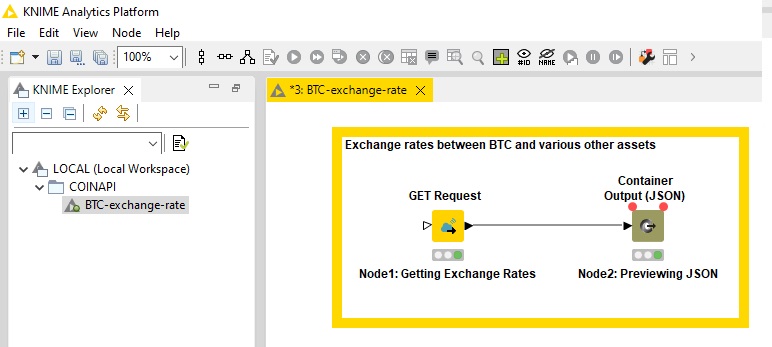
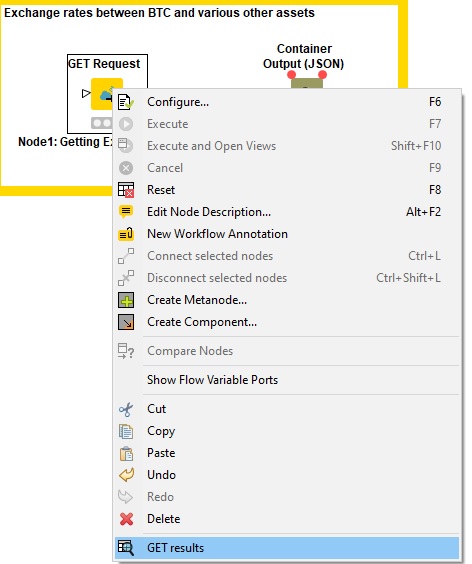
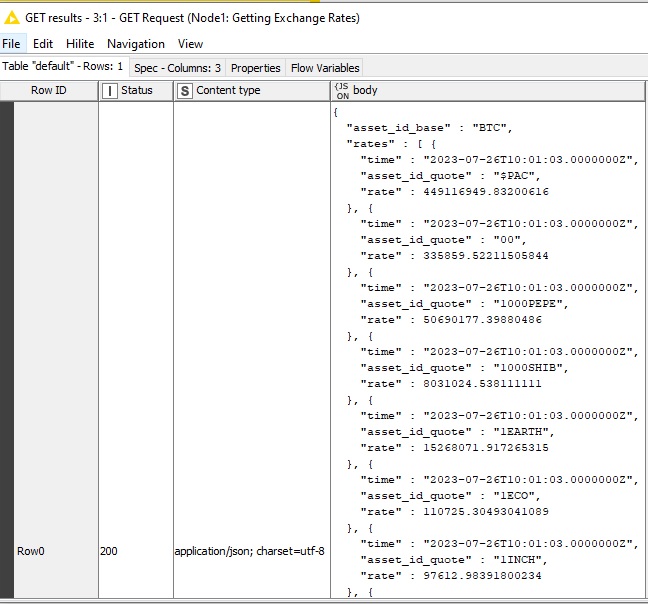
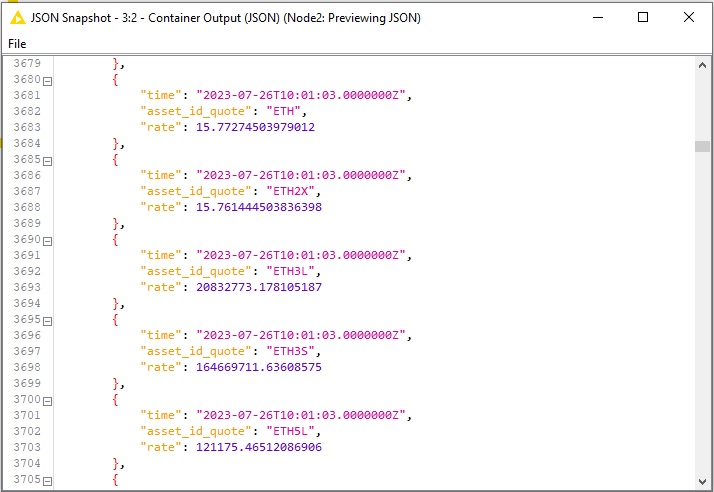
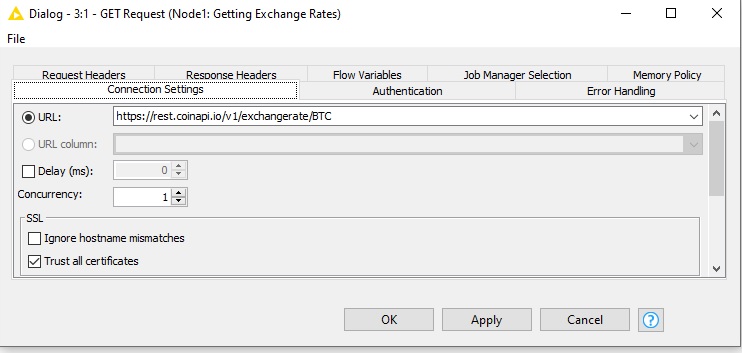
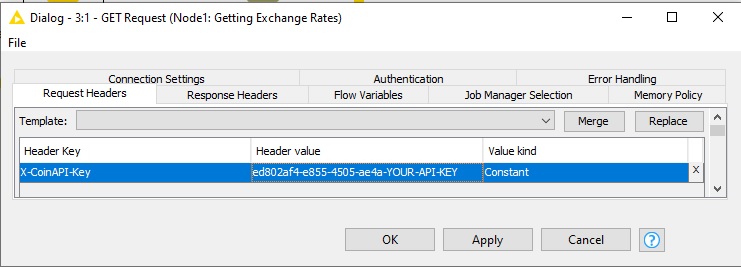
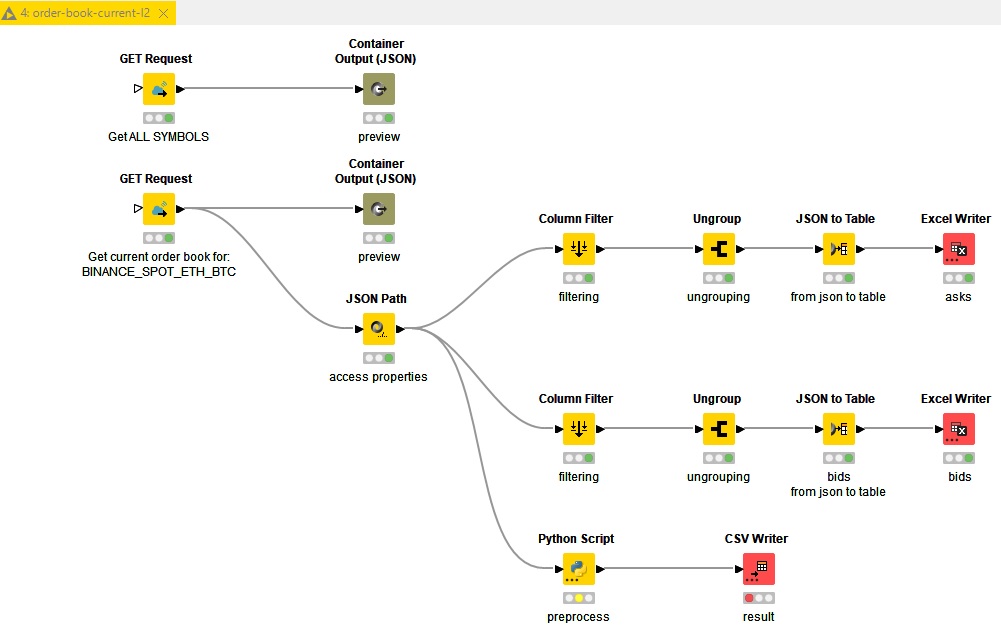
BTC Closing Prices Over Time

(Data Period: 1 Day, Starting from January 1st, 2021, for 360 Days)

``` ## Code Snippet: Fetching Data from CoinAPI Create a function in your `script.js` to fetch historical data. ```javascript const API_KEY = "YOUR_API_KEY_HERE"; const url = `https://rest.coinapi.io/v1/ohlcv/BITSTAMP_SPOT_BTC_USD/history?apikey=${API_KEY}&period_id=1DAY&time_start=2021-01-01T00:00:00&limit=360`; async function fetchData() { try { const response = await fetch(url); if (!response.ok) { throw new Error('Network response was not ok'); } const data = await response.json(); return data; } catch (error) { console.error('Error fetching data:', error); throw error; } } ``` ## Preparing the Data After fetching the data, it needs to be prepared for charting. We'll create a simple function to transform the data into a format that `D3.js` can easily interpret. Add it to the end of `script.js`. ## Code Snippet: Data Transformation ```javascript function transformData(data) { return data.map(entry => ({ date: new Date(entry.time_period_start), price: entry.price_close })); } ``` Now let's dive into building the chart. ## Code Snippet: building chart with D3.js Add this code at the end of your `script.js` file. ```javascript document.addEventListener('DOMContentLoaded', () => { const svg = d3.select("svg"); // Select the existing SVG element in the HTML fetchData() .then(data => { const transformedData = transformData(data); // Define chart dimensions const width = 800; const height = 600; const margin = { top: 50, right: 50, bottom: 50, left: 50 }; // Create a group for the chart elements const chartGroup = svg.append("g") .attr("transform", `translate(${margin.left}, ${margin.top})`); // Create scales const xScale = d3.scaleUtc() .domain(d3.extent(transformedData, d => d.date)) .range([0, width - margin.left - margin.right]); const yScale = d3.scaleLinear() .domain([0, d3.max(transformedData, d => d.price)]) .range([height - margin.bottom - margin.top, 0]); // Create a line generator const line = d3.line() .x(d => xScale(d.date)) .y(d => yScale(d.price)); // Draw the line chartGroup.append("path") .datum(transformedData) .attr("class", "line") .attr("d", line); // Add axes chartGroup.append("g") .attr("class", "x-axis") .attr("transform", `translate(0, ${height - margin.bottom - margin.top})`) .call(d3.axisBottom(xScale)); chartGroup.append("g") .attr("class", "y-axis") .call(d3.axisLeft(yScale)); }) .catch(error => console.log(error)); }); ``` ## Code snippet: styling the chart Now, let's style your chart using the provided CSS. Add the following CSS to your `style.css` file: ```css body, h1, h2, h3, p, ul, li { margin: 5; padding: 0; color: white; } /* Set a gradient background for the body */ body { background: linear-gradient(to bottom, #080059, #6C4CFC); } /* Style the SVG container */ svg { background-color: transparent; /* Transparent background for the chart */ } /* Style the chart line */ .line { fill: none; stroke: #6C4CFC; /* Purple color for the line */ stroke-width: 2; } /* Style the x-axis */ .x-axis path, .x-axis line { fill: none; stroke: #ccc; /* Light gray color for x-axis lines */ shape-rendering: crispEdges; } .x-axis text { font-size: 12px; fill: white; /* Text color for the x-axis labels */ } /* Style the y-axis */ .y-axis path, .y-axis line { fill: none; stroke: #ccc; /* Light gray color for y-axis lines */ shape-rendering: crispEdges; } .y-axis text { font-size: 12px; fill: white; /* Text color for the y-axis labels */ } /* Style the legend */ .legend { font-size: 16px; text-align: right; color: white; /* Text color for the legend text */ } ``` ## Testing Your Chart Save all your files and open `index.html` in a web browser. You should see a beautiful historical crypto price chart generated from real data! ![btc-closing-price-over-time chart](/howto/btc-closing-price-over-time.jpg) --- # Import API into Postman (https://www.coinapi.io/products/market-data-api/docs/how-to-guides/import-api-into-postman) --- title: Import API into Postman description: Learn how to import CoinAPI's OpenAPI specification into Postman for testing and development. order: 24 --- # Import API into Postman ## Introduction Postman allows you to import OpenAPI specifications effortlessly. ### Step-by-step process 1. Copy the OpenAPI URL from the CoinAPI website 2. Open Postman's workspace 3. Import an OpenAPI specification by providing its URL. 4. Review and confirm the generated collection. 5. Start using your API collection for testing and development. Here's how to do it for Market Data API: ![importing-open-api-example](/howto/import-api-into-postman-step-by-step.gif) --- # Import data to Google Sheets/Excel (https://www.coinapi.io/products/market-data-api/docs/how-to-guides/import-data-to-google-sheets-excel) --- title: Import data to Google Sheets/Excel description: Learn how to extract market data in CSV format and import it into Google Sheets or Microsoft Excel. order: 25 --- # Import data to Google Sheets/Excel ## Introduction There are various methods to access market data, including utilizing programming languages or tools that enable REST API requests. In this guide, we will specifically concentrate on extracting data in `CSV` *(comma-separated-values)* format using a simple approach that involves accessing data directly through a `web browser`. `CSV` is widely used due to its simplicity and compatibility with various spreadsheet applications like Microsoft Excel and Google Sheets. ## Getting started Before diving into the tutorial, ensure you have: - Web browser installed: `google chrome`, `firefox`, `microsoft edge`, or any other - A CoinAPI key (obtainable by signing up on the CoinAPI website) - A spreadsheet application like `Microsoft Excel` or `Google Sheets` ## Retrieve BTC Exchange Rates in .csv format via web browser It is possible to control the format of data by using [output_format](/products/market-data-api/docs/rest-api#output-data-format) variable in query string parameters. To get `BTC` exchange rates in `csv` format, copy and paste the below URL to the address bar of your web browser: `https://rest.coinapi.io/v1/exchangerate/BTC?apikey=YOUR_API_KEY-ed802af4-e855-4505-AEA&output_format=csv` ![Address bar with exchange rate formatted to csv](/howto/csv_format_to_excel.jpg) **Note:** Don't forget to *replace `YOUR-API-KEY` with your actual API key.* Simple then press `ctrl`+`a` or `command`+`a` to select exchange rates, then press `ctrl` + `c` to copy data. ![Exchange rate data selected](/howto/csv_format_to_excel_selected.jpg) After obtaining the data, you can seamlessly paste it directly into any text editor. ![BTC exchange rates in notepad](/howto/copy-and-paste-to-notepad.jpg) Then, select the `Save As` option, and don't forget to include the `.csv` file extension. ![BTC exchange rates copied over notepad](/howto/notepad-save-as-csv.jpg) ## CSV import: Microsoft Excel To import the `.csv` file into the MS Excel application, navigate to the `Data` tab, and choose the `From Text/CSV` option. ![Import from Text/CSV in Excel](/howto/import-excel-1.jpg) Select your `.csv` file which includes BTC exchange rate data in `csv` format. ![Import from Text/CSV in Excel](/howto/import-excel-2.jpg) Verify the output of import in the preview window. ![Import Text/CSV preview window](/howto/import-excel-3.jpg) With these simple steps, you can now efficiently work with and analyze the market data in a familiar spreadsheet environment, empowering you to make informed decisions based on the exchange rate information. ## CSV import: Google Sheets To import the `.csv` file into the Google Sheets application, navigate to the `File` menu. ![Google Sheets default window](/howto/google-import-1.jpg) Within that menu, select the `Import` option. ![Google Sheets default window](/howto/google-import-2.jpg) Upload your `.csv` file which includes BTC exchange rate data. ![Google Sheets default window](/howto/google-import-3.jpg) Make sure to set the correct `Import location` and `Separator type`, then press `Import data`. ![Google Sheets default window](/howto/google-import-4.jpg) Here's the final result: ![Google Sheets default window](/howto/google-import-5.jpg) With these simple steps, you can now efficiently work with and analyze the market data in a familiar spreadsheet environment, empowering you to make informed decisions based on the exchange rate information. ## Summary We have explored a simple approach to accessing market data in CSV format directly through a web browser. By utilizing this method, you can easily extract the data you need for analysis and integrate it with various spreadsheet applications like `Microsoft Excel` or `Google Sheets`. While the simple approach through a web browser provides easy access to market data in CSV format, there is [cryptotick specialized platform](https://www.cryptotick.com/) that offers a wide range of market data types in the `csv` format, including `quotes`, `trades`, `limit order book`, `OHLCV`, and others. Happy data exploration! --- # How-to guides (https://www.coinapi.io/products/market-data-api/docs/how-to-guides) --- title: How-to guides description: Welcome to the How-to Guides section of our CoinAPI documentation. This is your comprehensive resource for understanding and effectively utilizing our API to its fullest potential. --- # How-to guides Welcome to the How-to Guides section of our CoinAPI documentation. This is your comprehensive resource for understanding and effectively utilizing our API to its fullest potential. These guides provide best practices for getting started, implementing, and adopting CoinAPI on your tech stack. These guides are designed to provide you with clear, step-by-step instructions to help you navigate through various tasks and operations. From basic API calls to more complex data manipulations, we've got you covered. Each guide is structured to provide a practical, real-world scenario that illustrates how to use specific features of our API. They are not only meant to be instructional but also to inspire you to explore the many ways you can use CoinAPI to drive your cryptocurrency projects forward. Remember, the world of cryptocurrencies is ever-evolving, and so is our API. We regularly update these guides to reflect the latest features and improvements. So, make sure to check back often for the most up-to-date information. We hope these guides will empower you to create, innovate, and achieve success in your cryptocurrency endeavors. ## You'll learn how to: - Access and interpret cryptocurrency data using CoinAPI. - Build a portfolio tracker with React and CoinAPI. - Convert between different cryptocurrencies using CoinAPI. - Retrieve historical OHLCV Data Using CoinAPI - Subscribe to real-time trades stream using WebSocket. - Visualize real-time data using JavaScript and CoinAPI. - Extract market data in the `csv` format and import to spreadsheet applications like `Microsoft Excel` and `Google Sheets` - Fetching market data with KNIME ## What's next? This quick start guide has given you a flavor of what CoinAPI can offer and an idea of how to build a solution. To find out more by exploring specific guides from the menu view. ## The next steps - [Read more about CoinAPI](/) - [Check our FAQ section](https://support.coinapi.io/hc/en-us/sections/360002691771-FAQ) - [Read our blog](https://blog.coinapi.io/) Need help? If you need any help with your implementation or if you have encountered any problems, do get in touch. You can also quickly find answers from our FAQs, and blog. --- # Retrieve and analyze crypto order book data using a cryptocurrency API (https://www.coinapi.io/products/market-data-api/docs/how-to-guides/order-book-data-analysis) --- title: Retrieve and analyze crypto order book data using a cryptocurrency API description: Learn how to fetch and analyze cryptocurrency order books using Python and CoinAPI. order: 28 --- # Retrieve and analyze crypto order book data using a cryptocurrency API In this tutorial, we will delve into the process of fetching and analyzing cryptocurrency order books using the `Python` programming language and `CoinAPI`. ## Agenda: 1. Crypto order book basics: Understanding cryptocurrency trading order books. 2. Fetching data: Using CoinAPI and Python to retrieve real-time crypto order book data. 3. Analysis: Interpreting cryptocurrency API data for insights. 4. Visualization: Displaying order book data with Python's Matplotlib. 5. Metrics calculation: Computing key metrics from cryptocurrency API data. ## CoinAPI: The ultimate cryptocurrency API for all your crypto data needs Before diving into our guide, let's take a moment to introduce CoinAPI. CoinAPI offers easy access to a wide range of financial information, encompassing both live and historical data from various exchanges. Whether you're looking for detailed trading data, OHLCV (Open, High, Low, Close, Volume), or specific event information, CoinAPI delivers. CoinAPI provides crypto order book data, making it one of the best crypto APIs available. Additionally, our support for multiple data delivery methods, including REST and WebSocket makes it highly versatile for developers creating trading algorithms or crypto market data visualizations. ## Let's Begin Harnessing the capabilities of CoinAPI, a robust cryptocurrency API, alongside Python, known for its versatility in data analysis and statistical computing, we can delve deeply into the nuances of the cryptocurrency market. We'll walk you through the steps to fetch and analyze crypto order book data in real time, leveraging the comprehensive data provided by the cryptocurrency API. ## Setting Up the API Request To fetch real-time order book data, you'll first need an API key from [CoinAPI website](https://www.coinapi.io/). Once you have it, you can proceed to retrieve the data using Python. **Fetching the data** ```python import requests import json API_KEY = "YOUR_API_KEY_HERE" url = f"https://rest.coinapi.io/v1/orderbooks/current?symbol=KRAKEN_SPOT_BTC_USD&apikey={API_KEY}" response = requests.get(url) if response.status_code == 200: # The request was successful data = response.json() # Save the data to a file with open("order-books-kraken-spot-btc-usd.json", "w") as file: json.dump(data, file, indent=4) print("Data saved to order-books-kraken-spot-btc-usd.json") else: # Handle error cases print(f"Error: Status code {response.status_code}") print(response.text) ``` **Response** ```json { "symbol_id": "KRAKEN_SPOT_BTC_USD", "time_exchange": "2023-11-24T08:26:46.6928657Z", "time_coinapi": "2023-11-24T08:26:46.6928657Z", "asks": [ { "price": 37549.1, "size": 19.23618731 }, { "price": 37549.9, "size": 0.08242079 }, /// other entries omitted for brevity ], "bids": [ { "price": 37549.0, "size": 0.136004 }, { "price": 37545.1, } /// other entries omitted for brevity ] } ``` ## Data Analysis and Metrics Upon data retrieval, the next step involves data analysis using `Python`. The obtained data typically represents a snapshot of buy and sell orders in the market at a specific moment. This data consists of two key components: bids and asks. Bids signify the price levels at which buyers are willing to acquire an asset, while asks represent the price levels at which sellers are willing to sell it. The difference between the highest bid and the lowest ask is referred to as the `spread`. Here is a comprehensive list of common metrics and analytical procedures: - `Order Book Depth` - visualize the liquidity available at various price levels. - `Order Imbalance` - analyze the disparity between bids and asks to gain insights into market sentiment. - `Price Levels` - identify significant price levels characterized by substantial volumes of bids or asks. - `Market Spread` - compute the current bid-ask spread as an indicator of market liquidity. ### Order Book Depth Visualization In this `Python` code, we demonstrate how to visualize the order book depth of a cryptocurrency trading pair using `Matplotlib`. ```python import json import matplotlib.pyplot as plt # Function to read order book data from a JSON def read_order_book_data(file_path): with open(file_path, 'r') as file: order_book_data = json.load(file) return order_book_data file_path = 'order-books-kraken-spot-btc-usd.json' # Read order book data from the file we've obtained in the previous step order_book_data = read_order_book_data(file_path) # Function to visualize order book depth chart def visualize_order_book_depth(order_book_data): bids = order_book_data["bids"] asks = order_book_data["asks"] bid_prices = [entry["price"] for entry in bids] bid_sizes = [entry["size"] for entry in bids] ask_prices = [entry["price"] for entry in asks] ask_sizes = [entry["size"] for entry in asks] plt.figure(figsize=(10, 6)) plt.plot(bid_prices, bid_sizes, label="Bids (buyers)", color="green") plt.plot(ask_prices, ask_sizes, label="Asks (sellers)", color="red") plt.xlabel("Price") plt.ylabel("Size") plt.title("Order Book Depth") plt.legend() plt.show() # Visualize the order book depth visualize_order_book_depth(order_book_data) ``` The following visualization is the result of the `Python` script demonstrated above. ![order book depth](/howto/order-book-depth.jpg) Order Book Depth Visualization: - is a measure of the quantity of buy and sell orders available for a particular financial asset - it provides insight into market liquidity and the willingness of traders to buy or sell at different prices - may be used for trading decisions, as it reveals potential price trends ### Order Imbalance, Price Levels, Market Spread In this `Python` code, we explore `order imbalance`, `significant bids & asks`, `market spread` metrics for a `BTC/USD` trading pair. ```python import json # Function to read order book data from a JSON def read_order_book_data(file_path): with open(file_path, 'r') as file: order_book_data = json.load(file) return order_book_data file_path = 'order-books-kraken-spot-btc-usd.json' # Read order book data from the file we've obtained in the previous step order_book_data = read_order_book_data(file_path) # Function to calculate order imbalance def calculate_order_imbalance(order_book_data): bids = sum(entry["size"] for entry in order_book_data["bids"]) asks = sum(entry["size"] for entry in order_book_data["asks"]) order_imbalance = (bids - asks) / (bids + asks) return order_imbalance # Function to identify significant price levels def identify_significant_price_levels(order_book_data, threshold=50): bids = order_book_data["bids"] asks = order_book_data["asks"] significant_bids = [entry for entry in bids if entry["size"] > threshold] significant_asks = [entry for entry in asks if entry["size"] > threshold] return significant_bids, significant_asks # Function to calculate market spread def calculate_market_spread(order_book_data): best_bid = order_book_data["bids"][0]["price"] best_ask = order_book_data["asks"][0]["price"] spread = best_ask - best_bid return spread # Common metrics calculation order_imbalance = calculate_order_imbalance(order_book_data) significant_price_threshold = 20 significant_bids, significant_asks = identify_significant_price_levels(order_book_data, significant_price_threshold) spread = calculate_market_spread(order_book_data) print("******************************") print("Order Imbalance:", order_imbalance) print("***************************") print("Significant Bids:", significant_bids) print("***************************") print("Significant Asks:", significant_asks) print("***************************") print("Market Spread:", spread) print("***************************") ``` **Result** ``` > ****************************** > Order Imbalance: -0.012400502029283922 > *************************** > Significant Bids: [{'price': 37440.7, 'size': 24.73909889}, {'price': 36451.0, 'size': 25.0}] > *************************** > Significant Asks: [{'price': 37749.0, 'size': 25.0}, {'price': 37840.0, 'size': 24.08119208}, {'price': 38000.0, 'size': 29.60579175}, {'price': 39000.0, 'size': 21.75395535}, {'price': 40000.0, 'size': 58.28620718}] > *************************** > Market Spread: 0.09999999999854481 > *************************** ``` Calculated metrics: * `order_imbalance` - it measures the difference between the total volume of buy orders and sell orders. It provides insights into the overall market sentiment by indicating whether there is an excess of buying or selling interest. * `significant_price_threshold` is a predetermined value (set to `20` in this case) used to identify price levels in the order book that are considered significant. It helps traders focus on specific price points that may have a more substantial impact on the market. * `significant_bids` and `significant_asks` are lists of price levels derived from the order book data that meet or exceed the significant_price_threshold. These levels are typically associated with higher trading activity and may be seen as key support and resistance levels. * `spread` is a metric that calculates the difference between the best bid and best ask prices. It represents the cost of executing a market order and is a fundamental factor for traders to consider when entering or exiting positions. ## Summary This tutorial has equipped you with the knowledge and tools necessary to fetch and analyze cryptocurrency order book data using `CoinAPI` and `Python`. You've learned how to access real-time order book information, visualize order book depth, and calculate important metrics. Armed with this understanding, you are now better prepared to explore and navigate the cryptocurrency markets, enabling you to make more informed trading decisions and develop data-driven trading strategies. Remember that the cryptocurrency market is highly dynamic, so continuous monitoring and analysis are essential for staying ahead in this exciting and rapidly evolving space. Happy trading! --- # Performance Testing Guide (https://www.coinapi.io/products/market-data-api/docs/how-to-guides/performance-testing-guide) --- title: Performance Testing Guide description: In this section, you will find comprehensive information about the performance testing guide. order: 29 --- # CoinAPI API Performance Testing Guide This guide provides detailed steps to test the performance of the CoinAPI API across REST, WebSocket, and FIX interfaces. It's designed to help you efficiently measure and analyze the API's performance. ## 1. REST API Performance Testing Test the latency of API requests using curl commands on Linux. ### Example Command ```bash cat > curl-format.txt << EOF time_namelookup: %{time_namelookup}s\n time_connect: %{time_connect}s\n time_appconnect: %{time_appconnect}s\n time_pretransfer: %{time_pretransfer}s\n time_redirect: %{time_redirect}s\n time_starttransfer: %{time_starttransfer}s\n ---------- time_total: %{time_total}s\n EOF curl --http2-prior-knowledge -w "@curl-format.txt" -o /dev/null -s "https://rest.coinapi.io/" ``` ## 2. WebSocket API Performance Testing The WebSocket client application is designed for subscribing to data from our WebSocket service, capturing metrics such as message counts and latency. **Note**: This application is not intended to subscribe to all data feeds simultaneously as it uses only one connection. To effectively monitor various data types, consider creating multiple instances or using separate connections for each subscription type. ### Compilation and Running 1. Ensure .NET 8.0 or higher is installed. 2. Navigate to the project directory and compile the application using `dotnet build`. 3. Run the application with `dotnet run` and specify your parameters. For more details, visit the [WebSocket Client Application Repository](https://github.com/api-bricks/api-bricks-sdk/tree/master/coinapi/market-data-api-ws/csharp-ws/sdk/CoinAPI.WebSocket.Stats.Console). ## 3. FIX Protocol Testing The FIX client enables session management, data subscription, and message processing using the QuickFix engine. ### Compilation and Running 1. Update `config_nossl.cfg` with your session settings. 2. Compile the application with `dotnet build` in the project directory. 3. Execute the compiled application to start your testing session. Access the complete source code and setup instructions at the [FIX Client Application Repository](https://github.com/api-bricks/api-bricks-sdk/tree/master/coinapi/market-data-api-fix/sdk/csharp-fix-v2). ## Good Practices for Performance Testing Incorporating good practices into your testing strategy can significantly improve the reliability and efficiency of your performance testing. Here are some recommendations: 1. **Efficient Message Handling**: Fetch messages from the connection as swiftly as possible and process them in a separate thread. This separation ensures that message retrieval is not bottlenecked by processing time. 2. **Monitoring and Separation**: Keep a count of messages and manage their queue separately. This practice helps in isolating the fetching mechanism from the consumption process, allowing for more accurate performance measurements and streamlined processing. 3. **Utilize Multithreading Wisely**: When employing multithreading, consider establishing multiple connections to distribute the load effectively. This approach can enhance throughput by leveraging parallel processing, especially in high-demand scenarios. ### Very Important __If latency increases, it is necessary to split data acquisition across multiple connections to utilize more threads effectively.__ By adhering to these practices, including the emphasized point on managing increasing latency through distributed data acquisition, you can ensure a more robust and efficient performance testing process. --- This guide aims to streamline your API performance testing across different interfaces. For further assistance, refer to the detailed documentation provided in the links above. --- # Building a Cryptocurrency Portfolio Tracker Using React and CoinAPI (https://www.coinapi.io/products/market-data-api/docs/how-to-guides/portfolio-tracker-react) --- title: Building a Cryptocurrency Portfolio Tracker Using React and CoinAPI description: Learn how to build a cryptocurrency portfolio tracker using React and CoinAPI. order: 18 --- # Building a Cryptocurrency Portfolio Tracker Using React and CoinAPI ## Getting Started with CoinAPI Before diving into the tutorial, ensure you have: - Created a CoinAPI account and obtained an API key - Basic familiarity with React and web development First things first, to make use of CoinAPI, you'll need to create an account and procure an API key. The key is needed to authenticate your application requests. Follow the instructions provided in CoinAPI's Getting Started Guide to set up your account. ## Setting Up Your React App Begin by creating a new React application. You can do this using the create-react-app command or your preferred method. `npx create-react-app coinapi-portfolio-tracker-app` You should have the following project structure: ![Project structure](/howto/coinapi-portfolio-tracker-app-structure.jpg) Get into the root of the folder in which package.json resides and check whether the project is compiling & starting: `npm start` ![Successful compilation message](/howto/coinapi-portfolio-tracker-app-compiles.jpg) Once your app structure is ready and the project successfully compiles, open the `App.js` file. Copy and paste the following code into the `App.js` to see the header displaying "CoinAPI Cryptocurrency Portfolio Tracker App". ```jsx import React, { useState } from 'react'; function App() { return (
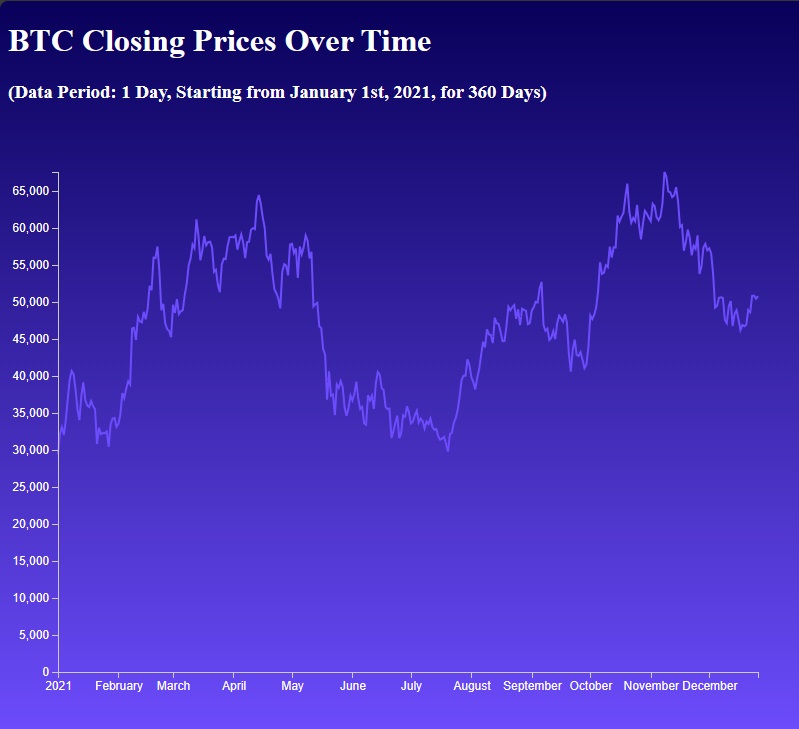
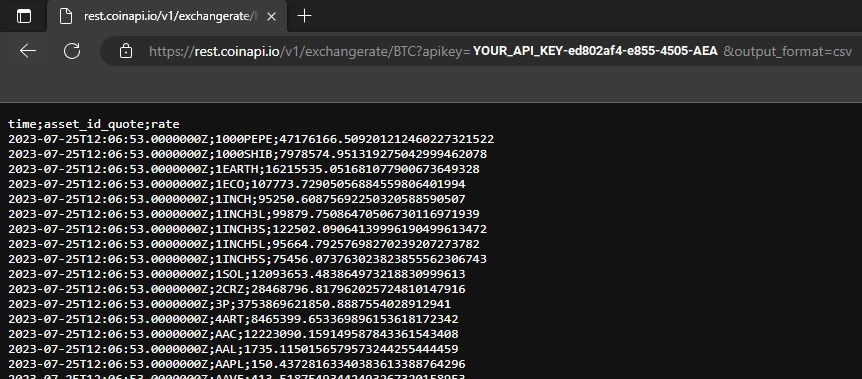
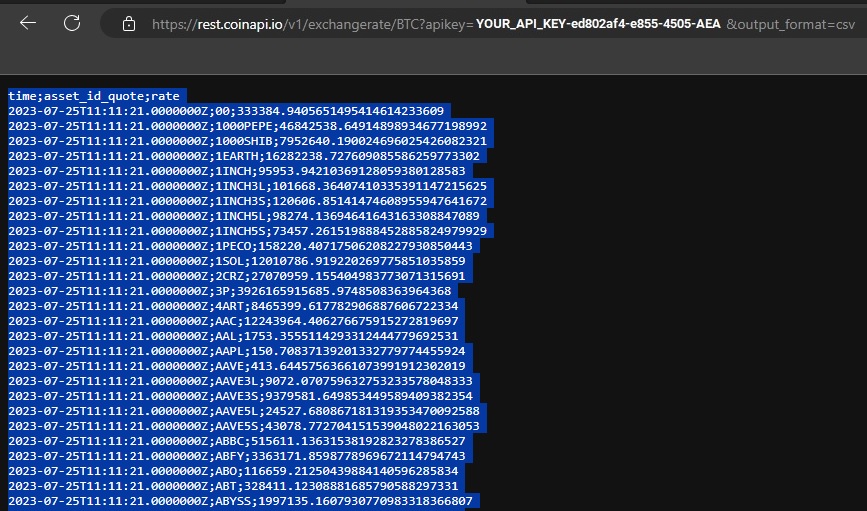
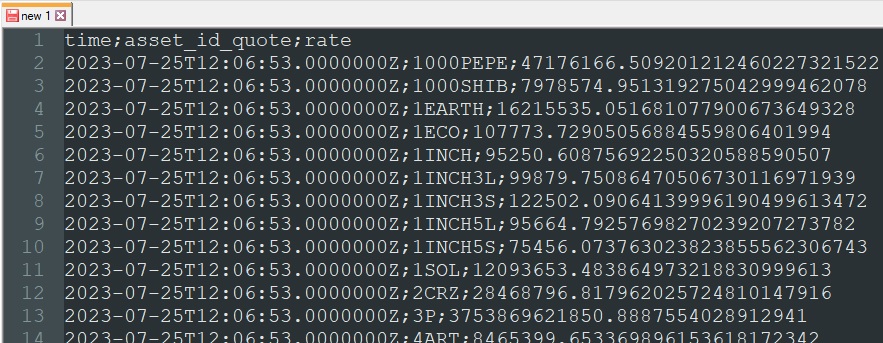
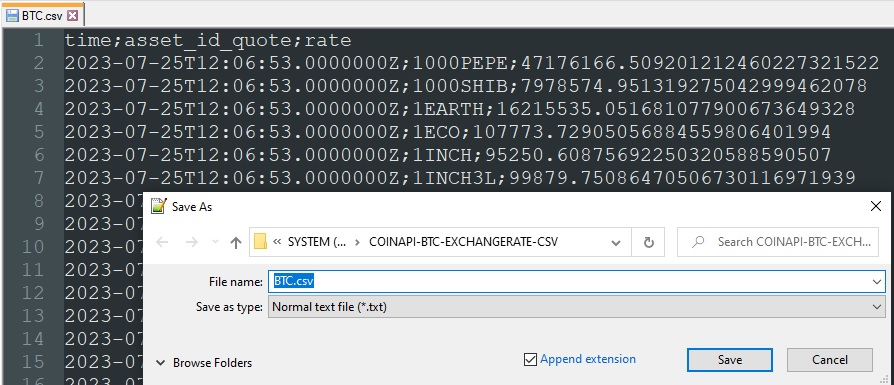
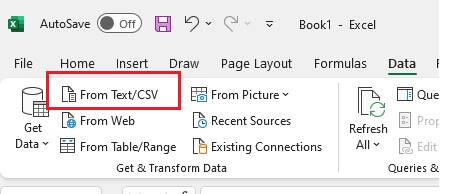
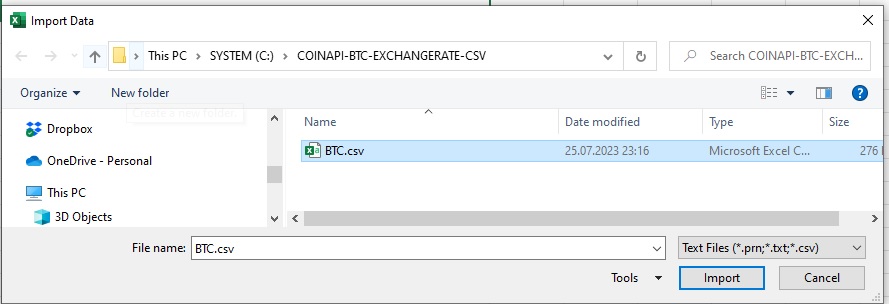
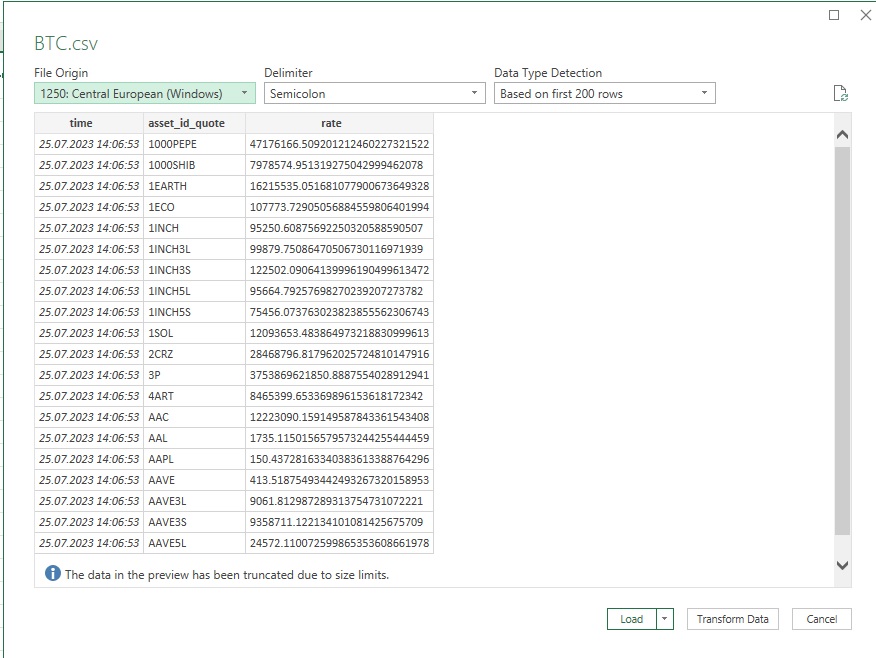
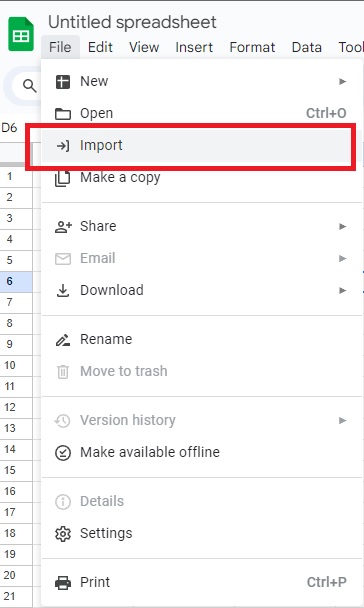
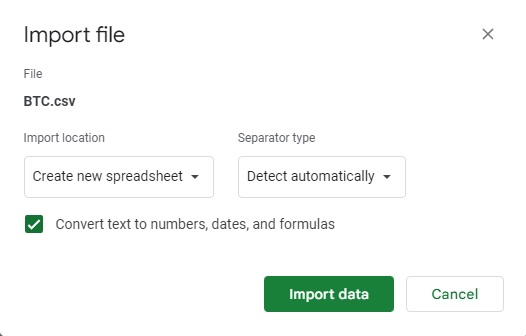
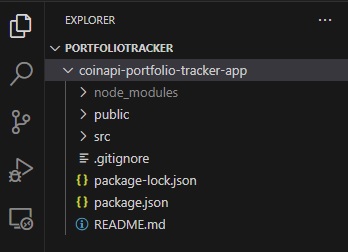
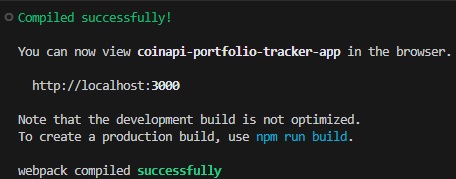
CoinAPI Cryptocurrency Portfolio Tracker App

); } export default App; ``` Start the application again using `npm start`: ![Cryptocurrency portfolio tracker header](/howto/coinapi-portfolio-tracker-app-default-view.jpg) ## Retrieving Your Portfolio Data from CoinAPI CoinAPI provides the `v1/exchangerate/asset_id_base` endpoint for fetching the latest exchange rates of your assets. To request `BTC/USD`, `ETH/USD`, and `XRP/USD` exchange rates from CoinAPI, we'll use **useEffect** hook and **axios module** to retrieve data. This hook will fetch the exchange rates when the component mounts and then update the portfolio state. Add the following code as part of the `App.js`: ```jsx import React, { useState } from 'react'; function App() { const [portfolio, setPortfolio] = useState([]); useEffect(() => { async function fetchExchangeRates() { const assets = ['BTC', 'ETH', 'XRP']; const promises = assets.map(asset => axios.get(`https://rest.coinapi.io/v1/exchangerate/${asset}/USD?apikey=YOUR_API_KEY`) ); const responses = await Promise.all(promises); const exchangeRates = responses.reduce((acc, response, index) => { acc[assets[index]] = response.data.rate; return acc; }, {}); setPortfolio(exchangeRates); } fetchExchangeRates(); }, []); return (
CoinAPI Cryptocurrency Portfolio Tracker App

); } export default App; ``` *Note: Make sure to replace `YOUR_API_KEY` with the API key you have obtained via the CoinAPI website.* To make exchange rates appear in your web app, update the `return` part with the following code: ```jsx return (

CoinAPI Cryptocurrency Portfolio Tracker App

    {Object.entries(portfolio).map(([asset, exchangeRate]) => (
  • {asset}: {exchangeRate}
  • ))}
); ``` Here's the complete `App.js` code: ```jsx import React, { useState, useEffect } from 'react'; import axios from 'axios'; function App() { const [portfolio, setPortfolio] = useState([]); useEffect(() => { async function fetchExchangeRates() { const assets = ['BTC', 'ETH', 'XRP']; const promises = assets.map(asset => axios.get(`https://rest.coinapi.io/v1/exchangerate/${asset}/USD?apikey=YOUR_API_KEY` ); const responses = await Promise.all(promises); const exchangeRates = responses.reduce((acc, response, index) => { acc[assets[index]] = response.data.rate; return acc; }, {}); setPortfolio(exchangeRates); } fetchExchangeRates(); }, []); return (

CoinAPI Cryptocurrency Portfolio Tracker App

    {Object.entries(portfolio).map(([asset, exchangeRate]) => (
  • {asset}: {exchangeRate}
  • ))}
); } export default App; ``` Before starting the application, make sure to install the **axios** module via the `npm install axios` command. Then start the application with `npm start` and check out the result: ![View with fetched data](/howto/coinapi-portfolio-tracker-app-very-first-view-with-data.jpg) ## Styling Your Portfolio Tracker Having fetched your portfolio data, you can now proceed to style your tracker. You can use raw CSS or opt for a UI library like Bootstrap or Material UI to enhance the look of your portfolio tracker. Here we'll use a CSS styling approach and the following classes: `portfolio`, `portfolio-item`, `asset-name` and `asset-rate`. Extend GUI part with `className` attributes values as following: ```jsx return (
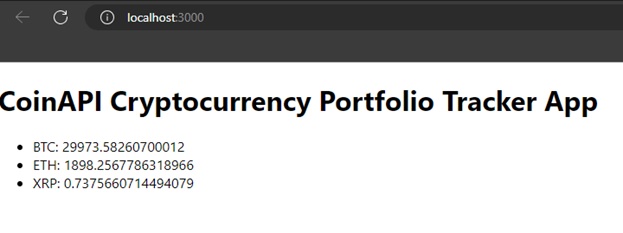
CoinAPI Cryptocurrency Portfolio Tracker App

{Object.entries(portfolio).map(([asset, exchangeRate]) => (
  • {asset}/USD: {exchangeRate}
  • ))}
    ); ``` then update `index.css` with CSS class implementation: ```css .portfolio { padding: 1em; } .portfolio-item { display: flex; align-items: center; font-size: 18px; margin-bottom: 10px; } .asset-name { font-weight: bold; margin-right: 10px; color: #007bff; } .asset-rate { color: #28a745; } .portfolio-item:hover { transform: scale(0.95); transition: transform 0.2s ease-in-out; } ``` ## Retrieve data at regular intervals Rather than repeatedly refreshing the application to obtain the most recent exchange rates, we can enhance it to fetch this data at specified intervals and automatically update the view. To update the exchange rates `every 5 seconds`, you can use the `setInterval` function in React. ```javascript import React, { useState, useEffect } from 'react'; import axios from 'axios'; function App() { const [portfolio, setPortfolio] = useState([]); useEffect(() => { async function fetchExchangeRates() { const assets = ['BTC', 'ETH', 'XRP']; const promises = assets.map(asset => axios.get(`https://rest.coinapi.io/v1/exchangerate/${asset}/USD?apikey=YOUR_API_KEY`) ); const responses = await Promise.all(promises); const exchangeRates = responses.reduce((acc, response, index) => { acc[assets[index]] = response.data.rate; return acc; }, {}); setPortfolio(exchangeRates); } fetchExchangeRates(); // Fetch exchange rates every 5 seconds const intervalId = setInterval(fetchExchangeRates, 5000); // Clean up the interval when the component unmounts to avoid memory leaks return () => clearInterval(intervalId); }, []); return (

    CoinAPI Cryptocurrency Portfolio Tracker App

    {Object.entries(portfolio).map(([asset, exchangeRate]) => (
  • {asset}/USD: {exchangeRate}
  • ))}
    ); } export default App; ``` By following these steps, you'll create a basic cryptocurrency portfolio tracker using React and CoinAPI. ![Styled portfolio](/howto/coinapi-portfolio-tracker-app-very-first-view-with-data-styled.jpg) For more information, you can check [REST API Exchange Rates docs](/products/market-data-api/docs/rest-api) If you would like the data to be sent to you in real-time, check our [Real-time data visualization with javascript](/products/market-data-api/docs/how-to-guides/real-time-data-visualization) or [real-time trades stream using WebSocket with different languages](/products/market-data-api/docs/how-to-guides/real-time-trades-stream-websocket) "how-to" articles. Happy coding! --- # Real-time data visualization with javascript (https://www.coinapi.io/products/market-data-api/docs/how-to-guides/real-time-data-visualization) --- title: Real-time data visualization with javascript description: Learn how to use CoinAPI's WebSockets API alongside JavaScript for real-time visualization of cryptocurrency markets. order: 26 --- # Real-time data visualization with javascript ## Introduction In this tutorial, we'll demonstrate how to use CoinAPI's WebSockets API alongside `JavaScript` for real-time visualization of cryptocurrency markets. We'll use `Chart.js`, a popular JavaScript library for data visualization. ## Prerequisites - Basic understanding of JavaScript and WebSockets. - A CoinAPI key (obtainable by signing up on the CoinAPI website). - Familiarity with Chart.js (Visit the Chart.js documentation for more information). ## Visualizing Data with Chart.js First, we'll create an empty chart using `Chart.js`. ```html Visualizing Data with Chart.js ``` The script creates a new line chart with an empty dataset. We'll fill in the data as we receive it from the WebSocket connection in the next step. #### Setting Up the WebSocket Connection We need to set up a WebSocket connection to CoinAPI and update the chart: ```javascript /** part2: below we establish ws connection and update the chart with real-time data **/ const socket = new WebSocket('wss://ws.coinapi.io/v1/'); socket.onopen = function (event) { socket.send(JSON.stringify({ "type": "hello", "apikey": "YOUR_API_KEY", "subscribe_data_type": ["trade"], "subscribe_filter_symbol_id": ["BITSTAMP_SPOT_BTC_USD$", "BITFINEX_SPOT_BTC_LTC$"] })); }; socket.onmessage = function (event) { const data = JSON.parse(event.data); // Add new data to the chart chart.data.labels.push(data.time_exchange); chart.data.datasets[0].data.push(data.price); // Remove the oldest data point if there are more than 50 if (chart.data.labels.length > 50) { chart.data.labels.shift(); chart.data.datasets[0].data.shift(); } // Update the chart chart.update(); }; socket.onerror = function (error) { console.log(`WebSocket error: ${error}`); }; ``` **Note:** Don't forget to *replace `YOUR-API-KEY` with your actual API key.* Here's the complete code: ```html Visualizing Data with Chart.js ``` The `onmessage` event is activated whenever a new message (in our case, trade data) is received from the server. The message data is in JSON format, which we convert to a JavaScript object with `JSON.parse()`. Our chart now updates in real time as we receive trade data from CoinAPI! ![Chart.js with CoinAPI real time data](/howto/rt-chart-visualization.jpg) You're now equipped to use CoinAPI with JavaScript for real-time data visualization. Dive into the dynamic world of cryptocurrencies and explore with these powerful tools at your disposal. Happy coding! --- # Real-time trades stream using WebSocket with different languages (https://www.coinapi.io/products/market-data-api/docs/how-to-guides/real-time-trades-stream-websocket) --- title: Real-time trades stream using WebSocket with different languages description: Learn how to subscribe to real-time cryptocurrency market data using CoinAPI WebSocket protocol in Python, JavaScript, and Java. order: 27 --- # Real-time trades stream using WebSocket with different languages ## Introduction This tutorial will guide you on how to subscribe to real-time cryptocurrency market data using CoinAPI. We will explore using the WebSocket protocol in `Python`, `JavaScript`, and `Java` to get live market data updates. ## Understanding WebSocket Protocol CoinAPI provides real-time data through the `WebSocket` protocol. WebSocket allows for full-duplex communication channels over a single TCP connection, making it an excellent choice for live data updates. The key endpoint for real-time data is `wss://ws.coinapi.io/v1/`. To subscribe to a specific type of data, you need to send a subscription message after the connection is established. ## Python Example In Python, we can use the `websocket-client` library to connect to CoinAPI's WebSocket API. If you don't have the `websocket-client` library installed, you can add it using pip: ```shell pip install websocket-client ``` Here's an example of real time trade data retrieval: ```python import websocket import json def on_message(ws, message): print(message) def on_error(ws, error): print(error) def on_close(ws): print("### closed ###") def on_open(ws): ws.send(json.dumps({ "type": "hello", "apikey": "YOUR_API_KEY", "subscribe_data_type": ["trade"], "subscribe_filter_symbol_id": [ "BITSTAMP_SPOT_BTC_USD$", "BITFINEX_SPOT_BTC_USD$" ] })) ws = websocket.WebSocketApp("wss://ws.coinapi.io/v1", on_message = on_message, on_error = on_error, on_close = on_close) ws.on_open = on_open ws.run_forever() ``` This script: * Opens WebSocket connection * Subscribes to real-time data for `BTC/USD` trading on Bitstamp and Bitfinex **(you may replace with your desired cryptocurrency pair)** * Prints incoming real-time messages **Note:** *If `subscribe_filter_symbol_id` is ended with `$` character then the exact match is used instead of prefix match*. You can check out more [message examples](/products/market-data-api/docs/websocket/messages) and [hello message parameters](/products/market-data-api/docs/websocket/general#hello-message-parameters). ## JavaScript Example Make sure to install `nodejs runtime environment` before. First, add `package.json` with node-fetch dependency: ```json { "type": "module", "dependencies": { "ws": "^8.13.0" } } ``` In JavaScript, you can use WebSocket API: ```javascript import WebSocket from 'ws'; const socket = new WebSocket('wss://ws.coinapi.io/v1/'); socket.onopen = function (event) { socket.send(JSON.stringify({ "type": "hello", "apikey": "YOUR_API_KEY", "subscribe_data_type": ["trade"], "subscribe_filter_symbol_id": [ "BITSTAMP_SPOT_BTC_USD$", "BITFINEX_SPOT_BTC_LTC$" ] })); }; socket.onmessage = function (event) { console.log(event.data); }; socket.onerror = function (error) { console.log(`WebSocket error: ${error}`); }; ``` This script: * Opens WebSocket connection * Subscribes to real-time data for `BTC/USD` trading on Bitstamp and Bitfinex **(you may replace with your desired cryptocurrency pair)** * Prints incoming real-time messages Install dependencies via `npm install` command. Execute your program in nodejs runtime environment with `node your-script-name.js` command. **Note:** *If `subscribe_filter_symbol_id` is ended with `$` character then the exact match is used instead of prefix match*. You can check out more [message examples](/products/market-data-api/docs/websocket/messages) and [hello message parameters](/products/market-data-api/docs/websocket/general#hello-message-parameters). ## JavaScript in a web browser Here's an example that works directly in a web browser, create `index.html` file, paste the code, and start in a web browser: ```html Realtime Crypto Market Data Example
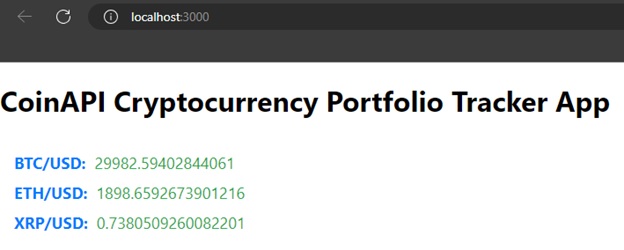
    ``` ## Java Example If you're using a Maven project, include `Java-WebSocket` and `JSON` dependencies in your pom.xml file: ```xml org.java-websocket Java-WebSocket 1.5.1 org.json json 20210307 ``` Here's a Java example that uses `WebSocketClient` and `JSONObject` classes: ```java import org.java_websocket.client.WebSocketClient; import org.java_websocket.handshake.ServerHandshake; import org.json.JSONArray; import org.json.JSONObject; import java.net.URI; import java.net.URISyntaxException; public class Main { public static void main(String[] args) { try { WebSocketClient socket = new WebSocketClient(new URI("wss://ws.coinapi.io/v1/")) { @Override public void onOpen(ServerHandshake serverHandshake) { JSONObject message = new JSONObject(); message.put("type", "hello"); message.put("apikey", "YOUR_API_KEY"); JSONArray subscribeDataType = new JSONArray(); subscribeDataType.put("trade"); message.put("subscribe_data_type", subscribeDataType); JSONArray subscribeFilterSymbolId = new JSONArray(); subscribeFilterSymbolId.put("BITSTAMP_SPOT_BTC_USD$"); subscribeFilterSymbolId.put("BITFINEX_SPOT_BTC_LTC$"); message.put("subscribe_filter_symbol_id", subscribeFilterSymbolId); this.send(message.toString()); } @Override public void onMessage(String message) { System.out.println(message); } @Override public void onClose(int code, String reason, boolean remote) { System.out.println("WebSocket closed"); } @Override public void onError(Exception ex) { System.out.println("WebSocket error: " + ex.getMessage()); } }; socket.connect(); } catch (URISyntaxException e) { e.printStackTrace(); } } } ``` This Java program: * Opens WebSocket connection * Subscribes to real-time data for `BTC/USD` trading on Bitstamp and Bitfinex **(you may replace with your desired cryptocurrency pair)** * Prints incoming real-time messages ## Best Practices - `Handle connection issues`: internet connections aren't always stable. Implement reconnection logic for robustness. - `Handle rate limiting`: even for WebSocket connections, CoinAPI has rate limits. Keep track of your message rate. - `Secure your API Key`: do not hardcode your API key. Make sure it is kept secure, consider using environment variables or secure config files which are not committed to your version control system. **Note:** *If `subscribe_filter_symbol_id` is ended with `$` character then the exact match is used instead of prefix match*. You can check out more [message examples](/products/market-data-api/docs/websocket/messages) and [hello message parameters](/products/market-data-api/docs/websocket/general#hello-message-parameters). ## Troubleshooting If you're having issues, double-check the following: - The API key is correct and has the required permissions. - The WebSocket endpoint URL is correctly formatted. - The subscription message contains a valid symbol_id. - You have the correct libraries or dependencies installed, and you're using a supported version of the language. Stay tuned for more tutorials on advanced uses of CoinAPI! --- # Metadata Tables (https://www.coinapi.io/products/market-data-api/docs/metadata-tables/introduction) --- title: Metadata Tables description: This section provides the updated supported Assets, Exchanges, and Symbols. --- # Metadata Tables This section provides the updated supported Assets, Exchanges, and Symbols. The data included on the tables are the same data that you can acquire from: - **List all assets** - `/products/market-data-api/docs/rest-api/metadata/v1/assets/get` - **List all exchanges** - `/products/market-data-api/docs/rest-api/metadata/v1/exchanges/get` - **List all symbols** - `/products/market-data-api/docs/rest-api/metadata/v1/symbols/exchange_id/active/get` You may also download the complete metadata (compressed CSV files): * Assets: [Assets.csv](./assets.csv) * Exchanges: [Exchanges.csv](./exchanges.csv) --- # Metric ID per Exchange (https://www.coinapi.io/products/market-data-api/docs/metadata-tables/metric_id) --- title: Metric ID per Exchange description: This section provides the Metric ID's available per exchange. --- # Metric ID per Exchange This section provides the Metric ID's available per exchange. The data included on the tables are the same data that you can acquire from: - **List all exchanges** - `/products/market-data-api/docs/rest-api/metadata/v1/exchanges/get` - **MetricsV1** - `/products/market-data-api/docs/rest-api/metricsv1/v1/metrics/listing/get` - **MetricsV2** - `/products/market-data-api/docs/rest-api/metricsv2/marketdata_list_metrics_v2_listing` :::info The metric_id values listed per exchange below are provided for quick reference only and do not guarantee that all metrics are supported for every symbol within that exchange. For precise coverage, including which metrics are available for specific symbols, please refer to the appropriate listing endpoints. Additionally, the presence of a metric_id in this table does not necessarily indicate real-time or currently active support. Some metrics may be included for historical or legacy purposes and may no longer have ongoing data updates. More detailed and up-to-date information can be obtained by using the relevant API endpoints. ::: | exchange_id | metric_id | |------|------| | ARBITRUM | SUPPLY_TOTAL | | ASTERFINANCE | DERIVATIVES_ESTIMATED_DELIVERY_PRICE
    DERIVATIVES_FUNDING_RATE_CURRENT
    DERIVATIVES_FUNDING_TIME_NEXT
    DERIVATIVES_INDEX_PRICE
    DERIVATIVES_MARK_PRICE
    DERIVATIVES_UPDATE_TIME
    IV_INTEREST_RATE | | BINANCEFTS | DERIVATIVES_FUNDING_RATE_CURRENT
    DERIVATIVES_MARK_PRICE
    DERIVATIVES_OPEN_INTEREST
    LIQUIDATION_AVERAGE_PRICE
    LIQUIDATION_FILLED_ACCUMULATED_QUANTITY
    LIQUIDATION_ORDER_LAST_FILLED_QUANTITY
    LIQUIDATION_ORDER_STATUS
    LIQUIDATION_ORDER_TRADE_TIME
    LIQUIDATION_ORDER_TYPE
    LIQUIDATION_PRICE
    LIQUIDATION_QUANTITY
    LIQUIDATION_SYMBOL
    LIQUIDATION_TIME_IN_FORCE | | BINANCEFTSC | DERIVATIVES_FUNDING_RATE_CURRENT
    DERIVATIVES_MARK_PRICE
    DERIVATIVES_OPEN_INTEREST
    LIQUIDATION_AVERAGE_PRICE
    LIQUIDATION_FILLED_ACCUMULATED_QUANTITY
    LIQUIDATION_ORDER_LAST_FILLED_QUANTITY
    LIQUIDATION_ORDER_STATUS
    LIQUIDATION_ORDER_TRADE_TIME
    LIQUIDATION_ORDER_TYPE
    LIQUIDATION_PAIR
    LIQUIDATION_PRICE
    LIQUIDATION_QUANTITY
    LIQUIDATION_SYMBOL
    LIQUIDATION_TIME_IN_FORCE | | BINANCEJEX | DERIVATIVES_INDEX_PRICE
    DERIVATIVES_MARK_PRICE | | BITBAY | STATS_PRICE_HIGH_LAST_24H
    STATS_PRICE_LOW_LAST_24H
    STATS_VOLUME_SUM_LAST_24H | | BITFINEX | CREDIT_SIZE_TOTAL
    CREDIT_SIZE_USED
    DERIVATIVES_FUNDING_RATE_CURRENT
    DERIVATIVES_MARK_PRICE
    DERIVATIVES_OPEN_INTEREST
    LIQUIDATION_IS_MARKET_SOLD
    LIQUIDATION_IS_MATCH
    LIQUIDATION_POSITION_ID
    LIQUIDATION_PRICE
    LIQUIDATION_QUANTITY
    LIQUIDATION_SYMBOL
    LIQUIDATION_TIME
    POSITIONS_SIZE_LONG
    POSITIONS_SIZE_SHORT | | BITMEX | LIQUIDATION_ORDER_ID
    LIQUIDATION_PRICE
    LIQUIDATION_QUANTITY
    LIQUIDATION_SIDE
    LIQUIDATION_SYMBOL | | BYBIT | DERIVATIVES_FUNDING_RATE_CURRENT
    DERIVATIVES_FUNDING_RATE_NEXT
    DERIVATIVES_INDEX_PRICE
    DERIVATIVES_MARK_PRICE
    DERIVATIVES_OPEN_INTEREST
    LIQUIDATION_PRICE
    LIQUIDATION_QUANTITY
    LIQUIDATION_SIDE
    LIQUIDATION_SYMBOL
    LIQUIDATION_TIME | | BYBITUSDC | DERIVATIVES_CREATE_TIME
    DERIVATIVES_FUNDING_RATE_CURRENT
    DERIVATIVES_FUNDING_RATE_ESTIMATED
    DERIVATIVES_FUNDING_RATE_NEXT
    DERIVATIVES_FUNDING_TIME
    DERIVATIVES_FUNDING_TIME_NEXT
    DERIVATIVES_INDEX_PRICE
    DERIVATIVES_LAST_PRICE
    DERIVATIVES_MARK_PRICE
    DERIVATIVES_OPEN_INTEREST
    DERIVATIVES_UPDATE_TIME | | DELTAEXCHANGE | DERIVATIVES_ESTIMATED_DELIVERY_PRICE
    DERIVATIVES_FUNDING_RATE_CURRENT
    DERIVATIVES_FUNDING_RATE_NEXT
    DERIVATIVES_MARK_PRICE | | DERIBIT | DERIVATIVES_DELIVERY_PRICE
    DERIVATIVES_FUNDING_RATE_CURRENT
    DERIVATIVES_FUNDING_RATE_NEXT
    DERIVATIVES_INDEX_PRICE
    DERIVATIVES_MARK_PRICE
    DERIVATIVES_MARK_PRICE_IV
    DERIVATIVES_OPEN_INTEREST
    DERIVATIVES_SETTLEMENT_PRICE
    GREEKS_DELTA
    GREEKS_GAMMA
    GREEKS_RHO
    GREEKS_THETA
    GREEKS_VEGA
    IV_ASK
    IV_BID
    IV_INTEREST_RATE
    IV_UNDERLYING_PRICE
    LIQUIDATION_INDEX_PRICE
    LIQUIDATION_IV
    LIQUIDATION_MARK_PRICE
    LIQUIDATION_POSITION_ID
    LIQUIDATION_PRICE
    LIQUIDATION_QUANTITY
    LIQUIDATION_SIDE
    LIQUIDATION_SYMBOL
    LIQUIDATION_TICK_DIRECTION
    LIQUIDATION_TIME | | DYDX | DERIVATIVES_FUNDING_RATE_NEXT
    DERIVATIVES_INDEX_PRICE
    DERIVATIVES_OPEN_INTEREST
    STATS_VOLUME_SUM_LAST_24H | | ETHEREUM | SUPPLY_TOTAL | | EXTENDED | DERIVATIVES_FUNDING_RATE_CURRENT
    DERIVATIVES_FUNDING_RATE_NEXT
    DERIVATIVES_INDEX_PRICE
    DERIVATIVES_LAST_PRICE
    DERIVATIVES_MARK_PRICE
    DERIVATIVES_OPEN_INTEREST
    DERIVATIVES_OPEN_INTEREST_AMOUNT
    STATS_PRICE_HIGH_LAST_24H
    STATS_PRICE_LOW_LAST_24H
    STATS_VOLUME_SUM_LAST_24H | | FAMEEXFTS | DERIVATIVES_FUNDING_RATE_CURRENT
    DERIVATIVES_FUNDING_RATE_NEXT
    DERIVATIVES_INDEX_PRICE
    DERIVATIVES_LAST_PRICE
    DERIVATIVES_MARK_PRICE
    STATS_PRICE_HIGH_LAST_24H
    STATS_PRICE_LOW_LAST_24H | | FTX | DERIVATIVES_FUNDING_RATE_CURRENT
    DERIVATIVES_FUNDING_RATE_NEXT
    DERIVATIVES_FUNDING_TIME
    DERIVATIVES_OPEN_INTEREST
    DERIVATIVES_VOLUME
    LIQUIDATION_POSITION_ID
    LIQUIDATION_PRICE
    LIQUIDATION_QUANTITY
    LIQUIDATION_SIDE
    LIQUIDATION_TIME | | FTXUS | LIQUIDATION_POSITION_ID
    LIQUIDATION_PRICE
    LIQUIDATION_QUANTITY
    LIQUIDATION_SIDE
    LIQUIDATION_TIME | | GEMINI | AUCTION_COLLAR_PRICE
    AUCTION_HIGHEST_BID
    AUCTION_LOWEST_ASK
    AUCTION_PRICE
    AUCTION_QUANTITY
    AUCTION_RESULT
    SYMBOL_DETAILS_MIN_ORDER_SIZE
    SYMBOL_DETAILS_QUOTE_INCREMENT
    SYMBOL_DETAILS_STATUS
    SYMBOL_DETAILS_TICK_SIZE
    SYMBOL_DETAILS_WRAP_ENABLED | | HBDM | DERIVATIVES_FUNDING_RATE_CURRENT
    DERIVATIVES_FUNDING_RATE_ESTIMATED
    DERIVATIVES_FUNDING_RATE_NEXT
    DERIVATIVES_FUNDING_TIME
    DERIVATIVES_OPEN_INTEREST_AMOUNT
    DERIVATIVES_OPEN_INTEREST_TRADE_AMOUNT
    DERIVATIVES_OPEN_INTEREST_TRADE_TURNOVER
    DERIVATIVES_OPEN_INTEREST_TRADE_VOLUME
    DERIVATIVES_SETTLEMENT_PRICE
    DERIVATIVES_VOLUME | | HUOBIFTS | DERIVATIVES_DELIVERY_PRICE
    DERIVATIVES_ESTIMATED_DELIVERY_PRICE
    DERIVATIVES_INDEX_PRICE
    DERIVATIVES_OPEN_INTEREST
    DERIVATIVES_OPEN_INTEREST_AMOUNT
    DERIVATIVES_OPEN_INTEREST_TRADE_AMOUNT
    DERIVATIVES_OPEN_INTEREST_TRADE_TURNOVER
    DERIVATIVES_OPEN_INTEREST_TRADE_VOLUME | | HYPERLIQUID | DERIVATIVES_FUNDING_RATE_CURRENT
    DERIVATIVES_INDEX_PRICE
    DERIVATIVES_MARK_PRICE
    DERIVATIVES_OPEN_INTEREST_AMOUNT
    DERIVATIVES_SETTLEMENT_PRICE
    DERIVATIVES_VOLUME
    PRICE_MID_SPREAD
    STATS_PRICE_HIGH/LOW_LAST_24H)
    STATS_VOLUME_SUM_LAST_24H | | KRAKENFTS | DERIVATIVES_FUNDING_RATE_CURRENT
    DERIVATIVES_FUNDING_RATE_NEXT
    DERIVATIVES_MARK_PRICE
    DERIVATIVES_OPEN_INTEREST
    LIQUIDATION_ORDER_ID
    LIQUIDATION_POSITION_ID
    LIQUIDATION_PRICE
    LIQUIDATION_QUANTITY
    LIQUIDATION_SIDE
    LIQUIDATION_TIME
    LIQUIDATION_TYPE | | KUCOINFTS | DERIVATIVES_FUNDING_RATE_CURRENT
    DERIVATIVES_INDEX_PRICE
    DERIVATIVES_MARK_PRICE | | OKEX | DERIVATIVES_FUNDING_RATE_CURRENT
    DERIVATIVES_FUNDING_RATE_NEXT
    DERIVATIVES_FUNDING_TIME
    DERIVATIVES_MARK_PRICE
    DERIVATIVES_OPEN_INTEREST
    DERIVATIVES_SETTLEMENT_PRICE
    LIQUIDATION_CURRENCY
    LIQUIDATION_INSTRUMENT_ID
    LIQUIDATION_INSTRUMENT_TYPE
    LIQUIDATION_NUMBER_OF_LOSSES
    LIQUIDATION_POSITION_SIDE
    LIQUIDATION_PRICE
    LIQUIDATION_QUANTITY
    LIQUIDATION_SIDE
    LIQUIDATION_TIME
    LIQUIDATION_TOTAL_LOSS | | PHEMEX | DERIVATIVES_FUNDING_RATE_CURRENT
    DERIVATIVES_FUNDING_RATE_NEXT
    DERIVATIVES_INDEX_PRICE
    DERIVATIVES_MARK_PRICE
    DERIVATIVES_OPEN_INTEREST | | TAPBITFTS | DERIVATIVES_FUNDING_RATE_CURRENT | --- # Getting Started (https://www.coinapi.io/products/market-data-api/docs/mcp/getting-started) --- title: Getting Started description: Connect your MCP client to the CoinAPI Market Data MCP server and run your first metadata, quote, trade, and OHLCV queries. order: 20 --- # Getting Started with Market Data MCP This guide shows how to connect an MCP client to the hosted **CoinAPI Market Data MCP server** and verify the connection with live requests. ## Endpoint and authentication - **MCP endpoint:** `https://mcp.md.coinapi.io/mcp` - **Header:** `X-CoinAPI-Key: YOUR_API_KEY` - **Transport:** HTTP streaming MCP - **Supported path:** only `/mcp` ## Cursor example Add the Market Data server to your MCP client configuration: ```json { "mcpServers": { "CoinAPI-Market-Data": { "url": "https://mcp.md.coinapi.io/mcp", "headers": { "X-CoinAPI-Key": "YOUR_API_KEY_HERE" } } } } ``` Replace `YOUR_API_KEY_HERE` with your actual API key and restart the client if required. ## First requests to try ### 1. Confirm asset identifiers Call `assets_list` with: ```json { "filter_asset_id": "BTC;USD;ETH" } ``` Example response excerpt: ```json [ { "asset_id": "USD", "name": "US Dollar", "type_is_crypto": 0 }, { "asset_id": "BTC", "name": "Bitcoin", "type_is_crypto": 1, "price_usd": 67898.8476082248 }, { "asset_id": "ETH", "name": "Ethereum", "type_is_crypto": 1, "price_usd": 2065.31984899449 } ] ``` ### 2. Discover a valid trading symbol Call `symbols_list` with: ```json { "filter_exchange_id": "BITSTAMP", "filter_asset_id": "BTC" } ``` Example response excerpt: ```json [ { "symbol_id": "BITSTAMP_SPOT_BTC_USD", "exchange_id": "BITSTAMP", "symbol_type": "SPOT", "asset_id_base": "BTC", "asset_id_quote": "USD", "price": 67880.5 }, { "symbol_id": "BITSTAMP_SPOT_BTC_EUR", "exchange_id": "BITSTAMP", "symbol_type": "SPOT", "asset_id_base": "BTC", "asset_id_quote": "EUR", "price": 58732 } ] ``` ### 3. Fetch a current quote snapshot Call `quotes_get_current_by_symbol` with: ```json { "symbol_id": "BITSTAMP_SPOT_BTC_USD" } ``` Example response: ```json { "symbol_id": "BITSTAMP_SPOT_BTC_USD", "time_exchange": "2026-04-07T14:08:02.248Z", "ask_price": 67895, "ask_size": 0.55619746, "bid_price": 67894, "bid_size": 0.03517375, "last_trade": { "price": 67881, "size": 0.00316877, "taker_side": "BUY" } } ``` ### 4. Fetch recent candles Call `ohlcv_get_history` with: ```json { "symbol_id": "BITSTAMP_SPOT_BTC_USD", "period_id": "1HRS", "time_start": "2026-04-07T00:00:00Z", "limit": 3 } ``` Example response excerpt: ```json [ { "time_period_start": "2026-04-07T00:00:00Z", "price_open": 68856.5, "price_high": 69403.5, "price_low": 67026.5, "price_close": 68771, "volume_traded": 31.86559015, "trades_count": 835 } ] ``` ### 5. Fetch recent trades Call `trades_get_latest_by_symbol` with: ```json { "symbol_id": "BITSTAMP_SPOT_BTC_USD", "limit": 2 } ``` Example response excerpt: ```json [ { "symbol_id": "BITSTAMP_SPOT_BTC_USD", "price": 67881, "size": 0.00316877, "taker_side": "BUY" } ] ``` ### 6. Fetch an asset-level exchange rate Call `exchangerate_get_rate` with: ```json { "asset_id_base": "BTC", "asset_id_quote": "USD" } ``` Example response: ```json { "time": "2026-04-07T14:08:02", "asset_id_base": "BTC", "asset_id_quote": "USD", "rate": 67892.8660433744 } ``` ## Recommended workflows ### Realtime symbol workflow 1. Call `symbols_list` or `symbols_get_by_exchange`. 2. Choose a `symbol_id`. 3. Use `quotes_get_current_by_symbol`, `trades_get_latest_by_symbol`, and `orderbooks_get_current` together. ### Historical analytics workflow 1. Call `ohlcv_list_periods`. 2. Request candles with `ohlcv_get_history`. 3. Add `quotes_get_history` or `trades_get_history` when you need event-level detail. ### Metadata-first workflow 1. Validate inputs with `assets_list`, `exchanges_list`, or `chains_list`. 2. Resolve exact symbols through `symbols_list`. 3. Cache metadata locally because it changes much less often than market data. ## Troubleshooting ### No tools appear in the client - Verify the endpoint is exactly `https://mcp.md.coinapi.io/mcp`. - Confirm the request includes the `X-CoinAPI-Key` header. - Restart the MCP client after editing its configuration. ### A symbol-based request fails - Use `symbols_list` to confirm the exact `symbol_id`. - Prefer uppercase IDs such as `BITSTAMP_SPOT_BTC_USD`. - Narrow by exchange first if many similar symbols exist. ### Responses are too large - Use filters such as `filter_asset_id`, `filter_exchange_id`, or `filter_symbol_id`. - Set `limit` or `limit_levels` where available. - Cache metadata and icon payloads client-side. --- # Introduction (https://www.coinapi.io/products/market-data-api/docs/mcp) --- title: Introduction description: Use the CoinAPI Market Data API through a hosted MCP server with live metadata, quotes, trades, order books, OHLCV, exchange rates, and metrics tools. order: 10 --- import { Card, Cards } from 'fumadocs-ui/components/card' # Market Data API MCP The **CoinAPI Market Data API** is available through a hosted [Model Context Protocol (MCP)](https://modelcontextprotocol.io/) server. It exposes the API as self-describing tools that MCP-aware clients can inspect and call directly. ## Why use MCP? MCP puts JSON-Schema tool definitions in front of the underlying API so agent runtimes can: - discover available operations automatically - validate arguments before sending requests - reuse your normal `X-CoinAPI-Key` authentication - work with one hosted endpoint instead of a custom adapter ## Server endpoint ```text https://mcp.md.coinapi.io/mcp ``` Use your regular CoinAPI API key in the `X-CoinAPI-Key` header. > Only the `/mcp` endpoint is supported for this service. ## What is available through MCP? The Market Data MCP server currently exposes **53 tools** across these areas: | Area | What you can do | |------|------------------| | Metadata | Discover assets, exchanges, symbols, chains, mappings, and icon catalogs. | | Exchange rates | Get spot conversion rates, one-to-many rates, historical rate series, and supported periods. | | Quotes and trades | Fetch current quotes, recent quote updates, latest trades, and historical executions. | | Order books | Access L2 snapshots, aggregated depth, recent book history, and L3 order-book views where supported. | | OHLCV | Retrieve candle history, latest bars, exchange-wide bars, and valid period definitions. | | Options | Inspect current options chains by exchange. | | Metrics | Query both classic metrics and V2 external metrics for assets, exchanges, symbols, and chains. | ## Typical workflows ### Market discovery 1. Call `assets_list` or `exchanges_list`. 2. Narrow down with `symbols_list` or `symbols_get_by_exchange`. 3. Use `symbols_get_mapping` when you need exchange-native symbol IDs. ### Realtime market monitoring 1. Start from a known `symbol_id` such as `BITSTAMP_SPOT_BTC_USD`. 2. Call `quotes_get_current_by_symbol` for the live bid/ask snapshot. 3. Call `trades_get_latest_by_symbol` for recent executions. 4. Call `orderbooks_get_current` or `orderbooks_get_depth` for liquidity. ### Historical analysis 1. Call `ohlcv_list_periods` or `exchangerate_list_periods`. 2. Use `ohlcv_get_history`, `quotes_get_history`, `trades_get_history`, or `exchangerate_get_history`. 3. Add metrics history tools when you need derived time series. ## Live-tested notes - `assets_list` returns rich asset metadata including activity windows, volume, icon IDs, and chain addresses. - `symbols_list` can be filtered by exchange, asset, or symbol fragments to quickly locate valid `symbol_id` values. - `quotes_get_current_by_symbol` returns bid/ask plus nested `last_trade` data in one call. - `ohlcv_get_history` returns candles in ascending time order. - `trades_get_latest_by_symbol` returns the newest executions in descending order. - `exchangerate_get_rate` is also available here, so agents can combine symbol-level and asset-level pricing from one MCP server. ## Start here --- # Market Data Tools (https://www.coinapi.io/products/market-data-api/docs/mcp/tool-reference-market-data) --- title: Market Data Tools description: Reference for the Market Data MCP tools that expose exchange rates, OHLCV, quotes, trades, order books, and options data. order: 40 --- # Market Data MCP Market Data Tools These tools return live market state, historical time series, and liquidity snapshots. ## Exchange rates | Tool | Required arguments | Optional arguments | Use when | |------|--------------------|--------------------|----------| | `exchangerate_get_rate` | `asset_id_base`, `asset_id_quote` | `time` | You need one asset-level rate such as `BTC/USD`. | | `exchangerate_get_all_rates` | `asset_id_base` | `filter_asset_id`, `invert`, `time` | You need one base asset quoted in many currencies or tokens. | | `exchangerate_get_history` | `asset_id_base`, `asset_id_quote`, `period_id`, `time_start`, `time_end` | `limit` | You need historical OHLC rate data between two assets. | | `exchangerate_list_periods` | none | none | You need valid period IDs for historical exchange-rate requests. | ### Notes - `filter_asset_id` accepts comma- or semicolon-delimited quote lists such as `USD;EUR;GBP`. - `invert: true` returns reciprocal rates such as `USD/BTC` instead of `BTC/USD`. - `time` lets `exchangerate_get_rate` and `exchangerate_get_all_rates` act as historical lookups. ## OHLCV | Tool | Required arguments | Optional arguments | Use when | |------|--------------------|--------------------|----------| | `ohlcv_get_history` | `symbol_id`, `period_id` | `time_start`, `time_end`, `limit` | You need historical candles for one symbol in ascending order. | | `ohlcv_get_latest` | `symbol_id`, `period_id` | `limit` | You need recent candles without specifying a time window. | | `ohlcv_get_history_by_exchange` | `exchange_id`, `period_id`, `time_start`, `time_end` | none | You need exchange-level OHLCV series. | | `ohlcv_list_periods` | none | none | You need valid candle granularities. | ### Notes - Typical `period_id` values include `1MIN`, `1HRS`, `1DAY`, and longer intervals. - `ohlcv_get_history` returns candles in ascending order, while `ohlcv_get_latest` is the shortcut for most recent bars. - Every 100 returned items count as one request for billing on history-style endpoints. ## Quotes | Tool | Required arguments | Optional arguments | Use when | |------|--------------------|--------------------|----------| | `quotes_get_current` | none | `filter_symbol_id` | You need current bid/ask snapshots across all or filtered symbols. | | `quotes_get_current_by_symbol` | `symbol_id` | none | You need one live quote with nested last trade information. | | `quotes_get_latest` | none | `filter_symbol_id`, `limit` | You need recent quote updates in descending time order. | | `quotes_get_latest_by_symbol` | `symbol_id` | `limit` | You need recent quote updates for one symbol. | | `quotes_get_history` | `symbol_id`, `time_start` | `time_end`, `limit` | You need historical quote changes over time. | ### Notes - `filter_symbol_id` matches symbol fragments such as `BTC_USD`. - `quotes_get_current_by_symbol` is a good first call for realtime UI cards because it includes bid, ask, and `last_trade`. - Historical quote responses are ordered ascending by time. ## Trades | Tool | Required arguments | Optional arguments | Use when | |------|--------------------|--------------------|----------| | `trades_get_latest` | none | `filter_symbol_id`, `limit` | You need the newest trades across all or filtered symbols. | | `trades_get_latest_by_symbol` | `symbol_id` | `limit` | You need the latest executions for one symbol. | | `trades_get_history` | `symbol_id`, `time_start` | `time_end`, `limit` | You need historical executions in ascending order. | ### Notes - Latest trade endpoints return data in descending order. - History endpoints return executed trades in ascending order. - Trade payloads are useful for tape views, event-driven analytics, and slippage studies. ## Order books | Tool | Required arguments | Optional arguments | Use when | |------|--------------------|--------------------|----------| | `orderbooks_get_current` | `symbol_id` | `limit_levels` | You need the current L2 bid/ask snapshot for one symbol. | | `orderbooks_get_depth` | `symbol_id` | `limit_levels` | You need aggregated cumulative depth at price levels. | | `orderbooks_get_latest` | `symbol_id` | `limit`, `limit_levels` | You need the newest order-book snapshots for one symbol. | | `orderbooks_get_history` | `symbol_id`, `time_start` | `time_end`, `limit`, `limit_levels` | You need historical order-book snapshots. | | `orderbooks3_get_current` | none | `filter_symbol_id`, `limit_levels` | You need current L3 books across all or filtered symbols. | | `orderbooks3_get_current_by_symbol` | `symbol_id` | `limit_levels` | You need individual order-level L3 data for one symbol. | ### Notes - L2 history and latest endpoints are limited to **20 levels per side**. - `limit_levels` trims response size on both L2 and L3 endpoints. - L3 data is more detailed than L2 and may not be available for every exchange. ## Options | Tool | Required arguments | Optional arguments | Use when | |------|--------------------|--------------------|----------| | `options_get_current_by_exchange` | `exchange_id` | none | You need the current options chain grouped by underlying, quote currency, expiration, and strike. | ### Notes - This endpoint is useful for derivatives dashboards and volatility workflows. - Returned quotes can include both calls and puts at each strike. ## Practical patterns ### Realtime market snapshot 1. Resolve a `symbol_id` with `symbols_list`. 2. Call `quotes_get_current_by_symbol`. 3. Add `trades_get_latest_by_symbol`. 4. Add `orderbooks_get_current` or `orderbooks_get_depth` if you need liquidity context. ### Historical charting 1. Call `ohlcv_list_periods`. 2. Use `ohlcv_get_history` for bars. 3. Join with `trades_get_history` or `quotes_get_history` for microstructure detail. ### Asset-level pricing 1. Use `exchangerate_get_rate` for one pair. 2. Use `exchangerate_get_all_rates` when one base asset fans out to many quotes. 3. Use `exchangerate_get_history` for historical conversion series. --- # Metadata Tools (https://www.coinapi.io/products/market-data-api/docs/mcp/tool-reference-metadata) --- title: Metadata Tools description: Reference for the Market Data MCP tools used to discover assets, exchanges, symbols, chains, and icon catalogs. order: 30 --- # Market Data MCP Metadata Tools Use these tools to discover valid identifiers before calling symbol-level or metric endpoints. ## Tool groups | Group | Tools | Purpose | |------|-------|---------| | Assets | `assets_list`, `assets_get_by_id`, `assets_get_icons` | Discover supported assets, inspect one asset, and fetch icon URLs. | | Exchanges | `exchanges_list`, `exchanges_get_by_id`, `exchanges_get_icons` | Browse supported venues and exchange icon catalogs. | | Symbols | `symbols_list`, `symbols_get_by_exchange`, `symbols_get_active`, `symbols_get_history`, `symbols_get_mapping` | Find valid trading pairs, active listings, delisted listings, and exchange-native symbol mappings. | | Chains | `chains_list`, `chains_get_by_id` | Discover supported blockchain networks and inspect one chain. | ## Assets | Tool | Required arguments | Optional arguments | What it returns | |------|--------------------|--------------------|-----------------| | `assets_list` | none | `filter_asset_id` | Aggregated asset catalog across the Market Data universe. | | `assets_get_by_id` | `asset_id` | none | Detailed metadata for one asset such as `BTC`, `ETH`, or `USD`. | | `assets_get_icons` | `size` | none | Icon URLs for all assets at the requested size. | ### Notes - `filter_asset_id` accepts comma- or semicolon-delimited lists such as `BTC;ETH;USD`. - `assets_list` returns broad metadata including name, crypto flag, activity windows, icon ID, volume fields, and sometimes chain addresses. - `assets_get_icons` supports sizes `16`, `32`, `48`, `64`, `128`, `256`, and `512`. ## Exchanges | Tool | Required arguments | Optional arguments | What it returns | |------|--------------------|--------------------|-----------------| | `exchanges_list` | none | `filter_exchange_id` | Aggregated exchange catalog. | | `exchanges_get_by_id` | `exchange_id` | none | Detailed metadata for one exchange. | | `exchanges_get_icons` | `size` | none | Icon URLs for all exchanges at the requested size. | ### Notes - `filter_exchange_id` accepts comma- or semicolon-delimited lists such as `BINANCE;COINBASE`. - Exchange responses typically include website, name, data availability ranges, symbol counts, and recent volume summaries. - `exchanges_get_icons` supports the same size set as `assets_get_icons`. ## Symbols | Tool | Required arguments | Optional arguments | What it returns | |------|--------------------|--------------------|-----------------| | `symbols_list` | none | `filter_exchange_id`, `filter_symbol_id`, `filter_asset_id` | Global symbol catalog across exchanges and product types. | | `symbols_get_by_exchange` | `exchange_id` | `filter_symbol_id`, `filter_asset_id` | Trading symbols for one exchange. | | `symbols_get_active` | `exchange_id` | `filter_symbol_id`, `filter_asset_id` | Currently active listings for one exchange. | | `symbols_get_history` | `exchange_id` | `page`, `limit` | Historical or delisted symbols for one exchange. | | `symbols_get_mapping` | `exchange_id` | none | Mapping between CoinAPI `symbol_id` values and exchange-native symbol identifiers. | ### Notes - `symbol_id` values such as `BITSTAMP_SPOT_BTC_USD` are the key inputs for quotes, trades, order books, and OHLCV tools. - `filter_symbol_id` matches fragments like `BTC_USD`. - `filter_asset_id` is useful for finding all markets related to one asset. - `symbols_get_history` is paginated with `page` starting at `1`. ## Chains | Tool | Required arguments | Optional arguments | What it returns | |------|--------------------|--------------------|-----------------| | `chains_list` | none | `filter_chain_id` | Supported blockchain networks. | | `chains_get_by_id` | `chain_id` | none | Detailed metadata for one chain such as `ETHEREUM` or `ARBITRUM`. | ### Notes - `filter_chain_id` accepts comma- or semicolon-delimited lists such as `ETHEREUM;ARBITRUM`. - Chain identifiers are also used by the V2 metrics tools. ## Common discovery patterns ### Find a valid symbol 1. Call `exchanges_list` or `exchanges_get_by_id`. 2. Call `symbols_get_by_exchange` or `symbols_list`. 3. Reuse the returned `symbol_id` in quote, trade, order-book, or OHLCV tools. ### Build selectors or watchlists 1. Call `assets_list` for labels and asset IDs. 2. Call `assets_get_icons` or `exchanges_get_icons` for images. 3. Cache those responses because metadata changes less often than market snapshots. ### Reconcile internal and venue IDs 1. Use `symbols_get_mapping` with a specific `exchange_id`. 2. Store both CoinAPI `symbol_id` and `symbol_id_exchange` if you also interact with native exchange systems. --- # Metrics Tools (https://www.coinapi.io/products/market-data-api/docs/mcp/tool-reference-metrics) --- title: Metrics Tools description: Reference for the Market Data MCP metrics tools, including classic metrics and V2 external metrics. order: 50 --- # Market Data MCP Metrics Tools The Market Data MCP server exposes two metric families: - **Classic metrics (`metrics_*`)** for exchange, symbol, and asset metrics - **V2 metrics (`metrics_v2_*`)** for external metrics such as TVL, fees, volumes, and stablecoin-related series ## Classic metrics ### Listing tools | Tool | Required arguments | Optional arguments | What it does | |------|--------------------|--------------------|--------------| | `metrics_list` | none | none | Lists all classic metric identifiers available in the system. | | `metrics_get_current_for_exchange` | `exchange_id` | `metric_id` | Lists available classic metrics for one exchange. | | `metrics_get_current_for_symbol` | none | `symbol_id`, `exchange_id`, `metric_id` | Lists available classic metrics for one symbol or symbol context. | | `metrics_get_current_for_asset` | none | `asset_id`, `exchange_id`, `asset_id_external`, `metric_id` | Lists available classic metrics for one asset context. | ### Current values tools | Tool | Required arguments | Optional arguments | What it does | |------|--------------------|--------------------|--------------| | `metrics_get_values_for_exchange` | `exchange_id` | `metric_id` | Returns current metric values for one exchange. | | `metrics_get_values_for_symbol` | none | `symbol_id`, `exchange_id`, `metric_id` | Returns current metric values for one symbol context. | | `metrics_get_values_for_asset` | none | `asset_id`, `exchange_id`, `metric_id` | Returns current metric values for one asset context. | ### History tools | Tool | Required arguments | Optional arguments | What it does | |------|--------------------|--------------------|--------------| | `metrics_get_history_for_exchange` | `metric_id`, `exchange_id` | `time_start`, `time_end`, `period_id`, `limit` | Returns exchange metric history. | | `metrics_get_history_for_symbol` | `metric_id`, `symbol_id` | `time_start`, `time_end`, `period_id`, `limit` | Returns symbol metric history. | | `metrics_get_history_for_asset` | `metric_id`, `exchange_id` | `asset_id`, `asset_id_external`, `time_start`, `time_end`, `period_id`, `limit` | Returns asset metric history in exchange context. | ### Classic metrics notes - `metrics_get_current_for_*` tools describe what is available for a given entity. - `metrics_get_values_for_*` tools return actual current metric values. - History endpoints use `period_id` plus optional `time_start` and `time_end`. - Default `limit` is `100`, with a maximum of `100000`. ## V2 metrics ### Listing tools | Tool | Required arguments | Optional arguments | What it does | |------|--------------------|--------------------|--------------| | `metrics_v2_list` | none | none | Lists all V2 metrics, including external metrics. | | `metrics_v2_get_for_exchange` | `exchange_id` | none | Lists V2 metrics available for one exchange. | | `metrics_v2_get_for_asset` | `asset_id` | none | Lists V2 metrics available for one stablecoin asset such as `USDC`. | | `metrics_v2_get_for_chain` | `chain_id` | none | Lists V2 metrics available for one blockchain such as `ETHEREUM`. | ### History tools | Tool | Required arguments | Optional arguments | What it does | |------|--------------------|--------------------|--------------| | `metrics_v2_get_history_for_exchange` | `metric_id`, `exchange_id` | `time_start`, `time_end`, `time_format`, `period_id`, `limit` | Returns exchange V2 metric history such as `TVL`, `FEES`, or `VOLUMES`. | | `metrics_v2_get_history_for_asset` | `metric_id`, `asset_id` | `time_start`, `time_end`, `time_format`, `period_id`, `limit` | Returns stablecoin metric history such as circulating or bridged supply. | | `metrics_v2_get_history_for_chain` | `metric_id`, `chain_id` | `time_start`, `time_end`, `time_format`, `period_id`, `limit` | Returns blockchain metric history such as TVL or stablecoin supply on chain. | ### V2 metrics notes - V2 metrics cover external or onchain-oriented series that do not fit the classic market-data metric model. - `time_format` can be omitted for ISO 8601 or set to `unix_sec` or `unix_millisec`. - Common V2 metric IDs include `TVL`, `FEES`, `VOLUMES`, `STABLES_CIRCULATING_USD`, and `STABLES_BRIDGED_USD`. ## Which metrics tool should you use? | Need | Recommended tools | |------|-------------------| | Discover available metric IDs globally | `metrics_list` or `metrics_v2_list` | | See which metrics exist for a specific exchange | `metrics_get_current_for_exchange` or `metrics_v2_get_for_exchange` | | Read current metric values now | `metrics_get_values_for_exchange`, `metrics_get_values_for_symbol`, or `metrics_get_values_for_asset` | | Read historical metric series | `metrics_get_history_for_*` or `metrics_v2_get_history_for_*` | | Work with TVL, fees, volumes, or stablecoin metrics | `metrics_v2_*` | ## Practical patterns ### Explore metrics for one exchange 1. Call `metrics_get_current_for_exchange` or `metrics_v2_get_for_exchange`. 2. Pick a `metric_id`. 3. Call the matching history endpoint for time series analysis. ### Analyze a stablecoin 1. Call `metrics_v2_get_for_asset` with `USDC`, `USDT`, or another supported asset. 2. Pick a V2 metric such as `STABLES_CIRCULATING_USD`. 3. Call `metrics_v2_get_history_for_asset`. ### Compare onchain ecosystems 1. Call `chains_list`. 2. Use `metrics_v2_get_for_chain` for each chain of interest. 3. Pull `metrics_v2_get_history_for_chain` for trend analysis. --- # Endpoints (https://www.coinapi.io/products/market-data-api/docs/rest-api/endpoints) --- title: Endpoints description: REST API endpoints provides market data through standard HTTP request-response endpoints. After authenticating with your API key, you can send requests to the endpoints documented below to retrieve current, historical, or metadata. order: 2 --- # Endpoints Environment | Encryption | Value | Region --- | --- | --- | --- Production | Yes | `https://rest.coinapi.io/` | GeoDNS (auto-routing) Production | No | `http://rest.coinapi.io/` | GeoDNS (auto-routing) Production | Yes | `https://api-ncsa.coinapi.io/` | North & South America Production | No | `http://api-ncsa.coinapi.io/` | North & South America Production | Yes | `https://api-emea.coinapi.io/` | Europe, Middle East & Africa Production | No | `http://api-emea.coinapi.io/` | Europe, Middle East & Africa Production | Yes | `https://api-apac.coinapi.io/` | Asia Pacific Production | No | `http://api-apac.coinapi.io/` | Asia Pacific > [!NOTE] > > The default endpoints (`rest.coinapi.io`) use GeoDNS to automatically route your requests to the nearest datacenter. If you prefer to use a specific region, you can use the region-specific endpoints listed above. --- # 🔗 REST API (https://www.coinapi.io/products/market-data-api/docs/rest-api) --- title: 🔗 REST API description: Complete reference for CoinAPI Market Data REST API endpoints. --- import { Card, Cards } from 'fumadocs-ui/components/card' --- # High Availability Setup for REST API (https://www.coinapi.io/products/market-data-api/docs/rest-api/rest-high-availability) --- title: High Availability Setup for REST API description: Configure Market Data REST API endpoints for regional failover and improved availability. order: 3 --- # High Availability Setup for REST API ## Overview The Market Data REST API supports GeoDNS and regional endpoints. Customers can use these endpoints to build a more resilient request-based setup. Default REST GeoDNS endpoint: ```text https://rest.coinapi.io/v1/ ``` Regional REST endpoints: ```text https://api-emea.coinapi.io/v1/ https://api-apac.coinapi.io/v1/ https://api-ncsa.coinapi.io/v1/ ``` A high availability setup helps reduce dependency on a single endpoint or region. This is useful for customers who do not have dedicated infrastructure. Dedicated infrastructure is available only on Enterprise plans. ## What it is A REST high availability setup means configuring the customer application to use more than one REST endpoint. For example: ```text Primary endpoint: https://api-emea.coinapi.io/v1/ Secondary endpoint: https://api-ncsa.coinapi.io/v1/ ``` If the primary endpoint becomes unavailable or degraded, the customer application can route requests to the secondary endpoint. ## Why do it This setup can help customers: - Improve resilience against regional connectivity issues. - Reduce dependency on a single routing path. - Maintain request availability during endpoint degradation. - Have better control over failover behavior. GeoDNS is suitable for general routing, while regional endpoints are useful when the customer wants explicit regional control. ## How to do it ### Step 1: Choose primary and secondary endpoints Example: ```text Primary: https://api-emea.coinapi.io/v1/ Secondary: https://api-ncsa.coinapi.io/v1/ ``` Customers may also use GeoDNS as the primary endpoint and a regional endpoint as fallback: ```text Primary: https://rest.coinapi.io/v1/ Secondary: https://api-emea.coinapi.io/v1/ ``` ### Step 2: Add request health checks The customer application should monitor: - HTTP response status - Timeouts - Repeated errors - Latency - Regional endpoint availability Example failover condition: ```text If the primary endpoint times out or returns repeated errors, route the request to the secondary endpoint. ``` ### Step 3: Choose Active/Active or Active/Passive #### Active/Active In an Active/Active setup, the customer operates more than one active application path at the same time. Example: ```text Application Server A -> https://api-emea.coinapi.io/v1/ Application Server B -> https://api-ncsa.coinapi.io/v1/ ``` This setup usually requires customer-side active/active infrastructure as well, such as multiple application servers, independent routing, separate monitoring, and internal traffic management. The exact implementation depends on the customer's own infrastructure and failover design. #### Active/Passive In an Active/Passive setup, the customer uses one primary endpoint and keeps another endpoint configured as fallback. Example: ```text Primary: https://api-emea.coinapi.io/v1/ Standby: https://api-ncsa.coinapi.io/v1/ ``` The standby endpoint is only used if the primary endpoint has an issue. This can reduce duplicated usage compared with Active/Active, but failover may take longer. ## Customer-side Active/Active setup High availability is not only about using multiple CoinAPI endpoints. For an Active/Active setup, customers should also design independent active infrastructure on their side. A common pattern is: ```text Customer Server A -> CoinAPI Region A Customer Server B -> CoinAPI Region B Customer internal routing -> Chooses the active application path Customer monitoring -> Decides when to switch traffic ``` The exact design can vary depending on the customer's server architecture, internal routing, monitoring, downstream systems, and recovery procedures. ## Billing impact Using multiple endpoints can increase billable usage, especially if requests are duplicated across regions. Active/Active setups may cost more because more than one path may be active at the same time. Active/Passive setups may help reduce cost because the secondary endpoint is only used during failover. Under Pay As You Go, higher usage may be billed at lower effective rates as customers move into higher usage tiers, but total cost can still increase if more data is requested. ## Summary For REST API high availability: - Use `https://rest.coinapi.io/v1/` for GeoDNS routing. - Use regional endpoints for explicit regional control. - Use Active/Active when availability is the main priority and customer-side infrastructure supports it. - Use Active/Passive when cost control is preferred and short failover time is acceptable. - Monitor response status, errors, timeouts, and latency. - Route traffic between internal customer servers or application paths based on the customer's own failover design. For customers who require dedicated infrastructure, custom deployment architecture, or stricter enterprise-grade availability planning, please contact our Sales Team to discuss Enterprise plan options. We also recommend subscribing to the CoinAPI status page for updates about incidents, maintenance, and service status changes: ```text https://status.coinapi.io/ ``` --- # Endpoints (https://www.coinapi.io/products/market-data-api/docs/websocket/endpoints) --- title: Endpoints description: WebSocket endpoint provides real-time market data streaming which works in Subscribe-Publish communication model. After establishing a WebSocket connection with us, you will need to send a Hello message documented below. order: 5 --- # Endpoints Enviroment | Encryption | Value | Region --- | --- | --- | --- Production | Yes | `wss://ws.coinapi.io/v1/` | GeoDNS (auto-routing) Production | No | `ws://ws.coinapi.io/v1/` | GeoDNS (auto-routing) Production | Yes | `wss://api-ncsa.coinapi.io/v1/` | North & South America Production | No | `ws://api-ncsa.coinapi.io/v1/` | North & South America Production | Yes | `wss://api-emea.coinapi.io/v1/` | Europe, Middle East & Africa Production | No | `ws://api-emea.coinapi.io/v1/` | Europe, Middle East & Africa Production | Yes | `wss://api-apac.coinapi.io/v1/` | Asia Pacific Production | No | `ws://api-apac.coinapi.io/v1/` | Asia Pacific > [!NOTE] > > The default endpoints (`ws.coinapi.io`) use GeoDNS to automatically route your WebSocket connections to the nearest datacenter. If you prefer to use a specific region, you can use the region-specific endpoints listed above. For testing, debugging and development purposes we are recommending: * `wscat` client from the `npm` package repository: [https://github.com/websockets/wscat](https://github.com/websockets/wscat) * `sandy` standalone WebSocket client with our message templates available at: [https://app.gosandy.io/?url=https://raw.githubusercontent.com/coinapi/coinapi-sdk/master/data-api/sandy-ws-v1.json&u=Ar](https://app.gosandy.io/?url=https://raw.githubusercontent.com/coinapi/coinapi-sdk/master/data-api/sandy-ws-v1.json&u=Ar) --- # General (https://www.coinapi.io/products/market-data-api/docs/websocket/general) --- title: General description: WebSocket endpoint provides real-time market data streaming which works in Subscribe-Publish communication model. After establishing a WebSocket connection with us, you will need to send a Hello message documented below. order: 4 --- # General ## Hello (OUT) > Example hello message for trades subscription to all symbols from `COINBASE` and `ITBIT` exchange and additional for 2 selected symbols from `BITSTAMP` and `BITFINEX` exchange: ```json { "type": "hello", "heartbeat": false, "subscribe_data_type": ["trade"], "subscribe_filter_exchange_id": [ "COINBASE", "ITBIT" ], "subscribe_filter_symbol_id": [ "BITSTAMP_SPOT_BTC_USD$", "BITFINEX_SPOT_BTC_LTC$" ] } ``` > Another example of a hello message for subscription to quotes related to the BTC or ETH assets: ```json { "type": "hello", "heartbeat": false, "subscribe_data_type": ["quote"], "subscribe_filter_asset_id": ["BTC", "ETH"] } ``` > Another example of a hello message for subscription to quotes related to the BTC/USD asset pair: ```json { "type": "hello", "heartbeat": false, "subscribe_data_type": ["quote"], "subscribe_filter_asset_id": ["BTC/USD"] } ``` > Another example of a hello message for subscription of multiple data types from specific exchange: ```json { "type": "hello", "heartbeat": false, "subscribe_data_type": ["trade", "quote", "book20"] "subscribe_filter_exchange_id": [ "BITSTAMP" ] } ``` ## Subscribe (OUT) The WebSocket API has been enhanced to support dynamic subscription management through subscribe and unsubscribe messages. These allow for more granular control over the data streams without the need to resend the entire subscription scope as previously required with the hello message. To subscribe to additional data types or filters without overriding existing subscriptions, send a `subscribe` message: > Example `subscribe` message for book data related to "BTC" and "ETH": ```json { "type": "subscribe", "heartbeat": true, "subscribe_data_type": ["book"], "subscribe_filter_asset_id": ["BTC", "ETH"] } ``` > This message adds subscriptions to the specified data types and filters, augmenting any existing subscriptions maintained in the session. ## Unsubscribe (OUT) Similarly, to remove specific data types or filters from your current subscription, send an unsubscribe message: > Example unsubscribe message to remove book data subscription for "BTC": ```json { "type": "unsubscribe", "heartbeat": true, "subscribe_data_type": ["book"], "subscribe_filter_asset_id": ["BTC"] } ``` > The unsubscribe message removes the specified subscriptions without affecting other existing subscriptions. ## Subscribe vs Hello In the realm of subscription management, three key actions allow you to fine-tune your information feed according to evolving requirements: * Subscribe: This action expands your current subscription scope by adding new elements without discarding any existing ones. It's particularly useful for tailoring your feed as your interests or information needs grow. * Unsubscribe: Through this option, you can selectively remove specific elements from your current subscription. It's an efficient way to declutter your feed by eliminating content that no longer serves your needs, without affecting the rest of your subscriptions. * Hello: Use this command to initiate a fresh start. It clears your existing subscription slate and sets up a new scope from scratch. Opt for this when a complete overhaul of your subscriptions is needed, rather than just an adjustment. --- After your WebSocket connection is established, you must send us a `hello` or `subscribe` message which contains: * Stream preferences (Heartbeat and subscription details) * API key for authorization If your message will be incorrect, we will send you error message and disconnect connection afterwards. Hello message can be repeated, each one will cause subscription scope override without interruption of your WebSocket connection. ## Message parameters Parameter | Type | Description ---| --- | --- type | string | Message type, must be equal to one of the values: `hello`, `subscribe` or `unsubscribe` heartbeat | bool | `true` to receive Heartbeat message every second, otherwise `false` subscribe_data_type | string[] | List of data types you want to receive *(required, possible values listed in table below)* subscribe_filter_symbol_id | string[] | Filter data to symbols whose identifiers match at least one of the listed prefixes. If symbol is ended with ```$``` character then exact match is used instead of prefix match. *(optional, if not provided then stream will not filtered by symbols)* subscribe_filter_asset_id | string[] | Filter data to messages which are related to the at least one of the listed asset identifiers or to specific asset pair (e.g. BTC/USD) *(optional, if not provided then stream will not be filtered by assets)* subscribe_filter_period_id | string[] | Filter data to specific OHLCV periods *(optional, if not provided then OHLCV stream will not be filtered by periods)* subscribe_filter_exchange_id | string[] | Filter data to symbols from the listed exchange identifiers *(optional, if not provided then stream will not be filtered by exchanges)* subscribe_update_limit_ms_quote | int | Minimum delay in milliseconds between quote updates for the same symbol *(optional)* subscribe_update_limit_ms_book_snapshot | int | Minumum delay in milliseconds between book snapshot *(book5, book20, book50)* updates for the same symbol *(optional)* subscribe_update_limit_ms_exrate | int | Minumum delay in milliseconds between exchange rate updates for the same asset pair *(optional)* ## Data types Listed below are all allowed values for `subscribe_data_type` variables from hello message. Data type | Description --- | --- `trade` | Executed transactions feed *(order book matches)* `quote` | Quote updates feed *(order book level 1)* `book` | Order book snapshots and updates feed *(order book level 2, full order book snapshot and real-time updates)*. To use this data type you need to define a filter in the hello or subscribe message. `book5` | Order book snapshots feed *(order book level 2, 5 best levels from each side of book)*. To use this data type you need to define a filter in the hello or subscribe message. `book20` | Order book snapshots feed *(order book level 2, 20 best levels from each side of book)*. To use this data type you need to define a filter in the hello or subscribe message. `book50` | Order book snapshots feed *(order book level 2, 50 best levels from each side of book)*. To use this data type you need to define a filter in the hello or subscribe message. `ohlcv` | OHLCV updates per symbol on periods between 1SEC and 1MIN `exrate` | Exchange rate updates (VWAP-24H). To use this data type you need to define subscribe_filter_asset_id in the hello or subscribe message (e.g. BTC/USD) `asset` | Assets feed. `exchange` | Exchanges feed. `symbol` | Symbols feed. ## Error handling > Example JSON error message is structured like this: ```json { "type": "error", "message": "Invalid API key" } ``` You need to be prepared to receive an error message from us when you send something wrong; all errors are permanent and you should expect that the underlying WebSocket connection will be closed by us after sending an error message. > [!NOTE] > > Good practice is to store all error messages somewhere for further manual review. ## Data buffering > Data buffering JSON error message is structured like this: ```json { "type": "error", "message": "Reached maximum allowed buffered messages for this connection." } ``` The stream will send the data to the client as fast as possible; this can result in a high volume of data in cases where the subscription scope is broad. If our server cannot write data to the stream because of the TCP backpressure most likely caused by your client is not reading the data fast enough, or there is not enough network bandwidth available, we will buffer the messages to allow your client to catch up. However, when the buffer is full, a disconnect will be initiated from the server-side, and the buffered messages are dropped, and they will not be resent to the client. One way to identify when your client is falling behind is to compare the CoinAPI time of the messages being received with your current time on the client and track this metric over time. Make sure your clock is synchronized correctly and do not have a drift. The possible causes of the buffering are limited and are related to: * Bandwidth bottleneck, eg. * Internet connection instability * Not enough bandwidth to receive a full stream. * Network card or link saturation. * I am not receiving messages fast enough, eg. * Lack of the thread separation between the (a) receiving thread or (b) parsing or (c) processing operations. * No CPU affinity on the receiving thread. * CPU bottleneck on the receiving thread. * Infrequent collection of the data from the TCP stack. * Heap allocation per message and Garbage Collector pressure. If your client is unable to receive messages fast enough because of the issues listed above, then these things will happen: 1. Your client TCP stack will be full, and TCP window will be closed to inform us that you can't receive more data and we should not send to you 2. Our TCP stack queue will be full because we couldn't send you more data 3. We will internally create a limited queue of the messages to deliver when the channel is available again (this could cause the delay on the real-time data before the gaps will appear) 4. If the queue is full, then we will disconnect you. To minimize the occurrence of disconnects: * Make sure that your client is reading the stream fast enough. Typically you should not do any real processing work as you read the stream. Read the stream and hand the activity to another thread/process/data store to do your processing asynchronously. * Make sure that your data center has inbound bandwidth sufficient to accomodate large sustained data volumes as well as significantly larger spikes (e.g. 10x normal volume). The current default queue size per connection is `131 072` messages. For more information please google: `TCP Flow Control`. --- # Introduction (https://www.coinapi.io/products/market-data-api/docs/websocket) --- title: Introduction description: Real-time market data streaming via WebSocket. --- # WebSocket V1 API Stream real-time market data using WebSocket connections. ## Connection ``` wss://ws.coinapi.io/v1/ ``` ## Authentication Send a `hello` message after connecting: ```json { "type": "hello", "apikey": "YOUR_API_KEY", "heartbeat": false, "subscribe_data_type": ["trade"], "subscribe_filter_symbol_id": ["BITSTAMP_SPOT_BTC_USD"] } ``` ## Data Types | Type | Description | |------|------------| | `trade` | Individual trades | | `quote` | Best bid/ask | | `book5` | Top 5 order book levels | | `book20` | Top 20 order book levels | | `book50` | Top 50 order book levels | | `ohlcv` | OHLCV candlestick updates | ## Example: Subscribing to Trades ```javascript const ws = new WebSocket('wss://ws.coinapi.io/v1/'); ws.onopen = () => { ws.send(JSON.stringify({ type: 'hello', apikey: 'YOUR_API_KEY', subscribe_data_type: ['trade'], subscribe_filter_symbol_id: ['BITSTAMP_SPOT_BTC_USD'] })); }; ws.onmessage = (event) => { const data = JSON.parse(event.data); console.log('Trade:', data); }; ``` > [!WARNING] > WebSocket connections are limited based on your subscription plan. Ensure you handle reconnection logic in your application. ## Heartbeat Enable heartbeat to detect connection issues: ```json { "type": "hello", "apikey": "YOUR_API_KEY", "heartbeat": true } ``` The server will send periodic heartbeat messages. If you don't receive one within the expected interval, reconnect. --- # Messages (https://www.coinapi.io/products/market-data-api/docs/websocket/messages) --- title: Messages description: WebSocket endpoint provides real-time market data streaming which works in Subscribe-Publish communication model. After establishing a WebSocket connection with us, you will need to send a Hello message documented below. order: 6 --- # Messages ## Trades (IN) > Trade message JSON is structured like this: ```json { "type": "trade", "symbol_id": "BITSTAMP_SPOT_BTC_USD", "sequence": 2323346, "time_exchange": "2013-09-28T22:40:50.0000000Z", "time_coinapi": "2017-03-18T22:42:21.3763342Z", "uuid": "770C7A3B-7258-4441-8182-83740F3E2457", "price": 770.000000000, "size": 0.050000000, "taker_side": "BUY" } ``` Trade message is sent for every executed transaction *(orderbook match)*. ### Message variables Variable | Description --------- | ----------- type | Message type, always `trade` symbol_id | Our symbol identifier, format documented [here](/products/market-data-api/docs/rest-api#list-all-symbols-get) sequence | Sequence number per pair (`type`, `symbol_id`) which is valid only for the lifespan of the connection. time_exchange | Time of trade reported by exchange time_coinapi | Time when coinapi first received trade from exchange uuid | Our unique trade identifier in form of UUIDv4 price | Price of the transaction size | Base asset amount traded in transaction *(if a value is equal to zero, then transaction price just marking a data point eg. in the index time series)* taker_side | Aggressor side of the transaction *(BUY/SELL/BUY_ESTIMATED/SELL_ESTIMATED/UNKNOWN)* ### Possible `taker_side` values If exchange has not reported who the aggressor side of the transaction was, then we will classify who it most probably was based on current market view. `taker_side` | Description --------- | ----------- `BUY` | Exchange has reported that transaction aggressor was buying `SELL` | Exchange has reported that transaction aggressor was selling `BUY_ESTIMATED` | Exchange has not reported transaction aggressor, we estimated that more likely it was buying `SELL_ESTIMATED` | Exchange has not reported transaction aggressor, we estimated that more likely it was selling `UNKNOWN` | Exchange has not reported transaction aggressor and we have not estimated who it was > [!TIP] > > To classify who the aggressor of the transaction was, we use a proprietary algorithm that extends the method described in the paper > "Inferring trade direction from intraday data (1991) by Lee and Ready" ## Quotes (IN) > Quote message JSON is structured like this: ```json { "type": "quote", "symbol_id": "BITSTAMP_SPOT_BTC_USD", "sequence": 2323346, "time_exchange": "2013-09-28T22:40:50.0000000Z", "time_coinapi": "2017-03-18T22:42:21.3763342Z", "ask_price": 770.000000000, "ask_size": 3252, "bid_price": 760, "bid_size": 124 } ``` Quote message is sent for each update on orderbook first best bid or ask level. ### Message variables Variable | Description --------- | ----------- type | Message type, always `quote` symbol_id | Our symbol identifier, format documented [here](/products/market-data-api/docs/rest-api#list-all-symbols-get). sequence | Sequence number per pair (`type`, `symbol_id`) which is valid only for the lifespan of the connection. time_exchange | Exchange time of orderbook time_coinapi | CoinAPI time when orderbook received from exchange ask_price | Best asking price ask_size | Volume resting on best ask *(if a value is equal to zero then size is unknown)* bid_price | Best bidding price bid_size | Volume resting on best bid *(if a value is equal to zero then size is unknown)* ## Orderbook L2 (Full) (IN) A Book message is sent for each snapshot or update of the order book. After subscription to this data type is initialized, we immediately start delivering updates to the order book and at least one snapshot will be provided as soon as possible with the nearest update of the book. Book message represents total ammount of bids and asks aggregated by price level. ```json { "type": "book", "symbol_id": "BITSTAMP_SPOT_BTC_USD", "sequence": 2323346, "time_exchange": "2013-09-28T22:40:50.0000000Z", "time_coinapi": "2017-03-18T22:42:21.3763342Z", "is_snapshot": true, "asks": [ { "price": 456.35, "size": 123 }, { "price": 456.36, "size": 23 }, ... cut ... ], "bids": [ { "price": 456.10, "size": 42 }, { "price": 456.09, "size": 5 }, ... cut ... ] } ``` ### Message variables Variable | Description --------- | ----------- type | Message type, always `book` symbol_id | Our symbol identifier, format documented [here](/products/market-data-api/docs/rest-api#list-all-symbols-get). sequence | Sequence number per pair (`type`, `symbol_id`) which is valid only for the lifespan of the connection. time_exchange | Exchange time of orderbook time_coinapi | CoinAPI time when orderbook received from exchange is_snapshot | Is message a snapshot? If `true` then all bid and ask levels are listed, otherwise only changed since the last message. asks | All ask levels for snapshot message, otherwise only changed ask levels since the last message. Data will be in order from the best to the worst price. bids | All bid levels for snapshot message, otherwise only changed bid levels since the last message. Data will be in order from the best to the worst price. price | Price of bid/ask size | Volume resting on bid/ask level in base amount ## Orderbook L2 (max 2x5) (IN) A Book5 message contain first 5 best bid or ask levels. > [!NOTE] > > Updates in this data type are sent as soon as possible if orderbook changed (outside or inside levels covered by the snapshot visibility). To reduce amount of updates please use the `subscribe_update_limit_ms_book_snapshot` parameter. ```json { "type": "book5", "symbol_id": "BITSTAMP_SPOT_BTC_USD", "sequence": 2323346, "time_exchange": "2013-09-28T22:40:50.0000000Z", "time_coinapi": "2017-03-18T22:42:21.3763342Z", "asks": [ { "price": 456.35, "size": 123 }, { "price": 456.36, "size": 23 }, ... cut ... ], "bids": [ { "price": 456.10, "size": 42 }, { "price": 456.09, "size": 5 }, ... cut ... ] } ``` ### Message variables Variable | Description --------- | ----------- type | Message type, always `book5` symbol_id | Our symbol identifier, format documented [here](/products/market-data-api/docs/rest-api#list-all-symbols-get). sequence | Sequence number per pair (`type`, `symbol_id`) which is valid only for the lifespan of the connection. time_exchange | Exchange time of orderbook time_coinapi | CoinAPI time when orderbook received from exchange asks | Best 5 ask levels in order from best to worst. bids | Best 5 bid levels in order from best to worst. price | Price of bid/ask size | Volume resting on bid/ask level in base amount ## Orderbook L2 (max 2x20) (IN) A Book20 message contain first 20 best bid or ask levels. > [!NOTE] > > Updates in this data type are sent every 1 second if orderbook changed (outside or inside levels covered by the snapshot visibility). To reduce amount of updates please use the `subscribe_update_limit_ms_book_snapshot` parameter. ```json { "type": "book20", "symbol_id": "BITSTAMP_SPOT_BTC_USD", "sequence": 2323346, "time_exchange": "2013-09-28T22:40:50.0000000Z", "time_coinapi": "2017-03-18T22:42:21.3763342Z", "asks": [ { "price": 456.35, "size": 123 }, { "price": 456.36, "size": 23 }, ... cut ... ], "bids": [ { "price": 456.10, "size": 42 }, { "price": 456.09, "size": 5 }, ... cut ... ] } ``` ### Message variables Variable | Description --------- | ----------- type | Message type, always `book20` symbol_id | Our symbol identifier, format documented [here](/products/market-data-api/docs/rest-api#list-all-symbols-get). sequence | Sequence number per pair (`type`, `symbol_id`) which is valid only for the lifespan of the connection. time_exchange | Exchange time of orderbook time_coinapi | CoinAPI time when orderbook received from exchange asks | Best 20 ask levels in order from best to worst. bids | Best 20 bid levels in order from best to worst. price | Price of bid/ask size | Volume resting on bid/ask level in base amount ## Orderbook L2 (max 2x50) (IN) A Book50 message contain first 50 best bid or ask levels. > [!NOTE] > > Updates in this data type are sent every 1 second if orderbook changed (outside or inside levels covered by the snapshot visibility). To reduce amount of updates please use the `subscribe_update_limit_ms_book_snapshot` parameter. ```json { "type": "book50", "symbol_id": "BITSTAMP_SPOT_BTC_USD", "sequence": 2323346, "time_exchange": "2013-09-28T22:40:50.0000000Z", "time_coinapi": "2017-03-18T22:42:21.3763342Z", "asks": [ { "price": 456.35, "size": 123 }, { "price": 456.36, "size": 23 }, ... cut ... ], "bids": [ { "price": 456.10, "size": 42 }, { "price": 456.09, "size": 5 }, ... cut ... ] } ``` ### Message variables Variable | Description --------- | ----------- type | Message type, always `book50` symbol_id | Our symbol identifier, format documented [here](/products/market-data-api/docs/rest-api#list-all-symbols-get). sequence | Sequence number per pair (`type`, `symbol_id`) which is valid only for the lifespan of the connection. time_exchange | Exchange time of orderbook time_coinapi | CoinAPI time when orderbook received from exchange asks | Best 50 ask levels in order from best to worst. bids | Best 50 bid levels in order from best to worst. price | Price of bid/ask size | Volume resting on bid/ask level in base amount ## Orderbook L3 (Full) (IN) A `book_l3` message is sent for each snapshot or update of the order book in the level 3 format (order-by-order). After subscription to this data type is initialized, we immediately start delivering updates to the order book and at least one snapshot will be provided as soon as possible with the nearest update of the book. Book L3 does not aggregate any data. Every ask and bid corresponds to passive order with information on the price and size of that order. The id can identify any order. > [!NOTE] > > If the data source is providing the maximum resoluiont of the order book on level 2 then this data type will fallback to the Level 2, in that case the Order ID's will be null or not provided. You should treat Order without Id as Level 2 aggregated entry in the price queue. ```json { "type": "book_l3" "symbol_id": "COINBASE_SPOT_BCH_USD", "sequence": 2323346, "time_exchange": "2020-08-26T12:36:04.3464706Z", "time_coinapi": "2020-08-26T12:36:04.2807750Z", "is_snapshot": false, "asks": [ { "id": "520269d4-c085-47ed-8825-6d787af90800", "price": 273.01, "size": 1.81940502, "update_type":"ADD" }, { "id": "0ac891c7-8360-462c-8d9a-d8b217d3fca2", "price": 273.02, "size": 1.0, "update_type":"DELETE" }, ... cut ... ], "bids": [ { "id": "6340ec1e-8be8-404e-b9a4-a14120ec179e", "price": 272.94, "size": 1.81940502, "update_type":"UPDATE" }, { "id": "7eaaa899-089f-4308-9fa2-e33737ae36ee", "price": 272.96, "size": 1.85989855, "update_type":"DELETE" }, ... cut ... ] } ``` ### Message variables Variable | Description --------- | ----------- type | Message type, always `book_l3` symbol_id | Our symbol identifier, format documented [here](/products/market-data-api/docs/rest-api#list-all-symbols-get). sequence | Sequence number per pair (`type`, `symbol_id`) which is valid only for the lifespan of the connection. time_exchange | Exchange time of orderbook time_coinapi | CoinAPI time when orderbook received from exchange is_snapshot | Is message a snapshot? If `true` then all bid and ask levels are listed, otherwise only changed since the last message asks | All ask levels for snapshot message, otherwise only changed ask levels since the last message. Data will be in order from the best to the worst price. bids | All bid levels for snapshot message, otherwise only changed bid levels since the last message. Data will be in order from the best to the worst price. id | Order identifier price | Price of bid/ask size | Bid/ask base asset amount update_type | Type of update message ### Possible `update_type` values The snapshot message represents the initial collection of the orders in the order book. Further updates are modifying this collection. `update_type` determines the type of update for the order. Please note that the snapshot message has no defined `update_type`. `update_type` | Description --------- | ----------- `ADD` | Add order to the price queue. `UPDATE` | Update the order size in the price queue. `SUBTRACT` | Subtract the order size in the price queue. `DELETE` | Delete the order from the price queue. `MATCH` | Subtract the order size in the price queue (same as `SUBTRACT` but caused by the match). ## OHLCV (IN) A OHLCV message is sent on the between 1SEC and 1DAY. We are sending message when the ohlcv period is closed (we saw timestamp belonging to the new period) or every 5 seconds if ohlcv period was updated but not yet closed. ```json { "type": "ohlcv", "symbol_id": "BITSTAMP_SPOT_XRP_USD", "sequence": 511, "time_period_start": "2019-06-11T15:26:00.0000000Z", "time_period_end": "2019-06-11T15:27:00.0000000Z", "time_open": "2019-06-11T15:26:07.0000000Z", "time_close": "2019-06-11T15:26:36.0000000Z", "price_open": 0.3865, "price_high": 0.38706, "price_low": 0.3865, "price_close": 0.38706, "volume_traded": 1500.31419084, "trades_count": 5 } ``` ### Message variables Variable | Description --------- | ----------- type | Message type, always `ohlcv` symbol_id | Our symbol identifier, format documented [here](/products/market-data-api/docs/rest-api#list-all-symbols-get). sequence | Sequence number per pair (`type`, `symbol_id`) which is valid only for the lifespan of the connection. period_id | Identifier of timeseries period [full list here](/products/market-data-api/docs/rest-api/ohlcv#list-all-periods-get) time_period_start | Period starting time *(range left inclusive)* time_period_end | Period ending time *(range right exclusive)* time_open | Time of first trade inside period range time_close | Time of last trade inside period range price_open | First trade price inside period range price_high | Highest traded price inside period range price_low | Lowest traded price inside period range price_close | Last trade price inside period range volume_traded | Cumulative base amount traded inside period range trades_count | Amount of trades executed inside period range ## Asset (IN) A asset message is sent periodically to update last volume and other information. Feed is useful to keep track of the current assets metadata. Subscription to this message type triggers delivery of the snapshot. ```json { "type":"asset", "asset_id":"FAKT", "name":"FAKT", "type_is_crypto":1, "data_quote_start":"2022-06-06T13:40:56.7147296Z", "data_quote_end":"2022-11-09T00:00:00.0000000Z", "data_orderbook_start":"2022-06-23T00:00:00.0000000Z", "data_orderbook_end":"2022-11-09T00:00:00.0000000Z", "data_trade_start":"2022-06-06T13:33:33.0000000Z", "data_trade_end":"2022-11-09T00:00:00.0000000Z", "data_symbols_count":6, "volume_1hrs_usd":577.30, "volume_1day_usd":23801.27, "volume_1mth_usd":559053.26, "price_usd":0.0189885151556305438646080756, } ``` ### Message variables Variable | Description --------- | ----------- type | Message type, always `asset` asset_id | Identifier of asset *(full list available [here](/products/market-data-api/docs/rest-api#list-all-assets-get))* ... | For other fields please reffer to the asset model documented [here](/products/market-data-api/docs/rest-api#list-all-assets-get) ## Exchange (IN) A exchange message is sent periodically to update last volume and other information. Feed is useful to keep track of the current exchanges metadata. Subscription to this message type triggers delivery of the snapshot. ```json { "type":"exchange", "exchange_id":"BITMEX", "website":"https://www.bitmex.com/", "name":"BitMEX", "data_start":"2014-11-22", "data_end":"2022-11-09", "data_quote_start":"2014-11-22T16:58:47.8820780Z", "data_quote_end":"2022-11-09T00:00:00.0000000Z", "data_orderbook_start":"2014-11-22T16:58:47.8820780Z", "data_orderbook_end":"2022-11-09T00:00:00.0000000Z", "data_trade_start":"2014-11-22T17:51:38.9484710Z", "data_trade_end":"2022-11-09T00:00:00.0000000Z", "data_symbols_count":411 } ``` ### Message variables Variable | Description --------- | ----------- type | Message type, always `exchange` exchange_id | Identifier of exchange *(full list available [here](/products/market-data-api/docs/rest-api#list-all-exchanges-get))* ... | For other fields please reffer to the exchange model documented [here](/products/market-data-api/docs/rest-api#list-all-exchanges-get) ## Symbol (IN) A symbol message is sent periodically to update last volume and other information. Feed is useful to keep track of the current symbols metadata. Subscription to this message type triggers delivery of the snapshot. ```json { "type": "symbol", "symbol_id": "KRAKENFTS_PERP_BTC_USD", "exchange_id": "KRAKENFTS", "symbol_type": "PERPETUAL", "asset_id_base": "BTC", "asset_id_quote": "USD", "asset_id_unit": "USD", "future_contract_unit": 1.000000000, "future_contract_unit_asset": "USD", "data_start": "2019-10-30", "data_end": "2021-03-03", "data_quote_start": "2019-10-30T16:53:10.3262317Z", "data_quote_end": "2021-03-03T13:51:45.6970000Z", "data_orderbook_start": "2019-10-30T16:53:10.3262317Z", "data_orderbook_end": "2020-08-05T14:37:32.0080000Z", "data_trade_start": "2019-10-30T16:38:52.1620000Z", "data_trade_end": "2021-03-03T13:46:25.7810000Z", "volume_1hrs": 22897091.000000000, "volume_1hrs_usd": 22897091.00, "volume_1day": 459390289.000000000, "volume_1day_usd": 459390289.00, "volume_1mth": 12875674995.000000000, "volume_1mth_usd": 12875674995.00, "price": 51266, "symbol_id_exchange": "pi_xbtusd", "asset_id_base_exchange": "XBT", "asset_id_quote_exchange": "USD", "price_precision": 0.100000000, "size_precision": 1.000000000 } ``` ### Message variables Variable | Description --------- | ----------- type | Message type, always `symbol` symbol_id | Identifier of symbol *(full list available [here](/products/market-data-api/docs/rest-api#list-all-symbols-get))* ... | For other fields please reffer to the symbol model documented [here](/products/market-data-api/docs/rest-api#list-all-symbols-get) ## Exchange Rate (IN) Exchange rate is defined as (VWAP-24H) last 24 hour (rolling window over time) Volume Weighted Average Price across multiple data sources listed on our platform. We are selecting and managing the data sources that are used in the calculation based on multiple factors to provide data of highest quality. ```json { "type": "exrate", "asset_id_base": "BTC", "asset_id_quote": "USD", "rate_type":"BASE_ALL_CROSSES_TO_REF", "time": "2019-06-11T15:26:00.0000000Z", "rate": 10065.0319541 } ``` ### Rate types Rate can be several types, we explain what this mean in the table below. Rate type | Description --------- | ----------- `BASE_QUOTE_ISOLATED` | To produce rate value only assets in the `asset_id_base` or `asset_id_quote` quotes were used across multiple data sources. `BASE_ALL_CROSSES_TO_REF` | To produce the value of the rate all crosses that included `asset_id_base` across data sources were used and the value was quoted in the reference asset `asset_id_quote`. This means for example that `BTC/USD` component of the rate could be composed of the `BTC/ETH * ETH/USDT * USDT/USD` crosses. In this rate type, we want to express the true value of the asset by seeking markets that have volume/activity and not blinding ourselves only to the direct crosses that in the crypto industry will often not represent the majority of the price discovery activity. This is the same type of rate that is available through other of our APIs. `BASE_AND_QUOTE_TO_REF` | This is the same as `BASE_ALL_CROSSES_TO_REF`, but published only if your client subscribed to asset pair like `BTC/EUR` and the quote asset is not reference asset, then the rate is composed like this `BTC/USD * USD/EUR` in this example from the stream of `BASE_ALL_CROSSES_TO_REF` internally every 1 second. ### Message variables Variable | Description --------- | ----------- type | Message type, always `exrate` asset_id_base | Base asset identifier. Full list available [here](/products/market-data-api/docs/rest-api#list-all-assets-get) asset_id_quote | Quote asset identifier. Always `USD`. rate_type | Rate calculation type it could be `BASE_QUOTE_ISOLATED` or `BASE_ALL_CROSSES_TO_REF`. time | Time of the exchange rate rate | Exchange rate between pair of assets. > [!NOTE] > > There is too much assets to deliver all crosses between them (assets_count^2), because of that if you need rate quoted in asset different than USD then you need to calculate it yourself on the client side eg. "BTC/USD * 1 / (USDC/USD) = BTC/USD * USD/USDC = BTC/USDC" ## Reconnect (IN) Reconnect message is sent by the server to all connected clients when the server will be restarted or shut down at the defined exact time included in the message content. After the period specified in message passes, the client must expect that the underlying WebSocket connection will be closed from the server-side. A new connection will automatically be established to a different server. The correct way of handling this event depends on the specific requirements of the integration, but we can define standard ways how to handle it: * Wait for the connection to be closed and reconnect * Reconnect immediately after receiving the message * Upon receiving the message, establish a second connection, and subscribe to the same scope of data. When the first connection is disconnected, do not reconnect it and instead transparently switch the data streams between connections. This method requires more implementation as a transparent switch of the data stream must not break the sequence for streams published using the initial snapshot and update messages. > Example JSON reconnect message is structured like this: ```json { "type": "reconnect" "within_seconds": 10, "before_time": "2020-08-06T19:19:09.7035429Z", } ``` ### Message variables Variable | Description --------- | ----------- type | Message type, always `reconnect` within_seconds | Seconds within which reconnection should be performed. before_time | Time before which reconnection should be performed. ## Heartbeat (IN) > Heartbeat message JSON is structured like this: ```json { "type": "hearbeat" } ``` Heartbeat message is sent to you every time there is one second of silence in communication between us, if you agreed on this feature in Hello message. > [!TIP] > > WebSocket working on TCP protocol which doesn't have the feature indicating that the connection is broken > without trying exchange data over it. > As you will not be actively sending messages to us, > with Heartbeat you can distinguish a situation where there are no market data updates for you > (Heartbeat is delivered but no market data updates) or connection between us is broken (Heartbeat and market data updates are not delivered). --- # High Availability Setup for WebSocket V1 (https://www.coinapi.io/products/market-data-api/docs/websocket/websocket-v1-high-availability) --- title: High Availability Setup for WebSocket V1 description: Configure Market Data WebSocket V1 endpoints for regional resilience and customer-side failover. order: 7 --- # High Availability Setup for WebSocket V1 ## Overview The Market Data WebSocket V1 API supports GeoDNS and regional endpoints. Default WebSocket V1 GeoDNS endpoint: ```text wss://ws.coinapi.io/v1/ ``` Regional WebSocket V1 endpoints: ```text wss://api-emea.coinapi.io/v1/ wss://api-apac.coinapi.io/v1/ wss://api-ncsa.coinapi.io/v1/ ``` Customers can use these endpoints to build a more resilient real-time streaming setup. ## What it is A WebSocket V1 high availability setup means connecting to more than one WebSocket endpoint or region. Example: ```text Primary feed: wss://api-emea.coinapi.io/v1/ Secondary feed: wss://api-ncsa.coinapi.io/v1/ ``` This allows the customer to maintain another path for real-time data if one region or connection becomes degraded. ## Why do it This setup can help customers: - Improve resilience for real-time market data streaming. - Reduce dependency on a single WebSocket endpoint. - Have a backup path during regional or network issues. - Control how failover works inside their own infrastructure. ## How to do it ### Step 1: Choose primary and secondary WebSocket endpoints Example using two explicit regions: ```text Primary: wss://api-emea.coinapi.io/v1/ Secondary: wss://api-ncsa.coinapi.io/v1/ ``` Example using GeoDNS plus regional fallback: ```text Primary: wss://ws.coinapi.io/v1/ Secondary: wss://api-emea.coinapi.io/v1/ ``` ### Step 2: Subscribe to the required data For WebSocket V1, the customer can subscribe to the required data types and symbols on each connection. Example: ```json { "type": "hello", "apikey": "YOUR_API_KEY", "heartbeat": true, "subscribe_data_type": ["trade", "quote", "book"], "subscribe_filter_symbol_id": [ "BINANCE_SPOT_BTC_USDT", "COINBASE_SPOT_BTC_USD" ] } ``` The subscription should match the customer's use case. ### Step 3: Add connection health checks The customer application should monitor each connection independently. Recommended checks: - Connection state - Heartbeat availability - Time since last received message - Reconnect count - Latency - Unexpected message gaps - Error responses or disconnects Example failover condition: ```text If no valid message is received from the primary feed for a defined period, route internal processing to the secondary feed or secondary application path. ``` ### Step 4: Add customer-side Active/Active infrastructure For WebSocket streaming, high availability should be handled at the customer infrastructure level. In an Active/Active setup, customers should not rely on a single server consuming and merging multiple feeds. Instead, they should operate independent active paths on their side. Example: ```text Server A -> wss://api-emea.coinapi.io/v1/ Server B -> wss://api-ncsa.coinapi.io/v1/ ``` Each server can process its assigned feed independently. The customer's internal routing, downstream services, or application layer should decide which server or processing path is used during normal operation and during failover. This design is company-specific and may depend on: - Customer server architecture - Internal load balancers - Failover rules - Monitoring systems - Downstream consumers - Data processing requirements - Recovery procedures Active/Active market data consumption is most effective when the customer also has active/active hardware or server infrastructure on their side. ## Active/Passive option Active/Passive is also viable. Example: ```text Primary: wss://api-emea.coinapi.io/v1/ Standby: wss://api-ncsa.coinapi.io/v1/ ``` The secondary feed does not need to be fully active at all times. It can be activated only when there is an issue with the primary feed. This may reduce duplicated usage, but failover may not be immediate because the standby connection may need to connect and subscribe before processing resumes. ## Billing impact Using multiple WebSocket feeds can increase billable usage because the customer may receive data from more than one connection. Active/Active usually costs more because multiple feeds are active at the same time. Active/Passive may reduce cost because the secondary feed is used only when needed. Under Pay As You Go, higher usage may be billed at lower effective rates as customers move into higher usage tiers, but total cost can still increase if more data is consumed. ## Summary For WebSocket V1 high availability: - Use `wss://ws.coinapi.io/v1/` for GeoDNS routing. - Use regional endpoints for explicit regional control. - Use two or more regions for better resilience. - Use Active/Active only when the customer also has independent active infrastructure on their side. - Use Active/Passive when cost control is preferred and a short failover delay is acceptable. - Monitor connection state, heartbeat, message flow, reconnects, and latency. - Handle server switching and failover inside the customer's own infrastructure. For customers who require dedicated infrastructure, custom deployment architecture, or stricter enterprise-grade availability planning, please contact our Sales Team to discuss Enterprise plan options. We also recommend subscribing to the CoinAPI status page for updates about incidents, maintenance, and service status changes: ```text https://status.coinapi.io/ ``` --- # Market Data API Pricing Use Cases (https://www.coinapi.io/products/market-data-api/docs/use-cases) --- title: "Market Data API Pricing Use Cases" description: "Sample pricing simulations to help estimate Market Data API usage across REST, WebSocket, and FIX API usage patterns." --- # Market Data API Pricing Use Cases These use cases show how Market Data API pricing can be estimated across different usage patterns, including REST requests, WebSocket data transfer, and FIX API connectivity. Each example is based on a specific scenario to help customers understand which plan may fit their expected usage. :::note These examples are pricing simulations only. Actual usage may vary depending on endpoint parameters, number of symbols, subscribed channels, market activity, transferred data volume, and connection behavior. ::: ## Before using these estimates Market Data API costs may include one or more of the following: 1. **REST Credits**, based on REST API requests and returned data points. 2. **Tier 1 Data**, based on WebSocket trade, quote, or order book data transferred. 3. **Tier 2 Data**, based on WebSocket metadata, OHLCV, or exchange rates data transferred. 4. **FIX API connectivity**, based on Connection-Hours when FIX API is used. Plan limits reset daily, and usage above the included plan limits may be billed as additional metered usage. ## How to read the examples Each use case includes: - The protocol used, such as REST, WebSocket, or FIX - The estimated daily usage - The relevant plan limits - A comparison across available plans - A sample Pay As You Go or overage calculation - Caveats that may affect real-world usage For a general explanation of Usage Credits, committed plans, and overage billing, see the [Usage Credits billing guide](https://www.apibricks.io/platform/docs/general/how-credits-work). --- # Use Case: Mixed REST, WebSocket, and FIX API Cost Estimate (https://www.coinapi.io/products/market-data-api/docs/use-cases/mixed-protocols-use-case) --- title: "Use Case: Mixed REST, WebSocket, and FIX API Cost Estimate" description: "A sample Market Data API pricing simulation for customers using REST, WebSocket Tier 1, WebSocket Tier 2, and FIX API." --- # Use Case: Mixed REST, WebSocket, and FIX API Cost Estimate This example estimates a higher-volume Market Data API use case with REST requests, WebSocket Tier 1 Data, WebSocket Tier 2 Data, and FIX API access. ## Assumptions | Item | Value | |---|---:| | REST usage | 80,000 REST Credits/day | | Tier 1 WebSocket usage | 400 GiB/day | | Tier 2 WebSocket usage | 40 GiB/day | | FIX API usage | 1 single connection, 24 hours/day | | Usage pattern | Daily production usage | ## Included usage by plan | Plan | REST Credits/day | Tier 1 Data/day | Tier 2 Data/day | FIX API | |---|---:|---:|---:|---| | Startup | 1,000 | 32 GiB | Not included | Not included | | Streamer | 10,000 | 128 GiB | 1 GiB | Not included | | Pro | 100,000 | 512 GiB | 64 GiB | Single connection included | ## Plan comparison | Plan | Estimated result | |---|---| | Pay As You Go | All usage billed as metered usage | | Startup | Significant REST and WebSocket overage | | Streamer | Significant REST, Tier 1, and Tier 2 overage | | Pro | Usage covered within included daily limits | ## Why Pro fits this use case The estimated daily usage is: | Usage type | Estimated usage | Pro included limit | |---|---:|---:| | REST Credits | 80,000/day | 100,000/day | | Tier 1 Data | 400 GiB/day | 512 GiB/day | | Tier 2 Data | 40 GiB/day | 64 GiB/day | | FIX API | 1 connection, 24 CH/day | Single connection included | Since each usage type stays within the Pro plan limits, this sample is covered by the **Pro** plan. ## Streamer overage example Streamer includes: - 10,000 REST Credits/day - 128 GiB Tier 1 Data/day - 1 GiB Tier 2 Data/day Estimated overage: | Usage type | Estimated usage | Streamer included | Overage | |---|---:|---:|---:| | REST Credits | 80,000/day | 10,000/day | 70,000/day | | Tier 1 Data | 400 GiB/day | 128 GiB/day | 272 GiB/day | | Tier 2 Data | 40 GiB/day | 1 GiB/day | 39 GiB/day | For this sample, Streamer would have recurring overage, while Pro covers the usage within the included limits. ## FIX API note The Pro plan includes a **Single Connection** for FIX API with a daily allowance of **24 Connection-Hours (CH)**. A single FIX connection running continuously for 24 hours uses: **1 connection × 24 hours = 24 CH/day** This is covered by the Pro plan. Additional FIX connection usage above the included 24 CH/day is billed at: **$0.85 per Connection-Hour** ## Result For this sample, **Pro** is the best fit because it covers the estimated REST, Tier 1, Tier 2, and single-connection FIX usage within the included daily limits. Streamer may be suitable for lower-volume streaming use cases, but this scenario exceeds Streamer’s REST, Tier 1, and Tier 2 allowances. ## Caveat Actual usage can vary depending on REST endpoint parameters, WebSocket subscriptions, number of symbols, exchange activity, message volume, and FIX connection duration or concurrency. --- # Use Case: REST OHLCV Daily Backfill Cost Estimate (https://www.coinapi.io/products/market-data-api/docs/use-cases/ohlcv-use-case) --- title: "Use Case: REST OHLCV Daily Backfill Cost Estimate" description: "A sample Market Data API pricing simulation for daily REST OHLCV historical downloads." --- # Use Case: REST OHLCV Daily Backfill Cost Estimate This example estimates the cost of using the **Market Data API REST protocol** to download 1MIN OHLCV history for multiple symbols each day. ## Assumptions | Item | Value | |---|---:| | Protocol | REST | | Endpoint type | Historical OHLCV | | Symbols | 50 symbols | | Period | 1MIN | | Time range | 1 day per symbol | | Data points per symbol | 1,440 | | Total data points per day | 72,000 | | REST credit rule | 100 data points = 1 REST Credit | | Estimated REST Credits/day | 720 REST Credits | ## Estimated REST usage **72,000 data points ÷ 100 = 720 REST Credits/day** ## Plan comparison | Plan | Included REST Credits/day | Estimated result | |---|---:|---| | Pay As You Go | Metered | 720 REST Credits/day billed as used | | Startup | 1,000 REST Credits/day | Covered | | Streamer | 10,000 REST Credits/day | Covered, but more than needed | | Pro | 100,000 REST Credits/day | Covered, but more than needed | ## Pay As You Go estimate REST Credits are priced using daily tiers. Since this example uses fewer than 1,000 REST Credits/day, the first tier applies: **720 ÷ 1,000 × $5.26 = $3.79/day** Estimated 30-day usage: **$3.79 × 30 = $113.70/month** ## Result For this sample, **Startup** may be the best fit because the usage stays within the included **1,000 REST Credits/day**. Pay As You Go may still be simpler for occasional or irregular backfills. Streamer and Pro are better suited for customers with higher REST usage or WebSocket data needs. ## Caveat REST Credit usage depends on the endpoint and request parameters. When the `limit` parameter is used, each 100 data points returned is counted as one REST Credit. If `limit` is not used or not available, each API call is counted as one request. --- # Use Case: WebSocket Tier 1 Real-Time Market Data Cost Estimate (https://www.coinapi.io/products/market-data-api/docs/use-cases/websocket-use-case) --- title: "Use Case: WebSocket Tier 1 Real-Time Market Data Cost Estimate" description: "A sample Market Data API pricing simulation for real-time WebSocket Tier 1 data usage." --- # Use Case: WebSocket Tier 1 Real-Time Market Data Cost Estimate This example estimates the cost of using the **Market Data API WebSocket protocol** for real-time trade, quote, or order book data. ## Assumptions | Item | Value | |---|---:| | Protocol | WebSocket | | Data type | Tier 1 Data | | Tier 1 includes | Trades, quotes, order book data | | Estimated usage | 100 GiB/day | | Billing unit | GiB/day | | Usage pattern | Daily real-time streaming | ## Tier 1 pricing | Daily usage tier | Price | |---|---:| | First 32 GiB/day | $1.00 per GiB | | 32 GiB - 128 GiB/day | $0.50 per GiB | | 128 GiB - 512 GiB/day | $0.25 per GiB | | Above 512 GiB/day | $0.10 per GiB | ## Plan comparison | Plan | Included Tier 1 Data/day | Estimated result | |---|---:|---| | Pay As You Go | Metered | 100 GiB/day billed as used | | Startup | 32 GiB/day | 68 GiB/day overage | | Streamer | 128 GiB/day | Covered | | Pro | 512 GiB/day | Covered, but more than needed | ## Pay As You Go estimate For 100 GiB/day: **First 32 GiB × $1.00 = $32.00** **Remaining 68 GiB × $0.50 = $34.00** Total: **$66.00/day** Estimated 30-day usage: **$66.00 × 30 = $1,980.00/month** ## Startup estimate Startup includes **32 GiB/day** of Tier 1 Data. Remaining overage: **100 GiB - 32 GiB = 68 GiB/day** The overage falls within the **32 GiB - 128 GiB/day** tier: **68 GiB × $0.50 = $34.00/day** Estimated 30-day overage: **$34.00 × 30 = $1,020.00** Estimated total: **$79 Startup plan + $1,020.00 overage = $1,099.00/month** ## Result For this sample, **Streamer** may be the best fit because it includes **128 GiB/day** of Tier 1 Data, which covers the estimated **100 GiB/day** usage. Startup is likely too small for this usage pattern, while Pro may be more than needed unless the customer also requires higher REST limits, Tier 2 Data, or FIX API access. ## Caveat WebSocket data usage depends on subscribed symbols, channels, exchanges, message frequency, and market activity. Higher-volatility periods can increase transferred data volume. --- # Endpoints (https://www.coinapi.io/products/market-data-api/docs/websocket-ds/endpoints) --- title: Endpoints description: WebSocket endpoint provides real-time market data streaming which works in Subscribe-Publish communication model. After establishing a WebSocket connection with us, you will need to send a Hello message documented below. order: 9 --- # Endpoints Enviroment | Encryption | Value --- | --- | --- Production | Yes | `wss://lowercase-exchange-name.ws-ds.md.coinapi.io/`
    (eg. `wss://coinbase.ws-ds.md.coinapi.io/`) Production | Yes | `wss://cross-connect-endpoint/md/ws-ds-lowercase-exchange-name/`
    (eg. `wss://cross-connect-endpoint/md/ws-ds-coinbase/`) Production | No | `ws://lowercase-exchange-name.ws-ds.md.coinapi.io/`
    (eg. `ws://coinbase.ws-ds.md.coinapi.io/`) Production | No | `ws://cross-connect-endpoint/md/ws-ds-lowercase-exchange-name/`
    (eg. `ws://cross-connect-endpoint/md/ws-ds-coinbase/`) Production | Yes | `wss://api-ncsa.coinapi.io/md/ws-ds-lowercase-exchange-name/`
    (eg. `wss://api-ncsa.coinapi.io/md/ws-ds-coinbase/`) Production | No | `ws://api-ncsa.coinapi.io/md/ws-ds-lowercase-exchange-name/`
    (eg. `ws://api-ncsa.coinapi.io/md/ws-ds-coinbase/`) Production | Yes | `wss://api-emea.coinapi.io/md/ws-ds-lowercase-exchange-name/`
    (eg. `wss://api-emea.coinapi.io/md/ws-ds-coinbase/`) Production | No | `ws://api-emea.coinapi.io/md/ws-ds-lowercase-exchange-name/`
    (eg. `ws://api-emea.coinapi.io/md/ws-ds-coinbase/`) Production | Yes | `wss://api-apac.coinapi.io/md/ws-ds-lowercase-exchange-name/`
    (eg. `wss://api-apac.coinapi.io/md/ws-ds-coinbase/`) Production | No | `ws://api-apac.coinapi.io/md/ws-ds-lowercase-exchange-name/`
    (eg. `ws://api-apac.coinapi.io/md/ws-ds-coinbase/`) For Hyperliquid L4 feeds (`book_l4`, `trade_l4`, `hl_oracle_prices`, `hl_twap_statuses`, `hl_misc_events`, `hl_system_events`), use the dedicated `hyperliquidl4` data source name, for example `wss://hyperliquidl4.ws-ds.md.coinapi.io/` or `wss://api-ncsa.coinapi.io/md/ws-ds-hyperliquidl4/`. For testing, debugging and development purposes we are recommending: * `wscat` client from the `npm` package repository: [https://github.com/websockets/wscat](https://github.com/websockets/wscat) * `sandy` standalone WebSocket client with our message templates available at: [https://app.gosandy.io/?url=https://raw.githubusercontent.com/coinapi/coinapi-sdk/master/data-api/sandy-ws-v1.json&u=Ar](https://app.gosandy.io/?url=https://raw.githubusercontent.com/coinapi/coinapi-sdk/master/data-api/sandy-ws-v1.json&u=Ar) --- # General (https://www.coinapi.io/products/market-data-api/docs/websocket-ds/general) --- title: General description: WebSocket endpoint provides real-time market data streaming which works in Subscribe-Publish communication model. After establishing a WebSocket connection with us, you will need to send a Hello message documented below. order: 8 --- # General ## Hello (OUT) > Example hello message for trades subscription to 2 selected `COINBASE` symbols one via the CoinAPI symbol id and other via the exchange symbol id: ```json { "type": "hello", "heartbeat": false, "subscribe_data_type": ["trade"], "subscribe_filter_symbol_id": [ "COINBASE_SPOT_BTC_USD", "ETH-USD" ] } ``` > Another example of a hello message for subscription to quotes related to the BTC or ETH assets: ```json { "type": "hello", "heartbeat": false, "subscribe_data_type": ["quote"], "subscribe_filter_asset_id": ["BTC", "ETH"] } ``` > Another example of a hello message for subscription to quotes related to the BTC/USD asset pair: ```json { "type": "hello", "heartbeat": false, "subscribe_data_type": ["quote"], "subscribe_filter_asset_id": ["BTC/USD"] } ``` > Another example of a hello message for subscription of multiple data types: ```json { "type": "hello", "heartbeat": false, "subscribe_data_type": ["trade", "quote", "book20", "connectivity_status"] } ``` > Example hello message for `connectivity_status` subscription: ```json { "type": "hello", "subscribe_data_type": ["connectivity_status"] } ``` > Example hello message for Hyperliquid L4 order book and trade data: ```json { "type": "hello", "heartbeat": false, "subscribe_data_type": ["book_l4", "trade_l4"], "subscribe_filter_symbol_id": ["HYPERLIQUIDL4_PERP_BTC_USDC"] } ``` > [!NOTE] > > The `book_l4`, `trade_l4`, `hl_oracle_prices`, `hl_twap_statuses`, `hl_misc_events`, and `hl_system_events` data types are available only on the Hyperliquid L4 WS DS data source. Connect to the Hyperliquid L4 endpoint, for example `wss://hyperliquidl4.ws-ds.md.coinapi.io/`, and use Hyperliquid L4 symbols. > Example hello message for extended Hyperliquid L4 feeds (oracle, TWAP, and node raw events): ```json { "type": "hello", "heartbeat": false, "subscribe_data_type": [ "hl_oracle_prices", "hl_twap_statuses", "hl_misc_events", "hl_system_events" ], "subscribe_filter_symbol_id": [ "HYPERLIQUIDL4_PERP_BTC_USDC", "HYPERLIQUIDL4_PERP_ETH_USDC" ] } ``` > [!NOTE] > > `hl_oracle_prices` and `hl_twap_statuses` are symbol-scoped Hyperliquid L4 streams. `hl_misc_events` and `hl_system_events` are exchange-level Hyperliquid L4 streams and can include events not tied to a specific trading pair. ## Subscribe (OUT) The WebSocket API has been enhanced to support dynamic subscription management through subscribe and unsubscribe messages. These allow for more granular control over the data streams without the need to resend the entire subscription scope as previously required with the hello message. To subscribe to additional data types or filters without overriding existing subscriptions, send a `subscribe` message: > Example `subscribe` message for book data related to "BTC" and "ETH": ```json { "type": "subscribe", "heartbeat": true, "subscribe_data_type": ["book"], "subscribe_filter_asset_id": ["BTC", "ETH"] } ``` > This message adds subscriptions to the specified data types and filters, augmenting any existing subscriptions maintained in the session. ## Unsubscribe (OUT) Similarly, to remove specific data types or filters from your current subscription, send an unsubscribe message: > Example unsubscribe message to remove book data subscription for "BTC": ```json { "type": "unsubscribe", "heartbeat": true, "subscribe_data_type": ["book"], "subscribe_filter_asset_id": ["BTC"] } ``` > The unsubscribe message removes the specified subscriptions without affecting other existing subscriptions. ## Subscribe vs Hello In the realm of subscription management, three key actions allow you to fine-tune your information feed according to evolving requirements: * Subscribe: This action expands your current subscription scope by adding new elements without discarding any existing ones. It's particularly useful for tailoring your feed as your interests or information needs grow. * Unsubscribe: Through this option, you can selectively remove specific elements from your current subscription. It's an efficient way to declutter your feed by eliminating content that no longer serves your needs, without affecting the rest of your subscriptions. * Hello: Use this command to initiate a fresh start. It clears your existing subscription slate and sets up a new scope from scratch. Opt for this when a complete overhaul of your subscriptions is needed, rather than just an adjustment. --- After your WebSocket connection is established, you must send us a `hello` or `subscribe` message which contains: * Stream preferences (Heartbeat and subscription details) * API key for authorization If your message will be incorrect, we will send you error message and disconnect connection afterwards. Hello message can be repeated, each one will cause subscription scope override without interruption of your WebSocket connection. ## Message parameters Parameter | Type | Description ---| --- | --- type | string | Message type, must be equal to one of the values: `hello`, `subscribe` or `unsubscribe` heartbeat | bool | `true` to receive Heartbeat message every second, otherwise `false` subscribe_data_type | string[] | List of data types you want to receive *(required, possible values listed in table below)* subscribe_filter_symbol_id | string[] | List of exact symbol identifier to which should be included in the stream. Symbols can be in our eg. `BITSTAMP_SPOT_BTC_USD` or the exchange format eg. `BTC-USD`. subscribe_filter_asset_id | string[] | Filter data to messages which are related to the at least one of the listed asset identifiers or to specific asset pair (e.g. BTC/USD) *(optional, if not provided then stream will not be filtered by assets)* subscribe_update_limit_ms_quote | int | Minimum delay in milliseconds between quote updates for the same symbol *(optional)* subscribe_update_limit_ms_book_snapshot | int | Minumum delay in milliseconds between book snapshot *(book5, book20, book50)* updates for the same symbol *(optional)* ## Data types Listed below are all allowed values for `subscribe_data_type` variables from hello message. Data type | Description --- | --- `trade` | Executed transactions feed *(order book matches)* `trade_l4` | Hyperliquid L4 executed transactions feed with taker and maker user addresses *(HYPERLIQUIDL4 only)*. `hl_oracle_prices` | Hyperliquid L4 oracle and mark price enrichment feed per coin, including daily values and price inputs *(HYPERLIQUIDL4 only)*. `hl_twap_statuses` | Hyperliquid L4 TWAP execution status feed with progress and execution metrics *(HYPERLIQUIDL4 only)*. `hl_misc_events` | Hyperliquid L4 raw node misc events feed with block number, event type, and JSON payload *(HYPERLIQUIDL4 only)*. `hl_system_events` | Hyperliquid L4 raw node system actions feed with block number, action type, and JSON payload *(HYPERLIQUIDL4 only)*. `quote` | Quote updates feed *(order book level 1)* `book` | Order book snapshots and updates feed *(order book level 2, full order book snapshot and real-time updates)*. To use this data type you need to define a filter in the hello or subscribe message. `book5` | Order book snapshots feed *(order book level 2, 5 best levels from each side of book)*. To use this data type you need to define a filter in the hello or subscribe message. `book20` | Order book snapshots feed *(order book level 2, 20 best levels from each side of book)*. To use this data type you need to define a filter in the hello or subscribe message. `book50` | Order book snapshots feed *(order book level 2, 50 best levels from each side of book)*. To use this data type you need to define a filter in the hello or subscribe message. `book_l4` | Hyperliquid L4 order-by-order snapshots and updates with order id and user address for each order *(HYPERLIQUIDL4 only)*. To use this data type you need to connect to the HYPERLIQUIDL4 data source and define a symbol filter in the hello or subscribe message. `connectivity_status` | Periodic connectivity status feed for the connected market data source. Each message contains the source `exchange_id` and a `timestamp`. `high_frequency_market_changes` | Real-time high-frequency market changes detection feed including new symbols, delisted symbols, and exchange announcements *(Enterprise plan only)*. This feature continuously monitors exchange APIs and detects market structure changes as they happen. See message details in the Messages section. ## Error handling > Example JSON error message is structured like this: ```json { "type": "error", "message": "Invalid API key" } ``` You need to be prepared to receive an error message from us when you send something wrong; all errors are permanent and you should expect that the underlying WebSocket connection will be closed by us after sending an error message. > [!NOTE] > > Good practice is to store all error messages somewhere for further manual review. ## Data buffering > Data buffering JSON error message is structured like this: ```json { "type": "error", "message": "Reached maximum allowed buffered messages for this connection." } ``` The stream will send the data to the client as fast as possible; this can result in a high volume of data in cases where the subscription scope is broad. If our server cannot write data to the stream because of the TCP backpressure most likely caused by your client is not reading the data fast enough, or there is not enough network bandwidth available, we will buffer the messages to allow your client to catch up. However, when the buffer is full, a disconnect will be initiated from the server-side, and the buffered messages are dropped, and they will not be resent to the client. One way to identify when your client is falling behind is to compare the CoinAPI time of the messages being received with your current time on the client and track this metric over time. Make sure your clock is synchronized correctly and do not have a drift. The possible causes of the buffering are limited and are related to: * Bandwidth bottleneck, eg. * Internet connection instability * Not enough bandwidth to receive a full stream. * Network card or link saturation. * I am not receiving messages fast enough, eg. * Lack of the thread separation between the (a) receiving thread or (b) parsing or (c) processing operations. * No CPU affinity on the receiving thread. * CPU bottleneck on the receiving thread. * Infrequent collection of the data from the TCP stack. * Heap allocation per message and Garbage Collector pressure. If your client is unable to receive messages fast enough because of the issues listed above, then these things will happen: 1. Your client TCP stack will be full, and TCP window will be closed to inform us that you can't receive more data and we should not send to you 2. Our TCP stack queue will be full because we couldn't send you more data 3. We will internally create a limited queue of the messages to deliver when the channel is available again (this could cause the delay on the real-time data before the gaps will appear) 4. If the queue is full, then we will disconnect you. To minimize the occurrence of disconnects: * Make sure that your client is reading the stream fast enough. Typically you should not do any real processing work as you read the stream. Read the stream and hand the activity to another thread/process/data store to do your processing asynchronously. * Make sure that your data center has inbound bandwidth sufficient to accomodate large sustained data volumes as well as significantly larger spikes (e.g. 10x normal volume). The current default queue size per connection is `131 072` messages. For more information please google: `TCP Flow Control`. --- # Hyperliquid L4 (https://www.coinapi.io/products/market-data-api/docs/websocket-ds/hyperliquid) --- title: Hyperliquid L4 description: HYPERLIQUIDL4-only WebSocket DS feeds for L4 order book, L4 trades, oracle enrichment, TWAP statuses, and raw node events. order: 10 --- # Hyperliquid L4 The WebSocket DS API provides six HYPERLIQUIDL4-only data types: Data type | Description --- | --- `book_l4` | Full Hyperliquid L4 order book snapshots and updates. Each order includes an order id, price, size, update type, and Hyperliquid user address. `trade_l4` | Hyperliquid L4 executed transactions. Each trade includes price, size, taker side, and the taker and maker user addresses. `hl_oracle_prices` | Hyperliquid oracle and mark price enrichment per coin, including daily values and input price components. `hl_twap_statuses` | Hyperliquid TWAP status updates per TWAP id and coin, including progress metrics and execution status. `hl_misc_events` | Hyperliquid raw node misc events with block number, event type, and raw JSON payload. `hl_system_events` | Hyperliquid raw node system action events with block number, action type, and raw JSON payload. > [!NOTE] > > These data types are available only from the Hyperliquid L4 WS DS data source. They are not available on other exchange WS DS streams. ## Endpoint Use the dedicated `hyperliquidl4` WS DS data source: ```text wss://hyperliquidl4.ws-ds.md.coinapi.io/ ``` You can authenticate with any WS DS authentication method documented in the [Authentication](/products/market-data-api/docs/authentication) section. For example, using the API key in the URL path: ```bash wscat --connect wss://hyperliquidl4.ws-ds.md.coinapi.io/APIKEY-YOUR_API_KEY ``` ## Subscribe After connecting, send a `hello` message with one or more Hyperliquid data types. For symbol-level feeds (`book_l4`, `trade_l4`, `hl_oracle_prices`, `hl_twap_statuses`), define a symbol filter for the pairs you want to receive. ```json { "type": "hello", "heartbeat": false, "subscribe_data_type": ["book_l4", "trade_l4"], "subscribe_filter_symbol_id": [ "HYPERLIQUIDL4_PERP_BTC_USDC", "HYPERLIQUIDL4_SPOT_AZTEC_USDC" ] } ``` To subscribe to all Hyperliquid enrichment and raw event feeds: ```json { "type": "hello", "heartbeat": false, "subscribe_data_type": [ "hl_oracle_prices", "hl_twap_statuses", "hl_misc_events", "hl_system_events" ], "subscribe_filter_symbol_id": [ "HYPERLIQUIDL4_PERP_BTC_USDC", "HYPERLIQUIDL4_PERP_ETH_USDC" ] } ``` To subscribe only to L4 transactions: ```json { "type": "hello", "subscribe_data_type": ["trade_l4"] } ``` Use the [REST symbol metadata endpoints](/products/market-data-api/docs/rest-api#list-all-symbols-get) to discover active symbols, then subscribe to the `HYPERLIQUIDL4_*` symbols you need. The L4 real-time data itself is delivered through this WS DS stream. ## Order Book L4 `book_l4` provides order-by-order Hyperliquid book data. Snapshot messages contain the visible orders in the book. Update messages contain only the changed orders since the previous message. Each ask or bid entry includes: Field | Description --- | --- id | Exchange-provided order identifier. price | Order price. size | Order size. user | User or account identifier associated with the order, as provided by the exchange. cloid | Client order identifier, when provided by the exchange. order_type | Order type. Examples: `Limit`, `Market`, `Take Profit Limit`, `Take Profit Market`, `Stop Market`, `Stop Limit`. orig_size | Original order size at placement. update_type | Type of order book update. Present on incremental updates only. hl4_status | Hyperliquid L4 order status. Present on incremental updates only. See the full enum in [Messages](/products/market-data-api/docs/websocket-ds/messages#possible-hl4_status-values). tif | Time-in-force value, when provided by the exchange. reduce_only | Indicates whether the order is reduce-only, when provided by the exchange. trigger_condition | Human-readable trigger condition. `N/A` for regular orders. Examples: `Price above 32886` or `Price below 32886` for stop, take-profit, or stop-loss orders. is_trigger | Indicates whether the order is a stop, take-profit, or stop-loss order that will activate when `trigger_px` is reached. `false` for regular limit orders. trigger_px | Price at which a trigger order activates. `0.0` for non-trigger orders. is_position_tpsl | Indicates whether the order is a take-profit or stop-loss that applies to an entire position, rather than a specific order. is_child | Indicates whether the order is a child order in a bracket. Present on snapshot messages only. children | Array of nested child orders attached to the parent order. Present on snapshot messages only. children_oids | Comma-separated list of order IDs for bracket child orders attached to the parent order. Empty string or `null` when no children are attached. Present on snapshot messages only. On incremental updates, `update_type` is `set` when an order is accepted into the book, `rejected` when it is rejected, or `delete` when it is removed. `hl4_status` indicates the outcome using one of 18 status codes (for example, `open`, `rejected_alo`, `rejected_margin`, or `reduce_only_canceled`). See the full `book_l4` schema in [Messages](/products/market-data-api/docs/websocket-ds/messages#orderbook-l4-full-in). ## Trades L4 `trade_l4` provides executed Hyperliquid transactions with user attribution for both sides of the match. Each transaction includes: Field | Description --- | --- time_exchange | Exchange time of the transaction execution. time_coinapi | CoinAPI time when the transaction was received from the exchange. uuid | Exchange-provided unique identifier for the transaction. price | Transaction execution price. size | Executed transaction size. taker_side | Aggressor side of the transaction. Possible values are `BUY` and `SELL`. user_taker | User or account identifier associated with the taker side, as provided by the exchange. user_maker | User or account identifier associated with the maker side, as provided by the exchange. symbol_id | Our symbol identifier for the traded pair. For this data type, symbols belong to the `HYPERLIQUIDL4` exchange. sequence | Sequence number per pair (`type`, `symbol_id`) which is valid only for the lifespan of the connection. type | Message type, always `trade_l4` See the full `trade_l4` schema in [Messages](/products/market-data-api/docs/websocket-ds/messages#trades-l4-transactions-in). ## Oracle Prices `hl_oracle_prices` provides per-coin oracle and mark price updates derived from Hyperliquid HIP-3 oracle streams. Each message can include validated prices, daily reference values, and raw input prices used in the update. Common use cases: - Real-time mark/oracle monitoring for liquidation and risk models. - Alerting on mark-oracle divergence. - Tracking data quality and source behavior through `update_class` and input fields. See the full `hl_oracle_prices` schema in [Messages](/products/market-data-api/docs/websocket-ds/messages#hyperliquid-oracle-prices-in). ## TWAP Statuses `hl_twap_statuses` provides per-TWAP lifecycle updates and execution progress metrics. Messages include execution sizes, notional progress, and additional execution attributes such as randomization and order timestamp. Common use cases: - Monitoring TWAP execution progress in real time. - Detecting completion, termination, and error states. - Building TWAP execution dashboards per coin and user. See the full `hl_twap_statuses` schema in [Messages](/products/market-data-api/docs/websocket-ds/messages#hyperliquid-twap-statuses-in). ## Misc Raw Events `hl_misc_events` provides raw node misc events as normalized envelopes with: - exchange identifier, - source block number, - event type, - JSON payload. This feed is useful when you need low-level exchange-native event payloads in addition to normalized market data. See the full `hl_misc_events` schema in [Messages](/products/market-data-api/docs/websocket-ds/messages#hyperliquid-misc-events-in). ## System Raw Events `hl_system_events` provides raw node system action events as normalized envelopes with: - exchange identifier, - source block number, - action type, - JSON payload. This feed is useful for monitoring account/system actions and preserving raw action payloads for audit pipelines. See the full `hl_system_events` schema in [Messages](/products/market-data-api/docs/websocket-ds/messages#hyperliquid-system-events-in). --- # Introduction (https://www.coinapi.io/products/market-data-api/docs/websocket-ds) --- title: Introduction description: WebSocket endpoint provides real-time market data streaming which works in Subscribe-Publish communication model. After establishing a WebSocket connection with us, you will need to send a Hello message documented below. --- # Market Data - WebSocket API WebSocket endpoint provides real-time market data streaming which works in Subscribe-Publish communication model. After establishing a WebSocket connection with us, you will need to send a Hello message documented below. If everything is correct, we will provide you with a continuous stream of real-time market data updates. Implemented Standards: * [HTTP/1.0](https://datatracker.ietf.org/doc/html/rfc1945) * [HTTP/1.1](https://datatracker.ietf.org/doc/html/rfc2616) * [HTTP/2](https://datatracker.ietf.org/doc/html/rfc7540) * [HTTP/3 + QUIC](https://datatracker.ietf.org/doc/html/rfc9114) * [WebSocket](https://datatracker.ietf.org/doc/html/rfc6455) > [!WARNING] > > Your WebSocket client implementation must comply with the "v13" version of the protocol documented in the [RFC6455](http://www.ietf.org/rfc/rfc6455.txt), including responding with the "Pong" message each time we will send "Ping" (every minute), failure to respond with the "Pong" from your WebSocket client will cause a connection to be closed. > [!NOTE] > > You may also want to use our REST API for a listing of available symbols, exchanges or assets that we support if you wish to receive a filtered stream. ## Authentication If you want to learn how to authenticate to this API, you can find detailed instructions and guidance in [authentication section](/products/market-data-api/docs/authentication) of this documentation. --- # Messages (https://www.coinapi.io/products/market-data-api/docs/websocket-ds/messages) --- title: Messages description: WebSocket endpoint provides real-time market data streaming which works in Subscribe-Publish communication model. After establishing a WebSocket connection with us, you will need to send a Hello message documented below. order: 11 --- # Messages ## Trades (IN) > Trade message JSON is structured like this: ```json { "type": "trade", "symbol_id": "BITSTAMP_SPOT_BTC_USD", "sequence": 2323346, "time_exchange": "2013-09-28T22:40:50.0000000Z", "time_coinapi": "2017-03-18T22:42:21.3763342Z", "uuid": "770C7A3B-7258-4441-8182-83740F3E2457", "price": 770.000000000, "size": 0.050000000, "taker_side": "BUY" } ``` Trade message is sent for every executed transaction *(orderbook match)*. ### Message variables Variable | Description --------- | ----------- type | Message type, always `trade` symbol_id | Our symbol identifier, format documented [here](/products/market-data-api/docs/rest-api#list-all-symbols-get) sequence | Sequence number per pair (`type`, `symbol_id`) which is valid only for the lifespan of the connection. time_exchange | Time of trade reported by exchange time_coinapi | Time when coinapi first received trade from exchange uuid | Our unique trade identifier in form of UUIDv4 price | Price of the transaction size | Base asset amount traded in transaction *(if a value is equal to zero, then transaction price just marking a data point eg. in the index time series)* taker_side | Aggressor side of the transaction *(BUY/SELL/BUY_ESTIMATED/SELL_ESTIMATED/UNKNOWN)* ### Possible `taker_side` values If exchange has not reported who the aggressor side of the transaction was, then we will classify who it most probably was based on current market view. `taker_side` | Description --------- | ----------- `BUY` | Exchange has reported that transaction aggressor was buying `SELL` | Exchange has reported that transaction aggressor was selling `BUY_ESTIMATED` | Exchange has not reported transaction aggressor, we estimated that more likely it was buying `SELL_ESTIMATED` | Exchange has not reported transaction aggressor, we estimated that more likely it was selling `UNKNOWN` | Exchange has not reported transaction aggressor and we have not estimated who it was > [!TIP] > > To classify who the aggressor of the transaction was, we use a proprietary algorithm that extends the method described in the paper > "Inferring trade direction from intraday data (1991) by Lee and Ready" ## Trades L4 (Transactions) (IN) > [!NOTE] > > The `trade_l4` data type is available only on the Hyperliquid L4 WS DS data source. ```json { "time_exchange": "2026-06-09T08:40:42.2680000Z", "time_coinapi": "2026-06-09T08:40:42.4291928Z", "uuid": "17e8da4f-6541-48d5-b87c-2c10c38c7ab8", "price": 1677.6, "size": 0.0275, "taker_side": "BUY", "user_taker": "0xea928063cd1b5969c73699355b96103210529bda", "user_maker": "0xf5d81a135f756ca16544e53c20fc20643ec3ad53", "symbol_id": "HYPERLIQUIDL4_PERP_ETH_USDC", "sequence": 1, "type": "trade_l4" } ``` A `trade_l4` message is sent for every Hyperliquid executed transaction where L4 user attribution is available. It extends the standard trade message with the taker and maker user addresses reported by Hyperliquid. ### Message variables Variable | Description --------- | ----------- time_exchange | Exchange time of the trade execution. time_coinapi | CoinAPI time when the trade was received from the exchange. uuid | Exchange-provided unique identifier for the trade. price | Trade execution price. size | Executed trade size. taker_side | Aggressor side of the trade. Possible values are `BUY` and `SELL`. user_taker | User or account identifier associated with the taker side, as provided by the exchange. user_maker | User or account identifier associated with the maker side, as provided by the exchange. symbol_id | Our symbol identifier, format documented here. For this message type, the symbol belongs to the `HYPERLIQUIDL4` exchange. sequence | Sequence number per pair (`type`, `symbol_id`) which is valid only for the lifespan of the connection. type | Message type, always `trade_l4` ### Possible `taker_side` values `taker_side` | Description --------- | ----------- `BUY` | The taker was buying. `SELL` | The taker was selling. ## Quotes (IN) > Quote message JSON is structured like this: ```json { "type": "quote", "symbol_id": "BITSTAMP_SPOT_BTC_USD", "sequence": 2323346, "time_exchange": "2013-09-28T22:40:50.0000000Z", "time_coinapi": "2017-03-18T22:42:21.3763342Z", "ask_price": 770.000000000, "ask_size": 3252, "bid_price": 760, "bid_size": 124 } ``` Quote message is sent for each update on orderbook first best bid or ask level. ### Message variables Variable | Description --------- | ----------- type | Message type, always `quote` symbol_id | Our symbol identifier, format documented [here](/products/market-data-api/docs/rest-api#list-all-symbols-get). sequence | Sequence number per pair (`type`, `symbol_id`) which is valid only for the lifespan of the connection. time_exchange | Exchange time of orderbook time_coinapi | CoinAPI time when orderbook received from exchange ask_price | Best asking price ask_size | Volume resting on best ask *(if a value is equal to zero then size is unknown)* bid_price | Best bidding price bid_size | Volume resting on best bid *(if a value is equal to zero then size is unknown)* ## Orderbook L2 (Full) (IN) A Book message is sent for each snapshot or update of the order book. After subscription to this data type is initialized, we immediately start delivering updates to the order book and at least one snapshot will be provided as soon as possible with the nearest update of the book. Book message represents total ammount of bids and asks aggregated by price level. ```json { "type": "book", "symbol_id": "BITSTAMP_SPOT_BTC_USD", "sequence": 2323346, "time_exchange": "2013-09-28T22:40:50.0000000Z", "time_coinapi": "2017-03-18T22:42:21.3763342Z", "is_snapshot": true, "asks": [ { "price": 456.35, "size": 123 }, { "price": 456.36, "size": 23 }, ... cut ... ], "bids": [ { "price": 456.10, "size": 42 }, { "price": 456.09, "size": 5 }, ... cut ... ] } ``` ### Message variables Variable | Description --------- | ----------- type | Message type, always `book` symbol_id | Our symbol identifier, format documented [here](/products/market-data-api/docs/rest-api#list-all-symbols-get). sequence | Sequence number per pair (`type`, `symbol_id`) which is valid only for the lifespan of the connection. time_exchange | Exchange time of orderbook time_coinapi | CoinAPI time when orderbook received from exchange is_snapshot | Is message a snapshot? If `true` then all bid and ask levels are listed, otherwise only changed since the last message. asks | All ask levels for snapshot message, otherwise only changed ask levels since the last message. Data will be in order from the best to the worst price. bids | All bid levels for snapshot message, otherwise only changed bid levels since the last message. Data will be in order from the best to the worst price. price | Price of bid/ask size | Volume resting on bid/ask level in base amount ## Orderbook L2 (max 2x5) (IN) A Book5 message contain first 5 best bid or ask levels. > [!NOTE] > > Updates in this data type are sent as soon as possible if orderbook changed (outside or inside levels covered by the snapshot visibility). To reduce amount of updates please use the `subscribe_update_limit_ms_book_snapshot` parameter. ```json { "type": "book5", "symbol_id": "BITSTAMP_SPOT_BTC_USD", "sequence": 2323346, "time_exchange": "2013-09-28T22:40:50.0000000Z", "time_coinapi": "2017-03-18T22:42:21.3763342Z", "asks": [ { "price": 456.35, "size": 123 }, { "price": 456.36, "size": 23 }, ... cut ... ], "bids": [ { "price": 456.10, "size": 42 }, { "price": 456.09, "size": 5 }, ... cut ... ] } ``` ### Message variables Variable | Description --------- | ----------- type | Message type, always `book5` symbol_id | Our symbol identifier, format documented [here](/products/market-data-api/docs/rest-api#list-all-symbols-get). sequence | Sequence number per pair (`type`, `symbol_id`) which is valid only for the lifespan of the connection. time_exchange | Exchange time of orderbook time_coinapi | CoinAPI time when orderbook received from exchange asks | Best 5 ask levels in order from best to worst. bids | Best 5 bid levels in order from best to worst. price | Price of bid/ask size | Volume resting on bid/ask level in base amount ## Orderbook L2 (max 2x20) (IN) A Book20 message contain first 20 best bid or ask levels. > [!NOTE] > > Updates in this data type are sent every 1 second if orderbook changed (outside or inside levels covered by the snapshot visibility). To reduce amount of updates please use the `subscribe_update_limit_ms_book_snapshot` parameter. ```json { "type": "book20", "symbol_id": "BITSTAMP_SPOT_BTC_USD", "sequence": 2323346, "time_exchange": "2013-09-28T22:40:50.0000000Z", "time_coinapi": "2017-03-18T22:42:21.3763342Z", "asks": [ { "price": 456.35, "size": 123 }, { "price": 456.36, "size": 23 }, ... cut ... ], "bids": [ { "price": 456.10, "size": 42 }, { "price": 456.09, "size": 5 }, ... cut ... ] } ``` ### Message variables Variable | Description --------- | ----------- type | Message type, always `book20` symbol_id | Our symbol identifier, format documented [here](/products/market-data-api/docs/rest-api#list-all-symbols-get). sequence | Sequence number per pair (`type`, `symbol_id`) which is valid only for the lifespan of the connection. time_exchange | Exchange time of orderbook time_coinapi | CoinAPI time when orderbook received from exchange asks | Best 20 ask levels in order from best to worst. bids | Best 20 bid levels in order from best to worst. price | Price of bid/ask size | Volume resting on bid/ask level in base amount ## Orderbook L2 (max 2x50) (IN) A Book50 message contain first 50 best bid or ask levels. > [!NOTE] > > Updates in this data type are sent every 1 second if orderbook changed (outside or inside levels covered by the snapshot visibility). To reduce amount of updates please use the `subscribe_update_limit_ms_book_snapshot` parameter. ```json { "type": "book50", "symbol_id": "BITSTAMP_SPOT_BTC_USD", "sequence": 2323346, "time_exchange": "2013-09-28T22:40:50.0000000Z", "time_coinapi": "2017-03-18T22:42:21.3763342Z", "asks": [ { "price": 456.35, "size": 123 }, { "price": 456.36, "size": 23 }, ... cut ... ], "bids": [ { "price": 456.10, "size": 42 }, { "price": 456.09, "size": 5 }, ... cut ... ] } ``` ### Message variables Variable | Description --------- | ----------- type | Message type, always `book50` symbol_id | Our symbol identifier, format documented [here](/products/market-data-api/docs/rest-api#list-all-symbols-get). sequence | Sequence number per pair (`type`, `symbol_id`) which is valid only for the lifespan of the connection. time_exchange | Exchange time of orderbook time_coinapi | CoinAPI time when orderbook received from exchange asks | Best 50 ask levels in order from best to worst. bids | Best 50 bid levels in order from best to worst. price | Price of bid/ask size | Volume resting on bid/ask level in base amount ## Orderbook L3 (Full) (IN) A `book_l3` message is sent for each snapshot or update of the order book in the level 3 format (order-by-order). After subscription to this data type is initialized, we immediately start delivering updates to the order book and at least one snapshot will be provided as soon as possible with the nearest update of the book. Book L3 does not aggregate any data. Every ask and bid corresponds to passive order with information on the price and size of that order. The id can identify any order. > [!NOTE] > > If the data source is providing the maximum resoluiont of the order book on level 2 then this data type will fallback to the Level 2, in that case the Order ID's will be null or not provided. You should treat Order without Id as Level 2 aggregated entry in the price queue. ```json { "type": "book_l3" "symbol_id": "COINBASE_SPOT_BCH_USD", "sequence": 2323346, "time_exchange": "2020-08-26T12:36:04.3464706Z", "time_coinapi": "2020-08-26T12:36:04.2807750Z", "is_snapshot": false, "asks": [ { "id": "520269d4-c085-47ed-8825-6d787af90800", "price": 273.01, "size": 1.81940502, "update_type":"ADD" }, { "id": "0ac891c7-8360-462c-8d9a-d8b217d3fca2", "price": 273.02, "size": 1.0, "update_type":"DELETE" }, ... cut ... ], "bids": [ { "id": "6340ec1e-8be8-404e-b9a4-a14120ec179e", "price": 272.94, "size": 1.81940502, "update_type":"UPDATE" }, { "id": "7eaaa899-089f-4308-9fa2-e33737ae36ee", "price": 272.96, "size": 1.85989855, "update_type":"DELETE" }, ... cut ... ] } ``` ### Message variables Variable | Description --------- | ----------- type | Message type, always `book_l3` symbol_id | Our symbol identifier, format documented [here](/products/market-data-api/docs/rest-api#list-all-symbols-get). sequence | Sequence number per pair (`type`, `symbol_id`) which is valid only for the lifespan of the connection. time_exchange | Exchange time of orderbook time_coinapi | CoinAPI time when orderbook received from exchange is_snapshot | Is message a snapshot? If `true` then all bid and ask levels are listed, otherwise only changed since the last message asks | All ask levels for snapshot message, otherwise only changed ask levels since the last message. Data will be in order from the best to the worst price. bids | All bid levels for snapshot message, otherwise only changed bid levels since the last message. Data will be in order from the best to the worst price. id | Order identifier price | Price of bid/ask size | Bid/ask base asset amount update_type | Type of update message ### Possible `update_type` values The snapshot message represents the initial collection of the orders in the order book. Further updates are modifying this collection. `update_type` determines the type of update for the order. Please note that the snapshot message has no defined `update_type`. `update_type` | Description --------- | ----------- `ADD` | Add order to the price queue. `UPDATE` | Update the order size in the price queue. `SUBTRACT` | Subtract the order size in the price queue. `DELETE` | Delete the order from the price queue. `MATCH` | Subtract the order size in the price queue (same as `SUBTRACT` but caused by the match). ## Orderbook L4 (Full) (IN) > [!NOTE] > > The `book_l4` data type is available only on the Hyperliquid L4 WS DS data source. A `book_l4` message is sent for each snapshot or update of the Hyperliquid order book in the level 4 format. Book L4 does not aggregate any data. Every ask and bid entry corresponds to a passive order with order id, price, size, update type, and the Hyperliquid user address associated with the order. ```json { "is_snapshot": true, "time_exchange": "2026-06-09T07:12:12.1100930Z", "time_coinapi": "2026-06-09T07:12:12.1100930Z", "asks": [ { "id": "463412109888", "price": 63301.0, "size": 0.31228, "user": "0xa62b923a112d50d03e1e096bbd53422490dac104", "order_type": "Limit", "orig_size": 0.31228, "tif": "Alo", "reduce_only": false, "is_child": false } ], "bids": [ { "id": "461970659753", "price": 64200.0, "size": 0.03115, "user": "0x6f2411cef3d22ef3291ef281c84891bfec207222", "order_type": "Limit", "orig_size": 0.03115, "tif": "Gtc", "reduce_only": false, "is_child": false, "children_oids": "461970659754", "children": [ { "id": "461970659754", "price": 70200.0, "size": 0.03115, "order_type": "Stop Market", "is_child": true, "is_trigger": true, "trigger_px": 65000.0, "trigger_condition": "Price above 65000" } ] } ], "symbol_id": "HYPERLIQUIDL4_PERP_BTC_USDC", "sequence": 2, "type": "book_l4" } ``` For incremental updates, `is_snapshot` is `false`. Each changed ask or bid entry includes `update_type` and `hl4_status`: ```json { "is_snapshot": false, "time_exchange": "2026-06-09T07:12:12.1123484Z", "time_coinapi": "2026-06-09T07:12:12.1123485Z", "asks": [ { "id": "463434662141", "price": 63120.0, "size": 0.05294, "user": "0x154d97e96620b08f22b41e96a77dea29da902d6d", "cloid": "0x000000000023c91d000006ddede11c7b", "order_type": "Limit", "orig_size": 0.05294, "update_type": "set", "hl4_status": "open", "tif": "Alo", "reduce_only": false }, { "id": "463434662163", "price": 63114.0, "size": 0.13842, "user": "0x54e3f54df4b10ff63f7284733ed735e8e1507c20", "cloid": "0x00000000002f362b0000315f825e1c2d", "order_type": "Limit", "orig_size": 0.13842, "update_type": "rejected", "hl4_status": "rejected_alo", "tif": "Alo", "reduce_only": false } ], "bids": [], "symbol_id": "HYPERLIQUIDL4_PERP_BTC_USDC", "sequence": 3, "type": "book_l4" } ``` ### Message variables Variable | Description --------- | ----------- is_snapshot | Indicates whether the message represents a full order book snapshot. If `false`, the message represents an incremental order book update. time_exchange | Exchange time of the order book snapshot or update. time_coinapi | CoinAPI time when the order book snapshot or update was received from the exchange. asks | Array of ask-side order book entries. May be empty when there are no ask-side updates. asks[].id | Exchange-provided order identifier for the ask entry. asks[].price | Ask order price. asks[].size | Ask order size. asks[].user | User or account identifier associated with the ask entry, as provided by the exchange. asks[].cloid | Client order identifier for the ask entry, when provided by the exchange. asks[].order_type | Order type for the ask entry. Examples: `Limit`, `Market`, `Take Profit Limit`, `Take Profit Market`, `Stop Market`, `Stop Limit`. asks[].orig_size | Original ask order size at placement. asks[].update_type | Type of ask-side order book update. Present on incremental updates only. asks[].hl4_status | Hyperliquid L4 status for the ask entry. Present on incremental updates only. See [Possible `hl4_status` values](#possible-hl4_status-values). asks[].tif | Time-in-force value for the ask entry, when provided by the exchange. asks[].reduce_only | Indicates whether the ask entry is reduce-only, when provided by the exchange. asks[].trigger_condition | Human-readable trigger condition for the ask entry. `N/A` for regular orders. Examples: `Price above 32886` or `Price below 32886` for stop, take-profit, or stop-loss orders. asks[].is_trigger | Indicates whether the ask entry is a stop, take-profit, or stop-loss order that will activate when `trigger_px` is reached. `false` for regular limit orders. asks[].trigger_px | Price at which a trigger ask order activates. `0.0` for non-trigger orders. asks[].is_position_tpsl | Indicates whether the ask entry is a take-profit or stop-loss that applies to an entire position, rather than a specific order. asks[].is_child | Indicates whether the ask entry is a child order in a bracket. Present on snapshot messages only. asks[].children | Array of nested child orders attached to the parent ask order. Present on snapshot messages only. asks[].children[].cloid | Client order identifier for the child ask order, when provided by the exchange. asks[].children[].id | Exchange-provided order identifier for the child ask order. asks[].children[].price | Child ask order price. asks[].children[].size | Child ask order size. asks[].children[].order_type | Order type for the child ask order. asks[].children[].orig_size | Original child ask order size at placement. asks[].children[].reduce_only | Indicates whether the child ask order is reduce-only. asks[].children[].trigger_condition | Human-readable trigger condition for the child ask order. asks[].children[].is_trigger | Indicates whether the child ask order is a trigger order. asks[].children[].trigger_px | Price at which the child ask trigger order activates. asks[].children[].is_position_tpsl | Indicates whether the child ask order is a position-level take-profit or stop-loss. asks[].children[].is_child | Always `true` for entries in the `children` array. asks[].children_oids | Comma-separated list of order IDs for bracket child orders attached to the parent ask order. Empty string or `null` when no children are attached. Present on snapshot messages only. bids | Array of bid-side order book entries. May be empty when there are no bid-side updates. bids[].id | Exchange-provided order identifier for the bid entry. bids[].price | Bid order price. bids[].size | Bid order size. bids[].user | User or account identifier associated with the bid entry, as provided by the exchange. bids[].cloid | Client order identifier for the bid entry, when provided by the exchange. bids[].order_type | Order type for the bid entry. Examples: `Limit`, `Market`, `Take Profit Limit`, `Take Profit Market`, `Stop Market`, `Stop Limit`. bids[].orig_size | Original bid order size at placement. bids[].update_type | Type of bid-side order book update. Present on incremental updates only. bids[].hl4_status | Hyperliquid L4 status for the bid entry. Present on incremental updates only. See [Possible `hl4_status` values](#possible-hl4_status-values). bids[].tif | Time-in-force value for the bid entry, when provided by the exchange. bids[].reduce_only | Indicates whether the bid entry is reduce-only, when provided by the exchange. bids[].trigger_condition | Human-readable trigger condition for the bid entry. `N/A` for regular orders. Examples: `Price above 32886` or `Price below 32886` for stop, take-profit, or stop-loss orders. bids[].is_trigger | Indicates whether the bid entry is a stop, take-profit, or stop-loss order that will activate when `trigger_px` is reached. `false` for regular limit orders. bids[].trigger_px | Price at which a trigger bid order activates. `0.0` for non-trigger orders. bids[].is_position_tpsl | Indicates whether the bid entry is a take-profit or stop-loss that applies to an entire position, rather than a specific order. bids[].is_child | Indicates whether the bid entry is a child order in a bracket. Present on snapshot messages only. bids[].children | Array of nested child orders attached to the parent bid order. Present on snapshot messages only. bids[].children[].cloid | Client order identifier for the child bid order, when provided by the exchange. bids[].children[].id | Exchange-provided order identifier for the child bid order. bids[].children[].price | Child bid order price. bids[].children[].size | Child bid order size. bids[].children[].order_type | Order type for the child bid order. bids[].children[].orig_size | Original child bid order size at placement. bids[].children[].reduce_only | Indicates whether the child bid order is reduce-only. bids[].children[].trigger_condition | Human-readable trigger condition for the child bid order. bids[].children[].is_trigger | Indicates whether the child bid order is a trigger order. bids[].children[].trigger_px | Price at which the child bid trigger order activates. bids[].children[].is_position_tpsl | Indicates whether the child bid order is a position-level take-profit or stop-loss. bids[].children[].is_child | Always `true` for entries in the `children` array. bids[].children_oids | Comma-separated list of order IDs for bracket child orders attached to the parent bid order. Empty string or `null` when no children are attached. Present on snapshot messages only. symbol_id | Our symbol identifier, format documented here. For this message type, the symbol belongs to the `HYPERLIQUIDL4` exchange. sequence | Sequence number per pair (`type`, `symbol_id`) which is valid only for the lifespan of the connection. type | Message type, always `book_l4` ### Possible `update_type` values The snapshot message represents the initial collection of the orders in the order book. Further updates modify this collection. `update_type` is present on incremental updates only. Snapshot entries do not include `update_type`. `update_type` | Description --------- | ----------- `set` | Order accepted and placed in the book. `rejected` | Order rejected. See `hl4_status` for the rejection reason. `delete` | Order removed from the book. See `hl4_status` for the removal reason. ### Possible `hl4_status` values `hl4_status` is present on incremental updates only, alongside `update_type`. Value | Name | Description --------- | --------- | ----------- 0 | `OPEN` | Order accepted and placed on the book. 1 | `FILLED` | Order fully executed. 2 | `CANCELED` | Order canceled by the user. 3 | `TRIGGERED` | Stop/TP/SL trigger order was activated and executed. 4 | `REDUCE_ONLY_CANCELED` | Canceled because it would increase position size (reduce-only constraint). 5 | `SELF_TRADE_CANCELED` | Canceled to prevent self-trading against own orders. 6 | `SIBLING_FILLED_CANCELED` | OCO bracket — canceled because its sibling order was filled. 7 | `MARGIN_CANCELED` | Canceled by the risk engine due to insufficient margin. 8 | `VAULT_WITHDRAWAL_CANCELED` | Canceled due to a vault withdrawal reducing available balance. 9 | `LIQUIDATED_CANCELED` | Canceled as part of a liquidation process. 10 | `REJECTED_ALO` | Rejected — Add Liquidity Only order would have crossed the spread. 11 | `REJECTED_MARGIN` | Rejected — insufficient perpetual margin. 12 | `REJECTED_IOC` | Rejected — Immediate-or-Cancel order could not be filled immediately. 13 | `REJECTED_BALANCE` | Rejected — insufficient spot balance. 14 | `REJECTED_REDUCE` | Rejected — reduce-only order would not reduce position. 15 | `REJECTED_MIN_NTL` | Rejected — order size below minimum notional value. 16 | `REJECTED_ORACLE` | Rejected — oracle price deviation too large. 17 | `REJECTED_OI` | Rejected — would exceed open interest limit. ## Hyperliquid Oracle Prices (IN) > [!NOTE] > > The `hl_oracle_prices` data type is available only on the Hyperliquid L4 WS DS data source. ```json { "type": "hl_oracle_prices", "time_exchange": "2026-06-17T14:40:42.2680000Z", "time_coinapi": "2026-06-17T14:40:42.4291928Z", "coin_id": "BTC", "update_class": "Deployer", "mark_px": 66751.12, "mark_daily_px": 65520.01, "oracle_px": 66749.87, "oracle_daily_px": 65490.45, "external_perp_px": 66750.20, "external_perp_daily_px": 65502.10, "spot_px_input": 66748.50, "mark_px_input": 66751.02, "external_perp_px_input": 66750.18 } ``` A `hl_oracle_prices` message is sent for each per-coin oracle update emitted by Hyperliquid L4 oracle streams. ### Message variables Variable | Description --------- | ----------- type | Message type, always `hl_oracle_prices` time_exchange | Exchange time of the oracle update. time_coinapi | CoinAPI time when the oracle update was received from the exchange. coin_id | Hyperliquid coin identifier (for example `BTC`, `ETH`). update_class | Oracle update class. mark_px | Mark price. mark_daily_px | Daily mark reference value. oracle_px | Oracle price. oracle_daily_px | Daily oracle reference value. external_perp_px | External perpetual reference price. external_perp_daily_px | Daily external perpetual reference value. spot_px_input | Spot input price used by the oracle process. mark_px_input | Mark input price used by the oracle process. external_perp_px_input | External perpetual input price used by the oracle process. ### Possible `update_class` values `update_class` | Description --------- | ----------- `Deployer` | Update from the primary deployer path. `Fallback` | Update from the fallback path. ## Hyperliquid TWAP Statuses (IN) > [!NOTE] > > The `hl_twap_statuses` data type is available only on the Hyperliquid L4 WS DS data source. ```json { "type": "hl_twap_statuses", "time_exchange": "2026-06-17T14:41:01.0123000Z", "time_coinapi": "2026-06-17T14:41:01.1543221Z", "twap_id": 918273645, "coin": "ETH", "user": "0xea928063cd1b5969c73699355b96103210529bda", "side": "B", "status": "activated", "sz": 100.0, "executed_sz": 35.5, "executed_ntl": 59520.15, "minutes": 30, "reduce_only": false, "randomize": true, "order_timestamp_ms": 1718635261012 } ``` A `hl_twap_statuses` message is sent for each TWAP status transition or progress update. ### Message variables Variable | Description --------- | ----------- type | Message type, always `hl_twap_statuses` time_exchange | Exchange time of the TWAP status update. time_coinapi | CoinAPI time when the TWAP status update was received from the exchange. twap_id | Hyperliquid TWAP identifier. coin | Hyperliquid coin identifier (for example `BTC`, `ETH`). user | User or account identifier associated with the TWAP. side | TWAP side. status | TWAP status value. sz | Configured total TWAP size. executed_sz | Executed TWAP size. executed_ntl | Executed TWAP notional value. minutes | Configured TWAP duration in minutes. reduce_only | Indicates whether the TWAP is reduce-only. randomize | Indicates whether slice randomization is enabled. order_timestamp_ms | Order timestamp in Unix milliseconds. ### Possible `side` values `side` | Description --------- | ----------- `B` | Buy side. `A` | Sell side. ### Typical `status` values `status` | Description --------- | ----------- `activated` | TWAP started and is active. `finished` | TWAP completed successfully. `terminated` | TWAP was terminated before completion. `error:...` | TWAP ended with an exchange-reported error payload. ## Hyperliquid Misc Events (IN) > [!NOTE] > > The `hl_misc_events` data type is available only on the Hyperliquid L4 WS DS data source. ```json { "type": "hl_misc_events", "time_exchange": "2026-06-17T14:42:10.2000000Z", "time_coinapi": "2026-06-17T14:42:10.3401200Z", "exchange_id": "HYPERLIQUIDL4", "block_number": 32456789, "event_type": "funding", "json_payload": "{\"funding\":[{\"coin\":\"BTC\",\"funding_rate\":\"0.0001\"}]}" } ``` A `hl_misc_events` message is sent for raw Hyperliquid misc node events with normalized envelope fields. ### Message variables Variable | Description --------- | ----------- type | Message type, always `hl_misc_events` time_exchange | Exchange time of the raw event. time_coinapi | CoinAPI time when the raw event was received from the exchange. exchange_id | Exchange identifier, typically `HYPERLIQUIDL4`. block_number | Source Hyperliquid block number for the event. event_type | Event type extracted from the raw event payload. json_payload | Raw JSON payload serialized as a string. ## Hyperliquid System Events (IN) > [!NOTE] > > The `hl_system_events` data type is available only on the Hyperliquid L4 WS DS data source. ```json { "type": "hl_system_events", "time_exchange": "2026-06-17T14:42:40.2000000Z", "time_coinapi": "2026-06-17T14:42:40.3134500Z", "exchange_id": "HYPERLIQUIDL4", "block_number": 32456795, "event_type": "SystemUsdClassTransferAction", "json_payload": "{\"type\":\"SystemUsdClassTransferAction\",\"ntl\":7500000,\"toPerp\":true}" } ``` A `hl_system_events` message is sent for raw Hyperliquid system action events with normalized envelope fields. ### Message variables Variable | Description --------- | ----------- type | Message type, always `hl_system_events` time_exchange | Exchange time of the raw event. time_coinapi | CoinAPI time when the raw event was received from the exchange. exchange_id | Exchange identifier, typically `HYPERLIQUIDL4`. block_number | Source Hyperliquid block number for the event. event_type | System action type extracted from the payload (for example `SystemSendAssetAction` or `approveAgent`). json_payload | Raw JSON payload serialized as a string. ## High-Frequency Market Changes (IN) > [!NOTE] > > **Enterprise Feature** - This data type is only available in the **Enterprise plan**. Contact your account manager for access. The `high_frequency_market_changes` data type provides real-time detection of market structure changes on supported exchanges. The system continuously monitors exchange APIs at high frequency (multiple checks per second) to detect: - New trading pairs being listed - Trading pairs being delisted - Exchange announcements and notifications > Example subscription for high-frequency market changes on UPBIT exchange: ```json { "type": "hello", "subscribe_data_type": ["high_frequency_market_changes"], "subscribe_filter_exchange_id": ["UPBIT"] } ``` ### Message Types #### Periodic Status Update (sent every ~1 second) ```json { "exchange_name": "UPBIT", "timestamp": "2025-10-16T13:11:15.4258344Z", "elapsed_ms": 1005.7186, "diag_total_api_checks": 8430, "diag_calls_in_interval": 75, "total_symbols_count": 635, "new_symbols_count": 0, "new_symbols": [], "removed_symbols_count": 0, "removed_symbols": [], "announcements": [], "diag_current_checks_per_second": 75, "diag_failed_checks_in_interval": 0, "diag_average_response_time_ms": 248.48763100000005, "diag_average_sampling_interval_ms": 13.333333333333334, "type": "high_frequency_market_changes" } ``` #### New Symbols Detected ```json { "exchange_name": "UPBIT", "timestamp": "2025-10-16T13:10:27.6976792Z", "elapsed_ms": 578.8284, "diag_total_api_checks": 4796, "diag_calls_in_interval": 44, "total_symbols_count": 635, "new_symbols_count": 3, "new_symbols": [ { "symbol_id": "EXAMPLE-NEW-SYMBOL-1", "discovered_at": "2025-10-16T13:10:27.6903126Z" }, { "symbol_id": "EXAMPLE-NEW-SYMBOL-2", "discovered_at": "2025-10-16T13:10:27.6903328Z" }, { "symbol_id": "EXAMPLE-NEW-SYMBOL-3", "discovered_at": "2025-10-16T13:10:27.6903348Z" } ], "removed_symbols_count": 0, "removed_symbols": [], "announcements": [], "diag_current_checks_per_second": 44, "diag_failed_checks_in_interval": 0, "diag_average_response_time_ms": 248.22826800000007, "diag_average_sampling_interval_ms": 22.727272727272727, "type": "high_frequency_market_changes" } ``` #### Symbols Removed/Delisted ```json { "exchange_name": "UPBIT", "timestamp": "2025-10-16T13:11:27.7477246Z", "elapsed_ms": 245.5381, "diag_total_api_checks": 9369, "diag_calls_in_interval": 19, "total_symbols_count": 632, "new_symbols_count": 0, "new_symbols": [], "removed_symbols_count": 3, "removed_symbols": [ { "symbol_id": "EXAMPLE-NEW-SYMBOL-1", "removed_at": "2025-10-16T13:11:27.7188035Z", "existed_for_seconds": 60.0284973 }, { "symbol_id": "EXAMPLE-NEW-SYMBOL-2", "removed_at": "2025-10-16T13:11:27.7277049Z", "existed_for_seconds": 60.0373731 }, { "symbol_id": "EXAMPLE-NEW-SYMBOL-3", "removed_at": "2025-10-16T13:11:27.7351630Z", "existed_for_seconds": 60.0448291 } ], "announcements": [], "diag_current_checks_per_second": 19, "diag_failed_checks_in_interval": 0, "diag_average_response_time_ms": 248.63812699999977, "diag_average_sampling_interval_ms": 52.63157894736842, "type": "high_frequency_market_changes" } ``` ### Message variables Variable | Type | Description --- | --- | --- type | string | Message type, always `high_frequency_market_changes` exchange_name | string | Exchange identifier (e.g., "UPBIT", "BINANCE") timestamp | string | ISO 8601 timestamp when this message was generated elapsed_ms | double | Time elapsed since last message in milliseconds total_symbols_count | int | Current total number of trading pairs on the exchange new_symbols_count | int | Number of new symbols detected in this interval new_symbols | array | Array of newly discovered trading pairs removed_symbols_count | int | Number of delisted symbols detected in this interval removed_symbols | array | Array of delisted trading pairs announcements | array | Exchange announcements detected diag_total_api_checks | int | Total API checks performed since service start (diagnostic) diag_calls_in_interval | int | Number of API checks in the current interval (diagnostic) diag_current_checks_per_second | int | Current rate of API checks per second (diagnostic) diag_failed_checks_in_interval | int | Number of failed API checks in current interval (diagnostic) diag_average_response_time_ms | double | Average API response time in milliseconds (diagnostic) diag_average_sampling_interval_ms | double | Average time between consecutive API checks (diagnostic) ### New Symbol Object Variable | Type | Description --- | --- | --- symbol_id | string | Trading pair identifier in exchange format discovered_at | string | ISO 8601 timestamp when the symbol was first detected ### Removed Symbol Object Variable | Type | Description --- | --- | --- symbol_id | string | Trading pair identifier in exchange format removed_at | string | ISO 8601 timestamp when the symbol was detected as removed existed_for_seconds | double | Duration the symbol existed on the exchange in seconds ### Use Cases - **Trading Bots**: Automatically detect and start trading new listing opportunities within milliseconds - **Market Surveillance**: Monitor exchange listing/delisting events for compliance and reporting - **Data Collection**: Ensure complete historical data capture by detecting new symbols immediately - **Alerting Systems**: Set up real-time notifications for market structure changes ## Connectivity Status (IN) > Connectivity status message JSON is structured like this: ```json { "exchange_id": "COINBASE", "timestamp": "2026-04-09T16:08:32.7515306Z", "type": "connectivity_status" } ``` The `connectivity_status` message is sent periodically for the connected market data source. It can be used to confirm that the upstream source is currently reachable and actively monitored on this stream. ### Message variables Variable | Type | Description --- | --- | --- type | string | Message type, always `connectivity_status` exchange_id | string | Exchange identifier for the monitored source timestamp | string | ISO 8601 timestamp when the status message was generated ## Reconnect (IN) Reconnect message is sent by the server to all connected clients when the server will be restarted or shut down at the defined exact time included in the message content. After the period specified in message passes, the client must expect that the underlying WebSocket connection will be closed from the server-side. A new connection will automatically be established to a different server. The correct way of handling this event depends on the specific requirements of the integration, but we can define standard ways how to handle it: * Wait for the connection to be closed and reconnect * Reconnect immediately after receiving the message * Upon receiving the message, establish a second connection, and subscribe to the same scope of data. When the first connection is disconnected, do not reconnect it and instead transparently switch the data streams between connections. This method requires more implementation as a transparent switch of the data stream must not break the sequence for streams published using the initial snapshot and update messages. > Example JSON reconnect message is structured like this: ```json { "type": "reconnect" "within_seconds": 10, "before_time": "2020-08-06T19:19:09.7035429Z", } ``` ### Message variables Variable | Description --------- | ----------- type | Message type, always `reconnect` within_seconds | Seconds within which reconnection should be performed. before_time | Time before which reconnection should be performed. ## Heartbeat (IN) > Heartbeat message JSON is structured like this: ```json { "type": "hearbeat" } ``` Heartbeat message is sent to you every time there is one second of silence in communication between us, if you agreed on this feature in Hello message. > [!TIP] > > WebSocket working on TCP protocol which doesn't have the feature indicating that the connection is broken > without trying exchange data over it. > As you will not be actively sending messages to us, > with Heartbeat you can distinguish a situation where there are no market data updates for you > (Heartbeat is delivered but no market data updates) or connection between us is broken (Heartbeat and market data updates are not delivered). --- # High Availability Setup for WebSocket DS (https://www.coinapi.io/products/market-data-api/docs/websocket-ds/websocket-ds-high-availability) --- title: High Availability Setup for WebSocket DS description: Configure exchange-specific WebSocket DS endpoints for regional resilience and customer-side failover. order: 12 --- # High Availability Setup for WebSocket DS ## Overview WebSocket DS uses exchange-specific endpoint formatting. It is suitable when the customer wants a direct exchange-specific WebSocket data stream. Default WebSocket DS endpoint format: ```text wss://lowercase-exchange-name.ws-ds.md.coinapi.io/ ``` Example: ```text wss://coinbase.ws-ds.md.coinapi.io/ ``` Regional WebSocket DS endpoint format: ```text wss://api-emea.coinapi.io/md/ws-ds-lowercase-exchange-name/ wss://api-apac.coinapi.io/md/ws-ds-lowercase-exchange-name/ wss://api-ncsa.coinapi.io/md/ws-ds-lowercase-exchange-name/ ``` Example: ```text wss://api-emea.coinapi.io/md/ws-ds-coinbase/ wss://api-apac.coinapi.io/md/ws-ds-coinbase/ wss://api-ncsa.coinapi.io/md/ws-ds-coinbase/ ``` ## What it is A WebSocket DS high availability setup means connecting to the same exchange-specific DS feed through more than one regional endpoint. Example: ```text Primary feed: wss://api-emea.coinapi.io/md/ws-ds-coinbase/ Secondary feed: wss://api-ncsa.coinapi.io/md/ws-ds-coinbase/ ``` This gives the customer another regional path for the same exchange-specific feed. ## Why do it This setup can help customers: - Improve resilience for exchange-specific real-time streaming. - Reduce dependency on a single region or routing path. - Keep another connection path available during regional or network issues. - Design failover behavior around their own infrastructure requirements. ## How to do it ### Step 1: Choose the exchange-specific DS endpoint Start with the target exchange name in lowercase. Example for Coinbase: ```text Default: wss://coinbase.ws-ds.md.coinapi.io/ ``` Then choose one or more regional alternatives: ```text EMEA: wss://api-emea.coinapi.io/md/ws-ds-coinbase/ APAC: wss://api-apac.coinapi.io/md/ws-ds-coinbase/ NCSA: wss://api-ncsa.coinapi.io/md/ws-ds-coinbase/ ``` ### Step 2: Choose Active/Active or Active/Passive #### Active/Active In Active/Active, the customer connects to more than one regional DS endpoint at the same time. Example: ```text Server A -> wss://api-emea.coinapi.io/md/ws-ds-coinbase/ Server B -> wss://api-ncsa.coinapi.io/md/ws-ds-coinbase/ ``` For best resilience, each connection should run on independent customer-side infrastructure, such as separate servers or application paths. #### Active/Passive In Active/Passive, the customer uses one primary DS endpoint and keeps another endpoint configured as fallback. Example: ```text Primary: wss://api-emea.coinapi.io/md/ws-ds-coinbase/ Standby: wss://api-ncsa.coinapi.io/md/ws-ds-coinbase/ ``` The standby endpoint is activated only when the primary feed has an issue. ### Step 3: Add connection health checks The customer should monitor each DS connection independently. Recommended checks: - Connection state - Heartbeat or message availability - Time since last message - Reconnect count - Latency - Unexpected message gaps - Error responses or disconnects Example failover condition: ```text If the primary DS feed stops receiving valid messages, route processing to the secondary server or secondary DS connection. ``` ### Step 4: Add customer-side Active/Active infrastructure For WebSocket DS, high availability is not only about connecting to multiple CoinAPI regions. The customer should also design their own active/active server infrastructure. A recommended pattern is: ```text Customer Server A processes DS feed from Region A. Customer Server B processes DS feed from Region B. Customer internal routing decides which server path is used. Customer monitoring determines when to switch between server paths. ``` The customer should process these feeds independently through their own infrastructure. The exact switching behavior depends on the customer's environment, such as internal routing, load balancing, monitoring, and downstream system design. ## Billing impact Using multiple DS feeds can increase billable usage because the same exchange-specific data may be consumed through more than one connection. Active/Active usually costs more because multiple feeds are active at the same time. Active/Passive may reduce cost because the secondary DS feed is activated only when needed. Under Pay As You Go, higher usage may be billed at lower effective rates as customers move into higher usage tiers, but total cost can still increase if more data is consumed. ## Summary For WebSocket DS high availability: - Use the default DS endpoint format for exchange-specific streaming. - Use regional DS endpoints for explicit regional control. - Connect to the same exchange-specific DS feed through more than one region for better resilience. - Use Active/Active only when the customer also has independent active infrastructure on their side. - Use Active/Passive when cost control is preferred and a short failover delay is acceptable. - Monitor connection state, message flow, reconnects, and latency. - Handle server switching and failover inside the customer's own infrastructure. For customers who require dedicated infrastructure, custom deployment architecture, or stricter enterprise-grade availability planning, please contact our Sales Team to discuss Enterprise plan options. We also recommend subscribing to the CoinAPI status page for updates about incidents, maintenance, and service status changes: ```text https://status.coinapi.io/ ``` --- # Exchanges - Letter A (https://www.coinapi.io/products/market-data-api/docs/metadata-tables/supported-exchanges/exchanges_A) --- title: "Exchanges - Letter A" --- # Exchanges - Letter A | exchange_id | website | data_trade_start | data_trade_end | |:--------------|:---------------------------------|:-----------------------------|:-----------------------------| | AAX | https://www.aax.com/ | | | | ABCC | https://abcc.com/ | | | | ABUCOINS | https://abucoins.com/ | | | | ACX | https://acx.io/ | | | | AIDOSMARKET | https://aidosmarket.com/ | | | | ALLBIT | https://allbit.com/ | | | | ALLCOIN | https://www.allcoin.com/ | | | | ALTCOINTRADER | https://www.altcointrader.co.za/ | 2022-06-06T13:28:24.8079977Z | 2022-06-11T23:11:01.7528456Z | | ALTERDICE | https://alterdice.com/ | | | | ALTILLY | https://www.altilly.com/ | | | | ANXPRO | https://anxpro.com/ | | | | APEXEXCHANGE | https://www.apex.exchange/ | 2025-12-09T00:00:00.0000000Z | 2026-01-23T00:00:00.0000000Z | | ARBITRUM | nan | | | | ARTISTURBA | https://artisturba.com/ | | | | ASTERFINANCE | https://www.asterdex.com | 2025-05-20T00:00:00.0000000Z | 2026-01-23T00:00:00.0000000Z | --- # Exchanges - Letter B (https://www.coinapi.io/products/market-data-api/docs/metadata-tables/supported-exchanges/exchanges_B) --- title: "Exchanges - Letter B" --- # Exchanges - Letter B | exchange_id | website | data_trade_start | data_trade_end | |:---------------------|:-----------------------------------|:-----------------------------|:-----------------------------| | BACKPACK | nan | 2024-11-19T00:00:00.0000000Z | 2026-01-23T00:00:00.0000000Z | | BALANCER-V2-ETHEREUM | nan | 2023-11-22T00:00:00.0000000Z | 2024-07-06T00:00:00.0000000Z | | BASEFEX | https://www.basefex.com/ | | | | BBX | https://bbx.com/ | | | | BCEX | https://www.bcex.ca/ | | | | BEQUANT | https://bequant.io/ | 2021-02-18T00:00:00.0000000Z | 2026-01-23T00:00:00.0000000Z | | BGOGO | https://bgogo.com/ | | | | BHEX | https://www.bhex.com/ | | | | BIBOX | https://www.bibox.com/ | | | | BIGONE | https://big.one/ | 2019-03-15T00:00:00.0000000Z | 2026-01-23T00:00:00.0000000Z | | BIKI | https://www.biki.com/ | | | | BILAXY | https://bilaxy.com/ | | | | BINANCE | https://www.binance.com/ | 2017-07-14T00:00:00.0000000Z | 2026-01-23T00:00:00.0000000Z | | BINANCEDEX | https://www.binance.org/ | | | | BINANCEFTS | https://www.binance.com/ | 2019-10-07T00:00:00.0000000Z | 2026-01-23T00:00:00.0000000Z | | BINANCEFTSC | https://www.binance.com/ | 2020-08-11T00:00:00.0000000Z | 2026-01-23T00:00:00.0000000Z | | BINANCEJE | https://www.binance.je/ | | | | BINANCEJEX | https://www.jex.com/en | | | | BINANCEOPT | nan | 2025-04-18T00:00:00.0000000Z | 2025-12-15T00:00:00.0000000Z | | BINANCEOPTV | https://www.binance.com/ | | | | BINANCEUS | https://www.binance.us/ | 2019-10-09T00:00:00.0000000Z | 2026-01-23T00:00:00.0000000Z | | BINGX | https://bingx.com/ | 2023-12-07T00:00:00.0000000Z | 2026-01-23T00:00:00.0000000Z | | BINGXFTS | https://bingx.com/ | 2023-12-07T00:00:00.0000000Z | 2026-01-23T00:00:00.0000000Z | | BIONE | https://www.bione.cc/ | | | | BIRAKE | https://birake.com/ | 2020-03-06T00:00:00.0000000Z | 2026-01-13T00:00:00.0000000Z | | BISQ | https://bisq.network/ | | | | BIT2C | https://www.bit2c.co.il/ | 2019-08-28T00:00:00.0000000Z | 2020-06-26T00:00:00.0000000Z | | BITASSET | https://www.bitasset.com/ | | | | BITBANK | https://bitbank.cc/ | 2018-09-09T00:00:00.0000000Z | 2026-01-23T00:00:00.0000000Z | | BITBAY | https://zondaglobal.com/ | | | | BITBNS | https://bitbns.com/ | | | | BITCOINCOM | https://exchange.bitcoin.com/ | | | | BITCOINID | https://indodax.com/ | | | | BITCOINTRADE | https://www.bitcointrade.com.br/ | 2019-10-02T00:00:00.0000000Z | 2021-05-22T00:00:00.0000000Z | | BITDOTCOM | http://bit.com/ | | | | BITEBTC | https://bitebtc.com/ | | | | BITEXBOOK | https://bitexbook.com/ | | | | BITEXLA | https://bitex.la/ | | | | BITEXLIVE | https://bitexlive.com/ | 2020-05-16T00:00:00.0000000Z | 2026-01-23T00:00:00.0000000Z | | BITFINEX | https://www.bitfinex.com/ | 2013-01-14T00:00:00.0000000Z | 2026-01-23T00:00:00.0000000Z | | BITFLYER | https://bitflyer.jp/ | | | | BITFLYERLTNG | https://lightning.bitflyer.com/ | | | | BITFOREX | https://bitforex.com/ | | | | BITGET | https://www.bitget.com/ | 2023-06-26T00:00:00.0000000Z | 2026-01-23T00:00:00.0000000Z | | BITGETFTS | https://www.bitget.com/ | 2023-06-28T00:00:00.0000000Z | 2026-01-23T00:00:00.0000000Z | | BITHESAP | https://www.bithesap.com/ | | | | BITHUMB | https://www.bithumb.com/ | 2017-09-21T00:00:00.0000000Z | 2026-01-23T00:00:00.0000000Z | | BITHUMBPRO | https://www.bithumb.pro/ | | | | BITHUMBSG | https://www.bithumbsg.com | | | | BITIBU | https://bitibu.com/ | | | | BITINKA | https://www.bitinka.com/ | | | | BITKER | https://www.bitker.com/ | | | | BITKONAN | https://bitkonan.com/ | | | | BITKUB | https://www.bitkub.com/ | 2020-08-31T00:00:00.0000000Z | 2025-02-07T00:00:00.0000000Z | | BITLISH | https://bitlish.com/ | | | | BITMARKET | https://www.bitmarket.pl | | | | BITMART | https://www.bitmart.com/ | 2019-02-21T00:00:00.0000000Z | 2026-01-23T00:00:00.0000000Z | | BITMARTFTS | nan | 2025-04-17T00:00:00.0000000Z | 2026-01-23T00:00:00.0000000Z | | BITMAX | https://ascendex.com/ | 2019-04-08T00:00:00.0000000Z | 2026-01-23T00:00:00.0000000Z | | BITMAXFTS | https://ascendex.com/ | | | | BITMEX | https://www.bitmex.com/ | 2015-09-25T00:00:00.0000000Z | 2026-01-23T00:00:00.0000000Z | | BITMEXOPT | https://www.bitmex.com/app/options | | | | BITPANDAPRO | https://www.bitpanda.com/en/pro | | | | BITRABBIT | https://bitrabbit.com/ | | | | BITRUE | https://www.bitrue.com/ | 2024-05-28T00:00:00.0000000Z | 2026-01-23T00:00:00.0000000Z | | BITSANE | https://bitsane.com/ | | | | BITSBLOCKCHAIN | https://bitsblockchain.com/ | | | | BITSHARES | http://cryptofresh.com/ | | | | BITSO | https://bitso.com/ | 2017-08-29T00:00:00.0000000Z | 2026-01-23T00:00:00.0000000Z | | BITSTAMP | https://www.bitstamp.net/ | 2011-09-13T00:00:00.0000000Z | 2026-01-23T00:00:00.0000000Z | | BITSTORAGE | https://bitstorage.finance/ | 2020-04-24T00:00:00.0000000Z | 2026-01-23T00:00:00.0000000Z | | BITTREX | https://bittrex.com/ | | | | BITUBU | https://bitubu.com/ | | | | BITVAST | https://www.bitvast.com/ | | | | BITVAVO | https://bitvavo.com | 2020-03-15T00:00:00.0000000Z | 2026-01-23T00:00:00.0000000Z | | BITVC | https://www.bitvc.com/ | | | | BITYES | https://www.bityes.com/ | | | | BITZ | https://www.bit-z.com/ | | | | BKEX | https://www.bkex.com/ | | | | BLEUTRADE | https://bleutrade.com | | | | BLOCKCHAINEXCHANGE | https://exchange.blockchain.com/ | 2020-01-16T00:00:00.0000000Z | 2020-01-18T13:05:46.2557140Z | | BRAZILIEX | https://braziliex.com/ | | | | BTC38 | http://www.btc38.com | | | | BTCALPHA | https://btc-alpha.com/ | 2019-03-08T00:00:00.0000000Z | 2022-08-02T00:00:00.0000000Z | | BTCBOX | https://www.btcbox.co.jp/ | | | | BTCC | https://www.btcc.com/ | | | | BTCCHINA | https://www.btcchina.com/ | | | | BTCE | https://btc-e.com/ | | | | BTCEXCHANGE | https://www.btc-exchange.com/ | | | | BTCMARKETS | https://www.btcmarkets.net/ | 2025-04-27T00:00:00.0000000Z | 2026-01-23T00:00:00.0000000Z | | BTCTRADE | https://www.btctrade.com/ | | | | BTCTRADEUA | https://btc-trade.com.ua/ | 2018-01-24T00:00:00.0000000Z | 2022-06-11T23:06:08.6791897Z | | BTCX | https://bt.cx/en/ | | | | BTER | https://bter.com/ | | | | BTSE | https://www.btse.com/ | 2022-06-06T15:39:41.8856842Z | 2026-01-23T00:00:00.0000000Z | | BTSEFTS | https://www.btse.com/ | | | | BUDA | https://www.buda.com/ | | | | BULLISH | https://www.bullish.com/ | 2025-12-23T00:00:00.0000000Z | 2026-01-23T00:00:00.0000000Z | | BW | https://www.bw.com/ | | | | BXINTH | https://bx.in.th/ | | | | BYBIT | https://www.bybit.com/ | 2020-06-29T00:00:00.0000000Z | 2026-01-23T00:00:00.0000000Z | | BYBITINVERSE | https://www.bybit.com/ | 2025-01-14T00:00:00.0000000Z | 2026-01-23T00:00:00.0000000Z | | BYBITOPT | https://www.bybit.com/ | 2025-10-02T00:00:00.0000000Z | 2026-01-23T00:00:00.0000000Z | | BYBITSPOT | https://www.bybit.com/ | 2022-04-01T00:00:00.0000000Z | 2026-01-23T00:00:00.0000000Z | | BYBITUSDC | https://www.bybit.com/ | | | --- # Exchanges - Letter C (https://www.coinapi.io/products/market-data-api/docs/metadata-tables/supported-exchanges/exchanges_C) --- title: "Exchanges - Letter C" --- # Exchanges - Letter C | exchange_id | website | data_trade_start | data_trade_end | |:-----------------------|:-----------------------------|:-----------------------------|:-----------------------------| | C2CX | https://www.c2cx.com/ | | | | CASHIEREST | https://www.cashierest.com/ | | | | CATEX | https://www.catex.io/ | | | | CCEX | https://c-cex.com/ | | | | CCXCANADA | https://ccxcanada.com/ | | | | CENTRALBANKS | nan | | | | CEXIO | https://cex.io/ | | | | CHAOEX | https://www.chaoex.com | | | | CHBTC | https://www.chbtc.com/ | | | | CHILEBIT | https://chilebit.net/ | | | | CITEX | https://www.citex.co.kr/ | | | | COBINHOOD | https://cobinhood.com/ | | | | CODEX | https://codex.one/ | | | | COINALL | https://www.coinall.com/ | | | | COINBASE | https://pro.coinbase.com/ | 2015-01-14T00:00:00.0000000Z | 2026-01-23T00:00:00.0000000Z | | COINBENE | https://www.coinbene.com/ | | | | COINCALL | https://www.coincall.com/ | 2025-04-22T00:00:00.0000000Z | 2026-01-23T00:00:00.0000000Z | | COINCALLFTS | https://www.coincall.com/ | 2025-04-22T00:00:00.0000000Z | 2026-01-23T00:00:00.0000000Z | | COINCALLOPT | https://www.coincall.com/ | 2025-04-23T00:00:00.0000000Z | 2026-01-23T00:00:00.0000000Z | | COINCHECK | https://coincheck.com/ | 2017-03-14T00:00:00.0000000Z | 2022-06-11T23:07:55.5782342Z | | COINCORNER | https://www.coincorner.com/ | | | | COINDCX | https://coindcx.com/ | | | | COINDEAL | https://coindeal.com/ | | | | COINEAL | https://www.coineal.com/ | | | | COINEGG | https://www.coinegg.com/ | 2022-06-06T13:34:58.4018610Z | 2022-06-11T23:13:22.8689735Z | | COINEX | https://www.coinex.com/ | 2019-10-01T00:00:00.0000000Z | 2026-01-23T00:00:00.0000000Z | | COINEXCHANGE | https://www.coinexchange.io/ | | | | COINFALCON | https://coinfalcon.com/ | | | | COINFIELD | https://www.coinfield.com/ | | | | COINFLOOR | https://www.coinfloor.co.uk/ | | | | COINGI | https://coingi.com/ | | | | COINHUB | https://coinhub.io/ | | | | COINJAR | https://www.coinjar.com/ | | | | COINLIM | https://www.coinlim.com/ | | | | COINMATE | https://coinmate.io/ | 2017-03-14T00:00:00.0000000Z | 2026-01-23T00:00:00.0000000Z | | COINMEX | https://www.coinmex.com/ | | | | COINNEST | https://www.coinnest.co.kr/ | | | | COINONE | https://coinone.co.kr/ | 2017-09-20T00:00:00.0000000Z | 2026-01-23T00:00:00.0000000Z | | COINPLACE | https://coinplace.pro/ | | | | COINRATE | https://coinrate.net/ | | | | COINSBANK | https://coinsbank.com/ | | | | COINSBIT | https://coinsbit.io/ | | | | COINSECURE | https://coinsecure.in/ | | | | COINSPOT | https://www.coinspot.com.au/ | | | | COINSPRO | https://pro.coins.asia/ | | | | COINSQUARE | https://coinsquare.com/ | | | | COINTIGER | https://www.cointiger.com/ | | | | COINUT | https://coinut.com/ | 2019-04-30T00:00:00.0000000Z | 2025-01-24T00:00:00.0000000Z | | COINW | nan | 2024-11-04T00:00:00.0000000Z | 2026-01-23T00:00:00.0000000Z | | COINZEST | https://www.coinzest.co.kr/ | | | | COSS | https://www.coss.io/ | | | | CPATEX | https://c-patex.com/ | | | | CPDAX | https://www.cpdax.com/ | | | | CREX24 | https://crex24.com/ | | | | CROSSEXCHANGE | https://www.crossexchange.io | | | | CRXZONE | https://www.crxzone.com/ | | | | CRYPTALDASH | https://www.cryptaldash.com/ | | | | CRYPTOBRIDGE | https://crypto-bridge.org/ | | | | CRYPTOCOM | https://crypto.com/exchange | 2021-12-24T00:00:00.0000000Z | 2026-01-23T00:00:00.0000000Z | | CRYPTOLOGY | https://cryptology.com/ | 2019-10-01T00:00:00.0000000Z | 2026-01-23T00:00:00.0000000Z | | CRYPTOMATE | https://cryptomate.co.uk/ | | | | CRYPTOMKT | https://www.cryptomkt.com/ | 2019-04-08T00:00:00.0000000Z | 2026-01-23T00:00:00.0000000Z | | CRYPTONBTC | https://cryptonbtc.com/ | | | | CRYPTONEX | https://cryptonex.org/ | 2022-06-06T15:39:04.0950435Z | 2022-06-11T23:13:07.8493727Z | | CRYPTOPIA | https://www.cryptopia.co.nz/ | | | | CURRENCYCOM | https://currency.com/ | | | | CURVE-FINANCE-ETHEREUM | nan | 2023-11-22T00:00:00.0000000Z | 2026-01-23T00:00:00.0000000Z | --- # Exchanges - Letter D (https://www.coinapi.io/products/market-data-api/docs/metadata-tables/supported-exchanges/exchanges_D) --- title: "Exchanges - Letter D" --- # Exchanges - Letter D | exchange_id | website | data_trade_start | data_trade_end | |:-------------------|:------------------------------|:-----------------------------|:-----------------------------| | DARBFINANCE | https://darbfinance.com/ | | | | DCOIN | https://www.dcoin.com/ | | | | DDEX | https://ddex.io/ | | | | DEEPCOINFTS | https://www.deepcoin.com/ | 2025-04-17T00:00:00.0000000Z | 2026-01-23T00:00:00.0000000Z | | DELTAEXCHANGE | https://www.delta.exchange/ | 2020-03-15T00:00:00.0000000Z | 2026-01-23T00:00:00.0000000Z | | DEMARC0 | nan | | | | DERIBIT | https://www.deribit.com/ | 2018-08-14T00:00:00.0000000Z | 2026-01-23T00:00:00.0000000Z | | DEXTOP | https://dex.top/ | | | | DEXTRADE | https://dex-trade.com/ | 2022-06-06T13:36:05.9846879Z | 2026-01-23T00:00:00.0000000Z | | DIGIFINEX | https://www.digifinex.com/ | 2019-02-25T00:00:00.0000000Z | 2026-01-23T00:00:00.0000000Z | | DOBI | https://www.dobiexchange.com/ | | | | DODOEX-V2-ARBITRUM | nan | 2023-11-22T00:00:00.0000000Z | 2026-01-23T00:00:00.0000000Z | | DRAGONEX | https://dragonex.io/ | | | | DRIFT | nan | 2025-04-17T00:00:00.0000000Z | 2026-01-23T00:00:00.0000000Z | | DSX | https://dsx.uk | | | | DUEDEX | https://duedex.com/ | | | | DYDX | https://trade.dydx.exchange/ | 2023-11-22T00:00:00.0000000Z | 2026-01-23T00:00:00.0000000Z | --- # Exchanges - Letter E (https://www.coinapi.io/products/market-data-api/docs/metadata-tables/supported-exchanges/exchanges_E) --- title: "Exchanges - Letter E" --- # Exchanges - Letter E | exchange_id | website | data_trade_start | data_trade_end | |:--------------|:----------------------------|:-----------------------------|:-----------------------------| | ECB | https://www.ecb.europa.eu/ | 2022-06-06T14:00:00.0000000Z | 2022-06-10T14:00:00.0000000Z | | EDGEX | https://www.edgex.exchange/ | 2025-11-10T00:00:00.0000000Z | 2026-01-23T00:00:00.0000000Z | | ESCODEX | https://www.escodex.com/ | | | | ETHEREUM | nan | | | | ETHFINEX | https://www.ethfinex.com/ | | | | ETOROX | https://www.etorox.com/ | | | | EXMO | https://exmo.com/ | | | | EXRATES | https://exrates.me/ | | | | EXTENDED | https://extended.exchange/ | 2025-05-20T00:00:00.0000000Z | 2026-01-23T00:00:00.0000000Z | | EXTSTOCK | https://extstock.com/ | | | | EXX | https://www.exx.com/ | | | | EZBTC | https://www.ezbtc.ca/ | | | --- # Exchanges - Letter F (https://www.coinapi.io/products/market-data-api/docs/metadata-tables/supported-exchanges/exchanges_F) --- title: "Exchanges - Letter F" --- # Exchanges - Letter F | exchange_id | website | data_trade_start | data_trade_end | |:--------------|:--------------------------|:-----------------------------|:-----------------------------| | FAMEEX | https://www.fameex.com/ | | | | FAMEEXFTS | https://www.fameex.com/ | 2025-04-24T00:00:00.0000000Z | 2026-01-23T00:00:00.0000000Z | | FATBTC | https://www.fatbtc.com/ | | | | FCOIN | https://www.fcoin.com/ | | | | FEX | http://fexpro.net/ | | | | FISCO | https://fcce.jp/ | | | | FOLGORY | https://folgory.com/ | | | | FOXBIT | https://foxbit.com.br/ | | | | FREIEXCHANGE | https://freiexchange.com/ | | | | FTX | https://ftx.com/ | | | | FTXUS | https://ftx.us/ | | | | FYBSE | https://www.fybse.se/ | | | | FYBSG | https://www.fybsg.com/ | | | --- # Exchanges - Letter G (https://www.coinapi.io/products/market-data-api/docs/metadata-tables/supported-exchanges/exchanges_G) --- title: "Exchanges - Letter G" --- # Exchanges - Letter G | exchange_id | website | data_trade_start | data_trade_end | |:--------------|:--------------------------|:-----------------------------|:-----------------------------| | GATECOIN | https://gatecoin.com/ | | | | GATEHUB | https://www.gatehub.net/ | | | | GATEIO | https://gate.io/ | 2017-12-28T00:00:00.0000000Z | 2026-01-23T00:00:00.0000000Z | | GATEIOFTS | https://gate.io/ | 2025-07-03T00:00:00.0000000Z | 2026-01-23T00:00:00.0000000Z | | GATEIOOPT | https://gate.io/ | 2025-06-21T00:00:00.0000000Z | 2026-01-23T00:00:00.0000000Z | | GATEIOPERP | https://gate.io/ | 2023-09-22T00:00:00.0000000Z | 2026-01-23T00:00:00.0000000Z | | GDAC | https://www.gdac.com/ | | | | GEMINI | https://gemini.com/ | 2015-10-08T00:00:00.0000000Z | 2026-01-23T00:00:00.0000000Z | | GETBTC | https://getbtc.org/ | | | | GLOBITEX | https://globitex.com/ | | | | GM55 | https://www.55.com/ | | | | GOPAX | https://www.gopax.com/ | | | | GOPAXKR | https://www.gopax.co.kr/ | 2019-06-15T00:00:00.0000000Z | 2026-01-23T00:00:00.0000000Z | | GRAVIEX | https://graviex.net/ | | | | GRVT | https://grvt.io/ | 2025-04-23T00:00:00.0000000Z | 2026-01-23T00:00:00.0000000Z | | GULDENTRADER | https://guldentrader.com/ | | | --- # Exchanges - Letter H (https://www.coinapi.io/products/market-data-api/docs/metadata-tables/supported-exchanges/exchanges_H) --- title: "Exchanges - Letter H" --- # Exchanges - Letter H | exchange_id | website | data_trade_start | data_trade_end | |:--------------|:----------------------------|:-----------------------------|:-----------------------------| | HADAX | https://www.hadax.com | | | | HANBITCO | https://www.hanbitco.com/ | | | | HASHKEY | https://global.hashkey.com/ | 2025-08-13T00:00:00.0000000Z | 2026-01-23T00:00:00.0000000Z | | HBDM | https://www.hbdm.com/ | 2020-05-15T00:00:00.0000000Z | 2026-01-23T00:00:00.0000000Z | | HBTC | https://www.hbtc.com/ | | | | HEATWALLET | https://heatwallet.com/ | | | | HITBTC | https://hitbtc.com/ | 2013-12-27T00:00:00.0000000Z | 2026-01-23T00:00:00.0000000Z | | HOTCOIN | https://www.hotcoin.cc/ | 2025-05-28T00:00:00.0000000Z | 2026-01-23T00:00:00.0000000Z | | HOTCOINFTS | https://www.hotcoin.cc/ | 2025-04-23T00:00:00.0000000Z | 2026-01-23T00:00:00.0000000Z | | HUOBI | https://www.huobi.us/ | | | | HUOBIFTS | https://futures.huobi.com/ | 2021-04-19T00:00:00.0000000Z | 2026-01-23T00:00:00.0000000Z | | HUOBIIND | https://www.huobi.com.co/ | | | | HUOBIJP | https://www.huobi.co.jp/ | 2020-05-16T00:00:00.0000000Z | 2026-01-23T00:00:00.0000000Z | | HUOBIKR | https://www.huobi.co.kr/ | | | | HUOBIPRO | https://www.hbg.com/ | 2018-01-24T00:00:00.0000000Z | 2026-01-23T00:00:00.0000000Z | | HUOBIRU | http://huobi.com.ru/ | | | | HYPERLIQUID | nan | 2024-09-27T00:00:00.0000000Z | 2026-01-23T00:00:00.0000000Z | --- # Exchanges - Letter I (https://www.coinapi.io/products/market-data-api/docs/metadata-tables/supported-exchanges/exchanges_I) --- title: "Exchanges - Letter I" --- # Exchanges - Letter I | exchange_id | website | data_trade_start | data_trade_end | |:-------------------|:------------------------------------|:-----------------------------|:-----------------------------| | ICE3X | https://ice3x.com/ | | | | IDAX | https://www.idax.pro/ | | | | IDCM | https://www.idcm.io/ | 2019-02-03T00:00:00.0000000Z | 2026-01-09T00:00:00.0000000Z | | IDEXBSC | https://idex.io/ | | | | IDEXETH | https://idex.io/ | | | | INDEPENDENTRESERVE | https://www.independentreserve.com/ | 2017-09-16T00:00:00.0000000Z | 2026-01-23T00:00:00.0000000Z | | INDODAX | https://indodax.com/ | 2020-08-05T00:00:00.0000000Z | 2026-01-23T00:00:00.0000000Z | | INDOEX | https://international.indoex.io/ | 2020-04-24T00:00:00.0000000Z | 2026-01-23T00:00:00.0000000Z | | INFINITYCOIN | https://infinitycoin.exchange/ | | | | INSTANTBITEX | https://instantbitex.com/ | | | | ISX | https://beta.isx.is/ | | | | ITBIT | https://www.itbit.com/ | 2013-08-25T00:00:00.0000000Z | 2026-01-23T00:00:00.0000000Z | --- # Exchanges - Letter J (https://www.coinapi.io/products/market-data-api/docs/metadata-tables/supported-exchanges/exchanges_J) --- title: "Exchanges - Letter J" --- # Exchanges - Letter J | exchange_id | website | data_trade_start | data_trade_end | |:--------------|:----------------------|:-------------------|:-----------------| | JUBI | https://www.jubi.com/ | | | --- # Exchanges - Letter K (https://www.coinapi.io/products/market-data-api/docs/metadata-tables/supported-exchanges/exchanges_K) --- title: "Exchanges - Letter K" --- # Exchanges - Letter K | exchange_id | website | data_trade_start | data_trade_end | |:--------------|:----------------------------|:-----------------------------|:-----------------------------| | KOINEKS | https://koineks.com/ | | | | KOINEX | https://koinex.in/ | | | | KOINIM | https://koinim.com/ | | | | KORBIT | https://www.korbit.co.kr/ | 2013-09-03T00:00:00.0000000Z | 2022-06-11T23:13:32.1228140Z | | KRAKEN | https://www.kraken.com/ | 2014-01-07T00:00:00.0000000Z | 2026-01-23T00:00:00.0000000Z | | KRAKENFTS | https://futures.kraken.com/ | 2019-10-30T00:00:00.0000000Z | 2026-01-23T00:00:00.0000000Z | | KRYPTONO | https://kryptono.exchange/ | | | | KUCOIN | https://kucoin.com/ | 2018-01-24T00:00:00.0000000Z | 2026-01-23T00:00:00.0000000Z | | KUCOINFTS | https://futures.kucoin.com/ | 2022-03-28T00:00:00.0000000Z | 2026-01-23T00:00:00.0000000Z | | KUNA | https://kuna.io/ | | | | KYBER | https://kyber.network/ | | | --- # Exchanges - Letter L (https://www.coinapi.io/products/market-data-api/docs/metadata-tables/supported-exchanges/exchanges_L) --- title: "Exchanges - Letter L" --- # Exchanges - Letter L | exchange_id | website | data_trade_start | data_trade_end | |:--------------|:-----------------------------|:-----------------------------|:-----------------------------| | LAKEBTC | https://www.lakebtc.com/ | | | | LATOKEN | https://latoken.com/ | 2018-12-17T00:00:00.0000000Z | 2026-01-23T00:00:00.0000000Z | | LBANK | https://www.lbank.info/ | 2019-02-03T00:00:00.0000000Z | 2026-01-23T00:00:00.0000000Z | | LIGHTER | https://lighter.xyz/ | 2025-05-05T00:00:00.0000000Z | 2026-01-23T00:00:00.0000000Z | | LIQUI | https://liqui.io/ | | | | LITEBIT | https://www.litebit.eu/ | | | | LIVECOIN | https://www.livecoin.net/ | | | | LMAXDIGITAL | https://www.lmaxdigital.com/ | 2020-12-03T00:00:00.0000000Z | 2026-01-23T00:00:00.0000000Z | | LOCALTRADE | https://localtrade.cc/ | 2022-06-02T00:00:00.0000000Z | 2025-12-14T00:00:00.0000000Z | | LUKKI | https://lukki.io/ | | | | LUNO | https://www.luno.com | 2017-12-28T00:00:00.0000000Z | 2026-01-23T00:00:00.0000000Z | | LXDX | https://www.lxdx.co | | | | LYKKE | https://www.lykke.com/ | | | --- # Exchanges - Letter M (https://www.coinapi.io/products/market-data-api/docs/metadata-tables/supported-exchanges/exchanges_M) --- title: "Exchanges - Letter M" --- # Exchanges - Letter M | exchange_id | website | data_trade_start | data_trade_end | |:---------------|:-----------------------------------|:-----------------------------|:-----------------------------| | MANDALA | https://www.mandala.exchange/ | 2021-03-12T00:00:00.0000000Z | 2026-01-23T00:00:00.0000000Z | | MERCADOBITCOIN | https://www.mercadobitcoin.com.br/ | 2017-03-07T00:00:00.0000000Z | 2026-01-23T00:00:00.0000000Z | | MERCATOX | https://mercatox.com | | | | MEXC | https://www.mexc.com/ | 2023-11-23T00:00:00.0000000Z | 2026-01-23T00:00:00.0000000Z | | MEXCFTS | https://futures.mexc.com/exchange | 2023-11-27T00:00:00.0000000Z | 2026-01-23T00:00:00.0000000Z | | MIXCOINS | https://mixcoins.com/ | | | | MODIAX | https://www.modiax.com/ | | | | MTGOX | https://www.mtgox.com/ | | | | MXC | https://www.mxc.com/ | | | --- # Exchanges - Letter N (https://www.coinapi.io/products/market-data-api/docs/metadata-tables/supported-exchanges/exchanges_N) --- title: "Exchanges - Letter N" --- # Exchanges - Letter N | exchange_id | website | data_trade_start | data_trade_end | |:--------------|:--------------------------------|:-----------------------------|:-----------------------------| | NEGOCIECOINS | http://www.negociecoins.com.br/ | | | | NERAEXPRO | https://neraex.pro/ | | | | NOCKS | https://nocks.com/ | | | | NOVA | https://novaexchange.com/ | | | | NOVADAX | http://www.novadax.com.br/ | 2020-04-24T00:00:00.0000000Z | 2026-01-23T00:00:00.0000000Z | --- # Exchanges - Letter O (https://www.coinapi.io/products/market-data-api/docs/metadata-tables/supported-exchanges/exchanges_O) --- title: "Exchanges - Letter O" --- # Exchanges - Letter O | exchange_id | website | data_trade_start | data_trade_end | |:---------------|:----------------------------|:-----------------------------|:-----------------------------| | OCEANEX | https://oceanex.pro/ | | | | OKCOINCNY | https://www.okcoin.cn/ | | | | OKCOINUSD | https://www.okcoin.com/ | | | | OKEX | https://www.okx.com/ | 2017-12-18T00:00:00.0000000Z | 2026-01-23T00:00:00.0000000Z | | OKEXKR | https://okex.co.kr | | | | OMGFIN | https://omgfin.com/ | | | | ONETRADING | https://www.onetrading.com/ | 2025-07-16T00:00:00.0000000Z | 2026-01-23T00:00:00.0000000Z | | OOOBTC | https://www.ooobtc.com/ | | | | OPENLEDGER | https://dex.openledger.io/ | | | | ORANGEX | https://www.orangex.com/ | 2025-04-23T00:00:00.0000000Z | 2026-01-23T00:00:00.0000000Z | | ORANGEXFTS | https://www.orangex.com/ | 2025-04-23T00:00:00.0000000Z | 2026-01-23T00:00:00.0000000Z | | ORDERLYNETWORK | https://orderly.network/ | 2025-04-23T00:00:00.0000000Z | 2026-01-23T00:00:00.0000000Z | | OTCBTC | https://otcbtc.com/ | | | | OVEX | https://www.ovex.io/ | | | | OVIS | https://www.ovis.com.tr/ | | | --- # Exchanges - Letter P (https://www.coinapi.io/products/market-data-api/docs/metadata-tables/supported-exchanges/exchanges_P) --- title: "Exchanges - Letter P" --- # Exchanges - Letter P | exchange_id | website | data_trade_start | data_trade_end | |:--------------|:-----------------------------|:-----------------------------|:-----------------------------| | P2PB2B | https://p2pb2b.io/ | 2019-03-24T00:00:00.0000000Z | 2026-01-23T00:00:00.0000000Z | | PACIFICA | https://www.pacifica.fi/ | 2025-11-10T00:00:00.0000000Z | 2026-01-23T00:00:00.0000000Z | | PARADEX | https://app.paradex.trade | 2025-04-23T00:00:00.0000000Z | 2026-01-23T00:00:00.0000000Z | | PARIBU | https://www.paribu.com/ | | | | PAYMIUM | https://www.paymium.com | 2017-03-11T00:00:00.0000000Z | 2026-01-23T00:00:00.0000000Z | | PHEMEX | https://phemex.com/ | 2021-05-21T00:00:00.0000000Z | 2026-01-23T00:00:00.0000000Z | | POLONIEX | https://poloniex.com/ | 2016-05-29T00:00:00.0000000Z | 2026-01-23T00:00:00.0000000Z | | POLONIEXFTS | https://poloniex.com/futures | 2025-07-22T00:00:00.0000000Z | 2026-01-23T00:00:00.0000000Z | | POWERTRADE | https://power.trade/ | 2025-07-28T00:00:00.0000000Z | 2026-01-23T00:00:00.0000000Z | | PROBIT | https://www.probit.com | 2023-08-25T00:00:00.0000000Z | 2026-01-23T00:00:00.0000000Z | --- # Exchanges - Letter Q (https://www.coinapi.io/products/market-data-api/docs/metadata-tables/supported-exchanges/exchanges_Q) --- title: "Exchanges - Letter Q" --- # Exchanges - Letter Q | exchange_id | website | data_trade_start | data_trade_end | |:--------------|:----------------------------|:-------------------|:-----------------| | QUADRIGACX | https://www.quadrigacx.com/ | | | | QUOINE | https://www.liquid.com/ | | | --- # Exchanges - Letter R (https://www.coinapi.io/products/market-data-api/docs/metadata-tables/supported-exchanges/exchanges_R) --- title: "Exchanges - Letter R" --- # Exchanges - Letter R | exchange_id | website | data_trade_start | data_trade_end | |:--------------|:--------------------------|:-------------------|:-----------------| | RADARRELAY | https://radarrelay.com/ | | | | RFINEX | https://rfinex.com/ | | | | RIGHTBTC | https://www.rightbtc.com/ | | | --- # Exchanges - Letter S (https://www.coinapi.io/products/market-data-api/docs/metadata-tables/supported-exchanges/exchanges_S) --- title: "Exchanges - Letter S" --- # Exchanges - Letter S | exchange_id | website | data_trade_start | data_trade_end | |:----------------------|:------------------------------|:-----------------------------|:-----------------------------| | SATANGPRO | https://satang.pro/ | | | | SATO | https://www.satoexchange.com/ | | | | SEEDCX | https://seedcx.com/ | | | | SHORTEX | https://shortex.net/ | | | | SIMEX | https://simex.global/ | | | | SISTEMKOIN | https://sistemkoin.com/ | | | | SOUTHXCHANGE | https://www.southxchange.com/ | | | | STELLARPORT | https://stellarport.io/ | | | | STEX | https://www.stex.com/ | | | | STORMGAIN | https://stormgain.com | | | | STRONGHOLD | https://stronghold.co/ | | | | SURBITCOIN | https://surbitcoin.com/ | | | | SUSHISWAP-V2-ARBITRUM | nan | 2023-11-23T00:00:00.0000000Z | 2026-01-23T00:00:00.0000000Z | | SUSHISWAP-V2-ETHEREUM | nan | 2023-11-22T00:00:00.0000000Z | 2026-01-23T00:00:00.0000000Z | | SWITCHEO | https://switcheo.network/ | | | --- # Exchanges - Letter T (https://www.coinapi.io/products/market-data-api/docs/metadata-tables/supported-exchanges/exchanges_T) --- title: "Exchanges - Letter T" --- # Exchanges - Letter T | exchange_id | website | data_trade_start | data_trade_end | |:---------------|:--------------------------------|:-----------------------------|:-----------------------------| | TAPBIT | https://www.tapbit.net/ | | | | TAPBITFTS | https://www.tapbit.net/ | | | | THEROCKTRADING | https://www.therocktrading.com/ | | | | TIDEBIT | https://www.tidebit.com/ | | | | TIDEX | https://tidex.com/ | | | | TIMEX | https://timex.io/ | 2020-05-05T00:00:00.0000000Z | 2026-01-23T00:00:00.0000000Z | | TOKENOMY | https://tokenomy.com/ | | | | TOKENS | https://www.tokens.net/ | | | | TOKENSTORE | https://token.store/ | | | | TOKOK | https://www.tokok.com | | | | TOOBIT | https://www.toobit.com/ | 2025-05-28T00:00:00.0000000Z | 2026-01-23T00:00:00.0000000Z | | TOPBTC | https://topbtc.com/ | | | | TOTHEMOON | https://tothemoon.com/ | 2025-08-29T00:00:00.0000000Z | 2026-01-23T00:00:00.0000000Z | | TRADEIO | https://exchange.trade.io/ | | | | TRADEOGRE | https://tradeogre.com/ | | | | TRADESATOSHI | https://tradesatoshi.com/ | | | | TRIVPRO | https://tpro.co.id/ | | | --- # Exchanges - Letter U (https://www.coinapi.io/products/market-data-api/docs/metadata-tables/supported-exchanges/exchanges_U) --- title: "Exchanges - Letter U" --- # Exchanges - Letter U | exchange_id | website | data_trade_start | data_trade_end | |:--------------------|:---------------------|:-----------------------------|:-----------------------------| | UEX | https://www.uex.com/ | | | | UNISWAP-V2-ETHEREUM | nan | 2023-11-22T00:00:00.0000000Z | 2025-04-14T00:00:00.0000000Z | | UNISWAP-V3-ARBITRUM | nan | 2023-11-22T00:00:00.0000000Z | 2025-02-24T00:00:00.0000000Z | | UNISWAP-V3-ETHEREUM | nan | 2023-11-22T00:00:00.0000000Z | 2025-04-14T00:00:00.0000000Z | | UPBIT | https://upbit.com/ | 2018-08-20T00:00:00.0000000Z | 2026-01-23T00:00:00.0000000Z | | URDUBIT | https://urdubit.com/ | | | --- # Exchanges - Letter V (https://www.coinapi.io/products/market-data-api/docs/metadata-tables/supported-exchanges/exchanges_V) --- title: "Exchanges - Letter V" --- # Exchanges - Letter V | exchange_id | website | data_trade_start | data_trade_end | |:--------------|:----------------------------|:-----------------------------|:-----------------------------| | VALR | https://www.valr.com/ | 2022-06-06T13:45:56.4001524Z | 2022-06-11T23:12:59.8161120Z | | VAULTORO | https://www.vaultoro.com/ | | | | VBTC | https://vbtc.vn/ | | | | VEBITCOIN | https://www.vebitcoin.com/ | | | | VELIC | https://www.velic.io/ | | | | VERTEX | https://vertexprotocol.com/ | | | | VINDAX | https://vindax.com/ | 2019-10-23T00:00:00.0000000Z | 2026-01-23T00:00:00.0000000Z | | VIRWOX | https://www.virwox.com/ | | | --- # Exchanges - Letter W (https://www.coinapi.io/products/market-data-api/docs/metadata-tables/supported-exchanges/exchanges_W) --- title: "Exchanges - Letter W" --- # Exchanges - Letter W | exchange_id | website | data_trade_start | data_trade_end | |:--------------|:------------------------------|:-----------------------------|:-----------------------------| | WAVESPLATFORM | http://www.wavesplatform.com/ | | | | WAZIRX | https://wazirx.com/ | 2018-07-06T00:00:00.0000000Z | 2026-01-23T00:00:00.0000000Z | | WEEX | nan | 2025-04-23T00:00:00.0000000Z | 2025-04-24T00:00:00.0000000Z | | WEXNZ | https://wex.nz/ | | | | WHITEBIT | https://whitebit.com/ | 2019-10-01T00:00:00.0000000Z | 2026-01-23T00:00:00.0000000Z | --- # Exchanges - Letter X (https://www.coinapi.io/products/market-data-api/docs/metadata-tables/supported-exchanges/exchanges_X) --- title: "Exchanges - Letter X" --- # Exchanges - Letter X | exchange_id | website | data_trade_start | data_trade_end | |:--------------|:-----------------------|:-------------------|:-----------------| | XBTCE | https://www.xbtce.com/ | | | | XENA | https://xena.exchange/ | | | | XS2 | https://xs2.exchange/ | | | --- # Exchanges - Letter Y (https://www.coinapi.io/products/market-data-api/docs/metadata-tables/supported-exchanges/exchanges_Y) --- title: "Exchanges - Letter Y" --- # Exchanges - Letter Y | exchange_id | website | data_trade_start | data_trade_end | |:--------------|:----------------------|:-----------------------------|:-----------------------------| | YOBIT | https://yobit.net/en/ | 2015-01-06T00:00:00.0000000Z | 2026-01-23T00:00:00.0000000Z | | YUNBI | https://yunbi.com/ | | | | YUNEX | https://yunex.io/ | | | --- # Exchanges - Letter Z (https://www.coinapi.io/products/market-data-api/docs/metadata-tables/supported-exchanges/exchanges_Z) --- title: "Exchanges - Letter Z" --- # Exchanges - Letter Z | exchange_id | website | data_trade_start | data_trade_end | |:--------------|:------------------------|:-------------------|:-----------------| | ZAIF | https://zaif.jp/ | | | | ZB | https://www.zb.com/ | | | | ZBG | https://www.zbg.com/ | | | | ZEBPAY | https://www.zebapi.com/ | | | | ZG | https://www.zg.com/ | | | --- # Assets - Letter A (Page 1 of 2) (https://www.coinapi.io/products/market-data-api/docs/metadata-tables/supported-assets/assets_A_page_1) --- title: "Assets - Letter A (Page 1 of 2)" --- # Assets - Letter A (Page 1 of 2) ### Navigation [Next Page →](./assets_A_page_2.md) --- | asset_id | name | data_trade_start | data_trade_end | |:----------------------|:------------------------------|:-----------------------------|:-----------------------------| | A | A | 2025-05-27T00:00:00.0000000Z | 2026-01-23T00:00:00.0000000Z | | A0101 | A0101 | | | | A1 | A1 | | | | A1A | A1A | | | | A2Z | nan | 2025-07-30T00:00:00.0000000Z | 2026-01-23T00:00:00.0000000Z | | A5T | A5T | | | | A8 | A8 | 2024-07-17T00:00:00.0000000Z | 2026-01-23T00:00:00.0000000Z | | AA | AA | 2023-11-23T00:00:00.0000000Z | 2026-01-23T00:00:00.0000000Z | | AAA | Abulaba | 2025-06-11T00:00:00.0000000Z | 2026-01-23T00:00:00.0000000Z | | AAAG | AAAG | | | | AAB | AAB | 2022-03-01T00:00:00.0000000Z | 2025-10-26T00:00:00.0000000Z | | AABC | AABC | | | | AAC | Acute Angle Cloud | 2022-06-06T15:42:36.2045154Z | 2022-06-11T23:02:29.6461849Z | | AAE | AAE | | | | AAG | AAG | | | | AAL | AAL | | | | AANA | AANA | 2022-08-17T00:00:00.0000000Z | 2026-01-03T00:00:00.0000000Z | | AAPL | AAPL | 2025-07-25T00:00:00.0000000Z | 2026-01-23T00:00:00.0000000Z | | AAPLL | AAPLL | | | | AAPLSTOCK | nan | 2025-07-25T00:00:00.0000000Z | 2026-01-23T00:00:00.0000000Z | | AAPLX | nan | 2025-07-01T00:00:00.0000000Z | 2026-01-23T00:00:00.0000000Z | | AAPT | AAPT | | | | AAPX | AAPX | | | | AARK | AarkDigital | 2024-06-10T00:00:00.0000000Z | 2026-01-23T00:00:00.0000000Z | | AART | AART | 2021-12-28T00:00:00.0000000Z | 2026-01-23T00:00:00.0000000Z | | AAT | AAT | 2025-07-07T00:00:00.0000000Z | 2025-07-13T00:00:00.0000000Z | | AAVE | AAVE | 2020-10-07T00:00:00.0000000Z | 2026-01-23T00:00:00.0000000Z | | AAVE10 | AAVE10 | 2025-07-28T00:00:00.0000000Z | 2026-01-22T00:00:00.0000000Z | | AAVE3L | AAVE3L | 2020-10-21T00:00:00.0000000Z | 2026-01-23T00:00:00.0000000Z | | AAVE3S | AAVE3S | 2020-10-22T00:00:00.0000000Z | 2026-01-23T00:00:00.0000000Z | | AAVE5L | AAVE5L | 2022-06-28T00:00:00.0000000Z | 2026-01-23T00:00:00.0000000Z | | AAVE5S | AAVE5S | 2022-06-28T00:00:00.0000000Z | 2026-01-23T00:00:00.0000000Z | | AAVE8 | AAVE8 | | | | AAVEDOWN | AAVEDOWN | 2020-11-26T00:00:00.0000000Z | 2021-11-12T00:00:00.0000000Z | | AAVEUP | AAVEUP | 2020-11-26T00:00:00.0000000Z | 2021-11-12T00:00:00.0000000Z | | AB | AB | 2025-02-18T00:00:00.0000000Z | 2026-01-23T00:00:00.0000000Z | | ABA | ABA | | | | ABAO | ABAO | | | | ABBC | Alibabacoin | 2022-02-23T00:00:00.0000000Z | 2026-01-23T00:00:00.0000000Z | | ABBVX | nan | 2025-07-29T00:00:00.0000000Z | 2026-01-23T00:00:00.0000000Z | | ABC | Alphabit | 2024-08-14T00:00:00.0000000Z | 2025-09-24T00:00:00.0000000Z | | ABCNIS | ABCNIS | | | | ABDT | Atlantis Blue Digital Token | | | | ABDX | ABDX | | | | ABEL | ABEL | 2023-01-25T00:00:00.0000000Z | 2026-01-23T00:00:00.0000000Z | | ABET | ABET | | | | ABEY | ABEY | 2022-10-15T00:00:00.0000000Z | 2026-01-23T00:00:00.0000000Z | | ABFY | ABFY | 2022-11-21T00:00:00.0000000Z | 2026-01-23T00:00:00.0000000Z | | ABG | ABG | | | | ABGS | ABGS | | | | ABI | ABI | 2024-05-31T00:00:00.0000000Z | 2026-01-10T00:00:00.0000000Z | | ABIC | ABIC | | | | ABIT | ABIT | | | | ABL | Airbloc | 2025-01-10T00:00:00.0000000Z | 2026-01-23T00:00:00.0000000Z | | ABLD | ABLD | | | | ABLX | ABLE | | | | ABN | Abncoin | | | | ABNB | ABNB | | | | ABO | ABO | | | | ABP | ABP | | | | ABRA | ABRA | | | | ABS | Absolute | | | | ABST | ABST | | | | ABT | Arcblock | 2018-02-25T00:00:00.0000000Z | 2026-01-23T00:00:00.0000000Z | | ABTC | AMLBitcoin | 2024-01-29T00:00:00.0000000Z | 2026-01-11T00:00:00.0000000Z | | ABTCSTOCK | nan | | | | ABTX | nan | 2025-08-02T00:00:00.0000000Z | 2026-01-23T00:00:00.0000000Z | | ABULABA | ABULABA | | | | ABX | Arbidex | 2024-12-13T00:00:00.0000000Z | 2026-01-23T00:00:00.0000000Z | | ABXX | ABXX | | | | ABY | ArtByte | 2017-02-25T00:00:00.0000000Z | 2026-01-21T00:00:00.0000000Z | | ABYSS | The Abyss | 2018-06-07T00:00:00.0000000Z | 2026-01-23T00:00:00.0000000Z | | AC | AsiaCoin | 2024-03-04T00:00:00.0000000Z | 2026-01-22T00:00:00.0000000Z | | AC3 | AC3 | | | | ACA | ACA | 2022-01-25T00:00:00.0000000Z | 2026-01-23T00:00:00.0000000Z | | ACAD | ACAD | | | | ACAI | ACAI | | | | ACAR | ACAR | | | | ACAT | Alphacat | | | | ACB | ACB | 2025-05-28T00:00:00.0000000Z | 2026-01-20T00:00:00.0000000Z | | ACC | AdCoin | | | | ACCE | ACCE | | | | ACCEL | ACCEL | | | | ACCG | ACCG | | | | ACCL | ACCL | | | | ACD | ACD | | | | ACDC | Volt | | | | ACDX | ACDX | | | | ACE | Ace | 2018-01-22T00:00:00.0000000Z | 2026-01-23T00:00:00.0000000Z | | ACEC | ACEC | | | | ACED | AceD | | | | ACES | Aces | 2017-03-05T00:00:00.0000000Z | 2026-01-21T00:00:00.0000000Z | | ACG | ACG | | | | ACH | ACH | 2020-09-07T00:00:00.0000000Z | 2026-01-23T00:00:00.0000000Z | | ACH3L | ACH3L | 2024-09-02T00:00:00.0000000Z | 2026-01-23T00:00:00.0000000Z | | ACH3S | ACH3S | 2024-09-02T00:00:00.0000000Z | 2026-01-23T00:00:00.0000000Z | | ACH5L | ACH5L | 2023-03-07T00:00:00.0000000Z | 2026-01-23T00:00:00.0000000Z | | ACH5S | ACH5S | 2023-03-07T00:00:00.0000000Z | 2026-01-23T00:00:00.0000000Z | | ACI | ACI | 2025-08-29T00:00:00.0000000Z | 2025-11-11T00:00:00.0000000Z | | ACID | ACID | 2017-01-24T00:00:00.0000000Z | 2026-01-21T00:00:00.0000000Z | | ACK | ACK | | | | ACLR | ACLR | 2017-02-23T00:00:00.0000000Z | 2025-12-20T00:00:00.0000000Z | | ACM | Actinium | 2019-11-19T00:00:00.0000000Z | 2026-01-23T00:00:00.0000000Z | | ACM2 | ACM2 | | | | ACMD | ACMD | | | | ACMFT | ACMFT | 2021-03-26T00:00:00.0000000Z | 2026-01-21T00:00:00.0000000Z | | ACMR | ACMR | | | | ACN | Avoncoin | 2023-07-27T00:00:00.0000000Z | 2026-01-23T00:00:00.0000000Z | | ACNSTOCK | nan | 2025-12-10T00:00:00.0000000Z | 2026-01-23T00:00:00.0000000Z | | ACNX | nan | 2025-07-31T00:00:00.0000000Z | 2026-01-23T00:00:00.0000000Z | | ACO | ACO | | | | ACOIN | Acoin | 2017-01-20T00:00:00.0000000Z | 2026-01-18T00:00:00.0000000Z | | ACP | AnarchistsPrime | 2017-01-25T00:00:00.0000000Z | 2026-01-23T00:00:00.0000000Z | | ACPR | ACPR | 2017-02-06T00:00:00.0000000Z | 2026-01-18T00:00:00.0000000Z | | ACPT | ACPT | | | | ACQ | ACQ | 2022-09-28T00:00:00.0000000Z | 2026-01-23T00:00:00.0000000Z | | ACR | ACR | 2023-11-25T00:00:00.0000000Z | 2026-01-16T00:00:00.0000000Z | | ACRE | ACRE | | | | ACRIA | ACRIA | | | | ACRLL | ACRLL | | | | ACRN | ACRN | 2017-07-21T00:00:00.0000000Z | 2025-11-24T00:00:00.0000000Z | | ACRYL | ACRYL | | | | ACS | ACS | 2023-02-15T00:00:00.0000000Z | 2026-01-23T00:00:00.0000000Z | | ACSI | ACSI | | | | ACSS | ACSS | | | | ACT | Achain | 2018-01-23T00:00:00.0000000Z | 2026-01-23T00:00:00.0000000Z | | ACT1 | ACT1 | | | | ACTI | ACTI | 2021-05-04T00:00:00.0000000Z | 2026-01-20T00:00:00.0000000Z | | ACTN | ACTN | | | | ACTP | Archetypal Network | | | | ACTT | ACTT | | | | ACTX | ACTX | | | | ACU | ACU | 2026-01-20T00:00:00.0000000Z | 2026-01-23T00:00:00.0000000Z | | ACV | ACV | | | | ACW | ACW | | | | ACX | ACX | 2022-11-29T00:00:00.0000000Z | 2026-01-23T00:00:00.0000000Z | | ACXT | ACXT | | | | ACYC | ACYC | | | | AD | AD | | | | AD3 | AD3 | | | | ADA | Cardano | 2017-11-30T00:00:00.0000000Z | 2026-01-23T00:00:00.0000000Z | | ADA2L | ADA2L | | | | ADA2S | ADA2S | | | | ADA3L | ADA3L | 2020-10-21T00:00:00.0000000Z | 2026-01-23T00:00:00.0000000Z | | ADA3S | ADA3S | 2020-10-21T00:00:00.0000000Z | 2026-01-23T00:00:00.0000000Z | | ADA5L | ADA5L | 2022-03-22T00:00:00.0000000Z | 2026-01-23T00:00:00.0000000Z | | ADA5S | ADA5S | 2022-03-22T00:00:00.0000000Z | 2026-01-23T00:00:00.0000000Z | | ADAB | ADAB | | | | ADABEAR | ADABEAR | | | | ADABULL | ADABULL | | | | ADADOWN | ADADOWN | 2020-07-16T00:00:00.0000000Z | 2023-08-17T00:00:00.0000000Z | | ADAHALF | ADAHALF | | | | ADAHEDGE | ADAHEDGE | | | | ADAI | ADAI | | | | ADAM | ADAM | 2017-08-24T00:00:00.0000000Z | 2025-12-21T00:00:00.0000000Z | | ADAO | ADAO | 2022-05-02T00:00:00.0000000Z | 2025-12-10T00:00:00.0000000Z | | ADAPAD | ADAPAD | 2021-11-17T00:00:00.0000000Z | 2026-01-23T00:00:00.0000000Z | | ADAST | ADAST | | | | ADAUP | ADAUP | 2020-07-16T00:00:00.0000000Z | 2023-08-17T00:00:00.0000000Z | | ADAX | ADAX | | | | ADB | adbank | | | | ADBE | ADBE | | | | ADBESTOCK | nan | 2025-09-17T00:00:00.0000000Z | 2026-01-23T00:00:00.0000000Z | | ADC | AudioCoin | 2017-02-27T00:00:00.0000000Z | 2025-11-15T00:00:00.0000000Z | | ADCN | Asiadigicoin | 2017-03-04T00:00:00.0000000Z | 2026-01-19T00:00:00.0000000Z | | ADD | ADD | | | | ADDR | ADDR | | | | ADDYY | ADDYY | | | | ADE | ADE | | | | ADEL | ADEL | | | | ADEN | ADEN | | | | ADF | ADF | | | | ADH | AdHIve | | | | ADI | Aditus | 2025-12-09T00:00:00.0000000Z | 2026-01-23T00:00:00.0000000Z | | ADK | Aidos Kuneen | | | | ADL | Adelphoi | | | | ADM | ADM | 2024-03-11T00:00:00.0000000Z | 2026-01-23T00:00:00.0000000Z | | ADMN | ADMN | | | | ADN | Aiden | | | | ADOGE | ADOGE | 2023-11-23T00:00:00.0000000Z | 2026-01-23T00:00:00.0000000Z | | ADONX | ADONX | | | | ADP | Andorran Peseta | 2020-11-26T00:00:00.0000000Z | 2026-01-23T00:00:00.0000000Z | | ADR | ADR | 2022-04-11T00:00:00.0000000Z | 2026-01-06T00:00:00.0000000Z | | ADRX | ADRX | | | | ADS | ADS | 2022-04-25T00:00:00.0000000Z | 2026-01-23T00:00:00.0000000Z | | ADS.DE | ADS.DE | | | | ADSK | ADSK | | | | ADST | AdShares | | | | ADSX | ADSX | | | | ADT | adToken | 2017-10-19T00:00:00.0000000Z | 2025-12-06T00:00:00.0000000Z | | ADV | ADV | | | | ADV2 | ADV2 | | | | ADVB | ADVB | 2022-12-28T00:00:00.0000000Z | 2025-12-23T00:00:00.0000000Z | | ADVC | ADVC | | | | ADW | ADW | | | | ADX | AdEx | 2017-11-29T00:00:00.0000000Z | 2026-01-23T00:00:00.0000000Z | | ADXN | ADXN | | | | ADXX | ADXX | | | | ADZ | Adzcoin | 2017-03-18T00:00:00.0000000Z | 2026-01-22T00:00:00.0000000Z | | ADZB | ADZB | | | | AE | Aeternity | 2017-05-30T00:00:00.0000000Z | 2026-01-23T00:00:00.0000000Z | | AEC | EmaratCoin | | | | AECC | AECC | 2017-02-01T00:00:00.0000000Z | 2025-12-22T00:00:00.0000000Z | | AED | United Arab Emirates Dirham | 2024-09-17T00:00:00.0000000Z | 2026-01-23T00:00:00.0000000Z | | AEF | AEF | | | | AEG | Aegeus | 2024-03-07T00:00:00.0000000Z | 2026-01-23T00:00:00.0000000Z | | AEGIS | AEGIS | 2025-01-13T00:00:00.0000000Z | 2025-12-30T00:00:00.0000000Z | | AEM | AEM | | | | AEN | AEN | | | | AENS | AENS | 2020-06-22T00:00:00.0000000Z | 2025-12-11T00:00:00.0000000Z | | AEON | Aeon | 2024-12-02T00:00:00.0000000Z | 2026-01-23T00:00:00.0000000Z | | AEP | AEP | | | | AEQ | AEQ | | | | AER | AER | 2023-11-23T00:00:00.0000000Z | 2025-09-07T00:00:00.0000000Z | | AERGO | AERGO | 2019-04-10T00:00:00.0000000Z | 2026-01-23T00:00:00.0000000Z | | AERGOS | AERGOS | | | | AERO | AERO | 2024-01-23T00:00:00.0000000Z | 2026-01-23T00:00:00.0000000Z | | AERO100 | AERO100 | 2025-07-28T00:00:00.0000000Z | 2026-01-21T00:00:00.0000000Z | | AET | AET | | | | AETERNA | AETERNA | | | | AETH | AETH | 2023-11-25T00:00:00.0000000Z | 2026-01-23T00:00:00.0000000Z | | AEUR | AEUR | 2023-12-04T00:00:00.0000000Z | 2026-01-23T00:00:00.0000000Z | | AEVO | AEVO | 2024-03-05T00:00:00.0000000Z | 2026-01-23T00:00:00.0000000Z | | AEVO1000 | AEVO1000 | 2025-07-28T00:00:00.0000000Z | 2025-12-31T00:00:00.0000000Z | | AEX | AEX | | | | AFARM | AFARM Token | 2023-12-02T00:00:00.0000000Z | 2026-01-21T00:00:00.0000000Z | | AFC | AFC | 2022-04-01T00:00:00.0000000Z | 2026-01-23T00:00:00.0000000Z | | AFCASH | AFCASH | | | | AFCWIN-SB-2021 | AFCWIN-SB-2021 | | | | AFEN | AFEN | | | | AFFT | AFFT | | | | AFG | AFG | | | | AFIN | AFIN | 2022-06-03T00:00:00.0000000Z | 2026-01-02T00:00:00.0000000Z | | AFIT | AFIT | 2022-06-06T15:53:38.4309573Z | 2025-10-08T00:00:00.0000000Z | | AFK | AFK | | | | AFLOOR | AFLOOR | | | | AFN | Afghan Afghani | | | | AFO | AFO | | | | AFR | AFR | | | | AFRO | AFRO | 2024-10-29T00:00:00.0000000Z | 2026-01-18T00:00:00.0000000Z | | AFROX | AFROX | | | | AFSC | AFSC | | | | AFT | AFT | | | | AFX | AFX | | | | AG | AG | | | | AG1 | AG1 | | | | AG10 | AG10 | 2022-01-27T00:00:00.0000000Z | 2025-11-27T00:00:00.0000000Z | | AG8 | AG8 | | | | AGA | AGA | 2024-10-10T00:00:00.0000000Z | 2025-02-16T00:00:00.0000000Z | | AGAIN | AGAIN | | | | AGB | AGB | | | | AGBC | AGBC | | | | AGC | AGC | | | | AGCMN | AGCMN | | | | AGCOIN | AGCOIN | | | | AGCX | AGCX | | | | AGD | AGD | | | | AGDN | AGDN | | | | AGE | AGE | | | | AGET | AGET | | | | AGGT | AGGT | | | | AGI | SingularityNET | 2018-06-05T00:00:00.0000000Z | 2026-01-23T00:00:00.0000000Z | | AGILITY | AGILITY | | | | AGIX | AGIX | 2021-06-02T00:00:00.0000000Z | 2025-04-14T00:00:00.0000000Z | | AGIX2L | AGIX2L | | | | AGIX2S | AGIX2S | | | | AGIX3L | AGIX3L | | | | AGIX3S | AGIX3S | | | | AGIX5L | AGIX5L | | | | AGIX5S | AGIX5S | | | | AGIXT | nan | 2025-01-17T00:00:00.0000000Z | 2026-01-14T00:00:00.0000000Z | | AGLA | AGLA | 2023-02-22T00:00:00.0000000Z | 2026-01-23T00:00:00.0000000Z | | AGLD | AGLD | 2021-09-03T00:00:00.0000000Z | 2026-01-23T00:00:00.0000000Z | | AGLD3L | AGLD3L | 2023-08-07T00:00:00.0000000Z | 2026-01-23T00:00:00.0000000Z | | AGLD3S | AGLD3S | 2023-08-07T00:00:00.0000000Z | 2026-01-23T00:00:00.0000000Z | | AGLD5L | AGLD5L | 2022-06-28T00:00:00.0000000Z | 2026-01-23T00:00:00.0000000Z | | AGLD5S | AGLD5S | 2022-06-28T00:00:00.0000000Z | 2026-01-23T00:00:00.0000000Z | | AGLT | Agrolot | | | | AGLTOLD | AGLTOLD | | | | AGM | AGM | | | | AGN | AGN | | | | AGN1 | AGN1 | | | | AGNO | AGNO | | | | AGNT | AGNT | | | | AGO | AGO | | | | AGOL | AGOL | | | | AGOLP | AGOLP | | | | AGOR | AGOR | | | | AGOV | AGOV | 2025-06-23T00:00:00.0000000Z | 2026-01-04T00:00:00.0000000Z | | AGR | AGR | 2018-06-20T00:00:00.0000000Z | 2026-01-23T00:00:00.0000000Z | | AGRI | AGRI | 2017-08-30T00:00:00.0000000Z | 2026-01-23T00:00:00.0000000Z | | AGRO | AGRO | 2023-11-23T00:00:00.0000000Z | 2026-01-23T00:00:00.0000000Z | | AGROCOIN | AGROCOIN | | | | AGRS | Agoras Tokens | 2020-02-29T00:00:00.0000000Z | 2026-01-23T00:00:00.0000000Z | | AGS | AGS | | | | AGT | AGT | 2017-10-18T00:00:00.0000000Z | 2026-01-23T00:00:00.0000000Z | | AGU | AGU | | | | AGV | AGV | | | | AGVC | AGVC | 2023-12-28T00:00:00.0000000Z | 2023-12-29T00:00:00.0000000Z | | AGX | AGX | 2021-10-22T00:00:00.0000000Z | 2026-01-06T00:00:00.0000000Z | | AHBTC | AHBTC | | | | AHT | Bowhead | 2020-06-09T00:00:00.0000000Z | 2026-01-23T00:00:00.0000000Z | | AI | POLY AI | 2023-06-26T00:00:00.0000000Z | 2026-01-23T00:00:00.0000000Z | | AI16Z | nan | 2025-01-01T00:00:00.0000000Z | 2026-01-17T00:00:00.0000000Z | | AI16ZELI | nan | | | | AI16ZELIZA | nan | | | | AI2 | AI2 | | | | AI3 | AI3 | 2025-08-27T00:00:00.0000000Z | 2026-01-23T00:00:00.0000000Z | | AIA | AIA | 2023-11-29T00:00:00.0000000Z | 2026-01-23T00:00:00.0000000Z | | AIAI | AIAI | | | | AIAN | AIAN | | | | AIAS | AIAS | | | | AIAT | AIAT | 2024-04-01T00:00:00.0000000Z | 2025-11-13T00:00:00.0000000Z | | AIAV | nan | 2026-01-02T00:00:00.0000000Z | 2026-01-23T00:00:00.0000000Z | | AIB | Advanced Internet Blocks | 2017-03-18T00:00:00.0000000Z | 2026-01-21T00:00:00.0000000Z | | AIBB | AIBB | | | | AIBE | AIBE | | | | AIBOT | nan | 2024-04-17T00:00:00.0000000Z | 2026-01-23T00:00:00.0000000Z | | AIC | AIC | 2024-09-09T00:00:00.0000000Z | 2026-01-23T00:00:00.0000000Z | | AICC | AICC | | | | AICE | AICE | 2025-02-15T00:00:00.0000000Z | 2026-01-23T00:00:00.0000000Z | | AICO | AICO | | | | AICODE | AICODE | 2023-11-22T00:00:00.0000000Z | 2025-02-16T00:00:00.0000000Z | | AICYO | AICYO | 2018-05-14T00:00:00.0000000Z | 2025-12-19T00:00:00.0000000Z | | AID | AidCoin | | | | AIDEV | AIDEV | | | | AIDI | AIDI | | | | AIDOC | AI Doctor | 2022-06-06T15:39:56.2094193Z | 2022-06-11T23:01:38.3029264Z | | AIDOGE | AIDOGE | 2023-04-17T00:00:00.0000000Z | 2026-01-23T00:00:00.0000000Z | | AIDOGE5L | AIDOGE5L | | | | AIDOGE5S | AIDOGE5S | | | | AIDT | AIDT | | | | AIDUS | AIDUS | | | | AIE | AIE | | | | AIEN | AIEN | 2024-01-20T00:00:00.0000000Z | 2024-12-12T00:00:00.0000000Z | | AIF | AIF | 2022-06-06T13:35:06.4082616Z | 2026-01-19T00:00:00.0000000Z | | AIFLOKI | AIFLOKI | | | | AIG | AIG | 2024-09-09T00:00:00.0000000Z | 2026-01-23T00:00:00.0000000Z | | AIGPT | AIGPT | | | | AIIA | AIIA | | | | AIIAX | AIIAX | | | | AIIN | AIIN | | | | AIL | nan | 2025-05-28T00:00:00.0000000Z | 2026-01-23T00:00:00.0000000Z | | AIM | AIM | | | | AIMINID | AIMINID | | | | AIMONICA | nan | 2024-12-19T00:00:00.0000000Z | 2026-01-23T00:00:00.0000000Z | | AIMS | AIMS | | | | AIMX | AIMX | | | | AIN | AIN | 2019-07-09T00:00:00.0000000Z | 2026-01-23T00:00:00.0000000Z | | AINU | AINU | 2021-09-02T00:00:00.0000000Z | 2026-01-18T00:00:00.0000000Z | | AIO | AllInOne | 2025-08-02T00:00:00.0000000Z | 2026-01-23T00:00:00.0000000Z | | AION | Aion | 2017-12-21T00:00:00.0000000Z | 2026-01-23T00:00:00.0000000Z | | AIONE | AIONE | | | | AIOS | nan | 2025-02-23T00:00:00.0000000Z | 2026-01-23T00:00:00.0000000Z | | AIOT | AIOT | 2025-04-25T00:00:00.0000000Z | 2026-01-23T00:00:00.0000000Z | | AIOZ | AIOZ | 2021-04-07T00:00:00.0000000Z | 2026-01-23T00:00:00.0000000Z | | AIP | AIP | | | | AIPAD | AIPAD | 2023-03-01T00:00:00.0000000Z | 2026-01-23T00:00:00.0000000Z | | AIPE | AIPE | | | | AIPEOPLE | AIPEOPLE | | | | AIPEPE | AIPEPE | | | | AIPI | AIPI | | | | AIPRO | AIPRO | | | | AIPUMP | nan | 2025-01-07T00:00:00.0000000Z | 2026-01-23T00:00:00.0000000Z | | AIQ | AIQ | | | | AIQUY | AIQUY | | | | AIR | AirToken | 2017-02-12T00:00:00.0000000Z | 2026-01-23T00:00:00.0000000Z | | AIRC | AIRC | | | | AIRDROP | AIRDROP | 2024-09-20T00:00:00.0000000Z | 2026-01-23T00:00:00.0000000Z | | AIRHAWK | AIRHAWK | | | | AIRI | AIRI | | | | AIRIN | AIRIN | | | | AIROLD | AIROLD | 2019-11-12T00:00:00.0000000Z | 2026-01-21T00:00:00.0000000Z | | AIRT | AIRT | | | | AIRTNT | AIRTNT | | | | AIRUSD | AIRUSD | | | | AIRX | AIRX | 2021-03-24T00:00:00.0000000Z | 2026-01-06T00:00:00.0000000Z | | AIS | AIS | | | | AISC | AISC | | | | AISHIB | AISHIB | 2023-11-24T00:00:00.0000000Z | 2026-01-23T00:00:00.0000000Z | | AISI | AISI | | | | AIT | AICHAIN | 2022-06-06T13:35:05.5894728Z | 2026-01-23T00:00:00.0000000Z | | AITECH | AITECH | 2023-08-28T00:00:00.0000000Z | 2026-01-23T00:00:00.0000000Z | | AITRA | AITRA | | | | AIV | AIV | 2025-09-30T00:00:00.0000000Z | 2026-01-23T00:00:00.0000000Z | | AIVA | AIVA | | | | AIW | AIW | 2025-02-20T00:00:00.0000000Z | 2026-01-23T00:00:00.0000000Z | | AIX | Aigang | 2024-02-09T00:00:00.0000000Z | 2026-01-23T00:00:00.0000000Z | | AIXBT | nan | 2024-11-27T00:00:00.0000000Z | 2026-01-23T00:00:00.0000000Z | | AIZA | AIZA | | | | AJ | AJ | | | | AJ1B | AJ1B | | | | AJ1G | AJ1G | | | | AJ1R | AJ1R | | | | AJ1W | AJ1W | | | | AJ6TS | AJ6TS | | | | AJBT | AJBT | | | | AJCP | AJCP | | | | AJIB | AJIB | | | | AJIR | AJIR | | | | AJLTS | AJLTS | | | | AJOB | AJOB | | | | AJOW | AJOW | | | | AJSM | AJSM | | | | AJUB | AJUB | | | | AJVR | AJVR | | | | AJW | AJW | | | | AK | AK | | | | AK12 | AK12 | | | | AKA | Akroma | | | | AKAMARU | AKAMARU | | | | AKB48 | AKB48 | | | | AKC | AKC | | | | AKCHE | AKCHE | | | | AKE | nan | 2025-08-21T00:00:00.0000000Z | 2026-01-23T00:00:00.0000000Z | | AKI | AKI | 2023-12-22T00:00:00.0000000Z | 2026-01-23T00:00:00.0000000Z | | AKITA | AKITA | 2021-04-17T00:00:00.0000000Z | 2026-01-23T00:00:00.0000000Z | | AKITAX | AKITAX | | | | AKL | AKL | | | | AKM | AKM | | | | AKN | AKN | | | | AKO | AKO | | | | AKOIN | AKOIN | | | | AKONG | AKONG | | | | AKRO | AKRO | 2020-09-13T00:00:00.0000000Z | 2026-01-23T00:00:00.0000000Z | | AKRO3L | AKRO3L | | | | AKRO3S | AKRO3S | | | | AKT | AKT | 2020-10-16T00:00:00.0000000Z | 2026-01-23T00:00:00.0000000Z | | AKTIO | AKTIO | 2025-04-22T00:00:00.0000000Z | 2026-01-23T00:00:00.0000000Z | | AKUMA | nan | 2025-01-24T00:00:00.0000000Z | 2026-01-23T00:00:00.0000000Z | | AKY | Akuya Coin | | | | AL | AL | 2017-04-20T00:00:00.0000000Z | 2026-01-23T00:00:00.0000000Z | | ALA | ALA | 2022-08-25T00:00:00.0000000Z | 2026-01-23T00:00:00.0000000Z | | ALAN | ALAN | | | | ALAYA | ALAYA | | | | ALB | ALB | | | | ALBC | ALBC | | | | ALBT | ALBT | 2023-11-23T00:00:00.0000000Z | 2025-04-14T00:00:00.0000000Z | | ALC | ALC | 2017-02-21T00:00:00.0000000Z | 2025-12-20T00:00:00.0000000Z | | ALCAZAR | ALCAZAR | | | | ALCAZARLEO | ALCAZARLEO | | | | ALCH | ALCH | 2023-11-23T00:00:00.0000000Z | 2026-01-23T00:00:00.0000000Z | | ALCHEMIST | ALCHEMIST | | | | ALCUP | ALCUP | | | | ALCX | ALCX | 2021-03-31T00:00:00.0000000Z | 2026-01-23T00:00:00.0000000Z | | ALCX3L | ALCX3L | | | | ALCX3S | ALCX3S | | | | ALD | ALD | 2021-09-14T00:00:00.0000000Z | 2026-01-23T00:00:00.0000000Z | | ALDX | ALDX | | | | ALE | ALE | 2025-04-09T00:00:00.0000000Z | 2026-01-23T00:00:00.0000000Z | | ALEO | ALEO | 2024-09-18T00:00:00.0000000Z | 2026-01-23T00:00:00.0000000Z | | ALEPH | ALEPH | 2020-09-08T00:00:00.0000000Z | 2026-01-23T00:00:00.0000000Z | | ALEX | ALEX | 2017-03-15T00:00:00.0000000Z | 2026-01-23T00:00:00.0000000Z | | ALEXA | ALEXA | | | | ALF | ALF | 2024-12-27T00:00:00.0000000Z | 2026-01-23T00:00:00.0000000Z | | ALFA | ALFA | | | | ALG | ALG | 2019-06-21T00:00:00.0000000Z | 2026-01-23T00:00:00.0000000Z | | ALGN | ALGN | | | | ALGO | Algorand | 2019-06-21T00:00:00.0000000Z | 2026-01-23T00:00:00.0000000Z | | ALGO10000 | ALGO10000 | 2025-07-28T00:00:00.0000000Z | 2025-12-04T00:00:00.0000000Z | | ALGO3L | ALGO3L | 2020-09-25T00:00:00.0000000Z | 2026-01-23T00:00:00.0000000Z | | ALGO3S | ALGO3S | 2020-09-24T00:00:00.0000000Z | 2026-01-23T00:00:00.0000000Z | | ALGO5L | ALGO5L | 2022-02-25T00:00:00.0000000Z | 2026-01-23T00:00:00.0000000Z | | ALGO5S | ALGO5S | 2022-02-25T00:00:00.0000000Z | 2026-01-23T00:00:00.0000000Z | | ALGOBEAR | ALGOBEAR | | | | ALGOBLK | ALGOBLK | | | | ALGOBULL | ALGOBULL | | | | ALGODOWN | ALGODOWN | | | | ALGOHALF | ALGOHALF | | | | ALGOHEDGE | ALGOHEDGE | | | | ALGOUP | ALGOUP | | | | ALGX | ALGX | | | | ALH | ALH | | | | ALI | AiLink Token | 2022-04-20T00:00:00.0000000Z | 2026-01-23T00:00:00.0000000Z | | ALIAS | ALIAS | | | | ALIBABACOM | ALIBABACOM | | | | ALICE | ALICE | 2021-03-15T00:00:00.0000000Z | 2026-01-23T00:00:00.0000000Z | | ALICE3L | ALICE3L | 2021-07-30T00:00:00.0000000Z | 2026-01-23T00:00:00.0000000Z | | ALICE3S | ALICE3S | 2021-08-16T00:00:00.0000000Z | 2026-01-23T00:00:00.0000000Z | | ALICE5L | ALICE5L | | | | ALICE5S | ALICE5S | | | | ALICN | ALICN | | | | ALIEF | ALIEF | | | | ALIEN | ALIEN | 2017-05-25T00:00:00.0000000Z | 2026-01-23T00:00:00.0000000Z | | ALIF | ALIF | 2023-04-06T00:00:00.0000000Z | 2026-01-23T00:00:00.0000000Z | | ALIS | ALIS | | | | ALISA | ALISA | 2020-02-12T00:00:00.0000000Z | 2026-01-21T00:00:00.0000000Z | | ALIT | ALIT | | | | ALITA | ALITA | 2024-03-20T00:00:00.0000000Z | 2026-01-23T00:00:00.0000000Z | | ALIX | ALIX | | | | ALK | Old Albanian Lek | | | | ALKIMI | nan | 2025-08-19T00:00:00.0000000Z | 2026-01-23T00:00:00.0000000Z | | ALL | Albanian Lek | 2017-04-16T00:00:00.0000000Z | 2026-01-23T00:00:00.0000000Z | | ALLBI | ALLBI | | | | ALLBIH | ALLBIH | | | | ALLEY | ALLEY | | | | ALLFT | ALLFT | 2021-08-04T00:00:00.0000000Z | 2026-01-23T00:00:00.0000000Z | | ALLGIO | ALLGIO | | | | ALLIN | ALLIN | | | | ALLMETA | ALLMETA | | | | ALLN | ALLN | | | | ALLO | nan | 2025-11-11T00:00:00.0000000Z | 2026-01-23T00:00:00.0000000Z | | ALLOY | ALLOY | | | | ALLT | ALLT | | | | ALLWIN | ALLWIN | | | | ALM | ALM | | | | ALMANAK | nan | 2025-12-11T00:00:00.0000000Z | 2026-01-23T00:00:00.0000000Z | | ALMN | ALMN | | | | ALN | ALN | 2022-02-07T00:00:00.0000000Z | 2025-12-17T00:00:00.0000000Z | | ALOHA | ALOHA | | | | ALON | nan | 2025-01-24T00:00:00.0000000Z | 2026-01-06T00:00:00.0000000Z | | ALP | ALP | 2019-10-10T00:00:00.0000000Z | 2022-06-18T00:00:00.0000000Z | | ALPA | ALPA | 2020-11-23T00:00:00.0000000Z | 2026-01-23T00:00:00.0000000Z | | ALPACA | ALPACA | 2021-04-02T00:00:00.0000000Z | 2026-01-23T00:00:00.0000000Z | | ALPD | ALPD | | | | ALPE | ALPE | | | | ALPG | ALPG | | | | ALPH | ALPH | 2022-01-12T00:00:00.0000000Z | 2026-01-23T00:00:00.0000000Z | | ALPHA | ALPHA | 2020-10-10T00:00:00.0000000Z | 2026-01-23T00:00:00.0000000Z | | ALPHA1 | ALPHA1 | | | | ALPHA3L | ALPHA3L | | | | ALPHA3S | ALPHA3S | | | | ALPHA5L | ALPHA5L | | | | ALPHA5S | ALPHA5S | | | | ALPHA8 | ALPHA8 | | | | ALPHAOFSOL | nan | | | | ALPHR | ALPHR | | | | ALPINE | ALPINE | 2022-02-21T00:00:00.0000000Z | 2026-01-23T00:00:00.0000000Z | | ALPS | ALPS | | | | ALPT | ALPT | | | | ALQO | ALQO | | | | ALQUDS | ALQUDS | | | | ALT | Altcoin | 2022-11-23T00:00:00.0000000Z | 2026-01-23T00:00:00.0000000Z | | ALTA | ALTA | | | | ALTB | ALTB | | | | ALTBEAR | ALTBEAR | | | | ALTBULL | ALTBULL | | | | ALTC | Antilitecoin | 2017-02-15T00:00:00.0000000Z | 2026-01-23T00:00:00.0000000Z | | ALTCOIN | nan | 2024-12-23T00:00:00.0000000Z | 2026-01-23T00:00:00.0000000Z | | ALTFUND | ALTFUND | | | | ALTH | ALTH | | | | ALTHALF | ALTHALF | | | | ALTHEA | nan | 2025-10-08T00:00:00.0000000Z | 2026-01-23T00:00:00.0000000Z | | ALTHEDGE | ALTHEDGE | | | | ALTOCAR | ALTOCAR | | | | ALTRU | ALTRU | | | | ALTRUCOIN | ALTRUCOIN | | | | ALTS | ALTS | | | | ALTX | Alttex | | | | ALTYN | ALTYN | | | | ALU | ALU | 2021-11-02T00:00:00.0000000Z | 2026-01-23T00:00:00.0000000Z | | ALUSD | ALUSD | 2023-11-22T00:00:00.0000000Z | 2026-01-23T00:00:00.0000000Z | | ALV | ALV | | | | ALX | ALX | | | | ALY | ALY | | | | ALZA | ALZA | | | | AM | AM | 2017-03-10T00:00:00.0000000Z | 2026-01-23T00:00:00.0000000Z | | AMA | AMA | 2018-12-18T00:00:00.0000000Z | 2026-01-19T00:00:00.0000000Z | | AMAL | AMAL | | | | AMAS | AMAS | | | | AMAT | AMAT | | | | AMATSTOCK | nan | 2026-01-16T00:00:00.0000000Z | 2026-01-23T00:00:00.0000000Z | | AMAUROT | AMAUROT | | | | AMAZINGTEAM | AMAZINGTEAM | | | | AMAZONCOM | AMAZONCOM | | | | AMB | Ambrosus | 2017-11-10T00:00:00.0000000Z | 2025-12-13T00:00:00.0000000Z | | AMBA | AMBA | | | | AMBER | AmberCoin | 2017-03-01T00:00:00.0000000Z | 2026-01-17T00:00:00.0000000Z | | AMBK | AMBK | | | | AMBRX | nan | 2025-11-25T00:00:00.0000000Z | 2026-01-23T00:00:00.0000000Z | | AMC | AMC | 2023-07-07T00:00:00.0000000Z | 2026-01-23T00:00:00.0000000Z | | AMD | Armenian Dram | | | | AMDC | AMDC | | | | AMDG | AMDG | | | | AMDSTOCK | nan | 2025-09-17T00:00:00.0000000Z | 2026-01-23T00:00:00.0000000Z | | AMDX | nan | 2026-01-16T00:00:00.0000000Z | 2026-01-21T00:00:00.0000000Z | | AME | AME | 2023-02-16T00:00:00.0000000Z | 2026-01-23T00:00:00.0000000Z | | AMERO | AMERO | | | | AMEX | AMEX | 2023-03-15T00:00:00.0000000Z | 2025-09-01T00:00:00.0000000Z | | AMF | AMF | | | | AMFT | AMFT | 2021-08-04T00:00:00.0000000Z | 2026-01-23T00:00:00.0000000Z | | AMG | AMG | | | | AMGC | AMGC | | | | AMGO | AMGO | | | | AMI | AMI | 2025-04-09T00:00:00.0000000Z | 2026-01-23T00:00:00.0000000Z | | AMIO | AMIO | | | | AMIS | AMIS | 2023-12-06T00:00:00.0000000Z | 2026-01-23T00:00:00.0000000Z | | AMIT | AMIT | | | | AMIX | AMIX | | | | AMKT | AMKT | 2023-08-06T00:00:00.0000000Z | 2025-11-21T00:00:00.0000000Z | | AML | AML | | | | AMLT | AMLT Token | | | | AMM | MicroMoney | 2017-11-21T00:00:00.0000000Z | 2025-12-19T00:00:00.0000000Z | | AMMO | Ammo Reloaded | | | | AMN | Amon | | | | AMNZ | AMNZ | | | | AMO | AMO Coin | 2019-01-02T00:00:00.0000000Z | 2026-01-23T00:00:00.0000000Z | | AMON | AMON | 2023-08-29T00:00:00.0000000Z | 2026-01-23T00:00:00.0000000Z | | AMP | Synereo | 2017-04-19T00:00:00.0000000Z | 2026-01-23T00:00:00.0000000Z | | AMPL | AMPL | 2019-11-07T00:00:00.0000000Z | 2026-01-23T00:00:00.0000000Z | | AMPL3L | AMPL3L | | | | AMPL3S | AMPL3S | | | | AMPLIFI | AMPLIFI | | | | AMPT | AMPT | | | | AMR | AMR | 2025-05-31T00:00:00.0000000Z | 2026-01-23T00:00:00.0000000Z | | AMS | AmsterdamCoin | 2017-03-09T00:00:00.0000000Z | 2026-01-20T00:00:00.0000000Z | | AMSK | AMSK | | | | AMT | AMT | | | | AMTT | AMTT | | | | AMU | AMU | 2024-11-12T00:00:00.0000000Z | 2026-01-18T00:00:00.0000000Z | | AMV | AMV | | | | AMWL | AMWL | | | | AMY | AMY | 2023-11-26T00:00:00.0000000Z | 2025-11-27T00:00:00.0000000Z | | AMZ | AMZ | | | | AMZN | AMZN | 2025-07-31T00:00:00.0000000Z | 2026-01-23T00:00:00.0000000Z | | AMZNPRE | AMZNPRE | | | | AMZNSTOCK | nan | 2025-07-25T00:00:00.0000000Z | 2026-01-23T00:00:00.0000000Z | | AMZNX | nan | 2025-07-05T00:00:00.0000000Z | 2026-01-23T00:00:00.0000000Z | | ANA | ANA | | | | ANAL | ANAL | 2017-03-13T00:00:00.0000000Z | 2025-12-18T00:00:00.0000000Z | | ANAR | ANAR | | | | ANARCHY | ANARCHY | | | | ANATHA | ANATHA | | | | ANB | ANB | 2026-01-12T00:00:00.0000000Z | 2026-01-23T00:00:00.0000000Z | | ANC | Anoncoin | 2022-01-25T00:00:00.0000000Z | 2025-12-23T00:00:00.0000000Z | | ANC3L | ANC3L | | | | ANC3S | ANC3S | | | | ANC5L | ANC5L | | | | ANC5S | ANC5S | | | | ANCHOR | ANCHOR | 2021-11-25T00:00:00.0000000Z | 2026-01-01T00:00:00.0000000Z | | ANCT | ANCT | | | | AND | AND | | | | ANDES | ANDES | | | | ANDS | ANDS | | | | ANDY | ANDY | 2024-04-22T00:00:00.0000000Z | 2026-01-23T00:00:00.0000000Z | | ANDYETH | nan | 2024-04-10T00:00:00.0000000Z | 2026-01-23T00:00:00.0000000Z | | ANG | Netherlands Antillean Guilder | | | | ANGEL | ANGEL | 2025-11-27T00:00:00.0000000Z | 2025-11-28T00:00:00.0000000Z | | ANGELXYZ | ANGELXYZ | | | | ANGLE | ANGLE | | | | ANI | Animecoin | 2017-08-30T00:00:00.0000000Z | 2026-01-23T00:00:00.0000000Z | | ANILORAK | ANILORAK | | | | ANIME | ANIME | 2025-01-21T00:00:00.0000000Z | 2026-01-23T00:00:00.0000000Z | | ANIO | Autonio | | | | ANJ | ANJ | | | | ANJI | ANJI | | | | ANK | ANK | | | | ANKO | ANKO | | | | ANKR | ANKR | 2019-03-05T00:00:00.0000000Z | 2026-01-23T00:00:00.0000000Z | | ANKR3L | ANKR3L | 2021-12-30T00:00:00.0000000Z | 2026-01-23T00:00:00.0000000Z | | ANKR3S | ANKR3S | 2021-12-30T00:00:00.0000000Z | 2026-01-23T00:00:00.0000000Z | | ANKR5L | ANKR5L | 2022-11-16T00:00:00.0000000Z | 2026-01-23T00:00:00.0000000Z | | ANKR5S | ANKR5S | 2022-11-16T00:00:00.0000000Z | 2026-01-23T00:00:00.0000000Z | | ANKR8 | ANKR8 | | | | ANKRS | ANKRS | | | | ANKRW | ANKRW | | | | ANLOG | ANLOG | 2025-02-10T00:00:00.0000000Z | 2026-01-23T00:00:00.0000000Z | | ANML | ANML | 2022-03-29T00:00:00.0000000Z | 2026-01-15T00:00:00.0000000Z | | ANN | ANN | | | | ANNE | ANNE | | | | ANO | ANO | | | | ANOME | nan | 2025-10-17T00:00:00.0000000Z | 2026-01-23T00:00:00.0000000Z | | ANON | ANON | 2024-05-16T00:00:00.0000000Z | 2026-01-23T00:00:00.0000000Z | | ANONYMOUS | ANONYMOUS | | | | ANPAN | ANPAN | | | | ANRK | ANRK | | | | ANRX | ANRX | | | | ANRYZE | ANRYZE | | | | ANS | AntShares | | | | ANSOX | ANSOX | | | | ANSR | ANSR | | | | ANT | Aragon | 2017-08-17T00:00:00.0000000Z | 2026-01-23T00:00:00.0000000Z | | ANT2 | ANT2 | | | | ANT3L | ANT3L | | | | ANT3S | ANT3S | | | | ANT5L | ANT5L | | | | ANT5S | ANT5S | | | | ANT8 | ANT8 | | | | ANTARES | ANTARES | | | | ANTE | ANTE | | | | ANTEX | ANTEX | | | | ANTI | AntiBitcoin | 2017-02-26T00:00:00.0000000Z | 2025-12-19T00:00:00.0000000Z | | ANTI BUREAUCRACY COIN | ANTI BUREAUCRACY COIN | | | | ANTIS | ANTIS | | | | ANTISEAL | AntiSeal | | | | ANTR | ANTR | | | | ANTS | ANTS | | | | ANTTOKEN | ANTTOKEN | | | | ANTX | Antimatter | | | | ANTY | ANTY | | | | ANU | ANU | | | | ANV | ANV | | | | ANW | ANW | | | | ANY | ANY | 2021-12-04T00:00:00.0000000Z | 2022-03-31T00:00:00.0000000Z | | ANYONE | ANYONE | 2024-07-02T00:00:00.0000000Z | 2026-01-23T00:00:00.0000000Z | | AO | AO | 2025-04-09T00:00:00.0000000Z | 2026-01-23T00:00:00.0000000Z | | AOA | Angolan Kwanza | 2018-08-08T00:00:00.0000000Z | 2026-01-23T00:00:00.0000000Z | | AOC | AOC | | | | AOG | smARTOFGIVING | 2020-08-19T00:00:00.0000000Z | 2026-01-23T00:00:00.0000000Z | | AON | New Angolan Kwanza | | | | AOP | nan | 2025-09-20T00:00:00.0000000Z | 2026-01-23T00:00:00.0000000Z | | AOR | Kwanza Reajustado | | | | AORA | AORA | | | | AOS | AOS | | | | AOT | AOT | | | | APAD | APAD | 2025-09-23T00:00:00.0000000Z | 2026-01-22T00:00:00.0000000Z | | APAM.AS | APAM.AS | | | | APAY | APAY | | | | APBC | APBC | | | | APC | AlpaCoin | | | | APCP | APCP | | | | APE | APE | 2022-03-17T00:00:00.0000000Z | 2026-01-23T00:00:00.0000000Z | | APE2 | APE2 | | | | APE2L | APE2L | | | | APE2S | APE2S | | | | APE3L | APE3L | 2022-03-17T00:00:00.0000000Z | 2026-01-23T00:00:00.0000000Z | | APE3S | APE3S | 2022-03-17T00:00:00.0000000Z | 2026-01-23T00:00:00.0000000Z | | APEAMC | APEAMC | | | | APECOIN | APECOIN | | | | APED | APED | | | | APENFT | APENFT | 2025-05-27T00:00:00.0000000Z | 2026-01-23T00:00:00.0000000Z | | APEPE | nan | 2024-07-24T00:00:00.0000000Z | 2026-01-23T00:00:00.0000000Z | | APEROCKET | APEROCKET | | | | APETH | nan | | | | APEUS | APEUS | | | | APEX | APEX | 2022-04-27T00:00:00.0000000Z | 2026-01-23T00:00:00.0000000Z | | APFC | APFC | 2023-06-22T00:00:00.0000000Z | 2026-01-23T00:00:00.0000000Z | | APG | APG | | | | APH | Aphelion | | | | APHA | APHA | | | | APHO | APHO | | | | API | API | | | | API3 | API3 | 2020-12-04T00:00:00.0000000Z | 2026-01-23T00:00:00.0000000Z | | API32 | API32 | | | | API33L | API33L | 2022-03-01T00:00:00.0000000Z | 2026-01-23T00:00:00.0000000Z | | API33S | API33S | 2022-03-01T00:00:00.0000000Z | 2026-01-23T00:00:00.0000000Z | | APIDAI | APIDAI | | | | APIS | APIS | | | | APITHREE100 | APITHREE100 | 2025-08-16T00:00:00.0000000Z | 2026-01-12T00:00:00.0000000Z | | APIX | APIX | | | | APL | Apollo Currency | | | | APLDSTOCK | nan | | | | APLP | APLP | | | | APLX | APLX | | | | APM | APM | 2020-03-21T00:00:00.0000000Z | 2026-01-23T00:00:00.0000000Z | | APN | APN | | | | APO | APO | | | | APOD | APOD | | | | APOLLO | APOLLO | 2022-03-17T00:00:00.0000000Z | 2026-01-23T00:00:00.0000000Z | | APOT | APOT | | | | APP | APP | 2024-01-12T00:00:00.0000000Z | 2026-01-23T00:00:00.0000000Z | | APPC | AppCoins | 2018-01-05T00:00:00.0000000Z | 2021-12-28T00:00:00.0000000Z | | APPH | APPH | | | | APPLE | APPLE | 2025-08-26T00:00:00.0000000Z | 2025-12-21T00:00:00.0000000Z | | APPLECOM | APPLECOM | | | | APPS | APPS | | | | APPSTOCK | nan | 2025-09-17T00:00:00.0000000Z | 2026-01-22T00:00:00.0000000Z | | APPX | nan | 2025-11-25T00:00:00.0000000Z | 2026-01-23T00:00:00.0000000Z | | APR | APR Coin | 2025-10-23T00:00:00.0000000Z | 2026-01-23T00:00:00.0000000Z | | APRD | APRD | | | | APRIL | APRIL | | | | APRS | Apeiros | 2024-04-18T00:00:00.0000000Z | 2026-01-23T00:00:00.0000000Z | | APRT | APRT | 2022-10-19T00:00:00.0000000Z | 2025-11-22T00:00:00.0000000Z | | APT | APT | 2017-02-19T00:00:00.0000000Z | 2026-01-23T00:00:00.0000000Z | | APT100 | APT100 | 2025-07-28T00:00:00.0000000Z | 2025-12-07T00:00:00.0000000Z | | APT2L | APT2L | | | | APT2S | APT2S | | | | APT3L | APT3L | 2022-10-19T00:00:00.0000000Z | 2026-01-23T00:00:00.0000000Z | | APT3S | APT3S | 2022-10-19T00:00:00.0000000Z | 2026-01-23T00:00:00.0000000Z | | APT5L | APT5L | 2022-10-20T00:00:00.0000000Z | 2026-01-23T00:00:00.0000000Z | | APT5S | APT5S | 2022-10-20T00:00:00.0000000Z | 2026-01-23T00:00:00.0000000Z | | APTR | nan | | | | APU | APU | 2023-10-22T00:00:00.0000000Z | 2026-01-23T00:00:00.0000000Z | | APW | AppleCoin | 2023-11-22T00:00:00.0000000Z | 2026-01-23T00:00:00.0000000Z | | APX | APX | 2021-12-25T00:00:00.0000000Z | 2026-01-23T00:00:00.0000000Z | | APXP | APXP | | | | APY | APY | 2023-12-26T00:00:00.0000000Z | 2025-02-11T00:00:00.0000000Z | | APYS | APYS | 2021-03-03T00:00:00.0000000Z | 2026-01-23T00:00:00.0000000Z | | AQ | AQ | | | | AQA | AQA | 2025-05-28T00:00:00.0000000Z | 2026-01-23T00:00:00.0000000Z | | AQDC | AQDC | 2022-06-09T00:00:00.0000000Z | 2026-01-15T00:00:00.0000000Z | | AQGT | AQGT | | | | AQL | AQL | | | | AQN | AQN | | | | AQT | AQT | 2020-11-05T00:00:00.0000000Z | 2026-01-23T00:00:00.0000000Z | | AQUA | AQUA | 2022-06-02T00:00:00.0000000Z | 2026-01-23T00:00:00.0000000Z | | AQUAGOAT | AQUAGOAT | 2021-10-05T00:00:00.0000000Z | 2025-12-30T00:00:00.0000000Z | | AQUARI | AQUARI | | | | AQUARIUS | AQUARIUS | | | | AR | AR | 2020-06-20T00:00:00.0000000Z | 2026-01-23T00:00:00.0000000Z | | AR100 | AR100 | 2025-07-28T00:00:00.0000000Z | 2025-12-31T00:00:00.0000000Z | | AR2 | AR2 | | | | AR3L | AR3L | 2021-09-23T00:00:00.0000000Z | 2026-01-23T00:00:00.0000000Z | | AR3S | AR3S | 2021-09-23T00:00:00.0000000Z | 2026-01-23T00:00:00.0000000Z | | AR5L | AR5L | 2023-03-07T00:00:00.0000000Z | 2026-01-23T00:00:00.0000000Z | | AR5S | AR5S | 2023-03-07T00:00:00.0000000Z | 2026-01-23T00:00:00.0000000Z | | ARA | Austral | | | | ARAID | ARAID | | | | ARAW | ARAW | | | | ARB | ARbit | 2017-02-12T00:00:00.0000000Z | 2026-01-23T00:00:00.0000000Z | | ARB3L | ARB3L | 2023-03-24T00:00:00.0000000Z | 2026-01-23T00:00:00.0000000Z | | ARB3S | ARB3S | 2023-03-24T00:00:00.0000000Z | 2026-01-23T00:00:00.0000000Z | | ARB5L | ARB5L | 2023-03-24T00:00:00.0000000Z | 2026-01-23T00:00:00.0000000Z | | ARB5S | ARB5S | 2023-03-24T00:00:00.0000000Z | 2026-01-23T00:00:00.0000000Z | | ARB8 | ARB8 | | | | ARBETF | ARBETF | | | | ARBI | ARBI | 2023-12-13T00:00:00.0000000Z | 2025-11-30T00:00:00.0000000Z | | ARBIBANANA | Falcon Decentralized Xchange | | | | ARBINAUTUM | Arbinautum | 2024-08-31T00:00:00.0000000Z | 2024-09-28T00:00:00.0000000Z | | ARBINU | ARBINU | 2023-11-23T00:00:00.0000000Z | 2026-01-23T00:00:00.0000000Z | | ARBIT | ARBIT | 2018-04-01T00:00:00.0000000Z | 2025-12-20T00:00:00.0000000Z | | ARBK | Arbitrum Futures BitKeep | 2024-01-17T00:00:00.0000000Z | 2024-10-28T00:00:00.0000000Z | | ARBPAD | ARBPAD | 2024-01-15T00:00:00.0000000Z | 2024-01-22T00:00:00.0000000Z | | ARBS | ARBS | 2025-01-05T00:00:00.0000000Z | 2025-01-17T00:00:00.0000000Z | | ARBY | Adamant Token | 2023-11-24T00:00:00.0000000Z | 2026-01-21T00:00:00.0000000Z | | ARC | ArcticCoin | 2022-11-20T00:00:00.0000000Z | 2026-01-23T00:00:00.0000000Z | | ARCA | nan | 2024-11-04T00:00:00.0000000Z | 2026-01-23T00:00:00.0000000Z | | ARCADE | ARCADE | | | | ARCANE | ARCANE | | | | ARCC | ARCC | | | | ARCDA | ARCDA | | | | ARCEE | ARCEE | | | | ARCG | ARCG | | | | ARCH | ARCHcoin | 2023-09-29T00:00:00.0000000Z | 2026-01-23T00:00:00.0000000Z | | ARCHA | ARCHA | | | | ARCHE | ARCHE | | | | ARCHI | ARCHI | 2023-11-22T00:00:00.0000000Z | 2025-02-17T00:00:00.0000000Z | | ARCO | AquariusCoin | 2017-02-13T00:00:00.0000000Z | 2026-01-23T00:00:00.0000000Z | | ARCOIN | ARCOIN | | | | ARCONA | ARCONA | | | | ARCSOL | nan | 2024-12-11T00:00:00.0000000Z | 2026-01-23T00:00:00.0000000Z | | ARCT | ArbitrageCT | 2018-01-24T00:00:00.0000000Z | 2025-12-15T00:00:00.0000000Z | | ARCX | ARCX | 2017-03-17T00:00:00.0000000Z | 2026-01-21T00:00:00.0000000Z | | ARD | ARD | | | | ARDR | Ardor | 2016-10-17T00:00:00.0000000Z | 2026-01-23T00:00:00.0000000Z | | ARDX | ARDX | | | | ARE | ARE | 2017-03-07T00:00:00.0000000Z | 2026-01-21T00:00:00.0000000Z | | AREA | AREA | 2023-02-23T00:00:00.0000000Z | 2026-01-23T00:00:00.0000000Z | | AREAL | AREAL | | | | AREC | AREC | | | | ARENA | ARENA | | | | AREPA | Arepacoin | | | | ARES | ARES | 2025-10-17T00:00:00.0000000Z | 2025-12-30T00:00:00.0000000Z | | ARF | ARF | | | | ARFI | ARFI | | | | ARG | Argentum | 2022-09-23T00:00:00.0000000Z | 2026-01-23T00:00:00.0000000Z | | ARGFT | ARGFT | 2021-08-04T00:00:00.0000000Z | 2026-01-22T00:00:00.0000000Z | | ARGO | ARGO | | | | ARGON | ARGON | | | | ARGP | ARGP | | | | ARGUS | Argus | 2017-03-10T00:00:00.0000000Z | 2025-11-22T00:00:00.0000000Z | | ARGUSOLD | ARGUSOLD | | | | ARH | ARH | 2017-03-17T00:00:00.0000000Z | 2025-11-05T00:00:00.0000000Z | | ARI | Aricoin | 2024-10-14T00:00:00.0000000Z | 2026-01-23T00:00:00.0000000Z | | ARI10 | ARI10 | | | | ARIA | ARIA | 2025-08-21T00:00:00.0000000Z | 2026-01-23T00:00:00.0000000Z | | ARIA20 | ARIA20 | | | | ARIAIP | nan | 2025-11-07T00:00:00.0000000Z | 2026-01-23T00:00:00.0000000Z | | ARIES | ARIES | | | | ARII | ARII | | | | ARION | ARION | | | | ARISTO | ARISTO | | | | ARIX | ARIX | 2024-10-11T00:00:00.0000000Z | 2026-01-23T00:00:00.0000000Z | | ARK | Ark | 2017-11-01T00:00:00.0000000Z | 2026-01-23T00:00:00.0000000Z | | ARKEN | ARKEN | 2023-11-22T00:00:00.0000000Z | 2025-01-27T00:00:00.0000000Z | | ARKER | ARKER | | | | ARKK | ARKK | | | | ARKM | ARKM | 2023-07-18T00:00:00.0000000Z | 2026-01-23T00:00:00.0000000Z | | ARKN | ARKN | | | | ARKS | ARKS | | | | ARLIZE | ARLIZE | | | | ARM | ARM | 2017-02-12T00:00:00.0000000Z | 2026-01-23T00:00:00.0000000Z | | ARMA | ARMA | | | | ARMOR | ARMOR | 2023-12-07T00:00:00.0000000Z | 2026-01-23T00:00:00.0000000Z | | ARMR | ARMR | | | | ARMSTOCK | nan | 2025-12-16T00:00:00.0000000Z | 2026-01-23T00:00:00.0000000Z | | ARMWORLD | ARMWORLD | | | | ARMX | ARMX | | | | ARMYP | ARMYP | | | | ARN | Aeron | 2017-11-15T00:00:00.0000000Z | 2020-07-21T00:00:00.0000000Z | | ARN1 | ARN1 | | | | ARNA | ARNA | 2018-02-27T00:00:00.0000000Z | 2025-11-11T00:00:00.0000000Z | | ARNC | ARNC | 2025-05-28T00:00:00.0000000Z | 2026-01-20T00:00:00.0000000Z | | ARNM | ARNM | 2022-04-11T00:00:00.0000000Z | 2026-01-13T00:00:00.0000000Z | | ARNO | ARNO | | | | ARNV2 | ARNV2 | | | | ARNX | ARNX | | | | ARO | Arionum | | | | AROR | AROR | | | | ARP | Peso Argentino | | | | ARPA | ARPA | 2016-07-27T00:00:00.0000000Z | 2026-01-23T00:00:00.0000000Z | | ARPA3L | ARPA3L | 2021-11-26T00:00:00.0000000Z | 2026-01-23T00:00:00.0000000Z | | ARPA3S | ARPA3S | 2021-11-03T00:00:00.0000000Z | 2026-01-23T00:00:00.0000000Z | | ARPADOWN | ARPADOWN | | | | ARPAUP | ARPAUP | | | | ARQ | ARQ | | | | ARQQ | ARQQ | | | | ARR | ARR | | | | ARRO | ARRO | | | | ARRR | ARRR | 2019-12-18T00:00:00.0000000Z | 2026-01-23T00:00:00.0000000Z | | ARS | Argentine Peso | 2019-04-08T00:00:00.0000000Z | 2026-01-23T00:00:00.0000000Z | | ARSL | ARSL | | | | ARST | ARST | | | | ARSW | ARSW | | | | ART | Maecenas | 2024-11-14T00:00:00.0000000Z | 2026-01-23T00:00:00.0000000Z | | ARTA | ARTA | 2017-04-18T00:00:00.0000000Z | 2025-12-16T00:00:00.0000000Z | | ARTB | ARTB | | | | ARTC | ARTC | 2017-02-25T00:00:00.0000000Z | 2025-11-11T00:00:00.0000000Z | | ARTCN | ARTCN | | | | ARTCOIN | ARTCOIN | | | | ARTE | ARTE | | | | ARTEM | ARTEM | 2022-01-11T00:00:00.0000000Z | 2026-01-15T00:00:00.0000000Z | | ARTEON | ARTEON | | | | ARTEQ | ARTEQ | | | | ARTEX | ARTEX | | | | ARTF | ARTF | | | | ARTG | ARTG | | | | ARTH | ARTH | 2023-12-07T00:00:00.0000000Z | 2026-01-21T00:00:00.0000000Z | | ARTI | ARTI | | | | ARTIC | ARTIC | | | | ARTICUNO | ARTICUNO | | | | ARTID | ARTID | | | | ARTII | ARTII | | | | ARTIS | ARTIS | | | | ARTL | ARTL | 2025-07-09T00:00:00.0000000Z | 2026-01-23T00:00:00.0000000Z | | ARTM | ARTM | | | | ARTR | ARTR | | | | ARTRINO | ARTRINO | | | | ARTS | ARTS | | | | ARTT | ARTT | | | | ARTX | ARTX | 2025-11-21T00:00:00.0000000Z | 2026-01-23T00:00:00.0000000Z | | ARTY | nan | 2023-12-21T00:00:00.0000000Z | 2026-01-23T00:00:00.0000000Z | | ARUK | ARUKU COIN | | | | ARV | ARV | 2021-09-29T00:00:00.0000000Z | 2026-01-20T00:00:00.0000000Z | | ARVL | ARVL | | | | ARVS | ARVS | | | | ARW | ARW | 2023-11-23T00:00:00.0000000Z | 2026-01-23T00:00:00.0000000Z | | ARX | ARX | 2022-06-02T00:00:00.0000000Z | 2026-01-23T00:00:00.0000000Z | | ARY | Peso | | | | ARYA | ARYA | | | | ARZ | ARZ | | | | ASA | ASA | | | | ASAC | ASAC | | | | ASAFE | ASAFE | 2017-02-02T00:00:00.0000000Z | 2026-01-23T00:00:00.0000000Z | | ASAFE2 | AllSafe | | | | ASAN | ASAN | | | | ASAP | ASAP | | | | ASC | AsicCoin | 2025-06-27T00:00:00.0000000Z | 2026-01-22T00:00:00.0000000Z | | ASCC | ASCC | | | | ASCH | ASCH | | | | ASCS | ASCS | 2018-04-03T00:00:00.0000000Z | 2026-01-23T00:00:00.0000000Z | | ASD | ASD | 2021-05-25T00:00:00.0000000Z | 2026-01-23T00:00:00.0000000Z | | ASDBEAR | ASDBEAR | | | | ASDBULL | ASDBULL | | | | ASDHALF | ASDHALF | | | | ASDHEDGE | ASDHEDGE | | | | ASDP | ASDP | | | | ASEC | ASEC | | | | ASG | ASG | 2024-06-16T00:00:00.0000000Z | 2025-12-16T00:00:00.0000000Z | | ASGC | ASGC | | | | ASH | ASH | 2022-01-10T00:00:00.0000000Z | 2026-01-23T00:00:00.0000000Z | | ASHION | ASHION | | | | ASI | ASI | 2024-07-08T00:00:00.0000000Z | 2026-01-23T00:00:00.0000000Z | | ASIA | ASIA | 2022-06-02T00:00:00.0000000Z | 2026-01-23T00:00:00.0000000Z | | ASIC | ASIC | 2024-09-21T00:00:00.0000000Z | 2025-02-24T00:00:00.0000000Z | | ASIMI | ASIMI | | | | ASIXV2 | ASIXV2 | | | | ASK | ASK | 2022-02-17T00:00:00.0000000Z | 2026-01-23T00:00:00.0000000Z | | ASKO | ASKO | | | | ASM | ASM | 2021-10-21T00:00:00.0000000Z | 2026-01-23T00:00:00.0000000Z | | ASMAN | ASMAN | | | | ASMLSTOCK | nan | 2025-11-24T00:00:00.0000000Z | 2026-01-23T00:00:00.0000000Z | | ASMRT | ASMRT | | | | ASN | Aseancoin | 2017-03-06T00:00:00.0000000Z | 2026-01-23T00:00:00.0000000Z | | ASP | ASP | 2022-03-03T00:00:00.0000000Z | 2026-01-23T00:00:00.0000000Z | | ASPO | ASPO | | | | ASPRX | ASPRX | | | | ASR | ASR | 2020-12-30T00:00:00.0000000Z | 2026-01-23T00:00:00.0000000Z | | ASRC | ASRC | | | | ASRFT | ASRFT | 2021-01-22T00:00:00.0000000Z | 2026-01-20T00:00:00.0000000Z | | ASRR | nan | 2025-05-30T00:00:00.0000000Z | 2026-01-23T00:00:00.0000000Z | | ASS | ASS | 2023-11-23T00:00:00.0000000Z | 2026-01-23T00:00:00.0000000Z | | ASSA | ASSA | | | | ASSET | ASSET | | | | ASSG | ASSG | | | | ASSIST | ASSIST | | | | AST | AirSwap | 2017-02-25T00:00:00.0000000Z | 2026-01-23T00:00:00.0000000Z | | ASTA | ASTA | | | | ASTC | ASTC | | | | ASTER | nan | 2025-09-17T00:00:00.0000000Z | 2026-01-23T00:00:00.0000000Z | | ASTO | ASTO | | | | ASTON | ASTON | | | | ASTOR | ASTOR | | | | ASTR | ASTR | 2018-03-14T00:00:00.0000000Z | 2026-01-23T00:00:00.0000000Z | | ASTR3L | ASTR3L | 2023-12-19T00:00:00.0000000Z | 2026-01-23T00:00:00.0000000Z | | ASTR3S | ASTR3S | 2023-12-19T00:00:00.0000000Z | 2026-01-23T00:00:00.0000000Z | | ASTRA | ASTRA | 2023-01-20T00:00:00.0000000Z | 2026-01-23T00:00:00.0000000Z | | ASTRAFER | ASTRAFER | 2023-11-22T00:00:00.0000000Z | 2026-01-23T00:00:00.0000000Z | | ASTRO | Astro | 2022-03-03T00:00:00.0000000Z | 2026-01-23T00:00:00.0000000Z | | ASUNAINU | ASUNAINU | | | --- # Assets - Letter A (Page 2 of 2) (https://www.coinapi.io/products/market-data-api/docs/metadata-tables/supported-assets/assets_A_page_2) --- title: "Assets - Letter A (Page 2 of 2)" --- # Assets - Letter A (Page 2 of 2) ### Navigation [← Previous Page](./assets_A_page_1.md) | --- | asset_id | name | data_trade_start | data_trade_end | |:---------------|:--------------------------------|:-----------------------------|:-----------------------------| | ASVA | ASVA | | | | ASW | ASW | | | | ASWAP | ASWAP | | | | ASWC | ASWC | | | | ASX | ASX | | | | ASY | ASY | | | | AT | AWARE | 2019-08-23T00:00:00.0000000Z | 2026-01-23T00:00:00.0000000Z | | ATA | ATA | 2021-06-07T00:00:00.0000000Z | 2026-01-23T00:00:00.0000000Z | | ATA3L | ATA3L | 2021-12-01T00:00:00.0000000Z | 2026-01-23T00:00:00.0000000Z | | ATA3S | ATA3S | 2021-11-30T00:00:00.0000000Z | 2026-01-23T00:00:00.0000000Z | | ATABSC | ATABSC | | | | ATB | ATBCoin | 2017-09-24T00:00:00.0000000Z | 2025-12-21T00:00:00.0000000Z | | ATC | Arbitracoin | 2023-08-26T00:00:00.0000000Z | 2025-01-06T00:00:00.0000000Z | | ATCC | ATC Coin | | | | ATCP | ATCP | | | | ATD | Atidium | | | | ATE | ATE | | | | ATEAM | ATEAM | 2022-07-25T00:00:00.0000000Z | 2026-01-23T00:00:00.0000000Z | | ATER | ATER | | | | ATF | ATF | | | | ATFS | ATFS | | | | ATG | ATG | | | | ATH | ATH | 2024-06-12T00:00:00.0000000Z | 2026-01-23T00:00:00.0000000Z | | ATH1000 | ATH1000 | 2025-09-08T00:00:00.0000000Z | 2025-12-30T00:00:00.0000000Z | | ATHENAS | ATHENAS | | | | ATHR | ATHR | | | | ATIC | ATIC | | | | ATK | ATK | 2021-12-08T00:00:00.0000000Z | 2026-01-23T00:00:00.0000000Z | | ATKN | ATKN | | | | ATL | ATLANT | 2017-11-01T00:00:00.0000000Z | 2025-12-20T00:00:00.0000000Z | | ATLAS | ATLAS | 2021-09-12T00:00:00.0000000Z | 2026-01-23T00:00:00.0000000Z | | ATLAS3L | ATLAS3L | | | | ATLAS3S | ATLAS3S | | | | ATM | ATMChain | 2017-03-09T00:00:00.0000000Z | 2026-01-23T00:00:00.0000000Z | | ATM-95EM | ATM-95EM | | | | ATMANT | ATMANT | | | | ATMCASH | ATMCASH | | | | ATMCHA | ATMCHA | 2017-10-25T00:00:00.0000000Z | 2026-01-23T00:00:00.0000000Z | | ATMFT | ATMFT | 2021-01-22T00:00:00.0000000Z | 2026-01-22T00:00:00.0000000Z | | ATMI | ATMI | | | | ATMN | ATMN | | | | ATMOS | Atmos | | | | ATN | ATN | | | | ATNMY | ATNMY | | | | ATO | ATO | 2019-04-25T00:00:00.0000000Z | 2026-01-23T00:00:00.0000000Z | | ATOLO | ATOLO | | | | ATOM | Cosmos | 2019-04-22T00:00:00.0000000Z | 2026-01-23T00:00:00.0000000Z | | ATOM100 | ATOM100 | 2025-08-08T00:00:00.0000000Z | 2025-10-12T00:00:00.0000000Z | | ATOM2L | ATOM2L | | | | ATOM2S | ATOM2S | | | | ATOM3BEAR | ATOM3BEAR | | | | ATOM3BULL | ATOM3BULL | | | | ATOM3L | ATOM3L | 2020-09-15T00:00:00.0000000Z | 2026-01-23T00:00:00.0000000Z | | ATOM3S | ATOM3S | 2020-08-20T00:00:00.0000000Z | 2026-01-23T00:00:00.0000000Z | | ATOM4L | ATOM4L | | | | ATOM4S | ATOM4S | | | | ATOM5L | ATOM5L | 2022-03-30T00:00:00.0000000Z | 2026-01-23T00:00:00.0000000Z | | ATOM5S | ATOM5S | 2022-03-30T00:00:00.0000000Z | 2026-01-23T00:00:00.0000000Z | | ATOMBEAR | ATOMBEAR | | | | ATOMBOMB | ATOMBOMB | | | | ATOMBULL | ATOMBULL | | | | ATOMHALF | ATOMHALF | | | | ATOMHEDGE | ATOMHEDGE | | | | ATOMIC | ATOMIC | | | | ATOMIX | ATOMIX | 2019-05-14T00:00:00.0000000Z | 2026-01-22T00:00:00.0000000Z | | ATOMX | ATOMX | | | | ATOR | nan | | | | ATOZ | ATOZ | 2022-07-18T00:00:00.0000000Z | 2026-01-23T00:00:00.0000000Z | | ATP | ATP | | | | ATR | ATR | 2022-06-05T00:00:00.0000000Z | 2026-01-23T00:00:00.0000000Z | | ATRI | ATRI | | | | ATS | Authorship | 2022-02-16T00:00:00.0000000Z | 2026-01-23T00:00:00.0000000Z | | ATT | ATT | 2020-08-05T00:00:00.0000000Z | 2026-01-23T00:00:00.0000000Z | | ATTN | ATTN | | | | ATTR | ATTR | | | | ATVI | ATVI | | | | ATX | Artex Coin | 2018-10-12T00:00:00.0000000Z | 2026-01-22T00:00:00.0000000Z | | AU | AurumCoin | | | | AUC | Auctus | 2024-05-23T00:00:00.0000000Z | 2026-01-23T00:00:00.0000000Z | | AUCTION | AUCTION | 2021-02-06T00:00:00.0000000Z | 2026-01-23T00:00:00.0000000Z | | AUD | Australian Dollar | 2017-09-21T00:00:00.0000000Z | 2026-01-23T00:00:00.0000000Z | | AUDAX | AUDAX | | | | AUDD | AUDD | 2023-11-22T00:00:00.0000000Z | 2026-01-23T00:00:00.0000000Z | | AUDI | AUDI | | | | AUDIO | AUDIO | 2020-10-23T00:00:00.0000000Z | 2026-01-23T00:00:00.0000000Z | | AUDIO3L | AUDIO3L | 2021-12-30T00:00:00.0000000Z | 2026-01-23T00:00:00.0000000Z | | AUDIO3S | AUDIO3S | 2021-12-30T00:00:00.0000000Z | 2026-01-23T00:00:00.0000000Z | | AUDIO5L | AUDIO5L | | | | AUDIO5S | AUDIO5S | | | | AUDT | AUDT | 2020-05-05T00:00:00.0000000Z | 2026-01-15T00:00:00.0000000Z | | AUDX | AUDX | 2025-12-19T00:00:00.0000000Z | 2026-01-23T00:00:00.0000000Z | | AUIDO3L | AUIDO3L | | | | AUIDO3S | AUIDO3S | | | | AUM | Alexium | 2017-02-16T00:00:00.0000000Z | 2026-01-20T00:00:00.0000000Z | | AUN | AUN | | | | AUNIT | AUNIT | | | | AUOP | AUOP | | | | AUPC | AUPC | | | | AUR | Auroracoin | 2017-02-19T00:00:00.0000000Z | 2026-01-23T00:00:00.0000000Z | | AURA | Aurora DAO | 2023-02-17T00:00:00.0000000Z | 2026-01-23T00:00:00.0000000Z | | AURA1 | AURA1 | | | | AURASOL | nan | 2024-08-22T00:00:00.0000000Z | 2026-01-23T00:00:00.0000000Z | | AURORA | AURORA | 2021-11-18T00:00:00.0000000Z | 2026-01-23T00:00:00.0000000Z | | AURS | Aureus | | | | AURY | AURY | 2021-12-17T00:00:00.0000000Z | 2026-01-23T00:00:00.0000000Z | | AUS | AUS | 2025-08-08T00:00:00.0000000Z | 2026-01-23T00:00:00.0000000Z | | AUSC | AUSC | | | | AUSCM | AUSCM | | | | AUSD | AUSD | 2024-12-17T00:00:00.0000000Z | 2026-01-23T00:00:00.0000000Z | | AUSDA | AUSDA | | | | AUSTRALIA | AUSTRALIA | | | | AUSTRALIA200IX | AUSTRALIA200IX | 2023-04-05T00:00:00.0000000Z | 2026-01-23T00:00:00.0000000Z | | AUT | AUT | | | | AUTO | Cube | 2018-03-12T00:00:00.0000000Z | 2026-01-22T00:00:00.0000000Z | | AUTONOMOUS | AUTONOMOUS | | | | AUTUMN | AUTUMN | | | | AUU | AUU | | | | AUV | AUV | | | | AUX | Auxilium | 2025-06-28T00:00:00.0000000Z | 2026-01-23T00:00:00.0000000Z | | AUY | AUY | | | | AV | AvatarCoin | 2017-03-18T00:00:00.0000000Z | 2026-01-19T00:00:00.0000000Z | | AVA | Travala | 2019-01-05T00:00:00.0000000Z | 2026-01-23T00:00:00.0000000Z | | AVAAI | nan | 2024-11-16T00:00:00.0000000Z | 2026-01-23T00:00:00.0000000Z | | AVAIL | AVAIL | 2024-07-23T00:00:00.0000000Z | 2026-01-23T00:00:00.0000000Z | | AVAK | AVAK | | | | AVAL | AVAL | | | | AVAT | AVAT | | | | AVATAR | AVATAR | | | | AVAX | AVAX | 2020-07-08T00:00:00.0000000Z | 2026-01-23T00:00:00.0000000Z | | AVAX2L | AVAX2L | | | | AVAX2S | AVAX2S | | | | AVAX3BEAR | AVAX3BEAR | | | | AVAX3BULL | AVAX3BULL | | | | AVAX3L | AVAX3L | 2020-09-22T00:00:00.0000000Z | 2026-01-23T00:00:00.0000000Z | | AVAX3S | AVAX3S | 2020-09-22T00:00:00.0000000Z | 2026-01-23T00:00:00.0000000Z | | AVAX5L | AVAX5L | 2022-03-24T00:00:00.0000000Z | 2026-01-23T00:00:00.0000000Z | | AVAX5S | AVAX5S | 2022-03-24T00:00:00.0000000Z | 2026-01-23T00:00:00.0000000Z | | AVAX8 | AVAX8 | | | | AVB | nan | 2024-11-27T00:00:00.0000000Z | 2026-01-04T00:00:00.0000000Z | | AVC | ArkVentureCoin | 2024-12-15T00:00:00.0000000Z | 2026-01-23T00:00:00.0000000Z | | AVDO | AVDO | 2022-06-06T16:08:14.9303262Z | 2026-01-23T00:00:00.0000000Z | | AVE | AVE | | | | AVEX | AVEX | | | | AVF | AVF | | | | AVG | AVG | | | | AVGOSTOCK | nan | 2025-09-11T00:00:00.0000000Z | 2026-01-23T00:00:00.0000000Z | | AVGOX | nan | 2025-08-01T00:00:00.0000000Z | 2026-01-23T00:00:00.0000000Z | | AVH | Animation Vision Cash | | | | AVIAN | AVIAN | | | | AVICI | nan | 2025-10-27T00:00:00.0000000Z | 2026-01-23T00:00:00.0000000Z | | AVINOC | AVINOC | 2022-01-06T00:00:00.0000000Z | 2026-01-23T00:00:00.0000000Z | | AVITA | AVITA | | | | AVL | AVL | 2025-02-12T00:00:00.0000000Z | 2026-01-23T00:00:00.0000000Z | | AVN | AVN | | | | AVNT | nan | 2025-09-09T00:00:00.0000000Z | 2026-01-23T00:00:00.0000000Z | | AVO | AVO | 2022-10-20T00:00:00.0000000Z | 2026-01-23T00:00:00.0000000Z | | AVRK | AVRK | 2023-07-17T00:00:00.0000000Z | 2026-01-09T00:00:00.0000000Z | | AVS | AVS | | | | AVT | Aventus | 2017-07-15T00:00:00.0000000Z | 2026-01-23T00:00:00.0000000Z | | AVXT | AVXT | 2022-04-27T00:00:00.0000000Z | 2026-01-04T00:00:00.0000000Z | | AW | AW | | | | AWC | AWC | | | | AWE | nan | 2025-05-21T00:00:00.0000000Z | 2026-01-23T00:00:00.0000000Z | | AWF | AWF | | | | AWG | Aruban Florin | | | | AWNEX | AWNEX | | | | AWO | AWO | | | | AWR | AWARE | | | | AWRT | AWRT | | | | AWS | AWS | 2025-05-28T00:00:00.0000000Z | 2026-01-23T00:00:00.0000000Z | | AWT | AWT | 2024-03-09T00:00:00.0000000Z | 2026-01-17T00:00:00.0000000Z | | AWX | AWX | | | | AX | AX | | | | AXA | AXA | | | | AXAI | AXAI | | | | AXC | AXC | | | | AXE | AXE | | | | AXEL | AXEL | 2020-08-19T00:00:00.0000000Z | 2026-01-23T00:00:00.0000000Z | | AXF | AxFunds | | | | AXIAV3 | AXIAV3 | | | | AXIOM | Axiom | 2017-03-13T00:00:00.0000000Z | 2026-01-23T00:00:00.0000000Z | | AXIS | AXIS | | | | AXL | AXL | 2022-06-09T00:00:00.0000000Z | 2026-01-23T00:00:00.0000000Z | | AXL100 | AXL100 | 2025-07-28T00:00:00.0000000Z | 2025-12-30T00:00:00.0000000Z | | AXM | AXM | 2024-05-01T00:00:00.0000000Z | 2026-01-23T00:00:00.0000000Z | | AXNT | AXNT | | | | AXP | aXpire | | | | AXPR | aXpire | | | | AXS | AXS | 2020-11-04T00:00:00.0000000Z | 2026-01-23T00:00:00.0000000Z | | AXS3L | AXS3L | 2020-12-13T00:00:00.0000000Z | 2026-01-23T00:00:00.0000000Z | | AXS3S | AXS3S | 2020-12-10T00:00:00.0000000Z | 2026-01-23T00:00:00.0000000Z | | AXS5L | AXS5L | 2021-05-13T00:00:00.0000000Z | 2026-01-23T00:00:00.0000000Z | | AXS5S | AXS5S | 2021-05-13T00:00:00.0000000Z | 2026-01-23T00:00:00.0000000Z | | AXT | AXT | 2025-10-21T00:00:00.0000000Z | 2026-01-23T00:00:00.0000000Z | | AXU | AXU | | | | AYA | AYA | | | | AYM | Azerbaijan Manat | | | | AYS | AYS | | | | AZ | AZ | 2019-08-14T00:00:00.0000000Z | 2026-01-23T00:00:00.0000000Z | | AZART | Azart | | | | AZBI | AZBI | | | | AZBIT | AZBIT | | | | AZC | AZC | | | | AZERO | AZERO | 2022-11-15T00:00:00.0000000Z | 2026-01-23T00:00:00.0000000Z | | AZGL | AZGL | | | | AZIT | AZIT | 2022-12-16T00:00:00.0000000Z | 2026-01-23T00:00:00.0000000Z | | AZK | AZK | | | | AZN | Azerbaijanian Manat | | | | AZNT | AZNT | | | | AZNX | nan | 2025-07-30T00:00:00.0000000Z | 2026-01-23T00:00:00.0000000Z | | AZP | AZP | | | | AZR | AZR | 2021-02-18T00:00:00.0000000Z | 2026-01-11T00:00:00.0000000Z | | AZT | AZT | | | | AZU | AZU | | | | AZUM | AZUM | | | | AZW | AZW | | | | AZX | AZX | | | | AZY | AZY | 2023-01-13T00:00:00.0000000Z | 2026-01-06T00:00:00.0000000Z | | AZZR | AZZR | | | | AnkrETH | AnkrETH | 2023-11-22T00:00:00.0000000Z | 2026-01-23T00:00:00.0000000Z | | Arb1 | Rodeo Interest Bearing USD Coin | 2024-10-28T00:00:00.0000000Z | 2024-10-29T00:00:00.0000000Z | | ArbiFLUX | ArbiFLUX | 2023-11-23T00:00:00.0000000Z | 2026-01-23T00:00:00.0000000Z | --- # Assets - Letter B (Page 1 of 2) (https://www.coinapi.io/products/market-data-api/docs/metadata-tables/supported-assets/assets_B_page_1) --- title: "Assets - Letter B (Page 1 of 2)" --- # Assets - Letter B (Page 1 of 2) ### Navigation [Next Page →](./assets_B_page_2.md) --- | asset_id | name | data_trade_start | data_trade_end | |:---------------|:-----------------------------------|:-----------------------------|:-----------------------------| | B | B | 2025-05-21T00:00:00.0000000Z | 2026-01-23T00:00:00.0000000Z | | B-80BAL-20WETH | Balancer 80 BAL 20 WETH | | | | B01 | B01 | | | | B1P | B1P | | | | B2 | B2 | 2017-03-12T00:00:00.0000000Z | 2026-01-23T00:00:00.0000000Z | | B20 | B20 | 2023-12-16T00:00:00.0000000Z | 2025-02-12T00:00:00.0000000Z | | B21X | B21X | | | | B24 | B24 | | | | B2B | B2B | 2017-12-12T00:00:00.0000000Z | 2026-01-21T00:00:00.0000000Z | | B2BR | B2BR | | | | B2BX | B2BX | | | | B2C | B2C | | | | B2G | B2G | | | | B2M | B2M | 2022-04-07T00:00:00.0000000Z | 2026-01-23T00:00:00.0000000Z | | B2N | B2N | | | | B2U | B2U | | | | B2X | Bitcoin Segwit2x | 2017-12-19T00:00:00.0000000Z | 2025-12-04T00:00:00.0000000Z | | B3 | B3Coin | 2017-03-08T00:00:00.0000000Z | 2026-01-23T00:00:00.0000000Z | | B3TR | nan | 2025-06-05T00:00:00.0000000Z | 2026-01-23T00:00:00.0000000Z | | B3X | B3X | 2022-09-13T00:00:00.0000000Z | 2026-01-23T00:00:00.0000000Z | | B4B | B4B | | | | B91 | B91 | | | | B95 | B95 | | | | B@ | Bankcoin | | | | BA | BA | 2017-02-18T00:00:00.0000000Z | 2025-12-21T00:00:00.0000000Z | | BAA | BAA | | | | BAAP | BAAP | | | | BAAS | BaaSid | 2021-05-06T00:00:00.0000000Z | 2026-01-23T00:00:00.0000000Z | | BAB | BAB | 2017-05-06T00:00:00.0000000Z | 2026-01-21T00:00:00.0000000Z | | BABA | BABA | 2025-09-08T00:00:00.0000000Z | 2026-01-23T00:00:00.0000000Z | | BABACOIN | BABACOIN | | | | BABAL | BABAL | | | | BABASTOCK | nan | 2025-09-17T00:00:00.0000000Z | 2026-01-23T00:00:00.0000000Z | | BABI | BABI | 2022-03-24T00:00:00.0000000Z | 2026-01-23T00:00:00.0000000Z | | BABIL | BABIL | | | | BABL | BABL | | | | BABT | BABT | | | | BABY | BABY | 2021-08-12T00:00:00.0000000Z | 2026-01-23T00:00:00.0000000Z | | BABY1 | nan | 2025-04-17T00:00:00.0000000Z | 2026-01-23T00:00:00.0000000Z | | BABYBNB | BABYBNB | 2024-09-28T00:00:00.0000000Z | 2026-01-23T00:00:00.0000000Z | | BABYCEO | BABYCEO | 2023-03-19T00:00:00.0000000Z | 2026-01-20T00:00:00.0000000Z | | BABYDOGE | BABYDOGE | 2021-07-06T00:00:00.0000000Z | 2026-01-23T00:00:00.0000000Z | | BABYDOGE3L | BABYDOGE3L | 2022-07-06T00:00:00.0000000Z | 2026-01-23T00:00:00.0000000Z | | BABYDOGE3S | BABYDOGE3S | 2022-07-06T00:00:00.0000000Z | 2026-01-23T00:00:00.0000000Z | | BABYDOGEK | BABYDOGEK | | | | BABYDOGO | BABYDOGO | | | | BABYLONDON | BABYLONDON | | | | BABYPEPE | BABYPEPE | | | | BABYSAITAM | BABYSAITAM | | | | BABYSAITAMA | BABYSAITAMA | 2021-12-09T00:00:00.0000000Z | 2026-01-23T00:00:00.0000000Z | | BABYSHARK | nan | | | | BABYSHIBAINU | BABYSHIBAINU | | | | BABYTK | BABYTK | | | | BABYVIZSLA | BABYVIZSLA | | | | BABYWKD | BABYWKD | | | | BABYZILLA | BABYZILLA | | | | BAC | BitAlphaCoin | 2017-03-16T00:00:00.0000000Z | 2026-01-23T00:00:00.0000000Z | | BACC | BACC | | | | BACH | BACH | | | | BACK | BACK | | | | BACON | BACON | 2021-08-31T00:00:00.0000000Z | 2026-01-23T00:00:00.0000000Z | | BACSTOCK | nan | 2026-01-14T00:00:00.0000000Z | 2026-01-23T00:00:00.0000000Z | | BACX | nan | 2025-11-25T00:00:00.0000000Z | 2026-01-23T00:00:00.0000000Z | | BAD | Dinar | 2023-09-01T00:00:00.0000000Z | 2026-01-23T00:00:00.0000000Z | | BADAI | nan | | | | BADCOIN | BADCOIN | | | | BADCOINCASH | BADCOINCASH | | | | BADGER | BADGER | 2020-12-05T00:00:00.0000000Z | 2026-01-23T00:00:00.0000000Z | | BADGER3L | BADGER3L | | | | BADGER3S | BADGER3S | | | | BADGER8 | BADGER8 | | | | BAEPAY | BAEPAY | | | | BAFE | BAFE | | | | BAFI | BAFI | | | | BAG | BAG | 2024-03-12T00:00:00.0000000Z | 2026-01-23T00:00:00.0000000Z | | BAGEL | BAGEL | | | | BAGS | BAGS | 2024-10-02T00:00:00.0000000Z | 2026-01-17T00:00:00.0000000Z | | BAGWORK | nan | 2025-09-14T00:00:00.0000000Z | 2026-01-23T00:00:00.0000000Z | | BAIC | BAIC | | | | BAIDUCOM | BAIDUCOM | | | | BAJU | BAJU | | | | BAK | BAK | | | | BAKE | BAKE | 2020-09-24T00:00:00.0000000Z | 2026-01-23T00:00:00.0000000Z | | BAKE3L | BAKE3L | | | | BAKE3S | BAKE3S | | | | BAKED | BAKED | 2021-10-26T00:00:00.0000000Z | 2026-01-23T00:00:00.0000000Z | | BAKS | BAKS | | | | BAL | BAL | 2020-06-24T00:00:00.0000000Z | 2026-01-23T00:00:00.0000000Z | | BAL3L | BAL3L | | | | BAL3S | BAL3S | | | | BAL5L | BAL5L | | | | BAL5S | BAL5S | | | | BALA | BALA | | | | BALBEAR | BALBEAR | | | | BALBULL | BALBULL | | | | BALHALF | BALHALF | | | | BALHEDGE | BALHEDGE | | | | BALI | BALI | | | | BALIC | BALIC | | | | BALL | BALL | 2024-12-18T00:00:00.0000000Z | 2026-01-23T00:00:00.0000000Z | | BALLS | BALLS | | | | BALO | BALO | | | | BALPHA | BALPHA | | | | BALTO | BALTO | | | | BAM | Convertible Mark | 2017-03-06T00:00:00.0000000Z | 2025-12-11T00:00:00.0000000Z | | BAMBOO | BAMBOO | | | | BAMBU | BAMBU | | | | BAMMA | BAMMA | | | | BAN | BAN | 2017-03-18T00:00:00.0000000Z | 2026-01-23T00:00:00.0000000Z | | BANANA | BANANA | 2021-06-25T00:00:00.0000000Z | 2026-01-23T00:00:00.0000000Z | | BANANAS31 | nan | 2024-11-29T00:00:00.0000000Z | 2026-01-23T00:00:00.0000000Z | | BANCA | Banca | 2019-10-02T00:00:00.0000000Z | 2020-10-02T00:00:00.0000000Z | | BAND | BAND | 2019-09-18T00:00:00.0000000Z | 2026-01-23T00:00:00.0000000Z | | BAND3BEAR | BAND3BEAR | | | | BAND3BULL | BAND3BULL | | | | BAND3L | BAND3L | 2020-08-31T00:00:00.0000000Z | 2026-01-23T00:00:00.0000000Z | | BAND3S | BAND3S | 2020-08-29T00:00:00.0000000Z | 2026-01-23T00:00:00.0000000Z | | BAND5L | BAND5L | 2022-11-16T00:00:00.0000000Z | 2026-01-23T00:00:00.0000000Z | | BAND5S | BAND5S | 2022-11-16T00:00:00.0000000Z | 2026-01-23T00:00:00.0000000Z | | BAND8 | BAND8 | | | | BANDEX | BANDEX | | | | BANG | BANG | | | | BANI | BANI | | | | BANK | Bank Coin | 2021-03-23T00:00:00.0000000Z | 2026-01-23T00:00:00.0000000Z | | BANKAERO | BANKAERO | | | | BANKBRC | BANKBRC | | | | BANKER | BANKER | | | | BAO | BAO | 2023-11-22T00:00:00.0000000Z | 2026-01-23T00:00:00.0000000Z | | BAOBAO | BAOBAO | | | | BAPT | BAPT | 2022-07-01T00:00:00.0000000Z | 2025-12-04T00:00:00.0000000Z | | BAR | FC Barcelona Fan Token | 2021-04-21T00:00:00.0000000Z | 2026-01-23T00:00:00.0000000Z | | BARA | BARA | 2024-11-21T00:00:00.0000000Z | 2026-01-23T00:00:00.0000000Z | | BARB | BARB | 2023-11-23T00:00:00.0000000Z | 2025-11-22T00:00:00.0000000Z | | BARD | nan | 2025-09-16T00:00:00.0000000Z | 2026-01-23T00:00:00.0000000Z | | BARE | BARE | | | | BARFT | BARFT | 2021-05-18T00:00:00.0000000Z | 2026-01-23T00:00:00.0000000Z | | BARIN | BARIN | | | | BARMY | BARMY | | | | BARS | Banksters | | | | BARSIK | nan | 2024-11-20T00:00:00.0000000Z | 2026-01-23T00:00:00.0000000Z | | BART | BART | | | | BARTHOR | BARTHOR | | | | BARTOKEN | BARTOKEN | | | | BARY | Block Array | | | | BAS | BitAsean | 2020-12-22T00:00:00.0000000Z | 2026-01-23T00:00:00.0000000Z | | BASAN | BASAN | | | | BASD | BASD | | | | BASE | BASE | 2023-11-22T00:00:00.0000000Z | 2026-01-23T00:00:00.0000000Z | | BASEDAI | BASEDAI | 2024-03-26T00:00:00.0000000Z | 2026-01-23T00:00:00.0000000Z | | BASEL | BASEL | | | | BASEREWARD | BASEREWARD | | | | BASH | LuckChain | 2017-03-02T00:00:00.0000000Z | 2026-01-23T00:00:00.0000000Z | | BASIC | BASIC | | | | BASID | BASID | | | | BASKET | BASKET | 2021-07-20T00:00:00.0000000Z | 2022-08-18T00:00:00.0000000Z | | BASTOCK | nan | 2026-01-14T00:00:00.0000000Z | 2026-01-23T00:00:00.0000000Z | | BASV2 | BASV2 | | | | BASX | BASX | | | | BAT | Basic Attention Token | 2017-10-05T00:00:00.0000000Z | 2026-01-23T00:00:00.0000000Z | | BAT3L | BAT3L | 2021-03-12T00:00:00.0000000Z | 2026-01-23T00:00:00.0000000Z | | BAT3S | BAT3S | 2021-03-18T00:00:00.0000000Z | 2026-01-23T00:00:00.0000000Z | | BAT5L | BAT5L | | | | BAT5S | BAT5S | | | | BATA | BATA | | | | BATH | BATH | | | | BATL | BATL | 2017-05-17T00:00:00.0000000Z | 2025-11-11T00:00:00.0000000Z | | BATMAN | BATMAN | | | | BATS | BATS | | | | BAW | BAW | | | | BAX | BABB | 2018-08-20T00:00:00.0000000Z | 2026-01-23T00:00:00.0000000Z | | BAXIS | BAXIS | | | | BAXS | BAXS | | | | BAY | BitBay | 2025-11-01T00:00:00.0000000Z | 2026-01-23T00:00:00.0000000Z | | BAYR | BAYR | | | | BAYRY | BAYRY | | | | BAZ | BAZ | | | | BAZA | BAZA | | | | BAZAAR | BAZAAR | | | | BAZT | BAZT | | | | BAZZ | BAZZ | | | | BB | BB | 2022-04-13T00:00:00.0000000Z | 2026-01-23T00:00:00.0000000Z | | BB-A-WETH | Balancer Aave v3 Boosted Pool WETH | | | | BB1 | BB1 | | | | BBANK | BBANK | | | | BBB | BBB | | | | BBC | B2Bcoin | 2023-02-10T00:00:00.0000000Z | 2026-01-23T00:00:00.0000000Z | | BBC2 | BBC2 | | | | BBCA.JK | BBCA.JK | | | | BBCC | BBCC | 2017-02-25T00:00:00.0000000Z | 2025-11-24T00:00:00.0000000Z | | BBCNP | BBCNP | | | | BBD | Barbados Dollar | | | | BBEC | BBEC | | | | BBETH | BBETH | | | | BBF | BBF | 2022-07-12T00:00:00.0000000Z | 2026-01-23T00:00:00.0000000Z | | BBG | BBG | 2025-08-10T00:00:00.0000000Z | 2025-09-09T00:00:00.0000000Z | | BBGC | BBGC | | | | BBH | BBH | 2017-08-11T00:00:00.0000000Z | 2025-11-20T00:00:00.0000000Z | | BBI | BelugaPay | | | | BBIG | BBIG | | | | BBK | BBK | | | | BBL | BBL | 2024-05-02T00:00:00.0000000Z | 2026-01-03T00:00:00.0000000Z | | BBLC | BBLC | | | | BBN | Banyan Network | | | | BBND | BBND | | | | BBO | Bigbom | 2025-11-18T00:00:00.0000000Z | 2026-01-23T00:00:00.0000000Z | | BBOMB | BBOMB | | | | BBOS | BBOS | | | | BBP | BiblePay | | | | BBPINGJI | BBPINGJI | | | | BBPP | BBPP | | | | BBQ | BBQ | | | | BBR | Boolberry | | | | BBRT | BBRT | | | | BBS | BBSCoin | | | | BBSOL | nan | 2024-10-10T00:00:00.0000000Z | 2026-01-23T00:00:00.0000000Z | | BBT | BitBoost | 2017-12-29T00:00:00.0000000Z | 2026-01-23T00:00:00.0000000Z | | BBTA | BBTA | | | | BBTC | BBTC | 2023-11-23T00:00:00.0000000Z | 2026-01-22T00:00:00.0000000Z | | BBTCTOKEN | BBTCTOKEN | | | | BBUSD1906 | BBUSD1906 | | | | BBX | BBX | | | | BBY | BBY | | | | BBYK | BBYK | | | | BC | Block-Chain.com | 2024-03-07T00:00:00.0000000Z | 2026-01-23T00:00:00.0000000Z | | BCA | Bitcoin Atom | 2018-01-12T00:00:00.0000000Z | 2026-01-21T00:00:00.0000000Z | | BCAC | Business Credit Alliance Chain | 2024-07-12T00:00:00.0000000Z | 2025-12-31T00:00:00.0000000Z | | BCAP | BCAP | | | | BCARD | CARDbuyers | | | | BCARE | BCARE | | | | BCAS | BCAS | | | | BCASH | BCASH | 2025-05-30T00:00:00.0000000Z | 2026-01-20T00:00:00.0000000Z | | BCAT | BCAT | 2023-12-26T00:00:00.0000000Z | 2025-09-14T00:00:00.0000000Z | | BCAU | BCAU | | | | BCB | BCB | | | | BCC | BitConnect | 2017-08-02T00:00:00.0000000Z | 2023-08-29T00:00:00.0000000Z | | BCCN | BCCN | | | | BCCOIN | nan | 2024-04-24T00:00:00.0000000Z | 2026-01-23T00:00:00.0000000Z | | BCCS | BCCS | | | | BCD | Bitcoin Diamond | 2017-11-24T00:00:00.0000000Z | 2026-01-23T00:00:00.0000000Z | | BCDN | BlockCDN | 2017-12-28T00:00:00.0000000Z | 2026-01-16T00:00:00.0000000Z | | BCDT | Blockchain Certified Data Token | | | | BCE | BCE | 2025-06-05T00:00:00.0000000Z | 2026-01-23T00:00:00.0000000Z | | BCEL | BCEL | | | | BCEO | BCEO | | | | BCERT | BCERT | | | | BCF | BitcoinFast | | | | BCG | BCG | | | | BCH | Bitcoin Cash | 2017-08-03T00:00:00.0000000Z | 2026-01-23T00:00:00.0000000Z | | BCH3L | BCH3L | 2020-03-02T00:00:00.0000000Z | 2026-01-23T00:00:00.0000000Z | | BCH3NX | BCH3NX | | | | BCH3S | BCH3S | 2020-03-02T00:00:00.0000000Z | 2026-01-23T00:00:00.0000000Z | | BCH3X | BCH3X | | | | BCH4L | BCH4L | | | | BCH4S | BCH4S | | | | BCH5L | BCH5L | 2021-01-12T00:00:00.0000000Z | 2026-01-23T00:00:00.0000000Z | | BCH5S | BCH5S | 2021-01-12T00:00:00.0000000Z | 2026-01-23T00:00:00.0000000Z | | BCHA | BCHA | 2020-11-18T00:00:00.0000000Z | 2021-08-03T00:00:00.0000000Z | | BCHA3L | BCHA3L | | | | BCHA3S | BCHA3S | | | | BCHABC | Bitcoin Cash ABC | 2018-11-15T00:00:00.0000000Z | 2026-01-23T00:00:00.0000000Z | | BCHAT | BCHAT | | | | BCHBEAR | BCHBEAR | | | | BCHBF | BCHBF | | | | BCHBULL | BCHBULL | | | | BCHC | BCHC | | | | BCHCX | BCHCX | | | | BCHDOWN | BCHDOWN | 2020-10-28T00:00:00.0000000Z | 2022-01-05T00:00:00.0000000Z | | BCHET | BCHET | | | | BCHHALF | BCHHALF | | | | BCHHEDGE | BCHHEDGE | | | | BCHHG | BCHHG | | | | BCHN | BCHN | 2020-11-15T00:00:00.0000000Z | 2026-01-23T00:00:00.0000000Z | | BCHOLD | BCHOLD | | | | BCHS | BCHS | | | | BCHSV | Bitcoin Cash SV | 2018-11-08T00:00:00.0000000Z | 2026-01-23T00:00:00.0000000Z | | BCHT | BCHT | | | | BCHUP | BCHUP | 2020-10-28T00:00:00.0000000Z | 2022-01-05T00:00:00.0000000Z | | BCI | Bitcoin Interest | | | | BCIM | BCIM | | | | BCIO | BCIO | | | | BCK | BCK | | | | BCL | BCL | 2018-04-18T00:00:00.0000000Z | 2026-01-19T00:00:00.0000000Z | | BCM | BCM | 2017-08-27T00:00:00.0000000Z | 2026-01-18T00:00:00.0000000Z | | BCMC | BCMC | | | | BCMC1 | BCMC1 | 2021-04-30T00:00:00.0000000Z | 2026-01-11T00:00:00.0000000Z | | BCMX | BCMX | | | | BCN | Bytecoin | 2017-03-18T00:00:00.0000000Z | 2026-01-23T00:00:00.0000000Z | | BCNA | BCNA | | | | BCNT | BCNT | | | | BCNY | BCNY | | | | BCO | BridgeCoin | | | | BCOIN | BCOIN | 2021-12-20T00:00:00.0000000Z | 2026-01-19T00:00:00.0000000Z | | BCOL | BCOL | | | | BCOM | BCOM | | | | BCORE | BCORE | | | | BCP | BCP | 2017-12-28T00:00:00.0000000Z | 2025-12-12T00:00:00.0000000Z | | BCP24 | BCP24 | | | | BCPAY | BCPAY | | | | BCPT | BlockMason | 2017-11-14T00:00:00.0000000Z | 2021-02-11T00:00:00.0000000Z | | BCPX | BCPX | | | | BCQR | BCQR | | | | BCR | BCR | | | | BCS | BCS | 2017-10-19T00:00:00.0000000Z | 2025-12-19T00:00:00.0000000Z | | BCSN | BCSN | | | | BCST | BCST | | | | BCT | BCT | 2023-03-01T00:00:00.0000000Z | 2023-10-05T00:00:00.0000000Z | | BCUG | BCUG | 2021-10-05T00:00:00.0000000Z | 2025-12-10T00:00:00.0000000Z | | BCUT | nan | 2024-02-20T00:00:00.0000000Z | 2026-01-23T00:00:00.0000000Z | | BCV | BitCapitalVendor | | | | BCVT | BCVT | | | | BCW | BCW | | | | BCX | BitcoinX | 2022-06-06T13:35:18.0222139Z | 2026-01-23T00:00:00.0000000Z | | BCY | BitCrystals | | | | BCZ | BCZ | | | | BCZERO | BCZERO | 2018-12-18T00:00:00.0000000Z | 2025-12-16T00:00:00.0000000Z | | BD | BD | | | | BDA | BDA | | | | BDAM | BDAM | | | | BDC | BDC | 2017-02-10T00:00:00.0000000Z | 2026-01-23T00:00:00.0000000Z | | BDCASH | BDCASH | | | | BDCC | BDCC | 2020-08-05T00:00:00.0000000Z | 2021-03-25T00:00:00.0000000Z | | BDE | BDE | | | | BDECO | BDECO | | | | BDF | BDF | | | | BDG | BitDegree | 2025-05-28T00:00:00.0000000Z | 2026-01-23T00:00:00.0000000Z | | BDGR | BDGR | | | | BDK | BDK | | | | BDL | Bitdeal | | | | BDO | BDO | | | | BDOG | BDOG | 2022-07-19T00:00:00.0000000Z | 2026-01-13T00:00:00.0000000Z | | BDOGE | BDOGE | | | | BDOT | BDOT | 2022-01-28T00:00:00.0000000Z | 2023-10-27T00:00:00.0000000Z | | BDP | BDP | 2020-02-18T00:00:00.0000000Z | 2026-01-23T00:00:00.0000000Z | | BDS | BDS | | | | BDSE | BDSE | | | | BDSG | BDSG | | | | BDSM | BDSM | | | | BDT | Taka | 2021-04-29T00:00:00.0000000Z | 2026-01-23T00:00:00.0000000Z | | BDT20 | BDT20 | | | | BDTX | BDTX | | | | BDX | BDX | 2019-04-07T00:00:00.0000000Z | 2026-01-23T00:00:00.0000000Z | | BDXN | nan | 2025-06-03T00:00:00.0000000Z | 2026-01-23T00:00:00.0000000Z | | BDY | BDY | 2022-07-29T00:00:00.0000000Z | 2026-01-23T00:00:00.0000000Z | | BEAM | Beam | 2019-02-02T00:00:00.0000000Z | 2026-01-23T00:00:00.0000000Z | | BEAM3L | BEAM3L | | | | BEAM3S | BEAM3S | | | | BEAMX | BEAMX | 2023-11-07T00:00:00.0000000Z | 2026-01-23T00:00:00.0000000Z | | BEAN | BEAN | 2024-08-05T00:00:00.0000000Z | 2026-01-21T00:00:00.0000000Z | | BEANS | BEANS | | | | BEAR | BEAR | 2020-01-17T00:00:00.0000000Z | 2020-04-01T09:50:56.3600000Z | | BEARDOLLARS | BEARDOLLARS | | | | BEARS | BEARS | | | | BEARSDOLLARS | BEARSDOLLARS | | | | BEARSHIT | BEARSHIT | | | | BEAT | BEAT | 2025-11-01T00:00:00.0000000Z | 2026-01-23T00:00:00.0000000Z | | BEATAC | BEATAC | | | | BEATBEAR | BEATBEAR | | | | BEATS | BEATS | 2025-01-04T00:00:00.0000000Z | 2026-01-23T00:00:00.0000000Z | | BEATX | BEATX | 2018-07-02T00:00:00.0000000Z | 2025-11-23T00:00:00.0000000Z | | BEAUTY | BEAUTY | | | | BEB | BEB | | | | BEC | Convertible Franc | | | | BECH | BECH | | | | BECN | BECN | 2021-05-21T00:00:00.0000000Z | 2026-01-13T00:00:00.0000000Z | | BECOIN | BECOIN | | | | BED | BED | | | | BEE | Bee Token | 2022-06-17T00:00:00.0000000Z | 2025-10-26T00:00:00.0000000Z | | BEEFI | BEEFI | 2021-09-18T00:00:00.0000000Z | 2026-01-23T00:00:00.0000000Z | | BEEFY | BEEFY | | | | BEENG | BEENG | | | | BEEP | BEEP | 2017-01-22T00:00:00.0000000Z | 2025-11-15T00:00:00.0000000Z | | BEER | BEER | 2024-06-04T00:00:00.0000000Z | 2026-01-23T00:00:00.0000000Z | | BEET | BEET | | | | BEETS | BEETS | 2025-05-10T00:00:00.0000000Z | 2026-01-08T00:00:00.0000000Z | | BEEZ | BEEZ | 2017-02-22T00:00:00.0000000Z | 2026-01-21T00:00:00.0000000Z | | BEF | Belgian Franc | | | | BEFX | BEFX | | | | BEI | BEI | | | | BEIJING | BEIJING CITY | | | | BEL | Financial Franc | 2020-09-15T00:00:00.0000000Z | 2026-01-23T00:00:00.0000000Z | | BEL3L | BEL3L | 2020-12-14T00:00:00.0000000Z | 2026-01-23T00:00:00.0000000Z | | BEL3S | BEL3S | 2020-12-12T00:00:00.0000000Z | 2026-01-23T00:00:00.0000000Z | | BELA | BelaCoin | | | | BELE | BELE | | | | BELICOIN | BELICOIN | | | | BELIEVE | nan | 2025-10-21T00:00:00.0000000Z | 2026-01-23T00:00:00.0000000Z | | BELL | BELL | | | | BELLSPROUT | BELLSPROUT | | | | BELLY | BELLY | | | | BELT | BELT | | | | BEM | BEM | | | | BEMD | BEMD | 2022-11-11T00:00:00.0000000Z | 2026-01-07T00:00:00.0000000Z | | BEMT | BEMT | | | | BEN | BitCoen | | | | BEND | BEND | | | | BENDOG | nan | | | | BENGO | BENGO | | | | BENJI | BenjiRolls | 2017-08-28T00:00:00.0000000Z | 2026-01-23T00:00:00.0000000Z | | BENQI | BENQI | 2021-08-25T00:00:00.0000000Z | 2026-01-23T00:00:00.0000000Z | | BENSHER-96CM | BENSHER-96CM | | | | BENT | BENT | 2023-11-24T00:00:00.0000000Z | 2026-01-23T00:00:00.0000000Z | | BENX | BENX | | | | BENZ | Benz | | | | BENZI | BENZI | | | | BEOS | BEOS | | | | BEP | BEP | | | | BEP20USDT | BEP20USDT | | | | BEPR | BEPR | | | | BEPRO | BEPRO | 2019-12-18T00:00:00.0000000Z | 2026-01-23T00:00:00.0000000Z | | BERA | nan | 2024-12-04T00:00:00.0000000Z | 2026-01-23T00:00:00.0000000Z | | BERC | BERC | | | | BERG | BERG | | | | BERN | BERNcash | 2017-03-16T00:00:00.0000000Z | 2026-01-23T00:00:00.0000000Z | | BERRY | Rentberry | 2024-11-12T00:00:00.0000000Z | 2026-01-23T00:00:00.0000000Z | | BERS | BERS | 2022-06-02T00:00:00.0000000Z | 2026-01-22T00:00:00.0000000Z | | BERT | nan | 2024-11-15T00:00:00.0000000Z | 2026-01-23T00:00:00.0000000Z | | BEST | BestChain | 2017-04-20T00:00:00.0000000Z | 2026-01-23T00:00:00.0000000Z | | BET | BetaCoin | 2023-11-28T00:00:00.0000000Z | 2025-02-09T00:00:00.0000000Z | | BETA | BETA | 2021-10-08T00:00:00.0000000Z | 2026-01-23T00:00:00.0000000Z | | BETC | BETC | | | | BETH | BETH | 2020-12-16T00:00:00.0000000Z | 2026-01-23T00:00:00.0000000Z | | BETHER | Bethereum | | | | BETK | BETK | | | | BETN | BETN | | | | BETON | BETON | | | | BETR | BetterBetting | | | | BETRA | BETRA | | | | BETS | BETS | 2024-04-15T00:00:00.0000000Z | 2026-01-23T00:00:00.0000000Z | | BETTER | BETTER | | | | BETTY | BETTY | | | | BETU | BETU | | | | BETX | BETX | | | | BETXC | BETXC | | | | BEVERAGE | BEVERAGE | | | | BEX | BEX | | | | BEX1 | BEX1 | | | | BEXT | BEXT | | | | BEXTERC | BEXTERC | | | | BEXTTRX | BEXTTRX | | | | BEYONCE | BEYONCE | | | | BEYOND | BEYOND | | | | BEYONDBIT | BEYONDBIT | | | | BEZ | Bezop | | | | BEZOGE | BEZOGE | | | | BF | BF | 2019-08-16T00:00:00.0000000Z | 2025-12-21T00:00:00.0000000Z | | BFC | BFC | 2019-10-07T00:00:00.0000000Z | 2026-01-23T00:00:00.0000000Z | | BFC1 | BFC1 | | | | BFC2 | BFC2 | | | | BFCBFC | BFCBFC | | | | BFDT | BFDT | | | | BFF | BFFDoom | | | | BFF1 | BFF1 | | | | BFG | BFG | 2022-09-24T00:00:00.0000000Z | 2025-12-25T00:00:00.0000000Z | | BFHT | BFHT | | | | BFI | BFI | 2025-10-13T00:00:00.0000000Z | 2026-01-16T00:00:00.0000000Z | | BFIC | BFIC | 2021-04-15T00:00:00.0000000Z | 2026-01-23T00:00:00.0000000Z | | BFIRE | BFIRE | | | | BFLOKI | BFLOKI | 2022-04-22T00:00:00.0000000Z | 2026-01-23T00:00:00.0000000Z | | BFLOKIC | BFLOKIC | | | | BFLY | BFLY | | | | BFORM | BFORM | | | | BFQ | BFQ | | | | BFR | BFR | 2023-11-22T00:00:00.0000000Z | 2025-02-11T00:00:00.0000000Z | | BFT | BnkToTheFuture | 2021-10-08T00:00:00.0000000Z | 2026-01-23T00:00:00.0000000Z | | BFT1 | BFT1 | | | | BFTOKEN | nan | | | | BFUSD | nan | 2025-08-13T00:00:00.0000000Z | 2026-01-23T00:00:00.0000000Z | | BFW | BFW | | | | BFX | Bitfinex Debt Tokens | | | | BFYC | BFYC | | | | BG | BG | 2025-11-14T00:00:00.0000000Z | 2025-12-27T00:00:00.0000000Z | | BGA | BGA | | | | BGB | BGB | 2023-04-27T00:00:00.0000000Z | 2026-01-23T00:00:00.0000000Z | | BGBP | BGBP | 2019-07-23T00:00:00.0000000Z | 2020-11-18T00:00:00.0000000Z | | BGC | BagCoin | | | | BGCC | BGCC | | | | BGF | BGF | 2017-10-20T00:00:00.0000000Z | 2026-01-19T00:00:00.0000000Z | | BGG | BGG | | | | BGGY | BGGY | | | | BGH | BGH | | | | BGHOT10 | BGHOT10 | | | | BGKC | BGKC | | | | BGL | Lev | | | | BGLD | BGLD | | | | BGN | Bulgarian Lev | | | | BGO | BGO | | | | BGOV | BGOV | | | | BGP | BGP | 2018-10-09T00:00:00.0000000Z | 2025-12-12T00:00:00.0000000Z | | BGPT | BGPT | | | | BGR | Bongger | 2025-04-17T00:00:00.0000000Z | 2025-11-13T00:00:00.0000000Z | | BGS | BGS | 2022-01-14T00:00:00.0000000Z | 2023-07-11T00:00:00.0000000Z | | BGSC | nan | 2024-12-08T00:00:00.0000000Z | 2026-01-23T00:00:00.0000000Z | | BGSCO | BGSCO | | | | BGT | BGT | | | | BGTT | BGTT | | | | BGVT | BGVT | 2022-12-30T00:00:00.0000000Z | 2026-01-03T00:00:00.0000000Z | | BGW | BGW | | | | BGX | BGX | | | | BHAO | BHAO | | | | BHAT | BHAT | | | | BHAX | BHAX | | | | BHC | BHC | 2017-06-01T00:00:00.0000000Z | 2025-12-01T00:00:00.0000000Z | | BHCT | BHCT | | | | BHD | Bahraini Dinar | | | | BHD1 | BHD1 | 2024-01-03T00:00:00.0000000Z | 2025-10-14T00:00:00.0000000Z | | BHF | BHF | | | | BHG | BHG | | | | BHI | BHI | | | | BHIBA | BHIBA | | | | BHIG | BHIG | | | | BHP | BHP | | | | BHPC | BHPCash | | | | BHT | BHT | | | | BHTD | BHTD | | | | BHTX | BHTX | | | | BHY | BHY | | | | BIA | BIA | | | | BIANRENSHENG | nan | 2025-10-07T00:00:00.0000000Z | 2026-01-23T00:00:00.0000000Z | | BIANSRENSHENG | nan | | | | BIB | BIB | | | | BIBI | BIBI | 2025-11-26T00:00:00.0000000Z | 2026-01-23T00:00:00.0000000Z | | BIBLE | BIBLE | | | | BIC | BIC | | | | BIC-OLD | BIC-OLD | | | | BICA | BICA | | | | BICAS | BICAS | | | | BICHIP | BICHIP | | | | BICHON | BICHON | | | | BICO | BICO | 2021-12-01T00:00:00.0000000Z | 2026-01-23T00:00:00.0000000Z | | BID | BID | 2020-10-25T00:00:00.0000000Z | 2026-01-23T00:00:00.0000000Z | | BID2 | BID2 | | | | BIDCOM | BIDCOM | | | | BIDR | BIDR | 2020-06-30T00:00:00.0000000Z | 2024-05-18T00:00:00.0000000Z | | BIDU | BIDU | | | | BIDX | BIDX | | | | BIDZ | BIDZ | 2023-11-28T00:00:00.0000000Z | 2026-01-23T00:00:00.0000000Z | | BIF | Burundi Franc | | | | BIFD | Biffy Diamond | | | | BIFI | BIFI | 2017-12-28T00:00:00.0000000Z | 2026-01-23T00:00:00.0000000Z | | BIFIF | BIFIF | 2021-02-01T00:00:00.0000000Z | 2026-01-23T00:00:00.0000000Z | | BIG | BigONE Token | 2025-04-17T00:00:00.0000000Z | 2026-01-23T00:00:00.0000000Z | | BIGB | BIGB | 2022-04-02T00:00:00.0000000Z | 2026-01-06T00:00:00.0000000Z | | BIGBB | BIGBB | | | | BIGBNB | BIGBNB | | | | BIGC | BIGC | | | | BIGFI | BIGFI | | | | BIGO | BIGO | | | | BIGTIME | BIGTIME | 2023-10-11T00:00:00.0000000Z | 2026-01-23T00:00:00.0000000Z | | BIGUP | BigUp | 2017-01-23T00:00:00.0000000Z | 2026-01-21T00:00:00.0000000Z | | BIH | BIH | | | | BIIB | BIIB | | | | BIII | BIII | | | | BIK | BIK | | | | BIKI | BIKI | | | | BILI | BILI | | | | BILL | BILL | 2017-03-17T00:00:00.0000000Z | 2026-01-22T00:00:00.0000000Z | | BILLEX | BILLEX | | | | BILLEX1 | BILLEX1 | | | | BILLY | BILLY | 2024-06-17T00:00:00.0000000Z | 2026-01-23T00:00:00.0000000Z | | BIM | BIM | 2025-04-17T00:00:00.0000000Z | 2026-01-23T00:00:00.0000000Z | | BIN | BIN | 2022-02-18T00:00:00.0000000Z | 2026-01-22T00:00:00.0000000Z | | BINARY | BINARY | | | | BIND | BIND | | | | BINGO | BINGO | | | | BINGUS | BINGUS | | | | BINS | BINS | | | | BIO | BioCoin | 2017-10-30T00:00:00.0000000Z | 2026-01-23T00:00:00.0000000Z | | BIOB | BioBar | 2017-03-18T00:00:00.0000000Z | 2026-01-20T00:00:00.0000000Z | | BIOFI | BIOFI | 2022-04-28T00:00:00.0000000Z | 2026-01-23T00:00:00.0000000Z | | BIOG | BIOG | | | | BION | BION | | | | BIOS | BiosCrypto | 2017-01-20T00:00:00.0000000Z | 2026-01-20T00:00:00.0000000Z | | BIOT | BIOT | 2021-03-08T00:00:00.0000000Z | 2026-01-23T00:00:00.0000000Z | | BIP | BipCoin | | | | BIP1 | BIP1 | | | | BIR | Birake | 2020-03-06T00:00:00.0000000Z | 2026-01-06T00:00:00.0000000Z | | BIRB | BIRB | | | | BIRD | BIRD | 2023-11-23T00:00:00.0000000Z | 2026-01-09T00:00:00.0000000Z | | BIRDS | Birds | | | | BIRDSWAP | BIRDSWAP | | | | BIRMINGHAMGOLD | BIRMINGHAMGOLD | | | | BIS | Bismuth | | | | BISC | BISC | | | | BISKIT | BISKIT | | | | BISO | BISO | 2023-05-24T00:00:00.0000000Z | 2026-01-23T00:00:00.0000000Z | | BISONARMY | BISONARMY | | | | BISONG | BISONG | | | | BIST | BIST | 2022-03-01T00:00:00.0000000Z | 2026-01-23T00:00:00.0000000Z | | BISYS | BISYS | | | | BIT | BitDAO | 2022-01-31T00:00:00.0000000Z | 2026-01-23T00:00:00.0000000Z | | BIT16 | BIT16 | 2017-03-07T00:00:00.0000000Z | 2025-12-10T00:00:00.0000000Z | | BIT3L | BIT3L | | | | BIT3S | BIT3S | | | | BITA | BITA | | | | BITB | Bean Cash | 2017-03-10T00:00:00.0000000Z | 2025-12-04T00:00:00.0000000Z | | BITBOY | BITBOY | | | | BITBULL | BITBULL | | | | BITC | BITC | | | | BITCAR | BITCAR | | | | BITCARD | BITCARD | | | | BITCASH | BITCASH | | | | BITCCA | BITCCA | | | | BITCCI | BITCCI | | | | BITCF | First Bitcoin Capital | | | | BITCHEKE | BITCHEKE | | | | BITCI | BITCI | 2021-08-10T00:00:00.0000000Z | 2026-01-14T00:00:00.0000000Z | | BITCNY | bitCNY | | | | BITCOIN | BITCOIN | 2023-06-05T00:00:00.0000000Z | 2026-01-23T00:00:00.0000000Z | | BITCONEY | BITCONEY | | | | BITCORE | BITCORE | | | | BITCORP | BITCORP | | | | BITCRYSTALS | BITCRYSTALS | | | | BITE | BITE | | | | BITEUR | bitEUR | | | | BITEY | Bitey | 2024-08-03T00:00:00.0000000Z | 2026-01-19T00:00:00.0000000Z | | BITF | BitF | | | | BITFINE | BITFINE | | | | BITFSTOCK | nan | | | | BITG | Bitcoin Green | | | | BITGATTI | BITGATTI | | | | BITGEM | Bitgem | | | | BITGERT | BITGERT | | | | BITGLD | BITGLD | | | | BITGOLD | bitGold | | | | BITH | BITH | | | | BITL | BITL | | | | BITLIVE | BITLIVE | | | | BITM | BITM | | | | BITMETA | BITMETA | | | | BITN | BITN | | | | BITO | BITO | | | | BITOK | Bitok | 2017-05-26T00:00:00.0000000Z | 2026-01-23T00:00:00.0000000Z | | BITON | BITON | 2017-03-02T00:00:00.0000000Z | 2025-11-28T00:00:00.0000000Z | | BITOX | BITOX | | | | BITR | BitRewards | 2021-08-30T00:00:00.0000000Z | 2026-01-23T00:00:00.0000000Z | | BITRA | BITRA | 2022-10-25T00:00:00.0000000Z | 2025-12-20T00:00:00.0000000Z | | BITRS | BitRS Coin | | | | BITRUBLE | BITRUBLE | | | | BITS | Bitstar | 2017-06-02T00:00:00.0000000Z | 2026-01-23T00:00:00.0000000Z | | BITSD | BitSend | | | | BITSILVER | bitSilver | | | | BITSW | BITSW | | | | BITSY | BITSY | | | | BITSZ | BITSZ | | | | BITT | BITT | 2025-11-14T00:00:00.0000000Z | 2026-01-23T00:00:00.0000000Z | | BITTO | BITTO | | | | BITTRA | BITTRA | | | | BITTREE | BITTREE | 2022-08-02T00:00:00.0000000Z | 2026-01-06T00:00:00.0000000Z | | BITUSD | bitUSD | | | | BITV | BITV | | | | BITW | BITW | | | | BITWALLET | BITWALLET | 2022-09-16T00:00:00.0000000Z | 2026-01-20T00:00:00.0000000Z | | BITX | BitScreener Token | 2023-06-08T00:00:00.0000000Z | 2026-01-04T00:00:00.0000000Z | | BITZ | Bitz | 2017-03-13T00:00:00.0000000Z | 2026-01-20T00:00:00.0000000Z | | BIU | BIU | | | | BIUT | BIUT | | | | BIX | Bibox Token | | | | BIX1901 | BIX1901 | | | | BIXB | BIXB | | | | BIXC | BIXC | | | | BIXCPRO | BIXCPRO | | | | BIZ | BizCoin | 2025-05-24T00:00:00.0000000Z | 2026-01-23T00:00:00.0000000Z | | BIZA | BIZA | 2025-04-17T00:00:00.0000000Z | 2026-01-23T00:00:00.0000000Z | | BIZZ | BIZZ | 2020-07-20T00:00:00.0000000Z | 2025-09-23T00:00:00.0000000Z | | BIZZNERD | BIZZNERD | | | | BIZZPRO | BIZZPRO | | | | BJN | BJN | | | | BK | BK | | | | BKB | BKB | | | | BKBT | BeeKan | | | | BKBTS | BKBTS | | | | BKC | BKC | | | | BKCAT | BlockCAT | 2018-01-16T00:00:00.0000000Z | 2026-01-23T00:00:00.0000000Z | | BKEXUSDT | BKEXUSDT | | | | BKF | BKF | | | | BKG | BKG | 2021-12-16T00:00:00.0000000Z | 2026-01-22T00:00:00.0000000Z | | BKH | BKH | | | | BKING | BKING | | | | BKK | BKK | | | | BKKG | BKKG | | | | BKKT | BKKT | | | | BKM | BKM | | | | BKN | BKN | 2023-11-23T00:00:00.0000000Z | 2026-01-23T00:00:00.0000000Z | | BKND | BKND | | | | BKNU | BKNU | 2022-07-19T00:00:00.0000000Z | 2025-11-27T00:00:00.0000000Z | | BKP | BKP | | | | BKR | BKR | | | | BKRW | BKRW | 2020-04-06T00:00:00.0000000Z | 2021-02-20T00:00:00.0000000Z | | BKS | BKS | 2025-11-05T00:00:00.0000000Z | 2026-01-23T00:00:00.0000000Z | | BKT | BKT | | | | BKTS | BKTS | | | | BKUSD | BKUSD | | | | BKX | Bankex | | | | BKY | BKY | | | | BLA | BLA | | | | BLAA | BLAA | | | | BLAC | BLAC | | | | BLACK | eosBLACK | 2023-02-27T00:00:00.0000000Z | 2026-01-23T00:00:00.0000000Z | | BLADE | BLADE | 2024-12-23T00:00:00.0000000Z | 2026-01-23T00:00:00.0000000Z | | BLANK | BLANK | | | | BLANKCARD | BLANKCARD | | | | BLANKV2 | BLANKV2 | | | | BLAS | BlakeStar | | | | BLAST | BLAST | 2023-11-23T00:00:00.0000000Z | 2026-01-23T00:00:00.0000000Z | | BLASTOISE | BLASTOISE | | | | BLAZAR | BLAZAR | | | | BLAZC | BlazeCoin | 2018-09-13T00:00:00.0000000Z | 2025-12-19T00:00:00.0000000Z | | BLAZE | BLAZE | | | | BLAZR | BlazerCoin | 2017-04-20T00:00:00.0000000Z | 2025-11-27T00:00:00.0000000Z | | BLB | BLB | | | | BLC | Blakecoin | | | | BLCC | BLCC | | | | BLCR | BLCR | | | | BLCT | BLCT | | | | BLD | BLD | 2023-03-22T00:00:00.0000000Z | 2026-01-23T00:00:00.0000000Z | | BLDR | BLDR | | | | BLE | BLE | 2025-11-29T00:00:00.0000000Z | 2026-01-19T00:00:00.0000000Z | | BLEC | BLEC | | | | BLENDR | BLENDR | 2024-03-26T00:00:00.0000000Z | 2026-01-23T00:00:00.0000000Z | | BLES | BLES | | | | BLESS | nan | 2025-09-23T00:00:00.0000000Z | 2026-01-23T00:00:00.0000000Z | | BLET | BLET | | | | BLEU | BLEU | | | | BLF | BLF | | | | BLGC | BLGC | | | | BLGS | BLGS | | | | BLH | BLH | | | | BLI | BLI | 2025-06-28T00:00:00.0000000Z | 2025-11-22T00:00:00.0000000Z | | BLIA | BLIA | | | | BLIN | BLIN | | | | BLINC | BLINC | | | | BLINK | BLINK | | | | BLINU | BLINU | | | | BLITZ | Blitzcash | 2022-06-18T00:00:00.0000000Z | 2026-01-10T00:00:00.0000000Z | | BLK | BlackCoin | 2022-06-06T13:35:16.2630533Z | 2022-06-11T01:07:01.4101451Z | | BLKC | BLKC | | | | BLKD | BLKD | | | | BLKV | BLKV | | | | BLKZ | BLKZ | | | | BLL | BLL | 2024-06-02T00:00:00.0000000Z | 2025-12-05T00:00:00.0000000Z | | BLMD | BLMD | | | | BLN | Bolenum | 2018-03-09T00:00:00.0000000Z | 2025-11-22T00:00:00.0000000Z | | BLNC | BLNC | | | | BLND | BLND | | | | BLO | BLO | | | | BLOC | BLOC.MONEY | | | | BLOCK | Blocknet | 2024-04-11T00:00:00.0000000Z | 2026-01-23T00:00:00.0000000Z | | BLOCKPAY | BlockPay | | | | BLOCKS | BLOCKS | | | | BLOCS | BLOCS | | | | BLOGGER | BLOGGER | | | | BLOK | BLOK | 2021-10-06T00:00:00.0000000Z | 2026-01-23T00:00:00.0000000Z | | BLON | BLON | | | | BLOOD | BLOOD | | | | BLOVELY | BLOVELY | 2021-12-01T00:00:00.0000000Z | 2026-01-09T00:00:00.0000000Z | | BLP | BLP | 2022-01-30T00:00:00.0000000Z | 2026-01-07T00:00:00.0000000Z | | BLRS | BLRS | | | | BLRY | BillaryCoin | 2017-03-01T00:00:00.0000000Z | 2025-10-24T00:00:00.0000000Z | | BLS | BLS | 2024-06-10T00:00:00.0000000Z | 2026-01-23T00:00:00.0000000Z | | BLSHSTOCK | nan | | | | BLT | Bloom | 2023-11-27T00:00:00.0000000Z | 2026-01-16T00:00:00.0000000Z | | BLTG | BLTG | | | | BLTV | BLTV | | | | BLU | BlueCoin | 2017-03-17T00:00:00.0000000Z | 2026-01-23T00:00:00.0000000Z | | BLUAI | nan | 2025-10-21T00:00:00.0000000Z | 2026-01-23T00:00:00.0000000Z | | BLUB | BLUB | 2024-09-18T00:00:00.0000000Z | 2026-01-23T00:00:00.0000000Z | | BLUBAVAX | nan | | | | BLUE | BLUE | 2018-03-16T00:00:00.0000000Z | 2026-01-23T00:00:00.0000000Z | | BLUEBIRD | BLUEBIRD | | | | BLUEBIRD3L | BLUEBIRD3L | | | | BLUEBIRD3S | BLUEBIRD3S | | | | BLUESPARROW | BLUESPARROW | | | | BLUM | nan | 2024-10-17T00:00:00.0000000Z | 2026-01-23T00:00:00.0000000Z | | BLUR | BLUR | 2023-02-14T00:00:00.0000000Z | 2026-01-23T00:00:00.0000000Z | | BLUR2L | BLUR2L | | | | BLUR2S | BLUR2S | | | | BLUR3L | BLUR3L | 2023-02-17T00:00:00.0000000Z | 2026-01-23T00:00:00.0000000Z | | BLUR3S | BLUR3S | 2023-02-17T00:00:00.0000000Z | 2026-01-23T00:00:00.0000000Z | | BLUR5L | BLUR5L | 2023-02-17T00:00:00.0000000Z | 2026-01-23T00:00:00.0000000Z | | BLUR5S | BLUR5S | 2023-02-17T00:00:00.0000000Z | 2026-01-23T00:00:00.0000000Z | | BLURT | BLURT | | | | BLUS | BLUS | 2017-03-01T00:00:00.0000000Z | 2025-12-22T00:00:00.0000000Z | | BLV | BLV | | | | BLV3 | BLV3 | | | | BLVR | BLVR | | | | BLWA | BLWA | | | | BLX | Blockchain Index | | | | BLXM | BLXM | | | | BLXR | BLXR | | | | BLY | BLY | 2020-09-24T00:00:00.0000000Z | 2026-01-23T00:00:00.0000000Z | | BLZ | Bluzelle | 2018-02-06T00:00:00.0000000Z | 2026-01-23T00:00:00.0000000Z | | BLZ3BEAR | BLZ3BEAR | | | | BLZ3BULL | BLZ3BULL | | | | BLZ3L | BLZ3L | | | | BLZ3S | BLZ3S | | | | BLZE | BLZE | | | | BLZN | BLZN | | | | BLZZ | BLZZ | | | | BM | BM | 2018-02-16T00:00:00.0000000Z | 2026-01-21T00:00:00.0000000Z | | BMA | BMA | | | | BMARLEY | BMARLEY | | | | BMARS | BMARS | | | | BMAX | BMAX | 2024-09-02T00:00:00.0000000Z | 2026-01-23T00:00:00.0000000Z | | BMB | BMB | 2024-11-26T00:00:00.0000000Z | 2026-01-23T00:00:00.0000000Z | | BMC | Blackmoon Crypto | | | | BMD | Bermudian Dollar | | | | BME | BME | | | | BMESH | BMESH | | | | BMEX | BMEX | 2022-11-11T00:00:00.0000000Z | 2026-01-23T00:00:00.0000000Z | | BMFLOKI | BMFLOKI | | | | BMH | BlockMesh | | | | BMI | BMI | 2022-02-04T00:00:00.0000000Z | 2026-01-21T00:00:00.0000000Z | | BMIC | BMIC | | | | BMN | BMN | | | | BMNRSTOCK | nan | | | | BMNRX | nan | 2026-01-21T00:00:00.0000000Z | 2026-01-23T00:00:00.0000000Z | | BMON | BMON | 2021-08-24T00:00:00.0000000Z | 2026-01-23T00:00:00.0000000Z | | BMP | BMP | | | | BMR | BMR | | | | BMRC | BMRC | | | | BMRN | BMRN | | | | BMT | BMT | 2018-01-26T00:00:00.0000000Z | 2026-01-23T00:00:00.0000000Z | | BMTC | BMTC | | | | BMW | BMW | | | | BMWYY | BMWYY | | | | BMX | BitMart Token | 2019-02-21T00:00:00.0000000Z | 2026-01-23T00:00:00.0000000Z | | BN | BN | | | | BNA | BNA | | | | BNANA | BNANA | | | | BNB | Binance Coin | 2017-07-14T00:00:00.0000000Z | 2026-01-23T00:00:00.0000000Z | | BNB0508CALL | BNB0508CALL | | | | BNB3BEAR | BNB3BEAR | | | | BNB3BULL | BNB3BULL | | | | BNB3L | BNB3L | 2020-08-06T00:00:00.0000000Z | 2026-01-23T00:00:00.0000000Z | | BNB3S | BNB3S | 2020-08-05T00:00:00.0000000Z | 2026-01-23T00:00:00.0000000Z | | BNB5L | BNB5L | 2022-04-06T00:00:00.0000000Z | 2026-01-23T00:00:00.0000000Z | | BNB5S | BNB5S | 2022-04-06T00:00:00.0000000Z | 2026-01-23T00:00:00.0000000Z | | BNBALLBI | BNBALLBI | | | | BNBBACK | BNBBACK | | | | BNBBEAR | BNBBEAR | 2020-03-11T00:00:00.0000000Z | 2020-04-01T09:52:58.1560000Z | | BNBBSC | BNBBSC | 2021-12-01T00:00:00.0000000Z | 2026-01-20T00:00:00.0000000Z | | BNBBULL | BNBBULL | 2020-03-11T00:00:00.0000000Z | 2020-04-01T09:57:26.7470000Z | | BNBCARD | nan | 2025-04-17T00:00:00.0000000Z | 2026-01-23T00:00:00.0000000Z | | BNBDOWN | BNBDOWN | 2020-08-06T00:00:00.0000000Z | 2024-02-29T00:00:00.0000000Z | | BNBEER | BNBEER | | | | BNBERC20 | BNBERC20 | 2021-11-03T00:00:00.0000000Z | 2026-01-22T00:00:00.0000000Z | | BNBH | BNBH | | | | BNBHALF | BNBHALF | | | | BNBHEDGE | BNBHEDGE | | | | BNBHOLDER | nan | 2025-10-09T00:00:00.0000000Z | 2026-01-23T00:00:00.0000000Z | | BNBTC | BNBTC | | | | BNBTIGER | BNBTIGER | 2025-09-30T00:00:00.0000000Z | 2026-01-23T00:00:00.0000000Z | | BNBTIGER(1M) | BNBTIGER(1M) | 2023-03-15T00:00:00.0000000Z | 2025-09-09T00:00:00.0000000Z | | BNBUP | BNBUP | 2020-08-06T00:00:00.0000000Z | 2024-02-29T00:00:00.0000000Z | | BNBVERSE | BNBVERSE | | | | BNBX | BNBX | 2018-03-03T00:00:00.0000000Z | 2026-01-22T00:00:00.0000000Z | | BNC | BNC | 2020-07-24T00:00:00.0000000Z | 2026-01-23T00:00:00.0000000Z | | BNCT | BNCT | | | | BND | Brunei Dollar | | | | BNF | BNF | | | | BNG | BNG | | | | BNGO | BNGO | | | | BNI | BNI | | | | BNIX | BNIX | | | | BNJ | BNJ | | | | BNK | Bankera | | | | BNK223 | BNK223 | | | | BNKR | nan | 2025-05-11T00:00:00.0000000Z | 2026-01-23T00:00:00.0000000Z | | BNL | BNL | | | | BNN | BrokerNekoNetwork | | | | BNODE | BlockNode | | | | BNOX | BNOX | | | | BNP | BNP | | | | BNRT | BNRT | | | | BNS | BNS | 2018-03-31T00:00:00.0000000Z | 2026-01-18T00:00:00.0000000Z | | BNSD | BNSD | | | | BNSOL | BNSOL | 2024-10-10T00:00:00.0000000Z | 2026-01-23T00:00:00.0000000Z | | BNT | Bancor | 2017-06-11T00:00:00.0000000Z | 2026-01-23T00:00:00.0000000Z | | BNT3L | BNT3L | | | | BNT3S | BNT3S | | | | BNT8 | BNT8 | | | | BNTDE | BNTDE | | | | BNTE | BNTE | | | | BNTX | BNTX | | | | BNTY | Bounty0x | | | | BNU | BNU | | | | BNV | BNV | | | | BNW | BNW | | | | BNX | BnrtxCoin | 2021-11-04T00:00:00.0000000Z | 2025-02-24T00:00:00.0000000Z | | BNX3L | BNX3L | | | | BNX3S | BNX3S | | | | BNX5L | BNX5L | | | | BNX5S | BNX5S | | | | BNXNEW | nan | | | | BNXOLD | BNXOLD | | | | BNXX | BNXX | | | | BNY | BNY | | | | BO | BO | | | | BOA | BOA | 2020-03-04T00:00:00.0000000Z | 2026-01-23T00:00:00.0000000Z | | BOAT | BOAT | | | | BOB | BOB | 2023-05-15T00:00:00.0000000Z | 2026-01-23T00:00:00.0000000Z | | BOBA | BOBA | 2021-11-20T00:00:00.0000000Z | 2026-01-23T00:00:00.0000000Z | | BOBA1 | BOBA1 | | | | BOBA3L | BOBA3L | | | | BOBA3S | BOBA3S | | | | BOBBOB | nan | 2025-11-21T00:00:00.0000000Z | 2026-01-23T00:00:00.0000000Z | | BOBBSC | nan | 2025-02-10T00:00:00.0000000Z | 2026-01-23T00:00:00.0000000Z | | BOBC | BOBC | 2022-09-06T00:00:00.0000000Z | 2025-12-29T00:00:00.0000000Z | | BOBO | BOBO | 2023-07-20T00:00:00.0000000Z | 2026-01-23T00:00:00.0000000Z | | BOBT | BOBT | | | | BOBT2 | BOBT2 | | | | BOC | BingoCoin | | | | BOCS | BOCS | | | | BOD | BOD | 2017-02-21T00:00:00.0000000Z | 2025-11-22T00:00:00.0000000Z | | BODEN | BODEN | 2024-03-26T00:00:00.0000000Z | 2026-01-23T00:00:00.0000000Z | | BOE | BOE | | | | BOEETH | BOEETH | | | | BOEINGCOM | BOEINGCOM | | | | BOG | BOG | | | | BOIN | BOIN | | | | BOK | BOK | | | | BOLC | BOLC | | | | BOLD | BOLD | | | | BOLE | BOLE | | | | BOLI | Bolivarcoin | 2017-03-12T00:00:00.0000000Z | 2026-01-22T00:00:00.0000000Z | | BOLT | BOLT | | | | BOLTT | BOLTT | | | | BOM | BOM | | | | BOMB | BOMB | 2017-02-06T00:00:00.0000000Z | 2026-01-23T00:00:00.0000000Z | | BOMBT | BOMBT | | | | BOME | BOME | 2024-03-14T00:00:00.0000000Z | 2026-01-23T00:00:00.0000000Z | | BON | Bonpay | 2017-02-06T00:00:00.0000000Z | 2025-12-04T00:00:00.0000000Z | | BOND | BOND | 2021-01-13T00:00:00.0000000Z | 2026-01-23T00:00:00.0000000Z | | BOND2 | BOND2 | | | | BONDED | BONDED | | | | BONDLY | BONDLY | 2021-02-22T00:00:00.0000000Z | 2026-01-23T00:00:00.0000000Z | | BONE | BONE | 2022-09-12T00:00:00.0000000Z | 2026-01-23T00:00:00.0000000Z | | BONES | BONES | | | | BONFIRE | BONFIRE | | | | BONK | BONK | 2023-01-03T00:00:00.0000000Z | 2026-01-23T00:00:00.0000000Z | | BONK1000000 | BONK1000000 | 2025-07-30T00:00:00.0000000Z | 2026-01-16T00:00:00.0000000Z | | BONO | BONO | | | | BONPAY | BONPAY | | | | BONSLY | BONSLY | | | | BONTE | BONTE | 2022-04-11T00:00:00.0000000Z | 2026-01-10T00:00:00.0000000Z | | BONUS | BONUS | | | | BOO | BOO | | | | BOOB | BOOB | | | | BOOLI | BOOLI | | | | BOOM | BOOM | 2017-01-11T00:00:00.0000000Z | 2026-01-23T00:00:00.0000000Z | | BOOM1 | BOOM1 | | | | BOOMC | BOOMC | | | | BOON | BoonCoin | | | | BOOP | nan | 2024-04-19T00:00:00.0000000Z | 2026-01-23T00:00:00.0000000Z | | BOOST | BOOST | 2023-11-23T00:00:00.0000000Z | 2026-01-23T00:00:00.0000000Z | | BOOT | BOOT | | | | BOP | Peso boliviano | | | | BOPO | BOPO | | | | BOPS | BOPS | | | | BOR | BOR | | | | BORA | BORA | 2019-08-16T00:00:00.0000000Z | 2026-01-23T00:00:00.0000000Z | | BORAT | BORAT | | | | BORING | BORING | | | | BOS | BOScoin | 2025-10-29T00:00:00.0000000Z | 2026-01-23T00:00:00.0000000Z | | BOSC | BOSC | | | | BOSON | BOSON | 2017-03-04T00:00:00.0000000Z | 2026-01-23T00:00:00.0000000Z | | BOSS | BOSS | 2017-03-18T00:00:00.0000000Z | 2026-01-19T00:00:00.0000000Z | | BOST | BoostCoin | | | | BOT | Bodhi | 2016-08-04T00:00:00.0000000Z | 2026-01-23T00:00:00.0000000Z | | BOTH | BOTH | | | | BOTIFY | nan | 2025-01-17T00:00:00.0000000Z | 2026-01-23T00:00:00.0000000Z | | BOTS | BOTS | | | | BOTS EURO | BOTS EURO | | | | BOTSp | BOTSp | | | | BOTTO | BOTTO | 2023-05-18T00:00:00.0000000Z | 2026-01-23T00:00:00.0000000Z | | BOTX | BOTX | 2021-06-07T00:00:00.0000000Z | 2026-01-23T00:00:00.0000000Z | | BOUNCY | BOUNCY | | | | BOUTS | BoutsPro | 2018-03-27T00:00:00.0000000Z | 2025-12-20T00:00:00.0000000Z | | BOV | Mvdol | | | | BOWL | BOWL | | | | BOX | ContentBox | 2018-10-10T00:00:00.0000000Z | 2026-01-23T00:00:00.0000000Z | | BOX33 | BOX33 | | | | BOX63 | BOX63 | | | | BOXCAT | nan | | | | BOXER | BOXER | | | | BOXX | BOXX | | | | BOXY | BOXY | | | | BOY | BOY | | | | BOZKURT | BOZKURT | | | | BP | BP | 2022-02-18T00:00:00.0000000Z | 2025-11-17T00:00:00.0000000Z | | BPAK9 | BPAK9 | | | | BPAKC | BPAKC | | | | BPAY | BPAY | | | | BPC | Bitpark Coin | 2017-03-12T00:00:00.0000000Z | 2026-01-23T00:00:00.0000000Z | | BPC(DWE) | BPC(DWE) | | | | BPCB | BPCB | | | | BPCN | BPCN | | | | BPESO | BPESO | | | | BPET | BPET | | | | BPF | BPF | | | --- # Assets - Letter B (Page 2 of 2) (https://www.coinapi.io/products/market-data-api/docs/metadata-tables/supported-assets/assets_B_page_2) --- title: "Assets - Letter B (Page 2 of 2)" --- # Assets - Letter B (Page 2 of 2) ### Navigation [← Previous Page](./assets_B_page_1.md) | --- | asset_id | name | data_trade_start | data_trade_end | |:-----------------------|:----------------------------------|:-----------------------------|:-----------------------------| | BPK | BPK | | | | BPL | Blockpool | | | | BPLC | BPLC | 2023-08-25T00:00:00.0000000Z | 2026-01-23T00:00:00.0000000Z | | BPM | BPM | | | | BPN | BPN | | | | BPOK | BPOK | 2017-02-24T00:00:00.0000000Z | 2026-01-19T00:00:00.0000000Z | | BPOP | BPOP | | | | BPP | BPP | | | | BPR | BPR | | | | BPRIVA | BPRIVA | | | | BPRO | BPRO | 2024-05-16T00:00:00.0000000Z | 2026-01-19T00:00:00.0000000Z | | BPS | BPS | | | | BPSCX | BPSCX | | | | BPT | Blockport | 2024-12-31T00:00:00.0000000Z | 2026-01-23T00:00:00.0000000Z | | BPTC | BPTC | | | | BPTM | BPTM | | | | BPTN | BPTN | 2018-03-09T00:00:00.0000000Z | 2025-10-07T00:00:00.0000000Z | | BPX | BPX | 2021-06-29T00:00:00.0000000Z | 2026-01-23T00:00:00.0000000Z | | BQ | bitqy | | | | BQC | BBQCoin | | | | BQCC | BQCC | | | | BQQQ | BQQQ | | | | BQT | Blockchain Quotations Index Token | | | | BQTX | BQTX | | | | BR | BR | 2025-04-14T00:00:00.0000000Z | 2026-01-23T00:00:00.0000000Z | | BRAIN | Braincoin | 2017-03-06T00:00:00.0000000Z | 2025-12-14T00:00:00.0000000Z | | BRANDON | BRANDON | | | | BRAP | BRAP | | | | BRAT | BROTHER | 2018-03-12T00:00:00.0000000Z | 2026-01-23T00:00:00.0000000Z | | BRAVE | BRAVE | | | | BRAVO | BRAVO | | | | BRAWL | BRAWL | 2024-03-28T00:00:00.0000000Z | 2026-01-23T00:00:00.0000000Z | | BRAZ | BRAZ | | | | BRC | Cruzado | 2019-01-10T00:00:00.0000000Z | 2026-01-19T00:00:00.0000000Z | | BRCC | BRCC | | | | BRCE | BRCE | | | | BRCP | BRCP | | | | BRD | Bread | 2017-12-24T00:00:00.0000000Z | 2022-08-12T00:00:00.0000000Z | | BRDD | BRDD | 2017-01-29T00:00:00.0000000Z | 2025-12-19T00:00:00.0000000Z | | BRDG | BRDG | | | | BRE | Cruzeiro | 2017-03-15T00:00:00.0000000Z | 2026-01-23T00:00:00.0000000Z | | BREE | BREE | | | | BREED | BREED | | | | BRENNONCORP | BRENNONCORP | | | | BRENT | BRENT | | | | BRETT | Brett | 2024-03-08T00:00:00.0000000Z | 2026-01-23T00:00:00.0000000Z | | BREV | nan | 2025-12-30T00:00:00.0000000Z | 2026-01-23T00:00:00.0000000Z | | BREW | BREW | | | | BRF | BRF | | | | BRG | BRG | 2022-06-15T00:00:00.0000000Z | 2026-01-23T00:00:00.0000000Z | | BRH | BRH | 2018-03-06T00:00:00.0000000Z | 2025-11-01T00:00:00.0000000Z | | BRI | BRI | 2024-03-28T00:00:00.0000000Z | 2026-01-23T00:00:00.0000000Z | | BRIA | BriaCoin | | | | BRIBE | BRIBE | | | | BRIC | BRIC | 2023-11-11T00:00:00.0000000Z | 2026-01-23T00:00:00.0000000Z | | BRICK | BRICK | 2023-08-07T00:00:00.0000000Z | 2025-12-13T00:00:00.0000000Z | | BRICS | BRICS | 2023-11-01T00:00:00.0000000Z | 2026-01-23T00:00:00.0000000Z | | BRIDGE | BRIDGE | 2025-08-31T00:00:00.0000000Z | 2026-01-23T00:00:00.0000000Z | | BRIGHT | BRIGHT | | | | BRIK | BRIK | | | | BRIL | BRIL | 2024-10-17T00:00:00.0000000Z | 2026-01-22T00:00:00.0000000Z | | BRILX | BRILX | | | | BRISE | BRISE | 2021-08-10T00:00:00.0000000Z | 2026-01-23T00:00:00.0000000Z | | BRIT | BritCoin | | | | BRK | Breakout | | | | BRK.BX | nan | 2025-11-25T00:00:00.0000000Z | 2026-01-23T00:00:00.0000000Z | | BRKL | BRKL | 2021-10-05T00:00:00.0000000Z | 2026-01-23T00:00:00.0000000Z | | BRKR | BRKR | | | | BRL | Brazilian Real | 2017-03-07T00:00:00.0000000Z | 2026-01-23T00:00:00.0000000Z | | BRL1 | nan | 2025-04-18T00:00:00.0000000Z | 2026-01-23T00:00:00.0000000Z | | BRL20 | BRL20 | 2022-03-11T00:00:00.0000000Z | 2026-01-23T00:00:00.0000000Z | | BRLL | BRLL | | | | BRLT | BRLT | | | | BRM | BrahmaOS | | | | BRMT | BRMT | | | | BRMV | BRMV | | | | BRN | New Cruzado | 2022-09-23T00:00:00.0000000Z | 2026-01-23T00:00:00.0000000Z | | BRNG | BRNG | | | | BRO | Bitradio | | | | BROCCOLI | nan | 2025-02-13T00:00:00.0000000Z | 2026-01-23T00:00:00.0000000Z | | BROCCOLI714 | nan | 2025-04-14T00:00:00.0000000Z | 2026-01-23T00:00:00.0000000Z | | BROCCOLIF2B | nan | | | | BROCCOLIF3B | nan | 2025-02-18T00:00:00.0000000Z | 2026-01-23T00:00:00.0000000Z | | BROCOIN | BROCOIN | | | | BRONZ | BRONZ | 2017-03-15T00:00:00.0000000Z | 2025-11-28T00:00:00.0000000Z | | BROWN | BROWN | | | | BROWNIE | nan | 2025-04-18T00:00:00.0000000Z | 2026-01-23T00:00:00.0000000Z | | BRP | BRP | 2025-02-05T00:00:00.0000000Z | 2026-01-22T00:00:00.0000000Z | | BRR | Cruzeiro Real | | | | BRS | BRS | | | | BRST | BRST | | | | BRT | BRT | | | | BRTOX | Bricktox | | | | BRTR | BRTR | 2021-05-21T00:00:00.0000000Z | 2026-01-22T00:00:00.0000000Z | | BRW | BRW | | | | BRWL | BRWL | 2022-04-18T00:00:00.0000000Z | 2026-01-22T00:00:00.0000000Z | | BRWN | BRWN | | | | BRX | Breakout Stake | | | | BRY | BRY | | | | BRZ | BRZ | 2020-05-20T00:00:00.0000000Z | 2026-01-19T00:00:00.0000000Z | | BRZC | Breezecoin | | | | BRZE | BRZE | | | | BRZX | BRZX | | | | BS | BS | 2017-01-28T00:00:00.0000000Z | 2026-01-21T00:00:00.0000000Z | | BSA | BSA | | | | BSATT | BSATT | | | | BSB | BSB | | | | BSBOT | BSBOT | | | | BSBT | BSBT | | | | BSC | BowsCoin | 2017-03-10T00:00:00.0000000Z | 2026-01-23T00:00:00.0000000Z | | BSCCROP | BSCCROP | | | | BSCGIRL | BSCGIRL | | | | BSCGIRLM | BSCGIRLM | | | | BSCGOLD | BSCGOLD | | | | BSCL | BSCL | | | | BSCPAD | BSCPAD | 2021-03-17T00:00:00.0000000Z | 2026-01-23T00:00:00.0000000Z | | BSCS | BSCS | 2021-04-28T00:00:00.0000000Z | 2026-01-23T00:00:00.0000000Z | | BSCUSD | BSCUSD | | | | BSCX | BSCX | | | | BSD | Bahamian Dollar | | | | BSDB | Bsdbwealth | | | | BSE | BSE | | | | BSFM | BSFM | | | | BSG | BSG | | | | BSGG | BSGG | | | | BSGS | BSGS | | | | BSH | BSH | 2017-01-24T00:00:00.0000000Z | 2025-12-17T00:00:00.0000000Z | | BSHEESHA | BSHEESHA | | | | BSHIBDOGE | BSHIBDOGE | | | | BSHINJA | BSHINJA | | | | BSHN | BSHN | | | | BSHORT | BSHORT | | | | BSI | BSI | | | | BSK | BSK | 2025-08-22T00:00:00.0000000Z | 2026-01-05T00:00:00.0000000Z | | BSKT | BSKT | | | | BSL | BSL | | | | BSM | Bitsum | | | | BSN | Bastonet | | | | BSOCIAL | BSOCIAL | | | | BSOV | BSOV | | | | BSP | BSP | 2021-03-17T00:00:00.0000000Z | 2025-11-26T00:00:00.0000000Z | | BSPARROW | BSPARROW | | | | BSPAY | BSPAY | | | | BSQ | BSQ | | | | BSR | BitSoar | | | | BST | BST | 2016-12-20T00:00:00.0000000Z | 2026-01-23T00:00:00.0000000Z | | BST1 | BST1 | | | | BST2 | BST2 | | | | BSTAR | Blackstar | 2017-03-02T00:00:00.0000000Z | 2026-01-21T00:00:00.0000000Z | | BSTK | BSTK | 2017-03-06T00:00:00.0000000Z | 2026-01-22T00:00:00.0000000Z | | BSTN | BitStation | | | | BSTOKEN | BSTOKEN | | | | BSTS | BSTS | | | | BSTX | BSTX | | | | BSTY | GlobalBoost-Y | 2017-03-17T00:00:00.0000000Z | 2026-01-23T00:00:00.0000000Z | | BSU | nan | 2025-08-09T00:00:00.0000000Z | 2026-01-23T00:00:00.0000000Z | | BSV3L | BSV3L | 2020-02-27T00:00:00.0000000Z | 2026-01-23T00:00:00.0000000Z | | BSV3S | BSV3S | 2020-02-27T00:00:00.0000000Z | 2026-01-23T00:00:00.0000000Z | | BSV4L | BSV4L | | | | BSV4S | BSV4S | | | | BSV5L | BSV5L | 2021-01-12T00:00:00.0000000Z | 2026-01-23T00:00:00.0000000Z | | BSV5S | BSV5S | 2021-01-12T00:00:00.0000000Z | 2026-01-23T00:00:00.0000000Z | | BSVBEAR | BSVBEAR | | | | BSVBRC | BSVBRC | | | | BSVBULL | BSVBULL | | | | BSVHALF | BSVHALF | | | | BSVHEDGE | BSVHEDGE | | | | BSVS | BSVS | | | | BSW | BSW | 2021-12-14T00:00:00.0000000Z | 2026-01-23T00:00:00.0000000Z | | BSW3L | BSW3L | | | | BSW3S | BSW3S | | | | BSX | Bitspace | 2022-08-11T00:00:00.0000000Z | 2026-01-23T00:00:00.0000000Z | | BSY | BSY | | | | BSYS | BSYS | | | | BT | BT | | | | BT1 | CST Incumbent Bitcoin | | | | BT2 | CST Bitcoin Segwit2x | | | | BTA | Bata | 2017-02-20T00:00:00.0000000Z | 2025-12-07T00:00:00.0000000Z | | BTAD | Bitcoin Adult | | | | BTB | BitBar | 2020-04-24T00:00:00.0000000Z | 2026-01-23T00:00:00.0000000Z | | BTB05 | BTB05 | 2022-11-04T00:00:00.0000000Z | 2026-01-15T00:00:00.0000000Z | | BTB10 | BTB10 | | | | BTBC | Bitbase | | | | BTBS | BTBS | | | | BTBT | BTBT | | | | BTBTX | nan | | | | BTC | Bitcoin | 2011-09-13T00:00:00.0000000Z | 2026-01-23T00:00:00.0000000Z | | BTC.b | BTC.b | 2023-11-22T00:00:00.0000000Z | 2026-01-23T00:00:00.0000000Z | | BTC0101CALL | BTC0101CALL | | | | BTC0101PUT | BTC0101PUT | | | | BTC1 | BTC1 | | | | BTC10L | BTC10L | | | | BTC10S | BTC10S | | | | BTC1S | BTC1S | 2024-09-02T00:00:00.0000000Z | 2026-01-23T00:00:00.0000000Z | | BTC2 | BTC2 | 2023-07-27T00:00:00.0000000Z | 2026-01-23T00:00:00.0000000Z | | BTC2L | BTC2L | | | | BTC2S | BTC2S | | | | BTC3BEAR | BTC3BEAR | | | | BTC3BULL | BTC3BULL | | | | BTC3L | BTC3L | 2020-02-17T00:00:00.0000000Z | 2026-01-23T00:00:00.0000000Z | | BTC3NX | BTC3NX | | | | BTC3S | BTC3S | 2020-02-17T00:00:00.0000000Z | 2026-01-23T00:00:00.0000000Z | | BTC3X | BTC3X | | | | BTC4BEAR | BTC4BEAR | | | | BTC4BULL | BTC4BULL | | | | BTC4L | BTC4L | | | | BTC4S | BTC4S | | | | BTC5BEAR | BTC5BEAR | | | | BTC5BULL | BTC5BULL | | | | BTC5L | BTC5L | 2021-01-11T00:00:00.0000000Z | 2026-01-23T00:00:00.0000000Z | | BTC5S | BTC5S | 2021-01-11T00:00:00.0000000Z | 2026-01-23T00:00:00.0000000Z | | BTC5XL | BTC5XL | | | | BTC5XS | BTC5XS | | | | BTCA | Bitair | 2018-01-19T00:00:00.0000000Z | 2026-01-18T00:00:00.0000000Z | | BTCADD | BTCADD | | | | BTCASH | BTCASH | | | | BTCB | BTCB | 2019-06-18T00:00:00.0000000Z | 2026-01-23T00:00:00.0000000Z | | BTCBAM | BTCBAM | 2021-11-30T00:00:00.0000000Z | 2026-01-23T00:00:00.0000000Z | | BTCBANK | BTCBANK | | | | BTCBEAR | BTCBEAR | | | | BTCBF | BTCBF | | | | BTCBR | BTCBR | 2023-11-22T00:00:00.0000000Z | 2026-01-23T00:00:00.0000000Z | | BTCBS | BTCBS | | | | BTCBULL | BTCBULL | | | | BTCBZ | BTCBZ | | | | BTCC | BTCC | | | | BTCCASH | BTCCASH | | | | BTCCORE | BTCCORE | | | | BTCCX | BTCCX | | | | BTCD | BitcoinDark | | | | BTCDOM | BTCDOM | 2021-06-21T00:00:00.0000000Z | 2026-01-23T00:00:00.0000000Z | | BTCDOM3L | BTCDOM3L | 2024-09-02T00:00:00.0000000Z | 2026-01-23T00:00:00.0000000Z | | BTCDOM3S | BTCDOM3S | 2024-09-02T00:00:00.0000000Z | 2026-01-23T00:00:00.0000000Z | | BTCDOWN | BTCDOWN | 2020-05-14T00:00:00.0000000Z | 2026-01-01T00:00:00.0000000Z | | BTCDVOL | BTCDVOL | 2025-11-21T00:00:00.0000000Z | 2026-01-23T00:00:00.0000000Z | | BTCET | BTCET | | | | BTCF | BTCF | 2024-11-25T00:00:00.0000000Z | 2026-01-23T00:00:00.0000000Z | | BTCGAME | BTCGAME | | | | BTCGOLD | BTCGOLD | | | | BTCGW | BTCGW | | | | BTCH | BTCH | 2025-07-30T00:00:00.0000000Z | 2026-01-23T00:00:00.0000000Z | | BTCHC | BitcoinHashcore | | | | BTCHEDGE | BTCHEDGE | | | | BTCHG | BTCHG | | | | BTCHP | BTCHP | | | | BTCIX | BTCIX | | | | BTCK | BTCK | | | | BTCL | BTCL | 2025-06-27T00:00:00.0000000Z | 2026-01-20T00:00:00.0000000Z | | BTCLITE | BTCLITE | | | | BTCLIVE | BTCLIVE | | | | BTCM | BTCMoon | 2017-11-03T00:00:00.0000000Z | 2025-12-21T00:00:00.0000000Z | | BTCMAX | BTCMAX | | | | BTCMIL | BTCMIL | | | | BTCMZ | BTCMZ | | | | BTCN | BitcoiNote | | | | BTCO | BTCO | 2017-02-12T00:00:00.0000000Z | 2026-01-21T00:00:00.0000000Z | | BTCOIN | BTCOIN | | | | BTCOLD | BTCOLD | | | | BTCONE | BitCoin One | | | | BTCP | Bitcoin Private | | | | BTCPAY | BTCPAY | 2022-08-25T00:00:00.0000000Z | 2026-01-22T00:00:00.0000000Z | | BTCPC | BTCPC | | | | BTCPCX | BTCPCX | | | | BTCPLUS | BTCPLUS | | | | BTCPRO | BTCPRO | 2020-12-17T00:00:00.0000000Z | 2026-01-18T00:00:00.0000000Z | | BTCR | Bitcurrency | 2017-01-30T00:00:00.0000000Z | 2026-01-20T00:00:00.0000000Z | | BTCRED | Bitcoin Red | 2017-10-31T00:00:00.0000000Z | 2026-01-23T00:00:00.0000000Z | | BTCRF | BTCRF | | | | BTCRY | BTCRY | 2016-12-29T00:00:00.0000000Z | 2026-01-23T00:00:00.0000000Z | | BTCS | Bitcoin Scrypt | 2018-01-04T00:00:00.0000000Z | 2026-01-21T00:00:00.0000000Z | | BTCSHORT | BTCSHORT | | | | BTCST | BTCST | 2021-01-13T00:00:00.0000000Z | 2026-01-22T00:00:00.0000000Z | | BTCT | BTCT | | | | BTCTRADE | BTCTRADE | 2023-12-02T00:00:00.0000000Z | 2026-01-03T00:00:00.0000000Z | | BTCTRON | BTCTRON | | | | BTCU | BTCU | 2016-12-14T00:00:00.0000000Z | 2025-12-16T00:00:00.0000000Z | | BTCUI | BTCUI | | | | BTCUN | BTCUN | | | | BTCUP | BTCUP | 2020-05-14T00:00:00.0000000Z | 2026-01-01T00:00:00.0000000Z | | BTCUSD | BTCUSD | | | | BTCUSDT | BTCUSDT | | | | BTCUSDT-200829-10000-C | BTCUSDT-200829-10000-C | | | | BTCUSDT-200829-10000-P | BTCUSDT-200829-10000-P | | | | BTCV | BTCV | 2020-10-23T00:00:00.0000000Z | 2026-01-23T00:00:00.0000000Z | | BTCVB | BTCVB | | | | BTCWH | BTCWH | | | | BTCX | BTCX | | | | BTCXXL | BTCXXL | | | | BTCXXS | BTCXXS | | | | BTCZ | BitcoinZ | 2022-02-03T00:00:00.0000000Z | 2026-01-23T00:00:00.0000000Z | | BTDMD | BTDMD | | | | BTDOLL | BTDOLL | 2018-02-28T00:00:00.0000000Z | 2025-11-17T00:00:00.0000000Z | | BTDX | Bitcloud | 2017-02-27T00:00:00.0000000Z | 2026-01-23T00:00:00.0000000Z | | BTE | BitSerial | | | | BTF | BTF | | | | BTFA | BTFA | | | | BTFC | BTFC | | | | BTFM | BTFM | | | | BTG | Bitcoin Gold | 2017-10-24T00:00:00.0000000Z | 2026-01-23T00:00:00.0000000Z | | BTGBF | BTGBF | | | | BTGGOLD | BTGGOLD | | | | BTGO | BTGO | | | | BTGS | BTGS | | | | BTH | BTH | 2017-12-12T00:00:00.0000000Z | 2025-12-16T00:00:00.0000000Z | | BTI | Bitcoin Instant | | | | BTK | Bitcoin Token | 2025-08-25T00:00:00.0000000Z | 2026-01-23T00:00:00.0000000Z | | BTL | BTL | | | | BTLB | BTLB | | | | BTLC | BitLuckCoin | | | | BTLLR | BTLLR | | | | BTLLT | BTLLT | | | | BTM | Bytom | 2018-04-06T00:00:00.0000000Z | 2026-01-21T00:00:00.0000000Z | | BTM3L | BTM3L | | | | BTM3S | BTM3S | | | | BTMAX | BTMAX | | | | BTMC | BTMC | | | | BTML | BTML | | | | BTMV1 | BTMV1 | | | | BTMX | BTMX | | | | BTMXBEAR | BTMXBEAR | | | | BTMXBULL | BTMXBULL | | | | BTMXHALF | BTMXHALF | | | | BTMXHEDGE | BTMXHEDGE | | | | BTMXP | BTMXP | | | | BTN | Ngultrum | | | | BTNC | BTNC | | | | BTNS | BTNS | | | | BTNT | BTNT | | | | BTNTV2 | BTNTV2 | | | | BTNYX | BTNYX | | | | BTO | Bottos | | | | BTOK | BTOK | | | | BTOKEN | BTOKEN | | | | BTON | BTON | | | | BTONE | BTONE | | | | BTOUR | BTOUR | | | | BTP | BTP | 2017-03-09T00:00:00.0000000Z | 2026-01-18T00:00:00.0000000Z | | BTPL | Bitcoin Planet | | | | BTQ | Bter Securities | | | | BTR | Bitether | 2024-08-10T00:00:00.0000000Z | 2026-01-23T00:00:00.0000000Z | | BTRD | BTRD | | | | BTRFLY | BTRFLY | 2022-07-28T00:00:00.0000000Z | 2026-01-23T00:00:00.0000000Z | | BTRL | BTRL | | | | BTRM | BTRM | 2018-07-02T00:00:00.0000000Z | 2026-01-18T00:00:00.0000000Z | | BTRN | Biotron | | | | BTRS | BTRS | 2020-05-18T00:00:00.0000000Z | 2026-01-18T00:00:00.0000000Z | | BTRST | BTRST | 2021-09-15T00:00:00.0000000Z | 2026-01-23T00:00:00.0000000Z | | BTRX | BTRX | | | | BTS | BitShares | 2017-03-16T00:00:00.0000000Z | 2026-01-23T00:00:00.0000000Z | | BTS01 | BTS01 | | | | BTS11 | BTS11 | | | | BTS3L | BTS3L | | | | BTS3S | BTS3S | | | | BTS8 | BTS8 | | | | BTSA | BTSA | | | | BTSABC | BTSABC | | | | BTSC | BTSC | | | | BTSE | BTSE | 2024-01-30T00:00:00.0000000Z | 2026-01-15T00:00:00.0000000Z | | BTSG | BTSG | | | | BTSGD | BTSGD | | | | BTSHK | BTSHK | | | | BTSL | BTSL | | | | BTSMA | BTSMA | | | | BTSMD | BTSMD | | | | BTSPPD | BTSPPD | | | | BTSR | BTSR | | | | BTSSNT | BTSSNT | | | | BTSUCN | BTSUCN | | | | BTSX | BTSX | | | | BTSXLM | BTSXLM | | | | BTT | BitTorrent | 2019-01-31T00:00:00.0000000Z | 2026-01-23T00:00:00.0000000Z | | BTT3L | BTT3L | | | | BTT3S | BTT3S | | | | BTT5L | BTT5L | | | | BTT5S | BTT5S | | | | BTTB | BTTB | | | | BTTC | BTTC | 2022-01-25T00:00:00.0000000Z | 2026-01-23T00:00:00.0000000Z | | BTTC3L | BTTC3L | | | | BTTC3S | BTTC3S | | | | BTTF | BTTF | 2017-03-17T00:00:00.0000000Z | 2025-11-21T00:00:00.0000000Z | | BTTOLD | BTTOLD | 2022-01-17T00:00:00.0000000Z | 2026-01-23T00:00:00.0000000Z | | BTTPRE | BTTPRE | | | | BTTR | BTTR | | | | BTTY | BTTY | | | | BTU | Bitcoin Unlimited (Futures) | | | | BTU1 | BTU1 | | | | BTV | BTV | 2018-01-18T00:00:00.0000000Z | 2025-10-11T00:00:00.0000000Z | | BTW | Bitcoin White | 2022-06-06T13:35:17.3007490Z | 2022-06-11T01:07:03.0588472Z | | BTWTY | Bit20 | | | | BTX | Bitcore | 2025-12-11T00:00:00.0000000Z | 2026-01-23T00:00:00.0000000Z | | BTY | BTY | 2019-07-16T00:00:00.0000000Z | 2026-01-23T00:00:00.0000000Z | | BTYC | BTYC | | | | BTYM | BTYM | | | | BTZ | BTZ | 2017-02-11T00:00:00.0000000Z | 2026-01-23T00:00:00.0000000Z | | BTZC | BTZC | | | | BU | BU | | | | BUB | Bubble | 2017-01-23T00:00:00.0000000Z | 2025-11-17T00:00:00.0000000Z | | BUBB | nan | 2025-04-17T00:00:00.0000000Z | 2026-01-23T00:00:00.0000000Z | | BUBBLE | nan | 2024-05-14T00:00:00.0000000Z | 2026-01-23T00:00:00.0000000Z | | BUBO | Budbo | | | | BUC | BUC | | | | BUCK | BUCK | 2024-11-18T00:00:00.0000000Z | 2026-01-23T00:00:00.0000000Z | | BUCKS | SwagBucks | 2017-03-07T00:00:00.0000000Z | 2026-01-23T00:00:00.0000000Z | | BUCU | BUCU | | | | BUD | BUD | | | | BUDDY | BUDDY | 2018-06-08T00:00:00.0000000Z | 2026-01-23T00:00:00.0000000Z | | BUEN | BUEN | | | | BUFFALO | BUFFALO | | | | BUFT | BUFT | | | | BUGG | BUGG | | | | BUIDL | BUIDL | 2024-02-08T00:00:00.0000000Z | 2026-01-22T00:00:00.0000000Z | | BUILD | BUILD | 2024-05-21T00:00:00.0000000Z | 2025-02-03T00:00:00.0000000Z | | BUILDONBOB | nan | 2025-11-20T00:00:00.0000000Z | 2026-01-23T00:00:00.0000000Z | | BUILDTEAM | BUILDTEAM | | | | BUK | Burma | | | | BUK2 | BUK2 | | | | BUKH | BUKH | | | | BUL | BUL | | | | BULBASAUR | BULBASAUR | | | | BULL | BULL | 2020-01-17T00:00:00.0000000Z | 2026-01-23T00:00:00.0000000Z | | BULLA | nan | 2025-06-06T00:00:00.0000000Z | 2026-01-23T00:00:00.0000000Z | | BULLAF | BULLAF | | | | BULLDOG | BULLDOG | | | | BULLION | BULLION | | | | BULLIONS | BULLIONS | | | | BULLISH | nan | 2024-02-04T00:00:00.0000000Z | 2026-01-23T00:00:00.0000000Z | | BULLS | BULLS | 2025-01-19T00:00:00.0000000Z | 2026-01-23T00:00:00.0000000Z | | BULLS2 | BULLS2 | | | | BULLSHIT | BULLSHIT | | | | BULLY | nan | | | | BULX | BULX | | | | BUM | BUM | 2018-01-04T00:00:00.0000000Z | 2026-01-19T00:00:00.0000000Z | | BUMBA | BumbaCoin | | | | BUMBLEC | BUMBLEC | | | | BUMN | BUMN | | | | BUMP | BUMP | | | | BUN | BunnyCoin | 2025-05-28T00:00:00.0000000Z | 2026-01-19T00:00:00.0000000Z | | BUNI | BUNI | | | | BUNNY | BUNNY | 2018-06-11T00:00:00.0000000Z | 2025-11-24T00:00:00.0000000Z | | BUOC | BUOC | | | | BUP | BUP | | | | BURGER | BURGER | 2020-09-24T00:00:00.0000000Z | 2026-01-07T00:00:00.0000000Z | | BURN | President Sanders | 2022-05-15T00:00:00.0000000Z | 2026-01-23T00:00:00.0000000Z | | BURP | BURP | | | | BURST | Burst | | | | BUS | BUS | | | | BUSD | Binance USD | 2019-09-19T00:00:00.0000000Z | 2026-01-23T00:00:00.0000000Z | | BUSD-BEP20 | BUSD-BEP20 | | | | BUSDE | BUSDE | | | | BUSDT | BUSDT | 2024-01-29T00:00:00.0000000Z | 2026-01-23T00:00:00.0000000Z | | BUST | BUST | | | | BUSY | BUSY | 2021-05-08T00:00:00.0000000Z | 2026-01-23T00:00:00.0000000Z | | BUT | BitUP Token | | | | BUTTERFREE | BUTTERFREE | | | | BUTTHOLE | nan | 2024-12-30T00:00:00.0000000Z | 2026-01-23T00:00:00.0000000Z | | BUU | BUU | | | | BUUN | BUUN | | | | BUX | BUX | 2019-12-28T00:00:00.0000000Z | 2026-01-22T00:00:00.0000000Z | | BUY | BUY | 2017-10-16T00:00:00.0000000Z | 2026-01-23T00:00:00.0000000Z | | BUZ | BUZ | 2024-08-19T00:00:00.0000000Z | 2026-01-23T00:00:00.0000000Z | | BUZCOIN | BUZCOIN | | | | BUZZ | BuzzCoin | 2017-03-14T00:00:00.0000000Z | 2026-01-23T00:00:00.0000000Z | | BV | BV | | | | BV3A | BV3A | 2023-11-22T00:00:00.0000000Z | 2025-04-26T00:00:00.0000000Z | | BVA | BVA | | | | BVB | BVB | | | | BVC | BeaverCoin | 2017-01-31T00:00:00.0000000Z | 2026-01-21T00:00:00.0000000Z | | BVES | BVES | | | | BVG | BVG | 2023-11-23T00:00:00.0000000Z | 2026-01-23T00:00:00.0000000Z | | BVK | BVK | | | | BVLT | BVLT | | | | BVND | BVND | 2020-12-18T00:00:00.0000000Z | 2021-11-04T00:00:00.0000000Z | | BVOL | BVOL | | | | BVOLT | BVOLT | | | | BVT | BVT | | | | BVV | BVV | | | | BWB | BWB | | | | BWF | BWF | | | | BWI | BWI | | | | BWK | Bulwark | | | | BWN | BWN | | | | BWO | BWO | | | | BWP | Pula | | | | BWR | BWR | | | | BWRC | BWRC | | | | BWS | BWS | | | | BWT | Bittwatt | | | | BWX | Blue Whale Token | | | | BWXX | BWXX | | | | BX | BX | | | | BX8 | BX8 | | | | BXA | BXA | | | | BXB | BXB | | | | BXC | Bitcedi | 2018-09-17T00:00:00.0000000Z | 2026-01-23T00:00:00.0000000Z | | BXEN | BXEN | | | | BXH | BXH | | | | BXK | BXK | | | | BXMI | BXMI | | | | BXR | BXR | 2023-03-16T00:00:00.0000000Z | 2026-01-13T00:00:00.0000000Z | | BXS | BXS | | | | BXT | BitTokens | 2017-03-12T00:00:00.0000000Z | 2026-01-20T00:00:00.0000000Z | | BXTB | BXTB | | | | BXX | BXX | 2023-01-17T00:00:00.0000000Z | 2026-01-23T00:00:00.0000000Z | | BYC | Bytecent | | | | BYCS | BYCS | | | | BYG | BYG | | | | BYN | Belarussian Ruble | 2021-04-20T00:00:00.0000000Z | 2026-01-23T00:00:00.0000000Z | | BYND | BYND | | | | BYP | BYP | | | | BYRON | BYRON | | | | BYT | BYT | | | | BYTE | nan | 2023-12-14T00:00:00.0000000Z | 2026-01-23T00:00:00.0000000Z | | BYTES | BYTES | | | | BYTS | BYTS | | | | BYTZ | BYTZ | | | | BYZ | BYZ | | | | BZ | Bit-Z Token | | | | BZAR | BZAR | | | | BZB | BZB | | | | BZBJB | BZBJB | | | | BZC | BZC | 2023-03-28T00:00:00.0000000Z | 2025-10-04T00:00:00.0000000Z | | BZD | Belize Dollar | | | | BZE | BZE | | | | BZEN | BZEN | | | | BZET | BZET | | | | BZH | BZH | | | | BZJ | BZJ | | | | BZK | BZK | | | | BZKY | BZKY | | | | BZL | BZLCOIN | | | | BZNT | Bezant | | | | BZOO | BZOO | | | | BZP | BZP | | | | BZR | BAZAARS | 2023-12-28T00:00:00.0000000Z | 2026-01-23T00:00:00.0000000Z | | BZRX | BZRX | 2020-08-29T00:00:00.0000000Z | 2026-01-18T00:00:00.0000000Z | | BZRX3L | BZRX3L | | | | BZRX3S | BZRX3S | | | | BZRX8 | BZRX8 | | | | BZS | BZS | | | | BZT | BZT | | | | BZX | Bitcoin Zero | | | | BZZ | BZZ | 2021-06-22T00:00:00.0000000Z | 2026-01-23T00:00:00.0000000Z | | BZZ3L | BZZ3L | | | | BZZ3S | BZZ3S | | | | BZZ6 | BZZ6 | | | | BZZONE | BZZONE | | | | BabyRinia | BabyRinia Buy and Burn | | | --- # Assets - Letter C (Page 1 of 2) (https://www.coinapi.io/products/market-data-api/docs/metadata-tables/supported-assets/assets_C_page_1) --- title: "Assets - Letter C (Page 1 of 2)" --- # Assets - Letter C (Page 1 of 2) ### Navigation [Next Page →](./assets_C_page_2.md) --- | asset_id | name | data_trade_start | data_trade_end | |:-------------|:---------------------------------------------|:-----------------------------|:-----------------------------| | C | nan | 2025-07-14T00:00:00.0000000Z | 2026-01-23T00:00:00.0000000Z | | C-ADA-2 | C-ADA-2 | | | | C-LINK-13 | C-LINK-13 | | | | C-XRP-0 | C-XRP-0 | | | | C-XRP-1 | C-XRP-1 | | | | C0A0 | C0A0 | | | | C0BUU | C0BUU | | | | C0C0 | C0C0 | 2016-12-24T00:00:00.0000000Z | 2025-11-16T00:00:00.0000000Z | | C1A1 | C1A1 | | | | C2 | Coin2.0 | 2017-04-28T00:00:00.0000000Z | 2025-11-27T00:00:00.0000000Z | | C20 | C20 | 2018-10-09T00:00:00.0000000Z | 2026-01-22T00:00:00.0000000Z | | C2C | C2C System | | | | C2O | C2O | | | | C2P | Coin2Play | | | | C2X | C2X | | | | C3 | C3 | | | | C3W | C3W | | | | C3X | C3X | | | | C47 | C47 | | | | C4C | C4C | 2025-12-01T00:00:00.0000000Z | 2025-12-02T00:00:00.0000000Z | | C4L | C4L | | | | C4T | C4T | | | | C8 | Carboneum [C8] Token | | | | C98 | C98 | 2021-07-23T00:00:00.0000000Z | 2026-01-23T00:00:00.0000000Z | | C983L | C983L | 2021-08-27T00:00:00.0000000Z | 2026-01-23T00:00:00.0000000Z | | C983S | C983S | 2021-08-27T00:00:00.0000000Z | 2026-01-23T00:00:00.0000000Z | | C985L | C985L | 2022-11-16T00:00:00.0000000Z | 2026-01-23T00:00:00.0000000Z | | C985S | C985S | 2022-11-16T00:00:00.0000000Z | 2026-01-23T00:00:00.0000000Z | | C9XT | C9XT | | | | CA | CA | 2019-09-20T00:00:00.0000000Z | 2026-01-23T00:00:00.0000000Z | | CAB | Cabbage | 2017-03-16T00:00:00.0000000Z | 2025-12-17T00:00:00.0000000Z | | CAC | CAC | | | | CACH | CacheCoin | | | | CACHE | CACHE | | | | CAD | Canadian Dollar | 2016-03-09T00:00:00.0000000Z | 2026-01-23T00:00:00.0000000Z | | CADASTRAL | Bitland | | | | CADC | CAD Coin - CAD-pegged stablecoin | | | | CADINU | CADINU | 2025-06-30T00:00:00.0000000Z | 2026-01-15T00:00:00.0000000Z | | CADT | CADT | | | | CADX | CADX | | | | CAF | CAF | 2022-06-06T13:35:05.5816304Z | 2022-06-11T01:06:49.9263750Z | | CAFDS | CAFDS | | | | CAG | Change | 2017-11-25T00:00:00.0000000Z | 2025-11-21T00:00:00.0000000Z | | CAGE | CageCoin | | | | CAI | CAI | 2023-12-05T00:00:00.0000000Z | 2026-01-23T00:00:00.0000000Z | | CAID | CAID | 2016-10-09T00:00:00.0000000Z | 2026-01-22T00:00:00.0000000Z | | CAIFT | CAIFT | 2021-01-22T00:00:00.0000000Z | 2026-01-23T00:00:00.0000000Z | | CAIR | CAIR | | | | CAIXY | CAIXY | | | | CAIZ | CAIZ | | | | CAJ | CAJ | | | | CAKE | CAKE | 2020-09-29T00:00:00.0000000Z | 2026-01-23T00:00:00.0000000Z | | CAKE3L | CAKE3L | 2022-04-02T00:00:00.0000000Z | 2026-01-23T00:00:00.0000000Z | | CAKE3S | CAKE3S | 2022-04-02T00:00:00.0000000Z | 2026-01-23T00:00:00.0000000Z | | CAKE8 | CAKE8 | | | | CAKES | CAKES | | | | CAKF | CAKF | | | | CAL | CAL | 2023-11-22T00:00:00.0000000Z | 2025-04-13T00:00:00.0000000Z | | CALC | CaliphCoin | | | | CALI | CALI | | | | CALL | CALL | 2025-04-22T00:00:00.0000000Z | 2026-01-23T00:00:00.0000000Z | | CALO | CALO | | | | CALTO | CALTO | | | | CAM | CAM | 2025-01-17T00:00:00.0000000Z | 2026-01-23T00:00:00.0000000Z | | CAMO | CAMO | | | | CAMP | CAMP | 2025-08-27T00:00:00.0000000Z | 2026-01-23T00:00:00.0000000Z | | CAMPB | CAMPB | | | | CAN | CanYaCoin | | | | CANA | CANA | | | | CANCER | CANCER | | | | CAND | CAND | | | | CANDELA | CANDELA | | | | CANDY | Candy | | | | CANDYBOX | CANDYBOX | | | | CANDYLAD | CANDYLAD | | | | CANE | CANE | | | | CANN | CannabisCoin | 2017-01-30T00:00:00.0000000Z | 2026-01-23T00:00:00.0000000Z | | CANTO | CANTO | | | | CANVAS | CANVAS | | | | CANX | CANX | | | | CAOLIU | CAOLIU | | | | CAP | Bottlecaps | 2023-11-22T00:00:00.0000000Z | 2026-01-23T00:00:00.0000000Z | | CAPA | CAPA | 2023-02-10T00:00:00.0000000Z | 2025-11-21T00:00:00.0000000Z | | CAPC | Cap Coin | 2025-05-16T00:00:00.0000000Z | 2026-01-01T00:00:00.0000000Z | | CAPCN | CAPCN | | | | CAPCT | CAPCT | | | | CAPO | CAPO | | | | CAPP | Cappasity | | | | CAPRA TOKEN | CAPRA TOKEN | | | | CAPS | CAPS | 2021-05-28T00:00:00.0000000Z | 2026-01-23T00:00:00.0000000Z | | CAPT | CAPT | 2016-12-02T00:00:00.0000000Z | 2026-01-20T00:00:00.0000000Z | | CAPTAINBNB | nan | 2025-02-14T00:00:00.0000000Z | 2026-01-23T00:00:00.0000000Z | | CAPY | CAPY | | | | CAR | CAR | 2025-02-10T00:00:00.0000000Z | 2026-01-23T00:00:00.0000000Z | | CARAT | CARAT | 2023-04-20T00:00:00.0000000Z | 2026-01-23T00:00:00.0000000Z | | CARB | CARB | | | | CARBON | Carboncoin | 2017-02-14T00:00:00.0000000Z | 2026-01-08T00:00:00.0000000Z | | CARD | Cardstack | | | | CARDS | CARDS | 2025-09-03T00:00:00.0000000Z | 2026-01-23T00:00:00.0000000Z | | CARE | CARE | | | | CARM | CARM | | | | CARMIN | CARMIN | 2023-09-01T00:00:00.0000000Z | 2025-02-24T00:00:00.0000000Z | | CAROM | CAROM | | | | CARR | CARR | 2022-11-01T00:00:00.0000000Z | 2026-01-23T00:00:00.0000000Z | | CARROT | CARROT | | | | CARS | CARS | | | | CART | CART | | | | CARTEL | CARTEL | | | | CARV | nan | 2024-10-10T00:00:00.0000000Z | 2026-01-23T00:00:00.0000000Z | | CARX | CARX | | | | CAS | Cashaa | | | | CASH | Cashcoin | | | | CASH2 | CASH2 | | | | CASIO | CASIO | | | | CASPER | CASPER | | | | CASS | CASS | | | | CAST | CAST | 2025-10-21T00:00:00.0000000Z | 2026-01-23T00:00:00.0000000Z | | CASTLE | CASTLE | | | | CAT | CAT | 2023-10-05T00:00:00.0000000Z | 2026-01-23T00:00:00.0000000Z | | CATBAT | nan | | | | CATBNB | nan | | | | CATCHY | CATCHY | | | | CATCOIN | CATCOIN | 2024-04-03T00:00:00.0000000Z | 2026-01-23T00:00:00.0000000Z | | CATDOG | nan | 2024-08-08T00:00:00.0000000Z | 2026-01-23T00:00:00.0000000Z | | CATE | CATE | 2021-11-10T00:00:00.0000000Z | 2026-01-23T00:00:00.0000000Z | | CATE2 | CATE2 | | | | CATERPIE | CATERPIE | | | | CATGE | CATGE | | | | CATGIRL | CATGIRL | 2021-11-26T00:00:00.0000000Z | 2025-12-24T00:00:00.0000000Z | | CATGOLD | nan | 2024-12-03T00:00:00.0000000Z | 2026-01-23T00:00:00.0000000Z | | CATHEON | CATHEON | 2025-06-30T00:00:00.0000000Z | 2026-01-23T00:00:00.0000000Z | | CATI | CATI | 2024-08-21T00:00:00.0000000Z | 2026-01-23T00:00:00.0000000Z | | CATO | CatoCoin | | | | CATS | CATS | 2024-10-08T00:00:00.0000000Z | 2026-01-23T00:00:00.0000000Z | | CATSHIRA | CATSHIRA | | | | CATT | CATT | | | | CATTON | nan | | | | CATVILLS | CATVILLS | 2022-07-07T00:00:00.0000000Z | 2026-01-04T00:00:00.0000000Z | | CATX | CATX | | | | CATZ | CATZ | | | | CAUS | CAUS | | | | CAUSE | CAUSE | 2023-08-21T00:00:00.0000000Z | 2026-01-23T00:00:00.0000000Z | | CAUSEE | CAUSEE | | | | CAVA | CAVA | | | | CAVO | CAVO | | | | CAW | CAW | 2022-05-19T00:00:00.0000000Z | 2026-01-23T00:00:00.0000000Z | | CAWCEO | CAWCEO | | | | CAWK | CAWKILLER | | | | CAZ | Cazcoin | | | | CB | CB | 2015-12-10T00:00:00.0000000Z | 2026-01-23T00:00:00.0000000Z | | CBA | CBA | | | | CBALE | CBALE | | | | CBANK | CBANK | | | | CBAT | CBAT | | | | CBC | CashBet Coin | 2018-11-22T00:00:00.0000000Z | 2025-12-06T00:00:00.0000000Z | | CBD | CBD Crystals | 2017-03-17T00:00:00.0000000Z | 2026-01-22T00:00:00.0000000Z | | CBDC | CBDC | | | | CBE | CBE | 2025-08-06T00:00:00.0000000Z | 2025-11-29T00:00:00.0000000Z | | CBET | CBET | | | | CBETH | ETH2 Coinbase Staked | 2022-08-25T00:00:00.0000000Z | 2026-01-23T00:00:00.0000000Z | | CBEX | CBEX | | | | CBFINU | CBFINU | | | | CBG | CBG | 2022-02-10T00:00:00.0000000Z | 2026-01-23T00:00:00.0000000Z | | CBIX | CBIX | | | | CBIX7 | CBIX7 | | | | CBK | CBK | 2020-12-22T00:00:00.0000000Z | 2026-01-23T00:00:00.0000000Z | | CBKS | CBKS | | | | CBKW | CBKW | | | | CBL | CBL | | | | CBM | CBM | | | | CBN | CBN | | | | CBNT | CBNT | | | | CBO | CBO | | | | CBP | CBP | | | | CBR | CBR | | | | CBRL | CBRL | | | | CBRX | CBRX | | | | CBS | CBS | | | | CBSE | CBSE | | | | CBSL | CBSL | | | | CBT | CommerceBlock | 2021-04-11T00:00:00.0000000Z | 2026-01-22T00:00:00.0000000Z | | CBTC | CBTC | 2024-01-29T00:00:00.0000000Z | 2025-12-19T00:00:00.0000000Z | | CBTT | CBTT | | | | CBUCK | CBUCK | | | | CBUCKS | CBUCKS | | | | CBUSDT | CBUSDT | | | | CBX | Crypto Bullion | 2017-02-02T00:00:00.0000000Z | 2025-11-18T00:00:00.0000000Z | | CBY | CBY | | | | CC | CyberCoin | 2017-02-15T00:00:00.0000000Z | 2026-01-23T00:00:00.0000000Z | | CC19 | CC19 | | | | CCA | CCA | 2025-06-30T00:00:00.0000000Z | 2026-01-23T00:00:00.0000000Z | | CCAI | CCAI | | | | CCAKE | CCAKE | | | | CCAR | CCAR | 2021-11-30T00:00:00.0000000Z | 2025-12-06T00:00:00.0000000Z | | CCASH | CCASH | 2021-10-22T00:00:00.0000000Z | 2026-01-23T00:00:00.0000000Z | | CCAT | CCAT | | | | CCB | CCB | 2017-01-24T00:00:00.0000000Z | 2026-01-21T00:00:00.0000000Z | | CCBC | CCBC | | | | CCC | CCC | 2017-04-15T00:00:00.0000000Z | 2026-01-23T00:00:00.0000000Z | | CCC1 | CCC1 | | | | CCCX | Clipper Coin | | | | CCD | CCD | 2022-04-08T00:00:00.0000000Z | 2026-01-23T00:00:00.0000000Z | | CCDAO | CCDAO | 2023-11-29T00:00:00.0000000Z | 2026-01-21T00:00:00.0000000Z | | CCE | CCE | | | | CCEBCH | CCEBCH | | | | CCEBTC | CCEBTC | | | | CCEETH | CCEETH | | | | CCEUSD | CCEUSD | | | | CCFI | CCFI | 2025-09-16T00:00:00.0000000Z | 2025-10-17T00:00:00.0000000Z | | CCGDS | CCGDS | 2023-01-31T00:00:00.0000000Z | 2024-04-22T00:00:00.0000000Z | | CCH | CryptoCashCoin | | | | CCHG | CCHG | | | | CCI | CCI | | | | CCK | CCK | | | | CCL | CCL | 2018-10-09T00:00:00.0000000Z | 2026-01-23T00:00:00.0000000Z | | CCLC | CCLC | | | | CCM | CCM | 2025-05-28T00:00:00.0000000Z | 2026-01-23T00:00:00.0000000Z | | CCN | Cannacoin | | | | CCO | Ccore | | | | CCOH | CCOH | 2019-10-06T00:00:00.0000000Z | 2026-01-23T00:00:00.0000000Z | | CCOIN | CCOIN | | | | CCOS | CCOS | | | | CCP | CCP | | | | CCRB | CryptoCarbon | | | | CCS | CCS | 2023-11-26T00:00:00.0000000Z | 2025-12-29T00:00:00.0000000Z | | CCSCEX | CCSCEX | | | | CCT | Crystal Clear | 2017-10-18T00:00:00.0000000Z | 2026-01-17T00:00:00.0000000Z | | CCTC | CCTC | | | | CCTN | CCTN | | | | CCU | CCU | | | | CCUP | CCUP | 2018-10-09T00:00:00.0000000Z | 2026-01-23T00:00:00.0000000Z | | CCUS | CCUS | | | | CCV2 | CCV2 | 2023-03-08T00:00:00.0000000Z | 2026-01-23T00:00:00.0000000Z | | CCVP | CCVP | | | | CCVT | CCVT | | | | CCX | CCX | 2017-02-05T00:00:00.0000000Z | 2026-01-19T00:00:00.0000000Z | | CCXX | CCXX | | | | CCY | CCY | | | | CD | CD | 2017-03-14T00:00:00.0000000Z | 2026-01-23T00:00:00.0000000Z | | CDAG | CDAG | | | | CDAI | CDAI | 2023-11-22T00:00:00.0000000Z | 2026-01-15T00:00:00.0000000Z | | CDASH | CDASH | | | | CDAY | CDAY | | | | CDB | CDB | | | | CDBC | CDBC | | | | CDC | CDC | | | | CDCC | CDCC | | | | CDEX | CDEX | | | | CDF | Congolese Franc | | | | CDL | CDL | 2025-09-02T00:00:00.0000000Z | 2026-01-23T00:00:00.0000000Z | | CDM | CDM | | | | CDN | Canada eCoin | | | | CDO | CDO | 2017-07-14T00:00:00.0000000Z | 2025-12-22T00:00:00.0000000Z | | CDOG | CDOG | | | | CDS | CDS | | | | CDS2 | CDS2 | | | | CDT | CoinDash | 2017-11-16T00:00:00.0000000Z | 2026-01-18T00:00:00.0000000Z | | CDTC | CDTC | | | | CDX | Commodity Ad Network | | | | CDY | CDY | | | | CDZC | CDZC | | | | CEB | CEB | | | | CEC | CEC | 2024-09-09T00:00:00.0000000Z | 2026-01-23T00:00:00.0000000Z | | CED | CED | | | | CEDEX | CEDEX Coin | | | | CEDS | CEDS | | | | CEEK | CEEK VR | 2021-11-30T00:00:00.0000000Z | 2026-01-23T00:00:00.0000000Z | | CEFS | CryptopiaFeeShares | | | | CEL | Celsius | 2019-10-08T00:00:00.0000000Z | 2026-01-23T00:00:00.0000000Z | | CEL3L | CEL3L | | | | CEL3S | CEL3S | | | | CELA | CELA | 2024-11-14T00:00:00.0000000Z | 2026-01-22T00:00:00.0000000Z | | CELB | nan | 2025-08-29T00:00:00.0000000Z | 2026-01-23T00:00:00.0000000Z | | CELC | CELC | | | | CELEB | CELEB | | | | CELL | CELL | 2021-12-12T00:00:00.0000000Z | 2026-01-23T00:00:00.0000000Z | | CELO | CELO | 2020-07-17T00:00:00.0000000Z | 2026-01-23T00:00:00.0000000Z | | CELO3L | CELO3L | 2021-11-30T00:00:00.0000000Z | 2026-01-23T00:00:00.0000000Z | | CELO3S | CELO3S | 2021-11-30T00:00:00.0000000Z | 2026-01-23T00:00:00.0000000Z | | CELO5L | CELO5L | 2023-01-10T00:00:00.0000000Z | 2026-01-23T00:00:00.0000000Z | | CELO5S | CELO5S | 2023-01-10T00:00:00.0000000Z | 2026-01-23T00:00:00.0000000Z | | CELR | CELR | 2019-03-25T00:00:00.0000000Z | 2026-01-23T00:00:00.0000000Z | | CELR3L | CELR3L | 2021-08-15T00:00:00.0000000Z | 2026-01-23T00:00:00.0000000Z | | CELR3S | CELR3S | 2021-08-15T00:00:00.0000000Z | 2026-01-23T00:00:00.0000000Z | | CELR5L | CELR5L | | | | CELR5S | CELR5S | | | | CELT | CELT | | | | CEM | CEM | 2022-10-05T00:00:00.0000000Z | 2026-01-23T00:00:00.0000000Z | | CEMENT | CEMENT | | | | CEN | Coinsuper Ecosystem Network | | | | CENNZ | Centrality | | | | CENT | CENT | 2025-04-17T00:00:00.0000000Z | 2026-01-23T00:00:00.0000000Z | | CENTRA | CENTRA | | | | CENTUS | CENTUS | | | | CENX | CENX | | | | CEO | CEO | 2023-03-02T00:00:00.0000000Z | 2025-09-19T00:00:00.0000000Z | | CER | CER | | | | CERE | CERE | 2021-11-08T00:00:00.0000000Z | 2026-01-23T00:00:00.0000000Z | | CERES | CERES | | | | CERT | CERT | 2025-07-25T00:00:00.0000000Z | 2025-07-26T00:00:00.0000000Z | | CESC | CryptoEscudo | | | | CESS | nan | 2025-06-26T00:00:00.0000000Z | 2026-01-23T00:00:00.0000000Z | | CET | CoinEx Token | 2019-10-01T00:00:00.0000000Z | 2026-01-23T00:00:00.0000000Z | | CETH | CETH | | | | CETI | CETI | | | | CETUS | CETUS | 2023-05-10T00:00:00.0000000Z | 2026-01-23T00:00:00.0000000Z | | CEUR | CEUR | 2022-05-09T00:00:00.0000000Z | 2026-01-23T00:00:00.0000000Z | | CEVO | CEVO | | | | CEX | CEX | | | | CEY | CEY | | | | CEZV2 | CEZV2 | | | | CF | Californium | 2017-03-14T00:00:00.0000000Z | 2025-11-04T00:00:00.0000000Z | | CFC | CoffeeCoin | 2017-02-19T00:00:00.0000000Z | 2025-11-10T00:00:00.0000000Z | | CFCC | CFCC | | | | CFD | Confido | | | | CFG | CFG | 2021-07-14T00:00:00.0000000Z | 2026-01-23T00:00:00.0000000Z | | CFI | Cofound.it | 2021-03-30T00:00:00.0000000Z | 2026-01-22T00:00:00.0000000Z | | CFL | CryptoFlow | 2021-03-09T00:00:00.0000000Z | 2025-06-06T00:00:00.0000000Z | | CFL365 | CFL365 | | | | CFN | CFN | | | | CFNB | CFNB | | | | CFRUY | CFRUY | | | | CFS | CFS | | | | CFT | CryptoForecast | | | | CFTY | CFTY | | | | CFUN | CFun | 2022-06-06T13:35:06.5801296Z | 2022-06-11T01:06:50.9719314Z | | CFUND | CFUND | | | | CFX | CFX | 2020-11-10T00:00:00.0000000Z | 2026-01-23T00:00:00.0000000Z | | CFX2L | CFX2L | | | | CFX2S | CFX2S | | | | CFX3L | CFX3L | 2020-11-19T00:00:00.0000000Z | 2026-01-23T00:00:00.0000000Z | | CFX3S | CFX3S | 2020-11-19T00:00:00.0000000Z | 2026-01-23T00:00:00.0000000Z | | CFX5L | CFX5L | 2023-02-17T00:00:00.0000000Z | 2026-01-23T00:00:00.0000000Z | | CFX5S | CFX5S | 2023-02-17T00:00:00.0000000Z | 2026-01-23T00:00:00.0000000Z | | CFXQ | CFXQ | 2020-10-28T00:00:00.0000000Z | 2026-01-23T00:00:00.0000000Z | | CFXT | CFXT | | | | CG | CG | 2017-02-26T00:00:00.0000000Z | 2025-10-12T00:00:00.0000000Z | | CGA | Cryptographic Anomaly | | | | CGAR | CGAR | | | | CGAZ | CGAZ | | | | CGB | CGB | | | | CGC | CGC Token | | | | CGCX | CGCX | | | | CGEN | CommunityGeneration | | | | CGG | CGG | 2022-02-19T00:00:00.0000000Z | 2025-12-13T00:00:00.0000000Z | | CGL | CGL | | | | CGLD | CGLD | 2020-09-01T00:00:00.0000000Z | 2026-01-23T00:00:00.0000000Z | | CGMT | CGMT | | | | CGN | CGN | 2025-10-23T00:00:00.0000000Z | 2026-01-23T00:00:00.0000000Z | | CGO | CGO | 2022-08-18T00:00:00.0000000Z | 2026-01-23T00:00:00.0000000Z | | CGOLD | CGOLD | | | | CGP | CGP | | | | CGPT | CGPT | 2023-04-10T00:00:00.0000000Z | 2026-01-23T00:00:00.0000000Z | | CGS | CGS | | | | CGT | CGT | 2025-12-28T00:00:00.0000000Z | 2026-01-23T00:00:00.0000000Z | | CGTX | CGTX | | | | CGU | CGU | 2021-10-17T00:00:00.0000000Z | 2025-11-08T00:00:00.0000000Z | | CGX | nan | | | | CH | CH | | | | CHA | CHA | | | | CHAD | CHAD | | | | CHADS | CHADS | | | | CHAI | CHAI | | | | CHAIN | CHAIN | 2021-03-19T00:00:00.0000000Z | 2026-01-23T00:00:00.0000000Z | | CHAINCADE | CHAINCADE | | | | CHAM | CHAM | | | | CHAMP | CHAMP | | | | CHAN | ChanCoin | 2024-06-14T00:00:00.0000000Z | 2025-11-05T00:00:00.0000000Z | | CHANC | CHANC | | | | CHANNELS | CHANNELS | | | | CHAO | 23 Skidoo | | | | CHAOS | CHAOS | | | | CHARIZARD | CHARIZARD | | | | CHARLES | CHARLES | | | | CHARMANDER | CHARMANDER | | | | CHARMELEON | CHARMELEON | | | | CHARS | CHARS | | | | CHART | CHART | | | | CHAT | ChatCoin | 2017-03-22T00:00:00.0000000Z | 2026-01-23T00:00:00.0000000Z | | CHATX | CHATX | 2018-02-03T00:00:00.0000000Z | 2025-12-20T00:00:00.0000000Z | | CHB | CHB | | | | CHBT | CHBT | | | | CHC | WIR Franc (for electronic) | | | | CHE | WIR Euro | | | | CHEAP | Cheapcoin | | | | CHECK | CHECK | 2025-11-13T00:00:00.0000000Z | 2026-01-23T00:00:00.0000000Z | | CHECKR | CHECKR | | | | CHECKS | CHECKS | | | | CHEDDA | CHEDDA | | | | CHEEL | CHEEL | 2023-02-10T00:00:00.0000000Z | 2026-01-23T00:00:00.0000000Z | | CHEEMS | CHEEMS | 2023-05-30T00:00:00.0000000Z | 2026-01-23T00:00:00.0000000Z | | CHEESE | Cheesecoin | 2022-09-14T00:00:00.0000000Z | 2026-01-23T00:00:00.0000000Z | | CHEMX | CHEMX | 2017-03-10T00:00:00.0000000Z | 2025-11-27T00:00:00.0000000Z | | CHEQ | CHEQ | 2021-11-26T00:00:00.0000000Z | 2026-01-23T00:00:00.0000000Z | | CHER | CHER | 2021-12-26T00:00:00.0000000Z | 2026-01-23T00:00:00.0000000Z | | CHESS | ChessCoin | 2017-03-16T00:00:00.0000000Z | 2026-01-23T00:00:00.0000000Z | | CHESS032 | CHESS032 | 2022-12-01T00:00:00.0000000Z | 2026-01-04T00:00:00.0000000Z | | CHEX | CHEX | 2024-05-10T00:00:00.0000000Z | 2026-01-23T00:00:00.0000000Z | | CHF | Swiss Franc | 2019-12-06T00:00:00.0000000Z | 2026-01-23T00:00:00.0000000Z | | CHFCY | CHFCY | | | | CHFL | CHFL | | | | CHFX | CHFX | | | | CHG | CHG | | | | CHGG | CHGG | | | | CHH | CHH | | | | CHI | CHI | 2024-01-24T00:00:00.0000000Z | 2026-01-22T00:00:00.0000000Z | | CHIA | CHIA | | | | CHIBI | CHIBI | | | | CHICA | CHICA | | | | CHICKS | CHICKS | | | | CHIEF | CHIEF | | | | CHIK | CHIK | | | | CHILI | CHILI | | | | CHILL | CHILL | 2017-08-30T00:00:00.0000000Z | 2025-11-30T00:00:00.0000000Z | | CHILLGUY | nan | 2024-11-19T00:00:00.0000000Z | 2026-01-23T00:00:00.0000000Z | | CHILLHOUSE | nan | 2025-05-14T00:00:00.0000000Z | 2026-01-23T00:00:00.0000000Z | | CHINU | CHINU | | | | CHIP | CHIP | 2017-03-06T00:00:00.0000000Z | 2026-01-21T00:00:00.0000000Z | | CHIPS | CHIPS | | | | CHITCAT | CHITCAT | | | | CHL | CHL | | | | CHLT | CHLT | | | | CHM | CHM | | | | CHMB | CHMB | | | | CHMC | CHMC | | | | CHN | CHN | | | | CHND | CHND | | | | CHNG | CHNG | | | | CHNT | CHNT | | | | CHNY | CHNY | | | | CHO | CHO | 2022-08-26T00:00:00.0000000Z | 2026-01-23T00:00:00.0000000Z | | CHOKE | CHOKE | 2024-06-13T00:00:00.0000000Z | 2024-09-27T00:00:00.0000000Z | | CHONK | CHONK | | | | CHOOF | CHOOF | 2017-03-01T00:00:00.0000000Z | 2026-01-21T00:00:00.0000000Z | | CHOPPER | CHOPPER | | | | CHORD | CHORD | | | | CHOW | CHOW | 2024-01-26T00:00:00.0000000Z | 2025-12-19T00:00:00.0000000Z | | CHP | CoinPoker | 2018-02-22T00:00:00.0000000Z | 2025-11-30T00:00:00.0000000Z | | CHR | CHR | 2019-07-01T00:00:00.0000000Z | 2026-01-23T00:00:00.0000000Z | | CHR3L | CHR3L | 2021-07-21T00:00:00.0000000Z | 2026-01-23T00:00:00.0000000Z | | CHR3S | CHR3S | 2021-07-18T00:00:00.0000000Z | 2026-01-23T00:00:00.0000000Z | | CHR5L | CHR5L | 2022-11-16T00:00:00.0000000Z | 2026-01-23T00:00:00.0000000Z | | CHR5S | CHR5S | 2022-11-16T00:00:00.0000000Z | 2026-01-23T00:00:00.0000000Z | | CHR7 | CHR7 | | | | CHRC | CHRC | | | | CHRG | CHRG | 2017-03-07T00:00:00.0000000Z | 2026-01-17T00:00:00.0000000Z | | CHRO | CHRO | | | | CHRP | CHRP | 2023-11-23T00:00:00.0000000Z | 2026-01-23T00:00:00.0000000Z | | CHS | CHS | | | | CHSB | SwissBorg | 2018-03-09T00:00:00.0000000Z | 2025-12-17T00:00:00.0000000Z | | CHT | CHT | 2018-06-06T00:00:00.0000000Z | 2026-01-23T00:00:00.0000000Z | | CHTA | CHTA | | | | CHTC | CHTC | | | | CHU | CHU | | | | CHUM | CHUM | 2025-08-10T00:00:00.0000000Z | 2026-01-23T00:00:00.0000000Z | | CHURCH | CHURCH | | | | CHW | WIR Franc | | | | CHX | Chainium | | | | CHXC | CHXC | | | | CHZ | CHZ | 2019-07-16T00:00:00.0000000Z | 2026-01-23T00:00:00.0000000Z | | CHZ3L | CHZ3L | 2021-03-13T00:00:00.0000000Z | 2026-01-23T00:00:00.0000000Z | | CHZ3S | CHZ3S | 2021-03-13T00:00:00.0000000Z | 2026-01-23T00:00:00.0000000Z | | CHZ5L | CHZ5L | 2022-08-19T00:00:00.0000000Z | 2026-01-23T00:00:00.0000000Z | | CHZ5S | CHZ5S | 2022-08-19T00:00:00.0000000Z | 2026-01-23T00:00:00.0000000Z | | CHZS | CHZS | | | | CHZW | CHZW | | | | CI | CI | | | | CIC | CIC | | | | CIC2 | CIC2 | | | | CICC | CICC | | | | CICO | CICO | | | | CICX | CICX | | | | CID | CID | 2024-02-04T00:00:00.0000000Z | 2026-01-20T00:00:00.0000000Z | | CIF | CIF | | | | CIG | CIG | | | | CIM | CIM | | | | CIN | CIN | 2017-08-22T00:00:00.0000000Z | 2025-10-12T00:00:00.0000000Z | | CIND | CIND | | | | CINNI | CINNI | | | | CINXO | CINXO | | | | CIP | CIP | | | | CIPH | CIPH | | | | CIPHC | CIPHC | | | | CIPX | CIPX | | | | CIR | CIR | | | | CIRC | CIRC | 2017-01-13T00:00:00.0000000Z | 2025-11-23T00:00:00.0000000Z | | CIRI | CIRI | | | | CIRQ | CIRQ | | | | CIRRUS | CIRRUS | | | | CIRUS | CIRUS | 2022-06-10T00:00:00.0000000Z | 2025-12-17T00:00:00.0000000Z | | CISCO | CISCO | | | | CISCOCOM | CISCOCOM | | | | CISLA | CISLA | 2022-01-14T00:00:00.0000000Z | 2025-11-08T00:00:00.0000000Z | | CIT | CIT | | | | CITY | CITY | 2021-11-10T00:00:00.0000000Z | 2026-01-23T00:00:00.0000000Z | | CITYFT | CITYFT | 2021-08-04T00:00:00.0000000Z | 2026-01-23T00:00:00.0000000Z | | CIU | CIU | | | | CIV | Civitas | 2023-11-23T00:00:00.0000000Z | 2026-01-01T00:00:00.0000000Z | | CIX | CIX | 2023-01-26T00:00:00.0000000Z | 2026-01-23T00:00:00.0000000Z | | CIX100 | CIX100 | | | | CJ | Cryptojacks | 2017-02-28T00:00:00.0000000Z | 2026-01-21T00:00:00.0000000Z | | CJC | CJC | 2017-04-19T00:00:00.0000000Z | 2026-01-21T00:00:00.0000000Z | | CJPRY | CJPRY | | | | CJPY | Circle JPY - JPY-pegged stablecoin by Circle | | | | CJS | CJs | | | | CJT | ConnectJob | 2018-05-01T00:00:00.0000000Z | 2025-11-05T00:00:00.0000000Z | | CJZ | CJZ | | | | CK | CK | | | | CK22 | CK22 | | | | CKB | CKB | 2019-08-20T00:00:00.0000000Z | 2026-01-23T00:00:00.0000000Z | | CKBC | CKBC | | | | CKC | CKC | | | | CKCT | CKCT | | | | CKM | CKM | | | | CKRW | CKRW | | | | CKS | CKS | 2017-04-23T00:00:00.0000000Z | 2025-11-22T00:00:00.0000000Z | | CKT | CKT | | | | CKU | CKU | 2022-05-24T00:00:00.0000000Z | 2026-01-22T00:00:00.0000000Z | | CKUSD | CK USD | | | | CKZ70 | CKZ70 | | | | CL | Coinlancer | 2018-03-10T00:00:00.0000000Z | 2026-01-23T00:00:00.0000000Z | | CLA | CLA | | | | CLAM | CLAMS | 2017-02-20T00:00:00.0000000Z | 2025-11-05T00:00:00.0000000Z | | CLAND | CLAND | | | | CLANKER | nan | 2024-11-25T00:00:00.0000000Z | 2026-01-23T00:00:00.0000000Z | | CLARANET | CLARANET | | | | CLASH | nan | 2024-05-29T00:00:00.0000000Z | 2026-01-23T00:00:00.0000000Z | | CLASS | CLASS | | | | CLASSIFIED | CLASSIFIED | | | | CLASSY | CLASSY | | | | CLAY | nan | | | | CLB | CLB | | | | CLBK | CLBK | | | | CLBR | CLBR | | | | CLC | CLC | | | | CLD | Cloud | | | | CLDC | CLDC | | | | CLDX | CLDX | | | | CLE | CLE | 2025-12-05T00:00:00.0000000Z | 2026-01-23T00:00:00.0000000Z | | CLEAN | CLEAN | | | | CLEFFA | CLEFFA | | | | CLEG | CLEG | | | | CLEV | CLever Token | 2023-11-23T00:00:00.0000000Z | 2026-01-22T00:00:00.0000000Z | | CLEX | CLEX | | | | CLF | Unidad de Fomento | | | | CLG | CLG | | | | CLH | CLH | 2022-05-31T00:00:00.0000000Z | 2026-01-05T00:00:00.0000000Z | | CLH22 | CLH22 | | | | CLI | CLI | | | | CLICK | CLICK | 2017-03-02T00:00:00.0000000Z | 2026-01-17T00:00:00.0000000Z | | CLIFF | CLIFF | | | | CLIN | CLIN | | | | CLINT | Clinton | 2017-01-23T00:00:00.0000000Z | 2026-01-18T00:00:00.0000000Z | | CLION | CLION | | | | CLIPPY | nan | 2025-08-12T00:00:00.0000000Z | 2026-01-23T00:00:00.0000000Z | | CLIPS | CLIPS | 2025-07-03T00:00:00.0000000Z | 2025-12-24T00:00:00.0000000Z | | CLIQ | CLIQ | | | | CLIST | CLIST | | | | CLIX | CLIX | | | | CLJ22 | CLJ22 | | | | CLK22 | CLK22 | | | | CLL | CLL | | | | CLM | CLM | | | | CLM22 | CLM22 | | | | CLN | Colu Local Network | | | | CLNX | CLNX | 2023-04-05T00:00:00.0000000Z | 2026-01-23T00:00:00.0000000Z | | CLNY | CLNY | | | | CLO | Callisto Network | 2018-03-05T00:00:00.0000000Z | 2026-01-23T00:00:00.0000000Z | | CLOAK | CloakCoin | 2017-03-12T00:00:00.0000000Z | 2026-01-19T00:00:00.0000000Z | | CLOB | CLOB | | | | CLORE | CLORE | 2023-11-10T00:00:00.0000000Z | 2026-01-23T00:00:00.0000000Z | | CLOUD | CLOUD | 2023-11-23T00:00:00.0000000Z | 2026-01-23T00:00:00.0000000Z | | CLOUDCOIN | CLOUDCOIN | | | | CLOUT | CLOUT | | | | CLOVER | CLOVER | | | | CLP | Chilean Peso | 2019-04-08T00:00:00.0000000Z | 2025-08-03T00:00:00.0000000Z | | CLPC | CLPC | | | | CLQ22 | CLQ22 | | | | CLR | ClearCoin | 2018-02-07T00:00:00.0000000Z | 2025-11-09T00:00:00.0000000Z | | CLRX | CLRX | | | | CLS | CLS | 2023-11-23T00:00:00.0000000Z | 2026-01-23T00:00:00.0000000Z | | CLS1 | CLS1 | | | | CLT | CLT | 2018-06-06T00:00:00.0000000Z | 2026-01-18T00:00:00.0000000Z | | CLU | CLU | 2022-01-11T00:00:00.0000000Z | 2026-01-22T00:00:00.0000000Z | | CLUB | ClubCoin | 2017-02-26T00:00:00.0000000Z | 2026-01-21T00:00:00.0000000Z | | CLUD | CLUD | 2017-03-03T00:00:00.0000000Z | 2025-12-19T00:00:00.0000000Z | | CLUE | CLUE | | | | CLV | CLV | 2021-07-16T00:00:00.0000000Z | 2026-01-23T00:00:00.0000000Z | | CLVX | CLVX | | | | CLX | CLX | | | | CLXY | CLXY | | | | CLY | CLY | 2021-12-13T00:00:00.0000000Z | 2026-01-23T00:00:00.0000000Z | | CM10 | CM10 | | | | CM3 | CM3 | | | | CMA | CMA | | | | CMB | CMB | | | | CMC | CMC | 2017-05-31T00:00:00.0000000Z | 2026-01-22T00:00:00.0000000Z | | CMCC | CMCC | | | | CMCCOIN | CMCCOIN | | | | CMCSAX | nan | 2025-07-29T00:00:00.0000000Z | 2026-01-23T00:00:00.0000000Z | | CMCT | Crowd Machine | | | | CMCX | CMCX | | | | CMD | CMD | | | | CMDX | CMDX | | | | CME | Cashme | 2017-02-27T00:00:00.0000000Z | 2025-12-10T00:00:00.0000000Z | | CMETA | CMETA | | | | CMETH | nan | 2024-11-15T00:00:00.0000000Z | 2026-01-23T00:00:00.0000000Z | | CMFI | CMFI | | | | CMG | CMG | | | | CMIC | CMIC | 2023-04-07T00:00:00.0000000Z | 2026-01-23T00:00:00.0000000Z | | CMIT | CMITCOIN | | | | CMK | CMK | 2022-03-01T00:00:00.0000000Z | 2025-10-22T00:00:00.0000000Z | | CMM | Commercium | | | | CMN | CMN | | | | CMON | CMON | | | | CMP | Compcoin | | | | CMPAY | CMPAY | | | | CMPCO | CampusCoin | | | | CMQ | CMQ | | | | CMRA | CMRA | | | | CMS | COMSA [ETH] | 2017-12-20T00:00:00.0000000Z | 2026-01-21T00:00:00.0000000Z | | CMSE | CMSE | | | | CMSN | CMSN | | | | CMSX | CMSX | | | | CMT | CyberMiles | | | | CMTR | CMTR | | | | CMW | CMW | | | | CMX | CMX | | | | CN | CN | | | | CNA | CNA | | | | CNAME | CNAME | | | | CNAT | CNAT | | | | CNB | CNB | 2020-03-09T00:00:00.0000000Z | 2026-01-23T00:00:00.0000000Z | | CNC | CHNcoin | 2018-09-04T00:00:00.0000000Z | 2026-01-18T00:00:00.0000000Z | | CNCAEX | CNCAEX | | | | CNCB | CNCB | | | | CNCC | CNCC | | | | CNCT | CNCT | | | | CND | Cindicator | 2017-12-11T00:00:00.0000000Z | 2022-03-09T00:00:00.0000000Z | | CNDL | CNDL | | | | CNET | ContractNet | 2022-06-06T13:35:05.2487150Z | 2022-06-11T01:06:48.8958318Z | | CNEX | Cryptonex | 2017-09-22T00:00:00.0000000Z | 2026-01-18T00:00:00.0000000Z | | CNF | CNF | | | | CNFI | CNFI | | | | CNFT | CNFT | | | | CNG | CNG | 2020-06-01T00:00:00.0000000Z | 2026-01-23T00:00:00.0000000Z | | CNH | CNH | 2022-08-03T00:00:00.0000000Z | 2022-10-15T00:00:00.0000000Z | | CNHT | CNHT | 2024-10-22T00:00:00.0000000Z | 2026-01-17T00:00:00.0000000Z | | CNL | CNL | | | | CNLT | CNLT | 2023-02-14T00:00:00.0000000Z | 2026-01-23T00:00:00.0000000Z | | CNMC | CNMC | 2022-06-06T13:35:00.0518549Z | 2022-06-11T01:06:41.2637585Z | | CNMT | Coinomat1 | | | | CNN | Content Neutrality Network | 2018-10-10T00:00:00.0000000Z | 2026-01-21T00:00:00.0000000Z | | CNNBT | CNNBT | | | | CNNC | Cannation | 2017-05-08T00:00:00.0000000Z | 2025-11-24T00:00:00.0000000Z | | CNNS | CNNS | 2019-04-24T00:00:00.0000000Z | 2026-01-23T00:00:00.0000000Z | | CNNT | CNNT | | | | CNO | Coin(O) | | | | CNODE | CNODE | | | | CNOTE | CNOTE | | | | CNRG | CNRG | | | | CNS | CNS | 2020-09-13T00:00:00.0000000Z | 2026-01-23T00:00:00.0000000Z | | CNSL | CNSL | | | | CNST | CNST | | | | CNT | Centurion | 2017-04-19T00:00:00.0000000Z | 2025-12-19T00:00:00.0000000Z | | CNTF | CNTF | | | | CNTM | CNTM | | | | CNTR | CNTR | | | | CNTTOKEN | CNTTOKEN | | | | CNTX | CNTX | | | | CNUS | CNUS | | | | CNV | CNV | | | | CNVOTE | CNVOTE | | | | CNVS | CNVS | | | | CNW | CNW | | | | CNXT | CNXT | | | | CNY | Yuan Renminbi | 2022-06-06T14:00:00.0000000Z | 2022-06-10T14:00:00.0000000Z | | CNY2020 | CNY2020 | | | | CNYT | CNYT | 2024-11-04T00:00:00.0000000Z | 2026-01-23T00:00:00.0000000Z | | CNYX | CNYX | | | | CNZ | CNZ | | | | CO | CO | | | | CO1N | CO1N | | | | CO2 | CO2 | 2025-01-28T00:00:00.0000000Z | 2026-01-20T00:00:00.0000000Z | | CO2B | CO2B | | | | CO2P | CO2P | | | | COA | nan | 2025-07-23T00:00:00.0000000Z | 2026-01-23T00:00:00.0000000Z | | COAI | nan | 2024-08-01T00:00:00.0000000Z | 2026-01-23T00:00:00.0000000Z | | COAL | BitCoal | | | | COALINDIA.NS | COALINDIA.NS | | | | COB | Cobinhood | | | | COBRA | Cobrabytes | | | | COBUU | COBUU | | | | COC | COC | 2017-03-08T00:00:00.0000000Z | 2025-11-15T00:00:00.0000000Z | | COCA | COCA | 2024-12-03T00:00:00.0000000Z | 2026-01-23T00:00:00.0000000Z | | COCACOLA | COCACOLA | | | | COCN | COCN | | | | COCO | COCO | 2024-12-25T00:00:00.0000000Z | 2026-01-23T00:00:00.0000000Z | | COCOIN | COCOIN | | | | COCORO | nan | 2025-04-30T00:00:00.0000000Z | 2026-01-23T00:00:00.0000000Z | | COCOS | COCOS | 2019-08-21T00:00:00.0000000Z | 2023-05-30T00:00:00.0000000Z | | COCOS3L | COCOS3L | | | | COCOS3S | COCOS3S | | | | COCOS5L | COCOS5L | | | | COCOS5S | COCOS5S | | | | COCOSF | COCOSF | | | | COD | COD | | | | CODE | CODE | | | | CODEO | CODEO | | | | CODY | CODY | | | | COE | CoEval | | | | COF | COF | | | | COFI | CoinFi | | | | COFIX | COFIX | | | | COFT | COFT | | | | COG | COG | 2025-06-22T00:00:00.0000000Z | 2026-01-19T00:00:00.0000000Z | | COGE | COGE | | | | COGEK | COGEK | | | | COI | COI | | | | COIC | COIC | | | | COILG22 | COILG22 | | | | COILJ22 | COILJ22 | | | | COILK22 | COILK22 | | | | COILM22 | COILM22 | | | | COILN22 | COILN22 | | | | COILQ22 | COILQ22 | | | | COILV22 | COILV22 | | | | COIN | COIN | 2017-02-02T00:00:00.0000000Z | 2026-01-23T00:00:00.0000000Z | | COIN2 | COIN2 | | | | COINBASE | nan | 2025-07-23T00:00:00.0000000Z | 2026-01-23T00:00:00.0000000Z | | COINGHOST | COINGHOST | | | | COINS | COINS | | | | COINSCOPE | COINSCOPE | 2021-12-10T00:00:00.0000000Z | 2026-01-23T00:00:00.0000000Z | | COINV | COINV | 2018-06-28T00:00:00.0000000Z | 2026-01-18T00:00:00.0000000Z | | COINVIEWCAP | COINVIEWCAP | | | | COINX | nan | 2025-06-30T00:00:00.0000000Z | 2026-01-23T00:00:00.0000000Z | | COKE | Cocaine | 2024-12-10T00:00:00.0000000Z | 2025-01-05T00:00:00.0000000Z | | COL | COL | 2023-01-26T00:00:00.0000000Z | 2026-01-23T00:00:00.0000000Z | | COLA | COLA | | | | COLCRC | COLCRC | | | | COLI | COLI | | | | COLL | COLL | | | | COLLAB | COLLAB | | | | COLLAR | COLLAR | | | | COLLAT | nan | 2025-04-09T00:00:00.0000000Z | 2026-01-23T00:00:00.0000000Z | | COLLECT | nan | 2025-12-29T00:00:00.0000000Z | 2026-01-23T00:00:00.0000000Z | | COLLIE | COLLIE | | | | COLX | ColossusCoinXT | | | | COM | COM | 2023-12-26T00:00:00.0000000Z | 2026-01-23T00:00:00.0000000Z | | COMA | COMA | | | | COMAI | COMAI | | | | COMB | COMB | | | | COMBI | COMBI | | | | COMBO | COMBO | 2023-06-02T00:00:00.0000000Z | 2026-01-10T00:00:00.0000000Z | | COMBO3 | COMBO3 | | | | COMC | COMC | | | | COMET | Comet | 2017-03-15T00:00:00.0000000Z | 2026-01-18T00:00:00.0000000Z | | COMETX | COMETX | | | | COMEX | COMEX | | | | COMFY | COMFY | 2025-11-08T00:00:00.0000000Z | 2026-01-20T00:00:00.0000000Z | | COMM | COMM | | | | COMMON | nan | 2025-10-27T00:00:00.0000000Z | 2026-01-23T00:00:00.0000000Z | | COMO | COMO | | | | COMP | COMP | 2017-10-16T00:00:00.0000000Z | 2026-01-23T00:00:00.0000000Z | | COMP3L | COMP3L | 2020-08-20T00:00:00.0000000Z | 2026-01-23T00:00:00.0000000Z | | COMP3S | COMP3S | 2020-08-19T00:00:00.0000000Z | 2026-01-23T00:00:00.0000000Z | | COMP5L | COMP5L | | | | COMP5S | COMP5S | | | | COMPBEAR | COMPBEAR | | | | COMPBULL | COMPBULL | | | | COMPDOWN | COMPDOWN | | | | COMPHALF | COMPHALF | | | | COMPHEDGE | COMPHEDGE | | | | COMPS | COMPS | | | | COMPUCEEDS | COMPUCEEDS | | | | COMPUMATRIX | COMPUMATRIX | | | | COMPUP | COMPUP | | | | COMPW | COMPW | | | | COMT | COMT | | | | CON | PayCon | 2017-01-21T00:00:00.0000000Z | 2026-01-23T00:00:00.0000000Z | | CONA | CONA | | | | CONE | CONE | | | | CONI | Coni | | | | CONJ | CONJ | 2021-11-30T00:00:00.0000000Z | 2025-11-20T00:00:00.0000000Z | | CONNECT | CONNECT | | | | CONS01 | CONS01 | | | | CONST | CONST | | | | CONT | CONT | | | | CONUT | CONUT | | | | CONV | CONV | | | | CONX | Concoin | 2017-04-20T00:00:00.0000000Z | 2026-01-23T00:00:00.0000000Z | | COOC | COOC | | | | COOHA | COOHA | | | | COOK | COOK | 2021-03-31T00:00:00.0000000Z | 2026-01-23T00:00:00.0000000Z | | COOKIE | COOKIE | 2024-06-13T00:00:00.0000000Z | 2026-01-23T00:00:00.0000000Z | | COOL | COOL | 2021-09-03T00:00:00.0000000Z | 2022-08-01T00:00:00.0000000Z | | COOP | COOP | | | | COOPS | COOPS | | | | COP | Colombian Peso | 2022-05-11T00:00:00.0000000Z | 2026-01-23T00:00:00.0000000Z | | COPE | COPE | 2024-11-25T00:00:00.0000000Z | 2026-01-23T00:00:00.0000000Z | | COPI | COPI | 2023-07-26T00:00:00.0000000Z | 2025-12-03T00:00:00.0000000Z | | COPIUM | COPIUM | | | | COPM | nan | 2025-12-23T00:00:00.0000000Z | 2026-01-23T00:00:00.0000000Z | | COPPER | COPPER | | | | COPS | COPS | | | | COPTER | COPTER | | | | COPYCAT | COPYCAT | | | | COQ | Coq Inu | 2023-12-18T00:00:00.0000000Z | 2026-01-23T00:00:00.0000000Z | | COR | CORION | 2023-12-02T00:00:00.0000000Z | 2025-12-29T00:00:00.0000000Z | | CORA | CORA | | | | CORAL | CORAL | 2017-02-22T00:00:00.0000000Z | 2026-01-23T00:00:00.0000000Z | | CORE | CORE | 2020-10-15T00:00:00.0000000Z | 2026-01-23T00:00:00.0000000Z | | CORE3L | CORE3L | | | | CORE3S | CORE3S | | | | COREBTC | COREBTC | | | | CORECHAIN | CORECHAIN | 2024-06-21T00:00:00.0000000Z | 2026-01-23T00:00:00.0000000Z | | COREDAO | COREDAO | 2023-11-25T00:00:00.0000000Z | 2026-01-23T00:00:00.0000000Z | | COREUM | COREUM | 2023-01-21T00:00:00.0000000Z | 2026-01-23T00:00:00.0000000Z | | CORG | CorgiCoin | 2017-03-16T00:00:00.0000000Z | 2026-01-21T00:00:00.0000000Z | | CORGI | CORGI | | | | CORL | nan | 2025-10-12T00:00:00.0000000Z | 2026-01-23T00:00:00.0000000Z | | CORLIBRI | CORLIBRI | | | | CORM | CORM | | | | CORN | CORN | 2020-09-04T00:00:00.0000000Z | 2026-01-23T00:00:00.0000000Z | | CORONA | CORONA | 2020-03-19T00:00:00.0000000Z | 2025-12-21T00:00:00.0000000Z | | CORSACV2 | CORSACV2 | | | | CORTEX | CORTEX | | | | CORX | CORX | | | | COS | Chaos | 2019-08-03T00:00:00.0000000Z | 2026-01-23T00:00:00.0000000Z | | COSA | COSA | | | | COSB | COSB | | | | COSD | COSD | | | | COSHI | COSHI | | | | COSM | COSM | | | | COSMOS | COSMOS | | | | COSMOSDYDX | nan | 2025-08-07T00:00:00.0000000Z | 2026-01-23T00:00:00.0000000Z | | COSS | COSS | | | | COST | COST | 2024-05-16T00:00:00.0000000Z | 2026-01-21T00:00:00.0000000Z | | COSTSTOCK | nan | 2025-12-23T00:00:00.0000000Z | 2026-01-23T00:00:00.0000000Z | | COT | COT | 2022-08-12T00:00:00.0000000Z | 2026-01-23T00:00:00.0000000Z | | COTD | COTD | | | | COTI | COTI | 2019-07-03T00:00:00.0000000Z | 2026-01-23T00:00:00.0000000Z | | COTI3L | COTI3L | 2021-12-31T00:00:00.0000000Z | 2026-01-23T00:00:00.0000000Z | | COTI3S | COTI3S | 2022-01-01T00:00:00.0000000Z | 2026-01-23T00:00:00.0000000Z | | COTN | CottonCoin | | | | COTS | COTS | | | | COTY | COTY | | | | COU | Unidad de Valor Real | | | | COUM | COUM | | | | COUN | COUN | | | | COUP | COUP | | | | COUPE | Coupecoin | | | | COURSE | COURSE | | | | COV | Covesting | 2017-01-07T00:00:00.0000000Z | 2026-01-21T00:00:00.0000000Z | | COVA | COVA | | | | COVAL | Circuits of Value | 2021-12-09T00:00:00.0000000Z | 2026-01-23T00:00:00.0000000Z | | COVC | COVC | | | | COVDR | COVDR | | | | COVER | COVER | 2020-12-05T00:00:00.0000000Z | 2021-09-25T00:00:00.0000000Z | | COVFEFE | COVFEFE | | | | COVID | COVID | | | | COVID19 | COVID19 | | | | COVIDTOKEN | COVIDTOKEN | | | | COVN | COVN | | | | COVX | COVX | 2018-01-19T00:00:00.0000000Z | 2026-01-19T00:00:00.0000000Z | | COW | COW | 2022-03-30T00:00:00.0000000Z | 2026-01-23T00:00:00.0000000Z | | COWBOY | COWBOY | | | | COWS | COWS | | | | COX | COX | 2017-01-31T00:00:00.0000000Z | 2026-01-21T00:00:00.0000000Z | | COXST | CoExistCoin | 2017-03-01T00:00:00.0000000Z | 2026-01-20T00:00:00.0000000Z | | COY | COY | | | | COYE | COYE | | | | COZ | COZ | | | | COZI | COZI | | | | COZP | COZP | | | | CP | CP | | | | CP3R | CP3R | | | | CPA | CPA | | | | CPAD | CPAD | | | | CPAN | CPAN | | | | CPAY | Cryptopay | 2017-12-28T00:00:00.0000000Z | 2025-07-21T00:00:00.0000000Z | | CPC | CPChain | 2017-02-01T00:00:00.0000000Z | 2026-01-23T00:00:00.0000000Z | | CPCN | Capricoin | | | | CPCT | CPCT | | | | CPD | Coinspaid | | | | CPF | CPF | | | | CPG | CPG | | | | CPH | CPH | 2023-11-23T00:00:00.0000000Z | 2026-01-23T00:00:00.0000000Z | | CPHR | CPHR | | | | CPI | CPI | 2024-06-18T00:00:00.0000000Z | 2024-06-21T00:00:00.0000000Z | | CPIE | CPIE | | | | CPL | CPL | 2024-08-15T00:00:00.0000000Z | 2026-01-21T00:00:00.0000000Z | | CPLAY | CPLAY | | | | CPLO | Cpollo | | | | CPLUS | CPLUS | | | | CPLX | CPLX | | | | CPM1 | CPM1 | | | | CPMK | CPMK | | | | CPMS | CPMS | | | | CPN | CompuCoin | | | | CPNC | CPNC | | | | CPO | CPO | | | | CPOOL | CPOOL | 2021-10-28T00:00:00.0000000Z | 2026-01-23T00:00:00.0000000Z | | CPOS | CPOS | | | | CPP | CPP | | | | CPR | CPR | 2021-01-02T00:00:00.0000000Z | 2026-01-23T00:00:00.0000000Z | | CPRO | CPRO | | | | CPROP | CPROP | | | | CPRX | CPRX | | | | CPS | CPS | | | | CPT | Cryptaur | 2022-03-21T00:00:00.0000000Z | 2025-11-11T00:00:00.0000000Z | | CPTC | CPTC | | | | CPTL | CPTL | | | | CPTLC | CPTLC | | | | CPTR | CPTR | | | | CPU | CPU | 2023-08-25T00:00:00.0000000Z | 2026-01-22T00:00:00.0000000Z | | CPV | CPV | | | | CPX | Apex | | | | CPY | COPYTRACK | | | | CPYT | CPYT | | | | CPZ | CPZ | | | | CQST | CQST | | | | CQT | CQT | 2021-07-06T00:00:00.0000000Z | 2026-01-23T00:00:00.0000000Z | | CQTF | CQTF | | | | CR | CR | | | | CR7 | CR7 | | | | CRA | CRA | | | | CRAB | CRAB | 2017-03-07T00:00:00.0000000Z | 2025-11-15T00:00:00.0000000Z | | CRACKERS | CRACKERS | | | | CRAD | CRAD | | | | CRAFT | CRAFT | 2017-03-15T00:00:00.0000000Z | 2026-01-21T00:00:00.0000000Z | | CRAFTR | CRAFTR | | | | CRAMER | CRAMER | 2023-11-25T00:00:00.0000000Z | 2024-12-24T00:00:00.0000000Z | | CRAT | CRAT | 2025-12-23T00:00:00.0000000Z | 2026-01-23T00:00:00.0000000Z | | CRAVE | Crave | 2017-01-31T00:00:00.0000000Z | 2026-01-23T00:00:00.0000000Z | | CRAZYB | CRAZYB | | | | CRAZYTIME | CRAZYTIME | | | | CRB | Creditbit | 2021-11-11T00:00:00.0000000Z | 2026-01-22T00:00:00.0000000Z | | CRBIT | CRBIT | | | | CRBN | CRBN | | | | CRBT | Cruisebit | | | | CRC | Costa Rican Colon | 2018-01-30T00:00:00.0000000Z | 2026-01-21T00:00:00.0000000Z | | CRCH | CRCH | | | | CRCL | CRCL | 2025-08-20T00:00:00.0000000Z | 2026-01-23T00:00:00.0000000Z | | CRCLSTOCK | nan | 2025-07-28T00:00:00.0000000Z | 2026-01-23T00:00:00.0000000Z | | CRCLX | nan | 2025-07-01T00:00:00.0000000Z | 2026-01-23T00:00:00.0000000Z | | CRCN | CRCN | | | | CRCO | CRCO | | | | CRCT | CRCT | | | | CRD | CryptalDash | 2024-05-03T00:00:00.0000000Z | 2026-01-19T00:00:00.0000000Z | | CRDC | CRDC | | | | CRDN | CRDN | | | | CRDNC | Credence Coin | | | | CRDS | CRDS | | | | CRDT | CRDT | 2020-11-30T00:00:00.0000000Z | 2025-12-14T00:00:00.0000000Z | | CRE | Cybereits | 2021-08-06T00:00:00.0000000Z | 2026-01-23T00:00:00.0000000Z | | CRE8 | CRE8 | 2021-12-03T00:00:00.0000000Z | 2026-01-23T00:00:00.0000000Z | | CREA | Creativecoin | | | | CREAK | CreakCoin | | | | CREAL | CREAL | | | | CREAM | CREAM | 2020-09-16T00:00:00.0000000Z | 2026-01-23T00:00:00.0000000Z | | CREAM3L | CREAM3L | | | | CREAM3S | CREAM3S | | | | CREB | CREB | | | | CRED | Verify | 2017-12-29T00:00:00.0000000Z | 2026-01-19T00:00:00.0000000Z | | CREDI | CREDI | 2021-12-09T00:00:00.0000000Z | 2026-01-23T00:00:00.0000000Z | | CREDIT | CREDIT | 2017-03-13T00:00:00.0000000Z | 2026-01-22T00:00:00.0000000Z | | CREDO | Credo | | | | CREED | CREED | | | | CREMATBSC | CREMATBSC | 2023-05-10T00:00:00.0000000Z | 2026-01-04T00:00:00.0000000Z | | CREMATETH | CREMATETH | 2023-05-12T00:00:00.0000000Z | 2025-12-20T00:00:00.0000000Z | | CREMOA | CREMOA | | | | CREO | CREO | 2022-06-22T00:00:00.0000000Z | 2026-01-23T00:00:00.0000000Z | | CREP | CREP | | | | CRES | CRES | | | | CRETA | CRETA | 2023-03-02T00:00:00.0000000Z | 2026-01-23T00:00:00.0000000Z | | CRETH2 | Cream ETH Token | 2024-01-07T00:00:00.0000000Z | 2024-01-08T00:00:00.0000000Z | | CREVA | CrevaCoin | 2017-03-18T00:00:00.0000000Z | 2026-01-21T00:00:00.0000000Z | | CREVA2 | CREVA2 | | | | CREW | CREW | | | | CREX | CREX | | | | CRF | CRF | 2021-12-17T00:00:00.0000000Z | 2026-01-23T00:00:00.0000000Z | | CRFI | CRFI | | | | CRGO | CRGO | | | | CRI | CRI | | | | CRIC | CRIC | 2021-08-30T00:00:00.0000000Z | 2026-01-22T00:00:00.0000000Z | | CRIME | CRIME | 2017-02-08T00:00:00.0000000Z | 2025-11-09T00:00:00.0000000Z | | CRING | CRING | | | | CRIS | CRIS | | | | CRK | CRK | | | | CRM | Cream | 2017-08-29T00:00:00.0000000Z | 2026-01-22T00:00:00.0000000Z | | CRMC | CRMC | 2025-01-24T00:00:00.0000000Z | 2026-01-23T00:00:00.0000000Z | | CRMSN | CRMSN | | | | CRMSTOCK | nan | 2026-01-14T00:00:00.0000000Z | 2026-01-23T00:00:00.0000000Z | | CRMX | nan | 2025-11-25T00:00:00.0000000Z | 2026-01-23T00:00:00.0000000Z | | CRN | CRN | | | | CRNC | CRNC | | | | CRNK | CRNK | 2017-03-02T00:00:00.0000000Z | 2025-12-20T00:00:00.0000000Z | | CRO | Crypto.com Chain | 2019-03-15T00:00:00.0000000Z | 2026-01-23T00:00:00.0000000Z | | CRO3L | CRO3L | 2022-03-03T00:00:00.0000000Z | 2026-01-23T00:00:00.0000000Z | --- # Assets - Letter C (Page 2 of 2) (https://www.coinapi.io/products/market-data-api/docs/metadata-tables/supported-assets/assets_C_page_2) --- title: "Assets - Letter C (Page 2 of 2)" --- # Assets - Letter C (Page 2 of 2) ### Navigation [← Previous Page](./assets_C_page_1.md) | --- | asset_id | name | data_trade_start | data_trade_end | |:---------------|:-------------------|:-----------------------------|:-----------------------------| | CRO3S | CRO3S | 2022-03-03T00:00:00.0000000Z | 2026-01-23T00:00:00.0000000Z | | CRO5L | CRO5L | | | | CRO5S | CRO5S | | | | CROAT | CROAT | | | | CROC | CROC | 2017-10-05T00:00:00.0000000Z | 2026-01-22T00:00:00.0000000Z | | CROGE | CROGE | | | | CROM | CROM | | | | CRON | CRON | | | | CRONALDO | CRONALDO | | | | CROOLD | CROOLD | | | | CROP | Cropcoin | | | | CROPS | CROPS | | | | CROS | CROS | 2024-10-23T00:00:00.0000000Z | 2026-01-23T00:00:00.0000000Z | | CROSS | CROSS | 2025-07-04T00:00:00.0000000Z | 2026-01-23T00:00:00.0000000Z | | CROSSCHAIN | CROSSCHAIN | | | | CROW | CROW | 2024-10-07T00:00:00.0000000Z | 2026-01-23T00:00:00.0000000Z | | CROWD | CROWD | | | | CROWN | CROWN | 2023-04-18T00:00:00.0000000Z | 2026-01-23T00:00:00.0000000Z | | CROX | CROX | | | | CRP | CRP | 2020-09-08T00:00:00.0000000Z | 2026-01-23T00:00:00.0000000Z | | CRPC | CereiPayCoin | | | | CRPHT | CRPHT | | | | CRPN | CRPN | | | | CRPS | CRPS | 2017-02-14T00:00:00.0000000Z | 2026-01-18T00:00:00.0000000Z | | CRPT | Crypterium | 2018-10-09T00:00:00.0000000Z | 2026-01-20T00:00:00.0000000Z | | CRS | CRS | | | | CRST | CRST | | | | CRSTK | CRSTK | | | | CRSX | CRSX | | | | CRT | CRTCoin | | | | CRTL | CRTL | | | | CRTO | CRTO | | | | CRTS | CRTS | 2022-01-19T00:00:00.0000000Z | 2026-01-23T00:00:00.0000000Z | | CRTX | CRTX | | | | CRU | CRU | 2021-01-19T00:00:00.0000000Z | 2026-01-23T00:00:00.0000000Z | | CRU2 | CRU2 | | | | CRUB | CRUB | | | | CRUIZE | CRUIZE | | | | CRUR | CRUR | | | | CRUX | CRUX | | | | CRV | CRV | 2020-08-14T00:00:00.0000000Z | 2026-01-23T00:00:00.0000000Z | | CRV3BEAR | CRV3BEAR | | | | CRV3BULL | CRV3BULL | | | | CRV3L | CRV3L | 2020-09-12T00:00:00.0000000Z | 2026-01-23T00:00:00.0000000Z | | CRV3S | CRV3S | 2020-11-04T00:00:00.0000000Z | 2026-01-23T00:00:00.0000000Z | | CRV5L | CRV5L | 2021-05-01T00:00:00.0000000Z | 2026-01-23T00:00:00.0000000Z | | CRV5S | CRV5S | 2021-04-19T00:00:00.0000000Z | 2026-01-23T00:00:00.0000000Z | | CRV8 | CRV8 | | | | CRVFRAX | CRVFRAX | 2023-11-22T00:00:00.0000000Z | 2026-01-23T00:00:00.0000000Z | | CRVS | CRVS | | | | CRW | Crown | 2017-03-03T00:00:00.0000000Z | 2026-01-23T00:00:00.0000000Z | | CRWDX | nan | 2025-07-31T00:00:00.0000000Z | 2026-01-23T00:00:00.0000000Z | | CRWN | CRWN | 2025-01-30T00:00:00.0000000Z | 2026-01-23T00:00:00.0000000Z | | CRWNY | CRWNY | | | | CRX | Chronos | 2017-03-09T00:00:00.0000000Z | 2025-11-27T00:00:00.0000000Z | | CRY | CRY | 2017-03-10T00:00:00.0000000Z | 2026-01-20T00:00:00.0000000Z | | CRYN | CRYN | 2023-06-27T00:00:00.0000000Z | 2026-01-23T00:00:00.0000000Z | | CRYP | CrypticCoin | | | | CRYPT | CryptCoin | | | | CRYPTO | CRYPTO | 2023-11-22T00:00:00.0000000Z | 2025-02-12T00:00:00.0000000Z | | CRYPTOCASTNL | CRYPTOCASTNL | | | | CRYPTOCEEDS | CRYPTOCEEDS | | | | CRYPTOCU | CRYPTOCU | | | | CRYPTOFI | CRYPTOFI | | | | CRYPTOGRAM | CRYPTOGRAM | | | | CRYPTOMAT | CRYPTOMAT | | | | CRYPTOPIA | CRYPTOPIA | | | | CRYPTOREUM | CRYPTOREUM | | | | CRYPTOSTERLING | CRYPTOSTERLING | | | | CRYPTUAL | CRYPTUAL | | | | CRYPTY | CRYPTY | | | | CRYS | CRYS | | | | CRYSH | CRYSH | | | | CRYSTAL | CRYSTAL | | | | CRYT | CRYT | | | | CRZ | CRZ | | | | CS | Credits | 2017-02-26T00:00:00.0000000Z | 2026-01-23T00:00:00.0000000Z | | CSA | CSA | | | | CSAC | CSAC | | | | CSBTC | CSBTC | | | | CSC | CasinoCoin | 2024-09-05T00:00:00.0000000Z | 2026-01-23T00:00:00.0000000Z | | CSCBF | CSCBF | | | | CSCC | CSCC | | | | CSCJ | CSCJ | | | | CSCO | CSCO | 2025-11-10T00:00:00.0000000Z | 2026-01-23T00:00:00.0000000Z | | CSCONS01 | CSCONS01 | | | | CSCONS02 | CSCONS02 | | | | CSCONS03 | CSCONS03 | | | | CSCONS04 | CSCONS04 | | | | CSCONS05 | CSCONS05 | | | | CSCOSTOCK | nan | 2025-11-24T00:00:00.0000000Z | 2026-01-23T00:00:00.0000000Z | | CSCOX | nan | 2025-07-28T00:00:00.0000000Z | 2026-01-23T00:00:00.0000000Z | | CSCXRPL | CSCXRPL | | | | CSE | CSE | | | | CSETH | CSETH | | | | CSH | CSH | | | | CSHIP | CSHIP | | | | CSIX | CSIX | 2023-02-20T00:00:00.0000000Z | 2026-01-23T00:00:00.0000000Z | | CSK | Koruna | | | | CSKY | nan | 2025-07-21T00:00:00.0000000Z | 2026-01-23T00:00:00.0000000Z | | CSL | CSL | | | | CSM | CSM | 2022-07-27T00:00:00.0000000Z | 2025-11-07T00:00:00.0000000Z | | CSMIC | CSMIC | 2017-03-05T00:00:00.0000000Z | 2025-12-15T00:00:00.0000000Z | | CSN | CSN | | | | CSNO | BitDice | | | | CSNP | CSNP | | | | CSNT | CSNT | | | | CSO | CSO | | | | CSOV | CSOV | | | | CSP | CSP | | | | CSPC | CSPC | | | | CSPD | CSPD | | | | CSPN | CSPN | | | | CSPR | CSPR | 2021-05-11T00:00:00.0000000Z | 2026-01-23T00:00:00.0000000Z | | CSPR3L | CSPR3L | | | | CSPR3S | CSPR3S | | | | CSPR5L | CSPR5L | | | | CSPR5S | CSPR5S | | | | CSPR6 | CSPR6 | | | | CSR | CSR | 2022-04-18T00:00:00.0000000Z | 2026-01-23T00:00:00.0000000Z | | CSS | CSS | | | | CST | CST | 2017-02-15T00:00:00.0000000Z | 2026-01-23T00:00:00.0000000Z | | CSTBCHABC | CSTBCHABC | | | | CSTBCHN | CSTBCHN | | | | CSTL | Castle | | | | CSTM | CSTM | | | | CSTN | CSTN | | | | CSTR | CSTR | | | | CSWAP | CSWAP | 2024-03-18T00:00:00.0000000Z | 2026-01-23T00:00:00.0000000Z | | CSX | CSX | | | | CSXEM | CSXEM | | | | CSZAIF | CSZAIF | | | | CT | CT | 2021-06-25T00:00:00.0000000Z | 2025-12-22T00:00:00.0000000Z | | CTA | CTA | 2024-05-15T00:00:00.0000000Z | 2026-01-23T00:00:00.0000000Z | | CTAG | CTAG | | | | CTASK | CTASK | | | | CTC | CTC | 2020-04-10T00:00:00.0000000Z | 2026-01-23T00:00:00.0000000Z | | CTC2 | CTC2 | 2021-05-27T00:00:00.0000000Z | 2026-01-21T00:00:00.0000000Z | | CTCN | CTCN | | | | CTCTM | CTCTM | | | | CTD | CTD | | | | CTDM | CTDM | | | | CTDMS | CTDMS | | | | CTE | CTE | | | | CTEC | CTEC | | | | CTEX | CTEX | 2024-07-16T00:00:00.0000000Z | 2025-11-09T00:00:00.0000000Z | | CTF | CTF | 2024-09-15T00:00:00.0000000Z | 2026-01-23T00:00:00.0000000Z | | CTFC | CTFC | | | | CTFTT | CTFTT | | | | CTFZH | CTFZH | | | | CTG | CTG | | | | CTHAI | CTHAI | | | | CTI | CTI | 2022-06-10T00:00:00.0000000Z | 2025-10-10T00:00:00.0000000Z | | CTIC | CTIC | 2017-05-20T00:00:00.0000000Z | 2026-01-22T00:00:00.0000000Z | | CTIC2 | Coimatic 2.0 | 2017-07-30T00:00:00.0000000Z | 2025-12-21T00:00:00.0000000Z | | CTIC3 | Coimatic 3.0 | | | | CTIN | CTIN | | | | CTK | CTK | 2017-02-25T00:00:00.0000000Z | 2026-01-23T00:00:00.0000000Z | | CTK22 | CTK22 | | | | CTK3L | CTK3L | 2021-11-21T00:00:00.0000000Z | 2026-01-23T00:00:00.0000000Z | | CTK3S | CTK3S | 2021-11-21T00:00:00.0000000Z | 2026-01-23T00:00:00.0000000Z | | CTL | CTL | 2017-02-10T00:00:00.0000000Z | 2026-01-21T00:00:00.0000000Z | | CTN | CTN | | | | CTN22 | CTN22 | | | | CTNFT | CTNFT | | | | CTO | Crypto | | | | CTOSS | CTOSS | | | | CTP | CTP | 2022-04-29T00:00:00.0000000Z | 2026-01-23T00:00:00.0000000Z | | CTPL | CTPL | | | | CTR | Centra | | | | CTRC | CTRC | | | | CTREE | CTREE | | | | CTRO | CTRO | | | | CTRT | Cryptrust | | | | CTS | CTS | | | | CTSC | CTSC | | | | CTSI | Cartesi | 2020-04-23T00:00:00.0000000Z | 2026-01-23T00:00:00.0000000Z | | CTSI3L | CTSI3L | 2021-12-01T00:00:00.0000000Z | 2026-01-23T00:00:00.0000000Z | | CTSI3S | CTSI3S | 2021-12-01T00:00:00.0000000Z | 2026-01-23T00:00:00.0000000Z | | CTSI5L | CTSI5L | | | | CTSI5S | CTSI5S | | | | CTSIDOWN | CTSIDOWN | | | | CTSIUP | CTSIUP | | | | CTT | CTT | 2022-01-14T00:00:00.0000000Z | 2025-11-10T00:00:00.0000000Z | | CTTD | CTTD | | | | CTU | CTU | | | | CTWO | CTWO | | | | CTX | CarTaxi Token | 2021-07-15T00:00:00.0000000Z | 2026-01-23T00:00:00.0000000Z | | CTXC | Cortex | 2018-05-04T00:00:00.0000000Z | 2026-01-23T00:00:00.0000000Z | | CTXC2X | CTXC2X | | | | CTY | CTY | 2022-10-17T00:00:00.0000000Z | 2026-01-14T00:00:00.0000000Z | | CTYN | CTYN | 2025-08-26T00:00:00.0000000Z | 2026-01-19T00:00:00.0000000Z | | CTZN | CTZN | | | | CUAN | CUAN | | | | CUB | CUB | | | | CUBE | DigiCube | 2017-03-06T00:00:00.0000000Z | 2026-01-23T00:00:00.0000000Z | | CUBIC | CUBIC | | | | CUBIX | CUBIX | | | | CUBONE | CUBONE | | | | CUBT | CUBT | 2022-06-27T00:00:00.0000000Z | 2026-01-03T00:00:00.0000000Z | | CUC | Peso Convertible | | | | CUCAP | CUCAP | | | | CUCUMBERCAT | CUCUMBERCAT | | | | CUDIS | nan | 2025-06-05T00:00:00.0000000Z | 2026-01-23T00:00:00.0000000Z | | CUDOS | CUDOS | 2023-08-16T00:00:00.0000000Z | 2024-10-01T00:00:00.0000000Z | | CULT | CULT | 2022-04-10T00:00:00.0000000Z | 2026-01-23T00:00:00.0000000Z | | CUMMIES | CUMMIES | 2021-11-01T00:00:00.0000000Z | 2026-01-23T00:00:00.0000000Z | | CUMSTAR | CUMSTAR | | | | CUN | CUN | | | | CUP | Cuban Peso | | | | CUR | CUR | | | | CUR8 | CUR8 | | | | CURE | Curecoin | | | | CURIO | CURIO | | | | CURRENCY | ZCAD | | | | CURVE | CURVE | | | | CURVES | CURVES | 2016-12-06T00:00:00.0000000Z | 2026-01-23T00:00:00.0000000Z | | CUS | CUS | 2023-03-06T00:00:00.0000000Z | 2026-01-23T00:00:00.0000000Z | | CUSD | CUSD | 2022-05-09T00:00:00.0000000Z | 2026-01-23T00:00:00.0000000Z | | CUSDC | CUSDC | 2023-11-22T00:00:00.0000000Z | 2025-12-18T00:00:00.0000000Z | | CUSDJ | CUSDJ | | | | CUSDT | CUSDT | 2024-01-29T00:00:00.0000000Z | 2026-01-20T00:00:00.0000000Z | | CUSDTBEAR | CUSDTBEAR | | | | CUSDTBULL | CUSDTBULL | | | | CUSDTHALF | CUSDTHALF | | | | CUSDTHEDGE | CUSDTHEDGE | | | | CUSE | CUSE | | | | CUSN | CUSN | | | | CUST | CUST | | | | CUT | CUT | | | | CUTE | CUTE | 2019-04-29T00:00:00.0000000Z | 2025-09-29T00:00:00.0000000Z | | CUX | CUX | | | | CUZ | CUZ | | | | CV | carVertical | | | | CV2 | Colossuscoin V2 | 2017-03-03T00:00:00.0000000Z | 2025-12-17T00:00:00.0000000Z | | CVA | CVA | | | | CVAC | CVAC | | | | CVAG | CVAG | | | | CVAOLD | CVAOLD | | | | CVAULTCORE | CVAULTCORE | 2023-01-17T00:00:00.0000000Z | 2026-01-23T00:00:00.0000000Z | | CVC | Civic | 2017-12-28T00:00:00.0000000Z | 2026-01-23T00:00:00.0000000Z | | CVC3L | CVC3L | 2020-11-19T00:00:00.0000000Z | 2026-01-23T00:00:00.0000000Z | | CVC3S | CVC3S | 2020-11-19T00:00:00.0000000Z | 2026-01-23T00:00:00.0000000Z | | CVC5L | CVC5L | | | | CVC5S | CVC5S | | | | CVCC | CVCC | | | | CVCOIN | CVCoin | | | | CVD | CVD | | | | CVE | Cape Verde Escudo | | | | CVH | Curriculum Vitae | | | | CVN | CVCoin | 2024-03-09T00:00:00.0000000Z | 2026-01-23T00:00:00.0000000Z | | CVNASTOCK | nan | | | | CVNT | CVNT | | | | CVNTHECO | CVNTHECO | | | | CVNX | CVNX | | | | CVP | CVP | 2020-09-22T00:00:00.0000000Z | 2026-01-18T00:00:00.0000000Z | | CVP8 | CVP8 | | | | CVR | CVR | | | | CVS | CVS | | | | CVSHOT | CVSHOT | 2022-05-20T00:00:00.0000000Z | 2026-01-20T00:00:00.0000000Z | | CVSHOTS | CVSHOTS | | | | CVT | CyberVein | 2019-10-13T00:00:00.0000000Z | 2026-01-09T00:00:00.0000000Z | | CVTX | CVTX | 2023-03-13T00:00:00.0000000Z | 2026-01-20T00:00:00.0000000Z | | CVX | CVX | 2021-06-02T00:00:00.0000000Z | 2026-01-23T00:00:00.0000000Z | | CVX3L | CVX3L | 2023-06-15T00:00:00.0000000Z | 2026-01-23T00:00:00.0000000Z | | CVX3S | CVX3S | 2023-06-15T00:00:00.0000000Z | 2026-01-23T00:00:00.0000000Z | | CVXX | nan | 2025-11-25T00:00:00.0000000Z | 2026-01-23T00:00:00.0000000Z | | CVZ | CVZ | | | | CW | CW | 2025-05-28T00:00:00.0000000Z | 2026-01-23T00:00:00.0000000Z | | CWAP | CWAP | | | | CWAR | CWAR | 2021-11-23T00:00:00.0000000Z | 2026-01-23T00:00:00.0000000Z | | CWC | CWC | | | | CWD | CWD | | | | CWEB | CWEB | 2021-12-30T00:00:00.0000000Z | 2026-01-23T00:00:00.0000000Z | | CWN | CWN | | | | CWOLF | CWOLF | | | | CWS | CWS | 2021-02-05T00:00:00.0000000Z | 2026-01-23T00:00:00.0000000Z | | CWT | CWT | 2024-11-04T00:00:00.0000000Z | 2026-01-23T00:00:00.0000000Z | | CWV | CWV Chain | | | | CWV1 | CWV1 | | | | CWXT | CryptoWorldX Token | 2017-03-16T00:00:00.0000000Z | 2025-11-06T00:00:00.0000000Z | | CX | CX | | | | CX1 | CX1 | | | | CXAT | CXAT | | | | CXC | CXC | | | | CXCH | CXCH | | | | CXI | CXI | | | | CXO | CargoX | | | | CXP | CXP | | | | CXRBN | CXRBN | | | | CXS | CXS | 2023-02-24T00:00:00.0000000Z | 2025-10-17T00:00:00.0000000Z | | CXT | Coinonat | 2017-04-19T00:00:00.0000000Z | 2026-01-23T00:00:00.0000000Z | | CY | CY | | | | CYBER | CYBER | 2023-08-15T00:00:00.0000000Z | 2026-01-23T00:00:00.0000000Z | | CYBERCOIN | CYBERCOIN | | | | CYBR | CYBR | | | | CYC | Cycling Coin | 2017-01-26T00:00:00.0000000Z | 2026-01-23T00:00:00.0000000Z | | CYCE | CYCE | 2021-08-13T00:00:00.0000000Z | 2025-12-27T00:00:00.0000000Z | | CYCLNE | CYCLNE | | | | CYCLONE | CYCLONE | | | | CYCLOS | CYCLOS | | | | CYCLUB | CYCLUB | | | | CYDER | Cyder | | | | CYE | CYE | | | | CYF | CYF | | | | CYFM | CyberFM | 2020-09-18T00:00:00.0000000Z | 2026-01-16T00:00:00.0000000Z | | CYG | CYG | 2017-01-31T00:00:00.0000000Z | 2025-12-21T00:00:00.0000000Z | | CYL | CYL | | | | CYM | CYM | | | | CYMI | CYMI | 2023-01-31T00:00:00.0000000Z | 2024-02-03T00:00:00.0000000Z | | CYMT | CyberMusic | | | | CYNDAQUIL | CYNDAQUIL | | | | CYOP | CYOP | | | | CYP | Cyprus Pound | 2017-03-07T00:00:00.0000000Z | 2025-12-20T00:00:00.0000000Z | | CYPR | nan | 2025-10-05T00:00:00.0000000Z | 2026-01-23T00:00:00.0000000Z | | CYR | CYR | | | | CYRUS | CYRUS | 2024-10-22T00:00:00.0000000Z | 2026-01-23T00:00:00.0000000Z | | CYRX | CYRX | | | | CYS | CYS | 2021-09-09T00:00:00.0000000Z | 2026-01-23T00:00:00.0000000Z | | CYT | CYT | 2017-02-09T00:00:00.0000000Z | 2026-01-22T00:00:00.0000000Z | | CYTR | CYTR | | | | CZ | CZ | 2024-09-27T00:00:00.0000000Z | 2026-01-23T00:00:00.0000000Z | | CZ21 | CZ21 | | | | CZARMY | CZARMY | | | | CZDC | CZDC | | | | CZE | CZE | | | | CZECO | CZECO | 2017-01-29T00:00:00.0000000Z | 2026-01-20T00:00:00.0000000Z | | CZK | Czech Koruna | 2017-03-14T00:00:00.0000000Z | 2026-01-23T00:00:00.0000000Z | | CZO | CZO | | | | CZR | CanonChain | | | | CZRX | CZRX | | | | CZZ | CZZ | | | | C¥ | C¥ | | | --- # Assets - Letter D (https://www.coinapi.io/products/market-data-api/docs/metadata-tables/supported-assets/assets_D) --- title: "Assets - Letter D" --- # Assets - Letter D | asset_id | name | data_trade_start | data_trade_end | |:--------------|:-------------------------------------|:-----------------------------|:-----------------------------| | D | D | 2025-01-09T00:00:00.0000000Z | 2026-01-23T00:00:00.0000000Z | | D100 | D100 | | | | D11 | D11 | 2022-01-29T00:00:00.0000000Z | 2025-12-08T00:00:00.0000000Z | | D1R2 | D1R2 | | | | D2T | D2T | 2023-01-11T00:00:00.0000000Z | 2026-01-23T00:00:00.0000000Z | | D4RK | D4RK | | | | DA0001 | DA0001 | | | | DA0002 | DA0002 | | | | DAA | DAA | | | | DAAC | DAAC | | | | DAB | DAB | | | | DAC | Davinci Coin | | | | DACC | DACC | | | | DACH | DACH Coin | | | | DACHX | DACHX | | | | DACS | DACSEE | | | | DACXI | DACXI | | | | DAD | DAD | | | | DADDY | DADDY | 2024-06-12T00:00:00.0000000Z | 2026-01-23T00:00:00.0000000Z | | DADDYDOGE | DADDYDOGE | | | | DADI | DADI | 2018-10-10T00:00:00.0000000Z | 2025-11-17T00:00:00.0000000Z | | DAE | DAE | | | | DAF | DAF | | | | DAFI | DAFI | 2021-03-19T00:00:00.0000000Z | 2026-01-23T00:00:00.0000000Z | | DAFT | DAFT | | | | DAG | DAG | 2018-08-22T00:00:00.0000000Z | 2026-01-23T00:00:00.0000000Z | | DAGT | Digital Asset Guarantee Token | | | | DAGX | DAGX | | | | DAH | DAH | | | | DAI | DAI (Multi-collateral) | 2017-12-28T00:00:00.0000000Z | 2026-01-23T00:00:00.0000000Z | | DAI1 | DAI1 | | | | DAICO | DAICO | | | | DAILY | DAILY | | | | DAILYS | DAILYS | | | | DAIN | DAIN | | | | DAIQ | DAIQ | | | | DAISY | DAISY | 2021-08-27T00:00:00.0000000Z | 2025-09-10T00:00:00.0000000Z | | DAL | DAL | | | | DALC | Dalecoin | 2017-10-30T00:00:00.0000000Z | 2025-12-20T00:00:00.0000000Z | | DALI | DALI | | | | DAM | DAM | 2025-08-18T00:00:00.0000000Z | 2026-01-23T00:00:00.0000000Z | | DAMEX | DAMEX | | | | DAMN | DAMN | | | | DAMO | DAMO | | | | DAN | Daneel | 2023-12-08T00:00:00.0000000Z | 2026-01-22T00:00:00.0000000Z | | DANA | DANA | 2025-06-27T00:00:00.0000000Z | 2025-09-15T00:00:00.0000000Z | | DANC | DANC | | | | DANDY | DANDY | | | | DANE | DANE | | | | DANGX | DANGX | | | | DANK | DANK | 2019-06-26T00:00:00.0000000Z | 2026-01-21T00:00:00.0000000Z | | DANOY | DANOY | | | | DAO | The DAO | 2021-02-09T00:00:00.0000000Z | 2026-01-23T00:00:00.0000000Z | | DAO1 | DAO1 | | | | DAO9 | DAO9 | 2023-11-28T00:00:00.0000000Z | 2024-01-12T00:00:00.0000000Z | | DAOBET | DAO.Casino | | | | DAOFI | DAOFI | | | | DAOVC | DAOVC | | | | DAP | DAP | | | | DAPP | DAPP | | | | DAPPT | DAPPT | | | | DAPPX | DAPPX | | | | DAPS | DAPS Token | | | | DAPSW | DAPSW | | | | DAPSX | DAPSX | | | | DAR | Darcrus | 2021-11-04T00:00:00.0000000Z | 2026-01-23T00:00:00.0000000Z | | DAR3L | DAR3L | | | | DAR3S | DAR3S | | | | DARA | DARA | | | | DARB | DARB | | | | DARC | DARC | | | | DARF | DARF | | | | DARGE | DargeCoin | | | | DARI | DARI | | | | DARK | DARK | 2021-10-07T00:00:00.0000000Z | 2026-01-23T00:00:00.0000000Z | | DARKSTAR | nan | | | | DART | DarexTravel | | | | DARX | DARX | | | | DAS | DAS | 2024-01-29T00:00:00.0000000Z | 2026-01-23T00:00:00.0000000Z | | DASC | Dascoin | | | | DASH | Dash | 2016-05-29T00:00:00.0000000Z | 2026-01-23T00:00:00.0000000Z | | DASH3L | DASH3L | 2020-11-12T00:00:00.0000000Z | 2026-01-23T00:00:00.0000000Z | | DASH3S | DASH3S | 2020-11-12T00:00:00.0000000Z | 2026-01-23T00:00:00.0000000Z | | DASH5L | DASH5L | | | | DASH5S | DASH5S | | | | DASHBF | DASHBF | | | | DASHD | DASHD | 2021-03-07T00:00:00.0000000Z | 2026-01-12T00:00:00.0000000Z | | DASHG | DASHG | | | | DASHP | DASHP | | | | DASHS | Dashs | 2017-04-26T00:00:00.0000000Z | 2026-01-21T00:00:00.0000000Z | | DAT | Datum | | | | DATA | Streamr DATAcoin | 2017-12-28T00:00:00.0000000Z | 2026-01-23T00:00:00.0000000Z | | DATAM | DATAM | | | | DATE | DATE | | | | DATO | DATO | | | | DATP | Decentralized Asset Trading Platform | | | | DATX | DATx | | | | DAV | DAV Coin | | | | DAVP | DAVP | | | | DAVT | DAVT | | | | DAW | DAW | 2021-08-31T00:00:00.0000000Z | 2026-01-18T00:00:00.0000000Z | | DAWGS | DAWGS | | | | DAWN | DAWN | | | | DAX | DAEX | | | | DAXT | DAXT | | | | DAXX | DaxxCoin | | | | DAY | Chronologic | | | | DAZZ | DazzleCoin | | | | DB | DB | 2016-12-15T00:00:00.0000000Z | 2025-11-15T00:00:00.0000000Z | | DBA | DBA | | | | DBC | DeepBrain Chain | 2018-01-05T00:00:00.0000000Z | 2026-01-23T00:00:00.0000000Z | | DBC-ERC20 | DBC-ERC20 | | | | DBD | DBD | 2022-06-06T00:00:00.0000000Z | 2026-01-23T00:00:00.0000000Z | | DBE | DBE | | | | DBET | DecentBet | 2017-12-29T00:00:00.0000000Z | 2026-01-21T00:00:00.0000000Z | | DBG | Digital Bullion Gold | 2017-01-23T00:00:00.0000000Z | 2025-11-30T00:00:00.0000000Z | | DBI | DBI | | | | DBIC | DBIC | 2017-03-18T00:00:00.0000000Z | 2026-01-19T00:00:00.0000000Z | | DBIX | DubaiCoin | | | | DBL | DBL | 2023-11-22T00:00:00.0000000Z | 2025-09-08T00:00:00.0000000Z | | DBLK | DBLK | 2017-01-14T00:00:00.0000000Z | 2026-01-22T00:00:00.0000000Z | | DBM | DBM | | | | DBNK | DBNK | | | | DBOX | DBOX | | | | DBR | DBR | 2024-10-15T00:00:00.0000000Z | 2026-01-23T00:00:00.0000000Z | | DBT | DBT | | | | DBTC | Debitcoin | 2017-03-18T00:00:00.0000000Z | 2026-01-23T00:00:00.0000000Z | | DBUY | DBUY | | | | DBX | DBX | 2021-09-20T00:00:00.0000000Z | 2026-01-23T00:00:00.0000000Z | | DBXC | DBXC | | | | DBY | DBY | | | | DBZ | DBZ | | | | DC | DC | 2017-01-23T00:00:00.0000000Z | 2026-01-23T00:00:00.0000000Z | | DCA | DCA | | | | DCAP | DCAP | | | | DCAR | DCAR | | | | DCASH | DCASH | | | | DCB | DCB | 2022-06-14T00:00:00.0000000Z | 2026-01-23T00:00:00.0000000Z | | DCBL | DCBL | | | | DCC | DCC | 2017-02-18T00:00:00.0000000Z | 2026-01-20T00:00:00.0000000Z | | DCCT | DCCT | 2023-06-19T00:00:00.0000000Z | 2025-12-14T00:00:00.0000000Z | | DCCY | DCCY | | | | DCG | DCG | | | | DCH | DCH | | | | DCHF | DCHF | 2023-11-25T00:00:00.0000000Z | 2026-01-20T00:00:00.0000000Z | | DCHS | DCHS | | | | DCK | DCK | 2017-02-20T00:00:00.0000000Z | 2026-01-23T00:00:00.0000000Z | | DCL | DCL | | | | DCM | DCM | | | | DCMC | DCMC | 2023-11-27T00:00:00.0000000Z | 2026-01-23T00:00:00.0000000Z | | DCN | Dentacoin | 2020-01-31T00:00:00.0000000Z | 2026-01-22T00:00:00.0000000Z | | DCNT | DCNT | 2023-02-27T00:00:00.0000000Z | 2025-12-15T00:00:00.0000000Z | | DCNTR | DCNTR | | | | DCO | DCO | | | | DCOM | DCOM | | | | DCON | DCON | | | | DCR | Decred | 2017-03-19T00:00:00.0000000Z | 2026-01-23T00:00:00.0000000Z | | DCRE | DeltaCredits | 2017-02-21T00:00:00.0000000Z | 2026-01-21T00:00:00.0000000Z | | DCRN | DCRN | | | | DCS | DCS | | | | DCT | DECENT | 2017-02-22T00:00:00.0000000Z | 2026-01-23T00:00:00.0000000Z | | DCTD | DCTD | | | | DCTO | DCTO | | | | DCTT | DCTT | | | | DCU | DCU | | | | DCY | Dinastycoin | 2019-04-05T00:00:00.0000000Z | 2026-01-19T00:00:00.0000000Z | | DCYP | DCYP | 2017-03-06T00:00:00.0000000Z | 2025-12-21T00:00:00.0000000Z | | DDAIF | DDAIF | | | | DDAM | DDAM | | | | DDC | DDC | 2025-12-15T00:00:00.0000000Z | 2026-01-23T00:00:00.0000000Z | | DDCT | DDCT | | | | DDD | Scry.info | | | | DDDD | DDDD | | | | DDDX | DDDX | | | | DDF | DigitalDevelopersFund | | | | DDIM | DDIM | 2020-10-16T00:00:00.0000000Z | 2026-01-09T00:00:00.0000000Z | | DDK | DDK | | | | DDM | Mark der DDR | | | | DDMX | DDMX | | | | DDN | DDN | | | | DDOGE | DDOGE | | | | DDOS | DDOS | | | | DDPC | DDPC | | | | DDR | DDR | | | | DDRST | DDRST | | | | DDRT | DDRT | | | | DDS | DDS | | | | DDX | dietbitcoin | 2023-11-22T00:00:00.0000000Z | 2026-01-23T00:00:00.0000000Z | | DDYSS | DDYSS | | | | DE | DE | 2025-05-28T00:00:00.0000000Z | 2026-01-23T00:00:00.0000000Z | | DE40 | (EUROPE, DAX) | | | | DEA | DEA | 2017-05-04T00:00:00.0000000Z | 2026-01-20T00:00:00.0000000Z | | DEAF | DEAF | | | | DEAI | DEAI | 2024-03-25T00:00:00.0000000Z | 2026-01-23T00:00:00.0000000Z | | DEAL | iDealCash | | | | DEALT | DEALT | | | | DEB | Debitum Network | | | | DEBET | DEBET | | | | DEBT | DEBT | 2023-01-13T00:00:00.0000000Z | 2025-12-23T00:00:00.0000000Z | | DEBTFREE | DEBTFREE | | | | DEC | DEC | | | | DECE | DECE | | | | DECENTRALIZED | DECENTRALIZED | 2024-05-24T00:00:00.0000000Z | 2026-01-23T00:00:00.0000000Z | | DECHAT | nan | | | | DECI | DECI | | | | DECILLION | DECILLION | | | | DECL | DECL | | | | DECO | DECO | | | | DECR | DECR | 2017-01-24T00:00:00.0000000Z | 2026-01-23T00:00:00.0000000Z | | DEED | DEED | | | | DEEP | Deep | 2024-08-22T00:00:00.0000000Z | 2026-01-23T00:00:00.0000000Z | | DEER | DEER | 2025-02-19T00:00:00.0000000Z | 2026-01-23T00:00:00.0000000Z | | DEEX | DEEX | | | | DEEZ | DEEZ | | | | DEEZNUTS | DEEZNUTS | | | | DEF | DEF | | | | DEFC | DEFC | | | | DEFI | DEFI | 2020-08-28T00:00:00.0000000Z | 2026-01-23T00:00:00.0000000Z | | DEFI3L | DEFI3L | | | | DEFI3S | DEFI3S | | | | DEFIBEAR | DEFIBEAR | | | | DEFIBOX | DEFIBOX | | | | DEFIBULL | DEFIBULL | | | | DEFIDO | DEFIDO | | | | DEFIHALF | DEFIHALF | | | | DEFIHEDGE | DEFIHEDGE | | | | DEFILAND | DEFILAND | 2021-11-24T00:00:00.0000000Z | 2026-01-23T00:00:00.0000000Z | | DEFIT | DEFIT | | | | DEFIX | DEFIX | | | | DEFL | DEFL | | | | DEFLCT | DEFLCT | | | | DEFLY | DEFLY | | | | DEFO | DEFO | | | | DEFT | DEFT | | | | DEFX | DEFX | | | | DEFY | DEFY | | | | DEG | DEG | 2022-10-09T00:00:00.0000000Z | 2026-01-13T00:00:00.0000000Z | | DEGEN | DEGEN | 2023-06-26T00:00:00.0000000Z | 2026-01-23T00:00:00.0000000Z | | DEGO | DEGO | 2020-10-07T00:00:00.0000000Z | 2026-01-23T00:00:00.0000000Z | | DEHUB | DEHUB | | | | DEI | DEI | | | | DEJ | DEJ | | | | DEK | DEK | | | | DEKU | DEKU | | | | DEL | DEL | | | | DELABS | nan | 2025-07-28T00:00:00.0000000Z | 2026-01-23T00:00:00.0000000Z | | DELC | DELC | | | | DELFI | DELFI | | | | DELHI | DELHI.cityswap.io | | | | DELIV | DELIV | | | | DELIZ | Delizia | | | | DELOS | DELOS | | | | DELOT | DELOT | | | | DELTA | DELTA | | | | DEM | Deutsche Mark | 2017-03-15T00:00:00.0000000Z | 2025-12-21T00:00:00.0000000Z | | DEMO | DEMO | | | | DENA | DENA | | | | DENT | Dent | 2018-07-06T00:00:00.0000000Z | 2026-01-23T00:00:00.0000000Z | | DENT3L | DENT3L | 2021-09-18T00:00:00.0000000Z | 2026-01-23T00:00:00.0000000Z | | DENT3S | DENT3S | 2021-09-23T00:00:00.0000000Z | 2026-01-23T00:00:00.0000000Z | | DENTRO | DENTRO | | | | DEOD | DEOD | 2023-12-10T00:00:00.0000000Z | 2026-01-23T00:00:00.0000000Z | | DEON | DEON | | | | DEOR | DEOR | | | | DEOS | DEOS | | | | DEP | DEP | 2020-08-05T00:00:00.0000000Z | 2026-01-23T00:00:00.0000000Z | | DEPAY | DEPAY | | | | DEPO | DEPO | | | | DEPOF | DEPOF | | | | DEQ | DEQ | | | | DERA | DERA | | | | DERC | DERC | 2022-05-20T00:00:00.0000000Z | 2025-09-13T00:00:00.0000000Z | | DERI | DERI | 2021-09-29T00:00:00.0000000Z | 2026-01-23T00:00:00.0000000Z | | DERO | Dero | 2019-10-01T00:00:00.0000000Z | 2026-01-23T00:00:00.0000000Z | | DERO(DERO) | DERO(DERO) | | | | DES | Destiny | 2017-03-10T00:00:00.0000000Z | 2026-01-17T00:00:00.0000000Z | | DESH | DeshCoin | | | | DESIRE | DESIRE | | | | DESO | DESO | 2021-09-24T00:00:00.0000000Z | 2026-01-23T00:00:00.0000000Z | | DESS | DESS | | | | DET | DET | | | | DETH | DETH | 2017-03-11T00:00:00.0000000Z | 2026-01-18T00:00:00.0000000Z | | DETO | DETO | | | | DETS | DETS | 2024-11-04T00:00:00.0000000Z | 2026-01-23T00:00:00.0000000Z | | DEURO | DEURO | | | | DEUS | DeusCoin | | | | DEV | DeviantCoin | | | | DEVA | DEVA | | | | DEVE | DEVE | 2024-11-12T00:00:00.0000000Z | 2026-01-23T00:00:00.0000000Z | | DEVO | DEVO | | | | DEVT | DEVT | 2022-06-27T00:00:00.0000000Z | 2025-11-24T00:00:00.0000000Z | | DEVVE | nan | 2024-02-07T00:00:00.0000000Z | 2026-01-23T00:00:00.0000000Z | | DEW | DEW | | | | DEX | DEX | | | | DEX0 | DEX0 | | | | DEXA | DEXA | 2022-06-06T14:25:06.0810283Z | 2026-01-23T00:00:00.0000000Z | | DEXC | DEXC | | | | DEXE | DEXE | 2021-01-21T00:00:00.0000000Z | 2026-01-23T00:00:00.0000000Z | | DEXF | DEXF | | | | DEXG | DEXG | | | | DEXI | DEXI | | | | DEXM | DEXM | | | | DEXO | DEXO | | | | DEXR | DEXR | | | | DEXSHARE | DEXSHARE | 2022-06-19T00:00:00.0000000Z | 2025-11-21T00:00:00.0000000Z | | DEXT | DEXT | 2022-06-23T00:00:00.0000000Z | 2026-01-23T00:00:00.0000000Z | | DEXTF | DEXTF | 2023-11-22T00:00:00.0000000Z | 2026-01-23T00:00:00.0000000Z | | DEY | DEY | | | | DF | DF | 2020-09-01T00:00:00.0000000Z | 2026-01-23T00:00:00.0000000Z | | DFA | DFA | 2022-02-03T00:00:00.0000000Z | 2026-01-04T00:00:00.0000000Z | | DFA1 | DFA1 | | | | DFC | DFC | 2021-08-16T00:00:00.0000000Z | 2026-01-22T00:00:00.0000000Z | | DFCH | DFCH | | | | DFD | DFD | 2023-12-11T00:00:00.0000000Z | 2026-01-22T00:00:00.0000000Z | | DFDVX | nan | 2025-07-05T00:00:00.0000000Z | 2026-01-23T00:00:00.0000000Z | | DFG | DFG | 2022-07-07T00:00:00.0000000Z | 2026-01-23T00:00:00.0000000Z | | DFGL | DFGL | | | | DFI | DFI | 2020-06-17T00:00:00.0000000Z | 2026-01-23T00:00:00.0000000Z | | DFIAT | DFIAT | | | | DFIP | DFIP | | | | DFL | DFL | 2022-01-06T00:00:00.0000000Z | 2025-12-30T00:00:00.0000000Z | | DFM | DFM | | | | DFN | DFN | | | | DFND | DFND | 2021-05-05T00:00:00.0000000Z | 2026-01-16T00:00:00.0000000Z | | DFO | DFO | | | | DFP | DFP | | | | DFS | DFSCoin | | | | DFSOCIAL | DFSOCIAL | | | | DFT | DraftCoin | 2017-02-09T00:00:00.0000000Z | 2026-01-23T00:00:00.0000000Z | | DFTBSC | DFTBSC | | | | DFTC | DFTC | | | | DFX | DFX | | | | DFY | DFY | 2023-11-27T00:00:00.0000000Z | 2026-01-23T00:00:00.0000000Z | | DFY1 | DFY1 | | | | DFYN | DFYN | 2021-06-11T00:00:00.0000000Z | 2026-01-23T00:00:00.0000000Z | | DF_ | DF_ | | | | DG | DG | 2022-02-09T00:00:00.0000000Z | 2026-01-23T00:00:00.0000000Z | | DGB | DigiByte | 2017-03-17T00:00:00.0000000Z | 2026-01-23T00:00:00.0000000Z | | DGB3L | DGB3L | 2022-03-13T00:00:00.0000000Z | 2026-01-23T00:00:00.0000000Z | | DGB3S | DGB3S | 2022-02-18T00:00:00.0000000Z | 2026-01-23T00:00:00.0000000Z | | DGC | Digitalcoin | | | | DGCL | DGCL | | | | DGCS | Digital Credits | 2017-02-03T00:00:00.0000000Z | 2025-12-16T00:00:00.0000000Z | | DGD | DigixDAO | 2017-03-07T00:00:00.0000000Z | 2025-10-25T00:00:00.0000000Z | | DGG | DGG | | | | DGL | DGL | | | | DGLD | DGLD | 2020-01-16T00:00:00.0000000Z | 2020-01-17T11:57:47.5212160Z | | DGLI | DGLI | | | | DGLN | DGLN | | | | DGM | DGM | | | | DGMOON | DGMOON | | | | DGMS | DGMS | 2017-01-31T00:00:00.0000000Z | 2025-12-19T00:00:00.0000000Z | | DGMT | DGMT | | | | DGN | DGN | | | | DGNN | DGNN | | | | DGOLD | DGOLD | | | | DGORE | DGORE | 2017-02-01T00:00:00.0000000Z | 2025-12-17T00:00:00.0000000Z | | DGP | DGP | | | | DGPT | DigiPulse | | | | DGRAM | nan | 2025-11-18T00:00:00.0000000Z | 2026-01-23T00:00:00.0000000Z | | DGS | Dragonglass | | | | DGT | DGT | | | | DGTX | Digitex Futures | 2019-06-25T00:00:00.0000000Z | 2026-01-22T00:00:00.0000000Z | | DGVC | DGVC | | | | DGX | Digix Gold Token | | | | DGZ | DGZ | | | | DHABICOIN | DHABICOIN | | | | DHB | DHB | | | | DHC | DHC | | | | DHD | DHD | | | | DHDAO | DHDAO | | | | DHG | DHG | | | | DHLT | DHLT | | | | DHN | nan | 2025-04-09T00:00:00.0000000Z | 2026-01-23T00:00:00.0000000Z | | DHR | DHR | | | | DHRX | nan | 2025-08-01T00:00:00.0000000Z | 2026-01-23T00:00:00.0000000Z | | DHS | DHS | 2023-03-29T00:00:00.0000000Z | 2026-01-05T00:00:00.0000000Z | | DHT | DHT | 2022-09-28T00:00:00.0000000Z | 2026-01-23T00:00:00.0000000Z | | DHV | DHV | 2021-04-20T00:00:00.0000000Z | 2026-01-23T00:00:00.0000000Z | | DHX | DHX | | | | DI | DI | 2023-11-22T00:00:00.0000000Z | 2025-04-14T00:00:00.0000000Z | | DIA | DIA | 2020-08-11T00:00:00.0000000Z | 2026-01-23T00:00:00.0000000Z | | DIA8 | DIA8 | | | | DIAM | nan | 2025-02-12T00:00:00.0000000Z | 2026-01-23T00:00:00.0000000Z | | DIAMOND | DIAMOND | | | | DIAMONDS | DIAMONDS | | | | DIASP | DIASP | | | | DIBA | DIBA | | | | DIBC | DIBCOIN | | | | DIC | DIC | | | | DICE | Etheroll | 2020-07-01T00:00:00.0000000Z | 2026-01-23T00:00:00.0000000Z | | DICENS | DICENS | | | | DID | DID | | | | DIDI | DIDI | | | | DIE | DIE | | | | DIEM | Diem | | | | DIERHAM | DIERHAM | | | | DIFI | DIFI | | | | DIFX | DIFX | | | | DIG | Dignity | 2019-01-25T00:00:00.0000000Z | 2026-01-23T00:00:00.0000000Z | | DIGAU | DIGAU | | | | DIGEX | DIGEX | | | | DIGG | DIGG | 2023-11-22T00:00:00.0000000Z | 2026-01-23T00:00:00.0000000Z | | DIGI | DIGI | 2024-01-23T00:00:00.0000000Z | 2026-01-23T00:00:00.0000000Z | | DIGIBET | DIGIBET | | | | DIGIT | DIGIT | | | | DIGITAL | DIGITAL | | | | DIGLETT | DIGLETT | | | | DIGS | DIGS | | | | DIIC | DIIC | | | | DIKI | DIKI | | | | DIKO | DIKO | 2024-03-21T00:00:00.0000000Z | 2026-01-19T00:00:00.0000000Z | | DILI | DILI | | | | DIM | DIMCOIN | | | | DIME | Dimecoin | 2017-02-17T00:00:00.0000000Z | 2026-01-21T00:00:00.0000000Z | | DIMI | DIMI | | | | DIMO | DIMO | 2023-04-18T00:00:00.0000000Z | 2026-01-23T00:00:00.0000000Z | | DIN | DIN | 2025-02-14T00:00:00.0000000Z | 2026-01-23T00:00:00.0000000Z | | DINGER | DINGER | | | | DINGO | DINGO | 2022-06-06T15:43:49.4648287Z | 2026-01-23T00:00:00.0000000Z | | DINO | DINO | 2025-06-02T00:00:00.0000000Z | 2026-01-23T00:00:00.0000000Z | | DINT | DINT | | | | DIO | DIO | 2022-02-01T00:00:00.0000000Z | 2026-01-23T00:00:00.0000000Z | | DION | DION | | | | DIONE | DIONE | 2023-04-28T00:00:00.0000000Z | 2026-01-23T00:00:00.0000000Z | | DIP | DIP | 2024-04-30T00:00:00.0000000Z | 2026-01-23T00:00:00.0000000Z | | DIPS | DIPS | | | | DIQ | DIQ | | | | DIR | DIR | | | | DIREWOLF | DIREWOLF | | | | DIRT | DIRT | 2017-02-24T00:00:00.0000000Z | 2025-12-17T00:00:00.0000000Z | | DIRTY | DIRTY | | | | DIS | DIS | 2021-01-23T00:00:00.0000000Z | 2026-01-23T00:00:00.0000000Z | | DISC | DISC | 2018-07-02T00:00:00.0000000Z | 2025-10-25T00:00:00.0000000Z | | DISCODERY | DISCODERY | | | | DISK | DarkLisk | 2017-02-20T00:00:00.0000000Z | 2026-01-21T00:00:00.0000000Z | | DISTX | DISTX | | | | DIT | DIT | 2025-08-27T00:00:00.0000000Z | 2026-01-23T00:00:00.0000000Z | | DIVC | DIVC | | | | DIVER | DIVER | 2021-09-29T00:00:00.0000000Z | 2026-01-23T00:00:00.0000000Z | | DIVI | Divi | 2020-09-29T00:00:00.0000000Z | 2026-01-23T00:00:00.0000000Z | | DIVM | DIVM | | | | DIVO | DIVO | | | | DIVX | Divi | | | | DIW | DIW | | | | DIX | Dix Asset | | | | DIXT | DIXT | | | | DIY | DIY | | | | DJED | DJED | 2024-09-28T00:00:00.0000000Z | 2026-01-23T00:00:00.0000000Z | | DJF | Djibouti Franc | | | | DJV | DJV | | | | DK | DK | | | | DKA | DKA | 2020-06-04T00:00:00.0000000Z | 2026-01-23T00:00:00.0000000Z | | DKC | DKC | 2017-02-01T00:00:00.0000000Z | 2026-01-23T00:00:00.0000000Z | | DKD | Dekadocoin | | | | DKEP | DKEP | | | | DKEY | DKEY | | | | DKK | Danish Krone | 2022-06-06T14:00:00.0000000Z | 2022-06-10T14:00:00.0000000Z | | DKKT | DKKT | | | | DKN | DKN | | | | DKNG | DKNG | | | | DKP | DKP | | | | DKPC | DarkPayCoin | | | | DKS | DKS | 2022-09-01T00:00:00.0000000Z | 2026-01-22T00:00:00.0000000Z | | DKT | DKT | 2025-06-30T00:00:00.0000000Z | 2026-01-23T00:00:00.0000000Z | | DL | DL | 2025-09-19T00:00:00.0000000Z | 2026-01-23T00:00:00.0000000Z | | DLB | DLB | 2022-07-01T00:00:00.0000000Z | 2026-01-23T00:00:00.0000000Z | | DLC | Dollarcoin | 2017-02-16T00:00:00.0000000Z | 2026-01-23T00:00:00.0000000Z | | DLD | DLD | | | | DLEGENDS | DLEGENDS | 2021-10-11T00:00:00.0000000Z | 2026-01-22T00:00:00.0000000Z | | DLISK | DAPPSTER | 2017-02-08T00:00:00.0000000Z | 2025-10-21T00:00:00.0000000Z | | DLN | DLN | | | | DLO | DLO | | | | DLORD | DLORD | | | | DLP | DLP | | | | DLRS | DLRS | 2020-10-20T00:00:00.0000000Z | 2026-01-22T00:00:00.0000000Z | | DLSD | DLSD | | | | DLT | Agrello | 2017-09-26T00:00:00.0000000Z | 2025-12-10T00:00:00.0000000Z | | DLTA | DLTA | | | | DLTS | DLTS | | | | DLTT | DLTT | | | | DLTX | DLTX | | | | DLX | DLX | | | | DMA | DMA | | | | DMAIL | nan | 2024-01-30T00:00:00.0000000Z | 2026-01-23T00:00:00.0000000Z | | DMB | Digital Money Bits | | | | DMC | DynamicCoin | 2023-08-04T00:00:00.0000000Z | 2026-01-23T00:00:00.0000000Z | | DMCC | DMCC | 2025-09-08T00:00:00.0000000Z | 2026-01-23T00:00:00.0000000Z | | DMCH | DMCH | | | | DMD | Diamond | 2021-11-10T00:00:00.0000000Z | 2026-01-23T00:00:00.0000000Z | | DMDC | DMDC | | | | DMDHRT20 | The Diamond Heart APE Foundation | | | | DMG | DMG | | | | DMGBEAR | DMGBEAR | | | | DMGBULL | DMGBULL | | | | DMHCO | DMHCO | | | | DMI | DMI | | | | DML | Decentralized Machine Learning | | | | DMLG | DMLG | 2021-12-23T00:00:00.0000000Z | 2025-12-24T00:00:00.0000000Z | | DMME | DMME | | | | DMN | DMN | 2025-11-12T00:00:00.0000000Z | 2026-01-23T00:00:00.0000000Z | | DMOD | DMOD | | | | DMR | DMR | | | | DMS | DMS | 2021-12-20T00:00:00.0000000Z | 2026-01-23T00:00:00.0000000Z | | DMST | DMST | | | | DMT | DMarket | 2018-03-06T00:00:00.0000000Z | 2026-01-23T00:00:00.0000000Z | | DMTC | DMTC | | | | DMTR | DMTR | 2021-09-22T00:00:00.0000000Z | 2026-01-23T00:00:00.0000000Z | | DMX | DMX | 2021-04-28T00:00:00.0000000Z | 2026-01-15T00:00:00.0000000Z | | DN | DN | 2026-01-09T00:00:00.0000000Z | 2026-01-23T00:00:00.0000000Z | | DNA | EncrypGen | 2025-06-27T00:00:00.0000000Z | 2025-12-30T00:00:00.0000000Z | | DNA3L | DNA3L | | | | DNA3S | DNA3S | | | | DNBT1 | DNBT1 | | | | DNC | DNC | | | | DNCV2 | DNCV2 | | | | DND | DND | | | | DNE | DNE | | | | DNET | DNET | | | | DNF | DNF | | | | DNFT | DNFT | | | | DNG | DNG | | | | DNN | DNN | | | | DNP | DNP | | | | DNR | Denarius | | | | DNS | DNS | | | | DNSC | DNSC | 2022-11-02T00:00:00.0000000Z | 2025-09-10T00:00:00.0000000Z | | DNT | district0x | 2017-08-22T00:00:00.0000000Z | 2026-01-23T00:00:00.0000000Z | | DNX | DNX | 2023-11-23T00:00:00.0000000Z | 2026-01-23T00:00:00.0000000Z | | DNXC | DNXC | 2022-01-25T00:00:00.0000000Z | 2026-01-08T00:00:00.0000000Z | | DNXTO | DNXTO | | | | DNZ | Adenz | | | | DOA | DOA | | | | DOAT | DOAT | | | | DOB | DOB | | | | DOBE | DOBE | | | | DOBI | DOBI | 2024-07-07T00:00:00.0000000Z | 2025-12-25T00:00:00.0000000Z | | DOBO | DOBO | 2024-02-05T00:00:00.0000000Z | 2026-01-23T00:00:00.0000000Z | | DOC | DOC | | | | DOCK | Dock | 2018-07-30T00:00:00.0000000Z | 2025-01-30T00:00:00.0000000Z | | DOCK8 | DOCK8 | | | | DOCT | DOCT | | | | DODI | DODI | | | | DODO | DODO | 2020-10-02T00:00:00.0000000Z | 2026-01-23T00:00:00.0000000Z | | DODO3L | DODO3L | | | | DODO3S | DODO3S | | | | DODO8 | DODO8 | | | | DOE | DOE | | | | DOF | DOF | | | | DOFI | DOFI | | | | DOG | DOG | 2021-05-01T00:00:00.0000000Z | 2026-01-23T00:00:00.0000000Z | | DOG$ | DOG$ | | | | DOGA | DOGA | 2022-03-22T00:00:00.0000000Z | 2026-01-22T00:00:00.0000000Z | | DOGAI | DOGAI | | | | DOGAMG | DOGAMG | | | | DOGBOSS | DOGBOSS | | | | DOGDEFI | DOGDEFI | | | | DOGE | DogeCoin | 2016-05-29T00:00:00.0000000Z | 2026-01-23T00:00:00.0000000Z | | DOGE2 | DOGE2 | 2021-06-22T00:00:00.0000000Z | 2026-01-23T00:00:00.0000000Z | | DOGE2.0 | DOGE2.0 | | | | DOGE2L | DOGE2L | | | | DOGE2S | DOGE2S | | | | DOGE3L | DOGE3L | 2020-07-10T00:00:00.0000000Z | 2026-01-23T00:00:00.0000000Z | | DOGE3S | DOGE3S | 2020-07-10T00:00:00.0000000Z | 2026-01-23T00:00:00.0000000Z | | DOGE4L | DOGE4L | | | | DOGE4S | DOGE4S | | | | DOGE5L | DOGE5L | 2021-04-11T00:00:00.0000000Z | 2026-01-23T00:00:00.0000000Z | | DOGE5S | DOGE5S | 2021-04-12T00:00:00.0000000Z | 2026-01-23T00:00:00.0000000Z | | DOGEAI | nan | 2025-05-29T00:00:00.0000000Z | 2026-01-17T00:00:00.0000000Z | | DOGEBACK | DOGEBACK | | | | DOGEBEAR | DOGEBEAR | | | | DOGEBEAR2021 | DOGEBEAR2021 | | | | DOGEBF | DOGEBF | | | | DOGEBNB | DOGEBNB | | | | DOGEBULL | DOGEBULL | | | | DOGEC | DOGEC | | | | DOGECAT | DOGECAT | | | | DOGECEO | DOGECEO | | | | DOGECHAIN | DOGECHAIN | | | | DOGECHU | DOGECHU | | | | DOGECO | DOGECO | | | | DOGECOLA | DOGECOLA | | | | DOGECUBE | DOGECUBE | 2025-07-17T00:00:00.0000000Z | 2026-01-15T00:00:00.0000000Z | | DOGEDASH | DOGEDASH | | | | DOGEDIGGER | DOGEDIGGER | | | | DOGEDRINKS | DOGEDRINKS | | | | DOGEFATHER | DOGEFATHER | | | | DOGEFI | DOGEFI | 2024-11-11T00:00:00.0000000Z | 2024-12-29T00:00:00.0000000Z | | DOGEGOV | nan | 2024-09-13T00:00:00.0000000Z | 2026-01-23T00:00:00.0000000Z | | DOGEHALF | DOGEHALF | | | | DOGEHEDGE | DOGEHEDGE | | | | DOGEJ | DOGEJ | | | | DOGEKING | DOGEKING | 2024-11-04T00:00:00.0000000Z | 2026-01-23T00:00:00.0000000Z | | DOGEKONGZILLA | DOGEKONGZILLA | | | | DOGEMETA | DOGEMETA | | | | DOGEN | DOGEN | | | | DOGENS | DOGENS | | | | DOGEP | DOGEP | | | | DOGEREUM | DOGEREUM | 2023-11-25T00:00:00.0000000Z | 2025-12-29T00:00:00.0000000Z | | DOGERISEUP | DOGERISEUP | | | | DOGES | DOGES | | | | DOGESINO | DOGESINO | | | | DOGET | DOGET | | | | DOGETH | DOGETH | 2017-03-09T00:00:00.0000000Z | 2026-01-20T00:00:00.0000000Z | | DOGETHER | DOGETHER | | | | DOGEX | DOGEX | 2025-09-04T00:00:00.0000000Z | 2026-01-08T00:00:00.0000000Z | | DOGEZILLA | DOGEZILLA | | | | DOGGO | DOGGO | 2023-01-28T00:00:00.0000000Z | 2026-01-23T00:00:00.0000000Z | | DOGGY | DOGGY | | | | DOGINME | nan | 2024-03-27T00:00:00.0000000Z | 2026-01-23T00:00:00.0000000Z | | DOGIRA | DOGIRA | | | | DOGNFT | DOGNFT | 2021-09-04T00:00:00.0000000Z | 2026-01-23T00:00:00.0000000Z | | DOGO | DOGO | 2022-01-28T00:00:00.0000000Z | 2025-12-30T00:00:00.0000000Z | | DOGP | DOGP | | | | DOGPAD | DOGPAD | | | | DOGS | DOGS | 2024-07-30T00:00:00.0000000Z | 2026-01-23T00:00:00.0000000Z | | DOGX | DOGX | | | | DOGY | DOGY | 2024-06-05T00:00:00.0000000Z | 2026-01-23T00:00:00.0000000Z | | DOGZ | DOGZ | 2024-11-04T00:00:00.0000000Z | 2026-01-23T00:00:00.0000000Z | | DOI | DOI | | | | DOKE | DOKE | | | | DOKEN | DOKEN | | | | DOKI | DOKI | | | | DOLA | DOLA | 2023-11-22T00:00:00.0000000Z | 2026-01-23T00:00:00.0000000Z | | DOLLAR | Dollar Online | | | | DOLO | nan | 2025-04-24T00:00:00.0000000Z | 2026-01-23T00:00:00.0000000Z | | DOLPH | DOLPH | 2021-12-24T00:00:00.0000000Z | 2026-01-20T00:00:00.0000000Z | | DOM | DOM | | | | DOME | DOME | 2022-03-05T00:00:00.0000000Z | 2026-01-23T00:00:00.0000000Z | | DOMI | DOMI | 2022-01-17T00:00:00.0000000Z | 2026-01-23T00:00:00.0000000Z | | DOMO | DOMO | | | | DON | Donationcoin | 2024-05-08T00:00:00.0000000Z | 2026-01-23T00:00:00.0000000Z | | DONA | DONA | | | | DONALDTRUMP | DONALDTRUMP | | | | DONGFENG | DONGFENG | | | | DONK | DONK | | | | DONKEY | nan | 2025-05-07T00:00:00.0000000Z | 2026-01-23T00:00:00.0000000Z | | DONOTBUYTHIS | DONOTBUYTHIS | | | | DONR | DONR | | | | DONS | DONS | 2023-09-01T00:00:00.0000000Z | 2025-12-04T00:00:00.0000000Z | | DONU | DONU | | | | DONUT | DONUT | 2025-02-05T00:00:00.0000000Z | 2026-01-23T00:00:00.0000000Z | | DONUTOLD | DONUTOLD | | | | DOOB | DOOB | | | | DOOD | nan | 2025-05-09T00:00:00.0000000Z | 2026-01-23T00:00:00.0000000Z | | DOOH | DOOH | | | | DOOM | Doom | | | | DOOR | DOOR | | | | DOOS | DOOS | | | | DOP | Dominican Peso | | | | DOP1 | nan | | | | DOPE | DopeCoin | 2024-04-03T00:00:00.0000000Z | 2026-01-23T00:00:00.0000000Z | | DOPX | DOPX | | | | DOR | DOR | 2024-09-23T00:00:00.0000000Z | 2026-01-23T00:00:00.0000000Z | | DORA | DORA | 2021-03-23T00:00:00.0000000Z | 2026-01-23T00:00:00.0000000Z | | DORD | DORD | | | | DORKL | ?O?K ?O?? | 2023-09-11T00:00:00.0000000Z | 2026-01-23T00:00:00.0000000Z | | DOS | DOS | 2020-08-11T00:00:00.0000000Z | 2022-08-01T00:00:00.0000000Z | | DOSE | DOSE | 2022-04-25T00:00:00.0000000Z | 2026-01-23T00:00:00.0000000Z | | DOT | Polkadot | 2019-08-27T00:00:00.0000000Z | 2026-01-23T00:00:00.0000000Z | | DOT2L | DOT2L | | | | DOT2S | DOT2S | | | | DOT3 | DOT3 | | | | DOT3BEAR | DOT3BEAR | | | | DOT3BULL | DOT3BULL | | | | DOT3L | DOT3L | 2020-09-15T00:00:00.0000000Z | 2026-01-23T00:00:00.0000000Z | | DOT3S | DOT3S | 2020-09-15T00:00:00.0000000Z | 2026-01-23T00:00:00.0000000Z | | DOT5L | DOT5L | 2021-01-14T00:00:00.0000000Z | 2026-01-23T00:00:00.0000000Z | | DOT5S | DOT5S | 2021-01-14T00:00:00.0000000Z | 2026-01-23T00:00:00.0000000Z | | DOTA | DOTA | 2017-08-16T00:00:00.0000000Z | 2025-12-01T00:00:00.0000000Z | | DOTDOWN | DOTDOWN | 2020-09-11T00:00:00.0000000Z | 2022-11-30T00:00:00.0000000Z | | DOTECO | DOTECO | | | | DOTECO3L | DOTECO3L | | | | DOTECO3S | DOTECO3S | | | | DOTO | DOTO | | | | DOTR | DOTR | | | | DOTUP | DOTUP | 2020-09-11T00:00:00.0000000Z | 2022-11-30T00:00:00.0000000Z | | DOTX | DOTX | | | | DOUGH | DOUGH | 2023-11-25T00:00:00.0000000Z | 2026-01-23T00:00:00.0000000Z | | DOV | DOV | | | | DOVEX | DOVEX | | | | DOW | DOWCOIN | | | | DOWNLOAD | DOWNLOAD | | | | DOWS | DOWS | | | | DOX | DOX | 2017-02-20T00:00:00.0000000Z | 2026-01-19T00:00:00.0000000Z | | DOXY | DOXY | | | | DP | DigitalPrice | | | | DP2 | Digial Price | | | | DPAY | DPAY | 2017-02-07T00:00:00.0000000Z | 2025-12-22T00:00:00.0000000Z | | DPC | Digial Price Classic | | | | DPET | DPET | 2021-07-15T00:00:00.0000000Z | 2026-01-23T00:00:00.0000000Z | | DPH | DPH | | | | DPI | DPI | 2022-06-28T00:00:00.0000000Z | 2026-01-23T00:00:00.0000000Z | | DPN | DPN | 2025-12-12T00:00:00.0000000Z | 2026-01-23T00:00:00.0000000Z | | DPOM | DPOM | | | | DPORNSHOPCASH | DPORNSHOPCASH | | | | DPP | DPP | | | | DPR | DPR | 2021-06-18T00:00:00.0000000Z | 2026-01-23T00:00:00.0000000Z | | DPS | DPS | | | | DPSC | DPSC | | | | DPST | DPST | | | | DPT | DPT | | | | DPX | DPX | 2023-06-06T00:00:00.0000000Z | 2026-01-23T00:00:00.0000000Z | | DPY | Delphy | 2017-12-28T00:00:00.0000000Z | 2026-01-22T00:00:00.0000000Z | | DQI | DQI | | | | DRA | DRA | 2017-03-13T00:00:00.0000000Z | 2025-11-22T00:00:00.0000000Z | | DRAC | DRAC | 2023-05-10T00:00:00.0000000Z | 2026-01-23T00:00:00.0000000Z | | DRACO | DT Token | 2017-02-03T00:00:00.0000000Z | 2025-12-11T00:00:00.0000000Z | | DRAGON | BTCDragon | | | | DRATINI | DRATINI | | | | DRB | DRB | 2025-04-27T00:00:00.0000000Z | 2026-01-23T00:00:00.0000000Z | | DRC | DRC | 2023-12-30T00:00:00.0000000Z | 2026-01-23T00:00:00.0000000Z | | DRC2 | DRC2 | | | | DRCM | DRCM | | | | DRCOIN | DRCOIN | | | | DRCT | DRCT | | | | DRE | DRE | | | | DREAM | DREAM | | | | DREAMS | DREAMS | 2021-11-02T00:00:00.0000000Z | 2026-01-23T00:00:00.0000000Z | | DREAMSX402 | nan | | | | DREE | DREE | | | | DREP | DREP | 2020-01-16T00:00:00.0000000Z | 2025-12-24T00:00:00.0000000Z | | DRF | DRF | | | | DRFLY | DRFLY | | | | DRG | Dragon Coins | 2025-08-26T00:00:00.0000000Z | 2026-01-23T00:00:00.0000000Z | | DRGB | DRGB | | | | DRGL | DRGL | | | | DRGN | Dragonchain | 2018-07-31T00:00:00.0000000Z | 2026-01-23T00:00:00.0000000Z | | DRGNBEAR | DRGNBEAR | | | | DRGNBULL | DRGNBULL | | | | DRGNHALF | DRGNHALF | | | | DRGNHEDGE | DRGNHEDGE | | | | DRIFT | DRIFT | 2024-05-16T00:00:00.0000000Z | 2026-01-23T00:00:00.0000000Z | | DRINK | DRINK | | | | DRIP | DRIP | | | | DRIV | DRIV | | | | DRIVE | DRIVE | | | | DRIVECRYPTO | DRIVECRYPTO | | | | DRK | Darkcoin | | | | DRKC | DRKC | | | | DRKT | DRKT | 2016-12-11T00:00:00.0000000Z | 2025-11-04T00:00:00.0000000Z | | DRL | DRL | | | | DRM | Dreamcoin | 2017-02-27T00:00:00.0000000Z | 2025-12-19T00:00:00.0000000Z | | DRM8 | Dream8coin | | | | DRN | DRN | 2023-12-06T00:00:00.0000000Z | 2026-01-23T00:00:00.0000000Z | | DRO | DRO | | | | DRONE | DRONE | | | | DRONSCOIN | DRONSCOIN | | | | DROP | Dropil | 2017-02-14T00:00:00.0000000Z | 2026-01-23T00:00:00.0000000Z | | DROWZEE | DROWZEE | | | | DRP | DCORP | | | | DRPU | DRP Utility | | | | DRS | Digital Rupees | | | | DRSL | DRSL | | | | DRT | DomRaider | 2017-11-02T00:00:00.0000000Z | 2025-11-30T00:00:00.0000000Z | | DRUG | DRUG | | | | DRV | DRV | 2025-01-15T00:00:00.0000000Z | 2026-01-23T00:00:00.0000000Z | | DRVH | DRVH | | | | DRXE | DRXE | | | | DRXNE | DROXNE | | | | DRY | DRY | | | | DRYCAKE | DRYCAKE | | | | DRZ | Droidz | 2017-02-11T00:00:00.0000000Z | 2026-01-21T00:00:00.0000000Z | | DS | DS | 2021-05-06T00:00:00.0000000Z | 2026-01-23T00:00:00.0000000Z | | DSC | DSC | | | | DSCB | DSCB | | | | DSCOIN | DSCOIN | | | | DSCP | DSCP | | | | DSCPL | DSCPL | | | | DSD | DSD | 2025-09-12T00:00:00.0000000Z | 2025-12-28T00:00:00.0000000Z | | DSE | DSE | | | | DSF | DSF | | | | DSF1 | DSF1 | | | | DSFR | DSFR | 2021-10-11T00:00:00.0000000Z | 2026-01-23T00:00:00.0000000Z | | DSG | DSG | | | | DSH | Dashcoin | 2017-03-03T00:00:00.0000000Z | 2026-01-23T00:00:00.0000000Z | | DSHET | DSHET | | | | DSIM | DSIM | | | | DSL | DSL | | | | DSLA | DSLA | | | | DSM | DSM | | | | DSN | DSN | | | | DSO | DSO | | | | DSP | DSP | | | | DSPC | DSPC | | | | DSQ | DSQ | | | | DSR | Desire | | | | DSRUN | nan | | | | DSS | DSS | | | | DSSC | DSSC | | | | DST | DST | 2024-01-02T00:00:00.0000000Z | 2026-01-23T00:00:00.0000000Z | | DSUI | DSUI | | | | DSWAP | DSWAP | | | | DSYNC | nan | 2024-04-22T00:00:00.0000000Z | 2026-01-23T00:00:00.0000000Z | | DSYS | DSYS | | | | DT | Dragon Token | 2023-09-13T00:00:00.0000000Z | 2026-01-23T00:00:00.0000000Z | | DT3 | DT3 | | | | DTA | DATA | | | | DTB | Databits | | | | DTC | Datacoin | 2018-05-31T00:00:00.0000000Z | 2026-01-23T00:00:00.0000000Z | | DTCH | DTCH | | | | DTCHAIN | DTCHAIN | | | | DTCN | DTCN | 2018-03-06T00:00:00.0000000Z | 2026-01-23T00:00:00.0000000Z | | DTCOIN | DTCOIN | | | | DTCT | DTCT | | | | DTD | DTD | | | | DTEM | Dystem | | | | DTEP | DTEP | | | | DTG | DTG | | | | DTH | Dether | | | | DTL | DTL | | | | DTMI | DTMI | | | | DTNG | DTNG | 2021-11-15T00:00:00.0000000Z | 2026-01-23T00:00:00.0000000Z | | DTO | DTO | | | | DTOP | DTOP | | | | DTOX | DTOX | | | | DTR | Dynamic Trading Rights | | | | DTRC | Datarius Credit | | | | DTRINU | DTRINU | | | | DTRV | DTRV | | | | DTT | DTT | 2017-02-24T00:00:00.0000000Z | 2025-12-20T00:00:00.0000000Z | | DTUBE | DTUBE | | | | DTX | DaTa eXchange | 2019-07-02T00:00:00.0000000Z | 2025-11-15T00:00:00.0000000Z | | DUB | Dubstep | 2017-01-11T00:00:00.0000000Z | 2025-11-04T00:00:00.0000000Z | | DUBION | DUBION | | | | DUBLION | DUBLION | | | | DUBLON | DUBLON | | | | DUBS | DUBS | | | | DUC | DUC | | | | DUCATO | DUCATO | | | | DUCK | DUCK | 2020-12-14T00:00:00.0000000Z | 2026-01-23T00:00:00.0000000Z | | DUCK2 | DUCK2 | | | | DUCK3 | DUCK3 | | | | DUCKAI | nan | | | | DUDES | DUDES | | | | DUDGX | DUDGX | | | | DUEL | DUEL | 2024-01-12T00:00:00.0000000Z | 2026-01-23T00:00:00.0000000Z | | DUET | DUET | | | | DUIT | DUIT | | | | DUK | DUK | | | | DUK+ | DUK+ | | | | DUKE | DUKE | 2021-06-24T00:00:00.0000000Z | 2025-11-06T00:00:00.0000000Z | | DUKO | nan | 2024-03-16T00:00:00.0000000Z | 2026-01-23T00:00:00.0000000Z | | DUN | DUN | | | | DUNE | DUNE | | | | DUO | ParallelCoin | 2017-02-25T00:00:00.0000000Z | 2025-10-24T00:00:00.0000000Z | | DUPCOIN | DUPCOIN | | | | DUPE | nan | 2025-04-29T00:00:00.0000000Z | 2026-01-23T00:00:00.0000000Z | | DUR | DUR | 2017-08-06T00:00:00.0000000Z | 2025-12-11T00:00:00.0000000Z | | DUSD | DUSD | 2023-11-23T00:00:00.0000000Z | 2026-01-22T00:00:00.0000000Z | | DUSDT | DUSDT | 2020-04-28T00:00:00.0000000Z | 2026-01-23T00:00:00.0000000Z | | DUSK | DUSK | 2019-07-22T00:00:00.0000000Z | 2026-01-23T00:00:00.0000000Z | | DUSK3L | DUSK3L | 2024-09-02T00:00:00.0000000Z | 2026-01-23T00:00:00.0000000Z | | DUSK3S | DUSK3S | 2024-09-02T00:00:00.0000000Z | 2026-01-23T00:00:00.0000000Z | | DUST | DUST | 2017-01-14T00:00:00.0000000Z | 2026-01-23T00:00:00.0000000Z | | DUT | DUT | | | | DUTCH | Dutch Coin | | | | DUX | DUX | 2017-05-07T00:00:00.0000000Z | 2025-11-15T00:00:00.0000000Z | | DV | DV | 2022-06-27T00:00:00.0000000Z | 2026-01-22T00:00:00.0000000Z | | DV7 | DV7 | | | | DVC | Devcoin | | | | DVD | DVD | 2017-11-25T00:00:00.0000000Z | 2026-01-21T00:00:00.0000000Z | | DVDX | DVDX | | | | DVES | DVES | | | | DVF | DVF | | | | DVG | DVG | | | | DVI | DVI | 2021-03-29T00:00:00.0000000Z | 2026-01-23T00:00:00.0000000Z | | DVK | DVK | | | | DVLD | DVLD | | | | DVLP | DVLP | | | | DVP | DVP | | | | DVPN | DVPN | | | | DVRS | DVRS | 2022-11-18T00:00:00.0000000Z | 2024-11-21T00:00:00.0000000Z | | DVS | DVS | | | | DVT | DVT | | | | DVTC | DVTC | | | | DWAC | DWAC | | | | DWC | DWC | | | | DWE | DWE | | | | DWECOIN | DWECOIN | | | | DWN | DWN | | | | DWQ | DWQ | | | | DWS | DWS | | | | DWT | DWT | | | | DWZ | DWZ | | | | DX | DxChain Token | | | | DXB | DXB | | | | DXC | DXC | 2016-09-25T00:00:00.0000000Z | 2026-01-21T00:00:00.0000000Z | | DXCT | DXCT | 2021-11-05T00:00:00.0000000Z | 2026-01-23T00:00:00.0000000Z | | DXD | DXD | | | | DXF | DXF | | | | DXG | DXG | | | | DXGM | DXGM | 2024-01-02T00:00:00.0000000Z | 2026-01-23T00:00:00.0000000Z | | DXL | DXL | 2022-01-28T00:00:00.0000000Z | 2025-11-15T00:00:00.0000000Z | | DXLM | DXLM | 2025-06-27T00:00:00.0000000Z | 2026-01-23T00:00:00.0000000Z | | DXN | DXN | 2023-12-05T00:00:00.0000000Z | 2024-01-17T00:00:00.0000000Z | | DXO | DXO | 2017-07-23T00:00:00.0000000Z | 2025-12-06T00:00:00.0000000Z | | DXP | DXP | | | | DXS | DXS | | | | DXT | Datawallet | 2018-10-12T00:00:00.0000000Z | 2025-12-19T00:00:00.0000000Z | | DXTS | DXTS | | | | DY | DY | | | | DYC | DYC | | | | DYD | DYD | | | | DYDX | DYDX | 2021-09-08T00:00:00.0000000Z | 2026-01-23T00:00:00.0000000Z | | DYDX3L | DYDX3L | 2021-09-08T00:00:00.0000000Z | 2026-01-23T00:00:00.0000000Z | | DYDX3S | DYDX3S | 2021-09-08T00:00:00.0000000Z | 2026-01-23T00:00:00.0000000Z | | DYDX5L | DYDX5L | 2022-03-31T00:00:00.0000000Z | 2026-01-23T00:00:00.0000000Z | | DYDX5S | DYDX5S | 2022-03-31T00:00:00.0000000Z | 2026-01-23T00:00:00.0000000Z | | DYDX8 | DYDX8 | | | | DYDXDOWN | DYDXDOWN | | | | DYDXUP | DYDXUP | | | | DYM | DYM | 2024-02-06T00:00:00.0000000Z | 2026-01-23T00:00:00.0000000Z | | DYN | Dynamic | 2024-02-08T00:00:00.0000000Z | 2026-01-19T00:00:00.0000000Z | | DYNMT | DYNMT | | | | DYNS | DYNS | | | | DYOR | DYOR | 2025-01-29T00:00:00.0000000Z | 2026-01-23T00:00:00.0000000Z | | DYP | DYP | 2021-03-03T00:00:00.0000000Z | 2026-01-23T00:00:00.0000000Z | | DYT | DYT | | | | DYX | DYX | | | | DYZ | DYZ | | | | DZAR | DZAR | 2025-02-05T00:00:00.0000000Z | 2025-02-06T00:00:00.0000000Z | | DZC | DZC | | | | DZCC | DZCC | | | | DZD | Algerian Dinar | | | | DZI | DZI | | | | DZOO | DZOO | | | | Dentacoin | Dentacoin | 2024-06-22T00:00:00.0000000Z | 2026-01-09T00:00:00.0000000Z | | Dyl | Dyl | | | --- # Assets - Letter E (https://www.coinapi.io/products/market-data-api/docs/metadata-tables/supported-assets/assets_E) --- title: "Assets - Letter E" --- # Assets - Letter E | asset_id | name | data_trade_start | data_trade_end | |:-------------|:-----------------------------------------|:-----------------------------|:-----------------------------| | E$P | E$P | | | | E01 | E01 | | | | E10 | E10 | | | | E2C | E2C | | | | E2COIN | E2COIN | | | | E3T | E3T | | | | EA | EA | 2017-03-15T00:00:00.0000000Z | 2026-01-17T00:00:00.0000000Z | | EAC | EarthCoin | 2022-06-06T13:35:11.7066500Z | 2022-06-11T01:06:56.7566196Z | | EAD | EAD | | | | EADSY | EADSY | | | | EADX | EADX | | | | EAE | EAE | | | | EAG | EA Coin | | | | EAGON | EAGON | | | | EAGS | EAGS | 2017-03-08T00:00:00.0000000Z | 2026-01-18T00:00:00.0000000Z | | EAI | EAI | 2022-04-11T00:00:00.0000000Z | 2026-01-19T00:00:00.0000000Z | | EAPC | EAPC | | | | EAPEX | EAPEX | | | | EAPL | EAPL | | | | EARN | EARN | 2022-02-23T00:00:00.0000000Z | 2023-07-14T00:00:00.0000000Z | | EARNM | nan | 2024-12-19T00:00:00.0000000Z | 2026-01-23T00:00:00.0000000Z | | EARNX | EARNX | | | | EARTH | Earth Token | 2024-11-18T00:00:00.0000000Z | 2026-01-23T00:00:00.0000000Z | | EASY | EASY | 2020-10-23T00:00:00.0000000Z | 2026-01-23T00:00:00.0000000Z | | EAT | EAT | 2025-10-29T00:00:00.0000000Z | 2026-01-23T00:00:00.0000000Z | | EATER | EATER | | | | EAURIC | EAURIC | | | | EB3 | EB3 Coin | | | | EB3C | EuroBitCoin | | | | EBANK | EBANK | | | | EBASE | EBASE | | | | EBATo | EBATo | | | | EBAY | EBAY | | | | EBAYCOM | EBAYCOM | | | | EBAYSTOCK | nan | | | | EBC | EBC | | | | EBCC | EBCC | | | | EBCR | EBCR | | | | EBEN | EBEN | | | | EBET | EthBet | | | | EBG | EBG | | | | EBH | EBlackHole | | | | EBIS | EBIS | | | | EBK | EBK | | | | EBKC | EBKC | | | | EBONUS | EBONUS | 2017-06-03T00:00:00.0000000Z | 2025-11-16T00:00:00.0000000Z | | EBOX | EBOX | | | | EBS | EBS | | | | EBSO | EBSO | 2021-10-08T00:00:00.0000000Z | 2026-01-13T00:00:00.0000000Z | | EBSP | EBSP | 2018-12-18T00:00:00.0000000Z | 2025-12-06T00:00:00.0000000Z | | EBST | eBoost | | | | EBT | Ebittree Coin | | | | EBTB | EBTB | | | | EBTC | eBitcoin | 2024-01-29T00:00:00.0000000Z | 2026-01-23T00:00:00.0000000Z | | EBTC2 | EBTC2 | | | | EBTCOLD | EBTCOLD | | | | EBTCS | EBTCS | | | | EBULLION | EBULLION | | | | EBX | EBX | | | | EC | Eclipse | | | | EC2 | EC2 | | | | ECA | Electra | | | | ECARE | ECARE | | | | ECASH | Ethereum Cash | 2017-10-30T00:00:00.0000000Z | 2025-12-20T00:00:00.0000000Z | | ECAT | ECAT | | | | ECC | E-Currency Coin | | | | ECCC | ECCC | | | | ECCHI | ECCHI | 2017-03-17T00:00:00.0000000Z | 2025-11-22T00:00:00.0000000Z | | ECCN | ECCN | | | | ECD | ECD | | | | ECELL | ECELL | | | | ECFZ21 | ECFZ21 | | | | ECFZ22 | ECFZ22 | | | | ECGO | ECGO | | | | ECH | Etherecash | | | | ECHO | ECHO | 2024-03-04T00:00:00.0000000Z | 2026-01-23T00:00:00.0000000Z | | ECHT | ECHT | 2018-03-23T00:00:00.0000000Z | 2026-01-23T00:00:00.0000000Z | | ECIO | ECIO | | | | ECK | ECK | | | | ECLAT | ECLAT | | | | ECLI | ECLI | 2017-03-09T00:00:00.0000000Z | 2025-11-25T00:00:00.0000000Z | | ECM | ECM | | | | ECN | E-coin | 2017-04-19T00:00:00.0000000Z | 2025-11-22T00:00:00.0000000Z | | ECNTRC20 | ECNTRC20 | | | | ECO | ECO | | | | ECO(ECO) | ECO(ECO) | | | | ECO2 | ECO2 | | | | ECOB | Ecobit | 2017-08-27T00:00:00.0000000Z | 2026-01-17T00:00:00.0000000Z | | ECOC | ECOC | | | | ECOCOIN | ECOCOIN | 2017-04-17T00:00:00.0000000Z | 2025-12-10T00:00:00.0000000Z | | ECOEC | ECOEC | | | | ECOIN | ECOIN | 2020-06-28T00:00:00.0000000Z | 2025-10-07T00:00:00.0000000Z | | ECOL | ECOL | | | | ECOM | Omnitude | | | | ECOP | ECOP | | | | ECOREAL | Ecoreal Estate | 2025-06-27T00:00:00.0000000Z | 2026-01-23T00:00:00.0000000Z | | ECOS | ECOS | | | | ECOSCU | ECOSCU | | | | ECOT | ECOT | | | | ECOTERRA | ECOTERRA | 2023-12-14T00:00:00.0000000Z | 2025-12-12T00:00:00.0000000Z | | ECOTO | ECOTO | | | | ECOX | ECOX | | | | ECP | ECP | | | | ECPN | ECPN | | | | ECR | ECR | | | | ECT | SuperEdge | | | | ECTE | ECTE | 2019-03-24T00:00:00.0000000Z | 2026-01-23T00:00:00.0000000Z | | ECTR | ECTR | | | | ECTT | ECTT | | | | ECU | ECU | | | | ECV | Unidad de Valor Constante (UVC) | | | | EDA | EDA | 2025-06-12T00:00:00.0000000Z | 2026-01-23T00:00:00.0000000Z | | EDAC | EDAC | | | | EDAG | EDAG | | | | EDASH | EDASH | | | | EDAT | EDAT | 2023-09-01T00:00:00.0000000Z | 2026-01-23T00:00:00.0000000Z | | EDBT | EDBT | | | | EDC | EDC | 2017-03-06T00:00:00.0000000Z | 2026-01-23T00:00:00.0000000Z | | EDC20 | EDC20 | | | | EDCC | EDCC | | | | EDCO | EDCO | | | | EDCX | EDCX | 2018-04-14T00:00:00.0000000Z | 2026-01-22T00:00:00.0000000Z | | EDDA | EDDA | | | | EDDIE | EDDIE | | | | EDE | EDE | | | | EDEFI | EDEFI | | | | EDEL | EDEL | 2022-08-11T00:00:00.0000000Z | 2026-01-23T00:00:00.0000000Z | | EDEN | EDEN | 2021-08-25T00:00:00.0000000Z | 2026-01-23T00:00:00.0000000Z | | EDEN3L | EDEN3L | | | | EDEN3S | EDEN3S | | | | EDEV | EDEV | | | | EDEX | EDEX | | | | EDEXBSC | EDEXBSC | | | | EDG | Edgeless | | | | EDGE | EDGE | 2025-04-09T00:00:00.0000000Z | 2026-01-23T00:00:00.0000000Z | | EDGEN | nan | 2025-06-02T00:00:00.0000000Z | 2026-01-23T00:00:00.0000000Z | | EDGT | EDGT | | | | EDH | EDH | | | | EDHM | EDHM | 2021-04-22T00:00:00.0000000Z | 2026-01-07T00:00:00.0000000Z | | EDI | EDI | | | | EDIT | EDIT | 2017-09-03T00:00:00.0000000Z | 2026-01-19T00:00:00.0000000Z | | EDL | EDL | | | | EDN | Eden | 2025-08-14T00:00:00.0000000Z | 2026-01-23T00:00:00.0000000Z | | EDO | Eidoo | 2017-12-25T00:00:00.0000000Z | 2020-06-19T00:00:00.0000000Z | | EDP | EDP | | | | EDR | E-Dinar Coin | | | | EDR2 | EDR2 | | | | EDRA | EDRA | | | | EDRC | EDRCoin | 2017-03-03T00:00:00.0000000Z | 2025-10-14T00:00:00.0000000Z | | EDS | Endorsit | | | | EDSS | EDSS | | | | EDT | EtherDelta Token | | | | EDU | EduCoin | 2023-04-28T00:00:00.0000000Z | 2026-01-23T00:00:00.0000000Z | | EDU3L | EDU3L | 2024-09-02T00:00:00.0000000Z | 2026-01-23T00:00:00.0000000Z | | EDU3S | EDU3S | 2024-09-02T00:00:00.0000000Z | 2026-01-23T00:00:00.0000000Z | | EDUX | EDUX | | | | EDV | EDV | | | | EEAT | EEAT | | | | EEB | EEB | | | | EEC | EEC | | | | EEE | Elementh | | | | EEK | Kroon | | | | EEL | EEL | | | | EEMZ | EEMZ | | | | EER | EER | | | | EES | EES | | | | EET | EET | 2018-01-19T00:00:00.0000000Z | 2025-11-10T00:00:00.0000000Z | | EETT | EETT | | | | EEVEE | EEVEE | | | | EEX | EEX | | | | EFA | EFA | | | | EFAME | EFAME | | | | EFAR | EFAR | | | | EFC | EFC | 2023-11-23T00:00:00.0000000Z | 2026-01-23T00:00:00.0000000Z | | EFFM | EFFM | 2019-02-15T00:00:00.0000000Z | 2026-01-22T00:00:00.0000000Z | | EFG | EFG | | | | EFH | EFH | | | | EFI | EFI | 2021-10-25T00:00:00.0000000Z | 2026-01-23T00:00:00.0000000Z | | EFIL | EFIL | | | | EFIN | EFIN | | | | EFK | EFK | | | | EFL | e-Gulden | | | | EFS | EFS | | | | EFT | EFT | | | | EFTR | EFTR | | | | EFUN | EFUN | | | | EFX | Effect.AI | | | | EFXNEO | EFXNEO | | | | EFYT | Ergo | | | | EGA | EGA | | | | EGAME | EGAME | 2017-07-01T00:00:00.0000000Z | 2026-01-23T00:00:00.0000000Z | | EGAS | ETHGAS | | | | EGB | EGB | | | | EGC | EverGreenCoin | 2017-02-15T00:00:00.0000000Z | 2026-01-23T00:00:00.0000000Z | | EGCC | Engine | | | | EGEM | EtherGem | | | | EGG | EggCoin | 2017-02-20T00:00:00.0000000Z | 2026-01-23T00:00:00.0000000Z | | EGG2 | EGG2 | | | | EGGDAO | EGGDAO | | | | EGGS | nan | | | | EGGT | EGGT | 2023-08-25T00:00:00.0000000Z | 2026-01-23T00:00:00.0000000Z | | EGI | EGI | | | | EGL | EGL | | | | EGL1 | nan | 2025-06-10T00:00:00.0000000Z | 2026-01-23T00:00:00.0000000Z | | EGLD | EGLD | 2020-09-02T00:00:00.0000000Z | 2026-01-23T00:00:00.0000000Z | | EGLD100 | EGLD100 | 2025-09-28T00:00:00.0000000Z | 2025-12-30T00:00:00.0000000Z | | EGLD3L | EGLD3L | 2021-09-22T00:00:00.0000000Z | 2026-01-23T00:00:00.0000000Z | | EGLD3S | EGLD3S | 2021-09-18T00:00:00.0000000Z | 2026-01-23T00:00:00.0000000Z | | EGLD5L | EGLD5L | 2022-07-06T00:00:00.0000000Z | 2026-01-23T00:00:00.0000000Z | | EGLD5S | EGLD5S | 2022-07-06T00:00:00.0000000Z | 2026-01-23T00:00:00.0000000Z | | EGO | EGO | 2017-02-13T00:00:00.0000000Z | 2026-01-23T00:00:00.0000000Z | | EGOLD | eGold | 2019-05-29T00:00:00.0000000Z | 2026-01-23T00:00:00.0000000Z | | EGON | EGON | | | | EGOT | EGOT | | | | EGP | Egyptian Pound | 2024-09-25T00:00:00.0000000Z | 2026-01-23T00:00:00.0000000Z | | EGP1 | nan | | | | EGR | EGR | | | | EGS | EGS | 2022-04-08T00:00:00.0000000Z | 2026-01-23T00:00:00.0000000Z | | EGT | EGT | 2019-07-02T00:00:00.0000000Z | 2026-01-23T00:00:00.0000000Z | | EGWCAP | EGWCAP | | | | EGX | EagleX | 2021-12-15T00:00:00.0000000Z | 2026-01-23T00:00:00.0000000Z | | EGY | EGY | | | | EH2 | EH2 | | | | EHASH | EHASH | | | | EHC | EHC | | | | EHIVE | EHIVE | | | | EHRT | EHRT | | | | EHT | EHT | | | | EHX | EHX | | | | EIB | EIB | | | | EIDOS | EIDOS | | | | EIFI | EIFI | | | | EIGEN | EIGEN | 2024-04-30T00:00:00.0000000Z | 2026-01-23T00:00:00.0000000Z | | EIGEN100 | EIGEN100 | 2025-07-29T00:00:00.0000000Z | 2025-12-10T00:00:00.0000000Z | | EIL | EIL | | | | EIN | EIN | | | | EINSTEIN | EINSTEIN | | | | EINYX | EINYX | | | | EIX | EIX | | | | EJF | EJF | | | | EJOB | Ejob | | | | EJOY | EJOY | | | | EJS | EJS | 2022-02-19T00:00:00.0000000Z | 2026-01-09T00:00:00.0000000Z | | EK | EK | | | | EKARTINU | EKARTINU | | | | EKE | EKE | | | | EKG | EKG | | | | EKO | EchoLink | 2017-01-27T00:00:00.0000000Z | 2026-01-21T00:00:00.0000000Z | | EKT | EDUCare | 2019-06-19T00:00:00.0000000Z | 2025-12-17T00:00:00.0000000Z | | EKTA | EKTA | | | | EL | Elcoin | 2017-01-29T00:00:00.0000000Z | 2026-01-23T00:00:00.0000000Z | | ELA | Elastos | 2018-05-04T00:00:00.0000000Z | 2026-01-23T00:00:00.0000000Z | | ELAC | ELAC | | | | ELAMA | ELAMA | | | | ELAN | ELAN | | | | ELAND | ELAND | | | | ELC | Elacoin | 2017-06-28T00:00:00.0000000Z | 2025-12-19T00:00:00.0000000Z | | ELCASH | ELCASH | 2021-04-14T00:00:00.0000000Z | 2026-01-23T00:00:00.0000000Z | | ELD | ELD | | | | ELDA | ELDA | | | | ELDE | nan | 2025-05-27T00:00:00.0000000Z | 2026-01-23T00:00:00.0000000Z | | ELE | Elementrem | 2017-03-18T00:00:00.0000000Z | 2026-01-23T00:00:00.0000000Z | | ELEC | Electrify.Asia | | | | ELECTABUZZ | ELECTABUZZ | | | | ELECTRON | ELECTRON | | | | ELEF | ELEF | | | | ELEKID | ELEKID | | | | ELEM | ELEM | | | | ELEN | ELEN | | | | ELEPHANT | ELEPHANT | 2023-08-20T00:00:00.0000000Z | 2025-12-10T00:00:00.0000000Z | | ELET | ELET | | | | ELF | aelf | 2017-12-21T00:00:00.0000000Z | 2026-01-23T00:00:00.0000000Z | | ELFWALLET | ELFWALLET | | | | ELG | ELG | 2022-06-06T16:04:51.2203615Z | 2026-01-23T00:00:00.0000000Z | | ELGATO | nan | | | | ELI | Elisor Coin | | | | ELITE | Ethereum Lite | 2017-10-29T00:00:00.0000000Z | 2025-12-21T00:00:00.0000000Z | | ELIX | Elixir | 2024-05-30T00:00:00.0000000Z | 2026-01-23T00:00:00.0000000Z | | ELIZA | nan | 2024-11-19T00:00:00.0000000Z | 2026-01-23T00:00:00.0000000Z | | ELIZAOS | nan | 2025-11-07T00:00:00.0000000Z | 2026-01-23T00:00:00.0000000Z | | ELK | ELK | 2022-06-03T00:00:00.0000000Z | 2026-01-23T00:00:00.0000000Z | | ELLA | Ellaism | | | | ELLI | Elliot Coin | | | | ELLIPSE | ELLIPSE | | | | ELM | Elements | 2024-01-02T00:00:00.0000000Z | 2025-04-26T00:00:00.0000000Z | | ELMO | ELMO | | | | ELMON | ELMON | | | | ELNC | ELNC | | | | ELOAD | ELOAD | | | | ELON | ELON | 2021-05-12T00:00:00.0000000Z | 2026-01-23T00:00:00.0000000Z | | ELON1 | ELON1 | | | | ELON4AFD | nan | | | | ELONBALLS | ELONBALLS | | | | ELONGATE | ELONGATE | | | | ELONSOL | nan | | | | ELP | ELP | 2025-07-24T00:00:00.0000000Z | 2026-01-23T00:00:00.0000000Z | | ELS | Elysium | 2023-05-08T00:00:00.0000000Z | 2026-01-23T00:00:00.0000000Z | | ELSA | nan | 2026-01-20T00:00:00.0000000Z | 2026-01-23T00:00:00.0000000Z | | ELT | ELT | | | | ELTCOIN | ELTCOIN | | | | ELTG | ELTG | | | | ELTHM | ELTHM | | | | ELU | ELU | | | | ELV | ELV | | | | ELVN | ELVN | | | | ELX | ELX | 2024-02-02T00:00:00.0000000Z | 2026-01-23T00:00:00.0000000Z | | ELY | Elysian | 2018-08-16T00:00:00.0000000Z | 2026-01-23T00:00:00.0000000Z | | ELYA | ELYA | | | | ELYSIAN | ELYSIAN | | | | ELYX | ELYX | | | | EM | EM | | | | EMAID | EMAID | | | | EMAX | EMAX | 2023-12-23T00:00:00.0000000Z | 2025-12-17T00:00:00.0000000Z | | EMAX1 | EMAX1 | | | | EMB | EmberCoin | 2017-03-17T00:00:00.0000000Z | 2026-01-23T00:00:00.0000000Z | | EMBR | EMBR | 2022-06-06T13:36:05.9846879Z | 2025-10-18T00:00:00.0000000Z | | EMC | Emercoin | 2017-03-11T00:00:00.0000000Z | 2026-01-23T00:00:00.0000000Z | | EMC1 | EMC1 | | | | EMC2 | Einsteinium | | | | EMCO | EMCO | | | | EMCO2 | EMCO2 | | | | EMD | Emerald Crypto | | | | EMDC | EMDC | | | | EMERTOKEN | EMERTOKEN | | | | EMGO | EMGO | | | | EMI | EMI | | | | EMIRG | EMIRG | | | | EMJ | EMJ | | | | EML | EML | | | | EMN | EMN | | | | EMO | EMO | | | | EMOB | EMOB | | | | EMOC | EMOC | | | | EMOJ | EMOJ | | | | EMOJI | EMOJI | | | | EMON | EMON | 2022-05-20T00:00:00.0000000Z | 2025-12-19T00:00:00.0000000Z | | EMONT | EMONT | | | | EMOON | EMOON | | | | EMP | EMoneyPower | 2017-03-03T00:00:00.0000000Z | 2026-01-23T00:00:00.0000000Z | | EMPC | EMPC | 2017-03-08T00:00:00.0000000Z | 2025-11-23T00:00:00.0000000Z | | EMPIRE | EMPIRE | 2021-12-07T00:00:00.0000000Z | 2026-01-23T00:00:00.0000000Z | | EMPR | empowr coin | | | | EMPRB | EMPRB | | | | EMPRG | EMPRG | | | | EMPRO | EMPRO | | | | EMR | EMR | 2023-12-08T00:00:00.0000000Z | 2026-01-23T00:00:00.0000000Z | | EMRALS | EMRALS | | | | EMRX | EMRX | | | | EMT | EMT | 2018-03-12T00:00:00.0000000Z | 2026-01-23T00:00:00.0000000Z | | EMTRG | EMTRG | | | | EMTV | EMTV | | | | EMU | EMU | | | | EMUSK | EMUSK | | | | EMV | Ethereum Movie Venture | | | | EN | EN | | | | EN-HRC20 | EN-HRC20 | | | | ENA | ENA | 2024-03-21T00:00:00.0000000Z | 2026-01-23T00:00:00.0000000Z | | ENA10000 | ENA10000 | 2025-07-28T00:00:00.0000000Z | 2026-01-23T00:00:00.0000000Z | | ENAU | ENAU | 2018-01-18T00:00:00.0000000Z | 2025-11-23T00:00:00.0000000Z | | ENB | ENB | | | | ENBE | ENBE | | | | ENC | ENC | | | | ENCO | ENCO | | | | ENCP | ENCP | | | | ENCRYPTED | ENCRYPTED | | | | ENCWTA | ENCWTA | | | | ENDO | ENDO | | | | ENDOR | Endor Protocol | | | | ENE | ENE | 2017-02-01T00:00:00.0000000Z | 2025-11-22T00:00:00.0000000Z | | ENER01 | ENER01 | | | | ENER02 | ENER02 | | | | ENER03 | ENER03 | | | | ENERGYX | ENERGYX | | | | ENG | Enigma | 2017-02-25T00:00:00.0000000Z | 2026-01-22T00:00:00.0000000Z | | ENGPOLY | ENGPOLY | | | | ENGT | Engagement Token | | | | ENH | ENH | | | | ENJ | Enjin Coin | 2017-11-03T00:00:00.0000000Z | 2026-01-23T00:00:00.0000000Z | | ENJ3L | ENJ3L | 2021-02-07T00:00:00.0000000Z | 2026-01-23T00:00:00.0000000Z | | ENJ3S | ENJ3S | 2021-01-25T00:00:00.0000000Z | 2026-01-23T00:00:00.0000000Z | | ENJ5L | ENJ5L | 2021-04-09T00:00:00.0000000Z | 2026-01-23T00:00:00.0000000Z | | ENJ5S | ENJ5S | 2021-04-08T00:00:00.0000000Z | 2026-01-23T00:00:00.0000000Z | | ENJ8 | ENJ8 | | | | ENK | ENK | | | | ENLTE | ENLTE | | | | ENNO | ENNO | | | | ENO | ENO | 2023-06-21T00:00:00.0000000Z | 2025-12-21T00:00:00.0000000Z | | ENPR | ENPR | 2022-07-11T00:00:00.0000000Z | 2026-01-12T00:00:00.0000000Z | | ENQ | ENQ | | | | ENRG | Energycoin | | | | ENS | ENS | 2021-11-09T00:00:00.0000000Z | 2026-01-23T00:00:00.0000000Z | | ENS3L | ENS3L | 2022-02-27T00:00:00.0000000Z | 2026-01-23T00:00:00.0000000Z | | ENS3S | ENS3S | 2022-03-01T00:00:00.0000000Z | 2026-01-23T00:00:00.0000000Z | | ENS5L | ENS5L | 2022-07-06T00:00:00.0000000Z | 2026-01-23T00:00:00.0000000Z | | ENS5S | ENS5S | 2022-07-06T00:00:00.0000000Z | 2026-01-23T00:00:00.0000000Z | | ENSA | ENSA | | | | ENSO | nan | 2025-10-14T00:00:00.0000000Z | 2026-01-23T00:00:00.0000000Z | | ENSS | ENSS | | | | ENSW | ENSW | | | | ENT | Eternity | 2017-03-09T00:00:00.0000000Z | 2025-12-19T00:00:00.0000000Z | | ENTC | ENTC | | | | ENTER | ENTER | 2017-02-20T00:00:00.0000000Z | 2026-01-23T00:00:00.0000000Z | | ENTONE | ENTONE | | | | ENTR | ENTR | | | | ENTRC | ENTRC | | | | ENTRP | ENTRP | | | | ENTS | EUNOMIA | | | | ENU | ENU | | | | ENUT | ENUT | | | | ENV | Environ | | | | ENVN | ENVN | | | | ENVOY | ENVOY | | | | ENX | ENX | | | | ENY | ENY | | | | ENZO | ENZO | | | | EOA | EOA | | | | EOC | EOC | 2017-03-02T00:00:00.0000000Z | 2025-12-18T00:00:00.0000000Z | | EON | EON | | | | EOP | EOP | | | | EOS | EOS | 2017-07-27T00:00:00.0000000Z | 2026-01-23T00:00:00.0000000Z | | EOS0104CALL | EOS0104CALL | | | | EOS1000 | EOS1000 | | | | EOS2L | EOS2L | | | | EOS2S | EOS2S | | | | EOS3BEAR | EOS3BEAR | | | | EOS3BULL | EOS3BULL | | | | EOS3L | EOS3L | | | | EOS3S | EOS3S | | | | EOS4BEAR | EOS4BEAR | | | | EOS4BULL | EOS4BULL | | | | EOS4L | EOS4L | | | | EOS4S | EOS4S | | | | EOS5L | EOS5L | | | | EOS5S | EOS5S | | | | EOSBEAR | EOSBEAR | 2020-02-12T00:00:00.0000000Z | 2020-04-01T09:51:12.4250000Z | | EOSBIT | EOSBIT | | | | EOSBULL | EOSBULL | 2020-02-12T00:00:00.0000000Z | 2020-04-01T09:51:44.4230000Z | | EOSC | EOSC | 2023-05-26T00:00:00.0000000Z | 2026-01-19T00:00:00.0000000Z | | EOSCLASSIC | EOSCLASSIC | | | | EOSCOIN | EOSCOIN | | | | EOSDAC | eosDAC | | | | EOSDOWN | EOSDOWN | 2020-09-10T00:00:00.0000000Z | 2021-12-24T00:00:00.0000000Z | | EOSDT | EOSDT | | | | EOSERC20 | EOSERC20 | | | | EOSH | EOSH | | | | EOSHALF | EOSHALF | | | | EOSHEDGE | EOSHEDGE | | | | EOSHG | EOSHG | | | | EOSISH | EOSISH | | | | EOSRAM | EOSRAM | | | | EOST | EOST | | | | EOSUP | EOSUP | 2020-09-10T00:00:00.0000000Z | 2021-12-24T00:00:00.0000000Z | | EOT | EOT Token | | | | EOX | EOX | | | | EOY | EOY | | | | EP | EP | | | | EPACOIN | EPACOIN | | | | EPAN | EPAN | | | | EPAY | EPAY | | | | EPC | Electronic PK Chain | 2016-07-02T00:00:00.0000000Z | 2026-01-23T00:00:00.0000000Z | | EPC2 | EPC2 | | | | EPESO | EPESO | | | | EPG | EPG | | | | EPH | EPH | 2026-01-10T00:00:00.0000000Z | 2026-01-23T00:00:00.0000000Z | | EPIC | EPIC | 2022-06-08T00:00:00.0000000Z | 2026-01-23T00:00:00.0000000Z | | EPIK | EPIK | 2021-12-03T00:00:00.0000000Z | 2026-01-23T00:00:00.0000000Z | | EPILLO | EPILLO | | | | EPIX | EPIX | | | | EPK | EPK | 2022-06-27T00:00:00.0000000Z | 2025-12-04T00:00:00.0000000Z | | EPLAYG | EPLAYG | | | | EPLUS | EPLUS Coin | | | | EPM | EPM | | | | EPR | EPR | | | | EPRA | EPRA | | | | EPRO | EPRO | | | | EPS | EPS | 2021-04-02T00:00:00.0000000Z | 2022-05-10T00:00:00.0000000Z | | EPT | EPT | 2024-12-12T00:00:00.0000000Z | 2026-01-23T00:00:00.0000000Z | | EPTK | EPTK | | | | EPTT | EPTT | | | | EPWR | EPWR | | | | EPX | EPX | 2022-05-23T00:00:00.0000000Z | 2025-12-19T00:00:00.0000000Z | | EPY | Emphy | 2017-01-17T00:00:00.0000000Z | 2026-01-22T00:00:00.0000000Z | | EQ | EQ | 2023-03-09T00:00:00.0000000Z | 2026-01-23T00:00:00.0000000Z | | EQ9 | EQ9 | 2024-09-02T00:00:00.0000000Z | 2026-01-23T00:00:00.0000000Z | | EQB | EQB | 2023-11-22T00:00:00.0000000Z | 2025-01-29T00:00:00.0000000Z | | EQC | EQC | | | | EQD | EQD | | | | EQL | Equal | | | | EQLI | EQLI | | | | EQM | EQM | 2017-03-18T00:00:00.0000000Z | 2025-12-14T00:00:00.0000000Z | | EQPAY | EQPAY | | | | EQT | EquiTrader | 2017-09-15T00:00:00.0000000Z | 2026-01-22T00:00:00.0000000Z | | EQUA | EQUA | | | | EQUAD | EQUAD | | | | EQUAL | EQUAL | 2017-01-30T00:00:00.0000000Z | 2025-12-12T00:00:00.0000000Z | | EQX | EQX | 2021-10-09T00:00:00.0000000Z | 2026-01-15T00:00:00.0000000Z | | EQZ | EQZ | | | | ERA | ERA | 2025-07-17T00:00:00.0000000Z | 2026-01-23T00:00:00.0000000Z | | ERA7 | ERA7 | 2022-06-13T00:00:00.0000000Z | 2025-12-28T00:00:00.0000000Z | | ERABBIT | ERABBIT | | | | ERAPS | ERAPS | | | | ERAZ | ERAZ | | | | ERC | EuropeCoin | | | | ERC20 | ERC20 | | | | ERC20USDT | ERC20USDT | | | | ERC223 | ERC223 | 2023-12-23T00:00:00.0000000Z | 2026-01-22T00:00:00.0000000Z | | ERC3 | EuropeCoin (v3) | | | | ERCYTA | ERCYTA | | | | ERD | ERD | 2019-07-04T00:00:00.0000000Z | 2020-09-01T00:00:00.0000000Z | | ERG | ERG | 2020-07-28T00:00:00.0000000Z | 2026-01-23T00:00:00.0000000Z | | ERGO | ERGO | | | | ERI | ERI | | | | ERIS | ERIS | | | | ERK | ERK | | | | ERN | Nakfa | 2021-06-22T00:00:00.0000000Z | 2025-02-24T00:00:00.0000000Z | | ERO | Eroscoin | | | | ERON | ERON | | | | EROS | EROS | | | | EROWAN | EROWAN | 2023-11-22T00:00:00.0000000Z | 2026-01-21T00:00:00.0000000Z | | ERR | ERR | 2017-03-15T00:00:00.0000000Z | 2025-12-09T00:00:00.0000000Z | | ERS | ERS | | | | ERSDL | ERSDL | 2024-01-12T00:00:00.0000000Z | 2026-01-10T00:00:00.0000000Z | | ERSO | ERSO | | | | ERT | Eristica | 2018-04-09T00:00:00.0000000Z | 2026-01-21T00:00:00.0000000Z | | ERTC | ERTC | | | | ERTH | ERTH | | | | ERTHA | ERTHA | | | | ERY | Eryllium | | | | ERZ | ERZ | | | | ES | ES | 2025-07-16T00:00:00.0000000Z | 2026-01-23T00:00:00.0000000Z | | ESAX | ESAX | | | | ESB | "A" Account (convertible Peseta Account) | | | | ESBC | ESBC | | | | ESC | Escroco | 2017-03-01T00:00:00.0000000Z | 2025-12-22T00:00:00.0000000Z | | ESCB | ESCB | | | | ESCE | ESCE | | | | ESCO | ESCO | | | | ESCROW | ESCROW | | | | ESCX | ESCX | | | | ESD | ESD | 2020-12-22T00:00:00.0000000Z | 2026-01-22T00:00:00.0000000Z | | ESE | nan | 2024-04-11T00:00:00.0000000Z | 2026-01-23T00:00:00.0000000Z | | ESG | ESG | 2022-04-12T00:00:00.0000000Z | 2026-01-23T00:00:00.0000000Z | | ESGC | ESGC | | | | ESH | ESH | | | | ESHEESHA | ESHEESHA | | | | ESHIB | ESHIB | 2022-01-31T00:00:00.0000000Z | 2026-01-18T00:00:00.0000000Z | | ESHK | ESHK | | | | ESIM | nan | 2025-04-23T00:00:00.0000000Z | 2026-01-23T00:00:00.0000000Z | | ESIR | ESIR | | | | ESK | ESK | 2021-08-11T00:00:00.0000000Z | 2026-01-11T00:00:00.0000000Z | | ESM | ESM | | | | ESMT | ESMT | | | | ESN | Ethersocial | | | | ESNAF | ESNAF | | | | ESNC | ESNC | | | | ESP | Spanish Peseta | 2017-01-20T00:00:00.0000000Z | 2026-01-23T00:00:00.0000000Z | | ESP2 | ESP2 | | | | ESPI | ESPI | | | | ESPORTS | nan | 2025-07-19T00:00:00.0000000Z | 2026-01-23T00:00:00.0000000Z | | ESPR | ESPR | | | | ESPRESSO | ESPRESSO | | | | ESPRO | ESPRO | | | | ESR | ESR | | | | ESRC | EchoSoraCoin | | | | ESS | Essentia | 2021-03-28T00:00:00.0000000Z | 2026-01-23T00:00:00.0000000Z | | ESSS | ESSS | | | | EST | Esports Token | | | | EST2 | EST2 | | | | ESTATE | ESTATE | | | | ESTC | ESTC | | | | ESTI | ESTI | | | | ESTN | ESTN | | | | ESTO | ESTO | | | | ESTS | ESTS | | | | ESTX | ESTX | | | | ESUQIE | nan | 2025-11-25T00:00:00.0000000Z | 2026-01-23T00:00:00.0000000Z | | ESV | ESV | | | | ESW | ESW | | | | ESX | nan | 2025-06-19T00:00:00.0000000Z | 2026-01-23T00:00:00.0000000Z | | ESZ | EtherSportz | | | | ET | ET | | | | ET10 | ET10 | | | | ET21 | ET21 | | | | ET4 | ET4 | | | | ETA | Etheera | | | | ETB | Ethiopian Birr | | | | ETBOLD | ETBOLD | | | | ETBS | Ethbits | | | | ETBT | ETBT | | | | ETC | Ethereum Classic | 2016-07-24T00:00:00.0000000Z | 2026-01-23T00:00:00.0000000Z | | ETC2L | ETC2L | | | | ETC2S | ETC2S | | | | ETC3BEAR | ETC3BEAR | | | | ETC3BULL | ETC3BULL | | | | ETC3L | ETC3L | 2020-11-14T00:00:00.0000000Z | 2026-01-23T00:00:00.0000000Z | | ETC3S | ETC3S | 2020-11-14T00:00:00.0000000Z | 2026-01-23T00:00:00.0000000Z | | ETC5L | ETC5L | 2022-04-15T00:00:00.0000000Z | 2026-01-23T00:00:00.0000000Z | | ETC5S | ETC5S | 2022-04-15T00:00:00.0000000Z | 2026-01-23T00:00:00.0000000Z | | ETC8 | ETC8 | | | | ETCA | ETCA | | | | ETCBEAR | ETCBEAR | | | | ETCBULL | ETCBULL | | | | ETCC | ETCC | | | | ETCDOWN | ETCDOWN | | | | ETCH | ETCH | | | | ETCHALF | ETCHALF | | | | ETCHEDGE | ETCHEDGE | | | | ETCO | ETCO | 2015-02-20T00:00:00.0000000Z | 2025-12-19T00:00:00.0000000Z | | ETCUP | ETCUP | | | | ETCV | ETCV | 2019-01-11T00:00:00.0000000Z | 2026-01-23T00:00:00.0000000Z | | ETD | ETD | | | | ETE | ETE | | | | ETER | ETER | | | | ETERNAL | ETERNAL | | | | ETF | ETF | 2025-05-28T00:00:00.0000000Z | 2026-01-23T00:00:00.0000000Z | | ETFBTC | ETFBTC | | | | ETFX | ETFX | | | | ETG | Ethereum Gold | 2024-11-04T00:00:00.0000000Z | 2026-01-23T00:00:00.0000000Z | | ETGAR | ETGAR | | | | ETGP | ETGP | | | | ETH | Ethereum | 2016-03-09T00:00:00.0000000Z | 2026-01-23T00:00:00.0000000Z | | ETH1 | ETH1 | | | | ETH10L | ETH10L | | | | ETH10S | ETH10S | | | | ETH1S | ETH1S | 2024-09-02T00:00:00.0000000Z | 2026-01-23T00:00:00.0000000Z | | ETH2 | ETH2 | 2021-10-07T00:00:00.0000000Z | 2026-01-17T00:00:00.0000000Z | | ETH2.S | ETH2.S | | | | ETH2L | ETH2L | | | | ETH2POS | ETH2POS | | | | ETH2S | ETH2S | | | | ETH2SOCKS | ETH2SOCKS | | | | ETH2X | ETH2X | 2021-01-21T00:00:00.0000000Z | 2026-01-23T00:00:00.0000000Z | | ETH2x-FLI | ETH2x-FLI | 2023-11-29T00:00:00.0000000Z | 2026-01-23T00:00:00.0000000Z | | ETH3BEAR | ETH3BEAR | | | | ETH3BULL | ETH3BULL | | | | ETH3L | ETH3L | 2020-02-17T00:00:00.0000000Z | 2026-01-23T00:00:00.0000000Z | | ETH3NX | ETH3NX | | | | ETH3S | ETH3S | 2020-02-17T00:00:00.0000000Z | 2026-01-23T00:00:00.0000000Z | | ETH3X | ETH3X | | | | ETH4BEAR | ETH4BEAR | | | | ETH4BULL | ETH4BULL | | | | ETH4L | ETH4L | | | | ETH4S | ETH4S | | | | ETH5L | ETH5L | 2021-01-11T00:00:00.0000000Z | 2026-01-23T00:00:00.0000000Z | | ETH5S | ETH5S | 2021-01-11T00:00:00.0000000Z | 2026-01-23T00:00:00.0000000Z | | ETH5XL | ETH5XL | | | | ETH5XS | ETH5XS | | | | ETHA | ETHA | 2022-02-03T00:00:00.0000000Z | 2025-11-28T00:00:00.0000000Z | | ETHA1D1 | ETHA1D1 | | | | ETHAX | ETHAX | | | | ETHB | ETHB | | | | ETHBEAR | ETHBEAR | 2020-01-17T00:00:00.0000000Z | 2020-04-01T09:56:13.4240000Z | | ETHBF | ETHBF | | | | ETHBN | ETHBN | | | | ETHBNT | ETHBNT | 2020-01-17T00:00:00.0000000Z | 2025-07-02T00:00:00.0000000Z | | ETHBTC | nan | 2024-06-07T00:00:00.0000000Z | 2026-01-23T00:00:00.0000000Z | | ETHBULL | ETHBULL | 2020-01-17T00:00:00.0000000Z | 2020-04-01T09:52:19.4310000Z | | ETHCASH | ETHCASH | 2022-04-05T00:00:00.0000000Z | 2026-01-19T00:00:00.0000000Z | | ETHCX | ETHCX | | | | ETHD | Ethereum Dark | | | | ETHDOWN | ETHDOWN | 2020-07-13T00:00:00.0000000Z | 2024-02-29T00:00:00.0000000Z | | ETHE | ETHE | | | | ETHER | ETHER | | | | ETHERCASH | ETHERCASH | | | | ETHERIA | ETHERIA | | | | ETHET | ETHET | | | | ETHF | ETHF | | | | ETHFI | ETHFI | 2024-03-14T00:00:00.0000000Z | 2026-01-23T00:00:00.0000000Z | | ETHFIN | ETHFIN | | | | ETHHALF | ETHHALF | | | | ETHHEDGE | ETHHEDGE | | | | ETHHG | ETHHG | | | | ETHI | ETHI | 2024-06-22T00:00:00.0000000Z | 2026-01-10T00:00:00.0000000Z | | ETHICA | ETHICA | | | | ETHIX | ETHIX | | | | ETHLAX | ETHLAX | | | | ETHLOVOL | ETHLOVOL | | | | ETHM | Ethereum Meta | | | | ETHMNY | ETHMNY | 2023-11-23T00:00:00.0000000Z | 2026-01-23T00:00:00.0000000Z | | ETHO | ETHO | | | | ETHOS | Ethos | | | | ETHP | ETHP | | | | ETHPLO | ETHPLO | | | | ETHPOW | ETHPOW | 2022-08-09T00:00:00.0000000Z | 2022-12-31T00:00:00.0000000Z | | ETHPY | ETHPY | | | | ETHS | ETHS | 2017-02-21T00:00:00.0000000Z | 2026-01-23T00:00:00.0000000Z | | ETHSC | ETHSC | | | | ETHSHIB | ETHSHIB | | | | ETHUP | ETHUP | 2020-07-13T00:00:00.0000000Z | 2024-02-29T00:00:00.0000000Z | | ETHUSDT | ETHUSDT | | | | ETHV | ETHV | | | | ETHW | ETHW | 2022-08-09T00:00:00.0000000Z | 2026-01-23T00:00:00.0000000Z | | ETHW3L | ETHW3L | | | | ETHW3S | ETHW3S | | | | ETHWAR | ETHWAR | | | | ETHWSTOCK | nan | | | | ETI | EtherInc | | | | ETJ | ETJ | | | | ETK | EnergiToken | | | | ETL | ETL | 2017-11-27T00:00:00.0000000Z | 2026-01-21T00:00:00.0000000Z | | ETLT | ETLT | | | | ETLYTET | ETLYTET | | | | ETM | ETM | | | | ETMCOIN | ETMCOIN | | | | ETMN | ETMN | | | | ETN | Electroneum | 2019-07-10T00:00:00.0000000Z | 2026-01-23T00:00:00.0000000Z | | ETNA | ETNA | | | | ETNX | ETNX | | | | ETNXP | ETNXP | | | | ETO | ETO | | | | ETOK | ETOK | | | | ETOR | ETOR | | | | ETOS | ETOS | | | | ETP | Metaverse ETP | | | | ETPC | ETPC | | | | ETPX | ETPX | | | | ETR | ETR | | | | ETRT | ETRT | | | | ETRUST | ETRUST | 2017-03-10T00:00:00.0000000Z | 2025-11-26T00:00:00.0000000Z | | ETS | ETS | | | | ETS1 | ETS1 | | | | ETSC | ETSC | | | | ETT | EncryptoTel | | | | ETU | ETU | | | | ETX | Etherx | | | | ETX50 | ETX50 | | | | ETY | ETY | | | | ETZ | Ether Zero | 2018-01-19T00:00:00.0000000Z | 2025-11-30T00:00:00.0000000Z | | EU50 | EU50 (EUROPE) | | | | EUA | EUA | | | | EUC | Eurocoin | 2017-03-02T00:00:00.0000000Z | 2026-01-23T00:00:00.0000000Z | | EUK | EUK | | | | EUL | EUL | 2022-06-24T00:00:00.0000000Z | 2026-01-23T00:00:00.0000000Z | | EULO | EULO | | | | EUM | EUM | | | | EUN | EUN | | | | EUNO | EUNO | 2025-04-22T00:00:00.0000000Z | 2026-01-18T00:00:00.0000000Z | | EUP | EUP | | | | EUPC | EUPC | | | | EUR | Euro | 2013-11-17T00:00:00.0000000Z | 2026-01-23T00:00:00.0000000Z | | EURA | Angle EURA - EUR-pegged stablecoin | | | | EURB | EURB | 2021-02-18T00:00:00.0000000Z | 2026-01-23T00:00:00.0000000Z | | EURC | EURC | 2017-01-30T00:00:00.0000000Z | 2026-01-23T00:00:00.0000000Z | | EURCV | EURCV | 2023-12-06T00:00:00.0000000Z | 2026-01-23T00:00:00.0000000Z | | EURCX | EURCX | | | | EUREP | EUREP | | | | EURES | EURES | | | | EURET | EURET | | | | EUREX | EUREX | | | | EURG | EURG | | | | EURI | EURI | 2024-08-28T00:00:00.0000000Z | 2026-01-23T00:00:00.0000000Z | | EURL | EURL | | | | EURMG | EURMG | | | | EURN | EURN | | | | EURO | EURO | | | | EURO1 | EURO1 | | | | EUROC | EUROC | 2023-04-19T00:00:00.0000000Z | 2026-01-23T00:00:00.0000000Z | | EURONIN | EURONIN | | | | EUROP | EUROP | 2025-04-18T00:00:00.0000000Z | 2026-01-23T00:00:00.0000000Z | | EUROPE | EUROPE | 2017-07-04T00:00:00.0000000Z | 2026-01-21T00:00:00.0000000Z | | EUROPE50IXF0 | EUROPE50IXF0 | 2020-09-28T00:00:00.0000000Z | 2026-01-23T00:00:00.0000000Z | | EURPM | EURPM | | | | EURQ | EURQ | 2024-11-21T00:00:00.0000000Z | 2026-01-23T00:00:00.0000000Z | | EURR | nan | 2025-01-16T00:00:00.0000000Z | 2026-01-23T00:00:00.0000000Z | | EURS | EURS | 2018-12-05T00:00:00.0000000Z | 2026-01-23T00:00:00.0000000Z | | EURST | EURST | | | | EURT | EURT | 2021-11-10T00:00:00.0000000Z | 2026-01-23T00:00:00.0000000Z | | EURU | EURU | | | | EURW | EURW | | | | EURX | EURX | | | | EURXB | EURXB | | | | EURZ | EURZ | | | | EUS | EUS | | | | EUSD | eUSD | 2022-10-20T00:00:00.0000000Z | 2026-01-22T00:00:00.0000000Z | | EUSDT | EUSDT | 2024-01-29T00:00:00.0000000Z | 2026-01-23T00:00:00.0000000Z | | EUT | EUT | | | | EUUC | EUUC | | | | EUX | EUX | | | | EUZ | EUZ | | | | EVA | EVA | 2017-05-06T00:00:00.0000000Z | 2026-01-23T00:00:00.0000000Z | | EVAA | nan | 2025-10-03T00:00:00.0000000Z | 2026-01-23T00:00:00.0000000Z | | EVAI | EVAI | | | | EVC | EventChain | | | | EVCL | EVCL | | | | EVCOIN | EVCOIN | | | | EVDC | EVDC | 2024-02-21T00:00:00.0000000Z | 2026-01-23T00:00:00.0000000Z | | EVE | Devery | | | | EVED | EVED | | | | EVEO | EVEO | | | | EVER | EVER | 2021-11-17T00:00:00.0000000Z | 2026-01-23T00:00:00.0000000Z | | EVERBNB | EVERBNB | | | | EVERETH | EVERETH | 2021-12-02T00:00:00.0000000Z | 2025-12-11T00:00:00.0000000Z | | EVERF | EVERF | | | | EVERITOKEN | EVERITOKEN | | | | EVERY | nan | 2024-04-05T00:00:00.0000000Z | 2026-01-16T00:00:00.0000000Z | | EVI | Evimeria | | | | EVIL | Evil Coin | 2017-03-04T00:00:00.0000000Z | 2026-01-19T00:00:00.0000000Z | | EVL | EVL | | | | EVMOS | EVMOS | | | | EVMPX | EVMPX | | | | EVN | Envion | 2018-03-29T00:00:00.0000000Z | 2025-12-16T00:00:00.0000000Z | | EVNS | EVNS | | | | EVO | Evotion | 2017-02-27T00:00:00.0000000Z | 2026-01-23T00:00:00.0000000Z | | EVOC | EVOC | | | | EVOS | EVOS | | | | EVOX | EVOX | | | | EVR | Everus | 2024-07-11T00:00:00.0000000Z | 2026-01-23T00:00:00.0000000Z | | EVRAZ | EVRAZ | | | | EVRY | EVRY | 2023-11-23T00:00:00.0000000Z | 2026-01-23T00:00:00.0000000Z | | EVS | EVS | | | | EVT | EVT | | | | EVTC | EVTC | | | | EVTL | EVTL | | | | EVU | EVU | | | | EVX | Everex | 2017-10-26T00:00:00.0000000Z | 2021-12-28T00:00:00.0000000Z | | EVY | EVY | 2019-10-02T00:00:00.0000000Z | 2026-01-22T00:00:00.0000000Z | | EVZ | EVZ | 2020-11-17T00:00:00.0000000Z | 2026-01-23T00:00:00.0000000Z | | EWC | EWC | | | | EWD | EWD | | | | EWM | EWM | | | | EWT | EWT | 2020-07-14T00:00:00.0000000Z | 2026-01-23T00:00:00.0000000Z | | EWTB | EWTB | | | | EXA | EXA | | | | EXB | EXB | 2017-01-27T00:00:00.0000000Z | 2025-11-30T00:00:00.0000000Z | | EXBT | EXBT | | | | EXC | Extremecoin | | | | EXCC | EXCC | 2023-08-25T00:00:00.0000000Z | 2026-01-22T00:00:00.0000000Z | | EXCH | EXCH | | | | EXCHANGE | EXCHANGE | | | | EXCHBEAR | EXCHBEAR | | | | EXCHBULL | EXCHBULL | | | | EXCHHALF | EXCHHALF | | | | EXCHHEDGE | EXCHHEDGE | | | | EXCL | ExclusiveCoin | | | | EXD | EXD | | | | EXE | Execoin | | | | EXED | EXED | | | | EXFC | EXFC | | | | EXFI | EXFI | 2024-09-02T00:00:00.0000000Z | 2026-01-23T00:00:00.0000000Z | | EXG | EXG | | | | EXIB | EXIB | | | | EXIP | EXIP | | | | EXIST | EXIST | | | | EXISTV2 | EXISTV2 | | | | EXIT | EXIT | 2017-03-16T00:00:00.0000000Z | 2026-01-22T00:00:00.0000000Z | | EXM | EXM | | | | EXMOC | EXMOC | | | | EXMR | Ethereum Monero | 2018-10-09T00:00:00.0000000Z | 2026-01-21T00:00:00.0000000Z | | EXN | ExchangeN | | | | EXNX | EXNX | | | | EXO | EXO | 2025-09-13T00:00:00.0000000Z | 2026-01-19T00:00:00.0000000Z | | EXOR | EXOR | | | | EXP | Expanse | 2017-03-13T00:00:00.0000000Z | 2026-01-23T00:00:00.0000000Z | | EXPI | EXPI | | | | EXPO | EXPO | | | | EXRD | EXRD | | | | EXRN | EXRNchain | | | | EXT | EXT | 2017-03-01T00:00:00.0000000Z | 2026-01-23T00:00:00.0000000Z | | EXTN | EXTN | | | | EXTO | EXTO | | | | EXUS | EXUS | | | | EXVA | EXVA | | | | EXVG | nan | 2024-04-24T00:00:00.0000000Z | 2026-01-22T00:00:00.0000000Z | | EXY | Experty | | | | EYCO | EYCO | | | | EYE | EYE | 2025-12-04T00:00:00.0000000Z | 2025-12-05T00:00:00.0000000Z | | EYES | EYES | | | | EYN | EYN | | | | EZ | EZ | 2021-04-30T00:00:00.0000000Z | 2022-08-12T00:00:00.0000000Z | | EZA | EZA | | | | EZC | EZC | 2025-07-17T00:00:00.0000000Z | 2025-08-25T00:00:00.0000000Z | | EZI | EZI | | | | EZIRA | EZIRA | | | | EZPAY | EZPAY | | | | EZT | EZToken | | | | EZW | EZOOW | | | | EZX | EZDEX | | | | EZY | EZY | | | --- # Assets - Letter F (https://www.coinapi.io/products/market-data-api/docs/metadata-tables/supported-assets/assets_F) --- title: "Assets - Letter F" --- # Assets - Letter F | asset_id | name | data_trade_start | data_trade_end | |:----------------|:------------------------|:-----------------------------|:-----------------------------| | F | F | 2024-12-06T00:00:00.0000000Z | 2026-01-23T00:00:00.0000000Z | | F16 | F16 | 2017-06-04T00:00:00.0000000Z | 2025-11-22T00:00:00.0000000Z | | F1C | Future1coin | | | | F1T | F1T | | | | F2C | F2C | | | | F2E | F2E | | | | F2K | F2K | | | | F4 | F4 | | | | F4L8 | F4L8 | | | | F7 | F7 | | | | F9 | F9 | 2023-11-28T00:00:00.0000000Z | 2025-01-31T00:00:00.0000000Z | | FA | FA | | | | FAB | FAB | | | | FABRIC | FABRIC | | | | FAC | FAC | 2024-05-15T00:00:00.0000000Z | 2025-12-01T00:00:00.0000000Z | | FACC | FACC | | | | FACE | Faceter | | | | FACEBOOK | FACEBOOK | | | | FACEBOOKCOM | FACEBOOKCOM | | | | FACEMETA | FACEMETA | | | | FACO | FACO | | | | FACT | FACT | 2024-01-05T00:00:00.0000000Z | 2026-01-23T00:00:00.0000000Z | | FACTR | FACTR | | | | FADE | FADE | 2017-03-03T00:00:00.0000000Z | 2025-10-13T00:00:00.0000000Z | | FADO | FADO | | | | FAF | FAF | | | | FAI | nan | 2023-12-24T00:00:00.0000000Z | 2026-01-23T00:00:00.0000000Z | | FAIR | FairCoin | | | | FAIRC | FAIRC | | | | FAITH | FAITH | 2018-03-09T00:00:00.0000000Z | 2025-11-15T00:00:00.0000000Z | | FAKT | FAKT | 2022-06-06T00:00:00.0000000Z | 2026-01-23T00:00:00.0000000Z | | FALCONS | FALCONS | 2022-03-23T00:00:00.0000000Z | 2026-01-23T00:00:00.0000000Z | | FALCX | FALCX | 2021-12-02T00:00:00.0000000Z | 2025-12-14T00:00:00.0000000Z | | FAM | FAM | | | | FAME | FAME | | | | FAMEG | FAMEG | | | | FAMOUS | FAMOUS | | | | FAN | FAN | 2025-07-01T00:00:00.0000000Z | 2026-01-23T00:00:00.0000000Z | | FANC | FANC | 2023-01-13T00:00:00.0000000Z | 2026-01-23T00:00:00.0000000Z | | FANS | Fantasy Cash | | | | FANT | FANT | | | | FANZ | FANZ | | | | FAP | FAPcoin | | | | FAR | FAR | 2020-12-23T00:00:00.0000000Z | 2026-01-23T00:00:00.0000000Z | | FARA | FARA | | | | FARB | FARB | 2023-12-09T00:00:00.0000000Z | 2026-01-01T00:00:00.0000000Z | | FARM | FARM | 2020-09-10T00:00:00.0000000Z | 2026-01-23T00:00:00.0000000Z | | FARTBOY | nan | 2025-02-21T00:00:00.0000000Z | 2026-01-23T00:00:00.0000000Z | | FARTCOIN | FARTCOIN | 2024-10-21T00:00:00.0000000Z | 2026-01-23T00:00:00.0000000Z | | FAS | FAS | | | | FAST | FAST | 2021-02-15T00:00:00.0000000Z | 2026-01-23T00:00:00.0000000Z | | FASTBTC | FASTBTC | | | | FASTC | FASTC | | | | FASTPAY | FASTPAY | | | | FAT | FAT | | | | FATMOM | FATMOM | | | | FAUCET | FAUCET | | | | FAUD | FAUD | | | | FAVOR | FAVOR | | | | FAVR | FAVR | | | | FAW | FAW | | | | FAX | FAX | 2023-06-18T00:00:00.0000000Z | 2026-01-23T00:00:00.0000000Z | | FAYRE | FAYRE | | | | FAZZ | Fazzcoin | 2017-04-20T00:00:00.0000000Z | 2025-10-26T00:00:00.0000000Z | | FB | FB | 2024-09-09T00:00:00.0000000Z | 2026-01-23T00:00:00.0000000Z | | FBC | FiboCoins | | | | FBE | FBE | | | | FBEE | FBEE | | | | FBF | FBF | | | | FBN | Fivebalance | | | | FBS | FBS | | | | FBT | FBT | | | | FBTALK | FBTALK | | | | FBTC | FBTC | 2022-06-06T13:35:17.1147857Z | 2022-06-11T01:07:02.7646046Z | | FBURN | FBURN | | | | FBUTE | FBUTE | | | | FBX | FBX | 2022-06-09T00:00:00.0000000Z | 2025-01-26T00:00:00.0000000Z | | FC | Facecoin | 2018-07-31T00:00:00.0000000Z | 2025-12-03T00:00:00.0000000Z | | FCASH | FCASH | 2017-02-08T00:00:00.0000000Z | 2026-01-21T00:00:00.0000000Z | | FCBARCELONA | FCBARCELONA | | | | FCC | FCC | | | | FCD | FCD | | | | FCF | FCF | | | | FCG | FCG | | | | FCH | FastCash | | | | FCHI | FCHI | | | | FCI | FCI | 2024-09-29T00:00:00.0000000Z | 2025-01-27T00:00:00.0000000Z | | FCK | FCK | | | | FCL | FCL | | | | FCN | Fantomcoin | | | | FCNY | FCNY | | | | FCO | FCO | 2024-12-07T00:00:00.0000000Z | 2026-01-23T00:00:00.0000000Z | | FCOIN | FCOIN | | | | FCON | FCON | | | | FCP | FCP | | | | FCQ | FCQ | | | | FCR | FCR | | | | FCT | Factom | | | | FCT2 | FCT2 | 2020-09-02T00:00:00.0000000Z | 2026-01-23T00:00:00.0000000Z | | FCTR | FCTR | 2024-01-15T00:00:00.0000000Z | 2025-02-06T00:00:00.0000000Z | | FCY | FCY | | | | FD | FD | | | | FDC | Future Digital Currency | 2022-10-11T00:00:00.0000000Z | 2026-01-23T00:00:00.0000000Z | | FDD | FDD | | | | FDLS | FDLS | | | | FDM | FDM | | | | FDN | FDN | | | | FDNT | FDNT | | | | FDO | FDO | | | | FDOGE | FDOGE | | | | FDR | FDR | | | | FDS | FDS | 2025-05-28T00:00:00.0000000Z | 2026-01-23T00:00:00.0000000Z | | FDT | FDT | 2023-11-25T00:00:00.0000000Z | 2026-01-21T00:00:00.0000000Z | | FDUSD | FDUSD | 2023-07-26T00:00:00.0000000Z | 2026-01-23T00:00:00.0000000Z | | FDX | FidentiaX | | | | FDZ | Friendz | | | | FEAR | FEAR | 2021-05-26T00:00:00.0000000Z | 2026-01-23T00:00:00.0000000Z | | FEB | FEB | | | | FED | FED | | | | FEEDTK | FEEDTK | | | | FEET | FEET | | | | FEEX | FEEX | | | | FEG | FEG | 2021-05-11T00:00:00.0000000Z | 2026-01-23T00:00:00.0000000Z | | FEI | Fuda Energy | 2021-04-04T00:00:00.0000000Z | 2026-01-23T00:00:00.0000000Z | | FELIX | FELIX | | | | FELIXSTOEVERART | FELIXSTOEVERART | | | | FEN | FEN | | | | FENIX | FENIX | | | | FENT | FENT | | | | FER | FER | 2022-12-30T00:00:00.0000000Z | 2026-01-23T00:00:00.0000000Z | | FERC | FERC | 2023-06-12T00:00:00.0000000Z | 2026-01-21T00:00:00.0000000Z | | FERMA | FERMA | 2022-06-02T00:00:00.0000000Z | 2026-01-23T00:00:00.0000000Z | | FERRARI | FERRARI | | | | FES | FES | | | | FESS | FESS | | | | FET | FET | 2019-02-28T00:00:00.0000000Z | 2026-01-23T00:00:00.0000000Z | | FET1000 | FET1000 | | | | FET3L | FET3L | 2025-08-01T00:00:00.0000000Z | 2026-01-23T00:00:00.0000000Z | | FET3S | FET3S | 2025-08-01T00:00:00.0000000Z | 2026-01-23T00:00:00.0000000Z | | FETH | FETH | | | | FETISH | FETISH | | | | FETSH | FETSH | | | | FEVR | FEVR | | | | FEX | FEX | | | | FEY | FEY | 2025-11-12T00:00:00.0000000Z | 2026-01-23T00:00:00.0000000Z | | FF | FF | 2025-09-29T00:00:00.0000000Z | 2026-01-23T00:00:00.0000000Z | | FF1 | FF1 | | | | FFA | FFA | | | | FFC | FireFlyCoin | 2017-03-05T00:00:00.0000000Z | 2026-01-21T00:00:00.0000000Z | | FFF | FFF | | | | FFF1 | FFF1 | | | | FFT | FFT | | | | FFT1 | FFT1 | | | | FFUND | FFUND | | | | FFYI | FFYI | | | | FGC | FGC | 2023-11-30T00:00:00.0000000Z | 2025-12-13T00:00:00.0000000Z | | FGCGDEX | FGCGDEX | | | | FGCV2 | FGCV2 | | | | FGHT | FGHT | | | | FGP | FGP | | | | FGRAM | FGRAM | | | | FGW | FGW | | | | FGZ | FGZ | 2017-03-13T00:00:00.0000000Z | 2026-01-21T00:00:00.0000000Z | | FHCT | FHCT | | | | FHE | nan | 2025-04-14T00:00:00.0000000Z | 2026-01-23T00:00:00.0000000Z | | FHT | FHT | | | | FHTN | FHTN | | | | FI | FI | 2025-10-27T00:00:00.0000000Z | 2026-01-23T00:00:00.0000000Z | | FIA | FIA | | | | FIAT | FIAT | | | | FIBO | FIBO | 2022-03-28T00:00:00.0000000Z | 2026-01-18T00:00:00.0000000Z | | FIBRE | Fibre | | | | FIC | FIC | | | | FIC2 | FIC2 | | | | FIC24 | FIC24 | | | | FID | BITFID | | | | FIDA | FIDA | 2020-12-22T00:00:00.0000000Z | 2026-01-23T00:00:00.0000000Z | | FIDA3L | FIDA3L | 2024-10-24T00:00:00.0000000Z | 2026-01-23T00:00:00.0000000Z | | FIDA3S | FIDA3S | 2024-10-24T00:00:00.0000000Z | 2026-01-23T00:00:00.0000000Z | | FIDEL | FIDEL | 2017-07-31T00:00:00.0000000Z | 2026-01-17T00:00:00.0000000Z | | FIDENZ | FIDENZ | | | | FIDGT | FIDGT | 2017-08-11T00:00:00.0000000Z | 2025-12-22T00:00:00.0000000Z | | FIDLE | FIDLE | | | | FIDR | FIDR | | | | FIEF | FIEF | | | | FIERO | FIERO | 2024-04-10T00:00:00.0000000Z | 2025-10-05T00:00:00.0000000Z | | FIFA | FIFA | | | | FIG | FIG | | | | FIGHT | nan | 2024-07-15T00:00:00.0000000Z | 2026-01-23T00:00:00.0000000Z | | FIGSTOCK | nan | 2025-08-01T00:00:00.0000000Z | 2026-01-23T00:00:00.0000000Z | | FIH | FIH | | | | FIIC | FIIC | | | | FIII | FIII | | | | FIL | Filecoin [Futures] | 2017-12-28T00:00:00.0000000Z | 2026-01-23T00:00:00.0000000Z | | FIL12 | FIL12 | | | | FIL120 | FIL120 | | | | FIL3 | FIL3 | | | | FIL36 | FIL36 | | | | FIL3L | FIL3L | 2020-10-16T00:00:00.0000000Z | 2026-01-23T00:00:00.0000000Z | | FIL3S | FIL3S | 2020-10-16T00:00:00.0000000Z | 2026-01-23T00:00:00.0000000Z | | FIL5L | FIL5L | 2021-04-09T00:00:00.0000000Z | 2026-01-23T00:00:00.0000000Z | | FIL5S | FIL5S | 2021-04-11T00:00:00.0000000Z | 2026-01-23T00:00:00.0000000Z | | FIL6 | FIL6 | | | | FIL6Z | FIL6Z | | | | FIL72 | FIL72 | | | | FILDA | FILDA | | | | FILDOWN | FILDOWN | 2020-10-20T00:00:00.0000000Z | 2022-01-05T00:00:00.0000000Z | | FILECOIN | nan | 2023-11-27T00:00:00.0000000Z | 2026-01-23T00:00:00.0000000Z | | FILECOIN3BEAR | FILECOIN3BEAR | | | | FILECOIN3BULL | FILECOIN3BULL | | | | FILECOIN3L | FILECOIN3L | | | | FILECOIN3S | FILECOIN3S | | | | FILM | FILM | | | | FILPUT1028 | FILPUT1028 | | | | FILUP | FILUP | 2020-10-20T00:00:00.0000000Z | 2022-01-05T00:00:00.0000000Z | | FIM | Markka | | | | FIMFL | FIMFL | | | | FIMI | FIMI | | | | FIN | FIN | 2020-10-12T00:00:00.0000000Z | 2026-01-23T00:00:00.0000000Z | | FINA | FINA | | | | FINALE | Bens Finale | | | | FIND | FIND | 2017-03-14T00:00:00.0000000Z | 2026-01-18T00:00:00.0000000Z | | FINE | FINE | 2021-04-29T00:00:00.0000000Z | 2026-01-23T00:00:00.0000000Z | | FINS | FINS | | | | FINT | FINT | | | | FINTEH | FINTEH | | | | FINX | FINX | | | | FIO | FIO | 2020-07-31T00:00:00.0000000Z | 2026-01-23T00:00:00.0000000Z | | FIR | nan | 2025-08-06T00:00:00.0000000Z | 2026-01-23T00:00:00.0000000Z | | FIRE | Firecoin | 2017-02-26T00:00:00.0000000Z | 2026-01-23T00:00:00.0000000Z | | FIRELOTTO | FIRELOTTO | | | | FIREROCKET | FIREROCKET | | | | FIRMA | FIRMA | | | | FIRO | FIRO | 2020-12-11T00:00:00.0000000Z | 2026-01-23T00:00:00.0000000Z | | FIRST | FIRST | | | | FIRSTBLOOD | FIRSTBLOOD | | | | FIRU | FIRU | | | | FIS | FIS | 2020-11-12T00:00:00.0000000Z | 2026-01-23T00:00:00.0000000Z | | FISH | FISH | 2021-08-04T00:00:00.0000000Z | 2026-01-23T00:00:00.0000000Z | | FIST | FIST | 2017-03-14T00:00:00.0000000Z | 2026-01-22T00:00:00.0000000Z | | FIT | FIT | 2017-10-17T00:00:00.0000000Z | 2026-01-23T00:00:00.0000000Z | | FITE | FITE | | | | FITFI | FITFI | 2022-04-26T00:00:00.0000000Z | 2026-01-23T00:00:00.0000000Z | | FITFI3L | FITFI3L | | | | FITFI3S | FITFI3S | | | | FIU | FIU | | | | FIWA | FIWA | 2021-09-07T00:00:00.0000000Z | 2026-01-23T00:00:00.0000000Z | | FIWT | FIWT | | | | FIX | FIX | | | | FIX00 | FIX00 | | | | FJB | FJB | | | | FJC | FujiCoin | 2017-06-01T00:00:00.0000000Z | 2025-12-16T00:00:00.0000000Z | | FJD | Fiji Dollar | | | | FJT | FJT | | | | FK | FK | | | | FKP | Falkland Islands Pound | | | | FKX | Knoxstertoken | | | | FL | FL | | | | FLA | FLA | | | | FLAG | FLAG | 2022-04-08T00:00:00.0000000Z | 2025-12-13T00:00:00.0000000Z | | FLAGMEDIA | FLAGMEDIA | | | | FLAME | FLAME | 2021-10-14T00:00:00.0000000Z | 2026-01-23T00:00:00.0000000Z | | FLANDERS | FLANDERS | | | | FLAP | FlappyCoin | | | | FLAPX | FLAPX | | | | FLASH | Flash | 2023-11-23T00:00:00.0000000Z | 2026-01-20T00:00:00.0000000Z | | FLAT | FLAT | 2025-08-14T00:00:00.0000000Z | 2026-01-21T00:00:00.0000000Z | | FLATS | FLATS | | | | FLAX | Flaxscript | | | | FLAY | nan | | | | FLB | FLB | | | | FLC | FLC | | | | FLDB | FLDB | | | | FLDC | FoldingCoin | | | | FLDT | FLDT | 2024-05-15T00:00:00.0000000Z | 2026-01-23T00:00:00.0000000Z | | FLETA | FLETA | | | | FLEX | FLEX | 2023-11-24T00:00:00.0000000Z | 2026-01-04T00:00:00.0000000Z | | FLG | FLG | | | | FLGHT | FLGHT | | | | FLIC | FLIC | | | | FLIK | FLiK | | | | FLIP | FLIP | 2023-11-23T00:00:00.0000000Z | 2026-01-23T00:00:00.0000000Z | | FLIT | FLIT | | | | FLIX | FLIX | | | | FLIXX | Flixxo | | | | FLK | FLK | 2025-10-14T00:00:00.0000000Z | 2026-01-23T00:00:00.0000000Z | | FLL | FLL | | | | FLLW | FLLW | | | | FLM | FLM | 2020-09-28T00:00:00.0000000Z | 2026-01-23T00:00:00.0000000Z | | FLM3L | FLM3L | 2020-09-29T00:00:00.0000000Z | 2025-12-26T00:00:00.0000000Z | | FLM3S | FLM3S | 2020-09-30T00:00:00.0000000Z | 2025-12-26T00:00:00.0000000Z | | FLM5L | FLM5L | | | | FLM5S | FLM5S | | | | FLN | FLN | 2023-01-13T00:00:00.0000000Z | 2026-01-06T00:00:00.0000000Z | | FLNS | FLNS | | | | FLO | Florincoin | | | | FLOCK | nan | 2024-12-31T00:00:00.0000000Z | 2026-01-23T00:00:00.0000000Z | | FLOKA | Floka | 2023-12-20T00:00:00.0000000Z | 2025-01-03T00:00:00.0000000Z | | FLOKI | FLOKI | 2021-09-16T00:00:00.0000000Z | 2026-01-23T00:00:00.0000000Z | | FLOKI1000000 | FLOKI1000000 | 2025-07-28T00:00:00.0000000Z | 2026-01-21T00:00:00.0000000Z | | FLOKI3L | FLOKI3L | 2023-03-15T00:00:00.0000000Z | 2026-01-23T00:00:00.0000000Z | | FLOKI3S | FLOKI3S | 2023-03-15T00:00:00.0000000Z | 2026-01-23T00:00:00.0000000Z | | FLOKI8 | FLOKI8 | | | | FLOKICASH | FLOKICASH | | | | FLOKICEO | FLOKICEO | | | | FLOKIDOWN | FLOKIDOWN | | | | FLOKIN | FLOKIN | | | | FLOKIPLAY | FLOKIPLAY | | | | FLOKIRUN | FLOKIRUN | | | | FLOKIUP | FLOKIUP | | | | FLOKIV | FLOKIV | | | | FLOOR | FLOOR | | | | FLOSHIDO | FLOSHIDO | | | | FLOT | FLOT | 2018-04-19T00:00:00.0000000Z | 2026-01-22T00:00:00.0000000Z | | FLOW | FLOW | 2021-01-27T00:00:00.0000000Z | 2026-01-23T00:00:00.0000000Z | | FLOW.AS | FLOW.AS | | | | FLOW3L | FLOW3L | 2021-03-29T00:00:00.0000000Z | 2026-01-23T00:00:00.0000000Z | | FLOW3S | FLOW3S | 2021-04-01T00:00:00.0000000Z | 2026-01-23T00:00:00.0000000Z | | FLOW5L | FLOW5L | 2023-02-10T00:00:00.0000000Z | 2026-01-23T00:00:00.0000000Z | | FLOW5S | FLOW5S | 2023-02-10T00:00:00.0000000Z | 2026-01-23T00:00:00.0000000Z | | FLOW8 | FLOW8 | | | | FLOWER | FLOWER | | | | FLP | FLP | | | | FLR | FLR | 2022-12-27T00:00:00.0000000Z | 2026-01-23T00:00:00.0000000Z | | FLS | FLS | 2020-03-06T00:00:00.0000000Z | 2025-11-24T00:00:00.0000000Z | | FLT | FlutterCoin | 2024-03-20T00:00:00.0000000Z | 2026-01-23T00:00:00.0000000Z | | FLUID | FLUID | 2023-11-23T00:00:00.0000000Z | 2026-01-23T00:00:00.0000000Z | | FLURRY | FLURRY | 2025-11-29T00:00:00.0000000Z | 2026-01-22T00:00:00.0000000Z | | FLUX | FLUX | 2021-04-02T00:00:00.0000000Z | 2026-01-23T00:00:00.0000000Z | | FLUZ | Fluz Fluz | | | | FLVR | FlavorCoin | 2017-04-02T00:00:00.0000000Z | 2026-01-23T00:00:00.0000000Z | | FLX | FLX | 2017-02-16T00:00:00.0000000Z | 2026-01-20T00:00:00.0000000Z | | FLXC | FLXC | | | | FLY | Flycoin | 2017-03-11T00:00:00.0000000Z | 2026-01-23T00:00:00.0000000Z | | FLZ | FLZ | 2022-06-28T00:00:00.0000000Z | 2026-01-23T00:00:00.0000000Z | | FM | FM | 2025-08-07T00:00:00.0000000Z | 2026-01-23T00:00:00.0000000Z | | FMA | FMA | | | | FMB | FMB | | | | FMC | FMC | | | | FME | FME | | | | FMEX | FMEX | | | | FMF | Formosa | | | | FMG | FMG | | | | FML | FML | | | | FMT | FMT | | | | FMTA | FMTA | | | | FMUSK | FMUSK | | | | FMXEN | FMXEN | 2023-04-27T00:00:00.0000000Z | 2026-01-22T00:00:00.0000000Z | | FN | FN | | | | FNAX | FNAX | | | | FNB | FNB | | | | FNBL | FNBL | | | | FNC | FinCoin | 2023-11-23T00:00:00.0000000Z | 2026-01-16T00:00:00.0000000Z | | FNCY | FNCY | | | | FND | FundRequest | | | | FNDZ | FNDZ | | | | FNF | FNF | | | | FNK | FNK | | | | FNKOS | FNKOS | | | | FNL | FNL | | | | FNO | FNO | | | | FNS | FNS | 2025-09-19T00:00:00.0000000Z | 2026-01-23T00:00:00.0000000Z | | FNSA | FNSA | | | | FNSP | FNSP | | | | FNT | FNT | | | | FNTB | FNTB | 2018-04-02T00:00:00.0000000Z | 2025-11-20T00:00:00.0000000Z | | FNTG | FNTG | | | | FNX | FNX | | | | FNXS | FNXS | | | | FNZ | FNZ | | | | FO | FO | | | | FOA | FOA | | | | FOAM | FOAM | | | | FOB | FOB | | | | FOCAI | nan | 2025-01-06T00:00:00.0000000Z | 2025-12-28T00:00:00.0000000Z | | FOCUS | FOCUS | | | | FOCV | FOCV | | | | FODL | FODL | | | | FOF | FOF | | | | FOFB | FOFB | | | | FOFO | FOFO | 2025-05-28T00:00:00.0000000Z | 2026-01-23T00:00:00.0000000Z | | FOG | FOG | 2023-11-23T00:00:00.0000000Z | 2026-01-23T00:00:00.0000000Z | | FOGE | FOGE | | | | FOGNET | FOGNET | | | | FOGO | nan | 2025-12-11T00:00:00.0000000Z | 2026-01-23T00:00:00.0000000Z | | FOHO | FOHO | | | | FOIN | FOIN | | | | FOL | FOL | | | | FOLD | FOLD | 2023-11-22T00:00:00.0000000Z | 2026-01-23T00:00:00.0000000Z | | FOLI | FOLI | | | | FOLK | FOLK | | | | FOLKS | nan | 2025-11-06T00:00:00.0000000Z | 2026-01-23T00:00:00.0000000Z | | FOM | FOM | | | | FOMO | FOMO | 2024-12-20T00:00:00.0000000Z | 2026-01-23T00:00:00.0000000Z | | FOMOBABY | FOMOBABY | | | | FOMOETH | FOMOETH | | | | FOMP | FOMP | | | | FON | FON | 2023-06-26T00:00:00.0000000Z | 2026-01-23T00:00:00.0000000Z | | FONE | FONE | | | | FONT | FONT | | | | FONZ | Fonziecoin | 2017-02-24T00:00:00.0000000Z | 2026-01-20T00:00:00.0000000Z | | FOOD | FOOD | | | | FOODBF | FOODBF | | | | FOODPAY | FOODPAY | | | | FOODPT | FOODPT | | | | FOODY | FOODY | | | | FOOTBALL | FOOTBALL | | | | FOOTBALL3L | FOOTBALL3L | | | | FOOTBALL3S | FOOTBALL3S | | | | FOR | FORCE | 2020-08-26T00:00:00.0000000Z | 2026-01-23T00:00:00.0000000Z | | FOR1 | FOR1 | | | | FORCE | FORCE | | | | FORDCOM | FORDCOM | | | | FOREST | FOREST | 2025-09-01T00:00:00.0000000Z | 2026-01-23T00:00:00.0000000Z | | FORESTPLUS | FORESTPLUS | | | | FOREX | FOREX | 2017-02-21T00:00:00.0000000Z | 2026-01-23T00:00:00.0000000Z | | FORINT | FORINT | | | | FORK | Fork Coin | | | | FORM | FORM | 2021-06-18T00:00:00.0000000Z | 2026-01-23T00:00:00.0000000Z | | FORS | FORS | | | | FORT | FORT | 2022-06-15T00:00:00.0000000Z | 2026-01-23T00:00:00.0000000Z | | FORTH | FORTH | 2021-04-21T00:00:00.0000000Z | 2026-01-23T00:00:00.0000000Z | | FORTYTWO | FORTYTWO | | | | FOS | FOS | | | | FOT | FOT | | | | FOTA | Fortuna | 2022-06-06T13:35:01.0927872Z | 2022-06-11T01:06:41.9033721Z | | FOTC | FOTC | | | | FOTO | FOTO | | | | FOUR | FOUR | 2024-11-04T00:00:00.0000000Z | 2026-01-23T00:00:00.0000000Z | | FOX | SmartFox | 2020-12-30T00:00:00.0000000Z | 2026-01-23T00:00:00.0000000Z | | FOXD | FOXD | | | | FOXI | FOXI | | | | FOXT | Fox Trading | | | | FOXV2 | FOXV2 | | | | FOXX | FOXX | | | | FOXY | FOXY | 2024-04-12T00:00:00.0000000Z | 2026-01-23T00:00:00.0000000Z | | FOY | FOY | | | | FP | FP | | | | FPC | FPC | 2017-08-19T00:00:00.0000000Z | 2025-11-22T00:00:00.0000000Z | | FPFT | FPFT | | | | FPG | FPG | | | | FPI | FPI | 2023-11-23T00:00:00.0000000Z | 2026-01-23T00:00:00.0000000Z | | FPIS | FPIS | 2023-11-24T00:00:00.0000000Z | 2026-01-20T00:00:00.0000000Z | | FPS | Web3War | 2024-02-07T00:00:00.0000000Z | 2026-01-23T00:00:00.0000000Z | | FPT | FPT | | | | FPY | FPY | | | | FQS | FQS | | | | FR40 | (FRANCE) | | | | FR40 (FRANCE) | FR40 (FRANCE) | | | | FR8 | FR8 | | | | FRA | FRA | | | | FRAC | FRAC | 2024-09-29T00:00:00.0000000Z | 2026-01-23T00:00:00.0000000Z | | FRAG | FRAG | 2025-07-01T00:00:00.0000000Z | 2026-01-23T00:00:00.0000000Z | | FRANC | FRANC | | | | FRANCE40IX | FRANCE40IX | 2023-03-29T00:00:00.0000000Z | 2026-01-17T00:00:00.0000000Z | | FRANKLIN | nan | 2025-12-03T00:00:00.0000000Z | 2026-01-23T00:00:00.0000000Z | | FRAS | FRAS | | | | FRAX | FRAX | 2020-12-21T00:00:00.0000000Z | 2026-01-23T00:00:00.0000000Z | | FRAZ | Frazcoin | | | | FRC | Freicoin | 2023-11-23T00:00:00.0000000Z | 2026-01-23T00:00:00.0000000Z | | FRCN | FRCN | | | | FRCV | FRCV | | | | FRD | Farad | | | | FRDC | FRDC | 2017-03-10T00:00:00.0000000Z | 2025-12-04T00:00:00.0000000Z | | FRE | FRE | 2017-03-03T00:00:00.0000000Z | 2026-01-22T00:00:00.0000000Z | | FREC | Freyrchain | 2022-06-06T13:35:06.6162496Z | 2022-06-11T01:06:51.6172593Z | | FRECNX | FRECNX | | | | FRED | FRED | 2024-11-12T00:00:00.0000000Z | 2026-01-23T00:00:00.0000000Z | | FREE | FREE Coin | 2019-10-02T00:00:00.0000000Z | 2026-01-23T00:00:00.0000000Z | | FREE2 | FREE2 | | | | FREED | FREED | 2025-07-01T00:00:00.0000000Z | 2026-01-09T00:00:00.0000000Z | | FREEDOM | FREEDOM | 2023-11-23T00:00:00.0000000Z | 2026-01-23T00:00:00.0000000Z | | FREEMOON | FREEMOON | | | | FREEROSS | FREEROSS | | | | FREL | FREL | 2021-05-27T00:00:00.0000000Z | 2026-01-23T00:00:00.0000000Z | | FREN | FREN | 2021-06-24T00:00:00.0000000Z | 2026-01-19T00:00:00.0000000Z | | FRENCHIE | FRENCHIE | | | | FRESHCOIN | FRESHCOIN | | | | FRF | French Franc | 2021-11-25T00:00:00.0000000Z | 2026-01-10T00:00:00.0000000Z | | FRG | FRG | | | | FRGC | Fargocoin | | | | FRGST | FRGST | | | | FRIGO | FRIGO | | | | FRIN | FRIN | 2022-01-24T00:00:00.0000000Z | 2026-01-23T00:00:00.0000000Z | | FRK | Franko | 2017-03-06T00:00:00.0000000Z | 2025-11-19T00:00:00.0000000Z | | FRL | FRL | | | | FRM | FRM | 2019-08-05T00:00:00.0000000Z | 2026-01-23T00:00:00.0000000Z | | FRN | Francs | 2017-03-15T00:00:00.0000000Z | 2025-11-15T00:00:00.0000000Z | | FRNT | FRNT | 2026-01-07T00:00:00.0000000Z | 2026-01-23T00:00:00.0000000Z | | FRODO | FRODO | | | | FROG | FROG | 2019-07-25T00:00:00.0000000Z | 2026-01-20T00:00:00.0000000Z | | FROGE | FROGE | 2023-12-11T00:00:00.0000000Z | 2026-01-23T00:00:00.0000000Z | | FROGEX | FROGEX | | | | FROGGIE | nan | 2025-09-06T00:00:00.0000000Z | 2026-01-23T00:00:00.0000000Z | | FROGGIES | FROGGIES | | | | FROGGO | FROGGO | | | | FRONK | FRONK | | | | FRONT | FRONT | 2020-11-18T00:00:00.0000000Z | 2026-01-17T00:00:00.0000000Z | | FROST | FROST | | | | FROSTEDCAKE | FROSTEDCAKE | | | | FROYO | FROYO | | | | FRP | FRP | | | | FRQ | FRQ | | | | FRR | FRR | | | | FRS | FRS | | | | FRSH | FRSH | | | | FRSP | FRSP | | | | FRST | FirstCoin | 2017-04-20T00:00:00.0000000Z | 2025-11-23T00:00:00.0000000Z | | FRT | FRT | 2025-08-02T00:00:00.0000000Z | 2026-01-23T00:00:00.0000000Z | | FRTC | FRTC | 2025-06-27T00:00:00.0000000Z | 2026-01-23T00:00:00.0000000Z | | FRTS | FRTS | 2021-12-16T00:00:00.0000000Z | 2026-01-23T00:00:00.0000000Z | | FRTY | FRTY | | | | FRV | Fitrova | | | | FRWC | FrankyWillCoin | 2017-02-12T00:00:00.0000000Z | 2026-01-20T00:00:00.0000000Z | | FRWR | FRWR | | | | FRX | FRX | 2025-08-30T00:00:00.0000000Z | 2025-08-31T00:00:00.0000000Z | | FRY | FRY | 2025-06-10T00:00:00.0000000Z | 2026-01-23T00:00:00.0000000Z | | FRZSS | FRZSS | | | | FRZSSCOIN | FRZSSCOIN | | | | FRZW | FRZW | | | | FSAFE | FSAFE | | | | FSBT | Forty Seven Bank | | | | FSC | FSC | | | | FSCC | FSCC | | | | FSCP | FSCP | | | | FSE | FSE | | | | FSHIB | FSHIB | | | | FSHN | FSHN | 2019-10-02T00:00:00.0000000Z | 2026-01-22T00:00:00.0000000Z | | FSK | FSK | | | | FSN | Fusion | 2017-03-17T00:00:00.0000000Z | 2026-01-23T00:00:00.0000000Z | | FSP | FSP | | | | FSQ | FSQ | | | | FST | Fastcoin | 2021-03-31T00:00:00.0000000Z | 2026-01-23T00:00:00.0000000Z | | FSTSH | FSTSH | | | | FSV | FSV | 2026-01-15T00:00:00.0000000Z | 2026-01-23T00:00:00.0000000Z | | FSW | FSW | | | | FSX | FSX | | | | FSXA | FSXA | | | | FT | Fabric Token | | | | FT1 | FT1 | | | | FTB | FTB | | | | FTC | Feathercoin | | | | FTCC | FTCC | | | | FTCOIN | FTCOIN | | | | FTEC | FTEC | 2018-09-11T00:00:00.0000000Z | 2025-11-08T00:00:00.0000000Z | | FTF | FTF | | | | FTG | FTG | | | | FTH | FTH | | | | FTI | FansTime | 2022-06-06T15:40:34.2093091Z | 2022-06-11T22:56:34.7283712Z | | FTL | FTL | | | | FTM | FTM | 2018-10-29T00:00:00.0000000Z | 2026-01-23T00:00:00.0000000Z | | FTM1000 | FTM1000 | 2025-11-10T00:00:00.0000000Z | 2025-11-11T00:00:00.0000000Z | | FTM2L | FTM2L | | | | FTM2S | FTM2S | | | | FTM3L | FTM3L | | | | FTM3S | FTM3S | | | | FTM5L | FTM5L | | | | FTM5S | FTM5S | | | | FTMBTC | FTMBTC | | | | FTMW | FTMW | | | | FTN | FTN | 2023-11-01T00:00:00.0000000Z | 2026-01-15T00:00:00.0000000Z | | FTO | FuturoCoin | 2018-02-07T00:00:00.0000000Z | 2025-12-07T00:00:00.0000000Z | | FTOKEN | FTOKEN | | | | FTON | FTON | | | | FTP | FTP | 2022-05-24T00:00:00.0000000Z | 2026-01-13T00:00:00.0000000Z | | FTR | FTR | 2024-07-29T00:00:00.0000000Z | 2026-01-23T00:00:00.0000000Z | | FTRA | FTRA | | | | FTRB | FTRB | 2022-02-24T00:00:00.0000000Z | 2026-01-23T00:00:00.0000000Z | | FTS | FTS | 2024-04-29T00:00:00.0000000Z | 2026-01-22T00:00:00.0000000Z | | FTSWP | FTSWP | | | | FTSY | FTSY | | | | FTT | FTX Token | 2019-07-29T00:00:00.0000000Z | 2026-01-23T00:00:00.0000000Z | | FTT3L | FTT3L | | | | FTT3S | FTT3S | | | | FTTOKEN | FTTOKEN | | | | FTVT | FTVT | | | | FTWG | FTWG | | | | FTWX | FTWX | | | | FTX | FintruX Network | 2023-09-13T00:00:00.0000000Z | 2024-12-05T00:00:00.0000000Z | | FTXDXY | FTXDXY | | | | FTXO | FTXO | | | | FTXT | FUTURAX | | | | FU | FU | | | | FUC | FUC | 2023-11-22T00:00:00.0000000Z | 2025-02-05T00:00:00.0000000Z | | FUCHA | FUCHA | | | | FUD | FUD | | | | FUEL | Etherparty | 2017-11-23T00:00:00.0000000Z | 2026-01-23T00:00:00.0000000Z | | FUFI | FUFI | | | | FUFU | FUFU | 2022-01-27T00:00:00.0000000Z | 2026-01-05T00:00:00.0000000Z | | FUIP | FUIP | | | | FUKU | FUKU | | | | FUL | FUL | 2023-05-06T00:00:00.0000000Z | 2026-01-23T00:00:00.0000000Z | | FULLSEND | FULLSEND | | | | FUMA | FUMA | | | | FUN | FunFair | 2017-09-01T00:00:00.0000000Z | 2026-01-23T00:00:00.0000000Z | | FUN1 | nan | 2025-10-28T00:00:00.0000000Z | 2026-01-23T00:00:00.0000000Z | | FUNC | FUNCoin | | | | FUND | FUND | 2018-08-08T00:00:00.0000000Z | 2026-01-23T00:00:00.0000000Z | | FUNDS | FUNDS | 2022-04-26T00:00:00.0000000Z | 2025-12-14T00:00:00.0000000Z | | FUNDX | FUNDX | | | | FUNDZ | FundToken | | | | FUNEX | FUNEX | 2023-01-06T00:00:00.0000000Z | 2025-12-21T00:00:00.0000000Z | | FUNK | The Cypherfunks | 2017-08-24T00:00:00.0000000Z | 2026-01-19T00:00:00.0000000Z | | FUNSOL | nan | 2025-10-28T00:00:00.0000000Z | 2026-01-19T00:00:00.0000000Z | | FUNT | FUNT | | | | FUP | FUP | | | | FUPOOF | FUPOOF | | | | FUR | FUR | | | | FURA | FURA | | | | FURT | FURT | | | | FURY | FURY | 2017-03-17T00:00:00.0000000Z | 2026-01-23T00:00:00.0000000Z | | FUS | FUS | | | | FUSD | FUSD | 2022-07-29T00:00:00.0000000Z | 2026-01-23T00:00:00.0000000Z | | FUSE | FUSE | 2021-07-02T00:00:00.0000000Z | 2026-01-23T00:00:00.0000000Z | | FUSION | FUSION | | | | FUTC | FutCoin | | | | FUTR | FUTR | | | | FUTSWAP | FUTSWAP | | | | FUTURE | FUTURE | 2023-11-23T00:00:00.0000000Z | 2026-01-23T00:00:00.0000000Z | | FUTURE-AI | FUTURE-AI | | | | FUTUSTOCK | nan | 2025-11-24T00:00:00.0000000Z | 2026-01-23T00:00:00.0000000Z | | FUTX | FUTX | | | | FUZE | FUZE | | | | FUZZ | FuzzBalls | 2017-03-05T00:00:00.0000000Z | 2026-01-21T00:00:00.0000000Z | | FVP | FVP | | | | FVR | FVR | | | | FVT | FVT | | | | FVZ | FVZ | | | | FW | FW | | | | FWA | FWA | | | | FWB | FWB | | | | FWC | FWC | 2022-05-25T00:00:00.0000000Z | 2026-01-23T00:00:00.0000000Z | | FWCL | FWCL | | | | FWCM | FWCM | | | | FWF | FWF | | | | FWG | FWG | | | | FWJ128 | FWJ128 | | | | FWOG | FWOG | 2024-07-30T00:00:00.0000000Z | 2026-01-23T00:00:00.0000000Z | | FWT | FWT | 2025-05-28T00:00:00.0000000Z | 2026-01-23T00:00:00.0000000Z | | FWW | FWW | | | | FWY | FWY | | | | FX | FX | 2017-03-14T00:00:00.0000000Z | 2026-01-22T00:00:00.0000000Z | | FX1 | FX1 | | | | FXBK | FXBK | | | | FXC | FXC | 2020-04-24T00:00:00.0000000Z | 2026-01-23T00:00:00.0000000Z | | FXCO | FXCO | | | | FXD | FXD | 2024-09-02T00:00:00.0000000Z | 2026-01-23T00:00:00.0000000Z | | FXE | FuturXe | | | | FXF | FXF | | | | FXG | FXG | | | | FXL | FXL | | | | FXN | FXN | 2025-01-06T00:00:00.0000000Z | 2026-01-23T00:00:00.0000000Z | | FXP | FXP | | | | FXS | FXS | 2021-02-18T00:00:00.0000000Z | 2026-01-23T00:00:00.0000000Z | | FXS3L | FXS3L | 2024-09-02T00:00:00.0000000Z | 2026-01-06T00:00:00.0000000Z | | FXS3S | FXS3S | 2024-09-02T00:00:00.0000000Z | 2026-01-05T00:00:00.0000000Z | | FXS5L | FXS5L | | | | FXS5S | FXS5S | | | | FXT | FuzeX | 2018-08-31T00:00:00.0000000Z | 2025-12-19T00:00:00.0000000Z | | FXTC | FXTC | | | | FXTTOKEN | FXTTOKEN | | | | FYD | FYD | 2022-09-01T00:00:00.0000000Z | 2023-07-05T00:00:00.0000000Z | | FYE | FYE | | | | FYN | FundYourselfNow | 2023-05-03T00:00:00.0000000Z | 2026-01-23T00:00:00.0000000Z | | FYP | FlypMe | | | | FYY | FYY | | | | FYZ | FYZ | | | | FYZNFT | FYZNFT | | | | FZ | FZ | 2022-06-06T13:35:13.2722906Z | 2022-06-11T01:06:58.2140044Z | | FZB | FZB | | | | FZCOIN | FZCOIN | | | | FZN | FZN | | | | FZS | FZS | | | | FZY | FZY | | | | FZZ | FZZ | | | | Fusotao | Fusotao | | | --- # Assets - Letter G (https://www.coinapi.io/products/market-data-api/docs/metadata-tables/supported-assets/assets_G) --- title: "Assets - Letter G" --- # Assets - Letter G | asset_id | name | data_trade_start | data_trade_end | |:--------------|:-------------------------------------------------|:-----------------------------|:-----------------------------| | G | G | 2024-07-18T00:00:00.0000000Z | 2026-01-23T00:00:00.0000000Z | | G1TAO | G1TAO | | | | G1X | G1X | | | | G2TOKEN | G2TOKEN | | | | G3 | nan | 2024-04-09T00:00:00.0000000Z | 2026-01-23T00:00:00.0000000Z | | G3N | G3N | | | | G50 | G50 | | | | G7 | nan | | | | G9 | G9 | | | | G99 | G99 | | | | G999 | G999 | | | | G9TRO | G9TRO | | | | GA | GA | | | | GABC | GABC | | | | GABX | GABX | | | | GABY | GABY | | | | GAC | GA Coin | 2022-06-06T13:34:59.2873465Z | 2022-06-11T01:06:39.4771087Z | | GACC | GACC | | | | GAD | GAD | | | | GAFA | GAFA | | | | GAFI | GAFI | 2021-09-14T00:00:00.0000000Z | 2026-01-23T00:00:00.0000000Z | | GAI | GAI | 2018-08-31T00:00:00.0000000Z | 2026-01-23T00:00:00.0000000Z | | GAIA | GAIA | 2023-11-23T00:00:00.0000000Z | 2026-01-23T00:00:00.0000000Z | | GAIB | nan | 2025-11-19T00:00:00.0000000Z | 2026-01-23T00:00:00.0000000Z | | GAIN | UGAIN | 2017-03-15T00:00:00.0000000Z | 2026-01-23T00:00:00.0000000Z | | GAINS | GAINS | 2024-02-08T00:00:00.0000000Z | 2026-01-23T00:00:00.0000000Z | | GAIX | nan | 2025-11-29T00:00:00.0000000Z | 2026-01-23T00:00:00.0000000Z | | GAKH | GAKH | 2017-02-25T00:00:00.0000000Z | 2026-01-19T00:00:00.0000000Z | | GAL | GAL | 2022-05-05T00:00:00.0000000Z | 2026-01-22T00:00:00.0000000Z | | GAL1 | GAL1 | | | | GAL3L | GAL3L | | | | GAL3S | GAL3S | | | | GALA | GALA | 2021-07-31T00:00:00.0000000Z | 2026-01-23T00:00:00.0000000Z | | GALA3L | GALA3L | 2021-09-19T00:00:00.0000000Z | 2026-01-23T00:00:00.0000000Z | | GALA3S | GALA3S | 2021-09-21T00:00:00.0000000Z | 2026-01-23T00:00:00.0000000Z | | GALA5L | GALA5L | 2021-12-04T00:00:00.0000000Z | 2026-01-23T00:00:00.0000000Z | | GALA5S | GALA5S | 2021-12-11T00:00:00.0000000Z | 2026-01-23T00:00:00.0000000Z | | GALAX | GALAX | 2018-07-14T00:00:00.0000000Z | 2026-01-23T00:00:00.0000000Z | | GALAX3L | GALAX3L | | | | GALAX3S | GALAX3S | | | | GALAXIS | nan | 2024-10-03T00:00:00.0000000Z | 2026-01-23T00:00:00.0000000Z | | GALAXY | GALAXY | | | | GALEON | GALEON | 2024-12-20T00:00:00.0000000Z | 2026-01-23T00:00:00.0000000Z | | GALFAN | GALFAN | 2022-05-01T00:00:00.0000000Z | 2026-01-23T00:00:00.0000000Z | | GALFT | GALFT | 2021-01-22T00:00:00.0000000Z | 2026-01-23T00:00:00.0000000Z | | GALI | GALI | | | | GALLEON | GALLEON | | | | GALLERY | GALLERY | | | | GALO | GALO | 2022-09-12T00:00:00.0000000Z | 2026-01-23T00:00:00.0000000Z | | GALOFT | GALOFT | 2021-09-27T00:00:00.0000000Z | 2026-01-23T00:00:00.0000000Z | | GALT | GALT | | | | GAM | Gambit | | | | GAMAO | GAMAO | | | | GAMB | GAMB | | | | GAMBIT | GAMBIT | | | | GAMBLEO | GAMBLEO | | | | GAMC | GAMC | | | | GAME | GameCredits | 2017-03-10T00:00:00.0000000Z | 2026-01-23T00:00:00.0000000Z | | GAME2 | GAME2 | 2024-05-15T00:00:00.0000000Z | 2026-01-23T00:00:00.0000000Z | | GAMECOM | Game.com | 2018-01-05T00:00:00.0000000Z | 2026-01-22T00:00:00.0000000Z | | GAMES | GAMES | 2024-05-04T00:00:00.0000000Z | 2026-01-23T00:00:00.0000000Z | | GAMESAFE | GAMESAFE | | | | GAMEVIRTUAL | nan | 2024-12-24T00:00:00.0000000Z | 2026-01-23T00:00:00.0000000Z | | GAMEX | GAMEX | | | | GAMI | GAMI | 2022-06-08T00:00:00.0000000Z | 2026-01-08T00:00:00.0000000Z | | GAMINGSHIBA | GAMINGSHIBA | | | | GAMMA | GAMMA | | | | GAN | GAN | 2021-11-08T00:00:00.0000000Z | 2026-01-23T00:00:00.0000000Z | | GANA | GANA | | | | GANCE | GANCE | | | | GAND | GAND | | | | GANDALF | GANDALF | | | | GANG | nan | | | | GAP | Gapcoin | | | | GAPI | GAPI | | | | GAPT | GAPT | | | | GARD | GARD | | | | GARI | GARI | 2022-01-18T00:00:00.0000000Z | 2026-01-23T00:00:00.0000000Z | | GARK | GARK | | | | GART | GART | | | | GARTS | GARTS | | | | GARY | President Johnson | | | | GAS | Gas | 2017-08-07T00:00:00.0000000Z | 2026-01-23T00:00:00.0000000Z | | GASDAO | GASDAO | | | | GASP | GASP | | | | GASTLY | GASTLY | | | | GASTOWN | nan | 2026-01-15T00:00:00.0000000Z | 2026-01-23T00:00:00.0000000Z | | GAT | Gatcoin | 2024-07-19T00:00:00.0000000Z | 2026-01-23T00:00:00.0000000Z | | GATA | nan | 2025-09-04T00:00:00.0000000Z | 2026-01-23T00:00:00.0000000Z | | GATE | GATE | | | | GATHER | GATHER | | | | GAU | GAU | 2022-11-09T00:00:00.0000000Z | 2026-01-19T00:00:00.0000000Z | | GAURA | GAURA | | | | GAX | GAX | | | | GAY | GAY Money | | | | GAYPEPE | GAYPEPE | | | | GAZA | GAZA | | | | GAZE | GAZE | 2021-01-06T00:00:00.0000000Z | 2026-01-16T00:00:00.0000000Z | | GB | GoldBlocks | 2017-03-16T00:00:00.0000000Z | 2026-01-23T00:00:00.0000000Z | | GBC | GBCGoldCoin | | | | GBCR | GBCR | | | | GBD | GBD | 2023-08-09T00:00:00.0000000Z | 2026-01-23T00:00:00.0000000Z | | GBEX | GBEX | 2022-06-14T00:00:00.0000000Z | 2026-01-23T00:00:00.0000000Z | | GBG | Golos Gold | | | | GBH | GBH | | | | GBIT | GBIT | 2017-02-27T00:00:00.0000000Z | 2026-01-23T00:00:00.0000000Z | | GBK | GBK | | | | GBLC | GBLC | | | | GBN | GBN | | | | GBP | Pound Sterling | 2015-04-21T00:00:00.0000000Z | 2026-01-23T00:00:00.0000000Z | | GBPB | GBPB | 2021-02-18T00:00:00.0000000Z | 2026-01-17T00:00:00.0000000Z | | GBPL | GBPL | | | | GBPP | GBPP | | | | GBPT | GBPT | | | | GBPU | GBPU | | | | GBPX | GBPX | | | | GBR | GBR | | | | GBRC | Global Business Revolution | 2024-01-17T00:00:00.0000000Z | 2025-05-06T00:00:00.0000000Z | | GBS | GBS | | | | GBT | GameBet Coin | 2017-03-07T00:00:00.0000000Z | 2025-12-10T00:00:00.0000000Z | | GBTC | GBTC | 2024-01-29T00:00:00.0000000Z | 2026-01-21T00:00:00.0000000Z | | GBX | GoByte | | | | GBXT | GBXT | 2023-09-04T00:00:00.0000000Z | 2025-11-09T00:00:00.0000000Z | | GBYTE | Byteball | | | | GC | GC | | | | GCA | GCA | | | | GCAKE | GCAKE | | | | GCASH | GCASH | | | | GCC | TheGCCcoin | 2017-03-08T00:00:00.0000000Z | 2026-01-18T00:00:00.0000000Z | | GCC24 | Global Crypto | | | | GCD | GCD | | | | GCE | GCE | | | | GCG | GCG | | | | GCH | GCH | | | | GCM | GCM | | | | GCME | GCME | 2022-04-08T00:00:00.0000000Z | 2025-12-18T00:00:00.0000000Z | | GCN | GCoin | | | | GCOIN | GCOIN | 2022-01-07T00:00:00.0000000Z | 2026-01-23T00:00:00.0000000Z | | GCP | GCP | | | | GCPCOIN | GCPCOIN | | | | GCR | Global Currency Reserve | 2017-03-04T00:00:00.0000000Z | 2026-01-23T00:00:00.0000000Z | | GCS | GameChain System | | | | GCT | GCT | | | | GCX | GCX | | | | GCZ | GCZ | | | | GD | GD | | | | GD2 | GD Premium | | | | GDAO | GDAO | | | | GDAXI | GDAXI | | | | GDC | GrandCoin | | | | GDCC | GDCC | | | | GDCT | GDCT | | | | GDDY | GDDY | | | | GDE | GDE | | | | GDEXDAG | GDEXDAG | | | | GDFC | GDFC | | | | GDK | GDK | | | | GDL | GDL | | | | GDM | GDM | | | | GDN | GDN | | | | GDNC | GDNC | | | | GDO | GDO | | | | GDOG | GDOG | | | | GDOGE | GDOGE | | | | GDP | GDP | | | | GDR | GDR | | | | GDSC | GDSC | | | | GDT | GDT | 2022-02-15T00:00:00.0000000Z | 2025-12-07T00:00:00.0000000Z | | GDW | GDW | | | | GDX | GDX | 2023-03-08T00:00:00.0000000Z | 2025-12-31T00:00:00.0000000Z | | GDXJ | GDXJ | | | | GE | GE | 2016-12-23T00:00:00.0000000Z | 2026-01-23T00:00:00.0000000Z | | GEAR | GEAR | 2022-12-23T00:00:00.0000000Z | 2026-01-23T00:00:00.0000000Z | | GEARBOX | GEARBOX | 2022-12-23T00:00:00.0000000Z | 2026-01-23T00:00:00.0000000Z | | GEBT | GEBT | 2025-07-14T00:00:00.0000000Z | 2026-01-12T00:00:00.0000000Z | | GEC | GEC | 2022-02-22T00:00:00.0000000Z | 2026-01-23T00:00:00.0000000Z | | GECA | GECA | | | | GECC | GECC | | | | GECM | GECM | | | | GEEQ | GEEQ | 2020-08-06T00:00:00.0000000Z | 2026-01-23T00:00:00.0000000Z | | GEERT | GeertCoin | | | | GEIST | GEIST | | | | GEK | Georgian Coupon | | | | GEKE | GEKE | | | | GEL | Lari | 2021-09-14T00:00:00.0000000Z | 2026-01-23T00:00:00.0000000Z | | GELD | GELD | 2017-10-16T00:00:00.0000000Z | 2025-12-21T00:00:00.0000000Z | | GELUK | GelukCoin | | | | GEM | Gems | 2021-06-08T00:00:00.0000000Z | 2026-01-02T00:00:00.0000000Z | | GEM2 | GEM2 | | | | GEMA | GEMA | | | | GEMG | GEMG | | | | GEMINI | GEMINI | | | | GEMS | GEMS | 2024-06-17T00:00:00.0000000Z | 2026-01-23T00:00:00.0000000Z | | GEMZ | GetGems | | | | GEN | DAOstack | 2017-02-10T00:00:00.0000000Z | 2025-11-15T00:00:00.0000000Z | | GEN2 | GEN2 | | | | GENA | GENA | | | | GENCAP | GENCAP | | | | GEND | GEND | | | | GENE | Parkgene | 2017-02-06T00:00:00.0000000Z | 2025-12-20T00:00:00.0000000Z | | GENES | GENES | 2019-07-03T00:00:00.0000000Z | 2026-01-23T00:00:00.0000000Z | | GENGAR | GENGAR | | | | GENI | GENI | 2025-07-11T00:00:00.0000000Z | 2025-11-04T00:00:00.0000000Z | | GENII | GENII | | | | GENIUS | GENIUS | 2017-02-03T00:00:00.0000000Z | 2025-12-07T00:00:00.0000000Z | | GENIX | GENIX | | | | GENKI | GENKI | | | | GENOS | GENOS | | | | GENS | GENS | | | | GENSLR | GENSLR | | | | GENT | GENT | | | | GENX | GENX | | | | GEO | GeoCoin | 2017-02-25T00:00:00.0000000Z | 2026-01-22T00:00:00.0000000Z | | GEOD | GEOD | 2024-04-30T00:00:00.0000000Z | 2026-01-23T00:00:00.0000000Z | | GEP | GEP | | | | GER | GER | 2017-08-02T00:00:00.0000000Z | 2026-01-21T00:00:00.0000000Z | | GERA | GERA | 2021-07-08T00:00:00.0000000Z | 2022-08-02T00:00:00.0000000Z | | GERMANY30IXF0 | GERMANY30IXF0 | | | | GERMANY40IX | GERMANY40IX | 2021-09-22T00:00:00.0000000Z | 2026-01-23T00:00:00.0000000Z | | GERO | GERO | | | | GERT | GERT | | | | GES | Galaxy eSolutions | | | | GEST | GEST | | | | GESTOCK | nan | 2025-12-10T00:00:00.0000000Z | 2026-01-23T00:00:00.0000000Z | | GET | GET Protocol | 2018-04-16T00:00:00.0000000Z | 2026-01-23T00:00:00.0000000Z | | GET2 | GET2 | | | | GETH | GETH | 2023-11-22T00:00:00.0000000Z | 2025-02-22T00:00:00.0000000Z | | GETON | GETON | | | | GETX | Guaranteed Et.Guaranteed Ethurance Token Extra.. | | | | GEX | GEX | | | | GEX1 | GEX1 | | | | GF | GF | 2022-02-04T00:00:00.0000000Z | 2025-12-07T00:00:00.0000000Z | | GFAL | GFAL | 2023-03-13T00:00:00.0000000Z | 2026-01-23T00:00:00.0000000Z | | GFARM2 | GFARM2 | | | | GFC | GFC | | | | GFCC | GFCC | | | | GFCE | GFCE | | | | GFCS | GFCS | | | | GFE | GFE | | | | GFG | GFG | | | | GFI | GFI | 2022-01-11T00:00:00.0000000Z | 2026-01-23T00:00:00.0000000Z | | GFL | GFL | 2017-10-17T00:00:00.0000000Z | 2025-12-21T00:00:00.0000000Z | | GFM | nan | | | | GFN | GFN | | | | GFNC | GFNC | | | | GFNCASH | GFNCASH | | | | GFR | GFR | | | | GFS | GFS | | | | GFT | GFT | 2023-02-08T00:00:00.0000000Z | 2026-01-14T00:00:00.0000000Z | | GFUN | GFUN | | | | GFX | GFX | | | | GFYTT | GFYTT | | | | GFYW | GFYW | | | | GG | GG | | | | GGA | GGA | | | | GGC | GGC | 2025-07-23T00:00:00.0000000Z | 2026-01-18T00:00:00.0000000Z | | GGG | GGG | 2021-11-11T00:00:00.0000000Z | 2026-01-23T00:00:00.0000000Z | | GGIVE | GGIVE | | | | GGLD | GGLD | 2022-06-06T13:52:21.9457165Z | 2022-06-11T01:23:30.4624236Z | | GGM | GGM | | | | GGP | GGP | | | | GGPC | GGPC | | | | GGS | GGS | | | | GGT | GGT | | | | GGTK | GGTK | | | | GGTKN | GGTKN | | | | GHA | GHA | 2023-11-23T00:00:00.0000000Z | 2025-06-10T00:00:00.0000000Z | | GHC | Cedi | | | | GHCK | GHCK | | | | GHCX | GHCX | | | | GHD | GHD | 2020-12-08T00:00:00.0000000Z | 2025-11-11T00:00:00.0000000Z | | GHIBLI | nan | 2025-04-09T00:00:00.0000000Z | 2026-01-23T00:00:00.0000000Z | | GHNY | GHNY | | | | GHO | GHO | 2023-11-26T00:00:00.0000000Z | 2026-01-23T00:00:00.0000000Z | | GHOST | GHOST | | | | GHOSTFACE | GHOSTFACE | | | | GHOUL | GHOUL | | | | GHR | GHR | | | | GHS | Ghana Cedi | 2017-02-19T00:00:00.0000000Z | 2026-01-22T00:00:00.0000000Z | | GHST | GHST | 2020-09-22T00:00:00.0000000Z | 2026-01-23T00:00:00.0000000Z | | GHT | GHT | 2024-07-24T00:00:00.0000000Z | 2026-01-23T00:00:00.0000000Z | | GHUB | GHUB | 2023-03-09T00:00:00.0000000Z | 2026-01-23T00:00:00.0000000Z | | GHX | GHX | 2021-04-29T00:00:00.0000000Z | 2026-01-23T00:00:00.0000000Z | | GIAR | GIAR | | | | GIB | GIB | 2025-05-24T00:00:00.0000000Z | 2026-01-20T00:00:00.0000000Z | | GIC | Giant | | | | GICT | GICT | 2022-08-18T00:00:00.0000000Z | 2026-01-23T00:00:00.0000000Z | | GIF | GIF | | | | GIFT | GIFT | 2017-02-03T00:00:00.0000000Z | 2025-12-21T00:00:00.0000000Z | | GIG | GIG | 2017-03-02T00:00:00.0000000Z | 2026-01-21T00:00:00.0000000Z | | GIGA | GIGA | 2024-07-22T00:00:00.0000000Z | 2026-01-23T00:00:00.0000000Z | | GIGECO | GIGECO | | | | GIGGLE | nan | 2025-09-22T00:00:00.0000000Z | 2026-01-23T00:00:00.0000000Z | | GIGS | GIGS | | | | GIGX | GIGX | | | | GIN | GINcoin | | | | GINNAN | Ginnan The Cat | 2024-08-01T00:00:00.0000000Z | 2026-01-16T00:00:00.0000000Z | | GINOA | GINOA | | | | GINU | GINU | | | | GINUX | GINUX | | | | GIO | Graviocoin | | | | GIP | Gibraltar Pound | | | | GIRL | Dogena | | | | GIT | GIT | | | | GITC | GITC | | | | GITCOIN | GITCOIN | 2021-05-26T00:00:00.0000000Z | 2026-01-23T00:00:00.0000000Z | | GIV | GIV | 2024-04-24T00:00:00.0000000Z | 2026-01-15T00:00:00.0000000Z | | GIVE | GIVE | | | | GIX | GIX | | | | GIZ | GIZ | 2017-02-16T00:00:00.0000000Z | 2025-12-09T00:00:00.0000000Z | | GIZA | nan | 2025-05-27T00:00:00.0000000Z | 2026-01-23T00:00:00.0000000Z | | GJC | Global Jobcoin | | | | GKC | GKC | | | | GKCBIT | GKCBIT | | | | GKG | GKG | | | | GKI | GKI | | | | GL | GL | | | | GLA | Gladius Token | | | | GLB | GLB | | | | GLC | GlobalCoin | 2017-03-16T00:00:00.0000000Z | 2026-01-19T00:00:00.0000000Z | | GLCH | GLCH | 2021-05-20T00:00:00.0000000Z | 2026-01-23T00:00:00.0000000Z | | GLCM | GLCM | | | | GLD | GoldCoin | | | | GLDG | GLDG | | | | GLDR | GLDR | | | | GLDX | GLDX | 2025-07-28T00:00:00.0000000Z | 2026-01-23T00:00:00.0000000Z | | GLDY | GLDY | | | | GLEEC | GLEEC | 2020-06-26T00:00:00.0000000Z | 2026-01-23T00:00:00.0000000Z | | GLEX | GLEX | | | | GLF | GLF | | | | GLG | GLG | | | | GLIM | GLIM | | | | GLINK | GLINK | 2025-08-22T00:00:00.0000000Z | 2025-12-30T00:00:00.0000000Z | | GLIPP | GLIPP | | | | GLK | GLK | | | | GLM | GLM | 2020-11-23T00:00:00.0000000Z | 2026-01-23T00:00:00.0000000Z | | GLMR | GLMR | 2022-01-11T00:00:00.0000000Z | 2026-01-23T00:00:00.0000000Z | | GLMR3L | GLMR3L | | | | GLMR3S | GLMR3S | | | | GLMS | GLMS | | | | GLMW | GLMW | | | | GLO | GLO | 2017-05-07T00:00:00.0000000Z | 2025-12-22T00:00:00.0000000Z | | GLOB | GLOB | | | | GLOS | GLOS | | | | GLOV | GLOV | | | | GLOX | GLOX | | | | GLQ | GLQ | 2021-03-31T00:00:00.0000000Z | 2026-01-23T00:00:00.0000000Z | | GLR | GLR | | | | GLS | GlassCoin | | | | GLT | GlobalToken | | | | GLTC | GlobalTradeCoin | | | | GLTR | GLTR | | | | GLUCK | GLUCK | 2017-03-04T00:00:00.0000000Z | 2025-12-14T00:00:00.0000000Z | | GLV8 | GLV8 | | | | GLW | GLW | | | | GLX | GLX | | | | GLXC | GLXC | | | | GLXM | GLXM | | | | GLXY | GLXY | | | | GLYNO | GLYNO | | | | GLYPH | GLYPH | | | | GM | GM | 2021-11-12T00:00:00.0000000Z | 2026-01-23T00:00:00.0000000Z | | GM1 | nan | | | | GMAC | GMAC | | | | GMAM | GMAM | | | | GMASK | GMASK | | | | GMAT | GMAT | | | | GMB | Gambleo | | | | GMBC | GMBC | | | | GMC | GMC | | | | GMCC | GMCC | | | | GMCI | GMCI | | | | GMCN | GambleCoin | | | | GMCOIN | GMCOIN | 2021-10-06T00:00:00.0000000Z | 2026-01-23T00:00:00.0000000Z | | GMCREDIT | GMCREDIT | | | | GMCX | GMCX | 2017-02-09T00:00:00.0000000Z | 2025-12-03T00:00:00.0000000Z | | GMD | Dalasi | 2023-11-22T00:00:00.0000000Z | 2025-02-04T00:00:00.0000000Z | | GME | GME | 2024-01-29T00:00:00.0000000Z | 2026-01-23T00:00:00.0000000Z | | GMEE | GMEE | 2021-06-09T00:00:00.0000000Z | 2026-01-23T00:00:00.0000000Z | | GMEPRE | GMEPRE | | | | GMET | GMET | | | | GMEX | GMEX | 2025-11-25T00:00:00.0000000Z | 2026-01-23T00:00:00.0000000Z | | GMF | GMF | | | | GMFAM | GMFAM | | | | GMI | GMI | | | | GMIT | GMIT | | | | GML | GameLeagueCoin | 2017-02-17T00:00:00.0000000Z | 2026-01-21T00:00:00.0000000Z | | GMM | GMM | 2022-03-30T00:00:00.0000000Z | 2026-01-23T00:00:00.0000000Z | | GMMT | GMMT | 2023-01-26T00:00:00.0000000Z | 2026-01-23T00:00:00.0000000Z | | GMN | GMN | | | | GMNG | GMNG | | | | GMPD | GMPD | | | | GMPX | GMPX | | | | GMR | GMR | 2018-06-06T00:00:00.0000000Z | 2026-01-23T00:00:00.0000000Z | | GMRX | nan | 2024-03-26T00:00:00.0000000Z | 2026-01-23T00:00:00.0000000Z | | GMT | Mercury Protocol | 2021-08-27T00:00:00.0000000Z | 2026-01-23T00:00:00.0000000Z | | GMT1 | GMT1 | 2022-03-12T00:00:00.0000000Z | 2026-01-23T00:00:00.0000000Z | | GMT2L | GMT2L | | | | GMT2S | GMT2S | | | | GMT3L | GMT3L | 2022-03-18T00:00:00.0000000Z | 2026-01-23T00:00:00.0000000Z | | GMT3S | GMT3S | 2022-03-18T00:00:00.0000000Z | 2026-01-23T00:00:00.0000000Z | | GMT5L | GMT5L | 2022-04-06T00:00:00.0000000Z | 2026-01-23T00:00:00.0000000Z | | GMT5S | GMT5S | 2022-04-06T00:00:00.0000000Z | 2026-01-23T00:00:00.0000000Z | | GMTK | GMTK | | | | GMTO | GMTO | 2023-12-22T00:00:00.0000000Z | 2026-01-23T00:00:00.0000000Z | | GMTT | GMTT | | | | GMV | GMV | | | | GMX | GoldMaxCoin | 2022-04-01T00:00:00.0000000Z | 2026-01-23T00:00:00.0000000Z | | GMX3L | GMX3L | 2023-04-28T00:00:00.0000000Z | 2026-01-23T00:00:00.0000000Z | | GMX3S | GMX3S | 2023-04-28T00:00:00.0000000Z | 2026-01-23T00:00:00.0000000Z | | GMY | GMY | 2021-07-01T00:00:00.0000000Z | 2026-01-16T00:00:00.0000000Z | | GN | GN | 2021-11-12T00:00:00.0000000Z | 2022-05-21T00:00:00.0000000Z | | GNA | GNA | | | | GNAIT | GNAIT | | | | GNB | GNB | | | | GNBT | GNBT | | | | GNC | GNC | 2025-05-28T00:00:00.0000000Z | 2026-01-23T00:00:00.0000000Z | | GND | GND | 2023-11-22T00:00:00.0000000Z | 2025-02-04T00:00:00.0000000Z | | GNET | GNET | | | | GNF | Guinea Franc | | | | GNG | GNG | 2025-06-30T00:00:00.0000000Z | 2026-01-23T00:00:00.0000000Z | | GNI | GNI | 2025-09-12T00:00:00.0000000Z | 2026-01-23T00:00:00.0000000Z | | GNM | GNM | | | | GNNX | GNNX | | | | GNO | Gnosis | 2017-05-01T00:00:00.0000000Z | 2026-01-23T00:00:00.0000000Z | | GNON | nan | 2024-10-23T00:00:00.0000000Z | 2026-01-23T00:00:00.0000000Z | | GNOS | GNOS | | | | GNOW | GNOW | | | | GNP | GNP | 2022-04-08T00:00:00.0000000Z | 2025-12-19T00:00:00.0000000Z | | GNR | GNR | | | | GNS | Syli | 2022-10-21T00:00:00.0000000Z | 2026-01-23T00:00:00.0000000Z | | GNT | Golem | 2017-09-18T00:00:00.0000000Z | 2026-01-23T00:00:00.0000000Z | | GNTO | GNTO | | | | GNTX | GNTX | | | | GNVT | GNVT | | | | GNX | Genaro Network | | | | GNY | GNY | | | | GO | GoChain | 2018-09-04T00:00:00.0000000Z | 2026-01-23T00:00:00.0000000Z | | GOAL | GOAL | | | | GOAT | GOAT | 2017-02-09T00:00:00.0000000Z | 2026-01-23T00:00:00.0000000Z | | GOAT1000 | GOAT1000 | 2025-09-28T00:00:00.0000000Z | 2026-01-14T00:00:00.0000000Z | | GOATED | nan | 2025-09-27T00:00:00.0000000Z | 2026-01-23T00:00:00.0000000Z | | GOATS | nan | 2024-11-11T00:00:00.0000000Z | 2026-01-23T00:00:00.0000000Z | | GOB | GOB | | | | GOBLIN | GOBLIN | 2023-11-29T00:00:00.0000000Z | 2026-01-01T00:00:00.0000000Z | | GOBNB | GOBNB | | | | GOC | GOC | | | | GOCTOKEN | GOCTOKEN | | | | GOD | Bitcoin God | 2017-12-27T00:00:00.0000000Z | 2026-01-17T00:00:00.0000000Z | | GODCOIN | GODCOIN | | | | GODE | GODE | 2022-06-21T00:00:00.0000000Z | 2026-01-23T00:00:00.0000000Z | | GODIN | GODIN | | | | GODS | GODS | 2021-10-29T00:00:00.0000000Z | 2026-01-23T00:00:00.0000000Z | | GODZ | Godzillion | | | | GOEA | GOEA | | | | GOF | GOF | 2021-03-05T00:00:00.0000000Z | 2026-01-13T00:00:00.0000000Z | | GOF8 | GOF8 | | | | GOFX | GOFX | | | | GOG | GOG | 2021-12-22T00:00:00.0000000Z | 2026-01-23T00:00:00.0000000Z | | GOGE | GOGE | | | | GOGH | GOGH | | | | GOGO | GOGO | | | | GOGOL | GOGOL | | | | GOHM | GOHM | 2023-11-22T00:00:00.0000000Z | 2026-01-23T00:00:00.0000000Z | | GOI | GOI | | | | GOILX21 | GOILX21 | | | | GOILZ21 | GOILZ21 | | | | GOKU | GOKU | 2024-12-20T00:00:00.0000000Z | 2026-01-23T00:00:00.0000000Z | | GOKUOLD | GOKUOLD | | | | GOL | GOL | 2021-04-12T00:00:00.0000000Z | 2026-01-22T00:00:00.0000000Z | | GOLC | GOLC | 2023-07-17T00:00:00.0000000Z | 2026-01-22T00:00:00.0000000Z | | GOLD | GOLD | 2018-04-15T00:00:00.0000000Z | 2026-01-23T00:00:00.0000000Z | | GOLDCOIN | GOLDCOIN | | | | GOLDFARM | GOLDFARM | | | | GOLDL | GOLDL | | | | GOLDMINE | GOLDMINE | | | | GOLDMINER | GOLDMINER | | | | GOLDR | GOLDR | | | | GOLDSX | GOLDSX | | | | GOLDUCK | GOLDUCK | 2021-05-11T00:00:00.0000000Z | 2026-01-20T00:00:00.0000000Z | | GOLF | Golfcoin | | | | GOLOS | Golos | | | | GOM | GOM | | | | GOM2 | GOM2 | | | | GOMINING | GOMINING | 2023-04-29T00:00:00.0000000Z | 2026-01-23T00:00:00.0000000Z | | GOMO | GOMO | | | | GOMT | GOMT | | | | GON | GON | | | | GONE | GONE | | | | GOO | GOO | | | | GOOC | GOOC | 2022-06-06T13:35:10.0243386Z | 2022-06-11T01:06:55.0647028Z | | GOOD | Good Karma | | | | GOOG | GOOG | 2025-07-25T00:00:00.0000000Z | 2026-01-23T00:00:00.0000000Z | | GOOGA | GOOGA | | | | GOOGL | GOOGL | 2025-08-26T00:00:00.0000000Z | 2026-01-23T00:00:00.0000000Z | | GOOGLE | GOOGLE | 2024-04-19T00:00:00.0000000Z | 2025-07-09T00:00:00.0000000Z | | GOOGLEINC | GOOGLEINC | | | | GOOGLPRE | GOOGLPRE | | | | GOOGLSTOCK | nan | 2025-07-25T00:00:00.0000000Z | 2026-01-23T00:00:00.0000000Z | | GOOGLX | nan | 2025-07-02T00:00:00.0000000Z | 2026-01-23T00:00:00.0000000Z | | GOON | GOON | 2017-03-10T00:00:00.0000000Z | 2025-11-08T00:00:00.0000000Z | | GOONC | nan | 2025-05-15T00:00:00.0000000Z | 2026-01-22T00:00:00.0000000Z | | GOOREO | GOOREO | | | | GOP | GOP | 2025-06-27T00:00:00.0000000Z | 2026-01-20T00:00:00.0000000Z | | GOPX | GOPX | 2022-08-09T00:00:00.0000000Z | 2025-12-13T00:00:00.0000000Z | | GOR | nan | 2025-06-19T00:00:00.0000000Z | 2026-01-23T00:00:00.0000000Z | | GORILLABSC | nan | 2025-05-10T00:00:00.0000000Z | 2026-01-23T00:00:00.0000000Z | | GORK | nan | 2025-05-07T00:00:00.0000000Z | 2026-01-23T00:00:00.0000000Z | | GOS | GOS | | | | GOSS | Gossipcoin | | | | GOT | GoNetwork | | | | GOTEM | GOTEM | | | | GOTG | GOTG | | | | GOTX | GOTX | 2017-03-01T00:00:00.0000000Z | 2026-01-21T00:00:00.0000000Z | | GOV | GOV | | | | GOVI | GOVI | 2022-01-26T00:00:00.0000000Z | 2026-01-23T00:00:00.0000000Z | | GOX | GOX | | | | GOXT | GOXT | | | | GOZ | GOZ | 2022-08-25T00:00:00.0000000Z | 2026-01-23T00:00:00.0000000Z | | GP | GoldPieces | 2017-01-17T00:00:00.0000000Z | 2026-01-23T00:00:00.0000000Z | | GPA | GPA | | | | GPAY | GPAY | | | | GPC | GPC | | | | GPCX | GPCX | 2023-01-20T00:00:00.0000000Z | 2026-01-23T00:00:00.0000000Z | | GPEI | GPEI | | | | GPI | GPI | | | | GPKR | Gold Poker | | | | GPL | Gold Pressed Latinum | | | | GPL2 | GPL2 | | | | GPN | GPN | | | | GPO | GPO | | | | GPS | GPS | 2025-01-16T00:00:00.0000000Z | 2026-01-23T00:00:00.0000000Z | | GPSC | GPSC | | | | GPT | GPT | 2018-12-18T00:00:00.0000000Z | 2026-01-23T00:00:00.0000000Z | | GPTG | GPTG | | | | GPU | GPU Coin | 2017-03-16T00:00:00.0000000Z | 2026-01-23T00:00:00.0000000Z | | GPUC | GPUC | | | | GPX | GPX | | | | GPYX | GPYX | 2024-05-25T00:00:00.0000000Z | 2026-01-23T00:00:00.0000000Z | | GQ | GQ | 2022-05-23T00:00:00.0000000Z | 2026-01-23T00:00:00.0000000Z | | GQE | Ekwele | | | | GR | GR | | | | GR1 | GR1 | | | | GRAB | GRAB | | | | GRACY | GRACY | 2023-03-27T00:00:00.0000000Z | 2026-01-23T00:00:00.0000000Z | | GRAFT | GRAFT | | | | GRAIL | GRAIL | 2023-05-19T00:00:00.0000000Z | 2026-01-23T00:00:00.0000000Z | | GRAIN | GRAIN | 2023-11-23T00:00:00.0000000Z | 2025-02-11T00:00:00.0000000Z | | GRAM | GRAM | 2024-04-01T00:00:00.0000000Z | 2026-01-23T00:00:00.0000000Z | | GRAMS | GRAMS | | | | GRANC | GRANC | | | | GRANT | GRANT | 2025-12-18T00:00:00.0000000Z | 2026-01-23T00:00:00.0000000Z | | GRANTSBOUNTY | GRANTSBOUNTY | | | | GRANX | GRANX | | | | GRAP | GRAP | | | | GRAPE | nan | 2024-01-10T00:00:00.0000000Z | 2025-05-30T00:00:00.0000000Z | | GRASS | nan | 2024-10-28T00:00:00.0000000Z | 2026-01-23T00:00:00.0000000Z | | GRAT | GRAT | | | | GRAV | GRAV | 2017-02-06T00:00:00.0000000Z | 2025-11-20T00:00:00.0000000Z | | GRB | GRB | | | | GRBE | GRBE | 2021-11-24T00:00:00.0000000Z | 2026-01-23T00:00:00.0000000Z | | GRBT | GRBT | | | | GRC | Gridcoin Research | | | | GRCX | GRCX | | | | GRD | Drachma | 2025-06-27T00:00:00.0000000Z | 2025-12-30T00:00:00.0000000Z | | GRE | Greencoin | 2017-03-05T00:00:00.0000000Z | 2026-01-21T00:00:00.0000000Z | | GREED | GREED | 2017-03-10T00:00:00.0000000Z | 2025-12-18T00:00:00.0000000Z | | GREEN | GREEN | 2023-12-21T00:00:00.0000000Z | 2026-01-23T00:00:00.0000000Z | | GREENF | GREENF | 2017-06-02T00:00:00.0000000Z | 2025-12-16T00:00:00.0000000Z | | GREENFUEL | GREENFUEL | | | | GREF | GREF | | | | GREK | GREK | | | | GREN | GREN | | | | GRET | GRET | | | | GREXIT | GREXIT | 2017-02-01T00:00:00.0000000Z | 2026-01-21T00:00:00.0000000Z | | GREYHOUND | GREYHOUND | | | | GREYZ | GREYZ | | | | GRF | GRF | 2017-03-11T00:00:00.0000000Z | 2026-01-18T00:00:00.0000000Z | | GRFT | Graft | | | | GRG | GRG | | | | GRI | GRI | | | | GRID | Grid+ | | | | GRIFFAIN | nan | 2024-12-10T00:00:00.0000000Z | 2026-01-23T00:00:00.0000000Z | | GRIFT | nan | 2025-01-08T00:00:00.0000000Z | 2026-01-23T00:00:00.0000000Z | | GRIM | Grimcoin | | | | GRIMACE | GRIMACE | 2024-03-22T00:00:00.0000000Z | 2026-01-23T00:00:00.0000000Z | | GRIMM | GRIMM | | | | GRIN | GRIN | 2019-01-28T00:00:00.0000000Z | 2026-01-23T00:00:00.0000000Z | | GRIN3L | GRIN3L | | | | GRIN3S | GRIN3S | | | | GRLC | Garlicoin | | | | GRM | GRM | | | | GRMD | GreenMed | | | | GRMP | GRMP | | | | GRN | Granite | | | | GRNC | GRNC | | | | GRND | GRND | 2022-09-07T00:00:00.0000000Z | 2026-01-23T00:00:00.0000000Z | | GRNHB | GRNHB | | | | GRNT | GRNT | | | | GRO | GRO | 2023-12-10T00:00:00.0000000Z | 2025-02-19T00:00:00.0000000Z | | GROK | GROK | 2023-11-04T00:00:00.0000000Z | 2026-01-23T00:00:00.0000000Z | | GROKCOIN | nan | 2025-05-01T00:00:00.0000000Z | 2026-01-17T00:00:00.0000000Z | | GROO | GROO | | | | GROOOT | GROOOT | | | | GROW | GROW | 2017-03-15T00:00:00.0000000Z | 2025-12-22T00:00:00.0000000Z | | GRP | GRP | | | | GRPFT | GRPFT | | | | GRPH | GRPH | 2025-04-20T00:00:00.0000000Z | 2026-01-23T00:00:00.0000000Z | | GRPX | GRPX | | | | GRS | Groestlcoin | 2018-04-04T00:00:00.0000000Z | 2026-01-23T00:00:00.0000000Z | | GRT | The Graph | 2020-12-17T00:00:00.0000000Z | 2026-01-23T00:00:00.0000000Z | | GRT1 | GRT1 | | | | GRT2L | GRT2L | | | | GRT2S | GRT2S | | | | GRT3L | GRT3L | 2020-12-23T00:00:00.0000000Z | 2026-01-23T00:00:00.0000000Z | | GRT3S | GRT3S | 2020-12-22T00:00:00.0000000Z | 2026-01-23T00:00:00.0000000Z | | GRT5L | GRT5L | 2022-07-19T00:00:00.0000000Z | 2026-01-23T00:00:00.0000000Z | | GRT5S | GRT5S | 2022-07-19T00:00:00.0000000Z | 2026-01-23T00:00:00.0000000Z | | GRT8 | GRT8 | | | | GRTBEAR | GRTBEAR | | | | GRTBULL | GRTBULL | | | | GRTW | GRTW | | | | GRTZ | GRTZ | | | | GRUMPY | GRUMPY | | | | GRUMPYCAT | GRUMPYCAT | | | | GRUSH | GRUSH | | | | GRV | GRV | 2023-03-01T00:00:00.0000000Z | 2025-02-17T00:00:00.0000000Z | | GRVC | GRVC | | | | GRW | GRW | | | | GRWI | Growers International | | | | GRX | GOLD Reward Token | 2025-05-12T00:00:00.0000000Z | 2026-01-12T00:00:00.0000000Z | | GS | GS | | | | GS1 | GS1 | | | | GSA | GSA | | | | GSAIL | GSAIL | | | | GSAVE | GSAVE | | | | GSBL | GSBL | | | | GSC | Global Social Chain | | | | GSD | GSD | | | | GSE | GSE | | | | GSH | GSH | | | | GSHIBA | GSHIBA | | | | GSL | GSL | | | | GSM | GSM | 2017-03-11T00:00:00.0000000Z | 2026-01-18T00:00:00.0000000Z | | GSMT | GSMT | | | | GSPI | GSPI | | | | GSPV2 | GSPV2 | | | | GSR | GeyserCoin | 2017-08-12T00:00:00.0000000Z | 2025-12-21T00:00:00.0000000Z | | GSSTOCK | nan | 2026-01-16T00:00:00.0000000Z | 2026-01-23T00:00:00.0000000Z | | GST | GST | 2018-07-10T00:00:00.0000000Z | 2026-01-23T00:00:00.0000000Z | | GST1 | GST1 | | | | GST2 | GST2 | | | | GST3L | GST3L | | | | GST3S | GST3S | | | | GSTC | Gastrocoin | | | | GSTS | GSTS | | | | GSTSOL | GSTSOL | 2022-09-13T00:00:00.0000000Z | 2026-01-21T00:00:00.0000000Z | | GSTT | GSTT | | | | GSWAP | GSWAP | | | | GSWIFT | GSWIFT | 2023-11-22T00:00:00.0000000Z | 2026-01-22T00:00:00.0000000Z | | GSX | GSX | 2017-02-03T00:00:00.0000000Z | 2026-01-23T00:00:00.0000000Z | | GSX50 | GSX50 | | | | GSY | GSY | 2017-02-13T00:00:00.0000000Z | 2026-01-17T00:00:00.0000000Z | | GSYS | GSYS | 2023-11-23T00:00:00.0000000Z | 2026-01-23T00:00:00.0000000Z | | GT | GT | 2017-03-15T00:00:00.0000000Z | 2026-01-23T00:00:00.0000000Z | | GTA | GTA | | | | GTAX2 | GTAX2 | | | | GTC | Gitcoin | 2021-05-26T00:00:00.0000000Z | 2026-01-23T00:00:00.0000000Z | | GTC3L | GTC3L | 2021-08-27T00:00:00.0000000Z | 2026-01-23T00:00:00.0000000Z | | GTC3S | GTC3S | 2021-08-23T00:00:00.0000000Z | 2026-01-23T00:00:00.0000000Z | | GTE | GTE | | | | GTEX | GTEX | | | | GTF | GTF | | | | GTFO | GTFO | 2017-01-29T00:00:00.0000000Z | 2025-11-16T00:00:00.0000000Z | | GTG | GTG | | | | GTH | GTH | | | | GTI | GTI | | | | GTLB | GTLB | | | | GTM | Gentarium | | | | GTMRS | GTMRS | | | | GTN | GTN | 2022-06-06T16:02:43.5084289Z | 2022-06-11T23:00:18.0442029Z | | GTO | Gifto | 2017-12-18T00:00:00.0000000Z | 2023-01-31T00:00:00.0000000Z | | GTOK | GTOK | | | | GTON | GTON | 2023-12-02T00:00:00.0000000Z | 2025-12-31T00:00:00.0000000Z | | GTP | GTP | | | | GTPS | GTPS | | | | GTQ | Quetzal | | | | GTR | GTR | | | | GTRX | GTRX | | | | GTS | GTS | | | | GTSE | GTSE | | | | GTSHARE | GTSHARE | | | | GTT | GTT | | | | GTTPRESALE1 | GTTPRESALE1 | | | | GTX | GTX | 2019-06-14T00:00:00.0000000Z | 2026-01-23T00:00:00.0000000Z | | GU | GU | | | | GUA | Guarany | 2025-11-27T00:00:00.0000000Z | 2026-01-23T00:00:00.0000000Z | | GUAC | GUAC | 2023-06-24T00:00:00.0000000Z | 2025-05-30T00:00:00.0000000Z | | GUAP | GUAP | | | | GUARD | GUARD | | | | GUBI | GUBI | | | | GUC | GoldUnionCoin | | | | GUCS | GUCS | | | | GUE | GUE | | | | GUESS | GUESS | 2018-01-17T00:00:00.0000000Z | 2026-01-23T00:00:00.0000000Z | | GUHADA | GUHADA | | | | GUIDE | GUIDE | | | | GUILD | GUILD | | | | GUJJU | GUJJU | | | | GULAG | GULAG | | | | GULF | GULF | 2025-06-30T00:00:00.0000000Z | 2025-09-09T00:00:00.0000000Z | | GULL | GULL | | | | GUM | GUM | 2017-03-09T00:00:00.0000000Z | 2026-01-17T00:00:00.0000000Z | | GUME | GUME | | | | GUMMY | nan | 2024-05-14T00:00:00.0000000Z | 2026-01-20T00:00:00.0000000Z | | GUN | Guncoin | 2025-04-09T00:00:00.0000000Z | 2026-01-23T00:00:00.0000000Z | | GUNTHY | GUNTHY | | | | GUP | Matchpool | 2017-10-28T00:00:00.0000000Z | 2026-01-23T00:00:00.0000000Z | | GUPASS | GUPASS | | | | GUPPY | GUPPY | | | | GUR | GUR | | | | GURU | GURU | 2024-06-21T00:00:00.0000000Z | 2026-01-18T00:00:00.0000000Z | | GUS | GUS | | | | GUSD | GUSD | 2018-12-05T00:00:00.0000000Z | 2026-01-23T00:00:00.0000000Z | | GUSDT | GUSDT | 2024-01-29T00:00:00.0000000Z | 2026-01-23T00:00:00.0000000Z | | GVBC | GVBC | | | | GVC | GVC | | | | GVC01 | GVC01 | | | | GVCH | GVCH | | | | GVE | Globalvillage Ecosystem | | | | GVG | GVG | | | | GVR | GVR | | | | GVRM | GVRM | | | | GVT | Genesis Vision | 2017-11-16T00:00:00.0000000Z | 2025-11-16T00:00:00.0000000Z | | GVUSD | GVUSD | | | | GW | GW | | | | GWAY | GWAY | | | | GWC | GWC | 2025-07-07T00:00:00.0000000Z | 2026-01-23T00:00:00.0000000Z | | GWEI | nan | 2026-01-21T00:00:00.0000000Z | 2026-01-23T00:00:00.0000000Z | | GWG | GWG | | | | GWH | GWH | | | | GWON | GWON | | | | GWP | Guinea-Bissau Peso | | | | GWS | GWS | | | | GWT | GWT | | | | GX | GX | 2025-05-28T00:00:00.0000000Z | 2026-01-23T00:00:00.0000000Z | | GXA | GXA | 2022-06-28T00:00:00.0000000Z | 2026-01-23T00:00:00.0000000Z | | GXB | GXB | | | | GXBC | GXBC | | | | GXC | GXC | 2020-09-10T00:00:00.0000000Z | 2026-01-23T00:00:00.0000000Z | | GXCTECH | GXCTECH | | | | GXE | GXE | 2023-04-23T00:00:00.0000000Z | 2026-01-23T00:00:00.0000000Z | | GXG | GXG | | | | GXP | GXP | 2025-09-29T00:00:00.0000000Z | 2026-01-19T00:00:00.0000000Z | | GXS | GXShares | 2017-11-17T00:00:00.0000000Z | 2022-04-26T00:00:00.0000000Z | | GXT | GXT | 2021-10-29T00:00:00.0000000Z | 2026-01-23T00:00:00.0000000Z | | GXX | GravityCoin | | | | GYB | GYB | | | | GYC | Gycoin | | | | GYD | Guyana Dollar | | | | GYEN | GYEN | 2023-03-29T00:00:00.0000000Z | 2026-01-23T00:00:00.0000000Z | | GYLIE | GYLIE | | | | GYM | GYM | | | | GYMNET | GYMNET | | | | GYSR | GYSR | | | | GZ | GZ | | | | GZB | GZB | | | | GZE | GZE | | | | GZIL | GZIL | | | | GZLR | GZLR | | | | GZONE | GZONE | 2021-10-29T00:00:00.0000000Z | 2026-01-23T00:00:00.0000000Z | | GZRO | Gravity | | | | GZX | GZX | | | | GZXXRPL | GZXXRPL | | | --- # Assets - Letter H (https://www.coinapi.io/products/market-data-api/docs/metadata-tables/supported-assets/assets_H) --- title: "Assets - Letter H" --- # Assets - Letter H | asset_id | name | data_trade_start | data_trade_end | |:--------------|:----------------------------|:-----------------------------|:-----------------------------| | H | nan | 2025-01-15T00:00:00.0000000Z | 2026-01-23T00:00:00.0000000Z | | H2N | H2N | | | | H2O | H2O | 2022-11-24T00:00:00.0000000Z | 2026-01-23T00:00:00.0000000Z | | H2ON | H2ON | | | | H3RO3S | H3RO3S | | | | HABIBI | HABIBI | 2024-05-17T00:00:00.0000000Z | 2026-01-22T00:00:00.0000000Z | | HAC | Hackspace Capital | 2017-09-28T00:00:00.0000000Z | 2026-01-23T00:00:00.0000000Z | | HACHI | HACHI | 2024-10-22T00:00:00.0000000Z | 2026-01-23T00:00:00.0000000Z | | HACHIKO | HACHIKO | | | | HACON | HACON | | | | HADE | Hade Platform | | | | HADES | HADES | 2023-02-04T00:00:00.0000000Z | 2026-01-16T00:00:00.0000000Z | | HAEDAL | nan | 2025-04-29T00:00:00.0000000Z | 2026-01-23T00:00:00.0000000Z | | HAG | HAG | | | | HAHA | HAHA | 2023-05-06T00:00:00.0000000Z | 2026-01-23T00:00:00.0000000Z | | HAI | HAI | 2021-02-25T00:00:00.0000000Z | 2026-01-23T00:00:00.0000000Z | | HAJIMI | nan | 2025-10-09T00:00:00.0000000Z | 2026-01-23T00:00:00.0000000Z | | HAKA | HAKA | | | | HAKI | HAKI | | | | HAKKA | HAKKA | | | | HAL | Halcyon | | | | HALAL | HALAL | | | | HALE | HALE | | | | HALF | HALF | | | | HALFSHIT | HALFSHIT | | | | HALLO | Halloween Coin | 2017-03-12T00:00:00.0000000Z | 2026-01-20T00:00:00.0000000Z | | HALO | HALO | 2023-01-10T00:00:00.0000000Z | 2026-01-23T00:00:00.0000000Z | | HALV | HALV | | | | HAM | HamRadioCoin | 2020-11-01T00:00:00.0000000Z | 2026-01-23T00:00:00.0000000Z | | HAMI | HAMI | 2023-11-23T00:00:00.0000000Z | 2026-01-23T00:00:00.0000000Z | | HAMK | HAMK | | | | HAMS | HAMS | 2017-06-06T00:00:00.0000000Z | 2025-12-20T00:00:00.0000000Z | | HAN | HAN | 2024-07-17T00:00:00.0000000Z | 2026-01-23T00:00:00.0000000Z | | HANA | HANA | 2024-09-30T00:00:00.0000000Z | 2026-01-23T00:00:00.0000000Z | | HAND | HAND | 2018-04-02T00:00:00.0000000Z | 2026-01-23T00:00:00.0000000Z | | HANEP | HANEP | 2024-09-30T00:00:00.0000000Z | 2026-01-23T00:00:00.0000000Z | | HAO | HAO | | | | HAOL | HAOL | | | | HAPI | HAPI | 2022-08-07T00:00:00.0000000Z | 2025-11-25T00:00:00.0000000Z | | HAPPY | HAPPY | 2024-10-04T00:00:00.0000000Z | 2026-01-23T00:00:00.0000000Z | | HAPPYDOG | HAPPYDOG | 2021-11-23T00:00:00.0000000Z | 2026-01-23T00:00:00.0000000Z | | HAPY | HAPY | | | | HARAM | HARAM | | | | HARAMBE | HARAMBE | | | | HARD | HARD | 2020-11-06T00:00:00.0000000Z | 2026-01-23T00:00:00.0000000Z | | HARON | HARON | | | | HARRY | HARRY | 2023-09-01T00:00:00.0000000Z | 2026-01-23T00:00:00.0000000Z | | HART | HART | 2021-06-24T00:00:00.0000000Z | 2026-01-23T00:00:00.0000000Z | | HARUKI | HARUKI | | | | HASH | HASH | | | | HASHAI | HASHAI | 2024-07-23T00:00:00.0000000Z | 2026-01-23T00:00:00.0000000Z | | HAST | HAST | | | | HAT | Hawala.Today | 2024-12-02T00:00:00.0000000Z | 2026-01-23T00:00:00.0000000Z | | HATCH | HATCH | | | | HATCHY | HATCHY | | | | HAUNTER | HAUNTER | | | | HAUS | HAUS | | | | HAV | Havven | | | | HAVVEN | HAVVEN | | | | HAVY | Havy | | | | HAWK | HAWK | 2017-03-17T00:00:00.0000000Z | 2025-12-07T00:00:00.0000000Z | | HAY | HAY | 2023-11-22T00:00:00.0000000Z | 2025-04-14T00:00:00.0000000Z | | HAZ | HAZ | | | | HAZE | HAZE | 2017-03-03T00:00:00.0000000Z | 2025-09-29T00:00:00.0000000Z | | HB | HB | 2025-04-19T00:00:00.0000000Z | 2026-01-23T00:00:00.0000000Z | | HB10 | HB10 | | | | HBAR | HBAR | 2019-09-17T00:00:00.0000000Z | 2026-01-23T00:00:00.0000000Z | | HBAR1000 | HBAR1000 | 2025-08-01T00:00:00.0000000Z | 2025-11-12T00:00:00.0000000Z | | HBAR3L | HBAR3L | 2021-04-02T00:00:00.0000000Z | 2026-01-23T00:00:00.0000000Z | | HBAR3S | HBAR3S | 2021-03-18T00:00:00.0000000Z | 2026-01-23T00:00:00.0000000Z | | HBAR5L | HBAR5L | 2023-03-15T00:00:00.0000000Z | 2026-01-23T00:00:00.0000000Z | | HBAR5S | HBAR5S | 2023-03-15T00:00:00.0000000Z | 2026-01-23T00:00:00.0000000Z | | HBB | HBB | | | | HBC | HBCoin | | | | HBD | HBD | 2020-05-19T00:00:00.0000000Z | 2026-01-20T00:00:00.0000000Z | | HBDC | HBDC | | | | HBET | HBET | | | | HBF | HBF | | | | HBIT | HBIT | 2023-01-24T00:00:00.0000000Z | 2026-01-03T00:00:00.0000000Z | | HBM | HBM | | | | HBN | HoboNickels | | | | HBO | HBO | | | | HBO-HRC20 | HBO-HRC20 | | | | HBRS | HBRS | | | | HBT | Hubii Network | 2024-11-04T00:00:00.0000000Z | 2026-01-23T00:00:00.0000000Z | | HBTC | HBTC | 2023-11-22T00:00:00.0000000Z | 2026-01-23T00:00:00.0000000Z | | HBUSD | HBUSD | | | | HBX | HBX | | | | HBZ | Helbiz | | | | HC | HyperCash | | | | HC8 | HC8 | | | | HCA | HCA | | | | HCC | Happy Creator Coin | 2017-03-06T00:00:00.0000000Z | 2026-01-21T00:00:00.0000000Z | | HCLX | HCLX | | | | HCP | HCP | | | | HCS | HCS | 2025-01-09T00:00:00.0000000Z | 2026-01-23T00:00:00.0000000Z | | HCT | HCT | | | | HCUT | HCUT | | | | HCX | HCX | | | | HCXP | HCXP | | | | HD | HD | 2025-07-09T00:00:00.0000000Z | 2026-01-16T00:00:00.0000000Z | | HD1 | HD1 | | | | HDAC | Hdac | | | | HDAO | HDAO | | | | HDB | HDB | | | | HDBTC | HDBTC | | | | HDC | HDC | | | | HDCC | HDCC | | | | HDD | HDD | | | | HDDN | HDDN | | | | HDFL | HDFL | | | | HDG | Hedge | 2017-10-30T00:00:00.0000000Z | 2025-11-23T00:00:00.0000000Z | | HDI | HDI | | | | HDL | HDL | | | | HDLB | HODL Bucks | | | | HDLRB | HDLRB | | | | HDLRE | HDLRE | | | | HDN | HDN | 2023-07-11T00:00:00.0000000Z | 2026-01-23T00:00:00.0000000Z | | HDOGE | HDOGE | | | | HDP | HDP | | | | HDR | HDR | | | | HDRN | HDRN | 2024-04-30T00:00:00.0000000Z | 2025-04-14T00:00:00.0000000Z | | HDRX | HDRX | | | | HDS | HDS | | | | HDSH | HDSH | | | | HDT | HDT | | | | HDV | HDV | | | | HDW | HDW | | | | HDX | HDX | 2023-01-24T00:00:00.0000000Z | 2026-01-23T00:00:00.0000000Z | | HE | HE | 2022-02-14T00:00:00.0000000Z | 2025-12-09T00:00:00.0000000Z | | HEA | HEA | | | | HEAB | HEAB | | | | HEAL | HEAL | 2018-04-12T00:00:00.0000000Z | 2026-01-19T00:00:00.0000000Z | | HEALTHY | HEALTHY | | | | HEART | HEART | 2021-12-13T00:00:00.0000000Z | 2026-01-23T00:00:00.0000000Z | | HEAT | HEAT | | | | HEBE | HEBE | | | | HEC | HEC | | | | HECH | HECH | | | | HECOSGB | HECOSGB | | | | HEDG | HEDG | 2017-02-19T00:00:00.0000000Z | 2026-01-23T00:00:00.0000000Z | | HEDGE | HEDGE | | | | HEDGESHIT | HEDGESHIT | | | | HEEL | HEEL | 2017-03-03T00:00:00.0000000Z | 2026-01-20T00:00:00.0000000Z | | HEF | HEF | | | | HEGG | HEGG | | | | HEGIC | HEGIC | 2020-11-25T00:00:00.0000000Z | 2026-01-23T00:00:00.0000000Z | | HEI | Hei | 2025-02-11T00:00:00.0000000Z | 2026-01-23T00:00:00.0000000Z | | HEIMA | nan | 2026-01-13T00:00:00.0000000Z | 2026-01-23T00:00:00.0000000Z | | HEINEKEN | HEINEKEN | | | | HEINY | HEINY | | | | HEIR | HEIR | | | | HEJJ | HEJJ | | | | HEK | HEK | | | | HELI | HELI | 2024-05-24T00:00:00.0000000Z | 2026-01-23T00:00:00.0000000Z | | HELIO | HELIO | | | | HELIOS | HELIOS | | | | HELL | HELL | | | | HELLO | HELLO | 2022-10-20T00:00:00.0000000Z | 2026-01-23T00:00:00.0000000Z | | HELMET | HELMET | | | | HELP | HELP | | | | HELPS | HELPS | | | | HELPSV2 | HELPSV2 | | | | HELX | HELX | | | | HEM | HEM | | | | HEMI | nan | 2025-08-29T00:00:00.0000000Z | 2026-01-23T00:00:00.0000000Z | | HEMP | HEMP | | | | HEN | HEN | | | | HENKY | HENKY | | | | HENTAI | HENTAI | | | | HEP | HEP | | | | HER | HeroNode | | | | HERA | HERA | | | | HERB | HERB | 2024-08-22T00:00:00.0000000Z | 2026-01-23T00:00:00.0000000Z | | HERC | HERC | | | | HERO | Hero | 2021-07-17T00:00:00.0000000Z | 2026-01-23T00:00:00.0000000Z | | HERO2 | HERO2 | | | | HEROEGG | HEROEGG | | | | HEROES | HEROES | 2021-12-17T00:00:00.0000000Z | 2025-11-29T00:00:00.0000000Z | | HERTZ | HERTZ | | | | HESAY | HESAY | | | | HET | HET | | | | HETA | HETA | | | | HETENC | HETENC | | | | HEX | HEX | 2020-04-02T00:00:00.0000000Z | 2026-01-15T00:00:00.0000000Z | | HEX2T | HEX2T | | | | HEY | HEY | | | | HEZ | HEZ | 2023-11-22T00:00:00.0000000Z | 2026-01-07T00:00:00.0000000Z | | HF | HF | 2025-05-28T00:00:00.0000000Z | 2026-01-23T00:00:00.0000000Z | | HFD | HFD | | | | HFI | HFI | | | | HFR | HFR | | | | HFT | HFT | 2022-11-07T00:00:00.0000000Z | 2026-01-23T00:00:00.0000000Z | | HFT3L | HFT3L | 2025-07-02T00:00:00.0000000Z | 2026-01-23T00:00:00.0000000Z | | HFT3S | HFT3S | 2025-07-02T00:00:00.0000000Z | 2026-01-23T00:00:00.0000000Z | | HG | HG | | | | HGBTC | HGBTC | | | | HGC | HGC | | | | HGET | HGET | 2020-09-15T00:00:00.0000000Z | 2026-01-23T00:00:00.0000000Z | | HGH | HGH | | | | HGHG | HGHG | | | | HGN | HGN | | | | HGO | HGO | | | | HGOLD | HGOLD | | | | HGP | HGP | | | | HGPT | HGPT | 2023-06-25T00:00:00.0000000Z | 2026-01-23T00:00:00.0000000Z | | HGS | HGS | | | | HGT | HelloGold | | | | HH | HH | | | | HHH | HHH | | | | HHLC | HHLC | | | | HHP | HHP | | | | HHTC | HHTC | | | | HI | HI | 2022-06-04T00:00:00.0000000Z | 2026-01-23T00:00:00.0000000Z | | HIAZUKI | HIAZUKI | | | | HIBAKC | HIBAKC | | | | HIBAYC | HIBAYC | | | | HIBEANZ | HIBEANZ | | | | HIBER | HIBER | | | | HIBIKI | HIBIKI | | | | HIBIRDS | HIBIRDS | | | | HIBS | HIBS | 2022-12-05T00:00:00.0000000Z | 2026-01-23T00:00:00.0000000Z | | HIC | HIC | | | | HICLONEX | HICLONEX | | | | HICOOLCATS | HICOOLCATS | | | | HID | HID | 2022-01-16T00:00:00.0000000Z | 2025-11-01T00:00:00.0000000Z | | HIDEOUS | HIDEOUS | | | | HIDOODLES | HIDOODLES | | | | HIENS3 | HIENS3 | | | | HIENS4 | HIENS4 | | | | HIFI | HIFI | 2023-01-12T00:00:00.0000000Z | 2026-01-23T00:00:00.0000000Z | | HIFIDENZA | HIFIDENZA | | | | HIFLUF | HIFLUF | | | | HIFRIENDS | HIFRIENDS | | | | HIFUN | HIFUN | 2016-10-26T00:00:00.0000000Z | 2025-11-23T00:00:00.0000000Z | | HIGAZERS | HIGAZERS | | | | HIGH | High Gain | 2021-10-24T00:00:00.0000000Z | 2026-01-23T00:00:00.0000000Z | | HIGH3L | HIGH3L | 2023-02-10T00:00:00.0000000Z | 2026-01-23T00:00:00.0000000Z | | HIGH3S | HIGH3S | 2023-02-10T00:00:00.0000000Z | 2026-01-23T00:00:00.0000000Z | | HIGH5L | HIGH5L | 2023-02-27T00:00:00.0000000Z | 2026-01-23T00:00:00.0000000Z | | HIGH5S | HIGH5S | 2023-02-27T00:00:00.0000000Z | 2026-01-23T00:00:00.0000000Z | | HIGHT | HighCoin | | | | HIK | HIK | | | | HIKO | HIKO | | | | HILL | President Clinton | | | | HILT | HILT | | | | HIM | HIM | | | | HIMA | HIMA | | | | HIMAYC | HIMAYC | | | | HIMEEBITS | HIMEEBITS | | | | HIMFERS | HIMFERS | | | | HIN | HIN | | | | HINA | HINA | | | | HINT | HINT | 2025-01-07T00:00:00.0000000Z | 2026-01-23T00:00:00.0000000Z | | HIOD | HIOD | | | | HIODBS | HIODBS | | | | HIPENGUINS | HIPENGUINS | | | | HIPHOP | HIPHOP | | | | HIPPO | HIPPO | 2024-10-01T00:00:00.0000000Z | 2026-01-23T00:00:00.0000000Z | | HIPUNKS | HIPUNKS | | | | HIRAM | HIRAM | 2022-06-02T00:00:00.0000000Z | 2026-01-15T00:00:00.0000000Z | | HIRE | HireMatch | 2017-01-30T00:00:00.0000000Z | 2025-11-06T00:00:00.0000000Z | | HIREME | HIREME | | | | HIRENGA | HIRENGA | | | | HIRO | Hirocoin | 2024-09-22T00:00:00.0000000Z | 2026-01-23T00:00:00.0000000Z | | HISAND33 | HISAND33 | | | | HISC | HISC | | | | HISEALS | HISEALS | | | | HISQUIGGLE | HISQUIGGLE | | | | HISWAP | HISWAP | | | | HIT | HIT | 2021-06-13T00:00:00.0000000Z | 2026-01-23T00:00:00.0000000Z | | HITEK | HITEK | | | | HITHOT | HITHOT | | | | HITOP | HITOP | | | | HITX | HITX | | | | HIUNDEAD | HIUNDEAD | | | | HIVALHALLA | HIVALHALLA | | | | HIVE | HIVE | 2020-04-24T00:00:00.0000000Z | 2026-01-23T00:00:00.0000000Z | | HIVE1 | HIVE1 | | | | HIX | HIX | | | | HIZ | HIZ | | | | HJA | HJA | | | | HJI | HJI | | | | HJIG | HJIG | | | | HJW | HJW | | | | HK | HK | | | | HKC | HKC | | | | HKD | Hong Kong Dollar | 2022-06-06T14:00:00.0000000Z | 2025-11-13T00:00:00.0000000Z | | HKDC | HKDC | | | | HKDD | HKDD | | | | HKDT | HKDT | | | | HKG | HackerGold | | | | HKHX | HKHX | | | | HKMT | HKMT | | | | HKN | Hacken | 2017-12-14T00:00:00.0000000Z | 2025-11-25T00:00:00.0000000Z | | HKP | HKP | 2023-01-05T00:00:00.0000000Z | 2025-10-14T00:00:00.0000000Z | | HKT | HKT | | | | HKUN | HKUN | | | | HKX | HKX | | | | HKY | HKY | | | | HL | HL | | | | HLAND | HLAND | | | | HLB | Lepaoquan | | | | HLC | HalalChain | 2025-08-04T00:00:00.0000000Z | 2026-01-06T00:00:00.0000000Z | | HLCN | HLCN | | | | HLD | HLD | | | | HLF | HLF | | | | HLG | nan | 2024-05-23T00:00:00.0000000Z | 2026-01-23T00:00:00.0000000Z | | HLIX | HLIX | | | | HLL | HLL | | | | HLM | HLM | | | | HLMN | HLMN | | | | HLN | HLN | 2023-11-14T00:00:00.0000000Z | 2026-01-23T00:00:00.0000000Z | | HLO | HLO | | | | HLOB | HLOB | | | | HLP | HLP | | | | HLS | HLS | 2025-12-19T00:00:00.0000000Z | 2026-01-23T00:00:00.0000000Z | | HLT | HLT | | | | HLTH | HLTH | | | | HLW | HLW | | | | HLX | HLX | | | | HMB | HMB | | | | HMC | HarmonyCoin | 2017-07-19T00:00:00.0000000Z | 2026-01-23T00:00:00.0000000Z | | HMCN | Harvest Masternode Coin | 2018-08-21T00:00:00.0000000Z | 2026-01-23T00:00:00.0000000Z | | HME | HME | | | | HMED | HMED | | | | HMETA | HMETA | | | | HMG | HMG | | | | HMIG | HMIG | | | | HMK | HMK | | | | HMMM | HMMM | | | | HMN | HMN | | | | HMND | HMND | 2023-03-30T00:00:00.0000000Z | 2026-01-23T00:00:00.0000000Z | | HMNG | HMNG | | | | HMP | HempCoin | 2017-03-17T00:00:00.0000000Z | 2026-01-22T00:00:00.0000000Z | | HMQ | Humaniq | 2017-06-30T00:00:00.0000000Z | 2026-01-21T00:00:00.0000000Z | | HMR | HMR | 2020-12-24T00:00:00.0000000Z | 2022-08-02T00:00:00.0000000Z | | HMSC | HMSC | | | | HMSTR | HMSTR | 2024-07-31T00:00:00.0000000Z | 2026-01-23T00:00:00.0000000Z | | HMT | HMT | 2021-08-10T00:00:00.0000000Z | 2026-01-23T00:00:00.0000000Z | | HMX | HMX | 2023-11-22T00:00:00.0000000Z | 2025-02-17T00:00:00.0000000Z | | HN | HN | | | | HNB | HNB | 2024-08-12T00:00:00.0000000Z | 2026-01-23T00:00:00.0000000Z | | HNC | Helleniccoin | | | | HND | HND | | | | HNDC | HondaisCoin | | | | HNGC | HNGC | | | | HNI | HNI | | | | HNL | Lempira | 2025-02-09T00:00:00.0000000Z | 2025-02-10T00:00:00.0000000Z | | HNR | HNR | | | | HNS | HNS | 2020-03-11T00:00:00.0000000Z | 2026-01-23T00:00:00.0000000Z | | HNST | HNST | 2020-08-05T00:00:00.0000000Z | 2026-01-23T00:00:00.0000000Z | | HNT | HNT | 2020-08-18T00:00:00.0000000Z | 2026-01-23T00:00:00.0000000Z | | HNT3L | HNT3L | | | | HNT3S | HNT3S | | | | HNTC | HNTC | | | | HNTR | HNTR | | | | HNY | HNY | | | | HNZO | HNZO | | | | HOBO | HOBO | | | | HOC | HOC | | | | HOD | HOD | 2021-07-08T00:00:00.0000000Z | 2026-01-23T00:00:00.0000000Z | | HODL | HOdlcoin | 2017-03-07T00:00:00.0000000Z | 2026-01-22T00:00:00.0000000Z | | HODLER | HODLER | | | | HODLQ | HODLQ | | | | HODLR | HODLR | | | | HOFF | HOFF | | | | HOG | HOG | | | | HOGE | HOGE | 2021-03-04T00:00:00.0000000Z | 2026-01-23T00:00:00.0000000Z | | HOGL | HOGL | | | | HOH | HOH | | | | HOHOHO | HOHOHO | | | | HOHOHOV2 | HOHOHOV2 | 2023-01-24T00:00:00.0000000Z | 2025-12-30T00:00:00.0000000Z | | HOKK | HOKK | | | | HOLD | Interstellar Holdings | 2023-11-29T00:00:00.0000000Z | 2026-01-23T00:00:00.0000000Z | | HOLDEX | HOLDEX | | | | HOLDING | HOLDING | | | | HOLE | HOLE | | | | HOLLY | HOLLY | | | | HOLO | HOLO | 2025-01-17T00:00:00.0000000Z | 2026-01-23T00:00:00.0000000Z | | HOLY | HOLY | | | | HOM | HOM | | | | HOMA | HOMA | 2018-08-16T00:00:00.0000000Z | 2025-12-10T00:00:00.0000000Z | | HOME | HOME | 2023-06-13T00:00:00.0000000Z | 2026-01-23T00:00:00.0000000Z | | HOMI | HOMI | | | | HOMT | HOMT | | | | HON | HON | 2017-07-19T00:00:00.0000000Z | 2025-11-06T00:00:00.0000000Z | | HONEY | Honey | 2023-11-23T00:00:00.0000000Z | 2026-01-23T00:00:00.0000000Z | | HONGKONG50IX | HONGKONG50IX | 2023-04-05T00:00:00.0000000Z | 2025-12-10T00:00:00.0000000Z | | HONK | HONK | | | | HONX | nan | 2025-07-28T00:00:00.0000000Z | 2026-01-23T00:00:00.0000000Z | | HOO | HOO | | | | HOOD | HOOD | 2025-08-27T00:00:00.0000000Z | 2026-01-23T00:00:00.0000000Z | | HOODX | nan | 2025-07-02T00:00:00.0000000Z | 2026-01-23T00:00:00.0000000Z | | HOOK | HOOK | 2022-12-01T00:00:00.0000000Z | 2026-01-23T00:00:00.0000000Z | | HOOK3L | HOOK3L | 2023-03-10T00:00:00.0000000Z | 2026-01-23T00:00:00.0000000Z | | HOOK3S | HOOK3S | 2023-03-07T00:00:00.0000000Z | 2026-01-23T00:00:00.0000000Z | | HOOK5L | HOOK5L | 2023-03-10T00:00:00.0000000Z | 2026-01-23T00:00:00.0000000Z | | HOOK5S | HOOK5S | 2023-03-10T00:00:00.0000000Z | 2026-01-23T00:00:00.0000000Z | | HOOP | HOOP | | | | HOOPOE | HOOPOE | | | | HOOTZ | HOOTZ | | | | HOP | Hoppin | 2023-11-22T00:00:00.0000000Z | 2026-01-23T00:00:00.0000000Z | | HOP-LP-DAI | HOP-LP-DAI | 2024-06-01T00:00:00.0000000Z | 2026-01-08T00:00:00.0000000Z | | HOP-LP-ETH | HOP-LP-ETH | 2023-11-27T00:00:00.0000000Z | 2026-01-23T00:00:00.0000000Z | | HOP-LP-USDC | HOP-LP-USDC | 2023-11-24T00:00:00.0000000Z | 2026-01-23T00:00:00.0000000Z | | HOP-LP-USDT | HOP-LP-USDT | 2023-11-22T00:00:00.0000000Z | 2026-01-02T00:00:00.0000000Z | | HOPE | HOPE | 2017-09-16T00:00:00.0000000Z | 2026-01-19T00:00:00.0000000Z | | HOPL | Hydro Protocol | 2020-08-28T00:00:00.0000000Z | 2026-01-23T00:00:00.0000000Z | | HOPPY | HOPPY | 2023-08-07T00:00:00.0000000Z | 2026-01-23T00:00:00.0000000Z | | HOPR | HOPR | 2021-02-25T00:00:00.0000000Z | 2026-01-23T00:00:00.0000000Z | | HOR | HOR | | | | HORA | HORA | | | | HORD | HORD | 2021-04-23T00:00:00.0000000Z | 2026-01-23T00:00:00.0000000Z | | HORG | HORG | | | | HORSE | Ethorse | 2018-06-15T00:00:00.0000000Z | 2025-10-23T00:00:00.0000000Z | | HORSEA | HORSEA | | | | HORSEA2.0 | HORSEA2.0 | | | | HORUS | HorusPay | | | | HOSHI | Dejitaru Hoshi | | | | HOSICO | nan | 2025-04-30T00:00:00.0000000Z | 2026-01-23T00:00:00.0000000Z | | HOT | Holo | 2018-07-24T00:00:00.0000000Z | 2026-01-23T00:00:00.0000000Z | | HOT168 | HOT168 | | | | HOT3L | HOT3L | 2024-09-02T00:00:00.0000000Z | 2026-01-23T00:00:00.0000000Z | | HOT3S | HOT3S | 2024-09-02T00:00:00.0000000Z | 2026-01-23T00:00:00.0000000Z | | HOT5L | HOT5L | 2022-11-16T00:00:00.0000000Z | 2026-01-23T00:00:00.0000000Z | | HOT5S | HOT5S | 2022-11-16T00:00:00.0000000Z | 2026-01-23T00:00:00.0000000Z | | HOTC | HOTC | | | | HOTCROSS | HOTCROSS | 2022-01-26T00:00:00.0000000Z | 2026-01-21T00:00:00.0000000Z | | HOTCROSSBEP20 | HOTCROSSBEP20 | | | | HOTDOGE | HOTDOGE | | | | HOTMOON | HOTMOON | | | | HOTNOW | HOTNOW | | | | HOTT | HOT Token | | | | HOUSE | nan | 2025-04-17T00:00:00.0000000Z | 2026-01-23T00:00:00.0000000Z | | HOUSING | HOUSING | | | | HOW | HOW | 2025-11-08T00:00:00.0000000Z | 2025-11-09T00:00:00.0000000Z | | HOWL | HOWL | | | | HOX | HOX | | | | HP | HP | 2025-05-08T00:00:00.0000000Z | 2026-01-23T00:00:00.0000000Z | | HPAY | HPAY | | | | HPB | High Performance Blockchain | | | | HPC | Happycoin | 2017-04-18T00:00:00.0000000Z | 2026-01-23T00:00:00.0000000Z | | HPD | HPD | | | | HPE | HPE | 2021-12-16T00:00:00.0000000Z | 2025-11-28T00:00:00.0000000Z | | HPIPS | HPIPS | | | | HPL | HPL | | | | HPN | HPN | | | | HPNS | HPNS | 2021-06-11T00:00:00.0000000Z | 2025-12-23T00:00:00.0000000Z | | HPO | HPO | | | | HPOS10I | nan | 2024-06-10T00:00:00.0000000Z | 2026-01-23T00:00:00.0000000Z | | HPOT | HPOT | | | | HPPOT | HPPOT | | | | HPQ | HPQ | | | | HPS | HPS | 2018-02-23T00:00:00.0000000Z | 2025-11-26T00:00:00.0000000Z | | HPT | HPT | | | | HPTF | HPTF | | | | HPTT | HPTT | | | | HPX | HPX | 2026-01-08T00:00:00.0000000Z | 2026-01-15T00:00:00.0000000Z | | HPY | Hyper Pay | 2024-11-04T00:00:00.0000000Z | 2026-01-23T00:00:00.0000000Z | | HQT | HyperQuant | | | | HQX | HOQU | 2018-03-12T00:00:00.0000000Z | 2025-11-24T00:00:00.0000000Z | | HRB | HRB | | | | HRC | HRC | | | | HRC20USDT | HRC20USDT | | | | HRD | Croatian Dinar | | | | HRDG | HRDG | | | | HRK | Croatian Kuna | | | | HRO | HRO | | | | HRS | HRS | | | | HRT | HRT | 2024-07-25T00:00:00.0000000Z | 2026-01-23T00:00:00.0000000Z | | HRTS | HRTS | | | | HRX | HRX | | | | HRYK | HRYK | | | | HSB | HSB | | | | HSBC | HSBC | | | | HSBT | HSBT | | | | HSC | HSC | | | | HSF | HSF | 2022-07-12T00:00:00.0000000Z | 2025-12-19T00:00:00.0000000Z | | HSI | HSI | | | | HSIT | HSIT | | | | HSK | nan | 2024-11-21T00:00:00.0000000Z | 2026-01-23T00:00:00.0000000Z | | HSN | Helper Search Token | | | | HSP | HSP | 2017-02-24T00:00:00.0000000Z | 2025-11-20T00:00:00.0000000Z | | HSR | Hshare | 2017-08-18T00:00:00.0000000Z | 2018-10-20T09:37:41.2650000Z | | HSS | HSS | | | | HST | Decision Token | | | | HT | Huobi Token | 2018-06-16T00:00:00.0000000Z | 2026-01-23T00:00:00.0000000Z | | HT3L | HT3L | | | | HT3S | HT3S | | | | HTA | HTA | | | | HTB | HTB | 2024-01-29T00:00:00.0000000Z | 2026-01-22T00:00:00.0000000Z | | HTBEAR | HTBEAR | | | | HTBULL | HTBULL | | | | HTC | HitCoin | 2017-02-18T00:00:00.0000000Z | 2026-01-21T00:00:00.0000000Z | | HTCH | HTCH | | | | HTD | HTD | | | | HTDF | HTDF | | | | HTG | Gourde | | | | HTH | Help The Homeless Coin | | | | HTHALF | HTHALF | | | | HTHEDGE | HTHEDGE | | | | HTK | HTK | | | | HTKN | HTKN | | | | HTL | HTL | 2019-10-02T00:00:00.0000000Z | 2026-01-23T00:00:00.0000000Z | | HTL1 | HTL1 | | | | HTM | HTM | 2023-07-20T00:00:00.0000000Z | 2026-01-23T00:00:00.0000000Z | | HTML | HTMLCOIN | 2016-10-28T00:00:00.0000000Z | 2026-01-23T00:00:00.0000000Z | | HTMOON | HTMOON | | | | HTN | HTN | | | | HTO | HTO | | | | HTP | HTP | 2025-07-12T00:00:00.0000000Z | 2025-11-14T00:00:00.0000000Z | | HTR | HTR | 2021-01-04T00:00:00.0000000Z | 2026-01-23T00:00:00.0000000Z | | HTS | HTS | | | | HTT | HTT | | | | HTX | HTX | 2024-01-24T00:00:00.0000000Z | 2026-01-23T00:00:00.0000000Z | | HTZ | HTZ | 2022-06-06T13:45:28.2695833Z | 2022-06-11T10:30:22.5667481Z | | HUB | HUB | 2021-01-25T00:00:00.0000000Z | 2026-01-09T00:00:00.0000000Z | | HUBBS | HUBBS | | | | HUC | Huntercoin | | | | HUDDL | HUDDL | | | | HUDI | HUDI | | | | HUF | Forint | 2022-06-06T14:00:00.0000000Z | 2022-06-10T14:00:00.0000000Z | | HUG | HUG | | | | HUGE | HUGE | 2025-06-27T00:00:00.0000000Z | 2025-10-08T00:00:00.0000000Z | | HUGG | HUGG | | | | HUGO | HUGO | | | | HUH | HUH | | | | HUM | Humanscape | | | | HUMA | nan | 2025-05-27T00:00:00.0000000Z | 2026-01-23T00:00:00.0000000Z | | HUMP | HUMP | 2025-09-22T00:00:00.0000000Z | 2026-01-16T00:00:00.0000000Z | | HUN | HUN | | | | HUNGER | HUNGER | | | | HUNT | HUNT | 2020-03-19T00:00:00.0000000Z | 2026-01-23T00:00:00.0000000Z | | HUNTSMAN | HUNTSMAN | | | | HUOBI-ETF | HUOBI-ETF | | | | HUOGUO | HUOGUO | | | | HUP | HUP | | | | HUR | Hurify | 2018-08-07T00:00:00.0000000Z | 2026-01-17T00:00:00.0000000Z | | HUSA | HUSA | | | | HUSD | HUSD | | | | HUSH | Hush | | | | HUSL | HUSL | | | | HUT | HUT | | | | HUYA | HUYA | | | | HUZU | HUZU | | | | HV2 | HV2 | 2022-04-13T00:00:00.0000000Z | 2026-01-19T00:00:00.0000000Z | | HVAM | HVAM | | | | HVC | HVC | | | | HVCO | High Voltage | 2017-03-03T00:00:00.0000000Z | 2026-01-18T00:00:00.0000000Z | | HVE | HVE | | | | HVE2 | HVE2 | 2021-03-23T00:00:00.0000000Z | 2026-01-22T00:00:00.0000000Z | | HVH | HVH | 2023-06-22T00:00:00.0000000Z | 2026-01-23T00:00:00.0000000Z | | HVI | HVI | | | | HVN | Hive | | | | HVT | HVT | 2025-07-15T00:00:00.0000000Z | 2025-12-02T00:00:00.0000000Z | | HVTM | HVTM | | | | HWC | HollyWoodCoin | | | | HWI | HWI | | | | HWORM | HWORM | | | | HX | HX | | | | HXA | HXA | | | | HXB | HXB | | | | HXG | HXG | | | | HXN | HXN | | | | HXRO | Hxro | 2019-07-03T00:00:00.0000000Z | 2026-01-23T00:00:00.0000000Z | | HXT | HXT | | | | HXX | Hexx | 2017-02-16T00:00:00.0000000Z | 2025-11-15T00:00:00.0000000Z | | HY | HY | 2023-12-25T00:00:00.0000000Z | 2025-04-13T00:00:00.0000000Z | | HYB | Hybrid Block | | | | HYBN | HYBN | | | | HYBRID | HYBRID | | | | HYC | HYC | | | | HYDRA | HYDRA | 2021-01-14T00:00:00.0000000Z | 2026-01-23T00:00:00.0000000Z | | HYDRO | Hydrogen | | | | HYFA | HYFA | | | | HYFI | HYFI | | | | HYHOT | HYHOT | | | | HYN | HYN | | | | HYP | HyperStake | 2025-05-21T00:00:00.0000000Z | 2026-01-22T00:00:00.0000000Z | | HYPC | HYPC | | | | HYPE | HYPE | 2021-10-27T00:00:00.0000000Z | 2026-01-23T00:00:00.0000000Z | | HYPE100 | HYPE100 | 2025-07-28T00:00:00.0000000Z | 2026-01-19T00:00:00.0000000Z | | HYPER | Hyper | 2025-01-07T00:00:00.0000000Z | 2026-01-23T00:00:00.0000000Z | | HYPERX | HYPERX | 2017-07-02T00:00:00.0000000Z | 2026-01-23T00:00:00.0000000Z | | HYPSONIC | HYPSONIC | | | | HYPX | HYPX | | | | HYT | HYT | | | | HYVE | HYVE | 2021-05-21T00:00:00.0000000Z | 2025-12-30T00:00:00.0000000Z | | HZ | Horizon | | | | HZD | HZD | | | | HZM | HZM | 2021-07-15T00:00:00.0000000Z | 2026-01-23T00:00:00.0000000Z | | HZN | HZN | | | | HZT | HZT | 2017-02-17T00:00:00.0000000Z | 2025-11-19T00:00:00.0000000Z | | Hurry | Hurry | | | --- # Assets - Letter I (https://www.coinapi.io/products/market-data-api/docs/metadata-tables/supported-assets/assets_I) --- title: "Assets - Letter I" --- # Assets - Letter I | asset_id | name | data_trade_start | data_trade_end | |:------------|:-------------------------------|:-----------------------------|:-----------------------------| | I0C | I0Coin | | | | I7 | I7 | | | | I9C | I9C | | | | I9X | I9X | | | | IA | IA | | | | IAG | IAG | 2021-07-28T00:00:00.0000000Z | 2026-01-23T00:00:00.0000000Z | | IAGON | IAGON | | | | IAI | IAI | 2024-03-28T00:00:00.0000000Z | 2026-01-16T00:00:00.0000000Z | | IAN | IAN | | | | IAR | IAR | | | | IAZUKI | IAZUKI | | | | IB | IB | | | | IBAI | IBAI | | | | IBANK | iBank | 2017-02-17T00:00:00.0000000Z | 2025-12-19T00:00:00.0000000Z | | IBAT | IBAT | | | | IBAYC | IBAYC | | | | IBC | IBC | | | | IBFK | IBFK | 2022-09-12T00:00:00.0000000Z | 2026-01-23T00:00:00.0000000Z | | IBG | IBG | | | | IBH | IBH | 2025-06-29T00:00:00.0000000Z | 2026-01-20T00:00:00.0000000Z | | IBIKS | IBIKS | 2022-12-26T00:00:00.0000000Z | 2025-12-08T00:00:00.0000000Z | | IBITS | IBITS | 2017-01-29T00:00:00.0000000Z | 2025-12-20T00:00:00.0000000Z | | IBK | IBK | | | | IBM | IBM | 2025-09-08T00:00:00.0000000Z | 2026-01-23T00:00:00.0000000Z | | IBMX | nan | 2025-11-25T00:00:00.0000000Z | 2026-01-23T00:00:00.0000000Z | | IBNB | IBNB | | | | IBNX | IBNX | | | | IBOX | IBOX | | | | IBP | IBP | | | | IBS | IBS | | | | IBSC | IBSC | | | | IBT | IBT | 2025-09-09T00:00:00.0000000Z | 2026-01-23T00:00:00.0000000Z | | IBTC | iBTC | | | | IBVOL | IBVOL | | | | IBX | IBX | | | | IBY | IBY | | | | IC | Ignition | 2023-04-01T00:00:00.0000000Z | 2026-01-23T00:00:00.0000000Z | | IC2S | IC2S | | | | ICA | ICA | | | | ICAP | ICAP | | | | ICASH | ICASH | 2017-03-03T00:00:00.0000000Z | 2025-11-09T00:00:00.0000000Z | | ICB | ICB | | | | ICBB | ICBB | | | | ICBCT | ICBCT | | | | ICC | ICC | | | | ICCX | ICCX | | | | ICE | iDice | 2021-12-02T00:00:00.0000000Z | 2026-01-23T00:00:00.0000000Z | | ICEBT | ICEBT | | | | ICGSTOCK | nan | | | | ICH | ICH | | | | ICHI | ICHI | 2023-12-08T00:00:00.0000000Z | 2026-01-19T00:00:00.0000000Z | | ICHN | ICHN | | | | ICHX | ICHX | | | | ICICB | ICICB | | | | ICKC | ICKC | | | | ICL | ICL | | | | ICMC | ICMC | | | | ICMX | ICMX | | | | ICN | Iconomi | 2017-02-25T00:00:00.0000000Z | 2026-01-17T00:00:00.0000000Z | | ICNQ | Iconiq Lab Token | | | | ICNT | nan | 2025-07-03T00:00:00.0000000Z | 2026-01-23T00:00:00.0000000Z | | ICO | ICO | | | | ICOB | ICOBID | 2017-03-19T00:00:00.0000000Z | 2025-12-16T00:00:00.0000000Z | | ICOBI | ICOCoin | | | | ICOIN | ICOIN | | | | ICOL | ICOL | | | | ICOM | ICOM | 2023-08-26T00:00:00.0000000Z | 2025-12-30T00:00:00.0000000Z | | ICON | Iconic | 2017-02-25T00:00:00.0000000Z | 2025-12-15T00:00:00.0000000Z | | ICONS | ICONS | | | | ICOO | ICO OpenLedger | | | | ICOS | ICOS | | | | ICOT | ICOT | | | | ICOVO | ICOVO | | | | ICP | ICP | 2021-05-10T00:00:00.0000000Z | 2026-01-23T00:00:00.0000000Z | | ICP1 | ICP1 | | | | ICP100 | ICP100 | 2025-08-08T00:00:00.0000000Z | 2026-01-20T00:00:00.0000000Z | | ICP3L | ICP3L | 2021-05-11T00:00:00.0000000Z | 2026-01-23T00:00:00.0000000Z | | ICP3S | ICP3S | 2021-05-11T00:00:00.0000000Z | 2026-01-23T00:00:00.0000000Z | | ICP5L | ICP5L | 2022-03-04T00:00:00.0000000Z | 2026-01-23T00:00:00.0000000Z | | ICP5S | ICP5S | 2022-03-04T00:00:00.0000000Z | 2026-01-23T00:00:00.0000000Z | | ICP8 | ICP8 | | | | ICPDOWN | ICPDOWN | | | | ICPUP | ICPUP | | | | ICR | InterCrone | 2025-07-02T00:00:00.0000000Z | 2026-01-19T00:00:00.0000000Z | | ICR7 | ICR7 | | | | ICS | ICS | | | | ICSA | ICSA | | | | ICT | ICT | 2023-11-23T00:00:00.0000000Z | 2026-01-23T00:00:00.0000000Z | | ICW | ICW | | | | ICX | ICON | 2017-12-18T00:00:00.0000000Z | 2026-01-23T00:00:00.0000000Z | | ICX3L | ICX3L | 2021-09-27T00:00:00.0000000Z | 2026-01-23T00:00:00.0000000Z | | ICX3S | ICX3S | 2021-09-17T00:00:00.0000000Z | 2026-01-23T00:00:00.0000000Z | | ICX5L | ICX5L | | | | ICX5S | ICX5S | | | | ICY | ICY | | | | ID | ID | 2023-03-22T00:00:00.0000000Z | 2026-01-23T00:00:00.0000000Z | | ID3L | ID3L | 2023-03-29T00:00:00.0000000Z | 2026-01-23T00:00:00.0000000Z | | ID3S | ID3S | 2023-03-29T00:00:00.0000000Z | 2026-01-23T00:00:00.0000000Z | | ID5L | ID5L | 2023-03-29T00:00:00.0000000Z | 2026-01-23T00:00:00.0000000Z | | ID5S | ID5S | 2023-03-29T00:00:00.0000000Z | 2026-01-23T00:00:00.0000000Z | | IDA | IDA | | | | IDAI | IDAI | | | | IDC | IDC | 2022-06-06T13:35:03.4590506Z | 2022-06-11T01:06:48.8860104Z | | IDD | IDD | | | | IDEA | IDEA | | | | IDEAL | IDEAL | | | | IDEAS | IDEAS | | | | IDEX | IDEX | 2020-08-22T00:00:00.0000000Z | 2026-01-23T00:00:00.0000000Z | | IDEX8 | IDEX8 | | | | IDG | IDG | | | | IDGX | IDGX | | | | IDH | indaHash | 2026-01-19T00:00:00.0000000Z | 2026-01-20T00:00:00.0000000Z | | IDHUB | IDHUB | | | | IDIA | IDIA | | | | IDIOT | IDIOT | | | | IDK | IDK | | | | IDL | IDL | | | | IDLE | IDLE | 2023-11-22T00:00:00.0000000Z | 2026-01-08T00:00:00.0000000Z | | IDLV | IDLV | | | | IDM | IDM | | | | IDNA | IDNA | 2022-07-06T00:00:00.0000000Z | 2026-01-22T00:00:00.0000000Z | | IDO | IDO | | | | IDOC | IDOC | | | | IDOL | IDOL COIN | 2025-06-11T00:00:00.0000000Z | 2026-01-23T00:00:00.0000000Z | | IDON | IDON | | | | IDOODLES | IDOODLES | 2023-02-07T00:00:00.0000000Z | 2026-01-23T00:00:00.0000000Z | | IDR | Rupiah | 2017-12-28T00:00:00.0000000Z | 2026-01-23T00:00:00.0000000Z | | IDRT | IDRT | 2020-03-16T00:00:00.0000000Z | 2026-01-23T00:00:00.0000000Z | | IDRTB | IDRTB | | | | IDT | InvestDigital | | | | IDTT | IDTT | | | | IDV | IDV | 2021-03-03T00:00:00.0000000Z | 2026-01-22T00:00:00.0000000Z | | IDX | IDX | | | | IDXM | IDEX Membership | | | | IEC | IvugeoCoin | 2017-01-27T00:00:00.0000000Z | 2026-01-18T00:00:00.0000000Z | | IECT | IECT | | | | IEI | IEI | | | | IEM | IEM | | | | IEMGX | nan | 2026-01-22T00:00:00.0000000Z | 2026-01-23T00:00:00.0000000Z | | IEO | IEO | | | | IEOS | IEOS | | | | IEP | Irish Pound | | | | IETH | iEthereum | 2017-10-30T00:00:00.0000000Z | 2026-01-20T00:00:00.0000000Z | | IF | IF | | | | IFACE | IFACE | | | | IFAN | IFAN | | | | IFC | Infinitecoin | 2022-06-06T13:35:11.0524183Z | 2022-06-11T01:06:55.7866825Z | | IFISH | IFISH | | | | IFLT | InflationCoin | 2017-03-15T00:00:00.0000000Z | 2026-01-23T00:00:00.0000000Z | | IFM | IFM | | | | IFOOD | Ifoods Chain | | | | IFP | Infinipay | | | | IFR | IFR | | | | IFT | InvestFeed | 2017-10-05T00:00:00.0000000Z | 2026-01-21T00:00:00.0000000Z | | IFTC | IFTC | | | | IFV | IFV | | | | IFX | IFX | | | | IFX24 | IFX24 | | | | IG | IGToken | | | | IGF | IGF | | | | IGG | IGG | | | | IGN | IGN | | | | IGNIS | Ignis | 2023-08-28T00:00:00.0000000Z | 2026-01-22T00:00:00.0000000Z | | IGNX | IGNX | | | | IGOLD | IGOLD | | | | IGOS | IGOS | | | | IGPT | IGPT | 2023-05-20T00:00:00.0000000Z | 2025-09-10T00:00:00.0000000Z | | IGSC | IGSC | 2023-06-19T00:00:00.0000000Z | 2026-01-23T00:00:00.0000000Z | | IGT | IGT | 2024-11-29T00:00:00.0000000Z | 2026-01-23T00:00:00.0000000Z | | IGU | IGU | 2023-02-17T00:00:00.0000000Z | 2026-01-23T00:00:00.0000000Z | | IHC | IHC | | | | IHF | Invictus Hyperion Fund | | | | IHG | IHG | | | | IHT | IHT Real Estate Protocol | | | | IIC | Intelligent Investment Chain | | | | IIOT | IIOT | | | | IIOTT | IIOTT | | | | IJC | IJC | 2021-05-14T00:00:00.0000000Z | 2026-01-04T00:00:00.0000000Z | | IJRX | nan | | | | IJZ | IJZ | | | | IKA | nan | 2025-07-29T00:00:00.0000000Z | 2026-01-23T00:00:00.0000000Z | | IKC | IKC | | | | IKOLF | IKOLF | | | | IKON | IKON | | | | IL | IL | | | | IL8P | IL8P | | | | ILA | ILA | | | | ILC | ILCoin | 2023-08-25T00:00:00.0000000Z | 2025-12-31T00:00:00.0000000Z | | ILG | ILG | | | | ILICOIN | ILICOIN | | | | ILK | ILK | | | | ILM | ILM | 2017-01-26T00:00:00.0000000Z | 2025-11-25T00:00:00.0000000Z | | ILMN | ILMN | | | | ILOVEV2 | ILOVEV2 | | | | ILS | New Israeli Sheqel | 2022-06-06T14:00:00.0000000Z | 2022-06-10T14:00:00.0000000Z | | ILUS | ILUS | | | | ILV | ILV | 2021-03-31T00:00:00.0000000Z | 2026-01-23T00:00:00.0000000Z | | ILVA | ILVA | | | | IMAX | IMAX | | | | IMAYC | IMAYC | 2023-02-01T00:00:00.0000000Z | 2026-01-23T00:00:00.0000000Z | | IMC | IMC | 2021-09-27T00:00:00.0000000Z | 2026-01-17T00:00:00.0000000Z | | IMCX | IMCX | | | | IMD | IMD | | | | IME | IME | | | | IMET | IMET | | | | IMETA | IMETA | | | | IMEX | IMEX | | | | IMEXE | IMEXE | | | | IMG | IMG | | | | IMGC | IMGC | | | | IMGNAI | IMGNAI | 2023-11-23T00:00:00.0000000Z | 2025-02-24T00:00:00.0000000Z | | IMI | IMI | | | | IMK | IMK | | | | IML | IML | | | | IMO | IMO | 2023-11-24T00:00:00.0000000Z | 2026-01-23T00:00:00.0000000Z | | IMOS | IMOS | | | | IMP | IMP | | | | IMPACTXP | IMPACTXP | | | | IMPAY | IMPAY | | | | IMPCH | IMPCH | | | | IMPCN | IMPCN | | | | IMPILY | IMPILY | | | | IMPL | IMPL | | | | IMPP | IMPP | | | | IMPS | ImpulseCoin | 2017-02-14T00:00:00.0000000Z | 2025-12-16T00:00:00.0000000Z | | IMPT | IMPT | 2022-12-17T00:00:00.0000000Z | 2026-01-23T00:00:00.0000000Z | | IMR | IMR | | | | IMS | Independent Money System | 2017-02-09T00:00:00.0000000Z | 2026-01-23T00:00:00.0000000Z | | IMST | IMST | | | | IMT | Moneytoken | 2025-04-09T00:00:00.0000000Z | 2026-01-23T00:00:00.0000000Z | | IMU | IMU | 2026-01-22T00:00:00.0000000Z | 2026-01-23T00:00:00.0000000Z | | IMVR | IMVR | | | | IMX | Impact | 2021-11-05T00:00:00.0000000Z | 2026-01-23T00:00:00.0000000Z | | IMX100 | IMX100 | 2025-08-24T00:00:00.0000000Z | 2026-01-23T00:00:00.0000000Z | | IMX3L | IMX3L | 2022-02-16T00:00:00.0000000Z | 2026-01-23T00:00:00.0000000Z | | IMX3S | IMX3S | 2022-02-16T00:00:00.0000000Z | 2026-01-23T00:00:00.0000000Z | | IMX5L | IMX5L | 2022-03-17T00:00:00.0000000Z | 2026-01-23T00:00:00.0000000Z | | IMX5S | IMX5S | 2022-03-17T00:00:00.0000000Z | 2026-01-23T00:00:00.0000000Z | | IN | IN | 2017-02-27T00:00:00.0000000Z | 2026-01-23T00:00:00.0000000Z | | INB | Insight Chain | | | | INBOX | INBOX | | | | INC | Influence Chain | 2017-03-13T00:00:00.0000000Z | 2026-01-23T00:00:00.0000000Z | | INC8 | INC8 | | | | INCH | INCH | | | | INCNT | Incent | | | | INCO | Incodium | 2025-02-09T00:00:00.0000000Z | 2026-01-23T00:00:00.0000000Z | | INCP | INCP | 2016-12-07T00:00:00.0000000Z | 2025-11-08T00:00:00.0000000Z | | INCX | Intermational Crypto X | | | | IND | Indorse Token | 2017-09-16T00:00:00.0000000Z | 2026-01-21T00:00:00.0000000Z | | INDEX | CoinoIndex | 2022-06-09T00:00:00.0000000Z | 2026-01-23T00:00:00.0000000Z | | INDEXSPX | INDEXSPX | | | | INDI | Indicoin | 2022-05-31T00:00:00.0000000Z | 2026-01-22T00:00:00.0000000Z | | INDIA | India Coin | 2021-09-10T00:00:00.0000000Z | 2026-01-02T00:00:00.0000000Z | | INDIA50 | INDIA50 | | | | INDO | INDO | | | | INDOCOIN | INDOCOIN | | | | INDT | INDT | | | | INE | INE | | | | INES | INES | | | | INET | INET | | | | INEX | INEX | | | | INF | InfChain | 2019-06-08T00:00:00.0000000Z | 2026-01-17T00:00:00.0000000Z | | INFD | INFD | | | | INFG | INFG | | | | INFI | INFI | | | | INFO | INFO | | | | INFRA | INFRA | 2023-05-30T00:00:00.0000000Z | 2026-01-23T00:00:00.0000000Z | | INFS | INFS | | | | INFT | INFT | | | | INFX | Influxcoin | 2017-02-22T00:00:00.0000000Z | 2026-01-21T00:00:00.0000000Z | | ING | Iungo | 2018-03-06T00:00:00.0000000Z | 2026-01-23T00:00:00.0000000Z | | INGRAM | INGRAM | | | | INGT | INGT | 2017-08-07T00:00:00.0000000Z | 2025-12-22T00:00:00.0000000Z | | INGY | INGY | | | | INIS | INIS | | | | INIT | nan | 2025-04-17T00:00:00.0000000Z | 2026-01-23T00:00:00.0000000Z | | INJ | INJ | 2020-10-21T00:00:00.0000000Z | 2026-01-23T00:00:00.0000000Z | | INJ3L | INJ3L | 2022-08-20T00:00:00.0000000Z | 2026-01-23T00:00:00.0000000Z | | INJ3S | INJ3S | 2022-08-24T00:00:00.0000000Z | 2026-01-23T00:00:00.0000000Z | | INJ5L | INJ5L | 2023-04-10T00:00:00.0000000Z | 2026-01-23T00:00:00.0000000Z | | INJ5S | INJ5S | 2023-04-10T00:00:00.0000000Z | 2026-01-23T00:00:00.0000000Z | | INJDOWN | INJDOWN | | | | INJUP | INJUP | | | | INK | Ink | 2017-12-28T00:00:00.0000000Z | 2026-01-23T00:00:00.0000000Z | | INL | INL | | | | INM | INM | | | | INME | INME | | | | INMES | INMES | | | | INN | Innova | | | | INNBC | INNBC | | | | INNBCL | INNBCL | | | | INO | INO COIN | | | | INPA | INPA | | | | INPAY | InPay | 2017-07-15T00:00:00.0000000Z | 2026-01-21T00:00:00.0000000Z | | INR | Indian Rupee | 2018-07-06T00:00:00.0000000Z | 2026-01-23T00:00:00.0000000Z | | INRT | INRT | | | | INRTOKEN | INRTOKEN | | | | INS | INS Ecosystem | 2018-01-15T00:00:00.0000000Z | 2026-01-14T00:00:00.0000000Z | | INSN | InsaneCoin | 2017-03-13T00:00:00.0000000Z | 2025-11-19T00:00:00.0000000Z | | INSP | INSP | 2023-12-06T00:00:00.0000000Z | 2026-01-23T00:00:00.0000000Z | | INST | INST | 2023-12-01T00:00:00.0000000Z | 2026-01-23T00:00:00.0000000Z | | INSTAR | Insights Network | | | | INSTINCT | INSTINCT | | | | INSUR | InsurChain | | | | INT | Internet Node Token | 2022-06-06T15:39:57.2519505Z | 2022-06-11T23:04:40.7581995Z | | INTC | INTC | 2025-09-08T00:00:00.0000000Z | 2026-01-23T00:00:00.0000000Z | | INTCSTOCK | nan | 2025-10-29T00:00:00.0000000Z | 2026-01-23T00:00:00.0000000Z | | INTCX | nan | 2025-11-25T00:00:00.0000000Z | 2026-01-23T00:00:00.0000000Z | | INTD | INTD | | | | INTER | INTER | 2022-08-17T00:00:00.0000000Z | 2026-01-23T00:00:00.0000000Z | | INTERACTIVE | INTERACTIVE | | | | INTERFT | INTERFT | 2021-11-10T00:00:00.0000000Z | 2026-01-22T00:00:00.0000000Z | | INTL | INTL | 2023-02-22T00:00:00.0000000Z | 2026-01-22T00:00:00.0000000Z | | INTR | INTR | 2022-06-30T00:00:00.0000000Z | 2026-01-23T00:00:00.0000000Z | | INTU | INTU | | | | INTX | INTX | | | | INU | INU | 2023-08-30T00:00:00.0000000Z | 2026-01-23T00:00:00.0000000Z | | INUBIS | INUBIS | | | | INUS | INUS | | | | INUYASHA | INUYASHA | | | | INV | Invacio | 2017-02-21T00:00:00.0000000Z | 2026-01-23T00:00:00.0000000Z | | INVC | INVC | | | | INVE | InterValue | | | | INVEST | INVEST | 2020-03-06T00:00:00.0000000Z | 2026-01-17T00:00:00.0000000Z | | INVESTEL | INVESTEL | | | | INVI | INVI | | | | INX | INX | | | | INXC | INXC | | | | INXT | Internxt | 2018-01-18T00:00:00.0000000Z | 2025-10-22T00:00:00.0000000Z | | IO | IO | 2024-06-06T00:00:00.0000000Z | 2026-01-23T00:00:00.0000000Z | | IOC | IO Digital Currency | 2017-01-30T00:00:00.0000000Z | 2025-08-24T00:00:00.0000000Z | | IOE | IOE | | | | IOEN | IOEN | 2021-11-16T00:00:00.0000000Z | 2026-01-23T00:00:00.0000000Z | | IOEX | IOEX | | | | IOG | Internet of Games | | | | IOI | IOI | 2022-09-23T00:00:00.0000000Z | 2025-12-25T00:00:00.0000000Z | | ION | ION | | | | IONC | IONChain | | | | IONX | IONX | 2017-06-30T00:00:00.0000000Z | 2026-01-23T00:00:00.0000000Z | | IOOX | IOOX | | | | IOP | Internet of People | | | | IOS | IOS | | | | IOST | IOStoken | 2018-01-23T00:00:00.0000000Z | 2026-01-23T00:00:00.0000000Z | | IOST3BEAR | IOST3BEAR | | | | IOST3BULL | IOST3BULL | | | | IOST3L | IOST3L | 2020-11-19T00:00:00.0000000Z | 2026-01-23T00:00:00.0000000Z | | IOST3S | IOST3S | 2020-11-21T00:00:00.0000000Z | 2026-01-23T00:00:00.0000000Z | | IOT | IoTcoin | 2017-06-13T00:00:00.0000000Z | 2026-01-23T00:00:00.0000000Z | | IOTA | MIOTA | 2017-09-30T00:00:00.0000000Z | 2026-01-23T00:00:00.0000000Z | | IOTA3L | IOTA3L | 2021-01-07T00:00:00.0000000Z | 2026-01-23T00:00:00.0000000Z | | IOTA3S | IOTA3S | 2021-01-07T00:00:00.0000000Z | 2026-01-23T00:00:00.0000000Z | | IOTCL | IOTCL | | | | IOTE | IOTE | | | | IOTS | IOTS | | | | IOTT | IOTT | | | | IOTU | IOTU | | | | IOTW | IOTW | | | | IOTX | IoTeX | 2018-05-29T00:00:00.0000000Z | 2026-01-23T00:00:00.0000000Z | | IOTX3L | IOTX3L | 2021-09-21T00:00:00.0000000Z | 2026-01-23T00:00:00.0000000Z | | IOTX3S | IOTX3S | 2021-09-19T00:00:00.0000000Z | 2026-01-23T00:00:00.0000000Z | | IOU | IOU1 | | | | IOUX | IOUX | | | | IOV | Carlive Chain | | | | IOWN | IOWN | 2020-01-14T00:00:00.0000000Z | 2026-01-20T00:00:00.0000000Z | | IP | IP | 2025-02-13T00:00:00.0000000Z | 2026-01-23T00:00:00.0000000Z | | IP3 | IP3 | | | | IP5G | IP5G | | | | IPAD | IPAD | | | | IPBC | IPBC | | | | IPBT | IPBT | | | | IPC | IPChain | 2022-06-06T13:35:09.7628978Z | 2022-06-11T01:06:54.1474746Z | | IPDEAL | IPDEAL | | | | IPFS | IPFS | 2025-05-28T00:00:00.0000000Z | 2026-01-23T00:00:00.0000000Z | | IPFST | IPFST | | | | IPGS | IPGS | | | | IPL | InsurePal | | | | IPOR | IPOR | | | | IPP | IPP | | | | IPR | IPR | | | | IPS | IPS | | | | IPSX | IP Exchange | | | | IPT | IPT | 2022-06-06T13:35:08.6853242Z | 2022-06-11T01:06:53.3990247Z | | IPUNKS | IPUNKS | | | | IPUX | IPUX | | | | IPV | IPV | | | | IPVN | IPVN | | | | IPWT | IPWT | | | | IPX | IPX | | | | IQ | IQ | 2018-08-20T00:00:00.0000000Z | 2026-01-23T00:00:00.0000000Z | | IQ6900 | nan | | | | IQ7 | IQ7 | | | | IQC | IQC | | | | IQCOIN | IQCOIN | | | | IQD | Iraqi Dinar | | | | IQDINAR | IQDINAR | | | | IQN | IQN | 2018-03-14T00:00:00.0000000Z | 2025-11-22T00:00:00.0000000Z | | IQO | IQO | | | | IQQ | IQQ | | | | IQT | iQuant | | | | IQX | IQX | | | | IR | nan | 2025-12-17T00:00:00.0000000Z | 2026-01-23T00:00:00.0000000Z | | IRA | IRA | | | | IRB | IRB | | | | IRD | Iridium | | | | IRE | IRE | | | | IRENA | IRENA | | | | IRIS | IRIS | 2020-07-21T00:00:00.0000000Z | 2026-01-23T00:00:00.0000000Z | | IRISTOK | IRISTOK | | | | IRISVIRTUAL | nan | | | | IRL | IrishCoin | | | | IRNT | IRNT | | | | IRON | IRON | 2023-04-25T00:00:00.0000000Z | 2026-01-23T00:00:00.0000000Z | | IRR | Iranian Rial | | | | IRT | IRT | | | | IRYS | nan | 2025-11-25T00:00:00.0000000Z | 2026-01-23T00:00:00.0000000Z | | IS | IS | | | | ISA | ISA | | | | ISAC | ISAC | | | | ISAL | ISAL | | | | ISC | ISC | 2025-10-10T00:00:00.0000000Z | 2026-01-23T00:00:00.0000000Z | | ISCM | ISCM | | | | ISCN | ISCN | | | | ISF | ISF | | | | ISHA | ISHA | | | | ISHND | ISHND | | | | ISHOPCOIN | ISHOPCOIN | | | | ISIKC | ISIKC | 2021-12-07T00:00:00.0000000Z | 2026-01-23T00:00:00.0000000Z | | ISK | Iceland Krona | 2022-06-06T14:00:00.0000000Z | 2026-01-23T00:00:00.0000000Z | | ISKY | ISKY | 2022-04-21T00:00:00.0000000Z | 2025-11-04T00:00:00.0000000Z | | ISL | IslaCoin | 2017-03-04T00:00:00.0000000Z | 2025-11-05T00:00:00.0000000Z | | ISLA | ISLA | | | | ISLAMI | ISLAMI | | | | ISLAND | ISLAND | 2024-12-17T00:00:00.0000000Z | 2026-01-23T00:00:00.0000000Z | | ISLE | ISLE | | | | ISLM | Islamic Coin | 2023-10-10T00:00:00.0000000Z | 2026-01-23T00:00:00.0000000Z | | ISMC | ISMC | | | | ISP | ISP | 2021-05-06T00:00:00.0000000Z | 2026-01-23T00:00:00.0000000Z | | ISR | Insureum | | | | ISS | ISS | | | | IST | IST | | | | ISTEP | ISTEP | 2022-06-13T00:00:00.0000000Z | 2025-12-18T00:00:00.0000000Z | | IT | IT | | | | ITA | ITA | 2022-10-27T00:00:00.0000000Z | 2026-01-23T00:00:00.0000000Z | | ITAM | ITAM | | | | ITAMCUBE | ITAMCUBE | 2022-08-13T00:00:00.0000000Z | 2025-12-14T00:00:00.0000000Z | | ITC | IoT Chain | 2024-06-04T00:00:00.0000000Z | 2026-01-23T00:00:00.0000000Z | | ITCM | ITCM | | | | ITCO | ITCO | | | | ITEAC | ITEAC | | | | ITEM | ITEM | | | | ITEN | ITEN | | | | ITEX | ITEX | | | | ITG | ITG | | | | ITGR | ITGR | 2021-09-16T00:00:00.0000000Z | 2026-01-23T00:00:00.0000000Z | | ITI | iTicoin | 2018-01-24T00:00:00.0000000Z | 2020-07-29T00:00:00.0000000Z | | ITL | Italian Lira | | | | ITLR | ITLR | | | | ITM | ITM | | | | ITN | ITN | | | | ITOC | ITOC | | | | ITRUMP | ITRUMP | | | | ITS | ITS | | | | ITSB | ITSB | | | | ITT | Intelligent Trading Foundation | | | | ITTT | ITTT | | | | ITZ | Interzone | | | | IUT | IUT | | | | IUX | IUX | | | | IVC | IVC | | | | IVG | IVG | | | | IVI | IVI | | | | IVNT | IVNT | | | | IVO | IVO | | | | IVY | Ivy | | | | IVYSAUR | IVYSAUR | | | | IVZ | InvisibleCoin | 2017-02-18T00:00:00.0000000Z | 2025-12-01T00:00:00.0000000Z | | IW | IW | 2017-01-27T00:00:00.0000000Z | 2026-01-21T00:00:00.0000000Z | | IWB | IWB | | | | IWHA | IWHA | | | | IWMX | nan | | | | IWON | IWON | | | | IX | IX | | | | IX15 | IX15 | | | | IXC | Ixcoin | 2017-03-15T00:00:00.0000000Z | 2026-01-20T00:00:00.0000000Z | | IXE | IXTUS Edutainment | | | | IXI | IXI | 2019-06-14T00:00:00.0000000Z | 2026-01-23T00:00:00.0000000Z | | IXP | IXP | | | | IXS | IXS | 2024-01-29T00:00:00.0000000Z | 2026-01-23T00:00:00.0000000Z | | IXT | InsureX | 2017-09-25T00:00:00.0000000Z | 2026-01-21T00:00:00.0000000Z | | IYF | IYF | | | | IYKYK | IYKYK | | | | IYR | IYR | | | | IZB | IZB | | | | IZC | IZC | | | | IZE | IZE | | | | IZER | IZER | | | | IZI | IZI | 2021-12-24T00:00:00.0000000Z | 2026-01-23T00:00:00.0000000Z | | IZOBI | IZOBI | | | | IZX | IZX | | | | IZZ | IZZ | | | --- # Assets - Letter J (https://www.coinapi.io/products/market-data-api/docs/metadata-tables/supported-assets/assets_J) --- title: "Assets - Letter J" --- # Assets - Letter J | asset_id | name | data_trade_start | data_trade_end | |:-----------|:---------------------|:-----------------------------|:-----------------------------| | J | Joincoin | 2025-01-22T00:00:00.0000000Z | 2026-01-23T00:00:00.0000000Z | | J165AT | J165AT | | | | J777 | J777 | | | | J8T | JET8 | | | | JAAG | JAAG | | | | JAC | JAC | | | | JACK | JACK | 2016-08-18T00:00:00.0000000Z | 2025-12-21T00:00:00.0000000Z | | JACQ | JACQ | | | | JADE | JADE | | | | JADX | JADX | | | | JAGAR | JAGAR | | | | JAGER | nan | 2025-05-07T00:00:00.0000000Z | 2026-01-23T00:00:00.0000000Z | | JAIHO | JAIHO | 2022-05-26T00:00:00.0000000Z | 2026-01-10T00:00:00.0000000Z | | JAILSTOOL | nan | 2025-02-09T00:00:00.0000000Z | 2026-01-23T00:00:00.0000000Z | | JAM | JAM | 2021-12-24T00:00:00.0000000Z | 2026-01-23T00:00:00.0000000Z | | JAMAA | JAMAA | | | | JAN | JAN | | | | JANE | JANE | 2017-03-15T00:00:00.0000000Z | 2026-01-21T00:00:00.0000000Z | | JANITOR | nan | 2025-06-12T00:00:00.0000000Z | 2025-07-18T00:00:00.0000000Z | | JAPAN | JAPAN | | | | JAPAN225IX | JAPAN225IX | 2023-04-05T00:00:00.0000000Z | 2026-01-17T00:00:00.0000000Z | | JAR | JAR | | | | JASMY | JASMY | 2021-02-16T00:00:00.0000000Z | 2026-01-23T00:00:00.0000000Z | | JASMY3L | JASMY3L | 2022-04-12T00:00:00.0000000Z | 2026-01-23T00:00:00.0000000Z | | JASMY3S | JASMY3S | 2022-04-12T00:00:00.0000000Z | 2026-01-23T00:00:00.0000000Z | | JAVA | JAVA | | | | JAVC | JavaCoin | | | | JAYZ | JAYZ | | | | JB | JB | | | | JBC | JBC | 2022-06-06T13:35:12.9090307Z | 2026-01-23T00:00:00.0000000Z | | JBG | JBG | | | | JBS | JBS | | | | JBT | JBT | | | | JBX | JBX | | | | JBY | JBY | | | | JC | Jesus Coin | | | | JCB | JCB | | | | JCC | JCC | 2021-12-01T00:00:00.0000000Z | 2026-01-22T00:00:00.0000000Z | | JCG | JCG | | | | JCH | JCH | | | | JCO | JCO | | | | JCR | JCR | | | | JCSH | Jackpot | | | | JCT | JCT | 2025-11-10T00:00:00.0000000Z | 2026-01-23T00:00:00.0000000Z | | JD | JD | 2025-10-28T00:00:00.0000000Z | 2026-01-23T00:00:00.0000000Z | | JDB | JDB | | | | JDC | JDC | | | | JDI | JDI | | | | JDMG | JDMG | | | | JDSTOCK | nan | 2025-12-16T00:00:00.0000000Z | 2026-01-23T00:00:00.0000000Z | | JDXU | JDXU | | | | JEDALS | JEDALS | | | | JEDI | JEDI | | | | JEEG | JEEG | | | | JEFF | JEFF | 2023-11-27T00:00:00.0000000Z | 2026-01-23T00:00:00.0000000Z | | JELLYJEL | nan | 2025-04-17T00:00:00.0000000Z | 2026-01-23T00:00:00.0000000Z | | JELLYJELLY | nan | 2025-01-30T00:00:00.0000000Z | 2026-01-23T00:00:00.0000000Z | | JEN | JEN | 2023-01-25T00:00:00.0000000Z | 2026-01-20T00:00:00.0000000Z | | JESSE | nan | 2025-11-20T00:00:00.0000000Z | 2026-01-23T00:00:00.0000000Z | | JESUS | JESUS | 2023-09-01T00:00:00.0000000Z | 2026-01-23T00:00:00.0000000Z | | JET | JetCoin | 2022-02-02T00:00:00.0000000Z | 2026-01-23T00:00:00.0000000Z | | JETS | JETS | | | | JEW | Shekel | | | | JEWEL | JEWEL | | | | JEX | JEX | | | | JFI | JFI | 2020-09-03T00:00:00.0000000Z | 2026-01-23T00:00:00.0000000Z | | JFIN | JFIN | | | | JGC | JGC | | | | JGN | JGN | 2021-06-19T00:00:00.0000000Z | 2026-01-22T00:00:00.0000000Z | | JGT | JGT | | | | JHF | JHF | | | | JHO | JHO | | | | JIAOZI | JIAOZI | | | | JIF | JIF | 2017-01-16T00:00:00.0000000Z | 2025-12-16T00:00:00.0000000Z | | JIGGLYPUFF | JIGGLYPUFF | | | | JIM | JIM | | | | JIN | Jin Coin | 2024-11-20T00:00:00.0000000Z | 2026-01-23T00:00:00.0000000Z | | JIND | JIND | | | | JINDO | JINDO | | | | JINDOTOKEN | JINDOTOKEN | | | | JINU | JINU | | | | JINY | JINY | | | | JIO | JIO Token | | | | JITOSOL | nan | 2025-05-27T00:00:00.0000000Z | 2026-01-23T00:00:00.0000000Z | | JIYOX | JIYO | | | | JIZZ | JIZZ | | | | JK | JK | | | | JL | JL | | | | JLA | JLA | | | | JLC | JLC | | | | JLH | JLH | | | | JLL | JLL | | | | JLN | JLN | | | | JLT | JLT | 2024-03-07T00:00:00.0000000Z | 2026-01-21T00:00:00.0000000Z | | JMC | JMC | | | | JMD | Jamaican Dollar | | | | JMPT | JMPT | 2022-08-27T00:00:00.0000000Z | 2026-01-16T00:00:00.0000000Z | | JMT | JMT | | | | JNB | JNB | | | | JNET | JNET | | | | JNJ | JNJ | | | | JNJSTOCK | nan | 2026-01-22T00:00:00.0000000Z | 2026-01-23T00:00:00.0000000Z | | JNJX | nan | 2025-11-25T00:00:00.0000000Z | 2026-01-23T00:00:00.0000000Z | | JNS | Janus | | | | JNT | Jibrel Network | 2017-06-30T00:00:00.0000000Z | 2026-01-23T00:00:00.0000000Z | | JNX | JNX | 2025-07-03T00:00:00.0000000Z | 2025-12-20T00:00:00.0000000Z | | JOB | JOB | 2021-04-10T00:00:00.0000000Z | 2026-01-16T00:00:00.0000000Z | | JOBS | JobsCoin | 2017-03-07T00:00:00.0000000Z | 2025-12-19T00:00:00.0000000Z | | JOBY | JOBY | | | | JOCKER | JOCKER | 2017-08-11T00:00:00.0000000Z | 2026-01-22T00:00:00.0000000Z | | JOD | Jordanian Dinar | | | | JOE | JOE | 2021-09-04T00:00:00.0000000Z | 2026-01-23T00:00:00.0000000Z | | JOE3L | JOE3L | | | | JOE3S | JOE3S | | | | JOE5L | JOE5L | | | | JOE5S | JOE5S | | | | JOG | JOG | | | | JOHN | JOHN | 2025-07-29T00:00:00.0000000Z | 2026-01-23T00:00:00.0000000Z | | JOINT | Joint Ventures | | | | JOJO | nan | 2025-09-19T00:00:00.0000000Z | 2026-01-23T00:00:00.0000000Z | | JOK | JOK | 2017-02-20T00:00:00.0000000Z | 2026-01-21T00:00:00.0000000Z | | JOL | JOL | | | | JOLT | JOLT | 2023-12-28T00:00:00.0000000Z | 2026-01-23T00:00:00.0000000Z | | JONES | JONES | 2023-11-22T00:00:00.0000000Z | 2026-01-23T00:00:00.0000000Z | | JOOPS | JOOPS | | | | JOOS | JOOS | | | | JORGIE | nan | | | | JOT | JOT | | | | JOY | JOY | | | | JOYS | JOYS | 2019-10-01T00:00:00.0000000Z | 2025-11-10T00:00:00.0000000Z | | JPC | JPC | 2017-02-07T00:00:00.0000000Z | 2026-01-20T00:00:00.0000000Z | | JPEG | JPEG | 2023-11-22T00:00:00.0000000Z | 2026-01-21T00:00:00.0000000Z | | JPEGS | JPEGS | | | | JPEGVAULT | JPEGVAULT | | | | JPEGz | Total NFT Market Cap | 2023-11-22T00:00:00.0000000Z | 2025-02-06T00:00:00.0000000Z | | JPGC | JPGC | 2022-09-16T00:00:00.0000000Z | 2026-01-17T00:00:00.0000000Z | | JPHLF | JPHLF | | | | JPIN | JPIN | | | | JPKC | JPKC | | | | JPM | JPM | | | | JPMSTOCK | nan | 2025-12-23T00:00:00.0000000Z | 2026-01-23T00:00:00.0000000Z | | JPMX | nan | 2025-11-25T00:00:00.0000000Z | 2026-01-23T00:00:00.0000000Z | | JPY | Yen | 2016-10-17T00:00:00.0000000Z | 2026-01-23T00:00:00.0000000Z | | JPYC | JPYC | 2026-01-12T00:00:00.0000000Z | 2026-01-13T00:00:00.0000000Z | | JPYX | JPYX | | | | JPYZ | JPYZ | | | | JQB | JQB | | | | JRC | JRC | | | | JREX | JREX | | | | JRIT | JRIT | | | | JRT | JRT | 2020-09-13T00:00:00.0000000Z | 2026-01-22T00:00:00.0000000Z | | JS | JavaScript Token | | | | JSB | JSB | 2025-10-15T00:00:00.0000000Z | 2026-01-19T00:00:00.0000000Z | | JSC | JSC | | | | JSE | JSECOIN | | | | JSM | JSM | 2023-05-26T00:00:00.0000000Z | 2026-01-23T00:00:00.0000000Z | | JST | JST | 2020-05-07T00:00:00.0000000Z | 2026-01-23T00:00:00.0000000Z | | JST3L | JST3L | | | | JST3S | JST3S | | | | JT | JT | | | | JTO | JTO | 2023-12-07T00:00:00.0000000Z | 2026-01-23T00:00:00.0000000Z | | JTS | JTS | 2025-12-16T00:00:00.0000000Z | 2025-12-17T00:00:00.0000000Z | | JTT | JTT | | | | JUG | JUG | | | | JUI | JUI | | | | JUICE | JUICE | 2024-03-26T00:00:00.0000000Z | 2026-01-23T00:00:00.0000000Z | | JUL | JUL | | | | JULB | JULB | | | | JULD | JULD | 2021-04-16T00:00:00.0000000Z | 2026-01-23T00:00:00.0000000Z | | JUMBO | JUMBO | | | | JUMP | JUMP | | | | JUNO | JUNO | 2022-08-05T00:00:00.0000000Z | 2026-01-23T00:00:00.0000000Z | | JUP | JUP | 2021-06-02T00:00:00.0000000Z | 2026-01-23T00:00:00.0000000Z | | JUP1000 | JUP1000 | 2025-07-28T00:00:00.0000000Z | 2025-12-30T00:00:00.0000000Z | | JUPITER | nan | 2025-12-09T00:00:00.0000000Z | 2026-01-23T00:00:00.0000000Z | | JUR | JUR | | | | JUS | JUS | | | | JUSTICE | JUSTICE | 2023-11-23T00:00:00.0000000Z | 2026-01-23T00:00:00.0000000Z | | JUV | JUV | 2020-12-21T00:00:00.0000000Z | 2026-01-23T00:00:00.0000000Z | | JUVE | JUVE | | | | JUVFT | JUVFT | 2021-01-22T00:00:00.0000000Z | 2026-01-18T00:00:00.0000000Z | | JVY | JVY | | | | JVZ | JVZ | | | | JW | JW | 2017-02-15T00:00:00.0000000Z | 2026-01-22T00:00:00.0000000Z | | JWL | Jewels | 2017-02-13T00:00:00.0000000Z | 2025-10-08T00:00:00.0000000Z | | JWO | JWO | | | | JWOC | JWOC | | | | JYC | JYC | 2022-09-02T00:00:00.0000000Z | 2026-01-17T00:00:00.0000000Z | --- # Assets - Letter K (https://www.coinapi.io/products/market-data-api/docs/metadata-tables/supported-assets/assets_K) --- title: "Assets - Letter K" --- # Assets - Letter K | asset_id | name | data_trade_start | data_trade_end | |:------------|:----------------------|:-----------------------------|:-----------------------------| | K | nan | 2025-04-09T00:00:00.0000000Z | 2026-01-23T00:00:00.0000000Z | | K21 | K21 | 2021-03-27T00:00:00.0000000Z | 2026-01-23T00:00:00.0000000Z | | K2X | K2X | | | | KA | KA | | | | KAASO | KAASO | | | | KABOSU | KABOSU | 2021-05-29T00:00:00.0000000Z | 2026-01-23T00:00:00.0000000Z | | KABOSU INU | KABOSU INU | | | | KABOSU1 | KABOSU1 | | | | KABY | KABY | | | | KAC | KAC | | | | KAEW | KAEW | | | | KAG | KAG | 2022-11-22T00:00:00.0000000Z | 2026-01-23T00:00:00.0000000Z | | KAGI | KAGI | | | | KAI | KAI | 2022-02-06T00:00:00.0000000Z | 2026-01-23T00:00:00.0000000Z | | KAIA | KAIA | 2024-08-26T00:00:00.0000000Z | 2026-01-23T00:00:00.0000000Z | | KAIECO | KAIECO | | | | KAIJU | KAIJU | | | | KAIKEN | KAIKEN | 2024-06-20T00:00:00.0000000Z | 2025-12-05T00:00:00.0000000Z | | KAINET | KAINET | | | | KAIOLD | KAIOLD | | | | KAITO | nan | 2025-02-20T00:00:00.0000000Z | 2026-01-23T00:00:00.0000000Z | | KAK | KAK | | | | KAKI | KAKI | 2023-04-15T00:00:00.0000000Z | 2026-01-23T00:00:00.0000000Z | | KAL | KAL | | | | KALA | KALA | | | | KALAM | KALAM | | | | KALE | KALE | | | | KALI | KALI | | | | KALLY | KALLY | | | | KALM | KALM | | | | KAM | KAM | | | | KAMPAY | KAMPAY | | | | KAN | KAN | | | | KANGAL | KANGAL | | | | KAP | KAP | | | | KAPITAL | KAPITAL | | | | KAPP | KAPP | | | | KAPU | KAPU | | | | KAR | KAR | 2021-07-20T00:00:00.0000000Z | 2026-01-23T00:00:00.0000000Z | | KARA | KARA | | | | KARATE | KARATE | 2023-05-12T00:00:00.0000000Z | 2026-01-23T00:00:00.0000000Z | | KAREN | KAREN | | | | KARM | KARM | | | | KARMA | Karmacoin | 2016-09-06T00:00:00.0000000Z | 2026-01-23T00:00:00.0000000Z | | KARMC | KARMC | 2017-09-03T00:00:00.0000000Z | 2026-01-23T00:00:00.0000000Z | | KARRAT | KARRAT | 2024-04-19T00:00:00.0000000Z | 2026-01-23T00:00:00.0000000Z | | KARSA | KARSA | | | | KART | KART | 2025-06-06T00:00:00.0000000Z | 2026-01-23T00:00:00.0000000Z | | KAS | KAS | 2022-11-10T00:00:00.0000000Z | 2026-01-23T00:00:00.0000000Z | | KAS10000 | KAS10000 | 2025-07-28T00:00:00.0000000Z | 2025-12-30T00:00:00.0000000Z | | KASH | KASH | | | | KASHH | KashhCoin | 2017-06-02T00:00:00.0000000Z | 2026-01-21T00:00:00.0000000Z | | KASTA | KASTA | 2022-01-19T00:00:00.0000000Z | 2026-01-23T00:00:00.0000000Z | | KAT | KAT | 2017-03-09T00:00:00.0000000Z | 2026-01-23T00:00:00.0000000Z | | KATA | KATA | 2022-07-06T00:00:00.0000000Z | 2026-01-23T00:00:00.0000000Z | | KATANA | KATANA | | | | KAU | KAU | 2022-11-29T00:00:00.0000000Z | 2026-01-23T00:00:00.0000000Z | | KAUDI | KAUDI | | | | KAVA | KAVA | 2019-10-25T00:00:00.0000000Z | 2026-01-23T00:00:00.0000000Z | | KAVA3L | KAVA3L | 2020-08-26T00:00:00.0000000Z | 2026-01-23T00:00:00.0000000Z | | KAVA3S | KAVA3S | 2020-08-27T00:00:00.0000000Z | 2026-01-23T00:00:00.0000000Z | | KAVA5L | KAVA5L | 2022-11-11T00:00:00.0000000Z | 2026-01-23T00:00:00.0000000Z | | KAVA5S | KAVA5S | 2022-11-11T00:00:00.0000000Z | 2026-01-23T00:00:00.0000000Z | | KAVA8 | KAVA8 | | | | KAVADOWN | KAVADOWN | | | | KAVAUP | KAVAUP | | | | KAWA | KAWA | | | | KAYA | KAYA | | | | KAYI | Kayi | | | | KAYIT | KAYIT | | | | KAZ | KAZ | 2022-06-13T00:00:00.0000000Z | 2025-09-10T00:00:00.0000000Z | | KAZU | KAZU | | | | KBBB | nan | | | | KBC | KBC | 2018-04-23T00:00:00.0000000Z | 2026-01-23T00:00:00.0000000Z | | KBCC | KBCC | | | | KBD | KBD | 2022-02-25T00:00:00.0000000Z | 2026-01-23T00:00:00.0000000Z | | KBH | KBH | | | | KBI | KBI | | | | KBIT | KBIT | | | | KBN | KBN | | | | KBOT | KBOT | | | | KBOX | KBOX | | | | KBR | Kubera Coin | | | | KBTC | KBTC | 2024-01-29T00:00:00.0000000Z | 2026-01-14T00:00:00.0000000Z | | KBTT | KBTT | | | | KBX | KBX | | | | KBYTE | KBYTE | | | | KC | KC | 2017-03-18T00:00:00.0000000Z | 2026-01-20T00:00:00.0000000Z | | KCAKE | KCAKE | 2021-08-02T00:00:00.0000000Z | 2026-01-23T00:00:00.0000000Z | | KCAL | KCAL | 2023-01-13T00:00:00.0000000Z | 2026-01-23T00:00:00.0000000Z | | KCASH | Kcash | 2019-06-26T00:00:00.0000000Z | 2025-11-15T00:00:00.0000000Z | | KCB | KCB | | | | KCC | KCC | 2024-05-08T00:00:00.0000000Z | 2025-11-26T00:00:00.0000000Z | | KCH | KCH | | | | KCLP | KCLP | | | | KCN | KCN | | | | KCS | KuCoin Shares | 2018-01-24T00:00:00.0000000Z | 2026-01-23T00:00:00.0000000Z | | KCT | KCT | 2022-05-25T00:00:00.0000000Z | 2026-01-23T00:00:00.0000000Z | | KD | KD | | | | KDA | KDA | 2020-01-22T00:00:00.0000000Z | 2026-01-23T00:00:00.0000000Z | | KDAG | KDAG | 2020-08-05T00:00:00.0000000Z | 2026-01-23T00:00:00.0000000Z | | KDC | KlondikeCoin | | | | KDG | KDG | | | | KDH | KDH | | | | KDIA | KDIA | | | | KDOE | KDOE | | | | KDOGE | KDOGE | | | | KDON | KDON | | | | KDS | KDS | | | | KDX | KDX | 2025-06-10T00:00:00.0000000Z | 2026-01-23T00:00:00.0000000Z | | KEANU | KEANU | | | | KEBAB | KEBAB | | | | KEC | KEC | 2024-12-30T00:00:00.0000000Z | 2026-01-01T00:00:00.0000000Z | | KED | Darsek | | | | KEEP | KEEP | 2020-11-20T00:00:00.0000000Z | 2026-01-23T00:00:00.0000000Z | | KEEP3L | KEEP3L | | | | KEEP3S | KEEP3S | | | | KEFUXIAOHE | nan | 2025-10-08T00:00:00.0000000Z | 2026-01-23T00:00:00.0000000Z | | KEG | KEG | 2022-11-10T00:00:00.0000000Z | 2026-01-23T00:00:00.0000000Z | | KEIKU | KEIKU | | | | KEK | KekCoin | 2024-05-10T00:00:00.0000000Z | 2025-12-19T00:00:00.0000000Z | | KEKE | KEKE | 2023-07-13T00:00:00.0000000Z | 2026-01-21T00:00:00.0000000Z | | KEKIUS | nan | 2024-12-28T00:00:00.0000000Z | 2026-01-23T00:00:00.0000000Z | | KEKW | KEKW | | | | KEL | KEL | 2025-09-23T00:00:00.0000000Z | 2026-01-23T00:00:00.0000000Z | | KEMA | KEMA | | | | KEN | KEN | 2023-12-12T00:00:00.0000000Z | 2026-01-01T00:00:00.0000000Z | | KENDU | KENDU | 2024-06-12T00:00:00.0000000Z | 2026-01-23T00:00:00.0000000Z | | KENNEL | KENNEL | | | | KENNY | KENNY | | | | KENT | KENT | | | | KEOS | KEOS | | | | KEP | KEP | | | | KERMIT | KERMIT | | | | KERNEL | nan | 2025-04-14T00:00:00.0000000Z | 2026-01-23T00:00:00.0000000Z | | KERRI | KERRI | | | | KES | Kenyan Shilling | | | | KEST | KEST | | | | KET | nan | 2025-04-23T00:00:00.0000000Z | 2026-01-23T00:00:00.0000000Z | | KEX | KEX | 2020-12-18T00:00:00.0000000Z | 2025-12-20T00:00:00.0000000Z | | KEXCOIN | KEXCOIN | | | | KEY | Selfkey | 2018-06-27T00:00:00.0000000Z | 2026-01-23T00:00:00.0000000Z | | KEY3L | KEY3L | | | | KEY3S | KEY3S | | | | KEY5L | KEY5L | | | | KEY5S | KEY5S | | | | KEYCAT | nan | 2024-04-26T00:00:00.0000000Z | 2026-01-23T00:00:00.0000000Z | | KEYS | KEYS | 2022-03-31T00:00:00.0000000Z | 2025-10-11T00:00:00.0000000Z | | KEYT | KEYT | | | | KF | KF | | | | KFC | KFC | | | | KFI | KFI | 2023-11-23T00:00:00.0000000Z | 2026-01-23T00:00:00.0000000Z | | KFIN | KFIN | | | | KFL | KFL | | | | KFN | KFN | 2022-10-28T00:00:00.0000000Z | 2026-01-10T00:00:00.0000000Z | | KFT | KFT | 2021-09-02T00:00:00.0000000Z | 2026-01-23T00:00:00.0000000Z | | KFX | KFX | | | | KGB | KGB | 2017-08-08T00:00:00.0000000Z | 2025-11-01T00:00:00.0000000Z | | KGC | KGC | 2017-03-12T00:00:00.0000000Z | 2026-01-20T00:00:00.0000000Z | | KGDC | KGDC | | | | KGEN | nan | 2025-10-07T00:00:00.0000000Z | 2026-01-23T00:00:00.0000000Z | | KGLD | KGLD | | | | KGO | KGO | | | | KGS | Som | | | | KGSL | KGSL | | | | KGST | nan | 2025-12-24T00:00:00.0000000Z | 2026-01-23T00:00:00.0000000Z | | KGT | KGT | | | | KGW | KGW | | | | KHAI | KHAI | 2024-09-26T00:00:00.0000000Z | 2026-01-21T00:00:00.0000000Z | | KHC | KHC | | | | KHR | Riel | | | | KI | KI | | | | KIAN | KIAN | | | | KIBA | KIBA | 2022-04-29T00:00:00.0000000Z | 2026-01-16T00:00:00.0000000Z | | KIC | KibiCoin | | | | KICH | KICH | | | | KICK | KickCoin | 2017-10-25T00:00:00.0000000Z | 2026-01-23T00:00:00.0000000Z | | KICKS | KICKS | | | | KIDGOKU | KIDGOKU | | | | KIDS | KIDS | 2017-04-20T00:00:00.0000000Z | 2025-12-21T00:00:00.0000000Z | | KIF | KIF | | | | KII | KII | | | | KIKI | KIKI | 2025-04-17T00:00:00.0000000Z | 2026-01-23T00:00:00.0000000Z | | KIKO | KIKO | | | | KILI | KILI | | | | KILLER | KILLER | | | | KILO | nan | 2025-04-09T00:00:00.0000000Z | 2026-01-23T00:00:00.0000000Z | | KILT | KILT | 2023-11-23T00:00:00.0000000Z | 2026-01-03T00:00:00.0000000Z | | KIM | KIM | 2024-05-06T00:00:00.0000000Z | 2026-01-23T00:00:00.0000000Z | | KIMA | nan | 2024-11-26T00:00:00.0000000Z | 2026-01-23T00:00:00.0000000Z | | KIMCHI | KIMCHI | 2024-06-08T00:00:00.0000000Z | 2025-01-29T00:00:00.0000000Z | | KIMJU | KIMJU | 2021-12-28T00:00:00.0000000Z | 2025-11-23T00:00:00.0000000Z | | KIN | Kin | 2018-03-09T00:00:00.0000000Z | 2026-01-23T00:00:00.0000000Z | | KIND | Kind Ads Token | 2025-09-16T00:00:00.0000000Z | 2026-01-23T00:00:00.0000000Z | | KINE | KINE | 2022-02-03T00:00:00.0000000Z | 2025-11-27T00:00:00.0000000Z | | KING | KING | 2021-10-29T00:00:00.0000000Z | 2026-01-23T00:00:00.0000000Z | | KINGSHIB | KINGSHIB | 2021-11-04T00:00:00.0000000Z | 2026-01-23T00:00:00.0000000Z | | KINGX | KINGX | | | | KINT | KINT | 2021-12-27T00:00:00.0000000Z | 2026-01-23T00:00:00.0000000Z | | KIP | KIP | 2024-12-10T00:00:00.0000000Z | 2026-01-23T00:00:00.0000000Z | | KIRA | KIRA | | | | KIRADOGE | KIRADOGE | | | | KIRO | KIRO | | | | KISC | KISC | | | | KISHI | KISHI | | | | KISHIMOTO | KISHIMOTO | | | | KISHU | KISHU | 2021-05-17T00:00:00.0000000Z | 2026-01-23T00:00:00.0000000Z | | KISS | KISS | 2017-06-27T00:00:00.0000000Z | 2026-01-23T00:00:00.0000000Z | | KIT | KIT | | | | KITE | nan | 2025-10-29T00:00:00.0000000Z | 2026-01-23T00:00:00.0000000Z | | KITSU | KITSU | | | | KITTY | KITTY | 2024-05-14T00:00:00.0000000Z | 2026-01-17T00:00:00.0000000Z | | KITTYCN | KITTYCN | | | | KIWI | KIWI | | | | KIZ | KIZ | | | | KJTB | KJTB | | | | KK | KK | | | | KKARDASHIAN | KKARDASHIAN | | | | KKC | KKC | | | | KKG | KKG | | | | KKT | KKT | | | | KKWEST | KKWEST | | | | KLAP | KLAP | | | | KLASS | KLASS | | | | KLAY | KLAY | 2021-06-24T00:00:00.0000000Z | 2024-10-29T00:00:00.0000000Z | | KLAY3L | KLAY3L | | | | KLAY3S | KLAY3S | | | | KLAY5L | KLAY5L | | | | KLAY5S | KLAY5S | | | | KLAYG | KLAYG | | | | KLB | KLB | | | | KLC | KiloCoin | 2022-01-03T00:00:00.0000000Z | 2026-01-23T00:00:00.0000000Z | | KLEE | KLEE | 2022-03-12T00:00:00.0000000Z | 2026-01-23T00:00:00.0000000Z | | KLEVA | KLEVA | 2024-01-19T00:00:00.0000000Z | 2026-01-23T00:00:00.0000000Z | | KLIMA | KLIMA | | | | KLKS | Kalkulus | | | | KLN | Kolion | | | | KLO | KLO | 2021-09-27T00:00:00.0000000Z | 2026-01-23T00:00:00.0000000Z | | KLON | KLON | | | | KLONX | KLONX | | | | KLP | KLP | | | | KLT | KLT | | | | KLUNC | KLUNC | | | | KLV | KLV | 2021-02-05T00:00:00.0000000Z | 2026-01-23T00:00:00.0000000Z | | KLX | KLX | | | | KMA | KMA | 2023-11-23T00:00:00.0000000Z | 2026-01-23T00:00:00.0000000Z | | KMB | KMB | | | | KMC | KemCredit | 2022-06-06T13:35:01.9523497Z | 2025-12-14T00:00:00.0000000Z | | KMD | Komodo | 2017-11-07T00:00:00.0000000Z | 2026-01-23T00:00:00.0000000Z | | KMF | Comoro Franc | | | | KMNO | KMNO | 2024-04-30T00:00:00.0000000Z | 2026-01-23T00:00:00.0000000Z | | KMON | KMON | 2022-02-14T00:00:00.0000000Z | 2025-09-25T00:00:00.0000000Z | | KMPAY | KMPAY | | | | KMT | KMT | | | | KMW | KMW | | | | KMX | KMX | 2018-12-18T00:00:00.0000000Z | 2026-01-23T00:00:00.0000000Z | | KNB | KNB | | | | KNB-9D6M | KNB-9D6M | | | | KNC | Kyber Network | 2017-06-30T00:00:00.0000000Z | 2026-01-23T00:00:00.0000000Z | | KNC3L | KNC3L | 2021-03-19T00:00:00.0000000Z | 2026-01-23T00:00:00.0000000Z | | KNC3S | KNC3S | 2021-03-18T00:00:00.0000000Z | 2026-01-23T00:00:00.0000000Z | | KNC5L | KNC5L | 2022-03-07T00:00:00.0000000Z | 2026-01-23T00:00:00.0000000Z | | KNC5S | KNC5S | 2022-03-07T00:00:00.0000000Z | 2026-01-23T00:00:00.0000000Z | | KNC8 | KNC8 | | | | KNCBEAR | KNCBEAR | | | | KNCBTC | KNCBTC | | | | KNCBULL | KNCBULL | | | | KNCC | KNCC | | | | KNCHALF | KNCHALF | | | | KNCHEDGE | KNCHEDGE | | | | KNCL | KNCL | | | | KNCS | KNCS | | | | KNCW | KNCW | | | | KNDC | KanadeCoin | | | | KNG | KNG | 2025-09-19T00:00:00.0000000Z | 2026-01-23T00:00:00.0000000Z | | KNGC | KingN Coin | | | | KNIGHT | KNIGHT | | | | KNL | KNL | | | | KNLC | KNLC | | | | KNLX | KNLX | | | | KNOLIX | KNOLIX | | | | KNOT | KNOT | 2022-03-29T00:00:00.0000000Z | 2026-01-23T00:00:00.0000000Z | | KNOW | KNOW | | | | KNOWS | KNOWS | | | | KNT | Kora Network Token | | | | KNW | KNW | | | | KNZV | KNZV | | | | KO | KO | 2025-11-23T00:00:00.0000000Z | 2026-01-23T00:00:00.0000000Z | | KOACOMBAT | KOACOMBAT | | | | KOAL | KOAL | | | | KOBAN | nan | 2025-05-27T00:00:00.0000000Z | 2026-01-23T00:00:00.0000000Z | | KOBE | KOBE | 2024-09-27T00:00:00.0000000Z | 2026-01-17T00:00:00.0000000Z | | KOBO | Kobocoin | 2017-02-10T00:00:00.0000000Z | 2026-01-23T00:00:00.0000000Z | | KOC | KOC | | | | KOCJ | KOCJ | | | | KOD | KOD | | | | KODACHI | KODACHI | | | | KODI | KODI | 2021-12-07T00:00:00.0000000Z | 2026-01-15T00:00:00.0000000Z | | KODK | KODK | | | | KODX | KODX | | | | KOEL | KOEL | | | | KOFFING | KOFFING | | | | KOI | KOI | | | | KOIN | KOIN | 2023-11-23T00:00:00.0000000Z | 2026-01-23T00:00:00.0000000Z | | KOJI | KOJI | | | | KOJIV2 | KOJIV2 | | | | KOK | KOK | | | | KOKO | KOKO | 2024-09-29T00:00:00.0000000Z | 2026-01-23T00:00:00.0000000Z | | KOKU | KOKU | 2022-04-15T00:00:00.0000000Z | 2024-06-08T00:00:00.0000000Z | | KOL | KOL | | | | KOLIN | KOLIN | | | | KOLION | KOLION | | | | KOM | KOM | 2021-08-01T00:00:00.0000000Z | 2026-01-23T00:00:00.0000000Z | | KOMA | nan | 2024-11-17T00:00:00.0000000Z | 2026-01-23T00:00:00.0000000Z | | KOMBAT | KOMBAT | | | | KOMET | KOMET | | | | KOMP | KOMP | | | | KON | KON | | | | KONG | KONG | 2025-09-10T00:00:00.0000000Z | 2026-01-23T00:00:00.0000000Z | | KONJ | KONJ | | | | KONO | KONO | 2022-02-03T00:00:00.0000000Z | 2025-11-17T00:00:00.0000000Z | | KOO | KOO | | | | KOP | KOP | | | | KORA | KORA | | | | KORE | KoreCoin | | | | KOREA82 | KOREA82 | | | | KORI | nan | 2025-07-01T00:00:00.0000000Z | 2026-01-23T00:00:00.0000000Z | | KOROMARU | KOROMARU | | | | KORUNA | KORUNA | | | | KOSON | KOSON | | | | KOT | KOT | | | | KOTO | KOTO | | | | KOX | nan | 2025-07-31T00:00:00.0000000Z | 2026-01-23T00:00:00.0000000Z | | KOZ | KOZ | | | | KP | KP | | | | KP0R | KP0R | | | | KP2R | KP2R | 2024-07-29T00:00:00.0000000Z | 2025-11-28T00:00:00.0000000Z | | KP3R | KP3R | 2020-11-02T00:00:00.0000000Z | 2026-01-23T00:00:00.0000000Z | | KP3R8 | KP3R8 | | | | KP3RB | KP3RB | | | | KP4R | KP4R | | | | KPAD | KPAD | | | | KPAY | KPAY | | | | KPC | KPC | 2023-11-23T00:00:00.0000000Z | 2026-01-23T00:00:00.0000000Z | | KPC8 | KPC8 | | | | KPG | KPG | | | | KPHI | KPHI | | | | KPL | Keplershares | | | | KPOP | KPOP | 2025-07-15T00:00:00.0000000Z | 2026-01-23T00:00:00.0000000Z | | KPW | North Korean Won | | | | KPX | KPX | | | | KR | KR | 2017-03-11T00:00:00.0000000Z | 2026-01-19T00:00:00.0000000Z | | KRA | KRA | | | | KRABBY | KRABBY | | | | KRAIT | KRAIT | | | | KRAK | KRAK | 2017-03-10T00:00:00.0000000Z | 2026-01-19T00:00:00.0000000Z | | KRB | Karbowanec | 2018-01-24T00:00:00.0000000Z | 2020-07-29T00:00:00.0000000Z | | KRC | KRCoin | | | | KRC7 | KRC7 | | | | KRD | KRD | 2022-09-08T00:00:00.0000000Z | 2026-01-23T00:00:00.0000000Z | | KREDS | KREDS | | | | KREX | KREX | 2024-12-06T00:00:00.0000000Z | 2026-01-23T00:00:00.0000000Z | | KRG | KRG | | | | KRI | KRI | | | | KRIDA | KRIDA | | | | KRILL | KRILL | | | | KRION | KRION | | | | KRION2 | KRION2 | | | | KRIP | KRIP | | | | KRIPT | KRIPT | | | | KRIPTO | KRIPTO | | | | KRL | KRL | 2018-05-18T00:00:00.0000000Z | 2026-01-23T00:00:00.0000000Z | | KRM | Karma | | | | KRO | KRO | | | | KROE | KROE | | | | KROM | KROM | 2022-06-21T00:00:00.0000000Z | 2026-01-20T00:00:00.0000000Z | | KRONE | Kronecoin | | | | KRP | KRP | | | | KRPT | KRPT | | | | KRRX | KRRX | 2023-01-17T00:00:00.0000000Z | 2026-01-23T00:00:00.0000000Z | | KRS | Krypstal | | | | KRST | KRST | | | | KRT | KRT | | | | KRU | KRU | | | | KRW | Won | 2013-09-03T00:00:00.0000000Z | 2026-01-23T00:00:00.0000000Z | | KRWB | KRWB | | | | KRWT | KRWT | | | | KRX | KRX | 2021-11-01T00:00:00.0000000Z | 2026-01-20T00:00:00.0000000Z | | KRYPTONITE | KRYPTONITE | | | | KS | KS | | | | KSA | KSA | | | | KSC | KSC | | | | KSF | KSF | | | | KSG | KSG | | | | KSH | KSH | | | | KSHIB | KSHIB | 2022-01-25T00:00:00.0000000Z | 2026-01-23T00:00:00.0000000Z | | KSK | KSK | | | | KSLV | KSLV | | | | KSM | KSM | 2019-12-30T00:00:00.0000000Z | 2026-01-23T00:00:00.0000000Z | | KSM3BEAR | KSM3BEAR | | | | KSM3BULL | KSM3BULL | | | | KSM3L | KSM3L | 2020-11-19T00:00:00.0000000Z | 2026-01-23T00:00:00.0000000Z | | KSM3S | KSM3S | 2020-11-19T00:00:00.0000000Z | 2026-01-23T00:00:00.0000000Z | | KSM5L | KSM5L | 2023-01-10T00:00:00.0000000Z | 2026-01-23T00:00:00.0000000Z | | KSM5S | KSM5S | 2023-01-10T00:00:00.0000000Z | 2026-01-23T00:00:00.0000000Z | | KSM8 | KSM8 | | | | KSN | KSN | 2023-03-22T00:00:00.0000000Z | 2025-12-30T00:00:00.0000000Z | | KSOC | KSOC | | | | KSOS | KSOS | | | | KSP | KSP | | | | KSPC | KSPC | | | | KSR | KSR | | | | KSS | KSS | | | | KST | StarCoin | | | | KSWAP | KSWAP | | | | KT | KT | 2022-02-09T00:00:00.0000000Z | 2026-01-23T00:00:00.0000000Z | | KTA | nan | 2025-04-21T00:00:00.0000000Z | 2026-01-23T00:00:00.0000000Z | | KTC | KTC | 2022-06-06T13:35:16.0863161Z | 2022-06-11T01:07:01.9974074Z | | KTE | KTE | | | | KTETH | KTETH | | | | KTK | KTK | 2017-01-13T00:00:00.0000000Z | 2026-01-17T00:00:00.0000000Z | | KTLYO | KTLYO | | | | KTM | KTM | | | | KTN | Knekted | 2021-04-10T00:00:00.0000000Z | 2026-01-23T00:00:00.0000000Z | | KTO | KTO | | | | KTON | KTON | 2020-09-01T00:00:00.0000000Z | 2026-01-23T00:00:00.0000000Z | | KTOS | KTOS | | | | KTS | KTS | | | | KTS_OLD | KTS_OLD | | | | KTT | KTT | | | | KTV | KTV | | | | KTX | KTX | | | | KTY | KTY | | | | KTZ | KTZ | | | | KUB | KUB | 2021-12-28T00:00:00.0000000Z | 2026-01-23T00:00:00.0000000Z | | KUBE | KUBE | | | | KUBO | KUBO | 2017-01-30T00:00:00.0000000Z | 2025-11-27T00:00:00.0000000Z | | KUBOC | KUBOC | | | | KUE | KUE | | | | KUJI | KUJI | | | | KUKU | KUKU | 2022-08-01T00:00:00.0000000Z | 2025-11-27T00:00:00.0000000Z | | KUKY | KUKY | | | | KULA | nan | 2025-05-28T00:00:00.0000000Z | 2026-01-23T00:00:00.0000000Z | | KULT | KULT | | | | KUMA | KUMA | | | | KUN | KUN | | | | KUNCI | KUNCI | 2022-03-03T00:00:00.0000000Z | 2026-01-23T00:00:00.0000000Z | | KUNDA | KUNDA | | | | KUNOCOIN | KUNOCOIN | | | | KUPP | KUPP | | | | KUR | KUR | 2022-10-14T00:00:00.0000000Z | 2025-10-02T00:00:00.0000000Z | | KURT | Kurrent | 2017-03-12T00:00:00.0000000Z | 2026-01-23T00:00:00.0000000Z | | KUSD | KUSD | | | | KUSDC | KUSDC | | | | KUSH | KushCoin | 2017-04-17T00:00:00.0000000Z | 2025-12-16T00:00:00.0000000Z | | KUST | KUST | | | | KUSUNOKI | KUSUNOKI | | | | KUT | KUT | | | | KUV | KUV | | | | KUYC | KUYC | | | | KVERSE | KVERSE | | | | KVN | KVN | | | | KVNT | KVNT | | | | KVX | KVX | | | | KWATT | 4NEW | | | | KWD | Kuwaiti Dinar | | | | KWDX | KWDX | | | | KWEB | KWEB | | | | KWENTA | KWENTA | | | | KWH | KWHCoin | | | | KWIK | KWIK | | | | KWON | KWON | | | | KWS | KWS | | | | KXA | KXA | 2023-03-06T00:00:00.0000000Z | 2025-11-21T00:00:00.0000000Z | | KXC | KingXChain | | | | KXP | KXP | | | | KY | KY | | | | KYAN | KYAN | 2021-02-18T00:00:00.0000000Z | 2025-12-22T00:00:00.0000000Z | | KYCC | KYCC | | | | KYD | Cayman Islands Dollar | | | | KYDC | KYDC | | | | KYF | KYF | | | | KYFI | KYFI | | | | KYL | KYL | | | | KYLIEJENNER | KYLIEJENNER | | | | KYLN | KYLN | | | | KYOKO | KYOKO | | | | KYSC | KYSC | | | | KZC | Kzcash | | | | KZE | KZE | | | | KZEN | KZEN | 2022-04-26T00:00:00.0000000Z | 2026-01-23T00:00:00.0000000Z | | KZN | KZN | | | | KZT | Tenge | 2022-05-19T00:00:00.0000000Z | 2026-01-23T00:00:00.0000000Z | --- # Assets - Letter L (https://www.coinapi.io/products/market-data-api/docs/metadata-tables/supported-assets/assets_L) --- title: "Assets - Letter L" --- # Assets - Letter L | asset_id | name | data_trade_start | data_trade_end | |:-------------|:-----------------------------|:-----------------------------|:-----------------------------| | L | L | | | | L0V | L0V | | | | L1Q | L1Q | | | | L2 | L2 | 2025-01-24T00:00:00.0000000Z | 2025-01-25T00:00:00.0000000Z | | L2DAO | L2DAO | 2023-11-22T00:00:00.0000000Z | 2026-01-23T00:00:00.0000000Z | | L2L | L2L | | | | L3 | L3 | 2024-07-30T00:00:00.0000000Z | 2026-01-23T00:00:00.0000000Z | | L3P | L3P | 2022-05-22T00:00:00.0000000Z | 2026-01-01T00:00:00.0000000Z | | L7S | L7S | 2017-03-05T00:00:00.0000000Z | 2026-01-18T00:00:00.0000000Z | | LA | LAToken | 2019-10-01T00:00:00.0000000Z | 2026-01-23T00:00:00.0000000Z | | LAAR | LAAR | | | | LAB | LAB | 2023-08-22T00:00:00.0000000Z | 2026-01-23T00:00:00.0000000Z | | LABH | Labh Coin | | | | LABRA | LABRA | | | | LABS | LABS | | | | LABUBU | nan | 2025-05-24T00:00:00.0000000Z | 2026-01-23T00:00:00.0000000Z | | LABX | LABX | | | | LAC | LAC | | | | LACE | LACE | 2021-11-26T00:00:00.0000000Z | 2025-12-20T00:00:00.0000000Z | | LAD | LAD | | | | LADA | LADA | | | | LADACOIN | LADACOIN | | | | LADYBOY | LADYBOY | | | | LADYS | LADYS | 2023-05-11T00:00:00.0000000Z | 2026-01-23T00:00:00.0000000Z | | LAEEB | LAEEB | | | | LAFA | LAFA | | | | LAI | LAI | 2023-05-23T00:00:00.0000000Z | 2026-01-23T00:00:00.0000000Z | | LAIKA | LAIKA | 2019-09-18T00:00:00.0000000Z | 2026-01-23T00:00:00.0000000Z | | LAIR | LAIR | 2025-05-28T00:00:00.0000000Z | 2026-01-23T00:00:00.0000000Z | | LAK | Kip | | | | LALA | LALA World | | | | LAMB | LAMB | 2019-06-26T00:00:00.0000000Z | 2026-01-23T00:00:00.0000000Z | | LAMBO | LAMBO | 2018-05-15T00:00:00.0000000Z | 2026-01-23T00:00:00.0000000Z | | LAMBS | LAMBS | | | | LAN | LAN | | | | LANA | LanaCoin | 2017-03-11T00:00:00.0000000Z | 2026-01-23T00:00:00.0000000Z | | LANC | LANC | | | | LAND | LAND | 2021-12-04T00:00:00.0000000Z | 2026-01-23T00:00:00.0000000Z | | LANEZIVA | LANEZIVA | | | | LAOZI | nan | 2026-01-10T00:00:00.0000000Z | 2026-01-23T00:00:00.0000000Z | | LAP | LAP | | | | LAPA | LAPA | | | | LAQ | LAQ | | | | LAR | LAR | | | | LARE | LARE | | | | LARIX | LARIX | 2022-02-19T00:00:00.0000000Z | 2025-12-06T00:00:00.0000000Z | | LARO | LARO | | | | LARRY | LARRY | 2024-11-21T00:00:00.0000000Z | 2026-01-23T00:00:00.0000000Z | | LAS | LAS | | | | LASH | LASH | | | | LAT | LAT | 2021-05-12T00:00:00.0000000Z | 2026-01-23T00:00:00.0000000Z | | LATINO | Latino Token | | | | LATTE | LATTE | | | | LATX | LatiumX | 2018-03-09T00:00:00.0000000Z | 2025-11-21T00:00:00.0000000Z | | LAUNCHCO | nan | | | | LAUNCHCOIN | nan | 2025-05-15T00:00:00.0000000Z | 2026-01-17T00:00:00.0000000Z | | LAVA | LAVA | 2021-04-08T00:00:00.0000000Z | 2026-01-23T00:00:00.0000000Z | | LAVA-HRC20 | LAVA-HRC20 | | | | LAVAX | LAVAX | | | | LAVITA | LAVITA | | | | LAW | LAW | | | | LAX | LAX | | | | LAYER | LAYER | 2021-02-01T00:00:00.0000000Z | 2026-01-23T00:00:00.0000000Z | | LAYTAM | LAYTAM | | | | LAZ | Lazaruscoin | 2017-03-11T00:00:00.0000000Z | 2025-11-01T00:00:00.0000000Z | | LAZIO | LAZIO | 2021-10-21T00:00:00.0000000Z | 2026-01-23T00:00:00.0000000Z | | LB | LB | 2024-07-03T00:00:00.0000000Z | 2026-01-23T00:00:00.0000000Z | | LBA | Libra Credit | 2018-10-12T00:00:00.0000000Z | 2025-12-10T00:00:00.0000000Z | | LBB | LBB | | | | LBC | LBRY Credits | | | | LBC1 | LBC1 | | | | LBCN | LBCN | | | | LBCP | LBCP | | | | LBK | LBK | | | | LBKL | LBKL | | | | LBL | LBL | | | | LBLOCK | LBLOCK | 2022-09-01T00:00:00.0000000Z | 2026-01-23T00:00:00.0000000Z | | LBN | LBN | 2022-06-06T13:37:06.7128357Z | 2022-06-11T01:09:01.5240051Z | | LBNB | LBNB | | | | LBO | LBO | | | | LBOT | LBOT | | | | LBP | Launchblock | | | | LBR | LBR | 2018-10-11T00:00:00.0000000Z | 2026-01-23T00:00:00.0000000Z | | LBRL | LBRL | | | | LBS | LBS | | | | LBT | LBT | 2022-11-01T00:00:00.0000000Z | 2026-01-23T00:00:00.0000000Z | | LBT2 | LBT2 | | | | LBTC | LiteBitcoin | 2017-07-07T00:00:00.0000000Z | 2026-01-23T00:00:00.0000000Z | | LBTCX | LBTCX | 2017-12-15T00:00:00.0000000Z | 2025-12-20T00:00:00.0000000Z | | LBURST | LBURST | | | | LBXC | LBXC | 2021-07-16T00:00:00.0000000Z | 2025-11-28T00:00:00.0000000Z | | LBY | LBY | | | | LC | LC | 2017-01-22T00:00:00.0000000Z | 2026-01-23T00:00:00.0000000Z | | LC4 | LC4 | | | | LCAP | nan | 2025-09-24T00:00:00.0000000Z | 2026-01-23T00:00:00.0000000Z | | LCC | Litecoin Cash | 2018-02-18T00:00:00.0000000Z | 2026-01-22T00:00:00.0000000Z | | LCD | LCD | 2018-05-15T00:00:00.0000000Z | 2026-01-21T00:00:00.0000000Z | | LCE | LCE | | | | LCEO | LCEO | | | | LCG | LCG | 2024-08-20T00:00:00.0000000Z | 2026-01-23T00:00:00.0000000Z | | LCGX | LCGX | | | | LCH | LCH | | | | LCL | LCL | | | | LCMG | LCMG | | | | LCMS | LCMS | | | | LCP | Litecoin Plus | | | | LCPLUS | LCPLUS | | | | LCS | LocalCoinSwap | | | | LCT | LendConnect | 2025-11-20T00:00:00.0000000Z | 2026-01-23T00:00:00.0000000Z | | LCWP | LCWP | 2018-03-21T00:00:00.0000000Z | 2026-01-23T00:00:00.0000000Z | | LCX | LCX | 2021-03-17T00:00:00.0000000Z | 2026-01-23T00:00:00.0000000Z | | LDBC | LDBC | | | | LDC | Leadcoin | | | | LDC1 | LDC1 | | | | LDCN | LandCoin | | | | LDDP | LDDP | | | | LDEFI | LDEFI | | | | LDF | LDF | | | | LDFI | LDFI | | | | LDG | LDG | | | | LDM | LDM | 2017-10-17T00:00:00.0000000Z | 2026-01-17T00:00:00.0000000Z | | LDMK | LDMK | 2023-04-18T00:00:00.0000000Z | 2025-09-10T00:00:00.0000000Z | | LDMX | LDMX | | | | LDN | LDN | | | | LDO | LDO | 2021-08-04T00:00:00.0000000Z | 2026-01-23T00:00:00.0000000Z | | LDO1000 | LDO1000 | 2025-07-29T00:00:00.0000000Z | 2025-11-15T00:00:00.0000000Z | | LDO3L | LDO3L | 2022-07-20T00:00:00.0000000Z | 2026-01-23T00:00:00.0000000Z | | LDO3S | LDO3S | 2022-07-20T00:00:00.0000000Z | 2026-01-23T00:00:00.0000000Z | | LDO5L | LDO5L | 2023-02-03T00:00:00.0000000Z | 2026-01-23T00:00:00.0000000Z | | LDO5S | LDO5S | 2023-02-03T00:00:00.0000000Z | 2026-01-23T00:00:00.0000000Z | | LDOGE | LiteDoge | 2017-01-22T00:00:00.0000000Z | 2026-01-23T00:00:00.0000000Z | | LDR | LDR | | | | LDS | LDS | | | | LDT | LDT | | | | LDVINCI | LDVINCI | | | | LDX | LDX | | | | LDXG | LDXG | 2025-04-17T00:00:00.0000000Z | 2026-01-23T00:00:00.0000000Z | | LDXT | LDXT | | | | LEA | LeaCoin | 2017-03-15T00:00:00.0000000Z | 2026-01-22T00:00:00.0000000Z | | LEAD | LEAD | | | | LEAF | LeafCoin | 2016-06-18T00:00:00.0000000Z | 2026-01-19T00:00:00.0000000Z | | LEAFTY | LEAFTY | | | | LEAN | LEAN | | | | LEAP | LEAP | 2025-02-09T00:00:00.0000000Z | 2025-02-10T00:00:00.0000000Z | | LEASH | LEASH | 2021-05-15T00:00:00.0000000Z | 2026-01-23T00:00:00.0000000Z | | LEAX | LEAX | 2025-06-27T00:00:00.0000000Z | 2025-12-29T00:00:00.0000000Z | | LEC | LEC | | | | LED | LED | | | | LEDU | Education Ecosystem | 2018-06-18T00:00:00.0000000Z | 2026-01-18T00:00:00.0000000Z | | LEEE | LEEE | | | | LEG | LEG | | | | LEGIBLE | LEGIBLE | | | | LEGO | LEGO | | | | LEGOLAS | LEGOLAS | | | | LEGUS | LEGUS | | | | LELE | LELE | | | | LEMC | LEMC | | | | LEMD | LEMD | 2021-04-22T00:00:00.0000000Z | 2026-01-23T00:00:00.0000000Z | | LEML | LEML | | | | LEMN | LEMN | | | | LEMO | LEMO | | | | LEMON | LEMON | 2025-07-30T00:00:00.0000000Z | 2026-01-23T00:00:00.0000000Z | | LEND | ETHLend | 2017-12-12T00:00:00.0000000Z | 2026-01-22T00:00:00.0000000Z | | LEND3BEAR | LEND3BEAR | | | | LEND3BULL | LEND3BULL | | | | LEND3L | LEND3L | | | | LEND3S | LEND3S | | | | LEND8 | LEND8 | | | | LENDA | LENDA | 2023-01-13T00:00:00.0000000Z | 2025-11-12T00:00:00.0000000Z | | LENDS | nan | | | | LENIN | LENIN | 2017-03-16T00:00:00.0000000Z | 2025-12-07T00:00:00.0000000Z | | LENS | LENS | | | | LEO | LEOcoin | 2019-05-20T00:00:00.0000000Z | 2026-01-23T00:00:00.0000000Z | | LEOBEAR | LEOBEAR | | | | LEOBTC50 | LEOBTC50 | | | | LEOBULL | LEOBULL | | | | LEOHALF | LEOHALF | | | | LEOHEDGE | LEOHEDGE | | | | LEONIDAS | LEONIDAS | | | | LEOPARD | LEOPARD | 2021-12-02T00:00:00.0000000Z | 2026-01-23T00:00:00.0000000Z | | LEOS | LEOS | | | | LEPA | LEPA | | | | LEPEN | LePen | 2017-03-16T00:00:00.0000000Z | 2025-11-20T00:00:00.0000000Z | | LES | LES | | | | LESS | LESS | | | | LESTER | nan | 2024-11-18T00:00:00.0000000Z | 2026-01-23T00:00:00.0000000Z | | LET | LinkEye | | | | LETH | LETH | | | | LETSGO | LETSGO | | | | LEU | LEU | | | | LEUR | LEUR | | | | LEV | Leverj | | | | LEVELG | LEVELG | | | | LEVER | LEVER | 2022-07-13T00:00:00.0000000Z | 2026-01-23T00:00:00.0000000Z | | LEVI | LEVI | 2023-11-22T00:00:00.0000000Z | 2024-10-06T00:00:00.0000000Z | | LEVL | LEVL | | | | LEVO | Levocoin | | | | LEX | Lex4All | | | | LEXE | LEXE | | | | LEXI | LEXI | | | | LEZ | LEZ | | | | LF | LF | 2025-02-18T00:00:00.0000000Z | 2026-01-23T00:00:00.0000000Z | | LFBTC | Lift.Kitchen BTC | 2024-06-18T00:00:00.0000000Z | 2025-11-15T00:00:00.0000000Z | | LFC | LFC | | | | LFE | LFE | | | | LFEC | LFEC | | | | LFG | LFG | | | | LFI | LFI | | | | LFT | Linfinity | 2022-05-14T00:00:00.0000000Z | 2026-01-23T00:00:00.0000000Z | | LFTC | LFTC | | | | LFW | LFW | | | | LGA | LGA | | | | LGB | LGB | 2023-11-23T00:00:00.0000000Z | 2025-12-02T00:00:00.0000000Z | | LGBT | LGBT | | | | LGBTQ | LGBTQ | 2017-03-04T00:00:00.0000000Z | 2026-01-23T00:00:00.0000000Z | | LGC | LGC | 2023-01-24T00:00:00.0000000Z | 2025-12-13T00:00:00.0000000Z | | LGCOIN | LGCOIN | | | | LGCY | LGCY | | | | LGD | Legends Room | | | | LGL | LGL | | | | LGM | LGM | | | | LGO | Legolas Exchange | | | | LGOLD | LGOLD | | | | LGR | LGR | 2018-03-14T00:00:00.0000000Z | 2025-12-14T00:00:00.0000000Z | | LGS | LogisCoin | | | | LGUM | LGUM | | | | LGVM | LGVM | | | | LGVN | LGVN | | | | LGX | LGX | | | | LHB | LHB | | | | LHC | LHC | | | | LHCOIN | LHCOIN | 2018-01-30T00:00:00.0000000Z | 2026-01-23T00:00:00.0000000Z | | LHD | LHD | | | | LHINU | LHINU | | | | LHO | LHO | | | | LHT | LHT | | | | LIAC | LIAC | | | | LIAIPAD | LIAIPAD | | | | LIB | LIB | | | | LIBER | LIBER | | | | LIBERA | LIBERA | | | | LIBERO | LIBERO | 2022-04-01T00:00:00.0000000Z | 2026-01-05T00:00:00.0000000Z | | LIBERTAS | LIBERTAS | | | | LIBERTY | nan | 2025-06-25T00:00:00.0000000Z | 2026-01-23T00:00:00.0000000Z | | LIBFX | LIBFX | | | | LIBRA | LIBRA | | | | LIBRAF | LIBRAF | | | | LIBRE | LIBRE | 2025-06-01T00:00:00.0000000Z | 2026-01-23T00:00:00.0000000Z | | LIBREF | LIBREF | | | | LIC | LIC | 2023-03-20T00:00:00.0000000Z | 2025-12-27T00:00:00.0000000Z | | LID | LID | | | | LIDO | LIDO | | | | LIEN | LIEN | | | | LIF | LIF | 2018-03-09T00:00:00.0000000Z | 2025-11-16T00:00:00.0000000Z | | LIF3 | LIF3 | 2023-03-22T00:00:00.0000000Z | 2026-01-23T00:00:00.0000000Z | | LIFE | LIFE | 2021-11-17T00:00:00.0000000Z | 2026-01-23T00:00:00.0000000Z | | LIFECOIN | LIFECOIN | | | | LIGHT | LightChain | 2023-12-24T00:00:00.0000000Z | 2026-01-23T00:00:00.0000000Z | | LIGHTER | nan | 2025-12-23T00:00:00.0000000Z | 2026-01-23T00:00:00.0000000Z | | LIKE | LIKE | 2019-11-21T00:00:00.0000000Z | 2026-01-23T00:00:00.0000000Z | | LIL | LIL | | | | LILFLOKI | LILFLOKI | 2022-06-03T00:00:00.0000000Z | 2025-02-21T00:00:00.0000000Z | | LILI | LILI | | | | LILLI | LILLI | 2022-05-26T00:00:00.0000000Z | 2025-11-25T00:00:00.0000000Z | | LIMBO | LIMBO | 2018-05-27T00:00:00.0000000Z | 2025-12-22T00:00:00.0000000Z | | LIMBURG | LIMBURG | | | | LIMC | LIMC | | | | LIME | LIME | 2021-06-10T00:00:00.0000000Z | 2026-01-23T00:00:00.0000000Z | | LIMEX | LIMEX | | | | LIMI | LIMI | 2020-05-07T00:00:00.0000000Z | 2025-09-27T00:00:00.0000000Z | | LIMIT | LIMIT | | | | LIMO | LIMO | 2023-06-24T00:00:00.0000000Z | 2026-01-23T00:00:00.0000000Z | | LIMX | LIMX | 2017-03-17T00:00:00.0000000Z | 2026-01-19T00:00:00.0000000Z | | LIN | LIN | 2024-01-29T00:00:00.0000000Z | 2026-01-14T00:00:00.0000000Z | | LINA | LINA | 2018-06-04T00:00:00.0000000Z | 2026-01-23T00:00:00.0000000Z | | LINA3L | LINA3L | | | | LINA3S | LINA3S | | | | LINA5L | LINA5L | | | | LINA5S | LINA5S | | | | LINADOWN | LINADOWN | | | | LINAUP | LINAUP | | | | LINC | LINC | | | | LINDA | Linda | 2017-07-27T00:00:00.0000000Z | 2026-01-17T00:00:00.0000000Z | | LINDABF | LINDABF | | | | LINDACEO | LINDACEO | | | | LINEA | nan | 2025-09-01T00:00:00.0000000Z | 2026-01-23T00:00:00.0000000Z | | LING | LING | | | | LINGO | nan | 2024-12-12T00:00:00.0000000Z | 2026-01-23T00:00:00.0000000Z | | LINK | ChainLink | 2017-09-28T00:00:00.0000000Z | 2026-01-23T00:00:00.0000000Z | | LINK2L | LINK2L | | | | LINK2S | LINK2S | | | | LINK3BEAR | LINK3BEAR | | | | LINK3BULL | LINK3BULL | | | | LINK3L | LINK3L | 2020-08-13T00:00:00.0000000Z | 2026-01-23T00:00:00.0000000Z | | LINK3S | LINK3S | 2020-08-12T00:00:00.0000000Z | 2026-01-23T00:00:00.0000000Z | | LINK5L | LINK5L | 2021-05-14T00:00:00.0000000Z | 2026-01-23T00:00:00.0000000Z | | LINK5S | LINK5S | 2021-05-13T00:00:00.0000000Z | 2026-01-23T00:00:00.0000000Z | | LINKA | LINKA | | | | LINKBEAR | LINKBEAR | | | | LINKBULL | LINKBULL | | | | LINKDOWN | LINKDOWN | 2020-07-16T00:00:00.0000000Z | 2023-04-07T00:00:00.0000000Z | | LINKHALF | LINKHALF | | | | LINKHEDGE | LINKHEDGE | | | | LINKS | LINKS | | | | LINKUP | LINKUP | 2020-07-16T00:00:00.0000000Z | 2023-04-06T00:00:00.0000000Z | | LINKW | LINKW | | | | LINO | LINO | | | | LINU | LINU | | | | LINX | Linx | 2025-11-25T00:00:00.0000000Z | 2026-01-22T00:00:00.0000000Z | | LIO | LIO | 2022-07-07T00:00:00.0000000Z | 2025-12-14T00:00:00.0000000Z | | LION | LION | 2018-03-09T00:00:00.0000000Z | 2026-01-23T00:00:00.0000000Z | | LIONF | LIONF | | | | LIPS | LIPS | | | | LIQ | LIQ | 2021-11-02T00:00:00.0000000Z | 2026-01-23T00:00:00.0000000Z | | LIQ1 | LIQ1 | | | | LIQD | LIQD | 2023-11-23T00:00:00.0000000Z | 2026-01-23T00:00:00.0000000Z | | LIQPAY | LIQPAY | | | | LIQUID | LIQUID | 2024-11-14T00:00:00.0000000Z | 2026-01-23T00:00:00.0000000Z | | LIQUIDUS | LIQUIDUS | | | | LIR | LetItRide | 2017-02-27T00:00:00.0000000Z | 2026-01-20T00:00:00.0000000Z | | LIS | LIS | | | | LISA | nan | 2023-11-23T00:00:00.0000000Z | 2026-01-23T00:00:00.0000000Z | | LISK | LISK | | | | LIST | LIST | | | | LISTA | LISTA | 2024-06-20T00:00:00.0000000Z | 2026-01-23T00:00:00.0000000Z | | LIT | LIT | 2021-02-02T00:00:00.0000000Z | 2026-01-23T00:00:00.0000000Z | | LIT2 | LIT2 | 2025-12-31T00:00:00.0000000Z | 2026-01-23T00:00:00.0000000Z | | LIT3 | LIT3 | | | | LIT3L | LIT3L | 2021-09-23T00:00:00.0000000Z | 2026-01-23T00:00:00.0000000Z | | LIT3S | LIT3S | 2021-09-23T00:00:00.0000000Z | 2026-01-23T00:00:00.0000000Z | | LIT8 | LIT8 | | | | LITB | LITB | | | | LITE | LITE | 2017-09-19T00:00:00.0000000Z | 2025-11-08T00:00:00.0000000Z | | LITENTRY | nan | | | | LITERA | LITERA | | | | LITESHARES | LITESHARES | | | | LITH | LITH | 2022-06-27T00:00:00.0000000Z | 2026-01-13T00:00:00.0000000Z | | LITHO | LITHO | | | | LITKEY | nan | 2025-10-30T00:00:00.0000000Z | 2026-01-23T00:00:00.0000000Z | | LITKOIN | LITKOIN | | | | LITT | LITT | 2023-11-23T00:00:00.0000000Z | 2026-01-23T00:00:00.0000000Z | | LITWTF | LITWTF | | | | LITX | LITX | | | | LIV | LIV | 2017-02-26T00:00:00.0000000Z | 2026-01-21T00:00:00.0000000Z | | LIVE | Live Stars | 2021-04-16T00:00:00.0000000Z | 2026-01-23T00:00:00.0000000Z | | LIVEART | nan | | | | LIVEBIT | LIVEBIT | | | | LIVENFT | LIVENFT | | | | LIXX | LIXX | 2023-12-08T00:00:00.0000000Z | 2026-01-23T00:00:00.0000000Z | | LIZ | LIZ | | | | LIZA | LIZA | 2019-07-16T00:00:00.0000000Z | 2025-12-15T00:00:00.0000000Z | | LIZA2 | LIZA2 | 2021-10-07T00:00:00.0000000Z | 2026-01-23T00:00:00.0000000Z | | LIZI | LIZI | 2017-03-18T00:00:00.0000000Z | 2026-01-18T00:00:00.0000000Z | | LIZUN | LIZUN | 2018-05-19T00:00:00.0000000Z | 2026-01-19T00:00:00.0000000Z | | LJC | LJC | | | | LK | LK | | | | LK3R | LK3R | | | | LK99 | LK99 | | | | LKB | LKB | | | | LKC | LinkedCoin | 2017-03-02T00:00:00.0000000Z | 2026-01-21T00:00:00.0000000Z | | LKD | LKD | | | | LKE | LKE | | | | LKK | Lykke | | | | LKK1Y | LKK1Y | | | | LKK2Y | LKK2Y | | | | LKN | LKN | | | | LKPE | LKPE | | | | LKR | Sri Lanka Rupee | 2021-05-10T00:00:00.0000000Z | 2026-01-23T00:00:00.0000000Z | | LKRC | LKRC | | | | LKSC | LKSC | | | | LKT | LKT | 2024-11-04T00:00:00.0000000Z | 2026-01-23T00:00:00.0000000Z | | LKU | LKU | | | | LKY | Linkey | 2018-09-12T00:00:00.0000000Z | 2026-01-23T00:00:00.0000000Z | | LL | LL | 2023-09-01T00:00:00.0000000Z | 2026-01-23T00:00:00.0000000Z | | LLA | LLA | | | | LLAND | LLAND | | | | LLG | LLG | | | | LLION | LLION | | | | LLM | LLM | 2025-01-09T00:00:00.0000000Z | 2026-01-23T00:00:00.0000000Z | | LLN | LLN | | | | LLT | LLToken | 2017-12-28T00:00:00.0000000Z | 2026-01-15T00:00:00.0000000Z | | LLYSTOCK | nan | 2025-11-24T00:00:00.0000000Z | 2026-01-23T00:00:00.0000000Z | | LLYX | nan | 2025-07-28T00:00:00.0000000Z | 2026-01-23T00:00:00.0000000Z | | LM | LM | 2019-11-22T00:00:00.0000000Z | 2026-01-23T00:00:00.0000000Z | | LMA | LMA | | | | LMB | LMB | | | | LMBO | LMBO | | | | LMC | LoMoCoin | | | | LMCH | LMCH | | | | LMCSWAP | LMCSWAP | 2021-12-03T00:00:00.0000000Z | 2026-01-22T00:00:00.0000000Z | | LME | LME | | | | LML | LML | | | | LMN | LMN | | | | LMNTAL | LMNTAL | | | | LMO | LMO | | | | LMR | LMR | | | | LMT | LMT | 2023-11-22T00:00:00.0000000Z | 2026-01-23T00:00:00.0000000Z | | LMTS | nan | 2025-10-23T00:00:00.0000000Z | 2026-01-23T00:00:00.0000000Z | | LMV | LMV | | | | LMWR | LMWR | 2023-05-16T00:00:00.0000000Z | 2026-01-23T00:00:00.0000000Z | | LMX | LMX | | | | LMY | LMY | | | | LN | LN | 2022-09-28T00:00:00.0000000Z | 2026-01-23T00:00:00.0000000Z | | LNB | LNB | | | | LNCHX | LNCHX | | | | LND | Lendingblock | | | | LNG | LNG | | | | LNK | Link Platform | | | | LNKC | Linker Coin | | | | LNKO | LNKO | | | | LNO | LNO | | | | LNOT | LNOT | | | | LNP | LNP | | | | LNR | LNR | 2024-05-07T00:00:00.0000000Z | 2026-01-23T00:00:00.0000000Z | | LNS | LNS | | | | LNT | LNT | | | | LNX | LNX | | | | LOA | LOA | 2021-12-30T00:00:00.0000000Z | 2026-01-23T00:00:00.0000000Z | | LOAN | LOAN | 2022-05-09T00:00:00.0000000Z | 2026-01-14T00:00:00.0000000Z | | LOBI | LOBI | | | | LOBO | nan | 2024-04-28T00:00:00.0000000Z | 2026-01-23T00:00:00.0000000Z | | LOBS | Lobstex | | | | LOC | LockChain | 2017-02-02T00:00:00.0000000Z | 2026-01-21T00:00:00.0000000Z | | LOCG | LOCG | | | | LOCI | LOCIcoin | | | | LOCK | LOCK | 2024-02-06T00:00:00.0000000Z | 2026-01-23T00:00:00.0000000Z | | LOCKIN | nan | 2024-08-22T00:00:00.0000000Z | 2026-01-23T00:00:00.0000000Z | | LOCO | LOCO | | | | LOCUS | LOCUS | 2023-04-21T00:00:00.0000000Z | 2026-01-23T00:00:00.0000000Z | | LOCX | LOCX | 2018-01-19T00:00:00.0000000Z | 2026-01-23T00:00:00.0000000Z | | LODE | LODE | 2023-11-23T00:00:00.0000000Z | 2026-01-22T00:00:00.0000000Z | | LOFI | LOFI | 2023-11-24T00:00:00.0000000Z | 2026-01-23T00:00:00.0000000Z | | LOFT | LOFT | | | | LOG | Woodcoin | | | | LOGOS | LOGOS | | | | LOGS | LOGS | | | | LOGT | LOGT | 2023-06-01T00:00:00.0000000Z | 2026-01-23T00:00:00.0000000Z | | LOGX | nan | 2024-09-24T00:00:00.0000000Z | 2026-01-23T00:00:00.0000000Z | | LOIS | LOIS | | | | LOKA | LOKA | 2022-01-20T00:00:00.0000000Z | 2026-01-03T00:00:00.0000000Z | | LOKA3L | LOKA3L | | | | LOKA3S | LOKA3S | | | | LOKI | Loki | | | | LOL | LOL | 2019-10-18T00:00:00.0000000Z | 2026-01-14T00:00:00.0000000Z | | LOLLI | LOLLI | | | | LOLLY | LOLLY | | | | LON | LON | 2020-12-23T00:00:00.0000000Z | 2026-01-23T00:00:00.0000000Z | | LON3L | LON3L | | | | LON3S | LON3S | | | | LONG | LONG | 2025-11-06T00:00:00.0000000Z | 2026-01-23T00:00:00.0000000Z | | LONIA | LONIA | | | | LOO | LOO | | | | LOOBR | LOOBR | | | | LOOK | LOOK | 2017-02-26T00:00:00.0000000Z | 2026-01-23T00:00:00.0000000Z | | LOOKS | LOOKS | 2022-01-10T00:00:00.0000000Z | 2026-01-23T00:00:00.0000000Z | | LOOKS3L | LOOKS3L | 2022-02-10T00:00:00.0000000Z | 2026-01-12T00:00:00.0000000Z | | LOOKS3S | LOOKS3S | 2022-02-12T00:00:00.0000000Z | 2026-01-10T00:00:00.0000000Z | | LOOKS5L | LOOKS5L | 2022-02-28T00:00:00.0000000Z | 2026-01-13T00:00:00.0000000Z | | LOOKS5S | LOOKS5S | 2022-02-28T00:00:00.0000000Z | 2026-01-13T00:00:00.0000000Z | | LOOM | Loom Network | 2018-04-27T00:00:00.0000000Z | 2026-01-23T00:00:00.0000000Z | | LOON | LOON | 2024-11-25T00:00:00.0000000Z | 2026-01-23T00:00:00.0000000Z | | LOOP | LOOP | 2023-11-23T00:00:00.0000000Z | 2026-01-23T00:00:00.0000000Z | | LOOT | LOOT | 2017-03-11T00:00:00.0000000Z | 2026-01-23T00:00:00.0000000Z | | LOOX | LOOX | | | | LOP | LOP | | | | LOPES | LOPES | | | | LORC | LORC | | | | LORD | LORD | | | | LORDS | LORDS | | | | LOST | LOST | | | | LOT | LottoCoin | 2025-06-20T00:00:00.0000000Z | 2026-01-23T00:00:00.0000000Z | | LOTEU | LOTEU | | | | LOTT | LOTT | | | | LOTTO | LOTTO | | | | LOTUS | LOTUS | 2023-11-24T00:00:00.0000000Z | 2025-02-09T00:00:00.0000000Z | | LOV | LOV | | | | LOVC | LOVC | | | | LOVE | LOVE | 2024-05-23T00:00:00.0000000Z | 2026-01-23T00:00:00.0000000Z | | LOVELY | LOVELY | 2023-08-05T00:00:00.0000000Z | 2024-07-22T00:00:00.0000000Z | | LOVESNOOPY | LOVESNOOPY | | | | LOWB | LOWB | 2021-05-11T00:00:00.0000000Z | 2026-01-16T00:00:00.0000000Z | | LOX | LOX | 2023-08-25T00:00:00.0000000Z | 2026-01-20T00:00:00.0000000Z | | LOYAL | Loyalty | | | | LP | LP | 2025-12-13T00:00:00.0000000Z | 2026-01-23T00:00:00.0000000Z | | LPC | Lightpaycoin | | | | LPK | LPK | | | | LPL | LPL | | | | LPNM | LPNM | | | | LPNT | LPNT | | | | LPOOL | LPOOL | | | | LPS | LPS | | | | LPT | LPT | 2020-08-13T00:00:00.0000000Z | 2026-01-23T00:00:00.0000000Z | | LPT3L | LPT3L | 2021-11-21T00:00:00.0000000Z | 2026-01-23T00:00:00.0000000Z | | LPT3S | LPT3S | 2021-11-17T00:00:00.0000000Z | 2026-01-23T00:00:00.0000000Z | | LPT5L | LPT5L | | | | LPT5S | LPT5S | | | | LPTX | LPTX | | | | LPY | LPY | | | | LQC | LQC | 2024-11-13T00:00:00.0000000Z | 2026-01-23T00:00:00.0000000Z | | LQD | LIQUID | | | | LQDR | LQDR | | | | LQR | LQR | 2024-12-06T00:00:00.0000000Z | 2026-01-23T00:00:00.0000000Z | | LQT | LQT | | | | LQTH | LQTH | | | | LQTY | LQTY | 2021-04-26T00:00:00.0000000Z | 2026-01-23T00:00:00.0000000Z | | LQTY3L | LQTY3L | 2024-09-02T00:00:00.0000000Z | 2026-01-23T00:00:00.0000000Z | | LQTY3S | LQTY3S | 2024-09-02T00:00:00.0000000Z | 2026-01-23T00:00:00.0000000Z | | LQTY5L | LQTY5L | | | | LQTY5S | LQTY5S | | | | LQX | LQX | | | | LR | LR | 2023-01-18T00:00:00.0000000Z | 2026-01-23T00:00:00.0000000Z | | LRA | LRA | | | | LRC | Loopring | 2017-09-01T00:00:00.0000000Z | 2026-01-23T00:00:00.0000000Z | | LRC3L | LRC3L | 2020-11-19T00:00:00.0000000Z | 2026-01-23T00:00:00.0000000Z | | LRC3S | LRC3S | 2020-11-19T00:00:00.0000000Z | 2026-01-23T00:00:00.0000000Z | | LRC5L | LRC5L | 2022-07-19T00:00:00.0000000Z | 2026-01-23T00:00:00.0000000Z | | LRC5S | LRC5S | 2022-07-19T00:00:00.0000000Z | 2026-01-23T00:00:00.0000000Z | | LRC8 | LRC8 | | | | LRCS | LRCS | | | | LRCXSTOCK | nan | 2026-01-14T00:00:00.0000000Z | 2026-01-23T00:00:00.0000000Z | | LRD | Liberian Dollar | | | | LRDS | LRDS | 2024-03-18T00:00:00.0000000Z | 2026-01-23T00:00:00.0000000Z | | LRG | LRG | | | | LRK | LRK | | | | LRM | LRM Coin | | | | LRN | Loopring [NEO] | 2018-05-14T00:00:00.0000000Z | 2026-01-23T00:00:00.0000000Z | | LRO | LRO | | | | LRT | LRT | | | | LSC | LSC | | | | LSD | LSD | 2017-02-06T00:00:00.0000000Z | 2026-01-23T00:00:00.0000000Z | | LSDETF | LSDETF | | | | LSETH | LSETH | 2023-03-07T00:00:00.0000000Z | 2026-01-23T00:00:00.0000000Z | | LSH | LSH | | | | LSILVER | LSILVER | | | | LSK | Lisk | 2017-03-16T00:00:00.0000000Z | 2026-01-23T00:00:00.0000000Z | | LSL | Loti | | | | LSP | LSP | | | | LSR | LSR | | | | LSS | LSS | 2021-12-30T00:00:00.0000000Z | 2025-11-06T00:00:00.0000000Z | | LSSOL | nan | 2025-09-03T00:00:00.0000000Z | 2026-01-23T00:00:00.0000000Z | | LST | Lendroid Support Token | | | | LST7 | LST7 | | | | LSTAR | LSTAR | | | | LSTR | Luna Stars | | | | LSV | LSV | | | | LSVR | LSVR | | | | LT | LT | | | | LTB | LiteBar | | | | LTBC | LTBCoin | | | | LTC | Litecoin | 2013-05-19T00:00:00.0000000Z | 2026-01-23T00:00:00.0000000Z | | LTC0818CALL | LTC0818CALL | | | | LTC0818PUT | LTC0818PUT | | | | LTC0922PUT | LTC0922PUT | | | | LTC1208CALLW | LTC1208CALLW | | | | LTC1208PUT | LTC1208PUT | | | | LTC1208PUTW | LTC1208PUTW | | | | LTC1215CALL | LTC1215CALL | | | | LTC1215PUT | LTC1215PUT | | | | LTC1222CALL | LTC1222CALL | | | | LTC1222CALLW | LTC1222CALLW | | | | LTC1222PUT | LTC1222PUT | | | | LTC1222PUTW | LTC1222PUTW | | | | LTC1229CALL | LTC1229CALL | | | | LTC1229PUT | LTC1229PUT | | | | LTC2L | LTC2L | | | | LTC2S | LTC2S | | | | LTC3L | LTC3L | 2020-03-02T00:00:00.0000000Z | 2026-01-23T00:00:00.0000000Z | | LTC3NX | LTC3NX | | | | LTC3S | LTC3S | 2020-03-02T00:00:00.0000000Z | 2026-01-23T00:00:00.0000000Z | | LTC3X | LTC3X | | | | LTC4BEAR | LTC4BEAR | | | | LTC4BULL | LTC4BULL | | | | LTC4L | LTC4L | | | | LTC4S | LTC4S | | | | LTC5L | LTC5L | 2021-01-13T00:00:00.0000000Z | 2026-01-23T00:00:00.0000000Z | | LTC5S | LTC5S | 2021-01-13T00:00:00.0000000Z | 2026-01-23T00:00:00.0000000Z | | LTCB | LTCB | | | | LTCBEAR | LTCBEAR | | | | LTCBF | LTCBF | | | | LTCBULL | LTCBULL | | | | LTCC | LTCC | | | | LTCCORE | LTCCORE | | | | LTCD | LTCD | | | | LTCDOWN | LTCDOWN | 2020-09-16T00:00:00.0000000Z | 2022-01-28T00:00:00.0000000Z | | LTCET | LTCET | | | | LTCHALF | LTCHALF | | | | LTCHEDGE | LTCHEDGE | | | | LTCONE | LTCONE | | | | LTCP | LTCP | 2018-03-09T00:00:00.0000000Z | 2025-12-22T00:00:00.0000000Z | | LTCR | Litecred | 2017-03-07T00:00:00.0000000Z | 2026-01-23T00:00:00.0000000Z | | LTCS | LTCS | | | | LTCU | LiteCoin Ultra | 2017-08-26T00:00:00.0000000Z | 2026-01-22T00:00:00.0000000Z | | LTCUP | LTCUP | 2020-09-16T00:00:00.0000000Z | 2022-01-28T00:00:00.0000000Z | | LTCX | LTCX | | | | LTD | LTD | 2017-03-10T00:00:00.0000000Z | 2026-01-22T00:00:00.0000000Z | | LTE | LTE | | | | LTEX | LTEX | | | | LTFG | LTFG | | | | LTFI | LTFI | | | | LTFN | LTFN | | | | LTG | LiteCoin Gold | | | | LTH | LAthaan | 2017-03-06T00:00:00.0000000Z | 2025-11-20T00:00:00.0000000Z | | LTHN | Lethean | | | | LTK | LTK | | | | LTL | Lithuanian Litas | 2025-12-09T00:00:00.0000000Z | 2025-12-13T00:00:00.0000000Z | | LTNM | LTNM | | | | LTNX | LTNX | | | | LTO | LTO | 2019-04-08T00:00:00.0000000Z | 2026-01-23T00:00:00.0000000Z | | LTP | LTP | | | | LTR | LTR | | | | LTRBT | LTRBT | 2022-09-10T00:00:00.0000000Z | 2026-01-23T00:00:00.0000000Z | | LTS | LTS | 2017-03-10T00:00:00.0000000Z | 2026-01-19T00:00:00.0000000Z | | LTT | Talonas | 2022-06-02T00:00:00.0000000Z | 2026-01-23T00:00:00.0000000Z | | LTX | LTX | 2024-09-20T00:00:00.0000000Z | 2026-01-23T00:00:00.0000000Z | | LTY | LTY | 2024-06-05T00:00:00.0000000Z | 2024-07-01T00:00:00.0000000Z | | LTZ | LTZ | | | | LUA | LUA | 2023-12-13T00:00:00.0000000Z | 2025-02-15T00:00:00.0000000Z | | LUC | Luxembourg Convertible Franc | | | | LUCA | LUCA | | | | LUCE | nan | 2024-10-29T00:00:00.0000000Z | 2026-01-23T00:00:00.0000000Z | | LUCHOW | LUCHOW | 2021-09-16T00:00:00.0000000Z | 2026-01-08T00:00:00.0000000Z | | LUCK | LUCK | 2025-09-03T00:00:00.0000000Z | 2026-01-19T00:00:00.0000000Z | | LUCKY | LUCKY | 2017-02-02T00:00:00.0000000Z | 2026-01-23T00:00:00.0000000Z | | LUCN | Level Up Coin | 2018-05-23T00:00:00.0000000Z | 2026-01-19T00:00:00.0000000Z | | LUCRA | LUCRA | | | | LUCRAG | LUCRAG | | | | LUCY | LUCY | | | | LUD | LUD | | | | LUDO | LUDO | | | | LUF | Luxembourg Franc | | | | LUFC | LUFC | 2023-11-23T00:00:00.0000000Z | 2026-01-23T00:00:00.0000000Z | | LUFFY | LUFFY | 2022-06-02T00:00:00.0000000Z | 2026-01-22T00:00:00.0000000Z | | LUK | LUK | | | | LUL | Luxembourg Financial Franc | | | | LUM | LUM | 2024-11-15T00:00:00.0000000Z | 2026-01-23T00:00:00.0000000Z | | LUMI | LUMI | 2017-05-31T00:00:00.0000000Z | 2026-01-23T00:00:00.0000000Z | | LUMIA | LUMIA | 2024-10-18T00:00:00.0000000Z | 2026-01-23T00:00:00.0000000Z | | LUN | Lunyr | 2017-02-25T00:00:00.0000000Z | 2026-01-22T00:00:00.0000000Z | | LUNA | Luna Coin | 2017-03-18T00:00:00.0000000Z | 2026-01-23T00:00:00.0000000Z | | LUNA1 | LUNA1 | | | | LUNA3L | LUNA3L | | | | LUNA3S | LUNA3S | | | | LUNA5L | LUNA5L | | | | LUNA5S | LUNA5S | | | | LUNA8 | LUNA8 | | | | LUNADOWN | LUNADOWN | | | | LUNAF | LUNAF | 2022-05-13T00:00:00.0000000Z | 2024-11-26T00:00:00.0000000Z | | LUNAI | nan | 2024-11-16T00:00:00.0000000Z | 2026-01-23T00:00:00.0000000Z | | LUNANEW | LUNANEW | 2023-11-27T00:00:00.0000000Z | 2026-01-23T00:00:00.0000000Z | | LUNAOLD | LUNAOLD | 2022-05-11T00:00:00.0000000Z | 2026-01-23T00:00:00.0000000Z | | LUNAPAD | LUNAPAD | | | | LUNAT | LUNAT | | | | LUNAUP | LUNAUP | | | | LUNAX | LUNAX | | | | LUNC | LUNC | 2022-05-26T00:00:00.0000000Z | 2026-01-23T00:00:00.0000000Z | | LUNC3L | LUNC3L | 2022-09-09T00:00:00.0000000Z | 2026-01-23T00:00:00.0000000Z | | LUNC3S | LUNC3S | 2022-09-09T00:00:00.0000000Z | 2026-01-23T00:00:00.0000000Z | | LUNC5L | LUNC5L | 2023-06-06T00:00:00.0000000Z | 2026-01-23T00:00:00.0000000Z | | LUNC5S | LUNC5S | 2023-06-06T00:00:00.0000000Z | 2026-01-23T00:00:00.0000000Z | | LUNCARMY | LUNCARMY | | | | LUNCDOWN | LUNCDOWN | | | | LUNCH | LUNCH | 2023-11-23T00:00:00.0000000Z | 2026-01-19T00:00:00.0000000Z | | LUNCUP | LUNCUP | | | | LUNES | LUNES | | | | LUNG | LUNG | | | | LUNI | LUNI | | | | LUNR | LUNR | | | | LUNYR | LUNYR | 2017-09-17T00:00:00.0000000Z | 2026-01-23T00:00:00.0000000Z | | LUQ | LUQ | | | | LUS | LUS | | | | LUSD | LUSD | 2023-11-22T00:00:00.0000000Z | 2026-01-23T00:00:00.0000000Z | | LUSD3CRV-f | LUSD3CRV-f | 2023-11-23T00:00:00.0000000Z | 2025-12-16T00:00:00.0000000Z | | LUST | LUST | | | | LUTO | LUTO | | | | LUX | LUXCoin | 2017-02-02T00:00:00.0000000Z | 2026-01-23T00:00:00.0000000Z | | LUXO | LUXO | | | | LUXY | LUXY | | | | LV | LV | | | | LVCB | LVCB | | | | LVE | LVE | | | | LVG | LVG | 2017-03-01T00:00:00.0000000Z | 2025-12-17T00:00:00.0000000Z | | LVH | LVH | | | | LVI | LVI | | | | LVL | Latvian Lats | 2019-05-30T00:00:00.0000000Z | 2026-01-21T00:00:00.0000000Z | | LVN | LVN | | | | LVPS | LevoPlus | | | | LVR | Latvian Ruble | | | | LVS | LVS | | | | LVT | LVT | | | | LVTC | LVTC | | | | LVX | LVX | | | | LWC | LWC | 2022-10-26T00:00:00.0000000Z | 2026-01-18T00:00:00.0000000Z | | LWD | LWD | | | | LWF | Local World Forwarders | | | | LWOLF | nan | 2024-05-22T00:00:00.0000000Z | 2026-01-23T00:00:00.0000000Z | | LWX22 | LWX22 | | | | LX | LX | | | | LXAG | LXAG | | | | LXC | LXC | | | | LXF | LXF | | | | LXMI | LXMI | | | | LXMT | LXMT | | | | LXN | LXN | | | | LXRN | LXRN | | | | LXT | Litex | | | | LXTO | LXTO | | | | LY | LY | | | | LYC | LYC | | | | LYCI | LYCI | | | | LYD | Libyan Dinar | | | | LYF | LYF | 2023-07-07T00:00:00.0000000Z | 2024-10-28T00:00:00.0000000Z | | LYFE | LYFE | 2020-08-05T00:00:00.0000000Z | 2022-11-24T00:00:00.0000000Z | | LYFEBEP | LYFEBEP | | | | LYFEBEP2 | LYFEBEP2 | | | | LYGA | LYGA | | | | LYKKE | LYKKE | | | | LYL | LoyalCoin | | | | LYM | Lympo | | | | LYN | LYN | 2025-10-06T00:00:00.0000000Z | 2026-01-23T00:00:00.0000000Z | | LYNK | LYNK | | | | LYNX | LYNX | 2024-02-15T00:00:00.0000000Z | 2026-01-23T00:00:00.0000000Z | | LYO | LYO | 2023-05-05T00:00:00.0000000Z | 2025-09-10T00:00:00.0000000Z | | LYR | LYR | | | | LYRA | LYRA | 2023-11-22T00:00:00.0000000Z | 2025-01-27T00:00:00.0000000Z | | LYS | LYS | | | | LYTX | LYTX | | | | LYUM | LYUM | | | | LYUM1 | LYUM1 | | | | LYX | LYX | 2023-07-24T00:00:00.0000000Z | 2026-01-23T00:00:00.0000000Z | | LYXE | LYXE | 2023-03-24T00:00:00.0000000Z | 2025-12-20T00:00:00.0000000Z | | LZ | LZ | | | | LZE | LZE | | | | LZFA | LZFA | | | | LZM | LZM | 2023-09-01T00:00:00.0000000Z | 2026-01-22T00:00:00.0000000Z | --- # Assets - Letter M (Page 1 of 2) (https://www.coinapi.io/products/market-data-api/docs/metadata-tables/supported-assets/assets_M_page_1) --- title: "Assets - Letter M (Page 1 of 2)" --- # Assets - Letter M (Page 1 of 2) ### Navigation [Next Page →](./assets_M_page_2.md) --- | asset_id | name | data_trade_start | data_trade_end | |:-----------------|:-----------------------------------------|:-----------------------------|:-----------------------------| | M | M | 2025-02-11T00:00:00.0000000Z | 2026-01-23T00:00:00.0000000Z | | M01 | M01 | | | | M1 | M1 | 2017-02-15T00:00:00.0000000Z | 2025-12-21T00:00:00.0000000Z | | M1VERSE | M1VERSE | | | | M20 | M20 | | | | M2O | M2O | | | | M31 | M31 | | | | M3C | M3C | | | | M3M3 | nan | | | | M4TH | M4TH | | | | M5 | M5 | | | | M7V2 | M7V2 | | | | M87 | M87 | 2022-11-01T00:00:00.0000000Z | 2026-01-23T00:00:00.0000000Z | | MA | MA | 2025-02-20T00:00:00.0000000Z | 2026-01-23T00:00:00.0000000Z | | MABC | MABC | | | | MAC | Machinecoin | | | | MACC | MACC | | | | MACH | MACH | | | | MACPO | MACPO | | | | MACRO | MACRO | 2019-04-30T00:00:00.0000000Z | 2026-01-21T00:00:00.0000000Z | | MAD | Moroccan Dirham | 2016-12-31T00:00:00.0000000Z | 2026-01-23T00:00:00.0000000Z | | MADHAT | MADHAT | | | | MADSTAR | MADSTAR | | | | MAESTROCASH | MAESTROCASH | | | | MAFA | MAFA | | | | MAG | Magnet | | | | MAGA | nan | 2024-05-17T00:00:00.0000000Z | 2026-01-23T00:00:00.0000000Z | | MAGE | MagicCoin | | | | MAGGOT | MaggotToken | | | | MAGIC | MAGIC | 2022-03-04T00:00:00.0000000Z | 2026-01-23T00:00:00.0000000Z | | MAGIC3L | MAGIC3L | 2023-02-10T00:00:00.0000000Z | 2026-01-23T00:00:00.0000000Z | | MAGIC3S | MAGIC3S | 2023-02-10T00:00:00.0000000Z | 2026-01-23T00:00:00.0000000Z | | MAGIC5L | MAGIC5L | | | | MAGIC5S | MAGIC5S | | | | MAGMA | nan | 2025-12-16T00:00:00.0000000Z | 2026-01-23T00:00:00.0000000Z | | MAGN | Magnetcoin | | | | MAGNEMITE | MAGNEMITE | | | | MAHA | MAHA | 2020-12-23T00:00:00.0000000Z | 2026-01-23T00:00:00.0000000Z | | MAI | MAI | 2023-11-22T00:00:00.0000000Z | 2026-01-23T00:00:00.0000000Z | | MAID | MaidSafeCoin | | | | MAIGA | nan | 2025-09-17T00:00:00.0000000Z | 2026-01-23T00:00:00.0000000Z | | MAJO | MAJO | 2023-05-25T00:00:00.0000000Z | 2026-01-23T00:00:00.0000000Z | | MAJOR | nan | 2024-11-28T00:00:00.0000000Z | 2026-01-23T00:00:00.0000000Z | | MAK | MAK | 2024-09-05T00:00:00.0000000Z | 2026-01-23T00:00:00.0000000Z | | MAKI | MAKI | 2024-05-09T00:00:00.0000000Z | 2024-05-10T00:00:00.0000000Z | | MALC | Malcoin | | | | MALL | MALL | | | | MALW | MALW | | | | MAM | MAM | | | | MAMASAITAM | MAMASAITAM | | | | MAME | MAME | | | | MAMO | nan | 2025-07-01T00:00:00.0000000Z | 2026-01-23T00:00:00.0000000Z | | MAN | Matrix AI Network | 2018-04-13T00:00:00.0000000Z | 2026-01-23T00:00:00.0000000Z | | MANA | Decentraland | 2017-11-24T00:00:00.0000000Z | 2026-01-23T00:00:00.0000000Z | | MANA3L | MANA3L | 2021-12-09T00:00:00.0000000Z | 2026-01-23T00:00:00.0000000Z | | MANA3S | MANA3S | 2021-11-15T00:00:00.0000000Z | 2026-01-23T00:00:00.0000000Z | | MANA5L | MANA5L | 2022-07-06T00:00:00.0000000Z | 2026-01-23T00:00:00.0000000Z | | MANA5S | MANA5S | 2022-07-06T00:00:00.0000000Z | 2026-01-23T00:00:00.0000000Z | | MANA8 | MANA8 | | | | MANAS | MANAS | | | | MANAW | MANAW | | | | MANC | MANC | 2022-06-06T16:33:38.8064369Z | 2025-09-11T00:00:00.0000000Z | | MANDI | MANDI | | | | MANDOX | MANDOX | 2023-02-17T00:00:00.0000000Z | 2025-01-19T00:00:00.0000000Z | | MANEKI | MANEKI | 2024-04-23T00:00:00.0000000Z | 2026-01-23T00:00:00.0000000Z | | MANGA | MANGA | | | | MANNA | Manna | | | | MANO | MANO | | | | MANTA | MANTA | 2024-01-16T00:00:00.0000000Z | 2026-01-23T00:00:00.0000000Z | | MANTIS | MANTIS | | | | MANTLE | nan | 2025-05-27T00:00:00.0000000Z | 2026-01-23T00:00:00.0000000Z | | MANY | MANY | | | | MANYU | nan | 2024-05-14T00:00:00.0000000Z | 2026-01-23T00:00:00.0000000Z | | MAO | Mao Zedong | 2017-07-17T00:00:00.0000000Z | 2026-01-23T00:00:00.0000000Z | | MAP | MAP | 2023-11-23T00:00:00.0000000Z | 2026-01-22T00:00:00.0000000Z | | MAPC | MAPC | 2017-03-08T00:00:00.0000000Z | 2025-11-27T00:00:00.0000000Z | | MAPE | MAPE | 2022-04-11T00:00:00.0000000Z | 2025-11-22T00:00:00.0000000Z | | MAPO | MAPO | 2024-03-06T00:00:00.0000000Z | 2026-01-23T00:00:00.0000000Z | | MAPR | MAPR | | | | MAPS | MAPS | 2022-02-18T00:00:00.0000000Z | 2025-12-08T00:00:00.0000000Z | | MAPS3L | MAPS3L | | | | MAPS3S | MAPS3S | | | | MAQUAGOAT | MAQUAGOAT | | | | MAR | Marijuanacoin | | | | MARAN | MARAN | | | | MARBLEX | MARBLEX | | | | MARC | MARC | | | | MARIA | MARIA | | | | MARK | MARK | 2023-12-28T00:00:00.0000000Z | 2026-01-18T00:00:00.0000000Z | | MARKS | MARKS | | | | MARO | MARO | | | | MARS | Marscoin | 2023-03-02T00:00:00.0000000Z | 2026-01-23T00:00:00.0000000Z | | MARS2 | MARS2 | | | | MARS4 | MARS4 | 2022-02-28T00:00:00.0000000Z | 2026-01-23T00:00:00.0000000Z | | MARSH | MARSH | 2021-04-01T00:00:00.0000000Z | 2026-01-19T00:00:00.0000000Z | | MARSINU | MARSINU | | | | MARSRISE | MARSRISE | | | | MART | MART | 2018-04-25T00:00:00.0000000Z | 2026-01-23T00:00:00.0000000Z | | MARTK | MARTK | | | | MARU | MARU | | | | MARV | MARV | 2017-01-18T00:00:00.0000000Z | 2026-01-21T00:00:00.0000000Z | | MARVIN | MARVIN | 2025-12-15T00:00:00.0000000Z | 2025-12-16T00:00:00.0000000Z | | MARX | MarxCoin | 2017-03-12T00:00:00.0000000Z | 2025-11-27T00:00:00.0000000Z | | MAS | MidasProtocol | 2024-04-15T00:00:00.0000000Z | 2026-01-23T00:00:00.0000000Z | | MASA | nan | 2024-04-11T00:00:00.0000000Z | 2026-01-23T00:00:00.0000000Z | | MASA1000 | MASA1000 | 2025-09-09T00:00:00.0000000Z | 2025-10-12T00:00:00.0000000Z | | MASH | MASH | | | | MASK | MASK | 2020-06-15T00:00:00.0000000Z | 2026-01-23T00:00:00.0000000Z | | MASK1 | MASK1 | 2025-06-09T00:00:00.0000000Z | 2026-01-23T00:00:00.0000000Z | | MASK3L | MASK3L | 2021-08-29T00:00:00.0000000Z | 2026-01-23T00:00:00.0000000Z | | MASK3S | MASK3S | 2021-09-24T00:00:00.0000000Z | 2026-01-23T00:00:00.0000000Z | | MASK5L | MASK5L | 2022-07-06T00:00:00.0000000Z | 2026-01-23T00:00:00.0000000Z | | MASK5S | MASK5S | 2022-07-06T00:00:00.0000000Z | 2026-01-23T00:00:00.0000000Z | | MASKDOWN | MASKDOWN | | | | MASKUP | MASKUP | | | | MASONICOIN | MASONICOIN | | | | MASP | MASP | | | | MASQ | MASQ | | | | MASS | MassCryp | | | | MASS-M | MASS-M | | | | MAST | MAST | | | | MASTOCK | nan | 2025-12-10T00:00:00.0000000Z | 2026-01-23T00:00:00.0000000Z | | MASV2 | MASV2 | | | | MAT | MAT | 2017-06-03T00:00:00.0000000Z | 2026-01-23T00:00:00.0000000Z | | MATCH | MATCH | 2022-11-25T00:00:00.0000000Z | 2026-01-23T00:00:00.0000000Z | | MATE | MATE | | | | MATH | MATH | 2021-03-19T00:00:00.0000000Z | 2026-01-23T00:00:00.0000000Z | | MATIC | MATIC | 2019-04-26T00:00:00.0000000Z | 2026-01-23T00:00:00.0000000Z | | MATIC2 | MATIC2 | | | | MATIC2L | MATIC2L | | | | MATIC2S | MATIC2S | | | | MATIC3L | MATIC3L | | | | MATIC3S | MATIC3S | | | | MATIC5L | MATIC5L | | | | MATIC5S | MATIC5S | | | | MATICBEAR | MATICBEAR | | | | MATICBEAR2021 | MATICBEAR2021 | | | | MATICBULL | MATICBULL | | | | MATICERC | MATICERC | | | | MATICHALF | MATICHALF | | | | MATICHEDGE | MATICHEDGE | | | | MATICS | MATICS | | | | MATICW | MATICW | | | | MATO | MATO | | | | MATRIX | MATRIX | | | | MATRX | MATRX | | | | MATTER | MATTER | 2022-05-24T00:00:00.0000000Z | 2025-11-21T00:00:00.0000000Z | | MAV | MAV | 2023-06-28T00:00:00.0000000Z | 2026-01-23T00:00:00.0000000Z | | MAV3L | MAV3L | 2024-09-02T00:00:00.0000000Z | 2026-01-23T00:00:00.0000000Z | | MAV3S | MAV3S | 2024-09-02T00:00:00.0000000Z | 2026-01-23T00:00:00.0000000Z | | MAV5L | MAV5L | | | | MAV5S | MAV5S | | | | MAVIA | Heroes of Mavia | 2024-02-06T00:00:00.0000000Z | 2026-01-23T00:00:00.0000000Z | | MAVRO | Mavro | 2017-03-23T00:00:00.0000000Z | 2026-01-22T00:00:00.0000000Z | | MAVRONA | MAVRONA | | | | MAX | MaxCoin | 2017-07-03T00:00:00.0000000Z | 2026-01-23T00:00:00.0000000Z | | MAXA | MAXA | | | | MAXI | MAXI | 2024-10-01T00:00:00.0000000Z | 2026-01-23T00:00:00.0000000Z | | MAXR | MAXR | | | | MAXSOL | nan | 2024-12-04T00:00:00.0000000Z | 2026-01-07T00:00:00.0000000Z | | MAY | Theresa May Coin | 2017-05-05T00:00:00.0000000Z | 2026-01-23T00:00:00.0000000Z | | MAYA | MAYA | | | | MAYP | MAYP | | | | MAZ | MAZ | | | | MAZA | MAZA | | | | MAZDA | MAZDA | | | | MAZE | MAZE | 2017-03-11T00:00:00.0000000Z | 2025-12-17T00:00:00.0000000Z | | MAZI | MAZI | | | | MAZUMA | MAZUMA | | | | MB | MineBee | 2025-11-21T00:00:00.0000000Z | 2026-01-23T00:00:00.0000000Z | | MB8 | MB8 | | | | MBASE | MBASE | | | | MBB | MBB | | | | MBC | MBC | 2025-09-21T00:00:00.0000000Z | 2026-01-10T00:00:00.0000000Z | | MBCC | MBCC | | | | MBCCSH01 | MBCCSH01 | | | | MBCCSH02 | MBCCSH02 | | | | MBCCSH03 | MBCCSH03 | | | | MBCCSH04 | MBCCSH04 | | | | MBCCSH05 | MBCCSH05 | | | | MBCCSH06 | MBCCSH06 | | | | MBCCSH07 | MBCCSH07 | | | | MBCCSH08 | MBCCSH08 | | | | MBCCSH09 | MBCCSH09 | | | | MBCCSH10 | MBCCSH10 | | | | MBCCSH11 | MBCCSH11 | 2022-12-22T00:00:00.0000000Z | 2026-01-16T00:00:00.0000000Z | | MBCCSH12 | MBCCSH12 | | | | MBCCSH13 | MBCCSH13 | 2023-01-05T00:00:00.0000000Z | 2026-01-23T00:00:00.0000000Z | | MBCCSH14 | MBCCSH14 | | | | MBCCSH15 | MBCCSH15 | | | | MBCCSH16 | MBCCSH16 | | | | MBCCSH17 | MBCCSH17 | 2023-01-30T00:00:00.0000000Z | 2026-01-23T00:00:00.0000000Z | | MBCCSH18 | MBCCSH18 | | | | MBCCSH19 | MBCCSH19 | | | | MBCCSH20 | MBCCSH20 | | | | MBCCSH21 | MBCCSH21 | | | | MBCCSH22 | MBCCSH22 | | | | MBCCSH23 | MBCCSH23 | | | | MBCCSH24 | MBCCSH24 | | | | MBCCSH25 | MBCCSH25 | | | | MBCCSH26 | MBCCSH26 | | | | MBCCSH27 | MBCCSH27 | | | | MBCCSH28 | MBCCSH28 | 2023-03-29T00:00:00.0000000Z | 2026-01-23T00:00:00.0000000Z | | MBCCSH29 | MBCCSH29 | | | | MBCCSH30 | MBCCSH30 | | | | MBCCSH31 | MBCCSH31 | | | | MBCCSH32 | MBCCSH32 | 2023-04-25T00:00:00.0000000Z | 2026-01-23T00:00:00.0000000Z | | MBCCSH33 | MBCCSH33 | | | | MBCCSH34 | MBCCSH34 | | | | MBCCSH35 | MBCCSH35 | | | | MBCCSH36 | MBCCSH36 | | | | MBCCSH37 | MBCCSH37 | | | | MBCCSH38 | MBCCSH38 | 2023-05-26T00:00:00.0000000Z | 2026-01-13T00:00:00.0000000Z | | MBCCSH39 | MBCCSH39 | 2023-05-26T00:00:00.0000000Z | 2026-01-23T00:00:00.0000000Z | | MBCCSH40 | MBCCSH40 | 2023-06-27T00:00:00.0000000Z | 2026-01-10T00:00:00.0000000Z | | MBCCSH41 | MBCCSH41 | 2023-06-29T00:00:00.0000000Z | 2026-01-23T00:00:00.0000000Z | | MBCCSH42 | MBCCSH42 | | | | MBCCSH43 | MBCCSH43 | | | | MBCCSH44 | MBCCSH44 | | | | MBCCSH45 | MBCCSH45 | | | | MBCCSH46 | MBCCSH46 | | | | MBCCSH47 | MBCCSH47 | 2023-07-19T00:00:00.0000000Z | 2026-01-16T00:00:00.0000000Z | | MBCH | MBCH | | | | MBCONS01 | MBCONS01 | | | | MBCONS02 | MBCONS02 | | | | MBD | MBD | 2023-11-23T00:00:00.0000000Z | 2026-01-23T00:00:00.0000000Z | | MBE | MBE | 2022-12-19T00:00:00.0000000Z | 2025-12-03T00:00:00.0000000Z | | MBET | MBET | | | | MBF | MBF | | | | MBFP07 | MBFP07 | | | | MBFP08 | MBFP08 | | | | MBFP09 | MBFP09 | 2022-06-28T00:00:00.0000000Z | 2022-10-12T00:00:00.0000000Z | | MBFP10 | MBFP10 | | | | MBFP11 | MBFP11 | | | | MBFP12 | MBFP12 | | | | MBFP13 | MBFP13 | | | | MBFP14 | MBFP14 | | | | MBFP15 | MBFP15 | | | | MBGL | MBGL | | | | MBH | MBH | | | | MBI | Monster Byte | | | | MBIT | MBIT | 2017-03-31T00:00:00.0000000Z | 2026-01-17T00:00:00.0000000Z | | MBL | MobileCash | 2019-05-06T00:00:00.0000000Z | 2026-01-23T00:00:00.0000000Z | | MBLC | MBLC | | | | MBLUE | MBLUE | | | | MBM | MBM | | | | MBMT | MBMT | | | | MBMX | MBMX | | | | MBN | MBN | | | | MBO | MBO | | | | MBOX | MBOX | 2021-08-19T00:00:00.0000000Z | 2026-01-23T00:00:00.0000000Z | | MBP | MBP | 2023-11-23T00:00:00.0000000Z | 2026-01-23T00:00:00.0000000Z | | MBPRK01 | MBPRK01 | | | | MBPRK02 | MBPRK02 | | | | MBPRK03 | MBPRK03 | | | | MBPRK04 | MBPRK04 | | | | MBPRK05 | MBPRK05 | | | | MBPRK06 | MBPRK06 | | | | MBPRK07 | MBPRK07 | | | | MBRL | MBRL | | | | MBRS | Embers | | | | MBS | MBS | 2022-01-08T00:00:00.0000000Z | 2026-01-23T00:00:00.0000000Z | | MBSANTOS01 | MBSANTOS01 | 2021-10-26T00:00:00.0000000Z | 2026-01-23T00:00:00.0000000Z | | MBSC | MBSC DEFI | 2025-01-16T00:00:00.0000000Z | 2025-02-05T00:00:00.0000000Z | | MBST01 | MBST01 | | | | MBT | MBT | | | | MBTC | MBTC | 2024-01-29T00:00:00.0000000Z | 2026-01-20T00:00:00.0000000Z | | MBTKN01 | MBTKN01 | | | | MBTU | MBTU | | | | MBVASCO01 | MBVASCO01 | 2020-12-08T00:00:00.0000000Z | 2026-01-23T00:00:00.0000000Z | | MBX | MBX | 2022-05-06T00:00:00.0000000Z | 2026-01-23T00:00:00.0000000Z | | MBYT | MBYT | | | | MBYZ | MBYZ | | | | MBZ | MBZ | | | | MC | MC | 2021-12-02T00:00:00.0000000Z | 2025-11-07T00:00:00.0000000Z | | MC4 | MC4 | | | | MCA | MCA | | | | MCADE | MCADE | 2023-06-24T00:00:00.0000000Z | 2026-01-23T00:00:00.0000000Z | | MCAN | MCAN | | | | MCAP | MCAP | | | | MCAR | MCAR | 2017-03-18T00:00:00.0000000Z | 2025-11-29T00:00:00.0000000Z | | MCASH | MCASH | | | | MCB | MCB | 2023-11-22T00:00:00.0000000Z | 2026-01-23T00:00:00.0000000Z | | MCB3L | MCB3L | | | | MCB3S | MCB3S | | | | MCC | MCC | 2022-06-06T13:35:13.8773565Z | 2022-06-11T01:06:58.2927064Z | | MCCX | MCCX | | | | MCD | MCD | 2025-08-26T00:00:00.0000000Z | 2026-01-23T00:00:00.0000000Z | | MCDONALDS | MCDONALDS | | | | MCDONALDSCOM | MCDONALDSCOM | | | | MCDSTOCK | nan | 2025-07-25T00:00:00.0000000Z | 2026-01-23T00:00:00.0000000Z | | MCDX | nan | 2025-07-07T00:00:00.0000000Z | 2026-01-23T00:00:00.0000000Z | | MCEO | MCEO | | | | MCF | MCF | | | | MCG | MCG | | | | MCH | MCH | 2019-08-28T00:00:00.0000000Z | 2026-01-23T00:00:00.0000000Z | | MCH1 | MCH1 | | | | MCHC | MCHC | | | | MCHP | MCHP | | | | MCI | Musiconomi | | | | MCL | MCL | 2021-10-22T00:00:00.0000000Z | 2025-11-02T00:00:00.0000000Z | | MCLB | MCLB | | | | MCLOUD | MCLOUD | | | | MCM | MCM | 2025-07-09T00:00:00.0000000Z | 2025-10-16T00:00:00.0000000Z | | MCN | Moneta Verde | 2024-04-02T00:00:00.0000000Z | 2026-01-23T00:00:00.0000000Z | | MCO | Monaco | 2017-07-04T00:00:00.0000000Z | 2025-12-22T00:00:00.0000000Z | | MCO2 | MCO2 | 2021-02-04T00:00:00.0000000Z | 2026-01-23T00:00:00.0000000Z | | MCOIN | MCOIN | 2023-03-28T00:00:00.0000000Z | 2026-01-23T00:00:00.0000000Z | | MCONTENT | MCONTENT | 2022-06-07T00:00:00.0000000Z | 2026-01-23T00:00:00.0000000Z | | MCP | MCP | | | | MCPC | MCPC | | | | MCR | Macro | | | | MCRN | MACRON | 2017-03-18T00:00:00.0000000Z | 2025-11-23T00:00:00.0000000Z | | MCRT | MCRT | 2022-09-06T00:00:00.0000000Z | 2026-01-23T00:00:00.0000000Z | | MCS | MCS | 2025-01-26T00:00:00.0000000Z | 2026-01-23T00:00:00.0000000Z | | MCT | Master Contract Token | 2021-03-12T00:00:00.0000000Z | 2026-01-23T00:00:00.0000000Z | | MCTC | MCTC | | | | MCTK | MCTK | | | | MCW | MCW | | | | MCX | MCX | | | | MD | MD | | | | MDA | Moeda Loyalty Points | 2017-10-05T00:00:00.0000000Z | 2026-01-21T00:00:00.0000000Z | | MDAB | MDAB | | | | MDAO | MDAO | 2023-02-10T00:00:00.0000000Z | 2026-01-23T00:00:00.0000000Z | | MDB | MDB | | | | MDBT | MDBT | | | | MDC | Madcoin | | | | MDCX | MDCX | | | | MDCY | MDCY | | | | MDDN | MDDN | | | | MDEX | MDEX | | | | MDF | MDF | 2021-09-24T00:00:00.0000000Z | 2026-01-23T00:00:00.0000000Z | | MDFC | MDFC | | | | MDIRTY | MDIRTY | | | | MDKX | MDKX | | | | MDL | Moldovan Leu | | | | MDM | MDM | | | | MDN | MDN | | | | MDO | MDO | 2025-08-13T00:00:00.0000000Z | 2026-01-17T00:00:00.0000000Z | | MDOGE | MDOGE | | | | MDOGS | nan | | | | MDP | MDP | | | | MDR | MDR | | | | MDS | MediShares | | | | MDT | Measurable Data Token | 2017-02-08T00:00:00.0000000Z | 2026-01-23T00:00:00.0000000Z | | MDTK | MDTK | | | | MDTL | MDTL | | | | MDTX | MDTX | 2025-11-25T00:00:00.0000000Z | 2026-01-23T00:00:00.0000000Z | | MDU | MDU | | | | MDUS | MDUS | 2024-05-27T00:00:00.0000000Z | 2026-01-23T00:00:00.0000000Z | | MDX | MDX | 2021-01-26T00:00:00.0000000Z | 2026-01-23T00:00:00.0000000Z | | MDX1 | MDX1 | | | | MDX8 | MDX8 | | | | MDXT | MDXT | | | | MDZ | MDZ | 2018-03-16T00:00:00.0000000Z | 2025-12-01T00:00:00.0000000Z | | ME | ME | 2024-11-21T00:00:00.0000000Z | 2026-01-23T00:00:00.0000000Z | | ME8 | ME8 | | | | MEA | MEA | 2025-05-28T00:00:00.0000000Z | 2026-01-23T00:00:00.0000000Z | | MEAN | MEAN | 2022-01-27T00:00:00.0000000Z | 2026-01-18T00:00:00.0000000Z | | MEC | Megacoin | | | | MECI | MECI | | | | MED | Medibloc | 2018-01-15T00:00:00.0000000Z | 2026-01-23T00:00:00.0000000Z | | MEDA | MEDA | | | | MEDALTE | MEDALTE | | | | MEDAMON | MEDAMON | | | | MEDI | MEDI | | | | MEDIA | MEDIA | | | | MEDIBIT | MediBit | | | | MEDIC | MedicCoin | | | | MEDOC | MEDOC | | | | MEDX | MEDX | | | | MEER | MEER | 2023-11-23T00:00:00.0000000Z | 2026-01-23T00:00:00.0000000Z | | MEET | CoinMeet | 2022-06-06T15:40:32.1666893Z | 2026-01-23T00:00:00.0000000Z | | MEETONE | MEETONE | | | | MEF | MEF | | | | MEFA | MEFA | | | | MEFI | MEFI | | | | MEG | MEG | | | | MEGA | MEGA | 2025-10-22T00:00:00.0000000Z | 2026-01-23T00:00:00.0000000Z | | MEGADAO | MEGADAO | | | | MEGALAND | MEGALAND | 2023-11-23T00:00:00.0000000Z | 2026-01-23T00:00:00.0000000Z | | MEGRA | MEGRA | | | | MEHHC | MEHHC | | | | MEK | MEK | | | | MEL | MEL | | | | MELANIA | nan | 2025-01-20T00:00:00.0000000Z | 2026-01-23T00:00:00.0000000Z | | MELD | MELD | 2023-08-24T00:00:00.0000000Z | 2026-01-23T00:00:00.0000000Z | | MELE | MELE | | | | MELI | MELI | | | | MELIODAS | MELIODAS | | | | MELLO | MELLO | | | | MELO | MELO | | | | MELODY | MELODY | | | | MELON | MELON | | | | MELOS | MELOS | | | | MELT | MELT | | | | MEM | MEM | | | | MEMA | MEMA | | | | MEMAG | MEMAG | | | | MEMD | MEMD | 2023-12-14T00:00:00.0000000Z | 2025-08-15T00:00:00.0000000Z | | MEME | MEME | 2018-09-03T00:00:00.0000000Z | 2026-01-23T00:00:00.0000000Z | | MEMEBRC | MEMEBRC | 2024-08-11T00:00:00.0000000Z | 2026-01-23T00:00:00.0000000Z | | MEMECOIN | MEMECOIN | 2023-11-14T00:00:00.0000000Z | 2026-01-23T00:00:00.0000000Z | | MEMEETF | MEMEETF | | | | MEMEFI | nan | 2024-11-22T00:00:00.0000000Z | 2026-01-23T00:00:00.0000000Z | | MEMELON | MEMELON | | | | MEMEME | MEMEME | | | | MEMERUSH | nan | 2025-10-09T00:00:00.0000000Z | 2026-01-23T00:00:00.0000000Z | | MEMES | MEMES | 2023-11-23T00:00:00.0000000Z | 2026-01-23T00:00:00.0000000Z | | MEMESAI | nan | 2024-10-28T00:00:00.0000000Z | 2026-01-19T00:00:00.0000000Z | | MEMHASH | nan | 2025-04-09T00:00:00.0000000Z | 2026-01-19T00:00:00.0000000Z | | MEMP | MEMP | | | | MEMV | MEMV | | | | MEN | PeopleCoin | | | | MENGO | MENGO | 2022-04-06T00:00:00.0000000Z | 2026-01-23T00:00:00.0000000Z | | MENGOFT | MENGOFT | 2021-11-10T00:00:00.0000000Z | 2026-01-23T00:00:00.0000000Z | | MENLO | MENLO | | | | MENT | MENT | | | | MENTAL | MENTAL | 2017-04-23T00:00:00.0000000Z | 2026-01-19T00:00:00.0000000Z | | MEO | MEO | | | | MEOW | Kittehcoin | 2023-12-05T00:00:00.0000000Z | 2026-01-23T00:00:00.0000000Z | | MEOWTH | MEOWTH | | | | MEPAD | MEPAD | 2021-10-28T00:00:00.0000000Z | 2026-01-23T00:00:00.0000000Z | | MEPTO | MEPTO | | | | MEQ | MEQ | | | | MER | Mercury | | | | MERA | MERA | | | | MERC | MERC | | | | MERCA | MERCA | | | | MERCE | MERCE | | | | MERCI | MERCI | | | | MERGE | MERGE | 2020-03-06T00:00:00.0000000Z | 2025-06-03T00:00:00.0000000Z | | MERGEC | MERGEC | 2017-06-10T00:00:00.0000000Z | 2026-01-22T00:00:00.0000000Z | | MERI | MERI | | | | MERIT | MERIT | | | | MERL | MERL | 2024-04-19T00:00:00.0000000Z | 2026-01-23T00:00:00.0000000Z | | MERO | Mero | | | | MES | MES | | | | MESA | MESA | 2022-06-27T00:00:00.0000000Z | 2026-01-03T00:00:00.0000000Z | | MESG | MESG | | | | MESH | MESH | 2025-10-08T00:00:00.0000000Z | 2026-01-23T00:00:00.0000000Z | | MESSE | MESSE | | | | MESSI | MESSI | | | | MET | MET | 2018-07-17T00:00:00.0000000Z | 2026-01-23T00:00:00.0000000Z | | META | Metadium | 2019-02-20T00:00:00.0000000Z | 2026-01-23T00:00:00.0000000Z | | META. | META. | | | | META2 | META2 | | | | META3 | META3 | | | | METAA | METAA | | | | METAALLBI | METAALLBI | | | | METAC | METAC | | | | METACAT | METACAT | | | | METACEX | METACEX | | | | METACOIN | METACOIN | | | | METAD | METAD | | | | METADIUM | METADIUM | | | | METADOGE | METADOGE | | | | METADOGEV2 | METADOGEV2 | 2022-02-15T00:00:00.0000000Z | 2026-01-22T00:00:00.0000000Z | | METAF | METAF | | | | METAG | METAG | | | | METAGIN | METAGIN | | | | METAHOME | METAHOME | | | | METAHOT | METAHOT | | | | METAIX | Metatron IX | 2023-11-28T00:00:00.0000000Z | 2025-01-31T00:00:00.0000000Z | | METAL | MetalCoin | 2017-02-09T00:00:00.0000000Z | 2026-01-23T00:00:00.0000000Z | | METALDR | METALDR | 2022-09-27T00:00:00.0000000Z | 2026-01-23T00:00:00.0000000Z | | METALINK | METALINK | | | | METAMARS | METAMARS | | | | METAN | METAN | 2022-03-01T00:00:00.0000000Z | 2026-01-23T00:00:00.0000000Z | | METANET | METANET | | | | METANO | METANO | | | | METAPAY | METAPAY | | | | METAPETS | METAPETS | | | | METAPOD | METAPOD | | | | METAQ | METAQ | 2024-03-09T00:00:00.0000000Z | 2026-01-23T00:00:00.0000000Z | | METAS | METAS | | | | METASTOCK | nan | 2025-07-25T00:00:00.0000000Z | 2026-01-23T00:00:00.0000000Z | | METASWAP | METASWAP | | | | METAV | METAV | 2024-12-26T00:00:00.0000000Z | 2026-01-23T00:00:00.0000000Z | | METAVIE | METAVIE | | | | METAWIN | METAWIN | | | | METAWORLD | METAWORLD | | | | METAX | METAX | 2021-10-21T00:00:00.0000000Z | 2026-01-23T00:00:00.0000000Z | | METAXA | METAXA | | | | METAZ | METAZ | | | | METC | METC | | | | METFI | METFI | 2023-05-09T00:00:00.0000000Z | 2026-01-23T00:00:00.0000000Z | | METH | METH | 2023-12-08T00:00:00.0000000Z | 2026-01-23T00:00:00.0000000Z | | METI | METI | | | | METIS | METIS | 2021-05-13T00:00:00.0000000Z | 2026-01-23T00:00:00.0000000Z | | METM | MetaMorph | | | | METO | METO | 2022-03-30T00:00:00.0000000Z | 2026-01-23T00:00:00.0000000Z | | METP | METP | | | | METRA | METRA | | | | METRIC | METRIC | | | | METRO | METRO | | | | METRONOME | METRONOME | 2018-07-05T00:00:00.0000000Z | 2026-01-23T00:00:00.0000000Z | | METT | METT | | | | MEV | MEV | 2022-02-25T00:00:00.0000000Z | 2026-01-23T00:00:00.0000000Z | | MEVR | MEVR | | | | MEW | cat in a dogs world | 2024-03-26T00:00:00.0000000Z | 2026-01-23T00:00:00.0000000Z | | MEWC | MEWC | | | | MEWTWO | MEWTWO | | | | MEX | MEX | 2022-06-02T00:00:00.0000000Z | 2026-01-23T00:00:00.0000000Z | | MEXC | MEXC | | | | MEXP | MEXP | | | | MF | MF | 2023-12-26T00:00:00.0000000Z | 2026-01-23T00:00:00.0000000Z | | MF1 | MF1 | | | | MFA | MFA | | | | MFC | MFC | 2025-10-01T00:00:00.0000000Z | 2026-01-20T00:00:00.0000000Z | | MFCC | MFCC | | | | MFER | nan | 2024-03-30T00:00:00.0000000Z | 2026-01-23T00:00:00.0000000Z | | MFG | SyncFab | 2024-05-17T00:00:00.0000000Z | 2026-01-23T00:00:00.0000000Z | | MFI | MFI | | | | MFIT | MFIT COIN | | | | MFL | MFL | | | | MFLATE | MFLATE | 2021-10-20T00:00:00.0000000Z | 2026-01-13T00:00:00.0000000Z | | MFLOKI | MFLOKI | | | | MFLOKIADA | MFLOKIADA | | | | MFO | MFO | | | | MFOOTBALL | MFOOTBALL | | | | MFR | MFR | | | | MFREN | MFREN | | | | MFT | Mainframe | 2018-07-05T00:00:00.0000000Z | 2026-01-16T00:00:00.0000000Z | | MFTU | Mainstream For The Underground | 2020-10-30T00:00:00.0000000Z | 2026-01-20T00:00:00.0000000Z | | MFUND | MFUND | | | | MFWC | MFWC | | | | MFX | MFX | | | | MG | Mind Gene | | | | MGA | Malagasy Ariary | | | | MGAS | MGAS | | | | MGB | MGB | | | | MGC | MergeCoin | | | | MGD | MassGrid | | | | MGE | MGE | | | | MGF | Malagasy Franc | | | | MGG | MGG | | | | MGH | MGH | | | | MGHC | MGHC | | | | MGKL | MGKL | 2023-03-28T00:00:00.0000000Z | 2026-01-23T00:00:00.0000000Z | | MGLD | MGLD | | | | MGM | Magnum | | | | MGMOON | MGMOON | | | | MGN | MGN | 2023-11-22T00:00:00.0000000Z | 2024-10-01T00:00:00.0000000Z | | MGO | MobileGo | 2017-09-12T00:00:00.0000000Z | 2026-01-23T00:00:00.0000000Z | | MGP | MGP | | | | MGPT | MGPT | 2021-10-29T00:00:00.0000000Z | 2025-09-26T00:00:00.0000000Z | | MGPV2 | MGPV2 | | | | MGR | MGR | | | | MGRC | MGRC | | | | MGS | MGS | | | | MGT | MGT | 2022-06-02T00:00:00.0000000Z | 2026-01-23T00:00:00.0000000Z | | MGU | MGU | | | | MGW | MGW | | | | MGX | MGX | | | | MGXG | MGXG | | | | MHC | MHC | | | | MHCE | MHCE | | | | MHDC | MHDC | | | | MHLKBANGKO | MHLKBANGKO | 2022-07-29T00:00:00.0000000Z | 2026-01-22T00:00:00.0000000Z | | MHLX | MHLX | | | | MHSP | MHSP | | | | MHT | MHT | | | | MHTN | Manhattan | 2026-01-03T00:00:00.0000000Z | 2026-01-04T00:00:00.0000000Z | | MHUNT | MHUNT | | | | MI | Xiaomicoin | | | | MIA | MIA | | | | MIAC | MIAC | | | | MIAMI | MIAMI | | | | MIB | MIB Coin | | | | MIBR | MIBR | | | | MIC | Mindexcoin | 2023-12-22T00:00:00.0000000Z | 2026-01-15T00:00:00.0000000Z | | MIC3 | MIC3 | | | | MICHI | MICHI | 2024-04-28T00:00:00.0000000Z | 2026-01-23T00:00:00.0000000Z | | MICK | MICK | | | | MICRO | MICRO | 2019-03-01T00:00:00.0000000Z | 2026-01-23T00:00:00.0000000Z | | MICROSHIB | MICROSHIB | | | | MICROSOFTCOM | MICROSOFTCOM | | | | MID | MID | 2025-09-02T00:00:00.0000000Z | 2025-12-15T00:00:00.0000000Z | | MIDAS | MIDAS | 2025-09-03T00:00:00.0000000Z | 2026-01-22T00:00:00.0000000Z | | MIDBEAR | MIDBEAR | | | | MIDBULL | MIDBULL | | | | MIDHALF | MIDHALF | | | | MIDHEDGE | MIDHEDGE | | | | MIE | MIE | | | | MIG | MIG | | | | MIGGLES | MIGGLES | 2024-07-18T00:00:00.0000000Z | 2026-01-23T00:00:00.0000000Z | | MIKE2 | MIKE2 | | | | MIKOTO | MIKOTO | | | | MIKS | MIKS | | | | MIL | Millennium Coin | | | | MILAREPA | MILAREPA | | | | MILE | MILE | | | | MILF | MILF | | | | MILK | MILK | 2022-03-07T00:00:00.0000000Z | 2026-01-23T00:00:00.0000000Z | | MILK2 | MILK2 | 2024-05-05T00:00:00.0000000Z | 2025-11-17T00:00:00.0000000Z | | MILKTEA | MILKTEA | | | | MILL | MILL | | | | MILO | MiloCoin | 2017-03-20T00:00:00.0000000Z | 2026-01-23T00:00:00.0000000Z | | MILOCEO | MILOCEO | | | | MIM | MIM | 2021-12-26T00:00:00.0000000Z | 2026-01-23T00:00:00.0000000Z | | MIMA | MIMA | | | | MIMI | MIMI | | | | MIMIKYU | MIMIKYU | | | | MIMIR | MIMIR | | | | MIMO | MIMO | 2021-11-10T00:00:00.0000000Z | 2025-12-15T00:00:00.0000000Z | | MIN | MIN | 2023-12-08T00:00:00.0000000Z | 2026-01-23T00:00:00.0000000Z | | MINA | MINA | 2021-04-21T00:00:00.0000000Z | 2026-01-23T00:00:00.0000000Z | | MINA1000 | MINA1000 | 2025-08-12T00:00:00.0000000Z | 2025-11-15T00:00:00.0000000Z | | MINA3L | MINA3L | 2022-03-16T00:00:00.0000000Z | 2026-01-23T00:00:00.0000000Z | | MINA3S | MINA3S | 2022-03-16T00:00:00.0000000Z | 2026-01-23T00:00:00.0000000Z | | MINA5L | MINA5L | | | | MINA5S | MINA5S | | | | MINA8 | MINA8 | | | | MINAR | MINAR | | | | MINC | MINC | | | | MIND | MIND | 2025-07-21T00:00:00.0000000Z | 2026-01-23T00:00:00.0000000Z | | MINDS | MINDS | 2025-12-13T00:00:00.0000000Z | 2025-12-14T00:00:00.0000000Z | | MINE | MINE | 2022-12-26T00:00:00.0000000Z | 2026-01-23T00:00:00.0000000Z | | MINEX | Minex | 2020-08-31T00:00:00.0000000Z | 2026-01-21T00:00:00.0000000Z | | MINEX2 | MINEX2 | 2021-06-01T00:00:00.0000000Z | 2026-01-21T00:00:00.0000000Z | | MING | MING | | | | MINH | MINH | 2017-10-09T00:00:00.0000000Z | 2026-01-18T00:00:00.0000000Z | | MINI | MINI | 2020-09-01T00:00:00.0000000Z | 2026-01-23T00:00:00.0000000Z | | MINIDANE | MINIDANE | | | | MINIDOGE | MINIDOGE | | | | MINIFOOTBALL | MINIFOOTBALL | | | | MINISAITAMA | MINISAITAMA | | | | MINISPORTZ | MINISPORTZ | | | | MINT | Mintcoin | 2021-12-03T00:00:00.0000000Z | 2026-01-23T00:00:00.0000000Z | | MINTME | MINTME | 2022-10-26T00:00:00.0000000Z | 2026-01-09T00:00:00.0000000Z | | MINTYS | MINTYS | | | | MINU | MINU | 2023-11-30T00:00:00.0000000Z | 2024-09-05T00:00:00.0000000Z | | MINX | MINX | 2024-08-06T00:00:00.0000000Z | 2026-01-23T00:00:00.0000000Z | | MIO | MIO | 2019-05-17T00:00:00.0000000Z | 2026-01-21T00:00:00.0000000Z | | MIPS | MIPS | | | | MIR | MIR COIN | 2021-04-19T00:00:00.0000000Z | 2026-01-23T00:00:00.0000000Z | | MIR8 | MIR8 | | | | MIRA | nan | 2024-12-26T00:00:00.0000000Z | 2026-01-23T00:00:00.0000000Z | | MIRAI | MIRAI | 2025-05-24T00:00:00.0000000Z | 2026-01-23T00:00:00.0000000Z | | MIRO | MIRO | 2018-03-06T00:00:00.0000000Z | 2025-10-13T00:00:00.0000000Z | | MIRRI | MIRRI | | | | MIRROR | nan | 2025-09-08T00:00:00.0000000Z | 2026-01-23T00:00:00.0000000Z | | MIS | MIS | 2017-02-06T00:00:00.0000000Z | 2026-01-23T00:00:00.0000000Z | | MISA | MISA | | | | MISS | MISS | | | | MIST | MIST | 2021-09-17T00:00:00.0000000Z | 2026-01-23T00:00:00.0000000Z | | MIT | MIT | 2022-05-04T00:00:00.0000000Z | 2025-11-18T00:00:00.0000000Z | | MIT1 | MIT1 | 2022-11-10T00:00:00.0000000Z | 2025-12-18T00:00:00.0000000Z | | MITH | Mithril | 2018-04-18T00:00:00.0000000Z | 2026-01-23T00:00:00.0000000Z | | MITO | nan | 2025-08-28T00:00:00.0000000Z | 2026-01-23T00:00:00.0000000Z | | MITX | Morpheus Labs | 2018-05-30T00:00:00.0000000Z | 2026-01-23T00:00:00.0000000Z | | MIU | MIYUCoin | 2025-04-09T00:00:00.0000000Z | 2026-01-23T00:00:00.0000000Z | | MIV | MIV | | | | MIX | MIX | 2019-05-09T00:00:00.0000000Z | 2026-01-23T00:00:00.0000000Z | | MIXIE | nan | | | | MIXS | MIXS | | | | MIYAZAKI | MIYAZAKI | 2021-12-02T00:00:00.0000000Z | 2026-01-23T00:00:00.0000000Z | | MJA | MJA | | | | MJCP | MJCP | | | | MJR | MJR | | | | MJT | MJT | | | | MK | MK | | | | MKAIINU | MKAIINU | | | | MKB | MKB | | | | MKC | MKC | | | | MKCY | MKCY | | | | MKD | Denar | | | | MKEY | MKEY | | | | MKFA | MKFA | | | | MKK | MKK | | | | MKLEE | MKLEE | | | | MKR | Maker | 2019-01-25T00:00:00.0000000Z | 2026-01-23T00:00:00.0000000Z | | MKR3L | MKR3L | | | | MKR3S | MKR3S | | | | MKR5L | MKR5L | | | | MKR5S | MKR5S | | | | MKR8 | MKR8 | | | | MKRBEAR | MKRBEAR | | | | MKRBULL | MKRBULL | | | | MKRDOWN | MKRDOWN | | | | MKRS | MKRS | | | | MKRUP | MKRUP | | | | MKSC | MKSC | | | | MKT | MKT | 2023-12-09T00:00:00.0000000Z | 2026-01-22T00:00:00.0000000Z | | MKUSD | Prisma mkUSD - Collateralized stablecoin | | | | ML | ML | 2018-05-19T00:00:00.0000000Z | 2026-01-23T00:00:00.0000000Z | | MLAH | MLAH | | | | MLB | MLB | | | | MLC | Mallcoin | 2024-06-25T00:00:00.0000000Z | 2026-01-23T00:00:00.0000000Z | | MLD | MLD | | | | MLG | nan | 2025-01-09T00:00:00.0000000Z | 2026-01-23T00:00:00.0000000Z | | MLGC | MLGC | | | | MLITE | MLITE | 2017-03-18T00:00:00.0000000Z | 2025-11-15T00:00:00.0000000Z | | MLK | MLK | 2020-02-20T00:00:00.0000000Z | 2026-01-23T00:00:00.0000000Z | | MLM | MktCoin | | | | MLN | Melon | 2017-03-15T00:00:00.0000000Z | 2026-01-23T00:00:00.0000000Z | | MLNC | MLNC | 2017-04-01T00:00:00.0000000Z | 2025-12-18T00:00:00.0000000Z | | MLNK | MLNK | 2021-12-02T00:00:00.0000000Z | 2026-01-23T00:00:00.0000000Z | | MLNS | MLNS | | | | MLNT | MLNT | | | | MLON | MLON | | | | MLP | MLP | 2024-11-05T00:00:00.0000000Z | 2026-01-23T00:00:00.0000000Z | | MLR | MLR | | | | MLS | MLS | | | | MLT | MLT | 2021-12-07T00:00:00.0000000Z | 2026-01-23T00:00:00.0000000Z | | MLTP | MLTP | | | | MLTPX | MLTPX | | | | MLUFFY | MLUFFY | | | | MLX | MLX | | | | MLXC | MLXC | 2023-11-23T00:00:00.0000000Z | 2026-01-23T00:00:00.0000000Z | | MM | MM | 2017-02-22T00:00:00.0000000Z | 2026-01-23T00:00:00.0000000Z | | MM2 | MM2 | | | | MM72 | MM72 | | | | MMAI | MMAI | | | | MMAON | MMAON | | | | MMB | MMB | | | | MMBT | MMBT | | | | MMC | MemoryCoin | | | | MMCO | MMCO | | | | MMD | MMD | | | | MMETA | MMETA | | | | MMF | MMF | | | | MMI | MMI | | | | MMIT | MMIT | 2023-03-06T00:00:00.0000000Z | 2026-01-15T00:00:00.0000000Z | | MMK | Kyat | | | | MMM | MMM | 2024-09-03T00:00:00.0000000Z | 2026-01-23T00:00:00.0000000Z | | MMM7 | MMM7 | | | | MMNXT | MMNXT | | | | MMO | MMOCoin | | | | MMOONMOON | MMOONMOON | | | | MMPEPE | MMPEPE | 2025-08-01T00:00:00.0000000Z | 2026-01-14T00:00:00.0000000Z | | MMPRO | MMPRO | 2022-05-18T00:00:00.0000000Z | 2026-01-23T00:00:00.0000000Z | | MMS | MMS | 2021-08-12T00:00:00.0000000Z | 2026-01-22T00:00:00.0000000Z | | MMSC | MMSC | | | | MMSHIB | MMSHIB | 2025-11-10T00:00:00.0000000Z | 2025-12-11T00:00:00.0000000Z | | MMT | MMT | 2018-10-12T00:00:00.0000000Z | 2026-01-23T00:00:00.0000000Z | | MMTS | MMTS | | | | MMU | MMU | | | | MMUI | MMUI | 2023-11-23T00:00:00.0000000Z | 2026-01-23T00:00:00.0000000Z | | MMVG | MMVG | | | | MMXIV | MMXIV | | | | MMXVI | MMXVI | 2017-02-27T00:00:00.0000000Z | 2026-01-21T00:00:00.0000000Z | | MMY | MMY | 2023-11-22T00:00:00.0000000Z | 2025-02-06T00:00:00.0000000Z | | MN | MN | | | | MNA | MNA | | | | MNB | MNB | | | | MNBC | MNBC | | | | MNC | MantraCoin | 2022-06-06T13:36:57.5063933Z | 2025-11-25T00:00:00.0000000Z | | MNCX | MNCX | | | | MND | MindCoin | 2017-02-27T00:00:00.0000000Z | 2026-01-22T00:00:00.0000000Z | | MNDAO | MNDAO | | | | MNDCC | MNDCC | | | | MNDE | MNDE | 2022-11-03T00:00:00.0000000Z | 2026-01-23T00:00:00.0000000Z | | MNDOGE | MNDOGE | | | | MNE | Minereum | | | | MNET | MNET | | | | MNEX | MNEX | | | | MNF | MNF | | | | MNFT | MNFT | | | | MNG | MNG | | | | MNGO | MNGO | 2022-01-27T00:00:00.0000000Z | 2026-01-23T00:00:00.0000000Z | | MNGTS | MNGTS | | | | MNGUZ | MNGUZ | | | | MNI | MNI | | | | MNJ | MNJ | | | | MNL | MNL | | | | MNM | Mineum | 2017-02-14T00:00:00.0000000Z | 2025-11-21T00:00:00.0000000Z | | MNMC | MNMC | | | | MNME | MNME | | | | MNOVA | MNOVA | | | | MNP | MNPCoin | | | | MNPR | MNPR | | | | MNR | MNR | 2022-03-13T00:00:00.0000000Z | 2025-12-10T00:00:00.0000000Z | | MNRY | nan | 2024-12-18T00:00:00.0000000Z | 2026-01-23T00:00:00.0000000Z | | MNS | MNS | | | | MNSC | MNSC | 2022-07-13T00:00:00.0000000Z | 2025-12-28T00:00:00.0000000Z | | MNST | MNST | 2022-01-26T00:00:00.0000000Z | 2025-11-08T00:00:00.0000000Z | | MNSTRS | MNSTRS | | | | MNT | Mantle | 2022-07-06T00:00:00.0000000Z | 2026-01-23T00:00:00.0000000Z | | MNT10000 | MNT10000 | 2025-08-04T00:00:00.0000000Z | 2025-12-12T00:00:00.0000000Z | | MNTA | MNTA | | | | MNTC | MNTC | 2023-12-05T00:00:00.0000000Z | 2026-01-23T00:00:00.0000000Z | | MNTG | MNTG | 2021-07-29T00:00:00.0000000Z | 2026-01-22T00:00:00.0000000Z | | MNTIS | MNTIS | | | | MNTL | MNTL | | | | MNTP | GoldMint | 2017-12-12T00:00:00.0000000Z | 2026-01-23T00:00:00.0000000Z | | MNU | MNU | | | | MNW | MNW | | | | MNX | MinexCoin | 2022-06-21T00:00:00.0000000Z | 2025-06-08T00:00:00.0000000Z | | MNY | Monkey | | | | MNZ | MNZ | 2018-04-19T00:00:00.0000000Z | 2026-01-18T00:00:00.0000000Z | | MO | MO | | | | MOA | MOA | | | | MOAB | MOAB | | | | MOAC | MOAC | | | | MOAR | MOAR | | | | MOB | MOB | 2020-12-07T00:00:00.0000000Z | 2026-01-23T00:00:00.0000000Z | | MOB3L | MOB3L | | | | MOB3S | MOB3S | | | | MOBI | Mobius | 2018-02-13T00:00:00.0000000Z | 2026-01-23T00:00:00.0000000Z | | MOBIC | MOBIC | 2022-02-06T00:00:00.0000000Z | 2026-01-13T00:00:00.0000000Z | | MOBILE | MOBILE | 2023-12-18T00:00:00.0000000Z | 2026-01-23T00:00:00.0000000Z | | MOBY | nan | 2025-01-14T00:00:00.0000000Z | 2026-01-23T00:00:00.0000000Z | | MOC | Mossland | 2018-11-09T00:00:00.0000000Z | 2026-01-23T00:00:00.0000000Z | | MOCA | MOCA | 2024-07-11T00:00:00.0000000Z | 2026-01-23T00:00:00.0000000Z | | MOCD | MOCD | | | | MOCHI | MOCHI | 2023-11-27T00:00:00.0000000Z | 2026-01-23T00:00:00.0000000Z | | MOCO | MOCO | | | | MOD | Modum | 2017-11-03T00:00:00.0000000Z | 2019-02-23T09:59:47.0430000Z | | MODA | MODA | | | | MODE | MODE | 2024-05-07T00:00:00.0000000Z | 2026-01-23T00:00:00.0000000Z | | MODEFI | MODEFI | | | | MODEX | MODEX | | | | MODI | MODI | | | | MODIC | MODIC | | | | MODL | MODL | | | | MODO | MODO | | | | MODX | MODX | 2018-08-08T00:00:00.0000000Z | 2026-01-17T00:00:00.0000000Z | | MOE | MOE | 2023-11-15T00:00:00.0000000Z | 2025-10-09T00:00:00.0000000Z | | MOETA | Moeta Coin | | | | MOF | Molecular Future | | | | MOFI | MOFI | 2022-02-04T00:00:00.0000000Z | 2025-11-24T00:00:00.0000000Z | | MOFOLD | MOFOLD | | | | MOG | MOG | 2023-07-21T00:00:00.0000000Z | 2026-01-23T00:00:00.0000000Z | | MOG10000000 | MOG10000000 | 2025-07-28T00:00:00.0000000Z | 2026-01-23T00:00:00.0000000Z | | MOGX | MOGX | | | | MOH | MOH | | | | MOI | MOI | | | | MOIN | Moin | 2016-12-28T00:00:00.0000000Z | 2026-01-23T00:00:00.0000000Z | | MOIS | MOIS | | | | MOJO | MojoCoin | 2017-03-16T00:00:00.0000000Z | 2026-01-21T00:00:00.0000000Z | | MOK | MOK | | | | MOL | Molecule | | | | MOLA | MOLA | | | | MOLK | MOLK | 2018-06-04T00:00:00.0000000Z | 2025-11-22T00:00:00.0000000Z | | MOM | MOM | | | | MOMA | MOMA | | | | MOMAT | MOMAT | | | | MOMCOIN | MOMCOIN | | | | MON | MON | 2022-05-29T00:00:00.0000000Z | 2026-01-23T00:00:00.0000000Z | | MONA | MonaCoin | 2018-09-09T00:00:00.0000000Z | 2026-01-23T00:00:00.0000000Z | | MONAD | nan | 2024-10-26T00:00:00.0000000Z | 2026-01-23T00:00:00.0000000Z | | MONDO | MONDO | | | | MONE | MONE | 2022-12-16T00:00:00.0000000Z | 2026-01-01T00:00:00.0000000Z | | MONETA | Moneta | 2017-03-02T00:00:00.0000000Z | 2025-10-16T00:00:00.0000000Z | | MONEY | MoneyCoin | 2017-03-08T00:00:00.0000000Z | 2026-01-22T00:00:00.0000000Z | | MONEYEARNFINANCE | MONEYEARNFINANCE | | | | MONFTER | MONFTER | | | | MONG | MONG | 2023-05-05T00:00:00.0000000Z | 2026-01-23T00:00:00.0000000Z | | MONGOC | MONGOC | | | | MONI | MONI | 2021-09-17T00:00:00.0000000Z | 2026-01-23T00:00:00.0000000Z | | MONIE | MONIE | 2023-11-23T00:00:00.0000000Z | 2026-01-23T00:00:00.0000000Z | | MONK | Monkey Project | 2021-04-04T00:00:00.0000000Z | 2026-01-23T00:00:00.0000000Z | | MONKEYS | MONKEYS | | | | MONKY | nan | 2024-12-12T00:00:00.0000000Z | 2026-01-23T00:00:00.0000000Z | | MONO | MONO | | | | MONOCOIN | MONOCOIN | | | | MONONOKEINU | MONONOKEINU | 2021-11-11T00:00:00.0000000Z | 2026-01-23T00:00:00.0000000Z | | MONOPOLYMETA | MONOPOLYMETA | | | | MONPRO | nan | 2025-09-21T00:00:00.0000000Z | 2026-01-23T00:00:00.0000000Z | | MONS | MONS | | | | MONSTER | MONSTER | | | | MONSTR | MONSTR | | | | MONTE | MONTE | | | | MOO | MOO | | | | MOOCHII | MOOCHII | | | | MOODENG | MOODENG | 2024-09-18T00:00:00.0000000Z | 2026-01-23T00:00:00.0000000Z | | MOODENGETH | nan | 2024-10-07T00:00:00.0000000Z | 2026-01-23T00:00:00.0000000Z | | MOOI | MOOI | | | | MOON | Mooncoin | 2019-04-09T00:00:00.0000000Z | 2026-01-23T00:00:00.0000000Z | | MOOND | MOOND | 2017-01-21T00:00:00.0000000Z | 2025-12-15T00:00:00.0000000Z | | MOONDAY | MOONDAY | | | | MOONEY | MOONEY | 2023-02-11T00:00:00.0000000Z | 2026-01-23T00:00:00.0000000Z | | MOONPIG | nan | 2025-05-24T00:00:00.0000000Z | 2026-01-23T00:00:00.0000000Z | | MOONRISE | MOONRISE | | | | MOONS | MOONS | | | | MOONSHOT | MOONSHOT | | | | MOONSTAR | MOONSTAR | | | | MOONX | MOONX | | | | MOOO | MOOO | 2021-12-14T00:00:00.0000000Z | 2026-01-23T00:00:00.0000000Z | | MOOR | MOOR | | | | MOOV | MOOV | 2021-11-05T00:00:00.0000000Z | 2026-01-23T00:00:00.0000000Z | | MOOX | MOOX | | | | MOP | Pataca | | | | MOPS | MOPS | | | | MOR | MOR | 2024-05-23T00:00:00.0000000Z | 2026-01-23T00:00:00.0000000Z | | MOR2 | MOR2 | | | | MORA | MORA | | | | MORBEX | MORBEX | | | | MORE | MORE | 2025-06-27T00:00:00.0000000Z | 2026-01-23T00:00:00.0000000Z | | MORI | nan | 2024-10-31T00:00:00.0000000Z | 2026-01-23T00:00:00.0000000Z | | MORIE | MORIE | | | | MORPH | Morpheus Network | | | | MORPHO | MORPHO | 2024-11-21T00:00:00.0000000Z | 2026-01-23T00:00:00.0000000Z | | MORPHO100 | MORPHO100 | 2025-07-28T00:00:00.0000000Z | 2026-01-23T00:00:00.0000000Z | | MOS | MOS | | | | MOT | Olympus Labs | 2021-09-25T00:00:00.0000000Z | 2026-01-15T00:00:00.0000000Z | | MOTA | MOTA | | | | MOTG | MOTG | | | | MOTHER | MOTHER | 2024-05-29T00:00:00.0000000Z | 2026-01-23T00:00:00.0000000Z | | MOTO | Motocoin | 2017-02-21T00:00:00.0000000Z | 2026-01-20T00:00:00.0000000Z | | MOUSE | MOUSE | | | | MOUTAI | MOUTAI | 2025-12-04T00:00:00.0000000Z | 2025-12-05T00:00:00.0000000Z | | MOV | MOV | | | | MOVD | MOVD | | | | MOVE | MOVE | 2022-01-31T00:00:00.0000000Z | 2026-01-23T00:00:00.0000000Z | | MOVEAPY | MOVEAPY | | | | MOVER | MOVER | | | | MOVEZ | MOVEZ | 2022-06-10T00:00:00.0000000Z | 2026-01-23T00:00:00.0000000Z | | MOVIE | MOVIE | | | | MOVR | MOVR | 2021-08-27T00:00:00.0000000Z | 2026-01-23T00:00:00.0000000Z | | MOVZ | MOVZ | | | | MOWA | MOWA | | | | MOX | MOX | | | | MOXY | MOXY | | | | MOYU | MOYU | | | | MOZ | MOZ | 2024-12-10T00:00:00.0000000Z | 2026-01-15T00:00:00.0000000Z | | MOZOX | MOZOX | | | | MP | MP | 2023-08-22T00:00:00.0000000Z | 2026-01-23T00:00:00.0000000Z | | MP3 | MP3 | | | | MPANDA | MPANDA | | | | MPAX | MPAX | | | | MPAY | MPAY | | | | MPC | MPC | 2022-07-30T00:00:00.0000000Z | 2026-01-23T00:00:00.0000000Z | | MPC1 | MPC1 | | | | MPCN | MPCN | | | | MPD | MPD | | | | MPE | MPE | | | | MPEPE | MPEPE | | | | MPG | MPG | 2021-11-27T00:00:00.0000000Z | 2025-12-01T00:00:00.0000000Z | | MPH | MPH | 2020-09-23T00:00:00.0000000Z | 2026-01-23T00:00:00.0000000Z | | MPI | MPI | | | | MPK | MPK | | | | MPL | MPL | 2022-02-14T00:00:00.0000000Z | 2025-11-28T00:00:00.0000000Z | | MPLAY | MPLAY | | | | MPLC | MPLC | | | | MPLGR | MPLGR | | | | MPLX | MPLX | 2022-09-20T00:00:00.0000000Z | 2026-01-23T00:00:00.0000000Z | | MPM | MPM | | | | MPRO | MPRO | 2017-02-01T00:00:00.0000000Z | 2026-01-23T00:00:00.0000000Z | | MPST | MPST | | | | MPT | MPT | 2024-02-28T00:00:00.0000000Z | 2026-01-23T00:00:00.0000000Z | | MPTC | MPTC | | | | MPY | MPY | | | | MQL | MQL | | | | MQM | MQM | | | | MQST | MQST | | | | MQX | MQX | | | | MR | MR | | | | MRB | MRB | 2017-02-15T00:00:00.0000000Z | 2026-01-20T00:00:00.0000000Z | | MRC | microCoin | | | | MRCH | MRCH | | | | MRCR | MRCR | | | | MRED | MRED | | | | MRFOX | MRFOX | | | | MRHB | MRHB | 2022-03-03T00:00:00.0000000Z | 2026-01-23T00:00:00.0000000Z | | MRI | MRI | | | | MRK | MARK.SPACE | | | | MRKT | MRKT | | | | MRKX | nan | 2025-11-25T00:00:00.0000000Z | 2026-01-23T00:00:00.0000000Z | | MRL | MRL | | | | MRLN | nan | 2025-09-16T00:00:00.0000000Z | 2026-01-23T00:00:00.0000000Z | | MRN | MRN | | | | MRNA | MRNA | | | | MRNG | MorningStar | | | | MRNT | MRNT | | | | MRO | Ouguiya | | | | MRO.L | MRO.L | | | | MRP | MRP | 2017-02-27T00:00:00.0000000Z | 2026-01-19T00:00:00.0000000Z | | MRPH | Morpheus Network | | | | MRPOTATO | MRPOTATO | | | | MRS | MRS | | | | MRSA | MRSA | | | | MRST | MRST | | | | MRT | Miners' Reward Token | | | | MRU | MRU | | | | MRV | MRV | | | | MRVLSTOCK | nan | 2025-12-10T00:00:00.0000000Z | 2026-01-23T00:00:00.0000000Z | | MRVLX | nan | 2025-11-25T00:00:00.0000000Z | 2026-01-23T00:00:00.0000000Z | | MRX | MRX | | | | MRXB | MRXB | | | | MRY | MRY | | | | MRYC | MRYC | 2022-06-06T13:35:14.2870077Z | 2022-06-11T01:07:00.4516380Z | | MS | MS | | | | MSA | MSA | | | | MSB | MSB | | | | MSC | MSC | 2022-06-17T00:00:00.0000000Z | 2025-11-04T00:00:00.0000000Z | | MSCN | Master Swiscoin | | | | MSCT | MSCT | | | | MSD | MSD | | | | MSDC | MSDC | | | | MSDT | MSDT | | | | MSEC | MSEC | | | | MSFT | MSFT | 2025-07-28T00:00:00.0000000Z | 2026-01-23T00:00:00.0000000Z | | MSFTSTOCK | nan | 2025-09-11T00:00:00.0000000Z | 2026-01-23T00:00:00.0000000Z | | MSFTX | MSFTX | 2025-11-25T00:00:00.0000000Z | 2026-01-23T00:00:00.0000000Z | | MSG | MSG | | | | MSGO | MSGO | | | | MSH | MSH | | | --- # Assets - Letter M (Page 2 of 2) (https://www.coinapi.io/products/market-data-api/docs/metadata-tables/supported-assets/assets_M_page_2) --- title: "Assets - Letter M (Page 2 of 2)" --- # Assets - Letter M (Page 2 of 2) ### Navigation [← Previous Page](./assets_M_page_1.md) | --- | asset_id | name | data_trade_start | data_trade_end | |:------------|:----------------------------------|:-----------------------------|:-----------------------------| | MSHD | MSHD | 2023-03-30T00:00:00.0000000Z | 2026-01-23T00:00:00.0000000Z | | MSHIB | MSHIB | | | | MSHINJA | MSHINJA | | | | MSHOO | MSHOO | | | | MSHOT | MSHOT | 2022-05-09T00:00:00.0000000Z | 2022-06-30T00:00:00.0000000Z | | MSMC | MSMC | | | | MSME | MSME | | | | MSN | MSN | 2024-04-29T00:00:00.0000000Z | 2026-01-22T00:00:00.0000000Z | | MSOL | MSOL | 2021-10-26T00:00:00.0000000Z | 2026-01-23T00:00:00.0000000Z | | MSOT | MSOT | | | | MSP | Mothership | | | | MSPC | MSPC | | | | MSQ | MSQ | 2024-05-29T00:00:00.0000000Z | 2026-01-23T00:00:00.0000000Z | | MSR | Masari | | | | MSS | MSS | | | | MST | MustangCoin | 2017-02-25T00:00:00.0000000Z | 2026-01-22T00:00:00.0000000Z | | MSTAR | nan | 2024-04-17T00:00:00.0000000Z | 2026-01-23T00:00:00.0000000Z | | MSTC | MSTC | | | | MSTR | MSTR | 2024-10-14T00:00:00.0000000Z | 2026-01-23T00:00:00.0000000Z | | MSTRSTOCK | nan | 2025-09-11T00:00:00.0000000Z | 2026-01-23T00:00:00.0000000Z | | MSTRX | MSTRX | 2025-07-04T00:00:00.0000000Z | 2026-01-23T00:00:00.0000000Z | | MSU | MSU | | | | MSV | MSV | | | | MSWAP | MSWAP | | | | MSX | MSX | | | | MT | MyToken | | | | MTA | MTA | 2023-11-23T00:00:00.0000000Z | 2026-01-22T00:00:00.0000000Z | | MTAP | MTAP | | | | MTB | MTB | | | | MTBC | MTBC | | | | MTC | Docademic | 2018-06-18T00:00:00.0000000Z | 2026-01-23T00:00:00.0000000Z | | MTCN | MTCN | | | | MTCOIN | MTCOIN | | | | MTD | MTD | 2023-01-06T00:00:00.0000000Z | 2026-01-23T00:00:00.0000000Z | | MTE | MTE | | | | MTES | MTES | | | | MTESLA | MTESLA | | | | MTESV2 | MTESV2 | | | | MTF | MTF | | | | MTFT | MTFT | | | | MTG | MTG | | | | MTGO | MTGO | 2023-05-02T00:00:00.0000000Z | 2025-09-10T00:00:00.0000000Z | | MTH | Monetha | 2017-09-21T00:00:00.0000000Z | 2026-01-12T00:00:00.0000000Z | | MTHD | MTHD | | | | MTHN | MTHN | 2025-08-08T00:00:00.0000000Z | 2025-12-10T00:00:00.0000000Z | | MTI | MTI | | | | MTIX | MTIX | | | | MTK | MTK | | | | MTL | Maltese Lira | 2017-10-09T00:00:00.0000000Z | 2026-01-23T00:00:00.0000000Z | | MTL3L | MTL3L | 2021-09-19T00:00:00.0000000Z | 2026-01-23T00:00:00.0000000Z | | MTL3S | MTL3S | 2021-09-07T00:00:00.0000000Z | 2026-01-23T00:00:00.0000000Z | | MTLC | MTLC | | | | MTLMC | Metal Music Coin | 2017-02-18T00:00:00.0000000Z | 2025-11-10T00:00:00.0000000Z | | MTLMCV1 | MTLMCV1 | | | | MTLX | MTLX | | | | MTM | MTMGaming | | | | MTMN | MTMN | | | | MTN | Medicalchain | 2019-07-03T00:00:00.0000000Z | 2025-12-18T00:00:00.0000000Z | | MTNC | Masternodecoin | | | | MTNS | MTNS | | | | MTNT | MTNT | | | | MTO | MTO | 2021-10-11T00:00:00.0000000Z | 2026-01-21T00:00:00.0000000Z | | MTP | Maltese Pound | 2025-08-26T00:00:00.0000000Z | 2026-01-19T00:00:00.0000000Z | | MTQ | MTQ | | | | MTR | MTR | 2020-08-08T00:00:00.0000000Z | 2026-01-23T00:00:00.0000000Z | | MTRA | MTRA | | | | MTRAX | MTRAX | 2020-09-10T00:00:00.0000000Z | 2026-01-22T00:00:00.0000000Z | | MTRC | MTRC | | | | MTRG | MTRG | 2020-07-17T00:00:00.0000000Z | 2026-01-23T00:00:00.0000000Z | | MTRM | MTRM | | | | MTRX | MTRX | | | | MTS | MTS | | | | MTSG | MTSG | | | | MTSH | MTSH | | | | MTSLA | MTSLA | | | | MTSP | MTSP | | | | MTT | MTT | 2025-08-26T00:00:00.0000000Z | 2026-01-23T00:00:00.0000000Z | | MTTCOIN | MTTCOIN | | | | MTTR | MTTR | | | | MTU | MTU | | | | MTV | MTV | 2019-04-24T00:00:00.0000000Z | 2026-01-23T00:00:00.0000000Z | | MTVT | MTVT | 2022-11-01T00:00:00.0000000Z | 2026-01-22T00:00:00.0000000Z | | MTW | MTW | | | | MTWP | MTWP | 2023-02-01T00:00:00.0000000Z | 2026-01-19T00:00:00.0000000Z | | MTX | Matryx | | | | MTXLT | MTXLT | | | | MTY | MTY | | | | MU | MU | | | | MUBARAK | nan | 2025-04-09T00:00:00.0000000Z | 2026-01-23T00:00:00.0000000Z | | MUBARAKAH | nan | | | | MUBI | MUBI | 2023-11-20T00:00:00.0000000Z | 2026-01-23T00:00:00.0000000Z | | MUCP | MUCP | | | | MUDI | MUDI | 2023-02-20T00:00:00.0000000Z | 2026-01-03T00:00:00.0000000Z | | MUDLEY | MUDLEY | | | | MUDOL2 | MUDOL2 | | | | MUDRA | MUDRA | | | | MUE | MonetaryUnit | 2017-02-07T00:00:00.0000000Z | 2025-11-21T00:00:00.0000000Z | | MUESLIMILK | MUESLIMILK | | | | MULTI | MULTI | 2017-07-17T00:00:00.0000000Z | 2026-01-23T00:00:00.0000000Z | | MUM | MUM | | | | MUMU | MUMU | 2024-03-14T00:00:00.0000000Z | 2026-01-23T00:00:00.0000000Z | | MUN | MUN | | | | MUNCH | MUNCH | 2024-12-03T00:00:00.0000000Z | 2026-01-23T00:00:00.0000000Z | | MUNCHLAX | MUNCHLAX | | | | MUNI | MUNI | | | | MUNT | MUNT | | | | MUR | Mauritius Rupee | | | | MURA | MURA | 2023-05-18T00:00:00.0000000Z | 2026-01-23T00:00:00.0000000Z | | MURATIAI | MURATIAI | | | | MUSC | MUSC | | | | MUSD | MUSD | 2023-11-26T00:00:00.0000000Z | 2026-01-22T00:00:00.0000000Z | | MUSDC | MUSDC | | | | MUSDT | MUSDT | 2024-01-29T00:00:00.0000000Z | 2026-01-23T00:00:00.0000000Z | | MUSE | MUSE | 2021-03-02T00:00:00.0000000Z | 2026-01-23T00:00:00.0000000Z | | MUSH | MUSH | | | | MUSIC | Musicoin | 2024-09-02T00:00:00.0000000Z | 2026-01-23T00:00:00.0000000Z | | MUSK | MUSK | 2022-06-06T15:40:18.0585716Z | 2022-06-11T23:04:44.0749576Z | | MUSO | MUSO | | | | MUST | MUST | | | | MUSTOCK | nan | 2025-10-29T00:00:00.0000000Z | 2026-01-23T00:00:00.0000000Z | | MUT | Mutual Coin | | | | MUTE | MUTE | 2023-11-27T00:00:00.0000000Z | 2026-01-23T00:00:00.0000000Z | | MUTLI | MUTLI | | | | MUTX | MUTX | | | | MUU | MUU | 2017-05-24T00:00:00.0000000Z | 2026-01-21T00:00:00.0000000Z | | MUVMOON | MUVMOON | | | | MUX | MUX | | | | MUXE | MUXE | | | | MUZZ | MUZZ | | | | MV | MV | 2022-02-16T00:00:00.0000000Z | 2026-01-23T00:00:00.0000000Z | | MV-LINK-13 | MV-LINK-13 | | | | MV-LINK-50 | MV-LINK-50 | | | | MVC | Maverick Chain | 2017-10-17T00:00:00.0000000Z | 2026-01-23T00:00:00.0000000Z | | MVCOIN | MVCOIN | | | | MVD | MVD | | | | MVD1 | MVD1 | | | | MVDA10 | MVDA10 | | | | MVDA25 | MVDA25 | | | | MVDG | MVDG | | | | MVDSC | Vehiclechain | | | | MVEDA | MVEDA | 2022-06-07T00:00:00.0000000Z | 2026-01-20T00:00:00.0000000Z | | MVERSE | MVERSE | | | | MVG | MVG | | | | MVH | MVH | | | | MVI | MVI | 2022-06-28T00:00:00.0000000Z | 2026-01-23T00:00:00.0000000Z | | MVL | Mass Vehicle Ledger | 2020-10-14T00:00:00.0000000Z | 2026-01-23T00:00:00.0000000Z | | MVP | MVP | 2024-03-20T00:00:00.0000000Z | 2026-01-21T00:00:00.0000000Z | | MVPT | MVPT | | | | MVR | Rufiyaa | 2017-04-24T00:00:00.0000000Z | 2025-11-26T00:00:00.0000000Z | | MVRC | MVRC | | | | MVRS | MVRS | | | | MVT | MVT | 2025-11-11T00:00:00.0000000Z | 2026-01-23T00:00:00.0000000Z | | MVX | MVX | 2022-08-09T00:00:00.0000000Z | 2025-12-19T00:00:00.0000000Z | | MW | MW | 2022-04-07T00:00:00.0000000Z | 2025-11-04T00:00:00.0000000Z | | MWAT | RED MWAT | | | | MWC | MWC | 2020-05-19T00:00:00.0000000Z | 2026-01-23T00:00:00.0000000Z | | MWCC | MWCC | | | | MWENMOON | MWENMOON | | | | MWG | MWG | | | | MWK | Kwacha | | | | MWT | MWT | 2025-11-14T00:00:00.0000000Z | 2026-01-23T00:00:00.0000000Z | | MX | MX | 2019-09-10T00:00:00.0000000Z | 2026-01-23T00:00:00.0000000Z | | MXC | MXC | 2018-12-05T00:00:00.0000000Z | 2026-01-23T00:00:00.0000000Z | | MXE | MXE | | | | MXEN | MXEN | | | | MXGP | MXGP | | | | MXI | MXI | | | | MXM | MXM | 2018-12-05T00:00:00.0000000Z | 2026-01-23T00:00:00.0000000Z | | MXM3 | MXM3 | | | | MXN | Mexican Peso | 2017-08-29T00:00:00.0000000Z | 2026-01-23T00:00:00.0000000Z | | MXNA | nan | 2025-01-16T00:00:00.0000000Z | 2026-01-23T00:00:00.0000000Z | | MXNB | MXNB | 2024-10-23T00:00:00.0000000Z | 2026-01-22T00:00:00.0000000Z | | MXNT | MXNT | 2022-06-17T00:00:00.0000000Z | 2026-01-23T00:00:00.0000000Z | | MXRT | MXRT | | | | MXS | MXS | | | | MXT | MarteXcoin | 2017-03-14T00:00:00.0000000Z | 2025-12-22T00:00:00.0000000Z | | MXV | Mexican Unidad de Inversion (UDI) | | | | MXW | MXW | 2025-06-27T00:00:00.0000000Z | 2026-01-23T00:00:00.0000000Z | | MXX | MXX | | | | MXZ | MXZ | | | | MYB | MyBit Token | | | | MYC | MYC | 2023-11-22T00:00:00.0000000Z | 2026-01-23T00:00:00.0000000Z | | MYCE | MYCE | | | | MYCOIN | MYCOIN | | | | MYCT | MYCT | | | | MYDA | MYDA | | | | MYFARMPET | MYFARMPET | | | | MYFI | MYFI | | | | MYFIE | MYFIE | | | | MYID | MYID | | | | MYL | MYL | | | | MYM | MYM | | | | MYN | MYN | | | | MYNE | MYNE | | | | MYO | MYO | | | | MYOBU | MYOBU | | | | MYOU | MYOU | | | | MYR | Malaysian Ringgit | 2017-12-28T00:00:00.0000000Z | 2026-01-23T00:00:00.0000000Z | | MYRA | MYRA | | | | MYRIA | MYRIA | 2023-04-06T00:00:00.0000000Z | 2026-01-23T00:00:00.0000000Z | | MYRO | MYRO | 2023-11-23T00:00:00.0000000Z | 2026-01-23T00:00:00.0000000Z | | MYST | Mysterium | 2018-09-19T00:00:00.0000000Z | 2026-01-23T00:00:00.0000000Z | | MYSTERY | MysteryToken | 2025-02-11T00:00:00.0000000Z | 2025-02-12T00:00:00.0000000Z | | MYSTIC | MYSTIC | 2017-01-25T00:00:00.0000000Z | 2026-01-23T00:00:00.0000000Z | | MYT | MYT | 2025-08-19T00:00:00.0000000Z | 2026-01-22T00:00:00.0000000Z | | MYTH | MYTH | 2023-06-23T00:00:00.0000000Z | 2026-01-23T00:00:00.0000000Z | | MYTHF | MYTHF | | | | MYTT | MYTT | | | | MYTV | MYTV | | | | MYU | MYU | | | | MYUNI | MYUNI | | | | MYX | MYX | 2025-05-07T00:00:00.0000000Z | 2026-01-23T00:00:00.0000000Z | | MZC | MazaCoin | | | | MZG | MZG | | | | MZI | MZI | 2018-03-09T00:00:00.0000000Z | 2025-10-12T00:00:00.0000000Z | | MZK | MZK | 2019-06-26T00:00:00.0000000Z | 2026-01-23T00:00:00.0000000Z | | MZN | Mozambique Metical | | | | MZR | MZR | | | | MZS | MZS | | | | MZT | MZT | | | | MZUCKERBERG | MZUCKERBERG | | | --- # Assets - Letter N (https://www.coinapi.io/products/market-data-api/docs/metadata-tables/supported-assets/assets_N) --- title: "Assets - Letter N" --- # Assets - Letter N | asset_id | name | data_trade_start | data_trade_end | |:---------------|:-----------------------------------|:-----------------------------|:-----------------------------| | N | N | 2023-11-22T00:00:00.0000000Z | 2025-02-16T00:00:00.0000000Z | | N0031 | N0031 | | | | N1 | N1 | | | | N1CE | N1CE | | | | N2O | N2O | 2017-03-06T00:00:00.0000000Z | 2026-01-17T00:00:00.0000000Z | | N3 | nan | | | | N5X | N5X | | | | N7 | N7 | 2017-03-08T00:00:00.0000000Z | 2026-01-22T00:00:00.0000000Z | | N77 | N77 | | | | N8V | N8V | | | | NABI | NABI | | | | NABOX | NABOX | | | | NAC | NAC | 2022-11-01T00:00:00.0000000Z | 2026-01-23T00:00:00.0000000Z | | NACHO | NACHO | 2024-10-15T00:00:00.0000000Z | 2026-01-23T00:00:00.0000000Z | | NACL | NACL | | | | NACRE | NACRE | | | | NAD | Namibia Dollar | | | | NADA | NADA | | | | NAER | NAER | | | | NAFT | NAFT | 2021-07-28T00:00:00.0000000Z | 2026-01-23T00:00:00.0000000Z | | NAFTY | NAFTY | | | | NAH | NAH | | | | NAI | NAI | 2024-04-17T00:00:00.0000000Z | 2026-01-23T00:00:00.0000000Z | | NAKA | NAKA | 2021-10-15T00:00:00.0000000Z | 2026-01-23T00:00:00.0000000Z | | NALE | NALE | | | | NALS | NALS | | | | NAM | NAM | 2025-06-19T00:00:00.0000000Z | 2026-01-23T00:00:00.0000000Z | | NAME | NAME | | | | NAMI | NAMI | | | | NAMO | NamoCoin | | | | NAN | NAN | | | | NANAS | NANAS | 2017-01-16T00:00:00.0000000Z | 2026-01-19T00:00:00.0000000Z | | NANJ | NANJCOIN | | | | NANO | Nano | 2018-02-02T00:00:00.0000000Z | 2026-01-23T00:00:00.0000000Z | | NANOCOIN | NANOCOIN | | | | NANOX | Project-X | 2017-04-14T00:00:00.0000000Z | 2026-01-23T00:00:00.0000000Z | | NAORIS | nan | 2025-07-31T00:00:00.0000000Z | 2026-01-23T00:00:00.0000000Z | | NAOS | NAOS | 2021-05-26T00:00:00.0000000Z | 2026-01-23T00:00:00.0000000Z | | NAP | NAP | 2022-04-07T00:00:00.0000000Z | 2026-01-23T00:00:00.0000000Z | | NAR | NAR | | | | NARS | NARS | | | | NAS | Nebulas | 2018-06-28T00:00:00.0000000Z | 2026-01-01T00:00:00.0000000Z | | NASA | NASA | | | | NASADOGE | NASADOGE | | | | NASCOIN | NASCOIN | | | | NASH | NASH | | | | NASSR | NASSR | | | | NAST | NAST | | | | NAT | NAT | 2017-02-10T00:00:00.0000000Z | 2026-01-17T00:00:00.0000000Z | | NATION | NATION | | | | NATIX | NATIX | 2024-07-02T00:00:00.0000000Z | 2026-01-23T00:00:00.0000000Z | | NAUSICAA | NAUSICAA | | | | NAUT | Nautiluscoin | | | | NAV | NAVCoin | 2015-01-06T00:00:00.0000000Z | 2026-01-23T00:00:00.0000000Z | | NAVI | Naviaddress | 2022-11-29T00:00:00.0000000Z | 2026-01-23T00:00:00.0000000Z | | NAVIFT | NAVIFT | 2021-08-04T00:00:00.0000000Z | 2026-01-23T00:00:00.0000000Z | | NAVISV | NAVISV | | | | NAVX | NAVX | 2024-02-07T00:00:00.0000000Z | 2026-01-23T00:00:00.0000000Z | | NAVY | NAVY | | | | NAX | NAX | 2019-08-29T00:00:00.0000000Z | 2025-12-22T00:00:00.0000000Z | | NAXAR | NAXAR | | | | NAZ | NAZ | | | | NAZA | NAZA | | | | NB | NB | 2024-08-25T00:00:00.0000000Z | 2026-01-23T00:00:00.0000000Z | | NBAI | Nebula AI | | | | NBC | Niobium Coin | 2018-03-09T00:00:00.0000000Z | 2025-11-16T00:00:00.0000000Z | | NBE | BitCentavo | | | | NBG | NBG | | | | NBIT | netBit | 2017-02-09T00:00:00.0000000Z | 2026-01-18T00:00:00.0000000Z | | NBL | NBL | | | | NBLA | NBLA | | | | NBLS | NBLS | | | | NBLU | NBLU | 2023-03-24T00:00:00.0000000Z | 2026-01-23T00:00:00.0000000Z | | NBM | NBM | | | | NBNG | NBNG | | | | NBOT | NBOT | 2019-04-05T00:00:00.0000000Z | 2026-01-23T00:00:00.0000000Z | | NBP | NBP | | | | NBR | Niobio Cash | | | | NBR_OLD | NBR_OLD | | | | NBS | NBS | 2020-09-19T00:00:00.0000000Z | 2026-01-23T00:00:00.0000000Z | | NBS8 | NBS8 | | | | NBTC | NBTC | | | | NBTK | NBTK | 2018-03-15T00:00:00.0000000Z | 2025-11-07T00:00:00.0000000Z | | NBU | NBU | | | | NBX | NBX | | | | NC | NC | 2025-01-17T00:00:00.0000000Z | 2026-01-23T00:00:00.0000000Z | | NCA | NCA | | | | NCASH | Nucleus Vision | 2018-02-26T00:00:00.0000000Z | 2022-03-09T00:00:00.0000000Z | | NCAT | NCAT | | | | NCC | NeuroChain | | | | NCDT | NCDT | 2022-04-12T00:00:00.0000000Z | 2026-01-23T00:00:00.0000000Z | | NCE | NCE | | | | NCE0 | NCE0 | | | | NCEA | NCEA | | | | NCG | NCG | | | | NCI | NCI | | | | NCMT | NCMT | | | | NCN | NCN | 2024-08-09T00:00:00.0000000Z | 2026-01-23T00:00:00.0000000Z | | NCOIN | NCOIN | 2019-05-15T00:00:00.0000000Z | 2026-01-21T00:00:00.0000000Z | | NCOP | NCOP | | | | NCOV | NCOV | | | | NCP | Newton Coin Project | | | | NCPA | NCPA | | | | NCR | NCR | | | | NCS | NCS | | | | NCT | PolySwarm | 2022-01-13T00:00:00.0000000Z | 2026-01-23T00:00:00.0000000Z | | NCT2 | NCT2 | | | | NCXC | NCXC | | | | ND | ND | | | | NDAO | NDAO | | | | NDAQ | NDAQ | | | | NDAU | NDAU | 2022-06-21T00:00:00.0000000Z | 2026-01-16T00:00:00.0000000Z | | NDB | NDB | 2023-02-14T00:00:00.0000000Z | 2026-01-20T00:00:00.0000000Z | | NDC | NEVERDIE | 2024-09-16T00:00:00.0000000Z | 2026-01-23T00:00:00.0000000Z | | NDCC | NDCC | | | | NDEX | NDEX | | | | NDFT | NDFT | | | | NDIO | NDIO | | | | NDN | NDN | | | | NDO | NDO | | | | NDOGE | NDOGE | 2017-02-18T00:00:00.0000000Z | 2025-12-09T00:00:00.0000000Z | | NDR | NDR | 2024-05-09T00:00:00.0000000Z | 2025-12-13T00:00:00.0000000Z | | NDS | NDS | | | | NDSK | NDSK | | | | NDSR | NDSR | | | | NDT | NDT | | | | NDX | nDEX | | | | NE | NE | | | | NEAL | NEAL | | | | NEAR | NEAR | 2020-10-14T00:00:00.0000000Z | 2026-01-23T00:00:00.0000000Z | | NEAR3BEAR | NEAR3BEAR | | | | NEAR3BULL | NEAR3BULL | | | | NEAR3L | NEAR3L | 2020-10-14T00:00:00.0000000Z | 2026-01-23T00:00:00.0000000Z | | NEAR3S | NEAR3S | 2020-10-14T00:00:00.0000000Z | 2026-01-23T00:00:00.0000000Z | | NEAR5L | NEAR5L | 2022-03-30T00:00:00.0000000Z | 2026-01-23T00:00:00.0000000Z | | NEAR5S | NEAR5S | 2022-03-30T00:00:00.0000000Z | 2026-01-23T00:00:00.0000000Z | | NEAR8 | NEAR8 | | | | NEAT | NEAT | | | | NEB | NEB | | | | NEBL | Neblio | 2017-12-22T00:00:00.0000000Z | 2023-04-19T00:00:00.0000000Z | | NEBTC | NEBTC | | | | NEBU | NEBU | 2017-01-31T00:00:00.0000000Z | 2026-01-21T00:00:00.0000000Z | | NEC | Nectar | | | | NECC | NECC | | | | NECE | NECE | | | | NEE | NEE | | | | NEEO | NEEO | | | | NEER | NEER | | | | NEET | NEET | 2025-04-30T00:00:00.0000000Z | 2026-01-23T00:00:00.0000000Z | | NEEX | NEEX | | | | NEF | NEF | 2017-03-15T00:00:00.0000000Z | 2026-01-21T00:00:00.0000000Z | | NEIRO | NEIRO | 2024-07-28T00:00:00.0000000Z | 2026-01-23T00:00:00.0000000Z | | NEIROCTO | nan | 2024-08-22T00:00:00.0000000Z | 2026-01-23T00:00:00.0000000Z | | NEIROETH | nan | 2024-07-29T00:00:00.0000000Z | 2026-01-23T00:00:00.0000000Z | | NEKO | NEKO | 2025-07-22T00:00:00.0000000Z | 2026-01-23T00:00:00.0000000Z | | NEKO$ | NEKO$ | 2022-06-06T13:52:49.0214529Z | 2022-06-11T01:24:29.2952020Z | | NELLA | NELLA | | | | NELO | NELO | | | | NEM | NEM | | | | NEMO | NEMO | | | | NEMXEM | NEMXEM | | | | NENG | NENG | | | | NEO | NEO | 2017-07-14T00:00:00.0000000Z | 2026-01-23T00:00:00.0000000Z | | NEO3L | NEO3L | 2020-10-21T00:00:00.0000000Z | 2026-01-23T00:00:00.0000000Z | | NEO3S | NEO3S | 2020-10-21T00:00:00.0000000Z | 2026-01-23T00:00:00.0000000Z | | NEO5L | NEO5L | 2021-04-17T00:00:00.0000000Z | 2026-01-23T00:00:00.0000000Z | | NEO5S | NEO5S | 2021-04-17T00:00:00.0000000Z | 2026-01-23T00:00:00.0000000Z | | NEOCORE | NEOCORE | | | | NEOG | NEO GOLD | | | | NEOM | NEOM | | | | NEON | NEON | 2023-07-17T00:00:00.0000000Z | 2026-01-23T00:00:00.0000000Z | | NEONCOIN | NEONCOIN | | | | NEOS | Neoscoin | | | | NEOX | NEOX | 2023-03-06T00:00:00.0000000Z | 2026-01-23T00:00:00.0000000Z | | NEPT | NEPT | | | | NER | Nerves | | | | NERIAN | NERIAN | | | | NERO | NERO | 2023-11-28T00:00:00.0000000Z | 2026-01-23T00:00:00.0000000Z | | NERVE | NERVE | | | | NES | NES | | | | NESS | nan | 2024-03-07T00:00:00.0000000Z | 2026-01-23T00:00:00.0000000Z | | NEST | NEST | 2022-04-21T00:00:00.0000000Z | 2026-01-23T00:00:00.0000000Z | | NET | Nimiq | 2017-10-20T00:00:00.0000000Z | 2026-01-20T00:00:00.0000000Z | | NETC | NETC | 2016-11-22T00:00:00.0000000Z | 2026-01-23T00:00:00.0000000Z | | NETFLIXCOM | NETFLIXCOM | | | | NETKO | Netko | 2017-05-06T00:00:00.0000000Z | 2026-01-22T00:00:00.0000000Z | | NEU | Neumark | 2018-03-14T00:00:00.0000000Z | 2026-01-18T00:00:00.0000000Z | | NEUR | nan | | | | NEURALINK | NEURALINK | | | | NEUTRON | NEUTRON | | | | NEVA | NevaCoin | 2017-03-15T00:00:00.0000000Z | 2026-01-18T00:00:00.0000000Z | | NEVADA | NEVADA | | | | NEW | NEW | | | | NEWB | Newbium | | | | NEWBI | NEWBI | | | | NEWDOT | NEWDOT | | | | NEWINU | NEWINU | | | | NEWO | NEWO | | | | NEWOS | NewsToken | | | | NEWS | NEWS | | | | NEWSD | NEWSD | | | | NEWT | nan | 2025-06-19T00:00:00.0000000Z | 2026-01-23T00:00:00.0000000Z | | NEX | NEX | 2024-01-29T00:00:00.0000000Z | 2026-01-20T00:00:00.0000000Z | | NEXA | NEXA | 2023-05-11T00:00:00.0000000Z | 2026-01-23T00:00:00.0000000Z | | NEXM | NEXM | 2022-12-19T00:00:00.0000000Z | 2026-01-23T00:00:00.0000000Z | | NEXO | Nexo | 2018-05-14T00:00:00.0000000Z | 2026-01-23T00:00:00.0000000Z | | NEXT | NEXT | 2023-11-22T00:00:00.0000000Z | 2025-02-20T00:00:00.0000000Z | | NEXTBTC | NEXTBTC | | | | NEXTCOIN | NEXTCOIN | | | | NEXTSHIB | NEXTSHIB | | | | NEXXO | NEXXO | | | | NEZ | NEZ | | | | NF | NF | | | | NFAi | NFAi | 2023-12-11T00:00:00.0000000Z | 2024-01-30T00:00:00.0000000Z | | NFC | NFC | | | | NFCN | NFCN | | | | NFCR | NFCR | | | | NFCWIN-SB-2021 | NFCWIN-SB-2021 | | | | NFD | NFD | | | | NFEX | NFEX | | | | NFFC | NFFC | | | | NFG | NFG | | | | NFL | NFL | | | | NFLX | NFLX | | | | NFLXSTOCK | nan | 2025-09-11T00:00:00.0000000Z | 2026-01-23T00:00:00.0000000Z | | NFLXX | nan | 2025-07-31T00:00:00.0000000Z | 2026-01-23T00:00:00.0000000Z | | NFM | NFM | 2024-08-12T00:00:00.0000000Z | 2026-01-23T00:00:00.0000000Z | | NFP | NFP | 2023-12-27T00:00:00.0000000Z | 2026-01-23T00:00:00.0000000Z | | NFS | NFS | 2023-07-19T00:00:00.0000000Z | 2026-01-01T00:00:00.0000000Z | | NFSC | NFSC | | | | NFT | NFT | 2021-05-20T00:00:00.0000000Z | 2026-01-23T00:00:00.0000000Z | | NFT00 | NFT00 | | | | NFT10 | NFT10 | | | | NFT11 | NFT11 | | | | NFT12 | NFT12 | | | | NFT13 | NFT13 | | | | NFT14 | NFT14 | | | | NFT15 | NFT15 | | | | NFT16 | NFT16 | | | | NFT17 | NFT17 | | | | NFT18 | NFT18 | | | | NFT19 | NFT19 | | | | NFT2 | NFT2 | | | | NFT20 | NFT20 | | | | NFT21 | NFT21 | | | | NFT22 | NFT22 | | | | NFT23 | NFT23 | | | | NFT24 | NFT24 | | | | NFT25 | NFT25 | | | | NFT26 | NFT26 | | | | NFT27 | NFT27 | | | | NFT28 | NFT28 | | | | NFT29 | NFT29 | | | | NFT3 | NFT3 | | | | NFT30 | NFT30 | | | | NFT31 | NFT31 | | | | NFT32 | NFT32 | | | | NFT33 | NFT33 | | | | NFT34 | NFT34 | | | | NFT35 | NFT35 | | | | NFT36 | NFT36 | | | | NFT37 | NFT37 | | | | NFT38 | NFT38 | | | | NFT39 | NFT39 | | | | NFT4 | NFT4 | | | | NFT40 | NFT40 | | | | NFT41 | NFT41 | | | | NFT42 | NFT42 | | | | NFT43 | NFT43 | | | | NFT44 | NFT44 | | | | NFT45 | NFT45 | | | | NFT46 | NFT46 | | | | NFT47 | NFT47 | | | | NFT48 | NFT48 | | | | NFT49 | NFT49 | | | | NFT5 | NFT5 | | | | NFT50 | NFT50 | | | | NFT51 | NFT51 | | | | NFT52 | NFT52 | | | | NFT53 | NFT53 | | | | NFT54 | NFT54 | | | | NFT55 | NFT55 | | | | NFT56 | NFT56 | | | | NFT57 | NFT57 | | | | NFT58 | NFT58 | | | | NFT59 | NFT59 | | | | NFT6 | NFT6 | | | | NFT60 | NFT60 | | | | NFT61 | NFT61 | | | | NFT62 | NFT62 | | | | NFT63 | NFT63 | | | | NFT64 | NFT64 | | | | NFT65 | NFT65 | | | | NFT66 | NFT66 | | | | NFT67 | NFT67 | | | | NFT68 | NFT68 | | | | NFT69 | NFT69 | | | | NFT7 | NFT7 | | | | NFT70 | NFT70 | | | | NFT71 | NFT71 | | | | NFT72 | NFT72 | | | | NFT73 | NFT73 | | | | NFT74 | NFT74 | | | | NFT75 | NFT75 | | | | NFT76 | NFT76 | | | | NFT77 | NFT77 | | | | NFT78 | NFT78 | | | | NFT79 | NFT79 | 2022-10-26T00:00:00.0000000Z | 2022-10-27T00:00:00.0000000Z | | NFT8 | NFT8 | | | | NFT80 | NFT80 | | | | NFT81 | NFT81 | | | | NFT82 | NFT82 | | | | NFT83 | NFT83 | | | | NFT84 | NFT84 | | | | NFT85 | NFT85 | | | | NFT86 | NFT86 | | | | NFT87 | NFT87 | | | | NFT88 | NFT88 | | | | NFT89 | NFT89 | | | | NFT9 | NFT9 | | | | NFT91 | NFT91 | | | | NFT92 | NFT92 | | | | NFTA | NFTA | | | | NFTALLBI | NFTALLBI | | | | NFTART | NFTART | | | | NFTB | NFTB | 2021-11-26T00:00:00.0000000Z | 2026-01-21T00:00:00.0000000Z | | NFTBS | NFTBS | | | | NFTC | NFTC | | | | NFTCO | NFTCO | | | | NFTD | NFTD | 2021-09-24T00:00:00.0000000Z | 2026-01-23T00:00:00.0000000Z | | NFTDAO | NFTDAO | | | | NFTE | NFTE | 2023-11-25T00:00:00.0000000Z | 2025-01-15T00:00:00.0000000Z | | NFTFY | NFTFY | | | | NFTI | NFTI | | | | NFTING | NFTING | | | | NFTL | NFTL | | | | NFTM | NFTM | | | | NFTOKN01 | NFTOKN01 | 2022-02-25T00:00:00.0000000Z | 2026-01-19T00:00:00.0000000Z | | NFTP | NFTP | | | | NFTPUNK | NFTPUNK | | | | NFTQR | NFTQR | | | | NFTS | NFTS | 2022-02-06T00:00:00.0000000Z | 2026-01-07T00:00:00.0000000Z | | NFTSHIBA | NFTSHIBA | | | | NFTT | NFTT | | | | NFTX | NFTX | | | | NFTY | NFTY | | | | NFUN | NFUN | | | | NFXC | NFXC | | | | NFY | NFY | | | | NGC | NAGA | | | | NGL | NGL | 2021-11-20T00:00:00.0000000Z | 2026-01-15T00:00:00.0000000Z | | NGM | NGM | | | | NGN | Naira | 2017-12-28T00:00:00.0000000Z | 2026-01-23T00:00:00.0000000Z | | NGNT | NGNT | | | | NGNX | NGNX | | | | NGOT | NGOT | | | | NGR | NGR | 2023-01-02T00:00:00.0000000Z | 2026-01-07T00:00:00.0000000Z | | NGT | NGT | | | | NGTC | NGTC | | | | NGU | NGU | | | | NGV | NGV | | | | NH | NH | | | | NHBTC | NHBTC | | | | NHC | NHC | | | | NHCT | NHCT | | | | NHCX | NHCX | | | | NHF | NHF | | | | NHS | NHS | | | | NIA | NIA | | | | NIBI | nan | 2024-03-12T00:00:00.0000000Z | 2026-01-23T00:00:00.0000000Z | | NIC | Cordoba | 2017-02-27T00:00:00.0000000Z | 2025-11-20T00:00:00.0000000Z | | NICASH | NICASH | | | | NICE | NICE | 2017-03-05T00:00:00.0000000Z | 2025-12-16T00:00:00.0000000Z | | NICKEL | NICKEL | | | | NICNAC | NICNAC | | | | NIF | NIF | | | | NIFLOKI | NIFLOKI | 2023-11-28T00:00:00.0000000Z | 2025-06-10T00:00:00.0000000Z | | NIFT | NIFT | | | | NIFTSY | NIFTSY | | | | NIFTY | NIFTY | | | | NIFTY50 | NIFTY50 | | | | NIGHT | nan | 2024-05-25T00:00:00.0000000Z | 2026-01-23T00:00:00.0000000Z | | NIHAO | NIHAO | | | | NIHL | NIHL | | | | NII | NII | 2023-11-22T00:00:00.0000000Z | 2026-01-19T00:00:00.0000000Z | | NIIFI | NIIFI | | | | NIJI | NIJI | | | | NIK | NIK | | | | NIKKEIINDEX | NIKKEIINDEX | | | | NIKO | nan | 2024-11-07T00:00:00.0000000Z | 2026-01-23T00:00:00.0000000Z | | NIL | NIL | 2025-04-09T00:00:00.0000000Z | 2026-01-23T00:00:00.0000000Z | | NILSY | NILSY | | | | NILU | NILU | | | | NIM | Nimiq | 2018-09-01T00:00:00.0000000Z | 2026-01-23T00:00:00.0000000Z | | NIMB | NIMB | | | | NIMEDIX | NIMEDIX | | | | NIMFA | Nimfamoney | | | | NINJA | NINJA | 2024-03-07T00:00:00.0000000Z | 2026-01-17T00:00:00.0000000Z | | NINJADOGE | NINJADOGE | | | | NINO | NINO | | | | NIO | Cordoba Oro | | | | NIOB | NIOB | | | | NIOX | NIOX | 2021-05-05T00:00:00.0000000Z | 2026-01-23T00:00:00.0000000Z | | NIRX | NIRX | | | | NIS | NIS | 2019-08-28T00:00:00.0000000Z | 2020-06-26T00:00:00.0000000Z | | NISHIB | NISHIB | 2023-11-24T00:00:00.0000000Z | 2025-11-18T00:00:00.0000000Z | | NIT | NIT | | | | NITRO | NITRO | 2022-01-14T00:00:00.0000000Z | 2026-01-23T00:00:00.0000000Z | | NIUMC | NIUMC | | | | NIX | NIX | | | | NIXON | NIXON | 2017-03-10T00:00:00.0000000Z | 2025-10-22T00:00:00.0000000Z | | NIXT | NIXT | | | | NJ | NJ | | | | NJBC | NJBC | | | | NJF | NJF | | | | NKA | IncaKoin | 2017-01-28T00:00:00.0000000Z | 2025-12-18T00:00:00.0000000Z | | NKC | Nework | 2017-03-16T00:00:00.0000000Z | 2025-11-06T00:00:00.0000000Z | | NKCLC | NKCLC | 2024-09-02T00:00:00.0000000Z | 2026-01-23T00:00:00.0000000Z | | NKCLM | NKCLM | 2025-01-04T00:00:00.0000000Z | 2026-01-23T00:00:00.0000000Z | | NKD | NKD | | | | NKE | NKE | | | | NKESTOCK | nan | 2025-12-23T00:00:00.0000000Z | 2026-01-23T00:00:00.0000000Z | | NKGEN | NKGEN | | | | NKN | NKN | 2018-05-29T00:00:00.0000000Z | 2026-01-23T00:00:00.0000000Z | | NKN3L | NKN3L | 2021-04-10T00:00:00.0000000Z | 2026-01-23T00:00:00.0000000Z | | NKN3S | NKN3S | 2021-04-13T00:00:00.0000000Z | 2026-01-23T00:00:00.0000000Z | | NKNO | NKNO | | | | NKO | NKO | | | | NKPL | NKPL | | | | NKR | NKR | | | | NKS | NKS | | | | NKT | NKT | 2017-02-20T00:00:00.0000000Z | 2026-01-21T00:00:00.0000000Z | | NKTN | NKTN | | | | NL | NL | | | | NLC | NLC | 2023-10-25T00:00:00.0000000Z | 2026-01-23T00:00:00.0000000Z | | NLC2 | NoLimitCoin | 2017-03-06T00:00:00.0000000Z | 2026-01-23T00:00:00.0000000Z | | NLG | Netherlands Guilder | 2016-12-15T00:00:00.0000000Z | 2026-01-23T00:00:00.0000000Z | | NLK | nan | 2024-05-16T00:00:00.0000000Z | 2026-01-23T00:00:00.0000000Z | | NLM | NLM | | | | NLN | NLN | | | | NLNX | NLNX | | | | NLS | NLS | 2023-11-23T00:00:00.0000000Z | 2026-01-23T00:00:00.0000000Z | | NLV | NLV | | | | NLX | Nullex | | | | NM | NM | | | | NMC | Namecoin | 2017-03-13T00:00:00.0000000Z | 2026-01-23T00:00:00.0000000Z | | NMCET | NMCET | | | | NMD | NMD | 2025-07-29T00:00:00.0000000Z | 2026-01-23T00:00:00.0000000Z | | NMKR | NMKR | | | | NMN | NMN | | | | NMP | NMP | | | | NMR | Numeraire | 2017-10-29T00:00:00.0000000Z | 2026-01-23T00:00:00.0000000Z | | NMS | Numus | | | | NMSP | NMSP | | | | NMST | NMST | | | | NMT | NMT | 2024-03-05T00:00:00.0000000Z | 2026-01-23T00:00:00.0000000Z | | NMX | NMX | 2022-07-26T00:00:00.0000000Z | 2025-12-14T00:00:00.0000000Z | | NMX-7AFM | NMX-7AFM | | | | NNB | NNB | | | | NNBC | NNBC | | | | NNC | NNC | 2025-05-18T00:00:00.0000000Z | 2026-01-23T00:00:00.0000000Z | | NNEO | NNEO | | | | NNN | NNN | | | | NNP | NNP | | | | NNSH | NNSH | | | | NNT | NNT | | | | NOA | NOA | | | | NOAH | Noah Coin | 2019-08-28T00:00:00.0000000Z | 2025-10-21T00:00:00.0000000Z | | NOAHP | NOAHP | | | | NOB | NOB | | | | NOBF | NOBF | | | | NOBL | NobleCoin | | | | NOBLE | NOBLE | | | | NOBODY | nan | 2025-05-16T00:00:00.0000000Z | 2026-01-23T00:00:00.0000000Z | | NOBS | No BS Crypto | | | | NOBT | NOBT | | | | NOC | NOC | 2016-07-13T00:00:00.0000000Z | 2026-01-22T00:00:00.0000000Z | | NOCAN | NOCAN | | | | NODC | NodeCoin | 2017-02-14T00:00:00.0000000Z | 2026-01-22T00:00:00.0000000Z | | NODE | NODE | 2025-06-30T00:00:00.0000000Z | 2026-01-23T00:00:00.0000000Z | | NODES | NODES | 2017-03-17T00:00:00.0000000Z | 2025-12-16T00:00:00.0000000Z | | NODIS | NODIS | | | | NODL | NODL | 2022-08-26T00:00:00.0000000Z | 2026-01-23T00:00:00.0000000Z | | NODX | NODX | 2017-03-11T00:00:00.0000000Z | 2026-01-21T00:00:00.0000000Z | | NOE | NOE | | | | NOEL | NOEL | | | | NOF | NOF | | | | NOIA | NOIA | | | | NOICE | nan | 2025-05-23T00:00:00.0000000Z | 2026-01-23T00:00:00.0000000Z | | NOIR | NOIR | | | | NOIZ | NOIZ | | | | NOIZB | NOIZB | | | | NOK | Norwegian Krone | 2022-06-06T14:00:00.0000000Z | 2022-06-10T14:00:00.0000000Z | | NOKIA | NOKIA | | | | NOKN | NOKN | | | | NOKU | NOKU | | | | NOLAN | nan | | | | NOLE | NOLE | | | | NOLLAR | NOLLAR | | | | NOM | NOM | 2023-03-15T00:00:00.0000000Z | 2026-01-23T00:00:00.0000000Z | | NOMAD | NOMAD | | | | NOO | NOO | 2017-03-18T00:00:00.0000000Z | 2025-09-14T00:00:00.0000000Z | | NOOB | NOOB | | | | NOOFT | NOOFT | | | | NOOT | NOOT | 2023-05-11T00:00:00.0000000Z | 2026-01-23T00:00:00.0000000Z | | NOR | NOR | | | | NORA | NORA | | | | NORD | NORD | 2022-02-04T00:00:00.0000000Z | 2026-01-06T00:00:00.0000000Z | | NORMIE | NORMIE | | | | NORT | NORT | | | | NOS | nOS | 2022-01-17T00:00:00.0000000Z | 2026-01-23T00:00:00.0000000Z | | NOT | NOT | 2024-05-11T00:00:00.0000000Z | 2026-01-23T00:00:00.0000000Z | | NOT100000 | NOT100000 | | | | NOTE | DNotes | 2017-02-21T00:00:00.0000000Z | 2025-11-22T00:00:00.0000000Z | | NOTHING | NOTHING | 2025-11-13T00:00:00.0000000Z | 2026-01-23T00:00:00.0000000Z | | NOTPEPE | NOTPEPE | | | | NOV | NOV | | | | NOVA | NOVA | 2022-01-14T00:00:00.0000000Z | 2026-01-23T00:00:00.0000000Z | | NOW | NOW | 2025-01-23T00:00:00.0000000Z | 2026-01-19T00:00:00.0000000Z | | NOWAR | NOWAR | | | | NOWCOIN | NOWCOIN | | | | NOWSTOCK | nan | 2025-12-23T00:00:00.0000000Z | 2026-01-23T00:00:00.0000000Z | | NOX | Nitro | 2025-12-11T00:00:00.0000000Z | 2026-01-23T00:00:00.0000000Z | | NOXT | NobleNXT | | | | NP5 | NP5 | | | | NPAS | NPAS | | | | NPAY | NPAY | | | | NPC | NPC | 2017-01-27T00:00:00.0000000Z | 2026-01-23T00:00:00.0000000Z | | NPER | NPER | | | | NPLAYG | NPLAYG | | | | NPLC | NPLC | | | | NPO | NPO | | | | NPOINT | NPOINT | | | | NPR | Nepalese Rupee | | | | NPSNY | NPSNY | | | | NPT | NPT | 2025-05-30T00:00:00.0000000Z | 2026-01-15T00:00:00.0000000Z | | NPW | NPW | | | | NPX | NaPoleonX | | | | NPXB | NPXB | | | | NPXS | Pundi X | 2018-06-21T00:00:00.0000000Z | 2026-01-22T00:00:00.0000000Z | | NPXSXEM | Pundi X NEM | | | | NR1 | NR1 | | | | NRC | NRC | 2017-03-10T00:00:00.0000000Z | 2026-01-21T00:00:00.0000000Z | | NRCH | NRCH | | | | NRDS | NRDS | | | | NRFB | NRFB | | | | NRFX | NRFX | | | | NRG | NRG | 2020-03-26T00:00:00.0000000Z | 2026-01-23T00:00:00.0000000Z | | NRGY | NRGY | | | | NRK | NRK | | | | NRN | NRN | 2024-06-24T00:00:00.0000000Z | 2026-01-23T00:00:00.0000000Z | | NRO | Neuro | | | | NRON | NRON | | | | NRP | Neural Protocol | | | | NRS | NRS | 2025-08-14T00:00:00.0000000Z | 2026-01-23T00:00:00.0000000Z | | NRV | NRV | | | | NRVE | Narrative | | | | NS | NS | 2024-11-14T00:00:00.0000000Z | 2026-01-23T00:00:00.0000000Z | | NSANY | NSANY | | | | NSBT | NSBT | | | | NSC | NSC | | | | NSD | Nasdacoin | | | | NSDC | NSDC | | | | NSDX | NSDX | 2021-09-29T00:00:00.0000000Z | 2026-01-23T00:00:00.0000000Z | | NSE | NSE | | | | NSFW | NSFW | 2022-04-15T00:00:00.0000000Z | 2025-01-30T00:00:00.0000000Z | | NSG | NSG | 2025-11-26T00:00:00.0000000Z | 2026-01-23T00:00:00.0000000Z | | NSOK | NSOK | | | | NSR | NuShares | | | | NSRGY | NSRGY | | | | NSRT | NSRT | | | | NSS | NSS | | | | NST | NST | 2024-11-14T00:00:00.0000000Z | 2026-01-23T00:00:00.0000000Z | | NSTARS | NSTARS | | | | NSTE | NSTE | | | | NSTR | NSTR | 2024-06-19T00:00:00.0000000Z | 2026-01-23T00:00:00.0000000Z | | NSUR | NSUR | | | | NSURE | NSURE | 2020-11-02T00:00:00.0000000Z | 2026-01-23T00:00:00.0000000Z | | NT | NT | | | | NTAP | NTAP | | | | NTB | NTB | | | | NTBC | NTBC | | | | NTBK | NTBK | | | | NTC | Natcoin | | | | NTCC | Neptune Classic | | | | NTDOY | NTDOY | | | | NTF | NTF | | | | NTH | NTH | 2025-07-01T00:00:00.0000000Z | 2026-01-23T00:00:00.0000000Z | | NTIC | NTIC | | | | NTK | Neurotoken | 2018-02-16T00:00:00.0000000Z | 2025-12-22T00:00:00.0000000Z | | NTM | NTM | 2017-09-15T00:00:00.0000000Z | 2026-01-23T00:00:00.0000000Z | | NTN | NTN | | | | NTO | Fujinto | | | | NTOK | NTOK | | | | NTON | NTON | | | | NTR | NTR | 2021-08-24T00:00:00.0000000Z | 2026-01-22T00:00:00.0000000Z | | NTRN | Neutron | 2017-02-19T00:00:00.0000000Z | 2026-01-23T00:00:00.0000000Z | | NTRS | NTRS | | | | NTRT | NTRT | | | | NTS | NTS | | | | NTT | NTT | | | | NTTC | NTTC | | | | NTTYY | NTTYY | | | | NTVRK | NTVRK | | | | NTX | NTX | 2023-02-28T00:00:00.0000000Z | 2026-01-23T00:00:00.0000000Z | | NTY | Nexty | | | | NU | NU | 2021-06-04T00:00:00.0000000Z | 2026-01-22T00:00:00.0000000Z | | NU3L | NU3L | | | | NU3S | NU3S | | | | NU8 | NU8 | | | | NUA | NUA | | | | NUBIS | NUBIS | 2017-03-19T00:00:00.0000000Z | 2025-11-21T00:00:00.0000000Z | | NUC | NUC | 2025-11-07T00:00:00.0000000Z | 2026-01-21T00:00:00.0000000Z | | NUDES | NUDES | | | | NUGEN | NUGEN | | | | NUGGET | NUGGET | | | | NUK | NUK | | | | NUKE | NUKE | 2017-03-11T00:00:00.0000000Z | 2026-01-18T00:00:00.0000000Z | | NUKO | Nekonium | | | | NULS | Nuls | 2017-11-08T00:00:00.0000000Z | 2026-01-23T00:00:00.0000000Z | | NUM | NUM | 2017-01-30T00:00:00.0000000Z | 2026-01-23T00:00:00.0000000Z | | NUMI | NUMI | 2025-05-28T00:00:00.0000000Z | 2026-01-23T00:00:00.0000000Z | | NUMUS | NumusCash | | | | NUON | NUON | | | | NUR | NUR | | | | NURO | nan | | | | NUSA | NUSA | 2022-11-03T00:00:00.0000000Z | 2026-01-23T00:00:00.0000000Z | | NUSD | nUSD | | | | NUT | NUT | 2019-09-12T00:00:00.0000000Z | 2026-01-23T00:00:00.0000000Z | | NUTS | NUTS | 2024-05-20T00:00:00.0000000Z | 2026-01-23T00:00:00.0000000Z | | NUTSPAY | NUTSPAY | | | | NUUM | NUUM | | | | NUVO | NUVO | | | | NUX | NUX | 2021-02-23T00:00:00.0000000Z | 2026-01-23T00:00:00.0000000Z | | NV | NV | | | | NVA | NVA | 2025-06-30T00:00:00.0000000Z | 2026-01-23T00:00:00.0000000Z | | NVB | NVB | | | | NVC | Novacoin | 2017-03-16T00:00:00.0000000Z | 2025-12-08T00:00:00.0000000Z | | NVCET | NVCET | | | | NVD | NVD | | | | NVDA | NVDA | 2025-07-25T00:00:00.0000000Z | 2026-01-23T00:00:00.0000000Z | | NVDAX | nan | 2025-06-30T00:00:00.0000000Z | 2026-01-23T00:00:00.0000000Z | | NVG | NVG | 2023-02-13T00:00:00.0000000Z | 2026-01-23T00:00:00.0000000Z | | NVIDIA | nan | 2025-07-23T00:00:00.0000000Z | 2026-01-23T00:00:00.0000000Z | | NVIR | NVIR | 2022-10-04T00:00:00.0000000Z | 2026-01-23T00:00:00.0000000Z | | NVL | NVL | | | | NVM | NVM | 2025-06-27T00:00:00.0000000Z | 2025-11-11T00:00:00.0000000Z | | NVOX | nan | 2025-11-25T00:00:00.0000000Z | 2026-01-23T00:00:00.0000000Z | | NVOY | NVOY | | | | NVRN | NVRN | | | | NVRO | NVRO | | | | NVT | NVT | | | | NVT1 | NVT1 | | | | NVZN | NVZN | | | | NWC | NWC | 2019-12-16T00:00:00.0000000Z | 2026-01-23T00:00:00.0000000Z | | NWL | NWL | | | | NWO | NWO | | | | NWS | NWS | 2024-05-03T00:00:00.0000000Z | 2026-01-23T00:00:00.0000000Z | | NWT | NWT | | | | NWTC | NWTC | | | | NXB | NXB | | | | NXC | Nexium | | | | NXCT | NXCT | | | | NXD | NXD | | | | NXE | NXE | 2016-10-15T00:00:00.0000000Z | 2026-01-20T00:00:00.0000000Z | | NXG | NXG | | | | NXL | NXL | | | | NXM | NXM | | | | NXO | NXO | | | | NXPC | nan | 2025-05-15T00:00:00.0000000Z | 2026-01-23T00:00:00.0000000Z | | NXR | NXR | | | | NXRA | NXRA | 2023-03-07T00:00:00.0000000Z | 2026-01-23T00:00:00.0000000Z | | NXS | Nexus | 2018-06-06T00:00:00.0000000Z | 2026-01-23T00:00:00.0000000Z | | NXT | Nxt | 2022-06-06T13:35:10.8900142Z | 2025-12-30T00:00:00.0000000Z | | NXTI | NXTI | | | | NXTTY | NXTTY | | | | NXUSD | Nexus USD - Cross-chain stablecoin | | | | NXWC | NXWC | | | | NXY | NXY | | | | NY | NY | | | | NYAN | Nyancoin | 2023-11-23T00:00:00.0000000Z | 2026-01-23T00:00:00.0000000Z | | NYANTE | NYANTE | | | | NYB | NYB | | | | NYC | NewYorkCoin | 2017-10-20T00:00:00.0000000Z | 2026-01-21T00:00:00.0000000Z | | NYCAKE | NYCAKE | | | | NYD | NYD | | | | NYE | NYE | | | | NYEX | Nyerium | | | | NYFI | NYFI | | | | NYM | NYM | 2022-04-15T00:00:00.0000000Z | 2026-01-23T00:00:00.0000000Z | | NYN | NYN | | | | NYRT | NYRT | | | | NYT | NYT | 2022-01-28T00:00:00.0000000Z | 2025-12-23T00:00:00.0000000Z | | NYX | NYX | | | | NYZO | NYZO | 2021-04-25T00:00:00.0000000Z | 2026-01-22T00:00:00.0000000Z | | NZC | NZC | 2017-03-16T00:00:00.0000000Z | 2025-11-22T00:00:00.0000000Z | | NZD | New Zealand Dollar | 2017-09-18T00:00:00.0000000Z | 2026-01-23T00:00:00.0000000Z | | NZDT | NZDT | | | | NZDX | NZDX | | | | NZL | NZL | | | | NZO | NZO | | | | NZT | NZT | | | --- # Assets - Letter O (https://www.coinapi.io/products/market-data-api/docs/metadata-tables/supported-assets/assets_O) --- title: "Assets - Letter O" --- # Assets - Letter O | asset_id | name | data_trade_start | data_trade_end | |:-------------|:---------------------|:-----------------------------|:-----------------------------| | O | O | 2023-11-30T00:00:00.0000000Z | 2026-01-20T00:00:00.0000000Z | | O2OX | O2OX | | | | O2P | O2P | | | | O3 | O3 | | | | OA | OA | | | | OAK | OAK | | | | OAO | OAO | | | | OAP | OAP | 2020-09-03T00:00:00.0000000Z | 2025-11-28T00:00:00.0000000Z | | OAS | OAS | 2022-12-12T00:00:00.0000000Z | 2026-01-23T00:00:00.0000000Z | | OATH | OATH | | | | OAV | OAV | | | | OAX | OpenAnx | 2017-08-21T00:00:00.0000000Z | 2024-12-11T00:00:00.0000000Z | | OBE | OBE | | | | OBEM | OBEM | | | | OBI | OBI | 2023-05-29T00:00:00.0000000Z | 2026-01-23T00:00:00.0000000Z | | OBIC | OBIC | | | | OBICG | OBICG | | | | OBINU | OBINU | | | | OBITS | OBITS | | | | OBOL | nan | 2025-05-07T00:00:00.0000000Z | 2026-01-23T00:00:00.0000000Z | | OBOT | OBOT | | | | OBR | OBR | | | | OBROK | OBROK | | | | OBS | OBS | 2017-02-10T00:00:00.0000000Z | 2026-01-19T00:00:00.0000000Z | | OBSR | OBSR | 2020-05-26T00:00:00.0000000Z | 2026-01-23T00:00:00.0000000Z | | OBT | Orbis Token | 2023-11-23T00:00:00.0000000Z | 2026-01-23T00:00:00.0000000Z | | OBTC | Obitan Chain | 2024-01-29T00:00:00.0000000Z | 2026-01-23T00:00:00.0000000Z | | OBX | OBXcoin | | | | OC | OceanChain | 2022-06-06T13:35:04.0721879Z | 2022-06-11T01:06:44.5722351Z | | OCAT | OCAT | | | | OCB | OCB | | | | OCC | Octoin Coin | 2018-01-19T00:00:00.0000000Z | 2026-01-22T00:00:00.0000000Z | | OCC1 | OCC1 | | | | OCCOIN | OCCOIN | | | | OCE | OCE | | | | OCEAN | BurstOcean | 2017-06-30T00:00:00.0000000Z | 2026-01-23T00:00:00.0000000Z | | OCEAN3L | OCEAN3L | | | | OCEAN3S | OCEAN3S | | | | OCEAN8 | OCEAN8 | | | | OCEANIA | OCEANIA | | | | OCG | OCG | | | | OCICAT | OCICAT | | | | OCL | Oceanlab | | | | OCLI | OCLI | | | | OCN | Odyssey | 2019-05-15T00:00:00.0000000Z | 2025-12-21T00:00:00.0000000Z | | OCOW | OCOW | 2017-02-13T00:00:00.0000000Z | 2026-01-17T00:00:00.0000000Z | | OCP | OCP | | | | OCR | OCR | | | | OCT | OracleChain | 2021-08-30T00:00:00.0000000Z | 2026-01-23T00:00:00.0000000Z | | OCT1 | OCT1 | | | | OCTA | OCTA | 2023-06-19T00:00:00.0000000Z | 2026-01-23T00:00:00.0000000Z | | OCTANOX | OCTANOX | | | | OCTC | OCTC | | | | OCTO | OCTO | 2020-11-25T00:00:00.0000000Z | 2026-01-23T00:00:00.0000000Z | | OCUL | OCUL | | | | OCVA | OCVA | | | | OCW | OCW | | | | OD | OpenDollar | | | | ODA | ODA | | | | ODAEE | ODAEE | | | | ODC | ODC | | | | ODDISH | ODDISH | | | | ODDZ | ODDZ | 2021-04-19T00:00:00.0000000Z | 2026-01-20T00:00:00.0000000Z | | ODE | ODEM | | | | ODEM | ODEM | 2018-08-31T00:00:00.0000000Z | 2025-12-04T00:00:00.0000000Z | | ODEX | ODEX | | | | ODIN | ODIN | 2024-05-01T00:00:00.0000000Z | 2025-04-14T00:00:00.0000000Z | | ODN | Obsidian | | | | ODNT | ODNT | 2017-03-16T00:00:00.0000000Z | 2026-01-19T00:00:00.0000000Z | | ODOGE | ODOGE | | | | ODOS | nan | 2024-12-20T00:00:00.0000000Z | 2026-01-23T00:00:00.0000000Z | | ODS | ODS | 2025-07-08T00:00:00.0000000Z | 2026-01-23T00:00:00.0000000Z | | OE | OE | | | | OEC | OEC | | | | OEN | OEN | | | | OES | OES | | | | OETH | Origin Ether | 2023-11-24T00:00:00.0000000Z | 2026-01-23T00:00:00.0000000Z | | OF | OFCOIN | | | | OFBC | OFBC | | | | OFF | Cthulhu Offerings | | | | OFFICIAL | OFFICIAL | | | | OFFY | OFFY | | | | OFT | OFT | 2024-08-15T00:00:00.0000000Z | 2026-01-23T00:00:00.0000000Z | | OFW | OFW | | | | OG | OG | 2020-12-30T00:00:00.0000000Z | 2026-01-23T00:00:00.0000000Z | | OGC | OGC | | | | OGFT | OGFT | 2021-03-26T00:00:00.0000000Z | 2026-01-23T00:00:00.0000000Z | | OGGY | OGGY | | | | OGN | OGN | 2020-01-09T00:00:00.0000000Z | 2026-01-23T00:00:00.0000000Z | | OGN3L | OGN3L | 2021-11-29T00:00:00.0000000Z | 2026-01-23T00:00:00.0000000Z | | OGN3S | OGN3S | 2021-12-01T00:00:00.0000000Z | 2026-01-23T00:00:00.0000000Z | | OGO | OGO | | | | OGOD | OGOD | | | | OGODS | OGODS | | | | OGOPOGO | OGOPOGO | 2022-10-12T00:00:00.0000000Z | 2025-09-10T00:00:00.0000000Z | | OGT | OnlineGameToken | | | | OGV | OGV | | | | OGX | OGX | | | | OGY | OGY | 2023-11-23T00:00:00.0000000Z | 2026-01-23T00:00:00.0000000Z | | OGZPY | OGZPY | | | | OH | OH | | | | OHC | OHC | | | | OHM | OHM Wallet | 2022-06-06T13:37:59.2503118Z | 2026-01-23T00:00:00.0000000Z | | OHMC | OHMC | | | | OHMS | OHMS | | | | OHN | OHN | | | | OHO | OHO | 2022-10-26T00:00:00.0000000Z | 2026-01-23T00:00:00.0000000Z | | OIK | nan | 2025-04-09T00:00:00.0000000Z | 2026-01-19T00:00:00.0000000Z | | OIL | OIL | 2023-11-22T00:00:00.0000000Z | 2025-02-10T00:00:00.0000000Z | | OIL100 | OIL100 | | | | OIN | OIN | 2021-12-23T00:00:00.0000000Z | 2025-12-09T00:00:00.0000000Z | | OIO | OIO | | | | OJA | OJA | | | | OJK22 | OJK22 | | | | OJN22 | OJN22 | | | | OJS | OJS | | | | OK | OKCash | 2017-03-15T00:00:00.0000000Z | 2025-11-23T00:00:00.0000000Z | | OK06ETT | OK06ETT | | | | OKB | OKB | 2018-04-13T00:00:00.0000000Z | 2026-01-23T00:00:00.0000000Z | | OKB3L | OKB3L | | | | OKB3S | OKB3S | | | | OKBBEAR | OKBBEAR | | | | OKBBULL | OKBBULL | | | | OKBHALF | OKBHALF | | | | OKBHEDGE | OKBHEDGE | | | | OKDOT1 | OKDOT1 | | | | OKDOT2 | OKDOT2 | | | | OKG | OKG | | | | OKI | OKI | 2025-06-27T00:00:00.0000000Z | 2026-01-23T00:00:00.0000000Z | | OKLP | OKLP | | | | OKM | nan | 2025-02-10T00:00:00.0000000Z | 2026-01-23T00:00:00.0000000Z | | OKNC | OKNC | | | | OKO | OKO | 2018-05-07T00:00:00.0000000Z | 2025-11-30T00:00:00.0000000Z | | OKS | OKS | 2021-06-14T00:00:00.0000000Z | 2026-01-22T00:00:00.0000000Z | | OKSE | OKSE | | | | OKT | OKT | 2022-06-06T17:06:05.4446632Z | 2025-12-23T00:00:00.0000000Z | | OKU | OKU | | | | OKUSDT | OKUSDT | | | | OL | nan | 2024-11-19T00:00:00.0000000Z | 2026-01-23T00:00:00.0000000Z | | OLA | OLA | | | | OLAND | OLAND | | | | OLAS | OLAS | 2023-12-07T00:00:00.0000000Z | 2026-01-23T00:00:00.0000000Z | | OLBC | OLBC | | | | OLBM | OLBM | 2025-10-25T00:00:00.0000000Z | 2025-12-24T00:00:00.0000000Z | | OLC | OLC | | | | OLCF | OLCF | | | | OLDCST | OLDCST | | | | OLDGR | OLDGR | 2019-05-15T00:00:00.0000000Z | 2025-12-22T00:00:00.0000000Z | | OLDHMR | OLDHMR | | | | OLDKENNEL | OLDKENNEL | | | | OLDLUNA | OLDLUNA | | | | OLDMIR | OLDMIR | | | | OLDPND | OLDPND | 2019-08-15T00:00:00.0000000Z | 2026-01-20T00:00:00.0000000Z | | OLDSKY | nan | | | | OLDWEMIX | OLDWEMIX | | | | OLDYOUC | OLDYOUC | | | | OLE | Olive | 2022-07-07T00:00:00.0000000Z | 2026-01-23T00:00:00.0000000Z | | OLEA | OLEA | 2023-08-26T00:00:00.0000000Z | 2025-12-30T00:00:00.0000000Z | | OLGA | OLGA | | | | OLIT | OLIT | 2017-08-17T00:00:00.0000000Z | 2025-11-22T00:00:00.0000000Z | | OLIVER | OLIVER | | | | OLMP | Olympic | | | | OLO | OLO | | | | OLOID | OLOID | | | | OLT | OneLedger | 2020-09-13T00:00:00.0000000Z | 2026-01-23T00:00:00.0000000Z | | OLV | OLV | | | | OLXA | OLXA | | | | OLY | OLY | | | | OLYMP | OLYMP | 2017-02-27T00:00:00.0000000Z | 2026-01-22T00:00:00.0000000Z | | OLYMPUS | OLYMPUS | | | | OM | OM | 2020-08-18T00:00:00.0000000Z | 2026-01-23T00:00:00.0000000Z | | OMA | OMA | 2017-03-12T00:00:00.0000000Z | 2025-12-03T00:00:00.0000000Z | | OMANYTE | OMANYTE | | | | OMAX | OMAX | 2022-08-20T00:00:00.0000000Z | 2026-01-23T00:00:00.0000000Z | | OMB | OMB | | | | OMC | Omicron | 2017-01-10T00:00:00.0000000Z | 2026-01-23T00:00:00.0000000Z | | OMD | OMD | 2022-12-19T00:00:00.0000000Z | 2026-01-23T00:00:00.0000000Z | | OMEGA | OMEGA | | | | OMEN | OmenCoin | | | | OMG | OmiseGo | 2017-06-12T00:00:00.0000000Z | 2026-01-23T00:00:00.0000000Z | | OMG3BEAR | OMG3BEAR | | | | OMG3BULL | OMG3BULL | | | | OMG3L | OMG3L | | | | OMG3S | OMG3S | | | | OMG5L | OMG5L | | | | OMG5S | OMG5S | | | | OMG8 | OMG8 | | | | OMGBF | OMGBF | | | | OMI | OMI | 2021-03-02T00:00:00.0000000Z | 2026-01-23T00:00:00.0000000Z | | OMM | OMM | | | | OMMI | OMMI | | | | OMN | OMN | 2018-11-02T00:00:00.0000000Z | 2026-01-17T00:00:00.0000000Z | | OMNES | OMNES | | | | OMNI | Omni | 2024-04-17T00:00:00.0000000Z | 2026-01-23T00:00:00.0000000Z | | OMNIA | OMNIA | 2023-02-07T00:00:00.0000000Z | 2026-01-15T00:00:00.0000000Z | | OMNICAT | nan | | | | OMNIS | OMNIS | | | | OMNIUNIT | OMNIUNIT | | | | OMR | Rial Omani | | | | OMT | OMT | 2023-09-01T00:00:00.0000000Z | 2026-01-23T00:00:00.0000000Z | | OMTP | OMTP | | | | OMX | Shivom | | | | ON | nan | 2025-10-24T00:00:00.0000000Z | 2026-01-23T00:00:00.0000000Z | | ONC | ONC | 2020-12-31T00:00:00.0000000Z | 2026-01-23T00:00:00.0000000Z | | ONDA | ONDA | | | | ONDO | ONDO | 2024-01-18T00:00:00.0000000Z | 2026-01-23T00:00:00.0000000Z | | ONDO1000 | ONDO1000 | 2025-08-16T00:00:00.0000000Z | 2025-12-31T00:00:00.0000000Z | | ONE | Menlo One | 2019-04-08T00:00:00.0000000Z | 2026-01-23T00:00:00.0000000Z | | ONE3L | ONE3L | 2021-09-04T00:00:00.0000000Z | 2026-01-23T00:00:00.0000000Z | | ONE3S | ONE3S | 2021-09-03T00:00:00.0000000Z | 2026-01-23T00:00:00.0000000Z | | ONE5L | ONE5L | 2022-11-11T00:00:00.0000000Z | 2026-01-23T00:00:00.0000000Z | | ONE5S | ONE5S | 2022-11-11T00:00:00.0000000Z | 2026-01-23T00:00:00.0000000Z | | ONEK | ONEK | 2017-10-26T00:00:00.0000000Z | 2026-01-18T00:00:00.0000000Z | | ONEMOON | ONEMOON | | | | ONEP | ONEP | | | | ONEPAY | ONEPAY | | | | ONES | ONES | 2020-09-18T00:00:00.0000000Z | 2026-01-23T00:00:00.0000000Z | | ONEUP | ONEUP | | | | ONEUSD | ONEUSD | | | | ONEX | ONEX | | | | ONFO | ONFO | | | | ONG | onG.social | 2018-09-28T00:00:00.0000000Z | 2026-01-23T00:00:00.0000000Z | | ONG1 | ONG1 | | | | ONI | ONI | 2024-11-26T00:00:00.0000000Z | 2026-01-23T00:00:00.0000000Z | | ONIM | ONIM | | | | ONION | DeepOnion | | | | ONIT | ONIT | | | | ONIX | ONIX | | | | ONL | ONL | | | | ONLEXPA | ONLEXPA | | | | ONLY | ONLY | | | | ONLYFANS | ONLYFANS | 2022-11-01T00:00:00.0000000Z | 2023-12-20T00:00:00.0000000Z | | ONO | ONO | | | | ONON | nan | | | | ONOT | ONOT | | | | ONS | ONS | 2020-12-31T00:00:00.0000000Z | 2026-01-23T00:00:00.0000000Z | | ONSTON | ONSTON | 2022-05-31T00:00:00.0000000Z | 2026-01-10T00:00:00.0000000Z | | ONT | Ontology | 2018-03-08T00:00:00.0000000Z | 2026-01-23T00:00:00.0000000Z | | ONT3BEAR | ONT3BEAR | | | | ONT3BULL | ONT3BULL | | | | ONT3L | ONT3L | 2020-09-16T00:00:00.0000000Z | 2026-01-23T00:00:00.0000000Z | | ONT3S | ONT3S | 2020-09-16T00:00:00.0000000Z | 2026-01-23T00:00:00.0000000Z | | ONT5L | ONT5L | | | | ONT5S | ONT5S | | | | ONTOP | ONTOP | | | | ONTP | ONTP | | | | ONTUSDT | ONTUSDT | | | | ONUS | ONUS | | | | ONX | Onix | 2017-06-03T00:00:00.0000000Z | 2026-01-23T00:00:00.0000000Z | | ONYX | ONYX | 2019-10-01T00:00:00.0000000Z | 2026-01-18T00:00:00.0000000Z | | ONZ | ONZ | | | | OOB | nan | 2025-11-12T00:00:00.0000000Z | 2026-01-23T00:00:00.0000000Z | | OOE | OOE | 2021-07-13T00:00:00.0000000Z | 2026-01-23T00:00:00.0000000Z | | OOG | OOG | | | | OOGI | OOGI | | | | OOKI | OOKI | 2021-12-24T00:00:00.0000000Z | 2025-12-29T00:00:00.0000000Z | | OOKS | OOKS | 2022-06-06T13:56:01.6602554Z | 2026-01-23T00:00:00.0000000Z | | OOO | OOO | | | | OOOO | nan | 2025-12-30T00:00:00.0000000Z | 2026-01-23T00:00:00.0000000Z | | OORT | OORT | 2024-01-15T00:00:00.0000000Z | 2026-01-23T00:00:00.0000000Z | | OOT | Utrum | | | | OOX | OOX | | | | OP | Operand | 2017-02-10T00:00:00.0000000Z | 2026-01-23T00:00:00.0000000Z | | OP1000 | OP1000 | 2025-08-24T00:00:00.0000000Z | 2025-11-15T00:00:00.0000000Z | | OP2 | OP2 | 2025-11-10T00:00:00.0000000Z | 2026-01-23T00:00:00.0000000Z | | OP2L | OP2L | | | | OP2S | OP2S | | | | OP3L | OP3L | 2022-06-02T00:00:00.0000000Z | 2026-01-23T00:00:00.0000000Z | | OP3S | OP3S | 2022-06-02T00:00:00.0000000Z | 2026-01-23T00:00:00.0000000Z | | OPA | OPA | | | | OPAL | Opal | 2017-02-05T00:00:00.0000000Z | 2026-01-21T00:00:00.0000000Z | | OPC | OP Coin | | | | OPCT | OPCT | | | | OPCX | OPCX | | | | OPEN | Open Platform | 2018-05-29T00:00:00.0000000Z | 2026-01-23T00:00:00.0000000Z | | OPENBET | OPENBET | 2023-11-26T00:00:00.0000000Z | 2024-01-17T00:00:00.0000000Z | | OPENBTC | OPENBTC | | | | OPENLEDGER | nan | 2025-09-08T00:00:00.0000000Z | 2026-01-23T00:00:00.0000000Z | | OPENX | OPENX | 2025-09-11T00:00:00.0000000Z | 2026-01-23T00:00:00.0000000Z | | OPEPE | OPEPE | | | | OPES | Opescoin | 2017-02-26T00:00:00.0000000Z | 2026-01-22T00:00:00.0000000Z | | OPET | OPET | | | | OPIUM | OPIUM | 2022-02-03T00:00:00.0000000Z | 2026-01-23T00:00:00.0000000Z | | OPLC | OPLC | | | | OPM | OPM | | | | OPN | OPN | | | | OPNC | OpinionCoin | | | | OPNN | OPNN | | | | OPP | OPP | 2023-09-08T00:00:00.0000000Z | 2025-12-30T00:00:00.0000000Z | | OPQ | OPQ | | | | OPR | OPR | | | | OPS | OPS | 2025-12-30T00:00:00.0000000Z | 2026-01-23T00:00:00.0000000Z | | OPSMEN | OPSMEN | | | | OPT | Opus | 2025-11-17T00:00:00.0000000Z | 2026-01-23T00:00:00.0000000Z | | OPT3 | OPT3 | | | | OPTC | OPTC | | | | OPTCM | OPTCM | | | | OPTI | OptiToken | | | | OPTIM | Optimism | 2022-05-31T00:00:00.0000000Z | 2026-01-23T00:00:00.0000000Z | | OPTIMISMDOGE | OPTIMISMDOGE | | | | OPTIMUS | OPTIMUS | 2023-03-22T00:00:00.0000000Z | 2026-01-23T00:00:00.0000000Z | | OPTIMUSAI | OPTIMUSAI | | | | OPTION | OPTION | 2017-03-11T00:00:00.0000000Z | 2026-01-22T00:00:00.0000000Z | | OPUL | OPUL | 2021-09-23T00:00:00.0000000Z | 2026-01-23T00:00:00.0000000Z | | OPULENCE | OPULENCE | | | | OPUS | OPUS | 2024-11-29T00:00:00.0000000Z | 2026-01-23T00:00:00.0000000Z | | OPX | OPX | 2023-07-27T00:00:00.0000000Z | 2026-01-23T00:00:00.0000000Z | | OR | OR | | | | OR.PA | OR.PA | | | | ORAI | ORAI | 2021-02-04T00:00:00.0000000Z | 2026-01-23T00:00:00.0000000Z | | ORAN | ORAN | | | | ORANGE | ORANGE | | | | ORAO | ORAO | | | | ORB | Orbitcoin | | | | ORBC | ORBC | | | | ORBIT | ORBIT | | | | ORBR | ORBR | 2022-03-07T00:00:00.0000000Z | 2026-01-23T00:00:00.0000000Z | | ORBS | ORBS | 2019-04-02T00:00:00.0000000Z | 2026-01-23T00:00:00.0000000Z | | ORBS-ERC20 | ORBS-ERC20 | | | | ORC | ORC | 2021-10-07T00:00:00.0000000Z | 2026-01-23T00:00:00.0000000Z | | ORCA | ORCA | 2021-09-28T00:00:00.0000000Z | 2026-01-23T00:00:00.0000000Z | | ORCL | ORCL | 2025-09-09T00:00:00.0000000Z | 2026-01-23T00:00:00.0000000Z | | ORCLSTOCK | nan | 2025-09-17T00:00:00.0000000Z | 2026-01-23T00:00:00.0000000Z | | ORCLX | nan | 2025-11-06T00:00:00.0000000Z | 2026-01-23T00:00:00.0000000Z | | ORDA | ORDA | | | | ORDER | ORDER | 2024-08-26T00:00:00.0000000Z | 2026-01-23T00:00:00.0000000Z | | ORDI | ORDI | 2023-05-08T00:00:00.0000000Z | 2026-01-23T00:00:00.0000000Z | | ORDI100 | ORDI100 | 2025-07-31T00:00:00.0000000Z | 2026-01-16T00:00:00.0000000Z | | ORDI3L | ORDI3L | 2023-11-08T00:00:00.0000000Z | 2026-01-23T00:00:00.0000000Z | | ORDI3S | ORDI3S | 2023-11-08T00:00:00.0000000Z | 2026-01-23T00:00:00.0000000Z | | ORDI5L | ORDI5L | 2023-05-24T00:00:00.0000000Z | 2026-01-23T00:00:00.0000000Z | | ORDI5S | ORDI5S | 2023-05-24T00:00:00.0000000Z | 2026-01-23T00:00:00.0000000Z | | ORE | Galactrum | 2025-11-06T00:00:00.0000000Z | 2026-01-23T00:00:00.0000000Z | | OREN | OREN | | | | ORFANO | ORFANO | | | | ORG | ORG | | | | ORI | Origami | | | | ORIGIN | ORIGIN | | | | ORION | ORION | 2021-09-30T00:00:00.0000000Z | 2026-01-23T00:00:00.0000000Z | | ORK | ORK | | | | ORKIT | ORKIT | | | | ORKL | ORKL | | | | ORLY | Orlycoin | 2017-03-07T00:00:00.0000000Z | 2026-01-20T00:00:00.0000000Z | | ORM | ORM | | | | ORME | Ormeus Coin | | | | ORMEUS | ORMEUS | | | | ORMX | ORMX | | | | ORN | ORN | 2020-09-30T00:00:00.0000000Z | 2025-08-08T00:00:00.0000000Z | | ORNG | ORNG | 2024-06-28T00:00:00.0000000Z | 2026-01-23T00:00:00.0000000Z | | ORO | ORO | 2021-12-04T00:00:00.0000000Z | 2026-01-23T00:00:00.0000000Z | | OROM | OROM | | | | OROS | OROS | | | | OROX | OROX | 2019-06-25T00:00:00.0000000Z | 2025-12-18T00:00:00.0000000Z | | ORS | ORS Group | | | | ORST | Origin Sport | | | | ORT | ORT | 2022-05-26T00:00:00.0000000Z | 2026-01-23T00:00:00.0000000Z | | ORTB | ORTB | 2023-04-07T00:00:00.0000000Z | 2026-01-23T00:00:00.0000000Z | | ORTC | ORTC | | | | ORX | ORX | | | | ORYX | ORYX | | | | OS | OS | 2023-11-23T00:00:00.0000000Z | 2025-06-08T00:00:00.0000000Z | | OS76 | OsmiumCoin | 2017-03-04T00:00:00.0000000Z | 2025-11-24T00:00:00.0000000Z | | OSA | OSA | 2022-06-06T13:34:59.8048323Z | 2022-06-11T01:06:39.9594643Z | | OSB | OSB | | | | OSC | OSC | | | | OSCAR | OSCAR | 2024-10-22T00:00:00.0000000Z | 2026-01-23T00:00:00.0000000Z | | OSCH | OSCH | | | | OSHI | OSHI | 2023-10-10T00:00:00.0000000Z | 2026-01-23T00:00:00.0000000Z | | OSK | OSK | | | | OSM | OSM | | | | OSMO | OSMO | 2021-12-22T00:00:00.0000000Z | 2026-01-23T00:00:00.0000000Z | | OSQTH | OSQTH | | | | OSST | OSST | | | | OST | Simple Token | 2017-12-19T00:00:00.0000000Z | 2026-01-22T00:00:00.0000000Z | | OSWAP | OSWAP | | | | OTB | OTCBTC Token | | | | OTC | OttoCoin | | | | OTCBC | OTCBC | | | | OTH | OTH | | | | OTHR | OTHR | | | | OTICT | OTICT | | | | OTK | OTK | 2023-04-12T00:00:00.0000000Z | 2026-01-23T00:00:00.0000000Z | | OTMAX | OTMAX | | | | OTN | Open Trading Network | 2017-11-07T00:00:00.0000000Z | 2025-11-23T00:00:00.0000000Z | | OTO | OTO | | | | OTON | OTON | | | | OTWO | OTWO | | | | OTX | Octanox | | | | OUCHI | OUCHI | 2022-07-15T00:00:00.0000000Z | 2025-12-06T00:00:00.0000000Z | | OUD | OUD | | | | OUM | OUM | | | | OUR | Ourcoin | | | | OURO | OURO | | | | OUSD | OUSD | 2023-09-17T00:00:00.0000000Z | 2025-02-12T00:00:00.0000000Z | | OUSE | OUSE | | | | OVC | OVC | | | | OVER | nan | 2024-12-16T00:00:00.0000000Z | 2026-01-23T00:00:00.0000000Z | | OVH | OVH | | | | OVI | OVI | | | | OVL | nan | 2025-08-14T00:00:00.0000000Z | 2026-01-23T00:00:00.0000000Z | | OVM | OVM | | | | OVO | OVO | 2023-03-23T00:00:00.0000000Z | 2026-01-23T00:00:00.0000000Z | | OVR | OVR | 2021-03-31T00:00:00.0000000Z | 2026-01-23T00:00:00.0000000Z | | OW | OW | | | | OWC | OWC | 2023-06-28T00:00:00.0000000Z | 2026-01-06T00:00:00.0000000Z | | OWD | OWD | | | | OWDT | OWDT | | | | OWL | OWL | 2025-05-28T00:00:00.0000000Z | 2026-01-23T00:00:00.0000000Z | | OWN | OWNDATA | 2024-06-27T00:00:00.0000000Z | 2026-01-23T00:00:00.0000000Z | | OWO | OWO | 2020-03-10T00:00:00.0000000Z | 2025-12-11T00:00:00.0000000Z | | OWT | OWT | | | | OX | OX Fina | 2023-11-24T00:00:00.0000000Z | 2026-01-21T00:00:00.0000000Z | | OX1 | OX1 | | | | OXBT | OXBT | | | | OXC | OXC | | | | OXD | OXD | | | | OXEN | OXEN | | | | OXG | OXG | | | | OXID | OXID | | | | OXM | OXM | | | | OXO | OXO | | | | OXP | OXP | | | | OXT | OXT | 2019-12-16T00:00:00.0000000Z | 2026-01-23T00:00:00.0000000Z | | OXY | Oxycoin | 2021-03-16T00:00:00.0000000Z | 2026-01-23T00:00:00.0000000Z | | OXY2 | OXY2 | | | | OXY3L | OXY3L | | | | OXY3S | OXY3S | | | | OYT | OYT | | | | OZC | OZC | 2017-02-16T00:00:00.0000000Z | 2026-01-18T00:00:00.0000000Z | | OZI | OZI | | | | OZK | nan | | | | OZO | OZO | 2023-11-23T00:00:00.0000000Z | 2026-01-23T00:00:00.0000000Z | | OZONE | OZONE | 2023-02-10T00:00:00.0000000Z | 2026-01-23T00:00:00.0000000Z | | OZX | OZX | | | | Okinami | Kanagawa Nami | 2024-08-30T00:00:00.0000000Z | 2025-04-14T00:00:00.0000000Z | --- # Assets - Letter P (Page 1 of 2) (https://www.coinapi.io/products/market-data-api/docs/metadata-tables/supported-assets/assets_P_page_1) --- title: "Assets - Letter P (Page 1 of 2)" --- # Assets - Letter P (Page 1 of 2) ### Navigation [Next Page →](./assets_P_page_2.md) --- | asset_id | name | data_trade_start | data_trade_end | |:--------------|:------------------------|:-----------------------------|:-----------------------------| | P | nan | 2025-10-03T00:00:00.0000000Z | 2026-01-23T00:00:00.0000000Z | | P-ADA-2 | P-ADA-2 | | | | P-LINK-13 | P-LINK-13 | | | | P-LINK-14 | P-LINK-14 | | | | P-LINK-15 | P-LINK-15 | | | | P-LINK-16 | P-LINK-16 | | | | P-LINK-40 | P-LINK-40 | | | | P-LINK-41 | P-LINK-41 | | | | P-LINK-42 | P-LINK-42 | | | | P-LINK-43 | P-LINK-43 | | | | P-LINK-45 | P-LINK-45 | | | | P-LINK-46 | P-LINK-46 | | | | P-LINK-47 | P-LINK-47 | | | | P-LINK-48 | P-LINK-48 | | | | P-LINK-49 | P-LINK-49 | | | | P-LINK-50 | P-LINK-50 | | | | P-XRP-0 | P-XRP-0 | | | | P-XRP-1 | P-XRP-1 | | | | P00LS | P00LS | 2022-10-12T00:00:00.0000000Z | 2026-01-23T00:00:00.0000000Z | | P202 | P202 | | | | P2P | P2P | 2025-09-24T00:00:00.0000000Z | 2026-01-23T00:00:00.0000000Z | | P2PS | P2PS | 2025-06-27T00:00:00.0000000Z | 2026-01-23T00:00:00.0000000Z | | P2PTXT | P2PTXT | | | | P2PX | P2PX | | | | P2Q | P2Q | | | | P2T | P2T | | | | P59 | P59 | | | | P7C | P7Coin | 2017-01-26T00:00:00.0000000Z | 2025-12-20T00:00:00.0000000Z | | PA | PA | | | | PAA | PAA | | | | PAAL | PAAL AI | 2023-09-20T00:00:00.0000000Z | 2026-01-23T00:00:00.0000000Z | | PAB | Balboa | | | | PACN | PACN | | | | PACT | PACT | | | | PAD | PAD | | | | PADA | PADA | | | | PADDY | PADDY | | | | PAE | PAE | | | | PAF | PAF | | | | PAGO | PAGO | | | | PAHOO | PAHOO | | | | PAI | PCHAIN | 2018-07-25T00:00:00.0000000Z | 2026-01-23T00:00:00.0000000Z | | PAID | PAID | 2022-02-27T00:00:00.0000000Z | 2026-01-23T00:00:00.0000000Z | | PAIN | PAIN | 2025-02-20T00:00:00.0000000Z | 2026-01-23T00:00:00.0000000Z | | PAINT | PAINT | | | | PAK | Pakcoin | 2017-03-14T00:00:00.0000000Z | 2026-01-23T00:00:00.0000000Z | | PAL | PolicyPal Network | 2017-02-13T00:00:00.0000000Z | 2026-01-23T00:00:00.0000000Z | | PALA | PALA | 2023-10-25T00:00:00.0000000Z | 2026-01-23T00:00:00.0000000Z | | PALG | PALG | 2021-08-26T00:00:00.0000000Z | 2026-01-13T00:00:00.0000000Z | | PALL | PALL | | | | PALLA | PALLA | | | | PALLADIUM | PALLADIUM | | | | PALM | PALM | 2023-01-13T00:00:00.0000000Z | 2026-01-23T00:00:00.0000000Z | | PALT | PALT | | | | PALU | nan | 2025-10-05T00:00:00.0000000Z | 2026-01-23T00:00:00.0000000Z | | PAMP | PAMP | | | | PAN | PAN | | | | PAND | PAND | | | | PANDA | PANDA | 2019-08-15T00:00:00.0000000Z | 2026-01-23T00:00:00.0000000Z | | PANDA1 | PANDA1 | | | | PANDACOIN | PANDACOIN | 2025-09-06T00:00:00.0000000Z | 2026-01-23T00:00:00.0000000Z | | PANDAI | PANDAI | | | | PANDO | PANDO | 2023-04-20T00:00:00.0000000Z | 2026-01-23T00:00:00.0000000Z | | PANGTC | PANGTC | | | | PAPEL | PAPEL | | | | PAPER | PAPER | | | | PAPI | PAPI | | | | PAPPAY | PAPPAY | | | | PAPRY | PAPRY | | | | PAR | PAR | 2021-11-16T00:00:00.0000000Z | 2026-01-23T00:00:00.0000000Z | | PARA | PARA | 2017-02-22T00:00:00.0000000Z | 2025-12-19T00:00:00.0000000Z | | PARABOLA | PARABOLA | | | | PARADOX | PARADOX | | | | PARAM | nan | | | | PARAS | PARAS | | | | PARETO | Pareto Network | 2025-01-08T00:00:00.0000000Z | 2025-11-30T00:00:00.0000000Z | | PARIS | PARIS | | | | PARMA | PARMA | 2023-03-27T00:00:00.0000000Z | 2026-01-19T00:00:00.0000000Z | | PARQ | PARQ | | | | PARS | PARS | | | | PART | Particl | 2023-11-23T00:00:00.0000000Z | 2026-01-23T00:00:00.0000000Z | | PARTI | nan | 2025-04-09T00:00:00.0000000Z | 2026-01-23T00:00:00.0000000Z | | PARTY | PARTY | 2017-05-18T00:00:00.0000000Z | 2026-01-22T00:00:00.0000000Z | | PAS | PAS | | | | PASC | Pascal Coin | | | | PASHA | PASHA | | | | PASL | Pascal Lite | | | | PASS | PASS | | | | PASSIVE | PASSIVE | | | | PASTERNAK | nan | | | | PAT | Patron | 2018-08-16T00:00:00.0000000Z | 2025-11-25T00:00:00.0000000Z | | PATH | PATH | 2025-11-10T00:00:00.0000000Z | 2025-11-11T00:00:00.0000000Z | | PATH2 | PATH2 | | | | PATS | PATS | | | | PATX | PATX | | | | PAUL | PAUL | | | | PAVO | PAVO | | | | PAW | PAW | 2023-02-25T00:00:00.0000000Z | 2026-01-23T00:00:00.0000000Z | | PAWG | PAWG | | | | PAWN | PAWN | | | | PAWS | PAWS Fund | 2024-03-19T00:00:00.0000000Z | 2026-01-23T00:00:00.0000000Z | | PAWSWAP | PAWSWAP | | | | PAWTH | PAWTH | | | | PAWZ | PAWZ | | | | PAX | Pax Dollar | 2018-09-29T00:00:00.0000000Z | 2026-01-23T00:00:00.0000000Z | | PAXEX | PAXEX | | | | PAXG | Paxos Gold | 2019-10-04T00:00:00.0000000Z | 2026-01-23T00:00:00.0000000Z | | PAXGBEAR | PAXGBEAR | | | | PAXGBULL | PAXGBULL | | | | PAXGHALF | PAXGHALF | | | | PAXGHEDGE | PAXGHEDGE | | | | PAY | TenX | 2017-03-02T00:00:00.0000000Z | 2025-11-22T00:00:00.0000000Z | | PAYA | PAYA | | | | PAYADCOIN | PAYADCOIN | | | | PAYAI | nan | 2025-10-24T00:00:00.0000000Z | 2026-01-23T00:00:00.0000000Z | | PAYB | PAYB | | | | PAYBIT | PAYBIT | | | | PAYBO | PAYBO | | | | PAYCASH | PAYCASH | | | | PAYGO | PAYGO | | | | PAYME | PAYME | | | | PAYN | PAYN | | | | PAYP | PayPeer | 2017-03-09T00:00:00.0000000Z | 2026-01-20T00:00:00.0000000Z | | PAYR | PAYR | | | | PAYT | PAYT | | | | PAYTOMAT | PAYTOMAT | | | | PAYU | PAYU | 2023-05-24T00:00:00.0000000Z | 2025-09-26T00:00:00.0000000Z | | PAYX | Paypex | | | | PAYY | PAYY | | | | PAZ | PAZ | | | | PAZ1 | PAZ1 | | | | PAZZI | PAZZI | | | | PB | PB | | | | PBC | PBC | | | | PBET | PBET | | | | PBKX | PBKX | | | | PBL | Publica | | | | PBLC | PBLC | | | | PBNT | PBNT | | | | PBR | PBR | 2021-05-09T00:00:00.0000000Z | 2025-12-18T00:00:00.0000000Z | | PBS | PBS | | | | PBT | Primalbase Token | 2021-03-15T00:00:00.0000000Z | 2025-12-22T00:00:00.0000000Z | | PBTC | PBTC | 2024-01-31T00:00:00.0000000Z | 2026-01-23T00:00:00.0000000Z | | PBTC35A | PBTC35A | 2021-01-16T00:00:00.0000000Z | 2026-01-23T00:00:00.0000000Z | | PBTT | PBTT | | | | PBUSD | PBUSD | | | | PBUX | nan | 2025-02-16T00:00:00.0000000Z | 2025-12-03T00:00:00.0000000Z | | PBX | PBX | 2021-09-16T00:00:00.0000000Z | 2026-01-23T00:00:00.0000000Z | | PC | Promotion Coin | 2022-10-27T00:00:00.0000000Z | 2026-01-23T00:00:00.0000000Z | | PCA | PCA | | | | PCAP | PCAP | | | | PCC | PCC | 2025-12-23T00:00:00.0000000Z | 2025-12-30T00:00:00.0000000Z | | PCCM | PCCM | | | | PCCS | PCCS | | | | PCE | PCE | | | | PCH | POPCHAIN | | | | PCHS | PCHS | | | | PCHT | PCHT | | | | PCI | PCI | 2021-07-15T00:00:00.0000000Z | 2026-01-23T00:00:00.0000000Z | | PCKO | PCKO | | | | PCL | Peculium | | | | PCLCOIN | PCLCOIN | | | | PCM | PCM | 2017-02-21T00:00:00.0000000Z | 2026-01-21T00:00:00.0000000Z | | PCN | PeepCoin | | | | PCNT | PCNT | | | | PCO | Pecunio | | | | PCOIN | Pioneer Coin | | | | PCP | PCP | | | | PCPIE | PCPIE | | | | PCPL | PCPL | | | | PCPLO | PCPLO | | | | PCR | PCR | | | | PCRED | PCRED | | | | PCRFY | PCRFY | | | | PCRM | PCRM | | | | PCS | Pabyosi Coin (Special) | | | | PCSH | Pawncash | | | | PCT | PCT | 2025-12-03T00:00:00.0000000Z | 2026-01-23T00:00:00.0000000Z | | PCTO | PCTO | | | | PCX | PCX | 2020-08-27T00:00:00.0000000Z | 2026-01-23T00:00:00.0000000Z | | PDA | PDA | 2024-03-01T00:00:00.0000000Z | 2026-01-23T00:00:00.0000000Z | | PDAI | PDAI | | | | PDAO | PDAO | | | | PDATA | PDATA | | | | PDC | Project Decorum | | | | PDCT | PDCT | | | | PDEX | PDEX | 2021-05-18T00:00:00.0000000Z | 2026-01-23T00:00:00.0000000Z | | PDF | PDF | | | | PDG | PinkDog | | | | PDI | PDI | | | | PDK | PDK | | | | PDN | PDN | | | | PDOGE | PDOGE | | | | PDRY | PDRY | | | | PDS | PDS | | | | PDT | PDT | | | | PDX | PayDay Coin | 2022-06-02T00:00:00.0000000Z | 2026-01-23T00:00:00.0000000Z | | PEA | PEA | | | | PEAK | PEAK | 2021-10-25T00:00:00.0000000Z | 2024-03-12T00:00:00.0000000Z | | PEAQ | nan | 2024-11-12T00:00:00.0000000Z | 2026-01-23T00:00:00.0000000Z | | PEARDAO | PEARDAO | | | | PEARL | PEARL | 2021-03-04T00:00:00.0000000Z | 2025-12-29T00:00:00.0000000Z | | PEARL8 | PEARL8 | | | | PEB | PEB | | | | PEBBLE | PEBBLE | | | | PEC | Peacecoin | | | | PECO | PECO | | | | PEDI | Pedity | | | | PEEL | PEEL | | | | PEEPO | PEEPO | | | | PEEPS | PEEPS | | | | PEFI | PEFI | | | | PEG | PEG | 2025-05-13T00:00:00.0000000Z | 2026-01-17T00:00:00.0000000Z | | PEGASUS | PEGASUS | | | | PEGS | PEGS | | | | PEI | Inti | | | | PEIPEI | PEIPEI | 2024-06-07T00:00:00.0000000Z | 2026-01-23T00:00:00.0000000Z | | PEKA | PEKA | 2023-06-24T00:00:00.0000000Z | 2025-09-22T00:00:00.0000000Z | | PEKC | PEKC | | | | PEL | PEL | | | | PELL | nan | 2025-04-09T00:00:00.0000000Z | 2026-01-23T00:00:00.0000000Z | | PELO | PELO | | | | PEN | Pentagon | 2024-01-29T00:00:00.0000000Z | 2026-01-23T00:00:00.0000000Z | | PENC | PENC | | | | PENCOIN | PENCOIN | 2017-02-04T00:00:00.0000000Z | 2026-01-21T00:00:00.0000000Z | | PENDLE | PENDLE | 2021-10-26T00:00:00.0000000Z | 2026-01-23T00:00:00.0000000Z | | PENDLE1000 | PENDLE1000 | 2025-08-01T00:00:00.0000000Z | 2026-01-23T00:00:00.0000000Z | | PENG | PENG | 2024-03-08T00:00:00.0000000Z | 2026-01-23T00:00:00.0000000Z | | PENGE | PENGE | | | | PENGU | PENGU | 2024-12-17T00:00:00.0000000Z | 2026-01-23T00:00:00.0000000Z | | PENHH | PENHH | | | | PENHHI | PENHHI | | | | PENN | PENN | | | | PENNYDOG | PENNYDOG | | | | PEO | PEO | 2017-02-24T00:00:00.0000000Z | 2026-01-18T00:00:00.0000000Z | | PEOPLE | PEOPLE | 2021-11-26T00:00:00.0000000Z | 2026-01-23T00:00:00.0000000Z | | PEOPLE3L | PEOPLE3L | 2021-12-27T00:00:00.0000000Z | 2026-01-23T00:00:00.0000000Z | | PEOPLE3S | PEOPLE3S | 2021-12-27T00:00:00.0000000Z | 2026-01-23T00:00:00.0000000Z | | PEOPLE5L | PEOPLE5L | 2022-02-09T00:00:00.0000000Z | 2026-01-23T00:00:00.0000000Z | | PEOPLE5S | PEOPLE5S | 2022-02-10T00:00:00.0000000Z | 2026-01-23T00:00:00.0000000Z | | PEOS | PEOS | | | | PEP | PEP | 2024-12-10T00:00:00.0000000Z | 2026-01-23T00:00:00.0000000Z | | PEPA | PEPA | | | | PEPE | PepeCoin | 2023-04-19T00:00:00.0000000Z | 2026-01-23T00:00:00.0000000Z | | PEPE1 | PEPE1 | | | | PEPE2 | PEPE2 | 2023-06-30T00:00:00.0000000Z | 2026-01-23T00:00:00.0000000Z | | PEPE2.0 | Pepe 2.0 | | | | PEPE3L | PEPE3L | 2023-05-05T00:00:00.0000000Z | 2026-01-23T00:00:00.0000000Z | | PEPE3S | PEPE3S | 2023-05-05T00:00:00.0000000Z | 2026-01-23T00:00:00.0000000Z | | PEPEAI | PEPEAI | 2023-06-25T00:00:00.0000000Z | 2026-01-13T00:00:00.0000000Z | | PEPEBNB | PEPEBNB | | | | PEPEBRC | PEPEBRC | | | | PEPECASH | Pepe Cash | 2022-06-06T20:20:39.5499262Z | 2026-01-06T00:00:00.0000000Z | | PEPECOIN | PEPECOIN | 2023-12-25T00:00:00.0000000Z | 2026-01-23T00:00:00.0000000Z | | PEPECOLA | PEPECOLA | | | | PEPECOMMUNITY | nan | | | | PEPEDOWN | PEPEDOWN | | | | PEPEKI | PEPEKI | | | | PEPEONTRON | nan | 2025-07-11T00:00:00.0000000Z | 2026-01-23T00:00:00.0000000Z | | PEPES | PEPES | | | | PEPEUP | PEPEUP | | | | PEPITO | PEPITO | | | | PEPL | PEPL | | | | PEPPA | PEPPA | | | | PEPR | PEPR | | | | PEPS | PEPS | | | | PEPSTOCK | nan | 2025-12-10T00:00:00.0000000Z | 2026-01-23T00:00:00.0000000Z | | PEPU | nan | 2024-12-17T00:00:00.0000000Z | 2026-01-23T00:00:00.0000000Z | | PEPX | nan | 2025-07-29T00:00:00.0000000Z | 2026-01-23T00:00:00.0000000Z | | PER | PER | | | | PERA | PERA | | | | PERC | PERC | | | | PERCENT | PERCENT | | | | PERI | PERI | | | | PERL | PERL | 2019-08-26T00:00:00.0000000Z | 2026-01-15T00:00:00.0000000Z | | PERP | PERP | 2021-02-04T00:00:00.0000000Z | 2026-01-23T00:00:00.0000000Z | | PERP3L | PERP3L | | | | PERP3S | PERP3S | | | | PERRY | PERRY | 2025-02-14T00:00:00.0000000Z | 2026-01-23T00:00:00.0000000Z | | PERSIAN | PERSIAN | | | | PERX | PERX | | | | PESA | PESA | | | | PESO | PESO | | | | PESS | PESS | | | | PET | PET | 2023-11-22T00:00:00.0000000Z | 2026-01-19T00:00:00.0000000Z | | PETA | PETA | | | | PETAL | PETAL | | | | PETC | PETC | | | | PETCO | PETCO | 2022-06-02T00:00:00.0000000Z | 2026-01-23T00:00:00.0000000Z | | PETG | PETG | | | | PETH | PETH | | | | PETO | PETO | 2022-06-17T00:00:00.0000000Z | 2025-11-30T00:00:00.0000000Z | | PETRO | PETRO | | | | PETS | PETS | 2023-08-08T00:00:00.0000000Z | 2026-01-05T00:00:00.0000000Z | | PETT | PETT | | | | PEWPS | PEWPS | | | | PEX | PosEx | 2017-03-15T00:00:00.0000000Z | 2025-12-14T00:00:00.0000000Z | | PEXA | PEXA | | | | PEXT | PEXT | 2018-02-07T00:00:00.0000000Z | 2026-01-22T00:00:00.0000000Z | | PF | PF | 2019-08-15T00:00:00.0000000Z | 2025-09-30T00:00:00.0000000Z | | PFARM | PFARM | | | | PFB | PFB | | | | PFC | PFC | | | | PFE | PFE | | | | PFEX | nan | 2025-11-25T00:00:00.0000000Z | 2026-01-23T00:00:00.0000000Z | | PFI | PFI | | | | PFID | PFID | | | | PFLFT | PFLFT | 2021-08-04T00:00:00.0000000Z | 2026-01-23T00:00:00.0000000Z | | PFR | Payfair | | | | PFT | PFT | | | | PFVS | nan | 2025-05-27T00:00:00.0000000Z | 2026-01-23T00:00:00.0000000Z | | PFY | PFY | | | | PFZR | PFZR | | | | PG | PG | | | | PGA | PGA | | | | PGALA | PGALA | | | | PGC | PGC | 2022-06-06T13:35:12.8497449Z | 2022-06-11T01:06:57.6505583Z | | PGD | PGD | | | | PGEM | PGEM | | | | PGF7T | PGF7T | | | | PGK | Kina | | | | PGL | Prospectors Gold | | | | PGN | Pigeoncoin | | | | PGO | PGO | | | | PGOLD | PGOLD | | | | PGPAY | PGPAY | | | | PGS | PGS | 2024-07-09T00:00:00.0000000Z | 2025-11-30T00:00:00.0000000Z | | PGT | Puregold Token | | | | PGTS | PGTS | | | | PGUC | PlusGoldUnionCoin | | | | PGX | PGX | 2025-07-30T00:00:00.0000000Z | 2026-01-23T00:00:00.0000000Z | | PHA | PHA | 2020-09-11T00:00:00.0000000Z | 2026-01-23T00:00:00.0000000Z | | PHAE | PHAE | 2021-12-16T00:00:00.0000000Z | 2026-01-22T00:00:00.0000000Z | | PHASE | PHASE | | | | PHB | PHB | 2019-05-24T00:00:00.0000000Z | 2026-01-23T00:00:00.0000000Z | | PHB3L | PHB3L | 2024-09-02T00:00:00.0000000Z | 2026-01-23T00:00:00.0000000Z | | PHB3S | PHB3S | 2024-09-02T00:00:00.0000000Z | 2026-01-23T00:00:00.0000000Z | | PHBOLD | PHBOLD | | | | PHC | PHC | | | | PHCR | PHCR | | | | PHDAO | PHDAO | | | | PHENIX | PHENIX | | | | PHG | PHG | | | | PHI | PHI Token | 2024-01-08T00:00:00.0000000Z | 2026-01-19T00:00:00.0000000Z | | PHIL | nan | 2024-08-30T00:00:00.0000000Z | 2026-01-23T00:00:00.0000000Z | | PHILS | PHILS | | | | PHILTON | PHILTON | | | | PHL | PHL | 2023-11-23T00:00:00.0000000Z | 2026-01-23T00:00:00.0000000Z | | PHM | PHM | 2019-10-03T00:00:00.0000000Z | 2025-11-22T00:00:00.0000000Z | | PHN | PHN | | | | PHNIX | nan | 2024-12-27T00:00:00.0000000Z | 2026-01-23T00:00:00.0000000Z | | PHNX | PHNX | | | | PHO | Photon | | | | PHON | Phonecoin | | | | PHONON | PHONON | | | | PHOTOKEN | PHOTOKEN | | | | PHOTONTEST | PHOTONTEST | | | | PHP | Philippine Peso | 2022-06-06T14:00:00.0000000Z | 2022-06-10T14:00:00.0000000Z | | PHR | Phore | 2017-03-09T00:00:00.0000000Z | 2025-12-19T00:00:00.0000000Z | | PHS | Philosopher Stones | | | | PHT | PHT | 2024-06-06T00:00:00.0000000Z | 2026-01-23T00:00:00.0000000Z | | PHTF | PHTF | | | | PHTG | PHTG | | | | PHTM | PHTM | | | | PHTR | PHTR | 2021-06-04T00:00:00.0000000Z | 2026-01-23T00:00:00.0000000Z | | PHUCK | PHUCK | | | | PHUN | PHUN | | | | PHV | PHV | | | | PHX | PhoenixCoin | 2018-08-17T00:00:00.0000000Z | 2026-01-19T00:00:00.0000000Z | | PHXE | PHXE | | | | PHY | nan | 2025-05-28T00:00:00.0000000Z | 2026-01-23T00:00:00.0000000Z | | PHZT | PHEEZEZ Token | | | | PI | PiCoin | 2019-11-21T00:00:00.0000000Z | 2026-01-23T00:00:00.0000000Z | | PIA | PIA | | | | PIAS | PIAS | | | | PIAT | PIAT | | | | PIB | PIB | 2023-11-23T00:00:00.0000000Z | 2026-01-23T00:00:00.0000000Z | | PIBNB | PIBNB | | | | PICA | PICA | | | | PICHU | PICHU | | | | PICIPO | PICIPO | | | | PICK | PICK | | | | PICKLE | PICKLE | 2023-11-22T00:00:00.0000000Z | 2026-01-22T00:00:00.0000000Z | | PICO | PICO | | | | PIDGEOT | PIDGEOT | | | | PIDGEOTTO | PIDGEOTTO | | | | PIDGEY | PIDGEY | | | | PIE | PIECoin | 2017-07-31T00:00:00.0000000Z | 2026-01-22T00:00:00.0000000Z | | PIEVERSE | nan | 2025-11-14T00:00:00.0000000Z | 2026-01-23T00:00:00.0000000Z | | PIEX | PieXcoin | | | | PIF | PIF | | | | PIG | PIG | 2021-05-10T00:00:00.0000000Z | 2026-01-23T00:00:00.0000000Z | | PIG2 | PIG2 | | | | PIG2.0 | PIG2.0 | | | | PIGE | PIGE | 2022-05-27T00:00:00.0000000Z | 2026-01-23T00:00:00.0000000Z | | PIGGIE | PIGGIE | | | | PIGGY | New Piggycoin | 2025-10-28T00:00:00.0000000Z | 2026-01-23T00:00:00.0000000Z | | PIGX | PIGX | | | | PIK | PIK | | | | PIKA | PIKA | 2024-09-02T00:00:00.0000000Z | 2026-01-16T00:00:00.0000000Z | | PIKACHU | PIKACHU | | | | PILOT | PILOT | | | | PIM | PIM | | | | PIN | PIN | 2024-05-04T00:00:00.0000000Z | 2026-01-23T00:00:00.0000000Z | | PINE | PINE | 2023-02-09T00:00:00.0000000Z | 2026-01-23T00:00:00.0000000Z | | PINEYE | nan | 2025-01-27T00:00:00.0000000Z | 2026-01-23T00:00:00.0000000Z | | PING | CryptoPing | 2017-07-22T00:00:00.0000000Z | 2026-01-23T00:00:00.0000000Z | | PINGPONG | nan | 2025-09-11T00:00:00.0000000Z | 2026-01-23T00:00:00.0000000Z | | PINK | Pinkcoin | 2024-04-30T00:00:00.0000000Z | 2026-01-20T00:00:00.0000000Z | | PINKIE | PINKIE | | | | PINKM | PINKM | | | | PINKX | PINKX | 2017-01-28T00:00:00.0000000Z | 2026-01-23T00:00:00.0000000Z | | PINMO | PINMO | | | | PINO | PINO | 2024-07-27T00:00:00.0000000Z | 2025-01-07T00:00:00.0000000Z | | PINS | PINS | 2023-09-01T00:00:00.0000000Z | 2026-01-23T00:00:00.0000000Z | | PINT | Pub Finance | 2023-12-25T00:00:00.0000000Z | 2025-04-13T00:00:00.0000000Z | | PINU | PINU | 2022-06-03T00:00:00.0000000Z | 2026-01-23T00:00:00.0000000Z | | PINU2 | PINU2 | | | | PIO | PIO | 2017-03-03T00:00:00.0000000Z | 2025-12-11T00:00:00.0000000Z | | PIOGOLD | PIOGOLD | | | | PIOPAY | PIOPAY | | | | PIP | PipCoin | 2023-03-29T00:00:00.0000000Z | 2026-01-23T00:00:00.0000000Z | | PIPE | nan | 2025-10-08T00:00:00.0000000Z | 2026-01-23T00:00:00.0000000Z | | PIPI | PIPI | | | | PIPL | PiplCoin | | | | PIPLUP | PIPLUP | | | | PIPPIN | nan | 2024-11-11T00:00:00.0000000Z | 2026-01-23T00:00:00.0000000Z | | PIPR | PIPR | 2017-06-01T00:00:00.0000000Z | 2026-01-23T00:00:00.0000000Z | | PIRATE | PIRATE | 2024-06-13T00:00:00.0000000Z | 2026-01-23T00:00:00.0000000Z | | PIRATES | PIRATES | | | | PIRL | Pirl | | | | PISH | PISH | | | | PISN | PISN | | | | PISOPH | PISOPH | | | | PIST | PIST | | | | PIT | PIT | 2021-04-13T00:00:00.0000000Z | 2026-01-23T00:00:00.0000000Z | | PITC | PITC | | | | PITCH | PITCH | | | | PIVX | PIVX | 2017-03-22T00:00:00.0000000Z | 2026-01-23T00:00:00.0000000Z | | PIVXL | PIVXL | | | | PIX | Lampix | 2022-09-20T00:00:00.0000000Z | 2026-01-23T00:00:00.0000000Z | | PIXBY | PIXBY | | | | PIXEL | PIXEL | 2021-11-06T00:00:00.0000000Z | 2026-01-23T00:00:00.0000000Z | | PIXEOS | PIXEOS | | | | PIXFI | nan | 2024-07-18T00:00:00.0000000Z | 2026-01-23T00:00:00.0000000Z | | PIXIU | PIXIU | | | | PIXL | PIXL | | | | PIZ | PIZ | | | | PIZA | PIZA | 2023-06-06T00:00:00.0000000Z | 2026-01-23T00:00:00.0000000Z | | PIZABRC | PIZABRC | | | | PIZZA | PizzaCoin | 2024-06-07T00:00:00.0000000Z | 2026-01-23T00:00:00.0000000Z | | PJJR | PJJR | | | | PK | PK | | | | PKB | ParkByte | 2017-03-06T00:00:00.0000000Z | 2026-01-20T00:00:00.0000000Z | | PKC | PikcioChain | 2025-01-29T00:00:00.0000000Z | 2026-01-11T00:00:00.0000000Z | | PKF | PKF | 2021-08-10T00:00:00.0000000Z | 2026-01-08T00:00:00.0000000Z | | PKG | PKG Token | | | | PKGO | ParkingGo | 2017-03-23T00:00:00.0000000Z | 2025-12-20T00:00:00.0000000Z | | PKGX | PKGX | | | | PKMON | PKMON | | | | PKN | PKN | 2022-12-19T00:00:00.0000000Z | 2026-01-23T00:00:00.0000000Z | | PKO | PKO | | | | PKOIN | PKOIN | 2022-12-19T00:00:00.0000000Z | 2026-01-23T00:00:00.0000000Z | | PKR | Pakistan Rupee | 2023-11-23T00:00:00.0000000Z | 2026-01-23T00:00:00.0000000Z | | PKRFI | PKRFI | | | | PKT | Playkey | 2018-04-06T00:00:00.0000000Z | 2026-01-21T00:00:00.0000000Z | | PKX | PKX | | | | PLA | PLA | 2019-10-14T00:00:00.0000000Z | 2025-12-21T00:00:00.0000000Z | | PLAAS | PLAAS | | | | PLACE | PLACE | 2022-06-27T00:00:00.0000000Z | 2026-01-15T00:00:00.0000000Z | | PLACO | PlayerCoin | | | | PLAI | nan | 2025-11-04T00:00:00.0000000Z | 2026-01-23T00:00:00.0000000Z | | PLAN | Plancoin | | | | PLANCK | nan | 2025-11-13T00:00:00.0000000Z | 2026-01-23T00:00:00.0000000Z | | PLANET | PLANET | 2017-02-06T00:00:00.0000000Z | 2026-01-23T00:00:00.0000000Z | | PLANETS | PLANETS | | | | PLANT | PLANT | | | | PLASTIK | PLASTIK | | | | PLAT | Platinum | | | | PLATFORMS | PLATFORMS | | | | PLATO | PLATO | | | | PLAY | HEROcoin | 2017-08-13T00:00:00.0000000Z | 2026-01-23T00:00:00.0000000Z | | PLAYD | PLAYD | | | | PLAYSOLANA | nan | 2025-11-14T00:00:00.0000000Z | 2026-01-23T00:00:00.0000000Z | | PLAYSOUT | nan | 2025-07-31T00:00:00.0000000Z | 2026-01-23T00:00:00.0000000Z | | PLB | PLB | 2023-11-23T00:00:00.0000000Z | 2026-01-23T00:00:00.0000000Z | | PLBT | Polybius | 2017-07-20T00:00:00.0000000Z | 2026-01-17T00:00:00.0000000Z | | PLBY | PLBY | | | | PLC | PlusCoin | 2018-03-24T00:00:00.0000000Z | 2026-01-23T00:00:00.0000000Z | | PLCN | PLCN | | | | PLCU | PLCU | 2024-11-04T00:00:00.0000000Z | 2026-01-23T00:00:00.0000000Z | | PLCUC | PLCUC | 2024-11-04T00:00:00.0000000Z | 2026-01-23T00:00:00.0000000Z | | PLCUPRO | PLCUPRO | | | | PLCUX | PLCUX | | | | PLCV | PLCV | | | | PLD | PLD | | | | PLE | PLE | | | | PLEB | PLEB | | | | PLENTY | PLENTY | | | | PLENTYCOIN | PLENTYCOIN | | | | PLEX | PLEX | | | | PLF | PLF | | | | PLG | PLG | | | | PLG2 | PLG2 | | | | PLGR | PLGR | | | | PLI | PLI | 2021-11-14T00:00:00.0000000Z | 2026-01-23T00:00:00.0000000Z | | PLK | PLK | 2025-11-22T00:00:00.0000000Z | 2026-01-19T00:00:00.0000000Z | | PLM | PLM | | | | PLM30 | PLM30 | | | | PLN | Zloty | 2022-06-06T14:00:00.0000000Z | 2026-01-23T00:00:00.0000000Z | | PLNC | PLNcoin | 2017-03-04T00:00:00.0000000Z | 2025-11-29T00:00:00.0000000Z | | PLNTMAX | PLNTMAX | | | | PLO | PLO | | | | PLOCK | PLOCK | 2021-07-28T00:00:00.0000000Z | 2026-01-05T00:00:00.0000000Z | | PLOT | PLOT | | | | PLOUTOS | PLOUTOS | | | | PLP | PLP | | | | PLR | Pillar | 2018-08-31T00:00:00.0000000Z | 2026-01-18T00:00:00.0000000Z | | PLS | PLS | 2023-11-22T00:00:00.0000000Z | 2026-01-23T00:00:00.0000000Z | | PLSB | PLSB | 2023-11-22T00:00:00.0000000Z | 2025-04-14T00:00:00.0000000Z | | PLSD | PLSD | | | | PLSK | PLSK | | | | PLSPAD | PLSPAD | 2021-11-17T00:00:00.0000000Z | 2026-01-23T00:00:00.0000000Z | | PLSR | PLSR | | | | PLST | PLST | | | | PLT | PLT | | | | PLTC | PLTC | | | | PLTRSTOCK | nan | 2025-09-11T00:00:00.0000000Z | 2026-01-23T00:00:00.0000000Z | | PLTRX | nan | 2025-11-06T00:00:00.0000000Z | 2026-01-23T00:00:00.0000000Z | | PLTS | PLTS | | | | PLU | Pluton | 2017-05-26T00:00:00.0000000Z | 2026-01-23T00:00:00.0000000Z | | PLUG | PLUG | | | | PLUGCN | PLUGCN | | | | PLUME | nan | 2025-01-21T00:00:00.0000000Z | 2026-01-23T00:00:00.0000000Z | | PLURA | PluraCoin | | | | PLUS | PLUS | 2025-08-04T00:00:00.0000000Z | 2026-01-23T00:00:00.0000000Z | | PLUS1 | PlusOneCoin | | | | PLUT | PLUT | | | | PLUTCC | PLUTCC | | | | PLUTO | PLUTO | 2019-04-23T00:00:00.0000000Z | 2026-01-21T00:00:00.0000000Z | | PLV | PLV | | | | PLX | PlexCoin | | | | PLXS | PLXS | | | | PLXY | PLXY | 2023-12-06T00:00:00.0000000Z | 2026-01-23T00:00:00.0000000Z | | PLY | PlayCoin | 2022-03-04T00:00:00.0000000Z | 2026-01-23T00:00:00.0000000Z | | PLYCI | PLYCI | | | | PLZ | Zloty | | | | PMA | PMA | 2018-12-18T00:00:00.0000000Z | 2026-01-22T00:00:00.0000000Z | | PMC | PMC | | | | PMC2 | PMC2 | | | | PMD | PMD | | | | PMEER | PMEER | | | | PMG | PMG | 2023-12-06T00:00:00.0000000Z | 2026-01-23T00:00:00.0000000Z | | PMGT | PMGT | | | | PML | PML | | | | PMN | PMN | | | | PMNT | Paymon | 2018-05-14T00:00:00.0000000Z | 2025-11-24T00:00:00.0000000Z | | PMON | PMON | 2022-04-07T00:00:00.0000000Z | 2025-12-11T00:00:00.0000000Z | | PMS | PMS | | | | PMT | PMT | 2018-05-01T00:00:00.0000000Z | 2026-01-23T00:00:00.0000000Z | | PMX | PMX | 2025-01-31T00:00:00.0000000Z | 2026-01-23T00:00:00.0000000Z | | PMXX | PMXX | | | | PN | PN | | | | PNB | PNB | | | | PNC | PNC | 2016-12-02T00:00:00.0000000Z | 2026-01-21T00:00:00.0000000Z | | PND | Pandacoin | | | | PNDC | PNDC | 2023-11-22T00:00:00.0000000Z | 2026-01-23T00:00:00.0000000Z | | PNDM | Pandemia | | | | PNDR | PNDR | | | | PNFT | PNFT | | | | PNG | PNG | 2021-06-17T00:00:00.0000000Z | 2026-01-23T00:00:00.0000000Z | | PNGN | PNGN | | | | PNIXS | PNIXS | | | | PNK | PNK | 2017-01-15T00:00:00.0000000Z | 2026-01-23T00:00:00.0000000Z | | PNK8 | PNK8 | | | | PNL | PNL | | | | PNODE | PNODE | | | | PNP | PNP | 2023-11-22T00:00:00.0000000Z | 2026-01-23T00:00:00.0000000Z | | PNS | PNS | | | | PNT | Penta | 2020-06-22T00:00:00.0000000Z | 2025-02-10T00:00:00.0000000Z | | PNUT | PNUT | 2024-11-03T00:00:00.0000000Z | 2026-01-23T00:00:00.0000000Z | | PNX | Phantomx | | | | PNY | Peony | 2020-03-10T00:00:00.0000000Z | 2025-11-22T00:00:00.0000000Z | | PNY_OLD2 | PNY_OLD2 | | | | PO2.0 | PO2.0 | | | | PO8 | PO8 | | | | POA | POA Network | 2018-02-28T00:00:00.0000000Z | 2021-11-06T00:00:00.0000000Z | | POA20 | POA20 | 2018-08-28T00:00:00.0000000Z | 2026-01-13T00:00:00.0000000Z | | POC | POC | | | | POCBGH | POCBGH | | | | POCC | POCC | | | | POCHI | POCHI | | | | POCKET | POCKET | | | | POD | POD | | | | POE | Po.et | 2017-11-20T00:00:00.0000000Z | 2020-11-13T00:00:00.0000000Z | | POG | POG | | | | POGAI | POGAI | 2023-09-01T00:00:00.0000000Z | 2026-01-20T00:00:00.0000000Z | | POI | POI | | | | POI$ON | POI$ON | 2023-11-22T00:00:00.0000000Z | 2025-02-11T00:00:00.0000000Z | | POINT | POINT | | | | POIX | POIX | | | | POK | POK | | | | POKE | PokeCoin | 2017-02-08T00:00:00.0000000Z | 2026-01-22T00:00:00.0000000Z | | POKER | POKER | | | | POKERFI | POKERFI | 2024-05-27T00:00:00.0000000Z | 2026-01-23T00:00:00.0000000Z | | POKERMANIA | POKERMANIA | | | | POKMON | POKMON | | | | POKT | POKT | 2022-01-12T00:00:00.0000000Z | 2026-01-23T00:00:00.0000000Z | | POL | Polygon Ecosystem Token | 2020-04-10T00:00:00.0000000Z | 2026-01-23T00:00:00.0000000Z | | POLA | POLA | 2020-11-19T00:00:00.0000000Z | 2026-01-23T00:00:00.0000000Z | | POLAR | POLAR | | | | POLC | POLC | 2021-03-18T00:00:00.0000000Z | 2026-01-23T00:00:00.0000000Z | | POLE | POLE | | | | POLI | POLI | | | | POLINI | POLINI | | | | POLIS | Polis | 2021-09-12T00:00:00.0000000Z | 2026-01-23T00:00:00.0000000Z | | POLIWAG | POLIWAG | | | | POLK | POLK | 2021-02-25T00:00:00.0000000Z | 2026-01-23T00:00:00.0000000Z | | POLKAS | POLKAS | | | | POLL | ClearPoll | 2018-03-09T00:00:00.0000000Z | 2026-01-20T00:00:00.0000000Z | | POLO | POLO | | | | POLOB | POLOB | | | | POLOLOSTKEYS | POLOLOSTKEYS | | | | POLOTEST1 | POLOTEST1 | | | | POLOTEST2 | POLOTEST2 | | | | POLOTEST3 | POLOTEST3 | | | | POLOTEST4 | POLOTEST4 | | | | POLS | POLS | 2020-09-29T00:00:00.0000000Z | 2026-01-23T00:00:00.0000000Z | | POLS8 | POLS8 | | | | POLT | POLT | | | | POLVEN | POLVEN | | | | POLX | POLX | | | | POLY | Polymath | 2018-07-31T00:00:00.0000000Z | 2026-01-23T00:00:00.0000000Z | | POLYBUNNY | POLYBUNNY | | | | POLYDOGE | POLYDOGE | 2021-11-23T00:00:00.0000000Z | 2026-01-23T00:00:00.0000000Z | | POLYGON.MV | POLYGON.MV | | | | POLYGON.ROND | POLYGON.ROND | | | | POLYPAD | POLYPAD | | | | POLYX | POLYX | 2022-05-26T00:00:00.0000000Z | 2026-01-23T00:00:00.0000000Z | | POM | POM | 2017-10-07T00:00:00.0000000Z | 2025-10-10T00:00:00.0000000Z | | POMAC | POMAC | | | | POMBO | POMBO | | | | POMO | POMO | | | | POMT | POMT | | | | POMZ | POMZ | | | | POND | POND | 2020-12-22T00:00:00.0000000Z | 2026-01-23T00:00:00.0000000Z | | POND8 | POND8 | | | | PONG | PONG | | | | PONKE | PONKE | 2023-12-25T00:00:00.0000000Z | 2026-01-23T00:00:00.0000000Z | | PONY | PONY | 2019-10-01T00:00:00.0000000Z | 2026-01-23T00:00:00.0000000Z | | PONYO | PONYO | | | | PONZ2 | PONZ2 | 2017-02-20T00:00:00.0000000Z | 2025-12-11T00:00:00.0000000Z | | PONZI | PonziCoin | 2017-03-04T00:00:00.0000000Z | 2026-01-19T00:00:00.0000000Z | | POO | POO | | | | POOCOIN | POOCOIN | | | | POODL | POODL | 2021-06-17T00:00:00.0000000Z | 2026-01-23T00:00:00.0000000Z | | POODL2 | POODL2 | | | | POOH | POOH | 2023-09-01T00:00:00.0000000Z | 2026-01-23T00:00:00.0000000Z | | POOL | POOL | 2021-02-20T00:00:00.0000000Z | 2026-01-23T00:00:00.0000000Z | | POOLX | POOLX | 2023-04-03T00:00:00.0000000Z | 2026-01-23T00:00:00.0000000Z | | POOLZ | POOLZ | | | | POOP | POOP | | | | POP | PopularCoin | 2025-09-10T00:00:00.0000000Z | 2026-01-23T00:00:00.0000000Z | | POPC | POPC | | | | POPCAT | Popcat | 2024-01-16T00:00:00.0000000Z | 2026-01-23T00:00:00.0000000Z | | POPCAT100 | POPCAT100 | 2025-07-28T00:00:00.0000000Z | 2026-01-19T00:00:00.0000000Z | | POPCOIN | POPCOIN | | | | POPE | POPE | | | | POPK | POPK | | | | POPKET | POPKET | | | | POPO | POPO | | | | POPPY | POPPY | 2017-08-19T00:00:00.0000000Z | 2025-11-22T00:00:00.0000000Z | | POR | POR | 2022-08-06T00:00:00.0000000Z | 2026-01-23T00:00:00.0000000Z | | PORFT | PORFT | 2021-11-10T00:00:00.0000000Z | 2026-01-23T00:00:00.0000000Z | | PORKSWAP | PORKSWAP | | | | PORNFTCOIN | PORNFTCOIN | | | | PORNROCKET | PORNROCKET | | | | PORT | PORT | 2021-09-23T00:00:00.0000000Z | 2026-01-23T00:00:00.0000000Z | | PORT3 | nan | 2024-01-08T00:00:00.0000000Z | 2026-01-23T00:00:00.0000000Z | | PORTAL | PORTAL | 2024-02-21T00:00:00.0000000Z | 2026-01-23T00:00:00.0000000Z | | PORTALS | nan | 2025-09-16T00:00:00.0000000Z | 2026-01-23T00:00:00.0000000Z | | PORTE | PORTE | | | | PORTO | PORTO | 2021-11-16T00:00:00.0000000Z | 2026-01-23T00:00:00.0000000Z | | PORTX | PORTX | 2022-09-20T00:00:00.0000000Z | 2026-01-23T00:00:00.0000000Z | | PORUS | PORUS | | | | POS | PoSToken | | | | POSI | POSI | 2022-03-01T00:00:00.0000000Z | 2025-12-05T00:00:00.0000000Z | | POSQ | POSQ | | | | POSS | POSS | | | | POST | PostCoin | 2017-03-16T00:00:00.0000000Z | 2026-01-21T00:00:00.0000000Z | | POSW | PoSW Coin | 2017-03-15T00:00:00.0000000Z | 2026-01-23T00:00:00.0000000Z | | POT | PotCoin | | | | POTATO | POTATO | | | | POTS | POTS | 2021-12-28T00:00:00.0000000Z | 2025-10-03T00:00:00.0000000Z | | POTTERCOIN | POTTERCOIN | | | | POTTERINU | POTTERINU | | | | POVE | POVE | | | | POW | POW | | | | POWA | POWA | 2025-07-15T00:00:00.0000000Z | 2025-07-20T00:00:00.0000000Z | | POWER | POWER | 2017-02-18T00:00:00.0000000Z | 2026-01-23T00:00:00.0000000Z | | POWR | Power Ledger | 2017-11-01T00:00:00.0000000Z | 2026-01-23T00:00:00.0000000Z | | POX | POX | 2023-02-28T00:00:00.0000000Z | 2026-01-15T00:00:00.0000000Z | | POY | POY | | | | PP | PP | | | | PPAD | PPAD | 2021-12-15T00:00:00.0000000Z | 2026-01-23T00:00:00.0000000Z | | PPAY | PPAY | 2023-12-02T00:00:00.0000000Z | 2026-01-21T00:00:00.0000000Z | | PPBLZ | PPBLZ | | | | PPC | Peercoin | 2017-03-13T00:00:00.0000000Z | 2026-01-23T00:00:00.0000000Z | | PPCET | PPCET | | | | PPD | PPD | | | | PPDEX | PPDEX | | | | PPI | PPI | | | | PPIO | PPIO | | | | PPIZZA | PPIZZA | | | | PPL | PPL | | | | PPN | PPN | | | | PPP | PayPie | | | | PPRO | PPRO | | | | PPRT | PPRT | | | | PPS | PPS | | | | PPT | Populous | 2017-12-01T00:00:00.0000000Z | 2026-01-23T00:00:00.0000000Z | | PPT7 | PPT7 | | | | PPTR | PPTR | | | | PPY | Peerplays | | | | PQD | PQD | | | | PQT | PQT | | | | PR | Prototanium | | | | PRA | ProChain | | | | PRAI | nan | 2025-05-14T00:00:00.0000000Z | 2026-01-23T00:00:00.0000000Z | | PRARE | PRARE | 2021-05-11T00:00:00.0000000Z | 2026-01-23T00:00:00.0000000Z | | PRAY | PRAY | | | | PRB | PRB | | | | PRC | PRCoin | | | | PRCC | PRCC | | | | PRCH | PRCH | 2021-09-28T00:00:00.0000000Z | 2026-01-22T00:00:00.0000000Z | | PRCL | PRCL | 2024-04-16T00:00:00.0000000Z | 2026-01-23T00:00:00.0000000Z | | PRCO | PRCO | | | | PRCX | PRCX | | | | PRCY | PRCY | 2022-06-06T13:50:42.9260088Z | 2026-01-23T00:00:00.0000000Z | | PRD | PRD | | | | PRDC | PRDC | | | | PRDS | PRDS | | | | PRDX | PRDX | | | | PRDZ | PRDZ | | | | PRE | Presearch | 2017-02-18T00:00:00.0000000Z | 2026-01-23T00:00:00.0000000Z | | PREESM | PREESM | | | | PREGRT | PREGRT | | | | PREMIA | PREMIA | 2023-11-22T00:00:00.0000000Z | 2026-01-23T00:00:00.0000000Z | | PRENEX | PRENEX | | | | PRES | President Trump | | | | PREVITO | PREVITO | | | | PREX | PREX | 2018-04-17T00:00:00.0000000Z | 2026-01-22T00:00:00.0000000Z | | PREZ | PREZ | | | | PRG | Paragon | 2018-12-07T00:00:00.0000000Z | 2026-01-23T00:00:00.0000000Z | | PRGMT-3F6M | PRGMT-3F6M | | | | PRI | PRI | 2022-10-06T00:00:00.0000000Z | 2026-01-23T00:00:00.0000000Z | | PRIDE | PRIDE | | | | PRIM | PRIM | | | | PRIMAL | PRIMAL | 2022-12-08T00:00:00.0000000Z | 2026-01-23T00:00:00.0000000Z | | PRIMATE | PRIMATE | 2023-11-22T00:00:00.0000000Z | 2026-01-22T00:00:00.0000000Z | | PRIME | PrimeChain | 2023-03-01T00:00:00.0000000Z | 2026-01-23T00:00:00.0000000Z | | PRIME1 | PRIME1 | | | | PRIME100 | PRIME100 | 2025-07-30T00:00:00.0000000Z | 2025-09-29T00:00:00.0000000Z | | PRIMEZTOKEN | PRIMEZTOKEN | | | | PRIMO | PRIMO | | | | PRIMU | Primulon | 2017-07-26T00:00:00.0000000Z | 2026-01-18T00:00:00.0000000Z | | PRINTR | PRINTR | 2024-01-21T00:00:00.0000000Z | 2025-10-03T00:00:00.0000000Z | | PRINTS | PRINTS | | | | PRISM | PRISM | 2022-01-31T00:00:00.0000000Z | 2026-01-23T00:00:00.0000000Z | | PRIV | PRiVCY | | | | PRIVBEAR | PRIVBEAR | | | | PRIVBULL | PRIVBULL | | | | PRIVHALF | PRIVHALF | | | | PRIVHEDGE | PRIVHEDGE | | | | PRIX | Privatix | 2017-12-29T00:00:00.0000000Z | 2025-11-09T00:00:00.0000000Z | | PRIZE | PRIZE | | | | PRJ | Project Coin | | | | PRJECT | PRJECT | | | | PRKL | PRKL | | | | PRL | Oyster | | | | PRLT | PRLT | | | | PRM | PrismChain | 2017-03-11T00:00:00.0000000Z | 2025-12-16T00:00:00.0000000Z | | PRMX | PRMX | | | | PRN | Protean | | | | PRNC | PRNC | | | | PRNETWORK | PRNETWORK | | | | PRNT | PRNT | | | | PRO | Propy | 2017-07-13T00:00:00.0000000Z | 2026-01-23T00:00:00.0000000Z | | PROB | PROB | 2023-08-25T00:00:00.0000000Z | 2026-01-23T00:00:00.0000000Z | | PROBINEX | PROBINEX | 2023-08-25T00:00:00.0000000Z | 2026-01-22T00:00:00.0000000Z | | PROC | ProCurrency | | | | PROD | PROD | | | | PROFIT | PROFIT | 2017-06-25T00:00:00.0000000Z | 2026-01-17T00:00:00.0000000Z | | PROM | PROM | 2020-11-26T00:00:00.0000000Z | 2026-01-23T00:00:00.0000000Z | | PROMISE | PROMISE | | | | PROMPT | nan | 2025-04-13T00:00:00.0000000Z | 2026-01-23T00:00:00.0000000Z | | PRON | PRON | | | | PROPC | PROPC | 2023-12-05T00:00:00.0000000Z | 2026-01-23T00:00:00.0000000Z | | PROPEL | PROPEL | | | | PROPHET | PROPHET | | | | PROPS | PROPS | 2021-01-27T00:00:00.0000000Z | 2026-01-23T00:00:00.0000000Z | | PROPY | Propy token | 2024-01-04T00:00:00.0000000Z | 2026-01-23T00:00:00.0000000Z | | PROQ | PROQ | | | | PROS | PROS | 2021-02-03T00:00:00.0000000Z | 2026-01-23T00:00:00.0000000Z | | PROT | PROT | | | | PROTEO | PROTEO | | | | PROTOCON | PROTOCON | | | | PROTON | PROTON | | | | PROUD | PROUD Money | | | | PROVE | PROVE | 2025-08-05T00:00:00.0000000Z | 2026-01-23T00:00:00.0000000Z | | PROX | PROX | | | | PRP | PRP | | | | PRQ | PRQ | 2020-08-21T00:00:00.0000000Z | 2026-01-15T00:00:00.0000000Z | | PRSN | PRSN | | | | PRSP | PRSP | | | | PRSTX | PRSTX | | | | PRT | PRT | 2022-02-07T00:00:00.0000000Z | 2026-01-23T00:00:00.0000000Z | | PRTG | PRTG | 2023-11-24T00:00:00.0000000Z | 2026-01-23T00:00:00.0000000Z | | PRTN | PRTN | | | | PRTX | Printex | | | | PRUF | PRUF | | | | PRUX | PRUX | | | | PRVB | PRVB | | | | PRVC | PRVC | | | | PRVS | PRVS | | | | PRX | Printerium | 2017-03-13T00:00:00.0000000Z | 2026-01-23T00:00:00.0000000Z | | PRXY | PRXY | | | | PRY | PRY | 2024-06-18T00:00:00.0000000Z | 2024-11-12T00:00:00.0000000Z | | PRYZ | PRYZ | | | | PRZ | PRZ | | | | PS | PS | | | | PSB | Pesobit | 2017-02-17T00:00:00.0000000Z | 2025-12-02T00:00:00.0000000Z | | PSC | PrimeStone | | | | PSD | PSD | | | | PSDN | Poseidon | 2023-11-22T00:00:00.0000000Z | 2024-07-02T00:00:00.0000000Z | | PSFE | PSFE | | | | PSG | PSG | 2020-12-21T00:00:00.0000000Z | 2026-01-23T00:00:00.0000000Z | | PSGFT | PSGFT | 2021-01-22T00:00:00.0000000Z | 2026-01-23T00:00:00.0000000Z | | PSH | PSH | | | | PSI | PSI | 2017-01-10T00:00:00.0000000Z | 2026-01-23T00:00:00.0000000Z | | PSIX | PSIX | | | | PSK | PSK | | | | PSL | PSL | | | | PSLIP | PSLIP | | | | PSM | PRASM | | | | PSN | PSN | | | | PSOL | PSOL | | | | PSP | PSP | 2022-07-08T00:00:00.0000000Z | 2026-01-23T00:00:00.0000000Z | | PSR | PSR | | | | PSS | PSS | | | | PST | Primas | 2018-09-13T00:00:00.0000000Z | 2026-01-23T00:00:00.0000000Z | | PSTAKE | PSTAKE | 2022-02-24T00:00:00.0000000Z | 2026-01-23T00:00:00.0000000Z | | PSTAR | PSTAR | | | | PSTN | PSTN | | | | PSULE | PSULE | | | | PSWAP | PSWAP | | | | PSX | PSX | | | | PSY | Psilocybin | 2017-03-12T00:00:00.0000000Z | 2026-01-23T00:00:00.0000000Z | | PSYDUCK | PSYDUCK | | | | PSYOP | PSYOP | | | | PSYOPANIME | nan | 2026-01-13T00:00:00.0000000Z | 2026-01-23T00:00:00.0000000Z | | PT | PT | 2025-01-29T00:00:00.0000000Z | 2025-01-30T00:00:00.0000000Z | | PTA | PTA | 2017-03-18T00:00:00.0000000Z | 2025-11-16T00:00:00.0000000Z | | PTAS | PTAS | 2023-04-19T00:00:00.0000000Z | 2026-01-22T00:00:00.0000000Z | | PTB | PTB | 2025-09-03T00:00:00.0000000Z | 2026-01-23T00:00:00.0000000Z | | PTC | Pesetacoin | 2025-05-12T00:00:00.0000000Z | 2026-01-23T00:00:00.0000000Z | | PTCL | PTCL | | | | PTD | PTD | | | | PTE | Portuguese Escudo | | | | PTERIA | PTERIA | | | | PTF | PTF | 2020-09-24T00:00:00.0000000Z | 2026-01-23T00:00:00.0000000Z | | PTI | PTI | | | | PTM | PTM | | | | PTN | PalletOne | | | | PTON | PTON | | | | PTOY | Patientory | 2017-05-31T00:00:00.0000000Z | 2025-12-31T00:00:00.0000000Z | | PTP | PTP | | | | PTR | PTR | | | | PTRA | PTRA | | | | PTS | BitShares PTS | 2022-06-29T00:00:00.0000000Z | 2026-01-23T00:00:00.0000000Z | | PTT | Proton Token | 2024-11-04T00:00:00.0000000Z | 2026-01-23T00:00:00.0000000Z | | PTTN | PTTN | | | | PTU | PTU | | | | PTX | PTX | | | | PTY | PTY | 2017-03-08T00:00:00.0000000Z | 2025-11-22T00:00:00.0000000Z | | PUB | PUB | | | | PUB20 | PUB20 | | | | PUBG | PUBG | | | | PUBLIC | nan | 2025-08-15T00:00:00.0000000Z | 2026-01-23T00:00:00.0000000Z | | PUBLX | PUBLX | | | | PUC | PUC | | | | PUC_BSV | PUC_BSV | | | | PUFF | nan | 2024-10-18T00:00:00.0000000Z | 2026-01-23T00:00:00.0000000Z | | PUFFER | PUFFER | 2024-10-14T00:00:00.0000000Z | 2026-01-23T00:00:00.0000000Z | | PUFFY | PUFFY | | | | PULA | PULA | | | | PULI | PULI | | | | PULSE | Pulse | 2017-02-12T00:00:00.0000000Z | 2026-01-23T00:00:00.0000000Z | | PULSEM | PULSEM | | | | PULSEMOON | PULSEMOON | | | | PUMLX | PUMLX | | | | PUMP | PUMP | 2019-06-04T00:00:00.0000000Z | 2026-01-23T00:00:00.0000000Z | | PUMP10000 | PUMP10000 | 2025-07-28T00:00:00.0000000Z | 2026-01-16T00:00:00.0000000Z | | PUMPAI | nan | 2025-01-03T00:00:00.0000000Z | 2026-01-23T00:00:00.0000000Z | | PUMPBTC | nan | 2025-04-17T00:00:00.0000000Z | 2026-01-23T00:00:00.0000000Z | | PUMPFUN | nan | 2025-07-10T00:00:00.0000000Z | 2026-01-23T00:00:00.0000000Z | | PUN | PUN | | | | PUNCH | PUNCH | 2024-09-23T00:00:00.0000000Z | 2025-12-03T00:00:00.0000000Z | | PUNDIX | PUNDIX | 2021-03-30T00:00:00.0000000Z | 2026-01-23T00:00:00.0000000Z | | PUNDIX3L | PUNDIX3L | 2025-05-24T00:00:00.0000000Z | 2026-01-23T00:00:00.0000000Z | | PUNDIX3S | PUNDIX3S | 2025-05-24T00:00:00.0000000Z | 2026-01-23T00:00:00.0000000Z | | PUNDU | nan | 2024-03-27T00:00:00.0000000Z | 2026-01-15T00:00:00.0000000Z | | PUNK | PUNK | | | | PUNT | PUNT | | | | PUP | PUP | 2021-07-15T00:00:00.0000000Z | 2026-01-23T00:00:00.0000000Z | | PUPA | PUPA | 2017-05-19T00:00:00.0000000Z | 2025-12-20T00:00:00.0000000Z | | PUPDOGE | PUPDOGE | | | | PUPPY | PUPPY | | | | PUPS | nan | 2024-04-09T00:00:00.0000000Z | 2026-01-23T00:00:00.0000000Z | | PUPTKN | PUPTKN | | | | PUR | PUR | | | | PURA | Pura | | | | PURE | Pure | 2017-03-13T00:00:00.0000000Z | 2026-01-18T00:00:00.0000000Z | | PUREX | Purex | | | | PURK | PURK | | | | PURR | nan | 2024-09-27T00:00:00.0000000Z | 2026-01-23T00:00:00.0000000Z | | PURRX | PURRX | | | | PURSE | nan | | | | PUS | PUS | | | | PUSD | PUSD | | | | PUSDT | PUSDT | 2024-01-29T00:00:00.0000000Z | 2026-01-23T00:00:00.0000000Z | | PUSH | PUSH | 2021-04-22T00:00:00.0000000Z | 2026-01-23T00:00:00.0000000Z | | PUT | PutinCoin | | | | PUTIN | PUTIN | 2017-03-18T00:00:00.0000000Z | 2026-01-23T00:00:00.0000000Z | | PUX | PUX | | | | PUZL | PUZL | | | | PUZZLE | PUZZLE | | | | PUZZLEDONOR | PUZZLEDONOR | | | | PUZZLESTEP1 | PUZZLESTEP1 | | | | PUZZLESTEP2 | PUZZLESTEP2 | | | | PVB | PVB | | | | PVG | PVG | | | | PVK | PVK | | | | PVM | PVM | | | | PVN | PVN | | | | PVS | PVS | | | | PVT | PVT | 2025-08-05T00:00:00.0000000Z | 2026-01-23T00:00:00.0000000Z | | PVTK | PVTK | | | | PVU | PVU | 2021-08-25T00:00:00.0000000Z | 2026-01-23T00:00:00.0000000Z | | PWAR | PWAR | | | | PWAY | PWAY | | | | PWC | PWC | | | | PWEASE | nan | 2025-04-22T00:00:00.0000000Z | 2026-01-23T00:00:00.0000000Z | | PWLC | PWLC | | | | PWMC | PWMC | | | | PWR | Powercoin | 2017-03-04T00:00:00.0000000Z | 2026-01-23T00:00:00.0000000Z | | PWRB | PWRB | | | | PWRD | PWRD Stablecoin | 2023-12-09T00:00:00.0000000Z | 2026-01-07T00:00:00.0000000Z | | PWT | PWT | | | | PWV | PWV | | | | PWZ | PWZ | | | | PX | PX | 2017-03-02T00:00:00.0000000Z | 2026-01-23T00:00:00.0000000Z | | PXB | PXB | 2023-03-15T00:00:00.0000000Z | 2025-09-10T00:00:00.0000000Z | | PXC | Phoenixcoin | | | | PXD | PXD | | | | PXDOGE | PXDOGE | | | | PXG | PXG | | | | PXI | Prime-XI | 2017-03-09T00:00:00.0000000Z | 2025-11-22T00:00:00.0000000Z | | PXL | PXL | 2017-02-17T00:00:00.0000000Z | 2026-01-23T00:00:00.0000000Z | | PXP | PXP | 2021-12-28T00:00:00.0000000Z | 2026-01-23T00:00:00.0000000Z | | PXSEAL | Pxseal.Eth.Link | | | | PXT | PXT | | | | PXU | PXU | | | | PYBC | PYBC | | | | PYBOBO | nan | 2025-11-21T00:00:00.0000000Z | 2026-01-23T00:00:00.0000000Z | | PYC | PYC | | | | PYE | PYE | | | | PYG | Guarani | | | | PYLNT | Pylon Network | | | | PYLON | PYLON | | | | PYM | PYM | 2021-12-24T00:00:00.0000000Z | 2026-01-23T00:00:00.0000000Z | | PYN | PYN | 2017-12-29T00:00:00.0000000Z | 2025-11-22T00:00:00.0000000Z | | PYPL | PYPL | | | | PYR | PYR | 2021-05-26T00:00:00.0000000Z | 2026-01-23T00:00:00.0000000Z | | PYRAM | PYRAM | | | | PYRENEES | PYRENEES | | | | PYRHH | PYRHH | | | | PYRK | PYRK | | | | PYRO | PYRO | | | | PYTH | PYTH | 2023-11-15T00:00:00.0000000Z | 2026-01-23T00:00:00.0000000Z | | PYTH10000 | PYTH10000 | 2025-08-01T00:00:00.0000000Z | 2025-11-11T00:00:00.0000000Z | | PYUSD | PYUSD | 2023-08-21T00:00:00.0000000Z | 2026-01-23T00:00:00.0000000Z | | PYX | PyrexCoin | | | | PYZ | PYZ | | | | PZDC | PZDC | | | | PZEN | PZEN | | | | PZM | PRIZM | | | | PZP | PZP | 2023-04-19T00:00:00.0000000Z | 2026-01-23T00:00:00.0000000Z | | PZS | PZS | | | | PZT | PZT | | | --- # Assets - Letter P (Page 2 of 2) (https://www.coinapi.io/products/market-data-api/docs/metadata-tables/supported-assets/assets_P_page_2) --- title: "Assets - Letter P (Page 2 of 2)" --- # Assets - Letter P (Page 2 of 2) ### Navigation [← Previous Page](./assets_P_page_1.md) | --- | asset_id | name | data_trade_start | data_trade_end | |:-----------|:-------|:-----------------------------|:-----------------------------| | Pork | Pork | 2023-12-20T00:00:00.0000000Z | 2026-01-23T00:00:00.0000000Z | --- # Assets - Letter Q (https://www.coinapi.io/products/market-data-api/docs/metadata-tables/supported-assets/assets_Q) --- title: "Assets - Letter Q" --- # Assets - Letter Q | asset_id | name | data_trade_start | data_trade_end | |:-------------|:-------------------------|:-----------------------------|:-----------------------------| | Q | Q | 2025-08-01T00:00:00.0000000Z | 2026-01-23T00:00:00.0000000Z | | Q2 | Q2 | | | | Q2C | QubitCoin | | | | Q8E | Q8E | | | | Q8E20 | Q8E20 | | | | QA | QA | | | | QAA | QAA | | | | QAAA | QAAA | | | | QAC | QAC | | | | QANX | QANX | 2021-11-28T00:00:00.0000000Z | 2026-01-23T00:00:00.0000000Z | | QAR | Qatari Rial | | | | QARK | QARK | | | | QASH | QASH | 2018-07-31T00:00:00.0000000Z | 2025-12-22T00:00:00.0000000Z | | QAU | Quantum | | | | QBC | Quebecoin | 2017-02-26T00:00:00.0000000Z | 2026-01-19T00:00:00.0000000Z | | QBIC | Qbic | | | | QBIT | Qubitica | | | | QBITS | QBITS | | | | QBK | Qibuck | | | | QBO | QBO | | | | QBS | QBS | | | | QBT | Qbao | | | | QBTC | QBTC | | | | QBTS | Cubits | 2022-06-06T13:35:07.7022749Z | 2022-06-11T01:06:52.9955238Z | | QBU | QBU | 2021-08-09T00:00:00.0000000Z | 2025-12-29T00:00:00.0000000Z | | QBX | QBX | 2024-12-12T00:00:00.0000000Z | 2026-01-23T00:00:00.0000000Z | | QBZ | QBZ | | | | QC | QC | | | | QCASH | QCASH | | | | QCH | QCH | | | | QCN | QuazarCoin | | | | QCOMSTOCK | nan | 2025-10-29T00:00:00.0000000Z | 2026-01-23T00:00:00.0000000Z | | QCSS | QCSS | | | | QCX | QCX | | | | QCXP | QCXP | | | | QDAO | QDAO | | | | QDL | QDL | | | | QDT | QDT | | | | QEC | QEC | 2022-06-06T13:35:14.9801561Z | 2022-06-11T01:07:00.3453702Z | | QETH | QETH | | | | QFC | QFC | 2023-04-12T00:00:00.0000000Z | 2025-11-16T00:00:00.0000000Z | | QFI | QFI | | | | QFIL | QFIL | | | | QFT | QFT | | | | QH | QH | | | | QHC | QHC | | | | QI | QI | 2021-02-17T00:00:00.0000000Z | 2026-01-23T00:00:00.0000000Z | | QIDAO | QIDAO | | | | QIE | QIE | 2022-10-19T00:00:00.0000000Z | 2026-01-23T00:00:00.0000000Z | | QIN | QIN | 2021-12-23T00:00:00.0000000Z | 2026-01-13T00:00:00.0000000Z | | QIPC | QIPC | | | | QIQ | QIQ | | | | QKC | QuarkChain | 2018-06-05T00:00:00.0000000Z | 2026-01-23T00:00:00.0000000Z | | QLB | QLB | | | | QLC | QLINK | 2018-03-26T00:00:00.0000000Z | 2023-04-19T00:00:00.0000000Z | | QLINDO | QLINDO | 2022-11-01T00:00:00.0000000Z | 2026-01-23T00:00:00.0000000Z | | QM | QM | | | | QMALL | QMALL | 2022-10-21T00:00:00.0000000Z | 2026-01-10T00:00:00.0000000Z | | QMC | QMC | | | | QMCOIN | QMCOIN | | | | QN | QN | | | | QNBK.QA | QNBK.QA | | | | QNC | QNC | | | | QNN | QNN | | | | QNO | QYNO | | | | QNO_OLD | QNO_OLD | | | | QNP | QNP | | | | QNT | Quant | 2021-02-03T00:00:00.0000000Z | 2026-01-23T00:00:00.0000000Z | | QNT3L | QNT3L | 2024-09-02T00:00:00.0000000Z | 2026-01-23T00:00:00.0000000Z | | QNT3S | QNT3S | 2024-09-02T00:00:00.0000000Z | 2026-01-23T00:00:00.0000000Z | | QNT5L | QNT5L | 2022-11-11T00:00:00.0000000Z | 2026-01-23T00:00:00.0000000Z | | QNT5S | QNT5S | 2022-11-11T00:00:00.0000000Z | 2026-01-23T00:00:00.0000000Z | | QNTM | QNTM | | | | QNTU | QNTU | | | | QNUT | QNUT | | | | QNX | QNX | | | | QOB | QOB | | | | QOM | QOM | 2025-02-20T00:00:00.0000000Z | 2026-01-23T00:00:00.0000000Z | | QOOB | QOOB | | | | QORA | Qora | | | | QORPO | nan | 2024-02-29T00:00:00.0000000Z | 2026-01-23T00:00:00.0000000Z | | QOS | QOS | | | | QPSN | QPSN | | | | QPY | QPY | | | | QQ2871456915 | QQ2871456915 | | | | QQBC | QQBC | | | | QQC | QQC | | | | QQQ | QQQ | 2019-06-20T00:00:00.0000000Z | 2026-01-23T00:00:00.0000000Z | | QQQQQ | QQQQQ | | | | QQQSTOCK | nan | 2025-10-29T00:00:00.0000000Z | 2026-01-23T00:00:00.0000000Z | | QQQX | QQQX | 2025-07-05T00:00:00.0000000Z | 2026-01-23T00:00:00.0000000Z | | QRC | QRC | | | | QRDO | QRDO | 2022-01-22T00:00:00.0000000Z | 2026-01-03T00:00:00.0000000Z | | QRE | QRE | | | | QRG | QRG | | | | QRK | Quark | | | | QRL | Quantum Resistant Ledger | 2023-11-23T00:00:00.0000000Z | 2026-01-23T00:00:00.0000000Z | | QRN | QRN | | | | QRP | QRP | | | | QRS | QRS | | | | QRT | QRT | 2021-11-03T00:00:00.0000000Z | 2026-01-21T00:00:00.0000000Z | | QRX | QRX | | | | QRZ | Quartz | | | | QSC | QSC | | | | QSH | QSH | | | | QSHC | QSHC | | | | QSP | Quantstamp | 2017-11-21T00:00:00.0000000Z | 2026-01-23T00:00:00.0000000Z | | QSR | QSR | | | | QST | QST | | | | QTA | QTA | | | | QTBK | QTBK | | | | QTC | QTC | 2022-01-21T00:00:00.0000000Z | 2026-01-23T00:00:00.0000000Z | | QTCC | QTCC | | | | QTCON | QTCON | | | | QTECH | QTECH | | | | QTES | QTES | | | | QTF | QTF | | | | QTG | QTG | 2018-03-12T00:00:00.0000000Z | 2025-12-05T00:00:00.0000000Z | | QTL | Quatloo | | | | QTM | QTM | 2017-07-20T00:00:00.0000000Z | 2026-01-19T00:00:00.0000000Z | | QTO | nan | 2025-09-25T00:00:00.0000000Z | 2025-12-30T00:00:00.0000000Z | | QTR | QTR | | | | QTT | QTT | | | | QTUM | Qtum | 2017-07-27T00:00:00.0000000Z | 2026-01-23T00:00:00.0000000Z | | QTUM3L | QTUM3L | 2021-11-13T00:00:00.0000000Z | 2026-01-23T00:00:00.0000000Z | | QTUM3S | QTUM3S | 2021-11-13T00:00:00.0000000Z | 2026-01-23T00:00:00.0000000Z | | QTUM5L | QTUM5L | | | | QTUM5S | QTUM5S | | | | QTV | QTV | | | | QTW | QTW | | | | QTZ | QTZ | 2017-02-26T00:00:00.0000000Z | 2025-12-20T00:00:00.0000000Z | | QUA | QUA | | | | QUACK | QUACK | 2021-11-05T00:00:00.0000000Z | 2026-01-23T00:00:00.0000000Z | | QUACKS | QUACKS | | | | QUAI | QUAI | 2025-02-20T00:00:00.0000000Z | 2026-01-23T00:00:00.0000000Z | | QUAM | QUAM | | | | QUAN | Quantis Network | | | | QUANT | QUANT | 2025-04-18T00:00:00.0000000Z | 2026-01-17T00:00:00.0000000Z | | QUANTIC | QUANTIC | | | | QUARTZ | QUARTZ | 2023-11-22T00:00:00.0000000Z | 2026-01-05T00:00:00.0000000Z | | QUB | QUB | | | | QUBE | Qube | | | | QUBIC | QUBIC | 2024-05-09T00:00:00.0000000Z | 2026-01-23T00:00:00.0000000Z | | QUBIX | QUBIX | 2019-05-08T00:00:00.0000000Z | 2025-12-18T00:00:00.0000000Z | | QUBT | QUBT | | | | QUC | QUC | | | | QUE | QUE | | | | QUICK | QUICK | 2021-04-28T00:00:00.0000000Z | 2026-01-23T00:00:00.0000000Z | | QUICKOLD | QUICKOLD | | | | QUID | QUID | 2021-12-10T00:00:00.0000000Z | 2026-01-23T00:00:00.0000000Z | | QUIDD | QUIDD | 2023-11-23T00:00:00.0000000Z | 2026-01-08T00:00:00.0000000Z | | QUIN | QUIN | | | | QUINT | QUINT | | | | QUIT | QUIT | | | | QUIZ | QUIZ | | | | QUN | QunQun | | | | QUOT | QUOT | | | | QURI | QURI | | | | QURO | QURO | | | | QUROSIA | QUROSIA | | | | QUROZ | QUROZ | | | | QUSD | QUSD | | | | QUT | QUT | | | | QVT | Qvolta | | | | QWAN | QWAN | | | | QWARK | Qwark | | | | QWC | QWC | | | | QWLA | QWLA | | | | QWS | QWS | 2018-06-18T00:00:00.0000000Z | 2026-01-22T00:00:00.0000000Z | | QXAN | QXAN | | | | QXE | QXE | | | | QZ | QZ | | | | QZK | QZK | | | --- # Assets - Letter R (https://www.coinapi.io/products/market-data-api/docs/metadata-tables/supported-assets/assets_R) --- title: "Assets - Letter R" --- # Assets - Letter R | asset_id | name | data_trade_start | data_trade_end | |:-----------|:-------------------------------|:-----------------------------|:-----------------------------| | R | Revain | 2017-11-09T00:00:00.0000000Z | 2025-11-14T00:00:00.0000000Z | | R1 | R1 | 2021-12-03T00:00:00.0000000Z | 2026-01-22T00:00:00.0000000Z | | R223 | R223 | | | | R2R | R2R | | | | R3FI | R3FI | | | | R3T | R3T | | | | R5 | R5 | | | | R7 | R7 | | | | RAA | RAA | | | | RAB | RAB | | | | RABBIT | RABBIT | | | | RABIDUS | RABIDUS | | | | RAC | RAC | 2018-02-27T00:00:00.0000000Z | 2025-11-10T00:00:00.0000000Z | | RACA | RACA | 2021-08-25T00:00:00.0000000Z | 2026-01-23T00:00:00.0000000Z | | RACA3L | RACA3L | | | | RACA3S | RACA3S | | | | RACC | RACC | | | | RACE | RACE | | | | RACEFI | RACEFI | | | | RACH | RACH | | | | RACOONCITY | RACOONCITY | | | | RAD | RAD | 2016-08-11T00:00:00.0000000Z | 2026-01-23T00:00:00.0000000Z | | RADAR | RADAR | 2023-02-23T00:00:00.0000000Z | 2026-01-23T00:00:00.0000000Z | | RADI | RADI | 2017-02-27T00:00:00.0000000Z | 2026-01-21T00:00:00.0000000Z | | RADIO | RADIO | | | | RADIX | RADIX | | | | RADR | RADR | | | | RADS | Radium | | | | RAE | RAE | | | | RAGE | RAGE | 2021-04-20T00:00:00.0000000Z | 2026-01-23T00:00:00.0000000Z | | RAGNA | Ragnarok | | | | RAGSCOIN | RAGSCOIN | | | | RAI | RAI | 2017-09-02T00:00:00.0000000Z | 2026-01-23T00:00:00.0000000Z | | RAID | RAID | | | | RAIDER | RAIDER | | | | RAIIN | nan | 2025-07-23T00:00:00.0000000Z | 2026-01-23T00:00:00.0000000Z | | RAIL | RAIL | 2022-03-02T00:00:00.0000000Z | 2026-01-23T00:00:00.0000000Z | | RAIN | Condensate | 2023-11-23T00:00:00.0000000Z | 2026-01-23T00:00:00.0000000Z | | RAINBOW | RAINBOW | 2021-12-22T00:00:00.0000000Z | 2025-11-30T00:00:00.0000000Z | | RAINI | RAINI | | | | RAISE | RAISE | | | | RAJA | RAJA | | | | RAK | RAK | | | | RAKU | RAKU | | | | RAL | RAL | | | | RALLY | RALLY | | | | RALPH | nan | 2026-01-06T00:00:00.0000000Z | 2026-01-23T00:00:00.0000000Z | | RAM | RAM | 2021-04-21T00:00:00.0000000Z | 2026-01-23T00:00:00.0000000Z | | RAMA | RAMA | 2022-10-05T00:00:00.0000000Z | 2026-01-18T00:00:00.0000000Z | | RAMEN | RAMEN | | | | RAMP | RAMP | 2021-03-22T00:00:00.0000000Z | 2022-07-05T00:00:00.0000000Z | | RAMT | RAMT | | | | RANK | RANK | 2024-10-03T00:00:00.0000000Z | 2026-01-17T00:00:00.0000000Z | | RANKER | RANKER | 2022-06-27T00:00:00.0000000Z | 2025-12-09T00:00:00.0000000Z | | RANP | RANP | | | | RAP | RAP | | | | RAPTOR | RAPTOR | 2021-05-10T00:00:00.0000000Z | 2026-01-23T00:00:00.0000000Z | | RARE | RARE | 2021-08-20T00:00:00.0000000Z | 2026-01-23T00:00:00.0000000Z | | RARI | RARI | 2020-09-23T00:00:00.0000000Z | 2026-01-23T00:00:00.0000000Z | | RAT | RAT | 2024-12-27T00:00:00.0000000Z | 2026-01-23T00:00:00.0000000Z | | RATICATE | RATICATE | | | | RATING | RATING | 2018-06-22T00:00:00.0000000Z | 2026-01-23T00:00:00.0000000Z | | RATIO | RATIO | 2017-03-06T00:00:00.0000000Z | 2025-12-24T00:00:00.0000000Z | | RATO | nan | 2025-05-15T00:00:00.0000000Z | 2025-11-28T00:00:00.0000000Z | | RATS | nan | 2023-11-09T00:00:00.0000000Z | 2026-01-23T00:00:00.0000000Z | | RATTATA | RATTATA | | | | RAV | RAV | | | | RAVE | RAVE | 2023-10-15T00:00:00.0000000Z | 2026-01-23T00:00:00.0000000Z | | RAVEN | RAVEN | | | | RAY | RAY | 2021-02-23T00:00:00.0000000Z | 2026-01-23T00:00:00.0000000Z | | RAY100 | RAY100 | | | | RAY2 | RAY2 | | | | RAY3L | RAY3L | 2021-04-27T00:00:00.0000000Z | 2026-01-23T00:00:00.0000000Z | | RAY3S | RAY3S | 2021-04-28T00:00:00.0000000Z | 2026-01-23T00:00:00.0000000Z | | RAY5L | RAY5L | | | | RAY5S | RAY5S | | | | RAYA | RAYA | | | | RAYAX | RAYAX | | | | RAYDIUM | nan | 2024-06-04T00:00:00.0000000Z | 2026-01-23T00:00:00.0000000Z | | RAYONS | RAYONS | | | | RAZE | RAZE | 2022-02-04T00:00:00.0000000Z | 2026-01-03T00:00:00.0000000Z | | RAZOR | RAZOR | | | | RB | RB | | | | RB00000001 | RB00000001 | | | | RBA | RBA | | | | RBASE | RBASE | | | | RBBT | RabbitCoin | 2017-07-17T00:00:00.0000000Z | 2026-01-23T00:00:00.0000000Z | | RBC | RBC | 2021-04-01T00:00:00.0000000Z | 2026-01-23T00:00:00.0000000Z | | RBC1 | RBC1 | | | | RBC2 | RBC2 | | | | RBCHF | RBCHF | | | | RBD | RBD | 2025-06-30T00:00:00.0000000Z | 2026-01-23T00:00:00.0000000Z | | RBF | RBF | | | | RBG | RBG | | | | RBIES | Rubies | 2017-03-11T00:00:00.0000000Z | 2026-01-22T00:00:00.0000000Z | | RBIF | RBIF | | | | RBIS | RBIS | 2021-12-17T00:00:00.0000000Z | 2026-01-20T00:00:00.0000000Z | | RBIT | RBIT | 2017-03-10T00:00:00.0000000Z | 2025-12-03T00:00:00.0000000Z | | RBL | RBL | 2025-07-10T00:00:00.0000000Z | 2025-12-18T00:00:00.0000000Z | | RBLS | RBLS | | | | RBLX | Rublix | | | | RBM | RBM | | | | RBMC | Rubex Money | | | | RBN | RBN | 2021-12-24T00:00:00.0000000Z | 2025-12-29T00:00:00.0000000Z | | RBNT | nan | 2024-12-17T00:00:00.0000000Z | 2026-01-23T00:00:00.0000000Z | | RBP | RBP | | | | RBS | RBS | | | | RBT | Rimbit | 2017-03-06T00:00:00.0000000Z | 2026-01-23T00:00:00.0000000Z | | RBTC | RBTC | 2024-07-01T00:00:00.0000000Z | 2026-01-23T00:00:00.0000000Z | | RBTO | RBTO | | | | RBTR | RBTR | | | | RBUNNY | RBUNNY | | | | RBW | RBW | | | | RBX | Ripto Bux | 2024-09-02T00:00:00.0000000Z | 2026-01-23T00:00:00.0000000Z | | RBY | Rubycoin | 2017-06-25T00:00:00.0000000Z | 2026-01-23T00:00:00.0000000Z | | RBZ | RBZ | | | | RC | RussiaCoin | 2024-07-15T00:00:00.0000000Z | 2026-01-23T00:00:00.0000000Z | | RC20 | RC20 | | | | RCADE | nan | 2025-07-09T00:00:00.0000000Z | 2026-01-23T00:00:00.0000000Z | | RCC | RCC | 2025-06-29T00:00:00.0000000Z | 2025-07-24T00:00:00.0000000Z | | RCCC | RCCC | | | | RCD | Record | | | | RCG | RCG | | | | RCH | RCH | 2022-06-16T00:00:00.0000000Z | 2026-01-23T00:00:00.0000000Z | | RCK | RCK | | | | RCKT | RCKT | | | | RCN | Rcoin | 2017-03-18T00:00:00.0000000Z | 2025-12-16T00:00:00.0000000Z | | RCNT | RCNT | | | | RCNUSA | RCNUSA | | | | RCO | RCO | | | | RCOIN | RCOIN | | | | RCP | RCP | | | | RCPT | RCPT | | | | RCS | RCS | | | | RCSN | RCSN | | | | RCT | RealChain | 2018-06-15T00:00:00.0000000Z | 2026-01-23T00:00:00.0000000Z | | RCW | RCW | | | | RCX | RCX | 2016-09-06T00:00:00.0000000Z | 2026-01-23T00:00:00.0000000Z | | RD | RD | | | | RDAC | nan | 2025-05-28T00:00:00.0000000Z | 2026-01-23T00:00:00.0000000Z | | RDAN | RDAN | | | | RDBX | RDBX | | | | RDC | RDC | | | | RDCT | RDCT | | | | RDD | Reddcoin | 2017-03-08T00:00:00.0000000Z | 2026-01-23T00:00:00.0000000Z | | RDDTSTOCK | nan | 2025-12-16T00:00:00.0000000Z | 2026-01-23T00:00:00.0000000Z | | RDF | RDF | | | | RDFN | RDFN | | | | RDKH | RDKH | | | | RDN | Raiden Network Token | 2017-11-09T00:00:00.0000000Z | 2021-12-28T00:00:00.0000000Z | | RDNT | RDNT | 2022-09-22T00:00:00.0000000Z | 2026-01-23T00:00:00.0000000Z | | RDNT3L | RDNT3L | | | | RDNT5L | RDNT5L | 2023-04-10T00:00:00.0000000Z | 2026-01-23T00:00:00.0000000Z | | RDNT5S | RDNT5S | 2023-04-10T00:00:00.0000000Z | 2026-01-23T00:00:00.0000000Z | | RDNT_OLD | RDNT_OLD | | | | RDO | nan | 2025-02-21T00:00:00.0000000Z | 2026-01-23T00:00:00.0000000Z | | RDPX | RDPX | 2023-11-22T00:00:00.0000000Z | 2026-01-23T00:00:00.0000000Z | | RDT | RDT | | | | REA | REA | 2018-02-06T00:00:00.0000000Z | 2025-11-20T00:00:00.0000000Z | | READ | Read | | | | READMEMO | READMEMO | | | | REAK | REAK | | | | REAL | REAL | 2021-12-02T00:00:00.0000000Z | 2026-01-23T00:00:00.0000000Z | | REAL1 | nan | | | | REALC | REALC | | | | REALITY | REALITY | | | | REALM | REALM | 2021-11-27T00:00:00.0000000Z | 2026-01-03T00:00:00.0000000Z | | REALY | REALY | | | | REAP | REAP | | | | REB | REB | | | | REBASE | REBASE | | | | REBASEAPY | REBASEAPY | | | | REBL | Rebellious | | | | REBUS | REBUS | | | | REC | Regalcoin | 2017-10-11T00:00:00.0000000Z | 2025-11-29T00:00:00.0000000Z | | RECALL | nan | 2025-10-15T00:00:00.0000000Z | 2026-01-23T00:00:00.0000000Z | | RECO | RECO | | | | RECOM | RECOM | | | | RECRUIT | RECRUIT | | | | RECT | RECT | 2024-10-25T00:00:00.0000000Z | 2026-01-23T00:00:00.0000000Z | | RED | RedCoin | 2018-05-29T00:00:00.0000000Z | 2026-01-23T00:00:00.0000000Z | | REDAN | REDAN | | | | REDC | REDC | | | | REDDO | REDDO | | | | REDFEG | REDFEG | | | | REDFISH | REDFISH | | | | REDFLOKI | REDFLOKI | | | | REDI | REDI | | | | REDLC | REDLC | | | | REDN | REDN | | | | REDO | Resistance Dog | 2024-06-07T00:00:00.0000000Z | 2026-01-23T00:00:00.0000000Z | | REDPANDA | REDPANDA | | | | REDTOKEN | REDTOKEN | | | | REDUX | REDUX | | | | REE | ReeCoin | 2017-03-09T00:00:00.0000000Z | 2025-11-22T00:00:00.0000000Z | | REEC | REEC | | | | REEF | REEF | 2020-12-29T00:00:00.0000000Z | 2026-01-23T00:00:00.0000000Z | | REEF3L | REEF3L | | | | REEF3S | REEF3S | | | | REEF8 | REEF8 | | | | REELT | REELT | | | | REEX | REEX | | | | REF | RefToken | | | | REFI | REFI | | | | REFLEX | REFLEX | | | | REFLEXV2 | REFLEXV2 | | | | REG | REG | | | | REGA | Regacoin | | | | REGENT | REGENT | 2023-01-19T00:00:00.0000000Z | 2026-01-23T00:00:00.0000000Z | | REGN | REGN | | | | REI | REI | 2022-03-12T00:00:00.0000000Z | 2026-01-23T00:00:00.0000000Z | | REIGN | REIGN | 2023-04-12T00:00:00.0000000Z | 2026-01-23T00:00:00.0000000Z | | REKT | REKT | 2023-11-22T00:00:00.0000000Z | 2026-01-23T00:00:00.0000000Z | | REKTED | REKTED | | | | REKTPEPE | REKTPEPE | | | | REL | REL | | | | RELAY | RELAY | | | | RELCOIN | RELCOIN | | | | RELI | RELI | | | | RELIABLE | RELIABLE | | | | RELIC | RELIC | | | | REM | Remme | 2024-12-12T00:00:00.0000000Z | 2026-01-23T00:00:00.0000000Z | | REMCO | REMCO | | | | REMI | REMI | | | | REMIT | REMIT | | | | REN | Republic Protocol | 2018-07-23T00:00:00.0000000Z | 2026-01-23T00:00:00.0000000Z | | REN3BEAR | REN3BEAR | | | | REN3BULL | REN3BULL | | | | REN3L | REN3L | | | | REN3S | REN3S | | | | REN5L | REN5L | | | | REN5S | REN5S | | | | REN8 | REN8 | | | | RENA | RENA | 2021-11-17T00:00:00.0000000Z | 2026-01-23T00:00:00.0000000Z | | RENBTC | RENBTC | 2020-11-09T00:00:00.0000000Z | 2026-01-23T00:00:00.0000000Z | | RENDER | RENDER | 2024-02-15T00:00:00.0000000Z | 2026-01-23T00:00:00.0000000Z | | RENDOGE | RENDOGE | 2023-11-25T00:00:00.0000000Z | 2026-01-20T00:00:00.0000000Z | | RENEC | RENEC | | | | RENQ | RENQ | 2023-06-24T00:00:00.0000000Z | 2026-01-23T00:00:00.0000000Z | | RENS | RENS | | | | RENT | RENT | | | | RENTOO | RENTOO | | | | REO | REO | | | | REOB | REOB | | | | REOSC | REOSC | | | | REP | Augur | 2016-10-17T00:00:00.0000000Z | 2026-01-23T00:00:00.0000000Z | | REPO | REPO | | | | REPOSITORY | REPOSITORY | | | | REPPO | nan | 2025-12-03T00:00:00.0000000Z | 2026-01-23T00:00:00.0000000Z | | REPT | REPT | | | | REPV2 | REPV2 | 2020-08-04T00:00:00.0000000Z | 2026-01-23T00:00:00.0000000Z | | REQ | Request Network | 2017-10-27T00:00:00.0000000Z | 2026-01-23T00:00:00.0000000Z | | RES | RES | | | | RESC | RESC | | | | RESH | RESH | | | | RESOLV | nan | 2025-06-06T00:00:00.0000000Z | 2026-01-23T00:00:00.0000000Z | | RESQ | RESQ | | | | REST | REST | | | | RESTORE | RESTORE | | | | RET | RealTract | 2022-06-06T21:00:38.6793169Z | 2026-01-23T00:00:00.0000000Z | | RETARDIO | nan | 2024-07-19T00:00:00.0000000Z | 2026-01-23T00:00:00.0000000Z | | RETH | RETH | 2023-11-22T00:00:00.0000000Z | 2026-01-23T00:00:00.0000000Z | | RETIRE | RETIRE | 2025-08-25T00:00:00.0000000Z | 2026-01-23T00:00:00.0000000Z | | RETS | RETS | | | | REUM | REUM | | | | REUNI | REUNI | 2023-11-22T00:00:00.0000000Z | 2025-12-25T00:00:00.0000000Z | | REV | Revenu | 2020-04-04T00:00:00.0000000Z | 2025-09-16T00:00:00.0000000Z | | REV-ERC20 | REV-ERC20 | | | | REV3L | REV3L | | | | REVA | REVA | | | | REVBF | REVBF | | | | REVEUR | REVEUR | | | | REVO | REVO | | | | REVO2 | REVO2 | | | | REVOLAND | REVOLAND | | | | REVTRC20 | REVTRC20 | | | | REVU | REVU | 2022-01-07T00:00:00.0000000Z | 2026-01-23T00:00:00.0000000Z | | REVV | REVV | 2020-10-08T00:00:00.0000000Z | 2026-01-23T00:00:00.0000000Z | | REW | REW | | | | REWARB | REWARB | 2025-02-21T00:00:00.0000000Z | 2025-02-22T00:00:00.0000000Z | | REX | REX | 2024-01-02T00:00:00.0000000Z | 2026-01-23T00:00:00.0000000Z | | REY | REY | | | | REZ | REZ | 2024-04-24T00:00:00.0000000Z | 2026-01-23T00:00:00.0000000Z | | RFC | RFC | 2025-04-09T00:00:00.0000000Z | 2026-01-23T00:00:00.0000000Z | | RFD | RFD | 2023-05-23T00:00:00.0000000Z | 2026-01-23T00:00:00.0000000Z | | RFDCS06 | RFDCS06 | | | | RFDCS07 | RFDCS07 | | | | RFDCS08 | RFDCS08 | | | | RFDCS09 | RFDCS09 | | | | RFDCS10 | RFDCS10 | 2023-06-01T00:00:00.0000000Z | 2026-01-20T00:00:00.0000000Z | | RFDCS11 | RFDCS11 | | | | RFDCS12 | RFDCS12 | | | | RFDEN04 | RFDEN04 | | | | RFDFP16 | RFDFP16 | | | | RFDFP17 | RFDFP17 | | | | RFDFP18 | RFDFP18 | | | | RFDFP19 | RFDFP19 | | | | RFDFP20 | RFDFP20 | | | | RFDFP21 | RFDFP21 | | | | RFDFP22 | RFDFP22 | | | | RFDFP23 | RFDFP23 | | | | RFDFP24 | RFDFP24 | | | | RFDFP25 | RFDFP25 | | | | RFDFP26 | RFDFP26 | | | | RFDFP27 | RFDFP27 | | | | RFDFP28 | RFDFP28 | | | | RFDFP29 | RFDFP29 | | | | RFDIM01 | RFDIM01 | | | | RFI | RFI | 2025-09-21T00:00:00.0000000Z | 2025-12-05T00:00:00.0000000Z | | RFOX | RFOX | 2022-04-25T00:00:00.0000000Z | 2026-01-21T00:00:00.0000000Z | | RFR | Refereum | 2018-03-02T00:00:00.0000000Z | 2026-01-23T00:00:00.0000000Z | | RFT | RFT | | | | RFUEL | RFUEL | 2020-09-28T00:00:00.0000000Z | 2026-01-23T00:00:00.0000000Z | | RFX | RFX | 2021-08-09T00:00:00.0000000Z | 2026-01-12T00:00:00.0000000Z | | RGAS | RGAS | | | | RGC | RG Coin | | | | RGLD | RGLD | | | | RGOAT | RGOAT | 2025-04-26T00:00:00.0000000Z | 2025-11-29T00:00:00.0000000Z | | RGOLD | RGOLD | | | | RGP | RGP | | | | RGS | RusGas | | | | RGT | RGT | 2021-11-05T00:00:00.0000000Z | 2026-01-22T00:00:00.0000000Z | | RGTOLD | RGTOLD | | | | RH | RH | 2017-07-19T00:00:00.0000000Z | 2026-01-17T00:00:00.0000000Z | | RHEA | RHEA | 2025-07-30T00:00:00.0000000Z | 2026-01-23T00:00:00.0000000Z | | RHFC | RHFCoin | | | | RHH | RHH | | | | RHO | RHO | | | | RHOC | RChain | | | | RHP | RHP | | | | RHT | RHT | | | | RI | RI | 2023-12-26T00:00:00.0000000Z | 2024-01-01T00:00:00.0000000Z | | RIA | RIA | | | | RIB | RIB | 2023-06-27T00:00:00.0000000Z | 2026-01-23T00:00:00.0000000Z | | RIBBIT | RIBBIT | | | | RIC | Riecoin | | | | RICE | RICE | 2015-01-30T00:00:00.0000000Z | 2026-01-23T00:00:00.0000000Z | | RICH | RICH | 2024-09-28T00:00:00.0000000Z | 2026-01-23T00:00:00.0000000Z | | RICHX | RichCoin | 2017-02-09T00:00:00.0000000Z | 2026-01-22T00:00:00.0000000Z | | RICK | RICK | | | | RICKS | RICKS | | | | RID | RID | 2017-09-05T00:00:00.0000000Z | 2026-01-22T00:00:00.0000000Z | | RIDDLE | RIDDLE | | | | RIDE | Ride My Car | 2017-03-14T00:00:00.0000000Z | 2026-01-23T00:00:00.0000000Z | | RIDERS | RIDERS | | | | RIDGE | RIDGE | | | | RIF | RIF | 2020-10-28T00:00:00.0000000Z | 2026-01-23T00:00:00.0000000Z | | RIFF | RIFF | | | | RIFI | RIFI | | | | RIFSOL | nan | 2024-11-17T00:00:00.0000000Z | 2026-01-23T00:00:00.0000000Z | | RIFT | RIFT | | | | RIG | RIG | | | | RIGEL | RIGEL | | | | RIK | RIK | | | | RIL | RIL | | | | RIM | RIM | 2022-06-27T00:00:00.0000000Z | 2026-01-10T00:00:00.0000000Z | | RIME | RIME | | | | RIN | RIN | | | | RINCEWIND | RINCEWIND | | | | RING | RING | 2017-01-29T00:00:00.0000000Z | 2026-01-23T00:00:00.0000000Z | | RING2 | RING2 | | | | RING8 | RING8 | | | | RINGX | RINGX | | | | RIO | RIO | 2017-01-08T00:00:00.0000000Z | 2026-01-23T00:00:00.0000000Z | | RIOC | RIOC | | | | RION | nan | 2025-07-16T00:00:00.0000000Z | 2026-01-23T00:00:00.0000000Z | | RIP | RIP | 2024-10-12T00:00:00.0000000Z | 2026-01-17T00:00:00.0000000Z | | RIPH | RIPH | | | | RIPLE | RIPLE | | | | RIPPED | RIPPED | | | | RISE | Rise | 2017-02-28T00:00:00.0000000Z | 2026-01-23T00:00:00.0000000Z | | RISK | RISK | 2025-11-13T00:00:00.0000000Z | 2026-01-23T00:00:00.0000000Z | | RIT | RIT | | | | RIT 2.0 | RIT 2.0 | | | | RIT20 | RIT20 | | | | RITE | RITE | 2022-03-24T00:00:00.0000000Z | 2026-01-23T00:00:00.0000000Z | | RITO | RITO | | | | RIVER | nan | 2025-09-22T00:00:00.0000000Z | 2026-01-23T00:00:00.0000000Z | | RIVN | RIVN | | | | RIWA | RIWA | | | | RIYA | Etheriya | | | | RIZ | nan | 2025-02-21T00:00:00.0000000Z | 2026-01-23T00:00:00.0000000Z | | RIZE | nan | 2025-05-27T00:00:00.0000000Z | 2026-01-23T00:00:00.0000000Z | | RJV | RJV | 2023-03-16T00:00:00.0000000Z | 2026-01-23T00:00:00.0000000Z | | RKC | RoalKingdomCoin | | | | RKFL | RKFL | | | | RKG | RKG | | | | RKN | RKN | | | | RKNT | RKNT | | | | RKT | Rock | | | | RKYN | RKYN | | | | RKZ | RKZ | | | | RLB | RLB | 2023-11-22T00:00:00.0000000Z | 2025-08-18T00:00:00.0000000Z | | RLBT | RLBT | | | | RLC | iExec RLC | 2017-05-26T00:00:00.0000000Z | 2026-01-23T00:00:00.0000000Z | | RLC1 | RLC1 | | | | RLC3L | RLC3L | 2021-11-16T00:00:00.0000000Z | 2026-01-23T00:00:00.0000000Z | | RLC3S | RLC3S | 2021-11-23T00:00:00.0000000Z | 2026-01-23T00:00:00.0000000Z | | RLD | RLD | | | | RLE | RLE | | | | RLOOP | RLOOP | | | | RLS | nan | 2025-12-01T00:00:00.0000000Z | 2026-01-23T00:00:00.0000000Z | | RLT | RouletteToken | 2018-05-29T00:00:00.0000000Z | 2026-01-21T00:00:00.0000000Z | | RLTM | RLTM | | | | RLTY | RLTY | | | | RLUSD | nan | 2024-12-17T00:00:00.0000000Z | 2026-01-23T00:00:00.0000000Z | | RLX | Relex | | | | RLY | RLY | 2022-03-11T00:00:00.0000000Z | 2026-01-23T00:00:00.0000000Z | | RLZ | RLZ | | | | RM | RM | | | | RMAI | RMAI | | | | RMB | RMB | 2025-05-28T00:00:00.0000000Z | 2026-01-22T00:00:00.0000000Z | | RMBPAY | RMBPAY | | | | RMC | Remicoin | | | | RMDOXX | RMDOXX | | | | RMESH | RightMesh | | | | RMF22 | RMF22 | | | | RMFA | RMFA | | | | RMH22 | RMH22 | | | | RMK22 | RMK22 | | | | RMN22 | RMN22 | | | | RMOB | RMOB | | | | RMPL | RMPL | | | | RMRK | RMRK | | | | RMS | RMS | 2017-02-16T00:00:00.0000000Z | 2026-01-21T00:00:00.0000000Z | | RMSC | RMSC | | | | RMT | SureRemit | | | | RMW | RMW | | | | RMX | RMX | | | | RNB | RNB | | | | RNBW | RNBW | 2022-01-13T00:00:00.0000000Z | 2026-01-18T00:00:00.0000000Z | | RNC | RNC | 2017-02-02T00:00:00.0000000Z | 2026-01-18T00:00:00.0000000Z | | RND | RND | | | | RNDM | RNDM | | | | RNDR | RNDR | 2021-11-27T00:00:00.0000000Z | 2026-01-23T00:00:00.0000000Z | | RNDR100 | RNDR100 | 2025-11-10T00:00:00.0000000Z | 2025-11-11T00:00:00.0000000Z | | RNDR3L | RNDR3L | | | | RNDR3S | RNDR3S | | | | RNDR5L | RNDR5L | | | | RNDR5S | RNDR5S | | | | RNDRDOWN | RNDRDOWN | | | | RNDRUP | RNDRUP | | | | RNDX | RNDX | | | | RNG | RNG | 2023-11-22T00:00:00.0000000Z | 2024-01-30T00:00:00.0000000Z | | RNL | RNL | | | | RNO | RNO | | | | RNS | Renos | | | | RNT | OneRoot Network | 2024-05-04T00:00:00.0000000Z | 2026-01-22T00:00:00.0000000Z | | RNTB | BitRent | 2018-01-24T00:00:00.0000000Z | 2026-01-23T00:00:00.0000000Z | | RNX | RNX | | | | ROA | ROA | 2023-07-11T00:00:00.0000000Z | 2026-01-23T00:00:00.0000000Z | | ROAD | ROAD | | | | ROAM | nan | 2025-04-09T00:00:00.0000000Z | 2026-01-23T00:00:00.0000000Z | | ROAR | ROAR | 2025-10-23T00:00:00.0000000Z | 2026-01-18T00:00:00.0000000Z | | ROBET | ROBET | 2018-09-12T00:00:00.0000000Z | 2025-12-17T00:00:00.0000000Z | | ROBINHOOD | nan | 2025-07-23T00:00:00.0000000Z | 2026-01-23T00:00:00.0000000Z | | ROBO | Robocoin | 2021-02-04T00:00:00.0000000Z | 2026-01-23T00:00:00.0000000Z | | ROC | ROC | | | | ROCK | Rocketcoin | 2023-04-10T00:00:00.0000000Z | 2026-01-23T00:00:00.0000000Z | | ROCK2 | ICE ROCK MINING | | | | ROCKET | ROCKET | 2017-07-25T00:00:00.0000000Z | 2025-12-02T00:00:00.0000000Z | | ROCKI | ROCKI | | | | ROCKS | ROCKS | | | | ROCKS2 | ROCKS2 | | | | ROCKY | ROCKY | | | | ROCO | ROCO | | | | ROD | ROD | | | | RODEO | RODEO | | | | RODO | RODO | | | | ROE | ROE | | | | ROF | ROF | | | | ROFI | ROFI | | | | ROG | ROG | 2023-11-23T00:00:00.0000000Z | 2026-01-23T00:00:00.0000000Z | | ROI | ROI | | | | ROIC | ROIC | | | | ROK | Leu A/52 | | | | ROKS | ROKS | | | | ROL | Old Leu | | | | ROLC | RolleyCoin | | | | ROLL | nan | 2024-12-13T00:00:00.0000000Z | 2026-01-23T00:00:00.0000000Z | | ROM | ROM | | | | ROMTV | ROMTV | | | | RON | New Romanian Leu | 2022-03-21T00:00:00.0000000Z | 2026-01-23T00:00:00.0000000Z | | RON3L | RON3L | | | | RON3S | RON3S | | | | ROND | ROND | | | | RONIN | RONIN | 2022-01-28T00:00:00.0000000Z | 2026-01-23T00:00:00.0000000Z | | RONINGMZ | RONINGMZ | | | | ROO | ROO | | | | ROOBEE | ROOBEE | 2019-10-10T00:00:00.0000000Z | 2026-01-23T00:00:00.0000000Z | | ROOFS | Roofs | | | | ROOK | ROOK | 2021-01-25T00:00:00.0000000Z | 2026-01-23T00:00:00.0000000Z | | ROOM | ROOM | 2021-02-05T00:00:00.0000000Z | 2026-01-23T00:00:00.0000000Z | | ROOMV2 | ROOMV2 | | | | ROOT | ROOT | 2023-11-21T00:00:00.0000000Z | 2026-01-23T00:00:00.0000000Z | | ROOTS | ROOTS | | | | ROPE | ROPE | | | | ROS | ROS | 2017-03-16T00:00:00.0000000Z | 2025-12-21T00:00:00.0000000Z | | ROSE | ROSE | 2020-11-19T00:00:00.0000000Z | 2026-01-23T00:00:00.0000000Z | | ROSE3L | ROSE3L | 2022-02-16T00:00:00.0000000Z | 2026-01-23T00:00:00.0000000Z | | ROSE3S | ROSE3S | 2022-02-23T00:00:00.0000000Z | 2026-01-23T00:00:00.0000000Z | | ROSE5L | ROSE5L | 2023-03-15T00:00:00.0000000Z | 2026-01-23T00:00:00.0000000Z | | ROSE5S | ROSE5S | 2023-03-15T00:00:00.0000000Z | 2026-01-23T00:00:00.0000000Z | | ROSE8 | ROSE8 | | | | ROSN | ROSN | 2022-05-09T00:00:00.0000000Z | 2026-01-18T00:00:00.0000000Z | | ROST | ROST | | | | ROSX | ROSX | | | | ROT | ROT | | | | ROTO | ROTO | | | | ROUL | ROUL | | | | ROUND | Round | | | | ROUTE | ROUTE | 2021-01-19T00:00:00.0000000Z | 2026-01-23T00:00:00.0000000Z | | ROVI | ROVI | | | | ROWAN | ROWAN | | | | ROX | ROX | | | | ROY | Roy | | | | ROYA | ROYA | | | | ROYAL | RoyalCoin | 2017-03-13T00:00:00.0000000Z | 2025-11-22T00:00:00.0000000Z | | ROZ | ROZ | | | | RPC | RonPaulCoin | 2017-03-16T00:00:00.0000000Z | 2026-01-20T00:00:00.0000000Z | | RPD | Rapids | | | | RPD_OLD2 | RPD_OLD2 | | | | RPEPE | RPEPE | | | | RPG | RPG | | | | RPI | RPICoin | | | | RPIL | RPIL | | | | RPK | nan | | | | RPL | Rocket Pool | 2020-08-04T00:00:00.0000000Z | 2026-01-23T00:00:00.0000000Z | | RPM | RPM | | | | RPR | RPR | | | | RPS | RPS | | | | RPT | RPT | | | | RPX | Red Pulse | 2018-02-12T00:00:00.0000000Z | 2018-10-20T09:34:29.0120000Z | | RPZX | RPZX | 2020-11-06T00:00:00.0000000Z | 2025-12-21T00:00:00.0000000Z | | RR | RR | 2018-03-21T00:00:00.0000000Z | 2025-12-16T00:00:00.0000000Z | | RRB | RRB | | | | RRBT | RRBT | | | | RRC | RRCoin | | | | RRGC | RRGC | | | | RRT | Bitfinex Recovery Right Tokens | 2016-10-13T00:00:00.0000000Z | 2026-01-17T00:00:00.0000000Z | | RRV | RRV | | | | RRW | RRW | | | | RSC | RSC | 2023-12-29T00:00:00.0000000Z | 2026-01-23T00:00:00.0000000Z | | RSCO | RSCO | | | | RSCT | RSCT | | | | RSD | Serbian Dinar | 2022-06-06T13:51:05.8055617Z | 2025-07-11T00:00:00.0000000Z | | RSFT | RSFT | | | | RSGL | RSGL | | | | RSGP | RSGPcoin | 2017-07-24T00:00:00.0000000Z | 2025-11-15T00:00:00.0000000Z | | RSHIB | RSHIB | | | | RSI | RSI | 2023-02-26T00:00:00.0000000Z | 2024-12-16T00:00:00.0000000Z | | RSIN | RSIN | | | | RSN | RSN | | | | RSP | RSP | | | | RSR | RSR | 2019-05-23T00:00:00.0000000Z | 2026-01-23T00:00:00.0000000Z | | RSR3BEAR | RSR3BEAR | | | | RSR3BULL | RSR3BULL | | | | RSR3L | RSR3L | 2021-03-18T00:00:00.0000000Z | 2026-01-23T00:00:00.0000000Z | | RSR3S | RSR3S | 2021-03-18T00:00:00.0000000Z | 2026-01-23T00:00:00.0000000Z | | RSS | RSS | 2022-06-06T13:35:11.9198568Z | 2022-06-11T01:06:57.4531890Z | | RSS3 | RSS3 | 2022-02-14T00:00:00.0000000Z | 2026-01-23T00:00:00.0000000Z | | RST | RST | 2024-05-08T00:00:00.0000000Z | 2026-01-23T00:00:00.0000000Z | | RSTR | Ondori | | | | RSTX | RSTX | | | | RSUN | RSUN | 2021-11-03T00:00:00.0000000Z | 2022-01-29T00:00:00.0000000Z | | RSV | RSV | 2022-02-03T00:00:00.0000000Z | 2026-01-10T00:00:00.0000000Z | | RT | RT | 2025-11-21T00:00:00.0000000Z | 2026-01-23T00:00:00.0000000Z | | RTB | RTB | | | | RTC | RTC | 2022-06-06T16:12:11.3530694Z | 2025-11-27T00:00:00.0000000Z | | RTC+ | RTC+ | | | | RTCP | RTCP | | | | RTD | RTD | | | | RTE | RTE | | | | RTF | RTF | 2024-04-24T00:00:00.0000000Z | 2026-01-23T00:00:00.0000000Z | | RTH | Rotharium | 2018-10-10T00:00:00.0000000Z | 2025-12-02T00:00:00.0000000Z | | RTL | Rentledger | | | | RTM | RTM | 2021-11-24T00:00:00.0000000Z | 2026-01-23T00:00:00.0000000Z | | RTN | RTN | | | | RTO | RTO | | | | RTPT | RTPT | | | | RTT | RTT | | | | RTTV2 | RTTV2 | | | | RTX | nan | 2025-12-19T00:00:00.0000000Z | 2026-01-23T00:00:00.0000000Z | | RUB | Russian Ruble | 2017-03-15T00:00:00.0000000Z | 2026-01-23T00:00:00.0000000Z | | RUB20 | RUB20 | | | | RUBBF | RUBBF | | | | RUBIC | RUBIC | | | | RUBIT | RubleBit | 2017-03-18T00:00:00.0000000Z | 2025-12-06T00:00:00.0000000Z | | RUBLE | RUBLE | | | | RUBLIX | RUBLIX | 2022-05-20T00:00:00.0000000Z | 2026-01-23T00:00:00.0000000Z | | RUBMG | RUBMG | | | | RUBTC | RUBTC | | | | RUBY | RUBY | 2025-11-04T00:00:00.0000000Z | 2026-01-23T00:00:00.0000000Z | | RUC | RUC | 2017-09-13T00:00:00.0000000Z | 2026-01-23T00:00:00.0000000Z | | RUFF | Ruff | 2019-07-03T00:00:00.0000000Z | 2026-01-23T00:00:00.0000000Z | | RUG | RUG | 2023-04-24T00:00:00.0000000Z | 2026-01-23T00:00:00.0000000Z | | RUJI | nan | 2025-06-24T00:00:00.0000000Z | 2026-01-23T00:00:00.0000000Z | | RULER | RULER | | | | RUN | RUN | 2024-01-29T00:00:00.0000000Z | 2026-01-23T00:00:00.0000000Z | | RUNE | RUNE | 2019-09-24T00:00:00.0000000Z | 2026-01-23T00:00:00.0000000Z | | RUNE100 | RUNE100 | 2025-08-01T00:00:00.0000000Z | 2026-01-20T00:00:00.0000000Z | | RUNE3L | RUNE3L | 2021-09-29T00:00:00.0000000Z | 2026-01-23T00:00:00.0000000Z | | RUNE3S | RUNE3S | 2021-09-18T00:00:00.0000000Z | 2026-01-23T00:00:00.0000000Z | | RUNE5L | RUNE5L | 2022-11-11T00:00:00.0000000Z | 2026-01-23T00:00:00.0000000Z | | RUNE5S | RUNE5S | 2022-11-11T00:00:00.0000000Z | 2026-01-23T00:00:00.0000000Z | | RUNECOIN | nan | 2024-04-29T00:00:00.0000000Z | 2026-01-23T00:00:00.0000000Z | | RUNES | RUNES | | | | RUNNERS | Runners | | | | RUNY | RUNY | | | | RUP | Rupee | 2017-08-21T00:00:00.0000000Z | 2025-11-15T00:00:00.0000000Z | | RUPAY | RUPAY | | | | RUPEES | RUPEES | | | | RUPL | RUPL | | | | RUPX | Rupaya | 2017-08-26T00:00:00.0000000Z | 2026-01-22T00:00:00.0000000Z | | RURET | RURET | | | | RUSH | RUSH | | | | RUSSA | RUSSA | | | | RUSSELL | nan | 2025-08-02T00:00:00.0000000Z | 2026-01-23T00:00:00.0000000Z | | RUST | RUST | 2017-01-28T00:00:00.0000000Z | 2025-12-21T00:00:00.0000000Z | | RUSTY | RUSTY | | | | RUT | RUT | | | | RUTC | RUTC | | | | RUUF | RUUF | 2025-07-11T00:00:00.0000000Z | 2025-12-17T00:00:00.0000000Z | | RVC | RVC | | | | RVF | RVF | 2023-11-23T00:00:00.0000000Z | 2026-01-23T00:00:00.0000000Z | | RVIEW | RVIEW | | | | RVL | RVL | | | | RVLNG | RVLNG | | | | RVLT | RVLT | | | | RVN | Ravencoin | 2018-08-20T00:00:00.0000000Z | 2026-01-23T00:00:00.0000000Z | | RVN3L | RVN3L | 2021-03-26T00:00:00.0000000Z | 2026-01-23T00:00:00.0000000Z | | RVN3S | RVN3S | 2021-03-16T00:00:00.0000000Z | 2026-01-23T00:00:00.0000000Z | | RVN5L | RVN5L | 2022-07-19T00:00:00.0000000Z | 2026-01-23T00:00:00.0000000Z | | RVN5S | RVN5S | 2022-07-19T00:00:00.0000000Z | 2026-01-23T00:00:00.0000000Z | | RVP | RVP | | | | RVR | RevolutionVR | | | | RVS | RVS | | | | RVST | RVST | | | | RVT | Rivetz | | | | RVV | RVV | 2025-10-18T00:00:00.0000000Z | 2026-01-23T00:00:00.0000000Z | | RVX | RVX | | | | RWA | nan | 2024-04-02T00:00:00.0000000Z | 2026-01-23T00:00:00.0000000Z | | RWC | RWC | | | | RWD | RWD | 2025-11-16T00:00:00.0000000Z | 2026-01-10T00:00:00.0000000Z | | RWDS | RWDS | | | | RWF | Rwanda Franc | | | | RWFT | RWFT | | | | RWN | RWN | 2020-07-01T00:00:00.0000000Z | 2026-01-22T00:00:00.0000000Z | | RX | RX | 2025-05-03T00:00:00.0000000Z | 2026-01-13T00:00:00.0000000Z | | RXC | RXC | | | | RXD | RXD | 2023-04-27T00:00:00.0000000Z | 2026-01-23T00:00:00.0000000Z | | RXE | RXE | | | | RXSC | RXSC | | | | RXT | RXT | | | | RY | RY | | | | RYA | RYA | | | | RYAN | RYAN | | | | RYC | RYC | | | | RYCN | RoyalCoin 2 | | | | RYIP | RYIP | | | | RYM | RYM | | | | RYO | RYO | 2024-06-21T00:00:00.0000000Z | 2026-01-23T00:00:00.0000000Z | | RYOMA | RYOMA | | | | RYOSHI | RYOSHI | | | | RYU | RYU | | | | RYZ | ANRYZE | | | | RZB | RZB | | | | RZR | RZR | 2025-05-28T00:00:00.0000000Z | 2026-01-23T00:00:00.0000000Z | --- # Assets - Letter S (Page 1 of 2) (https://www.coinapi.io/products/market-data-api/docs/metadata-tables/supported-assets/assets_S_page_1) --- title: "Assets - Letter S (Page 1 of 2)" --- # Assets - Letter S (Page 1 of 2) ### Navigation [Next Page →](./assets_S_page_2.md) --- | asset_id | name | data_trade_start | data_trade_end | |:---------------|:------------------------|:-----------------------------|:-----------------------------| | S | S | 2025-01-07T00:00:00.0000000Z | 2026-01-23T00:00:00.0000000Z | | S1000 | S1000 | 2025-07-28T00:00:00.0000000Z | 2025-12-31T00:00:00.0000000Z | | S2K | S2K | | | | S3P | S3P | | | | S4F | S4F | | | | S4FE | S4FE | | | | S8 | S8 | | | | S8C | S8C | | | | SABAI | SABAI | 2023-11-15T00:00:00.0000000Z | 2026-01-23T00:00:00.0000000Z | | SABAKA | SABAKA | | | | SABR | SABR | | | | SAC | SACoin | 2025-04-09T00:00:00.0000000Z | 2026-01-23T00:00:00.0000000Z | | SAC1 | SAC1 | | | | SACI | SACI | | | | SACOI | SACOI | | | | SAF | SAF | | | | SAFE | SAFE | 2022-06-06T18:47:51.4973741Z | 2026-01-23T00:00:00.0000000Z | | SAFE4 | SAFE4 | 2024-04-25T00:00:00.0000000Z | 2026-01-23T00:00:00.0000000Z | | SAFEARTH | SAFEARTH | | | | SAFEBANK | SAFEBANK | | | | SAFEBTC | SAFEBTC | | | | SAFEBUTT | SAFEBUTT | | | | SAFECAT | SAFECAT | | | | SAFEDOGE | SAFEDOGE | | | | SAFEEARTH | SAFEEARTH | | | | SAFEETH | SAFEETH | | | | SAFEFOOD | SAFEFOOD | | | | SAFEGALAXY | SAFEGALAXY | | | | SAFEHAMSTERS | SAFEHAMSTERS | 2022-06-06T13:54:23.1698971Z | 2025-12-30T00:00:00.0000000Z | | SAFELIGHT | SAFELIGHT | | | | SAFEMARS | SAFEMARS | 2021-06-01T00:00:00.0000000Z | 2026-01-21T00:00:00.0000000Z | | SAFEMONEY | SAFEMONEY | | | | SAFEMOON | SAFEMOON | | | | SAFEMOONGOLD | SAFEMOONGOLD | | | | SAFEMOONSOL | nan | | | | SAFESPACE | SAFESPACE | | | | SAFESTAR | SAFESTAR | | | | SAFESUN | SAFESUN | | | | SAFEX | Safe Exchange Coin | | | | SAFEZONE | SAFEZONE | | | | SAFFI | SAFFI | | | | SAFFRON | SAFFRON | | | | SAFU | SAFU | | | | SAFUU | SAFUU | 2022-06-17T00:00:00.0000000Z | 2025-12-13T00:00:00.0000000Z | | SAFY | SAFY | | | | SAG | SAG | | | | SAGA | SagaCoin | 2020-04-04T00:00:00.0000000Z | 2026-01-23T00:00:00.0000000Z | | SAGAW | SAGAW | | | | SAGE | SAGE | | | | SAGITTARIUS | SAGITTARIUS | | | | SAGRADA | SAGRADA | | | | SAHARA | nan | 2025-06-19T00:00:00.0000000Z | 2026-01-23T00:00:00.0000000Z | | SAI | DAI (Single-collateral) | 2018-04-16T00:00:00.0000000Z | 2026-01-23T00:00:00.0000000Z | | SAIC | SAIC | | | | SAIL | SAIL | | | | SAIT | SAIT | | | | SAITAMA | SAITAMA | 2021-08-09T00:00:00.0000000Z | 2026-01-20T00:00:00.0000000Z | | SAITAMAV1 | SAITAMAV1 | 2022-12-22T00:00:00.0000000Z | 2026-01-08T00:00:00.0000000Z | | SAITAMAV2 | SAITAMAV2 | | | | SAITANOBI | SAITANOBI | 2022-03-01T00:00:00.0000000Z | 2026-01-23T00:00:00.0000000Z | | SAITAREALTY | SAITAREALTY | | | | SAITO | SAITO | 2021-05-29T00:00:00.0000000Z | 2026-01-23T00:00:00.0000000Z | | SAK | Sharkcoin | 2017-03-07T00:00:00.0000000Z | 2026-01-21T00:00:00.0000000Z | | SAKE | SAKECOIN | 2021-04-08T00:00:00.0000000Z | 2026-01-22T00:00:00.0000000Z | | SAL | SalPay | 2024-09-20T00:00:00.0000000Z | 2026-01-23T00:00:00.0000000Z | | SALD | SALD | | | | SALE | SALE | | | | SALT | SALT | 2017-09-30T00:00:00.0000000Z | 2025-11-05T00:00:00.0000000Z | | SAM | SAM | | | | SAMK | SAMK | | | | SAMMY | SAMMY | | | | SAMO | SAMO | 2021-10-30T00:00:00.0000000Z | 2026-01-23T00:00:00.0000000Z | | SAMPLL | SAMPLL.eth.link | 2025-02-07T00:00:00.0000000Z | 2025-02-08T00:00:00.0000000Z | | SAMST | SAMST | | | | SAMWISE | SAMWISE | | | | SAN | Santiment Network Token | 2017-06-30T00:00:00.0000000Z | 2026-01-23T00:00:00.0000000Z | | SANA | SANA | | | | SANC | SANC | | | | SAND | SAND | 2020-08-14T00:00:00.0000000Z | 2026-01-23T00:00:00.0000000Z | | SAND2 | SAND2 | | | | SAND2L | SAND2L | | | | SAND2S | SAND2S | | | | SAND3L | SAND3L | 2021-03-29T00:00:00.0000000Z | 2026-01-23T00:00:00.0000000Z | | SAND3S | SAND3S | 2021-03-13T00:00:00.0000000Z | 2026-01-23T00:00:00.0000000Z | | SAND5L | SAND5L | 2021-09-06T00:00:00.0000000Z | 2026-01-23T00:00:00.0000000Z | | SAND5S | SAND5S | 2021-09-07T00:00:00.0000000Z | 2026-01-23T00:00:00.0000000Z | | SANDG | Save and Gain | 2017-02-13T00:00:00.0000000Z | 2026-01-23T00:00:00.0000000Z | | SANDS | SANDS | | | | SANDW | SANDW | | | | SANDWICH | SANDWICH | | | | SANJI | SANJI | | | | SANSHU | SANSHU | | | | SANT | SANT | | | | SANTOS | SANTOS | 2021-12-01T00:00:00.0000000Z | 2026-01-23T00:00:00.0000000Z | | SAO | SAO | 2021-11-07T00:00:00.0000000Z | 2026-01-23T00:00:00.0000000Z | | SAON | SAON | | | | SAP | SAP | | | | SAPIEN | nan | 2025-08-20T00:00:00.0000000Z | 2026-01-23T00:00:00.0000000Z | | SAPP | SAPP | 2020-03-07T00:00:00.0000000Z | 2026-01-13T00:00:00.0000000Z | | SAR | Saudi Riyal | | | | SARCO | SARCO | | | | SAROS | SAROS | 2024-01-19T00:00:00.0000000Z | 2026-01-23T00:00:00.0000000Z | | SARS | SARS | | | | SAS | SAS | | | | SASHIMI | SASHIMI | 2025-11-15T00:00:00.0000000Z | 2026-01-09T00:00:00.0000000Z | | SAT | SAT | 2018-04-16T00:00:00.0000000Z | 2025-11-06T00:00:00.0000000Z | | SAT3 | SAT3 | | | | SATA | SATA | 2021-08-06T00:00:00.0000000Z | 2025-08-13T00:00:00.0000000Z | | SATC | SATC | | | | SATO | SATO | 2018-09-14T00:00:00.0000000Z | 2025-12-09T00:00:00.0000000Z | | SATOSHICEO | SATOSHICEO | | | | SATOX | SATOX | | | | SATOZ | SATOZ | | | | SATS | SATS | 2023-06-07T00:00:00.0000000Z | 2026-01-23T00:00:00.0000000Z | | SATSALL | SATSALL | | | | SATT | SATT | | | | SATURN | SATURN | 2024-05-25T00:00:00.0000000Z | 2025-12-21T00:00:00.0000000Z | | SATVGV2 | SATVGV2 | | | | SATX | SATX | 2024-11-07T00:00:00.0000000Z | 2026-01-22T00:00:00.0000000Z | | SAUBER | SAUBER | 2022-08-26T00:00:00.0000000Z | 2026-01-23T00:00:00.0000000Z | | SAUBERFT | SAUBERFT | 2021-08-04T00:00:00.0000000Z | 2026-01-23T00:00:00.0000000Z | | SAUCE | SAUCE | 2023-11-23T00:00:00.0000000Z | 2026-01-23T00:00:00.0000000Z | | SAUDIRAPTOR | SAUDIRAPTOR | | | | SAUNA | SAUNA | | | | SAVA | SAVA | | | | SAVE | SAVE | | | | SAVED | SAVED | | | | SAVEWTR | SAVEWTR | | | | SAVG | SAVG | | | | SAWON | SAWON | | | | SAYA | SAYA | | | | SAYAN | SAYAN | | | | SAYTREES | SAYTREES | | | | SB | SB | | | | SBA | SBA | | | | SBAND | SBAND | | | | SBAR | SBAR | 2021-09-01T00:00:00.0000000Z | 2026-01-13T00:00:00.0000000Z | | SBC | StrikeBitClub | | | | SBC-OLD | SBC-OLD | | | | SBCC | SBCC | | | | SBD | Solomon Islands Dollar | | | | SBDEX | SBDEX | | | | SBDO | SBDO | | | | SBE | SBE | | | | SBET | SBET | 2022-06-06T00:00:00.0000000Z | 2026-01-19T00:00:00.0000000Z | | SBG | SBG | | | | SBGO | SBGO | | | | SBIN.NS | SBIN.NS | | | | SBIT | SBIT | 2017-03-15T00:00:00.0000000Z | 2026-01-20T00:00:00.0000000Z | | SBK22 | SBK22 | | | | SBL | SBL | | | | SBN22 | SBN22 | | | | SBONK | SBONK | | | | SBP | SBP | | | | SBR | SBR | 2021-09-10T00:00:00.0000000Z | 2026-01-23T00:00:00.0000000Z | | SBRCY | SBRCY | | | | SBREE | SBREE | | | | SBT | SBT | 2017-08-28T00:00:00.0000000Z | 2026-01-17T00:00:00.0000000Z | | SBTC | Super Bitcoin | 2017-12-12T00:00:00.0000000Z | 2026-01-23T00:00:00.0000000Z | | SBTCT | SBTCT | | | | SBUX | SBUX | | | | SBX | SBX | | | | SBZ | SBZ | | | | SC | Siacoin | 2016-05-29T00:00:00.0000000Z | 2026-01-23T00:00:00.0000000Z | | SC1 | SC1 | | | | SC3L | SC3L | | | | SC3S | SC3S | | | | SCA | SCA | 2024-03-08T00:00:00.0000000Z | 2026-01-23T00:00:00.0000000Z | | SCAL | SCAL | | | | SCALE | SCALE | | | | SCALP | SCALP | | | | SCAM | SCAM | 2019-02-26T00:00:00.0000000Z | 2026-01-19T00:00:00.0000000Z | | SCAN | SCAN | 2017-02-20T00:00:00.0000000Z | 2026-01-23T00:00:00.0000000Z | | SCAP | SCAP | | | | SCAR | SCAR | | | | SCARD | SCARD | | | | SCASH | SCASH | 2017-02-11T00:00:00.0000000Z | 2026-01-18T00:00:00.0000000Z | | SCAT | SCAT | | | | SCAVO | SCAVO | | | | SCB | SCB | | | | SCBC | SCBC | | | | SCBM | SCBM | | | | SCC | StockChain | 2018-12-17T00:00:00.0000000Z | 2026-01-16T00:00:00.0000000Z | | SCC2 | SCC2 | | | | SCCP | SCCP | 2022-09-13T00:00:00.0000000Z | 2026-01-23T00:00:00.0000000Z | | SCCPFT | SCCPFT | 2021-09-09T00:00:00.0000000Z | 2026-01-23T00:00:00.0000000Z | | SCD | SCD | | | | SCDS | SCDS | | | | SCEC | SCEC | | | | SCF | SCF | 2024-07-26T00:00:00.0000000Z | 2026-01-23T00:00:00.0000000Z | | SCFA | SCFA | | | | SCFSHAREBTC | SCFSHAREBTC | | | | SCFSHAREX | SCFSHAREX | | | | SCH | SCH | | | | SCHA | SCHA | | | | SCHFX | nan | | | | SCHO | SCHO | | | | SCI | SCI | | | | SCIA | SCIA | | | | SCIENCE | SCIENCE | | | | SCIFI | SCIFI | | | | SCIHUB | nan | 2024-11-19T00:00:00.0000000Z | 2026-01-23T00:00:00.0000000Z | | SCIPLUS | SCIPLUS | | | | SCITW | SCITW | 2017-01-28T00:00:00.0000000Z | 2026-01-23T00:00:00.0000000Z | | SCK | SCK | | | | SCL | Social | 2017-10-08T00:00:00.0000000Z | 2026-01-18T00:00:00.0000000Z | | SCLP | SCLP | | | | SCM | SCM | 2023-09-05T00:00:00.0000000Z | 2026-01-23T00:00:00.0000000Z | | SCMWY | SCMWY | | | | SCN | SCN | | | | SCNSOL | SCNSOL | | | | SCO | SCO | | | | SCOI | SCOI | | | | SCOIN | SCOIN | | | | SCOL | SCOL | | | | SCONEX | SCONEX | | | | SCOOBY | SCOOBY | | | | SCOOT | SCOOT | | | | SCOP | SCOP | | | | SCOR | nan | 2025-12-17T00:00:00.0000000Z | 2026-01-23T00:00:00.0000000Z | | SCORE | Scorecoin | | | | SCOREOLD | SCOREOLD | | | | SCORPFIN | SCORPFIN | | | | SCOT | SCOT | 2025-02-12T00:00:00.0000000Z | 2026-01-19T00:00:00.0000000Z | | SCOTTY | SCOTTY | 2023-11-23T00:00:00.0000000Z | 2026-01-23T00:00:00.0000000Z | | SCP | SCP | 2024-08-22T00:00:00.0000000Z | 2026-01-23T00:00:00.0000000Z | | SCPT | SCPT | 2023-12-20T00:00:00.0000000Z | 2026-01-23T00:00:00.0000000Z | | SCR | Venus | | | | SCREAM | SCREAM | | | | SCRIBE | SCRIBE | | | | SCRIPT | SCRIPT | | | | SCRIV | SCRIV NETWORK | | | | SCRL | Scroll | | | | SCROLL | Scroll | 2024-10-09T00:00:00.0000000Z | 2026-01-23T00:00:00.0000000Z | | SCRPT | SCRPT | 2017-02-21T00:00:00.0000000Z | 2025-11-08T00:00:00.0000000Z | | SCRT | SecretCoin | 2017-02-02T00:00:00.0000000Z | 2026-01-23T00:00:00.0000000Z | | SCRT3L | SCRT3L | | | | SCRT3S | SCRT3S | | | | SCS | Speedcash | 2017-04-18T00:00:00.0000000Z | 2025-11-10T00:00:00.0000000Z | | SCSC | SCSC | | | | SCT | Soma | 2017-03-13T00:00:00.0000000Z | 2026-01-23T00:00:00.0000000Z | | SCTK | SCTK | | | | SCU | SCU | | | | SCW | SCW | | | | SCX | SCX | 2025-12-04T00:00:00.0000000Z | 2025-12-05T00:00:00.0000000Z | | SCY | SCY | | | | SD | SD | 2022-03-15T00:00:00.0000000Z | 2026-01-23T00:00:00.0000000Z | | SDA | SDA | | | | SDAI | SDAI | | | | SDAO | SDAO | 2017-12-20T00:00:00.0000000Z | 2026-01-23T00:00:00.0000000Z | | SDASH | SDASH | | | | SDBY | SDBY | | | | SDC | ShadowCash | 2017-03-18T00:00:00.0000000Z | 2025-11-02T00:00:00.0000000Z | | SDC12 | Skydynastycoin | | | | SDD | Sudanese Dinar | | | | SDE | SDE | | | | SDEX | SDEX | 2023-06-24T00:00:00.0000000Z | 2026-01-23T00:00:00.0000000Z | | SDG | SydPak | 2017-02-05T00:00:00.0000000Z | 2026-01-19T00:00:00.0000000Z | | SDGO | SDGO | | | | SDL | SDL | | | | SDN | SDN | 2021-08-30T00:00:00.0000000Z | 2026-01-23T00:00:00.0000000Z | | SDO | SDO | | | | SDOG | SDOG | | | | SDOGE | SDOGE | 2024-09-30T00:00:00.0000000Z | 2025-12-05T00:00:00.0000000Z | | SDR | SDR | | | | SDRN | Senderon | | | | SDS | Alchemint Standards | | | | SDT | Alchemint | 2023-11-22T00:00:00.0000000Z | 2026-01-23T00:00:00.0000000Z | | SDUSD | SDUSD | | | | SDUSDC | SDUSDC | | | | SDX | SDX | | | | SDY | SDY | | | | SE | SE | | | | SE? | SE? | | | | SEA | SEA | 2025-04-22T00:00:00.0000000Z | 2026-01-23T00:00:00.0000000Z | | SEAD | SEAD | | | | SEAL | Seal Network | 2024-08-20T00:00:00.0000000Z | 2026-01-15T00:00:00.0000000Z | | SEAM | SEAM | 2023-12-11T00:00:00.0000000Z | 2026-01-23T00:00:00.0000000Z | | SEAN | SEAN | | | | SEC | ScarceCoin | | | | SECI | SECI | | | | SECN | SECN | 2018-10-26T00:00:00.0000000Z | 2026-01-19T00:00:00.0000000Z | | SECO | SECO | | | | SECRET | SECRET | | | | SECS | SECS | | | | SED | SED | 2017-03-04T00:00:00.0000000Z | 2025-11-28T00:00:00.0000000Z | | SEDA | SEDA | 2024-07-03T00:00:00.0000000Z | 2026-01-23T00:00:00.0000000Z | | SEDO | SEDO | 2018-11-13T00:00:00.0000000Z | 2026-01-23T00:00:00.0000000Z | | SEE | SEE | | | | SEED | SEED | 2024-01-22T00:00:00.0000000Z | 2026-01-23T00:00:00.0000000Z | | SEEDS | SEEDS | 2017-03-12T00:00:00.0000000Z | 2026-01-20T00:00:00.0000000Z | | SEEDX | SEEDX | | | | SEEK | nan | 2025-12-05T00:00:00.0000000Z | 2026-01-23T00:00:00.0000000Z | | SEELE | Seele | 2019-12-08T00:00:00.0000000Z | 2026-01-07T00:00:00.0000000Z | | SEER | SEER | | | | SEFA | SEFA | | | | SEFI | SEFI | | | | SEG | SEG | 2021-12-07T00:00:00.0000000Z | 2025-12-06T00:00:00.0000000Z | | SEGA | SEGA | | | | SEI | SEI | 2023-08-15T00:00:00.0000000Z | 2026-01-23T00:00:00.0000000Z | | SEILOR | nan | 2023-08-27T00:00:00.0000000Z | 2026-01-15T00:00:00.0000000Z | | SEK | Swedish Krona | 2022-06-06T14:00:00.0000000Z | 2022-12-16T00:00:00.0000000Z | | SEKO | SEKO | | | | SEL | SEL | 2017-08-27T00:00:00.0000000Z | 2026-01-21T00:00:00.0000000Z | | SELF | SELF | | | | SELL | SELL | 2024-10-08T00:00:00.0000000Z | 2026-01-17T00:00:00.0000000Z | | SEM | Semux | | | | SEMI | SEMI | | | | SEN | Consensus | 2017-03-17T00:00:00.0000000Z | 2026-01-23T00:00:00.0000000Z | | SENATE | SENATE | | | | SENC | Sentinel Chain | | | | SEND | Social Send | 2023-12-05T00:00:00.0000000Z | 2026-01-23T00:00:00.0000000Z | | SENNO | SENNO | | | | SENSE | Sense | | | | SENSO | SENSO | 2020-03-20T00:00:00.0000000Z | 2026-01-23T00:00:00.0000000Z | | SENT | Sentinel | 2018-01-19T00:00:00.0000000Z | 2026-01-23T00:00:00.0000000Z | | SENTIS | nan | 2025-11-05T00:00:00.0000000Z | 2026-01-23T00:00:00.0000000Z | | SENX | SENX | | | | SENYO | SENYO | | | | SEOL | SEOL | | | | SEON | SEON | | | | SEOR | SEOR | | | | SEOS | SEOS | | | | SEOT | SEOT | | | | SEOUL | SEOUL.cityswap.io | | | | SEPA | SEPA | | | | SEPHI | SEPHI | | | | SEQ | Sequence | | | | SER | SER | 2023-11-23T00:00:00.0000000Z | 2026-01-23T00:00:00.0000000Z | | SERA | SERA | | | | SERAPH | nan | 2024-01-27T00:00:00.0000000Z | 2026-01-23T00:00:00.0000000Z | | SERG | SERG | 2025-06-30T00:00:00.0000000Z | 2026-01-23T00:00:00.0000000Z | | SERO | SERO | 2019-06-29T00:00:00.0000000Z | 2026-01-23T00:00:00.0000000Z | | SERO3L | SERO3L | | | | SERO3S | SERO3S | | | | SERP | SERP | | | | SERT | SERT | | | | SERV | Serve | 2025-05-28T00:00:00.0000000Z | 2026-01-23T00:00:00.0000000Z | | SERVER | SERVER | | | | SES786 | SES786 | | | | SET | Swytch Energy Token | | | | SETH | Sether | 2018-08-08T00:00:00.0000000Z | 2026-01-17T00:00:00.0000000Z | | SETS | SETS | | | | SEV | SEV | 2017-04-20T00:00:00.0000000Z | 2026-01-21T00:00:00.0000000Z | | SEVILLA | SEVILLA | | | | SEVUS | SEVUS | | | | SEX | SEX | 2019-09-03T00:00:00.0000000Z | 2026-01-22T00:00:00.0000000Z | | SEXC | ShareX | | | | SEXY | SEXY | 2023-12-23T00:00:00.0000000Z | 2025-11-02T00:00:00.0000000Z | | SEY | SEY | | | | SF | SF | | | | SFC | Solarflarecoin | 2021-07-06T00:00:00.0000000Z | 2025-12-20T00:00:00.0000000Z | | SFCP | SFCP | | | | SFD | SFD | 2022-01-07T00:00:00.0000000Z | 2026-01-10T00:00:00.0000000Z | | SFE | SafeCoin | 2017-01-24T00:00:00.0000000Z | 2026-01-21T00:00:00.0000000Z | | SFG | SFG | | | | SFI | SFI Coin | 2020-11-25T00:00:00.0000000Z | 2026-01-23T00:00:00.0000000Z | | SFIL | SFIL | | | | SFIS | SFIS | | | | SFIT | SFIT | | | | SFL | SFL | | | | SFM | SFM | 2021-03-17T00:00:00.0000000Z | 2026-01-22T00:00:00.0000000Z | | SFMS | SFMS | | | | SFN | SFN | | | | SFP | SFP | 2021-02-08T00:00:00.0000000Z | 2026-01-23T00:00:00.0000000Z | | SFP3L | SFP3L | 2021-10-14T00:00:00.0000000Z | 2026-01-23T00:00:00.0000000Z | | SFP3S | SFP3S | 2021-12-30T00:00:00.0000000Z | 2026-01-23T00:00:00.0000000Z | | SFP5L | SFP5L | | | | SFP5S | SFP5S | | | | SFP8 | SFP8 | | | | SFQJ | SFQJ | | | | SFR | SFR | | | | SFSHLD | SFSHLD | | | | SFT | SFT | 2021-07-01T00:00:00.0000000Z | 2025-11-29T00:00:00.0000000Z | | SFTY | SFTY | 2023-04-05T00:00:00.0000000Z | 2026-01-23T00:00:00.0000000Z | | SFU | Saifu | | | | SFUEL | SFUEL | | | | SFUND | SFUND | 2021-06-10T00:00:00.0000000Z | 2026-01-23T00:00:00.0000000Z | | SFUSD | SFUSD | | | | SFX | SFX | | | | SG | SG | 2022-06-02T00:00:00.0000000Z | 2026-01-23T00:00:00.0000000Z | | SG20 | SG20 | | | | SGA | SGA | | | | SGB | SGB | 2021-11-03T00:00:00.0000000Z | 2026-01-23T00:00:00.0000000Z | | SGBUSDT | SGBUSDT | | | | SGC | SIGMA coin | 2025-06-13T00:00:00.0000000Z | 2026-01-23T00:00:00.0000000Z | | SGCC | Super Game Chain | | | | SGCN | SGCN | | | | SGCT | SGCT | | | | SGD | Singapore Dollar | 2018-12-30T00:00:00.0000000Z | 2026-01-23T00:00:00.0000000Z | | SGE | SGE | | | | SGIT | SGIT | | | | SGLY | SGLY | 2022-06-16T00:00:00.0000000Z | 2025-12-05T00:00:00.0000000Z | | SGN | Signals Network | | | | SGO | SGO | | | | SGOLD | SGOLD | | | | SGOLDPRO | SGOLDPRO | | | | SGP | SGPay | | | | SGPE | SGPE | | | | SGR | Sugar Exchange | 2024-03-20T00:00:00.0000000Z | 2026-01-23T00:00:00.0000000Z | | SGS | SGS | | | | SGT | SGT | 2023-05-25T00:00:00.0000000Z | 2026-01-23T00:00:00.0000000Z | | SGT01 | SGT01 | | | | SGU | SGU | | | | SH | Shilling | 2017-03-09T00:00:00.0000000Z | 2025-12-16T00:00:00.0000000Z | | SHA | SHACoin | | | | SHADE | SHADE Token | | | | SHAK | SHAK | | | | SHAKE | SHAKE | 2024-05-03T00:00:00.0000000Z | 2025-09-18T00:00:00.0000000Z | | SHAMAN | SHAMAN | | | | SHAN | SHAN | 2023-02-02T00:00:00.0000000Z | 2026-01-23T00:00:00.0000000Z | | SHARBI | SHARBI | | | | SHARD | SHARD | | | | SHARDS | nan | 2025-01-16T00:00:00.0000000Z | 2026-01-23T00:00:00.0000000Z | | SHARE | SHARE | 2020-12-25T00:00:00.0000000Z | 2026-01-23T00:00:00.0000000Z | | SHARES | SHARES | | | | SHARI | SHARI | | | | SHARIK | SHARIK | | | | SHARK | SHARK | | | | SHARKY | SharkySwap | 2023-12-13T00:00:00.0000000Z | 2025-12-02T00:00:00.0000000Z | | SHARPEI | SHARPEI | | | | SHB | SHB | | | | SHBW | SHBW | | | | SHC | SHC | | | | SHCHAIN | SHCHAIN | | | | SHDC | SHDC | 2021-02-27T00:00:00.0000000Z | 2026-01-20T00:00:00.0000000Z | | SHDW | Shadow Token | 2017-08-26T00:00:00.0000000Z | 2026-01-23T00:00:00.0000000Z | | SHE | SHE | | | | SHEBA | SHEBA | | | | SHEELA | SHEELA | | | | SHEEP | SHEEP | 2024-12-09T00:00:00.0000000Z | 2026-01-23T00:00:00.0000000Z | | SHEESHA | SHEESHA | | | | SHEFA | SHEFA | 2023-06-20T00:00:00.0000000Z | 2026-01-05T00:00:00.0000000Z | | SHEL | SHEL | | | | SHELL | ShellCoin | 2017-02-12T00:00:00.0000000Z | 2026-01-23T00:00:00.0000000Z | | SHEN | SHEN | | | | SHENG | SHENG | | | | SHF | SHF | | | | SHFT | SHFT | 2021-04-01T00:00:00.0000000Z | 2026-01-23T00:00:00.0000000Z | | SHG | SHG | | | | SHI | Shirtum | 2021-09-24T00:00:00.0000000Z | 2026-01-23T00:00:00.0000000Z | | SHIB | Shiba Inu | 2021-04-17T00:00:00.0000000Z | 2026-01-23T00:00:00.0000000Z | | SHIB1000 | SHIB1000 | 2021-10-20T00:00:00.0000000Z | 2026-01-23T00:00:00.0000000Z | | SHIB2 | SHIB2 | 2023-07-07T00:00:00.0000000Z | 2026-01-23T00:00:00.0000000Z | | SHIB2L | SHIB2L | | | | SHIB2S | SHIB2S | | | | SHIB3L | SHIB3L | 2021-05-11T00:00:00.0000000Z | 2026-01-23T00:00:00.0000000Z | | SHIB3S | SHIB3S | 2021-05-11T00:00:00.0000000Z | 2026-01-23T00:00:00.0000000Z | | SHIB5L | SHIB5L | 2021-09-15T00:00:00.0000000Z | 2026-01-23T00:00:00.0000000Z | | SHIB5S | SHIB5S | 2021-09-26T00:00:00.0000000Z | 2026-01-23T00:00:00.0000000Z | | SHIB8 | SHIB8 | | | | SHIBA | SHIBA | 2021-11-30T00:00:00.0000000Z | 2026-01-15T00:00:00.0000000Z | | SHIBA2 | SHIBA2 | 2021-05-13T00:00:00.0000000Z | 2026-01-23T00:00:00.0000000Z | | SHIBABEP | SHIBABEP | | | | SHIBABSC | SHIBABSC | | | | SHIBAFAME | SHIBAFAME | | | | SHIBAGROW | SHIBAGROW | | | | SHIBAI | SHIBAI | 2023-06-24T00:00:00.0000000Z | 2025-06-04T00:00:00.0000000Z | | SHIBAMETA | SHIBAMETA | | | | SHIBANFT | SHIBANFT | 2022-06-02T00:00:00.0000000Z | 2026-01-20T00:00:00.0000000Z | | SHIBAPUP | SHIBAPUP | | | | SHIBARMY | SHIBARMY | | | | SHIBAROCKET | SHIBAROCKET | | | | SHIBC | SHIBC | | | | SHIBCAT | SHIBCAT | | | | SHIBCEO(1M) | SHIBCEO(1M) | | | | SHIBDOGE | SHIBDOGE | 2022-04-26T00:00:00.0000000Z | 2026-01-23T00:00:00.0000000Z | | SHIBDOGE(1M) | SHIBDOGE(1M) | 2022-06-05T00:00:00.0000000Z | 2026-01-23T00:00:00.0000000Z | | SHIBDOGEB | SHIBDOGEB | | | | SHIBDOGET | SHIBDOGET | | | | SHIBE | SHIBE | | | | SHIBELON | SHIBELON | 2021-11-30T00:00:00.0000000Z | 2026-01-06T00:00:00.0000000Z | | SHIBEMP | SHIBEMP | 2021-11-25T00:00:00.0000000Z | 2026-01-06T00:00:00.0000000Z | | SHIBGOTCHI | SHIBGOTCHI | | | | SHIBIC | SHIBIC | | | | SHIBL | SHIBL | | | | SHIBLITE | SHIBLITE | 2023-02-09T00:00:00.0000000Z | 2025-01-05T00:00:00.0000000Z | | SHIBM | SHIBM | | | | SHIBOKI | SHIBOKI | | | | SHIBONE | SHIBONE | | | | SHIBORG | SHIBORG | | | | SHIBOSHI | SHIBOSHI | | | | SHIBPLAY | SHIBPLAY | | | | SHIBS | SHIBS | | | | SHIBSC | SHIBSC | | | | SHIBSOV | SHIBSOV | | | | SHIBTC | SHIBTC | | | | SHIBTORO | SHIBTORO | | | | SHIBURAI | SHIBURAI | | | | SHIBURN | SHIBURN | | | | SHIBW | SHIBW | | | | SHIDO | SHIDO | 2023-11-23T00:00:00.0000000Z | 2026-01-23T00:00:00.0000000Z | | SHIELD | SHIELD | | | | SHIFT | Shift | | | | SHIH | SHIH | 2021-09-15T00:00:00.0000000Z | 2026-01-23T00:00:00.0000000Z | | SHIK | SHIK | | | | SHIKOKU | SHIKOKU | | | | SHILL | SHILL | 2021-11-13T00:00:00.0000000Z | 2026-01-23T00:00:00.0000000Z | | SHINJA | SHINJA | | | | SHINJA(1M) | SHINJA(1M) | | | | SHINJI | SHINJI | | | | SHINJIRO | SHINJIRO | | | | SHINT | SHINT | | | | SHINTAMA | SHINTAMA | | | | SHINU | SHINU | | | | SHIP | ShipChain | | | | SHIR | SHIR | | | | SHIRO | nan | 2023-12-16T00:00:00.0000000Z | 2026-01-23T00:00:00.0000000Z | | SHIRYO | SHIRYO | | | | SHIRYO-INU | SHIRYO-INU | | | | SHIRYOINU | SHIRYOINU | 2021-12-21T00:00:00.0000000Z | 2026-01-16T00:00:00.0000000Z | | SHISH | SHISH | | | | SHIT | SHIT | | | | SHIT-580M | SHIT-580M | | | | SHIWA | SHIWA | | | | SHIZZLE | SHIZZLE | | | | SHK | SHK | 2024-03-15T00:00:00.0000000Z | 2026-01-23T00:00:00.0000000Z | | SHL | Oyster Shell | | | | SHLD | SHLD | | | | SHM | SHM | 2025-05-08T00:00:00.0000000Z | 2026-01-23T00:00:00.0000000Z | | SHMN | SHMN | | | | SHN | SHN | | | | SHND | StrongHands | | | | SHO | SHO | | | | SHOCK | SHOCK | | | | SHOE | SHOE | 2021-10-19T00:00:00.0000000Z | 2026-01-23T00:00:00.0000000Z | | SHOGGOTH | nan | 2024-10-22T00:00:00.0000000Z | 2026-01-23T00:00:00.0000000Z | | SHON | SHON | 2021-08-13T00:00:00.0000000Z | 2025-12-22T00:00:00.0000000Z | | SHOOTER | SHOOTER | | | | SHOP | Shopin | | | | SHOP2 | SHOP2 | | | | SHOPX | SHOPX | 2022-02-07T00:00:00.0000000Z | 2026-01-21T00:00:00.0000000Z | | SHORK | nan | | | | SHORTY | Shorty | 2017-03-07T00:00:00.0000000Z | 2026-01-23T00:00:00.0000000Z | | SHOT | SHOT | | | | SHOW | Show | | | | SHOX | SHOX | | | | SHP | Saint Helena Pound | | | | SHPG | SHPG | | | | SHPING | SHPING | 2021-01-12T00:00:00.0000000Z | 2026-01-23T00:00:00.0000000Z | | SHPO | SHPO | | | | SHPP | SHPP | | | | SHR | SHR | 2019-06-19T00:00:00.0000000Z | 2026-01-23T00:00:00.0000000Z | | SHRA | SHRA | | | | SHRAP | Shrapnel | 2023-11-08T00:00:00.0000000Z | 2026-01-23T00:00:00.0000000Z | | SHREE | SHREE | | | | SHREK | SHREK | 2017-01-29T00:00:00.0000000Z | 2026-01-23T00:00:00.0000000Z | | SHRIMP | SHRIMP | | | | SHRINK | SHRINK | | | | SHRM | SHRM | 2016-02-20T00:00:00.0000000Z | 2026-01-21T00:00:00.0000000Z | | SHROOM | SHROOM | 2023-11-24T00:00:00.0000000Z | 2025-12-30T00:00:00.0000000Z | | SHRP | SHRP | 2017-07-16T00:00:00.0000000Z | 2026-01-21T00:00:00.0000000Z | | SHRUB | nan | 2024-11-04T00:00:00.0000000Z | 2026-01-23T00:00:00.0000000Z | | SHS | SHS | | | | SHT | SHT | | | | SHUF | SHUF | 2023-12-27T00:00:00.0000000Z | 2025-04-13T00:00:00.0000000Z | | SHUNAV | SHUNAV | | | | SHUNAV2 | SHUNAV2 | | | | SHUT | SHUT | | | | SHVR | SHVR | | | | SHWA | SHWA | | | | SHX | SHX | 2022-06-17T00:00:00.0000000Z | 2026-01-23T00:00:00.0000000Z | | SI | SI | | | | SI14 | SI14 | | | | SIB | SIBCoin | 2017-03-18T00:00:00.0000000Z | 2025-12-21T00:00:00.0000000Z | | SIBERIA | SIBERIA | | | | SIC | Swisscoin | 2017-03-11T00:00:00.0000000Z | 2026-01-22T00:00:00.0000000Z | | SICA | SICA | | | | SICASH | SICASH | | | | SICC | SICC | | | | SICOLD | SICOLD | | | | SID | SID | | | | SIDD | SIDD | | | | SIDEKICK | nan | 2025-10-13T00:00:00.0000000Z | 2026-01-23T00:00:00.0000000Z | | SIDO | SIDO | | | | SIDT | SIDT | | | | SIDUS | SIDUS | 2021-12-15T00:00:00.0000000Z | 2026-01-23T00:00:00.0000000Z | | SIEGY | SIEGY | | | | SIERRA | SIERRA | | | | SIF | SIF | 2022-01-14T00:00:00.0000000Z | 2026-01-22T00:00:00.0000000Z | | SIG | Signal Token | 2018-03-01T00:00:00.0000000Z | 2025-12-25T00:00:00.0000000Z | | SIGHT | nan | 2026-01-14T00:00:00.0000000Z | 2026-01-23T00:00:00.0000000Z | | SIGMA | SIGMAcoin | 2024-09-30T00:00:00.0000000Z | 2026-01-23T00:00:00.0000000Z | | SIGN | SIGN | 2025-04-28T00:00:00.0000000Z | 2026-01-23T00:00:00.0000000Z | | SIGNA | SIGNA | 2024-10-31T00:00:00.0000000Z | 2026-01-23T00:00:00.0000000Z | | SIGT | Signatum | 2017-09-13T00:00:00.0000000Z | 2026-01-23T00:00:00.0000000Z | | SIGU | SIGU | 2017-03-01T00:00:00.0000000Z | 2025-11-26T00:00:00.0000000Z | | SIH | SIH | | | | SIKKA | Sikka | | | | SIL | SIL | 2023-11-22T00:00:00.0000000Z | 2026-01-23T00:00:00.0000000Z | | SILK | Silkcoin | 2022-12-24T00:00:00.0000000Z | 2024-12-02T00:00:00.0000000Z | | SILK2 | SILK2 | | | | SILKCHAIN | SILKCHAIN | | | | SILLY | Silly Dragon | 2023-12-22T00:00:00.0000000Z | 2026-01-23T00:00:00.0000000Z | | SILO | SILO | 2023-04-19T00:00:00.0000000Z | 2026-01-23T00:00:00.0000000Z | | SILVA | SILVA | | | | SILVER | SILVER | 2023-11-23T00:00:00.0000000Z | 2026-01-23T00:00:00.0000000Z | | SIM | Simmitri | | | | SIMB | SIMB | | | | SIMF | SIMF | | | | SIMON | SIMON | 2022-02-14T00:00:00.0000000Z | 2025-12-21T00:00:00.0000000Z | | SIMP | SIMP | | | | SIMPLE | SIMPLE | | | | SIMPSON | SIMPSON | 2023-09-01T00:00:00.0000000Z | 2026-01-15T00:00:00.0000000Z | | SIMPSONSINU | SIMPSONSINU | | | | SIMULATOR | SIMULATOR | | | | SIMX | SIMX | | | | SIN | SIN | 2022-02-02T00:00:00.0000000Z | 2026-01-23T00:00:00.0000000Z | | SINGAPORE | SINGAPORE | | | | SINGER | SINGER | | | | SINGH | SINGH | | | | SINGLE | SINGLE | 2022-01-20T00:00:00.0000000Z | 2026-01-23T00:00:00.0000000Z | | SINOC | SINOC | | | | SINS | SafeInsure | | | | SINU | SINU | | | | SINX | SINX | | | | SION | SION | | | | SIP | SIP | | | | SIPC | SIPC | | | | SIPHER | SIPHER | 2023-12-20T00:00:00.0000000Z | 2026-01-23T00:00:00.0000000Z | | SIPS | SIPS | | | | SIREN | nan | 2025-02-20T00:00:00.0000000Z | 2026-01-23T00:00:00.0000000Z | | SIRI | SIRI | | | | SIRS | SIRS | | | | SIRX | SIRX | | | | SIS | SIS | 2021-12-02T00:00:00.0000000Z | 2026-01-23T00:00:00.0000000Z | | SISA | SISA | | | | SIT | Tolar | | | | SITE | SITE | | | | SIX | SIX | 2017-02-11T00:00:00.0000000Z | 2026-01-23T00:00:00.0000000Z | | SJC | SJC | | | | SJCX | Storjcoin X | | | | SJET | SJET | | | | SJM | SJM | | | | SJW | SJWCoin | 2017-02-25T00:00:00.0000000Z | 2026-01-19T00:00:00.0000000Z | | SK | SK | | | | SKATE | nan | 2025-06-09T00:00:00.0000000Z | 2026-01-23T00:00:00.0000000Z | | SKB | Sakura Bloom | 2017-03-05T00:00:00.0000000Z | 2025-12-02T00:00:00.0000000Z | | SKC | Skeincoin | | | | SKCH | SKCH | | | | SKE | SKE | | | | SKEB | SKEB | 2022-09-11T00:00:00.0000000Z | 2026-01-23T00:00:00.0000000Z | | SKEL | SKEL | | | | SKET | SKET | | | | SKEY | SKEY | 2021-03-19T00:00:00.0000000Z | 2026-01-23T00:00:00.0000000Z | | SKH | SKH | | | | SKI | SKI | 2024-12-05T00:00:00.0000000Z | 2026-01-23T00:00:00.0000000Z | | SKILL | SKILL | | | | SKIN | SkinCoin | | | | SKK | Slovak Koruna | | | | SKL | SKL | 2020-12-01T00:00:00.0000000Z | 2026-01-23T00:00:00.0000000Z | | SKL3L | SKL3L | 2021-01-11T00:00:00.0000000Z | 2026-01-23T00:00:00.0000000Z | | SKL3S | SKL3S | 2021-01-12T00:00:00.0000000Z | 2026-01-23T00:00:00.0000000Z | | SKM | Skrumble Network | 2018-05-14T00:00:00.0000000Z | 2026-01-23T00:00:00.0000000Z | | SKN | SKN | | | | SKN1 | SKN1 | | | | SKOIN | SKOIN | | | | SKP | SKP | 2021-10-12T00:00:00.0000000Z | 2025-09-09T00:00:00.0000000Z | | SKR | Sakuracoin | 2024-05-30T00:00:00.0000000Z | 2026-01-23T00:00:00.0000000Z | | SKRABC | SKRABC | | | | SKRL | SKRL | | | | SKRP | SKRP | 2018-04-09T00:00:00.0000000Z | 2025-11-28T00:00:00.0000000Z | | SKRT | SKRT | | | | SKT | SKT | 2021-08-12T00:00:00.0000000Z | 2026-01-23T00:00:00.0000000Z | | SKT2 | SKT2 | | | | SKU | SKU | | | | SKULD | SKULD | | | | SKULL | Pirate Blocks | 2017-07-16T00:00:00.0000000Z | 2025-11-19T00:00:00.0000000Z | | SKY | Skycoin | 2018-05-24T00:00:00.0000000Z | 2026-01-23T00:00:00.0000000Z | | SKYAI | nan | 2025-04-20T00:00:00.0000000Z | 2026-01-23T00:00:00.0000000Z | | SKYBIT | SKYBIT | | | | SKYCOIN | nan | 2025-09-17T00:00:00.0000000Z | 2026-01-23T00:00:00.0000000Z | | SKYFT | SKYFT | | | | SKYM | SKYM | | | | SKYMAX | SKYMAX | 2019-05-21T00:00:00.0000000Z | 2026-01-21T00:00:00.0000000Z | | SKYRIM | SKYRIM | | | | SL | SL | 2025-12-03T00:00:00.0000000Z | 2026-01-23T00:00:00.0000000Z | | SLA | SLA | | | | SLAKE | SLAKE | | | | SLAM | SLAM | | | | SLAY | nan | 2025-08-11T00:00:00.0000000Z | 2026-01-23T00:00:00.0000000Z | | SLB | SLB | | | | SLC | SLC | 2022-01-07T00:00:00.0000000Z | 2026-01-23T00:00:00.0000000Z | | SLCL | SLCL | | | | SLCNFTP | SLCNFTP | | | | SLCO | SLCO | 2017-07-03T00:00:00.0000000Z | 2025-12-06T00:00:00.0000000Z | | SLCR | SLCR | | | | SLD | SLD | | | | SLDS | SLDS | | | | SLE | nan | | | | SLEEP | SLEEP | 2017-09-03T00:00:00.0000000Z | 2026-01-20T00:00:00.0000000Z | | SLEEPEE | SLEEPEE | | | | SLERF | SLERF | 2024-03-18T00:00:00.0000000Z | 2026-01-23T00:00:00.0000000Z | | SLEVIN | Slevin | | | | SLF | SLF | 2024-08-30T00:00:00.0000000Z | 2026-01-23T00:00:00.0000000Z | | SLFI | Selfiecoin | 2017-01-25T00:00:00.0000000Z | 2025-12-09T00:00:00.0000000Z | | SLG | Sterlingcoin | | | | SLICE | SLICE | 2021-03-02T00:00:00.0000000Z | 2026-01-23T00:00:00.0000000Z | | SLIM | SLIM | 2021-06-01T00:00:00.0000000Z | 2026-01-23T00:00:00.0000000Z | | SLING | Sling | 2017-02-05T00:00:00.0000000Z | 2026-01-19T00:00:00.0000000Z | | SLINK | SLINK | | | | SLIZ | SLIZ | 2023-11-22T00:00:00.0000000Z | 2025-02-05T00:00:00.0000000Z | | SLK | SLK | | | | SLL | Leone | | | | SLM | Slimcoin | | | | SLN | SLN | 2024-02-23T00:00:00.0000000Z | 2026-01-22T00:00:00.0000000Z | | SLND | SLND | 2022-04-04T00:00:00.0000000Z | 2025-12-23T00:00:00.0000000Z | | SLNT | SLNT | 2025-08-05T00:00:00.0000000Z | 2026-01-23T00:00:00.0000000Z | | SLNV2 | SLNV2 | | | | SLOPPS | SLOPPS | | | | SLOT | SLOT | | | | SLOTH | Slothcoin | 2024-05-10T00:00:00.0000000Z | 2026-01-20T00:00:00.0000000Z | | SLOUGI | SLOUGI | | | | SLOWPOKE | SLOWPOKE | | | | SLP | SLP | 2020-11-10T00:00:00.0000000Z | 2026-01-23T00:00:00.0000000Z | | SLP3L | SLP3L | | | | SLP3S | SLP3S | | | | SLP5L | SLP5L | | | | SLP5S | SLP5S | | | | SLR | SolarCoin | | | | SLRC | SLRC | | | | SLRM | SLRM | | | | SLRR | SLRR | | | | SLRS | SLRS | 2021-07-06T00:00:00.0000000Z | 2026-01-23T00:00:00.0000000Z | | SLS | SaluS | 2017-03-09T00:00:00.0000000Z | 2025-12-22T00:00:00.0000000Z | | SLT | Smartlands | 2025-06-03T00:00:00.0000000Z | 2026-01-23T00:00:00.0000000Z | | SLTC | SLTC | | | | SLTKN | Social Lending Token | | | | SLV | SLV | 2025-09-09T00:00:00.0000000Z | 2026-01-23T00:00:00.0000000Z | | SLVD | SLVD | | | | SLVR | SLVR | | | | SLVT | SLVT | | | | SLVX | SLVX | | | | SLW | SLW | | | | SLX | SLX | 2025-10-08T00:00:00.0000000Z | 2026-01-23T00:00:00.0000000Z | | SLYCI | SLYCI | | | | SM | SM | | | | SMA | SMA | | | | SMAC | SMAC | | | | SMAK | SMAK | | | | SMALL | SMALL | | | | SMARS | SMARS | 2023-11-23T00:00:00.0000000Z | 2026-01-23T00:00:00.0000000Z | | SMARSUP | SMARSUP | | | | SMART | SmartCash | 2018-01-18T00:00:00.0000000Z | 2026-01-23T00:00:00.0000000Z | | SMARTCREDIT | SMARTCREDIT | | | | SMARTLOX | SMARTLOX | 2023-09-16T00:00:00.0000000Z | 2026-01-18T00:00:00.0000000Z | | SMARTNFT | SMARTNFT | 2023-08-26T00:00:00.0000000Z | 2026-01-20T00:00:00.0000000Z | | SMARTUP | SMARTUP | | | | SMASH | SMASH | | | | SMBR | SMBR | 2017-02-02T00:00:00.0000000Z | 2025-12-16T00:00:00.0000000Z | | SMBSWAP | SMBSWAP | 2021-01-05T00:00:00.0000000Z | 2026-01-22T00:00:00.0000000Z | | SMC | SmartCoin | 2017-02-18T00:00:00.0000000Z | 2026-01-20T00:00:00.0000000Z | | SMC1 | SMC1 | | | | SMC2C | SMC2C | | | | SMCD | SMCD | | | | SMCW | SMCW | | | | SMD | SMD | | | | SMDX | SMDX | | | | SME | SME | | | | SMEX | SMEX | | | | SMF | SMF | 2017-02-15T00:00:00.0000000Z | 2026-01-22T00:00:00.0000000Z | | SMFT | SMFT | | | | SMG | SMG | 2022-04-06T00:00:00.0000000Z | 2023-12-28T00:00:00.0000000Z | | SMGR | SMGR | | | | SMGTO | SMGTO | | | | SMH | SMH | | | | SMI | SMI | | | | SMILE | SMILE | 2024-01-07T00:00:00.0000000Z | 2026-01-23T00:00:00.0000000Z | | SMK | SMK | | | | SML | SML | 2023-11-23T00:00:00.0000000Z | 2026-01-23T00:00:00.0000000Z | | SMLS | SMLS | | | | SMLY | SmileyCoin | | | | SMM | SMM | | | | SMMT | SMMT | | | | SMNC | SMNC | | | | SMNC_OLD | SMNC_OLD | | | | SMOKE | Smoke | | | | SMON | SMON | | | | SMOOCHUM | SMOOCHUM | | | | SMOON | SMOON | | | | SMP | SMP | 2024-07-16T00:00:00.0000000Z | 2025-09-02T00:00:00.0000000Z | | SMPL | SMPL | | | | SMPT | SMPT | | | | SMQ | SMQ | | | | SMR | SMR | | | | SMRAT | SMRAT | | | | SMS | Speed Mining Service | | | | SMSC | SMSC | | | | SMSCT | SMSCT | | | | SMSR | SMSR | 2017-03-13T00:00:00.0000000Z | 2025-12-03T00:00:00.0000000Z | | SMT | SmartMesh | 2018-01-24T00:00:00.0000000Z | 2026-01-23T00:00:00.0000000Z | | SMTF | SMTF | | | | SMTS | SMTS | | | | SMTTOKEN | SMTTOKEN | | | | SMTY | SMTY | 2021-04-27T00:00:00.0000000Z | 2026-01-23T00:00:00.0000000Z | | SMURFS | SMURFS | | | | SMX | SMX | 2024-04-19T00:00:00.0000000Z | 2026-01-23T00:00:00.0000000Z | | SN | SN | 2022-10-01T00:00:00.0000000Z | 2026-01-23T00:00:00.0000000Z | | SNAI | nan | 2024-12-27T00:00:00.0000000Z | 2026-01-23T00:00:00.0000000Z | | SNAIL | SNAIL | | | | SNAP | SNAP | | | | SNB | SNB | 2021-07-01T00:00:00.0000000Z | 2025-12-22T00:00:00.0000000Z | | SNBL | SNBL | | | | SNC | SunContract | 2017-11-25T00:00:00.0000000Z | 2026-01-23T00:00:00.0000000Z | | SNCZ | SNCZ | | | | SND | Sand Coin | | | | SNE | SNE | 2022-04-04T00:00:00.0000000Z | 2026-01-07T00:00:00.0000000Z | | SNEK | SNEK | 2023-05-31T00:00:00.0000000Z | 2026-01-23T00:00:00.0000000Z | | SNET | SNET | 2018-01-24T00:00:00.0000000Z | 2026-01-23T00:00:00.0000000Z | | SNFT | SNFT | 2021-10-15T00:00:00.0000000Z | 2026-01-23T00:00:00.0000000Z | | SNFT1 | SNFT1 | 2022-10-10T00:00:00.0000000Z | 2026-01-23T00:00:00.0000000Z | | SNG | SNG | | | | SNGJ | SNGJ | | | | SNGLS | SingularDTV | 2017-09-19T00:00:00.0000000Z | 2021-08-27T00:00:00.0000000Z | | SNIP | SnipCoin | | | | SNK | SNK | | | | SNL | SNL | | | | SNM | SONM | 2017-09-27T00:00:00.0000000Z | 2026-01-05T00:00:00.0000000Z | | SNMOLD | SNMOLD | 2021-05-01T00:00:00.0000000Z | 2025-12-04T00:00:00.0000000Z | | SNN | SNN | 2021-06-07T00:00:00.0000000Z | 2025-12-28T00:00:00.0000000Z | | SNN2 | SNN2 | | | | SNO | SaveNode | | | | SNOOP | SNOOP | | | | SNORLAX | SNORLAX | | | | SNOV | Snovio | | | | SNOVA | SNOVA | | | | SNOW | SNOW | 2024-01-30T00:00:00.0000000Z | 2026-01-23T00:00:00.0000000Z | | SNOWGE | SNOWGE | | | | SNP | SNP | | | | SNPC | SNPC | | | | SNPT | SNPT | 2018-04-12T00:00:00.0000000Z | 2026-01-23T00:00:00.0000000Z | | SNR | SNR | 2018-10-26T00:00:00.0000000Z | 2026-01-20T00:00:00.0000000Z | | SNRG | Synergy | 2017-03-18T00:00:00.0000000Z | 2026-01-21T00:00:00.0000000Z | | SNS | SNS | 2022-01-31T00:00:00.0000000Z | 2026-01-23T00:00:00.0000000Z | | SNT | Status | 2017-06-19T00:00:00.0000000Z | 2026-01-23T00:00:00.0000000Z | | SNT1 | SNT1 | | | | SNTR | Silent Notary | 2018-06-18T00:00:00.0000000Z | 2026-01-23T00:00:00.0000000Z | | SNTVT | SNTVT | | | | SNV | SNV | | | | SNX | Synthetix Network Token | 2018-12-05T00:00:00.0000000Z | 2026-01-23T00:00:00.0000000Z | | SNX1 | SNX1 | | | | SNX3L | SNX3L | 2020-08-27T00:00:00.0000000Z | 2026-01-23T00:00:00.0000000Z | | SNX3S | SNX3S | 2020-08-26T00:00:00.0000000Z | 2026-01-23T00:00:00.0000000Z | | SNX5L | SNX5L | 2022-06-28T00:00:00.0000000Z | 2026-01-23T00:00:00.0000000Z | | SNX5S | SNX5S | 2022-06-28T00:00:00.0000000Z | 2026-01-23T00:00:00.0000000Z | | SNX8 | SNX8 | | | | SNXS | SNXS | | | | SNXW | SNXW | | | | SNY | SNY | 2021-09-13T00:00:00.0000000Z | 2026-01-22T00:00:00.0000000Z | | SO | SO | | | | SOAC | SOAC | | | | SOAR | Soarcoin | | | | SOARX | SOARX | | | | SOBA | SOBA | 2021-07-09T00:00:00.0000000Z | 2025-12-30T00:00:00.0000000Z | | SOC | All Sports | | | | SOCAP | SOCAP | | | | SOCC | SocialCoin | 2017-07-07T00:00:00.0000000Z | 2025-11-22T00:00:00.0000000Z | | SOCCER | SOCCER | | | | SOCIAL | nan | | | | SOCIALTOKEN | SOCIALTOKEN | | | | SOCKS | SOCKS | 2024-12-19T00:00:00.0000000Z | 2025-04-13T00:00:00.0000000Z | | SOCX | SOCX | | | | SOD | SOD | | | | SODO | SODO | | | | SOF | SOF | | | | SOFA | SOFA | | | | SOFI | SOFI | | | | SOFIN | SOFIN | | | | SOG | SOG | | | | SOGA | SOGA | | | | SOGNI | nan | 2025-07-02T00:00:00.0000000Z | 2026-01-23T00:00:00.0000000Z | | SOIL | SOILcoin | 2023-10-10T00:00:00.0000000Z | 2026-01-23T00:00:00.0000000Z | | SOKU | SOKU | 2023-11-24T00:00:00.0000000Z | 2026-01-04T00:00:00.0000000Z | | SOL | SOL | 2020-04-10T00:00:00.0000000Z | 2026-01-23T00:00:00.0000000Z | | SOL3L | SOL3L | 2020-09-05T00:00:00.0000000Z | 2026-01-23T00:00:00.0000000Z | | SOL3S | SOL3S | 2020-09-02T00:00:00.0000000Z | 2026-01-23T00:00:00.0000000Z | | SOL5L | SOL5L | 2021-09-21T00:00:00.0000000Z | 2026-01-23T00:00:00.0000000Z | | SOL5S | SOL5S | 2021-10-28T00:00:00.0000000Z | 2026-01-23T00:00:00.0000000Z | | SOL8 | SOL8 | | | | SOLAB | SOLAB | | | | SOLACE | SOLACE | | | | SOLAR | SOLAR | 2017-07-08T00:00:00.0000000Z | 2025-12-22T00:00:00.0000000Z | | SOLARFULLCYCLE | SOLARFULLCYCLE | | | | SOLAS | SOLAS | | | | SOLAYER | nan | 2025-02-11T00:00:00.0000000Z | 2026-01-23T00:00:00.0000000Z | | SOLI | SOLI | | | | SOLIDCOIN | SOLIDCOIN | | | | SOLO | SOLO | 2017-02-05T00:00:00.0000000Z | 2026-01-23T00:00:00.0000000Z | | SOLOMON | nan | 2025-11-19T00:00:00.0000000Z | 2026-01-23T00:00:00.0000000Z | | SOLPAD | SOLPAD | | | | SOLR | SOLR | | | | SOLS | nan | 2023-12-14T00:00:00.0000000Z | 2026-01-23T00:00:00.0000000Z | | SOLTOMATO | nan | 2026-01-06T00:00:00.0000000Z | 2026-01-23T00:00:00.0000000Z | | SOLUTION | SOLUTION | | | | SOLV | nan | 2025-01-17T00:00:00.0000000Z | 2026-01-23T00:00:00.0000000Z | | SOLVE | Solve.Care | 2020-02-03T00:00:00.0000000Z | 2025-09-29T00:00:00.0000000Z | | SOLX | SOLX | 2022-01-28T00:00:00.0000000Z | 2026-01-23T00:00:00.0000000Z | | SOM | SOM | 2023-06-09T00:00:00.0000000Z | 2026-01-23T00:00:00.0000000Z | | SOMA | SOMA | | | | SOME | SOME | | | | SOMEE | SOMEE | | | | SOMI | nan | 2025-08-25T00:00:00.0000000Z | 2026-01-23T00:00:00.0000000Z | | SOMM | SOMM | | | | SON | SON | | | | SONAR | SONAR | 2022-04-18T00:00:00.0000000Z | 2026-01-10T00:00:00.0000000Z | | SONG | SongCoin | 2017-03-10T00:00:00.0000000Z | 2025-12-21T00:00:00.0000000Z | | SONIC | nan | 2023-11-23T00:00:00.0000000Z | 2026-01-23T00:00:00.0000000Z | | SONIQ | Soniq | | | | SONM | SONM | | | | SONNE | SONNE | | | | SONO | SONO | 2017-10-17T00:00:00.0000000Z | 2026-01-18T00:00:00.0000000Z | | SOOM | SOOM | | | | SOON | SoonCoin | 2023-06-23T00:00:00.0000000Z | 2026-01-23T00:00:00.0000000Z | | SOONMOON | SOONMOON | | | | SOONNETWORK | nan | 2025-05-23T00:00:00.0000000Z | 2026-01-23T00:00:00.0000000Z | | SOP | SOP | 2018-07-19T00:00:00.0000000Z | 2026-01-23T00:00:00.0000000Z | | SOPH | SOPH | 2023-07-25T00:00:00.0000000Z | 2026-01-23T00:00:00.0000000Z | | SORO | SORO | | | | SOS | Somali Shilling | 2022-02-04T00:00:00.0000000Z | 2026-01-23T00:00:00.0000000Z | | SOS3L | SOS3L | | | | SOS3S | SOS3S | | | | SOSF | SOSF | 2022-06-06T13:55:02.3172048Z | 2025-10-14T00:00:00.0000000Z | | SOSO | nan | 2024-01-17T00:00:00.0000000Z | 2026-01-23T00:00:00.0000000Z | | SOTA | SOTA | | | | SOTU | SOTU | 2023-11-25T00:00:00.0000000Z | 2025-04-14T00:00:00.0000000Z | | SOUL | SoulCoin | 2017-02-10T00:00:00.0000000Z | 2026-01-23T00:00:00.0000000Z | | SOURCE | SOURCE | 2024-05-22T00:00:00.0000000Z | 2026-01-23T00:00:00.0000000Z | | SOV | SOV | 2021-09-15T00:00:00.0000000Z | 2026-01-23T00:00:00.0000000Z | | SOVE | SOVE | | | | SOVI | SOVI | | | | SOVRN | nan | 2024-12-05T00:00:00.0000000Z | 2026-01-23T00:00:00.0000000Z | | SOW | SOW | | | | SOX | SOX | | | | SOXY | SOXY | | | | SOYA | SOYA | | | | SOYBEAN | SOYBEAN | | | | SOZ | SOZ | | | | SP | SP | 2017-02-21T00:00:00.0000000Z | 2026-01-23T00:00:00.0000000Z | | SP88 | SP88 | | | | SPA | SPA | 2020-08-24T00:00:00.0000000Z | 2026-01-23T00:00:00.0000000Z | | SPAC | SPAC | | | | SPACE | SpaceCoin | 2017-03-06T00:00:00.0000000Z | 2026-01-23T00:00:00.0000000Z | | SPACEID | SPACEID | | | | SPACEPI | SPACEPI | 2024-12-03T00:00:00.0000000Z | 2024-12-28T00:00:00.0000000Z | | SPACES | SPACES | | | | SPADE | SPADE | | | | SPAIN35IX | SPAIN35IX | 2023-03-29T00:00:00.0000000Z | 2026-01-17T00:00:00.0000000Z | | SPANK | SpankChain | 2018-10-10T00:00:00.0000000Z | 2026-01-23T00:00:00.0000000Z | | SPARK | SPARK | 2025-08-06T00:00:00.0000000Z | 2026-01-23T00:00:00.0000000Z | | SPARTA | SPARTA | 2020-09-29T00:00:00.0000000Z | 2022-08-12T00:00:00.0000000Z | | SPAY | SPAY | | | | SPAZ | SPAZ | | | | SPC | SpaceChain | 2017-03-17T00:00:00.0000000Z | 2026-01-23T00:00:00.0000000Z | | SPCFIN | SPCFIN | 2022-12-28T00:00:00.0000000Z | 2026-01-23T00:00:00.0000000Z | | SPCPPR | SPCPPR | 2021-08-23T00:00:00.0000000Z | 2025-12-27T00:00:00.0000000Z | | SPCT | SPCT | | | | SPD | SPINDLE | 2018-05-18T00:00:00.0000000Z | 2026-01-19T00:00:00.0000000Z | | SPDR | SPDR | | | | SPDV | SPDV | | | | SPDX | SPDX | | | | SPE | SPE | 2021-04-28T00:00:00.0000000Z | 2026-01-23T00:00:00.0000000Z | | SPEC | SPEC | 2017-02-06T00:00:00.0000000Z | 2026-01-23T00:00:00.0000000Z | | SPECT | SPECT | | | | SPEED | SPEED | | | | SPELL | SPELL | 2021-09-23T00:00:00.0000000Z | 2026-01-23T00:00:00.0000000Z | | SPELL3L | SPELL3L | 2022-03-01T00:00:00.0000000Z | 2026-01-23T00:00:00.0000000Z | | SPELL3S | SPELL3S | 2022-03-01T00:00:00.0000000Z | 2026-01-23T00:00:00.0000000Z | | SPELL5L | SPELL5L | | | | SPELL5S | SPELL5S | | | | SPELLFIRE | SPELLFIRE | 2022-01-27T00:00:00.0000000Z | 2026-01-23T00:00:00.0000000Z | | SPEX | SproutsExtreme | 2016-08-19T00:00:00.0000000Z | 2025-11-22T00:00:00.0000000Z | | SPF | SportyFi | | | | SPFC | SPFC | 2022-09-13T00:00:00.0000000Z | 2026-01-23T00:00:00.0000000Z | | SPFCFT | SPFCFT | 2021-11-16T00:00:00.0000000Z | 2026-01-23T00:00:00.0000000Z | | SPG | SPG | 2022-01-19T00:00:00.0000000Z | 2025-11-13T00:00:00.0000000Z | | SPGI | SPGI | | | | SPH | SPH | 2020-07-29T00:00:00.0000000Z | 2026-01-23T00:00:00.0000000Z | | SPHN | SPHN | | | | SPHR | Sphere | | | | SPHRI | SPHRI | 2022-01-27T00:00:00.0000000Z | 2025-11-22T00:00:00.0000000Z | | SPHTX | SophiaTX | 2018-01-24T00:00:00.0000000Z | 2026-01-22T00:00:00.0000000Z | | SPHX | SPHX | | | | SPHYNX | SPHYNX | | | | SPI | SPI | | | | SPICA | SPICA | | | | SPICE | SPICE | 2025-04-17T00:00:00.0000000Z | 2026-01-23T00:00:00.0000000Z | | SPIG | SPIG | | | | SPIKE | SPIKE | 2024-07-22T00:00:00.0000000Z | 2026-01-23T00:00:00.0000000Z | | SPIN | SPIN | 2025-09-30T00:00:00.0000000Z | 2025-12-31T00:00:00.0000000Z | | SPIR | SPIR | | | | SPIRIT | SPIRIT | | | | SPITZ | SPITZ | 2021-12-27T00:00:00.0000000Z | 2026-01-19T00:00:00.0000000Z | | SPIZ | SPIZ | | | | SPK | Sparks | 2025-06-17T00:00:00.0000000Z | 2026-01-23T00:00:00.0000000Z | | SPKI | SPKI | | | | SPKL | SPKL | | | | SPKTR | SPKTR | 2017-03-18T00:00:00.0000000Z | 2025-12-17T00:00:00.0000000Z | | SPKY | SPKY | | | | SPKZ | SPKZ | | | | SPL | SPL | 2021-12-09T00:00:00.0000000Z | 2026-01-23T00:00:00.0000000Z | --- # Assets - Letter S (Page 2 of 2) (https://www.coinapi.io/products/market-data-api/docs/metadata-tables/supported-assets/assets_S_page_2) --- title: "Assets - Letter S (Page 2 of 2)" --- # Assets - Letter S (Page 2 of 2) ### Navigation [← Previous Page](./assets_S_page_1.md) | --- | asset_id | name | data_trade_start | data_trade_end | |:-------------|:--------------------------|:-----------------------------|:-----------------------------| | SPLB | SPLB | | | | SPLC | SPLC | | | | SPM | SPM | 2017-02-09T00:00:00.0000000Z | 2026-01-23T00:00:00.0000000Z | | SPN | SPN | | | | SPND | Spendcoin | | | | SPNDB | SPNDB | | | | SPNDRS | SPNDRS | | | | SPO | SPO | 2021-09-04T00:00:00.0000000Z | 2026-01-23T00:00:00.0000000Z | | SPOK | SPOK | | | | SPON | SPON | 2025-07-29T00:00:00.0000000Z | 2026-01-23T00:00:00.0000000Z | | SPONGE | SPONGE | | | | SPONGS | SPONGS | | | | SPOOKY | SPOOKY | | | | SPOOKYCEO | SPOOKYCEO | | | | SPOOKYSHIB | SPOOKYSHIB | | | | SPOOKYSHIBA | SPOOKYSHIBA | | | | SPOOL | SPOOL | | | | SPORE | SPORE | | | | SPORT | SportsCoin | 2017-02-25T00:00:00.0000000Z | 2025-12-22T00:00:00.0000000Z | | SPORTFUN | nan | 2026-01-15T00:00:00.0000000Z | 2026-01-23T00:00:00.0000000Z | | SPORTS | SPORTS | | | | SPOT | SPOT | | | | SPP | SPP | | | | SPR | SpreadCoin | 2017-02-25T00:00:00.0000000Z | 2026-01-17T00:00:00.0000000Z | | SPRAY | SPRAY | | | | SPRING | SPRING | | | | SPRITE | SPRITE | | | | SPRITZMOON | SPRITZMOON | | | | SPRK | SPRK | | | | SPRKL | SPRKL | | | | SPRT | SPRT | | | | SPRTS | Sprouts | | | | SPRTSC | SPRTSC | | | | SPRTZ | SPRTZ | | | | SPRX | SPRX | | | | SPS | SPS | 2021-07-27T00:00:00.0000000Z | 2026-01-23T00:00:00.0000000Z | | SPSI | SPSI | 2022-06-01T00:00:00.0000000Z | 2026-01-23T00:00:00.0000000Z | | SPT | Spots | 2017-03-02T00:00:00.0000000Z | 2025-12-01T00:00:00.0000000Z | | SPTDC | SPTDC | | | | SPUME | SPUME | | | | SPURTPLUS | SPURTPLUS | | | | SPUT | SPUT | | | | SPWN | SPWN | | | | SPX | Sp8de | 2017-02-19T00:00:00.0000000Z | 2026-01-23T00:00:00.0000000Z | | SPXC | SPXC | 2023-01-09T00:00:00.0000000Z | 2025-09-16T00:00:00.0000000Z | | SPY | SPY | 2021-12-27T00:00:00.0000000Z | 2026-01-23T00:00:00.0000000Z | | SPYCE | SPYCE | | | | SPYX | SPYX | 2025-07-04T00:00:00.0000000Z | 2026-01-23T00:00:00.0000000Z | | SQ | SQ | | | | SQD | nan | 2024-05-17T00:00:00.0000000Z | 2026-01-23T00:00:00.0000000Z | | SQL | SQL | 2017-02-28T00:00:00.0000000Z | 2026-01-18T00:00:00.0000000Z | | SQR | SQR | 2024-01-11T00:00:00.0000000Z | 2026-01-23T00:00:00.0000000Z | | SQT | nan | 2024-03-19T00:00:00.0000000Z | 2026-01-23T00:00:00.0000000Z | | SQUA | SQUA | 2023-01-13T00:00:00.0000000Z | 2025-10-29T00:00:00.0000000Z | | SQUAD | SQUAD | 2023-02-03T00:00:00.0000000Z | 2026-01-22T00:00:00.0000000Z | | SQUASH | SQUASH | | | | SQUAWK | SQUAWK | | | | SQUEEZE | SQUEEZE | | | | SQUEEZE IT | OvErBuRn | | | | SQUID | SQUID | 2021-11-10T00:00:00.0000000Z | 2026-01-23T00:00:00.0000000Z | | SQUID2 | SQUID2 | 2021-11-17T00:00:00.0000000Z | 2026-01-21T00:00:00.0000000Z | | SQUIDG | SQUIDG | | | | SQUIDGROW | SQUIDGROW | | | | SQUIDS | SQUIDS | | | | SQUIG | Squiggle DAO Token | | | | SQUIRTLE | SQUIRTLE | | | | SQUZ | SQUZ | | | | SRBP | SRBP | | | | SRBS | SRBS | | | | SRC | SecureCoin | 2023-11-23T00:00:00.0000000Z | 2026-01-23T00:00:00.0000000Z | | SRCC | SRCC | | | | SRCOIN | SRCOIN | | | | SRCX | SRCX | | | | SRD | Surinam Dollar | | | | SRE | SRE | | | | SREUR | SREUR | | | | SRG | Surinam Guilder | 2025-08-17T00:00:00.0000000Z | 2025-08-18T00:00:00.0000000Z | | SRH | SRH | | | | SRICAT | SRICAT | | | | SRK | SRK | | | | SRLTY | SRLTY | | | | SRM | SRM | 2020-08-11T00:00:00.0000000Z | 2026-01-23T00:00:00.0000000Z | | SRM3L | SRM3L | | | | SRM3S | SRM3S | | | | SRM5L | SRM5L | | | | SRM5S | SRM5S | | | | SRN | SIRIN LABS Token | 2018-04-23T00:00:00.0000000Z | 2026-01-23T00:00:00.0000000Z | | SRND | SRND | 2017-03-08T00:00:00.0000000Z | 2025-12-07T00:00:00.0000000Z | | SRNT | SRNT | 2018-01-27T00:00:00.0000000Z | 2026-01-21T00:00:00.0000000Z | | SRO | SRO | 2022-03-23T00:00:00.0000000Z | 2022-03-27T00:00:00.0000000Z | | SROCKET | SROCKET | | | | SRP | SRP | 2025-07-09T00:00:00.0000000Z | 2025-12-29T00:00:00.0000000Z | | SRT | SRT | 2023-01-28T00:00:00.0000000Z | 2025-12-28T00:00:00.0000000Z | | SRTCC | SRTCC | | | | SRTY | Suretly | | | | SRWD | SRWD | | | | SRX | SRX | 2022-09-12T00:00:00.0000000Z | 2026-01-23T00:00:00.0000000Z | | SRY | SRY | | | | SS | Sharder | | | | SSB | SSB | 2021-12-02T00:00:00.0000000Z | 2026-01-11T00:00:00.0000000Z | | SSC | SelfSell | 2017-02-08T00:00:00.0000000Z | 2025-11-22T00:00:00.0000000Z | | SSD | SSD | | | | SSE | SSE | 2023-12-13T00:00:00.0000000Z | 2026-01-23T00:00:00.0000000Z | | SSF | SSF | | | | SSG | SSG | 2024-04-03T00:00:00.0000000Z | 2026-01-23T00:00:00.0000000Z | | SSH | SSH | 2018-03-28T00:00:00.0000000Z | 2025-11-15T00:00:00.0000000Z | | SSL.MI | SSL.MI | | | | SSLX | SSLX | 2024-12-11T00:00:00.0000000Z | 2026-01-23T00:00:00.0000000Z | | SSM | SSM | | | | SSN | SSN | | | | SSNLF | SSNLF | | | | SSO | SSO | | | | SSP | South Sudanese Pound | 2022-06-06T15:40:06.7183688Z | 2022-06-11T23:07:45.4172847Z | | SSR | SSR | | | | SSS | Sharechain | 2024-05-23T00:00:00.0000000Z | 2026-01-23T00:00:00.0000000Z | | SSS1 | SSS1 | | | | SST | SST | 2024-02-15T00:00:00.0000000Z | 2025-10-30T00:00:00.0000000Z | | SSTC | SSTC | 2017-03-03T00:00:00.0000000Z | 2026-01-21T00:00:00.0000000Z | | SSUC | SSUC | | | | SSV | SSV | 2021-10-19T00:00:00.0000000Z | 2026-01-23T00:00:00.0000000Z | | SSV3L | SSV3L | 2023-03-16T00:00:00.0000000Z | 2026-01-23T00:00:00.0000000Z | | SSV3S | SSV3S | 2023-03-12T00:00:00.0000000Z | 2026-01-23T00:00:00.0000000Z | | SSV5L | SSV5L | 2023-03-10T00:00:00.0000000Z | 2026-01-23T00:00:00.0000000Z | | SSV5S | SSV5S | 2023-03-10T00:00:00.0000000Z | 2026-01-23T00:00:00.0000000Z | | SSWP | SSWP | | | | SSX | SSX | | | | ST | ST | | | | STA | Starta | 2017-01-31T00:00:00.0000000Z | 2026-01-05T00:00:00.0000000Z | | STABL | STABL | | | | STABLE | nan | 2025-11-06T00:00:00.0000000Z | 2026-01-23T00:00:00.0000000Z | | STABLZ | STABLZ | | | | STAC | StarterCoin | | | | STACK | STACK | 2024-09-27T00:00:00.0000000Z | 2026-01-23T00:00:00.0000000Z | | STACK2 | STACK2 | | | | STACS | STACS | | | | STAK | STRAKS | | | | STAK2 | STAK2 | | | | STAKE | STAKE | 2023-11-28T00:00:00.0000000Z | 2026-01-22T00:00:00.0000000Z | | STALIN | STALIN | 2017-03-19T00:00:00.0000000Z | 2026-01-21T00:00:00.0000000Z | | STAMP | STAMP | | | | STANDARD | STANDARD | | | | STAR | Starbase | 2016-12-15T00:00:00.0000000Z | 2026-01-23T00:00:00.0000000Z | | STAR1 | STAR1 | | | | STAR10 | nan | | | | STARBUCKSCOM | STARBUCKSCOM | | | | STARGRAM | STARGRAM | | | | STARK | STARK | | | | STARL | STARL | 2021-08-20T00:00:00.0000000Z | 2026-01-23T00:00:00.0000000Z | | STARLY | STARLY | | | | STARS | StarCash Network | 2021-07-14T00:00:00.0000000Z | 2026-01-23T00:00:00.0000000Z | | STARSHIP | STARSHIP | | | | START | Startcoin | 2017-03-05T00:00:00.0000000Z | 2025-12-16T00:00:00.0000000Z | | STARTUP | nan | 2025-05-28T00:00:00.0000000Z | 2026-01-19T00:00:00.0000000Z | | STARX | STARX | 2021-12-23T00:00:00.0000000Z | 2026-01-14T00:00:00.0000000Z | | STARYU | STARYU | | | | STASIA | STASIA | | | | STAT | STAT | 2022-12-29T00:00:00.0000000Z | 2026-01-23T00:00:00.0000000Z | | STATE | STATE | 2023-11-23T00:00:00.0000000Z | 2026-01-22T00:00:00.0000000Z | | STATER | STATER | | | | STATOKEN | STATOKEN | | | | STAX | STAX | | | | STAYKX | STAYKX | | | | STB | STB | 2025-05-28T00:00:00.0000000Z | 2026-01-23T00:00:00.0000000Z | | STBL | nan | 2025-09-16T00:00:00.0000000Z | 2026-01-23T00:00:00.0000000Z | | STBU | STBU | 2021-05-06T00:00:00.0000000Z | 2026-01-23T00:00:00.0000000Z | | STBZ | STBZ | | | | STC | Santa Coin | 2021-05-18T00:00:00.0000000Z | 2026-01-23T00:00:00.0000000Z | | STCC | STCC | | | | STCCOIN | STCCOIN | | | | STCK | STCK | | | | STCN | Stakecoin | | | | STD | Dobra | 2022-09-03T00:00:00.0000000Z | 2026-01-03T00:00:00.0000000Z | | STDEX | STDEX | | | | STE | STE | | | | STEAK | STEAK | | | | STEALTH | STEALTH | | | | STEAM | STEAM | | | | STEEM | Steem | 2016-07-19T00:00:00.0000000Z | 2026-01-23T00:00:00.0000000Z | | STEEMD | Steem Dollars | 2024-05-08T00:00:00.0000000Z | 2026-01-23T00:00:00.0000000Z | | STEEMIT | STEEMIT | | | | STEEP | STEEP | | | | STELLA | STELLA | | | | STELLARS | STELLARS | | | | STELLARTALK | STELLARTALK | | | | STEM | STEM | | | | STEMX | STEMX | 2025-01-09T00:00:00.0000000Z | 2026-01-20T00:00:00.0000000Z | | STEP | STEP | 2022-01-27T00:00:00.0000000Z | 2026-01-23T00:00:00.0000000Z | | STEPCOIN | STEPCOIN | | | | STEPG | STEPG | | | | STEPN | STEPN | 2022-06-08T00:00:00.0000000Z | 2026-01-23T00:00:00.0000000Z | | STEPS | Steps | 2017-03-17T00:00:00.0000000Z | 2025-11-06T00:00:00.0000000Z | | STEPWATCH | STEPWATCH | | | | STETH | STETH | 2021-10-26T00:00:00.0000000Z | 2026-01-23T00:00:00.0000000Z | | STETHDAI | STETHDAI | | | | STEVEJOBS | STEVEJOBS | | | | STEW | STEW | | | | STF | STF | | | | STFI | STFI | | | | STG | STG | 2022-03-25T00:00:00.0000000Z | 2026-01-23T00:00:00.0000000Z | | STG3L | STG3L | 2022-08-26T00:00:00.0000000Z | 2026-01-23T00:00:00.0000000Z | | STG3S | STG3S | 2022-08-26T00:00:00.0000000Z | 2026-01-23T00:00:00.0000000Z | | STH | STH | 2025-05-28T00:00:00.0000000Z | 2026-01-23T00:00:00.0000000Z | | STHR | STHR | 2017-03-06T00:00:00.0000000Z | 2025-10-10T00:00:00.0000000Z | | STI | STI | 2025-02-20T00:00:00.0000000Z | 2026-01-23T00:00:00.0000000Z | | STIK | STIK | 2023-03-15T00:00:00.0000000Z | 2026-01-23T00:00:00.0000000Z | | STIMA | STIMA | 2024-12-12T00:00:00.0000000Z | 2026-01-23T00:00:00.0000000Z | | STINT | STINT | | | | STIPS | STIPS | | | | STJ | STJ | | | | STK | STK | 2017-01-20T00:00:00.0000000Z | 2026-01-18T00:00:00.0000000Z | | STK70 | STK70 | | | | STKK | STKK | | | | STL | STL | | | | STLC | STLC | | | | STLE | STLE | | | | STM | STM | 2025-05-28T00:00:00.0000000Z | 2026-01-23T00:00:00.0000000Z | | STMAN | STMAN | 2022-04-11T00:00:00.0000000Z | 2025-12-07T00:00:00.0000000Z | | STMX | STMX | 2020-06-11T00:00:00.0000000Z | 2026-01-22T00:00:00.0000000Z | | STMX3L | STMX3L | | | | STMX3S | STMX3S | | | | STN | Steneum Coin | | | | STND | STND | 2022-11-29T00:00:00.0000000Z | 2025-09-27T00:00:00.0000000Z | | STNK | nan | 2024-12-04T00:00:00.0000000Z | 2026-01-23T00:00:00.0000000Z | | STO | STO | 2017-03-09T00:00:00.0000000Z | 2026-01-23T00:00:00.0000000Z | | STOC | STOC | 2025-06-30T00:00:00.0000000Z | 2026-01-23T00:00:00.0000000Z | | STON | STON | 2019-11-18T00:00:00.0000000Z | 2026-01-23T00:00:00.0000000Z | | STONE | STONE | | | | STONK | STONK | 2017-04-17T00:00:00.0000000Z | 2026-01-22T00:00:00.0000000Z | | STONKS | STONKS | 2023-08-17T00:00:00.0000000Z | 2026-01-23T00:00:00.0000000Z | | STOP | STOP | 2025-01-09T00:00:00.0000000Z | 2026-01-23T00:00:00.0000000Z | | STOPELON | STOPELON | | | | STOR | STOR | | | | STORE | STORE | 2022-06-27T00:00:00.0000000Z | 2026-01-12T00:00:00.0000000Z | | STOREUM | STOREUM | | | | STORJ | Storj | 2017-10-03T00:00:00.0000000Z | 2026-01-23T00:00:00.0000000Z | | STORJ3BEAR | STORJ3BEAR | | | | STORJ3BULL | STORJ3BULL | | | | STORJ3L | STORJ3L | 2020-09-16T00:00:00.0000000Z | 2026-01-23T00:00:00.0000000Z | | STORJ3S | STORJ3S | 2020-09-16T00:00:00.0000000Z | 2026-01-23T00:00:00.0000000Z | | STORJ5L | STORJ5L | 2022-06-28T00:00:00.0000000Z | 2026-01-23T00:00:00.0000000Z | | STORJ5S | STORJ5S | 2022-06-28T00:00:00.0000000Z | 2026-01-23T00:00:00.0000000Z | | STORJ8 | STORJ8 | | | | STORM | Storm | 2018-03-12T00:00:00.0000000Z | 2026-01-23T00:00:00.0000000Z | | STORY | STORY | 2021-08-19T00:00:00.0000000Z | 2025-12-12T00:00:00.0000000Z | | STOS | STOS | 2021-10-12T00:00:00.0000000Z | 2026-01-23T00:00:00.0000000Z | | STOX | STOX | | | | STOXX50E | STOXX50E | | | | STOY | STOY | | | | STP | STP | 2017-02-22T00:00:00.0000000Z | 2025-11-28T00:00:00.0000000Z | | STPC | STPC | | | | STPL | STPL | | | | STPT | STPT | 2020-03-25T00:00:00.0000000Z | 2025-11-17T00:00:00.0000000Z | | STPX | STPX | | | | STPZ | STPZ | | | | STQ | Storiqa | 2018-09-12T00:00:00.0000000Z | 2026-01-23T00:00:00.0000000Z | | STR | STR | | | | STRANGE | STRANGE | | | | STRAT | Stratis | 2017-09-14T00:00:00.0000000Z | 2020-11-13T00:00:00.0000000Z | | STRAX | STRAX | 2020-11-13T00:00:00.0000000Z | 2026-01-23T00:00:00.0000000Z | | STRAY | STRAY | | | | STRB | SuperTurboStake | 2016-10-09T00:00:00.0000000Z | 2026-01-21T00:00:00.0000000Z | | STRC | StarCredits | | | | STRCX | nan | 2025-12-18T00:00:00.0000000Z | 2026-01-23T00:00:00.0000000Z | | STRD | STRD | 2023-06-01T00:00:00.0000000Z | 2026-01-23T00:00:00.0000000Z | | STREAM | STREAM | 2024-12-17T00:00:00.0000000Z | 2026-01-23T00:00:00.0000000Z | | STREAMER | nan | | | | STREETH | STREETH | 2022-07-12T00:00:00.0000000Z | 2026-01-20T00:00:00.0000000Z | | STRELKAAI | STRELKAAI | | | | STRI | STRI | | | | STRIKE | STRIKE | 2024-02-19T00:00:00.0000000Z | 2026-01-23T00:00:00.0000000Z | | STRIP | STRIP | 2022-01-06T00:00:00.0000000Z | 2025-11-29T00:00:00.0000000Z | | STRK | STRK | 2021-05-12T00:00:00.0000000Z | 2026-01-23T00:00:00.0000000Z | | STRM | STRM | 2022-05-06T00:00:00.0000000Z | 2026-01-23T00:00:00.0000000Z | | STRMC | STRMC | | | | STRMS | STRMS | | | | STRN | STRN | | | | STRNGR | STRNGR | | | | STRO | STRO | | | | STRONG | STRONG | 2022-06-01T00:00:00.0000000Z | 2025-08-12T00:00:00.0000000Z | | STRP | STRP | 2017-02-05T00:00:00.0000000Z | 2026-01-18T00:00:00.0000000Z | | STRS | STRS | | | | STRX | STRX | 2023-05-19T00:00:00.0000000Z | 2026-01-23T00:00:00.0000000Z | | STS | Stress | 2017-02-22T00:00:00.0000000Z | 2026-01-20T00:00:00.0000000Z | | STSC | STSC | | | | STSH | STSH | | | | STSL | STSL | | | | STSOL | STSOL | | | | STSP | STSP | | | | STSR | STSR | | | | STSW | STSW | | | | STT | STT | 2024-04-01T00:00:00.0000000Z | 2026-01-23T00:00:00.0000000Z | | STTOKEN | STTOKEN | | | | STU | bitJob | 2017-11-30T00:00:00.0000000Z | 2025-10-12T00:00:00.0000000Z | | STUD | STUD | 2018-05-24T00:00:00.0000000Z | 2026-01-18T00:00:00.0000000Z | | STUDIO | STUDIO | | | | STV | Sativacoin | 2017-02-09T00:00:00.0000000Z | 2025-12-03T00:00:00.0000000Z | | STVFT | STVFT | 2021-11-10T00:00:00.0000000Z | 2026-01-23T00:00:00.0000000Z | | STX | Stox | 2017-12-28T00:00:00.0000000Z | 2026-01-23T00:00:00.0000000Z | | STX1000 | STX1000 | 2025-07-31T00:00:00.0000000Z | 2026-01-07T00:00:00.0000000Z | | STX3L | STX3L | 2023-03-10T00:00:00.0000000Z | 2026-01-23T00:00:00.0000000Z | | STX3S | STX3S | 2023-03-10T00:00:00.0000000Z | 2026-01-23T00:00:00.0000000Z | | STX5L | STX5L | 2023-03-10T00:00:00.0000000Z | 2026-01-23T00:00:00.0000000Z | | STX5S | STX5S | 2023-03-10T00:00:00.0000000Z | 2026-01-23T00:00:00.0000000Z | | STXDOWN | STXDOWN | | | | STXUP | STXUP | | | | STY | STY | 2018-01-26T00:00:00.0000000Z | 2026-01-21T00:00:00.0000000Z | | STYL | STYL | | | | STYLO | STYLO | | | | STZ | STZ | 2021-12-20T00:00:00.0000000Z | 2026-01-23T00:00:00.0000000Z | | SU | SU | | | | SUA | SUA | | | | SUAI | nan | | | | SUB | Substratum | 2017-02-19T00:00:00.0000000Z | 2026-01-18T00:00:00.0000000Z | | SUB1X | SUB1X | | | | SUB7 | SUB7 | | | | SUBHUB | nan | 2025-10-17T00:00:00.0000000Z | 2026-01-23T00:00:00.0000000Z | | SUBIX | SUBIX | | | | SUBTEXT | SUBTEXT | | | | SUBX2 | SUBX2 | | | | SUDO | SUDO | 2023-02-19T00:00:00.0000000Z | 2026-01-23T00:00:00.0000000Z | | SUDOWOODO | SUDOWOODO | | | | SUGAR | SUGAR | 2024-11-26T00:00:00.0000000Z | 2026-01-19T00:00:00.0000000Z | | SUI | SUI | 2023-05-03T00:00:00.0000000Z | 2026-01-23T00:00:00.0000000Z | | SUI3L | SUI3L | 2023-05-04T00:00:00.0000000Z | 2026-01-23T00:00:00.0000000Z | | SUI3S | SUI3S | 2023-05-04T00:00:00.0000000Z | 2026-01-23T00:00:00.0000000Z | | SUI5L | SUI5L | 2023-05-05T00:00:00.0000000Z | 2026-01-23T00:00:00.0000000Z | | SUI5S | SUI5S | 2023-05-05T00:00:00.0000000Z | 2026-01-23T00:00:00.0000000Z | | SUIA | SUIA | | | | SUIP | SUIP | 2023-05-11T00:00:00.0000000Z | 2026-01-23T00:00:00.0000000Z | | SUKIW | SUKIW | | | | SUKU | SUKU | 2020-08-13T00:00:00.0000000Z | 2026-01-23T00:00:00.0000000Z | | SUM | SUM | | | | SUMMER | SUMMER | | | | SUMO | Sumokoin | | | | SUN | SUN | 2019-10-02T00:00:00.0000000Z | 2026-01-23T00:00:00.0000000Z | | SUN8 | SUN8 | | | | SUNC | SUNC | | | | SUNCAT | nan | 2024-08-16T00:00:00.0000000Z | 2026-01-23T00:00:00.0000000Z | | SUNDAE | SUNDAE | 2022-03-16T00:00:00.0000000Z | 2026-01-23T00:00:00.0000000Z | | SUNDER | SUNDER | | | | SUNDOG | nan | 2024-08-16T00:00:00.0000000Z | 2026-01-23T00:00:00.0000000Z | | SUNNY | SUNNY | 2022-02-18T00:00:00.0000000Z | 2025-10-14T00:00:00.0000000Z | | SUNNYCOIN | SUNNYCOIN | | | | SUNOLD | SUNOLD | | | | SUNSHINE | SUNSHINE | | | | SUNWUKONG | nan | 2025-04-21T00:00:00.0000000Z | 2025-12-24T00:00:00.0000000Z | | SUNX | SUNX | | | | SUOLALA | nan | | | | SUP | Superior Coin | 2023-11-23T00:00:00.0000000Z | 2026-01-23T00:00:00.0000000Z | | SUP8EME | SUP8EME | | | | SUPDOG | SUPDOG | | | | SUPE | SUPE | 2021-12-27T00:00:00.0000000Z | 2026-01-23T00:00:00.0000000Z | | SUPER | SuperCoin | 2017-01-23T00:00:00.0000000Z | 2026-01-23T00:00:00.0000000Z | | SUPERB | SUPERB | | | | SUPERBID | SUPERBID | | | | SUPERMAN | SUPERMAN | | | | SUPERN | SUPERN | | | | SUPP | SUPP | | | | SUPPO | SUPPO | | | | SUPRA | nan | 2024-11-27T00:00:00.0000000Z | 2026-01-23T00:00:00.0000000Z | | SUPT | SUPT | | | | SUQA | SUQA | | | | SURE | SURETY | | | | SURF | SURF | 2023-12-08T00:00:00.0000000Z | 2026-01-07T00:00:00.0000000Z | | SURFMOON | SURFMOON | | | | SURGE | SURGE | 2025-11-19T00:00:00.0000000Z | 2026-01-23T00:00:00.0000000Z | | SURV | SURV | | | | SUS | SUS | | | | SUSD | sUSD | 2020-12-04T00:00:00.0000000Z | 2026-01-23T00:00:00.0000000Z | | SUSDT | SUSDT | | | | SUSHI | SUSHI | 2020-08-30T00:00:00.0000000Z | 2026-01-23T00:00:00.0000000Z | | SUSHI3L | SUSHI3L | 2020-09-02T00:00:00.0000000Z | 2026-01-23T00:00:00.0000000Z | | SUSHI3S | SUSHI3S | 2020-09-03T00:00:00.0000000Z | 2026-01-23T00:00:00.0000000Z | | SUSHI5L | SUSHI5L | 2021-04-09T00:00:00.0000000Z | 2026-01-23T00:00:00.0000000Z | | SUSHI5S | SUSHI5S | 2021-04-11T00:00:00.0000000Z | 2026-01-23T00:00:00.0000000Z | | SUSHI8 | SUSHI8 | | | | SUSHIBEAR | SUSHIBEAR | | | | SUSHIBULL | SUSHIBULL | | | | SUSHIDOWN | SUSHIDOWN | 2020-12-10T00:00:00.0000000Z | 2021-12-15T00:00:00.0000000Z | | SUSHIUP | SUSHIUP | 2020-12-10T00:00:00.0000000Z | 2021-12-15T00:00:00.0000000Z | | SUSU | SUSU | | | | SUT | SUT | 2024-03-23T00:00:00.0000000Z | 2026-01-23T00:00:00.0000000Z | | SUTER | SUTER | | | | SUV | SUV | 2021-07-10T00:00:00.0000000Z | 2026-01-10T00:00:00.0000000Z | | SV | SV | | | | SVA | SVA | | | | SVB | SVB | | | | SVC | El Salvador Colon | | | | SVCS | SVCS | | | | SVD | SVD | | | | SVI | SVI | | | | SVK | SVK | | | | SVL | SVL | 2024-04-29T00:00:00.0000000Z | 2026-01-23T00:00:00.0000000Z | | SVN | SVN | 2024-04-26T00:00:00.0000000Z | 2026-01-23T00:00:00.0000000Z | | SVNIS | SVNIS | | | | SVNT | SVNT | | | | SVQ | SVQ | | | | SVR | SVR | | | | SVS | SVS | 2025-09-08T00:00:00.0000000Z | 2025-09-09T00:00:00.0000000Z | | SVSA | nan | 2025-10-20T00:00:00.0000000Z | 2026-01-19T00:00:00.0000000Z | | SVT | SVT | | | | SVVC | SVVC | | | | SVX | SVX | | | | SW | SW | 2017-10-21T00:00:00.0000000Z | 2025-11-06T00:00:00.0000000Z | | SWACE | SWACE | | | | SWACH | SWACH | | | | SWAG | SWAG | 2023-11-26T00:00:00.0000000Z | 2026-01-21T00:00:00.0000000Z | | SWAM | SWAM | | | | SWAMP | SWAMP | | | | SWAN | SWAN | 2024-12-16T00:00:00.0000000Z | 2026-01-23T00:00:00.0000000Z | | SWAP | SWAP | 2020-08-01T00:00:00.0000000Z | 2026-01-23T00:00:00.0000000Z | | SWAP1 | SWAP1 | | | | SWAPO | SWAPO | | | | SWAPP | SWAPP | | | | SWAPS | SWAPS | | | | SWARMS | nan | 2024-12-20T00:00:00.0000000Z | 2026-01-23T00:00:00.0000000Z | | SWASH | SWASH | 2021-10-31T00:00:00.0000000Z | 2026-01-23T00:00:00.0000000Z | | SWAT | SWAT | 2018-08-31T00:00:00.0000000Z | 2026-01-22T00:00:00.0000000Z | | SWAY | SWAY | 2021-10-07T00:00:00.0000000Z | 2026-01-23T00:00:00.0000000Z | | SWC | SWC | | | | SWCAT | SWCAT | | | | SWCO | SWCO | | | | SWD | SW DAO | 2025-02-23T00:00:00.0000000Z | 2025-02-24T00:00:00.0000000Z | | SWDAO | SWDAO | | | | SWEAT | SWEAT | 2022-09-13T00:00:00.0000000Z | 2026-01-23T00:00:00.0000000Z | | SWEEP | SWEEP | 2022-10-17T00:00:00.0000000Z | 2025-12-30T00:00:00.0000000Z | | SWEET | SWEET | 2017-02-15T00:00:00.0000000Z | 2025-12-16T00:00:00.0000000Z | | SWELL | SWELL | 2024-09-29T00:00:00.0000000Z | 2026-01-23T00:00:00.0000000Z | | SWET | SWET | | | | SWETH | SWETH | 2023-11-22T00:00:00.0000000Z | 2026-01-22T00:00:00.0000000Z | | SWFL | SWFL | | | | SWFTC | SwftCoin | 2017-12-19T00:00:00.0000000Z | 2026-01-23T00:00:00.0000000Z | | SWG | SWG | | | | SWGB | SWGB | | | | SWH | Switcheo | | | | SWI | SWI | 2022-05-09T00:00:00.0000000Z | 2026-01-21T00:00:00.0000000Z | | SWIFT | Bitswift | | | | SWIFTBTS | SWIFTBTS | | | | SWIFTCASH | SWIFTCASH | | | | SWIFTCOIN | SWIFTCOIN | | | | SWING | Swing | 2017-03-15T00:00:00.0000000Z | 2026-01-23T00:00:00.0000000Z | | SWINGBY | SWINGBY | | | | SWIPE | SWIPE | | | | SWIPP | SWIPP | | | | SWISBLUE | SWISBLUE | | | | SWISE | SWISE | 2023-11-22T00:00:00.0000000Z | 2025-04-14T00:00:00.0000000Z | | SWITC | SWITC | | | | SWK | SWK | | | | SWL | SWL | | | | SWM | Swarm | 2018-06-11T00:00:00.0000000Z | 2025-11-20T00:00:00.0000000Z | | SWOCO | SWOCO | | | | SWOP | SWOP | | | | SWP | Swapcoin | | | | SWPR | SWPR | 2023-11-23T00:00:00.0000000Z | 2026-01-23T00:00:00.0000000Z | | SWPRL | SWPRL | | | | SWR | SWR | | | | SWRV | SWRV | 2020-09-05T00:00:00.0000000Z | 2026-01-18T00:00:00.0000000Z | | SWRV3L | SWRV3L | | | | SWRV3S | SWRV3S | | | | SWT | Swarm City | 2017-10-19T00:00:00.0000000Z | 2026-01-17T00:00:00.0000000Z | | SWTC | Jingtum Tech | | | | SWTCH | nan | 2025-09-09T00:00:00.0000000Z | 2026-01-23T00:00:00.0000000Z | | SWTH | Switcheo | 2022-01-31T00:00:00.0000000Z | 2025-12-07T00:00:00.0000000Z | | SWTHOLD | SWTHOLD | | | | SWU | SWU | 2022-08-01T00:00:00.0000000Z | 2026-01-23T00:00:00.0000000Z | | SWYFT | SWYFT | | | | SWYFTT | SWYFTT | | | | SWZ | SWZ | | | | SWZL | SWZL | | | | SX | SX | | | | SXAS | SXAS | | | | SXC | Sexcoin | 2017-03-09T00:00:00.0000000Z | 2025-12-19T00:00:00.0000000Z | | SXCC | SXCC | | | | SXDT | Spectre.ai Dividend Token | | | | SXHC | SXHC | 2023-12-24T00:00:00.0000000Z | 2025-04-14T00:00:00.0000000Z | | SXI | SXI | | | | SXP | SXP | 2019-09-25T00:00:00.0000000Z | 2026-01-23T00:00:00.0000000Z | | SXP-ERC20 | SXP-ERC20 | | | | SXP3BEAR | SXP3BEAR | | | | SXP3BULL | SXP3BULL | | | | SXP3L | SXP3L | 2020-11-19T00:00:00.0000000Z | 2026-01-23T00:00:00.0000000Z | | SXP3S | SXP3S | 2020-11-22T00:00:00.0000000Z | 2026-01-23T00:00:00.0000000Z | | SXP5L | SXP5L | | | | SXP5S | SXP5S | | | | SXP8 | SXP8 | | | | SXPBEAR | SXPBEAR | | | | SXPBULL | SXPBULL | | | | SXPC | SXPC | | | | SXPDOWN | SXPDOWN | 2020-10-15T00:00:00.0000000Z | 2021-11-26T00:00:00.0000000Z | | SXPHALF | SXPHALF | | | | SXPHEDGE | SXPHEDGE | | | | SXPUP | SXPUP | 2020-10-15T00:00:00.0000000Z | 2021-11-26T00:00:00.0000000Z | | SXRP | SXRP | | | | SXS | SXS | | | | SXT | nan | 2025-05-02T00:00:00.0000000Z | 2026-01-23T00:00:00.0000000Z | | SXUT | Spectre.ai Utility Token | | | | SXX | SXX | | | | SY | SY | | | | SYBC | SYBC | | | | SYBCNEW | SYBCNEW | | | | SYC | SYC | 2019-10-02T00:00:00.0000000Z | 2026-01-15T00:00:00.0000000Z | | SYCO | SYCO | | | | SYD | SYD | | | | SYFR | SYFR | | | | SYL | SYL | 2024-03-13T00:00:00.0000000Z | 2026-01-23T00:00:00.0000000Z | | SYLMYDID | SYLMYDID | 2023-04-19T00:00:00.0000000Z | 2025-12-30T00:00:00.0000000Z | | SYLO | SYLO | 2020-05-06T00:00:00.0000000Z | 2026-01-23T00:00:00.0000000Z | | SYM | SYM | 2025-07-02T00:00:00.0000000Z | 2025-11-02T00:00:00.0000000Z | | SYN | SYN | 2020-12-13T00:00:00.0000000Z | 2026-01-23T00:00:00.0000000Z | | SYNC | Sync | 2023-12-05T00:00:00.0000000Z | 2026-01-10T00:00:00.0000000Z | | SYND | nan | 2025-09-18T00:00:00.0000000Z | 2026-01-23T00:00:00.0000000Z | | SYNOPTI | SYNOPTI | | | | SYNQ | SYNQ | | | | SYNR | SYNR | | | | SYNT | SYNT | 2024-07-10T00:00:00.0000000Z | 2026-01-23T00:00:00.0000000Z | | SYNTH | SYNTH | 2024-01-13T00:00:00.0000000Z | 2025-02-11T00:00:00.0000000Z | | SYNX | Syndicate | 2017-03-15T00:00:00.0000000Z | 2025-12-22T00:00:00.0000000Z | | SYP | Syrian Pound | 2021-09-21T00:00:00.0000000Z | 2026-01-23T00:00:00.0000000Z | | SYRUP | SYRUP | 2024-11-13T00:00:00.0000000Z | 2026-01-23T00:00:00.0000000Z | | SYS | Syscoin | 2017-03-02T00:00:00.0000000Z | 2026-01-23T00:00:00.0000000Z | | SYSP | SYSP | | | | SYZ | SYZ | | | | SZAR | SZAR | 2025-01-27T00:00:00.0000000Z | 2026-01-23T00:00:00.0000000Z | | SZC | Shopzcoin | | | | SZC1 | SZC1 | | | | SZCB | SZCB | | | | SZL | Lilangeni | | | | SZN | nan | 2025-04-28T00:00:00.0000000Z | 2025-10-28T00:00:00.0000000Z | | SZR-4F6M | SZR-4F6M | | | | Samuraicoin | Samuraicoin | 2017-03-09T00:00:00.0000000Z | 2025-12-20T00:00:00.0000000Z | --- # Assets - Letter T (https://www.coinapi.io/products/market-data-api/docs/metadata-tables/supported-assets/assets_T) --- title: "Assets - Letter T" --- # Assets - Letter T | asset_id | name | data_trade_start | data_trade_end | |:--------------|:------------------------------|:-----------------------------|:-----------------------------| | T | T | 2021-09-16T00:00:00.0000000Z | 2026-01-23T00:00:00.0000000Z | | T1C | T1C | | | | T20 | T20 | | | | T23 | T23 | 2023-01-19T00:00:00.0000000Z | 2026-01-22T00:00:00.0000000Z | | T2L | T2L | | | | T2T | T2T | | | | T69 | T69 | | | | T99 | T99 | | | | TA | nan | 2025-07-21T00:00:00.0000000Z | 2026-01-23T00:00:00.0000000Z | | TAAS | TaaS | | | | TAB | TAB | 2017-01-25T00:00:00.0000000Z | 2026-01-23T00:00:00.0000000Z | | TABOO | TABOO | 2021-11-26T00:00:00.0000000Z | 2025-12-08T00:00:00.0000000Z | | TAC | Traceability Chain | 2025-07-15T00:00:00.0000000Z | 2026-01-23T00:00:00.0000000Z | | TACC | TACC | | | | TACO | TacoToken | 2023-12-30T00:00:00.0000000Z | 2026-01-06T00:00:00.0000000Z | | TAD | TAD | | | | TAF | TAF | | | | TAFA | TAFA | | | | TAG | TagCoin | 2017-07-18T00:00:00.0000000Z | 2026-01-23T00:00:00.0000000Z | | TAGI | TAGI | | | | TAGR | TAGRcoin | 2017-01-29T00:00:00.0000000Z | 2026-01-22T00:00:00.0000000Z | | TAGT | TAGT | | | | TAGX | TAGX | | | | TAGZ | TAGZ | | | | TAGZ5 | TAGZ5 | | | | TAI | TAI | 2020-09-04T00:00:00.0000000Z | 2026-01-23T00:00:00.0000000Z | | TAID | TAID | | | | TAIKO1000 | TAIKO1000 | 2025-09-28T00:00:00.0000000Z | 2025-11-11T00:00:00.0000000Z | | TAINO | TAINO | | | | TAIO | TAIO | | | | TAJ | TajCoin | 2017-03-03T00:00:00.0000000Z | 2026-01-23T00:00:00.0000000Z | | TAJI | TAJI | 2025-02-20T00:00:00.0000000Z | 2026-01-23T00:00:00.0000000Z | | TAK | TAK | 2017-02-13T00:00:00.0000000Z | 2025-12-12T00:00:00.0000000Z | | TAKE | TAKE | 2017-04-18T00:00:00.0000000Z | 2026-01-23T00:00:00.0000000Z | | TAKER | nan | 2025-07-18T00:00:00.0000000Z | 2026-01-23T00:00:00.0000000Z | | TAKI | TAKI | | | | TAKO | TAKO | | | | TAL | TAL | 2023-06-06T00:00:00.0000000Z | 2026-01-23T00:00:00.0000000Z | | TALE | nan | 2025-07-11T00:00:00.0000000Z | 2026-01-19T00:00:00.0000000Z | | TALENT | nan | 2024-10-29T00:00:00.0000000Z | 2026-01-23T00:00:00.0000000Z | | TALEX | nan | | | | TALK | BTCtalkcoin | 2017-02-22T00:00:00.0000000Z | 2026-01-23T00:00:00.0000000Z | | TALKCH | TALKCH | | | | TALKOLD | TALKOLD | | | | TALKSV | TALKSV | | | | TALNT | TALNT | 2025-06-26T00:00:00.0000000Z | 2026-01-23T00:00:00.0000000Z | | TAM | TAM | 2017-03-11T00:00:00.0000000Z | 2025-10-24T00:00:00.0000000Z | | TAMA | TAMA | | | | TAMM | TAMM | | | | TAN | TAN | | | | TANGO | TANGO | | | | TANK | TANK | | | | TANSSI | nan | 2025-07-09T00:00:00.0000000Z | 2026-01-23T00:00:00.0000000Z | | TAO | TAO | 2022-09-10T00:00:00.0000000Z | 2026-01-23T00:00:00.0000000Z | | TAO(XTO) | TAO(XTO) | | | | TAOCAT | nan | 2025-01-23T00:00:00.0000000Z | 2026-01-23T00:00:00.0000000Z | | TAP | TAP | 2017-05-22T00:00:00.0000000Z | 2026-01-23T00:00:00.0000000Z | | TAPE | TAPE | | | | TAPT | TAPT | | | | TAR | TAR | 2024-05-10T00:00:00.0000000Z | 2026-01-23T00:00:00.0000000Z | | TARA | TARA | 2021-03-22T00:00:00.0000000Z | 2026-01-23T00:00:00.0000000Z | | TARAL | TARAL | | | | TARI | TARI | | | | TARM | TARM | | | | TAROT | TAROT | | | | TARP | TARP | | | | TAS | TAS | | | | TASK | TASK | | | | TASKMANAGER | TASKMANAGER | | | | TASTA | TASTA | | | | TASTE | TASTE | | | | TAT | TAT | | | | TAT2 | TAT2 | | | | TATA | TATA | | | | TATCHCOIN | TATCHCOIN | | | | TATERS | TATERS | | | | TATO | TATO | | | | TAU | Lamden | | | | TAU2 | TAU2 | | | | TAUC | TAUC | | | | TAUDB | TAUDB | | | | TAUM | TAUM | | | | TAUR | TAUR | 2021-10-25T00:00:00.0000000Z | 2026-01-23T00:00:00.0000000Z | | TAURUS | TAURUS | | | | TAVA | TAVA | 2022-07-06T00:00:00.0000000Z | 2026-01-23T00:00:00.0000000Z | | TAVITT | TAVITT | | | | TAXI | TAXI | 2018-02-21T00:00:00.0000000Z | 2025-12-07T00:00:00.0000000Z | | TAZ | TAZ | | | | TB | TB | 2017-02-24T00:00:00.0000000Z | 2026-01-11T00:00:00.0000000Z | | TBABYDOGO | TBABYDOGO | | | | TBAC | TBAC | | | | TBAG | TBAG | | | | TBAKE | TBAKE | | | | TBAR | Titanium BAR | 2023-09-11T00:00:00.0000000Z | 2026-01-23T00:00:00.0000000Z | | TBC | TBC | 2022-11-01T00:00:00.0000000Z | 2026-01-23T00:00:00.0000000Z | | TBCC | TBCC | 2021-04-15T00:00:00.0000000Z | 2021-09-16T00:00:00.0000000Z | | TBCCV | TBCCV | | | | TBCK | TBCK | | | | TBCX | TBCX | 2017-03-16T00:00:00.0000000Z | 2026-01-20T00:00:00.0000000Z | | TBD | TBD | | | | TBE | TBE | | | | TBFT | TBFT | | | | TBG | TBG | | | | TBITCNY | TBITCNY | | | | TBITX | TBITX | | | | TBL | TBL | | | | TBLLX | nan | | | | TBOX | TBOX | | | | TBP | TBP | | | | TBPH | TBPH | | | | TBS | TBS | | | | TBT | TBT | 2021-04-28T00:00:00.0000000Z | 2026-01-17T00:00:00.0000000Z | | TBTC | TBTC | 2020-11-24T00:00:00.0000000Z | 2026-01-23T00:00:00.0000000Z | | TBTCB | TBTCB | | | | TBTZ | TBTZ | | | | TBX | Tokenbox | 2017-12-29T00:00:00.0000000Z | 2025-11-22T00:00:00.0000000Z | | TC | TC | 2024-01-29T00:00:00.0000000Z | 2026-01-22T00:00:00.0000000Z | | TCAKE | TCAKE | | | | TCASH | TCASH | | | | TCAT | TCAT | 2022-06-06T13:40:53.2870071Z | 2022-06-11T01:12:30.8723902Z | | TCB | TCB | | | | TCC | The ChampCoin | | | | TCEHY | TCEHY | | | | TCF | TCF | | | | TCFX | TCFX | | | | TCG2 | TCG2 | | | | TCGCOIN | TCGCOIN | | | | TCH | Thore Cash | | | | TCHR | TCHR | | | | TCHTRX | TCHTRX | | | | TCJ | TCJ | | | | TCLB | TCLB | | | | TCLGULDEN | TCLGULDEN | | | | TCN | TCN | 2017-06-01T00:00:00.0000000Z | 2026-01-23T00:00:00.0000000Z | | TCNH | TCNH | | | | TCNX | TCNX | | | | TCO | TCO | | | | TCOC | TCOC | | | | TCOIN | T-coin | | | | TCOM | nan | 2025-08-15T00:00:00.0000000Z | 2026-01-23T00:00:00.0000000Z | | TCOMUSD | TCOMUSD | | | | TCORE | TCORE | | | | TCP | TCP | 2021-08-17T00:00:00.0000000Z | 2022-03-25T00:00:00.0000000Z | | TCR | TheCreed | 2017-03-01T00:00:00.0000000Z | 2026-01-22T00:00:00.0000000Z | | TCS | TCS | | | | TCS.NS | TCS.NS | | | | TCSH | TCSH | | | | TCT | TokenClub | 2018-06-18T00:00:00.0000000Z | 2026-01-23T00:00:00.0000000Z | | TCWS | TCWS | | | | TCX | TCX | 2016-08-17T00:00:00.0000000Z | 2025-12-21T00:00:00.0000000Z | | TCZ | TCZ | | | | TD | TD | 2024-05-14T00:00:00.0000000Z | 2026-01-22T00:00:00.0000000Z | | TDA | TDA | | | | TDC | Trendercoin | 2022-06-06T16:07:42.6769068Z | 2026-01-22T00:00:00.0000000Z | | TDE | TDE | | | | TDFB | TDFB | 2017-03-11T00:00:00.0000000Z | 2026-01-21T00:00:00.0000000Z | | TDH | TDH | 2018-08-07T00:00:00.0000000Z | 2026-01-17T00:00:00.0000000Z | | TDI | TDI | | | | TDL | TDL | 2025-12-16T00:00:00.0000000Z | 2026-01-23T00:00:00.0000000Z | | TDLC | TDLC | | | | TDM | TDM | 2025-10-21T00:00:00.0000000Z | 2025-10-22T00:00:00.0000000Z | | TDN | TDN | | | | TDNA | TDNA | | | | TDOGE | TDOGE | | | | TDP | TDP | 2019-06-25T00:00:00.0000000Z | 2025-11-16T00:00:00.0000000Z | | TDPS | TDPS | | | | TDROP | TDROP | 2022-02-17T00:00:00.0000000Z | 2026-01-23T00:00:00.0000000Z | | TDS | TokenDesk | 2018-02-14T00:00:00.0000000Z | 2026-01-23T00:00:00.0000000Z | | TDT | TDT | | | | TDX | Tidex Token | 2025-07-15T00:00:00.0000000Z | 2026-01-23T00:00:00.0000000Z | | TEA | TEA | 2025-11-03T00:00:00.0000000Z | 2026-01-23T00:00:00.0000000Z | | TEAC | TEAC | | | | TEAFI | nan | 2025-11-03T00:00:00.0000000Z | 2026-01-23T00:00:00.0000000Z | | TEAK | TEAK | | | | TEAM | TeamUp | 2017-01-22T00:00:00.0000000Z | 2026-01-21T00:00:00.0000000Z | | TEAT | TEAT | | | | TEC | TEC | 2017-03-05T00:00:00.0000000Z | 2025-11-13T00:00:00.0000000Z | | TECH | TECH | 2017-03-08T00:00:00.0000000Z | 2026-01-17T00:00:00.0000000Z | | TECHNO | TECHNO | | | | TED | TED | 2023-05-26T00:00:00.0000000Z | 2026-01-23T00:00:00.0000000Z | | TEDDY | TEDDY | 2022-06-28T00:00:00.0000000Z | 2026-01-23T00:00:00.0000000Z | | TEDDYV2 | TEDDYV2 | | | | TEDDYV2M | TEDDYV2M | | | | TEEK | TEEK | | | | TEEN | MyTeenCoin | | | | TEER | TEER | 2022-06-16T00:00:00.0000000Z | 2026-01-19T00:00:00.0000000Z | | TEK | TEKcoin | 2017-02-26T00:00:00.0000000Z | 2026-01-21T00:00:00.0000000Z | | TEL | Telcoin | 2018-01-25T00:00:00.0000000Z | 2026-01-23T00:00:00.0000000Z | | TELE | TELE | | | | TELFX | TELFX | | | | TELL | Tellurion | 2017-02-22T00:00:00.0000000Z | 2026-01-17T00:00:00.0000000Z | | TELLUS | TELLUS | | | | TELOS | Teloscoin | 2020-03-06T00:00:00.0000000Z | 2024-08-22T00:00:00.0000000Z | | TEM | TEM | 2023-08-25T00:00:00.0000000Z | 2026-01-23T00:00:00.0000000Z | | TEMCO | TEMCO | 2020-12-09T00:00:00.0000000Z | 2026-01-23T00:00:00.0000000Z | | TEMPLE | TEMPLE | 2023-11-22T00:00:00.0000000Z | 2025-04-13T00:00:00.0000000Z | | TEN | Tokenomy | 2020-08-05T00:00:00.0000000Z | 2026-01-23T00:00:00.0000000Z | | TENA | TENA | | | | TEND | TEND | 2024-06-08T00:00:00.0000000Z | 2025-01-29T00:00:00.0000000Z | | TENDA | Tenda Coin | 2023-03-14T00:00:00.0000000Z | 2026-01-19T00:00:00.0000000Z | | TENET | TENET | 2023-05-25T00:00:00.0000000Z | 2026-01-23T00:00:00.0000000Z | | TENNET | TENNET | 2017-01-26T00:00:00.0000000Z | 2025-12-09T00:00:00.0000000Z | | TENSHI | TENSHI | | | | TENT | TENT | | | | TENTACOOL | TENTACOOL | | | | TEO | TEO | | | | TEP | TEP | | | | TER | TerraNova | | | | TERA | TeraCoin | 2019-05-14T00:00:00.0000000Z | 2026-01-06T00:00:00.0000000Z | | TERC | TERC | 2019-08-16T00:00:00.0000000Z | 2025-11-01T00:00:00.0000000Z | | TERE | TERE | | | | TERI | TengRI | | | | TERM | TERM | 2025-05-27T00:00:00.0000000Z | 2026-01-23T00:00:00.0000000Z | | TERMINUS | TERMINUS | 2024-09-23T00:00:00.0000000Z | 2026-01-23T00:00:00.0000000Z | | TERN | Ternio | | | | TERRA | Terra | 2024-01-31T00:00:00.0000000Z | 2026-01-23T00:00:00.0000000Z | | TERRAFORM | TERRAFORM | | | | TERRAUST | TERRAUST | | | | TES | TeslaCoin | 2017-01-28T00:00:00.0000000Z | 2026-01-22T00:00:00.0000000Z | | TESLA | TeslaCoilCoin | 2025-07-23T00:00:00.0000000Z | 2026-01-23T00:00:00.0000000Z | | TESLACOM | TESLACOM | | | | TESLF | TESLF | | | | TESS | TESS | | | | TEST | TEST | 2024-10-10T00:00:00.0000000Z | 2026-01-17T00:00:00.0000000Z | | TEST1 | TEST1 | | | | TEST123456 | nan | | | | TEST2 | TEST2 | | | | TESTA | TESTA | | | | TESTADA | TESTADA | 2023-04-05T00:00:00.0000000Z | 2026-01-23T00:00:00.0000000Z | | TESTALGO | TESTALGO | 2023-04-05T00:00:00.0000000Z | 2026-01-23T00:00:00.0000000Z | | TESTAPT | TESTAPT | 2023-04-05T00:00:00.0000000Z | 2026-01-23T00:00:00.0000000Z | | TESTAVAX | TESTAVAX | 2023-04-05T00:00:00.0000000Z | 2026-01-23T00:00:00.0000000Z | | TESTBLOCK | TESTBLOCK | | | | TESTBTC | TESTBTC | 2020-06-24T00:00:00.0000000Z | 2026-01-23T00:00:00.0000000Z | | TESTC | TESTC | | | | TESTD | TESTD | | | | TESTDOGE | TESTDOGE | 2023-04-05T00:00:00.0000000Z | 2026-01-23T00:00:00.0000000Z | | TESTDOT | TESTDOT | 2023-03-01T00:00:00.0000000Z | 2026-01-23T00:00:00.0000000Z | | TESTE | TESTE | | | | TESTEOS | TESTEOS | 2023-04-05T00:00:00.0000000Z | 2025-12-10T00:00:00.0000000Z | | TESTETH | TESTETH | 2023-04-05T00:00:00.0000000Z | 2026-01-23T00:00:00.0000000Z | | TESTFIL | TESTFIL | 2023-04-05T00:00:00.0000000Z | 2026-01-23T00:00:00.0000000Z | | TESTLTC | TESTLTC | 2023-04-05T00:00:00.0000000Z | 2026-01-23T00:00:00.0000000Z | | TESTMATIC | TESTMATIC | | | | TESTNEAR | TESTNEAR | 2023-04-05T00:00:00.0000000Z | 2026-01-23T00:00:00.0000000Z | | TESTP | TESTP | | | | TESTSC | TESTSC | | | | TESTSOL | TESTSOL | 2023-03-01T00:00:00.0000000Z | 2026-01-23T00:00:00.0000000Z | | TESTSUPPLYN | TESTSUPPLYN | | | | TESTUSD | TESTUSD | 2020-06-24T00:00:00.0000000Z | 2026-01-23T00:00:00.0000000Z | | TESTUSDT | TESTUSDT | 2020-06-24T00:00:00.0000000Z | 2026-01-23T00:00:00.0000000Z | | TESTXAUT | TESTXAUT | 2023-04-05T00:00:00.0000000Z | 2026-01-23T00:00:00.0000000Z | | TESTXTZ | TESTXTZ | 2023-04-05T00:00:00.0000000Z | 2026-01-23T00:00:00.0000000Z | | TET | TET | 2023-11-23T00:00:00.0000000Z | 2026-01-23T00:00:00.0000000Z | | TETH | TETH | | | | TETHERCNY | TETHERCNY | | | | TETSUO | nan | 2024-12-03T00:00:00.0000000Z | 2026-01-23T00:00:00.0000000Z | | TEUR | TEUR | | | | TEVA | nan | 2024-12-27T00:00:00.0000000Z | 2026-01-23T00:00:00.0000000Z | | TEVI | TEVI | | | | TEX | TEX | | | | TEXCOIN | TEXCOIN | | | | TEXT | TEXT | | | | TF | TF | | | | TFA | TFA | | | | TFB | TFB | | | | TFBX | TFBX | | | | TFC | TFC | 2022-06-06T13:35:15.9607765Z | 2022-06-11T01:07:01.9612166Z | | TFD | TE-FOOD | 2018-07-23T00:00:00.0000000Z | 2026-01-22T00:00:00.0000000Z | | TFE | TFE | | | | TFF | TFF | | | | TFI | TFI | 2023-12-20T00:00:00.0000000Z | 2026-01-23T00:00:00.0000000Z | | TFIAT | TFIAT | | | | TFIN | TFIN | | | | TFL | TrueFlip | 2017-12-12T00:00:00.0000000Z | 2025-11-13T00:00:00.0000000Z | | TFLOW | TFLOW | | | | TFS | TFS | | | | TFT | TFT | | | | TFTA | TFTA | | | | TFTC | TFTC | | | | TFUEL | TFUEL | 2019-03-19T00:00:00.0000000Z | 2026-01-23T00:00:00.0000000Z | | TFW | TFW | | | | TFX | TFX | | | | TGAME | TGAME | | | | TGBP | TGBP | 2025-11-11T00:00:00.0000000Z | 2026-01-23T00:00:00.0000000Z | | TGC | Tigercoin | 2022-06-06T13:35:08.9908547Z | 2026-01-19T00:00:00.0000000Z | | TGCC | TGCC | | | | TGI | TGI | | | | TGIC | TGIC | | | | TGK | TGK | | | | TGM | TGM | | | | TGN | TGN | | | | TGO | TGO | | | | TGOLD | TGOLD | | | | TGR | TGR | | | | TGRD | TGRD | | | | TGS | TGS | 2018-02-27T00:00:00.0000000Z | 2025-11-20T00:00:00.0000000Z | | TGT | Target Coin | 2025-05-21T00:00:00.0000000Z | 2026-01-23T00:00:00.0000000Z | | TH1 | TH1 Contract | | | | THA | THA | | | | THALES | THALES | 2023-11-22T00:00:00.0000000Z | 2025-02-11T00:00:00.0000000Z | | THAN | THAN | | | | THAR | THAR | | | | THB | Baht | 2022-06-06T14:00:00.0000000Z | 2022-06-10T14:00:00.0000000Z | | THBC | THBC | | | | THB_1INCH | THB_1INCH | 2022-09-02T00:00:00.0000000Z | 2025-02-07T00:00:00.0000000Z | | THB_ALGO | THB_ALGO | 2022-10-10T00:00:00.0000000Z | 2025-02-07T00:00:00.0000000Z | | THB_ARB | THB_ARB | 2023-03-24T00:00:00.0000000Z | 2025-02-07T00:00:00.0000000Z | | THB_ATOM | THB_ATOM | 2022-09-23T00:00:00.0000000Z | 2025-02-07T00:00:00.0000000Z | | THB_AXL | THB_AXL | 2022-11-25T00:00:00.0000000Z | 2025-02-07T00:00:00.0000000Z | | THB_DON | THB_DON | | | | THB_DOT | THB_DOT | 2020-08-31T00:00:00.0000000Z | 2025-02-07T00:00:00.0000000Z | | THB_FLOW | THB_FLOW | 2023-03-13T00:00:00.0000000Z | 2025-02-07T00:00:00.0000000Z | | THB_FLR | THB_FLR | | | | THB_FTT | THB_FTT | | | | THB_FXS | THB_FXS | 2023-04-05T00:00:00.0000000Z | 2025-02-07T00:00:00.0000000Z | | THB_HFT | THB_HFT | 2023-04-07T00:00:00.0000000Z | 2025-02-07T00:00:00.0000000Z | | THB_ID | THB_ID | 2023-05-17T00:00:00.0000000Z | 2025-02-07T00:00:00.0000000Z | | THB_KSM | THB_KSM | 2020-09-08T00:00:00.0000000Z | 2025-02-07T00:00:00.0000000Z | | THB_LDO | THB_LDO | 2022-10-28T00:00:00.0000000Z | 2025-02-07T00:00:00.0000000Z | | THB_LQTY | THB_LQTY | 2023-05-15T00:00:00.0000000Z | 2025-02-07T00:00:00.0000000Z | | THB_OCEAN | THB_OCEAN | | | | THB_PERP | THB_PERP | 2023-05-19T00:00:00.0000000Z | 2025-02-07T00:00:00.0000000Z | | THB_SNX | THB_SNX | 2021-11-24T00:00:00.0000000Z | 2025-02-07T00:00:00.0000000Z | | THB_SOL | THB_SOL | 2022-01-26T00:00:00.0000000Z | 2025-02-07T00:00:00.0000000Z | | THB_STG | THB_STG | 2022-11-01T00:00:00.0000000Z | 2025-02-07T00:00:00.0000000Z | | THB_SUSHI | THB_SUSHI | 2021-11-01T00:00:00.0000000Z | 2025-02-07T00:00:00.0000000Z | | THD | THD | | | | THE | THE | 2022-10-26T00:00:00.0000000Z | 2026-01-23T00:00:00.0000000Z | | THE9 | THE9 | | | | THEDAO | THEDAO | | | | THENA | THENA | | | | THEOS | THEOS | | | | THEOZZ | THEOZZ | | | | THETA | Theta Token | 2018-01-17T00:00:00.0000000Z | 2026-01-23T00:00:00.0000000Z | | THETA1000 | THETA1000 | | | | THETA3L | THETA3L | 2020-12-29T00:00:00.0000000Z | 2026-01-23T00:00:00.0000000Z | | THETA3S | THETA3S | 2020-12-29T00:00:00.0000000Z | 2026-01-23T00:00:00.0000000Z | | THETA5L | THETA5L | 2022-07-19T00:00:00.0000000Z | 2026-01-23T00:00:00.0000000Z | | THETA5S | THETA5S | 2022-07-19T00:00:00.0000000Z | 2026-01-23T00:00:00.0000000Z | | THETA8 | THETA8 | | | | THETABEAR | THETABEAR | | | | THETABULL | THETABULL | | | | THETAHALF | THETAHALF | | | | THETAHEDGE | THETAHEDGE | | | | THEX | THEX | | | | THFT | THFT | 2021-08-04T00:00:00.0000000Z | 2026-01-23T00:00:00.0000000Z | | THG | THG | | | | THIRM | THIRM | | | | THKDB | THKDB | | | | THL | THL | 2023-12-08T00:00:00.0000000Z | 2026-01-23T00:00:00.0000000Z | | THM | THM | | | | THN | THN | 2021-11-24T00:00:00.0000000Z | 2026-01-23T00:00:00.0000000Z | | THNX | THNX | | | | THO | THO | | | | THOM | THOM | 2017-04-17T00:00:00.0000000Z | 2026-01-21T00:00:00.0000000Z | | THOR | THOR | 2022-03-25T00:00:00.0000000Z | 2026-01-23T00:00:00.0000000Z | | THORE | THORE | | | | THOREUM | THOREUM | | | | THORLINK | THORLINK | | | | THP | THP | | | | THPC | THPC | | | | THQ | nan | 2025-12-16T00:00:00.0000000Z | 2026-01-23T00:00:00.0000000Z | | THR | ThoreCoin | | | | THRL | THRL | | | | THRN | THRN | | | | THRON | THRON | | | | THRS | THRS | | | | THRT | Thrive Token | | | | THRUST | nan | | | | THR_OLD2 | THR_OLD2 | | | | THS | TechShares | | | | THT | THT | | | | THUG | THUG | 2018-04-16T00:00:00.0000000Z | 2026-01-23T00:00:00.0000000Z | | THUNDER | THUNDER | | | | THUR | THUR | | | | THX | THX | 2025-07-26T00:00:00.0000000Z | 2025-12-05T00:00:00.0000000Z | | TIA | TIA | 2023-10-27T00:00:00.0000000Z | 2026-01-23T00:00:00.0000000Z | | TIA100 | TIA100 | 2025-08-02T00:00:00.0000000Z | 2025-12-27T00:00:00.0000000Z | | TIB | TIB | | | | TIBBIR | nan | 2025-04-28T00:00:00.0000000Z | 2026-01-23T00:00:00.0000000Z | | TIC | True Investment Coin | | | | TICK | TICK | | | | TICO | TICO | 2025-01-27T00:00:00.0000000Z | 2026-01-23T00:00:00.0000000Z | | TICS | TICS | 2025-06-30T00:00:00.0000000Z | 2026-01-23T00:00:00.0000000Z | | TID | TID | | | | TIDAL | TIDAL | 2022-02-03T00:00:00.0000000Z | 2026-01-10T00:00:00.0000000Z | | TIDALS | TIDALS | | | | TIDE | TIDE | 2017-05-06T00:00:00.0000000Z | 2026-01-20T00:00:00.0000000Z | | TIE | TIES Network | 2018-02-27T00:00:00.0000000Z | 2025-12-07T00:00:00.0000000Z | | TIEN | TIEN | | | | TIFI | TIFI | 2022-06-17T00:00:00.0000000Z | 2026-01-07T00:00:00.0000000Z | | TIFIK | TIFIK | | | | TIG | Tigereum | 2023-11-22T00:00:00.0000000Z | 2026-01-23T00:00:00.0000000Z | | TIGC | TIGC | | | | TIGER | TIGER | | | | TIGRES | TIGRES | 2023-03-22T00:00:00.0000000Z | 2026-01-23T00:00:00.0000000Z | | TIG_IEO | TIG_IEO | | | | TIIM | TIIM | | | | TIK | TIK | | | | TIKETS | TIKETS | | | | TIKTOKEN | TIKTOKEN | | | | TILE | TILE | | | | TILL | TILL | | | | TILY | TILY | | | | TIM | TIM | | | | TIME | Chronobank | 2017-05-02T00:00:00.0000000Z | 2026-01-23T00:00:00.0000000Z | | TIMEC | TIMEC | | | | TIMECHRONO | TIMECHRONO | 2022-03-04T00:00:00.0000000Z | 2026-01-23T00:00:00.0000000Z | | TIMERR | TIMERR | 2022-04-21T00:00:00.0000000Z | 2025-12-26T00:00:00.0000000Z | | TIMEV1 | TIMEV1 | | | | TIMO | TIMO | | | | TIN | TIN | | | | TINC | TINC | | | | TINY | TINY | | | | TIO | Trade Token | | | | TIOX | TIOX | | | | TIP | TIP | 2021-12-23T00:00:00.0000000Z | 2026-01-23T00:00:00.0000000Z | | TIPO | TIPO | | | | TIPS | FedoraCoin | | | | TIPSY | TIPSY | | | | TIREX | TIREX | | | | TIT | Titcoin | 2017-03-12T00:00:00.0000000Z | 2026-01-23T00:00:00.0000000Z | | TITA | TITA | | | | TITAN | TITAN | | | | TITANO | TITANO | 2022-04-08T00:00:00.0000000Z | 2026-01-16T00:00:00.0000000Z | | TITCOIN | nan | 2025-04-17T00:00:00.0000000Z | 2026-01-23T00:00:00.0000000Z | | TITLE | TITLE | | | | TITN | nan | 2025-11-03T00:00:00.0000000Z | 2026-01-23T00:00:00.0000000Z | | TITS | TITS | 2025-08-04T00:00:00.0000000Z | 2025-12-22T00:00:00.0000000Z | | TIV | TIV | | | | TIX | Blocktix | 2025-06-27T00:00:00.0000000Z | 2026-01-23T00:00:00.0000000Z | | TJR | Tajik Ruble | | | | TJRM | nan | 2025-01-23T00:00:00.0000000Z | 2026-01-23T00:00:00.0000000Z | | TJS | Somoni | | | | TK2 | TK2 | | | | TKA | Tokia | | | | TKB | TKB | | | | TKC | TKC | | | | TKG | TKG | 2021-04-26T00:00:00.0000000Z | 2026-01-03T00:00:00.0000000Z | | TKGN | TKGN | | | | TKING | TKING | | | | TKINU | TKINU | | | | TKL | TKL | | | | TKLN | TKLN | 2018-05-09T00:00:00.0000000Z | 2025-11-24T00:00:00.0000000Z | | TKM | TKM | | | | TKM20 | TKM20 | | | | TKMN | TKMN | | | | TKN | TokenCard | 2017-03-04T00:00:00.0000000Z | 2026-01-21T00:00:00.0000000Z | | TKNT | TKNT | | | | TKO | TKO | 2019-03-24T00:00:00.0000000Z | 2026-01-23T00:00:00.0000000Z | | TKOB | TKOB | | | | TKP | TKP | | | | TKPYY | TKPYY | | | | TKR | CryptoInsight | | | | TKS | Tokes | | | | TKT | Twinkle | | | | TKTS | TKTS | | | | TKTX | TKTX | 2017-12-29T00:00:00.0000000Z | 2025-11-10T00:00:00.0000000Z | | TKX | TKX | | | | TKY | THEKEY | | | | TL | TL | | | | TLA | TLA | | | | TLAC | TLAC | | | | TLB | TLB | | | | TLC | TLC | | | | TLCC | TLCC | | | | TLCITEST | TLCITEST | | | | TLE | Tattoocoin (Limited Edition) | 2017-04-19T00:00:00.0000000Z | 2025-11-28T00:00:00.0000000Z | | TLEX | TLEX | 2017-04-24T00:00:00.0000000Z | 2025-12-08T00:00:00.0000000Z | | TLIP | Tulip Game | 2023-12-01T00:00:00.0000000Z | 2026-01-23T00:00:00.0000000Z | | TLL | TLL | | | | TLM | TLM | 2021-04-07T00:00:00.0000000Z | 2026-01-23T00:00:00.0000000Z | | TLM3L | TLM3L | 2021-09-03T00:00:00.0000000Z | 2026-01-23T00:00:00.0000000Z | | TLM3S | TLM3S | 2021-09-04T00:00:00.0000000Z | 2026-01-23T00:00:00.0000000Z | | TLM5L | TLM5L | 2022-03-31T00:00:00.0000000Z | 2026-01-23T00:00:00.0000000Z | | TLM5S | TLM5S | 2022-03-31T00:00:00.0000000Z | 2026-01-23T00:00:00.0000000Z | | TLMB | TLMB | | | | TLO | TLO | | | | TLOS | TLOS | 2021-05-17T00:00:00.0000000Z | 2026-01-23T00:00:00.0000000Z | | TLOSH | TLOSH | 2017-07-02T00:00:00.0000000Z | 2025-10-07T00:00:00.0000000Z | | TLR | TLR | 2019-08-29T00:00:00.0000000Z | 2020-07-29T00:00:00.0000000Z | | TLRY | TLRY | | | | TLS | TLS | | | | TLT | TLT | | | | TLW | TLW | | | | TLX | TLX | 2018-02-06T00:00:00.0000000Z | 2025-11-26T00:00:00.0000000Z | | TM | TM | | | | TM2 | TM2 | | | | TMAC | TMAC | | | | TMB | TMB | | | | TMC | TimesCoin | 2023-08-15T00:00:00.0000000Z | 2025-12-06T00:00:00.0000000Z | | TMCN | TMCN | | | | TMCS | TMCS | | | | TMDS | TMDS | | | | TMED | TMED | | | | TMG | TMG | 2023-02-02T00:00:00.0000000Z | 2026-01-23T00:00:00.0000000Z | | TMH | TMH | | | | TMM | Turkmenistan Manat | | | | TMN | TMN | | | | TMNK | TMNK | | | | TMO | TMO | | | | TMON | TMON | | | | TMOX | nan | 2025-11-28T00:00:00.0000000Z | 2026-01-23T00:00:00.0000000Z | | TMRW | TMRW | 2017-03-16T00:00:00.0000000Z | 2026-01-22T00:00:00.0000000Z | | TMT | Turkmenistan New Manat | | | | TMTG | The Midas Touch Gold | | | | TMV | TimviToken | | | | TMVETF | TMVETF | | | | TN | TN | | | | TNB | Time New Bank | 2017-12-15T00:00:00.0000000Z | 2021-02-11T00:00:00.0000000Z | | TNC | Trinity Network Credit | | | | TNCX | TNCX | | | | TND | Tunisian Dinar | 2023-11-22T00:00:00.0000000Z | 2025-01-22T00:00:00.0000000Z | | TNDR | TNDR | 2022-08-30T00:00:00.0000000Z | 2022-12-20T00:00:00.0000000Z | | TNET | TNET | | | | TNG | TNG | 2017-02-10T00:00:00.0000000Z | 2026-01-05T00:00:00.0000000Z | | TNH | TNH | | | | TNJ | TNJ | | | | TNK | TNK | 2025-06-12T00:00:00.0000000Z | 2026-01-23T00:00:00.0000000Z | | TNM | TNM | | | | TNN | TNN | | | | TNNS | TNNS | | | | TNO | TNO | 2024-02-04T00:00:00.0000000Z | 2026-01-20T00:00:00.0000000Z | | TNR | TNR | | | | TNS | Transcodium | 2018-05-02T00:00:00.0000000Z | 2025-11-28T00:00:00.0000000Z | | TNSR | TNSR | 2024-04-08T00:00:00.0000000Z | 2026-01-23T00:00:00.0000000Z | | TNT | Tierion | 2017-09-19T00:00:00.0000000Z | 2026-01-20T00:00:00.0000000Z | | TNU | TNU | | | | TNX | TNX | | | | TNY | TNY | 2025-01-05T00:00:00.0000000Z | 2025-12-21T00:00:00.0000000Z | | TNZ | TNZ | | | | TO? | TO? | | | | TOA | ToaCoin | | | | TOAD | TOAD | 2024-11-07T00:00:00.0000000Z | 2026-01-18T00:00:00.0000000Z | | TOAST | TOAST | 2024-07-06T00:00:00.0000000Z | 2025-12-05T00:00:00.0000000Z | | TOC | TOC | | | | TOCC | TOCC | | | | TOCOS | TOCOS | | | | TOD | TOD | | | | TODAY | TodayCoin | 2017-03-12T00:00:00.0000000Z | 2026-01-23T00:00:00.0000000Z | | TOGE | AI TOGE | 2024-01-12T00:00:00.0000000Z | 2024-01-19T00:00:00.0000000Z | | TOH | TOH | | | | TOI | TOI | | | | TOILETPAPER | TOILETPAPER | | | | TOK | Tokugawa | 2024-08-23T00:00:00.0000000Z | 2026-01-23T00:00:00.0000000Z | | TOKA | TOKA | | | | TOKABU | nan | 2025-08-01T00:00:00.0000000Z | 2026-01-23T00:00:00.0000000Z | | TOKAMAK | TOKAMAK | 2023-09-02T00:00:00.0000000Z | 2026-01-23T00:00:00.0000000Z | | TOKAU | TOKAU | 2021-07-21T00:00:00.0000000Z | 2026-01-20T00:00:00.0000000Z | | TOKC | TOKYO | 2017-10-19T00:00:00.0000000Z | 2026-01-21T00:00:00.0000000Z | | TOKE | TOKE | 2021-09-16T00:00:00.0000000Z | 2026-01-23T00:00:00.0000000Z | | TOKEN | SwapToken | 2017-02-02T00:00:00.0000000Z | 2026-01-23T00:00:00.0000000Z | | TOKKI | TOKKI | | | | TOKN | TOKN | | | | TOKO | TOKO | 2022-02-10T00:00:00.0000000Z | 2026-01-23T00:00:00.0000000Z | | TOKYO | TOKYO | | | | TOL | Tolar | | | | TOLL | Bridge Protocol | | | | TOLLS | TOLLS | | | | TOM | TOM | 2021-06-28T00:00:00.0000000Z | 2026-01-23T00:00:00.0000000Z | | TOM2 | TOM2 | | | | TOMAN | TOMAN | 2022-07-30T00:00:00.0000000Z | 2023-07-02T00:00:00.0000000Z | | TOMB | TOMB | | | | TOMHANKS | TOMHANKS | | | | TOMI | TOMI | 2023-01-16T00:00:00.0000000Z | 2026-01-23T00:00:00.0000000Z | | TOMO | TomoChain | 2018-07-31T00:00:00.0000000Z | 2026-01-23T00:00:00.0000000Z | | TOMO3BEAR | TOMO3BEAR | | | | TOMO3BULL | TOMO3BULL | | | | TOMO3L | TOMO3L | | | | TOMO3S | TOMO3S | | | | TOMO5L | TOMO5L | | | | TOMO5S | TOMO5S | | | | TOMOB | TOMOB | | | | TOMOBEAR | TOMOBEAR | | | | TOMOBEAR2021 | TOMOBEAR2021 | | | | TOMOBULL | TOMOBULL | | | | TOMOE | TOMOE | | | | TOMOHALF | TOMOHALF | | | | TOMOHEDGE | TOMOHEDGE | | | | TOMS | TOMS | 2023-01-12T00:00:00.0000000Z | 2025-12-14T00:00:00.0000000Z | | TON | TON | 2020-09-04T00:00:00.0000000Z | 2026-01-23T00:00:00.0000000Z | | TON3L | TON3L | 2023-01-10T00:00:00.0000000Z | 2026-01-23T00:00:00.0000000Z | | TON3S | TON3S | 2023-01-10T00:00:00.0000000Z | 2026-01-23T00:00:00.0000000Z | | TONC | TONC | 2021-10-23T00:00:00.0000000Z | 2026-01-23T00:00:00.0000000Z | | TONCOIN | TONCOIN | 2021-11-30T00:00:00.0000000Z | 2026-01-23T00:00:00.0000000Z | | TONE | TONE | | | | TONIC | TONIC | 2023-01-06T00:00:00.0000000Z | 2026-01-23T00:00:00.0000000Z | | TONS | TONS | | | | TONXX | nan | 2025-11-25T00:00:00.0000000Z | 2026-01-09T00:00:00.0000000Z | | TOO | TOO | | | | TOOB | TOOB | | | | TOOL | TOOL | 2017-01-25T00:00:00.0000000Z | 2026-01-21T00:00:00.0000000Z | | TOOLS | TOOLS | | | | TOON | TOON | 2022-01-07T00:00:00.0000000Z | 2026-01-23T00:00:00.0000000Z | | TOOR | TOOR | | | | TOOS | TOOS | | | | TOP | TopCoin | 2019-03-27T00:00:00.0000000Z | 2026-01-23T00:00:00.0000000Z | | TOPAZ | Topaz Coin | | | | TOPB | TOPB | | | | TOPC | TopChain | | | | TOPIA | TOPIA | | | | TOPS | TOPS | 2026-01-19T00:00:00.0000000Z | 2026-01-23T00:00:00.0000000Z | | TOPSS | TOPSS | | | | TOPSSS | TOPSSS | | | | TOR | Torcoin | | | | TORG | TORG | | | | TORI | TORI | 2024-01-03T00:00:00.0000000Z | 2026-01-15T00:00:00.0000000Z | | TORII | TORII | | | | TORM | TORM | | | | TORN | TORN | 2021-02-11T00:00:00.0000000Z | 2026-01-23T00:00:00.0000000Z | | TORN8 | TORN8 | | | | TORO | TORO | | | | TOROCUS20 | TOROCUS20 | | | | TORONTO | TORONTO.cityswap.io | | | | TORQ | TORQ | 2018-03-12T00:00:00.0000000Z | 2025-09-29T00:00:00.0000000Z | | TORQX | TORQX | | | | TORR | TORR | | | | TORTOISE | TORTOISE | | | | TOS | ThingsOperatingSystem | | | | TOSC | TOSC | | | | TOSHI | TOSHI | 2023-09-01T00:00:00.0000000Z | 2026-01-23T00:00:00.0000000Z | | TOSP | TOSP | | | | TOT | TOT | 2017-02-10T00:00:00.0000000Z | 2025-11-08T00:00:00.0000000Z | | TOTEM | TOTEM | | | | TOTM | TOTM | | | | TOTO | Tourist Token | 2024-01-13T00:00:00.0000000Z | 2026-01-23T00:00:00.0000000Z | | TOTORO | TOTORO | | | | TOU | TOU | | | | TOUR | TOUR | | | | TOURISTS | TOURISTS | | | | TOVA | TOVA | | | | TOW | TOW | | | | TOWER | TOWER | 2021-04-30T00:00:00.0000000Z | 2026-01-23T00:00:00.0000000Z | | TOWN | TOWN | 2025-08-26T00:00:00.0000000Z | 2026-01-23T00:00:00.0000000Z | | TOWNS | nan | 2025-08-05T00:00:00.0000000Z | 2026-01-23T00:00:00.0000000Z | | TOX | TOX | | | | TOYOT | TOYOT | | | | TOZ | TOZ | | | | TP1 | KolschCoin | 2017-03-07T00:00:00.0000000Z | 2025-11-22T00:00:00.0000000Z | | TP3 | TP3 | | | | TPAD | TPAD | | | | TPAY | TokenPay | | | | TPC | TPC | | | | TPCC | TPCC | | | | TPD | TPD | | | | TPE | Timor Escudo | | | | TPF | TPF | | | | TPG | TPG | 2017-03-10T00:00:00.0000000Z | 2026-01-20T00:00:00.0000000Z | | TPI | TPI | | | | TPOS | TPOS | | | | TPP | TPP | | | | TPT | TPT | 2020-04-01T00:00:00.0000000Z | 2026-01-23T00:00:00.0000000Z | | TPX | TPX | | | | TPY | TPY | | | | TQN | TQN | | | | TQP | TQP | | | | TQQQX | nan | 2025-08-02T00:00:00.0000000Z | 2026-01-23T00:00:00.0000000Z | | TR3 | TR3 | 2025-06-27T00:00:00.0000000Z | 2025-12-30T00:00:00.0000000Z | | TRA | TRA | 2017-02-08T00:00:00.0000000Z | 2026-01-23T00:00:00.0000000Z | | TRAC | OriginTrail | 2018-04-28T00:00:00.0000000Z | 2026-01-23T00:00:00.0000000Z | | TRACE | TRACE | | | | TRAD | TRAD | | | | TRADE | TRADE | 2021-08-19T00:00:00.0000000Z | 2026-01-23T00:00:00.0000000Z | | TRADE8 | TRADE8 | | | | TRADEGATEWAYS | TRADEGATEWAYS | | | | TRADOOR | nan | 2025-09-04T00:00:00.0000000Z | 2026-01-23T00:00:00.0000000Z | | TRAID | Traid | | | | TRAIL | TRAIL | | | | TRAK | TrakInvest | | | | TRAM | TRAM | | | | TRAMS | TramsToken | | | | TRANCE | TRANCE | | | | TRANS | TRANS | | | | TRANSF | TRANSF | 2017-01-30T00:00:00.0000000Z | 2025-12-19T00:00:00.0000000Z | | TRAP | TRAP | 2017-02-11T00:00:00.0000000Z | 2026-01-18T00:00:00.0000000Z | | TRAT | TRAT | 2025-09-30T00:00:00.0000000Z | 2026-01-23T00:00:00.0000000Z | | TRATIN | TRATIN | | | | TRAVA | TRAVA | 2022-06-07T00:00:00.0000000Z | 2026-01-23T00:00:00.0000000Z | | TRAX | TRAX | 2024-11-20T00:00:00.0000000Z | 2026-01-21T00:00:00.0000000Z | | TRAXIA | Traxia | | | | TRAXX | TRAXX | 2022-03-21T00:00:00.0000000Z | 2026-01-23T00:00:00.0000000Z | | TRB | TRB | 2020-08-12T00:00:00.0000000Z | 2026-01-23T00:00:00.0000000Z | | TRB3L | TRB3L | 2021-11-29T00:00:00.0000000Z | 2026-01-23T00:00:00.0000000Z | | TRB3S | TRB3S | 2021-11-22T00:00:00.0000000Z | 2026-01-23T00:00:00.0000000Z | | TRB8 | TRB8 | | | | TRBO | TRBO | | | | TRC | Terracoin | 2023-11-23T00:00:00.0000000Z | 2026-01-23T00:00:00.0000000Z | | TRCAIR | TRCAIR | | | | TRCB | TRCB | | | | TRCL | TRCL | 2023-04-27T00:00:00.0000000Z | 2026-01-23T00:00:00.0000000Z | | TRCN | TRCN | | | | TRCT | Tracto | | | | TRCX | TRCX | | | | TRD | TRD | | | | TRDC | TRDC | 2021-09-23T00:00:00.0000000Z | 2026-01-06T00:00:00.0000000Z | | TRDL | TRDL | | | | TRDO | TRDO | | | | TRDS | TRDS | | | | TRDT | Trident Group | | | | TRDX | TRDX | | | | TREAT | TREAT | 2025-01-14T00:00:00.0000000Z | 2026-01-23T00:00:00.0000000Z | | TREAU | TREAU | | | | TREE | TREE | 2021-09-07T00:00:00.0000000Z | 2026-01-23T00:00:00.0000000Z | | TREE1 | TREE1 | | | | TREEB | TREEB | | | | TREEP | TREEP | | | | TREES | TREES | | | | TREKS | TREKS | | | | TREMP | TREMP | 2024-02-29T00:00:00.0000000Z | 2026-01-23T00:00:00.0000000Z | | TRENDAI | TRENDAI | | | | TRET | TRET | | | | TREX | TREX | | | | TRF | Travelflex | | | | TRG | TRG | 2023-01-16T00:00:00.0000000Z | 2026-01-23T00:00:00.0000000Z | | TRGI | TRGI | | | | TRGL | TRGL | | | | TRGO | TRGO | | | | TRI | Triangles | 2022-11-09T00:00:00.0000000Z | 2026-01-23T00:00:00.0000000Z | | TRIA | Triaconta | | | | TRIAS | Trias | | | | TRIB | TRIB | 2024-12-17T00:00:00.0000000Z | 2025-04-14T00:00:00.0000000Z | | TRIBBLE | TRIBBLE | | | | TRIBE | TRIBE | 2021-04-04T00:00:00.0000000Z | 2026-01-23T00:00:00.0000000Z | | TRIBE3L | TRIBE3L | | | | TRIBE3S | TRIBE3S | | | | TRIBL | TRIBL | | | | TRICK | TrickyCoin | 2017-03-06T00:00:00.0000000Z | 2025-12-09T00:00:00.0000000Z | | TRIG | Triggers | 2017-12-29T00:00:00.0000000Z | 2018-10-20T09:36:54.6440000Z | | TRIGX | TRIGX | | | | TRIL | TRIL | | | | TRILLIONS | nan | 2025-09-28T00:00:00.0000000Z | 2026-01-23T00:00:00.0000000Z | | TRIM | TRIM | | | | TRIO | Tripio | 2024-04-12T00:00:00.0000000Z | 2026-01-23T00:00:00.0000000Z | | TRIP | TRIP | | | | TRIPEDIA | TRIPEDIA | | | | TRISIG | nan | 2024-12-23T00:00:00.0000000Z | 2026-01-03T00:00:00.0000000Z | | TRISM | TRISM | | | | TRIT | TRIT | | | | TRIVIA | TRIVIA | | | | TRIX | TRIX | 2018-12-19T00:00:00.0000000Z | 2026-01-23T00:00:00.0000000Z | | TRK | Truckcoin | | | | TRKC | TRKC | | | | TRL | Old Turkish Lira | | | | TRLF | TRLF | | | | TRM | TRM | | | | TRM2 | TRM2 | | | | TRMX | TRMX | | | | TRN | TRN | 2025-07-17T00:00:00.0000000Z | 2026-01-23T00:00:00.0000000Z | | TRNC | TRNC | 2018-03-10T00:00:00.0000000Z | 2025-11-16T00:00:00.0000000Z | | TRND | TRND | | | | TRNDZ | TRNDZ | | | | TRNS | TRNS | | | | TRO | TRO | | | | TROJANIX | TROJANIX | | | | TROLL | Trollcoin | 2023-11-23T00:00:00.0000000Z | 2026-01-23T00:00:00.0000000Z | | TROLLSOL | nan | 2025-04-22T00:00:00.0000000Z | 2026-01-23T00:00:00.0000000Z | | TRON | TRON | 2017-02-09T00:00:00.0000000Z | 2026-01-19T00:00:00.0000000Z | | TRONPAD | TRONPAD | | | | TRONSTOCK | nan | | | | TRONTRX | TRONTRX | | | | TRONX | TRONX | | | | TROV2 | TROV2 | | | | TROVE | TROVE | 2023-11-24T00:00:00.0000000Z | 2025-09-12T00:00:00.0000000Z | | TROY | TROY | 2019-12-05T00:00:00.0000000Z | 2026-01-23T00:00:00.0000000Z | | TRP | TRP | | | | TRPEB | TRPEB | | | | TRPEG | TRPEG | | | | TRR | TRR | 2022-11-03T00:00:00.0000000Z | 2026-01-23T00:00:00.0000000Z | | TRRP | TRRP | | | | TRRXITTE | TRRXITTE | | | | TRS-182M | TRS-182M | | | | TRSO | TRSO | | | | TRST | WeTrust | | | | TRT | TRT | 2025-01-20T00:00:00.0000000Z | 2026-01-23T00:00:00.0000000Z | | TRTCL | TRTCL | | | | TRTL | Turtlecoin | | | | TRTOKEN | TRTOKEN | | | | TRTT | Trittium | | | | TRU | TRU | 2020-11-23T00:00:00.0000000Z | 2026-01-23T00:00:00.0000000Z | | TRU1 | TRU1 | 2023-11-23T00:00:00.0000000Z | 2026-01-23T00:00:00.0000000Z | | TRU2 | TRU2 | | | | TRU3L | TRU3L | 2024-09-02T00:00:00.0000000Z | 2026-01-23T00:00:00.0000000Z | | TRU3S | TRU3S | 2024-09-02T00:00:00.0000000Z | 2026-01-23T00:00:00.0000000Z | | TRUE | True Chain | | | | TRUF | TRUF | 2024-04-09T00:00:00.0000000Z | 2026-01-23T00:00:00.0000000Z | | TRUMP | Official Trump | 2017-03-18T00:00:00.0000000Z | 2026-01-23T00:00:00.0000000Z | | TRUMP100 | TRUMP100 | 2025-07-31T00:00:00.0000000Z | 2026-01-20T00:00:00.0000000Z | | TRUMPARMY | TRUMPARMY | | | | TRUMPGO | TRUMPGO | | | | TRUMPINU | TRUMPINU | | | | TRUMPLOSE | TRUMPLOSE | | | | TRUMPOFFICIAL | nan | 2025-01-18T00:00:00.0000000Z | 2026-01-23T00:00:00.0000000Z | | TRUMPSTAY | TRUMPSTAY | | | | TRUMPTWEET | TRUMPTWEET | | | | TRUMPWIN | TRUMPWIN | | | | TRUSD | TRUSD | | | | TRUST | TrustPlus | 2024-12-18T00:00:00.0000000Z | 2026-01-23T00:00:00.0000000Z | | TRUSTBANK | TRUSTBANK | | | | TRUTH | nan | 2025-10-01T00:00:00.0000000Z | 2026-01-23T00:00:00.0000000Z | | TRUX | TRUX | | | | TRUXTR | TRUXTR | | | | TRV | TRV | 2020-11-06T00:00:00.0000000Z | 2025-10-26T00:00:00.0000000Z | | TRVC | TRVC | | | | TRVL | TRVL | 2021-11-26T00:00:00.0000000Z | 2026-01-23T00:00:00.0000000Z | | TRX | TRON | 2017-10-07T00:00:00.0000000Z | 2026-01-23T00:00:00.0000000Z | | TRX10000 | TRX10000 | 2025-07-29T00:00:00.0000000Z | 2025-12-30T00:00:00.0000000Z | | TRX2 | TRX2 | | | | TRX3BEAR | TRX3BEAR | | | | TRX3BULL | TRX3BULL | | | | TRX3L | TRX3L | 2020-09-02T00:00:00.0000000Z | 2026-01-23T00:00:00.0000000Z | | TRX3S | TRX3S | 2020-09-03T00:00:00.0000000Z | 2026-01-23T00:00:00.0000000Z | | TRX5L | TRX5L | 2021-04-15T00:00:00.0000000Z | 2026-01-23T00:00:00.0000000Z | | TRX5S | TRX5S | 2021-04-18T00:00:00.0000000Z | 2026-01-23T00:00:00.0000000Z | | TRXB | TRXB | | | | TRXBEAR | TRXBEAR | | | | TRXBF | TRXBF | | | | TRXBULL | TRXBULL | | | | TRXC | TRONCLASSIC | | | | TRXDOWN | TRXDOWN | 2020-09-10T00:00:00.0000000Z | 2022-11-30T00:00:00.0000000Z | | TRXHALF | TRXHALF | | | | TRXHEDGE | TRXHEDGE | | | | TRXUP | TRXUP | 2020-09-10T00:00:00.0000000Z | 2022-11-30T00:00:00.0000000Z | | TRY | Turkish Lira | 2019-12-20T00:00:00.0000000Z | 2026-01-23T00:00:00.0000000Z | | TRY20 | TRY20 | 2022-03-12T00:00:00.0000000Z | 2026-01-23T00:00:00.0000000Z | | TRYB | TRYB | 2022-02-03T00:00:00.0000000Z | 2026-01-12T00:00:00.0000000Z | | TRYBBEAR | TRYBBEAR | | | | TRYBBULL | TRYBBULL | | | | TRYBHALF | TRYBHALF | | | | TRYBHEDGE | TRYBHEDGE | | | | TRYC | TRYC | | | | TRYL | TRYL | | | | TRZ | TRZ | | | | TSA | TSA | | | | TSC | TSC | | | | TSCT | TSCT | | | | TSD | TSD | | | | TSE | Tattoocoin (Standard Edition) | 2017-04-20T00:00:00.0000000Z | 2025-11-08T00:00:00.0000000Z | | TSF | TSF | | | | TSG | TSG | | | | TSH | TSH | | | | TSHARE | TSHARE | | | | TSHP | TSHP | | | | TSK | TSK | | | | TSL | Energo | 2022-06-06T13:35:08.8064116Z | 2022-06-11T01:06:54.0332216Z | | TSLA | TSLA | 2025-07-25T00:00:00.0000000Z | 2026-01-23T00:00:00.0000000Z | | TSLAPRE | TSLAPRE | | | | TSLAX | nan | 2025-07-02T00:00:00.0000000Z | 2026-01-23T00:00:00.0000000Z | | TSM | TSM | | | | TSPT | TSPT | | | | TSR | TSR | 2025-05-28T00:00:00.0000000Z | 2026-01-23T00:00:00.0000000Z | | TSS | TSS | | | | TSSEA | TSSEA | | | | TST | TST | 2023-12-25T00:00:00.0000000Z | 2026-01-23T00:00:00.0000000Z | | TST1 | TST1 | | | | TSTBSC | nan | 2025-02-09T00:00:00.0000000Z | 2026-01-23T00:00:00.0000000Z | | TSTR | Tristar Coin | | | | TSUGT | TSUGT | | | | TSUKA | TSUKA | 2022-10-12T00:00:00.0000000Z | 2026-01-23T00:00:00.0000000Z | | TSX | TSX | 2021-12-22T00:00:00.0000000Z | 2025-11-28T00:00:00.0000000Z | | TT | TT | 2019-05-09T00:00:00.0000000Z | 2026-01-23T00:00:00.0000000Z | | TTB | TTB | | | | TTC | TittieCoin | 2017-02-27T00:00:00.0000000Z | 2026-01-23T00:00:00.0000000Z | | TTCC | TTCC | | | | TTCOIN | TTCOIN | 2024-12-24T00:00:00.0000000Z | 2026-01-23T00:00:00.0000000Z | | TTD | Trinidad and Tobago Dollar | 2025-12-20T00:00:00.0000000Z | 2026-01-23T00:00:00.0000000Z | | TTEF | TTEF | | | | TTF | TTF | | | | TTFD | TTFD | | | | TTHC | TTHC | | | | TTJ | TTJ | | | | TTK | TTK | | | | TTM | TTM | 2023-11-23T00:00:00.0000000Z | 2026-01-23T00:00:00.0000000Z | | TTMC | TTMC | | | | TTN | TTN | 2025-10-23T00:00:00.0000000Z | 2026-01-23T00:00:00.0000000Z | | TTNZ | TTNZ | | | | TTO | TTO | | | | TTOTT | TTOTT | | | | TTP | TTP | | | | TTR | TTR | | | | TTRP | TTRP | | | | TTT | TrustNote | 2021-05-24T00:00:00.0000000Z | 2026-01-14T00:00:00.0000000Z | | TTTV | TTTV | | | | TTU | TTU | 2018-08-31T00:00:00.0000000Z | 2025-12-21T00:00:00.0000000Z | | TTUM | TTUM | | | | TTV | TV-TWO | | | | TTX | TTX | | | | TTY | Trinity | | | | TTZ | TTZ | | | | TUB | TUB | | | | TUBE | BitTube | | | | TUBE2 | TUBE2 | | | | TUDA | TUDA | | | | TULIP | TULIP | 2022-01-31T00:00:00.0000000Z | 2026-01-04T00:00:00.0000000Z | | TUN | TUN | | | | TUNA | nan | 2024-04-29T00:00:00.0000000Z | 2026-01-23T00:00:00.0000000Z | | TUNE | TUNE | 2024-02-29T00:00:00.0000000Z | 2026-01-23T00:00:00.0000000Z | | TUP | TUP | 2023-03-23T00:00:00.0000000Z | 2026-01-23T00:00:00.0000000Z | | TUPAN | TUPAN | | | | TUR | TUR | 2017-02-08T00:00:00.0000000Z | 2025-12-10T00:00:00.0000000Z | | TURAX | TURAX | | | | TURBO | TurboCoin | 2019-10-01T00:00:00.0000000Z | 2026-01-23T00:00:00.0000000Z | | TURBOGO | TURBOGO | | | | TURBOS | TURBOS | 2023-05-15T00:00:00.0000000Z | 2026-01-23T00:00:00.0000000Z | | TURION | TURION | | | | TURN | TURN | 2022-06-16T00:00:00.0000000Z | 2026-01-16T00:00:00.0000000Z | | TURTLE | nan | 2025-10-22T00:00:00.0000000Z | 2026-01-23T00:00:00.0000000Z | | TUS | TUS | | | | TUSC | TUSC | | | | TUSD | True USD | 2018-05-22T00:00:00.0000000Z | 2026-01-23T00:00:00.0000000Z | | TUSDB | TUSDB | 2019-08-08T00:00:00.0000000Z | 2019-09-26T21:30:32.4720000Z | | TUSDT | TUSDT | | | | TUT | TUT | 2025-04-09T00:00:00.0000000Z | 2026-01-23T00:00:00.0000000Z | | TUTL | TUTL | 2022-05-27T00:00:00.0000000Z | 2025-08-27T00:00:00.0000000Z | | TUX | TUX | | | | TV | TV | 2022-06-06T13:35:07.9013029Z | 2022-06-11T01:06:52.0318858Z | | TVB | TVB | | | | TVER | TVER | | | | TVG | TVG | | | | TVK | TVK | 2020-12-11T00:00:00.0000000Z | 2026-01-21T00:00:00.0000000Z | | TVND | TVND | | | | TVNT | TVNT | | | | TVRL | TVRL | | | | TVRS | TVRS | | | | TVS | TVS | | | | TVT | TVT | 2018-08-16T00:00:00.0000000Z | 2026-01-20T00:00:00.0000000Z | | TVX | TVX | | | | TW | TW | | | | TWA | TWA | | | | TWC | TWC | | | | TWD | New Taiwan Dollar | | | | TWDT | TWDT | | | | TWE | TWE | | | | TWEE | TWEE | | | | TWELVE | TWELVE | 2023-06-15T00:00:00.0000000Z | 2026-01-23T00:00:00.0000000Z | | TWENTIX | TWENTIX | | | | TWERK | TWERK | 2016-08-11T00:00:00.0000000Z | 2026-01-23T00:00:00.0000000Z | | TWI | TWI | | | | TWIN | TWIN | | | | TWINS | TWINS | | | | TWIST | TWIST | 2017-03-05T00:00:00.0000000Z | 2026-01-19T00:00:00.0000000Z | | TWITFI | TWITFI | | | | TWITTERCOM | TWITTERCOM | | | | TWJ | TWJ | | | | TWM | TWM | | | | TWNKL | TWNKL | | | | TWO | TWO | 2016-07-06T00:00:00.0000000Z | 2025-12-23T00:00:00.0000000Z | | TWOB | TWOB | | | | TWOGE | TWOGE | 2023-12-12T00:00:00.0000000Z | 2025-06-07T00:00:00.0000000Z | | TWQ | TWQ | | | | TWS | TWS | | | | TWT | TWT | 2020-12-24T00:00:00.0000000Z | 2026-01-23T00:00:00.0000000Z | | TWT1 | TWT1 | | | | TWTR | TWTR | | | | TWX | TWX | 2024-09-30T00:00:00.0000000Z | 2026-01-15T00:00:00.0000000Z | | TX | TransferCoin | 2017-02-04T00:00:00.0000000Z | 2026-01-21T00:00:00.0000000Z | | TX21 | TX21 | | | | TXA | TXA | | | | TXAG | TXAG | | | | TXAU | TXAU | | | | TXC | TXC | 2025-06-27T00:00:00.0000000Z | 2026-01-23T00:00:00.0000000Z | | TXH | TXH | | | | TXL | TXL | | | | TXLT | TXLT | | | | TXN | TXN | | | | TXT | TXT | 2021-09-29T00:00:00.0000000Z | 2026-01-23T00:00:00.0000000Z | | TY | TY | | | | TYB | TYB | | | | TYC | Tyrocoin | | | | TYCHE | TYCHE | | | | TYCO | TYCO | | | | TYCOON | TYCOON | 2025-11-04T00:00:00.0000000Z | 2026-01-23T00:00:00.0000000Z | | TYD | TYD | | | | TYM | TYM | | | | TYPE | Typerium | 2019-10-02T00:00:00.0000000Z | 2025-12-22T00:00:00.0000000Z | | TYR | TYR | 2024-07-28T00:00:00.0000000Z | 2026-01-23T00:00:00.0000000Z | | TYRANT | TYRANT | 2023-12-23T00:00:00.0000000Z | 2026-01-18T00:00:00.0000000Z | | TYT | TYT | 2024-03-06T00:00:00.0000000Z | 2026-01-22T00:00:00.0000000Z | | TYV | TYV | 2018-04-14T00:00:00.0000000Z | 2026-01-23T00:00:00.0000000Z | | TZB | TZB | | | | TZBTC | TZBTC | | | | TZC | TrezarCoin | | | | TZKI | TZKI | | | | TZS | Tanzanian Shilling | | | | TZU | TZU | 2025-08-28T00:00:00.0000000Z | 2025-12-28T00:00:00.0000000Z | | Taiko | Taiko | 2024-06-05T00:00:00.0000000Z | 2026-01-23T00:00:00.0000000Z | | Taikula | Taikula | 2023-11-22T00:00:00.0000000Z | 2025-06-03T00:00:00.0000000Z | | Taocoin | Taocoin | 2017-02-28T00:00:00.0000000Z | 2025-11-15T00:00:00.0000000Z | | Tiamonds | Tiamonds | | | | Tianhe | Tianhe | 2017-01-26T00:00:00.0000000Z | 2025-12-15T00:00:00.0000000Z | --- # Assets - Letter U (https://www.coinapi.io/products/market-data-api/docs/metadata-tables/supported-assets/assets_U) --- title: "Assets - Letter U" --- # Assets - Letter U | asset_id | name | data_trade_start | data_trade_end | |:-------------------------|:----------------------------------------|:-----------------------------|:-----------------------------| | U | UCoin | 2017-01-23T00:00:00.0000000Z | 2026-01-23T00:00:00.0000000Z | | U1 | U1 | | | | U1000000NFT | U1000000NFT | | | | U100000SHIB | U100000SHIB | | | | U1000DENT | U1000DENT | | | | U1000HOT | U1000HOT | | | | U1000LEVER | U1000LEVER | | | | U1000LUNC | U1000LUNC | | | | U1000REEF | U1000REEF | | | | U1000RSR | U1000RSR | | | | U1000SPELL | U1000SPELL | | | | U100ACH | U100ACH | | | | U100ANKR | U100ANKR | | | | U100ARPA | U100ARPA | | | | U100CELR | U100CELR | | | | U100IOST | U100IOST | | | | U100IOTX | U100IOTX | | | | U100JASMY | U100JASMY | | | | U100LINA | U100LINA | | | | U100PEOPLE | U100PEOPLE | | | | U100ROSE | U100ROSE | | | | U100RVN | U100RVN | | | | U100SLP | U100SLP | | | | U100SWEAT | U100SWEAT | | | | U100TRYB | U100TRYB | | | | U100VET | U100VET | | | | U100XEM | U100XEM | | | | U2U | nan | 2024-12-10T00:00:00.0000000Z | 2026-01-23T00:00:00.0000000Z | | U919 | U919 | | | | UA | UA | | | | UAC | UAC | | | | UAE | UAE | 2017-03-07T00:00:00.0000000Z | 2026-01-17T00:00:00.0000000Z | | UAH | Hryvnia | 2018-01-24T00:00:00.0000000Z | 2026-01-23T00:00:00.0000000Z | | UAHBF | UAHBF | | | | UAI | nan | 2025-11-06T00:00:00.0000000Z | 2026-01-23T00:00:00.0000000Z | | UAK | Karbovanet | | | | UAP | UAP | | | | UAT | UAT | | | | UAVI | UAVI | | | | UB | UniversalBookingCoin | 2024-06-08T00:00:00.0000000Z | 2026-01-23T00:00:00.0000000Z | | UBC | UBC | | | | UBEC | UBEC | | | | UBER | UBER | | | | UBERSTOCK | nan | 2025-12-16T00:00:00.0000000Z | 2026-01-23T00:00:00.0000000Z | | UBETS | UBETS | | | | UBEX | Ubex | 2018-09-03T00:00:00.0000000Z | 2025-12-09T00:00:00.0000000Z | | UBGA | UBGA | | | | UBI | UBI | | | | UBIN | UBIN | | | | UBIQ | UBIQ | 2017-03-18T00:00:00.0000000Z | 2025-11-15T00:00:00.0000000Z | | UBIT | UBIT | | | | UBL | UBL | | | | UBN | UBN | | | | UBNKA | UBNKA | | | | UBQ | Ubiq | | | | UBS | UBS | | | | UBSN | UBSN | 2024-09-02T00:00:00.0000000Z | 2026-01-23T00:00:00.0000000Z | | UBT | Unibright | 2020-03-14T00:00:00.0000000Z | 2026-01-20T00:00:00.0000000Z | | UBTC | United Bitcoin | 2017-12-18T00:00:00.0000000Z | 2026-01-23T00:00:00.0000000Z | | UBU | UBU | 2024-02-29T00:00:00.0000000Z | 2026-01-23T00:00:00.0000000Z | | UBX | UBX | 2022-06-07T00:00:00.0000000Z | 2026-01-23T00:00:00.0000000Z | | UBXA | UBXA | | | | UBXS | UBXS | 2023-11-23T00:00:00.0000000Z | 2026-01-23T00:00:00.0000000Z | | UBXT | UBXT | 2022-01-19T00:00:00.0000000Z | 2026-01-22T00:00:00.0000000Z | | UC | UC | | | | UCA | UCA | | | | UCAP | UCAP | | | | UCASH | U.CASH | 2018-02-27T00:00:00.0000000Z | 2026-01-23T00:00:00.0000000Z | | UCBS | UCBS | | | | UCC | UCC | | | | UCF | UCF | | | | UCG | UCG | | | | UCG.MI | UCG.MI | | | | UCH | UCH | | | | UCHAIN | UCHAIN | | | | UCM | UCM | | | | UCN | UChain | 2025-08-22T00:00:00.0000000Z | 2026-01-23T00:00:00.0000000Z | | UCNS | UCNS | | | | UCO | UCO | | | | UCOIL | UCOIL | | | | UCOIN | UCOIN | 2025-08-01T00:00:00.0000000Z | 2026-01-23T00:00:00.0000000Z | | UCOS | UCOS | | | | UCR | UCR | 2021-02-18T00:00:00.0000000Z | 2025-11-22T00:00:00.0000000Z | | UCROWDME | UCROWDME | | | | UCS | UCS | | | | UCT | UCT | | | | UCX | UCX | 2023-05-15T00:00:00.0000000Z | 2026-01-23T00:00:00.0000000Z | | UDA | UDA | | | | UDB | UDB | | | | UDC | UDC | 2018-12-04T00:00:00.0000000Z | 2026-01-23T00:00:00.0000000Z | | UDMY | UDMY | | | | UDO | UDO | | | | UDOO | UDOO | | | | UDOONEW | UDOONEW | | | | UDOWN | UDOWN | 2017-06-27T00:00:00.0000000Z | 2025-11-21T00:00:00.0000000Z | | UDS | UDS | 2024-04-30T00:00:00.0000000Z | 2026-01-23T00:00:00.0000000Z | | UDSH | UDSH | | | | UDT | UDT | | | | UEC | UEC | | | | UEDC | UEDC | | | | UENC | UENC | | | | UET | Useless Ethereum Token | | | | UETH | Unit Ethereum | 2025-04-17T00:00:00.0000000Z | 2026-01-23T00:00:00.0000000Z | | UFARM | UFARM | | | | UFC | UFC | | | | UFCFT | UFCFT | 2021-11-10T00:00:00.0000000Z | 2026-01-23T00:00:00.0000000Z | | UFD | nan | 2024-12-18T00:00:00.0000000Z | 2026-01-23T00:00:00.0000000Z | | UFEWO | UFEWO | | | | UFFYI | UFFYI | | | | UFI | UFI | | | | UFN | UFN | | | | UFO | UFO Coin | 2021-11-26T00:00:00.0000000Z | 2026-01-20T00:00:00.0000000Z | | UFR | Upfiring | 2018-03-16T00:00:00.0000000Z | 2025-11-15T00:00:00.0000000Z | | UFT | UFT | 2021-02-23T00:00:00.0000000Z | 2026-01-23T00:00:00.0000000Z | | UFY | UFY | | | | UGAS | UGAS | 2019-05-15T00:00:00.0000000Z | 2025-11-09T00:00:00.0000000Z | | UGC | ugChain | | | | UGD | UGD | | | | UGOLD | UGOLD | 2023-05-13T00:00:00.0000000Z | 2026-01-23T00:00:00.0000000Z | | UGT | UG Token | | | | UGX | Uganda Shilling | | | | UGXT | UGXT | | | | UHP | UHP | | | | UIC | UIC | | | | UID | UID | | | | UIN | UIN | | | | UIP | UnlimitedIP | 2022-06-06T15:42:46.9675061Z | 2022-06-11T22:57:03.4312947Z | | UIS | Unitus | 2017-03-04T00:00:00.0000000Z | 2026-01-23T00:00:00.0000000Z | | UITC | UITC | | | | UJENNY | UJENNY | | | | UK | UK | | | | UK100 | UK100 | | | | UK100IX | UK100IX | 2023-03-29T00:00:00.0000000Z | 2026-01-17T00:00:00.0000000Z | | UKC | UKC | | | | UKEY | UKEY | | | | UKG | Unikoin Gold | 2018-03-06T00:00:00.0000000Z | 2025-11-10T00:00:00.0000000Z | | UKOIL | UKOIL | 2023-03-15T00:00:00.0000000Z | 2026-01-23T00:00:00.0000000Z | | UKRA | UKRA | | | | UKT | UKT | 2018-11-13T00:00:00.0000000Z | 2025-12-18T00:00:00.0000000Z | | UL | UL | | | | ULA | Ulatech | 2025-07-30T00:00:00.0000000Z | 2026-01-19T00:00:00.0000000Z | | ULAM | ULAM | | | | ULC | Ultimatalioniscoin | | | | ULE | ULE | | | | ULEAD | ULEAD | | | | ULG | ULG | | | | ULLU | ULLU | | | | ULM | ULM | | | | ULMC | ULMC | | | | ULT | ULT | | | | ULTA | ULTA | | | | ULTC | ULTC | | | | ULTGG | ULTGG | | | | ULTI | ULTI | 2021-09-19T00:00:00.0000000Z | 2026-01-23T00:00:00.0000000Z | | ULTIMA | ULTIMA | 2023-11-23T00:00:00.0000000Z | 2026-01-23T00:00:00.0000000Z | | ULTR | ULTR | | | | ULTRA | Ultra | 2019-07-17T00:00:00.0000000Z | 2026-01-23T00:00:00.0000000Z | | ULU | ULU | 2025-01-29T00:00:00.0000000Z | 2025-01-30T00:00:00.0000000Z | | ULX | ULX | 2023-12-04T00:00:00.0000000Z | 2026-01-23T00:00:00.0000000Z | | UM | UM | | | | UM1 | UM1 | | | | UMA | UMA | 2020-07-29T00:00:00.0000000Z | 2026-01-23T00:00:00.0000000Z | | UMA8 | UMA8 | | | | UMAD | UMAD | 2023-12-26T00:00:00.0000000Z | 2025-12-30T00:00:00.0000000Z | | UMAMI | UMAMI | 2023-11-22T00:00:00.0000000Z | 2026-01-22T00:00:00.0000000Z | | UMB | UMB | 2022-02-07T00:00:00.0000000Z | 2025-12-19T00:00:00.0000000Z | | UMC | UMC | 2017-10-30T00:00:00.0000000Z | 2026-01-23T00:00:00.0000000Z | | UMCC | UMCC | | | | UME | UME | | | | UMEE | UMEE | 2022-03-08T00:00:00.0000000Z | 2024-04-11T00:00:00.0000000Z | | UMG | UMG | | | | UMI | UMI | 2023-12-21T00:00:00.0000000Z | 2025-11-22T00:00:00.0000000Z | | UMO | UMO | | | | UMT | UMT | | | | UMX | UMX | | | | UMY | UMY | | | | UNB | UnbreakableCoin | 2021-12-28T00:00:00.0000000Z | 2025-11-04T00:00:00.0000000Z | | UNBNK | UNBNK | | | | UNC | UNCoin | 2025-05-28T00:00:00.0000000Z | 2026-01-23T00:00:00.0000000Z | | UNCL | UNCL | | | | UNCT | Uncredit | | | | UNCX | UNCX | 2021-01-26T00:00:00.0000000Z | 2026-01-23T00:00:00.0000000Z | | UND | UND | | | | UNDEAD | UNDEAD | 2022-05-04T00:00:00.0000000Z | 2026-01-23T00:00:00.0000000Z | | UNDISPUTED | UNDISPUTED | | | | UNEX | UNEX | | | | UNF | UNF | 2017-02-13T00:00:00.0000000Z | 2026-01-21T00:00:00.0000000Z | | UNFI | UNFI | 2020-11-19T00:00:00.0000000Z | 2026-01-23T00:00:00.0000000Z | | UNFI3L | UNFI3L | | | | UNFI3S | UNFI3S | | | | UNFLD | UNFLD | | | | UNH | UNH | 2025-11-11T00:00:00.0000000Z | 2026-01-23T00:00:00.0000000Z | | UNHSTOCK | nan | 2025-11-24T00:00:00.0000000Z | 2026-01-23T00:00:00.0000000Z | | UNHX | nan | 2025-07-30T00:00:00.0000000Z | 2026-01-23T00:00:00.0000000Z | | UNI | Uniswap | 2020-09-17T00:00:00.0000000Z | 2026-01-23T00:00:00.0000000Z | | UNI100 | UNI100 | 2025-07-28T00:00:00.0000000Z | 2025-12-31T00:00:00.0000000Z | | UNI2L | UNI2L | | | | UNI2S | UNI2S | | | | UNI3BEAR | UNI3BEAR | | | | UNI3BULL | UNI3BULL | | | | UNI3L | UNI3L | 2020-09-17T00:00:00.0000000Z | 2026-01-23T00:00:00.0000000Z | | UNI3S | UNI3S | 2020-09-17T00:00:00.0000000Z | 2026-01-23T00:00:00.0000000Z | | UNI5L | UNI5L | 2021-04-10T00:00:00.0000000Z | 2026-01-23T00:00:00.0000000Z | | UNI5S | UNI5S | 2021-04-09T00:00:00.0000000Z | 2026-01-23T00:00:00.0000000Z | | UNI8 | UNI8 | | | | UNIBOT | UNIBOT | 2023-07-21T00:00:00.0000000Z | 2026-01-23T00:00:00.0000000Z | | UNIC | UniCoin | | | | UNICOIN | UNICOIN | | | | UNICORNCAT | UNICORNCAT | | | | UNIDOWN | UNIDOWN | 2020-09-30T00:00:00.0000000Z | 2021-12-24T00:00:00.0000000Z | | UNIDX | UNIDX | 2025-01-13T00:00:00.0000000Z | 2025-09-12T00:00:00.0000000Z | | UNIF | UNIF | | | | UNIFY | Unify | 2017-10-09T00:00:00.0000000Z | 2026-01-18T00:00:00.0000000Z | | UNII | UNII | | | | UNIOLD | UNIOLD | 2021-03-03T00:00:00.0000000Z | 2025-12-21T00:00:00.0000000Z | | UNION | UNION | 2026-01-13T00:00:00.0000000Z | 2026-01-23T00:00:00.0000000Z | | UNIP | UNIP | | | | UNIPIG | UNIPIG | | | | UNIQ | UNIQ | | | | UNIQG | UNIQG | | | | UNIS | UNIS | 2021-03-22T00:00:00.0000000Z | 2026-01-19T00:00:00.0000000Z | | UNISTAKE | UNISTAKE | | | | UNISWAP | UNISWAP | | | | UNISWAPBEAR | UNISWAPBEAR | | | | UNISWAPBULL | UNISWAPBULL | | | | UNIT | Universal Currency | 2017-01-22T00:00:00.0000000Z | 2025-12-04T00:00:00.0000000Z | | UNITE | nan | 2025-07-30T00:00:00.0000000Z | 2026-01-23T00:00:00.0000000Z | | UNITS | GameUnits | 2017-03-19T00:00:00.0000000Z | 2026-01-17T00:00:00.0000000Z | | UNITY | SuperNET | | | | UNIUP | UNIUP | 2020-09-30T00:00:00.0000000Z | 2021-12-24T00:00:00.0000000Z | | UNIUSD | UNIUSD | | | | UNIV | UNIV | | | | UNIVERSAL | UNIVERSAL | | | | UNIVERSE | Universe | | | | UNIW | UNIW | | | | UNIX | UNIX | 2025-12-05T00:00:00.0000000Z | 2025-12-06T00:00:00.0000000Z | | UNL | UNL | | | | UNLEASH | UNLEASH | | | | UNLOLD | UNLOLD | | | | UNN | UNN | 2021-03-15T00:00:00.0000000Z | 2026-01-23T00:00:00.0000000Z | | UNO | Unobtanium | 2020-10-15T00:00:00.0000000Z | 2026-01-23T00:00:00.0000000Z | | UNOS | UNOS | | | | UNP | UNP | 2024-01-27T00:00:00.0000000Z | 2026-01-23T00:00:00.0000000Z | | UNQ | UNQ | | | | UNR | UNR | | | | UNRC | UniversalRoyalCoin | | | | UNS | UNS | | | | UNSK | UNSK | | | | UNT | UNT | | | | UNTB | UNTB | | | | UNTD | UNTD | | | | UNTZ | UNTZ | | | | UNUS | UNUS | | | | UNV | UNV | | | | UNW | UNW | | | | UNX | UNX | 2025-02-19T00:00:00.0000000Z | 2026-01-23T00:00:00.0000000Z | | UNY | Unity Ingot | | | | UOP | UOP | | | | UOS | UOS Network | 2020-09-13T00:00:00.0000000Z | 2026-01-23T00:00:00.0000000Z | | UP | UpToken | 2024-11-19T00:00:00.0000000Z | 2026-01-23T00:00:00.0000000Z | | UPA | UPA | | | | UPC | UPC | 2023-07-18T00:00:00.0000000Z | 2026-01-23T00:00:00.0000000Z | | UPCO2 | UPCO2 | | | | UPE | UPE | | | | UPEUR | UPEUR | | | | UPG | UPG | | | | UPI | UPI | 2022-06-27T00:00:00.0000000Z | 2025-11-27T00:00:00.0000000Z | | UPK | UPK | | | | UPL | UPL | | | | UPO | UPO | 2022-04-07T00:00:00.0000000Z | 2026-01-23T00:00:00.0000000Z | | UPP | Sentinel Protocol | | | | UPPS | UPPS | | | | UPR | UPR | | | | UPS | UPS | | | | UPT | UPT | 2024-10-30T00:00:00.0000000Z | 2026-01-23T00:00:00.0000000Z | | UPTOP | nan | 2025-06-25T00:00:00.0000000Z | 2025-12-10T00:00:00.0000000Z | | UPUNK | UPUNK | | | | UPUSD | UPUSD | | | | UPX | UPX | | | | UPXAU | UPXAU | | | | UQC | Uquid Coin | 2023-11-24T00:00:00.0000000Z | 2026-01-23T00:00:00.0000000Z | | UR | UR | | | | URA | URA | | | | URAC | URAC | | | | URALS | UralsCoin | | | | URANIX | URANIX | 2019-04-16T00:00:00.0000000Z | 2026-01-19T00:00:00.0000000Z | | URANUS | nan | 2025-07-04T00:00:00.0000000Z | 2026-01-23T00:00:00.0000000Z | | URBC | URBC | | | | URBN | URBN | | | | URC | Unrealcoin | 2017-02-18T00:00:00.0000000Z | 2026-01-22T00:00:00.0000000Z | | URL | URL | | | | URO | Uro | 2017-02-21T00:00:00.0000000Z | 2026-01-23T00:00:00.0000000Z | | URQA | URQA | | | | URTHR | URTHR | | | | URUN | URUN | | | | URUS | URUS | | | | US | nan | 2025-11-28T00:00:00.0000000Z | 2026-01-23T00:00:00.0000000Z | | US100 | US100 | | | | US100 (NASDAQ) | US100 (NASDAQ) | | | | US30 | US30 | | | | US30 (USA 30, DOW JONES) | US30 (USA 30, DOW JONES) | | | | US500 | US500 | | | | US500 (S&P) | US500 (S&P) | | | | USA | USA | 2024-05-06T00:00:00.0000000Z | 2026-01-23T00:00:00.0000000Z | | USAT | USAT | | | | USC | Ultimate Secure Cash | 2017-04-19T00:00:00.0000000Z | 2026-01-23T00:00:00.0000000Z | | USCO | USCO | | | | USD | US Dollar | 2011-09-13T00:00:00.0000000Z | 2026-01-23T00:00:00.0000000Z | | USD+ | USD+ | 2023-11-22T00:00:00.0000000Z | 2025-02-24T00:00:00.0000000Z | | USD1 | nan | 2025-05-22T00:00:00.0000000Z | 2026-01-23T00:00:00.0000000Z | | USD2 | USD2 | | | | USDA | USDA | 2020-01-04T00:00:00.0000000Z | 2025-10-18T00:00:00.0000000Z | | USDANT | USDANT | | | | USDB | USDB | 2021-02-18T00:00:00.0000000Z | 2026-01-23T00:00:00.0000000Z | | USDBF | USDBF | | | | USDC | USDC | 2018-09-27T00:00:00.0000000Z | 2026-01-23T00:00:00.0000000Z | | USDC1 | USDC1 | | | | USDCB | USDCB | | | | USDCE | USDCE | 2023-11-22T00:00:00.0000000Z | 2026-01-23T00:00:00.0000000Z | | USDCLASSIC | USDCLASSIC | | | | USDCY | USDCY | | | | USDD | USDD | 2022-05-05T00:00:00.0000000Z | 2026-01-23T00:00:00.0000000Z | | USDDS | USDDS | | | | USDE | USDe | 2017-08-31T00:00:00.0000000Z | 2026-01-23T00:00:00.0000000Z | | USDEP | USDEP | | | | USDET | USDET | | | | USDEX | USDEX | | | | USDF | USDF | 2025-05-25T00:00:00.0000000Z | 2026-01-23T00:00:00.0000000Z | | USDF2U | USDF2U | | | | USDFEE | USDFEE | | | | USDFUND | USDFUND | | | | USDG | USDG | 2020-09-28T00:00:00.0000000Z | 2026-01-23T00:00:00.0000000Z | | USDGLO | USDGLO | | | | USDH | USDH | 2025-09-24T00:00:00.0000000Z | 2026-01-23T00:00:00.0000000Z | | USDJ | USDJ | 2023-05-24T00:00:00.0000000Z | 2025-11-17T00:00:00.0000000Z | | USDK | USDK | 2023-12-24T00:00:00.0000000Z | 2026-01-23T00:00:00.0000000Z | | USDL | USDL | | | | USDM | USDM | 2024-03-28T00:00:00.0000000Z | 2026-01-23T00:00:00.0000000Z | | USDMG | USDMG | | | | USDMX | USDMX | | | | USDN | USDN | 2022-05-18T00:00:00.0000000Z | 2026-01-23T00:00:00.0000000Z | | USDO | USDO | | | | USDP | USDP | 2023-12-09T00:00:00.0000000Z | 2026-01-22T00:00:00.0000000Z | | USDPM | USDPM | | | | USDQ | USDQ | 2024-11-21T00:00:00.0000000Z | 2026-01-23T00:00:00.0000000Z | | USDR | USDR | 2022-06-07T00:00:00.0000000Z | 2026-01-23T00:00:00.0000000Z | | USDS | StableUSD | 2019-02-06T00:00:00.0000000Z | 2026-01-23T00:00:00.0000000Z | | USDS1 | USDS1 | | | | USDSB | USDSB | 2019-06-24T00:00:00.0000000Z | 2019-09-28T09:44:20.6760000Z | | USDSC | USDSC | | | | USDSP | USDSP | | | | USDT | Tether | 2013-12-27T00:00:00.0000000Z | 2026-01-23T00:00:00.0000000Z | | USDT2 | USDT2 | | | | USDT20 | USDT20 | | | | USDTAGPRICE | USDTAGPRICE | | | | USDTB | USDTB | 2025-04-17T00:00:00.0000000Z | 2026-01-23T00:00:00.0000000Z | | USDTBEAR | USDTBEAR | | | | USDTBEP20 | USDTBEP20 | 2021-09-27T00:00:00.0000000Z | 2026-01-21T00:00:00.0000000Z | | USDTBULL | USDTBULL | | | | USDTD | USDTD | | | | USDTE | USDTE | | | | USDTERC | USDTERC | | | | USDTERC20 | USDTERC20 | | | | USDTFUND | USDTFUND | | | | USDTHALF | USDTHALF | | | | USDTHEDGE | USDTHEDGE | | | | USDTRAIL | USDTRAIL | | | | USDTRIAL | USDTRIAL | | | | USDTSGB | USDTSGB | | | | USDTT | USDTT | | | | USDTTAGPRICE | USDTTAGPRICE | | | | USDTTRC | USDTTRC | | | | USDTTRC20 | USDTTRC20 | 2021-09-27T00:00:00.0000000Z | 2026-01-23T00:00:00.0000000Z | | USDTZ | USDTZ | | | | USDT_OLD | USDT_OLD | | | | USDU | USDU | | | | USDUC | nan | 2025-06-05T00:00:00.0000000Z | 2026-01-23T00:00:00.0000000Z | | USDX | USDX | 2019-10-23T00:00:00.0000000Z | 2026-01-23T00:00:00.0000000Z | | USDXKAVA | USDXKAVA | | | | USDY | nan | 2024-01-18T00:00:00.0000000Z | 2026-01-23T00:00:00.0000000Z | | USDZ | USDZ | 2022-06-06T15:54:32.3226680Z | 2025-12-26T00:00:00.0000000Z | | USD_STABLE_COIN | USD_STABLE_COIN | | | | USE | USE | | | | USELESS | USELESS | 2025-05-12T00:00:00.0000000Z | 2026-01-23T00:00:00.0000000Z | | USERV | USERV | | | | USERX | USERX | | | | USF | USF | | | | USFD | USFD | | | | USG | USG | | | | USH | USH | 2023-11-22T00:00:00.0000000Z | 2026-01-21T00:00:00.0000000Z | | USHA | USHA | | | | USK | USK | | | | USM | USM | | | | USN | US Dollar (Next day) | | | | USNBT | NuBits | 2018-05-14T00:00:00.0000000Z | 2026-01-23T00:00:00.0000000Z | | USNOTA | USNOTA | | | | USNS | USNS | | | | USO | USO | | | | USP | USP | | | | USPC | USPC | | | | USPLUS | USPLUS | | | | USPX | USPX | | | | USS | US Dollar (Same day) | | | | USSROPT | USSROPT | | | | USSTOCKS | USSTOCKS | | | | UST | UST | 2018-03-13T00:00:00.0000000Z | 2026-01-21T00:00:00.0000000Z | | USTC | USTC | 2022-05-26T00:00:00.0000000Z | 2026-01-23T00:00:00.0000000Z | | USTF0 | USTF0 | | | | USTX | USTX | | | | USUAL | USUAL | 2024-11-15T00:00:00.0000000Z | 2026-01-23T00:00:00.0000000Z | | USX | USX | 2023-11-22T00:00:00.0000000Z | 2026-01-23T00:00:00.0000000Z | | USYC | USYC | 2024-10-09T00:00:00.0000000Z | 2026-01-16T00:00:00.0000000Z | | UT | UT | 2023-09-01T00:00:00.0000000Z | 2026-01-15T00:00:00.0000000Z | | UTA | UtaCoin | | | | UTC | UltraCoin | | | | UTD | UTD | | | | UTDI | UTDI | | | | UTED | UTED | | | | UTG | UTG | | | | UTI | UTI | | | | UTIL | UTIL | | | | UTIP | UTIP | | | | UTK | UTRUST | 2020-10-02T00:00:00.0000000Z | 2026-01-23T00:00:00.0000000Z | | UTLE | UTLE | 2017-03-17T00:00:00.0000000Z | 2025-11-10T00:00:00.0000000Z | | UTN | UTN | | | | UTNP | Universa | | | | UTO | UTO | | | | UTOKEN | UTOKEN | | | | UTS | UTS | | | | UTT | United Traders Token | 2025-09-01T00:00:00.0000000Z | 2026-01-23T00:00:00.0000000Z | | UTU | UTU | | | | UUSD | UUSD | 2022-06-02T00:00:00.0000000Z | 2026-01-23T00:00:00.0000000Z | | UUU | U Network | | | | UVC | UVC | | | | UVU | UVU | | | | UVX | UVX | | | | UWIM-06AM | UWIM-06AM | | | | UWL | UWL | | | | UWT | UWT | | | | UWTC | UWTC | | | | UXC | UXC | 2017-03-18T00:00:00.0000000Z | 2026-01-17T00:00:00.0000000Z | | UXD | UXD Protocol - Delta-neutral stablecoin | | | | UXLINK | UXLINK | 2024-07-18T00:00:00.0000000Z | 2026-01-23T00:00:00.0000000Z | | UXPL | UnitPlasma | 2025-09-25T00:00:00.0000000Z | 2026-01-23T00:00:00.0000000Z | | UYI | Uruguay Peso en Unidades Indexadas | | | | UYU | Peso Uruguayo | | | | UZ | UZ | | | | UZRS | UZRS | | | | UZS | Uzbekistan Sum | | | | UZT | UZT | | | | UZUMAKI | UZUMAKI | | | | UZYTH | UZYTH | | | | UZZ | UZZ | | | | UniFi | UniFi | 2024-02-07T00:00:00.0000000Z | 2026-01-23T00:00:00.0000000Z | | UwU | UwU | 2023-11-22T00:00:00.0000000Z | 2026-01-23T00:00:00.0000000Z | --- # Assets - Letter V (https://www.coinapi.io/products/market-data-api/docs/metadata-tables/supported-assets/assets_V) --- title: "Assets - Letter V" --- # Assets - Letter V | asset_id | name | data_trade_start | data_trade_end | |:------------|:---------------------|:-----------------------------|:-----------------------------| | V | Version | 2024-07-26T00:00:00.0000000Z | 2024-07-27T00:00:00.0000000Z | | V4U | V4U | | | | V4Y | V4Y | | | | V8 | V8 | | | | VA | VA | | | | VAA017427 | VAA017427 | | | | VAA022325 | VAA022325 | | | | VAA025876 | VAA025876 | | | | VAAC | VAAC | | | | VAB | VAB | | | | VACAY | VACAY | | | | VACHI | VACHI | | | | VADE | VADE | | | | VADER | VADER | 2021-12-29T00:00:00.0000000Z | 2026-01-23T00:00:00.0000000Z | | VAI | VAI | 2021-02-04T00:00:00.0000000Z | 2026-01-23T00:00:00.0000000Z | | VAIP | VAIP | | | | VAK | Varkk | | | | VAL | Valorbit | 2016-09-03T00:00:00.0000000Z | 2026-01-23T00:00:00.0000000Z | | VALI | VALI | | | | VALID | VALID | | | | VALK | VALK | | | | VALOR | VALOR | | | | VALUE | VALUE | 2020-10-14T00:00:00.0000000Z | 2026-01-23T00:00:00.0000000Z | | VALUE8 | VALUE8 | | | | VALUES | VALUES | | | | VAMP | VAMP | | | | VAN | VAN | | | | VANA | VANA | 2024-03-11T00:00:00.0000000Z | 2026-01-23T00:00:00.0000000Z | | VANCAT | VANCAT | 2022-04-14T00:00:00.0000000Z | 2025-12-31T00:00:00.0000000Z | | VANCIG | VANCIG | | | | VANRY | VANRY | 2023-12-01T00:00:00.0000000Z | 2026-01-23T00:00:00.0000000Z | | VANY | VANY | | | | VAPEX | VAPEX | | | | VAPOR | VAPOR | 2017-03-09T00:00:00.0000000Z | 2026-01-23T00:00:00.0000000Z | | VARA | VARA | 2023-09-20T00:00:00.0000000Z | 2026-01-23T00:00:00.0000000Z | | VARIUS | VARIUS | | | | VAS | VAS | | | | VASC | VASC | | | | VASH | VPNCoin | | | | VAT | VAT | | | | VATRENI | VATRENI | 2022-11-22T00:00:00.0000000Z | 2026-01-23T00:00:00.0000000Z | | VAULT | VAULT | 2024-12-16T00:00:00.0000000Z | 2026-01-23T00:00:00.0000000Z | | VAVT | VAVT | | | | VAX | VAX | 2025-04-17T00:00:00.0000000Z | 2026-01-23T00:00:00.0000000Z | | VBC | VBC | | | | VBDOGE | VBDOGE | | | | VBG | VBG | 2023-04-06T00:00:00.0000000Z | 2026-01-23T00:00:00.0000000Z | | VBIT | VBIT | | | | VBK | VBK | | | | VBLD | VBLD | | | | VBT | VBT | | | | VBTC | VBTC | 2024-05-20T00:00:00.0000000Z | 2026-01-23T00:00:00.0000000Z | | VBX | VBX | | | | VC | VirtualCoin | 2023-10-13T00:00:00.0000000Z | 2026-01-23T00:00:00.0000000Z | | VCASH | VCASH | | | | VCC | VCC | | | | VCCO | VCCO | | | | VCCT | VCCT | | | | VCE | VCE | | | | VCEGG | VCEGG | | | | VCF | VCF | | | | VCG | VCG | 2022-03-10T00:00:00.0000000Z | 2026-01-23T00:00:00.0000000Z | | VCHF | VCHF | 2024-04-04T00:00:00.0000000Z | 2025-12-30T00:00:00.0000000Z | | VCK | VCK | | | | VCN | VCN | | | | VCO | VCO | | | | VCOIN | VCOIN | 2017-03-01T00:00:00.0000000Z | 2026-01-21T00:00:00.0000000Z | | VCORE | VCORE | | | | VCSPERM | VCSPERM | | | | VCT | ValueCyberToken | | | | VCTK | VCTK | | | | VCTP | VCTP | | | | VCX | VCX | | | | VD | VD | 2020-08-05T00:00:00.0000000Z | 2021-02-13T00:00:00.0000000Z | | VDA | VDA | 2024-05-16T00:00:00.0000000Z | 2026-01-23T00:00:00.0000000Z | | VDG | VeriDocGlobal | | | | VDL | VDL | | | | VDO | VDO | | | | VDR | VDR | 2021-11-20T00:00:00.0000000Z | 2026-01-23T00:00:00.0000000Z | | VDS | VDS | | | | VDV | VDV | | | | VDX | VDX | | | | VEB | Bolivar | | | | VEC | VEC | 2016-10-25T00:00:00.0000000Z | 2026-01-17T00:00:00.0000000Z | | VEC2 | Vector | 2017-05-06T00:00:00.0000000Z | 2026-01-18T00:00:00.0000000Z | | VECO | VECO | | | | VECT | VECT | | | | VEDX | VEDX | | | | VEE | BLOCKv | 2025-01-17T00:00:00.0000000Z | 2026-01-19T00:00:00.0000000Z | | VEED | VEED | | | | VEEN | VEEN | | | | VEF | Bolivar Fuerte | | | | VEG | VEG | 2017-02-28T00:00:00.0000000Z | 2025-12-19T00:00:00.0000000Z | | VEGA | VEGA | 2018-03-21T00:00:00.0000000Z | 2026-01-23T00:00:00.0000000Z | | VEGAN | VEGAN | | | | VEGE | VEGE | 2025-07-10T00:00:00.0000000Z | 2026-01-23T00:00:00.0000000Z | | VEGI | VEGI | | | | VEIL | VEIL | | | | VEKTOR | VEKTOR | | | | VELA | VELA | 2023-11-22T00:00:00.0000000Z | 2026-01-08T00:00:00.0000000Z | | VELAAI | nan | | | | VELAR | nan | | | | VELO | VELO | 2020-09-17T00:00:00.0000000Z | 2026-01-23T00:00:00.0000000Z | | VELO1 | VELO1 | | | | VELODROME | VELODROME | 2023-03-08T00:00:00.0000000Z | 2026-01-23T00:00:00.0000000Z | | VELT | VELT | | | | VELVET | nan | 2025-07-10T00:00:00.0000000Z | 2026-01-23T00:00:00.0000000Z | | VELX | VELX | | | | VEMO | VEMO | | | | VEMP | VEMP | 2021-09-25T00:00:00.0000000Z | 2026-01-23T00:00:00.0000000Z | | VEN | VeChain (pre-swap) | 2017-11-06T00:00:00.0000000Z | 2025-12-12T00:00:00.0000000Z | | VENA | VENA | | | | VENE | VENE | 2017-02-26T00:00:00.0000000Z | 2026-01-22T00:00:00.0000000Z | | VENICE | VENICE | 2023-03-01T00:00:00.0000000Z | 2026-01-23T00:00:00.0000000Z | | VENOM | VENOM | 2024-03-25T00:00:00.0000000Z | 2026-01-23T00:00:00.0000000Z | | VENONAT | VENONAT | | | | VENT | VENT | 2022-05-04T00:00:00.0000000Z | 2026-01-02T00:00:00.0000000Z | | VENTION | VENTION | | | | VENUS | VENUS | | | | VENUSAUR | VENUSAUR | | | | VEO | VEO | | | | VER | VER | | | | VERA | VERA | 2019-09-05T00:00:00.0000000Z | 2026-01-17T00:00:00.0000000Z | | VERDAO | VERDAO | | | | VERDAOFT | VERDAOFT | 2023-05-09T00:00:00.0000000Z | 2026-01-23T00:00:00.0000000Z | | VERI | Veritaseum | 2018-09-04T00:00:00.0000000Z | 2025-12-22T00:00:00.0000000Z | | VERS | VERS | 2017-06-01T00:00:00.0000000Z | 2025-11-22T00:00:00.0000000Z | | VERSE | VERSE | 2023-11-29T00:00:00.0000000Z | 2026-01-23T00:00:00.0000000Z | | VERSECOIN | VERSECOIN | | | | VERSEWORLD | nan | 2025-06-10T00:00:00.0000000Z | 2026-01-23T00:00:00.0000000Z | | VERT | nan | 2025-01-17T00:00:00.0000000Z | 2026-01-23T00:00:00.0000000Z | | VERTHANDI | VERTHANDI | | | | VERUM | VERUM | 2022-06-06T13:57:30.4457757Z | 2026-01-07T00:00:00.0000000Z | | VERVE | VERVE | | | | VES | VES | 2024-02-23T00:00:00.0000000Z | 2026-01-23T00:00:00.0000000Z | | VESD | VESD | | | | VEST | VestChain | 2019-07-02T00:00:00.0000000Z | 2026-01-20T00:00:00.0000000Z | | VESTTOKEN | VESTTOKEN | | | | VESTX | VESTX | | | | VET | VeChain | 2018-07-24T00:00:00.0000000Z | 2026-01-23T00:00:00.0000000Z | | VET3BEAR | VET3BEAR | | | | VET3BULL | VET3BULL | | | | VET3L | VET3L | 2020-07-10T00:00:00.0000000Z | 2026-01-23T00:00:00.0000000Z | | VET3S | VET3S | 2020-07-10T00:00:00.0000000Z | 2026-01-23T00:00:00.0000000Z | | VET5L | VET5L | 2022-11-11T00:00:00.0000000Z | 2026-01-23T00:00:00.0000000Z | | VET5S | VET5S | 2022-11-11T00:00:00.0000000Z | 2026-01-23T00:00:00.0000000Z | | VETBEAR | VETBEAR | | | | VETBULL | VETBULL | | | | VETCOIN | VETCOIN | | | | VETHEDGE | VETHEDGE | | | | VETVE | VETVE | | | | VEUR | VEUR | 2024-04-04T00:00:00.0000000Z | 2025-12-22T00:00:00.0000000Z | | VEUSD | VEUSD | | | | VEVUE | VEVUE | | | | VEX | Vexanium | 2020-08-05T00:00:00.0000000Z | 2026-01-23T00:00:00.0000000Z | | VEXT | VEXT | 2023-09-15T00:00:00.0000000Z | 2026-01-05T00:00:00.0000000Z | | VEY | VEY | | | | VFF | VFF | | | | VFM | VFM | | | | VFOX | VFOX | | | | VFY | nan | 2025-09-30T00:00:00.0000000Z | 2026-01-23T00:00:00.0000000Z | | VGB | VGB | 2024-09-20T00:00:00.0000000Z | 2026-01-23T00:00:00.0000000Z | | VGC | VegasCoin | | | | VGCN | VGCN | | | | VGD | VGD | | | | VGGBP | VGGBP | | | | VGINA2 | VGINA2 | | | | VGJPY | VGJPY | | | | VGK | VGK | | | | VGL | VGL | 2021-10-20T00:00:00.0000000Z | 2026-01-20T00:00:00.0000000Z | | VGO | VGO | 2022-10-23T00:00:00.0000000Z | 2025-12-08T00:00:00.0000000Z | | VGR | VGR | 2018-10-15T00:00:00.0000000Z | 2025-12-22T00:00:00.0000000Z | | VGS | VGS | | | | VGT | VGT | | | | VGTG | VGTG | | | | VGTN | VGTN | | | | VGW | VGW | | | | VGX | VGX | 2017-09-22T00:00:00.0000000Z | 2026-01-23T00:00:00.0000000Z | | VHC | VHC | | | | VHKD | VHKD | | | | VHS | VHS | 2024-11-30T00:00:00.0000000Z | 2026-01-23T00:00:00.0000000Z | | VI | VI | | | | VI3E | VI3E | | | | VIA | Viacoin | 2017-02-09T00:00:00.0000000Z | 2026-01-23T00:00:00.0000000Z | | VIAZ | VIAZ | | | | VIB | Viberate | 2017-10-19T00:00:00.0000000Z | 2026-01-14T00:00:00.0000000Z | | VIBE | VIBE | 2018-01-10T00:00:00.0000000Z | 2026-01-23T00:00:00.0000000Z | | VIBES | VIBES | | | | VIBLO | VIBLO | 2022-02-28T00:00:00.0000000Z | 2025-06-15T00:00:00.0000000Z | | VIC | VIC | 2023-06-20T00:00:00.0000000Z | 2026-01-23T00:00:00.0000000Z | | VICA | VICA | 2022-01-06T00:00:00.0000000Z | 2026-01-23T00:00:00.0000000Z | | VICE | VICE | 2025-01-28T00:00:00.0000000Z | 2026-01-23T00:00:00.0000000Z | | VICS | VICS | 2023-11-23T00:00:00.0000000Z | 2026-01-23T00:00:00.0000000Z | | VID | VID | | | | VIDA | VIDA | | | | VIDC | VIDC | | | | VIDEOS | VIDEOS | | | | VIDT | VIDT | 2020-10-09T00:00:00.0000000Z | 2025-04-15T00:00:00.0000000Z | | VIDY | VIDY | | | | VIDYA | VIDYA | | | | VIDYX | VIDYX | | | | VIDZ | PureVidz | 2017-03-18T00:00:00.0000000Z | 2025-12-21T00:00:00.0000000Z | | VIE | VIE | | | | VIET | VIET | | | | VIEW | VIEW | | | | VIFI | VIFI | | | | VII | VII | | | | VIKINGS | VIKINGS | | | | VIKKY | VikkyToken | | | | VIL | VIL | | | | VIMX | VIMX | | | | VIN | VINchain | | | | VINA | VINA | | | | VINCI | VINCI | 2019-08-28T00:00:00.0000000Z | 2026-01-23T00:00:00.0000000Z | | VINE | nan | 2025-01-23T00:00:00.0000000Z | 2026-01-23T00:00:00.0000000Z | | VINU | VINU | 2022-06-06T00:00:00.0000000Z | 2026-01-23T00:00:00.0000000Z | | VINX | VINX | | | | VIO | VIO | | | | VIOG | VIOG | | | | VIP | VIP Tokens | 2017-03-12T00:00:00.0000000Z | 2026-01-23T00:00:00.0000000Z | | VIP$ | VIP$ | | | | VIPG | VIPG | | | | VIPS | Vipstar Coin | | | | VIR | VIR | | | | VIRA | VIRA | | | | VIRAL | VIRAL | | | | VIRAX | VIRAX | | | | VIRGO | VIRGO | | | | VIRGROW | VIRGROW | | | | VIRIDI | VIRIDI | | | | VIRTUAL | VIRTUAL | 2024-05-15T00:00:00.0000000Z | 2026-01-23T00:00:00.0000000Z | | VIRTUAL100 | VIRTUAL100 | 2025-07-29T00:00:00.0000000Z | 2026-01-22T00:00:00.0000000Z | | VIS | VIS | | | | VISACOM | VISACOM | | | | VISAINC | VISAINC | | | | VISIO | Visio | 2017-03-17T00:00:00.0000000Z | 2025-12-20T00:00:00.0000000Z | | VISION | VISION | | | | VISR | VISR | 2023-12-27T00:00:00.0000000Z | 2026-01-18T00:00:00.0000000Z | | VIST | VIST | | | | VISTA | nan | 2024-09-04T00:00:00.0000000Z | 2026-01-23T00:00:00.0000000Z | | VIT | Vice Industry Token | | | | VITA | VITA | 2023-02-15T00:00:00.0000000Z | 2026-01-23T00:00:00.0000000Z | | VITAE | VITAE | | | | VITC | VITC | | | | VITE | VITE | 2019-12-13T00:00:00.0000000Z | 2026-01-23T00:00:00.0000000Z | | VITES | Vites | | | | VITO | VITO | | | | VIU | Viuly | | | | VIVA | VIVA | | | | VIVA2 | VIVA2 | | | | VIVI | nan | 2025-02-18T00:00:00.0000000Z | 2026-01-23T00:00:00.0000000Z | | VIVID | Vivid Coin | 2021-12-13T00:00:00.0000000Z | 2026-01-08T00:00:00.0000000Z | | VIVO | VIVO | | | | VIVP | VIVP | | | | VIW | VIW | | | | VIX | VIX | 2025-01-13T00:00:00.0000000Z | 2025-12-09T00:00:00.0000000Z | | VIZ | VIZ | | | | VIZO | VIZO | 2023-03-14T00:00:00.0000000Z | 2026-01-11T00:00:00.0000000Z | | VIZSLASWAP | VIZSLASWAP | | | | VJC | VJC | | | | VK | VK | 2017-09-05T00:00:00.0000000Z | 2025-12-19T00:00:00.0000000Z | | VKC | VKC | | | | VKNF | VKNF | | | | VKT | VKT | | | | VLA | VLA | | | | VLAD | VLAD | | | | VLC | ValueChain | | | | VLD | VLD | | | | VLDT | VLDT | | | | VLK | VLK | | | | VLKAY | VLKAY | | | | VLM | VLM | | | | VLO | VLO | | | | VLOX | VLOX | | | | VLP | VLP | | | | VLR | VLR | 2025-09-16T00:00:00.0000000Z | 2026-01-23T00:00:00.0000000Z | | VLS | VLS | | | | VLT | Veltor | 2017-03-15T00:00:00.0000000Z | 2026-01-23T00:00:00.0000000Z | | VLTC | Vault Coin | | | | VLTM | VLTM | | | | VLTSA | VLTSA | | | | VLTY | VLTY | | | | VLU | VLU | | | | VLVLY | VLVLY | | | | VLX | VLX | 2022-01-27T00:00:00.0000000Z | 2026-01-19T00:00:00.0000000Z | | VLXPAD | VLXPAD | | | | VM | VM | | | | VMC | VMC | 2023-03-28T00:00:00.0000000Z | 2026-01-23T00:00:00.0000000Z | | VME | VeriME | | | | VMPX | VMPX | | | | VMPXBRC | VMPXBRC | | | | VMPXERC20 | VMPXERC20 | | | | VMR | VMR | | | | VMS | VMS | | | | VMT | VMT | 2022-10-26T00:00:00.0000000Z | 2026-01-23T00:00:00.0000000Z | | VN | VN | | | | VN99 | VN99 | | | | VNB | VNB | | | | VNBIT | VNBIT | | | | VNC | Old Dong | | | | VND | Dong | | | | VNDC | VNDC | | | | VNDL | VNDL | | | | VNDT | VNDT | | | | VNES | VNES | | | | VNLA | VNLA | | | | VNO | VNO | 2023-05-06T00:00:00.0000000Z | 2026-01-23T00:00:00.0000000Z | | VNS | VNS | | | | VNST | VNST | | | | VNT | VNT | 2025-01-24T00:00:00.0000000Z | 2026-01-23T00:00:00.0000000Z | | VNT2 | VNT2 | | | | VNTW | VNTW | | | | VNTX | VNTX | 2017-04-15T00:00:00.0000000Z | 2025-12-11T00:00:00.0000000Z | | VNX | VisionX | | | | VNXAU | VNXAU | 2022-11-06T00:00:00.0000000Z | 2026-01-03T00:00:00.0000000Z | | VNXLU | VNXLU | | | | VO | VO | | | | VOB | VOB | 2023-01-03T00:00:00.0000000Z | 2026-01-23T00:00:00.0000000Z | | VOC | VOC | | | | VOCO | VOCO | | | | VOCT | VOCT | | | | VOD | VOD | | | | VODKA | VODKA | | | | VOICE | VOICE | | | | VOICESHARE | VOICESHARE | | | | VOID | VOID | 2024-12-05T00:00:00.0000000Z | 2026-01-23T00:00:00.0000000Z | | VOISE | Voise | | | | VOKEN | VOKEN | | | | VOL | VOL | 2017-03-02T00:00:00.0000000Z | 2026-01-23T00:00:00.0000000Z | | VOLC | VOLC | | | | VOLLAR | VOLLAR | | | | VOLR | VOLR | 2022-11-01T00:00:00.0000000Z | 2025-10-28T00:00:00.0000000Z | | VOLT | Bitvolt | 2017-03-23T00:00:00.0000000Z | 2026-01-23T00:00:00.0000000Z | | VOLTA | Volta Protocol Token | | | | VOLTINU | VOLTINU | | | | VOLTS | Volts.Finance | | | | VOLTZ | VOLTZ | | | | VOLUME | VOLUME | | | | VON | nan | 2024-12-24T00:00:00.0000000Z | 2026-01-23T00:00:00.0000000Z | | VONE | VONE | | | | VONNI | VONNI | | | | VOO | VOO | 2024-11-27T00:00:00.0000000Z | 2026-01-11T00:00:00.0000000Z | | VOOI | nan | 2025-12-18T00:00:00.0000000Z | 2026-01-23T00:00:00.0000000Z | | VOOT | VOOT | | | | VOST | VOST | | | | VOT | VoteCoin | | | | VOTE | VOTE | | | | VOW | VOW | 2021-09-07T00:00:00.0000000Z | 2026-01-23T00:00:00.0000000Z | | VOW3 | VOW3 | | | | VOXEL | VOXEL | 2021-12-14T00:00:00.0000000Z | 2026-01-23T00:00:00.0000000Z | | VOXT | VOXT | | | | VOY | VOY | | | | VOYA | Voyacoin | 2017-03-05T00:00:00.0000000Z | 2025-08-24T00:00:00.0000000Z | | VOYAGER | VOYAGER | | | | VOZ | VOZ | | | | VP | VP | 2025-04-25T00:00:00.0000000Z | 2026-01-23T00:00:00.0000000Z | | VPAD | VPAD | | | | VPC | VPC | 2023-12-13T00:00:00.0000000Z | 2025-10-29T00:00:00.0000000Z | | VPN | VPN | 2017-02-15T00:00:00.0000000Z | 2026-01-18T00:00:00.0000000Z | | VPP | VPP | | | | VPR | nan | 2024-01-04T00:00:00.0000000Z | 2026-01-23T00:00:00.0000000Z | | VPRC | VapersCoin | 2017-01-27T00:00:00.0000000Z | 2026-01-21T00:00:00.0000000Z | | VPS | VPS | 2024-04-09T00:00:00.0000000Z | 2026-01-15T00:00:00.0000000Z | | VPU | VPU | | | | VPUTIN | VPUTIN | | | | VPX | VPX | | | | VPXX | VPXX | | | | VR | VR | 2021-12-02T00:00:00.0000000Z | 2026-01-23T00:00:00.0000000Z | | VRA | VRA | 2019-03-12T00:00:00.0000000Z | 2026-01-23T00:00:00.0000000Z | | VRAB | VRAB | | | | VRBLOCKS | VRBLOCKS | | | | VRBX | VRBX | | | | VRC | VeriCoin | 2022-06-06T13:35:15.3351982Z | 2022-06-11T01:07:00.6101966Z | | VRE | VRE | | | | VREO | VREO | | | | VRES | VRES | | | | VRGW | VRGW | | | | VRH | VRH | | | | VRJAM | VRJAM | | | | VRJAM(BLUE) | VRJAM(BLUE) | | | | VRM | VeriumReserve | | | | VRN | VRN | | | | VRO | VRO | | | | VROOM | VROOM | | | | VRP | VRP | 2017-08-19T00:00:00.0000000Z | 2026-01-20T00:00:00.0000000Z | | VRS | Veros | 2022-06-06T15:57:25.1725952Z | 2022-06-11T18:27:21.7829403Z | | VRSC | VRSC | | | | VRSK | VRSK | | | | VRSN | VRSN | | | | VRT | VRT | | | | VRTM | VRTM | 2018-05-08T00:00:00.0000000Z | 2026-01-23T00:00:00.0000000Z | | VRTN2 | VRTN2 | | | | VRTX | VRTX | 2024-02-02T00:00:00.0000000Z | 2026-01-23T00:00:00.0000000Z | | VRX | VRX | | | | VSC | vSportCoin | 2023-11-15T00:00:00.0000000Z | 2026-01-23T00:00:00.0000000Z | | VSF | VSF | | | | VSH | VSH | | | | VSL | vSlice | | | | VSLICE | VSLICE | 2017-10-18T00:00:00.0000000Z | 2026-01-20T00:00:00.0000000Z | | VSN | VSN | 2025-07-16T00:00:00.0000000Z | 2026-01-23T00:00:00.0000000Z | | VSO | VSO | | | | VSOL | VSOL | 2022-02-21T00:00:00.0000000Z | 2025-12-20T00:00:00.0000000Z | | VSP | VSP | 2022-02-04T00:00:00.0000000Z | 2026-01-23T00:00:00.0000000Z | | VSPRK01 | VSPRK01 | | | | VSS | VSS | | | | VSSN | VSSN | | | | VST | VST | 2023-11-30T00:00:00.0000000Z | 2026-01-21T00:00:00.0000000Z | | VSTA | VSTA | 2023-11-22T00:00:00.0000000Z | 2025-12-28T00:00:00.0000000Z | | VSTOCK | nan | 2025-10-29T00:00:00.0000000Z | 2026-01-23T00:00:00.0000000Z | | VSTR | Vestoria | | | | VSW | VSW | | | | VSX | Vsync | 2024-04-02T00:00:00.0000000Z | 2026-01-23T00:00:00.0000000Z | | VSXR | VSXR | | | | VSY | VSY | | | | VSYS | VSYS | 2019-01-22T00:00:00.0000000Z | 2026-01-23T00:00:00.0000000Z | | VT | VT | 2022-05-21T00:00:00.0000000Z | 2026-01-23T00:00:00.0000000Z | | VTA | Virtacoin | | | | VTAR | VTAR | | | | VTBC | VTBC | | | | VTBCC-933M | VTBCC-933M | | | | VTC | Vertcoin | 2017-02-04T00:00:00.0000000Z | 2026-01-23T00:00:00.0000000Z | | VTCH | VTCH | | | | VTCS | VTCS | | | | VTEX | VTEX | | | | VTG | VTG | 2022-04-29T00:00:00.0000000Z | 2026-01-22T00:00:00.0000000Z | | VTHO | VeThor Token | 2019-11-07T00:00:00.0000000Z | 2026-01-23T00:00:00.0000000Z | | VTI | VTI | | | | VTIX | nan | 2025-07-29T00:00:00.0000000Z | 2026-01-23T00:00:00.0000000Z | | VTK | VTK | | | | VTL | VitalAir | 2017-04-20T00:00:00.0000000Z | 2026-01-21T00:00:00.0000000Z | | VTM | VTM | | | | VTN | VTN | 2017-01-25T00:00:00.0000000Z | 2025-11-17T00:00:00.0000000Z | | VTP | VTP | | | | VTR | vTorrent | | | | VTS | VTS | | | | VTT | VTT | | | | VTX | VTX | 2017-02-02T00:00:00.0000000Z | 2026-01-22T00:00:00.0000000Z | | VTY | Victoriouscoin | 2017-01-14T00:00:00.0000000Z | 2026-01-18T00:00:00.0000000Z | | VTZ | VTZ | | | | VUC | Virta Unique Coin | | | | VULC | Vulcano | 2017-10-09T00:00:00.0000000Z | 2026-01-20T00:00:00.0000000Z | | VULCANO | VULCANO | | | | VULPIX | VULPIX | | | | VULT | nan | 2025-10-28T00:00:00.0000000Z | 2026-01-23T00:00:00.0000000Z | | VUSD | VUSD | 2025-02-20T00:00:00.0000000Z | 2026-01-23T00:00:00.0000000Z | | VUU | VUU | | | | VUV | Vatu | | | | VV | nan | | | | VVAIFU | nan | 2024-11-18T00:00:00.0000000Z | 2026-01-23T00:00:00.0000000Z | | VVI | VVI | 2018-03-12T00:00:00.0000000Z | 2025-11-10T00:00:00.0000000Z | | VVS | VVS | 2022-01-28T00:00:00.0000000Z | 2026-01-23T00:00:00.0000000Z | | VVT | VVT | | | | VVV | VVV | 2023-12-26T00:00:00.0000000Z | 2026-01-23T00:00:00.0000000Z | | VWO | VWO | | | | VWV | VWV | | | | VX | nan | 2025-11-25T00:00:00.0000000Z | 2026-01-23T00:00:00.0000000Z | | VXC | VXC | 2024-06-22T00:00:00.0000000Z | 2025-04-28T00:00:00.0000000Z | | VXG22 | VXG22 | | | | VXH22 | VXH22 | | | | VXK22 | VXK22 | | | | VXL | VXL | | | | VXLD | VXLD | | | | VXN22 | VXN22 | | | | VXQ22 | VXQ22 | | | | VXT | VXT | 2022-12-14T00:00:00.0000000Z | 2026-01-23T00:00:00.0000000Z | | VXV | VXV | | | | VXXL | VXXL | | | | VYBE | VYBE | | | | VYN | VYN | | | | VYNC | VYNC | | | | VZ | VZ | | | | VZH | VZH | | | | VZN | VZN | 2022-04-13T00:00:00.0000000Z | 2022-08-20T00:00:00.0000000Z | | VZT | Vezt | | | --- # Assets - Letter W (https://www.coinapi.io/products/market-data-api/docs/metadata-tables/supported-assets/assets_W) --- title: "Assets - Letter W" --- # Assets - Letter W | asset_id | name | data_trade_start | data_trade_end | |:-------------|:----------------------|:-----------------------------|:-----------------------------| | W | W | 2022-03-18T00:00:00.0000000Z | 2026-01-23T00:00:00.0000000Z | | W1 | W1 | | | | W12 | W12 | | | | W3C | W3Coin | | | | W3G | W3G | | | | WA | WA Space | 2025-12-02T00:00:00.0000000Z | 2026-01-23T00:00:00.0000000Z | | WAB | WABnetwork | | | | WABI | WaBi | 2017-12-12T00:00:00.0000000Z | 2023-03-25T00:00:00.0000000Z | | WAC | WAC | | | | WACME | WACME | | | | WACO | WACO | 2021-05-24T00:00:00.0000000Z | 2026-01-10T00:00:00.0000000Z | | WADS | WADS | | | | WAE | WAE | | | | WAF | WAF | | | | WAFL | WAFL | 2021-07-01T00:00:00.0000000Z | 2025-11-20T00:00:00.0000000Z | | WAG | WAG | 2021-10-08T00:00:00.0000000Z | 2026-01-23T00:00:00.0000000Z | | WAGE | Digiwage | | | | WAGIEBOT | WAGIEBOT | | | | WAGMI | WAGMI | 2024-09-30T00:00:00.0000000Z | 2026-01-17T00:00:00.0000000Z | | WAGMIGAMES | WAGMIGAMES | 2022-06-13T00:00:00.0000000Z | 2026-01-23T00:00:00.0000000Z | | WAGYU | WAGYU | | | | WAHED | WAHED | | | | WAI | WAI | 2024-08-08T00:00:00.0000000Z | 2026-01-23T00:00:00.0000000Z | | WAIF | WAIF | | | | WAIT | WAIT | 2024-01-14T00:00:00.0000000Z | 2026-01-12T00:00:00.0000000Z | | WAL | WAL | 2022-03-07T00:00:00.0000000Z | 2026-01-23T00:00:00.0000000Z | | WALK | WALK | | | | WALLA | WALLA | | | | WALLET | WALLET | 2022-01-29T00:00:00.0000000Z | 2026-01-23T00:00:00.0000000Z | | WALV | WALV | 2023-05-06T00:00:00.0000000Z | 2026-01-04T00:00:00.0000000Z | | WAM | WAM | 2017-07-31T00:00:00.0000000Z | 2026-01-23T00:00:00.0000000Z | | WAMPL | WAMPL | 2024-06-10T00:00:00.0000000Z | 2026-01-23T00:00:00.0000000Z | | WAMPUM | WAMPUM | | | | WAN | Wanchain | 2018-03-23T00:00:00.0000000Z | 2026-01-23T00:00:00.0000000Z | | WANA | WANA | | | | WANATHA | WANATHA | | | | WAND | WandX | | | | WAO | WAO | | | | WAR | WAR | 2025-10-13T00:00:00.0000000Z | 2026-01-17T00:00:00.0000000Z | | WARN | WARN | | | | WARP | WARP | 2017-02-26T00:00:00.0000000Z | 2026-01-23T00:00:00.0000000Z | | WARRANTBTS | WARRANTBTS | | | | WARS | WARS | | | | WARTORTLE | WARTORTLE | | | | WAS | WAS | 2023-02-02T00:00:00.0000000Z | 2025-12-31T00:00:00.0000000Z | | WASH | WASH | 2017-03-16T00:00:00.0000000Z | 2026-01-23T00:00:00.0000000Z | | WASP | WASP | | | | WASSIE | WASSIE | | | | WAT | WAT | 2024-09-23T00:00:00.0000000Z | 2026-01-23T00:00:00.0000000Z | | WATB | WATB | | | | WATER | WATER | 2020-05-11T00:00:00.0000000Z | 2026-01-23T00:00:00.0000000Z | | WATT | WATT | 2022-03-18T00:00:00.0000000Z | 2026-01-23T00:00:00.0000000Z | | WAULTX | WAULTX | | | | WAV | WAV | | | | WAVES | Waves | 2017-02-20T00:00:00.0000000Z | 2026-01-23T00:00:00.0000000Z | | WAVES3L | WAVES3L | 2021-03-18T00:00:00.0000000Z | 2026-01-23T00:00:00.0000000Z | | WAVES3S | WAVES3S | 2021-04-17T00:00:00.0000000Z | 2026-01-23T00:00:00.0000000Z | | WAVES5L | WAVES5L | | | | WAVES5S | WAVES5S | | | | WAVES8 | WAVES8 | | | | WAX | WAX | 2021-04-13T00:00:00.0000000Z | 2026-01-23T00:00:00.0000000Z | | WAXE | WAXE | | | | WAXL | WAXL | 2022-09-27T00:00:00.0000000Z | 2026-01-23T00:00:00.0000000Z | | WAXP | WAXP | 2019-08-29T00:00:00.0000000Z | 2026-01-23T00:00:00.0000000Z | | WAY | WayGuide | 2017-02-13T00:00:00.0000000Z | 2025-11-15T00:00:00.0000000Z | | WAYF | WAYF | | | | WAYSPAD | WAYSPAD | | | | WB | WB | | | | WBA | WBA | | | | WBAI | nan | 2025-10-15T00:00:00.0000000Z | 2026-01-23T00:00:00.0000000Z | | WBB | Wild Beast Block | 2017-02-19T00:00:00.0000000Z | 2025-12-21T00:00:00.0000000Z | | WBBT | WBBT | | | | WBC | WBC | | | | WBCC | WBCC | | | | WBCI | WBCI | 2022-06-23T00:00:00.0000000Z | 2025-12-08T00:00:00.0000000Z | | WBET | WBET | | | | WBETH | WBETH | 2023-05-12T00:00:00.0000000Z | 2026-01-23T00:00:00.0000000Z | | WBETS | WBETS | | | | WBG | WBG | | | | WBIND | WBIND | | | | WBL | WIZBL | | | | WBM | WBM | | | | WBNB | WBNB | 2021-11-10T00:00:00.0000000Z | 2025-12-22T00:00:00.0000000Z | | WBPC | WBPC | | | | WBT | WBT | 2019-05-03T00:00:00.0000000Z | 2026-01-23T00:00:00.0000000Z | | WBTC | WBTC | 2020-08-13T00:00:00.0000000Z | 2026-01-23T00:00:00.0000000Z | | WBX | WBX | 2020-08-06T00:00:00.0000000Z | 2026-01-23T00:00:00.0000000Z | | WBY | WBY | | | | WC | WINCOIN | | | | WCA | WCA | | | | WCASH | WCASH | 2017-08-29T00:00:00.0000000Z | 2025-11-16T00:00:00.0000000Z | | WCC | WCC | 2025-06-27T00:00:00.0000000Z | 2026-01-19T00:00:00.0000000Z | | WCF | WCF | | | | WCFG | WCFG | | | | WCH | WCH | | | | WCHTA | WCHTA | | | | WCHX | WCHX | | | | WCI | WCI | | | | WCL | WCL | | | | WCN | WCN | | | | WCO | WCO | 2024-11-07T00:00:00.0000000Z | 2026-01-23T00:00:00.0000000Z | | WCOIN | WCOIN | | | | WCOM | WCOM | | | | WCOMBSC | WCOMBSC | | | | WCOMERC20 | WCOMERC20 | | | | WCRES | WCRES | | | | WCS | WCS | | | | WCSOV | WCSOV | | | | WCT | Waves Community Token | 2025-04-17T00:00:00.0000000Z | 2026-01-23T00:00:00.0000000Z | | WCV | WCV | | | | WCVP | WCVP | | | | WDAY | WDAY | | | | WDC | Worldcoin | | | | WDESK | WDESK | | | | WDF | WDF | | | | WDGLD | WDGLD | 2023-11-25T00:00:00.0000000Z | 2026-01-18T00:00:00.0000000Z | | WDI | WDI | | | | WDNA | WDNA | | | | WDOGE | WDOGE | 2021-04-08T00:00:00.0000000Z | 2026-01-23T00:00:00.0000000Z | | WDP | WDP | | | | WDPF | WDPF | | | | WDR | WDR | | | | WDS | WDS | | | | WDSC | WDSC | | | | WDT | WDT | | | | WDUCX | WDUCX | | | | WDVT | WDVT | | | | WDX | WDX | | | | WE | WE | | | | WEALTH | WEALTH | 2017-03-12T00:00:00.0000000Z | 2025-09-10T00:00:00.0000000Z | | WEAR | WEAR | 2022-03-22T00:00:00.0000000Z | 2026-01-23T00:00:00.0000000Z | | WEB | Webcoin | | | | WEB3 | WEB3 | 2025-07-25T00:00:00.0000000Z | 2025-12-02T00:00:00.0000000Z | | WEB3ALLBI | WEB3ALLBI | | | | WEB3ETH | WEB3ETH | | | | WEB3USDT | WEB3USDT | | | | WEBAI | WEBAI | | | | WEBD | WEBD | 2021-05-10T00:00:00.0000000Z | 2025-02-05T00:00:00.0000000Z | | WEBIT | WEBIT | | | | WEBN | WEBN | | | | WEC | Wowecoin | | | | WECAN | WECAN | 2023-12-20T00:00:00.0000000Z | 2026-01-23T00:00:00.0000000Z | | WECC | WECC | | | | WECF | WECF | | | | WECHAT | WECHAT | | | | WED | WED | 2023-07-10T00:00:00.0000000Z | 2025-11-26T00:00:00.0000000Z | | WEDGE | WEDGE | | | | WEE | WEE | | | | WEED | WEED | | | | WEEDLE | WEEDLE | | | | WEEK | WEEK | 2017-07-02T00:00:00.0000000Z | 2025-12-20T00:00:00.0000000Z | | WEEPINBELL | WEEPINBELL | | | | WEETH | nan | 2024-03-18T00:00:00.0000000Z | 2026-01-23T00:00:00.0000000Z | | WEF | WEF | | | | WEFI | WEFI | 2024-10-01T00:00:00.0000000Z | 2026-01-23T00:00:00.0000000Z | | WEFIN | WEFIN | | | | WEGRO | WEGRO | | | | WEI | WEI | | | | WEKUCOIN | WEKUCOIN | | | | WEL | WEL | | | | WELB | WELB | | | | WELD | WELD | | | | WELL | WELL | 2022-06-23T00:00:00.0000000Z | 2026-01-23T00:00:00.0000000Z | | WELT | WELT | | | | WELUPS | WELUPS | 2022-02-21T00:00:00.0000000Z | 2025-12-07T00:00:00.0000000Z | | WEMCOIN | WEMCOIN | | | | WEMIX | WEMIX | 2021-09-03T00:00:00.0000000Z | 2026-01-23T00:00:00.0000000Z | | WEMIX$ | WEMIX$ | | | | WEMIXC | WEMIXC | | | | WEMONEY | WEMONEY | 2022-07-20T00:00:00.0000000Z | 2026-01-18T00:00:00.0000000Z | | WEMP | WEMP | 2022-06-29T00:00:00.0000000Z | 2025-02-24T00:00:00.0000000Z | | WEN | WEN | 2024-01-27T00:00:00.0000000Z | 2026-01-23T00:00:00.0000000Z | | WENLAMBO | WENLAMBO | 2021-07-02T00:00:00.0000000Z | 2025-12-29T00:00:00.0000000Z | | WENMOON | WENMOON | | | | WEOWNS | WEOWNS | 2021-12-02T00:00:00.0000000Z | 2026-01-22T00:00:00.0000000Z | | WEP | WEP | | | | WEPS | WEPS | | | | WES | WES | | | | WEST | WEST | 2020-12-14T00:00:00.0000000Z | 2026-01-23T00:00:00.0000000Z | | WET | WET | 2018-11-29T00:00:00.0000000Z | 2026-01-23T00:00:00.0000000Z | | WETH | WETH | 2019-07-03T00:00:00.0000000Z | 2026-01-23T00:00:00.0000000Z | | WETT | WETT | | | | WETUX | WETUX | | | | WEUR | WEUR | | | | WEVE | WEVE | | | | WEWE | WEWE | | | | WEX | Wexcoin | | | | WEXO | WEXO | 2025-04-09T00:00:00.0000000Z | 2026-01-23T00:00:00.0000000Z | | WEXPOLY | WEXPOLY | | | | WEYOUME | WEYOUME | | | | WEYU | WEYU | | | | WFAI | WFAI | | | | WFAIR | WFAIR | | | | WFC | WFC | | | | WFC3 | WFC3 | | | | WFCA | WFCA | 2023-11-01T00:00:00.0000000Z | 2026-01-23T00:00:00.0000000Z | | WFCE | WFCE | | | | WFDP | WFDP | 2025-11-24T00:00:00.0000000Z | 2025-11-25T00:00:00.0000000Z | | WFEE | WFEE | | | | WFFY | WFFY | | | | WFLOW | WFLOW | | | | WFN | WFN | | | | WFNB | WFNB | | | | WFR | WFR | | | | WFT | WFT | | | | WFX | WFX | | | | WG0 | Wrapped Gen 0 | | | | WGC | WGC | | | | WGCB | WGCB | | | | WGDT | WGDT | | | | WGIRL | WGIRL | | | | WGL | WGL | | | | WGMI | WGMI | | | | WGO | WavesGo | 2017-08-28T00:00:00.0000000Z | 2026-01-18T00:00:00.0000000Z | | WGP | WGP | | | | WGR | Wagerr | 2017-09-01T00:00:00.0000000Z | 2026-01-21T00:00:00.0000000Z | | WGRT | WGRT | | | | WGTG | WGTG | | | | WGX | WGX | | | | WHACKD | WHACKD | | | | WHALE | WHALE | | | | WHALEFALL | WHALEFALL | | | | WHALER | WHALER | | | | WHALESHARE | WHALESHARE | | | | WHBT | WHBT | 2023-06-01T00:00:00.0000000Z | 2026-01-23T00:00:00.0000000Z | | WHC | WHC | | | | WHEE | WHEE | | | | WHEN | WHEN | | | | WHIPPED | WHIPPED | | | | WHIRL | WHIRL | | | | WHITE | WHITE | 2020-12-28T00:00:00.0000000Z | 2026-01-23T00:00:00.0000000Z | | WHITEWHALE | nan | 2025-12-08T00:00:00.0000000Z | 2026-01-23T00:00:00.0000000Z | | WHIVE | WHIVE | 2022-06-06T15:49:09.5539280Z | 2026-01-21T00:00:00.0000000Z | | WHL | WhaleCoin | | | | WHN | WHN | | | | WHO | WHO | 2017-09-29T00:00:00.0000000Z | 2026-01-23T00:00:00.0000000Z | | WHOZCOIN | WHOZCOIN | | | | WHR | WHR | | | | WHS | WHS | | | | WHT | WHT | | | | WHX | WHX | | | | WHXC | WHXC | | | | WHXCV | WHXCV | 2021-09-14T00:00:00.0000000Z | 2025-12-20T00:00:00.0000000Z | | WHY | WHY | 2024-07-31T00:00:00.0000000Z | 2026-01-23T00:00:00.0000000Z | | WI | WI | | | | WIAC | WIAC | | | | WIB | WIB | | | | WIC | Wi Coin | 2017-10-18T00:00:00.0000000Z | 2025-11-23T00:00:00.0000000Z | | WICC | WaykiChain | 2022-06-06T15:47:56.4508899Z | 2022-06-11T23:11:03.5079630Z | | WID | WID | | | | WIDE | WIDE | | | | WIDI | WIDI | | | | WIF | WIF | 2023-12-19T00:00:00.0000000Z | 2026-01-23T00:00:00.0000000Z | | WIF1000 | WIF1000 | 2025-08-15T00:00:00.0000000Z | 2026-01-08T00:00:00.0000000Z | | WIFI | WIFI | 2023-08-03T00:00:00.0000000Z | 2026-01-22T00:00:00.0000000Z | | WIK | WIK | | | | WIKEN | WIKEN | 2021-06-08T00:00:00.0000000Z | 2026-01-23T00:00:00.0000000Z | | WIKI | WIKI | 2018-04-29T00:00:00.0000000Z | 2025-09-29T00:00:00.0000000Z | | WIKILEAKS | WIKILEAKS | | | | WILC | WILC | | | | WILD | Wild Crypto | 2021-05-19T00:00:00.0000000Z | 2026-01-23T00:00:00.0000000Z | | WILD2 | WILD2 | | | | WILL | WILL | | | | WIN | WCOIN | 2018-06-13T00:00:00.0000000Z | 2026-01-23T00:00:00.0000000Z | | WINB | WINB | | | | WINE | WINE | 2017-02-13T00:00:00.0000000Z | 2025-12-05T00:00:00.0000000Z | | WING | WING | 2020-09-16T00:00:00.0000000Z | 2026-01-23T00:00:00.0000000Z | | WINGE | WINGE | | | | WINGS | Wings | 2017-12-26T00:00:00.0000000Z | 2025-11-26T00:00:00.0000000Z | | WINK | Wink | 2017-08-15T00:00:00.0000000Z | 2025-11-22T00:00:00.0000000Z | | WINR | WINR | 2023-11-22T00:00:00.0000000Z | 2026-01-23T00:00:00.0000000Z | | WINRY | WINRY | | | | WINTER | WINTER | | | | WINU | WINU | | | | WIOT | WIOT | | | | WIOV | WIOV | | | | WIRE | AirWire | | | | WIRTUAL | WIRTUAL | | | | WIS | WIS | | | | WISC | WISC | 2017-03-18T00:00:00.0000000Z | 2026-01-21T00:00:00.0000000Z | | WISE | WISE | 2023-11-22T00:00:00.0000000Z | 2025-04-14T00:00:00.0000000Z | | WISH | MyWish | 2018-02-06T00:00:00.0000000Z | 2026-01-23T00:00:00.0000000Z | | WIT | WIT | 2018-04-23T00:00:00.0000000Z | 2025-12-22T00:00:00.0000000Z | | WITCH | WITCH | 2017-06-02T00:00:00.0000000Z | 2026-01-23T00:00:00.0000000Z | | WITH | WITH | | | | WIVA | WIVA | | | | WIX | Wixlar | | | | WIZ | WIZ | | | | WIZ1 | WIZ1 | | | | WIZZ | nan | 2025-05-28T00:00:00.0000000Z | 2026-01-23T00:00:00.0000000Z | | WIZZY | WIZZY | | | | WJC | WJC | | | | WK22 | WK22 | | | | WKC | WKC | 2023-06-12T00:00:00.0000000Z | 2026-01-23T00:00:00.0000000Z | | WKD | WKD | | | | WKI | WKI | | | | WKIM | WKIM | | | | WKIT | WKIT | | | | WKSA | WKSA | | | | WKSOC | WKSOC | | | | WL | WL | | | | WLB | WLB | | | | WLC | WLC | | | | WLD | WLD | 2023-07-24T00:00:00.0000000Z | 2026-01-23T00:00:00.0000000Z | | WLF | WLF | | | | WLFI | nan | 2025-06-16T00:00:00.0000000Z | 2026-01-23T00:00:00.0000000Z | | WLG | WLG | | | | WLITI | WLITI | | | | WLK | WLK | | | | WLKN | WLKN | 2022-07-06T00:00:00.0000000Z | 2026-01-23T00:00:00.0000000Z | | WLL | WLL | | | | WLL. | WLL. | | | | WLLO | WLLO | | | | WLM | WLM | | | | WLNE | WLNE | | | | WLO | WLO | | | | WLOG | WLOG | | | | WLT | WLT | | | | WLTW | WLTW | | | | WLUNA | WLUNA | | | | WLXT | WLXT | | | | WM | WM | | | | WMA | WMA | | | | WMB | WMB | | | | WMBX | WMBX | | | | WMC | WMCoin | 2017-03-06T00:00:00.0000000Z | 2026-01-23T00:00:00.0000000Z | | WMF | WMF | | | | WMG | WMG | | | | WMGO | WMGO | | | | WMINIMA | WMINIMA | | | | WMK | WMK | | | | WMLX | WMLX | | | | WMOXY | WMOXY | 2023-07-15T00:00:00.0000000Z | 2025-01-21T00:00:00.0000000Z | | WMP | WMP | | | | WMPRO | WMPRO | | | | WMT | WMT | 2021-11-04T00:00:00.0000000Z | 2021-11-20T00:00:00.0000000Z | | WMTSTOCK | nan | 2025-12-23T00:00:00.0000000Z | 2026-01-23T00:00:00.0000000Z | | WMTX | nan | 2024-10-09T00:00:00.0000000Z | 2026-01-23T00:00:00.0000000Z | | WMX | WMX | | | | WNC | WNC | 2025-07-01T00:00:00.0000000Z | 2026-01-23T00:00:00.0000000Z | | WNCE | WNCE | | | | WNCG | WNCG | 2021-08-17T00:00:00.0000000Z | 2026-01-23T00:00:00.0000000Z | | WND | WND | | | | WNDR | WNDR | 2022-05-09T00:00:00.0000000Z | 2026-01-23T00:00:00.0000000Z | | WNENG | WNENG | | | | WNET | WNET | | | | WNK | WNK | 2023-11-23T00:00:00.0000000Z | 2026-01-19T00:00:00.0000000Z | | WNL | WNL | | | | WNS | WNS | | | | WNT | WNT | 2023-11-23T00:00:00.0000000Z | 2026-01-23T00:00:00.0000000Z | | WNXM | WNXM | 2020-08-13T00:00:00.0000000Z | 2026-01-23T00:00:00.0000000Z | | WNXM8 | WNXM8 | | | | WNYC | WNYC | | | | WNZ | WNZ | 2023-11-23T00:00:00.0000000Z | 2026-01-16T00:00:00.0000000Z | | WOC | WOC | | | | WOD | WOD | 2022-01-11T00:00:00.0000000Z | 2026-01-23T00:00:00.0000000Z | | WODIU | WODIU | 2023-12-13T00:00:00.0000000Z | 2026-01-21T00:00:00.0000000Z | | WOH | WOH | | | | WOID | WOID | | | | WOJ | WOJ | | | | WOJAK | WOJAK | 2023-04-18T00:00:00.0000000Z | 2026-01-23T00:00:00.0000000Z | | WOJAKINU | WOJAKINU | | | | WOJAKONX | nan | 2025-11-14T00:00:00.0000000Z | 2026-01-23T00:00:00.0000000Z | | WOK | WOK | 2017-07-04T00:00:00.0000000Z | 2025-11-22T00:00:00.0000000Z | | WOKE | WOKE | | | | WOL | WOL | | | | WOLF | WOLF | 2023-12-15T00:00:00.0000000Z | 2026-01-23T00:00:00.0000000Z | | WOLFGIRL | WOLFGIRL | | | | WOLVERINU | WOLVERINU | 2021-11-21T00:00:00.0000000Z | 2026-01-23T00:00:00.0000000Z | | WOM | WOM | 2022-08-14T00:00:00.0000000Z | 2026-01-03T00:00:00.0000000Z | | WOMBAT | WOMBAT | | | | WOMEN | WomenCoin | 2017-07-30T00:00:00.0000000Z | 2026-01-21T00:00:00.0000000Z | | WOMG | WOMG | | | | WOMI | WOMI | | | | WON | WON | | | | WOO | WOO | 2020-10-30T00:00:00.0000000Z | 2026-01-23T00:00:00.0000000Z | | WOO3L | WOO3L | 2022-10-28T00:00:00.0000000Z | 2026-01-23T00:00:00.0000000Z | | WOO3S | WOO3S | 2022-10-28T00:00:00.0000000Z | 2026-01-23T00:00:00.0000000Z | | WOO5L | WOO5L | 2022-11-11T00:00:00.0000000Z | 2026-01-23T00:00:00.0000000Z | | WOO5S | WOO5S | 2022-11-11T00:00:00.0000000Z | 2026-01-23T00:00:00.0000000Z | | WOODENNICKEL | WOODENNICKEL | | | | WOODOWN | WOODOWN | | | | WOOF | WOOF | | | | WOOFY | WOOFY | 2023-11-25T00:00:00.0000000Z | 2026-01-23T00:00:00.0000000Z | | WOOL | WOOL | 2024-01-09T00:00:00.0000000Z | 2026-01-18T00:00:00.0000000Z | | WOONK | WOONK | | | | WOOO | WOOO | | | | WOOP | WOOP | 2022-05-31T00:00:00.0000000Z | 2025-08-12T00:00:00.0000000Z | | WOOUP | WOOUP | | | | WOP | WorldPay | | | | WOPC | WOPC | | | | WOR | WOR | | | | WORK | WORK | 2018-08-17T00:00:00.0000000Z | 2026-01-22T00:00:00.0000000Z | | WORLD | WORLD | | | | WORLDCUP | WORLDCUP | | | | WORM | HealthyWormCoin | | | | WORTH | WORTH | | | | WORX | WORX | | | | WOSG | WOSG | | | | WOTAMALAILE | nan | 2026-01-08T00:00:00.0000000Z | 2026-01-23T00:00:00.0000000Z | | WOW | Wowcoin | 2019-05-22T00:00:00.0000000Z | 2026-01-23T00:00:00.0000000Z | | WOZX | WOZX | 2020-12-17T00:00:00.0000000Z | 2026-01-23T00:00:00.0000000Z | | WP | WP | | | | WPAC | WPAC | | | | WPC | WPC | | | | WPCI | WPCI | | | | WPE | WPE | 2024-05-02T00:00:00.0000000Z | 2024-06-27T00:00:00.0000000Z | | WPGT | WPGT | | | | WPK | WPK | | | | WPKC | WPKC | | | | WPL | WPL | | | | WPLS | WPLS | 2023-12-05T00:00:00.0000000Z | 2025-04-14T00:00:00.0000000Z | | WPN | WPN | | | | WPOLIS | WPOLIS | | | | WPP | WPP | 2019-08-28T00:00:00.0000000Z | 2026-01-23T00:00:00.0000000Z | | WPR | WePower | 2018-03-29T00:00:00.0000000Z | 2025-11-23T00:00:00.0000000Z | | WPRCY | WPRCY | 2023-12-30T00:00:00.0000000Z | 2026-01-20T00:00:00.0000000Z | | WPX | WPX | | | | WQ22 | WQ22 | | | | WQT | WQT | 2022-06-07T00:00:00.0000000Z | 2026-01-23T00:00:00.0000000Z | | WQUIL | WQUIL | 2024-05-17T00:00:00.0000000Z | 2026-01-23T00:00:00.0000000Z | | WR | WR | | | | WRC | Worldcore | 2018-01-26T00:00:00.0000000Z | 2025-12-14T00:00:00.0000000Z | | WRCP2 | WRCP2 | | | | WRK | WRK | | | | WRKZ | WRKZ | | | | WRLD | WRLD | | | | WRP | WRP | | | | WRT | WRT | 2017-08-20T00:00:00.0000000Z | 2026-01-23T00:00:00.0000000Z | | WRX | WRX | 2020-02-04T00:00:00.0000000Z | 2026-01-23T00:00:00.0000000Z | | WRY | WRY | | | | WSA | WSA | | | | WSB | WSB | 2023-05-05T00:00:00.0000000Z | 2026-01-23T00:00:00.0000000Z | | WSBC | WSBC | | | | WSBT | WSBT | | | | WSC | WSC | | | | WSD | White Standard | 2022-04-27T00:00:00.0000000Z | 2026-01-23T00:00:00.0000000Z | | WSEC | WSEC | | | | WSEUR | WSEUR | | | | WSG | WSG | 2021-11-30T00:00:00.0000000Z | 2025-12-27T00:00:00.0000000Z | | WSGBP | WSGBP | | | | WSI | WSI | 2023-01-07T00:00:00.0000000Z | 2026-01-23T00:00:00.0000000Z | | WSIENNA | WSIENNA | 2022-08-07T00:00:00.0000000Z | 2025-11-28T00:00:00.0000000Z | | WSM | WSM | 2023-11-08T00:00:00.0000000Z | 2025-12-09T00:00:00.0000000Z | | WSOTE | WSOTE | | | | WSOW | WSOW | | | | WSP | WSP | | | | WSPP | WSPP | 2021-11-09T00:00:00.0000000Z | 2026-01-19T00:00:00.0000000Z | | WST | Tala | | | | WSTA | WSTA | 2024-06-15T00:00:00.0000000Z | 2025-12-16T00:00:00.0000000Z | | WSTETH | WSTETH | 2023-11-22T00:00:00.0000000Z | 2026-01-23T00:00:00.0000000Z | | WSTREETBABY | WSTREETBABY | | | | WSTRM | WSTRM | | | | WSUM | WSUM | | | | WSUR | WSUR | | | | WSWAP | WSWAP | | | | WSX | WeAreSatoshi | | | | WT | WeToken | | | | WTA | WTA | | | | WTC | Walton | 2017-08-27T00:00:00.0000000Z | 2026-01-23T00:00:00.0000000Z | | WTF | WTF | 2021-10-21T00:00:00.0000000Z | 2026-01-23T00:00:00.0000000Z | | WTHC | Withcoin | | | | WTIL | WTIL | | | | WTIP | WTIP | | | | WTK | WTK | | | | WTL | WTL | 2018-10-03T00:00:00.0000000Z | 2026-01-19T00:00:00.0000000Z | | WTM | WTM | | | | WTN | WTN | | | | WTON | WTON | | | | WTP | WTP | 2020-02-11T00:00:00.0000000Z | 2026-01-23T00:00:00.0000000Z | | WTT | Giga Watt Token | 2017-12-12T00:00:00.0000000Z | 2026-01-23T00:00:00.0000000Z | | WTTR | WTTR | | | | WTW | WTW | | | | WTX | WTX | | | | WTY | WTY | | | | WUBA | WUBA | | | | WUF | WUF | 2024-04-18T00:00:00.0000000Z | 2026-01-23T00:00:00.0000000Z | | WUKONG | WUKONG | | | | WUSD | WUSD | 2024-04-26T00:00:00.0000000Z | 2026-01-23T00:00:00.0000000Z | | WUZ | WUZ | | | | WV | WV | 2023-04-21T00:00:00.0000000Z | 2025-12-07T00:00:00.0000000Z | | WVC | WVC | | | | WVR | WVR | | | | WVSOL | WVSOL | | | | WW | WW | | | | WWB | Wowbit | 2025-07-24T00:00:00.0000000Z | 2026-01-23T00:00:00.0000000Z | | WWC | WWC | | | | WWDOGE | WWDOGE | 2025-06-30T00:00:00.0000000Z | 2026-01-23T00:00:00.0000000Z | | WWEB3 | WWEB3 | | | | WWIN | WWIN | | | | WWSTEP | WWSTEP | 2022-10-04T00:00:00.0000000Z | 2025-12-23T00:00:00.0000000Z | | WWT | WWT | | | | WWTC | WWTC | | | | WWWC-C3EM | WWWC-C3EM | | | | WWY | WWY | 2022-05-12T00:00:00.0000000Z | 2026-01-23T00:00:00.0000000Z | | WXBTC | WXBTC | | | | WXC | WXCOINS | | | | WXC_OLD | WXC_OLD | | | | WXM | WXM | 2024-05-30T00:00:00.0000000Z | 2026-01-23T00:00:00.0000000Z | | WXO | WXO | | | | WXRP | Wrapped XRP | 2023-11-22T00:00:00.0000000Z | 2026-01-23T00:00:00.0000000Z | | WXT | WXT | 2021-04-20T00:00:00.0000000Z | 2026-01-23T00:00:00.0000000Z | | WXX | WXX | | | | WY | WY | | | | WYD | WYD | | | | WYL | WYL | | | | WYNN | WYNN | 2024-01-17T00:00:00.0000000Z | 2026-01-23T00:00:00.0000000Z | | WYS | wys Token | | | | WYV | Wyvern | | | | WYX | WYX | | | | WZC | WZC | | | | WZCR | WrappedZCor | | | | WZEC | Wrapped ZEC | 2023-11-24T00:00:00.0000000Z | 2026-01-23T00:00:00.0000000Z | | WZM | WZM | | | | WZRD | WZRD | 2022-03-24T00:00:00.0000000Z | 2026-01-23T00:00:00.0000000Z | | Wormhole | Wormhole | 2024-01-17T00:00:00.0000000Z | 2025-04-14T00:00:00.0000000Z | --- # Assets - Letter X (https://www.coinapi.io/products/market-data-api/docs/metadata-tables/supported-assets/assets_X) --- title: "Assets - Letter X" --- # Assets - Letter X | asset_id | name | data_trade_start | data_trade_end | |:-----------|:--------------------------------|:-----------------------------|:-----------------------------| | X | X | 2021-10-01T00:00:00.0000000Z | 2026-01-23T00:00:00.0000000Z | | X0Z | X0Z | | | | X10 | X10 | 2019-12-19T00:00:00.0000000Z | 2026-01-21T00:00:00.0000000Z | | X100 | X100 | 2020-03-03T00:00:00.0000000Z | 2026-01-21T00:00:00.0000000Z | | X12 | X12 Coin | | | | X13 | X13 | | | | X2 | X2 | 2017-02-28T00:00:00.0000000Z | 2026-01-20T00:00:00.0000000Z | | X2C | Xecoin | | | | X2P | X2P | | | | X2Y2 | X2Y2 | 2024-11-04T00:00:00.0000000Z | 2026-01-23T00:00:00.0000000Z | | X3S | X3S | | | | X42 | X42 | | | | X6 | X6 | | | | X8C | X8C | | | | X8X | X8X Token | | | | X8Z9 | X8Z9 | | | | XA9 | XA9 | | | | XAB | XAB | | | | XAC | XAC | | | | XACT | XACT | | | | XAF | CFA Franc BEAC | | | | XAG | Silver | 2020-10-26T00:00:00.0000000Z | 2026-01-23T00:00:00.0000000Z | | XAG.ML | XAG.ML | | | | XAG.X | XAG.X | | | | XAGC | XAGC | | | | XAI | XAI | 2021-05-20T00:00:00.0000000Z | 2026-01-23T00:00:00.0000000Z | | XAKRO | XAKRO | | | | XALIS | XALIS | 2020-02-12T00:00:00.0000000Z | 2025-11-10T00:00:00.0000000Z | | XAMP | XAMP | | | | XAN | nan | 2025-09-29T00:00:00.0000000Z | 2026-01-23T00:00:00.0000000Z | | XANK | XANK | | | | XAO | XAO | | | | XAP | XAP | | | | XAQ | XAQ | | | | XAR | XAR | 2024-04-03T00:00:00.0000000Z | 2025-09-25T00:00:00.0000000Z | | XARON | XARON | | | | XAS | Asch | 2022-06-06T13:35:03.0135449Z | 2022-06-11T01:06:43.2915500Z | | XAT | XAT | | | | XATOM | XATOM | | | | XAU | Gold | 2016-12-24T00:00:00.0000000Z | 2026-01-23T00:00:00.0000000Z | | XAU.I | XAU.I | | | | XAUR | Xaurum | | | | XAUT | XAUT | 2020-04-02T00:00:00.0000000Z | 2026-01-23T00:00:00.0000000Z | | XAUTBEAR | XAUTBEAR | | | | XAUTBULL | XAUTBULL | | | | XAUTHALF | XAUTHALF | | | | XAUTHEDGE | XAUTHEDGE | | | | XAV | XAV | 2016-08-22T00:00:00.0000000Z | 2025-11-22T00:00:00.0000000Z | | XAVA | XAVA | 2021-06-10T00:00:00.0000000Z | 2026-01-23T00:00:00.0000000Z | | XAX | XAX | | | | XAZAB | XAZAB | | | | XB | Bitcoin U.F. | 2025-07-01T00:00:00.0000000Z | 2026-01-23T00:00:00.0000000Z | | XBA | Bond Markets Composite Unit | | | | XBANC | XBANC | | | | XBASE | XBASE | | | | XBB | Bond Markets Monetary Unit | | | | XBC | Bond Markets Unit of Account 9 | | | | XBCC | BitcoinPlus | | | | XBCK | XBCK | | | | XBD | Bond Markets Unit of Account 17 | | | | XBE | XBE | | | | XBELA | XBELA | | | | XBG | BTCGold | | | | XBI | Bitcoin Incognito | | | | XBIT | XBIT | | | | XBL | Billionaire Token | | | | XBLL | XBLL | | | | XBM | XBM | | | | XBN | XBN | | | | XBOND | XBOND | | | | XBP | BlitzPredict | | | | XBR | XBR | 2025-05-20T00:00:00.0000000Z | 2026-01-03T00:00:00.0000000Z | | XBRA | XBRA | | | | XBRC | XBRC | | | | XBS | XBS | 2017-03-16T00:00:00.0000000Z | 2025-11-22T00:00:00.0000000Z | | XBSTF | XBSTF | | | | XBT | XBT | | | | XBTA | XBTA | | | | XBTC | XBTC | 2024-01-29T00:00:00.0000000Z | 2026-01-23T00:00:00.0000000Z | | XBTC2 | XBTC2 | | | | XBTC21 | Bitcoin 21 | 2017-02-03T00:00:00.0000000Z | 2026-01-18T00:00:00.0000000Z | | XBTE | BitcoinEvo | | | | XBTG | XBTG | | | | XBTS | Beatcoin | 2017-02-25T00:00:00.0000000Z | 2026-01-20T00:00:00.0000000Z | | XBTX | XBTX | 2020-03-20T00:00:00.0000000Z | 2025-01-28T00:00:00.0000000Z | | XBTXC | XBTXC | | | | XBU | XBU | 2017-03-04T00:00:00.0000000Z | 2025-11-08T00:00:00.0000000Z | | XBURN | XBURN | | | | XBV | XBV | | | | XBX | XBX | | | | XBY | XtraBYtes | 2017-04-20T00:00:00.0000000Z | 2025-11-08T00:00:00.0000000Z | | XC | XCurrency | | | | XCA | XCA | | | | XCAD | XCAD | 2021-05-27T00:00:00.0000000Z | 2026-01-23T00:00:00.0000000Z | | XCAL | XCAL | 2023-11-26T00:00:00.0000000Z | 2026-01-12T00:00:00.0000000Z | | XCASH | XCASH | | | | XCBT | XCBT | | | | XCC | XCC | | | | XCCZ | XCCZ | | | | XCD | East Caribbean Dollar | | | | XCE | XCE | 2017-03-04T00:00:00.0000000Z | 2026-01-20T00:00:00.0000000Z | | XCEL | XcelToken | | | | XCF | XCF | | | | XCG | XCG | | | | XCH | ClearingHouse | 2021-04-30T00:00:00.0000000Z | 2026-01-23T00:00:00.0000000Z | | XCH3L | XCH3L | | | | XCH3S | XCH3S | | | | XCHE | XCHE | | | | XCHF | XCHF | 2024-08-30T00:00:00.0000000Z | 2025-01-06T00:00:00.0000000Z | | XCHNG | XCHNG | 2024-02-08T00:00:00.0000000Z | 2026-01-23T00:00:00.0000000Z | | XCHNG.VIZ | XCHNG.VIZ | | | | XCI | XCI | | | | XCL | XCL | 2025-10-10T00:00:00.0000000Z | 2026-01-23T00:00:00.0000000Z | | XCLR | ClearCoin | | | | XCMG | XCMG | | | | XCN | Cryptonite | 2022-03-19T00:00:00.0000000Z | 2026-01-23T00:00:00.0000000Z | | XCNOLD | XCNOLD | | | | XCO | X-Coin | 2017-02-05T00:00:00.0000000Z | 2025-12-09T00:00:00.0000000Z | | XCOM | XCOM | | | | XCON | XCON | | | | XCOXST | XCOXST | | | | XCP | Counterparty | 2022-06-06T15:40:42.3587018Z | 2026-01-23T00:00:00.0000000Z | | XCPO | Copico | | | | XCPS | XCPS | | | | XCR | Crypti | | | | XCRE | Creatio | 2017-03-15T00:00:00.0000000Z | 2025-11-29T00:00:00.0000000Z | | XCRS | XCRS | | | | XCS | CybCSec | | | | XCT | C-Bit | | | | XCUR | XCUR | | | | XCV | XCV | 2021-11-19T00:00:00.0000000Z | 2026-01-23T00:00:00.0000000Z | | XCX | nan | 2025-08-11T00:00:00.0000000Z | 2026-01-23T00:00:00.0000000Z | | XCXT | CoinonatX | | | | XCY | XCY | | | | XCZ | XCZ | | | | XCZM | XCZM | | | | XD | XD | | | | XDAG | XDAG | 2023-11-23T00:00:00.0000000Z | 2026-01-23T00:00:00.0000000Z | | XDAI | XDAI | 2021-02-05T00:00:00.0000000Z | 2026-01-23T00:00:00.0000000Z | | XDATA | XDATA | | | | XDB | XDB | 2017-02-16T00:00:00.0000000Z | 2026-01-23T00:00:00.0000000Z | | XDBZ | XDBZ | | | | XDC | XDC | 2020-09-10T00:00:00.0000000Z | 2026-01-23T00:00:00.0000000Z | | XDCE | XinFin Network | | | | XDE | XDE | 2017-03-11T00:00:00.0000000Z | 2025-10-25T00:00:00.0000000Z | | XDE2 | XDE II | 2017-02-19T00:00:00.0000000Z | 2026-01-23T00:00:00.0000000Z | | XDEFI | XDEFI | | | | XDEN | XDEN | 2022-04-18T00:00:00.0000000Z | 2025-11-13T00:00:00.0000000Z | | XDEX | XDEX | | | | XDFINITY | XDFINITY | | | | XDG | XDG | | | | XDITTO | XDITTO | | | | XDM | XDM | | | | XDMC | XDMC | | | | XDN | DigitalNote | | | | XDNA | XDNA | | | | XDNCO | XDNCO | | | | XDOG | nan | 2025-09-13T00:00:00.0000000Z | 2026-01-23T00:00:00.0000000Z | | XDOGE | XDOGE | | | | XDOT | XDOT | | | | XDP | Dogeparty | | | | XDR | SDR (Special Drawing Right) | | | | XDR0 | XDR0 | | | | XDRAC | XDRAC | | | | XEC | XEC | 2021-07-02T00:00:00.0000000Z | 2026-01-23T00:00:00.0000000Z | | XEC3L | XEC3L | | | | XEC3S | XEC3S | | | | XED | XED | 2021-12-23T00:00:00.0000000Z | 2025-11-22T00:00:00.0000000Z | | XEDG | XEDG | | | | XEED | XEED | | | | XEF | XEF | | | | XEK | XEK | | | | XEL | Elastic | 2024-08-22T00:00:00.0000000Z | 2026-01-23T00:00:00.0000000Z | | XELP | XELP | | | | XELS | XELS | 2022-09-09T00:00:00.0000000Z | 2026-01-23T00:00:00.0000000Z | | XEM | NEM | 2016-05-29T00:00:00.0000000Z | 2026-01-23T00:00:00.0000000Z | | XEM3L | XEM3L | | | | XEM3S | XEM3S | | | | XEM5L | XEM5L | | | | XEM5S | XEM5S | | | | XEMSON | XEMSON | | | | XEMX | XEMX | | | | XEN | Xenixcoin | 2022-10-10T00:00:00.0000000Z | 2026-01-23T00:00:00.0000000Z | | XENC | XENC | | | | XEND | XEND | | | | XENO | XENO | | | | XENOP | XENOP | | | | XEP | XEP | 2023-11-23T00:00:00.0000000Z | 2026-01-23T00:00:00.0000000Z | | XEQ | XEQ | | | | XERM | XERM | | | | XES | Proxeus | | | | XET | ETERNAL TOKEN | | | | XETA | XETA | 2022-07-20T00:00:00.0000000Z | 2026-01-23T00:00:00.0000000Z | | XETH | XETH | | | | XEU | European Currency Unit (E.C.U) | | | | XEUR | XEUR | | | | XEV | XEV | | | | XEW | XEW | | | | XEX | XEX | | | | XF | XF | | | | XFACT | XFACT | | | | XFACU | XFACU | | | | XFC | XFC | 2021-02-15T00:00:00.0000000Z | 2026-01-23T00:00:00.0000000Z | | XFCX | XFCX | 2017-03-10T00:00:00.0000000Z | 2025-12-22T00:00:00.0000000Z | | XFE | XFE | | | | XFF | XFF | | | | XFG | XFG | | | | XFI | XFI | 2023-08-21T00:00:00.0000000Z | 2026-01-23T00:00:00.0000000Z | | XFII | XFII | | | | XFIL | XFIL | | | | XFIN | XFIN | | | | XFIT | XFIT | | | | XFL | XFL | | | | XFLR | XFLR | | | | XFOC | XFOC | | | | XFOX | XFOX | | | | XFRC | XFRC | | | | XFT | Footy Cash | 2023-11-23T00:00:00.0000000Z | 2026-01-18T00:00:00.0000000Z | | XFTC | XFTC | | | | XFUEL | XFUEL | | | | XFX | XFX | | | | XFYI | XFYI | | | | XFZ | XFZ | | | | XG | GIGA | | | | XGA | XGA | | | | XGB | GoldenBird | | | | XGBL | XGBL | | | | XGC | XGC | | | | XGCS | XGCS | | | | XGG | XGG | | | | XGK | XGK | | | | XGLI | XGLI | | | | XGM | XGM | | | | XGO | XGO | 2024-12-12T00:00:00.0000000Z | 2025-07-03T00:00:00.0000000Z | | XGOD | XGOD | | | | XGOLD | XGOLD | 2024-11-24T00:00:00.0000000Z | 2026-01-23T00:00:00.0000000Z | | XGOTX | XGOTX | | | | XGOX | XGOX | | | | XGP | XGP | 2023-08-25T00:00:00.0000000Z | 2026-01-23T00:00:00.0000000Z | | XGR | GoldReserve | | | | XGRAM | XGRAM | | | | XGS | GenesisX | | | | XGT | XGT | | | | XGTC | XGTC | 2017-07-30T00:00:00.0000000Z | 2025-12-22T00:00:00.0000000Z | | XH5 | XH5 | | | | XHBAR | XHBAR | | | | XHC | XHC | | | | XHD | XHD | | | | XHDX | XHDX | | | | XHI | HiCoin | 2017-03-08T00:00:00.0000000Z | 2026-01-19T00:00:00.0000000Z | | XHK | XHK | | | | XHNS | XHNS | | | | XHS | XHS | | | | XHT | XHT | | | | XHV | Haven Protocol | | | | XI | XI | 2023-12-02T00:00:00.0000000Z | 2026-01-21T00:00:00.0000000Z | | XIASI | XIASI | | | | XICOB | XICOB | | | | XID | Sphre AIR | | | | XIDO | XIDO | | | | XIDR | XIDR | 2022-10-28T00:00:00.0000000Z | 2023-06-03T00:00:00.0000000Z | | XIFA | XIFA | | | | XIL | XIL | | | | XIM | XIM | | | | XIMG | XIMG | | | | XIN | Infinity Economics | 2017-05-07T00:00:00.0000000Z | 2026-01-23T00:00:00.0000000Z | | XIND | INDINODE | | | | XIO | XIO | | | | XION | nan | 2024-11-14T00:00:00.0000000Z | 2026-01-23T00:00:00.0000000Z | | XIOS | Xios | 2017-10-21T00:00:00.0000000Z | 2026-01-19T00:00:00.0000000Z | | XIOT | XIOT | 2023-12-31T00:00:00.0000000Z | 2024-05-11T00:00:00.0000000Z | | XIR | XIR | | | | XIRO | XIRO | | | | XIRTAM | XIRTAM | 2023-05-02T00:00:00.0000000Z | 2025-11-20T00:00:00.0000000Z | | XISTOCASH | XISTOCASH | | | | XIUXIAN | nan | 2025-10-10T00:00:00.0000000Z | 2026-01-23T00:00:00.0000000Z | | XIV | XIV | | | | XJIDT | XJIDT | | | | XJO | Joulecoin | 2017-03-14T00:00:00.0000000Z | 2026-01-18T00:00:00.0000000Z | | XJS | XJS | | | | XKC | XKC | | | | XKDA | XKDA | | | | XKI | XKI | | | | XKLAY | XKLAY | | | | XKLP | XKLP | | | | XKN | XKN | | | | XKR | XKR | 2024-11-11T00:00:00.0000000Z | 2026-01-23T00:00:00.0000000Z | | XL | XL | | | | XL1 | nan | 2025-09-16T00:00:00.0000000Z | 2026-01-23T00:00:00.0000000Z | | XLA | XLA | | | | XLAB | XLAB | 2019-10-02T00:00:00.0000000Z | 2026-01-23T00:00:00.0000000Z | | XLB | XLB | | | | XLC | LeviarCoin | | | | XLD | XLD | 2021-12-07T00:00:00.0000000Z | 2026-01-22T00:00:00.0000000Z | | XLF | XLF | | | | XLG | XLG | 2024-08-26T00:00:00.0000000Z | 2025-05-29T00:00:00.0000000Z | | XLIB | XLIB | | | | XLIFE | XLIFE | | | | XLIST | XLIST | 2022-11-22T00:00:00.0000000Z | 2025-12-23T00:00:00.0000000Z | | XLM | Stellar Lumens | 2016-10-17T00:00:00.0000000Z | 2026-01-23T00:00:00.0000000Z | | XLM10L | XLM10L | | | | XLM10S | XLM10S | | | | XLM3BEAR | XLM3BEAR | | | | XLM3BULL | XLM3BULL | | | | XLM3L | XLM3L | 2020-11-21T00:00:00.0000000Z | 2026-01-23T00:00:00.0000000Z | | XLM3S | XLM3S | 2020-11-21T00:00:00.0000000Z | 2026-01-23T00:00:00.0000000Z | | XLM5L | XLM5L | 2022-09-02T00:00:00.0000000Z | 2026-01-23T00:00:00.0000000Z | | XLM5S | XLM5S | 2022-09-02T00:00:00.0000000Z | 2026-01-23T00:00:00.0000000Z | | XLM8 | XLM8 | | | | XLMBEAR | XLMBEAR | | | | XLMBULL | XLMBULL | | | | XLMC | XLMC | | | | XLMDOWN | XLMDOWN | 2020-12-11T00:00:00.0000000Z | 2021-12-15T00:00:00.0000000Z | | XLMG | XLMG | | | | XLMGOLD | XLMGOLD | | | | XLMU | XLMU | | | | XLMUP | XLMUP | 2020-12-11T00:00:00.0000000Z | 2021-12-15T00:00:00.0000000Z | | XLMX | XLMX | | | | XLMZ | XLMZ | | | | XLN | XLN | | | | XLON | XLON | 2022-06-06T15:22:41.5839959Z | 2026-01-23T00:00:00.0000000Z | | XLP | XLP | | | | XLPG | XLPG | | | | XLQ | ALQO | | | | XLR | Solaris | | | | XLRC | XLRC | | | | XLS | XLS | | | | XLT | XLT | 2020-08-18T00:00:00.0000000Z | 2026-01-23T00:00:00.0000000Z | | XLTC | XLTC | | | | XLTCG | XLTCG | 2017-03-16T00:00:00.0000000Z | 2026-01-20T00:00:00.0000000Z | | XLY | XLY | | | | XMAG | XMAG | | | | XMALL | XMALL | | | | XMARK | XMARK | | | | XMAS | XMAS | | | | XMATK | XMATK | | | | XMB | XMB | | | | XMC | Monero Classic | | | | XMCC | Monoeci | | | | XMCT | XMCT | | | | XMD | XMD | | | | XMETA | XMETA | | | | XMG | Magi | 2017-07-22T00:00:00.0000000Z | 2025-11-18T00:00:00.0000000Z | | XMGD | XMGD | | | | XMINE | XMINE | 2017-03-02T00:00:00.0000000Z | 2026-01-23T00:00:00.0000000Z | | XMINT | XMINT | | | | XML | XML | | | | XMN | XMN | 2025-10-09T00:00:00.0000000Z | 2026-01-23T00:00:00.0000000Z | | XMO | Monero Original | | | | XMOBI | XMOBI | | | | XMON | XMON | 2023-11-30T00:00:00.0000000Z | 2026-01-09T00:00:00.0000000Z | | XMOO | XMOO | | | | XMP | XMP | | | | XMPT | XMPT | | | | XMR | Monero | 2016-05-29T00:00:00.0000000Z | 2026-01-23T00:00:00.0000000Z | | XMR3L | XMR3L | 2020-11-19T00:00:00.0000000Z | 2026-01-23T00:00:00.0000000Z | | XMR3S | XMR3S | 2020-11-19T00:00:00.0000000Z | 2026-01-23T00:00:00.0000000Z | | XMR5L | XMR5L | 2022-12-23T00:00:00.0000000Z | 2026-01-23T00:00:00.0000000Z | | XMR5S | XMR5S | 2022-12-23T00:00:00.0000000Z | 2026-01-23T00:00:00.0000000Z | | XMRCORE | XMRCORE | | | | XMRG | Monero Gold | | | | XMS | XMS | 2017-02-21T00:00:00.0000000Z | 2025-11-21T00:00:00.0000000Z | | XMT | XMT | 2017-02-18T00:00:00.0000000Z | 2026-01-22T00:00:00.0000000Z | | XMV | XMV | | | | XMX | XMax | | | | XMY | Myriad | | | | XN | XN | | | | XNA | XNA | 2023-08-18T00:00:00.0000000Z | 2026-01-23T00:00:00.0000000Z | | XNAP | nan | 2025-10-27T00:00:00.0000000Z | 2026-01-23T00:00:00.0000000Z | | XNB | XNB | | | | XNC | XNCCoin | | | | XND | XND | | | | XNFT | XNFT | | | | XNIS | XNIS | | | | XNK | Ink Protocol | 2024-11-04T00:00:00.0000000Z | 2026-01-23T00:00:00.0000000Z | | XNL | XNL | 2021-09-17T00:00:00.0000000Z | 2026-01-23T00:00:00.0000000Z | | XNM | XNM | 2017-07-14T00:00:00.0000000Z | 2026-01-23T00:00:00.0000000Z | | XNN | Xenon | | | | XNO | XNO | 2021-12-22T00:00:00.0000000Z | 2026-01-23T00:00:00.0000000Z | | XNODE | XNODE | | | | XNOS | XNOS | | | | XNR | XNR | | | | XNS | XNS | | | | XNU | XNU | | | | XNV | Nerva | | | | XNX | XNX | 2017-03-03T00:00:00.0000000Z | 2025-11-06T00:00:00.0000000Z | | XNXV3.0 | XNXV3.0 | | | | XNY | XNY | 2025-07-23T00:00:00.0000000Z | 2026-01-23T00:00:00.0000000Z | | XO | nan | 2025-06-26T00:00:00.0000000Z | 2026-01-23T00:00:00.0000000Z | | XOASIS | XOASIS | | | | XOC | Xonecoin | 2017-03-02T00:00:00.0000000Z | 2025-11-15T00:00:00.0000000Z | | XOCEAN | XOCEAN | | | | XODEX | XODEX | | | | XODEX-BSC | XODEX-BSC | | | | XODUS | XODUS | | | | XOF | CFA Franc BCEAO | | | | XOFT | XOFT | | | | XOLA | XOLA | | | | XOLO | XOLO | | | | XOM | InternetOfMoney | | | | XOMSTOCK | nan | 2026-01-14T00:00:00.0000000Z | 2026-01-23T00:00:00.0000000Z | | XOMX | nan | 2025-11-25T00:00:00.0000000Z | 2026-01-23T00:00:00.0000000Z | | XON | XON | | | | XOOM | XOOM | | | | XOR | XOR | 2023-12-17T00:00:00.0000000Z | 2026-01-10T00:00:00.0000000Z | | XORN | XORN | | | | XOS | XOS | | | | XOT | Internet of Things | | | | XOTL-247M | XOTL-247M | | | | XOV | XOVBank | | | | XOVBANK | XOVBANK | | | | XOVBTC | XOVBTC | | | | XOXO | XOXO | 2025-02-14T00:00:00.0000000Z | 2026-01-23T00:00:00.0000000Z | | XOXT | XOXT | | | | XOY | XOY | | | | XP | XP | 2021-09-20T00:00:00.0000000Z | 2026-01-23T00:00:00.0000000Z | | XPA | XPlay | | | | XPAC | XPAC | | | | XPASC | XPASC | | | | XPAT | Bitnation | | | | XPAYI | XPAYI | | | | XPAYPRO | XPAYPRO | | | | XPB | Pebblecoin | | | | XPC | XPC | 2017-02-13T00:00:00.0000000Z | 2025-11-26T00:00:00.0000000Z | | XPD | PetroDollar | 2016-09-17T00:00:00.0000000Z | 2026-01-17T00:00:00.0000000Z | | XPERL | XPERL | | | | XPF | CFP Franc | | | | XPGC | XPGC | | | | XPH | XPH | | | | XPHX | XPHX | | | | XPIN | nan | 2025-08-22T00:00:00.0000000Z | 2026-01-23T00:00:00.0000000Z | | XPIX | XPIX | | | | XPIXBR | XPIXBR | | | | XPL | XPL | 2025-07-15T00:00:00.0000000Z | 2026-01-23T00:00:00.0000000Z | | XPLA | XPLA | 2022-10-21T00:00:00.0000000Z | 2026-01-23T00:00:00.0000000Z | | XPLAY | XPLAY | | | | XPLL | XPLL | | | | XPM | Primecoin | 2022-06-06T13:35:16.4182711Z | 2026-01-23T00:00:00.0000000Z | | XPN | XPN | | | | XPNET | XPNET | 2022-01-13T00:00:00.0000000Z | 2026-01-08T00:00:00.0000000Z | | XPNT | XPNT | | | | XPO | XPO | 2017-03-10T00:00:00.0000000Z | 2026-01-21T00:00:00.0000000Z | | XPOP | XPOP | | | | XPOSE | XPOSE | | | | XPOSQ | XPOSQ | | | | XPP | XPP | | | | XPR | XPR | 2020-04-29T00:00:00.0000000Z | 2026-01-23T00:00:00.0000000Z | | XPRESS | XPRESS | | | | XPRM | XPRM | | | | XPRO | XPRO | 2017-03-08T00:00:00.0000000Z | 2026-01-19T00:00:00.0000000Z | | XPRT | XPRT | 2021-04-01T00:00:00.0000000Z | 2026-01-23T00:00:00.0000000Z | | XPS | XPS | 2017-05-18T00:00:00.0000000Z | 2025-12-21T00:00:00.0000000Z | | XPST | XPST | | | | XPT | Platinum | 2023-03-15T00:00:00.0000000Z | 2026-01-17T00:00:00.0000000Z | | XPT1 | XPT1 | | | | XPTX | PlatinumBAR | 2017-03-18T00:00:00.0000000Z | 2026-01-21T00:00:00.0000000Z | | XPUNK | XPUNK | 2024-11-23T00:00:00.0000000Z | 2026-01-23T00:00:00.0000000Z | | XPV | XPV | | | | XPX | ProximaX | | | | XPXBEP20 | XPXBEP20 | | | | XPY | PayCoin | 2017-02-27T00:00:00.0000000Z | 2025-11-08T00:00:00.0000000Z | | XQC | XQC | | | | XQK | XQK | | | | XQN | Quotient | 2017-03-02T00:00:00.0000000Z | 2025-11-17T00:00:00.0000000Z | | XQR | XQR | | | | XR | nan | 2024-07-11T00:00:00.0000000Z | 2026-01-23T00:00:00.0000000Z | | XRA | Ratecoin | 2017-03-02T00:00:00.0000000Z | 2026-01-20T00:00:00.0000000Z | | XRB | RaiBlocks | 2025-08-28T00:00:00.0000000Z | 2026-01-23T00:00:00.0000000Z | | XRBC | XRBC | | | | XRC | Rawcoin | | | | XRD | XRD | 2022-06-02T00:00:00.0000000Z | 2026-01-23T00:00:00.0000000Z | | XRDOGE | XRDOGE | 2024-11-12T00:00:00.0000000Z | 2026-01-23T00:00:00.0000000Z | | XRE | RevolverCoin | | | | XRGE | XRGE | 2021-12-06T00:00:00.0000000Z | 2025-09-10T00:00:00.0000000Z | | XRH | Rhenium | | | | XRI | XRI | | | | XRL | Rialto | 2017-11-27T00:00:00.0000000Z | 2025-12-16T00:00:00.0000000Z | | XRM | XRM | | | | XRN | XRN | | | | XRP | Ripple | 2016-05-29T00:00:00.0000000Z | 2026-01-23T00:00:00.0000000Z | | XRP1S | XRP1S | 2024-09-02T00:00:00.0000000Z | 2026-01-23T00:00:00.0000000Z | | XRP3BEAR | XRP3BEAR | | | | XRP3BULL | XRP3BULL | | | | XRP3L | XRP3L | 2020-10-21T00:00:00.0000000Z | 2026-01-23T00:00:00.0000000Z | | XRP3S | XRP3S | 2020-10-22T00:00:00.0000000Z | 2026-01-23T00:00:00.0000000Z | | XRP4L | XRP4L | | | | XRP4S | XRP4S | | | | XRP5L | XRP5L | 2021-01-14T00:00:00.0000000Z | 2026-01-23T00:00:00.0000000Z | | XRP5S | XRP5S | 2021-01-14T00:00:00.0000000Z | 2026-01-23T00:00:00.0000000Z | | XRPAYNET | XRPAYNET | 2022-07-29T00:00:00.0000000Z | 2026-01-23T00:00:00.0000000Z | | XRPBEAR | XRPBEAR | 2020-02-12T00:00:00.0000000Z | 2020-04-01T09:52:44.7370000Z | | XRPBF | XRPBF | | | | XRPBULL | XRPBULL | 2020-02-12T00:00:00.0000000Z | 2022-08-02T00:00:00.0000000Z | | XRPC | XRPC | 2023-11-23T00:00:00.0000000Z | 2026-01-23T00:00:00.0000000Z | | XRPCASH | XRPCASH | | | | XRPD | XRPD | | | | XRPDOWN | XRPDOWN | 2020-09-11T00:00:00.0000000Z | 2023-05-13T00:00:00.0000000Z | | XRPH | XRPH | 2023-03-14T00:00:00.0000000Z | 2026-01-23T00:00:00.0000000Z | | XRPHALF | XRPHALF | | | | XRPHEDGE | XRPHEDGE | | | | XRPHG | XRPHG | | | | XRPL_BTC | XRPL_BTC | | | | XRPL_USDT | XRPL_USDT | | | | XRPL_XRP | XRPL_XRP | | | | XRPR | XRPR | | | | XRPS | XRPS | | | | XRPUP | XRPUP | 2020-09-11T00:00:00.0000000Z | 2023-05-13T00:00:00.0000000Z | | XRR | XRR | | | | XRSHIB | XRSHIB | | | | XRSWAN | XRSWAN | | | | XRT | XRTFoundation | 2022-03-24T00:00:00.0000000Z | 2026-01-23T00:00:00.0000000Z | | XRTC | XRTC | | | | XRUN | XRUN | 2022-06-30T00:00:00.0000000Z | 2026-01-23T00:00:00.0000000Z | | XRUNE | XRUNE | 2023-11-22T00:00:00.0000000Z | 2026-01-23T00:00:00.0000000Z | | XRX | XRX | | | | XRY | Royalties | | | | XS2 | XS2 | | | | XSA | XSA | | | | XSAP | XSAP | | | | XSAT | XSAT | 2024-11-12T00:00:00.0000000Z | 2026-01-23T00:00:00.0000000Z | | XSC | XSC | | | | XSCC | XSCC | | | | XSCORE | XSCORE | | | | XSCR | XSCR | | | | XSD | SounDAC | | | | XSF | XSF | | | | XSG | XSG | | | | XSGD | XSGD | 2021-02-09T00:00:00.0000000Z | 2026-01-23T00:00:00.0000000Z | | XSGS | XSGS | | | | XSH | SHIELD | | | | XSHOP | XSHOP | | | | XSI | XSI | | | | XSILV | XSILV | | | | XSL | XSL | | | | XSLDS | XSLDS | | | | XSM | XSM | | | | XSMB | XSMB | | | | XSN | StakeNet | | | | XSOL | XSOL | 2024-11-20T00:00:00.0000000Z | 2026-01-23T00:00:00.0000000Z | | XSP | XSP | 2017-03-10T00:00:00.0000000Z | 2026-01-23T00:00:00.0000000Z | | XSPC | XSPC | | | | XSPEC | Spectrecoin | | | | XSPECT | XSPECT | | | | XSPECTAR | XSPECTAR | 2024-09-02T00:00:00.0000000Z | 2026-01-23T00:00:00.0000000Z | | XSR | XSR | 2025-05-27T00:00:00.0000000Z | 2026-01-23T00:00:00.0000000Z | | XSSX | XSSX | 2017-02-19T00:00:00.0000000Z | 2026-01-23T00:00:00.0000000Z | | XST | StealthCoin | | | | XSTAR | XSTAR | | | | XSTC | Safe Trade Coin | | | | XSTR | XSTR | | | | XSTUSD | XSTUSD | | | | XSTYX | XSTYX | | | | XSU | Sucre | | | | XSUP | XSUP | | | | XSV | XSV | | | | XSY | XSY | 2017-03-10T00:00:00.0000000Z | 2025-09-23T00:00:00.0000000Z | | XT | XT | 2017-02-11T00:00:00.0000000Z | 2026-01-23T00:00:00.0000000Z | | XT3 | XT3 | | | | XTA | XTA | | | | XTAG | XTAG | 2021-11-30T00:00:00.0000000Z | 2026-01-23T00:00:00.0000000Z | | XTALK | XTALK | 2020-06-09T00:00:00.0000000Z | 2026-01-23T00:00:00.0000000Z | | XTBE | XTBE | | | | XTC | TileCoin | | | | XTCC | XTCC | | | | XTD | XTD Coin | | | | XTER | nan | 2024-07-19T00:00:00.0000000Z | 2026-01-23T00:00:00.0000000Z | | XTG | XTG | | | | XTIME | XTIME | | | | XTK | XTK | 2023-11-25T00:00:00.0000000Z | 2026-01-20T00:00:00.0000000Z | | XTL | Stellite | | | | XTM | XTM | 2021-11-11T00:00:00.0000000Z | 2026-01-23T00:00:00.0000000Z | | XTNC | XTNC | | | | XTO | Tao | | | | XTP | Isotope | 2023-08-26T00:00:00.0000000Z | 2026-01-23T00:00:00.0000000Z | | XTR | XTR | 2017-06-09T00:00:00.0000000Z | 2026-01-20T00:00:00.0000000Z | | XTRA | XTRA | | | | XTRACOIN | XTRACOIN | | | | XTRD | XTRD | | | | XTRI | XTRI | | | | XTRM | XTRM | | | | XTS | XTS | | | | XTT | XTT | | | | XTTB20 | XTTB20 | | | | XTW | XTW | | | | XTX | XTX | | | | XTZ | Tezos (Pre-Launch) | 2017-06-30T00:00:00.0000000Z | 2026-01-23T00:00:00.0000000Z | | XTZ3L | XTZ3L | 2021-09-14T00:00:00.0000000Z | 2026-01-23T00:00:00.0000000Z | | XTZ3S | XTZ3S | 2021-09-18T00:00:00.0000000Z | 2026-01-23T00:00:00.0000000Z | | XTZ5L | XTZ5L | | | | XTZ5S | XTZ5S | | | | XTZBEAR | XTZBEAR | | | | XTZBULL | XTZBULL | | | | XTZDOWN | XTZDOWN | 2020-08-07T00:00:00.0000000Z | 2022-01-28T00:00:00.0000000Z | | XTZHALF | XTZHALF | | | | XTZHEDGE | XTZHEDGE | | | | XTZUP | XTZUP | 2020-08-07T00:00:00.0000000Z | 2022-01-28T00:00:00.0000000Z | | XUA | ADB Unit of Account | | | | XUC | Exchange Union | | | | XUEZ | XUEZ | | | | XUI | XUI | | | | XUM | XUM | | | | XUN | UltraNote Coin | | | | XUP | XUP | 2017-03-11T00:00:00.0000000Z | 2026-01-21T00:00:00.0000000Z | | XUSB | XUSB | | | | XUSD | CoinoUSD | 2023-11-30T00:00:00.0000000Z | 2026-01-23T00:00:00.0000000Z | | XUSDT | XUSDT | 2024-01-29T00:00:00.0000000Z | 2026-01-23T00:00:00.0000000Z | | XVC | Vcash | | | | XVCA | XVCA | | | | XVE | The Vegan Initiative | 2017-04-19T00:00:00.0000000Z | 2025-10-08T00:00:00.0000000Z | | XVG | Verge | 2017-02-16T00:00:00.0000000Z | 2026-01-23T00:00:00.0000000Z | | XVGCT | Verge refund token | | | | XVI | XVI | | | | XVIA | XVIA | | | | XVID | XVID | | | | XVIX | XVIX | | | | XVOLS | XVOLS | | | | XVOLT | XVOLT | | | | XVP | Virtacoinplus | | | | XVS | Venus | 2017-04-21T00:00:00.0000000Z | 2026-01-23T00:00:00.0000000Z | | XVS3L | XVS3L | 2024-09-02T00:00:00.0000000Z | 2026-01-23T00:00:00.0000000Z | | XVS3S | XVS3S | 2024-09-02T00:00:00.0000000Z | 2026-01-23T00:00:00.0000000Z | | XVS8 | XVS8 | | | | XVT | XVT | | | | XVX | XVX | | | | XWAP | XWAP | | | | XWC | WhiteCoin | | | | XWC2 | XWC2 | | | | XWCC | XWCC | | | | XWG | XWG | 2022-04-22T00:00:00.0000000Z | 2025-12-17T00:00:00.0000000Z | | XWIN | XWIN | 2022-06-02T00:00:00.0000000Z | 2026-01-22T00:00:00.0000000Z | | XWO | XWO | | | | XWP | XWP | | | | XXA | XXA | | | | XXC | XXC | | | | XXP | XXP | | | | XXRBC | XXRBC | | | | XXT | XXT | | | | XXX | XXX | 2022-12-08T00:00:00.0000000Z | 2024-12-05T00:00:00.0000000Z | | XY | XY | 2022-04-11T00:00:00.0000000Z | 2025-11-06T00:00:00.0000000Z | | XYCC | XYCC | | | | XYCOIN | XYCOIN | | | | XYF | XYF | | | | XYG | XYG | | | | XYIT | XYIT | | | | XYL | XYL | | | | XYM | XYM | 2021-03-11T00:00:00.0000000Z | 2026-01-23T00:00:00.0000000Z | | XYO | XYO Network | 2018-09-13T00:00:00.0000000Z | 2026-01-23T00:00:00.0000000Z | | XYOC | XYOC | | | | XYRO | nan | 2025-01-23T00:00:00.0000000Z | 2026-01-23T00:00:00.0000000Z | | XYS | XYS | | | | XYZ | XYZ | 2023-11-22T00:00:00.0000000Z | 2026-01-23T00:00:00.0000000Z | | XZA | Bonanza | | | | XZAR | XZAR | 2022-06-06T13:28:24.8079977Z | 2022-06-11T21:44:01.5689979Z | | XZC | ZCoin | 2017-11-22T00:00:00.0000000Z | 2021-01-26T00:00:00.0000000Z | | XZCD | XZCD | | | | XZK | nan | 2024-06-18T00:00:00.0000000Z | 2026-01-23T00:00:00.0000000Z | | XZP | XZP | | | | XZX | XZX | | | | Xii | Stable Yield Credit | 2025-11-26T00:00:00.0000000Z | 2026-01-23T00:00:00.0000000Z | --- # Assets - Letter Y (https://www.coinapi.io/products/market-data-api/docs/metadata-tables/supported-assets/assets_Y) --- title: "Assets - Letter Y" --- # Assets - Letter Y | asset_id | name | data_trade_start | data_trade_end | |:-----------|:------------------|:-----------------------------|:-----------------------------| | Y1D1S | Y1D1S | | | | Y2K | Y2K | 2023-11-22T00:00:00.0000000Z | 2025-02-11T00:00:00.0000000Z | | Y5TT | Y5TT | | | | YAAN | YAAN | | | | YAC | Yacoin | 2017-03-10T00:00:00.0000000Z | 2025-12-19T00:00:00.0000000Z | | YACC | YACCoin | | | | YACHTX | YACHTX | | | | YAE | YAE | | | | YAG | YAG | | | | YALA | nan | 2025-07-22T00:00:00.0000000Z | 2026-01-23T00:00:00.0000000Z | | YAM | YAM | 2020-08-12T00:00:00.0000000Z | 2020-08-14T00:00:00.0000000Z | | YAMV2 | YAMV2 | 2024-01-02T00:00:00.0000000Z | 2025-12-16T00:00:00.0000000Z | | YAMV3 | YAMV3 | | | | YAN | YAN | | | | YANG | YANG | | | | YANT | YANT | | | | YANU | YANU | | | | YANWO | YANWO | | | | YAP | YAP | 2024-11-30T00:00:00.0000000Z | 2026-01-23T00:00:00.0000000Z | | YARL | YARL | | | | YAS | YAS | | | | YASHA | YASHA | | | | YAT | YAT | | | | YAX | YAX | | | | YAXIS | YAXIS | | | | YAY | YAY | 2017-01-31T00:00:00.0000000Z | 2026-01-20T00:00:00.0000000Z | | YB | YB | 2025-10-10T00:00:00.0000000Z | 2026-01-23T00:00:00.0000000Z | | YBC | YbCoin | 2017-01-28T00:00:00.0000000Z | 2025-12-20T00:00:00.0000000Z | | YBCT | YBCT | | | | YBDBD | nan | 2025-06-06T00:00:00.0000000Z | 2026-01-23T00:00:00.0000000Z | | YBOFT | YBOFT | 2021-09-23T00:00:00.0000000Z | 2026-01-23T00:00:00.0000000Z | | YBREE | YBREE | | | | YBT | YBT | | | | YBXTB | YBXTB | | | | YBY | YBY | | | | YC | YC | | | | YCAC | YCAC | | | | YCATT | YCATT | | | | YCC | YCC | | | | YCE | YCE | | | | YCHT | YCHT | | | | YCLO | YCLO | | | | YCO | YCO | | | | YCT | YCT | 2021-12-03T00:00:00.0000000Z | 2026-01-23T00:00:00.0000000Z | | YDAO | YDAO | | | | YDD | Yemeni Dinar | | | | YDF | YDF | 2023-11-23T00:00:00.0000000Z | 2026-01-15T00:00:00.0000000Z | | YDR | YDR | | | | YDS | YDS | | | | YEA | YEA | | | | YEC | YEC | 2019-07-19T00:00:00.0000000Z | 2025-12-22T00:00:00.0000000Z | | YED | YED | | | | YEE | Yee | 2025-12-12T00:00:00.0000000Z | 2026-01-23T00:00:00.0000000Z | | YEED | YEED | | | | YEEZYB | YEEZYB | | | | YEFI | YEFI | | | | YEL | Yellow Token | | | | YELD | YELD | | | | YELO | YELO | 2023-03-03T00:00:00.0000000Z | 2026-01-23T00:00:00.0000000Z | | YELP | YELP | 2025-06-29T00:00:00.0000000Z | 2025-08-29T00:00:00.0000000Z | | YEN | YEN | 2017-03-14T00:00:00.0000000Z | 2017-12-19T00:00:00.0000000Z | | YENSESA | YENSESA | | | | YEON | YEON | | | | YER | Yemeni Rial | | | | YES | Yescoin | 2017-03-18T00:00:00.0000000Z | 2026-01-21T00:00:00.0000000Z | | YES1 | YES1 | | | | YESP | YESP | | | | YET | YET | | | | YETH | YETH | | | | YETI | YETI | | | | YETIC | YETIC | | | | YETU | YETU | | | | YF | YF | | | | YF-DAI | YF-DAI | | | | YF4 | YF4 | | | | YFA | YFA | | | | YFARMER | YFARMER | | | | YFB2 | YFB2 | | | | YFBETA | YFBETA | | | | YFBT | YFBT | | | | YFBTC | YFBTC | | | | YFC | YFC | | | | YFD | YFD | 2025-05-28T00:00:00.0000000Z | 2026-01-23T00:00:00.0000000Z | | YFDAI | YFDAI | 2021-02-03T00:00:00.0000000Z | 2026-01-23T00:00:00.0000000Z | | YFDOT | YFDOT | | | | YFDT | YFDT | | | | YFF | YFF | | | | YFFC | YFFC | | | | YFFI | YFFI | | | | YFFII | YFFII | | | | YFFIIOLD | YFFIIOLD | | | | YFFS | YFFS | | | | YFI | YFI | 2020-07-21T00:00:00.0000000Z | 2026-01-23T00:00:00.0000000Z | | YFI3 | YFI3 | | | | YFI3BEAR | YFI3BEAR | | | | YFI3BULL | YFI3BULL | | | | YFI3L | YFI3L | 2020-09-02T00:00:00.0000000Z | 2026-01-23T00:00:00.0000000Z | | YFI3S | YFI3S | 2020-09-02T00:00:00.0000000Z | 2026-01-23T00:00:00.0000000Z | | YFI5L | YFI5L | | | | YFI5S | YFI5S | | | | YFI8 | YFI8 | | | | YFIA | YFIA | | | | YFIAG | YFIAG | | | | YFIC | YFIC | | | | YFICASH | YFICASH | | | | YFID | YFID | | | | YFIDOWN | YFIDOWN | 2020-10-21T00:00:00.0000000Z | 2021-12-03T00:00:00.0000000Z | | YFIH2 | YFIH2 | 2022-01-05T00:00:00.0000000Z | 2025-12-21T00:00:00.0000000Z | | YFII | YFII | 2020-08-30T00:00:00.0000000Z | 2026-01-23T00:00:00.0000000Z | | YFII2.0 | YFII2.0 | | | | YFII3BEAR | YFII3BEAR | | | | YFII3BULL | YFII3BULL | | | | YFII3L | YFII3L | | | | YFII3S | YFII3S | | | | YFII8 | YFII8 | | | | YFIIG | YFIIG | | | | YFIII | YFIII | | | | YFIIS | YFIIS | | | | YFIM | YFIM | | | | YFIP | YFIP | | | | YFIPT | YFIPT | | | | YFIS | YFIS | | | | YFIUP | YFIUP | 2020-10-21T00:00:00.0000000Z | 2021-12-03T00:00:00.0000000Z | | YFIV | YFIV | | | | YFIW | YFIW | | | | YFIX | YFIX | | | | YFL | YFL | 2023-11-22T00:00:00.0000000Z | 2025-12-28T00:00:00.0000000Z | | YFM | YFM | | | | YFN | YFN | | | | YFO | YFO | | | | YFOS | YFOS | | | | YFOX | YFOX | | | | YFP | YFP | | | | YFPI | YFPI | | | | YFR | YFR | | | | YFRM | YFRM | | | | YFSI | YFSI | | | | YFST | YFST | | | | YFTE | YFTE | | | | YFV | YFV | | | | YFV8 | YFV8 | | | | YFW | YFW | | | | YFWTOKEN | YFWTOKEN | | | | YFX | YFX | 2024-01-12T00:00:00.0000000Z | 2025-02-04T00:00:00.0000000Z | | YG | YG | | | | YGG | YGG | 2021-07-28T00:00:00.0000000Z | 2026-01-23T00:00:00.0000000Z | | YGT | YGT | | | | YGYM | YGYM | | | | YHC | YHC | | | | YHFI | YHFI | | | | YI12 | YI12 | | | | YIELD | YIELD | 2022-01-14T00:00:00.0000000Z | 2026-01-14T00:00:00.0000000Z | | YIFA | YIFA | | | | YIHA | YIHA | | | | YIIL | YIIL | | | | YIN | YIN | | | | YINBI | YINBI | | | | YKC | YKC | | | | YKZ | YKZ | | | | YLAB | YLAB | | | | YLAND | YLAND | | | | YLC | YoloCash | | | | YLD | YLD | 2023-11-26T00:00:00.0000000Z | 2026-01-21T00:00:00.0000000Z | | YLDY | YLDY | | | | YLY | YLY | | | | YMAX | YMAX | | | | YMC | YMC | 2017-03-16T00:00:00.0000000Z | 2025-11-08T00:00:00.0000000Z | | YMF20 | YMF20 | | | | YMM | YMM | | | | YND | nan | | | | YNDX | YNDX | | | | YNE | nan | 2024-12-20T00:00:00.0000000Z | 2026-01-23T00:00:00.0000000Z | | YNI | YNI | | | | YNN | YNN | | | | YO | YO | 2019-07-08T00:00:00.0000000Z | 2026-01-23T00:00:00.0000000Z | | YOB | YOB | | | | YOB2X | YOB2X | 2017-11-17T00:00:00.0000000Z | 2026-01-21T00:00:00.0000000Z | | YOBIT | YOBIT | | | | YOBIX | YOBIX | 2018-12-12T00:00:00.0000000Z | 2026-01-23T00:00:00.0000000Z | | YOBTC | YOBTC | | | | YOC | Yocoin | | | | YOCHAT | YOCHAT | 2020-06-30T00:00:00.0000000Z | 2026-01-23T00:00:00.0000000Z | | YOD | YOD | | | | YODA | YODA | 2020-02-04T00:00:00.0000000Z | 2026-01-23T00:00:00.0000000Z | | YODC | YODC | | | | YODEFI | YODEFI | 2020-11-23T00:00:00.0000000Z | 2026-01-23T00:00:00.0000000Z | | YODICE | YODICE | 2022-11-10T00:00:00.0000000Z | 2026-01-23T00:00:00.0000000Z | | YOFARM | YOFARM | 2022-01-28T00:00:00.0000000Z | 2026-01-23T00:00:00.0000000Z | | YOG | Yogold | | | | YOK | YOK | 2022-06-06T16:38:42.2976139Z | 2026-01-23T00:00:00.0000000Z | | YOKE | YOKE | | | | YOKEN | YOKEN | | | | YOKOCHO | YOKOCHO | | | | YOLK | YOLK | | | | YOLLLO | YOLLLO | | | | YOLO | YOLO | 2023-12-29T00:00:00.0000000Z | 2026-01-23T00:00:00.0000000Z | | YOMI | YOMI | 2020-05-19T00:00:00.0000000Z | 2026-01-19T00:00:00.0000000Z | | YON | YON | | | | YONE | YONE | 2019-05-31T00:00:00.0000000Z | 2026-01-21T00:00:00.0000000Z | | YONKO | YONKO | | | | YOO | YOO | | | | YOOSHI | YOOSHI | 2023-06-16T00:00:00.0000000Z | 2025-12-28T00:00:00.0000000Z | | YOP | YOP | | | | YOSHI | YOSHI | | | | YOSTEP | YOSTEP | 2022-06-09T00:00:00.0000000Z | 2026-01-23T00:00:00.0000000Z | | YOTRA | YOTRA | 2018-07-02T00:00:00.0000000Z | 2026-01-23T00:00:00.0000000Z | | YOU | YOU | | | | YOUC | YOUC | | | | YOUTUBE | YOUTUBE | | | | YOVI | YOVI | 2017-03-12T00:00:00.0000000Z | 2025-12-22T00:00:00.0000000Z | | YOYOW | YOYOW | 2017-09-03T00:00:00.0000000Z | 2022-03-09T00:00:00.0000000Z | | YOZI | YOZI | 2018-10-03T00:00:00.0000000Z | 2026-01-23T00:00:00.0000000Z | | YPC | YPC | | | | YPLX | YPLX | | | | YPNG | YPNG | | | | YPRO | YPRO | | | | YPTKN | YPTKN | | | | YRD | YRD | | | | YRX | YRX | 2018-03-21T00:00:00.0000000Z | 2025-12-16T00:00:00.0000000Z | | YSDT | YSDT | | | | YSKF | YSKF | | | | YSN | YSN | | | | YSOY | YSOY | 2021-06-23T00:00:00.0000000Z | 2026-01-11T00:00:00.0000000Z | | YSR | YSR | | | | YST | YST | | | | YT | YT | | | | YTA | YTA | | | | YTB | YTB | | | | YTC | YTC | 2022-06-06T13:35:14.0411893Z | 2022-06-11T01:06:58.6783018Z | | YTGM | YTGM | | | | YTN | YENTEN | | | | YTNB | YTNB | | | | YTOFU | YTOFU | | | | YTP | YTP | | | | YTSLA | YTSLA | | | | YTV | YTV | | | | YUAN | YUAN | | | | YUC | YUC | | | | YUCJ | YUCJ | | | | YUCT | YUCT | | | | YUI | YUI | | | | YUKI | YUKI | | | | YUKKY | YUKKY | | | | YULI | nan | 2025-01-23T00:00:00.0000000Z | 2026-01-23T00:00:00.0000000Z | | YUM | New Dinar | | | | YUMC | YUMC | | | | YUMMY | YUMMY | | | | YUN | Yugoslavian Dinar | | | | YUN3 | YUN3 | | | | YUNO | YUNo.finance | | | | YUPA | YUPA | 2018-10-28T00:00:00.0000000Z | 2025-12-20T00:00:00.0000000Z | | YURI | YURI | | | | YUSDT | YUSDT | | | | YUSRA | YUSRA | | | | YVM | YVM | | | | YVS | YVS | | | | YY | YY | | | | YYBW | YYBW | | | | YYC | YYC | | | | YYE | YYE | | | | YYFI | YYFI | | | | YZBNR | YZBNR | | | | YZCW | YZCW | | | | YZY | nan | 2025-05-28T00:00:00.0000000Z | 2026-01-23T00:00:00.0000000Z | | YZYSOL | nan | | | | YieldX | YieldXToken | 2025-12-03T00:00:00.0000000Z | 2025-12-04T00:00:00.0000000Z | --- # Assets - Letter Z (https://www.coinapi.io/products/market-data-api/docs/metadata-tables/supported-assets/assets_Z) --- title: "Assets - Letter Z" --- # Assets - Letter Z | asset_id | name | data_trade_start | data_trade_end | |:-----------|:----------------------|:-----------------------------|:-----------------------------| | Z | Z | | | | Z1OSL | Z1OSL | | | | Z1OSS | Z1OSS | | | | Z502 | Z502 | | | | ZABAKU | ZABAKU | | | | ZACA | ZACA | | | | ZACHXBT | nan | | | | ZAG | ZAG | | | | ZAIF | ZAIF | | | | ZAK | ZAK | | | | ZAL | Financial Rand | | | | ZALUPA | ZALUPA | | | | ZALX | ZALX | | | | ZAM | ZAM | 2021-11-03T00:00:00.0000000Z | 2026-01-23T00:00:00.0000000Z | | ZAMA | nan | 2026-01-09T00:00:00.0000000Z | 2026-01-23T00:00:00.0000000Z | | ZAMZAM | ZAMZAM | | | | ZAN | ZAN | | | | ZAND | ZAND | | | | ZANO | ZANO | 2023-06-13T00:00:00.0000000Z | 2026-01-23T00:00:00.0000000Z | | ZAP | Zap | 2024-10-09T00:00:00.0000000Z | 2026-01-23T00:00:00.0000000Z | | ZAPC | ZAPC | | | | ZAPDOS | ZAPDOS | | | | ZAR | Rand | 2017-12-28T00:00:00.0000000Z | 2026-01-23T00:00:00.0000000Z | | ZART | ZART | | | | ZASH | ZASH | | | | ZAT | ZAT | 2022-06-06T13:35:04.5124323Z | 2026-01-16T00:00:00.0000000Z | | ZAUD | ZAUD | 2020-06-16T00:00:00.0000000Z | 2026-01-23T00:00:00.0000000Z | | ZAX | ZAX | | | | ZAY | ZAY | | | | ZB | ZB | | | | ZBA | Zoomba | | | | ZBANK | ZBANK | | | | ZBB | ZBB | | | | ZBC | Zilbercoin | 2022-03-16T00:00:00.0000000Z | 2026-01-23T00:00:00.0000000Z | | ZBH | ZBH | | | | ZBIT | ZBIT | | | | ZBK | ZBK | | | | ZBOOM | ZBOOM | | | | ZBT | ZBT | 2025-10-17T00:00:00.0000000Z | 2026-01-23T00:00:00.0000000Z | | ZBTC3L | ZBTC3L | | | | ZBTC3S | ZBTC3S | | | | ZBUX | ZBUX | | | | ZCC | ZcCoin | 2022-06-06T13:35:17.4912485Z | 2022-06-11T01:07:02.9145114Z | | ZCG | Zlancer | | | | ZCH | ZCH | | | | ZCK | ZCK | | | | ZCL | ZClassic | | | | ZCN | 0chain | 2023-11-25T00:00:00.0000000Z | 2026-01-17T00:00:00.0000000Z | | ZCNOX | ZCNOX | | | | ZCO | Zebi | 2019-10-01T00:00:00.0000000Z | 2019-11-21T00:37:11.0000000Z | | ZCOIN | ZCOIN | | | | ZCOR | ZCOR | | | | ZCR | ZCore | | | | ZCRT | ZCRT | | | | ZCX | ZCX | 2021-06-08T00:00:00.0000000Z | 2026-01-23T00:00:00.0000000Z | | ZDASH | ZDASH | | | | ZDC | ZDC | | | | ZDEX | ZDEX | | | | ZDMT | ZDMT | | | | ZDR | ZDR | 2018-05-29T00:00:00.0000000Z | 2025-11-08T00:00:00.0000000Z | | ZDX | ZDX | | | | ZEB | ZEB | | | | ZEBI | ZEBI | | | | ZEC | Zcash | 2016-10-28T00:00:00.0000000Z | 2026-01-23T00:00:00.0000000Z | | ZEC3BEAR | ZEC3BEAR | | | | ZEC3BULL | ZEC3BULL | | | | ZEC3L | ZEC3L | 2020-08-12T00:00:00.0000000Z | 2026-01-23T00:00:00.0000000Z | | ZEC3S | ZEC3S | 2020-08-12T00:00:00.0000000Z | 2026-01-23T00:00:00.0000000Z | | ZEC5L | ZEC5L | 2022-04-08T00:00:00.0000000Z | 2026-01-23T00:00:00.0000000Z | | ZEC5S | ZEC5S | 2022-04-08T00:00:00.0000000Z | 2026-01-23T00:00:00.0000000Z | | ZECBEAR | ZECBEAR | | | | ZECBULL | ZECBULL | | | | ZECD | ZECD | 2017-02-03T00:00:00.0000000Z | 2026-01-23T00:00:00.0000000Z | | ZED | ZED | 2023-01-06T00:00:00.0000000Z | 2026-01-20T00:00:00.0000000Z | | ZED-ERC20 | ZED-ERC20 | | | | ZEDXION | ZEDXION | 2022-06-06T15:48:35.0895280Z | 2025-12-26T00:00:00.0000000Z | | ZEE | ZEE | 2021-01-25T00:00:00.0000000Z | 2026-01-23T00:00:00.0000000Z | | ZEFU | ZEFU | | | | ZEIT | Zeitcoin | 2017-02-01T00:00:00.0000000Z | 2025-12-21T00:00:00.0000000Z | | ZEL | ZelCash | | | | ZELS | ZELS | | | | ZEN | ZenCash | 2018-02-01T00:00:00.0000000Z | 2026-01-23T00:00:00.0000000Z | | ZEN3L | ZEN3L | 2020-11-27T00:00:00.0000000Z | 2026-01-23T00:00:00.0000000Z | | ZEN3S | ZEN3S | 2020-12-01T00:00:00.0000000Z | 2026-01-23T00:00:00.0000000Z | | ZEN5L | ZEN5L | 2022-07-06T00:00:00.0000000Z | 2026-01-23T00:00:00.0000000Z | | ZEN5S | ZEN5S | 2022-07-06T00:00:00.0000000Z | 2026-01-23T00:00:00.0000000Z | | ZEN8 | ZEN8 | | | | ZENA | ZENA | | | | ZENC | ZENC | | | | ZEND | nan | | | | ZENGOLD | ZenGold | | | | ZENI | Zennies | 2017-04-01T00:00:00.0000000Z | 2026-01-20T00:00:00.0000000Z | | ZENIQ | ZENIQ | 2022-03-23T00:00:00.0000000Z | 2026-01-23T00:00:00.0000000Z | | ZENITH | ZENITH | 2021-12-07T00:00:00.0000000Z | 2026-01-16T00:00:00.0000000Z | | ZENK | ZENK | | | | ZENN | ZENN | | | | ZENT | ZENT | 2024-04-26T00:00:00.0000000Z | 2026-01-23T00:00:00.0000000Z | | ZEON | ZEON | 2023-12-30T00:00:00.0000000Z | 2026-01-02T00:00:00.0000000Z | | ZEOS | ZEOS | | | | ZEP | ZEP | | | | ZEPH | Zephyr | 2023-11-23T00:00:00.0000000Z | 2026-01-23T00:00:00.0000000Z | | ZER | Zero | | | | ZERC | ZERC | 2024-05-21T00:00:00.0000000Z | 2026-01-23T00:00:00.0000000Z | | ZEREBRO | nan | 2024-11-11T00:00:00.0000000Z | 2026-01-23T00:00:00.0000000Z | | ZERO | ZERO | 2023-12-22T00:00:00.0000000Z | 2026-01-23T00:00:00.0000000Z | | ZEROZERO | ZEROZERO | | | | ZERT | ZERT | | | | ZESC | ZESC | | | | ZEST | ZEST | | | | ZET | Zetacoin | 2017-03-06T00:00:00.0000000Z | 2025-11-22T00:00:00.0000000Z | | ZET2 | ZET2 | 2017-03-03T00:00:00.0000000Z | 2026-01-21T00:00:00.0000000Z | | ZETA | ZETA | 2024-01-29T00:00:00.0000000Z | 2026-01-23T00:00:00.0000000Z | | ZETACHAIN | ZETACHAIN | 2024-09-23T00:00:00.0000000Z | 2026-01-23T00:00:00.0000000Z | | ZETCAB | ZETCAB | | | | ZETH | ZETH | | | | ZEUM | ZEUM | 2022-05-04T00:00:00.0000000Z | 2026-01-23T00:00:00.0000000Z | | ZEUS | ZeusCrowdfunding | 2024-04-04T00:00:00.0000000Z | 2026-01-23T00:00:00.0000000Z | | ZEUSETH | nan | 2025-05-28T00:00:00.0000000Z | 2026-01-05T00:00:00.0000000Z | | ZEX | ZEX | 2024-06-27T00:00:00.0000000Z | 2026-01-23T00:00:00.0000000Z | | ZEXI | ZEXI | | | | ZFL | ZFL | | | | ZFM | ZFM | | | | ZG | ZG | | | | ZGC | ZGC | | | | ZGD | ZGD | 2022-06-04T00:00:00.0000000Z | 2026-01-22T00:00:00.0000000Z | | ZGK | ZGK | | | | ZGSTC | ZGSTC | | | | ZHC | ZHC | 2022-08-05T00:00:00.0000000Z | 2026-01-23T00:00:00.0000000Z | | ZHTKS | ZHTKS | | | | ZI | ZI | | | | ZIG | ZIG | 2021-04-15T00:00:00.0000000Z | 2026-01-23T00:00:00.0000000Z | | ZIGM | ZIGM | | | | ZIJA | ZIJA | | | | ZIK | ZIK | 2025-04-17T00:00:00.0000000Z | 2026-01-23T00:00:00.0000000Z | | ZIL | Zilliqa | 2018-02-01T00:00:00.0000000Z | 2026-01-23T00:00:00.0000000Z | | ZIL3L | ZIL3L | 2020-12-24T00:00:00.0000000Z | 2026-01-23T00:00:00.0000000Z | | ZIL3S | ZIL3S | 2020-12-24T00:00:00.0000000Z | 2026-01-23T00:00:00.0000000Z | | ZIL5L | ZIL5L | 2022-06-28T00:00:00.0000000Z | 2026-01-23T00:00:00.0000000Z | | ZIL5S | ZIL5S | 2022-06-28T00:00:00.0000000Z | 2026-01-23T00:00:00.0000000Z | | ZILA | ZILA | | | | ZILD | ZILD | | | | ZILDOWN | ZILDOWN | | | | ZILLA | ZILLA | 2024-01-01T00:00:00.0000000Z | 2025-06-07T00:00:00.0000000Z | | ZILLIONXO | ZILLIONXO | 2023-01-23T00:00:00.0000000Z | 2026-01-15T00:00:00.0000000Z | | ZILU | ZILU | | | | ZILUP | ZILUP | | | | ZINA | ZINA | | | | ZINC | ZINC | | | | ZING | ZING | | | | ZINU | ZINU | | | | ZIO | ZIO | | | | ZIOS | ZIOS | | | | ZIOT | ZIOT | | | | ZIP | ZIP | 2018-10-12T00:00:00.0000000Z | 2026-01-20T00:00:00.0000000Z | | ZIPT | Zippie | 2018-05-07T00:00:00.0000000Z | 2025-10-25T00:00:00.0000000Z | | ZIQ | ZIQ | | | | ZIRK | ZIRK | 2016-12-24T00:00:00.0000000Z | 2026-01-21T00:00:00.0000000Z | | ZIRVE | ZIRVE | | | | ZIT | ZIT | | | | ZITI | ZITI | | | | ZIX | ZIX | 2023-05-05T00:00:00.0000000Z | 2026-01-23T00:00:00.0000000Z | | ZJLT | ZJLT | | | | ZK | ZK | 2024-03-19T00:00:00.0000000Z | 2026-01-23T00:00:00.0000000Z | | ZKC | nan | 2025-09-15T00:00:00.0000000Z | 2026-01-23T00:00:00.0000000Z | | ZKF | nan | 2024-01-06T00:00:00.0000000Z | 2026-01-23T00:00:00.0000000Z | | ZKJ | ZKJ | 2024-06-03T00:00:00.0000000Z | 2026-01-23T00:00:00.0000000Z | | ZKL | nan | 2024-07-22T00:00:00.0000000Z | 2026-01-23T00:00:00.0000000Z | | ZKP | ZKP | 2022-02-01T00:00:00.0000000Z | 2026-01-23T00:00:00.0000000Z | | ZKS | ZKS | 2022-01-26T00:00:00.0000000Z | 2026-01-19T00:00:00.0000000Z | | ZKS8 | ZKS8 | | | | ZKSYNC | nan | 2024-11-14T00:00:00.0000000Z | 2026-01-23T00:00:00.0000000Z | | ZKT | ZKT | 2025-04-23T00:00:00.0000000Z | 2025-11-21T00:00:00.0000000Z | | ZKWASM | nan | 2025-07-22T00:00:00.0000000Z | 2026-01-23T00:00:00.0000000Z | | ZLA | Zilla | | | | ZLATAN | ZLATAN | | | | ZLC | ZLC | | | | ZLD | ZLD | | | | ZLDA | ZLDA | | | | ZLK | ZLK | | | | ZLM | ZLM | | | | ZLN | ZLN | | | | ZLOT | ZLOT | 2020-11-25T00:00:00.0000000Z | 2022-07-31T00:00:00.0000000Z | | ZLP | ZLP | | | | ZLQ | ZLQ | 2017-02-02T00:00:00.0000000Z | 2026-01-22T00:00:00.0000000Z | | ZLS | ZLS | | | | ZLW | ZLW | 2021-08-27T00:00:00.0000000Z | 2026-01-23T00:00:00.0000000Z | | ZM | ZM | | | | ZMAX | ZMAX | | | | ZMC | ZetaMicron | 2017-01-26T00:00:00.0000000Z | 2026-01-23T00:00:00.0000000Z | | ZMG | ZMG | | | | ZMN | ZMN | | | | ZMT | ZMT | | | | ZMTK | ZMTK | | | | ZMW | Zambian Kwacha | | | | ZMY | ZMY | | | | ZNC | ZNC | | | | ZNCO | ZNCO | | | | ZND | ZND | 2024-10-24T00:00:00.0000000Z | 2026-01-23T00:00:00.0000000Z | | ZNE | Zonecoin | 2017-02-25T00:00:00.0000000Z | 2025-11-23T00:00:00.0000000Z | | ZNN | ZNN | | | | ZNT | Zenswap Network Token | | | | ZNTL | ZNTL | | | | ZNX | ZNX | | | | ZNY | Bitzeny | | | | ZNZ | ZNZ | | | | ZO | ZO | | | | ZOA | ZOA | | | | ZOC | ZOC | | | | ZOD | ZOD | | | | ZODI | ZODI | | | | ZOE | ZOE | | | | ZOI | Zoin | | | | ZOL | ZOL | | | | ZOM | ZOM | | | | ZOMBIE | ZOMBIE | | | | ZOMBIES | ZOMBIES | | | | ZON | ZON | | | | ZONE | ZONE | | | | ZONIC | ZONIC | | | | ZONO | ZONO | | | | ZONTO | ZONTO | 2017-10-18T00:00:00.0000000Z | 2026-01-23T00:00:00.0000000Z | | ZOO | ZOO | | | | ZOOM | ZOOM | 2017-01-24T00:00:00.0000000Z | 2026-01-20T00:00:00.0000000Z | | ZOON | ZOON | 2021-08-19T00:00:00.0000000Z | 2026-01-23T00:00:00.0000000Z | | ZOOT | ZOOT | | | | ZORA | ZORA | 2025-04-23T00:00:00.0000000Z | 2026-01-23T00:00:00.0000000Z | | ZORO | ZORO | 2025-06-10T00:00:00.0000000Z | 2026-01-23T00:00:00.0000000Z | | ZORT | ZORT | | | | ZOS | ZOS | | | | ZP | Zen Protocol | | | | ZPAE | ZPAE | | | | ZPAY | ZPAY | 2023-04-24T00:00:00.0000000Z | 2026-01-23T00:00:00.0000000Z | | ZPC | ZPC | 2023-11-22T00:00:00.0000000Z | 2025-02-06T00:00:00.0000000Z | | ZPPL | ZPPL | | | | ZPR | ZPER token | | | | ZPT | Zeepin | | | | ZPTC | ZPTC | | | | ZRC | ZrCoin | 2017-09-07T00:00:00.0000000Z | 2026-01-23T00:00:00.0000000Z | | ZRF | ZRF | | | | ZRN | New Zaire | | | | ZRO | ZRO | 2024-05-21T00:00:00.0000000Z | 2026-01-23T00:00:00.0000000Z | | ZRO1000 | ZRO1000 | 2025-08-01T00:00:00.0000000Z | 2025-12-30T00:00:00.0000000Z | | ZRS | ZRS | | | | ZRX | 0x | 2017-08-10T00:00:00.0000000Z | 2026-01-23T00:00:00.0000000Z | | ZRX3L | ZRX3L | 2021-02-08T00:00:00.0000000Z | 2026-01-23T00:00:00.0000000Z | | ZRX3S | ZRX3S | 2021-02-08T00:00:00.0000000Z | 2026-01-23T00:00:00.0000000Z | | ZRX5L | ZRX5L | 2022-07-19T00:00:00.0000000Z | 2026-01-23T00:00:00.0000000Z | | ZRX5S | ZRX5S | 2022-07-19T00:00:00.0000000Z | 2026-01-23T00:00:00.0000000Z | | ZRZ | Zaire | | | | ZSC | Zeusshield | 2017-12-28T00:00:00.0000000Z | 2026-01-23T00:00:00.0000000Z | | ZSE | ZSEcoin | | | | ZT | ZTCoin | | | | ZTA | ZTA | | | | ZTC | ZTC | 2026-01-07T00:00:00.0000000Z | 2026-01-23T00:00:00.0000000Z | | ZTG | ZTG | | | | ZTNZ | ZTNZ | | | | ZTO | ZTO | | | | ZTX | ZTX | 2023-10-16T00:00:00.0000000Z | 2026-01-23T00:00:00.0000000Z | | ZUBA | ZUBA | | | | ZUBAT | ZUBAT | | | | ZUBE | ZUBE | | | | ZUC | ZUC | | | | ZUE | ZUE | | | | ZUKA | ZUKA | | | | ZUKI | ZUKI | | | | ZULA | ZULA | | | | ZULU | ZULU | 2024-11-11T00:00:00.0000000Z | 2026-01-23T00:00:00.0000000Z | | ZUM | ZUM | 2024-11-23T00:00:00.0000000Z | 2025-09-01T00:00:00.0000000Z | | ZUPI | ZUPI | | | | ZUR | Zurcoin | 2017-03-02T00:00:00.0000000Z | 2026-01-22T00:00:00.0000000Z | | ZURICH | ZURICH.cityswap.io | | | | ZURMO | ZURMO | | | | ZUS | ZUS | | | | ZUSD | ZUSD | 2024-06-14T00:00:00.0000000Z | 2026-01-19T00:00:00.0000000Z | | ZUZ | ZUZ | | | | ZVC | ZVC | | | | ZVERSUS | ZVERSUS | | | | ZVT | ZVT | | | | ZWAP | ZWAP | | | | ZWL | Zimbabwe Dollar | | | | ZWN | Zimbabwe Dollar (new) | | | | ZWS | ZWS | | | | ZWX | ZWX | | | | ZXC | 0xcert | | | | ZXE | ZXE | | | | ZXT | ZXT | | | | ZXZ | ZXZ | 2019-06-11T00:00:00.0000000Z | 2026-01-21T00:00:00.0000000Z | | ZYB | ZYB | 2024-09-19T00:00:00.0000000Z | 2024-12-08T00:00:00.0000000Z | | ZYC | ZYC | | | | ZYD | Zayedcoin | 2017-03-17T00:00:00.0000000Z | 2025-11-15T00:00:00.0000000Z | | ZYN | ZYN | 2023-08-25T00:00:00.0000000Z | 2026-01-23T00:00:00.0000000Z | | ZYON | ZYON | | | | ZYR | ZYR | | | | ZYRO | ZYRO | | | | ZYTH | ZYTH | | | | ZYTH2 | ZYTH2 | | | | ZYTINU | ZYTINU | | | | ZYX | ZYX | | | | ZZ | ZZ | | | | ZZC | ZoZoCoin | | | | ZZZ | ZZZ | | | --- # Historical metrics for the asset (https://www.coinapi.io/products/market-data-api/docs/rest-api/metrics-v2/marketdata_list_metrics_v2_asset_history) --- title: Historical metrics for the asset full: true _openapi: method: GET toc: [] structuredData: headings: [] contents: - content: Get asset metrics history. --- {/* This file was generated by Fumadocs. Do not edit this file directly. Any changes should be made by running the generation command again. */} Get asset metrics history. --- # Listing of metrics available for specific asset (https://www.coinapi.io/products/market-data-api/docs/rest-api/metrics-v2/marketdata_list_metrics_v2_asset_listing) --- title: Listing of metrics available for specific asset full: true _openapi: method: GET toc: [] structuredData: headings: [] contents: - content: Get all metrics that are actually available for the specified asset. --- {/* This file was generated by Fumadocs. Do not edit this file directly. Any changes should be made by running the generation command again. */} Get all metrics that are actually available for the specified asset. --- # Historical metrics for the chain (https://www.coinapi.io/products/market-data-api/docs/rest-api/metrics-v2/marketdata_list_metrics_v2_chain_history) --- title: Historical metrics for the chain full: true _openapi: method: GET toc: [] structuredData: headings: [] contents: - content: Get chain metrics history. --- {/* This file was generated by Fumadocs. Do not edit this file directly. Any changes should be made by running the generation command again. */} Get chain metrics history. --- # Listing of metrics available for specific chain (https://www.coinapi.io/products/market-data-api/docs/rest-api/metrics-v2/marketdata_list_metrics_v2_chain_listing) --- title: Listing of metrics available for specific chain full: true _openapi: method: GET toc: [] structuredData: headings: [] contents: - content: >- Get all metrics that are actually available for the specified blockchain chain. --- {/* This file was generated by Fumadocs. Do not edit this file directly. Any changes should be made by running the generation command again. */} Get all metrics that are actually available for the specified blockchain chain. --- # Historical metrics for the exchange (https://www.coinapi.io/products/market-data-api/docs/rest-api/metrics-v2/marketdata_list_metrics_v2_exchange_history) --- title: Historical metrics for the exchange full: true _openapi: method: GET toc: [] structuredData: headings: [] contents: - content: Get exchange metrics history. --- {/* This file was generated by Fumadocs. Do not edit this file directly. Any changes should be made by running the generation command again. */} Get exchange metrics history. --- # Listing of metrics available for specific exchange (https://www.coinapi.io/products/market-data-api/docs/rest-api/metrics-v2/marketdata_list_metrics_v2_exchange_listing) --- title: Listing of metrics available for specific exchange full: true _openapi: method: GET toc: [] structuredData: headings: [] contents: - content: >- Get all metrics that are actually available for the specified exchange. --- {/* This file was generated by Fumadocs. Do not edit this file directly. Any changes should be made by running the generation command again. */} Get all metrics that are actually available for the specified exchange. --- # Listing of all supported metrics (https://www.coinapi.io/products/market-data-api/docs/rest-api/metrics-v2/marketdata_list_metrics_v2_listing) --- title: Listing of all supported metrics full: true _openapi: method: GET toc: [] structuredData: headings: [] contents: - content: Get all metrics available in the system. --- {/* This file was generated by Fumadocs. Do not edit this file directly. Any changes should be made by running the generation command again. */} Get all metrics available in the system. --- # List all assets (https://www.coinapi.io/products/market-data-api/docs/rest-api/metadata/assets/get) --- title: List all assets full: true _openapi: method: GET toc: [] structuredData: headings: [] contents: - content: >- Retrieves all assets. :::info Our asset identifiers are aligned with the ISO 4217 currency codes standard only for fiat money (government or law regulated currency). ::: :::info Properties of the output are providing aggregated information from across all symbols related to the specific asset. If you need to calculate your aggregation (e.g., limiting only the particular type of symbols), you should use /v1/symbols endpoint as a data source. ::: --- {/* This file was generated by Fumadocs. Do not edit this file directly. Any changes should be made by running the generation command again. */} Retrieves all assets. :::info Our asset identifiers are aligned with the ISO 4217 currency codes standard only for fiat money (government or law regulated currency). ::: :::info Properties of the output are providing aggregated information from across all symbols related to the specific asset. If you need to calculate your aggregation (e.g., limiting only the particular type of symbols), you should use /v1/symbols endpoint as a data source. ::: --- # List all blockchain chains (https://www.coinapi.io/products/market-data-api/docs/rest-api/metadata/chains/get) --- title: List all blockchain chains full: true _openapi: method: GET toc: [] structuredData: headings: [] contents: - content: >- Retrieves all blockchain chains supported by the system. :::info Properties of the output are providing aggregated information from across all symbols related to the specific chain. If you need to calculate your aggregation (e.g., limiting only the particular type of symbols), you should use /v1/symbols endpoint as a data source. ::: --- {/* This file was generated by Fumadocs. Do not edit this file directly. Any changes should be made by running the generation command again. */} Retrieves all blockchain chains supported by the system. :::info Properties of the output are providing aggregated information from across all symbols related to the specific chain. If you need to calculate your aggregation (e.g., limiting only the particular type of symbols), you should use /v1/symbols endpoint as a data source. ::: --- # List all exchanges (https://www.coinapi.io/products/market-data-api/docs/rest-api/metadata/exchanges/get) --- title: List all exchanges full: true _openapi: method: GET toc: [] structuredData: headings: [] contents: - content: >- Get a detailed list of exchanges provided by the system. :::info Properties of the output are providing aggregated information from across all symbols related to the specific exchange. If you need to calculate your aggregation (e.g., limiting only the particular type of symbols), you should use /v1/symbols endpoint as a data source. ::: --- {/* This file was generated by Fumadocs. Do not edit this file directly. Any changes should be made by running the generation command again. */} Get a detailed list of exchanges provided by the system. :::info Properties of the output are providing aggregated information from across all symbols related to the specific exchange. If you need to calculate your aggregation (e.g., limiting only the particular type of symbols), you should use /v1/symbols endpoint as a data source. ::: --- # List all assets by asset ID (https://www.coinapi.io/products/market-data-api/docs/rest-api/metadata/assets/asset_id/get) --- title: List all assets by asset ID full: true _openapi: method: GET toc: [] structuredData: headings: [] contents: [] --- {/* This file was generated by Fumadocs. Do not edit this file directly. Any changes should be made by running the generation command again. */} --- # List all chains by chain ID (https://www.coinapi.io/products/market-data-api/docs/rest-api/metadata/chains/chain_id/get) --- title: List all chains by chain ID full: true _openapi: method: GET toc: [] structuredData: headings: [] contents: [] --- {/* This file was generated by Fumadocs. Do not edit this file directly. Any changes should be made by running the generation command again. */} --- # Get all current rates (https://www.coinapi.io/products/market-data-api/docs/rest-api/exchange-rates/exchangerate/asset_id_base/get) --- title: Get all current rates full: true _openapi: method: GET toc: [] structuredData: headings: [] contents: - content: >- Get the current exchange rate between requested asset and all other assets. :::info If you are using an exchange rate for mission-critical operations, then for best reliability, you should measure the difference between current time and the time returned from the response to ensure that value of the difference between those meets your internal requirements. ::: :::info You can invert the rates by using Y = 1 / X equation, for example BTC/USD = 1 / (USD/BTC); ::: --- {/* This file was generated by Fumadocs. Do not edit this file directly. Any changes should be made by running the generation command again. */} Get the current exchange rate between requested asset and all other assets. :::info If you are using an exchange rate for mission-critical operations, then for best reliability, you should measure the difference between current time and the time returned from the response to ensure that value of the difference between those meets your internal requirements. ::: :::info You can invert the rates by using Y = 1 / X equation, for example BTC/USD = 1 / (USD/BTC); ::: --- # List all exchanges by exchange_id (https://www.coinapi.io/products/market-data-api/docs/rest-api/metadata/exchanges/exchange_id/get) --- title: List all exchanges by exchange_id full: true _openapi: method: GET toc: [] structuredData: headings: [] contents: [] --- {/* This file was generated by Fumadocs. Do not edit this file directly. Any changes should be made by running the generation command again. */} --- # Listing of all supported metrics by CoinAPI (https://www.coinapi.io/products/market-data-api/docs/rest-api/metrics-v1/metrics/listing/get) --- title: Listing of all supported metrics by CoinAPI full: true _openapi: method: GET toc: [] structuredData: headings: [] contents: - content: Get all data metrics. --- {/* This file was generated by Fumadocs. Do not edit this file directly. Any changes should be made by running the generation command again. */} Get all data metrics. --- # List all periods (https://www.coinapi.io/products/market-data-api/docs/rest-api/ohlcv/ohlcv/periods/get) --- title: List all periods full: true _openapi: method: GET toc: [] structuredData: headings: [] contents: - content: >- Get full list of supported time periods available for requesting OHLCV timeseries data. ### Available periods Time unit | Period identifiers --------- | ----------- Second | 1SEC, 2SEC, 3SEC, 4SEC, 5SEC, 6SEC, 10SEC, 15SEC, 20SEC, 30SEC Minute | 1MIN, 2MIN, 3MIN, 4MIN, 5MIN, 6MIN, 10MIN, 15MIN, 20MIN, 30MIN Hour | 1HRS, 2HRS, 3HRS, 4HRS, 6HRS, 8HRS, 12HRS Day | 1DAY, 2DAY, 3DAY, 5DAY, 7DAY, 10DAY Month | 1MTH, 2MTH, 3MTH, 4MTH, 6MTH Year | 1YRS, 2YRS, 3YRS, 4YRS, 5YRS :::tip You can assume that we will not remove any periods from this response, however, we may add new ones. ::: --- {/* This file was generated by Fumadocs. Do not edit this file directly. Any changes should be made by running the generation command again. */} Get full list of supported time periods available for requesting OHLCV timeseries data. ### Available periods Time unit | Period identifiers --------- | ----------- Second | 1SEC, 2SEC, 3SEC, 4SEC, 5SEC, 6SEC, 10SEC, 15SEC, 20SEC, 30SEC Minute | 1MIN, 2MIN, 3MIN, 4MIN, 5MIN, 6MIN, 10MIN, 15MIN, 20MIN, 30MIN Hour | 1HRS, 2HRS, 3HRS, 4HRS, 6HRS, 8HRS, 12HRS Day | 1DAY, 2DAY, 3DAY, 5DAY, 7DAY, 10DAY Month | 1MTH, 2MTH, 3MTH, 4MTH, 6MTH Year | 1YRS, 2YRS, 3YRS, 4YRS, 5YRS :::tip You can assume that we will not remove any periods from this response, however, we may add new ones. ::: --- # Current order books (https://www.coinapi.io/products/market-data-api/docs/rest-api/order-book-l3/orderbooks3/current/get) --- title: Current order books full: true _openapi: method: GET toc: [] structuredData: headings: [] contents: [] --- {/* This file was generated by Fumadocs. Do not edit this file directly. Any changes should be made by running the generation command again. */} --- # Current data (https://www.coinapi.io/products/market-data-api/docs/rest-api/quotes/quotes/current/get) --- title: Current data full: true _openapi: method: GET toc: [] structuredData: headings: [] contents: - content: >- Get current quotes for all symbols or for a specific symbol. :::info When requesting current data for a specific symbol, output is not encapsulated into JSON array as only one item is returned. ::: --- {/* This file was generated by Fumadocs. Do not edit this file directly. Any changes should be made by running the generation command again. */} Get current quotes for all symbols or for a specific symbol. :::info When requesting current data for a specific symbol, output is not encapsulated into JSON array as only one item is returned. ::: --- # Latest data (https://www.coinapi.io/products/market-data-api/docs/rest-api/quotes/quotes/latest/get) --- title: Latest data full: true _openapi: method: GET toc: [] structuredData: headings: [] contents: - content: >- Get latest updates of the quotes up to 1 minute ago. Latest data is always returned in time descending order. --- {/* This file was generated by Fumadocs. Do not edit this file directly. Any changes should be made by running the generation command again. */} Get latest updates of the quotes up to 1 minute ago. Latest data is always returned in time descending order. --- # Latest data (https://www.coinapi.io/products/market-data-api/docs/rest-api/trades/trades/latest/get) --- title: Latest data full: true _openapi: method: GET toc: [] structuredData: headings: [] contents: - content: >- Get latest trades executed up to 1 minute ago. Latest data is always returned in time descending order. --- {/* This file was generated by Fumadocs. Do not edit this file directly. Any changes should be made by running the generation command again. */} Get latest trades executed up to 1 minute ago. Latest data is always returned in time descending order. --- # List all asset icons (https://www.coinapi.io/products/market-data-api/docs/rest-api/metadata/assets/icons/size/get) --- title: List all asset icons full: true _openapi: method: GET toc: [] structuredData: headings: [] contents: - content: Gets the list of icons (of the given size) for all the assets. --- {/* This file was generated by Fumadocs. Do not edit this file directly. Any changes should be made by running the generation command again. */} Gets the list of icons (of the given size) for all the assets. --- # Timeseries periods (https://www.coinapi.io/products/market-data-api/docs/rest-api/exchange-rates/exchangerate/history/periods/get) --- title: Timeseries periods full: true _openapi: method: GET toc: [] structuredData: headings: [] contents: - content: "You can also obtain historical exchange rates of any asset pair, grouped into time periods.\nGet full list of supported time periods available for requesting exchange rates historical timeseries data.\n \n## Timeseries periods\nTime unit |\tPeriod identifiers\n--- | ---\nSecond | 1SEC, 2SEC, 3SEC, 4SEC, 5SEC, 6SEC, 10SEC, 15SEC, 20SEC, 30SEC\nMinute | 1MIN, 2MIN, 3MIN, 4MIN, 5MIN, 6MIN, 10MIN, 15MIN, 20MIN, 30MIN\nHour | 1HRS, 2HRS, 3HRS, 4HRS, 6HRS, 8HRS, 12HRS\nDay | 1DAY, 2DAY, 3DAY, 5DAY, 7DAY, 10DAY" --- {/* This file was generated by Fumadocs. Do not edit this file directly. Any changes should be made by running the generation command again. */} You can also obtain historical exchange rates of any asset pair, grouped into time periods. Get full list of supported time periods available for requesting exchange rates historical timeseries data. ## Timeseries periods Time unit | Period identifiers --- | --- Second | 1SEC, 2SEC, 3SEC, 4SEC, 5SEC, 6SEC, 10SEC, 15SEC, 20SEC, 30SEC Minute | 1MIN, 2MIN, 3MIN, 4MIN, 5MIN, 6MIN, 10MIN, 15MIN, 20MIN, 30MIN Hour | 1HRS, 2HRS, 3HRS, 4HRS, 6HRS, 8HRS, 12HRS Day | 1DAY, 2DAY, 3DAY, 5DAY, 7DAY, 10DAY --- # List active symbol mapping for the exchange (https://www.coinapi.io/products/market-data-api/docs/rest-api/metadata/symbols/map/exchange_id/get) --- title: List active symbol mapping for the exchange full: true _openapi: method: GET toc: [] structuredData: headings: [] contents: [] --- {/* This file was generated by Fumadocs. Do not edit this file directly. Any changes should be made by running the generation command again. */} --- # List all historical symbols for an exchange. (https://www.coinapi.io/products/market-data-api/docs/rest-api/metadata/symbols/exchange_id/history/get) --- title: List all historical symbols for an exchange. full: true _openapi: method: GET toc: [] structuredData: headings: [] contents: - content: >- This endpoint provides access to symbols that are no longer actively traded or listed on a given exchange. The data is provided with pagination support. --- {/* This file was generated by Fumadocs. Do not edit this file directly. Any changes should be made by running the generation command again. */} This endpoint provides access to symbols that are no longer actively traded or listed on a given exchange. The data is provided with pagination support. --- # List all active symbols (https://www.coinapi.io/products/market-data-api/docs/rest-api/metadata/symbols/exchange_id/active/get) --- title: List all active symbols full: true _openapi: method: GET toc: [] structuredData: headings: [] contents: - content: >- Retrieves all currently active (listed) symbols, with optional filtering. :::info "price_precision" and "size_precision" are data precisions and are not always the same precisions used for trading eg. for the "BINANCE" exchanges. ::: :::info You should not assume that the market data will be always within the resolution provided by the "price_precision" and "size_precision". The fact that the precision values can be derived from a posterior implies the fact that this data could be delayed, also it can be changed by the data source without notice and we will immediately deliver data with the new precision while could not update the precision values in this endpoint immediately. ::: ### Symbol identifier Our symbol identifier is created using a pattern that depends on symbol type. Type | `symbol_id` pattern --------- | --------- SPOT | `{exchange_id}_SPOT_{asset_id_base}_{asset_id_quote}` FUTURES | `{exchange_id}_FTS_{asset_id_base}_{asset_id_quote}_{YYMMDD of future_delivery_time}` OPTION | `{exchange_id}_OPT_{asset_id_base}_{asset_id_quote}_{YYMMDD of option_expiration_time}_{option_strike_price}_{option_type_is_call as C/P}` PERPETUAL | `{exchange_id}_PERP_{asset_id_base}_{asset_id_quote}` DEPLOYER_PERPETUAL | `{exchange_id}_DPERP_{deployer_symbol}_{asset_id_quote}` INDEX | `{exchange_id}_IDX_{index_id}` CREDIT | `{exchange_id}_CRE_{asset_id_base}` CONTACT | `{exchange_id}_COT_{contract_id}` OPTION_COMBO | `{exchange_id}_OPTCMB_{exchange_symbol_id}` FUTURE_COMBO | `{exchange_id}_FTSCMB_{exchange_symbol_id}` :::info In the unlikely event when the "symbol_id" for more than one market is the same. We will append the additional term (prefixed with the "_") at the end of the duplicated identifiers to differentiate them. :::info ### Symbol types list (enumeration of `symbol_type` output variable) Type | Name | Description -------- | - | ----------- SPOT | FX Spot | Agreement to exchange one asset for another one *(e.g. Buy BTC for USD)* FUTURES | Futures contract | FX Spot derivative contract where traders agree to trade fx spot at predetermined future time OPTION | Option contract | FX Spot derivative contract where traders agree to trade right to require buy or sell of fx spot at agreed price on exercise date PERPETUAL | Perpetual contract | FX Spot derivative contract where traders agree to trade fx spot continously without predetermined future delivery time DEPLOYER_PERPETUAL | Deployer Perpetual contract | Perpetual contract for user-deployed markets *(e.g. Hyperliquid user-deployed perpetuals)* INDEX | Index | Statistical composite that measures changes in the economy or markets. CREDIT | Credit/Funding | Margin funding contract. Order book displays lending offers and borrow bids. Price represents the daily rate. CONTRACT | Contract | Represents other types of financial instruments *(e.g. spreads, interest rate swap)* OPTION_COMBO | Option Combo | Multi-leg option strategy combining two or more option positions *(e.g. put spread, protective collar)* FUTURE_COMBO | Future Combo | Multi-leg futures calendar spread combining two futures positions *(e.g. futures vs perpetual)* ### Additional output variables for `symbol_type = INDEX` Variable | Description --------- | ----------- index_id | Index identifier index_display_name | Human readable name of the index *(optional)* index_display_description | Description of the index *(optional)* ### Additional output variables for `symbol_type = FUTURES` Variable | Description --------- | ----------- future_delivery_time | Predetermined time of futures contract delivery date in ISO 8601 future_contract_unit | Contact size *(eg. 10 BTC if `future_contract_unit` = `10` and `future_contract_unit_asset` = `BTC`)* future_contract_unit_asset | Identifier of the asset used to denominate the contract unit ### Additional output variables for `symbol_type = PERPETUAL` Variable | Description --------- | ----------- future_contract_unit | Contact size *(eg. 10 BTC if `future_contract_unit` = `10` and `future_contract_unit_asset` = `BTC`)* future_contract_unit_asset | Identifier of the asset used to denominate the contract unit ### Additional output variables for `symbol_type = DEPLOYER_PERPETUAL` Variable | Description --------- | ----------- future_contract_unit | Contact size *(eg. 10 BTC if `future_contract_unit` = `10` and `future_contract_unit_asset` = `BTC`)* future_contract_unit_asset | Identifier of the asset used to denominate the contract unit ### Additional output variables for `symbol_type = OPTION` Variable | Description --------- | ----------- option_type_is_call | Boolean value representing option type. `true` for Call options, `false` for Put options option_strike_price | Price at which option contract can be exercised option_contract_unit | Base asset amount of underlying spot which single option represents option_exercise_style | Option exercise style. Can be `EUROPEAN` or `AMERICAN` option_expiration_time | Option contract expiration time in ISO 8601 ### Additional output variables for `symbol_type = CONTRACT` Variable | Description --------- | ----------- contract_delivery_time | Predetermined time of contract delivery date in ISO 8601 contract_unit | Contact size *(eg. 10 BTC if `contract_unit` = `10` and `contract_unit_asset` = `BTC`)* contract_unit_asset | Identifier of the asset used to denominate the contract unit contract_id | Identifier of contract by the exchange --- {/* This file was generated by Fumadocs. Do not edit this file directly. Any changes should be made by running the generation command again. */} Retrieves all currently active (listed) symbols, with optional filtering. :::info "price_precision" and "size_precision" are data precisions and are not always the same precisions used for trading eg. for the "BINANCE" exchanges. ::: :::info You should not assume that the market data will be always within the resolution provided by the "price_precision" and "size_precision". The fact that the precision values can be derived from a posterior implies the fact that this data could be delayed, also it can be changed by the data source without notice and we will immediately deliver data with the new precision while could not update the precision values in this endpoint immediately. ::: ### Symbol identifier Our symbol identifier is created using a pattern that depends on symbol type. Type | `symbol_id` pattern --------- | --------- SPOT | `{exchange_id}_SPOT_{asset_id_base}_{asset_id_quote}` FUTURES | `{exchange_id}_FTS_{asset_id_base}_{asset_id_quote}_{YYMMDD of future_delivery_time}` OPTION | `{exchange_id}_OPT_{asset_id_base}_{asset_id_quote}_{YYMMDD of option_expiration_time}_{option_strike_price}_{option_type_is_call as C/P}` PERPETUAL | `{exchange_id}_PERP_{asset_id_base}_{asset_id_quote}` DEPLOYER_PERPETUAL | `{exchange_id}_DPERP_{deployer_symbol}_{asset_id_quote}` INDEX | `{exchange_id}_IDX_{index_id}` CREDIT | `{exchange_id}_CRE_{asset_id_base}` CONTACT | `{exchange_id}_COT_{contract_id}` OPTION_COMBO | `{exchange_id}_OPTCMB_{exchange_symbol_id}` FUTURE_COMBO | `{exchange_id}_FTSCMB_{exchange_symbol_id}` :::info In the unlikely event when the "symbol_id" for more than one market is the same. We will append the additional term (prefixed with the "_") at the end of the duplicated identifiers to differentiate them. :::info ### Symbol types list (enumeration of `symbol_type` output variable) Type | Name | Description -------- | - | ----------- SPOT | FX Spot | Agreement to exchange one asset for another one *(e.g. Buy BTC for USD)* FUTURES | Futures contract | FX Spot derivative contract where traders agree to trade fx spot at predetermined future time OPTION | Option contract | FX Spot derivative contract where traders agree to trade right to require buy or sell of fx spot at agreed price on exercise date PERPETUAL | Perpetual contract | FX Spot derivative contract where traders agree to trade fx spot continously without predetermined future delivery time DEPLOYER_PERPETUAL | Deployer Perpetual contract | Perpetual contract for user-deployed markets *(e.g. Hyperliquid user-deployed perpetuals)* INDEX | Index | Statistical composite that measures changes in the economy or markets. CREDIT | Credit/Funding | Margin funding contract. Order book displays lending offers and borrow bids. Price represents the daily rate. CONTRACT | Contract | Represents other types of financial instruments *(e.g. spreads, interest rate swap)* OPTION_COMBO | Option Combo | Multi-leg option strategy combining two or more option positions *(e.g. put spread, protective collar)* FUTURE_COMBO | Future Combo | Multi-leg futures calendar spread combining two futures positions *(e.g. futures vs perpetual)* ### Additional output variables for `symbol_type = INDEX` Variable | Description --------- | ----------- index_id | Index identifier index_display_name | Human readable name of the index *(optional)* index_display_description | Description of the index *(optional)* ### Additional output variables for `symbol_type = FUTURES` Variable | Description --------- | ----------- future_delivery_time | Predetermined time of futures contract delivery date in ISO 8601 future_contract_unit | Contact size *(eg. 10 BTC if `future_contract_unit` = `10` and `future_contract_unit_asset` = `BTC`)* future_contract_unit_asset | Identifier of the asset used to denominate the contract unit ### Additional output variables for `symbol_type = PERPETUAL` Variable | Description --------- | ----------- future_contract_unit | Contact size *(eg. 10 BTC if `future_contract_unit` = `10` and `future_contract_unit_asset` = `BTC`)* future_contract_unit_asset | Identifier of the asset used to denominate the contract unit ### Additional output variables for `symbol_type = DEPLOYER_PERPETUAL` Variable | Description --------- | ----------- future_contract_unit | Contact size *(eg. 10 BTC if `future_contract_unit` = `10` and `future_contract_unit_asset` = `BTC`)* future_contract_unit_asset | Identifier of the asset used to denominate the contract unit ### Additional output variables for `symbol_type = OPTION` Variable | Description --------- | ----------- option_type_is_call | Boolean value representing option type. `true` for Call options, `false` for Put options option_strike_price | Price at which option contract can be exercised option_contract_unit | Base asset amount of underlying spot which single option represents option_exercise_style | Option exercise style. Can be `EUROPEAN` or `AMERICAN` option_expiration_time | Option contract expiration time in ISO 8601 ### Additional output variables for `symbol_type = CONTRACT` Variable | Description --------- | ----------- contract_delivery_time | Predetermined time of contract delivery date in ISO 8601 contract_unit | Contact size *(eg. 10 BTC if `contract_unit` = `10` and `contract_unit_asset` = `BTC`)* contract_unit_asset | Identifier of the asset used to denominate the contract unit contract_id | Identifier of contract by the exchange --- # List of icons for the exchanges (https://www.coinapi.io/products/market-data-api/docs/rest-api/metadata/exchanges/icons/size/get) --- title: List of icons for the exchanges full: true _openapi: method: GET toc: [] structuredData: headings: [] contents: [] --- {/* This file was generated by Fumadocs. Do not edit this file directly. Any changes should be made by running the generation command again. */} --- # Current metrics for given exchange (https://www.coinapi.io/products/market-data-api/docs/rest-api/metrics-v1/metrics/exchange/current/get) --- title: Current metrics for given exchange full: true _openapi: method: GET toc: [] structuredData: headings: [] contents: - content: Get current exchange metrics values. --- {/* This file was generated by Fumadocs. Do not edit this file directly. Any changes should be made by running the generation command again. */} Get current exchange metrics values. --- # Historical metrics for the exchange (https://www.coinapi.io/products/market-data-api/docs/rest-api/metrics-v1/metrics/exchange/history/get) --- title: Historical metrics for the exchange full: true _openapi: method: GET toc: [] structuredData: headings: [] contents: - content: Get exchange metrics history. --- {/* This file was generated by Fumadocs. Do not edit this file directly. Any changes should be made by running the generation command again. */} Get exchange metrics history. --- # Listing of all supported exchange metrics (https://www.coinapi.io/products/market-data-api/docs/rest-api/metrics-v1/metrics/exchange/listing/get) --- title: Listing of all supported exchange metrics full: true _openapi: method: GET toc: [] structuredData: headings: [] contents: - content: >- Get data metrics for exchange. Returns both exchange-level and symbol-level metrics. For exchange-level metrics, the `symbol_id` field will be null. For symbol-level metrics, the `symbol_id` field contains the CoinAPI symbol identifier. --- {/* This file was generated by Fumadocs. Do not edit this file directly. Any changes should be made by running the generation command again. */} Get data metrics for exchange. Returns both exchange-level and symbol-level metrics. For exchange-level metrics, the `symbol_id` field will be null. For symbol-level metrics, the `symbol_id` field contains the CoinAPI symbol identifier. --- # Current metrics for given asset (https://www.coinapi.io/products/market-data-api/docs/rest-api/metrics-v1/metrics/asset/current/get) --- title: Current metrics for given asset full: true _openapi: method: GET toc: [] structuredData: headings: [] contents: - content: Get current asset metrics. --- {/* This file was generated by Fumadocs. Do not edit this file directly. Any changes should be made by running the generation command again. */} Get current asset metrics. --- # Listing of all supported metrics for asset (https://www.coinapi.io/products/market-data-api/docs/rest-api/metrics-v1/metrics/asset/listing/get) --- title: Listing of all supported metrics for asset full: true _openapi: method: GET toc: [] structuredData: headings: [] contents: - content: Get data metrics for asset. --- {/* This file was generated by Fumadocs. Do not edit this file directly. Any changes should be made by running the generation command again. */} Get data metrics for asset. --- # Historical metrics for asset (https://www.coinapi.io/products/market-data-api/docs/rest-api/metrics-v1/metrics/asset/history/get) --- title: Historical metrics for asset full: true _openapi: method: GET toc: [] structuredData: headings: [] contents: - content: Get asset metrics history. --- {/* This file was generated by Fumadocs. Do not edit this file directly. Any changes should be made by running the generation command again. */} Get asset metrics history. --- # Current metrics for given symbol (https://www.coinapi.io/products/market-data-api/docs/rest-api/metrics-v1/metrics/symbol/current/get) --- title: Current metrics for given symbol full: true _openapi: method: GET toc: [] structuredData: headings: [] contents: - content: Get current symbol metrics. --- {/* This file was generated by Fumadocs. Do not edit this file directly. Any changes should be made by running the generation command again. */} Get current symbol metrics. --- # Listing of all supported metrics for symbol (https://www.coinapi.io/products/market-data-api/docs/rest-api/metrics-v1/metrics/symbol/listing/get) --- title: Listing of all supported metrics for symbol full: true _openapi: method: GET toc: [] structuredData: headings: [] contents: - content: >- Get data metrics for symbol. Returns only symbol-level metrics (entries that have a symbol associated). The `symbol_id` field is always populated with the CoinAPI symbol identifier. --- {/* This file was generated by Fumadocs. Do not edit this file directly. Any changes should be made by running the generation command again. */} Get data metrics for symbol. Returns only symbol-level metrics (entries that have a symbol associated). The `symbol_id` field is always populated with the CoinAPI symbol identifier. --- # Historical metrics for symbol (https://www.coinapi.io/products/market-data-api/docs/rest-api/metrics-v1/metrics/symbol/history/get) --- title: Historical metrics for symbol full: true _openapi: method: GET toc: [] structuredData: headings: [] contents: - content: Get symbol metrics history. --- {/* This file was generated by Fumadocs. Do not edit this file directly. Any changes should be made by running the generation command again. */} Get symbol metrics history. --- # Current data by Exchange (https://www.coinapi.io/products/market-data-api/docs/rest-api/options/options/exchange_id/current/get) --- title: Current data by Exchange full: true _openapi: method: GET toc: [] structuredData: headings: [] contents: - content: >- Get current options data for a specific exchange. Returns option data grouped by underlying asset, quote currency, and expiration time, with quotes for both calls and puts at each strike price. --- {/* This file was generated by Fumadocs. Do not edit this file directly. Any changes should be made by running the generation command again. */} Get current options data for a specific exchange. Returns option data grouped by underlying asset, quote currency, and expiration time, with quotes for both calls and puts at each strike price. --- # Latest data (https://www.coinapi.io/products/market-data-api/docs/rest-api/ohlcv/ohlcv/symbol_id/latest/get) --- title: Latest data full: true _openapi: method: GET toc: [] structuredData: headings: [] contents: - content: >- Get OHLCV latest timeseries data returned in time descending order. Data can be requested by the period and for the specific symbol eg `BITSTAMP_SPOT_BTC_USD`, if you need to query timeseries by asset pairs eg. `BTC/USD`, then please reffer to the Exchange Rates Timeseries data :::info OHLCV Latest endpoint is just the shortcut to the OHLCV Historical endpoint with substituted `time_start` and `time_end` parameters. The OHLCV Historical endpoint data can be delayed a few seconds. Use OHLCV real-time data stream to get data without delay. ::: --- {/* This file was generated by Fumadocs. Do not edit this file directly. Any changes should be made by running the generation command again. */} Get OHLCV latest timeseries data returned in time descending order. Data can be requested by the period and for the specific symbol eg `BITSTAMP_SPOT_BTC_USD`, if you need to query timeseries by asset pairs eg. `BTC/USD`, then please reffer to the Exchange Rates Timeseries data :::info OHLCV Latest endpoint is just the shortcut to the OHLCV Historical endpoint with substituted `time_start` and `time_end` parameters. The OHLCV Historical endpoint data can be delayed a few seconds. Use OHLCV real-time data stream to get data without delay. ::: --- # Historical data (https://www.coinapi.io/products/market-data-api/docs/rest-api/ohlcv/ohlcv/symbol_id/history/get) --- title: Historical data full: true _openapi: method: GET toc: [] structuredData: headings: [] contents: - content: >- Get OHLCV timeseries data returned in time ascending order. Data can be requested by the period and for the specific symbol eg `BITSTAMP_SPOT_BTC_USD`, if you need to query timeseries by asset pairs eg. `BTC/USD`, then please reffer to the Exchange Rates Timeseries data :::info The OHLCV Historical endpoint data can be delayed a few seconds. Use OHLCV real-time data stream to get data without delay. ::: --- {/* This file was generated by Fumadocs. Do not edit this file directly. Any changes should be made by running the generation command again. */} Get OHLCV timeseries data returned in time ascending order. Data can be requested by the period and for the specific symbol eg `BITSTAMP_SPOT_BTC_USD`, if you need to query timeseries by asset pairs eg. `BTC/USD`, then please reffer to the Exchange Rates Timeseries data :::info The OHLCV Historical endpoint data can be delayed a few seconds. Use OHLCV real-time data stream to get data without delay. ::: --- # Get current order book (https://www.coinapi.io/products/market-data-api/docs/rest-api/order-book/orderbooks/symbol_id/current/get) --- title: Get current order book full: true _openapi: method: GET toc: [] structuredData: headings: [] contents: - content: Retrieves the current order book for the specified symbol. --- {/* This file was generated by Fumadocs. Do not edit this file directly. Any changes should be made by running the generation command again. */} Retrieves the current order book for the specified symbol. --- # Historical data (https://www.coinapi.io/products/market-data-api/docs/rest-api/order-book/orderbooks/symbol_id/history/get) --- title: Historical data full: true _openapi: method: GET toc: [] structuredData: headings: [] contents: - content: >- Get historical order book snapshots for a specific symbol within time range, returned in time ascending order. :::info The historical order book data via the REST API is currently limited by a number of updates and to the maximum number of 50 levels. ::: This endpoint supports hourly granularity for APITP data with automatic fallback to daily data for older records. Timestamps are normalized to hour boundaries, and data is fetched per hour with precise filtering to your exact time range. :::tip For querying a full day of data, use the 'date' parameter. For specific time ranges (including cross-day or multi-hour queries), use 'time_start' and 'time_end'. ::: --- {/* This file was generated by Fumadocs. Do not edit this file directly. Any changes should be made by running the generation command again. */} Get historical order book snapshots for a specific symbol within time range, returned in time ascending order. :::info The historical order book data via the REST API is currently limited by a number of updates and to the maximum number of 50 levels. ::: This endpoint supports hourly granularity for APITP data with automatic fallback to daily data for older records. Timestamps are normalized to hour boundaries, and data is fetched per hour with precise filtering to your exact time range. :::tip For querying a full day of data, use the 'date' parameter. For specific time ranges (including cross-day or multi-hour queries), use 'time_start' and 'time_end'. ::: --- # Current order book by symbol_id (https://www.coinapi.io/products/market-data-api/docs/rest-api/order-book-l3/orderbooks3/symbol_id/current/get) --- title: Current order book by symbol_id full: true _openapi: method: GET toc: [] structuredData: headings: [] contents: - content: |- Retrieves the current L3 order book for the specified symbol. L3 order books include individual order IDs for each price level. --- {/* This file was generated by Fumadocs. Do not edit this file directly. Any changes should be made by running the generation command again. */} Retrieves the current L3 order book for the specified symbol. L3 order books include individual order IDs for each price level. --- # Historical data (https://www.coinapi.io/products/market-data-api/docs/rest-api/trades/trades/symbol_id/history/get) --- title: Historical data full: true _openapi: method: GET toc: [] structuredData: headings: [] contents: - content: >- Get history transactions from specific symbol, returned in time ascending order. This endpoint supports hourly granularity for APITP data with automatic fallback to daily data for older records. Timestamps are normalized to hour boundaries, and data is fetched per hour with precise filtering to your exact time range. :::tip For querying a full day of data, use the 'date' parameter. For specific time ranges (including cross-day or multi-hour queries), use 'time_start' and 'time_end'. ::: --- {/* This file was generated by Fumadocs. Do not edit this file directly. Any changes should be made by running the generation command again. */} Get history transactions from specific symbol, returned in time ascending order. This endpoint supports hourly granularity for APITP data with automatic fallback to daily data for older records. Timestamps are normalized to hour boundaries, and data is fetched per hour with precise filtering to your exact time range. :::tip For querying a full day of data, use the 'date' parameter. For specific time ranges (including cross-day or multi-hour queries), use 'time_start' and 'time_end'. ::: --- # Latest data by symbol_id (https://www.coinapi.io/products/market-data-api/docs/rest-api/trades/trades/symbol_id/latest/get) --- title: Latest data by symbol_id full: true _openapi: method: GET toc: [] structuredData: headings: [] contents: - content: >- Get latest trades executed up to 1 minute ago. Latest data is always returned in time descending order. --- {/* This file was generated by Fumadocs. Do not edit this file directly. Any changes should be made by running the generation command again. */} Get latest trades executed up to 1 minute ago. Latest data is always returned in time descending order. --- # Historical data (https://www.coinapi.io/products/market-data-api/docs/rest-api/quotes/quotes/symbol_id/history/get) --- title: Historical data full: true _openapi: method: GET toc: [] structuredData: headings: [] contents: - content: >- Get historical quote updates within requested time range, returned in time ascending order. This endpoint supports hourly granularity for APITP data with automatic fallback to daily data for older records. Timestamps are normalized to hour boundaries, and data is fetched per hour with precise filtering to your exact time range. :::tip For querying a full day of data, use the 'date' parameter. For specific time ranges (including cross-day or multi-hour queries), use 'time_start' and 'time_end'. ::: --- {/* This file was generated by Fumadocs. Do not edit this file directly. Any changes should be made by running the generation command again. */} Get historical quote updates within requested time range, returned in time ascending order. This endpoint supports hourly granularity for APITP data with automatic fallback to daily data for older records. Timestamps are normalized to hour boundaries, and data is fetched per hour with precise filtering to your exact time range. :::tip For querying a full day of data, use the 'date' parameter. For specific time ranges (including cross-day or multi-hour queries), use 'time_start' and 'time_end'. ::: --- # Current quotes for a specific symbol (https://www.coinapi.io/products/market-data-api/docs/rest-api/quotes/quotes/symbol_id/current/get) --- title: Current quotes for a specific symbol full: true _openapi: method: GET toc: [] structuredData: headings: [] contents: [] --- {/* This file was generated by Fumadocs. Do not edit this file directly. Any changes should be made by running the generation command again. */} --- # Latest quote updates for a specific symbol (https://www.coinapi.io/products/market-data-api/docs/rest-api/quotes/quotes/symbol_id/latest/get) --- title: Latest quote updates for a specific symbol full: true _openapi: method: GET toc: [] structuredData: headings: [] contents: [] --- {/* This file was generated by Fumadocs. Do not edit this file directly. Any changes should be made by running the generation command again. */} --- # Timeseries data (https://www.coinapi.io/products/market-data-api/docs/rest-api/exchange-rates/exchangerate/asset_id_base/asset_id_quote/history/get) --- title: Timeseries data full: true _openapi: method: GET toc: [] structuredData: headings: [] contents: - content: >- Get the historical exchange rates between two assets in the form of the timeseries. --- {/* This file was generated by Fumadocs. Do not edit this file directly. Any changes should be made by running the generation command again. */} Get the historical exchange rates between two assets in the form of the timeseries. --- # Historical data by exchange (https://www.coinapi.io/products/market-data-api/docs/rest-api/ohlcv/ohlcv/exchanges/exchange_id/history/get) --- title: Historical data by exchange full: true _openapi: method: GET toc: [] structuredData: headings: [] contents: - content: >- Get OHLCV timeseries data returned in time ascending order. Data can be requested by the period and for the specific exchange eg `BITSTAMP` :::info The OHLCV Historical endpoint data can be delayed a few seconds. Use OHLCV real-time data stream to get data without delay. The difference between `time_end` and `time_start` cannot be higher than 1 day. The `period_id` cannot be higher than `1DAY`. ::: --- {/* This file was generated by Fumadocs. Do not edit this file directly. Any changes should be made by running the generation command again. */} Get OHLCV timeseries data returned in time ascending order. Data can be requested by the period and for the specific exchange eg `BITSTAMP` :::info The OHLCV Historical endpoint data can be delayed a few seconds. Use OHLCV real-time data stream to get data without delay. The difference between `time_end` and `time_start` cannot be higher than 1 day. The `period_id` cannot be higher than `1DAY`. ::: --- # Current depth of the order book (https://www.coinapi.io/products/market-data-api/docs/rest-api/order-book/orderbooks/symbol_id/depth/current/get) --- title: Current depth of the order book full: true _openapi: method: GET toc: [] structuredData: headings: [] contents: - content: >- Retrieves the current depth of the order book for the specified symbol. --- {/* This file was generated by Fumadocs. Do not edit this file directly. Any changes should be made by running the generation command again. */} Retrieves the current depth of the order book for the specified symbol. --- # Conflict of Interest Policies (https://www.coinapi.io/products/indexes-api/docs/conflict-of-interest-policies) --- title: Conflict of Interest Policies description: CoinAPI's policies for managing conflicts of interest in index administration order: 34 --- # Conflict of Interest Policies CoinAPI is committed to identifying, mitigating, and managing potential conflicts of interest to maintain the integrity and independence of our index administration process. Our comprehensive conflict of interest policies are designed to ensure that our indexes remain objective and free from undue influence. ## Identification of Conflicts We recognize that conflicts of interest may arise from various sources, including: - Business relationships with index stakeholders - Personal investments of employees - External pressures or influences - Organizational structure and reporting lines CoinAPI maintains a Conflict of Interest Register to document and track potential conflicts. ## Mitigation Measures To mitigate potential conflicts, we have implemented the following measures: ### Structural Separation - The index administration function is structurally separated from other business units within CoinAPI. - Clear reporting lines ensure independence of the index administration team. ### Information Barriers - Strict "Chinese Walls" are in place to prevent the flow of sensitive information between the index team and other departments. - Access to index-related information is restricted on a need-to-know basis. ### Personal Account Dealing Policy - Employees involved in index administration are subject to a stringent personal account dealing policy. - Mandatory disclosure of personal cryptocurrency holdings and trading activities. - Blackout periods for trading in index constituents around rebalancing dates. ### Gifts and Entertainment Policy - Strict limits on accepting gifts or entertainment from index stakeholders. - Mandatory reporting of all gifts and entertainment, regardless of value. ### Remuneration Policy - The compensation of index administration staff is not directly linked to the performance of any specific index or the revenue generated from index products. ## Management of Conflicts When a potential conflict is identified: 1. It is promptly reported to the Compliance Officer. 2. The Compliance Officer assesses the nature and severity of the conflict. 3. Appropriate management measures are implemented, which may include: - Disclosure of the conflict to relevant stakeholders - Recusal of conflicted individuals from decision-making processes - Additional oversight or controls on affected processes ## Disclosure CoinAPI is committed to transparency regarding potential conflicts of interest: - Material conflicts are disclosed on our website and in relevant index documentation. - Stakeholders can request information about our conflict management processes. ## Training and Awareness - All employees receive regular training on identifying and managing conflicts of interest. - The importance of conflict management is emphasized in our corporate culture and code of ethics. ## Review and Oversight - The Conflict of Interest Policy is reviewed annually by the Index Oversight Committee. - An independent audit of our conflict management practices is conducted periodically. ## Reporting Concerns Stakeholders who have concerns about potential conflicts of interest are encouraged to report them through our dedicated whistleblowing channel. By implementing these comprehensive conflict of interest policies, CoinAPI aims to maintain the highest standards of integrity and independence in our index administration process, ensuring that our indexes remain reliable benchmarks for the digital asset market. --- # Disclaimer (https://www.coinapi.io/products/indexes-api/docs/disclaimer) --- title: Disclaimer description: Important legal information and limitations regarding the use of CoinAPI Indexes order: 35 --- # Disclaimer This disclaimer is an important part of the CoinAPI Indexes documentation. Please read it carefully before using or relying on any CoinAPI Index or the information contained in this documentation. ## General Information The information provided in this documentation is for general informational purposes only. It does not constitute financial, investment, legal, or other professional advice. CoinAPI does not guarantee the accuracy, completeness, or timeliness of the information presented. ## No Investment Advice CoinAPI Indexes are designed to be informational tools and benchmarks. They are not intended to serve as investment advice or recommendations. The use of CoinAPI Indexes for investment decisions is at your own risk. ## Market Volatility and Risk The cryptocurrency market is highly volatile and subject to rapid fluctuations. Past performance of any CoinAPI Index is not indicative of future results. Investments in cryptocurrencies carry significant risk, and you should be prepared to lose your entire investment. ## Limitations of Indexes CoinAPI Indexes have inherent limitations, including potential errors in data, calculation methodologies, and market representation. Users should be aware of these limitations as outlined in the "Limitations of the Indexes" section of this documentation. ## Third-Party Information While we strive to use reliable sources, CoinAPI is not responsible for errors or omissions in data provided by third parties, including cryptocurrency exchanges or data providers. ## Regulatory Considerations The regulatory status of cryptocurrencies varies by jurisdiction. It is your responsibility to ensure compliance with all applicable laws and regulations in your jurisdiction before using CoinAPI Indexes or investing in cryptocurrencies. ## Updates and Changes CoinAPI reserves the right to update, modify, or discontinue any index or methodology at any time without prior notice. Users are encouraged to regularly review this documentation for any changes. ## Intellectual Property CoinAPI Indexes and this documentation are protected by intellectual property rights. Any unauthorized use, reproduction, or distribution is strictly prohibited. ## Limitation of Liability To the fullest extent permitted by law, CoinAPI and its affiliates, officers, employees, and agents shall not be liable for any direct, indirect, incidental, special, or consequential damages arising out of or in any way connected with the use of CoinAPI Indexes or this documentation. ## Governing Law This disclaimer and any disputes arising from the use of CoinAPI Indexes or this documentation shall be governed by and construed in accordance with the laws of [Insert Applicable Jurisdiction], without regard to its conflict of law provisions. By using CoinAPI Indexes or relying on this documentation, you acknowledge that you have read, understood, and agreed to be bound by this disclaimer. If you do not agree with any part of this disclaimer, you should not use CoinAPI Indexes or rely on this documentation. --- # Indexes API (https://www.coinapi.io/products/indexes-api/docs) --- title: Indexes API description: Introduction to CoinAPI Indexes documentation order: 1 --- # Indexes API Welcome to the CoinAPI Indexes documentation. Our indexes are designed to provide clear, accurate, and actionable insights into the dynamic market of digital assets. This documentation serves as a comprehensive guide to help you understand and effectively utilize CoinAPI Indexes. It is designed to provide transparency and clarity for a wide range of users, including institutional investors, market analysts, individual enthusiasts, and others interested in our Indexes API. Explore further to learn how CoinAPI Indexes can enhance your understanding and navigation of the cryptocurrency landscape. --- # Limitations of the Indexes (https://www.coinapi.io/products/indexes-api/docs/limitations-of-the-indexes) --- title: Limitations of the Indexes description: Understanding the constraints and limitations of CoinAPI Indexes order: 36 --- # Limitations of the Indexes While CoinAPI strives to provide robust and reliable indexes, it is important for users to be aware of certain limitations inherent in our index methodologies and the broader cryptocurrency market. This section outlines key limitations to consider when using or interpreting CoinAPI Indexes. ## Market Immaturity The cryptocurrency market is relatively young and still evolving. As such: - Market practices and structures may change rapidly, potentially affecting index representation. - Liquidity can be inconsistent across different assets and time periods. - Regulatory landscapes are still developing, which could impact market dynamics. ## Data Quality and Availability Despite our rigorous data selection processes: - Some exchanges may have limited historical data or experience occasional outages. - The quality and consistency of data can vary across different cryptocurrency exchanges. - In emerging or smaller markets, reliable price and volume data may be limited. ## Market Manipulation Risks The cryptocurrency market may be susceptible to: - Pump and dump schemes - Wash trading - Other forms of market manipulation that could temporarily affect index values ## Forks and Airdrops Cryptocurrency-specific events such as forks and airdrops can: - Create challenges in accurately representing the market - Lead to temporary discrepancies in index values during the event resolution period ## Concentration Risk Some indexes may have: - High concentration in a small number of assets due to the top-heavy nature of the crypto market - Exposure to specific technological or regulatory risks associated with dominant assets ## Rebalancing Effects For multi-asset indexes: - Rebalancing may lead to short-term price impacts, especially for less liquid assets - There may be tracking error for index-based products due to rebalancing transactions ## Methodology Constraints Our rule-based methodologies: - May not always perfectly capture rapidly evolving market conditions - Could potentially underrepresent or exclude certain market segments or emerging trends ## Calculation Frequency While we strive for real-time or near-real-time calculation: - There may be short delays in index updates during periods of high market volatility - End-of-day index values may not capture after-hours or off-exchange trading activity ## Historical Backfill Limitations For newer indexes or those incorporating recently listed assets: - Historical index values may be based on back-tested data, which has inherent limitations - Past performance may not be indicative of future results ## Regulatory and Compliance Risks The evolving regulatory landscape for cryptocurrencies: - May impact the eligibility of certain assets for inclusion in indexes - Could affect the ability to use certain indexes in various jurisdictions ## Cybersecurity Risks While we maintain robust security measures: - The broader cryptocurrency ecosystem is subject to hacking and security breaches, which could indirectly affect index constituents ## Use for Financial Products Users developing financial products based on our indexes should be aware that: - There may be tracking error between the index and any financial products based on it - The index itself is not directly investable CoinAPI is committed to continuously improving our index methodologies and addressing these limitations where possible. Users of our indexes should carefully consider these limitations in the context of their specific use case and seek professional advice where necessary. --- # Use of Expert Judgment (https://www.coinapi.io/products/indexes-api/docs/use-of-expert-judgment) --- title: Use of Expert Judgment description: An overview of how expert judgment is applied in the creation and maintenance of CoinAPI Indexes order: 37 --- # Use of Expert Judgment While CoinAPI indexes are designed to be rules-based and objective, we recognize that there may be exceptional circumstances where expert judgment is necessary. This section outlines our approach to the use of expert judgment in index administration. ## Principles of Expert Judgment When expert judgment is required, we adhere to the following principles: 1. **Consistency**: Expert judgment is applied consistently and in line with the index's stated methodology and objectives. 2. **Transparency**: The use of expert judgment is documented and, where appropriate, disclosed to stakeholders. 3. **Objectivity**: Decisions are based on factual information and sound reasoning, avoiding personal bias. 4. **Oversight**: Significant judgments are subject to review by the Index Oversight Committee. ## Circumstances Requiring Expert Judgment Expert judgment may be employed in scenarios including, but not limited to: - Extreme market events or disruptions - Unanticipated corporate actions in the digital asset space - Data anomalies or gaps - Interpretation of index rules in novel situations - Assessment of new assets for potential inclusion in indexes ## Process for Applying Expert Judgment When expert judgment is deemed necessary: 1. The need for expert judgment is identified and documented by the Index Management Team. 2. A panel of at least two qualified individuals is convened to assess the situation. 3. The panel considers all relevant information and potential courses of action. 4. A decision is made based on consensus, or if consensus cannot be reached, escalated to the Index Oversight Committee. 5. The rationale for the decision is thoroughly documented. ## Documentation and Record Keeping For each instance where expert judgment is applied: - A detailed record is maintained, including the circumstances, considerations, and rationale for the decision. - Records are retained for a minimum of five years. - Documentation is made available for internal audit and, where appropriate, to regulators. ## Disclosure to Stakeholders - Material uses of expert judgment are disclosed to affected stakeholders in a timely manner. - The disclosure includes a summary of the decision and its impact on the index. ## Review and Oversight - The Index Oversight Committee regularly reviews the use of expert judgment to ensure it aligns with index objectives and methodologies. - Patterns in the use of expert judgment are analyzed to identify potential improvements to index methodologies or processes. ## Limitations on Expert Judgment To maintain the integrity and rules-based nature of our indexes: - Expert judgment is not used to override explicit rules in the index methodology without proper consultation and disclosure. - The frequency and impact of expert judgment are monitored, with the goal of minimizing its use over time through methodology enhancements. ## Training and Competence - Only individuals with appropriate expertise and training are authorized to apply expert judgment. - Regular training is provided to relevant staff on the appropriate use and documentation of expert judgment. By carefully managing the use of expert judgment, CoinAPI aims to maintain the objectivity of our indexes while ensuring they remain relevant and reliable in all market conditions. --- # Data Hierarchy (https://www.coinapi.io/products/indexes-api/docs/data-inputs-and-sources/data-hierarchy) --- title: Data Hierarchy description: CoinAPI's approach to managing data sources and ensuring index continuity order: 16 --- # Data Hierarchy In the event of data unavailability or quality issues from primary sources, CoinAPI employs a clear data hierarchy to ensure consistent and reliable index calculation: 1. Primary Data Sources: Data from exchanges meeting all our selection criteria form the primary inputs for index calculations. 2. Last Known Good Data: If current data is unavailable or unreliable across all sources, we may use the last known good data point. 3. Secondary Data Sources: A list of pre-approved backup exchanges is maintained. If primary sources experience long-term issues or failures, these sources can be replaced by backup exchanges. Such information is publicly announced. 4. Index Suspension: In extreme cases where no reliable data is available and using stale data would be misleading, index calculation may be temporarily suspended. The exact hierarchy and failover processes are tailored to each specific index and are detailed in the respective index methodologies. --- # Data Quality Controls (https://www.coinapi.io/products/indexes-api/docs/data-inputs-and-sources/data-quality-controls) --- title: Data Quality Controls description: Measures implemented by CoinAPI to ensure data integrity and reliability order: 15 --- # Data Quality Controls To maintain the highest standards of data integrity, CoinAPI algorithms of index calculation, implements a multi-layered approach to data quality control: 1. Real-time Validation: Continuous checks on incoming data are performed, flagging anomalies such as extreme price movements or abnormal trading patterns. 2. Cross-exchange Verification: data across multiple exchanges are compared to identify and investigate any significant discrepancies. 3. Volume Spike Analysis: Sudden, unusual spikes in trading volume are scrutinized to ensure they reflect genuine market activity. 4. Latency Monitoring: data feed latencies are monitored to ensure timely and accurate index calculations. 5. Outlier Detection: Advanced statistical methods are employed to detect and handle outliers in price and volume data. Complementary, we also take manual actions to ensure the highest data quality: 1. Manual Oversight: Our data quality team provides human oversight, investigating issues and making informed decisions. 2. Historical Data Audits: when needed, historical data audits are conducted to identify and correct any retroactive data issues. --- # Exchange Selection Criteria (https://www.coinapi.io/products/indexes-api/docs/data-inputs-and-sources/exchange-selection-criteria) --- title: Exchange Selection Criteria description: Criteria for selecting exchanges as data sources for CoinAPI indexes order: 17 --- # Exchange Selection Criteria CoinAPI employs a rigorous process to select exchanges as data sources for our indexes. Our selection criteria are designed to ensure that only reputable, liquid, and reliable exchanges contribute to our index calculations. Key selection criteria include: 1. Trading Volume: Exchanges must consistently demonstrate significant trading volume for the assets included in our indexes. 2. Operational Reliability: We assess the exchange's track record of uptime, system stability, and ability to handle high-load periods. 3. Market Surveillance: Preference is given to exchanges that employ robust market surveillance tools to detect and prevent market manipulation. 4. Regulatory Compliance: We consider the exchange's regulatory status and compliance with applicable laws and regulations. 5. Data Accessibility: Exchanges must provide reliable, real-time data feeds that meet our technical specifications. 6. Geographic Distribution: We aim to include exchanges from diverse geographic locations to ensure global market representation. 7. Security Measures: We evaluate the exchange's security protocols, including cold storage practices and insurance coverage. Our Exchange Review Committee reassesses all data sources periodically to ensure ongoing compliance with these criteria. --- # Data Inputs and Sources (https://www.coinapi.io/products/indexes-api/docs/data-inputs-and-sources) --- title: Data Inputs and Sources description: Introduction to Data inputs and sources order: 14 --- # Data Inputs and Sources The integrity and reliability of CoinAPI Indexes are fundamentally dependent on the quality of input data. This section outlines our approach to selecting data sources, ensuring data quality, and managing data hierarchies. By adhering to stringent data selection, quality control, and hierarchical processes, CoinAPI ensures that our indexes are built on a foundation of high-quality, representative market data, providing users with reliable benchmarks for the digital asset market. --- # Asset Eligibility (https://www.coinapi.io/products/indexes-api/docs/eligibility-criteria/asset-eligibility) --- title: Asset Eligibility description: CoinAPI's comprehensive approach to selecting assets for inclusion in our indexes order: 21 --- # Asset Eligibility CoinAPI employs a multi-faceted approach to asset selection. Factors considered include market presence, liquidity metrics, and technological fundamentals. This ensures our indexes represent assets with genuine market traction and long-term viability. --- # Exchange Eligibility (https://www.coinapi.io/products/indexes-api/docs/eligibility-criteria/exchange-eligibility) --- title: Exchange Eligibility description: CoinAPI's rigorous process for selecting exchanges to be included in our index calculations order: 22 --- # Exchange Eligibility Our exchange selection process evaluates platforms on their operational track record, security measures, and market impact. This careful curation process underpins the reliability of our index data. --- # Index Committees (https://www.coinapi.io/products/indexes-api/docs/governance/index-committees) --- title: Index Committees description: Overview of CoinAPI's index governance committees order: 25 --- # Index Committees CoinAPI's index governance is primarily managed through two key committees: ## Index Oversight Committee The Index Oversight Committee is the highest governing body for CoinAPI Indexes. **Responsibilities:** - Approve new index launches and major methodology changes - Review and approve the annual methodology review - Oversee the integrity of the index determination process - Review and address potential conflicts of interest - Oversee the complaint handling and escalation process **Composition:** - At least one senior executive from CoinAPI - At least two independent members with relevant industry expertise - A compliance officer or legal representative The committee meets quarterly and on an ad-hoc basis when necessary. ## Index Management Committee The Index Management Committee is responsible for the day-to-day management of the indexes. **Responsibilities:** - Implement and interpret index methodologies - Conduct regular index reviews and rebalances - Monitor market developments and assess their impact on indexes - Propose methodology changes for Oversight Committee approval - Handle routine index-related inquiries **Composition:** - Head of Index Management - Senior index analysts - Data quality specialists This committee meets monthly and as needed for time-sensitive matters. --- # Internal Oversight (https://www.coinapi.io/products/indexes-api/docs/governance/internal-oversight) --- title: Internal Oversight description: CoinAPI's internal oversight processes for index administration order: 27 --- # Internal Oversight CoinAPI maintains rigorous internal oversight processes to ensure the quality and integrity of our index administration: 1. **Compliance Framework**: A comprehensive compliance framework oversees all aspects of index administration, ensuring adherence to regulatory requirements and industry best practices. 2. **Audit Trail**: All index-related decisions, calculations, and changes are logged in a secure, immutable audit trail. 3. **Conflict of Interest Management**: Strict policies are in place to identify, disclose, and manage potential conflicts of interest. These include: - Clear separation of index administration from other business functions - Restrictions on employee trading in index constituents - Disclosure requirements for committee members 4. **Data Quality Controls**: Automated systems and manual checks are employed to ensure the accuracy and reliability of input data and index calculations. 5. **Business Continuity**: Robust business continuity and disaster recovery plans are in place to ensure uninterrupted index calculation and dissemination. 6. **Training**: Regular training programs ensure that all staff involved in index administration are aware of their responsibilities and the latest industry standards. 7. **External Audits**: Periodic external audits are conducted to provide independent assurance of our index administration processes. 8. **Regulatory Compliance**: We maintain open communication with relevant regulatory bodies and strive to adhere to evolving regulatory standards for index administration. This governance structure is designed to ensure that CoinAPI Indexes remain reliable, transparent, and resistant to manipulation, thereby maintaining the trust of our stakeholders and the broader financial community. The structure is subject to ongoing review and may be updated to reflect evolving best practices and regulatory requirements. --- # Methodology Review (https://www.coinapi.io/products/indexes-api/docs/governance/methodology-review) --- title: Methodology Review description: CoinAPI's index methodology review process order: 26 --- # Methodology Review CoinAPI is committed to maintaining the relevance and effectiveness of our index methodologies through regular reviews: 1. **Annual Review**: A comprehensive review of all index methodologies is conducted annually. **Process:** - Assessment of methodology effectiveness in meeting stated objectives - Evaluation of recent market developments and their potential impact - Review of stakeholder feedback and suggestions - Consideration of any operational issues encountered 2. **Ad-hoc Reviews**: Triggered by significant market events, regulatory changes, or stakeholder feedback. 3. **Review Outcomes**: May include: - Confirmation of existing methodology - Minor adjustments to parameters or processes - Major methodology changes (subject to consultation process) - Discontinuation of an index (in extreme cases) 4. **Documentation**: All review processes and outcomes are thoroughly documented and, where appropriate, made available to stakeholders. --- # CAPIVIX Index Methodology (https://www.coinapi.io/products/indexes-api/docs/index-calculation-methodologies/capivix-index-methodology) --- title: CAPIVIX Index Methodology description: Detailed explanation of the CoinAPI Volatility Index (CAPIVIX) calculation methodology order: 20 --- # CAPIVIX Index Methodology This article provides comprehensive information on the calculation methodology for our CAPIVIX (CoinAPI Volatility Index) indexes. These indexes measure the market's expectation of 30-day volatility for major cryptocurrencies, similar to the VIX methodology for traditional markets. Currently, we calculate CAPIVIX for BTC/USD and ETH/USD pairs. ## Data Inputs ### Exchange Selection The index considers options data from various selected derivatives exchanges. ### Instrument Selection For each underlying asset (BTC, ETH): - Near-term and next-term put and call options - Only options with more than zero volume in the last 24 hours - Strike prices that straddle the current spot price - Minimum of 8 strike prices per expiration ### Time Periods The calculation uses two expiration time periods: 1. **Near-term**: Options with < 30 days to expiration 2. **Next-term**: Options with ≥ 30 days to expiration ## Calculation Methodology 1. **Data Collection**: - Select eligible options for both near-term and next-term expirations - Collect bid-ask quotes for each selected option - Record the risk-free interest rate for each expiration period 2. **Forward Level Calculation**: - Determine the forward index level (F) using put-call parity - Identify the strike price (K₀) at which the absolute difference between call and put prices is smallest 3. **Variance Calculation** for each expiration: ``` σ² = (2/T) * Σ[ΔK/K² * e^(RT) * Q(K)] ``` Where: - T is time to expiration - ΔK is the interval between strike prices - R is the risk-free interest rate - Q(K) is the midpoint of the bid-ask spread for each option 4. **30-day Volatility Interpolation**: ``` CAPIVIX = 100 * √[{T₁σ₁²(N₂-N₃₀)/(N₂-N₁) + T₂σ₂²(N₃₀-N₁)/(N₂-N₁)} * N₃₆₅/N₃₀] ``` Where: - N₁ and N₂ are near and next-term days to expiration - N₃₀ is 30 days - N₃₆₅ is 365 days ## Index Outputs ### Index Codes Index values are created with the following format: `IDX_VOL_CAPIVIX_{AssetId}_USD` For example: - `IDX_VOL_CAPIVIX_BTC_USD`: Bitcoin Volatility Index - `IDX_VOL_CAPIVIX_ETH_USD`: Ethereum Volatility Index ## Frequency The index is calculated every 100 milliseconds, providing near-real-time volatility expectations. For real-time index updates, we recommend using our WebSocket Index API. This API provides continuous, low-latency updates, ensuring you receive the most up-to-date index values as they are calculated. For more information on how to connect and use the WebSocket API, please refer to our [WebSocket Index API documentation](/products/indexes-api/docs/websocket-api). --- # PRIMKT Index Methodology (https://www.coinapi.io/products/indexes-api/docs/index-calculation-methodologies/primkt-index-methodology) --- title: PRIMKT Index Methodology description: Detailed explanation of the Principal Market Price (PRIMKT) index calculation methodology order: 19 --- # PRIMKT Index Methodology This article provides comprehensive information on the calculation methodology for our PRIMKT (Principal Market Price) indexes. It offers a detailed explanation of how CoinAPI PRIMKT Indexes are calculated, which can be valuable for understanding the process and verifying index value accuracy. ## Data Inputs ### Exchange Selection The index considers data from the following exchanges: - Binance - Bitstamp - Bitfinex - Bybit Spot - Coinbase - Deribit - Gemini - Kraken - KuCoin - OKEx - Upbit ### Symbol Selection Only SPOT trading pairs from the selected exchanges are considered for index calculation. ### Time Periods Two key time periods are used in the calculation: 1. **Activity Period**: Ends at the index calculation time and spans the last 15 minutes. 2. **Lookup Period**: Ends at the index calculation time and spans the last 60 minutes. ## Calculation Methodology 1. **Exchange Filtering**: Exchanges without any trades in the Activity Period are excluded. 2. **Data Collection**: For each eligible symbol, volume and last price data are collected from the remaining exchanges over the Lookup Period. 3. **Principal Market Determination**: For each symbol, the exchange with the highest trading volume is designated as the principal market. 4. **Index Value Calculation**: The index value for each symbol is set to the last traded price on its principal market during the Lookup Period. ## Index Outputs ### Index Codes Index values are created with the following format: `{IndexDefinitionCode}_{BaseAssetId}_{QuoteAssetId}` ### Components Each index includes the following component: - `PRINCIPAL_MARKET_VOLUME_PERCENTAGE_{ExchangeIdBeingPrincipalMarket}`: Represents the percentage of total volume from the principal market. Note: Component data is only available for index values calculated within the last 7 days. ## Frequency The index is calculated in real-time, providing up-to-date pricing information for supported digital assets. Please note that for real-time scenarios, we highly encourage you to use our WebSocket Index API. This API provides continuous, low-latency updates, ensuring you receive the most up-to-date index values as they are calculated. For more information on how to connect and use the WebSocket API, please refer to our [WebSocket Index API documentation](/products/indexes-api/docs/websocket-api). --- # VWAP Index Methodology (https://www.coinapi.io/products/indexes-api/docs/index-calculation-methodologies/vwap-index-methodology) --- title: VWAP Index Methodology description: Detailed explanation of the Volume-Weighted Average Price (VWAP) index calculation methodology order: 18 --- # VWAP Index Methodology This article provides comprehensive information on the calculation methodology for our VWAP (Volume-Weighted Average Price) indexes. It offers a detailed explanation of how CoinAPI VWAP Indexes are calculated, which can be valuable for understanding the process and verifying index value accuracy. ## Data Inputs ### Exchange Selection The index considers data from the following exchanges, with specific symbol considerations: | Exchange | Symbols Considered | |------------|---------------------------------------| | Binance | All available trading pairs | | Bitstamp | All available trading pairs | | Bitfinex | All available trading pairs | | Bybit Spot | All available trading pairs | | Coinbase | All available trading pairs | | Deribit | All available trading pairs | | Gemini | All available trading pairs | | Kraken | All available trading pairs | | KuCoin | All available trading pairs | | OKEx | All available trading pairs | | Upbit | All available trading pairs | | GateIO | All available trading pairs | | HitBTC | All available trading pairs | ### Symbol Selection From the trading pairs available on each exchange as indicated in the table above, only SPOT trading pairs are considered for index calculation. ### Time Period The index uses a 24-hour lookback period for price and volume data. ## Calculation Methodology 1. **Data Collection**: For each eligible symbol, query the average price and volume data from the proper exchanges over the last 24 hours. 2. **Symbol Grouping**: Group symbols according to their base and quote assets. Symbols with the same pairs of base and quote assets are grouped together, regardless of order. 3. **Group Calculations**: For each group: - Calculate the volume-weighted average price expressed in units of one asset from the pair. - Sum up the volumes of trades into a total volume. 4. **Price Conversion**: Convert prices calculated for each group to be expressed in reference asset units: - Construct a graph where vertices symbolize assets and edges symbolize cumulative trades between pairs of assets. - Launch a Breadth-First Search (BFS) algorithm from the reference asset vertex: - Set the depth of assets (reference and stable coin assets have depth 0). - For each vertex at depth "k", process edges to vertices at depth "k-1": - Filter edges to include only those with prices within 3 standard deviations of the average. - Convert prices to be expressed in reference asset. - Calculate the weighted average price for the vertex. ## Index Outputs ### Index Codes Index values are created with the following format: `{IndexDefinitionCode}_{AssetId}` The value of such an index is the 24-hour volume-weighted average price of the asset expressed in reference asset units. ### Components Each index includes the following components: - `VISITED_AT_DEPTH`: Shows the level (iteration) at which the algorithm calculated the average price for the current asset (for debugging purposes). - `{IndexDefinitionCode}_{AnotherAssetId}`: Average price of another asset (in reference asset units) used to calculate the current asset's average price. - `{BaseAssetId}_{QuoteAssetId}_24H_AVERAGE_PRICE_IN_REF_ASSET`: Volume-weighted average price of base asset calculated from all trades between base and quote assets in the last 24 hours, expressed in reference asset units. - `{BaseAssetId}_{QuoteAssetId}_24H_TOTAL_VOLUME`: Total volume of all trades in the last 24 hours between base and quote assets. - `{BaseAssetId}_{QuoteAssetId}_24H_AVERAGE_PRICE`: Volume-weighted average price of base asset calculated from all trades between base and quote assets in the last 24 hours. - `SYMBOL_24H_PRICE_{SymbolId}`: Average price of symbol base asset traded in the last 24 hours, expressed in symbol quote asset units. - `SYMBOL_24H_VOLUME_{SymbolId}`: Total volume of symbol base asset traded in the last 24 hours. ## Frequency The index is calculated periodically, providing up-to-date pricing information for supported digital assets. For real-time index updates, we recommend using our WebSocket Index API. This API provides continuous, low-latency updates, ensuring you receive the most up-to-date index values as they are calculated. For more information on how to connect and use the WebSocket API, please refer to our [WebSocket Index API documentation](/products/indexes-api/docs/websocket-api). --- # CoinAPI Volatility Index (https://www.coinapi.io/products/indexes-api/docs/index-offerings/capivix-index) --- title: CoinAPI Volatility Index description: CoinAPI Volatility Index (CAPIVIX) order: 9 --- # CoinAPI Volatility Index (CAPIVIX) The CAPIVIX Index measures market expectations of future volatility for major cryptocurrencies, providing a standardized gauge of market sentiment and risk perception similar to the VIX index in traditional markets. ## Key Features: - Calculates expected 30-day volatility for BTC/USD and ETH/USD - Incorporates options data from multiple major derivatives exchanges - Uses a methodology similar to the widely-accepted VIX calculation - Updates in near real-time to reflect changing market conditions ## Methodology Overview: CAPIVIX utilizes near-term and next-term options prices to derive expected volatility, incorporating put-call parity and variance calculations to produce a forward-looking volatility measure. ## Use Cases: - Risk management and hedging strategies - Market sentiment analysis - Portfolio volatility forecasting - Options trading strategy development - Cryptocurrency market research --- # Principal Market Price Index (https://www.coinapi.io/products/indexes-api/docs/index-offerings/primkt-index) --- title: Principal Market Price Index description: Principal Market Price Index (PRIMKT) order: 7 --- # Principal Market Price Index (PRIMKT) The PRIMKT Index identifies and utilizes data from the most significant trading venue for each asset pair, providing a focused view of price discovery in the most liquid markets. ## Key Features: - Designed to follow the guidelines regarding fair value measurement issued by the International Financial Reporting Standards and the Association of International Certified Professional Accountants, specifically standards IFRS 13 and FASB ASC 820 - Utilizes assets price from singular point of time - Uses a clear, easy-to check methodology ## Methodology Overview: PRIMKT determines the exchange with the highest trading volume for each asset pair over a specified period. It then uses the most recent price from this "principal market" as the definitive index value. ## Use Cases: - Fair value measurement - Preparing financial statements --- # Volume Weighted Average Price Index (https://www.coinapi.io/products/indexes-api/docs/index-offerings/vwap-index) --- title: Volume Weighted Average Price Index description: Volume-Weighted Average Price Index (VWAP) order: 8 --- # Volume-Weighted Average Price Index (VWAP) The VWAP Index is our flagship offering, providing a robust measure of average asset prices weighted by trading volume over a 24-hour period. ## Key Features: - Provides a comprehensive view of the cryptocurrency market by incorporating data from multiple exchanges - Represents market activity over a 24-hour period - Reflects both price movements and trading liquidity ## Methodology Overview: The VWAP Index aggregates trade data from selected exchanges, calculating a weighted average price based on trading volumes. ## Use Cases: - Indicator of market trends and liquidity - Benchmark for portfolio valuation --- # Complaints Procedure (https://www.coinapi.io/products/indexes-api/docs/index-policies/complaints-procedure) --- title: Complaints Procedure description: CoinAPI's procedure for handling complaints related to indexes order: 30 --- # Complaints Procedure CoinAPI takes all stakeholder concerns seriously. Our complaints procedure is designed to ensure fair and timely resolution of issues: 1. **Submission**: Complaints should be submitted to our support team, detailing the nature of the complaint and any supporting evidence. 2. **Acknowledgment**: All complaints will be acknowledged within two business days of receipt. 3. **Investigation**: Complaints will be investigated by personnel not directly involved in the subject matter of the complaint. 4. **Resolution Timeline**: We aim to resolve all complaints within 20 business days. If more time is required, the complainant will be informed of the revised timeline and reason for the extension. 5. **Escalation**: If the complainant is unsatisfied with the resolution, they may request escalation to the Index Oversight Committee for review. 6. **Regulatory Reporting**: Complaints that may have material impact on the integrity of the indexes will be reported to relevant regulatory authorities as required. 7. **Record Keeping**: All complaints and their resolutions will be documented and retained for a minimum of five years. --- # Consultation Policy (https://www.coinapi.io/products/indexes-api/docs/index-policies/consultation-policy) --- title: Consultation Policy description: CoinAPI's policy for stakeholder consultations on index changes order: 32 --- # Consultation Policy CoinAPI values stakeholder input in the development and maintenance of our indexes. Our consultation policy ensures that significant changes to index methodologies or policies are subject to appropriate review and feedback: 1. **Consultation Triggers**: We will initiate consultations for changes that may significantly impact index values, composition, or replicability. 2. **Consultation Process**: a. Announcement of proposed changes b. 30-day feedback period (may be shortened in urgent cases) c. Review of feedback by the Index Committee d. Publication of consultation results and final decision 3. **Implementation**: Changes will typically be implemented no sooner than 10 business days after the conclusion of the consultation process. 4. **Emergency Changes**: In extraordinary circumstances, changes may be implemented immediately, with ex-post consultation conducted as soon as practicable. --- # Correction Policy (https://www.coinapi.io/products/indexes-api/docs/index-policies/correction-policy) --- title: Correction Policy description: CoinAPI's policy for index corrections order: 33 --- # Correction Policy CoinAPI strives for the highest level of accuracy in our index calculations. However, if errors occur, we adhere to the following correction policy: 1. **Materiality Threshold**: Errors resulting in an index value change of less than 0.1% will typically not be corrected unless they persist over multiple calculation periods. 2. **Communication**: All material errors and their corrections will be communicated to stakeholders via email and published on our website. 3. **Correction Window**: We maintain a correction window of two business days for end-of-day index values. Errors discovered beyond this window will be corrected only if deemed to have a significant impact on the index. 4. **Documentation**: All corrections will be documented, including the nature of the error, its impact, and steps taken to prevent recurrence. --- # Exceptional Market Conditions (https://www.coinapi.io/products/indexes-api/docs/index-policies/exceptional-market-conditions) --- title: Exceptional Market Conditions description: CoinAPI's policy for handling exceptional market conditions and rule book adjustments order: 29 --- # Exceptional Market Conditions and Rule Book Adjustments In rare circumstances, market conditions may deviate significantly from normal operations, potentially impacting the reliability or representativeness of our indexes. Such conditions may include: - Extreme market volatility - Major exchange outages - Widespread network issues affecting multiple cryptocurrencies - Regulatory actions with immediate, significant market impact In these scenarios, CoinAPI reserves the right to take the following actions: 1. **Temporary Suspension**: Index calculation may be suspended if data integrity cannot be assured. 2. **Alternative Data Sources**: We may utilize secondary or alternative data sources as outlined in our data hierarchy. 3. **Methodology Adjustments**: Temporary adjustments to calculation methodologies may be implemented to maintain index integrity. Any such actions will be: - Decided by the Index Committee - Communicated to stakeholders as promptly as possible - Documented and reviewed post-event Rule book adjustments resulting from exceptional market conditions will be reviewed within 30 days to determine if they should be reversed or made permanent. --- # Index Policies (https://www.coinapi.io/products/indexes-api/docs/index-policies) --- title: Index Policies description: Overview of CoinAPI's index policies order: 28 --- # Index Policies CoinAPI is committed to maintaining the integrity, transparency, and reliability of our indexes. The following policies outline our approach to handling various situations that may affect our index calculations and operations. --- # Recalculation Policy (https://www.coinapi.io/products/indexes-api/docs/index-policies/recalculation-policy) --- title: Recalculation Policy description: CoinAPI's policy for index recalculations order: 31 --- # Recalculation Policy Index recalculation may be necessary due to: - Delayed or corrected input data from exchanges - Errors in index calculation - Retrospective corporate actions Our recalculation policy is as follows: 1. **Intraday Recalculation**: Errors detected within the same trading day will be corrected and the index recalculated as soon as practicable. 2. **End-of-Day Recalculation**: Errors affecting end-of-day index values will be corrected and recalculated if detected within two business days. 3. **Historical Recalculation**: Errors in historical data will be assessed on a case-by-case basis. Recalculation will occur if the error significantly impacts index performance or composition. All recalculations will be clearly communicated to index users, detailing the reason, extent, and impact of the recalculation. --- # Corporate Action Treatment (https://www.coinapi.io/products/indexes-api/docs/index-maintenance/corporate-action-treatment) --- title: Corporate Action Treatment description: CoinAPI's approach to handling corporate actions in index maintenance order: 24 --- # Corporate Action Treatment We have developed specific protocols for managing crypto-native events like forks and airdrops. These procedures ensure our indexes adapt to the unique dynamics of the digital asset market. Currently, our approach to corporate actions in the cryptocurrency space is as follows: 1. Airdrops: At present, we do not take any actions for airdrops, as they do not directly impact the reference rate indexes we currently maintain. 2. Forks: In the event of a blockchain fork, expert judgment is required to determine the appropriate course of action. This may involve: - Treating the forked chain as a separate asset with a unique identifier - Maintaining the current index without changes, depending on the nature and significance of the fork - Some other action that ensures the integrity and accuracy of our indexes --- # Rebalancing and Reconstitution (https://www.coinapi.io/products/indexes-api/docs/index-maintenance/rebalancing-and-reconstitution) --- title: Rebalancing and Reconstitution description: CoinAPI's approach to maintaining index accuracy through regular reassessment and rebalancing order: 23 --- # Rebalancing and Reconstitution CoinAPI indexes undergo regular reassessment to maintain their accuracy. Our rebalancing processes are designed to reflect market evolution while minimizing unnecessary turnover. --- # Getting Started (https://www.coinapi.io/products/indexes-api/docs/mcp/getting-started) --- title: Getting Started description: Connect your MCP client to the CoinAPI Indexes MCP server and start querying index identifiers, snapshots, historical values, OHLC timeseries, and multi-asset weights. order: 20 --- # Getting Started with Indexes MCP This guide shows how to connect an MCP client to the hosted **CoinAPI Indexes MCP server**. ## Endpoint and authentication - **MCP endpoint:** `https://mcp.indexes.coinapi.io/mcp` - **Header:** `X-CoinAPI-Key: YOUR_API_KEY` - **Transport:** HTTP streaming MCP - **Supported path:** Only `/mcp` ## Cursor example Add the Indexes server to your MCP client configuration: ```json { "mcpServers": { "CoinAPI-Indexes": { "url": "https://mcp.indexes.coinapi.io/mcp", "headers": { "X-CoinAPI-Key": "YOUR_API_KEY_HERE" } } } } ``` Replace `YOUR_API_KEY_HERE` with your real API key and restart the client if required by your MCP application. ## First requests to try ### 1. List available indexes Call `indexes_list` with no arguments. Example response excerpt: ```json [ { "id": "IDX_MULTIASSET_TEST" }, { "id": "IDX_REFRATE_FX_AED" }, { "id": "IDX_REFRATE_FX_EUR" }, { "id": "IDX_REFRATE_FX_GBP" }, { "id": "IDX_REFRATE_FX_USD" } ] ``` ### 2. List supported periods Call `periods_list` with no arguments. Example response excerpt: ```json [ { "period_id": "1SEC", "display_name": "1 Second" }, { "period_id": "1MIN", "display_name": "1 Minute" }, { "period_id": "1HRS", "display_name": "1 Hour" }, { "period_id": "1DAY", "display_name": "1 Day" }, { "period_id": "1YRS", "display_name": "1 Year" } ] ``` ### 3. Fetch the current value of one index Call `indexes_get_current` with: ```json { "index_id": "IDX_REFRATE_FX_USD" } ``` Example response: ```json { "timestamp": "2026-04-07T14:05:38.7", "value": 1 } ``` ### 4. Fetch a full current snapshot for one index definition Call `indexes_get_current_snapshot` with: ```json { "index_definition_id": "IDX_REFRATE_FX" } ``` Example response excerpt: ```json [ { "index_id": "IDX_REFRATE_FX_USD", "timestamp": "2026-04-07T14:05:29.1", "value": 1 }, { "index_id": "IDX_REFRATE_FX_EUR", "timestamp": "2026-04-07T14:05:29.1", "value": 1.155705 } ] ``` ### 5. Fetch historical values with composition Call `indexes_get_history` with: ```json { "index_id": "IDX_REFRATE_FX_USD", "limit": 2 } ``` Example response excerpt: ```json [ { "timestamp": "2026-04-07T14:05:01Z", "value": 1, "composition": [] }, { "timestamp": "2026-04-07T14:05:00Z", "value": 1, "composition": [ { "component_id": "USD_USD_24H_AVERAGE_PRICE", "component_value": 1 } ] } ] ``` ### 6. Fetch OHLC timeseries Call `indexes_get_timeseries` with: ```json { "index_id": "IDX_REFRATE_FX_USD", "period_id": "1DAY", "limit": 2 } ``` Example response excerpt: ```json [ { "time_period_start": "2026-04-07T00:00:00Z", "time_period_end": "2026-04-08T00:00:00Z", "value_open": 1, "value_high": 1, "value_low": 1, "value_close": 1 }, { "time_period_start": "2026-04-06T00:00:00Z", "time_period_end": "2026-04-07T00:00:00Z", "value_open": 1, "value_high": 1, "value_low": 1, "value_close": 1 } ] ``` ### 7. Inspect multi-asset weights Call `multiasset_get_weights` with: ```json { "index_id": "IDX_MULTIASSET_TEST" } ``` Example response: ```json [ { "indexId": "IDX_MULTIASSET_TEST", "assetId": "BTC", "weight": 2 }, { "indexId": "IDX_MULTIASSET_TEST", "assetId": "ETH", "weight": 1 } ] ``` ## Recommended workflows ### Current snapshot workflow 1. Call `indexes_list`. 2. Choose an index definition family such as `IDX_REFRATE_FX`. 3. Call `indexes_get_current_snapshot` to discover members that currently have values. 4. Call `indexes_get_current` for one specific `index_id` when you want a compact single-value response. ### Historical analysis workflow 1. Call `periods_list`. 2. Use `indexes_get_history` when you need point history with `composition`. 3. Use `indexes_get_history_snapshot` when you need all members of one definition at a specific timestamp. 4. Use `indexes_get_timeseries` when you need OHLC data for charting. ### Multi-asset administration workflow 1. Call `multiasset_list_weights` to inspect all stored weights. 2. Call `multiasset_get_weights` for one target index. 3. Use `multiasset_update_weights` and `multiasset_delete_weights` only in an authorized administrative context. ## Troubleshooting ### No tools appear in the client - Verify the endpoint URL is exactly `https://mcp.indexes.coinapi.io/mcp`. - Confirm the request includes the `X-CoinAPI-Key` header. - Restart the MCP client after editing its configuration. ### A listed index does not return a current value - Start with `indexes_get_current_snapshot` on the parent definition to discover members that currently have data. - Confirm the `index_id` spelling exactly matches one of the IDs returned by `indexes_list`. - Some identifiers may exist in the catalog but not return a value at the exact moment you query them. ### Timeseries returns fewer rows than expected - Check whether your `time_start`, `time_end`, and `limit` combination actually permits the expected number of candles. - Confirm the selected `period_id` exists in `periods_list`. - Remember that sparse or inactive indexes may produce fewer populated intervals than a naive range calculation suggests. --- # Introduction (https://www.coinapi.io/products/indexes-api/docs/mcp) --- title: Introduction description: Use the CoinAPI Indexes MCP server to discover indexes, read current and historical values, query OHLC timeseries, and manage multi-asset weights. order: 10 --- import { Card, Cards } from 'fumadocs-ui/components/card' # Indexes API MCP The **CoinAPI Indexes API** is available through a hosted [Model Context Protocol (MCP)](https://modelcontextprotocol.io/) server. It exposes the Indexes API as self-describing tools that can be used from Cursor, Claude Desktop, or custom agent runtimes. ## Why use MCP? MCP layers self-describing JSON-Schema tools over the underlying HTTP API, so agent runtimes can discover available operations, validate arguments, and call the service without a custom integration layer. With the Indexes MCP server you can: - Reuse the same `X-CoinAPI-Key` authentication you already use with CoinAPI. - Discover index identifiers, time periods, and exchange metadata from the tool schemas and live responses. - Query current values, historical snapshots, and OHLC timeseries without wiring raw REST endpoints by hand. - Access multi-asset weight tools from the same MCP endpoint. ## Server endpoint ```text https://mcp.indexes.coinapi.io/mcp ``` Use your regular CoinAPI API key in the `X-CoinAPI-Key` header. > Only the `/mcp` endpoint is supported for this service. ## What is available through MCP? The Indexes server currently exposes **12 tools** grouped into four areas: | Area | What you can do | |------|------------------| | Metadata discovery | List index identifiers, supported time periods, and exchange metadata. | | Current and snapshot values | Get one current index value or a full snapshot for all members of an index definition. | | Historical analytics | Query point-in-time snapshots, historical series with composition data, and OHLC timeseries. | | Multi-asset index management | Inspect stored weights and use administrative tools to update or delete them. | ## Typical workflows ### Discover active indexes 1. Call `indexes_list` to see the identifiers available in the system. 2. Use an index definition such as `IDX_REFRATE_FX` with `indexes_get_current_snapshot` to discover members that currently return values. 3. Call `indexes_get_current` for a single tracked index once you know the exact active `index_id`. ### Build historical analytics 1. Call `periods_list` to inspect supported candle granularities. 2. Use `indexes_get_history` for point-by-point historical values with `composition`. 3. Use `indexes_get_timeseries` for OHLC charting with `value_open`, `value_high`, `value_low`, and `value_close`. ### Work with multi-asset indexes 1. Call `multiasset_list_weights` to inspect currently stored weights across indexes. 2. Use `multiasset_get_weights` for one specific multi-asset index. 3. Use `multiasset_update_weights` or `multiasset_delete_weights` only in controlled administrative workflows. ## Live-tested notes - `indexes_list` returns a very large flat list of objects containing `id`. - `indexes_get_current` returns a compact object with `timestamp` and `value`. - `indexes_get_current_snapshot` returns an array of `{ index_id, timestamp, value }` rows for a definition such as `IDX_REFRATE_FX`. - `indexes_get_history` returns `composition` arrays in addition to `timestamp` and `value`. - `indexes_get_timeseries` returns OHLC-style fields prefixed with `value_`. - `multiasset_list_weights` and `multiasset_get_weights` return rows shaped like `{ indexId, assetId, weight }`. - In practice, `indexes_get_current_snapshot` is a good way to discover members that currently have data before issuing single-index calls. ## Start here --- # Tool Reference (https://www.coinapi.io/products/indexes-api/docs/mcp/tool-reference) --- title: Tool Reference description: Complete reference for the tools exposed by the CoinAPI Indexes MCP server. order: 30 --- # Indexes MCP Tool Reference The Indexes MCP server currently exposes **12 tools**. ## Discovery tools ### `indexes_list` Get a list of all available index identifiers in the system. **Arguments** This tool does not require any arguments. **Returns** A flat array of objects containing: - `id` **Use when** - You need to discover valid `index_id` values before running point queries. - You want to inspect the available index families exposed by the server. ### `periods_list` Get the full list of supported time periods for timeseries data. **Arguments** This tool does not require any arguments. **Typical periods** - `1SEC` - `1MIN` - `1HRS` - `1DAY` - `1MTH` - `1YRS` Each row also includes metadata such as `length_seconds`, `length_months`, `unit_count`, `unit_name`, and `display_name`. **Use when** - You need valid `period_id` values for `indexes_get_timeseries`. - You want to build interval selectors in a UI or agent workflow. ### `exchanges_list` Get exchange metadata. You can optionally filter by exchange IDs. **Optional arguments** | Argument | Type | Description | |----------|------|-------------| | `filter_exchange_id` | `string` | Optional comma- or semicolon-delimited exchange list such as `BITSTAMP;GEMINI`. | **Returns** Rows include fields such as: - `exchange_id` - `website` - `name` **Use when** - You need exchange metadata alongside index research or reporting. - You want to validate exchange identifiers in workflows that cross-link indexes with venue data. ## Current value tools ### `indexes_get_current` Get the current value of a specific index without composition data. **Required arguments** | Argument | Type | Description | |----------|------|-------------| | `index_id` | `string` | Index identifier such as `IDX_REFRATE_FX_USD`. | **Returns** A single object with: - `timestamp` - `value` **Use when** - You need the latest value for one specific index. - You want a compact response without snapshot fan-out or composition details. ### `indexes_get_current_snapshot` Get current values for all indexes belonging to a specific index definition. **Required arguments** | Argument | Type | Description | |----------|------|-------------| | `index_definition_id` | `string` | Index definition identifier such as `IDX_REFRATE_FX`. | **Returns** An array of rows with: - `index_id` - `timestamp` - `value` **Use when** - You want the current values of all members in one index family. - You want to discover which members currently return data before calling `indexes_get_current`. ## Historical tools ### `indexes_get_history` Get historical index values with composition data showing the components that make up the index. **Required arguments** | Argument | Type | Description | |----------|------|-------------| | `index_id` | `string` | Index identifier such as `IDX_REFRATE_FX_USD`. | **Optional arguments** | Argument | Type | Description | |----------|------|-------------| | `time_start` | `string` | ISO 8601 lower bound. | | `time_end` | `string` | ISO 8601 upper bound. | | `limit` | `integer` | Maximum number of rows to return. Allowed range: `1` to `100000`. Default: `100`. | **Returns** Rows contain: - `timestamp` - `value` - `composition[]` Each `composition[]` item can include: - `component_id` - `component_value` **Use when** - You need point-by-point historical values for one index. - You want to inspect how the server explains the index composition at each point in time. ### `indexes_get_history_snapshot` Get historical values for all indexes belonging to a specific index definition at a single point in time. **Required arguments** | Argument | Type | Description | |----------|------|-------------| | `index_definition_id` | `string` | Index definition identifier such as `IDX_REFRATE_FX`. | | `time` | `string` | ISO 8601 timestamp for the requested historical snapshot. | **Returns** An array of rows with: - `index_id` - `timestamp` - `value` **Use when** - You want a historical cross-section of one index family. - You need a point-in-time snapshot across many related indexes. ### `indexes_get_timeseries` Get OHLC timeseries data for a specific index over a time period. **Required arguments** | Argument | Type | Description | |----------|------|-------------| | `index_id` | `string` | Index identifier such as `IDX_REFRATE_FX_USD`. | | `period_id` | `string` | Period identifier such as `5SEC`, `1MIN`, `1HRS`, or `1DAY`. | **Optional arguments** | Argument | Type | Description | |----------|------|-------------| | `time_start` | `string` | ISO 8601 lower bound. | | `time_end` | `string` | ISO 8601 upper bound. | | `limit` | `integer` | Maximum number of rows to return. Allowed range: `1` to `100000`. Default: `100`. | **Returns** Rows contain fields such as: - `time_period_start` - `time_period_end` - `time_open` - `time_close` - `value_open` - `value_high` - `value_low` - `value_close` - `value_count` **Use when** - You need chart candles rather than discrete historical snapshots. - You are building analytics, dashboards, or backtests on top of index data. ## Multi-asset tools ### `multiasset_get_weights` Get multi-asset weights for a specific index. **Required arguments** | Argument | Type | Description | |----------|------|-------------| | `index_id` | `string` | Multi-asset index identifier such as `IDX_MULTIASSET_TEST`. | **Returns** Rows include: - `indexId` - `assetId` - `weight` **Use when** - You need the current stored asset mix for one multi-asset index. - You want to verify weights before performing an administrative update. ### `multiasset_list_weights` Get all multi-asset index weights across all indexes. **Arguments** This tool does not require any arguments. **Returns** An array of rows shaped like: - `indexId` - `assetId` - `weight` **Use when** - You want a full inventory of configured multi-asset weights. - You need to audit which multi-asset indexes currently have stored allocations. ### `multiasset_update_weights` Update multi-asset weights for a specific index. > This is an administrative operation. **Required arguments** | Argument | Type | Description | |----------|------|-------------| | `index_id` | `string` | Multi-asset index identifier such as `IDX_MULTIASSET_TEST`. | | `weights` | `array` | List of weight objects with `indexId`, `assetId`, and `weight`. | Each item in `weights` supports: - `indexId` - `assetId` - `weight` **Use when** - You are managing the composition of a multi-asset index. - You need to replace or revise the stored weights in an authorized workflow. ### `multiasset_delete_weights` Delete all multi-asset weights for a specific index. > This is an administrative operation. **Required arguments** | Argument | Type | Description | |----------|------|-------------| | `index_id` | `string` | Multi-asset index identifier such as `IDX_MULTIASSET_TEST`. | **Use when** - You need to clear stored weights for one multi-asset index. - You are resetting a configuration in an authorized workflow. ## Practical examples ### Example: current value of one index ```json { "tool": "indexes_get_current", "arguments": { "index_id": "IDX_REFRATE_FX_USD" } } ``` ### Example: current snapshot of one index family ```json { "tool": "indexes_get_current_snapshot", "arguments": { "index_definition_id": "IDX_REFRATE_FX" } } ``` ### Example: historical values with composition ```json { "tool": "indexes_get_history", "arguments": { "index_id": "IDX_REFRATE_FX_USD", "time_start": "2026-04-01T00:00:00Z", "time_end": "2026-04-07T00:00:00Z", "limit": 100 } } ``` ### Example: point-in-time family snapshot ```json { "tool": "indexes_get_history_snapshot", "arguments": { "index_definition_id": "IDX_REFRATE_FX", "time": "2025-01-01T00:00:00Z" } } ``` ### Example: daily OHLC candles ```json { "tool": "indexes_get_timeseries", "arguments": { "index_id": "IDX_REFRATE_FX_USD", "period_id": "1DAY", "limit": 30 } } ``` ### Example: inspect one multi-asset index ```json { "tool": "multiasset_get_weights", "arguments": { "index_id": "IDX_MULTIASSET_TEST" } } ``` ## Usage guidance - Start with `indexes_list` when the client does not already know valid `index_id` values. - Use `indexes_get_current_snapshot` when you need to discover active members of a definition before making single-index calls. - Use `indexes_get_history` for value history plus `composition`; use `indexes_get_timeseries` for OHLC candles. - Use `periods_list` before exposing timeseries interval choices. - Treat `multiasset_update_weights` and `multiasset_delete_weights` as write operations that belong only in authorized administrative flows. --- # Use Cases (https://www.coinapi.io/products/indexes-api/docs/mcp/use-cases) --- title: Use Cases description: Practical Indexes MCP workflows for discovery, snapshots, historical analysis, OHLC charting, and multi-asset weight inspection. order: 40 --- # Indexes MCP Use Cases This page shows practical ways to combine the Indexes MCP tools into repeatable workflows. ## 1. Discover the active members of an index family Use this workflow when you know the family or definition, but not which members currently have values. ### Step 1: inspect the catalog ```json { "tool": "indexes_list", "arguments": {} } ``` ### Step 2: request the current family snapshot ```json { "tool": "indexes_get_current_snapshot", "arguments": { "index_definition_id": "IDX_REFRATE_FX" } } ``` ### Why this works well - `indexes_list` gives you the raw identifier universe. - `indexes_get_current_snapshot` shows which members are currently returning values. - This is a practical way to avoid guessing individual `index_id` values for single-index calls. ## 2. Read the latest value for one tracked index Use this when your application already stores a specific `index_id` and only needs the latest value. ```json { "tool": "indexes_get_current", "arguments": { "index_id": "IDX_REFRATE_FX_USD" } } ``` This is useful for: - lightweight monitoring dashboards - periodic health checks - agents that need a compact latest-value response ## 3. Build a point-in-time historical snapshot Use this workflow when you want all members of a definition at one historical timestamp. ### Step 1: pick the definition ```json { "tool": "indexes_get_history_snapshot", "arguments": { "index_definition_id": "IDX_REFRATE_FX", "time": "2025-01-01T00:00:00Z" } } ``` ### When this is useful - you need a historical cross-section of one family - you want to compare multiple members at the same moment - you are rebuilding a report for a past valuation date ## 4. Inspect historical composition for one index Use this workflow when you need more than just the historical value and want to understand the composition fields returned by the API. ```json { "tool": "indexes_get_history", "arguments": { "index_id": "IDX_REFRATE_FX_USD", "time_start": "2026-04-01T00:00:00Z", "time_end": "2026-04-07T00:00:00Z", "limit": 100 } } ``` ### Why this works well - `indexes_get_history` returns `composition` alongside `timestamp` and `value`. - This helps when you need explainability or component-level inspection. - It is better than OHLC data when the exact point history matters more than candles. ## 5. Build an OHLC charting workflow Use this workflow when the goal is charting, indicators, or interval-based analytics. ### Step 1: list supported periods ```json { "tool": "periods_list", "arguments": {} } ``` ### Step 2: request candles ```json { "tool": "indexes_get_timeseries", "arguments": { "index_id": "IDX_REFRATE_FX_USD", "period_id": "1DAY", "limit": 30 } } ``` ### Why this works well - `periods_list` gives you valid `period_id` values up front. - `indexes_get_timeseries` returns OHLC fields like `value_open`, `value_high`, `value_low`, and `value_close`. - This pattern fits chart components, trend analysis, and scheduled reporting. ## 6. Audit multi-asset weights Use this when you want to inspect how multi-asset indexes are configured. ### Step 1: list all configured weights ```json { "tool": "multiasset_list_weights", "arguments": {} } ``` ### Step 2: inspect one index in detail ```json { "tool": "multiasset_get_weights", "arguments": { "index_id": "IDX_MULTIASSET_TEST" } } ``` ### Why this works well - `multiasset_list_weights` gives you the overall inventory. - `multiasset_get_weights` narrows that inventory to one target index. - This is useful before any write operation or administrative review. ## 7. Manage multi-asset weights in an admin workflow Use this only in authorized back-office workflows. ### Update weights ```json { "tool": "multiasset_update_weights", "arguments": { "index_id": "IDX_MULTIASSET_TEST", "weights": [ { "indexId": "IDX_MULTIASSET_TEST", "assetId": "BTC", "weight": 2 }, { "indexId": "IDX_MULTIASSET_TEST", "assetId": "ETH", "weight": 1 } ] } } ``` ### Delete weights ```json { "tool": "multiasset_delete_weights", "arguments": { "index_id": "IDX_MULTIASSET_TEST" } } ``` ### Important note - `multiasset_update_weights` and `multiasset_delete_weights` are write operations. - They should only be exposed to trusted users and controlled automation. - For read-only analysis, prefer `multiasset_list_weights` and `multiasset_get_weights`. ## Notes - Keep `index_id`, `index_definition_id`, and `period_id` exactly as exposed by the MCP schema. - A family snapshot is often the easiest way to identify live members before making single-index requests. - Use `indexes_get_history` when you need composition data and `indexes_get_timeseries` when you need OHLC candles. --- # Governance and Oversight (https://www.coinapi.io/products/indexes-api/docs/introduction/governance-and-oversight) --- title: Governance and Oversight description: Overview of CoinAPI's governance structure and oversight processes for index management order: 6 --- # Governance and Oversight CoinAPI is committed to maintaining the integrity of our index offerings. Our indexes are subject to regular review and oversight to ensure they continue to meet their stated objectives and reflect evolving market conditions. This document outlines the methodologies, policies, and procedures governing the CoinAPI Indexes. It is intended to provide users with a clear understanding of how our indexes are constructed, calculated, and maintained. --- # Introduction (https://www.coinapi.io/products/indexes-api/docs/introduction) --- title: Introduction description: Quick introduction to CoinAPI Indexes order: 2 --- # Introduction CoinAPI Indexes are designed to provide transparent, accurate, and reliable benchmarks for the digital asset market. As an independent index provider, CoinAPI aims to offer a comprehensive suite of indexes that reflect the performance and characteristics of various segments within the cryptocurrency ecosystem. --- # Key Principles (https://www.coinapi.io/products/indexes-api/docs/introduction/key-principles) --- title: Key Principles description: Core principles guiding the design, calculation, and administration of CoinAPI Indexes order: 5 --- # Key Principles CoinAPI adheres to the following key principles in the design, calculation, and administration of our indexes: - Transparency: All aspects of our index methodologies are clearly documented and publicly available. - Accuracy: We employ rigorous data quality controls and calculation processes to ensure index values are precise and reliable. - Independence: Our indexes are determined using objective, rules-based methodologies free from external influence. - Replicability: Index methodologies are designed to be straightforward for users to understand and replicate. - Reliability: We maintain robust systems and processes to ensure consistent and timely index calculation and dissemination. --- # Purpose and Scope (https://www.coinapi.io/products/indexes-api/docs/introduction/purpose-and-scope) --- title: Purpose and Scope description: Overview of CoinAPI Indexes' purpose, objectives, and current offerings in the crypto market. order: 4 --- # Purpose and Scope CoinAPI Indexes serve multiple purposes: - To provide a standardized measure of cryptocurrency market performance - To offer benchmarks for portfolio management and financial product creation - To enhance market transparency and facilitate price discovery Our index offerings currently include: - VWAP (Volume-Weighted Average Price) Index - PRIMKT (Principal Market Price) Index - CAPIVIX (CoinAPI Volatility Index) These indexes are constructed using robust methodologies and high-quality data inputs to ensure they accurately represent the underlying markets they measure. --- # Quickstart (https://www.coinapi.io/products/indexes-api/docs/introduction/quickstart) --- title: Quickstart description: A quick guide to get started with the CoinAPI Indexes API order: 3 --- # CoinAPI Indexes API Quickstart This quickstart guide will help you get started with the CoinAPI Indexes API. ## Prerequisites To follow this tutorial, you'll need: - A CoinAPI key (sign up at [CoinAPI](https://www.coinapi.io/) if you don't have one) - curl installed on your system ## 1. Retrieve Last Index Value Let's start by fetching the last value for the BTC/USD index using the REST API. > **Real-World Scenario:** *Valuing Cryptocurrency Assets for Financial Reporting* > > Imagine you're conducting a financial audit for a company that holds cryptocurrency assets. You need to determine the current USD value of their Bitcoin(BTC) holdings for an accurate financial statement. ```bash curl -H "X-CoinAPI-Key: YOUR_API_KEY" \ "https://rest-api.indexes.coinapi.io/v1/indexes/IDX_REFRATE_PRIMKT_BTC_USD/latest" ``` Replace `YOUR_API_KEY` with your actual CoinAPI key. This request will return the latest value of the BTC/USD index. The response will look similar to this: ```json { "index_id": "IDX_REFRATE_PRIMKT_BTC_USD", "sequence": 2323346, "time_coinapi": "2023-06-01T12:00:00.0000000Z", "value": 27500.12 } ``` ## 2. Fetch Index Timeseries Now, let's retrieve the timeseries data for the ETH/USD index for the last 24 hours with 1-hour intervals. > **Real-World Scenario:** *Auditing Cryptocurrency Transactions* > > Imagine you're an auditor reviewing a company's cryptocurrency transactions. The company claims to have executed a significant ETH/USD trade at a specific time yesterday, stating they achieved an optimal price. To verify this claim and ensure the transaction's fairness, you need to analyze the ETH/USD price movements over the past 24 hours. ```bash curl -H "X-CoinAPI-Key: YOUR_API_KEY" \ "https://rest-api.indexes.coinapi.io/v1/indexes/IDX_REFRATE_PRIMKT_ETH_USD/timeseries?period_id=1HRS&time_start=2023-06-01T00:00:00&time_end=2023-06-02T00:00:00&limit=24" ``` Replace `YOUR_API_KEY` with your actual CoinAPI key, and adjust the `time_start` and `time_end` parameters to reflect the current date. The response will contain an array of index values for each hour: ```json [ { "index_id": "IDX_REFRATE_PRIMKT_ETH_USD", "sequence": 2323300, "time_period_start": "2023-06-01T00:00:00.0000000Z", "time_period_end": "2023-06-01T01:00:00.0000000Z", "time_open": "2023-06-01T00:00:00.0000000Z", "time_close": "2023-06-01T00:59:59.9999999Z", "value_open": 1850.25, "value_high": 1855.50, "value_low": 1848.75, "value_close": 1852.30 }, // ... more entries for each hour ] ``` ## 3. Subscribe to Real-time Index Updates Finally, let's use WebSocket to subscribe to real-time updates for both BTC/USD and ETH/USD indexes. > **Real-World Scenario:** *Market Monitoring* > > Imagine you're a cryptocurrency trader seeking a comprehensive view of BTC and ETH prices across the majority of the market. You want to monitor real-time market trends to make informed trading decisions. First, establish a WebSocket connection: ```bash curl -i -N -H "Sec-WebSocket-Version: 13" \ -H "Sec-WebSocket-Key: SGVsbG8sIHdvcmxkIQ==" \ -H "Connection: Upgrade" \ -H "Upgrade: websocket" \ -H "Host: ws-api.indexes.coinapi.io" \ -H "Origin: http://localhost" \ https://ws-api.indexes.coinapi.io ``` After the connection is established, send a subscription message: ```json { "type": "hello", "heartbeat": false, "subscribe_filter_index_id": [ "IDX_REFRATE_PRIMKT_BTC_USD", "IDX_REFRATE_PRIMKT_ETH_USD" ] } ``` Replace `YOUR_API_KEY` with your actual CoinAPI key. You'll start receiving real-time index updates for both BTC/USD and ETH/USD. Each update will look similar to this: ```json { "type": "index", "index_id": "IDX_REFRATE_PRIMKT_BTC_USD", "sequence": 2323347, "time_coinapi": "2023-06-01T12:01:00.0000000Z", "value": 27505.50 } ``` ## Recap This quickstart guide demonstrates how to use the CoinAPI Indexes API to retrieve the last index value, fetch timeseries data, and subscribe to real-time index updates. You can build upon these examples to create more complex applications and analyses using the CoinAPI Indexes data. --- # 🔗 REST API (https://www.coinapi.io/products/indexes-api/docs/rest-api) --- title: 🔗 REST API description: Complete reference for Indexes API REST API endpoints. --- import { Card, Cards } from 'fumadocs-ui/components/card' --- # Indexes API Pricing Use Cases (https://www.coinapi.io/products/indexes-api/docs/use-cases) --- title: "Indexes API Pricing Use Cases" description: "Sample pricing simulations to help estimate Indexes API usage across REST and WebSocket usage patterns." --- # Indexes API Pricing Use Cases These use cases show how Indexes API pricing can be estimated across common REST and WebSocket usage patterns. Each example is based on a specific scenario to help customers understand API calls, WebSocket data transfer, Usage Credits, Pay As You Go pricing, committed plans, and overages. :::note These examples are pricing simulations only. Actual usage may vary depending on the number of indexes, endpoint used, polling frequency, WebSocket subscriptions, transferred data volume, reconnect behavior, and daily usage volume. ::: ## Before using these estimates Indexes API usage may include: 1. **API calls**, based on REST requests, WebSocket subscribe messages, or other actions sent to the API. 2. **WebSocket data transfer**, based on the amount of data sent from our servers to the client. API call and data transfer pricing tiers reset daily. Usage paid with committed usage credits is counted toward the daily tiers. ## How to read the examples Each use case includes: - The protocol used, such as REST or WebSocket - Example index symbols and endpoints - Estimated daily or monthly usage - A Pay As You Go estimate - A comparison across committed usage plans - Caveats that may affect real-world usage For a general explanation of Usage Credits, committed plans, and overage billing, see the [Usage Credits billing guide](https://www.apibricks.io/platform/docs/general/how-credits-work). --- # Use Case: REST Current Index Values for a Dashboard (https://www.coinapi.io/products/indexes-api/docs/use-cases/rest-current-use-case) --- title: "Use Case: REST Current Index Values for a Dashboard" description: "A sample Indexes API pricing simulation for polling current index values using REST." --- # Use Case: REST Current Index Values for a Dashboard This example estimates the cost of polling current index values for a dashboard or internal monitoring tool. ## Assumptions | Item | Value | |---|---:| | Protocol | REST | | Endpoint pattern | `GET /v1/indexes/{index_id}/current` | | Indexes | IDX_REFRATE_PRIMKT_BTC_USD, IDX_REFRATE_PRIMKT_ETH_USD, IDX_REFRATE_PRIMKT_SOL_USD, IDX_REFRATE_PRIMKT_XRP_USD, IDX_REFRATE_PRIMKT_ADA_USD | | Number of indexes | 5 | | Polling frequency | Every 1 minute | | Polling cycles per day | 1,440 | | API call rule | Each request counts as 1 API call | | Estimated usage | 7,200 calls/day | Example requests: | Index | Example endpoint | |---|---| | BTC | `GET /v1/indexes/IDX_REFRATE_PRIMKT_BTC_USD/current` | | ETH | `GET /v1/indexes/IDX_REFRATE_PRIMKT_ETH_USD/current` | | SOL | `GET /v1/indexes/IDX_REFRATE_PRIMKT_SOL_USD/current` | | XRP | `GET /v1/indexes/IDX_REFRATE_PRIMKT_XRP_USD/current` | | ADA | `GET /v1/indexes/IDX_REFRATE_PRIMKT_ADA_USD/current` | ## Estimated usage **5 indexes × 1,440 polling cycles = 7,200 API calls/day** ## Pay As You Go estimate API call pricing is tiered daily. | Tier | Usage | Cost | |---|---:|---:| | First 50,000 calls/day | 7,200 | $4.32 | | **Total/day** | **7,200** | **$4.32** | Calculation: **7,200 ÷ 1,000 × $0.60 = $4.32/day** Estimated 30-day usage: **$4.32 × 30 = $129.60/month** ## Plan comparison | Plan | Price per Credit | Monthly cost | Included credits | Estimated monthly cost | |---|---:|---:|---:|---:| | Pay As You Go | $1.00/Credit | No commitment | N/A | $129.60 | | Committed 64 | $0.85/Credit | $64 | ~75.29 credits | $118.31 | | Committed 256 | $0.75/Credit | $256 | ~341.33 credits | $256.00 | | Committed 512 | $0.70/Credit | $512 | ~731.43 credits | $512.00 | | Committed 1024 | $0.65/Credit | $1,024 | ~1,575.38 credits | $1,024.00 | ## Result For this sample, **Committed 64** has the lowest estimated cost. Pay As You Go may still be simpler for occasional or unpredictable polling. Larger committed plans are better suited for higher recurring usage. ## Caveat Actual usage depends on the number of indexes, polling frequency, and whether the integration also calls discovery or metadata endpoints such as `GET /v1/indexes` or `GET /v1/metadata/periods`. --- # Use Case: REST Historical Index Timeseries for Multi-Asset Analytics (https://www.coinapi.io/products/indexes-api/docs/use-cases/rest-historical-use-case) --- title: "Use Case: REST Historical Index Timeseries for Multi-Asset Analytics" description: "A sample Indexes API pricing simulation for downloading high-volume historical index timeseries using REST." --- # Use Case: REST Historical Index Timeseries for Multi-Asset Analytics This example estimates the cost of downloading historical index timeseries for a multi-asset analytics platform. ## Assumptions | Item | Value | |---|---:| | Protocol | REST | | Endpoint pattern | `GET /v1/indexes/{index_id}/timeseries` | | Indexes | 25 indexes | | Example indexes | IDX_REFRATE_PRIMKT_BTC_USD, IDX_REFRATE_PRIMKT_ETH_USD, IDX_REFRATE_PRIMKT_SOL_USD, IDX_REFRATE_PRIMKT_XRP_USD, IDX_REFRATE_PRIMKT_ADA_USD | | Period | 1MIN | | Time range | 30 days | | Data points per index | 43,200 | | API call rule | With `limit`, every 100 output items count as 1 request | | Estimated usage | 10,800 API calls | Example request: | Example endpoint | |---| | `GET /v1/indexes/IDX_REFRATE_PRIMKT_BTC_USD/timeseries?period_id=1MIN&time_start=2026-05-01T00:00:00Z&time_end=2026-05-31T00:00:00Z&limit=100000` | ## Estimated usage Each index returns: **30 days × 1,440 minutes/day = 43,200 data points** With the `limit` parameter, every **100 output items** count as one request: **43,200 ÷ 100 = 432 API calls per index** For 25 indexes: **432 calls × 25 indexes = 10,800 API calls** ## Pay As You Go estimate API call pricing is tiered daily. | Tier | Usage | Cost | |---|---:|---:| | First 50,000 calls/day | 10,800 | $6.48 | | **Total** | **10,800** | **$6.48** | Calculation: **10,800 ÷ 1,000 × $0.60 = $6.48** ## Monthly recurring estimate If this same workload is run daily for rolling analytics or daily backfills: **$6.48/day × 30 days = $194.40/month** ## Plan comparison | Plan | Price per Credit | Monthly cost | Included credits | Estimated monthly cost | |---|---:|---:|---:|---:| | Pay As You Go | $1.00/Credit | No commitment | N/A | $194.40 | | Committed 64 | $0.85/Credit | $64 | ~75.29 credits | $183.11 | | Committed 256 | $0.75/Credit | $256 | ~341.33 credits | $256.00 | | Committed 512 | $0.70/Credit | $512 | ~731.43 credits | $512.00 | | Committed 1024 | $0.65/Credit | $1,024 | ~1,575.38 credits | $1,024.00 | ## Result For this recurring monthly sample, **Committed 64** has the lowest estimated cost. Pay As You Go may still be better for one-time historical downloads. Committed plans become more useful when the customer runs similar historical timeseries jobs repeatedly or combines this workflow with other Indexes API usage. ## Caveat This estimate assumes the `limit` parameter is used. If `limit` is not used or not available for an endpoint, each API call is counted as one request. Daily pricing tiers reset each day, so usage patterns and batching can affect the final estimate. --- # Use Case: WebSocket Real-Time Index Streaming (https://www.coinapi.io/products/indexes-api/docs/use-cases/websocket-use-case) --- title: "Use Case: WebSocket Real-Time Index Streaming" description: "A sample Indexes API pricing simulation for streaming real-time index values over WebSocket." --- # Use Case: WebSocket Real-Time Index Streaming This example estimates the cost of streaming real-time index values over the Indexes API WebSocket connection. ## Assumptions | Item | Value | |---|---:| | Protocol | WebSocket | | WebSocket endpoint | `wss://ws-api.indexes.coinapi.io` | | Indexes | IDX_REFRATE_PRIMKT_BTC_USD, IDX_REFRATE_PRIMKT_ETH_USD, IDX_REFRATE_PRIMKT_SOL_USD | | Number of indexes | 3 | | Subscribe actions | 3 subscribe calls | | Estimated transferred data | 10 GiB/day | | Usage pattern | 24 hours/day | Example subscribed indexes: | Index | |---| | IDX_REFRATE_PRIMKT_BTC_USD | | IDX_REFRATE_PRIMKT_ETH_USD | | IDX_REFRATE_PRIMKT_SOL_USD | ## WebSocket data transfer estimate WebSocket data transfer pricing is tiered daily. For **10 GiB/day**: | Tier | Usage | Cost | |---|---:|---:| | First 8 GiB/day | 8 GiB | $30.00 | | 8.1 GiB - 16 GiB/day | 2 GiB | $5.00 | | **Total/day** | **10 GiB** | **$35.00** | Calculation: **8 GiB × $3.75 = $30.00** **2 GiB × $2.50 = $5.00** Total: **$35.00/day** Estimated 30-day usage: **$35.00 × 30 = $1,050.00/month** ## API call estimate Each subscribe action counts as one API call. For this example: **3 subscribe calls ÷ 1,000 × $0.60 = $0.0018** The API call cost is minimal in this sample compared with WebSocket data transfer. ## Plan comparison | Plan | Price per Credit | Monthly cost | Included credits | Estimated monthly cost | |---|---:|---:|---:|---:| | Pay As You Go | $1.00/Credit | No commitment | N/A | $1,050.00 | | Committed 64 | $0.85/Credit | $64 | ~75.29 credits | $1,038.71 | | Committed 256 | $0.75/Credit | $256 | ~341.33 credits | $964.67 | | Committed 512 | $0.70/Credit | $512 | ~731.43 credits | $830.57 | | Committed 1024 | $0.65/Credit | $1,024 | ~1,575.38 credits | $1,024.00 | ## Result For this sample, **Committed 512** has the lowest estimated cost among the listed self-service plans. Pay As You Go may be simpler for short tests. Higher-volume or long-running WebSocket production usage may benefit from a committed plan or Enterprise discussion. ## Caveat Actual WebSocket data transfer depends on the number of subscribed indexes, update frequency, message size, market activity, reconnect behavior, and whether multiple clients maintain separate WebSocket connections. --- # Endpoints (https://www.coinapi.io/products/indexes-api/docs/websocket-api/endpoints) --- title: Endpoints description: WebSocket endpoint provides real-time index value streaming which works in Subscribe-Publish communication model. After establishing a WebSocket connection with us, you will need to send a Hello message documented below. order: 12 --- # Endpoints Enviroment | Encryption | Value | Region --- | --- | --- | --- Production | Yes | `wss://ws-api.indexes.coinapi.io` | GeoDNS (auto-routing) For testing, debugging and development purposes we are recommending: * `wscat` client from the `npm` package repository: [https://github.com/websockets/wscat](https://github.com/websockets/wscat) * `sandy` standalone WebSocket client with our message templates available at: [https://app.gosandy.io/?url=https://raw.githubusercontent.com/coinapi/coinapi-sdk/master/data-api/sandy-ws-v1.json&u=Ar](https://app.gosandy.io/?url=https://raw.githubusercontent.com/coinapi/coinapi-sdk/master/data-api/sandy-ws-v1.json&u=Ar) --- # General (https://www.coinapi.io/products/indexes-api/docs/websocket-api/general) --- title: General description: WebSocket endpoint provides real-time index value streaming which works in Subscribe-Publish communication model. After establishing a WebSocket connection with us, you will need to send a Hello message documented below. order: 11 --- # General ## Hello OUT > Example hello message for subscription to indexes IDX_REFRATE_PRIMKT_BTC_USD and IDX_REFRATE_PRIMKT_ETH_USD : ```json { "type": "hello", "heartbeat": false, "subscribe_filter_index_id": ["IDX_REFRATE_PRIMKT_BTC_USD", "IDX_REFRATE_PRIMKT_ETH_USD"] } ``` ## Subscribe OUT The WebSocket API has been enhanced to support dynamic subscription management through subscribe and unsubscribe messages. These allow for more granular control over the data streams without the need to resend the entire subscription scope as previously required with the hello message. To subscribe to additional data types or filters without overriding existing subscriptions, send a `subscribe` message: > Example `subscribe` message for index values related to "IDX_REFRATE_PRIMKT_BTC_USDT" index: ```json { "type": "subscribe", "heartbeat": true, "subscribe_filter_index_id": ["IDX_REFRATE_PRIMKT_BTC_USDT"] } ``` > This message adds subscriptions to the specified data types and filters, augmenting any existing subscriptions maintained in the session. ## Unsubscribe OUT Similarly, to remove specific data types or filters from your current subscription, send an unsubscribe message: > Example unsubscribe message to remove index values subscription for "IDX_REFRATE_PRIMKT_ETH_USD": ```json { "type": "unsubscribe", "heartbeat": true, "subscribe_filter_index_id": ["IDX_REFRATE_PRIMKT_ETH_USD"] } ``` > The unsubscribe message removes the specified subscriptions without affecting other existing subscriptions. ## Subscribe vs Hello In the realm of subscription management, three key actions allow you to fine-tune your information feed according to evolving requirements: * Subscribe: This action expands your current subscription scope by adding new elements without discarding any existing ones. It's particularly useful for tailoring your feed as your interests or information needs grow. * Unsubscribe: Through this option, you can selectively remove specific elements from your current subscription. It's an efficient way to declutter your feed by eliminating content that no longer serves your needs, without affecting the rest of your subscriptions. * Hello: Use this command to initiate a fresh start. It clears your existing subscription slate and sets up a new scope from scratch. Opt for this when a complete overhaul of your subscriptions is needed, rather than just an adjustment. --- After your WebSocket connection is established, you must send us a `hello` or `subscribe` message which contains: * Stream preferences (Heartbeat and subscription details) * API key for authorization If your message will be incorrect, we will send you error message and disconnect connection afterwards. Hello message can be repeated, each one will cause subscription scope override without interruption of your WebSocket connection. ## Message parameters Parameter | Type | Description ---| --- | --- type | string | Message type, must be equal to one of the values: `hello`, `subscribe` or `unsubscribe` heartbeat | bool | `true` to receive Heartbeat message every second, otherwise `false` subscribe_filter_index_id | string[] | Filter data to messages which are related to at least one of the listed indexes *(optional, if not provided then stream will not be filtered by index)* subscribe_update_limit_ms_index | int | Minumum delay in milliseconds between updates for the same index *(optional)* ## Error handling > Example JSON error message is structured like this: ```json { "type": "error", "message": "Invalid API key" } ``` You need to be prepared to receive an error message from us when you send something wrong; all errors are permanent and you should expect that the underlying WebSocket connection will be closed by us after sending an error message. > [!NOTE] > > Good practice is to store all error messages somewhere for further manual review. ## Data buffering > Data buffering JSON error message is structured like this: ```json { "type": "error", "message": "Reached maximum allowed buffered messages for this connection." } ``` The stream will send the data to the client as fast as possible; this can result in a high volume of data in cases where the subscription scope is broad. If our server cannot write data to the stream because of the TCP backpressure most likely caused by your client is not reading the data fast enough, or there is not enough network bandwidth available, we will buffer the messages to allow your client to catch up. However, when the buffer is full, a disconnect will be initiated from the server-side, and the buffered messages are dropped, and they will not be resent to the client. One way to identify when your client is falling behind is to compare the CoinAPI time of the messages being received with your current time on the client and track this metric over time. Make sure your clock is synchronized correctly and do not have a drift. The possible causes of the buffering are limited and are related to: * Bandwidth bottleneck, eg. * Internet connection instability * Not enough bandwidth to receive a full stream. * Network card or link saturation. * I am not receiving messages fast enough, eg. * Lack of the thread separation between the (a) receiving thread or (b) parsing or (c) processing operations. * No CPU affinity on the receiving thread. * CPU bottleneck on the receiving thread. * Infrequent collection of the data from the TCP stack. * Heap allocation per message and Garbage Collector pressure. If your client is unable to receive messages fast enough because of the issues listed above, then these things will happen: 1. Your client TCP stack will be full, and TCP window will be closed to inform us that you can't receive more data and we should not send to you 2. Our TCP stack queue will be full because we couldn't send you more data 3. We will internally create a limited queue of the messages to deliver when the channel is available again (this could cause the delay on the real-time data before the gaps will appear) 4. If the queue is full, then we will disconnect you. To minimize the occurrence of disconnects: * Make sure that your client is reading the stream fast enough. Typically you should not do any real processing work as you read the stream. Read the stream and hand the activity to another thread/process/data store to do your processing asynchronously. * Make sure that your data center has inbound bandwidth sufficient to accomodate large sustained data volumes as well as significantly larger spikes (e.g. 10x normal volume). The current default queue size per connection is `131 072` messages. For more information please google: `TCP Flow Control`. --- # Introduction (https://www.coinapi.io/products/indexes-api/docs/websocket-api) --- title: Introduction description: WebSocket endpoint provides real-time index value streaming which works in Subscribe-Publish communication model. After establishing a WebSocket connection with us, you will need to send a Hello message documented below. order: 10 --- # Market Data - WebSocket API WebSocket endpoint provides real-time index value streaming which works in Subscribe-Publish communication model. After establishing a WebSocket connection with us, you will need to send a Hello message documented below. If everything is correct, we will provide you with a continuous stream of real-time market data updates. Implemented Standards: * [HTTP/1.0](https://datatracker.ietf.org/doc/html/rfc1945) * [HTTP/1.1](https://datatracker.ietf.org/doc/html/rfc2616) * [HTTP/2](https://datatracker.ietf.org/doc/html/rfc7540) * [HTTP/3 + QUIC](https://datatracker.ietf.org/doc/html/rfc9114) * [WebSocket](https://datatracker.ietf.org/doc/html/rfc6455) > [!WARNING] > > Your WebSocket client implementation must comply with the "v13" version of the protocol documented in the [RFC6455](http://www.ietf.org/rfc/rfc6455.txt), including responding with the "Pong" message each time we will send "Ping" (every minute), failure to respond with the "Pong" from your WebSocket client will cause a connection to be closed. > [!NOTE] > > You may also want to use our REST API for a listing of available symbols, exchanges or assets that we support if you wish to receive a filtered stream. ## Authentication If you want to learn how to authenticate to this API, you can find detailed instructions and guidance in [authentication section](/products/indexes-api/docs/authentication) of this documentation. --- # Messages (https://www.coinapi.io/products/indexes-api/docs/websocket-api/messages) --- title: Messages description: WebSocket endpoint provides real-time index value streaming which works in Subscribe-Publish communication model. After establishing a WebSocket connection with us, you will need to send a Hello message documented below. order: 13 --- # Messages ## Index IN > Index value message JSON is structured like this: ```json { "type": "index", "index_id": "IDX_REFRATE_PRIMKT_BTC_USD", "time_coinapi": "2017-03-18T22:42:21.0000000Z", "value": 1085.72276, } ``` Index value message is sent for each update of certain . ### Message variables Variable | Description --------- | ----------- type | Message type, always `index` index_id | Index identifier time_coinapi | CoinAPI time for which value of index was calulated value | Value of index ## Reconnect IN Reconnect message is sent by the server to all connected clients when the server will be restarted or shut down at the defined exact time included in the message content. After the period specified in message passes, the client must expect that the underlying WebSocket connection will be closed from the server-side. A new connection will automatically be established to a different server. The correct way of handling this event depends on the specific requirements of the integration, but we can define standard ways how to handle it: * Wait for the connection to be closed and reconnect * Reconnect immediately after receiving the message * Upon receiving the message, establish a second connection, and subscribe to the same scope of data. When the first connection is disconnected, do not reconnect it and instead transparently switch the data streams between connections. This method requires more implementation as a transparent switch of the data stream must not break the sequence for streams published using the initial snapshot and update messages. > Example JSON reconnect message is structured like this: ```json { "type": "reconnect", "within_seconds": 10, "before_time": "2020-08-06T19:19:09.7035429Z", } ``` ### Message variables Variable | Description --------- | ----------- type | Message type, always `reconnect` within_seconds | Seconds within which reconnection should be performed. before_time | Time before which reconnection should be performed. ## Heartbeat IN > Heartbeat message JSON is structured like this: ```json { "type": "heartbeat" } ``` Heartbeat message is sent to you every time there is one second of silence in communication between us, if you agreed on this feature in Hello message. > [!TIP] > > WebSocket working on TCP protocol which doesn't have the feature indicating that the connection is broken > without trying exchange data over it. > As you will not be actively sending messages to us, > with Heartbeat you can distinguish a situation where there are no market data updates for you > (Heartbeat is delivered but no market data updates) or connection between us is broken (Heartbeat and market data updates are not delivered). --- # List indexes (https://www.coinapi.io/products/indexes-api/docs/rest-api/indexes/indexes/get) --- title: List indexes full: true _openapi: method: GET toc: [] structuredData: headings: [] contents: [] --- {/* This file was generated by Fumadocs. Do not edit this file directly. Any changes should be made by running the generation command again. */} --- # Get all multi-asset weights (https://www.coinapi.io/products/indexes-api/docs/rest-api/multi-asset-weights/indexdef/multiasset/get) --- title: Get all multi-asset weights full: true _openapi: method: GET toc: [] structuredData: headings: [] contents: [] --- {/* This file was generated by Fumadocs. Do not edit this file directly. Any changes should be made by running the generation command again. */} --- # List all periods (https://www.coinapi.io/products/indexes-api/docs/rest-api/periods/metadata/periods/get) --- title: List all periods full: true _openapi: method: GET toc: [] structuredData: headings: [] contents: - content: >- Get full list of supported time periods ### Available periods Time unit | Period identifiers --------- | ----------- Second | 1SEC, 2SEC, 3SEC, 4SEC, 5SEC, 6SEC, 10SEC, 15SEC, 20SEC, 30SEC Minute | 1MIN, 2MIN, 3MIN, 4MIN, 5MIN, 6MIN, 10MIN, 15MIN, 20MIN, 30MIN Hour | 1HRS, 2HRS, 3HRS, 4HRS, 6HRS, 8HRS, 12HRS Day | 1DAY, 2DAY, 3DAY, 5DAY, 7DAY, 10DAY Month | 1MTH, 2MTH, 3MTH, 4MTH, 6MTH Year | 1YRS, 2YRS, 3YRS, 4YRS, 5YRS :::tip You can assume that we will not remove any periods from this response, however, we may add new ones. ::: --- {/* This file was generated by Fumadocs. Do not edit this file directly. Any changes should be made by running the generation command again. */} Get full list of supported time periods ### Available periods Time unit | Period identifiers --------- | ----------- Second | 1SEC, 2SEC, 3SEC, 4SEC, 5SEC, 6SEC, 10SEC, 15SEC, 20SEC, 30SEC Minute | 1MIN, 2MIN, 3MIN, 4MIN, 5MIN, 6MIN, 10MIN, 15MIN, 20MIN, 30MIN Hour | 1HRS, 2HRS, 3HRS, 4HRS, 6HRS, 8HRS, 12HRS Day | 1DAY, 2DAY, 3DAY, 5DAY, 7DAY, 10DAY Month | 1MTH, 2MTH, 3MTH, 4MTH, 6MTH Year | 1YRS, 2YRS, 3YRS, 4YRS, 5YRS :::tip You can assume that we will not remove any periods from this response, however, we may add new ones. ::: --- # Returns data inputs for certain index definition and time (https://www.coinapi.io/products/indexes-api/docs/rest-api/index-input-data/indexdef/input-data/index_definition_id/get) --- title: Returns data inputs for certain index definition and time full: true _openapi: method: GET toc: [] structuredData: headings: [] contents: [] --- {/* This file was generated by Fumadocs. Do not edit this file directly. Any changes should be made by running the generation command again. */} --- # Current Index Values for index definition (https://www.coinapi.io/products/indexes-api/docs/rest-api/indexes/indexes/index_definition_id/currentsnapshot/get) --- title: Current Index Values for index definition full: true _openapi: method: GET toc: [] structuredData: headings: [] contents: [] --- {/* This file was generated by Fumadocs. Do not edit this file directly. Any changes should be made by running the generation command again. */} --- # Historical Index Values for index definition (https://www.coinapi.io/products/indexes-api/docs/rest-api/indexes/indexes/index_definition_id/historysnapshot/get) --- title: Historical Index Values for index definition full: true _openapi: method: GET toc: [] structuredData: headings: [] contents: [] --- {/* This file was generated by Fumadocs. Do not edit this file directly. Any changes should be made by running the generation command again. */} --- # Current Index Value (https://www.coinapi.io/products/indexes-api/docs/rest-api/indexes/indexes/index_id/current/get) --- title: Current Index Value full: true _openapi: method: GET toc: [] structuredData: headings: [] contents: [] --- {/* This file was generated by Fumadocs. Do not edit this file directly. Any changes should be made by running the generation command again. */} --- # Historical Index Value w/Composition (https://www.coinapi.io/products/indexes-api/docs/rest-api/indexes/indexes/index_id/history/get) --- title: Historical Index Value w/Composition full: true _openapi: method: GET toc: [] structuredData: headings: [] contents: [] --- {/* This file was generated by Fumadocs. Do not edit this file directly. Any changes should be made by running the generation command again. */} --- # Timeseries Index Value (https://www.coinapi.io/products/indexes-api/docs/rest-api/indexes/indexes/index_id/timeseries/get) --- title: Timeseries Index Value full: true _openapi: method: GET toc: [] structuredData: headings: [] contents: [] --- {/* This file was generated by Fumadocs. Do not edit this file directly. Any changes should be made by running the generation command again. */} --- # Get multi-asset weights for specific index (https://www.coinapi.io/products/indexes-api/docs/rest-api/multi-asset-weights/indexdef/multiasset/index_id/get) --- title: Get multi-asset weights for specific index full: true _openapi: method: GET toc: [] structuredData: headings: [] contents: [] --- {/* This file was generated by Fumadocs. Do not edit this file directly. Any changes should be made by running the generation command again. */} --- # List all exchanges (https://www.coinapi.io/products/indexes-api/docs/rest-api/metadata/api/metadata/exchanges/get) --- title: List all exchanges full: true _openapi: method: GET toc: [] structuredData: headings: [] contents: - content: >- Get a detailed list of exchanges provided by the system. :::info Properties of the output are providing aggregated information from across all symbols related to the specific exchange. If you need to calculate your aggregation (e.g., limiting only the particular type of symbols), you should use /v1/symbols endpoint as a data source. ::: --- {/* This file was generated by Fumadocs. Do not edit this file directly. Any changes should be made by running the generation command again. */} Get a detailed list of exchanges provided by the system. :::info Properties of the output are providing aggregated information from across all symbols related to the specific exchange. If you need to calculate your aggregation (e.g., limiting only the particular type of symbols), you should use /v1/symbols endpoint as a data source. ::: --- # Returns all data inputs for a specific index definition (https://www.coinapi.io/products/indexes-api/docs/rest-api/index-input-data/indexdef/input-data/index_definition_id/all/get) --- title: Returns all data inputs for a specific index definition full: true _openapi: method: GET toc: [] structuredData: headings: [] contents: [] --- {/* This file was generated by Fumadocs. Do not edit this file directly. Any changes should be made by running the generation command again. */} --- # List all exchanges by exchange_id (https://www.coinapi.io/products/indexes-api/docs/rest-api/metadata/api/metadata/exchanges/exchange_id/get) --- title: List all exchanges by exchange_id full: true _openapi: method: GET toc: [] structuredData: headings: [] contents: [] --- {/* This file was generated by Fumadocs. Do not edit this file directly. Any changes should be made by running the generation command again. */} --- # API limits and billing metrics (https://www.coinapi.io/products/ems-api/docs/api-limits-and-billing-metrics) --- title: API limits and billing metrics description: Comprehensive information about CoinAPI limits and billing metrics. order: 3 --- # API limits and billing metrics API limits are a crucial aspect of any API product, and they exist for several important reasons. They are designed to ensure fair usage and maintain the quality of service for all users. By implementing these limits, we can prevent any single user from overloading the system, which could potentially degrade the performance for others. This is a standard practice across the industry and is essential for maintaining a high level of service. One of the key limits we have in place is the Concurrency limit. This limit is specifically designed to protect our infrastructure. It controls the number of simultaneous API calls/requests that can be executed at any given moment. Each API call/request increases the Concurrency limit against your quota, and it decreases when the call/request finishes. This ensures that our servers are not overwhelmed by too many simultaneous requests, thereby ensuring smooth and efficient operation. The specific limits that apply to you depend on several factors. These include the plan you have subscribed to, the product you are using, and the protocol you are utilizing. Different products and protocols may have different limits, reflecting their varying requirements and capabilities. We understand that different users may have different needs, and we try to accommodate these requests whenever possible. Therefore, some limits, such as the Concurrency limit, can be requested to be increased through our support team. We review these requests on a case-by-case basis, taking into account factors such as your usage history and the capacity of our infrastructure. There are also limits that depend on your plan, such as the Request limit or the Node as a Service units limit. If you exceed these limits, you can continue to use our services by paying an overage fee. This allows us to maintain a high level of service for all users, even during periods of high demand. In conclusion, API limits are a necessary and important part of our service. They ensure that all users can enjoy a high-quality, reliable service, and they protect our infrastructure from being overwhelmed. ## Limits applied to our products Product name | Limits --- | --- EMS API Cloud Mgmt | Concurrency limit / APIKey EMS API REST API | No limits EMS API WebSokcet API | No limits EMS FIX API | Session / APIKey
    Each API Key can have one session, and when next session is stablished then current is disconnected ## Multiple API keys for a subscription At CoinAPI, we understand that our customers may have diverse needs and may require multiple API keys for a single subscription. We have designed our system to accommodate this requirement, allowing you to add additional API keys to your subscription. These keys operate within the confines of a single limit, ensuring that you have the flexibility you need without compromising on control. Each API key can be further customized with a more precise limit. This feature allows you to manage your usage effectively, ensuring that each key is used optimally and within its designated limit. This level of control can be particularly useful in managing resources and preventing overuse. In addition to these features, we also offer the ability for API calls using a specific API key to generate overage, i.e., exceed the quota. This can be particularly useful in situations where you anticipate a higher volume of calls. However, it's important to note that if the limit is exceeded, the API calls may be rejected to prevent overuse and maintain system integrity. All these settings, including the limits and the ability to set overage, can be managed from the Customer Portal. This ensures that you have complete control over your subscription and can make adjustments as and when needed. ### Customizing Limits for API Keys within a Subscription If both API keys, each with a limit of 500, exhaust their allotted limits, reaching a combined total of 1000, further requests made using either key will be rejected until the limit resets. This ensures that the total usage across all keys within the subscription does not exceed the subscription limit. ### Exceeding Limits for API Keys within a Subscription If one API key within the subscription exceeds its limit of 500, while the other key is still within its limit, requests made using the exceeded key will be rejected until the limit resets. However, requests made using the other key, which is still within its limit, will continue to be processed without interruption. > [!NOTE] > > In summary, managing limits within a subscription involves ensuring that the usage across all API keys and services remains within the specified limits, > with mechanisms in place to handle potential overages and maintain service availability and quality. --- # Authentication (https://www.coinapi.io/products/ems-api/docs/authentication) --- title: Authentication description: Comprehensive information about the process of authentication to CoinAPI EMS APIs. order: 2 --- # Authentication In this section, you will find comprehensive information about the process of CoinAPI authentication. It covers the fundamental aspects and procedures involved in obtaining authentication for CoinAPI usage. Whether you are new to CoinAPI or seeking to enhance your understanding of the authentication process, this section will provide you with a valuable overview of the topic. There are different types of authentication methods available to secure and control access to its services. - `API Key` - fundamental method of authentication that involves the usage of an API key for authentication and access control. - `API Key + JWT token` - extended authentication method that combines the use of an API key along with a JWT token for enhanced security and authentication. Useful when you need to share the API Key publicly, for example when accessing the CoinAPI endpoints from the frontend JavaScript code exposed to the end-users. JWT token will be required along the API Key from the CoinAPI side to perform successful authentication, and the JWT tokens can be only generated from your side as you know the secret (private key or secret) based on which JWT token with the specified expiration time are issued. ## Authentication methods supported by the API Here's an overview of the various products offered by CoinAPI and the supported authentication methods for each product. To use resources that require authorized access, you will need to use one of the many authentication methods described below. | Product name | API | X-CoinAPI-Key header | Query param | TLS Client Cert | SenderCompID | --- | --- | --- | --- | --- | --- | | `EMS` | `Managed Cloud REST` | ✅ | ✅ | ❌ | ❌ | `EMS` | `REST` | ✅ | ✅ | ✅ | ❌ | `EMS` | `WS` | ✅ | ✅ | ✅ | ❌ | `EMS` | `FIX` | ❌ | ❌ | ✅ | ✅ > [!WARNING] > > If you are using the Authorization header to pass the API key, please note that it cannot be used together with a JWT token. In case you have enabled JWT authentication, we recommend using alternative methods to pass the API key such as: a Custom authentication header, Query string parameter, or API Key in the URL. ### X-CoinAPI-Key header You can authorize by providing an additional custom header named `X-CoinAPI-Key` and API key as its value. Assuming that your API key is `73034021-THIS-IS-SAMPLE-KEY`, then the authentication header you should send to us will look like: `X-CoinAPI-Key: 73034021-THIS-IS-SAMPLE-KEY` ### Query string parameter (apikey) You can authorize by providing an additional parameter named `apikey` with a value equal to your API key in the query string of your HTTP request. Assuming that your API key is `73034021-THIS-IS-SAMPLE-KEY` and that you want to request all exchange rates from `BTC` asset, then your query string should look like this: `GET /v1/exchangerate/BTC?apikey=73034021-THIS-IS-SAMPLE-KEY` > [!WARNING] > > The Query string method may be more practical for development activities. ### TLS Client Cert TLS Client Certificate acquired from the `Managed Cloud REST API` (/v1/certificate/pem endpoint) provided while establishing a TLS session with us. ### SenderCompID This method of authentication is FIX protocol-specific. The exact message that needs to be sent to us will be described in the documentation of the specific API protocol Logon (35=A) message page. --- # EMS - Starter Guide (https://www.coinapi.io/products/ems-api/docs) --- title: EMS - Starter Guide description: General information about the Execution Management System API software product and its features. order: 1 --- This section will provide general information about the **Execution Management System API** (`EMS API`) software product and enumerate a number of features that it provides. > [!NOTE] > The keywords "MUST", "MUST NOT", "REQUIRED", "SHALL", "SHALL NOT", "SHOULD", "SHOULD NOT", "RECOMMENDED", "MAY", and "OPTIONAL" in this document are to be interpreted as described in [RFC 2119](https://www.ietf.org/rfc/rfc2119.txt). ## What is EMS API? Execution Management System (EMS) is a software that manages orders, executions, and exposure in an efficient, fast, cost-effective, and straightforward manner. An EMS allows you to route orders to multiple cryptocurrency exchanges simultaneously using a simple, robust, and unified Application Programming Interface (API). The software is provided as a Managed Cloud service - Everything is managed on our side. Hosted in the Cloud by CoinAPI. You manage the deployment using the REST API. ## Architecture and components EMS consists of several components listed and ordered by dependency relationship: 1. `Exchange` - Order destination, exchange, or broker. 2. `CoinAPI EMS Edge` - Software that's responsible for communicating with the single specific order destination for which is deployed. This component exposes the `EMS API` for diagnostics purposes which functions visibility are limited to this single destination. 3. `CoinAPI EMS API` - Software that's responsible for exposing fully functional the `EMS API`, maintaining the connection with all instances of `CoinAPI EMS Edge`. 4. `Customer Application` - Customer software using the `EMS API` exposed by the `CoinAPI EMS API` component. ## Benefits and features ### Low latency support Specific projects usually involve High-Frequency Trading (HFT) or Market Making (MM) requiring low latency access to the order destination. `EMS API` was designed to have native support for this kind of activity. Our Managed Cloud service optimizes the deployment of components to ensure the lowest possible latency for each order destination. ### Normalized API abstraction Our EMS API provides an abstraction layer that consolidates all supported third-party APIs into a single set of simple and robust data models and protocols. The Exchanges and the Assets are standardized using the Market Data REST API with which this product is compatible. More information about the exchanges and asset standardization can be found in the [Documentation of the Market Data Product](/products/market-data-api/docs). ### Industry-standard protocols Our API's can be accessed using multiple protocols widely adopted by the industry as a standard: * REST * WebSocket * FIX 4.4, 5.0 * FIXT 1.1 ### Security & Privacy We manage the infrastructure with industry-standard security practices. Your order flow and execution reports are handled with utmost care and privacy. > [!TIP] > The software complies with the "SOC 2" and "ISO/IEC 27001 information security certifications. ### Multi-account support Manage an unlimited number of exchange accounts in the cluster (for example, on behalf of your customers). ### SDK and samples for 40+ languages We have the SDK libraries and code samples available for more than 40+ languages. The full list is available here: [https://github.com/api-bricks/api-bricks-sdk/tree/master](https://github.com/api-bricks/api-bricks-sdk/tree/master) ### Comprehensive support Leverage support for all market types and order types. ### High-quality integrations Our integrations with third-party APIs are heavily tested and crafted with stability and latency in mind. For several third parties, we usually use multiple protocols simultaneously or tricks to acquire valuable pieces of information faster. ### Enterprise-grade support and maintenance EMS product is fully supported and maintained to stay ahead of the curve. This approach offloads the often disliked responsibilities of the Software and DevOps Engineers in the organization and enables them to focus on the core business. ### High availability The EMS software is designed and deployed to ensure high availability. We manage multiple instances of `CoinAPI EMS Edge` and `CoinAPI EMS API` components across different availability zones or cloud providers to ensure continuous service. ### P&L and asset monitoring Using the EMS, your organization can manage exposure and positions in real-time across all supported order destinations and build sophisticated risk management controls. ## Order lifecycle This section will describe the lifecycle of the order in the `EMS` software. ## Order status description This table describes how to interpret a specific order status. | Name | Can transit to | Status description | --- | --- | --- | | `RECEIVED` | `REJECTED`
    `ROUTING` | The order is processed by the `EMS`. | `ROUTING` | `ROUTED` | The order is (on the wire) between the `EMS` and the `Exchange`. | `ROUTED` | `REJECTED`
    `NEW`
    `PARTIALLY_FILLED`
    `FILLED`
    `CANCELED` | The order has been sent to the exchange and not yet active in the order book. | `NEW` | `PARTIALLY_FILLED`
    `FILLED`
    `PENDING_CANCEL`
    `CANCELED` | The order is active in the book in its original state. | `PENDING_CANCEL` | `NEW`
    `PARTIALLY_FILLED`
    `FILLED`
    `CANCELED` | The order cancelation message has been sent to the `Order destination`. | `PARTIALLY_FILLED` | `FILLED`
    `PENDING_CANCEL`
    `CANCELED` | The order is partially filled and active in the order book. | `FILLED` | | The order is filled and removed from the order book. This state is terminal. | `CANCELED` | | The order is canceled and removed from the order book. This state is terminal. | `REJECTED` | | The order is rejected. This state is terminal. ## Order status lifecycle This table describes how to interpret transitions between order statuses and their initial values. | Source Status | Destination status | Description | --- | --- | --- | | | `RECEIVED` | `EMS` received a new order via the API. | | `NEW` | `EMS` received an unseen new order from the `Order destination`. The order was relayed to the destination outside the `EMS`. | | `PARTIALLY_FILLED` | `EMS` received unseen partially filled order from the `Order destination`. The order was relayed to the destination outside the `EMS`. | `RECEIVED` | `REJECTED` | `EMS` rejected the order. | `RECEIVED` | `ROUTING` | `EMS` delivering the order to the `Order destination`. | `ROUTING` | `ROUTED` | `EMS` sent the order to the `Order destination`. | `ROUTED` | `REJECTED` | `EMS` received a message from the exchange that the order was rejected. | `ROUTED` | `NEW` | `EMS` received a message from the exchange that the order is active in the book in its original state. | `ROUTED` | `PARTIALLY_FILLED` | `EMS` received a message from the exchange that part of the order was executed aggressively (removed liquidity). The remaining passive part is active in the book. | `ROUTED` | `FILLED` | `EMS` received a message from the exchange that the order was executed aggressively (removed liquidity). | `ROUTED` | `CANCELED` | `EMS` received a message from the exchange that the order is in the canceled state. The order has not been in the book as the conditions for the entry were not satisfied. | `NEW` | `PARTIALLY_FILLED` | `EMS` received a message from the exchange that part of the passive order was filled. | `NEW` | `FILLED` | `EMS` received a message from the exchange that the passive order is filled. | `NEW` | `PENDING_CANCEL` | `EMS` received cancel request for the order and successfully relayed it to the `Order destination`. | `NEW` | `CANCELED` | `EMS` received a message from the exchange that the passive order was canceled. | `PARTIALLY_FILLED` | `FILLED` | `EMS` received a message from the exchange that the remaining part of the passive order is filled. | `PARTIALLY_FILLED` | `PENDING_CANCEL` | `EMS` received cancel request for the remaining part of the passive order and successfully relayed it to the `Order destination`. | `PARTIALLY_FILLED` | `CANCELED` | `EMS` received a message from the exchange that the remaining part of the passive order is canceled. | `PENDING_CANCEL` | `NEW` | `EMS` received a message from the exchange that updated the order before processing the cancellation request or the order cancellation request was rejected. | `PENDING_CANCEL` | `PARTIALLY_FILLED` | `EMS` received a message from the exchange that updated the order before processing the cancellation request or the order cancellation request was rejected. | `PENDING_CANCEL` | `FILLED` | `EMS` received a message from the exchange that updated the order before processing the cancellation request or the order cancellation request was rejected. | `PENDING_CANCEL` | `CANCELED` | `EMS` received a message from exchange` that updated the order before processing the cancellation request or the order cancellation request was rejected. ## Order parameters This section will describe parameters of the order in the `EMS` sofware. ### Order type `EMS` supports only the `LIMIT` order type. Market orders don't have price protection, and because of that, they are not supported. As an alternative, you can use the Immediate or Cancel `IOC` order and provide the worst execution price to achieve the same result. ### Time in force Time in force is a special instruction used when placing a trade to indicate how long an order will remain active before it expires. The table below describes how to interpret time in force parameter values. | Time in force | Shortcode | Description | | --- | --- | --- | | `GOOD_TILL_CANCEL` | `GTC` | A Good Till Cancel (GTC) is a default type of time-in-force. The order that lasts until is completed or canceled. | | `GOOD_TILL_TIME_EXCHANGE` | `GTTE` | The Good Till Time Exchange (GTTE) time in force lets you set an expiration date and time up until which an order will be active in the book. The exchange handles the execution of the cancel originated from parameter. | | `GOOD_TILL_TIME_OEML` | `GTTO` | The Good Till Time OEML (GTTO) time in force lets you set an expiration date and time up until which an order will be active in the book. The `CoinAPI EMS Edge` sending the cancel request originated from the parameter. Worth mentioning that: (a) The cancellation request will not be sent if the software will be not be running at the time of expiration. (b) This parameter does not depend on the exchange. (c) The clock of the server running `CoinAPI EMS Edge` is used to trigger the cancelation request at the expiration. | | `FILL_OR_KILL` | `FOK` | Fill or kill (FOK) is a type of time in force used to instruct an exchange to execute a transaction immediately and completely or not at all. This order will only remove liquidity from the order book. It must be filled in its entirety or canceled (killed). | | `IMMEDIATE_OR_CANCEL` | `IOC` | An immediate or cancel order (IOC) is a type of time in force used to instruct an exchange to execute all or part immediately and cancels any unfilled portion of the order. This order will only remove liquidity from the order book. It will fill whatever part of the order it can immediately and cancel any remaining amount so that no part of the order is added to the order book. | The table below displays a breakdown of the `EMS` support of specific time in force values by the `Order destination`. | Order destination id | `GTC` | `GTTE` | `GTTO` | `FOK` | `IOC` | | --- | --- | --- | --- | --- | --- | | BINANCE | X | | X | X | X | | BINANCEUAT | X | | X | X | X | | BINANCEJE | X | | X | X | X | | BINANCEUS | X | | X | X | X | | BINANCEFTS | X | | X | X | X | | BINANCEFTSUAT | X | | X | X | X | | BINANCEFTSC | X | | X | X | X | | BINANCEFTSCUAT | X | | X | X | X | | BINANCEOPTV | X | | X | X | X | | BINANCEOPTVUAT | X | | X | X | X | | BITFINEX | X | X | X | X | X | | BITMEX | X | | X | X | X | | BITMEXUAT | X | | X | X | X | | BITSTAMP | X | | X | X | X | | BLOCKCHAINEXCHANGE | X | X | X | | X | | COINBASE | X | | X | X | X | | GEMINI | X | | X | X | X | | HITBTC | X | X | X | X | X | | KRAKEN | X | | X | | X | | KRAKENFTS | X | | X | | X | | POLONIEX | X | | X | X | X | | LMAXDIGITAL | X | | X | X | X | | LMAXDIGITALUAT | X | | X | X | X | | DERIBIT | X | | X | X | X | | DERIBITUAT | X | | X | X | X | | DYDX | X | X | X | X | X | Legend: `X` - supported. ### Execution instructions Execution instruction puts restrictions on order handling at the matching engine. More than one instruction can apply to an order. The table below describes how to interpret execution instructions parameter values. Legend: `X` - supported. | Instruction | Shortcode | Description | | --- | --- | --- | | `AUCTION_ONLY` | `AO` | An Auction Only (AO) instructs exchange that this order is for the auction only book for the next auction. The order may be cancelled up until the the auction locks, after which cancel requests will be rejected. | | `INDICATION_OF_INTEREST` | `IOI` | An indication of interest (IOI) instructs exchange that this order should be processed as request for liquidity from block trading market markets. | | `MAKER_OR_CANCEL` | `MOC` | A Maker or cancel (MOC) instructs exchange that this order will only add liquidity to the order book. If any part of the order could be filled immediately, the whole order will instead be rejected before any execution occurs. This instruction is also known as `Post only` or `Participate don't initiate`. | | `CANCEL_ON_DISCONNECT` | `COD` | Cancel on System Failure (Cancel on disconnect) | | `DO_NOT_CANCEL_ON_DISCONNECT` | `NCOD` | Reinstate on System Failure (Do not cancel on disconnect) | | `DO_NOT_INCREASE` | `DNI` | (Reduce only) If part of a position is closed by any other means than the reduce-only order, the reduce-only order will be automatically adjusted downwards. If the trader decides to increase their position before the reduce-only order is executed, the quantity of the reduce-only order will not increase as well. | The table below displays a breakdown of the `EMS` support of specific execution instructions by the `Order destination`. | Order destination id | `MOC` | `AO` | `IOI` | `COD` | `NCOD` | `DNI` | | --- | --- | --- | --- | --- | --- | --- | | `BINANCE` | X | | | | | | | `BINANCEUAT` | X | | | | | | | `BINANCEJE` | X | | | | | | | `BINANCEUS` | X | | | | | | | `BINANCEFTS` | X | | | | | | | `BINANCEFTSUAT` | X | | | | | | | `BINANCEFTSC` | X | | | | | | | `BINANCEFTSCUAT` | X | | | | | | | `BINANCEOPTV` | X | | | | | | | `BINANCEOPTVUAT` | X | | | | | | | `BITFINEX` | X | | | | | | | `BITMEX` | X | | | | | | | `BITMEXUAT` | X | | | | | | | `BITSTAMP` | | | | | | | | `BLOCKCHAINEXCHANGE` | X | | | | | | | `COINBASE` | X | | | | | | | `GEMINI` | X | X | X | | | | | `HITBTC` | | | | | | | | `KRAKENFTS` | X | | | | | | | `KRAKEN` | X | | | | | | | `POLONIEX` | X | | | | | | | `LMAXDIGITAL` | | | | X | X | | | `LMAXDIGITALUAT` | | | | X | X | | | `DERIBIT` | X | | | | | X | | `DERIBITUAT` | X | | | | | X | | `DYDX` | X | | | | | X | Legend: `X` - supported. ## Market Orders While our API inherently supports limit orders, we understand the necessity for some clients to operate with market orders. This documentation provides a technical solution for simulating market orders using our limit order functionality with the __Fill or Kill (FOK)__ option. ### Technical Solution To mimic the behavior of a market order using our API, which inherently supports limit orders, clients can place a limit order with a __Fill or Kill (FOK)__ condition. This approach effectively replicates the immediate execution characteristic of a market order while requiring the specification of a maximum (for buy orders) or minimum (for sell orders) price limit. __Implementation Steps__: 1. __Prepare the Order__: Define the order as a limit order. Set the price limit to the maximum price the client is willing to pay for a buy order or the minimum price they are willing to accept for a sell order. Ensure that the order quantity meets the client's requirement for the transaction. 2. __Set the FOK Condition__: Apply the Fill or Kill condition to the order. This condition mandates that the order must be executed immediately in its entirety or not executed at all. It ensures that partial fills do not occur, closely aligning with the nature of a market order. 3. __Execution and Validation__: Upon submission, the EMS will attempt to fill the order immediately based on the specified price limits and the __FOK__ condition. If the order cannot be filled immediately and completely within the defined price range, it will be automatically cancelled, ensuring no partial fills. ### Advantages and Considerations * __Immediate Execution__: The __FOK__ condition ensures that the order, if executed, is filled immediately, mirroring the behavior of a market order. * __Price Control__: Clients maintain control over the maximum or minimum price limits, adding a layer of price protection that standard market orders do not provide. * __Simplicity__: This method avoids the need for additional development or integration, utilizing the existing infrastructure of our API. Using a limit order API can be considered simpler and more straightforward for several reasons, especially when compared to other types of trading orders. Here are some factors that contribute to the perceived simplicity: __Predictability and Control__: * __Price Certainty__: Limit orders allow users to specify the maximum or minimum price at which they are willing to buy or sell an asset. This provides certainty about the price, which is not the case with market orders, where the execution price can vary. * __Control over Execution__: Users have better control over their trades. They can decide not to execute a trade if the market does not reach their specified price, avoiding unwanted entries or exits in volatile market conditions. * __Consistent behaviour__: Not all the order destinations support market orders or when they support it, usually they are implmeneted in form of limit orders. __Straightforward Implementation__: * __Simplicity in API Design__: Limit order APIs are generally straightforward to implement and integrate because the parameters are clear and well-defined (quantity, price, and sometimes duration). * __Fewer Real-time Considerations__: Unlike market orders, where getting the best available price in real-time is crucial, limit orders are placed based on predefined criteria. This can reduce the complexity associated with rapid decision-making and real-time data processing. __Reduced Need for Immediate Market Data__: * __Less Dependency on Real-time Pricing__: Since the execution of a limit order is based on the user's specified price, there's less need for immediate or real-time market data, unlike market orders where knowing the current market price is crucial for order execution. __Cost Predictability__: * __Avoidance of Slippage__: With limit orders, the risk of slippage (the difference between the expected price of a trade and the price at which the trade is executed) is eliminated. Users can be more confident about the cost of their trades, making financial planning and risk management more straightforward. __Ease of Monitoring and Management__: * __Set and Forget__: Users can place limit orders and not worry about monitoring the market constantly. The order will only execute if the market price meets the user's criteria, making it a more passive form of trading. * __Batch Processing Friendly__: For applications or trading strategies that place numerous orders, limit orders can be more manageable as they don't require immediate processing or constant monitoring of market prices. __Reduced Impact on Market Price__: * __Minimized Market Disruption__: Limit orders can be less disruptive to the market price, especially for large orders. They are executed only at the user's specified price, avoiding large, sudden impacts on the market price that can occur with large market orders. In summary, a limit order API can offer a simpler and more controlled trading experience, with price certainty, reduced need for real-time market data, straightforward implementation, and predictable costs. These factors contribute to its appeal, especially for users or systems focusing on strategic, planned trading activities rather than immediate, real-time market engagement. ## Time For all input and output time values ISO 8601 standard is used. Format specifier | Description ---------- | ------- `yyyy` | The year as a four-digit number. `MM` | The month, from 01 through 12. `dd` | The day of the month, from 01 through 31. `HH` | The hour, using a 24-hour clock from 00 to 23. `mm` | The minute, from 00 through 59. `ss` | The second, from 00 through 59. `fff` | The milliseconds in a date and time value. `fffffff` | The ten millionths of a second in a date and time value. Input time values are parsed using the following formats as far as possible: * `yyyy-MM-ddTHH:mm:ss.fffffff` * `yyyy-MM-ddTHH:mm:ss.fff` * `yyyy-MM-ddTHH:mm:ss` * `yyyy-MM-ddTHH:mm` * `yyyy-MM-ddTHH` * `yyyy-MM-dd` * `yyyyMMddTHHmmssfffffff` * `yyyyMMddTHHmmssfff` * `yyyyMMddTHHmmss` * `yyyyMMddTHHmm` * `yyyyMMddTHH` * `yyyyMMdd` > [!NOTE] > When time zone information is not supplied, we will assume the UTC time zone. Output time values are formatted using the following patterns: 1. `yyyy-MM-ddTHH:mm:ss.fffffffZ` 2. `yyyy-MM-dd` > [!NOTE] > All time values we provide are UTC time zone. Do not assume otherwise. --- # SOR - WebSocket API (https://www.coinapi.io/products/ems-api/docs/sor-websocket-api) --- title: SOR - WebSocket API description: Smart Order Routing WebSocket API for algorithmic trading with TWAP and VWAP support. order: 8 --- # CoinAPI OEML SOR API ## Base URL `/v1/sor` ## Endpoints ### Get Smart Orders #### GET `/requests` Fetches all smart order requests. **Response:** ```json [ { "id": "fb7d3987-fd78-41fa-985e-748a67375b31", "status": "Cancelled", "statusInfo": "User requested cancel", "symbol": "BTC-USD", "amount": 20, "algorithm": "TWAP", "side": "Sell", "duration": "5MIN", "interval": "30SEC", "exchanges": [ "DERIBIT" ], "statusHistory": { "Running": "07/24/2024 09:41:40", "Cancelled": "07/24/2024 09:44:13" }, "parametersUpdates": { "2024-07-24T09:42:14.9062991Z": { "side": "sell", "symbol": "BTC-USD", "symbol_type": "perpetual", "amount": "20", "duration": "5MIN", "interval": "1MIN" } }, "fills": [ { "exchange": "DERIBIT", "amountFilled": 3.0, "price": 66370.5, "timeStamp": "2024-07-24T09:41:45.7727049Z" }, { "exchange": "DERIBIT", "amountFilled": 2.0, "price": 66370.5, "timeStamp": "2024-07-24T09:42:45.8954363Z" }, { "exchange": "DERIBIT", "amountFilled": 2.0, "price": 66370.5, "timeStamp": "2024-07-24T09:43:16.0088651Z" }, { "exchange": "DERIBIT", "amountFilled": 2.0, "price": 66387.5, "timeStamp": "2024-07-24T09:43:46.2376039Z" } ] } ] ``` ### Get Balances #### GET `/balances` Fetches all balances. **Response:** ```json { "DERIBIT": [ { "id": "BTC", "asset_id_exchange": "BTC", "asset_id_coinapi": "BTC", "balance": 0.00324182, "available": 0.00308591, "locked": 0.00015591, "traded": 0.0, "last_updated_by": "EXCHANGE", "rate_usd": null } ] } ``` ### Get Open Orders #### GET `/orders` Fetches all open orders. **Response:** ```json { "DERIBIT": [ { "id": "79696dc9-70a9-4b4f-b52d-f4a816894268", "client_order_id_format_exchange": "79696dc9-70a9-4b4f-b52d-f4a816894268", "exchange_order_id": "72327252536", "amount_open": 10.0, "amount_filled": 0.0, "status": "NEW", "status_history": [ [ "RECEIVED", "2024-06-28T07:43:53.1499458Z" ], [ "ROUTING", "2024-06-28T07:43:53.2547245Z" ], [ "ROUTED", "2024-06-28T07:43:53.3086465Z" ], [ "NEW", "2024-06-28T07:43:53.3163276Z" ] ], "error_message": null, "fills": [], "exchange_id": "DERIBIT", "client_order_id": "79696dc9-70a9-4b4f-b52d-f4a816894268", "symbol_id_exchange": "BTC-PERPETUAL", "symbol_id_coinapi": "DERIBIT_PERP_BTC_USD", "amount_order": 10.0, "price": 61200.0, "avg_px": 0.0, "side": "BUY", "order_type": "LIMIT", "time_in_force": "GOOD_TILL_CANCEL", "expire_time": null, "exec_inst": [] } ] } ``` ### Get Open Positions #### GET `/positions` Fetches all open positions. **Response:** ```json { "DERIBIT": [ { "id": "BTC-PERPETUAL", "symbol_id_exchange": "BTC-PERPETUAL", "symbol_id_coinapi": "DERIBIT_PERP_BTC_USD", "avg_entry_price": 61362.86103755, "quantity": 40.0, "side": "BUY", "unrealized_pnl": 0.000111354, "leverage": 10.0, "cross_margin": false, "liquidation_price": 41280.82400315, "raw_data": "[{"Key":54,"Value":{"Obj":"1","Tag":54}},{"Key":55,"Value":{"Obj":"BTC-PERPETUAL","Tag":55}},{"Key":95,"Value":{"Obj":"30","Tag":95}},{"Key":96,"Value":{"Obj":"6.4341e-5;1.2868e-4;1.11354e-4","Tag":96}},{"Key":231,"Value":{"Obj":"10.0","Tag":231}},{"Key":702,"Value":{"Obj":"1","Tag":702}},{"Key":703,"Value":{"Obj":"TQ","Tag":703}},{"Key":704,"Value":{"Obj":"40.0","Tag":704}},{"Key":705,"Value":{... } ] } ``` ### Add Smart Order #### POST `/add` Adds a new smart order. **Request Body:** ```json { "Algorithm": "TWAP", "Exchanges": ["DERIBIT"], "Parameters": { "side": "sell", "symbol": "BTC-USD", "symbol_type": "perpetual", "amount": "29", "duration": "1MIN", "interval": "5SEC" } } ``` **Response:** ```json { "type": "New", "id": "d574e33e-133f-4bf0-bb8b-9c6294c32d2a", "exchanges": [ "DERIBIT" ], "algorithm": "TWAP", "parameters": { "side": "sell", "symbol": "BTC-USD", "symbol_type": "perpetual", "amount": "29", "duration": "1MIN", "interval": "5SEC" } } ``` ### Cancel Smart Order #### POST `/cancel/{id}` Cancels a smart order by its ID. **Request Parameter:** - `id`: The ID of the order to be canceled. **Response:** - `200 OK` if the order is successfully canceled. - `400 Bad Request` if there is an error. ### Update Smart Order #### PUT `/update` Updates an existing smart order. **Request Body:** ```json { "Id": "string", "Parameters": { "amount": "string", "duration": "string", "interval": "string" } } ``` **Response:** - `200 OK` if the order is successfully updated. - `400 Bad Request` if there is an error. ## WebSocket Feed ### Add Smart Order Message: #### Message Format ```json { "type": "New", "Algorithm": "TWAP", "Exchanges": ["DERIBIT"], "Parameters": { "side": "sell", "symbol": "BTC-USD", "symbol_type": "perpetual", "amount": "29", "duration": "1MIN", "interval": "5SEC" } } ``` ##### This will trigger output which can look like this: **StatusChange message** ```json { "Type": "StatusChange", "CompositeId": "fddac1f2-d98a-4e5c-9824-8e334039bb81", "Data": { "Id": "fddac1f2-d98a-4e5c-9824-8e334039bb81", "TotalFilled": 0, "FillsCount": 0, "Status": "Running", "Fills": [] } } ``` **TradeRequest message** ```json { "Type": "TradeRequest", "CompositeId": "fddac1f2-d98a-4e5c-9824-8e334039bb81", "Data": { "type": "ORDER_NEW_SINGLE_REQUEST", "exchange_id": "DERIBIT", "client_order_id": "04fd0f2c-e53f-4ab8-ae05-e881a4cbafb7", "symbol_id_exchange": null, "symbol_id_coinapi": "DERIBIT_PERP_BTC_USD", "amount_order": 3, "price": 66484.5, "avg_px": 0, "side": "BUY", "order_type": "LIMIT", "time_in_force": "IMMEDIATE_OR_CANCEL", "expire_time": null, "exec_inst": [] } } ``` **TradeFill message** ```json { "Type": "TradeFill", "CompositeId": "fddac1f2-d98a-4e5c-9824-8e334039bb81", "Data": { "OrderId": "04fd0f2c-e53f-4ab8-ae05-e881a4cbafb7", "Exchange": "DERIBIT", "SymbolId": "DERIBIT_PERP_BTC_USD", "AmountFilled": 3, "Price": 66484.5, "Side": "Buy", "Status": "FILLED", "TimeStamp": "2024-07-24T11:29:59.6384886Z" } } ``` `...` **StatusChange message** ```json { "Type": "StatusChange", "CompositeId": "fddac1f2-d98a-4e5c-9824-8e334039bb81", "Data": { "Id": "fddac1f2-d98a-4e5c-9824-8e334039bb81", "TotalFilled": 20, "FillsCount": 6, "Status": "Completed", "Fills": [ { "OrderId": "04fd0f2c-e53f-4ab8-ae05-e881a4cbafb7", "Exchange": "DERIBIT", "SymbolId": "DERIBIT_PERP_BTC_USD", "AmountFilled": 3, "Price": 66484.5, "Side": "Buy", "Status": "FILLED", "TimeStamp": "2024-07-24T11:29:59.6384886Z" }, { "OrderId": "fdb7b32b-ad35-42ea-b65d-3f25f98c03df", "Exchange": "DERIBIT", "SymbolId": "DERIBIT_PERP_BTC_USD", "AmountFilled": 3, "Price": 66484.5, "Side": "Buy", "Status": "FILLED", "TimeStamp": "2024-07-24T11:30:09.8103657Z" }, { "OrderId": "327365c9-62bf-4746-8836-76a7c8126059", "Exchange": "DERIBIT", "SymbolId": "DERIBIT_PERP_BTC_USD", "AmountFilled": 3, "Price": 66485, "Side": "Buy", "Status": "FILLED", "TimeStamp": "2024-07-24T11:30:20.0299802Z" }, { "OrderId": "4c42b8ef-7ab0-43ca-b405-b3145be24aa4", "Exchange": "DERIBIT", "SymbolId": "DERIBIT_PERP_BTC_USD", "AmountFilled": 3, "Price": 66485, "Side": "Buy", "Status": "FILLED", "TimeStamp": "2024-07-24T11:30:30.1605334Z" }, { "OrderId": "c54adf52-488e-4afa-87c3-2250c43970ee", "Exchange": "DERIBIT", "SymbolId": "DERIBIT_PERP_BTC_USD", "AmountFilled": 3, "Price": 66485, "Side": "Buy", "Status": "FILLED", "TimeStamp": "2024-07-24T11:30:40.3878383Z" }, { "OrderId": "2a5fa24b-31f2-4909-831b-da710c059ad8", "Exchange": "DERIBIT", "SymbolId": "DERIBIT_PERP_BTC_USD", "AmountFilled": 5, "Price": 66456, "Side": "Buy", "Status": "FILLED", "TimeStamp": "2024-07-24T11:31:00.7103820Z" } ] } } ``` ### Cancel Message: #### Message Format ```json { "Type": "cancel", "Id": "7287b325-243b-44c5-a3de-63d148bbc04b" } ``` ##### This will trigger output which can look like this: ```json { "Type": "StatusChange", "CompositeId": "7287b325-243b-44c5-a3de-63d148bbc04b", "Data": { "Id": "7287b325-243b-44c5-a3de-63d148bbc04b", "TotalFilled": 9, "FillsCount": 3, "Status": "Cancelled", "Fills": [ { "OrderId": "7431c0d8-61ad-4bb3-81b3-79f25765f98a", "Exchange": "DERIBIT", "SymbolId": "DERIBIT_PERP_BTC_USD", "AmountFilled": 3, "Price": 66419, "Side": "Sell", "Status": "FILLED", "TimeStamp": "2024-07-24T11:39:35.9672103Z" }, { "OrderId": "8b5d8ff1-ed8b-43c6-b237-d5e970c4e3fd", "Exchange": "DERIBIT", "SymbolId": "DERIBIT_PERP_BTC_USD", "AmountFilled": 3, "Price": 66414, "Side": "Sell", "Status": "FILLED", "TimeStamp": "2024-07-24T11:39:41.2653974Z" }, { "OrderId": "d7e1dcbc-60c3-456a-8c26-01995aecbd84", "Exchange": "DERIBIT", "SymbolId": "DERIBIT_PERP_BTC_USD", "AmountFilled": 3, "Price": 66414, "Side": "Sell", "Status": "FILLED", "TimeStamp": "2024-07-24T11:39:51.4043702Z" } ] } } ``` ### Supported Algorithms The following algorithms are supported for trading: - **TWAP** (Time-Weighted Average Price): Executes trades evenly over a specified period. - **Parameters**: - `amount`: Total amount to be traded. - `duration`: Total duration of the trading period. - `interval`: Time interval between each trade. ***Pseudocode*** ``` Initialize totalAmount, duration, interval, side Calculate iterationCount = (duration / interval) + 1 Calculate amountPerTrade = totalAmount / iterationCount Initialize currentIteration = 0 While currentIteration < iterationCount: if order is already filled: Stop the smart order else: Execute trade with amountPerTrade Increment currentIteration Wait for interval End If End While ``` - **VWAP** (Volume-Weighted Average Price): Executes trades based on the volume over a specified period. - **Parameters**: - `amount`: Total amount to be traded. - `duration`: Total duration of the trading period. - `interval`: Time interval between each trade. ***Pseudocode*** ``` Initialize totalAmount, duration, interval, side Calculate iterationCount = (duration / interval) + 1 Initialize currentIteration = 0 While currentIteration < iterationCount: if order is already filled: Stop the smart order else: Get intervalMarketVolume from CoinAPI OHLCV data Calculate tradeVolume = min(intervalMarketVolume * safetyThreshold, totalAmount / (iterationCount - currentIteration)) Execute trade with tradeVolume Increment currentIteration Wait for interval End If End While ``` # old docs Establishes a WebSocket connection for real-time communication. Once connected, you can send and receive JSON messages using the defined DTOs. To send a new order message: ```json { "type": "New", "id": "3fa85f64-5717-4562-b3fc-2c963f66afa6", "exchanges": ["exchange1", "exchange2"], "algorithm": "TWAP", "parameters": { "symbol": "BTC-USD", "symbol_type": "spot", "side": "Buy", "amount": 10, "duration": "1DAY", "interval": "1HRS" } } ``` To cancel an order: ```json { "type": "Cancel", "id": "3fa85f64-5717-4562-b3fc-2c963f66afa6" } ``` To change parameters of an existing order: ```json { "type": "ParamChange", "id": "3fa85f64-5717-4562-b3fc-2c963f66afa6", "parameters": { "amount": 10, "duration": "1DAY", "interval": "1HRS" } } ``` Available message types: - New (NewSmartOrderRequestDto) - Cancel (SmartOrderCancelRequestDto) - ParamChange (SmartOrderParamsChangeRequestDto) --- # Understanding Execution Quality (https://www.coinapi.io/products/ems-api/docs/understanding-execution-quality) --- title: Understanding Execution Quality description: Guide on evaluating execution quality when using the EMS Trading API, covering price comparison, order handling, and liquidity access. order: 9 --- # Understanding Execution Quality in the EMS Trading API When trading across multiple exchanges, getting the right price matters just as much as getting a trade done. This guide covers how to evaluate execution quality when using the EMS Trading API, with a focus on price comparison, order handling, and liquidity access. ## How to Measure Execution Price Quality? The real cost of a trade isn't just the quoted price — it's the price you actually get when the order fills. There are a few ways to track this: 1. Compare your execution price to market benchmarks * You can use the [Market Data API](/products/market-data-api/docs/rest-api/quotes/current-quotes-for-a-specific-symbol) to pull the latest bid/ask prices and compare them to your fills. * If you're working with larger orders, tracking VWAP (Volume Weighted Average Price) over a timeframe can help you see how your price compares to market trends. 2. Look at slippage * Slippage is the difference between the expected price and the actual execution price. If you're consistently getting worse prices than expected, it might be worth adjusting your order type or timing. * The [Order Execution Report](/products/ems-api/docs/rest-api/get-order-execution-report) helps track this by giving detailed information on order fills. 3. Use historical data for deeper analysis * The [Historical Order Book API](/products/market-data-api/docs/rest-api/order-book/historical-data) lets you check what the order book looked like when your trade was executed. * This can help you understand whether your order impacted the market price or if better liquidity was available at the time. ## How Orders Are Handled and Executed? Not all orders work the same way, and the EMS Trading API gives you several options to manage execution. 1. Different order types for different needs * Market orders execute immediately at the best available price, but they can have slippage in volatile conditions. * Limit orders let you set a maximum (or minimum) price, preventing unexpected execution prices. * Immediate-or-Cancel (IOC) and Fill-or-Kill (FOK) orders help control partial fills and execution timing. 2. Monitoring and managing open orders * The [Open Orders API](/products/ems-api/docs/rest-api/get-open-orders) lets you see active trades and adjust them in real time. * If market conditions change, you can modify or cancel orders through the [Cancel Order API](/products/ems-api/docs/rest-api/cancel-order-request). 3. Execution reports for transparency * Once an order is filled, you can use the [History of Order Changes API](/products/ems-api/docs/rest-api/history-of-order-changes) to review how the trade was executed. ## Liquidity and Smart Order Routing (SOR) If you're trading across multiple exchanges, it's important to know whether you're getting the best possible price. This is where Smart Order Routing (SOR) comes in. 1. How does SOR work? * Instead of executing on a single exchange, the EMS Trading API can check multiple venues and route the order where the best price is available. * The process considers factors like liquidity depth, order book activity, and trade fees. 2. Checking if SOR is working for you * You can compare your execution prices with market-wide bid/ask spreads to see if your orders are getting better fills. * The [SOR FAQ](/general/faq/general/How-does-SOR-determine-the-best-exchange-for-order-execution) explains more about how the system selects exchanges. ## How to Evaluate EMS Trading API for Your Needs? If you're testing the EMS API and want to measure its performance, here's a simple way to start: 1. Place test trades and log execution prices. 2. Use the Market Data API to compare fills against market rates. 3. Track slippage and check order book conditions at the time of execution. 4. Adjust order settings based on results (e.g., limit orders vs. market orders). 5. Test Smart Order Routing (SOR) by executing across multiple exchanges. If you have specific execution benchmarks you need to meet, these tools should help you measure performance and make adjustments where needed. --- # FIX API (https://www.coinapi.io/products/ems-api/docs/fix) --- title: FIX API description: Information about the CoinAPI EMS FIX protocol for real-time order management and execution reports. order: 6 --- Financial Information eXchange (FIX) protocol is an electronic communications protocol initiated in 1992 for international real-time exchange of information related to securities transactions and markets. You can use it for real-time order management and receiving execution reports from us, and it's an alternative to WebSocket protocol. Implemented Standards: * [FIX4.4](https://www.fixtrading.org/standards/fix-4-4/) * [FIX5.0SP2](https://www.fixtrading.org/standards/fix-5-0-sp-2/) * [FIXT1.1](https://www.fixtrading.org/standards/session-level-specs/) > [!NOTE] > If you don't have experience with FIX protocol, consider using a much simpler to implement REST or WebSocket API. ## Endpoints > Default session configuration: ```html [DEFAULT] DefaultApplVerID=FIX.5.0 TransportDataDictionary=FIX/FIXT11.xml AppDataDictionary=FIX/FIX50.xml ConnectionType=initiator ReconnectInterval=1 ResetOnLogon=Y ResetOnLogout=Y ResetOnDisconnect=Y SenderCompID=OMS.FIX.CLIENT SocketConnectPort=3401 SocketConnectHost=127.0.0.1 ``` > `FIX 4.4` session configuration: ```html [SESSION] BeginString=FIX.4.4 StartTime=00:00:00 EndTime=00:00:00 TargetCompID=CoinAPI.OEML.FIX DataDictionary=FIX/FIX44.xml HeartBtInt=1 FileStorePath=store ``` > `FIX 5.0` / `FIXT 1.1` session configuration: ```html [SESSION] BeginString=FIXT.1.1 StartTime=00:00:00 EndTime=00:00:00 TargetCompID=CoinAPI.OEML.FIX DataDictionary=FIX/FIX50.xml HeartBtInt=1 FileStorePath=store ```
    Deployment Environment Hostname Port Authentication
    Managed Cloud Production Use Managed Cloud REST API /v1/locations to get specific endpoints to each server site where your deployments span 3301 TLS Client Certificate
    Our sesssion configuration parameters: Parameter | Value -- | -- Hostname | *look at the table above* Port | *look at the table above* Specifications | *(XML FIX Specification can be downloaded here: [FIX44.xml](https://raw.githubusercontent.com/connamara/quickfixn/master/spec/fix/FIX44.xml) ) [FIX50.xml](https://raw.githubusercontent.com/coinapi/coinapi-sdk/master/ems-gateway-fix/spec/FIX50.xml) [FIXT11.xml](https://raw.githubusercontent.com/connamara/quickfixn/master/spec/fix/FIXT11.xml))* Gateway timezone | `UTC` ReconnectInterval | `1` ResetOnLogon | `Y` ResetOnLogout | `Y` ResetOnDisconnect | `Y` SenderCompID | `OMS.FIX.CLIENT` TargetCompID | `CoinAPI.OEML.FIX` SocketConnectPort | *look at the table above* StartTime | `00:00:00` EndTime | `00:00:00` HeartBtInt | `1` ## Authentication As you can observe in the documentation below in the `Logon` FIX Message, it does not contain any authentication data. This is by design. For our `Managed Cloud` deployment, we require your client to provide us the certificate from the `Managed Cloud REST API` while establishing a TLS session with us. We use the client certificate provided on the TLS layer to authenticate your FIX session. --- # FIX Messages (https://www.coinapi.io/products/ems-api/docs/fix/messages) --- title: FIX Messages description: Documentation for the FIX protocol messages mapping between FIX fields and WebSocket fields. order: 7 --- # Messages This section will provide necessary documentation for the FIX protocol messages. ## New Order Single (35=D) | FIX Field Name | WebSocket Field Name | Description | --- | --- | --- | | `ClOrdID` | `client_order_id` | The unique identifier of the order assigned by the client. | `ClOrdLinkID` | `client_order_id` | The same value as for `ClOrdID`. | `ExDestination` | `exchange_id` | Exchange identifier used to identify the routing destination. | `SecurityID` | `symbol_coinapi` or
    `symbol_exchange` | CoinAPI or Exchange symbol, depends on the value of `SecurityIDSource <22>` type | `SecurityIDSource` | N/A | Identifies source of the `SecurityID <48>` value. `8` = `EXCHANGE`, `101` = `COINAPI` | `Symbol` | The same value as for `SecurityID`. | `TransactTime` | N/A | Time this order request was initiated/released by the trader, trading system, or intermediary. | `OrdType` | order_type | Order types are documented in the separate section: [EMS / Starter Guide / Order parameters / Order type](/products/ems-api/docs#order-type) | `Side` | side | Side of order. | `Price` | price | Order price. | `OrderQty` | amount_order | Order quantity. | `TimeInForce` | time_in_force | Order time in force options are documented in the separate section: [EMS / Starter Guide / Order parameters / Time in force](/products/ems-api/docs#time-in-force) | `ExpireTime` | expire_time | Expiration time. Conditionaly required if `TimeInForce <59>` = `GTD` | `ExecInst` | `exec_inst` | Order execution instructions are documented in the separate section: [EMS / Starter Guide / Order parameters / Execution instructions](/products/ems-api/docs#execution-instructions) ## Order Cancel Request (35=F) | FIX Field Name | WebSocket Field Name | Description | --- | --- | --- | | `ClOrdID` | N/A | Unique ID of cancel request as assigned by the client. | `OrigClOrdID` | `client_order_id` | The unique identifier of the order assigned by the client. One of the properties (`OrigClOrdID`, `OrderID`) is required to identify the order. | `OrderID` | `exchange_order_id` | Unique identifier of the order assigned by the exchange or executing system. One of the properties (`OrigClOrdID`, `OrderID`) is required to identify the order. | `SecurityExchange` | `exchange_id` | Exchange identifier used to identify the routing destination. | `TransactTime` | N/A | Time this order request was initiated/released by the trader, trading system, or intermediary. | `Side` | N/A | This value is ignored. | `Symbol` | N/A | This value is ignored. ## Order Mass Cancel Request (35=q) | FIX Field Name | WebSocket Field Name | Description | --- | --- | --- | | `ClOrdID` | N/A | Unique ID of `Order Mass Cancel Request ` as assigned by the client. | `MassCancelRequestType` | N/A | `7` = Cancel all orders | `SecurityExchange` | `exchange_id` | Exchange identifier used to identify routing destination. ## Execution Report (35=8) | FIX Field Name | WebSocket Field Name | Description | --- | --- | --- | | `OrderID` | `client_order_id` | Unique identifier of the order as assigned by client. | `SecondaryOrderID` | `exchange_order_id` | Unique identifier of the order assigned by the exchange or executing system. | `ExecID` | N/A | Unique identifier of execution message as assigned by sell-side. | `ExecType` | N/A | `I` = Order Status. Describes the purpose of the execution report. | `OrdStatus` | `status` | Order statuses and the lifecycle are documented in the separate section: [EMS / Starter Guide / Order Lifecycle](/products/ems-api/docs#order-lifecycle) | `SecurityID` | `symbol_coinapi` or
    `symbol_exchange` | CoinAPI or Exchange symbol, depends on the value of `SecurityIDSource <22>` type | `SecurityIDSource` | N/A | Identifies source of the `SecurityID <48>` value. `8` = `EXCHANGE`, `101` = `COINAPI` | `Symbol` | The same value as for `SecurityID`. | `SecurityExchange` | `exchange_id` | Exchange identifier used to identify the routing destination. | `Side` | `side` | Side of order. | `OrderQty` | `amount_order` | Quantity ordered. | `CumQty` | `amount_filled` | Total quantity filled. | `LeavesQty` | `amount_open` | Quantity open for further execution. `LeavesQty <151>` = `OrderQty <38>` - `CumQty <14>`. --- # Trading Essentials Quickstart (https://www.coinapi.io/products/ems-api/docs/how-to-guides/trading-essentials-quickstart) --- title: Trading Essentials Quickstart description: Learn how to leverage the crypto trading API to automate and streamline trading across multiple exchanges. order: 10 --- # Trading Essentials: Quickstart ## Introduction In this tutorial, you'll learn how to leverage our crypto trading API to automate and streamline your trading across multiple exchanges. Discover how to connect your accounts, execute trades, and efficiently manage your portfolio with just a few clicks. With our solution, you gain the power to control trades on various exchanges using just one API. ## Background The EMS Trading API lets you manage multiple trading accounts on different exchanges all in one place, making trading easier with combined and consistent data. It gives you up-to-date market info, past data, and options to use it through the cloud or on your systems. Perfect for traders, big companies, and experts like developers and analysts, this API is fast, efficient, and reliable, providing a complete trading solution with easy access to unique insights and information. ## On the Agenda - **Obtain a Free API Key**: Secure your gateway to multi-exchange trading with a free API key from our site. - **Check available exchanges**: Verify the list of supported exchanges via `EMS API` - **Connect your Exchanges**: Quickly integrate your accounts with exchanges like `BITMEX` and `KRAKEN`. - **Execute BUY on KRAKEN**: Check your balance, initiate the `BUY` order, and confirm the status of the order - **Execute SELL on KRAKEN**: Initiate `SELL` order and check the order status report ## Getting started To execute the EMS Trading API, you'll need a [Free API Key](https://www.coinapi.io/get-free-api-key?product_id=ems-api) from our website. ## Check available exchanges To access a list of supported exchanges that can be connected via the EMS API, execute the following: ```python import requests url = "https://ems-mgmt.coinapi.io/v1/exchanges" payload={} headers = { 'Accept': 'application/json', 'X-CoinAPI-Key': '73034021-THIS-IS-SAMPLE-COINAPI-KEY' } response = requests.request("GET", url, headers=headers, data=payload) print(response.text) ``` Here's a snippet extracted from the server's reply: ```json [ { "exchange_id": "BITMEX", "location_id": "aws-eu-west-1-prd", "required_parameters": [ "PrivateApiKey", "PublicApiKey" ] }, { "exchange_id": "COINBASE", "location_id": "aws-us-east-1-prd", "required_parameters": [ "PassPhrase", "PrivateApiKey", "PublicApiKey" ] }, { "exchange_id": "GEMINI", "location_id": "aws-us-east-1-prd", "required_parameters": [ "PrivateApiKey", "PublicApiKey" ] }, { "exchange_id": "KRAKEN", "location_id": "aws-us-west-2-prd", "required_parameters": [ "PrivateApiKey", "PublicApiKey" ] } ] // other exchanges and their parameters... ``` > [!NOTE] > To access the full list of supported exchanges, you can execute the endpoint https://ems-mgmt.coinapi.io/v1/exchanges. Above, we only showcase a partial list as an example. ## Connect your Exchanges To begin trading on cryptocurrency exchanges, you'll need to connect your accounts. Below are examples of integrating with two popular exchanges: - [BITMEX example](#bitmex) - [KRAKEN example](#kraken) > [!NOTE] > While the examples in this quickstart provided are focused on integrating with `BITMEX` and `KRAKEN`, the process is quite similar for various exchanges. ### BITMEX BITMEX stands as a premier cryptocurrency exchange, offering a robust platform for traders and investors worldwide. ### Obtain Public key To begin trading on BITMEX, you'll need to obtain your public and private keys from [BITMEX](https://www.bitmex.com/). ### Connect your account After acquiring keys, the initial step includes sharing your exchange keys through the account creation process for the designated exchange. ```python import requests import json url = "https://ems-mgmt.coinapi.io/v1/accounts" payload = { "exchange_id": "BITMEX/JOHN", "parameters": [ { "key": "PublicApiKey", "value": "73034021-THIS-IS-SAMPLE-PUBLIC-KEY-FROM-BITMEX" }, { "key": "PrivateApiKey", "value": "73034021-THIS-IS-SAMPLE-PRIVATE-KEY-FROM-BITMEX" } ] } headers = { "X-CoinAPI-Key": "73034021-THIS-IS-SAMPLE-COINAPI-KEY", "Content-Type": "application/json" } # Convert payload to JSON string json_payload = json.dumps(payload) # Make the request response = requests.post(url, data=json_payload, headers=headers) # Print the response print("Response Code:", response.status_code) ``` Once the update is successful, you'll receive an HTTP status code of `200`. ### KRAKEN ### Obtain Public key To begin trading on KRAKEN, you'll need to obtain your public and private keys from [KRAKEN](https://www.kraken.com). ### Connect your account After acquiring keys, the initial step includes sharing your exchange keys through the account creation process for the designated exchange. ```python import requests import json url = "https://ems-mgmt.coinapi.io/v1/accounts" payload = { "exchange_id": "KRAKEN/JOHN", "parameters": [ { "key": "PublicApiKey", "value": "73034021-THIS-IS-SAMPLE-PUBLIC-KEY-FROM-KRAKEN" }, { "key": "PrivateApiKey", "value": "73034021-THIS-IS-SAMPLE-PRIVATE-KEY-FROM-KRAKEN" } ] } headers = { "X-CoinAPI-Key": "73034021-THIS-IS-SAMPLE-COINAPI-KEY", "Content-Type": "application/json" } # Convert payload to JSON string json_payload = json.dumps(payload) # Make the request response = requests.post(url, data=json_payload, headers=headers) # Print the response print("Response Code:", response.status_code) ``` ## Get the list of Connected Exchanges To check which accounts have been created on our side, execute the following code: ```python import requests import json url = "https://ems-mgmt.coinapi.io/v1/accounts" headers = { "X-CoinAPI-Key": "73034021-THIS-IS-SAMPLE-COINAPI-KEY" } # Make the request response = requests.get(url, headers=headers) if response.status_code == 200: accounts_json = response.json() print(json.dumps(accounts_json, indent=4)) else: print("Error:", response.status_code) ``` Here's an example response, listing all accounts created with your API KEY: ```json [ { "exchange_id": "BITMEX/JOHN", "parameters": [ { "key": "PublicApiKey", "value": "73034021-THIS-IS-SAMPLE-PUBLIC-KEY-FROM-BITMEX" }, { "key": "PrivateApiKey", "value": "73034021-THIS-IS-SAMPLE-PRIVATE-KEY-FROM-BITMEX" } ] }, { "exchange_id": "KRAKEN/JOHN", "parameters": [ { "key": "PublicApiKey", "value": "73034021-THIS-IS-SAMPLE-PUBLIC-KEY-FROM-KRAKEN" }, { "key": "PrivateApiKey", "value": "73034021-THIS-IS-SAMPLE-PRIVATE-KEY-FROM-KRAKEN" } ] } ] ``` ## Trades execution Placing an order on an exchange involves providing instructions for executing a trade at a designated price and quantity. ### Check balance (Optional) Before diving into trading, it's a good idea to check the balance on your account(s). Here's an example of checking the account balance for all of the exchanges associated with the account. ```python import requests import json url = "https://global.ems.coinapi.net/v1/balances" payload={} headers = { 'Accept': 'application/json', 'X-CoinAPI-Key': '73034021-THIS-IS-SAMPLE-COINAPI-KEY' } # Make the request response = requests.get(url, headers=headers) if response.status_code == 200: accounts_json = response.json() print(json.dumps(accounts_json, indent=4)) else: print("Error:", response.status_code) ``` The response may be as follows (for `BITMEX/JOHN` and `KRAKEN/JOHN` accounts): ```json [ { "type": "BALANCE_SNAPSHOT", "exchange_id": "BITMEX/JOHN", "data": [ { "id": "XBT", "asset_id_exchange": "XBT", "asset_id_coinapi": "BTC", "balance": 0.02164794, "available": 0.02164794, "locked": 0.0, "traded": 0.0, "last_updated_by": "EXCHANGE", "rate_usd": 52357.18111158658 }, { "id": "BMEx", "asset_id_exchange": "BMEx", "asset_id_coinapi": "BMEX", "balance": 300000.0, "available": 300000.0, "locked": 0.0, "traded": 0.0, "last_updated_by": "EXCHANGE", "rate_usd": 0.2521371329127946 } ] }, { "type": "BALANCE_SNAPSHOT", "exchange_id": "KRAKEN/JOHN", "data": [ { "id": "ETHW", "asset_id_exchange": "ETHW", "asset_id_coinapi": "ETHW", "balance": 1.73e-05, "available": 1.73e-05, "locked": 0.0, "traded": 0.0, "last_updated_by": "EXCHANGE", "rate_usd": 2.9136466899640077 }, { "id": "BCH", "asset_id_exchange": "BCH", "asset_id_coinapi": "BCH", "balance": 2.9e-09, "available": 2.9e-09, "locked": 0.0, "traded": 0.0, "last_updated_by": "EXCHANGE", "rate_usd": 265.7082181877394 }, { "id": "ZCAD", "asset_id_exchange": "ZCAD", "asset_id_coinapi": "CAD", "balance": 0.7905, "available": 0.7905, "locked": 0.0, "traded": 0.0, "last_updated_by": "EXCHANGE", "rate_usd": 0.7405719177575096 }, { "id": "ZEUR", "asset_id_exchange": "ZEUR", "asset_id_coinapi": "EUR", "balance": 0.0098, "available": 0.0098, "locked": 0.0, "traded": 0.0, "last_updated_by": "EXCHANGE", "rate_usd": 1.0809450373867444 }, { "id": "ADA", "asset_id_exchange": "ADA", "asset_id_coinapi": "ADA", "balance": 2e-08, "available": 2e-08, "locked": 0.0, "traded": 0.0, "last_updated_by": "EXCHANGE", "rate_usd": 0.6244338769954291 }, { "id": "ZUSD", "asset_id_exchange": "ZUSD", "locked": 0.0, "traded": 0.0, "last_updated_by": "EXCHANGE", "rate_usd": null }, { "id": "XXBT", "asset_id_exchange": "XXBT", "asset_id_coinapi": "BTC", "balance": 8.58e-08, "available": 8.58e-08, "locked": 0.0, "traded": 0.0, "last_updated_by": "EXCHANGE", "rate_usd": 52320.9229657045 } ] } ] ``` ### Submit Order (SELL) Here's an example of submitting a `SELL` order on the `KRAKEN` exchange with the following details: - Desired amount of USD to sell: `10` - Expected price to be executed at: `150` - Initial balance of USD: `77.3669` - Save down somewhere the `YOUR-UNIQUE-IDENTIFIER-FOR-ORDER-001` identifier to track the status of the order ```python import requests import json from datetime import datetime, timedelta url = "https://global.ems.coinapi.net/v1/orders" payload = json.dumps({ "exchange_id": "KRAKEN/JOHN", "client_order_id": "YOUR-UNIQUE-IDENTIFIER-FOR-ORDER-001", "symbol_id_coinapi": "KRAKEN_SPOT_USD_JPY", "amount_order": 10, "price": 150, "side": "SELL", "order_type": "LIMIT", "time_in_force": "GOOD_TILL_CANCEL", "exec_inst": [ "MAKER_OR_CANCEL" ] }) # Headers headers = { "X-CoinAPI-Key": "73034021-THIS-IS-SAMPLE-COINAPI-KEY", "Content-Type": "application/json" } # Make the request try: response = requests.post(url, data=payload, headers=headers) # Check status code if response.status_code == 200: print("Response JSON:", response.json()) else: print("Response Code:", response.status_code) except Exception as e: print("An error occurred:", e) ``` Examples of Possible Responses: #### Successful Routing The order has been sent to the exchange: ```json { "type": "ORDER_EXEC_REPORT_UPDATE", "id": "YOUR-UNIQUE-IDENTIFIER-FOR-ORDER-001", "client_order_id_format_exchange": "74733759", "exchange_order_id": "OX6EKO-67KDQ-KGNYFI", "amount_open": 10.0, "amount_filled": 0.0, "status": "ROUTED", "status_history": [ ["RECEIVED", "2024-02-22T23:55:31.5424443Z"], ["ROUTING", "2024-02-22T23:55:31.5439512Z"], ["ROUTED", "2024-02-22T23:55:31.8127436Z"] ], "error_message": null, "fills": [], "exchange_id": "KRAKEN/JOHN", "client_order_id": "YOUR-UNIQUE-IDENTIFIER-FOR-ORDER-001", "symbol_id_exchange": "USDJPY", "symbol_id_coinapi": "KRAKEN_SPOT_USD_JPY", "amount_order": 10.0, "price": 150.0, "avg_px": 0.0, "side": "SELL", "order_type": "LIMIT", "time_in_force": "GOOD_TILL_CANCEL", "expire_time": null, "exec_inst": ["MAKER_OR_CANCEL"] } ``` #### Invalid Volume Error If you encounter a volume error due to a mismatch with the minimum order size: ```json { "type": "ORDER_EXEC_REPORT_UPDATE", "id": "YOUR-UNIQUE-IDENTIFIER-FOR-ORDER-001", "client_order_id_format_exchange": "74733759", "exchange_order_id": null, "amount_open": 5e-15, "amount_filled": 0.0, "status": "REJECTED", "status_history": [ ["RECEIVED", "2024-02-23T00:04:36.8301287Z"], ["ROUTING", "2024-02-23T00:04:36.8315182Z"], ["REJECTED", "2024-02-23T00:04:36.9940661Z"] ], "error_message": "EGeneral:Invalid arguments:volume", "fills": [], "exchange_id": "KRAKEN/JOHN", "client_order_id": "YOUR-UNIQUE-IDENTIFIER-FOR-ORDER-001", "symbol_id_exchange": "USDJPY", "symbol_id_coinapi": "KRAKEN_SPOT_USD_JPY", "amount_order": 5e-15, "price": 150.0, "avg_px": 0.0, "side": "SELL", "order_type": "LIMIT", "time_in_force": "GOOD_TILL_CANCEL", "expire_time": null, "exec_inst": ["MAKER_OR_CANCEL"] } ``` #### Insufficient Funds Error If you encounter an insufficient funds error due to insufficient balance in your account: ```json { "type": "ORDER_EXEC_REPORT_UPDATE", "id": "YOUR-UNIQUE-IDENTIFIER-FOR-ORDER-001", "client_order_id_format_exchange": "74733759", "exchange_order_id": null, "amount_open": 555555555555555.0, "amount_filled": 0.0, "status": "REJECTED", "status_history": [ ["RECEIVED", "2024-02-23T00:05:34.6909879Z"], ["ROUTING", "2024-02-23T00:05:34.6918765Z"], ["REJECTED", "2024-02-23T00:05:34.8518753Z"] ], "error_message": "EGeneral:Invalid arguments:volume", "fills": [], "exchange_id": "KRAKEN/JOHN", "client_order_id": "YOUR-UNIQUE-IDENTIFIER-FOR-ORDER-001", "symbol_id_exchange": "USDJPY", "symbol_id_coinapi": "KRAKEN_SPOT_USD_JPY", "amount_order": 555555555555555.0, "price": 150.0, "avg_px": 0.0, "side": "SELL", "order_type": "LIMIT", "time_in_force": "GOOD_TILL_CANCEL", "expire_time": null, "exec_inst": ["MAKER_OR_CANCEL"] } ``` > [!NOTE] > - [Here](/products/ems-api/docs#execution-instructions) you can check the comprehensive list of execution instructions for the `exec_inst` parameter > - You can find available values for the `time_in_force` parameter [here](/products/ems-api/docs#time-in-force) > - EMS exclusively supports the LIMIT [`order_type`](/products/ems-api/docs#order-type). > - The supported values for `symbol_id_coinapi` can be found by executing the endpoint provided [here](/products/market-data-api/docs/rest-api/metadata/list-all-symbols). > - The meaning of the order `status` in the response (`ROUTED`, `REJECTED`, etc.) can be found [here](/products/ems-api/docs#order-status-description) > - To view the possible values for the order lifecycle, [click here](/products/ems-api/docs#order-status-lifecycle) > - Instead of utilizing CoinAPI's `symbol_id_coinapi`, you can opt for the symbol provided by the exchange through `symbol_id_exchange` Here are some of the most common codes that may be returned for order creation: | Http Status Code | Description | | --- | --- | | 200 (ok) | Order accepted| | 400 (bad request) | Incorrect input parameters.| | 490 (unreachable) | Exchange cannot be reached.| | 504 (timeout) | Exchange didn't respond in the defined timeout.| ---- ### Verify order status Ensure that you've saved the `client_order_id` parameter associated with your specific order. This identifier will be necessary to check its status. ```python import requests import json from datetime import datetime, timedelta url = "https://global.ems.coinapi.net/v1/orders/status/YOUR-UNIQUE-IDENTIFIER-FOR-ORDER-001" # Headers headers = { "X-CoinAPI-Key": "73034021-THIS-IS-SAMPLE-COINAPI-KEY", "Content-Type": "application/json" } # Make the request try: response = requests.get(url, headers=headers) # Check status code if response.status_code == 200: print("Response JSON:", response.json()) else: print("Response Code:", response.status_code) for header, value in response.headers.items(): print(header + ': ' + value) except Exception as e: print("An error occurred:", e) ``` An example `order status report` that was executed with `YOUR-UNIQUE-IDENTIFIER-FOR-ORDER-001` identifier and which was `CANCELED`. ```json { "type": "ORDER_EXEC_REPORT_UPDATE", "id": "YOUR-UNIQUE-IDENTIFIER-FOR-ORDER-001", "client_order_id_format_exchange": "1945919824", "exchange_order_id": "OUQMAY-ODBWL-AXG4ZE", "amount_open": 10.0, "amount_filled": 0.0, "status": "CANCELED", "status_history": [ ["RECEIVED", "2024-02-23T00:16:20.2139293Z"], ["ROUTING", "2024-02-23T00:16:20.2389572Z"], ["ROUTED", "2024-02-23T00:16:20.4016779Z"], ["NEW", "2024-02-23T00:16:20.4021975Z"], ["CANCELED", "2024-02-23T00:16:20.4026337Z"] ], "error_message": null, "fills": [], "exchange_id": "KRAKEN/JOHN", "client_order_id": "YOUR-UNIQUE-IDENTIFIER-FOR-ORDER-001", "symbol_id_exchange": "USDJPY", "symbol_id_coinapi": "KRAKEN_SPOT_USD_JPY", "amount_order": 10.0, "price": 150.0, "avg_px": 0.0, "side": "SELL", "order_type": "LIMIT", "time_in_force": "GOOD_TILL_CANCEL", "expire_time": null, "exec_inst": ["MAKER_OR_CANCEL"] } ``` ### Check all open orders You can also check all of the `open` orders. ```python import requests import json from datetime import datetime, timedelta url = " https://global.ems.coinapi.net/v1/orders" # Headers headers = { "X-CoinAPI-Key": "73034021-THIS-IS-SAMPLE-COINAPI-KEY", "Content-Type": "application/json" } # Make the request try: response = requests.get(url, headers=headers) # Check status code if response.status_code == 200: print("Response JSON:", response.json()) else: print("Response Code:", response.status_code) for header, value in response.headers.items(): print(header + ': ' + value) except Exception as e: print("An error occurred:", e) ``` > [!NOTE] > After an order is closed/finalized, it will no longer be visible through the endpoint mentioned above. ### Submit Order (BUY) Here's an example of submitting a `BUY` order on the `KRAKEN` exchange with the following details: - Desired amount of `OXT` to buy: `100` - Expected price to be executed at: `0.11` - Save down somewhere the `YOUR-UNIQUE-IDENTIFIER-FOR-ORDER-007` identifier to track the status of the order ```python import requests import json from datetime import datetime, timedelta url = "https://global.ems.coinapi.net/v1/orders" payload = json.dumps({ "exchange_id": "KRAKEN/JOHN", "client_order_id": "YOUR-UNIQUE-IDENTIFIER-FOR-ORDER-007", "symbol_id_coinapi": "KRAKEN_SPOT_OXT_USD", "amount_order": 100, "price": 0.11, "side": "BUY", "order_type": "LIMIT", "time_in_force": "GOOD_TILL_CANCEL", "exec_inst": [ "MAKER_OR_CANCEL" ] }) # Headers headers = { "X-CoinAPI-Key": "73034021-THIS-IS-SAMPLE-COINAPI-KEY", "Content-Type": "application/json" } # Make the request try: response = requests.post(url, data=payload, headers=headers) # Check status code if response.status_code == 200: print("Response JSON:", response.json()) else: print("Response Code:", response.status_code) for header, value in response.headers.items(): print(header + ': ' + value) except Exception as e: print("An error occurred:", e) ``` Successfully routed order Response: ```json { "type": "ORDER_EXEC_REPORT_UPDATE", "id": "YOUR-UNIQUE-IDENTIFIER-FOR-ORDER-007", "client_order_id_format_exchange": "1946142760", "exchange_order_id": "OJCPEO-PO7WD-VTPUF2", "amount_open": 100.0, "amount_filled": 0.0, "status": "ROUTED", "status_history": [ ["RECEIVED", "2024-02-23T01:13:15.6096269Z"], ["ROUTING", "2024-02-23T01:13:15.6102840Z"], ["ROUTED", "2024-02-23T01:13:15.7772494Z"] ], "error_message": null, "fills": [], "exchange_id": "KRAKEN/JOHN", "client_order_id": "YOUR-UNIQUE-IDENTIFIER-FOR-ORDER-007", "symbol_id_exchange": "OXTUSD", "symbol_id_coinapi": "KRAKEN_SPOT_OXT_USD", "amount_order": 100.0, "price": 0.11, "avg_px": 0.0, "side": "BUY", "order_type": "LIMIT", "time_in_force": "GOOD_TILL_CANCEL", "expire_time": null, "exec_inst": ["MAKER_OR_CANCEL"] } ``` Below is the `order status report` response for a `BUY` operation with the `client_order_id` set as `YOUR-UNIQUE-IDENTIFIER-FOR-ORDER-007`: ```json { "type": "ORDER_EXEC_REPORT_UPDATE", "id": "YOUR-UNIQUE-IDENTIFIER-FOR-ORDER-007", "client_order_id_format_exchange": "1946142760", "exchange_order_id": "OJCPEO-PO7WD-VTPUF2", "amount_open": 100.0, "amount_filled": 0.0, "status": "NEW", "status_history": [ ["RECEIVED", "2024-02-23T01:13:15.6096269Z"], ["ROUTING", "2024-02-23T01:13:15.6102840Z"], ["ROUTED", "2024-02-23T01:13:15.7772494Z"], ["NEW", "2024-02-23T01:13:15.8077026Z"] ], "error_message": null, "fills": [], "exchange_id": "KRAKEN/JOHN", "client_order_id": "YOUR-UNIQUE-IDENTIFIER-FOR-ORDER-007", "symbol_id_exchange": "OXTUSD", "symbol_id_coinapi": "KRAKEN_SPOT_OXT_USD", "amount_order": 100.0, "price": 0.11, "avg_px": 0.0, "side": "BUY", "order_type": "LIMIT", "time_in_force": "GOOD_TILL_CANCEL", "expire_time": null, "exec_inst": ["MAKER_OR_CANCEL"] } ``` ### Cancelling all open orders To cancel all open orders associated with the `KRAKEN/JOHN`: ```python import requests import json from datetime import datetime, timedelta url = "https://global.ems.coinapi.net/v1/orders/cancel/all" payload = json.dumps({"exchange_id ": "KRAKEN/JOHN"}) # Headers headers = { "X-CoinAPI-Key": "73034021-THIS-IS-SAMPLE-COINAPI-KEY", "Content-Type": "application/json" } # Make the request try: response = requests.post(url, data=payload, headers=headers) # Check status code if response.status_code == 200: print("Response JSON:", response.json()) else: print("Response Code:", response.status_code) for header, value in response.headers.items(): print(header + ': ' + value) except Exception as e: print("An error occurred:", e) ``` Here's a sample order report for a canceled `BUY` order via the `EMS API`: ```json { "type": "ORDER_EXEC_REPORT_UPDATE", "id": "YOUR-UNIQUE-IDENTIFIER-FOR-ORDER-007", "client_order_id_format_exchange": "1946142760", "exchange_order_id": "OJCPEO-PO7WD-VTPUF2", "amount_open": 100.0, "amount_filled": 0.0, "status": "CANCELED", "status_history": [ ["RECEIVED", "2024-02-23T01:13:15.6096269Z"], ["ROUTING", "2024-02-23T01:13:15.6102840Z"], ["ROUTED", "2024-02-23T01:13:15.7772494Z"], ["NEW", "2024-02-23T01:13:15.8077026Z"], ["PENDING_CANCEL", "2024-02-23T01:18:49.2279836Z"], ["CANCELED", "2024-02-23T01:18:49.4245926Z"] ], "error_message": null, "fills": [], "exchange_id": "KRAKEN/JOHN", "client_order_id": "YOUR-UNIQUE-IDENTIFIER-FOR-ORDER-007", "symbol_id_exchange": "OXTUSD", "symbol_id_coinapi": "KRAKEN_SPOT_OXT_USD", "amount_order": 100.0, "price": 0.11, "avg_px": 0.0, "side": "BUY", "order_type": "LIMIT", "time_in_force": "GOOD_TILL_CANCEL", "expire_time": null, "exec_inst": ["MAKER_OR_CANCEL"] } ``` The explanations and practical code examples provided should let you have a better understanding of how to leverage the `EMS API` for cryptocurrency trading across multiple exchanges. --- # WebSocket API (https://www.coinapi.io/products/ems-api/docs/websocket) --- title: WebSocket API description: Information about the CoinAPI EMS WebSocket API protocol for real-time order management, execution reports, balances and positions. order: 4 --- This section will provide necessary information about the `CoinAPI EMS WebSocket API` protocol. WebSocket API provides real-time communication capacity for order management, execution reports, balances and the positions. Implemented Standards: * [HTTP1.0](https://datatracker.ietf.org/doc/html/rfc1945) * [HTTP1.1](https://datatracker.ietf.org/doc/html/rfc2616) * [HTTP2.0](https://datatracker.ietf.org/doc/html/rfc7540) * [WebSocket](https://datatracker.ietf.org/doc/html/rfc6455) > [!WARNING] > Your WebSocket client implementation must comply with the "v13" version of the protocol documented in the [RFC6455](http://www.ietf.org/rfc/rfc6455.txt), including responding with the "Pong" message each time we will send "Ping" (every minute), failure to respond with the "Pong" from your WebSocket client will cause a connection to be closed. ## Endpoints
    Deployment method Environment Url
    Managed Cloud Production Use Managed Cloud REST API /v1/locations to get specific endpoints to each server site where your deployments span
    ## Authentication API authentication is required for our `Managed Cloud` deployment. There are 2 methods for authenticating with us, you only need to use one: 1. Custom authorization header named `X-CoinAPI-Key` with the API Key 2. Query string parameter named `apikey` with the API Key 3. TLS Client Certificate from the `Managed Cloud REST API` (/v1/certificate/pem endpoint) while establishing a TLS session with us. ### Custom authorization header You can authorize by providing additional custom header named `X-CoinAPI-Key` and API key as its value. Assuming that your API key is `73034021-THIS-IS-SAMPLE-KEY`, then the authorization header you should send to us will look like: `X-CoinAPI-Key: 73034021-THIS-IS-SAMPLE-KEY` > [!TIP] > This method is recommended by us and you should use it in production environments. ### Query string authorization parameter You can authorize by providing an additional parameter named `apikey` with a value equal to your API key in the query string of your HTTP request. Assuming that your API key is `73034021-THIS-IS-SAMPLE-KEY` and that you want to request all exchange rates from `BTC` asset, then your query string should look like this: `GET /v1/exchangerate/BTC?apikey=73034021-THIS-IS-SAMPLE-KEY` > [!NOTE] > Query string method may be more practical for development activities. --- # WebSocket Messages (https://www.coinapi.io/products/ems-api/docs/websocket/messages) --- title: WebSocket Messages description: Documentation for the EMS WebSocket protocol messages including orders, balances, positions and symbols. order: 5 --- # Messages This section will provide necessary documentation for the WebSocket protocol messages. The message type is identified by the `type` property of the JSON object. This document is organized into sections, each per specific message `type`. | Message `type` | Trigger | Description | | --- | --- | --- | | `SERVER_INFO` | On connection open
    Every `1 second`
    On update | Heartbeat and server information. | | `ORDER_NEW_SINGLE_REQUEST` | On new order | Submit new order. | | `ORDER_CANCEL_SINGLE_REQUEST` | On order cancel | Cancel single order. | | `ORDER_CANCEL_ALL_REQUEST` | On order cancel | Cancel all orders. | | `ORDER_EXEC_REPORT_SNAPSHOT` | On connection open | Snapshot of all order execution reports. | | `ORDER_EXEC_REPORT_UPDATE` | On update | Update of the order execution report. | | `BALANCE_SNAPSHOT` | On connection open | Snapshot of all balances. | | `BALANCE_UPDATE` | On update | Update of the balance. | | `POSITION_SNAPSHOT` | On connection open | Snapshot of all positions. | | `POSITION_UPDATE` | On update | Update of the position. | | `SYMBOLS_SNAPSHOT` | On connection open | Snapshot of markets symbols. | | `MESSAGE_REJECT` | On order placing/cancelling rejection. | Text message. | ## SERVER_INFO (IN) > Example of the `SERVER_INFO` message. ```json { "type": "SERVER_INFO", "time": "2020-02-07T12:37:46.6967101Z", "instance_guid": "16bab28c-8c7c-4af7-815b-923ea8ecbf4a", "exchange_id": "BINANCEJE", "server_version": "1.3521", "server_name": "HDC2-ENC-06-BAY-05", "dns_name": "HDC2-ENC-06-BAY-05.us-east-1.corpintra.net", "is_running": true, "time_server_start": "2020-02-07T10:25:22.3022141Z" } ``` This message is used internally to measure the real-time latency of the link and acts as a heartbeat. Delivery triggers: * On connection open * Every `1 second` * On update ### Properties |Name|Type|Description| |---|---|---| |type|string|Message type, constant `SERVER_INFO`.| |time|datetime|Time message sent time to measure the link latency.| |instance_guid|string|The server process randomly generated GUID. It will change on each software restart.| |exchange_id|string|Exchange identifier.| |server_version|string|Server software version.| |server_name|string|Server name.| |dns_name|string|DNS name.| |is_running|boolean|Is the server on the other side running? Update with the `false` value will be sent before the shutdown.| |time_server_start|datetime|Time of server software start.| ## ORDER_NEW_SINGLE_REQUEST (OUT) > Example of the `ORDER_NEW_SINGLE_REQUEST` message creating order on the `KRAKEN` exchange by the `symbol_id_exchange`. ```json { "type": "ORDER_NEW_SINGLE_REQUEST", "exchange_id": "KRAKEN", "client_order_id": "6ab36bc1-344d-432e-ac6d-0bf44ee64c2b", "symbol_id_exchange": "XBT/USDT", "amount_order": 0.045, "price": 0.0783, "side": "BUY", "order_type": "LIMIT", "time_in_force": "GOOD_TILL_CANCEL", "expire_time": "2020-01-01T10:45:20.1677709Z", "exec_inst": ["MAKER_OR_CANCEL"] } ``` > Another example of the `ORDER_NEW_SINGLE_REQUEST` message creating order on the same market by the `symbol_id_coinapi`. ```json { "type": "ORDER_NEW_SINGLE_REQUEST", "exchange_id": "KRAKEN", "client_order_id": "6ab36bc1-344d-432e-ac6d-0bf44ee64c2b", "symbol_id_coinapi": "KRAKEN_SPOT_BTC_USDT", "amount_order": 0.045, "price": 0.0783, "side": "BUY", "order_type": "LIMIT", "time_in_force": "GOOD_TILL_CANCEL", "expire_time": "2020-01-01T10:45:20.1677709Z", "exec_inst": ["MAKER_OR_CANCEL"] } ``` This message is used to send a new order to the exchange. ### Properties |Parameter|Type|Required|Description| |---|---|---|---| |type|string|true|Message type, constant `ORDER_NEW_SINGLE_REQUEST`.| |exchange_id|string|true|Exchange identifier.| |client_order_id|string|true| The unique identifier of the order assigned by the client. | |symbol_id_exchange|string|false| Exchange symbol. One of the properties (`symbol_id_exchange`, `symbol_id_coinapi`) is required to identify the market for the new order. | |symbol_id_coinapi|string|false| CoinAPI symbol. One of the properties (`symbol_id_exchange`, `symbol_id_coinapi`) is required to identify the market for the new order. | |amount_order|number|true| Order quantity. | |price|number|true| Order price. | |side|string|true| Side of order. Allowed values: `BUY` or `SELL`. | |order_type|string|true| Order types are documented in the separate section: [EMS / Starter Guide / Order parameters / Order type](/products/ems-api/docs#order-type) | |time_in_force|string|true| Order time in force options are documented in the separate section: [EMS / Starter Guide / Order parameters / Time in force](/products/ems-api/docs#time-in-force) | |expire_time|date|false|Expiration time. Conditionaly required for orders with time_in_force = `GOOD_TILL_TIME_EXCHANGE` or `GOOD_TILL_TIME_OEML`.| |exec_inst|[string]|false| Order execution instructions are documented in the separate section: [EMS / Starter Guide / Order parameters / Execution instructions](/products/ems-api/docs#execution-instructions) | ## ORDER_CANCEL_SINGLE_REQUEST (OUT) > Example of the `ORDER_CANCEL_SINGLE_REQUEST` message to cancel a single order identified by the `exchange_order_id` on the `BITSTAMP` exchange. ```json { "type": "ORDER_CANCEL_SINGLE_REQUEST", "exchange_id": "BITSTAMP", "exchange_order_id": "1234567" } ``` > Another example of the `ORDER_CANCEL_SINGLE_REQUEST` message to cancel a single order identified by the `client_order_id` on the `BITSTAMP` exchange. ```json { "type": "ORDER_CANCEL_SINGLE_REQUEST", "exchange_id": "BITSTAMP", "client_order_id": "d8574207d9e3b16a4a5511753eeef1751" } ``` Request cancel for an existing order. The order can be canceled using the `client_order_id` or `exchange_order_id`. ### Properties |Parameter|Type|Required|Description| |---|---|---|---| |type|string|true|Message type, constant `ORDER_CANCEL_SINGLE_REQUEST`.| |exchange_id|string|true|Exchange identifier.| |exchange_order_id|string|false| Unique identifier of the order assigned by the exchange or executing system. One of the properties (`exchange_order_id`, `client_order_id`) is required to identify the order. | |client_order_id|string|false| The unique identifier of the order assigned by the client. One of the properties (`exchange_order_id`, `client_order_id`) is required to identify the order. | ## ORDER_CANCEL_ALL_REQUEST (OUT) > Example of the `ORDER_CANCEL_ALL_REQUEST` message to cancel all open orders on the `KRAKEN` exchange. ```json { "type": "ORDER_CANCEL_ALL_REQUEST", "exchange_id": "KRAKEN" } ``` This request cancels all open orders on a single specified exchange. ### Properties |Parameter|Type|Required|Description| |---|---|---|---| |type|string|true|Message type, constant `ORDER_CANCEL_ALL_REQUEST`.| |exchange_id|body|string|true|Exchange identifier.| ## ORDER_EXEC_REPORT_SNAPSHOT (IN) > Example of the `ORDER_EXEC_REPORT_SNAPSHOT` message delivering all open orders from the KRAKEN exchange. ```json { "type": "ORDER_EXEC_REPORT_SNAPSHOT", "exchange_id": "KRAKEN", "data": [ { "exchange_id": "KRAKEN", "client_order_id": "KPP-222389382-AQ", "exchange_order_id": "90832ASASAS89789-1112", "symbol_id_exchange": "XBT/USDT", "symbol_id_coinapi": "KRAKEN_SPOT_BTC_USDT", "amount_order": 0.045, "amount_filled": 0, "amount_open": 0.22, "status": "NEW", "price": 0.0783, "avg_px": 0.0783, "side": "BUY", "order_type": "LIMIT", "time_in_force": "GOOD_TILL_CANCEL", "expire_time": "2020-01-01T10:45:20.1677709Z", "exec_inst": "MAKER_OR_CANCEL" "status_history": [ [ "RECEIVED", "2020-05-27T11:16:20.1677709Z" ], [ "ROUTING", "2020-05-27T11:16:20.1677710Z" ], [ "ROUTED", "2020-05-27T11:16:20.1677800Z" ], [ "NEW", "2020-05-27T11:16:20.1677951Z" ] ], "fills": [ { "time": "2020-01-01T10:45:20.1677709Z", "price": 10799.2, "amount": 0.002 } ] } ] } ``` This message provides all open orders from the single exchange and will be sent separately for all interconnected exchanges. When this message is received, then the client must discard all open orders from this exchange and apply the snapshot, which later will be modified by the `ORDER_EXEC_REPORT_UPDATE` messages. Delivery triggers: * On connection open ### Properties |Parameter|In|Type|Required|Description| |---|---|---|---|---| |type|string|true|Message type, constant `ORDER_EXEC_REPORT_SNAPSHOT`.| |data|array|object|true|No description| |» exchange_id|body|string|true|Exchange identifier used to identify the routing destination. | |» client_order_id|body|string|true|The unique identifier of the order assigned by the client. | |» client_order_id_format_exchange|body|string|true|The unique identifier of the order assigned by the client converted to the exchange order tag format for the purpose of tracking it.| |» exchange_order_id|body|string|true|Unique identifier of the order assigned by the exchange or executing system.| |» symbol_id_exchange|body|string|false|Exchange symbol. One of the properties (`symbol_id_exchange`, `symbol_id_coinapi`) is required to identify the market for the new order. | |» symbol_id_coinapi|body|string|false|CoinAPI symbol. One of the properties (`symbol_id_exchange`, `symbol_id_coinapi`) is required to identify the market for the new order. | |» amount_order|body|number|true|Order quantity. | |» amount_filled|body|number|true|Total quantity filled. | |» amount_open|body|number|true|Quantity open for further execution. `amount_open` = `amount_order` - `amount_filled` | |» status|body|string|true|Order statuses and the lifecycle are documented in the separate section: [EMS / Starter Guide / Order Lifecycle](/products/ems-api/docs#order-lifecycle) |» status_history|body|array|true|Timestamped history of order status changes. |» price|body|number|true|Order price. | |» avg_px|body|number|true|Calculated average price of all fills on this order. | |» side|body|string|true|Side of order. | |» order_type|body|string|true|Order types are documented in the separate section: [EMS / Starter Guide / Order parameters / Order type](/products/ems-api/docs#order-type) | |» time_in_force|body|string|true|Order time in force options are documented in the separate section: [EMS / Starter Guide / Order parameters / Time in force](/products/ems-api/docs#time-in-force) | |» expire_time|body|date|false|Expiration time. Conditionaly required for orders with time_in_force = `GOOD_TILL_TIME_EXCHANGE` or `GOOD_TILL_TIME_OEML`. | |» exec_inst|body|[string]|false|Order execution instructions are documented in the separate section: [EMS / Starter Guide / Order parameters / Execution instructions](/products/ems-api/docs#execution-instructions) | |» error_message|body|number|true|Error message| |» fills|body|array|true|Relay fill information on working orders| ### Enumerated Values |Parameter|Value| |---|---| |» side|BUY| |» side|SELL| |» order_type|LIMIT| |» time_in_force|GOOD_TILL_CANCEL| |» time_in_force|GOOD_TILL_TIME_EXCHANGE| |» time_in_force|GOOD_TILL_TIME_OMS| |» time_in_force|FILL_OR_KILL| |» time_in_force|IMMEDIATE_OR_CANCEL| |» exec_inst|MAKER_OR_CANCEL| |» exec_inst|AUCTION_ONLY| |» exec_inst|INDICATION_OF_INTEREST| ## ORDER_EXEC_REPORT_UPDATE (IN) > Example of the `ORDER_EXEC_REPORT_UPDATE` message notifying that an execution report for the order is changed. In this case, one order changed status, and it's filled. ```json { "exchange_id": "KRAKEN", "client_order_id": "KPP-222389382-AQ", "client_order_id_format_exchange": "f81211e2-27c4-b86a-8143-01088ba9222c", "exchange_order_id": "90832ASASAS89789-1112", "symbol_id_exchange": "XBT/USDT", "symbol_id_coinapi": "KRAKEN_SPOT_BTC_USDT", "amount_order": 0.045, "amount_open": 0, "amount_filled": 0.045, "status": "FILLED", "price": 0.0783, "avg_px": 0.0783, "side": "BUY", "order_type": "LIMIT", "time_in_force": "GOOD_TILL_CANCEL", "expire_time": "2020-01-01T10:45:20.1677709Z", "exec_inst": "MAKER_OR_CANCEL" "status_history": [ [ "RECEIVED", "2020-05-27T11:16:20.1677709Z" ], [ "ROUTING", "2020-05-27T11:16:20.1677710Z" ], [ "ROUTED", "2020-05-27T11:16:20.1677800Z" ], [ "NEW", "2020-05-27T11:16:20.1677951Z" ], [ "FILLED", "2020-05-27T11:16:30.6456457Z" ] ], "fills": [ { "time": "2020-01-01T10:45:20.1677709Z", "price": 10799.2, "amount": 0.002 } ] } ``` This message is sent to notify the client that the order execution report changed. When this message is received, then the client must update the execution report in the memory to maintain the current state of execution reports for all open orders. The initial state of the collection is delivered via the snapshot message `ORDER_EXEC_REPORT_SNAPSHOT`. Delivery triggers: * On execution report update ### Properties |Parameter|In|Type|Required|Description| |---|---|---|---|---| |type|string|true|Message type, constant `ORDER_EXEC_REPORT_UPDATE`.| |exchange_id|body|string|true|Exchange identifier used to identify the routing destination. | |client_order_id|body|string|true|The unique identifier of the order assigned by the client. | |client_order_id_format_exchange|body|string|true|The unique identifier of the order assigned by the client converted to the exchange order tag format for the purpose of tracking it.| |exchange_order_id|body|string|true|Unique identifier of the order assigned by the exchange or executing system.| |symbol_id_exchange|body|string|false|Exchange symbol. One of the properties (`symbol_id_exchange`, `symbol_id_coinapi`) is required to identify the market for the new order. | |symbol_id_coinapi|body|string|false|CoinAPI symbol. One of the properties (`symbol_id_exchange`, `symbol_id_coinapi`) is required to identify the market for the new order. | |amount_order|body|number|true|Order quantity. | |amount_filled|body|number|true|Total quantity filled. | |amount_open|body|number|true|Quantity open for further execution. `amount_open` = `amount_order` - `amount_filled` | |status|body|string|true|Order statuses and the lifecycle are documented in the separate section: [EMS / Starter Guide / Order Lifecycle](/products/ems-api/docs#order-lifecycle) |status_history|body|array|true|Timestamped history of order status changes. |price|body|number|true|Order price. | |avg_px|body|number|false|Calculated average price of all fills on this order. | |side|body|string|true|Side of order. | |order_type|body|string|true|Order types are documented in the separate section: [EMS / Starter Guide / Order parameters / Order type](/products/ems-api/docs#order-type) | |time_in_force|body|string|true|Order time in force options are documented in the separate section: [EMS / Starter Guide / Order parameters / Time in force](/products/ems-api/docs#time-in-force) | |expire_time|body|date|false|Expiration time. Conditionaly required for orders with time_in_force = `GOOD_TILL_TIME_EXCHANGE` or `GOOD_TILL_TIME_OEML`. | |exec_inst|body|[string]|false|Order execution instructions are documented in the separate section: [EMS / Starter Guide / Order parameters / Execution instructions](/products/ems-api/docs#execution-instructions) | |error_message|body|number|true|Error message| |fills|body|array|true|Relay fill information on working orders| ### Enumerated Values |Parameter|Value| |---|---| |» side|BUY| |» side|SELL| |» order_type|LIMIT| |» time_in_force|GOOD_TILL_CANCEL| |» time_in_force|GOOD_TILL_TIME_EXCHANGE| |» time_in_force|GOOD_TILL_TIME_OMS| |» time_in_force|FILL_OR_KILL| |» time_in_force|IMMEDIATE_OR_CANCEL| |» exec_inst|MAKER_OR_CANCEL| |» exec_inst|AUCTION_ONLY| |» exec_inst|INDICATION_OF_INTEREST| ## BALANCE_SNAPSHOT (IN) > Example of the `BALANCE_SNAPSHOT` message from the `KRAKEN` exchange. ```json { "type": "BALANCE_SNAPSHOT", "exchange_id": "KRAKEN", "data": [ { "asset_id_exchange": "XBT", "asset_id_coinapi": "BTC", "balance": 0.00134444, "available": 0.00134444, "locked": 0, "last_updated_by": "EXCHANGE", "rate_usd": 9544.21 }, { "asset_id_exchange": "BCH", "asset_id_coinapi": "BCHABC", "balance": 1234, "available": 1000, "locked": 234, "last_updated_by": "BALANCE_MANAGER", "rate_usd": 228.12 } ] } ``` This message provides all balances from the single exchange and will be sent separately for all interconnected exchanges. When this message is received, then the client must discard all balances from this exchange and apply the snapshot, which later will be modified by the `BALANCE_UPDATE` messages. Delivery triggers: * On connection open ### Properties |Name|Type|Required|Description| |---|---|---|---| |type|string|true|Message type, constant `BALANCE_SNAPSHOT`.| |exchange_id|string|false|Exchange identifier.| |exchange_id|string|false|Exchange identifier.| |data|[object]|false|No description| |» asset_id_exchange|string|false|Exchange currency code.| |» asset_id_coinapi|string|false|CoinAPI currency code.| |» balance|number(float)|false|Value of the current total currency balance on the exchange.| |» available|number(float)|false|Value of the current available currency balance on the exchange that can be used as collateral.| |» locked|number(float)|false|Value of the current locked currency balance by the exchange.| |» last_updated_by|string|false|Source of the last modification.| |» rate_usd|number(float)|false|Current exchange rate to the USD for the single unit of the currency.| ### Enumerated Values |Property|Value| |---|---| |last_updated_by|INITIALIZATION| |last_updated_by|BALANCE_MANAGER| |last_updated_by|EXCHANGE| ## BALANCE_UPDATE (IN) > Example of the `BALANCE_UPDATE` message from the `KRAKEN` exchange. ```json { "type": "BALANCE_UPDATE", "exchange_id": "KRAKEN", "asset_id_exchange": "XBT", "asset_id_coinapi": "BTC", "balance": 0.00134444, "available": 0, "locked": 0.00134444, "last_updated_by": "EXCHANGE", "rate_usd": 9544.21 } ``` This message is sent to notify the client that the balance for the specific exchange currency pair changed. When this message is received, the client must update the balance in the memory to maintain the current state of balance across all exchanges and currencies. The initial state of the collection is delivered via the snapshot message `BALANCE_SNAPSHOT`. Delivery triggers: * On balance update ### Properties |Name|Type|Required|Description| |---|---|---|---| |type|string|true|Message type, constant `BALANCE_SNAPSHOT`.| |exchange_id|string|false|Exchange identifier.| |exchange_id|string|false|Exchange identifier.| |asset_id_exchange|string|false|Exchange currency code.| |asset_id_coinapi|string|false|CoinAPI currency code.| |balance|number(float)|false|Value of the current total currency balance on the exchange.| |available|number(float)|false|Value of the current available currency balance on the exchange that can be used as collateral.| |locked|number(float)|false|Value of the current locked currency balance by the exchange.| |last_updated_by|string|false|Source of the last modification.| |rate_usd|number(float)|false|Current exchange rate to the USD for the single unit of the currency.| ### Enumerated Values |Property|Value| |---|---| |last_updated_by|INITIALIZATION| |last_updated_by|BALANCE_MANAGER| |last_updated_by|EXCHANGE| ## POSITION_SNAPSHOT (IN) > Example of the `POSITION_SNAPSHOT` message from the `KRAKENFTS` exchange. ```json { "type": "POSITION_SNAPSHOT", "exchange_id": "KRAKENFTS", "data": [ { "symbol_id_exchange": "XBT/USDT", "symbol_id_coinapi": "KRAKENFTS_PERP_BTC_USDT", "avg_entry_price": 0.00134444, "quantity": 0.00134444, "side": "BUY", "unrealised_pnl": 0, "leverage": 0, "cross_margin": true, "liquidation_price": 0.072323 } ] } ``` This message provides all positions from the single exchange and will be sent separately for all interconnected exchanges. When this message is received, then the client must discard al positions from this exchange and apply the snapshot, which later will be modified by the `POSITION_UPDATE` messages. Delivery triggers: * On connection open ### Properties |Name|Type|Required|Description| |---|---|---|---| |type|string|true|Message type, constant `POSITION_SNAPSHOT`.| |exchange_id|string|false|Exchange identifier.| |data|[object]|false|No description| |» symbol_id_exchange|string|false|Exchange symbol.| |» symbol_id_coinapi|string|false|CoinAPI symbol.| |» avg_entry_price|number|false|Calculated average price of all fills on this position.| |» quantity|number|false|The current position quantity.| |» side|string|false|Side of order.| |» unrealized_pnl|number|false|Unrealised profit or loss (PNL) of this position.| |» leverage|number|false|Leverage for this position reported by the exchange.| |» cross_margin|boolean|false|Is cross margin mode enable for this position?| |» liquidation_price|number|false|Liquidation price. If mark price will reach this value, the position will be liquidated.| ## POSITION_UPDATE (IN) > Example of the `POSITION_UPDATE` message from the `KRAKENFTS` exchange. ```json { "type": "POSITION_UPDATE", "exchange_id": "KRAKENFTS", "symbol_id_exchange": "XBT/USDT", "symbol_id_coinapi": "KRAKENFTS_PERP_BTC_USDT", "avg_entry_price": 0.00134444, "quantity": 0.00134444, "side": "BUY", "unrealised_pnl": 0, "leverage": 0, "cross_margin": true, "liquidation_price": 0.072323 } ``` This message is sent to notify the client that the position changed. When this message is received, then the client must update the position in the memory to maintain the current state of all positions across all symbols and exchanges. The initial state of the collection is delivered via the snapshot message `POSITION_SNPASHOT`. Delivery triggers: * On position update ### Properties |Name|Type|Required|Description| |---|---|---|---| |type|string|true|Message type, constant `POSITION_SNAPSHOT`.| |exchange_id|string|false|Exchange identifier.| |symbol_id_exchange|string|false|Exchange symbol.| |symbol_id_coinapi|string|false|CoinAPI symbol.| |avg_entry_price|number|false|Calculated average price of all fills on this position.| |quantity|number|false|The current position quantity.| |side|string|false|Side of order.| |unrealized_pnl|number|false|Unrealised profit or loss (PNL) of this position.| |leverage|number|false|Leverage for this position reported by the exchange.| |cross_margin|boolean|false|Is cross margin mode enable for this position?| |liquidation_price|number|false|Liquidation price. If mark price will reach this value, the position will be liquidated.| ## SYMBOLS_SNAPSHOT (IN) > Example of the `SYMBOLS_SNAPSHOT` message. ```json { "type": "SYMBOLS_SNAPSHOT", "exchange_id": "BITMEX", "data": [ { "symbol_id_coinapi": "BITMEX_FTS_ETH_USD_200925", "symbol_id_exchange": "ETHUSDU20", "asset_id_base_exchange": "ETH", "asset_id_quote_exchange": "USD", "asset_id_base_coinapi": "ETH", "asset_id_quote_coinapi": "USD", "price_precision": 0.010000000, "size_precision": 1.000000000 }, { "symbol_id_coinapi": "BITMEX_FTS_LTC_BTC_200925", "symbol_id_exchange": "LTCU20", "asset_id_base_exchange": "LTC", "asset_id_quote_exchange": "XBT", "asset_id_base_coinapi": "LTC", "asset_id_quote_coinapi": "BTC", "price_precision": 0.000001000, "size_precision": 1.000000000 } ] } ``` This message provides all market symbols from the single exchange and will be sent separately for all interconnected exchanges. When this message is received, then the client must discard all market symbols from this exchange and apply the snapshot. Delivery triggers: * On connection open ### Properties |Name|Type|Required|Description| |---|---|---|---| |type|string|true|Message type, constant `SYMBOLS_SNAPSHOT`.| |exchange_id|string|false|Exchange identifier.| |data|[object]|false|No description| |» symbol_id_exchange|string|false|Exchange symbol identifier.| |» symbol_id_coinapi|string|false|CoinAPI symbol identifier.| |» asset_id_base_exchange|string|false|Base asset exchange identifier.| |» asset_id_quote_exchange|string|false|Quote asset exchange identifier.| |» asset_id_base_coinapi|string|false|Base asset CoinAPI identifier.| |» asset_id_quote_coinapi|string|false|Quote asset CoinAPI identifier.| |» price_precision|number|false| Price precision for the symbol. | |» size_precision|number|false| Size precision for the symbol. | ## MESSAGE_REJECT (IN) > Example of the `MESSAGE_REJECT` object. ```json { "type": "MESSAGE_REJECT", "reject_reason": "ORDER_ID_NOT_FOUND", "exchange_id": "BINANCE", "message": "Order with ID: BINANCE-7d8a-4888 not found", "rejected_message": "{\"client_order_id\":\"BINANCE-7d8a-4888\",\"exchange_id\":\"BINANCE\",\"type\":\"ORDER_CANCEL_SINGLE_REQUEST\"}" } ``` Object is used to communicate rejection of user order request. ### Properties MessageReject object. |Name|Type|Required|Description| |---|---|---|---| |type|string|true|Message type, constant `MESSAGE_REJECT`.| |reject_reason|string|true|Cause of rejection. Allowed values: `OTHER`, `EXCHANGE_UNREACHABLE`, `EXCHANGE_RESPONSE_TIMEOUT`, `ORDER_ID_NOT_FOUND`, `INVALID_TYPE`, `METHOD_NOT_SUPPORTED`, `JSON_ERROR`,| |exchange_id|string|false|If the message related to exchange, then the identifier of the exchange will be provided.| |message|string|true|Message text.| |rejected_message|string|false|Value of rejected request, if available| --- # Estimation for Flat Files - Data Transfer (https://www.coinapi.io/products/flat-files/docs/estimation-guide) --- title: Estimation for Flat Files - Data Transfer description: This is a guide on how to get the size, files, and amount of a specific dataset using the Flat Files product. You may use the script below to get an estimation of the data that you are planning to purchase using our Flat Files product. order: 23 --- # Estimation for Flat Files - Data Transfer This is a guide on how to get the size, files, and amount of a specific dataset using the Flat Files product for Data Transfers. You may use the script below to get an estimation of the data that you are planning to purchase using Flat Files. ## Buckets and partition paths Use the **`coinapi`** bucket for historical estimation. Paths use `D-YYYYMMDDHH` for data published on or after **2026-06-09**, or `D-YYYYMMDD` for legacy daily partitions published before that date. Use **`coinapi-daily-tail`** only when estimating the previous day's daily files; set the partition to yesterday's date in `YYYYMMDD` format. ## Before Proceeding: Take note that credits will be consumed when listing the files based on our pricing model on the [Flat Files product page](/products/flat-files). For historical size estimation, use the `coinapi` bucket with hourly partition paths (`D-YYYYMMDDHH`) for data published on or after 2026-06-09, or legacy daily paths (`D-YYYYMMDD`) for data published before that date. The sample script below defaults to `coinapi`. To estimate the previous day's daily files only, set `DEFAULT_BUCKET` to `coinapi-daily-tail` and use `YYYYMMDD` partition values for yesterday's date. ## Python Script ```python #!/usr/bin/env python3 # ================================================================= # CONFIGURATION VARIABLES - Modify these as needed # ================================================================= # Your CoinAPI Flat Files API Key API_KEY = "Flat-Files-API-Key" # AWS Configuration AWS_SECRET_KEY = "coinapi" AWS_REGION = "us-east-1" # Default settings DEFAULT_BUCKET = "coinapi" # Options: coinapi, coinapi-daily-tail DEFAULT_EXCHANGE = "BINANCE" # Example using CoinAPI exchange_id DEFAULT_START_DATE = "2024-01-01" DEFAULT_END_DATE = "2024-12-31" DEFAULT_DATA_TYPES = ["TRADES"] # Options: TRADES, QUOTES, LIMITBOOK_FULL # Set to None or [] to process all symbols/assets DEFAULT_SYMBOLS = ["BINANCE_SPOT_BTC_USDT"] # Example using full CoinAPI symbol format DEFAULT_ASSETS = None # Example: ["BTC", "ETH"] for specific assets # S3 endpoint configuration ENDPOINT_URL = "https://s3.flatfiles.coinapi.io" # Output configuration DEFAULT_OUTPUT_FORMAT = "text" # Options: text, json DEFAULT_OUTPUT_FILE = "output.txt" # Set to None for console output, or specify path like "output.txt" # ================================================================= # Script implementation - Do not modify below this line unless needed # ================================================================= import re from datetime import datetime, timedelta import subprocess import os from typing import List, Dict, Tuple import json import sys import io from pathlib import Path class CoinAPIS3Calculator: def __init__(self, api_key: str, endpoint_url: str): self.endpoint_url = endpoint_url self.api_key = api_key def parse_s3_line(self, line: str) -> Tuple[str, int]: """Parse a single line from s3 ls output.""" parts = line.strip().split() if len(parts) < 4: return None, 0 size = int(parts[2]) filename = parts[3] # Extract full symbol from SC (Symbol Class) identifier symbol_match = re.search(r'SC-([A-Z]+_SPOT_[^+]+)', filename) if not symbol_match: print(f"Debug: Could not parse symbol from filename: {filename}", file=sys.stderr) return "UNKNOWN", size symbol = symbol_match.group(1) return symbol, size def get_s3_listing(self, exchange: str, date: str, data_type: str = "TRADES", bucket: str = DEFAULT_BUCKET) -> str: """Get S3 listing for specific exchange and date.""" path = f"s3://{bucket}/T-{data_type}/D-{date}/E-{exchange}/" print(f"Debug: Checking path: {path}", file=sys.stderr) cmd = [ "aws", "--endpoint-url", self.endpoint_url, "--region", AWS_REGION, "s3", "ls", path ] env = os.environ.copy() env["AWS_ACCESS_KEY_ID"] = self.api_key env["AWS_SECRET_ACCESS_KEY"] = AWS_SECRET_KEY try: result = subprocess.run(cmd, capture_output=True, text=True, check=True, env=env) return result.stdout except subprocess.CalledProcessError as e: print(f"Error getting S3 listing: {e}", file=sys.stderr) if e.stderr: print(f"Error details: {e.stderr}", file=sys.stderr) return "" def filter_symbols(self, listing: str, symbols: List[str] = None, assets: List[str] = None) -> List[str]: """Filter S3 listing by exact symbol class (SC) matches.""" if not symbols and not assets: return listing.split('\n') filtered_lines = [] for line in listing.split('\n'): if not line.strip(): continue if symbols: # Match exact CoinAPI symbol format with exact boundary sc_patterns = [f"SC-{symbol}+" for symbol in symbols] if not any(pattern in line for pattern in sc_patterns): continue if assets: # For assets, check if any appear in the symbol part of filename if not any(f"_{asset}_" in line.upper() for asset in [a.upper() for a in assets]): continue filtered_lines.append(line) return filtered_lines def calculate_day_size(self, exchange: str, date: str, data_type: str = "TRADES", symbols: List[str] = None, assets: List[str] = None) -> Dict: """Calculate total size for a specific day with optional filtering.""" listing = self.get_s3_listing(exchange, date, data_type) filtered_lines = self.filter_symbols(listing, symbols, assets) total_size = 0 symbol_sizes = {} file_count = 0 files_list = [] # Track actual filenames for line in filtered_lines: if not line.strip(): continue parts = line.strip().split() if len(parts) >= 4: filename = parts[3] date_str = date files_list.append(f"{date_str}: {filename}") symbol, size = self.parse_s3_line(line) if symbol: total_size += size symbol_sizes[symbol] = symbol_sizes.get(symbol, 0) + size file_count += 1 return { 'total_size': total_size, 'symbols': symbol_sizes, 'file_count': file_count, 'files': files_list } def calculate_date_range(self, exchange: str, start_date: str, end_date: str, data_types: List[str] = ["TRADES"], symbols: List[str] = None, assets: List[str] = None) -> Dict: """Calculate sizes for a date range with optional filtering.""" start = datetime.strptime(start_date, '%Y-%m-%d') end = datetime.strptime(end_date, '%Y-%m-%d') results = { 'total_size': 0, 'total_gb': 0, 'by_date': {}, 'by_type': {dt: {'size': 0, 'files': 0, 'files_list': []} for dt in data_types}, 'by_symbol': {} } current = start while current <= end: date_str = current.strftime('%Y%m%d') results['by_date'][date_str] = {} for data_type in data_types: day_result = self.calculate_day_size( exchange, date_str, data_type, symbols, assets ) results['total_size'] += day_result['total_size'] results['by_type'][data_type]['size'] += day_result['total_size'] results['by_type'][data_type]['files'] += day_result['file_count'] results['by_type'][data_type]['files_list'].extend(day_result['files']) for symbol, size in day_result['symbols'].items(): if symbol not in results['by_symbol']: results['by_symbol'][symbol] = 0 results['by_symbol'][symbol] += size results['by_date'][date_str][data_type] = day_result current += timedelta(days=1) print(f"Processed {date_str}", file=sys.stderr) results['total_gb'] = results['total_size'] / (1024**3) for data_type in data_types: results['by_type'][data_type]['size_gb'] = results['by_type'][data_type]['size'] / (1024**3) results['by_symbol_gb'] = { symbol: size / (1024**3) for symbol, size in results['by_symbol'].items() } return results def print_size_report(results: Dict): """Print a formatted report of the size calculations with detailed file listing.""" print("\nCoinAPI Flat Files Size Report") print("=" * 80) # Get symbol from the results symbol = next(iter(results['by_symbol'].keys())) if results['by_symbol'] else "Unknown" print(f"\nSymbol: {symbol}") total_files = sum(info['files'] for info in results['by_type'].values()) print(f"Total Files: {total_files}") # Print exact sizes per data type with file details print("\nDetailed Size Breakdown:") print("-" * 80) for data_type, info in results['by_type'].items(): print(f"\n{data_type}:") print(f" Exact Size: {info['size']:,} bytes") print(f" Size in MiB: {info['size'] / (1024**2):.2f} MiB") print(f" Size in GiB: {info['size'] / (1024**3):.6f} GiB") print(f" Number of Files: {info['files']}") # Print file details if 'files_list' in info and info['files_list']: print("\n Files by date:") for file_info in sorted(info['files_list']): print(f" - {file_info}") def main(): # Initialize calculator with configuration calculator = CoinAPIS3Calculator( api_key=API_KEY, endpoint_url=ENDPOINT_URL ) # Calculate results using default or configured values results = calculator.calculate_date_range( exchange=DEFAULT_EXCHANGE, start_date=DEFAULT_START_DATE, end_date=DEFAULT_END_DATE, data_types=DEFAULT_DATA_TYPES, symbols=DEFAULT_SYMBOLS, assets=DEFAULT_ASSETS ) # Prepare output content output_content = '' if DEFAULT_OUTPUT_FORMAT == 'json': output_content = json.dumps(results, indent=2) else: string_buffer = io.StringIO() sys.stdout = string_buffer print_size_report(results) sys.stdout = sys.__stdout__ output_content = string_buffer.getvalue() string_buffer.close() # Write to file or print to console if DEFAULT_OUTPUT_FILE: with open(DEFAULT_OUTPUT_FILE, 'w') as f: f.write(output_content) print(f"Results written to {DEFAULT_OUTPUT_FILE}", file=sys.stderr) else: print(output_content) if __name__ == "__main__": main() ``` ## Variables Variables | Description --- | --- `API_KEY` | Your actual Flat Files API Key `DEFAULT_BUCKET` | Target bucket: `coinapi` for hourly historical partitions, or `coinapi-daily-tail` for the previous day's daily files only `DEFAULT_EXCHANGE` | CoinAPI exchange_id `DEFAULT_START_DATE` | Start date of the requested data. Format: YYYY-MM-DD `DEFAULT_END_DATE` | End date of the requested data. Format: YYYY-MM-DD `DEFAULT_DATA_TYPES` | Options: TRADES, QUOTES, ORDERBOOKS `DEFAULT_SYMBOLS` | CoinAPI Symbol e.g. BINANCE_SPOT_BTC_USDT `DEFAULT_ASSETS` | CoinAPI asset_id. Example: ["BTC", "ETH"] for specific assets. (optional) `DEFAULT_OUTPUT_FORMAT` | Options: text, json `DEFAULT_OUTPUT_FILE` | Set to None for console output, or specify path like "output.txt" ## Response Below is what the response would look like. (Note that the response below is only sample data, and not actual): ``` CoinAPI Flat Files Size Report Symbol: COINBASE_SPOT_BTC_USD Total Files: 100 Detailed Size Breakdown: TRADES: Exact Size: 1,073,741,824 bytes Size in MiB: 1073.741824 MiB Size in GiB: 1 GiB Number of Files: 100 Files by date: - 20240101: IDDI-12345+SC-COINBASE_SPOT_BTC_USD+S-BTC__002DUSD.csv.gz ``` ## Sample Calculation Let's take the data from sample response as an example. Since the data is Trades and the pricing for Trades is $3.00 per GiB. The total amount is $3 for 1 GiB of Trades data. Calculation: Size in GiB x Price per GiB of the data type = Total Price of the data ## Contact us Our Sales Team is happy to discuss more about your business needs! If you have any questions, feel free to contact us here: https://www.coinapi.io/contact-us --- # Flat Files - Overview (https://www.coinapi.io/products/flat-files/docs) --- title: Flat Files - Overview description: This document should contain all the information required to properly understand all aspects of the CoinAPI Flat Files product. order: 1 --- # Flat Files - Overview Welcome to the CoinAPI Flat Files documentation. This API provides access to historical cryptocurrency market data in flat file format, allowing for efficient retrieval and analysis of large datasets. ## What is the Flat Files? The Flat Files is a powerful tool for accessing comprehensive historical market data. It currently offers access via an S3-compatible API, allowing you to use familiar S3 operations and tools to retrieve data. ### Available Data Types Our Flat Files provides access to the following types of data: 1. **Quotes**: Best bid and ask prices with associated volumes. 2. **Trades**: Executed trades with price, volume, and direction. 3. **Limit Book Data**: Full order book updates, periodic 50-level snapshots, and depth-band liquidity summaries. 4. **OHLCV Data**: Open, High, Low, Close, and Volume data for various time periods. ### Storage buckets Flat Files data is available from two S3 buckets. The **`coinapi`** bucket holds longer-history hourly partitions and legacy daily partitions published before **2026-06-09**. The **`coinapi-daily-tail`** bucket exposes the previous day's Trades, Quotes, and Full Limit Order Book data as a single daily partition for 24 hours only; it is not a historical archive and does not include OHLCV. See [Data Types and File Structure](/products/flat-files/docs/datasets) for partition paths and bucket selection. ### Current and Future Access Methods Currently, we offer a pull-based S3 API for accessing flat files. This allows you to retrieve data on-demand using S3-compatible tools and libraries. **Coming Soon: Push API** We're excited to announce that we'll soon be releasing a Push API feature. With this new capability, you'll be able to: - Define specific data sets you need - Have data automatically pushed to your designated S3 bucket on a daily basis - Streamline your data pipeline by receiving updates without manual polling Stay tuned for more information about this upcoming feature! ## Getting Started To start using the Flat Files: 1. Sign up for a CoinAPI account if you haven't already. 2. Obtain your API credentials from the dashboard. 3. Choose an S3-compatible client or SDK. 4. Configure your client with our endpoint and your credentials. 5. Start retrieving historical market data! **NOTE: To access flat files, you need to add usage credits to your account via the Customer Portal (Billing → Add Usage Credits). Once you have sufficient balance in your account, you can start listing and downloading the files as explained in the documentation.** For detailed information on authentication, billing, and API usage, please refer to the articles from the menu. ## Standards and conventions This section represents used standards and conventions across all documents and API's. > [!NOTE] > > The keywords "MUST", "MUST NOT", "REQUIRED", "SHALL", "SHALL NOT", "SHOULD", "SHOULD NOT", "RECOMMENDED", "MAY", and "OPTIONAL" in this > document are to be interpreted as described in [RFC 2119](https://www.ietf.org/rfc/rfc2119.txt). ### Variables naming All variables are named using the Snake case (or `snake_case`) naming convention. This means that words are separated by a single underscore `_` character, no spaces are used, and letters are lowercase. ### Asset codes ISO 4217 currency code standard is used for fiat money identifications. Cryptocurrency assets are identified using codes used by the general public or adopted by the majority of exchanges. ### Exchange codes Exchange on our platform is identified by the specific exchange API and the matching engine behind it. When the example exchange has multiple separate APIs, e.g., for different products SPOT, OPTIONS, or to cover other regions, we will expose these symbols from these respective APIs on different exchange identifiers. Below are examples of BINANCE (multiple APIs, multiple regions) and DERIBIT (single API, single region). A full [listing of exchanges](/products/market-data/docs/rest-api/metadata#list-all-exchanges-get) can be queried using the Market Data REST API. BINANCE Exchange IDs | Website | Description --- | --- | --- BINANCE | https://www.binance.com/ | Binance BINANCEDEX | https://www.binance.org/ | Binance DEX BINANCEFTS | https://www.binance.com/ | Binance Futures (USDT/dapi) BINANCEFTSC | https://www.binance.com/ | Binance Futures (Coin/fapi) BINANCEFTSCUAT | https://www.binance.com/ | Binance Futures Testnet (Coin/fapi) BINANCEFTSUAT | https://www.binance.com/ | Binance Futures Testnet (USDT/dapi) BINANCEJE | https://www.binance.je/ | Binance Jersey BINANCEJEX | https://www.jex.com/en | Binance JEX BINANCEKR | https://www.binance.kr/ | Binance Korea BINANCEOPTV | https://www.binance.com/ | Binance Options Vanilla (vapi) BINANCEOPTVUAT | https://www.binance.com/ | Binance Options Vanilla Testnet (vapi) BINANCEUAT | https://www.binance.com/ | Binance Testnet BINANCEUG | https://www.binance.co.ug/ | Binance Uganda BINANCEUS | https://www.binance.us/ | Binance US DERIBIT Exchange IDs | Website | Description --- | --- | --- DERIBIT | https://www.deribit.com/ | Deribit ### Numbers precision Numbers in our platform can have a maximum of 19 digits overall, but no more than 9 decimal places. In cases when the number represents aggregate value then we allow 38 digits overall, but still no more than 9 decimal places. ### Time For all input and output time values ISO 8601 standard is used. Format specifier | Description ---------- | ------- `yyyy` | The year is a four-digit number. `MM` | The month, from 01 through 12. `dd` | The day of the month, from 01 through 31. `HH` | The hour, using a 24-hour clock from 00 to 23. `mm` | The minute, from 00 through 59. `ss` | The second, from 00 through 59. `fff` | The milliseconds in a date and time value. `fffffff` | The ten-millionths of a second in a date and time value. Input time values are parsed using the following formats as far as possible: * `yyyy-MM-ddTHH:mm:ss.fffffff` * `yyyy-MM-ddTHH:mm:ss.fff` * `yyyy-MM-ddTHH:mm:ss` * `yyyy-MM-ddTHH:mm` * `yyyy-MM-ddTHH` * `yyyy-MM-dd` * `yyyyMMddTHHmmssfffffff` * `yyyyMMddTHHmmssfff` * `yyyyMMddTHHmmss` * `yyyyMMddTHHmm` * `yyyyMMddTHH` * `yyyyMMdd` > [!NOTE] > > When time zone information is not supplied, we will assume the UTC zone. Output time values are formatted using the following patterns: 1. `yyyy-MM-ddTHH:mm:ss.fffffffZ` 2. `yyyy-MM-dd` > [!NOTE] > > All time values we provide are UTC zones. Do not assume otherwise. --- # Hyperliquid L4 Book Samples (https://www.coinapi.io/products/flat-files/docs/data-samples/book-l4) --- title: Hyperliquid L4 Book Samples description: Explore sample Hyperliquid L4 Full Limit Order Book flat file data, including preview rows and downloadable datasets for testing. order: 24 --- # Hyperliquid L4 Book Data Samples The **Hyperliquid L4 Book** flat files provide order-by-order order book data from the Hyperliquid L4 exchange. Each row represents a single order book update and includes Hyperliquid-specific fields such as user address, order type, time-in-force, and L4 status codes. These samples allow you to: - Inspect the **file structure** and column layout. - Preview the **first few rows** of real data. - Download an extended sample file for deeper testing. --- ## File Structure Hyperliquid L4 Book files are stored in the `coinapi` bucket using the standard Full Limit Order Book path layout. ``` T-LIMITBOOK_FULL/ └── D-{YYYYMMDD | YYYYMMDDHH}/ └── E-HYPERLIQUIDL4/ └── IDDI-[IDENTIFIER]+SC-[COINAPI_SYMBOL_ID]+S-[EXCHANGE_SYMBOL].csv.gz ``` Example: `T-LIMITBOOK_FULL/D-2026060900/E-HYPERLIQUIDL4/IDDI-47427873+SC-HYPERLIQUIDL4_PERP_BTC_USDC+S-BTC.csv.gz` ## Data Samples (First 10 Rows) File Location: T-LIMITBOOK_FULL/D-2026060900/E-HYPERLIQUIDL4/IDDI-47427873+SC-HYPERLIQUIDL4_PERP_BTC_USDC+S-BTC.csv.gz Symbol Type: PERPETUAL File Preview: ```csv time_exchange;time_coinapi;update_type;is_buy;entry_px;entry_sx;order_id;user;tif;reduce_only;order_type;cloid;orig_size;trigger_condition;is_trigger;trigger_px;is_position_tpsl;children_oids;is_child;hl4_status 00:00:00.0050246;00:00:00.7751290;SNAPSHOT;0;63058.0;0.00362;463141850511;0x388d9e1ccaec74527f73f8c87b5928ba28c06c03;Alo;0;Limit;0x00000000000000000000019e9681853a;0.00362;N/A;0;0.0;0;;0; 00:00:00.0050246;00:00:00.7751290;SNAPSHOT;0;63058.0;0.26543;463141850746;0xf5d81a135f756ca16544e53c20fc20643ec3ad53;Alo;0;Limit;0x8a7cb15e647eb79b77f11b1a43c34642;0.26543;N/A;0;0.0;0;;0; 00:00:00.0050246;00:00:00.7751290;SNAPSHOT;0;63058.0;0.0003;463141850299;0x492322b1fca1ab301a103b716a243b20cb3001aa;Alo;0;Limit;0x67379076789f711d9a36f29f56764985;0.0003;N/A;0;0.0;0;;0; 00:00:00.0050246;00:00:00.7751290;SNAPSHOT;1;63611.0;0.027;463066800076;0x68d017f8c75d22af6a48aa6f2f697c658ec15599;Alo;0;Limit;0xb82e8326e042b1da15a938c9dd279d1d;0.027;N/A;0;0.0;0;;0; 00:00:00.0050246;00:00:00.7751290;SNAPSHOT;0;63059.0;0.00017;463141836717;0x2ca4927174ba283d8a57f60ef3589844035a2930;Alo;0;Limit;0x60c2db7108ff4c9fbc742368ec0af43a;0.00017;N/A;0;0.0;0;;0; 00:00:00.0050246;00:00:00.7751290;SNAPSHOT;1;63509.0;0.027;463066786861;0x68d017f8c75d22af6a48aa6f2f697c658ec15599;Gtc;0;Limit;0x98f3318c767cfa2ff19dff675cbb3972;0.027;N/A;0;0.0;0;;0; 00:00:00.0050246;00:00:00.7751290;SNAPSHOT;0;63060.0;0.00017;463141579221;0x2ca4927174ba283d8a57f60ef3589844035a2930;Alo;0;Limit;0x74019a807caa4e04b1f191abb5386a83;0.00017;N/A;0;0.0;0;;0; 00:00:00.0050246;00:00:00.7751290;SNAPSHOT;1;63499.0;0.07874;463113598804;0xb3a38662575bdf1541013ce987934dba919851ea;Alo;0;Limit;0x00000000000000000ee893b4cbb34f2f;0.07874;N/A;0;0.0;0;;0; 00:00:00.0050246;00:00:00.7751290;SNAPSHOT;1;63499.0;0.0625;463113598820;0x154d97e96620b08f22b41e96a77dea29da902d6d;Alo;0;Limit;0x000000000007d8ee000006ddede11c7b;0.0625;N/A;0;0.0;0;;0; 00:00:00.0050246;00:00:00.7751290;SNAPSHOT;1;63499.0;1.18101;463113608548;0xbb475febf78b528f4f0d4ae1a12541406565199c;Alo;0;Limit;0x000000000000000018b7101c04e95427;1.18101;N/A;0;0.0;0;;0; ``` A larger sample file (100 rows) is available for download here: [Download Sample (100 rows)](LIMITBOOK-L4-IDDI-47427873+SC-HYPERLIQUIDL4_PERP_BTC_USDC+S-BTC.csv) > [!NOTE] > > The downloadable files are still not the full flat files, but it provides more rows than the preview to help test ingestion pipelines and parsing logic. --- # Introduction (https://www.coinapi.io/products/flat-files/docs/data-samples) --- title: Introduction description: Explore sample flat files provided to help you understand structure, formatting, and usage for CoinAPI's Flat Files. order: 18 --- # Data Samples for Flat Files This section provides sample data sets from CoinAPI's Flat Files. Sample object keys use the same path structure documented in [Data Types and File Structure](/products/flat-files/docs/datasets). Prefix requests with the appropriate bucket (`coinapi` or `coinapi-daily-tail`) when listing or downloading through the S3 API. These examples are designed to help you: - Understand file naming conventions and directory structures - Validate your ingestion pipeline with real examples - Get a quick preview of what's included before integrating at scale --- ## Available Samples - **Trades** Individual transactions that have occurred on an exchange for a specific trading pair. - **Quotes** Best bid and ask prices for a specific trading pair on an exchange. - **Full Limit Order Book** Comprehensive view of the order book for a specific trading pair on an exchange. - **OHLCV (Candles)** Aggregated open-high-low-close-volume information across standard time intervals. --- ## Usage Notes - **Format**: Compressed CSV (`.csv.gz`) for both readability and efficiency. - **Timestamps**: All records include synchronized timestamps (both exchange and CoinAPI-received) for consistency across datasets. --- # Full Limit Order Book Samples (https://www.coinapi.io/products/flat-files/docs/data-samples/limitbook) --- title: Full Limit Order Book Samples description: Explore sample Full Limit Order Book flat file data, including preview rows and downloadable datasets for testing. order: 20 --- # Full Limit Order Book Data Samples The **Full Limit Order Book** flat files provide a comprehensive view of the order book for a specific trading pair on an exchange. It captures all changes to the order book, allowing for a detailed reconstruction of the market state at any given moment. These samples allow you to: - Inspect the **file structure** and column layout. - Preview the **first few rows** of real data. - Download an extended sample file for deeper testing. --- ## File Structure Full Limit Order Book files use the same path layout in both buckets; the bucket and partition date determine which dataset you are reading. ``` T-LIMITBOOK_FULL/ └── D-{YYYYMMDD | YYYYMMDDHH}/ └── E-[EXCHANGE]/ └── IDDI-[IDENTIFIER]+SC-[COINAPI_SYMBOL_ID]+S-[EXCHANGE_SYMBOL].csv.gz ``` Examples: `T-LIMITBOOK_FULL/D-20250901/E-BINANCE/IDDI-138123+SC-BINANCE_SPOT_BTC_USDT+S-BTCUSDT.csv.gz` — legacy daily partition in `coinapi` `T-LIMITBOOK_FULL/D-2026011722/E-COINBASE/IDDI-6002426+SC-COINBASE_SPOT_AVAX_USD+S-AVAX__002DUSD.csv.gz` — hourly partition in `coinapi` ## Data Samples (First 10 Rows) File Location: T-LIMITBOOK_FULL/D-20250901/E-BINANCE/IDDI-138123+SC-BINANCE_SPOT_BTC_USDT+S-BTCUSDT.csv.gz Symbol Type: SPOT File Preview: ```csv time_exchange;time_coinapi;update_type;is_buy;entry_px;entry_sx;order_id 00:00:00.0140000;00:00:00.1353783;SNAPSHOT;0;108246.36;6.61982; 00:00:00.0140000;00:00:00.1353783;SNAPSHOT;1;108246.35;3.35184; 00:00:00.0140000;00:00:00.1353783;SNAPSHOT;0;108246.37;0.04719; 00:00:00.0140000;00:00:00.1353783;SNAPSHOT;1;108246.34;0.00055; 00:00:00.0140000;00:00:00.1353783;SNAPSHOT;0;108246.48;0.00005; 00:00:00.0140000;00:00:00.1353783;SNAPSHOT;1;108246.01;0.00005; 00:00:00.0140000;00:00:00.1353783;SNAPSHOT;0;108246.49;0.05618; 00:00:00.0140000;00:00:00.1353783;SNAPSHOT;1;108246;0.04435; 00:00:00.0140000;00:00:00.1353783;SNAPSHOT;0;108246.5;0.00005; 00:00:00.0140000;00:00:00.1353783;SNAPSHOT;1;108245.28;0.00005; ``` A larger sample file (100 rows) is available for download here: [Download Sample (100 rows)](LIMITBOOK-SPOT-IDDI-138123+SC-BINANCE_SPOT_BTC_USDT+S-BTCUSDT.csv) File Location: T-LIMITBOOK_FULL/D-20250901/E-BYBIT/IDDI-5763642+SC-BYBIT_PERP_BTC_USDT+S-BTCUSDT.csv.gz Symbol Type: PERPETUAL File Preview: ```csv time_exchange;time_coinapi;update_type;is_buy;entry_px;entry_sx;order_id 00:00:00.0270000;00:00:00.0270000;SNAPSHOT;0;108200;11.182; 00:00:00.0270000;00:00:00.0270000;SNAPSHOT;1;108199.9;10.211; 00:00:00.0270000;00:00:00.0270000;SNAPSHOT;0;108200.1;0.002; 00:00:00.0270000;00:00:00.0270000;SNAPSHOT;1;108199.8;0.001; 00:00:00.0270000;00:00:00.0270000;SNAPSHOT;0;108200.4;0.001; 00:00:00.0270000;00:00:00.0270000;SNAPSHOT;1;108199.4;0.001; 00:00:00.0270000;00:00:00.0270000;SNAPSHOT;0;108200.5;0.001; 00:00:00.0270000;00:00:00.0270000;SNAPSHOT;1;108198.9;0.001; 00:00:00.0270000;00:00:00.0270000;SNAPSHOT;0;108201.1;0.048; 00:00:00.0270000;00:00:00.0270000;SNAPSHOT;1;108198.2;0.924; ``` A larger sample file (100 rows) is available for download here: [Download Sample (100 rows)](LIMITBOOK-PERP-IDDI-5763642+SC-BYBIT_PERP_BTC_USDT+S-BTCUSDT.csv) File Location: T-LIMITBOOK_FULL/D-20250901/E-OKEX/IDDI-37803609+SC-OKEX_FTS_ETH_USD_250926+S-ETH__002DUSD__002D250926.csv.gz Symbol Type: FUTURES File Preview: ```csv time_exchange;time_coinapi;update_type;is_buy;entry_px;entry_sx;order_id 00:00:00.0050000;00:00:00.0050000;SNAPSHOT;0;4406.57;71; 00:00:00.0050000;00:00:00.0050000;SNAPSHOT;1;4406.56;34; 00:00:00.0050000;00:00:00.0050000;SNAPSHOT;0;4406.59;20; 00:00:00.0050000;00:00:00.0050000;SNAPSHOT;1;4406.14;22; 00:00:00.0050000;00:00:00.0050000;SNAPSHOT;0;4406.86;2; 00:00:00.0050000;00:00:00.0050000;SNAPSHOT;1;4405.99;52; 00:00:00.0050000;00:00:00.0050000;SNAPSHOT;0;4406.95;2; 00:00:00.0050000;00:00:00.0050000;SNAPSHOT;1;4405.88;2; 00:00:00.0050000;00:00:00.0050000;SNAPSHOT;0;4407.05;97; 00:00:00.0050000;00:00:00.0050000;SNAPSHOT;1;4405.74;97; ``` A larger sample file (100 rows) is available for download here: [Download Sample (100 rows)](LIMITBOOK-FTS-IDDI-37803609+SC-OKEX_FTS_ETH_USD_250926+S-ETH__002DUSD__002D250926.csv) File Location: T-LIMITBOOK_FULL/D-20250901/E-BINANCEOPT/IDDI-46273375+SC-BINANCEOPT_OPT_BTC_USDT_250902_109000_C+S-BTC__002D250902__002D109000__002DC.csv.gz Symbol Type: OPTION File Preview: ```csv time_exchange;time_coinapi;update_type;is_buy;entry_px;entry_sx;order_id 00:00:01.1800000;00:00:01.4174588;SNAPSHOT;0;615;5; 00:00:01.1800000;00:00:01.4174588;SNAPSHOT;1;605;1; 00:00:01.1800000;00:00:01.4174588;SNAPSHOT;0;620;0.87; 00:00:01.1800000;00:00:01.4174588;SNAPSHOT;1;600;1.99; 00:00:01.1800000;00:00:01.4174588;SNAPSHOT;0;625;3; 00:00:01.1800000;00:00:01.4174588;SNAPSHOT;1;595;5.83; 00:00:01.1800000;00:00:01.4174588;SNAPSHOT;0;630;1.83; 00:00:01.1800000;00:00:01.4174588;SNAPSHOT;1;555;0.1; 00:00:01.1800000;00:00:01.4174588;SNAPSHOT;0;635;2.09; 00:00:01.1800000;00:00:01.4174588;SNAPSHOT;1;550;5; ``` A larger sample file (100 rows) is available for download here: [Download Sample (100 rows)](LIMITBOOK-OPT-IDDI-46273375+SC-BINANCEOPT_OPT_BTC_USDT_250902_109000_C+S-BTC__002D250902__002D109000__002DC.csv) > [!NOTE] > > The downloadable files are still not the full flat files, but it provides more rows than the preview to help test ingestion pipelines and parsing logic. --- # OHLCV Data Samples (https://www.coinapi.io/products/flat-files/docs/data-samples/ohlcv) --- title: OHLCV Data Samples description: Explore sample OHLCV flat file data, including preview rows and downloadable datasets for testing. order: 22 --- # OHLCV Data Samples The **OHLCV** flat files contain aggregated candlestick data over multiple resolutions (1 second, 1 minute, 1 hour, 1 day). Each row summarises trading activity for a symbol within the time window. These samples let you: - Inspect the **file layout** and header schema. - Preview **real candlestick rows**. - Download a **sample file** (100 rows) to test your ETL pipeline. --- ## File Structure OHLCV files are stored only in the `coinapi` bucket under the active consolidated namespace. ``` T-OHLCV_ACTIVE_CONSOLIDATED/ └── D-YYYYMMDD/ └── E-[EXCHANGE]/ ├── TP-1SEC.csv.gz # 1-second candles ├── TP-1MIN.csv.gz # 1-minute candles ├── TP-1HRS.csv.gz # 1-hour candles └── TP-1DAY.csv.gz # 1-day candles ``` Example path for BITSTAMP on 11 Sep 2025: `T-OHLCV_ACTIVE_CONSOLIDATED/D-20250911/E-BITSTAMP/TP-1DAY.csv.gz` --- ## Data Samples (First 10 Rows – 1-DAY) File Location: T-OHLCV_ACTIVE_CONSOLIDATED/D-20250911/E-BITSTAMP/TP-1DAY.csv.gz ```csv symbol_id;time_period_start;time_period_end;time_open;time_close;px_open;px_high;px_low;px_close;sx_cnt;sx_sum 28962;2025-09-11T00:00:00.0000000;2025-09-12T00:00:00.0000000;2025-09-11T00:09:59.0940000;2025-09-11T23:45:34.4680000;0.00002616;0.0000266;0.00002601;0.00002637;336;311129.52253198996 5960616;2025-09-11T00:00:00.0000000;2025-09-12T00:00:00.0000000;2025-09-11T02:46:38.1600000;2025-09-11T22:16:12.4040000;0.67731;0.69377;0.67718;0.69105;20;18599.91622281 5960615;2025-09-11T00:00:00.0000000;2025-09-12T00:00:00.0000000;2025-09-11T00:29:40.4330000;2025-09-11T23:20:56.9470000;0.78654;0.82999;0.78654;0.82999;31;33858.573104519994 5968362;2025-09-11T00:00:00.0000000;2025-09-12T00:00:00.0000000;2025-09-11T16:09:43.3500000;2025-09-11T16:09:43.3500000;1;1;1;1;1;100.28572 5968363;2025-09-11T00:00:00.0000000;2025-09-12T00:00:00.0000000;2025-09-11T01:18:29.7080000;2025-09-11T23:30:14.6410000;2.98968;3.05083;2.98968;3.05083;6;1474.43175271 5968361;2025-09-11T00:00:00.0000000;2025-09-12T00:00:00.0000000;2025-09-11T00:00:09.6540000;2025-09-11T23:44:15.7310000;0.85437;0.85686;0.85175;0.85223;1752;1368206.4252600016 5968795;2025-09-11T00:00:00.0000000;2025-09-12T00:00:00.0000000;2025-09-11T04:05:05.5740000;2025-09-11T17:21:32.2170000;0.08388;0.08467;0.08387;0.08428;7;6664.761867159999 5968794;2025-09-11T00:00:00.0000000;2025-09-12T00:00:00.0000000;2025-09-11T03:23:49.8240000;2025-09-11T22:20:17.6040000;0.09855;0.09957;0.09676;0.09957;7;55950.288868229996 5985325;2025-09-11T00:00:00.0000000;2025-09-12T00:00:00.0000000;2025-09-11T11:23:24.2080000;2025-09-11T22:52:41.6570000;0.64582;0.70424;0.64582;0.7;5;2464.8122367 5968562;2025-09-11T00:00:00.0000000;2025-09-12T00:00:00.0000000;2025-09-11T02:36:45.0320000;2025-09-11T23:19:12.7730000;37.93;38.64;37.62;38.64;11;4.57320563 ``` A larger sample file (100 rows) is available for download here: [Download Sample (100 rows)](OHLCV-1DAY-E-BITSTAMP-20250911.csv) *The downloadable file is a subset designed for quick experiments; it is not the full daily file.* *`symbol_id` corresponds to `symbol_id_int` provided by **GET /v1/metadata/symbols/history** in the Market Data REST API for the respective exchange.* --- # Quotes Samples (https://www.coinapi.io/products/flat-files/docs/data-samples/quotes) --- title: Quotes Samples description: Explore sample Quotes flat file data, including preview rows and downloadable datasets for testing. order: 21 --- # Quotes Data Samples The **Quotes** flat files provide information about the best bid and ask prices for a specific trading pair on an exchange. This data is crucial for understanding the current state of the market and the spread between buy and sell orders. These samples allow you to: - Inspect the **file structure** and column layout. - Preview the **first few rows** of real data. - Download an extended sample file for deeper testing. --- ## File Structure Quote files use the same path layout in both buckets; the bucket and partition date determine which dataset you are reading. ``` T-QUOTES/ └── D-{YYYYMMDD | YYYYMMDDHH}/ └── E-[EXCHANGE]/ └── IDDI-[IDENTIFIER]+SC-[COINAPI_SYMBOL_ID]+S-[EXCHANGE_SYMBOL].csv.gz ``` Examples: `T-QUOTES/D-20250901/E-BINANCE/IDDI-138123+SC-BINANCE_SPOT_BTC_USDT+S-BTCUSDT.csv.gz` — legacy daily partition in `coinapi` `T-QUOTES/D-2026011722/E-COINBASE/IDDI-6002426+SC-COINBASE_SPOT_AVAX_USD+S-AVAX__002DUSD.csv.gz` — hourly partition in `coinapi` ## Data Samples (First 10 Rows) File Location: T-QUOTES/D-20250901/E-BINANCE/IDDI-138123+SC-BINANCE_SPOT_BTC_USDT+S-BTCUSDT.csv.gz Symbol Type: SPOT File Preview: ```csv id_site_coinapi;time_exchange;time_coinapi;ask_px;ask_sx;bid_px;bid_sx ;2025-09-01T00:00:00.1140000;2025-09-01T00:00:00.2350442;108246.36;6.61982;108246.35;3.26623 ;2025-09-01T00:00:00.2140000;2025-09-01T00:00:00.3352338;108246.36;6.61959;108246.35;3.26613 ;2025-09-01T00:00:00.4140000;2025-09-01T00:00:00.5350984;108246.36;6.63886;108246.35;1.64421 ;2025-09-01T00:00:00.5140000;2025-09-01T00:00:00.6352523;108246.36;6.63886;108246.35;1.62736 ;2025-09-01T00:00:00.6140000;2025-09-01T00:00:00.7350581;108246.36;6.63175;108246.35;1.62736 ;2025-09-01T00:00:00.7140000;2025-09-01T00:00:00.8352466;108246.36;6.63169;108246.35;1.62736 ;2025-09-01T00:00:00.8140000;2025-09-01T00:00:00.9351643;108246.36;6.63169;108246.35;1.56053 ;2025-09-01T00:00:00.9140000;2025-09-01T00:00:01.0350801;108246.36;6.69374;108246.35;0.745 ;2025-09-01T00:00:01.0140000;2025-09-01T00:00:01.1352831;108246.36;6.95099;108246.35;0.76093 ;2025-09-01T00:00:01.1140000;2025-09-01T00:00:01.2351738;108246.36;6.95099;108246.35;1.33273 ``` A larger sample file (100 rows) is available for download here: [Download Sample (100 rows)](QUOTES-SPOT-IDDI-138123+SC-BINANCE_SPOT_BTC_USDT+S-BTCUSDT.csv) File Location: T-QUOTES/D-20250901/E-BYBIT/IDDI-5763642+SC-BYBIT_PERP_BTC_USDT+S-BTCUSDT.csv.gz Symbol Type: PERPETUAL File Preview: ```csv id_site_coinapi;time_exchange;time_coinapi;ask_px;ask_sx;bid_px;bid_sx ;2025-09-01T00:00:00.0270000;2025-09-01T00:00:00.0270000;108200;11.182;108199.9;10.211 ;2025-09-01T00:00:00.1280000;2025-09-01T00:00:00.1280000;108200;10.137;108199.9;10.193 ;2025-09-01T00:00:00.2270000;2025-09-01T00:00:00.2270000;108200;10.137;108199.9;10.192 ;2025-09-01T00:00:00.3280000;2025-09-01T00:00:00.3280000;108200;10.14;108199.9;9.292 ;2025-09-01T00:00:00.4280000;2025-09-01T00:00:00.4280000;108196.7;15.733;108196.6;0.26 ;2025-09-01T00:00:00.5270000;2025-09-01T00:00:00.5270000;108196.7;9.507;108196.6;0.26 ;2025-09-01T00:00:00.6270000;2025-09-01T00:00:00.6270000;108196.7;9.507;108196.6;0.308 ;2025-09-01T00:00:00.7270000;2025-09-01T00:00:00.7270000;108196.7;9.509;108196.6;0.308 ;2025-09-01T00:00:00.8270000;2025-09-01T00:00:00.8270000;108193.4;11.133;108193.3;0.189 ;2025-09-01T00:00:00.9290000;2025-09-01T00:00:00.9290000;108193.4;10.203;108193.3;0.221 ``` A larger sample file (100 rows) is available for download here: [Download Sample (100 rows)](QUOTES-PERP-IDDI-5763642+SC-BYBIT_PERP_BTC_USDT+S-BTCUSDT.csv) File Location: T-QUOTES/D-20250901/E-OKEX/IDDI-37803609+SC-OKEX_FTS_ETH_USD_250926+S-ETH__002DUSD__002D250926.csv.gz Symbol Type: FUTURES File Preview: ```csv id_site_coinapi;time_exchange;time_coinapi;ask_px;ask_sx;bid_px;bid_sx ;2025-09-01T00:00:00.0050000;2025-09-01T00:00:00.0050000;4406.57;71;4406.56;34 ;2025-09-01T00:00:00.2050000;2025-09-01T00:00:00.2050000;4406.2;71;4406.16;34 ;2025-09-01T00:00:00.3050000;2025-09-01T00:00:00.3050000;4406.2;319;4406.19;134 ;2025-09-01T00:00:00.3300000;2025-09-01T00:00:01.4226209;4406.2;0;4406.16;0 ;2025-09-01T00:00:00.4050000;2025-09-01T00:00:00.4050000;4406.2;319;4406.19;134 ;2025-09-01T00:00:00.5050000;2025-09-01T00:00:00.5050000;4406.02;71;4405.88;2 ;2025-09-01T00:00:00.6050000;2025-09-01T00:00:00.6050000;4406.02;71;4406.01;273 ;2025-09-01T00:00:00.7050000;2025-09-01T00:00:00.7050000;4406.02;71;4405.99;102 ;2025-09-01T00:00:00.8050000;2025-09-01T00:00:00.8050000;4406.36;20;4405.91;2 ;2025-09-01T00:00:00.8150000;2025-09-01T00:00:02.5584263;4406.02;0;4405.99;0 ``` A larger sample file (100 rows) is available for download here: [Download Sample (100 rows)](QUOTES-FTS-IDDI-37803609+SC-OKEX_FTS_ETH_USD_250926+S-ETH__002DUSD__002D250926.csv) File Location: T-QUOTES/D-20250901/E-BINANCEOPT/IDDI-46273375+SC-BINANCEOPT_OPT_BTC_USDT_250902_109000_C+S-BTC__002D250902__002D109000__002DC.csv.gz Symbol Type: OPTION File Preview: ```csv id_site_coinapi;time_exchange;time_coinapi;ask_px;ask_sx;bid_px;bid_sx ;2025-09-01T00:00:01.1800000;2025-09-01T00:00:01.4174588;615;5;605;1 ;2025-09-01T00:00:02.1860000;2025-09-01T00:00:02.4021362;615;5;600;1.03 ;2025-09-01T00:00:04.8640000;2025-09-01T00:00:05.0667400;610;1.23;600;20.55 ;2025-09-01T00:00:05.6890000;2025-09-01T00:00:06.3297681;615;1.64;605;1.39 ;2025-09-01T00:00:07.6080000;2025-09-01T00:00:07.8485961;615;1.64;600;16.75 ;2025-09-01T00:00:08.7680000;2025-09-01T00:00:08.9832128;610;1.43;605;1 ;2025-09-01T00:00:09.7760000;2025-09-01T00:00:09.9660278;610;1.43;600;1.42 ;2025-09-01T00:00:10.7430000;2025-09-01T00:00:11.2776484;610;0.1;595;1.21 ;2025-09-01T00:00:14.0140000;2025-09-01T00:00:14.3599672;610;2.68;595;0.91 ;2025-09-01T00:00:15.7220000;2025-09-01T00:00:15.9614196;605;2;595;0.91 ``` A larger sample file (100 rows) is available for download here: [Download Sample (100 rows)](QUOTES-OPT-IDDI-46273375+SC-BINANCEOPT_OPT_BTC_USDT_250902_109000_C+S-BTC__002D250902__002D109000__002DC.csv) > [!NOTE] > > The downloadable files are still not the full flat files, but it provides more rows than the preview to help test ingestion pipelines and parsing logic. --- # Hyperliquid L4 Trades Samples (https://www.coinapi.io/products/flat-files/docs/data-samples/trades-l4) --- title: Hyperliquid L4 Trades Samples description: Explore sample Hyperliquid L4 Trades flat file data, including preview rows and downloadable datasets for testing. order: 23 --- # Hyperliquid L4 Trades Data Samples The **Hyperliquid L4 Trades** flat files provide executed transactions from the Hyperliquid L4 exchange with user attribution for both sides of each match. Each row extends the standard Trades format with `user_taker` and `user_maker` fields. These samples allow you to: - Inspect the **file structure** and column layout. - Preview the **first few rows** of real trade data. - Download an extended sample file for deeper testing. --- ## File Structure Hyperliquid L4 Trades files are stored in the `coinapi` bucket using the standard Trades path layout. ``` T-TRADES/ └── D-{YYYYMMDD | YYYYMMDDHH}/ └── E-HYPERLIQUIDL4/ └── IDDI-[IDENTIFIER]+SC-[COINAPI_SYMBOL_ID]+S-[EXCHANGE_SYMBOL].csv.gz ``` Example: `T-TRADES/D-2026060900/E-HYPERLIQUIDL4/IDDI-47427873+SC-HYPERLIQUIDL4_PERP_BTC_USDC+S-BTC.csv.gz` ## Data Samples (First 10 Rows) File Location: T-TRADES/D-2026060900/E-HYPERLIQUIDL4/IDDI-47427873+SC-HYPERLIQUIDL4_PERP_BTC_USDC+S-BTC.csv.gz Symbol Type: PERPETUAL File Preview: ```csv time_exchange;time_coinapi;guid;price;base_amount;taker_side;id_exch_guid;id_exch_int_inc;order_id_maker;order_id_taker;user_taker;user_maker 2026-06-09T00:00:00.0050000;2026-06-09T00:00:00.6819304;4f98a9e7-d2b7-4827-a1f4-2d8d8f33edff;63058;0.00017;BUY;;198329165928041;;;0xaf19b7ebbe38f81cac3268bf6f85870af061b6aa;0x2ca4927174ba283d8a57f60ef3589844035a2930 2026-06-09T00:00:00.0050000;2026-06-09T00:00:00.6821376;fc43e65a-c71d-4d05-8f68-2aaecf5aed5c;63058;0.00016;BUY;;721432008170104;;;0xaf19b7ebbe38f81cac3268bf6f85870af061b6aa;0x492322b1fca1ab301a103b716a243b20cb3001aa 2026-06-09T00:00:00.5650000;2026-06-09T00:00:01.3010151;93ba0c8e-c056-45fd-a186-3ad19cf1641d;63058;0.00014;BUY;;298475222103784;;;0xd49eaf821d8fe887e043ef1510b77f461ae7e1fa;0x492322b1fca1ab301a103b716a243b20cb3001aa 2026-06-09T00:00:00.5650000;2026-06-09T00:00:01.3010710;c2b0dc94-2192-4e09-a842-7edb23a4af3c;63058;0.00086;BUY;;31674556386215;;;0xd49eaf821d8fe887e043ef1510b77f461ae7e1fa;0x388d9e1ccaec74527f73f8c87b5928ba28c06c03 2026-06-09T00:00:02.4760000;2026-06-09T00:00:02.8009609;887fac68-0508-45e1-987d-f6053afcd8d0;63056;0.00017;SELL;;71897772240678;;;0xa6727cd11f50e42232d147f6eb4122a373975661;0xf5d81a135f756ca16544e53c20fc20643ec3ad53 2026-06-09T00:00:02.4760000;2026-06-09T00:00:02.8009831;7a7c9df2-386f-4ee3-9247-6ac75a51aeb8;63056;0.00049;SELL;;317232833793981;;;0xa6727cd11f50e42232d147f6eb4122a373975661;0xcbbaff8826b4723020562c24fb6cc1c38c0c3045 2026-06-09T00:00:02.8110000;2026-06-09T00:00:03.0512288;2629f1ea-c0b8-4876-93bb-62230da36b30;63054;0.00017;SELL;;479367626510481;;;0xf4b8a39b7b828d8e059a55ed697a3dec634b6488;0xf5d81a135f756ca16544e53c20fc20643ec3ad53 2026-06-09T00:00:03.0700000;2026-06-09T00:00:03.2633292;2d232dcd-8ef6-4700-ad81-a49a4b302895;63051;0.0004;SELL;;405829151892123;;;0x530741e38686c225cabd05bb56b82ea312dfc34b;0x8f10353a39891ff9caae07a2301ae20ddca51076 2026-06-09T00:00:03.0700000;2026-06-09T00:00:03.2634873;d7a1c010-0ece-4518-b9a4-87c4b161994e;63051;0.0001;SELL;;499117646191449;;;0x530741e38686c225cabd05bb56b82ea312dfc34b;0x31dea2516beee92135b96f464eeec3cf292a13f2 2026-06-09T00:00:03.0700000;2026-06-09T00:00:03.2635125;e746e911-a666-41e2-86ef-028f373e2a0a;63052;0.00018;BUY;;77167825536505;;;0xa7d1f1dd8ce0d8247c43046350d17357a6db2cee;0x37c1e493c8a452ab3f5a6d01fda87795b91e7851 ``` A larger sample file (100 rows) is available for download here: [Download Sample (100 rows)](TRADES-L4-IDDI-47427873+SC-HYPERLIQUIDL4_PERP_BTC_USDC+S-BTC.csv) > [!NOTE] > > The downloadable files are still not the full flat files, but it provides more rows than the preview to help test ingestion pipelines and parsing logic. --- # Trades Samples (https://www.coinapi.io/products/flat-files/docs/data-samples/trades) --- title: Trades Samples description: Explore sample Trades flat file data, including preview rows and downloadable datasets for testing. order: 19 --- # Trades Data Samples The **Trades** flat files provide details of executed transactions across supported exchanges. Each row represents a single trade, including essential fields such as price, size, trade direction, and timestamps. These samples allow you to: - Inspect the **file structure** and column layout. - Preview the **first few rows** of real trade data. - Download an extended sample file for deeper testing. --- ## File Structure Trade files use the same path layout in both buckets; the bucket and partition date determine which dataset you are reading. ``` T-TRADES/ └── D-{YYYYMMDD | YYYYMMDDHH}/ └── E-[EXCHANGE]/ └── IDDI-[IDENTIFIER]+SC-[COINAPI_SYMBOL_ID]+S-[EXCHANGE_SYMBOL].csv.gz ``` Examples: `T-TRADES/D-2025090112/E-BINANCE/IDDI-138123+SC-BINANCE_SPOT_BTC_USDT+S-BTCUSDT.csv.gz` — hourly partition in `coinapi` `T-TRADES/D-20250901/E-BYBIT/IDDI-5763642+SC-BYBIT_PERP_BTC_USDT+S-BTCUSDT.csv.gz` — legacy daily partition in `coinapi` ## Data Samples (First 10 Rows) File Location: T-TRADES/D-2025090112/E-BINANCE/IDDI-138123+SC-BINANCE_SPOT_BTC_USDT+S-BTCUSDT.csv.gz Symbol Type: SPOT File Preview: ```csv time_exchange;time_coinapi;guid;price;base_amount;taker_side;id_exch_guid;id_exch_int_inc;order_id_maker;order_id_taker 2025-09-01T00:00:00.1780000;2025-09-01T00:00:00.2998242;8a61934b-2ca0-4e94-b4ec-cb5409a28c53;108246.36;0.00023;BUY;;5205379727;; 2025-09-01T00:00:00.3360000;2025-09-01T00:00:00.4577685;2e4c3a07-0a44-46f9-b247-ac9c09f2ebc7;108246.36;0.00027;BUY;;5205379728;; 2025-09-01T00:00:00.3960000;2025-09-01T00:00:00.5178241;c108ba4f-f0cf-4a15-84fe-156838285afc;108246.36;0.00046;BUY;;5205379729;; 2025-09-01T00:00:00.5550000;2025-09-01T00:00:00.6768373;696237f5-5341-49d0-a358-2f17230f9fb9;108246.36;0.00711;BUY;;5205379730;; 2025-09-01T00:00:00.6210000;2025-09-01T00:00:00.7428083;25ecc252-97c4-4975-a4c3-6819b09701ab;108246.36;0.00006;BUY;;5205379731;; 2025-09-01T00:00:00.8420000;2025-09-01T00:00:00.9637713;30b5fffc-1a01-4801-be8e-84380bd06efa;108246.36;0.001;BUY;;5205379732;; 2025-09-01T00:00:00.9870000;2025-09-01T00:00:01.1097964;77c53316-7669-4253-a67e-74e626c63da6;108246.36;0.0001;BUY;;5205379733;; 2025-09-01T00:00:01.1140000;2025-09-01T00:00:01.2358517;85b8e278-d6db-4b6c-a44d-e9412e5bf9d9;108246.36;0.00009;BUY;;5205379734;; 2025-09-01T00:00:01.1710000;2025-09-01T00:00:01.2927324;86a1bfe4-e4fa-40f2-b507-09d23649505e;108246.36;0.01274;BUY;;5205379735;; 2025-09-01T00:00:01.1790000;2025-09-01T00:00:01.3017914;cb9a1ae7-319a-4834-b7c7-c826c3af15bd;108246.35;0.00005;SELL;;5205379736;; ``` A larger sample file (100 rows) is available for download here: [Download Sample (100 rows)](TRADES-SPOT-IDDI-138123+SC-BINANCE_SPOT_BTC_USDT+S-BTCUSDT.csv) File Location: T-TRADES/D-20250901/E-BYBIT/IDDI-5763642+SC-BYBIT_PERP_BTC_USDT+S-BTCUSDT.csv.gz Symbol Type: PERPETUAL File Preview: ```csv time_exchange;time_coinapi;guid;price;base_amount;taker_side;id_exch_guid;id_exch_int_inc;order_id_maker;order_id_taker 2025-09-01T00:00:00.0990000;2025-09-01T00:00:00.3189043;c2b5a58f-e702-4e7d-95c4-450404743836;108200;0.045;BUY;d3e280bb-03b1-5708-833a-ef1d9e49fccc;;; 2025-09-01T00:00:00.1650000;2025-09-01T00:00:00.3988325;2bc94549-8878-45ae-b862-557996e25b26;108199.9;0.001;SELL;798911c5-f0f4-52b6-ba22-5b87363db71e;;; 2025-09-01T00:00:00.2730000;2025-09-01T00:00:00.4161495;70b8d0b1-8157-41ce-8057-0eacf6a5c030;108200;0.001;BUY;dc756ac4-cea5-502d-8557-a991052f0541;;; 2025-09-01T00:00:00.2930000;2025-09-01T00:00:00.4186887;720dd28d-1abd-41f5-9a72-60c5ede3399e;108199.9;0.3;SELL;112d6e48-7308-550d-8331-4953d4d1f707;;; 2025-09-01T00:00:00.3000000;2025-09-01T00:00:00.4188298;c0cc9bd3-f20b-4c0c-9527-e87b7d81de97;108199.9;0.3;SELL;681b9e49-cb54-5e8e-b25f-81239e234cac;;; 2025-09-01T00:00:00.3030000;2025-09-01T00:00:00.4215246;461d4283-a98f-455e-9e87-0a1cd3ac4c92;108199.9;0.082;SELL;adac4979-0612-5a3a-8f8d-83314376fac4;;; 2025-09-01T00:00:00.3030000;2025-09-01T00:00:00.4215246;07b8a2e2-08b2-4a33-8974-ea88608b1553;108199.9;0.141;SELL;3f788e0b-d77d-5fae-a241-788d52f9da3f;;; 2025-09-01T00:00:00.3030000;2025-09-01T00:00:00.4215246;9ae587b0-0c07-4a4b-bd7d-e6c112651679;108199.9;0.077;SELL;0b56f511-617d-5712-b640-7240618f4438;;; 2025-09-01T00:00:00.3340000;2025-09-01T00:00:00.4278393;8e8c2be2-9e99-45e5-91e4-319e32085ebb;108199.9;0.005;SELL;c14a55c3-0087-5197-9911-0b644e1f3de7;;; 2025-09-01T00:00:00.3540000;2025-09-01T00:00:00.4390493;11eaf8e2-2230-4c3e-9ef3-947b73675d29;108199.9;0.271;SELL;c9e194ef-cd3b-50c3-81e4-6a9e29d50ad6;;; ``` A larger sample file (100 rows) is available for download here: [Download Sample (100 rows)](TRADES-PERP-IDDI-5763642+SC-BYBIT_PERP_BTC_USDT+S-BTCUSDT.csv) File Location: T-TRADES/D-20250901/E-OKEX/IDDI-37803609+SC-OKEX_FTS_ETH_USD_250926+S-ETH__002DUSD__002D250926.csv.gz Symbol Type: FUTURES File Preview: ```csv time_exchange;time_coinapi;guid;price;base_amount;taker_side;id_exch_guid;id_exch_int_inc;order_id_maker;order_id_taker 2025-09-01T00:01:18.9170000;2025-09-01T00:01:19.0392119;bf219434-7635-428a-8995-dc1559f32104;4404.43;250;BUY;;2879625;; 2025-09-01T00:01:43.0970000;2025-09-01T00:01:43.1629105;424f32fe-cafa-4c3d-8278-752881a7a66a;4405.22;250;BUY;;2879626;; 2025-09-01T00:02:04.2800000;2025-09-01T00:02:04.3664934;b90fba61-9673-493e-83f3-b75e82fd87dd;4403.47;4;BUY;;2879627;; 2025-09-01T00:02:12.8800000;2025-09-01T00:02:12.9171410;39934bdd-f7d0-4cc6-a421-5b0781c9c3f3;4400.72;4;BUY;;2879628;; 2025-09-01T00:02:14.4300000;2025-09-01T00:02:14.5069316;4b2c9d81-532e-4e65-a6f7-8c9808f5fbf2;4400.31;4;BUY;;2879629;; 2025-09-01T00:02:15.4400000;2025-09-01T00:02:15.4752687;7e3a75cd-1504-4915-a230-3e62feb76fb3;4400.62;4;BUY;;2879630;; 2025-09-01T00:02:16.8590000;2025-09-01T00:02:16.8955796;0aae2dfe-45a7-44ed-b136-43e2a9ed74cd;4400.62;4;BUY;;2879631;; 2025-09-01T00:02:47.3670000;2025-09-01T00:02:47.5680482;16e5addb-838b-4ea8-ae4e-dff7c7c56382;4402.5;68;BUY;;2879632;; 2025-09-01T00:02:47.3670000;2025-09-01T00:02:47.5680782;427b8aab-6e26-4fe8-9826-a50dadcb8583;4402.51;250;BUY;;2879633;; 2025-09-01T00:03:05.5300000;2025-09-01T00:03:05.6280097;b94b9568-c82d-4912-9fa9-93b189fdc13e;4402.62;32;BUY;;2879634;; ``` A larger sample file (100 rows) is available for download here: [Download Sample (100 rows)](TRADES-FTS-IDDI-37803609+SC-OKEX_FTS_ETH_USD_250926+S-ETH__002DUSD__002D250926.csv) File Location: T-TRADES/D-20250901/E-BINANCEOPT/IDDI-46273375+SC-BINANCEOPT_OPT_BTC_USDT_250902_109000_C+S-BTC__002D250902__002D109000__002DC.csv.gz Symbol Type: OPTION File Preview: ```csv time_exchange;time_coinapi;guid;price;base_amount;taker_side;id_exch_guid;id_exch_int_inc;order_id_maker;order_id_taker 2025-09-01T00:24:42.9600000;2025-09-01T00:24:43.2502543;265a6f82-550b-4e63-86bc-89352c040613;470;0.04;SELL;;114;; 2025-09-01T00:24:43.0610000;2025-09-01T00:24:43.4207657;11fb8d76-2570-4ea1-b887-64bc178aea88;470;0.11;SELL;;115;; 2025-09-01T00:24:43.1940000;2025-09-01T00:24:43.4734356;d99f3ceb-4e61-40ad-8a34-4d6f5ef7c267;470;0.11;SELL;;116;; 2025-09-01T00:24:43.4130000;2025-09-01T00:24:43.6776299;0d77190a-b02e-42d3-8025-ba5651bbca92;470;0.08;SELL;;117;; 2025-09-01T00:24:43.5140000;2025-09-01T00:24:43.7379430;989c45c8-677a-4957-91d8-1a032025609a;470;0.08;SELL;;118;; 2025-09-01T00:25:20.3340000;2025-09-01T00:25:20.8039231;7e75eeac-3180-4fdc-9f52-85eea8d31206;470;0.01;SELL;;119;; 2025-09-01T00:27:16.7100000;2025-09-01T00:27:16.9900555;e77b0970-dac2-4e87-8e26-abb46d5517eb;465;0.06;SELL;;120;; 2025-09-01T00:27:18.7450000;2025-09-01T00:27:18.9910879;e3b44a31-8252-4f2c-af9e-7e151fd58a5a;465;0.1;SELL;;121;; 2025-09-01T00:27:32.5060000;2025-09-01T00:27:41.4380713;0c2a0eba-6dc6-4d35-92c6-0094e10b1bd8;465;0.04;SELL;;122;; 2025-09-01T00:27:32.6080000;2025-09-01T00:28:10.0092890;9c2d8315-4f46-4c80-8556-f1b620cdc2da;465;0.12;SELL;;123;; ``` A larger sample file (100 rows) is available for download here: [Download Sample (100 rows)](TRADES-OPT-IDDI-46273375+SC-BINANCEOPT_OPT_BTC_USDT_250902_109000_C+S-BTC__002D250902__002D109000__002DC.csv) > [!NOTE] > > The downloadable files are still not the full flat files, but it provides more rows than the preview to help test ingestion pipelines and parsing logic. --- # Hyperliquid L4 Book (https://www.coinapi.io/products/flat-files/docs/datasets/book-l4) --- title: Hyperliquid L4 Book description: The Hyperliquid L4 Book data type provides order-by-order order book snapshots and updates with user attribution on the Hyperliquid L4 exchange. order: 16 --- # Hyperliquid L4 Book ## Overview The Hyperliquid L4 Book data type provides a comprehensive, order-by-order view of the order book for a specific trading pair on the Hyperliquid L4 exchange. Each row represents a single order in the book or a change to an existing order, including the Hyperliquid user address, order type, time-in-force, and L4 status information. > [!NOTE] > > This data type is available only for symbols on the `HYPERLIQUIDL4` exchange. It extends the standard Full Limit Order Book format with Hyperliquid-specific fields. ## File Organization Hyperliquid L4 Book data is organized in the `coinapi` bucket using the structure below. ``` T-LIMITBOOK_FULL/ └── D-{YYYYMMDD | YYYYMMDDHH}/ └── E-HYPERLIQUIDL4/ └── IDDI-[IDENTIFIER]+SC-[COINAPI_SYMBOL_ID]+S-[EXCHANGE_SYMBOL].csv.gz ``` Examples: `T-LIMITBOOK_FULL/D-2026060900/E-HYPERLIQUIDL4/IDDI-47427873+SC-HYPERLIQUIDL4_PERP_BTC_USDC+S-BTC.csv.gz` Where: - `T-LIMITBOOK_FULL`: Indicates the data type (Full Limit Order Book) - `D-{YYYYMMDD | YYYYMMDDHH}` defines the time partition: - `YYYYMMDD` in `coinapi` → legacy daily partitions published before 2026-06-09 - `YYYYMMDDHH` in `coinapi` → hourly partitions for data published on or after 2026-06-09 - `E-HYPERLIQUIDL4`: Hyperliquid L4 exchange identifier - `IDDI-[IDENTIFIER]`: CoinAPI's internal identifier - `SC-[COINAPI_SYMBOL_ID]`: CoinAPI's symbol identifier - `S-[EXCHANGE_SYMBOL]`: The symbol as identified by the exchange ## File Format Files are in CSV format, compressed with gzip. Each row represents a single order book update. ## Data Fields Column Name | Type | Description --- | --- | --- time_exchange | datetime | UTC timestamp of the update provided by the exchange or estimated using the exchange API delay. time_coinapi | datetime | UTC timestamp when CoinAPI first received the update. update_type | string | Describes the order book operation. See **Update Types Explained** for definitions. is_buy | boolean | Indicates if the update is related to the bid side of the book. `0` for ask (sell), `1` for bid (buy). entry_px | decimal | Price of the order. entry_sx | decimal | Current size of the order. order_id | string | Exchange-provided order identifier. user | string | User or account identifier associated with the order, as provided by Hyperliquid. tif | string | Time-in-force value. Examples: `Alo`, `Gtc`, `Ioc`. reduce_only | boolean | Indicates whether the order is reduce-only. `0` for false, `1` for true. order_type | string | Order type. Examples: `Limit`, `Market`, `Take Profit Limit`, `Take Profit Market`, `Stop Market`, `Stop Limit`. cloid | string | Client order identifier, when provided by the exchange. orig_size | decimal | Original order size at placement. trigger_condition | string | Human-readable trigger condition. `N/A` for regular orders. Examples: `Price above 65000` or `Price below 65000` for stop, take-profit, or stop-loss orders. is_trigger | boolean | Indicates whether the order is a stop, take-profit, or stop-loss order that will activate when `trigger_px` is reached. `0` for regular limit orders. trigger_px | decimal | Price at which a trigger order activates. `0.0` for non-trigger orders. is_position_tpsl | boolean | Indicates whether the order is a take-profit or stop-loss that applies to an entire position, rather than a specific order. children_oids | string | Comma-separated list of order IDs for bracket child orders attached to the parent order. Empty when no children are attached. is_child | boolean | Indicates whether the order is a child order in a bracket. `0` for parent orders, `1` for child orders. hl4_status | string | Hyperliquid L4 order status. Present on incremental updates only. See **hl4_status Values** for definitions. Empty on `SNAPSHOT` rows. ## Example Data Snapshot rows establish the initial order book state: ```csv time_exchange;time_coinapi;update_type;is_buy;entry_px;entry_sx;order_id;user;tif;reduce_only;order_type;cloid;orig_size;trigger_condition;is_trigger;trigger_px;is_position_tpsl;children_oids;is_child;hl4_status 00:00:00.0050246;00:00:00.7751290;SNAPSHOT;0;63058.0;0.00362;463141850511;0x388d9e1ccaec74527f73f8c87b5928ba28c06c03;Alo;0;Limit;0x00000000000000000000019e9681853a;0.00362;N/A;0;0.0;0;;0; ``` Incremental update examples: ```csv 00:00:00.0050246;00:00:00.8864830;SET;0;63123.0;0.026;463141856202;0xf5dd745bcf393686ceffb6a43f7e7b4c172aefad;Alo;0;Limit;0x57f9b690afe6937760d553b17a3aebc4;0.026;N/A;0;0.0;0;;;OPEN 00:00:00.0050246;00:00:00.8340728;DELETE;0;63072.0;0.01138;463141848401;0x31ca8395cf837de08b24da3f660e77761dfb974b;Alo;0;Limit;;0.01138;N/A;0;0.0;0;;;CANCELED 00:00:00.0050246;00:00:00.8889144;REJECTED;0;63057.0;0.52335;463141856209;0x2cffce91b4e0c81df18726ff66b31b2b1545e1ad;Alo;0;Limit;0x20e929c95def00cf6b53743265be0100;0.52335;N/A;0;0.0;0;;;REJECTED_ALO ``` ## Data Collection Process 1. We maintain a real-time connection to the Hyperliquid L4 exchange. 2. Every change to the order book is captured and recorded with full order-level detail. 3. The data is processed, normalized, and stored in our system. 4. Data is uploaded to the `coinapi` bucket as hourly partitions for data published on or after 2026-06-09. Legacy daily partitions published before that date remain in `coinapi`. The `coinapi-daily-tail` bucket receives daily files for the previous day only and retains them for 24 hours. ## Update Types Explained - `SNAPSHOT`: Provides a full snapshot of the order book. All previous data should be discarded before processing a `SNAPSHOT`. - `SET`: Order accepted and placed in the book. - `DELETE`: Order removed from the book. See `hl4_status` for the removal reason. - `REJECTED`: Order rejected. See `hl4_status` for the rejection reason. - `PENDING`: Order is pending activation (for example, a trigger order waiting for its trigger price). ## hl4_status Values `hl4_status` is present on incremental updates only, alongside `update_type`. Snapshot rows leave this field empty. Value | Description --- | --- `OPEN` | Order accepted and placed on the book. `FILLED` | Order fully executed. `CANCELED` | Order canceled by the user. `TRIGGERED` | Stop/TP/SL trigger order was activated and executed. `REDUCE_ONLY_CANCELED` | Canceled because it would increase position size (reduce-only constraint). `SELF_TRADE_CANCELED` | Canceled to prevent self-trading against own orders. `SIBLING_FILLED_CANCELED` | OCO bracket — canceled because its sibling order was filled. `MARGIN_CANCELED` | Canceled by the risk engine due to insufficient margin. `VAULT_WITHDRAWAL_CANCELED` | Canceled due to a vault withdrawal reducing available balance. `LIQUIDATED_CANCELED` | Canceled as part of a liquidation process. `REJECTED_ALO` | Rejected — Add Liquidity Only order would have crossed the spread. `REJECTED_MARGIN` | Rejected — insufficient perpetual margin. `REJECTED_IOC` | Rejected — Immediate-or-Cancel order could not be filled immediately. `REJECTED_BALANCE` | Rejected — insufficient spot balance. `REJECTED_REDUCE` | Rejected — reduce-only order would not reduce position. `REJECTED_MIN_NTL` | Rejected — order size below minimum notional value. `REJECTED_ORACLE` | Rejected — oracle price deviation too large. `REJECTED_OI` | Rejected — would exceed open interest limit. ## Corner Cases and Special Considerations 1. **Snapshots**: Snapshots are provided at the start of each day or after a disconnection. Always process `SNAPSHOT` updates by clearing the existing book first. 2. **Bracket Orders**: Parent orders may reference child orders via `children_oids`. Child orders are identified by `is_child` = `1`. 3. **Trigger Orders**: Stop, take-profit, and stop-loss orders include `trigger_condition`, `is_trigger`, and `trigger_px` fields. 4. **High Frequency Updates**: During periods of high volatility, you may observe a very high frequency of updates. ## Usage Tips 1. To reconstruct the full order book, process updates sequentially, maintaining the state of the book in memory. 2. Use the `time_exchange` field for accurate sequencing of updates. 3. Pay attention to the `update_type` and `hl4_status` fields to correctly apply changes to your local order book representation. 4. Use the `user` field to analyze order book composition by Hyperliquid account. For any questions or issues with the Hyperliquid L4 Book data, please contact our support team. --- # Introduction (https://www.coinapi.io/products/flat-files/docs/datasets) --- title: Introduction description: In this section, you will find overall information about the data types and structure. order: 10 --- # Data Types and File Structure Overview The Flat Files S3 API provides access to various types of cryptocurrency market data. This document provides an overview of the available data types and the general file structure used across the system. ## Available Data Types Our API offers the following types of market data: 1. Quotes 2. Trades 3. Full Limit Order Book 4. Limit Order Book Snapshot 50 5. Limit Order Book Depth Bands 6. OHLCV (Open, High, Low, Close, Volume) 7. Hyperliquid Oracle Prices 8. Hyperliquid TWAP Statuses 9. Hyperliquid Misc Events 10. Hyperliquid System Events Each data type is documented in detail in its respective article, including field descriptions, data formats, and usage examples. You will find the articles in left-side menu. ## Buckets Flat Files are served from two S3 buckets. Starting from **2026-06-09**, new Trades, Quotes, and Full Limit Order Book data in `coinapi` is published as hourly partitions (`D-YYYYMMDDHH`) instead of daily partitions. Daily partitions published before that date remain in `coinapi` and are not moved to `coinapi-daily-tail`. Update integrations that fetch new data to use hourly partition paths in `coinapi`. | Bucket | Partition style | Retention | Datasets | | --- | --- | --- | --- | | `coinapi` | Hourly (`D-YYYYMMDDHH`) and legacy daily (`D-YYYYMMDD` before 2026-06-09) | Longer historical access | Trades, Quotes, Full Limit Order Book, Limit Order Book Snapshot 50, Limit Order Book Depth Bands, OHLCV | | `coinapi-daily-tail` | Daily (`D-YYYYMMDD`) | Previous day only, 24 hours | Trades, Quotes, Full Limit Order Book | The `coinapi-daily-tail` bucket is a rolling window for the previous day's daily files only. It is **not** a historical archive: existing daily files are not moved into it, and data is not retained beyond 24 hours. The date directory always reflects **yesterday's date (UTC)** and changes each day. This bucket does not include OHLCV. Daily partitions published before **2026-06-09** remain in the `coinapi` bucket. For longer historical access to data published on or after that date, use the hourly partitions in the `coinapi` bucket. ## File Structure Within each bucket, data is organized according to the following structure: ``` / ├── T-TRADES/ │ └── D-{YYYYMMDD | YYYYMMDDHH}/ │ └── E-[EXCHANGE]/ │ └── IDDI-[IDENTIFIER]+SC-[COINAPI_SYMBOL_ID]+S-[EXCHANGE_SYMBOL].csv.gz ├── T-QUOTES/ │ └── D-{YYYYMMDD | YYYYMMDDHH}/ │ └── E-[EXCHANGE]/ │ └── IDDI-[IDENTIFIER]+SC-[COINAPI_SYMBOL_ID]+S-[EXCHANGE_SYMBOL].csv.gz ├── T-LIMITBOOK_FULL/ │ └── D-{YYYYMMDD | YYYYMMDDHH}/ │ └── E-[EXCHANGE]/ │ └── IDDI-[IDENTIFIER]+SC-[COINAPI_SYMBOL_ID]+S-[EXCHANGE_SYMBOL].csv.gz ├── T-LIMITBOOK_SNAPSHOT_50/ │ └── D-{YYYYMMDD | YYYYMMDDHH}/ │ └── E-[EXCHANGE]/ │ └── IDDI-[IDENTIFIER]+SC-[COINAPI_SYMBOL_ID]+S-[EXCHANGE_SYMBOL].csv.gz ├── T-LIMITBOOK_DEPTH_BANDS/ │ └── D-{YYYYMMDD | YYYYMMDDHH}/ │ └── E-[EXCHANGE]/ │ └── IDDI-[IDENTIFIER]+SC-[COINAPI_SYMBOL_ID]+S-[EXCHANGE_SYMBOL].csv.gz ├── T-HLORACLEPRICES/ │ └── D-{YYYYMMDD | YYYYMMDDHH}/ │ └── E-HYPERLIQUIDL4/ │ └── IDDI-[IDENTIFIER]+SC-[COINAPI_SYMBOL_ID]+S-[EXCHANGE_SYMBOL].csv.gz ├── T-HLTWAPSTATUSES/ │ └── D-{YYYYMMDD | YYYYMMDDHH}/ │ └── E-HYPERLIQUIDL4/ │ └── IDDI-[IDENTIFIER]+SC-[COINAPI_SYMBOL_ID]+S-[EXCHANGE_SYMBOL].csv.gz ├── T-HLMISCEVENTS/ │ └── D-{YYYYMMDD | YYYYMMDDHH}/ │ └── E-HYPERLIQUIDL4/ │ └── *.csv.gz ├── T-HLSYSTEMEVENTS/ │ └── D-{YYYYMMDD | YYYYMMDDHH}/ │ └── E-HYPERLIQUIDL4/ │ └── *.csv.gz └── T-OHLCV_ACTIVE_CONSOLIDATED/ # `coinapi` bucket only └── D-{YYYYMMDD | YYYYMMDDHH}/ └── E-[EXCHANGE]/ └── TP-[TF].csv.gz ``` Where: - `T-{DATA_TYPE}` defines the data type (e.g. T-TRADES, T-QUOTES, T-LIMITBOOK_FULL, T-HLORACLEPRICES) - `D-{YYYYMMDD | YYYYMMDDHH}` defines the time partition: - `YYYYMMDD` in `coinapi` → legacy daily partitions published before 2026-06-09 - `YYYYMMDD` in `coinapi-daily-tail` → previous day only, retained 24 hours - `YYYYMMDDHH` in `coinapi` → hourly partitions for longer historical access to data published on or after 2026-06-09 - `[EXCHANGE]` is the identifier for the specific exchange - `[IDENTIFIER]` is a unique identifier for the data file - `[COINAPI_SYMBOL_ID]` is the CoinAPI symbol identifier - `[EXCHANGE_SYMBOL]` is the symbol as used by the exchange - `T-HLMISCEVENTS` and `T-HLSYSTEMEVENTS` are exchange-consolidated streams and do not include symbol-specific file keys Additional Notes: - OHLCV, Limit Order Book Snapshot 50, and Limit Order Book Depth Bands are available only in the `coinapi` bucket - `coinapi-daily-tail` is not a historical archive; daily files published before 2026-06-09 remain in `coinapi` - Daily partitions in `coinapi-daily-tail` are replaced each day and are not kept beyond 24 hours - All time partitions use UTC ## File Format All data files are stored in CSV (Comma-Separated Values) format and compressed using gzip compression. This approach balances human readability with efficient storage and transfer sizes. To use these files: 1. Download the `.csv.gz` file 2. Decompress the file using a tool that supports gzip (e.g., gzip, 7-zip) 3. Open the resulting CSV file in a spreadsheet application or process it with your preferred data analysis tool ## Data Consistency and Synchronization All timestamp fields across different data types are synchronized to ensure consistency when analyzing data from multiple sources. We use high-precision time synchronization to maintain accuracy across our data collection infrastructure. ## Best Practices for Data Retrieval 1. Choose the correct bucket: `coinapi` for hourly historical access, legacy daily files before 2026-06-09, OHLCV, Limit Order Book Snapshot 50, and Limit Order Book Depth Bands; or `coinapi-daily-tail` for the previous day's daily files only (24-hour retention). 2. Use date-based partitioning to efficiently retrieve data for specific time periods. 3. Leverage the prefix functionality in S3 listing operations to filter data by exchange, symbol, or date. 4. Implement parallel downloads for large datasets to improve retrieval speed. 5. Consider implementing local caching for frequently accessed data to reduce API calls and improve application performance. For detailed information on each data type, please refer to the individual data type documentation. --- # Limit Order Book Depth Bands (https://www.coinapi.io/products/flat-files/docs/datasets/limitbook-depth-bands) --- title: Limit Order Book Depth Bands description: Cumulative order book size aggregated into configurable basis-point bands around the midpoint, emitted at one-second intervals. order: 15 --- # Limit Order Book Depth Bands ## Overview The Limit Order Book Depth Bands (`T-LIMITBOOK_DEPTH_BANDS`) data type provides liquidity metrics derived from the full limit order book (`T-LIMITBOOK_FULL`). Each row measures the cumulative resting order size on both sides of the book within a set of configurable basis-point bands around the midpoint. Rows are emitted at one-second intervals and are available as per-symbol CSV files and per-exchange Parquet artifacts. ## File Organization Limit Order Book Depth Bands data is organized in the `coinapi` bucket using the structure below. ``` T-LIMITBOOK_DEPTH_BANDS/ └── D-{YYYYMMDD | YYYYMMDDHH}/ └── E-[EXCHANGE]/ └── IDDI-[IDENTIFIER]+SC-[COINAPI_SYMBOL_ID]+S-[EXCHANGE_SYMBOL].csv.gz ``` Example: `T-LIMITBOOK_DEPTH_BANDS/D-2026032400/E-COINBASE/IDDI-12345+SC-COINBASE_SPOT_BTC_USD+S-BTC__002DUSD.csv.gz` Where: - `T-LIMITBOOK_DEPTH_BANDS`: Indicates the data type (depth-band liquidity summaries) - `D-{YYYYMMDD | YYYYMMDDHH}` defines the time partition: - `YYYYMMDD` in `coinapi` → legacy daily partitions published before 2026-06-09 - `YYYYMMDDHH` in `coinapi` → hourly partitions for data published on or after 2026-06-09 - `E-[EXCHANGE]`: Exchange identifier - `IDDI-[IDENTIFIER]`: CoinAPI internal identifier - `SC-[COINAPI_SYMBOL_ID]`: CoinAPI symbol identifier - `S-[EXCHANGE_SYMBOL]`: Symbol as identified by the exchange A Parquet artifact (one file per exchange per date or hour) is also available at: `T-LIMITBOOK_DEPTH_BANDS/D-{YYYYMMDD | YYYYMMDDHH}/E-[EXCHANGE].parquet` > [!NOTE] > > This dataset is available only in the `coinapi` bucket. It is not included in `coinapi-daily-tail`. ## File Format CSV files are comma-separated and compressed with gzip. Each row represents one depth-band snapshot at a point in time. The CSV contains all bands from 10 to 500 basis points in 10 bps steps. The Parquet artifact stores a curated subset: 10–100 bps every 10 bps, 120–200 bps every 20 bps, and 250–500 bps every 50 bps. ## Data Fields Column Name | Type | Nullable | Description --- | --- | --- | --- `exchange_id` | string | No | Exchange identifier extracted from the object path. `symbol_exchange_id` | string | No | Exchange-native symbol identifier. `symbol_id` | string | No | CoinAPI symbol identifier. `symbol_id_int` | integer | No | Numeric CoinAPI symbol identifier used by downstream systems. `date_str` | string | No | Date token from the path (`YYYYMMDD` or `YYYYMMDDHH`). `time_exchange` | string | No | Exchange event time-of-day for the row. `time_coinapi` | string | No | CoinAPI receive time-of-day for the row. `best_bid_px` | decimal | Yes | Best bid price at the snapshot moment. `best_bid_sx` | decimal | Yes | Best bid size at the snapshot moment. `best_ask_px` | decimal | Yes | Best ask price at the snapshot moment. `best_ask_sx` | decimal | Yes | Best ask size at the snapshot moment. `mid_px` | decimal | Yes | Midpoint price computed as `(best_ask_px + best_bid_px) / 2`. `depth_ask_sx_{N}_bps` | decimal | Yes | Cumulative ask-side size within `N` basis points of the midpoint (ask side). `N` runs from 10 to 500. `depth_bid_sx_{N}_bps` | decimal | Yes | Cumulative bid-side size within `N` basis points of the midpoint (bid side). `N` runs from 10 to 500. > [!NOTE] > > In CSV files, depth band columns are present for every 10 bps from 10 to 500 bps (e.g., `depth_ask_sx_10_bps`, `depth_ask_sx_20_bps`, ..., `depth_ask_sx_500_bps`). Parquet files and Snowflake contain a curated subset of these bands. ## Example Data ```csv exchange_id,symbol_exchange_id,symbol_id,symbol_id_int,date_str,time_exchange,time_coinapi,best_bid_px,best_bid_sx,best_ask_px,best_ask_sx,mid_px,depth_ask_sx_10_bps,depth_bid_sx_10_bps,... COINBASE,BTC-USD,COINBASE_SPOT_BTC_USD,12345,20260324,13:15:04.0000000,13:15:04.0020000,67234.10,0.983,67234.50,1.245,67234.30,15.720,14.880,... ``` ## Data Collection Process 1. We maintain a real-time connection to each supported exchange and build an incremental order book from `T-LIMITBOOK_FULL` data. 2. Every second, the current best bid, best ask, midpoint, and cumulative depth within each configured band are computed and written as a row per symbol. 3. Data is uploaded to the `coinapi` bucket as hourly partitions for data published on or after 2026-06-09. Legacy daily partitions published before that date remain in `coinapi`. ## Corner Cases and Special Considerations 1. **Derived data**: Depth bands are derived from `T-LIMITBOOK_FULL`. Exchanges not covered by full limit order book data are not included. 2. **Empty bands**: If no resting orders exist within a given band at snapshot time, the corresponding depth column will be `0` or empty. 3. **Midpoint computation**: `mid_px` is computed from the best bid and best ask at the time of the snapshot. In illiquid markets, the spread may be wide and depth band values may not reflect typical market conditions. 4. **CSV vs Parquet band coverage**: CSV files contain the full set of 10–500 bps bands in 10 bps steps. Parquet files and Snowflake expose only the curated subset (10–100 every 10, 120–200 every 20, 250–500 every 50). ## Snowflake Access This dataset is also available via Snowflake under: `APIBRICKS_COINAPI_SHARED.LIMITBOOK_DEPTH_BANDS.LIMITBOOK_DEPTH_BANDS` The Snowflake table uses the curated band subset described above. --- # Limit Order Book Snapshot 50 (https://www.coinapi.io/products/flat-files/docs/datasets/limitbook-snapshot-50) --- title: Limit Order Book Snapshot 50 description: Fifty-level order book snapshots derived from the full limit order book, recording the top 50 bid and ask levels at one-minute intervals. order: 14 --- # Limit Order Book Snapshot 50 ## Overview The Limit Order Book Snapshot 50 (`T-LIMITBOOK_SNAPSHOT_50`) data type provides periodic snapshots of the top 50 bid and ask price levels derived from the full limit order book (`T-LIMITBOOK_FULL`). Snapshots are emitted at one-minute intervals from the incremental book stream and are available as per-symbol CSV files and per-exchange Parquet artifacts. ## File Organization Limit Order Book Snapshot 50 data is organized in the `coinapi` bucket using the structure below. ``` T-LIMITBOOK_SNAPSHOT_50/ └── D-{YYYYMMDD | YYYYMMDDHH}/ └── E-[EXCHANGE]/ └── IDDI-[IDENTIFIER]+SC-[COINAPI_SYMBOL_ID]+S-[EXCHANGE_SYMBOL].csv.gz ``` Example: `T-LIMITBOOK_SNAPSHOT_50/D-2026032400/E-COINBASE/IDDI-12345+SC-COINBASE_SPOT_BTC_USD+S-BTC__002DUSD.csv.gz` Where: - `T-LIMITBOOK_SNAPSHOT_50`: Indicates the data type (50-level order book snapshots) - `D-{YYYYMMDD | YYYYMMDDHH}` defines the time partition: - `YYYYMMDD` in `coinapi` → legacy daily partitions published before 2026-06-09 - `YYYYMMDDHH` in `coinapi` → hourly partitions for data published on or after 2026-06-09 - `E-[EXCHANGE]`: Exchange identifier - `IDDI-[IDENTIFIER]`: CoinAPI internal identifier - `SC-[COINAPI_SYMBOL_ID]`: CoinAPI symbol identifier - `S-[EXCHANGE_SYMBOL]`: Symbol as identified by the exchange A Parquet artifact (one file per exchange per date or hour) is also available at: `T-LIMITBOOK_SNAPSHOT_50/D-{YYYYMMDD | YYYYMMDDHH}/E-[EXCHANGE].parquet` > [!NOTE] > > This dataset is available only in the `coinapi` bucket. It is not included in `coinapi-daily-tail`. ## File Format CSV files are comma-separated and compressed with gzip. Each row represents one snapshot of the order book at a point in time, with up to 50 levels on each side. ## Data Fields Column Name | Type | Nullable | Description --- | --- | --- | --- `exchange_id` | string | No | Exchange identifier extracted from the object path. `symbol_exchange_id` | string | No | Exchange-native symbol identifier. `symbol_id` | string | No | CoinAPI symbol identifier. `symbol_id_int` | integer | No | Numeric CoinAPI symbol identifier used by downstream systems. `date_str` | string | No | Date token from the path (`YYYYMMDD` or `YYYYMMDDHH`). `time_exchange` | string | No | Exchange event time-of-day for the snapshot row. `time_coinapi` | string | No | CoinAPI receive time-of-day for the snapshot row. `asks[0..49].price` | decimal | Yes | Ask prices from the best ask outward, one column per level (50 columns total). `asks[0..49].size` | decimal | Yes | Ask sizes corresponding to each ask price level (50 columns total). `bids[0..49].price` | decimal | Yes | Bid prices from the best bid outward, one column per level (50 columns total). `bids[0..49].size` | decimal | Yes | Bid sizes corresponding to each bid price level (50 columns total). > [!NOTE] > > Level columns are zero-indexed: `asks[0].price` is the best ask, `asks[1].price` is the next best ask, and so on through `asks[49].price`. Levels that are not present at snapshot time are empty. ## Example Data ```csv exchange_id,symbol_exchange_id,symbol_id,symbol_id_int,date_str,time_exchange,time_coinapi,asks[0].price,asks[0].size,...,bids[0].price,bids[0].size,... COINBASE,BTC-USD,COINBASE_SPOT_BTC_USD,12345,20260324,13:15:00.0000000,13:15:00.0020000,67234.50,1.245,...,67234.10,0.983,... ``` ## Data Collection Process 1. We maintain a real-time connection to each supported exchange and build an incremental order book from `T-LIMITBOOK_FULL` data. 2. Every minute, the current top 50 bid and ask levels are captured and written as a snapshot row per symbol. 3. Data is uploaded to the `coinapi` bucket as hourly partitions for data published on or after 2026-06-09. Legacy daily partitions published before that date remain in `coinapi`. ## Corner Cases and Special Considerations 1. **Missing levels**: If the exchange order book has fewer than 50 levels on a side at snapshot time, the corresponding level columns will be empty. 2. **Derived data**: Snapshots are derived from `T-LIMITBOOK_FULL`. Exchanges not covered by full limit order book data are not included. 3. **Snapshot interval**: Snapshots are recorded at one-minute intervals from the incremental stream, not necessarily aligned to wall-clock minutes. ## Snowflake Access This dataset is also available via Snowflake under: `APIBRICKS_COINAPI_SHARED.LIMITBOOK_SNAPSHOT_50.LIMITBOOK_SNAPSHOT_50` The Snowflake table uses the same column schema as the Parquet artifact, enriched with exchange and symbol metadata. --- # Full Limit Order Book (https://www.coinapi.io/products/flat-files/docs/datasets/limitbook) --- title: Full Limit Order Book description: The Full Limit Order Book data type provides a comprehensive view of the order book for a specific trading pair on an exchange. order: 13 --- # Full Limit Order Book ## Overview The Full Limit Order Book (LOB) data type provides a comprehensive view of the order book for a specific trading pair on an exchange. It captures all changes to the order book, allowing for a detailed reconstruction of the market state at any given moment. ## File Organization Full Limit Order Book data is organized in the S3 buckets using the structure below. Paths are identical in `coinapi` and `coinapi-daily-tail`; the bucket and partition date determine which dataset you are reading. ``` T-LIMITBOOK_FULL/ └── D-{YYYYMMDD | YYYYMMDDHH}/ └── E-[EXCHANGE]/ └── IDDI-[IDENTIFIER]+SC-[COINAPI_SYMBOL_ID]+S-[EXCHANGE_SYMBOL].csv.gz ``` Examples: `T-LIMITBOOK_FULL/D-20230701/E-BINANCE/IDDI-1234+SC-BINANCE_SPOT_ETH_USDT+S-ETH-USDT.csv.gz` `T-LIMITBOOK_FULL/D-2026011722/E-COINBASE/IDDI-6002426+SC-COINBASE_SPOT_AVAX_USD+S-AVAX__002DUSD.csv.gz` Where: - `T-LIMITBOOK_FULL`: Indicates the data type (Full Limit Order Book) - `D-{YYYYMMDD | YYYYMMDDHH}` defines the time partition: - `YYYYMMDD` in `coinapi` → legacy daily partitions published before 2026-06-09 - `YYYYMMDD` in `coinapi-daily-tail` → previous day only, retained 24 hours - `YYYYMMDDHH` in `coinapi` → hourly partitions for data published on or after 2026-06-09 - `E-[EXCHANGE]`: Exchange name - `IDDI-[IDENTIFIER]`: CoinAPI's internal identifier - `SC-[COINAPI_SYMBOL_ID]`: CoinAPI's symbol identifier - `S-[EXCHANGE_SYMBOL]`: The symbol as identified by the exchange ## File Format Files are in CSV format, compressed with gzip. Each row represents a single update to the order book. ## Data Fields Column Name | Type | Description --- | --- | --- time_exchange | datetime | UTC timestamp of the update provided by the exchange or estimated using the exchange API delay. time_coinapi | datetime | UTC timestamp when CoinAPI first received the update. is_buy | boolean | Indicates if the update is related to the bid side of the book. 0 for ask (sell), 1 for bid (buy). update_type | string or number | Describes the order book operation. Depending on dataset/version, this field may appear either as an operation name (for example `ADD`, `SUB`) or as a numeric enum. See **Update Types Explained** for definitions and the numeric mapping. entry_px | decimal | Price identifying the book level. entry_sx | decimal | Volume associated with the specific update item. order_id | string | ID of the order if the format is Level 3 (order-by-order), empty if the format is Level 2. ## Example Data ```csv time_exchange,time_coinapi,is_buy,update_type,entry_px,entry_sx,order_id 2023-07-01T12:00:00.123456Z,2023-07-01T12:00:00.234567Z,1,ADD,30000.00,1.5,ord123 2023-07-01T12:00:01.123456Z,2023-07-01T12:00:01.234567Z,0,DELETE,30005.00,0.5,ord124 2023-07-01T12:00:02.123456Z,2023-07-01T12:00:02.234567Z,1,SUB,30000.00,0.5,ord123 ``` ## Data Collection Process 1. We maintain a real-time connection to each supported exchange. 2. Every change to the order book is captured and recorded. 3. The data is processed, normalized, and stored in our system. 4. Data is uploaded to the `coinapi` bucket as hourly partitions for data published on or after 2026-06-09. Legacy daily partitions published before that date remain in `coinapi`. The `coinapi-daily-tail` bucket receives daily files for the previous day only and retains them for 24 hours. ## Update Types Explained - ADD: Adds a new order to the book. - SUB: Subtracts volume from an existing order. - MATCH: Similar to SUB, but indicates the subtraction was due to a trade execution. - SET: Sets a new volume for an existing order. - DELETE: Removes an order from the book. - SNAPSHOT: Provides a full snapshot of the order book. All previous data should be discarded before processing a SNAPSHOT. When `update_type` is numeric, use this mapping: - 0 = ADD - 1 = SUB - 2 = SET - 3 = DELETE - 4 = MATCH **Note:** If you see numeric values in Prediction Markets Flat Files, treat them according to the mapping above. ## Corner Cases and Special Considerations 1. **Order ID Usage**: Some exchanges provide order IDs (Level 3 data), while others don't (Level 2 data). When order IDs are not available, the `order_id` field will be empty. 2. **Snapshots**: Snapshots are typically provided at the start of each day or after a disconnection. Always process SNAPSHOT updates by clearing the existing book first. 3. **High Frequency Updates**: During periods of high volatility, you may observe a very high frequency of updates. ## Usage Tips 1. To reconstruct the full order book, process updates sequentially, maintaining the state of the book in memory. 2. Use the `time_exchange` field for accurate sequencing of updates. 3. Pay attention to the `update_type` field to correctly apply changes to your local order book representation. For any questions or issues with the Full Limit Order Book data, please contact our support team. --- # Hyperliquid Misc Events (https://www.coinapi.io/products/flat-files/docs/datasets/misc-events) --- title: Hyperliquid Misc Events description: Exchange-consolidated stream of miscellaneous Hyperliquid events with raw JSON payloads. order: 19 --- # Hyperliquid Misc Events ## Overview The Hyperliquid Misc Events data type provides exchange-level miscellaneous events from Hyperliquid L4. Rows carry event metadata and the original JSON payload as reported by the source stream. > [!NOTE] > > This is an exchange-consolidated stream for `HYPERLIQUIDL4`. Files are not split by symbol. ## File Organization Hyperliquid Misc Events data is organized in the `coinapi` bucket using the structure below. ``` T-HLMISCEVENTS/ └── D-{YYYYMMDD | YYYYMMDDHH}/ └── E-HYPERLIQUIDL4/ └── *.csv.gz ``` Where: - `T-HLMISCEVENTS`: Indicates the data type (Hyperliquid Misc Events) - `D-{YYYYMMDD | YYYYMMDDHH}` defines the time partition: - `YYYYMMDD` in `coinapi` -> legacy daily partitions published before 2026-06-09 - `YYYYMMDDHH` in `coinapi` -> hourly partitions for data published on or after 2026-06-09 - `E-HYPERLIQUIDL4`: Hyperliquid L4 exchange identifier ## File Format Files are in CSV format, compressed with gzip. Each row represents one miscellaneous event. ## Data Fields Column Name | Type | Description --- | --- | --- time_exchange | datetime | UTC timestamp of the event from the exchange stream. time_coinapi | datetime | UTC timestamp when CoinAPI received the event. exchange_id | string | Exchange identifier. block_number | integer | Blockchain block number associated with the event. event_type | string | Exchange event type. json_payload | string | Raw JSON payload returned by the exchange. ## Example Data ```csv time_exchange;time_coinapi;exchange_id;block_number;event_type;json_payload 2026-06-09T00:16:07.1280000;2026-06-09T00:16:07.4394421;HYPERLIQUIDL4;47261513;vaultTransfer;{"user":"0xabc","amount":"12500","asset":"USDC"} ``` ## Pricing Data transfer for HL Misc Events is billed at a flat rate of **$1.00 per GB** across all committed plans. | Tier | Pay As You Go | Committed 64 | Committed 256 | Committed 512 | Committed 1024 | |------|--------------|--------------|---------------|---------------|----------------| | Flat rate | $1.00 per GB | $0.85 per GB | $0.75 per GB | $0.70 per GB | $0.65 per GB | See the [Flat Files pricing page](/products/flat-files#pricing) for full plan details. ## Data Collection Process 1. We subscribe to Hyperliquid L4 exchange-level raw event streams. 2. Miscellaneous event payloads are normalized and serialized into CSV rows. 3. Data is uploaded to the `coinapi` bucket as hourly partitions for data published on or after 2026-06-09. Legacy daily partitions published before that date remain in `coinapi`. ## Corner Cases and Special Considerations 1. `json_payload` is exchange-native and can contain nested objects or arrays. 2. Event ordering should rely primarily on `block_number`, then timestamp fields. 3. New `event_type` values can appear without schema changes. --- # OHLCV (Open, High, Low, Close, Volume) (https://www.coinapi.io/products/flat-files/docs/datasets/ohlcv) --- title: OHLCV (Open, High, Low, Close, Volume) description: The OHLCV data type provides aggregated candlestick information for each symbol over standard time intervals. order: 14 --- # OHLCV (Open, High, Low, Close, Volume) ## Overview The **OHLCV** data type provides aggregated candlestick information for each symbol over standard time intervals. Each record contains the opening, highest, lowest, and closing prices for the period, along with trade count and traded volume. Use OHLCV data to: - Build candlestick charts across resolutions (1 second → 1 day) - Calculate technical indicators (moving averages, RSI, Bollinger bands, …) - Back-test trading strategies on normalized price series - Monitor intraday and end-of-day market performance ## File Organisation OHLCV files are stored only in the `coinapi` bucket under the **_active consolidated_** namespace. OHLCV is not published in `coinapi-daily-tail`. ``` T-OHLCV_ACTIVE_CONSOLIDATED/ └── D-YYYYMMDD/ └── E-[EXCHANGE]/ ├── TP-1SEC.csv.gz # 1-second candles ├── TP-1MIN.csv.gz # 1-minute candles ├── TP-1HRS.csv.gz # 1-hour candles └── TP-1DAY.csv.gz # 1-day candles ``` Where: | Component | Meaning | |-----------|---------| | `T-OHLCV_ACTIVE_CONSOLIDATED` | Data type + consolidated feed identifier | | `D-YYYYMMDD` | Date the candles belong to (UTC) | | `E-[EXCHANGE]` | Exchange code, e.g. **BITSTAMP**, **BINANCE**, … | | `TP-.csv.gz` | Time-period file (`1SEC`, `1MIN`, `1HRS`, `1DAY`) compressed with gzip | > Each file contains **all symbols** for the exchange on the given date, one row per symbol. ## File Format Files are encoded as **CSV** using semicolon (`;`) as the delimiter and gzip compression. The header row is always present. ### Columns | Column | Type | Description | |--------|------|-------------| | `symbol_id` | integer | This value matches the `symbol_id_int` column returned by the Market Data REST API endpoint **`/v1/metadata/symbols/history`** for the same exchange, allowing you to join candle data with full symbol metadata. | | `time_period_start` | datetime | UTC start of the aggregation window | | `time_period_end` | datetime | UTC end of the aggregation window (exclusive) | | `time_open` | datetime | Exchange timestamp of the first trade in the period | | `time_close` | datetime | Exchange timestamp of the last trade in the period | | `px_open` | decimal | Price of the first trade in the period | | `px_high` | decimal | Highest trade price in the period | | `px_low` | decimal | Lowest trade price in the period | | `px_close` | decimal | Price of the last trade in the period | | `sx_cnt` | integer | Number of trades included in the candle | | `sx_sum` | decimal | Volume traded (base asset) during the period | > `sx_sum` is quoted in the **base asset** of the trading pair (e.g., BTC for BTC/USDT). ## Example Data Below is a sample of **1-day** candles for BITSTAMP on `2025-09-11`. ```csv symbol_id;time_period_start;time_period_end;time_open;time_close;px_open;px_high;px_low;px_close;sx_cnt;sx_sum 28962;2025-09-11T00:00:00.0000000;2025-09-12T00:00:00.0000000;2025-09-11T00:09:59.0940000;2025-09-11T23:45:34.4680000;0.00002616;0.0000266;0.00002601;0.00002637;336;311129.52253198996 5960616;2025-09-11T00:00:00.0000000;2025-09-12T00:00:00.0000000;2025-09-11T02:46:38.1600000;2025-09-11T22:16:12.4040000;0.67731;0.69377;0.67718;0.69105;20;18599.91622281 5960615;2025-09-11T00:00:00.0000000;2025-09-12T00:00:00.0000000;2025-09-11T00:29:40.4330000;2025-09-11T23:20:56.9470000;0.78654;0.82999;0.78654;0.82999;31;33858.573104519994 ... ``` ## Corner Cases & Notes 1. **Sparse Trading** – For symbols with very low activity, `time_open`, `time_close`, and `px_*` values may all be identical. 2. **Zero-Volume Candles** – A candle can be present with `sx_cnt = 0` and `sx_sum = 0` if the symbol had no trades but is still actively listed. 3. **Time Alignment** – Candle boundaries are aligned to UTC, independent of the exchange's local timezone. ## Usage Tips - Select the resolution appropriate to your analysis to reduce processing time (e.g., 1 DAY for long-term trend, 1 SEC for HFT research). - Compute returns quickly using `px_close / LAG(px_close) - 1` on the timeframe of choice. - Combine `sx_cnt` with price range (`px_high − px_low`) to derive intraperiod volatility metrics. For questions or issues regarding OHLCV data, please reach out to the support team. --- # Hyperliquid Oracle Prices (https://www.coinapi.io/products/flat-files/docs/datasets/oracle-prices) --- title: Hyperliquid Oracle Prices description: Hyperliquid oracle and mark price updates, including daily references and input prices. order: 17 --- # Hyperliquid Oracle Prices ## Overview The Hyperliquid Oracle Prices data type provides per-coin pricing updates from the Hyperliquid L4 stream. Each row contains mark, oracle, and external perpetual values, including daily references and source input fields. > [!NOTE] > > This data type is available only for symbols on the `HYPERLIQUIDL4` exchange. ## File Organization Hyperliquid Oracle Prices data is organized in the `coinapi` bucket using the structure below. ``` T-HLORACLEPRICES/ └── D-{YYYYMMDD | YYYYMMDDHH}/ └── E-HYPERLIQUIDL4/ └── IDDI-[IDENTIFIER]+SC-[COINAPI_SYMBOL_ID]+S-[EXCHANGE_SYMBOL].csv.gz ``` Example: `T-HLORACLEPRICES/D-2026060900/E-HYPERLIQUIDL4/IDDI-47427873+SC-HYPERLIQUIDL4_PERP_BTC_USDC+S-BTC.csv.gz` Where: - `T-HLORACLEPRICES`: Indicates the data type (Hyperliquid Oracle Prices) - `D-{YYYYMMDD | YYYYMMDDHH}` defines the time partition: - `YYYYMMDD` in `coinapi` -> legacy daily partitions published before 2026-06-09 - `YYYYMMDDHH` in `coinapi` -> hourly partitions for data published on or after 2026-06-09 - `E-HYPERLIQUIDL4`: Hyperliquid L4 exchange identifier - `IDDI-[IDENTIFIER]`: CoinAPI internal identifier - `SC-[COINAPI_SYMBOL_ID]`: CoinAPI symbol identifier - `S-[EXCHANGE_SYMBOL]`: Symbol as identified by the exchange ## File Format Files are in CSV format, compressed with gzip. Each row represents one oracle price update. ## Data Fields Column Name | Type | Description --- | --- | --- time_exchange | datetime | UTC timestamp of the update from the exchange stream. time_coinapi | datetime | UTC timestamp when CoinAPI received the update. coin_id | string | Coin identifier from Hyperliquid. update_class | string | Update source class. Typical values: `Deployer`, `Fallback`. mark_px | decimal | Current mark price. mark_daily_px | decimal | Daily mark reference price. oracle_px | decimal | Current oracle price. oracle_daily_px | decimal | Daily oracle reference price. external_perp_px | decimal | External perpetual reference price. external_perp_daily_px | decimal | Daily external perpetual reference price. spot_px_input | decimal | Spot input used by exchange pricing logic. mark_px_input | decimal | Mark input value, when provided. external_perp_px_input | decimal | External perpetual input value, when provided. ## Example Data ```csv time_exchange;time_coinapi;coin_id;update_class;mark_px;mark_daily_px;oracle_px;oracle_daily_px;external_perp_px;external_perp_daily_px;spot_px_input;mark_px_input;external_perp_px_input 2026-06-09T00:00:00.0050000;2026-06-09T00:00:00.6819304;BTC;Deployer;63058.12;62980.44;63061.55;62985.10;63059.90;62982.23;63060.20;63058.00;63059.70 ``` ## Pricing Data transfer for HL Oracle Prices is billed per GB with three tiers that reset daily per SKU. | Tier | Pay As You Go | Committed 64 | Committed 256 | Committed 512 | Committed 1024 | |------|--------------|--------------|---------------|---------------|----------------| | First 1 GB / day / SKU | $32.00 per GB | $27.20 per GB | $24.00 per GB | $22.40 per GB | $20.80 per GB | | Next 7 GB / day / SKU (1–8 GB) | $16.00 per GB | $13.60 per GB | $12.00 per GB | $11.20 per GB | $10.40 per GB | | Above 8 GB / day / SKU | $8.00 per GB | $6.80 per GB | $6.00 per GB | $5.60 per GB | $5.20 per GB | See the [Flat Files pricing page](/products/flat-files#pricing) for full plan details. ## Data Collection Process 1. We maintain a real-time connection to Hyperliquid L4 market data streams. 2. Oracle and mark updates are captured, normalized, and written into per-symbol files. 3. Data is uploaded to the `coinapi` bucket as hourly partitions for data published on or after 2026-06-09. Legacy daily partitions published before that date remain in `coinapi`. ## Corner Cases and Special Considerations 1. Some pricing fields are optional and may be empty on specific updates. 2. `update_class` reflects exchange-side source logic and may evolve over time. 3. Minor differences between `time_exchange` and `time_coinapi` are expected due to network latency. --- # Quotes (https://www.coinapi.io/products/flat-files/docs/datasets/quotes) --- title: Quotes description: The Quotes data type provides information about the best bid and ask prices for a specific trading pair on an exchange. order: 11 --- # Quotes ## Overview The Quotes data type provides information about the best bid and ask prices for a specific trading pair on an exchange. This data is crucial for understanding the current state of the market and the spread between buy and sell orders. ## File Organization Quote data is organized in the S3 buckets using the structure below. Paths are identical in `coinapi` and `coinapi-daily-tail`; the bucket and partition date determine which dataset you are reading. ``` T-QUOTES/ └── D-{YYYYMMDD | YYYYMMDDHH}/ └── E-[EXCHANGE]/ └── IDDI-[IDENTIFIER]+SC-[COINAPI_SYMBOL_ID]+S-[EXCHANGE_SYMBOL].csv.gz ``` Examples: `T-QUOTES/D-20230701/E-BINANCE/IDDI-1234+SC-BINANCE_SPOT_ETH_USDT+S-ETH-USDT.csv.gz` `T-QUOTES/D-2026011722/E-COINBASE/IDDI-6002426+SC-COINBASE_SPOT_AVAX_USD+S-AVAX__002DUSD.csv.gz` Where: - `T-QUOTES`: Indicates the data type (Quotes) - `D-{YYYYMMDD | YYYYMMDDHH}` defines the time partition: - `YYYYMMDD` in `coinapi` → legacy daily partitions published before 2026-06-09 - `YYYYMMDD` in `coinapi-daily-tail` → previous day only, retained 24 hours - `YYYYMMDDHH` in `coinapi` → hourly partitions for data published on or after 2026-06-09 - `E-[EXCHANGE]`: Exchange name - `IDDI-[IDENTIFIER]`: CoinAPI's internal identifier - `SC-[COINAPI_SYMBOL_ID]`: CoinAPI's symbol identifier - `S-[EXCHANGE_SYMBOL]`: The symbol as identified by the exchange ## File Format Files are in CSV format, compressed with gzip. Each row represents a single quote update. ## Data Fields Column Name | Type | Description --- | --- | --- id_site_coinapi | string | UUID of the site which received the quote. Useful for replaying markets from the perspective of an algorithmic trading strategy. time_exchange | datetime | UTC timestamp of the quote provided by the exchange or estimated using the exchange API delay. time_coinapi | datetime | UTC timestamp when CoinAPI first received the quote. Useful for replaying markets from an algorithmic trading strategy perspective. ask_px | decimal | Best ask (sell) price ask_sx | decimal | Total amount of volume resting on the best ask level in the base asset of the symbol bid_px | decimal | Best bid (buy) price bid_sx | decimal | Total amount of volume resting on the best bid level in the base asset of the symbol ## Example Data ```csv id_site_coinapi,time_exchange,time_coinapi,ask_px,ask_sx,bid_px,bid_sx 550e8400-e29b-41d4-a716-446655440000,2023-07-01T12:00:00.123456Z,2023-07-01T12:00:00.234567Z,30000.50,1.5,30000.00,2.0 550e8400-e29b-41d4-a716-446655440001,2023-07-01T12:00:01.123456Z,2023-07-01T12:00:01.234567Z,30001.00,1.2,30000.50,1.8 ``` ## Data Collection Process 1. We continuously monitor the order books of supported exchanges. 2. When a change in the best bid or ask is detected, a new quote entry is recorded. 3. The data is processed, normalized, and stored in our system. 4. Data is uploaded to the `coinapi` bucket as hourly partitions for data published on or after 2026-06-09. Legacy daily partitions published before that date remain in `coinapi`. The `coinapi-daily-tail` bucket receives daily files for the previous day only and retains them for 24 hours. ## Corner Cases and Special Considerations 1. **Missing Data**: If an exchange experiences downtime or connectivity issues, there may be gaps in the quote data. 2. **Extreme Values**: During periods of high volatility, you may observe unusually large spreads or extreme prices. These are typically valid market conditions rather than errors. 3. **time_exchange vs time_coinapi**: If these times are equal, it means the exchange did not provide a timestamp, and we're using our receipt time for both fields. ## Usage Tips 1. When analyzing spread, calculate it as `ask_px - bid_px`. 2. The `ask_sx` and `bid_sx` fields can be used to gauge market depth at the best prices. 3. Comparing `time_exchange` and `time_coinapi` can provide insights into latency between the exchange and our data collection points. For any questions or issues with the Quotes data, please contact our support team. --- # Hyperliquid System Events (https://www.coinapi.io/products/flat-files/docs/datasets/system-events) --- title: Hyperliquid System Events description: Exchange-consolidated Hyperliquid system events with block metadata and raw payloads. order: 20 --- # Hyperliquid System Events ## Overview The Hyperliquid System Events data type provides exchange-level system events from Hyperliquid L4. Rows include event metadata and the original JSON payload emitted by the source stream. > [!NOTE] > > This is an exchange-consolidated stream for `HYPERLIQUIDL4`. Files are not split by symbol. ## File Organization Hyperliquid System Events data is organized in the `coinapi` bucket using the structure below. ``` T-HLSYSTEMEVENTS/ └── D-{YYYYMMDD | YYYYMMDDHH}/ └── E-HYPERLIQUIDL4/ └── *.csv.gz ``` Where: - `T-HLSYSTEMEVENTS`: Indicates the data type (Hyperliquid System Events) - `D-{YYYYMMDD | YYYYMMDDHH}` defines the time partition: - `YYYYMMDD` in `coinapi` -> legacy daily partitions published before 2026-06-09 - `YYYYMMDDHH` in `coinapi` -> hourly partitions for data published on or after 2026-06-09 - `E-HYPERLIQUIDL4`: Hyperliquid L4 exchange identifier ## File Format Files are in CSV format, compressed with gzip. Each row represents one system event. ## Data Fields Column Name | Type | Description --- | --- | --- time_exchange | datetime | UTC timestamp of the event from the exchange stream. time_coinapi | datetime | UTC timestamp when CoinAPI received the event. exchange_id | string | Exchange identifier. block_number | integer | Blockchain block number associated with the event. event_type | string | System event type reported by the exchange. json_payload | string | Raw JSON payload returned by the exchange. ## Example Data ```csv time_exchange;time_coinapi;exchange_id;block_number;event_type;json_payload 2026-06-09T00:17:41.4000000;2026-06-09T00:17:41.7249815;HYPERLIQUIDL4;47261520;validatorSetChange;{"height":47261520,"validators":[{"id":"v1"}]} ``` ## Pricing Data transfer for HL System Events is billed at a flat rate of **$1.00 per GB** across all committed plans. | Tier | Pay As You Go | Committed 64 | Committed 256 | Committed 512 | Committed 1024 | |------|--------------|--------------|---------------|---------------|----------------| | Flat rate | $1.00 per GB | $0.85 per GB | $0.75 per GB | $0.70 per GB | $0.65 per GB | See the [Flat Files pricing page](/products/flat-files#pricing) for full plan details. ## Data Collection Process 1. We subscribe to Hyperliquid L4 system-level raw event streams. 2. System event payloads are normalized and serialized into CSV rows. 3. Data is uploaded to the `coinapi` bucket as hourly partitions for data published on or after 2026-06-09. Legacy daily partitions published before that date remain in `coinapi`. ## Corner Cases and Special Considerations 1. `json_payload` may include deeply nested JSON objects. 2. Event ordering should rely primarily on `block_number`, then timestamp fields. 3. System event taxonomies may expand over time with new `event_type` values. --- # Hyperliquid L4 Trades (https://www.coinapi.io/products/flat-files/docs/datasets/trades-l4) --- title: Hyperliquid L4 Trades description: The Hyperliquid L4 Trades data type provides executed transactions with user attribution for both sides of each match on the Hyperliquid L4 exchange. order: 15 --- # Hyperliquid L4 Trades ## Overview The Hyperliquid L4 Trades data type provides information about individual transactions that have occurred on the Hyperliquid L4 exchange for a specific trading pair. It extends the standard Trades format with `user_taker` and `user_maker` fields, which contain the Hyperliquid user addresses associated with each side of the match. > [!NOTE] > > This data type is available only for symbols on the `HYPERLIQUIDL4` exchange. Standard Trades files for other exchanges do not include user attribution fields. ## File Organization Hyperliquid L4 Trade data is organized in the `coinapi` bucket using the structure below. ``` T-TRADES/ └── D-{YYYYMMDD | YYYYMMDDHH}/ └── E-HYPERLIQUIDL4/ └── IDDI-[IDENTIFIER]+SC-[COINAPI_SYMBOL_ID]+S-[EXCHANGE_SYMBOL].csv.gz ``` Examples: `T-TRADES/D-2026060900/E-HYPERLIQUIDL4/IDDI-47427873+SC-HYPERLIQUIDL4_PERP_BTC_USDC+S-BTC.csv.gz` Where: - `T-TRADES`: Indicates the data type (Trades) - `D-{YYYYMMDD | YYYYMMDDHH}` defines the time partition: - `YYYYMMDD` in `coinapi` → legacy daily partitions published before 2026-06-09 - `YYYYMMDDHH` in `coinapi` → hourly partitions for data published on or after 2026-06-09 - `E-HYPERLIQUIDL4`: Hyperliquid L4 exchange identifier - `IDDI-[IDENTIFIER]`: CoinAPI's internal identifier - `SC-[COINAPI_SYMBOL_ID]`: CoinAPI's symbol identifier - `S-[EXCHANGE_SYMBOL]`: The symbol as identified by the exchange ## File Format Files are in CSV format, compressed with gzip. Each row represents a single trade. ## Data Fields Column Name | Type | Description --- | --- | --- time_exchange | datetime | UTC timestamp of the trade provided by the exchange or estimated using the exchange API delay. time_coinapi | datetime | UTC timestamp when CoinAPI first received the trade information. guid | string | Unique identifier of the trade provided by CoinAPI. price | decimal | Price at which the trade occurred. base_amount | decimal | Amount of base asset traded in the transaction. taker_side | string | Aggressor side of the transaction. Possible values: `BUY`, `SELL`. id_exch_guid | string | Applicable if identifiers are not integers. id_exch_int_inc | integer | Exchange trade ID. order_id_maker | string | Unique identifier assigned to the maker's side of a trade. order_id_taker | string | Unique identifier assigned to the taker's side of a trade. user_taker | string | User or account identifier associated with the taker side, as provided by Hyperliquid. user_maker | string | User or account identifier associated with the maker side, as provided by Hyperliquid. ## Example Data ```csv time_exchange;time_coinapi;guid;price;base_amount;taker_side;id_exch_guid;id_exch_int_inc;order_id_maker;order_id_taker;user_taker;user_maker 2026-06-09T00:00:00.0050000;2026-06-09T00:00:00.6819304;4f98a9e7-d2b7-4827-a1f4-2d8d8f33edff;63058;0.00017;BUY;;198329165928041;;;0xaf19b7ebbe38f81cac3268bf6f85870af061b6aa;0x2ca4927174ba283d8a57f60ef3589844035a2930 2026-06-09T00:00:02.4760000;2026-06-09T00:00:02.8009609;887fac68-0508-45e1-987d-f6053afcd8d0;63056;0.00017;SELL;;71897772240678;;;0xa6727cd11f50e42232d147f6eb4122a373975661;0xf5d81a135f756ca16544e53c20fc20643ec3ad53 ``` ## Data Collection Process 1. We maintain a real-time connection to the Hyperliquid L4 exchange. 2. As trades occur, we capture the trade information including user attribution for both sides. 3. The data is processed, normalized, and stored in our system. 4. Data is uploaded to the `coinapi` bucket as hourly partitions for data published on or after 2026-06-09. Legacy daily partitions published before that date remain in `coinapi`. The `coinapi-daily-tail` bucket receives daily files for the previous day only and retains them for 24 hours. ## Taker Side Explanation - `BUY`: The exchange reported that the trade aggressor was buying. - `SELL`: The exchange reported that the trade aggressor was selling. ## Corner Cases and Special Considerations 1. **Time Discrepancies**: There might be slight differences between `time_exchange` and `time_coinapi` due to network latency or exchange API delays. 2. **User Attribution**: `user_taker` and `user_maker` contain Hyperliquid wallet addresses. These fields are only populated for Hyperliquid L4 symbols. 3. **Order IDs**: `order_id_maker` and `order_id_taker` may be empty when the exchange does not provide order-level identifiers for a given trade. ## Usage Tips 1. Use the `guid` field to uniquely identify trades and avoid double-counting when processing multiple files. 2. The `base_amount` field represents the amount in the base currency of the trading pair (e.g., BTC in BTC/USDC perpetual). 3. To calculate the total value of a trade in the quote currency, multiply `price` by `base_amount`. 4. Use `user_taker` and `user_maker` to analyze trading activity by Hyperliquid account. For any questions or issues with the Hyperliquid L4 Trades data, please contact our support team. --- # Trades (https://www.coinapi.io/products/flat-files/docs/datasets/trades) --- title: Trades description: The Trades data type provides information about individual transactions that have occurred on an exchange for a specific trading pair. order: 12 --- # Trades ## Overview The Trades data type provides information about individual transactions that have occurred on an exchange for a specific trading pair. This data is crucial for understanding market activity, price movements, and trading volumes. ## File Organization Trade data is organized in the S3 buckets using the structure below. Paths are identical in `coinapi` and `coinapi-daily-tail`; the bucket and partition date determine which dataset you are reading. ``` T-TRADES/ └── D-{YYYYMMDD | YYYYMMDDHH}/ └── E-[EXCHANGE]/ └── IDDI-[IDENTIFIER]+SC-[COINAPI_SYMBOL_ID]+S-[EXCHANGE_SYMBOL].csv.gz ``` Examples: `T-TRADES/D-20230701/E-BINANCE/IDDI-1234+SC-BINANCE_SPOT_ETH_USDT+S-ETH-USDT.csv.gz` `T-TRADES/D-2026011722/E-COINBASE/IDDI-6002426+SC-COINBASE_SPOT_AVAX_USD+S-AVAX__002DUSD.csv.gz` Where: - `T-TRADES`: Indicates the data type (Trades) - `D-{YYYYMMDD | YYYYMMDDHH}` defines the time partition: - `YYYYMMDD` in `coinapi` → legacy daily partitions published before 2026-06-09 - `YYYYMMDD` in `coinapi-daily-tail` → previous day only, retained 24 hours - `YYYYMMDDHH` in `coinapi` → hourly partitions for data published on or after 2026-06-09 - `E-[EXCHANGE]`: Exchange name - `IDDI-[IDENTIFIER]`: CoinAPI's internal identifier - `SC-[COINAPI_SYMBOL_ID]`: CoinAPI's symbol identifier - `S-[EXCHANGE_SYMBOL]`: The symbol as identified by the exchange ## File Format Files are in CSV format, compressed with gzip. Each row represents a single trade. ## Data Fields Column Name | Type | Description --- | --- | --- time_exchange | datetime | UTC timestamp of the trade provided by the exchange or estimated using the exchange API delay. time_coinapi | datetime | UTC timestamp when CoinAPI first received the trade information. guid | string | Unique identifier of the trade provided by CoinAPI. price | decimal | Price at which the trade occurred. base_amount | decimal | Amount of base asset traded in the transaction. taker_side | string | Aggressor side of the transaction. Possible values: BUY, SELL, BUY_ESTIMATED, SELL_ESTIMATED, UNKNOWN. id_exch_guid | string | Applicable if identifiers are not integers. id_exch_int_inc | integer | Exchange trade ID order_id_maker | string | Unique identifier assigned to the maker's side of a trade (Only for L3). order_id_taker | string | Unique identifier assigned to the taker's side of a trade (Only for L3). ## Example Data ```csv time_exchange;time_coinapi;guid;price;base_amount;taker_side;id_exch_guid;id_exch_int_inc;order_id_maker;order_id_taker 2025-02-14T13:30:03.5851480;2025-02-14T13:30:48.4535346;723787cc-c2c2-42e0-9c17-47533847600f;0.00000732;180.35;BUY;;;; 2025-02-14T12:50:00.6090960;2025-02-14T13:30:48.4535346;c6f313f5-cef6-4974-8397-f9a472b3a169;0.00000723;1410.59;SELL;;;; 2025-02-14T12:35:53.4036209;2025-02-14T13:30:48.4535346;9c68a7ee-7b5a-4c81-82bb-dbb8976b917a;0.00000722;462.49;SELL;;;; 2025-02-14T12:09:06.7816889;2025-02-14T13:30:48.4535346;0cf1ad21-9a43-459d-bede-d6fd9b7a4a14;0.00000728;963.14;BUY;;;; 2025-02-14T12:02:12.9110560;2025-02-14T13:30:48.4535346;a568765e-2f67-4b38-9b70-d0a677653f52;0.00000729;676.59;SELL;;;; ``` ## Data Collection Process 1. We maintain real-time connections to supported exchanges. 2. As trades occur, we capture the trade information provided by the exchange. 3. The data is processed, normalized, and stored in our system. 4. Data is uploaded to the `coinapi` bucket as hourly partitions for data published on or after 2026-06-09. Legacy daily partitions published before that date remain in `coinapi`. The `coinapi-daily-tail` bucket receives daily files for the previous day only and retains them for 24 hours. ## Taker Side Explanation - BUY: The exchange reported that the trade aggressor was buying. - SELL: The exchange reported that the trade aggressor was selling. - BUY_ESTIMATED: The exchange didn't report the aggressor; we estimated it was more likely a buy. - SELL_ESTIMATED: The exchange didn't report the aggressor; we estimated it was more likely a sell. - UNKNOWN: The exchange didn't report the aggressor, and we couldn't confidently estimate it. ## Corner Cases and Special Considerations 1. **Time Discrepancies**: There might be slight differences between `time_exchange` and `time_coinapi` due to network latency or exchange API delays. 2. **Estimated Taker Side**: When the exchange doesn't provide the taker side, we use our algorithms to estimate it. These estimations are based on order book data and may not always be 100% accurate. 3. **Trade Reversals**: In rare cases, exchanges might reverse or cancel trades. These are typically not reflected in our data, so be aware that very recent trade data might be subject to change on the exchange itself. ## Usage Tips 1. Use the `guid` field to uniquely identify trades and avoid double-counting when processing multiple files. 2. The `base_amount` field represents the amount in the base currency of the trading pair (e.g., BTC in BTC/USDT). 3. To calculate the total value of a trade in the quote currency, multiply `price` by `base_amount`. 4. When analyzing trade direction, consider using only BUY and SELL categories for the most accurate data, or include estimated values if you need more comprehensive data. For any questions or issues with the Trades data, please contact our support team. --- # Hyperliquid TWAP Statuses (https://www.coinapi.io/products/flat-files/docs/datasets/twap-statuses) --- title: Hyperliquid TWAP Statuses description: Hyperliquid TWAP lifecycle events with execution progress and strategy parameters. order: 18 --- # Hyperliquid TWAP Statuses ## Overview The Hyperliquid TWAP Statuses data type provides lifecycle updates for TWAP execution on Hyperliquid L4. Rows include progress, notional execution, and strategy flags such as `reduce_only` and `randomize`. > [!NOTE] > > This data type is available only for symbols on the `HYPERLIQUIDL4` exchange. ## File Organization Hyperliquid TWAP status data is organized in the `coinapi` bucket using the structure below. ``` T-HLTWAPSTATUSES/ └── D-{YYYYMMDD | YYYYMMDDHH}/ └── E-HYPERLIQUIDL4/ └── IDDI-[IDENTIFIER]+SC-[COINAPI_SYMBOL_ID]+S-[EXCHANGE_SYMBOL].csv.gz ``` Example: `T-HLTWAPSTATUSES/D-2026060900/E-HYPERLIQUIDL4/IDDI-47427873+SC-HYPERLIQUIDL4_PERP_BTC_USDC+S-BTC.csv.gz` Where: - `T-HLTWAPSTATUSES`: Indicates the data type (Hyperliquid TWAP Statuses) - `D-{YYYYMMDD | YYYYMMDDHH}` defines the time partition: - `YYYYMMDD` in `coinapi` -> legacy daily partitions published before 2026-06-09 - `YYYYMMDDHH` in `coinapi` -> hourly partitions for data published on or after 2026-06-09 - `E-HYPERLIQUIDL4`: Hyperliquid L4 exchange identifier - `IDDI-[IDENTIFIER]`: CoinAPI internal identifier - `SC-[COINAPI_SYMBOL_ID]`: CoinAPI symbol identifier - `S-[EXCHANGE_SYMBOL]`: Symbol as identified by the exchange ## File Format Files are in CSV format, compressed with gzip. Each row represents a TWAP status event. ## Data Fields Column Name | Type | Description --- | --- | --- time_exchange | datetime | UTC timestamp of the status event from the exchange stream. time_coinapi | datetime | UTC timestamp when CoinAPI received the event. twap_id | integer | Unique TWAP identifier assigned by Hyperliquid. coin | string | Coin identifier associated with the TWAP. user | string | Hyperliquid user/account address. side | string | TWAP side in exchange-native format (for example `B` or `A`). status | string | TWAP lifecycle status (for example `activated`, `finished`, `terminated`, `error:*`). sz | decimal | Requested TWAP size. executed_sz | decimal | Cumulative executed size. executed_ntl | decimal | Cumulative executed notional value. minutes | integer | Configured TWAP duration in minutes. reduce_only | boolean | Whether the TWAP is reduce-only. randomize | boolean | Whether child order placement is randomized. order_timestamp_ms | integer | Exchange order timestamp in Unix milliseconds. ## Example Data ```csv time_exchange;time_coinapi;twap_id;coin;user;side;status;sz;executed_sz;executed_ntl;minutes;reduce_only;randomize;order_timestamp_ms 2026-06-09T00:15:02.1540000;2026-06-09T00:15:02.3912431;9142231;BTC;0xaf19b7ebbe38f81cac3268bf6f85870af061b6aa;B;activated;12.5;4.25;268004.17;30;False;True;1759982400152 ``` ## Pricing Data transfer for HL TWAP Statuses is billed per MB with three tiers that reset daily per SKU. | Tier | Pay As You Go | Committed 64 | Committed 256 | Committed 512 | Committed 1024 | |------|--------------|--------------|---------------|---------------|----------------| | First 16 MB / day / SKU | $8.00 per MB | $6.80 per MB | $6.00 per MB | $5.60 per MB | $5.20 per MB | | Next 112 MB / day / SKU (16–128 MB) | $4.00 per MB | $3.40 per MB | $3.00 per MB | $2.80 per MB | $2.60 per MB | | Above 128 MB / day / SKU | $2.00 per MB | $1.70 per MB | $1.50 per MB | $1.40 per MB | $1.30 per MB | See the [Flat Files pricing page](/products/flat-files#pricing) for full plan details. ## Data Collection Process 1. We subscribe to Hyperliquid L4 TWAP status streams. 2. Status changes are normalized and written into per-symbol files. 3. Data is uploaded to the `coinapi` bucket as hourly partitions for data published on or after 2026-06-09. Legacy daily partitions published before that date remain in `coinapi`. ## Corner Cases and Special Considerations 1. TWAP status strings are exchange-native and can include `error:*` variants. 2. `executed_sz` and `executed_ntl` may lag immediately after activation. 3. `order_timestamp_ms` is exchange-provided and should be treated as the canonical event-ordering reference within TWAP workflows. --- # Getting Started with MCP (https://www.coinapi.io/products/flat-files/docs/mcp/getting-started) --- title: Getting Started with MCP description: Learn how to connect to CoinAPI's hosted Flat Files MCP server and use it to discover buckets, prefixes, and file keys. order: 15 --- # Getting Started with CoinAPI Flat Files MCP ## Summary Learn how to connect to CoinAPI's hosted Flat Files MCP server and use it to discover buckets, dataset prefixes, and concrete object keys before downloading files through the S3 API. ## What you'll learn - How to configure an MCP client with your CoinAPI API key - How to verify that the Flat Files MCP server is available - How to list the available buckets and browse prefixes - How to hand off discovered object keys to the standard S3 API ## Step 1: Get your CoinAPI API key 1. Sign in to [CoinAPI Console](https://console.apibricks.io/). 2. Create or copy a valid API key. 3. Make sure your account has Flat Files access and available usage credits. > To use Flat Files, add usage credits in the customer portal before listing or downloading files. ## Step 2: Configure your MCP client ### Cursor example ```json { "mcpServers": { "CoinAPI-Flat-Files": { "url": "https://mcp.flatfiles.coinapi.io/mcp", "headers": { "X-CoinAPI-Key": "YOUR_API_KEY_HERE" } } } } ``` Replace `YOUR_API_KEY_HERE` with your actual CoinAPI API key, save the configuration, and restart your MCP client if required. ### Connection details - **URL**: `https://mcp.flatfiles.coinapi.io/mcp` - **Header**: `X-CoinAPI-Key: YOUR_API_KEY` - **Transport**: HTTP streaming ## Step 3: Verify the connection Once connected, your MCP client should expose two Flat Files tools: - `storage_list_buckets` - `storage_list_objects` Start with a simple discovery request: ```json { "tool": "storage_list_buckets", "arguments": {} } ``` Live-tested output currently includes both buckets: ```json { "buckets": [ { "name": "coinapi", "bucketRegion": "us-east-1" }, { "name": "coinapi-daily-tail", "bucketRegion": "us-east-1" } ] } ``` ## Step 4: Discover top-level datasets in `coinapi` Use the `coinapi` bucket for longer historical access and OHLCV: ```json { "tool": "storage_list_objects", "arguments": { "bucket": "coinapi" } } ``` Live-tested top-level prefixes currently include: - `T-TRADES/` - `T-QUOTES/` - `T-LIMITBOOK_FULL/` - `T-OHLCV_ACTIVE_CONSOLIDATED/` These are folder-style prefixes returned in `commonPrefixes`. ## Step 5: Inspect the previous day's daily data in `coinapi-daily-tail` The `coinapi-daily-tail` bucket holds Trades, Quotes, and Full Limit Order Book files for the **previous day only** (24-hour retention). The date directory always reflects yesterday's date in `YYYYMMDD` format. This bucket is not a historical archive—legacy daily files published before 2026-06-09 remain in `coinapi`—and OHLCV is not published here. To inspect the daily partition for trades: ```json { "tool": "storage_list_objects", "arguments": { "bucket": "coinapi-daily-tail", "prefix": "T-TRADES/" } } ``` Live-tested results currently include a single daily partition for yesterday's date, such as: - `T-TRADES/D-20260609/` ## Step 6: Drill into hourly partitions in `coinapi` Starting from **2026-06-09**, new Trades, Quotes, and Full Limit Order Book data in `coinapi` is published as hourly partitions (`D-YYYYMMDDHH`). Daily partitions published before that date remain in `coinapi` under `D-YYYYMMDD` and are not moved to `coinapi-daily-tail`. To inspect available hourly partitions under trades: ```json { "tool": "storage_list_objects", "arguments": { "bucket": "coinapi", "prefix": "T-TRADES/" } } ``` Live-tested results currently include hourly partitions such as: - `T-TRADES/D-2026040712/` - `T-TRADES/D-2026040711/` - `T-TRADES/D-2026040710/` Continue narrowing the prefix until the response starts returning objects in `contents` instead of only folders in `commonPrefixes`. ## Step 7: Download files through the S3 API Flat Files MCP is intended for **discovery**, not byte downloads. Once you identify the object key you need, use the regular [S3 API](/products/flat-files/docs/s3-api) to list or download the file contents. ## Example prompts for AI assistants - "List my Flat Files buckets." - "Show the top-level prefixes in the `coinapi` bucket." - "Show yesterday's daily partition in `coinapi-daily-tail` for `T-TRADES/`." - "Browse `T-TRADES/` in `coinapi` and show the newest hourly partitions." - "Find a concrete file key under `T-LIMITBOOK_FULL/`." ## Troubleshooting ### No tools appear - Confirm the MCP URL is `https://mcp.flatfiles.coinapi.io/mcp`. - Confirm you are sending `X-CoinAPI-Key`. - Restart the MCP client and inspect its MCP logs. ### Unauthorized or empty responses - Verify the API key is valid. - Confirm your account has access to Flat Files. - Check that your account has remaining usage credits. ### You need file bytes, not prefixes - Use MCP to discover the bucket and object key. - Switch to the standard [S3 API](/products/flat-files/docs/s3-api) for the actual download. --- # Introduction (https://www.coinapi.io/products/flat-files/docs/mcp) --- title: Introduction description: Use the CoinAPI Flat Files MCP server to discover buckets, browse dataset prefixes, and enumerate downloadable flat files through self-describing tools. order: 14 --- import { Card, Cards } from 'fumadocs-ui/components/card' # Flat Files MCP The **CoinAPI Flat Files API** is available through a hosted [Model Context Protocol (MCP)](https://modelcontextprotocol.io/) server. It exposes a compact set of self-describing tools for browsing buckets and file paths from MCP clients such as Cursor, Claude Desktop, or custom agent runtimes. Flat Files are served from two buckets: **`coinapi`** (hourly partitions and legacy daily data) and **`coinapi-daily-tail`** (previous day's daily data only, 24-hour retention). List both with `storage_list_buckets` before browsing prefixes. ## Server endpoint ```text https://mcp.flatfiles.coinapi.io/mcp ``` Use your regular CoinAPI API key in the `X-CoinAPI-Key` header. > Only the `/mcp` endpoint is supported for this service. ## What is available through MCP? The Flat Files MCP server currently exposes **2 tools**: | Area | What you can do | |------|------------------| | Bucket discovery | List the storage buckets available to your API key and inspect owner metadata. | | Prefix and object discovery | Browse dataset prefixes, date partitions, and concrete `.csv.gz` objects using S3-style listings. | ## Typical discovery flow Most integrations follow this order: 1. Call `storage_list_buckets` to list the available buckets: `coinapi` and `coinapi-daily-tail`. 2. Call `storage_list_objects` with `bucket: "coinapi"` to enumerate top-level dataset prefixes such as `T-TRADES/`, `T-QUOTES/`, `T-LIMITBOOK_FULL/`, or `T-OHLCV_ACTIVE_CONSOLIDATED/`. 3. For the previous day's daily files, call `storage_list_objects` with `bucket: "coinapi-daily-tail"` and a dataset prefix such as `T-TRADES/`. 4. Call `storage_list_objects` again with a deeper `prefix` such as `T-TRADES/` in `coinapi` to discover hourly partitions like `T-TRADES/D-2026040712/`. 5. Continue narrowing the prefix until you reach concrete object keys ending in `.csv.gz`. 6. Use the discovered object key with the standard [S3 API](/products/flat-files/docs/s3-api) when you want to download the file contents. ## Live-tested notes - The current MCP listing returns two accessible buckets: `coinapi` and `coinapi-daily-tail`. - Root-level listing for `coinapi` currently returns `T-TRADES/`, `T-QUOTES/`, `T-OHLCV_ACTIVE_CONSOLIDATED/`, and `T-LIMITBOOK_FULL/`. - Root-level listing for `coinapi-daily-tail` returns Trades, Quotes, and Full Limit Order Book prefixes, but not OHLCV. This bucket is a rolling 24-hour window for the previous day's daily files only and is not a historical archive. - `storage_list_objects` returns folder-like values in `commonPrefixes`, while `contents` stays empty until you browse a concrete prefix level. - A live listing for `T-TRADES/` in `coinapi` currently returns hourly partitions such as `T-TRADES/D-2026040712/`, `T-TRADES/D-2026040711/`, and `T-TRADES/D-2026040710/`. - A listing for `coinapi-daily-tail` exposes a single daily partition for yesterday's date, for example `T-TRADES/D-20260609/`. - MCP is best suited for discovery of valid bucket names and object paths before using your regular download workflow. ## What MCP is best for This MCP server is best suited for: - Interactive discovery of bucket structure and dataset families - Agent workflows that need to inspect available prefixes before building download paths - Enumerating object metadata such as file key, last modification time, and size If you need to **download the file bytes**, continue with the standard [S3 API](/products/flat-files/docs/s3-api) after discovering the object key through MCP. ## Start here --- # Tool Reference (https://www.coinapi.io/products/flat-files/docs/mcp/tool-reference) --- title: Tool Reference description: Complete reference for the tools exposed by the CoinAPI Flat Files MCP server. order: 30 --- # Flat Files MCP Tool Reference The Flat Files MCP server currently exposes **2 tools**. ## Bucket discovery ### `storage_list_buckets` List all storage buckets available to the authenticated API key. **Arguments** This tool does not require any arguments. **Returns** The response includes: - `buckets`, an array of bucket objects - `owner`, metadata about the bucket owner Each bucket item can include fields such as: - `name` - `creationDate` - `bucketRegion` **Use when** - You want to confirm which buckets are visible to the current API key. - You need the bucket name before calling `storage_list_objects`. - You want to validate MCP connectivity with the simplest possible request. ## Object and prefix discovery ### `storage_list_objects` List objects in a bucket with an optional prefix filter. The response follows an S3-style layout and can represent either folder-like prefixes or concrete files. **Required arguments** | Argument | Type | Description | |----------|------|-------------| | `bucket` | `string` | Bucket name: `coinapi` for hourly historical data and OHLCV, or `coinapi-daily-tail` for the previous day's daily data only. | **Optional arguments** | Argument | Type | Description | |----------|------|-------------| | `prefix` | `string` | Prefix used to scope the listing, for example `T-TRADES/` or `T-TRADES/D-2026040712/`. Default: empty string. | **Returns** Depending on the requested level, the response can include: - `isTruncated` - `contents` - `prefix` - `maxKeys` - `commonPrefixes` - `delimiter` - `keyCount` - `contentLength` - `httpStatusCode` When `contents` is present, each item can include: - `key` - `lastModified` - `size` When `commonPrefixes` is present, each item includes: - `prefix` **Use when** - You want to inspect the bucket hierarchy without downloading files. - You need to discover dataset families such as `T-TRADES/` or `T-LIMITBOOK_FULL/`. - You want to enumerate date partitions under a known dataset prefix. - You need file metadata like object key, last modified timestamp, and size before downloading through S3. ## Practical examples ### Example: list all accessible buckets ```json { "tool": "storage_list_buckets", "arguments": {} } ``` ### Example: list top-level dataset prefixes in `coinapi` ```json { "tool": "storage_list_objects", "arguments": { "bucket": "coinapi" } } ``` This currently returns `commonPrefixes` such as: - `T-TRADES/` - `T-QUOTES/` - `T-LIMITBOOK_FULL/` - `T-LIMITBOOK_SNAPSHOT_50/` - `T-LIMITBOOK_DEPTH_BANDS/` - `T-OHLCV_ACTIVE_CONSOLIDATED/` ### Example: list yesterday's daily partition in `coinapi-daily-tail` The `coinapi-daily-tail` bucket holds the previous day's daily partition only (24-hour retention). Use `D-YYYYMMDD` where the date is yesterday (UTC). OHLCV is not available in this bucket. ```json { "tool": "storage_list_objects", "arguments": { "bucket": "coinapi-daily-tail", "prefix": "T-TRADES/" } } ``` Live-tested results currently include prefixes such as: - `T-TRADES/D-20260609/` ### Example: list hourly partitions for trades in `coinapi` Starting from **2026-06-09**, new Trades, Quotes, and Full Limit Order Book data in `coinapi` uses hourly partitions (`D-YYYYMMDDHH`). Legacy daily partitions published before that date remain in `coinapi` under `D-YYYYMMDD`. ```json { "tool": "storage_list_objects", "arguments": { "bucket": "coinapi", "prefix": "T-TRADES/" } } ``` Live-tested results currently include prefixes such as: - `T-TRADES/D-2026040712/` - `T-TRADES/D-2026040711/` - `T-TRADES/D-2026040710/` ### Example: continue drilling into a prefix ```json { "tool": "storage_list_objects", "arguments": { "bucket": "coinapi", "prefix": "T-LIMITBOOK_FULL/" } } ``` Use the same tool repeatedly with narrower prefixes until you reach concrete object keys in `contents`. ## Usage guidance - Start with `storage_list_buckets`, then choose `coinapi` for hourly historical access and OHLCV, or `coinapi-daily-tail` for the previous day's daily files only. - Use broader prefixes first and narrow them gradually instead of guessing full file keys. - Expect folder-like results to appear in `commonPrefixes` and actual files to appear in `contents`. - Keep the trailing slash when browsing hierarchical prefixes, for example `T-TRADES/`. - Use MCP for discovery and the standard [S3 API](/products/flat-files/docs/s3-api) for file downloads. --- # Authentication (https://www.coinapi.io/products/flat-files/docs/s3-api/authentication) --- title: Authentication description: In this section, you will find comprehensive information about the process of CoinAPI authentication. It covers the fundamental aspects and procedures involved in obtaining authentication for CoinAPI usage. order: 16 --- # Authentication for Flat Files S3 API The Flat Files S3 API uses S3-compatible authentication methods. This allows you to use existing S3 tools and libraries to access our data securely. ## Authentication Methods 1. **API Key as Access Key ID**: Your CoinAPI key serves as the Access Key ID. 2. **Static Secret Key**: Use "coinapi" as the Secret Access Key. 3. **AWS Signature**: Requests should be signed using AWS Signature Version 2 or 4. ## Configuration Examples ### AWS CLI Configure the AWS CLI with the following command: ```shell aws configure ``` Enter the following information when prompted: ``` AWS Access Key ID: YOUR_COINAPI_KEY AWS Secret Access Key: coinapi Default region name: us-east-1 Default output format: json ``` **Keep in mind for AWS CLI:** 1. Ensure that you are running the latest version of AWS CLI. Outdated versions may cause unexpected behavior or compatibility issues when interacting with the API. 2. By default, AWS CLI uses an 8 MB value for multipart_threshold, which may result in multiple API requests for larger files. You can adjust this threshold in your local configuration to better manage request consumption. 3. Review the AWS CLI documentation to understand how the tool handles requests, configuration options, and best practices. This will help you optimize its behavior and avoid unintended request patterns. ### S3 Browser In S3 Browser, create a new account with these settings: - Account Name: CoinAPI Flat Files - Access Key ID: YOUR_COINAPI_KEY - Secret Access Key: coinapi - Rest Endpoint: https://s3.flatfiles.coinapi.io ### SDK Usage When using S3 SDKs, configure the client as follows: ```python import boto3 s3 = boto3.client('s3', aws_access_key_id='YOUR_COINAPI_KEY', aws_secret_access_key='coinapi', endpoint_url='http://s3.flatfiles.coinapi.io' ) ``` Remember to replace 'YOUR_COINAPI_KEY' with your actual CoinAPI key in all examples. ## AWS Signature Authentication ### AWS Signature Version 2 For this method of authorization, please put the API Key in both the `Access Key ID` and `Secret Access Key` fields. ### AWS Signature Version 4 Amazon S3 uses the `Authorization` request header to provide authorization information. The value for this header must follow a specific pattern described as [AWS Signature Version 4](https://docs.aws.amazon.com/AmazonS3/latest/API/sigv4-auth-using-authorization-header.html). The example below shows the Authorization header value compliant with AWS Signature Version 4. Please note that the Credential string contains our `apikey` as access-key-id. Assuming that your API key is `73034021-THIS-IS-SAMPLE-KEY`, then the authorization header you should send to us will look like: ``` Authorization: AWS4-HMAC-SHA256 Credential=73034021-THIS-IS-SAMPLE-KEY/20211203/us-east-1/s3/aws4_request, SignedHeaders=host; Signature=65e655c69da9906ac6076a28f75d9e4947aaed3be1f419757a3a84e24662673d ``` Although AWS Signature Version 4 is very strict about each of the signature components, our API takes only our `apikey` value into account. ## Security Best Practices 1. Keep your API key confidential. 2. Use HTTPS endpoints in production environments. 3. Regularly rotate your API keys. 4. Use the principle of least privilege when setting up IAM-like policies. For any questions or support needs regarding authentication, please contact our support team. --- # Introduction (https://www.coinapi.io/products/flat-files/docs/s3-api) --- title: Introduction description: This section provides comprehensive information about the Flat Files S3 API software, its features, and usage guidelines. order: 15 --- # Flat Files S3 API - Comprehensive Documentation ## Introduction The Flat Files S3 API is a powerful and flexible solution for accessing historical cryptocurrency market data. This document provides in-depth information about the API's features, usage, and integration capabilities. ## General Overview ### What is Flat Files S3 API? Flat Files S3 API is a RESTful API designed to provide efficient access to cryptocurrency market data stored in flat files. The API is built to be compatible with Amazon S3, allowing users to leverage existing S3-compatible tools and infrastructure. While it doesn't support all Amazon S3 features, it focuses on core functionality for listing and downloading files, making it ideal for retrieving historical market data. ### Key Features 1. S3 Compatibility: Seamless integration with existing S3 tools and libraries. 2. Efficient Data Retrieval: Optimized for listing and downloading large datasets. 3. Flexible Authentication: Supports multiple authentication methods for secure access. 4. Comprehensive Market Data: Access to various data types including trades, quotes, order books, and more. ### Available Buckets Starting from **2026-06-09**, new Trades, Quotes, and Full Limit Order Book data in `coinapi` is published as hourly partitions (`D-YYYYMMDDHH`). Daily partitions published before that date remain in `coinapi`. | Bucket | Partition style | Retention | Datasets | | --- | --- | --- | --- | | `coinapi` | Hourly (`D-YYYYMMDDHH`) and legacy daily (`D-YYYYMMDD` before 2026-06-09) | Longer historical access | Trades, Quotes, Full Limit Order Book, OHLCV | | `coinapi-daily-tail` | Daily (`D-YYYYMMDD`) | Previous day only, 24 hours | Trades, Quotes, Full Limit Order Book | Use `coinapi` for longer historical downloads with hourly partition paths and for legacy daily files published before 2026-06-09. Use `coinapi-daily-tail` when you need the previous day's daily files only; it is not a historical archive and does not receive files moved from `coinapi`. OHLCV is available only in `coinapi`. ## API Specifications ### Implemented Standards The Flat Files S3 API adheres to the following HTTP standards: * [HTTP/1.0](https://datatracker.ietf.org/doc/html/rfc1945) * [HTTP/1.1](https://datatracker.ietf.org/doc/html/rfc2616) * [HTTP/2.0](https://datatracker.ietf.org/doc/html/rfc7540) This ensures broad compatibility and reliable performance across various client implementations. ### Endpoints The API is accessible through the following endpoints: Environment | Encryption | Endpoint URL --- | --- | --- Production | Yes | `https://s3.flatfiles.coinapi.io/` Production | No | `http://s3.flatfiles.coinapi.io/` We strongly recommend using the HTTPS endpoint for production environments to ensure data security. ### HTTP Requests For all requests to the Flat Files S3 API, you must include the following header: ``` Accept: application/xml ``` This header indicates that the client expects XML-formatted responses, which is the standard output format for this API. ## Authentication Secure access to the Flat Files S3 API is crucial. For detailed instructions on authentication methods, please refer to the [authentication section](/products/flat-files/docs/s3-api/authentication) of our documentation. This section covers various authentication techniques compatible with S3 clients, including: - API Key usage - AWS Signature Version 2 and 4 - Configuration examples for popular S3 clients and SDKs ## Supported Operations The Flat Files S3 API supports a subset of Amazon S3 REST API operations, tailored for efficient data retrieval. Below are the key operations available: ### List Objects GET This operation allows you to retrieve a list of objects (files) in the bucket. It corresponds to the [ListObjectsV2](https://docs.aws.amazon.com/AmazonS3/latest/API/API_ListObjectsV2.html) operation in Amazon S3. #### Usage Notes - This operation is optimized for listing files within the Flat Files S3 API context. - While it doesn't require all parameters from the Amazon S3 ListObjectsV2 operation, including additional parameters should not affect the result. - For best practices, stick to the request syntax presented in the HTTP Request section. #### HTTP Request 1. To list all objects: ``` GET /bucket/? ``` 2. To list objects with a specific prefix: ``` GET /bucket/?prefix={prefix} ``` #### URL Parameters Parameter | Type | Description --------- | ---- | ----------- prefix | string | Path prefix to filter the desired files #### Example Request **Shell:** ```shell curl -X GET -H "Accept: application/xml" -H "Authorization: 73034021-THIS-IS-SAMPLE-KEY" 'http://s3.flatfiles.coinapi.io/bucket/?prefix=T-LIMITBOOK_FULL/D-2026011722/' ``` **C#:** ```csharp var client = new RestClient("https://s3.flatfiles.coinapi.io/bucket/?prefix=T-LIMITBOOK_FULL/D-2026011722/"); var request = new RestRequest(Method.GET); request.AddHeader("Authorization", "73034021-THIS-IS-SAMPLE-KEY"); IRestResponse response = client.Execute(request); ``` **PHP:** ```php setUrl('https://s3.flatfiles.coinapi.io/bucket/?prefix=T-LIMITBOOK_FULL/D-2026011722/'); $request->setMethod(HTTP_METH_GET); $request->setHeaders(array( 'Authorization' => '73034021-THIS-IS-SAMPLE-KEY' )); try { $response = $request->send(); echo $response->getBody(); } catch (HttpException $ex) { echo $ex; } ?> ``` **Python:** ```python import requests url = 'https://s3.flatfiles.coinapi.io/bucket/?prefix=T-LIMITBOOK_FULL/D-2026011722/' headers = {'Authorization' : '73034021-THIS-IS-SAMPLE-KEY'} response = requests.get(url, headers=headers) ``` **JavaScript:** ```javascript const https = require('https'); var options = { "method": "GET", "hostname": "flatfiles.coinapi.io", "path": "/bucket/?prefix=T-LIMITBOOK_FULL/D-2026011722/", "headers": {'Authorization': '73034021-THIS-IS-SAMPLE-KEY'} }; var request = https.request(options, function (response) { var chunks = []; response.on("data", function (chunk) { chunks.push(chunk); }); }); request.end(); ``` **Go:** ```go import ( "gopkg.in/resty.v0" ) func main() { resp, err := resty.R(). SetHeader("Authorization", "73034021-THIS-IS-SAMPLE-KEY"). Get("https://s3.flatfiles.coinapi.io/bucket/?prefix=T-LIMITBOOK_FULL/D-2026011722/") } ``` **Ruby:** ```ruby require 'uri' require 'net/http' url = URI("https://s3.flatfiles.coinapi.io/bucket/?prefix=T-LIMITBOOK_FULL/D-2026011722/") http = Net::HTTP.new(url.host, url.port) request = Net::HTTP::Get.new(url) request["Authorization"] = '73034021-THIS-IS-SAMPLE-KEY' response = http.request(request) puts response.read_body ``` **Java:** ```java OkHttpClient client = new OkHttpClient(); Request request = new Request.Builder() .url("https://s3.flatfiles.coinapi.io/bucket/?prefix=T-LIMITBOOK_FULL/D-2026011722/") .post(body) .addHeader("Authorization", "73034021-THIS-IS-SAMPLE-KEY") .build(); Response response = client.newCall(request).execute(); ``` #### Example Response ```xml 0 OK false T-LIMITBOOK_FULL/D-2026011722/E-BINANCE/ 2023-05-31T00:25:20.22186Z 36135124 0 0 ``` ### Download Object GET This operation allows you to retrieve a specific object (file) from the bucket. It corresponds to the [GetObject](https://docs.aws.amazon.com/AmazonS3/latest/API/API_GetObject.html) operation in Amazon S3. #### Usage Notes - This operation is streamlined for the Flat Files S3 API and may not support all parameters from the Amazon S3 GetObject operation. - Multi-part download operations are not supported. - For optimal performance, adhere to the request syntax provided in the HTTP Request section. #### HTTP Request ``` GET /bucket/{Key} ``` #### URL Parameters Parameter | Type | Description --------- | ---- | ----------- Key | string | The key (path) of the object to retrieve ## Error Handling The Flat Files S3 API uses standard HTTP status codes and provides detailed error messages in XML format, consistent with Amazon S3 REST Error Responses. ### Error Response Format ```xml ErrorCode Error message description /bucket/object-key UniqueRequestIdentifier ``` ### Common Error Codes Error Code | HTTP Status | Meaning ---------- | ----------- | ------- 400 | Bad Request | The request was invalid or cannot be served 401 | Unauthorized | Authentication failed or user doesn't have permissions for the requested operation 403 | Forbidden | Access denied due to insufficient privileges 404/550 | No Data | The requested item is not available > [!NOTE] > > Best Practice: Implement robust error handling in your application. Store all error messages along with the corresponding request data for troubleshooting and analysis. ## Compatible Software and Tools The Flat Files S3 API is designed to work with a wide range of S3-compatible software and tools. Here are some popular options: ### AWS CLI The AWS Command Line Interface (CLI) is a unified tool to manage your AWS services, including S3-compatible storage like our Flat Files S3 API. #### Installation **Python:** ```shell pip install awscli ``` **Linux:** ```shell sudo apt-get install awscli ``` **macOS:** ```shell brew install awscli ``` **Windows:** ``` Download and install the AWS CLI from https://aws.amazon.com/cli/ ``` #### Configuration 1. Open a terminal or command prompt. 2. Run: ```shell aws configure ``` 3. Enter the following information when prompted: ``` AWS Access Key ID: 73034021-THIS-IS-SAMPLE-KEY AWS Secret Access Key: coinapi Default region name: us-east-1 Default output format: [Leave blank] ``` #### Usage Examples 1. List buckets: ```shell aws --endpoint-url http://s3.flatfiles.coinapi.io s3 ls ``` 2. List hourly partitions in `coinapi`: ```shell aws --endpoint-url http://s3.flatfiles.coinapi.io s3 ls s3://coinapi/T-TRADES/ ``` 3. Download an hourly file from `coinapi`: ```shell aws --endpoint-url http://s3.flatfiles.coinapi.io s3 cp s3://coinapi/T-LIMITBOOK_FULL/D-2026011722/E-COINBASE/IDDI-27576+SC-COINBASE_SPOT_BTC_USD+S-BTC__002DUSD.csv.gz /local/path/ ``` 4. Download the previous day's daily file from `coinapi-daily-tail` (replace `{YYYYMMDD}` with yesterday's date in UTC): ```shell aws --endpoint-url http://s3.flatfiles.coinapi.io s3 cp s3://coinapi-daily-tail/T-TRADES/D-{YYYYMMDD}/E-BINANCE/IDDI-138123+SC-BINANCE_SPOT_BTC_USDT+S-BTCUSDT.csv.gz /local/path/ ``` **Keep in mind for AWS CLI:** 1. Ensure that you are running the latest version of AWS CLI. Outdated versions may cause unexpected behavior or compatibility issues when interacting with the API. 2. By default, AWS CLI uses an 8 MB value for multipart_threshold, which may result in multiple API requests for larger files. You can adjust this threshold in your local configuration to better manage request consumption. 3. Review the AWS CLI documentation to understand how the tool handles requests, configuration options, and best practices. This will help you optimize its behavior and avoid unintended request patterns. ### S3 Browser S3 Browser is a popular Windows client for Amazon S3 and compatible services. #### Configuration Steps 1. Download and install S3 Browser from [https://s3browser.com](https://s3browser.com) 2. Launch S3 Browser 3. Add a new account: - Click "File" > "Add New Account" - Enter account details: * Account Name: CoinAPI Flat Files * Access Key ID: 73034021-THIS-IS-SAMPLE-KEY * Secret Access Key: coinapi * REST Endpoint: http://s3.flatfiles.coinapi.io - Choose HTTP or HTTPS for the connection type - Test the connection - Save the account settings 4. Browse the S3 buckets in the left sidebar ## Best Practices and Optimization To make the most of the Flat Files S3 API, consider the following best practices: 1. Use efficient querying: Utilize the `prefix` parameter when listing objects to narrow down results. 2. Implement robust error handling: Always check for and appropriately handle error responses. 3. Use HTTPS for production: Ensure data security by using the HTTPS endpoint in production environments. 4. Optimize data retrieval: Download only the data you need, using date ranges and specific symbol filters when available. 5. Cache frequently accessed data: Implement local caching to reduce API calls for repetitive queries. 6. Monitor your usage: Keep track of your API usage to stay within rate limits and optimize costs. ## Conclusion The Flat Files S3 API provides a powerful and flexible way to access historical cryptocurrency market data. By leveraging S3 compatibility, it allows for easy integration with existing tools and workflows while offering optimized performance for large-scale data retrieval. For further assistance, feature requests, or to report issues, please contact our support team. --- # SDK Guide (https://www.coinapi.io/products/flat-files/docs/s3-api/sdk) --- title: SDK Guide description: A comprehensive guide on available SDKs for integrating with S3 compatible Flat Files, including installation and configuration examples for various programming languages. order: 17 --- # S3 Compatible Flat Files SDK Guide This guide provides information on available SDKs for integrating with S3 compatible Flat Files, along with installation and configuration examples for various programming languages. ## Available SDKs ### JavaScript (Node.js) Install the AWS SDK for JavaScript: ```bash npm install @aws-sdk/client-s3 ``` Configure the client: ```javascript import { S3 } from "@aws-sdk/client-s3"; const s3Client = new S3({ endpoint: "https://s3.flatfiles.coinapi.io", region: "us-east-1", credentials: { accessKeyId: process.env.COINAPI_KEY, secretAccessKey: "coinapi" } }); export { s3Client }; ``` For more information, refer to the [JavaScript SDK documentation](https://docs.aws.amazon.com/AWSJavaScriptSDK/v3/latest/clients/client-s3/). ### Python Install the Boto3 SDK: ```bash pip install boto3 ``` Configure the client: ```python import boto3 client = boto3.client('s3', region_name='us-east-1', endpoint_url='https://s3.flatfiles.coinapi.io', aws_access_key_id='your_coinapi_key', aws_secret_access_key='coinapi') ``` For more information, refer to the [Python SDK documentation](https://boto3.amazonaws.com/v1/documentation/api/latest/reference/services/s3.html). ### Java Add Maven dependency for AWS SDK for Java: ```xml com.amazonaws aws-java-sdk-s3 1.12.201 ``` Configure the client: ```java import com.amazonaws.auth.AWSStaticCredentialsProvider; import com.amazonaws.auth.BasicAWSCredentials; import com.amazonaws.client.builder.AwsClientBuilder; import com.amazonaws.services.s3.AmazonS3; import com.amazonaws.services.s3.AmazonS3ClientBuilder; AmazonS3 s3Client = AmazonS3ClientBuilder.standard() .withEndpointConfiguration(new AwsClientBuilder.EndpointConfiguration("https://s3.flatfiles.coinapi.io", "us-east-1")) .withCredentials(new AWSStaticCredentialsProvider(new BasicAWSCredentials("your_coinapi_key", "coinapi"))) .build(); ``` For more information, refer to the [Java SDK documentation](https://docs.aws.amazon.com/sdk-for-java/v1/developer-guide/examples-s3.html). ### .NET (C#) Install the AWS SDK for .NET: ```bash Install-Package AWSSDK.S3 ``` Configure the client: ```csharp using Amazon.S3; using Amazon.S3.Model; using Amazon.Runtime; var client = new AmazonS3Client(new BasicAWSCredentials("your_coinapi_key", "coinapi"), new AmazonS3Config { ServiceURL = "https://s3.flatfiles.coinapi.io", AuthenticationRegion = "us-east-1" }); ``` For more information, refer to the [.NET SDK documentation](https://docs.aws.amazon.com/sdk-for-net/v3/developer-guide/s3-apis-intro.html). ### Ruby Install the AWS SDK for Ruby: ```bash gem install aws-sdk-s3 ``` Configure the client: ```ruby require 'aws-sdk-s3' s3 = Aws::S3::Client.new( region: 'us-east-1', endpoint: 'https://s3.flatfiles.coinapi.io', access_key_id: 'your_coinapi_key', secret_access_key: 'coinapi' ) ``` For more information, refer to the [Ruby SDK documentation](https://docs.aws.amazon.com/sdk-for-ruby/v3/api/Aws/S3/Client.html). ### PHP Install the AWS SDK for PHP using Composer: ```bash composer require aws/aws-sdk-php ``` Configure the client: ```php require 'vendor/autoload.php'; use Aws\S3\S3Client; $s3Client = new S3Client([ 'version' => 'latest', 'region' => 'us-east-1', 'endpoint' => 'https://s3.flatfiles.coinapi.io', 'credentials' => [ 'key' => 'your_coinapi_key', 'secret' => 'coinapi', ], ]); ``` For more information, refer to the [PHP SDK documentation](https://docs.aws.amazon.com/sdk-for-php/v3/developer-guide/s3-examples.html). ### Go Install the AWS SDK for Go: ```bash go get -u github.com/aws/aws-sdk-go ``` Configure the client: ```go package main import ( "github.com/aws/aws-sdk-go/aws" "github.com/aws/aws-sdk-go/aws/credentials" "github.com/aws/aws-sdk-go/aws/session" "github.com/aws/aws-sdk-go/service/s3" ) func main() { sess, _ := session.NewSession(&aws.Config{ Region: aws.String("us-east-1"), Endpoint: aws.String("https://s3.flatfiles.coinapi.io"), Credentials: credentials.NewStaticCredentials("your_coinapi_key", "coinapi", ""), }) svc := s3.New(sess) } ``` For more information, refer to the [Go SDK documentation](https://docs.aws.amazon.com/sdk-for-go/api/service/s3/). ## Additional Languages For other programming languages such as Swift, Rust, and SAP ABAP, please refer to their respective AWS SDK documentation for S3 integration: - [Swift SDK](https://github.com/swift-aws/aws-sdk-swift) - [Rust SDK](https://github.com/awslabs/aws-sdk-rust) - [SAP ABAP SDK](https://github.com/SAP/aws-abap-sdk) ## Conclusion These SDKs support the S3 API, allowing you to interact with our S3-compatible Flat Files seamlessly. Follow the respective links for more detailed documentation and additional configurations. When using these SDKs with our Flat Files: - Replace `your_coinapi_key` with your actual CoinAPI key. - Use `coinapi` as the secret access key. - Set the endpoint URL to `https://s3.flatfiles.coinapi.io`. For any issues or questions regarding SDK integration, please contact our support team. --- # Assets Dataset (https://www.coinapi.io/products/flat-files/docs/snowflake/assets) --- title: Assets Dataset description: Access CoinAPI assets data through Snowflake data warehouse order: 3 --- # Assets Dataset ## Overview The "ASSETS" dataset provides a comprehensive listing of various assets in the crypto markets. It includes metadata such as asset identifiers, names, date ranges for quotes, trades, orderbook activity, and additional metrics related to trading volume, price, and coverage dates. This dataset helps users: - Quickly discover new assets - Understand available historical date ranges for quotes, trades, and orderbook data - Evaluate the scope of coverage and key activity metrics ## Table Details **Name**: `LISTINGS.PUBLIC.ASSETS` ## Schema ```sql CREATE OR REPLACE TABLE LISTINGS.PUBLIC.ASSETS ( ASSET_ID VARCHAR(16777216), NAME VARCHAR(16777216), DATA_QUOTE_START TIMESTAMP_NTZ(9), DATA_QUOTE_END TIMESTAMP_NTZ(9), DATA_ORDERBOOK_START TIMESTAMP_NTZ(9), DATA_ORDERBOOK_END TIMESTAMP_NTZ(9), DATA_TRADE_START TIMESTAMP_NTZ(9), DATA_TRADE_END TIMESTAMP_NTZ(9), DATA_SYMBOLS_COUNT NUMBER(38,0), VOLUME_1HRS_USD NUMBER(38,2), VOLUME_1DAY_USD VARCHAR(16777216), VOLUME_1MTH_USD VARCHAR(16777216), PRICE_USD VARCHAR(16777216), ID_ICON VARCHAR(16777216), DATA_START DATE, DATA_END DATE ); ``` ## Example Query ```sql SELECT asset_id, name, data_start, data_end FROM ASSETS WHERE data_start IS NOT NULL AND data_end IS NOT NULL ORDER BY data_end - data_start DESC LIMIT 50; ``` --- # Exchange Rates Dataset (https://www.coinapi.io/products/flat-files/docs/snowflake/exchange-rates) --- title: Exchange Rates Dataset description: Access CoinAPI exchange rates data through Snowflake data warehouse order: 4 --- # Exchange Rates Dataset ## Overview The "EXCHANGERATES" dataset provides comprehensive information about currency exchange rates across global financial markets. It includes detailed data about currency pairs, historical rate movements, and key trading information across different timeframes and market conditions. This dataset helps users: - Track currency pair relationships and their historical patterns - Access reliable exchange rate data across multiple time periods - Monitor market volatility and rate fluctuations - Analyze currency performance and market trends - Evaluate cross-currency relationships and correlations ## Table Details **Name**: `LISTINGS.PUBLIC.EXCHANGERATES` ## Schema ```sql CREATE OR REPLACE TABLE LISTINGS.PUBLIC.EXCHANGERATES ( time_period_start TIMESTAMP_NTZ(9), time_period_end TIMESTAMP_NTZ(9), time_open TIMESTAMP_NTZ(9), time_close TIMESTAMP_NTZ(9), rate_open NUMBER(38,2), rate_high NUMBER(38,2), rate_low NUMBER(38,2), rate_close NUMBER(38,2) ); ``` ## Example Query ```sql SELECT time_period_start, time_period_end, rate_open, rate_high, rate_low, rate_close, ROUND(((rate_close - rate_open) / rate_open) * 100, 2) as price_change_percent FROM EXCHANGERATES LIMIT 100; ``` --- # Index Dataset (https://www.coinapi.io/products/flat-files/docs/snowflake/index-data) --- title: Index Dataset description: Access CoinAPI index data through Snowflake data warehouse order: 5 --- # Index Dataset ## Overview The "CRYPTO INDEX" dataset provides information about digital asset indices across cryptocurrency markets. It includes detailed data about market prices, trading volumes, and volatility metrics across different venues and time periods. This dataset helps users: - Track principal market prices aligned with fair value standards - Access volume-weighted average prices across multiple exchanges - Monitor cryptocurrency market volatility and trends - Analyze market liquidity and trading conditions - Evaluate price consistency across different trading venues ## Index Types 1. **Principal Market Price Index (PRIMKT)** Uses the most significant trading venue's data for each asset pair, focusing on the most liquid markets. This single-source approach aligns with IFRS 13 and FASB ASC 820 standards for fair value measurement. 2. **Volume-Weighted Average Price Index (VWAP)** Aggregates 24-hour trading data across multiple exchanges, providing a volume-weighted price average that reflects broader market activity and liquidity conditions. 3. **CoinAPI Volatility Index (CAPIVIX)** Measures expected 30-day market volatility for major cryptocurrencies like BTC/USD and ETH/USD, using options data from multiple derivatives exchanges. Updates in near real-time to track changing market conditions. ## Table Details **Name**: `LISTINGS.PUBLIC.INDEXPRIMKT` **Name**: `LISTINGS.PUBLIC.INDEXVWAP` **Name**: `LISTINGS.PUBLIC.INDEXCAPIVIX` ## Schema ```sql CREATE OR REPLACE TABLE LISTINGS.PUBLIC.INDEXVWAP ( time_period_start TIMESTAMP_NTZ(9), time_period_end TIMESTAMP_NTZ(9), time_open TIMESTAMP_NTZ(9), time_close TIMESTAMP_NTZ(9), value_open NUMBER(38,8), value_high NUMBER(38,8), value_low NUMBER(38,8), value_close NUMBER(38,8), value_count NUMBER(38,0) ); ``` ## Example Query ```sql SELECT time_period_start, time_period_end, value_open, value_close, value_high - value_low AS price_range, value_count, FROM INDEXCAPIVIX WHERE time_period_start IS NOT NULL LIMIT 50; ``` --- # Introduction (https://www.coinapi.io/products/flat-files/docs/snowflake) --- title: Introduction description: Access CoinAPI historical data through Snowflake data warehouse order: 2 --- # Snowflake Access Select datasets are available in Snowflake for seamless and scalable data warehousing, enabling efficient storage, retrieval, and analysis of diverse datasets in a cloud-native environment, complete with powerful SQL querying capabilities. ## Frequently Asked Questions ### Why is delivery via Snowflake important? Snowflake provides advantages in terms of query performance, data integration, scalability, security, ease of use, and data transformation. These benefits make it a valuable option for our customers who want to access and analyze historical data, even when alternative methods like REST API and Amazon S3 are available. Snowflake complements these methods by offering a comprehensive data warehousing solution for more advanced analytics and data management needs. ### How does a customer get access to these datasets? Customers will need to have their own Snowflake account in which we will share access. If you are interested in accessing data via Snowflake, please contact us or reach out to your Account Executive. ### How do I download Snowflake sample files to see which fields are returned? Sample files are available in [Snowflake's Marketplace](https://app.snowflake.com/marketplace/providers/GZSYZR8QYH/CoinAPI) where you can easily access and review the data structure. Each dataset's documentation provides a detailed schema of available fields. --- # OHLCV Dataset (https://www.coinapi.io/products/flat-files/docs/snowflake/ohlcv) --- title: OHLCV Dataset description: Access CoinAPI OHLCV data through Snowflake data warehouse order: 8 --- # OHLCV Dataset ## Overview The "OHLCV" dataset provides comprehensive information about price movements and trading activity across markets. It includes detailed data about opening, high, low, and closing prices, along with trading volumes across different timeframes. This dataset helps users: - Track price movements and trading ranges - Access standardized price data across multiple intervals - Monitor trading volume and market activity patterns - Analyze price trends and market momentum - Evaluate market volatility and trading intensity across periods ## Table Details **Name**: `LISTINGS.PUBLIC.OHLCV` ## Schema ```sql CREATE OR REPLACE TABLE LISTINGS.PUBLIC.OHLCV ( time_period_start TIMESTAMP_NTZ(9), time_period_end TIMESTAMP_NTZ(9), time_open TIMESTAMP_NTZ(9), time_close TIMESTAMP_NTZ(9), price_open NUMBER(38,8), price_high NUMBER(38,8), price_low NUMBER(38,8), price_close NUMBER(38,8), volume_traded NUMBER(38,8), trades_count NUMBER(38,0) ); ``` ## Example Query ```sql SELECT time_period_start, time_period_end, time_open, time_close, price_open, price_high, price_low, price_close, volume_traded, trades_count, FROM OHLCV WHERE time_period_start IS NOT NULL AND price_open > 0 AND volume_traded > 0 ORDER BY time_period_start DESC -- Most recent periods first LIMIT 50; ``` --- # Order Books Dataset (https://www.coinapi.io/products/flat-files/docs/snowflake/orderbooks) --- title: Order Books Dataset description: Access CoinAPI order books data through Snowflake data warehouse order: 6 --- # Order Books Dataset ## Overview The "ORDERBOOKS" dataset provides comprehensive information about market depth and liquidity across trading venues. It includes detailed data about bid-ask spreads, order sizes, price levels, and real-time order flow. This dataset helps users: - Track market depth and available liquidity at different price levels - Access real-time order book snapshots across multiple venues - Monitor bid-ask spread dynamics and market making activity - Analyze order flow patterns and market microstructure - Evaluate trading costs and market impact across different order sizes ## Table Details **Name**: `LISTINGS.PUBLIC.ORDERBOOKS` ## Schema ```sql CREATE OR REPLACE TABLE LISTINGS.PUBLIC.ORDERBOOK_DEPTH ( symbol_id VARCHAR(100), time_exchange TIMESTAMP_NTZ(9), time_coinapi TIMESTAMP_NTZ(9), Level 0 ask_price_0 NUMBER(38,8), ask_size_0 NUMBER(38,8), bid_price_0 NUMBER(38,8), bid_size_0 NUMBER(38,8), Level 1 ask_price_1 NUMBER(38,8), ask_size_1 NUMBER(38,8), bid_price_1 NUMBER(38,8), bid_size_1 NUMBER(38,8), Level n ask_price_n NUMBER(38,8), ask_size_n NUMBER(38,8), bid_price_n NUMBER(38,8), bid_size_n NUMBER(38,8),, ); ``` ## Example Query ```sql SELECT symbol_id, time_exchange, time_coinapi FROM ORDERBOOKS LIMIT 5; ``` --- # Quotes Dataset (https://www.coinapi.io/products/flat-files/docs/snowflake/quotes) --- title: Quotes Dataset description: Access CoinAPI quotes data through Snowflake data warehouse order: 7 --- # Quotes Dataset ## Overview The "QUOTES" dataset provides comprehensive information about real-time price quotes across trading venues. It includes detailed data about bid-ask prices, quote sizes and market maker activity across different timeframes. This dataset helps users: - Track best bid and ask prices in real-time - Access quote sizes and market depth at the top of book - Monitor quote update frequency and market activity - Analyze market maker behavior and pricing patterns - Evaluate market quality and trading conditions across venues ## Table Details **Name**: `LISTINGS.PUBLIC.QUOTESFUTURES` **Name**: `LISTINGS.PUBLIC.QUOTESOPTIONS` **Name**: `LISTINGS.PUBLIC.QUOTESPERPETUAL` ## Schema ```sql CREATE OR REPLACE TABLE LISTINGS.PUBLIC.QUOTESFUTURES ( symbol_id VARCHAR(100), time_exchange TIMESTAMP_NTZ(9), time_coinapi TIMESTAMP_NTZ(9), ask_price NUMBER(38,8), ask_size NUMBER(38,8), bid_price NUMBER(38,8), bid_size NUMBER(38,8), ); ``` ## Example Query ```sql SELECT symbol_id, time_exchange, time_coinapi, ask_price, ask_size, bid_price, bid_size, FROM QUOTESFUTURES WHERE symbol_id IS NOT NULL AND ask_price > 0 AND bid_price > 0 ORDER BY time_coinapi DESC -- Most recent quotes first LIMIT 50; ``` --- # Trades Dataset (https://www.coinapi.io/products/flat-files/docs/snowflake/trades) --- title: Trades Dataset description: Access CoinAPI Trades data through Snowflake data warehouse order: 9 --- # Trades Dataset ## Overview The "TRADES" dataset provides information about executed transactions across trading venues. It includes detailed data about trade prices, sizes, and execution timestamps. This dataset helps users: - Track individual transaction details and execution prices - Access historical trade data across multiple venues - Monitor trading activity and market liquidity - Analyze price impact and trade size patterns - Evaluate execution quality and market efficiency ## Table Details **Name**: `LISTINGS.PUBLIC.TRADES` **Name**: `LISTINGS.PUBLIC.TRADESUNISWAP` ## Schema ```sql CREATE OR REPLACE TABLE LISTINGS.PUBLIC.TRADES ( symbol_id VARCHAR(100), time_exchange TIMESTAMP_NTZ(9), time_coinapi TIMESTAMP_NTZ(9), uuid VARCHAR(36), Standard UUID length price NUMBER(38,8), size NUMBER(38,8), taker_side VARCHAR(4), 'BUY' or 'SELL' id_trade VARCHAR(100), Exchange-specific trade ID id_order_maker VARCHAR(100), id_order_taker VARCHAR(100) ); ``` ## Example Query ```sql SELECT symbol_id, time_exchange, time_coinapi, uuid, price, size, taker_side, id_trade, id_order_maker, id_order_taker, FROM TRADESUNISWAP WHERE symbol_id IS NOT NULL AND price > 0 -- Ensure valid price AND size > 0 -- Ensure valid size ORDER BY time_coinapi DESC -- Most recent trades first LIMIT 50; ``` --- # Flat Files Pricing Use Cases (https://www.coinapi.io/products/flat-files/docs/use-cases) --- title: "Flat Files Pricing Use Cases" description: "Sample Flat Files pricing simulations using calendar UTC day data-type tiers, measured dataset sizes, and monthly committed plans." --- # Flat Files Pricing Use Cases These use cases show how Flat Files pricing works under the current model: **tiered data-transfer rates per data type, resetting every calendar UTC day**. Each example starts from a **measured dataset size**, then shows two realistic workloads: 1. **One-time historical backfill** — download the measured volume on one UTC day 2. **Ongoing daily production** — download each new daily file as it becomes available, billed per calendar month :::note These examples are pricing simulations only. Actual usage may vary depending on dataset, file size, time range, how volume is spread across UTC days, retries, and tool configuration. ::: ## Pricing rules used in the examples 1. **Data type** — one billing bucket per data type (for example Order Book, Quotes, Trades, or OHLCV 1MIN). Downloads of the same data type share that day’s tier progress, even across different exchanges or symbols. 2. **Calendar UTC day** — tier thresholds reset every UTC day. They do **not** reset when you switch exchange or symbol within the same data type on the same day. 3. **Pay As You Go** — usage is billed at **$1.00 per Usage Credit**. 4. **Committed plans** — billed **monthly** and renew automatically, but you can **cancel before the next renewal**. You are not locked into 12 months. For a one-time backfill, you can subscribe for one month, run the download, then cancel so you are not charged again. | Plan | Monthly fee | Included credits / month | |---|---:|---:| | Pay As You Go | Metered | N/A | | Committed 64 | $64 | ~75.29 UC | | Committed 256 | $256 | ~341.33 UC | | Committed 512 | $512 | ~731.43 UC | | Committed 1024 | $1,024 | ~1,575.38 UC | Included credits are approximate (`monthly fee ÷ price per Credit`). Usage above included credits is billed as Pay As You Go overage at **$1.00/Credit**. ## Why download schedule matters | Pattern | What happens | Typical cost effect | |---|---|---| | **One-time backfill** | Measured historical volume lands on one UTC day for that data type | Cheaper higher tiers apply quickly | | **Ongoing daily production** | New files are downloaded every UTC day | First-tier rates apply again each day, every month | Example: downloading one Limit Order Book file from BINANCE and one from KRAKEN on the **same UTC day** advances the **same** Order Book daily tier. The tier restarts only on the next UTC day. Daily average sizes used in ongoing scenarios are derived from the measured totals (`total size ÷ number of files`), not invented volumes. ## How committed plans are compared | Workload | How to read the comparison | |---|---| | One-time backfill | Compare Pay As You Go to **one billing month** of committed usage. If a committed plan is cheaper for that month, you can use it for the backfill and cancel before the next renewal. | | Ongoing daily production | Compare **monthly** Pay As You Go usage to monthly committed fees. Annual columns show cost **only if you keep the plan for 12 months**; cancel earlier and you only pay for the months you used. | For a general explanation of Usage Credits, committed plans, and overage billing, see the [Usage Credits billing guide](https://www.apibricks.io/platform/docs/general/how-credits-work). --- # Use Case: BINANCE_SPOT_BTC_USDT LIMITBOOK_FULL Cost Estimate (https://www.coinapi.io/products/flat-files/docs/use-cases/limitbook-use-case) --- title: "Use Case: BINANCE_SPOT_BTC_USDT LIMITBOOK_FULL Cost Estimate" description: "Flat Files Order Book pricing for measured BINANCE_SPOT_BTC_USDT LIMITBOOK_FULL data: one-time backfill vs ongoing monthly daily downloads." --- # Use Case: BINANCE_SPOT_BTC_USDT LIMITBOOK_FULL Cost Estimate This example estimates **Order Book (L2/L3/L4)** Flat Files cost for measured `BINANCE_SPOT_BTC_USDT` LIMITBOOK_FULL data. Order Book volume shares one daily tier for that data type. Tier thresholds reset every calendar UTC day. Committed plans renew monthly and can be cancelled before the next renewal. ## Measured dataset | Item | Value | |---|---:| | Dataset | LIMITBOOK_FULL | | Pricing table | Order Book (L2/L3/L4) | | Symbol | BINANCE_SPOT_BTC_USDT | | Data type bucket | Order Book (all exchanges/symbols that day) | | Time range | 2025-01-01 to 2025-12-31 | | Total size | 80.18 GiB | | Files | 365 | | Derived average size / file | 80.18 GiB ÷ 365 ≈ 0.2197 GiB | ## Pay As You Go rates | Daily tier / data type | Rate | |---|---:| | First 1 GiB / day | $8.00 per GiB | | Next 9 GiB / day | $4.00 per GiB | | Above 10 GiB / day | $2.00 per GiB | ## Scenario A: One-time historical backfill Download the full measured **80.18 GiB** on a **single UTC day**. | Tier | Usage | Cost | |---|---:|---:| | First 1 GiB | 1.00 GiB | $8.00 | | Next 9 GiB | 9.00 GiB | $36.00 | | Above 10 GiB | 70.18 GiB | $140.36 | | **Total** | **80.18 GiB** | **$184.36** | ### Plan comparison for this one-time job | Plan | Included credits / month | Estimated cost | Notes | |---|---:|---:|---| | Pay As You Go | N/A | $184.36 | Billed once as used | | Committed 64 | ~75.29 UC | $173.07 | $64 + $109.07 overage | | Committed 256 | ~341.33 UC | $256.00 | Covered, but more expensive than Pay As You Go | | Committed 512 | ~731.43 UC | $512.00 | More than needed | | Committed 1024 | ~1,575.38 UC | $1,024.00 | More than needed | **Recommendation:** Committed 64 for one month (**$173.07**), then cancel before the next renewal. That is cheaper than Pay As You Go for this backfill, and you are not locked into further months. ## Scenario B: Ongoing daily production Download each new daily file as it becomes available, using the measured average of **≈ 0.2197 GiB/day**. ### Cost per UTC day **0.2197 GiB × $8.00 = $1.7576 / day** (All volume stays in the first Order Book tier.) ### Cost per billing month (30 days) **$1.7576 × 30 = $52.73 / month** ### Optional 12-month projection Use this only if you keep the same plan for 12 months. You can cancel earlier and pay only for the months used. | Plan | Included credits / month | Monthly cost | Cost if kept 12 months | |---|---:|---:|---:| | Pay As You Go | N/A | $52.73 | $632.76 | | Committed 64 | ~75.29 UC | $64.00 | $768.00 | | Committed 256 | ~341.33 UC | $256.00 | $3,072.00 | | Committed 512 | ~731.43 UC | $512.00 | $6,144.00 | | Committed 1024 | ~1,575.38 UC | $1,024.00 | $12,288.00 | At **≈ 52.73 UC/month**, usage fits inside Committed 64 included credits (**~75.29 UC**), but the **$64** monthly fee is higher than Pay As You Go. Larger committed plans are not cost-effective for this single-symbol feed alone. ## Result | Workload | Best fit | Estimated cost | |---|---|---:| | One-time 80.18 GiB backfill | Committed 64 for 1 month, then cancel | $173.07 | | Ongoing daily download | Pay As You Go | $52.73 / month | The one-time backfill is cheaper per GiB because it reaches the **$2.00/GiB** tier. Ongoing daily usage stays on the **$8.00/GiB** first tier every UTC day. ## Caveat Actual daily file size varies with market activity. Other Order Book downloads on the same UTC day — including other exchanges or symbols — share this same daily tier and can move usage into higher tiers sooner. --- # Use Case: COINBASE OHLCV 1MIN Cost Estimate (https://www.coinapi.io/products/flat-files/docs/use-cases/ohlcv-use-case) --- title: "Use Case: COINBASE OHLCV 1MIN Cost Estimate" description: "Flat Files OHLCV 1MIN pricing for measured COINBASE data: one-time backfill vs ongoing monthly daily downloads." --- # Use Case: COINBASE OHLCV 1MIN Cost Estimate This example estimates **OHLCV 1MIN** Flat Files cost for measured COINBASE `OHLCV_ACTIVE_CONSOLIDATED` data. Each file contains all COINBASE symbols supported during the period. OHLCV 1MIN volume shares one daily tier for that data type. Tier thresholds reset every calendar UTC day. Committed plans renew monthly and can be cancelled before the next renewal. ## Measured dataset | Item | Value | |---|---:| | Dataset | OHLCV_ACTIVE_CONSOLIDATED | | Pricing table | OHLCV 1MIN | | Exchange | COINBASE | | Data type bucket | OHLCV 1MIN (all exchanges that day) | | Period | 1MIN | | Time range | 2025-01-01 to 2025-06-30 | | Files | 181 | | Size | 2,331.98 MiB | | Derived average size / file | 2,331.98 MiB ÷ 181 ≈ 12.8839 MiB | ## Pay As You Go rates | Daily tier / data type | Rate | |---|---:| | First 20.48 MiB / day | $2.00 per MiB | | Next 184.32 MiB / day | $1.00 per MiB | | Above 204.8 MiB / day | $0.50 per MiB | ## Scenario A: One-time historical backfill Download the full measured **2,331.98 MiB** on a **single UTC day**. | Tier | Usage | Cost | |---|---:|---:| | First 20.48 MiB | 20.48 MiB | $40.96 | | Next 184.32 MiB | 184.32 MiB | $184.32 | | Above 204.8 MiB | 2,127.18 MiB | $1,063.59 | | **Total** | **2,331.98 MiB** | **$1,288.87** | ### Plan comparison for this one-time job | Plan | Included credits / month | Estimated cost | Notes | |---|---:|---:|---| | Pay As You Go | N/A | $1,288.87 | Billed once as used | | Committed 64 | ~75.29 UC | $1,277.58 | $64 + $1,213.58 overage | | Committed 256 | ~341.33 UC | $1,203.54 | $256 + $947.54 overage | | Committed 512 | ~731.43 UC | $1,069.44 | $512 + $557.44 overage | | Committed 1024 | ~1,575.38 UC | $1,024.00 | Covered by included credits | **Recommendation:** Committed 1024 for one month (**$1,024.00**), then cancel before the next renewal. That is cheaper than Pay As You Go (**$1,288.87**) for this backfill, and you are not locked into further months. ## Scenario B: Ongoing daily production Download each new daily file as it becomes available, using the measured average of **≈ 12.8839 MiB/day**. ### Cost per UTC day **12.8839 MiB × $2.00 = $25.7678 / day** ### Cost per billing month (30 days) **$25.7678 × 30 = $773.03 / month** ### Optional 12-month projection Use this only if you keep the same plan for 12 months. You can cancel earlier and pay only for the months used. | Plan | Included credits / month | Monthly cost | Cost if kept 12 months | |---|---:|---:|---:| | Pay As You Go | N/A | $773.03 | $9,276.36 | | Committed 64 | ~75.29 UC | $761.74 | $9,140.88 | | Committed 256 | ~341.33 UC | $687.70 | $8,252.40 | | Committed 512 | ~731.43 UC | $553.60 | $6,643.20 | | Committed 1024 | ~1,575.38 UC | $1,024.00 | $12,288.00 | Committed 512 monthly math: **$512 + (773.03 − 731.43) UC overage = $553.60 / month** For ongoing usage, Committed 512 is the lowest monthly option. Committed 1024 is useful for the one-time backfill above, but may be expensive to keep every month for this daily feed alone. ## Result | Workload | Best fit | Estimated cost | |---|---|---:| | One-time 2,331.98 MiB backfill | Committed 1024 for 1 month, then cancel | $1,024.00 | | Ongoing daily download | Committed 512 | $553.60 / month | Daily production stays in the **$2.00/MiB** first tier every UTC day. The one-time backfill reaches the cheaper **$0.50/MiB** tier for most of the measured volume. ## Caveat OHLCV period pricing differs for 1SEC, 1HRS, and 1DAY — each period is its own data type bucket. Other OHLCV 1MIN downloads on the same UTC day share this same daily tier. Actual daily file size varies with active symbol count and market activity. --- # Use Case: Multi-Exchange BTC/USDT Quotes Cost Estimate (https://www.coinapi.io/products/flat-files/docs/use-cases/quotes-use-case) --- title: "Use Case: Multi-Exchange BTC/USDT Quotes Cost Estimate" description: "Flat Files Quotes pricing for measured Spot BTC/USDT Quotes across 10 exchanges: one-time backfill vs ongoing monthly daily downloads." --- # Use Case: Multi-Exchange BTC/USDT Quotes Cost Estimate This example estimates **Quotes / BBO / Level 1** Flat Files cost for measured Spot **BTC/USDT** Quotes across 10 exchanges. All Quotes downloads share one daily tier for that data type, even across exchanges. Tier thresholds reset every calendar UTC day. Committed plans renew monthly and can be cancelled before the next renewal. ## Measured dataset | Item | Value | |---|---:| | Dataset | Quotes | | Pricing table | Quotes / BBO / Level 1 | | Scope | Spot BTC/USDT symbols | | Data type bucket | Quotes (all exchanges/symbols that day) | | Total size | 49.07 GiB | | Total files | 3,716 | | Exchange | Size | Files | Derived avg size / file | |---|---:|---:|---:| | BINANCE | 11.40 GiB | 365 | 0.0312 GiB | | BITGET | 1.90 GiB | 281 | 0.0068 GiB | | BITMART | 1.09 GiB | 365 | 0.0030 GiB | | BYBITSPOT | 2.17 GiB | 365 | 0.0059 GiB | | GATEIO | 3.50 GiB | 365 | 0.0096 GiB | | KRAKEN | 6.43 GiB | 364 | 0.0177 GiB | | KUCOIN | 13.57 GiB | 320 | 0.0424 GiB | | LBANK | 0.50 GiB | 594 | 0.0008 GiB | | MEXC | 5.00 GiB | 335 | 0.0149 GiB | | OKEX | 3.52 GiB | 362 | 0.0097 GiB | | **Total** | **49.07 GiB** | **3,716** | **≈ 0.1421 GiB / day if all downloaded together** | ## Pay As You Go rates | Daily tier / data type | Rate | |---|---:| | First 0.5 GiB / day | $8.00 per GiB | | Next 4.5 GiB / day | $4.00 per GiB | | Above 5 GiB / day | $2.00 per GiB | ## Scenario A: One-time historical backfill Download the full measured **49.07 GiB** on a **single UTC day**. Because Quotes is one data-type bucket, volume from all exchanges pools into the same daily tiers. | Tier | Usage | Cost | |---|---:|---:| | First 0.5 GiB | 0.50 GiB | $4.00 | | Next 4.5 GiB | 4.50 GiB | $18.00 | | Above 5 GiB | 44.07 GiB | $88.14 | | **Total** | **49.07 GiB** | **$110.14** | ### Plan comparison for this one-time job | Plan | Included credits / month | Estimated cost | Notes | |---|---:|---:|---| | Pay As You Go | N/A | $110.14 | Billed once as used | | Committed 64 | ~75.29 UC | $98.85 | $64 + $34.85 overage | | Committed 256 | ~341.33 UC | $256.00 | Covered, but more expensive | | Committed 512 | ~731.43 UC | $512.00 | More than needed | | Committed 1024 | ~1,575.38 UC | $1,024.00 | More than needed | **Recommendation:** Committed 64 for one month (**$98.85**), then cancel before the next renewal. That is cheaper than Pay As You Go for this backfill, and you are not locked into further months. ## Scenario B: Ongoing daily production Download each exchange’s latest BTC/USDT Quotes file every UTC day. On each day, the ~**0.1421 GiB** combined volume shares the same Quotes daily tier. ### Cost per UTC day **0.1421 GiB × $8.00 = $1.1368 / day** (Combined daily volume stays in the first Quotes tier.) ### Cost per billing month (30 days) **$1.1368 × 30 = $34.10 / month** ### Optional 12-month projection Use this only if you keep the same plan for 12 months. You can cancel earlier and pay only for the months used. | Plan | Included credits / month | Monthly cost | Cost if kept 12 months | |---|---:|---:|---:| | Pay As You Go | N/A | $34.10 | $409.20 | | Committed 64 | ~75.29 UC | $64.00 | $768.00 | | Committed 256 | ~341.33 UC | $256.00 | $3,072.00 | | Committed 512 | ~731.43 UC | $512.00 | $6,144.00 | | Committed 1024 | ~1,575.38 UC | $1,024.00 | $12,288.00 | At **≈ 34.10 UC/month**, usage fits inside every committed plan’s included credits, but Pay As You Go is still lower than any monthly committed fee for this Quotes-only feed. ## Result | Workload | Best fit | Estimated cost | |---|---|---:| | One-time 49.07 GiB multi-exchange backfill | Committed 64 for 1 month, then cancel | $98.85 | | Ongoing daily 10-exchange BTC/USDT feed | Pay As You Go | $34.10 / month | Pooling all exchanges into one Quotes daily tier makes the one-time backfill cheaper than treating each exchange separately. Ongoing daily usage stays on the first tier because combined daily volume remains under **0.5 GiB**. ## Caveat Actual daily file size varies by exchange and market activity. Any other Quotes downloads on the same UTC day also share this tier. --- # Use Case: Kraken Full-History Trades Cost Estimate (https://www.coinapi.io/products/flat-files/docs/use-cases/trades-use-case) --- title: "Use Case: Kraken Full-History Trades Cost Estimate" description: "Flat Files Trades pricing for measured Kraken full-history Trades: one-time backfill vs ongoing monthly daily downloads." --- # Use Case: Kraken Full-History Trades Cost Estimate This example estimates **Trades (L2/L3/L4)** Flat Files cost for measured full-history Trades on: - `KRAKEN_SPOT_ETH_USD` - `KRAKEN_SPOT_BTC_USD` Trades volume shares one daily tier for that data type, even across exchanges and symbols. Tier thresholds reset every calendar UTC day. Committed plans renew monthly and can be cancelled before the next renewal. ## Measured dataset | Symbol | Time range | Size | Files | |---|---:|---:|---:| | KRAKEN_SPOT_ETH_USD | 2016-10-17 to 2026-06-03 | 2.35 GiB | 3,265 | | KRAKEN_SPOT_BTC_USD | 2015-08-10 to 2026-06-03 | 3.93 GiB | 3,690 | | **Combined total** | **Full available history** | **6.28 GiB** | **6,955** | | Item | Value | |---|---:| | Pricing table | Trades (L2/L3/L4) | | Data type bucket | Trades (all exchanges/symbols that day) | | Derived average size / file | 6.28 GiB ÷ 6,955 ≈ 0.000903 GiB | ## Pay As You Go rates | Daily tier / data type | Rate | |---|---:| | First 0.5 GiB / day | $24.00 per GiB | | Next 4.5 GiB / day | $12.00 per GiB | | Above 5 GiB / day | $6.00 per GiB | ## Scenario A: One-time historical backfill Download the full measured **6.28 GiB** on a **single UTC day**. | Tier | Usage | Cost | |---|---:|---:| | First 0.5 GiB | 0.50 GiB | $12.00 | | Next 4.5 GiB | 4.50 GiB | $54.00 | | Above 5 GiB | 1.28 GiB | $7.68 | | **Total** | **6.28 GiB** | **$73.68** | ### Plan comparison for this one-time job | Plan | Included credits / month | Estimated cost | Notes | |---|---:|---:|---| | Pay As You Go | N/A | $73.68 | Billed once as used | | Committed 64 | ~75.29 UC | $64.00 | Covered by included credits | | Committed 256 | ~341.33 UC | $256.00 | More expensive than needed | | Committed 512 | ~731.43 UC | $512.00 | More than needed | | Committed 1024 | ~1,575.38 UC | $1,024.00 | More than needed | **Recommendation:** Committed 64 for one month (**$64.00**), then cancel before the next renewal. That is cheaper than Pay As You Go (**$73.68**) for this backfill, and you are not locked into further months. ## Scenario B: Ongoing daily production Download the latest file for both symbols every UTC day, using the measured average file size. Assumption for a typical day with both symbols available: **2 × 0.000903 GiB ≈ 0.001806 GiB / day** ### Cost per UTC day **0.001806 GiB × $24.00 = $0.0433 / day** ### Cost per billing month (30 days) **$0.0433 × 30 = $1.30 / month** ### Optional 12-month projection Use this only if you keep the same plan for 12 months. You can cancel earlier and pay only for the months used. | Plan | Included credits / month | Monthly cost | Cost if kept 12 months | |---|---:|---:|---:| | Pay As You Go | N/A | $1.30 | $15.60 | | Committed 64 | ~75.29 UC | $64.00 | $768.00 | | Committed 256 | ~341.33 UC | $256.00 | $3,072.00 | | Committed 512 | ~731.43 UC | $512.00 | $6,144.00 | | Committed 1024 | ~1,575.38 UC | $1,024.00 | $12,288.00 | For this two-symbol Kraken feed alone, **≈ 1.30 UC/month** fits inside every committed plan, but Pay As You Go is the clear fit for ongoing usage. ### Note on day-by-day historical replay If the same measured **6.28 GiB** history were downloaded day-by-day instead of as one backfill, first-tier pricing would apply to the full volume: **6.28 GiB × $24.00 = $150.72 total** That is a finite backfill cost, not a monthly subscription. It is higher than the one-time bulk backfill (**$73.68**) because cheap higher tiers are never reached. ## Result | Workload | Best fit | Estimated cost | |---|---|---:| | One-time 6.28 GiB history backfill | Committed 64 for 1 month, then cancel | $64.00 | | Ongoing daily 2-symbol Kraken feed | Pay As You Go | $1.30 / month | | Day-by-day replay of the same 6.28 GiB history | Pay As You Go | $150.72 total | ## Caveat Actual daily Trades volume varies with market activity. Other Trades downloads on the same UTC day — including other exchanges or symbols — share this same daily tier. Larger exchange-wide Trades feeds will have much higher monthly usage than this two-symbol sample. --- # Authentication (https://www.coinapi.io/products/exchange-rates-api/docs/authentication) --- title: Authentication description: Comprehensive information about the process of CoinAPI authentication. order: 2 --- # Authentication In this section, you will find comprehensive information about the process of CoinAPI authentication. It covers the fundamental aspects and procedures involved in obtaining authentication for CoinAPI usage. Whether you are new to CoinAPI or seeking to enhance your understanding of the authentication process, this section will provide you with a valuable overview of the topic. There are different types of authentication methods available to secure and control access to its services. - `API Key` - fundamental method of authentication that involves the usage of an API key for authentication and access control. - `API Key + JWT token` - extended authentication method that combines the use of an API key along with a JWT token for enhanced security and authentication. Useful when you need to share the API Key publicly, for example when accessing the CoinAPI endpoints from the frontend JavaScript code exposed to the end-users. JWT token will be required along the API Key from the CoinAPI side to perform successful authentication, and the JWT tokens can be only generated from your side as you know the secret (private key or secret) based on which JWT token with the specified expiration time are issued. ## Authentication methods supported by the API Here's an overview of the various products offered by CoinAPI and the supported authentication methods for each product. To use resources that require authorized access, you will need to use one of the many authentication methods described below. API Product | X-CoinAPI-Key header | Query param | URL path | Authorization header | Basic auth | JWT --- |--- | --- | --- | --- | --- | --- `REST` | ✅ | ✅ | ✅ | ✅ | ✅ | ✅ `WS` | ✅ | ✅ | ✅ | ✅ | ✅ | ✅ > [!WARNING] > > If you are using the Authorization header to pass the API key, please note that it cannot be used together with a JWT token. In case you have enabled JWT authentication, we recommend using alternative methods to pass the API key such as: a Custom authentication header, Query string parameter, or API Key in the URL. ### X-CoinAPI-Key header You can authorize by providing an additional custom header named `X-CoinAPI-Key` and API key as its value. Assuming that your API key is `73034021-THIS-IS-SAMPLE-KEY`, then the authentication header you should send to us will look like: `X-CoinAPI-Key: 73034021-THIS-IS-SAMPLE-KEY` ### Query string parameter (apikey) You can authorize by providing an additional parameter named `apikey` with a value equal to your API key in the query string of your HTTP request. Assuming that your API key is `73034021-THIS-IS-SAMPLE-KEY` and that you want to request all exchange rates from `BTC` asset, then your query string should look like this: `GET /v1/exchangerate/BTC?apikey=73034021-THIS-IS-SAMPLE-KEY` > [!WARNING] > > The Query string method may be more practical for development activities. ### URL path To ensure proper authentication when passing the API key in the URL, it is important to format it correctly. The real API key should always be preceded by the `APIKEY-` prefix, followed by the actual API key. For example, if your API key is `73034021-THIS-IS-SAMPLE-KEY`, the URL should be structured as `/APIKEY-73034021-THIS-IS-SAMPLE-KEY`. The API key can be placed end of the URL path. Note that the key is completely ignored when determining the path of the requested resource. Here are examples of the different placements: - `/v1/exchanges/APIKEY-73034021-THIS-IS-SAMPLE-KEY` - `/APIKEY-73034021-THIS-IS-SAMPLE-KEY` Please make sure to replace `73034021-THIS-IS-SAMPLE-KEY` with your actual API key for authentication and access to the requested resources and remember to include the `APIKEY-` prefix before your real API key. ### Authorization header This method involves including the API key directly in the Authorization header of the API request. `Authorization: 73034021-THIS-IS-SAMPLE-KEY` ### Basic auth Use Basic Authentication by setting the Authorization header with a base64 encoded string that combines your API key with a username (coinapi): `Authorization: Basic Y29pbmFwaTo3MzAzNDAyMS1USElTLUlTLVNBTVBMRS1LRVk=` In this example, `Y29pbmFwaTo3MzAzNDAyMS1USElTLUlTLVNBTVBMRS1LRVk` is a base64 encoded string of the username and API key (coinapi:73034021-THIS-IS-SAMPLE-KEY). ### JWT token The JWT authentication method provides a secure and efficient way to authorize requests using JSON Web Tokens (JWT). With this method, JWTs can be passed via the Authorization header in the `Bearer JWT_TOKEN` format. #### Supported JWT Algorithms The JWT authentication method supports the following algorithms for JWT token verification with various key sizes: - `RSASSA-PSS (e.g. PS256)` - `RSASSA-PKCS1-v1_5 (e.g. RS256)` - `ECDSA (e.g. ES256)` - `HMAC (e.g. HS256)` #### Enabling JWT authentication To enable JWT authentication for your API key: 1. Access the customer portal and import the public JWT key (RSA or ECDSA) for the API key. 2. Generate a JWT token using your private key (it ensures the authenticity and integrity of the token) 3. Include the generated JWT token in the `Authorization` header of your API requests using `Bearer JWT_TOKEN` format. 4. Let the CoinAPI server verify the token's authenticity using the corresponding public key you've imported in Step 1 during the API request. #### Example request with JWT authentication To include a JWT in an API request, add the token to the `Authorization` header using the Bearer scheme. The format of the header is as follows: `Authorization: Bearer JWT_TOKEN` Example request header with JWT token generated using RS256 algorithm: ```html Authorization: Bearer eyJraWQiOiI5ODViMmQ0ZC1kMjE1LTQwN2MtODcxNi01NTIzNjA0YmM0ZTIiLCJhbGciOiJSUzI1NiJ9.ew0KICAic3ViIjogIjEyMzQ1Njc4OTAiLA0KICAibmFtZSI6ICJFWEFNUExFIFRPS0VOIiwNCiAgImlhdCI6IDE1MTYyMzkwMjIsDQogICJuYmYiOiAxNjg2MTM3MDI0LA0KICAiZXhwIjogMTcxNzY3MzAyNA0KfQ.CX6MWRSXQPKuQ_jrFCME91IwZhK8lq_2XrbDOyZ4-tPo0Ro52HA289sIfLo2LNafWQlq2lClfCN55TxyfC8n0xiifUwdec7g3kcGjCri6vTxaa8p6S3Fyyt2DxXccpi3Se4d_3mEQBZwMchKbQsw-W7Wj7njUk31ycgPQovvF4WrTuEYmhYw1sO9jCTORHmsSO7Shml7kv7AxlIUmzB2oq2KSmBhJV38Nz9oYj3KlPoMjgaIl4xYldNqnGyshh6fQyUQ1gQMQV6e4M5ro8YthjPOCvAT8yk77dTyOoE6Im58cAp6KtM-Gko-tWppUQTu-0M82LOvD_duP77n-hcoTw ``` Decoded JWT token header: ```json { "kid": "985b2d4d-d215-407c-8716-5523604bc4e2", "alg": "RS256" } ``` Decoded JWT token payload: ```json { "sub": "1234567890", "name": "EXAMPLE TOKEN", "iat": 1516239022, "nbf": 1686137024, "exp": 1717673024 } ``` #### JWT Token expiration To ensure the validity of JWT tokens and prevent the use of expired tokens, the inclusion of the following claims is required: - `NBF (Not Before)` - The "nbf" claim specifies the earliest time at which the token can be considered valid. Tokens with a "nbf" claim set in the future should not be accepted. - `EXP (Expiration Time)` - The "exp" claim defines the expiration time of the token. Tokens with an "exp" claim set in the past should not be accepted. #### Request authentication During the process of request authentication, the CoinAPI server follows a series of steps to ensure secure access to its resources. Here's an overview of the authentication process: 1. Upon receiving the request, the CoinAPI server extracts the JWT from the `Authorization` header. 2. Then, it verifies the JWT signature and checks the "NBF" and "EXP" claims to ensure token validity and expiration. 3. If the JWT is valid and not expired, the server authorizes the request and proceeds with the necessary processing to access CoinAPI resources. 4. If the JWT is invalid or expired, the server returns an appropriate error response. --- # Exchange Rates API (https://www.coinapi.io/products/exchange-rates-api/docs) --- title: Exchange Rates API description: Complete information required to properly implement applications using the Exchange Rates API. order: 1 --- # Exchange Rates - Starter Guide Welcome to the CoinAPI developer documentation. This document should contain all the information required to properly implement applications using our API. ## Overview of the APIs 4 interfaces can be used to access CoinAPI: API | Data | Communication | Description ---------- | - | - | ------- RESTful | Live and Historical | Request-response | Stateless API provides the widest range of exchange rates data, but it is not capable of streaming. WebSocket | Live | Publish-subscribe | Stateful API for streaming real-time exchange rates over a single persistent connection. JSON-RPC | Live and Historical | Request-response | Alternative RPC interface compatible with the REST endpoints for read-only access. MCP | Live and Historical | Tool calling | Hosted MCP servers for AI agents and tools accessing real-time and historical exchange rates through the `/mcp` endpoints. ## Comparison: REST vs. Streaming Protocols (WebSocket) Understanding the differences between REST and streaming protocols like WebSocket is essential for developers when designing and implementing financial applications. Here's a detailed comparison to guide your choice. | Feature | REST API | WebSocket | |---------|----------|-----------------| | **Communication Model** | Request-response model, where the client sends a request and the server responds | Continuous, bidirectional communication allowing for real-time data streaming | | **Use Case** | Ideal for operations that do not require real-time updates, such as retrieving historical data | Suited for applications requiring real-time market data updates | | **Complexity** | Generally simpler to implement due to the stateless nature of HTTP requests | More complex due to the need for handling continuous connections and real-time data management | | **Data Freshness** | Data is only as fresh as the last request made by the client | Data is continuously updated in real-time, providing the latest market information | | **Scalability** | Can be more easily scaled using standard web infrastructure | Scaling requires careful management of connection resources and data throughput | | **Latency** | Higher latency due to the overhead of making HTTP requests | Lower latency, optimized for real-time data delivery | | **State Management** | Stateless, with each request being independent | Stateful, maintaining a continuous connection state | ### Key Takeaways - **REST API** is straightforward and effective for operations that can tolerate the latency inherent in the request-response model. It's widely used for accessing historical data, account management, and other non-time-sensitive operations. - **WebSocket** is tailored for real-time applications, such as live market data feeds, trading platforms, and other scenarios where immediate data access is crucial. It offers lower latency and continuous data streams but comes with added complexity in implementation and resource management. Choosing between REST and streaming protocols depends on your application's specific needs regarding data freshness, real-time updates, and the complexity you're prepared to manage. ## SDK Our Software Development Kit (SDK) is available on GitHub at [https://github.com/api-bricks/api-bricks-sdk](https://github.com/api-bricks/api-bricks-sdk). If possible then we are strongly recommending using our tested libraries available on GitHub, rather than creating new ones. However, if you decide to create your implementation or to change the existing one, then we encourage you to create a Pull Request to our main repository with the proposed changes, we will able to include your code in our official repository for use by other users, effectively creating collaboration. In the repository, you can find libraries or examples for languages or environments like: * Python * R * Matlab * C# * C++ * .NET * Java * Ruby * Go * JavaScript * TypeScript * Node.js * PHP * Haskell * Objective-C * Swift ## Security The use of encryption is optional, and the decision to use it is on you. On the encrypted endpoints, we are using protocols that are considered the best security practices. > [!TIP] > > You should assume that we are always providing certificates signed by the Trusted Certification Authority. ## Standards and conventions This section represents used standards and conventions across all documents and API's. > [!NOTE] > > The keywords "MUST", "MUST NOT", "REQUIRED", "SHALL", "SHALL NOT", "SHOULD", "SHOULD NOT", "RECOMMENDED", "MAY", and "OPTIONAL" in this > document are to be interpreted as described in [RFC 2119](https://www.ietf.org/rfc/rfc2119.txt). ### Variables naming All variables are named using the Snake case (or `snake_case`) naming convention. This means that words are separated by a single underscore `_` character, no spaces are used, and letters are lowercase. ### Asset codes ISO 4217 currency code standard is used for fiat money identifications. Cryptocurrency assets are identified using codes used by the general public or adopted by the majority of exchanges. ### Numbers precision Numbers in our platform can have a maximum of 19 digits overall, but no more than 9 decimal places. In cases when the number represents aggregate value then we allow 38 digits overall, but still no more than 9 decimal places. ### Time For all input and output time values ISO 8601 standard is used. Format specifier | Description ---------- | ------- `yyyy` | The year is a four-digit number. `MM` | The month, from 01 through 12. `dd` | The day of the month, from 01 through 31. `HH` | The hour, using a 24-hour clock from 00 to 23. `mm` | The minute, from 00 through 59. `ss` | The second, from 00 through 59. `fff` | The milliseconds in a date and time value. `fffffff` | The ten-millionths of a second in a date and time value. Input time values are parsed using the following formats as far as possible: * `yyyy-MM-ddTHH:mm:ss.fffffff` * `yyyy-MM-ddTHH:mm:ss.fff` * `yyyy-MM-ddTHH:mm:ss` * `yyyy-MM-ddTHH:mm` * `yyyy-MM-ddTHH` * `yyyy-MM-dd` * `yyyyMMddTHHmmssfffffff` * `yyyyMMddTHHmmssfff` * `yyyyMMddTHHmmss` * `yyyyMMddTHHmm` * `yyyyMMddTHH` * `yyyyMMdd` > [!NOTE] > > When time zone information is not supplied, we will assume the UTC zone. Output time values are formatted using the following patterns: 1. `yyyy-MM-ddTHH:mm:ss.fffffffZ` 2. `yyyy-MM-dd` > [!NOTE] > > All time values we provide are UTC zones. Do not assume otherwise. --- # 🔗 JSON-RPC API (https://www.coinapi.io/products/exchange-rates-api/docs/jsonrpc-api) --- title: 🔗 JSON-RPC API description: JSON-RPC proxy for Exchange Rates REST endpoints. order: 7 --- # Exchange Rates - JSON RPC ### Overview Our JSON-RPC implementation is a thin proxy around the Exchange Rates REST API. It does not introduce a separate RPC-specific domain model or extra business logic. - `method` is the REST path, for example `v1/assets` or `v1/exchangerate/{asset_id_base}/{asset_id_quote}/history` - `params` is converted into REST path parameters and query string parameters - Keys used in path placeholders are substituted into the path - Remaining keys are forwarded as standard query string parameters This means JSON-RPC is just another way to call the same read-only REST resources. ### Endpoint To access Exchange Rates through JSON-RPC, use: Environment | Encryption | Value --- | --- | --- Production | Yes | `https://api-realtime.exrates.coinapi.io/jsonrpc` Production | Yes | `https://api-historical.exrates.coinapi.io/jsonrpc` ### Authentication Authentication is exactly the same as for the REST API. See the [authentication section](/products/exchange-rates-api/docs/authentication). ### Request Format Use a JSON-RPC 2.0 request where `method` contains the REST path and `params` is an object: ```json { "jsonrpc": "2.0", "method": "v1/exchangerate/{asset_id_base}/{asset_id_quote}/history", "params": { "asset_id_base": "BTC", "asset_id_quote": "USD", "period_id": "1HRS", "time_start": "2025-01-24T00:00:00Z", "time_end": "2025-01-24T01:00:00Z" }, "id": "my-tracking-id-001" } ``` The request above is proxied to: ```text GET /v1/exchangerate/BTC/USD/history?period_id=1HRS&time_start=2025-01-24T00:00:00Z&time_end=2025-01-24T01:00:00Z ``` ### API Design Mapping - Metadata endpoints such as `v1/assets` and `v1/assets/{asset_id}` - Realtime rate endpoints such as `v1/exchangerate/{asset_id_base}` and `v1/exchangerate/{asset_id_base}/{asset_id_quote}` - Historical timeseries endpoints such as `v1/exchangerate/{asset_id_base}/{asset_id_quote}/history` - Supporting endpoints such as `v1/exchangerate/history/periods` ### Examples #### List all assets **Request** `https://api-realtime.exrates.coinapi.io/jsonrpc?apikey=YOUR-API-KEY` ```json { "jsonrpc": "2.0", "method": "v1/assets", "params": {}, "id": "my-tracking-id-001" } ``` Proxied REST request: ```text GET /v1/assets ``` #### Get the current BTC/USD rate **Request** `https://api-realtime.exrates.coinapi.io/jsonrpc?apikey=YOUR-API-KEY` ```json { "jsonrpc": "2.0", "method": "v1/exchangerate/{asset_id_base}/{asset_id_quote}", "params": { "asset_id_base": "BTC", "asset_id_quote": "USD" }, "id": "my-tracking-id-001" } ``` Proxied REST request: ```text GET /v1/exchangerate/BTC/USD ``` #### Get historical BTC/USD timeseries **Request** `https://api-historical.exrates.coinapi.io/jsonrpc?apikey=YOUR-API-KEY` ```json { "jsonrpc": "2.0", "method": "v1/exchangerate/{asset_id_base}/{asset_id_quote}/history", "params": { "asset_id_base": "BTC", "asset_id_quote": "USD", "period_id": "1HRS", "time_start": "2025-01-24T00:00:00Z", "time_end": "2025-01-24T01:00:00Z" }, "id": "my-tracking-id-001" } ``` Proxied REST request: ```text GET /v1/exchangerate/BTC/USD/history?period_id=1HRS&time_start=2025-01-24T00:00:00Z&time_end=2025-01-24T01:00:00Z ``` ### Responses and Errors Successful JSON-RPC responses return the underlying REST payload in the `result` field. If the proxied REST request fails, the error is returned as a JSON-RPC `error` object. ```json { "jsonrpc": "2.0", "result": {}, "id": "my-tracking-id-001" } ``` --- # Acquire Exchange Rates with Different Programming Languages (https://www.coinapi.io/products/exchange-rates-api/docs/how-to-guides/acquire-exchange-rates) --- title: Acquire Exchange Rates with Different Programming Languages description: Learn how to use CoinAPI to access exchange rate data using Python, Javascript, and Java. order: 11 --- # Acquire exchange rates with different programming languages ## Introduction CoinAPI provides a powerful interface for interacting with multiple cryptocurrency markets, allowing for efficient data retrieval and processing. This tutorial walks you through the process of using CoinAPI's API to access exchange rate data using `Python`, `Javascript`, and `Java`. The objective here is to equip you with the necessary know-how to utilize our API for your crypto projects. ## Prerequisites - A CoinAPI key (obtainable by signing up on the CoinAPI website) - Familiarity with RESTful APIs and JSON (JavaScript Object Notation) - A basic understanding of at least one programming language: `Python`, `Javascript` or `Java` ## API Key generation Before we dive into code, it's crucial to understand that to use the CoinAPI, you need an API key. This key identifies your application and authorizes requests. - Visit the CoinAPI website - Register an account or log in if you already have one - Navigate to the API Keys section and generate a new API key Remember to store your key safely - it's your credential! ## Making an API Request with Python To connect to CoinAPI in `Python`, we'll use the requests library. If you don't have the 'requests' library installed, you can add it using pip: `pip install requests` Here's an example of the `access-coinapi-data.py` Python script: ```python import requests def fetch_data(): url = "https://rest.coinapi.io/v1/exchangerate/BTC/USD" headers = { "X-CoinAPI-Key": "YOUR-API-KEY" # Replace with your API key } response = requests.get(url, headers=headers) return response.json() print(fetch_data()) ``` This script fetches the current exchange rate of Bitcoin (BTC) to USD. To execute the script, run `python access-coinapi-data.py` command. ```shell > python access-coinapi-data.py { "time": "2023-07-24T11:31:56.0000000Z", "asset_id_base": "BTC", "asset_id_quote": "USD", "rate": 29295.929694597355 } ``` **Note:** Don't forget to *replace `YOUR-API-KEY` with your actual API key.* #### Making an API Request with Javascript Make sure to install the `nodejs runtime environment` before. Add `package.json` with **node-fetch** module dependency. ```json { "type": "module", "dependencies": { "node-fetch": "^3.3.1" } } ``` Create file `access-coinapi-data.js` with the following code: ```js import fetch from 'node-fetch'; fetch('https://rest.coinapi.io/v1/exchangerate/BTC/USD', { headers: { "X-CoinAPI-Key": "YOUR_API_KEY" // Replace with your API key } }) .then(response => response.json()) .then(data => console.log(data)) .catch(error => console.error('Error:', error)); ``` This example fetches the current exchange rate from BTC to USD. Install dependencies via the `npm install` command. Execute your program in the nodejs runtime environment with the `node access-coinapi-data.js` command. ```shell > node access-coinapi-data.js { "time": "2023-07-24T11:31:56.0000000Z", "asset_id_base": "BTC", "asset_id_quote": "USD", "rate": 29295.929694597355 } ``` **Note:** Don't forget to *replace `YOUR-API-KEY` with your actual API key.* #### Making an API Request with Java Make sure to install `Java Development Kit (JDK)` as it includes a runtime environment `(JRE)` plus additional tools and utilities required for Java development. To check whether `JRE` and `JDK` are already installed on your system you may use the `java -version` command. Java offers multiple ways to send HTTP requests. Here we'll use the `HttpURLConnection` class. Create `Main.java` file with the following content: ```js import java.net.HttpURLConnection; import java.net.URL; import java.io.BufferedReader; import java.io.InputStreamReader; public class Main { private static final String API_KEY = "YOUR-API-KEY"; // Replace with your API key public static void main(String[] args) throws Exception { URL url = new URL("https://rest.coinapi.io/v1/exchangerate/BTC/USD"); HttpURLConnection conn = (HttpURLConnection) url.openConnection(); conn.setRequestProperty("X-CoinAPI-Key", API_KEY); BufferedReader in = new BufferedReader(new InputStreamReader(conn.getInputStream())); String inputLine; StringBuffer content = new StringBuffer(); while ((inputLine = in.readLine()) != null) { content.append(inputLine); } in.close(); conn.disconnect(); System.out.println(content.toString()); } } ``` This script fetches the current exchange rate of Bitcoin (BTC) to USD. Use the `javac Main.java` command to compile the java source file into bytecode. The resulting bytecode file will be named `Main.class`. After the compilation step, you can execute the program using `java Main` to see the exchange rate output. ```shell > javac Main.Java > java Main { "time": "2023-07-24T11:31:56.0000000Z", "asset_id_base": "BTC", "asset_id_quote": "USD", "rate": 29295.929694597355 } ``` **Note:** Don't forget to *replace `YOUR-API-KEY` with your actual API key.* #### Understanding the Response CoinAPI returns data in JSON format, which we convert to a Python dictionary using response.json(). The /v1/exchangerate/BTC/USD endpoint response includes: `time`: The timestamp of the last data update. `asset_id_base`: The base asset (in our case, BTC). `asset_id_quote`: The quote asset (in our case, USD). `rate`: The current exchange rate from BTC to USD. #### Converting Between Cryptocurrencies The `/v1/exchangerate/BTC/USD` endpoint retrieves the current exchange rate of `BTC` to `USD`. Additionally, the Exchange Rates endpoint provides the flexibility to obtain exchange rates between `BTC` and various `other assets`, allowing users to access the conversion rates for multiple asset pairs involving `BTC`. ```python import requests url = 'https://rest.coinapi.io/v1/exchangerate/BTC' headers = {'X-CoinAPI-Key' : 'YOUR_API_KEY'} response = requests.get(url, headers=headers) print(response.json()) ``` Here's the response for the `BTC` exchange rate to various assets, e.g `EUR`, `USD`, `ETH`, `XRP`: ```json { "asset_id_base": "BTC", "rates": [ { "time": "2023-07-24T13:00:43.0000000Z", "asset_id_quote": "EUR", "rate": 26371.195622912368 }, { "time": "2023-07-24T13:00:43.0000000Z", "asset_id_quote": "USD", "rate": 29222.332203558577 }, { "time": "2023-07-24T13:00:43.0000000Z", "asset_id_quote": "ETH", "rate": 15.780394091251145 }, { "time": "2023-07-24T13:00:43.0000000Z", "asset_id_quote": "XRP", "rate": 41915.164263881525 }, // ...more BTC exchange rates with various other assets... } ``` To perform a cryptocurrency conversion from one currency to another, simply multiply the given amount by the exchange rate of the target cryptocurrency. Here's an example of converting `1.5 BTC` to `ETH`: ```python import requests url = 'https://rest.coinapi.io/v1/exchangerate/BTC' headers = {'X-CoinAPI-Key' : "YOUR_API_KEY"} response = requests.get(url, headers=headers) #exchange rates with BTC as base asset rates = response.json()['rates'] # finding exchange rate for ETH (quote asset) eth_rate = [x['rate'] for x in rates if x['asset_id_quote'] == 'ETH'][0] btc_amount = 1.5 eth_amount = btc_amount * eth_rate # actual conversion print(f'1.5 BTC is equivalent to {eth_amount} ETH') ``` Below is the result of `1.5 BTC` to `ETH` conversion: ```shell >python convert.py 1.5 BTC is equivalent to 23.671802476675076 ETH ``` The exchange rates endpoint plays a critical role in providing real-time conversion rates for cryptocurrencies. The rate represents the conversion factor that determines the value of one unit of the base currency in terms of the target currency. It indicates how much of the target currency you would get in exchange for one unit of the base currency. For more information, you can check [REST API Exchange Rates docs](/products/market-data-api/docs/rest-api/exchange-rates) #### Best Practices - `Security`: never expose your API key publicly or commit it to version control. Store it in a secure and encrypted location and treat your API key as a password. - `Error Handling`: CoinAPI can return various error codes (like 400, 403, 429) indicating issues such as invalid input or rate limit exceeding. Make sure to handle these potential errors in your code. - `Rate Limiting`: Ensure your application gracefully handles rate limit errors by implementing retry logic. Refer to [CoinAPI's Rate Limiting](/products/market-data-api/docs/rest-api#limits) documentation for more details. #### Error Handling Include robust error handling to account for potential issues such as network errors, API limits, or invalid responses. Here's a simple example: ```python try: response = requests.get(url, headers=headers) response.raise_for_status() # Raises a HTTPError if the status is 4xx, 5xx except requests.exceptions.RequestException as err: print(f"An Error Occured: {err}") else: data = response.json() ``` #### Rate Limiting Keep track of your API usage to avoid hitting rate limits. CoinAPI provides different request tiers based on your subscription level. ```python print(response.headers.get("X-RateLimit-Used")) print(response.headers.get("X-RateLimit-Limit")) print(response.headers.get("X-RateLimit-Remaining")) print(response.headers.get("X-RateLimit-Request-Cost")) ``` For more information about rate limiting check [REST API Limits](/products/market-data-api/docs/rest-api#limits). #### API Key Security Never expose your API key in a client-side application or a public code repository. Always keep it securely on your server. > [!WARNING] > > Once your API key falls into the wrong hands, it can be used to make requests within your subscription. #### Caching To minimize API calls and maximize efficiency, consider implementing caching on your end. #### Troubleshooting If you encounter any issues while connecting to CoinAPI, make sure to: - Verify that your API key is correct. - Check if you have reached the API rate limit. - Confirm that you're using the right endpoint and method (GET, POST, etc.). - Ensure you've installed the correct libraries and dependencies and are using a supported version of the programming language. You're now ready to use CoinAPI's API to access cryptocurrency data efficiently and effectively. For more information, you can check [REST API Exchange Rates docs](/products/market-data-api/docs/rest-api/exchange-rates) Happy coding! --- # Fetching Market Data with KNIME (https://www.coinapi.io/products/exchange-rates-api/docs/how-to-guides/fetching-market-data-with-knime) --- title: Fetching Market Data with KNIME description: Learn how to use KNIME Analytics Platform to fetch cryptocurrency market data from CoinAPI. order: 14 --- # Fetching market data with KNIME ## Introduction [KNIME](https://www.knime.com/) is an excellent tool for data analytics and integration, offering a user-friendly, node-based interface to design and automate data workflows. Its capabilities encompass data `preprocessing`, `transformation`, `analysis`, `machine learning`, and `visualization`, making it versatile for a wide range of data-related tasks. By seamlessly integrating with our `REST API`, you gain the ability to fetch comprehensive market data, providing you with the power to conduct in-depth research, formulate effective trading strategies, manage portfolios, and make informed, data-driven decisions in the dynamic cryptocurrency market. ## Prerequisites - A CoinAPI key (obtainable by signing up on the CoinAPI website) - Installed [KNIME Analytics Platform](https://www.knime.com/knime-analytics-platform) ## Creating KNIME workflow to get BTC exchange rates If you have properly installed KNIME on your computer and obtained the CoinAPI key, we can start by preparing a `workflow`. `Workflow` refers to the visual representation of a data analysis process. It typically consists of nodes (also known as steps or tasks) connected in a specific sequence, where each node performs a specific operation on the data. Here's an example of two nodes connected: 1. `Get Request` (sends an HTTP GET request to a specified URL, typically an API endpoint like `rest.coinapi.io/v1/exchangerate/BTC`) 2. `Output JSON` (receives the JSON data obtained from the API response and presents it in a structured format) Using this example, you can download data and view it within the `Output JSON` block. ![KNIME exchange rates](/howto/knime-1-get-exchange-rates.jpg) Each node result may be easily **previewed**: ![KNIME preview](/howto/knime-2-first-preview.jpg) Here's an output of the `Get Request` node: ![KNIME preview - get request node](/howto/knime-3-preview.jpg) Here's an output of the `Output JSON` node: ![KNIME preview - output json node](/howto/knime-4-preview.jpg) ## Configuring GET Request in KNIME To configure a `GET Request` block, click `Configure`: ![Configuring block](/howto/knime-5-click-configure.jpg) In the `Connection Settings` tab, enter the URL of the resource you want to retrieve, e.g `https://rest.coinapi.io/v1/exchangerate/BTC`: ![Configuring Get Request block - url](/howto/knime-6-configure-url.jpg) In the `Request Headers` tab, enter the `X-CoinAPI-Key` header with the API key you have obtained via the website. ![Configuring Get Request block - auth header](/howto/knime-7-configure-auth-header.jpg) ## Summary Simple but also more complex workflows can be designed, enabling advanced operations like filtering, grouping, and utilizing your own Python scripts, culminating in the option to save the processed data in various formats such as CSV, Excel, or others. `KNIME` together with our `Market Data API` allows users to analyze market finance data for tasks like machine learning, data analysis, generating charts, optimizing portfolios, managing risks, backtesting trading strategies, and more. ![Configuring Get Request block - auth header](/howto/knime-8-order-book.jpg) Embrace the world of market data analysis! --- # Creating a Historical Crypto Price Chart Using CoinAPI and D3.js (https://www.coinapi.io/products/exchange-rates-api/docs/how-to-guides/historical-crypto-price-chart) --- title: Creating a Historical Crypto Price Chart Using CoinAPI and D3.js description: Learn how to build a historical cryptocurrency price chart using CoinAPI and D3.js. order: 13 --- # Creating a historical crypto price chart using CoinAPI and D3.js In this tutorial, you'll learn how to build a historical cryptocurrency price chart. ## On the agenda: - Fetch cryptocurrency data using CoinAPI and JavaScript. - Transform and prepare the data for visualization. - Create a historical price chart using `D3.js`. - Style your chart ## CoinAPI: Comprehensive Cryptocurrency Data Solution Just a quick background about us. CoinAPI is your one-stop solution for cryptocurrency data. We offer seamless access to real-time and historical financial data from hundreds of exchanges. Whether you're looking for raw trading data, OHLCV, or specific events, we've got you covered. We support multiple data delivery methods like REST, WebSocket, and more. Perfect for developers looking to build anything from trading algorithms to financial visualizations. ## Let's set it up CoinAPI is your go-to platform for obtaining real-time and historical cryptocurrency data, featuring comprehensive API solutions suitable for developers and financial analysts alike. Coupled with `D3.js`, a javascript library for data visualization, you have the perfect toolkit for crafting sophisticated, real-time financial dashboards or trading algorithms. In this tutorial, you'll learn how to utilize CoinAPI's RESTful API in a web environment to fetch cryptocurrency data. You'll also learn how to visualize data using `D3.js`. ## Getting Started First, create a new project folder on your computer and name it crypto_price_chart. Inside this folder, create three files: `index.html`, `style.css`, and `script.js`. ## Setting Up the API Request To fetch data from CoinAPI, we'll first need to make an API request. This will require an API key, which you can obtain by registering at the [CoinAPI website](https://www.coinapi.io/). ## Code Snippet: Prepare index.html Here's the basic structure of a web page designed to visualize cryptocurrency closing prices over a specified period using `D3.js`. ```html Coinapi

    BTC Closing Prices Over Time

    (Data Period: 1 Day, Starting from January 1st, 2021, for 360 Days)

    ``` ## Code Snippet: Fetching Data from CoinAPI Create a function in your `script.js` to fetch historical data. ```javascript const API_KEY = "YOUR_API_KEY_HERE"; const url = `https://rest.coinapi.io/v1/ohlcv/BITSTAMP_SPOT_BTC_USD/history?apikey=${API_KEY}&period_id=1DAY&time_start=2021-01-01T00:00:00&limit=360`; async function fetchData() { try { const response = await fetch(url); if (!response.ok) { throw new Error('Network response was not ok'); } const data = await response.json(); return data; } catch (error) { console.error('Error fetching data:', error); throw error; } } ``` ## Preparing the Data After fetching the data, it needs to be prepared for charting. We'll create a simple function to transform the data into a format that `D3.js` can easily interpret. Add it to the end of `script.js`. ## Code Snippet: Data Transformation ```javascript function transformData(data) { return data.map(entry => ({ date: new Date(entry.time_period_start), price: entry.price_close })); } ``` Now let's dive into building the chart. ## Code Snippet: building chart with D3.js Add this code at the end of your `script.js` file. ```javascript document.addEventListener('DOMContentLoaded', () => { const svg = d3.select("svg"); // Select the existing SVG element in the HTML fetchData() .then(data => { const transformedData = transformData(data); // Define chart dimensions const width = 800; const height = 600; const margin = { top: 50, right: 50, bottom: 50, left: 50 }; // Create a group for the chart elements const chartGroup = svg.append("g") .attr("transform", `translate(${margin.left}, ${margin.top})`); // Create scales const xScale = d3.scaleUtc() .domain(d3.extent(transformedData, d => d.date)) .range([0, width - margin.left - margin.right]); const yScale = d3.scaleLinear() .domain([0, d3.max(transformedData, d => d.price)]) .range([height - margin.bottom - margin.top, 0]); // Create a line generator const line = d3.line() .x(d => xScale(d.date)) .y(d => yScale(d.price)); // Draw the line chartGroup.append("path") .datum(transformedData) .attr("class", "line") .attr("d", line); // Add axes chartGroup.append("g") .attr("class", "x-axis") .attr("transform", `translate(0, ${height - margin.bottom - margin.top})`) .call(d3.axisBottom(xScale)); chartGroup.append("g") .attr("class", "y-axis") .call(d3.axisLeft(yScale)); }) .catch(error => console.log(error)); }); ``` ## Code snippet: styling the chart Now, let's style your chart using the provided CSS. Add the following CSS to your `style.css` file: ```css body, h1, h2, h3, p, ul, li { margin: 5; padding: 0; color: white; } /* Set a gradient background for the body */ body { background: linear-gradient(to bottom, #080059, #6C4CFC); } /* Style the SVG container */ svg { background-color: transparent; /* Transparent background for the chart */ } /* Style the chart line */ .line { fill: none; stroke: #6C4CFC; /* Purple color for the line */ stroke-width: 2; } /* Style the x-axis */ .x-axis path, .x-axis line { fill: none; stroke: #ccc; /* Light gray color for x-axis lines */ shape-rendering: crispEdges; } .x-axis text { font-size: 12px; fill: white; /* Text color for the x-axis labels */ } /* Style the y-axis */ .y-axis path, .y-axis line { fill: none; stroke: #ccc; /* Light gray color for y-axis lines */ shape-rendering: crispEdges; } .y-axis text { font-size: 12px; fill: white; /* Text color for the y-axis labels */ } /* Style the legend */ .legend { font-size: 16px; text-align: right; color: white; /* Text color for the legend text */ } ``` ## Testing Your Chart Save all your files and open `index.html` in a web browser. You should see a beautiful historical crypto price chart generated from real data! ![btc-closing-price-over-time chart](/howto/btc-closing-price-over-time.jpg) --- # Import Data to Google Sheets/Excel (https://www.coinapi.io/products/exchange-rates-api/docs/how-to-guides/import-data-to-google-sheets-excel) --- title: Import Data to Google Sheets/Excel description: Learn how to extract market data in CSV format and import it into spreadsheet applications like Microsoft Excel and Google Sheets. order: 15 --- # Import data to Google Sheets/Excel ## Introduction There are various methods to access market data, including utilizing programming languages or tools that enable REST API requests. In this guide, we will specifically concentrate on extracting data in `CSV` *(comma-separated-values)* format using a simple approach that involves accessing data directly through a `web browser`. `CSV` is widely used due to its simplicity and compatibility with various spreadsheet applications like Microsoft Excel and Google Sheets. ## Getting started Before diving into the tutorial, ensure you have: - Web browser installed: `google chrome`, `firefox`, `microsoft edge`, or any other - A CoinAPI key (obtainable by signing up on the CoinAPI website) - A spreadsheet application like `Microsoft Excel` or `Google Sheets` ## Retrieve BTC Exchange Rates in .csv format via web browser It is possible to control the format of data by using [output_format](/products/market-data-api/docs/rest-api#output-data-format) variable in query string parameters. To get `BTC` exchange rates in `csv` format, copy and paste the below URL to the address bar of your web browser: `https://rest.coinapi.io/v1/exchangerate/BTC?apikey=YOUR_API_KEY-ed802af4-e855-4505-AEA&output_format=csv` ![Address bar with exchange rate formatted to csv](/howto/csv_format_to_excel.jpg) **Note:** Don't forget to *replace `YOUR-API-KEY` with your actual API key.* Simple then press `ctrl`+`a` or `command`+`a` to select exchange rates, then press `ctrl` + `c` to copy data. ![Exchange rate data selected](/howto/csv_format_to_excel_selected.jpg) After obtaining the data, you can seamlessly paste it directly into any text editor. ![BTC exchange rates in notepad](/howto/copy-and-paste-to-notepad.jpg) Then, select the `Save As` option, and don't forget to include the `.csv` file extension. ![BTC exchange rates copied over notepad](/howto/notepad-save-as-csv.jpg) ## CSV import: Microsoft Excel To import the `.csv` file into the MS Excel application, navigate to the `Data` tab, and choose the `From Text/CSV` option. ![Import from Text/CSV in Excel](/howto/import-excel-1.jpg) Select your `.csv` file which includes BTC exchange rate data in `csv` format. ![Import from Text/CSV in Excel](/howto/import-excel-2.jpg) Verify the output of import in the preview window. ![Import Text/CSV preview window](/howto/import-excel-3.jpg) With these simple steps, you can now efficiently work with and analyze the market data in a familiar spreadsheet environment, empowering you to make informed decisions based on the exchange rate information. ## CSV import: Google Sheets To import the `.csv` file into the Google Sheets application, navigate to the `File` menu. ![Google Sheets default window](/howto/google-import-1.jpg) Within that menu, select the `Import` option. ![Google Sheets default window](/howto/google-import-2.jpg) Upload your `.csv` file which includes BTC exchange rate data. ![Google Sheets default window](/howto/google-import-3.jpg) Make sure to set the correct `Import location` and `Separator type`, then press `Import data`. ![Google Sheets default window](/howto/google-import-4.jpg) Here's the final result: ![Google Sheets default window](/howto/google-import-5.jpg) With these simple steps, you can now efficiently work with and analyze the market data in a familiar spreadsheet environment, empowering you to make informed decisions based on the exchange rate information. ## Summary We have explored a simple approach to accessing market data in CSV format directly through a web browser. By utilizing this method, you can easily extract the data you need for analysis and integrate it with various spreadsheet applications like `Microsoft Excel` or `Google Sheets`. While the simple approach through a web browser provides easy access to market data in CSV format, there is [cryptotick specialized platform](https://www.cryptotick.com/) that offers a wide range of market data types in the `csv` format, including `quotes`, `trades`, `limit order book`, `OHLCV`, and others. Happy data exploration! --- # How-to Guides (https://www.coinapi.io/products/exchange-rates-api/docs/how-to-guides) --- title: How-to Guides description: Comprehensive resource for understanding and effectively utilizing the Exchange Rates API to its fullest potential. order: 10 --- # How-to guides Welcome to the How-to Guides section of our CoinAPI documentation. This is your comprehensive resource for understanding and effectively utilizing our API to its fullest potential. These guides provide best practices for getting started, implementing, and adopting CoinAPI on your tech stack. These guides are designed to provide you with clear, step-by-step instructions to help you navigate through various tasks and operations. From basic API calls to more complex data manipulations, we've got you covered. Each guide is structured to provide a practical, real-world scenario that illustrates how to use specific features of our API. They are not only meant to be instructional but also to inspire you to explore the many ways you can use CoinAPI to drive your cryptocurrency projects forward. Remember, the world of cryptocurrencies is ever-evolving, and so is our API. We regularly update these guides to reflect the latest features and improvements. So, make sure to check back often for the most up-to-date information. We hope these guides will empower you to create, innovate, and achieve success in your cryptocurrency endeavors. ## You'll learn how to: - Access and interpret cryptocurrency data using CoinAPI. - Build a portfolio tracker with React and CoinAPI. - Convert between different cryptocurrencies using CoinAPI. - Retrieve historical OHLCV Data Using CoinAPI - Subscribe to real-time trades stream using WebSocket. - Visualize real-time data using JavaScript and CoinAPI. - Extract market data in the `csv` format and import to spreadsheet applications like `Microsoft Excel` and `Google Sheets` - Fetching market data with KNIME ## What's next? This quick start guide has given you a flavor of what CoinAPI can offer and an idea of how to build a solution. To find out more by exploring specific guides from the menu view. ## The next steps - [Read more about CoinAPI](/) - [Check our FAQ section](https://support.coinapi.io/hc/en-us/sections/360002691771-FAQ) - [Read our blog](https://blog.coinapi.io/) Need help? If you need any help with your implementation or if you have encountered any problems, do get in touch. You can also quickly find answers from our FAQs, and blog. --- # Building a Cryptocurrency Portfolio Tracker Using React and CoinAPI (https://www.coinapi.io/products/exchange-rates-api/docs/how-to-guides/portfolio-tracker-react) --- title: Building a Cryptocurrency Portfolio Tracker Using React and CoinAPI description: Learn how to build a cryptocurrency portfolio tracker using React and the CoinAPI Exchange Rates API. order: 12 --- # Building a Cryptocurrency Portfolio Tracker Using React and CoinAPI ## Getting Started with CoinAPI Before diving into the tutorial, ensure you have: - Created a CoinAPI account and obtained an API key - Basic familiarity with React and web development First things first, to make use of CoinAPI, you'll need to create an account and procure an API key. The key is needed to authenticate your application requests. Follow the instructions provided in CoinAPI's Getting Started Guide to set up your account. ## Setting Up Your React App Begin by creating a new React application. You can do this using the create-react-app command or your preferred method. `npx create-react-app coinapi-portfolio-tracker-app` You should have the following project structure: ![Project structure](/howto/coinapi-portfolio-tracker-app-structure.jpg) Get into the root of the folder in which package.json resides and check whether the project is compiling & starting: `npm start` ![Successful compilation message](/howto/coinapi-portfolio-tracker-app-compiles.jpg) Once your app structure is ready and the project successfully compiles, open the `App.js` file. Copy and paste the following code into the `App.js` to see the header displaying "CoinAPI Cryptocurrency Portfolio Tracker App". ```jsx import React, { useState } from 'react'; function App() { return (

    CoinAPI Cryptocurrency Portfolio Tracker App

    ); } export default App; ``` Start the application again using `npm start`: ![Cryptocurrency portfolio tracker header](/howto/coinapi-portfolio-tracker-app-default-view.jpg) ## Retrieving Your Portfolio Data from CoinAPI CoinAPI provides the `v1/exchangerate/asset_id_base` endpoint for fetching the latest exchange rates of your assets. To request `BTC/USD`, `ETH/USD`, and `XRP/USD` exchange rates from CoinAPI, we'll use **useEffect** hook and **axios module** to retrieve data. This hook will fetch the exchange rates when the component mounts and then update the portfolio state. Add the following code as part of the `App.js`: ```jsx import React, { useState } from 'react'; function App() { const [portfolio, setPortfolio] = useState([]); useEffect(() => { async function fetchExchangeRates() { const assets = ['BTC', 'ETH', 'XRP']; const promises = assets.map(asset => axios.get(`https://rest.coinapi.io/v1/exchangerate/${asset}/USD?apikey=YOUR_API_KEY`) ); const responses = await Promise.all(promises); const exchangeRates = responses.reduce((acc, response, index) => { acc[assets[index]] = response.data.rate; return acc; }, {}); setPortfolio(exchangeRates); } fetchExchangeRates(); }, []); return (

    CoinAPI Cryptocurrency Portfolio Tracker App

    ); } export default App; ``` *Note: Make sure to replace `YOUR_API_KEY` with the API key you have obtained via the CoinAPI website.* To make exchange rates appear in your web app, update the `return` part with the following code: ```jsx return (

    CoinAPI Cryptocurrency Portfolio Tracker App

      {Object.entries(portfolio).map(([asset, exchangeRate]) => (
    • {asset}: {exchangeRate}
    • ))}
    ); ``` Here's the complete `App.js` code: ```jsx import React, { useState, useEffect } from 'react'; import axios from 'axios'; function App() { const [portfolio, setPortfolio] = useState([]); useEffect(() => { async function fetchExchangeRates() { const assets = ['BTC', 'ETH', 'XRP']; const promises = assets.map(asset => axios.get(`https://rest.coinapi.io/v1/exchangerate/${asset}/USD?apikey=YOUR_API_KEY` ); const responses = await Promise.all(promises); const exchangeRates = responses.reduce((acc, response, index) => { acc[assets[index]] = response.data.rate; return acc; }, {}); setPortfolio(exchangeRates); } fetchExchangeRates(); }, []); return (

    CoinAPI Cryptocurrency Portfolio Tracker App

      {Object.entries(portfolio).map(([asset, exchangeRate]) => (
    • {asset}: {exchangeRate}
    • ))}
    ); } export default App; ``` Before starting the application, make sure to install the **axios** module via the `npm install axios` command. Then start the application with `npm start` and check out the result: ![View with fetched data](/howto/coinapi-portfolio-tracker-app-very-first-view-with-data.jpg) ## Styling Your Portfolio Tracker Having fetched your portfolio data, you can now proceed to style your tracker. You can use raw CSS or opt for a UI library like Bootstrap or Material UI to enhance the look of your portfolio tracker. Here we'll use a CSS styling approach and the following classes: `portfolio`, `portfolio-item`, `asset-name` and `asset-rate`. Extend GUI part with `className` attributes values as following: ```jsx return (

    CoinAPI Cryptocurrency Portfolio Tracker App

    {Object.entries(portfolio).map(([asset, exchangeRate]) => (
  • {asset}/USD: {exchangeRate}
  • ))}
    ); ``` then update `index.css` with CSS class implementation: ```css .portfolio { padding: 1em; } .portfolio-item { display: flex; align-items: center; font-size: 18px; margin-bottom: 10px; } .asset-name { font-weight: bold; margin-right: 10px; color: #007bff; } .asset-rate { color: #28a745; } .portfolio-item:hover { transform: scale(0.95); transition: transform 0.2s ease-in-out; } ``` ## Retrieve data at regular intervals Rather than repeatedly refreshing the application to obtain the most recent exchange rates, we can enhance it to fetch this data at specified intervals and automatically update the view. To update the exchange rates `every 5 seconds`, you can use the `setInterval` function in React. ```javascript import React, { useState, useEffect } from 'react'; import axios from 'axios'; function App() { const [portfolio, setPortfolio] = useState([]); useEffect(() => { async function fetchExchangeRates() { const assets = ['BTC', 'ETH', 'XRP']; const promises = assets.map(asset => axios.get(`https://rest.coinapi.io/v1/exchangerate/${asset}/USD?apikey=YOUR_API_KEY`) ); const responses = await Promise.all(promises); const exchangeRates = responses.reduce((acc, response, index) => { acc[assets[index]] = response.data.rate; return acc; }, {}); setPortfolio(exchangeRates); } fetchExchangeRates(); // Fetch exchange rates every 5 seconds const intervalId = setInterval(fetchExchangeRates, 5000); // Clean up the interval when the component unmounts to avoid memory leaks return () => clearInterval(intervalId); }, []); return (

    CoinAPI Cryptocurrency Portfolio Tracker App

    {Object.entries(portfolio).map(([asset, exchangeRate]) => (
  • {asset}/USD: {exchangeRate}
  • ))}
    ); } export default App; ``` By following these steps, you'll create a basic cryptocurrency portfolio tracker using React and CoinAPI. ![Styled portfolio](/howto/coinapi-portfolio-tracker-app-very-first-view-with-data-styled.jpg) For more information, you can check [REST API Exchange Rates docs](/products/market-data-api/docs/rest-api/exchange-rates) If you would like the data to be sent to you in real-time, check our [Real-time data visualization with javascript](/products/exchange-rates-api/docs/how-to-guides/real-time-data-visualization-with-javascript) or [real-time trades stream using WebSocket with different languages](/products/exchange-rates-api/docs/how-to-guides/real-time-trades-stream-using-websocket-with-different-languages) "how-to" articles. Happy coding! --- # Getting Started (https://www.coinapi.io/products/exchange-rates-api/docs/mcp-realtime/getting-started) --- title: Getting Started description: Connect your MCP client to the CoinAPI Exchange Rates Realtime MCP server and start querying assets and current exchange rates. order: 20 --- # Getting Started with Exchange Rates Realtime MCP This guide shows how to connect an MCP client to the hosted **CoinAPI Exchange Rates Realtime MCP server**. ## Endpoint and authentication - **MCP endpoint:** `https://api-realtime.exrates.coinapi.io/mcp` - **Header:** `X-CoinAPI-Key: YOUR_API_KEY` - **Transport:** HTTP streaming MCP - **Supported path:** Only `/mcp` ## Cursor example Add the Exchange Rates Realtime server to your MCP client configuration: ```json { "mcpServers": { "CoinAPI-Exchange-Rates-Realtime": { "url": "https://api-realtime.exrates.coinapi.io/mcp", "headers": { "X-CoinAPI-Key": "YOUR_API_KEY_HERE" } } } } ``` Replace `YOUR_API_KEY_HERE` with your real API key and restart the client if required by your MCP application. ## First requests to try ### 1. List a few assets Call `exchange_rates_list_assets` with: ```json { "filter_asset_id": "BTC;USD;EUR" } ``` Example response excerpt: ```json [ { "asset_id": "USD", "name": "US Dollar", "type_is_crypto": 0 }, { "asset_id": "EUR", "name": "Euro", "type_is_crypto": 0, "price_usd": 1.1558625 }, { "asset_id": "BTC", "name": "Bitcoin", "type_is_crypto": 1, "price_usd": 68302.0600822358 } ] ``` ### 2. Fetch the current BTC/USD rate Call `exchange_rates_get_rate` with: ```json { "asset_id_base": "BTC", "asset_id_quote": "USD" } ``` Example response: ```json { "time": "2026-04-07T13:45:49.1", "asset_id_base": "BTC", "asset_id_quote": "USD", "rate": 68302.0600822358 } ``` ### 3. Fetch current BTC rates against multiple quotes Call `exchange_rates_get_all_rates` with: ```json { "asset_id_base": "BTC", "filter_asset_id": "USD;EUR;GBP" } ``` Example response excerpt: ```json { "asset_id_base": "BTC", "rates": [ { "time": "2026-04-07T13:45:49.6", "asset_id_quote": "EUR", "rate": 59091.85572006688 }, { "time": "2026-04-07T13:45:49.1", "asset_id_quote": "USD", "rate": 68302.0600822358 } ] } ``` ### 4. Retrieve icon URLs Call `exchange_rates_list_asset_icons` with: ```json { "size": 32 } ``` Example response excerpt: ```json [ { "asset_id": "TMN", "url": "https://s3.eu-central-1.amazonaws.com/bbxt-static-icons/type-id/png_32/e08e3ef432e64c3aa7917cdeaa8256b2.png" }, { "asset_id": "XRP", "url": "https://s3.eu-central-1.amazonaws.com/bbxt-static-icons/type-id/png_32/ba90bcb0cafb4801ac5dd310f47d6411.png" } ] ``` ## Recommended workflows ### Realtime conversion workflow 1. Call `exchange_rates_list_assets`. 2. Pick `asset_id_base` and `asset_id_quote`. 3. Call `exchange_rates_get_rate` for single-pair conversion. ### Realtime multi-quote workflow 1. Pick one base asset such as `BTC`. 2. Use `exchange_rates_get_all_rates` with `filter_asset_id` for the quote currencies you need. 3. Cache the returned payload briefly if your application renders several widgets from the same response. ## Troubleshooting ### No tools appear in the client - Verify the endpoint URL is exactly `https://api-realtime.exrates.coinapi.io/mcp`. - Confirm the request includes the `X-CoinAPI-Key` header. - Restart the MCP client after editing its configuration. ### Pair lookup fails - Confirm both asset identifiers exist in `exchange_rates_list_assets`. - Use uppercase identifiers such as `BTC`, `USD`, or `EUR`. ### Icon payload is too large - Request only the icon size you need. - Cache icon results on the client side because the response can include a very large asset catalog. --- # Introduction (https://www.coinapi.io/products/exchange-rates-api/docs/mcp-realtime) --- title: Introduction description: Use the CoinAPI Exchange Rates Realtime MCP server to discover assets, fetch current pair rates, and retrieve one-to-many pricing from a single base asset. order: 10 --- import { Card, Cards } from 'fumadocs-ui/components/card' # Exchange Rates Realtime MCP The **CoinAPI Exchange Rates Realtime API** is available through a hosted [Model Context Protocol (MCP)](https://modelcontextprotocol.io/) server. It exposes the current exchange-rates API as self-describing tools that can be used from Cursor, Claude Desktop, or custom agent runtimes. ## Why use MCP? MCP layers self-describing JSON-Schema tools over the underlying HTTP API, so agent runtimes can discover available operations, validate arguments, and call the service without a custom integration layer. With the realtime Exchange Rates MCP server you can: - Reuse the same `X-CoinAPI-Key` authentication you already use with CoinAPI. - Let MCP-aware clients inspect tool schemas before calling the API. - Connect directly to a dedicated hosted endpoint instead of building your own adapter. ## Server endpoint ```text https://api-realtime.exrates.coinapi.io/mcp ``` Use your regular CoinAPI API key in the `X-CoinAPI-Key` header. > Only the `/mcp` endpoint is supported for this service. ## What is available through MCP? The realtime server currently exposes **4 tools** grouped into two areas: | Area | What you can do | |------|------------------| | Metadata discovery | List assets and fetch asset icon URLs for supported fiat and crypto assets. | | Current exchange rates | Retrieve the latest rate for one pair or get current rates from one base asset to many quotes. | ## Typical workflows ### Discover assets for the UI 1. Call `exchange_rates_list_assets` to confirm valid `asset_id` values. 2. Use `filter_asset_id` when you only need a shortlist such as `BTC`, `USD`, and `EUR`. 3. Call `exchange_rates_list_asset_icons` to render asset pickers or watchlists. ### Get realtime pricing 1. Call `exchange_rates_get_rate` for a single pair such as `BTC/USD`. 2. Call `exchange_rates_get_all_rates` when one base asset needs to be priced against many quotes. 3. Use `invert: true` when the consumer expects reciprocal rates. ## Live-tested notes - `exchange_rates_get_rate` returns a single object with `time`, `asset_id_base`, `asset_id_quote`, and `rate`. - `exchange_rates_get_all_rates` returns an object with `asset_id_base` and a nested `rates` array. - `exchange_rates_list_assets` can return metadata such as `name`, `type_is_crypto`, `price_usd`, `id_icon`, and `chain_addresses`. - Both `exchange_rates_list_assets` and `exchange_rates_get_all_rates` accept `filter_asset_id` as a comma- or semicolon-delimited list. - `exchange_rates_list_asset_icons` returns `asset_id` and `url` pairs for the requested icon size. - MCP uses HTTP streaming transport, so most clients work with the standard hosted server configuration. ## Start here --- # Tool Reference (https://www.coinapi.io/products/exchange-rates-api/docs/mcp-realtime/tool-reference) --- title: Tool Reference description: Complete reference for the tools exposed by the CoinAPI Exchange Rates Realtime MCP server. order: 30 --- # Exchange Rates Realtime MCP Tool Reference The realtime server currently exposes **4 tools**. ## Metadata tools ### `exchange_rates_list_assets` Returns supported assets, including fiat currencies and cryptocurrencies. **Optional arguments** | Argument | Type | Description | |----------|------|-------------| | `filter_asset_id` | `string` | Optional comma- or semicolon-delimited asset list such as `BTC;ETH;USD`. | **Returns** Each item can include fields such as: - `asset_id` - `name` - `type_is_crypto` - `price_usd` - `id_icon` - `chain_addresses` **Use when** - You need to validate asset identifiers before requesting rates. - You want asset metadata for selectors, forms, or reference datasets. ### `exchange_rates_list_asset_icons` Returns icon URLs for assets at a chosen pixel size. **Required arguments** | Argument | Type | Description | |----------|------|-------------| | `size` | `integer` | Icon size in pixels. Supported values: `16`, `32`, `64`, `128`, `256`. | **Returns** Rows include: - `asset_id` - `url` **Use when** - You need a consistent icon set for asset selectors, watchlists, or dashboards. ## Current rate tools ### `exchange_rates_get_rate` Returns the current exchange rate for one base/quote pair. **Required arguments** | Argument | Type | Description | |----------|------|-------------| | `asset_id_base` | `string` | Base asset identifier such as `BTC`. | | `asset_id_quote` | `string` | Quote asset identifier such as `USD`. | **Returns** A single object with: - `time` - `asset_id_base` - `asset_id_quote` - `rate` **Use when** - You need the latest conversion for one pair. - You are refreshing a single ticker, quote card, or valuation widget. ### `exchange_rates_get_all_rates` Returns current rates from one base asset to many quote assets. **Required arguments** | Argument | Type | Description | |----------|------|-------------| | `asset_id_base` | `string` | Base asset identifier such as `BTC`. | **Optional arguments** | Argument | Type | Description | |----------|------|-------------| | `filter_asset_id` | `string` | Optional comma- or semicolon-delimited quote asset list such as `USD;EUR;GBP`. | | `invert` | `boolean` | If `true`, returns reciprocal rates. Default: `false`. | **Returns** An object with: - `asset_id_base` - `rates[]` Each `rates[]` item includes: - `time` - `asset_id_quote` - `rate` **Use when** - You want one base asset quoted in several currencies. - You need fewer round trips than calling `exchange_rates_get_rate` repeatedly. ## Practical examples ### Example: current BTC/USD rate ```json { "tool": "exchange_rates_get_rate", "arguments": { "asset_id_base": "BTC", "asset_id_quote": "USD" } } ``` ### Example: current BTC rates against three quotes ```json { "tool": "exchange_rates_get_all_rates", "arguments": { "asset_id_base": "BTC", "filter_asset_id": "USD;EUR;GBP" } } ``` ### Example: 32px asset icons ```json { "tool": "exchange_rates_list_asset_icons", "arguments": { "size": 32 } } ``` ## Usage guidance - Start with `exchange_rates_list_assets` when the client allows users to type or select asset codes. - Use `exchange_rates_get_rate` for one conversion and `exchange_rates_get_all_rates` for one-to-many fan-out pricing. - Apply `filter_asset_id` whenever the consumer only needs a shortlist, especially for UI-oriented requests. - Cache asset metadata and icon payloads client-side because these lists change much less often than pricing. --- # Getting Started (https://www.coinapi.io/products/exchange-rates-api/docs/mcp-historical/getting-started) --- title: Getting Started description: Connect your MCP client to the CoinAPI Exchange Rates Historical MCP server and start querying assets, point-in-time rates, and OHLC timeseries. order: 20 --- # Getting Started with Exchange Rates Historical MCP This guide shows how to connect an MCP client to the hosted **CoinAPI Exchange Rates Historical MCP server**. ## Endpoint and authentication - **MCP endpoint:** `https://api-historical.exrates.coinapi.io/mcp` - **Header:** `X-CoinAPI-Key: YOUR_API_KEY` - **Transport:** HTTP streaming MCP - **Supported path:** Only `/mcp` ## Cursor example Add the Exchange Rates Historical server to your MCP client configuration: ```json { "mcpServers": { "CoinAPI-Exchange-Rates-Historical": { "url": "https://api-historical.exrates.coinapi.io/mcp", "headers": { "X-CoinAPI-Key": "YOUR_API_KEY_HERE" } } } } ``` Replace `YOUR_API_KEY_HERE` with your real API key and restart the client if required by your MCP application. ## First requests to try ### 1. List a few assets Call `exchange_rates_history_list_assets` with: ```json { "filter_asset_id": "BTC;USD;EUR" } ``` Example response excerpt: ```json [ { "asset_id": "USD", "name": "US Dollar", "type_is_crypto": 0 }, { "asset_id": "EUR", "name": "Euro", "type_is_crypto": 0, "price_usd": 1.1558625 }, { "asset_id": "BTC", "name": "Bitcoin", "type_is_crypto": 1, "price_usd": 68302.0600822358 } ] ``` ### 2. List supported periods Call `exchange_rates_history_list_periods` with no arguments. Example response excerpt: ```json [ { "period_id": "1SEC", "display_name": "1 Second" }, { "period_id": "1MIN", "display_name": "1 Minute" }, { "period_id": "1HRS", "display_name": "1 Hour" }, { "period_id": "1DAY", "display_name": "1 Day" }, { "period_id": "10DAY", "display_name": "10 Days" } ] ``` ### 3. Fetch one historical rate Call `exchange_rates_history_get_rate` with: ```json { "asset_id_base": "BTC", "asset_id_quote": "USD", "time": "2025-04-01T00:00:00Z" } ``` Example response: ```json { "time": "2025-04-01T00:00:00Z", "asset_id_base": "BTC", "asset_id_quote": "USD", "rate": 82483.0216235516 } ``` ### 4. Fetch a historical timeseries Call `exchange_rates_history_get_timeseries` with: ```json { "asset_id_base": "BTC", "asset_id_quote": "USD", "period_id": "1DAY", "time_start": "2025-04-01T00:00:00Z", "time_end": "2025-04-05T00:00:00Z", "limit": 10 } ``` Example response excerpt: ```json [ { "time_period_start": "2025-04-01T00:00:00Z", "time_period_end": "2025-04-02T00:00:00Z", "rate_open": 82540.0978344124, "rate_high": 85547.4383700691, "rate_low": 82413.5602781232, "rate_close": 85169.36822187 }, { "time_period_start": "2025-04-02T00:00:00Z", "time_period_end": "2025-04-03T00:00:00Z", "rate_open": 85168.0323531985, "rate_high": 88477.0133942306, "rate_low": 82316.7331138689, "rate_close": 82494.2073256052 } ] ``` ## Recommended workflows ### Historical snapshot workflow 1. Call `exchange_rates_history_list_assets`. 2. Choose `asset_id_base` and `asset_id_quote`. 3. Call `exchange_rates_history_get_rate` for a single timestamp or `exchange_rates_history_get_all_rates` for one-to-many pricing. ### Charting workflow 1. Call `exchange_rates_history_list_periods`. 2. Pick the target `period_id`. 3. Request candles with `exchange_rates_history_get_timeseries`. 4. Enable `extended_gap_filling` when you want the server to improve boundary continuity. ## Troubleshooting ### No tools appear in the client - Verify the endpoint URL is exactly `https://api-historical.exrates.coinapi.io/mcp`. - Confirm the request includes the `X-CoinAPI-Key` header. - Restart the MCP client after editing its configuration. ### Timeseries returns fewer rows than expected - Check whether your `time_start`, `time_end`, and `limit` combination actually permits the expected number of candles. - Confirm the selected `period_id` exists in `exchange_rates_history_list_periods`. - Remember that sparse markets may produce fewer populated intervals than a naive range calculation suggests. ### Asset or pair is rejected - Validate the asset codes with `exchange_rates_history_list_assets`. - Use uppercase identifiers such as `BTC`, `USD`, or `EUR`. --- # Introduction (https://www.coinapi.io/products/exchange-rates-api/docs/mcp-historical) --- title: Introduction description: Use the CoinAPI Exchange Rates Historical MCP server to discover assets, list supported periods, fetch point-in-time rates, and retrieve OHLC exchange-rate timeseries. order: 10 --- import { Card, Cards } from 'fumadocs-ui/components/card' # Exchange Rates Historical MCP The **CoinAPI Exchange Rates Historical API** is available through a hosted [Model Context Protocol (MCP)](https://modelcontextprotocol.io/) server. It exposes the historical exchange-rates API as self-describing tools that can be used from Cursor, Claude Desktop, or custom agent runtimes. ## Why use MCP? MCP layers self-describing JSON-Schema tools over the underlying HTTP API, so agent runtimes can discover available operations, validate arguments, and call the service without a custom integration layer. With the historical Exchange Rates MCP server you can: - Reuse the same `X-CoinAPI-Key` authentication you already use with CoinAPI. - Let MCP-aware clients inspect tool schemas before calling the API. - Connect directly to a dedicated hosted endpoint instead of building your own adapter. ## Server endpoint ```text https://api-historical.exrates.coinapi.io/mcp ``` Use your regular CoinAPI API key in the `X-CoinAPI-Key` header. > Only the `/mcp` endpoint is supported for this service. ## What is available through MCP? The historical server currently exposes **6 tools** grouped into three areas: | Area | What you can do | |------|------------------| | Metadata discovery | List assets, fetch asset icon URLs, and enumerate supported candle periods. | | Point-in-time rates | Retrieve one historical rate for a pair or get all rates from one base asset at a chosen timestamp. | | Historical timeseries | Pull OHLC exchange-rate candles for a pair across periods from `1SEC` up to `10DAY`. | ## Typical workflows ### Discover valid symbols 1. Call `exchange_rates_history_list_assets` to confirm supported `asset_id` values such as `BTC`, `USD`, or `EUR`. 2. Optionally use `filter_asset_id` to reduce the payload when you already know the assets you care about. 3. Call `exchange_rates_history_list_asset_icons` if you need icon URLs for UI rendering. ### Get a historical rate snapshot 1. Call `exchange_rates_history_get_rate` for one pair at one timestamp. 2. Call `exchange_rates_history_get_all_rates` when you need one base asset priced against multiple quotes at the same time. 3. Use `invert: true` if your consumer needs the reciprocal rate without post-processing. ### Build charts and candles 1. Call `exchange_rates_history_list_periods` to discover valid `period_id` values. 2. Use `exchange_rates_history_get_timeseries` with `asset_id_base`, `asset_id_quote`, and `period_id`. 3. Add `time_start`, `time_end`, and `limit` to control the returned time window. ## Live-tested notes - `exchange_rates_history_list_periods` currently returns granularities from `1SEC` through `10DAY`. - `exchange_rates_history_get_timeseries` returns OHLC rows with fields such as `time_period_start`, `time_open`, `rate_open`, `rate_high`, `rate_low`, and `rate_close`. - The `limit` for `exchange_rates_history_get_timeseries` supports values from `1` to `100000`. - `extended_gap_filling` is available for timeseries calls when you need better continuity around the requested boundaries. - Both `exchange_rates_history_list_assets` and `exchange_rates_history_get_all_rates` accept `filter_asset_id` as a comma- or semicolon-delimited list. - MCP uses HTTP streaming transport, so most clients work with the standard hosted server configuration. ## Start here --- # Tool Reference (https://www.coinapi.io/products/exchange-rates-api/docs/mcp-historical/tool-reference) --- title: Tool Reference description: Complete reference for the tools exposed by the CoinAPI Exchange Rates Historical MCP server. order: 30 --- # Exchange Rates Historical MCP Tool Reference The historical server currently exposes **6 tools**. ## Metadata tools ### `exchange_rates_history_list_assets` Returns supported assets, including fiat currencies and cryptocurrencies. **Optional arguments** | Argument | Type | Description | |----------|------|-------------| | `filter_asset_id` | `string` | Optional comma- or semicolon-delimited asset list such as `BTC;ETH;USD`. | **Returns** Each item can include fields such as: - `asset_id` - `name` - `type_is_crypto` - `price_usd` - `id_icon` - `chain_addresses` **Use when** - You need to validate asset identifiers before requesting rates. - You want asset metadata and current USD valuation fields in one call. ### `exchange_rates_history_list_asset_icons` Returns icon URLs for assets at a chosen pixel size. **Required arguments** | Argument | Type | Description | |----------|------|-------------| | `size` | `integer` | Icon size in pixels. Supported values: `16`, `32`, `64`, `128`, `256`. | **Returns** Rows include: - `asset_id` - `url` **Use when** - You need a consistent icon set for asset selectors, watchlists, or chart headers. ### `exchange_rates_history_list_periods` Returns supported historical candle granularities. **Arguments** This tool does not require any arguments. **Typical periods** - `1SEC` - `5SEC` - `1MIN` - `1HRS` - `1DAY` - `10DAY` Each row also includes metadata such as `length_seconds`, `length_months`, `unit_count`, `unit_name`, and `display_name`. ## Historical rate tools ### `exchange_rates_history_get_rate` Returns the historical exchange rate for one base/quote pair at one timestamp. **Required arguments** | Argument | Type | Description | |----------|------|-------------| | `asset_id_base` | `string` | Base asset identifier such as `BTC`. | | `asset_id_quote` | `string` | Quote asset identifier such as `USD`. | | `time` | `string` | ISO 8601 timestamp for the requested historical snapshot. | **Returns** A single object with: - `time` - `asset_id_base` - `asset_id_quote` - `rate` **Use when** - You need a point-in-time valuation for one pair. - You are backfilling historical conversions for a known timestamp. ### `exchange_rates_history_get_all_rates` Returns all historical rates from one base asset to many quote assets at one timestamp. **Required arguments** | Argument | Type | Description | |----------|------|-------------| | `asset_id_base` | `string` | Base asset identifier such as `BTC`. | | `time` | `string` | ISO 8601 timestamp for the requested historical snapshot. | **Optional arguments** | Argument | Type | Description | |----------|------|-------------| | `filter_asset_id` | `string` | Optional comma- or semicolon-delimited quote asset list such as `USD;EUR;GBP`. | | `invert` | `boolean` | If `true`, returns reciprocal rates. Default: `false`. | **Returns** An object with: - `asset_id_base` - `rates[]` Each `rates[]` item includes: - `time` - `asset_id_quote` - `rate` **Use when** - You want one historical base asset quoted in many currencies. - You need fewer round trips than calling `exchange_rates_history_get_rate` repeatedly. ## Timeseries tool ### `exchange_rates_history_get_timeseries` Returns historical OHLC exchange-rate candles for one asset pair. **Required arguments** | Argument | Type | Description | |----------|------|-------------| | `asset_id_base` | `string` | Base asset identifier such as `BTC`. | | `asset_id_quote` | `string` | Quote asset identifier such as `USD`. | | `period_id` | `string` | Candle period such as `5SEC`, `1MIN`, `1HRS`, or `1DAY`. | **Optional arguments** | Argument | Type | Description | |----------|------|-------------| | `time_start` | `string` | ISO 8601 lower bound. If omitted, it can be inferred from `time_end` and `limit`. | | `time_end` | `string` | ISO 8601 upper bound. If omitted, the server defaults to the current time. | | `limit` | `integer` | Maximum number of rows to return. Allowed range: `1` to `100000`. Default: `100`. | | `extended_gap_filling` | `boolean` | Enables broader boundary-aware gap filling. Default: `false`. | **Billing note** Every 100 items returned by `exchange_rates_history_get_timeseries` count as one request for billing. **Returns** Rows contain fields such as: - `time_period_start` - `time_period_end` - `time_open` - `time_close` - `rate_open` - `rate_high` - `rate_low` - `rate_close` **Use when** - You need historical candles for charting or analytics. - You want OHLC rather than a single snapshot rate. ## Practical examples ### Example: one historical BTC/USD rate ```json { "tool": "exchange_rates_history_get_rate", "arguments": { "asset_id_base": "BTC", "asset_id_quote": "USD", "time": "2025-04-01T00:00:00Z" } } ``` ### Example: historical BTC rates against three quotes ```json { "tool": "exchange_rates_history_get_all_rates", "arguments": { "asset_id_base": "BTC", "time": "2025-04-01T00:00:00Z", "filter_asset_id": "USD;EUR;GBP" } } ``` ### Example: daily BTC/USD candles ```json { "tool": "exchange_rates_history_get_timeseries", "arguments": { "asset_id_base": "BTC", "asset_id_quote": "USD", "period_id": "1DAY", "time_start": "2025-04-01T00:00:00Z", "time_end": "2025-04-05T00:00:00Z", "limit": 10 } } ``` ## Usage guidance - Start with `exchange_rates_history_list_assets` when the client accepts user-entered asset symbols. - Call `exchange_rates_history_list_periods` before exposing timeseries interval selectors. - Use `exchange_rates_history_get_rate` for one pair and `exchange_rates_history_get_all_rates` for fan-out pricing from one base. - Use `exchange_rates_history_get_timeseries` for charts, indicators, and backtests. --- # Endpoints (https://www.coinapi.io/products/exchange-rates-api/docs/rest-api-realtime/endpoints) --- title: Endpoints description: REST API endpoints provide real-time exchange rates through standard HTTP request-response endpoints. After authenticating with your API key, you can send requests to the endpoints documented below to retrieve current exchange rates or metadata. order: 2 --- # Endpoints Environment | Encryption | Value | Region --- | --- | --- | --- Production | Yes | `https://api-realtime.exrates.coinapi.io/` | GeoDNS (auto-routing) Production | No | `http://api-realtime.exrates.coinapi.io/` | GeoDNS (auto-routing) Production | Yes | `https://api-realtime-ncsa.exrates.coinapi.io/` | North & South America Production | No | `http://api-realtime-ncsa.exrates.coinapi.io/` | North & South America Production | Yes | `https://api-realtime-emea.exrates.coinapi.io/` | Europe, Middle East & Africa Production | No | `http://api-realtime-emea.exrates.coinapi.io/` | Europe, Middle East & Africa Production | Yes | `https://api-realtime-apac.exrates.coinapi.io/` | Asia Pacific Production | No | `http://api-realtime-apac.exrates.coinapi.io/` | Asia Pacific > [!NOTE] > > The default endpoints (`api-realtime.exrates.coinapi.io`) use GeoDNS to automatically route your requests to the nearest datacenter. If you prefer to use a specific region, you can use the region-specific endpoints listed above. --- # 🔗 REST API - Real-time (https://www.coinapi.io/products/exchange-rates-api/docs/rest-api-realtime) --- title: 🔗 REST API - Real-time description: Complete reference for Exchange Rates API Real-time REST API endpoints. --- import { Card, Cards } from 'fumadocs-ui/components/card' --- # High Availability Setup for REST API (https://www.coinapi.io/products/exchange-rates-api/docs/rest-api-realtime/rest-high-availability) --- title: High Availability Setup for REST API description: Configure Exchange Rates real-time REST API endpoints for regional failover and improved availability. order: 3 --- # High Availability Setup for REST API ## Overview The Exchange Rates real-time REST API supports GeoDNS and regional endpoints. Customers can use these endpoints to build a more resilient request-based setup for current exchange rates and metadata. Default real-time REST GeoDNS endpoint: ```text https://api-realtime.exrates.coinapi.io/v1/ ``` Regional real-time REST endpoints: ```text https://api-realtime-emea.exrates.coinapi.io/v1/ https://api-realtime-apac.exrates.coinapi.io/v1/ https://api-realtime-ncsa.exrates.coinapi.io/v1/ ``` A high availability setup helps reduce dependency on a single endpoint or region. This is useful for customers who do not have dedicated infrastructure. Dedicated infrastructure is available only on Enterprise plans. ## What it is A REST high availability setup means configuring the customer application to use more than one real-time REST endpoint. For example: ```text Primary endpoint: https://api-realtime-emea.exrates.coinapi.io/v1/ Secondary endpoint: https://api-realtime-ncsa.exrates.coinapi.io/v1/ ``` If the primary endpoint becomes unavailable or degraded, the customer application can route requests to the secondary endpoint. ## Why do it This setup can help customers: - Improve resilience against regional connectivity issues. - Reduce dependency on a single routing path. - Maintain request availability during endpoint degradation. - Have better control over failover behavior for real-time rate lookups. GeoDNS is suitable for general routing, while regional endpoints are useful when the customer wants explicit regional control. ## How to do it ### Step 1: Choose primary and secondary endpoints Example using two explicit regions: ```text Primary: https://api-realtime-emea.exrates.coinapi.io/v1/ Secondary: https://api-realtime-ncsa.exrates.coinapi.io/v1/ ``` Customers may also use GeoDNS as the primary endpoint and a regional endpoint as fallback: ```text Primary: https://api-realtime.exrates.coinapi.io/v1/ Secondary: https://api-realtime-emea.exrates.coinapi.io/v1/ ``` ### Step 2: Add request health checks The customer application should monitor: - HTTP response status - Timeouts - Repeated errors - Latency - Regional endpoint availability Example failover condition: ```text If the primary endpoint times out or returns repeated errors, route the request to the secondary endpoint. ``` For exchange rate requests, a lightweight health check such as `GET /v1/exchangerate/BTC/USD` can be used to verify endpoint availability without requesting large payloads. ### Step 3: Choose Active/Active or Active/Passive #### Active/Active In an Active/Active setup, the customer operates more than one active application path at the same time. Example: ```text Application Server A -> https://api-realtime-emea.exrates.coinapi.io/v1/ Application Server B -> https://api-realtime-ncsa.exrates.coinapi.io/v1/ ``` This setup usually requires customer-side active/active infrastructure as well, such as multiple application servers, independent routing, separate monitoring, and internal traffic management. The exact implementation depends on the customer's own infrastructure and failover design. #### Active/Passive In an Active/Passive setup, the customer uses one primary endpoint and keeps another endpoint configured as fallback. Example: ```text Primary: https://api-realtime-emea.exrates.coinapi.io/v1/ Standby: https://api-realtime-ncsa.exrates.coinapi.io/v1/ ``` The standby endpoint is only used if the primary endpoint has an issue. This can reduce duplicated usage compared with Active/Active, but failover may take longer. ## Customer-side Active/Active setup High availability is not only about using multiple CoinAPI endpoints. For an Active/Active setup, customers should also design independent active infrastructure on their side. A common pattern is: ```text Customer Server A -> CoinAPI Region A Customer Server B -> CoinAPI Region B Customer internal routing -> Chooses the active application path Customer monitoring -> Decides when to switch traffic ``` The exact design can vary depending on the customer's server architecture, internal routing, monitoring, downstream systems, and recovery procedures. ## Billing impact Using multiple endpoints can increase billable usage, especially if requests are duplicated across regions. Active/Active setups may cost more because more than one path may be active at the same time. Active/Passive setups may help reduce cost because the secondary endpoint is only used during failover. Under Pay As You Go, higher usage may be billed at lower effective rates as customers move into higher usage tiers, but total cost can still increase if more data is requested. ## Summary For Exchange Rates real-time REST API high availability: - Use `https://api-realtime.exrates.coinapi.io/v1/` for GeoDNS routing. - Use regional endpoints for explicit regional control. - Use Active/Active when availability is the main priority and customer-side infrastructure supports it. - Use Active/Passive when cost control is preferred and short failover time is acceptable. - Monitor response status, errors, timeouts, and latency. - Route traffic between internal customer servers or application paths based on the customer's own failover design. For customers who require dedicated infrastructure, custom deployment architecture, or stricter enterprise-grade availability planning, please contact our Sales Team to discuss Enterprise plan options. We also recommend subscribing to the CoinAPI status page for updates about incidents, maintenance, and service status changes: ```text https://status.coinapi.io/ ``` --- # Endpoints (https://www.coinapi.io/products/exchange-rates-api/docs/rest-api-historical/endpoints) --- title: Endpoints description: REST API endpoints provide historical exchange rates through standard HTTP request-response endpoints. After authenticating with your API key, you can send requests to the endpoints documented below to retrieve historical exchange rates or metadata. order: 2 --- # Endpoints Environment | Encryption | Value | Region --- | --- | --- | --- Production | Yes | `https://api-historical.exrates.coinapi.io/` | GeoDNS (auto-routing) Production | No | `http://api-historical.exrates.coinapi.io/` | GeoDNS (auto-routing) Production | Yes | `https://api-historical-ncsa.exrates.coinapi.io/` | North & South America Production | No | `http://api-historical-ncsa.exrates.coinapi.io/` | North & South America Production | Yes | `https://api-historical-emea.exrates.coinapi.io/` | Europe, Middle East & Africa Production | No | `http://api-historical-emea.exrates.coinapi.io/` | Europe, Middle East & Africa Production | Yes | `https://api-historical-apac.exrates.coinapi.io/` | Asia Pacific Production | No | `http://api-historical-apac.exrates.coinapi.io/` | Asia Pacific > [!NOTE] > > The default endpoints (`api-historical.exrates.coinapi.io`) use GeoDNS to automatically route your requests to the nearest datacenter. If you prefer to use a specific region, you can use the region-specific endpoints listed above. --- # 🔗 REST API - Historical (https://www.coinapi.io/products/exchange-rates-api/docs/rest-api-historical) --- title: 🔗 REST API - Historical description: Complete reference for Exchange Rates API Historical REST API endpoints. --- import { Card, Cards } from 'fumadocs-ui/components/card' --- # High Availability Setup for REST API (https://www.coinapi.io/products/exchange-rates-api/docs/rest-api-historical/rest-high-availability) --- title: High Availability Setup for REST API description: Configure Exchange Rates historical REST API endpoints for regional failover and improved availability. order: 3 --- # High Availability Setup for REST API ## Overview The Exchange Rates historical REST API supports GeoDNS and regional endpoints. Customers can use these endpoints to build a more resilient request-based setup for historical exchange rates and metadata. Default historical REST GeoDNS endpoint: ```text https://api-historical.exrates.coinapi.io/v1/ ``` Regional historical REST endpoints: ```text https://api-historical-emea.exrates.coinapi.io/v1/ https://api-historical-apac.exrates.coinapi.io/v1/ https://api-historical-ncsa.exrates.coinapi.io/v1/ ``` A high availability setup helps reduce dependency on a single endpoint or region. This is useful for customers who do not have dedicated infrastructure. Dedicated infrastructure is available only on Enterprise plans. ## What it is A REST high availability setup means configuring the customer application to use more than one historical REST endpoint. For example: ```text Primary endpoint: https://api-historical-emea.exrates.coinapi.io/v1/ Secondary endpoint: https://api-historical-ncsa.exrates.coinapi.io/v1/ ``` If the primary endpoint becomes unavailable or degraded, the customer application can route requests to the secondary endpoint. ## Why do it This setup can help customers: - Improve resilience against regional connectivity issues. - Reduce dependency on a single routing path. - Maintain request availability during endpoint degradation. - Have better control over failover behavior for historical rate queries and backfills. GeoDNS is suitable for general routing, while regional endpoints are useful when the customer wants explicit regional control. ## How to do it ### Step 1: Choose primary and secondary endpoints Example using two explicit regions: ```text Primary: https://api-historical-emea.exrates.coinapi.io/v1/ Secondary: https://api-historical-ncsa.exrates.coinapi.io/v1/ ``` Customers may also use GeoDNS as the primary endpoint and a regional endpoint as fallback: ```text Primary: https://api-historical.exrates.coinapi.io/v1/ Secondary: https://api-historical-emea.exrates.coinapi.io/v1/ ``` ### Step 2: Add request health checks The customer application should monitor: - HTTP response status - Timeouts - Repeated errors - Latency - Regional endpoint availability Example failover condition: ```text If the primary endpoint times out or returns repeated errors, route the request to the secondary endpoint. ``` For historical exchange rate requests, a lightweight health check such as `GET /v1/exchangerate/history/periods` can be used to verify endpoint availability without requesting large historical datasets. ### Step 3: Choose Active/Active or Active/Passive #### Active/Active In an Active/Active setup, the customer operates more than one active application path at the same time. Example: ```text Application Server A -> https://api-historical-emea.exrates.coinapi.io/v1/ Application Server B -> https://api-historical-ncsa.exrates.coinapi.io/v1/ ``` This setup usually requires customer-side active/active infrastructure as well, such as multiple application servers, independent routing, separate monitoring, and internal traffic management. The exact implementation depends on the customer's own infrastructure and failover design. #### Active/Passive In an Active/Passive setup, the customer uses one primary endpoint and keeps another endpoint configured as fallback. Example: ```text Primary: https://api-historical-emea.exrates.coinapi.io/v1/ Standby: https://api-historical-ncsa.exrates.coinapi.io/v1/ ``` The standby endpoint is only used if the primary endpoint has an issue. This can reduce duplicated usage compared with Active/Active, but failover may take longer. ## Customer-side Active/Active setup High availability is not only about using multiple CoinAPI endpoints. For an Active/Active setup, customers should also design independent active infrastructure on their side. A common pattern is: ```text Customer Server A -> CoinAPI Region A Customer Server B -> CoinAPI Region B Customer internal routing -> Chooses the active application path Customer monitoring -> Decides when to switch traffic ``` The exact design can vary depending on the customer's server architecture, internal routing, monitoring, downstream systems, and recovery procedures. ## Billing impact Using multiple endpoints can increase billable usage, especially if requests are duplicated across regions. Active/Active setups may cost more because more than one path may be active at the same time. Active/Passive setups may help reduce cost because the secondary endpoint is only used during failover. Under Pay As You Go, higher usage may be billed at lower effective rates as customers move into higher usage tiers, but total cost can still increase if more data is requested. ## Summary For Exchange Rates historical REST API high availability: - Use `https://api-historical.exrates.coinapi.io/v1/` for GeoDNS routing. - Use regional endpoints for explicit regional control. - Use Active/Active when availability is the main priority and customer-side infrastructure supports it. - Use Active/Passive when cost control is preferred and short failover time is acceptable. - Monitor response status, errors, timeouts, and latency. - Route traffic between internal customer servers or application paths based on the customer's own failover design. For customers who require dedicated infrastructure, custom deployment architecture, or stricter enterprise-grade availability planning, please contact our Sales Team to discuss Enterprise plan options. We also recommend subscribing to the CoinAPI status page for updates about incidents, maintenance, and service status changes: ```text https://status.coinapi.io/ ``` --- # Exchange Rates API Pricing Use Cases (https://www.coinapi.io/products/exchange-rates-api/docs/use-cases) --- title: "Exchange Rates API Pricing Use Cases" description: "Sample pricing simulations to help estimate Exchange Rates API usage across REST and WebSocket usage patterns." --- # Exchange Rates API Pricing Use Cases These use cases show how Exchange Rates API pricing can be estimated across different usage patterns, including REST latest rates, REST historical rates, and WebSocket streaming. Each example is based on a specific scenario to help customers understand how rate usage, Usage Credits, Pay As You Go pricing, committed plans, and overages may affect the total estimated cost. :::note These examples are pricing simulations only. Actual usage may vary depending on the number of asset pairs, endpoint used, polling frequency, WebSocket update interval, number of connections, and daily usage volume. ::: ## Before using these estimates Exchange Rates API usage is measured in rates. A rate is a single exchange rate price for a specific asset pair, such as `BTC/USD` or `ETH/EUR`. One REST API response can return multiple rates. For example, requesting `BTC` against `USD`, `EUR`, and `USDT` returns three rates. Historical OHLCV or time-series data is also billed by rate count. For example, one year of 1DAY historical data for one asset pair is billed as 365 rates. ## How to read the examples Each use case includes: - The protocol used, such as REST or WebSocket - The endpoint pattern - The asset pairs requested - The estimated number of rates per day - A Pay As You Go estimate - A comparison across committed usage plans - Caveats that may affect real-world usage For a general explanation of Usage Credits, committed plans, and overage billing, see the [Usage Credits billing guide](https://www.apibricks.io/platform/docs/general/how-credits-work). --- # Use Case: REST Historical Daily Exchange Rates for Reporting (https://www.coinapi.io/products/exchange-rates-api/docs/use-cases/rest-historical-use-case) --- title: "Use Case: REST Historical Daily Exchange Rates for Reporting" description: "A sample Exchange Rates API pricing simulation for downloading one year of historical daily rates for multiple asset pairs." --- # Use Case: REST Historical Daily Exchange Rates for Reporting This example estimates the cost of downloading historical daily exchange rates for reporting, accounting, or reconciliation. ## Assumptions | Item | Value | |---|---:| | Protocol | REST | | Endpoint pattern | `GET /v1/exchangerate/{asset_id_base}/{asset_id_quote}/history` | | Asset pairs | BTC/USD, ETH/USD, SOL/USD, XRP/USD, ADA/USD | | Period | 1DAY | | Time range | 2025-01-01 to 2025-12-31 | | Rates per pair | 365 | | Estimated usage | 1,825 rates | Example requests: | Pair | Example endpoint | |---|---| | BTC/USD | `GET /v1/exchangerate/BTC/USD/history?period_id=1DAY&time_start=2025-01-01&time_end=2026-01-01` | | ETH/USD | `GET /v1/exchangerate/ETH/USD/history?period_id=1DAY&time_start=2025-01-01&time_end=2026-01-01` | | SOL/USD | `GET /v1/exchangerate/SOL/USD/history?period_id=1DAY&time_start=2025-01-01&time_end=2026-01-01` | | XRP/USD | `GET /v1/exchangerate/XRP/USD/history?period_id=1DAY&time_start=2025-01-01&time_end=2026-01-01` | | ADA/USD | `GET /v1/exchangerate/ADA/USD/history?period_id=1DAY&time_start=2025-01-01&time_end=2026-01-01` | ## Rate usage Historical daily data is billed by rate count. For this example: **365 daily rates per pair × 5 pairs = 1,825 rates** ## Pay As You Go estimate Using the daily tiered rate pricing: | Tier | Usage | Cost | |---|---:|---:| | First 100 rates/day | 100 | $0.50 | | Next 100 rates/day | 100 | $0.40 | | Next 100 rates/day | 100 | $0.30 | | Next 100 rates/day | 100 | $0.20 | | Next 600 rates/day | 600 | $0.60 | | Remaining rates | 825 | $0.41 | | **Total** | **1,825** | **$2.41** | ## Plan comparison | Plan | Price per Credit | Monthly cost | Included credits | Estimated cost | |---|---:|---:|---:|---:| | Pay As You Go | $1.00/Credit | No commitment | N/A | $2.41 | | Committed 64 | $0.85/Credit | $64 | ~75.29 credits | $64.00 | | Committed 256 | $0.75/Credit | $256 | ~341.33 credits | $256.00 | | Committed 512 | $0.70/Credit | $512 | ~731.43 credits | $512.00 | | Committed 1024 | $0.65/Credit | $1,024 | ~1,575.38 credits | $1,024.00 | ## Result For this one-time historical download sample, **Pay As You Go** is the simplest and lowest-cost option. Committed plans are better suited when the customer expects recurring monthly usage across REST, WebSocket, or larger historical downloads. ## Caveat This example assumes the historical data is downloaded in one day. Daily pricing tiers reset each day, so splitting downloads across multiple days can affect the total estimate. --- # Use Case: REST Latest Rates for a Portfolio Dashboard (https://www.coinapi.io/products/exchange-rates-api/docs/use-cases/rest-latest-use-case) --- title: "Use Case: REST Latest Rates for a Portfolio Dashboard" description: "A sample Exchange Rates API pricing simulation for polling latest REST exchange rates for multiple assets." --- # Use Case: REST Latest Rates for a Portfolio Dashboard This example estimates the cost of polling current exchange rates for a small portfolio dashboard. ## Assumptions | Item | Value | |---|---:| | Protocol | REST | | Endpoint pattern | `GET /v1/exchangerate/{asset_id_base}?filter_asset_id={quote_assets}` | | Base assets | BTC, ETH, SOL, XRP, ADA | | Quote assets | USD, EUR | | Rates per polling cycle | 10 rates | | Polling frequency | Every 5 minutes | | Polling cycles per day | 288 | | Estimated usage | 2,880 rates/day | Example requests: | Asset | Example endpoint | |---|---| | BTC | `GET /v1/exchangerate/BTC?filter_asset_id=USD,EUR` | | ETH | `GET /v1/exchangerate/ETH?filter_asset_id=USD,EUR` | | SOL | `GET /v1/exchangerate/SOL?filter_asset_id=USD,EUR` | | XRP | `GET /v1/exchangerate/XRP?filter_asset_id=USD,EUR` | | ADA | `GET /v1/exchangerate/ADA?filter_asset_id=USD,EUR` | ## Rate usage Each polling cycle returns: **5 base assets × 2 quote assets = 10 rates** Daily usage: **10 rates × 288 polling cycles = 2,880 rates/day** ## Pay As You Go estimate Using the daily tiered rate pricing: | Tier | Usage | Cost | |---|---:|---:| | First 100 rates/day | 100 | $0.50 | | Next 100 rates/day | 100 | $0.40 | | Next 100 rates/day | 100 | $0.30 | | Next 100 rates/day | 100 | $0.20 | | Next 600 rates/day | 600 | $0.60 | | Remaining rates | 1,880 | $0.94 | | **Total/day** | **2,880** | **$2.94** | Estimated 30-day usage: **$2.94 × 30 = $88.20/month** ## Plan comparison | Plan | Price per Credit | Monthly cost | Included credits | Estimated monthly cost | |---|---:|---:|---:|---:| | Pay As You Go | $1.00/Credit | No commitment | N/A | $88.20 | | Committed 64 | $0.85/Credit | $64 | ~75.29 credits | $76.91 | | Committed 256 | $0.75/Credit | $256 | ~341.33 credits | $256.00 | | Committed 512 | $0.70/Credit | $512 | ~731.43 credits | $512.00 | | Committed 1024 | $0.65/Credit | $1,024 | ~1,575.38 credits | $1,024.00 | ## Result For this sample, **Committed 64** has the lowest estimated cost. Pay As You Go may still be simpler if usage is occasional or unpredictable. Larger committed plans are better suited for customers with higher recurring monthly usage. ## Caveat Actual usage depends on the number of requested asset pairs, polling frequency, and whether one endpoint response returns multiple rates. --- # Use Case: WebSocket Real-Time Exchange Rates for a Trading Application (https://www.coinapi.io/products/exchange-rates-api/docs/use-cases/websocket-use-case) --- title: "Use Case: WebSocket Real-Time Exchange Rates for a Trading Application" description: "A sample Exchange Rates API pricing simulation for streaming real-time exchange rates over WebSocket." --- # Use Case: WebSocket Real-Time Exchange Rates for a Trading Application This example estimates the cost of streaming real-time exchange rates over WebSocket for a trading, monitoring, or analytics application. ## Assumptions | Item | Value | |---|---:| | Protocol | WebSocket | | Asset pairs | BTC/USD, ETH/USD, SOL/USD, EUR/USD | | Number of pairs | 4 | | Update interval | Every 250 ms | | Updates per second per pair | 4 | | Usage pattern | 24 hours/day | | Estimated usage | 1,382,400 rates/day | Example stream scope: | Asset pair | |---| | BTC/USD | | ETH/USD | | SOL/USD | | EUR/USD | ## Rate usage There are **86,400 seconds/day**. Each pair updates every **250 ms**, or **4 times per second**. Daily usage: **86,400 seconds × 4 updates/second × 4 pairs = 1,382,400 rates/day** ## Pay As You Go estimate Using the daily tiered rate pricing: | Tier | Usage | Cost | |---|---:|---:| | First 100 rates/day | 100 | $0.50 | | Next 100 rates/day | 100 | $0.40 | | Next 100 rates/day | 100 | $0.30 | | Next 100 rates/day | 100 | $0.20 | | Next 600 rates/day | 600 | $0.60 | | Next 9,000 rates/day | 9,000 | $4.50 | | Next 90,000 rates/day | 90,000 | $22.50 | | Remaining rates | 1,282,400 | $128.24 | | **Total/day** | **1,382,400** | **$157.24** | Estimated 30-day usage: **$157.24 × 30 = $4,717.20/month** ## Plan comparison | Plan | Price per Credit | Monthly cost | Included credits | Estimated monthly cost | |---|---:|---:|---:|---:| | Pay As You Go | $1.00/Credit | No commitment | N/A | $4,717.20 | | Committed 64 | $0.85/Credit | $64 | ~75.29 credits | $4,705.91 | | Committed 256 | $0.75/Credit | $256 | ~341.33 credits | $4,631.87 | | Committed 512 | $0.70/Credit | $512 | ~731.43 credits | $4,497.77 | | Committed 1024 | $0.65/Credit | $1,024 | ~1,575.38 credits | $4,165.82 | ## Result For this sample, **Committed 1024** has the lowest estimated cost among the listed self-service plans. Because the usage is high, customers with similar workloads may also want to discuss Enterprise pricing. ## Caveat Actual WebSocket usage depends on the number of subscribed pairs, update interval, number of connections, market activity, reconnect behavior, and whether multiple clients consume the same data separately. --- # Endpoints (https://www.coinapi.io/products/exchange-rates-api/docs/websocket/endpoints) --- title: Endpoints description: WebSocket endpoint provides real-time exchange rates streaming which works in Subscribe-Publish communication model. order: 5 --- # Endpoints Environment | Encryption | Value | Region --- | --- | --- | --- Production | Yes | `wss://api-realtime.exrates.coinapi.io` | GeoDNS (auto-routing) Production | No | `ws://api-realtime.exrates.coinapi.io` | GeoDNS (auto-routing) Production | Yes | `wss://api-realtime-ncsa.exrates.coinapi.io` | North & South America Production | No | `ws://api-realtime-ncsa.exrates.coinapi.io` | North & South America Production | Yes | `wss://api-realtime-emea.exrates.coinapi.io` | Europe, Middle East & Africa Production | No | `ws://api-realtime-emea.exrates.coinapi.io` | Europe, Middle East & Africa Production | Yes | `wss://api-realtime-apac.exrates.coinapi.io` | Asia Pacific Production | No | `ws://api-realtime-apac.exrates.coinapi.io` | Asia Pacific > [!NOTE] > > The default endpoints (`api-realtime.exrates.coinapi.io`) use GeoDNS to automatically route your WebSocket connections to the nearest datacenter. If you prefer to use a specific region, you can use the region-specific endpoints listed above. For testing, debugging and development purposes we are recommending: * `wscat` client from the `npm` package repository: [https://github.com/websockets/wscat](https://github.com/websockets/wscat) * `sandy` standalone WebSocket client with our message templates available at: [https://app.gosandy.io/?url=https://raw.githubusercontent.com/coinapi/coinapi-sdk/master/data-api/sandy-ws-v1.json&u=Ar](https://app.gosandy.io/?url=https://raw.githubusercontent.com/coinapi/coinapi-sdk/master/data-api/sandy-ws-v1.json&u=Ar) --- # General (https://www.coinapi.io/products/exchange-rates-api/docs/websocket/general) --- title: General description: WebSocket endpoint provides real-time exchange rates streaming which works in Subscribe-Publish communication model. order: 4 --- # General ## Hello (OUT) > Another example of a hello message for subscription to exchange rates related to the BTC/USD asset pair: ```json { "type": "hello", "heartbeat": false, "subscribe_filter_asset_id": ["BTC/EUR"] } ``` ## Subscribe (OUT) The WebSocket API has been enhanced to support dynamic subscription management through subscribe and unsubscribe messages. These allow for more granular control over the data streams without the need to resend the entire subscription scope as previously required with the hello message. To subscribe to additional data types or filters without overriding existing subscriptions, send a `subscribe` message: > Example `subscribe` message for book data related to "BTC" and "ETH": ```json { "type": "subscribe", "heartbeat": true, "subscribe_filter_asset_id": ["ETH/CNY"] } ``` > This message adds subscriptions to the specified data types and filters, augmenting any existing subscriptions maintained in the session. ## Unsubscribe (OUT) Similarly, to remove specific data types or filters from your current subscription, send an unsubscribe message: > Example unsubscribe message to remove book data subscription for "BTC": ```json { "type": "unsubscribe", "heartbeat": true, "subscribe_filter_asset_id": ["BTC/EUR"] } ``` > The unsubscribe message removes the specified subscriptions without affecting other existing subscriptions. ## Subscribe vs Hello In the realm of subscription management, three key actions allow you to fine-tune your information feed according to evolving requirements: * Subscribe: This action expands your current subscription scope by adding new elements without discarding any existing ones. It's particularly useful for tailoring your feed as your interests or information needs grow. * Unsubscribe: Through this option, you can selectively remove specific elements from your current subscription. It's an efficient way to declutter your feed by eliminating content that no longer serves your needs, without affecting the rest of your subscriptions. * Hello: Use this command to initiate a fresh start. It clears your existing subscription slate and sets up a new scope from scratch. Opt for this when a complete overhaul of your subscriptions is needed, rather than just an adjustment. --- After your WebSocket connection is established, you must send us a `hello` or `subscribe` message which contains: * Stream preferences (Heartbeat and subscription details) * API key for authorization If your message will be incorrect, we will send you error message and disconnect connection afterwards. Hello message can be repeated, each one will cause subscription scope override without interruption of your WebSocket connection. ## Message parameters Parameter | Type | Description ---| --- | --- type | string | Message type, must be equal to one of the values: `hello`, `subscribe` or `unsubscribe` heartbeat | bool | `true` to receive Heartbeat message every second, otherwise `false` subscribe_filter_asset_id | string[] | Filter data to messages which are related to the at least one of the listed asset identifiers or to specific asset pair (e.g. BTC/USD) *(optional, if not provided then stream will not be filtered by assets)* subscribe_update_limit_ms_exrate | int | Minumum delay in milliseconds between exchange rate updates for the same asset pair *(optional)* ## Error handling > Example JSON error message is structured like this: ```json { "type": "error", "message": "Invalid API key" } ``` You need to be prepared to receive an error message from us when you send something wrong; all errors are permanent and you should expect that the underlying WebSocket connection will be closed by us after sending an error message. > [!NOTE] > > Good practice is to store all error messages somewhere for further manual review. ## Data buffering > Data buffering JSON error message is structured like this: ```json { "type": "error", "message": "Reached maximum allowed buffered messages for this connection." } ``` The stream will send the data to the client as fast as possible; this can result in a high volume of data in cases where the subscription scope is broad. If our server cannot write data to the stream because of the TCP backpressure most likely caused by your client is not reading the data fast enough, or there is not enough network bandwidth available, we will buffer the messages to allow your client to catch up. However, when the buffer is full, a disconnect will be initiated from the server-side, and the buffered messages are dropped, and they will not be resent to the client. One way to identify when your client is falling behind is to compare the CoinAPI time of the messages being received with your current time on the client and track this metric over time. Make sure your clock is synchronized correctly and do not have a drift. The possible causes of the buffering are limited and are related to: * Bandwidth bottleneck, eg. * Internet connection instability * Not enough bandwidth to receive a full stream. * Network card or link saturation. * I am not receiving messages fast enough, eg. * Lack of the thread separation between the (a) receiving thread or (b) parsing or (c) processing operations. * No CPU affinity on the receiving thread. * CPU bottleneck on the receiving thread. * Infrequent collection of the data from the TCP stack. * Heap allocation per message and Garbage Collector pressure. If your client is unable to receive messages fast enough because of the issues listed above, then these things will happen: 1. Your client TCP stack will be full, and TCP window will be closed to inform us that you can't receive more data and we should not send to you 2. Our TCP stack queue will be full because we couldn't send you more data 3. We will internally create a limited queue of the messages to deliver when the channel is available again (this could cause the delay on the real-time data before the gaps will appear) 4. If the queue is full, then we will disconnect you. To minimize the occurrence of disconnects: * Make sure that your client is reading the stream fast enough. Typically you should not do any real processing work as you read the stream. Read the stream and hand the activity to another thread/process/data store to do your processing asynchronously. * Make sure that your data center has inbound bandwidth sufficient to accomodate large sustained data volumes as well as significantly larger spikes (e.g. 10x normal volume). The current default queue size per connection is `131 072` messages. For more information please google: `TCP Flow Control`. --- # Introduction (https://www.coinapi.io/products/exchange-rates-api/docs/websocket) --- title: Introduction description: WebSocket endpoint provides real-time exchange rates streaming which works in Subscribe-Publish communication model. order: 3 --- # Exchange Rates - WebSocket API WebSocket endpoint provides real-time exchange rates streaming which works in Subscribe-Publish communication model. After establishing a WebSocket connection with us, you will need to send a Hello message documented below. If everything is correct, we will provide you with a continuous stream of real-time exchange rates updates. Implemented Standards: * [HTTP1.0](https://datatracker.ietf.org/doc/html/rfc1945) * [HTTP1.1](https://datatracker.ietf.org/doc/html/rfc2616) * [HTTP2.0](https://datatracker.ietf.org/doc/html/rfc7540) * [HTTP/3 + QUIC](https://datatracker.ietf.org/doc/html/rfc9114) * [WebSocket](https://datatracker.ietf.org/doc/html/rfc6455) > [!WARNING] > > Your WebSocket client implementation must comply with the "v13" version of the protocol documented in the [RFC6455](http://www.ietf.org/rfc/rfc6455.txt), including responding with the "Pong" message each time we will send "Ping" (every minute), failure to respond with the "Pong" from your WebSocket client will cause a connection to be closed. ## Authentication If you want to learn how to authenticate to this API, you can find detailed instructions and guidance in [authentication section](/products/exchange-rates-api/docs/authentication) of this documentation. --- # Messages (https://www.coinapi.io/products/exchange-rates-api/docs/websocket/messages) --- title: Messages description: WebSocket endpoint provides real-time exchange rates streaming which works in Subscribe-Publish communication model. order: 6 --- # Messages ## Exchange Rate (IN) Exchange rate is defined as (VWAP-24H) last 24 hour (rolling window over time) Volume Weighted Average Price across multiple data sources listed on our platform. We are selecting and managing the data sources that are used in the calculation based on multiple factors to provide data of highest quality. ```json { "type": "exrate", "asset_id_base": "BTC", "asset_id_quote": "USD", "rate_type":"BASE_ALL_CROSSES_TO_REF", "time": "2019-06-11T15:26:00.0000000Z", "rate": 10065.0319541 } ``` ### Rate types Rate can be several types, we explain what this mean in the table below. Rate type | Description --------- | ----------- `BASE_QUOTE_ISOLATED` | To produce rate value only assets in the `asset_id_base` or `asset_id_quote` quotes were used across multiple data sources. `BASE_ALL_CROSSES_TO_REF` | To produce the value of the rate all crosses that included `asset_id_base` across data sources were used and the value was quoted in the reference asset `asset_id_quote`. This means for example that `BTC/USD` component of the rate could be composed of the `BTC/ETH * ETH/USDT * USDT/USD` crosses. In this rate type, we want to express the true value of the asset by seeking markets that have volume/activity and not blinding ourselves only to the direct crosses that in the crypto industry will often not represent the majority of the price discovery activity. This is the same type of rate that is available through other of our APIs. `BASE_AND_QUOTE_TO_REF` | This is the same as `BASE_ALL_CROSSES_TO_REF`, but published only if your client subscribed to asset pair like `BTC/EUR` and the quote asset is not reference asset, then the rate is composed like this `BTC/USD * USD/EUR` in this example from the stream of `BASE_ALL_CROSSES_TO_REF` internally every 1 second. ### Message variables Variable | Description --------- | ----------- type | Message type, always `exrate` asset_id_base | Base asset identifier. Full list available [here](/products/market-data-api/docs/rest-api/metadata/#list-all-assets-get) asset_id_quote | Quote asset identifier. Always `USD`. rate_type | Rate calculation type it could be `BASE_QUOTE_ISOLATED` or `BASE_ALL_CROSSES_TO_REF`. time | Time of the exchange rate rate | Exchange rate between pair of assets. > [!NOTE] > > There is too much assets to deliver all crosses between them (assets_count^2), because of that if you need rate quoted in asset different than USD then you need to calculate it yourself on the client side eg. "BTC/USD * 1 / (USDC/USD) = BTC/USD * USD/USDC = BTC/USDC" ## Reconnect (IN) Reconnect message is sent by the server to all connected clients when the server will be restarted or shut down at the defined exact time included in the message content. After the period specified in message passes, the client must expect that the underlying WebSocket connection will be closed from the server-side. A new connection will automatically be established to a different server. The correct way of handling this event depends on the specific requirements of the integration, but we can define standard ways how to handle it: * Wait for the connection to be closed and reconnect * Reconnect immediately after receiving the message * Upon receiving the message, establish a second connection, and subscribe to the same scope of data. When the first connection is disconnected, do not reconnect it and instead transparently switch the data streams between connections. This method requires more implementation as a transparent switch of the data stream must not break the sequence for streams published using the initial snapshot and update messages. > Example JSON reconnect message is structured like this: ```json { "type": "reconnect" "within_seconds": 10, "before_time": "2020-08-06T19:19:09.7035429Z", } ``` ### Message variables Variable | Description --------- | ----------- type | Message type, always `reconnect` within_seconds | Seconds within which reconnection should be performed. before_time | Time before which reconnection should be performed. ## Heartbeat (IN) > Heartbeat message JSON is structured like this: ```json { "type": "hearbeat" } ``` Heartbeat message is sent to you every time there is one second of silence in communication between us, if you agreed on this feature in Hello message. > [!TIP] > > WebSocket working on TCP protocol which doesn't have the feature indicating that the connection is broken > without trying exchange data over it. > As you will not be actively sending messages to us, > with Heartbeat you can distinguish a situation where there are no market data updates for you > (Heartbeat is delivered but no market data updates) or connection between us is broken (Heartbeat and market data updates are not delivered). --- # High Availability Setup for WebSocket API (https://www.coinapi.io/products/exchange-rates-api/docs/websocket/websocket-high-availability) --- title: High Availability Setup for WebSocket API description: Configure Exchange Rates WebSocket endpoints for regional resilience and customer-side failover. order: 6 --- # High Availability Setup for WebSocket API ## Overview The Exchange Rates WebSocket API supports GeoDNS and regional endpoints. Default WebSocket GeoDNS endpoint: ```text wss://api-realtime.exrates.coinapi.io ``` Regional WebSocket endpoints: ```text wss://api-realtime-emea.exrates.coinapi.io wss://api-realtime-apac.exrates.coinapi.io wss://api-realtime-ncsa.exrates.coinapi.io ``` Customers can use these endpoints to build a more resilient real-time exchange rate streaming setup. ## What it is A WebSocket high availability setup means connecting to more than one WebSocket endpoint or region. Example: ```text Primary feed: wss://api-realtime-emea.exrates.coinapi.io Secondary feed: wss://api-realtime-ncsa.exrates.coinapi.io ``` This allows the customer to maintain another path for real-time exchange rate data if one region or connection becomes degraded. ## Why do it This setup can help customers: - Improve resilience for real-time exchange rate streaming. - Reduce dependency on a single WebSocket endpoint. - Have a backup path during regional or network issues. - Control how failover works inside their own infrastructure. ## How to do it ### Step 1: Choose primary and secondary WebSocket endpoints Example using two explicit regions: ```text Primary: wss://api-realtime-emea.exrates.coinapi.io Secondary: wss://api-realtime-ncsa.exrates.coinapi.io ``` Example using GeoDNS plus regional fallback: ```text Primary: wss://api-realtime.exrates.coinapi.io Secondary: wss://api-realtime-emea.exrates.coinapi.io ``` ### Step 2: Subscribe to the required exchange rates After establishing each connection, send a `hello` or `subscribe` message with the same asset filters on each feed. Example: ```json { "type": "hello", "apikey": "YOUR_API_KEY", "heartbeat": true, "subscribe_filter_asset_id": ["BTC/USD", "ETH/USD"] } ``` The subscription should match the customer's use case. Use the same filters on primary and secondary connections to allow transparent failover between feeds. ### Step 3: Add connection health checks The customer application should monitor each connection independently. Recommended checks: - Connection state - Heartbeat availability - Time since last received `exrate` message - Reconnect count - Latency - Unexpected message gaps - Error responses or disconnects - `reconnect` messages from the server Example failover condition: ```text If no valid exrate message is received from the primary feed for a defined period, route internal processing to the secondary feed or secondary application path. ``` When a `reconnect` message is received, consider establishing a secondary connection before the primary is closed, as described in the [Messages](/products/exchange-rates-api/docs/websocket/messages) documentation. ### Step 4: Add customer-side Active/Active infrastructure For WebSocket streaming, high availability should be handled at the customer infrastructure level. In an Active/Active setup, customers should not rely on a single server consuming and merging multiple feeds. Instead, they should operate independent active paths on their side. Example: ```text Server A -> wss://api-realtime-emea.exrates.coinapi.io Server B -> wss://api-realtime-ncsa.exrates.coinapi.io ``` Each server can process its assigned feed independently. The customer's internal routing, downstream services, or application layer should decide which server or processing path is used during normal operation and during failover. This design is company-specific and may depend on: - Customer server architecture - Internal load balancers - Failover rules - Monitoring systems - Downstream consumers - Data processing requirements - Recovery procedures Active/Active exchange rate consumption is most effective when the customer also has active/active hardware or server infrastructure on their side. ## Active/Passive option Active/Passive is also viable. Example: ```text Primary: wss://api-realtime-emea.exrates.coinapi.io Standby: wss://api-realtime-ncsa.exrates.coinapi.io ``` The secondary feed does not need to be fully active at all times. It can be activated only when there is an issue with the primary feed. This may reduce duplicated usage, but failover may not be immediate because the standby connection may need to connect and subscribe before processing resumes. ## Billing impact Using multiple WebSocket feeds can increase billable usage because the customer may receive data from more than one connection. Active/Active usually costs more because multiple feeds are active at the same time. Active/Passive may reduce cost because the secondary feed is used only when needed. Under Pay As You Go, higher usage may be billed at lower effective rates as customers move into higher usage tiers, but total cost can still increase if more data is consumed. ## Summary For Exchange Rates WebSocket API high availability: - Use `wss://api-realtime.exrates.coinapi.io` for GeoDNS routing. - Use regional endpoints for explicit regional control. - Use two or more regions for better resilience. - Use Active/Active only when the customer also has independent active infrastructure on their side. - Use Active/Passive when cost control is preferred and a short failover delay is acceptable. - Monitor connection state, heartbeat, `exrate` message flow, reconnects, and latency. - Handle server switching and failover inside the customer's own infrastructure. For customers who require dedicated infrastructure, custom deployment architecture, or stricter enterprise-grade availability planning, please contact our Sales Team to discuss Enterprise plan options. We also recommend subscribing to the CoinAPI status page for updates about incidents, maintenance, and service status changes: ```text https://status.coinapi.io/ ``` --- # List all assets (https://www.coinapi.io/products/exchange-rates-api/docs/rest-api-realtime/metadata/assets/get) --- title: List all assets full: true _openapi: method: GET toc: [] structuredData: headings: [] contents: - content: >- Retrieves all assets. :::info Our asset identifiers are aligned with the ISO 4217 currency codes standard only for fiat money (government or law regulated currency). ::: :::info Properties of the output are providing aggregated information from across all symbols related to the specific asset. If you need to calculate your aggregation (e.g., limiting only the particular type of symbols), you should use /v1/symbols endpoint as a data source. ::: --- {/* This file was generated by Fumadocs. Do not edit this file directly. Any changes should be made by running the generation command again. */} Retrieves all assets. :::info Our asset identifiers are aligned with the ISO 4217 currency codes standard only for fiat money (government or law regulated currency). ::: :::info Properties of the output are providing aggregated information from across all symbols related to the specific asset. If you need to calculate your aggregation (e.g., limiting only the particular type of symbols), you should use /v1/symbols endpoint as a data source. ::: --- # List all assets (https://www.coinapi.io/products/exchange-rates-api/docs/rest-api-historical/metadata/assets/get) --- title: List all assets full: true _openapi: method: GET toc: [] structuredData: headings: [] contents: - content: >- Retrieves all assets. :::info Our asset identifiers are aligned with the ISO 4217 currency codes standard only for fiat money (government or law regulated currency). ::: :::info Properties of the output are providing aggregated information from across all symbols related to the specific asset. If you need to calculate your aggregation (e.g., limiting only the particular type of symbols), you should use /v1/symbols endpoint as a data source. ::: --- {/* This file was generated by Fumadocs. Do not edit this file directly. Any changes should be made by running the generation command again. */} Retrieves all assets. :::info Our asset identifiers are aligned with the ISO 4217 currency codes standard only for fiat money (government or law regulated currency). ::: :::info Properties of the output are providing aggregated information from across all symbols related to the specific asset. If you need to calculate your aggregation (e.g., limiting only the particular type of symbols), you should use /v1/symbols endpoint as a data source. ::: --- # Get all current rates (https://www.coinapi.io/products/exchange-rates-api/docs/rest-api-realtime/exchange-rates/exchangerate/asset_id_base/get) --- title: Get all current rates full: true _openapi: method: GET toc: [] structuredData: headings: [] contents: - content: >- Get the current exchange rate between requested asset and all other assets. :::info If you are using an exchange rate for mission-critical operations, then for best reliability, you should measure the difference between current time and the time returned from the response to ensure that value of the difference between those meets your internal requirements. ::: :::info You can invert the rates by using Y = 1 / X equation, for example BTC/USD = 1 / (USD/BTC); ::: --- {/* This file was generated by Fumadocs. Do not edit this file directly. Any changes should be made by running the generation command again. */} Get the current exchange rate between requested asset and all other assets. :::info If you are using an exchange rate for mission-critical operations, then for best reliability, you should measure the difference between current time and the time returned from the response to ensure that value of the difference between those meets your internal requirements. ::: :::info You can invert the rates by using Y = 1 / X equation, for example BTC/USD = 1 / (USD/BTC); ::: --- # List all assets by asset ID (https://www.coinapi.io/products/exchange-rates-api/docs/rest-api-realtime/metadata/assets/asset_id/get) --- title: List all assets by asset ID full: true _openapi: method: GET toc: [] structuredData: headings: [] contents: [] --- {/* This file was generated by Fumadocs. Do not edit this file directly. Any changes should be made by running the generation command again. */} --- # Get all current rates (https://www.coinapi.io/products/exchange-rates-api/docs/rest-api-historical/exchange-rates/exchangerate/asset_id_base/get) --- title: Get all current rates full: true _openapi: method: GET toc: [] structuredData: headings: [] contents: - content: >- Get the current exchange rate between requested asset and all other assets. :::info If you are using an exchange rate for mission-critical operations, then for best reliability, you should measure the difference between current time and the time returned from the response to ensure that value of the difference between those meets your internal requirements. ::: :::info You can invert the rates by using Y = 1 / X equation, for example BTC/USD = 1 / (USD/BTC); ::: --- {/* This file was generated by Fumadocs. Do not edit this file directly. Any changes should be made by running the generation command again. */} Get the current exchange rate between requested asset and all other assets. :::info If you are using an exchange rate for mission-critical operations, then for best reliability, you should measure the difference between current time and the time returned from the response to ensure that value of the difference between those meets your internal requirements. ::: :::info You can invert the rates by using Y = 1 / X equation, for example BTC/USD = 1 / (USD/BTC); ::: --- # List all assets by asset ID (https://www.coinapi.io/products/exchange-rates-api/docs/rest-api-historical/metadata/assets/asset_id/get) --- title: List all assets by asset ID full: true _openapi: method: GET toc: [] structuredData: headings: [] contents: [] --- {/* This file was generated by Fumadocs. Do not edit this file directly. Any changes should be made by running the generation command again. */} --- # List all asset icons (https://www.coinapi.io/products/exchange-rates-api/docs/rest-api-realtime/metadata/assets/icons/size/get) --- title: List all asset icons full: true _openapi: method: GET toc: [] structuredData: headings: [] contents: - content: Gets the list of icons (of the given size) for all the assets. --- {/* This file was generated by Fumadocs. Do not edit this file directly. Any changes should be made by running the generation command again. */} Gets the list of icons (of the given size) for all the assets. --- # Timeseries periods (https://www.coinapi.io/products/exchange-rates-api/docs/rest-api-historical/exchange-rates/exchangerate/history/periods/get) --- title: Timeseries periods full: true _openapi: method: GET toc: [] structuredData: headings: [] contents: - content: "You can also obtain historical exchange rates of any asset pair, grouped into time periods.\nGet full list of supported time periods available for requesting exchange rates historical timeseries data.\n \n## Timeseries periods\nTime unit |\tPeriod identifiers\n--- | ---\nSecond | 1SEC, 2SEC, 3SEC, 4SEC, 5SEC, 6SEC, 10SEC, 15SEC, 20SEC, 30SEC\nMinute | 1MIN, 2MIN, 3MIN, 4MIN, 5MIN, 6MIN, 10MIN, 15MIN, 20MIN, 30MIN\nHour | 1HRS, 2HRS, 3HRS, 4HRS, 6HRS, 8HRS, 12HRS\nDay | 1DAY, 2DAY, 3DAY, 5DAY, 7DAY, 10DAY" --- {/* This file was generated by Fumadocs. Do not edit this file directly. Any changes should be made by running the generation command again. */} You can also obtain historical exchange rates of any asset pair, grouped into time periods. Get full list of supported time periods available for requesting exchange rates historical timeseries data. ## Timeseries periods Time unit | Period identifiers --- | --- Second | 1SEC, 2SEC, 3SEC, 4SEC, 5SEC, 6SEC, 10SEC, 15SEC, 20SEC, 30SEC Minute | 1MIN, 2MIN, 3MIN, 4MIN, 5MIN, 6MIN, 10MIN, 15MIN, 20MIN, 30MIN Hour | 1HRS, 2HRS, 3HRS, 4HRS, 6HRS, 8HRS, 12HRS Day | 1DAY, 2DAY, 3DAY, 5DAY, 7DAY, 10DAY --- # List all asset icons (https://www.coinapi.io/products/exchange-rates-api/docs/rest-api-historical/metadata/assets/icons/size/get) --- title: List all asset icons full: true _openapi: method: GET toc: [] structuredData: headings: [] contents: - content: Gets the list of icons (of the given size) for all the assets. --- {/* This file was generated by Fumadocs. Do not edit this file directly. Any changes should be made by running the generation command again. */} Gets the list of icons (of the given size) for all the assets. --- # /internal/ratelimit/wshello/ip (https://www.coinapi.io/products/exchange-rates-api/docs/rest-api-realtime/ratelimit/internal/ratelimit/wshello/ip/get) --- title: /internal/ratelimit/wshello/ip full: true _openapi: method: GET toc: [] structuredData: headings: [] contents: [] --- {/* This file was generated by Fumadocs. Do not edit this file directly. Any changes should be made by running the generation command again. */} --- # /internal/ratelimit/wsconcon/apikey (https://www.coinapi.io/products/exchange-rates-api/docs/rest-api-realtime/ratelimit/internal/ratelimit/wsconcon/apikey/get) --- title: /internal/ratelimit/wsconcon/apikey full: true _openapi: method: GET toc: [] structuredData: headings: [] contents: [] --- {/* This file was generated by Fumadocs. Do not edit this file directly. Any changes should be made by running the generation command again. */} --- # /internal/ratelimit/wsreq/ip (https://www.coinapi.io/products/exchange-rates-api/docs/rest-api-realtime/ratelimit/internal/ratelimit/wsreq/ip/get) --- title: /internal/ratelimit/wsreq/ip full: true _openapi: method: GET toc: [] structuredData: headings: [] contents: [] --- {/* This file was generated by Fumadocs. Do not edit this file directly. Any changes should be made by running the generation command again. */} --- # Timeseries data (https://www.coinapi.io/products/exchange-rates-api/docs/rest-api-historical/exchange-rates/exchangerate/asset_id_base/asset_id_quote/history/get) --- title: Timeseries data full: true _openapi: method: GET toc: [] structuredData: headings: [] contents: - content: >- Get the historical exchange rates between two assets in the form of the timeseries. --- {/* This file was generated by Fumadocs. Do not edit this file directly. Any changes should be made by running the generation command again. */} Get the historical exchange rates between two assets in the form of the timeseries. --- # API limits and billing metrics (https://www.coinapi.io/products/naas-api/docs/api-limits-and-billing-metrics) --- title: "API limits and billing metrics" description: "In this section, you will find comprehensive information about the process of coinapi limits and billing metrics." order: 3 --- # API limits and billing metrics API limits are a crucial aspect of any API product, and they exist for several important reasons. They are designed to ensure fair usage and maintain the quality of service for all users. By implementing these limits, we can prevent any single user from overloading the system, which could potentially degrade the performance for others. This is a standard practice across the industry and is essential for maintaining a high level of service. One of the key limits we have in place is the Concurrency limit. This limit is specifically designed to protect our infrastructure. It controls the number of simultaneous API calls/requests that can be executed at any given moment. Each API call/request increases the Concurrency limit against your quota, and it decreases when the call/request finishes. This ensures that our servers are not overwhelmed by too many simultaneous requests, thereby ensuring smooth and efficient operation. The specific limits that apply to you depend on several factors. These include the plan you have subscribed to, the product you are using, and the protocol you are utilizing. Different products and protocols may have different limits, reflecting their varying requirements and capabilities. We understand that different users may have different needs, and we try to accommodate these requests whenever possible. Therefore, some limits, such as the Concurrency limit, can be requested to be increased through our support team. We review these requests on a case-by-case basis, taking into account factors such as your usage history and the capacity of our infrastructure. There are also limits that depend on your plan, such as the Request limit or the Node as a Service units limit. If you exceed these limits, you can continue to use our services by paying an overage fee. This allows us to maintain a high level of service for all users, even during periods of high demand. In conclusion, API limits are a necessary and important part of our service. They ensure that all users can enjoy a high-quality, reliable service, and they protect our infrastructure from being overwhelmed. ## Limits applied to our products Product name | Limits --- | --- NAAS REST API | NAAS Credits Limit
    NAAS Concurrency Limit NAAS WebSocket API | NAAS Credits Limit
    NAAS Concurrency Limit ## Multiple API keys for a subscription At CoinAPI, we understand that our customers may have diverse needs and may require multiple API keys for a single subscription. We have designed our system to accommodate this requirement, allowing you to add additional API keys to your subscription. These keys operate within the confines of a single limit, ensuring that you have the flexibility you need without compromising on control. Each API key can be further customized with a more precise limit. This feature allows you to manage your usage effectively, ensuring that each key is used optimally and within its designated limit. This level of control can be particularly useful in managing resources and preventing overuse. In addition to these features, we also offer the ability for API calls using a specific API key to generate overage, i.e., exceed the quota. This can be particularly useful in situations where you anticipate a higher volume of calls. However, it's important to note that if the limit is exceeded, the API calls may be rejected to prevent overuse and maintain system integrity. All these settings, including the limits and the ability to set overage, can be managed from the Customer Portal. This ensures that you have complete control over your subscription and can make adjustments as and when needed. ### Customizing Limits for API Keys within a Subscription If both API keys, each with a limit of 500, exhaust their allotted limits, reaching a combined total of 1000, further requests made using either key will be rejected until the limit resets. This ensures that the total usage across all keys within the subscription does not exceed the subscription limit. ### Exceeding Limits for API Keys within a Subscription If one API key within the subscription exceeds its limit of 500, while the other key is still within its limit, requests made using the exceeded key will be rejected until the limit resets. However, requests made using the other key, which is still within its limit, will continue to be processed without interruption. > [!NOTE] > In summary, managing limits within a subscription involves ensuring that the usage across all API keys and services remains within the specified limits, > with mechanisms in place to handle potential overages and maintain service availability and quality.## Node as a Service API The utilization of CoinAPI.io's API is quantified in API Credits, providing a standardized measure for usage. Each API Credit value is assigned based on the complexity and resource intensity of specific methods within the platform. The credit values range from 10 to 500, with each method having a distinct credit value. For instance, `eth_call` is assigned a value of 20 API Credits. These credit values take into account various intricate factors such as computational load, memory consumption, disk usage, and network resources associated with the execution of each method. This dynamic credit system ensures a fair and accurate representation of the resources utilized by different API methods, offering transparency and flexibility in aligning with CoinAPI.io's pricing plans. ### Request limit / APIKey ```html X-UnitsLimit-Quota-Overage: disabled X-UnitsLimit-Quota-Allocated: 10000000 X-UnitsLimit-Used: 0 X-UnitsLimit-Quota-Remaining: 10000000 ``` HTTP Header | Type | Description ---------- | ------- | --- X-UnitsLimit-Quota-Overage | string | Provides information about whether a given API key may exceed the plan quota within a 24-hour time frame, which could result in additional charges. This header is fully defined and configured in the customer portal. X-UnitsLimit-Quota-Allocated | string | Total number of requests that can be made within a specific subscription during a 24-hour time frame. This quota allocation is determined based on the user's subscription purchase. X-UnitsLimit-Quota-Remaining | string | Provides valuable information about the remaining quota within the subscription for making requests within a 24-hour time frame. This header indicates the number of requests that can still be made within the allocated quota for the current 24-hour period. X-UnitsLimit-Used | int | Provides information about the request limit that has been used within the last 24-hour period. This header indicates the amount of request capacity consumed based on the usage history. It is important to note that the header is not always appended to every request to optimize the operation of the API. ### Bitcoin Method name | Value --- | --- abandontransaction | 10 abortrescan | 10 addnode | 10 analyzepsbt | 10 bumpfee | 10 combinepsbt | 10 combinerawtransaction | 10 createmultisig | 10 createpsbt | 10 createrawtransaction | 10 createwallet | 10 decoderawtransaction | 10 decodepsbt | 10 decodescript | 10 deriveaddresses | 10 disconnectnode | 10 dumpprivkey | 10 estimatesmartfee | 10 finalizepsbt | 10 fundrawtransaction | 10 generateblock | 10 generatetoaddress | 10 generatetodescriptor | 10 getaddressesbylabel | 10 getbalance | 10 getbalances | 10 getbestblockhash | 10 getblock | 10 getblockchaininfo | 10 getblockcount | 10 getblockfilter | 10 getblockhash | 10 getblockheader | 10 getblockstats | 10 getblocktemplate | 10 getchaintips | 10 getchaintxstats | 10 getconnectioncount | 10 getdifficulty | 10 getindexinfo | 10 getmemoryinfo | 10 getmempoolancestors | 10 getmempooldescendants | 10 getmempoolentry | 10 getmempoolinfo | 10 getmininginfo | 10 getnettotals | 10 getnetworkhashps | 10 getnetworkinfo | 10 getnewaddress | 10 getnodeaddresses | 10 getpeerinfo | 10 getrawchangeaddress | 10 getrawmempool | 10 getrawtransaction | 10 getreceivedbyaddress | 10 getreceivedbylabel | 10 getrpcinfo | 10 gettransaction | 10 gettxout | 10 gettxoutproof | 10 gettxoutsetinfo | 10 help | 10 importaddress | 10 importdescriptors | 10 importmulti | 10 importprivkey | 10 importprunedfunds | 10 importpubkey | 10 importwallet | 10 keypoolrefill | 10 listreceivedbyaddress | 10 listaddressgroupings | 10 listbanned | 10 listlabels | 10 listlockunspent | 10 listsinceblock | 10 listtransactions | 10 ### Ethereum Method name | Value --- | --- eth_blockNumber | 20 eth_call | 20 eth_chainId | 20 eth_coinbase | 20 eth_createAccessList | 20 eth_estimateGas | 20 eth_feeHistory | 20 eth_gasPrice | 20 eth_getBalance | 20 eth_getBlockByHash | 20 eth_getBlockByNumber | 20 eth_getBlockReceipts | 20 eth_getBlockTransactionCountByHash | 20 eth_getBlockTransactionCountByNumber | 20 eth_getCode | 20 eth_getFilterChanges | 20 eth_getFilterLogs | 20 eth_getLogs | 20 eth_getProof | 20 eth_getStorageAt | 20 eth_getTransactionByBlockHashAndIndex | 20 eth_getTransactionByBlockNumberAndIndex| 20 eth_getTransactionByHash | 20 eth_getTransactionCount | 20 eth_getTransactionReceipt | 20 eth_getUncleByBlockHashAndIndex | 20 eth_getUncleByBlockNumberAndIndex | 20 eth_getUncleCountByBlockHash | 20 eth_getUncleCountByBlockNumber | 20 eth_getWork | 20 eth_hashrate | 20 eth_maxPriorityFeePerGas | 20 eth_mining | 20 eth_newBlockFilter | 20 eth_newFilter | 20 eth_newPendingTransactionFilter | 20 eth_protocolVersion | 20 eth_sendRawTransaction | 20 eth_sign | 20 eth_signTransaction | 20 eth_submitWork | 20 eth_subscribe | 20 eth_subscribePendingTransactions | 20 eth_syncing | 20 eth_uninstallFilter | 20 eth_unsubscribe | 20 getBeaconBlocksAttestations | 20 getBlockByRoot | 20 getTxPoolStatus | 20 net_listening | 20 net_peerCount | 20 net_version | 20 trace_block | 70 trace_call | 70 trace_callMany | 70 trace_filter | 70 trace_rawTransaction | 70 trace_replayBlockTransactions | 500 trace_replayTransaction | 500 trace_transaction | 70 txpool_content | 500 txpool_contentFrom | 70 txpool_inspect | 70 web3_clientVersion | 20 web3_sha3 | 20 --- # Authentication (https://www.coinapi.io/products/naas-api/docs/authentication) --- title: "Authentication" description: "In this section, you will find comprehensive information about the process of authentication to the NaaS API." order: 2 --- # Authentication In this section, you will find comprehensive information about the process of CoinAPI authentication. It covers the fundamental aspects and procedures involved in obtaining authentication for CoinAPI usage. Whether you are new to CoinAPI or seeking to enhance your understanding of the authentication process, this section will provide you with a valuable overview of the topic. There are different types of authentication methods available to secure and control access to its services. - `API Key` - fundamental method of authentication that involves the usage of an API key for authentication and access control. - `API Key + JWT token` - extended authentication method that combines the use of an API key along with a JWT token for enhanced security and authentication. Useful when you need to share the API Key publicly, for example when accessing the CoinAPI endpoints from the frontend JavaScript code exposed to the end-users. JWT token will be required along the API Key from the CoinAPI side to perform successful authentication, and the JWT tokens can be only generated from your side as you know the secret (private key or secret) based on which JWT token with the specified expiration time are issued. ## Authentication methods supported by the API Here's an overview of the various products offered by CoinAPI and the supported authentication methods for each product. To use resources that require authorized access, you will need to use one of the many authentication methods described below. | Product name | API | X-CoinAPI-Key header | Query param | URL path | Authorization header | Basic auth | JWT | --- | --- | --- | --- | --- | --- | --- | --- | | `Node` | `JSON-RPC` | ✅ | ✅ | ✅ | ✅ | ✅ | ✅ | | `Node` | `WebSocket` | ✅ | ✅ | ✅ | ✅ | ✅ | ✅ | > [!WARNING] > If you are using the Authorization header to pass the API key, please note that it cannot be used together with a JWT token. In case you have enabled JWT authentication, we recommend using alternative methods to pass the API key such as: a Custom authentication header, Query string parameter, or API Key in the URL.### X-CoinAPI-Key header You can authorize by providing an additional custom header named `X-CoinAPI-Key` and API key as its value. Assuming that your API key is `73034021-THIS-IS-SAMPLE-KEY`, then the authentication header you should send to us will look like: `X-CoinAPI-Key: 73034021-THIS-IS-SAMPLE-KEY` ### Query string parameter (apikey) You can authorize by providing an additional parameter named `apikey` with a value equal to your API key in the query string of your HTTP request. Assuming that your API key is `73034021-THIS-IS-SAMPLE-KEY` and that you want to request all exchange rates from `BTC` asset, then your query string should look like this: `GET /v1/exchangerate/BTC?apikey=73034021-THIS-IS-SAMPLE-KEY` > [!WARNING] > The Query string method may be more practical for development activities.### URL path To ensure proper authentication when passing the API key in the URL, it is important to format it correctly. The real API key should always be preceded by the `APIKEY-` prefix, followed by the actual API key. For example, if your API key is `73034021-THIS-IS-SAMPLE-KEY`, the URL should be structured as `/APIKEY-73034021-THIS-IS-SAMPLE-KEY`. The API key can be placed at the beginning, middle, or end of the URL path. Note that the key is completely ignored when determining the path of the requested resource. Here are examples of the different placements: - At the beginning of the URL: - **/**`APIKEY-73034021-THIS-IS-SAMPLE-KEY`**/v1/exchanges** - In the middle of the URL: - **/v1/**`APIKEY-73034021-THIS-IS-SAMPLE-KEY`**/exchanges** - At the end of the URL: - **/v1/exchanges/**`APIKEY-73034021-THIS-IS-SAMPLE-KEY` Please make sure to replace `73034021-THIS-IS-SAMPLE-KEY` with your actual API key for authentication and access to the requested resources and remember to include the `APIKEY-` prefix before your real API key. ### Authorization header This method involves including the API key directly in the Authorization header of the API request. `Authorization: 73034021-THIS-IS-SAMPLE-KEY` ### Basic auth Use Basic Authentication by setting the Authorization header with a base64 encoded string that combines your API key with a username (coinapi): `Authorization: Basic Y29pbmFwaTo3MzAzNDAyMS1USElTLUlTLVNBTVBMRS1LRVk=` In this example, `Y29pbmFwaTo3MzAzNDAyMS1USElTLUlTLVNBTVBMRS1LRVk` is a base64 encoded string of the username and API key (coinapi:73034021-THIS-IS-SAMPLE-KEY). ### JWT token The JWT authentication method provides a secure and efficient way to authorize requests using JSON Web Tokens (JWT). With this method, JWTs can be passed via the Authorization header in the `Bearer JWT_TOKEN` format. #### Supported JWT Algorithms The JWT authentication method supports the following algorithms for JWT token verification with various key sizes: - `RSASSA-PSS (e.g. PS256)` - `RSASSA-PKCS1-v1_5 (e.g. RS256)` - `ECDSA (e.g. ES256)` - `HMAC (e.g. HS256)` #### Enabling JWT authentication To enable JWT authentication for your API key: 1. Access the customer portal and import the public JWT key (RSA or ECDSA) for the API key. 2. Generate a JWT token using your private key (it ensures the authenticity and integrity of the token) 3. Include the generated JWT token in the `Authorization` header of your API requests using `Bearer JWT_TOKEN` format. 4. Let the CoinAPI server verify the token's authenticity using the corresponding public key you've imported in Step 1 during the API request. #### Example request with JWT authentication To include a JWT in an API request, add the token to the `Authorization` header using the Bearer scheme. The format of the header is as follows: `Authorization: Bearer JWT_TOKEN` Example request header with JWT token generated using RS256 algorithm: ```html Authorization: Bearer eyJraWQiOiI5ODViMmQ0ZC1kMjE1LTQwN2MtODcxNi01NTIzNjA0YmM0ZTIiLCJhbGciOiJSUzI1NiJ9.ew0KICAic3ViIjogIjEyMzQ1Njc4OTAiLA0KICAibmFtZSI6ICJFWEFNUExFIFRPS0VOIiwNCiAgImlhdCI6IDE1MTYyMzkwMjIsDQogICJuYmYiOiAxNjg2MTM3MDI0LA0KICAiZXhwIjogMTcxNzY3MzAyNA0KfQ.CX6MWRSXQPKuQ_jrFCME91IwZhK8lq_2XrbDOyZ4-tPo0Ro52HA289sIfLo2LNafWQlq2lClfCN55TxyfC8n0xiifUwdec7g3kcGjCri6vTxaa8p6S3Fyyt2DxXccpi3Se4d_3mEQBZwMchKbQsw-W7Wj7njUk31ycgPQovvF4WrTuEYmhYw1sO9jCTORHmsSO7Shml7kv7AxlIUmzB2oq2KSmBhJV38Nz9oYj3KlPoMjgaIl4xYldNqnGyshh6fQyUQ1gQMQV6e4M5ro8YthjPOCvAT8yk77dTyOoE6Im58cAp6KtM-Gko-tWppUQTu-0M82LOvD_duP77n-hcoTw ``` Decoded JWT token header: ```json { "kid": "985b2d4d-d215-407c-8716-5523604bc4e2", "alg": "RS256" } ``` Decoded JWT token payload: ```json { "sub": "1234567890", "name": "EXAMPLE TOKEN", "iat": 1516239022, "nbf": 1686137024, "exp": 1717673024 } ``` #### JWT Token expiration To ensure the validity of JWT tokens and prevent the use of expired tokens, the inclusion of the following claims is required: - `NBF (Not Before)` - The "nbf" claim specifies the earliest time at which the token can be considered valid. Tokens with a "nbf" claim set in the future should not be accepted. - `EXP (Expiration Time)` - The "exp" claim defines the expiration time of the token. Tokens with an "exp" claim set in the past should not be accepted. #### Request authentication During the process of request authentication, the CoinAPI server follows a series of steps to ensure secure access to its resources. Here's an overview of the authentication process: 1. Upon receiving the request, the CoinAPI server extracts the JWT from the `Authorization` header. 2. Then, it verifies the JWT signature and checks the "NBF" and "EXP" claims to ensure token validity and expiration. 3. If the JWT is valid and not expired, the server authorizes the request and proceeds with the necessary processing to access CoinAPI resources. 4. If the JWT is invalid or expired, the server returns an appropriate error response. --- # NaaS API (https://www.coinapi.io/products/naas-api/docs) --- title: "NaaS API" description: "This section will provide general information about the NaaS API software product and enumerate a number of features that it provides." order: 1 --- ## Introduction The NaaS API is a software product that provides a set of tools for developers to interact with the blockchain. It make it easier to interface with blockchains, allowing developers to concentrate on creating apps rather than maintaining the supporting infrastructure. ## Technical design ![naas-api-product](/nodeapi/naas-api-product.jpg) We provide public nodes that act as gateways to popular blockchains, including `Bitcoin`, `Ethereum` and more. These nodes are accessible through a range of HTTP API endpoints, allowing developers and applications to interact with blockchain data effortlessly. For a full list of available endpoints click [here](/naas-api#endpoints). ## Essentials - [`Node`](/products/naas-api/docs/#node) serves as both a server and software component responsible for exposing an API to interact with the blockchain. - [`Chain`](/naas-api#chain-blockchain) or Blockchain, is a distributed and immutable ledger that records all transactions across a decentralized network. - [`Network`](/naas-api#network) refers to the entire ecosystem of blockchain participants, including nodes, users, and miners, connected via a specific blockchain protocol. ## Endpoints The list of endpoints is available in the documentation for each exchange. ## Getting started To begin using the NaaS API, you'll need: - [CoinAPI key](https://www.coinapi.io/market-data-api/pricing) (obtainable by signing up on our website). - Access an operational Node via any of our [endpoints](/naas-api#endpoints) - Familiarity with `HTTP` & `JSON-RPC` - Familiarity with the methods exposed by the blockchain you want to interact with such as [Bitcoin](/products/naas-api/docs/bitcoin/), [Ethereum](/products/naas-api/docs/ethereum) or any other of your choice ## General information NaaS API is dedicated to developers who wish to integrate their applications with the various blockchains and their ecosystems. The NaaS API facilitates interaction with nodes connected to different blockchains, allowing access to on-chain data and enabling the transmission of transactions onto the network. ### JSON-RPC Standard The NaaS API operates on the JSON-RPC protocol. JSON-RPC is a lightweight and stateless remote procedure call (RPC) protocol widely used in communicating with blockchain nodes. All queries and responses in this API are formatted in JSON. ### Authentication & Security Depending on your preference, you can either utilize an `API key` or enhance security by combining an `API key with JWT` token. For more details go to our [Authentication section](/products/naas-api/docs/authentication). **Best Practices** * Never expose your `API key` in a client-side application or a public code repository. Always keep it securely on your server. * Always communicate with the CoinAPI NaaS API over `HTTPS` (SSL/TLS) to encrypt data transmitted between your application and CoinAPI's servers * When possible, avoid sending personally identifiable information (PII) * Monitor for updates as our API can evolve, regularly check for updates to ensure compatibility > [!CAUTION] > Once your API key falls into the wrong hands, it can be used to make requests within your subscription.> [!NOTE] > If your key has been compromised, you have the option to delete it at any time and generate a new one### Limits Your Subscription might have rate limits in place. Ensure you're making requests within the allowed limits to avoid being interruption in access. ### Http Status Codes - When the status code is not `200`, it indicates a lack of response from the node. - Even if a `200` status code is received, there may still be a JSON-RPC error at the node level. - A status code different from `200` implies that the response is not a JSON-RPC response. #### Successful JSON-RPC Responses **200 OK**, valid response: ```json { "jsonrpc": "2.0", "id": "tracking-id-001", "result": "0x11baedc" } ``` #### JSON-RPC Error Responses **200 OK**, includes error code from the node: ```json { "jsonrpc": "2.0", "id": "tracking-id-001", "error": { "code": -32602, "message": "too many arguments, want at most 0" } } ``` #### Non-JSON-RPC Error Responses (other than 200) **401**, unauthorized: ```json { "error": "Invalid API key" } ``` Possible HTTP status codes and their meaning are listed below: Status Code | Meaning ---------- | ------- 200 | Your request has been successfully processed by the server. However, it's essential to examine the response data as there might be JSON-RPC errors within the node's response. 400 | Your request is malformed or contains incorrect parameters. There is an issue with the request itself. 401 | Your request lacks proper authentication. It is typically due to an incorrect API key. 403 | Your API key lacks the necessary permissions to access the requested resource. 429 | Your request has exceeded the rate limits associated with your API key. 550 | Server cannot provide the requested data at the moment. This may occur when requesting specific single items that are temporarily unavailable. ### Making API Calls Json-RPC provides a structured and straightforward approach to sending and receiving data, making it accessible for developers using a wide range of programming languages and tools. **curl** You can use the curl command-line tool to make requests. Here's an example of how to make a POST request to the Ethereum JSON-RPC API using curl: ```json curl -X POST \ "https://ethereum-mainnet-geth-archive.node.coinapi.io?apiKey=YOUR_API_KEY" \ -H "Content-Type: application/json" \ -d '{ "jsonrpc": "2.0", "method": "eth_getTransactionReceipt", "params": ["0x2444a649cd7fcd50ccb8c52c4159515fdf311eeb5dc02cf1b2c397b833fde012"], "id": 1 }' ``` **web3.js** If you prefer to use `JavaScript` and the `web3.js` library to interact with NaaS API, you can make request like this: ```javascript const axios = require('axios'); const url = 'https://ethereum-mainnet-geth-archive.node.coinapi.io?apiKey=YOUR_API_KEY'; const data = { jsonrpc: '2.0', method: 'eth_getTransactionReceipt', params: ['0x2444a649cd7fcd50ccb8c52c4159515fdf311eeb5dc02cf1b2c397b833fde012'], id: 1, }; axios.post(url, data, { headers: { 'Content-Type': 'application/json', }, }) .then(response => { console.log(response.data); }) .catch(error => { console.error(error); }); ``` **Python** You can also use Python to make HTTP POST requests to the NaaS API using the requests library. Here's an example: ```python import requests url = 'https://ethereum-mainnet-geth-archive.node.coinapi.io?apiKey=YOUR_API_KEY' data = { 'jsonrpc': '2.0', 'method': 'eth_getTransactionReceipt', 'params': ['0x2444a649cd7fcd50ccb8c52c4159515fdf311eeb5dc02cf1b2c397b833fde012'], 'id': 1, } headers = {'Content-Type': 'application/json'} response = requests.post(url, json=data, headers=headers) if response.status_code == 200: result = response.json() print(result) else: print(f"Request failed with status code {response.status_code}") ``` ### Batch requests | Multi-Call Multiple requests can be sent simultaneously in an array when using the NaaS API, allowing for efficient handling of multiple operations. In such a scenario, each request within the array is processed before all the requests are returned. When requests are sent in a batch, they will only be returned after every request has been processed. This behavior is particularly useful when you need to perform multiple operations and want to wait for all of them to complete before proceeding. **Example of a Batch Request** ```json [ {"jsonrpc": "2.0", "id": "tracking-id-001", "method": "eth_blockNumber", "params": []}, {"jsonrpc": "2.0", "id": "tracking-id-002", "method": "eth_chainId", "params": []} ] ``` In this batch request, we have two distinct JSON-RPC requests bundled togethe: - The first request, identified by `tracking-id-001` invokes the `eth_blockNumber`, aiming to retrieve the current block number. - The second request, with the identifier `tracking-id-002` calls the `eth_chainId` to fetch the current chain ID. **Response to the Batch Request** ```json [ { "jsonrpc": "2.0", "id": "tracking-id-001", "result": "0x11bb158" }, { "jsonrpc": "2.0", "id": "tracking-id-002", "result": "0x1" } ] ``` ### Data Streaming TODO ### Support If you encounter any issues or have further questions regarding the Ethereum API, please contact our support team at **support@coinapi.io**. ### Summary With the NaaS API, you can fully leverage the potential of the different blockchains in your applications. This documentation covers all the necessary information to start utilizing this API and creating innovative blockchain-based solutions. --- --- # Bitcoin (https://www.coinapi.io/products/naas-api/docs/bitcoin) --- title: "Bitcoin" description: "Bitcoin blockchain methods and endpoints for the NaaS API." order: 4 --- # Bitcoin > [!NOTE] > To access the official documentation, please visit [bitcoin.org](https://developer.bitcoin.org/reference/intro.html).## Endpoints The following lists all the Bitcoin network endpoints supported by CoinAPI. | Chain | Network | Node URL| Software | Software Version | Mode | | --- | --- | --- | --- | --- | --- | | **Bitcoin** | Mainnet | https://bitcoin-mainnet.node.coinapi.io| Bitcoin Core | 23.0.0 | **archived** | | **Bitcoin** | Mainnet | https://bitcoin-mainnet-archive.node.coinapi.io| Bitcoin Core | 23.0.0 | **archived** | ## Clients ### Bitcoin Core --- # Ethereum (https://www.coinapi.io/products/naas-api/docs/ethereum) --- title: "Ethereum" description: "Ethereum blockchain methods and endpoints for the NaaS API." order: 100 --- # Ethereum To access the ethereum blockchain documentation, please visit [ethereum.org](https://ethereum.org/en/developers/docs/). ## Clients Clients are software implementations that enable nodes to participate in the network. In our infrastructure, we currently support two major Ethereum clients: `Geth` and `Erigon`. Users can interact with these clients through dedicated [endpoints](#endpoints). - Our support extends to both the `archived` and `current` versions of `Geth`. The archived variant encapsulates historical data, while the current version mirrors the latest state of the Ethereum network. - For users leveraging `Erigon`, we provide access to `archived` versions The `archived` mode clients are tailored for historical analysis and research, while the `current` mode clients deliver real-time data for applications requiring the latest Ethereum network state. > [!NOTE] > When interacting with the Ethereum network using the endpoint `mainnet-ethereum.node.coinapi.io`, > it's important to note that queries may be directed to either `geth` or `erigon` based on our infrastructure's load balancing.## Endpoints The following lists all the Ethereum network endpoints supported by NaaS API. | Chain | Network | Node URL| Protocol | Software | Software Version | Mode | | --- | --- | --- | --- | --- | --- | --- | | **Ethereum** | Mainnet | https://ethereum-mainnet.node.coinapi.io | https | | | | | **Ethereum** | Mainnet | wss://ethereum-mainnet.node.coinapi.io | ws | | | | | | | | | | | | | **Ethereum** | Mainnet | https://ethereum-mainnet-erigon.node.coinapi.io | https | erigon | v.2.48.1 | **archived** | | **Ethereum** | Mainnet | wss://ethereum-mainnet-erigon.node.coinapi.io | ws | erigon | v.2.48.1 | **archived** | | | | | | | | | | **Ethereum** | Mainnet | https://ethereum-mainnet-geth-archive.node.coinapi.io | https | erigon | v.2.48.1 | **archived** | | **Ethereum** | Mainnet | wss://ethereum-mainnet-geth-archive.node.coinapi.io | ws | erigon | v.2.48.1 | **archived** | | | | | | | | | | **Ethereum** | Mainnet | https://ethereum-mainnet-geth-current.node.coinapi.io | https| geth | v.1.12.0| **current** | | **Ethereum** | Mainnet | wss://ethereum-mainnet-geth-current.node.coinapi.io | wss| geth | v.1.12.0| **current** | | | | | | | | | | **Ethereum** | Mainnet | https://ethereum-mainnet-quicknode.node.coinapi.io | https | geth | v.1.12.0| **archived** | | **Ethereum** | Mainnet | wss://ethereum-mainnet-quicknode.node.coinapi.io | wss | geth | v.1.12.0| **archived** | | | | | | | | | --- # eth_blockNumber (https://www.coinapi.io/products/naas-api/docs/ethereum/methods/eth_blockNumber) --- title: "eth_blockNumber" description: "The eth_blockNumber method returns the current latest block number." order: 101 --- # eth_blockNumber ## Overview The **'eth_blockNumber'** method returns the current latest block number. ## Request ### shell ```shell curl --request POST \ --url https://ethereum-mainnet-geth-archive.node.coinapi.io \ --header 'accept: application/json' \ --header 'content-type: application/json' \ --header "X-CoinAPI-Key: 73034021-THIS-IS-SAMPLE-KEY" \ --data ' { "id": 1, "jsonrpc": "2.0", "method": "eth_blockNumber" }' ``` ### csharp ```csharp using System.Net.Http.Headers; var client = new HttpClient(); var request = new HttpRequestMessage { Method = HttpMethod.Post, RequestUri = new Uri("https://ethereum-mainnet-geth-archive.node.coinapi.io"), Headers = { { "accept", "application/json" }, }, Content = new StringContent("{\"id\":1,\"jsonrpc\":\"2.0\",\"method\":\"eth_blockNumber\"}") { Headers = { ContentType = new MediaTypeHeaderValue("application/json") } } }; using (var response = await client.SendAsync(request)) { response.EnsureSuccessStatusCode(); var body = await response.Content.ReadAsStringAsync(); Console.WriteLine(body); } ``` ### php ```php "https://ethereum-mainnet-geth-archive.node.coinapi.io", CURLOPT_RETURNTRANSFER => true, CURLOPT_ENCODING => "", CURLOPT_MAXREDIRS => 10, CURLOPT_TIMEOUT => 30, CURLOPT_HTTP_VERSION => CURL_HTTP_VERSION_1_1, CURLOPT_CUSTOMREQUEST => "POST", CURLOPT_POSTFIELDS => json_encode([ 'id' => 1, 'jsonrpc' => '2.0', 'method' => 'eth_blockNumber' ]), CURLOPT_HTTPHEADER => [ "accept: application/json", "content-type: application/json", "X-CoinAPI-Key" => "73034021-THIS-IS-SAMPLE-KEY" ], ]); $response = curl_exec($curl); $err = curl_error($curl); curl_close($curl); if ($err) { echo "cURL Error #:" . $err; } else { echo $response; } ?> ``` ### python ```python import requests url = "https://ethereum-mainnet-geth-archive.node.coinapi.io" payload = { "id": 1, "jsonrpc": "2.0", "method": "eth_blockNumber" } headers = { "accept": "application/json", "content-type": "application/json" "X-CoinAPI-Key": "73034021-THIS-IS-SAMPLE-KEY" } response = requests.post(url, json=payload, headers=headers) print(response.text) ``` ### javascript ```javascript const options = { method: 'POST', headers: {accept: 'application/json', 'content-type': 'application/json', "X-CoinAPI-Key" : "73034021-THIS-IS-SAMPLE-KEY}, body: JSON.stringify({id: 1, jsonrpc: '2.0', method: 'eth_blockNumber'}) }; fetch('https://ethereum-mainnet-geth-archive.node.coinapi.io', options) .then(response => response.json()) .then(response => console.log(response)) .catch(err => console.error(err)); ``` ### go ```go package main import ( "fmt" "strings" "net/http" "io" ) func main() { url := "https://ethereum-mainnet-geth-archive.node.coinapi.io" payload := strings.NewReader("{\"id\":1,\"jsonrpc\":\"2.0\",\"method\":\"eth_blockNumber\"}") req, _ := http.NewRequest("POST", url, payload) req.Header.Add("accept", "application/json") req.Header.Add("content-type", "application/json") req.Header.Add("X-CoinAPI-Key", "73034021-THIS-IS-SAMPLE-KEY") res, _ := http.DefaultClient.Do(req) defer res.Body.Close() body, _ := io.ReadAll(res.Body) fmt.Println(string(body)) } ``` ### ruby ```ruby require 'uri' require 'net/http' url = URI("https://ethereum-mainnet-geth-archive.node.coinapi.io") http = Net::HTTP.new(url.host, url.port) http.use_ssl = true request = Net::HTTP::Post.new(url) request["accept"] = 'application/json' request["content-type"] = 'application/json' request["X-CoinAPI-Key"] = '73034021-THIS-IS-SAMPLE-KEY' request.body = "{\"id\":1,\"jsonrpc\":\"2.0\",\"method\":\"eth_blockNumber\"}" response = http.request(request) puts response.read_body ``` ### java ```java AsyncHttpClient client = new DefaultAsyncHttpClient(); client.prepare("POST", "https://ethereum-mainnet-geth-archive.node.coinapi.io") .setHeader("accept", "application/json") .setHeader("content-type", "application/json") .setHeader("X-CoinAPI-Key", "73034021-THIS-IS-SAMPLE-KEY") .setBody("{\"id\":1,\"jsonrpc\":\"2.0\",\"method\":\"eth_blockNumber\"}") .execute() .toCompletableFuture() .thenAccept(System.out::println) .join(); client.close(); ``` You can also replace mainnet with any other supported network ## Response ```json { "jsonrpc": "2.0", "id": 1, "result": "0x1126d53" } ``` A hexadecimal of an integer representing the current block number the client is on. --- # eth_call (https://www.coinapi.io/products/naas-api/docs/ethereum/methods/eth_call) --- title: "eth_call" description: "The eth_call method executes a new message call immediately without creating a transaction on the blockchain. This method is useful for querying data from the Ethereum blockchain without making any..." order: 102 --- # eth_call ## Overview The **'eth_call'** method executes a new message call immediately without creating a transaction on the blockchain. This method is useful for querying data from the Ethereum blockchain without making any changes to the state. ## Request ### shell ```shell curl --request POST \ --url https://ethereum-mainnet-geth-archive.node.coinapi.io \ --header 'accept: application/json' \ --header 'content-type: application/json' \ --header "X-CoinAPI-Key: 73034021-THIS-IS-SAMPLE-KEY" \ --data ' { "id": 1, "jsonrpc": "2.0", "method": "eth_call", "params": [ { "to": "0xd46e8dd67c5d32be8058bb8eb970870f07244567", "gas": "0x00", "gasPrice": "0x09184e72a000", "value": "0x00", "data": "0x"} ] }' ``` ### csharp ```csharp using System.Net.Http.Headers; var client = new HttpClient(); var request = new HttpRequestMessage { Method = HttpMethod.Post, RequestUri = new Uri("https://ethereum-mainnet-geth-archive.node.coinapi.io"), Headers = { { "accept", "application/json","X-CoinAPI-Key: 73034021-THIS-IS-SAMPLE-KEY" }, }, Content = new StringContent("{\"id\":1,\"jsonrpc\":\"2.0\",\"method\":\"eth_call\",\"params\":[{\"to\":\"0xd46e8dd67c5d32be8058bb8eb970870f07244567\",\"gas\":\"0x00\",\"gasPrice\":\"0x09184e72a000\",\"value\":\"0x00\",\"data\":\"0x\"}]}") { Headers = { ContentType = new MediaTypeHeaderValue("application/json") } } }; using (var response = await client.SendAsync(request)) { response.EnsureSuccessStatusCode(); var body = await response.Content.ReadAsStringAsync(); Console.WriteLine(body); } ``` ### php ```php "https://ethereum-mainnet-geth-archive.node.coinapi.io", CURLOPT_RETURNTRANSFER => true, CURLOPT_ENCODING => "", CURLOPT_MAXREDIRS => 10, CURLOPT_TIMEOUT => 30, CURLOPT_HTTP_VERSION => CURL_HTTP_VERSION_1_1, CURLOPT_CUSTOMREQUEST => "POST", CURLOPT_POSTFIELDS => json_encode([ 'id' => 1, 'jsonrpc' => '2.0', 'method' => 'eth_call', 'params' => [ [ 'to' => '0xd46e8dd67c5d32be8058bb8eb970870f07244567', 'gas' => '0x00', 'gasPrice' => '0x09184e72a000', 'value' => '0x00', 'data' => '0x' ] ] ]), CURLOPT_HTTPHEADER => [ "accept: application/json", "content-type: application/json" "X-CoinAPI-Key" => "73034021-THIS-IS-SAMPLE-KEY" ], ]); $response = curl_exec($curl); $err = curl_error($curl); curl_close($curl); if ($err) { echo "cURL Error #:" . $err; } else { echo $response; } ?> ``` ### python ```python import requests url = "https://ethereum-mainnet-geth-archive.node.coinapi.io" payload = { "id": 1, "jsonrpc": "2.0", "method": "eth_call", "params": [ { "to": "0xd46e8dd67c5d32be8058bb8eb970870f07244567", "gas": "0x00", "gasPrice": "0x09184e72a000", "value": "0x00", "data": "0x" } ] } headers = { "accept": "application/json", "content-type": "application/json" "X-CoinAPI-Key" : "73034021-THIS-IS-SAMPLE-KEY" } response = requests.post(url, json=payload, headers=headers) print(response.text) ``` ### javascript ```javascript const options = { method: 'POST', headers: {accept: 'application/json', 'content-type': 'application/json', 'X-CoinAPI-Key' : '73034021-THIS-IS-SAMPLE-KEY'}, body: JSON.stringify({ id: 1, jsonrpc: '2.0', method: 'eth_call', params: [ { to: '0xd46e8dd67c5d32be8058bb8eb970870f07244567', gas: '0x00', gasPrice: '0x09184e72a000', value: '0x00', data: '0x' } ] }) }; fetch('https://eth-mainnet.g.alchemy.com/v2/docs-demo', options) .then(response => response.json()) .then(response => console.log(response)) .catch(err => console.error(err)); ``` ### go ```go package main import ( "fmt" "strings" "net/http" "io" ) func main() { url := "https://ethereum-mainnet-geth-archive.node.coinapi.io" payload := strings.NewReader("{\"id\":1,\"jsonrpc\":\"2.0\",\"method\":\"eth_call\",\"params\":[{\"to\":\"0xd46e8dd67c5d32be8058bb8eb970870f07244567\",\"gas\":\"0x00\",\"gasPrice\":\"0x09184e72a000\",\"value\":\"0x00\",\"data\":\"0x\"}]}") req, _ := http.NewRequest("POST", url, payload) req.Header.Add("accept", "application/json") req.Header.Add("content-type", "application/json") req.Header.Add("X-CoinAPI-Key", "73034021-THIS-IS-SAMPLE-KEY") res, _ := http.DefaultClient.Do(req) defer res.Body.Close() body, _ := io.ReadAll(res.Body) fmt.Println(string(body)) } ``` ### ruby ```ruby require 'uri' require 'net/http' url = URI("https://ethereum-mainnet-geth-archive.node.coinapi.io") http = Net::HTTP.new(url.host, url.port) http.use_ssl = true request = Net::HTTP::Post.new(url) request["accept"] = 'application/json' request["content-type"] = 'application/json' request["X-CoinAPI-Key"] = '73034021-THIS-IS-SAMPLE-KEY' request.body = {\"id\":1,\"jsonrpc\":\"2.0\",\"method\":\"eth_accounts\"} response = http.request(request) puts response.read_body; ``` ### java ```java OkHttpClient client = new OkHttpClient(); { MediaType mediaType = MediaType.parse("application/json"); RequestBody body = RequestBody.create(mediaType, "{\"id\":1,\"jsonrpc\":\"2.0\",\"method\":\"eth_call\",\"params\":[{\"to\":\"0xd46e8dd67c5d32be8058bb8eb970870f07244567\",\"gas\":\"0x00\",\"gasPrice\":\"0x09184e72a000\",\"value\":\"0x00\",\"data\":\"0x\"}]}"); Request request = new Request.Builder() .url("https://eth-mainnet.g.alchemy.com/v2/docs-demo") .post(body) .addHeader("accept", "application/json") .addHeader("content-type", "application/json") .build(); Response response = client.newCall(request).execute(); } ``` ## Gas Parameter Limitation To ensure the stability of our platform and prevent potential abuse, the **'gas'** parameter in **"eth_estimateGas"** and this **"eth_call"** method is capped at 10x (1000%) the current block gas limit. ## Request Parameters - **"from"**: 20 bytes - [ **Required** ] Address the transaction is sent from. - **"to"**: 20 bytes - Address the transaction is directed to. - **'gas'**: Hexadecimal value of the gas provided for the transaction execution. While **'eth_call'** consumes zero gas, this parameter may be needed by some executions. - **'gasPrice'**: Hexadecimal value of the gasPrice used for each paid gas. - **'maxPriorityFeePerGas'**: Maximum fee, in Wei, the sender is willing to pay per gas above the base fee. (Relevant for EIP-1559 transactions) - **'maxFeePerGas'**: Maximum total fee (base fee + priority fee), in Wei, the sender is willing to pay per gas. (Relevant for EIP-1559 transactions) - **'value'**: Hexadecimal of the value sent with this transaction. - **'data'**: Hash of the method signature and encoded parameters. Refer to the Ethereum contract ABI specification for more details. - **'block parameter'**: [ **Required** ] A hexadecimal block number, or the string **'latest'**, **'earliest'** or **'pending'**. ## Response ```json { "jsonrpc": "2.0", "id": 1, "result": "0xb1770efb14906e509893b6190359658208ae64d0c56e22f748a1b0869885559e" } ``` The returned value of the executed contract. If this call causes the EVM to execute a **''REVERT''** operation, an error response is returned with the revert reason pre-decoded as a string. --- # eth_chainID (https://www.coinapi.io/products/naas-api/docs/ethereum/methods/eth_chainId) --- title: "eth_chainID" description: "The eth_chainId provided is always aligned with the data in the latest recognized head block. This guarantees that users of this RPC method can consistently utilize the fetched data to authenticate..." order: 103 --- # eth_chainId ## Overview The **'eth_chainId'** provided is always aligned with the data in the latest recognized head block. This guarantees that users of this RPC method can consistently utilize the fetched data to authenticate transactions based on the head. If the recognized head block lacks a specified chain ID, the client will interpret calls to **'eth_chainId'** as unsupported and will respond with an appropriate error. For reliable chain identification, it's advised to prioritize **'eth_chainId'** over **'net_version'**. ## Request ### shell ```shell curl --request POST \ --url https://ethereum-mainnet-geth-archive.node.coinapi.io \ --header 'accept: application/json' \ --header 'content-type: application/json' \ --header 'X-CoinAPI-Key: 73034021-THIS-IS-SAMPLE-KEY' \ --data ' { "id": 1, "jsonrpc": "2.0", "method": "eth_chainId" }' ``` ### csharp ```csharp using RestSharp; { var options = new RestClientOptions("https://ethereum-mainnet-geth-archive.node.coinapi.io"); var client = new RestClient(options); var request = new RestRequest(""); request.AddHeader("accept", "application/json", "X-CoinAPI-Key: 73034021-THIS-IS-SAMPLE-KEY"); request.AddJsonBody("{\"id\":1,\"jsonrpc\":\"2.0\",\"method\":\"eth_chainId\"}", false); var response = await client.PostAsync(request); Console.WriteLine("{0}", response.Content); } ``` ### php ```php "https://ethereum-mainnet-geth-archive.node.coinapi.io", CURLOPT_RETURNTRANSFER => true, CURLOPT_ENCODING => "", CURLOPT_MAXREDIRS => 10, CURLOPT_TIMEOUT => 30, CURLOPT_HTTP_VERSION => CURL_HTTP_VERSION_1_1, CURLOPT_CUSTOMREQUEST => "POST", CURLOPT_POSTFIELDS => json_encode([ 'id' => 1, 'jsonrpc' => '2.0', 'method' => 'eth_chainId' ]), CURLOPT_HTTPHEADER => [ "accept: application/json", "content-type: application/json", "X-CoinAPI-Key": "73034021-THIS-IS-SAMPLE-KEY" ], ]); $response = curl_exec($curl); $err = curl_error($curl); curl_close($curl); if ($err) { echo "cURL Error #:" . $err; } else { echo $response; } ?> ``` ### python ```python import requests url = "https://ethereum-mainnet-geth-archive.node.coinapi.io" payload = { "id": 1, "jsonrpc": "2.0", "method": "eth_chainId" } headers = { "accept": "application/json", "content-type": "application/json", "X-CoinAPI-Key" : "73034021-THIS-IS-SAMPLE-KEY" } response = requests.post(url, json=payload, headers=headers) print(response.text) ``` ### javascript ```javascript const options = { method: 'POST', headers: {accept: 'application/json', 'content-type': 'application/json', 'X-CoinAPI-Key' : '73034021-THIS-IS-SAMPLE-KEY'}, body: JSON.stringify({id: 1, jsonrpc: '2.0', method: 'eth_chainId'}) }; fetch('https://ethereum-mainnet-geth-archive.node.coinapi.io', options) .then(response => response.json()) .then(response => console.log(response)) .catch(err => console.error(err)); ``` ### go ```go package main import ( "fmt" "strings" "net/http" "io" ) func main() { url := "https://ethereum-mainnet-geth-archive.node.coinapi.io" payload := strings.NewReader("{\"id\":1,\"jsonrpc\":\"2.0\",\"method\":\"eth_chainId\"}") req, _ := http.NewRequest("POST", url, payload) req.Header.Add("accept", "application/json") req.Header.Add("content-type", "application/json") req.Header.Add("X-CoinAPI-Key", "73034021-THIS-IS-SAMPLE-KEY") res, _ := http.DefaultClient.Do(req) defer res.Body.Close() body, _ := io.ReadAll(res.Body) fmt.Println(string(body)) } ``` ### ruby ```ruby require 'uri' require 'net/http' url = URI("https://eth-mainnet.g.alchemy.com/v2/docs-demo") http = Net::HTTP.new(url.host, url.port) http.use_ssl = true request = Net::HTTP::Post.new(url) request["accept"] = 'application/json' request["content-type"] = 'application/json' request["X-CoinAPI-Key"] = '73034021-THIS-IS-SAMPLE-KEY' request.body = "{\"id\":1,\"jsonrpc\":\"2.0\",\"method\":\"eth_chainId\"}" response = http.request(request) puts response.read_body ``` ### java ```java OkHttpClient client = new OkHttpClient(); MediaType mediaType = MediaType.parse("application/json"); RequestBody body = RequestBody.create(mediaType, "{\"id\":1,\"jsonrpc\":\"2.0\",\"method\":\"eth_chainId\"}"); Request request = new Request.Builder() .url("https://ethereum-mainnet-geth-archive.node.coinapi.io") .post(body) .addHeader("accept", "application/json") .addHeader("content-type", "application/json") .addHeader("X-CoinAPI-Key", "73034021-THIS-IS-SAMPLE-KEY") .build(); Response response = client.newCall(request).execute(); ``` ## Response ```json { "jsonrpc": "2.0", "id": 1, "result": "0x1" } ``` A hexadecimal of the current chain ID. --- # eth_coinbase (https://www.coinapi.io/products/naas-api/docs/ethereum/methods/eth_coinbase) --- title: "eth_coinbase" description: "Ethereum eth_coinbase method documentation for the NaaS API." order: 104 --- # eth_coinbase ## Overview The **'eth_coinbase'** returns the client coinbase address. The coinbase address is the account to pay mining rewards to. --- # eth_createAccessList (https://www.coinapi.io/products/naas-api/docs/ethereum/methods/eth_createAccessList) --- title: "eth_createAccessList" description: "The eth_createAccessList method Creates an EIP-2930 access list that can be included in a transaction. This method is essential for optimizing your smart contract interactions. Access lists are a p..." order: 105 --- # eth_createAccessList ## Overview The **'eth_createAccessList'** method Creates an EIP-2930 access list that can be included in a transaction. This method is essential for optimizing your smart contract interactions. Access lists are a part of Ethereum's EIP-2930, aiming to enhance the network's scalability and reduce gas costs by specifying an explicit list of addresses and storage keys that a transaction intends to access. ### shell ```shell curl --request POST \ --url https://ethereum-mainnet-geth-archive.node.coinapi.io \ --header 'accept: application/json' \ --header 'content-type: application/json' \ --header 'X-CoinAPI-Key: 73034021-THIS-IS-SAMPLE-KEY' \ --data ' { "id": 1, "jsonrpc": "2.0", "method": "eth_createAccessList", "params": [ { "to": "0xd46e8dd67c5d32be8058bb8eb970870f07244567", "gas": "0x00", "gasPrice": "0x09184e72a000", "value": "0x00", "data": "0x" } ] } ' ``` ### csharp ```csharp using RestSharp; { var options = new RestClientOptions("https://ethereum-mainnet-geth-archive.node.coinapi.io"); var client = new RestClient(options); var request = new RestRequest(""); request.AddHeader("accept", "application/json", "X-CoinAPI-Key: 73034021-THIS-IS-SAMPLE-KEY"); request.AddJsonBody("{\"id\":1,\"jsonrpc\":\"2.0\",\"method\":\"eth_createAccessList\"}", false); var response = await client.PostAsync(request); Console.WriteLine("{0}", response.Content); } ``` ### php ```php "https://ethereum-mainnet-geth-archive.node.coinapi.io", CURLOPT_RETURNTRANSFER => true, CURLOPT_ENCODING => "", CURLOPT_MAXREDIRS => 10, CURLOPT_TIMEOUT => 30, CURLOPT_HTTP_VERSION => CURL_HTTP_VERSION_1_1, CURLOPT_CUSTOMREQUEST => "POST", CURLOPT_POSTFIELDS => json_encode([ 'id' => 1, 'jsonrpc' => '2.0', 'method' => 'eth_createAccessList', 'params' => [ [ 'to' => '0xd46e8dd67c5d32be8058bb8eb970870f07244567', 'gas' => '0x00', 'gasPrice' => '0x09184e72a000', 'value' => '0x00', 'data' => '0x' ] ] ]), CURLOPT_HTTPHEADER => [ "accept: application/json", "content-type: application/json", "X-CoinAPI-Key": "73034021-THIS-IS-SAMPLE-KEY" ], ]); $response = curl_exec($curl); $err = curl_error($curl); curl_close($curl); if ($err) { echo "cURL Error #:" . $err; } else { echo $response; } ?> ``` ### python ```python import requests url = "https://ethereum-mainnet-geth-archive.node.coinapi.io" payload = { "id": 1, "jsonrpc": "2.0", "method": "eth_createAccessList", "params": [ { "to": "0xd46e8dd67c5d32be8058bb8eb970870f07244567", "gas": "0x00", "gasPrice": "0x09184e72a000", "value": "0x00", "data": "0x" } ] } headers = { "accept": "application/json", "content-type": "application/json", "X-CoinAPI-Key" : "73034021-THIS-IS-SAMPLE-KEY" } response = requests.post(url, json=payload, headers=headers) print(response.text) ``` ### javascript ```javascript const options = { method: 'POST', headers: {accept: 'application/json', 'content-type': 'application/json', 'X-CoinAPI-Key' : '73034021-THIS-IS-SAMPLE-KEY'}, body: JSON.stringify({ id: 1, jsonrpc: '2.0', method: 'eth_createAccessList', params: [ { to: '0xd46e8dd67c5d32be8058bb8eb970870f07244567', gas: '0x00', gasPrice: '0x09184e72a000', value: '0x00', data: '0x' } ] }) }; fetch('https://ethereum-mainnet-geth-archive.node.coinapi.io', options) .then(response => response.json()) .then(response => console.log(response)) .catch(err => console.error(err)); ``` ### go ```go package main import ( "fmt" "strings" "net/http" "io" ) func main() { url := "https://ethereum-mainnet-geth-archive.node.coinapi.io" payload := strings.NewReader("{\"id\":1,\"jsonrpc\":\"2.0\",\"method\":\"eth_createAccessList\",\"params\":[{\"to\":\"0xd46e8dd67c5d32be8058bb8eb970870f07244567\",\"gas\":\"0x00\",\"gasPrice\":\"0x09184e72a000\",\"value\":\"0x00\",\"data\":\"0x\"}]}") req, _ := http.NewRequest("POST", url, payload) req.Header.Add("accept", "application/json") req.Header.Add("content-type", "application/json") req.Header.Add("X-CoinAPI-Key", "73034021-THIS-IS-SAMPLE-KEY") res, _ := http.DefaultClient.Do(req) defer res.Body.Close() body, _ := io.ReadAll(res.Body) fmt.Println(string(body)) } ``` ### ruby ```ruby require 'uri' require 'net/http' url = URI("https://ethereum-mainnet-geth-archive.node.coinapi.io") http = Net::HTTP.new(url.host, url.port) http.use_ssl = true request = Net::HTTP::Post.new(url) request["accept"] = 'application/json' request["content-type"] = 'application/json' request["X-CoinAPI-Key"] = '73034021-THIS-IS-SAMPLE-KEY' request.body = "{\"id\":1,\"jsonrpc\":\"2.0\",\"method\":\"eth_createAccessList\",\"params\":[{\"to\":\"0xd46e8dd67c5d32be8058bb8eb970870f07244567\",\"gas\":\"0x00\",\"gasPrice\":\"0x09184e72a000\",\"value\":\"0x00\",\"data\":\"0x\"}]}" response = http.request(request) puts response.read_body ``` ### java ```java OkHttpClient client = new OkHttpClient(); MediaType mediaType = MediaType.parse("application/json"); RequestBody body = RequestBody.create(mediaType, "{\"id\":1,\"jsonrpc\":\"2.0\",\"method\":\"eth_createAccessList\",\"params\":[{\"to\":\"0xd46e8dd67c5d32be8058bb8eb970870f07244567\",\"gas\":\"0x00\",\"gasPrice\":\"0x09184e72a000\",\"value\":\"0x00\",\"data\":\"0x\"}]}"); Request request = new Request.Builder() .url("https://eth-mainnet.g.alchemy.com/v2/docs-demo") .post(body) .addHeader("accept", "application/json") .addHeader("content-type", "application/json") .addHeader("X-CoinAPI-Key", "73034021-THIS-IS-SAMPLE-KEY") .build(); Response response = client.newCall(request).execute(); ``` ## Request Parameters 1. Transaction call object: - **'from'** [optional]: 20 bytes. The address of the sender. - **'to'**: 20 bytes. Address the transaction is directed to. - **'gas'** [optional]: Hexadecimal value of the gas provided for the transaction execution. - **'gasPrice'** [optional]: Hexadecimal value gas price, in Wei, provided by the sender. The default is **'0'**. Used only in **non-EIP-1559** transactions. - **'maxPriorityFeePerGas'** [optional]: Maximum fee, in Wei, the sender is willing to pay per gas above the base fee. See **EIP-1559** transactions. If used, must specify maxFeePerGas. - **'maxFeePerGas'** [optional]: Maximum total fee (base fee + priority fee), in Wei, the sender is willing to pay per gas. See **EIP-1559** transactions. If used, must specify maxPriorityFeePerGas. - **'value'** [optional]: Hexadecimal of the value transferred, in Wei. - **'data'** [optional]: Hash of the method signature and encoded parameters. See Ethereum contract ABI specification. 2. **Block number** or **block hash** [required]: A string representing a block number, block hash, or one of the string tags latest, earliest, or pending. Refer to the default block parameter. 3. **Access list object**: - **'accessList'**: A list of objects with the following fields: - **'address'**: Addresses to be accessed by the transaction. - **'storageKeys'**: Storage keys to be accessed by the transaction. - **'gasUsed'**: A hexadecimal string representing the approximate gas cost for the transaction if the access list is included. # Response ```json { "jsonrpc": "2.0", "id": 1, "error": { "code": -32602, "message": "invalid argument 0: json: cannot unmarshal hex number with leading zero digits into Go struct field TransactionArgs.gas of type hexutil.Uint64" } } ``` --- # eth_estimateGas (https://www.coinapi.io/products/naas-api/docs/ethereum/methods/eth_estimateGas) --- title: "eth_estimateGas" description: "The eth_estimateGas method generates and returns an estimate of how much gas is necessary for a transaction to complete. It's important to note that this transaction will not be added to the blockc..." order: 106 --- # eth_createAccessList ## Overview The **'eth_estimateGas'** method generates and returns an estimate of how much gas is necessary for a transaction to complete. It's important to note that this transaction will not be added to the blockchain. The estimate might be significantly more than the actual gas used due to various reasons, including EVM mechanics and node performance. ## Gas Parameter Limitation To ensure the optimal performance and security of our API, the gas parameter in the eth_estimateGas method (as well as in eth_call) is capped at 10 times (1000%) the current block gas limit. If you're testing this in a local environment (e.g., ganache, besu, geth), you can replicate this behavior using the rpc.gascap command-line option. ## Request ### shell ```shell curl --request POST \ --url https://ethereum-mainnet-geth-archive.node.coinapi.io \ --header 'accept: application/json' \ --header 'content-type: application/json' \ --header 'X-CoinAPI-Key: 73034021-THIS-IS-SAMPLE-KEY' \ --data ' { "id": 1, "jsonrpc": "2.0", "method": "eth_estimateGas", "params": [ { "to": "0xd46e8dd67c5d32be8058bb8eb970870f07244567", "gas": "0x00", "gasPrice": "0x09184e72a000", "value": "0x00", "data": "0x" }, { "to": "0xd46e8dd67c5d32be8058bb8eb970870f07244567", "gas": "0x00", "gasPrice": "0x09184e72a000", "value": "0x00", "data": "0x" } ] } ' ``` ### csharp ```csharp using RestSharp; { var options = new RestClientOptions("https://ethereum-mainnet-geth-archive.node.coinapi.io"); var client = new RestClient(options); var request = new RestRequest(""); request.AddHeader("accept", "application/json", "X-CoinAPI-Key: 73034021-THIS-IS-SAMPLE-KEY"); request.AddJsonBody("{\"id\":1,\"jsonrpc\":\"2.0\",\"method\":\"eth_estimateGas\",\"params\":[{\"to\":\"0xd46e8dd67c5d32be8058bb8eb970870f07244567\",\"gas\":\"0x00\",\"gasPrice\":\"0x09184e72a000\",\"value\":\"0x00\",\"data\":\"0x\"},{\"to\":\"0xd46e8dd67c5d32be8058bb8eb970870f07244567\",\"gas\":\"0x00\",\"gasPrice\":\"0x09184e72a000\",\"value\":\"0x00\",\"data\":\"0x\"}]}", false); var response = await client.PostAsync(request); Console.WriteLine("{0}", response.Content); } ``` ### php ```php "https://ethereum-mainnet-geth-archive.node.coinapi.io", CURLOPT_RETURNTRANSFER => true, CURLOPT_ENCODING => "", CURLOPT_MAXREDIRS => 10, CURLOPT_TIMEOUT => 30, CURLOPT_HTTP_VERSION => CURL_HTTP_VERSION_1_1, CURLOPT_CUSTOMREQUEST => "POST", CURLOPT_POSTFIELDS => json_encode([ 'id' => 1, 'jsonrpc' => '2.0', 'method' => 'eth_estimateGas', 'params' => [ [ 'to' => '0xd46e8dd67c5d32be8058bb8eb970870f07244567', 'gas' => '0x00', 'gasPrice' => '0x09184e72a000', 'value' => '0x00', 'data' => '0x' ], [ 'to' => '0xd46e8dd67c5d32be8058bb8eb970870f07244567', 'gas' => '0x00', 'gasPrice' => '0x09184e72a000', 'value' => '0x00', 'data' => '0x' ] ] ]), CURLOPT_HTTPHEADER => [ "accept: application/json", "content-type: application/json", "X-CoinAPI-Key": "73034021-THIS-IS-SAMPLE-KEY" ], ]); $response = curl_exec($curl); $err = curl_error($curl); curl_close($curl); if ($err) { echo "cURL Error #:" . $err; } else { echo $response; } ?> ``` ### python ```python import requests url = "https://ethereum-mainnet-geth-archive.node.coinapi.io" payload = { "id": 1, "jsonrpc": "2.0", "method": "eth_estimateGas", "params": [ { "to": "0xd46e8dd67c5d32be8058bb8eb970870f07244567", "gas": "0x00", "gasPrice": "0x09184e72a000", "value": "0x00", "data": "0x" }, { "to": "0xd46e8dd67c5d32be8058bb8eb970870f07244567", "gas": "0x00", "gasPrice": "0x09184e72a000", "value": "0x00", "data": "0x" } ] } headers = { "accept": "application/json", "content-type": "application/json", "X-CoinAPI-Key" : "73034021-THIS-IS-SAMPLE-KEY" } response = requests.post(url, json=payload, headers=headers) print(response.text) ``` ### javascript ```javascript const options = { method: 'POST', headers: {accept: 'application/json', 'content-type': 'application/json', 'X-CoinAPI-Key' : '73034021-THIS-IS-SAMPLE-KEY'}, body: JSON.stringify({ id: 1, jsonrpc: '2.0', method: 'eth_estimateGas', params: [ { to: '0xd46e8dd67c5d32be8058bb8eb970870f07244567', gas: '0x00', gasPrice: '0x09184e72a000', value: '0x00', data: '0x' }, { to: '0xd46e8dd67c5d32be8058bb8eb970870f07244567', gas: '0x00', gasPrice: '0x09184e72a000', value: '0x00', data: '0x' } ] }) }; fetch('https://ethereum-mainnet-geth-archive.node.coinapi.io', options) .then(response => response.json()) .then(response => console.log(response)) .catch(err => console.error(err)); ``` ### go ```go package main import ( "fmt" "strings" "net/http" "io" ) func main() { url := "https://ethereum-mainnet-geth-archive.node.coinapi.io" payload := strings.NewReader("{\"id\":1,\"jsonrpc\":\"2.0\",\"method\":\"eth_estimateGas\",\"params\":[{\"to\":\"0xd46e8dd67c5d32be8058bb8eb970870f07244567\",\"gas\":\"0x00\",\"gasPrice\":\"0x09184e72a000\",\"value\":\"0x00\",\"data\":\"0x\"},{\"to\":\"0xd46e8dd67c5d32be8058bb8eb970870f07244567\",\"gas\":\"0x00\",\"gasPrice\":\"0x09184e72a000\",\"value\":\"0x00\",\"data\":\"0x\"}]}") req, _ := http.NewRequest("POST", url, payload) req.Header.Add("accept", "application/json") req.Header.Add("content-type", "application/json") req.Header.Add("X-CoinAPI-Key", "73034021-THIS-IS-SAMPLE-KEY") res, _ := http.DefaultClient.Do(req) defer res.Body.Close() body, _ := io.ReadAll(res.Body) fmt.Println(string(body)) } ``` ### ruby ```ruby copy require 'uri' require 'net/http' url = URI("https://ethereum-mainnet-geth-archive.node.coinapi.io") http = Net::HTTP.new(url.host, url.port) http.use_ssl = true request = Net::HTTP::Post.new(url) request["accept"] = 'application/json' request["content-type"] = 'application/json' request["X-CoinAPI-Key"] = '73034021-THIS-IS-SAMPLE-KEY' request.body = "{\"id\":1,\"jsonrpc\":\"2.0\",\"method\":\"eth_estimateGas\",\"params\":[{\"to\":\"0xd46e8dd67c5d32be8058bb8eb970870f07244567\",\"gas\":\"0x00\",\"gasPrice\":\"0x09184e72a000\",\"value\":\"0x00\",\"data\":\"0x\"},{\"to\":\"0xd46e8dd67c5d32be8058bb8eb970870f07244567\",\"gas\":\"0x00\",\"gasPrice\":\"0x09184e72a000\",\"value\":\"0x00\",\"data\":\"0x\"}]}" response = http.request(request) puts response.read_body ``` ### java ```java OkHttpClient client = new OkHttpClient(); MediaType mediaType = MediaType.parse("application/json"); RequestBody body = RequestBody.create(mediaType, "{\"id\":1,\"jsonrpc\":\"2.0\",\"method\":\"eth_estimateGas\",\"params\":[{\"to\":\"0xd46e8dd67c5d32be8058bb8eb970870f07244567\",\"gas\":\"0x00\",\"gasPrice\":\"0x09184e72a000\",\"value\":\"0x00\",\"data\":\"0x\"},{\"to\":\"0xd46e8dd67c5d32be8058bb8eb970870f07244567\",\"gas\":\"0x00\",\"gasPrice\":\"0x09184e72a000\",\"value\":\"0x00\",\"data\":\"0x\"}]}"); Request request = new Request.Builder() .url("https://ethereum-mainnet-geth-archive.node.coinapi.io") .post(body) .addHeader("accept", "application/json") .addHeader("content-type", "application/json") .addHeader("X-CoinAPI-Key", "73034021-THIS-IS-SAMPLE-KEY") .build(); Response response = client.newCall(request).execute(); ``` ## Request Parameters - **block number**: [required] A string representing a block number, or one of the string tags: **'latest'**, **'earliest'**, or **'pending'**. - **TRANSACTION CALL OBJECT** [required]: - **'from'**: [optional] 20 Bytes - The address the transaction originates from. - **'to'**: 20 Bytes - The destination address of the transaction. - **'gas'**: [optional] Hexadecimal value representing the gas provided for the transaction execution. While **eth_estimateGas** consumes no gas, this parameter might be needed in certain scenarios. - **'gasPrice'**: [optional] Hexadecimal value of the gas price for each unit of gas. - **'maxPriorityFeePerGas'**: [optional] Maximum fee, in Wei, the sender is willing to pay per gas above the base fee. - **'maxFeePerGas'**: [optional] Maximum total fee (base fee + priority fee), in Wei, the sender is willing to pay per gas. - **'value'**: [optional] Hexadecimal value of the amount sent with the transaction. - **'data'**: [optional] Hash of the method signature and encoded parameters. If no gas limit is specified, the system uses the block gas limit from the pending block as an upper bound. This means the returned estimate might not be sufficient if the required gas exceeds the pending block gas limit. ## Response ```json { "jsonrpc": "2.0", "id": 1, "result": "0xb1770efb14906e509893b6190359658208ae64d0c56e22f748a1b0869885559e" } ``` A hexadecimal representation of the estimated gas for the provided transaction. If the call results in an EVM REVERT operation, an error response is returned with the revert reason pre-decoded as a string --- # eth_feeHistory (https://www.coinapi.io/products/naas-api/docs/ethereum/methods/eth_feeHistory) --- title: "eth_feeHistory" description: "Ethereum eth_feeHistory method documentation for the NaaS API." order: 107 --- # eth_createAccessList # Overview The **'eth_feeHistory'** method returns historical gas information, allowing users to track Ethereum gas trends over time. # Request ### shell ```shell curl --request POST \ --url https://ethereum-mainnet-geth-archive.node.coinapi.io \ --header 'accept: application/json' \ --header 'content-type: application/json' \ --header 'X-CoinAPI-Key: 73034021-THIS-IS-SAMPLE-KEY' \ --data ' { "id": 1, "jsonrpc": "2.0", "method": "eth_feeHistory", "params": [ 4, 4, 4 ] } ' ``` ### csharp ```csharp using RestSharp; { var options = new RestClientOptions("https://ethereum-mainnet-geth-archive.node.coinapi.io"); var client = new RestClient(options); var request = new RestRequest(""); request.AddHeader("accept", "application/json", "X-CoinAPI-Key: 73034021-THIS-IS-SAMPLE-KEY"); request.AddJsonBody("{\"id\":1,\"jsonrpc\":\"2.0\",\"method\":\"eth_feeHistory\",\"params\":[4,4,4]}", false); var response = await client.PostAsync(request); Console.WriteLine("{0}", response.Content); } ``` ### php ```php "https://ethereum-mainnet-geth-archive.node.coinapi.io", CURLOPT_RETURNTRANSFER => true, CURLOPT_ENCODING => "", CURLOPT_MAXREDIRS => 10, CURLOPT_TIMEOUT => 30, CURLOPT_HTTP_VERSION => CURL_HTTP_VERSION_1_1, CURLOPT_CUSTOMREQUEST => "POST", CURLOPT_POSTFIELDS => json_encode([ 'id' => 1, 'jsonrpc' => '2.0', 'method' => 'eth_feeHistory', 'params' => [ 4, 4, 4 ] ]), CURLOPT_HTTPHEADER => [ "accept: application/json", "content-type: application/json", "X-CoinAPI-Key": "73034021-THIS-IS-SAMPLE-KEY" ], ]); $response = curl_exec($curl); $err = curl_error($curl); curl_close($curl); if ($err) { echo "cURL Error #:" . $err; } else { echo $response; } ?> ``` ### python ```python import requests url = "https://ethereum-mainnet-geth-archive.node.coinapi.io" payload = { "id": 1, "jsonrpc": "2.0", "method": "eth_feeHistory", "params": [4, 4, 4] } headers = { "accept": "application/json", "content-type": "application/json", "X-CoinAPI-Key" : "73034021-THIS-IS-SAMPLE-KEY" } response = requests.post(url, json=payload, headers=headers) print(response.text) ``` ### javascript ```javascript const options = { method: 'POST', headers: {accept: 'application/json', 'content-type': 'application/json', 'X-CoinAPI-Key': '73034021-THIS-IS-SAMPLE-KEY' }, body: JSON.stringify({id: 1, jsonrpc: '2.0', method: 'eth_feeHistory', params: [4, 4, 4]}) }; fetch('https://ethereum-mainnet-geth-archive.node.coinapi.io', options) .then(response => response.json()) .then(response => console.log(response)) .catch(err => console.error(err)); ``` ### go ```go package main import ( "fmt" "strings" "net/http" "io" ) func main() { url := "https://ethereum-mainnet-geth-archive.node.coinapi.io" payload := strings.NewReader("{\"id\":1,\"jsonrpc\":\"2.0\",\"method\":\"eth_feeHistory\",\"params\":[4,4,4]}") req, _ := http.NewRequest("POST", url, payload) req.Header.Add("accept", "application/json") req.Header.Add("content-type", "application/json") req.Header.Add("X-CoinAPI-Key", "73034021-THIS-IS-SAMPLE-KEY") res, _ := http.DefaultClient.Do(req) defer res.Body.Close() body, _ := io.ReadAll(res.Body) fmt.Println(string(body)) } ``` ### ruby ```ruby copy require 'uri' require 'net/http' url = URI("https://ethereum-mainnet-geth-archive.node.coinapi.io") http = Net::HTTP.new(url.host, url.port) http.use_ssl = true request = Net::HTTP::Post.new(url) request["accept"] = 'application/json' request["content-type"] = 'application/json' request["X-CoinAPI-Key"] = '73034021-THIS-IS-SAMPLE-KEY' request.body = "{\"id\":1,\"jsonrpc\":\"2.0\",\"method\":\"eth_feeHistory\",\"params\":[4,4,4]}" response = http.request(request) puts response.read_body ``` ### java ```java OkHttpClient client = new OkHttpClient(); MediaType mediaType = MediaType.parse("application/json"); RequestBody body = RequestBody.create(mediaType, "{\"id\":1,\"jsonrpc\":\"2.0\",\"method\":\"eth_feeHistory\",\"params\":[4,4,4]}"); Request request = new Request.Builder() .url("https://ethereum-mainnet-geth-archive.node.coinapi.io") .post(body) .addHeader("accept", "application/json") .addHeader("content-type", "application/json") .addHeader("X-CoinAPI-Key", "73034021-THIS-IS-SAMPLE-KEY") .build(); Response response = client.newCall(request).execute(); ``` # Request Parameters - **blockCount**: (integer) Specifies the number of blocks in the requested range. Users can request between 1 and 1024 blocks in a single query. If blocks in the specified block range are unavailable, the fee history for the available blocks will be returned. - **newestBlock**: (string) This represents the highest number block of the requested range. It can be an integer or one of the string tags: latest, earliest, or pending. - **array of integers** (optional): This is a monotonically increasing list of percentile values to sample from each block's effective priority fees per gas in ascending order, weighted by gas used. # Response ```json { "jsonrpc": "2.0", "id": 0, "result": { "oldestBlock": "0xfd6a75", "reward": [ ["0x3b9aca00", "0x3b9aca00", "0x59682f00"], ["0x3b9aca00", "0x3b9aca00", "0x77359400"], ["0x3b9aca00", "0x3b9aca00", "0x3b9aca00"], ["0x2e7ddb00", "0x3b9aca00", "0x77359400"], ["0x3b9aca00", "0x3b9aca00", "0x59682f00"] ], "baseFeePerGas": [ "0x4c9d974c3", "0x4c38a847a", "0x49206d475", "0x47ac58b63", "0x471e805d8", "0x46f5f64a6" ], "gasUsedRatio": [ 0.4794155666666667, 0.3375966, 0.42049746666666665, 0.4690773, 0.49109343333333333 ] } } ``` - **oldestBlock**: This is the lowest number block of the returned range, expressed as a hexadecimal number. - **baseFeePerGas**: An array of block base fees per gas. This includes an extra block value, which is the next block after the newest block in the returned range. Blocks created before EIP-1559 will return zeroes. - **gasUsedRatio**: An array of block gas used ratios. These ratios are calculated as the ratio of **'gasUsed'** and **'gasLimit'**. - **reward**: This is an array of effective priority fee per gas data points from a single block. If the block is empty, all zeroes are returned. --- # eth_gasPrice (https://www.coinapi.io/products/naas-api/docs/ethereum/methods/eth_gasPrice) --- title: "eth_gasPrice" description: "The eth_gasPrice method returns price per gas in wei currently." order: 108 --- # eth_createAccessList ## Overview The **'eth_gasPrice'** method returns price per gas in wei currently. ## Request ### shell ```shell curl --request POST \ --url https://ethereum-mainnet-geth-archive.node.coinapi.io \ --header 'accept: application/json' \ --header 'content-type: application/json' \ --header 'X-CoinAPI-Key: 73034021-THIS-IS-SAMPLE-KEY' \ --data ' { "id": 1, "jsonrpc": "2.0", "method": "eth_gasPrice" } ' ``` ### csharp ```csharp using RestSharp; { var options = new RestClientOptions("https://ethereum-mainnet-geth-archive.node.coinapi.io"); var client = new RestClient(options); var request = new RestRequest(""); request.AddHeader("accept", "application/json"); request.AddJsonBody("{\"id\":1,\"jsonrpc\":\"2.0\",\"method\":\"eth_gasPrice\"}", false); var response = await client.PostAsync(request); Console.WriteLine("{0}", response.Content); } ``` ### php ```php "https://ethereum-mainnet-geth-archive.node.coinapi.io", CURLOPT_RETURNTRANSFER => true, CURLOPT_ENCODING => "", CURLOPT_MAXREDIRS => 10, CURLOPT_TIMEOUT => 30, CURLOPT_HTTP_VERSION => CURL_HTTP_VERSION_1_1, CURLOPT_CUSTOMREQUEST => "POST", CURLOPT_POSTFIELDS => json_encode([ 'id' => 1, 'jsonrpc' => '2.0', 'method' => 'eth_gasPrice' ]), CURLOPT_HTTPHEADER => [ "accept: application/json", "content-type: application/json", "X-CoinAPI-Key": "73034021-THIS-IS-SAMPLE-KEY" ], ]); $response = curl_exec($curl); $err = curl_error($curl); curl_close($curl); if ($err) { echo "cURL Error #:" . $err; } else { echo $response; } ?> ``` ### python ```python import requests url = "https://ethereum-mainnet-geth-archive.node.coinapi.io" payload = { "id": 1, "jsonrpc": "2.0", "method": "eth_gasPrice" } headers = { "accept": "application/json", "content-type": "application/json", "X-CoinAPI-Key" : "73034021-THIS-IS-SAMPLE-KEY" } response = requests.post(url, json=payload, headers=headers) print(response.text) ``` ### javascript ```javascript const options = { method: 'POST', headers: {accept: 'application/json', 'content-type': 'application/json', 'X-CoinAPI-Key': '73034021-THIS-IS-SAMPLE-KEY'}, body: JSON.stringify({id: 1, jsonrpc: '2.0', method: 'eth_gasPrice'}) }; fetch('https://ethereum-mainnet-geth-archive.node.coinapi.io', options) .then(response => response.json()) .then(response => console.log(response)) .catch(err => console.error(err)); ``` ### go ```go package main import ( "fmt" "strings" "net/http" "io" ) func main() { url := "https://ethereum-mainnet-geth-archive.node.coinapi.io" payload := strings.NewReader("{\"id\":1,\"jsonrpc\":\"2.0\",\"method\":\"eth_gasPrice\"}") req, _ := http.NewRequest("POST", url, payload) req.Header.Add("accept", "application/json") req.Header.Add("content-type", "application/json") req.Header.Add("X-CoinAPI-Key", "73034021-THIS-IS-SAMPLE-KEY") res, _ := http.DefaultClient.Do(req) defer res.Body.Close() body, _ := io.ReadAll(res.Body) fmt.Println(string(body)) } ``` ### ruby ```ruby copy require 'uri' require 'net/http' url = URI("https://ethereum-mainnet-geth-archive.node.coinapi.io") http = Net::HTTP.new(url.host, url.port) http.use_ssl = true request = Net::HTTP::Post.new(url) request["accept"] = 'application/json' request["content-type"] = 'application/json' request["X-CoinAPI-Key"] = '73034021-THIS-IS-SAMPLE-KEY' request.body = "{\"id\":1,\"jsonrpc\":\"2.0\",\"method\":\"eth_gasPrice\"}" response = http.request(request) puts response.read_body ``` ### java ```java OkHttpClient client = new OkHttpClient(); { MediaType mediaType = MediaType.parse("application/json"); RequestBody body = RequestBody.create(mediaType, "{\"id\":1,\"jsonrpc\":\"2.0\",\"method\":\"eth_gasPrice\"}"); Request request = new Request.Builder() .url("https://ethereum-mainnet-geth-archive.node.coinapi.io") .post(body) .addHeader("accept", "application/json") .addHeader("content-type", "application/json") .addHeader("X-CoinAPI-Key", "73034021-THIS-IS-SAMPLE-KEY") .build(); Response response = client.newCall(request).execute(); } ``` ## Request Parameters - None. ## Response - **result**: Returns integer of the current gas price in wei. --- # eth_createAccessList (https://www.coinapi.io/products/naas-api/docs/ethereum/methods/eth_getBalance) --- title: "eth_createAccessList" description: "The eth_getBalance method returns the balance of the specified address in wei." order: 109 --- # eth_createAccessList ## Overview The **'eth_getBalance'** method returns the balance of the specified address in wei. ## Request ### shell ```shell curl --request POST \ --url https://ethereum-mainnet-geth-archive.node.coinapi.io \ --header 'accept: application/json' \ --header 'content-type: application/json' \ --header 'X-CoinAPI-Key: 73034021-THIS-IS-SAMPLE-KEY' \ --data ' { "id": 1, "jsonrpc": "2.0", "params": [ "0xe5cB067E90D5Cd1F8052B83562Ae670bA4A211a8", "latest" ], "method": "eth_getBalance" } ' ``` ### csharp ```csharp using RestSharp; { var options = new RestClientOptions("https://ethereum-mainnet-geth-archive.node.coinapi.io"); var client = new RestClient(options); var request = new RestRequest(""); request.AddHeader("accept", "application/json", "X-CoinAPI-Key: 73034021-THIS-IS-SAMPLE-KEY"); request.AddJsonBody("{\"id\":1,\"jsonrpc\":\"2.0\",\"params\":[\"0xe5cB067E90D5Cd1F8052B83562Ae670bA4A211a8\",\"latest\"],\"method\":\"eth_getBalance\"}", false); var response = await client.PostAsync(request); Console.WriteLine("{0}", response.Content); } ``` ### php ```php "https://ethereum-mainnet-geth-archive.node.coinapi.io", CURLOPT_RETURNTRANSFER => true, CURLOPT_ENCODING => "", CURLOPT_MAXREDIRS => 10, CURLOPT_TIMEOUT => 30, CURLOPT_HTTP_VERSION => CURL_HTTP_VERSION_1_1, CURLOPT_CUSTOMREQUEST => "POST", CURLOPT_POSTFIELDS => json_encode([ 'id' => 1, 'jsonrpc' => '2.0', 'params' => [ '0xe5cB067E90D5Cd1F8052B83562Ae670bA4A211a8', 'latest' ], 'method' => 'eth_getBalance' ]), CURLOPT_HTTPHEADER => [ "accept: application/json", "content-type: application/json" "X-CoinAPI-Key": "73034021-THIS-IS-SAMPLE-KEY" ], ]); $response = curl_exec($curl); $err = curl_error($curl); curl_close($curl); if ($err) { echo "cURL Error #:" . $err; } else { echo $response; } ?> ``` ### python ```python import requests url = "https://ethereum-mainnet-geth-archive.node.coinapi.io" payload = { "id": 1, "jsonrpc": "2.0", "params": ["0xe5cB067E90D5Cd1F8052B83562Ae670bA4A211a8", "latest"], "method": "eth_getBalance" } headers = { "accept": "application/json", "content-type": "application/json", "X-CoinAPI-Key" : "73034021-THIS-IS-SAMPLE-KEY" } response = requests.post(url, json=payload, headers=headers) print(response.text) ``` ### javascript ```javascript const options = { method: 'POST', headers: {accept: 'application/json', 'content-type': 'application/json', 'X-CoinAPI-Key': '73034021-THIS-IS-SAMPLE-KEY'}, body: JSON.stringify({ id: 1, jsonrpc: '2.0', params: ['0xe5cB067E90D5Cd1F8052B83562Ae670bA4A211a8', 'latest'], method: 'eth_getBalance' }) }; fetch('https://ethereum-mainnet-geth-archive.node.coinapi.io', options) .then(response => response.json()) .then(response => console.log(response)) .catch(err => console.error(err)); ``` ### go ```go package main import ( "fmt" "strings" "net/http" "io" ) func main() { url := "https://ethereum-mainnet-geth-archive.node.coinapi.io" payload := strings.NewReader("{\"id\":1,\"jsonrpc\":\"2.0\",\"params\":[\"0xe5cB067E90D5Cd1F8052B83562Ae670bA4A211a8\",\"latest\"],\"method\":\"eth_getBalance\"}") req, _ := http.NewRequest("POST", url, payload) req.Header.Add("accept", "application/json") req.Header.Add("content-type", "application/json") req.Header.Add("X-CoinAPI-Key", "73034021-THIS-IS-SAMPLE-KEY") res, _ := http.DefaultClient.Do(req) defer res.Body.Close() body, _ := io.ReadAll(res.Body) fmt.Println(string(body)) } ``` ### ruby ```ruby copy require 'uri' require 'net/http' url = URI("https://ethereum-mainnet-geth-archive.node.coinapi.io") http = Net::HTTP.new(url.host, url.port) http.use_ssl = true request = Net::HTTP::Post.new(url) request["accept"] = 'application/json' request["content-type"] = 'application/json' request["X-CoinAPI-Key"] = '73034021-THIS-IS-SAMPLE-KEY' request.body = "{\"id\":1,\"jsonrpc\":\"2.0\",\"params\":[\"0xe5cB067E90D5Cd1F8052B83562Ae670bA4A211a8\",\"latest\"],\"method\":\"eth_getBalance\"}" response = http.request(request) puts response.read_body ``` ### java ```java OkHttpClient client = new OkHttpClient(); MediaType mediaType = MediaType.parse("application/json"); RequestBody body = RequestBody.create(mediaType, "{\"id\":1,\"jsonrpc\":\"2.0\",\"params\":[\"0xe5cB067E90D5Cd1F8052B83562Ae670bA4A211a8\",\"latest\"],\"method\":\"eth_getBalance\"}"); Request request = new Request.Builder() .url("https://ethereum-mainnet-geth-archive.node.coinapi.io") .post(body) .addHeader("accept", "application/json") .addHeader("content-type", "application/json") .addHeader("X-CoinAPI-Key", "73034021-THIS-IS-SAMPLE-KEY") .build(); Response response = client.newCall(request).execute(); } ``` ## Request Parameters 1. **'address'** (20 Bytes) - The address to get the balance of. 2. **'block'** (optional) - The block number to retrieve the balance from. It can be one of the following: - **'earliest':** For the earliest/genesis block. - **'latest:'** For the latest mined block. - '**pending:'** For the pending state/transactions. - Or you can specify a block number. ## Response ```json { "jsonrpc": "2.0", "id": 1, "result": "0x7f49b9052e509c" } ``` **'result (String)'**' - The current balance of the address in wei. **Notes:** - The balance is returned in wei, which is the smallest denomination of ether. To convert the balance to ether, divide the result by 10^18. - Always ensure to use a valid Ethereum address and specify the correct block parameter. --- # eth_getBlockByHash (https://www.coinapi.io/products/naas-api/docs/ethereum/methods/eth_getBlockByHash) --- title: "eth_getBlockByHash" description: "The eth_getBlockByHash method returns information about a block whose hash is in the request." order: 110 --- # eth_createAccessList ## Overview The **'eth_getBlockByHash'** method returns information about a block whose hash is in the request. ## Request ### shell ```shell curl --request POST \ --url https://ethereum-mainnet-geth-archive.node.coinapi.io \ --header 'accept: application/json' \ --header 'content-type: application/json' \ --header 'X-CoinAPI-Key: 73034021-THIS-IS-SAMPLE-KEY' \ --data ' { "id": 1, "jsonrpc": "2.0", "method": "eth_getBlockByHash", "params": [ "0x63392b0dbab8cecbf16a8174f6ee7c2fd58a01d1f9bd5599aa422d0c782908d5", "0x63392b0dbab8cecbf16a8174f6ee7c2fd58a01d1f9bd5599aa422d0c782908d5" ] } ' ``` ### csharp ```csharp using RestSharp; { var options = new RestClientOptions("https://ethereum-mainnet-geth-archive.node.coinapi.io"); var client = new RestClient(options); var request = new RestRequest(""); request.AddHeader("accept", "application/json", "X-CoinAPI-Key: 73034021-THIS-IS-SAMPLE-KEY"); request.AddJsonBody("{\"id\":1,\"jsonrpc\":\"2.0\",\"method\":\"eth_getBlockByHash\",\"params\":[\"0x63392b0dbab8cecbf16a8174f6ee7c2fd58a01d1f9bd5599aa422d0c782908d5\",\"0x63392b0dbab8cecbf16a8174f6ee7c2fd58a01d1f9bd5599aa422d0c782908d5\"]}", false); var response = await client.PostAsync(request); Console.WriteLine("{0}", response.Content); } ``` ### php ```php "https://ethereum-mainnet-geth-archive.node.coinapi.io", CURLOPT_RETURNTRANSFER => true, CURLOPT_ENCODING => "", CURLOPT_MAXREDIRS => 10, CURLOPT_TIMEOUT => 30, CURLOPT_HTTP_VERSION => CURL_HTTP_VERSION_1_1, CURLOPT_CUSTOMREQUEST => "POST", CURLOPT_POSTFIELDS => json_encode([ 'id' => 1, 'jsonrpc' => '2.0', 'method' => 'eth_getBlockByHash', 'params' => [ '0x63392b0dbab8cecbf16a8174f6ee7c2fd58a01d1f9bd5599aa422d0c782908d5', '0x63392b0dbab8cecbf16a8174f6ee7c2fd58a01d1f9bd5599aa422d0c782908d5' ] ]), CURLOPT_HTTPHEADER => [ "accept: application/json", "content-type: application/json", "X-CoinAPI-Key": "73034021-THIS-IS-SAMPLE-KEY" ], ]); $response = curl_exec($curl); $err = curl_error($curl); curl_close($curl); if ($err) { echo "cURL Error #:" . $err; } else { echo $response; } ?> ``` ### python ```python import requests url = "https://ethereum-mainnet-geth-archive.node.coinapi.io" payload = { "id": 1, "jsonrpc": "2.0", "method": "eth_getBlockByHash", "params": ["0x63392b0dbab8cecbf16a8174f6ee7c2fd58a01d1f9bd5599aa422d0c782908d5", "0x63392b0dbab8cecbf16a8174f6ee7c2fd58a01d1f9bd5599aa422d0c782908d5"] } headers = { "accept": "application/json", "content-type": "application/json", "X-CoinAPI-Key" : "73034021-THIS-IS-SAMPLE-KEY" } response = requests.post(url, json=payload, headers=headers) print(response.text) ``` ### javascript ```javascript const options = { method: 'POST', headers: {accept: 'application/json', 'content-type': 'application/json', 'X-CoinAPI-Key': '73034021-THIS-IS-SAMPLE-KEY'}, body: JSON.stringify({ id: 1, jsonrpc: '2.0', method: 'eth_getBlockByHash', params: [ '0x63392b0dbab8cecbf16a8174f6ee7c2fd58a01d1f9bd5599aa422d0c782908d5', '0x63392b0dbab8cecbf16a8174f6ee7c2fd58a01d1f9bd5599aa422d0c782908d5' ] }) }; fetch('https://ethereum-mainnet-geth-archive.node.coinapi.io', options) .then(response => response.json()) .then(response => console.log(response)) .catch(err => console.error(err)); ``` ### go ```go package main import ( "fmt" "strings" "net/http" "io" ) func main() { url := "https://ethereum-mainnet-geth-archive.node.coinapi.io" payload := strings.NewReader("{\"id\":1,\"jsonrpc\":\"2.0\",\"method\":\"eth_getBlockByHash\",\"params\":[\"0x63392b0dbab8cecbf16a8174f6ee7c2fd58a01d1f9bd5599aa422d0c782908d5\",\"0x63392b0dbab8cecbf16a8174f6ee7c2fd58a01d1f9bd5599aa422d0c782908d5\"]}") req, _ := http.NewRequest("POST", url, payload) req.Header.Add("accept", "application/json") req.Header.Add("content-type", "application/json") req.Header.Add("X-CoinAPI-Key", "73034021-THIS-IS-SAMPLE-KEY") res, _ := http.DefaultClient.Do(req) defer res.Body.Close() body, _ := io.ReadAll(res.Body) fmt.Println(string(body)) } ``` ### ruby ```ruby copy require 'uri' require 'net/http' url = URI("https://ethereum-mainnet-geth-archive.node.coinapi.io") http = Net::HTTP.new(url.host, url.port) http.use_ssl = true request = Net::HTTP::Post.new(url) request["accept"] = 'application/json' request["content-type"] = 'application/json' request["X-CoinAPI-Key"] = '73034021-THIS-IS-SAMPLE-KEY' request.body = "{\"id\":1,\"jsonrpc\":\"2.0\",\"method\":\"eth_getBlockByHash\",\"params\":[\"0x63392b0dbab8cecbf16a8174f6ee7c2fd58a01d1f9bd5599aa422d0c782908d5\",\"0x63392b0dbab8cecbf16a8174f6ee7c2fd58a01d1f9bd5599aa422d0c782908d5\"]}" response = http.request(request) puts response.read_body ``` ### java ```java OkHttpClient client = new OkHttpClient(); MediaType mediaType = MediaType.parse("application/json"); RequestBody body = RequestBody.create(mediaType, "{\"id\":1,\"jsonrpc\":\"2.0\",\"method\":\"eth_getBlockByHash\",\"params\":[\"0x63392b0dbab8cecbf16a8174f6ee7c2fd58a01d1f9bd5599aa422d0c782908d5\",\"0x63392b0dbab8cecbf16a8174f6ee7c2fd58a01d1f9bd5599aa422d0c782908d5\"]}"); Request request = new Request.Builder() .url("https://ethereum-mainnet-geth-archive.node.coinapi.io") .post(body) .addHeader("accept", "application/json") .addHeader("content-type", "application/json") .addHeader("X-CoinAPI-Key", "73034021-THIS-IS-SAMPLE-KEY") .build(); Response response = client.newCall(request).execute(); } ``` ## Request Parameters - **hash**: (string) [ **Required** ] A string representing the hash (32 bytes) of a block. - **transaction details flag**: (boolean) [ **Required** ] If set to **'true'**, returns the full transaction objects, if **'false'** returns only the hashes of the transactions. ## Response ```json { "jsonrpc": "2.0", "id": 0, "result": { "difficulty": "0xbfabcdbd93dda", "extraData": "0x737061726b706f6f6c2d636e2d6e6f64652d3132", "gasLimit": "0x79f39e", "gasUsed": "0x79ccd3", "hash": "0xb3b20624f8f0f86eb50dd04688409e5cea4bd02d700bf6e79e9384d47d6a5a35", "logsBloom": "0x4848112002a2020aaa0812180045840210020005281600c80104264300080008000491220144461026015300100000128005018401002090a824a4150015410020140400d808440106689b29d0280b1005200007480ca950b15b010908814e01911000054202a020b05880b914642a0000300003010044044082075290283516be82504082003008c4d8d14462a8800c2990c88002a030140180036c220205201860402001014040180002006860810ec0a1100a14144148408118608200060461821802c081000042d0810104a8004510020211c088200420822a082040e10104c00d010064004c122692020c408a1aa2348020445403814002c800888208b1", "miner": "0x5a0b54d5dc17e0aadc383d2db43b0a0d3e029c4c", "mixHash": "0x3d1fdd16f15aeab72e7db1013b9f034ee33641d92f71c0736beab4e67d34c7a7", "nonce": "0x4db7a1c01d8a8072", "number": "0x5bad55", "parentHash": "0x61a8ad530a8a43e3583f8ec163f773ad370329b2375d66433eb82f005e1d6202", "receiptsRoot": "0x5eced534b3d84d3d732ddbc714f5fd51d98a941b28182b6efe6df3a0fe90004b", "sha3Uncles": "0x8a562e7634774d3e3a36698ac4915e37fc84a2cd0044cb84fa5d80263d2af4f6", "size": "0x41c7", "stateRoot": "0xf5208fffa2ba5a3f3a2f64ebd5ca3d098978bedd75f335f56b705d8715ee2305", "timestamp": "0x5b541449", "totalDifficulty": "0x12ac11391a2f3872fcd", "transactions": [ "0x8784d99762bccd03b2086eabccee0d77f14d05463281e121a62abfebcf0d2d5f", "0x311be6a9b58748717ac0f70eb801d29973661aaf1365960d159e4ec4f4aa2d7f", "0xe42b0256058b7cad8a14b136a0364acda0b4c36f5b02dea7e69bfd82cef252a2", "0x4eb05376055c6456ed883fc843bc43df1dcf739c321ba431d518aecd7f98ca11", "0x994dd9e72b212b7dc5fd0466ab75adf7d391cf4f206a65b7ad2a1fd032bb06d7", "0xf6feecbb9ab0ac58591a4bc287059b1133089c499517e91a274e6a1f5e7dce53", "0x7e537d687a5525259480440c6ea2e1a8469cd98906eaff8597f3d2a44422ff97", "0xa762220e92bed6d77a2c19ffc60dad77d71bd5028c5230c896ab4b9552a39b50", "0xf1fa677edda7e5add8e794732c7554cd5459a5c12781dc71de73c7937dfb2775", "0x241d89f7888fbcfadfd415ee967882fec6fdd67c07ca8a00f2ca4c910a84c7dd" ], "transactionsRoot": "0xf98631e290e88f58a46b7032f025969039aa9b5696498efc76baf436fa69b262", "uncles": [ "0x824cce7c7c2ec6874b9fa9a9a898eb5f27cbaf3991dfa81084c3af60d1db618c" ] } } ``` A block object matching the hash in the request, or null when no block was found. The matched block contains the following keys and their values: - **difficulty**: A hexadecimal of the difficulty for this block. - **extraData**: The "extra data" field of this block. - **gasLimit**: Maximum gas allowed in this block. - **gasUsed**: Total used gas by all transactions in this block. - **hash**: 32 bytes. The hash of the block. Null when the returned block is the pending block. - **logsBloom**: 256 bytes. The bloom filter for the logs of the block. Null when the returned block is the pending block. - **miner**: 20 bytes. The address of the beneficiary to whom the mining rewards were given. - **nonce**: 8 bytes. The hash of the generated proof-of-work. Null when the returned block is the pending block. - **number**: The block number. Null when the returned block is the pending block. - **parentHash**: 32 bytes. The hash of the parent block. - **receiptsRoot**: 32 bytes. The root of the receipts trie of the block. - **sha3Uncles**: 32 bytes. The SHA3 of the uncles data in the block. - **size**: A hexadecimal of the size of this block in bytes. - **stateRoot**: 32 bytes. The root of the final state trie of the block. - **timestamp**: Unix timestamp for when the block was collated. - **totalDifficulty**: A hexadecimal of the total difficulty of the chain until this block. - **transactions**: [Array] An array of transaction objects, or 32 bytes transaction hashes depending on the last given parameter. - **transactionsRoot**: 32 bytes. The root of the transaction trie of the block. - **uncles**: [Array] An Array of uncle hashes. --- # eth_getBlockByNumber (https://www.coinapi.io/products/naas-api/docs/ethereum/methods/eth_getBlockByNumber) --- title: "eth_getBlockByNumber" description: "The eth_getBlockByNumber method returns information about a block by its number." order: 111 --- # eth_getBlockByNumber ## Overview The **'eth_getBlockByNumber'** method returns information about a block by its number. ## Request ### shell ```shell curl --request POST \ --url https://ethereum-mainnet-geth-archive.node.coinapi.io \ --header 'accept: application/json' \ --header 'X-CoinAPI-Key: 73034021-THIS-IS-SAMPLE-KEY' \ --data ' { "id": 1, "jsonrpc": "2.0", "method": "eth_getBlockByNumber", "params": [ "finalized", "finalized" ] } ' ``` ### csharp ```csharp using RestSharp; { var options = new RestClientOptions("https://ethereum-mainnet-geth-archive.node.coinapi.io"); var client = new RestClient(options); var request = new RestRequest(""); request.AddHeader("accept", "application/json", "X-CoinAPI-Key: 73034021-THIS-IS-SAMPLE-KEY"); request.AddJsonBody("{\"id\":1,\"jsonrpc\":\"2.0\",\"method\":\"eth_getBlockByNumber\",\"params\":[\"finalized\",\"finalized\"]}", false); var response = await client.PostAsync(request); Console.WriteLine("{0}", response.Content); } ``` ### php ```php "https://ethereum-mainnet-geth-archive.node.coinapi.io", CURLOPT_RETURNTRANSFER => true, CURLOPT_ENCODING => "", CURLOPT_MAXREDIRS => 10, CURLOPT_TIMEOUT => 30, CURLOPT_HTTP_VERSION => CURL_HTTP_VERSION_1_1, CURLOPT_CUSTOMREQUEST => "POST", CURLOPT_POSTFIELDS => json_encode([ 'id' => 1, 'jsonrpc' => '2.0', 'method' => 'eth_getBlockByNumber', 'params' => [ 'finalized', 'finalized' ] ]), CURLOPT_HTTPHEADER => [ "accept: application/json", "content-type: application/json", "X-CoinAPI-Key": "73034021-THIS-IS-SAMPLE-KEY" ], ]); $response = curl_exec($curl); $err = curl_error($curl); curl_close($curl); if ($err) { echo "cURL Error #:" . $err; } else { echo $response; } ?> ``` ### python ```python import requests url = "https://ethereum-mainnet-geth-archive.node.coinapi.io" payload = { "id": 1, "jsonrpc": "2.0", "method": "eth_getBlockByNumber", "params": ["finalized", "finalized"] } headers = { "accept": "application/json", "content-type": "application/json", "X-CoinAPI-Key" : "73034021-THIS-IS-SAMPLE-KEY" } response = requests.post(url, json=payload, headers=headers) print(response.text) ``` ### javascript ```javascript const options = { method: 'POST', headers: {accept: 'application/json', 'content-type': 'application/json', 'X-CoinAPI-Key': '73034021-THIS-IS-SAMPLE-KEY'}, body: JSON.stringify({ id: 1, jsonrpc: '2.0', method: 'eth_getBlockByNumber', params: ['finalized', 'finalized'] }) }; fetch('https://ethereum-mainnet-geth-archive.node.coinapi.io', options) .then(response => response.json()) .then(response => console.log(response)) .catch(err => console.error(err)); ``` ### go ```go package main import ( "fmt" "strings" "net/http" "io" ) func main() { url := "https://ethereum-mainnet-geth-archive.node.coinapi.io" payload := strings.NewReader("{\"id\":1,\"jsonrpc\":\"2.0\",\"method\":\"eth_getBlockByNumber\",\"params\":[\"finalized\",\"finalized\"]}") req, _ := http.NewRequest("POST", url, payload) req.Header.Add("accept", "application/json") req.Header.Add("content-type", "application/json") req.Header.Add("X-CoinAPI-Key", "73034021-THIS-IS-SAMPLE-KEY") res, _ := http.DefaultClient.Do(req) defer res.Body.Close() body, _ := io.ReadAll(res.Body) fmt.Println(string(body)) } ``` ### ruby ```ruby copy require 'uri' require 'net/http' url = URI("https://ethereum-mainnet-geth-archive.node.coinapi.io") http = Net::HTTP.new(url.host, url.port) http.use_ssl = true request = Net::HTTP::Post.new(url) request["accept"] = 'application/json' request["content-type"] = 'application/json' request["X-CoinAPI-Key"] = '73034021-THIS-IS-SAMPLE-KEY' request.body = "{\"id\":1,\"jsonrpc\":\"2.0\",\"method\":\"eth_getBlockByNumber\",\"params\":[\"finalized\",\"finalized\"]}" response = http.request(request) puts response.read_body ``` ### java ```java OkHttpClient client = new OkHttpClient(); { MediaType mediaType = MediaType.parse("application/json"); RequestBody body = RequestBody.create(mediaType, "{\"id\":1,\"jsonrpc\":\"2.0\",\"method\":\"eth_getBlockByNumber\",\"params\":[\"finalized\",\"finalized\"]}"); Request request = new Request.Builder() .url("https://ethereum-mainnet-geth-archive.node.coinapi.io") .post(body) .addHeader("accept", "application/json") .addHeader("content-type", "application/json") .addHeader("X-CoinAPI-Key", "73034021-THIS-IS-SAMPLE-KEY") .build(); Response response = client.newCall(request).execute(); } ``` ## Request Parameters - **'block parameter'**: [**Required**] A hexadecimal block number, or the string **'latest'**, **'earliest'** or **'pending'**. Refer to the default block parameter. - **'show transaction details flag'**: [**Required**] If set to **'true'**, returns the full transaction objects. If **'false'**, returns only the hashes of the transactions. # Response ```json { "jsonrpc": "2.0", "id": 0, "result": { "number": "0xfd2ff7", "hash": "0x7de9c923b2eab68a6a750fbe321638387911e9d02bda4671fa89e38999adbab1", "transactions": [ "0x5ef7a16854a865e9b23ddc20162bd5de95f2d00bd8049e19bafe54b1faf83dbe", "0x2375160fcf98d944393f3ed5f32e592cde0744f8bae4e067ead362cbf0e30600", "0x15e24a6116a6ab83318755bcf24b61ab893150fab720d930867510ae936ee94a", "0x61be6237d1b6a4bd8e85f90a11370c9e9b88b5befa0fe8e061eb637e03eb3283", "0xb8a056bfb2bebb7f5aa3ba3190f9cc3e541500cfcc2353323988c2d3f03b545e", "0xb48cf97147cf598503c65c56d1b24360f2fd5907cf7bd059046c0cf1d2c32d50", "0x3f89662ca3eed8756350b5fd371a905eca77ac7847c7a7e4d57d0ed574232095", "0x86aa75ded10e74f555f92b36a910b0a8b89dbf7031a8547455f8a4fc8bdbb959", "0x0434360c5d00b6d9f035c3dc46a6c6b244f9d73c5204469afd4d07aa06d6e05e", "0x98c4bee5092d0515145b989fe05646462012f75887935a411b87834a9d1badd0", "0x1b9e55da3b0895d0d3d38433cb1aab0137010781407c5ce684a1ea2433255c8f", "0x9a883c8f1cddc0b157873996b9d93ea992516fcd08575bff575866d437ade261", "0xbd4ba4b061241e2c832c9c3f8dd8840b669edd904a9d7f469fc5696c75097d2f", "0xac2a8770f6dff665c05656ab6c23c07f787dd67ed36baa186d45c0d2c5fc75a3", "0xb772449e118039fd1c23e5a5496458fc58eeb0dc86c23ddf73642080bfc9f396", "0xdb15e8d1547ac7236ed7651fc30d4ff9b84feef4c296f4a8e757a3fd94847390", "0xffc484ea4dc64bfa564e8385b037f9aa4e91336efb1e296a3f9a96f7b3e5d62c", "0x154a164ce1231f5bebb731000dc2ae71c7c7ed202b30edc555342cdbca95841b", "0x6b7cff7b01fa6f2b6733f22e990a47ee38c7881dee4570a81847b7c195bec1c5", "0xd60ac2787ab0763c2d3a1ba843abdea010693b9ab21943cd0cdf462babccfcc8", "0x5364376ab0bcd562e4855d7008fc8e51126a91d38e7675f88cef21ed67ce9782", "0x52c97ba1c217065b0d817a3fdb31ddf2388587110e11cbdd4040ce8e58ad5e75", "0x17b293e5bc0df7b70f223090b9db2efa34b930852a7880b676c258100347324f", "0xe9d761ae0868e85d9be233db83da7ff369054130405e284e324e29a3f1877fd8", "0xaedec65ecec35567d86198c019e3cedc21c9180709df5894036880a445a4d00d", "0x4c8384e5231553ae5dd1f3009e4f0b16ee0e66128b9aa64ec2140de2aff931bc", "0xb80c9c256c5999e0b19202fe9dd53f6ace46cc45b91e6c2b0232fba524c77694", "0xb0a594a39ca16a00713f6a69610e94b9109f72283bd5e9f5562df4c736a85e60", "0xdc8e6073e05fb9f07e8785c8fc024ad869fa12bbd3af139990c1c5b5d36fa148", "0x1132ba664b5e70d50d1d724665620ee5f8535e41dbfde257b3cef44bbb4d677f", "0x5e9c5e27f30f635bf323c4d8fa0cdc96af71157bad0e040bc15c304480eb978b", "0xecdb5eca4b543393d9556467ab83c62fd56772175d4260495c10ae05a3813b0c", "0xb99df146e291550db2ddfd757b912726be84e2ca2f8e52b87a3e297ff1c858f2", "0x07108cc985c5e8609cdd9b159205ac0120a53b6f50384a5ac38441e7e779544b", "0x2919b22b1d9cb9097ee8ffda4350bc4df300130ff9f772baf89a1b9fe324025d", "0x3151778fd2eeff55c0b0ce517c231451f192dabcf95d049273f5940f104aa683", "0xd38f7e032cb46e0d45d23d761a79b935b0e75bbf95a9f8b672435965be42d4f9", "0x89f551c80a4483b68d98bc5649b6864d6398e4aa3bb84b3663f788604f4cb50e", "0x5cb5e0185842f155ca0081e199c926d34e0ea04db4605aee95653f62969ef000", "0xac418446c571331b9b7d2e9f054188a5d5500b37c40ecbf1843915151e67c4fe", "0x8be7c1de80a2d6b35ce6436a6bade11f05cb1dbf18a0a4512bdb0a330ba77a4e", "0x0df92f3a8595bad77b8126892cbbd53a20a18ca8bd2cf6e2ef134eb057e6b946", "0xe825326abe360ce1ab0e578c60c265422155b2800cbdcadb5655013594027d05", "0xd8eb9ce3b054a93cb7d72c6838f52101d294a60033b5a5be6e3fc95e5e24b581", "0x8154296da735de7599c3e722abd1b8f59574c0c68d415e8336116eb0639f70e8", "0xb631f6fc4627801b5e27f25427ddc82a27e673e8846c6e52a1aeaa52fea5a70a", "0x583070021ecda366a2528df7f8997ef9d83970c774b86d620b8feb8540b15868", "0x62f56c791e641571ddba9fab307aedf9e5ac450b4dec6f7dce4ec2c84923f4ce", "0x2db22f4140a5efe5888a19b1f951b55fb63dc422cd1c96f7c8c46f9cbcd5c156", "0x86d0377c418dfac6b7b68b849516701f4a8970974624ba72307b1bbf55ea7d5f", "0xe2c41fea29efde93377413759752c90f06f5588611d93e1dac08da0ee7b21c1a", "0xde077c5db3b02fc112d1f1f4e0ddc0921b1877e67bacd7d70a836a6f53b1b7d2", "0x29629a3d613dd6001cf372d1b3b78bd282920f7ff841ababe47ed07185b20e78", "0xa0f920f890373e2eadbc62f416de85ad1c176020658f9acd01d606562433158e", "0x7c6cbad39fb53c8c5e9116c30ca4a4a8149c722b7f38d465f4229c51a1713b08", "0x63b5fc7dbaec3f5efeab83d65c65a0d16b04861494c882bbb1ab3acf914a2b4f", "0x936057a4ca0df9f68cc99b2946668e561ce20da17a6ce11fd650d53fff036387", "0x2e07d1f9ecff190dcc7fa26d01ac0c5fa52b491866f0d01e53f677957bafbebc", "0xf217c798876f724f7e717d97c5a7d4fac57f12835015954bd59505ccb2540651", "0xb948475e7a69fb3baff273bc3c0f82c06d8ffee27b9257dd5af7315c6e06fb9d", "0xe66b96af88fa9ebf776e0d76396c232085eec6a87c31d1d3c73cd88382acc233", "0x1a092224f2bc78542e03e2109942f77b6505be901c88b59301d84c187f474869", "0x616ce7c137dd42e8d74b1a71d1c3f710d77ee476b64630af9aa578040c673fc6", "0xfa3a71ead49f7d33f90c688c65eae3b4c97ef7c2939bad9ef9542c90d8a520ab", "0xcd2c66955a34adf03f9f2ab61e25a23df8f46d32cb191eff0aff0b130b3e8f3a", "0xc8dc0e621967852290004d1a0100119e9ad07f991b9ac27a495d73ef6d5ec362", "0x51b0df9351c492797a7ecd45a83e23db8edf2d9af99f7a8eb55b07bb6265e130", "0xf4da6d54bfb330286fd171a6df91dcf49b3b7e6a8e1f5c97c24d6de93b1f8849", "0x773782c7fa4c3c2068ef52c1526eb35318eb1ba80703dd6049a0c4c1b8c1ec52", "0x43aac532b488f7b5cf4d5432096b755f9fd41edc48b74d9948281ec4d687f9d7", "0x9d5eed4c7d165d2966d08f840cc73083931875ceece94f4f99503671507ca8f6", "0x27f0b266d0250780f2b4a69ab56d95e670acbad6a4cce55ce6b98e7ffa7098a8", "0xbf10d5592f072d8cafc471d569acddbbb5bae414096dbb283746f3520bd7a705", "0xadf5125e98d3a89c1a96c002ac0d21e54dfa3c5bd28444310c7e55ba7968fb1b", "0x3edd96fbc8efc46fdd83759a2236c220c880662e8c9ebd6ba98b5591d5f99540", "0xdd591f37dd661a56890b45af77cafe5599ae501c8258dc0ba25b1150a540b894", "0x8f269da6d10c62163678543a937559fcd0d821a61c1a2e50317943a630e794f7", "0xcf02af1b4ce278ea7e60de23440249b1370e36452cc5cc5d5b342e05016ab7a8", "0x321e27efec157799993f1b423b45852fea954ce690944d8a1cf10f3e9ec6da1a", "0xf0e4e7302e960a982661396a789b03447d9090ef0fda2baf25a7f4cc64291680", "0x630290112c2e23f7237255bf1d2f00680338f8ed27c58a231cde8912c9622963", "0x537e8fb57be0dbdb18172085aa9a7d1fadbdc941c19e213c481d007984d2312b", "0x716a2b4d87f4f4905707e305fd48fdfec142ad9001edfe9055d0b92e3e4731be", "0x7985fd28ee75590ca17abcef39acfd7572ea533629d735fcbc553875e75dc279", "0x0b8ce62605de616b4259b3855132fefd4e54d8f8a5f7be2b8c413125841ffaa6", "0x34afe95fc45615578273e644e30542002ee67d63a14b00b17f8d693a1a819b1d", "0x822d5825c9d6af2d5052ea82443238a5e51b869fa9c44256b196bbf9c64a801b", "0xc088eae280ee3ee92dc27661e58955717052e41342addc7b85279d35a0d225dc", "0x8136d771e25f16821f4e917ea50714d09a1a95f8b7ec12db4ccb48494a153858", "0xe811d264c8327280434a8e08d210c1c8d4aeca0f1c7ee4e6059d6d0a80233bc6", "0x02ba41537fdfc4fa40a074da7ad3191c67978c6ecd96045a2f812bc98eb9a403", "0xc1199a03e472a7656c2f0554d2924c56cf85027d4bad6666fdf1a042555ad4d2", "0x67f47ed37a844e29d2a842e24893c1ec8cf4fecd580416e63c2fb729dce055af", "0x280c108993984f0f782ccf0f12492b9e0ba0fb86c47556d20e9541e2f201c6c8", "0x014be7f1b148508cdb6539b657ea545a683fcf5ff0b9c523b1272b9d840dadb4", "0xd0680f3ab906995e5aeba7bec4e44cf9e2da3d9ef5382d99075870e9fea22979", "0xef6332d1192e411a82792c0198dc45f4ad0091defa3028a2a8c299cbd43abddf", "0xcf5b9e45c19510125857c3e563b457ee62396a50f1af90136349281821fa6c90", "0xbddfb9d3f26389ada212e2336edb4ca73be183830231376727c2cb40894b5b3a", "0x8780abcbfae42f2468acd4e306b02cb6b8043bdc7c2db0f8e68f873048e59abb", "0x3fea86657164c98324299cfa8bc97436af531e42dfa565b9d6992f460a6f62dd", "0x0c1c38c6a6a9e9b9fd41221c1f1d366f310d8da55366daf6eeb6ff529c4266fd", "0x70fc2bdb1a88ad5f2d3923db4ce669ebc4d774e4f09796627133626f7549cc6f", "0xe5a82deb1d7a8fc0a7b728717a6cf381c33a5278c27454be2738c7b6da50caed", "0x796aff156d6b31441085167f752cecf49573f857e7cdd2510ec75b0625e7f3d7", "0x39c0c61bab408118c34f1779933541ee1bfd77d4bc966209c05c22d9c625db37", "0xdba9172649edbddddd527c8e4753dc901d81ddfd9ac02e4f2ab39f54c42be155", "0x4b20c0e431121577038f900312a1ff4fb7db82693bef615432a3272754efa7b5", "0x7af243172a64fb168f9e0a7ec7f9689fad37a33ef2a9ab38f2d99dfc198aa65c", "0x93a1f449d2ebb401aac875bd7a6d33333d51039d6b7ff414be89aa1413b8f832", "0xfa594ef4d1fbde2f95f5cdcb3586c602d773049c507aaba046d38544200abfc9", "0xfa9aa04c374286648efe0f4e8ecccebeda80458bba5e650f830e23e6c5469e6f", "0x2b2fd61a6fc1798e6185fbd7e3ccf5e4709cac2e4490d10ccae90f4a7af89a59", "0x9eb284d3ddef9fb8b253d5739ecb61f37791309e48b201b83c39c30d36301245", "0xa4ad2607dd621a05c6e834e9ddffa93b753a6f8acf77bef929a7d560eb5c56ba", "0xedb71f387dcbf24a4a0d3fbfe7d83094d163d5f2d4d3e0be7791a317730c5a69", "0xcf8263887b2651a5e5c54a82e3f03845ad5f3637f94004e740af3c334341789d", "0x173819e7fc06c601c91600e72db71bf9b0e668f16d6ce0e3fa341ab22d6275d2", "0x067d71bd57d83d4ed7ca13193e2c5c6c74aefe2fae0cbc852cfdc009fc2793e3", "0x4dc5f11b6b82d0aa00d9efde578b6c465f5954b1e93428d9b0b98079108b1a8c", "0xffc890c290afd0ba7b8bd64254a0ab9465e9f0eb20c90572d12909104735af35", "0xec3d4f252a9c0031a34443b50e7bdeb9cc1541f22568c2f2009682adf2d8c8c9", "0xe6ccd2ef8339ae6c9f875dc22154b5657f9748cb22add25938c6b5080ff7c8f5", "0x7d7491d17f005c96c2fc27fea3dc45cc384c2d2e7db59bc2be129b67aae12640", "0x0c5062dc7084f0cf21616f654d2ec4e595c4da36bb3694b505242cec1076291c", "0x4d3dae949cfbefcffa7904f7b25eaa837692ac51df20919f2219da40e7db4087", "0x46838953c2b6136eafcbe3db9bf4a852e61c400a57f5e8780e5ff54f450f1baf", "0x09c0e6d2f37ec85a3cded264c03c50e37b326916314ed27e1adfb05a0c8fbf52", "0xb0c1c427d35702e39e63f516ba2e1aa9611afbf39d98e95aa28d81878090ca9c", "0x81f0179706708dfa0a021b54f073847a6bfdc51806f3da34df6bf03b77065279", "0x203a0a172e3fb98bac947f615c6ed23b662a9a280572da370391c8d12602874d", "0x1adbcb3c83dc4c2121ca2f0932f8ccbb7b02f50ffe324eb6fc1799a3bd132cac", "0x902f78c49a953da4065ba81443a6041934a7b82909b9aa6f80664fc0f6d3747b", "0x4c090e5dd25fcdbb18592e0e36ab284a8262c145df8b344d22fb1542789f928a", "0x0e60f81949852644b55fc71c64cb38ba34b8063753651fb293bbcee2cbb7de18", "0x48657c3fbd3651dd558617ec3dbeb2721db645d6acad754b72defc0e0dba2e71", "0xa65e2c4cd74da914034e865a3872008b8bc003dc2371f85db996e3345e9a8d4f", "0xe9f0d14895c2cdfaef85d81efba9cb856a9686026580e173dd8a77fd93e668a9", "0x335dabe9cf4743219f7e46cf56fb93b2bc391aaf3490244757f95baa0f5cb3ee", "0x53184e8914333ccfa5cbd79104381dc8b0970425b37647d933f6fded0cd20512", "0xdcb8c4b03eeb541fcf62b27339bfd7887a9072fdad2604fe8c201e42396a8c1c", "0x92cc5b4c23c52ccb7e13e696131140f8123e3e084042cddbd4589269f7bcad73", "0x8c51a81f08f88a9a4fead2fa44b4d2d01afd8df88ae5b9aed48836109998977e", "0xa3cda8c96c9d6744b4e41478cfeed3b1ea8e59d0e02925d81796db222ed0322d", "0x5b766fe54639a3f44fef92a5d2a1543fdd64da9417dd0ead97fa59ac19b4271d", "0x8e8135278dd8bff8bc00ab5060e8f99d2fd7c6c3913cedc74d0599babb793a86", "0x92d703b46d8a631b24f9407ea840cb24909f3f51c2e3352d848a4a7f1c2aea0b", "0x10c5f8dcaf6539dcceeaa40cd1f2a179fe9107f17d7bd26b7da8c24175a780a6", "0x347d5f17889d8f8cf2653791bfb55808df04b74450481e96b9221ba8933394ca", "0xc258a2fa2fbcb770b09f7cc67da2844b7d4cfbfe66e22fc16675f8068ac59570", "0x04cded61939429fc52f73b47e364920e56d8e884035dfb3f1cc2bd299150c577", "0x8c898b5ca0fd1f50a1ec9b98137031c55db88ec2ce63fdcd146f8cfe13c67905", "0xaaeae1a476621d0c759c42fbe054b064820b6d5474118a25cd033ccaebbd66be" ], "difficulty": "0x0", "extraData": "0x506f776572656420627920626c6f58726f757465", "gasLimit": "0x1c9c380", "gasUsed": "0x1c92f0c", "logsBloom": "0x02b429414c945297cb070e118446c367d7330231d91882e75081760002280108d0dd65740001018a325e8408692c0a1e42120382294820010e64170820b681c4851806b10105e33c201efcb885b1257ebd1129bb996288090814848010482a3913104120cb0a714c4405042129084861c37e28858c808440474084ba810cc89c905a2a063143730f20591321610e0a43a90534dea25050fc9920a870293810a88f21bf908858c51c8062c8f271168111ca535e808ed18ca36c023082d682d8e4e64181270670302a4924f8435805521a005e20e60dc89014af2a886e5de56b76dc1fa3ea3943a220021c300747414c1009ba48220ad81c4082859290206115c1", "miner": "0x388c818ca8b9251b393131c08a736a67ccb19297", "mixHash": "0x844a8382c76346a82e69c8f81a0fdb10f9a6c57a5de95df42857184593e675be", "nonce": "0x0000000000000000", "parentHash": "0x6f207bcfe8afb73f9b21fc8bb2ad36724d4f46aedf63bc6f0341002688493c99", "receiptsRoot": "0x36bc53a918e7a802324af5f76380536caaeb52c3a6d6c0ab6a73ab7d1643a773", "sha3Uncles": "0x1dcc4de8dec75d7aab85b567b6ccd41ad312451b948a7413f0a142fd40d49347", "size": "0x6520", "stateRoot": "0x51b6d009dbd487d279a2efdc3385ef38cec4124e5a700da200d01062fad3bb16", "timestamp": "0x63e536bb", "totalDifficulty": "0xc70d815d562d3cfa955", "transactionsRoot": "0xb131c71d64da16a3ac789decc230fe6d565571b8c6d89991582e338711bee223", "uncles": [], "baseFeePerGas": "0x120e61b4c1" } } ``` A block object, or null when no block was found. The returned block object contains the following keys and their values: - **'difficulty'**: A hexadecimal representation of the difficulty for this block. - **'extraData'**: The "extra data" field of this block. - **'gasLimit'**: Maximum gas allowed in this block. - **'gasUsed'**: Total gas used by all transactions in this block. - **'hash'**: 32 bytes. Hash of the block. Null when the returned block is the pending block. - **'logsBloom'**: 256 bytes. The bloom filter for the logs of the block. Null when the returned block is the pending block. - **'miner'**: 20 bytes. Address of the beneficiary to whom the mining rewards were given. - **'nonce'**: 8 bytes. Hash of the generated proof-of-work. Null when the returned block is the pending block. - **'number'**: Block number. Null when the returned block is the pending block. - **'parentHash'**: 32 bytes. Hash of the parent block. - **'receiptsRoot'**: 32 bytes. The root of the receipts trie of the block. - **'sha3Uncles'**: 32 bytes. The SHA3 of the uncles data in the block. - **'size'**: A hexadecimal representation of the size of this block in bytes. - **'stateRoot'**: 32 bytes. The root of the final state trie of the block. - **'timestamp'**: The unix timestamp for when the block was collated. - **'totalDifficulty'**: A hexadecimal representation of the total difficulty of the chain until this block. - **'transactions'**: [Array] An array of transaction objects, or 32 bytes transaction hashes depending on the last given parameter. - **'transactionsRoot'**: 32 bytes. The root of the transaction trie of the block. - **'uncles'**: [Array] An array of uncle hashes. --- # eth_getBlockReceipts (https://www.coinapi.io/products/naas-api/docs/ethereum/methods/eth_getBlockReceipts) --- title: "eth_getBlockReceipts" description: "The eth_getBlockReceipts method retrieves all transaction receipts for a specified block in the Ethereum blockchain. Transaction receipts provide details about the transaction's execution status, m..." order: 112 --- # eth_getBlockReceipts ## Overview The **'eth_getBlockReceipts'** method retrieves all transaction receipts for a specified block in the Ethereum blockchain. Transaction receipts provide details about the transaction's execution status, making them invaluable for tracking the status of transfers or contract execution on the blockchain. ## Request ```json { "method": "eth_getBlockReceipts", "params": ["blockIdentifier"], "id": 1, "jsonrpc": "2.0" } ``` ## Request Parameters - **blockIdentifier**: An integer of a block encoded as hexadecimal or a string with options like: - **latest**: The most recent block. - **safe**: A block that received justification from the beacon chain. - **finalized**: A block accepted as canonical by the majority of validators. - **earliest**: The genesis block. - **pending**: The current state of transactions not yet included in a block. ## Response ```json { "id": 1, "jsonrpc": "2.0", "result": [ { "blockHash": "blockHashValue", "blockNumber": "blockNumberValue", "transactionHash": "transactionHashValue", ... }, ... ] } --- # eth_getBlockTransactionCountByHash (https://www.coinapi.io/products/naas-api/docs/ethereum/methods/eth_getBlockTransactionCountByHash) --- title: "eth_getBlockTransactionCountByHash" description: "The eth_getBlockTransactionCountByHash method returns the number of transactions in the block with the given block hash." order: 113 --- # eth_getBlockTransactionCountByHash ## Overview The **'eth_getBlockTransactionCountByHash'** method returns the number of transactions in the block with the given block hash. ## Request ### shell ```shell curl --request POST \ --url https://ethereum-mainnet-geth-archive.node.coinapi.io \ --header 'accept: application/json' \ --header 'content-type: application/json' \ --header 'X-CoinAPI-Key: 73034021-THIS-IS-SAMPLE-KEY' \ --data ' { "id": 1, "jsonrpc": "2.0", "method": "eth_getBlockTransactionCountByHash" }' ``` ### csharp ```csharp using RestSharp; { var options = new RestClientOptions("https://ethereum-mainnet-geth-archive.node.coinapi.io"); var client = new RestClient(options); var request = new RestRequest(""); request.AddHeader("accept", "application/json", "X-CoinAPI-Key: 73034021-THIS-IS-SAMPLE-KEY"); request.AddJsonBody("{\"id\":1,\"jsonrpc\":\"2.0\",\"method\":\"eth_getBlockTransactionCountByHash\"}", false); var response = await client.PostAsync(request); Console.WriteLine("{0}", response.Content); } ``` ### php ```php "https://ethereum-mainnet-geth-archive.node.coinapi.io", CURLOPT_RETURNTRANSFER => true, CURLOPT_ENCODING => "", CURLOPT_MAXREDIRS => 10, CURLOPT_TIMEOUT => 30, CURLOPT_HTTP_VERSION => CURL_HTTP_VERSION_1_1, CURLOPT_CUSTOMREQUEST => "POST", CURLOPT_POSTFIELDS => json_encode([ 'id' => 1, 'jsonrpc' => '2.0', 'method' => 'eth_getBlockTransactionCountByHash' ]), CURLOPT_HTTPHEADER => [ "accept: application/json", "content-type: application/json", "X-CoinAPI-Key": "73034021-THIS-IS-SAMPLE-KEY" ], ]); $response = curl_exec($curl); $err = curl_error($curl); curl_close($curl); if ($err) { echo "cURL Error #:" . $err; } else { echo $response; } ?> ``` ### python ```python import requests url = "https://ethereum-mainnet-geth-archive.node.coinapi.io" payload = { "id": 1, "jsonrpc": "2.0", "method": "eth_getBlockTransactionCountByHash" } headers = { "accept": "application/json", "content-type": "application/json", "X-CoinAPI-Key" : "73034021-THIS-IS-SAMPLE-KEY" } response = requests.post(url, json=payload, headers=headers) print(response.text) ``` ### javascript ```javascript const options = { method: 'POST', headers: {accept: 'application/json', 'content-type': 'application/json', '73034021-THIS-IS-SAMPLE-KEY' }, body: JSON.stringify({id: 1, jsonrpc: '2.0', method: 'eth_getBlockTransactionCountByHash'}) }; fetch('https://ethereum-mainnet-geth-archive.node.coinapi.io', options) .then(response => response.json()) .then(response => console.log(response)) .catch(err => console.error(err)); ``` ### go ```go package main import ( "fmt" "strings" "net/http" "io" ) func main() { url := "https://ethereum-mainnet-geth-archive.node.coinapi.io" payload := strings.NewReader("{\"id\":1,\"jsonrpc\":\"2.0\",\"method\":\"eth_getBlockTransactionCountByHash\"}") req, _ := http.NewRequest("POST", url, payload) req.Header.Add("accept", "application/json") req.Header.Add("content-type", "application/json") req.Header.Add("X-CoinAPI-Key", "73034021-THIS-IS-SAMPLE-KEY") res, _ := http.DefaultClient.Do(req) defer res.Body.Close() body, _ := io.ReadAll(res.Body) fmt.Println(string(body)) } ``` ### ruby ```ruby require 'uri' require 'net/http' url = URI("https://ethereum-mainnet-geth-archive.node.coinapi.io") http = Net::HTTP.new(url.host, url.port) http.use_ssl = true request = Net::HTTP::Post.new(url) request["accept"] = 'application/json' request["content-type"] = 'application/json' request["X-CoinAPI-Key"] = '73034021-THIS-IS-SAMPLE-KEY' request.body = "{\"id\":1,\"jsonrpc\":\"2.0\",\"method\":\"eth_getBlockTransactionCountByHash\"}" response = http.request(request) puts response.read_body ``` ### java ```java OkHttpClient client = new OkHttpClient(); MediaType mediaType = MediaType.parse("application/json"); RequestBody body = RequestBody.create(mediaType, "{\"id\":1,\"jsonrpc\":\"2.0\",\"method\":\"eth_getBlockTransactionCountByHash\"}"); Request request = new Request.Builder() .url("https://ethereum-mainnet-geth-archive.node.coinapi.io") .post(body) .addHeader("accept", "application/json") .addHeader("content-type", "application/json") .addHeader("X-CoinAPI-Key", "73034021-THIS-IS-SAMPLE-KEY") .build(); Response response = client.newCall(request).execute(); ``` ## Request Parameters - **'block hash'**: **[ Required ]** A string representing the hash (32 bytes) of a block. ## Response ```json { "jsonrpc": "2.0", "id": 1, "result": "0xb1770efb14906e509893b6190359658208ae64d0c56e22f748a1b0869885559e" } ``` **'block transaction count'**: A hexadecimal equivalent of the integer representing the number of transactions in the block. --- # eth_getBlockTransactionCountByNumber (https://www.coinapi.io/products/naas-api/docs/ethereum/methods/eth_getBlockTransactionCountByNumber) --- title: "eth_getBlockTransactionCountByNumber" description: "Ethereum eth_getBlockTransactionCountByNumber method documentation for the NaaS API." order: 114 --- # eth_getBlockTransactionCountByNumber ## Overwiev The **'eth_getBlockTransactionCountByNumber'** method returns the number of transactions in the block with the given block number. ## Request ### shell ```shell curl --request POST \ --url https://ethereum-mainnet-geth-archive.node.coinapi.io \ --header 'accept: application/json' \ --header 'content-type: application/json' \ --header 'X-CoinAPI-Key: 73034021-THIS-IS-SAMPLE-KEY' \ --data ' { "id": 1, "jsonrpc": "2.0", "method": "eth_getBlockTransactionCountByNumber", "params": "finalized" } ' ``` ### csharp ```csharp using RestSharp; { var options = new RestClientOptions("https://ethereum-mainnet-geth-archive.node.coinapi.io"); var client = new RestClient(options); var request = new RestRequest(""); request.AddHeader("accept", "application/json", "X-CoinAPI-Key: 73034021-THIS-IS-SAMPLE-KEY"); request.AddJsonBody("{\"id\":1,\"jsonrpc\":\"2.0\",\"method\":\"eth_getBlockTransactionCountByNumber\",\"params\":\"finalized\"}", false); var response = await client.PostAsync(request); Console.WriteLine("{0}", response.Content); } ``` ### php ```php "https://ethereum-mainnet-geth-archive.node.coinapi.io", CURLOPT_RETURNTRANSFER => true, CURLOPT_ENCODING => "", CURLOPT_MAXREDIRS => 10, CURLOPT_TIMEOUT => 30, CURLOPT_HTTP_VERSION => CURL_HTTP_VERSION_1_1, CURLOPT_CUSTOMREQUEST => "POST", CURLOPT_POSTFIELDS => json_encode([ 'id' => 1, 'jsonrpc' => '2.0', 'method' => 'eth_getBlockTransactionCountByNumber', 'params' => 'finalized' ]), CURLOPT_HTTPHEADER => [ "accept: application/json", "content-type: application/json", "X-CoinAPI-Key": "73034021-THIS-IS-SAMPLE-KEY" ], ]); $response = curl_exec($curl); $err = curl_error($curl); curl_close($curl); if ($err) { echo "cURL Error #:" . $err; } else { echo $response; } ?> ``` ### python ```python import requests url = "https://ethereum-mainnet-geth-archive.node.coinapi.io" payload = { "id": 1, "jsonrpc": "2.0", "method": "eth_getBlockTransactionCountByNumber", "params": "finalized" } headers = { "accept": "application/json", "content-type": "application/json", "X-CoinAPI-Key" : "73034021-THIS-IS-SAMPLE-KEY" } response = requests.post(url, json=payload, headers=headers) print(response.text) ``` ### javascript ```javascript const options = { method: 'POST', headers: {accept: 'application/json', 'content-type': 'application/json', 'X-CoinAPI-Key': '73034021-THIS-IS-SAMPLE-KEY'}, body: JSON.stringify({ id: 1, jsonrpc: '2.0', method: 'eth_getBlockTransactionCountByNumber', params: 'finalized' }) }; fetch('https://ethereum-mainnet-geth-archive.node.coinapi.io', options) .then(response => response.json()) .then(response => console.log(response)) .catch(err => console.error(err)); ``` ### go ```go package main import ( "fmt" "strings" "net/http" "io" ) func main() { url := "https://ethereum-mainnet-geth-archive.node.coinapi.io" payload := strings.NewReader("{\"id\":1,\"jsonrpc\":\"2.0\",\"method\":\"eth_getBlockTransactionCountByNumber\",\"params\":\"finalized\"}") req, _ := http.NewRequest("POST", url, payload) req.Header.Add("accept", "application/json") req.Header.Add("content-type", "application/json") req.Header.Add("X-CoinAPI-Key", "73034021-THIS-IS-SAMPLE-KEY") res, _ := http.DefaultClient.Do(req) defer res.Body.Close() body, _ := io.ReadAll(res.Body) fmt.Println(string(body)) } ``` ### ruby ```ruby require 'uri' { require 'net/http' url = URI("https://ethereum-mainnet-geth-archive.node.coinapi.io") http = Net::HTTP.new(url.host, url.port) http.use_ssl = true request = Net::HTTP::Post.new(url) request["accept"] = 'application/json' request["content-type"] = 'application/json' request["X-CoinAPI-Key"] = '73034021-THIS-IS-SAMPLE-KEY' request.body = "{\"id\":1,\"jsonrpc\":\"2.0\",\"method\":\"eth_getBlockTransactionCountByNumber\",\"params\":\"finalized\"}" response = http.request(request) puts response.read_body } ``` ### java ```java OkHttpClient client = new OkHttpClient(); MediaType mediaType = MediaType.parse("application/json"); RequestBody body = RequestBody.create(mediaType, "{\"id\":1,\"jsonrpc\":\"2.0\",\"method\":\"eth_getBlockTransactionCountByNumber\",\"params\":\"finalized\"}"); Request request = new Request.Builder() .url("https://ethereum-mainnet-geth-archive.node.coinapi.io") .post(body) .addHeader("accept", "application/json") .addHeader("content-type", "application/json") .addHeader("X-CoinAPI-Key", "73034021-THIS-IS-SAMPLE-KEY") .build(); Response response = client.newCall(request).execute(); ``` ## Request Parameters - **Block number:** [**Required**] A hexadecimal block number, or the string **'latest'**, **'earliest'** or **'pending'**. See the default block parameter. ## Response ``` { "jsonrpc": "2.0", "id": 1, "result": "0x73" } ``` **'Block transaction count'**: A hexadecimal equivalent of the integer representing the number of transactions in the block. --- # eth_getCode (https://www.coinapi.io/products/naas-api/docs/ethereum/methods/eth_getCode) --- title: "eth_getCode" description: "The eth_getCode method returns the compiled byte code of a smart contract, if any, at a given address." order: 115 --- # eth_getCode ## Overview The **'eth_getCode'** method returns the compiled byte code of a smart contract, if any, at a given address. ## Request ### shell ```shell curl --request POST \ --url https://ethereum-mainnet-geth-archive.node.coinapi.io \ --header 'accept: application/json' \ --header 'content-type: application/json' \ --header 'X-CoinAPI-Key: 73034021-THIS-IS-SAMPLE-KEY' \ --data ' { "id": 1, "jsonrpc": "2.0", "params": [ "0xe5cB067E90D5Cd1F8052B83562Ae670bA4A211a8", "latest" ], "method": "eth_getCode" }' ``` ### csharp ```csharp using RestSharp; var options = new RestClientOptions("https://ethereum-mainnet-geth-archive.node.coinapi.io"); var client = new RestClient(options); var request = new RestRequest(""); request.AddHeader("accept", "application/json","X-CoinAPI-Key: 73034021-THIS-IS-SAMPLE-KEY"); request.AddJsonBody("{\"id\":1,\"jsonrpc\":\"2.0\",\"params\":[\"0xe5cB067E90D5Cd1F8052B83562Ae670bA4A211a8\",\"latest\"],\"method\":\"eth_getCode\"}", false); var response = await client.PostAsync(request); Console.WriteLine("{0}", response.Content); ``` ### php ```php "https://ethereum-mainnet-geth-archive.node.coinapi.io", CURLOPT_RETURNTRANSFER => true, CURLOPT_ENCODING => "", CURLOPT_MAXREDIRS => 10, CURLOPT_TIMEOUT => 30, CURLOPT_HTTP_VERSION => CURL_HTTP_VERSION_1_1, CURLOPT_CUSTOMREQUEST => "POST", CURLOPT_POSTFIELDS => json_encode([ 'id' => 1, 'jsonrpc' => '2.0', 'params' => [ '0xe5cB067E90D5Cd1F8052B83562Ae670bA4A211a8', 'latest' ], 'method' => 'eth_getCode' ]), CURLOPT_HTTPHEADER => [ "accept: application/json", "content-type: application/json", "X-CoinAPI-Key": "73034021-THIS-IS-SAMPLE-KEY" ], ]); $response = curl_exec($curl); $err = curl_error($curl); curl_close($curl); if ($err) { echo "cURL Error #:" . $err; } else { echo $response; } ?> ``` ### python ```python import requests url = "https://ethereum-mainnet-geth-archive.node.coinapi.io" payload = { "id": 1, "jsonrpc": "2.0", "params": ["0xe5cB067E90D5Cd1F8052B83562Ae670bA4A211a8", "latest"], "method": "eth_getCode" } headers = { "accept": "application/json", "content-type": "application/json", "X-CoinAPI-Key" : "73034021-THIS-IS-SAMPLE-KEY" } response = requests.post(url, json=payload, headers=headers) print(response.text) ``` ### javascript ```javascript const options = { method: 'POST', headers: {accept: 'application/json', 'content-type': 'application/json', 'X-CoinAPI-Key': '73034021-THIS-IS-SAMPLE-KEY'}, body: JSON.stringify({ id: 1, jsonrpc: '2.0', params: ['0xe5cB067E90D5Cd1F8052B83562Ae670bA4A211a8', 'latest'], method: 'eth_getCode' }) }; fetch('https://ethereum-mainnet-geth-archive.node.coinapi.io', options) .then(response => response.json()) .then(response => console.log(response)) .catch(err => console.error(err)); ``` ### go ```go package main import ( "fmt" "strings" "net/http" "io" ) func main() { url := "https://ethereum-mainnet-geth-archive.node.coinapi.io" payload := strings.NewReader("{\"id\":1,\"jsonrpc\":\"2.0\",\"params\":[\"0xe5cB067E90D5Cd1F8052B83562Ae670bA4A211a8\",\"latest\"],\"method\":\"eth_getCode\"}") req, _ := http.NewRequest("POST", url, payload) req.Header.Add("accept", "application/json") req.Header.Add("content-type", "application/json") req.Header.Add("X-CoinAPI-Key", "73034021-THIS-IS-SAMPLE-KEY") res, _ := http.DefaultClient.Do(req) defer res.Body.Close() body, _ := io.ReadAll(res.Body) fmt.Println(string(body)) } ``` ### ruby ```ruby require 'uri' require 'net/http' url = URI("https://ethereum-mainnet-geth-archive.node.coinapi.io") http = Net::HTTP.new(url.host, url.port) http.use_ssl = true request = Net::HTTP::Post.new(url) request["accept"] = 'application/json' request["content-type"] = 'application/json' request["X-CoinAPI-Key"] = '73034021-THIS-IS-SAMPLE-KEY' request.body = "{\"id\":1,\"jsonrpc\":\"2.0\",\"params\":[\"0xe5cB067E90D5Cd1F8052B83562Ae670bA4A211a8\",\"latest\"],\"method\":\"eth_getCode\"}" response = http.request(request) puts response.read_body ``` ### java ```java OkHttpClient client = new OkHttpClient(); MediaType mediaType = MediaType.parse("application/json"); RequestBody body = RequestBody.create(mediaType, "{\"id\":1,\"jsonrpc\":\"2.0\",\"params\":[\"0xe5cB067E90D5Cd1F8052B83562Ae670bA4A211a8\",\"latest\"],\"method\":\"eth_getCode\"}"); Request request = new Request.Builder() .url("https://ethereum-mainnet-geth-archive.node.coinapi.io") .post(body) .addHeader("accept", "application/json") .addHeader("content-type", "application/json") .addHeader("X-CoinAPI-Key", "73034021-THIS-IS-SAMPLE-KEY") .build(); Response response = client.newCall(request).execute(); ``` ## Request Parameters - **address**: [ **Required** ] A string representing the address (20 bytes) of the smart contract, from which the compiled byte code will be obtained. - **block number**: [ **Required** ] A hexadecimal block number, or the string **'latest'**, **'earliest'** or **'pending'**. Refer to the default block parameter section for more details. ## Response ```json { "jsonrpc": "2.0", "id": 1, "result": "0x" } ``` The compiled byte code of the smart contract at the given address. --- # eth_getFilterChanges (https://www.coinapi.io/products/naas-api/docs/ethereum/methods/eth_getFilterChanges) --- title: "eth_getFilterChanges" description: "Polling method for a filter, which returns an array of logs that occurred since the last poll. The filter must be created by calling either eth_newFilter or eth_newBlockFilter." order: 116 --- # eth_getFilterChanges ## Overview Polling method for a filter, which returns an array of logs that occurred since the last poll. The filter must be created by calling either **'eth_newFilter'** or **'eth_newBlockFilter'**. ## Request ### shell ```shell curl --request POST \ --url https://ethereum-mainnet-geth-archive.node.coinapi.io \ --header 'accept: application/json' \ --header 'content-type: application/json' \ --header 'X-CoinAPI-Key: 73034021-THIS-IS-SAMPLE-KEY' \ --data ' { "id": 1, "jsonrpc": "2.0", "params": [ "0xe5cB067E90D5Cd1F8052B83562Ae670bA4A211a8", "latest" ], "method": "eth_getCode" }' ``` ### csharp ```csharp var options = new RestClientOptions("https://ethereum-mainnet-geth-archive.node.coinapi.io"); var client = new RestClient(options); var request = new RestRequest(""); request.AddHeader("accept", "application/json","X-CoinAPI-Key: 73034021-THIS-IS-SAMPLE-KEY"); request.AddJsonBody("{\"id\":1,\"jsonrpc\":\"2.0\",\"params\":[\"0xe5cB067E90D5Cd1F8052B83562Ae670bA4A211a8\",\"latest\"],\"method\":\"eth_getCode\"}", false); var response = await client.PostAsync(request); Console.WriteLine("{0}", response.Content); ``` ### php ```php "https://ethereum-mainnet-geth-archive.node.coinapi.io", CURLOPT_RETURNTRANSFER => true, CURLOPT_ENCODING => "", CURLOPT_MAXREDIRS => 10, CURLOPT_TIMEOUT => 30, CURLOPT_HTTP_VERSION => CURL_HTTP_VERSION_1_1, CURLOPT_CUSTOMREQUEST => "POST", CURLOPT_POSTFIELDS => json_encode([ 'id' => 1, 'jsonrpc' => '2.0', 'params' => [ '0xe5cB067E90D5Cd1F8052B83562Ae670bA4A211a8', 'latest' ], 'method' => 'eth_getCode' ]), CURLOPT_HTTPHEADER => [ "accept: application/json", "content-type: application/json", "X-CoinAPI-Key": "73034021-THIS-IS-SAMPLE-KEY" ], ]); $response = curl_exec($curl); $err = curl_error($curl); curl_close($curl); if ($err) { echo "cURL Error #:" . $err; } else { echo $response; } ?> ``` ### python ```python import requests url = "https://ethereum-mainnet-geth-archive.node.coinapi.io" payload = { "id": 1, "jsonrpc": "2.0", "params": ["0xe5cB067E90D5Cd1F8052B83562Ae670bA4A211a8", "latest"], "method": "eth_getCode" } headers = { "accept": "application/json", "content-type": "application/json", "X-CoinAPI-Key" : "73034021-THIS-IS-SAMPLE-KEY" } response = requests.post(url, json=payload, headers=headers) print(response.text) ``` ### javascript ```javascript const options = { method: 'POST', headers: {accept: 'application/json', 'content-type': 'application/json', 'X-CoinAPI-Key': '73034021-THIS-IS-SAMPLE-KEY'}, body: JSON.stringify({ id: 1, jsonrpc: '2.0', params: ['0xe5cB067E90D5Cd1F8052B83562Ae670bA4A211a8', 'latest'], method: 'eth_getCode' }) }; fetch('https://ethereum-mainnet-geth-archive.node.coinapi.io', options) .then(response => response.json()) .then(response => console.log(response)) .catch(err => console.error(err)); ``` ### go ```go package main import ( "fmt" "strings" "net/http" "io" ) func main() { url := "https://ethereum-mainnet-geth-archive.node.coinapi.io" payload := strings.NewReader("{\"id\":1,\"jsonrpc\":\"2.0\",\"params\":[\"0xe5cB067E90D5Cd1F8052B83562Ae670bA4A211a8\",\"latest\"],\"method\":\"eth_getCode\"}") req, _ := http.NewRequest("POST", url, payload) req.Header.Add("accept", "application/json") req.Header.Add("content-type", "application/json") req.Header.Add("X-CoinAPI-Key", "73034021-THIS-IS-SAMPLE-KEY") res, _ := http.DefaultClient.Do(req) defer res.Body.Close() body, _ := io.ReadAll(res.Body) fmt.Println(string(body)) } ``` ### ruby ```ruby require 'uri' require 'net/http' url = URI("https://ethereum-mainnet-geth-archive.node.coinapi.io") http = Net::HTTP.new(url.host, url.port) http.use_ssl = true request = Net::HTTP::Post.new(url) request["accept"] = 'application/json' request["content-type"] = 'application/json' request["X-CoinAPI-Key"] = '73034021-THIS-IS-SAMPLE-KEY' request.body = "{\"id\":1,\"jsonrpc\":\"2.0\",\"params\":[\"0xe5cB067E90D5Cd1F8052B83562Ae670bA4A211a8\",\"latest\"],\"method\":\"eth_getCode\"}" response = http.request(request) puts response.read_body ``` ### java ```java OkHttpClient client = new OkHttpClient(); MediaType mediaType = MediaType.parse("application/json"); RequestBody body = RequestBody.create(mediaType, "{\"id\":1,\"jsonrpc\":\"2.0\",\"params\":[\"0xe5cB067E90D5Cd1F8052B83562Ae670bA4A211a8\",\"latest\"],\"method\":\"eth_getCode\"}"); Request request = new Request.Builder() .url("https://ethereum-mainnet-geth-archive.node.coinapi.io") .post(body) .addHeader("accept", "application/json") .addHeader("content-type", "application/json") .addHeader("X-CoinAPI-Key", "73034021-THIS-IS-SAMPLE-KEY") .build(); Response response = client.newCall(request).execute(); ``` ## Request Parameters - **'filter ID'**: A string denoting the filter ID. ## Response ```json { "jsonrpc": "2.0", "id": 1, "error": { "code": -32000, "message": "filter not found" } } ``` - **log object array**: An array of log objects, or an empty array if nothing has changed since the last poll. - For filters created with **'eth_newBlockFilter'**, the return values are block hashes (32 bytes), e.g. **'["0x3454645634534..."]'**. - For filters created with **'eth_newFilter'**, the logs are objects with the following parameters: - **address**: 20 bytes. Address from which this log originated. - **blockHash**: 32 bytes. The hash of the block where this log was in. **'Null'** when it is a pending log. - **blockNumber**: The block number where this log was in. **'Null'** when it is a pending log. - **data**: DATA. Contains the non-indexed arguments of the log. - **logIndex**: A hexadecimal of the log index position in the block. **'Null'** when it is a pending log. - **removed**: **'true'** when the log was removed, due to a chain reorganization. **'false'** if it is a valid log. - **topics**: Array of DATA. An array of 0 to 4 32-bytes DATA of indexed log arguments. In Solidity, the first topic is the hash of the signature of the event (e.g., Deposit(address,bytes32,uint256)), except when you declared the event with the anonymous specifier. - **transactionHash**: 32 bytes. A hash of the transactions from which this log was created. **'Null'** when it is a pending log. - **transactionIndex**: A hexadecimal of the transactions index position from which this log was created. **'Null'** when it is a pending log. --- # eth_getFilterLogs (https://www.coinapi.io/products/naas-api/docs/ethereum/methods/eth_getFilterLogs) --- title: "eth_getFilterLogs" description: "The 'eth_getFilterLogs' method returns an array of all logs matching a filter with a given filter ID." order: 117 --- # eth_getFilterLogs ## Overview The **"eth_getFilterLogs"** method returns an array of all logs matching a filter with a given filter ID. ## Request ### shell ```shell curl --request POST \ --url https://ethereum-mainnet-geth-archive.node.coinapi.io \ --header 'accept: application/json' \ --header 'content-type: application/json' \ --header 'X-CoinAPI-Key: 73034021-THIS-IS-SAMPLE-KEY' \ --data ' { "id": 1, "jsonrpc": "2.0", "params": [ "0x1" ], "method": "eth_getFilterLogs" }' ``` ### csharp ```csharp using RestSharp; { var options = new RestClientOptions("https://ethereum-mainnet-geth-archive.node.coinapi.io"); var client = new RestClient(options); var request = new RestRequest(""); request.AddHeader("accept", "application/json","X-CoinAPI-Key: 73034021-THIS-IS-SAMPLE-KEY"); request.AddJsonBody("{\"id\":1,\"jsonrpc\":\"2.0\",\"params\":[\"0x1\"],\"method\":\"eth_getFilterLogs\"}", false); var response = await client.PostAsync(request); Console.WriteLine("{0}", response.Content); } ``` ### php ```php "https://ethereum-mainnet-geth-archive.node.coinapi.io", CURLOPT_RETURNTRANSFER => true, CURLOPT_ENCODING => "", CURLOPT_MAXREDIRS => 10, CURLOPT_TIMEOUT => 30, CURLOPT_HTTP_VERSION => CURL_HTTP_VERSION_1_1, CURLOPT_CUSTOMREQUEST => "POST", CURLOPT_POSTFIELDS => json_encode([ 'id' => 1, 'jsonrpc' => '2.0', 'params' => [ '0x1' ], 'method' => 'eth_getFilterLogs' ]), CURLOPT_HTTPHEADER => [ "accept: application/json", "content-type: application/json" "X-CoinAPI-Key": "73034021-THIS-IS-SAMPLE-KEY" ], ]); $response = curl_exec($curl); $err = curl_error($curl); curl_close($curl); if ($err) { echo "cURL Error #:" . $err; } else { echo $response; } ?> ``` ### python ```python import requests url = "https://ethereum-mainnet-geth-archive.node.coinapi.io" payload = { "id": 1, "jsonrpc": "2.0", "params": ["0x1"], "method": "eth_getFilterLogs" } headers = { "accept": "application/json", "content-type": "application/json", "X-CoinAPI-Key" : "73034021-THIS-IS-SAMPLE-KEY" } response = requests.post(url, json=payload, headers=headers) print(response.text) ``` ### javascript ```javascript copy const options = { method: 'POST', headers: {accept: 'application/json', 'content-type': 'application/json', 'X-CoinAPI-Key': '73034021-THIS-IS-SAMPLE-KEY'}, body: JSON.stringify({id: 1, jsonrpc: '2.0', params: ['0x1'], method: 'eth_getFilterLogs'}) }; fetch('https://ethereum-mainnet-geth-archive.node.coinapi.io', options) .then(response => response.json()) .then(response => console.log(response)) .catch(err => console.error(err)); ``` ### go ```go package main import ( "fmt" "strings" "net/http" "io" ) func main() { url := "https://ethereum-mainnet-geth-archive.node.coinapi.io" payload := strings.NewReader("{\"id\":1,\"jsonrpc\":\"2.0\",\"params\":[\"0x1\"],\"method\":\"eth_getFilterLogs\"}") req, _ := http.NewRequest("POST", url, payload) req.Header.Add("accept", "application/json") req.Header.Add("content-type", "application/json") req.Header.Add("X-CoinAPI-Key", "73034021-THIS-IS-SAMPLE-KEY") res, _ := http.DefaultClient.Do(req) defer res.Body.Close() body, _ := io.ReadAll(res.Body) fmt.Println(string(body)) } ``` ### ruby ```ruby require 'uri' require 'net/http' url = URI("https://ethereum-mainnet-geth-archive.node.coinapi.io") http = Net::HTTP.new(url.host, url.port) http.use_ssl = true request = Net::HTTP::Post.new(url) request["accept"] = 'application/json' request["content-type"] = 'application/json' request["X-CoinAPI-Key"] = '73034021-THIS-IS-SAMPLE-KEY' request.body = "{\"id\":1,\"jsonrpc\":\"2.0\",\"params\":[\"0x1\"],\"method\":\"eth_getFilterLogs\"}" response = http.request(request) puts response.read_body ``` ### java ```java OkHttpClient client = new OkHttpClient(); MediaType mediaType = MediaType.parse("application/json"); RequestBody body = RequestBody.create(mediaType, "{\"id\":1,\"jsonrpc\":\"2.0\",\"params\":[\"0x1\"],\"method\":\"eth_getFilterLogs\"}"); Request request = new Request.Builder() .url("https://eth-mainnet.g.alchemy.com/v2/docs-demo") .post(body) .addHeader("accept", "application/json") .addHeader("content-type", "application/json") .build(); Response response = client.newCall(request).execute(); ``` ## Request Parameters A filter object with the following keys and their values: - **'fromBlock'**: [optional, default: **'latest'**] A hexadecimal block number, or **'latest'** for the last mined block. The **'pending'** option is not currently supported. See the default block parameter. - **'toBlock'**: [optional, default: **'latest'**] A hexadecimal block number, or **'latest'** for the last mined block. See the default block parameter. - **'address'**: [optional] (20 bytes) Contract address or a list of addresses from which logs should originate. - **'topics'**: [optional] An array of 32 bytes DATA topics. Topics are order-dependent. Each topic can also be an array of DATA with **"or"** options. - **'blockHash'**: [optional] With the addition of EIP-234, **'blockHash'** restricts the logs returned to the single block with the 32-byte hash **'blockHash'**. Using **'blockHash'** is equivalent to **'fromBlock'** = **'toBlock'** = the block number with hash **'blockHash'**. If **'blockHash'** is present in the filter criteria, then neither **'fromBlock'** nor **"toBlock"** are allowed ## Response ```json { "jsonrpc": "2.0", "id": 1, "error": { "code": -32000, "message": "filter not found" } ``` - **'log object array'**: (array) An array of log objects that match the filter. For an array of logs that occurred since the last poll, use **'eth_getFilterChanges'**. Log objects contain the following keys and their values: - **'address'**: 20 bytes. Address from which this log originated. - **'blockHash'**: 32 bytes. The hash of the block where this log was in. **'Null'** when it is a pending log. - **'blockNumber'**: The block number where this log was in. **'Null'** when it is a pending log. - **'data'**: DATA. Contains the non-indexed arguments of the log. - **'logIndex'**: A hexadecimal of the log index position in the block. **'Null'** when it is a pending log. - **'removed'**: **'true'** when the log was removed, due to a chain reorganization. **'false'** if it is a valid log. - **'topics'**: Array of DATA. An array of 0 to 4 32-bytes DATA of indexed log arguments. In Solidity, the first topic is the hash of the signature of the event (e.g., Deposit(address,bytes32,uint256)), except when you declared the event with the anonymous specifier. - **'transactionHash'**: 32 bytes. A hash of the transactions from which this log was created. **'Null'** when it is a pending log. - **'transactionIndex'**: A hexadecimal of the transactions index position from which this log was created. **'Null'** when it is a pending log. --- # eth_getLogs (https://www.coinapi.io/products/naas-api/docs/ethereum/methods/eth_getLogs) --- title: "eth_getLogs" description: "The 'eth_getLogs' method returns an array of all the logs matching the given filter object." order: 118 --- # eth_getLogs ## Overview The **"eth_getLogs"** method returns an array of all the logs matching the given filter object. ## Request ### shell ```shell curl --request POST \ --url https://ethereum-mainnet-geth-archive.node.coinapi.io \ --header 'accept: application/json' \ --header 'content-type: application/json' \ --header 'X-CoinAPI-Key: 73034021-THIS-IS-SAMPLE-KEY' \ --data ' { "id": 1, "jsonrpc": "2.0", "method": "eth_getLogs", "params": [ { "address": [ "0xb59f67a8bff5d8cd03f6ac17265c550ed8f33907" ], "fromBlock": "0x429d3b", "toBlock": "latest", "topics": [ "0xddf252ad1be2c89b69c2b068fc378daa952ba7f163c4a11628f55a4df523b3ef", "0x00000000000000000000000000b46c2526e227482e2ebb8f4c69e4674d262e75", "0x00000000000000000000000054a2d42a40f51259dedd1978f6c118a0f0eff078" ] } ] }' ``` ### csharp ```csharp using RestSharp; { var options = new RestClientOptions("https://ethereum-mainnet-geth-archive.node.coinapi.io"); var client = new RestClient(options); var request = new RestRequest(""); request.AddHeader("accept", "application/json","X-CoinAPI-Key: 73034021-THIS-IS-SAMPLE-KEY"); request.AddJsonBody("{\"id\":1,\"jsonrpc\":\"2.0\",\"method\":\"eth_getLogs\",\"params\":[{\"address\":[\"0xb59f67a8bff5d8cd03f6ac17265c550ed8f33907\"],\"fromBlock\":\"0x429d3b\",\"toBlock\":\"latest\",\"topics\":[\"0xddf252ad1be2c89b69c2b068fc378daa952ba7f163c4a11628f55a4df523b3ef\",\"0x00000000000000000000000000b46c2526e227482e2ebb8f4c69e4674d262e75\",\"0x00000000000000000000000054a2d42a40f51259dedd1978f6c118a0f0eff078\"]}]}", false); var response = await client.PostAsync(request); Console.WriteLine("{0}", response.Content); } ``` ### php ```php "https://ethereum-mainnet-geth-archive.node.coinapi.io", CURLOPT_RETURNTRANSFER => true, CURLOPT_ENCODING => "", CURLOPT_MAXREDIRS => 10, CURLOPT_TIMEOUT => 30, CURLOPT_HTTP_VERSION => CURL_HTTP_VERSION_1_1, CURLOPT_CUSTOMREQUEST => "POST", CURLOPT_POSTFIELDS => json_encode([ 'id' => 1, 'jsonrpc' => '2.0', 'method' => 'eth_getLogs', 'params' => [ [ 'address' => [ '0xb59f67a8bff5d8cd03f6ac17265c550ed8f33907' ], 'fromBlock' => '0x429d3b', 'toBlock' => 'latest', 'topics' => [ '0xddf252ad1be2c89b69c2b068fc378daa952ba7f163c4a11628f55a4df523b3ef', '0x00000000000000000000000000b46c2526e227482e2ebb8f4c69e4674d262e75', '0x00000000000000000000000054a2d42a40f51259dedd1978f6c118a0f0eff078' ] ] ] ]), CURLOPT_HTTPHEADER => [ "accept: application/json", "content-type: application/json", "X-CoinAPI-Key": "73034021-THIS-IS-SAMPLE-KEY" ], ]); $response = curl_exec($curl); $err = curl_error($curl); curl_close($curl); if ($err) { echo "cURL Error #:" . $err; } else { echo $response; } ?> ``` ### python ```python import requests url = "https://ethereum-mainnet-geth-archive.node.coinapi.io" payload = { "id": 1, "jsonrpc": "2.0", "method": "eth_getLogs", "params": [ { "address": ["0xb59f67a8bff5d8cd03f6ac17265c550ed8f33907"], "fromBlock": "0x429d3b", "toBlock": "latest", "topics": ["0xddf252ad1be2c89b69c2b068fc378daa952ba7f163c4a11628f55a4df523b3ef", "0x00000000000000000000000000b46c2526e227482e2ebb8f4c69e4674d262e75", "0x00000000000000000000000054a2d42a40f51259dedd1978f6c118a0f0eff078"] } ] } headers = { "accept": "application/json", "content-type": "application/json", "X-CoinAPI-Key" : "73034021-THIS-IS-SAMPLE-KEY" } response = requests.post(url, json=payload, headers=headers) print(response.text) ``` ### javascript ```javascript copy const options = { method: 'POST', headers: {accept: 'application/json', 'content-type': 'application/json', 'X-CoinAPI-Key': '73034021-THIS-IS-SAMPLE-KEY'}, body: JSON.stringify({ id: 1, jsonrpc: '2.0', method: 'eth_getLogs', params: [ { address: ['0xb59f67a8bff5d8cd03f6ac17265c550ed8f33907'], fromBlock: '0x429d3b', toBlock: 'latest', topics: [ '0xddf252ad1be2c89b69c2b068fc378daa952ba7f163c4a11628f55a4df523b3ef', '0x00000000000000000000000000b46c2526e227482e2ebb8f4c69e4674d262e75', '0x00000000000000000000000054a2d42a40f51259dedd1978f6c118a0f0eff078' ] } ] }) }; fetch('https://ethereum-mainnet-geth-archive.node.coinapi.io', options) .then(response => response.json()) .then(response => console.log(response)) .catch(err => console.error(err)); ``` ### go ```go package main import ( "fmt" "strings" "net/http" "io" ) func main() { url := "https://ethereum-mainnet-geth-archive.node.coinapi.io" payload := strings.NewReader("{\"id\":1,\"jsonrpc\":\"2.0\",\"method\":\"eth_getLogs\",\"params\":[{\"address\":[\"0xb59f67a8bff5d8cd03f6ac17265c550ed8f33907\"],\"fromBlock\":\"0x429d3b\",\"toBlock\":\"latest\",\"topics\":[\"0xddf252ad1be2c89b69c2b068fc378daa952ba7f163c4a11628f55a4df523b3ef\",\"0x00000000000000000000000000b46c2526e227482e2ebb8f4c69e4674d262e75\",\"0x00000000000000000000000054a2d42a40f51259dedd1978f6c118a0f0eff078\"]}]}") req, _ := http.NewRequest("POST", url, payload) req.Header.Add("accept", "application/json") req.Header.Add("content-type", "application/json") req.Header.Add("X-CoinAPI-Key", "73034021-THIS-IS-SAMPLE-KEY") res, _ := http.DefaultClient.Do(req) defer res.Body.Close() body, _ := io.ReadAll(res.Body) fmt.Println(string(body)) } ``` ### ruby ```ruby require 'uri' require 'net/http' url = URI("https://ethereum-mainnet-geth-archive.node.coinapi.io") http = Net::HTTP.new(url.host, url.port) http.use_ssl = true request = Net::HTTP::Post.new(url) request["accept"] = 'application/json' request["content-type"] = 'application/json' request["X-CoinAPI-Key"] = '73034021-THIS-IS-SAMPLE-KEY' request.body = "{\"id\":1,\"jsonrpc\":\"2.0\",\"method\":\"eth_getLogs\",\"params\":[{\"address\":[\"0xb59f67a8bff5d8cd03f6ac17265c550ed8f33907\"],\"fromBlock\":\"0x429d3b\",\"toBlock\":\"latest\",\"topics\":[\"0xddf252ad1be2c89b69c2b068fc378daa952ba7f163c4a11628f55a4df523b3ef\",\"0x00000000000000000000000000b46c2526e227482e2ebb8f4c69e4674d262e75\",\"0x00000000000000000000000054a2d42a40f51259dedd1978f6c118a0f0eff078\"]}]}" response = http.request(request) puts response.read_body ``` ### java ```java OkHttpClient client = new OkHttpClient(); MediaType mediaType = MediaType.parse("application/json"); RequestBody body = RequestBody.create(mediaType, "{\"id\":1,\"jsonrpc\":\"2.0\",\"method\":\"eth_getLogs\",\"params\":[{\"address\":[\"0xb59f67a8bff5d8cd03f6ac17265c550ed8f33907\"],\"fromBlock\":\"0x429d3b\",\"toBlock\":\"latest\",\"topics\":[\"0xddf252ad1be2c89b69c2b068fc378daa952ba7f163c4a11628f55a4df523b3ef\",\"0x00000000000000000000000000b46c2526e227482e2ebb8f4c69e4674d262e75\",\"0x00000000000000000000000054a2d42a40f51259dedd1978f6c118a0f0eff078\"]}]}"); Request request = new Request.Builder() .url("https://ethereum-mainnet-geth-archive.node.coinapi.io") .post(body) .addHeader("accept", "application/json") .addHeader("content-type", "application/json") .addHeader("X-CoinAPI-Key", "73034021-THIS-IS-SAMPLE-KEY") .build(); Response response = client.newCall(request).execute(); ``` ## Request Parameters A filter object containing the following: - **address**: (Optional) Contract address (20 bytes) or a list of addresses from which logs should originate. - **fromBlock**: (Optional, default is "**'latest'**") A hexadecimal block number, or the string **'latest'**, **'earliest'** or **'pending'**. - **toBlock**: (Optional, default is "**'latest'**") A hexadecimal block number, or the string **'latest'**, **'earliest'** or **'pending'**. - **topics**: (Optional) Array of 32 bytes DATA topics. Topics are order-dependent. - **blockhash**: (Optional) Restricts the logs returned to the single block referenced in the 32-byte hash blockHash. Using blockHash is equivalent to setting fromBlock and toBlock to the block number referenced in the blockHash. If blockHash is present in the filter criteria, then neither fromBlock nor toBlock are allowed. ## Response ```json { "jsonrpc": "2.0", "id": 1, "result": [ { "address": "0xb59f67a8bff5d8cd03f6ac17265c550ed8f33907", "blockHash": "0x8243343df08b9751f5ca0c5f8c9c0460d8a9b6351066fae0acbd4d3e776de8bb", "blockNumber": "0x429d3b", "data": "0x000000000000000000000000000000000000000000000000000000012a05f200", "logIndex": "0x56", "removed": false, "topics": [ "0xddf252ad1be2c89b69c2b068fc378daa952ba7f163c4a11628f55a4df523b3ef", "0x00000000000000000000000000b46c2526e227482e2ebb8f4c69e4674d262e75", "0x00000000000000000000000054a2d42a40f51259dedd1978f6c118a0f0eff078" ], "transactionHash": "0xab059a62e22e230fe0f56d8555340a29b2e9532360368f810595453f6fdd213b", "transactionIndex": "0xac" } ] } ``` An array of log objects, or an empty array if nothing has changed since the last poll. Log objects contain the following keys and their values: - **removed**: (Boolean) true when the log was removed, due to a chain reorganization. false if it's a valid log. - **logIndex**: Hexadecimal of the log index position in the block. **'Null'** when it is a pending log. - **transactionIndex**: Hexadecimal of the transactions index position from which the log was created. **'Null'** when it is a pending log. - **transactionHash**: 32 bytes. Hash of the transactions from which this log was created. **'Null'** when it is a pending log. - **blockHash**: 32 bytes. Hash of the block where this log was in. **'Null'** when it is a pending log. - **blockNumber**: Block number where this log was in. **'Null'** when it is a pending log. - **address**: 20 bytes. Address from which this log originated. - **data**: Contains one or more 32-bytes non-indexed arguments of the log. - **topics**: An array of 0 to 4 indexed log arguments, each 32 bytes. ## Constraints To ensure efficient use of resources, **'eth_getLogs'** requests are subject to the following constraints: - A maximum of 5,000 parameters in a single request. - A maximum of 10,000 results can be returned by a single query. - Query duration must not exceed 10 seconds. If a query returns too many results or exceeds the max query duration, one of the following errors is returned: ```json { "jsonrpc": "2.0", "id": 1, "error": { "code": -32005, "message": "query returned more than 10000 results" } } ``` or ```json { "jsonrpc": "2.0", "id": 1, "error": { "code": -32005, "message": "query timeout exceeded" } } ``` If this happens: - Limit your query to a smaller number of blocks using **fromBlock** and **toBlock**. - If querying for commonly used **topics**, consider limiting to a single smart contract **address**. --- # eth_getProof (https://www.coinapi.io/products/naas-api/docs/ethereum/methods/eth_getProof) --- title: "eth_getProof" description: "The 'eth_getProof' method retrieves the account and storage values of the specified account, including the Merkle-proof." order: 119 --- # eth_getProof ## Overview The **"eth_getProof"** method retrieves the account and storage values of the specified account, including the Merkle-proof. ## Request ### shell ```shell curl --request POST \ --url https://ethereum-mainnet-geth-archive.node.coinapi.io \ --header 'accept: application/json' \ --header 'content-type: application/json' \ --header 'X-CoinAPI-Key: 73034021-THIS-IS-SAMPLE-KEY' \ --data ' { "id": 1, "jsonrpc": "2.0", "method": "eth_getProof", "params": [ "0xe5cB067E90D5Cd1F8052B83562Ae670bA4A211a8" ] }' ``` ### csharp ```csharp using RestSharp; { var options = new RestClientOptions("https://ethereum-mainnet-geth-archive.node.coinapi.io"); var client = new RestClient(options); var request = new RestRequest(""); request.AddHeader("accept", "application/json","X-CoinAPI-Key: 73034021-THIS-IS-SAMPLE-KEY"); request.AddJsonBody("{\"id\":1,\"jsonrpc\":\"2.0\",\"method\":\"eth_getProof\",\"params\":[\"0xe5cB067E90D5Cd1F8052B83562Ae670bA4A211a8\"]}", false); var response = await client.PostAsync(request); Console.WriteLine("{0}", response.Content); } ``` ### php ```php "https://ethereum-mainnet-geth-archive.node.coinapi.io", CURLOPT_RETURNTRANSFER => true, CURLOPT_ENCODING => "", CURLOPT_MAXREDIRS => 10, CURLOPT_TIMEOUT => 30, CURLOPT_HTTP_VERSION => CURL_HTTP_VERSION_1_1, CURLOPT_CUSTOMREQUEST => "POST", CURLOPT_POSTFIELDS => json_encode([ 'id' => 1, 'jsonrpc' => '2.0', 'method' => 'eth_getProof', 'params' => [ '0xe5cB067E90D5Cd1F8052B83562Ae670bA4A211a8' ] ]), CURLOPT_HTTPHEADER => [ "accept: application/json", "content-type: application/json", "X-CoinAPI-Key": "73034021-THIS-IS-SAMPLE-KEY" ], ]); $response = curl_exec($curl); $err = curl_error($curl); curl_close($curl); if ($err) { echo "cURL Error #:" . $err; } else { echo $response; } ?> ``` ### python ```python import requests url = "https://ethereum-mainnet-geth-archive.node.coinapi.io" payload = { "id": 1, "jsonrpc": "2.0", "method": "eth_getProof", "params": ["0xe5cB067E90D5Cd1F8052B83562Ae670bA4A211a8"] } headers = { "accept": "application/json", "content-type": "application/json", "X-CoinAPI-Key" : "73034021-THIS-IS-SAMPLE-KEY" } response = requests.post(url, json=payload, headers=headers) print(response.text) ``` ### javascript ```javascript copy const options = { method: 'POST', headers: {accept: 'application/json', 'content-type': 'application/json', 'X-CoinAPI-Key': '73034021-THIS-IS-SAMPLE-KEY'}, body: JSON.stringify({ id: 1, jsonrpc: '2.0', method: 'eth_getProof', params: ['0xe5cB067E90D5Cd1F8052B83562Ae670bA4A211a8'] }) }; fetch('https://ethereum-mainnet-geth-archive.node.coinapi.io', options) .then(response => response.json()) .then(response => console.log(response)) .catch(err => console.error(err)); ``` ### go ```go package main import ( "fmt" "strings" "net/http" "io" ) func main() { url := "https://ethereum-mainnet-geth-archive.node.coinapi.io" payload := strings.NewReader("{\"id\":1,\"jsonrpc\":\"2.0\",\"method\":\"eth_getProof\",\"params\":[\"0xe5cB067E90D5Cd1F8052B83562Ae670bA4A211a8\"]}") req, _ := http.NewRequest("POST", url, payload) req.Header.Add("accept", "application/json") req.Header.Add("content-type", "application/json") req.Header.Add("X-CoinAPI-Key", "73034021-THIS-IS-SAMPLE-KEY") res, _ := http.DefaultClient.Do(req) defer res.Body.Close() body, _ := io.ReadAll(res.Body) fmt.Println(string(body)) } ``` ### ruby ```ruby require 'uri' require 'net/http' url = URI("https://ethereum-mainnet-geth-archive.node.coinapi.io") http = Net::HTTP.new(url.host, url.port) http.use_ssl = true request = Net::HTTP::Post.new(url) request["accept"] = 'application/json' request["content-type"] = 'application/json' request["X-CoinAPI-Key"] = '73034021-THIS-IS-SAMPLE-KEY' request.body = "{\"id\":1,\"jsonrpc\":\"2.0\",\"method\":\"eth_getProof\",\"params\":[\"0xe5cB067E90D5Cd1F8052B83562Ae670bA4A211a8\"]}" response = http.request(request) puts response.read_body ``` ### java ```java OkHttpClient client = new OkHttpClient(); MediaType mediaType = MediaType.parse("application/json"); RequestBody body = RequestBody.create(mediaType, "{\"id\":1,\"jsonrpc\":\"2.0\",\"method\":\"eth_getProof\",\"params\":[\"0xe5cB067E90D5Cd1F8052B83562Ae670bA4A211a8\"]}"); Request request = new Request.Builder() .url("https://ethereum-mainnet-geth-archive.node.coinapi.io") .post(body) .addHeader("accept", "application/json") .addHeader("content-type", "application/json") .addHeader("X-CoinAPI-Key", "73034021-THIS-IS-SAMPLE-KEY") .build(); Response response = client.newCall(request).execute(); ``` ## Request Parameters A filter object containing the following: - **address:** The address of the account. - **keys:** Array of storage keys to retrieve the proof for. - **block:** The block number, or the string "latest", "earliest" or "pending". ## Response ```json { "jsonrpc": "2.0", "id": 0, "result": { "address": "0x7f0d15c7faae65896648c8273b6d7e43f58fa842", "accountProof": [ "0xf90211a057682dd97c339167d0a923ea54273e2ecf10702b67721ad3f9dff813f2ce0205a0fdceda99d6ddafb971c700c4b834d60f651119ca5aca87fc6f1f93a50072340da04dc6877fcc14e1f3aa14a4abf6dfd3c4957d09e6bb3b440285031744c11f132da0b1db67ba601ccce18bf0c21833f1b943ecee49faa6abb53eb6d6baf2fa1d8082a039560b068a263acf368271fddb16c933521abb6e71bd571fdf2d033cdb5989d0a05c4e7aa3801447c022a9a1a3cc6353cffd5fc12a79300d29b75a1458f4678fa4a0de3f8e66a7e24847f28cf583647d7c0b90478cc2af63dba191c6cbadd90190afa0fe194f0dc6bedccce2b6465da90006cb79c030ad3a153c7d55c7c75027212f35a07d65d91165e2847c9f4a2e2807a0576f08f6ec1b6a66c78adc286f8f1b7ccceea0c2259f5449843134f1c278c770e1fa461244a76abef7b57664286820b7c16859a0c72dbc74e05bd68b032d35a5adf421f82fe4168469901c6448b8433a666cb225a0f9346c583a6ee2d0e75ce3d723d984864b7457856e661754d4ecfee0f9cdaae4a046d70957c59daa3b7df45ab746fcfb50bbae9d410ac347e34f1150bb1fd187d7a0207fb3edb0fc6dc93bdcb945362a855d51e7e0ab49d2d6f9544f07099596d930a0eeeb359a10e708f2402e82f74c145d5b4d5962ef4d2faee61ac69d2d013dd483a04cf4e8b6125c2dbc61c4d89b6c430c667478c2782290f6f724bfc9d590494b5d80", "0xf90211a0b49c47e0d17fb4712af35919868d2e76f0cd0e73136e13d8cfe770a3bd7f451da0062f402a21167f08e4dca605f3ae7ad469771b8c2eab144ca3969a315645a74da033be642d7a3ee96cae88d3802a2095c1396118916f40d3ea7c222da96abf6bbca02c727c2053211a155eb4ff470635f490e43af9021ac3774dd552a4792072c21ea0dfb381dd62c54f3a5822c2e4deb265fe2d265b82eedb3091898e656d012f296ea0143e4a197aca20cd16d343198daa6593b70cbfbaf16e1656377d4f236c36a229a0655ad4a1dbcdb7f7d20f37b3672efab67fb47689a43bcea0664aec2f9cfc1836a0e9b7b0cd1e938547d3d9b80b84b0bd9c655cb7bea89116f9f1f3ef965e44ebefa0b4389e2a2e575012f2f9ed30ac0deb070962e09761556bcd2467d040322466c4a08644dfbab56761aee5d30f84a976a63f51241dd1328ca5bd1a2f1eaf9f443d72a04720528ec98003cb2161893e8cc80956e961aa028d0c08a4dcde7f21b49334cda0b652b1b93681ba43bda591ea314b82455b984779d36dd6b26d7b87bb1b608826a0497574f2a2fda281f5925bdcd55d66369dc57c5f1d5b0be5282454b6a433f2dea0c2823c53ccf4fcf0559e8371c511694f437a65e8d8d087a367a48e35738f0702a0e78ad0adff1f3b65bbedaf46760ccb6f18e8157f05681351f168cc62f819bbb9a066d05b1e7d4cda97dfdb6e5f025c31cc8dbc0a0cb389eb86ddc365acb7543af080", "0xf90211a0d512f95fc80abbb3da3b08c05ae0db6ce7214801722b15a07595bd1c32cd5fd5a0110108ca5eeb72fd129bb7b325b404a88fbd2a823466c38db6da842233a812a9a0eb4ac1db947aac884d365e7521d2bae1435607394c083e9824a82f5833c568d3a01234a3ba30657a3a07b3775a07186165334963d6061deeb5753bc91c047c7d95a080cb21653a9044d643f2a91a81c3f864b8eb208dbd9f12d11669c20ce1e9fd00a09f9e31c9715cb0aaf2cfdad20675e411cad87d3cbeb6512ed0384a621337a7bca01d44535cbf77868c7fe3a193048f819ae662b039e5747e2eeb7ac294d495d98ca0a8a76b413d40f70f8d1dd99bfe99e216f18f3eae2cc2815ed05965d2c0ecd40aa0b51fb193807c7c962cc14bfde7130d3765ab56cbc2af710451453708c4cf335fa04176f9db7e358fdef66332c034f50ba351ade3697815cf462832039f2b208ac2a029305c932f739b1c5d0a421ff65f15029dd9dcd5f489d79d3728492b0ff252efa07e81446830a080dba79dd876470521cc98937e7eab43e536bfbaba0d28992bb9a003d164822ce91a4264ede7974ad779dc11e51efc3f9091353e2a846535f2d553a0b4e7d7df41afbb6198f290b1cb30ef0cd2dd52df92102edef7a9290c1a3c9159a02552e02202fdd528a47c7a112d3f75909f6f811a373e8a18f4bc2a0bd299f005a0afcc36f167e0cf6a1800bc7751a210ff483424ebb9e3c6da4b5eb99efa0db65680", "0xf90211a04d8422d764c3762a80fef76a2eff6c21ab12894e5e2d9e04f22c06ee318ac007a0301fdd1915952b8a7bea30127074e9e2f9ac9e014ee5d8fcf6152b272b1cd728a044ddd1b7a6507910a72ecb389812ccceb1f800e059f019688cc5755b27f1438ea05e3541c5d60667aa41a91ee48b9c507552c94cc0e9c569768efdc47a8d85550ba0f881971b55026fe4603b2d5a8b1301ce67530de59313bab3118667f24f1051fda00b91d2ed1088463f8657c7efd4fd14252eb276d690337c6fe7066ef71cb76fa1a07b6c47a2d3ec219f13aec4990bbf2a3eb55ea59813280919ae56799f7e77a380a08ef2469fbc1c656755ade5d4777e25c31b964c20b75e1ab08f7aed6f4e4cbd1da062d948f3cee681c1bdb25cf4a2287fb367f5e91a63b304451a576040b967137aa04c1de96d975aef98fc5cfa4f58c007297bebab155b684b8fb9ef1b6ae5d5d443a0b278ad72680d49f110f4fd687a0c09fda2157f42abeb055299ade27b2e63eb14a004555c709d71512dfe817aa70900fa10586db2033441dc663e4aa4bdfa0d3eaba0eb73902925859ab0e85b34ab26d78983163eeb71d0551094e3360414bda40820a0055b4e96de3c7460985024bcae7e7f985dd015bd844321a0d2ad1d719469c783a0815ebee417bb8309e04073bf1a9284fcc085f01c9c2ef2eddac6a48cdccbcf12a0f90a0e448523dc51a80acfc35b384927375141477d9bf8d0c7bc0b3d2b5ea02c80", "0xf90211a02ec53aa30b50dd55f9f8f9bf5428d596f779f2c185fd6477bfe5b4efadaae7d5a0a7a77593d8ff4aec38ed27625d5d6d14d1bf7a00ca10d562b8c8295cb5a9398ca001832c6104f429af06f56b77a90fcedb8da1f12349e8ee9a8af896947f891852a0892a46bf8f55c5f64b0af779b0aeed2b8d90755d6769726dfe13c57755d68d17a07c648d29d22d94302d05b5df82d2733fe6c5dea7eaa24623f7ec00bb95c3c18aa0eed7339a103cdde82d3bce5eb99d2a8098db1a37ea53052aa6e59112b2535d9ba066d4e48320199c41f5a9f8e680ad884f229d5a3f9e24b37d27760557f378498aa09635bc3bcb2b5ca9c434e66474f27b3d29c61132e1d48745a469c57e5b2e5442a0cf6394661bfcef70ad194cffbeddc3529a13bd447cc4a42239535cb4697eae4da0f1dd51a81c83d0e4d87ae6a2bcb4ea23a3781af95c80453e2ddb19a982bc4a6da0f33b16ced4ac6b7279ea3fc99f8f9e72b04d0348f01c983577f2f5d8d06cd313a0ef0e6a37a0605bf53bf4008f48dc6507bba802a5e26008172aad148245fea8caa0eec96c409876d9a82cd0046da97934c734ef0ef46aede447381cb3ccc9143b6ca0f85feed2292684af7f8370cd20911d583f3bd2c8b5f4b09587ff34240bafbfa7a0a461bdef60f617564d8ecad0a2c5d1f08e6e47832e4f46ad620206857c008586a0ccbea1835e26c34facad10a896aaba7dc1abb749b2ecb3870d80f324d8c88d5380", "0xf90211a01c947f36f9da413b02ed64fb0cfd292f4e96960bf8716404c37921e26726c052a08f65c4bf233e62484513bb7c7b6e4435483442279f874d269cefeebd16d16601a051c12b25b9b33bd22f939f112cad43ac3a59e65d0a489936143f8041804a76bca001ef26f67f5ff67e0480d40e9822329c834f2683cc4973d11276c1d252c67d07a0ddbb583d588578d888365dc96e7ba8b081e4ed809368ec13336f3a6edbb4fe4ba0e8c4de149f9b385e51fb66516a4d91b62dbd80ddedd4522e14d370da47f63e5aa0a6bab2a26c167771cb857661ae7b6196b72acc111c0caab239c595c7c903a905a0911ec14c5bc5eba12f03c0ab07857899b43ce63d53f538d02675ed431d1f602ba07bc85254d84b40279df891bcdebbf5e9ed13f3cf3389f76e97ec2e5e7c3802c6a067858affaac4a665728d843114812bbec5c95ef55787ad8072bd9a5649f916aba034bfcb38403a1a9f3409ea13cb8139f820b702ee757cf87d229949825180a89ea0e3f8b04c275387c6222b6536967f2f1e6fc76dc6ee0e705d3e505f3d07e8bdd4a0deaf89533b13c20ff50ff3f03ff3a2daa8d1329a6a6d17a58c422cbe5ee2f80aa0c07ff9496c514eccb9aafdb35f908c0bf5916c8063768316d69d8a9f60a8dc02a0977297f4556485f285716435474bbf51ce270b551c7bf8e1071ff3dc57e0f545a09487a6d80521c929e599720b2e65337183f41e0b5aeb7fd2c3cfd1396510acb280", "0xf90151a000595129cf1c67ce97ed615df7184fb47a0d018d9147a2a7952a639e464cdfd380a052081f67d885b439bee62a1c4e09c02a1ec729aef4d92be6584a29141a79c5c7a0d99cae2bc3b6fc3e8e2767b4d7a5884b9b2d9d20da7890318beefcdb9c7346d58080a0f63571735d99e763dafadb03d1abe3a93a98740ecddc8514d13df46a35a8d94680a081870f4697e57436ccdd8bdc1d624d7bc07861748ff8b3a352334df68f2c03ada0f0252504ee8753335ecf0ca1f73cf13d4505783ed5110bf4e9b384a68ad88f69a0d38a18ef7b993c9ad2d848453e7722c26998ff3d63e243b99cdab0dabf84157ea06e5ad479dbda7f1647ed613e35d837f5d2c697ef34160f3665173186553ee9c280a0bf8371cac505b6ea0cb0f67ef744713f306a2455f3f8844cfa527c62db59c69980a0d6d689405b1cf73786c5fdabb55ec22f9b5712d1ba9c0bfcd46d4b93721fcac780", "0xf8669d37f29e142d49f8824d4e7f1735ec3da219687387629b5fccd86812df84b846f8440180a056e81f171bcc55a6ff8345e692c0f86e5b48e01b996cadc001622fb5e363b421a01d93f60f105899172f7255c030301c3af4564edd4a48577dbdc448aec7ddb0ac" ], "balance": "0x0", "codeHash": "0xc5d2460186f7233c927e7db2dcc703c0e500b653ca82273b7bfad8045d85a470", "nonce": "0x0", "storageHash": "0x56e81f171bcc55a6ff8345e692c0f86e5b48e01b996cadc001622fb5e363b421", "storageProof": [ { "key": "0x00000000000000000000000000000000", "value": "0x0", "proof": [] } ] } } ``` The method returns the account and storage values of the specified account, including the Merkle-proof. --- # eth_getStorageAt (https://www.coinapi.io/products/naas-api/docs/ethereum/methods/eth_getStorageAt) --- title: "eth_getStorageAt" description: "The eth_getStorageAt method returns the value from a storage position at a given address." order: 120 --- # eth_getStorageAt ### shell ```shell curl --request POST \ --url https://ethereum-mainnet-geth-archive.node.coinapi.io \ --header 'accept: application/json' \ --header 'content-type: application/json' \ --header 'X-CoinAPI-Key: 73034021-THIS-IS-SAMPLE-KEY' \ --data ' { "id": 1, "jsonrpc": "2.0", "params": [ "0xe5cB067E90D5Cd1F8052B83562Ae670bA4A211a8", "latest" ], "method": "eth_getCode" }' ``` ### csharp ```csharp using RestSharp; { var options = new RestClientOptions("https://ethereum-mainnet-geth-archive.node.coinapi.io"); var client = new RestClient(options); var request = new RestRequest(""); request.AddHeader("accept", "application/json","X-CoinAPI-Key: 73034021-THIS-IS-SAMPLE-KEY"); request.AddJsonBody("{\"id\":1,\"jsonrpc\":\"2.0\",\"params\":[\"0xe5cB067E90D5Cd1F8052B83562Ae670bA4A211a8\",\"latest\"],\"method\":\"eth_getCode\"}", false); var response = await client.PostAsync(request); Console.WriteLine("{0}", response.Content); } ``` ### php ```php "https://ethereum-mainnet-geth-archive.node.coinapi.io", CURLOPT_RETURNTRANSFER => true, CURLOPT_ENCODING => "", CURLOPT_MAXREDIRS => 10, CURLOPT_TIMEOUT => 30, CURLOPT_HTTP_VERSION => CURL_HTTP_VERSION_1_1, CURLOPT_CUSTOMREQUEST => "POST", CURLOPT_POSTFIELDS => json_encode([ 'id' => 1, 'jsonrpc' => '2.0', 'params' => [ '0xe5cB067E90D5Cd1F8052B83562Ae670bA4A211a8', 'latest' ], 'method' => 'eth_getCode' ]), CURLOPT_HTTPHEADER => [ "accept: application/json", "content-type: application/json", "X-CoinAPI-Key": "73034021-THIS-IS-SAMPLE-KEY" ], ]); $response = curl_exec($curl); $err = curl_error($curl); curl_close($curl); if ($err) { echo "cURL Error #:" . $err; } else { echo $response; } ?> ``` ### python ```python import requests url = "https://ethereum-mainnet-geth-archive.node.coinapi.io" payload = { "id": 1, "jsonrpc": "2.0", "params": ["0xe5cB067E90D5Cd1F8052B83562Ae670bA4A211a8", "latest"], "method": "eth_getCode" } headers = { "accept": "application/json", "content-type": "application/json", "X-CoinAPI-Key" : "73034021-THIS-IS-SAMPLE-KEY" } response = requests.post(url, json=payload, headers=headers) print(response.text) ``` ### javascript ```javascript copy const options = { method: 'POST', headers: {accept: 'application/json', 'content-type': 'application/json', 'X-CoinAPI-Key': '73034021-THIS-IS-SAMPLE-KEY'}, body: JSON.stringify({ id: 1, jsonrpc: '2.0', params: ['0xe5cB067E90D5Cd1F8052B83562Ae670bA4A211a8', 'latest'], method: 'eth_getCode' }) }; fetch('https://ethereum-mainnet-geth-archive.node.coinapi.io', options) .then(response => response.json()) .then(response => console.log(response)) .catch(err => console.error(err)); ``` ### go ```go package main import ( "fmt" "strings" "net/http" "io" ) func main() { url := "https://ethereum-mainnet-geth-archive.node.coinapi.io" payload := strings.NewReader("{\"id\":1,\"jsonrpc\":\"2.0\",\"params\":[\"0xe5cB067E90D5Cd1F8052B83562Ae670bA4A211a8\",\"latest\"],\"method\":\"eth_getCode\"}") req, _ := http.NewRequest("POST", url, payload) req.Header.Add("accept", "application/json") req.Header.Add("content-type", "application/json") req.Header.Add("X-CoinAPI-Key", "73034021-THIS-IS-SAMPLE-KEY") res, _ := http.DefaultClient.Do(req) defer res.Body.Close() body, _ := io.ReadAll(res.Body) fmt.Println(string(body)) } ``` ### ruby ```ruby require 'uri' require 'net/http' url = URI("https://ethereum-mainnet-geth-archive.node.coinapi.io") http = Net::HTTP.new(url.host, url.port) http.use_ssl = true request = Net::HTTP::Post.new(url) request["accept"] = 'application/json' request["content-type"] = 'application/json' request["X-CoinAPI-Key"] = '73034021-THIS-IS-SAMPLE-KEY' request.body = "{\"id\":1,\"jsonrpc\":\"2.0\",\"params\":[\"0xe5cB067E90D5Cd1F8052B83562Ae670bA4A211a8\",\"latest\"],\"method\":\"eth_getCode\"}" response = http.request(request) puts response.read_body ``` ### java ```java OkHttpClient client = new OkHttpClient(); MediaType mediaType = MediaType.parse("application/json"); RequestBody body = RequestBody.create(mediaType, "{\"id\":1,\"jsonrpc\":\"2.0\",\"params\":[\"0xe5cB067E90D5Cd1F8052B83562Ae670bA4A211a8\",\"latest\"],\"method\":\"eth_getCode\"}"); Request request = new Request.Builder() .url("https://ethereum-mainnet-geth-archive.node.coinapi.io") .post(body) .addHeader("accept", "application/json") .addHeader("content-type", "application/json") .addHeader("X-CoinAPI-Key", "73034021-THIS-IS-SAMPLE-KEY") .build(); Response response = client.newCall(request).execute(); ``` ## Overview The **'eth_getStorageAt'** method returns the value from a storage position at a given address. ## Request replace **'mainnet'** with any other supported network. ## Request Parameters - **'address'**: [ **Required** ] A string representing the address (20 bytes) of the storage. - **'storage positio'n**: [ **Required** ] A hexadecimal code of the position in the storage. - **'block parameter'**: [ **Required** ] A hexadecimal block number, or the string **'latest'**, **'earliest'** or **'pending'**. Refer to the default block parameter section for more details. ## Response ```json { "jsonrpc": "2.0", "id": 1, "result": "0x0000000000000000000000000000000000000000000000000000000000000000" } ``` - **'storage value'**: A hexadecimal equivalent of the integer indicating the value of the storage position at the provided address. Notes on Storage Retrieval: - Calculating the correct position depends on the storage to retrieve. For instance, consider the following contract deployed at **'0x407d73d8a49eeb85d32cf465507dd71d507100c1'** by address **'0x391694e7e0b0cce554cb130d723a9d27458f9298'**: ```json contract Storage { uint pos0; mapping (address => uint) pos1; function Storage() { pos0 = 1234; pos1[msg.sender] = 5678; } } ``` Retrieving the value of **'pos0'** is straightforward. However, retrieving an element of the map requires a more complex calculation. The position of an element in the map is calculated using the **'keccak'** function and padding techniques. Tools like the geth console which comes with the web3 library can be used to make these calculations. --- # eth_getTransactionByBlockHashAndIndex (https://www.coinapi.io/products/naas-api/docs/ethereum/methods/eth_getTransactionByBlockHashAndIndex) --- title: "eth_getTransactionByBlockHashAndIndex" description: "The eth_getTransactionByBlockHashAndIndex method returns information about a transaction given block hash and transaction index position." order: 121 --- # eth_getTransactionByBlockHashAndIndex ## Overview The **'eth_getTransactionByBlockHashAndIndex'** method returns information about a transaction given block hash and transaction index position. ## Request ### shell ```shell curl --request POST \ --url https://ethereum-mainnet-geth-archive.node.coinapi.io \ --header 'accept: application/json' \ --header 'content-type: application/json' \ --header 'X-CoinAPI-Key: 73034021-THIS-IS-SAMPLE-KEY' \ --data ' { "id": 1, "jsonrpc": "2.0", "method": "eth_getTransactionByBlockHashAndIndex" } ' ``` ### csharp ```csharp using RestSharp; { var options = new RestClientOptions("https://ethereum-mainnet-geth-archive.node.coinapi.io"); var client = new RestClient(options); var request = new RestRequest(""); request.AddHeader("accept", "application/json","X-CoinAPI-Key: 73034021-THIS-IS-SAMPLE-KEY"); request.AddJsonBody("{\"id\":1,\"jsonrpc\":\"2.0\",\"method\":\"eth_getTransactionByBlockHashAndIndex\"}", false); var response = await client.PostAsync(request); Console.WriteLine("{0}", response.Content); } ``` ### php ```php "https://ethereum-mainnet-geth-archive.node.coinapi.io", CURLOPT_RETURNTRANSFER => true, CURLOPT_ENCODING => "", CURLOPT_MAXREDIRS => 10, CURLOPT_TIMEOUT => 30, CURLOPT_HTTP_VERSION => CURL_HTTP_VERSION_1_1, CURLOPT_CUSTOMREQUEST => "POST", CURLOPT_POSTFIELDS => json_encode([ 'id' => 1, 'jsonrpc' => '2.0', 'method' => 'eth_getTransactionByBlockHashAndIndex' ]), CURLOPT_HTTPHEADER => [ "accept: application/json", "content-type: application/json", "X-CoinAPI-Key": "73034021-THIS-IS-SAMPLE-KEY" ], ]); $response = curl_exec($curl); $err = curl_error($curl); curl_close($curl); if ($err) { echo "cURL Error #:" . $err; } else { echo $response; } ?> ``` ### python ```python import requests url = "https://ethereum-mainnet-geth-archive.node.coinapi.io" payload = { "id": 1, "jsonrpc": "2.0", "method": "eth_getTransactionByBlockHashAndIndex" } headers = { "accept": "application/json", "content-type": "application/json", "X-CoinAPI-Key" : "73034021-THIS-IS-SAMPLE-KEY" } response = requests.post(url, json=payload, headers=headers) print(response.text) ``` ### javascript ```javascript copy const options = { method: 'POST', headers: {accept: 'application/json', 'content-type': 'application/json', 'X-CoinAPI-Key': '73034021-THIS-IS-SAMPLE-KEY'}, body: JSON.stringify({id: 1, jsonrpc: '2.0', method: 'eth_getTransactionByBlockHashAndIndex'}) }; fetch('https://ethereum-mainnet-geth-archive.node.coinapi.io', options) .then(response => response.json()) .then(response => console.log(response)) .catch(err => console.error(err)); ``` ### go ```go package main import ( "fmt" "strings" "net/http" "io" ) func main() { url := "https://ethereum-mainnet-geth-archive.node.coinapi.io" payload := strings.NewReader("{\"id\":1,\"jsonrpc\":\"2.0\",\"method\":\"eth_getTransactionByBlockHashAndIndex\"}") req, _ := http.NewRequest("POST", url, payload) req.Header.Add("accept", "application/json") req.Header.Add("content-type", "application/json") req.Header.Add("X-CoinAPI-Key", "73034021-THIS-IS-SAMPLE-KEY") res, _ := http.DefaultClient.Do(req) defer res.Body.Close() body, _ := io.ReadAll(res.Body) fmt.Println(string(body)) } ``` ### ruby ```ruby require 'uri' require 'net/http' url = URI("https://ethereum-mainnet-geth-archive.node.coinapi.io") http = Net::HTTP.new(url.host, url.port) http.use_ssl = true request = Net::HTTP::Post.new(url) request["accept"] = 'application/json' request["content-type"] = 'application/json' request["X-CoinAPI-Key"] = '73034021-THIS-IS-SAMPLE-KEY' request.body = "{\"id\":1,\"jsonrpc\":\"2.0\",\"method\":\"eth_getTransactionByBlockHashAndIndex\"}" response = http.request(request) puts response.read_body ``` ### java ```java OkHttpClient client = new OkHttpClient(); MediaType mediaType = MediaType.parse("application/json"); RequestBody body = RequestBody.create(mediaType, "{\"id\":1,\"jsonrpc\":\"2.0\",\"method\":\"eth_getTransactionByBlockHashAndIndex\"}"); Request request = new Request.Builder() .url("https://ethereum-mainnet-geth-archive.node.coinapi.io") .post(body) .addHeader("accept", "application/json") .addHeader("content-type", "application/json") .addHeader("X-CoinAPI-Key", "73034021-THIS-IS-SAMPLE-KEY") .build(); Response response = client.newCall(request).execute(); ``` ## Request Parameters - **block hash**: [ **Required** ] A string representing the hash (32 bytes) of a block. - **transaction index position**: [ **Required** ] A hexadecimal of the integer representing the position in the block. ## Response ```json { "jsonrpc": "2.0", "id": 1, "error": { "code": -32602, "message": "missing value for required argument 0" } } ``` A transaction object, or null when no transaction was found. The transaction object will consist of the following keys and their values: - **blockHash**: 32 bytes. A hash of the block including this transaction. **'null'** when it's pending. - **accessList**: [ **optional** ] A list of addresses and storage keys accessed by the transaction. - **blockNumber**: The number of the block including this transaction. **'null'** when it's pending. - **chainID**: [ **optional** ] chain ID specifying the network. Returned only for **EIP-1559** transactions. - **from**: 20 bytes. The address of the sender. - **gas**: Gas provided by the sender. - **gasPrice**: Gas price provided by the sender in Wei. - **hash**: 32 bytes. The hash of the transaction. - **input**: The data sent along with the transaction. - **maxPriorityFeePerGas**: [ **optional** ] Maximum fee, in Wei, the sender is willing to pay per gas above the base fee. - **maxFeePerGas**: [ **optional** ] Maximum total fee (base fee + priority fee), in Wei, the sender is willing to pay per gas. - **nonce**: The number of transactions made by the sender prior to this one. - **r**: 32 bytes. The ECDSA signature **'r'**. - **s**: 32 bytes. The ECDSA signature **'s'**. - **to**: 20 bytes. The address of the receiver. **'null'** when it's a contract creation transaction. - **transactionIndex**: The transaction's index position in the block, in hexadecimal. **'null'** when it's pending. - **v**: The ECDSA recovery ID. - **type**: The transaction type. - **value**: The value transferred in Wei. --- # eth_getTransactionByBlockNumberAndIndex (https://www.coinapi.io/products/naas-api/docs/ethereum/methods/eth_getTransactionByBlockNumberAndIndex) --- title: "eth_getTransactionByBlockNumberAndIndex" description: "The eth_getTransactionByBlockNumberAndIndex method returns information about a transaction by block number and transaction index position." order: 122 --- # eth_getTransactionByBlockNumberAndIndex ## Overview The **'eth_getTransactionByBlockNumberAndIndex'** method returns information about a transaction by block number and transaction index position. ## Request ### shell ```shell curl --request POST \ --url https://ethereum-mainnet-geth-archive.node.coinapi.io \ --header 'accept: application/json' \ --header 'X-CoinAPI-Key: 73034021-THIS-IS-SAMPLE-KEY' \ --data ' { "id": 1, "jsonrpc": "2.0", "method": "eth_getTransactionByBlockNumberAndIndex" }' ``` ### csharp ```csharp using RestSharp; { var options = new RestClientOptions("https://ethereum-mainnet-geth-archive.node.coinapi.io"); var client = new RestClient(options); var request = new RestRequest(""); request.AddHeader("accept", "application/json","X-CoinAPI-Key: 73034021-THIS-IS-SAMPLE-KEY"); request.AddJsonBody("{\"id\":1,\"jsonrpc\":\"2.0\",\"method\":\"eth_getTransactionByBlockNumberAndIndex\"}", false); var response = await client.PostAsync(request); Console.WriteLine("{0}", response.Content); } ``` ### php ```php "https://ethereum-mainnet-geth-archive.node.coinapi.io", CURLOPT_RETURNTRANSFER => true, CURLOPT_ENCODING => "", CURLOPT_MAXREDIRS => 10, CURLOPT_TIMEOUT => 30, CURLOPT_HTTP_VERSION => CURL_HTTP_VERSION_1_1, CURLOPT_CUSTOMREQUEST => "POST", CURLOPT_POSTFIELDS => json_encode([ 'id' => 1, 'jsonrpc' => '2.0', 'method' => 'eth_getTransactionByBlockNumberAndIndex' ]), CURLOPT_HTTPHEADER => [ "accept: application/json", "content-type: application/json", "X-CoinAPI-Key": "73034021-THIS-IS-SAMPLE-KEY" ], ]); $response = curl_exec($curl); $err = curl_error($curl); curl_close($curl); if ($err) { echo "cURL Error #:" . $err; } else { echo $response; } ?> ``` ### python ```python import requests url = "https://ethereum-mainnet-geth-archive.node.coinapi.io" payload = { "id": 1, "jsonrpc": "2.0", "method": "eth_getTransactionByBlockNumberAndIndex" } headers = { "accept": "application/json", "content-type": "application/json", "X-CoinAPI-Key" : "73034021-THIS-IS-SAMPLE-KEY" } response = requests.post(url, json=payload, headers=headers) print(response.text) ``` ### javascript ```javascript copy const options = { method: 'POST', headers: {accept: 'application/json', 'content-type': 'application/json', 'X-CoinAPI-Key': '73034021-THIS-IS-SAMPLE-KEY'}, body: JSON.stringify({id: 1, jsonrpc: '2.0', method: 'eth_getTransactionByBlockNumberAndIndex'}) }; fetch('https://ethereum-mainnet-geth-archive.node.coinapi.io', options) .then(response => response.json()) .then(response => console.log(response)) .catch(err => console.error(err)); ``` ### go ```go package main import ( "fmt" "strings" "net/http" "io" ) func main() { url := "https://ethereum-mainnet-geth-archive.node.coinapi.io" payload := strings.NewReader("{\"id\":1,\"jsonrpc\":\"2.0\",\"method\":\"eth_getTransactionByBlockNumberAndIndex\"}") req, _ := http.NewRequest("POST", url, payload) req.Header.Add("accept", "application/json") req.Header.Add("content-type", "application/json") req.Header.Add("X-CoinAPI-Key", "73034021-THIS-IS-SAMPLE-KEY") res, _ := http.DefaultClient.Do(req) defer res.Body.Close() body, _ := io.ReadAll(res.Body) fmt.Println(string(body)) } ``` ### ruby ```ruby require 'uri' require 'net/http' url = URI("https://ethereum-mainnet-geth-archive.node.coinapi.io") http = Net::HTTP.new(url.host, url.port) http.use_ssl = true request = Net::HTTP::Post.new(url) request["accept"] = 'application/json' request["content-type"] = 'application/json' request["X-CoinAPI-Key"] = '73034021-THIS-IS-SAMPLE-KEY' request.body = "{\"id\":1,\"jsonrpc\":\"2.0\",\"method\":\"eth_getTransactionByBlockNumberAndIndex\"}" response = http.request(request) puts response.read_body ``` ### java ```java OkHttpClient client = new OkHttpClient(); MediaType mediaType = MediaType.parse("application/json"); RequestBody body = RequestBody.create(mediaType, "{\"id\":1,\"jsonrpc\":\"2.0\",\"method\":\"eth_getTransactionByBlockNumberAndIndex\"}"); Request request = new Request.Builder() .url("https://ethereum-mainnet-geth-archive.node.coinapi.io") .post(body) .addHeader("accept", "application/json") .addHeader("content-type", "application/json") .addHeader("X-CoinAPI-Key", "73034021-THIS-IS-SAMPLE-KEY") .build(); Response response = client.newCall(request).execute(); ``` ## Request Parameters - **block parameter**: [ **Required** ] A hexadecimal block number, or the string latest, earliest or pending. - **transaction index position**: [ **Required** ] A hexadecimal of the integer representing the position in the block. ## Response ```json { "jsonrpc": "2.0", "id": 1, "error": { "code": -32602, "message": "expected 'params' array of at least 2 arguments" } } ``` A transaction object, or null when no transaction was found. The transaction object will consist of the following keys and their values: - **blockHash**: 32 bytes. A hash of the block including this transaction. **'null'** when it's pending. - **accessList**: [ **optional** ] A list of addresses and storage keys accessed by the transaction. - **blockNumber**: The number of the block including this transaction. **'null'** when it's pending. - **chainID**: [ **optional** ] chain ID specifying the network. Returned only for **EIP-1559** transactions. - **from**: 20 bytes. The address of the sender. - **gas**: Gas provided by the sender. - **gasPrice**: Gas price provided by the sender in Wei. - **hash**: 32 bytes. The hash of the transaction. - **input**: The data sent along with the transaction. - **maxPriorityFeePerGas**: [ **optional** ] Maximum fee, in Wei, the sender is willing to pay per gas above the base fee. - **maxFeePerGas**: [ **optional** ] Maximum total fee (base fee + priority fee), in Wei, the sender is willing to pay per gas. - **nonce**: The number of transactions made by the sender prior to this one. - **r**: 32 bytes. The ECDSA signature **'r'**. - **s**: 32 bytes. The ECDSA signature **'s'**. - **to**: 20 bytes. The address of the receiver. **'null'** when it's a contract creation transaction. - **transactionIndex**: The transaction's index position in the block, in hexadecimal. **'null'** when it's pending. - **v**: The ECDSA recovery ID. - **type**: The transaction type. - **value**: The value transferred in Wei. --- # eth_getTransactionByHash (https://www.coinapi.io/products/naas-api/docs/ethereum/methods/eth_getTransactionByHash) --- title: "eth_getTransactionByHash" description: "The eth_getTransactionByHash method returns information about a transaction for a given hash." order: 123 --- # eth_getTransactionByHash ## Overview The **'eth_getTransactionByHash'** method returns information about a transaction for a given hash. ## Request ### shell ```shell curl --request POST \ --url https://ethereum-mainnet-geth-archive.node.coinapi.io \ --header 'accept: application/json' \ --header 'content-type: application/json' \ --header 'X-CoinAPI-Key: 73034021-THIS-IS-SAMPLE-KEY' \ --data ' { "id": 1, "jsonrpc": "2.0", "params": [ "0x88df016429689c079f3b2f6ad39fa052532c56795b733da78a91ebe6a713944b" ], "method": "eth_getTransactionByHash" }' ``` ### csharp ```csharp using RestSharp; { var options = new RestClientOptions("https://ethereum-mainnet-geth-archive.node.coinapi.io"); var client = new RestClient(options); var request = new RestRequest(""); request.AddHeader("accept", "application/json","X-CoinAPI-Key: 73034021-THIS-IS-SAMPLE-KEY"); request.AddJsonBody("{\"id\":1,\"jsonrpc\":\"2.0\",\"params\":[\"0x88df016429689c079f3b2f6ad39fa052532c56795b733da78a91ebe6a713944b\"],\"method\":\"eth_getTransactionByHash\"}", false); var response = await client.PostAsync(request); Console.WriteLine("{0}", response.Content); } ``` ### php ```php "https://ethereum-mainnet-geth-archive.node.coinapi.io", CURLOPT_RETURNTRANSFER => true, CURLOPT_ENCODING => "", CURLOPT_MAXREDIRS => 10, CURLOPT_TIMEOUT => 30, CURLOPT_HTTP_VERSION => CURL_HTTP_VERSION_1_1, CURLOPT_CUSTOMREQUEST => "POST", CURLOPT_POSTFIELDS => json_encode([ 'id' => 1, 'jsonrpc' => '2.0', 'params' => [ '0x88df016429689c079f3b2f6ad39fa052532c56795b733da78a91ebe6a713944b' ], 'method' => 'eth_getTransactionByHash' ]), CURLOPT_HTTPHEADER => [ "accept: application/json", "content-type: application/json", "X-CoinAPI-Key": "73034021-THIS-IS-SAMPLE-KEY" ], ]); $response = curl_exec($curl); $err = curl_error($curl); curl_close($curl); if ($err) { echo "cURL Error #:" . $err; } else { echo $response; } ?> ``` ### python ```python import requests url = "https://ethereum-mainnet-geth-archive.node.coinapi.io" payload = { "id": 1, "jsonrpc": "2.0", "params": ["0x88df016429689c079f3b2f6ad39fa052532c56795b733da78a91ebe6a713944b"], "method": "eth_getTransactionByHash" } headers = { "accept": "application/json", "content-type": "application/json", "X-CoinAPI-Key" : "73034021-THIS-IS-SAMPLE-KEY" } response = requests.post(url, json=payload, headers=headers) print(response.text) ``` ### javascript ```javascript copy const options = { method: 'POST', headers: {accept: 'application/json', 'content-type': 'application/json', 'X-CoinAPI-Key': '73034021-THIS-IS-SAMPLE-KEY'}, body: JSON.stringify({ id: 1, jsonrpc: '2.0', params: ['0x88df016429689c079f3b2f6ad39fa052532c56795b733da78a91ebe6a713944b'], method: 'eth_getTransactionByHash' }) }; fetch('https://ethereum-mainnet-geth-archive.node.coinapi.io', options) .then(response => response.json()) .then(response => console.log(response)) .catch(err => console.error(err)); ``` ### go ```go package main import ( "fmt" "strings" "net/http" "io" ) func main() { url := "https://ethereum-mainnet-geth-archive.node.coinapi.io" payload := strings.NewReader("{\"id\":1,\"jsonrpc\":\"2.0\",\"params\":[\"0x88df016429689c079f3b2f6ad39fa052532c56795b733da78a91ebe6a713944b\"],\"method\":\"eth_getTransactionByHash\"}") req, _ := http.NewRequest("POST", url, payload) req.Header.Add("accept", "application/json") req.Header.Add("content-type", "application/json") req.Header.Add("X-CoinAPI-Key", "73034021-THIS-IS-SAMPLE-KEY") res, _ := http.DefaultClient.Do(req) defer res.Body.Close() body, _ := io.ReadAll(res.Body) fmt.Println(string(body)) } ``` ### ruby ```ruby require 'uri' require 'net/http' url = URI("https://ethereum-mainnet-geth-archive.node.coinapi.io") http = Net::HTTP.new(url.host, url.port) http.use_ssl = true request = Net::HTTP::Post.new(url) request["accept"] = 'application/json' request["content-type"] = 'application/json' request["X-CoinAPI-Key"] = '73034021-THIS-IS-SAMPLE-KEY' request.body = "{\"id\":1,\"jsonrpc\":\"2.0\",\"params\":[\"0x88df016429689c079f3b2f6ad39fa052532c56795b733da78a91ebe6a713944b\"],\"method\":\"eth_getTransactionByHash\"}" response = http.request(request) puts response.read_body ``` ### java ```java OkHttpClient client = new OkHttpClient(); MediaType mediaType = MediaType.parse("application/json"); RequestBody body = RequestBody.create(mediaType, "{\"id\":1,\"jsonrpc\":\"2.0\",\"params\":[\"0x88df016429689c079f3b2f6ad39fa052532c56795b733da78a91ebe6a713944b\"],\"method\":\"eth_getTransactionByHash\"}"); Request request = new Request.Builder() .url("https://ethereum-mainnet-geth-archive.node.coinapi.io") .post(body) .addHeader("accept", "application/json") .addHeader("content-type", "application/json") .addHeader("X-CoinAPI-Key", "73034021-THIS-IS-SAMPLE-KEY") .build(); Response response = client.newCall(request).execute(); ``` ## Request Parameters - **'transaction hash'**: [**Required**] A string representing the hash (32 bytes) of a transaction. ## Response ```json { "jsonrpc": "2.0", "id": 1, "result": { "blockHash": "0x1d59ff54b1eb26b013ce3cb5fc9dab3705b415a67127a003c3e61eb445bb8df2", "blockNumber": "0x5daf3b", "hash": "0x88df016429689c079f3b2f6ad39fa052532c56795b733da78a91ebe6a713944b", "from": "0xa7d9ddbe1f17865597fbd27ec712455208b6b76d", "gas": "0xc350", "gasPrice": "0x4a817c800", "input": "0x68656c6c6f21", "nonce": "0x15", "r": "0x1b5e176d927f8e9ab405058b2d2457392da3e20f328b16ddabcebc33eaac5fea", "s": "0x4ba69724e8f69de52f0125ad8b3c5c2cef33019bac3249e2c0a2192766d1721c", "to": "0xf02c1c8e6114b1dbe8937a39260b5b0a374432bb", "transactionIndex": "0x41", "type": "0x0", "v": "0x25", "value": "0xf3dbb76162000" } } ``` A transaction object, or **'null'** when no transaction was found. The transaction object will consist of the following keys and their values: - **'accessList'**: [**Optional**] A list of addresses and storage keys accessed by the transaction. See access list transactions. - **'blockHash'**: 32 bytes. A hash of the block including this transaction. **'null'** when it's pending. - **'blockNumber'**: The number of the block including this transaction. **'null'** when it's pending. - **'chainID'**: [**Optional**] Chain ID specifying the network. Returned only for **EIP-1559** transactions. - **'from'**: 20 bytes. The address of the sender. - **'gas'**: Gas provided by the sender. - **'gasPrice'**: Gas price provided by the sender in Wei. - **'hash'**: 32 bytes. The hash of the transaction. - **'input'**: The data sent along with the transaction. - **'maxPriorityFeePerGas'**: [**Optional**] Maximum fee, in Wei, the sender is willing to pay per gas above the base fee. See **EIP-1559** transactions. - **'maxFeePerGas'**: [**Optional**] Maximum total fee (base fee + priority fee), in Wei, the sender is willing to pay per gas. See **EIP-1559** transactions. - **'nonce'**: The number of transactions made by the sender prior to this one. - **'r'**: 32 bytes. The ECDSA signature **'r'**. - **'s'**: 32 bytes. The ECDSA signature **'s'**. - **'to'**: 20 bytes. The address of the receiver. **'null'** when it's a contract creation transaction. - **'transactionIndex'**: The transaction's index position in the block, in hexadecimal. **'null'** when it's pending. - **'type'**: The **transaction type**. - **'v'**: The ECDSA recovery ID. - **'value'**: The value transferred in Wei. --- # eth_getTransactionCount (https://www.coinapi.io/products/naas-api/docs/ethereum/methods/eth_getTransactionCount) --- title: "eth_getTransactionCount" description: "The eth_getTransactionCount method returns the number of transactions sent from an address." order: 124 --- # eth_getTransactionCount ## Overview The **'eth_getTransactionCount'** method returns the number of transactions sent from an address. ## Request ### shell ```shell curl --request POST \ --url https://ethereum-mainnet-geth-archive.node.coinapi.io \ --header 'accept: application/json' \ --header 'content-type: application/json' \ --header 'X-CoinAPI-Key: 73034021-THIS-IS-SAMPLE-KEY' \ --data ' { "id": 1, "jsonrpc": "2.0", "params": [ "0xe5cB067E90D5Cd1F8052B83562Ae670bA4A211a8", "latest" ], "method": "eth_getTransactionCount" }' ``` ### csharp ```csharp using RestSharp; { var options = new RestClientOptions("https://ethereum-mainnet-geth-archive.node.coinapi.io"); var client = new RestClient(options); var request = new RestRequest(""); request.AddHeader("accept", "application/json","X-CoinAPI-Key: 73034021-THIS-IS-SAMPLE-KEY"); request.AddJsonBody("{\"id\":1,\"jsonrpc\":\"2.0\",\"params\":[\"0xe5cB067E90D5Cd1F8052B83562Ae670bA4A211a8\",\"latest\"],\"method\":\"eth_getTransactionCount\"}", false); var response = await client.PostAsync(request); Console.WriteLine("{0}", response.Content); } ``` ### php ```php "https://ethereum-mainnet-geth-archive.node.coinapi.io", CURLOPT_RETURNTRANSFER => true, CURLOPT_ENCODING => "", CURLOPT_MAXREDIRS => 10, CURLOPT_TIMEOUT => 30, CURLOPT_HTTP_VERSION => CURL_HTTP_VERSION_1_1, CURLOPT_CUSTOMREQUEST => "POST", CURLOPT_POSTFIELDS => json_encode([ 'id' => 1, 'jsonrpc' => '2.0', 'params' => [ '0xe5cB067E90D5Cd1F8052B83562Ae670bA4A211a8', 'latest' ], 'method' => 'eth_getTransactionCount' ]), CURLOPT_HTTPHEADER => [ "accept: application/json", "content-type: application/json", "X-CoinAPI-Key": "73034021-THIS-IS-SAMPLE-KEY" ], ]); $response = curl_exec($curl); $err = curl_error($curl); curl_close($curl); if ($err) { echo "cURL Error #:" . $err; } else { echo $response; } ?> ``` ### python ```python import requests url = "https://ethereum-mainnet-geth-archive.node.coinapi.io" payload = { "id": 1, "jsonrpc": "2.0", "params": ["0xe5cB067E90D5Cd1F8052B83562Ae670bA4A211a8", "latest"], "method": "eth_getTransactionCount" } headers = { "accept": "application/json", "content-type": "application/json", "X-CoinAPI-Key" : "73034021-THIS-IS-SAMPLE-KEY" } response = requests.post(url, json=payload, headers=headers) print(response.text) ``` ### javascript ```javascript copy const options = { method: 'POST', headers: {accept: 'application/json', 'content-type': 'application/json', 'X-CoinAPI-Key': '73034021-THIS-IS-SAMPLE-KEY'}, body: JSON.stringify({ id: 1, jsonrpc: '2.0', params: ['0xe5cB067E90D5Cd1F8052B83562Ae670bA4A211a8', 'latest'], method: 'eth_getTransactionCount' }) }; fetch('https://ethereum-mainnet-geth-archive.node.coinapi.io', options) .then(response => response.json()) .then(response => console.log(response)) .catch(err => console.error(err)); ``` ### go ```go package main import ( "fmt" "strings" "net/http" "io" ) func main() { url := "https://ethereum-mainnet-geth-archive.node.coinapi.io" payload := strings.NewReader("{\"id\":1,\"jsonrpc\":\"2.0\",\"params\":[\"0xe5cB067E90D5Cd1F8052B83562Ae670bA4A211a8\",\"latest\"],\"method\":\"eth_getTransactionCount\"}") req, _ := http.NewRequest("POST", url, payload) req.Header.Add("accept", "application/json") req.Header.Add("content-type", "application/json") req.Header.Add("X-CoinAPI-Key", "73034021-THIS-IS-SAMPLE-KEY") res, _ := http.DefaultClient.Do(req) defer res.Body.Close() body, _ := io.ReadAll(res.Body) fmt.Println(string(body)) } ``` ### ruby ```ruby require 'uri' require 'net/http' url = URI("https://ethereum-mainnet-geth-archive.node.coinapi.io") http = Net::HTTP.new(url.host, url.port) http.use_ssl = true request = Net::HTTP::Post.new(url) request["accept"] = 'application/json' request["content-type"] = 'application/json' request["X-CoinAPI-Key"] = '73034021-THIS-IS-SAMPLE-KEY' request.body = "{\"id\":1,\"jsonrpc\":\"2.0\",\"params\":[\"0xe5cB067E90D5Cd1F8052B83562Ae670bA4A211a8\",\"latest\"],\"method\":\"eth_getTransactionCount\"}" response = http.request(request) puts response.read_body ``` ### java ```java OkHttpClient client = new OkHttpClient(); MediaType mediaType = MediaType.parse("application/json"); RequestBody body = RequestBody.create(mediaType, "{\"id\":1,\"jsonrpc\":\"2.0\",\"params\":[\"0xe5cB067E90D5Cd1F8052B83562Ae670bA4A211a8\",\"latest\"],\"method\":\"eth_getTransactionCount\"}"); Request request = new Request.Builder() .url("https://ethereum-mainnet-geth-archive.node.coinapi.io") .post(body) .addHeader("accept", "application/json") .addHeader("content-type", "application/json") .addHeader("X-CoinAPI-Key", "73034021-THIS-IS-SAMPLE-KEY") .build(); Response response = client.newCall(request).execute(); ``` ## Request Parameters - **address**: [ Required ] A string representing the address (20 bytes). - **block parameter**: [ Required ] A hexadecimal block number, or the string latest, earliest or pending. See the default block parameter. ## Response ```json { "jsonrpc": "2.0", "id": 1, "result": "0x31" } ``` - **transaction count**: A hexadecimal equivalent of the integer representing the number of transactions sent from the given address. --- # eth_getTransactionReceipt (https://www.coinapi.io/products/naas-api/docs/ethereum/methods/eth_getTransactionReceipt) --- title: "eth_getTransactionReceipt" description: "The eth_getTransactionReceipt method returns the receipt of a transaction given its transaction hash. Please note that the receipt is not available for pending transactions." order: 125 --- # eth_getTransactionReceipt ## Overview The **'eth_getTransactionReceipt'** method returns the receipt of a transaction given its transaction hash. Please note that the receipt is not available for pending transactions. ## Request ### shell ```shell curl --request POST \ --url https://coinapi.io/v1/ethereum \ --header 'accept: application/json' \ --header 'content-type: application/json' \ --header "X-CoinAPI-Key: 73034021-THIS-IS-SAMPLE-KEY" --data ' { "id": 1, "jsonrpc": "2.0", "params": [ "0x8fc90a6c3ee3001cdcbbb685b4fbe67b1fa2bec575b15b0395fea5540d0901ae" ], "method": "eth_getTransactionReceipt" }' ``` ### csharp ```csharp using System.Net.Http.Headers; var client = new HttpClient(); var request = new HttpRequestMessage { Method = HttpMethod.Post, RequestUri = new Uri("https://coinapi.io/v1/ethereum"), Headers = { { "accept", "application/json" }, }, Content = new StringContent("{\"id\":1,\"jsonrpc\":\"2.0\",\"params\":[\"0x8fc90a6c3ee3001cdcbbb685b4fbe67b1fa2bec575b15b0395fea5540d0901ae\"],\"method\":\"eth_getTransactionReceipt\"}") { Headers = ("X-CoinAPI-Key", "73034021-THIS-IS-SAMPLE-KEY"); { ContentType = new MediaTypeHeaderValue("application/json") } } }; using (var response = await client.SendAsync(request)) { response.EnsureSuccessStatusCode(); var body = await response.Content.ReadAsStringAsync(); Console.WriteLine(body); } ``` ### php ```php "https://coinapi.io/v1/ethereum", CURLOPT_RETURNTRANSFER => true, CURLOPT_ENCODING => "", CURLOPT_MAXREDIRS => 10, CURLOPT_TIMEOUT => 30, CURLOPT_HTTP_VERSION => CURL_HTTP_VERSION_1_1, CURLOPT_CUSTOMREQUEST => "POST", CURLOPT_POSTFIELDS => json_encode([ 'id' => 1, 'jsonrpc' => '2.0', 'params' => [ '0x8fc90a6c3ee3001cdcbbb685b4fbe67b1fa2bec575b15b0395fea5540d0901ae' ], 'method' => 'eth_getTransactionReceipt' ]), CURLOPT_HTTPHEADER => [ "accept: application/json", "content-type: application/json" ], ]); $response = curl_exec($curl); $err = curl_error($curl); curl_close($curl); if ($err) { echo "cURL Error #:" . $err; } else { echo $response; } ?> ``` ### python ```python import requests url = "https://coinapi.io/v1/ethereum" payload = { "id": 1, "jsonrpc": "2.0", "params": ["0x8fc90a6c3ee3001cdcbbb685b4fbe67b1fa2bec575b15b0395fea5540d0901ae"], "method": "eth_getTransactionReceipt" } headers = { "accept": "application/json", "content-type": "application/json" "X-CoinAPI-Key", "73034021-THIS-IS-SAMPLE-KEY" } response = requests.post(url, json=payload, headers=headers) print(response.text) ``` ### javascript ```javascript copy const options = { method: 'POST', headers: {accept: 'application/json', 'content-type': 'application/json', 'X-CoinAPI-Key': '73034021-THIS-IS-SAMPLE-KEY'}, body: JSON.stringify({ id: 1, jsonrpc: '2.0', params: ['0x8fc90a6c3ee3001cdcbbb685b4fbe67b1fa2bec575b15b0395fea5540d0901ae'], method: 'eth_getTransactionReceipt' }) }; fetch('https://coinapi.io/v1/ethereum', options) .then(response => response.json()) .then(response => console.log(response)) .catch(err => console.error(err)); ``` ### go ```go package main import ( "fmt" "strings" "net/http" "io" ) func main() { url := "https://coinapi.io/v1/ethereum" payload := strings.NewReader("{\"id\":1,\"jsonrpc\":\"2.0\",\"params\":[\"0x8fc90a6c3ee3001cdcbbb685b4fbe67b1fa2bec575b15b0395fea5540d0901ae\"],\"method\":\"eth_getTransactionReceipt\"}") req, _ := http.NewRequest("POST", url, payload) req.Header.Add("accept", "application/json") req.Header.Add("content-type", "application/json") req.Header.Add("X-CoinAPI-Key", "73034021-THIS-IS-SAMPLE-KEY") res, _ := http.DefaultClient.Do(req) defer res.Body.Close() body, _ := io.ReadAll(res.Body) fmt.Println(string(body)) } ``` ### ruby ```ruby require 'uri' require 'net/http' url = URI("https://coinapi.io/v1/ethereum") http = Net::HTTP.new(url.host, url.port) http.use_ssl = true request = Net::HTTP::Post.new(url) request["accept"] = 'application/json' request["content-type"] = 'application/json' request["X-CoinAPI-Key"] = '73034021-THIS-IS-SAMPLE-KEY' request.body = "{\"id\":1,\"jsonrpc\":\"2.0\",\"params\":[\"0x8fc90a6c3ee3001cdcbbb685b4fbe67b1fa2bec575b15b0395fea5540d0901ae\"],\"method\":\"eth_getTransactionReceipt\"}" response = http.request(request) puts response.read_body ``` ### java ```java AsyncHttpClient client = new DefaultAsyncHttpClient(); client.prepare("POST", "https://coinapi.io/v1/ethereum") .setHeader("accept", "application/json") .setHeader("content-type", "application/json") .setHeader("X-CoinAPI-Key", "73034021-THIS-IS-SAMPLE-KEYs") .setBody("{\"id\":1,\"jsonrpc\":\"2.0\",\"params\":[\"0x8fc90a6c3ee3001cdcbbb685b4fbe67b1fa2bec575b15b0395fea5540d0901ae\"],\"method\":\"eth_getTransactionReceipt\"}") .execute() .toCompletableFuture() .thenAccept(System.out::println) .join(); client.close(); ``` ## Request Parameters - **'transaction hash'**: [**Required**] A string representing the hash (32 bytes) of a transaction. ## Response ```json { "jsonrpc": "2.0", "id": 1, "result": { "transactionHash": "0x8fc90a6c3ee3001cdcbbb685b4fbe67b1fa2bec575b15b0395fea5540d0901ae", "blockHash": "0x58a945e1558810523df00490ff28cbe111b37851c44679ce5be1eeaebb4b4907", "blockNumber": "0xeb8822", "logs": [ { "transactionHash": "0x8fc90a6c3ee3001cdcbbb685b4fbe67b1fa2bec575b15b0395fea5540d0901ae", "address": "0xa0b86991c6218b36c1d19d4a2e9eb0ce3606eb48", "blockHash": "0x58a945e1558810523df00490ff28cbe111b37851c44679ce5be1eeaebb4b4907", "blockNumber": "0xeb8822", "data": "0x000000000000000000000000000000000000000000000000000000001debea42", "logIndex": "0x6c", "removed": false, "topics": [ "0xddf252ad1be2c89b69c2b068fc378daa952ba7f163c4a11628f55a4df523b3ef", "0x0000000000000000000000005067c042e35881843f2b31dfc2db1f4f272ef48c", "0x0000000000000000000000003ee18b2214aff97000d974cf647e7c347e8fa585" ], "transactionIndex": "0x4e" }, { "transactionHash": "0x8fc90a6c3ee3001cdcbbb685b4fbe67b1fa2bec575b15b0395fea5540d0901ae", "address": "0x98f3c9e6e3face36baad05fe09d375ef1464288b", "blockHash": "0x58a945e1558810523df00490ff28cbe111b37851c44679ce5be1eeaebb4b4907", "blockNumber": "0xeb8822", "data": "0x000000000000000000000000000000000000000000000000000000000001371e000000000000000000000000000000000000000000000000000000006eca00000000000000000000000000000000000000000000000000000000000000000080000000000000000000000000000000000000000000000000000000000000000f000000000000000000000000000000000000000000000000000000000000008501000000000000000000000000000000000000000000000000000000001debea42000000000000000000000000a0b86991c6218b36c1d19d4a2e9eb0ce3606eb48000267c46aa713cfe47608dd1c16f8a0325208df084c3cbebf9f366ad0eafc2653e4000100000000000000000000000000000000000000000000000000000000001e8542000000000000000000000000000000000000000000000000000000", "logIndex": "0x6d", "removed": false, "topics": [ "0x6eb224fb001ed210e379b335e35efe88672a8ce935d981a6896b27ffdf52a3b2", "0x0000000000000000000000003ee18b2214aff97000d974cf647e7c347e8fa585" ], "transactionIndex": "0x4e" } ], "contractAddress": null, "effectiveGasPrice": "0x2d7003407", "cumulativeGasUsed": "0x76c649", "from": "0x5067c042e35881843f2b31dfc2db1f4f272ef48c", "gasUsed": "0x1a14b", "logsBloom": "0x00000000000100000000008000000000000000000000000000000000000000000010000000000000001000000000000000000000000000000000000000000000000000000000000008008008000000000000000000000000000000000000000000000000000000000000000000004000000000000000000000000010000000000000000000000000000000000000000000000000010002000000000000000400000000000400200001000000000000000000000000040000000000000000000000000002000000000000000000000000000000000000000000000000000000000000000000000000000000000000000000000000000004000000000000000000", "status": "0x1", "to": "0x3ee18b2214aff97000d974cf647e7c347e8fa585", "transactionIndex": "0x4e", "type": "0x0" } } ``` A transaction receipt object, or **'null'** when no receipt was found. The transaction receipt object will contain the following keys and their values: - **'blockHash'**: 32 bytes. Hash of the block including this transaction. - **'blockNumber'**: Block number including this transaction. - **'contractAddress'**: 20 bytes. The contract address created if the transaction was a contract creation, otherwise null. - **'cumulativeGasUsed'**: The total amount of gas used when this transaction was executed in the block. - **'effectiveGasPrice'**: The actual value per gas deducted from the sender's account. Before EIP-1559, equal to the gas price. - **'from'**: 20 bytes. The address of the sender. - **'gasUsed'**: The amount of gas used by this specific transaction alone. - **'logs'**: (Array) An array of log objects generated by this transaction. - **'logsBloom'**: 256 bytes. Bloom filter for light clients to quickly retrieve related logs. - One of the following: - **'root'**: 32 bytes of post-transaction stateroot (pre-Byzantium) - **'status'**: Either 1 (success) or 0 (failure) - **'to'**: 20 bytes. The address of the receiver. null when the transaction is a contract creation transaction. - **'transactionHash'**: 32 bytes. The hash of the transaction. - **'transactionIndex'**: Hexadecimal of the transaction's index position in the block. - **'type'**: The transaction type. --- # eth_getUncleByBlockHashAndIndex (https://www.coinapi.io/products/naas-api/docs/ethereum/methods/eth_getUncleByBlockHashAndIndex) --- title: "eth_getUncleByBlockHashAndIndex" description: "The eth_getUncleByBlockHashAndIndex method returns information about a uncle of a block given the block hash and the uncle index position." order: 126 --- # eth_getUncleByBlockHashAndIndex ## Overview The **'eth_getUncleByBlockHashAndIndex'** method returns information about a uncle of a block given the block hash and the uncle index position. ## Request ### shell ```shell curl --request POST \ --url https://ethereum-mainnet-geth-archive.node.coinapi.io \ --header 'accept: application/json' \ --header 'content-type: application/json' \ --header 'X-CoinAPI-Key: 73034021-THIS-IS-SAMPLE-KEY' \ --data ' { "id": 1, "jsonrpc": "2.0", "params": [ "0xe5cB067E90D5Cd1F8052B83562Ae670bA4A211a8", "latest" ], "method": "eth_getTransactionCount" }' ``` ### csharp ```csharp using RestSharp; { var options = new RestClientOptions("https://ethereum-mainnet-geth-archive.node.coinapi.io"); var client = new RestClient(options); var request = new RestRequest(""); request.AddHeader("accept", "application/json","X-CoinAPI-Key: 73034021-THIS-IS-SAMPLE-KEY"); request.AddJsonBody("{\"id\":1,\"jsonrpc\":\"2.0\",\"params\":[\"0xe5cB067E90D5Cd1F8052B83562Ae670bA4A211a8\",\"latest\"],\"method\":\"eth_getTransactionCount\"}", false); var response = await client.PostAsync(request); Console.WriteLine("{0}", response.Content); } ``` ### php ```php "https://eth-mainnet.g.alchemy.com/v2/docs-demo", CURLOPT_RETURNTRANSFER => true, CURLOPT_ENCODING => "", CURLOPT_MAXREDIRS => 10, CURLOPT_TIMEOUT => 30, CURLOPT_HTTP_VERSION => CURL_HTTP_VERSION_1_1, CURLOPT_CUSTOMREQUEST => "POST", CURLOPT_POSTFIELDS => json_encode([ 'id' => 1, 'jsonrpc' => '2.0', 'params' => [ '0xe5cB067E90D5Cd1F8052B83562Ae670bA4A211a8', 'latest' ], 'method' => 'eth_getTransactionCount' ]), CURLOPT_HTTPHEADER => [ "accept: application/json", "content-type: application/json" ], ]); $response = curl_exec($curl); $err = curl_error($curl); curl_close($curl); if ($err) { echo "cURL Error #:" . $err; } else { echo $response; } ?> ``` ### python ```python import requests url = "https://ethereum-mainnet-geth-archive.node.coinapi.io" payload = { "id": 1, "jsonrpc": "2.0", "params": ["0xe5cB067E90D5Cd1F8052B83562Ae670bA4A211a8", "latest"], "method": "eth_getTransactionCount" } headers = { "accept": "application/json", "content-type": "application/json", "X-CoinAPI-Key" : "73034021-THIS-IS-SAMPLE-KEY" } response = requests.post(url, json=payload, headers=headers) print(response.text) ``` ### javascript ```javascript copy const options = { method: 'POST', headers: {accept: 'application/json', 'content-type': 'application/json', 'X-CoinAPI-Key': '73034021-THIS-IS-SAMPLE-KEY'}, body: JSON.stringify({ id: 1, jsonrpc: '2.0', params: ['0xe5cB067E90D5Cd1F8052B83562Ae670bA4A211a8', 'latest'], method: 'eth_getTransactionCount' }) }; fetch('https://ethereum-mainnet-geth-archive.node.coinapi.io', options) .then(response => response.json()) .then(response => console.log(response)) .catch(err => console.error(err)); ``` ### go ```go package main import ( "fmt" "strings" "net/http" "io" ) func main() { url := "https://eth-mainnet.g.alchemy.com/v2/docs-demo" payload := strings.NewReader("{\"id\":1,\"jsonrpc\":\"2.0\",\"params\":[\"0xe5cB067E90D5Cd1F8052B83562Ae670bA4A211a8\",\"latest\"],\"method\":\"eth_getTransactionCount\"}") req, _ := http.NewRequest("POST", url, payload) req.Header.Add("accept", "application/json") req.Header.Add("content-type", "application/json") res, _ := http.DefaultClient.Do(req) defer res.Body.Close() body, _ := io.ReadAll(res.Body) fmt.Println(string(body)) } ``` ### ruby ```ruby require 'uri' require 'net/http' url = URI("https://ethereum-mainnet-geth-archive.node.coinapi.io") http = Net::HTTP.new(url.host, url.port) http.use_ssl = true request = Net::HTTP::Post.new(url) request["accept"] = 'application/json' request["content-type"] = 'application/json' request["X-CoinAPI-Key"] = '73034021-THIS-IS-SAMPLE-KEY' request.body = "{\"id\":1,\"jsonrpc\":\"2.0\",\"params\":[\"0xe5cB067E90D5Cd1F8052B83562Ae670bA4A211a8\",\"latest\"],\"method\":\"eth_getTransactionCount\"}" response = http.request(request) puts response.read_body ``` ### java ```java OkHttpClient client = new OkHttpClient(); MediaType mediaType = MediaType.parse("application/json"); RequestBody body = RequestBody.create(mediaType, "{\"id\":1,\"jsonrpc\":\"2.0\",\"params\":[\"0xe5cB067E90D5Cd1F8052B83562Ae670bA4A211a8\",\"latest\"],\"method\":\"eth_getTransactionCount\"}"); Request request = new Request.Builder() .url("https://eth-mainnet.g.alchemy.com/v2/docs-demo") .post(body) .addHeader("accept", "application/json") .addHeader("content-type", "application/json") .build(); Response response = client.newCall(request).execute(); ``` ## Request Parameters - **'block hash'**: [ **Required** ] A string representing the hash (32 bytes) of a block. - **'uncle index position'**: [ **Required** ] A hexadecimal equivalent of the integer indicating the uncle's index position ## Response ```json { "jsonrpc": "2.0", "id": 1, "result": null } ``` A block object, or null when no block was found. The block object returned will consist of the following keys and their values: - **number**: The block number. Null when the returned block is the pending block. - **hash**: 32 bytes. Hash of the block. Null when it's a pending block. - **parentHash**: 32 bytes. Hash of the parent block. - **nonce**: 8 bytes. Hash of the generated proof-of-work. Null when the returned block is the pending block. - **sha3Uncles**: 32 bytes. The SHA3 of the uncles data in the block. - **logsBloom**: 256 bytes. The Bloom filter for the logs of the block. Null when the returned block is the pending block. - **transactionsRoot**: 32 bytes. The root of the transaction trie of the block. - **stateRoo**t: 32 bytes. The root of the final state trie of the block. - **receiptsRoot**: 32 bytes. The root of the receipts trie of the block. - **miner**: 20 bytes. The address of the beneficiary to whom the mining rewards were given. - **difficulty**: The hexadecimal of the difficulty for this block. - **totalDifficulty**: The hexadecimal of the total difficulty of the chain until this block. - **extraData**: The "extra data" field of this block. - **size**: The hexadecimal of the size of this block in bytes. - **gasLimit**: Maximum gas allowed in this block. - **gasUsed**: Total used gas by all transactions in this block. - **timestamp**: The unix timestamp for when the --- # eth_getUncleByBlockNumberAndIndex (https://www.coinapi.io/products/naas-api/docs/ethereum/methods/eth_getUncleByBlockNumberAndIndex) --- title: "eth_getUncleByBlockNumberAndIndex" description: "The eth_getUncleByBlockNumberAndIndex method rReturns information about a uncle of a block given the block number and the uncle index position." order: 127 --- # eth_getUncleByBlockNumberAndIndex ## Overview The **'eth_getUncleByBlockNumberAndIndex'** method rReturns information about a uncle of a block given the block number and the uncle index position. ## Request ### curl ```shell curl https://ethereum-mainnet-geth-archive.node.coinapi.io \ -X POST \ -H "Content-Type: application/json" \ --data '{"method":"eth_getTransactionByBlockNumberAndIndex","params":["0xc5043f", "0x0"],"id":1,"jsonrpc":"2.0"}' ``` ### python ```python import requests import json url = "https://ethereum-mainnet-geth-archive.node.coinapi.io/" payload = json.dumps({ "method": "eth_getTransactionByBlockNumberAndIndex", "params": [ "0xc5043f", "0x0" ], "id": 1, "jsonrpc": "2.0" }) headers = { 'Content-Type': 'application/json' } response = requests.request("POST", url, headers=headers, data=payload) print(response.text) ``` ### ruby ```ruby require "uri" require "json" require "net/http" url = URI("https://ethereum-mainnet-geth-archive.node.coinapi.io/") https = Net::HTTP.new(url.host, url.port) https.use_ssl = true request = Net::HTTP::Post.new(url) request["Content-Type"] = "application/json" request.body = JSON.dump({ "method": "eth_getTransactionByBlockNumberAndIndex", "params": [ "0xc5043f", "0x0" ], "id": 1, "jsonrpc": "2.0" }) response = https.request(request) puts response.read_body ``` ## Request Parameters - **block parameter**: [ **Required** ] A hexadecimal block number, or the string **'latest'**, **'earliest'** or **'pending'**. Refer to the default block parameter. - **uncle index position**: [ **Required** ] A hexadecimal equivalent of the integer indicating the uncle's index position. ## Response ```json { "jsonrpc": "2.0", "id": 1, "result": null } ``` A block object, or null when no block was found. The block object returned will consist of the following keys and their values: - **number**: The block number. **'Null'** when the returned block is the pending block. - **hash**: 32 bytes. Hash of the block. **'Null'** when its pending block. - **parentHash**: 32 bytes. Hash of the parent block. - **nonce**: 8 bytes. Hash of the generated proof-of-work. **'Null'** when the returned block is the pending block. - **sha3Uncles**: 32 bytes. The SHA3 of the uncles data in the block. - **logsBloom**: 256 bytes. The Bloom filter for the logs of the block. **'Null'** when the returned block is the pending block. - **transactionsRoot**: 32 bytes. The root of the transaction trie of the block. - **stateRoot**: 32 bytes. The root of the final state trie of the block. - **receiptsRoot**: 32 bytes. The root of the receipts trie of the block. - **miner**: 20 bytes. The address of the beneficiary to whom the mining rewards were given. - **difficulty**: The hexadecimal of the difficulty for this block. - **totalDifficulty**: The hexadecimal of the total difficulty of the chain until this block. - **extraData**: The "extra data" field of this block. - **size**: The hexadecimal of the size of this block in bytes. - **gasLimit**: Maximum gas allowed in this block. - **gasUsed**: Total used gas by all transactions in this block. - **timestamp**: The unix timestamp for when the block was collated. - **uncles**: (Array). An array of uncle hashes. --- # eth_getUncleCountByBlockHash (https://www.coinapi.io/products/naas-api/docs/ethereum/methods/eth_getUncleCountByBlockHash) --- title: "eth_getUncleCountByBlockHash" description: "The method eth_getUncleCountByBlockHash returns the number of uncles in a block from a block matching the given block hash." order: 128 --- # eth_getUncleCountByBlockHash ## Overview The method **'eth_getUncleCountByBlockHash'** returns the number of uncles in a block from a block matching the given block hash. ## Request ### curl ```shell curl https://ethereum-mainnet-quicknode.node.coinapi.io/apikey-XXX/ \ -X POST \ -H "Content-Type: application/json" \ --data '{"method":"eth_getUncleCountByBlockHash","params":["0x829df9bb801fc0494abf2f443423a49ffa32964554db71b098d332d87b70a48b"],"id":1,"jsonrpc":"2.0"}' ``` ### python ```python import requests import json url = "curl https://ethereum-mainnet-quicknode.node.coinapi.io/apikey-XXX/" payload = json.dumps({ "method": "eth_getUncleCountByBlockHash", "params": [ "0x829df9bb801fc0494abf2f443423a49ffa32964554db71b098d332d87b70a48b" ], "id": 1, "jsonrpc": "2.0" }) headers = { 'Content-Type': 'application/json' } response = requests.request("POST", url, headers=headers, data=payload) print(response.text) ``` ### ruby ```ruby require "uri" require "json" require "net/http" url = URI("https://ethereum-mainnet-quicknode.node.coinapi.io/apikey-XXX/") https = Net::HTTP.new(url.host, url.port) https.use_ssl = true request = Net::HTTP::Post.new(url) request["Content-Type"] = "application/json" request.body = JSON.dump({ "method": "eth_getUncleCountByBlockHash", "params": [ "0x829df9bb801fc0494abf2f443423a49ffa32964554db71b098d332d87b70a48b" ], "id": 1, "jsonrpc": "2.0" }) response = https.request(request) puts response.read_body ``` ## Request Parameters - **block hash**: [ Required ] A string representing the hash (32 bytes) of a block. ## Response ```json { "jsonrpc":"2.0", "id":1, "result":"0x0" } ``` - **block uncle count**: A hexadecimal equivalent of the integer representing the number of uncles in the block. --- # eth_getUncleCountByBlockNumber (https://www.coinapi.io/products/naas-api/docs/ethereum/methods/eth_getUncleCountByBlockNumber) --- title: "eth_getUncleCountByBlockNumber" description: "The eth_getUncleCountByBlockNumber method returns the number of uncles in a block from a block matching the given block number." order: 129 --- # eth_getUncleCountByBlockNumber ## Overview The **'eth_getUncleCountByBlockNumber'** method returns the number of uncles in a block from a block matching the given block number. ## Request ### shell ```shell curl --request POST \ --url https://ethereum-mainnet-geth-archive.node.coinapi.io \ --header 'accept: application/json' --header 'X-CoinAPI-Key: 73034021-THIS-IS-SAMPLE-KEY' \ { "id": 1, "jsonrpc": "2.0", "params": [ "0xe5cB067E90D5Cd1F8052B83562Ae670bA4A211a8", "latest" ], "method": "eth_getUncleCountByBlockNumber" }' ``` ### csharp ```csharp using RestSharp; { var options = new RestClientOptions("https://ethereum-mainnet-geth-archive.node.coinapi.io"); var client = new RestClient(options); var request = new RestRequest(""); request.AddHeader("accept", "application/json","X-CoinAPI-Key: 73034021-THIS-IS-SAMPLE-KEY"); var response = await client.PostAsync(request); Console.WriteLine("{0}", response.Content); } ``` ### php ```php "https://ethereum-mainnet-geth-archive.node.coinapi.io", CURLOPT_RETURNTRANSFER => true, CURLOPT_ENCODING => "", CURLOPT_MAXREDIRS => 10, CURLOPT_TIMEOUT => 30, CURLOPT_HTTP_VERSION => CURL_HTTP_VERSION_1_1, CURLOPT_CUSTOMREQUEST => "POST", CURLOPT_HTTPHEADER => [ "accept: application/json", "X-CoinAPI-Key": "73034021-THIS-IS-SAMPLE-KEY" ], ]); $response = curl_exec($curl); $err = curl_error($curl); curl_close($curl); if ($err) { echo "cURL Error #:" . $err; } else { echo $response; } ?> ``` ### python ```python import requests url = "https://ethereum-mainnet-geth-archive.node.coinapi.io" headers = {"accept": "application/json","X-CoinAPI-Key" : "73034021-THIS-IS-SAMPLE-KEY"} response = requests.post(url, headers=headers) print(response.text) ``` ### javascript ```javascript copy const options = {method: 'POST', headers: {accept: 'application/json'}}; fetch('https://ethereum-mainnet-geth-archive.node.coinapi.io', options) .then(response => response.json()) .then(response => console.log(response)) .catch(err => console.error(err)); ``` ### go ```go package main import ( "fmt" "net/http" "io" ) func main() { url := "https://ethereum-mainnet-geth-archive.node.coinapi.io" req, _ := http.NewRequest("POST", url, nil) req.Header.Add("accept", "application/json") req.Header.Add("X-CoinAPI-Key", "73034021-THIS-IS-SAMPLE-KEY") res, _ := http.DefaultClient.Do(req) defer res.Body.Close() body, _ := io.ReadAll(res.Body) fmt.Println(string(body)) } ``` ### ruby ```ruby require 'uri' require 'net/http' url = URI("https://ethereum-mainnet-geth-archive.node.coinapi.io") http = Net::HTTP.new(url.host, url.port) http.use_ssl = true request = Net::HTTP::Post.new(url) request["accept"] = 'application/json' request["X-CoinAPI-Key"] = '73034021-THIS-IS-SAMPLE-KEY' response = http.request(request) puts response.read_body ``` ### java ```java OkHttpClient client = new OkHttpClient(); Request request = new Request.Builder() .url("https://ethereum-mainnet-geth-archive.node.coinapi.io") .post(null) .addHeader("accept", "application/json") .addHeader("X-CoinAPI-Key", "73034021-THIS-IS-SAMPLE-KEY") .build(); Response response = client.newCall(request).execute(); ``` ## Request Parameters - **'Block Parameter'** [ **Required** ]: A hexadecimal block number, or the string latest, earliest or pending. See the default block parameter. ## Response **Block Uncle Count**: A hexadecimal equivalent of the integer representing the number of uncles in the block. --- # eth_getWork (https://www.coinapi.io/products/naas-api/docs/ethereum/methods/eth_getWork) --- title: "eth_getWork" description: "The 'eth_getWork' method returns the hash of the current block, the seedHash, and the boundary condition to be met ('target')" order: 130 --- # eth_getWork ## Overview The **"eth_getWork"** method returns the hash of the current block, the seedHash, and the boundary condition to be met ("target") ## Request ### shell ```shell curl --request POST \ --url https://ethereum-mainnet-geth-archive.node.coinapi.io \ --header 'accept: application/json' \ --header 'content-type: application/json' \ --header 'X-CoinAPI-Key: 73034021-THIS-IS-SAMPLE-KEY' \ --data ' { "id": 1, "jsonrpc": "2.0", "method": "eth_getWork" }' ``` ### csharp ```csharp using RestSharp; { var options = new RestClientOptions("https://ethereum-mainnet-geth-archive.node.coinapi.io"); var client = new RestClient(options); var request = new RestRequest(""); request.AddHeader("accept", "application/json","X-CoinAPI-Key: 73034021-THIS-IS-SAMPLE-KEY"); request.AddJsonBody("{\"id\":1,\"jsonrpc\":\"2.0\",\"method\":\"eth_getWork\"}", false); var response = await client.PostAsync(request); Console.WriteLine("{0}", response.Content); } ``` ### php ```php "https://ethereum-mainnet-geth-archive.node.coinapi.io", CURLOPT_RETURNTRANSFER => true, CURLOPT_ENCODING => "", CURLOPT_MAXREDIRS => 10, CURLOPT_TIMEOUT => 30, CURLOPT_HTTP_VERSION => CURL_HTTP_VERSION_1_1, CURLOPT_CUSTOMREQUEST => "POST", CURLOPT_POSTFIELDS => json_encode([ 'id' => 1, 'jsonrpc' => '2.0', 'method' => 'eth_getWork' ]), CURLOPT_HTTPHEADER => [ "accept: application/json", "content-type: application/json", "X-CoinAPI-Key": "73034021-THIS-IS-SAMPLE-KEY" ], ]); $response = curl_exec($curl); $err = curl_error($curl); curl_close($curl); if ($err) { echo "cURL Error #:" . $err; } else { echo $response; } ?> ``` ### python ```python import requests url = "https://ethereum-mainnet-geth-archive.node.coinapi.io" payload = { "id": 1, "jsonrpc": "2.0", "method": "eth_getWork" } headers = { "accept": "application/json", "content-type": "application/json", "X-CoinAPI-Key" : "73034021-THIS-IS-SAMPLE-KEY" } response = requests.post(url, json=payload, headers=headers) print(response.text) ``` ### javascript ```javascript copy const options = { method: 'POST', headers: {accept: 'application/json', 'content-type': 'application/json', 'X-CoinAPI-Key': '73034021-THIS-IS-SAMPLE-KEY'}, body: JSON.stringify({id: 1, jsonrpc: '2.0', method: 'eth_getWork'}) }; fetch('https://ethereum-mainnet-geth-archive.node.coinapi.io', options) .then(response => response.json()) .then(response => console.log(response)) .catch(err => console.error(err)); ``` ### go ```go package main import ( "fmt" "strings" "net/http" "io" ) func main() { url := "https://ethereum-mainnet-geth-archive.node.coinapi.io" payload := strings.NewReader("{\"id\":1,\"jsonrpc\":\"2.0\",\"method\":\"eth_getWork\"}") req, _ := http.NewRequest("POST", url, payload) req.Header.Add("accept", "application/json") req.Header.Add("content-type", "application/json") req.Header.Add("X-CoinAPI-Key", "73034021-THIS-IS-SAMPLE-KEY") res, _ := http.DefaultClient.Do(req) defer res.Body.Close() body, _ := io.ReadAll(res.Body) fmt.Println(string(body)) } ``` ### ruby ```ruby copy require 'uri' require 'net/http' url = URI("https://ethereum-mainnet-geth-archive.node.coinapi.io") http = Net::HTTP.new(url.host, url.port) http.use_ssl = true request = Net::HTTP::Post.new(url) request["accept"] = 'application/json' request["content-type"] = 'application/json' request["X-CoinAPI-Key"] = '73034021-THIS-IS-SAMPLE-KEY' request.body = "{\"id\":1,\"jsonrpc\":\"2.0\",\"method\":\"eth_getWork\"}" response = http.request(request) puts response.read_body ``` ### java ```java OkHttpClient client = new OkHttpClient(); MediaType mediaType = MediaType.parse("application/json"); RequestBody body = RequestBody.create(mediaType, "{\"id\":1,\"jsonrpc\":\"2.0\",\"method\":\"eth_getWork\"}"); Request request = new Request.Builder() .url("https://ethereum-mainnet-geth-archive.node.coinapi.io") .post(body) .addHeader("accept", "application/json") .addHeader("content-type", "application/json") .addHeader("X-CoinAPI-Key", "73034021-THIS-IS-SAMPLE-KEY") .build(); Response response = client.newCall(request).execute(); ``` ## Request Parameters ## Response ```json { "jsonrpc": "2.0", "id": 1, "error": { "code": -32601, "message": "" } } ``` --- # eth_hashrate (https://www.coinapi.io/products/naas-api/docs/ethereum/methods/eth_hashrate) --- title: "eth_hashrate" description: "The 'eth_hashrate' method returns the number of hashes per second that the node is mining with. Only applicable when the node is mining." order: 131 --- # eth_hashrate ## Overview The **"eth_hashrate"** method returns the number of hashes per second that the node is mining with. Only applicable when the node is mining. ## Request ### shell ```shell curl --request POST \ --url https://ethereum-mainnet-geth-archive.node.coinapi.io \ --header 'accept: application/json' \ --header 'content-type: application/json' \ --header 'X-CoinAPI-Key: 73034021-THIS-IS-SAMPLE-KEY' \ --data ' { "id": 1, "jsonrpc": "2.0", "method": "eth_hashrate" }' ``` ### csharp ```csharp using RestSharp; { var options = new RestClientOptions("https://ethereum-mainnet-geth-archive.node.coinapi.io"); var client = new RestClient(options); var request = new RestRequest(""); request.AddHeader("accept", "application/json","X-CoinAPI-Key: 73034021-THIS-IS-SAMPLE-KEY"); request.AddJsonBody("{\"id\":1,\"jsonrpc\":\"2.0\",\"method\":\"eth_hashrate\"}", false); var response = await client.PostAsync(request); Console.WriteLine("{0}", response.Content); } ``` ### php ```php "https://ethereum-mainnet-geth-archive.node.coinapi.io", CURLOPT_RETURNTRANSFER => true, CURLOPT_ENCODING => "", CURLOPT_MAXREDIRS => 10, CURLOPT_TIMEOUT => 30, CURLOPT_HTTP_VERSION => CURL_HTTP_VERSION_1_1, CURLOPT_CUSTOMREQUEST => "POST", CURLOPT_POSTFIELDS => json_encode([ 'id' => 1, 'jsonrpc' => '2.0', 'method' => 'eth_hashrate' ]), CURLOPT_HTTPHEADER => [ "accept: application/json", "content-type: application/json", "X-CoinAPI-Key": "73034021-THIS-IS-SAMPLE-KEY" ], ]); $response = curl_exec($curl); $err = curl_error($curl); curl_close($curl); if ($err) { echo "cURL Error #:" . $err; } else { echo $response; } ?> ``` ### python ```python import requests url = "https://ethereum-mainnet-geth-archive.node.coinapi.io" payload = { "id": 1, "jsonrpc": "2.0", "method": "eth_hashrate" } headers = { "accept": "application/json", "content-type": "application/json", "X-CoinAPI-Key" : "73034021-THIS-IS-SAMPLE-KEY" } response = requests.post(url, json=payload, headers=headers) print(response.text) ``` ### javascript ```javascript copy const options = { method: 'POST', headers: {accept: 'application/json', 'content-type': 'application/json', 'X-CoinAPI-Key': '73034021-THIS-IS-SAMPLE-KEY'}, body: JSON.stringify({id: 1, jsonrpc: '2.0', method: 'eth_hashrate'}) }; fetch('https://ethereum-mainnet-geth-archive.node.coinapi.io', options) .then(response => response.json()) .then(response => console.log(response)) .catch(err => console.error(err)); ``` ### go ```go package main import ( "fmt" "strings" "net/http" "io" ) func main() { url := "https://ethereum-mainnet-geth-archive.node.coinapi.io" payload := strings.NewReader("{\"id\":1,\"jsonrpc\":\"2.0\",\"method\":\"eth_hashrate\"}") req, _ := http.NewRequest("POST", url, payload) req.Header.Add("accept", "application/json") req.Header.Add("content-type", "application/json") req.Header.Add("X-CoinAPI-Key", "73034021-THIS-IS-SAMPLE-KEY") res, _ := http.DefaultClient.Do(req) defer res.Body.Close() body, _ := io.ReadAll(res.Body) fmt.Println(string(body)) } ``` ### ruby ```ruby copy require 'uri' require 'net/http' url = URI("https://ethereum-mainnet-geth-archive.node.coinapi.io") http = Net::HTTP.new(url.host, url.port) http.use_ssl = true request = Net::HTTP::Post.new(url) request["accept"] = 'application/json' request["content-type"] = 'application/json' request["X-CoinAPI-Key"] = '73034021-THIS-IS-SAMPLE-KEY' request.body = "{\"id\":1,\"jsonrpc\":\"2.0\",\"method\":\"eth_hashrate\"}" response = http.request(request) puts response.read_body ``` ### java ```java OkHttpClient client = new OkHttpClient(); MediaType mediaType = MediaType.parse("application/json"); RequestBody body = RequestBody.create(mediaType, "{\"id\":1,\"jsonrpc\":\"2.0\",\"method\":\"eth_hashrate\"}"); Request request = new Request.Builder() .url("https://ethereum-mainnet-geth-archive.node.coinapi.io") .post(body) .addHeader("accept", "application/json") .addHeader("content-type", "application/json") .addHeader("X-CoinAPI-Key", "73034021-THIS-IS-SAMPLE-KEY") .build(); Response response = client.newCall(request).execute(); ``` ## Request Parameters ## Response ```json { "jsonrpc": "2.0", "id": 1, "error": { "code": -32601, "message": "" } } ``` --- # eth_maxPriorityFeePerGas (https://www.coinapi.io/products/naas-api/docs/ethereum/methods/eth_maxPriorityFeePerGas) --- title: "eth_maxPriorityFeePerGas" description: "The eth_maxPriorityFeePerGas method returns an estimate of how much priority fee, in wei, you need to be included in a block." order: 132 --- # eth_maxPriorityFeePerGas ## Overview The **'eth_maxPriorityFeePerGas'** method returns an estimate of how much priority fee, in wei, you need to be included in a block. ## Request ### shell ```shell curl --request POST \ --url https://ethereum-mainnet-geth-archive.node.coinapi.io \ --header 'accept: application/json' \ --header 'content-type: application/json' \ --header 'X-CoinAPI-Key: 73034021-THIS-IS-SAMPLE-KEY' \ --data ' { "id": 1, "jsonrpc": "2.0", "method": "eth_maxPriorityFeePerGas" }' ``` ### csharp ```csharp using RestSharp; { var options = new RestClientOptions("https://ethereum-mainnet-geth-archive.node.coinapi.io"); var client = new RestClient(options); var request = new RestRequest(""); request.AddHeader("accept", "application/json","X-CoinAPI-Key: 73034021-THIS-IS-SAMPLE-KEY"); request.AddJsonBody("{\"id\":1,\"jsonrpc\":\"2.0\",\"method\":\"eth_maxPriorityFeePerGas\"}", false); var response = await client.PostAsync(request); Console.WriteLine("{0}", response.Content); } ``` ### php ```php "https://ethereum-mainnet-geth-archive.node.coinapi.io", CURLOPT_RETURNTRANSFER => true, CURLOPT_ENCODING => "", CURLOPT_MAXREDIRS => 10, CURLOPT_TIMEOUT => 30, CURLOPT_HTTP_VERSION => CURL_HTTP_VERSION_1_1, CURLOPT_CUSTOMREQUEST => "POST", CURLOPT_POSTFIELDS => json_encode([ 'id' => 1, 'jsonrpc' => '2.0', 'method' => 'eth_maxPriorityFeePerGas' ]), CURLOPT_HTTPHEADER => [ "accept: application/json", "content-type: application/json", "X-CoinAPI-Key": "73034021-THIS-IS-SAMPLE-KEY" ], ]); $response = curl_exec($curl); $err = curl_error($curl); curl_close($curl); if ($err) { echo "cURL Error #:" . $err; } else { echo $response; } ?> ``` ### python ```python import requests url = "https://ethereum-mainnet-geth-archive.node.coinapi.io" payload = { "id": 1, "jsonrpc": "2.0", "method": "eth_maxPriorityFeePerGas" } headers = { "accept": "application/json", "content-type": "application/json", "X-CoinAPI-Key" : "73034021-THIS-IS-SAMPLE-KEY" } response = requests.post(url, json=payload, headers=headers) print(response.text) ``` ### javascript ```javascript copy const options = { method: 'POST', headers: {accept: 'application/json', 'content-type': 'application/json', 'X-CoinAPI-Key': '73034021-THIS-IS-SAMPLE-KEY'}, body: JSON.stringify({id: 1, jsonrpc: '2.0', method: 'eth_maxPriorityFeePerGas'}) }; fetch('https://ethereum-mainnet-geth-archive.node.coinapi.io', options) .then(response => response.json()) .then(response => console.log(response)) .catch(err => console.error(err)); ``` ### go ```go package main import ( "fmt" "strings" "net/http" "io" ) func main() { url := "https://ethereum-mainnet-geth-archive.node.coinapi.io" payload := strings.NewReader("{\"id\":1,\"jsonrpc\":\"2.0\",\"method\":\"eth_maxPriorityFeePerGas\"}") req, _ := http.NewRequest("POST", url, payload) req.Header.Add("accept", "application/json") req.Header.Add("content-type", "application/json") req.Header.Add("X-CoinAPI-Key", "73034021-THIS-IS-SAMPLE-KEY") res, _ := http.DefaultClient.Do(req) defer res.Body.Close() body, _ := io.ReadAll(res.Body) fmt.Println(string(body)) } ``` ### ruby ```ruby require 'uri' require 'net/http' url = URI("https://ethereum-mainnet-geth-archive.node.coinapi.io") http = Net::HTTP.new(url.host, url.port) http.use_ssl = true request = Net::HTTP::Post.new(url) request["accept"] = 'application/json' request["content-type"] = 'application/json' request["X-CoinAPI-Key"] = '73034021-THIS-IS-SAMPLE-KEY' request.body = "{\"id\":1,\"jsonrpc\":\"2.0\",\"method\":\"eth_maxPriorityFeePerGas\"}" response = http.request(request) puts response.read_body ``` ### java ```java OkHttpClient client = new OkHttpClient(); MediaType mediaType = MediaType.parse("application/json"); RequestBody body = RequestBody.create(mediaType, "{\"id\":1,\"jsonrpc\":\"2.0\",\"method\":\"eth_maxPriorityFeePerGas\"}"); Request request = new Request.Builder() .url("https://ethereum-mainnet-geth-archive.node.coinapi.io") .post(body) .addHeader("accept", "application/json") .addHeader("content-type", "application/json") .addHeader("X-CoinAPI-Key", "73034021-THIS-IS-SAMPLE-KEY") .build(); Response response = client.newCall(request).execute(); ``` ## Request Parameters - None. ## Response ```json { "jsonrpc": "2.0", "id": 1, "result": "0x2b4ae54" } ``` - **result**: A hexadecimal value of the priority fee, in wei, needed to be included in a block. --- # eth_mining (https://www.coinapi.io/products/naas-api/docs/ethereum/methods/eth_mining) --- title: "eth_mining" description: "The 'eth_mining' method returns true if client is actively mining new blocks." order: 133 --- # eth_mining ## Overview The **"eth_mining"** method returns true if client is actively mining new blocks. ## Request ### shell ```shell curl --request POST \ --url https://ethereum-mainnet-geth-archive.node.coinapi.io \ --header 'accept: application/json' \ --header 'content-type: application/json' \ --header 'X-CoinAPI-Key: 73034021-THIS-IS-SAMPLE-KEY' \ --data ' { "id": 1, "jsonrpc": "2.0", "method": "eth_mining" }' ``` ### csharp ```csharp using RestSharp; { var options = new RestClientOptions("https://ethereum-mainnet-geth-archive.node.coinapi.io"); var client = new RestClient(options); var request = new RestRequest(""); request.AddHeader("accept", "application/json","X-CoinAPI-Key: 73034021-THIS-IS-SAMPLE-KEY"); request.AddJsonBody("{\"id\":1,\"jsonrpc\":\"2.0\",\"method\":\"eth_mining\"}", false); var response = await client.PostAsync(request); Console.WriteLine("{0}", response.Content); } ``` ### php ```php "https://ethereum-mainnet-geth-archive.node.coinapi.io", CURLOPT_RETURNTRANSFER => true, CURLOPT_ENCODING => "", CURLOPT_MAXREDIRS => 10, CURLOPT_TIMEOUT => 30, CURLOPT_HTTP_VERSION => CURL_HTTP_VERSION_1_1, CURLOPT_CUSTOMREQUEST => "POST", CURLOPT_POSTFIELDS => json_encode([ 'id' => 1, 'jsonrpc' => '2.0', 'method' => 'eth_mining' ]), CURLOPT_HTTPHEADER => [ "accept: application/json", "content-type: application/json", "X-CoinAPI-Key": "73034021-THIS-IS-SAMPLE-KEY" ], ]); $response = curl_exec($curl); $err = curl_error($curl); curl_close($curl); if ($err) { echo "cURL Error #:" . $err; } else { echo $response; } ?> ``` ### python ```python import requests url = "https://ethereum-mainnet-geth-archive.node.coinapi.io" payload = { "id": 1, "jsonrpc": "2.0", "method": "eth_mining" } headers = { "accept": "application/json", "content-type": "application/json", "X-CoinAPI-Key" : "73034021-THIS-IS-SAMPLE-KEY" } response = requests.post(url, json=payload, headers=headers) print(response.text) ``` ### javascript ```javascript copy const options = { method: 'POST', headers: {accept: 'application/json', 'content-type': 'application/json', 'X-CoinAPI-Key': '73034021-THIS-IS-SAMPLE-KEY'}, body: JSON.stringify({id: 1, jsonrpc: '2.0', method: 'eth_mining'}) }; fetch('https://ethereum-mainnet-geth-archive.node.coinapi.io', options) .then(response => response.json()) .then(response => console.log(response)) .catch(err => console.error(err)); ``` ### go ```go package main import ( "fmt" "strings" "net/http" "io" ) func main() { url := "https://ethereum-mainnet-geth-archive.node.coinapi.io" payload := strings.NewReader("{\"id\":1,\"jsonrpc\":\"2.0\",\"method\":\"eth_mining\"}") req, _ := http.NewRequest("POST", url, payload) req.Header.Add("accept", "application/json") req.Header.Add("content-type", "application/json") req.Header.Add("X-CoinAPI-Key", "73034021-THIS-IS-SAMPLE-KEY") res, _ := http.DefaultClient.Do(req) defer res.Body.Close() body, _ := io.ReadAll(res.Body) fmt.Println(string(body)) } ``` ### ruby ```ruby copy require 'uri' require 'net/http' url = URI("https://ethereum-mainnet-geth-archive.node.coinapi.io") http = Net::HTTP.new(url.host, url.port) http.use_ssl = true request = Net::HTTP::Post.new(url) request["accept"] = 'application/json' request["content-type"] = 'application/json' request["X-CoinAPI-Key"] = '73034021-THIS-IS-SAMPLE-KEY' request.body = "{\"id\":1,\"jsonrpc\":\"2.0\",\"method\":\"eth_mining\"}" response = http.request(request) puts response.read_body ``` ### java ```java OkHttpClient client = new OkHttpClient(); MediaType mediaType = MediaType.parse("application/json"); RequestBody body = RequestBody.create(mediaType, "{\"id\":1,\"jsonrpc\":\"2.0\",\"method\":\"eth_mining\"}"); Request request = new Request.Builder() .url("https://ethereum-mainnet-geth-archive.node.coinapi.io") .post(body) .addHeader("accept", "application/json") .addHeader("content-type", "application/json") .addHeader("X-CoinAPI-Key", "73034021-THIS-IS-SAMPLE-KEY") .build(); Response response = client.newCall(request).execute(); ``` ## Request Parameters ## Response ```json { "jsonrpc": "2.0", "id": 1, "error": { "code": -32601, "message": "" } } ``` --- # eth_newBlockFilter (https://www.coinapi.io/products/naas-api/docs/ethereum/methods/eth_newBlockFilter) --- title: "eth_newBlockFilter" description: "The eth_newBlockFilter method creates a filter in the node to notify when a new block arrives. To check if the state has changed, call eth_getFilterChanges." order: 134 --- # eth_newBlockFilter ## Overview The **'eth_newBlockFilter'** method creates a filter in the node to notify when a new block arrives. To check if the state has changed, call **'eth_getFilterChanges'**. **'*Duration*'**: Filter IDs will be valid for up to fifteen minutes. **'Usage*'**: Filter IDs can be polled by any connection using the same YOUR-COINAPI-KEY. ## Request ### shell ```shell curl --request POST \ --url https://eth-mainnet.g.alchemy.com/v2/docs-demo \ --header 'accept: application/json' \ --header 'content-type: application/json' \ --header 'X-CoinAPI-Key: 73034021-THIS-IS-SAMPLE-KEY' \ --data ' { "id": 1, "jsonrpc": "2.0", "method": "eth_newBlockFilter" }' ``` ### csharp ```csharp using RestSharp; { var options = new RestClientOptions("https://ethereum-mainnet-geth-archive.node.coinapi.io"); var client = new RestClient(options); var request = new RestRequest(""); request.AddHeader("accept", "application/json","X-CoinAPI-Key: 73034021-THIS-IS-SAMPLE-KEY"); request.AddJsonBody("{\"id\":1,\"jsonrpc\":\"2.0\",\"method\":\"eth_newBlockFilter\"}", false); var response = await client.PostAsync(request); Console.WriteLine("{0}", response.Content); } ``` ### php ```php "https://ethereum-mainnet-geth-archive.node.coinapi.io", CURLOPT_RETURNTRANSFER => true, CURLOPT_ENCODING => "", CURLOPT_MAXREDIRS => 10, CURLOPT_TIMEOUT => 30, CURLOPT_HTTP_VERSION => CURL_HTTP_VERSION_1_1, CURLOPT_CUSTOMREQUEST => "POST", CURLOPT_POSTFIELDS => json_encode([ 'id' => 1, 'jsonrpc' => '2.0', 'method' => 'eth_newBlockFilter' ]), CURLOPT_HTTPHEADER => [ "accept: application/json", "content-type: application/json", "X-CoinAPI-Key": "73034021-THIS-IS-SAMPLE-KEY" ], ]); $response = curl_exec($curl); $err = curl_error($curl); curl_close($curl); if ($err) { echo "cURL Error #:" . $err; } else { echo $response; } ?> ``` ### python ```python import requests url = "https://ethereum-mainnet-geth-archive.node.coinapi.io" payload = { "id": 1, "jsonrpc": "2.0", "method": "eth_newBlockFilter", "X-CoinAPI-Key" : "73034021-THIS-IS-SAMPLE-KEY" } headers = { "accept": "application/json", "content-type": "application/json" } response = requests.post(url, json=payload, headers=headers) print(response.text) ``` ### javascript ```javascript copy const options = { method: 'POST', headers: {accept: 'application/json', 'content-type': 'application/json', 'X-CoinAPI-Key': '73034021-THIS-IS-SAMPLE-KEY'}, body: JSON.stringify({id: 1, jsonrpc: '2.0', method: 'eth_newBlockFilter'}) }; fetch('https://ethereum-mainnet-geth-archive.node.coinapi.io', options) .then(response => response.json()) .then(response => console.log(response)) .catch(err => console.error(err)); ``` ### go ```go package main import ( "fmt" "strings" "net/http" "io" ) func main() { url := "https://ethereum-mainnet-geth-archive.node.coinapi.io" payload := strings.NewReader("{\"id\":1,\"jsonrpc\":\"2.0\",\"method\":\"eth_newBlockFilter\"}") req, _ := http.NewRequest("POST", url, payload) req.Header.Add("accept", "application/json") req.Header.Add("content-type", "application/json") req.Header.Add("X-CoinAPI-Key", "73034021-THIS-IS-SAMPLE-KEY") res, _ := http.DefaultClient.Do(req) defer res.Body.Close() body, _ := io.ReadAll(res.Body) fmt.Println(string(body)) } ``` ### ruby ```ruby require 'uri' require 'net/http' url = URI("https://ethereum-mainnet-geth-archive.node.coinapi.io") http = Net::HTTP.new(url.host, url.port) http.use_ssl = true request = Net::HTTP::Post.new(url) request["accept"] = 'application/json' request["content-type"] = 'application/json' request["X-CoinAPI-Key"] = '73034021-THIS-IS-SAMPLE-KEY' request.body = "{\"id\":1,\"jsonrpc\":\"2.0\",\"method\":\"eth_newBlockFilter\"}" response = http.request(request) puts response.read_body ``` ### java ```java OkHttpClient client = new OkHttpClient(); MediaType mediaType = MediaType.parse("application/json"); RequestBody body = RequestBody.create(mediaType, "{\"id\":1,\"jsonrpc\":\"2.0\",\"method\":\"eth_newBlockFilter\"}"); Request request = new Request.Builder() .url("https://ethereum-mainnet-geth-archive.node.coinapi.io") .post(body) .addHeader("accept", "application/json") .addHeader("content-type", "application/json") .addHeader("X-CoinAPI-Key", "73034021-THIS-IS-SAMPLE-KEY") .build(); Response response = client.newCall(request).execute(); ``` ## Request Parameters - None. ## Response ```json { "jsonrpc": "2.0", "id": 1, "result": "0x44d29f10bae3cb79e4b5503ad282991f" } ``` - **filter ID**: A hexadecimal denoting the newly created filter ID. --- # eth_newFilter (https://www.coinapi.io/products/naas-api/docs/ethereum/methods/eth_newFilter) --- title: "eth_newFilter" description: "The eth_newFilter method creates a filter object based on the given filter options, to notify when the state changes (logs). To check if the state has changed, call eth_getFilterChanges." order: 135 --- # eth_newFilter ## Overview The **'eth_newFilter'** method creates a filter object based on the given filter options, to notify when the state changes (logs). To check if the state has changed, call **'eth_getFilterChanges'**. **'*Duration*'**: Filter IDs will be valid for up to fifteen minutes and can be polled by any connection using the same YOUR-COINAPI-KEY. ## Request ### shell ```shell curl --request POST \ --url https://ethereum-mainnet-geth-archive.node.coinapi.io \ --header 'accept: application/json' \ --header 'content-type: application/json' \ --header 'X-CoinAPI-Key: 73034021-THIS-IS-SAMPLE-KEY' \ --data ' { "id": 1, "jsonrpc": "2.0", "method": "eth_newFilter", "params": [ { "address": [ "0xb59f67a8bff5d8cd03f6ac17265c550ed8f33907" ], "fromBlock": "0x429d3b", "toBlock": "latest", "topics": [ "0xddf252ad1be2c89b69c2b068fc378daa952ba7f163c4a11628f55a4df523b3ef", "0x00000000000000000000000000b46c2526e227482e2ebb8f4c69e4674d262e75", "0x00000000000000000000000054a2d42a40f51259dedd1978f6c118a0f0eff078" ] } ] }' ``` ### csharp ```csharp using RestSharp; { var options = new RestClientOptions("https://ethereum-mainnet-geth-archive.node.coinapi.io"); var client = new RestClient(options); var request = new RestRequest(""); request.AddHeader("accept", "application/json","X-CoinAPI-Key: 73034021-THIS-IS-SAMPLE-KEY"); request.AddJsonBody("{\"id\":1,\"jsonrpc\":\"2.0\",\"method\":\"eth_newFilter\",\"params\":[{\"address\":[\"0xb59f67a8bff5d8cd03f6ac17265c550ed8f33907\"],\"fromBlock\":\"0x429d3b\",\"toBlock\":\"latest\",\"topics\":[\"0xddf252ad1be2c89b69c2b068fc378daa952ba7f163c4a11628f55a4df523b3ef\",\"0x00000000000000000000000000b46c2526e227482e2ebb8f4c69e4674d262e75\",\"0x00000000000000000000000054a2d42a40f51259dedd1978f6c118a0f0eff078\"]}]}", false); var response = await client.PostAsync(request); Console.WriteLine("{0}", response.Content); } ``` ### php ```php "https://ethereum-mainnet-geth-archive.node.coinapi.io", CURLOPT_RETURNTRANSFER => true, CURLOPT_ENCODING => "", CURLOPT_MAXREDIRS => 10, CURLOPT_TIMEOUT => 30, CURLOPT_HTTP_VERSION => CURL_HTTP_VERSION_1_1, CURLOPT_CUSTOMREQUEST => "POST", CURLOPT_POSTFIELDS => json_encode([ 'id' => 1, 'jsonrpc' => '2.0', 'method' => 'eth_newFilter', 'params' => [ [ 'address' => [ '0xb59f67a8bff5d8cd03f6ac17265c550ed8f33907' ], 'fromBlock' => '0x429d3b', 'toBlock' => 'latest', 'topics' => [ '0xddf252ad1be2c89b69c2b068fc378daa952ba7f163c4a11628f55a4df523b3ef', '0x00000000000000000000000000b46c2526e227482e2ebb8f4c69e4674d262e75', '0x00000000000000000000000054a2d42a40f51259dedd1978f6c118a0f0eff078' ] ] ] ]), CURLOPT_HTTPHEADER => [ "accept: application/json", "content-type: application/json", "X-CoinAPI-Key": "73034021-THIS-IS-SAMPLE-KEY" ], ]); $response = curl_exec($curl); $err = curl_error($curl); curl_close($curl); if ($err) { echo "cURL Error #:" . $err; } else { echo $response; } ?> ``` ### python ```python import requests url = "https://ethereum-mainnet-geth-archive.node.coinapi.io" payload = { "id": 1, "jsonrpc": "2.0", "method": "eth_newFilter", "params": [ { "address": ["0xb59f67a8bff5d8cd03f6ac17265c550ed8f33907"], "fromBlock": "0x429d3b", "toBlock": "latest", "topics": ["0xddf252ad1be2c89b69c2b068fc378daa952ba7f163c4a11628f55a4df523b3ef", "0x00000000000000000000000000b46c2526e227482e2ebb8f4c69e4674d262e75", "0x00000000000000000000000054a2d42a40f51259dedd1978f6c118a0f0eff078"] } ] } headers = { "accept": "application/json", "content-type": "application/json" "X-CoinAPI-Key" : "73034021-THIS-IS-SAMPLE-KEY" } response = requests.post(url, json=payload, headers=headers) print(response.text) ``` ### javascript ```javascript copy const options = { method: 'POST', headers: {accept: 'application/json', 'content-type': 'application/json', 'X-CoinAPI-Key': '73034021-THIS-IS-SAMPLE-KEY'}, body: JSON.stringify({ id: 1, jsonrpc: '2.0', method: 'eth_newFilter', params: [ { address: ['0xb59f67a8bff5d8cd03f6ac17265c550ed8f33907'], fromBlock: '0x429d3b', toBlock: 'latest', topics: [ '0xddf252ad1be2c89b69c2b068fc378daa952ba7f163c4a11628f55a4df523b3ef', '0x00000000000000000000000000b46c2526e227482e2ebb8f4c69e4674d262e75', '0x00000000000000000000000054a2d42a40f51259dedd1978f6c118a0f0eff078' ] } ] }) }; fetch('https://ethereum-mainnet-geth-archive.node.coinapi.io', options) .then(response => response.json()) .then(response => console.log(response)) .catch(err => console.error(err)); ``` ### go ```go package main import ( "fmt" "strings" "net/http" "io" ) func main() { url := "https://ethereum-mainnet-geth-archive.node.coinapi.io" payload := strings.NewReader("{\"id\":1,\"jsonrpc\":\"2.0\",\"method\":\"eth_newFilter\",\"params\":[{\"address\":[\"0xb59f67a8bff5d8cd03f6ac17265c550ed8f33907\"],\"fromBlock\":\"0x429d3b\",\"toBlock\":\"latest\",\"topics\":[\"0xddf252ad1be2c89b69c2b068fc378daa952ba7f163c4a11628f55a4df523b3ef\",\"0x00000000000000000000000000b46c2526e227482e2ebb8f4c69e4674d262e75\",\"0x00000000000000000000000054a2d42a40f51259dedd1978f6c118a0f0eff078\"]}]}") req, _ := http.NewRequest("POST", url, payload) req.Header.Add("accept", "application/json") req.Header.Add("content-type", "application/json") req.Header.Add("X-CoinAPI-Key", "73034021-THIS-IS-SAMPLE-KEY") res, _ := http.DefaultClient.Do(req) defer res.Body.Close() body, _ := io.ReadAll(res.Body) fmt.Println(string(body)) } ``` ### ruby ```ruby require 'uri' require 'net/http' url = URI("https://ethereum-mainnet-geth-archive.node.coinapi.io") http = Net::HTTP.new(url.host, url.port) http.use_ssl = true request = Net::HTTP::Post.new(url) request["accept"] = 'application/json' request["content-type"] = 'application/json' request["X-CoinAPI-Key"] = '73034021-THIS-IS-SAMPLE-KEY' request.body = "{\"id\":1,\"jsonrpc\":\"2.0\",\"method\":\"eth_newFilter\",\"params\":[{\"address\":[\"0xb59f67a8bff5d8cd03f6ac17265c550ed8f33907\"],\"fromBlock\":\"0x429d3b\",\"toBlock\":\"latest\",\"topics\":[\"0xddf252ad1be2c89b69c2b068fc378daa952ba7f163c4a11628f55a4df523b3ef\",\"0x00000000000000000000000000b46c2526e227482e2ebb8f4c69e4674d262e75\",\"0x00000000000000000000000054a2d42a40f51259dedd1978f6c118a0f0eff078\"]}]}" response = http.request(request) puts response.read_body ``` ### java ```java OkHttpClient client = new OkHttpClient(); MediaType mediaType = MediaType.parse("application/json"); RequestBody body = RequestBody.create(mediaType, "{\"id\":1,\"jsonrpc\":\"2.0\",\"method\":\"eth_newFilter\",\"params\":[{\"address\":[\"0xb59f67a8bff5d8cd03f6ac17265c550ed8f33907\"],\"fromBlock\":\"0x429d3b\",\"toBlock\":\"latest\",\"topics\":[\"0xddf252ad1be2c89b69c2b068fc378daa952ba7f163c4a11628f55a4df523b3ef\",\"0x00000000000000000000000000b46c2526e227482e2ebb8f4c69e4674d262e75\",\"0x00000000000000000000000054a2d42a40f51259dedd1978f6c118a0f0eff078\"]}]}"); Request request = new Request.Builder() .url("https://ethereum-mainnet-geth-archive.node.coinapi.io") .post(body) .addHeader("accept", "application/json") .addHeader("content-type", "application/json") .addHeader("X-CoinAPI-Key", "73034021-THIS-IS-SAMPLE-KEY") .build(); Response response = client.newCall(request).execute(); ``` ## Request Parameters A filter object with the following keys and their values: - **'address'**: [optional] A contract address or a list of addresses from which logs should originate. - **fromBlock'**: [optional, default is latest] A hexadecimal block number, or the string latest, earliest, or pending. See the default block parameter. - **'toBlock'**: [optional, default is latest] A hexadecimal block number, or the string latest, earliest, or pending. See the default block parameter. - **'topics'**: [optional] An array of 32 bytes DATA topics. Topics are order-dependent. ## Topic Filters: Topics are order-dependent. A transaction with a log with topics **'[A, B]'** will be matched by the following topic filters: - **'[]'**: Anything. - **'[A]'**: **'A'** in the first position, and anything after. - **'[null, B]'**: Anything in the first position AND **'B'** in the second position, and anything after. - **'[A, B]'**: **'A'** in the first position AND **'B'** in the second position, and anything after. - **'[[A, B], [A, B]]'**: **'(A OR B)'** in the first position AND **'(A OR B)'** in the second position, and anything after. ## Response ```json { "jsonrpc": "2.0", "id": 1, "result": "0x7da018f96a3cd71bef5eedd3fc66596e" } ``` - **filter ID**: A hexadecimal denoting the newly created filter ID. --- # eth_newPendingTransactionFilter (https://www.coinapi.io/products/naas-api/docs/ethereum/methods/eth_newPendingTransactionFilter) --- title: "eth_newPendingTransactionFilter" description: "The eth_newPendingTransactionFilter method creates a filter in the node, to notify when new pending transactions arrive. To check if the state has changed, call eth_getFilterChanges." order: 136 --- # eth_newPendingTransactionFilter ## Overview The **'eth_newPendingTransactionFilter'** method creates a filter in the node, to notify when new pending transactions arrive. To check if the state has changed, call **'eth_getFilterChanges'**. ## Request ### shell ```shell curl --request POST \ --url https://ethereum-mainnet-geth-archive.node.coinapi.io \ --header 'accept: application/json' \ --header 'content-type: application/json' \ --header 'X-CoinAPI-Key: 73034021-THIS-IS-SAMPLE-KEY' \ --data ' { "id": 1, "jsonrpc": "2.0", "method": "eth_newPendingTransactionFilter" }' ``` ### csharp ```csharp using RestSharp; { var options = new RestClientOptions("https://ethereum-mainnet-geth-archive.node.coinapi.io"); var client = new RestClient(options); var request = new RestRequest(""); request.AddHeader("accept", "application/json","X-CoinAPI-Key: 73034021-THIS-IS-SAMPLE-KEY"); request.AddJsonBody("{\"id\":1,\"jsonrpc\":\"2.0\",\"method\":\"eth_newPendingTransactionFilter\"}", false); var response = await client.PostAsync(request); Console.WriteLine("{0}", response.Content); } ``` ### php ```php "https://ethereum-mainnet-geth-archive.node.coinapi.io", CURLOPT_RETURNTRANSFER => true, CURLOPT_ENCODING => "", CURLOPT_MAXREDIRS => 10, CURLOPT_TIMEOUT => 30, CURLOPT_HTTP_VERSION => CURL_HTTP_VERSION_1_1, CURLOPT_CUSTOMREQUEST => "POST", CURLOPT_POSTFIELDS => json_encode([ 'id' => 1, 'jsonrpc' => '2.0', 'method' => 'eth_newPendingTransactionFilter' ]), CURLOPT_HTTPHEADER => [ "accept: application/json", "content-type: application/json", "X-CoinAPI-Key": "73034021-THIS-IS-SAMPLE-KEY" ], ]); $response = curl_exec($curl); $err = curl_error($curl); curl_close($curl); if ($err) { echo "cURL Error #:" . $err; } else { echo $response; } ?> ``` ### python ```python import requests url = "https://ethereum-mainnet-geth-archive.node.coinapi.io" payload = { "id": 1, "jsonrpc": "2.0", "method": "eth_newPendingTransactionFilter" } headers = { "accept": "application/json", "content-type": "application/json", "X-CoinAPI-Key" : "73034021-THIS-IS-SAMPLE-KEY" } response = requests.post(url, json=payload, headers=headers) print(response.text) ``` ### javascript ```javascript copy const options = { method: 'POST', headers: {accept: 'application/json', 'content-type': 'application/json', 'X-CoinAPI-Key': '73034021-THIS-IS-SAMPLE-KEY'}, body: JSON.stringify({id: 1, jsonrpc: '2.0', method: 'eth_newPendingTransactionFilter'}) }; fetch('https://ethereum-mainnet-geth-archive.node.coinapi.io', options) .then(response => response.json()) .then(response => console.log(response)) .catch(err => console.error(err)); ``` ### go ```go package main import ( "fmt" "strings" "net/http" "io" ) func main() { url := "https://ethereum-mainnet-geth-archive.node.coinapi.io" payload := strings.NewReader("{\"id\":1,\"jsonrpc\":\"2.0\",\"method\":\"eth_newPendingTransactionFilter\"}") req, _ := http.NewRequest("POST", url, payload) req.Header.Add("accept", "application/json") req.Header.Add("content-type", "application/json") req.Header.Add("X-CoinAPI-Key", "73034021-THIS-IS-SAMPLE-KEY") res, _ := http.DefaultClient.Do(req) defer res.Body.Close() body, _ := io.ReadAll(res.Body) fmt.Println(string(body)) } ``` ### ruby ```ruby require 'uri' require 'net/http' url = URI("https://ethereum-mainnet-geth-archive.node.coinapi.io") http = Net::HTTP.new(url.host, url.port) http.use_ssl = true request = Net::HTTP::Post.new(url) request["accept"] = 'application/json' request["content-type"] = 'application/json' request["X-CoinAPI-Key"] = '73034021-THIS-IS-SAMPLE-KEY' request.body = "{\"id\":1,\"jsonrpc\":\"2.0\",\"method\":\"eth_newPendingTransactionFilter\"}" response = http.request(request) puts response.read_body ``` ### java ```java OkHttpClient client = new OkHttpClient(); MediaType mediaType = MediaType.parse("application/json"); RequestBody body = RequestBody.create(mediaType, "{\"id\":1,\"jsonrpc\":\"2.0\",\"method\":\"eth_newPendingTransactionFilter\"}"); Request request = new Request.Builder() .url("https://ethereum-mainnet-geth-archive.node.coinapi.io") .post(body) .addHeader("accept", "application/json") .addHeader("content-type", "application/json") .addHeader("X-CoinAPI-Key", "73034021-THIS-IS-SAMPLE-KEY") .build(); Response response = client.newCall(request).execute(); ``` ## Request Parameters - None ## Response ```json { "jsonrpc": "2.0", "id": 1, "result": "0x3bbc64139084e1e915dca87e990d708f" } ``` - **string**: The filter ID. This ID can be later used with **'eth_getFilterChanges'** to get a list of pending transaction hashes. **Notes**: - The filter can be removed using **'eth_uninstallFilter'**. - To get the list of pending transaction hashes, use the filter ID with **'eth_getFilterChanges'**. --- # eth_protocolVersion (https://www.coinapi.io/products/naas-api/docs/ethereum/methods/eth_protocolVersion) --- title: "eth_protocolVersion" description: "The eth_protocolVersion method returns the current Ethereum protocol version." order: 137 --- # eth_protocolVersion ## Overview The **'eth_protocolVersion'** method returns the current Ethereum protocol version. ## Request ### shell ```shell curl --request POST \ --url https://ethereum-mainnet-geth-archive.node.coinapi.io \ --header 'accept: application/json' \ --header 'content-type: application/json' \ --header 'X-CoinAPI-Key: 73034021-THIS-IS-SAMPLE-KEY' \ --data ' { "id": 1, "jsonrpc": "2.0", "method": "eth_protocolVersion" }' ``` ### csharp ```csharp using RestSharp; { var options = new RestClientOptions("https://ethereum-mainnet-geth-archive.node.coinapi.io"); var client = new RestClient(options); var request = new RestRequest(""); request.AddHeader("accept", "application/json","X-CoinAPI-Key: 73034021-THIS-IS-SAMPLE-KEY"); request.AddJsonBody("{\"id\":1,\"jsonrpc\":\"2.0\",\"method\":\"eth_protocolVersion\"}", false); var response = await client.PostAsync(request); Console.WriteLine("{0}", response.Content); } ``` ### php ```php "https://ethereum-mainnet-geth-archive.node.coinapi.io", CURLOPT_RETURNTRANSFER => true, CURLOPT_ENCODING => "", CURLOPT_MAXREDIRS => 10, CURLOPT_TIMEOUT => 30, CURLOPT_HTTP_VERSION => CURL_HTTP_VERSION_1_1, CURLOPT_CUSTOMREQUEST => "POST", CURLOPT_POSTFIELDS => json_encode([ 'id' => 1, 'jsonrpc' => '2.0', 'method' => 'eth_protocolVersion' ]), CURLOPT_HTTPHEADER => [ "accept: application/json", "content-type: application/json", "X-CoinAPI-Key": "73034021-THIS-IS-SAMPLE-KEY" ], ]); $response = curl_exec($curl); $err = curl_error($curl); curl_close($curl); if ($err) { echo "cURL Error #:" . $err; } else { echo $response; } ?> ``` ### python ```python import requests url = "https://ethereum-mainnet-geth-archive.node.coinapi.io" payload = { "id": 1, "jsonrpc": "2.0", "method": "eth_protocolVersion" } headers = { "accept": "application/json", "content-type": "application/json", "X-CoinAPI-Key" : "73034021-THIS-IS-SAMPLE-KEY" } response = requests.post(url, json=payload, headers=headers) print(response.text) ``` ### javascript ```javascript copy const options = { method: 'POST', headers: {accept: 'application/json', 'content-type': 'application/json', 'X-CoinAPI-Key': '73034021-THIS-IS-SAMPLE-KEY'}, body: JSON.stringify({id: 1, jsonrpc: '2.0', method: 'eth_protocolVersion'}) }; fetch('https://ethereum-mainnet-geth-archive.node.coinapi.io', options) .then(response => response.json()) .then(response => console.log(response)) .catch(err => console.error(err)); ``` ### go ```go package main import ( "fmt" "strings" "net/http" "io" ) func main() { url := "https://ethereum-mainnet-geth-archive.node.coinapi.io" payload := strings.NewReader("{\"id\":1,\"jsonrpc\":\"2.0\",\"method\":\"eth_protocolVersion\"}") req, _ := http.NewRequest("POST", url, payload) req.Header.Add("accept", "application/json") req.Header.Add("content-type", "application/json") req.Header.Add("X-CoinAPI-Key", "73034021-THIS-IS-SAMPLE-KEY") res, _ := http.DefaultClient.Do(req) defer res.Body.Close() body, _ := io.ReadAll(res.Body) fmt.Println(string(body)) } ``` ### ruby ```ruby require 'uri' require 'net/http' url = URI("https://ethereum-mainnet-geth-archive.node.coinapi.io") http = Net::HTTP.new(url.host, url.port) http.use_ssl = true request = Net::HTTP::Post.new(url) request["accept"] = 'application/json' request["content-type"] = 'application/json' request["X-CoinAPI-Key"] = '73034021-THIS-IS-SAMPLE-KEY' request.body = "{\"id\":1,\"jsonrpc\":\"2.0\",\"method\":\"eth_protocolVersion\"}" response = http.request(request) puts response.read_body ``` ### java ```java OkHttpClient client = new OkHttpClient(); MediaType mediaType = MediaType.parse("application/json"); RequestBody body = RequestBody.create(mediaType, "{\"id\":1,\"jsonrpc\":\"2.0\",\"method\":\"eth_protocolVersion\"}"); Request request = new Request.Builder() .url("https://ethereum-mainnet-geth-archive.node.coinapi.io") .post(body) .addHeader("accept", "application/json") .addHeader("content-type", "application/json") .addHeader("X-CoinAPI-Key", "73034021-THIS-IS-SAMPLE-KEY") .build(); Response response = client.newCall(request).execute(); ``` ## Request Parameters - None ## Response ```json { "jsonrpc": "2.0", "id": 1, "result": "0x3bbc64139084e1e915dca87e990d708f" } ``` - **protocol version**: A hexadecimal indicating the current Ethereum protocol version. --- # eth_sendRawTransaction (https://www.coinapi.io/products/naas-api/docs/ethereum/methods/eth_sendRawTransaction) --- title: "eth_sendRawTransaction" description: "The eth_sendRawTransaction method submits a pre-signed transaction for broadcast to the Ethereum network." order: 138 --- # eth_sendRawTransaction ## Overview The **'eth_sendRawTransaction'** method submits a pre-signed transaction for broadcast to the Ethereum network. ## Request ### shell ```shell curl --request POST \ --url https://ethereum-mainnet-geth-archive.node.coinapi.io \ --header 'accept: application/json' \ --header 'content-type: application/json' \ --header 'X-CoinAPI-Key: 73034021-THIS-IS-SAMPLE-KEY' \ --data ' { "id": 1, "jsonrpc": "2.0", "method": "eth_sendRawTransaction" }' ``` ### csharp ```csharp using RestSharp; { var options = new RestClientOptions("https://ethereum-mainnet-geth-archive.node.coinapi.io"); var client = new RestClient(options); var request = new RestRequest(""); request.AddHeader("accept", "application/json","X-CoinAPI-Key: 73034021-THIS-IS-SAMPLE-KEY"); request.AddJsonBody("{\"id\":1,\"jsonrpc\":\"2.0\",\"method\":\"eth_sendRawTransaction\"}", false); var response = await client.PostAsync(request); Console.WriteLine("{0}", response.Content); } ``` ### php ```php "https://ethereum-mainnet-geth-archive.node.coinapi.io", CURLOPT_RETURNTRANSFER => true, CURLOPT_ENCODING => "", CURLOPT_MAXREDIRS => 10, CURLOPT_TIMEOUT => 30, CURLOPT_HTTP_VERSION => CURL_HTTP_VERSION_1_1, CURLOPT_CUSTOMREQUEST => "POST", CURLOPT_POSTFIELDS => json_encode([ 'id' => 1, 'jsonrpc' => '2.0', 'method' => 'eth_sendRawTransaction' ]), CURLOPT_HTTPHEADER => [ "accept: application/json", "content-type: application/json", "X-CoinAPI-Key": "73034021-THIS-IS-SAMPLE-KEY" ], ]); $response = curl_exec($curl); $err = curl_error($curl); curl_close($curl); if ($err) { echo "cURL Error #:" . $err; } else { echo $response; } ?> ``` ### python ```python import requests url = "https://ethereum-mainnet-geth-archive.node.coinapi.io" payload = { "id": 1, "jsonrpc": "2.0", "method": "eth_sendRawTransaction" } headers = { "accept": "application/json", "content-type": "application/json", "X-CoinAPI-Key" : "73034021-THIS-IS-SAMPLE-KEY" } response = requests.post(url, json=payload, headers=headers) print(response.text) ``` ### javascript ```javascript copy const options = { method: 'POST', headers: {accept: 'application/json', 'content-type': 'application/json', 'X-CoinAPI-Key': '73034021-THIS-IS-SAMPLE-KEY'}, body: JSON.stringify({id: 1, jsonrpc: '2.0', method: 'eth_sendRawTransaction'}) }; fetch('https://ethereum-mainnet-geth-archive.node.coinapi.io', options) .then(response => response.json()) .then(response => console.log(response)) .catch(err => console.error(err)); ``` ### go ```go package main import ( "fmt" "strings" "net/http" "io" ) func main() { url := "https://ethereum-mainnet-geth-archive.node.coinapi.io" payload := strings.NewReader("{\"id\":1,\"jsonrpc\":\"2.0\",\"method\":\"eth_sendRawTransaction\"}") req, _ := http.NewRequest("POST", url, payload) req.Header.Add("accept", "application/json") req.Header.Add("content-type", "application/json") req.Header.Add("X-CoinAPI-Key", "73034021-THIS-IS-SAMPLE-KEY") res, _ := http.DefaultClient.Do(req) defer res.Body.Close() body, _ := io.ReadAll(res.Body) fmt.Println(string(body)) } ``` ### ruby ```ruby require 'uri' require 'net/http' url = URI("https://ethereum-mainnet-geth-archive.node.coinapi.io") http = Net::HTTP.new(url.host, url.port) http.use_ssl = true request = Net::HTTP::Post.new(url) request["accept"] = 'application/json' request["content-type"] = 'application/json' request["X-CoinAPI-Key"] = '73034021-THIS-IS-SAMPLE-KEY' request.body = "{\"id\":1,\"jsonrpc\":\"2.0\",\"method\":\"eth_sendRawTransaction\"}" response = http.request(request) puts response.read_body ``` ### java ```java OkHttpClient client = new OkHttpClient(); MediaType mediaType = MediaType.parse("application/json"); RequestBody body = RequestBody.create(mediaType, "{\"id\":1,\"jsonrpc\":\"2.0\",\"method\":\"eth_sendRawTransaction\"}"); Request request = new Request.Builder() .url("https://ethereum-mainnet-geth-archive.node.coinapi.io") .post(body) .addHeader("accept", "application/json") .addHeader("content-type", "application/json") .addHeader("X-CoinAPI-Key", "73034021-THIS-IS-SAMPLE-KEY") .build(); Response response = client.newCall(request).execute(); ``` ## Request Parameters - None ## Response ```json { "jsonrpc": "2.0", "id": 1, "result": "0x3bbc64139084e1e915dca87e990d708f" } ``` A transaction object, or null when no transaction was found. The transaction object will consist of the following keys and their values: - **transaction hash**: 32 bytes. The transaction hash, or the zero hash if the transaction is not yet available. Use - **eth_getTransactionReceipt**: 32 bytes. to get the contract address, after the transaction was mined, when you created a contract. --- # eth_sign (https://www.coinapi.io/products/naas-api/docs/ethereum/methods/eth_sign) --- title: "eth_sign" description: "Ethereum eth_sign method documentation for the NaaS API." order: 139 --- # eth_sign --- # eth_signTransaction (https://www.coinapi.io/products/naas-api/docs/ethereum/methods/eth_signTransaction) --- title: "eth_signTransaction" description: "The eth_signTransaction method allows users to sign a transaction with a specific private key." order: 140 --- # eth_signTransaction ## Overview The **'eth_signTransaction'** method allows users to sign a transaction with a specific private key. ## Request ```json { "jsonrpc": "2.0", "method": "eth_signTransaction", "id": 1, "params": [ { "from": "0x...", "to": "0x...", "gas": "0x...", "gasPrice": "0x...", "value": "0x...", "data": "0x..." } ] } ``` ## Request Parameters - **from**: The address the transaction is sent from. - **to**: (optional for contract creation) The address the transaction is directed to. - **gas**: (default: 90000) The integer of the gas provided for the transaction execution. - **gasPrice**: The integer of the gasPrice used for each paid gas, in wei. - **value**: The integer of the value sent with this transaction, in wei. - **data**: The compiled code of a contract or the hash of the invoked method signature and encoded parameters. ## Response ```json { "transaction": { "from": "0x...", "to": "0x...", "gas": "0x...", "gasPrice": "0x...", "value": "0x...", "data": "0x..." } } ``` --- # eth_submitWork (https://www.coinapi.io/products/naas-api/docs/ethereum/methods/eth_submitWork) --- title: "eth_submitWork" description: "The 'eth_submitWork' is used for submitting a proof-of-work solution." order: 141 --- # eth_submitWork ## Overview The **"eth_submitWork"** is used for submitting a proof-of-work solution. ## Request ### shell ```shell curl --request POST \ --url https://ethereum-mainnet-geth-archive.node.coinapi.io \ --header 'accept: application/json' \ --header 'content-type: application/json' \ --header 'X-CoinAPI-Key: 73034021-THIS-IS-SAMPLE-KEY' \ --data ' { "id": 1, "jsonrpc": "2.0", "method": "eth_submitWork" }' ``` ### csharp ```csharp using RestSharp; { var options = new RestClientOptions("https://ethereum-mainnet-geth-archive.node.coinapi.io"); var client = new RestClient(options); var request = new RestRequest(""); request.AddHeader("accept", "application/json","X-CoinAPI-Key: 73034021-THIS-IS-SAMPLE-KEY"); request.AddJsonBody("{\"id\":1,\"jsonrpc\":\"2.0\",\"method\":\"eth_submitWork\"}", false); var response = await client.PostAsync(request); Console.WriteLine("{0}", response.Content); } ``` ### php ```php "https://ethereum-mainnet-geth-archive.node.coinapi.io", CURLOPT_RETURNTRANSFER => true, CURLOPT_ENCODING => "", CURLOPT_MAXREDIRS => 10, CURLOPT_TIMEOUT => 30, CURLOPT_HTTP_VERSION => CURL_HTTP_VERSION_1_1, CURLOPT_CUSTOMREQUEST => "POST", CURLOPT_POSTFIELDS => json_encode([ 'id' => 1, 'jsonrpc' => '2.0', 'method' => 'eth_submitWork' ]), CURLOPT_HTTPHEADER => [ "accept: application/json", "content-type: application/json", "X-CoinAPI-Key": "73034021-THIS-IS-SAMPLE-KEY" ], ]); $response = curl_exec($curl); $err = curl_error($curl); curl_close($curl); if ($err) { echo "cURL Error #:" . $err; } else { echo $response; } ?> ``` ### python ```python import requests url = "https://ethereum-mainnet-geth-archive.node.coinapi.io" payload = { "id": 1, "jsonrpc": "2.0", "method": "eth_submitWork" } headers = { "accept": "application/json", "content-type": "application/json", "X-CoinAPI-Key" : "73034021-THIS-IS-SAMPLE-KEY" } response = requests.post(url, json=payload, headers=headers) print(response.text) ``` ### javascript ```javascript copy const options = { method: 'POST', headers: {accept: 'application/json', 'content-type': 'application/json', 'X-CoinAPI-Key': '73034021-THIS-IS-SAMPLE-KEY'}, body: JSON.stringify({id: 1, jsonrpc: '2.0', method: 'eth_submitWork'}) }; fetch('https://ethereum-mainnet-geth-archive.node.coinapi.io', options) .then(response => response.json()) .then(response => console.log(response)) .catch(err => console.error(err)); ``` ### go ```go package main import ( "fmt" "strings" "net/http" "io" ) func main() { url := "https://ethereum-mainnet-geth-archive.node.coinapi.io" payload := strings.NewReader("{\"id\":1,\"jsonrpc\":\"2.0\",\"method\":\"eth_submitWork\"}") req, _ := http.NewRequest("POST", url, payload) req.Header.Add("accept", "application/json") req.Header.Add("content-type", "application/json") req.Header.Add("X-CoinAPI-Key", "73034021-THIS-IS-SAMPLE-KEY") res, _ := http.DefaultClient.Do(req) defer res.Body.Close() body, _ := io.ReadAll(res.Body) fmt.Println(string(body)) } ``` ### ruby ```ruby copy require 'uri' require 'net/http' url = URI("https://ethereum-mainnet-geth-archive.node.coinapi.io") http = Net::HTTP.new(url.host, url.port) http.use_ssl = true request = Net::HTTP::Post.new(url) request["accept"] = 'application/json' request["content-type"] = 'application/json' request["X-CoinAPI-Key"] = '73034021-THIS-IS-SAMPLE-KEY' request.body = "{\"id\":1,\"jsonrpc\":\"2.0\",\"method\":\"eth_submitWork\"}" response = http.request(request) puts response.read_body ``` ### java ```java OkHttpClient client = new OkHttpClient(); MediaType mediaType = MediaType.parse("application/json"); RequestBody body = RequestBody.create(mediaType, "{\"id\":1,\"jsonrpc\":\"2.0\",\"method\":\"eth_submitWork\"}"); Request request = new Request.Builder() .url("https://ethereum-mainnet-geth-archive.node.coinapi.io") .post(body) .addHeader("accept", "application/json") .addHeader("content-type", "application/json") .addHeader("X-CoinAPI-Key", "73034021-THIS-IS-SAMPLE-KEY") .build(); Response response = client.newCall(request).execute(); ``` ## Request Parameters ## Response ```json { "jsonrpc": "2.0", "id": 1, "error": { "code": -32601, "message": "" } } ``` --- # eth_subscribe (https://www.coinapi.io/products/naas-api/docs/ethereum/methods/eth_subscribe) --- title: "eth_subscribe" description: "The eth_subscribe('newHeads') method allows developers to receive real-time notifications regarding new block headers on the Ethereum blockchain. This method sends notifications whenever a new bloc..." order: 142 --- # eth_subscribe ## Overview The **'eth_subscribe("newHeads")'** method allows developers to receive real-time notifications regarding new block headers on the Ethereum blockchain. This method sends notifications whenever a new block is added to the chain. ## Request ```json { "method": "eth_subscribe", "params": ["newHeads"] } ``` ## Request Parameters - **method**: The API method to call. For this endpoint, it should be "eth_subscribe". - **params**: An array containing the type of event to subscribe to. In this case, it should be "newHeads". ## Response ```json { "subscription": "subscription ID", "result": { "number": "block number", "hash": "block hash", "parenthash": "hash of the previous block", "nonce": "proof-of-work hash", "sha3uncles": "hash of the list of uncles", "logsbloom": "bloom filter for the logs", "transactionsroot": "root of the transaction trie", "stateroot": "root of the final state trie", "receiptsroot": "root of the receipts trie", "miner": "address of the miner", "difficulty": "difficulty measure", "totaldifficulty": "cumulative difficulty", "extradata": "extra data", "size": "block size", "gaslimit": "maximum gas allowed", "gasused": "total used gas", "timestamp": "Unix timestamp", "transactions": "array of transaction objects", "uncles": "array of uncle hashes" } } ``` --- # subscribePendingTransactions (https://www.coinapi.io/products/naas-api/docs/ethereum/methods/eth_subscribePendingTransactions) --- title: "subscribePendingTransactions" description: "The subscribePendingTransactions method allows developers to subscribe to real-time updates about pending transactions on the Ethereum blockchain. Applications will receive notifications whenever a..." order: 143 --- # subscribePendingTransactions ## Overview The **'subscribePendingTransactions'** method allows developers to subscribe to real-time updates about pending transactions on the Ethereum blockchain. Applications will receive notifications whenever a pending transaction appears on the blockchain. ## Request ```json { "method": "subscribePendingTransactions", "params": ["pendingTransactions", "callback_function"] } ``` ## Request Parameters - **string** — A keyword identifying the type of event to subscribe to, pendingTransactions in this case. - **function** — (optional) A callback function that will be called every time a new event of the specified type is received. This function takes two parameters: error and result. The error parameter contains any error that occurred while subscribing to the event, and the result parameter contains the data for the event that was received. ## Response ```json { "transactionHash": "hash_identifying_the_pending_transaction" } ``` --- # eth_syncing (https://www.coinapi.io/products/naas-api/docs/ethereum/methods/eth_syncing) --- title: "eth_syncing" description: "The 'eth_syncing' returns an object with data about the sync status or false." order: 144 --- # eth_syncing ## Overview The **"eth_syncing"** returns an object with data about the sync status or false. ## Request ### shell ```shell curl --request POST \ --url https://ethereum-mainnet-geth-archive.node.coinapi.io \ --header 'accept: application/json' \ --header 'content-type: application/json' \ --header 'X-CoinAPI-Key: 73034021-THIS-IS-SAMPLE-KEY' \ --data ' { "id": 1, "jsonrpc": "2.0", "method": "eth_syncing" }' ``` ### csharp ```csharp using RestSharp; { var options = new RestClientOptions("https://ethereum-mainnet-geth-archive.node.coinapi.io"); var client = new RestClient(options); var request = new RestRequest(""); request.AddHeader("accept", "application/json","X-CoinAPI-Key: 73034021-THIS-IS-SAMPLE-KEY"); request.AddJsonBody("{\"id\":1,\"jsonrpc\":\"2.0\",\"method\":\"eth_syncing\"}", false); var response = await client.PostAsync(request); Console.WriteLine("{0}", response.Content); } ``` ### php ```php "https://ethereum-mainnet-geth-archive.node.coinapi.io", CURLOPT_RETURNTRANSFER => true, CURLOPT_ENCODING => "", CURLOPT_MAXREDIRS => 10, CURLOPT_TIMEOUT => 30, CURLOPT_HTTP_VERSION => CURL_HTTP_VERSION_1_1, CURLOPT_CUSTOMREQUEST => "POST", CURLOPT_POSTFIELDS => json_encode([ 'id' => 1, 'jsonrpc' => '2.0', 'method' => 'eth_syncing' ]), CURLOPT_HTTPHEADER => [ "accept: application/json", "content-type: application/json", "X-CoinAPI-Key": "73034021-THIS-IS-SAMPLE-KEY" ], ]); $response = curl_exec($curl); $err = curl_error($curl); curl_close($curl); if ($err) { echo "cURL Error #:" . $err; } else { echo $response; } ?> ``` ### python ```python import requests url = "https://ethereum-mainnet-geth-archive.node.coinapi.io" payload = { "id": 1, "jsonrpc": "2.0", "method": "eth_syncing" } headers = { "accept": "application/json", "content-type": "application/json", "X-CoinAPI-Key" : "73034021-THIS-IS-SAMPLE-KEY" } response = requests.post(url, json=payload, headers=headers) print(response.text) ``` ### javascript ```javascript copy const options = { method: 'POST', headers: {accept: 'application/json', 'content-type': 'application/json', 'X-CoinAPI-Key': '73034021-THIS-IS-SAMPLE-KEY'}, body: JSON.stringify({id: 1, jsonrpc: '2.0', method: 'eth_syncing'}) }; fetch('https://ethereum-mainnet-geth-archive.node.coinapi.io', options) .then(response => response.json()) .then(response => console.log(response)) .catch(err => console.error(err)); ``` ### go ```go package main import ( "fmt" "strings" "net/http" "io" ) func main() { url := "https://ethereum-mainnet-geth-archive.node.coinapi.io" payload := strings.NewReader("{\"id\":1,\"jsonrpc\":\"2.0\",\"method\":\"eth_syncing\"}") req, _ := http.NewRequest("POST", url, payload) req.Header.Add("accept", "application/json") req.Header.Add("content-type", "application/json") req.Header.Add("X-CoinAPI-Key", "73034021-THIS-IS-SAMPLE-KEY") res, _ := http.DefaultClient.Do(req) defer res.Body.Close() body, _ := io.ReadAll(res.Body) fmt.Println(string(body)) } ``` ### ruby ```ruby copy require 'uri' require 'net/http' url = URI("https://ethereum-mainnet-geth-archive.node.coinapi.io") http = Net::HTTP.new(url.host, url.port) http.use_ssl = true request = Net::HTTP::Post.new(url) request["accept"] = 'application/json' request["content-type"] = 'application/json' request["X-CoinAPI-Key"] = '73034021-THIS-IS-SAMPLE-KEY' request.body = "{\"id\":1,\"jsonrpc\":\"2.0\",\"method\":\"eth_syncing\"}" response = http.request(request) puts response.read_body ``` ### java ```java OkHttpClient client = new OkHttpClient(); MediaType mediaType = MediaType.parse("application/json"); RequestBody body = RequestBody.create(mediaType, "{\"id\":1,\"jsonrpc\":\"2.0\",\"method\":\"eth_syncing\"}"); Request request = new Request.Builder() .url("https://ethereum-mainnet-geth-archive.node.coinapi.io") .post(body) .addHeader("accept", "application/json") .addHeader("content-type", "application/json") .addHeader("X-CoinAPI-Key", "73034021-THIS-IS-SAMPLE-KEY") .build(); Response response = client.newCall(request).execute(); ``` ## Request Parameters ## Response ``` { "jsonrpc": "2.0", "id": 1, "result": false } ``` --- # eth_uninstallFilter (https://www.coinapi.io/products/naas-api/docs/ethereum/methods/eth_uninstallFilter) --- title: "eth_uninstallFilter" description: "The eth_uninstallFilter method uninstalls a filter with given ID. This method should always be called when watching is no longer needed." order: 145 --- # eth_uninstallFilter ## Overview The **'eth_uninstallFilter'** method uninstalls a filter with given ID. This method should always be called when watching is no longer needed. ## Request ### shell ```shell curl --request POST \ --url https://ethereum-mainnet-geth-archive.node.coinapi.io \ --header 'accept: application/json' \ --header 'content-type: application/json' \ --header 'X-CoinAPI-Key: 73034021-THIS-IS-SAMPLE-KEY' \ --data ' { "id": 1, "jsonrpc": "2.0", "method": "eth_uninstallFilter", "params": [ { "address": [ "0xb59f67a8bff5d8cd03f6ac17265c550ed8f33907" ], "fromBlock": "0x429d3b", "toBlock": "latest", "topics": [ "0xddf252ad1be2c89b69c2b068fc378daa952ba7f163c4a11628f55a4df523b3ef", "0x00000000000000000000000000b46c2526e227482e2ebb8f4c69e4674d262e75", "0x00000000000000000000000054a2d42a40f51259dedd1978f6c118a0f0eff078" ] } ] }' ``` ### csharp ```csharp using RestSharp; { var options = new RestClientOptions("https://ethereum-mainnet-geth-archive.node.coinapi.io"); var client = new RestClient(options); var request = new RestRequest(""); request.AddHeader("accept", "application/json","X-CoinAPI-Key: 73034021-THIS-IS-SAMPLE-KEY"); request.AddJsonBody("{\"id\":1,\"jsonrpc\":\"2.0\",\"method\":\"eth_uninstallFilter\",\"params\":[{\"address\":[\"0xb59f67a8bff5d8cd03f6ac17265c550ed8f33907\"],\"fromBlock\":\"0x429d3b\",\"toBlock\":\"latest\",\"topics\":[\"0xddf252ad1be2c89b69c2b068fc378daa952ba7f163c4a11628f55a4df523b3ef\",\"0x00000000000000000000000000b46c2526e227482e2ebb8f4c69e4674d262e75\",\"0x00000000000000000000000054a2d42a40f51259dedd1978f6c118a0f0eff078\"]}]}", false); var response = await client.PostAsync(request); Console.WriteLine("{0}", response.Content); } ``` ### php ```php "https://ethereum-mainnet-geth-archive.node.coinapi.io", CURLOPT_RETURNTRANSFER => true, CURLOPT_ENCODING => "", CURLOPT_MAXREDIRS => 10, CURLOPT_TIMEOUT => 30, CURLOPT_HTTP_VERSION => CURL_HTTP_VERSION_1_1, CURLOPT_CUSTOMREQUEST => "POST", CURLOPT_POSTFIELDS => json_encode([ 'id' => 1, 'jsonrpc' => '2.0', 'method' => 'eth_uninstallFilter', 'params' => [ [ 'address' => [ '0xb59f67a8bff5d8cd03f6ac17265c550ed8f33907' ], 'fromBlock' => '0x429d3b', 'toBlock' => 'latest', 'topics' => [ '0xddf252ad1be2c89b69c2b068fc378daa952ba7f163c4a11628f55a4df523b3ef', '0x00000000000000000000000000b46c2526e227482e2ebb8f4c69e4674d262e75', '0x00000000000000000000000054a2d42a40f51259dedd1978f6c118a0f0eff078' ] ] ] ]), CURLOPT_HTTPHEADER => [ "accept: application/json", "content-type: application/json", "X-CoinAPI-Key": "73034021-THIS-IS-SAMPLE-KEY" ], ]); $response = curl_exec($curl); $err = curl_error($curl); curl_close($curl); if ($err) { echo "cURL Error #:" . $err; } else { echo $response; } ?> ``` ### python ```python import requests url = "https://ethereum-mainnet-geth-archive.node.coinapi.io" payload = { "id": 1, "jsonrpc": "2.0", "method": "eth_uninstallFilter", "params": [ { "address": ["0xb59f67a8bff5d8cd03f6ac17265c550ed8f33907"], "fromBlock": "0x429d3b", "toBlock": "latest", "topics": ["0xddf252ad1be2c89b69c2b068fc378daa952ba7f163c4a11628f55a4df523b3ef", "0x00000000000000000000000000b46c2526e227482e2ebb8f4c69e4674d262e75", "0x00000000000000000000000054a2d42a40f51259dedd1978f6c118a0f0eff078"] } ] } headers = { "accept": "application/json", "content-type": "application/json" "X-CoinAPI-Key" : "73034021-THIS-IS-SAMPLE-KEY" } response = requests.post(url, json=payload, headers=headers) print(response.text) ``` ### javascript ```javascript copy const options = { method: 'POST', headers: {accept: 'application/json', 'content-type': 'application/json', 'X-CoinAPI-Key': '73034021-THIS-IS-SAMPLE-KEY'}, body: JSON.stringify({ id: 1, jsonrpc: '2.0', method: 'eth_uninstallFilter', params: [ { address: ['0xb59f67a8bff5d8cd03f6ac17265c550ed8f33907'], fromBlock: '0x429d3b', toBlock: 'latest', topics: [ '0xddf252ad1be2c89b69c2b068fc378daa952ba7f163c4a11628f55a4df523b3ef', '0x00000000000000000000000000b46c2526e227482e2ebb8f4c69e4674d262e75', '0x00000000000000000000000054a2d42a40f51259dedd1978f6c118a0f0eff078' ] } ] }) }; fetch('https://ethereum-mainnet-geth-archive.node.coinapi.io', options) .then(response => response.json()) .then(response => console.log(response)) .catch(err => console.error(err)); ``` ### go ```go package main import ( "fmt" "strings" "net/http" "io" ) func main() { url := "https://ethereum-mainnet-geth-archive.node.coinapi.io" payload := strings.NewReader("{\"id\":1,\"jsonrpc\":\"2.0\",\"method\":\"eth_uninstallFilter\",\"params\":[{\"address\":[\"0xb59f67a8bff5d8cd03f6ac17265c550ed8f33907\"],\"fromBlock\":\"0x429d3b\",\"toBlock\":\"latest\",\"topics\":[\"0xddf252ad1be2c89b69c2b068fc378daa952ba7f163c4a11628f55a4df523b3ef\",\"0x00000000000000000000000000b46c2526e227482e2ebb8f4c69e4674d262e75\",\"0x00000000000000000000000054a2d42a40f51259dedd1978f6c118a0f0eff078\"]}]}") req, _ := http.NewRequest("POST", url, payload) req.Header.Add("accept", "application/json") req.Header.Add("content-type", "application/json") req.Header.Add("X-CoinAPI-Key", "73034021-THIS-IS-SAMPLE-KEY") res, _ := http.DefaultClient.Do(req) defer res.Body.Close() body, _ := io.ReadAll(res.Body) fmt.Println(string(body)) } ``` ### ruby ```ruby require 'uri' require 'net/http' url = URI("https://ethereum-mainnet-geth-archive.node.coinapi.io") http = Net::HTTP.new(url.host, url.port) http.use_ssl = true request = Net::HTTP::Post.new(url) request["accept"] = 'application/json' request["content-type"] = 'application/json' request["X-CoinAPI-Key"] = '73034021-THIS-IS-SAMPLE-KEY' request.body = "{\"id\":1,\"jsonrpc\":\"2.0\",\"method\":\"eth_uninstallFilter\",\"params\":[{\"address\":[\"0xb59f67a8bff5d8cd03f6ac17265c550ed8f33907\"],\"fromBlock\":\"0x429d3b\",\"toBlock\":\"latest\",\"topics\":[\"0xddf252ad1be2c89b69c2b068fc378daa952ba7f163c4a11628f55a4df523b3ef\",\"0x00000000000000000000000000b46c2526e227482e2ebb8f4c69e4674d262e75\",\"0x00000000000000000000000054a2d42a40f51259dedd1978f6c118a0f0eff078\"]}]}" response = http.request(request) puts response.read_body ``` ### java ```java OkHttpClient client = new OkHttpClient(); MediaType mediaType = MediaType.parse("application/json"); RequestBody body = RequestBody.create(mediaType, "{\"id\":1,\"jsonrpc\":\"2.0\",\"method\":\"eth_uninstallFilter\",\"params\":[{\"address\":[\"0xb59f67a8bff5d8cd03f6ac17265c550ed8f33907\"],\"fromBlock\":\"0x429d3b\",\"toBlock\":\"latest\",\"topics\":[\"0xddf252ad1be2c89b69c2b068fc378daa952ba7f163c4a11628f55a4df523b3ef\",\"0x00000000000000000000000000b46c2526e227482e2ebb8f4c69e4674d262e75\",\"0x00000000000000000000000054a2d42a40f51259dedd1978f6c118a0f0eff078\"]}]}"); Request request = new Request.Builder() .url("https://ethereum-mainnet-geth-archive.node.coinapi.io") .post(body) .addHeader("accept", "application/json") .addHeader("content-type", "application/json") .addHeader("X-CoinAPI-Key", "73034021-THIS-IS-SAMPLE-KEY") .build(); Response response = client.newCall(request).execute(); ``` ## Request Parameters A filter object with the following keys and their values: - **address**: [optional] A contract address or a list of addresses from which logs should originate. - **fromBlock**: [optional, default is latest] A hexadecimal block number, or the string latest, earliest, or pending. See the default block parameter. - **toBlock**: [optional, default is latest] A hexadecimal block number, or the string latest, earliest, or pending. See the default block parameter. - **topics**: [optional] An array of 32 bytes DATA topics. Topics are order-dependent. Topics are order-dependent. A transaction with a log with topics **'[A, B]'** will be matched by the following topic filters: - **[]**: Anything. - **[A]**: **'A'** in the first position, and anything after. - **[null, B]**: Anything in the first position AND **'B'** in the second position, and anything after. - **[A, B]**: **'A'** in the first position AND **'B'** in the second position, and anything after. - **[[A, B], [A, B]]**: **(A OR B)** in the first position AND **(A OR B)** in the second position, and anything after. ## Response ```json { "jsonrpc": "2.0", "id": 1, "result": "0x7da018f96a3cd71bef5eedd3fc66596e" } ``` - **uninstalled flag**: (boolean) true if the filter was successfully uninstalled, otherwise false. --- # eth_unsubscribe (https://www.coinapi.io/products/naas-api/docs/ethereum/methods/eth_unsubscribe) --- title: "eth_unsubscribe" description: "The eth_unsubscribe will cancel the subscription by calling this method with the subscription ID. It returns a boolean indicating that the subscription was canceled successfully." order: 146 --- # eth_unsubscribe ## Overview The **'eth_unsubscribe'** will cancel the subscription by calling this method with the subscription ID. It returns a boolean indicating that the subscription was canceled successfully. ## Request ### shell ```shell curl --request POST \ --url https://ethereum-mainnet-geth-archive.node.coinapi.io \ --header 'accept: application/json' \ --header 'content-type: application/json' \ --header 'X-CoinAPI-Key: 73034021-THIS-IS-SAMPLE-KEY' \ --data ' { "id": 1, "jsonrpc": "2.0", "method": "eth_unsubscribe" }' ``` ### csharp ```csharp using RestSharp; { var options = new RestClientOptions("https://ethereum-mainnet-geth-archive.node.coinapi.io"); var client = new RestClient(options); var request = new RestRequest(""); request.AddHeader("accept", "application/json","X-CoinAPI-Key: 73034021-THIS-IS-SAMPLE-KEY"); request.AddJsonBody("{\"id\":1,\"jsonrpc\":\"2.0\",\"method\":\"eth_unsubscribe\"}", false); var response = await client.PostAsync(request); Console.WriteLine("{0}", response.Content); } ``` ### php ```php "https://ethereum-mainnet-geth-archive.node.coinapi.io", CURLOPT_RETURNTRANSFER => true, CURLOPT_ENCODING => "", CURLOPT_MAXREDIRS => 10, CURLOPT_TIMEOUT => 30, CURLOPT_HTTP_VERSION => CURL_HTTP_VERSION_1_1, CURLOPT_CUSTOMREQUEST => "POST", CURLOPT_POSTFIELDS => json_encode([ 'id' => 1, 'jsonrpc' => '2.0', 'method' => 'eth_unsubscribe' ]), CURLOPT_HTTPHEADER => [ "accept: application/json", "content-type: application/json", "X-CoinAPI-Key": "73034021-THIS-IS-SAMPLE-KEY" ], ]); $response = curl_exec($curl); $err = curl_error($curl); curl_close($curl); if ($err) { echo "cURL Error #:" . $err; } else { echo $response; } ?> ``` ### python ```python import requests url = "https://ethereum-mainnet-geth-archive.node.coinapi.io" payload = { "id": 1, "jsonrpc": "2.0", "method": "eth_unsubscribe" } headers = { "accept": "application/json", "content-type": "application/json", "X-CoinAPI-Key" : "73034021-THIS-IS-SAMPLE-KEY" } response = requests.post(url, json=payload, headers=headers) print(response.text) ``` ### javascript ```javascript copy const options = { method: 'POST', headers: {accept: 'application/json', 'content-type': 'application/json', 'X-CoinAPI-Key': '73034021-THIS-IS-SAMPLE-KEY'}, body: JSON.stringify({id: 1, jsonrpc: '2.0', method: 'eth_unsubscribe'}) }; fetch('https://ethereum-mainnet-geth-archive.node.coinapi.io', options) .then(response => response.json()) .then(response => console.log(response)) .catch(err => console.error(err)); ``` ### go ```go package main import ( "fmt" "strings" "net/http" "io" ) func main() { url := "https://ethereum-mainnet-geth-archive.node.coinapi.io" payload := strings.NewReader("{\"id\":1,\"jsonrpc\":\"2.0\",\"method\":\"eth_unsubscribe\"}") req, _ := http.NewRequest("POST", url, payload) req.Header.Add("accept", "application/json") req.Header.Add("content-type", "application/json") req.Header.Add("X-CoinAPI-Key", "73034021-THIS-IS-SAMPLE-KEY") res, _ := http.DefaultClient.Do(req) defer res.Body.Close() body, _ := io.ReadAll(res.Body) fmt.Println(string(body)) } ``` ### ruby ```ruby require 'uri' require 'net/http' url = URI("https://ethereum-mainnet-geth-archive.node.coinapi.io") http = Net::HTTP.new(url.host, url.port) http.use_ssl = true request = Net::HTTP::Post.new(url) request["accept"] = 'application/json' request["content-type"] = 'application/json' request["X-CoinAPI-Key"] = '73034021-THIS-IS-SAMPLE-KEY' request.body = {\"id\":1,\"jsonrpc\":\"2.0\",\"method\":\"eth_unsubscribe\"} response = http.request(request) puts response.read_body ``` ### java ```java OkHttpClient client = new OkHttpClient(); { MediaType mediaType = MediaType.parse("application/json"); RequestBody body = RequestBody.create(mediaType, "{\"id\":1,\"jsonrpc\":\"2.0\",\"method\":\"eth_unsubscribe\"}"); Request request = new Request.Builder() .url("https://ethereum-mainnet-geth-archive.node.coinapi.io") .post(body) .addHeader("accept", "application/json") .addHeader("content-type", "application/json") .addHeader("X-CoinAPI-Key", "73034021-THIS-IS-SAMPLE-KEY") .build(); Response response = client.newCall(request).execute(); } ``` ## Response The method returns an array of 20-byte addresses associated with the client, formatted as hexadecimal strings. ```json { "jsonrpc": "2.0", "id": 1, "result": [] } ``` - **unsubscribed flag** - (boolean) True if the subscription is canceled successfully. --- # getBeaconBlocksAttestations (https://www.coinapi.io/products/naas-api/docs/ethereum/methods/getBeaconBlocksAttestations) --- title: "getBeaconBlocksAttestations" description: "The getBeaconBlocksAttestations method retrieves attestations for a specified beacon block in the Ethereum blockchain." order: 147 --- # getBeaconBlocksAttestations ## Overview The **'getBeaconBlocksAttestations'** method retrieves attestations for a specified beacon block in the Ethereum blockchain. ## Request ```json { "block_id": "YOUR_BLOCK_ID" } ``` ## Request Parameters - **'block_id'**: The unique identifier for the beacon block for which you want to retrieve attestations. ## Response ```json { "block_id": "YOUR_BLOCK_ID", "attestations": [ { "aggregation_bits": "DATA", "data": { "slot": "DATA", "index": "DATA", "beacon_block_root": "DATA", "source": "DATA", "target": "DATA" }, "signature": "DATA" } // ... more attestations ] } ``` --- # getBlockByRoot (https://www.coinapi.io/products/naas-api/docs/ethereum/methods/getBlockByRoot) --- title: "getBlockByRoot" description: "The getBlockByRoot method" order: 148 --- # getBlockByRoot ## Overview The **'getBlockByRoot'** method ## Request ```json { "method": "getBlockByRoot", "params": ["block_root"], "id": 1, "jsonrpc": "2.0" } ``` ## Request Parameters - **'block_root'** (string): The root of the Ethereum block you wish to retrieve. ## Response ```json { "jsonrpc": "2.0", "id": 1, "result": { "block_root": "value", "block_details": "..." // other block details } } ``` --- # getTxPoolStatus (https://www.coinapi.io/products/naas-api/docs/ethereum/methods/getTxPoolStatus) --- title: "getTxPoolStatus" description: "The getTxPoolStatus method provides information about the current status of the Ethereum transaction pool." order: 149 --- # getTxPoolStatus ## Overview The **'getTxPoolStatus'** method provides information about the current status of the Ethereum transaction pool. ## Request ```json { "method": "getTxPoolStatus", "params": [], "id": 1, "jsonrpc": "2.0" } ``` ## Request Parameters - **method**: The name of the method being called, in this case, "getTxPoolStatus". - **params**: An array of parameters to pass to the method. For getTxPoolStatus, this is typically an empty array. - **id**: A unique identifier for the request. - **jsonrpc**: The version of the JSON-RPC protocol being used, typically "2.0" for Ethereum. ## Response ```json { "id": 1, "jsonrpc": "2.0", "result": { "pending": "0x1", "queued": "0x2" } } ``` --- # net_listening (https://www.coinapi.io/products/naas-api/docs/ethereum/methods/net_listening) --- title: "net_listening" description: "The net_listening method is an Ethereum API method provided by CoinAPI that returns a boolean value indicating whether the client is currently listening for network connections or not. This method ..." order: 150 --- # net_listening ## Overview The **'net_listening'** method is an Ethereum API method provided by CoinAPI that returns a boolean value indicating whether the client is currently listening for network connections or not. This method can be instrumental in various scenarios where it's crucial to monitor the status of an Ethereum client's network connection to ensure its proper functioning. ## Request ```json POST https://ethereum-mainnet-geth-archive.node.coinapi.io/apiKey=XXXX/ Headers: - accept: application/json - content-type: application/json Body: { "id": 1, "jsonrpc": "2.0", "method": "net_listening" } ``` ## Request Parameters - **id**: Integer (e.g., 1) - **jsonrpc**: String (e.g., "2.0") - **method**: String (e.g., "net_listening") ## Response ```json { "result": boolean } ``` The response will be a boolean value that indicates whether or not a node is currently actively seeking peer connections. It will return **'true'** if the client is actively listening for connections and **'false'** if not. --- # net_peerCount (https://www.coinapi.io/products/naas-api/docs/ethereum/methods/net_peerCount) --- title: "net_peerCount" description: "The 'net_peerCount' returns the number of peers currently connected to the client." order: 151 --- # net_peerCount ## Overview The **"net_peerCount"** returns the number of peers currently connected to the client. ## Request ### shell ```shell curl --request POST \ --url https://ethereum-mainnet-geth-archive.node.coinapi.io \ --header 'accept: application/json' \ --header 'content-type: application/json' \ --header 'X-CoinAPI-Key: 73034021-THIS-IS-SAMPLE-KEY' \ --data ' { "id": 1, "jsonrpc": "2.0", "method": "net_peerCount" }' ``` ### csharp ```csharp using RestSharp; { var options = new RestClientOptions("https://ethereum-mainnet-geth-archive.node.coinapi.io"); var client = new RestClient(options); var request = new RestRequest(""); request.AddHeader("accept", "application/json","X-CoinAPI-Key: 73034021-THIS-IS-SAMPLE-KEY"); request.AddJsonBody("{\"id\":1,\"jsonrpc\":\"2.0\",\"method\":\"net_peerCount\"}", false); var response = await client.PostAsync(request); Console.WriteLine("{0}", response.Content); } ``` ### php ```php "https://ethereum-mainnet-geth-archive.node.coinapi.io", CURLOPT_RETURNTRANSFER => true, CURLOPT_ENCODING => "", CURLOPT_MAXREDIRS => 10, CURLOPT_TIMEOUT => 30, CURLOPT_HTTP_VERSION => CURL_HTTP_VERSION_1_1, CURLOPT_CUSTOMREQUEST => "POST", CURLOPT_POSTFIELDS => json_encode([ 'id' => 1, 'jsonrpc' => '2.0', 'method' => 'net_peerCount' ]), CURLOPT_HTTPHEADER => [ "accept: application/json", "content-type: application/json", "X-CoinAPI-Key": "73034021-THIS-IS-SAMPLE-KEY" ], ]); $response = curl_exec($curl); $err = curl_error($curl); curl_close($curl); if ($err) { echo "cURL Error #:" . $err; } else { echo $response; } ?> ``` ### python ```python import requests url = "https://ethereum-mainnet-geth-archive.node.coinapi.io" payload = { "id": 1, "jsonrpc": "2.0", "method": "net_peerCount" } headers = { "accept": "application/json", "content-type": "application/json", "X-CoinAPI-Key" : "73034021-THIS-IS-SAMPLE-KEY" } response = requests.post(url, json=payload, headers=headers) print(response.text) ``` ### javascript ```javascript copy const options = { method: 'POST', headers: {accept: 'application/json', 'content-type': 'application/json', 'X-CoinAPI-Key': '73034021-THIS-IS-SAMPLE-KEY'}, body: JSON.stringify({id: 1, jsonrpc: '2.0', method: 'net_peerCount'}) }; fetch('https://ethereum-mainnet-geth-archive.node.coinapi.io', options) .then(response => response.json()) .then(response => console.log(response)) .catch(err => console.error(err)); ``` ### go ```go package main import ( "fmt" "strings" "net/http" "io" ) func main() { url := "https://ethereum-mainnet-geth-archive.node.coinapi.io" payload := strings.NewReader("{\"id\":1,\"jsonrpc\":\"2.0\",\"method\":\"net_peerCount\"}") req, _ := http.NewRequest("POST", url, payload) req.Header.Add("accept", "application/json") req.Header.Add("content-type", "application/json") req.Header.Add("X-CoinAPI-Key", "73034021-THIS-IS-SAMPLE-KEY") res, _ := http.DefaultClient.Do(req) defer res.Body.Close() body, _ := io.ReadAll(res.Body) fmt.Println(string(body)) } ``` ### ruby ```ruby copy require 'uri' require 'net/http' url = URI("https://ethereum-mainnet-geth-archive.node.coinapi.io") http = Net::HTTP.new(url.host, url.port) http.use_ssl = true request = Net::HTTP::Post.new(url) request["accept"] = 'application/json' request["content-type"] = 'application/json' request["X-CoinAPI-Key"] = '73034021-THIS-IS-SAMPLE-KEY' request.body = "{\"id\":1,\"jsonrpc\":\"2.0\",\"method\":\"net_peerCount\"}" response = http.request(request) puts response.read_body ``` ### java ```java OkHttpClient client = new OkHttpClient(); MediaType mediaType = MediaType.parse("application/json"); RequestBody body = RequestBody.create(mediaType, "{\"id\":1,\"jsonrpc\":\"2.0\",\"method\":\"net_peerCount\"}"); Request request = new Request.Builder() .url("https://ethereum-mainnet-geth-archive.node.coinapi.io") .post(body) .addHeader("accept", "application/json") .addHeader("content-type", "application/json") .addHeader("X-CoinAPI-Key", "73034021-THIS-IS-SAMPLE-KEY") .build(); Response response = client.newCall(request).execute(); ``` ## Request Parameters ## Response ```json { "jsonrpc": "2.0", "id": 1, "result": "0x41" } ``` --- # net_version (https://www.coinapi.io/products/naas-api/docs/ethereum/methods/net_version) --- title: "net_version" description: "The net_version returns the current network ID." order: 152 --- # net_version ## Overview The **'net_version'** returns the current network ID. ## Request ### shell ```shell curl --request POST \ --url https://ethereum-mainnet-geth-archive.node.coinapi.io \ --header 'accept: application/json' \ --header 'content-type: application/json' \ --header 'X-CoinAPI-Key: 73034021-THIS-IS-SAMPLE-KEY' \ --data ' { "id": 1, "jsonrpc": "2.0", "method": "net_version" }' ``` ### csharp ```csharp using RestSharp; { var options = new RestClientOptions("https://ethereum-mainnet-geth-archive.node.coinapi.io"); var client = new RestClient(options); var request = new RestRequest(""); request.AddHeader("accept", "application/json","X-CoinAPI-Key: 73034021-THIS-IS-SAMPLE-KEY"); request.AddJsonBody("{\"id\":1,\"jsonrpc\":\"2.0\",\"method\":\"net_version\"}", false); var response = await client.PostAsync(request); Console.WriteLine("{0}", response.Content); } ``` ### php ```php "https://ethereum-mainnet-geth-archive.node.coinapi.io", CURLOPT_RETURNTRANSFER => true, CURLOPT_ENCODING => "", CURLOPT_MAXREDIRS => 10, CURLOPT_TIMEOUT => 30, CURLOPT_HTTP_VERSION => CURL_HTTP_VERSION_1_1, CURLOPT_CUSTOMREQUEST => "POST", CURLOPT_POSTFIELDS => json_encode([ 'id' => 1, 'jsonrpc' => '2.0', 'method' => 'net_version' ]), CURLOPT_HTTPHEADER => [ "accept: application/json", "content-type: application/json", "X-CoinAPI-Key": "73034021-THIS-IS-SAMPLE-KEY" ], ]); $response = curl_exec($curl); $err = curl_error($curl); curl_close($curl); if ($err) { echo "cURL Error #:" . $err; } else { echo $response; } ?> ``` ### python ```python import requests url = "https://ethereum-mainnet-geth-archive.node.coinapi.io" payload = { "id": 1, "jsonrpc": "2.0", "method": "net_version" } headers = { "accept": "application/json", "content-type": "application/json", "X-CoinAPI-Key" : "73034021-THIS-IS-SAMPLE-KEY" } response = requests.post(url, json=payload, headers=headers) print(response.text) ``` ### javascript ```javascript copy const options = { method: 'POST', headers: {accept: 'application/json', 'content-type': 'application/json', 'X-CoinAPI-Key': '73034021-THIS-IS-SAMPLE-KEY'}, body: JSON.stringify({id: 1, jsonrpc: '2.0', method: 'net_version'}) }; fetch('https://ethereum-mainnet-geth-archive.node.coinapi.io', options) .then(response => response.json()) .then(response => console.log(response)) .catch(err => console.error(err)); ``` ### go ```go package main import ( "fmt" "strings" "net/http" "io" ) func main() { url := "https://ethereum-mainnet-geth-archive.node.coinapi.io" payload := strings.NewReader("{\"id\":1,\"jsonrpc\":\"2.0\",\"method\":\"net_version\"}") req, _ := http.NewRequest("POST", url, payload) req.Header.Add("accept", "application/json") req.Header.Add("content-type", "application/json") req.Header.Add("X-CoinAPI-Key", "73034021-THIS-IS-SAMPLE-KEY") res, _ := http.DefaultClient.Do(req) defer res.Body.Close() body, _ := io.ReadAll(res.Body) fmt.Println(string(body)) } ``` ### ruby ```ruby copy require 'uri' require 'net/http' url = URI("https://ethereum-mainnet-geth-archive.node.coinapi.io") http = Net::HTTP.new(url.host, url.port) http.use_ssl = true request = Net::HTTP::Post.new(url) request["accept"] = 'application/json' request["content-type"] = 'application/json' request["X-CoinAPI-Key"] = '73034021-THIS-IS-SAMPLE-KEY' request.body = {\"id\":1,\"jsonrpc\":\"2.0\",\"method\":\"net_version\"} response = http.request(request) puts response.read_body ``` ### java ```java OkHttpClient client = new OkHttpClient(); { MediaType mediaType = MediaType.parse("application/json"); RequestBody body = RequestBody.create(mediaType, "{\"id\":1,\"jsonrpc\":\"2.0\",\"method\":\"net_version\"}"); Request request = new Request.Builder() .url("https://ethereum-mainnet-geth-archive.node.coinapi.io") .post(body) .addHeader("accept", "application/json") .addHeader("content-type", "application/json") .addHeader("X-CoinAPI-Key", "73034021-THIS-IS-SAMPLE-KEY") .build(); Response response = client.newCall(request).execute(); } ``` ## Response The method returns an array of 20-byte addresses associated with the client, formatted as hexadecimal strings. ```json { "jsonrpc": "2.0", "id": 1, "result": [] } ``` - **network ID**: A string representing the current network ID. --- # trace_block (https://www.coinapi.io/products/naas-api/docs/ethereum/methods/trace_block) --- title: "trace_block" description: "The 'trace_block' gets trace information about all the transactions in a given block. This can be useful for debugging purposes or for analyzing the behavior of a blockchain" order: 153 --- # trace_block ## Overview The **"trace_block"** gets trace information about all the transactions in a given block. This can be useful for debugging purposes or for analyzing the behavior of a blockchain ## Request ### shell ```shell curl --request POST \ --url https://ethereum-mainnet-geth-archive.node.coinapi.io \ --header 'accept: application/json' \ --header 'content-type: application/json' \ --header 'X-CoinAPI-Key: 73034021-THIS-IS-SAMPLE-KEY' \ --data ' { "jsonrpc": "2.0", "method": "trace_block", "stop": [], "id":1, "params": ["0x6"] } ' ``` ### csharp ```csharp using RestSharp; { var options = new RestClientOptions("https://ethereum-mainnet-geth-archive.node.coinapi.io"); var client = new RestClient(options); var request = new RestRequest(""); request.AddHeader("accept", "application/json","X-CoinAPI-Key: 73034021-THIS-IS-SAMPLE-KEY"); request.AddJsonBody("{\"id\":1,\"jsonrpc\":\"2.0\",\"method\":\"trace_block\"}", false); var response = await client.PostAsync(request); Console.WriteLine("{0}", response.Content); } ``` ### php ```php "https://ethereum-mainnet-geth-archive.node.coinapi.io", CURLOPT_RETURNTRANSFER => true, CURLOPT_ENCODING => "", CURLOPT_MAXREDIRS => 10, CURLOPT_TIMEOUT => 30, CURLOPT_HTTP_VERSION => CURL_HTTP_VERSION_1_1, CURLOPT_CUSTOMREQUEST => "POST", CURLOPT_POSTFIELDS => json_encode([ 'id' => 1, 'jsonrpc' => '2.0', 'method' => 'trace_block' ]), CURLOPT_HTTPHEADER => [ "accept: application/json", "content-type: application/json", "X-CoinAPI-Key": "73034021-THIS-IS-SAMPLE-KEY" ], ]); $response = curl_exec($curl); $err = curl_error($curl); curl_close($curl); if ($err) { echo "cURL Error #:" . $err; } else { echo $response; } ?> ``` ### python ```python import requests url = "https://ethereum-mainnet-geth-archive.node.coinapi.io" payload = { "id": 1, "jsonrpc": "2.0", "method": "trace_block" } headers = { "accept": "application/json", "content-type": "application/json", "X-CoinAPI-Key" : "73034021-THIS-IS-SAMPLE-KEY" } response = requests.post(url, json=payload, headers=headers) print(response.text) ``` ### javascript ```javascript copy const options = { method: 'POST', headers: {accept: 'application/json', 'content-type': 'application/json', 'X-CoinAPI-Key': '73034021-THIS-IS-SAMPLE-KEY'}, body: JSON.stringify({id: 1, jsonrpc: '2.0', method: 'trace_block'}) }; fetch('https://ethereum-mainnet-geth-archive.node.coinapi.io', options) .then(response => response.json()) .then(response => console.log(response)) .catch(err => console.error(err)); ``` ### go ```go package main import ( "fmt" "strings" "net/http" "io" ) func main() { url := "https://ethereum-mainnet-geth-archive.node.coinapi.io" payload := strings.NewReader("{\"id\":1,\"jsonrpc\":\"2.0\",\"method\":\"trace_block\"}") req, _ := http.NewRequest("POST", url, payload) req.Header.Add("accept", "application/json") req.Header.Add("content-type", "application/json") req.Header.Add("X-CoinAPI-Key", "73034021-THIS-IS-SAMPLE-KEY") res, _ := http.DefaultClient.Do(req) defer res.Body.Close() body, _ := io.ReadAll(res.Body) fmt.Println(string(body)) } ``` ### ruby ```ruby copy require 'uri' require 'net/http' url = URI("https://ethereum-mainnet-geth-archive.node.coinapi.io") http = Net::HTTP.new(url.host, url.port) http.use_ssl = true request = Net::HTTP::Post.new(url) request["accept"] = 'application/json' request["content-type"] = 'application/json' request["X-CoinAPI-Key"] = '73034021-THIS-IS-SAMPLE-KEY' request.body = "{\"id\":1,\"jsonrpc\":\"2.0\",\"method\":\"trace_block\"}" response = http.request(request) puts response.read_body ``` ### java ```java OkHttpClient client = new OkHttpClient(); MediaType mediaType = MediaType.parse("application/json"); RequestBody body = RequestBody.create(mediaType, "{\"id\":1,\"jsonrpc\":\"2.0\",\"method\":\"trace_block\"}"); Request request = new Request.Builder() .url("https://ethereum-mainnet-geth-archive.node.coinapi.io") .post(body) .addHeader("accept", "application/json") .addHeader("content-type", "application/json") .addHeader("X-CoinAPI-Key", "73034021-THIS-IS-SAMPLE-KEY") .build(); Response response = client.newCall(request).execute(); ``` ## Request Parameters ## Response ```json { "jsonrpc": "2.0", "id": 1, "result": [ { "action": { "author": "0x0193d941b50d91be6567c7ee1c0fe7af498b4137", "rewardType": "block", "value": "0x4563918244f40000" }, "blockHash": "0x1f1aed8e3694a067496c248e61879cda99b0709a1dfbacd0b693750df06b326e", "blockNumber": 6, "result": null, "subtraces": 0, "traceAddress": [], "type": "reward" } ] } ``` ## Errors - **Invalid Request:** This error is returned if the request format is incorrect. - **Internal Error:** This error is returned if there's a server-side issue processing the request. ## Rate Limits Please note that there are rate limits applied to the API to ensure fair usage. Free-tier users are limited to 100 requests per day, while premium users can make up to 1000 or more requests per day. ## Support If you encounter any issues or have further questions regarding the trace_block method, please contact our support team at **support@coinapi.io**. --- # trace_call (https://www.coinapi.io/products/naas-api/docs/ethereum/methods/trace_call) --- title: "trace_call" description: "The trace_call method allows you to simulate a call transaction without actually executing it. This can be useful for debugging and understanding the potential outcome of a transaction." order: 154 --- # trace_call ## Overview The **'trace_call'** method allows you to simulate a call transaction without actually executing it. This can be useful for debugging and understanding the potential outcome of a transaction. ## Request ```json { "to": "0x...", "data": "0x..." // Additional parameters can be added as needed } ``` ## Request Parameters - **to** (required): The address of the contract or recipient. - **data** (optional): Encoded data, representing the function- and its arguments. ## Response ```json { "output": "0x...", "stateDiff": {}, "trace": [], "vmTrace": {} // Additional fields can be added as needed } ``` ## Errors - **Invalid Request:** This error is returned if the request format is incorrect. - **Internal Error:** This error is returned if there's a server-side issue processing the request. ## Rate Limits Please note that there are rate limits applied to the API to ensure fair usage. Free-tier users are limited to 100 requests per day, while premium users can make up to 1000 or more requests per day. ## Support If you encounter any issues or have further questions regarding the eth_getBlockByHash method, please contact our support team at **support@coinapi.io**. --- # trace_callMany (https://www.coinapi.io/products/naas-api/docs/ethereum/methods/trace_callMany) --- title: "trace_callMany" description: "The trace_callMany method allows users to execute a new message call immediately without creating a transaction on the blockchain. This is useful for scenarios where you want to simulate a transact..." order: 155 --- # trace_callMany ## Overview The **'trace_callMany'** method allows users to execute a new message call immediately without creating a transaction on the blockchain. This is useful for scenarios where you want to simulate a transaction without actually sending it. ## Request ```json { "calls": [ { "from": "0x...", "to": "0x...", "gas": "...", "gasPrice": "...", "value": "...", "data": "0x..." }, ... ], "blockParameter": "latest" } ``` ## Request Parameters - **calls**: An array of call objects. - **from**: (Optional) The address the call is from. - **to**: The address the call is to. - **gas**: (Optional) The gas provided for the call. - **gasPrice**: (Optional) The gas price for the call. - **value**: (Optional) The value sent with the call. - **data**: The call data. - **blockParameter**: The block number or one of "latest", "earliest" or "pending". ## Response ```json [ { "output": "0x...", "stateDiff": null, "trace": [...], "vmTrace": null }, ... ] ``` ## Errors - **Invalid Request:** This error is returned if the request format is incorrect. - **Internal Error:** This error is returned if there's a server-side issue processing the request. ## Rate Limits Please note that there are rate limits applied to the API to ensure fair usage. Free-tier users are limited to 100 requests per day, while premium users can make up to 1000 or more requests per day. ## Support If you encounter any issues or have further questions regarding the eth_getBlockByHash method, please contact our support team at **support@coinapi.io**. --- # trace_filter (https://www.coinapi.io/products/naas-api/docs/ethereum/methods/trace_filter) --- title: "trace_filter" description: "The trace_filter method allows users to retrieve internal Ethereum transaction traces based on a set of filter conditions. This is particularly useful for developers and analysts who need to inspec..." order: 156 --- # trace_filter ## Overview The **'trace_filter'** method allows users to retrieve internal Ethereum transaction traces based on a set of filter conditions. This is particularly useful for developers and analysts who need to inspect the internal operations of Ethereum transactions. ## Request ```json { "fromBlock": "0x1", "toBlock": "0x2", "fromAddress": ["0x..."], "toAddress": ["0x..."], "after": 1, "count": 10 } ``` ## Request Parameters - **fromBlock** (string): The starting block number. - **toBlock** (string): The ending block number. - **fromAddress** (array of strings): Addresses that the transactions are sent from. - **toAddress** (array of strings): Addresses that the transactions are sent to. - **after** (integer): The offset number. - **count** (integer): The maximum number of results to return. ## Response ```json [ { "type": "call", "action": { "from": "0x...", "to": "0x...", "value": "0x...", "gas": "0x...", "input": "0x...", "callType": "call" }, "result": { "gasUsed": "0x...", "output": "0x..." }, "traceAddress": ["0x..."], "subtraces": 0, "transactionHash": "0x...", "transactionPosition": 0, "blockNumber": "0x...", "blockHash": "0x..." } ] ``` ## Errors - **Invalid Request:** This error is returned if the request format is incorrect. - **Internal Error:** This error is returned if there's a server-side issue processing the request. ## Rate Limits Please note that there are rate limits applied to the API to ensure fair usage. Free-tier users are limited to 100 requests per day, while premium users can make up to 1000 or more requests per day. ## Support If you encounter any issues or have further questions regarding the eth_getBlockByHash method, please contact our support team at **support@coinapi.io**. --- # trace_rawTransaction (https://www.coinapi.io/products/naas-api/docs/ethereum/methods/trace_rawTransaction) --- title: "trace_rawTransaction" description: "The trace_rawTransaction method allows users to retrieve internal transactions that occurred during the execution of a specific Ethereum transaction. This is particularly useful for understanding t..." order: 157 --- # trace_rawTransaction ## Overview The **'trace_rawTransaction'** method allows users to retrieve internal transactions that occurred during the execution of a specific Ethereum transaction. This is particularly useful for understanding the internal operations of complex smart contract interactions. ## Request ```json { "transaction_hash": "YOUR_TRANSACTION_HASH", "api_key": "YOUR_API_KEY" } ``` ## Request Parameters - **transaction_hash**: The hash of the Ethereum transaction you want to trace. - **api_key**: Your CoinAPI API key. ## Response ```json { "transaction_hash": "YOUR_TRANSACTION_HASH", "block_number": 1234567, "from_address": "0xSenderAddress", "to_address": "0xReceiverAddress", "value": "0.5 ETH", "gas_used": 21000, "internal_transactions": [ { "from_address": "0xInternalSender", "to_address": "0xInternalReceiver", "value": "0.1 ETH", "gas_used": 5000 } // ... more internal transactions if any ] } ``` ## Errors - **Invalid Request:** This error is returned if the request format is incorrect. - **Internal Error:** This error is returned if there's a server-side issue processing the request. ## Rate Limits Please note that there are rate limits applied to the API to ensure fair usage. Free-tier users are limited to 100 requests per day, while premium users can make up to 1000 or more requests per day. ## Support If you encounter any issues or have further questions regarding the eth_getBlockByHash method, please contact our support team at **support@coinapi.io**. --- # trace_replayBlockTransactions (https://www.coinapi.io/products/naas-api/docs/ethereum/methods/trace_replayBlockTransactions) --- title: "trace_replayBlockTransactions" description: "The trace_replayBlockTransactions methodallows users to replay transactions in a specific block. This is particularly useful for debugging and understanding transaction outcomes." order: 158 --- # trace_replayBlockTransactions ## Overview The **'trace_replayBlockTransactions'** methodallows users to replay transactions in a specific block. This is particularly useful for debugging and understanding transaction outcomes. ## Request ```json { "method": "trace_replayBlockTransactions", "params": ["blockNumber", "traceTypes"], "id": 1, "jsonrpc": "2.0" } ``` ## Request Parameters - **blockNumber**: The block number you want to replay transactions for. - **traceTypes**: The types of traces you want to retrieve. This can include values like "trace", "vmTrace", and "stateDiff". ## Response ```json { "id": 1, "jsonrpc": "2.0", "result": [ { "output": "0x...", "stateDiff": {}, "trace": [], "vmTrace": {} } // ... other transactions ] } ``` ## Errors - **Invalid Request:** This error is returned if the request format is incorrect. - **Internal Error:** This error is returned if there's a server-side issue processing the request. ## Rate Limits Please note that there are rate limits applied to the API to ensure fair usage. Free-tier users are limited to 100 requests per day, while premium users can make up to 1000 or more requests per day. ## Support If you encounter any issues or have further questions regarding the eth_getBlockByHash method, please contact our support team at **support@coinapi.io**. --- # trace_replayTransaction (https://www.coinapi.io/products/naas-api/docs/ethereum/methods/trace_replayTransaction) --- title: "trace_replayTransaction" description: "The trace_replayTransaction method is used to replay a transaction and retrieve trace data which can be useful for debugging. This method is available by default for all Build & Scale plans. If you..." order: 159 --- # trace_replayTransaction ## Overview The **'trace_replayTransaction'** method is used to replay a transaction and retrieve trace data which can be useful for debugging. This method is available by default for all Build & Scale plans. If you are using the Discover plan, you will need to upgrade to a paid plan to utilize this method. For more information on pricing, please refer to our pricing page. Note that this method is supported only on OpenEthereum & Erigon. ## Request ```json { "jsonrpc": "2.0", "method": "trace_replayTransaction", "params": ["0x...transactionHash...", ["trace", "vmTrace", "stateDiff"]], "id": 1 } ``` ## Request Parameters - **transactionHash** (String): The hash of the transaction you want to replay. - **traceTypes** (Array of Strings): The types of traces to return. Options include "trace", "vmTrace", and "stateDiff". ## Response ```json { "jsonrpc": "2.0", "id": 1, "result": { "output": "0x...", "stateDiff": {}, "trace": [], "vmTrace": {} } } ``` ## Errors - **Invalid Request:** This error is returned if the request format is incorrect. - **Internal Error:** This error is returned if there's a server-side issue processing the request. ## Rate Limits Please note that there are rate limits applied to the API to ensure fair usage. Free-tier users are limited to 100 requests per day, while premium users can make up to 1000 or more requests per day. ## Support If you encounter any issues or have further questions regarding the eth_getBlockByHash method, please contact our support team at **support@coinapi.io**. --- # trace_transaction (https://www.coinapi.io/products/naas-api/docs/ethereum/methods/trace_transaction) --- title: "trace_transaction" description: "The trace_transaction methodallows users to retrieve internal transactions that were triggered during the main transaction. This is particularly useful for understanding the entire flow of a transa..." order: 160 --- # trace_transaction ## Overview The **'trace_transaction'** methodallows users to retrieve internal transactions that were triggered during the main transaction. This is particularly useful for understanding the entire flow of a transaction, especially when smart contracts are involved. ## Request ```json { "method": "trace_transaction", "params": ["0x..."], // Transaction hash "id": 1, "jsonrpc": "2.0" } ``` ## Request Parameters - **method** (string): The name of the method, in this case, "trace_transaction". - **params** (array): An array containing the transaction hash you wish to trace. - **id** (integer): A unique identifier for the request. - **jsonrpc** (string): The version of the JSON-RPC protocol, typically "2.0". ## Response ```json { "id": 1, "jsonrpc": "2.0", "result": [ // Array of trace objects ] } ``` ## Errors - **Invalid Request:** This error is returned if the request format is incorrect. - **Internal Error:** This error is returned if there's a server-side issue processing the request. ## Rate Limits Please note that there are rate limits applied to the API to ensure fair usage. Free-tier users are limited to 100 requests per day, while premium users can make up to 1000 or more requests per day. ## Support If you encounter any issues or have further questions regarding the eth_getBlockByHash method, please contact our support team at **support@coinapi.io**. --- # txpool_content (https://www.coinapi.io/products/naas-api/docs/ethereum/methods/txpool_content) --- title: "txpool_content" description: "The txpool_content method provides information about the current state of the Ethereum transaction pool. It returns the transactions that are currently pending (waiting to be mined) and queued (wai..." order: 161 --- # txpool_content ## Overview The **'txpool_content'** method provides information about the current state of the Ethereum transaction pool. It returns the transactions that are currently pending (waiting to be mined) and queued (waiting for a suitable nonce) in the Ethereum network. ## Request ```json { "method": "txpool_content", "params": [], "id": 1, "jsonrpc": "2.0" } ``` ## Request Parameters - **method**: The name of the method being called, in this case, "txpool_content". - **params**: An array of parameters to pass to the method. For "txpool_content", this is typically an empty array. - **id**: A unique identifier for the request. - **jsonrpc**: The version of the JSON-RPC protocol being used, typically "2.0" for Ethereum. ## Response ```json { "pending": { "address": { "nonce": "value", "details": { "blockHash": "value", "blockNumber": "value", "from": "address", "gas": "value", "gasPrice": "value", "hash": "transaction hash", "input": "data", "nonce": "value", "to": "address", "transactionIndex": "value", "value": "value", "type": "value", "accesslist": "list", "chainId": "value", "v": "value", "r": "value", "s": "value" } } }, "queued": { "address": { "nonce": "value", "details": { // similar structure as "pending" } } } } ``` --- # txpool_contentFrom (https://www.coinapi.io/products/naas-api/docs/ethereum/methods/txpool_contentFrom) --- title: "txpool_contentFrom" description: "The txpool_contentFrom method retrieves the transactions contained within the txpool. It returns both pending and queued transactions of a specific address, grouped by nonce." order: 162 --- # txpool_contentFrom ## Overview The **'txpool_contentFrom'** method retrieves the transactions contained within the txpool. It returns both pending and queued transactions of a specific address, grouped by nonce. ## Request ```json { "method": "txpool_contentFrom", "params": ["address"] } ``` ## Request Parameters - **'address'**: The Ethereum address for which you want to retrieve the pending and queued transactions. ## Response ```json { "pending": { "nonce": "transaction details" }, "queued": { "nonce": "transaction details" } } ``` --- # txpool_inspect (https://www.coinapi.io/products/naas-api/docs/ethereum/methods/txpool_inspect) --- title: "txpool_inspect" description: "The txpool_inspect method provides insights into the current state of the Ethereum transaction pool. It allows developers to inspect the transactions currently pending in the" order: 163 --- # txpool_inspect ## Overview The **'txpool_inspect'** method provides insights into the current state of the Ethereum transaction pool. It allows developers to inspect the transactions currently pending in the ## Request ```json { "method": "txpool_inspect", "params": [], "id": 1, "jsonrpc": "2.0" } ``` ## Request Parameters - **method (string)**: The name of the method, in this case, "txpool_inspect". - **params (array)**: An array of parameters. For the 'txpool_inspect' method, this array is typically empty. - **id (integer)**: A unique identifier for the request. - **jsonrpc (string)**: The version of the JSON-RPC protocol. For Ethereum, it's typically "2.0". ## Response ```json { "id": 1, "jsonrpc": "2.0", "result": { // Detailed information about the transactions in the pool } } ``` --- # web3_clientVersion (https://www.coinapi.io/products/naas-api/docs/ethereum/methods/web3_clientVersion) --- title: "web3_clientVersion" description: "The web3_clientVersion method returns the current client version." order: 164 --- # web3_clientVersion ## Overview The **'web3_clientVersion'** method returns the current client version. ## Request ### shell ```shell curl --request POST \ --url https://ethereum-mainnet-geth-archive.node.coinapi.io \ --header 'accept: application/json' \ --header 'content-type: application/json' \ --header 'X-CoinAPI-Key: 73034021-THIS-IS-SAMPLE-KEY' \ --data ' { "id": 1, "jsonrpc": "2.0", "method": "web3_clientVersion" }' ``` ### csharp ```csharp using RestSharp; var options = new RestClientOptions("https://ethereum-mainnet-geth-archive.node.coinapi.io"); var client = new RestClient(options); var request = new RestRequest(""); request.AddHeader("accept", "application/json","X-CoinAPI-Key: 73034021-THIS-IS-SAMPLE-KEY"); request.AddJsonBody("{\"id\":1,\"jsonrpc\":\"2.0\",\"method\":\"web3_clientVersion\"}", false); var response = await client.PostAsync(request); Console.WriteLine("{0}", response.Content); ``` ### php ```php "https://ethereum-mainnet-geth-archive.node.coinapi.io", CURLOPT_RETURNTRANSFER => true, CURLOPT_ENCODING => "", CURLOPT_MAXREDIRS => 10, CURLOPT_TIMEOUT => 30, CURLOPT_HTTP_VERSION => CURL_HTTP_VERSION_1_1, CURLOPT_CUSTOMREQUEST => "POST", CURLOPT_POSTFIELDS => json_encode([ 'id' => 1, 'jsonrpc' => '2.0', 'method' => 'web3_clientVersion' ]), CURLOPT_HTTPHEADER => [ "accept: application/json", "content-type: application/json", "X-CoinAPI-Key": "73034021-THIS-IS-SAMPLE-KEY" ], ]); $response = curl_exec($curl); $err = curl_error($curl); curl_close($curl); if ($err) { echo "cURL Error #:" . $err; } else { echo $response; } ?> ``` ### python ```python import requests url = "https://ethereum-mainnet-geth-archive.node.coinapi.io" payload = { "id": 1, "jsonrpc": "2.0", "method": "web3_clientVersion" } headers = { "accept": "application/json", "content-type": "application/json", "X-CoinAPI-Key" : "73034021-THIS-IS-SAMPLE-KEY" } response = requests.post(url, json=payload, headers=headers) print(response.text) ``` ### javascript ```javascript copy const options = { method: 'POST', headers: {accept: 'application/json', 'content-type': 'application/json', 'X-CoinAPI-Key': '73034021-THIS-IS-SAMPLE-KEY'}, body: JSON.stringify({id: 1, jsonrpc: '2.0', method: 'web3_clientVersion'}) }; fetch('https://ethereum-mainnet-geth-archive.node.coinapi.io', options) .then(response => response.json()) .then(response => console.log(response)) .catch(err => console.error(err)); ``` ### go ```go package main import ( "fmt" "strings" "net/http" "io" ) func main() { url := "https://ethereum-mainnet-geth-archive.node.coinapi.io" payload := strings.NewReader("{\"id\":1,\"jsonrpc\":\"2.0\",\"method\":\"web3_clientVersion\"}") req, _ := http.NewRequest("POST", url, payload) req.Header.Add("accept", "application/json") req.Header.Add("content-type", "application/json") req.Header.Add("X-CoinAPI-Key", "73034021-THIS-IS-SAMPLE-KEY") res, _ := http.DefaultClient.Do(req) defer res.Body.Close() body, _ := io.ReadAll(res.Body) fmt.Println(string(body)) } ``` ### ruby ```ruby require 'uri' require 'net/http' url = URI("https://ethereum-mainnet-geth-archive.node.coinapi.io") http = Net::HTTP.new(url.host, url.port) http.use_ssl = true request = Net::HTTP::Post.new(url) request["accept"] = 'application/json' request["content-type"] = 'application/json' request["X-CoinAPI-Key"] = '73034021-THIS-IS-SAMPLE-KEY' request.body = {\"id\":1,\"jsonrpc\":\"2.0\",\"method\":\"web3_clientVersion\"} response = http.request(request) puts response.read_body ``` ### java ```java OkHttpClient client = new OkHttpClient(); { MediaType mediaType = MediaType.parse("application/json"); RequestBody body = RequestBody.create(mediaType, "{\"id\":1,\"jsonrpc\":\"2.0\",\"method\":\"web3_clientVersion\"}"); Request request = new Request.Builder() .url("https://ethereum-mainnet-geth-archive.node.coinapi.io") .post(body) .addHeader("accept", "application/json") .addHeader("content-type", "application/json") .addHeader("X-CoinAPI-Key", "73034021-THIS-IS-SAMPLE-KEY") .build(); Response response = client.newCall(request).execute(); } ``` ## Response The method returns an array of 20-byte addresses associated with the client, formatted as hexadecimal strings. ```json { "jsonrpc": "2.0", "id": 1, "result": [] } ``` A string representing the current client version. --- # web3_sha3 (https://www.coinapi.io/products/naas-api/docs/ethereum/methods/web3_sha3) --- title: "web3_sha3" description: "The web3_sha3 returns Keccak-256 (not the standardized SHA3-256) of the given data." order: 165 --- # web3_sha3 ## Overview The **'web3_sha3'** returns Keccak-256 (not the standardized SHA3-256) of the given data. ## Request ### shell ```shell curl --request POST \ --url https://ethereum-mainnet-geth-archive.node.coinapi.io \ --header 'accept: application/json' \ --header 'content-type: application/json' \ --header 'X-CoinAPI-Key: 73034021-THIS-IS-SAMPLE-KEY' \ --data ' { "id": 1, "jsonrpc": "2.0", "method": "web3_sha3" }' ``` ### csharp ```csharp using RestSharp; var options = new RestClientOptions("https://ethereum-mainnet-geth-archive.node.coinapi.io"); var client = new RestClient(options); var request = new RestRequest(""); request.AddHeader("accept", "application/json","X-CoinAPI-Key: 73034021-THIS-IS-SAMPLE-KEY"); request.AddJsonBody("{\"id\":1,\"jsonrpc\":\"2.0\",\"method\":\"web3_sha3\"}", false); var response = await client.PostAsync(request); Console.WriteLine("{0}", response.Content); ``` ### php ```php "https://ethereum-mainnet-geth-archive.node.coinapi.io", CURLOPT_RETURNTRANSFER => true, CURLOPT_ENCODING => "", CURLOPT_MAXREDIRS => 10, CURLOPT_TIMEOUT => 30, CURLOPT_HTTP_VERSION => CURL_HTTP_VERSION_1_1, CURLOPT_CUSTOMREQUEST => "POST", CURLOPT_POSTFIELDS => json_encode([ 'id' => 1, 'jsonrpc' => '2.0', 'method' => 'web3_sha3' ]), CURLOPT_HTTPHEADER => [ "accept: application/json", "content-type: application/json", "X-CoinAPI-Key": "73034021-THIS-IS-SAMPLE-KEY" ], ]); $response = curl_exec($curl); $err = curl_error($curl); curl_close($curl); if ($err) { echo "cURL Error #:" . $err; } else { echo $response; } ?> ``` ### python ```python import requests url = "https://ethereum-mainnet-geth-archive.node.coinapi.io" payload = { "id": 1, "jsonrpc": "2.0", "method": "web3_sha3" } headers = { "accept": "application/json", "content-type": "application/json", "X-CoinAPI-Key" : "73034021-THIS-IS-SAMPLE-KEY" } response = requests.post(url, json=payload, headers=headers) print(response.text) ``` ### javascript ```javascript copy const options = { method: 'POST', headers: {accept: 'application/json', 'content-type': 'application/json', 'X-CoinAPI-Key': '73034021-THIS-IS-SAMPLE-KEY'}, body: JSON.stringify({id: 1, jsonrpc: '2.0', method: 'web3_sha3'}) }; fetch('https://ethereum-mainnet-geth-archive.node.coinapi.io', options) .then(response => response.json()) .then(response => console.log(response)) .catch(err => console.error(err)); ``` ### go ```go package main import ( "fmt" "strings" "net/http" "io" ) func main() { url := "https://ethereum-mainnet-geth-archive.node.coinapi.io" payload := strings.NewReader("{\"id\":1,\"jsonrpc\":\"2.0\",\"method\":\"web3_sha3\"}") req, _ := http.NewRequest("POST", url, payload) req.Header.Add("accept", "application/json") req.Header.Add("content-type", "application/json") req.Header.Add("X-CoinAPI-Key", "73034021-THIS-IS-SAMPLE-KEY") res, _ := http.DefaultClient.Do(req) defer res.Body.Close() body, _ := io.ReadAll(res.Body) fmt.Println(string(body)) } ``` ### ruby ```ruby require 'uri' require 'net/http' url = URI("https://ethereum-mainnet-geth-archive.node.coinapi.io") http = Net::HTTP.new(url.host, url.port) http.use_ssl = true request = Net::HTTP::Post.new(url) request["accept"] = 'application/json' request["content-type"] = 'application/json' request["X-CoinAPI-Key"] = '73034021-THIS-IS-SAMPLE-KEY' request.body = {\"id\":1,\"jsonrpc\":\"2.0\",\"method\":\"web3_sha3\"} response = http.request(request) puts response.read_body ``` ### java ```java OkHttpClient client = new OkHttpClient(); { MediaType mediaType = MediaType.parse("application/json"); RequestBody body = RequestBody.create(mediaType, "{\"id\":1,\"jsonrpc\":\"2.0\",\"method\":\"web3_sha3\"}"); Request request = new Request.Builder() .url("https://ethereum-mainnet-geth-archive.node.coinapi.io") .post(body) .addHeader("accept", "application/json") .addHeader("content-type", "application/json") .addHeader("X-CoinAPI-Key", "73034021-THIS-IS-SAMPLE-KEY") .build(); Response response = client.newCall(request).execute(); } ``` ## Response The method returns an array of 20-byte addresses associated with the client, formatted as hexadecimal strings. ```json { "jsonrpc": "2.0", "id": 1, "result": [] } ``` - **Data** - the SHA3 result of the given string. --- # abandontransaction (https://www.coinapi.io/products/naas-api/docs/bitcoin/methods/abandontransaction_x) --- title: "abandontransaction" description: "The abandontransaction Mark in-wallet transaction as abandoned This will mark this transaction and all its in-wallet descendants as abandoned which will allow for their inputs to be respent. It can..." order: 5 --- # abandontransaction ## Overview The **'abandontransaction'** Mark in-wallet transaction as abandoned This will mark this transaction and all its in-wallet descendants as abandoned which will allow for their inputs to be respent. It can be used to replace “stuck” or evicted transactions. ## Request ### shell ```shell wget --no-check-certificate --quiet \ --method POST \ --timeout=0 \ --header 'Content-Type: application/json' \ --header 'accept: application/json' \ --header 'X-CoinAPI-Key: 4303fb63-adec-42dc-b571-74bc2f2a5167' \ --body-data '{"jsonrpc":"2.0","id":1,"method":"abandontransaction","params": [ ]}' \ 'https://bitcoin-mainnet.node.coinapi.io' ``` ### csharp ```csharp var client = new HttpClient(); var request = new HttpRequestMessage(HttpMethod.Post, "https://bitcoin-mainnet.node.coinapi.io"); request.Headers.Add("accept", "application/json"); request.Headers.Add("X-CoinAPI-Key", "73034021-THIS-IS-SAMPLE-KEY"); var content = new StringContent("{\r\n \"jsonrpc\": \"1.0\",\r\n \"id\": \"1\",\r\n \"method\": \"abandontransaction\",\r\n \"params\": []\r\n}\r\n", null, "application/json"); request.Content = content; var response = await client.SendAsync(request); response.EnsureSuccessStatusCode(); Console.WriteLine(await response.Content.ReadAsStringAsync()); ``` ### php ```php 'application/json', 'accept' => 'application/json', 'X-CoinAPI-Key' => '73034021-THIS-IS-SAMPLE-KEY' ]; $body = '{ "jsonrpc": "1.0", "id": "1", "method": "abandontransaction", "params": [] }'; $request = new Request('POST', 'https://bitcoin-mainnet.node.coinapi.io', $headers, $body); $res = $client->sendAsync($request)->wait(); echo $res->getBody(); ?> ``` ### python ```python import requests import json url = "https://bitcoin-mainnet.node.coinapi.io" payload = json.dumps({ "jsonrpc": "1.0", "id": "1", "method": "abandontransaction", "params": [] }) headers = { 'Content-Type': 'application/json', 'accept': 'application/json', 'X-CoinAPI-Key': '73034021-THIS-IS-SAMPLE-KEY' } response = requests.request("POST", url, headers=headers, data=payload) print(response.text) ``` ### javascript ```javascript var settings = { "url": "https://bitcoin-mainnet.node.coinapi.io", "method": "POST", "timeout": 0, "headers": { "Content-Type": "application/json", "accept": "application/json", "X-CoinAPI-Key": "73034021-THIS-IS-SAMPLE-KEY" }, "data": JSON.stringify({ "jsonrpc": "1.0", "id": "1", "method": "abandontransaction", "params": [] }), }; $.ajax(settings).done(function (response) { console.log(response); }); ``` ### go ```go package main import ( "fmt" "strings" "net/http" "io/ioutil" ) func main() { url := "https://bitcoin-mainnet.node.coinapi.io" method := "POST" payload := strings.NewReader(`{`+" "+` "jsonrpc": "1.0",`+" "+` "id": "1",`+" "+` "method": "abandontransaction",`+" "+` "params": []`+" "+` }`+" "+` `) client := &http.Client { } req, err := http.NewRequest(method, url, payload) if err != nil { fmt.Println(err) return } req.Header.Add("Content-Type", "application/json") req.Header.Add("accept", "application/json") req.Header.Add("X-CoinAPI-Key", "73034021-THIS-IS-SAMPLE-KEY") res, err := client.Do(req) if err != nil { fmt.Println(err) return } defer res.Body.Close() body, err := ioutil.ReadAll(res.Body) if err != nil { fmt.Println(err) return } fmt.Println(string(body)) } ``` ### ruby ```ruby require "uri" require "json" require "net/http" url = URI("https://bitcoin-mainnet.node.coinapi.io") https = Net::HTTP.new(url.host, url.port) https.use_ssl = true request = Net::HTTP::Post.new(url) request["Content-Type"] = "application/json" request["accept"] = "application/json" request["X-CoinAPI-Key"] = "73034021-THIS-IS-SAMPLE-KEY" request.body = JSON.dump({ "jsonrpc": "1.0", "id": "1", "method": "abandontransaction", "params": [] }) response = https.request(request) puts response.read_body ``` ### java ```java OkHttpClient client = new OkHttpClient().newBuilder().build(); MediaType mediaType = MediaType.parse("application/json"); RequestBody body = RequestBody.create(mediaType, "{\r\n \"jsonrpc\": \"1.0\",\r\n \"id\": \"1\",\r\n \"method\": \"abandontransaction\",\r\n \"params\": []\r\n}\r\n"); Request request = new Request.Builder() .url("https://bitcoin-mainnet.node.coinapi.io") .method("POST", body) .addHeader("Content-Type", "application/json") .addHeader("accept", "application/json") .addHeader("X-CoinAPI-Key", "73034021-THIS-IS-SAMPLE-KEY") .build(); Response response = client.newCall(request).execute(); ``` ## Request Parameters - **txid**: The transaction id ## Response ```json { "result": null, "error": { "code": -1, "message": "abandontransaction \"txid\"\n\nMark in-wallet transaction as abandoned\nThis will mark this transaction and all its in-wallet descendants as abandoned which will allow\nfor their inputs to be respent. It can be used to replace \"stuck\" or evicted transactions.\nIt only works on transactions which are not included in a block and are not currently in the mempool.\nIt has no effect on transactions which are already abandoned.\n\nArguments:\n1. txid (string, required) The transaction id\n\nResult:\nnull (json null)\n\nExamples:\n> bitcoin-cli abandontransaction \"1075db55d416d3ca199f55b6084e2115b9345e16c5cf302fc80e9d5fbf5d48d\"\n> curl --user myusername --data-binary '{\"jsonrpc\": \"1.0\", \"id\": \"curltest\", \"method\": \"abandontransaction\", \"params\": [\"1075db55d416d3ca199f55b6084e2115b9345e16c5cf302fc80e9d5fbf5d48d\"]}' -H 'content-type: text/plain;' http://127.0.0.1:8332/\n" }, "id": "1" } ``` --- # abortrescan (https://www.coinapi.io/products/naas-api/docs/bitcoin/methods/abortrescan_x) --- title: "abortrescan" description: "The abortrescan Stops current wallet rescan triggered by an RPC call, e.g. by an importprivkey call." order: 6 --- # abortrescan ## Overview The **'abortrescan'** Stops current wallet rescan triggered by an RPC call, e.g. by an importprivkey call. ## Request ### shell ```shell wget --no-check-certificate --quiet \ --method POST \ --timeout=0 \ --header 'Content-Type: application/json' \ --header 'accept: application/json' \ --header 'X-CoinAPI-Key: 4303fb63-adec-42dc-b571-74bc2f2a5167' \ --body-data '{"jsonrpc":"2.0","id":1,"method":"abortrescan","params": [ ]}' \ 'https://bitcoin-mainnet.node.coinapi.io' ``` ### csharp ```csharp var client = new HttpClient(); var request = new HttpRequestMessage(HttpMethod.Post, "https://bitcoin-mainnet.node.coinapi.io"); request.Headers.Add("x-coinapi-key", "73034021-THIS-IS-SAMPLE-KEY"); request.Headers.Add("accept", "application/json"); var content = new StringContent("{\"jsonrpc\":\"2.0\",\"method\":\"abortrescan\",\"params\": [],\"id\":1}", null, "application/json"); request.Content = content; var response = await client.SendAsync(request); response.EnsureSuccessStatusCode(); Console.WriteLine(await response.Content.ReadAsStringAsync()); ``` ### php ```php '73034021-THIS-IS-SAMPLE-KEY', 'Content-Type' => 'application/json', 'accept' => 'application/json' ]; $body = '{ "jsonrpc": "2.0", "method": "abortrescan", "params": [], "id": 1 }'; $request = new Request('POST', 'https://bitcoin-mainnet.node.coinapi.io', $headers, $body); $res = $client->sendAsync($request)->wait(); echo $res->getBody(); ?> ``` ### python ```python import requests import json url = "https://bitcoin-mainnet.node.coinapi.io" payload = json.dumps({ "jsonrpc": "2.0", "method": "abortrescan", "params": [], "id": 1 }) headers = { 'x-coinapi-key': '73034021-THIS-IS-SAMPLE-KEY', 'Content-Type': 'application/json', 'accept': 'application/json' } response = requests.request("POST", url, headers=headers, data=payload) print(response.text) ``` ### javascript ```javascript var settings = { "url": "https://bitcoin-mainnet.node.coinapi.io", "method": "POST", "timeout": 0, "headers": { "x-coinapi-key": "4303fb63-adec-42dc-b571-74bc2f2a5167", "Content-Type": "application/json", "accept": "application/json" }, "data": JSON.stringify({ "jsonrpc": "2.0", "method": "abortrescan", "params": [], "id": 1 }), }; $.ajax(settings).done(function (response) { console.log(response); }); ``` ### go ```go package main import ( "fmt" "strings" "net/http" "io/ioutil" ) func main() { url := "https://bitcoin-mainnet.node.coinapi.io" method := "POST" payload := strings.NewReader(`{"jsonrpc":"2.0","method":"abortrescan","params": [],"id":1}`) client := &http.Client { } req, err := http.NewRequest(method, url, payload) if err != nil { fmt.Println(err) return } req.Header.Add("x-coinapi-key", "73034021-THIS-IS-SAMPLE-KEY") req.Header.Add("Content-Type", "application/json") req.Header.Add("accept", "application/json") res, err := client.Do(req) if err != nil { fmt.Println(err) return } defer res.Body.Close() body, err := ioutil.ReadAll(res.Body) if err != nil { fmt.Println(err) return } fmt.Println(string(body)) } ``` ### ruby ```ruby require "uri" require "json" require "net/http" url = URI("https://bitcoin-mainnet.node.coinapi.io") https = Net::HTTP.new(url.host, url.port) https.use_ssl = true request = Net::HTTP::Post.new(url) request["x-coinapi-key"] = "73034021-THIS-IS-SAMPLE-KEY" request["Content-Type"] = "application/json" request["accept"] = "application/json" request.body = JSON.dump({ "jsonrpc": "2.0", "method": "abortrescan", "params": [], "id": 1 }) response = https.request(request) puts response.read_body ``` ## Response ```json { "result": null, "error": { "code": -18, "message": "No wallet is loaded. Load a wallet using loadwallet or create a new one with createwallet. (Note: A default wallet is no longer automatically created)" }, "id": 1 } ``` --- # addnode (https://www.coinapi.io/products/naas-api/docs/bitcoin/methods/addnode_x) --- title: "addnode" description: "The addnode attempts to add or remove a node from the addnode list" order: 7 --- # addnode ## Overview The **'addnode'** attempts to add or remove a node from the addnode list ## Request ### shell ```shell wget --no-check-certificate --quiet \ --method POST \ --timeout=0 \ --header 'Content-Type: application/json' \ --header 'accept: application/json' \ --header 'X-CoinAPI-Key: 4303fb63-adec-42dc-b571-74bc2f2a5167' \ --body-data '{"jsonrpc":"2.0","id":1,"method":"addnode","params": [ ]}' \ 'https://bitcoin-mainnet.node.coinapi.io' ``` ### csharp ```csharp var client = new HttpClient(); var request = new HttpRequestMessage(HttpMethod.Post, "https://bitcoin-mainnet.node.coinapi.io"); request.Headers.Add("x-coinapi-key", "73034021-THIS-IS-SAMPLE-KEY"); request.Headers.Add("accept", "application/json"); var content = new StringContent("{\"jsonrpc\":\"2.0\",\"method\":\"addnode\",\"params\": [],\"id\":1}", null, "application/json"); request.Content = content; var response = await client.SendAsync(request); response.EnsureSuccessStatusCode(); Console.WriteLine(await response.Content.ReadAsStringAsync()); ``` ### php ```php '73034021-THIS-IS-SAMPLE-KEY', 'Content-Type' => 'application/json', 'accept' => 'application/json' ]; $body = '{ "jsonrpc": "2.0", "method": "addnode", "params": [], "id": 1 }'; $request = new Request('POST', 'https://bitcoin-mainnet.node.coinapi.io', $headers, $body); $res = $client->sendAsync($request)->wait(); echo $res->getBody(); ?> ``` ### python ```python import requests import json url = "https://bitcoin-mainnet.node.coinapi.io" payload = json.dumps({ "jsonrpc": "2.0", "method": "addnode", "params": [], "id": 1 }) headers = { 'x-coinapi-key': '73034021-THIS-IS-SAMPLE-KEY', 'Content-Type': 'application/json', 'accept': 'application/json' } response = requests.request("POST", url, headers=headers, data=payload) print(response.text) ``` ### javascript ```javascript var settings = { "url": "https://bitcoin-mainnet.node.coinapi.io", "method": "POST", "timeout": 0, "headers": { "x-coinapi-key": "4303fb63-adec-42dc-b571-74bc2f2a5167", "Content-Type": "application/json", "accept": "application/json" }, "data": JSON.stringify({ "jsonrpc": "2.0", "method": "addnode", "params": [], "id": 1 }), }; $.ajax(settings).done(function (response) { console.log(response); }); ``` ### go ```go package main import ( "fmt" "strings" "net/http" "io/ioutil" ) func main() { url := "https://bitcoin-mainnet.node.coinapi.io" method := "POST" payload := strings.NewReader(`{"jsonrpc":"2.0","method":"addnode","params": [],"id":1}`) client := &http.Client { } req, err := http.NewRequest(method, url, payload) if err != nil { fmt.Println(err) return } req.Header.Add("x-coinapi-key", "73034021-THIS-IS-SAMPLE-KEY") req.Header.Add("Content-Type", "application/json") req.Header.Add("accept", "application/json") res, err := client.Do(req) if err != nil { fmt.Println(err) return } defer res.Body.Close() body, err := ioutil.ReadAll(res.Body) if err != nil { fmt.Println(err) return } fmt.Println(string(body)) } ``` ### ruby ```ruby require "uri" require "json" require "net/http" url = URI("https://bitcoin-mainnet.node.coinapi.io") https = Net::HTTP.new(url.host, url.port) https.use_ssl = true request = Net::HTTP::Post.new(url) request["x-coinapi-key"] = "73034021-THIS-IS-SAMPLE-KEY" request["Content-Type"] = "application/json" request["accept"] = "application/json" request.body = JSON.dump({ "jsonrpc": "2.0", "method": "addnode", "params": [], "id": 1 }) response = https.request(request) puts response.read_body ``` ## Request Parameters - **node** (string, required): the node - **command** (string, required): ‘add’ to add a node to the list, ‘remove’ to remove a node from the list, ‘onetry’ to try a connection to the node once ## Response ```json { "result": null, "error": { "code": -1, "message": "addnode \"node\" \"command\"\n\nAttempts to add or remove a node from the addnode list.\nOr try a connection to a node once.\nNodes added using addnode (or -connect) are protected from DoS disconnection and are not required to be\nfull nodes/support SegWit as other outbound peers are (though such peers will not be synced from).\nAddnode connections are limited to 8 at a time and are counted separately from the -maxconnections limit.\n\nArguments:\n1. node (string, required) The node (see getpeerinfo for nodes)\n2. command (string, required) 'add' to add a node to the list, 'remove' to remove a node from the list, 'onetry' to try a connection to the node once\n\nResult:\nnull (json null)\n\nExamples:\n> bitcoin-cli addnode \"192.168.0.6:8333\" \"onetry\"\n> curl --user myusername --data-binary '{\"jsonrpc\": \"1.0\", \"id\": \"curltest\", \"method\": \"addnode\", \"params\": [\"192.168.0.6:8333\", \"onetry\"]}' -H 'content-type: text/plain;' http://127.0.0.1:8332/\n" }, "id": 1 } ``` --- # analyzepsbt (https://www.coinapi.io/products/naas-api/docs/bitcoin/methods/analyzepsbt_x) --- title: "analyzepsbt" description: "The analyzepsbt method is used to inspect a PSBT (Partially Signed Bitcoin Transaction) and return information about its current state. It helps in understanding the transaction's inputs, estimated..." order: 8 --- # analyzepsbt ## Overview The **'analyzepsbt'** method is used to inspect a PSBT (Partially Signed Bitcoin Transaction) and return information about its current state. It helps in understanding the transaction's inputs, estimated size, fee rate, and the role of the next person in the transaction process. ## Request ### shell ```shell wget --no-check-certificate --quiet \ --method POST \ --timeout=0 \ --header 'Content-Type: application/json' \ --header 'accept: application/json' \ --header 'X-CoinAPI-Key: 4303fb63-adec-42dc-b571-74bc2f2a5167' \ --body-data '{"jsonrpc":"2.0","id":1,"method":"analyzepsbt","params": [ ]}' \ 'https://bitcoin-mainnet.node.coinapi.io' ``` ### csharp ```csharp var client = new HttpClient(); var request = new HttpRequestMessage(HttpMethod.Post, "https://bitcoin-mainnet.node.coinapi.io"); request.Headers.Add("x-coinapi-key", "73034021-THIS-IS-SAMPLE-KEY"); request.Headers.Add("accept", "application/json"); var content = new StringContent("{\"jsonrpc\":\"2.0\",\"method\":\"analyzepsbt\",\"params\": [],\"id\":1}", null, "application/json"); request.Content = content; var response = await client.SendAsync(request); response.EnsureSuccessStatusCode(); Console.WriteLine(await response.Content.ReadAsStringAsync()); ``` ### php ```php '73034021-THIS-IS-SAMPLE-KEY', 'Content-Type' => 'application/json', 'accept' => 'application/json' ]; $body = '{ "jsonrpc": "2.0", "method": "analyzepsbt", "params": [], "id": 1 }'; $request = new Request('POST', 'https://bitcoin-mainnet.node.coinapi.io', $headers, $body); $res = $client->sendAsync($request)->wait(); echo $res->getBody(); ?> ``` ### python ```python import requests import json url = "https://bitcoin-mainnet.node.coinapi.io" payload = json.dumps({ "jsonrpc": "2.0", "method": "analyzepsbt", "params": [], "id": 1 }) headers = { 'x-coinapi-key': '73034021-THIS-IS-SAMPLE-KEY', 'Content-Type': 'application/json', 'accept': 'application/json' } response = requests.request("POST", url, headers=headers, data=payload) print(response.text) ``` ### javascript ```javascript var settings = { "url": "https://bitcoin-mainnet.node.coinapi.io", "method": "POST", "timeout": 0, "headers": { "x-coinapi-key": "4303fb63-adec-42dc-b571-74bc2f2a5167", "Content-Type": "application/json", "accept": "application/json" }, "data": JSON.stringify({ "jsonrpc": "2.0", "method": "analyzepsbt", "params": [], "id": 1 }), }; $.ajax(settings).done(function (response) { console.log(response); }); ``` ### go ```go package main import ( "fmt" "strings" "net/http" "io/ioutil" ) func main() { url := "https://bitcoin-mainnet.node.coinapi.io" method := "POST" payload := strings.NewReader(`{"jsonrpc":"2.0","method":"analyzepsbt","params": [],"id":1}`) client := &http.Client { } req, err := http.NewRequest(method, url, payload) if err != nil { fmt.Println(err) return } req.Header.Add("x-coinapi-key", "73034021-THIS-IS-SAMPLE-KEY") req.Header.Add("Content-Type", "application/json") req.Header.Add("accept", "application/json") res, err := client.Do(req) if err != nil { fmt.Println(err) return } defer res.Body.Close() body, err := ioutil.ReadAll(res.Body) if err != nil { fmt.Println(err) return } fmt.Println(string(body)) } ``` ### ruby ```ruby require "uri" require "json" require "net/http" url = URI("https://bitcoin-mainnet.node.coinapi.io") https = Net::HTTP.new(url.host, url.port) https.use_ssl = true request = Net::HTTP::Post.new(url) request["x-coinapi-key"] = "73034021-THIS-IS-SAMPLE-KEY" request["Content-Type"] = "application/json" request["accept"] = "application/json" request.body = JSON.dump({ "jsonrpc": "2.0", "method": "analyzepsbt", "params": [], "id": 1 }) response = https.request(request) puts response.read_body ``` ## Request Parameters - **psbt** (string): The PSBT in base64 format that needs to be analyzed. ## Response ```json { "result": null, "error": { "code": -1, "message": "analyzepsbt \"psbt\"\n\nAnalyzes and provides information about the current status of a PSBT and its inputs\n\nArguments:\n1. psbt (string, required) A base64 string of a PSBT\n\nResult:\n{ (json object)\n \"inputs\" : [ (json array, optional)\n { (json object)\n \"has_utxo\" : true|false, (boolean) Whether a UTXO is provided\n \"is_final\" : true|false, (boolean) Whether the input is finalized\n \"missing\" : { (json object, optional) Things that are missing that are required to complete this input\n \"pubkeys\" : [ (json array, optional)\n \"hex\", (string) Public key ID, hash160 of the public key, of a public key whose BIP 32 derivation path is missing\n ...\n ],\n \"signatures\" : [ (json array, optional)\n \"hex\", (string) Public key ID, hash160 of the public key, of a public key whose signature is missing\n ...\n ],\n \"redeemscript\" : \"hex\", (string, optional) Hash160 of the redeemScript that is missing\n \"witnessscript\" : \"hex\" (string, optional) SHA256 of the witnessScript that is missing\n },\n \"next\" : \"str\" (string, optional) Role of the next person that this input needs to go to\n },\n ...\n ],\n \"estimated_vsize\" : n, (numeric, optional) Estimated vsize of the final signed transaction\n \"estimated_feerate\" : n, (numeric, optional) Estimated feerate of the final signed transaction in BTC/kvB. Shown only if all UTXO slots in the PSBT have been filled\n \"fee\" : n, (numeric, optional) The transaction fee paid. Shown only if all UTXO slots in the PSBT have been filled\n \"next\" : \"str\", (string) Role of the next person that this psbt needs to go to\n \"error\" : \"str\" (string, optional) Error message (if there is one)\n}\n\nExamples:\n> bitcoin-cli analyzepsbt \"psbt\"\n" }, "id": 1 } ``` --- # bumpfee (https://www.coinapi.io/products/naas-api/docs/bitcoin/methods/bumpfee_x) --- title: "bumpfee" description: "The bumpfee Bumps the fee of an opt-in-RBF transaction T, replacing it with a new transaction B." order: 9 --- # bumpfee ## Overview The **'bumpfee'** Bumps the fee of an opt-in-RBF transaction T, replacing it with a new transaction B. ## Request ### shell ```shell wget --no-check-certificate --quiet \ --method POST \ --timeout=0 \ --header 'Content-Type: application/json' \ --header 'accept: application/json' \ --header 'X-CoinAPI-Key: 4303fb63-adec-42dc-b571-74bc2f2a5167' \ --body-data '{"jsonrpc":"2.0","id":1,"method":"bumpfee","params": [ ]}' \ 'https://bitcoin-mainnet.node.coinapi.io' ``` ### csharp ```csharp var client = new HttpClient(); var request = new HttpRequestMessage(HttpMethod.Post, "https://bitcoin-mainnet.node.coinapi.io"); request.Headers.Add("x-coinapi-key", "73034021-THIS-IS-SAMPLE-KEY"); request.Headers.Add("accept", "application/json"); var content = new StringContent("{\"jsonrpc\":\"2.0\",\"method\":\"bumpfee\",\"params\": [],\"id\":1}", null, "application/json"); request.Content = content; var response = await client.SendAsync(request); response.EnsureSuccessStatusCode(); Console.WriteLine(await response.Content.ReadAsStringAsync()); ``` ### php ```php '73034021-THIS-IS-SAMPLE-KEY', 'Content-Type' => 'application/json', 'accept' => 'application/json' ]; $body = '{ "jsonrpc": "2.0", "method": "bumpfee", "params": [], "id": 1 }'; $request = new Request('POST', 'https://bitcoin-mainnet.node.coinapi.io', $headers, $body); $res = $client->sendAsync($request)->wait(); echo $res->getBody(); ?> ``` ### python ```python import requests import json url = "https://bitcoin-mainnet.node.coinapi.io" payload = json.dumps({ "jsonrpc": "2.0", "method": "bumpfee", "params": [], "id": 1 }) headers = { 'x-coinapi-key': '73034021-THIS-IS-SAMPLE-KEY', 'Content-Type': 'application/json', 'accept': 'application/json' } response = requests.request("POST", url, headers=headers, data=payload) print(response.text) ``` ### javascript ```javascript var settings = { "url": "https://bitcoin-mainnet.node.coinapi.io", "method": "POST", "timeout": 0, "headers": { "x-coinapi-key": "4303fb63-adec-42dc-b571-74bc2f2a5167", "Content-Type": "application/json", "accept": "application/json" }, "data": JSON.stringify({ "jsonrpc": "2.0", "method": "bumpfee", "params": [], "id": 1 }), }; $.ajax(settings).done(function (response) { console.log(response); }); ``` ### go ```go package main import ( "fmt" "strings" "net/http" "io/ioutil" ) func main() { url := "https://bitcoin-mainnet.node.coinapi.io" method := "POST" payload := strings.NewReader(`{"jsonrpc":"2.0","method":"bumpfee","params": [],"id":1}`) client := &http.Client { } req, err := http.NewRequest(method, url, payload) if err != nil { fmt.Println(err) return } req.Header.Add("x-coinapi-key", "73034021-THIS-IS-SAMPLE-KEY") req.Header.Add("Content-Type", "application/json") req.Header.Add("accept", "application/json") res, err := client.Do(req) if err != nil { fmt.Println(err) return } defer res.Body.Close() body, err := ioutil.ReadAll(res.Body) if err != nil { fmt.Println(err) return } fmt.Println(string(body)) } ``` ### ruby ```ruby require "uri" require "json" require "net/http" url = URI("https://bitcoin-mainnet.node.coinapi.io") https = Net::HTTP.new(url.host, url.port) https.use_ssl = true request = Net::HTTP::Post.new(url) request["x-coinapi-key"] = "73034021-THIS-IS-SAMPLE-KEY" request["Content-Type"] = "application/json" request["accept"] = "application/json" request.body = JSON.dump({ "jsonrpc": "2.0", "method": "bumpfee", "params": [], "id": 1 }) response = https.request(request) puts response.read_body ``` ## Request Parameters - **txid**: The txid to be bumped - **options** ## Response ```json { "result": null, "error": { "code": -1, "message": "bumpfee \"txid\" ( options )\n\nBumps the fee of an opt-in-RBF transaction T, replacing it with a new transaction B.\nAn opt-in RBF transaction with the given txid must be in the wallet.\nThe command will pay the additional fee by reducing change outputs or adding inputs when necessary.\nIt may add a new change output if one does not already exist.\nAll inputs in the original transaction will be included in the replacement transaction.\nThe command will fail if the wallet or mempool contains a transaction that spends one of T's outputs.\nBy default, the new fee will be calculated automatically using the estimatesmartfee RPC.\nThe user can specify a confirmation target for estimatesmartfee.\nAlternatively, the user can specify a fee rate in sat/vB for the new transaction.\nAt a minimum, the new fee rate must be high enough to pay an additional new relay fee (incrementalfee\nreturned by getnetworkinfo) to enter the node's mempool.\n* WARNING: before version 0.21, fee_rate was in BTC/kvB. As of 0.21, fee_rate is in sat/vB. *\n\nArguments:\n1. txid (string, required) The txid to be bumped\n2. options (json object, optional)\n {\n \"conf_target\": n, (numeric, optional, default=wallet -txconfirmtarget) Confirmation target in blocks\n \n \"fee_rate\": amount, (numeric or string, optional, default=not set, fall back to wallet fee estimation) \n Specify a fee rate in sat/vB instead of relying on the built-in fee estimator.\n Must be at least 1.000 sat/vB higher than the current transaction fee rate.\n WARNING: before version 0.21, fee_rate was in BTC/kvB. As of 0.21, fee_rate is in sat/vB.\n \n \"replaceable\": bool, (boolean, optional, default=true) Whether the new transaction should still be\n marked bip-125 replaceable. If true, the sequence numbers in the transaction will\n be left unchanged from the original. If false, any input sequence numbers in the\n original transaction that were less than 0xfffffffe will be increased to 0xfffffffe\n so the new transaction will not be explicitly bip-125 replaceable (though it may\n still be replaceable in practice, for example if it has unconfirmed ancestors which\n are replaceable).\n \n \"estimate_mode\": \"str\", (string, optional, default=\"unset\") The fee estimate mode, must be one of (case insensitive):\n \"unset\"\n \"economical\"\n \"conservative\"\n }\n\nResult:\n{ (json object)\n \"txid\" : \"hex\", (string) The id of the new transaction.\n \"origfee\" : n, (numeric) The fee of the replaced transaction.\n \"fee\" : n, (numeric) The fee of the new transaction.\n \"errors\" : [ (json array) Errors encountered during processing (may be empty).\n \"str\", (string)\n ...\n ]\n}\n\nExamples:\n\nBump the fee, get the new transaction's txid\n> bitcoin-cli bumpfee \n" }, "id": 1 } ``` --- # combinepsbt (https://www.coinapi.io/products/naas-api/docs/bitcoin/methods/combinepsbt_x) --- title: "combinepsbt" description: "The combinepsbt method allows you to combine multiple partially signed Bitcoin transactions into a single transaction. This is particularly useful in multi-signature wallet setups where transaction..." order: 10 --- # combinepsbt ## Overview The **'combinepsbt'** method allows you to combine multiple partially signed Bitcoin transactions into a single transaction. This is particularly useful in multi-signature wallet setups where transactions require signatures from multiple parties before they can be broadcasted to the network. ## Request ### shell ```shell wget --no-check-certificate --quiet \ --method POST \ --timeout=0 \ --header 'Content-Type: application/json' \ --header 'accept: application/json' \ --header 'X-CoinAPI-Key: 4303fb63-adec-42dc-b571-74bc2f2a5167' \ --body-data '{"jsonrpc":"2.0","id":1,"method":"combinepsbt","params": [ ]}' \ 'https://bitcoin-mainnet.node.coinapi.io' ``` ### csharp ```csharp var client = new HttpClient(); var request = new HttpRequestMessage(HttpMethod.Post, "https://bitcoin-mainnet.node.coinapi.io"); request.Headers.Add("x-coinapi-key", "73034021-THIS-IS-SAMPLE-KEY"); request.Headers.Add("accept", "application/json"); var content = new StringContent("{\"jsonrpc\":\"2.0\",\"method\":\"combinepsbt\",\"params\": [],\"id\":1}", null, "application/json"); request.Content = content; var response = await client.SendAsync(request); response.EnsureSuccessStatusCode(); Console.WriteLine(await response.Content.ReadAsStringAsync()); ``` ### php ```php '73034021-THIS-IS-SAMPLE-KEY', 'Content-Type' => 'application/json', 'accept' => 'application/json' ]; $body = '{ "jsonrpc": "2.0", "method": "combinepsbt", "params": [], "id": 1 }'; $request = new Request('POST', 'https://bitcoin-mainnet.node.coinapi.io', $headers, $body); $res = $client->sendAsync($request)->wait(); echo $res->getBody(); ?> ``` ### python ```python import requests import json url = "https://bitcoin-mainnet.node.coinapi.io" payload = json.dumps({ "jsonrpc": "2.0", "method": "combinepsbt", "params": [], "id": 1 }) headers = { 'x-coinapi-key': '73034021-THIS-IS-SAMPLE-KEY', 'Content-Type': 'application/json', 'accept': 'application/json' } response = requests.request("POST", url, headers=headers, data=payload) print(response.text) ``` ### javascript ```javascript var settings = { "url": "https://bitcoin-mainnet.node.coinapi.io", "method": "POST", "timeout": 0, "headers": { "x-coinapi-key": "4303fb63-adec-42dc-b571-74bc2f2a5167", "Content-Type": "application/json", "accept": "application/json" }, "data": JSON.stringify({ "jsonrpc": "2.0", "method": "combinepsbt", "params": [], "id": 1 }), }; $.ajax(settings).done(function (response) { console.log(response); }); ``` ### go ```go package main import ( "fmt" "strings" "net/http" "io/ioutil" ) func main() { url := "https://bitcoin-mainnet.node.coinapi.io" method := "POST" payload := strings.NewReader(`{"jsonrpc":"2.0","method":"combinepsbt","params": [],"id":1}`) client := &http.Client { } req, err := http.NewRequest(method, url, payload) if err != nil { fmt.Println(err) return } req.Header.Add("x-coinapi-key", "73034021-THIS-IS-SAMPLE-KEY") req.Header.Add("Content-Type", "application/json") req.Header.Add("accept", "application/json") res, err := client.Do(req) if err != nil { fmt.Println(err) return } defer res.Body.Close() body, err := ioutil.ReadAll(res.Body) if err != nil { fmt.Println(err) return } fmt.Println(string(body)) } ``` ### ruby ```ruby require "uri" require "json" require "net/http" url = URI("https://bitcoin-mainnet.node.coinapi.io") https = Net::HTTP.new(url.host, url.port) https.use_ssl = true request = Net::HTTP::Post.new(url) request["x-coinapi-key"] = "73034021-THIS-IS-SAMPLE-KEY" request["Content-Type"] = "application/json" request["accept"] = "application/json" request.body = JSON.dump({ "jsonrpc": "2.0", "method": "combinepsbt", "params": [], "id": 1 }) response = https.request(request) puts response.read_body ``` ## Request Parameters - **method**: (string) The name of the method being invoked, in this case, "combinepsbt". - **params**: (json array, required) The base64 strings of partially signed transactions. Each element in the array is a base64 encoded string representing a partially signed transaction. - **psbt**: (string) A base64 string of a partially signed Bitcoin transaction (PSBT). ## Response ```json { "result": null, "error": { "code": -1, "message": "combinepsbt [\"psbt\",...]\n\nCombine multiple partially signed Bitcoin transactions into one transaction.\nImplements the Combiner role.\n\nArguments:\n1. txs (json array, required) The base64 strings of partially signed transactions\n [\n \"psbt\", (string) A base64 string of a PSBT\n ...\n ]\n\nResult:\n\"str\" (string) The base64-encoded partially signed transaction\n\nExamples:\n> bitcoin-cli combinepsbt '[\"mybase64_1\", \"mybase64_2\", \"mybase64_3\"]'\n" }, "id": 1 } ``` --- # combineRawTransaction (https://www.coinapi.io/products/naas-api/docs/bitcoin/methods/combinerawtransaction_x) --- title: "combineRawTransaction" description: "The combineRawTransaction method allows you to merge multiple partially signed transactions into a single transaction. The resulting transaction can either be a partially signed or a fully signed t..." order: 11 --- # combineRawTransaction ## Overview The **'combineRawTransaction'** method allows you to merge multiple partially signed transactions into a single transaction. The resulting transaction can either be a partially signed or a fully signed transaction. ## Request ### shell ```shell wget --no-check-certificate --quiet \ --method POST \ --timeout=0 \ --header 'Content-Type: application/json' \ --header 'accept: application/json' \ --header 'X-CoinAPI-Key: 4303fb63-adec-42dc-b571-74bc2f2a5167' \ --body-data '{"jsonrpc":"2.0","id":1,"method":"combineRawTransaction","params": [ ]}' \ 'https://bitcoin-mainnet.node.coinapi.io' ``` ### csharp ```csharp var client = new HttpClient(); var request = new HttpRequestMessage(HttpMethod.Post, "https://bitcoin-mainnet.node.coinapi.io"); request.Headers.Add("x-coinapi-key", "73034021-THIS-IS-SAMPLE-KEY"); request.Headers.Add("accept", "application/json"); var content = new StringContent("{\"jsonrpc\":\"2.0\",\"method\":\"combineRawTransaction\",\"params\": [],\"id\":1}", null, "application/json"); request.Content = content; var response = await client.SendAsync(request); response.EnsureSuccessStatusCode(); Console.WriteLine(await response.Content.ReadAsStringAsync()); ``` ### php ```php '73034021-THIS-IS-SAMPLE-KEY', 'Content-Type' => 'application/json', 'accept' => 'application/json' ]; $body = '{ "jsonrpc": "2.0", "method": "combineRawTransaction", "params": [], "id": 1 }'; $request = new Request('POST', 'https://bitcoin-mainnet.node.coinapi.io', $headers, $body); $res = $client->sendAsync($request)->wait(); echo $res->getBody(); ?> ``` ### python ```python import requests import json url = "https://bitcoin-mainnet.node.coinapi.io" payload = json.dumps({ "jsonrpc": "2.0", "method": "combineRawTransaction", "params": [], "id": 1 }) headers = { 'x-coinapi-key': '73034021-THIS-IS-SAMPLE-KEY', 'Content-Type': 'application/json', 'accept': 'application/json' } response = requests.request("POST", url, headers=headers, data=payload) print(response.text) ``` ### javascript ```javascript var settings = { "url": "https://bitcoin-mainnet.node.coinapi.io", "method": "POST", "timeout": 0, "headers": { "x-coinapi-key": "4303fb63-adec-42dc-b571-74bc2f2a5167", "Content-Type": "application/json", "accept": "application/json" }, "data": JSON.stringify({ "jsonrpc": "2.0", "method": "combineRawTransaction", "params": [], "id": 1 }), }; $.ajax(settings).done(function (response) { console.log(response); }); ``` ### go ```go package main import ( "fmt" "strings" "net/http" "io/ioutil" ) func main() { url := "https://bitcoin-mainnet.node.coinapi.io" method := "POST" payload := strings.NewReader(`{"jsonrpc":"2.0","method":"combineRawTransaction","params": [],"id":1}`) client := &http.Client { } req, err := http.NewRequest(method, url, payload) if err != nil { fmt.Println(err) return } req.Header.Add("x-coinapi-key", "73034021-THIS-IS-SAMPLE-KEY") req.Header.Add("Content-Type", "application/json") req.Header.Add("accept", "application/json") res, err := client.Do(req) if err != nil { fmt.Println(err) return } defer res.Body.Close() body, err := ioutil.ReadAll(res.Body) if err != nil { fmt.Println(err) return } fmt.Println(string(body)) } ``` ### ruby ```ruby require "uri" require "json" require "net/http" url = URI("https://bitcoin-mainnet.node.coinapi.io") https = Net::HTTP.new(url.host, url.port) https.use_ssl = true request = Net::HTTP::Post.new(url) request["x-coinapi-key"] = "73034021-THIS-IS-SAMPLE-KEY" request["Content-Type"] = "application/json" request["accept"] = "application/json" request.body = JSON.dump({ "jsonrpc": "2.0", "method": "combineRawTransaction", "params": [], "id": 1 }) response = https.request(request) puts response.read_body ``` ## Request Parameters - **method** (string, required): The method name, which should be "combineRawTransaction". - **params** (array, required): An array containing the hex strings of the partially signed transactions that you want to combine. - **id** (integer, required): A unique identifier for the request. - **jsonrpc** (string, required): The version of the JSON-RPC protocol, which should be "2.0". ## Response ```json { "result": null, "error": { "code": -32601, "message": "" }, "id": 1 } ``` --- # createmultisig (https://www.coinapi.io/products/naas-api/docs/bitcoin/methods/createmultisig_x) --- title: "createmultisig" description: "The createmultisig method creates a multi-signature address with n signature of m keys required." order: 12 --- # createmultisig ## Overview The **'createmultisig'** method creates a multi-signature address with n signature of m keys required. ## Request ### shell ```shell wget --no-check-certificate --quiet \ --method POST \ --timeout=0 \ --header 'Content-Type: application/json' \ --header 'accept: application/json' \ --header 'X-CoinAPI-Key: 4303fb63-adec-42dc-b571-74bc2f2a5167' \ --body-data '{"jsonrpc":"2.0","id":1,"method":"createmultisig","params": [ ]}' \ 'https://bitcoin-mainnet.node.coinapi.io' ``` ### csharp ```csharp var client = new HttpClient(); var request = new HttpRequestMessage(HttpMethod.Post, "https://bitcoin-mainnet.node.coinapi.io"); request.Headers.Add("accept", "application/json"); request.Headers.Add("X-CoinAPI-Key", "73034021-THIS-IS-SAMPLE-KEY"); var content = new StringContent("{\r\n \"jsonrpc\": \"1.0\",\r\n \"id\": \"1\",\r\n \"method\": \"createmultisig\",\r\n \"params\": []\r\n}\r\n", null, "application/json"); request.Content = content; var response = await client.SendAsync(request); response.EnsureSuccessStatusCode(); Console.WriteLine(await response.Content.ReadAsStringAsync()); ``` ### php ```php 'application/json', 'accept' => 'application/json', 'X-CoinAPI-Key' => '73034021-THIS-IS-SAMPLE-KEY' ]; $body = '{ "jsonrpc": "1.0", "id": "1", "method": "createmultisig", "params": [] }'; $request = new Request('POST', 'https://bitcoin-mainnet.node.coinapi.io', $headers, $body); $res = $client->sendAsync($request)->wait(); echo $res->getBody(); ?> ``` ### python ```python import requests import json url = "https://bitcoin-mainnet.node.coinapi.io" payload = json.dumps({ "jsonrpc": "1.0", "id": "1", "method": "createmultisig", "params": [] }) headers = { 'Content-Type': 'application/json', 'accept': 'application/json', 'X-CoinAPI-Key': '73034021-THIS-IS-SAMPLE-KEY' } response = requests.request("POST", url, headers=headers, data=payload) print(response.text) ``` ### javascript ```javascript var settings = { "url": "https://bitcoin-mainnet.node.coinapi.io", "method": "POST", "timeout": 0, "headers": { "Content-Type": "application/json", "accept": "application/json", "X-CoinAPI-Key": "73034021-THIS-IS-SAMPLE-KEY" }, "data": JSON.stringify({ "jsonrpc": "1.0", "id": "1", "method": "createmultisig", "params": [] }), }; $.ajax(settings).done(function (response) { console.log(response); }); ``` ### go ```go package main import ( "fmt" "strings" "net/http" "io/ioutil" ) func main() { url := "https://bitcoin-mainnet.node.coinapi.io" method := "POST" payload := strings.NewReader(`{`+" "+` "jsonrpc": "1.0",`+" "+` "id": "1",`+" "+` "method": "createmultisig",`+" "+` "params": []`+" "+` }`+" "+` `) client := &http.Client { } req, err := http.NewRequest(method, url, payload) if err != nil { fmt.Println(err) return } req.Header.Add("Content-Type", "application/json") req.Header.Add("accept", "application/json") req.Header.Add("X-CoinAPI-Key", "73034021-THIS-IS-SAMPLE-KEY") res, err := client.Do(req) if err != nil { fmt.Println(err) return } defer res.Body.Close() body, err := ioutil.ReadAll(res.Body) if err != nil { fmt.Println(err) return } fmt.Println(string(body)) } ``` ### ruby ```ruby require "uri" require "json" require "net/http" url = URI("https://bitcoin-mainnet.node.coinapi.io") https = Net::HTTP.new(url.host, url.port) https.use_ssl = true request = Net::HTTP::Post.new(url) request["Content-Type"] = "application/json" request["accept"] = "application/json" request["X-CoinAPI-Key"] = "73034021-THIS-IS-SAMPLE-KEY" request.body = JSON.dump({ "jsonrpc": "1.0", "id": "1", "method": "createmultisig", "params": [] }) response = https.request(request) puts response.read_body ``` ## Request Parameters - **nrequired** (numeric, required): The number of required signatures out of the n keys. - **keys** (json array, required): The hex-encoded public keys. - **address_type** (string, optional, default=legacy): The address type to use. Options are “legacy”, “p2sh-segwit”, and “bech32”. ## Response ```json ``` --- # createpsbt (https://www.coinapi.io/products/naas-api/docs/bitcoin/methods/createpsbt_x) --- title: "createpsbt" description: "The createpsbt method is utilized to create a transaction in the Partially Signed Transaction format, implementing the Creator role in the transaction process. This method is essential for initiati..." order: 13 --- # createpsbt ## Overview The **'createpsbt'** method is utilized to create a transaction in the Partially Signed Transaction format, implementing the Creator role in the transaction process. This method is essential for initiating transactions within the Bitcoin network through CoinAPI. ## Request ### shell ```shell wget --no-check-certificate --quiet \ --method POST \ --timeout=0 \ --header 'Content-Type: application/json' \ --header 'accept: application/json' \ --header 'X-CoinAPI-Key: 4303fb63-adec-42dc-b571-74bc2f2a5167' \ --body-data '{"jsonrpc":"2.0","id":1,"method":"createpsbt","params": [ ]}' \ 'https://bitcoin-mainnet.node.coinapi.io' ``` ### csharp ```csharp var client = new HttpClient(); var request = new HttpRequestMessage(HttpMethod.Post, "https://bitcoin-mainnet.node.coinapi.io"); request.Headers.Add("accept", "application/json"); request.Headers.Add("X-CoinAPI-Key", "73034021-THIS-IS-SAMPLE-KEY"); var content = new StringContent("{\r\n \"jsonrpc\": \"1.0\",\r\n \"id\": \"1\",\r\n \"method\": \"createpsbt\",\r\n \"params\": []\r\n}\r\n", null, "application/json"); request.Content = content; var response = await client.SendAsync(request); response.EnsureSuccessStatusCode(); Console.WriteLine(await response.Content.ReadAsStringAsync()); ``` ### php ```php 'application/json', 'accept' => 'application/json', 'X-CoinAPI-Key' => '73034021-THIS-IS-SAMPLE-KEY' ]; $body = '{ "jsonrpc": "1.0", "id": "1", "method": "createpsbt", "params": [] }'; $request = new Request('POST', 'https://bitcoin-mainnet.node.coinapi.io', $headers, $body); $res = $client->sendAsync($request)->wait(); echo $res->getBody(); ?> ``` ### python ```python import requests import json url = "https://bitcoin-mainnet.node.coinapi.io" payload = json.dumps({ "jsonrpc": "1.0", "id": "1", "method": "createpsbt", "params": [] }) headers = { 'Content-Type': 'application/json', 'accept': 'application/json', 'X-CoinAPI-Key': '73034021-THIS-IS-SAMPLE-KEY' } response = requests.request("POST", url, headers=headers, data=payload) print(response.text) ``` ### javascript ```javascript var myHeaders = new Headers(); myHeaders.append("Content-Type", "application/json"); myHeaders.append("accept", "application/json"); myHeaders.append("X-CoinAPI-Key", "73034021-THIS-IS-SAMPLE-KEY"); var raw = JSON.stringify({ "jsonrpc": "1.0", "id": "1", "method": "createpsbt", "params": [] }); var requestOptions = { method: 'POST', headers: myHeaders, body: raw, redirect: 'follow' }; fetch("https://bitcoin-mainnet.node.coinapi.io", requestOptions) .then(response => response.text()) .then(result => console.log(result)) .catch(error => console.log('error', error)); ``` ### go ```go package main package main import ( "fmt" "strings" "net/http" "io/ioutil" ) func main() { url := "https://bitcoin-mainnet.node.coinapi.io" method := "POST" payload := strings.NewReader(`{`+" "+` "jsonrpc": "1.0",`+" "+` "id": "1",`+" "+` "method": "createpsbt",`+" "+` "params": []`+" "+` }`+" "+` `) client := &http.Client { } req, err := http.NewRequest(method, url, payload) if err != nil { fmt.Println(err) return } req.Header.Add("Content-Type", "application/json") req.Header.Add("accept", "application/json") req.Header.Add("X-CoinAPI-Key", "73034021-THIS-IS-SAMPLE-KEY") res, err := client.Do(req) if err != nil { fmt.Println(err) return } defer res.Body.Close() body, err := ioutil.ReadAll(res.Body) if err != nil { fmt.Println(err) return } fmt.Println(string(body)) } ``` ### ruby ```ruby require "uri" require "json" require "net/http" url = URI("https://bitcoin-mainnet.node.coinapi.io") https = Net::HTTP.new(url.host, url.port) https.use_ssl = true request = Net::HTTP::Post.new(url) request["Content-Type"] = "application/json" request["accept"] = "application/json" request["X-CoinAPI-Key"] = "73034021-THIS-IS-SAMPLE-KEY" request.body = JSON.dump({ "jsonrpc": "1.0", "id": "1", "method": "createpsbt", "params": [] }) response = https.request(request) puts response.read_body ``` ### java ```java OkHttpClient client = new OkHttpClient().newBuilder().build(); MediaType mediaType = MediaType.parse("application/json"); RequestBody body = RequestBody.create(mediaType, "{\r\n \"jsonrpc\": \"1.0\",\r\n \"id\": \"1\",\r\n \"method\": \"createpsbt\",\r\n \"params\": []\r\n}\r\n"); Request request = new Request.Builder() .url("https://bitcoin-mainnet.node.coinapi.io") .method("POST", body) .addHeader("Content-Type", "application/json") .addHeader("accept", "application/json") .addHeader("X-CoinAPI-Key", "73034021-THIS-IS-SAMPLE-KEY") .build(); Response response = client.newCall(request).execute(); ``` ## Request Parameters - **Inputs**: JSON array, required. Contains the JSON objects representing the transaction inputs. - **Outputs**: JSON array, required. Contains the outputs as key-value pairs where none of the keys are duplicated. Each address can only appear once and there can only be one 'data' object. - **Locktime**: Numeric, optional, default=0. Represents the raw locktime. A non-zero value also locktime-activates inputs. - **Replaceable**: Boolean, optional, default=false. Marks the transaction as BIP125 replaceable, allowing it to be replaced by a transaction with higher fees. ## Response ```json { "id": 1, "result": { "str": "string", "description": "The resulting raw transaction (base64-encoded string)" }, "error": null, "jsonrpc": "2.0" } ``` --- # createrawtransaction (https://www.coinapi.io/products/naas-api/docs/bitcoin/methods/createrawtransaction_x) --- title: "createrawtransaction" description: "The createrawtransaction method llows you to create a transaction by specifying the inputs and outputs. This method returns a hex-encoded raw transaction. Note that the transaction's inputs are not..." order: 14 --- # createrawtransaction ## Overview The **'createrawtransaction'** method llows you to create a transaction by specifying the inputs and outputs. This method returns a hex-encoded raw transaction. Note that the transaction's inputs are not signed, and it is not stored in the wallet or transmitted to the network. ## Request ### shell ```shell wget --no-check-certificate --quiet \ -method POST \ --timeout=0 \ --header 'Content-Type: application/json' \ --header 'accept: application/json' \ --header 'X-CoinAPI-Key: 4303fb63-adec-42dc-b571-74bc2f2a5167' \ --body-data '{"jsonrpc":"2.0","id":1,"method":"createrawtransaction","params": [ ]}' \ 'https://bitcoin-mainnet.node.coinapi.io'- ``` ### csharp ```csharp var client = new HttpClient(); var request = new HttpRequestMessage(HttpMethod.Post, "https://bitcoin-mainnet.node.coinapi.io"); request.Headers.Add("accept", "application/json"); request.Headers.Add("X-CoinAPI-Key", "73034021-THIS-IS-SAMPLE-KEY"); var content = new StringContent("{\r\n \"jsonrpc\": \"1.0\",\r\n \"id\": \"1\",\r\n \"method\": \"createrawtransaction\",\r\n \"params\": []\r\n}\r\n", null, "application/json"); request.Content = content; var response = await client.SendAsync(request); response.EnsureSuccessStatusCode(); Console.WriteLine(await response.Content.ReadAsStringAsync()); ``` ### php ```php 'application/json', 'accept' => 'application/json', 'X-CoinAPI-Key' => '73034021-THIS-IS-SAMPLE-KEY' ]; $body = '{ "jsonrpc": "1.0", "id": "1", "method": "createrawtransaction", "params": [] }'; $request = new Request('POST', 'https://bitcoin-mainnet.node.coinapi.io', $headers, $body); $res = $client->sendAsync($request)->wait(); echo $res->getBody(); ?> ``` ### python ```python import requests import json url = "https://bitcoin-mainnet.node.coinapi.io" payload = json.dumps({ "jsonrpc": "1.0", "id": "1", "method": "createrawtransaction", "params": [] }) headers = { 'Content-Type': 'application/json', 'accept': 'application/json', 'X-CoinAPI-Key': '73034021-THIS-IS-SAMPLE-KEY' } response = requests.request("POST", url, headers=headers, data=payload) print(response.text) ``` ### javascript ```javascript var settings = { "url": "https://bitcoin-mainnet.node.coinapi.io", "method": "POST", "timeout": 0, "headers": { "Content-Type": "application/json", "accept": "application/json", "X-CoinAPI-Key": "73034021-THIS-IS-SAMPLE-KEY" }, "data": JSON.stringify({ "jsonrpc": "1.0", "id": "1", "method": "createrawtransaction", "params": [] }), }; $.ajax(settings).done(function (response) { console.log(response); }); ``` ### go ```go package main import ( "fmt" "strings" "net/http" "io/ioutil" ) func main() { url := "https://bitcoin-mainnet.node.coinapi.io" method := "POST" payload := strings.NewReader(`{`+" "+` "jsonrpc": "1.0",`+" "+` "id": "1",`+" "+` "method": "createrawtransaction",`+" "+` "params": []`+" "+` }`+" "+` `) client := &http.Client { } req, err := http.NewRequest(method, url, payload) if err != nil { fmt.Println(err) return } req.Header.Add("Content-Type", "application/json") req.Header.Add("accept", "application/json") req.Header.Add("X-CoinAPI-Key", "73034021-THIS-IS-SAMPLE-KEY") res, err := client.Do(req) if err != nil { fmt.Println(err) return } defer res.Body.Close() body, err := ioutil.ReadAll(res.Body) if err != nil { fmt.Println(err) return } fmt.Println(string(body)) } ``` ### ruby ```ruby require "uri" require "json" require "net/http" url = URI("https://bitcoin-mainnet.node.coinapi.io") https = Net::HTTP.new(url.host, url.port) https.use_ssl = true request = Net::HTTP::Post.new(url) request["Content-Type"] = "application/json" request["accept"] = "application/json" request["X-CoinAPI-Key"] = "73034021-THIS-IS-SAMPLE-KEY" request.body = JSON.dump({ "jsonrpc": "1.0", "id": "1", "method": "createrawtransaction", "params": [] }) response = https.request(request) puts response.read_body ``` ### java ```java OkHttpClient client = new OkHttpClient().newBuilder().build(); MediaType mediaType = MediaType.parse("application/json"); RequestBody body = RequestBody.create(mediaType, "{\r\n \"jsonrpc\": \"1.0\",\r\n \"id\": \"1\",\r\n \"method\": \"createrawtransaction\",\r\n \"params\": []\r\n}\r\n"); Request request = new Request.Builder() .url("https://bitcoin-mainnet.node.coinapi.io") .method("POST", body) .addHeader("Content-Type", "application/json") .addHeader("accept", "application/json") .addHeader("X-CoinAPI-Key", "73034021-THIS-IS-SAMPLE-KEY") .build(); Response response = client.newCall(request).execute(); ``` ## Request Parameters - **txid** (string, required): The transaction ID. - **vout** (numeric, required): The output number. - **sequence** (numeric, optional): The sequence number, default value depends on the 'replaceable' and 'locktime' arguments. - **address** (numeric or string, required): A key-value pair where the key is the Bitcoin address and the value is the amount in BTC. - **data** (string, required): A key-value pair where the key must be "data" and the value is hex-encoded data. - **locktime** (raw, optional): Non-0 value also locktime-activates inputs. - **replaceable** (boolean, optional): Marks this transaction as BIP125-replaceable. Allows this transaction to be replaced by a transaction with higher fees ## Response ```json { "result": "hex-encoded raw transaction", "error": null, "id": "coinapi_test" } ``` --- # createwallet (https://www.coinapi.io/products/naas-api/docs/bitcoin/methods/createwallet_x) --- title: "createwallet" description: "The createwallet creates and loads a new wallet." order: 15 --- # createwallet ## Overview The **'createwallet'** creates and loads a new wallet. ## Request ### shell ```shell wget --no-check-certificate --quiet \ --method POST \ --timeout=0 \ --header 'Content-Type: application/json' \ --header 'accept: application/json' \ --header 'X-CoinAPI-Key: 4303fb63-adec-42dc-b571-74bc2f2a5167' \ --body-data '{"jsonrpc":"2.0","id":1,"method":"createwallet","params": [ ]}' \ 'https://bitcoin-mainnet.node.coinapi.io' ``` ### csharp ```csharp var client = new HttpClient(); var request = new HttpRequestMessage(HttpMethod.Post, "https://bitcoin-mainnet.node.coinapi.io"); request.Headers.Add("accept", "application/json"); request.Headers.Add("X-CoinAPI-Key", "73034021-THIS-IS-SAMPLE-KEY"); var content = new StringContent("{\r\n \"jsonrpc\": \"1.0\",\r\n \"id\": \"1\",\r\n \"method\": \"createwallet\",\r\n \"params\": []\r\n}\r\n", null, "application/json"); request.Content = content; var response = await client.SendAsync(request); response.EnsureSuccessStatusCode(); Console.WriteLine(await response.Content.ReadAsStringAsync()); ``` ### php ```php 'application/json', 'accept' => 'application/json', 'X-CoinAPI-Key' => '73034021-THIS-IS-SAMPLE-KEY' ]; $body = '{ "jsonrpc": "1.0", "id": "1", "method": "createwallet", "params": [] }'; $request = new Request('POST', 'https://bitcoin-mainnet.node.coinapi.io', $headers, $body); $res = $client->sendAsync($request)->wait(); echo $res->getBody(); ?> ``` ### python ```python import requests import json url = "https://bitcoin-mainnet.node.coinapi.io" payload = json.dumps({ "jsonrpc": "1.0", "id": "1", "method": "createwallet", "params": [] }) headers = { 'Content-Type': 'application/json', 'accept': 'application/json', 'X-CoinAPI-Key': '73034021-THIS-IS-SAMPLE-KEY' } response = requests.request("POST", url, headers=headers, data=payload) print(response.text) ``` ### javascript ```javascript var settings = { "url": "https://bitcoin-mainnet.node.coinapi.io", "method": "POST", "timeout": 0, "headers": { "Content-Type": "application/json", "accept": "application/json", "X-CoinAPI-Key": "73034021-THIS-IS-SAMPLE-KEY" }, "data": JSON.stringify({ "jsonrpc": "1.0", "id": "1", "method": "createwallet", "params": [] }), }; $.ajax(settings).done(function (response) { console.log(response); }); ``` ### go ```go package main import ( "fmt" "strings" "net/http" "io/ioutil" ) func main() { url := "https://bitcoin-mainnet.node.coinapi.io" method := "POST" payload := strings.NewReader(`{`+" "+` "jsonrpc": "1.0",`+" "+` "id": "1",`+" "+` "method": "createwallet",`+" "+` "params": []`+" "+` }`+" "+` `) client := &http.Client { } req, err := http.NewRequest(method, url, payload) if err != nil { fmt.Println(err) return } req.Header.Add("Content-Type", "application/json") req.Header.Add("accept", "application/json") req.Header.Add("X-CoinAPI-Key", "73034021-THIS-IS-SAMPLE-KEY") res, err := client.Do(req) if err != nil { fmt.Println(err) return } defer res.Body.Close() body, err := ioutil.ReadAll(res.Body) if err != nil { fmt.Println(err) return } fmt.Println(string(body)) } ``` ### ruby ```ruby require "uri" require "json" require "net/http" url = URI("https://bitcoin-mainnet.node.coinapi.io") https = Net::HTTP.new(url.host, url.port) https.use_ssl = true request = Net::HTTP::Post.new(url) request["Content-Type"] = "application/json" request["accept"] = "application/json" request["X-CoinAPI-Key"] = "73034021-THIS-IS-SAMPLE-KEY" request.body = JSON.dump({ "jsonrpc": "1.0", "id": "1", "method": "createwallet", "params": [] }) response = https.request(request) puts response.read_body ``` ### java ```java OkHttpClient client = new OkHttpClient().newBuilder().build(); MediaType mediaType = MediaType.parse("application/json"); RequestBody body = RequestBody.create(mediaType, "{\r\n \"jsonrpc\": \"1.0\",\r\n \"id\": \"1\",\r\n \"method\": \"createwallet\",\r\n \"params\": []\r\n}\r\n"); Request request = new Request.Builder() .url("https://bitcoin-mainnet.node.coinapi.io") .method("POST", body) .addHeader("Content-Type", "application/json") .addHeader("accept", "application/json") .addHeader("X-CoinAPI-Key", "73034021-THIS-IS-SAMPLE-KEY") .build(); Response response = client.newCall(request).execute(); ``` ## Request Parameters - **wallet_name** (string, required): The name for the new wallet. If this is a path, the wallet will be created at the path location. - **disable_private_keys** (boolean, optional, default=false): Disable the possibility of private keys (only watchonlys are possible in this mode). - **blank** (boolean, optional, default=false): Create a blank wallet. A blank wallet has no keys or HD seed. One can be set using sethdseed. - **passphrase** (string): Encrypt the wallet with this passphrase. - **avoid_reuse** (boolean, optional, default=false): Keep track of coin reuse, and treat dirty and clean coins differently with privacy considerations in mind. - **descriptors** (boolean, optional, default=false): Create a native descriptor wallet. The wallet will use descriptors internally to handle address creation - **load_on_startup** (boolean, optional, default=null): Save wallet name to persistent settings and load on startup. True to add wallet to startup list, false to remove, null to leave unchanged. ## Response ```json ``` --- # decodeRawTransaction (https://www.coinapi.io/products/naas-api/docs/bitcoin/methods/decodeRawTransaction) --- title: "decodeRawTransaction" description: "The decodeRawTransaction method decodes a raw transaction and returns detailed information about the transaction in a JSON format. Utilizing this method will consume 1 API credit." order: 16 --- # decodeRawTransaction ## Overview The **'decodeRawTransaction'** method decodes a raw transaction and returns detailed information about the transaction in a JSON format. Utilizing this method will consume 1 API credit. ## Request ### shell ```shell curl link \ wget --no-check-certificate --quiet \ --method POST \ --timeout=0 \ --header 'Content-Type: application/json' \ --header 'accept: application/json' \ --header 'X-CoinAPI-Key: 73034021-THIS-IS-SAMPLE-KEY' \ --body-data '{ "jsonrpc": "1.0", "id": "1", "method": "decodeRawTransaction", "params": [] }' \ 'https://bitcoin-mainnet.node.coinapi.io' ``` ### csharp ```csharp var client = new HttpClient(); var request = new HttpRequestMessage(HttpMethod.Post, "https://bitcoin-mainnet.node.coinapi.io"); request.Headers.Add("accept", "application/json"); request.Headers.Add("X-CoinAPI-Key", "73034021-THIS-IS-SAMPLE-KEY"); var content = new StringContent("{\r\n \"jsonrpc\": \"1.0\",\r\n \"id\": \"1\",\r\n \"method\": \"decodeRawTransaction\",\r\n \"params\": []\r\n}\r\n", null, "application/json"); request.Content = content; var response = await client.SendAsync(request); response.EnsureSuccessStatusCode(); Console.WriteLine(await response.Content.ReadAsStringAsync()); ``` ### php ```php 'application/json', 'accept' => 'application/json', 'X-CoinAPI-Key' => '73034021-THIS-IS-SAMPLE-KEY' ]; $body = '{ "jsonrpc": "1.0", "id": "1", "method": "decodeRawTransaction", "params": [] }'; $request = new Request('POST', 'https://bitcoin-mainnet.node.coinapi.io', $headers, $body); $res = $client->sendAsync($request)->wait(); echo $res->getBody(); ?> ``` ### python ```python import requests import json url = "https://bitcoin-mainnet.node.coinapi.io" payload = json.dumps({ "jsonrpc": "1.0", "id": "1", "method": "decodeRawTransaction", "params": [] }) headers = { 'Content-Type': 'application/json', 'accept': 'application/json', 'X-CoinAPI-Key': '73034021-THIS-IS-SAMPLE-KEY' } response = requests.request("POST", url, headers=headers, data=payload) print(response.text) ``` ### javascript ```javascript var settings = { "url": "https://bitcoin-mainnet.node.coinapi.io", "method": "POST", "timeout": 0, "headers": { "Content-Type": "application/json", "accept": "application/json", "X-CoinAPI-Key": "73034021-THIS-IS-SAMPLE-KEY" }, "data": JSON.stringify({ "jsonrpc": "1.0", "id": "1", "method": "decodeRawTransaction", "params": [] }), }; $.ajax(settings).done(function (response) { console.log(response); }); ``` ### go ```go package main import ( "fmt" "strings" "net/http" "io/ioutil" ) func main() { url := "https://bitcoin-mainnet.node.coinapi.io" method := "POST" payload := strings.NewReader(`{`+" "+` "jsonrpc": "1.0",`+" "+` "id": "1",`+" "+` "method": "decodeRawTransaction",`+" "+` "params": []`+" "+` }`+" "+` `) client := &http.Client { } req, err := http.NewRequest(method, url, payload) if err != nil { fmt.Println(err) return } req.Header.Add("Content-Type", "application/json") req.Header.Add("accept", "application/json") req.Header.Add("X-CoinAPI-Key", "73034021-THIS-IS-SAMPLE-KEY") res, err := client.Do(req) if err != nil { fmt.Println(err) return } defer res.Body.Close() body, err := ioutil.ReadAll(res.Body) if err != nil { fmt.Println(err) return } fmt.Println(string(body)) } ``` ### ruby ```ruby require "uri" require "json" require "net/http" url = URI("https://bitcoin-mainnet.node.coinapi.io") https = Net::HTTP.new(url.host, url.port) https.use_ssl = true request = Net::HTTP::Post.new(url) request["Content-Type"] = "application/json" request["accept"] = "application/json" request["X-CoinAPI-Key"] = "73034021-THIS-IS-SAMPLE-KEY" request.body = JSON.dump({ "jsonrpc": "1.0", "id": "1", "method": "decodeRawTransaction", "params": [] }) response = https.request(request) puts response.read_body ``` ### java ```java OkHttpClient client = new OkHttpClient().newBuilder().build(); MediaType mediaType = MediaType.parse("application/json"); RequestBody body = RequestBody.create(mediaType, "{\r\n \"jsonrpc\": \"1.0\",\r\n \"id\": \"1\",\r\n \"method\": \"decodeRawTransaction\",\r\n \"params\": []\r\n}\r\n"); Request request = new Request.Builder() .url("https://bitcoin-mainnet.node.coinapi.io") .method("POST", body) .addHeader("Content-Type", "application/json") .addHeader("accept", "application/json") .addHeader("X-CoinAPI-Key", "73034021-THIS-IS-SAMPLE-KEY") .build(); Response response = client.newCall(request).execute(); ``` ## Request Parameters - **hexString** (string, required): The raw transaction represented as a hex string. - **isWitness** (boolean): Indicates whether the transaction hex is a serialized witness transaction. Accepts "true" or "false" values. ## Response ```json ``` - **txid**: The unique identifier of the transaction. - **hash**: The hash of the transaction, which may vary from the txid for witness transactions. - **size**: The size of the transaction in bytes. - **vsize**: The virtual size of the transaction, which may differ from the "size" for witness transactions. - **weight**: The weight of the transaction, calculated as a value between vsize*4 - 3 and vsize*4. - **version**: The version of the block where the transaction is recorded. - **locktime**: The locktime of the transaction. - **vin** (JSON array): Contains information about the transaction's input vectors. Each element in the array represents an input vector and contains the following fields: - **txid**: The transaction ID. - **vout**: The output number. - **scriptSig**: Contains information about the script's signature. - **asm**: The script's public key as a string. - **hex**: The hex-encoded witness data. - **txinwitness** (JSON array): An array of JSON objects containing hex-encoded witness data. - **sequence**: The script sequence number. - **vout** (JSON array): Contains information about the transaction outputs. Each element in the array contains: - **value**: The value of the output in BTC. - **n**: The output index. - **scriptPubKey** (JSON object): Contains information about the PubKey script, including: - **asm**: The script's public key as a string. - **desc**: The inferred descriptor for the output. - **hex**: The hex representation of the script's public key. - **address**: The associated Bitcoin address. - **type**: The type of script, such as pubkeyhash or multisig. ## Errors - **Invalid Request:** This error is returned if the request format is incorrect. - **Internal Error:** This error is returned if there's a server-side issue processing the request. ## Rate Limits Please note that there are rate limits applied to the API to ensure fair usage. Free-tier users are limited to 100 requests per day, while premium users can make up to 1000 or more requests per day. ## Support If you encounter any issues or have further questions regarding the decodeRawTransaction method, please contact our support team at **support@coinapi.io**. --- # decodePSBT (https://www.coinapi.io/products/naas-api/docs/bitcoin/methods/decodepsbt_x) --- title: "decodePSBT" description: "The decodePSBT method is utilized to decode a PSBT (Partially Signed Bitcoin Transaction) into a human-readable format, providing detailed information about the transaction in JSON format. This met..." order: 17 --- # decodePSBT ## Overview The **'decodePSBT'** method is utilized to decode a PSBT (Partially Signed Bitcoin Transaction) into a human-readable format, providing detailed information about the transaction in JSON format. This method is essential for developers and users who want to understand the transaction details before it is broadcasted to the network. ## Request ### shell ```shell wget --no-check-certificate --quiet \ --method POST \ --timeout=0 \ --header 'Content-Type: application/json' \ --header 'accept: application/json' \ --header 'X-CoinAPI-Key: 4303fb63-adec-42dc-b571-74bc2f2a5167' \ --body-data '{"jsonrpc":"2.0","id":1,"method":"decodePSBT","params": [ ]}' \ 'https://bitcoin-mainnet.node.coinapi.io' ``` ### csharp ```csharp var client = new HttpClient(); var request = new HttpRequestMessage(HttpMethod.Post, "https://bitcoin-mainnet.node.coinapi.io"); request.Headers.Add("accept", "application/json"); request.Headers.Add("X-CoinAPI-Key", "73034021-THIS-IS-SAMPLE-KEY"); var content = new StringContent("{\r\n \"jsonrpc\": \"1.0\",\r\n \"id\": \"1\",\r\n \"method\": \"decodePSBT\",\r\n \"params\": []\r\n}\r\n", null, "application/json"); request.Content = content; var response = await client.SendAsync(request); response.EnsureSuccessStatusCode(); Console.WriteLine(await response.Content.ReadAsStringAsync()); ``` ### php ```php 'application/json', 'accept' => 'application/json', 'X-CoinAPI-Key' => '73034021-THIS-IS-SAMPLE-KEY' ]; $body = '{ "jsonrpc": "1.0", "id": "1", "method": "decodePSBT", "params": [] }'; $request = new Request('POST', 'https://bitcoin-mainnet.node.coinapi.io', $headers, $body); $res = $client->sendAsync($request)->wait(); echo $res->getBody(); ?> ``` ### python ```python import requests import json url = "https://bitcoin-mainnet.node.coinapi.io" payload = json.dumps({ "jsonrpc": "1.0", "id": "1", "method": "decodePSBT", "params": [] }) headers = { 'Content-Type': 'application/json', 'accept': 'application/json', 'X-CoinAPI-Key': '73034021-THIS-IS-SAMPLE-KEY' } response = requests.request("POST", url, headers=headers, data=payload) print(response.text) ``` ### javascript ```javascript var settings = { "url": "https://bitcoin-mainnet.node.coinapi.io", "method": "POST", "timeout": 0, "headers": { "Content-Type": "application/json", "accept": "application/json", "X-CoinAPI-Key": "73034021-THIS-IS-SAMPLE-KEY" }, "data": JSON.stringify({ "jsonrpc": "1.0", "id": "1", "method": "decodePSBT", "params": [] }), }; $.ajax(settings).done(function (response) { console.log(response); }); ``` ### go ```go package main import ( "fmt" "strings" "net/http" "io/ioutil" ) func main() { url := "https://bitcoin-mainnet.node.coinapi.io" method := "POST" payload := strings.NewReader(`{`+" "+` "jsonrpc": "1.0",`+" "+` "id": "1",`+" "+` "method": "decodePSBT",`+" "+` "params": []`+" "+` }`+" "+` `) client := &http.Client { } req, err := http.NewRequest(method, url, payload) if err != nil { fmt.Println(err) return } req.Header.Add("Content-Type", "application/json") req.Header.Add("accept", "application/json") req.Header.Add("X-CoinAPI-Key", "73034021-THIS-IS-SAMPLE-KEY") res, err := client.Do(req) if err != nil { fmt.Println(err) return } defer res.Body.Close() body, err := ioutil.ReadAll(res.Body) if err != nil { fmt.Println(err) return } fmt.Println(string(body)) } ``` ### ruby ```ruby require "uri" require "json" require "net/http" url = URI("https://bitcoin-mainnet.node.coinapi.io") https = Net::HTTP.new(url.host, url.port) https.use_ssl = true request = Net::HTTP::Post.new(url) request["Content-Type"] = "application/json" request["accept"] = "application/json" request["X-CoinAPI-Key"] = "73034021-THIS-IS-SAMPLE-KEY" request.body = JSON.dump({ "jsonrpc": "1.0", "id": "1", "method": "decodePSBT", "params": [] }) response = https.request(request) puts response.read_body ``` ### java ```java OkHttpClient client = new OkHttpClient().newBuilder().build(); MediaType mediaType = MediaType.parse("application/json"); RequestBody body = RequestBody.create(mediaType, "{\r\n \"jsonrpc\": \"1.0\",\r\n \"id\": \"1\",\r\n \"method\": \"decodePSBT\",\r\n \"params\": []\r\n}\r\n"); Request request = new Request.Builder() .url("https://bitcoin-mainnet.node.coinapi.io") .method("POST", body) .addHeader("Content-Type", "application/json") .addHeader("accept", "application/json") .addHeader("X-CoinAPI-Key", "73034021-THIS-IS-SAMPLE-KEY") .build(); Response response = client.newCall(request).execute(); ``` ## Request Parameters - **psbt** (string): The PSBT string that needs to be decoded. ## Response ```json { "tx": { "decoded network-serialized unsigned transaction": "..." }, "unknown": { "key": "hex", "value": "..." }, "inputs": [ { "non_witness_utxo": { "decoded network transaction for non-witness UTXOs": "..." }, "witness_utxo": { "amount": "n", "scriptPubKey": { "asm": "str", "hex": "hex", "type": "str", "address": "str" } }, "partial_signatures": { "pubkey": "str", "signature": "..." }, "sighash": "str", "redeem_script": { "asm": "str", "hex": "hex", "type": "str" }, "witness_script": { "asm": "str", "hex": "hex", "type": "str" }, "bip32_derivs": [ { "master_fingerprint": "str", "path": "str" } ], "final_scriptsig": { "asm": "str", "hex": "str" }, "final_scriptwitness": ["hex"], "unknown": { "key": "hex", "value": "..." } } ], "outputs": [ { "redeem_script": { "asm": "str", "hex": "hex", "type": "str" }, "witness_script": { "asm": "str", "hex": "hex", "type": "str" }, "bip32_derivs": [ { "pubkey": "str", "master_fingerprint": "str", "path": "str" } ], "unknown": { "key": "hex", "value": "..." } } ], "fee": "n" } ``` ## Errors - **Invalid Request:** This error is returned if the request format is incorrect. - **Internal Error:** This error is returned if there's a server-side issue processing the request. ## Rate Limits Please note that there are rate limits applied to the API to ensure fair usage. Free-tier users are limited to 100 requests per day, while premium users can make up to 1000 or more requests per day. ## Support If you encounter any issues or have further questions regarding the decodePSBT method, please contact our support team at **support@coinapi.io**. --- # Decodescript (https://www.coinapi.io/products/naas-api/docs/bitcoin/methods/decodescript) --- title: "Decodescript" description: "The decodescript RPC method allows you to decode a hex-encoded script, facilitating a deeper understanding of the script's structure and components. Each call to this method will consume 1 API credit." order: 18 --- # Decodescript ## Overview **The decodescript RPC method** allows you to decode a hex-encoded script, facilitating a deeper understanding of the script's structure and components. Each call to this method will consume 1 API credit. ## Request ### shell ```shell wget --no-check-certificate --quiet \ --method POST \ --timeout=0 \ --header 'Content-Type: application/json' \ --header 'accept: application/json' \ --header 'X-CoinAPI-Key: 73034021-THIS-IS-SAMPLE-KEY' \ --body-data '{ "jsonrpc": "1.0", "id": "1", "method": "Decodescript", "params": [] }' \ 'https://bitcoin-mainnet.node.coinapi.io' ``` ### csharp ```csharp var client = new HttpClient(); var request = new HttpRequestMessage(HttpMethod.Post, "https://bitcoin-mainnet.node.coinapi.io"); request.Headers.Add("accept", "application/json"); request.Headers.Add("X-CoinAPI-Key", "73034021-THIS-IS-SAMPLE-KEY"); var content = new StringContent("{\r\n \"jsonrpc\": \"1.0\",\r\n \"id\": \"1\",\r\n \"method\": \"Decodescript\",\r\n \"params\": []\r\n}\r\n", null, "application/json"); request.Content = content; var response = await client.SendAsync(request); response.EnsureSuccessStatusCode(); Console.WriteLine(await response.Content.ReadAsStringAsync()); ``` ### php ```php 'application/json', 'accept' => 'application/json', 'X-CoinAPI-Key' => '73034021-THIS-IS-SAMPLE-KEY' ]; $body = '{ "jsonrpc": "1.0", "id": "1", "method": "Decodescript", "params": [] }'; $request = new Request('POST', 'https://bitcoin-mainnet.node.coinapi.io', $headers, $body); $res = $client->sendAsync($request)->wait(); echo $res->getBody(); ?> ``` ### python ```python import requests import json url = "https://bitcoin-mainnet.node.coinapi.io" payload = json.dumps({ "jsonrpc": "1.0", "id": "1", "method": "Decodescript", "params": [] }) headers = { 'Content-Type': 'application/json', 'accept': 'application/json', 'X-CoinAPI-Key': '73034021-THIS-IS-SAMPLE-KEY' } response = requests.request("POST", url, headers=headers, data=payload) print(response.text) ``` ### javascript ```javascript var settings = { "url": "https://bitcoin-mainnet.node.coinapi.io", "method": "POST", "timeout": 0, "headers": { "Content-Type": "application/json", "accept": "application/json", "X-CoinAPI-Key": "73034021-THIS-IS-SAMPLE-KEY" }, "data": JSON.stringify({ "jsonrpc": "1.0", "id": "1", "method": "Decodescript", "params": [] }), }; $.ajax(settings).done(function (response) { console.log(response); }); ``` ### go ```go package main import ( "fmt" "strings" "net/http" "io/ioutil" ) func main() { url := "https://bitcoin-mainnet.node.coinapi.io" method := "POST" payload := strings.NewReader(`{`+" "+` "jsonrpc": "1.0",`+" "+` "id": "1",`+" "+` "method": "Decodescript",`+" "+` "params": []`+" "+` }`+" "+` `) client := &http.Client { } req, err := http.NewRequest(method, url, payload) if err != nil { fmt.Println(err) return } req.Header.Add("Content-Type", "application/json") req.Header.Add("accept", "application/json") req.Header.Add("X-CoinAPI-Key", "73034021-THIS-IS-SAMPLE-KEY") res, err := client.Do(req) if err != nil { fmt.Println(err) return } defer res.Body.Close() body, err := ioutil.ReadAll(res.Body) if err != nil { fmt.Println(err) return } fmt.Println(string(body)) } ``` ### ruby ```ruby require "uri" require "json" require "net/http" url = URI("https://bitcoin-mainnet.node.coinapi.io") https = Net::HTTP.new(url.host, url.port) https.use_ssl = true request = Net::HTTP::Post.new(url) request["Content-Type"] = "application/json" request["accept"] = "application/json" request["X-CoinAPI-Key"] = "73034021-THIS-IS-SAMPLE-KEY" request.body = JSON.dump({ "jsonrpc": "1.0", "id": "1", "method": "Decodescript", "params": [] }) response = https.request(request) puts response.read_body ``` ### java ```java OkHttpClient client = new OkHttpClient().newBuilder().build(); MediaType mediaType = MediaType.parse("application/json"); RequestBody body = RequestBody.create(mediaType, "{\r\n \"jsonrpc\": \"1.0\",\r\n \"id\": \"1\",\r\n \"method\": \"Decodescript\",\r\n \"params\": []\r\n}\r\n"); Request request = new Request.Builder() .url("https://bitcoin-mainnet.node.coinapi.io") .method("POST", body) .addHeader("Content-Type", "application/json") .addHeader("accept", "application/json") .addHeader("X-CoinAPI-Key", "73034021-THIS-IS-SAMPLE-KEY") .build(); Response response = client.newCall(request).execute(); ``` ## Parameters **'hexstring'** (**required**) - **Type**: string - **Description**: The hex-encoded script that needs to be decoded. ## Returns The method returns an object with the following properties: **'asm'** - **Type**: string - **Description**: Represents the script public key in a string format. **type** - **Type**: string - **Description**: Specifies the output type. It can be one of the following: nonstandard, pubkey, pubkeyhash, scripthash, multisig, nulldata, witness_v0_scripthash, witness_v0_keyhash, witness_v1_taproot, or witness_unknown. **reqSigs** - **Type**: integer - **Description**: Indicates the number of required signatures. **addresses** - **Type**: JSON array - **Description**: A JSON array containing the addresses involved in the transaction. **str** - **Type**: string - **Description**: The Bitcoin address associated with the script. **p2sh** - type: string (optional) - Description: The address of the P2SH script that wraps this redeem script. This field is not returned if the script is already a P2SH. **segwit** - **Type**: object (optional) - **Description**: Contains information about the witness script public key that wraps this redeem script. This field is not returned if the script is a P2SH or witness. The object contains the following properties: - **'asm'**: The script public key in string format. - **'hex'**: The hex representation of the script's public key in string format. - **'type'**: The type of the script public key. - **'reqSigs'**: The number of required signatures. - **'addresses'**: A JSON array of addresses involved. - **'str'**: The segwit address. - **'p2sh-segwit'**: The address of the P2SH script wrapping this witness redeem script. --- # deriveaddresses (https://www.coinapi.io/products/naas-api/docs/bitcoin/methods/deriveaddresses) --- title: "deriveaddresses" description: "The deriveaddresses method derives one or more addresses corresponding to an output descriptor." order: 19 --- # deriveaddresses ## Overview The **'deriveaddresses'** method derives one or more addresses corresponding to an output descriptor. ## Request ### shell ```shell wget --no-check-certificate --quiet \ --method POST \ --timeout=0 \ --header 'Content-Type: application/json' \ --header 'accept: application/json' \ --header 'X-CoinAPI-Key: 73034021-THIS-IS-SAMPLE-KEY' \ --body-data '{ "jsonrpc": "1.0", "id": "1", "method": "deriveaddresses", "params": [] }' \'https://bitcoin-mainnet.node.coinapi.io' ``` ### csharp ```csharp var client = new HttpClient(); var request = new HttpRequestMessage(HttpMethod.Post, "https://bitcoin-mainnet.node.coinapi.io"); request.Headers.Add("accept", "application/json"); request.Headers.Add("X-CoinAPI-Key", "73034021-THIS-IS-SAMPLE-KEY"); var content = new StringContent("{\r\n \"jsonrpc\": \"1.0\",\r\n \"id\": \"1\",\r\n \"method\": \"deriveaddresses\",\r\n \"params\": []\r\n}\r\n", null, "application/json"); request.Content = content; var response = await client.SendAsync(request); response.EnsureSuccessStatusCode(); Console.WriteLine(await response.Content.ReadAsStringAsync()); ``` ### php ```php 'application/json', 'accept' => 'application/json', 'X-CoinAPI-Key' => '73034021-THIS-IS-SAMPLE-KEY' ]; $body = '{ "jsonrpc": "1.0", "id": "1", "method": "deriveaddresses", "params": [] }'; $request = new Request('POST', 'https://bitcoin-mainnet.node.coinapi.io', $headers, $body); $res = $client->sendAsync($request)->wait(); echo $res->getBody(); ?> ``` ### python ```python import requests import json url = "https://bitcoin-mainnet.node.coinapi.io" payload = json.dumps({ "jsonrpc": "1.0", "id": "1", "method": "deriveaddresses", "params": [] }) headers = { 'Content-Type': 'application/json', 'accept': 'application/json', 'X-CoinAPI-Key': '73034021-THIS-IS-SAMPLE-KEY' } response = requests.request("POST", url, headers=headers, data=payload) print(response.text) ``` ### javascript ```javascript var settings = { "url": "https://bitcoin-mainnet.node.coinapi.io", "method": "POST", "timeout": 0, "headers": { "Content-Type": "application/json", "accept": "application/json", "X-CoinAPI-Key": "73034021-THIS-IS-SAMPLE-KEY" }, "data": JSON.stringify({ "jsonrpc": "1.0", "id": "1", "method": "deriveaddresses", "params": [] }), }; $.ajax(settings).done(function (response) { console.log(response); }); ``` ### go ```go package main import ( "fmt" "strings" "net/http" "io/ioutil" ) func main() { url := "https://bitcoin-mainnet.node.coinapi.io" method := "POST" payload := strings.NewReader(`{`+" "+` "jsonrpc": "1.0",`+" "+` "id": "1",`+" "+` "method": "deriveaddresses",`+" "+` "params": []`+" "+` }`+" "+` `) client := &http.Client { } req, err := http.NewRequest(method, url, payload) if err != nil { fmt.Println(err) return } req.Header.Add("Content-Type", "application/json") req.Header.Add("accept", "application/json") req.Header.Add("X-CoinAPI-Key", "73034021-THIS-IS-SAMPLE-KEY") res, err := client.Do(req) if err != nil { fmt.Println(err) return } defer res.Body.Close() body, err := ioutil.ReadAll(res.Body) if err != nil { fmt.Println(err) return } fmt.Println(string(body)) } ``` ### ruby ```ruby require "uri" require "json" require "net/http" url = URI("https://bitcoin-mainnet.node.coinapi.io") https = Net::HTTP.new(url.host, url.port) https.use_ssl = true request = Net::HTTP::Post.new(url) request["Content-Type"] = "application/json" request["accept"] = "application/json" request["X-CoinAPI-Key"] = "73034021-THIS-IS-SAMPLE-KEY" request.body = JSON.dump({ "jsonrpc": "1.0", "id": "1", "method": "deriveaddresses", "params": [] }) response = https.request(request) puts response.read_body ``` ### java ```java OkHttpClient client = new OkHttpClient().newBuilder().build(); MediaType mediaType = MediaType.parse("application/json"); RequestBody body = RequestBody.create(mediaType, "{\r\n \"jsonrpc\": \"1.0\",\r\n \"id\": \"1\",\r\n \"method\": \"deriveaddresses\",\r\n \"params\": []\r\n}\r\n"); Request request = new Request.Builder() .url("https://bitcoin-mainnet.node.coinapi.io") .method("POST", body) .addHeader("Content-Type", "application/json") .addHeader("accept", "application/json") .addHeader("X-CoinAPI-Key", "73034021-THIS-IS-SAMPLE-KEY") .build(); Response response = client.newCall(request).execute(); ``` ## Request Parameters - **descriptor** (string, required): The descriptor. - **range** (numeric or array, optional): If a ranged descriptor is used, this specifies the end or the range (in [begin,end] notation) to derive. ## Response --- # disconnectnode (https://www.coinapi.io/products/naas-api/docs/bitcoin/methods/disconnectnode) --- title: "disconnectnode" description: "The disconnectnode method allows you to immediately disconnect from a specified peer node in the Bitcoin network. You can identify the node either by its 'address' or 'nodeid'. Only one of these pa..." order: 20 --- # disconnectnode ## Overview The **'disconnectnode'** method allows you to immediately disconnect from a specified peer node in the Bitcoin network. You can identify the node either by its 'address' or 'nodeid'. Only one of these parameters can be provided to identify the node. To disconnect by 'nodeid', you can either set the 'address' to an empty string or use the 'nodeid' argument only. ## Request ### shell ```shell wget --no-check-certificate --quiet \ --method POST \ --timeout=0 \ --header 'Content-Type: application/json' \ --header 'accept: application/json' \ --header 'X-CoinAPI-Key: 73034021-THIS-IS-SAMPLE-KEY' \ --body-data '{ "jsonrpc": "1.0", "id": "1", "method": "disconnectnode", "params": [] }'\'https://bitcoin-mainnet.node.coinapi.io' ``` ### csharp ```csharp var client = new HttpClient(); var request = new HttpRequestMessage(HttpMethod.Post, "https://bitcoin-mainnet.node.coinapi.io"); request.Headers.Add("accept", "application/json"); request.Headers.Add("X-CoinAPI-Key", "73034021-THIS-IS-SAMPLE-KEY"); var content = new StringContent("{\r\n \"jsonrpc\": \"1.0\",\r\n \"id\": \"1\",\r\n \"method\": \"disconnectnode\",\r\n \"params\": []\r\n}\r\n", null, "application/json"); request.Content = content; var response = await client.SendAsync(request); response.EnsureSuccessStatusCode(); Console.WriteLine(await response.Content.ReadAsStringAsync()); ``` ### php ```php 'application/json', 'accept' => 'application/json', 'X-CoinAPI-Key' => '73034021-THIS-IS-SAMPLE-KEY' ]; $body = '{ "jsonrpc": "1.0", "id": "1", "method": "disconnectnode", "params": [] }'; $request = new Request('POST', 'https://bitcoin-mainnet.node.coinapi.io', $headers, $body); $res = $client->sendAsync($request)->wait(); echo $res->getBody(); ?> ``` ### python ```python import requests import json url = "https://bitcoin-mainnet.node.coinapi.io" payload = json.dumps({ "jsonrpc": "1.0", "id": "1", "method": "disconnectnode", "params": [] }) headers = { 'Content-Type': 'application/json', 'accept': 'application/json', 'X-CoinAPI-Key': '73034021-THIS-IS-SAMPLE-KEY' } response = requests.request("POST", url, headers=headers, data=payload) print(response.text) ``` ### javascript ```javascript var settings = { "url": "https://bitcoin-mainnet.node.coinapi.io", "method": "POST", "timeout": 0, "headers": { "Content-Type": "application/json", "accept": "application/json", "X-CoinAPI-Key": "73034021-THIS-IS-SAMPLE-KEY" }, "data": JSON.stringify({ "jsonrpc": "1.0", "id": "1", "method": "disconnectnode", "params": [] }), }; $.ajax(settings).done(function (response) { console.log(response); }); ``` ### go ```go package main import ( "fmt" "strings" "net/http" "io/ioutil" ) func main() { url := "https://bitcoin-mainnet.node.coinapi.io" method := "POST" payload := strings.NewReader(`{`+" "+` "jsonrpc": "1.0",`+" "+` "id": "1",`+" "+` "method": "disconnectnode",`+" "+` "params": []`+" "+` }`+" "+` `) client := &http.Client { } req, err := http.NewRequest(method, url, payload) if err != nil { fmt.Println(err) return } req.Header.Add("Content-Type", "application/json") req.Header.Add("accept", "application/json") req.Header.Add("X-CoinAPI-Key", "73034021-THIS-IS-SAMPLE-KEY") res, err := client.Do(req) if err != nil { fmt.Println(err) return } defer res.Body.Close() body, err := ioutil.ReadAll(res.Body) if err != nil { fmt.Println(err) return } fmt.Println(string(body)) } ``` ### ruby ```ruby require "uri" require "json" require "net/http" url = URI("https://bitcoin-mainnet.node.coinapi.io") https = Net::HTTP.new(url.host, url.port) https.use_ssl = true request = Net::HTTP::Post.new(url) request["Content-Type"] = "application/json" request["accept"] = "application/json" request["X-CoinAPI-Key"] = "73034021-THIS-IS-SAMPLE-KEY" request.body = JSON.dump({ "jsonrpc": "1.0", "id": "1", "method": "disconnectnode", "params": [] }) response = https.request(request) puts response.read_body ``` ### java ```java OkHttpClient client = new OkHttpClient().newBuilder().build(); MediaType mediaType = MediaType.parse("application/json"); RequestBody body = RequestBody.create(mediaType, "{\r\n \"jsonrpc\": \"1.0\",\r\n \"id\": \"1\",\r\n \"method\": \"disconnectnode\",\r\n \"params\": []\r\n}\r\n"); Request request = new Request.Builder() .url("https://bitcoin-mainnet.node.coinapi.io") .method("POST", body) .addHeader("Content-Type", "application/json") .addHeader("accept", "application/json") .addHeader("X-CoinAPI-Key", "73034021-THIS-IS-SAMPLE-KEY") .build(); Response response = client.newCall(request).execute(); ``` ## Request Parameters - **address**: The IP address/port of the node (string). - **nodeid**: The node ID (numeric, optional, default=fallback to address). You can find node IDs using the **'getpeerinfo'** method. ## Response ```json { "result": null, "error": null, "id": "request_id" } ``` --- # dumpprivkey (https://www.coinapi.io/products/naas-api/docs/bitcoin/methods/dumpprivkey) --- title: "dumpprivkey" description: "The dumpprivkey Reveals the private key corresponding to ‘address’." order: 21 --- # dumpprivkey ## Overview The **'dumpprivkey'** Reveals the private key corresponding to ‘address’. ## Request ### shell ```shell wget --no-check-certificate --quiet \ --method POST \ --timeout=0 \ --header 'Content-Type: application/json' \ --header 'accept: application/json' \ --header 'X-CoinAPI-Key: 73034021-THIS-IS-SAMPLE-KEY' \ --body-data '{ "jsonrpc": "1.0", "id": "1", "method": "dumpprivkey", "params": [] }' \'https://bitcoin-mainnet.node.coinapi.io' ``` ### csharp ```csharp var client = new HttpClient(); var request = new HttpRequestMessage(HttpMethod.Post, "https://bitcoin-mainnet.node.coinapi.io"); request.Headers.Add("accept", "application/json"); request.Headers.Add("X-CoinAPI-Key", "73034021-THIS-IS-SAMPLE-KEY"); var content = new StringContent("{\r\n \"jsonrpc\": \"1.0\",\r\n \"id\": \"1\",\r\n \"method\": \"dumpprivkey\",\r\n \"params\": []\r\n}\r\n", null, "application/json"); request.Content = content; var response = await client.SendAsync(request); response.EnsureSuccessStatusCode(); Console.WriteLine(await response.Content.ReadAsStringAsync()); ``` ### php ```php 'application/json', 'accept' => 'application/json', 'X-CoinAPI-Key' => '73034021-THIS-IS-SAMPLE-KEY' ]; $body = '{ "jsonrpc": "1.0", "id": "1", "method": "dumpprivkey", "params": [] }'; $request = new Request('POST', 'https://bitcoin-mainnet.node.coinapi.io', $headers, $body); $res = $client->sendAsync($request)->wait(); echo $res->getBody(); ?> ``` ### python ```python import http.client import json conn = http.client.HTTPSConnection("mainnet-bitcoin.node.coinapi.io") payload = json.dumps({ "jsonrpc": "1.0", "id": "1", "method": "dumpprivkey", "params": [] }) headers = { 'Content-Type': 'application/json', 'accept': 'application/json', 'X-CoinAPI-Key': '73034021-THIS-IS-SAMPLE-KEY' } conn.request("POST", "/", payload, headers) res = conn.getresponse() data = res.read() print(data.decode("utf-8")) ``` ### javascript ```javascript var settings = { "url": "https://bitcoin-mainnet.node.coinapi.io", "method": "POST", "timeout": 0, "headers": { "Content-Type": "application/json", "accept": "application/json", "X-CoinAPI-Key": "73034021-THIS-IS-SAMPLE-KEY" }, "data": JSON.stringify({ "jsonrpc": "1.0", "id": "1", "method": "dumpprivkey", "params": [] }), }; $.ajax(settings).done(function (response) { console.log(response); }); ``` ### go ```go package main package main import ( "fmt" "strings" "net/http" "io/ioutil" ) func main() { url := "https://bitcoin-mainnet.node.coinapi.io" method := "POST" payload := strings.NewReader(`{`+" "+` "jsonrpc": "1.0",`+" "+` "id": "1",`+" "+` "method": "dumpprivkey",`+" "+` "params": []`+" "+` }`+" "+` `) client := &http.Client { } req, err := http.NewRequest(method, url, payload) if err != nil { fmt.Println(err) return } req.Header.Add("Content-Type", "application/json") req.Header.Add("accept", "application/json") req.Header.Add("X-CoinAPI-Key", "73034021-THIS-IS-SAMPLE-KEY") res, err := client.Do(req) if err != nil { fmt.Println(err) return } defer res.Body.Close() body, err := ioutil.ReadAll(res.Body) if err != nil { fmt.Println(err) return } fmt.Println(string(body)) } ``` ### ruby ```ruby require "uri" require "json" require "net/http" url = URI("https://bitcoin-mainnet.node.coinapi.io") https = Net::HTTP.new(url.host, url.port) https.use_ssl = true request = Net::HTTP::Post.new(url) request["Content-Type"] = "application/json" request["accept"] = "application/json" request["X-CoinAPI-Key"] = "73034021-THIS-IS-SAMPLE-KEY" request.body = JSON.dump({ "jsonrpc": "1.0", "id": "1", "method": "dumpprivkey", "params": [] }) response = https.request(request) puts response.read_body ``` ### java ```java OkHttpClient client = new OkHttpClient().newBuilder().build(); MediaType mediaType = MediaType.parse("application/json"); RequestBody body = RequestBody.create(mediaType, "{\r\n \"jsonrpc\": \"1.0\",\r\n \"id\": \"1\",\r\n \"method\": \"dumpprivkey\",\r\n \"params\": []\r\n}\r\n"); Request request = new Request.Builder() .url("https://bitcoin-mainnet.node.coinapi.io") .method("POST", body) .addHeader("Content-Type", "application/json") .addHeader("accept", "application/json") .addHeader("X-CoinAPI-Key", "73034021-THIS-IS-SAMPLE-KEY") .build(); Response response = client.newCall(request).execute(); ``` ## Request Parameters - **address**: The bitcoin address for the private key ## Response ```json ``` --- # estimatesmartfee (https://www.coinapi.io/products/naas-api/docs/bitcoin/methods/estimatesmartfee) --- title: "estimatesmartfee" description: "The estimatesmartfee RPC method allows you to estimate the smart fee per kilobyte required for a transaction to be processed within a certain number of blocks. It also returns the number of blocks ..." order: 22 --- # estimatesmartfee ## Overview The **'estimatesmartfee'** RPC method allows you to estimate the smart fee per kilobyte required for a transaction to be processed within a certain number of blocks. It also returns the number of blocks for which the estimate is valid. Each call to this method consumes 1 API credit. ## Request ### shell ```shell wget --no-check-certificate --quiet \ --method POST \ --timeout=0 \ --header 'Content-Type: application/json' \ --header 'accept: application/json' \ --header 'X-CoinAPI-Key: 73034021-THIS-IS-SAMPLE-KEY' \ --body-data '{ "jsonrpc": "1.0", "id": "1", "method": "estimatesmartfee", "params": [] } ' \ 'https://bitcoin-mainnet.node.coinapi.io' ``` ### csharp ```csharp var client = new HttpClient(); var request = new HttpRequestMessage(HttpMethod.Post, "https://bitcoin-mainnet.node.coinapi.io"); request.Headers.Add("accept", "application/json"); request.Headers.Add("X-CoinAPI-Key", "73034021-THIS-IS-SAMPLE-KEY"); var content = new StringContent("{\r\n \"jsonrpc\": \"1.0\",\r\n \"id\": \"1\",\r\n \"method\": \"estimatesmartfee\",\r\n \"params\": []\r\n}\r\n", null, "application/json"); request.Content = content; var response = await client.SendAsync(request); response.EnsureSuccessStatusCode(); Console.WriteLine(await response.Content.ReadAsStringAsync()); ``` ### php ```php 'application/json', 'accept' => 'application/json', 'X-CoinAPI-Key' => '73034021-THIS-IS-SAMPLE-KEY' ]; $body = '{ "jsonrpc": "1.0", "id": "1", "method": "estimatesmartfee", "params": [] }'; $request = new Request('POST', 'https://bitcoin-mainnet.node.coinapi.io', $headers, $body); $res = $client->sendAsync($request)->wait(); echo $res->getBody(); ?> ``` ### python ```python import requests import json url = "https://bitcoin-mainnet.node.coinapi.io" payload = json.dumps({ "jsonrpc": "1.0", "id": "1", "method": "estimatesmartfee", "params": [] }) headers = { 'Content-Type': 'application/json', 'accept': 'application/json', 'X-CoinAPI-Key': '73034021-THIS-IS-SAMPLE-KEY' } response = requests.request("POST", url, headers=headers, data=payload) print(response.text) ``` ### javascript ```javascript var settings = { "url": "https://bitcoin-mainnet.node.coinapi.io", "method": "POST", "timeout": 0, "headers": { "Content-Type": "application/json", "accept": "application/json", "X-CoinAPI-Key": "73034021-THIS-IS-SAMPLE-KEY" }, "data": JSON.stringify({ "jsonrpc": "1.0", "id": "1", "method": "estimatesmartfee", "params": [] }), }; $.ajax(settings).done(function (response) { console.log(response); }); ``` ### go ```go package main package main import ( "fmt" "strings" "net/http" "io/ioutil" ) func main() { url := "https://bitcoin-mainnet.node.coinapi.io" method := "POST" payload := strings.NewReader(`{`+" "+` "jsonrpc": "1.0",`+" "+` "id": "1",`+" "+` "method": "estimatesmartfee",`+" "+` "params": []`+" "+` }`+" "+` `) client := &http.Client { } req, err := http.NewRequest(method, url, payload) if err != nil { fmt.Println(err) return } req.Header.Add("Content-Type", "application/json") req.Header.Add("accept", "application/json") req.Header.Add("X-CoinAPI-Key", "73034021-THIS-IS-SAMPLE-KEY") res, err := client.Do(req) if err != nil { fmt.Println(err) return } defer res.Body.Close() body, err := ioutil.ReadAll(res.Body) if err != nil { fmt.Println(err) return } fmt.Println(string(body)) } ``` ### ruby ```ruby require "uri" require "json" require "net/http" url = URI("https://bitcoin-mainnet.node.coinapi.io") https = Net::HTTP.new(url.host, url.port) https.use_ssl = true request = Net::HTTP::Post.new(url) request["Content-Type"] = "application/json" request["accept"] = "application/json" request["X-CoinAPI-Key"] = "73034021-THIS-IS-SAMPLE-KEY" request.body = JSON.dump({ "jsonrpc": "1.0", "id": "1", "method": "estimatesmartfee", "params": [] }) response = https.request(request) puts response.read_body ``` ### java ```java OkHttpClient client = new OkHttpClient().newBuilder() .build(); MediaType mediaType = MediaType.parse("application/json"); RequestBody body = RequestBody.create(mediaType, "{\r\n \"jsonrpc\": \"1.0\",\r\n \"id\": \"1\",\r\n \"method\": \"estimatesmartfee\",\r\n \"params\": []\r\n}\r\n"); Request request = new Request.Builder() .url("https://bitcoin-mainnet.node.coinapi.io") .method("POST", body) .addHeader("Content-Type", "application/json") .addHeader("accept", "application/json") .addHeader("X-CoinAPI-Key", "73034021-THIS-IS-SAMPLE-KEY") .build(); Response response = client.newCall(request).execute(); ``` ## Request Parameters **'conf_target'** (numeric) **Requirement**: Mandatory - This parameter specifies the confirmation target in blocks. **'estimate_mode'** (string) **Default Value**: CONSERVATIVE - his parameter allows you to set the fee estimate mode. You can choose between different modes to get a more conservative or aggressive fee estimate. ## Response ```json { "blocks": 6, "feerate": 0.00012345, "errors": [], "str": "" } ``` **'blocks'** The block number where the estimate was found. **'feerate'** The estimated fee rate, denoted in BTC/kB. **'errors'** A list of errors encountered during the processing, if any. **'str'** A string describing the error in detail, if any error was encountered. **Notes** - The **'conf_target'** parameter is essential to get an accurate fee estimate. It represents the number of blocks within which you want the transaction to be confirmed. - The **'estimate_mode'** parameter allows you to tailor the fee estimate according to your preference. The default value is "CONSERVATIVE", which provides a more cautious fee estimate. - The method returns detailed information about the estimated fee, including the block number where the estimate was found and the estimated fee rate in BTC/kB. - If there are any errors during the processing, the method will return the errors in the **'errors'** field and a detailed error description in the **'str'** field. --- # finalizepsbt (https://www.coinapi.io/products/naas-api/docs/bitcoin/methods/finalizepsbt) --- title: "finalizepsbt" description: "The finalizepsbt method is used to finalize the inputs of a PSBT (Partially Signed Bitcoin Transaction). If the transaction is fully signed, it will generate a network serialized transaction which ..." order: 23 --- # finalizepsbt ## Overview The **'finalizepsbt'** method is used to finalize the inputs of a PSBT (Partially Signed Bitcoin Transaction). If the transaction is fully signed, it will generate a network serialized transaction which can be broadcast with a method such as sendrawtransaction. If not, a PSBT will be created which has the final_scriptSig and final_scriptWitness fields filled for inputs that are complete. This method implements the Finalizer and Extractor roles. ## Request ### shell ```shell wget --no-check-certificate --quiet \ --method POST \ --timeout=0 \ --header 'Content-Type: application/json' \ --header 'accept: application/json' \ --header 'X-CoinAPI-Key: 73034021-THIS-IS-SAMPLE-KEY' \ --body-data '{ "jsonrpc": "1.0", "id": "1", "method": "finalizepsbt", "params": [] } ' \ 'https://bitcoin-mainnet.node.coinapi.io' ``` ### csharp ```csharp var client = new HttpClient(); var request = new HttpRequestMessage(HttpMethod.Post, "https://bitcoin-mainnet.node.coinapi.io"); request.Headers.Add("accept", "application/json"); request.Headers.Add("X-CoinAPI-Key", "73034021-THIS-IS-SAMPLE-KEY"); var content = new StringContent("{\r\n \"jsonrpc\": \"1.0\",\r\n \"id\": \"1\",\r\n \"method\": \"finalizepsbt\",\r\n \"params\": []\r\n}\r\n", null, "application/json"); request.Content = content; var response = await client.SendAsync(request); response.EnsureSuccessStatusCode(); Console.WriteLine(await response.Content.ReadAsStringAsync()); ``` ### php ```php 'application/json', 'accept' => 'application/json', 'X-CoinAPI-Key' => '73034021-THIS-IS-SAMPLE-KEY' ]; $body = '{ "jsonrpc": "1.0", "id": "1", "method": "finalizepsbt", "params": [] }'; $request = new Request('POST', 'https://bitcoin-mainnet.node.coinapi.io', $headers, $body); $res = $client->sendAsync($request)->wait(); echo $res->getBody(); ?> ``` ### python ```python import requests import json url = "https://bitcoin-mainnet.node.coinapi.io" payload = json.dumps({ "jsonrpc": "1.0", "id": "1", "method": "finalizepsbt", "params": [] }) headers = { 'Content-Type': 'application/json', 'accept': 'application/json', 'X-CoinAPI-Key': '73034021-THIS-IS-SAMPLE-KEY' } response = requests.request("POST", url, headers=headers, data=payload) print(response.text) ``` ### javascript ```javascript var settings = { "url": "https://bitcoin-mainnet.node.coinapi.io", "method": "POST", "timeout": 0, "headers": { "Content-Type": "application/json", "accept": "application/json", "X-CoinAPI-Key": "73034021-THIS-IS-SAMPLE-KEY" }, "data": JSON.stringify({ "jsonrpc": "1.0", "id": "1", "method": "finalizepsbt", "params": [] }), }; $.ajax(settings).done(function (response) { console.log(response); }); ``` ### go ```go package main package main import ( "fmt" "strings" "net/http" "io/ioutil" ) func main() { url := "https://bitcoin-mainnet.node.coinapi.io" method := "POST" payload := strings.NewReader(`{`+" "+` "jsonrpc": "1.0",`+" "+` "id": "1",`+" "+` "method": "finalizepsbt",`+" "+` "params": []`+" "+` }`+" "+` `) client := &http.Client { } req, err := http.NewRequest(method, url, payload) if err != nil { fmt.Println(err) return } req.Header.Add("Content-Type", "application/json") req.Header.Add("accept", "application/json") req.Header.Add("X-CoinAPI-Key", "73034021-THIS-IS-SAMPLE-KEY") res, err := client.Do(req) if err != nil { fmt.Println(err) return } defer res.Body.Close() body, err := ioutil.ReadAll(res.Body) if err != nil { fmt.Println(err) return } fmt.Println(string(body)) } ``` ### ruby ```ruby require "uri" require "json" require "net/http" url = URI("https://bitcoin-mainnet.node.coinapi.io") https = Net::HTTP.new(url.host, url.port) https.use_ssl = true request = Net::HTTP::Post.new(url) request["Content-Type"] = "application/json" request["accept"] = "application/json" request["X-CoinAPI-Key"] = "73034021-THIS-IS-SAMPLE-KEY" request.body = JSON.dump({ "jsonrpc": "1.0", "id": "1", "method": "finalizepsbt", "params": [] }) response = https.request(request) puts response.read_body ``` ### java ```java OkHttpClient client = new OkHttpClient().newBuilder().build(); MediaType mediaType = MediaType.parse("application/json"); RequestBody body = RequestBody.create(mediaType, "{\r\n \"jsonrpc\": \"1.0\",\r\n \"id\": \"1\",\r\n \"method\": \"finalizepsbt\",\r\n \"params\": []\r\n}\r\n"); Request request = new Request.Builder() .url("https://bitcoin-mainnet.node.coinapi.io") .method("POST", body) .addHeader("Content-Type", "application/json") .addHeader("accept", "application/json") .addHeader("X-CoinAPI-Key", "73034021-THIS-IS-SAMPLE-KEY") .build(); Response response = client.newCall(request).execute(); ``` ## Request Parameters - **psbt** (string, required): A base64 string of a PSBT. ## Response ```json { "psbt": "string", "hex": "string", "complete": "boolean" } ``` - **psbt** (string): The base64-encoded partially signed transaction if not extracted. - **hex** (string): The hex-encoded network transaction if extracted. - **complete** (boolean): Indicates if the transaction has a complete set of signatures. --- # fundrawtransaction (https://www.coinapi.io/products/naas-api/docs/bitcoin/methods/fundrawtransaction) --- title: "fundrawtransaction" description: "The fundrawtransaction method is used to add inputs to a transaction until it has enough in value to meet its out value. If the transaction initially has no inputs, they will be automatically selec..." order: 24 --- # fundrawtransaction ## Overview The **'fundrawtransaction'** method is used to add inputs to a transaction until it has enough in value to meet its out value. If the transaction initially has no inputs, they will be automatically selected. This method can add at most one change output to the outputs and won't modify existing outputs unless specified by the "subtractFeeFromOutputs" option. Note that inputs which were signed may need to be resigned after the completion since in/outputs have been added. The added inputs will not be signed; use methods like **'signrawtransactionwithkey'** or **'signrawtransactionwithwallet'** for that. ## Request ### shell ```shell wget --no-check-certificate --quiet \ --method POST \ --timeout=0 \ --header 'Content-Type: application/json' \ --header 'accept: application/json' \ --header 'X-CoinAPI-Key: 4303fb63-adec-42dc-b571-74bc2f2a5167' \ --body-data '{"jsonrpc":"2.0","id":1,"method":"fundrawtransaction","params": [ ]} ' \ 'https://bitcoin-mainnet.node.coinapi.io' ``` ### csharp ```csharp var client = new HttpClient(); var request = new HttpRequestMessage(HttpMethod.Post, "https://bitcoin-mainnet.node.coinapi.io"); request.Headers.Add("accept", "application/json"); request.Headers.Add("X-CoinAPI-Key", "73034021-THIS-IS-SAMPLE-KEY"); var content = new StringContent("{\r\n \"jsonrpc\": \"1.0\",\r\n \"id\": \"1\",\r\n \"method\": \"fundrawtransaction\",\r\n \"params\": []\r\n}\r\n", null, "application/json"); request.Content = content; var response = await client.SendAsync(request); response.EnsureSuccessStatusCode(); Console.WriteLine(await response.Content.ReadAsStringAsync()); ``` ### php ```php 'application/json', 'accept' => 'application/json', 'X-CoinAPI-Key' => '73034021-THIS-IS-SAMPLE-KEY' ]; $body = '{ "jsonrpc": "1.0", "id": "1", "method": "fundrawtransaction", "params": [] }'; $request = new Request('POST', 'https://bitcoin-mainnet.node.coinapi.io', $headers, $body); $res = $client->sendAsync($request)->wait(); echo $res->getBody(); ?> ``` ### python ```python import requests import json url = "https://bitcoin-mainnet.node.coinapi.io" payload = json.dumps({ "jsonrpc": "2.0", "method": "fundrawtransaction", "params": [ "0x4c253746668dca6ac3f7b9bc18248b558a95b5fc881d140872c2dff984d344a7" ], "id": 1 }) headers = { 'x-coinapi-key': '73034021-THIS-IS-SAMPLE-KEY', 'Content-Type': 'application/json', 'accept': 'application/json' } response = requests.request("POST", url, headers=headers, data=payload) print(response.text) ``` ### javascript ```javascript var settings = { "url": "https://bitcoin-mainnet.node.coinapi.io", "method": "POST", "timeout": 0, "headers": { "x-coinapi-key": "73034021-THIS-IS-SAMPLE-KEY", "Content-Type": "application/json", "accept": "application/json" }, "data": JSON.stringify({ "jsonrpc": "2.0", "method": "fundrawtransaction", "params": [ "0x4c253746668dca6ac3f7b9bc18248b558a95b5fc881d140872c2dff984d344a7" ], "id": 1 }), }; $.ajax(settings).done(function (response) { console.log(response); }); ``` ### go ```go package main package main import ( "fmt" "strings" "net/http" "io/ioutil" ) func main() { url := "https://bitcoin-mainnet.node.coinapi.io" method := "POST" payload := strings.NewReader(`{`+" "+` "jsonrpc": "1.0",`+" "+` "id": "1",`+" "+` "method": "fundrawtransaction",`+" "+` "params": []`+" "+` }`+" "+` `) client := &http.Client { } req, err := http.NewRequest(method, url, payload) if err != nil { fmt.Println(err) return } req.Header.Add("Content-Type", "application/json") req.Header.Add("accept", "application/json") req.Header.Add("X-CoinAPI-Key", "73034021-THIS-IS-SAMPLE-KEY") res, err := client.Do(req) if err != nil { fmt.Println(err) return } defer res.Body.Close() body, err := ioutil.ReadAll(res.Body) if err != nil { fmt.Println(err) return } fmt.Println(string(body)) } ``` ### ruby ```ruby require "uri" require "json" require "net/http" url = URI("https://bitcoin-mainnet.node.coinapi.io") https = Net::HTTP.new(url.host, url.port) https.use_ssl = true request = Net::HTTP::Post.new(url) request["Content-Type"] = "application/json" request["accept"] = "application/json" request["X-CoinAPI-Key"] = "73034021-THIS-IS-SAMPLE-KEY" request.body = JSON.dump({ "jsonrpc": "1.0", "id": "1", "method": "fundrawtransaction", "params": [] }) response = https.request(request) puts response.read_body ``` ### java ```java OkHttpClient client = new OkHttpClient().newBuilder().build(); MediaType mediaType = MediaType.parse("application/json"); RequestBody body = RequestBody.create(mediaType, "{\r\n \"jsonrpc\": \"1.0\",\r\n \"id\": \"1\",\r\n \"method\": \"fundrawtransaction\",\r\n \"params\": []\r\n}\r\n"); Request request = new Request.Builder() .url("https://bitcoin-mainnet.node.coinapi.io") .method("POST", body) .addHeader("Content-Type", "application/json") .addHeader("accept", "application/json") .addHeader("X-CoinAPI-Key", "73034021-THIS-IS-SAMPLE-KEY") .build(); Response response = client.newCall(request).execute(); ``` ## Request Parameters - **hexstring** (string, required): The hex string of the raw transaction. - **options** (json object, optional): Additional options for the transaction. Can include fields like "replaceable", "conf_target", and "estimate_mode". - **iswitness** (boolean, optional): Specifies whether the transaction hex is a serialized witness transaction. The default value depends on heuristic tests performed during decoding. ## Response ```json ``` - **psbt** (string): The base64-encoded partially signed transaction if not extracted. - **hex** (string): The hex-encoded network transaction if extracted. - **complete** (boolean): Indicates if the transaction has a complete set of signatures. --- # generateBlock (https://www.coinapi.io/products/naas-api/docs/bitcoin/methods/generateblock) --- title: "generateBlock" description: "The generateBlock method allows you to mine a block with a set of ordered transactions immediately to a specified address or descriptor before the RPC call returns. This is a powerful tool for deve..." order: 25 --- # generateBlock ## Overview The **'generateBlock'** method allows you to mine a block with a set of ordered transactions immediately to a specified address or descriptor before the RPC call returns. This is a powerful tool for developers looking to integrate Bitcoin mining functionalities in their applications. ## Request ### shell ```shell wget --no-check-certificate --quiet \ --method POST \ --timeout=0 \ --header 'Content-Type: application/json' \ --header 'accept: application/json' \ --header 'X-CoinAPI-Key: 4303fb63-adec-42dc-b571-74bc2f2a5167' \ --body-data '{"jsonrpc":"2.0","id":1,"method":"generateBlock","params": [ ]} ' \ 'https://bitcoin-mainnet.node.coinapi.io' ``` ### csharp ```csharp var client = new HttpClient(); var request = new HttpRequestMessage(HttpMethod.Post, "https://bitcoin-mainnet.node.coinapi.io"); request.Headers.Add("x-coinapi-key", "73034021-THIS-IS-SAMPLE-KEY"); request.Headers.Add("accept", "application/json"); var content = new StringContent("{\"jsonrpc\":\"2.0\",\"method\":\"generateBlock\",\"params\": [],\"id\":1}", null, "application/json"); request.Content = content; var response = await client.SendAsync(request); response.EnsureSuccessStatusCode(); Console.WriteLine(await response.Content.ReadAsStringAsync()); ``` ### php ```php '73034021-THIS-IS-SAMPLE-KEY', 'Content-Type' => 'application/json', 'accept' => 'application/json' ]; $body = '{ "jsonrpc": "2.0", "method": "generateBlock", "params": [], "id": 1 }'; $request = new Request('POST', 'https://bitcoin-mainnet.node.coinapi.io', $headers, $body); $res = $client->sendAsync($request)->wait(); echo $res->getBody(); ?> ``` ### python ```python import requests import json url = "https://bitcoin-mainnet.node.coinapi.io" payload = json.dumps({ "jsonrpc": "2.0", "method": "generateBlock", "params": [], "id": 1 }) headers = { 'x-coinapi-key': '73034021-THIS-IS-SAMPLE-KEY', 'Content-Type': 'application/json', 'accept': 'application/json' } response = requests.request("POST", url, headers=headers, data=payload) print(response.text) ``` ### javascript ```javascript var settings = { "url": "https://bitcoin-mainnet.node.coinapi.io", "method": "POST", "timeout": 0, "headers": { "x-coinapi-key": "4303fb63-adec-42dc-b571-74bc2f2a5167", "Content-Type": "application/json", "accept": "application/json" }, "data": JSON.stringify({ "jsonrpc": "2.0", "method": "generateBlock", "params": [], "id": 1 }), }; $.ajax(settings).done(function (response) { console.log(response); }); ``` ### go ```go package main package main import ( "fmt" "strings" "net/http" "io/ioutil" ) func main() { url := "https://bitcoin-mainnet.node.coinapi.io" method := "POST" payload := strings.NewReader(`{"jsonrpc":"2.0","method":"generateBlock","params": [],"id":1}`) client := &http.Client { } req, err := http.NewRequest(method, url, payload) if err != nil { fmt.Println(err) return } req.Header.Add("x-coinapi-key", "73034021-THIS-IS-SAMPLE-KEY") req.Header.Add("Content-Type", "application/json") req.Header.Add("accept", "application/json") res, err := client.Do(req) if err != nil { fmt.Println(err) return } defer res.Body.Close() body, err := ioutil.ReadAll(res.Body) if err != nil { fmt.Println(err) return } fmt.Println(string(body)) } ``` ### ruby ```ruby require "uri" require "json" require "net/http" url = URI("https://bitcoin-mainnet.node.coinapi.io") https = Net::HTTP.new(url.host, url.port) https.use_ssl = true request = Net::HTTP::Post.new(url) request["x-coinapi-key"] = "73034021-THIS-IS-SAMPLE-KEY" request["Content-Type"] = "application/json" request["accept"] = "application/json" request.body = JSON.dump({ "jsonrpc": "2.0", "method": "generateBlock", "params": [], "id": 1 }) response = https.request(request) puts response.read_body ``` ### java ```java OkHttpClient client = new OkHttpClient().newBuilder().build(); MediaType mediaType = MediaType.parse("application/json"); RequestBody body = RequestBody.create(mediaType, "{\r\n \"jsonrpc\": \"1.0\",\r\n \"id\": \"1\",\r\n \"method\": \"generateBlock\",\r\n \"params\": []\r\n}\r\n"); Request request = new Request.Builder() .url("https://bitcoin-mainnet.node.coinapi.io") .method("POST", body) .addHeader("Content-Type", "application/json") .addHeader("accept", "application/json") .addHeader("X-CoinAPI-Key", "73034021-THIS-IS-SAMPLE-KEY") .build(); Response response = client.newCall(request).execute(); ``` ## Request Parameters - **OUTPUT (Argument #1)**: The address or descriptor where the newly generated bitcoins will be sent to. This parameter is required. - **TRANSACTIONS (Argument #2)**: A JSON array containing hex strings which are either transaction IDs or raw transactions. Transaction IDs must reference transactions currently in the mempool. All transactions must be valid and in the correct order, otherwise, the block will be rejected. This parameter is required. ## Response ```json ``` - **hash**: A string representing the hash of the generated block. --- # generatetoaddress (https://www.coinapi.io/products/naas-api/docs/bitcoin/methods/generatetoaddress) --- title: "generatetoaddress" description: "The generatetoaddress method allows you to generate a specified number of blocks to a particular address. This can be useful for mining applications or for generating new blocks in a test environment." order: 26 --- # generatetoaddress ## Overview The **'generatetoaddress'** method allows you to generate a specified number of blocks to a particular address. This can be useful for mining applications or for generating new blocks in a test environment. ## Request ### shell ```shell wget --no-check-certificate --quiet \ --method POST \ --timeout=0 \ --header 'Content-Type: application/json' \ --header 'accept: application/json' \ --header 'X-CoinAPI-Key: 4303fb63-adec-42dc-b571-74bc2f2a5167' \ --body-data '{"jsonrpc":"2.0","id":1,"method":"generatetoaddress","params": [ ]} ' \ 'https://bitcoin-mainnet.node.coinapi.io' ``` ### csharp ```csharp var client = new HttpClient(); var request = new HttpRequestMessage(HttpMethod.Post, "https://bitcoin-mainnet.node.coinapi.io"); request.Headers.Add("x-coinapi-key", "73034021-THIS-IS-SAMPLE-KEY"); request.Headers.Add("accept", "application/json"); var content = new StringContent("{\"jsonrpc\":\"2.0\",\"method\":\"generatetoaddress\",\"params\": [],\"id\":1}", null, "application/json"); request.Content = content; var response = await client.SendAsync(request); response.EnsureSuccessStatusCode(); Console.WriteLine(await response.Content.ReadAsStringAsync()); ``` ### php ```php '73034021-THIS-IS-SAMPLE-KEY', 'Content-Type' => 'application/json', 'accept' => 'application/json' ]; $body = '{ "jsonrpc": "2.0", "method": "generatetoaddress", "params": [], "id": 1 }'; $request = new Request('POST', 'https://bitcoin-mainnet.node.coinapi.io', $headers, $body); $res = $client->sendAsync($request)->wait(); echo $res->getBody(); ?> ``` ### python ```python import requests import json url = "https://bitcoin-mainnet.node.coinapi.io" payload = json.dumps({ "jsonrpc": "2.0", "method": "generatetoaddress", "params": [], "id": 1 }) headers = { 'x-coinapi-key': '73034021-THIS-IS-SAMPLE-KEY', 'Content-Type': 'application/json', 'accept': 'application/json' } response = requests.request("POST", url, headers=headers, data=payload) print(response.text) ``` ### javascript ```javascript var settings = { "url": "https://bitcoin-mainnet.node.coinapi.io", "method": "POST", "timeout": 0, "headers": { "x-coinapi-key": "4303fb63-adec-42dc-b571-74bc2f2a5167", "Content-Type": "application/json", "accept": "application/json" }, "data": JSON.stringify({ "jsonrpc": "2.0", "method": "generatetoaddress", "params": [], "id": 1 }), }; $.ajax(settings).done(function (response) { console.log(response); }); ``` ### go ```go package main import ( "fmt" "strings" "net/http" "io/ioutil" ) func main() { url := "https://bitcoin-mainnet.node.coinapi.io" method := "POST" payload := strings.NewReader(`{"jsonrpc":"2.0","method":"generatetoaddress","params": [],"id":1}`) client := &http.Client { } req, err := http.NewRequest(method, url, payload) if err != nil { fmt.Println(err) return } req.Header.Add("x-coinapi-key", "73034021-THIS-IS-SAMPLE-KEY") req.Header.Add("Content-Type", "application/json") req.Header.Add("accept", "application/json") res, err := client.Do(req) if err != nil { fmt.Println(err) return } defer res.Body.Close() body, err := ioutil.ReadAll(res.Body) if err != nil { fmt.Println(err) return } fmt.Println(string(body)) } ``` ### ruby ```ruby require "uri" require "json" require "net/http" url = URI("https://bitcoin-mainnet.node.coinapi.io") https = Net::HTTP.new(url.host, url.port) https.use_ssl = true request = Net::HTTP::Post.new(url) request["x-coinapi-key"] = "73034021-THIS-IS-SAMPLE-KEY" request["Content-Type"] = "application/json" request["accept"] = "application/json" request.body = JSON.dump({ "jsonrpc": "2.0", "method": "generatetoaddress", "params": [], "id": 1 }) response = https.request(request) puts response.read_body ``` ### java ```java OkHttpClient client = new OkHttpClient().newBuilder().build(); MediaType mediaType = MediaType.parse("application/json"); RequestBody body = RequestBody.create(mediaType, "{\r\n \"jsonrpc\": \"1.0\",\r\n \"id\": \"1\",\r\n \"method\": \"generatetoaddress\",\r\n \"params\": []\r\n}\r\n"); Request request = new Request.Builder() .url("https://bitcoin-mainnet.node.coinapi.io") .method("POST", body) .addHeader("Content-Type", "application/json") .addHeader("accept", "application/json") .addHeader("X-CoinAPI-Key", "73034021-THIS-IS-SAMPLE-KEY") .build(); Response response = client.newCall(request).execute(); ``` ## Request Parameters - **number_of_blocks** (integer): The number of blocks to generate. - **address** (string): The address to which the newly generated blocks should be sent. ## Response ```json { "result": null, "error": { "code": -1, "message": "generatetoaddress nblocks \"address\" ( maxtries )\n\nMine to a specified address and return the block hashes.\n\nArguments:\n1. nblocks (numeric, required) How many blocks are generated.\n2. address (string, required) The address to send the newly generated bitcoin to.\n3. maxtries (numeric, optional, default=1000000) How many iterations to try.\n\nResult:\n[ (json array) hashes of blocks generated\n \"hex\", (string) blockhash\n ...\n]\n\nExamples:\n\nGenerate 11 blocks to myaddress\n> bitcoin-cli generatetoaddress 11 \"myaddress\"\nIf you are using the Bitcoin Core wallet, you can get a new address to send the newly generated bitcoin to with:\n> bitcoin-cli getnewaddress \n" }, "id": 1 } ``` --- # generatetodescriptor (https://www.coinapi.io/products/naas-api/docs/bitcoin/methods/generatetodescriptor) --- title: "generatetodescriptor" description: "The generatetodescriptor method method allows you to mine blocks immediately to a specified descriptor before the RPC call returns. This method is a crucial tool for developers looking to integrate..." order: 27 --- # generatetodescriptor ## Overview The **'generatetodescriptor'** method method allows you to mine blocks immediately to a specified descriptor before the RPC call returns. This method is a crucial tool for developers looking to integrate Bitcoin transactions and operations into their applications through the CoinAPI platform. ## Request ### shell ```shell wget --no-check-certificate --quiet \ --method POST \ --timeout=0 \ --header 'Content-Type: application/json' \ --header 'accept: application/json' \ --header 'X-CoinAPI-Key: 4303fb63-adec-42dc-b571-74bc2f2a5167' \ --body-data '{"jsonrpc":"2.0","id":1,"method":"Generatetodescriptor","params": [ ]}' \ 'https://bitcoin-mainnet.node.coinapi.io' ``` ### csharp ```csharp var client = new HttpClient(); var request = new HttpRequestMessage(HttpMethod.Post, "https://bitcoin-mainnet.node.coinapi.io"); request.Headers.Add("x-coinapi-key", "73034021-THIS-IS-SAMPLE-KEY"); request.Headers.Add("accept", "application/json"); var content = new StringContent("{\"jsonrpc\":\"2.0\",\"method\":\"generatetodescriptor\",\"params\": [],\"id\":1}", null, "application/json"); request.Content = content; var response = await client.SendAsync(request); response.EnsureSuccessStatusCode(); Console.WriteLine(await response.Content.ReadAsStringAsync()); ``` ### php ```php '73034021-THIS-IS-SAMPLE-KEY', 'Content-Type' => 'application/json', 'accept' => 'application/json' ]; $body = '{ "jsonrpc": "2.0", "method": "generatetodescriptor", "params": [], "id": 1 }'; $request = new Request('POST', 'https://bitcoin-mainnet.node.coinapi.io', $headers, $body); $res = $client->sendAsync($request)->wait(); echo $res->getBody(); ?> ``` ### python ```python import requests import json url = "https://bitcoin-mainnet.node.coinapi.io" payload = json.dumps({ "jsonrpc": "2.0", "method": "generatetodescriptor", "params": [], "id": 1 }) headers = { 'x-coinapi-key': '73034021-THIS-IS-SAMPLE-KEY', 'Content-Type': 'application/json', 'accept': 'application/json' } response = requests.request("POST", url, headers=headers, data=payload) print(response.text) ``` ### javascript ```javascript var settings = { "url": "https://bitcoin-mainnet.node.coinapi.io", "method": "POST", "timeout": 0, "headers": { "x-coinapi-key": "4303fb63-adec-42dc-b571-74bc2f2a5167", "Content-Type": "application/json", "accept": "application/json" }, "data": JSON.stringify({ "jsonrpc": "2.0", "method": "generatetodescriptor", "params": [], "id": 1 }), }; $.ajax(settings).done(function (response) { console.log(response); }); ``` ### go ```go package main import ( "fmt" "strings" "net/http" "io/ioutil" ) func main() { url := "https://bitcoin-mainnet.node.coinapi.io" method := "POST" payload := strings.NewReader(`{"jsonrpc":"2.0","method":"generatetodescriptor","params": [],"id":1}`) client := &http.Client { } req, err := http.NewRequest(method, url, payload) if err != nil { fmt.Println(err) return } req.Header.Add("x-coinapi-key", "73034021-THIS-IS-SAMPLE-KEY") req.Header.Add("Content-Type", "application/json") req.Header.Add("accept", "application/json") res, err := client.Do(req) if err != nil { fmt.Println(err) return } defer res.Body.Close() body, err := ioutil.ReadAll(res.Body) if err != nil { fmt.Println(err) return } fmt.Println(string(body)) } ``` ### ruby ```ruby require "uri" require "json" require "net/http" url = URI("https://bitcoin-mainnet.node.coinapi.io") https = Net::HTTP.new(url.host, url.port) https.use_ssl = true request = Net::HTTP::Post.new(url) request["x-coinapi-key"] = "73034021-THIS-IS-SAMPLE-KEY" request["Content-Type"] = "application/json" request["accept"] = "application/json" request.body = JSON.dump({ "jsonrpc": "2.0", "method": "generatetodescriptor", "params": [], "id": 1 }) response = https.request(request) puts response.read_body ``` ### java ```java OkHttpClient client = new OkHttpClient().newBuilder().build(); MediaType mediaType = MediaType.parse("application/json"); RequestBody body = RequestBody.create(mediaType, "{\r\n \"jsonrpc\": \"2.0\",\r\n \"id\": \"1\",\r\n \"method\": \"generatetodescriptor\",\r\n \"params\": []\r\n}\r\n"); Request request = new Request.Builder() .url("https://bitcoin-mainnet.node.coinapi.io") .method("POST", body) .addHeader("Content-Type", "application/json") .addHeader("accept", "application/json") .addHeader("X-CoinAPI-Key", "73034021-THIS-IS-SAMPLE-KEY") .build(); Response response = client.newCall(request).execute(); ``` ## Request Parameters - **num_blocks** (numeric, required): The number of blocks to be generated immediately. - **descriptor** (string, required): The descriptor where the newly generated bitcoins will be sent to. - **maxtries** (numeric, optional, default=1000000): The number of iterations to try during the block generation process. ## Response ```json { "result": null, "error": { "code": -1, "message": "generatetodescriptor num_blocks \"descriptor\" ( maxtries )\n\nMine to a specified descriptor and return the block hashes.\n\nArguments:\n1. num_blocks (numeric, required) How many blocks are generated.\n2. descriptor (string, required) The descriptor to send the newly generated bitcoin to.\n3. maxtries (numeric, optional, default=1000000) How many iterations to try.\n\nResult:\n[ (json array) hashes of blocks generated\n \"hex\", (string) blockhash\n ...\n]\n\nExamples:\n\nGenerate 11 blocks to mydesc\n> bitcoin-cli generatetodescriptor 11 \"mydesc\"\n" }, "id": 1 } ``` --- # getaddressesbylabel (https://www.coinapi.io/products/naas-api/docs/bitcoin/methods/getaddressesbylabel) --- title: "getaddressesbylabel" description: "The getaddressesbylabel Returns the list of addresses assigned the specified label." order: 28 --- # getaddressesbylabel ## Overview The **'getaddressesbylabel'** Returns the list of addresses assigned the specified label. ## Request ### shell ```shell wget --no-check-certificate --quiet \ --method POST \ --timeout=0 \ --header 'Content-Type: application/json' \ --header 'accept: application/json' \ --header 'X-CoinAPI-Key: 4303fb63-adec-42dc-b571-74bc2f2a5167' \ --body-data '{"jsonrpc":"2.0","id":1,"method":"getaddressesbylabel","params": [ ]}' \ 'https://bitcoin-mainnet.node.coinapi.io' ``` ### csharp ```csharp var client = new HttpClient(); var request = new HttpRequestMessage(HttpMethod.Post, "https://bitcoin-mainnet.node.coinapi.io"); request.Headers.Add("x-coinapi-key", "73034021-THIS-IS-SAMPLE-KEY"); request.Headers.Add("accept", "application/json"); var content = new StringContent("{\"jsonrpc\":\"2.0\",\"method\":\"getaddressesbylabel\",\"params\": [],\"id\":1}", null, "application/json"); request.Content = content; var response = await client.SendAsync(request); response.EnsureSuccessStatusCode(); Console.WriteLine(await response.Content.ReadAsStringAsync()); ``` ### php ```php '73034021-THIS-IS-SAMPLE-KEY', 'Content-Type' => 'application/json', 'accept' => 'application/json' ]; $body = '{ "jsonrpc": "2.0", "method": "getaddressesbylabel", "params": [], "id": 1 }'; $request = new Request('POST', 'https://bitcoin-mainnet.node.coinapi.io', $headers, $body); $res = $client->sendAsync($request)->wait(); echo $res->getBody(); ?> ``` ### python ```python import requests import json url = "https://bitcoin-mainnet.node.coinapi.io" payload = json.dumps({ "jsonrpc": "2.0", "method": "getaddressesbylabel", "params": [], "id": 1 }) headers = { 'x-coinapi-key': '73034021-THIS-IS-SAMPLE-KEY', 'Content-Type': 'application/json', 'accept': 'application/json' } response = requests.request("POST", url, headers=headers, data=payload) print(response.text) ``` ### javascript ```javascript var settings = { "url": "https://bitcoin-mainnet.node.coinapi.io", "method": "POST", "timeout": 0, "headers": { "x-coinapi-key": "4303fb63-adec-42dc-b571-74bc2f2a5167", "Content-Type": "application/json", "accept": "application/json" }, "data": JSON.stringify({ "jsonrpc": "2.0", "method": "getaddressesbylabel", "params": [], "id": 1 }), }; $.ajax(settings).done(function (response) { console.log(response); }); ``` ### go ```go package main import ( "fmt" "strings" "net/http" "io/ioutil" ) func main() { url := "https://bitcoin-mainnet.node.coinapi.io" method := "POST" payload := strings.NewReader(`{"jsonrpc":"2.0","method":"getaddressesbylabel","params": [],"id":1}`) client := &http.Client { } req, err := http.NewRequest(method, url, payload) if err != nil { fmt.Println(err) return } req.Header.Add("x-coinapi-key", "73034021-THIS-IS-SAMPLE-KEY") req.Header.Add("Content-Type", "application/json") req.Header.Add("accept", "application/json") res, err := client.Do(req) if err != nil { fmt.Println(err) return } defer res.Body.Close() body, err := ioutil.ReadAll(res.Body) if err != nil { fmt.Println(err) return } fmt.Println(string(body)) } ``` ### ruby ```ruby require "uri" require "json" require "net/http" url = URI("https://bitcoin-mainnet.node.coinapi.io") https = Net::HTTP.new(url.host, url.port) https.use_ssl = true request = Net::HTTP::Post.new(url) request["x-coinapi-key"] = "73034021-THIS-IS-SAMPLE-KEY" request["Content-Type"] = "application/json" request["accept"] = "application/json" request.body = JSON.dump({ "jsonrpc": "2.0", "method": "getaddressesbylabel", "params": [], "id": 1 }) response = https.request(request) puts response.read_body ``` ### java ```java OkHttpClient client = new OkHttpClient().newBuilder().build(); MediaType mediaType = MediaType.parse("application/json"); RequestBody body = RequestBody.create(mediaType, "{\r\n \"jsonrpc\": \"2.0\",\r\n \"id\": \"1\",\r\n \"method\": \"getaddressesbylabel\",\r\n \"params\": []\r\n}\r\n"); Request request = new Request.Builder() .url("https://bitcoin-mainnet.node.coinapi.io") .method("POST", body) .addHeader("Content-Type", "application/json") .addHeader("accept", "application/json") .addHeader("X-CoinAPI-Key", "73034021-THIS-IS-SAMPLE-KEY") .build(); Response response = client.newCall(request).execute(); ``` ## Request Parameters - **label**: The label. ## Response ```json { "result": null, "error": { "code": -1, "message": "getaddressesbylabel \"label\"\n\nReturns the list of addresses assigned the specified label.\n\nArguments:\n1. label (string, required) The label.\n\nResult:\n{ (json object) json object with addresses as keys\n \"address\" : { (json object) json object with information about address\n \"purpose\" : \"str\" (string) Purpose of address (\"send\" for sending address, \"receive\" for receiving address)\n },\n ...\n}\n\nExamples:\n> bitcoin-cli getaddressesbylabel \"tabby\"\n> curl --user myusername --data-binary '{\"jsonrpc\": \"1.0\", \"id\": \"curltest\", \"method\": \"getaddressesbylabel\", \"params\": [\"tabby\"]}' -H 'content-type: text/plain;' http://127.0.0.1:8332/\n" }, "id": 1 } ``` --- # getbalance (https://www.coinapi.io/products/naas-api/docs/bitcoin/methods/getbalance) --- title: "getbalance" description: "The getbalance Returns the total available balance." order: 29 --- # getbalance ## Overview The **'getbalance'** Returns the total available balance. ## Request ### shell ```shell wget --no-check-certificate --quiet \ --method POST \ --timeout=0 \ --header 'Content-Type: application/json' \ --header 'accept: application/json' \ --header 'X-CoinAPI-Key: 4303fb63-adec-42dc-b571-74bc2f2a5167' \ --body-data '{"jsonrpc":"2.0","id":1,"method":"getbalance","params": [ ]}' \ 'https://bitcoin-mainnet.node.coinapi.io' ``` ### csharp ```csharp var client = new HttpClient(); var request = new HttpRequestMessage(HttpMethod.Post, "https://bitcoin-mainnet.node.coinapi.io"); request.Headers.Add("x-coinapi-key", "73034021-THIS-IS-SAMPLE-KEY"); request.Headers.Add("accept", "application/json"); var content = new StringContent("{\"jsonrpc\":\"2.0\",\"method\":\"getbalance\",\"params\": [],\"id\":1}", null, "application/json"); request.Content = content; var response = await client.SendAsync(request); response.EnsureSuccessStatusCode(); Console.WriteLine(await response.Content.ReadAsStringAsync()); ``` ### php ```php '73034021-THIS-IS-SAMPLE-KEY', 'Content-Type' => 'application/json', 'accept' => 'application/json' ]; $body = '{ "jsonrpc": "2.0", "method": "getbalance", "params": [], "id": 1 }'; $request = new Request('POST', 'https://bitcoin-mainnet.node.coinapi.io', $headers, $body); $res = $client->sendAsync($request)->wait(); echo $res->getBody(); ?> ``` ### python ```python import requests import json url = "https://bitcoin-mainnet.node.coinapi.io" payload = json.dumps({ "jsonrpc": "2.0", "method": "getbalance", "params": [], "id": 1 }) headers = { 'x-coinapi-key': '73034021-THIS-IS-SAMPLE-KEY', 'Content-Type': 'application/json', 'accept': 'application/json' } response = requests.request("POST", url, headers=headers, data=payload) print(response.text) ``` ### javascript ```javascript var settings = { "url": "https://bitcoin-mainnet.node.coinapi.io", "method": "POST", "timeout": 0, "headers": { "x-coinapi-key": "4303fb63-adec-42dc-b571-74bc2f2a5167", "Content-Type": "application/json", "accept": "application/json" }, "data": JSON.stringify({ "jsonrpc": "2.0", "method": "getbalance", "params": [], "id": 1 }), }; $.ajax(settings).done(function (response) { console.log(response); }); ``` ### go ```go package main import ( "fmt" "strings" "net/http" "io/ioutil" ) func main() { url := "https://bitcoin-mainnet.node.coinapi.io" method := "POST" payload := strings.NewReader(`{"jsonrpc":"2.0","method":"getbalance","params": [],"id":1}`) client := &http.Client { } req, err := http.NewRequest(method, url, payload) if err != nil { fmt.Println(err) return } req.Header.Add("x-coinapi-key", "73034021-THIS-IS-SAMPLE-KEY") req.Header.Add("Content-Type", "application/json") req.Header.Add("accept", "application/json") res, err := client.Do(req) if err != nil { fmt.Println(err) return } defer res.Body.Close() body, err := ioutil.ReadAll(res.Body) if err != nil { fmt.Println(err) return } fmt.Println(string(body)) } ``` ### ruby ```ruby require "uri" require "json" require "net/http" url = URI("https://bitcoin-mainnet.node.coinapi.io") https = Net::HTTP.new(url.host, url.port) https.use_ssl = true request = Net::HTTP::Post.new(url) request["x-coinapi-key"] = "73034021-THIS-IS-SAMPLE-KEY" request["Content-Type"] = "application/json" request["accept"] = "application/json" request.body = JSON.dump({ "jsonrpc": "2.0", "method": "getbalance", "params": [], "id": 1 }) response = https.request(request) puts response.read_body ``` ### java ```java OkHttpClient client = new OkHttpClient().newBuilder().build(); MediaType mediaType = MediaType.parse("application/json"); RequestBody body = RequestBody.create(mediaType, "{\r\n \"jsonrpc\": \"2.0\",\r\n \"id\": \"1\",\r\n \"method\": \"getbalance\",\r\n \"params\": []\r\n}\r\n"); Request request = new Request.Builder() .url("https://bitcoin-mainnet.node.coinapi.io") .method("POST", body) .addHeader("Content-Type", "application/json") .addHeader("accept", "application/json") .addHeader("X-CoinAPI-Key", "73034021-THIS-IS-SAMPLE-KEY") .build(); Response response = client.newCall(request).execute(); }; $.ajax(settings).done(function (response) { console.log(response); }); ``` ## Request Parameters - **dummy**: Remains for backward compatibility. Must be excluded or set to “\*”. - **minconf**: Only include transactions confirmed at least this many times. - **include_watchonly**: Also include balance in watch-only addresses (see ‘importaddress’) - **avoid_reuse**: (only available if avoid_reuse wallet flag is set) Do not include balance in dirty outputs; addresses are considered dirty if they have previously been used in a transaction. ## Response ```json { "result": null, "error": { "code": -18, "message": "Load a wallet using loadwallet or create a new one with createwallet. (Note: A default wallet is no longer automatically created)" }, "id": 1 } ``` --- # getbalances (https://www.coinapi.io/products/naas-api/docs/bitcoin/methods/getbalances) --- title: "getbalances" description: "The getbalances method returns an object with all balances in BTC. It provides detailed information about the balances available in your wallet, including trusted, untrusted pending, immature, and ..." order: 30 --- # getbalances ## Overview The **'getbalances'** method returns an object with all balances in BTC. It provides detailed information about the balances available in your wallet, including trusted, untrusted pending, immature, and used balances. ## Request ### shell ```shell wget --no-check-certificate --quiet \ --method POST \ --timeout=0 \ --header 'Content-Type: application/json' \ --header 'accept: application/json' \ --header 'X-CoinAPI-Key: 4303fb63-adec-42dc-b571-74bc2f2a5167' \ --body-data '{"jsonrpc":"2.0","id":1,"method":"getbalances","params": [ ]}' \ 'https://bitcoin-mainnet.node.coinapi.io' ``` ### csharp ```csharp var client = new HttpClient(); var request = new HttpRequestMessage(HttpMethod.Post, "https://bitcoin-mainnet.node.coinapi.io"); request.Headers.Add("x-coinapi-key", "73034021-THIS-IS-SAMPLE-KEY"); request.Headers.Add("accept", "application/json"); var content = new StringContent("{\"jsonrpc\":\"2.0\",\"method\":\"getbalances\",\"params\": [],\"id\":1}", null, "application/json"); request.Content = content; var response = await client.SendAsync(request); response.EnsureSuccessStatusCode(); Console.WriteLine(await response.Content.ReadAsStringAsync()); ``` ### php ```php '73034021-THIS-IS-SAMPLE-KEY', 'Content-Type' => 'application/json', 'accept' => 'application/json' ]; $body = '{ "jsonrpc": "2.0", "method": "getbalances", "params": [], "id": 1 }'; $request = new Request('POST', 'https://bitcoin-mainnet.node.coinapi.io', $headers, $body); $res = $client->sendAsync($request)->wait(); echo $res->getBody(); ?> ``` ### python ```python import requests import json url = "https://bitcoin-mainnet.node.coinapi.io" payload = json.dumps({ "jsonrpc": "2.0", "method": "getbalances", "params": [], "id": 1 }) headers = { 'x-coinapi-key': '73034021-THIS-IS-SAMPLE-KEY', 'Content-Type': 'application/json', 'accept': 'application/json' } response = requests.request("POST", url, headers=headers, data=payload) print(response.text) ``` ### javascript ```javascript var settings = { "url": "https://bitcoin-mainnet.node.coinapi.io", "method": "POST", "timeout": 0, "headers": { "x-coinapi-key": "4303fb63-adec-42dc-b571-74bc2f2a5167", "Content-Type": "application/json", "accept": "application/json" }, "data": JSON.stringify({ "jsonrpc": "2.0", "method": "getbalances", "params": [], "id": 1 }), }; $.ajax(settings).done(function (response) { console.log(response); }); ``` ### go ```go package main import ( "fmt" "strings" "net/http" "io/ioutil" ) func main() { url := "https://bitcoin-mainnet.node.coinapi.io" method := "POST" payload := strings.NewReader(`{"jsonrpc":"2.0","method":"getbalances","params": [],"id":1}`) client := &http.Client { } req, err := http.NewRequest(method, url, payload) if err != nil { fmt.Println(err) return } req.Header.Add("x-coinapi-key", "73034021-THIS-IS-SAMPLE-KEY") req.Header.Add("Content-Type", "application/json") req.Header.Add("accept", "application/json") res, err := client.Do(req) if err != nil { fmt.Println(err) return } defer res.Body.Close() body, err := ioutil.ReadAll(res.Body) if err != nil { fmt.Println(err) return } fmt.Println(string(body)) } ``` ### ruby ```ruby require "uri" require "json" require "net/http" url = URI("https://bitcoin-mainnet.node.coinapi.io") https = Net::HTTP.new(url.host, url.port) https.use_ssl = true request = Net::HTTP::Post.new(url) request["x-coinapi-key"] = "73034021-THIS-IS-SAMPLE-KEY" request["Content-Type"] = "application/json" request["accept"] = "application/json" request.body = JSON.dump({ "jsonrpc": "2.0", "method": "getbalances", "params": [], "id": 1 }) response = https.request(request) puts response.read_body ``` ### java ```java OkHttpClient client = new OkHttpClient().newBuilder().build(); MediaType mediaType = MediaType.parse("application/json"); RequestBody body = RequestBody.create(mediaType, "{\r\n \"jsonrpc\": \"2.0\",\r\n \"id\": \"1\",\r\n \"method\": \"getbalances\",\r\n \"params\": []\r\n}\r\n"); Request request = new Request.Builder() .url("https://bitcoin-mainnet.node.coinapi.io") .method("POST", body) .addHeader("Content-Type", "application/json") .addHeader("accept", "application/json") .addHeader("X-CoinAPI-Key", "73034021-THIS-IS-SAMPLE-KEY") .build(); Response response = client.newCall(request).execute(); ``` ## Request Parameters - **trusted**: Numeric value representing the trusted balance (outputs created by the wallet or confirmed outputs). - **untrusted_pending**: Numeric value representing the untrusted pending balance (outputs created by others that are in the mempool). - **immature**: Numeric value representing the balance from immature coinbase outputs. - **used**: Numeric value representing the balance from coins sent to addresses that were previously spent from (potentially privacy violating). This parameter is only present if avoid_reuse is set. ## Response ```json { "result": null, "error": { "code": -18, "message": "Load a wallet using loadwallet or create a new one with createwallet. (Note: A default wallet is no longer automatically created)" }, "id": 1 } ``` --- # getbestblockhash (https://www.coinapi.io/products/naas-api/docs/bitcoin/methods/getbestblockhash) --- title: "getbestblockhash" description: "The getbestblockhash RPC method is a vital tool in the CoinAPI suite, allowing users to obtain the hash of the tip block in the most-work fully-validated chain. This method is an essential part of..." order: 31 --- # getbestblockhash ## Overview The **'getbestblockhash '** RPC method is a vital tool in the CoinAPI suite, allowing users to obtain the hash of the tip block in the most-work fully-validated chain. This method is an essential part of ensuring the integrity and consistency of data in the blockchain network. ## Request ### shell ```shell wget --no-check-certificate --quiet \ --method POST \ --timeout=0 \ --header 'Content-Type: application/json' \ --header 'accept: application/json' \ --header 'X-CoinAPI-Key: 4303fb63-adec-42dc-b571-74bc2f2a5167' \ --body-data '{"jsonrpc":"2.0","id":1,"method":"getbestblockhash","params": [ ]}' \ 'https://bitcoin-mainnet.node.coinapi.io' ``` ### csharp ```csharp var client = new HttpClient(); var request = new HttpRequestMessage(HttpMethod.Post, "https://bitcoin-mainnet.node.coinapi.io"); request.Headers.Add("x-coinapi-key", "73034021-THIS-IS-SAMPLE-KEY"); request.Headers.Add("accept", "application/json"); var content = new StringContent("{\"jsonrpc\":\"2.0\",\"method\":\"getbestblockhash\",\"params\": [],\"id\":1}", null, "application/json"); request.Content = content; var response = await client.SendAsync(request); response.EnsureSuccessStatusCode(); Console.WriteLine(await response.Content.ReadAsStringAsync()); ``` ### php ```php '73034021-THIS-IS-SAMPLE-KEY', 'Content-Type' => 'application/json', 'accept' => 'application/json' ]; $body = '{ "jsonrpc": "2.0", "method": "getbestblockhash", "params": [], "id": 1 }'; $request = new Request('POST', 'https://bitcoin-mainnet.node.coinapi.io', $headers, $body); $res = $client->sendAsync($request)->wait(); echo $res->getBody(); ?> ``` ### python ```python import requests import json url = "https://bitcoin-mainnet.node.coinapi.io" payload = json.dumps({ "jsonrpc": "2.0", "method": "getbestblockhash", "params": [], "id": 1 }) headers = { 'x-coinapi-key': '73034021-THIS-IS-SAMPLE-KEY', 'Content-Type': 'application/json', 'accept': 'application/json' } response = requests.request("POST", url, headers=headers, data=payload) print(response.text) ``` ### javascript ```javascript var settings = { "url": "https://bitcoin-mainnet.node.coinapi.io", "method": "POST", "timeout": 0, "headers": { "x-coinapi-key": "4303fb63-adec-42dc-b571-74bc2f2a5167", "Content-Type": "application/json", "accept": "application/json" }, "data": JSON.stringify({ "jsonrpc": "2.0", "method": "getbestblockhash", "params": [], "id": 1 }), }; $.ajax(settings).done(function (response) { console.log(response); }); ``` ### go ```go package main import ( "fmt" "strings" "net/http" "io/ioutil" ) func main() { url := "https://bitcoin-mainnet.node.coinapi.io" method := "POST" payload := strings.NewReader(`{"jsonrpc":"2.0","method":"getbestblockhash","params": [],"id":1}`) client := &http.Client { } req, err := http.NewRequest(method, url, payload) if err != nil { fmt.Println(err) return } req.Header.Add("x-coinapi-key", "73034021-THIS-IS-SAMPLE-KEY") req.Header.Add("Content-Type", "application/json") req.Header.Add("accept", "application/json") res, err := client.Do(req) if err != nil { fmt.Println(err) return } defer res.Body.Close() body, err := ioutil.ReadAll(res.Body) if err != nil { fmt.Println(err) return } fmt.Println(string(body)) } ``` ### ruby ```ruby require "uri" require "json" require "net/http" url = URI("https://bitcoin-mainnet.node.coinapi.io") https = Net::HTTP.new(url.host, url.port) https.use_ssl = true request = Net::HTTP::Post.new(url) request["x-coinapi-key"] = "73034021-THIS-IS-SAMPLE-KEY" request["Content-Type"] = "application/json" request["accept"] = "application/json" request.body = JSON.dump({ "jsonrpc": "2.0", "method": "getbestblockhash", "params": [], "id": 1 }) response = https.request(request) puts response.read_body ``` ### java ```java OkHttpClient client = new OkHttpClient().newBuilder().build(); MediaType mediaType = MediaType.parse("application/json"); RequestBody body = RequestBody.create(mediaType, "{\r\n \"jsonrpc\": \"2.0\",\r\n \"id\": \"1\",\r\n \"method\": \"getbestblockhash\",\r\n \"params\": []\r\n}\r\n"); Request request = new Request.Builder() .url("https://bitcoin-mainnet.node.coinapi.io") .method("POST", body) .addHeader("Content-Type", "application/json") .addHeader("accept", "application/json") .addHeader("X-CoinAPI-Key", "73034021-THIS-IS-SAMPLE-KEY") .build(); Response response = client.newCall(request).execute(); ``` ## Request Parameters This method does not require any parameters. ## Response ```json { "result": "", "error": null, "id": 1 } ``` - **Type**: hex - **Description**: The method returns a string that contains serialized, hex-encoded data representing the block hash. --- # getblock (https://www.coinapi.io/products/naas-api/docs/bitcoin/methods/getblock) --- title: "getblock" description: "The getblock RPC Method retrieve detailed information about a specific block in the blockchain" order: 32 --- # getblock ## Overview The **'getblock '** RPC Method retrieve detailed information about a specific block in the blockchain ## Request ### shell ```shell wget --no-check-certificate --quiet \ --method POST \ --timeout=0 \ --header 'Content-Type: application/json' \ --header 'accept: application/json' \ --header 'X-CoinAPI-Key: 4303fb63-adec-42dc-b571-74bc2f2a5167' \ --body-data '{"jsonrpc":"2.0","id":1,"method":"getblock","params": [ ]}' \ 'https://bitcoin-mainnet.node.coinapi.io' ``` ### csharp ```csharp var client = new HttpClient(); var request = new HttpRequestMessage(HttpMethod.Post, "https://bitcoin-mainnet.node.coinapi.io"); request.Headers.Add("x-coinapi-key", "73034021-THIS-IS-SAMPLE-KEY"); request.Headers.Add("accept", "application/json"); var content = new StringContent("{\"jsonrpc\":\"2.0\",\"method\":\"getblock\",\"params\": [],\"id\":1}", null, "application/json"); request.Content = content; var response = await client.SendAsync(request); response.EnsureSuccessStatusCode(); Console.WriteLine(await response.Content.ReadAsStringAsync()); ``` ### php ```php '73034021-THIS-IS-SAMPLE-KEY', 'Content-Type' => 'application/json', 'accept' => 'application/json' ]; $body = '{ "jsonrpc": "2.0", "method": "getblock", "params": [], "id": 1 }'; $request = new Request('POST', 'https://bitcoin-mainnet.node.coinapi.io', $headers, $body); $res = $client->sendAsync($request)->wait(); echo $res->getBody(); ?> ``` ### python ```python import requests import json url = "https://bitcoin-mainnet.node.coinapi.io" payload = json.dumps({ "jsonrpc": "2.0", "method": "getblock", "params": [], "id": 1 }) headers = { 'x-coinapi-key': '73034021-THIS-IS-SAMPLE-KEY', 'Content-Type': 'application/json', 'accept': 'application/json' } response = requests.request("POST", url, headers=headers, data=payload) print(response.text) ``` ### javascript ```javascript var settings = { "url": "https://bitcoin-mainnet.node.coinapi.io", "method": "POST", "timeout": 0, "headers": { "x-coinapi-key": "4303fb63-adec-42dc-b571-74bc2f2a5167", "Content-Type": "application/json", "accept": "application/json" }, "data": JSON.stringify({ "jsonrpc": "2.0", "method": "getblock", "params": [], "id": 1 }), }; $.ajax(settings).done(function (response) { console.log(response); }); ``` ### go ```go package main import ( "fmt" "strings" "net/http" "io/ioutil" ) func main() { url := "https://bitcoin-mainnet.node.coinapi.io" method := "POST" payload := strings.NewReader(`{"jsonrpc":"2.0","method":"getblock","params": [],"id":1}`) client := &http.Client { } req, err := http.NewRequest(method, url, payload) if err != nil { fmt.Println(err) return } req.Header.Add("x-coinapi-key", "73034021-THIS-IS-SAMPLE-KEY") req.Header.Add("Content-Type", "application/json") req.Header.Add("accept", "application/json") res, err := client.Do(req) if err != nil { fmt.Println(err) return } defer res.Body.Close() body, err := ioutil.ReadAll(res.Body) if err != nil { fmt.Println(err) return } fmt.Println(string(body)) } ``` ### ruby ```ruby require "uri" require "json" require "net/http" url = URI("https://bitcoin-mainnet.node.coinapi.io") https = Net::HTTP.new(url.host, url.port) https.use_ssl = true request = Net::HTTP::Post.new(url) request["x-coinapi-key"] = "73034021-THIS-IS-SAMPLE-KEY" request["Content-Type"] = "application/json" request["accept"] = "application/json" request.body = JSON.dump({ "jsonrpc": "2.0", "method": "getblock", "params": [], "id": 1 }) response = https.request(request) puts response.read_body ``` ### java ```java OkHttpClient client = new OkHttpClient().newBuilder().build(); MediaType mediaType = MediaType.parse("application/json"); RequestBody body = RequestBody.create(mediaType, "{\r\n \"jsonrpc\": \"2.0\",\r\n \"id\": \"1\",\r\n \"method\": \"getblock\",\r\n \"params\": []\r\n}\r\n"); Request request = new Request.Builder() .url("https://bitcoin-mainnet.node.coinapi.io") .method("POST", body) .addHeader("Content-Type", "application/json") .addHeader("accept", "application/json") .addHeader("X-CoinAPI-Key", "73034021-THIS-IS-SAMPLE-KEY") .build(); Response response = client.newCall(request).execute(); ``` ## Request Parameters **blockhash** (string, required): The unique identifier of the block you want to retrieve information about. **verbosity** (numeric, optional, default = 1): Defines the level of detail in the response. It can be set to 0 for hex-encoded data, 1 for a JSON object, and 2 for a JSON object inclusive of transaction data. ## Response ```json { "result": null, "error": { "code": -1, "message": "getblock \"blockhash\" ( verbosity )\n\nIf verbosity is 0, returns a string that is serialized, hex-encoded data for block 'hash'.\nIf verbosity is 1, returns an Object with information about block .\nIf verbosity is 2, returns an Object with information about block and information about each transaction.\nIf verbosity is 3, returns an Object with information about block and information about each transaction, including prevout information for inputs (only for unpruned blocks in the current best chain).\n\nArguments:\n1. blockhash (string, required) The block hash\n2. verbosity (numeric, optional, default=1) 0 for hex-encoded data, 1 for a JSON object, 2 for JSON object with transaction data, and 3 for JSON object with transaction data including prevout information for inputs\n\nResult (for verbosity = 0):\n\"hex\" (string) A string that is serialized, hex-encoded data for block 'hash'\n\nResult (for verbosity = 1):\n{ (json object)\n \"hash\" : \"hex\", (string) the block hash (same as provided)\n \"confirmations\" : n, (numeric) The number of confirmations, or -1 if the block is not on the main chain\n \"size\" : n, (numeric) The block size\n \"strippedsize\" : n, (numeric) The block size excluding witness data\n \"weight\" : n, (numeric) The block weight as defined in BIP 141\n \"height\" : n, (numeric) The block height or index\n \"version\" : n, (numeric) The block version\n \"versionHex\" : \"hex\", (string) The block version formatted in hexadecimal\n \"merkleroot\" : \"hex\", (string) The merkle root\n \"tx\" : [ (json array) The transaction ids\n \"hex\", (string) The transaction id\n ...\n ],\n \"time\" : xxx, (numeric) The block time expressed in UNIX epoch time\n \"mediantime\" : xxx, (numeric) The median block time expressed in UNIX epoch time\n \"nonce\" : n, (numeric) The nonce\n \"bits\" : \"hex\", (string) The bits\n \"difficulty\" : n, (numeric) The difficulty\n \"chainwork\" : \"hex\", (string) Expected number of hashes required to produce the chain up to this block (in hex)\n \"nTx\" : n, (numeric) The number of transactions in the block\n \"previousblockhash\" : \"hex\", (string, optional) The hash of the previous block (if available)\n \"nextblockhash\" : \"hex\" (string, optional) The hash of the next block (if available)\n}\n\nResult (for verbosity = 2):\n{ (json object)\n ..., Same output as verbosity = 1\n \"tx\" : [ (json array)\n { (json object)\n ..., The transactions in the format of the getrawtransaction RPC. Different from verbosity = 1 \"tx\" result\n \"fee\" : n (numeric) The transaction fee in BTC, omitted if block undo data is not available\n },\n ...\n ]\n}\n\nResult (for verbosity = 3):\n{ (json object)\n ..., Same output as verbosity = 2\n \"tx\" : [ (json array)\n { (json object)\n \"vin\" : [ (json array)\n { (json object)\n ..., The same output as verbosity = 2\n \"prevout\" : { (json object) (Only if undo information is available)\n \"generated\" : true|false, (boolean) Coinbase or not\n \"height\" : n, (numeric) The height of the prevout\n \"value\" : n, (numeric) The value in BTC\n \"scriptPubKey\" : { (json object)\n \"asm\" : \"str\", (string) The asm\n \"hex\" : \"str\", (string) The hex\n \"address\" : \"str\", (string, optional) The Bitcoin address (only if a well-defined address exists)\n \"type\" : \"str\" (string) The type (one of: nonstandard, pubkey, pubkeyhash, scripthash, multisig, nulldata, witness_v0_scripthash, witness_v0_keyhash, witness_v1_taproot, witness_unknown)\n }\n }\n },\n ...\n ]\n },\n ...\n ]\n}\n\nExamples:\n> bitcoin-cli getblock \"00000000c937983704a73af28acdec37b049d214adbda81d7e2a3dd146f6ed09\"\n> curl --user myusername --data-binary '{\"jsonrpc\": \"1.0\", \"id\": \"curltest\", \"method\": \"getblock\", \"params\": [\"00000000c937983704a73af28acdec37b049d214adbda81d7e2a3dd146f6ed09\"]}' -H 'content-type: text/plain;' http://127.0.0.1:8332/\n" }, "id": 1 } ``` **For verbosity** = 0 - **hex**: A string representing the serialized, hex-encoded data for the block hash. **For verbosity** = 1 - **hex**: The block hash. - **confirmations**: The number of confirmations the block has, or -1 if the block is not part of the main chain. - **size**: The size of the block in bytes. - **strippedsize**: The size of the block excluding witness data. - **weight**: The block weight as defined in BIP 141. - **height**: The block's position or index in the blockchain. - **version**: The version of the block. - **versionHex**: The block version formatted as a hexadecimal string. - **merkleroot**: The merkle root of the block. - **tx**: An array containing the transaction IDs present in the block. - **hex**: The transaction ID. - **time**: The time the block was created, expressed in UNIX epoch time. - **mediantime**: The median time of the block, expressed in UNIX epoch time. - **nonce**: The number of transactions made by the sender prior to this one, encoded as a hexadecimal string. - **bits**: The value of the nBits field in the block header. - **difficulty**: The estimated computational work required to find this block compared to the work required to find block 0. - **chainwork**: The expected number of hashes required to produce the current chain. - **nTx**: The number of transactions included in the block. - **previousblockhash**: The hash of the block that precedes this one in the blockchain. - **nextblockhash**: The hash of the block that follows this one in the blockchain. - **error**: Any error messages that occurred during the request, if applicable. **For verbosity** = 2 - Returns the same data as verbosity level 1, but also includes detailed information about each transaction in the 'tx' array. --- # getblockchaininfo (https://www.coinapi.io/products/naas-api/docs/bitcoin/methods/getblockchainInfo) --- title: "getblockchaininfo" description: "The getblockchaininfo method returns a comprehensive object that encapsulates various details about the current state of blockchain processing." order: 33 --- # getblockchaininfo ## Overview The **'getblockchaininfo '** method returns a comprehensive object that encapsulates various details about the current state of blockchain processing. ## Request ### shell ```shell wget --no-check-certificate --quiet \ --method POST \ --timeout=0 \ --header 'Content-Type: application/json' \ --header 'accept: application/json' \ --header 'X-CoinAPI-Key: 4303fb63-adec-42dc-b571-74bc2f2a5167' \ --body-data '{"jsonrpc":"2.0","id":1,"method":"getblockchaininfo","params": [ ]}' \ 'https://bitcoin-mainnet.node.coinapi.io' ``` ### csharp ```csharp var client = new HttpClient(); var request = new HttpRequestMessage(HttpMethod.Post, "https://bitcoin-mainnet.node.coinapi.io"); request.Headers.Add("x-coinapi-key", "73034021-THIS-IS-SAMPLE-KEY"); request.Headers.Add("accept", "application/json"); var content = new StringContent("{\"jsonrpc\":\"2.0\",\"method\":\"getblockchainInfo\",\"params\": [],\"id\":1}", null, "application/json"); request.Content = content; var response = await client.SendAsync(request); response.EnsureSuccessStatusCode(); Console.WriteLine(await response.Content.ReadAsStringAsync()); ``` ### php ```php '73034021-THIS-IS-SAMPLE-KEY', 'Content-Type' => 'application/json', 'accept' => 'application/json' ]; $body = '{ "jsonrpc": "2.0", "method": "getblockchainInfo", "params": [], "id": 1 }'; $request = new Request('POST', 'https://bitcoin-mainnet.node.coinapi.io', $headers, $body); $res = $client->sendAsync($request)->wait(); echo $res->getBody(); ?> ``` ### python ```python import requests import json url = "https://bitcoin-mainnet.node.coinapi.io" payload = json.dumps({ "jsonrpc": "2.0", "method": "getblockchainInfo", "params": [], "id": 1 }) headers = { 'x-coinapi-key': '73034021-THIS-IS-SAMPLE-KEY', 'Content-Type': 'application/json', 'accept': 'application/json' } response = requests.request("POST", url, headers=headers, data=payload) print(response.text) ``` ### javascript ```javascript var settings = { "url": "https://bitcoin-mainnet.node.coinapi.io", "method": "POST", "timeout": 0, "headers": { "x-coinapi-key": "4303fb63-adec-42dc-b571-74bc2f2a5167", "Content-Type": "application/json", "accept": "application/json" }, "data": JSON.stringify({ "jsonrpc": "2.0", "method": "getblockchainInfo", "params": [], "id": 1 }), }; $.ajax(settings).done(function (response) { console.log(response); }); ``` ### go ```go package main import ( "fmt" "strings" "net/http" "io/ioutil" ) func main() { url := "https://bitcoin-mainnet.node.coinapi.io" method := "POST" payload := strings.NewReader(`{"jsonrpc":"2.0","method":"getblockchainInfo","params": [],"id":1}`) client := &http.Client { } req, err := http.NewRequest(method, url, payload) if err != nil { fmt.Println(err) return } req.Header.Add("x-coinapi-key", "73034021-THIS-IS-SAMPLE-KEY") req.Header.Add("Content-Type", "application/json") req.Header.Add("accept", "application/json") res, err := client.Do(req) if err != nil { fmt.Println(err) return } defer res.Body.Close() body, err := ioutil.ReadAll(res.Body) if err != nil { fmt.Println(err) return } fmt.Println(string(body)) } ``` ### ruby ```ruby require "uri" require "json" require "net/http" url = URI("https://bitcoin-mainnet.node.coinapi.io") https = Net::HTTP.new(url.host, url.port) https.use_ssl = true request = Net::HTTP::Post.new(url) request["x-coinapi-key"] = "73034021-THIS-IS-SAMPLE-KEY" request["Content-Type"] = "application/json" request["accept"] = "application/json" request.body = JSON.dump({ "jsonrpc": "2.0", "method": "getblockchainInfo", "params": [], "id": 1 }) response = https.request(request) puts response.read_body ``` ### java ```java OkHttpClient client = new OkHttpClient().newBuilder().build(); MediaType mediaType = MediaType.parse("application/json"); RequestBody body = RequestBody.create(mediaType, "{\r\n \"jsonrpc\": \"2.0\",\r\n \"id\": \"1\",\r\n \"method\": \"getblockchainInfo\",\r\n \"params\": []\r\n}\r\n"); Request request = new Request.Builder() .url("https://bitcoin-mainnet.node.coinapi.io") .method("POST", body) .addHeader("Content-Type", "application/json") .addHeader("accept", "application/json") .addHeader("X-CoinAPI-Key", "73034021-THIS-IS-SAMPLE-KEY") .build(); Response response = client.newCall(request).execute(); ``` ## Request Parameters This method does not require any parameters. ## Response ```json ``` An object containing the following properties: - **chain**: Specifies the name of the network currently in use (options include main, test, or regtest). - **blocks**: Represents the height of the most-work fully-validated chain. Note that the genesis block is denoted as height 0. - **headers**: Indicates the total number of headers that have been validated up to this point. - **bestblockhash**: Provides the hash of the block that is currently considered the best block. - **difficulty**: Displays the difficulty level associated with the block at the highest height. - **time**: Specifies the timestamp associated with the current best block. - **mediantime**: Denotes the median time calculated for the current best block. - **verificationprogress**: Gives an estimated value of the verification progress, ranging between 0 and 1. - **initialblockdownload**: (Debug Information) An estimation that indicates whether the node is in the Initial Block Download mode. - **chainwork**: Represents the total amount of work in the active chain, displayed in hexadecimal format. - **size_on_disk**: An estimation of the combined size of the block and undo files stored on the disk. - **pruned**: A flag that indicates whether the blocks are subject to pruning or not. - **warnings**: Contains any warnings related to the network and blockchain. - **error**: In case of an error, this field will contain the respective error message. --- # getblockcount (https://www.coinapi.io/products/naas-api/docs/bitcoin/methods/getblockcount) --- title: "getblockcount" description: "The getblockcount RPC method in the CoinAPI allows you to retrieve the height of the fully-validated blockchain. The genesis block, which is the first block in the blockchain, has a height of 0. Th..." order: 34 --- # getblockcount ## Overview The **'getblockcount'** RPC method in the CoinAPI allows you to retrieve the height of the fully-validated blockchain. The genesis block, which is the first block in the blockchain, has a height of 0. This method is essential for users who want to track the current length of the blockchain. ## Request ### shell ```shell wget --no-check-certificate --quiet \ --method POST \ --timeout=0 \ --header 'Content-Type: application/json' \ --header 'accept: application/json' \ --header 'X-CoinAPI-Key: 4303fb63-adec-42dc-b571-74bc2f2a5167' \ --body-data '{"jsonrpc":"2.0","id":1,"method":"getblockcount","params": [ ]}' \ 'https://bitcoin-mainnet.node.coinapi.io' ``` ### csharp ```csharp var client = new HttpClient(); var request = new HttpRequestMessage(HttpMethod.Post, "https://bitcoin-mainnet.node.coinapi.io"); request.Headers.Add("x-coinapi-key", "73034021-THIS-IS-SAMPLE-KEY"); request.Headers.Add("accept", "application/json"); var content = new StringContent("{\"jsonrpc\":\"2.0\",\"method\":\"getblockcount\",\"params\": [],\"id\":1}", null, "application/json"); request.Content = content; var response = await client.SendAsync(request); response.EnsureSuccessStatusCode(); Console.WriteLine(await response.Content.ReadAsStringAsync()); ``` ### php ```php '73034021-THIS-IS-SAMPLE-KEY', 'Content-Type' => 'application/json', 'accept' => 'application/json' ]; $body = '{ "jsonrpc": "2.0", "method": "getblockcount", "params": [], "id": 1 }'; $request = new Request('POST', 'https://bitcoin-mainnet.node.coinapi.io', $headers, $body); $res = $client->sendAsync($request)->wait(); echo $res->getBody(); ?> ``` ### python ```python import requests import json url = "https://bitcoin-mainnet.node.coinapi.io" payload = json.dumps({ "jsonrpc": "2.0", "method": "getblockcount", "params": [], "id": 1 }) headers = { 'x-coinapi-key': '73034021-THIS-IS-SAMPLE-KEY', 'Content-Type': 'application/json', 'accept': 'application/json' } response = requests.request("POST", url, headers=headers, data=payload) print(response.text) ``` ### javascript ```javascript var settings = { "url": "https://bitcoin-mainnet.node.coinapi.io", "method": "POST", "timeout": 0, "headers": { "x-coinapi-key": "4303fb63-adec-42dc-b571-74bc2f2a5167", "Content-Type": "application/json", "accept": "application/json" }, "data": JSON.stringify({ "jsonrpc": "2.0", "method": "getblockcount", "params": [], "id": 1 }), }; $.ajax(settings).done(function (response) { console.log(response); }); ``` ### go ```go package main import ( "fmt" "strings" "net/http" "io/ioutil" ) func main() { url := "https://bitcoin-mainnet.node.coinapi.io" method := "POST" payload := strings.NewReader(`{"jsonrpc":"2.0","method":"getblockcount","params": [],"id":1}`) client := &http.Client { } req, err := http.NewRequest(method, url, payload) if err != nil { fmt.Println(err) return } req.Header.Add("x-coinapi-key", "73034021-THIS-IS-SAMPLE-KEY") req.Header.Add("Content-Type", "application/json") req.Header.Add("accept", "application/json") res, err := client.Do(req) if err != nil { fmt.Println(err) return } defer res.Body.Close() body, err := ioutil.ReadAll(res.Body) if err != nil { fmt.Println(err) return } fmt.Println(string(body)) } ``` ### ruby ```ruby require "uri" require "json" require "net/http" url = URI("https://bitcoin-mainnet.node.coinapi.io") https = Net::HTTP.new(url.host, url.port) https.use_ssl = true request = Net::HTTP::Post.new(url) request["x-coinapi-key"] = "73034021-THIS-IS-SAMPLE-KEY" request["Content-Type"] = "application/json" request["accept"] = "application/json" request.body = JSON.dump({ "jsonrpc": "2.0", "method": "getblockcount", "params": [], "id": 1 }) response = https.request(request) puts response.read_body ``` ### java ```java OkHttpClient client = new OkHttpClient().newBuilder().build(); MediaType mediaType = MediaType.parse("application/json"); RequestBody body = RequestBody.create(mediaType, "{\r\n \"jsonrpc\": \"2.0\",\r\n \"id\": \"1\",\r\n \"method\": \"getblockcount\",\r\n \"params\": []\r\n}\r\n"); Request request = new Request.Builder() .url("https://bitcoin-mainnet.node.coinapi.io") .method("POST", body) .addHeader("Content-Type", "application/json") .addHeader("accept", "application/json") .addHeader("X-CoinAPI-Key", "73034021-THIS-IS-SAMPLE-KEY") .build(); Response response = client.newCall(request).execute(); ``` ## Request Parameters This method does not require any parameters. ## Response ```json { "result": 810358, "error": null, "id": 1 } ``` - **result**: This field will contain the current block count, representing the height of the blockchain. - **error**: In case of an error, this field will contain the respective error message, if any. --- # getblockfilter (https://www.coinapi.io/products/naas-api/docs/bitcoin/methods/getblockfilter) --- title: "getblockfilter" description: "The getblockfilter method allows you to retrieve a BIP 157 content filter for a specific block in the Bitcoin blockchain." order: 35 --- # getblockfilter ## Overview The **'getblockfilter'** method allows you to retrieve a BIP 157 content filter for a specific block in the Bitcoin blockchain. ## Request ### shell ```shell wget --no-check-certificate --quiet \ --method POST \ --timeout=0 \ --header 'Content-Type: application/json' \ --header 'accept: application/json' \ --header 'X-CoinAPI-Key: 4303fb63-adec-42dc-b571-74bc2f2a5167' \ --body-data '{"jsonrpc":"2.0","id":1,"method":"getblockfilter","params": [ ]}' \ 'https://bitcoin-mainnet.node.coinapi.io' ``` ### csharp ```csharp var client = new HttpClient(); var request = new HttpRequestMessage(HttpMethod.Post, "https://bitcoin-mainnet.node.coinapi.io"); request.Headers.Add("x-coinapi-key", "73034021-THIS-IS-SAMPLE-KEY"); request.Headers.Add("accept", "application/json"); var content = new StringContent("{\"jsonrpc\":\"2.0\",\"method\":\"getblockfilter\",\"params\": [],\"id\":1}", null, "application/json"); request.Content = content; var response = await client.SendAsync(request); response.EnsureSuccessStatusCode(); Console.WriteLine(await response.Content.ReadAsStringAsync()); ``` ### php ```php '73034021-THIS-IS-SAMPLE-KEY', 'Content-Type' => 'application/json', 'accept' => 'application/json' ]; $body = '{ "jsonrpc": "2.0", "method": "getblockfilter", "params": [], "id": 1 }'; $request = new Request('POST', 'https://bitcoin-mainnet.node.coinapi.io', $headers, $body); $res = $client->sendAsync($request)->wait(); echo $res->getBody(); ?> ``` ### python ```python import requests import json url = "https://bitcoin-mainnet.node.coinapi.io" payload = json.dumps({ "jsonrpc": "2.0", "method": "getblockfilter", "params": [], "id": 1 }) headers = { 'x-coinapi-key': '73034021-THIS-IS-SAMPLE-KEY', 'Content-Type': 'application/json', 'accept': 'application/json' } response = requests.request("POST", url, headers=headers, data=payload) print(response.text) ``` ### javascript ```javascript var settings = { "url": "https://bitcoin-mainnet.node.coinapi.io", "method": "POST", "timeout": 0, "headers": { "x-coinapi-key": "4303fb63-adec-42dc-b571-74bc2f2a5167", "Content-Type": "application/json", "accept": "application/json" }, "data": JSON.stringify({ "jsonrpc": "2.0", "method": "getblockfilter", "params": [], "id": 1 }), }; $.ajax(settings).done(function (response) { console.log(response); }); ``` ### go ```go package main import ( "fmt" "strings" "net/http" "io/ioutil" ) func main() { url := "https://bitcoin-mainnet.node.coinapi.io" method := "POST" payload := strings.NewReader(`{"jsonrpc":"2.0","method":"getblockfilter","params": [],"id":1}`) client := &http.Client { } req, err := http.NewRequest(method, url, payload) if err != nil { fmt.Println(err) return } req.Header.Add("x-coinapi-key", "73034021-THIS-IS-SAMPLE-KEY") req.Header.Add("Content-Type", "application/json") req.Header.Add("accept", "application/json") res, err := client.Do(req) if err != nil { fmt.Println(err) return } defer res.Body.Close() body, err := ioutil.ReadAll(res.Body) if err != nil { fmt.Println(err) return } fmt.Println(string(body)) } ``` ### ruby ```ruby require "uri" require "json" require "net/http" url = URI("https://bitcoin-mainnet.node.coinapi.io") https = Net::HTTP.new(url.host, url.port) https.use_ssl = true request = Net::HTTP::Post.new(url) request["x-coinapi-key"] = "73034021-THIS-IS-SAMPLE-KEY" request["Content-Type"] = "application/json" request["accept"] = "application/json" request.body = JSON.dump({ "jsonrpc": "2.0", "method": "getblockfilter", "params": [], "id": 1 }) response = https.request(request) puts response.read_body ``` ### java ```java OkHttpClient client = new OkHttpClient().newBuilder().build(); MediaType mediaType = MediaType.parse("application/json"); RequestBody body = RequestBody.create(mediaType, "{\r\n \"jsonrpc\": \"2.0\",\r\n \"id\": \"1\",\r\n \"method\": \"getblockfilter\",\r\n \"params\": []\r\n}\r\n"); Request request = new Request.Builder() .url("https://bitcoin-mainnet.node.coinapi.io") .method("POST", body) .addHeader("Content-Type", "application/json") .addHeader("accept", "application/json") .addHeader("X-CoinAPI-Key", "73034021-THIS-IS-SAMPLE-KEY") .build(); Response response = client.newCall(request).execute(); ``` ## Request Parameters - **blockhash** (string): The hash of the block for which you want to retrieve the filter. - **filtertype** (string, optional, default=basic): The type name of the filter. You can specify the filter type as per your requirement. ## Response ```json { "result": null, "error": { "code": -1, "message": "getblockfilter \"blockhash\" ( \"filtertype\" )\n\nRetrieve a BIP 157 content filter for a particular block.\n\nArguments:\n1. blockhash (string, required) The hash of the block\n2. filtertype (string, optional, default=\"basic\") The type name of the filter\n\nResult:\n{ (json object)\n \"filter\" : \"hex\", (string) the hex-encoded filter data\n \"header\" : \"hex\" (string) the hex-encoded filter header\n}\n\nExamples:\n> bitcoin-cli getblockfilter \"00000000c937983704a73af28acdec37b049d214adbda81d7e2a3dd146f6ed09\" \"basic\"\n> curl --user myusername --data-binary '{\"jsonrpc\": \"1.0\", \"id\": \"curltest\", \"method\": \"getblockfilter\", \"params\": [\"00000000c937983704a73af28acdec37b049d214adbda81d7e2a3dd146f6ed09\", \"basic\"]}' -H 'content-type: text/plain;' http://127.0.0.1:8332/\n" }, "id": 1 } ``` --- # getblockhash (https://www.coinapi.io/products/naas-api/docs/bitcoin/methods/getblockhash) --- title: "getblockhash" description: "The getblockhash RPC method in CoinAPI allows you to retrieve the hash of a block using its height. This method is essential for developers and blockchain enthusiasts who want to query specific blo..." order: 36 --- # getblockhash ## Overview The **'getblockhash'** RPC method in CoinAPI allows you to retrieve the hash of a block using its height. This method is essential for developers and blockchain enthusiasts who want to query specific block details in the Bitcoin blockchain. ## Request ### shell ```shell wget --no-check-certificate --quiet \ --method POST \ --timeout=0 \ --header 'Content-Type: application/json' \ --header 'accept: application/json' \ --header 'X-CoinAPI-Key: 4303fb63-adec-42dc-b571-74bc2f2a5167' \ --body-data '{"jsonrpc":"2.0","id":1,"method":"getblockhash","params": [ ]}' \ 'https://bitcoin-mainnet.node.coinapi.io' ``` ### csharp ```csharp var client = new HttpClient(); var request = new HttpRequestMessage(HttpMethod.Post, "https://bitcoin-mainnet.node.coinapi.io"); request.Headers.Add("x-coinapi-key", "73034021-THIS-IS-SAMPLE-KEY"); request.Headers.Add("accept", "application/json"); var content = new StringContent("{\"jsonrpc\":\"2.0\",\"method\":\"getblockhash\",\"params\": [],\"id\":1}", null, "application/json"); request.Content = content; var response = await client.SendAsync(request); response.EnsureSuccessStatusCode(); Console.WriteLine(await response.Content.ReadAsStringAsync()); ``` ### php ```php '73034021-THIS-IS-SAMPLE-KEY', 'Content-Type' => 'application/json', 'accept' => 'application/json' ]; $body = '{ "jsonrpc": "2.0", "method": "getblockhash", "params": [], "id": 1 }'; $request = new Request('POST', 'https://bitcoin-mainnet.node.coinapi.io', $headers, $body); $res = $client->sendAsync($request)->wait(); echo $res->getBody(); ?> ``` ### python ```python import requests import json url = "https://bitcoin-mainnet.node.coinapi.io" payload = json.dumps({ "jsonrpc": "2.0", "method": "getblockhash", "params": [], "id": 1 }) headers = { 'x-coinapi-key': '73034021-THIS-IS-SAMPLE-KEY', 'Content-Type': 'application/json', 'accept': 'application/json' } response = requests.request("POST", url, headers=headers, data=payload) print(response.text) ``` ### javascript ```javascript var settings = { "url": "https://bitcoin-mainnet.node.coinapi.io", "method": "POST", "timeout": 0, "headers": { "x-coinapi-key": "4303fb63-adec-42dc-b571-74bc2f2a5167", "Content-Type": "application/json", "accept": "application/json" }, "data": JSON.stringify({ "jsonrpc": "2.0", "method": "getblockhash", "params": [], "id": 1 }), }; $.ajax(settings).done(function (response) { console.log(response); }); ``` ### go ```go package main import ( "fmt" "strings" "net/http" "io/ioutil" ) func main() { url := "https://bitcoin-mainnet.node.coinapi.io" method := "POST" payload := strings.NewReader(`{"jsonrpc":"2.0","method":"getblockhash","params": [],"id":1}`) client := &http.Client { } req, err := http.NewRequest(method, url, payload) if err != nil { fmt.Println(err) return } req.Header.Add("x-coinapi-key", "73034021-THIS-IS-SAMPLE-KEY") req.Header.Add("Content-Type", "application/json") req.Header.Add("accept", "application/json") res, err := client.Do(req) if err != nil { fmt.Println(err) return } defer res.Body.Close() body, err := ioutil.ReadAll(res.Body) if err != nil { fmt.Println(err) return } fmt.Println(string(body)) } ``` ### ruby ```ruby require "uri" require "json" require "net/http" url = URI("https://bitcoin-mainnet.node.coinapi.io") https = Net::HTTP.new(url.host, url.port) https.use_ssl = true request = Net::HTTP::Post.new(url) request["x-coinapi-key"] = "73034021-THIS-IS-SAMPLE-KEY" request["Content-Type"] = "application/json" request["accept"] = "application/json" request.body = JSON.dump({ "jsonrpc": "2.0", "method": "getblockhash", "params": [], "id": 1 }) response = https.request(request) puts response.read_body ``` ### java ```java OkHttpClient client = new OkHttpClient().newBuilder().build(); MediaType mediaType = MediaType.parse("application/json"); RequestBody body = RequestBody.create(mediaType, "{\r\n \"jsonrpc\": \"2.0\",\r\n \"id\": \"1\",\r\n \"method\": \"getblockhash\",\r\n \"params\": []\r\n}\r\n"); Request request = new Request.Builder() .url("https://bitcoin-mainnet.node.coinapi.io") .method("POST", body) .addHeader("Content-Type", "application/json") .addHeader("accept", "application/json") .addHeader("X-CoinAPI-Key", "73034021-THIS-IS-SAMPLE-KEY") .build(); Response response = client.newCall(request).execute(); ``` ## Request Parameters - **Type**: Numeric - **Required**: Yes - **Description**: The height index of the block in the blockchain. It represents the position of the block in the blockchain, starting from 0, which is the genesis block. ## Response ```json { "status": "success", "data": { "result": "00000000000000000007f8a09c4c7d0e6c4c76e3d60e1b3fe9e0a3d1a1a2bce9" } } ``` **result** - **Type**: String - **Description**: This field will return the hash of the block corresponding to the specified height. The hash is a unique identifier for the block and can be used to retrieve further details about the block. **Notes** - Ensure that you have sufficient API credits before making a request. - The API response time may vary depending on the network conditions. --- # getblockheader (https://www.coinapi.io/products/naas-api/docs/bitcoin/methods/getblockheader) --- title: "getblockheader" description: "The getblockheaderPC method allows you to retrieve the header of a specific block using its hash." order: 37 --- # getblockheader ## Overview The **'getblockheader'**PC method allows you to retrieve the header of a specific block using its hash. ## Request ### shell ```shell wget --no-check-certificate --quiet \ --method POST \ --timeout=0 \ --header 'Content-Type: application/json' \ --header 'accept: application/json' \ --header 'X-CoinAPI-Key: 73034021-THIS-IS-SAMPLE-KEY' \ --body-data '{ "jsonrpc": "1.0", "id": "1", "method": "getblockheader", "params": [] }' \'https://bitcoin-mainnet.node.coinapi.io' ``` ### csharp ```csharp var client = new HttpClient(); var request = new HttpRequestMessage(HttpMethod.Post, "https://bitcoin-mainnet.node.coinapi.io"); request.Headers.Add("accept", "application/json"); request.Headers.Add("X-CoinAPI-Key", "73034021-THIS-IS-SAMPLE-KEY"); var content = new StringContent("{\r\n \"jsonrpc\": \"1.0\",\r\n \"id\": \"1\",\r\n \"method\": \"getblockheader\",\r\n \"params\": []\r\n}\r\n", null, "application/json"); request.Content = content; var response = await client.SendAsync(request); response.EnsureSuccessStatusCode(); Console.WriteLine(await response.Content.ReadAsStringAsync()); ``` ### php ```php '73034021-THIS-IS-SAMPLE-KEY', 'Content-Type' => 'application/json', 'accept' => 'application/json' ]; $client = new Client(); $headers = [ 'Content-Type' => 'application/json', 'accept' => 'application/json', 'X-CoinAPI-Key' => '73034021-THIS-IS-SAMPLE-KEY' ]; $body = '{ "jsonrpc": "1.0", "id": "1", "method": "getblockheader", "params": [] }'; $request = new Request('POST', 'https://bitcoin-mainnet.node.coinapi.io', $headers, $body); $res = $client->sendAsync($request)->wait(); echo $res->getBody(); ?> ``` ### python ```python import requests import json url = "https://bitcoin-mainnet.node.coinapi.io" payload = json.dumps({ "jsonrpc": "1.0", "id": "1", "method": "getblockheader", "params": [] }) headers = { 'Content-Type': 'application/json', 'accept': 'application/json', 'X-CoinAPI-Key': '73034021-THIS-IS-SAMPLE-KEY' } response = requests.request("POST", url, headers=headers, data=payload) print(response.text) ``` ### javascript ```javascript var settings = { "url": "https://bitcoin-mainnet.node.coinapi.io", "method": "POST", "timeout": 0, "headers": { "Content-Type": "application/json", "accept": "application/json", "X-CoinAPI-Key": "73034021-THIS-IS-SAMPLE-KEY" }, "data": JSON.stringify({ "jsonrpc": "1.0", "id": "1", "method": "getblockheader", "params": [] }), }; $.ajax(settings).done(function (response) { console.log(response); }); ``` ### go ```go package main import ( "fmt" "strings" "net/http" "io/ioutil" ) func main() { url := "https://bitcoin-mainnet.node.coinapi.io" method := "POST" payload := strings.NewReader(`{`+" "+` "jsonrpc": "1.0",`+" "+` "id": "1",`+" "+` "method": "getblockheader",`+" "+` "params": []`+" "+` }`+" "+` `) client := &http.Client { } req, err := http.NewRequest(method, url, payload) if err != nil { fmt.Println(err) return } req.Header.Add("Content-Type", "application/json") req.Header.Add("accept", "application/json") req.Header.Add("X-CoinAPI-Key", "73034021-THIS-IS-SAMPLE-KEY") res, err := client.Do(req) if err != nil { fmt.Println(err) return } defer res.Body.Close() body, err := ioutil.ReadAll(res.Body) if err != nil { fmt.Println(err) return } fmt.Println(string(body)) } ``` ### ruby ```ruby require "uri" require "json" require "net/http" url = URI("https://bitcoin-mainnet.node.coinapi.io") https = Net::HTTP.new(url.host, url.port) https.use_ssl = true request = Net::HTTP::Post.new(url) request["Content-Type"] = "application/json" request["accept"] = "application/json" request["X-CoinAPI-Key"] = "73034021-THIS-IS-SAMPLE-KEY" request.body = JSON.dump({ "jsonrpc": "1.0", "id": "1", "method": "getblockheader", "params": [] }) response = https.request(request) puts response.read_body ``` ### java ```java OkHttpClient client = new OkHttpClient().newBuilder() .build(); MediaType mediaType = MediaType.parse("application/json"); RequestBody body = RequestBody.create(mediaType, "{\r\n \"jsonrpc\": \"1.0\",\r\n \"id\": \"1\",\r\n \"method\": \"getblockheader\",\r\n \"params\": []\r\n}\r\n"); Request request = new Request.Builder() .url("https://bitcoin-mainnet.node.coinapi.io") .method("POST", body) .addHeader("Content-Type", "application/json") .addHeader("accept", "application/json") .addHeader("X-CoinAPI-Key", "73034021-THIS-IS-SAMPLE-KEY") .build(); Response response = client.newCall(request).execute(); ``` ## Request Parameters **blockhash** (required) - **Type**: string - **Description**: The unique identifier of the block you want to query. **verbose** (optional) - **Type**: boolean - **Default**: true - **Description**: When set to true, the method returns a JSON object. If set to false, it returns hex-encoded data ## Response ```json ``` For verbose = true: - **hash**: The hash identifier of the block. - **confirmations**: The number of confirmations the block has, or -1 if the block is not part of the main chain. - **height**: The height or index of the block in the blockchain. - **version**: The version number of the block. - **versionHex**: The version number of the block, formatted in hexadecimal. - **merkleroot**: The Merkle root of the block. - **time**: The time the block was created, expressed in UNIX epoch time. - **mediantime**: The median time of the block, also expressed in UNIX epoch time. - **nonce**: The nonce of the block. - **bits**: The value of the nBits field in the block header. - **difficulty**: An estimate of the amount of work required to find this block compared to the work required to find block 0. - **chainwork**: The expected number of hashes needed to produce the current chain. - **nTx**: The number of transactions included in the block. - **previousblockhash**: The hash of the preceding block, if available. - **nextblockhash**: The hash of the subsequent block, if available. - **error**: Any error messages encountered during the request. For verbose = false: - **result**: A string containing serialized, hex-encoded data for the block hash. - **error**: Any error messages encountered during the request. --- # getblockstats (https://www.coinapi.io/products/naas-api/docs/bitcoin/methods/getblockstats) --- title: "getblockstats" description: "The getblockstats RPC method allows you to calculate statistics for a specified block within a given window." order: 38 --- # getblockstats ## Overview The **'getblockstats'** RPC method allows you to calculate statistics for a specified block within a given window. ## Request ### shell ```shell wget --no-check-certificate --quiet \ --method POST \ --timeout=0 \ --header 'Content-Type: application/json' \ --header 'accept: application/json' \ --header 'X-CoinAPI-Key: 73034021-THIS-IS-SAMPLE-KEY' \ --body-data '{ "jsonrpc": "1.0", "id": "1", "method": "getblockstats", "params": [] }' \'https://bitcoin-mainnet.node.coinapi.io' ``` ### csharp ```csharp var client = new HttpClient(); var request = new HttpRequestMessage(HttpMethod.Post, "https://bitcoin-mainnet.node.coinapi.io"); request.Headers.Add("accept", "application/json"); request.Headers.Add("X-CoinAPI-Key", "73034021-THIS-IS-SAMPLE-KEY"); var content = new StringContent("{\r\n \"jsonrpc\": \"1.0\",\r\n \"id\": \"1\",\r\n \"method\": \"getblockstats\",\r\n \"params\": []\r\n}\r\n", null, "application/json"); request.Content = content; var response = await client.SendAsync(request); response.EnsureSuccessStatusCode(); Console.WriteLine(await response.Content.ReadAsStringAsync()); ``` ### php ```php 'application/json', 'accept' => 'application/json', 'X-CoinAPI-Key' => '73034021-THIS-IS-SAMPLE-KEY' ]; $body = '{ "jsonrpc": "1.0", "id": "1", "method": "getblockstats", "params": [] }'; $request = new Request('POST', 'https://bitcoin-mainnet.node.coinapi.io', $headers, $body); $res = $client->sendAsync($request)->wait(); echo $res->getBody(); ?> ``` ### python ```python import requests import json url = "https://bitcoin-mainnet.node.coinapi.io" payload = json.dumps({ "jsonrpc": "1.0", "id": "1", "method": "getblockstats", "params": [] }) headers = { 'Content-Type': 'application/json', 'accept': 'application/json', 'X-CoinAPI-Key': '73034021-THIS-IS-SAMPLE-KEY' } response = requests.request("POST", url, headers=headers, data=payload) print(response.text) ``` ### javascript ```javascript var settings = { "url": "https://bitcoin-mainnet.node.coinapi.io", "method": "POST", "timeout": 0, "headers": { "Content-Type": "application/json", "accept": "application/json", "X-CoinAPI-Key": "73034021-THIS-IS-SAMPLE-KEY" }, "data": JSON.stringify({ "jsonrpc": "1.0", "id": "1", "method": "getblockstats", "params": [] }), }; $.ajax(settings).done(function (response) { console.log(response); }); ``` ### go ```go package main import ( "fmt" "strings" "net/http" "io/ioutil" ) func main() { url := "https://bitcoin-mainnet.node.coinapi.io" method := "POST" payload := strings.NewReader(`{`+" "+` "jsonrpc": "1.0",`+" "+` "id": "1",`+" "+` "method": "getblockstats",`+" "+` "params": []`+" "+` }`+" "+` `) client := &http.Client { } req, err := http.NewRequest(method, url, payload) if err != nil { fmt.Println(err) return } req.Header.Add("Content-Type", "application/json") req.Header.Add("accept", "application/json") req.Header.Add("X-CoinAPI-Key", "73034021-THIS-IS-SAMPLE-KEY") res, err := client.Do(req) if err != nil { fmt.Println(err) return } defer res.Body.Close() body, err := ioutil.ReadAll(res.Body) if err != nil { fmt.Println(err) return } fmt.Println(string(body)) } ``` ### ruby ```ruby require "uri" require "json" require "net/http" url = URI("https://bitcoin-mainnet.node.coinapi.io") https = Net::HTTP.new(url.host, url.port) https.use_ssl = true request = Net::HTTP::Post.new(url) request["Content-Type"] = "application/json" request["accept"] = "application/json" request["X-CoinAPI-Key"] = "73034021-THIS-IS-SAMPLE-KEY" request.body = JSON.dump({ "jsonrpc": "1.0", "id": "1", "method": "getblockstats", "params": [] }) response = https.request(request) puts response.read_body ``` ### java ```java OkHttpClient client = new OkHttpClient().newBuilder() .build(); MediaType mediaType = MediaType.parse("application/json"); RequestBody body = RequestBody.create(mediaType, "{\r\n \"jsonrpc\": \"1.0\",\r\n \"id\": \"1\",\r\n \"method\": \"getblockstats\",\r\n \"params\": []\r\n}\r\n"); Request request = new Request.Builder() .url("https://bitcoin-mainnet.node.coinapi.io") .method("POST", body) .addHeader("Content-Type", "application/json") .addHeader("accept", "application/json") .addHeader("X-CoinAPI-Key", "73034021-THIS-IS-SAMPLE-KEY") .build(); Response response = client.newCall(request).execute(); ``` ## Request Parameters **'hash_or_height'** - **Type**: string/numeric - **Requirement**: Mandatory - **Description**: The hash or height of the block you wish to target. **'stats'** - **Type**: JSON Array - **Requirement**: Optional - **Description**: A JSON array that contains the values to be filtered from the statistics. ## Response ```json { "avgfee": 0.00012345, "avgfeerate": 12.34, "avgtxsize": 250, "blockhash": "00000000000000000007d0f98d9ec3b757a2774e667e9b0d6437a1a9d70c1303", "feerate_percentiles": [5.67, 8.9, 12.34, 15.67, 19.01], "height": 680255, "ins": 1234, "maxfee": 0.00123456, "maxfeerate": 45.67, "maxtxsize": 800, "medianfee": 0.00009876, "mediantime": 1678391234, "mediantxsize": 225, "minfee": 0.00001234, "minfeerate": 4.56, "mintxsize": 150, "outs": 5678, "subsidy": 6.25, "swtotal_size": 1234567, "swtotal_weight": 12345678, "swtxs": 123, "time": 1678391234, "total_out": 123.45678901, "total_size": 1234567, "total_weight": 12345678, "totalfee": 0.01234567, "txs": 234, "utxo_increase": 123, "utxo_size_inc": 12345 } ``` The method returns a JSON object with the following properties: - **avgfee**: The average fee present in the block. - **avgfeerate**: The average fee rate in the block. - **avgtxsize**: The average transaction size in the block. - **blockhash**: The hash identifier of the block. - **feerate_percentiles**: A JSON array that contains the fee rates at the 10th, 25th, 50th, 75th, and 90th percentile weight units. - **height**: The height of the block in the blockchain. - **ins**: The total number of inputs in the block. - **maxfee**: The maximum fee found in the block. - **maxfeerate**: The maximum fee rate in the block. - **maxtxsize**: The maximum transaction size found in the block. - **medianfee**: The truncated median fee in the block. - **mediantime**: The median time past of the block. - **mediantxsize**: The truncated median transaction size in the block. - **minfee**: The minimum fee found in the block. - **minfeerate**: The minimum fee rate in the block. - **mintxsize**: The minimum transaction size in the block. - **outs**: The total number of outputs in the block. - **subsidy**: The subsidy of the block. - **swtotal_size**: The total size of all SegWit transactions in the block. - **swtotal_weight**: The total weight of all SegWit transactions in the block. - **swtxs**: The total number of SegWit transactions in the block. - **time**: The timestamp of the block. - **total_out**: The total amount in all outputs, excluding the coinbase and thus the reward (i.e., subsidy + total fee). - **total_size**: The total size of all non-coinbase transactions in the block. - **total_weight**: The total weight of all non-coinbase transactions in the block. - **totalfee**: The total fee accumulated in the block. - **txs**: The total number of transactions in the block. - **utxo_increase**: The increase or decrease in the number of unspent outputs. - **utxo_size_inc**: The increase or decrease in the size of the UTXO index. --- # getblocktemplate (https://www.coinapi.io/products/naas-api/docs/bitcoin/methods/getblocktemplate) --- title: "getblocktemplate" description: "The getblocktemplate method method returns data needed to construct a block to work on." order: 39 --- # getblocktemplate ## Overview The **'getblocktemplate'** method method returns data needed to construct a block to work on. ## Request ### shell ```shell wget --no-check-certificate --quiet \ --method POST \ --timeout=0 \ --header 'Content-Type: application/json' \ --header 'accept: application/json' \ --header 'X-CoinAPI-Key: 4303fb63-adec-42dc-b571-74bc2f2a5167' \ --body-data '{"jsonrpc":"2.0","id":1,"method":"getblocktemplate","params": [ ]}' \ 'https://bitcoin-mainnet.node.coinapi.io' ``` ### csharp ```csharp var client = new HttpClient(); var request = new HttpRequestMessage(HttpMethod.Post, "https://bitcoin-mainnet.node.coinapi.io"); request.Headers.Add("x-coinapi-key", "73034021-THIS-IS-SAMPLE-KEY"); request.Headers.Add("accept", "application/json"); var content = new StringContent("{\"jsonrpc\":\"2.0\",\"method\":\"getblocktemplate\",\"params\": [],\"id\":1}", null, "application/json"); request.Content = content; var response = await client.SendAsync(request); response.EnsureSuccessStatusCode(); Console.WriteLine(await response.Content.ReadAsStringAsync()); ``` ### php ```php '73034021-THIS-IS-SAMPLE-KEY', 'Content-Type' => 'application/json', 'accept' => 'application/json' ]; $client = new Client(); $headers = [ 'x-coinapi-key' => '73034021-THIS-IS-SAMPLE-KEY', 'Content-Type' => 'application/json', 'accept' => 'application/json' ]; $body = '{ "jsonrpc": "2.0", "method": "getblocktemplate", "params": [], "id": 1 }'; $request = new Request('POST', 'https://bitcoin-mainnet.node.coinapi.io', $headers, $body); $res = $client->sendAsync($request)->wait(); echo $res->getBody(); ?> ``` ### python ```python import requests import json url = "https://bitcoin-mainnet.node.coinapi.io" payload = json.dumps({ "jsonrpc": "2.0", "method": "getblocktemplate", "params": [], "id": 1 }) headers = { 'x-coinapi-key': '73034021-THIS-IS-SAMPLE-KEY', 'Content-Type': 'application/json', 'accept': 'application/json' } response = requests.request("POST", url, headers=headers, data=payload) print(response.text) ``` ### javascript ```javascript var settings = { "url": "https://bitcoin-mainnet.node.coinapi.io", "method": "POST", "timeout": 0, "headers": { "x-coinapi-key": "4303fb63-adec-42dc-b571-74bc2f2a5167", "Content-Type": "application/json", "accept": "application/json" }, "data": JSON.stringify({ "jsonrpc": "2.0", "method": "getblocktemplate", "params": [], "id": 1 }), }; $.ajax(settings).done(function (response) { console.log(response); }); ``` ### go ```go package main import ( "fmt" "strings" "net/http" "io/ioutil" ) func main() { url := "https://bitcoin-mainnet.node.coinapi.io" method := "POST" payload := strings.NewReader(`{"jsonrpc":"2.0","method":"getblocktemplate","params": [],"id":1}`) client := &http.Client { } req, err := http.NewRequest(method, url, payload) if err != nil { fmt.Println(err) return } req.Header.Add("x-coinapi-key", "73034021-THIS-IS-SAMPLE-KEY") req.Header.Add("Content-Type", "application/json") req.Header.Add("accept", "application/json") res, err := client.Do(req) if err != nil { fmt.Println(err) return } defer res.Body.Close() body, err := ioutil.ReadAll(res.Body) if err != nil { fmt.Println(err) return } fmt.Println(string(body)) } ``` ### ruby ```ruby require "uri" require "json" require "net/http" url = URI("https://bitcoin-mainnet.node.coinapi.io") https = Net::HTTP.new(url.host, url.port) https.use_ssl = true request = Net::HTTP::Post.new(url) request["x-coinapi-key"] = "73034021-THIS-IS-SAMPLE-KEY" request["Content-Type"] = "application/json" request["accept"] = "application/json" request.body = JSON.dump({ "jsonrpc": "2.0", "method": "getblocktemplate", "params": [], "id": 1 }) response = https.request(request) puts response.read_body ``` ### java ```java OkHttpClient client = new OkHttpClient().newBuilder() .build(); MediaType mediaType = MediaType.parse("application/json"); RequestBody body = RequestBody.create(mediaType, "{\r\n \"jsonrpc\": \"1.0\",\r\n \"id\": \"1\",\r\n \"method\": \"getblocktemplate\",\r\n \"params\": []\r\n}\r\n"); Request request = new Request.Builder() .url("https://bitcoin-mainnet.node.coinapi.io") .method("POST", body) .addHeader("Content-Type", "application/json") .addHeader("accept", "application/json") .addHeader("X-CoinAPI-Key", "73034021-THIS-IS-SAMPLE-KEY") .build(); Response response = client.newCall(request).execute(); ``` ## Request Parameters - **template_request** (json object, optional, default={}) ## Response ```json { "result": null, "error": { "code": -8, "message": "getblocktemplate must be called with the segwit rule set (call with {\"rules\": [\"segwit\"]})" }, "id": 1 } ``` --- # getchaintips (https://www.coinapi.io/products/naas-api/docs/bitcoin/methods/getchaintips) --- title: "getchaintips" description: "The getchaintips RPC method provided by CoinAPI offers detailed insights into all recognized chaintips in the block tree. This encompasses information on the main chain as well as any orphaned bran..." order: 40 --- # getchaintips ## Overview The **'getchaintips'** RPC method provided by CoinAPI offers detailed insights into all recognized chaintips in the block tree. This encompasses information on the main chain as well as any orphaned branches. ## Request ### shell ```shell wget --no-check-certificate --quiet \ --method POST \ --timeout=0 \ --header 'Content-Type: application/json' \ --header 'accept: application/json' \ --header 'X-CoinAPI-Key: 4303fb63-adec-42dc-b571-74bc2f2a5167' \ --body-data '{"jsonrpc":"2.0","id":1,"method":"getchaintips","params": [ ]}' \ 'https://bitcoin-mainnet.node.coinapi.io' ``` ### csharp ```csharp var client = new HttpClient(); var request = new HttpRequestMessage(HttpMethod.Post, "https://bitcoin-mainnet.node.coinapi.io"); request.Headers.Add("x-coinapi-key", "73034021-THIS-IS-SAMPLE-KEY"); request.Headers.Add("accept", "application/json"); var content = new StringContent("{\"jsonrpc\":\"2.0\",\"method\":\"getchaintips\",\"params\": [],\"id\":1}", null, "application/json"); request.Content = content; var response = await client.SendAsync(request); response.EnsureSuccessStatusCode(); Console.WriteLine(await response.Content.ReadAsStringAsync()); ``` ### php ```php '73034021-THIS-IS-SAMPLE-KEY', 'Content-Type' => 'application/json', 'accept' => 'application/json' ]; $body = '{ "jsonrpc": "2.0", "method": "getchaintips", "params": [], "id": 1 }'; $request = new Request('POST', 'https://bitcoin-mainnet.node.coinapi.io', $headers, $body); $res = $client->sendAsync($request)->wait(); echo $res->getBody(); ?> ``` ### python ```python import requests import json url = "https://bitcoin-mainnet.node.coinapi.io" payload = json.dumps({ "jsonrpc": "2.0", "method": "getchaintips", "params": [], "id": 1 }) headers = { 'x-coinapi-key': '73034021-THIS-IS-SAMPLE-KEY', 'Content-Type': 'application/json', 'accept': 'application/json' } response = requests.request("POST", url, headers=headers, data=payload) print(response.text) ``` ### javascript ```javascript var settings = { "url": "https://bitcoin-mainnet.node.coinapi.io", "method": "POST", "timeout": 0, "headers": { "x-coinapi-key": "4303fb63-adec-42dc-b571-74bc2f2a5167", "Content-Type": "application/json", "accept": "application/json" }, "data": JSON.stringify({ "jsonrpc": "2.0", "method": "getchaintips", "params": [], "id": 1 }), }; $.ajax(settings).done(function (response) { console.log(response); }); ``` ### go ```go package main import ( "fmt" "strings" "net/http" "io/ioutil" ) func main() { url := "https://bitcoin-mainnet.node.coinapi.io" method := "POST" payload := strings.NewReader(`{"jsonrpc":"2.0","method":"getchaintips","params": [],"id":1}`) client := &http.Client { } req, err := http.NewRequest(method, url, payload) if err != nil { fmt.Println(err) return } req.Header.Add("x-coinapi-key", "73034021-THIS-IS-SAMPLE-KEY") req.Header.Add("Content-Type", "application/json") req.Header.Add("accept", "application/json") res, err := client.Do(req) if err != nil { fmt.Println(err) return } defer res.Body.Close() body, err := ioutil.ReadAll(res.Body) if err != nil { fmt.Println(err) return } fmt.Println(string(body)) } ``` ### ruby ```ruby require "uri" require "json" require "net/http" url = URI("https://bitcoin-mainnet.node.coinapi.io") https = Net::HTTP.new(url.host, url.port) https.use_ssl = true request = Net::HTTP::Post.new(url) request["x-coinapi-key"] = "73034021-THIS-IS-SAMPLE-KEY" request["Content-Type"] = "application/json" request["accept"] = "application/json" request.body = JSON.dump({ "jsonrpc": "2.0", "method": "getchaintips", "params": [], "id": 1 }) response = https.request(request) puts response.read_body ``` ### java ```java OkHttpClient client = new OkHttpClient().newBuilder() .build(); MediaType mediaType = MediaType.parse("application/json"); RequestBody body = RequestBody.create(mediaType, "{\r\n \"jsonrpc\": \"1.0\",\r\n \"id\": \"1\",\r\n \"method\": \"getchaintips\",\r\n \"params\": []\r\n}\r\n"); Request request = new Request.Builder() .url("https://bitcoin-mainnet.node.coinapi.io") .method("POST", body) .addHeader("Content-Type", "application/json") .addHeader("accept", "application/json") .addHeader("X-CoinAPI-Key", "73034021-THIS-IS-SAMPLE-KEY") .build(); Response response = client.newCall(request).execute(); ``` ## Request Parameters This method does not require any parameters. ## Response ```json { "result": [ { "height": 810528, "hash": "00000000000000000004749a1d06c52c2442a7bec69ace34edb9a0d6e9102182", "branchlen": 0, "status": "active" }, { "height": 792379, "hash": "000000000000000000032956cbfd8721abe0572d81542e75e38e6185312bee09", "branchlen": 1, "status": "valid-fork" }, { "height": 791130, "hash": "00000000000000000000e66ee68d93839fbff6f01482562737c05d5be5db033e", "branchlen": 1, "status": "valid-headers" } ], "error": null, "id": 1 } ``` The method returns the following data: - **height**: Represents the height of the chain tip. - **hash**: Indicates the block hash of the tip. - **branchlen**: This is zero for the main chain. For other branches, it indicates the length of the branch connecting the tip to the main chain. - **status**: Describes the status of the chain. The "active" status is assigned to the main chain. Other potential statuses include: - **invalid**: This status is assigned when the branch contains at least one block that is invalid. - **headers-only**: This status is assigned when only the headers are valid, but not all blocks for this branch are present. - **valid-header**s: This status is assigned when the branch contains all blocks, but they haven't been fully validated. - **valid-fork**: This status is assigned when the branch has been fully validated but is not part of the active chain. - **active**: This status is assigned when the branch represents the tip of the active main chain, which is definitively valid. --- # getchaintxstats (https://www.coinapi.io/products/naas-api/docs/bitcoin/methods/getchaintxstats) --- title: "getchaintxstats" description: "The getchaintxstats method returns the current client version." order: 41 --- # getchaintxstats ## Overview The **'getchaintxstats'** method returns the current client version. ## Request ### shell ```shell curl --location 'https://bitcoin-mainnet.node.coinapi.io' \ --header 'x-coinapi-key: '73034021-THIS-IS-SAMPLE-KEY' \ --header 'Content-Type: application/json' \ --header 'accept: application/json' \ --data '{"jsonrpc":"2.0","method":"getchaintxstats","params": [],"id":1}' ``` ### csharp ```csharp var client = new HttpClient(); var request = new HttpRequestMessage(HttpMethod.Post, "https://bitcoin-mainnet.node.coinapi.io"); request.Headers.Add("x-coinapi-key", "73034021-THIS-IS-SAMPLE-KEY"); request.Headers.Add("accept", "application/json"); var content = new StringContent("{\"jsonrpc\":\"2.0\",\"method\":\"getchaintxstats\",\"params\": [],\"id\":1}", null, "application/json"); request.Content = content; var response = await client.SendAsync(request); response.EnsureSuccessStatusCode(); Console.WriteLine(await response.Content.ReadAsStringAsync()); ``` ### php ```php '73034021-THIS-IS-SAMPLE-KEY', 'Content-Type' => 'application/json', 'accept' => 'application/json' ]; $body = '{ "jsonrpc": "2.0", "method": "getchaintxstats", "params": [], "id": 1 }'; $request = new Request('POST', 'https://bitcoin-mainnet.node.coinapi.io', $headers, $body); $res = $client->sendAsync($request)->wait(); echo $res->getBody(); ?> ``` ### python ```python import requests import json url = "https://bitcoin-mainnet.node.coinapi.io" payload = json.dumps({ "jsonrpc": "2.0", "method": "getchaintxstats", "params": [], "id": 1 }) headers = { 'x-coinapi-key': '73034021-THIS-IS-SAMPLE-KEY', 'Content-Type': 'application/json', 'accept': 'application/json' } response = requests.request("POST", url, headers=headers, data=payload) print(response.text) ``` ### javascript ```javascript var settings = { "url": "https://bitcoin-mainnet.node.coinapi.io", "method": "POST", "timeout": 0, "headers": { "x-coinapi-key": "4303fb63-adec-42dc-b571-74bc2f2a5167", "Content-Type": "application/json", "accept": "application/json" }, "data": JSON.stringify({ "jsonrpc": "2.0", "method": "getchaintxstats", "params": [], "id": 1 }), }; $.ajax(settings).done(function (response) { console.log(response); }); ``` ### go ```go package main import ( "fmt" "strings" "net/http" "io/ioutil" ) func main() { url := "https://bitcoin-mainnet.node.coinapi.io" method := "POST" payload := strings.NewReader(`{"jsonrpc":"2.0","method":"getchaintxstats","params": [],"id":1}`) client := &http.Client { } req, err := http.NewRequest(method, url, payload) if err != nil { fmt.Println(err) return } req.Header.Add("x-coinapi-key", "73034021-THIS-IS-SAMPLE-KEY") req.Header.Add("Content-Type", "application/json") req.Header.Add("accept", "application/json") res, err := client.Do(req) if err != nil { fmt.Println(err) return } defer res.Body.Close() body, err := ioutil.ReadAll(res.Body) if err != nil { fmt.Println(err) return } fmt.Println(string(body)) } ``` ### ruby ```ruby require "uri" require "json" require "net/http" url = URI("https://bitcoin-mainnet.node.coinapi.io") https = Net::HTTP.new(url.host, url.port) https.use_ssl = true request = Net::HTTP::Post.new(url) request["x-coinapi-key"] = "73034021-THIS-IS-SAMPLE-KEY" request["Content-Type"] = "application/json" request["accept"] = "application/json" request.body = JSON.dump({ "jsonrpc": "2.0", "method": "getchaintxstats", "params": [], "id": 1 }) response = https.request(request) puts response.read_body ``` ### java ```java OkHttpClient client = new OkHttpClient().newBuilder() .build(); MediaType mediaType = MediaType.parse("application/json"); RequestBody body = RequestBody.create(mediaType, "{\r\n \"jsonrpc\": \"1.0\",\r\n \"id\": \"1\",\r\n \"method\": \"getchaintxstats\",\r\n \"params\": []\r\n}\r\n"); Request request = new Request.Builder() .url("https://bitcoin-mainnet.node.coinapi.io") .method("POST", body) .addHeader("Content-Type", "application/json") .addHeader("accept", "application/json") .addHeader("X-CoinAPI-Key", "73034021-THIS-IS-SAMPLE-KEY") .build(); Response response = client.newCall(request).execute(); ``` ## Request Parameters ## Response ```json { "result": { "time": 1696369677, "txcount": 902751827, "window_final_block_hash": "00000000000000000004749a1d06c52c2442a7bec69ace34edb9a0d6e9102182", "window_final_block_height": 810528, "window_block_count": 4320, "window_tx_count": 13661510, "window_interval": 2535793, "txrate": 5.38747050725355 }, "error": null, "id": 1 } ``` --- # getconnectioncount (https://www.coinapi.io/products/naas-api/docs/bitcoin/methods/getconnectioncount) --- title: "getconnectioncount" description: "The getconnectioncount RPC method allows you to retrieve the current number of connections to other nodes in the Bitcoin network. This method is essential for monitoring the network status and ens..." order: 42 --- # getconnectioncount ## Overview The **'getconnectioncount '** RPC method allows you to retrieve the current number of connections to other nodes in the Bitcoin network. This method is essential for monitoring the network status and ensuring the node's proper functionality. ## Request ### shell ```shell curl --location 'https://bitcoin-mainnet.node.coinapi.io' \ --header 'x-coinapi-key: '73034021-THIS-IS-SAMPLE-KEY' \ --header 'Content-Type: application/json' \ --header 'accept: application/json' \ --data '{"jsonrpc":"2.0","method":"getconnectioncount","params": [],"id":1}' ``` ### csharp ```csharp var client = new HttpClient(); var request = new HttpRequestMessage(HttpMethod.Post, "https://bitcoin-mainnet.node.coinapi.io"); request.Headers.Add("x-coinapi-key", "73034021-THIS-IS-SAMPLE-KEY"); request.Headers.Add("accept", "application/json"); var content = new StringContent("{\"jsonrpc\":\"2.0\",\"method\":\"getconnectioncount\",\"params\": [],\"id\":1}", null, "application/json"); request.Content = content; var response = await client.SendAsync(request); response.EnsureSuccessStatusCode(); Console.WriteLine(await response.Content.ReadAsStringAsync()); ``` ### php ```php '73034021-THIS-IS-SAMPLE-KEY', 'Content-Type' => 'application/json', 'accept' => 'application/json' ]; $body = '{ "jsonrpc": "2.0", "method": "getchaintxstats", "params": [], "id": 1 }'; $request = new Request('POST', 'https://bitcoin-mainnet.node.coinapi.io', $headers, $body); $res = $client->sendAsync($request)->wait(); echo $res->getBody(); ?> ``` ### python ```python import requests import json url = "https://bitcoin-mainnet.node.coinapi.io" payload = json.dumps({ "jsonrpc": "2.0", "method": "getconnectioncount", "params": [], "id": 1 }) headers = { 'x-coinapi-key': '73034021-THIS-IS-SAMPLE-KEY', 'Content-Type': 'application/json', 'accept': 'application/json' } response = requests.request("POST", url, headers=headers, data=payload) print(response.text) ``` ### javascript ```javascript var settings = { "url": "https://bitcoin-mainnet.node.coinapi.io", "method": "POST", "timeout": 0, "headers": { "x-coinapi-key": "4303fb63-adec-42dc-b571-74bc2f2a5167", "Content-Type": "application/json", "accept": "application/json" }, "data": JSON.stringify({ "jsonrpc": "2.0", "method": "getconnectioncount", "params": [], "id": 1 }), }; $.ajax(settings).done(function (response) { console.log(response); }); ``` ### go ```go package main import ( "fmt" "strings" "net/http" "io/ioutil" ) func main() { url := "https://bitcoin-mainnet.node.coinapi.io" method := "POST" payload := strings.NewReader(`{"jsonrpc":"2.0","method":"getconnectioncount","params": [],"id":1}`) client := &http.Client { } req, err := http.NewRequest(method, url, payload) if err != nil { fmt.Println(err) return } req.Header.Add("x-coinapi-key", "73034021-THIS-IS-SAMPLE-KEY") req.Header.Add("Content-Type", "application/json") req.Header.Add("accept", "application/json") res, err := client.Do(req) if err != nil { fmt.Println(err) return } defer res.Body.Close() body, err := ioutil.ReadAll(res.Body) if err != nil { fmt.Println(err) return } fmt.Println(string(body)) } ``` ### ruby ```ruby require "uri" require "json" require "net/http" url = URI("https://bitcoin-mainnet.node.coinapi.io") https = Net::HTTP.new(url.host, url.port) https.use_ssl = true request = Net::HTTP::Post.new(url) request["x-coinapi-key"] = "73034021-THIS-IS-SAMPLE-KEY" request["Content-Type"] = "application/json" request["accept"] = "application/json" request.body = JSON.dump({ "jsonrpc": "2.0", "method": "getconnectioncount", "params": [], "id": 1 }) response = https.request(request) puts response.read_body ``` ### java ```java OkHttpClient client = new OkHttpClient().newBuilder() .build(); MediaType mediaType = MediaType.parse("application/json"); RequestBody body = RequestBody.create(mediaType, "{\r\n \"jsonrpc\": \"1.0\",\r\n \"id\": \"1\",\r\n \"method\": \"getconnectioncount\",\r\n \"params\": []\r\n}\r\n"); Request request = new Request.Builder() .url("https://bitcoin-mainnet.node.coinapi.io") .method("POST", body) .addHeader("Content-Type", "application/json") .addHeader("accept", "application/json") .addHeader("X-CoinAPI-Key", "73034021-THIS-IS-SAMPLE-KEY") .build(); Response response = client.newCall(request).execute(); ``` ## Request Parameters This method does not require any parameters. ## Response ```json { "result": 10, "error": null, "id": 1 } ``` **n**: Represents the total number of connections to other nodes, encompassing both inbound and outbound connections. **error**: Contains the error message, if any, that occurred while attempting to retrieve the connection count. --- # getdifficulty (https://www.coinapi.io/products/naas-api/docs/bitcoin/methods/getdifficulty) --- title: "getdifficulty" description: "The getdifficulty RPC Method returns the proof-of-work difficulty as a multiple of the minimum difficulty." order: 43 --- # getdifficulty ## Overview The **'getdifficulty'** RPC Method returns the proof-of-work difficulty as a multiple of the minimum difficulty. ## Request ### shell ```shell curl --location 'https://bitcoin-mainnet.node.coinapi.io' \ --header 'x-coinapi-key: '73034021-THIS-IS-SAMPLE-KEY' \ --header 'Content-Type: application/json' \ --header 'accept: application/json' \ --data '{"jsonrpc":"2.0","method":"getdifficulty","params": [],"id":1}' ``` ### csharp ```csharp var client = new HttpClient(); var request = new HttpRequestMessage(HttpMethod.Post, "https://bitcoin-mainnet.node.coinapi.io"); request.Headers.Add("x-coinapi-key", "73034021-THIS-IS-SAMPLE-KEY"); request.Headers.Add("accept", "application/json"); var content = new StringContent("{\"jsonrpc\":\"2.0\",\"method\":\"getdifficulty\",\"params\": [],\"id\":1}", null, "application/json"); request.Content = content; var response = await client.SendAsync(request); response.EnsureSuccessStatusCode(); Console.WriteLine(await response.Content.ReadAsStringAsync()); ``` ### php ```php '73034021-THIS-IS-SAMPLE-KEY', 'Content-Type' => 'application/json', 'accept' => 'application/json' ]; $body = '{ "jsonrpc": "2.0", "method": "getdifficulty", "params": [], "id": 1 }'; $request = new Request('POST', 'https://bitcoin-mainnet.node.coinapi.io', $headers, $body); $res = $client->sendAsync($request)->wait(); echo $res->getBody(); ?> ``` ### python ```python import requests import json url = "https://bitcoin-mainnet.node.coinapi.io" payload = json.dumps({ "jsonrpc": "2.0", "method": "getdifficulty", "params": [], "id": 1 }) headers = { 'x-coinapi-key': '73034021-THIS-IS-SAMPLE-KEY', 'Content-Type': 'application/json', 'accept': 'application/json' } response = requests.request("POST", url, headers=headers, data=payload) print(response.text) ``` ### javascript ```javascript var settings = { "url": "https://bitcoin-mainnet.node.coinapi.io", "method": "POST", "timeout": 0, "headers": { "x-coinapi-key": "4303fb63-adec-42dc-b571-74bc2f2a5167", "Content-Type": "application/json", "accept": "application/json" }, "data": JSON.stringify({ "jsonrpc": "2.0", "method": "getdifficulty", "params": [], "id": 1 }), }; $.ajax(settings).done(function (response) { console.log(response); }); ``` ### go ```go package main import ( "fmt" "strings" "net/http" "io/ioutil" ) func main() { url := "https://bitcoin-mainnet.node.coinapi.io" method := "POST" payload := strings.NewReader(`{"jsonrpc":"2.0","method":"getdifficulty","params": [],"id":1}`) client := &http.Client { } req, err := http.NewRequest(method, url, payload) if err != nil { fmt.Println(err) return } req.Header.Add("x-coinapi-key", "73034021-THIS-IS-SAMPLE-KEY") req.Header.Add("Content-Type", "application/json") req.Header.Add("accept", "application/json") res, err := client.Do(req) if err != nil { fmt.Println(err) return } defer res.Body.Close() body, err := ioutil.ReadAll(res.Body) if err != nil { fmt.Println(err) return } fmt.Println(string(body)) } ``` ### ruby ```ruby require "uri" require "json" require "net/http" url = URI("https://bitcoin-mainnet.node.coinapi.io") https = Net::HTTP.new(url.host, url.port) https.use_ssl = true request = Net::HTTP::Post.new(url) request["x-coinapi-key"] = "73034021-THIS-IS-SAMPLE-KEY" request["Content-Type"] = "application/json" request["accept"] = "application/json" request.body = JSON.dump({ "jsonrpc": "2.0", "method": "getdifficulty", "params": [], "id": 1 }) response = https.request(request) puts response.read_body ``` ### java ```java OkHttpClient client = new OkHttpClient().newBuilder() .build(); MediaType mediaType = MediaType.parse("application/json"); RequestBody body = RequestBody.create(mediaType, "{\r\n \"jsonrpc\": \"1.0\",\r\n \"id\": \"1\",\r\n \"method\": \"getdifficulty\",\r\n \"params\": []\r\n}\r\n"); Request request = new Request.Builder() .url("https://bitcoin-mainnet.node.coinapi.io") .method("POST", body) .addHeader("Content-Type", "application/json") .addHeader("accept", "application/json") .addHeader("X-CoinAPI-Key", "73034021-THIS-IS-SAMPLE-KEY") .build(); Response response = client.newCall(request).execute(); ``` ## Request Parameters This method does not require any parameters. ## Response ```json { "result": 57321508229258.04, "error": null, "id": 1 } ``` **result**: The proof-of-work difficulty, represented as a multiple of the minimum difficulty. **error**: A message describing the error, if any occurs during the process. --- # getindexinfo (https://www.coinapi.io/products/naas-api/docs/bitcoin/methods/getindexinfo) --- title: "getindexinfo" description: "The getindexinfo RPC Method returns the status of one or all available indexes actively running in the node." order: 44 --- # getindexinfo ## Overview The **'getindexinfo'** RPC Method returns the status of one or all available indexes actively running in the node. ## Request ### shell ```shell wget --no-check-certificate --quiet \ --method POST \ --timeout=0 \ --header 'Content-Type: application/json' \ --header 'accept: application/json' \ --header 'X-CoinAPI-Key: 4303fb63-adec-42dc-b571-74bc2f2a5167' \ --body-data '{"jsonrpc":"2.0","id":1,"method":"getindexinfo","params": [ ]}' \ 'https://bitcoin-mainnet.node.coinapi.io' ``` ### csharp ```csharp var client = new HttpClient(); var request = new HttpRequestMessage(HttpMethod.Post, "https://bitcoin-mainnet.node.coinapi.io"); request.Headers.Add("x-coinapi-key", "73034021-THIS-IS-SAMPLE-KEY"); request.Headers.Add("accept", "application/json"); var content = new StringContent("{\"jsonrpc\":\"2.0\",\"method\":\"getindexinfo\",\"params\": [],\"id\":1}", null, "application/json"); request.Content = content; var response = await client.SendAsync(request); response.EnsureSuccessStatusCode(); Console.WriteLine(await response.Content.ReadAsStringAsync()); ``` ### php ```php '73034021-THIS-IS-SAMPLE-KEY', 'Content-Type' => 'application/json', 'accept' => 'application/json' ]; $body = '{ "jsonrpc": "2.0", "method": "getindexinfo", "params": [], "id": 1 }'; $request = new Request('POST', 'https://bitcoin-mainnet.node.coinapi.io', $headers, $body); $res = $client->sendAsync($request)->wait(); echo $res->getBody(); ?> ``` ### python ```python import requests import json url = "https://bitcoin-mainnet.node.coinapi.io" payload = json.dumps({ "jsonrpc": "2.0", "method": "getindexinfo", "params": [], "id": 1 }) headers = { 'x-coinapi-key': '73034021-THIS-IS-SAMPLE-KEY', 'Content-Type': 'application/json', 'accept': 'application/json' } response = requests.request("POST", url, headers=headers, data=payload) print(response.text) ``` ### javascript ```javascript var settings = { "url": "https://bitcoin-mainnet.node.coinapi.io", "method": "POST", "timeout": 0, "headers": { "x-coinapi-key": "4303fb63-adec-42dc-b571-74bc2f2a5167", "Content-Type": "application/json", "accept": "application/json" }, "data": JSON.stringify({ "jsonrpc": "2.0", "method": "getindexinfo", "params": [], "id": 1 }), }; $.ajax(settings).done(function (response) { console.log(response); }); ``` ### go ```go package main import ( "fmt" "strings" "net/http" "io/ioutil" ) func main() { url := "https://bitcoin-mainnet.node.coinapi.io" method := "POST" payload := strings.NewReader(`{"jsonrpc":"2.0","method":"getindexinfo","params": [],"id":1}`) client := &http.Client { } req, err := http.NewRequest(method, url, payload) if err != nil { fmt.Println(err) return } req.Header.Add("x-coinapi-key", "73034021-THIS-IS-SAMPLE-KEY") req.Header.Add("Content-Type", "application/json") req.Header.Add("accept", "application/json") res, err := client.Do(req) if err != nil { fmt.Println(err) return } defer res.Body.Close() body, err := ioutil.ReadAll(res.Body) if err != nil { fmt.Println(err) return } fmt.Println(string(body)) } ``` ### ruby ```ruby require "uri" require "json" require "net/http" url = URI("https://bitcoin-mainnet.node.coinapi.io") https = Net::HTTP.new(url.host, url.port) https.use_ssl = true request = Net::HTTP::Post.new(url) request["x-coinapi-key"] = "73034021-THIS-IS-SAMPLE-KEY" request["Content-Type"] = "application/json" request["accept"] = "application/json" request.body = JSON.dump({ "jsonrpc": "2.0", "method": "getindexinfo", "params": [], "id": 1 }) response = https.request(request) puts response.read_body ``` ### java ```java OkHttpClient client = new OkHttpClient().newBuilder() .build(); MediaType mediaType = MediaType.parse("application/json"); RequestBody body = RequestBody.create(mediaType, "{\r\n \"jsonrpc\": \"1.0\",\r\n \"id\": \"1\",\r\n \"method\": \"getindexinfo\",\r\n \"params\": []\r\n}\r\n"); Request request = new Request.Builder() .url("https://bitcoin-mainnet.node.coinapi.io") .method("POST", body) .addHeader("Content-Type", "application/json") .addHeader("accept", "application/json") .addHeader("X-CoinAPI-Key", "73034021-THIS-IS-SAMPLE-KEY") .build(); Response response = client.newCall(request).execute(); ``` ## Request Parameters **index_name** (string): It filters results for an index with a specific name ## Response ```json { "result": {}, "error": null, "id": 1 } ``` **txindex**: The index name. **synced**: It states whether the index is synced or not **best_block_height**: The height of the block to which the index is synced --- # getmemoryinfo (https://www.coinapi.io/products/naas-api/docs/bitcoin/methods/getmemoryinfo) --- title: "getmemoryinfo" description: "The getmemoryinfo RPC Method returns an object that contains information regarding memory usage." order: 45 --- # getmemoryinfo ## Overview The **'getmemoryinfo'** RPC Method returns an object that contains information regarding memory usage. ## Request ### shell ```shell wget --no-check-certificate --quiet \ --method POST \ --timeout=0 \ --header 'Content-Type: application/json' \ --header 'accept: application/json' \ --header 'X-CoinAPI-Key: 4303fb63-adec-42dc-b571-74bc2f2a5167' \ --body-data '{"jsonrpc":"2.0","id":1,"method":"getmemoryinfo","params": [ ]}' \ 'https://bitcoin-mainnet.node.coinapi.io' ``` ### csharp ```csharp var client = new HttpClient(); var request = new HttpRequestMessage(HttpMethod.Post, "https://bitcoin-mainnet.node.coinapi.io"); request.Headers.Add("x-coinapi-key", "73034021-THIS-IS-SAMPLE-KEY"); request.Headers.Add("accept", "application/json"); var content = new StringContent("{\"jsonrpc\":\"2.0\",\"method\":\"getmemoryinfo\",\"params\": [],\"id\":1}", null, "application/json"); request.Content = content; var response = await client.SendAsync(request); response.EnsureSuccessStatusCode(); Console.WriteLine(await response.Content.ReadAsStringAsync()); ``` ### php ```php '73034021-THIS-IS-SAMPLE-KEY', 'Content-Type' => 'application/json', 'accept' => 'application/json' ]; $body = '{ "jsonrpc": "2.0", "method": "getmemoryinfo", "params": [], "id": 1 }'; $request = new Request('POST', 'https://bitcoin-mainnet.node.coinapi.io', $headers, $body); $res = $client->sendAsync($request)->wait(); echo $res->getBody(); ?> ``` ### python ```python import requests import json url = "https://bitcoin-mainnet.node.coinapi.io" payload = json.dumps({ "jsonrpc": "2.0", "method": "getmemoryinfo", "params": [], "id": 1 }) headers = { 'x-coinapi-key': '73034021-THIS-IS-SAMPLE-KEY', 'Content-Type': 'application/json', 'accept': 'application/json' } response = requests.request("POST", url, headers=headers, data=payload) print(response.text) ``` ### javascript ```javascript var settings = { "url": "https://bitcoin-mainnet.node.coinapi.io", "method": "POST", "timeout": 0, "headers": { "x-coinapi-key": "4303fb63-adec-42dc-b571-74bc2f2a5167", "Content-Type": "application/json", "accept": "application/json" }, "data": JSON.stringify({ "jsonrpc": "2.0", "method": "getmemoryinfo", "params": [], "id": 1 }), }; $.ajax(settings).done(function (response) { console.log(response); }); ``` ### go ```go package main import ( "fmt" "strings" "net/http" "io/ioutil" ) func main() { url := "https://bitcoin-mainnet.node.coinapi.io" method := "POST" payload := strings.NewReader(`{"jsonrpc":"2.0","method":"getmemoryinfo","params": [],"id":1}`) client := &http.Client { } req, err := http.NewRequest(method, url, payload) if err != nil { fmt.Println(err) return } req.Header.Add("x-coinapi-key", "73034021-THIS-IS-SAMPLE-KEY") req.Header.Add("Content-Type", "application/json") req.Header.Add("accept", "application/json") res, err := client.Do(req) if err != nil { fmt.Println(err) return } defer res.Body.Close() body, err := ioutil.ReadAll(res.Body) if err != nil { fmt.Println(err) return } fmt.Println(string(body)) } ``` ### ruby ```ruby require "uri" require "json" require "net/http" url = URI("https://bitcoin-mainnet.node.coinapi.io") https = Net::HTTP.new(url.host, url.port) https.use_ssl = true request = Net::HTTP::Post.new(url) request["x-coinapi-key"] = "73034021-THIS-IS-SAMPLE-KEY" request["Content-Type"] = "application/json" request["accept"] = "application/json" request.body = JSON.dump({ "jsonrpc": "2.0", "method": "getmemoryinfo", "params": [], "id": 1 }) response = https.request(request) puts response.read_body ``` ### java ```java OkHttpClient client = new OkHttpClient().newBuilder() .build(); MediaType mediaType = MediaType.parse("application/json"); RequestBody body = RequestBody.create(mediaType, "{\r\n \"jsonrpc\": \"1.0\",\r\n \"id\": \"1\",\r\n \"method\": \"getmemoryinfo\",\r\n \"params\": []\r\n}\r\n"); Request request = new Request.Builder() .url("https://bitcoin-mainnet.node.coinapi.io") .method("POST", body) .addHeader("Content-Type", "application/json") .addHeader("accept", "application/json") .addHeader("X-CoinAPI-Key", "73034021-THIS-IS-SAMPLE-KEY") .build(); Response response = client.newCall(request).execute(); ``` ## Request Parameters **mode** (string): It determines what kind of information is returned. "stats" returns general statistics about memory usage in the daemon and "mallocinfo" returns an XML string describing low-level heap state ## Response ```json { "result": { "locked": { "used": 240, "free": 65296, "total": 65536, "locked": 65536, "chunks_used": 1, "chunks_free": 1 } }, "error": null, "id": 1 } ``` **locked**: Information about locked memory manager **used**: Number of bytes used **free**: Number of bytes available in current arenas **total**: Total number of bytes managed **locked**: Amount of bytes that succeeded locking. If this number is smaller than total, locking pages failed at some point and key data could be swapped to disk **chunks_used**: Number allocated chunks **chunks_free**: Number of unused chunks --- # getmempoolancestors (https://www.coinapi.io/products/naas-api/docs/bitcoin/methods/getmempoolancestors) --- title: "getmempoolancestors" description: "The getmempoolancestors RPC Method returns all in-mempool ancestors for a transaction in the mempool." order: 46 --- # getmempoolancestors ## Overview The **'getmempoolancestors'** RPC Method returns all in-mempool ancestors for a transaction in the mempool. ## Request ### shell ```shell wget --no-check-certificate --quiet \ --method POST \ --timeout=0 \ --header 'Content-Type: application/json' \ --header 'accept: application/json' \ --header 'X-CoinAPI-Key: 73034021-THIS-IS-SAMPLE-KEY' \ --body-data '{"jsonrpc":"2.0","method":"getmempoolancestors","params": [],"id":1}' \ 'https://bitcoin-mainnet.node.coinapi.io' ``` ### csharp ```csharp var client = new HttpClient(); var request = new HttpRequestMessage(HttpMethod.Post, "https://bitcoin-mainnet.node.coinapi.io"); request.Headers.Add("accept", "application/json"); request.Headers.Add("X-CoinAPI-Key", "73034021-THIS-IS-SAMPLE-KEY"); var content = new StringContent("{\"jsonrpc\":\"2.0\",\"method\":\"getmempoolancestors\",\"params\": [],\"id\":1}", null, "application/json"); request.Content = content; var response = await client.SendAsync(request); response.EnsureSuccessStatusCode(); Console.WriteLine(await response.Content.ReadAsStringAsync()); ``` ### php ```php 'application/json', 'accept' => 'application/json', 'X-CoinAPI-Key' => '73034021-THIS-IS-SAMPLE-KEY' ]; $body = '{ "jsonrpc": "2.0", "method": "getmempoolancestors", "params": [], "id": 1 }'; $request = new Request('POST', 'https://bitcoin-mainnet.node.coinapi.io', $headers, $body); $res = $client->sendAsync($request)->wait(); echo $res->getBody(); ?> ``` ### python ```python import http.client import json conn = http.client.HTTPSConnection("mainnet-bitcoin.node.coinapi.io") payload = json.dumps({ "jsonrpc": "2.0", "method": "getmempoolancestors", "params": [], "id": 1 }) headers = { 'Content-Type': 'application/json', 'accept': 'application/json', 'X-CoinAPI-Key': '73034021-THIS-IS-SAMPLE-KEY' } conn.request("POST", "/", payload, headers) res = conn.getresponse() data = res.read() print(data.decode("utf-8")) ``` ### javascript ```javascript var settings = { "url": "https://bitcoin-mainnet.node.coinapi.io", "method": "POST", "timeout": 0, "headers": { "Content-Type": "application/json", "accept": "application/json", "X-CoinAPI-Key": "73034021-THIS-IS-SAMPLE-KEY" }, "data": JSON.stringify({ "jsonrpc": "2.0", "method": "getmempoolancestors", "params": [], "id": 1 }), }; $.ajax(settings).done(function (response) { console.log(response); }); ``` ### go ```go package main import ( "fmt" "strings" "net/http" "io/ioutil" ) func main() { url := "https://bitcoin-mainnet.node.coinapi.io" method := "POST" payload := strings.NewReader(`{"jsonrpc":"2.0","method":"getmempoolancestors","params": [],"id":1}`) client := &http.Client { } req, err := http.NewRequest(method, url, payload) if err != nil { fmt.Println(err) return } req.Header.Add("Content-Type", "application/json") req.Header.Add("accept", "application/json") req.Header.Add("X-CoinAPI-Key", "73034021-THIS-IS-SAMPLE-KEY") res, err := client.Do(req) if err != nil { fmt.Println(err) return } defer res.Body.Close() body, err := ioutil.ReadAll(res.Body) if err != nil { fmt.Println(err) return } fmt.Println(string(body)) } ``` ### ruby ```ruby require "uri" require "json" require "net/http" url = URI("https://bitcoin-mainnet.node.coinapi.io") https = Net::HTTP.new(url.host, url.port) https.use_ssl = true request = Net::HTTP::Post.new(url) request["Content-Type"] = "application/json" request["accept"] = "application/json" request["X-CoinAPI-Key"] = "73034021-THIS-IS-SAMPLE-KEY" request.body = JSON.dump({ "jsonrpc": "2.0", "method": "getmempoolancestors", "params": [], "id": 1 }) response = https.request(request) puts response.read_body ``` ### java ```java OkHttpClient client = new OkHttpClient().newBuilder() .build(); MediaType mediaType = MediaType.parse("application/json"); RequestBody body = RequestBody.create(mediaType, "{\"jsonrpc\":\"2.0\",\"method\":\"getmempoolancestors\",\"params\": [],\"id\":1}"); Request request = new Request.Builder() .url("https://bitcoin-mainnet.node.coinapi.io") .method("POST", body) .addHeader("Content-Type", "application/json") .addHeader("accept", "application/json") .addHeader("X-CoinAPI-Key", "73034021-THIS-IS-SAMPLE-KEY") .build(); Response response = client.newCall(request).execute(); ``` ## Request Parameters **txid** (string, required): The transaction id, and it must be in mempool **verbose** (string): default=false. It's true for a JSON object and false for array of transaction ids ## Response ```json { "jsonrpc": "2.0", "id": 1, "result": 1234567.890123 } ``` **(for verbose = false)** **hex**: The transaction id of an in-mempool ancestor transaction **(for verbose = true)** **transactionid**: The transaction id **vsize**: The virtual transaction size as defined in BIP 141. This is different from actual serialized size for witness transactions as witness data is discounted **weight**: The transaction weight as defined in BIP 141 **time**: The local time transaction entered pool in seconds since 1 Jan 1970 GMT **height**: The block height when the transaction entered pool **descendantcount**: The number of in-mempool descendant transactions (including this one) **descendantsize**: The virtual transaction size of in-mempool descendants (including this one) **ancestorcount**: The number of in-mempool ancestor transactions (including this one) **wtxid**: The hash of serialized transaction, including witness data **fees**: A JSON array containing information about the transaction fee paid by the transaction **base**: The transaction fee in BTC **modified**: The transaction fee with fee deltas used for mining priority in BTC **ancestor**: The modified fees of in-mempool ancestors (including this one) in BTC **descendant**: The modified fees of in-mempool descendants (including this one) in BTC **depends**: Unconfirmed transactions used as inputs for this transaction **hex**: The parent transaction id **spentby**: Unconfirmed transactions spending outputs from this transaction **hex**: The child transaction id **bip125-replaceable**: Whether this transaction could be replaced due to BIP125 (replace-by-fee) **unbroadcast**: Whether this transaction is currently unbroadcast (initial broadcast not yet acknowledged by any peers) --- # getmempooldescendants (https://www.coinapi.io/products/naas-api/docs/bitcoin/methods/getmempooldescendants) --- title: "getmempooldescendants" description: "The getmempooldescendants RPC Method returns all in-mempool descendants for a transaction in the mempool." order: 47 --- # getmempooldescendants ## Overview The **'getmempooldescendants'** RPC Method returns all in-mempool descendants for a transaction in the mempool. ## Request ### shell ```shell wget --no-check-certificate --quiet \ --method POST \ --timeout=0 \ --header 'Content-Type: application/json' \ --header 'accept: application/json' \ --header 'X-CoinAPI-Key: 73034021-THIS-IS-SAMPLE-KEY' \ --body-data '{"jsonrpc":"2.0","method":"getmempooldescendants","params": [],"id":1}' \ 'https://bitcoin-mainnet.node.coinapi.io' ``` ### csharp ```csharp var client = new HttpClient(); var request = new HttpRequestMessage(HttpMethod.Post, "https://bitcoin-mainnet.node.coinapi.io"); request.Headers.Add("accept", "application/json"); request.Headers.Add("X-CoinAPI-Key", "73034021-THIS-IS-SAMPLE-KEY"); var content = new StringContent("{\"jsonrpc\":\"2.0\",\"method\":\"getmempooldescendants\",\"params\": [],\"id\":1}", null, "application/json"); request.Content = content; var response = await client.SendAsync(request); response.EnsureSuccessStatusCode(); Console.WriteLine(await response.Content.ReadAsStringAsync()); ``` ### php ```php 'application/json', 'accept' => 'application/json', 'X-CoinAPI-Key' => '73034021-THIS-IS-SAMPLE-KEY' ]; $body = '{ "jsonrpc": "2.0", "method": "getmempooldescendants", "params": [], "id": 1 }'; $request = new Request('POST', 'https://bitcoin-mainnet.node.coinapi.io', $headers, $body); $res = $client->sendAsync($request)->wait(); echo $res->getBody(); ?> ``` ### python ```python import http.client import json conn = http.client.HTTPSConnection("mainnet-bitcoin.node.coinapi.io") payload = json.dumps({ "jsonrpc": "2.0", "method": "getmempooldescendants", "params": [], "id": 1 }) headers = { 'Content-Type': 'application/json', 'accept': 'application/json', 'X-CoinAPI-Key': '73034021-THIS-IS-SAMPLE-KEY' } conn.request("POST", "/", payload, headers) res = conn.getresponse() data = res.read() print(data.decode("utf-8")) ``` ### javascript ```javascript var settings = { "url": "https://bitcoin-mainnet.node.coinapi.io", "method": "POST", "timeout": 0, "headers": { "Content-Type": "application/json", "accept": "application/json", "X-CoinAPI-Key": "73034021-THIS-IS-SAMPLE-KEY" }, "data": JSON.stringify({ "jsonrpc": "2.0", "method": "getmempooldescendants", "params": [], "id": 1 }), }; $.ajax(settings).done(function (response) { console.log(response); }); ``` ### go ```go package main import ( "fmt" "strings" "net/http" "io/ioutil" ) func main() { url := "https://bitcoin-mainnet.node.coinapi.io" method := "POST" payload := strings.NewReader(`{"jsonrpc":"2.0","method":"getmempooldescendants","params": [],"id":1}`) client := &http.Client { } req, err := http.NewRequest(method, url, payload) if err != nil { fmt.Println(err) return } req.Header.Add("Content-Type", "application/json") req.Header.Add("accept", "application/json") req.Header.Add("X-CoinAPI-Key", "73034021-THIS-IS-SAMPLE-KEY") res, err := client.Do(req) if err != nil { fmt.Println(err) return } defer res.Body.Close() body, err := ioutil.ReadAll(res.Body) if err != nil { fmt.Println(err) return } fmt.Println(string(body)) } ``` ### ruby ```ruby require "uri" require "json" require "net/http" url = URI("https://bitcoin-mainnet.node.coinapi.io") https = Net::HTTP.new(url.host, url.port) https.use_ssl = true request = Net::HTTP::Post.new(url) request["Content-Type"] = "application/json" request["accept"] = "application/json" request["X-CoinAPI-Key"] = "73034021-THIS-IS-SAMPLE-KEY" request.body = JSON.dump({ "jsonrpc": "2.0", "method": "getmempooldescendants", "params": [], "id": 1 }) response = https.request(request) puts response.read_body ``` ### java ```java OkHttpClient client = new OkHttpClient().newBuilder() .build(); MediaType mediaType = MediaType.parse("application/json"); RequestBody body = RequestBody.create(mediaType, "{\"jsonrpc\":\"2.0\",\"method\":\"getmempooldescendants\",\"params\": [],\"id\":1}"); Request request = new Request.Builder() .url("https://bitcoin-mainnet.node.coinapi.io") .method("POST", body) .addHeader("Content-Type", "application/json") .addHeader("accept", "application/json") .addHeader("X-CoinAPI-Key", "73034021-THIS-IS-SAMPLE-KEY") .build(); Response response = client.newCall(request).execute(); ``` ## Request Parameters **txid** (string, required): The transaction id, and it must be in mempool **verbose** (string): default=false. It's true for a JSON object and false for array of transaction ids ## Response ```json { "jsonrpc": "2.0", "id": 1, "result": 1234567.890123 } ``` **(for verbose = false)** **hex**: The transaction id of an in-mempool ancestor transaction **(for verbose = true)** **transactionid**: The transaction id **vsize**: The virtual transaction size as defined in BIP 141. This is different from actual serialized size for witness transactions as witness data is discounted **weight**: The transaction weight as defined in BIP 141 **time**: The local time transaction entered pool in seconds since 1 Jan 1970 GMT **height**: The block height when the transaction entered pool **descendantcount**: The number of in-mempool descendant transactions (including this one) **descendantsize**: The virtual transaction size of in-mempool descendants (including this one) **ancestorcount**: The number of in-mempool ancestor transactions (including this one) **wtxid**: The hash of serialized transaction, including witness data **fees**: A JSON array containing information about the transaction fee paid by the transaction **base**: The transaction fee in BTC **modified**: The transaction fee with fee deltas used for mining priority in BTC **ancestor**: The modified fees of in-mempool ancestors (including this one) in BTC **descendant**: The modified fees of in-mempool descendants (including this one) in BTC **depends**: Unconfirmed transactions used as inputs for this transaction **hex**: The parent transaction id **spentby**: Unconfirmed transactions spending outputs from this transaction **hex**: The child transaction id **bip125-replaceable**: Whether this transaction could be replaced due to BIP125 (replace-by-fee) **unbroadcast**: Whether this transaction is currently unbroadcast (initial broadcast not yet acknowledged by any peers) --- # getmempoolentry (https://www.coinapi.io/products/naas-api/docs/bitcoin/methods/getmempoolentry) --- title: "getmempoolentry" description: "The getmempoolentry method allows you to retrieve detailed information about a transaction in the memory pool. The response includes various details such as transaction size, weight, fees, and more." order: 48 --- # getmempoolentry ## Overview The **' getmempoolentry '** method allows you to retrieve detailed information about a transaction in the memory pool. The response includes various details such as transaction size, weight, fees, and more. ## Request ### shell ```shell wget --no-check-certificate --quiet \ --method POST \ --timeout=0 \ --header 'Content-Type: application/json' \ --header 'accept: application/json' \ --header 'X-CoinAPI-Key: 73034021-THIS-IS-SAMPLE-KEY' \ --body-data '{"jsonrpc":"1.0","id":1,"method":"getmempoolentry","params": [ ]}' \ 'https://bitcoin-mainnet.node.coinapi.io' ``` ### csharp ```csharp var client = new HttpClient(); var request = new HttpRequestMessage(HttpMethod.Post, "https://bitcoin-mainnet.node.coinapi.io"); request.Headers.Add("accept", "application/json"); request.Headers.Add("X-CoinAPI-Key", "73034021-THIS-IS-SAMPLE-KEY"); var content = new StringContent("{\"jsonrpc\":\"1.0\",\"id\":1,\"method\":\"getmempoolentry\",\"params\": [ ]}", null, "application/json"); request.Content = content; var response = await client.SendAsync(request); response.EnsureSuccessStatusCode(); Console.WriteLine(await response.Content.ReadAsStringAsync()); ``` ### php ```php 'application/json', 'accept' => 'application/json', 'X-CoinAPI-Key' => '73034021-THIS-IS-SAMPLE-KEY' ]; $body = '{ "jsonrpc": "1.0", "id": 1, "method": "getmempoolentry", "params": [] }'; $request = new Request('POST', 'https://bitcoin-mainnet.node.coinapi.io', $headers, $body); $res = $client->sendAsync($request)->wait(); echo $res->getBody(); ?> ``` ### python ```python import http.client import json conn = http.client.HTTPSConnection("mainnet-bitcoin.node.coinapi.io") payload = json.dumps({ "jsonrpc": "1.0", "id": 1, "method": "getmempoolentry", "params": [] }) headers = { 'Content-Type': 'application/json', 'accept': 'application/json', 'X-CoinAPI-Key': '73034021-THIS-IS-SAMPLE-KEY' } conn.request("POST", "/", payload, headers) res = conn.getresponse() data = res.read() print(data.decode("utf-8")) ``` ### javascript ```javascript var settings = { "url": "https://bitcoin-mainnet.node.coinapi.io", "method": "POST", "timeout": 0, "headers": { "Content-Type": "application/json", "accept": "application/json", "X-CoinAPI-Key": "73034021-THIS-IS-SAMPLE-KEY" }, "data": JSON.stringify({ "jsonrpc": "1.0", "id": 1, "method": "getmempoolentry", "params": [] }), }; $.ajax(settings).done(function (response) { console.log(response); }); ``` ### go ```go package main import ( "fmt" "strings" "net/http" "io/ioutil" ) func main() { url := "https://bitcoin-mainnet.node.coinapi.io" method := "POST" payload := strings.NewReader(`{"jsonrpc":"1.0","id":1,"method":"getmempoolentry","params": [ ]}`) client := &http.Client { } req, err := http.NewRequest(method, url, payload) if err != nil { fmt.Println(err) return } req.Header.Add("Content-Type", "application/json") req.Header.Add("accept", "application/json") req.Header.Add("X-CoinAPI-Key", "73034021-THIS-IS-SAMPLE-KEY") res, err := client.Do(req) if err != nil { fmt.Println(err) return } defer res.Body.Close() body, err := ioutil.ReadAll(res.Body) if err != nil { fmt.Println(err) return } fmt.Println(string(body)) } ``` ### ruby ```ruby require "uri" require "json" require "net/http" url = URI("https://bitcoin-mainnet.node.coinapi.io") https = Net::HTTP.new(url.host, url.port) https.use_ssl = true request = Net::HTTP::Post.new(url) request["Content-Type"] = "application/json" request["accept"] = "application/json" request["X-CoinAPI-Key"] = "73034021-THIS-IS-SAMPLE-KEY" request.body = JSON.dump({ "jsonrpc": "1.0", "id": 1, "method": "getmempoolentry", "params": [] }) response = https.request(request) puts response.read_body ``` ### java ```java OkHttpClient client = new OkHttpClient().newBuilder() .build(); MediaType mediaType = MediaType.parse("application/json"); RequestBody body = RequestBody.create(mediaType, "{\"jsonrpc\":\"1.0\",\"id\":1,\"method\":\"getmempoolentry\",\"params\": [ ]}"); Request request = new Request.Builder() .url("https://bitcoin-mainnet.node.coinapi.io") .method("POST", body) .addHeader("Content-Type", "application/json") .addHeader("accept", "application/json") .addHeader("X-CoinAPI-Key", "73034021-THIS-IS-SAMPLE-KEY") .build(); Response response = client.newCall(request).execute(); ``` ## Request Parameters - **transaction_id (string)**: The ID of the transaction you want to retrieve information for. ## Response ```json { "vsize": "numeric", "weight": "numeric", "fee": "numeric (DEPRECATED)", "modifiedfee": "numeric (DEPRECATED)", "time": "numeric", "height": "numeric", "descendantcount": "numeric", "descendantsize": "numeric", "descendantfees": "numeric (DEPRECATED)", "ancestorcount": "numeric", "ancestorsize": "numeric", "ancestorfees": "numeric (DEPRECATED)", "wtxid": "string", "fees": { "base": "numeric", "modified": "numeric", "ancestor": "numeric", "descendant": "numeric" }, "depends": ["string"], "spentby": ["string"], "bip125-replaceable": "boolean", "unbroadcast": "boolean" } ``` --- # getmempoolinfo (https://www.coinapi.io/products/naas-api/docs/bitcoin/methods/getmempoolinfo) --- title: "getmempoolinfo" description: "The getmempoolinfo Returns information about the active state of the TX memory pool." order: 49 --- # getmempoolinfo ## Overview The **'getmempoolinfo'** Returns information about the active state of the TX memory pool. ## Request ### shell ```shell wget --no-check-certificate --quiet \ --method POST \ --timeout=0 \ --header 'Content-Type: application/json' \ --header 'accept: application/json' \ --header 'X-CoinAPI-Key: 73034021-THIS-IS-SAMPLE-KE' \ --body-data '{"jsonrpc":"1.0","id":1,"method":"getmempoolinfo","params": [ ]}' \ 'https://bitcoin-mainnet.node.coinapi.io' ``` ### csharp ```csharp var client = new HttpClient(); var request = new HttpRequestMessage(HttpMethod.Post, "https://bitcoin-mainnet.node.coinapi.io"); request.Headers.Add("x-coinapi-key", "73034021-THIS-IS-SAMPLE-KEY"); request.Headers.Add("accept", "application/json"); var content = new StringContent("{\"jsonrpc\":\"2.0\",\"method\":\"getmempoolinfo\",\"params\": [],\"id\":1}", null, "application/json"); request.Content = content; var response = await client.SendAsync(request); response.EnsureSuccessStatusCode(); Console.WriteLine(await response.Content.ReadAsStringAsync()); ``` ### php ```php '73034021-THIS-IS-SAMPLE-KEY', 'Content-Type' => 'application/json', 'accept' => 'application/json' ]; $body = '{ "jsonrpc": "2.0", "method": "getmempoolinfo", "params": [], "id": 1 }'; $request = new Request('POST', 'https://bitcoin-mainnet.node.coinapi.io', $headers, $body); $res = $client->sendAsync($request)->wait(); echo $res->getBody(); ?> ``` ### python ```python import requests import json url = "https://bitcoin-mainnet.node.coinapi.io" payload = json.dumps({ "jsonrpc": "2.0", "method": "getmempoolinfo", "params": [], "id": 1 }) headers = { 'x-coinapi-key': '73034021-THIS-IS-SAMPLE-KEY', 'Content-Type': 'application/json', 'accept': 'application/json' } response = requests.request("POST", url, headers=headers, data=payload) print(response.text) ``` ### javascript ```javascript var settings = { "url": "https://bitcoin-mainnet.node.coinapi.io", "method": "POST", "timeout": 0, "headers": { "x-coinapi-key": "4303fb63-adec-42dc-b571-74bc2f2a5167", "Content-Type": "application/json", "accept": "application/json" }, "data": JSON.stringify({ "jsonrpc": "2.0", "method": "getmempoolinfo", "params": [], "id": 1 }), }; $.ajax(settings).done(function (response) { console.log(response); }); ``` ### go ```go package main import ( "fmt" "strings" "net/http" "io/ioutil" ) func main() { url := "https://bitcoin-mainnet.node.coinapi.io" method := "POST" payload := strings.NewReader(`{"jsonrpc":"2.0","method":"getmempoolinfo","params": [],"id":1}`) client := &http.Client { } req, err := http.NewRequest(method, url, payload) if err != nil { fmt.Println(err) return } req.Header.Add("x-coinapi-key", "73034021-THIS-IS-SAMPLE-KEY") req.Header.Add("Content-Type", "application/json") req.Header.Add("accept", "application/json") res, err := client.Do(req) if err != nil { fmt.Println(err) return } defer res.Body.Close() body, err := ioutil.ReadAll(res.Body) if err != nil { fmt.Println(err) return } fmt.Println(string(body)) } ``` ### ruby ```ruby require "uri" require "json" require "net/http" url = URI("https://bitcoin-mainnet.node.coinapi.io") https = Net::HTTP.new(url.host, url.port) https.use_ssl = true request = Net::HTTP::Post.new(url) request["x-coinapi-key"] = "73034021-THIS-IS-SAMPLE-KEY" request["Content-Type"] = "application/json" request["accept"] = "application/json" request.body = JSON.dump({ "jsonrpc": "2.0", "method": "getmempoolinfo", "params": [], "id": 1 }) response = https.request(request) puts response.read_body ``` ### java ```java OkHttpClient client = new OkHttpClient().newBuilder() .build(); MediaType mediaType = MediaType.parse("application/json"); RequestBody body = RequestBody.create(mediaType, "{\r\n \"jsonrpc\": \"1.0\",\r\n \"id\": \"1\",\r\n \"method\": \"getmempoolinfo\",\r\n \"params\": []\r\n}\r\n"); Request request = new Request.Builder() .url("https://bitcoin-mainnet.node.coinapi.io") .method("POST", body) .addHeader("Content-Type", "application/json") .addHeader("accept", "application/json") .addHeader("X-CoinAPI-Key", "73034021-THIS-IS-SAMPLE-KEY") .build(); Response response = client.newCall(request).execute(); ``` ## Request Parameters This method does not require any parameters. ## Response ```json { "jsonrpc": "2.0", "id": 1, "result": 1234567.890123 } ``` **result**: The result is a JSON object with the following fields: **loaded**: It's true if the mempool is fully loaded otherwise false **size**: The current transaction count **bytes**: The sum of all virtual transaction sizes as defined in BIP 141. Differs from actual serialized size because witness data is discounted **usage**: Total memory usage for the mempool **total_fee**: The total fees for the mempool in BTC, ignoring modified fees through prioritisetransaction **maxmempool**: Maximum memory usage for the mempool **mempoolminfee**: Minimum fee rate in BTC/kB for tx to be accepted **minrelaytxfee**: Current minimum relay fee for transactions **incrementalrelayfee**: The minimum fee rate increment for mempool limiting or replacement in BTC/kvB **unbroadcastcount**: Current number of transactions that haven't passed initial broadcast yet **fullrbf**: It's true if the mempool accepts RBF without replaceability signaling inspection otherwise false --- # getmininginfo (https://www.coinapi.io/products/naas-api/docs/bitcoin/methods/getmininginfo) --- title: "getmininginfo" description: "The getmininginfo method returns a json object containing mining-related information." order: 50 --- # getmininginfo ## Overview The **'getmininginfo'** method returns a json object containing mining-related information. ## Request ### shell ```shell wget --no-check-certificate --quiet \ --method POST \ --timeout=0 \ --header 'Content-Type: application/json' \ --header 'accept: application/json' \ --header 'X-CoinAPI-Key: 4303fb63-adec-42dc-b571-74bc2f2a5167' \ --body-data '{"jsonrpc":"2.0","id":1,"method":"bumpfee","params": [ ]}' \ 'https://bitcoin-mainnet.node.coinapi.io' ``` ### csharp ```csharp var client = new HttpClient(); var request = new HttpRequestMessage(HttpMethod.Post, "https://bitcoin-mainnet.node.coinapi.io"); request.Headers.Add("accept", "application/json"); request.Headers.Add("X-CoinAPI-Key", "73034021-THIS-IS-SAMPLE-KE"); var content = new StringContent("{\"jsonrpc\":\"1.0\",\"id\":1,\"method\":\"getmininginfo\",\"params\": [ ]}", null, "application/json"); request.Content = content; var response = await client.SendAsync(request); response.EnsureSuccessStatusCode(); Console.WriteLine(await response.Content.ReadAsStringAsync()); ``` ### php ```php 'application/json', 'accept' => 'application/json', 'X-CoinAPI-Key' => '73034021-THIS-IS-SAMPLE-KE' ]; $body = '{ "jsonrpc": "1.0", "id": 1, "method": "getmininginfo", "params": [] }'; $request = new Request('POST', 'https://bitcoin-mainnet.node.coinapi.io', $headers, $body); $res = $client->sendAsync($request)->wait(); echo $res->getBody(); ?> ``` ### python ```python import http.client import json conn = http.client.HTTPSConnection("mainnet-bitcoin.node.coinapi.io") payload = json.dumps({ "jsonrpc": "1.0", "id": 1, "method": "getmininginfo", "params": [] }) headers = { 'Content-Type': 'application/json', 'accept': 'application/json', 'X-CoinAPI-Key': '73034021-THIS-IS-SAMPLE-KE' } conn.request("POST", "/", payload, headers) res = conn.getresponse() data = res.read() print(data.decode("utf-8")) ``` ### javascript ```javascript var settings = { "url": "https://bitcoin-mainnet.node.coinapi.io", "method": "POST", "timeout": 0, "headers": { "Content-Type": "application/json", "accept": "application/json", "X-CoinAPI-Key": "73034021-THIS-IS-SAMPLE-KE" }, "data": JSON.stringify({ "jsonrpc": "1.0", "id": 1, "method": "getmininginfo", "params": [] }), }; $.ajax(settings).done(function (response) { console.log(response); }); ``` ### go ```go package main import ( "fmt" "strings" "net/http" "io/ioutil" ) func main() { url := "https://bitcoin-mainnet.node.coinapi.io" method := "POST" payload := strings.NewReader(`{"jsonrpc":"1.0","id":1,"method":"getmininginfo","params": [ ]}`) client := &http.Client { } req, err := http.NewRequest(method, url, payload) if err != nil { fmt.Println(err) return } req.Header.Add("Content-Type", "application/json") req.Header.Add("accept", "application/json") req.Header.Add("X-CoinAPI-Key", "73034021-THIS-IS-SAMPLE-KE") res, err := client.Do(req) if err != nil { fmt.Println(err) return } defer res.Body.Close() body, err := ioutil.ReadAll(res.Body) if err != nil { fmt.Println(err) return } fmt.Println(string(body)) } ``` ### ruby ```ruby require "uri" require "json" require "net/http" url = URI("https://bitcoin-mainnet.node.coinapi.io") https = Net::HTTP.new(url.host, url.port) https.use_ssl = true request = Net::HTTP::Post.new(url) request["Content-Type"] = "application/json" request["accept"] = "application/json" request["X-CoinAPI-Key"] = "73034021-THIS-IS-SAMPLE-KE" request.body = JSON.dump({ "jsonrpc": "1.0", "id": 1, "method": "getmininginfo", "params": [] }) response = https.request(request) puts response.read_body ``` ### java ```java OkHttpClient client = new OkHttpClient().newBuilder() .build(); MediaType mediaType = MediaType.parse("application/json"); RequestBody body = RequestBody.create(mediaType, "{\"jsonrpc\":\"1.0\",\"id\":1,\"method\":\"getmininginfo\",\"params\": [ ]}"); Request request = new Request.Builder() .url("https://bitcoin-mainnet.node.coinapi.io") .method("POST", body) .addHeader("Content-Type", "application/json") .addHeader("accept", "application/json") .addHeader("X-CoinAPI-Key", "73034021-THIS-IS-SAMPLE-KE") .build(); Response response = client.newCall(request).execute(); ``` ## Request Parameters ## Response ```json { "result": [ "blocks", "currentblockweight", "currentblocktx", "difficulty", "networkhashps", "pooledtx", "chain", "warnings", ... ], "error": null, "id": "unique_id", "jsonrpc": "2.0" } ``` --- # getnettotals (https://www.coinapi.io/products/naas-api/docs/bitcoin/methods/getnettotals) --- title: "getnettotals" description: "The getnettotals method returns information about network traffic, including bytes in, bytes out, and current time." order: 51 --- # getnettotals ## Overview The **'getnettotals'** method returns information about network traffic, including bytes in, bytes out, and current time. ## Request ### shell ```shell wget --no-check-certificate --quiet \ --method POST \ --timeout=0 \ --header 'Content-Type: application/json' \ --header 'accept: application/json' \ --header 'X-CoinAPI-Key: 73034021-THIS-IS-SAMPLE-KE' \ --body-data '{"jsonrpc":"2.0","id":1,"method":"getnettotals","params": [ ]}' \ 'https://bitcoin-mainnet.node.coinapi.io' ``` ### csharp ```csharp var client = new HttpClient(); var request = new HttpRequestMessage(HttpMethod.Post, "https://bitcoin-mainnet.node.coinapi.io"); request.Headers.Add("accept", "application/json"); request.Headers.Add("X-CoinAPI-Key", "73034021-THIS-IS-SAMPLE-KE"); var content = new StringContent("{\"jsonrpc\":\"2.0\",\"id\":1,\"method\":\"getnettotals\",\"params\": [ ]}", null, "application/json"); request.Content = content; var response = await client.SendAsync(request); response.EnsureSuccessStatusCode(); Console.WriteLine(await response.Content.ReadAsStringAsync()); ``` ### php ```php 'application/json', 'accept' => 'application/json', 'X-CoinAPI-Key' => '73034021-THIS-IS-SAMPLE-KE' ]; $body = '{ "jsonrpc": "2.0", "id": 1, "method": "getnettotals", "params": [] }'; $request = new Request('POST', 'https://bitcoin-mainnet.node.coinapi.io', $headers, $body); $res = $client->sendAsync($request)->wait(); echo $res->getBody(); ?> ``` ### python ```python import http.client import json conn = http.client.HTTPSConnection("mainnet-bitcoin.node.coinapi.io") payload = json.dumps({ "jsonrpc": "2.0", "id": 1, "method": "getnettotals", "params": [] }) headers = { 'Content-Type': 'application/json', 'accept': 'application/json', 'X-CoinAPI-Key': '73034021-THIS-IS-SAMPLE-KE' } conn.request("POST", "/", payload, headers) res = conn.getresponse() data = res.read() print(data.decode("utf-8")) ``` ### javascript ```javascript var settings = { "url": "https://bitcoin-mainnet.node.coinapi.io", "method": "POST", "timeout": 0, "headers": { "Content-Type": "application/json", "accept": "application/json", "X-CoinAPI-Key": "73034021-THIS-IS-SAMPLE-KE" }, "data": JSON.stringify({ "jsonrpc": "2.0", "id": 1, "method": "getnettotals", "params": [] }), }; $.ajax(settings).done(function (response) { console.log(response); }); ``` ### go ```go package main import ( "fmt" "strings" "net/http" "io/ioutil" ) func main() { url := "https://bitcoin-mainnet.node.coinapi.io" method := "POST" payload := strings.NewReader(`{"jsonrpc":"2.0","id":1,"method":"getnettotals","params": [ ]}`) client := &http.Client { } req, err := http.NewRequest(method, url, payload) if err != nil { fmt.Println(err) return } req.Header.Add("Content-Type", "application/json") req.Header.Add("accept", "application/json") req.Header.Add("X-CoinAPI-Key", "73034021-THIS-IS-SAMPLE-KE") res, err := client.Do(req) if err != nil { fmt.Println(err) return } defer res.Body.Close() body, err := ioutil.ReadAll(res.Body) if err != nil { fmt.Println(err) return } fmt.Println(string(body)) } ``` ### ruby ```ruby require "uri" require "json" require "net/http" url = URI("https://bitcoin-mainnet.node.coinapi.io") https = Net::HTTP.new(url.host, url.port) https.use_ssl = true request = Net::HTTP::Post.new(url) request["Content-Type"] = "application/json" request["accept"] = "application/json" request["X-CoinAPI-Key"] = "73034021-THIS-IS-SAMPLE-KE" request.body = JSON.dump({ "jsonrpc": "2.0", "id": 1, "method": "getnettotals", "params": [] }) response = https.request(request) puts response.read_body ``` ### java ```java OkHttpClient client = new OkHttpClient().newBuilder() .build(); MediaType mediaType = MediaType.parse("application/json"); RequestBody body = RequestBody.create(mediaType, "{\"jsonrpc\":\"2.0\",\"id\":1,\"method\":\"getnettotals\",\"params\": [ ]}"); Request request = new Request.Builder() .url("https://bitcoin-mainnet.node.coinapi.io") .method("POST", body) .addHeader("Content-Type", "application/json") .addHeader("accept", "application/json") .addHeader("X-CoinAPI-Key", "73034021-THIS-IS-SAMPLE-KE") .build(); Response response = client.newCall(request).execute(); ``` ## Request Parameters ## Response ```json { "result": [ "n", ... ], "error": null, "id": 1 } ``` --- # getnetworkhashps (https://www.coinapi.io/products/naas-api/docs/bitcoin/methods/getnetworkhashps) --- title: "getnetworkhashps" description: "The getnetworkhashps method returns the estimated network hashes per second based on the last n blocks." order: 52 --- # getnetworkhashps ## Overview The **'getnetworkhashps'** method returns the estimated network hashes per second based on the last n blocks. ## Request ### shell ```shell wget --no-check-certificate --quiet \ --method POST \ --timeout=0 \ --header 'Content-Type: application/json' \ --header 'accept: application/json' \ --header 'X-CoinAPI-Key: 73034021-THIS-IS-SAMPLE-KE' \ --body-data '{"jsonrpc":"2.0","id":1,"method":"getnetworkhashps","params": [ ]}' \ 'https://bitcoin-mainnet.node.coinapi.io' ``` ### csharp ```csharp var client = new HttpClient(); var request = new HttpRequestMessage(HttpMethod.Post, "https://bitcoin-mainnet.node.coinapi.io"); request.Headers.Add("accept", "application/json"); request.Headers.Add("X-CoinAPI-Key", "73034021-THIS-IS-SAMPLE-KE"); var content = new StringContent("{\"jsonrpc\":\"2.0\",\"id\":1,\"method\":\"getnetworkhashps\",\"params\": [ ]}", null, "application/json"); request.Content = content; var response = await client.SendAsync(request); response.EnsureSuccessStatusCode(); Console.WriteLine(await response.Content.ReadAsStringAsync()); ``` ### php ```php 'application/json', 'accept' => 'application/json', 'X-CoinAPI-Key' => '73034021-THIS-IS-SAMPLE-KE' ]; $body = '{ "jsonrpc": "2.0", "id": 1, "method": "getnetworkhashps", "params": [] }'; $request = new Request('POST', 'https://bitcoin-mainnet.node.coinapi.io', $headers, $body); $res = $client->sendAsync($request)->wait(); echo $res->getBody(); ?> ``` ### python ```python import http.client import json conn = http.client.HTTPSConnection("mainnet-bitcoin.node.coinapi.io") payload = json.dumps({ "jsonrpc": "2.0", "id": 1, "method": "getnetworkhashps", "params": [] }) headers = { 'Content-Type': 'application/json', 'accept': 'application/json', 'X-CoinAPI-Key': '73034021-THIS-IS-SAMPLE-KE' } conn.request("POST", "/", payload, headers) res = conn.getresponse() data = res.read() print(data.decode("utf-8")) ``` ### javascript ```javascript var settings = { "url": "https://bitcoin-mainnet.node.coinapi.io", "method": "POST", "timeout": 0, "headers": { "Content-Type": "application/json", "accept": "application/json", "X-CoinAPI-Key": "73034021-THIS-IS-SAMPLE-KE" }, "data": JSON.stringify({ "jsonrpc": "2.0", "id": 1, "method": "getnetworkhashps", "params": [] }), }; $.ajax(settings).done(function (response) { console.log(response); }); ``` ### go ```go package main import ( "fmt" "strings" "net/http" "io/ioutil" ) func main() { url := "https://bitcoin-mainnet.node.coinapi.io" method := "POST" payload := strings.NewReader(`{"jsonrpc":"2.0","id":1,"method":"getnetworkhashps","params": [ ]}`) client := &http.Client { } req, err := http.NewRequest(method, url, payload) if err != nil { fmt.Println(err) return } req.Header.Add("Content-Type", "application/json") req.Header.Add("accept", "application/json") req.Header.Add("X-CoinAPI-Key", "73034021-THIS-IS-SAMPLE-KE") res, err := client.Do(req) if err != nil { fmt.Println(err) return } defer res.Body.Close() body, err := ioutil.ReadAll(res.Body) if err != nil { fmt.Println(err) return } fmt.Println(string(body)) } ``` ### ruby ```ruby require "uri" require "json" require "net/http" url = URI("https://bitcoin-mainnet.node.coinapi.io") https = Net::HTTP.new(url.host, url.port) https.use_ssl = true request = Net::HTTP::Post.new(url) request["Content-Type"] = "application/json" request["accept"] = "application/json" request["X-CoinAPI-Key"] = "73034021-THIS-IS-SAMPLE-KE" request.body = JSON.dump({ "jsonrpc": "2.0", "id": 1, "method": "getnetworkhashps", "params": [] }) response = https.request(request) puts response.read_body ``` ### java ```java OkHttpClient client = new OkHttpClient().newBuilder() .build(); MediaType mediaType = MediaType.parse("application/json"); RequestBody body = RequestBody.create(mediaType, "{\"jsonrpc\":\"2.0\",\"id\":1,\"method\":\"getnetworkhashps\",\"params\": [ ]}"); Request request = new Request.Builder() .url("https://bitcoin-mainnet.node.coinapi.io") .method("POST", body) .addHeader("Content-Type", "application/json") .addHeader("accept", "application/json") .addHeader("X-CoinAPI-Key", "73034021-THIS-IS-SAMPLE-KE") .build(); Response response = client.newCall(request).execute(); ``` ## Request Parameters - **nblocks** (numeric, optional, default=120): The number of blocks, or -1 for blocks since last difficulty change. - **height** (numeric, optional, default=-1): To estimate at the time of the given height. ## Response ```json { "result": [ "n", ... ], "error": null, "id": 1 } ``` --- # getnetworkinfo (https://www.coinapi.io/products/naas-api/docs/bitcoin/methods/getnetworkinfo) --- title: "getnetworkinfo" description: "The getnetworkinfo method returns an object containing various state info regarding P2P networking." order: 53 --- # getnetworkinfo ## Overview The **'getnetworkinfo'** method returns an object containing various state info regarding P2P networking. ## Request ### shell ```shell wget --no-check-certificate --quiet \ --method POST \ --timeout=0 \ --header 'Content-Type: application/json' \ --header 'accept: application/json' \ --header 'X-CoinAPI-Key: 73034021-THIS-IS-SAMPLE-KE' \ --body-data '{"jsonrpc":"2.0","id":1,"method":"getnetworkinfo","params": [ ]}' \ 'https://bitcoin-mainnet.node.coinapi.io' ``` ### csharp ```csharp var client = new HttpClient(); var request = new HttpRequestMessage(HttpMethod.Post, "https://bitcoin-mainnet.node.coinapi.io"); request.Headers.Add("accept", "application/json"); request.Headers.Add("X-CoinAPI-Key", "73034021-THIS-IS-SAMPLE-KE"); var content = new StringContent("{\"jsonrpc\":\"2.0\",\"id\":1,\"method\":\"getnetworkinfo\",\"params\": [ ]}", null, "application/json"); request.Content = content; var response = await client.SendAsync(request); response.EnsureSuccessStatusCode(); Console.WriteLine(await response.Content.ReadAsStringAsync()); ``` ### php ```php 'application/json', 'accept' => 'application/json', 'X-CoinAPI-Key' => '73034021-THIS-IS-SAMPLE-KE' ]; $body = '{ "jsonrpc": "2.0", "id": 1, "method": "getnetworkinfo", "params": [] }'; $request = new Request('POST', 'https://bitcoin-mainnet.node.coinapi.io', $headers, $body); $res = $client->sendAsync($request)->wait(); echo $res->getBody(); ?> ``` ### python ```python import http.client import json conn = http.client.HTTPSConnection("mainnet-bitcoin.node.coinapi.io") payload = json.dumps({ "jsonrpc": "2.0", "id": 1, "method": "getnetworkinfo", "params": [] }) headers = { 'Content-Type': 'application/json', 'accept': 'application/json', 'X-CoinAPI-Key': '73034021-THIS-IS-SAMPLE-KE' } conn.request("POST", "/", payload, headers) res = conn.getresponse() data = res.read() print(data.decode("utf-8")) ``` ### javascript ```javascript var settings = { "url": "https://bitcoin-mainnet.node.coinapi.io", "method": "POST", "timeout": 0, "headers": { "Content-Type": "application/json", "accept": "application/json", "X-CoinAPI-Key": "73034021-THIS-IS-SAMPLE-KE" }, "data": JSON.stringify({ "jsonrpc": "2.0", "id": 1, "method": "getnetworkinfo", "params": [] }), }; $.ajax(settings).done(function (response) { console.log(response); }); ``` ### go ```go package main import ( "fmt" "strings" "net/http" "io/ioutil" ) func main() { url := "https://bitcoin-mainnet.node.coinapi.io" method := "POST" payload := strings.NewReader(`{"jsonrpc":"2.0","id":1,"method":"getnetworkinfo","params": [ ]}`) client := &http.Client { } req, err := http.NewRequest(method, url, payload) if err != nil { fmt.Println(err) return } req.Header.Add("Content-Type", "application/json") req.Header.Add("accept", "application/json") req.Header.Add("X-CoinAPI-Key", "73034021-THIS-IS-SAMPLE-KE") res, err := client.Do(req) if err != nil { fmt.Println(err) return } defer res.Body.Close() body, err := ioutil.ReadAll(res.Body) if err != nil { fmt.Println(err) return } fmt.Println(string(body)) } ``` ### ruby ```ruby require "uri" require "json" require "net/http" url = URI("https://bitcoin-mainnet.node.coinapi.io") https = Net::HTTP.new(url.host, url.port) https.use_ssl = true request = Net::HTTP::Post.new(url) request["Content-Type"] = "application/json" request["accept"] = "application/json" request["X-CoinAPI-Key"] = "73034021-THIS-IS-SAMPLE-KE" request.body = JSON.dump({ "jsonrpc": "2.0", "id": 1, "method": "getnetworkinfo", "params": [] }) response = https.request(request) puts response.read_body ``` ### java ```java OkHttpClient client = new OkHttpClient().newBuilder() .build(); MediaType mediaType = MediaType.parse("application/json"); RequestBody body = RequestBody.create(mediaType, "{\"jsonrpc\":\"2.0\",\"id\":1,\"method\":\"getnetworkinfo\",\"params\": [ ]}"); Request request = new Request.Builder() .url("https://bitcoin-mainnet.node.coinapi.io") .method("POST", body) .addHeader("Content-Type", "application/json") .addHeader("accept", "application/json") .addHeader("X-CoinAPI-Key", "73034021-THIS-IS-SAMPLE-KE") .build(); Response response = client.newCall(request).execute(); ``` ## Request Parameters ## Response ```json { "result": [ "n", ... ], "error": null, "id": 1 } ``` --- # getNewAddress (https://www.coinapi.io/products/naas-api/docs/bitcoin/methods/getnewaddress) --- title: "getNewAddress" description: "The getNewAddress method allows you to generate a new Bitcoin address for receiving payments. It is beneficial for users who want to manage multiple transactions or maintain privacy." order: 54 --- # getNewAddress ## Overview The **'getNewAddress'** method allows you to generate a new Bitcoin address for receiving payments. It is beneficial for users who want to manage multiple transactions or maintain privacy. ## Request ### shell ```shell wget --no-check-certificate --quiet \ --method POST \ --timeout=0 \ --header 'Content-Type: application/json' \ --header 'accept: application/json' \ --header 'X-CoinAPI-Key: 73034021-THIS-IS-SAMPLE-KE' \ --body-data '{"jsonrpc":"2.0","id":1,"method":"getNewAddress","params": [ ]}' \ 'https://bitcoin-mainnet.node.coinapi.io' ``` ### csharp ```csharp var client = new HttpClient(); var request = new HttpRequestMessage(HttpMethod.Post, "https://bitcoin-mainnet.node.coinapi.io"); request.Headers.Add("accept", "application/json"); request.Headers.Add("X-CoinAPI-Key", "73034021-THIS-IS-SAMPLE-KE"); var content = new StringContent("{\"jsonrpc\":\"2.0\",\"id\":1,\"method\":\"getNewAddress\",\"params\": [ ]}", null, "application/json"); request.Content = content; var response = await client.SendAsync(request); response.EnsureSuccessStatusCode(); Console.WriteLine(await response.Content.ReadAsStringAsync()); ``` ### php ```php 'application/json', 'accept' => 'application/json', 'X-CoinAPI-Key' => '73034021-THIS-IS-SAMPLE-KE' ]; $body = '{ "jsonrpc": "2.0", "id": 1, "method": "getNewAddress", "params": [] }'; $request = new Request('POST', 'https://bitcoin-mainnet.node.coinapi.io', $headers, $body); $res = $client->sendAsync($request)->wait(); echo $res->getBody(); ?> ``` ### python ```python import http.client import json conn = http.client.HTTPSConnection("mainnet-bitcoin.node.coinapi.io") payload = json.dumps({ "jsonrpc": "2.0", "id": 1, "method": "getNewAddress", "params": [] }) headers = { 'Content-Type': 'application/json', 'accept': 'application/json', 'X-CoinAPI-Key': '73034021-THIS-IS-SAMPLE-KE' } conn.request("POST", "/", payload, headers) res = conn.getresponse() data = res.read() print(data.decode("utf-8")) ``` ### javascript ```javascript var settings = { "url": "https://bitcoin-mainnet.node.coinapi.io", "method": "POST", "timeout": 0, "headers": { "Content-Type": "application/json", "accept": "application/json", "X-CoinAPI-Key": "73034021-THIS-IS-SAMPLE-KE" }, "data": JSON.stringify({ "jsonrpc": "2.0", "id": 1, "method": "getNewAddress", "params": [] }), }; $.ajax(settings).done(function (response) { console.log(response); }); ``` ### go ```go package main import ( "fmt" "strings" "net/http" "io/ioutil" ) func main() { url := "https://bitcoin-mainnet.node.coinapi.io" method := "POST" payload := strings.NewReader(`{"jsonrpc":"2.0","id":1,"method":"getNewAddress","params": [ ]}`) client := &http.Client { } req, err := http.NewRequest(method, url, payload) if err != nil { fmt.Println(err) return } req.Header.Add("Content-Type", "application/json") req.Header.Add("accept", "application/json") req.Header.Add("X-CoinAPI-Key", "73034021-THIS-IS-SAMPLE-KE") res, err := client.Do(req) if err != nil { fmt.Println(err) return } defer res.Body.Close() body, err := ioutil.ReadAll(res.Body) if err != nil { fmt.Println(err) return } fmt.Println(string(body)) } ``` ### ruby ```ruby require "uri" require "json" require "net/http" url = URI("https://bitcoin-mainnet.node.coinapi.io") https = Net::HTTP.new(url.host, url.port) https.use_ssl = true request = Net::HTTP::Post.new(url) request["Content-Type"] = "application/json" request["accept"] = "application/json" request["X-CoinAPI-Key"] = "73034021-THIS-IS-SAMPLE-KE" request.body = JSON.dump({ "jsonrpc": "2.0", "id": 1, "method": "getNewAddress", "params": [] }) response = https.request(request) puts response.read_body ``` ### java ```java OkHttpClient client = new OkHttpClient().newBuilder() .build(); MediaType mediaType = MediaType.parse("application/json"); RequestBody body = RequestBody.create(mediaType, "{\"jsonrpc\":\"2.0\",\"id\":1,\"method\":\"getNewAddress\",\"params\": [ ]}"); Request request = new Request.Builder() .url("https://bitcoin-mainnet.node.coinapi.io") .method("POST", body) .addHeader("Content-Type", "application/json") .addHeader("accept", "application/json") .addHeader("X-CoinAPI-Key", "73034021-THIS-IS-SAMPLE-KE") .build(); Response response = client.newCall(request).execute(); ``` ## Request Parameters - **abel** (optional): A label for the address. It is used to assign a name to the address for your reference. - **address_type** (optional): Specifies the type of the address. It can be 'legacy', 'p2sh-segwit', or 'bech32'. ## Response ```json { "result": "newBitcoinAddressHere", "error": null, "id": 1 } ``` --- # getnodeaddresses (https://www.coinapi.io/products/naas-api/docs/bitcoin/methods/getnodeaddresses) --- title: "getnodeaddresses" description: "The getnodeaddresses method allows you to retrieve information about various nodes in the Bitcoin network. The method returns a JSON array containing details such as the last seen time, services of..." order: 55 --- # getnodeaddresses ## Overview The **'getnodeaddresses'** method allows you to retrieve information about various nodes in the Bitcoin network. The method returns a JSON array containing details such as the last seen time, services offered, address, and port of the nodes. ## Request ### shell ```shell wget --no-check-certificate --quiet \ --method POST \ --timeout=0 \ --header 'Content-Type: application/json' \ --header 'accept: application/json' \ --header 'X-CoinAPI-Key: 73034021-THIS-IS-SAMPLE-KE' \ --body-data '{"jsonrpc":"2.0","id":1,"method":"getnodeaddresses","params": [ ]}' \ 'https://bitcoin-mainnet.node.coinapi.io' ``` ### csharp ```csharp var client = new HttpClient(); var request = new HttpRequestMessage(HttpMethod.Post, "https://bitcoin-mainnet.node.coinapi.io"); request.Headers.Add("accept", "application/json"); request.Headers.Add("X-CoinAPI-Key", "73034021-THIS-IS-SAMPLE-KE"); var content = new StringContent("{\"jsonrpc\":\"2.0\",\"id\":1,\"method\":\"getnodeaddresses\",\"params\": [ ]}", null, "application/json"); request.Content = content; var response = await client.SendAsync(request); response.EnsureSuccessStatusCode(); Console.WriteLine(await response.Content.ReadAsStringAsync()); ``` ### php ```php 'application/json', 'accept' => 'application/json', 'X-CoinAPI-Key' => '73034021-THIS-IS-SAMPLE-KE' ]; $body = '{ "jsonrpc": "2.0", "id": 1, "method": "getnodeaddresses", "params": [] }'; $request = new Request('POST', 'https://bitcoin-mainnet.node.coinapi.io', $headers, $body); $res = $client->sendAsync($request)->wait(); echo $res->getBody(); ?> ``` ### python ```python import http.client import json conn = http.client.HTTPSConnection("mainnet-bitcoin.node.coinapi.io") payload = json.dumps({ "jsonrpc": "2.0", "id": 1, "method": "getnodeaddresses", "params": [] }) headers = { 'Content-Type': 'application/json', 'accept': 'application/json', 'X-CoinAPI-Key': '73034021-THIS-IS-SAMPLE-KE' } conn.request("POST", "/", payload, headers) res = conn.getresponse() data = res.read() print(data.decode("utf-8")) ``` ### javascript ```javascript var settings = { "url": "https://bitcoin-mainnet.node.coinapi.io", "method": "POST", "timeout": 0, "headers": { "Content-Type": "application/json", "accept": "application/json", "X-CoinAPI-Key": "73034021-THIS-IS-SAMPLE-KE" }, "data": JSON.stringify({ "jsonrpc": "2.0", "id": 1, "method": "getnodeaddresses", "params": [] }), }; $.ajax(settings).done(function (response) { console.log(response); }); ``` ### go ```go package main import ( "fmt" "strings" "net/http" "io/ioutil" ) func main() { url := "https://bitcoin-mainnet.node.coinapi.io" method := "POST" payload := strings.NewReader(`{"jsonrpc":"2.0","id":1,"method":"getnodeaddresses","params": [ ]}`) client := &http.Client { } req, err := http.NewRequest(method, url, payload) if err != nil { fmt.Println(err) return } req.Header.Add("Content-Type", "application/json") req.Header.Add("accept", "application/json") req.Header.Add("X-CoinAPI-Key", "73034021-THIS-IS-SAMPLE-KE") res, err := client.Do(req) if err != nil { fmt.Println(err) return } defer res.Body.Close() body, err := ioutil.ReadAll(res.Body) if err != nil { fmt.Println(err) return } fmt.Println(string(body)) } ``` ### ruby ```ruby require "uri" require "json" require "net/http" url = URI("https://bitcoin-mainnet.node.coinapi.io") https = Net::HTTP.new(url.host, url.port) https.use_ssl = true request = Net::HTTP::Post.new(url) request["Content-Type"] = "application/json" request["accept"] = "application/json" request["X-CoinAPI-Key"] = "73034021-THIS-IS-SAMPLE-KE" request.body = JSON.dump({ "jsonrpc": "2.0", "id": 1, "method": "getnodeaddresses", "params": [] }) response = https.request(request) puts response.read_body ``` ### java ```java OkHttpClient client = new OkHttpClient().newBuilder() .build(); MediaType mediaType = MediaType.parse("application/json"); RequestBody body = RequestBody.create(mediaType, "{\"jsonrpc\":\"2.0\",\"id\":1,\"method\":\"getnodeaddresses\",\"params\": [ ]}"); Request request = new Request.Builder() .url("https://bitcoin-mainnet.node.coinapi.io") .method("POST", body) .addHeader("Content-Type", "application/json") .addHeader("accept", "application/json") .addHeader("X-CoinAPI-Key", "73034021-THIS-IS-SAMPLE-KE") .build(); Response response = client.newCall(request).execute(); ``` ## Request Parameters - **method**: (string) The method name, in this case, "getNodeAddresses". - **params**: (array) An array of parameters. This method does not require any parameters. - **id**: (numeric) A unique identifier for the request. - **jsonrpc**: (string) The version of the JSON-RPC protocol, which should be "2.0". ## Response ```json [ { "time": xxx, "services": n, "address": "str", "port": n } ] ``` --- # getpeerinfo (https://www.coinapi.io/products/naas-api/docs/bitcoin/methods/getpeerinfo) --- title: "getpeerinfo" description: "The getpeerinfo method returns the estimated network hashes per second based on the last n blocks." order: 56 --- # getpeerinfo ## Overview The **'getpeerinfo'** method returns the estimated network hashes per second based on the last n blocks. ## Request ### shell ```shell wget --no-check-certificate --quiet \ --method POST \ --timeout=0 \ --header 'Content-Type: application/json' \ --header 'accept: application/json' \ --header 'X-CoinAPI-Key: 73034021-THIS-IS-SAMPLE-KE' \ --body-data '{"jsonrpc":"2.0","id":1,"method":"getpeerinfo","params": [ ]}' \ 'https://bitcoin-mainnet.node.coinapi.io' ``` ### csharp ```csharp var client = new HttpClient(); var request = new HttpRequestMessage(HttpMethod.Post, "https://bitcoin-mainnet.node.coinapi.io"); request.Headers.Add("accept", "application/json"); request.Headers.Add("X-CoinAPI-Key", "73034021-THIS-IS-SAMPLE-KE"); var content = new StringContent("{\"jsonrpc\":\"2.0\",\"id\":1,\"method\":\"getpeerinfo\",\"params\": [ ]}", null, "application/json"); request.Content = content; var response = await client.SendAsync(request); response.EnsureSuccessStatusCode(); Console.WriteLine(await response.Content.ReadAsStringAsync()); ``` ### php ```php 'application/json', 'accept' => 'application/json', 'X-CoinAPI-Key' => '73034021-THIS-IS-SAMPLE-KE' ]; $body = '{ "jsonrpc": "2.0", "id": 1, "method": "getpeerinfo", "params": [] }'; $request = new Request('POST', 'https://bitcoin-mainnet.node.coinapi.io', $headers, $body); $res = $client->sendAsync($request)->wait(); echo $res->getBody(); ?> ``` ### python ```python import http.client import json conn = http.client.HTTPSConnection("mainnet-bitcoin.node.coinapi.io") payload = json.dumps({ "jsonrpc": "2.0", "id": 1, "method": "getpeerinfo", "params": [] }) headers = { 'Content-Type': 'application/json', 'accept': 'application/json', 'X-CoinAPI-Key': '73034021-THIS-IS-SAMPLE-KE' } conn.request("POST", "/", payload, headers) res = conn.getresponse() data = res.read() print(data.decode("utf-8")) ``` ### javascript ```javascript var settings = { "url": "https://bitcoin-mainnet.node.coinapi.io", "method": "POST", "timeout": 0, "headers": { "Content-Type": "application/json", "accept": "application/json", "X-CoinAPI-Key": "73034021-THIS-IS-SAMPLE-KE" }, "data": JSON.stringify({ "jsonrpc": "2.0", "id": 1, "method": "getpeerinfo", "params": [] }), }; $.ajax(settings).done(function (response) { console.log(response); }); ``` ### go ```go package main import ( "fmt" "strings" "net/http" "io/ioutil" ) func main() { url := "https://bitcoin-mainnet.node.coinapi.io" method := "POST" payload := strings.NewReader(`{"jsonrpc":"2.0","id":1,"method":"getpeerinfo","params": [ ]}`) client := &http.Client { } req, err := http.NewRequest(method, url, payload) if err != nil { fmt.Println(err) return } req.Header.Add("Content-Type", "application/json") req.Header.Add("accept", "application/json") req.Header.Add("X-CoinAPI-Key", "73034021-THIS-IS-SAMPLE-KE") res, err := client.Do(req) if err != nil { fmt.Println(err) return } defer res.Body.Close() body, err := ioutil.ReadAll(res.Body) if err != nil { fmt.Println(err) return } fmt.Println(string(body)) } ``` ### ruby ```ruby require "uri" require "json" require "net/http" url = URI("https://bitcoin-mainnet.node.coinapi.io") https = Net::HTTP.new(url.host, url.port) https.use_ssl = true request = Net::HTTP::Post.new(url) request["Content-Type"] = "application/json" request["accept"] = "application/json" request["X-CoinAPI-Key"] = "73034021-THIS-IS-SAMPLE-KE" request.body = JSON.dump({ "jsonrpc": "2.0", "id": 1, "method": "getpeerinfo", "params": [] }) response = https.request(request) puts response.read_body ``` ### java ```java OkHttpClient client = new OkHttpClient().newBuilder() .build(); MediaType mediaType = MediaType.parse("application/json"); RequestBody body = RequestBody.create(mediaType, "{\"jsonrpc\":\"2.0\",\"id\":1,\"method\":\"getpeerinfo\",\"params\": [ ]}"); Request request = new Request.Builder() .url("https://bitcoin-mainnet.node.coinapi.io") .method("POST", body) .addHeader("Content-Type", "application/json") .addHeader("accept", "application/json") .addHeader("X-CoinAPI-Key", "73034021-THIS-IS-SAMPLE-KE") .build(); Response response = client.newCall(request).execute(); ``` ## Request Parameters ## Response ```json { "result": [ "n", ... ], "error": null, "id": 1 } ``` --- # getrawchangeaddress (https://www.coinapi.io/products/naas-api/docs/bitcoin/methods/getrawchangeaddress) --- title: "getrawchangeaddress" description: "The getrawchangeaddress method allows you to generate a new Bitcoin address for receiving change. This method is primarily used with raw transactions and not for normal use." order: 57 --- # getrawchangeaddress ## Overview The **'getrawchangeaddress'** method allows you to generate a new Bitcoin address for receiving change. This method is primarily used with raw transactions and not for normal use. ## Request ### shell ```shell wget --no-check-certificate --quiet \ --method POST \ --timeout=0 \ --header 'Content-Type: application/json' \ --header 'accept: application/json' \ --header 'X-CoinAPI-Key: 73034021-THIS-IS-SAMPLE-KEY' \ --body-data '{"jsonrpc":"2.0","id":1,"method":"getrawchangeaddress","params": [ ]}' \ 'https://bitcoin-mainnet.node.coinapi.io' ``` ### csharp ```csharp var client = new HttpClient(); var request = new HttpRequestMessage(HttpMethod.Post, "https://bitcoin-mainnet.node.coinapi.io"); request.Headers.Add("accept", "application/json"); request.Headers.Add("X-CoinAPI-Key", "73034021-THIS-IS-SAMPLE-KEY"); var content = new StringContent("{\"jsonrpc\":\"2.0\",\"id\":1,\"method\":\"getrawchangeaddress\",\"params\": [ ]}", null, "application/json"); request.Content = content; var response = await client.SendAsync(request); response.EnsureSuccessStatusCode(); Console.WriteLine(await response.Content.ReadAsStringAsync()); ``` ### php ```php 'application/json', 'accept' => 'application/json', 'X-CoinAPI-Key' => '73034021-THIS-IS-SAMPLE-KEY' ]; $body = '{ "jsonrpc": "2.0", "id": 1, "method": "getrawchangeaddress", "params": [] }'; $request = new Request('POST', 'https://bitcoin-mainnet.node.coinapi.io', $headers, $body); $res = $client->sendAsync($request)->wait(); echo $res->getBody(); ?> ``` ### python ```python import http.client import json conn = http.client.HTTPSConnection("mainnet-bitcoin.node.coinapi.io") payload = json.dumps({ "jsonrpc": "2.0", "id": 1, "method": "getrawchangeaddress", "params": [] }) headers = { 'Content-Type': 'application/json', 'accept': 'application/json', 'X-CoinAPI-Key': '73034021-THIS-IS-SAMPLE-KEY' } conn.request("POST", "/", payload, headers) res = conn.getresponse() data = res.read() print(data.decode("utf-8")) ``` ### javascript ```javascript var settings = { "url": "https://bitcoin-mainnet.node.coinapi.io", "method": "POST", "timeout": 0, "headers": { "Content-Type": "application/json", "accept": "application/json", "X-CoinAPI-Key": "73034021-THIS-IS-SAMPLE-KEY" }, "data": JSON.stringify({ "jsonrpc": "2.0", "id": 1, "method": "getrawchangeaddress", "params": [] }), }; $.ajax(settings).done(function (response) { console.log(response); }); ``` ### go ```go package main import ( "fmt" "strings" "net/http" "io/ioutil" ) func main() { url := "https://bitcoin-mainnet.node.coinapi.io" method := "POST" payload := strings.NewReader(`{"jsonrpc":"2.0","id":1,"method":"getrawchangeaddress","params": [ ]}`) client := &http.Client { } req, err := http.NewRequest(method, url, payload) if err != nil { fmt.Println(err) return } req.Header.Add("Content-Type", "application/json") req.Header.Add("accept", "application/json") req.Header.Add("X-CoinAPI-Key", "73034021-THIS-IS-SAMPLE-KEY") res, err := client.Do(req) if err != nil { fmt.Println(err) return } defer res.Body.Close() body, err := ioutil.ReadAll(res.Body) if err != nil { fmt.Println(err) return } fmt.Println(string(body)) } ``` ### ruby ```ruby require "uri" require "json" require "net/http" url = URI("https://bitcoin-mainnet.node.coinapi.io") https = Net::HTTP.new(url.host, url.port) https.use_ssl = true request = Net::HTTP::Post.new(url) request["Content-Type"] = "application/json" request["accept"] = "application/json" request["X-CoinAPI-Key"] = "73034021-THIS-IS-SAMPLE-KEY" request.body = JSON.dump({ "jsonrpc": "2.0", "id": 1, "method": "getrawchangeaddress", "params": [] }) response = https.request(request) puts response.read_body ``` ### java ```java OkHttpClient client = new OkHttpClient().newBuilder() .build(); MediaType mediaType = MediaType.parse("application/json"); RequestBody body = RequestBody.create(mediaType, "{\"jsonrpc\":\"2.0\",\"id\":1,\"method\":\"getrawchangeaddress\",\"params\": [ ]}"); Request request = new Request.Builder() .url("https://bitcoin-mainnet.node.coinapi.io") .method("POST", body) .addHeader("Content-Type", "application/json") .addHeader("accept", "application/json") .addHeader("X-CoinAPI-Key", "73034021-THIS-IS-SAMPLE-KEY") .build(); Response response = client.newCall(request).execute(); ``` ## Request Parameters - **address_type** (string, optional): The type of address to generate. The options available are "legacy", "p2sh-segwit", and "bech32". The default value is set by the -changetype parameter. ## Response ```json { "address": "string" } ``` --- # getrawmempool (https://www.coinapi.io/products/naas-api/docs/bitcoin/methods/getrawmempool) --- title: "getrawmempool" description: "The getrawmempool retrieves all transaction IDs currently held in the memory pool utilizing the getrawmempool RPC method. This method presents the data as a JSON array containing string transaction..." order: 58 --- # getrawmempool ## Overview The **'getrawmempool'** retrieves all transaction IDs currently held in the memory pool utilizing the **'getrawmempool'** RPC method. This method presents the data as a JSON array containing string transaction IDs. ## Request ### shell ```shell wget --no-check-certificate --quiet \ --method POST \ --timeout=0 \ --header 'Content-Type: application/json' \ --header 'accept: application/json' \ --header 'X-CoinAPI-Key: 73034021-THIS-IS-SAMPLE-KEY' \ --body-data '{"jsonrpc":"2.0","id":1,"method":"getrawmempool","params": [ ]}' \ 'https://bitcoin-mainnet.node.coinapi.io' ``` ### csharp ```csharp var client = new HttpClient(); var request = new HttpRequestMessage(HttpMethod.Post, "https://bitcoin-mainnet.node.coinapi.io"); request.Headers.Add("accept", "application/json"); request.Headers.Add("X-CoinAPI-Key", "73034021-THIS-IS-SAMPLE-KEY"); var content = new StringContent("{\"jsonrpc\":\"2.0\",\"id\":1,\"method\":\"getrawmempool\",\"params\": [ ]}", null, "application/json"); request.Content = content; var response = await client.SendAsync(request); response.EnsureSuccessStatusCode(); Console.WriteLine(await response.Content.ReadAsStringAsync()); ``` ### php ```php 'application/json', 'accept' => 'application/json', 'X-CoinAPI-Key' => '73034021-THIS-IS-SAMPLE-KEY' ]; $body = '{ "jsonrpc": "2.0", "id": 1, "method": "getrawmempool", "params": [] }'; $request = new Request('POST', 'https://bitcoin-mainnet.node.coinapi.io', $headers, $body); $res = $client->sendAsync($request)->wait(); echo $res->getBody(); ?> ``` ### python ```python import http.client import json conn = http.client.HTTPSConnection("mainnet-bitcoin.node.coinapi.io") payload = json.dumps({ "jsonrpc": "2.0", "id": 1, "method": "getrawmempool", "params": [] }) headers = { 'Content-Type': 'application/json', 'accept': 'application/json', 'X-CoinAPI-Key': '73034021-THIS-IS-SAMPLE-KEY' } conn.request("POST", "/", payload, headers) res = conn.getresponse() data = res.read() print(data.decode("utf-8")) ``` ### javascript ```javascript var settings = { "url": "https://bitcoin-mainnet.node.coinapi.io", "method": "POST", "timeout": 0, "headers": { "Content-Type": "application/json", "accept": "application/json", "X-CoinAPI-Key": "73034021-THIS-IS-SAMPLE-KEY" }, "data": JSON.stringify({ "jsonrpc": "2.0", "id": 1, "method": "getrawmempool", "params": [] }), }; $.ajax(settings).done(function (response) { console.log(response); }); ``` ### go ```go package main import ( "fmt" "strings" "net/http" "io/ioutil" ) func main() { url := "https://bitcoin-mainnet.node.coinapi.io" method := "POST" payload := strings.NewReader(`{"jsonrpc":"2.0","id":1,"method":"getrawmempool","params": [ ]}`) client := &http.Client { } req, err := http.NewRequest(method, url, payload) if err != nil { fmt.Println(err) return } req.Header.Add("Content-Type", "application/json") req.Header.Add("accept", "application/json") req.Header.Add("X-CoinAPI-Key", "73034021-THIS-IS-SAMPLE-KEY") res, err := client.Do(req) if err != nil { fmt.Println(err) return } defer res.Body.Close() body, err := ioutil.ReadAll(res.Body) if err != nil { fmt.Println(err) return } fmt.Println(string(body)) } ``` ### ruby ```ruby require "uri" require "json" require "net/http" url = URI("https://bitcoin-mainnet.node.coinapi.io") https = Net::HTTP.new(url.host, url.port) https.use_ssl = true request = Net::HTTP::Post.new(url) request["Content-Type"] = "application/json" request["accept"] = "application/json" request["X-CoinAPI-Key"] = "73034021-THIS-IS-SAMPLE-KEY" request.body = JSON.dump({ "jsonrpc": "2.0", "id": 1, "method": "getrawmempool", "params": [] }) response = https.request(request) puts response.read_body ``` ### java ```java OkHttpClient client = new OkHttpClient().newBuilder() .build(); MediaType mediaType = MediaType.parse("application/json"); RequestBody body = RequestBody.create(mediaType, "{\"jsonrpc\":\"2.0\",\"id\":1,\"method\":\"getrawmempool\",\"params\": [ ]}"); Request request = new Request.Builder() .url("https://bitcoin-mainnet.node.coinapi.io") .method("POST", body) .addHeader("Content-Type", "application/json") .addHeader("accept", "application/json") .addHeader("X-CoinAPI-Key", "73034021-THIS-IS-SAMPLE-KEY") .build(); Response response = client.newCall(request).execute(); ``` ## Request Parameters **verbose** (Boolean) - Default: **'false'** - When set to **'true'**, it returns a JSON object. Conversely, when set to false, it returns an array of transaction IDs. **mempool_sequence** (Boolean) - Default: **'false'** - If true, the return will include a JSON object containing the transaction list along with an associated mempool sequence number. ## Response **Response when verbose is true:** ```json { "transactionid": "12345abcdef12345abcdef12345abcdef12345abcdef12345abcdef12345abcdef", "vsize": 567, "weight": 1234, "time": 1677745678, "height": 678901, "descendantcount": 3, "descendantsize": 789, "ancestorcount": 2, "ancestorsize": 456, "wtxid": "abcdef12345abcdef12345abcdef12345abcdef12345abcdef12345abcdef123", "fees": { "base": 0.00012345, "modified": 0.00012356, "ancestor": 0.00012367, "descendant": 0.00012378 }, "depends": ["txid1", "txid2"], "hex": "abcdef12345abcdef12345", "spentby": ["txid3", "txid4"], "hex": "abcdef12345abcdef12346", "bip125-replaceable": true, "unbroadcast": false, "error": null } ``` ```json { "txids": [ "abcdef12345abcdef12345abcdef12345abcdef12345abcdef12345abcdef123", "12345abcdef12345abcdef12345abcdef12345abcdef12345abcdef12345abcdef" ], "hex": "abcdef12345abcdef12346", "mempool_sequence": 12345 } ``` **When verbose is true:** - **transactionid**: Identifies the transaction. - **vsize**: The virtual transaction size as detailed in BIP 141, different from the actual serialized size for witness transactions due to the discounted witness data. - **weight**: The transaction weight, as prescribed in BIP 141. - **time**: Records the local time the transaction entered the pool, denoted in seconds since January 1, 1970 (GMT). - **height**: Indicates the block height at the time the transaction entered the pool. - **descendantcount**: Counts the number of in-mempool descendant transactions (including the current transaction). - **descendantsize**: Calculates the virtual transaction size of the in-mempool descendants (including the current transaction). - **ancestorcount**: Counts the number of in-mempool ancestor transactions (including the current transaction). - **ancestorsize**: Calculates the virtual transaction size of the in-mempool ancestors (including the current transaction). - **wtxid**: Represents the hash of the serialized transaction, including witness data. - **fees**: A JSON object encapsulating details about the transaction fee paid by the transaction, including: - **base**: Transaction fee in BTC. - **modified**: Transaction fee with fee deltas used for mining priority, measured in BTC. - **ancestor**: Modified fees of in-mempool ancestors (inclusive) in BTC. - **descendant**: Modified fees of in-mempool descendants (inclusive) in BTC. - **depends**: Lists unconfirmed transactions used as inputs for the current transaction. - **hex**: Displays the parent transaction ID. - **spentby**: Notes unconfirmed transactions that are utilizing outputs from the current transaction. - **hex**: Exhibits the child transaction ID. - **bip125-replaceabl**e: Denotes whether the transaction can be replaced according to BIP125 (replace-by-fee). - **unbroadcast**: Marks if the transaction is currently unbroadcast (no initial broadcast acknowledgment from peers). - **error**: If applicable, displays an error message. **When verbose is false:** - **txids**: A JSON array containing transaction IDs. - **hex**: Specifies the transaction ID. - **mempool_sequence**: Denotes the mempool sequence value. --- # getrawtransaction (https://www.coinapi.io/products/naas-api/docs/bitcoin/methods/getrawtransaction) --- title: "getrawtransaction" description: "The getrawtransaction RPC method is utilized to retrieve raw transaction data from the Bitcoin blockchain." order: 59 --- # getrawtransaction ## Overview The **'getrawtransaction'** RPC method is utilized to retrieve raw transaction data from the Bitcoin blockchain. ## Request ### shell ```shell wget --no-check-certificate --quiet \ --method POST \ --timeout=0 \ --header 'Content-Type: application/json' \ --header 'accept: application/json' \ --header 'X-CoinAPI-Key: 73034021-THIS-IS-SAMPLE-KEY' \ --body-data '{"jsonrpc":"2.0","id":1,"method":"getrawtransaction","params": [ ]}' \ 'https://bitcoin-mainnet.node.coinapi.io' ``` ### csharp ```csharp var client = new HttpClient(); var request = new HttpRequestMessage(HttpMethod.Post, "https://bitcoin-mainnet.node.coinapi.io"); request.Headers.Add("accept", "application/json"); request.Headers.Add("X-CoinAPI-Key", "73034021-THIS-IS-SAMPLE-KEY"); var content = new StringContent("{\"jsonrpc\":\"2.0\",\"id\":1,\"method\":\"getrawtransaction\",\"params\": [ ]}", null, "application/json"); request.Content = content; var response = await client.SendAsync(request); response.EnsureSuccessStatusCode(); Console.WriteLine(await response.Content.ReadAsStringAsync()); ``` ### php ```php 'application/json', 'accept' => 'application/json', 'X-CoinAPI-Key' => '73034021-THIS-IS-SAMPLE-KEY' ]; $body = '{ "jsonrpc": "2.0", "id": 1, "method": "getrawtransaction", "params": [] }'; $request = new Request('POST', 'https://bitcoin-mainnet.node.coinapi.io', $headers, $body); $res = $client->sendAsync($request)->wait(); echo $res->getBody(); ?> ``` ### python ```python import http.client import json conn = http.client.HTTPSConnection("mainnet-bitcoin.node.coinapi.io") payload = json.dumps({ "jsonrpc": "2.0", "id": 1, "method": "getrawtransaction", "params": [] }) headers = { 'Content-Type': 'application/json', 'accept': 'application/json', 'X-CoinAPI-Key': '73034021-THIS-IS-SAMPLE-KEY' } conn.request("POST", "/", payload, headers) res = conn.getresponse() data = res.read() print(data.decode("utf-8")) ``` ### javascript ```javascript var settings = { "url": "https://bitcoin-mainnet.node.coinapi.io", "method": "POST", "timeout": 0, "headers": { "Content-Type": "application/json", "accept": "application/json", "X-CoinAPI-Key": "73034021-THIS-IS-SAMPLE-KEY" }, "data": JSON.stringify({ "jsonrpc": "2.0", "id": 1, "method": "getrawtransaction", "params": [] }), }; $.ajax(settings).done(function (response) { console.log(response); }); ``` ### go ```go package main import ( "fmt" "strings" "net/http" "io/ioutil" ) func main() { url := "https://bitcoin-mainnet.node.coinapi.io" method := "POST" payload := strings.NewReader(`{"jsonrpc":"2.0","id":1,"method":"getrawtransaction","params": [ ]}`) client := &http.Client { } req, err := http.NewRequest(method, url, payload) if err != nil { fmt.Println(err) return } req.Header.Add("Content-Type", "application/json") req.Header.Add("accept", "application/json") req.Header.Add("X-CoinAPI-Key", "73034021-THIS-IS-SAMPLE-KEY") res, err := client.Do(req) if err != nil { fmt.Println(err) return } defer res.Body.Close() body, err := ioutil.ReadAll(res.Body) if err != nil { fmt.Println(err) return } fmt.Println(string(body)) } ``` ### ruby ```ruby require "uri" require "json" require "net/http" url = URI("https://bitcoin-mainnet.node.coinapi.io") https = Net::HTTP.new(url.host, url.port) https.use_ssl = true request = Net::HTTP::Post.new(url) request["Content-Type"] = "application/json" request["accept"] = "application/json" request["X-CoinAPI-Key"] = "73034021-THIS-IS-SAMPLE-KEY" request.body = JSON.dump({ "jsonrpc": "2.0", "id": 1, "method": "getrawtransaction", "params": [] }) response = https.request(request) puts response.read_body ``` ### java ```java OkHttpClient client = new OkHttpClient().newBuilder() .build(); MediaType mediaType = MediaType.parse("application/json"); RequestBody body = RequestBody.create(mediaType, "{\"jsonrpc\":\"2.0\",\"id\":1,\"method\":\"getrawtransaction\",\"params\": [ ]}"); Request request = new Request.Builder() .url("https://bitcoin-mainnet.node.coinapi.io") .method("POST", body) .addHeader("Content-Type", "application/json") .addHeader("accept", "application/json") .addHeader("X-CoinAPI-Key", "73034021-THIS-IS-SAMPLE-KEY") .build(); Response response = client.newCall(request).execute(); ``` ## Request Parameters 1. **txid** (String) (Required): - Description: Identifies the transaction. 2. **verbose** (Integer): - Default: 0 - Description: Determines the format of the response. - 0: Returns hex-encoded data. - 1: Returns a JSON object. - 2: Returns a JSON object inclusive of fee and prevout details. 3. **blockhash** (String): - Description: Specifies the block to search for the transaction. ## Response **Response when verbose is true:** ```json { "result": { "in_active_chain": true, "hex": "01000000014fe3a69...", "txid": "4d3c3bf037d4a1e8598b5d...", "hash": "9a3bb560407fe8659c4e...", "size": 225, "vsize": 144, "weight": 573, "version": 2, "locktime": 0, "vin": [ { "txid": "e29c7c3997a9f7c67c...", "vout": 0, "scriptSig": { "asm": "3045022100d29d8a651edf7...", "hex": "473044022051d81..." }, "sequence": 4294967295, "txinwitness": [ { "hex": "3045022100d29d8..." } ] } ], "vout": [ { "value": 0.8995, "n": 0, "scriptPubKey": { "asm": "OP_DUP OP_HASH160 7f9b1a...", "hex": "76a9147f9b1a7e...", "desc": "pkh([dab5b6a1/44'/0'/0'/0]03...)", "type": "pubkeyhash", "address": { "str": "1A1zP1eP5QGefi2DMPTfTL5SLmv7DivfNa" } } } ], "blockhash": "0000000000000bae09a7a393e0...", "confirmations": 536, "blocktime": 1611718263, "time": 1611718263 }, "error": null, "id": "curltest" } ``` If verbose is unset or set to **0**: - **str**: Returns the serialized, hex-encoded data corresponding to the 'txid'. If verbose is set to 1 or 2: - **in_active_chain**: Indicates if the specified block is in the active chain (only available when 'blockhash' parameter is utilized). - **hex**: Serialized, hex-encoded data for the 'txid'. - **txid**: Identifies the transaction. - **hash**: The hash of the transaction (differs from txid for witness transactions). - **size**: Indicates the transaction size. - **vsize**: Represents the virtual transaction size (differs for witness transactions). - **weight**: Specifies the transaction weight, calculated between **'vsize\*4 - 3'** and **'vsize\*4'**. - **version**: Indicates the block version. - **locktime**: Represents the transaction locktime. - **vin**: A JSON array representing the input vectors of the transaction, comprising of: - **txid**: Transaction id. - **vout**: Output number. - **scriptSig**: Script's signature details, including: - **asm**: Script's public key as a string. - **hex**: Hex-encoded witness data. - **sequence**: Script's sequence number. - **txinwitness**: An array of JSON objects containing hex-encoded witness data. - **vout**: A JSON array with transaction output details, including: - **value**: Value in BTC. - **n**: Output index. - **scriptPubKey**: A JSON object with PubKey script information, encompassing: - **asm**: Script public key as a string. - **hex**: Hex representation of the script's public key. - **desc**: Inferred descriptor for the output. - **type**: Script type, such as pubkeyhash or multisig. - **address**: Details of the Bitcoin address, featuring: - **str**: Bitcoin address as a string. - **blockhash**: The hash of the block. - **confirmations**: The count of confirmed transactions in the block. - **blocktime**: Block time, represented in UNIX epoch time. - **time**: Echoes 'blocktime'. --- # getreceivedbyaddress (https://www.coinapi.io/products/naas-api/docs/bitcoin/methods/getreceivedbyaddress) --- title: "getreceivedbyaddress" description: "The getreceivedbyaddress method allows you to retrieve the total amount received by a specified Bitcoin address in transactions with at least a minimum number of confirmations (minconf)." order: 60 --- # getreceivedbyaddress ## Overview The **'getreceivedbyaddress'** method allows you to retrieve the total amount received by a specified Bitcoin address in transactions with at least a minimum number of confirmations (minconf). ## Request ### shell ```shell wget --no-check-certificate --quiet \ --method POST \ --timeout=0 \ --header 'Content-Type: application/json' \ --header 'accept: application/json' \ --header 'X-CoinAPI-Key: 73034021-THIS-IS-SAMPLE-KEY' \ --body-data '{"jsonrpc":"2.0","id":1,"method":"getreceivedbyaddress","params": [ ]}' \ 'https://bitcoin-mainnet.node.coinapi.io' ``` ### csharp ```csharp var client = new HttpClient(); var request = new HttpRequestMessage(HttpMethod.Post, "https://bitcoin-mainnet.node.coinapi.io"); request.Headers.Add("accept", "application/json"); request.Headers.Add("X-CoinAPI-Key", "73034021-THIS-IS-SAMPLE-KEY"); var content = new StringContent("{\"jsonrpc\":\"2.0\",\"id\":1,\"method\":\"getreceivedbyaddress\",\"params\": [ ]}", null, "application/json"); request.Content = content; var response = await client.SendAsync(request); response.EnsureSuccessStatusCode(); Console.WriteLine(await response.Content.ReadAsStringAsync()); ``` ### php ```php 'application/json', 'accept' => 'application/json', 'X-CoinAPI-Key' => '73034021-THIS-IS-SAMPLE-KEY' ]; $body = '{ "jsonrpc": "2.0", "id": 1, "method": "getreceivedbyaddress", "params": [] }'; $request = new Request('POST', 'https://bitcoin-mainnet.node.coinapi.io', $headers, $body); $res = $client->sendAsync($request)->wait(); echo $res->getBody(); ?> ``` ### python ```python import http.client import json conn = http.client.HTTPSConnection("mainnet-bitcoin.node.coinapi.io") payload = json.dumps({ "jsonrpc": "2.0", "id": 1, "method": "getreceivedbyaddress", "params": [] }) headers = { 'Content-Type': 'application/json', 'accept': 'application/json', 'X-CoinAPI-Key': '73034021-THIS-IS-SAMPLE-KEY' } conn.request("POST", "/", payload, headers) res = conn.getresponse() data = res.read() print(data.decode("utf-8")) ``` ### javascript ```javascript var settings = { "url": "https://bitcoin-mainnet.node.coinapi.io", "method": "POST", "timeout": 0, "headers": { "Content-Type": "application/json", "accept": "application/json", "X-CoinAPI-Key": "73034021-THIS-IS-SAMPLE-KEY" }, "data": JSON.stringify({ "jsonrpc": "2.0", "id": 1, "method": "getreceivedbyaddress", "params": [] }), }; $.ajax(settings).done(function (response) { console.log(response); }); ``` ### go ```go package main import ( "fmt" "strings" "net/http" "io/ioutil" ) func main() { url := "https://bitcoin-mainnet.node.coinapi.io" method := "POST" payload := strings.NewReader(`{"jsonrpc":"2.0","id":1,"method":"getreceivedbyaddress","params": [ ]}`) client := &http.Client { } req, err := http.NewRequest(method, url, payload) if err != nil { fmt.Println(err) return } req.Header.Add("Content-Type", "application/json") req.Header.Add("accept", "application/json") req.Header.Add("X-CoinAPI-Key", "73034021-THIS-IS-SAMPLE-KEY") res, err := client.Do(req) if err != nil { fmt.Println(err) return } defer res.Body.Close() body, err := ioutil.ReadAll(res.Body) if err != nil { fmt.Println(err) return } fmt.Println(string(body)) } ``` ### ruby ```ruby require "uri" require "json" require "net/http" url = URI("https://bitcoin-mainnet.node.coinapi.io") https = Net::HTTP.new(url.host, url.port) https.use_ssl = true request = Net::HTTP::Post.new(url) request["Content-Type"] = "application/json" request["accept"] = "application/json" request["X-CoinAPI-Key"] = "73034021-THIS-IS-SAMPLE-KEY" request.body = JSON.dump({ "jsonrpc": "2.0", "id": 1, "method": "getreceivedbyaddress", "params": [] }) response = https.request(request) puts response.read_body ``` ### java ```java OkHttpClient client = new OkHttpClient().newBuilder() .build(); MediaType mediaType = MediaType.parse("application/json"); RequestBody body = RequestBody.create(mediaType, "{\"jsonrpc\":\"2.0\",\"id\":1,\"method\":\"getreceivedbyaddress\",\"params\": [ ]}"); Request request = new Request.Builder() .url("https://bitcoin-mainnet.node.coinapi.io") .method("POST", body) .addHeader("Content-Type", "application/json") .addHeader("accept", "application/json") .addHeader("X-CoinAPI-Key", "73034021-THIS-IS-SAMPLE-KEY") .build(); Response response = client.newCall(request).execute(); ``` ## Request Parameters - **address** (string, required): The Bitcoin address for which the transactions are to be retrieved. - **minconf** (numeric, optional, default=1): Only include transactions that have been confirmed at least this many times. ## Response **Response when verbose is true:** ```json { "result": { "n": "numeric", "description": "The total amount in BTC received at this address." } } ``` --- # getreceivedbylabel (https://www.coinapi.io/products/naas-api/docs/bitcoin/methods/getreceivedbylabel) --- title: "getreceivedbylabel" description: "The getreceivedbylabel method allows you to retrieve the total amount received by addresses associated with a specific label in transactions with at least a specified number of confirmations." order: 61 --- # getreceivedbylabel ### shell ```shell wget --no-check-certificate --quiet \ --method POST \ --timeout=0 \ --header 'Content-Type: application/json' \ --header 'accept: application/json' \ --header 'X-CoinAPI-Key: 73034021-THIS-IS-SAMPLE-KEY"' \ --body-data '{"jsonrpc":"2.0","id":1,"method":"getreceivedbylabel","params": [ ]}' \ 'https://bitcoin-mainnet.node.coinapi.io' ``` ### csharp ```csharp var client = new HttpClient(); var request = new HttpRequestMessage(HttpMethod.Post, "https://bitcoin-mainnet.node.coinapi.io"); request.Headers.Add("accept", "application/json"); request.Headers.Add("X-CoinAPI-Key", "73034021-THIS-IS-SAMPLE-KEY""); var content = new StringContent("{\"jsonrpc\":\"2.0\",\"id\":1,\"method\":\"getreceivedbylabel\",\"params\": [ ]}", null, "application/json"); request.Content = content; var response = await client.SendAsync(request); response.EnsureSuccessStatusCode(); Console.WriteLine(await response.Content.ReadAsStringAsync()); ``` ### php ```php 'application/json', 'accept' => 'application/json', 'X-CoinAPI-Key' => '73034021-THIS-IS-SAMPLE-KEY"' ]; $body = '{ "jsonrpc": "2.0", "id": 1, "method": "getreceivedbylabel", "params": [] }'; $request = new Request('POST', 'https://bitcoin-mainnet.node.coinapi.io', $headers, $body); $res = $client->sendAsync($request)->wait(); echo $res->getBody(); ?> ``` ### python ```python import http.client import json conn = http.client.HTTPSConnection("mainnet-bitcoin.node.coinapi.io") payload = json.dumps({ "jsonrpc": "2.0", "id": 1, "method": "getreceivedbylabel", "params": [] }) headers = { 'Content-Type': 'application/json', 'accept': 'application/json', 'X-CoinAPI-Key': '73034021-THIS-IS-SAMPLE-KEY"' } conn.request("POST", "/", payload, headers) res = conn.getresponse() data = res.read() print(data.decode("utf-8")) ``` ### javascript ```javascript var settings = { "url": "https://bitcoin-mainnet.node.coinapi.io", "method": "POST", "timeout": 0, "headers": { "Content-Type": "application/json", "accept": "application/json", "X-CoinAPI-Key": "73034021-THIS-IS-SAMPLE-KEY"" }, "data": JSON.stringify({ "jsonrpc": "2.0", "id": 1, "method": "getreceivedbylabel", "params": [] }), }; $.ajax(settings).done(function (response) { console.log(response); }); ``` ### go ```go package main import ( "fmt" "strings" "net/http" "io/ioutil" ) func main() { url := "https://bitcoin-mainnet.node.coinapi.io" method := "POST" payload := strings.NewReader(`{"jsonrpc":"2.0","id":1,"method":"getreceivedbylabel","params": [ ]}`) client := &http.Client { } req, err := http.NewRequest(method, url, payload) if err != nil { fmt.Println(err) return } req.Header.Add("Content-Type", "application/json") req.Header.Add("accept", "application/json") req.Header.Add("X-CoinAPI-Key", "73034021-THIS-IS-SAMPLE-KEY"") res, err := client.Do(req) if err != nil { fmt.Println(err) return } defer res.Body.Close() body, err := ioutil.ReadAll(res.Body) if err != nil { fmt.Println(err) return } fmt.Println(string(body)) } ``` ### ruby ```ruby require "uri" require "json" require "net/http" url = URI("https://bitcoin-mainnet.node.coinapi.io") https = Net::HTTP.new(url.host, url.port) https.use_ssl = true request = Net::HTTP::Post.new(url) request["Content-Type"] = "application/json" request["accept"] = "application/json" request["X-CoinAPI-Key"] = "73034021-THIS-IS-SAMPLE-KEY"" request.body = JSON.dump({ "jsonrpc": "2.0", "id": 1, "method": "getreceivedbylabel", "params": [] }) response = https.request(request) puts response.read_body ``` ### java ```java OkHttpClient client = new OkHttpClient().newBuilder() .build(); MediaType mediaType = MediaType.parse("application/json"); RequestBody body = RequestBody.create(mediaType, "{\"jsonrpc\":\"2.0\",\"id\":1,\"method\":\"getreceivedbylabel\",\"params\": [ ]}"); Request request = new Request.Builder() .url("https://bitcoin-mainnet.node.coinapi.io") .method("POST", body) .addHeader("Content-Type", "application/json") .addHeader("accept", "application/json") .addHeader("X-CoinAPI-Key", "73034021-THIS-IS-SAMPLE-KEY"") .build(); Response response = client.newCall(request).execute(); ``` ## Overview The **'getreceivedbylabel'** method allows you to retrieve the total amount received by addresses associated with a specific label in transactions with at least a specified number of confirmations. ## Request Get specific rate GET ## Request Parameters - **label** (string, required): The label you want to query. It could be the default label using an empty string (“”). - **minconf** (numeric, optional, default=1): The minimum number of confirmations a transaction needs to have to be included in the response. The default value is 1. ## Response ```json { "n": "numeric", "description": "The total amount in BTC received for this label." } ``` --- # getrpcinfo (https://www.coinapi.io/products/naas-api/docs/bitcoin/methods/getrpcinfo) --- title: "getrpcinfo" description: "The getrpcinfo method provides detailed information about the active RPC commands in the Bitcoin network. It returns a JSON object containing an array of active commands and the path to the debug log." order: 62 --- # getrpcinfo ## Overview The **'getrpcinfo'** method provides detailed information about the active RPC commands in the Bitcoin network. It returns a JSON object containing an array of active commands and the path to the debug log. ## Request ### shell ```shell wget --no-check-certificate --quiet \ --method POST \ --timeout=0 \ --header 'Content-Type: application/json' \ --header 'accept: application/json' \ --header 'X-CoinAPI-Key: 73034021-THIS-IS-SAMPLE-KEY' \ --body-data '{"jsonrpc":"2.0","id":1,"method":"getrpcinfo","params": [ ]}' \ 'https://bitcoin-mainnet.node.coinapi.io' ``` ### csharp ```csharp var client = new HttpClient(); var request = new HttpRequestMessage(HttpMethod.Post, "https://bitcoin-mainnet.node.coinapi.io"); request.Headers.Add("accept", "application/json"); request.Headers.Add("X-CoinAPI-Key", "73034021-THIS-IS-SAMPLE-KEY"); var content = new StringContent("{\"jsonrpc\":\"2.0\",\"id\":1,\"method\":\"getrpcinfo\",\"params\": [ ]}", null, "application/json"); request.Content = content; var response = await client.SendAsync(request); response.EnsureSuccessStatusCode(); Console.WriteLine(await response.Content.ReadAsStringAsync()); ``` ### php ```php 'application/json', 'accept' => 'application/json', 'X-CoinAPI-Key' => '73034021-THIS-IS-SAMPLE-KEY' ]; $body = '{ "jsonrpc": "2.0", "id": 1, "method": "getrpcinfo", "params": [] }'; $request = new Request('POST', 'https://bitcoin-mainnet.node.coinapi.io', $headers, $body); $res = $client->sendAsync($request)->wait(); echo $res->getBody(); ?> ``` ### python ```python import http.client import json conn = http.client.HTTPSConnection("mainnet-bitcoin.node.coinapi.io") payload = json.dumps({ "jsonrpc": "2.0", "id": 1, "method": "getrpcinfo", "params": [] }) headers = { 'Content-Type': 'application/json', 'accept': 'application/json', 'X-CoinAPI-Key': '73034021-THIS-IS-SAMPLE-KEY' } conn.request("POST", "/", payload, headers) res = conn.getresponse() data = res.read() print(data.decode("utf-8")) ``` ### javascript ```javascript var settings = { "url": "https://bitcoin-mainnet.node.coinapi.io", "method": "POST", "timeout": 0, "headers": { "Content-Type": "application/json", "accept": "application/json", "X-CoinAPI-Key": "73034021-THIS-IS-SAMPLE-KEY" }, "data": JSON.stringify({ "jsonrpc": "2.0", "id": 1, "method": "getrpcinfo", "params": [] }), }; $.ajax(settings).done(function (response) { console.log(response); }); ``` ### go ```go package main import ( "fmt" "strings" "net/http" "io/ioutil" ) func main() { url := "https://bitcoin-mainnet.node.coinapi.io" method := "POST" payload := strings.NewReader(`{"jsonrpc":"2.0","id":1,"method":"getrpcinfo","params": [ ]}`) client := &http.Client { } req, err := http.NewRequest(method, url, payload) if err != nil { fmt.Println(err) return } req.Header.Add("Content-Type", "application/json") req.Header.Add("accept", "application/json") req.Header.Add("X-CoinAPI-Key", "73034021-THIS-IS-SAMPLE-KEY") res, err := client.Do(req) if err != nil { fmt.Println(err) return } defer res.Body.Close() body, err := ioutil.ReadAll(res.Body) if err != nil { fmt.Println(err) return } fmt.Println(string(body)) } ``` ### ruby ```ruby require "uri" require "json" require "net/http" url = URI("https://bitcoin-mainnet.node.coinapi.io") https = Net::HTTP.new(url.host, url.port) https.use_ssl = true request = Net::HTTP::Post.new(url) request["Content-Type"] = "application/json" request["accept"] = "application/json" request["X-CoinAPI-Key"] = "73034021-THIS-IS-SAMPLE-KEY" request.body = JSON.dump({ "jsonrpc": "2.0", "id": 1, "method": "getrpcinfo", "params": [] }) response = https.request(request) puts response.read_body ``` ### java ```java OkHttpClient client = new OkHttpClient().newBuilder() .build(); MediaType mediaType = MediaType.parse("application/json"); RequestBody body = RequestBody.create(mediaType, "{\"jsonrpc\":\"2.0\",\"id\":1,\"method\":\"getrpcinfo\",\"params\": [ ]}"); Request request = new Request.Builder() .url("https://bitcoin-mainnet.node.coinapi.io") .method("POST", body) .addHeader("Content-Type", "application/json") .addHeader("accept", "application/json") .addHeader("X-CoinAPI-Key", "73034021-THIS-IS-SAMPLE-KEY") .build(); Response response = client.newCall(request).execute(); ``` ## Request Parameters The **'getrpcinfo'** method does not require any parameters. Simply include an empty array in the params field.\ ## Response ```json { "result": { "active_commands": [ { "method": "string", "duration": "numeric" }, ... ], "logpath": "string" }, "error": null, "id": 1 } ``` --- # gettransaction (https://www.coinapi.io/products/naas-api/docs/bitcoin/methods/gettransaction) --- title: "gettransaction" description: "The gettransaction method allows you to retrieve detailed information about a specific transaction on the Bitcoin network. This method returns a JSON object containing various details about the tra..." order: 63 --- # gettransaction ## Overview The **'gettransaction'** method allows you to retrieve detailed information about a specific transaction on the Bitcoin network. This method returns a JSON object containing various details about the transaction, including the amount, fee, confirmations, and more. ## Request ### shell ```shell wget --no-check-certificate --quiet \ --method POST \ --timeout=0 \ --header 'Content-Type: application/json' \ --header 'accept: application/json' \ --header 'X-CoinAPI-Key: 73034021-THIS-IS-SAMPLE-KEY' \ --body-data '{"jsonrpc":"2.0","id":1,"method":"gettransaction","params": [ ]}' \ 'https://bitcoin-mainnet.node.coinapi.io' ``` ### csharp ```csharp var client = new HttpClient(); var request = new HttpRequestMessage(HttpMethod.Post, "https://bitcoin-mainnet.node.coinapi.io"); request.Headers.Add("accept", "application/json"); request.Headers.Add("X-CoinAPI-Key", "73034021-THIS-IS-SAMPLE-KEY"); var content = new StringContent("{\"jsonrpc\":\"2.0\",\"id\":1,\"method\":\"gettransaction\",\"params\": [ ]}", null, "application/json"); request.Content = content; var response = await client.SendAsync(request); response.EnsureSuccessStatusCode(); Console.WriteLine(await response.Content.ReadAsStringAsync()); ``` ### php ```php 'application/json', 'accept' => 'application/json', 'X-CoinAPI-Key' => '73034021-THIS-IS-SAMPLE-KEY' ]; $body = '{ "jsonrpc": "2.0", "id": 1, "method": "gettransaction", "params": [] }'; $request = new Request('POST', 'https://bitcoin-mainnet.node.coinapi.io', $headers, $body); $res = $client->sendAsync($request)->wait(); echo $res->getBody(); ?> ``` ### python ```python import http.client import json conn = http.client.HTTPSConnection("mainnet-bitcoin.node.coinapi.io") payload = json.dumps({ "jsonrpc": "2.0", "id": 1, "method": "gettransaction", "params": [] }) headers = { 'Content-Type': 'application/json', 'accept': 'application/json', 'X-CoinAPI-Key': '73034021-THIS-IS-SAMPLE-KEY' } conn.request("POST", "/", payload, headers) res = conn.getresponse() data = res.read() print(data.decode("utf-8")) ``` ### javascript ```javascript var settings = { "url": "https://bitcoin-mainnet.node.coinapi.io", "method": "POST", "timeout": 0, "headers": { "Content-Type": "application/json", "accept": "application/json", "X-CoinAPI-Key": "73034021-THIS-IS-SAMPLE-KEY" }, "data": JSON.stringify({ "jsonrpc": "2.0", "id": 1, "method": "gettransaction", "params": [] }), }; $.ajax(settings).done(function (response) { console.log(response); }); ``` ### go ```go package main import ( "fmt" "strings" "net/http" "io/ioutil" ) func main() { url := "https://bitcoin-mainnet.node.coinapi.io" method := "POST" payload := strings.NewReader(`{"jsonrpc":"2.0","id":1,"method":"gettransaction","params": [ ]}`) client := &http.Client { } req, err := http.NewRequest(method, url, payload) if err != nil { fmt.Println(err) return } req.Header.Add("Content-Type", "application/json") req.Header.Add("accept", "application/json") req.Header.Add("X-CoinAPI-Key", "73034021-THIS-IS-SAMPLE-KEY") res, err := client.Do(req) if err != nil { fmt.Println(err) return } defer res.Body.Close() body, err := ioutil.ReadAll(res.Body) if err != nil { fmt.Println(err) return } fmt.Println(string(body)) } ``` ### ruby ```ruby require "uri" require "json" require "net/http" url = URI("https://bitcoin-mainnet.node.coinapi.io") https = Net::HTTP.new(url.host, url.port) https.use_ssl = true request = Net::HTTP::Post.new(url) request["Content-Type"] = "application/json" request["accept"] = "application/json" request["X-CoinAPI-Key"] = "73034021-THIS-IS-SAMPLE-KEY" request.body = JSON.dump({ "jsonrpc": "2.0", "id": 1, "method": "gettransaction", "params": [] }) response = https.request(request) puts response.read_body ``` ### java ```java OkHttpClient client = new OkHttpClient().newBuilder() .build(); MediaType mediaType = MediaType.parse("application/json"); RequestBody body = RequestBody.create(mediaType, "{\"jsonrpc\":\"2.0\",\"id\":1,\"method\":\"gettransaction\",\"params\": [ ]}"); Request request = new Request.Builder() .url("https://bitcoin-mainnet.node.coinapi.io") .method("POST", body) .addHeader("Content-Type", "application/json") .addHeader("accept", "application/json") .addHeader("X-CoinAPI-Key", "73034021-THIS-IS-SAMPLE-KEY") .build(); Response response = client.newCall(request).execute(); ``` ## Request Parameters - **transaction_id** (string): The ID of the transaction you want to retrieve information about. - **verbose** (boolean): Optional. If set to true, the method will return a decoded version of the transaction, similar to the output of the decoderawtransaction or getrawtransaction method when verbose is passed. ## Response ```json { "amount": "n", "fee": "n", "confirmations": "n", "blockhash": "hex", "blockheight": "n", "blockindex": "n", "blocktime": "xxx", "txid": "hex", "walletconflicts": ["hex"], "time": "xxx", "timereceived": "xxx", "details": [ { "address": "str", "category": "str", "amount": "n", "vout": "n", "fee": "n", "abandoned": "true|false" } ], "hex": "hex", "decoded": { // Decoded transaction details (only present when `verbose` is passed) } } ``` --- # gettxout (https://www.coinapi.io/products/naas-api/docs/bitcoin/methods/gettxout) --- title: "gettxout" description: "The gettxout RPC method allows you to retrieve details about an unspent transaction output in the Bitcoin network" order: 64 --- # gettxout ## Overview The **'gettxout'** RPC method allows you to retrieve details about an unspent transaction output in the Bitcoin network ## Request ### shell ```shell wget --no-check-certificate --quiet \ --method POST \ --timeout=0 \ --header 'Content-Type: application/json' \ --header 'accept: application/json' \ --header 'X-CoinAPI-Key: 73034021-THIS-IS-SAMPLE-KEY' \ --body-data '{"jsonrpc":"2.0","id":1,"method":"gettxout","params": [ ]}' \ 'https://bitcoin-mainnet.node.coinapi.io' ``` ### csharp ```csharp -- ``` ### php ```php 'application/json', 'accept' => 'application/json', 'X-CoinAPI-Key' => '73034021-THIS-IS-SAMPLE-KEY' ]; $body = '{ "jsonrpc": "2.0", "id": 1, "method": "gettxout", "params": [] }'; $request = new Request('POST', 'https://bitcoin-mainnet.node.coinapi.io', $headers, $body); $res = $client->sendAsync($request)->wait(); echo $res->getBody(); ?> ``` ### python ```python import http.client import json conn = http.client.HTTPSConnection("mainnet-bitcoin.node.coinapi.io") payload = json.dumps({ "jsonrpc": "2.0", "id": 1, "method": "gettxout", "params": [] }) headers = { 'Content-Type': 'application/json', 'accept': 'application/json', 'X-CoinAPI-Key': '73034021-THIS-IS-SAMPLE-KEY' } conn.request("POST", "/", payload, headers) res = conn.getresponse() data = res.read() print(data.decode("utf-8")) ``` ### javascript ```javascript var settings = { "url": "https://bitcoin-mainnet.node.coinapi.io", "method": "POST", "timeout": 0, "headers": { "Content-Type": "application/json", "accept": "application/json", "X-CoinAPI-Key": "73034021-THIS-IS-SAMPLE-KEY" }, "data": JSON.stringify({ "jsonrpc": "2.0", "id": 1, "method": "gettxout", "params": [] }), }; $.ajax(settings).done(function (response) { console.log(response); }); ``` ### go ```go package main import ( "fmt" "strings" "net/http" "io/ioutil" ) func main() { url := "https://bitcoin-mainnet.node.coinapi.io" method := "POST" payload := strings.NewReader(`{"jsonrpc":"2.0","method":"gettxout","params": [],"id":1}`) client := &http.Client { } req, err := http.NewRequest(method, url, payload) if err != nil { fmt.Println(err) return } req.Header.Add("x-coinapi-key", "73034021-THIS-IS-SAMPLE-KEY") req.Header.Add("Content-Type", "application/json") req.Header.Add("accept", "application/json") res, err := client.Do(req) if err != nil { fmt.Println(err) return } defer res.Body.Close() body, err := ioutil.ReadAll(res.Body) if err != nil { fmt.Println(err) return } fmt.Println(string(body)) } ``` ### ruby ```ruby require "uri" require "json" require "net/http" url = URI("https://bitcoin-mainnet.node.coinapi.io") https = Net::HTTP.new(url.host, url.port) https.use_ssl = true request = Net::HTTP::Post.new(url) request["x-coinapi-key"] = "73034021-THIS-IS-SAMPLE-KEY" request["Content-Type"] = "application/json" request["accept"] = "application/json" request.body = JSON.dump({ "jsonrpc": "2.0", "method": "gettxout", "params": [], "id": 1 }) response = https.request(request) puts response.read_body ``` ### java ```java OkHttpClient client = new OkHttpClient().newBuilder() .build(); MediaType mediaType = MediaType.parse("application/json"); RequestBody body = RequestBody.create(mediaType, "{\r\n \"jsonrpc\": \"1.0\",\r\n \"id\": \"1\",\r\n \"method\": \"gettxout\",\r\n \"params\": []\r\n}\r\n"); Request request = new Request.Builder() .url("https://bitcoin-mainnet.node.coinapi.io") .method("POST", body) .addHeader("Content-Type", "application/json") .addHeader("accept", "application/json") .addHeader("X-CoinAPI-Key", "73034021-THIS-IS-SAMPLE-KEY") .build(); Response response = client.newCall(request).execute(); ``` ## Request Parameters **txid** - **Type**: string - **Required**: Yes - **Description**: The identifier for the transaction you are querying. **n** - **Type**: numeric - **Required**: Yes - **Description**: The output number (vout) of the transaction. **include_mempool** - **Type**: boolean - **Default**: true - **Description**: Specifies whether to include the mempool in the query. ## Response ```json ``` **bestblock** - **Description**: The hash of the block at the tip of the blockchain. **confirmations** - **Description**: The number of confirmations received for the transaction. **value** - **Description**: The value of the transaction, denominated in BTC. **scriptPubKey** - **Description**: A JSON object containing details about the public key script associated with the transaction. **asm** - **Description**: The script public key, represented as a string. **hex** - **Description**: The hexadecimal representation of the transaction. **reqSigs** - **Description**: The number of signatures required to validate the transaction. **type** - **Description**: The type of script used in the transaction, such as pubkeyhash or multisig. **addresses** - **Description**: A JSON array containing the Bitcoin addresses involved in the transaction. **str** - **Description**: A string representation of a Bitcoin address associated with the transaction. **coinbase** - **Description**: A boolean value indicating whether the transaction output is part of a coinbase transaction. Returns true for coinbase transactions and false for all others. --- # gettxoutproof (https://www.coinapi.io/products/naas-api/docs/bitcoin/methods/gettxoutproof) --- title: "gettxoutproof" description: "The gettxoutproof RPC method facilitates the verification of transaction inclusion within a specific block, returning a serialized proof of transaction inclusion." order: 65 --- # gettxoutproof ## Overview The **'gettxoutproof'** RPC method facilitates the verification of transaction inclusion within a specific block, returning a serialized proof of transaction inclusion. ## Request ### shell ```shell wget --no-check-certificate --quiet \ --method POST \ --timeout=0 \ --header 'Content-Type: application/json' \ --header 'accept: application/json' \ --header 'X-CoinAPI-Key: 73034021-THIS-IS-SAMPLE-KEY' \ --body-data '{"jsonrpc":"2.0","id":1,"method":"gettxoutproof","params": [ ]}' \ 'https://bitcoin-mainnet.node.coinapi.io' ``` ### csharp ```csharp var client = new HttpClient(); var request = new HttpRequestMessage(HttpMethod.Post, "https://bitcoin-mainnet.node.coinapi.io"); request.Headers.Add("accept", "application/json"); request.Headers.Add("X-CoinAPI-Key", "73034021-THIS-IS-SAMPLE-KEY"); var content = new StringContent("{\"jsonrpc\":\"2.0\",\"id\":1,\"method\":\"gettxoutproof\",\"params\": [ ]}", null, "application/json"); request.Content = content; var response = await client.SendAsync(request); response.EnsureSuccessStatusCode(); Console.WriteLine(await response.Content.ReadAsStringAsync()); ``` ### php ```php 'application/json', 'accept' => 'application/json', 'X-CoinAPI-Key' => '73034021-THIS-IS-SAMPLE-KEY' ]; $body = '{ "jsonrpc": "2.0", "id": 1, "method": "gettxoutproof", "params": [] }'; $request = new Request('POST', 'https://bitcoin-mainnet.node.coinapi.io', $headers, $body); $res = $client->sendAsync($request)->wait(); echo $res->getBody(); ?> ``` ### python ```python import http.client import json conn = http.client.HTTPSConnection("mainnet-bitcoin.node.coinapi.io") payload = json.dumps({ "jsonrpc": "2.0", "id": 1, "method": "gettxoutproof", "params": [] }) headers = { 'Content-Type': 'application/json', 'accept': 'application/json', 'X-CoinAPI-Key': '73034021-THIS-IS-SAMPLE-KEY' } conn.request("POST", "/", payload, headers) res = conn.getresponse() data = res.read() print(data.decode("utf-8")) ``` ### javascript ```javascript var settings = { "url": "https://bitcoin-mainnet.node.coinapi.io", "method": "POST", "timeout": 0, "headers": { "Content-Type": "application/json", "accept": "application/json", "X-CoinAPI-Key": "73034021-THIS-IS-SAMPLE-KEY" }, "data": JSON.stringify({ "jsonrpc": "2.0", "id": 1, "method": "gettxoutproof", "params": [] }), }; $.ajax(settings).done(function (response) { console.log(response); }); ``` ### go ```go package main import ( "fmt" "strings" "net/http" "io/ioutil" ) func main() { url := "https://bitcoin-mainnet.node.coinapi.io" method := "POST" payload := strings.NewReader(`{"jsonrpc":"2.0","id":1,"method":"gettxoutproof","params": [ ]}`) client := &http.Client { } req, err := http.NewRequest(method, url, payload) if err != nil { fmt.Println(err) return } req.Header.Add("Content-Type", "application/json") req.Header.Add("accept", "application/json") req.Header.Add("X-CoinAPI-Key", "73034021-THIS-IS-SAMPLE-KEY") res, err := client.Do(req) if err != nil { fmt.Println(err) return } defer res.Body.Close() body, err := ioutil.ReadAll(res.Body) if err != nil { fmt.Println(err) return } fmt.Println(string(body)) } ``` ### ruby ```ruby require "uri" require "json" require "net/http" url = URI("https://bitcoin-mainnet.node.coinapi.io") https = Net::HTTP.new(url.host, url.port) https.use_ssl = true request = Net::HTTP::Post.new(url) request["Content-Type"] = "application/json" request["accept"] = "application/json" request["X-CoinAPI-Key"] = "73034021-THIS-IS-SAMPLE-KEY" request.body = JSON.dump({ "jsonrpc": "2.0", "id": 1, "method": "gettxoutproof", "params": [] }) response = https.request(request) puts response.read_body ``` ### java ```java OkHttpClient client = new OkHttpClient().newBuilder() .build(); MediaType mediaType = MediaType.parse("application/json"); RequestBody body = RequestBody.create(mediaType, "{\"jsonrpc\":\"2.0\",\"id\":1,\"method\":\"gettxoutproof\",\"params\": [ ]}"); Request request = new Request.Builder() .url("https://bitcoin-mainnet.node.coinapi.io") .method("POST", body) .addHeader("Content-Type", "application/json") .addHeader("accept", "application/json") .addHeader("X-CoinAPI-Key", "73034021-THIS-IS-SAMPLE-KEY") .build(); Response response = client.newCall(request).execute(); ``` ## Request Parameters **'txids'** - **Type**: JSON array - **Requirement**: Mandatory - **Description**: A JSON array that includes a collection of transaction identifiers (hashes). **'blockhash'** - **Type**: String - **Requirement**: Optional - **Description**: When specified, the method searches for the transaction ID within the block associated with this particular hash. ## Response ```json { "id": 1, "jsonrpc": "2.0", "result": "01000000d5c7b5ec4cb293bdcfc9a3e51b8696870ab75a2ef9d2e7e1205732a06b19f594efadbb4901" } ``` - **Type**: String - **Description**: A string that embodies serialized, hex-encoded data representing the proof of transaction inclusion. --- # gettxoutsetinfo (https://www.coinapi.io/products/naas-api/docs/bitcoin/methods/gettxoutsetinfo) --- title: "gettxoutsetinfo" description: "The gettxoutsetinfo RPC method returns detailed information about the set of unspent transaction outputs (UTXOs)." order: 66 --- # gettxoutsetinfo ## Overview The **'gettxoutsetinfo'** RPC method returns detailed information about the set of unspent transaction outputs (UTXOs). ## Request ### shell ```shell wget --no-check-certificate --quiet \ --method POST \ --timeout=0 \ --header 'Content-Type: application/json' \ --header 'accept: application/json' \ --header 'X-CoinAPI-Key: 73034021-THIS-IS-SAMPLE-KEY' \ --body-data '{"jsonrpc":"2.0","id":1,"method":"gettxoutsetinfo","params": [ ]}' \ 'https://bitcoin-mainnet.node.coinapi.io' ``` ### csharp ```csharp var client = new HttpClient(); var request = new HttpRequestMessage(HttpMethod.Post, "https://bitcoin-mainnet.node.coinapi.io"); request.Headers.Add("accept", "application/json"); request.Headers.Add("X-CoinAPI-Key", "73034021-THIS-IS-SAMPLE-KEY"); var content = new StringContent("{\"jsonrpc\":\"2.0\",\"id\":1,\"method\":\"gettxoutsetinfo\",\"params\": [ ]}", null, "application/json"); request.Content = content; var response = await client.SendAsync(request); response.EnsureSuccessStatusCode(); Console.WriteLine(await response.Content.ReadAsStringAsync()); ``` ### php ```php 'application/json', 'accept' => 'application/json', 'X-CoinAPI-Key' => '73034021-THIS-IS-SAMPLE-KEY' ]; $body = '{ "jsonrpc": "2.0", "id": 1, "method": "gettxoutsetinfo", "params": [] }'; $request = new Request('POST', 'https://bitcoin-mainnet.node.coinapi.io', $headers, $body); $res = $client->sendAsync($request)->wait(); echo $res->getBody(); ?> ``` ### python ```python import http.client import json conn = http.client.HTTPSConnection("mainnet-bitcoin.node.coinapi.io") payload = json.dumps({ "jsonrpc": "2.0", "id": 1, "method": "gettxoutsetinfo", "params": [] }) headers = { 'Content-Type': 'application/json', 'accept': 'application/json', 'X-CoinAPI-Key': '73034021-THIS-IS-SAMPLE-KEY' } conn.request("POST", "/", payload, headers) res = conn.getresponse() data = res.read() print(data.decode("utf-8")) ``` ### javascript ```javascript var settings = { "url": "https://bitcoin-mainnet.node.coinapi.io", "method": "POST", "timeout": 0, "headers": { "Content-Type": "application/json", "accept": "application/json", "X-CoinAPI-Key": "73034021-THIS-IS-SAMPLE-KEY" }, "data": JSON.stringify({ "jsonrpc": "2.0", "id": 1, "method": "gettxoutsetinfo", "params": [] }), }; $.ajax(settings).done(function (response) { console.log(response); }); ``` ### go ```go package main import ( "fmt" "strings" "net/http" "io/ioutil" ) func main() { url := "https://bitcoin-mainnet.node.coinapi.io" method := "POST" payload := strings.NewReader(`{"jsonrpc":"2.0","id":1,"method":"gettxoutsetinfo","params": [ ]}`) client := &http.Client { } req, err := http.NewRequest(method, url, payload) if err != nil { fmt.Println(err) return } req.Header.Add("Content-Type", "application/json") req.Header.Add("accept", "application/json") req.Header.Add("X-CoinAPI-Key", "73034021-THIS-IS-SAMPLE-KEY") res, err := client.Do(req) if err != nil { fmt.Println(err) return } defer res.Body.Close() body, err := ioutil.ReadAll(res.Body) if err != nil { fmt.Println(err) return } fmt.Println(string(body)) } ``` ### ruby ```ruby require "uri" require "json" require "net/http" url = URI("https://bitcoin-mainnet.node.coinapi.io") https = Net::HTTP.new(url.host, url.port) https.use_ssl = true request = Net::HTTP::Post.new(url) request["Content-Type"] = "application/json" request["accept"] = "application/json" request["X-CoinAPI-Key"] = "73034021-THIS-IS-SAMPLE-KEY" request.body = JSON.dump({ "jsonrpc": "2.0", "id": 1, "method": "gettxoutsetinfo", "params": [] }) response = https.request(request) puts response.read_body ``` ### java ```java OkHttpClient client = new OkHttpClient().newBuilder() .build(); MediaType mediaType = MediaType.parse("application/json"); RequestBody body = RequestBody.create(mediaType, "{\"jsonrpc\":\"2.0\",\"id\":1,\"method\":\"gettxoutsetinfo\",\"params\": [ ]}"); Request request = new Request.Builder() .url("https://bitcoin-mainnet.node.coinapi.io") .method("POST", body) .addHeader("Content-Type", "application/json") .addHeader("accept", "application/json") .addHeader("X-CoinAPI-Key", "73034021-THIS-IS-SAMPLE-KEY") .build(); Response response = client.newCall(request).execute(); ``` ## Request Parameters - **hash_type (string)** - **default**: hash_serialized_2 - **Description**: Specifies the type of UTXO set hash to be calculated. - **Options**: - "**hash_serialized_2**": Computes a serialized hash which helps in verifying the UTXO set's integrity by comparing it with other nodes. - "**none**": Does not calculate a hash. ## Response ```json { "result": { "height": 687293, "bestblock": "00000000000000000008adb1c65c7358b2989d183a5e875a3b853f12ac4b89d7", "txouts": 9552849, "bogosize": 676484713, "hash_serialized_2": "3e4f22d8fd4ea1c1fb5da1c3f6d0297b12f1f602699ada01e9ad608aa13f7969", "total_amount": 18546728.293476, "transactions": 5362819, "disk_size": 25467893456, "error": null }, "id": "curltest", "status": "success" } ``` A JSON object containing the following fields: - **result**: An object encapsulating the response data with the following attributes: - **height**: Indicates the height of the current block in the blockchain. - **bestblock**: The hash of the most recent block at the tip of the blockchain. - **txouts**: Represents the number of unspent transaction outputs. - **bogosize**: A metric representing the UTXO set size; however, it doesn't convey any meaningful information. - **hash_serialized_2**: This field contains the serialized hash value (only appears if the hash_type is set to 'hash_serialized_2'). It assists in verifying the integrity of the UTXO set through comparison with other nodes. - **total_amount**: The cumulative value (in BTC) of all unspent outputs. - **transactions**: Denotes the number of transactions with unspent outputs. - **disk_size**: The estimated size of the chainstate on the disk in bytes. - **error**: If an error occurs during the execution, this field will contain the error message; otherwise, it remains empty. --- # help (https://www.coinapi.io/products/naas-api/docs/bitcoin/methods/help) --- title: "help" description: "The help method allows you to list all available commands or get detailed help on a specified command in the CoinAPI Bitcoin API. It is a versatile tool for developers to understand and navigate th..." order: 67 --- # help ## Overview The **'help'** method allows you to list all available commands or get detailed help on a specified command in the CoinAPI Bitcoin API. It is a versatile tool for developers to understand and navigate through the various functionalities of the API. ## Request ### shell ```shell wget --no-check-certificate --quiet \ --method POST \ --timeout=0 \ --header 'Content-Type: application/json' \ --header 'accept: application/json' \ --header 'X-CoinAPI-Key: 73034021-THIS-IS-SAMPLE-KEY' \ --body-data '{"jsonrpc":"2.0","id":1,"method":"help","params": [ ]}' \ 'https://bitcoin-mainnet.node.coinapi.io' ``` ### csharp ```csharp var client = new HttpClient(); var request = new HttpRequestMessage(HttpMethod.Post, "https://bitcoin-mainnet.node.coinapi.io"); request.Headers.Add("accept", "application/json"); request.Headers.Add("X-CoinAPI-Key", "73034021-THIS-IS-SAMPLE-KEY"); var content = new StringContent("{\"jsonrpc\":\"2.0\",\"id\":1,\"method\":\"help\",\"params\": [ ]}", null, "application/json"); request.Content = content; var response = await client.SendAsync(request); response.EnsureSuccessStatusCode(); Console.WriteLine(await response.Content.ReadAsStringAsync()); ``` ### php ```php 'application/json', 'accept' => 'application/json', 'X-CoinAPI-Key' => '73034021-THIS-IS-SAMPLE-KEY' ]; $body = '{ "jsonrpc": "2.0", "id": 1, "method": "help", "params": [] }'; $request = new Request('POST', 'https://bitcoin-mainnet.node.coinapi.io', $headers, $body); $res = $client->sendAsync($request)->wait(); echo $res->getBody(); ?> ``` ### python ```python import http.client import json conn = http.client.HTTPSConnection("mainnet-bitcoin.node.coinapi.io") payload = json.dumps({ "jsonrpc": "2.0", "id": 1, "method": "help", "params": [] }) headers = { 'Content-Type': 'application/json', 'accept': 'application/json', 'X-CoinAPI-Key': '73034021-THIS-IS-SAMPLE-KEY' } conn.request("POST", "/", payload, headers) res = conn.getresponse() data = res.read() print(data.decode("utf-8")) ``` ### javascript ```javascript var settings = { "url": "https://bitcoin-mainnet.node.coinapi.io", "method": "POST", "timeout": 0, "headers": { "Content-Type": "application/json", "accept": "application/json", "X-CoinAPI-Key": "73034021-THIS-IS-SAMPLE-KEY" }, "data": JSON.stringify({ "jsonrpc": "2.0", "id": 1, "method": "help", "params": [] }), }; $.ajax(settings).done(function (response) { console.log(response); }); ``` ### go ```go package main import ( "fmt" "strings" "net/http" "io/ioutil" ) func main() { url := "https://bitcoin-mainnet.node.coinapi.io" method := "POST" payload := strings.NewReader(`{"jsonrpc":"2.0","id":1,"method":"help","params": [ ]}`) client := &http.Client { } req, err := http.NewRequest(method, url, payload) if err != nil { fmt.Println(err) return } req.Header.Add("Content-Type", "application/json") req.Header.Add("accept", "application/json") req.Header.Add("X-CoinAPI-Key", "73034021-THIS-IS-SAMPLE-KEY") res, err := client.Do(req) if err != nil { fmt.Println(err) return } defer res.Body.Close() body, err := ioutil.ReadAll(res.Body) if err != nil { fmt.Println(err) return } fmt.Println(string(body)) } ``` ### ruby ```ruby require "uri" require "json" require "net/http" url = URI("https://bitcoin-mainnet.node.coinapi.io") https = Net::HTTP.new(url.host, url.port) https.use_ssl = true request = Net::HTTP::Post.new(url) request["Content-Type"] = "application/json" request["accept"] = "application/json" request["X-CoinAPI-Key"] = "73034021-THIS-IS-SAMPLE-KEY" request.body = JSON.dump({ "jsonrpc": "2.0", "id": 1, "method": "help", "params": [] }) response = https.request(request) puts response.read_body ``` ### java ```java OkHttpClient client = new OkHttpClient().newBuilder() .build(); MediaType mediaType = MediaType.parse("application/json"); RequestBody body = RequestBody.create(mediaType, "{\"jsonrpc\":\"2.0\",\"id\":1,\"method\":\"help\",\"params\": [ ]}"); Request request = new Request.Builder() .url("https://bitcoin-mainnet.node.coinapi.io") .method("POST", body) .addHeader("Content-Type", "application/json") .addHeader("accept", "application/json") .addHeader("X-CoinAPI-Key", "73034021-THIS-IS-SAMPLE-KEY") .build(); Response response = client.newCall(request).execute(); ``` ## Request Parameters - **command_name (string, optional)**: The name of the command to get help on. If omitted, the API will return a list of all available commands. The default value is "all commands". ## Response ```json { "result": "string", "error": null, "id": 1 } ``` The response will contain a list of all commands or detailed information about the specified command. The exact structure of the response may vary depending on the command queried. --- # importAddress (https://www.coinapi.io/products/naas-api/docs/bitcoin/methods/importaddress) --- title: "importAddress" description: "The importAddress method allows you to add an address or script (in hex format) that can be monitored as if it were in your wallet, but cannot be used to spend. This method requires a new wallet b..." order: 68 --- # importAddress ## Overview The **' importAddress'** method allows you to add an address or script (in hex format) that can be monitored as if it were in your wallet, but cannot be used to spend. This method requires a new wallet backup. It is important to note that if the rescan option is set to true, this call can take over an hour to complete. During this time, other RPC calls might report that the imported address exists, but related transactions are still missing, leading to temporarily incorrect or bogus balances and unspent outputs until the rescan completes. If you have the full public key, it is recommended to use the 'importPubKey' method instead. To import more than one address, use the 'importMulti' method. ## Request ### shell ```shell wget --no-check-certificate --quiet \ --method POST \ --timeout=0 \ --header 'Content-Type: application/json' \ --header 'accept: application/json' \ --header 'X-CoinAPI-Key: 73034021-THIS-IS-SAMPLE-KEY' \ --body-data '{"jsonrpc":"2.0","id":1,"method":"importAddress","params": [ ]}' \ 'https://bitcoin-mainnet.node.coinapi.io' ``` ### csharp ```csharp var client = new HttpClient(); var request = new HttpRequestMessage(HttpMethod.Post, "https://bitcoin-mainnet.node.coinapi.io"); request.Headers.Add("accept", "application/json"); request.Headers.Add("X-CoinAPI-Key", "73034021-THIS-IS-SAMPLE-KEY"); var content = new StringContent("{\"jsonrpc\":\"2.0\",\"id\":1,\"method\":\"importAddress\",\"params\": [ ]}", null, "application/json"); request.Content = content; var response = await client.SendAsync(request); response.EnsureSuccessStatusCode(); Console.WriteLine(await response.Content.ReadAsStringAsync()); ``` ### php ```php 'application/json', 'accept' => 'application/json', 'X-CoinAPI-Key' => '73034021-THIS-IS-SAMPLE-KEY' ]; $body = '{ "jsonrpc": "2.0", "id": 1, "method": "importAddress", "params": [] }'; $request = new Request('POST', 'https://bitcoin-mainnet.node.coinapi.io', $headers, $body); $res = $client->sendAsync($request)->wait(); echo $res->getBody(); ?> ``` ### python ```python import http.client import json conn = http.client.HTTPSConnection("mainnet-bitcoin.node.coinapi.io") payload = json.dumps({ "jsonrpc": "2.0", "id": 1, "method": "importAddress", "params": [] }) headers = { 'Content-Type': 'application/json', 'accept': 'application/json', 'X-CoinAPI-Key': '73034021-THIS-IS-SAMPLE-KEY' } conn.request("POST", "/", payload, headers) res = conn.getresponse() data = res.read() print(data.decode("utf-8")) ``` ### javascript ```javascript var settings = { "url": "https://bitcoin-mainnet.node.coinapi.io", "method": "POST", "timeout": 0, "headers": { "Content-Type": "application/json", "accept": "application/json", "X-CoinAPI-Key": "73034021-THIS-IS-SAMPLE-KEY" }, "data": JSON.stringify({ "jsonrpc": "2.0", "id": 1, "method": "importAddress", "params": [] }), }; $.ajax(settings).done(function (response) { console.log(response); }); ``` ### go ```go package main import ( "fmt" "strings" "net/http" "io/ioutil" ) func main() { url := "https://bitcoin-mainnet.node.coinapi.io" method := "POST" payload := strings.NewReader(`{"jsonrpc":"2.0","id":1,"method":"importAddress","params": [ ]}`) client := &http.Client { } req, err := http.NewRequest(method, url, payload) if err != nil { fmt.Println(err) return } req.Header.Add("Content-Type", "application/json") req.Header.Add("accept", "application/json") req.Header.Add("X-CoinAPI-Key", "73034021-THIS-IS-SAMPLE-KEY") res, err := client.Do(req) if err != nil { fmt.Println(err) return } defer res.Body.Close() body, err := ioutil.ReadAll(res.Body) if err != nil { fmt.Println(err) return } fmt.Println(string(body)) } ``` ### ruby ```ruby require "uri" require "json" require "net/http" url = URI("https://bitcoin-mainnet.node.coinapi.io") https = Net::HTTP.new(url.host, url.port) https.use_ssl = true request = Net::HTTP::Post.new(url) request["Content-Type"] = "application/json" request["accept"] = "application/json" request["X-CoinAPI-Key"] = "73034021-THIS-IS-SAMPLE-KEY" request.body = JSON.dump({ "jsonrpc": "2.0", "id": 1, "method": "importAddress", "params": [] }) response = https.request(request) puts response.read_body ``` ### java ```java OkHttpClient client = new OkHttpClient().newBuilder() .build(); MediaType mediaType = MediaType.parse("application/json"); RequestBody body = RequestBody.create(mediaType, "{\"jsonrpc\":\"2.0\",\"id\":1,\"method\":\"importAddress\",\"params\": [ ]}"); Request request = new Request.Builder() .url("https://bitcoin-mainnet.node.coinapi.io") .method("POST", body) .addHeader("Content-Type", "application/json") .addHeader("accept", "application/json") .addHeader("X-CoinAPI-Key", "73034021-THIS-IS-SAMPLE-KEY") .build(); Response response = client.newCall(request).execute(); ``` ## Request Parameters - **address** (string, required): The Bitcoin address or hex-encoded script. - **label** (string, optional, default: ""): An optional label. - **rescan** (boolean, optional, default: true): Rescan the wallet for transactions. - **p2sh** (boolean, optional, default: false): Add the P2SH version of the script as well. ## Response ```json { "result": "...", // The response result "error": null, // Error details, if any "id": 1 } ``` --- # import_descriptors (https://www.coinapi.io/products/naas-api/docs/bitcoin/methods/importdescriptors) --- title: "import_descriptors" description: "The import_descriptors method allows you to import descriptors to the CoinAPI. This method is essential for managing various aspects of your Bitcoin transactions and wallet functionalities through ..." order: 69 --- # import_descriptors ## Overview The **'import_descriptors'** method allows you to import descriptors to the CoinAPI. This method is essential for managing various aspects of your Bitcoin transactions and wallet functionalities through the CoinAPI. ## Request ### shell ```shell wget --no-check-certificate --quiet \ --method POST \ --timeout=0 \ --header 'Content-Type: application/json' \ --header 'accept: application/json' \ --header 'X-CoinAPI-Key: 73034021-THIS-IS-SAMPLE-KEY' \ --body-data '{"jsonrpc":"2.0","id":1,"method":"import_descriptors","params": [ ]}' \ 'https://bitcoin-mainnet.node.coinapi.io' ``` ### csharp ```csharp var client = new HttpClient(); var request = new HttpRequestMessage(HttpMethod.Post, "https://bitcoin-mainnet.node.coinapi.io"); request.Headers.Add("accept", "application/json"); request.Headers.Add("X-CoinAPI-Key", "73034021-THIS-IS-SAMPLE-KEY"); var content = new StringContent("{\"jsonrpc\":\"2.0\",\"id\":1,\"method\":\"import_descriptors\",\"params\": [ ]}", null, "application/json"); request.Content = content; var response = await client.SendAsync(request); response.EnsureSuccessStatusCode(); Console.WriteLine(await response.Content.ReadAsStringAsync()); ``` ### php ```php 'application/json', 'accept' => 'application/json', 'X-CoinAPI-Key' => '73034021-THIS-IS-SAMPLE-KEY' ]; $body = '{ "jsonrpc": "2.0", "id": 1, "method": "import_descriptors", "params": [] }'; $request = new Request('POST', 'https://bitcoin-mainnet.node.coinapi.io', $headers, $body); $res = $client->sendAsync($request)->wait(); echo $res->getBody(); ?> ``` ### python ```python import http.client import json conn = http.client.HTTPSConnection("mainnet-bitcoin.node.coinapi.io") payload = json.dumps({ "jsonrpc": "2.0", "id": 1, "method": "import_descriptors", "params": [] }) headers = { 'Content-Type': 'application/json', 'accept': 'application/json', 'X-CoinAPI-Key': '73034021-THIS-IS-SAMPLE-KEY' } conn.request("POST", "/", payload, headers) res = conn.getresponse() data = res.read() print(data.decode("utf-8")) ``` ### javascript ```javascript var settings = { "url": "https://bitcoin-mainnet.node.coinapi.io", "method": "POST", "timeout": 0, "headers": { "Content-Type": "application/json", "accept": "application/json", "X-CoinAPI-Key": "73034021-THIS-IS-SAMPLE-KEY" }, "data": JSON.stringify({ "jsonrpc": "2.0", "id": 1, "method": "import_descriptors", "params": [] }), }; $.ajax(settings).done(function (response) { console.log(response); }); ``` ### go ```go package main import ( "fmt" "strings" "net/http" "io/ioutil" ) func main() { url := "https://bitcoin-mainnet.node.coinapi.io" method := "POST" payload := strings.NewReader(`{"jsonrpc":"2.0","id":1,"method":"import_descriptors","params": [ ]}`) client := &http.Client { } req, err := http.NewRequest(method, url, payload) if err != nil { fmt.Println(err) return } req.Header.Add("Content-Type", "application/json") req.Header.Add("accept", "application/json") req.Header.Add("X-CoinAPI-Key", "73034021-THIS-IS-SAMPLE-KEY") res, err := client.Do(req) if err != nil { fmt.Println(err) return } defer res.Body.Close() body, err := ioutil.ReadAll(res.Body) if err != nil { fmt.Println(err) return } fmt.Println(string(body)) } ``` ### ruby ```ruby require "uri" require "json" require "net/http" url = URI("https://bitcoin-mainnet.node.coinapi.io") https = Net::HTTP.new(url.host, url.port) https.use_ssl = true request = Net::HTTP::Post.new(url) request["Content-Type"] = "application/json" request["accept"] = "application/json" request["X-CoinAPI-Key"] = "73034021-THIS-IS-SAMPLE-KEY" request.body = JSON.dump({ "jsonrpc": "2.0", "id": 1, "method": "import_descriptors", "params": [] }) response = https.request(request) puts response.read_body ``` ### java ```java OkHttpClient client = new OkHttpClient().newBuilder() .build(); MediaType mediaType = MediaType.parse("application/json"); RequestBody body = RequestBody.create(mediaType, "{\"jsonrpc\":\"2.0\",\"id\":1,\"method\":\"import_descriptors\",\"params\": [ ]}"); Request request = new Request.Builder() .url("https://bitcoin-mainnet.node.coinapi.io") .method("POST", body) .addHeader("Content-Type", "application/json") .addHeader("accept", "application/json") .addHeader("X-CoinAPI-Key", "73034021-THIS-IS-SAMPLE-KEY") .build(); Response response = client.newCall(request).execute(); ``` ## Request Parameters - **desc**: A descriptor to import. This is a required parameter. - **active**: Set this descriptor to be the active descriptor for the corresponding output type/externality. This is an optional parameter, with the default value being false. - **range**: If a ranged descriptor is used, this specifies the end or the range (in the form [begin, end]) to import. This is an optional parameter. - **next_index**: If a ranged descriptor is set to active, this specifies the next index to generate addresses from. This is an optional parameter. - **timestamp**: Time from which to start rescanning the blockchain for this descriptor, in UNIX epoch time. Use the string "now" to substitute the current synced blockchain time. This is a required parameter. - **internal**: Whether matching outputs should be treated as not incoming payments (e.g., change). This is an optional parameter, with the default value being false. - **label**: Label to assign to the address; only allowed with internal = false. This is an optional parameter, with the default value being an empty string. ## Response ```json { // Response structure here } ``` --- # importmulti (https://www.coinapi.io/products/naas-api/docs/bitcoin/methods/importmulti) --- title: "importmulti" description: "The importmulti method allows you to import addresses/scripts (with private or public keys, redeem script (P2SH)), optionally rescanning the blockchain from the earliest creation time of the import..." order: 70 --- # importmulti ## Overview The **'importmulti'** method allows you to import addresses/scripts (with private or public keys, redeem script (P2SH)), optionally rescanning the blockchain from the earliest creation time of the imported scripts. Requires a new wallet backup. ## Request ### shell ```shell wget --no-check-certificate --quiet \ --method POST \ --timeout=0 \ --header 'Content-Type: application/json' \ --header 'accept: application/json' \ --header 'X-CoinAPI-Key: 73034021-THIS-IS-SAMPLE-KEY' \ --body-data '{"jsonrpc":"2.0","id":1,"method":"importmulti","params": [ ]}' \ 'https://bitcoin-mainnet.node.coinapi.io' ``` ### csharp ```csharp var client = new HttpClient(); var request = new HttpRequestMessage(HttpMethod.Post, "https://bitcoin-mainnet.node.coinapi.io"); request.Headers.Add("accept", "application/json"); request.Headers.Add("X-CoinAPI-Key", "73034021-THIS-IS-SAMPLE-KEY"); var content = new StringContent("{\"jsonrpc\":\"2.0\",\"id\":1,\"method\":\"importmulti\",\"params\": [ ]}", null, "application/json"); request.Content = content; var response = await client.SendAsync(request); response.EnsureSuccessStatusCode(); Console.WriteLine(await response.Content.ReadAsStringAsync()); ``` ### php ```php 'application/json', 'accept' => 'application/json', 'X-CoinAPI-Key' => '73034021-THIS-IS-SAMPLE-KEY' ]; $body = '{ "jsonrpc": "2.0", "id": 1, "method": "importmulti", "params": [] }'; $request = new Request('POST', 'https://bitcoin-mainnet.node.coinapi.io', $headers, $body); $res = $client->sendAsync($request)->wait(); echo $res->getBody(); ?> ``` ### python ```python import http.client import json conn = http.client.HTTPSConnection("mainnet-bitcoin.node.coinapi.io") payload = json.dumps({ "jsonrpc": "2.0", "id": 1, "method": "importmulti", "params": [] }) headers = { 'Content-Type': 'application/json', 'accept': 'application/json', 'X-CoinAPI-Key': '73034021-THIS-IS-SAMPLE-KEY' } conn.request("POST", "/", payload, headers) res = conn.getresponse() data = res.read() print(data.decode("utf-8")) ``` ### javascript ```javascript var settings = { "url": "https://bitcoin-mainnet.node.coinapi.io", "method": "POST", "timeout": 0, "headers": { "Content-Type": "application/json", "accept": "application/json", "X-CoinAPI-Key": "73034021-THIS-IS-SAMPLE-KEY" }, "data": JSON.stringify({ "jsonrpc": "2.0", "id": 1, "method": "importmulti", "params": [] }), }; $.ajax(settings).done(function (response) { console.log(response); }); ``` ### go ```go package main import ( "fmt" "strings" "net/http" "io/ioutil" ) func main() { url := "https://bitcoin-mainnet.node.coinapi.io" method := "POST" payload := strings.NewReader(`{"jsonrpc":"2.0","id":1,"method":"importmulti","params": [ ]}`) client := &http.Client { } req, err := http.NewRequest(method, url, payload) if err != nil { fmt.Println(err) return } req.Header.Add("Content-Type", "application/json") req.Header.Add("accept", "application/json") req.Header.Add("X-CoinAPI-Key", "73034021-THIS-IS-SAMPLE-KEY") res, err := client.Do(req) if err != nil { fmt.Println(err) return } defer res.Body.Close() body, err := ioutil.ReadAll(res.Body) if err != nil { fmt.Println(err) return } fmt.Println(string(body)) } ``` ### ruby ```ruby require "uri" require "json" require "net/http" url = URI("https://bitcoin-mainnet.node.coinapi.io") https = Net::HTTP.new(url.host, url.port) https.use_ssl = true request = Net::HTTP::Post.new(url) request["Content-Type"] = "application/json" request["accept"] = "application/json" request["X-CoinAPI-Key"] = "73034021-THIS-IS-SAMPLE-KEY" request.body = JSON.dump({ "jsonrpc": "2.0", "id": 1, "method": "importmulti", "params": [] }) response = https.request(request) puts response.read_body ``` ### java ```java OkHttpClient client = new OkHttpClient().newBuilder() .build(); MediaType mediaType = MediaType.parse("application/json"); RequestBody body = RequestBody.create(mediaType, "{\"jsonrpc\":\"2.0\",\"id\":1,\"method\":\"importmulti\",\"params\": [ ]}"); Request request = new Request.Builder() .url("https://bitcoin-mainnet.node.coinapi.io") .method("POST", body) .addHeader("Content-Type", "application/json") .addHeader("accept", "application/json") .addHeader("X-CoinAPI-Key", "73034021-THIS-IS-SAMPLE-KEY") .build(); Response response = client.newCall(request).execute(); ``` ## Request Parameters - **desc**: Descriptor to import. If using descriptor, do not also provide address/scriptPubKey, scripts, or pubkeys - **scriptPubKey**: Type of scriptPubKey (string for script, json for address). Should not be provided if using a descriptor - **timestamp**: Creation time of the key expressed in UNIX epoch time, or the string "now" to substitute the current synced blockchain time. - **redeemscript**: Allowed only if the scriptPubKey is a P2SH or P2SH-P2WSH address/scriptPubKey - **witnessscript**: Allowed only if the scriptPubKey is a P2SH-P2WSH or P2WSH address/scriptPubKey - **pubkeys**: Array of strings giving pubkeys to import. They must occur in P2PKH or P2WPKH scripts. They are not required when the private key is also provided (see the "keys" argument). - **keys**: Array of strings giving private keys to import. The corresponding public keys must occur in the output or redeemscript. ## Response ```json { // Response structure here } ``` --- # importprivkey (https://www.coinapi.io/products/naas-api/docs/bitcoin/methods/importprivkey) --- title: "importprivkey" description: "The importprivkey method allows you to Add a private key (as returned by dumpprivkey) to your wallet. Requires a new wallet backup." order: 71 --- # importprivkey ## Overview The **'importprivkey'** method allows you to Add a private key (as returned by dumpprivkey) to your wallet. Requires a new wallet backup. ## Request ### shell ```shell wget --no-check-certificate --quiet \ --method POST \ --timeout=0 \ --header 'Content-Type: application/json' \ --header 'accept: application/json' \ --header 'X-CoinAPI-Key: 4303fb63-adec-42dc-b571-74bc2f2a5167' \ --body-data '{"jsonrpc":"2.0","id":1,"method":"importprivkey","params": [ ]}' \ 'https://bitcoin-mainnet.node.coinapi.io' ``` ### csharp ```csharp var client = new HttpClient(); var request = new HttpRequestMessage(HttpMethod.Post, "https://bitcoin-mainnet.node.coinapi.io"); request.Headers.Add("accept", "application/json"); request.Headers.Add("X-CoinAPI-Key", "73034021-THIS-IS-SAMPLE-KEY"); var content = new StringContent("{\"jsonrpc\":\"2.0\",\"id\":1,\"method\":\"importprivkey\",\"params\": [ ]}", null, "application/json"); request.Content = content; var response = await client.SendAsync(request); response.EnsureSuccessStatusCode(); Console.WriteLine(await response.Content.ReadAsStringAsync()); ``` ### php ```php 'application/json', 'accept' => 'application/json', 'X-CoinAPI-Key' => '73034021-THIS-IS-SAMPLE-KEY' ]; $body = '{ "jsonrpc": "2.0", "id": 1, "method": "importprivkey", "params": [] }'; $request = new Request('POST', 'https://bitcoin-mainnet.node.coinapi.io', $headers, $body); $res = $client->sendAsync($request)->wait(); echo $res->getBody(); ?> ``` ### python ```python import http.client import json conn = http.client.HTTPSConnection("mainnet-bitcoin.node.coinapi.io") payload = json.dumps({ "jsonrpc": "2.0", "id": 1, "method": "importprivkey", "params": [] }) headers = { 'Content-Type': 'application/json', 'accept': 'application/json', 'X-CoinAPI-Key': '73034021-THIS-IS-SAMPLE-KEY' } conn.request("POST", "/", payload, headers) res = conn.getresponse() data = res.read() print(data.decode("utf-8")) ``` ### javascript ```javascript var settings = { "url": "https://bitcoin-mainnet.node.coinapi.io", "method": "POST", "timeout": 0, "headers": { "Content-Type": "application/json", "accept": "application/json", "X-CoinAPI-Key": "73034021-THIS-IS-SAMPLE-KEY" }, "data": JSON.stringify({ "jsonrpc": "2.0", "id": 1, "method": "importprivkey", "params": [] }), }; $.ajax(settings).done(function (response) { console.log(response); }); ``` ### go ```go package main import ( "fmt" "strings" "net/http" "io/ioutil" ) func main() { url := "https://bitcoin-mainnet.node.coinapi.io" method := "POST" payload := strings.NewReader(`{"jsonrpc":"2.0","id":1,"method":"importprivkey","params": [ ]}`) client := &http.Client { } req, err := http.NewRequest(method, url, payload) if err != nil { fmt.Println(err) return } req.Header.Add("Content-Type", "application/json") req.Header.Add("accept", "application/json") req.Header.Add("X-CoinAPI-Key", "73034021-THIS-IS-SAMPLE-KEY") res, err := client.Do(req) if err != nil { fmt.Println(err) return } defer res.Body.Close() body, err := ioutil.ReadAll(res.Body) if err != nil { fmt.Println(err) return } fmt.Println(string(body)) } ``` ### ruby ```ruby require "uri" require "json" require "net/http" url = URI("https://bitcoin-mainnet.node.coinapi.io") https = Net::HTTP.new(url.host, url.port) https.use_ssl = true request = Net::HTTP::Post.new(url) request["Content-Type"] = "application/json" request["accept"] = "application/json" request["X-CoinAPI-Key"] = "73034021-THIS-IS-SAMPLE-KEY" request.body = JSON.dump({ "jsonrpc": "2.0", "id": 1, "method": "importprivkey", "params": [] }) response = https.request(request) puts response.read_body ``` ### java ```java OkHttpClient client = new OkHttpClient().newBuilder() .build(); MediaType mediaType = MediaType.parse("application/json"); RequestBody body = RequestBody.create(mediaType, "{\"jsonrpc\":\"2.0\",\"id\":1,\"method\":\"importprivkey\",\"params\": [ ]}"); Request request = new Request.Builder() .url("https://bitcoin-mainnet.node.coinapi.io") .method("POST", body) .addHeader("Content-Type", "application/json") .addHeader("accept", "application/json") .addHeader("X-CoinAPI-Key", "73034021-THIS-IS-SAMPLE-KEY") .build(); Response response = client.newCall(request).execute(); ``` ## Request Parameters - **privkey**: The private key - **label**: An optional label - **rescan**: Rescan the wallet for transactions ## Response ```json { // Response structure here } ``` --- # importprunedfunds (https://www.coinapi.io/products/naas-api/docs/bitcoin/methods/importprunedfunds) --- title: "importprunedfunds" description: "The importprunedfunds Imports funds without rescan." order: 72 --- # importprunedfunds ## Overview The **'importprunedfunds'** Imports funds without rescan. ## Request ### shell ```shell wget --no-check-certificate --quiet \ --method POST \ --timeout=0 \ --header 'Content-Type: application/json' \ --header 'accept: application/json' \ --header 'X-CoinAPI-Key: 73034021-THIS-IS-SAMPLE-KEY' \ --body-data '{"jsonrpc":"2.0","id":1,"method":"importprunedfunds","params": [ ]}' \ 'https://bitcoin-mainnet.node.coinapi.io' ``` ### csharp ```csharp var client = new HttpClient(); var request = new HttpRequestMessage(HttpMethod.Post, "https://bitcoin-mainnet.node.coinapi.io"); request.Headers.Add("accept", "application/json"); request.Headers.Add("X-CoinAPI-Key", "73034021-THIS-IS-SAMPLE-KEY"); var content = new StringContent("{\"jsonrpc\":\"2.0\",\"id\":1,\"method\":\"importprunedfunds\",\"params\": [ ]}", null, "application/json"); request.Content = content; var response = await client.SendAsync(request); response.EnsureSuccessStatusCode(); Console.WriteLine(await response.Content.ReadAsStringAsync()); ``` ### php ```php 'application/json', 'accept' => 'application/json', 'X-CoinAPI-Key' => '73034021-THIS-IS-SAMPLE-KEY' ]; $body = '{ "jsonrpc": "2.0", "id": 1, "method": "importprunedfunds", "params": [] }'; $request = new Request('POST', 'https://bitcoin-mainnet.node.coinapi.io', $headers, $body); $res = $client->sendAsync($request)->wait(); echo $res->getBody(); ?> ``` ### python ```python import http.client import json conn = http.client.HTTPSConnection("mainnet-bitcoin.node.coinapi.io") payload = json.dumps({ "jsonrpc": "2.0", "id": 1, "method": "importprunedfunds", "params": [] }) headers = { 'Content-Type': 'application/json', 'accept': 'application/json', 'X-CoinAPI-Key': '73034021-THIS-IS-SAMPLE-KEY' } conn.request("POST", "/", payload, headers) res = conn.getresponse() data = res.read() print(data.decode("utf-8")) ``` ### javascript ```javascript var settings = { "url": "https://bitcoin-mainnet.node.coinapi.io", "method": "POST", "timeout": 0, "headers": { "Content-Type": "application/json", "accept": "application/json", "X-CoinAPI-Key": "73034021-THIS-IS-SAMPLE-KEY" }, "data": JSON.stringify({ "jsonrpc": "2.0", "id": 1, "method": "importprunedfunds", "params": [] }), }; $.ajax(settings).done(function (response) { console.log(response); }); ``` ### go ```go package main import ( "fmt" "strings" "net/http" "io/ioutil" ) func main() { url := "https://bitcoin-mainnet.node.coinapi.io" method := "POST" payload := strings.NewReader(`{"jsonrpc":"2.0","id":1,"method":"importprunedfunds","params": [ ]}`) client := &http.Client { } req, err := http.NewRequest(method, url, payload) if err != nil { fmt.Println(err) return } req.Header.Add("Content-Type", "application/json") req.Header.Add("accept", "application/json") req.Header.Add("X-CoinAPI-Key", "73034021-THIS-IS-SAMPLE-KEY") res, err := client.Do(req) if err != nil { fmt.Println(err) return } defer res.Body.Close() body, err := ioutil.ReadAll(res.Body) if err != nil { fmt.Println(err) return } fmt.Println(string(body)) } ``` ### ruby ```ruby require "uri" require "json" require "net/http" url = URI("https://bitcoin-mainnet.node.coinapi.io") https = Net::HTTP.new(url.host, url.port) https.use_ssl = true request = Net::HTTP::Post.new(url) request["Content-Type"] = "application/json" request["accept"] = "application/json" request["X-CoinAPI-Key"] = "73034021-THIS-IS-SAMPLE-KEY" request.body = JSON.dump({ "jsonrpc": "2.0", "id": 1, "method": "importprunedfunds", "params": [] }) response = https.request(request) puts response.read_body ``` ### java ```java OkHttpClient client = new OkHttpClient().newBuilder() .build(); MediaType mediaType = MediaType.parse("application/json"); RequestBody body = RequestBody.create(mediaType, "{\r\n \"jsonrpc\": \"1.0\",\r\n \"id\": \"1\",\r\n \"method\": \"importprunedfunds\",\r\n \"params\": []\r\n}\r\n"); Request request = new Request.Builder() .url("https://bitcoin-mainnet.node.coinapi.io") .method("POST", body) .addHeader("Content-Type", "application/json") .addHeader("accept", "application/json") .addHeader("X-CoinAPI-Key", "73034021-THIS-IS-SAMPLE-KEY") .build(); Response response = client.newCall(request).execute(); ``` ## Request Parameters - **rawtransaction**: A raw transaction in hex funding an already-existing address in wallet - **txoutproof**: The hex output from gettxoutproof that contains the transaction ## Response ```json { // Response structure here } ``` --- # importpubkey (https://www.coinapi.io/products/naas-api/docs/bitcoin/methods/importpubkey) --- title: "importpubkey" description: "The importpubkey method allows you to Add a public key (in hex) that can be watched as if it were in your wallet but cannot be used to spend. Requires a new wallet backup." order: 73 --- # importpubkey ## Overview The **'importpubkey'** method allows you to Add a public key (in hex) that can be watched as if it were in your wallet but cannot be used to spend. Requires a new wallet backup. ## Request ### shell ```shell wget --no-check-certificate --quiet \ --method POST \ --timeout=0 \ --header 'Content-Type: application/json' \ --header 'accept: application/json' \ --header 'X-CoinAPI-Key: 73034021-THIS-IS-SAMPLE-KEY' \ --body-data '{"jsonrpc":"2.0","id":1,"method":"importpubkey","params": [ ]}' \ 'https://bitcoin-mainnet.node.coinapi.io' ``` ### csharp ```csharp var options = new RestClientOptions("https://bitcoin-mainnet.node.coinapi.io") { MaxTimeout = -1, }; var client = new RestClient(options); var request = new RestRequest("", Method.Post); request.AddHeader("Content-Type", "application/json"); request.AddHeader("accept", "application/json"); request.AddHeader("X-CoinAPI-Key", "73034021-THIS-IS-SAMPLE-KEY"); var body = @"{""jsonrpc"":""2.0"",""id"":1,""method"":""importpubkey"",""params"": [ ]}"; request.AddStringBody(body, DataFormat.Json); RestResponse response = await client.ExecuteAsync(request); Console.WriteLine(response.Content); ``` ### php ```php 'application/json', 'accept' => 'application/json', 'X-CoinAPI-Key' => '73034021-THIS-IS-SAMPLE-KEY' ]; $body = '{ "jsonrpc": "2.0", "id": 1, "method": "importpubkey", "params": [] }'; $request = new Request('POST', 'https://bitcoin-mainnet.node.coinapi.io', $headers, $body); $res = $client->sendAsync($request)->wait(); echo $res->getBody(); ?> ``` ### python ```python import http.client import json conn = http.client.HTTPSConnection("mainnet-bitcoin.node.coinapi.io") payload = json.dumps({ "jsonrpc": "2.0", "id": 1, "method": "importpubkey", "params": [] }) headers = { 'Content-Type': 'application/json', 'accept': 'application/json', 'X-CoinAPI-Key': '73034021-THIS-IS-SAMPLE-KEY' } conn.request("POST", "/", payload, headers) res = conn.getresponse() data = res.read() print(data.decode("utf-8")) ``` ### javascript ```javascript var settings = { "url": "https://bitcoin-mainnet.node.coinapi.io", "method": "POST", "timeout": 0, "headers": { "Content-Type": "application/json", "accept": "application/json", "X-CoinAPI-Key": "73034021-THIS-IS-SAMPLE-KEY" }, "data": JSON.stringify({ "jsonrpc": "2.0", "id": 1, "method": "importpubkey", "params": [] }), }; $.ajax(settings).done(function (response) { console.log(response); }); ``` ### go ```go package main import ( "fmt" "strings" "net/http" "io/ioutil" ) func main() { url := "https://bitcoin-mainnet.node.coinapi.io" method := "POST" payload := strings.NewReader(`{"jsonrpc":"2.0","id":1,"method":"importpubkey","params": [ ]}`) client := &http.Client { } req, err := http.NewRequest(method, url, payload) if err != nil { fmt.Println(err) return } req.Header.Add("Content-Type", "application/json") req.Header.Add("accept", "application/json") req.Header.Add("X-CoinAPI-Key", "73034021-THIS-IS-SAMPLE-KEY") res, err := client.Do(req) if err != nil { fmt.Println(err) return } defer res.Body.Close() body, err := ioutil.ReadAll(res.Body) if err != nil { fmt.Println(err) return } fmt.Println(string(body)) } ``` ### ruby ```ruby require "uri" require "json" require "net/http" url = URI("https://bitcoin-mainnet.node.coinapi.io") https = Net::HTTP.new(url.host, url.port) https.use_ssl = true request = Net::HTTP::Post.new(url) request["Content-Type"] = "application/json" request["accept"] = "application/json" request["X-CoinAPI-Key"] = "73034021-THIS-IS-SAMPLE-KEY" request.body = JSON.dump({ "jsonrpc": "2.0", "id": 1, "method": "importpubkey", "params": [] }) response = https.request(request) puts response.read_body ``` ### java ```java OkHttpClient client = new OkHttpClient().newBuilder() .build(); MediaType mediaType = MediaType.parse("application/json"); RequestBody body = RequestBody.create(mediaType, "{\"jsonrpc\":\"2.0\",\"id\":1,\"method\":\"importpubkey\",\"params\": [ ]}"); Request request = new Request.Builder() .url("https://bitcoin-mainnet.node.coinapi.io") .method("POST", body) .addHeader("Content-Type", "application/json") .addHeader("accept", "application/json") .addHeader("X-CoinAPI-Key", "73034021-THIS-IS-SAMPLE-KEY") .build(); Response response = client.newCall(request).execute(); ``` ## Request Parameters - **pubkey**: The hex-encoded public key - **label**: An optional label - **rescan**: Rescan the wallet for transactions ## Response ```json { // Response structure here } ``` --- # importwallet (https://www.coinapi.io/products/naas-api/docs/bitcoin/methods/importwallet) --- title: "importwallet" description: "The importwallet method allows you to Add a public key (in hex) that can be watched as if it were in your wallet but cannot be used to spend. Requires a new wallet backup." order: 74 --- # importwallet ## Overview The **'importwallet'** method allows you to Add a public key (in hex) that can be watched as if it were in your wallet but cannot be used to spend. Requires a new wallet backup. ## Request ### shell ```shell wget --no-check-certificate --quiet \ --method POST \ --timeout=0 \ --header 'Content-Type: application/json' \ --header 'accept: application/json' \ --header 'X-CoinAPI-Key: 4303fb63-adec-42dc-b571-74bc2f2a5167' \ --body-data '{"jsonrpc":"2.0","id":1,"method":"importwallet","params": [ ]}' \ 'https://bitcoin-mainnet.node.coinapi.io' ``` ### csharp ```csharp var client = new HttpClient(); var request = new HttpRequestMessage(HttpMethod.Post, "https://bitcoin-mainnet.node.coinapi.io"); request.Headers.Add("x-coinapi-key", "73034021-THIS-IS-SAMPLE-KEY"); request.Headers.Add("accept", "application/json"); var content = new StringContent("{\"jsonrpc\":\"2.0\",\"method\":\"importwallet\",\"params\": [],\"id\":1}", null, "application/json"); request.Content = content; var response = await client.SendAsync(request); response.EnsureSuccessStatusCode(); Console.WriteLine(await response.Content.ReadAsStringAsync()); ``` ### php ```php '73034021-THIS-IS-SAMPLE-KEY', 'Content-Type' => 'application/json', 'accept' => 'application/json' ]; $body = '{ "jsonrpc": "2.0", "method": "importwallet", "params": [], "id": 1 }'; $request = new Request('POST', 'https://bitcoin-mainnet.node.coinapi.io', $headers, $body); $res = $client->sendAsync($request)->wait(); echo $res->getBody(); ?> ``` ### python ```python import requests import json url = "https://bitcoin-mainnet.node.coinapi.io" payload = json.dumps({ "jsonrpc": "2.0", "method": "importwallet", "params": [], "id": 1 }) headers = { 'x-coinapi-key': '73034021-THIS-IS-SAMPLE-KEY', 'Content-Type': 'application/json', 'accept': 'application/json' } response = requests.request("POST", url, headers=headers, data=payload) print(response.text) ``` ### javascript ```javascript var settings = { "url": "https://bitcoin-mainnet.node.coinapi.io", "method": "POST", "timeout": 0, "headers": { "x-coinapi-key": "4303fb63-adec-42dc-b571-74bc2f2a5167", "Content-Type": "application/json", "accept": "application/json" }, "data": JSON.stringify({ "jsonrpc": "2.0", "method": "importwallet", "params": [], "id": 1 }), }; $.ajax(settings).done(function (response) { console.log(response); }); ``` ### go ```go package main import ( "fmt" "strings" "net/http" "io/ioutil" ) func main() { url := "https://bitcoin-mainnet.node.coinapi.io" method := "POST" payload := strings.NewReader(`{"jsonrpc":"2.0","method":"importwallet","params": [],"id":1}`) client := &http.Client { } req, err := http.NewRequest(method, url, payload) if err != nil { fmt.Println(err) return } req.Header.Add("x-coinapi-key", "73034021-THIS-IS-SAMPLE-KEY") req.Header.Add("Content-Type", "application/json") req.Header.Add("accept", "application/json") res, err := client.Do(req) if err != nil { fmt.Println(err) return } defer res.Body.Close() body, err := ioutil.ReadAll(res.Body) if err != nil { fmt.Println(err) return } fmt.Println(string(body)) } ``` ### ruby ```ruby require "uri" require "json" require "net/http" url = URI("https://bitcoin-mainnet.node.coinapi.io") https = Net::HTTP.new(url.host, url.port) https.use_ssl = true request = Net::HTTP::Post.new(url) request["x-coinapi-key"] = "73034021-THIS-IS-SAMPLE-KEY" request["Content-Type"] = "application/json" request["accept"] = "application/json" request.body = JSON.dump({ "jsonrpc": "2.0", "method": "importwallet", "params": [], "id": 1 }) response = https.request(request) puts response.read_body ``` ### java ```java OkHttpClient client = new OkHttpClient().newBuilder() .build(); MediaType mediaType = MediaType.parse("application/json"); RequestBody body = RequestBody.create(mediaType, "{\r\n \"jsonrpc\": \"1.0\",\r\n \"id\": \"1\",\r\n \"method\": \"importwallet\",\r\n \"params\": []\r\n}\r\n"); Request request = new Request.Builder() .url("https://bitcoin-mainnet.node.coinapi.io") .method("POST", body) .addHeader("Content-Type", "application/json") .addHeader("accept", "application/json") .addHeader("X-CoinAPI-Key", "73034021-THIS-IS-SAMPLE-KEY") .build(); Response response = client.newCall(request).execute(); ``` ## Request Parameters - **filename**: The wallet file ## Response ```json { // Response structure here } ``` --- # keypoolrefill (https://www.coinapi.io/products/naas-api/docs/bitcoin/methods/keypoolrefill) --- title: "keypoolrefill" description: "The keypoolrefill method Fills the keypool." order: 75 --- # keypoolrefill ## Overview The **'keypoolrefill'** method Fills the keypool. ## Request ### shell ```shell wget --no-check-certificate --quiet \ --method POST \ --timeout=0 \ --header 'Content-Type: application/json' \ --header 'accept: application/json' \ --header 'X-CoinAPI-Key: 73034021-THIS-IS-SAMPLE-KEY' \ --body-data '{"jsonrpc":"2.0","id":1,"method":"keypoolrefill","params": [ ]}' \ 'https://bitcoin-mainnet.node.coinapi.io' ``` ### csharp ```csharp var client = new HttpClient(); var request = new HttpRequestMessage(HttpMethod.Post, "https://bitcoin-mainnet.node.coinapi.io"); request.Headers.Add("accept", "application/json"); request.Headers.Add("X-CoinAPI-Key", "73034021-THIS-IS-SAMPLE-KEY"); var content = new StringContent("{\"jsonrpc\":\"2.0\",\"id\":1,\"method\":\"keypoolrefill\",\"params\": [ ]}", null, "application/json"); request.Content = content; var response = await client.SendAsync(request); response.EnsureSuccessStatusCode(); Console.WriteLine(await response.Content.ReadAsStringAsync()); ``` ### php ```php 'application/json', 'accept' => 'application/json', 'X-CoinAPI-Key' => '73034021-THIS-IS-SAMPLE-KEY' ]; $body = '{ "jsonrpc": "2.0", "id": 1, "method": "keypoolrefill", "params": [] }'; $request = new Request('POST', 'https://bitcoin-mainnet.node.coinapi.io', $headers, $body); $res = $client->sendAsync($request)->wait(); echo $res->getBody(); ?> ``` ### python ```python import http.client import json conn = http.client.HTTPSConnection("mainnet-bitcoin.node.coinapi.io") payload = json.dumps({ "jsonrpc": "2.0", "id": 1, "method": "keypoolrefill", "params": [] }) headers = { 'Content-Type': 'application/json', 'accept': 'application/json', 'X-CoinAPI-Key': '73034021-THIS-IS-SAMPLE-KEY' } conn.request("POST", "/", payload, headers) res = conn.getresponse() data = res.read() print(data.decode("utf-8")) ``` ### javascript ```javascript var settings = { "url": "https://bitcoin-mainnet.node.coinapi.io", "method": "POST", "timeout": 0, "headers": { "Content-Type": "application/json", "accept": "application/json", "X-CoinAPI-Key": "73034021-THIS-IS-SAMPLE-KEY" }, "data": JSON.stringify({ "jsonrpc": "2.0", "id": 1, "method": "keypoolrefill", "params": [] }), }; $.ajax(settings).done(function (response) { console.log(response); }); ``` ### go ```go package main import ( "fmt" "strings" "net/http" "io/ioutil" ) func main() { url := "https://bitcoin-mainnet.node.coinapi.io" method := "POST" payload := strings.NewReader(`{"jsonrpc":"2.0","id":1,"method":"keypoolrefill","params": [ ]}`) client := &http.Client { } req, err := http.NewRequest(method, url, payload) if err != nil { fmt.Println(err) return } req.Header.Add("Content-Type", "application/json") req.Header.Add("accept", "application/json") req.Header.Add("X-CoinAPI-Key", "73034021-THIS-IS-SAMPLE-KEY") res, err := client.Do(req) if err != nil { fmt.Println(err) return } defer res.Body.Close() body, err := ioutil.ReadAll(res.Body) if err != nil { fmt.Println(err) return } fmt.Println(string(body)) } ``` ### ruby ```ruby require "uri" require "json" require "net/http" url = URI("https://bitcoin-mainnet.node.coinapi.io") https = Net::HTTP.new(url.host, url.port) https.use_ssl = true request = Net::HTTP::Post.new(url) request["Content-Type"] = "application/json" request["accept"] = "application/json" request["X-CoinAPI-Key"] = "73034021-THIS-IS-SAMPLE-KEY" request.body = JSON.dump({ "jsonrpc": "2.0", "id": 1, "method": "keypoolrefill", "params": [] }) response = https.request(request) puts response.read_body ``` ### java ```java OkHttpClient client = new OkHttpClient().newBuilder() .build(); MediaType mediaType = MediaType.parse("application/json"); RequestBody body = RequestBody.create(mediaType, "{\"jsonrpc\":\"2.0\",\"id\":1,\"method\":\"keypoolrefill\",\"params\": [ ]}"); Request request = new Request.Builder() .url("https://bitcoin-mainnet.node.coinapi.io") .method("POST", body) .addHeader("Content-Type", "application/json") .addHeader("accept", "application/json") .addHeader("X-CoinAPI-Key", "73034021-THIS-IS-SAMPLE-KEY") .build(); Response response = client.newCall(request).execute(); ``` ## Request Parameters - **newsize**: The new keypool size ## Response ```json { // Response structure here } ``` --- # listReceivedByAddress (https://www.coinapi.io/products/naas-api/docs/bitcoin/methods/listReceivedByAddress) --- title: "listReceivedByAddress" description: "The listReceivedByAddress method allows you to retrieve a list of all the received transactions by a specific address. This method is essential for tracking the transactions and managing the wallet..." order: 76 --- # listReceivedByAddress ## Overview The **'listReceivedByAddress'** method allows you to retrieve a list of all the received transactions by a specific address. This method is essential for tracking the transactions and managing the wallet effectively. ## Request ### shell ```shell wget --no-check-certificate --quiet \ --method POST \ --timeout=0 \ --header 'Content-Type: application/json' \ --header 'accept: application/json' \ --header 'X-CoinAPI-Key: 4303fb63-adec-42dc-b571-74bc2f2a5167' \ --body-data '{"jsonrpc":"2.0","id":1,"method":"listReceivedByAddress","params": [ ]}' \ 'https://bitcoin-mainnet.node.coinapi.io' ``` ### csharp ```csharp var client = new HttpClient(); var request = new HttpRequestMessage(HttpMethod.Post, "https://bitcoin-mainnet.node.coinapi.io"); request.Headers.Add("x-coinapi-key", "73034021-THIS-IS-SAMPLE-KEY"); request.Headers.Add("accept", "application/json"); var content = new StringContent("{\"jsonrpc\":\"2.0\",\"method\":\"listReceivedByAddress\",\"params\": [],\"id\":1}", null, "application/json"); request.Content = content; var response = await client.SendAsync(request); response.EnsureSuccessStatusCode(); Console.WriteLine(await response.Content.ReadAsStringAsync()); ``` ### php ```php '73034021-THIS-IS-SAMPLE-KEY', 'Content-Type' => 'application/json', 'accept' => 'application/json' ]; $body = '{ "jsonrpc": "2.0", "method": "listReceivedByAddress", "params": [], "id": 1 }'; $request = new Request('POST', 'https://bitcoin-mainnet.node.coinapi.io', $headers, $body); $res = $client->sendAsync($request)->wait(); echo $res->getBody(); ?> ``` ### python ```python import requests import json url = "https://bitcoin-mainnet.node.coinapi.io" payload = json.dumps({ "jsonrpc": "2.0", "method": "listReceivedByAddress", "params": [], "id": 1 }) headers = { 'x-coinapi-key': '73034021-THIS-IS-SAMPLE-KEY', 'Content-Type': 'application/json', 'accept': 'application/json' } response = requests.request("POST", url, headers=headers, data=payload) print(response.text) ``` ### javascript ```javascript var settings = { "url": "https://bitcoin-mainnet.node.coinapi.io", "method": "POST", "timeout": 0, "headers": { "x-coinapi-key": "4303fb63-adec-42dc-b571-74bc2f2a5167", "Content-Type": "application/json", "accept": "application/json" }, "data": JSON.stringify({ "jsonrpc": "2.0", "method": "listReceivedByAddress", "params": [], "id": 1 }), }; $.ajax(settings).done(function (response) { console.log(response); }); ``` ### go ```go package main import ( "fmt" "strings" "net/http" "io/ioutil" ) func main() { url := "https://bitcoin-mainnet.node.coinapi.io" method := "POST" payload := strings.NewReader(`{"jsonrpc":"2.0","method":"listReceivedByAddress","params": [],"id":1}`) client := &http.Client { } req, err := http.NewRequest(method, url, payload) if err != nil { fmt.Println(err) return } req.Header.Add("x-coinapi-key", "73034021-THIS-IS-SAMPLE-KEY") req.Header.Add("Content-Type", "application/json") req.Header.Add("accept", "application/json") res, err := client.Do(req) if err != nil { fmt.Println(err) return } defer res.Body.Close() body, err := ioutil.ReadAll(res.Body) if err != nil { fmt.Println(err) return } fmt.Println(string(body)) } ``` ### ruby ```ruby require "uri" require "json" require "net/http" url = URI("https://bitcoin-mainnet.node.coinapi.io") https = Net::HTTP.new(url.host, url.port) https.use_ssl = true request = Net::HTTP::Post.new(url) request["x-coinapi-key"] = "73034021-THIS-IS-SAMPLE-KEY" request["Content-Type"] = "application/json" request["accept"] = "application/json" request.body = JSON.dump({ "jsonrpc": "2.0", "method": "listReceivedByAddress", "params": [], "id": 1 }) response = https.request(request) puts response.read_body ``` ### java ```java OkHttpClient client = new OkHttpClient().newBuilder() .build(); MediaType mediaType = MediaType.parse("application/json"); RequestBody body = RequestBody.create(mediaType, "{\r\n \"jsonrpc\": \"1.0\",\r\n \"id\": \"1\",\r\n \"method\": \"listReceivedByAddress\",\r\n \"params\": []\r\n}\r\n"); Request request = new Request.Builder() .url("https://bitcoin-mainnet.node.coinapi.io") .method("POST", body) .addHeader("Content-Type", "application/json") .addHeader("accept", "application/json") .addHeader("X-CoinAPI-Key", "73034021-THIS-IS-SAMPLE-KEY") .build(); Response response = client.newCall(request).execute(); ``` ## Request Parameters - **address** (string): The receiving address. - **minConfirmations** (numeric): The minimum number of confirmations a transaction must have to be included in the list. - **includeEmpty** (boolean): Whether to include addresses that haven't received any payments. - **includeWatchOnly** (boolean): Only returns true if imported addresses were involved in the transaction. ## Response ```json ``` --- # listaddressgroupings (https://www.coinapi.io/products/naas-api/docs/bitcoin/methods/listaddressgroupings) --- title: "listaddressgroupings" description: "The listaddressgroupings RPC Method method Fills the keypool." order: 77 --- # listaddressgroupings ## Overview The **'listaddressgroupings RPC Method'** method Fills the keypool. ## Request ### shell ```shell wget --no-check-certificate --quiet \ --method POST \ --timeout=0 \ --header 'Content-Type: application/json' \ --header 'accept: application/json' \ --header 'X-CoinAPI-Key: 73034021-THIS-IS-SAMPLE-KEY' \ --body-data '{"jsonrpc":"2.0","id":1,"method":"listaddressgroupings","params": [ ]}' \ 'https://bitcoin-mainnet.node.coinapi.io' ``` ### csharp ```csharp var client = new HttpClient(); var request = new HttpRequestMessage(HttpMethod.Post, "https://bitcoin-mainnet.node.coinapi.io"); request.Headers.Add("accept", "application/json"); request.Headers.Add("X-CoinAPI-Key", "73034021-THIS-IS-SAMPLE-KEY"); var content = new StringContent("{\"jsonrpc\":\"2.0\",\"id\":1,\"method\":\"listaddressgroupings\",\"params\": [ ]}", null, "application/json"); request.Content = content; var response = await client.SendAsync(request); response.EnsureSuccessStatusCode(); Console.WriteLine(await response.Content.ReadAsStringAsync()); ``` ### php ```php 'application/json', 'accept' => 'application/json', 'X-CoinAPI-Key' => '73034021-THIS-IS-SAMPLE-KEY' ]; $body = '{ "jsonrpc": "2.0", "id": 1, "method": "listaddressgroupings", "params": [] }'; $request = new Request('POST', 'https://bitcoin-mainnet.node.coinapi.io', $headers, $body); $res = $client->sendAsync($request)->wait(); echo $res->getBody(); ?> ``` ### python ```python import http.client import json conn = http.client.HTTPSConnection("mainnet-bitcoin.node.coinapi.io") payload = json.dumps({ "jsonrpc": "2.0", "id": 1, "method": "listaddressgroupings", "params": [] }) headers = { 'Content-Type': 'application/json', 'accept': 'application/json', 'X-CoinAPI-Key': '73034021-THIS-IS-SAMPLE-KEY' } conn.request("POST", "/", payload, headers) res = conn.getresponse() data = res.read() print(data.decode("utf-8")) ``` ### javascript ```javascript var settings = { "url": "https://bitcoin-mainnet.node.coinapi.io", "method": "POST", "timeout": 0, "headers": { "Content-Type": "application/json", "accept": "application/json", "X-CoinAPI-Key": "73034021-THIS-IS-SAMPLE-KEY" }, "data": JSON.stringify({ "jsonrpc": "2.0", "id": 1, "method": "listaddressgroupings", "params": [] }), }; $.ajax(settings).done(function (response) { console.log(response); }); ``` ### go ```go package main import ( "fmt" "strings" "net/http" "io/ioutil" ) func main() { url := "https://bitcoin-mainnet.node.coinapi.io" method := "POST" payload := strings.NewReader(`{"jsonrpc":"2.0","id":1,"method":"listaddressgroupings","params": [ ]}`) client := &http.Client { } req, err := http.NewRequest(method, url, payload) if err != nil { fmt.Println(err) return } req.Header.Add("Content-Type", "application/json") req.Header.Add("accept", "application/json") req.Header.Add("X-CoinAPI-Key", "73034021-THIS-IS-SAMPLE-KEY") res, err := client.Do(req) if err != nil { fmt.Println(err) return } defer res.Body.Close() body, err := ioutil.ReadAll(res.Body) if err != nil { fmt.Println(err) return } fmt.Println(string(body)) } ``` ### ruby ```ruby require "uri" require "json" require "net/http" url = URI("https://bitcoin-mainnet.node.coinapi.io") https = Net::HTTP.new(url.host, url.port) https.use_ssl = true request = Net::HTTP::Post.new(url) request["Content-Type"] = "application/json" request["accept"] = "application/json" request["X-CoinAPI-Key"] = "73034021-THIS-IS-SAMPLE-KEY" request.body = JSON.dump({ "jsonrpc": "2.0", "id": 1, "method": "listaddressgroupings", "params": [] }) response = https.request(request) puts response.read_body ``` ### java ```java OkHttpClient client = new OkHttpClient().newBuilder() .build(); MediaType mediaType = MediaType.parse("application/json"); RequestBody body = RequestBody.create(mediaType, "{\"jsonrpc\":\"2.0\",\"id\":1,\"method\":\"listaddressgroupings\",\"params\": [ ]}"); Request request = new Request.Builder() .url("https://bitcoin-mainnet.node.coinapi.io") .method("POST", body) .addHeader("Content-Type", "application/json") .addHeader("accept", "application/json") .addHeader("X-CoinAPI-Key", "73034021-THIS-IS-SAMPLE-KEY") .build(); Response response = client.newCall(request).execute(); ``` ## Request Parameters - **str**: TThe bitcoin address ## Response ```json { // Response structure here } ``` --- # listbanned (https://www.coinapi.io/products/naas-api/docs/bitcoin/methods/listbanned) --- title: "listbanned" description: "The listbanned method List all manually banned IPs/Subnets." order: 78 --- # listbanned ## Overview The **'listbanned'** method List all manually banned IPs/Subnets. ## Request ### shell ```shell wget --no-check-certificate --quiet \ --method POST \ --timeout=0 \ --header 'Content-Type: application/json' \ --header 'accept: application/json' \ --header 'X-CoinAPI-Key: 4303fb63-adec-42dc-b571-74bc2f2a5167' \ --body-data '{"jsonrpc":"2.0","id":1,"method":"listbanned","params": [ ]}' \ 'https://bitcoin-mainnet.node.coinapi.io' ``` ### csharp ```csharp var client = new HttpClient(); var request = new HttpRequestMessage(HttpMethod.Post, "https://bitcoin-mainnet.node.coinapi.io"); request.Headers.Add("x-coinapi-key", "73034021-THIS-IS-SAMPLE-KEY"); request.Headers.Add("accept", "application/json"); var content = new StringContent("{\"jsonrpc\":\"2.0\",\"method\":\"listbanned\",\"params\": [],\"id\":1}", null, "application/json"); request.Content = content; var response = await client.SendAsync(request); response.EnsureSuccessStatusCode(); Console.WriteLine(await response.Content.ReadAsStringAsync()); ``` ### php ```php '73034021-THIS-IS-SAMPLE-KEY', 'Content-Type' => 'application/json', 'accept' => 'application/json' ]; $body = '{ "jsonrpc": "2.0", "method": "listbanned", "params": [], "id": 1 }'; $request = new Request('POST', 'https://bitcoin-mainnet.node.coinapi.io', $headers, $body); $res = $client->sendAsync($request)->wait(); echo $res->getBody(); ?> ``` ### python ```python import requests import json url = "https://bitcoin-mainnet.node.coinapi.io" payload = json.dumps({ "jsonrpc": "2.0", "method": "listbanned", "params": [], "id": 1 }) headers = { 'x-coinapi-key': '73034021-THIS-IS-SAMPLE-KEY', 'Content-Type': 'application/json', 'accept': 'application/json' } response = requests.request("POST", url, headers=headers, data=payload) print(response.text) ``` ### javascript ```javascript var settings = { "url": "https://bitcoin-mainnet.node.coinapi.io", "method": "POST", "timeout": 0, "headers": { "x-coinapi-key": "4303fb63-adec-42dc-b571-74bc2f2a5167", "Content-Type": "application/json", "accept": "application/json" }, "data": JSON.stringify({ "jsonrpc": "2.0", "method": "listbanned", "params": [], "id": 1 }), }; $.ajax(settings).done(function (response) { console.log(response); }); ``` ### go ```go package main import ( "fmt" "strings" "net/http" "io/ioutil" ) func main() { url := "https://bitcoin-mainnet.node.coinapi.io" method := "POST" payload := strings.NewReader(`{"jsonrpc":"2.0","method":"listbanned","params": [],"id":1}`) client := &http.Client { } req, err := http.NewRequest(method, url, payload) if err != nil { fmt.Println(err) return } req.Header.Add("x-coinapi-key", "73034021-THIS-IS-SAMPLE-KEY") req.Header.Add("Content-Type", "application/json") req.Header.Add("accept", "application/json") res, err := client.Do(req) if err != nil { fmt.Println(err) return } defer res.Body.Close() body, err := ioutil.ReadAll(res.Body) if err != nil { fmt.Println(err) return } fmt.Println(string(body)) } ``` ### ruby ```ruby require "uri" require "json" require "net/http" url = URI("https://bitcoin-mainnet.node.coinapi.io") https = Net::HTTP.new(url.host, url.port) https.use_ssl = true request = Net::HTTP::Post.new(url) request["x-coinapi-key"] = "73034021-THIS-IS-SAMPLE-KEY" request["Content-Type"] = "application/json" request["accept"] = "application/json" request.body = JSON.dump({ "jsonrpc": "2.0", "method": "listbanned", "params": [], "id": 1 }) response = https.request(request) puts response.read_body ``` ### java ```java OkHttpClient client = new OkHttpClient().newBuilder() .build(); MediaType mediaType = MediaType.parse("application/json"); RequestBody body = RequestBody.create(mediaType, "{\r\n \"jsonrpc\": \"1.0\",\r\n \"id\": \"1\",\r\n \"method\": \"listbanned\",\r\n \"params\": []\r\n}\r\n"); Request request = new Request.Builder() .url("https://bitcoin-mainnet.node.coinapi.io") .method("POST", body) .addHeader("Content-Type", "application/json") .addHeader("accept", "application/json") .addHeader("X-CoinAPI-Key", "73034021-THIS-IS-SAMPLE-KEY") .build(); Response response = client.newCall(request).execute(); ``` ## Request Parameters ## Response ```json { "result": [], "error": null, "id": 1 } ``` --- # listlabels (https://www.coinapi.io/products/naas-api/docs/bitcoin/methods/listlabels) --- title: "listlabels" description: "The listlabels Returns the list of all labels, or labels that are assigned to addresses with a specific purpose." order: 79 --- # listlabels ## Overview The **'listlabels'** Returns the list of all labels, or labels that are assigned to addresses with a specific purpose. ## Request ### shell ```shell wget --no-check-certificate --quiet \ --method POST \ --timeout=0 \ --header 'Content-Type: application/json' \ --header 'accept: application/json' \ --header 'X-CoinAPI-Key: 4303fb63-adec-42dc-b571-74bc2f2a5167' \ --body-data '{"jsonrpc":"2.0","id":1,"method":"listlabels","params": [ ]}' \ 'https://bitcoin-mainnet.node.coinapi.io' ``` ### csharp ```csharp var client = new HttpClient(); var request = new HttpRequestMessage(HttpMethod.Post, "https://bitcoin-mainnet.node.coinapi.io"); request.Headers.Add("x-coinapi-key", "73034021-THIS-IS-SAMPLE-KEY"); request.Headers.Add("accept", "application/json"); var content = new StringContent("{\"jsonrpc\":\"2.0\",\"method\":\"listlabels\",\"params\": [],\"id\":1}", null, "application/json"); request.Content = content; var response = await client.SendAsync(request); response.EnsureSuccessStatusCode(); Console.WriteLine(await response.Content.ReadAsStringAsync()); ``` ### php ```php '73034021-THIS-IS-SAMPLE-KEY', 'Content-Type' => 'application/json', 'accept' => 'application/json' ]; $body = '{ "jsonrpc": "2.0", "method": "listlabels", "params": [], "id": 1 }'; $request = new Request('POST', 'https://bitcoin-mainnet.node.coinapi.io', $headers, $body); $res = $client->sendAsync($request)->wait(); echo $res->getBody(); ?> ``` ### python ```python import requests import json url = "https://bitcoin-mainnet.node.coinapi.io" payload = json.dumps({ "jsonrpc": "2.0", "method": "listlabels", "params": [], "id": 1 }) headers = { 'x-coinapi-key': '73034021-THIS-IS-SAMPLE-KEY', 'Content-Type': 'application/json', 'accept': 'application/json' } response = requests.request("POST", url, headers=headers, data=payload) print(response.text) ``` ### javascript ```javascript var settings = { "url": "https://bitcoin-mainnet.node.coinapi.io", "method": "POST", "timeout": 0, "headers": { "x-coinapi-key": "4303fb63-adec-42dc-b571-74bc2f2a5167", "Content-Type": "application/json", "accept": "application/json" }, "data": JSON.stringify({ "jsonrpc": "2.0", "method": "listlabels", "params": [], "id": 1 }), }; $.ajax(settings).done(function (response) { console.log(response); }); ``` ### go ```go package main import ( "fmt" "strings" "net/http" "io/ioutil" ) func main() { url := "https://bitcoin-mainnet.node.coinapi.io" method := "POST" payload := strings.NewReader(`{"jsonrpc":"2.0","method":"bumpfee","params": [],"id":1}`) client := &http.Client { } req, err := http.NewRequest(method, url, payload) if err != nil { fmt.Println(err) return } req.Header.Add("x-coinapi-key", "73034021-THIS-IS-SAMPLE-KEY") req.Header.Add("Content-Type", "application/json") req.Header.Add("accept", "application/json") res, err := client.Do(req) if err != nil { fmt.Println(err) return } defer res.Body.Close() body, err := ioutil.ReadAll(res.Body) if err != nil { fmt.Println(err) return } fmt.Println(string(body)) } ``` ### ruby ```ruby require "uri" require "json" require "net/http" url = URI("https://bitcoin-mainnet.node.coinapi.io") https = Net::HTTP.new(url.host, url.port) https.use_ssl = true request = Net::HTTP::Post.new(url) request["x-coinapi-key"] = "73034021-THIS-IS-SAMPLE-KEY" request["Content-Type"] = "application/json" request["accept"] = "application/json" request.body = JSON.dump({ "jsonrpc": "2.0", "method": "bumpfee", "params": [], "id": 1 }) response = https.request(request) puts response.read_body ``` ### java ```java OkHttpClient client = new OkHttpClient().newBuilder() .build(); MediaType mediaType = MediaType.parse("application/json"); RequestBody body = RequestBody.create(mediaType, "{\r\n \"jsonrpc\": \"1.0\",\r\n \"id\": \"1\",\r\n \"method\": \"bumpfee\",\r\n \"params\": []\r\n}\r\n"); Request request = new Request.Builder() .url("https://bitcoin-mainnet.node.coinapi.io") .method("POST", body) .addHeader("Content-Type", "application/json") .addHeader("accept", "application/json") .addHeader("X-CoinAPI-Key", "73034021-THIS-IS-SAMPLE-KEY") .build(); Response response = client.newCall(request).execute(); ``` ## Request Parameters - **purpose**: Address purpose to list labels for (‘send’,’receive’). An empty string is the same as not providing this argument. ## Response ```json { "result": null, "error": { "code": -18, "message": "No wallet is loaded. Load a wallet using loadwallet or create a new one with createwallet. (Note: A default wallet is no longer automatically created)" }, "id": 1 } ``` --- # listlockunspent (https://www.coinapi.io/products/naas-api/docs/bitcoin/methods/listlockunspent) --- title: "listlockunspent" description: "The listlockunspent Returns the list of all labels, or labels that are assigned to addresses with a specific purpose." order: 80 --- # listlockunspent ## Overview The **'listlockunspent'** Returns the list of all labels, or labels that are assigned to addresses with a specific purpose. ## Request ### shell ```shell wget --no-check-certificate --quiet \ --method POST \ --timeout=0 \ --header 'Content-Type: application/json' \ --header 'accept: application/json' \ --header 'X-CoinAPI-Key: 4303fb63-adec-42dc-b571-74bc2f2a5167' \ --body-data '{"jsonrpc":"2.0","id":1,"method":"listlockunspent","params": [ ]}' \ 'https://bitcoin-mainnet.node.coinapi.io' ``` ### csharp ```csharp var client = new HttpClient(); var request = new HttpRequestMessage(HttpMethod.Post, "https://bitcoin-mainnet.node.coinapi.io"); request.Headers.Add("x-coinapi-key", "73034021-THIS-IS-SAMPLE-KEY"); request.Headers.Add("accept", "application/json"); var content = new StringContent("{\"jsonrpc\":\"2.0\",\"method\":\"listlockunspent\",\"params\": [],\"id\":1}", null, "application/json"); request.Content = content; var response = await client.SendAsync(request); response.EnsureSuccessStatusCode(); Console.WriteLine(await response.Content.ReadAsStringAsync()); ``` ### php ```php '73034021-THIS-IS-SAMPLE-KEY', 'Content-Type' => 'application/json', 'accept' => 'application/json' ]; $body = '{ "jsonrpc": "2.0", "method": "listlockunspent", "params": [], "id": 1 }'; $request = new Request('POST', 'https://bitcoin-mainnet.node.coinapi.io', $headers, $body); $res = $client->sendAsync($request)->wait(); echo $res->getBody(); ?> ``` ### python ```python import requests import json url = "https://bitcoin-mainnet.node.coinapi.io" payload = json.dumps({ "jsonrpc": "2.0", "method": "listlockunspent", "params": [], "id": 1 }) headers = { 'x-coinapi-key': '73034021-THIS-IS-SAMPLE-KEY', 'Content-Type': 'application/json', 'accept': 'application/json' } response = requests.request("POST", url, headers=headers, data=payload) print(response.text) ``` ### javascript ```javascript var settings = { "url": "https://bitcoin-mainnet.node.coinapi.io", "method": "POST", "timeout": 0, "headers": { "x-coinapi-key": "4303fb63-adec-42dc-b571-74bc2f2a5167", "Content-Type": "application/json", "accept": "application/json" }, "data": JSON.stringify({ "jsonrpc": "2.0", "method": "listlockunspent", "params": [], "id": 1 }), }; $.ajax(settings).done(function (response) { console.log(response); }); ``` ### go ```go package main import ( "fmt" "strings" "net/http" "io/ioutil" ) func main() { url := "https://bitcoin-mainnet.node.coinapi.io" method := "POST" payload := strings.NewReader(`{"jsonrpc":"2.0","method":"listlockunspent","params": [],"id":1}`) client := &http.Client { } req, err := http.NewRequest(method, url, payload) if err != nil { fmt.Println(err) return } req.Header.Add("x-coinapi-key", "73034021-THIS-IS-SAMPLE-KEY") req.Header.Add("Content-Type", "application/json") req.Header.Add("accept", "application/json") res, err := client.Do(req) if err != nil { fmt.Println(err) return } defer res.Body.Close() body, err := ioutil.ReadAll(res.Body) if err != nil { fmt.Println(err) return } fmt.Println(string(body)) } ``` ### ruby ```ruby require "uri" require "json" require "net/http" url = URI("https://bitcoin-mainnet.node.coinapi.io") https = Net::HTTP.new(url.host, url.port) https.use_ssl = true request = Net::HTTP::Post.new(url) request["x-coinapi-key"] = "73034021-THIS-IS-SAMPLE-KEY" request["Content-Type"] = "application/json" request["accept"] = "application/json" request.body = JSON.dump({ "jsonrpc": "2.0", "method": "listlockunspent", "params": [], "id": 1 }) response = https.request(request) puts response.read_body ``` ### java ```java OkHttpClient client = new OkHttpClient().newBuilder() .build(); MediaType mediaType = MediaType.parse("application/json"); RequestBody body = RequestBody.create(mediaType, "{\r\n \"jsonrpc\": \"1.0\",\r\n \"id\": \"1\",\r\n \"method\": \"listlockunspent\",\r\n \"params\": []\r\n}\r\n"); Request request = new Request.Builder() .url("https://bitcoin-mainnet.node.coinapi.io") .method("POST", body) .addHeader("Content-Type", "application/json") .addHeader("accept", "application/json") .addHeader("X-CoinAPI-Key", "73034021-THIS-IS-SAMPLE-KEY") .build(); Response response = client.newCall(request).execute(); ``` ## Request Parameters - **txid**: The transaction id locked ## Response ```json { "result": null, "error": { "code": -18, "message": "No wallet is loaded. Load a wallet using loadwallet or create a new one with createwallet. (Note: A default wallet is no longer automatically created)" }, "id": 1 } ``` --- # listsinceblock (https://www.coinapi.io/products/naas-api/docs/bitcoin/methods/listsinceblock) --- title: "listsinceblock" description: "The listsinceblock method allows you to retrieve all transactions that have occurred since a specified block, identified by its blockhash. This method returns details about each transaction, includ..." order: 81 --- # listsinceblock ## Overview The **'listsinceblock'** method allows you to retrieve all transactions that have occurred since a specified block, identified by its blockhash. This method returns details about each transaction, including the involved addresses, transaction category, amount, fee, confirmations, and other relevant data. ## Request ### shell ```shell wget --no-check-certificate --quiet \ --method POST \ --timeout=0 \ --header 'Content-Type: application/json' \ --header 'accept: application/json' \ --header 'X-CoinAPI-Key: 4303fb63-adec-42dc-b571-74bc2f2a5167' \ --body-data '{"jsonrpc":"2.0","id":1,"method":"listsinceblock","params": [ ]}' \ 'https://bitcoin-mainnet.node.coinapi.io' ``` ### csharp ```csharp var client = new HttpClient(); var request = new HttpRequestMessage(HttpMethod.Post, "https://bitcoin-mainnet.node.coinapi.io"); request.Headers.Add("x-coinapi-key", "73034021-THIS-IS-SAMPLE-KEY"); request.Headers.Add("accept", "application/json"); var content = new StringContent("{\"jsonrpc\":\"2.0\",\"method\":\"listsinceblock\",\"params\": [],\"id\":1}", null, "application/json"); request.Content = content; var response = await client.SendAsync(request); response.EnsureSuccessStatusCode(); Console.WriteLine(await response.Content.ReadAsStringAsync()); ``` ### php ```php '73034021-THIS-IS-SAMPLE-KEY', 'Content-Type' => 'application/json', 'accept' => 'application/json' ]; $body = '{ "jsonrpc": "2.0", "method": "listsinceblock", "params": [], "id": 1 }'; $request = new Request('POST', 'https://bitcoin-mainnet.node.coinapi.io', $headers, $body); $res = $client->sendAsync($request)->wait(); echo $res->getBody(); ?> ``` ### python ```python import requests import json url = "https://bitcoin-mainnet.node.coinapi.io" payload = json.dumps({ "jsonrpc": "2.0", "method": "listsinceblock", "params": [], "id": 1 }) headers = { 'x-coinapi-key': '73034021-THIS-IS-SAMPLE-KEY', 'Content-Type': 'application/json', 'accept': 'application/json' } response = requests.request("POST", url, headers=headers, data=payload) print(response.text) ``` ### javascript ```javascript var settings = { "url": "https://bitcoin-mainnet.node.coinapi.io", "method": "POST", "timeout": 0, "headers": { "x-coinapi-key": "4303fb63-adec-42dc-b571-74bc2f2a5167", "Content-Type": "application/json", "accept": "application/json" }, "data": JSON.stringify({ "jsonrpc": "2.0", "method": "listsinceblock", "params": [], "id": 1 }), }; $.ajax(settings).done(function (response) { console.log(response); }); ``` ### go ```go package main import ( "fmt" "strings" "net/http" "io/ioutil" ) func main() { url := "https://bitcoin-mainnet.node.coinapi.io" method := "POST" payload := strings.NewReader(`{"jsonrpc":"2.0","method":"listsinceblock","params": [],"id":1}`) client := &http.Client { } req, err := http.NewRequest(method, url, payload) if err != nil { fmt.Println(err) return } req.Header.Add("x-coinapi-key", "73034021-THIS-IS-SAMPLE-KEY") req.Header.Add("Content-Type", "application/json") req.Header.Add("accept", "application/json") res, err := client.Do(req) if err != nil { fmt.Println(err) return } defer res.Body.Close() body, err := ioutil.ReadAll(res.Body) if err != nil { fmt.Println(err) return } fmt.Println(string(body)) } ``` ### ruby ```ruby require "uri" require "json" require "net/http" url = URI("https://bitcoin-mainnet.node.coinapi.io") https = Net::HTTP.new(url.host, url.port) https.use_ssl = true request = Net::HTTP::Post.new(url) request["x-coinapi-key"] = "73034021-THIS-IS-SAMPLE-KEY" request["Content-Type"] = "application/json" request["accept"] = "application/json" request.body = JSON.dump({ "jsonrpc": "2.0", "method": "listsinceblock", "params": [], "id": 1 }) response = https.request(request) puts response.read_body ``` ### java ```java OkHttpClient client = new OkHttpClient().newBuilder() .build(); MediaType mediaType = MediaType.parse("application/json"); RequestBody body = RequestBody.create(mediaType, "{\r\n \"jsonrpc\": \"1.0\",\r\n \"id\": \"1\",\r\n \"method\": \"listsinceblock\",\r\n \"params\": []\r\n}\r\n"); Request request = new Request.Builder() .url("https://bitcoin-mainnet.node.coinapi.io") .method("POST", body) .addHeader("Content-Type", "application/json") .addHeader("accept", "application/json") .addHeader("X-CoinAPI-Key", "73034021-THIS-IS-SAMPLE-KEY") .build(); Response response = client.newCall(request).execute(); ``` ## Request Parameters - **blockhash** (string): The hash of the block from which to list transactions. If not provided, it will list transactions from the genesis block. - **target_confirmations** (numeric): The number of confirmations a transaction needs to have to be listed. Default is 6. - **include_watchonly** (boolean): Whether to include transactions to watch-only addresses. Default is true. - **include_removed** (boolean): Whether to include removed transactions. Default is true. ## Response ```json { "result": null, "error": { "code": -18, "message": "No wallet is loaded. Load a wallet using loadwallet or create a new one with createwallet. (Note: A default wallet is no longer automatically created)" }, "id": 1 } ``` --- # listtransactions (https://www.coinapi.io/products/naas-api/docs/bitcoin/methods/listtransactions) --- title: "listtransactions" description: "The listtransactions method allows you to retrieve a list of your transactions with detailed information about each transaction, including the involved addresses, transaction category, amount, fee,..." order: 82 --- # listtransactions ## Overview The **'listtransactions'** method allows you to retrieve a list of your transactions with detailed information about each transaction, including the involved addresses, transaction category, amount, fee, and more. ## Request ### shell ```shell wget --no-check-certificate --quiet \ --method POST \ --timeout=0 \ --header 'Content-Type: application/json' \ --header 'accept: application/json' \ --header 'X-CoinAPI-Key: 4303fb63-adec-42dc-b571-74bc2f2a5167' \ --body-data '{"jsonrpc":"2.0","id":1,"method":"listtransactions","params": [ ]}' \ 'https://bitcoin-mainnet.node.coinapi.io' ``` ### csharp ```csharp var client = new HttpClient(); var request = new HttpRequestMessage(HttpMethod.Post, "https://bitcoin-mainnet.node.coinapi.io"); request.Headers.Add("x-coinapi-key", "73034021-THIS-IS-SAMPLE-KEY"); request.Headers.Add("accept", "application/json"); var content = new StringContent("{\"jsonrpc\":\"2.0\",\"method\":\"listtransactions\",\"params\": [],\"id\":1}", null, "application/json"); request.Content = content; var response = await client.SendAsync(request); response.EnsureSuccessStatusCode(); Console.WriteLine(await response.Content.ReadAsStringAsync()); ``` ### php ```php '73034021-THIS-IS-SAMPLE-KEY', 'Content-Type' => 'application/json', 'accept' => 'application/json' ]; $body = '{ "jsonrpc": "2.0", "method": "listtransactions", "params": [], "id": 1 }'; $request = new Request('POST', 'https://bitcoin-mainnet.node.coinapi.io', $headers, $body); $res = $client->sendAsync($request)->wait(); echo $res->getBody(); ?> ``` ### python ```python import requests import json url = "https://bitcoin-mainnet.node.coinapi.io" payload = json.dumps({ "jsonrpc": "2.0", "method": "listtransactions", "params": [], "id": 1 }) headers = { 'x-coinapi-key': '73034021-THIS-IS-SAMPLE-KEY', 'Content-Type': 'application/json', 'accept': 'application/json' } response = requests.request("POST", url, headers=headers, data=payload) print(response.text) ``` ### javascript ```javascript var settings = { "url": "https://bitcoin-mainnet.node.coinapi.io", "method": "POST", "timeout": 0, "headers": { "x-coinapi-key": "4303fb63-adec-42dc-b571-74bc2f2a5167", "Content-Type": "application/json", "accept": "application/json" }, "data": JSON.stringify({ "jsonrpc": "2.0", "method": "listtransactions", "params": [], "id": 1 }), }; $.ajax(settings).done(function (response) { console.log(response); }); ``` ### go ```go package main import ( "fmt" "strings" "net/http" "io/ioutil" ) func main() { url := "https://bitcoin-mainnet.node.coinapi.io" method := "POST" payload := strings.NewReader(`{"jsonrpc":"2.0","method":"listtransactions","params": [],"id":1}`) client := &http.Client { } req, err := http.NewRequest(method, url, payload) if err != nil { fmt.Println(err) return } req.Header.Add("x-coinapi-key", "73034021-THIS-IS-SAMPLE-KEY") req.Header.Add("Content-Type", "application/json") req.Header.Add("accept", "application/json") res, err := client.Do(req) if err != nil { fmt.Println(err) return } defer res.Body.Close() body, err := ioutil.ReadAll(res.Body) if err != nil { fmt.Println(err) return } fmt.Println(string(body)) } ``` ### ruby ```ruby require "uri" require "json" require "net/http" url = URI("https://bitcoin-mainnet.node.coinapi.io") https = Net::HTTP.new(url.host, url.port) https.use_ssl = true request = Net::HTTP::Post.new(url) request["x-coinapi-key"] = "73034021-THIS-IS-SAMPLE-KEY" request["Content-Type"] = "application/json" request["accept"] = "application/json" request.body = JSON.dump({ "jsonrpc": "2.0", "method": "listtransactions", "params": [], "id": 1 }) response = https.request(request) puts response.read_body ``` ### java ```java OkHttpClient client = new OkHttpClient().newBuilder() .build(); MediaType mediaType = MediaType.parse("application/json"); RequestBody body = RequestBody.create(mediaType, "{\r\n \"jsonrpc\": \"1.0\",\r\n \"id\": \"1\",\r\n \"method\": \"listtransactions\",\r\n \"params\": []\r\n}\r\n"); Request request = new Request.Builder() .url("https://bitcoin-mainnet.node.coinapi.io") .method("POST", body) .addHeader("Content-Type", "application/json") .addHeader("accept", "application/json") .addHeader("X-CoinAPI-Key", "73034021-THIS-IS-SAMPLE-KEY") .build(); Response response = client.newCall(request).execute(); ``` ## Request Parameters - **count** (numeric, optional): The number of transactions to return. - **skip** (numeric, optional): The number of transactions to skip. - **startblock** (string, optional): The starting block to return transactions from. - **endblock** (string, optional): The ending block to return transactions until. ## Response ```json { "result": null, "error": { "code": -18, "message": "No wallet is loaded. Load a wallet using loadwallet or create a new one with createwallet. (Note: A default wallet is no longer automatically created)" }, "id": 1 } ``` --- # Market Data API ## Flexible Plans Tailored to Your Data Needs ### Pay As You Go **Monthly:** Metered - $25.00 Free Credits - Historical & Real-time Data - REST Protocol - WebSocket Protocol - Volume Discounts - Email Support [Try for free](https://console.coinapi.io/?link=/apikeys/create) ### Startup **Monthly:** $79 **Annual:** $69/mo - All from Metered Package - 1k REST Credits/Day - 32 GiB of Tier 1 Data/Day [Subscribe monthly](https://console.coinapi.io/?link=/subscription/buy/startup_m_201801) [Subscribe annual](https://console.coinapi.io/?link=/subscription/buy/startup_y_201801) ### Streamer **Monthly:** $249 **Annual:** $199/mo - All from Startup Package - 10k REST Credits/Day - 128 GiB of Tier 1 Data/Day - 1 GiB of Tier 2 Data/Day [Subscribe monthly](https://console.coinapi.io/?link=/subscription/buy/streamer_m_201801) [Subscribe annual](https://console.coinapi.io/?link=/subscription/buy/streamer_y_201801) ### Pro **Monthly:** $599 **Annual:** $499/mo - All from Streamer Package - 100k REST Credits/Day - 512 GiB of Tier 1 Data/Day - 64 GiB of Tier 2 Data/Day - FIX API - Slack Support - Dedicated Slack Channel [Subscribe monthly](https://console.coinapi.io/?link=/subscription/buy/pro_m_201801) [Subscribe annual](https://console.coinapi.io/?link=/subscription/buy/pro_y_201801) ## Compare plans and features ### Protocols | | Pay As You Go | Startup | Streamer | Pro | Enterprise | |--|---------------|---------|----------|-----|------------| | MCP API | ✓ | ✓ | ✓ | ✓ | ✓ | | REST API | ✓ | ✓ | ✓ | ✓ | ✓ | | JSON-RPC API | ✓ | ✓ | ✓ | ✓ | ✓ | | WebSocket V1 API | ✓ | ✓ | ✓ | ✓ | ✓ | | WebSocket DS API [^1] | ✓ | ✓ | ✓ | ✓ | ✓ | | FIX API [^2] | Add-on | Add-on | Add-on | Single Connection then $0.85 per CH | ✓ | | FIX to oneZero Hub [^3] | Add-on | Add-on | Add-on | Add-on | Custom | ### Included Usage | | Pay As You Go | Startup | Streamer | Pro | Enterprise | |--|---------------|---------|----------|-----|------------| | REST Credits | - | 1,000 / day | 10,000 / day | 100,000 / day | Custom | | Tier 1 Data [^4] | Billed from credits $1 per GiB | 32 GiB / day then $0.50 per GiB | 128 GiB / day then $0.25 per GiB | 512 GiB / day then $0.10 per GiB | Custom | | Tier 2 Data [^5] | Billed from credits $0.0625 per MiB | Not included $0.0625 per MiB | 1 GiB / day then $8 per GiB | 64 GiB / day then $1 per GiB | Custom | ### Data Availability | | Pay As You Go | Startup | Streamer | Pro | Enterprise | |--|---------------|---------|----------|-----|------------| | Real-Time Data | ✓ | ✓ | ✓ | ✓ | Custom | | Historical Data | ✓ | ✓ | ✓ | ✓ | Custom | ### Support & Services | | Pay As You Go | Startup | Streamer | Pro | Enterprise | |--|---------------|---------|----------|-----|------------| | Support | AI, Email | AI, Email | AI, Email | AI, Email, Slack | Custom | | Dedicated Slack Channel | - | - | - | ✓ | ✓ | | Customer Success Representative | - | - | - | - | ✓ | | Onboarding | Self-serve | AI Assisted | AI Assisted | AI Assisted | AI + Human | | Uptime SLA | - | 99.9% | 99.9% | 99.9% | Custom | | Latency SLA | - | - | - | - | Custom | | Integration Assistance | - | - | - | - | ✓ | | Dedicated Infrastructure | - | - | - | - | Custom | | Dedicated Interconnects [^6] | - | - | - | - | Custom | [^1]: The minimal latency version of the WebSocket API requires a separate connection per data source, which is more directly terminated at the collocated site for that data source. [^2]: FIX Protocol is billed separately. Single Session mean that for every day 24 Connection-Hours are included in Quota. CH unit is Connection-Hour which mean 1 connection/session established for 1 hour. [^3]: Establish a direct connection to OneZero Hub from CoinAPI infrastructure using the FIX protocol, enabling seamless integration for organizations already using the OneZero ecosystem. [^4]: The amount of trade, quote, or order book data transferred from our servers to the client via WebSocket API. [^5]: The amount of metadata, ohlcv, or exchange rates data transferred from our servers to the client via WebSocket API. [^6]: VPC Peering, Direct Connects, Cross Connects ## Add-ons Enhance your plan with optional add-ons. You can subscribe, upgrade, or remove add-ons at any time. ### LMAX Digital Data Source Unlock Unlock premium LMAX Digital market data, including full L2 order books, quotes, trades, OHLCV, and flat files. **Price:** +$500 / month - Full order book L2 data - Quotes, trades, and OHLCV - Flat files via S3 API [Subscribe](https://console.coinapi.io/?link=/subscription/buy/price_0QzbyZIDvEBodDUgdqeunSi3) [Learn more](/lmax) ### FIX API Access Unlock high-performance FIX API access for real-time market data and symbol discovery. **Price:** +$99 / month - Order books L2, quotes, and trades - Snapshots and incremental streams [Subscribe](https://console.coinapi.io/?link=/subscription/buy/price_0TbzzgIDvEBodDUgwavHrFAo) ### FIX to oneZero Hub We establish a FIX connection to your oneZero Hub as the initiator. **Price:** +$499 / month per session - Initiator FIX session to your oneZero Hub - Low-latency, direct connection - Quick configuration via Support Case [Subscribe](https://console.coinapi.io/?link=/subscription/buy/price_0SuHhfIDvEBodDUgxZM6a9RZ) ## Transparent, scalable, usage-based pricing ### REST Credits REST Credits are requests made to our servers to retrieve data via the REST protocol. Each time you fetch data, the number of requests varies based on the endpoint used and the amount of data requested. - For example, if the limit query parameter is used, each 100 data points returned is counted as one request. - If the limit query parameter is not used or not available, each API call you make is counted as one request. Pricing is tiered based on your daily usage: - Calculated per 1,000 calls - Tiers reset daily - Rates decrease as usage increases - Usage covered by the committed-usage plan quota is counted Higher volume users automatically benefit from lower rates. See the table below for specific pricing tiers. | API Credits Usage | Price | |-------------------|-------| | First 1000 credits/day | $5.26 / 1k credits | | Next 2k credits/day | $2.63 / 1k credits | | Next 7k credits/day | $1.73 / 1k credits | | Next 20k credits/day | $0.83 / 1k credits | | Next 70k credits/day | $0.40 / 1k credits | | Next 200k credits/day | $0.20 / 1k credits | | Next 600k credits/day | $0.13 / 1k credits | | Next 2100k credits/day | $0.09 / 1k credits | | Next 5mln credits/day | $0.06 / 1k credits | | Next 17mln credits/day | $0.04 / 1k credits | | Greater than 25mln credits/day | $0.03 / 1k credits | Example 1 - Pay As You Go - Let's say you will use 2,500 REST API Credits in one day - First 1,000 REST API Credits will be priced at $5.26 / 1k credits = $5.26 - Final 1,500 REST API Credits will be priced at $2.63 / 1k credits = $3.95 - Total cost for this day will be $9.21 Example 2 - Professional with Pay As You Go - Let's say you will use 150,000 REST API Credits in one day while having active Professional subscription - Professional plan have commited-usage quota of 100,00 REST API Credits / day. - First 100,000 REST API Credits will not be charged as they are within the plan quota. - Final 50,000 REST API Credits will be priced at $0.20 / 1k calls = $10.00 - Total cost for this day will be $10.00 on top of the Professional subscription ### Tier 1 Data Tier 1 Data is the amount of trade, quote, or order book data transferred from our servers to the client via WebSocket API. Pricing follows a tiered structure based on daily usage: - Measured in gibibytes (GiB = 1024^3 bytes) - Tiers reset daily - Cost per GiB decreases with higher volumes - Usage covered by the committed-usage plan quota is counted As your data needs grow, you automatically access more economical rates. Refer to the table below for detailed tier pricing. | Rates usage | Price | |-------------|-------| | First 32 GiB | $1.00 per GiB | | 32 GiB - 128 GiB | $0.50 per GiB | | 128 GiB - 512 GiB | $0.25 per GiB | | Above 512 GiB | $0.10 per GiB | ### Tier 2 Data Tier 2 Data is the amount of metadata, ohlcv, or exchange rates data transferred from our servers to the client via WebSocket API. Pricing follows a tiered structure based on daily usage: - Measured in mebibytes (MiB = 1024^2 bytes) - Tiers reset daily - Cost per GiB decreases with higher volumes - Usage covered by the committed-usage plan quota is counted As your data needs grow, you automatically access more economical rates. Refer to the table below for detailed tier pricing. | Rates usage | Price | |-------------|-------| | First 1 GiB | $0.0625 per MiB | | 1 GiB - 64 GiB | $8.00 per GiB | | Above 64 GiB | $1.00 per GiB | ### FIX API Connectivity for our FIX Protocol API is billed separately and is based on the duration of your connection, not the amount of data transferred. **Billing Structure:** The core of our pricing is the **Single Connection** is included as part of the Professional Plan. Each Single Connection includes a daily allowance of **24 Connection-Hours (CH)**. Should your connection needs exceed the included 24 CH in a single day (for example, by maintaining multiple concurrent connections), any additional usage will be billed at **$0.85 per Connection-Hour**. **Unit Definition:** - **Connection-Hour (CH):** This is the basic unit of measurement, defined as one FIX API connection established and maintained for a duration of one hour. ## Frequently Asked Questions ### What is an API request and how many requests are available? An **API request is counted each time you make a call** to the API to retrieve data. The number of requests can vary based on the endpoint used and the amount of data requested. - *For example, if the limit query parameter is used, each 100 data points returned is counted as one request.* - *If the limit query parameter is not used or not available, each API call you make is counted as one request.* With the **Startup** plan, you get **1,000 API** **requests** per day. The **Streamer** plan provides **10,000 API requests** per day, while the **Pro** plan offers **100,000 API requests** daily. ### What happens if I exceed my daily API request quota? If your plan has a **hard limit**, you will receive an **HTTP 429 response** status code along with an error message indicating that you have exceeded your daily limit. For plans with a **soft limit**, if you regularly exceed your limit, CoinAPI will contact you to discuss upgrading your plan. *Depending on your plan, you might need to upgrade to a higher plan or wait until the quota resets.* If your organization has **pay-as-you-go enabled**, the system attempts to enforce subscription limits, but small overages may occur. These overages are monitored and billed according to your organization's plan rates. If the autocharge feature is enabled, your account will be automatically topped up to maintain good standing. ### Does CoinAPI offer a pay-as-you-go pricing model? **Yes**, CoinAPI does offer a pay-as-you-go model, where users can purchase additional credits as needed beyond their subscription plan. Pay-as-you-go credits are priced based on the volume of data and the number of requests. Specific pricing details can be obtained from our pricing page or by contacting their sales team. ### What support options are available? Pay As You Go, Startup, and Streamer include AI and email support. Pro adds Slack support, and Enterprise adds custom support channels and SLA coverage. ### How is the pricing for the Enterprise plan determined? The enterprise plan is custom-tailored based on specific project needs, including: - **Custom limits & quotas** - **Project-tailored SLAs** - **Dedicated infrastructure or interconnects when required** - **Custom support channels and onboarding** After you share your requirements, our sales team prepares a custom quote. ### What is the difference between the Startup, Streamer, and Pro plans? The difference between the plans is about the number of daily request, access to real-time data, and price: - **Startup plan** - **Price:** $79 - **REST Credits Quota:** 1,000 per day - **Support:** via Email - **Real-time data:** - WebSocket Access - WebSocket Trade Data - **SLA Standard** - **Streamer plan** - **Price:** $249 - **REST Credits Quota:** 10,000 per day - **Support:** via Email - **Real-time data:** - WebSocket Access - WebSocket Trade Data - WebSocket Quote Data - **SLA Standard** - **Pro plan:** - **Price:** $599 - **REST Credits Quota:** 100,000 per day - **Support:** Premium support via Email - **Real-time data:** - WebSocket Access - WebSocket Trade Data - WebSocket Quote Data - WebSocket Book Access - FIX Protocol - Available - **SLA Standard** ### Can I switch between plans as my needs change? Yes, you can upgrade or downgrade your subscription as your needs change. This flexibility allows you to switch between plans based on your data requirements. Upgrading and downgrading operations are prorated, **the remaining amount on your subscription at the moment of the change will be credited towards future liabilities**. Your billing period cycle is not affected by plan change. *Example 1:* If you have a Streamer subscription with a billing date of 2018-07-15 and it's 2018-07-05 and you want to upgrade your Streamer plan to the Professional, then: - Unused Streamer subscriptions between 2018-07-05 and 2018-07-15 will be credited. - Professional subscriptions between 2018-07-05 and 2018-07-15 will be debited. *Example 2:* You have the Professional subscription with a billing date of 2018-07-15, and it's 2018-07-05, and you want to downgrade to the Streamer plan, then: - Unused Professional subscriptions between 2018-07-05 and 2018-07-15 will be credited - Streamer subscriptions between 2018-07-05 and 2018-07-15 will be debited. - The remaining credit will be applied to future invoices. ### Which subscription plans offer WebSocket access? WebSocket access is available in the **Startup**, **Streamer**, **Pro**, and **Enterprise** plans. It is not included in the **Free** plan. - The **Startup** plan provides **WebSocket access** to **trade and OHLCV data**. - The **Streamer** plan offers WebSocket access to **trade data**, **OHLCV**, and **quote data.** - The **Pro** plan offers full WebSocket access, including **trade data**, **OHLCV**, **quote data**, and **book data**. - The **Enterprise** plan also includes all WebSocket features, but it allows for customization and additional services based on specific requirements. ### What payment methods are accepted for subscription plans? CoinAPI generally accepts **major credit cards** for subscription payments. We accept **payments in crypto**, as well. Bank wire payment is possible, too. Contact support for more information. ### What's the difference between Market Data API and Exchange Rates API? Both APIs deliver financial data but serve different business needs with different data processing models, update frequencies and use cases. **Exchange Rates API** - Aggregated & processed rates. For pricing, accounting, and financial reporting with standardized data points across currency pairs. **Market Data API** - Raw, real-time trading data like Trades, Order Books, Quotes and OHLCV data. For trading strategies, market analysis and algorithmic decision-making with microsecond precision. ### Is it possible to derive exchange rates from raw market data? Yes, you can derive exchange rates from raw market data by calculating weighted averages or using the Volume Weighted Average Price (VWAP) across multiple exchanges. However, it's worth noting that: **Exchange Rates API** already performs this calculation for you, which saves time and reduces infrastructure costs. **Market Data API** provides more granular control, enabling users to create their own pricing models based on various strategies. --- # Indexes API ## Crypto Indices Data Tailored to Your Needs ### Pay As You Go **Monthly:** $1 / Credit [Try for free](https://console.coinapi.io/?link=/apikeys/create) ### Committed 64 **Monthly:** $64 **Annual:** $64/mo [Subscribe monthly](https://console.apibricks.io/?link=%2Fsubscription%2Fbuy%2Fprice_0TYMv2IDvEBodDUg40AXVVYj) [Subscribe annual](https://console.apibricks.io/?link=%2Fsubscription%2Fbuy%2Fprice_0TYjt4IDvEBodDUgPSU783pl) ### Committed 256 **Monthly:** $256 **Annual:** $256/mo [Subscribe monthly](https://console.apibricks.io/?link=%2Fsubscription%2Fbuy%2Fprice_0TYMvMIDvEBodDUgn0nTcYtg) [Subscribe annual](https://console.apibricks.io/?link=%2Fsubscription%2Fbuy%2Fprice_0TYjvPIDvEBodDUgxAg2ObeP) ### Committed 512 **Monthly:** $512 **Annual:** $512/mo [Subscribe monthly](https://console.apibricks.io/?link=%2Fsubscription%2Fbuy%2Fprice_0TYMvYIDvEBodDUgZXXRxxgS) [Subscribe annual](https://console.apibricks.io/?link=%2Fsubscription%2Fbuy%2Fprice_0TYjwmIDvEBodDUgOj72MFtl) ### Committed 1024 **Monthly:** $1024 **Annual:** $1024/mo [Subscribe monthly](https://console.apibricks.io/?link=%2Fsubscription%2Fbuy%2Fprice_0TYk56IDvEBodDUgik7RJIKr) [Subscribe annual](https://console.apibricks.io/?link=%2Fsubscription%2Fbuy%2Fprice_0TZ5ajIDvEBodDUgGQK4UxAs) ## Compare plans and features ### Protocols | | Pay As You Go | Committed 64 | Committed 256 | Committed 512 | Committed 1024 | Enterprise | |--|---------------|--------------|---------------|---------------|----------------|------------| | MCP API | ✓ | ✓ | ✓ | ✓ | ✓ | ✓ | | REST API | ✓ | ✓ | ✓ | ✓ | ✓ | ✓ | | WebSocket API | ✓ | ✓ | ✓ | ✓ | ✓ | ✓ | | FIX API | - | - | - | - | - | Custom | ### API calls | | Pay As You Go | Committed 64 | Committed 256 | Committed 512 | Committed 1024 | Enterprise | |--|---------------|--------------|---------------|---------------|----------------|------------| | First 50,000 calls / day [^1] | $0.60 / 1k calls | $0.51 / 1k calls | $0.45 / 1k calls | $0.42 / 1k calls | $0.39 / 1k calls | Custom | | 50,001 - 100,000 calls / day [^1] | $0.40 / 1k calls | $0.34 / 1k calls | $0.30 / 1k calls | $0.28 / 1k calls | $0.26 / 1k calls | Custom | | Above 100,000 calls / day [^1] | $0.20 / 1k calls | $0.17 / 1k calls | $0.15 / 1k calls | $0.14 / 1k calls | $0.13 / 1k calls | Custom | ### Data transfer | | Pay As You Go | Committed 64 | Committed 256 | Committed 512 | Committed 1024 | Enterprise | |--|---------------|--------------|---------------|---------------|----------------|------------| | First 8 GiB / day [^2] | $3.75 / GiB | $3.19 / GiB | $2.81 / GiB | $2.63 / GiB | $2.44 / GiB | Custom | | 8.1 GiB - 16 GiB / day [^2] | $2.50 / GiB | $2.13 / GiB | $1.88 / GiB | $1.75 / GiB | $1.63 / GiB | Custom | | Above 16 GiB / day [^2] | $1.25 / GiB | $1.06 / GiB | $0.94 / GiB | $0.88 / GiB | $0.81 / GiB | Custom | ### Index Data Availability | | Pay As You Go | Committed 64 | Committed 256 | Committed 512 | Committed 1024 | Enterprise | |--|---------------|--------------|---------------|---------------|----------------|------------| | Principal Market Price (PRIMKT) | ✓ | ✓ | ✓ | ✓ | ✓ | ✓ | | Volume-Weighted Average Price (VWAP) | ✓ | ✓ | ✓ | ✓ | ✓ | ✓ | | CoinAPI Volatility (CAPIVIX) | ✓ | ✓ | ✓ | ✓ | ✓ | ✓ | | Custom Index Calculation | - | - | - | - | - | Custom | ### Support & Services | | Pay As You Go | Committed 64 | Committed 256 | Committed 512 | Committed 1024 | Enterprise | |--|---------------|--------------|---------------|---------------|----------------|------------| | Support | AI, Email | AI, Email | AI, Email | AI, Email, Slack | AI, Email, Slack | Custom | | Dedicated Slack Channel | - | - | - | ✓ | ✓ | ✓ | | Customer Success Representative | - | - | - | - | ✓ | ✓ | | Onboarding | Self-serve | AI Assisted | AI Assisted | AI Assisted | AI + Human | AI + Human | | Uptime SLA | - | - | - | - | 99.9% | Custom | | Latency SLA | - | - | - | - | - | Custom | | Dedicated Interconnects [^3] | - | - | - | - | - | Custom | [^1]: Requests to our servers. Pricing tiers are based on daily usage and calculated per 1k calls. Committed plan prices apply while plan credits last; overage bills at Pay As You Go tier rates unless you change plan. [^2]: Information sent from our servers in response to API calls. Pricing tiers are based on daily usage and measured in GiB. Committed plan prices apply while plan credits last; overage bills at Pay As You Go tier rates unless you change plan. [^3]: VPC Peering, Direct Connects, Cross Connects ## Transparent, scalable, usage-based pricing ### API Calls API calls are requests made to our servers to retrieve data. Each time you fetch data, send us a subscribe message, or perform any action using our API, it counts as one call. Pricing is tiered based on your daily usage: - Calculated per 1k calls - Tiers reset daily - Rates decrease as usage increases - Usage paid with committed usage credits is counted toward daily tiers Higher volume users automatically benefit from lower rates. See the table below for base Pay As You Go pricing tiers; committed usage credits apply the discounted rates shown in the plan comparison. | API Calls | Price | |-----------|-------| | First 50,000 calls | $0.60 per 1k calls | | 50,001 - 100,000 calls | $0.40 per 1k calls | | Above 100,000 calls | $0.20 per 1k calls | ### Data Transfer Data transfer refers to the amount of information sent from our servers to you in response to API calls. This includes headers, data, and any other information you request. Pricing follows a tiered structure based on daily usage: - Measured in gibibytes (GiB) - Tiers reset daily - Cost per GiB decreases with higher volumes - Usage paid with committed usage credits is counted toward daily tiers As your data needs grow, you automatically access more economical rates. See the table below for base Pay As You Go pricing tiers; committed usage credits apply the discounted rates shown in the plan comparison. | Rates usage | Price | |-------------|-------| | First 8 GiB | $3.75 per GiB | | 8.1 GiB - 16 GiB | $2.50 per GiB | | Above 16 GiB | $1.25 per GiB | ## Frequently Asked Questions ### What is the Indexes API? The **Indexes API** is a product designed for devs, investors, and traders that provides access to **crypto index data**. You can obtain insights from **+7700 crypto indices** and **+2200 assets** through **REST** and **WebSocket** protocols. The product offers ultra-fast updates, real-time and historical data, and security standards compliance. ### What is counted as API Call? **API calls are counted** when you **make a request** to the API. **Each request consumes 1 API call**. *For example, if you request to get the VWAP index, it will consume 1 API call.* Messages sent to us via WebSocket are also counted as API calls. ### Which Indexes API plan is right for me? Choosing the right Indexes API plan depends on your specific needs, usage patterns, and business objectives. Here's a guide to help you decide between Pay As You Go, Committed plans, and Enterprise: - Choose **the Free / Pay As You Go** plan if you're just starting or have low usage. It's a great option for CoinAPI's new users who want to test our API connection. - Choose a **Committed** plan if you expect recurring usage and want discounted usage credits that can be spent across eligible API BRICKS products. - Choose **Committed 512** or **Committed 1024** if you need higher-volume workflows, dedicated Slack support, or a customer success representative. - Choose **Enterprise** if you need custom limits, project-tailored SLAs, or custom support channels. ### Where can I spend committed usage credits? Committed plan usage credits can be spent on any API BRICKS product across all product lines, including CoinAPI, FinFeedAPI, and future API BRICKS products. Credits are applied to eligible usage before any overage is billed. ### How do committed discounts work? Usage is charged in **Usage Credits (UC)**. With Pay As You Go, **1 UC generally equals 1 USD**. With committed plans, you receive more UC than the amount you pay, so your effective rate is lower. The portal shows usage in UC, and the discount is reflected in the number of UC included with your committed plan. ### Can I customize my plan? **Yes**, the **Enterprise plan** can be customized to your specific needs. It includes custom limits, project-tailored SLAs, and custom support channels. Committed 512, Committed 1024, and Enterprise plans include a dedicated Slack channel. If you exceed committed usage credits, overage is billed at Pay As You Go rates unless you change plan. ### Do you offer a free trial? While we don't offer a traditional free trial, our Pay As You Go plan includes $25 in non-expiring credits to use, allowing you to test our paid features. ### How do I change my plan? You can upgrade from Pay As You Go to a Committed plan through your account dashboard. For Enterprise upgrades, please contact our sales team. ### What is a billing cycle? Our **billing cycle is monthly**. For annual subscribers, the entire year is paid upfront but still calculated on a monthly basis. ### Can I pay by invoice? Yes, invoice payment is available on Enterprise. Please contact our support team to set this up. ### What happens if my payment fails? If a payment fails, we'll notify you and attempt to charge again. Your service won't be interrupted immediately, but please update your payment method promptly. ### How do I pay overdue invoices? You can pay overdue invoices through your account dashboard. If you're having trouble, please contact our support team for assistance. --- # Flat Files ## Crypto Market Data in Clear and Easy-to-Use CSV Files ### Pay As You Go **Monthly:** $1 / Credit [Try for free](https://console.coinapi.io/?link=/apikeys/create) ### Committed 64 **Monthly:** $64 **Annual:** $64/mo [Subscribe monthly](https://console.apibricks.io/?link=%2Fsubscription%2Fbuy%2Fprice_0TYMv2IDvEBodDUg40AXVVYj) [Subscribe annual](https://console.apibricks.io/?link=%2Fsubscription%2Fbuy%2Fprice_0TYjt4IDvEBodDUgPSU783pl) ### Committed 256 **Monthly:** $256 **Annual:** $256/mo [Subscribe monthly](https://console.apibricks.io/?link=%2Fsubscription%2Fbuy%2Fprice_0TYMvMIDvEBodDUgn0nTcYtg) [Subscribe annual](https://console.apibricks.io/?link=%2Fsubscription%2Fbuy%2Fprice_0TYjvPIDvEBodDUgxAg2ObeP) ### Committed 512 **Monthly:** $512 **Annual:** $512/mo [Subscribe monthly](https://console.apibricks.io/?link=%2Fsubscription%2Fbuy%2Fprice_0TYMvYIDvEBodDUgZXXRxxgS) [Subscribe annual](https://console.apibricks.io/?link=%2Fsubscription%2Fbuy%2Fprice_0TYjwmIDvEBodDUgOj72MFtl) ### Committed 1024 **Monthly:** $1024 **Annual:** $1024/mo [Subscribe monthly](https://console.apibricks.io/?link=%2Fsubscription%2Fbuy%2Fprice_0TYk56IDvEBodDUgik7RJIKr) [Subscribe annual](https://console.apibricks.io/?link=%2Fsubscription%2Fbuy%2Fprice_0TZ5ajIDvEBodDUgGQK4UxAs) ## Compare plans and features ### Protocols | | Pay As You Go | Committed 64 | Committed 256 | Committed 512 | Committed 1024 | Enterprise | |--|---------------|--------------|---------------|---------------|----------------|------------| | REST API | ✓ | ✓ | ✓ | ✓ | ✓ | ✓ | | S3 API | ✓ | ✓ | ✓ | ✓ | ✓ | ✓ | #### Order Book (L2/L3/L4) [^2] | Tier | Pay As You Go | Committed 64 | Committed 256 | Committed 512 | Committed 1024 | Enterprise | |--|---------------|--------------|---------------|---------------|----------------|------------| | First 1 GiB / day / SKU [^1] | $8.00 per GiB | $6.80 per GiB | $6.00 per GiB | $5.60 per GiB | $5.20 per GiB | Custom | | Next 9 GiB / day / SKU [^1] | $4.00 per GiB | $3.40 per GiB | $3.00 per GiB | $2.80 per GiB | $2.60 per GiB | Custom | | Above 10 GiB / day / SKU [^1] | $2.00 per GiB | $1.70 per GiB | $1.50 per GiB | $1.40 per GiB | $1.30 per GiB | Custom | #### Limitbook Snapshot 50 (top 50 levels) [^2] | Tier | Pay As You Go | Committed 64 | Committed 256 | Committed 512 | Committed 1024 | Enterprise | |--|---------------|--------------|---------------|---------------|----------------|------------| | First 1 GiB / day / SKU [^1] | $24.00 per GiB | $20.40 per GiB | $18.00 per GiB | $16.80 per GiB | $15.60 per GiB | Custom | | Next 9 GiB / day / SKU [^1] | $12.00 per GiB | $10.20 per GiB | $9.00 per GiB | $8.40 per GiB | $7.80 per GiB | Custom | | Above 10 GiB / day / SKU [^1] | $6.00 per GiB | $5.10 per GiB | $4.50 per GiB | $4.20 per GiB | $3.90 per GiB | Custom | #### Limitbook Depth Bands [^2] | Tier | Pay As You Go | Committed 64 | Committed 256 | Committed 512 | Committed 1024 | Enterprise | |--|---------------|--------------|---------------|---------------|----------------|------------| | First 1 GiB / day / SKU [^1] | $24.00 per GiB | $20.40 per GiB | $18.00 per GiB | $16.80 per GiB | $15.60 per GiB | Custom | | Next 9 GiB / day / SKU [^1] | $12.00 per GiB | $10.20 per GiB | $9.00 per GiB | $8.40 per GiB | $7.80 per GiB | Custom | | Above 10 GiB / day / SKU [^1] | $6.00 per GiB | $5.10 per GiB | $4.50 per GiB | $4.20 per GiB | $3.90 per GiB | Custom | #### Quotes / BBO / Level 1 [^2] | Tier | Pay As You Go | Committed 64 | Committed 256 | Committed 512 | Committed 1024 | Enterprise | |--|---------------|--------------|---------------|---------------|----------------|------------| | First 0.5 GiB / day / SKU [^1] | $8.00 per GiB | $6.80 per GiB | $6.00 per GiB | $5.60 per GiB | $5.20 per GiB | Custom | | Next 4.5 GiB / day / SKU [^1] | $4.00 per GiB | $3.40 per GiB | $3.00 per GiB | $2.80 per GiB | $2.60 per GiB | Custom | | Above 5 GiB / day / SKU [^1] | $2.00 per GiB | $1.70 per GiB | $1.50 per GiB | $1.40 per GiB | $1.30 per GiB | Custom | #### Trades (L2/L3/L4) [^2] | Tier | Pay As You Go | Committed 64 | Committed 256 | Committed 512 | Committed 1024 | Enterprise | |--|---------------|--------------|---------------|---------------|----------------|------------| | First 0.5 GiB / day / SKU [^1] | $24.00 per GiB | $20.40 per GiB | $18.00 per GiB | $16.80 per GiB | $15.60 per GiB | Custom | | Next 4.5 GiB / day / SKU [^1] | $12.00 per GiB | $10.20 per GiB | $9.00 per GiB | $8.40 per GiB | $7.80 per GiB | Custom | | Above 5 GiB / day / SKU [^1] | $6.00 per GiB | $5.10 per GiB | $4.50 per GiB | $4.20 per GiB | $3.90 per GiB | Custom | #### OHLCV 1SEC [^2] | Tier | Pay As You Go | Committed 64 | Committed 256 | Committed 512 | Committed 1024 | Enterprise | |--|---------------|--------------|---------------|---------------|----------------|------------| | First 51.2 MiB / day / SKU [^1] | $0.80 per MiB | $0.68 per MiB | $0.60 per MiB | $0.56 per MiB | $0.52 per MiB | Custom | | Next 460.8 MiB / day / SKU [^1] | $0.40 per MiB | $0.34 per MiB | $0.30 per MiB | $0.28 per MiB | $0.26 per MiB | Custom | | Above 512 MiB / day / SKU [^1] | $0.20 per MiB | $0.17 per MiB | $0.15 per MiB | $0.14 per MiB | $0.13 per MiB | Custom | #### OHLCV 1MIN [^2] | Tier | Pay As You Go | Committed 64 | Committed 256 | Committed 512 | Committed 1024 | Enterprise | |--|---------------|--------------|---------------|---------------|----------------|------------| | First 20.48 MiB / day / SKU [^1] | $2.00 per MiB | $1.70 per MiB | $1.50 per MiB | $1.40 per MiB | $1.30 per MiB | Custom | | Next 184.32 MiB / day / SKU [^1] | $1.00 per MiB | $0.85 per MiB | $0.75 per MiB | $0.70 per MiB | $0.65 per MiB | Custom | | Above 204.8 MiB / day / SKU [^1] | $0.50 per MiB | $0.43 per MiB | $0.38 per MiB | $0.35 per MiB | $0.33 per MiB | Custom | #### OHLCV 1HRS [^2] | Tier | Pay As You Go | Committed 64 | Committed 256 | Committed 512 | Committed 1024 | Enterprise | |--|---------------|--------------|---------------|---------------|----------------|------------| | First 10.24 MiB / day / SKU [^1] | $4.00 per MiB | $3.40 per MiB | $3.00 per MiB | $2.80 per MiB | $2.60 per MiB | Custom | | Next 92.16 MiB / day / SKU [^1] | $2.00 per MiB | $1.70 per MiB | $1.50 per MiB | $1.40 per MiB | $1.30 per MiB | Custom | | Above 102.4 MiB / day / SKU [^1] | $1.00 per MiB | $0.85 per MiB | $0.75 per MiB | $0.70 per MiB | $0.65 per MiB | Custom | #### OHLCV 1DAY [^2] | Tier | Pay As You Go | Committed 64 | Committed 256 | Committed 512 | Committed 1024 | Enterprise | |--|---------------|--------------|---------------|---------------|----------------|------------| | First 5.12 MiB / day / SKU [^1] | $8.00 per MiB | $6.80 per MiB | $6.00 per MiB | $5.60 per MiB | $5.20 per MiB | Custom | | Next 46.08 MiB / day / SKU [^1] | $4.00 per MiB | $3.40 per MiB | $3.00 per MiB | $2.80 per MiB | $2.60 per MiB | Custom | | Above 51.2 MiB / day / SKU [^1] | $2.00 per MiB | $1.70 per MiB | $1.50 per MiB | $1.40 per MiB | $1.30 per MiB | Custom | #### Hyperliquid System Events / Misc Events [^2] Applies to both System Events and Misc Events data types (identical flat-rate pricing). | Tier | Pay As You Go | Committed 64 | Committed 256 | Committed 512 | Committed 1024 | Enterprise | |--|---------------|--------------|---------------|---------------|----------------|------------| | Flat rate | $1.00 per GiB | $0.85 per GiB | $0.75 per GiB | $0.70 per GiB | $0.65 per GiB | Custom | #### Hyperliquid TWAP Statuses [^2] | Tier | Pay As You Go | Committed 64 | Committed 256 | Committed 512 | Committed 1024 | Enterprise | |--|---------------|--------------|---------------|---------------|----------------|------------| | First 16 MiB / day / SKU [^1] | $8.00 per MiB | $6.80 per MiB | $6.00 per MiB | $5.60 per MiB | $5.20 per MiB | Custom | | Next 112 MiB / day / SKU (16–128 MiB) [^1] | $4.00 per MiB | $3.40 per MiB | $3.00 per MiB | $2.80 per MiB | $2.60 per MiB | Custom | | Above 128 MiB / day / SKU [^1] | $2.00 per MiB | $1.70 per MiB | $1.50 per MiB | $1.40 per MiB | $1.30 per MiB | Custom | #### Hyperliquid Oracle Prices [^2] | Tier | Pay As You Go | Committed 64 | Committed 256 | Committed 512 | Committed 1024 | Enterprise | |--|---------------|--------------|---------------|---------------|----------------|------------| | First 1 GiB / day / SKU [^1] | $32.00 per GiB | $27.20 per GiB | $24.00 per GiB | $22.40 per GiB | $20.80 per GiB | Custom | | Next 7 GiB / day / SKU (1–8 GiB) [^1] | $16.00 per GiB | $13.60 per GiB | $12.00 per GiB | $11.20 per GiB | $10.40 per GiB | Custom | | Above 8 GiB / day / SKU [^1] | $8.00 per GiB | $6.80 per GiB | $6.00 per GiB | $5.60 per GiB | $5.20 per GiB | Custom | #### Metrics OHLCV 1MIN [^2] [^3] | Tier | Pay As You Go | Committed 64 | Committed 256 | Committed 512 | Committed 1024 | Enterprise | |--|---------------|--------------|---------------|---------------|----------------|------------| | First 1 GiB / day / SKU | $8.00 per GiB | $6.80 per GiB | $6.00 per GiB | $5.60 per GiB | $5.20 per GiB | Custom | | Next 7 GiB / day / SKU (1–8 GiB / day / SKU) | $4.00 per GiB | $3.40 per GiB | $3.00 per GiB | $2.80 per GiB | $2.60 per GiB | Custom | | After 8 GiB / day / SKU | $2.00 per GiB | $1.70 per GiB | $1.50 per GiB | $1.40 per GiB | $1.30 per GiB | Custom | #### DEX Swaps [^2] [^3] | Tier | Pay As You Go | Committed 64 | Committed 256 | Committed 512 | Committed 1024 | Enterprise | |--|---------------|--------------|---------------|---------------|----------------|------------| | First 1 GiB / day / SKU | $16.00 per GiB | $13.60 per GiB | $12.00 per GiB | $11.20 per GiB | $10.40 per GiB | Custom | | Next 7 GiB / day / SKU (1–8 GiB / day / SKU) | $8.00 per GiB | $6.80 per GiB | $6.00 per GiB | $5.60 per GiB | $5.20 per GiB | Custom | | After 8 GiB / day / SKU | $4.00 per GiB | $3.40 per GiB | $3.00 per GiB | $2.80 per GiB | $2.60 per GiB | Custom | #### DEX Deposits / Withdrawals [^2] [^3] | Tier | Pay As You Go | Committed 64 | Committed 256 | Committed 512 | Committed 1024 | Enterprise | |--|---------------|--------------|---------------|---------------|----------------|------------| | First 16 MiB / day / SKU | $1.00 per MiB | $0.85 per MiB | $0.75 per MiB | $0.70 per MiB | $0.65 per MiB | Custom | | Next 112 MiB / day / SKU (16–128 MiB / day / SKU) | $0.50 per MiB | $0.43 per MiB | $0.38 per MiB | $0.35 per MiB | $0.33 per MiB | Custom | | After 128 MiB / day / SKU | $0.25 per MiB | $0.21 per MiB | $0.19 per MiB | $0.18 per MiB | $0.16 per MiB | Custom | ### Support & Services | | Pay As You Go | Committed 64 | Committed 256 | Committed 512 | Committed 1024 | Enterprise | |--|---------------|--------------|---------------|---------------|----------------|------------| | Support | AI, Email | AI, Email | AI, Email | AI, Email, Slack | AI, Email, Slack | Custom | | Dedicated Slack Channel | - | - | - | ✓ | ✓ | ✓ | | Customer Success Representative | - | - | - | - | ✓ | ✓ | | Onboarding | Self-serve | AI Assisted | AI Assisted | AI Assisted | AI + Human | AI + Human | | Uptime SLA | - | - | - | - | 99.9% | Custom | | Latency SLA | - | - | - | - | - | Custom | [^1]: SKU in this pricing means a single bucket per data type and per data source. For example, the same data type across two data sources uses two separate SKU buckets (for example, Order Book (L2/L3/L4), Quotes, Trades (L2/L3/L4), OHLCV 1SEC). Tier thresholds are calculated independently inside each bucket, and each bucket resets every day. [^2]: Committed plan prices apply while plan credits last. Usage beyond credits bills at Pay As You Go rates unless you change plan. [^3]: Global SKU — covers the full protocol dataset with no per-exchange subdirectory. All protocols within this data type share identical pricing; per-protocol SKUs are kept separate for access control only. Tier thresholds are calculated per SKU and reset daily. ## Add-ons Enhance your Flat Files access with optional premium data source unlocks. ### LMAX Digital Data Source Unlock Unlock premium LMAX Digital market data in Flat Files, including full L2 order books, quotes, trades, and OHLCV. **Price:** +$500 / month - Full order book L2 data - Quotes, trades, and OHLCV - Flat files via S3 API [Subscribe](https://console.coinapi.io/?link=/subscription/buy/price_0QzbyZIDvEBodDUgdqeunSi3) [Learn more](/lmax) ## Frequently Asked Questions ### What is Flat Files? Flat Files is CoinAPI's service that provides comprehensive cryptocurrency market data through downloadable flat files in CSV format. These files encompass various data types, including Quotes, Trades, Order Book Data, and OHLCV. The Flat Files is designed for users who prefer to process large datasets offline or integrate the data into their own analysis systems, offering flexibility and scalability for extensive data handling needs. ### What data types are available through the Flat Files? - Quotes - Quotes represent the top of the book and contain the best bid and ask prices with cumulative resting order size. This type is double timestamped by the exchange (if available) and at the moment of the first receive before any processing and marked by the server site identifier that received this data point. - Trades - Trade represents a match between passive and active market participants. Each trade contains the id, price, size, and aggressor of the trade (if available). This type is double timestamped by the exchange (if available) and at the moment of the first receive before any processing. - limitbook_snapshot_50 - Snapshot of the limit book representing the top 50 bid and ask levels at one-minute intervals, derived from the full limit order book. Each level contains the price and cumulative size of resting orders. Available as per-symbol CSV and per-exchange Parquet files. - limitbook_depth_bands - Depth-band summaries measuring cumulative order book size around the midpoint at configurable basis-point bands (10–500 bps), emitted at one-second intervals. Useful for liquidity analysis and spread monitoring. - limitbook_full - The limitbook_full represents every update in the order book delivered by the data source (in the L2 or L3 granularity); the file starts with a snapshot of the order book followed by updates to the state. Every data point in this format represents a level in the order book and using this type you can see the order book as deep as data source provides. This type is double timestamped by the exchange (if available) and at the moment of the first receive before any processing. - ohlcv_active_consolidated - The ohlcv_active_consolidated represents OHLCV data (aggregated transactions). Each data point represents OHLCV for the specific symbol on the selected aggregation period between 1 Second and 1 Month if, in the period, there is at least one transaction. ### Can I request custom data sets or specific time ranges? Yes, depending on your subscription, you can request customized data sets or specify particular time ranges to align with your project requirements. ### What are the best practices for cost optimization? 1. Focus on specific symbols or trading pairs relevant to your analysis to reduce data volume and costs. 1. Use efficient querying to minimize unnecessary API calls, especially when checking for new data. 1. Implement delta downloads to retrieve only new or updated data since your last download. 1. Consider the frequency of data downloads based on your analysis needs. Daily downloads may not always be necessary. 1. Cache downloaded data locally to avoid re-downloading unchanged historical data. 1. Regularly review your data usage patterns and adjust your download strategy to optimize costs. 1. Use LIST operations judiciously to minimize API requests when you know the exact files you need. ### What are the pricing and subscription plans for the Flat Files? CoinAPI offers multiple subscription plans tailored to different data access needs and usage volumes. Pricing details can be found above on this website. ### Where can I spend committed usage credits? Committed plan usage credits can be spent on any API BRICKS product across all product lines, including CoinAPI, FinFeedAPI, and future API BRICKS products. Credits are applied to eligible usage before any overage is billed. ### How do committed discounts work? Usage is charged in **Usage Credits (UC)**. With Pay As You Go, **1 UC generally equals 1 USD**. With committed plans, you receive more UC than the amount you pay, so your effective rate is lower. The portal shows usage in UC, and the discount is reflected in the number of UC included with your committed plan. ### Are there any limitations on data usage or download size? Subscription plans may impose limitations on the volume of data you can download and the size of individual files. It's recommended to review your plan details or contact support for specific limitations. ### Can I pay by invoice? Yes, invoice payment is available on Enterprise. Please contact our support team to set this up. ### What happens if my payment fails? If a payment fails, we'll notify you and attempt to charge again. Your service won't be interrupted immediately, but please update your payment method promptly. ### What support is available if I encounter issues with Flat Files? CoinAPI offers comprehensive support through detailed documentation, a dedicated support team, and responsive support tickets. You can reach out to the support team for assistance with any Flat Files-related inquiries. ### How to estimate the usage charges? We have an available guide on how to get the size, files, and amount of a specific dataset using Python. You may use the script from our article to estimate the data that you are planning to purchase using our Flat Files product: /products/flat-files/docs/estimation-guide Note that credits will also be consumed when listing the files based on our API Requests pricing model above. --- # EMS Trading API ## Streamline your order execution workflow with our all-in-one API solution ### Professional **Monthly:** $999 **Annual:** $833.25/mo - 10 Exchange Accounts - SLA 99.9% - Standard Support - Dedicated Slack Channel - Customer Success Representative - Integration Assistance - Trading from Central Server Site - Smart Order Routing (SOR) [Subscribe monthly](https://console.coinapi.io/?link=/subscription/buy/price_0NI8MEIDvEBodDUgVZjVTHAk) [Subscribe annual](https://console.coinapi.io/?link=/subscription/buy/price_0NI8MEIDvEBodDUgO1vDraKz) ## Compare plans and features ### Support & Services | | Professional | Enterprise | |--|--------------|------------| | Support | AI, Email, Slack | Custom | | Dedicated Slack Channel | ✓ | ✓ | | Customer Success Representative | ✓ | ✓ | | Onboarding | AI + Human | AI + Human | | Uptime SLA | 99.9% | Custom | | Latency SLA | - | Custom | | Integration Assistance | ✓ | ✓ | | Dedicated Infrastructure | - | Custom | | Dedicated Interconnects | - | Custom | ## Transparent, scalable, usage-based pricing ### Exchange Accounts Exchange Account Credits refer to the number of exchange accounts you can connect and manage through our EMS Trading API. Each connected exchange account counts towards your plan's quota. | Number of managed accounts above plan quota | Price per account per hour | |---------------------------------------------|----------------------------| | First 3 | $ 0.094 | | Next 7 | $ 0.063 | | Next 23 | $ 0.038 | | Next 67 | $ 0.0342 | | Over 100 | $ 0.030 | ## Frequently Asked Questions ### What is EMS Trading API? Execution Management System (EMS), also known as Order Management System (OEMS), is an application that provides rapid access to trading destinations for transacting orders. The EMS Trading API allows you to route orders (also advanced order types) to multiple cryptocurrency exchanges simultaneously using a simple, robust, and unified Application Programming Interface (API). The EMS Trading API stands out for its low-latency connections optimized for high-frequency trading and highest security. ### Which plan should I choose? Choosing between a business plan, and an enterprise plan depends on your **specific needs, usage patterns, and business objectives**. Here's a guide to help you decide: - Professional - suitable for small to medium-sized businesses that require more advanced features and managed accounts than in the free trial. If you require a moderate level of customer support and service reliability, choose the Professional plan. - Enterprise - designed for large organizations with extensive trading needs and specific requirements, such as tailor-made API endpoints, dedicated infrastructure, project-tailored SLAs, and custom support channels. When you choose the Enterprise plan, we are ready to prepare custom services tailored to your business. ### Can I switch between plans? Yes, **you can change (upgrade or downgrade) your plan anytime**. If you have a Free plan and want to change it to a Professional one, you can do it in the Customer Portal. If you cancel your Professional plan, you will automatically go back to a Free trial. In turn, when the Professional plan is not enough for you and you want to upgrade to Enterprise, contact our experts to discuss your needs and choose custom features. ### What are the prices for usage above the quota of your plan? Both the Free and Professional plans have a certain number of managed accounts that you can integrate under a single API key. If you don't want to upgrade to a higher plan but would like to add extra exchange accounts, you can do so at the set rates in the pricing (Prices for usage above the quota of your plan). The more accounts you add, the lower the price per account per hour will be. ### What's Smart Order Routing (SOR)? Smart Order Routing is an advanced trading mechanism that optimizes order execution across multiple venues instead of limiting trades to a single exchange. Here's how it works: - When you place an order through the EMS Trading API, the system automatically scans multiple trading venues to find the best available price. - The routing decision is based on several key factors: - Liquidity depth across different markets - Order book activity in real-time - Trade fee structures at various venues - SOR supports a variety of algorithmic order types to enhance execution strategy: - Iceberg orders (which reveal only portions of large orders) - VWAP (Volume-Weighted Average Price) - TWAP (Time-Weighted Average Price) - Volume participation algorithms The specific execution strategy depends on which algorithmic order type is selected, with each algorithm requiring different input parameters to optimize performance. --- # Exchange Link ## Tailored API Connectivity for Institutional Trading ## Enterprise Features ### Connectivity | | Exchange Link Enterprise | |--|--------------------------| | Exchange Connections | Unlimited | | Deployment Locations | Single or Multiple | | Connection Type | Public Internet & Private Interconnection | ### API Options | | Exchange Link Enterprise | |--|--------------------------| | MCP API | ✓ | | Market Data API | ✓ | | EMS Trading API | ✓ | | Flat Files API | ✓ | ### Support & Services | | Exchange Link Enterprise | |--|--------------------------| | Support | Custom | | Dedicated Slack Channel | ✓ | | Customer Success Representative | ✓ | | Onboarding | AI + Human | | Uptime SLA | Custom | | Latency SLA | Custom | | Integration Assistance | ✓ | | Dedicated Infrastructure | Custom | | Dedicated Interconnects [^1] | Custom | [^1]: VPC Peering, Direct Connects, Cross Connects ## Frequently Asked Questions ### What are the connectivity options for Exchange Link? Exchange Link offers flexible connectivity solutions to meet your specific needs. Your private instance can be deployed in single or multiple physical locations, and you can access the API through either public internet or via private interconnection directly inside the data center or cloud provider. This flexibility ensures optimal performance and security based on your organization's infrastructure requirements. ### What's the process for implementing Exchange Link for my organization? Exchange Link requires direct engagement with our sales team as each implementation involves custom development and dedicated infrastructure. Since this is essentially a private instance of CoinAPI tailored to your specific exchange connections, the solution is highly customized. After discussing your requirements with our sales team, we'll develop a bespoke solution that connects your chosen venues, market makers, and liquidity aggregators to our API infrastructure, delivering the data in your preferred format. ### How does Exchange Link integrate with my existing exchange accounts? Exchange Link allows you to connect multiple private exchange accounts into a private instance of our infrastructure. We handle the technical integration with venues like LMAX DIGITAL, B2C2, Wintermute, and others, enabling you to access your data and trading capabilities through our Market Data API, EMS API, or Flat Files API. This integration is customized to your specific requirements, creating a seamless connection between your existing accounts and our powerful API infrastructure. --- # Exchange Rates API ## Exchange Rates Data Tailored to Your Needs ### Pay As You Go **Monthly:** $1 / Credit [Try for free](https://console.coinapi.io/?link=/apikeys/create) ### Committed 64 **Monthly:** $64 **Annual:** $64/mo [Subscribe monthly](https://console.apibricks.io/?link=%2Fsubscription%2Fbuy%2Fprice_0TYMv2IDvEBodDUg40AXVVYj) [Subscribe annual](https://console.apibricks.io/?link=%2Fsubscription%2Fbuy%2Fprice_0TYjt4IDvEBodDUgPSU783pl) ### Committed 256 **Monthly:** $256 **Annual:** $256/mo [Subscribe monthly](https://console.apibricks.io/?link=%2Fsubscription%2Fbuy%2Fprice_0TYMvMIDvEBodDUgn0nTcYtg) [Subscribe annual](https://console.apibricks.io/?link=%2Fsubscription%2Fbuy%2Fprice_0TYjvPIDvEBodDUgxAg2ObeP) ### Committed 512 **Monthly:** $512 **Annual:** $512/mo [Subscribe monthly](https://console.apibricks.io/?link=%2Fsubscription%2Fbuy%2Fprice_0TYMvYIDvEBodDUgZXXRxxgS) [Subscribe annual](https://console.apibricks.io/?link=%2Fsubscription%2Fbuy%2Fprice_0TYjwmIDvEBodDUgOj72MFtl) ### Committed 1024 **Monthly:** $1024 **Annual:** $1024/mo [Subscribe monthly](https://console.apibricks.io/?link=%2Fsubscription%2Fbuy%2Fprice_0TYk56IDvEBodDUgik7RJIKr) [Subscribe annual](https://console.apibricks.io/?link=%2Fsubscription%2Fbuy%2Fprice_0TZ5ajIDvEBodDUgGQK4UxAs) ## Compare plans and features ### Protocols | | Pay As You Go | Committed 64 | Committed 256 | Committed 512 | Committed 1024 | Enterprise | |--|---------------|--------------|---------------|---------------|----------------|------------| | MCP API | ✓ | ✓ | ✓ | ✓ | ✓ | ✓ | | REST API | ✓ | ✓ | ✓ | ✓ | ✓ | ✓ | | JSON-RPC API | ✓ | ✓ | ✓ | ✓ | ✓ | ✓ | | WebSocket API | ✓ | ✓ | ✓ | ✓ | ✓ | ✓ | | FIX API | - | - | - | - | - | ✓ | ### Rates pricing | | Pay As You Go | Committed 64 | Committed 256 | Committed 512 | Committed 1024 | Enterprise | |--|---------------|--------------|---------------|---------------|----------------|------------| | First 100 rates / day [^1] | $0.50 / 100 rates | $0.43 / 100 rates | $0.38 / 100 rates | $0.35 / 100 rates | $0.33 / 100 rates | Custom | | 101-200 rates / day [^1] | $0.40 / 100 rates | $0.34 / 100 rates | $0.30 / 100 rates | $0.28 / 100 rates | $0.26 / 100 rates | Custom | | 201-300 rates / day [^1] | $0.30 / 100 rates | $0.26 / 100 rates | $0.23 / 100 rates | $0.21 / 100 rates | $0.20 / 100 rates | Custom | | 301-400 rates / day [^1] | $0.20 / 100 rates | $0.17 / 100 rates | $0.15 / 100 rates | $0.14 / 100 rates | $0.13 / 100 rates | Custom | | 401-1,000 rates / day [^1] | $0.10 / 100 rates | $0.09 / 100 rates | $0.08 / 100 rates | $0.07 / 100 rates | $0.07 / 100 rates | Custom | | 1,001-10,000 rates / day [^1] | $0.50 / 1k rates | $0.43 / 1k rates | $0.38 / 1k rates | $0.35 / 1k rates | $0.33 / 1k rates | Custom | | 10,001-100,000 rates / day [^1] | $0.25 / 1k rates | $0.21 / 1k rates | $0.19 / 1k rates | $0.18 / 1k rates | $0.16 / 1k rates | Custom | | More than 100k rates / day [^1] | $0.10 / 1k rates | $0.09 / 1k rates | $0.08 / 1k rates | $0.07 / 1k rates | $0.07 / 1k rates | Custom | ### Data Availability | | Pay As You Go | Committed 64 | Committed 256 | Committed 512 | Committed 1024 | Enterprise | |--|---------------|--------------|---------------|---------------|----------------|------------| | Real-Time Data | ✓ | ✓ | ✓ | ✓ | ✓ | Custom | | Historical Data | ✓ | ✓ | ✓ | ✓ | ✓ | Custom | ### Support & Services | | Pay As You Go | Committed 64 | Committed 256 | Committed 512 | Committed 1024 | Enterprise | |--|---------------|--------------|---------------|---------------|----------------|------------| | Support | AI, Email | AI, Email | AI, Email | AI, Email, Slack | AI, Email, Slack | Custom | | Dedicated Slack Channel | - | - | - | ✓ | ✓ | ✓ | | Customer Success Representative | - | - | - | - | ✓ | ✓ | | Onboarding | Self-serve | AI Assisted | AI Assisted | AI Assisted | AI + Human | AI + Human | | Uptime SLA | - | - | - | - | 99.9% | Custom | | Latency SLA | - | - | - | - | - | Custom | | Integration Assistance | - | - | - | - | - | ✓ | | New Asset Requests | - | - | - | - | - | ✓ | | Data Backfilling Requests | - | - | - | - | - | ✓ | | Dedicated Infrastructure | - | - | - | - | - | Custom | | Dedicated Interconnects [^2] | - | - | - | - | - | Custom | ### Features / Endpoints | | Pay As You Go | Committed 64 | Committed 256 | Committed 512 | Committed 1024 | Enterprise | |--|---------------|--------------|---------------|---------------|----------------|------------| | Reference Data (Assets) | ✓ | ✓ | ✓ | ✓ | ✓ | ✓ | | Exchange Rates | ✓ | ✓ | ✓ | ✓ | ✓ | ✓ | | Fiat to Fiat Rates | ✓ | ✓ | ✓ | ✓ | ✓ | ✓ | | Fiat to Crypto Rates | ✓ | ✓ | ✓ | ✓ | ✓ | ✓ | | Crypto To Crypto Rates | ✓ | ✓ | ✓ | ✓ | ✓ | ✓ | | Min Update Frequency | 100 ms | 100 ms | 100 ms | 100 ms | 100 ms | Custom | | Lookback Historical Data | +15 Years | +15 Years | +15 Years | +15 Years | +15 Years | +15 Years | [^1]: Rate is one price (exchange rate), either downloaded via REST API or received via WebSocket API. Committed plan prices apply while plan credits last; overage bills at Pay As You Go tier rates unless you change plan. [^2]: VPC Peering, Direct Connects, Cross Connects ## Transparent, scalable, usage-based pricing ### Rates Usage Rates are prices of exchange rate; either downloaded via REST API or received via WebSocket API. Rate is always a single price for the specific asset pair. One REST API endpoint can deliver multiple prices for the same or multiple asset pairs. Single OHLCV message for specific timestamp having multiple prices in a single message but it's billed as one rate as all the rates (open, high, low, close) are related to the same symbol. Historical OHLCV or timeseries data for specific asset pairs on 1DAY intervals for a year will be billed as 365 rates. Pricing is tiered based on your daily usage: - Calculated per 100 rates - Tiers reset daily - Rates decrease as usage increases - Usage paid with committed usage credits is counted toward daily tiers Higher volume users automatically benefit from lower rates. See the table below for base Pay As You Go pricing tiers; committed usage credits apply the discounted rates shown in the plan comparison. | Rates usage | Price | |-------------|-------| | First 100 rates / day | $0.50 / 100 rates | | Next 100 rates / day | $0.40 / 100 rates | | Next 100 rates / day | $0.30 / 100 rates | | Next 100 rates / day | $0.20 / 100 rates | | Next 600 rates / day | $0.10 / 100 rates | | Next 9000 rates / day | $0.50 / 1k rates | | Next 90000 rates / day | $0.25 / 1k rates | | Greater than 100k rates / day | $0.10 / 1k rates | Example 1 - Pay As You Go - Let's say you will fetch 250 rates in one day - The first 100 rates will be priced at $0.50 - The next 100 rates will be priced at $0.40 - The final 50 rates will be priced at $0.30 - The total cost will be $1.20 Example 2 - Committed 64 - Let's say you will fetch 250 rates in one day while having active Committed 64 credits - The first 100 rates will be priced at $0.38 - The next 100 rates will be priced at $0.31 - The final 50 rates will be priced at $0.23 - The total credit usage for this day will be $0.92 Example 3 - REST API and WebSocket connections - Let's say that every 10 seconds you send a request to the REST API for BTC/USD and ETH/EUR. Additionally, you have two WebSocket connections with which you fetch "LTC/EUR" at an interval of 150ms. How to calculate your usage? - REST API: 6*60*24*2= 17280 rates Explanation: 6*60*24 (6 times every minute for 24 hours), 2 (you ask about two trading pairs) - WebSocket: 24 * 60 * 60 * 1000 / 150 * 1 * 2 = 1,152,000 Explanation: 24 * 60 * 60 * 1000 (number of milliseconds in a day), 150 (update interval), 1 (one trading pair), 2 (two connections) - The final rate usage will be 1169280 (1,152,000 + 17280) ## Frequently Asked Questions ### What are the exchange rates in crypto? Exchange rates in cryptocurrency refer to the relative value or price of one cryptocurrency compared to another cryptocurrency or to fiat currencies (like USD, EUR, etc.). These rates are primarily determined by: 1. Market supply and demand - Trading activity across various exchanges influences prices 1. Market depth and liquidity - How easily large amounts can be bought/sold without significant price impact 1. Trading pairs - Direct exchange rates between specific cryptocurrencies or with fiat currencies The most common reference rates are typically: - BTC/USD (Bitcoin to US Dollar) - ETH/BTC (Ethereum to Bitcoin) - ETH/USD (Ethereum to US Dollar) ### Where can I spend committed usage credits? Committed plan usage credits can be spent on any API BRICKS product across all product lines, including CoinAPI, FinFeedAPI, and future API BRICKS products. Credits are applied to eligible usage before any overage is billed. ### How do committed discounts work? Usage is charged in **Usage Credits (UC)**. With Pay As You Go, **1 UC generally equals 1 USD**. With committed plans, you receive more UC than the amount you pay, so your effective rate is lower. The portal shows usage in UC, and the discount is reflected in the number of UC included with your committed plan. ### What affects cryptocurrency exchange rates? Multiple factors influence rates, including: - Market supply and demand - News and regulatory developments - Technical factors like network upgrades - Overall market sentiment - Trading volume and liquidity - Macroeconomic conditions ### Why do exchange rates differ between platforms? Rate differences between exchanges occur due to: - Different trading volumes and liquidity depths - Geographic restrictions and regulations - Fees and spread policies - Local market conditions - Arbitrage opportunities not yet balanced out ### What is Exchange Rate API? The Exchange Rate API is a service offered by CoinAPI that provides real-time and historical exchange rate data for a wide range of cryptocurrencies and fiat currencies. This API is essential for developers and businesses that require accurate and up-to-date pricing information to power their applications, trading platforms, financial analytics, and more. ### What are some common use cases of exchange rate data? Exchange rate data provided by CoinAPI serves a multitude of applications across various industries and applications. Below are some prominent use cases: 1. **Algorithmic and High-Frequency Trading** - Traders use real-time exchange rate data to develop and deploy algorithmic trading strategies that execute trades based on predefined criteria. High-frequency traders leverage discrepancies in exchange rates across different exchanges to execute arbitrage strategies, capitalizing on price differences for profit. 1. **Financial Analysis and Research** - Analysts utilize historical and real-time exchange rate data to identify and analyze market trends, helping in forecasting future price movements. 1. **Portfolio Management** - Portfolio managers use exchange rate data to accurately value cryptocurrency holdings, ensuring precise portfolio assessments. 1. **Risk Management** - Monitoring exchange rates assists in assessing and mitigating risks associated with currency volatility. 1. **Payment Processing** - Businesses offering crypto-based payment solutions rely on up-to-date exchange rates to provide accurate currency conversion for transactions. 1. **DeFi Apps** - DeFi platforms integrate exchange rate data to execute smart contracts that depend on accurate price feeds for functionalities like lending, borrowing, and yield farming. 1. **Liquidity Pools** - Accurate exchange rates help in managing liquidity pools by ensuring fair pricing and efficient asset distribution. 1. **Tax Reporting** - Individuals and businesses use historical exchange rate data to comply with tax reporting requirements related to cryptocurrency transactions. 1. **Education** - Educational institutions and online platforms utilize historical exchange rate data to create simulations and learning tools that teach market dynamics and trading strategies. 1. **Market Analysis Projects** - Students and researchers employ exchange rate data for academic projects and comprehensive market analyses. ### What are the data delivery methods? We offer two API connections: - **REST API** - straightforward and effective for operations that can tolerate the latency inherent in the request-response model. It's widely used for accessing historical data, account management, and other non-time-sensitive operations. - **WebSocket** - tailored for real-time applications, such as live market data feeds, trading platforms, and other scenarios where immediate data access is crucial. It offers lower latency and continuous data streams but comes with added complexity in implementation and resource management. - **JSON-RPC** is a lightweight remote procedure call protocol encoded in JSON. It allows for efficient and straightforward communication between a client and a server over various transport protocols. JSON-RPC is widely used in web services and APIs due to its simplicity and ease of use. ### How is the pricing for the Enterprise plan determined? The enterprise plan is custom-tailored based on specific project needs, including: - **Custom limits & quotas** - **Project-tailored SLAs** - **Dedicated infrastructure or interconnects when required** - **Custom support channels and onboarding** After you share your requirements, our sales team prepares a custom quote. ### Can I switch between plans as my needs change? Yes, you can upgrade or downgrade your subscription as your needs change. This flexibility allows you to switch between plans based on your data requirements. Upgrading and downgrading operations are prorated, **the remaining amount on your subscription at the moment of the change will be credited towards future liabilities**. Your billing period cycle is not affected by plan change. *Example 1:* If you have a Streamer subscription with a billing date of 2018-07-15 and it's 2018-07-05 and you want to upgrade your Streamer plan to the Professional, then: - Unused Streamer subscriptions between 2018-07-05 and 2018-07-15 will be credited. - Professional subscriptions between 2018-07-05 and 2018-07-15 will be debited. *Example 2:* You have the Professional subscription with a billing date of 2018-07-15, and it's 2018-07-05, and you want to downgrade to the Streamer plan, then: - Unused Professional subscriptions between 2018-07-05 and 2018-07-15 will be credited - Streamer subscriptions between 2018-07-05 and 2018-07-15 will be debited. - The remaining credit will be applied to future invoices. ### What payment methods are accepted for subscription plans? CoinAPI generally accepts **major credit cards** for subscription payments. We accept **payments in crypto**, as well. Bank wire payment is possible, too. Contact support for more information. ### What's the difference between Exchange Rates API and Market Data API? Both APIs deliver financial data but serve different business needs with different data processing models, update frequencies and use cases. **Exchange Rates API** - Aggregated & processed rates. For pricing, accounting, and financial reporting with standardized data points across currency pairs. **Market Data API** - Raw, real-time trading data like Trades, Order Books, Quotes and OHLCV data. For trading strategies, market analysis and algorithmic decision-making with microsecond precision.